登录
登录AMD Ryzen 5 5500F review: Vermeer rides again for budget gaming PCs
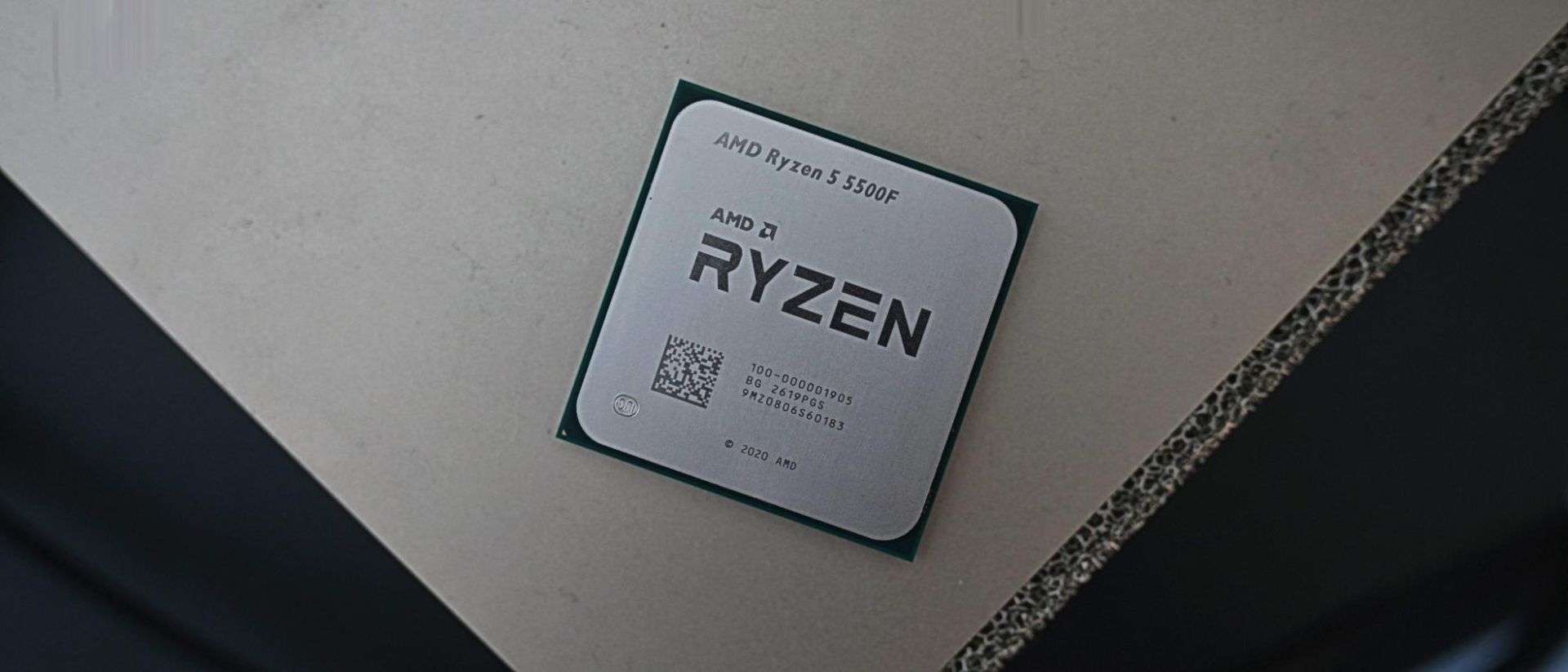
We often criticise companies for misleading marketing, which typically falls in the direction of deceitful overpromising. With the Ryzen 5 5500F, we have the opposite problem. Its name and branding undersell what AMD is offering here. It’s a marked improvement over the base Ryzen 5 5500, giving AMD better standing among the best budget CPUs.
The 5500F is a Zen 3 CPU from the Vermeer family of chips, packing six cores, 12 threads, and a boost clock of 4.4 GHz. It’s modest by the standards of the best CPUs for gaming, but it also comes in at a suggested retail price of just $100. Those prices have drifted up toward $120, though hopefully they’ll settle down around list price before long.
Along with a 200 MHz jump in boost clock speeds over the 5500, the 5500F critically comes with access to PCIe 4.0. The original 5500 came from the Cezanne family of APUs, which all use monolithic dies and are limited to PCIe 3.0. Although the 5500F lives in the Vermeer family alongside the main Zen 3 stack, it’s still limited to the 16 MB of L3 cache that characterizes Cezanne (Vermeer chips have access to 32 MB of L3 otherwise).
The chip squarely targets Intel’s Core i3-14100F, a quad-core CPU available for around $100 that offers 11% better gaming performance at 1080p on average compared to the base 5500. The new 5500F tightens that gap to just 2.9%, and it manages to outclass Intel in multithreaded performance while offering a 10% average jump over the base 5500.
AMD Ryzen 5 5500F specifications and pricing
AMD gave the Ryzen 5 5500F a bad name. The “F” suffix across both AMD and Intel is typically used to note chips that lack integrated graphics. And indeed, the Ryzen 5 5500F does lack integrated graphics. But so does the Ryzen 5 5500. In reality, the Ryzen 5 5500F isn’t a re-released CPU with the iGPU sliced off, as F-series processors usually are, but rather an updated Ryzen 5 5500 that comes with better specs and, in turn, better performance.
If there’s any chip that falls in the bucket of a re-released CPU with the iGPU cut off, it’s the original Ryzen 5 5500, not this new F-suffix variant. The Ryzen 5 5500 comes from the Cezanne family of Zen 3 CPUs. These chips use the Zen 3 microarchitecture, but they have only 16MB of L3 cache and are limited to PCIe 3.0. Out of the full Cezanne family, the Ryzen 5 5500 is the only chip that isn’t either an APU like the Ryzen 5 5600G, or a laptop chip.
The newer Ryzen 5 5500F is from the Vermeer family, the same as other Zen 3-based desktop CPUs like the Ryzen 5 5600X. That brings with it an update to PCIe 4.0, which is a huge boon for GPU and storage performance, as well as a bump from a maximum boost of 4.2 GHz on the 5500 to 4.4 GHz on the 5500F.
CPU / (MSRP) | Street Price | Architecture | Cores/Threads (P+E) | Base/Boost Clock (GHz) | Cache (L2 + L3) | TDP / Maximum Power |
Ryzen 5 5600X ($300) | Zen 3 (Vermeer) | 6 / 12 | 3.7 / 4.6 | 35 MB | 65W / 88W | |
Ryzen 5 5600G ($260) | Zen 3 (Cezanne) | 6 / 12 | 3.9 / 4.4 | 19 MB | 65W / 88W | |
Ryzen 5 5500F ($100) | Zen 3 (Vermeer) | 6 / 12 | 3 / 4.4 | 19 MB | 65W / 88W | |
Ryzen 5 5500 ($159) | Zen 3 (Cezanne) | 6 / 12 | 3.6 / 4.2 | 19 MB | 65W / 88W |
Although the Ryzen 5 5500F falls in the Vermeer family, it still carries some Cezanne DNA. It’s the only Vermeer chip to have 16 MB of shared L3; all other Vermeer chips have 32 MB of L3, at least, with X3D options scaling higher. Both families retain the same L1/L2 setup, naturally, as they share the Zen 3 microarchitecture.
Otherwise, the Ryzen 5 5500F retains the 65W TDP, and 88W platform maximum, and it comes bundled with AMD’s Wraith Stealth cooler. The Wraith Stealth cooler is plenty to keep the Ryzen 5 5500F cool under load, saving you some money on an aftermarket CPU cooler.
MORE: CPU Benchmark Hierarchy
MORE: AMD vs. Intel
MORE: Intel Core Ultra 7 270K Plus review
MORE: AMD Ryzen 7 9850X3D review
The Ryzen 5 5500F is AMD’s best budget gaming CPU right now, at least assuming you don’t already have a kit of DDR5 laying around. That was also true of the 5500, though begrudgingly. Deals on CPUs like the Ryzen 5 7600X are common, but the exorbitant cost of a kit of DDR5 right now nullifies any real savings there. Although the 5500F is still second chair to Intel’s Core i3-14100F, the battle between the two is much closer now. Plus, the 5500F has access to PCIe 4.0, solving a big sticking point with the original 5500 and its PCIe 3.0 limit.
With the Core i5-14400 and Core i3-14100 in the charts below, we tested both with DDR4 and DDR5. As we saw in our Raptor Lake Refresh DDR4 comparison recently, the newer memory standard brings about a 15% improvement in average gaming performance at 1080p. The DDR5 numbers are mainly here for context. The true battle is between DDR4 platforms, given the high cost of DDR5.
We followed the same testing procedure for this review as we do with any other. We have full platform details at the end of this review. For gaming, we used the RTX 5090 FE and tested at 1080p with a mixture of High and Ultra settings. Undoubtedly, some of our readers will have feedback about the decision to use such a high-performance GPU with such inexpensive CPUs, but this is our standard process for all CPU testing, and the choice to use the RTX 5090 is less impactful than you might think.
As you can see from our $100 CPU shootout, where we tested the 5500 and 14100F with an RTX 5090 and with an RTX 4060, average scaling was largely the same between the two GPUs, with only the baseline performance moving down on the RTX 4060. You’re going to remain CPU-bound with these chips and just about any modern gaming graphics card. Using the RTX 5090 allows us to take these results and compare them all the way up the stack rather than throw them in the bin.
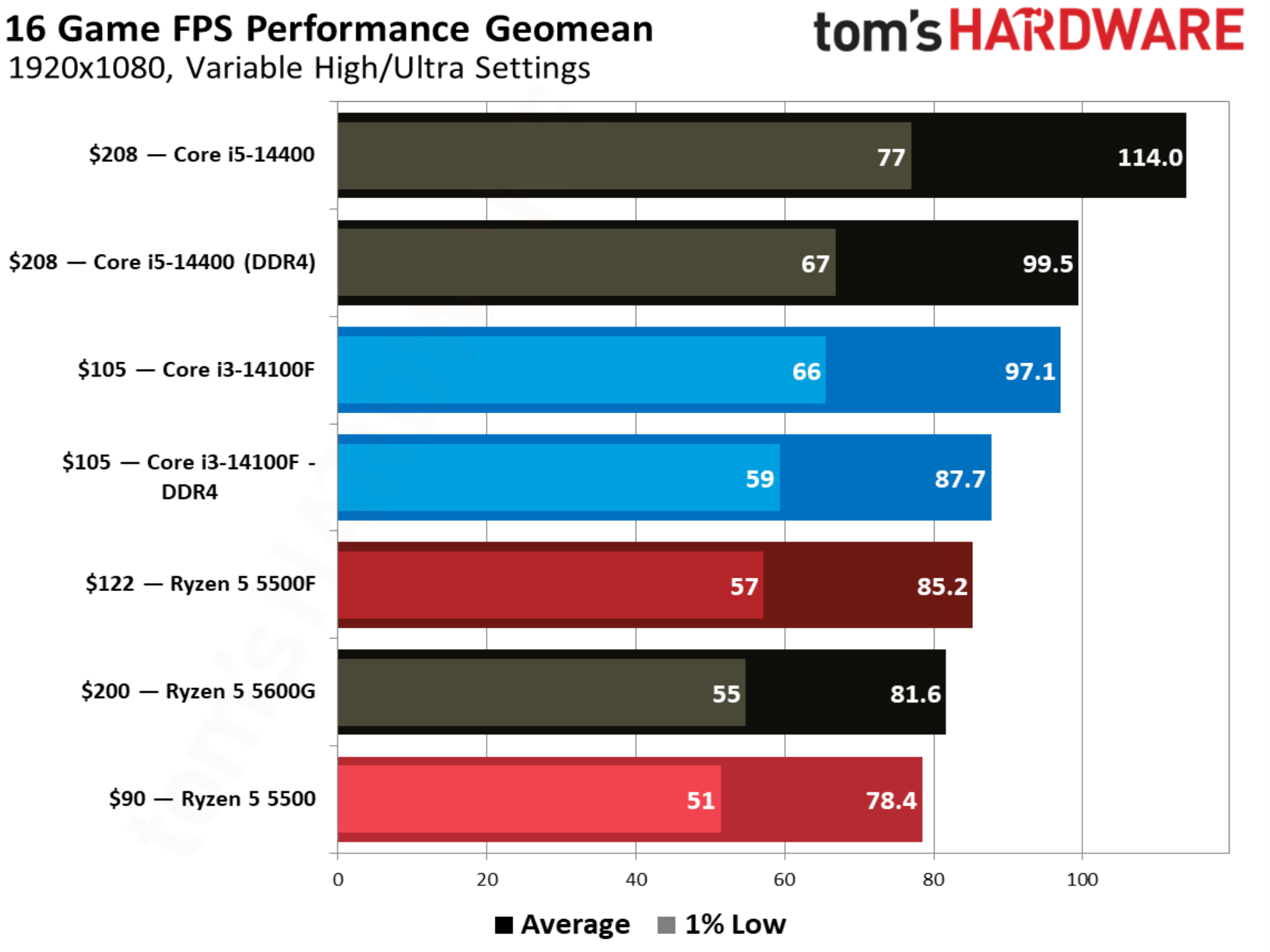
With an extra boost in clock speed and access to PCIe 4.0, the Ryzen 5 5500F comes out 8.6% ahead of the 5500 in our 16-game geomean at 1080p. It’s now just 2.8% behind the Core i3-14100F, though. As we’ll see throughout some of the individual game tests, the four-core setup of the Core i3-14100F is a real limitation. 1% low performance jumped 11.7% from the 5500 to 5500F, as well, resulting in smoother performance.
The Ryzen 5 5500 occupies the bottom of our chart, and that’s mainly due to availability. There aren’t a ton of CPUs available around $100, unless you’re interested in spending $98 on a brand new FX-8300 (don’t). It’s a battle between the Core i3-14100F and Ryzen 5 5500F at this price. In order to step up to that next tier of performance, you need to spend around $150, which is a hotly contested area between DDR4 options like the Core i5-14400F (we only had the more expensive, non-F version on hand) and Ryzen 5 5600, and DDR5 options like the Ryzen 5 7600X.
AMD has brought 3D V-Cache down the Zen 3 product stack, all the way down to the Ryzen 5 5500X3D, though you’ll spend about twice as much on that CPU as the Ryzen 5 5500F or Core i3-14100F.
Still, both of these chips play a great role in a new budget gaming build right now if you have future upgrade aspirations. Compared to the Ryzen 7 5800X3D and Core i7-14700K — our recommendations for gaming on these platforms — you can save around $200 up front and put it toward a nicer graphics card. Intel’s platform has the additional flexibility of a future DDR5 upgrade with a new motherboard, as well.
Between the Core i3-14100F and Ryzen 5 5500F, Intel still holds a small edge in performance. Given how CPU-bound we are, that edge isn’t big enough to sway a buying decision, but the price is. The Ryzen 5 5500F has a recommended price of $100, but we haven’t seen it sold for less than $120. Neither the slightly higher price nor slight performance disadvantage are enough to sway things on their own, but together, they hurt the Ryzen 5 5500F’s place in the $100 CPU bracket.
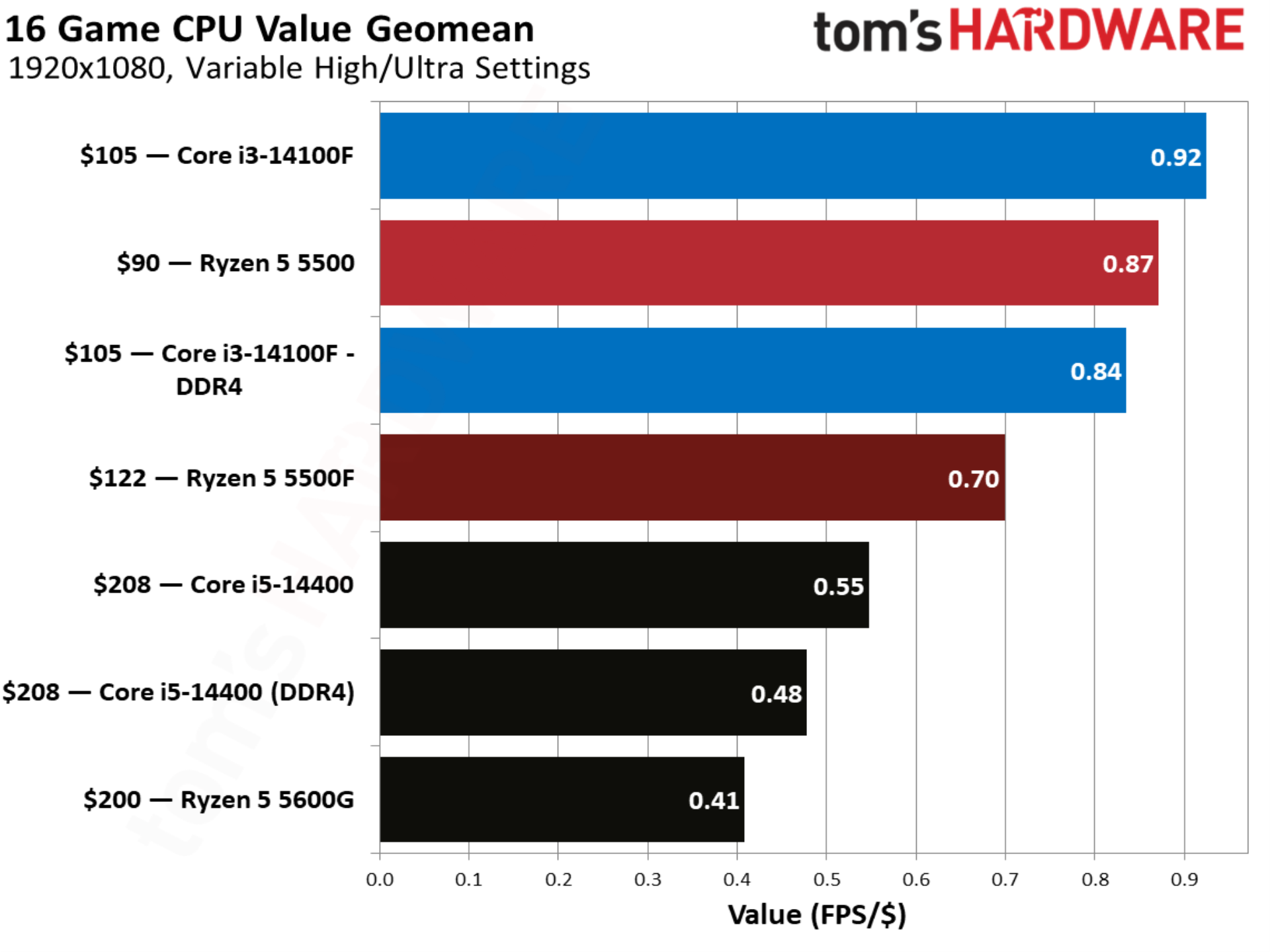
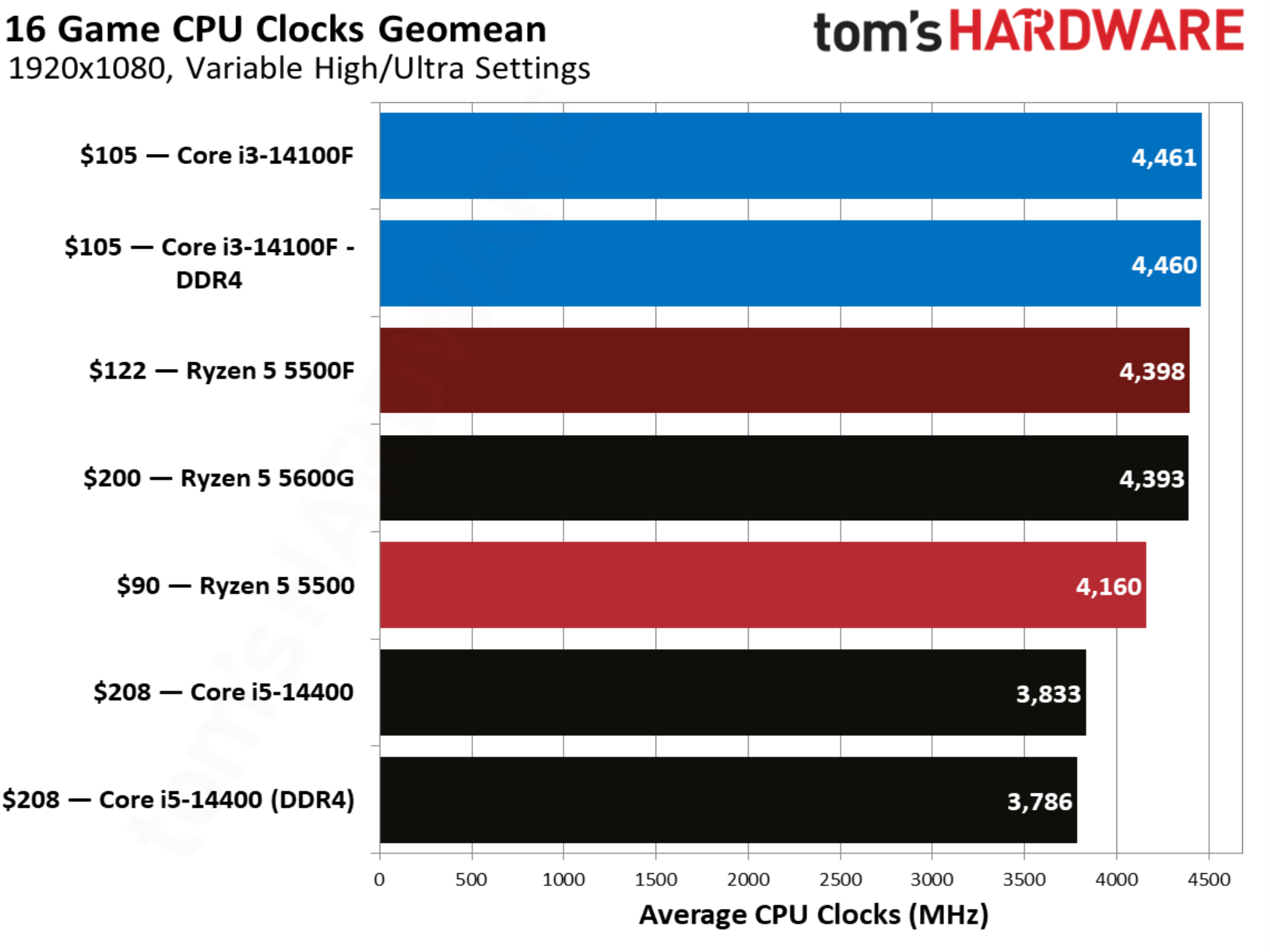
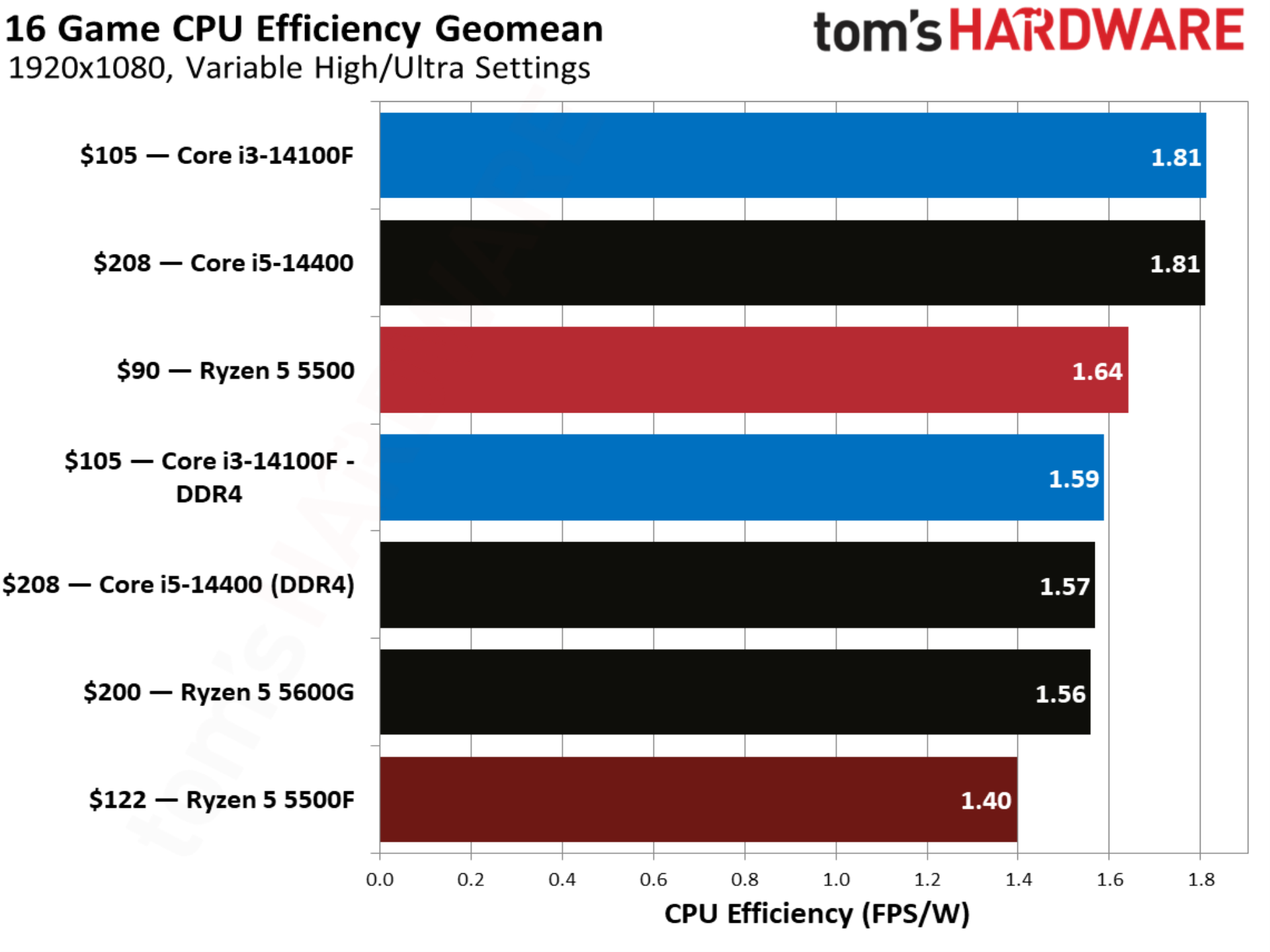
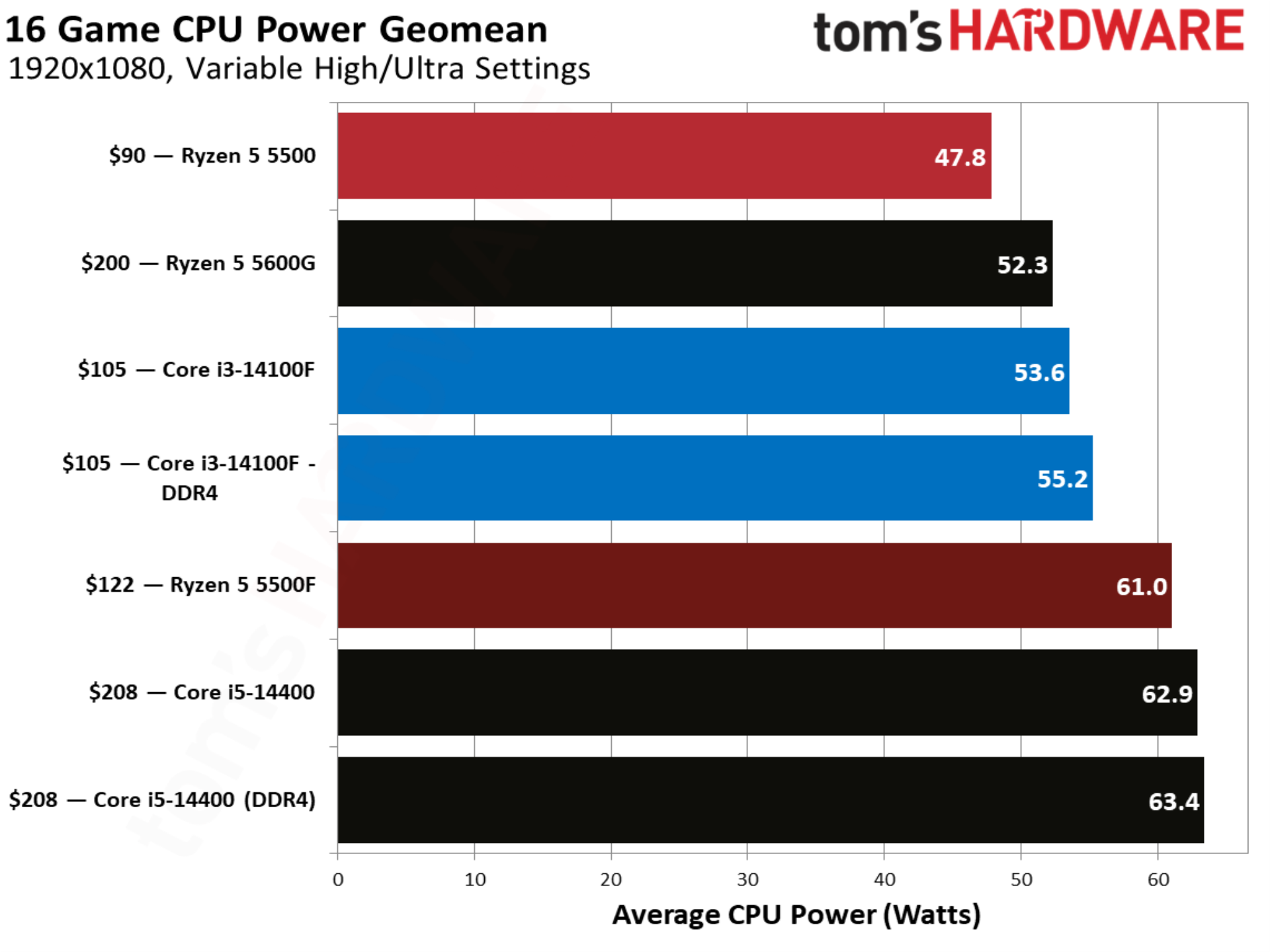
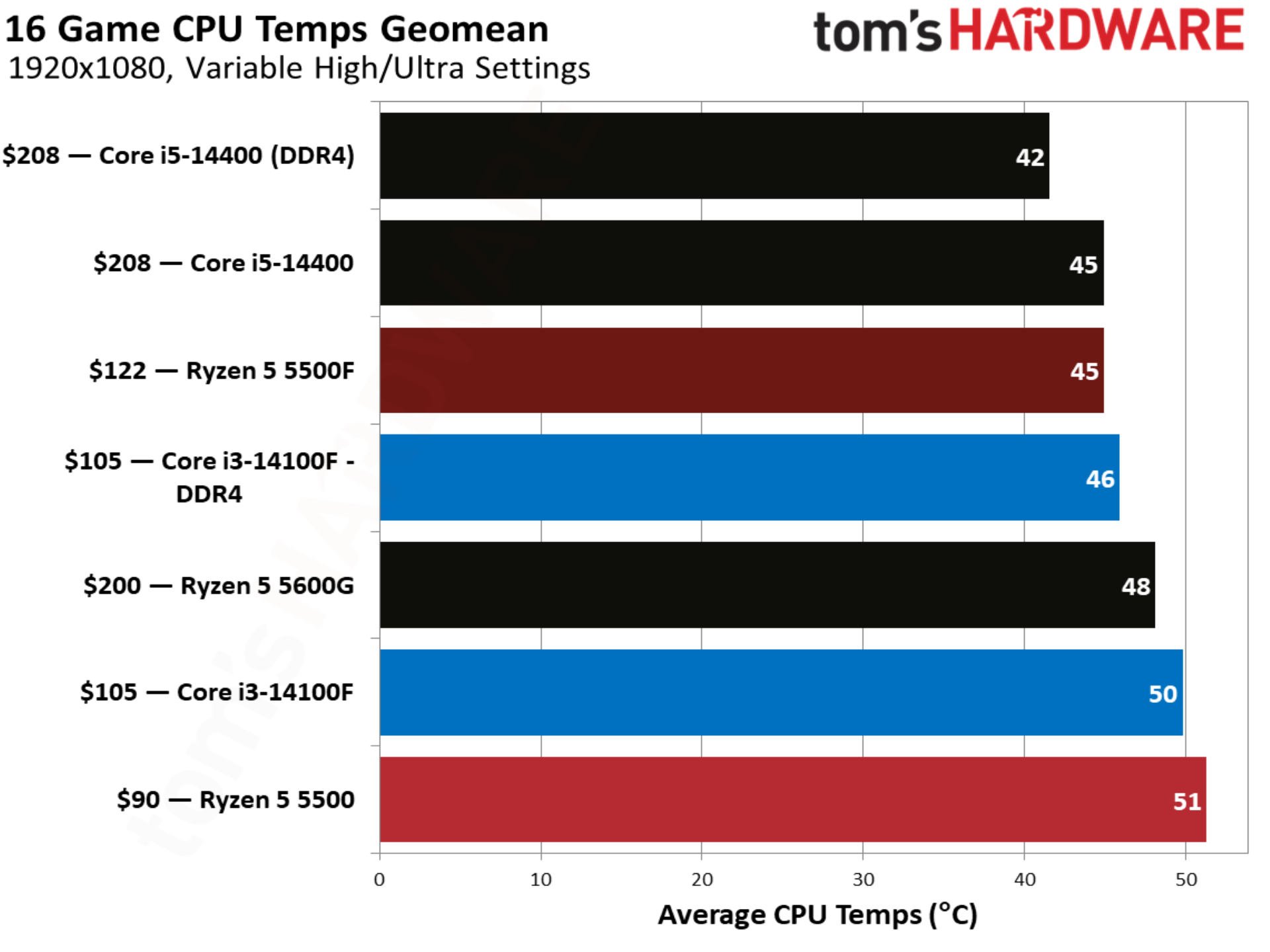
That comes through clearly in our value geomean, where the Ryzen 5 5500 actually provides a better value than the new 5500F, due to the fact that it’s held onto its $90 price. The Core i5-14400 looks unsurprisingly bad here due to its $208 price tag. The Core i5-14400F is available closer to around $150 though, and it should provide identical performance with a discrete GPU.
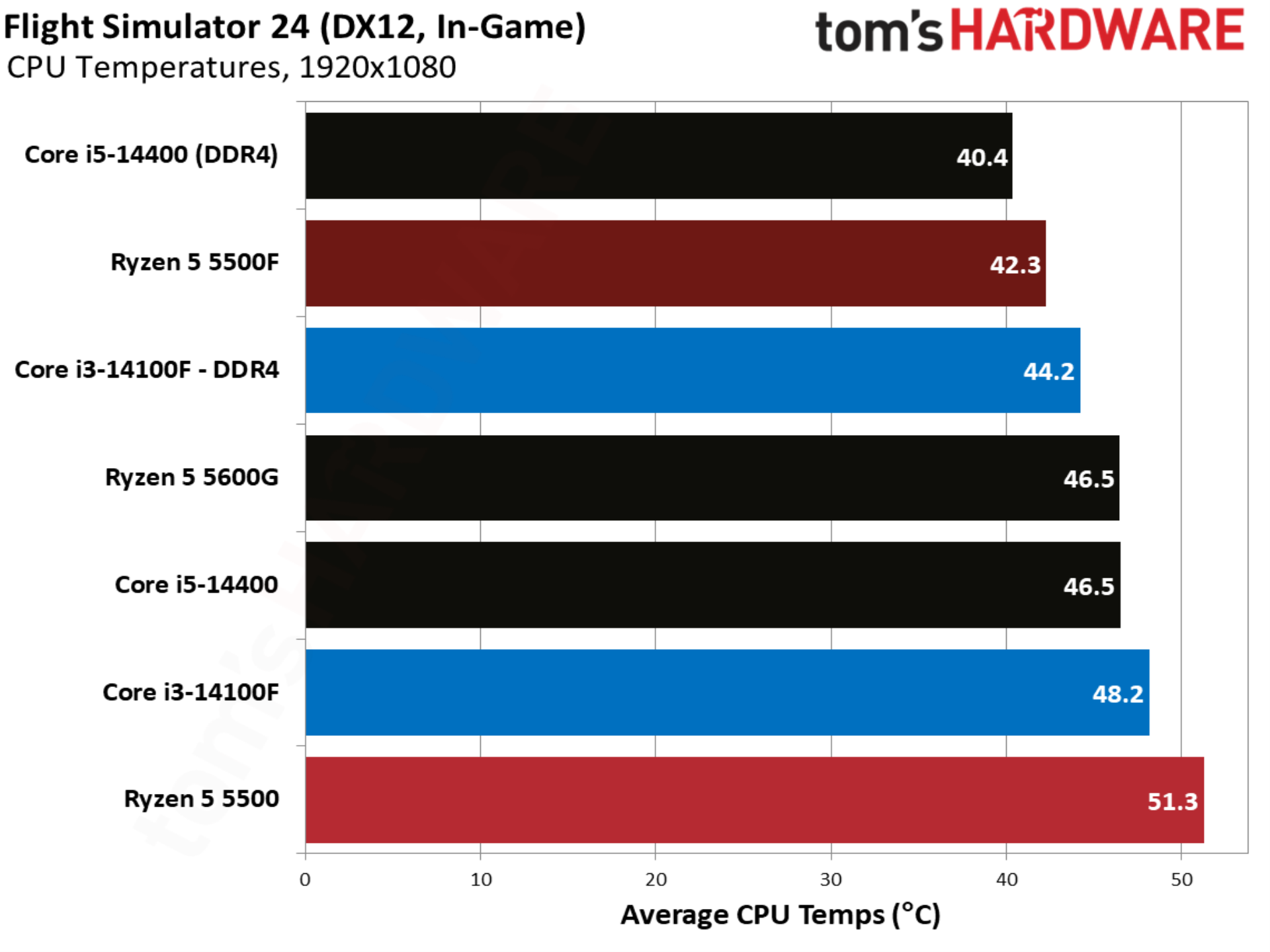
With temperature and power, you can see the Ryzen 5 5500F takes better advantage of the 65W thermal design than the original 5500, climbing up to a 61W average in our test suite. Higher power draw is actually better in this case. We’re dealing with relatively low-power desktop chips, so if peak performance is the goal, we want every watt the thermal design can handle being used.
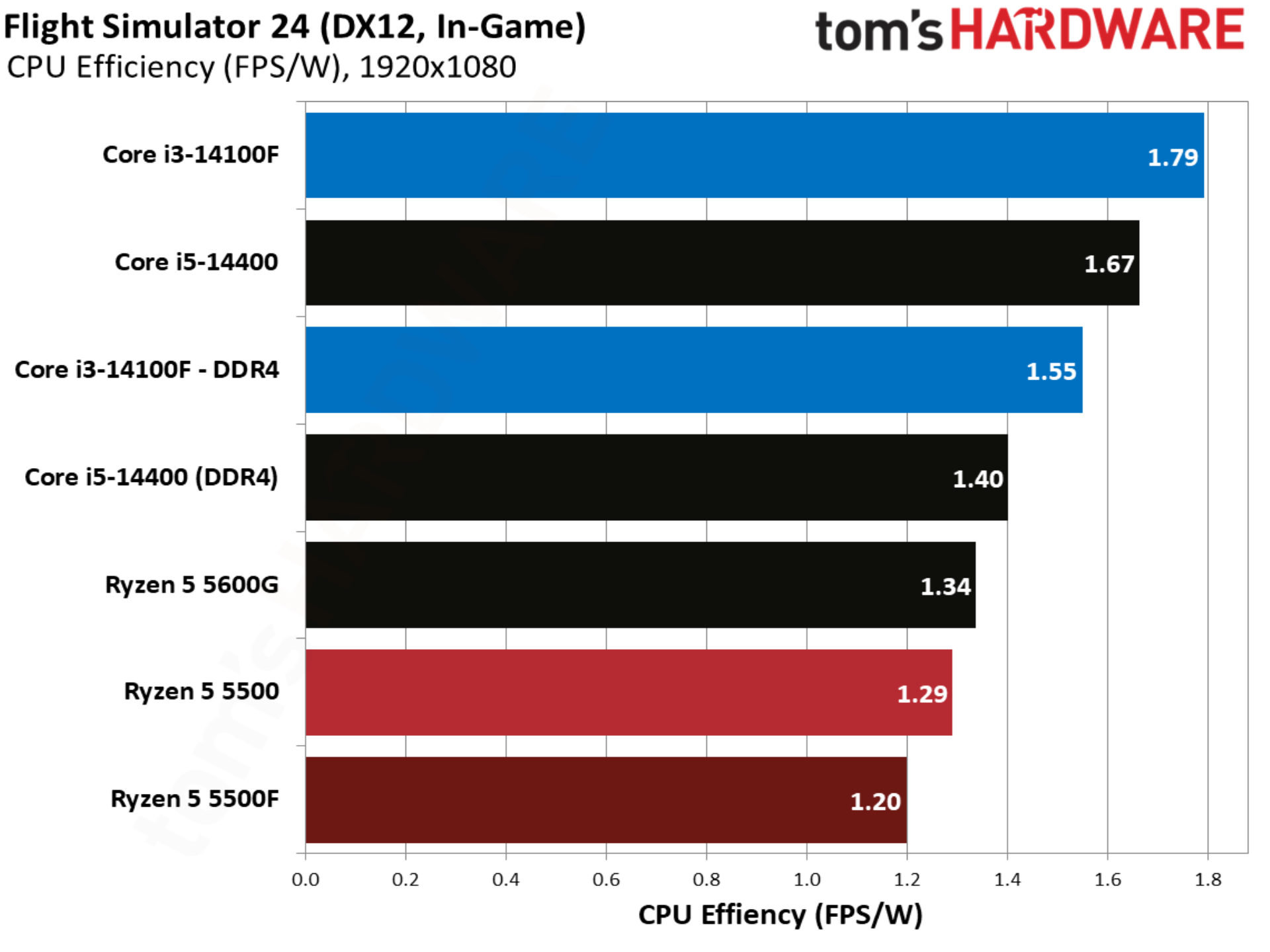
Given that the 5500F ramps up power, it’s less efficient as a result. Perhaps efficiency is important if you plan on using one of these CPUs around the clock in areas with high electricity prices, but in the context of gaming, the power difference isn’t big. It’s less than what a phone consumes with fast charging.
007 First Light benchmarks
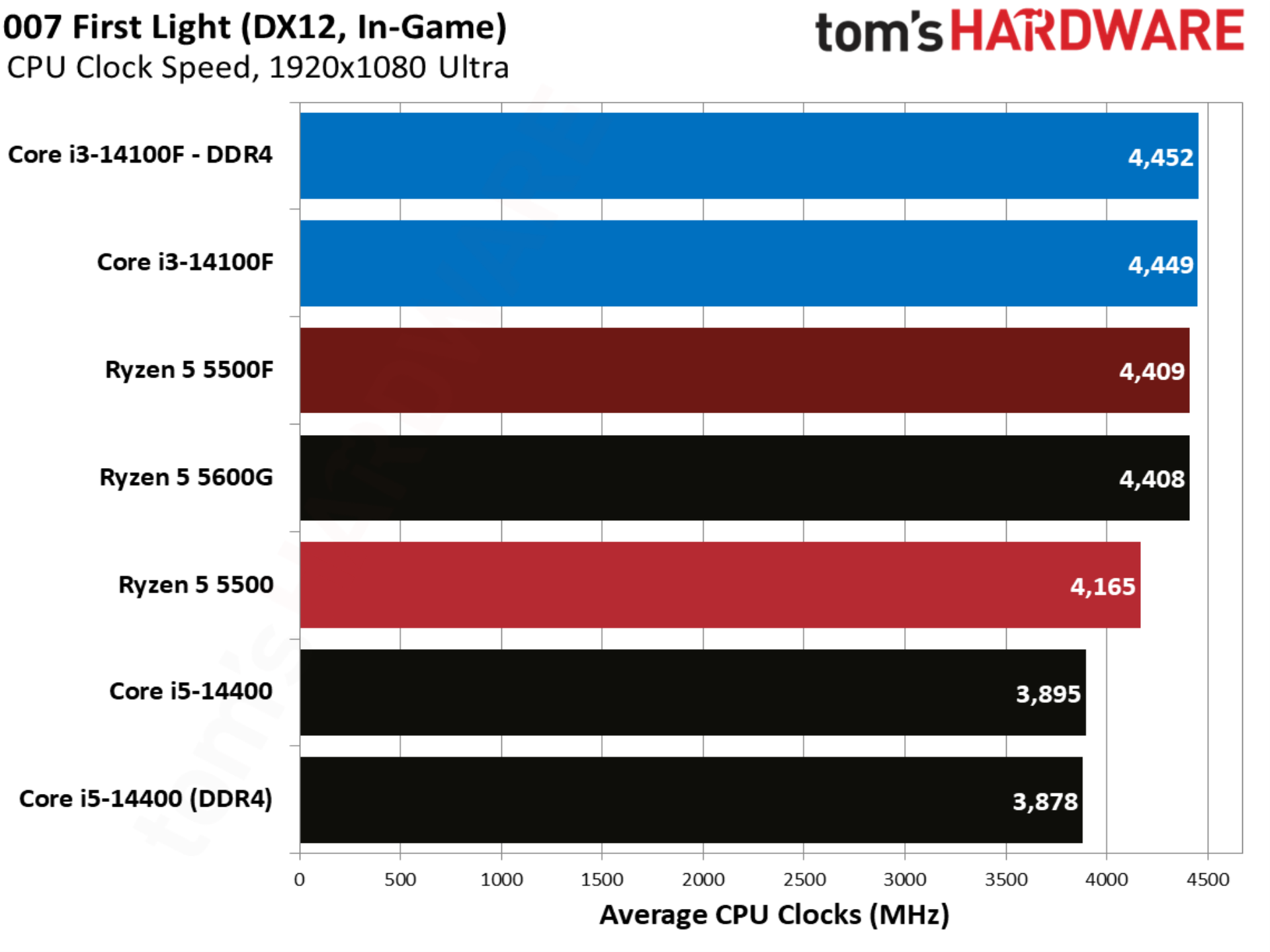
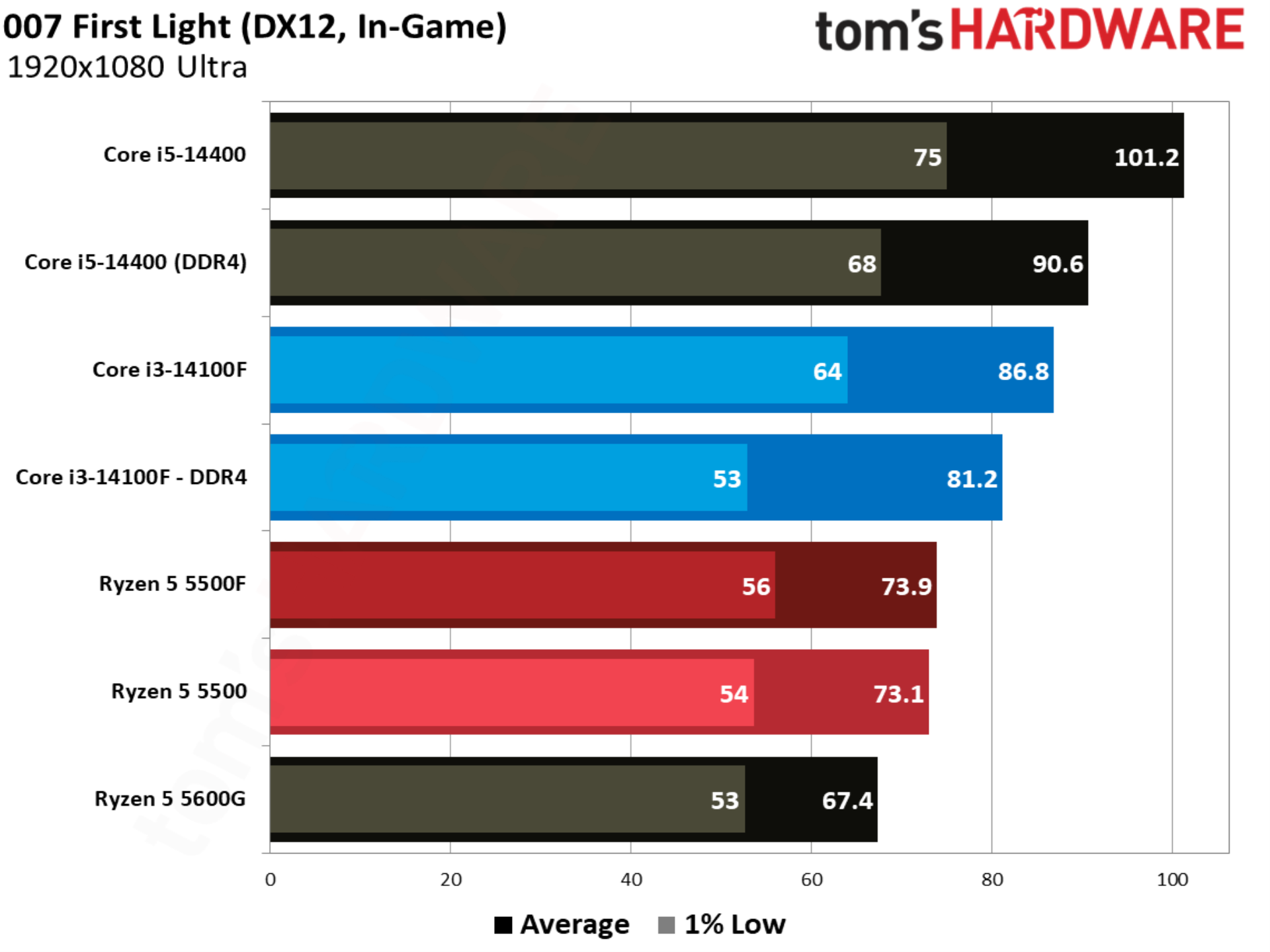
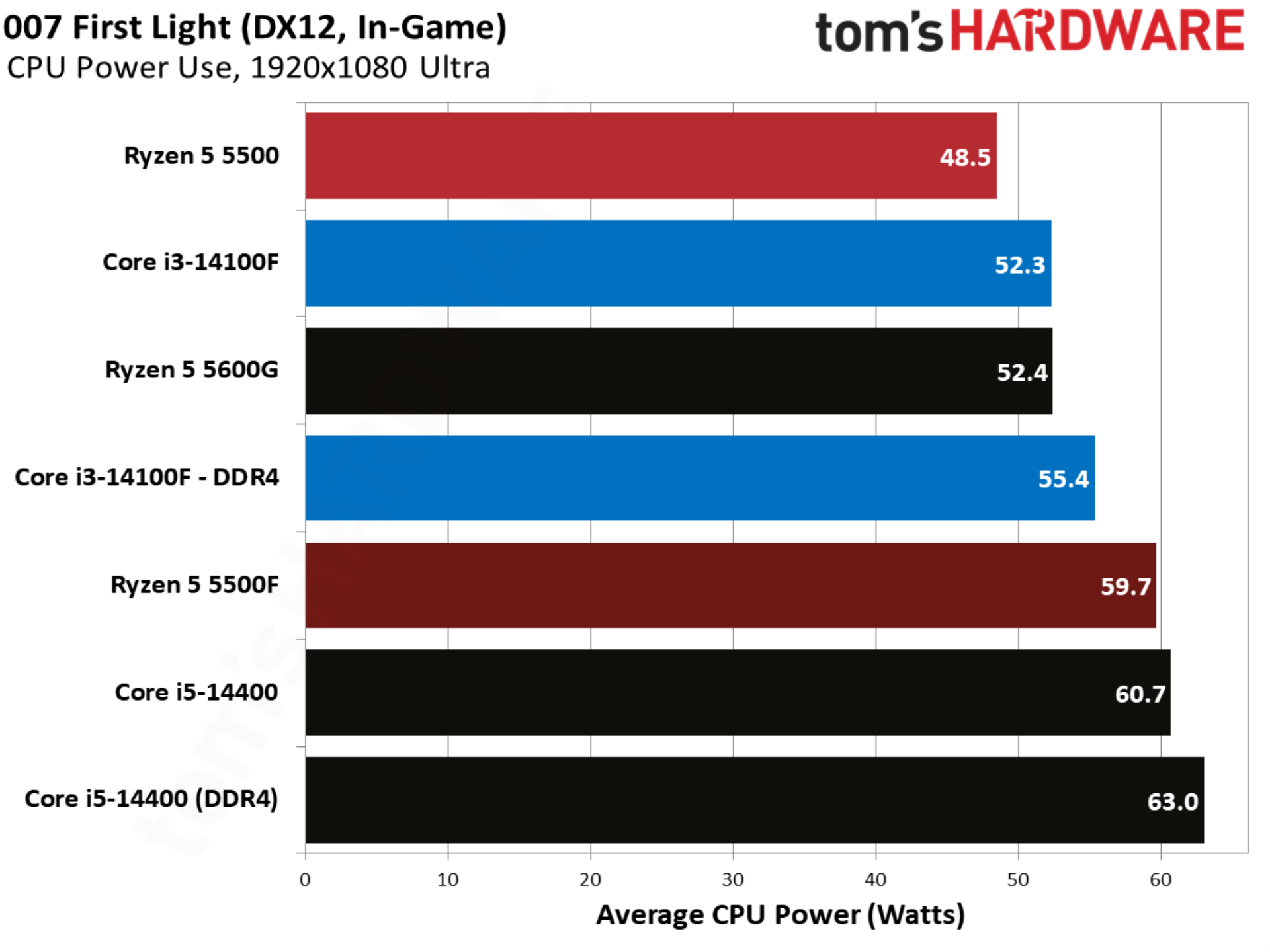
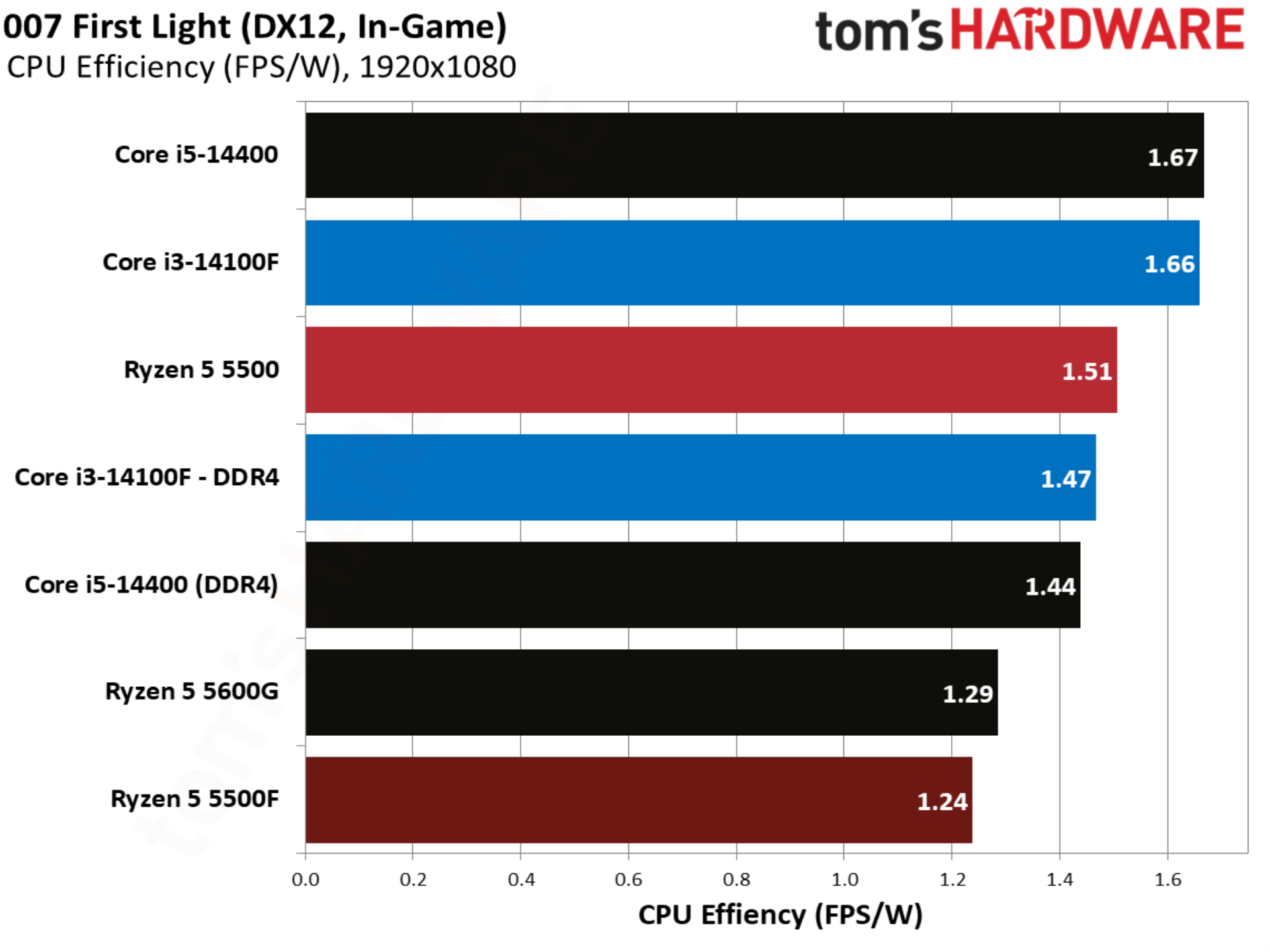
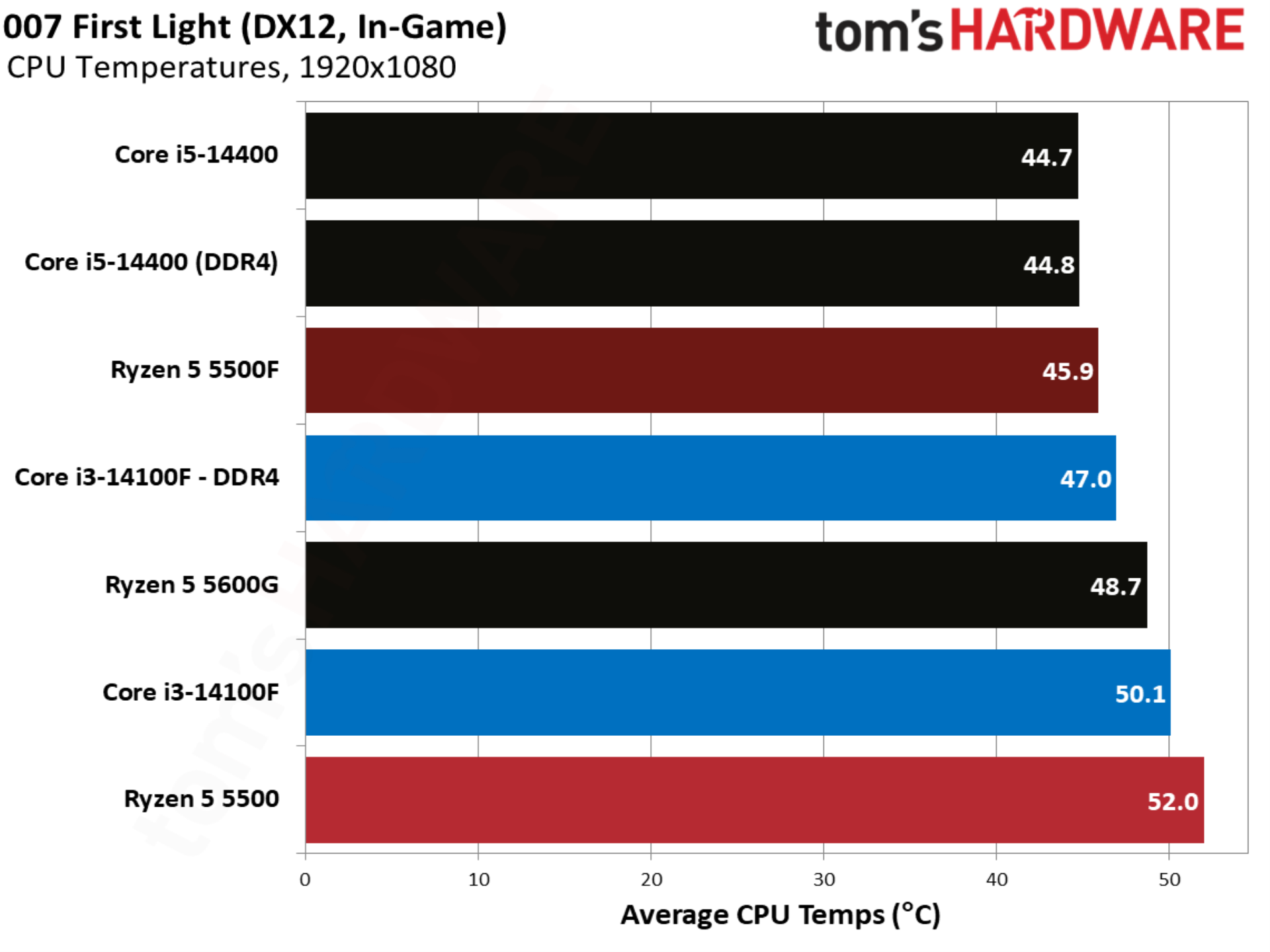
007 First Light kicks off our individual game tests, and it happens to be one of the stranger results in our test pool. There was virtually no movement between the Ryzen 5 5500 and Ryzen 5 5500F, despite a jump in power with the 5500F. This is clearly an outlier in our suite, which will become clear as we go through the other games.
Baldur’s Gate 3 benchmarks
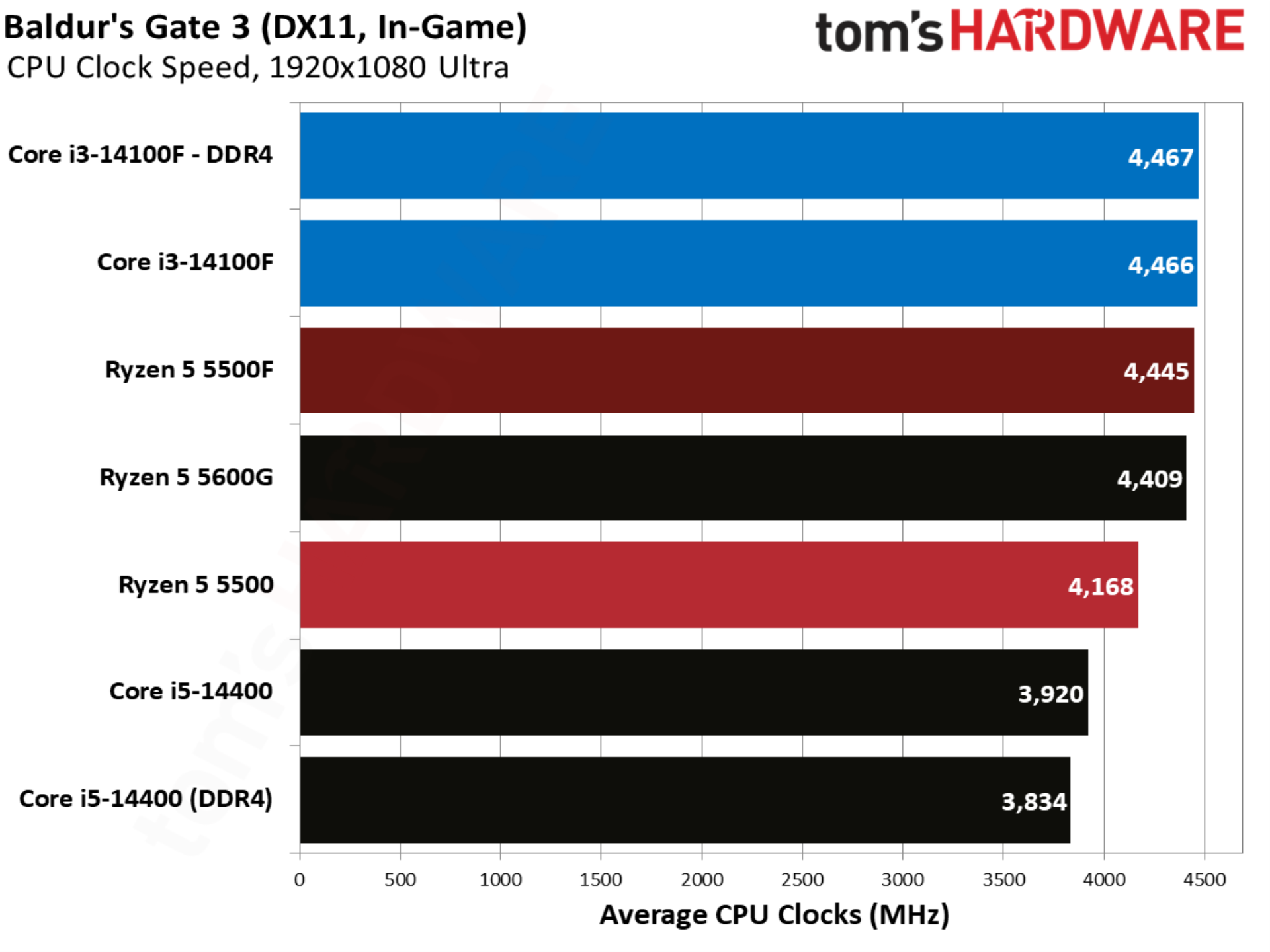
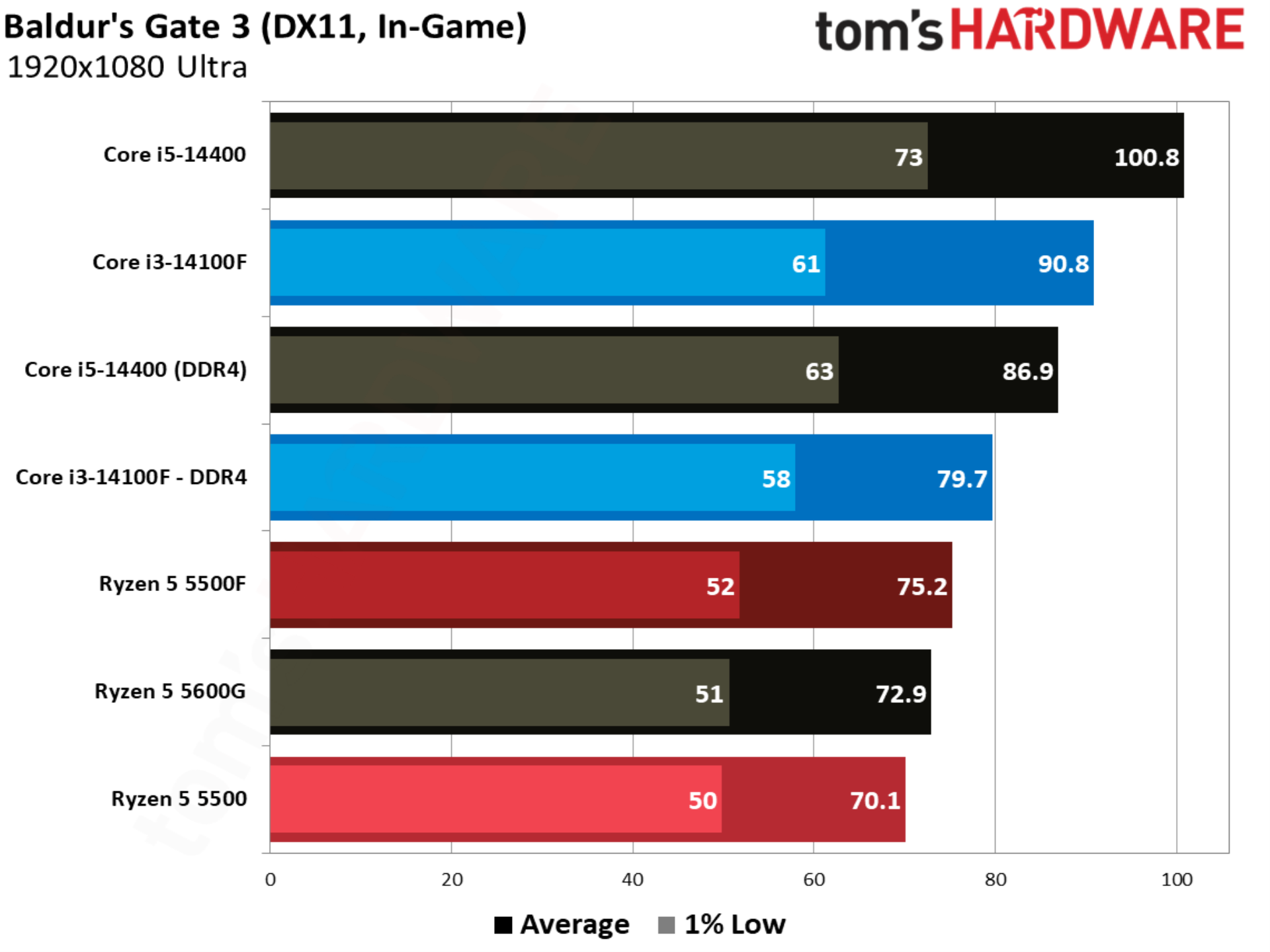
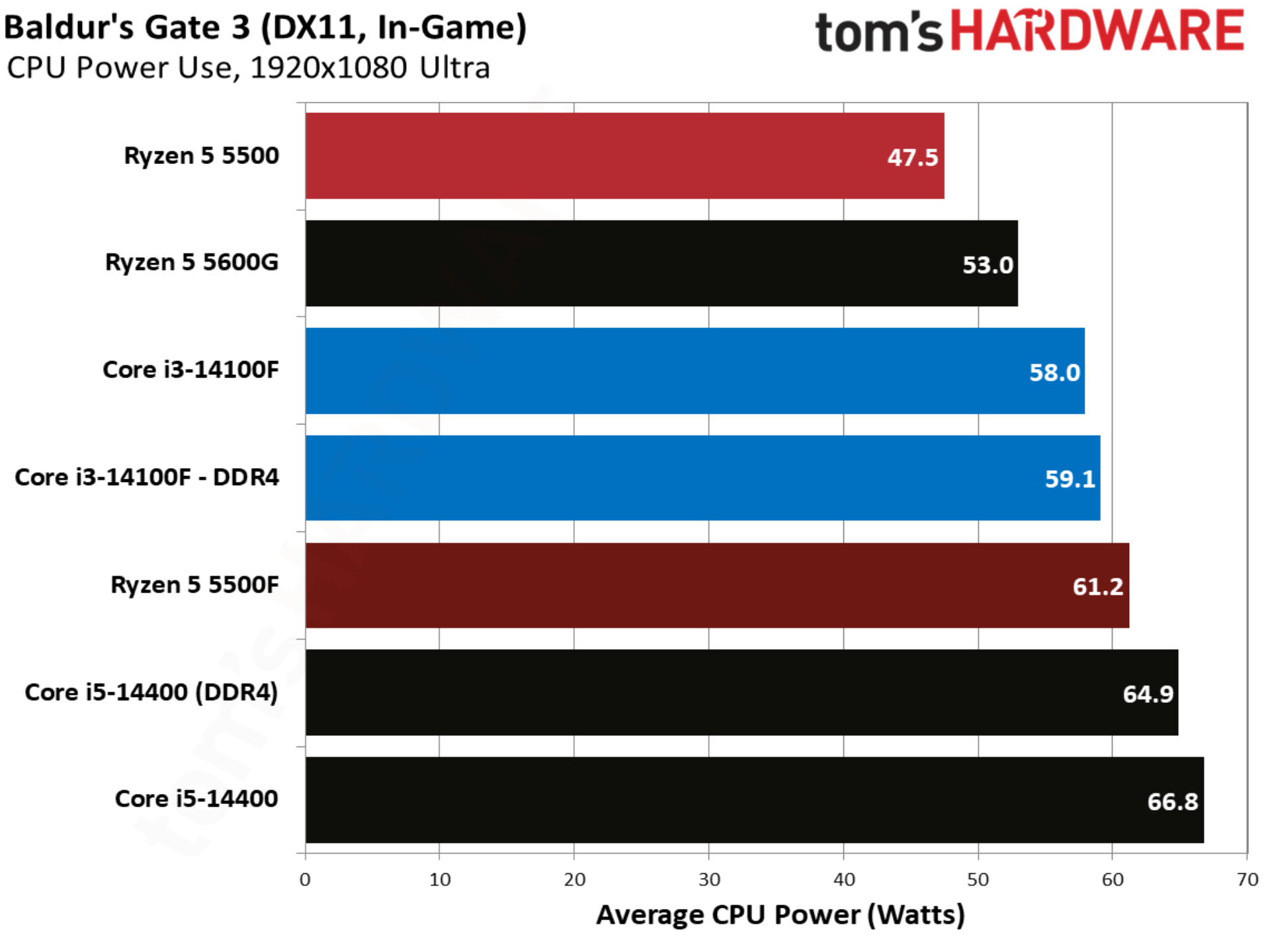
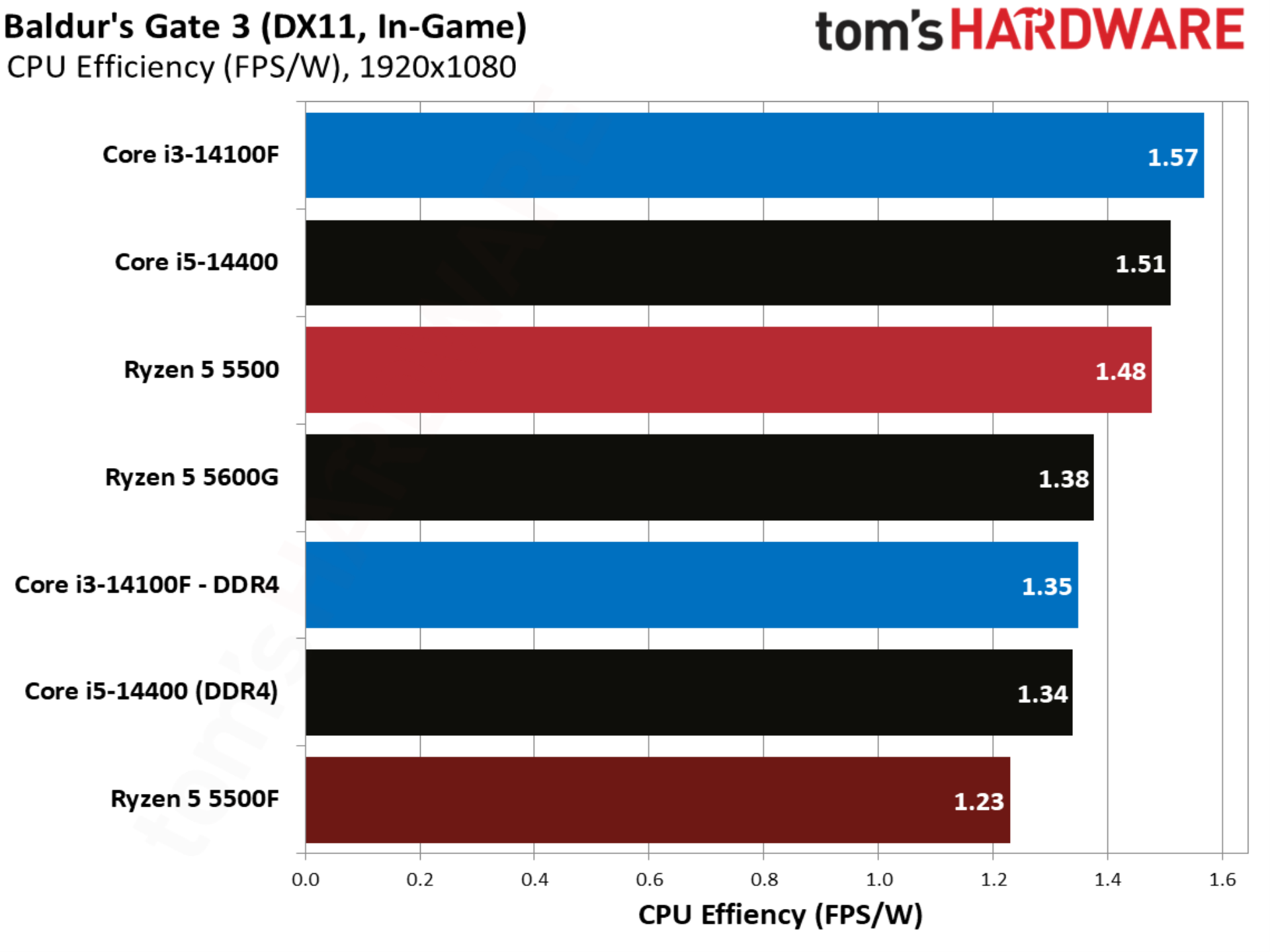
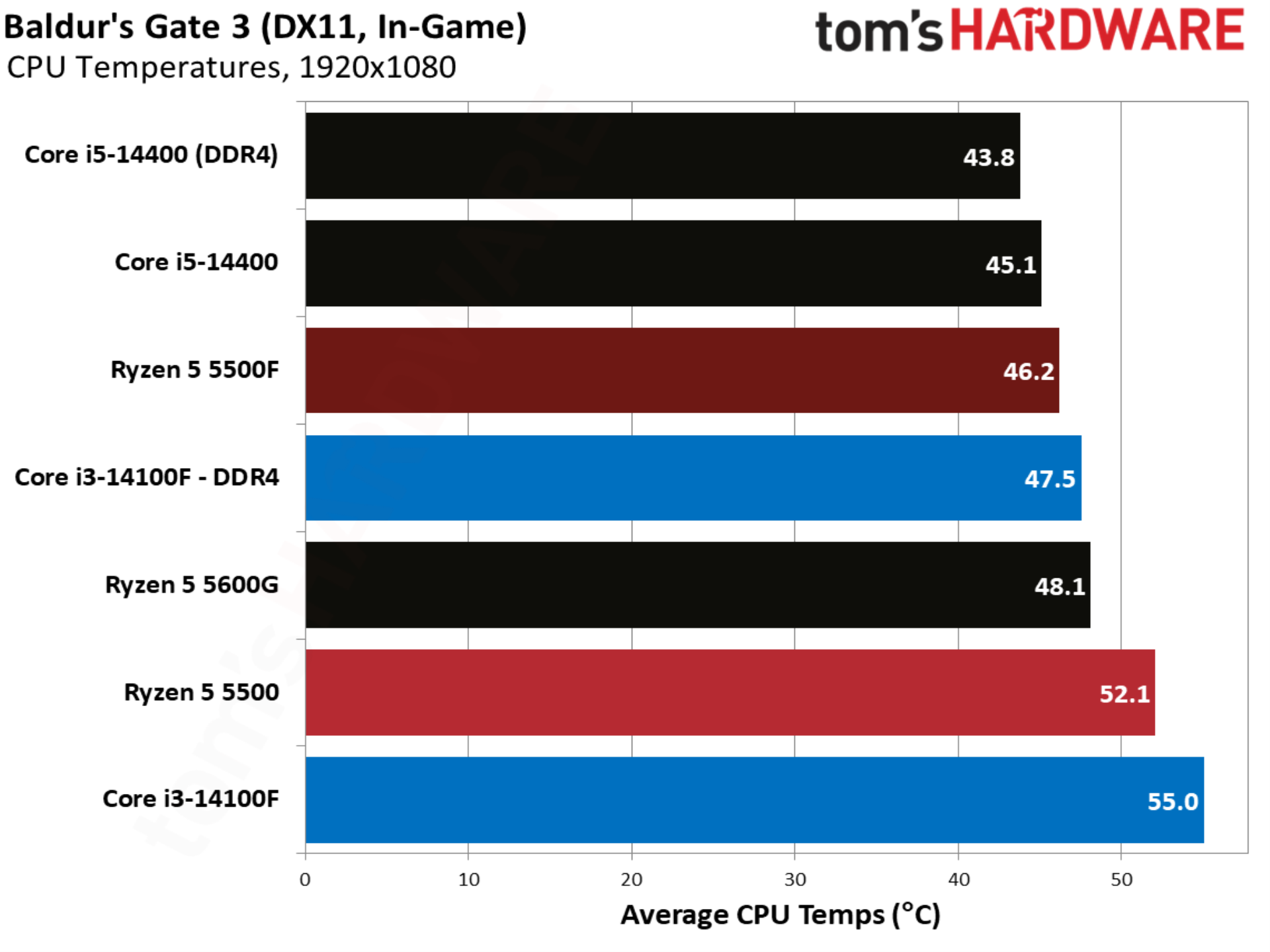
Baldur’s Gate 3 aligns more closely with our geomean, with the 5500F outpacing the 5500 by 7.2%. Intel still leads, however, with the Core i3-14100F beating out the 5500F by 5.9% and 5500 by 13.6%.
Cities Skylines 2 benchmarks
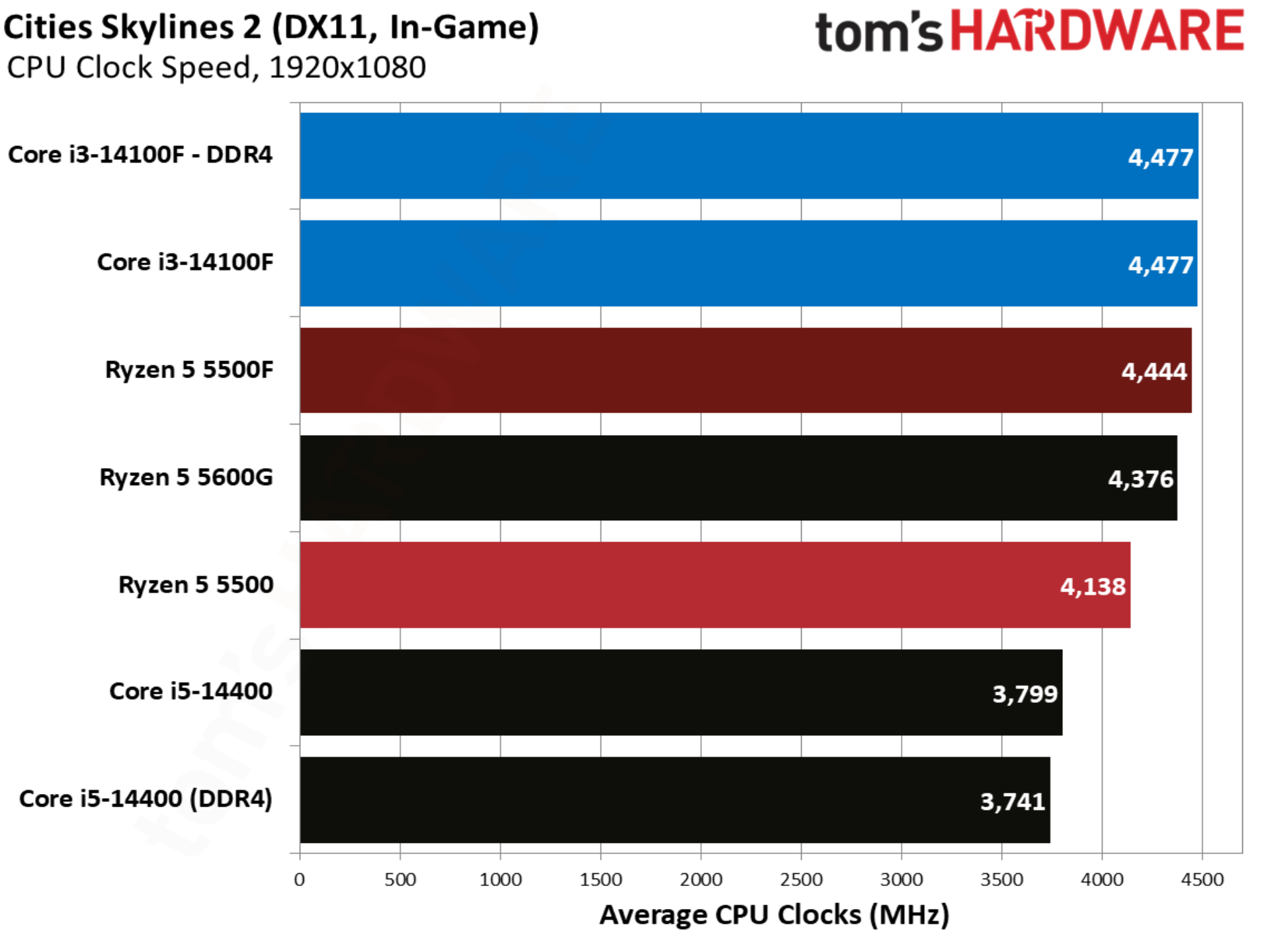
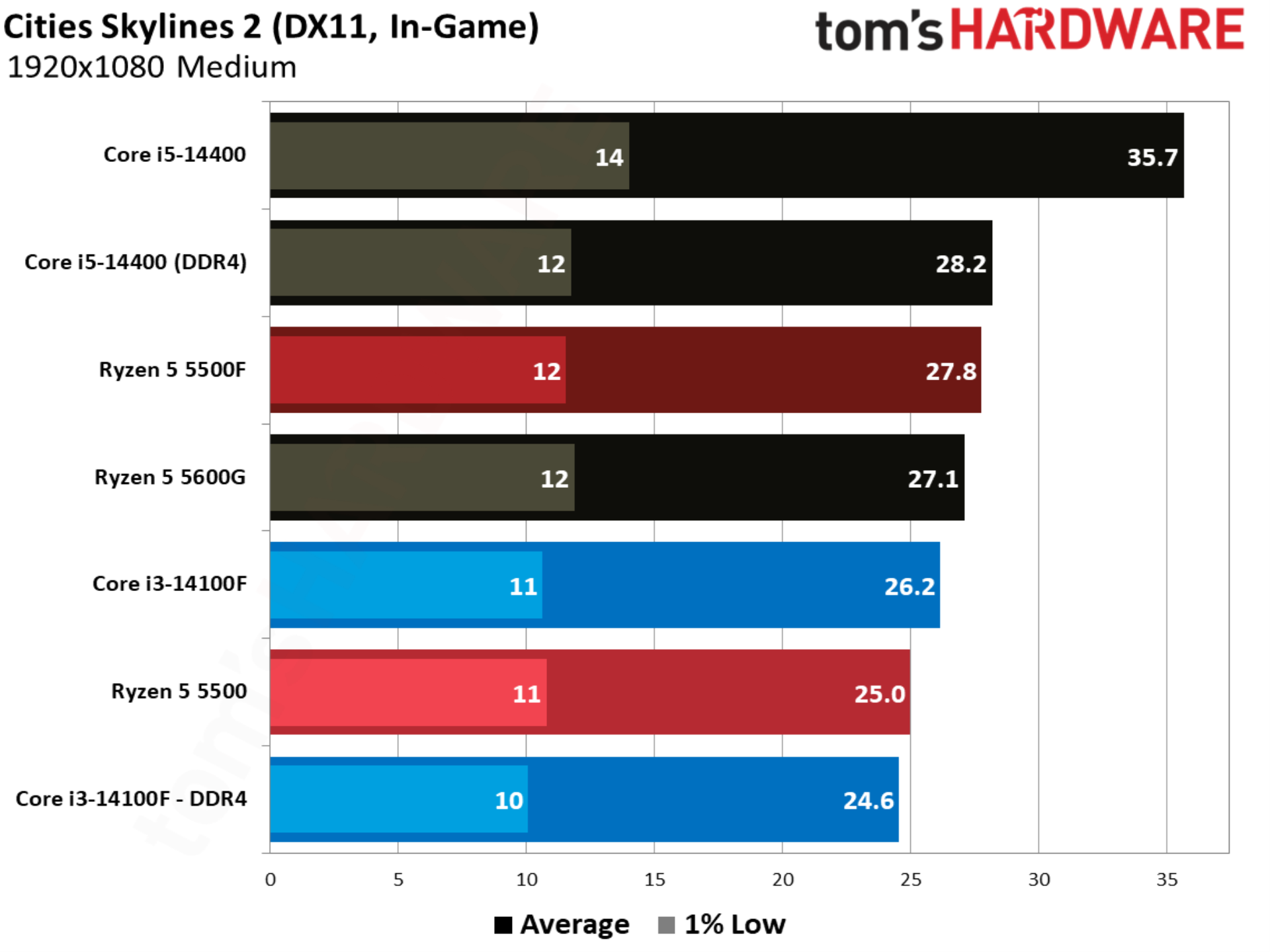
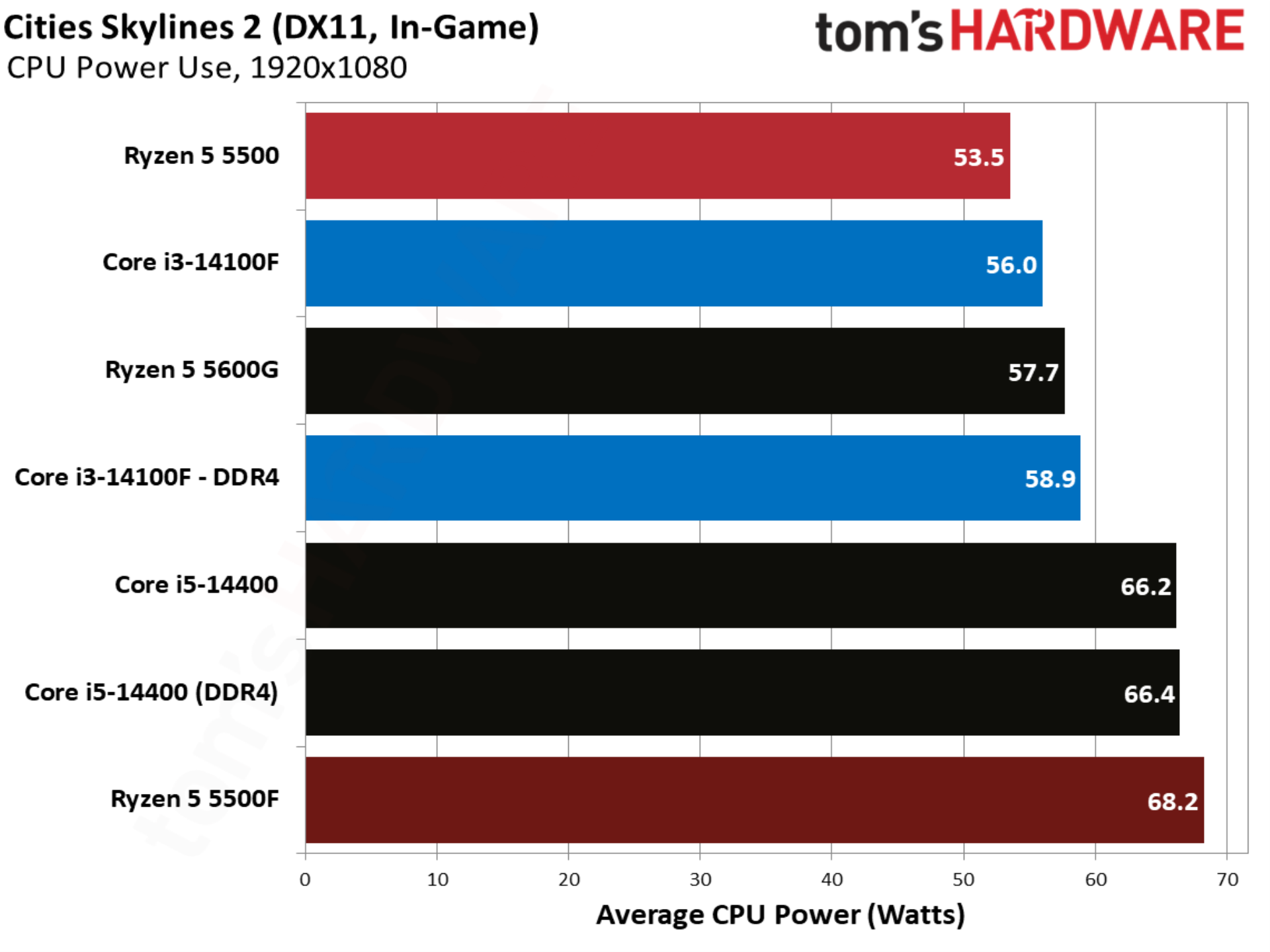
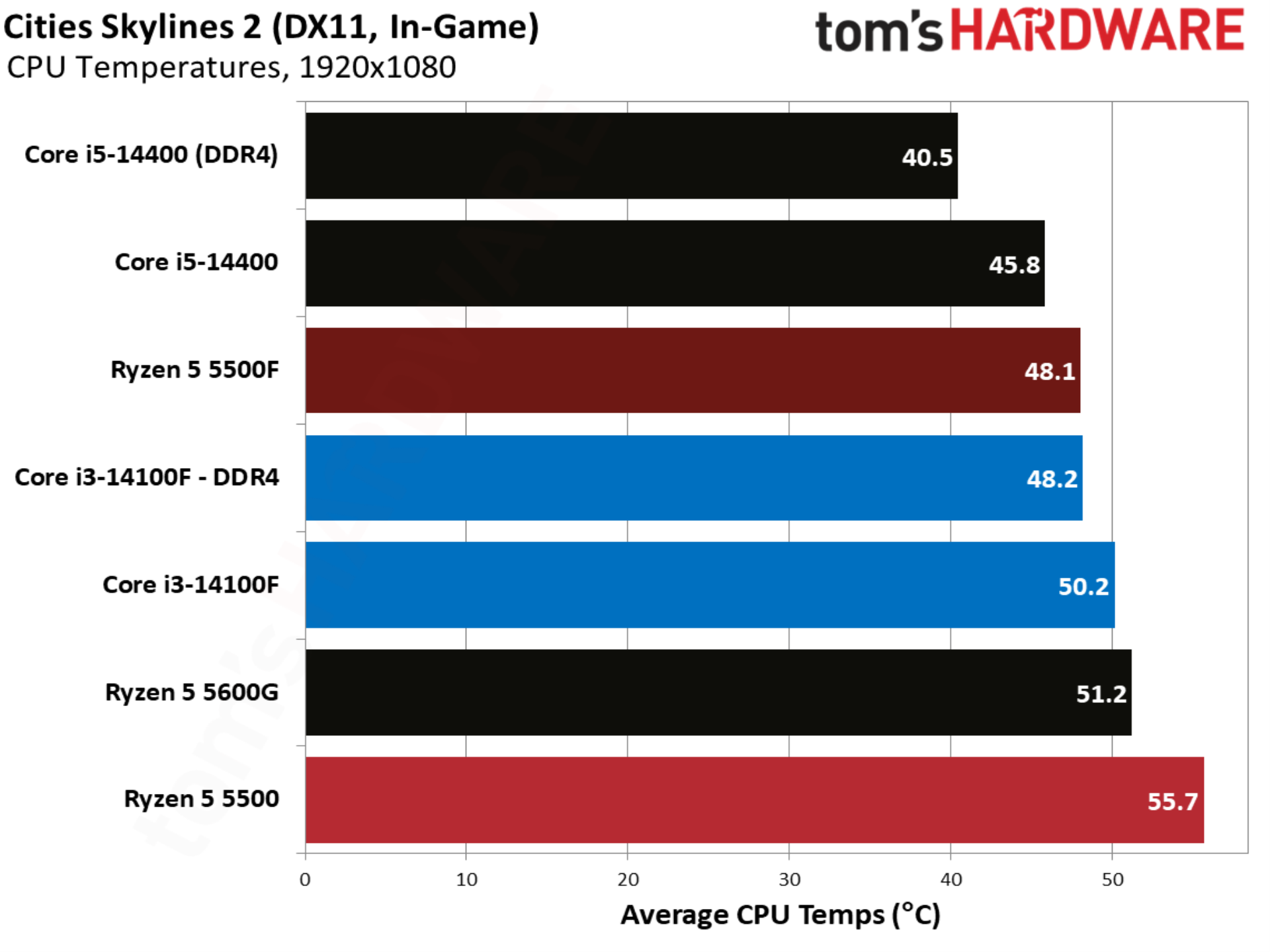
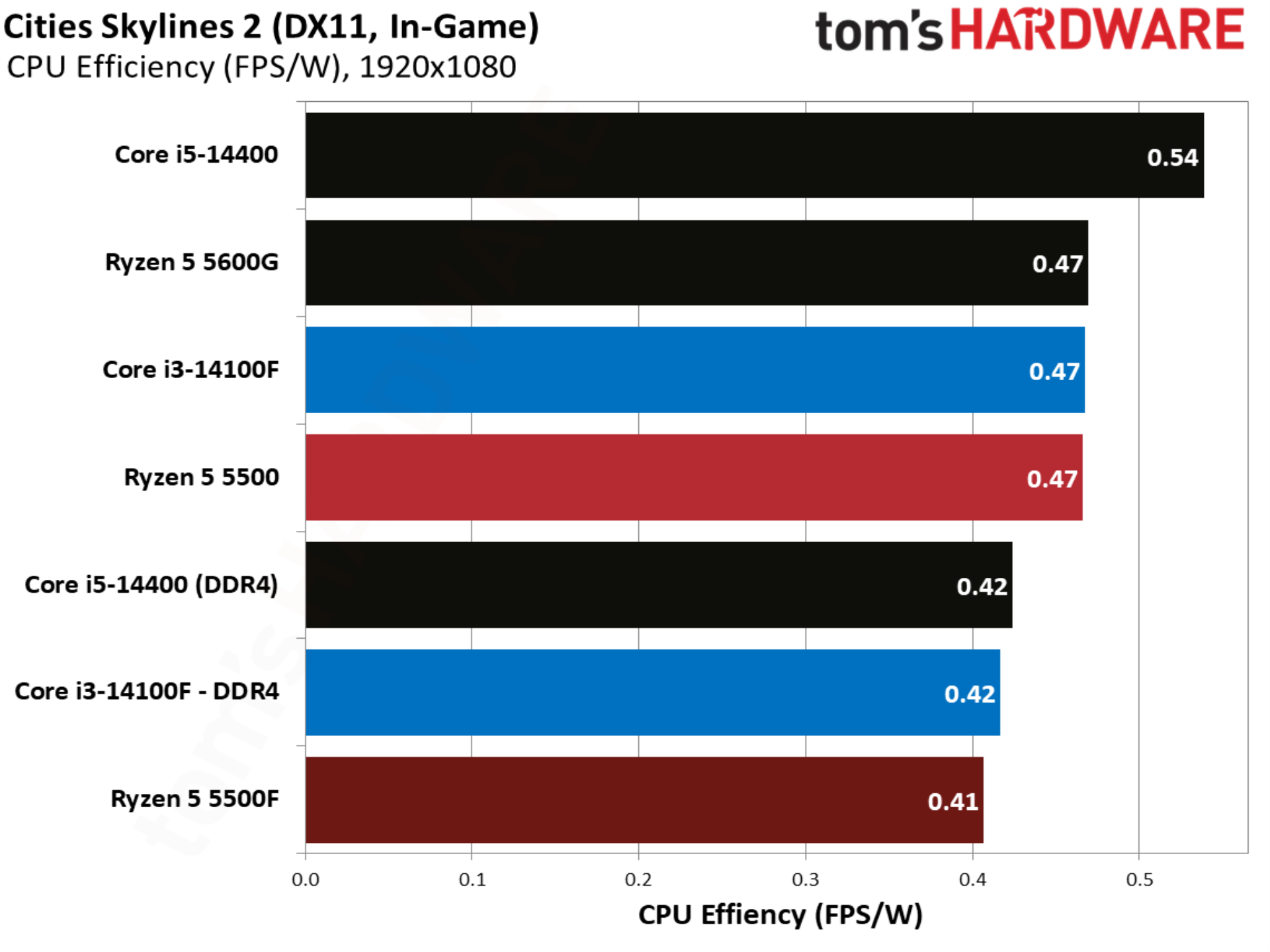
Cities Skylines 2 showcases an aspect of gaming performance that’s often overlooked, which is raw CPU compute. Here, we have a fully built city with a population of over one million people, stressing core count, clock speed, and memory capabilities. Although we only have a handful of chips here, the Core i5-14400 with DDR5 provides some important context for how this benchmark stresses different aspects of the system.
Crimson Desert benchmarks
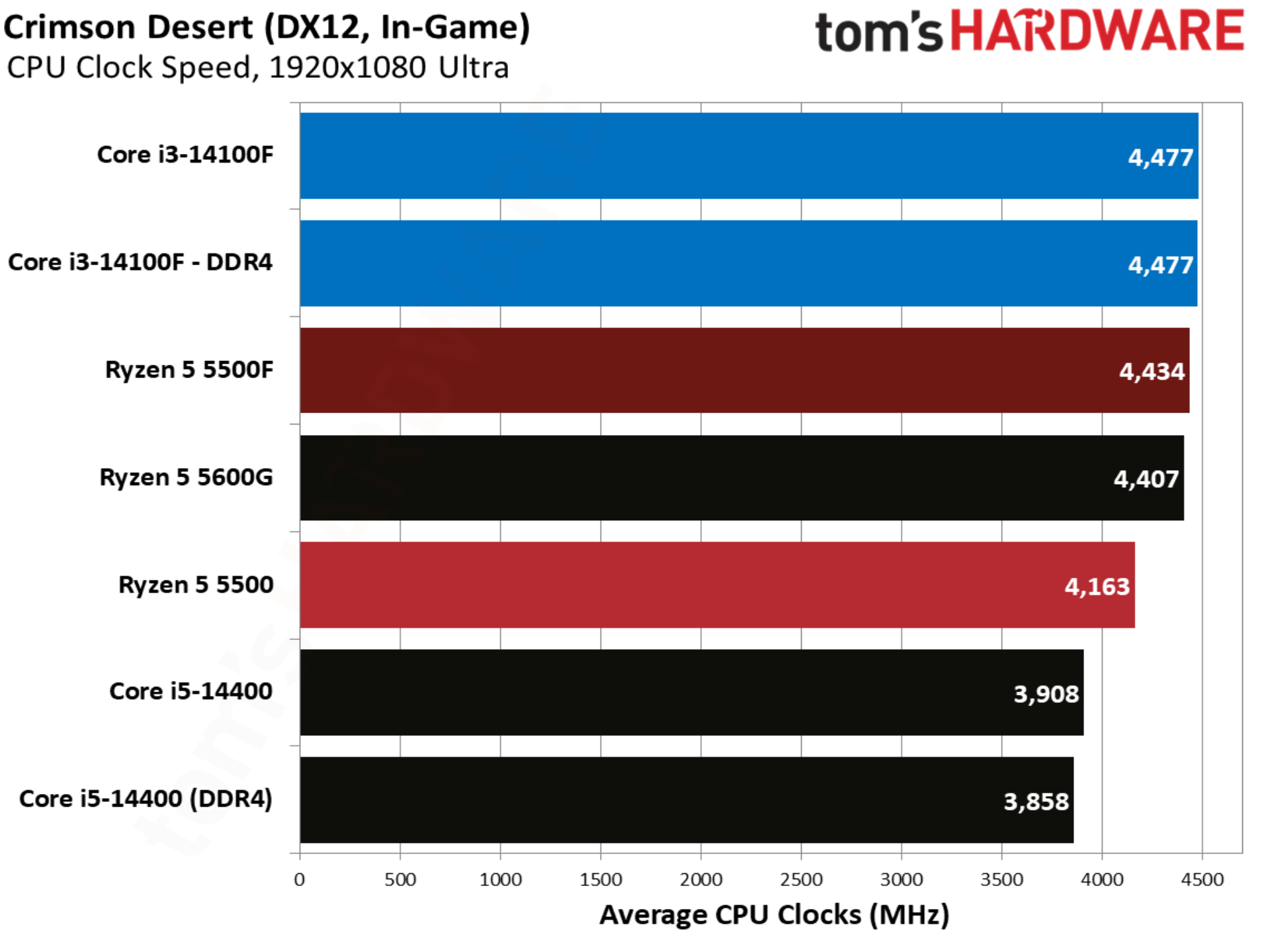
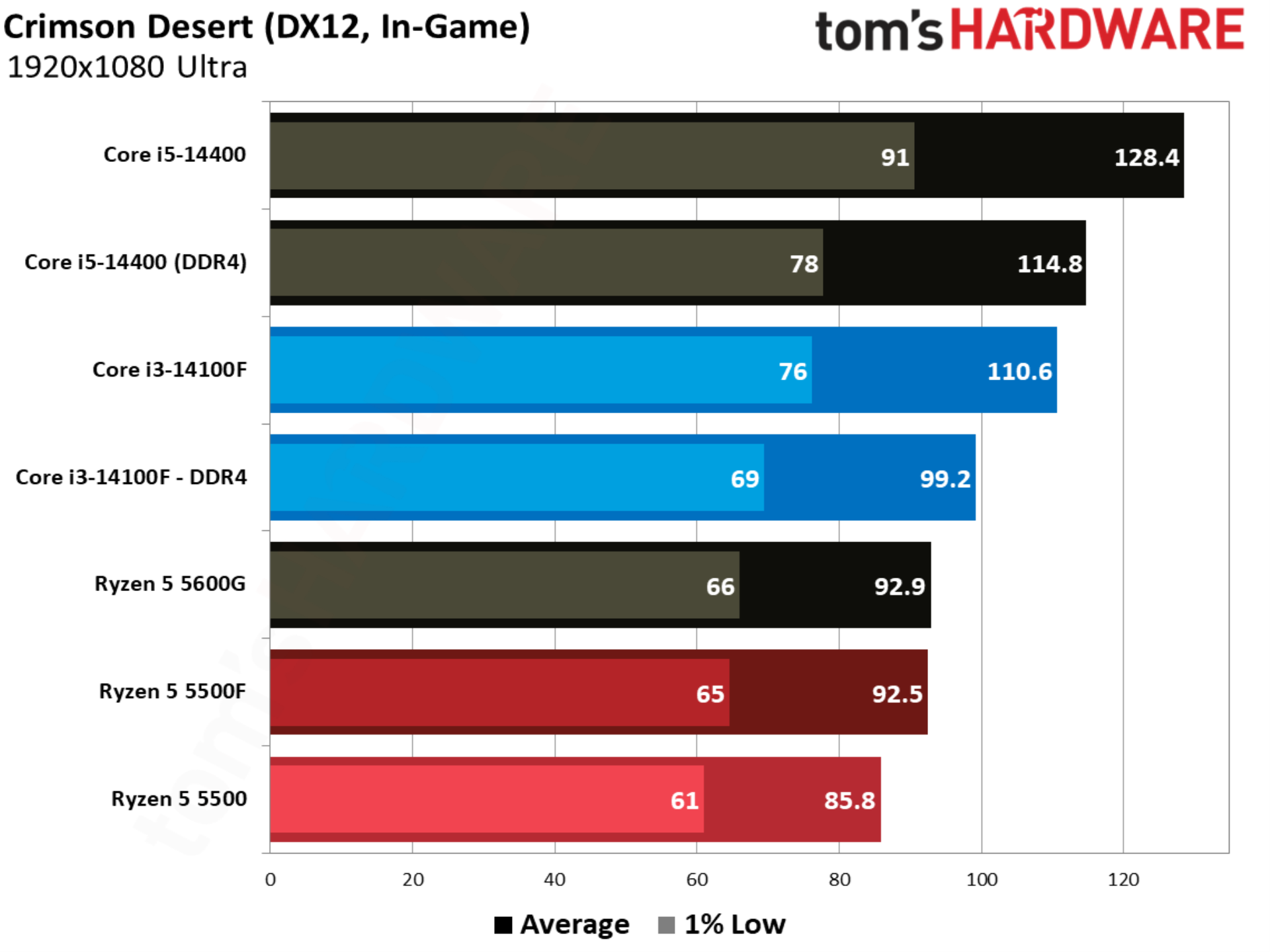
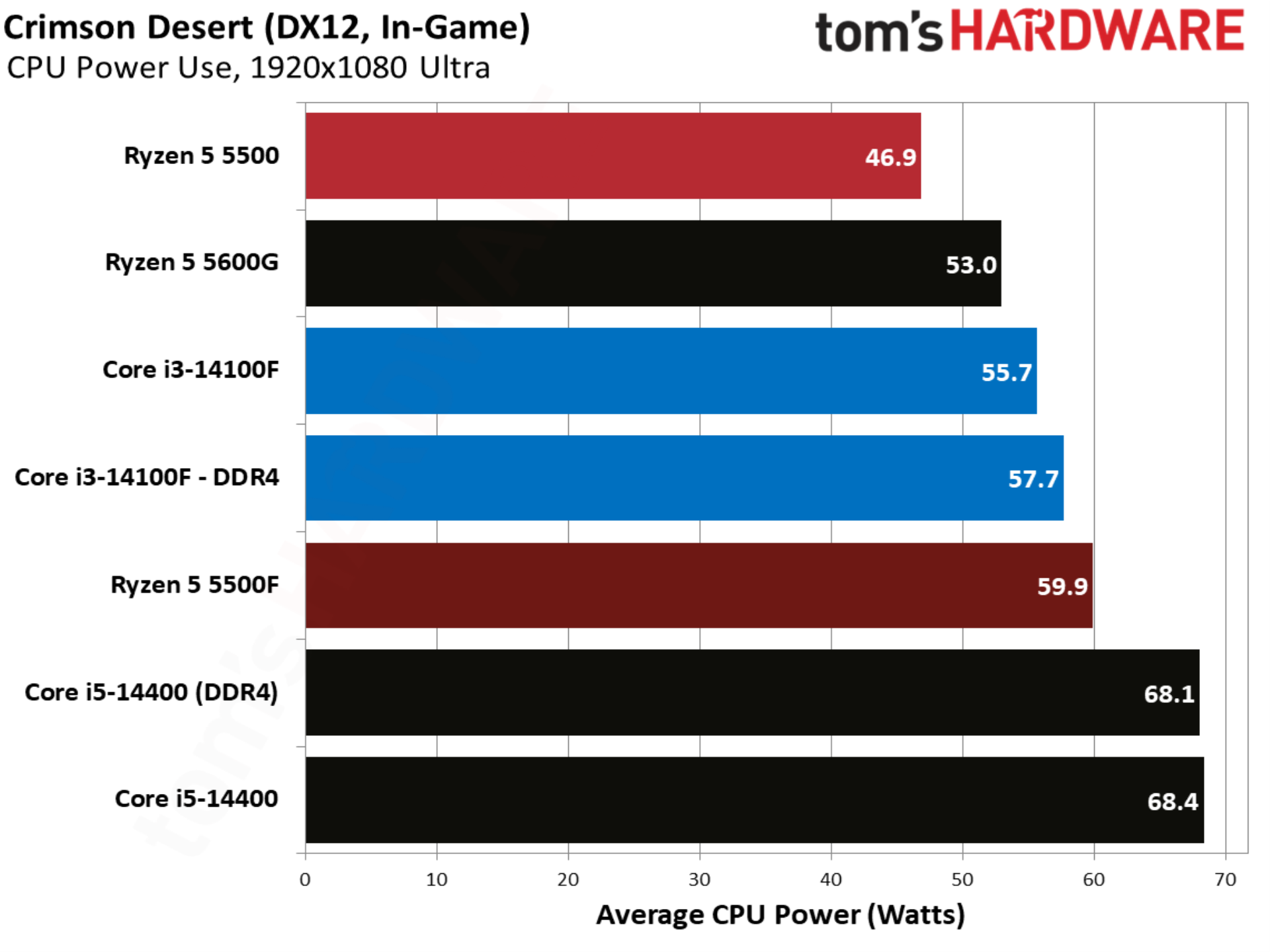
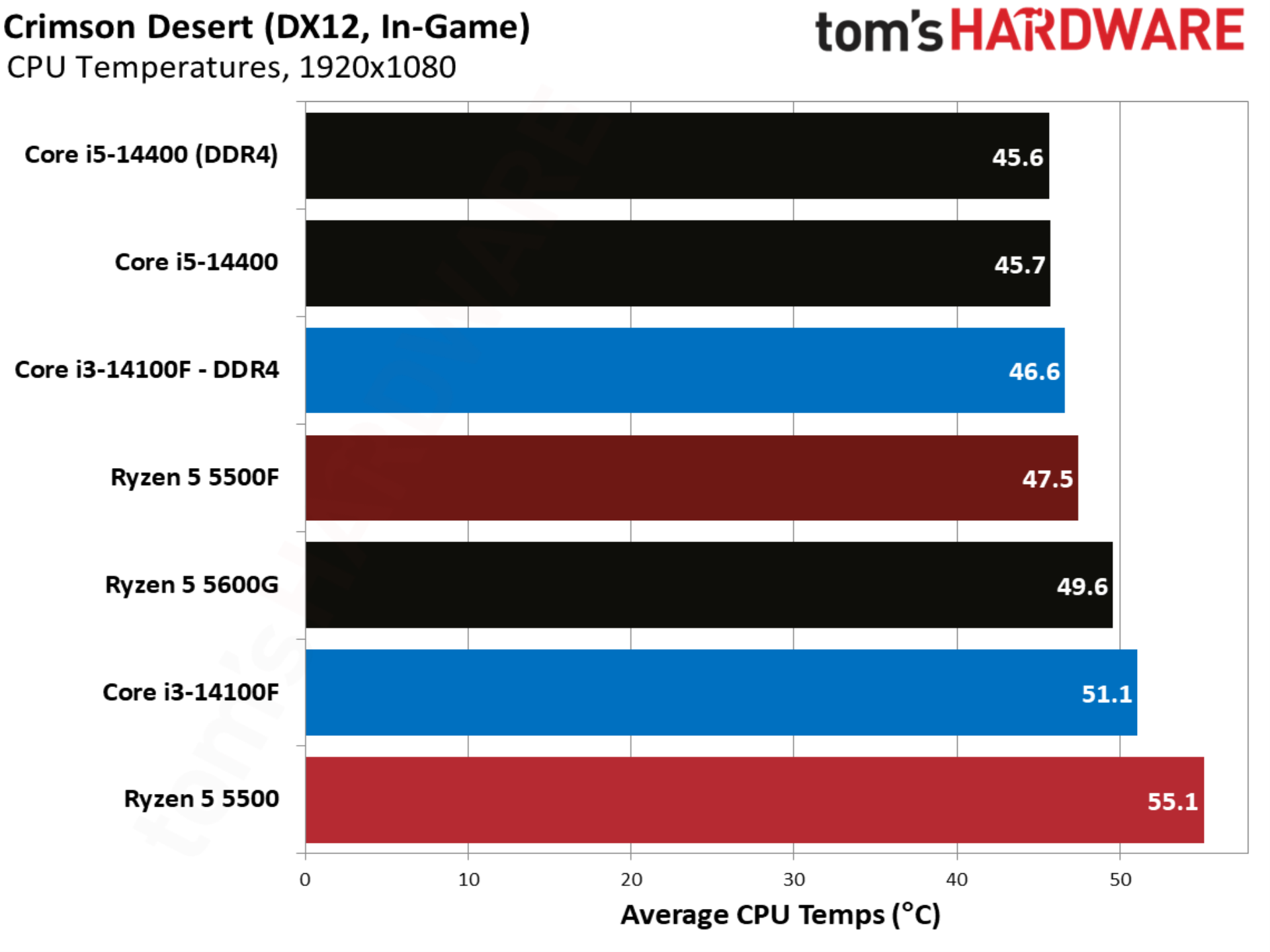
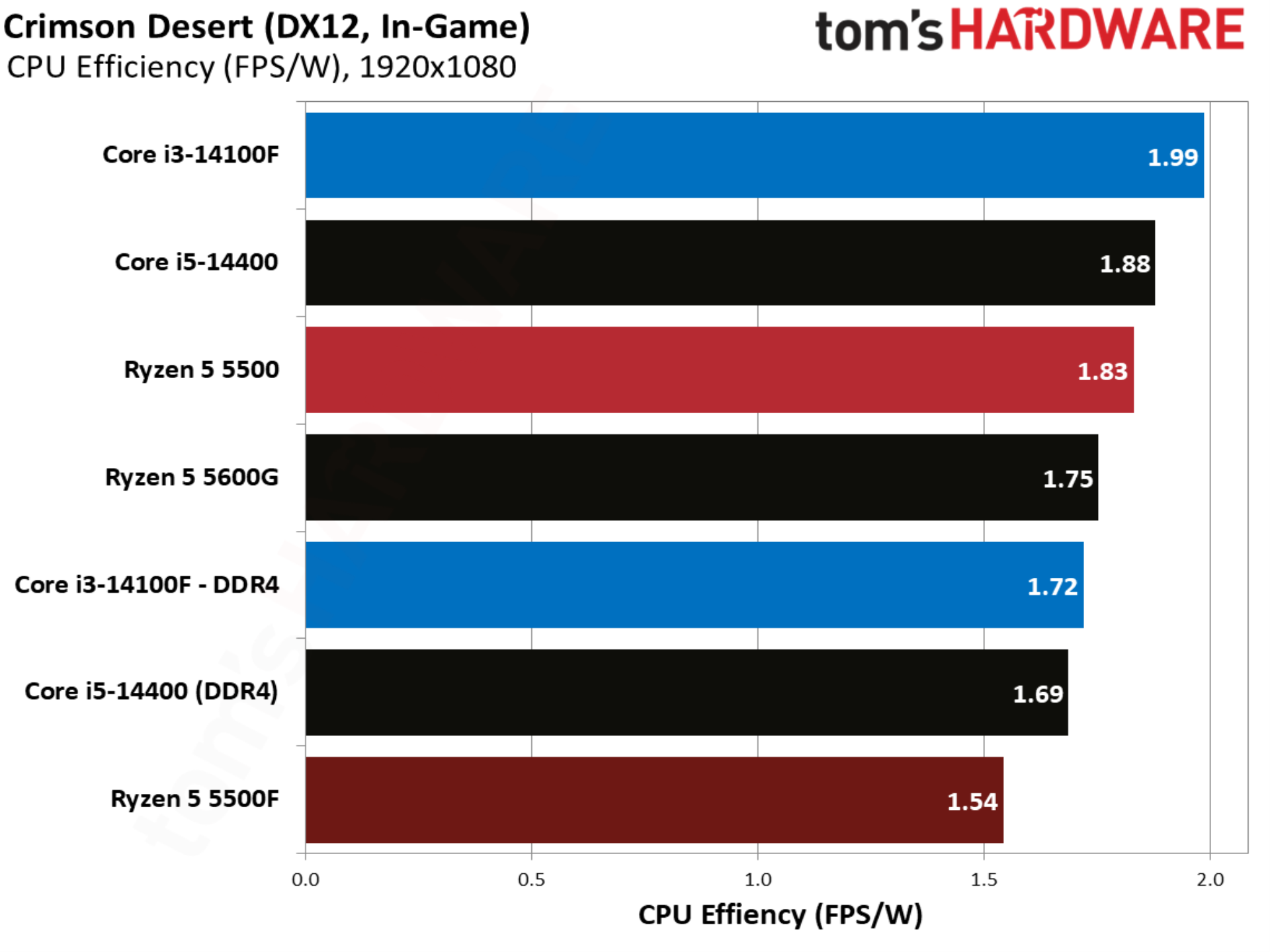
Crimson Desert and its proprietary engine are remarkably well optimized, enough so to allow every CPU in our test suite to maintain a playable frame rate, even with Ultra settings. The 5500F is 7.8% faster than the 5500, though the Core i3-14100F still leads in performance, even when paired with DDR4.
Counter-Strike 2 benchmarks
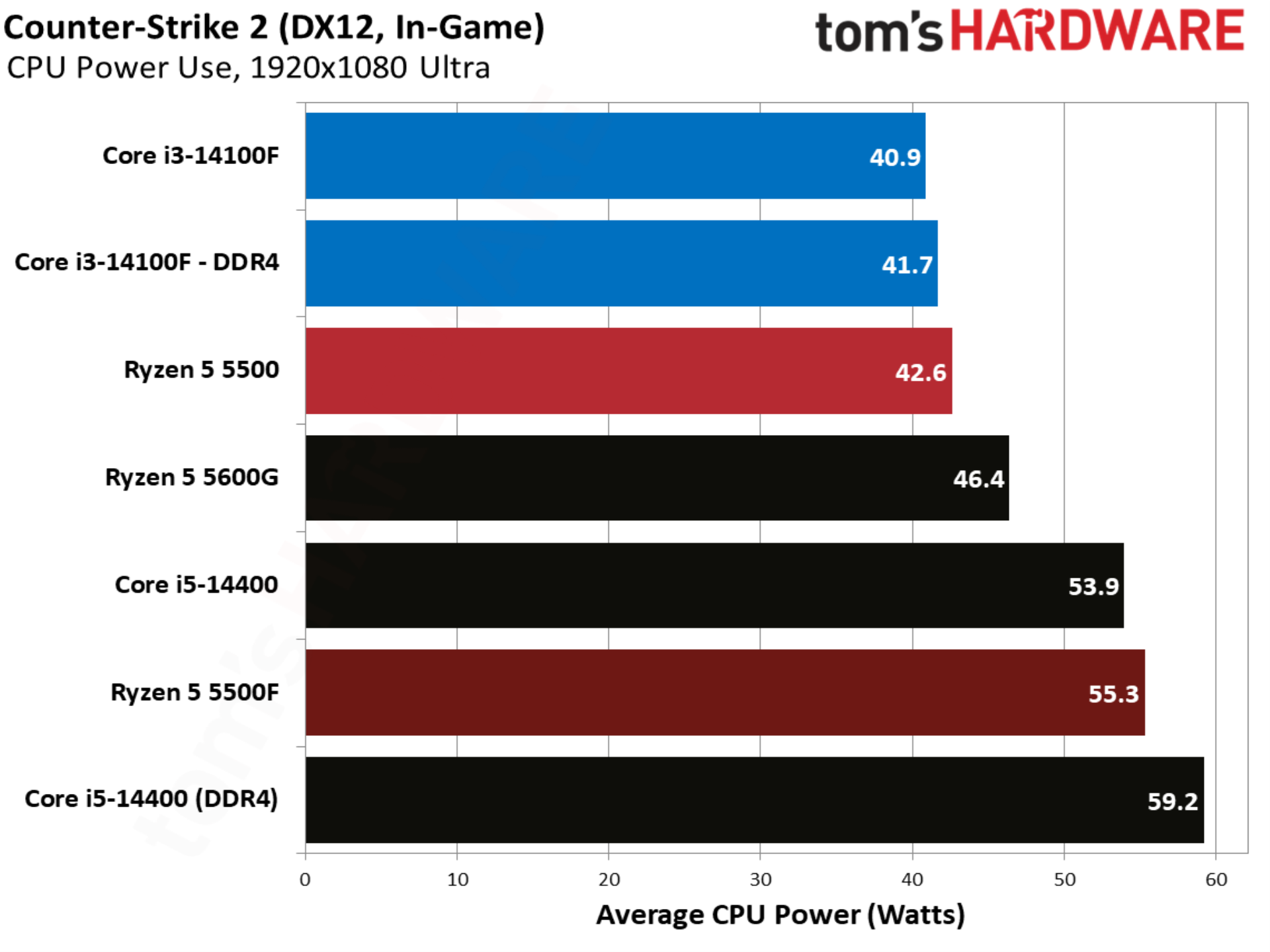
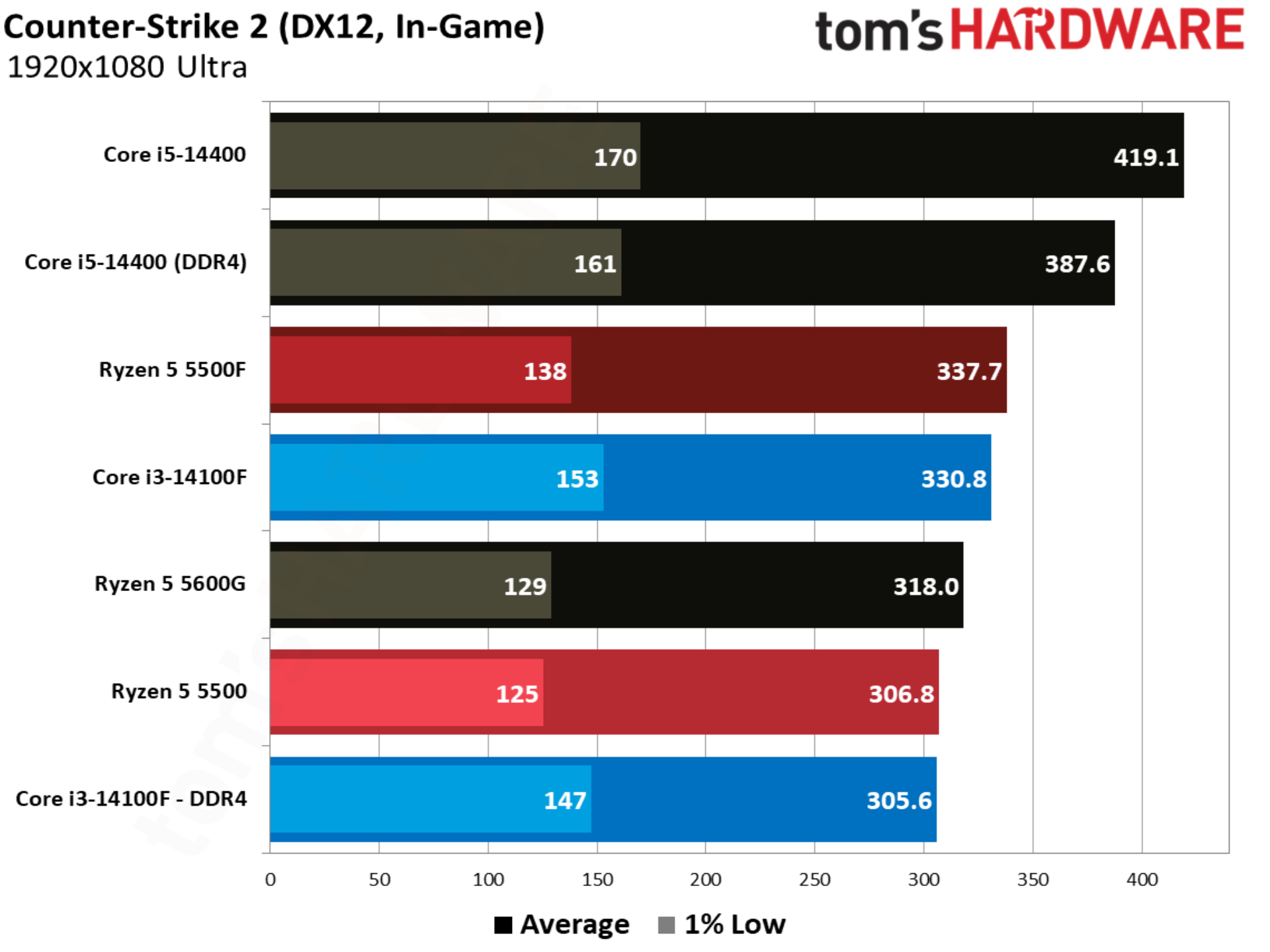
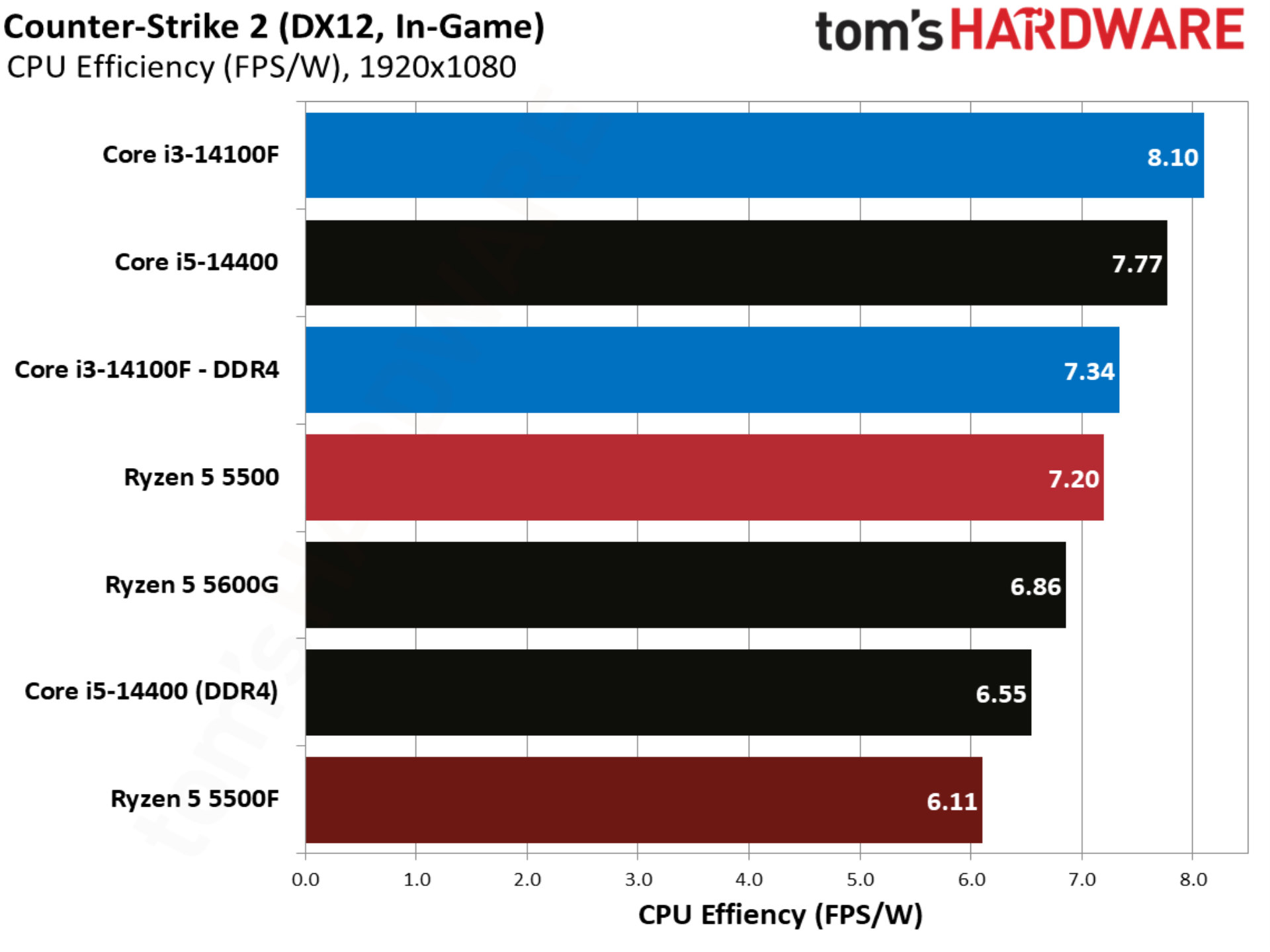
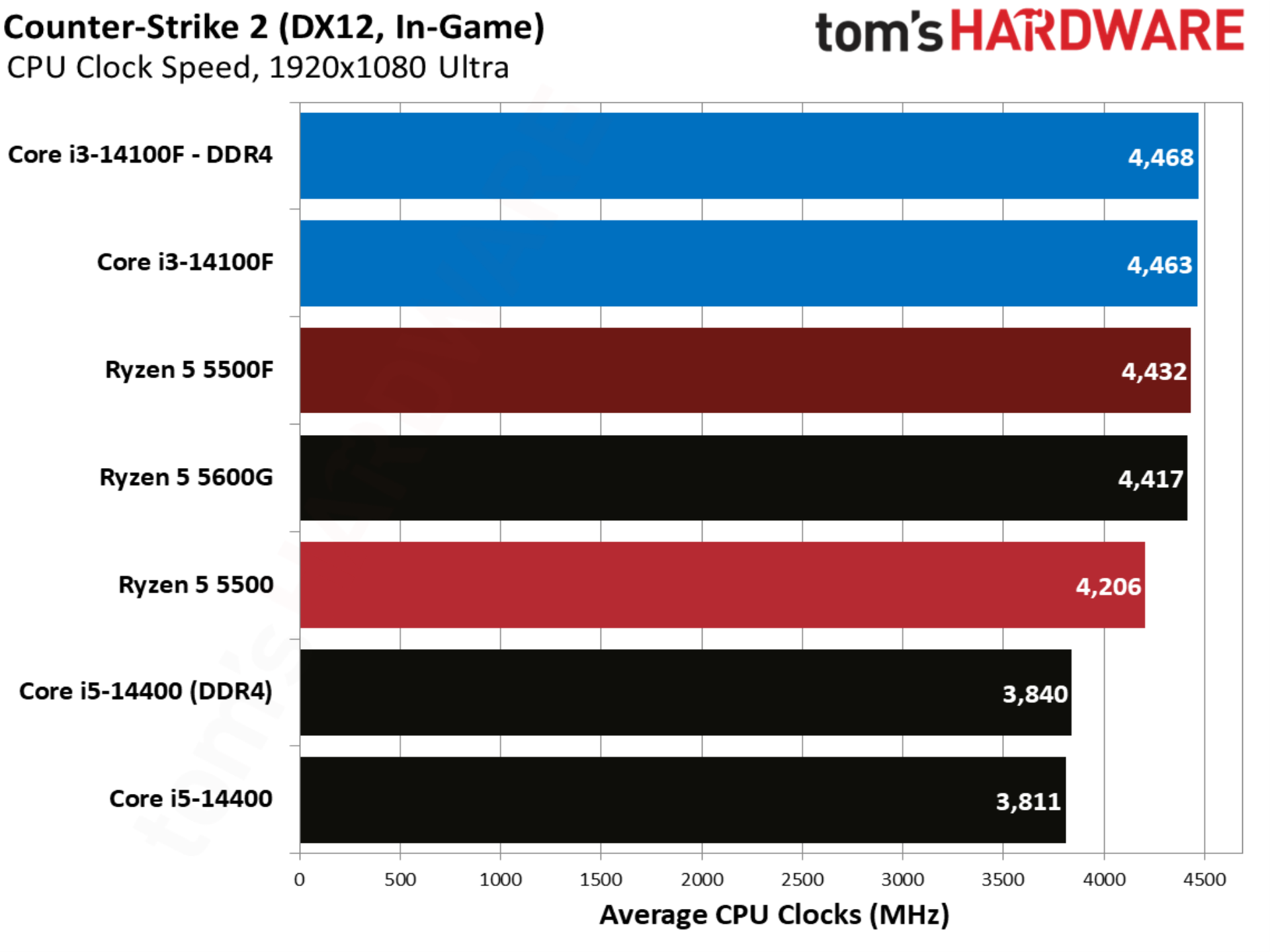
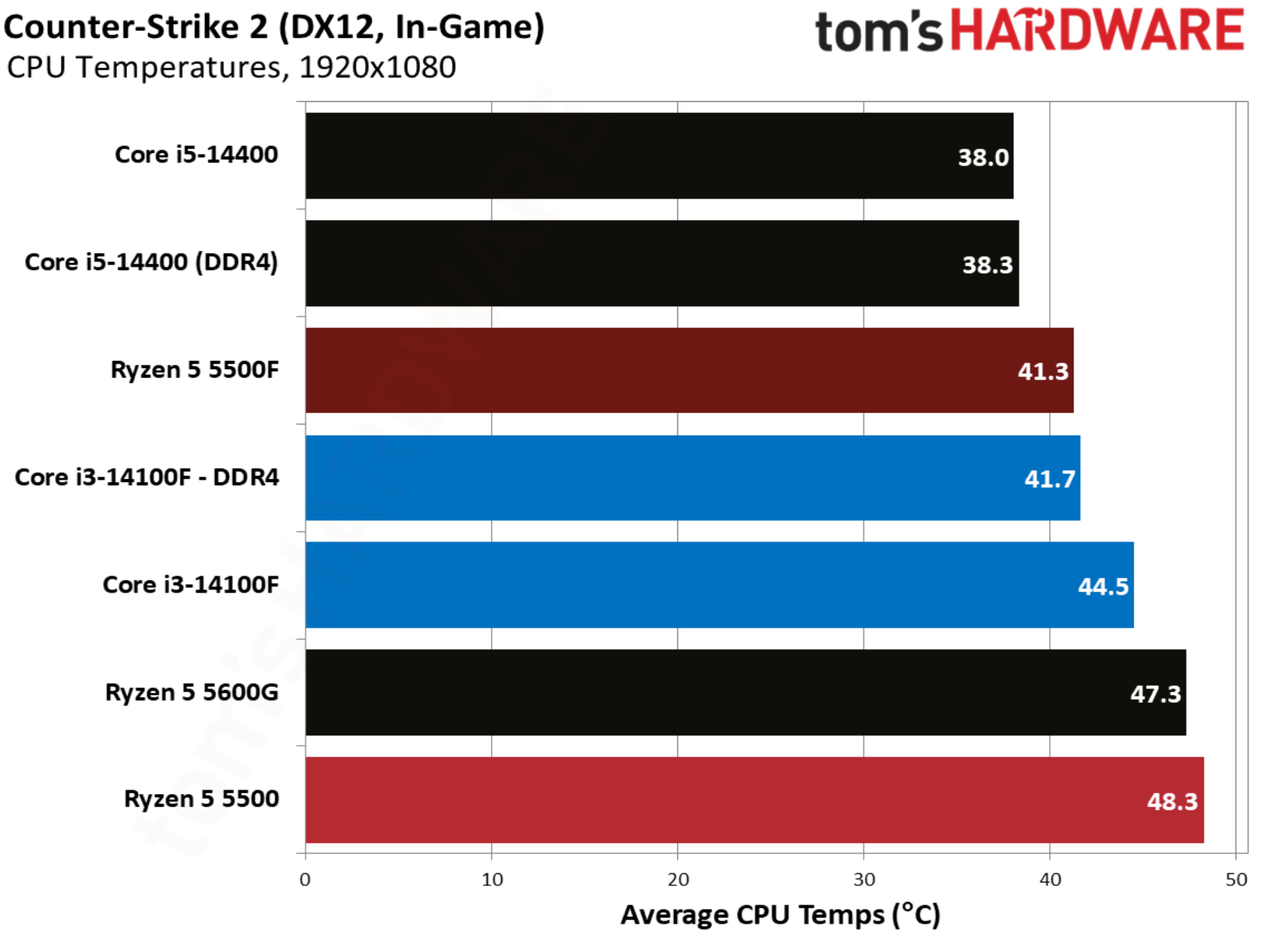
Counter-Strike 2 shows the first major upset of our test suite, with the Ryzen 5 5500F winning out over the other CPUs we’re focused on; once again, the Core i5-14400 is mostly included for context. Although the 5500F beats out even the Core i3-14100F paired with DDR5, it suffers in the 1% lows, with even the Core i3-14100F paired with DDR4 offering better 1% low performance.
Cyberpunk 2077 benchmarks
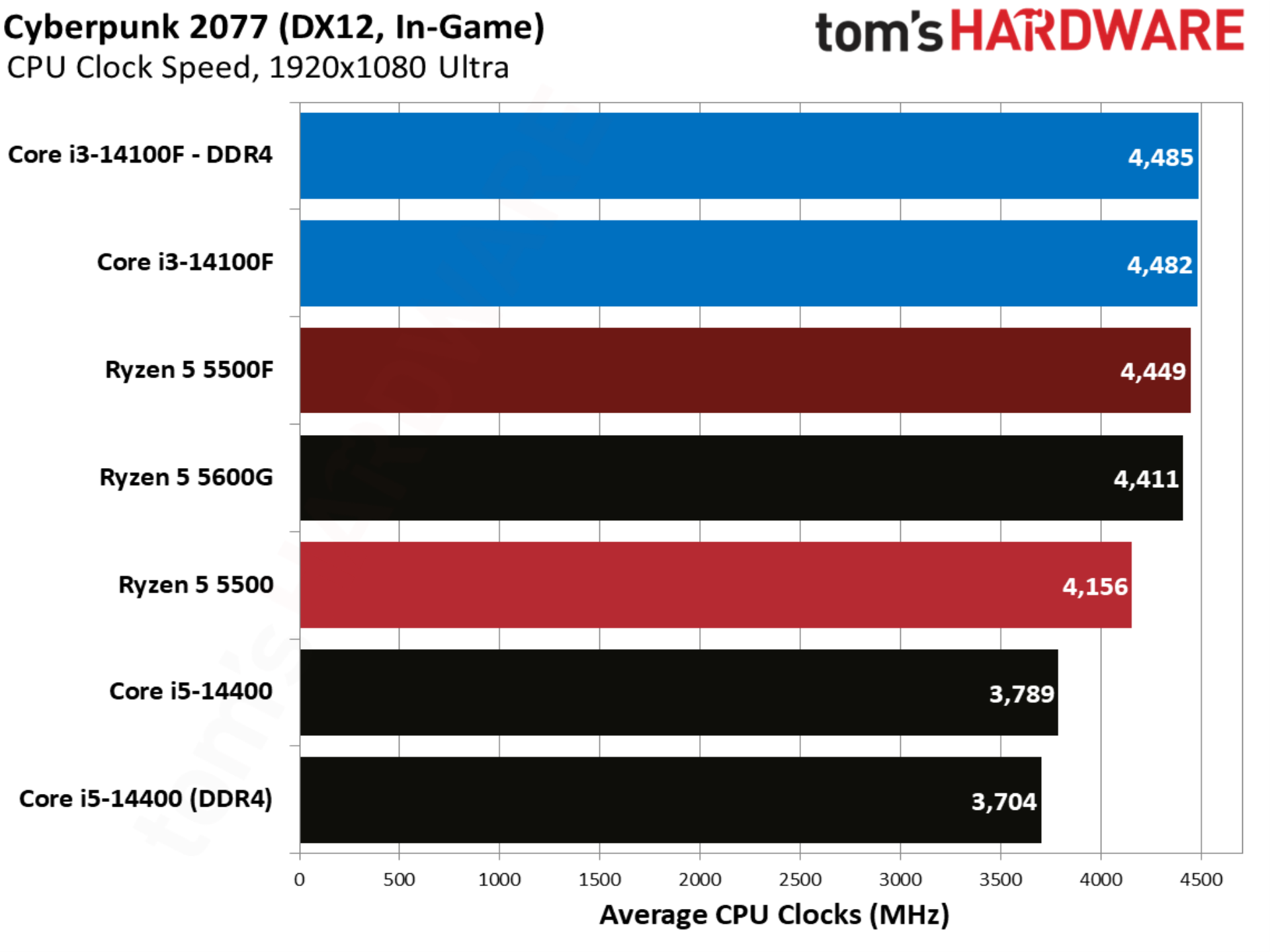
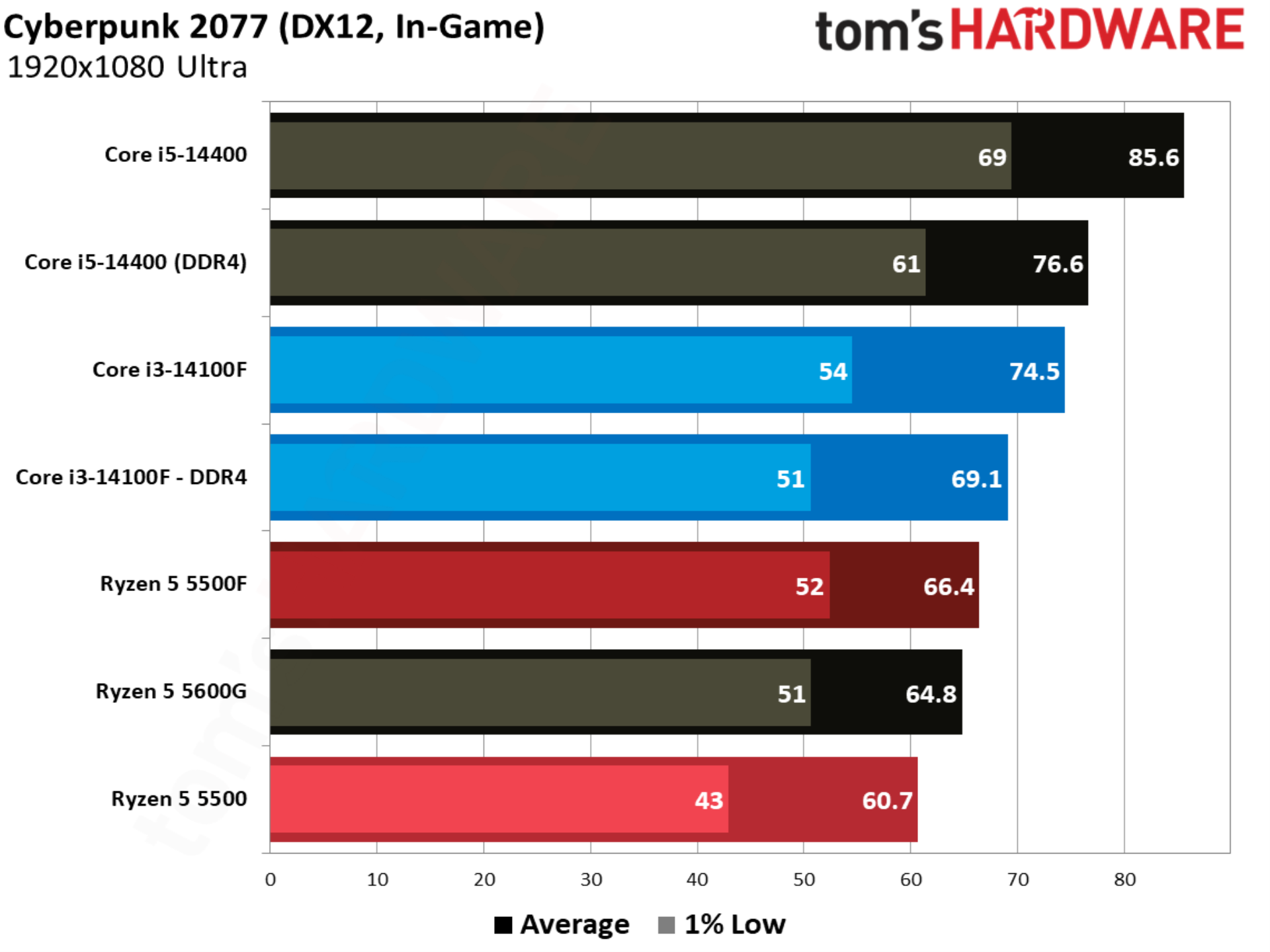
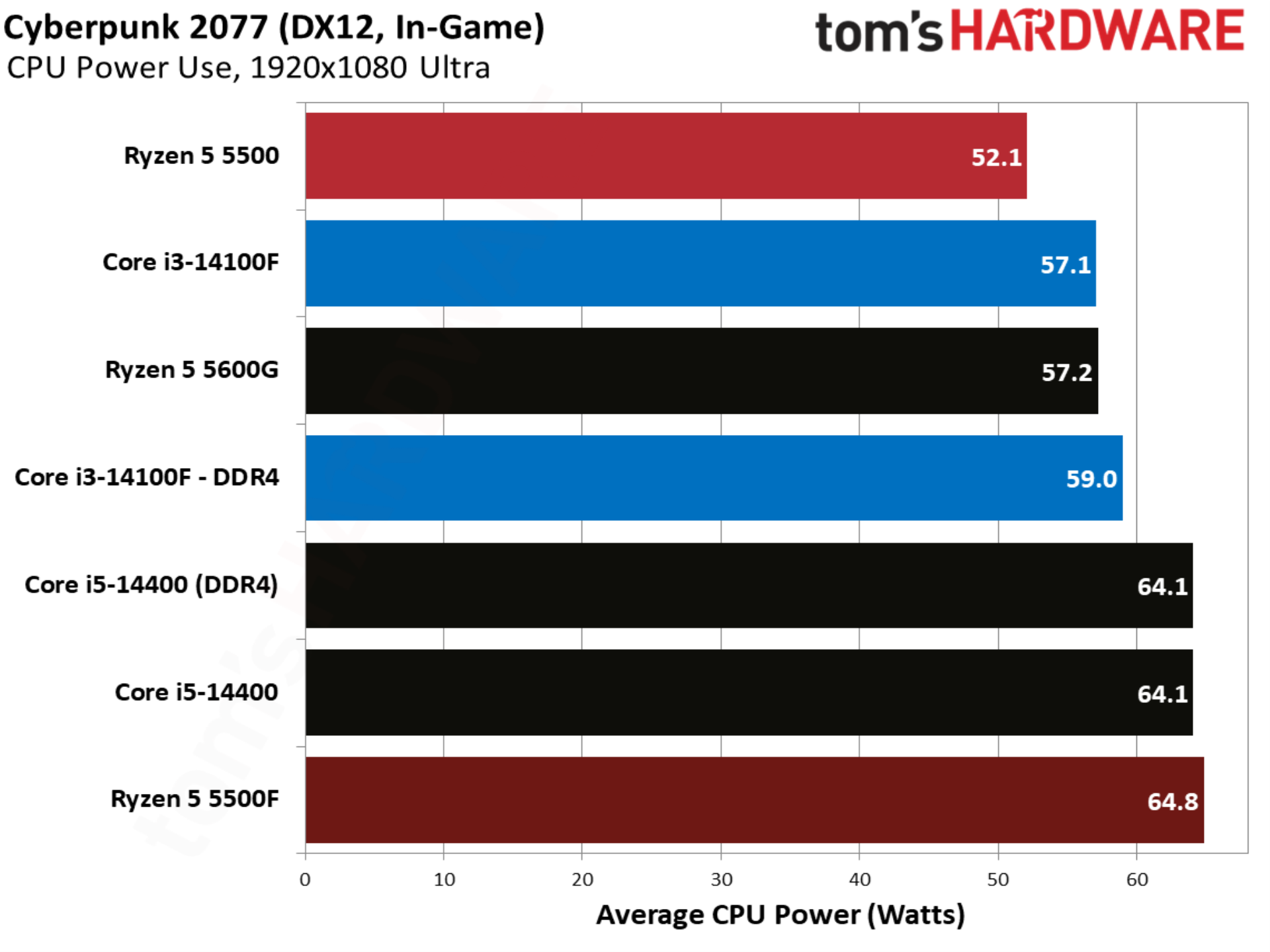
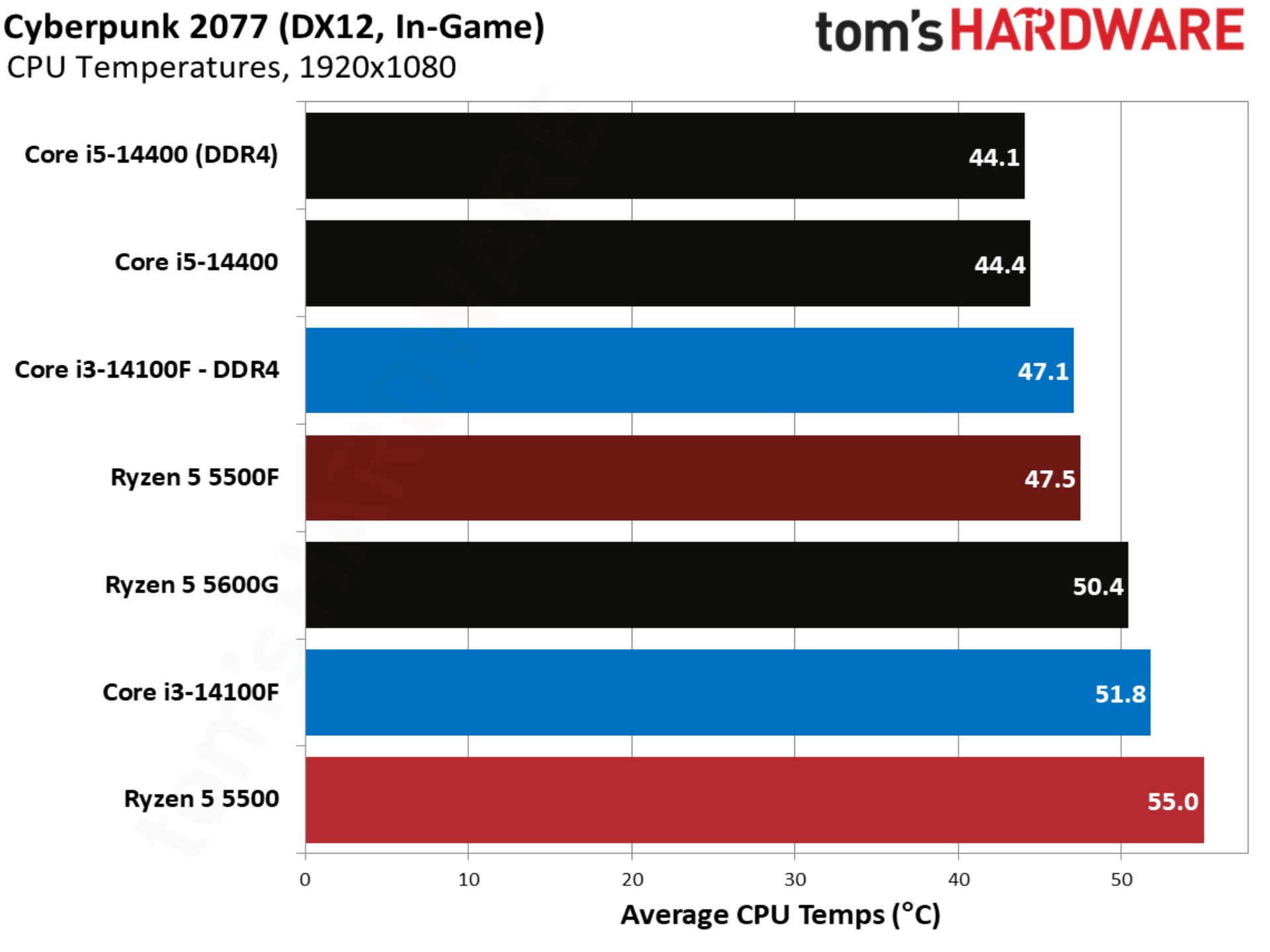
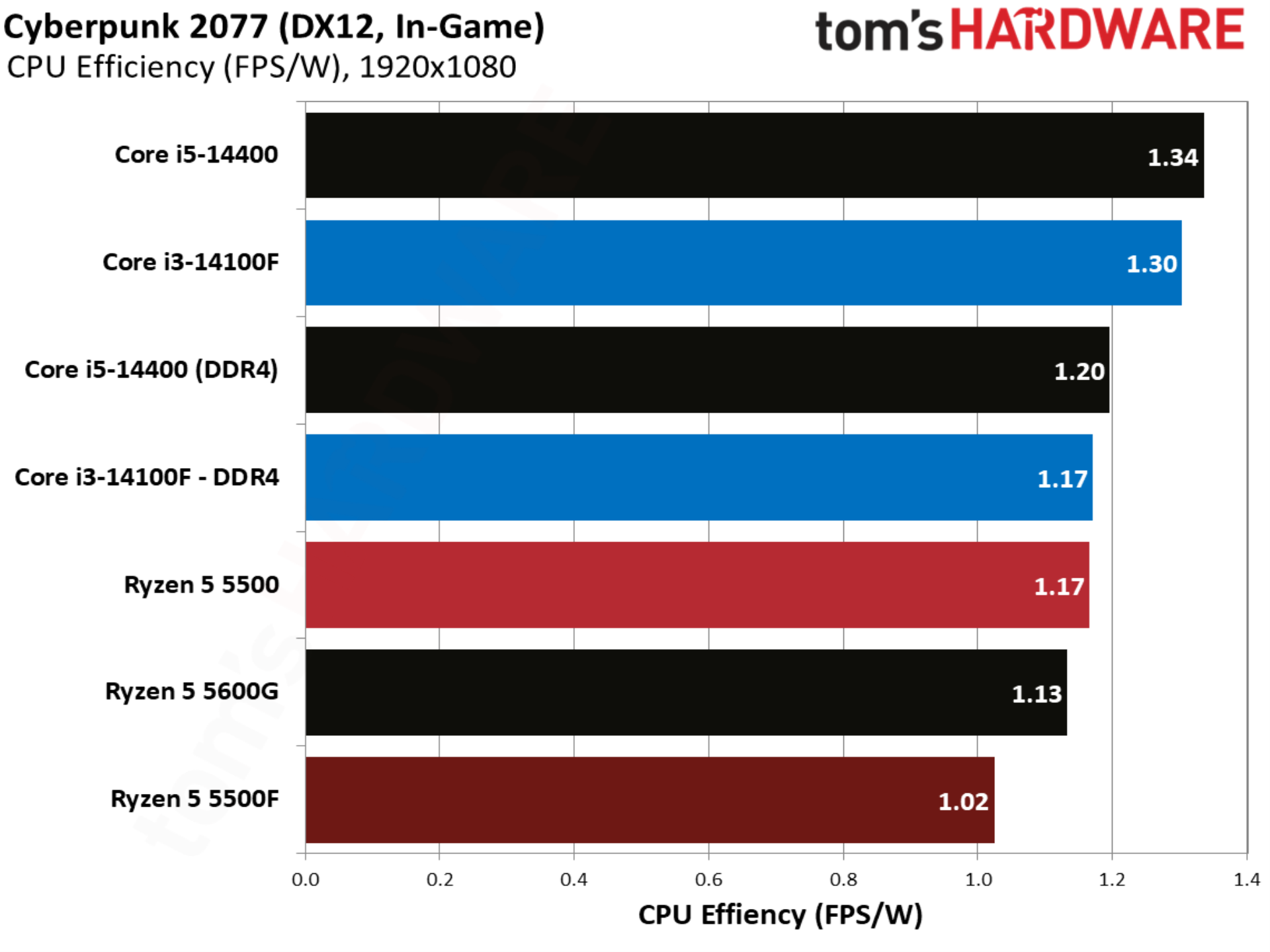
One of the better showcases of the Ryzen 5 5500F, Cyberpunk 2077 shows the CPU up 9.2% compared to the base 5500. Intel still leads with the Core i3-14100F, though with a smaller 4.1% margin. Compared to the base 5500, the Core i3-14100F is 13.8% ahead.
The Blood of Dawnwalker benchmarks
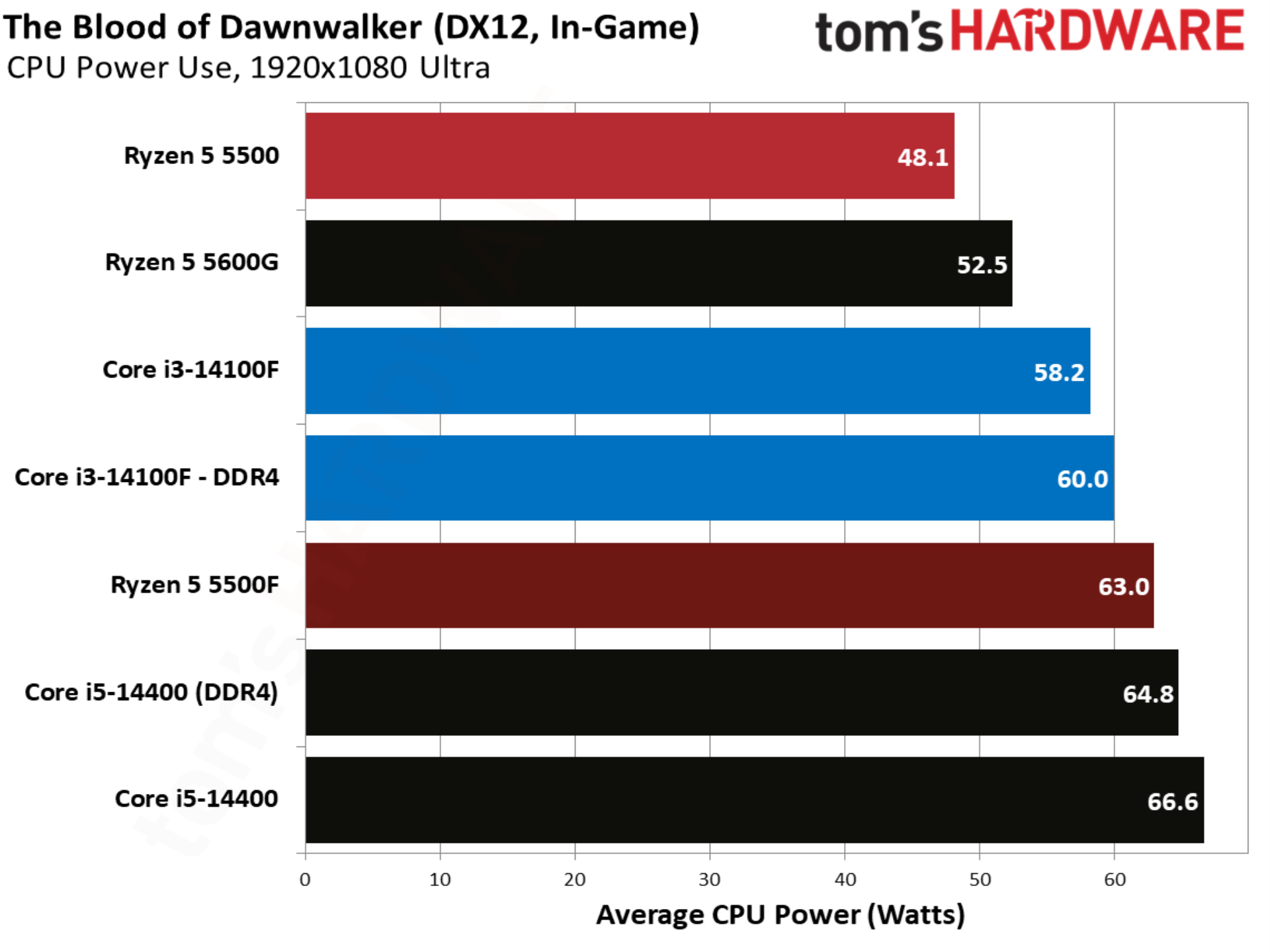
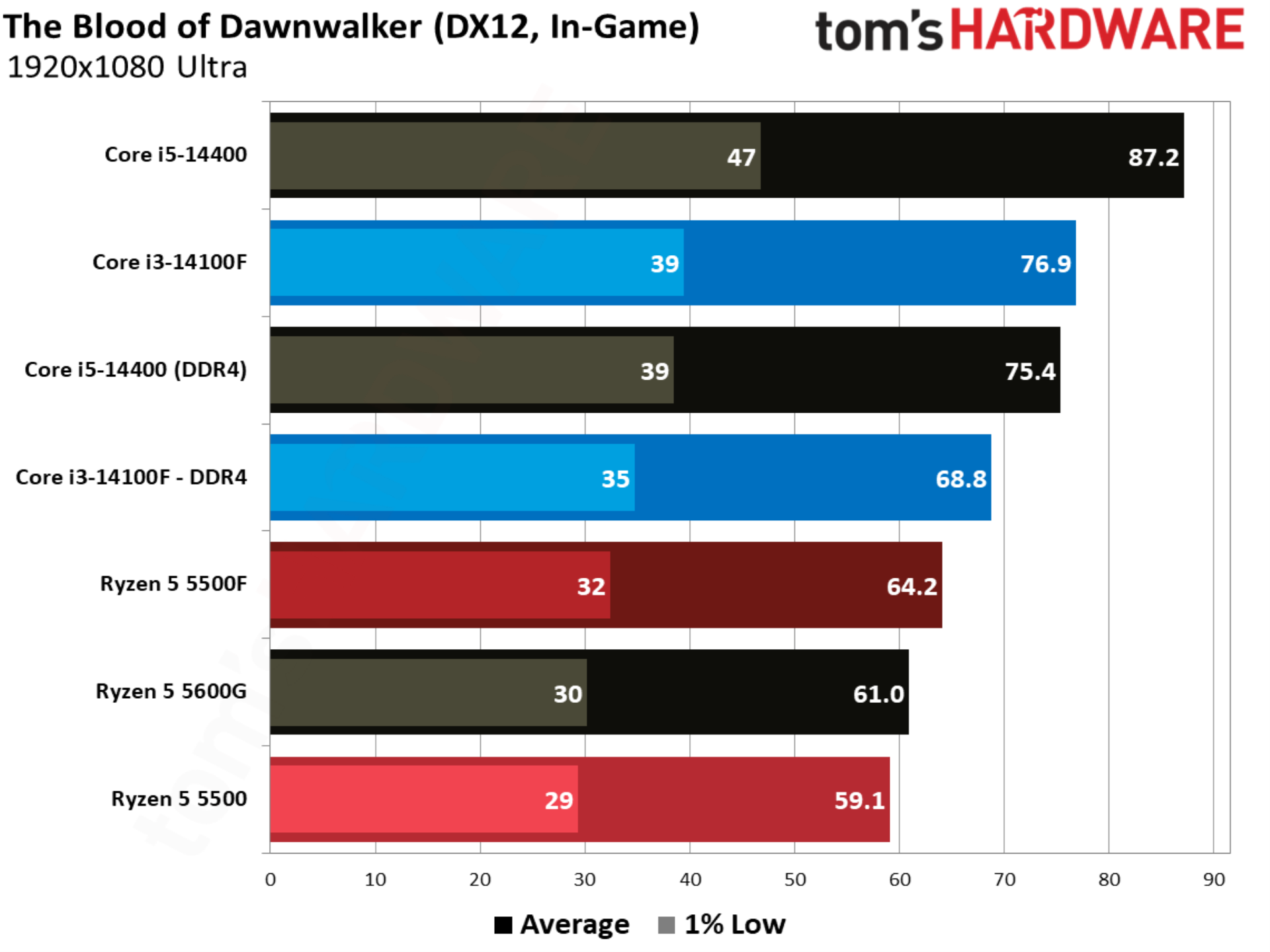
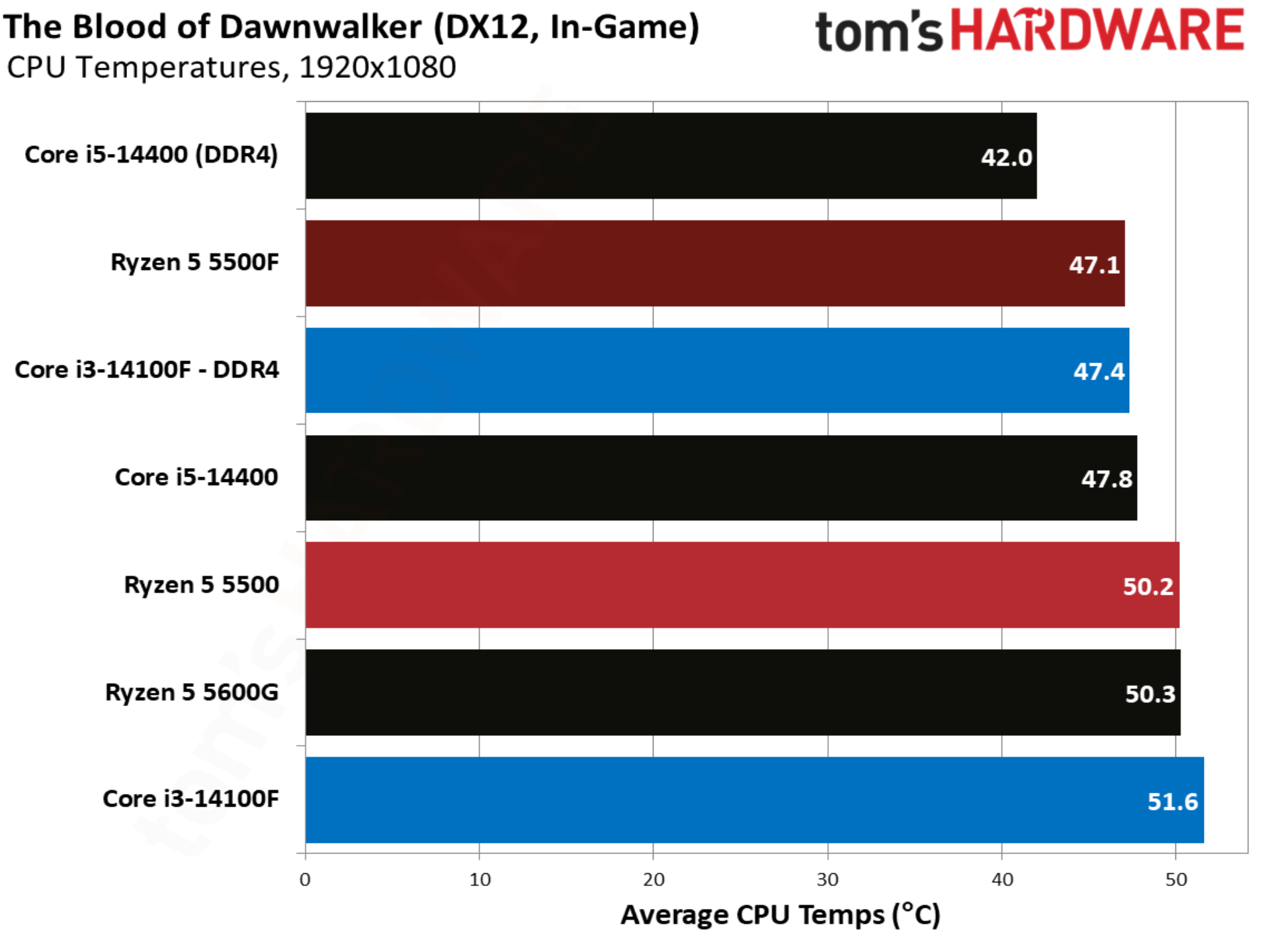
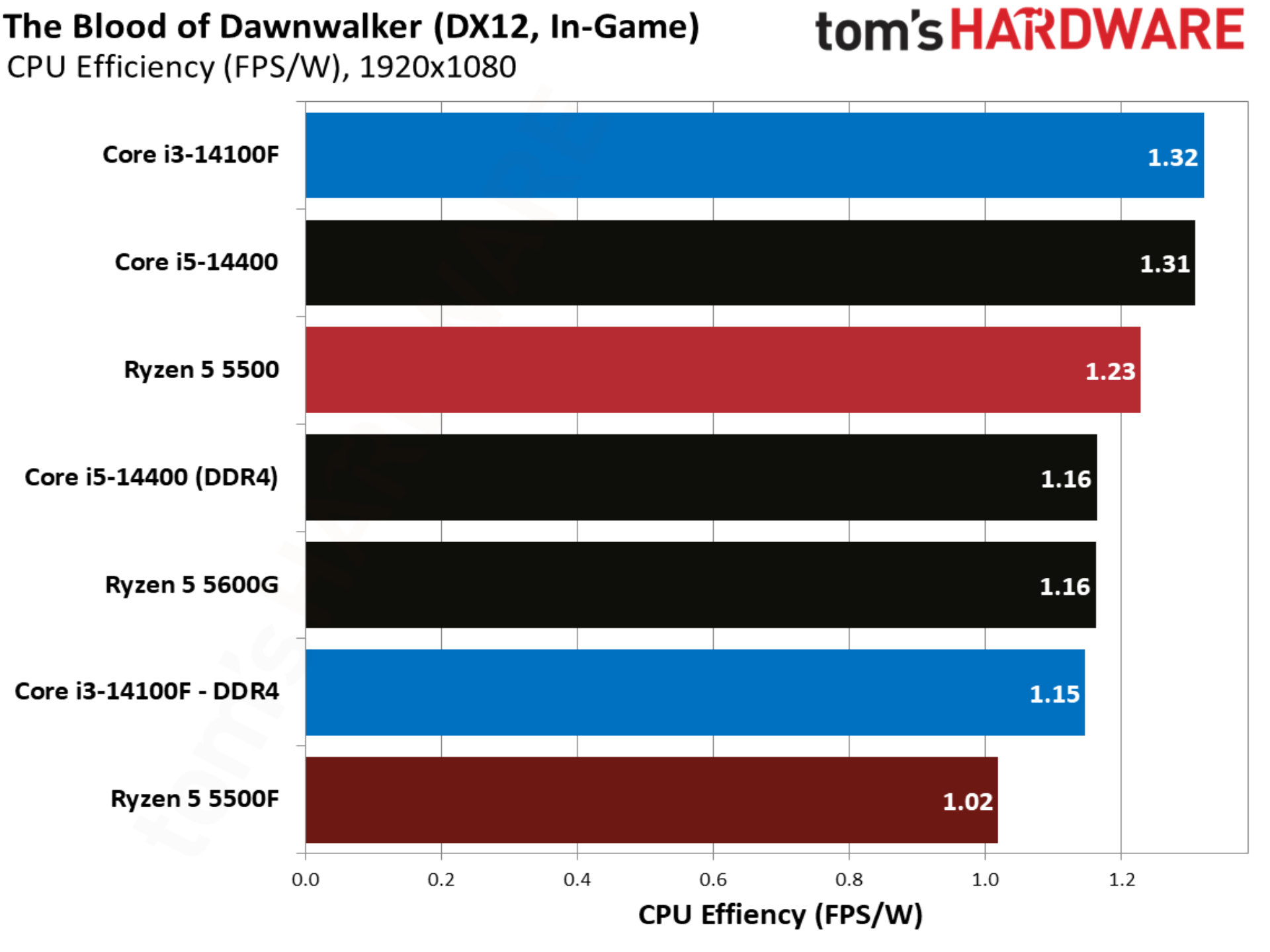
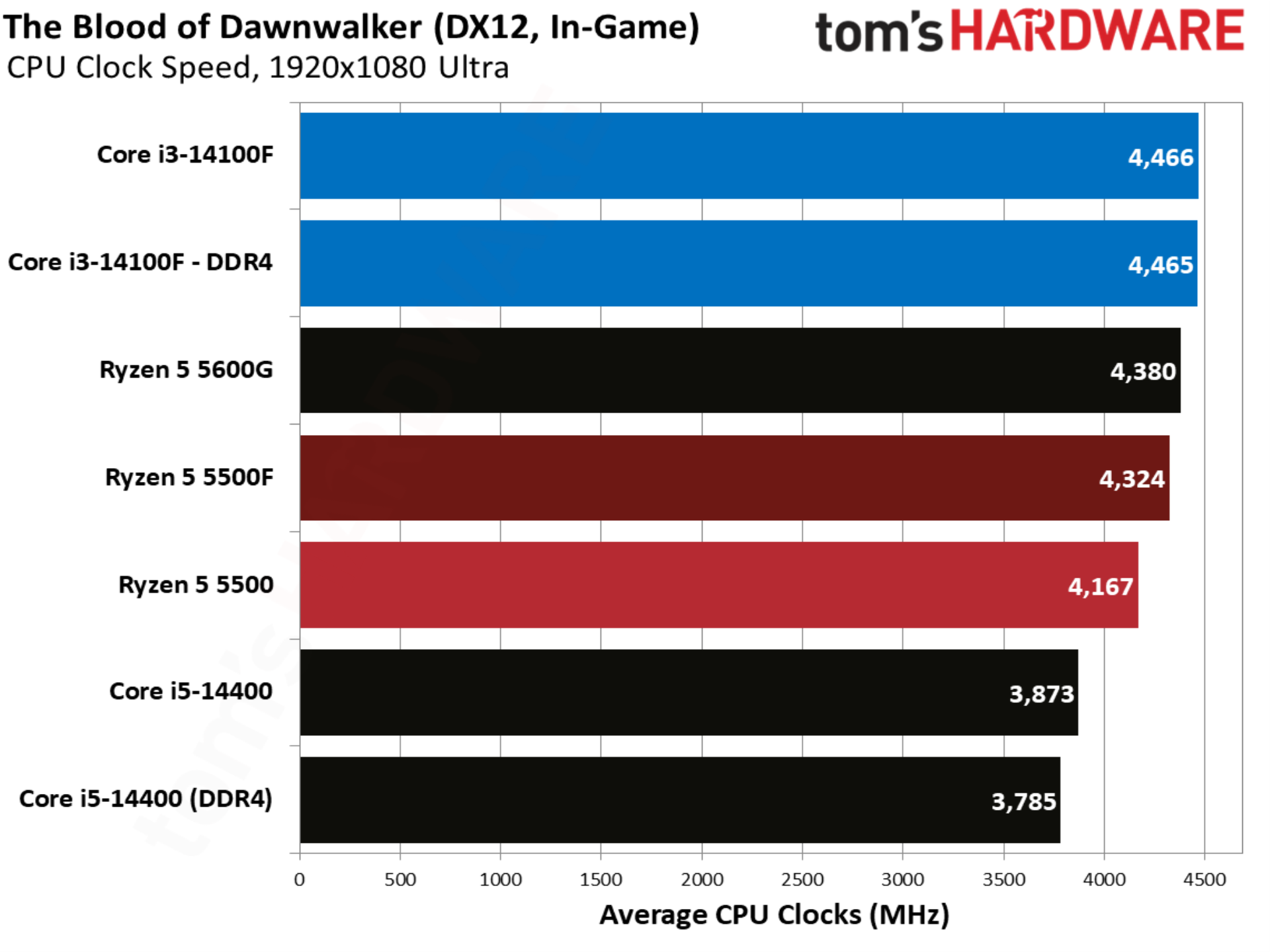
The newest addition to our test suite is the UE5-based The Blood of Dawnwalker, and in particular a trot through a dense city in the middle of the game’s map, notorious for ramping CPU usage and introducing stuttering. The 5500F comes out on top by over 8% compared to the base 5500, but once again Intel leads with the Core i3-14100F.
F1 2024 benchmarks
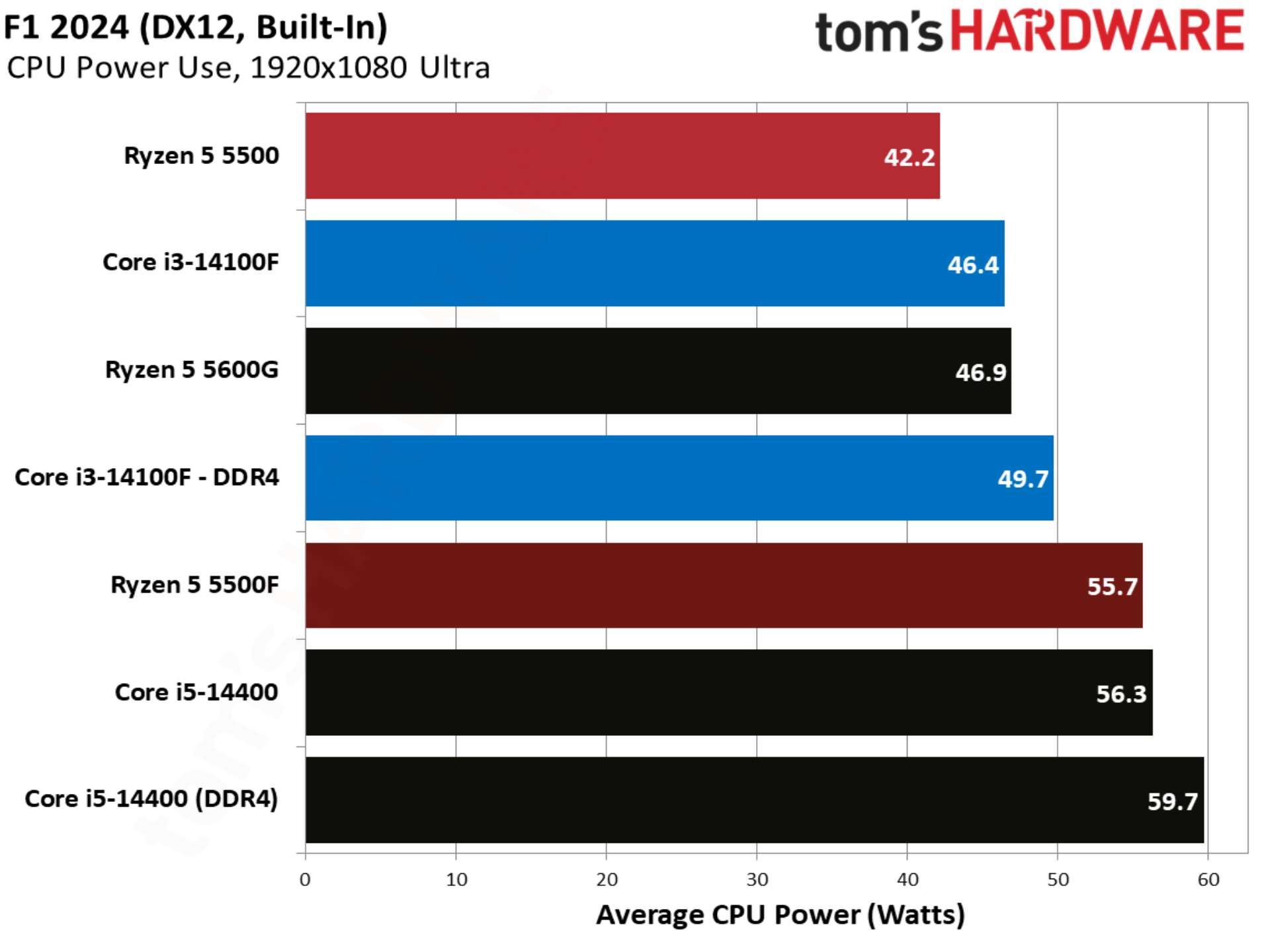
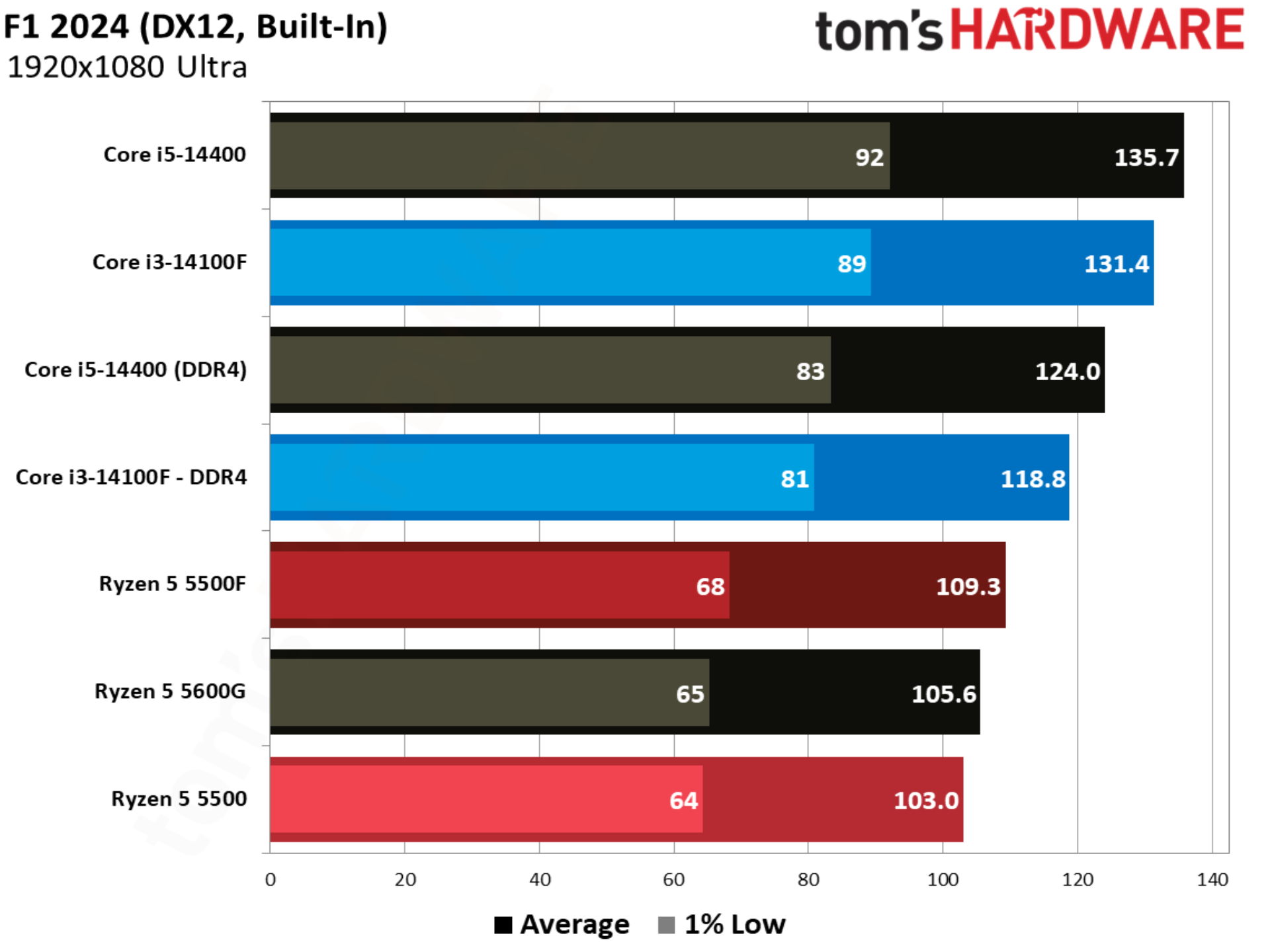
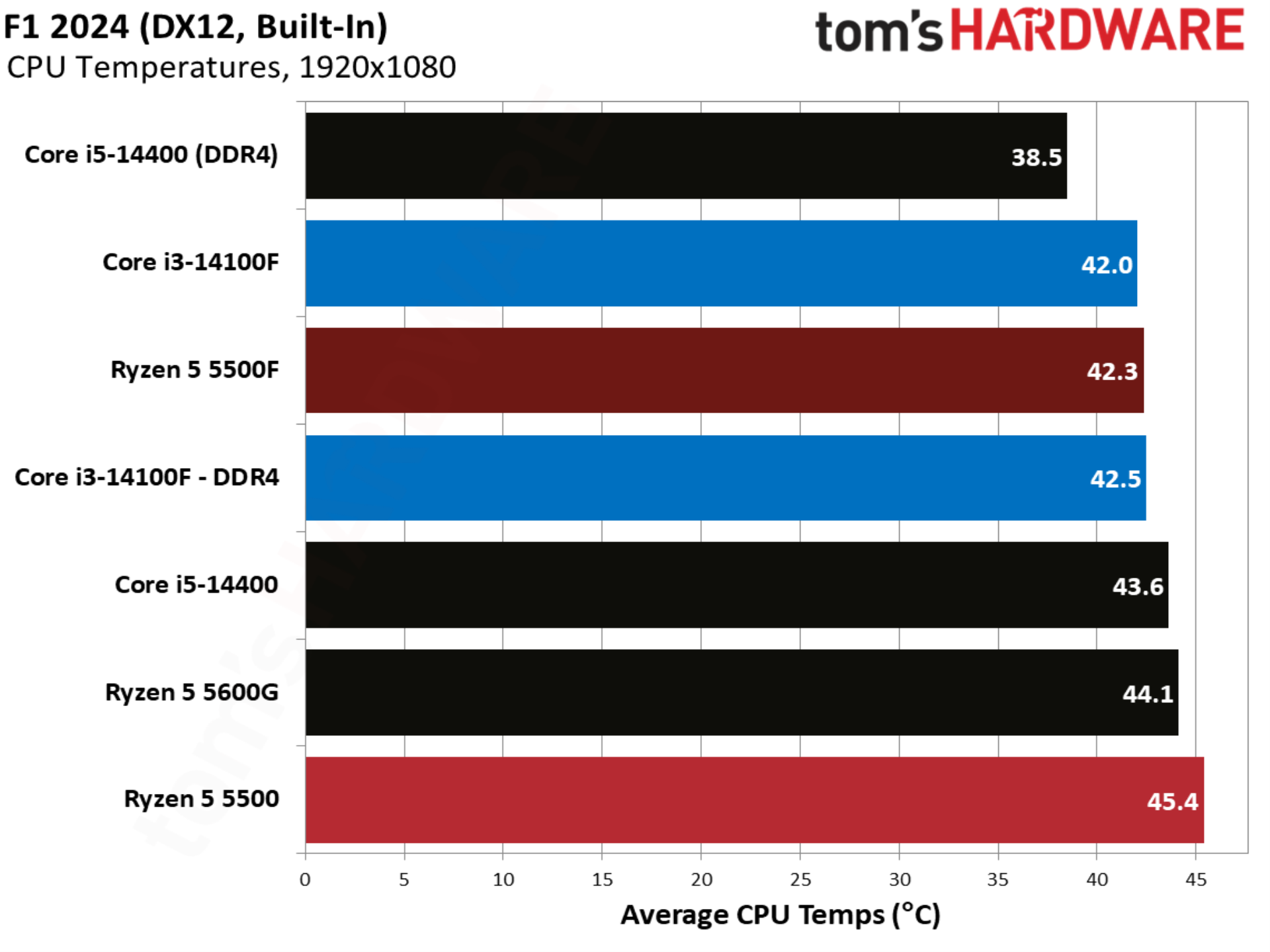
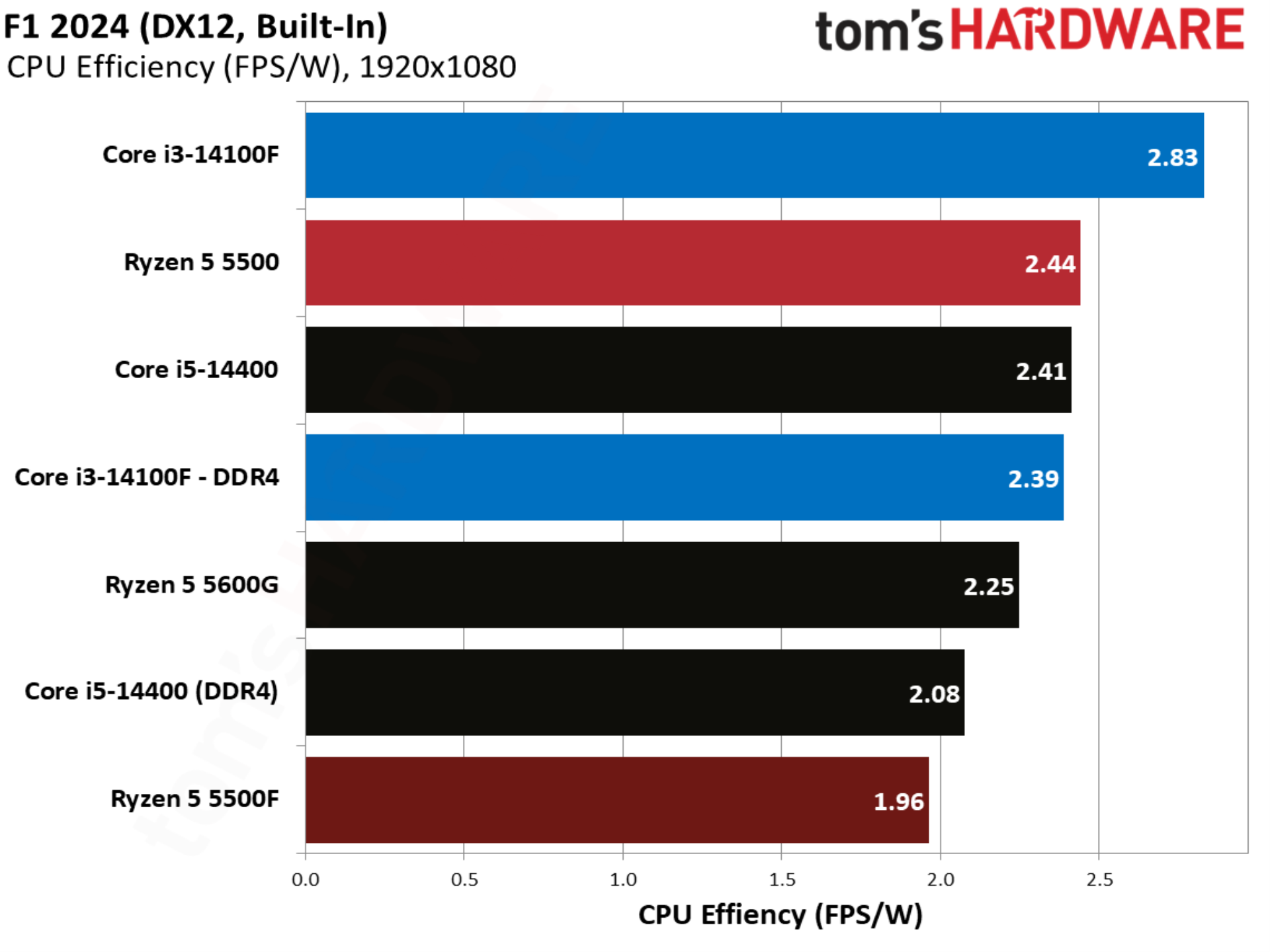
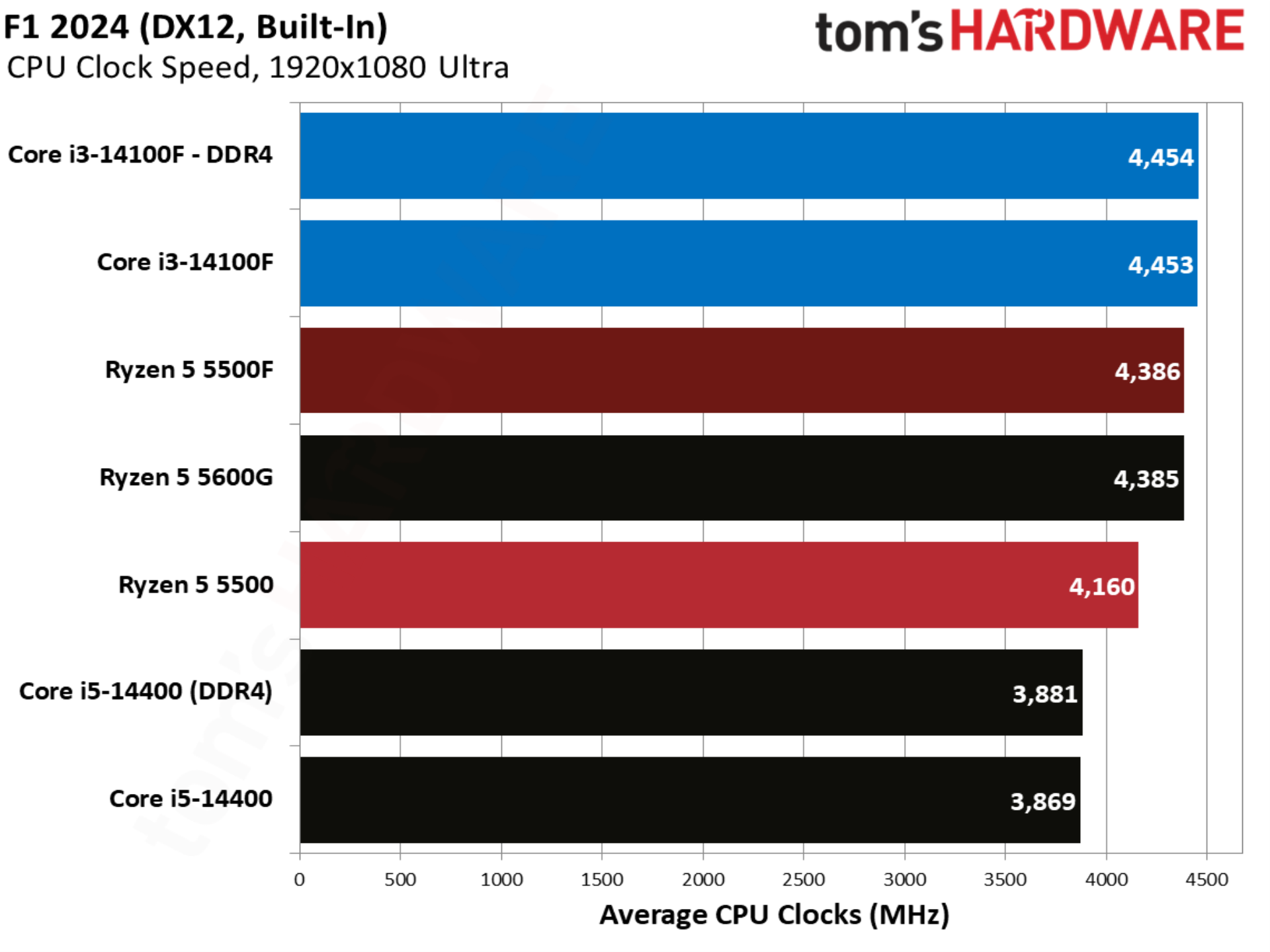
With more modern CPUs, F1 2024 is normally a benchmark that skews heavily toward AMD, but this far down the stack, the opposite is true. Intel leads, even with a solid gain from the 5500F.
Final Fantasy XIV benchmarks
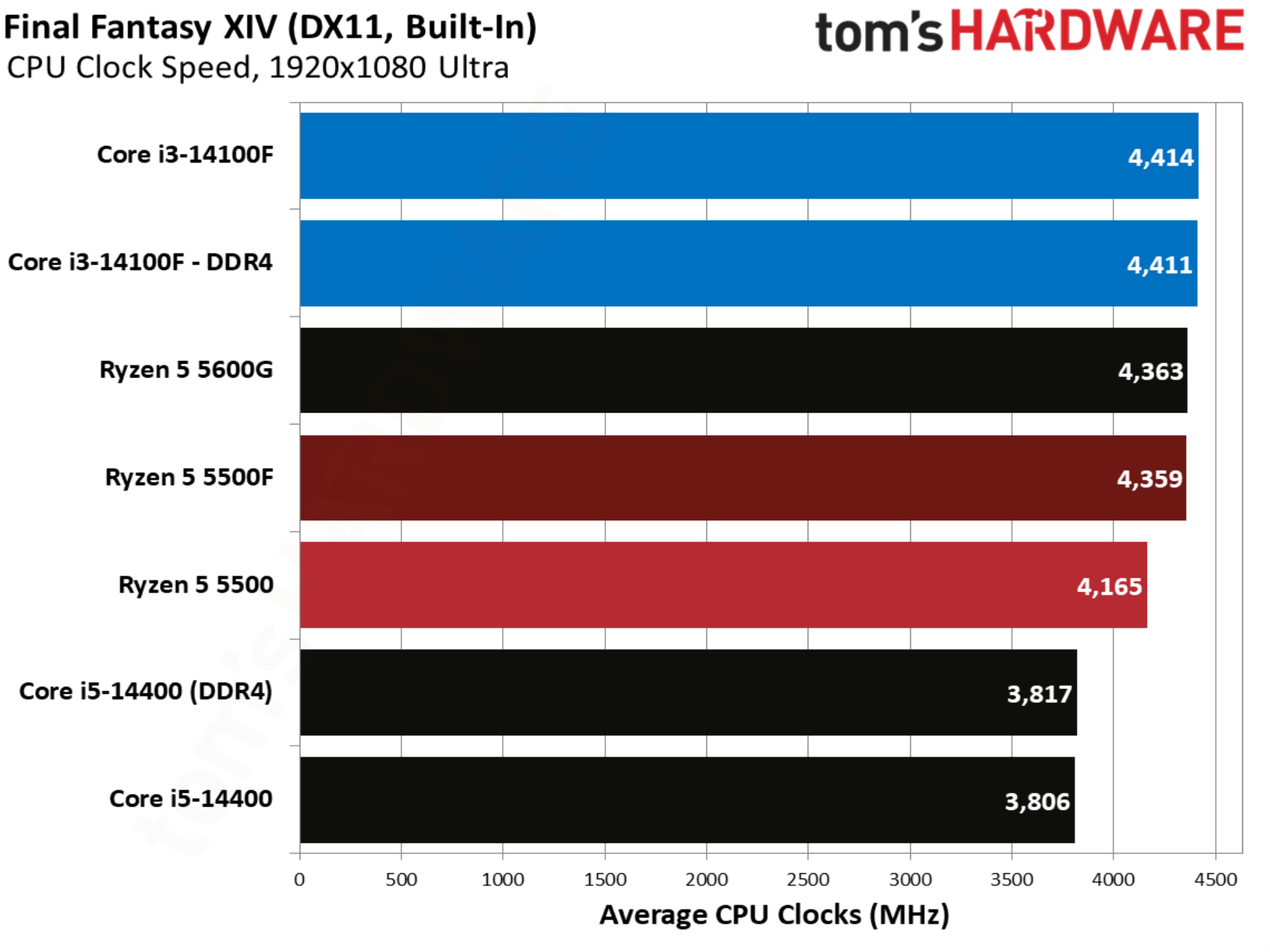
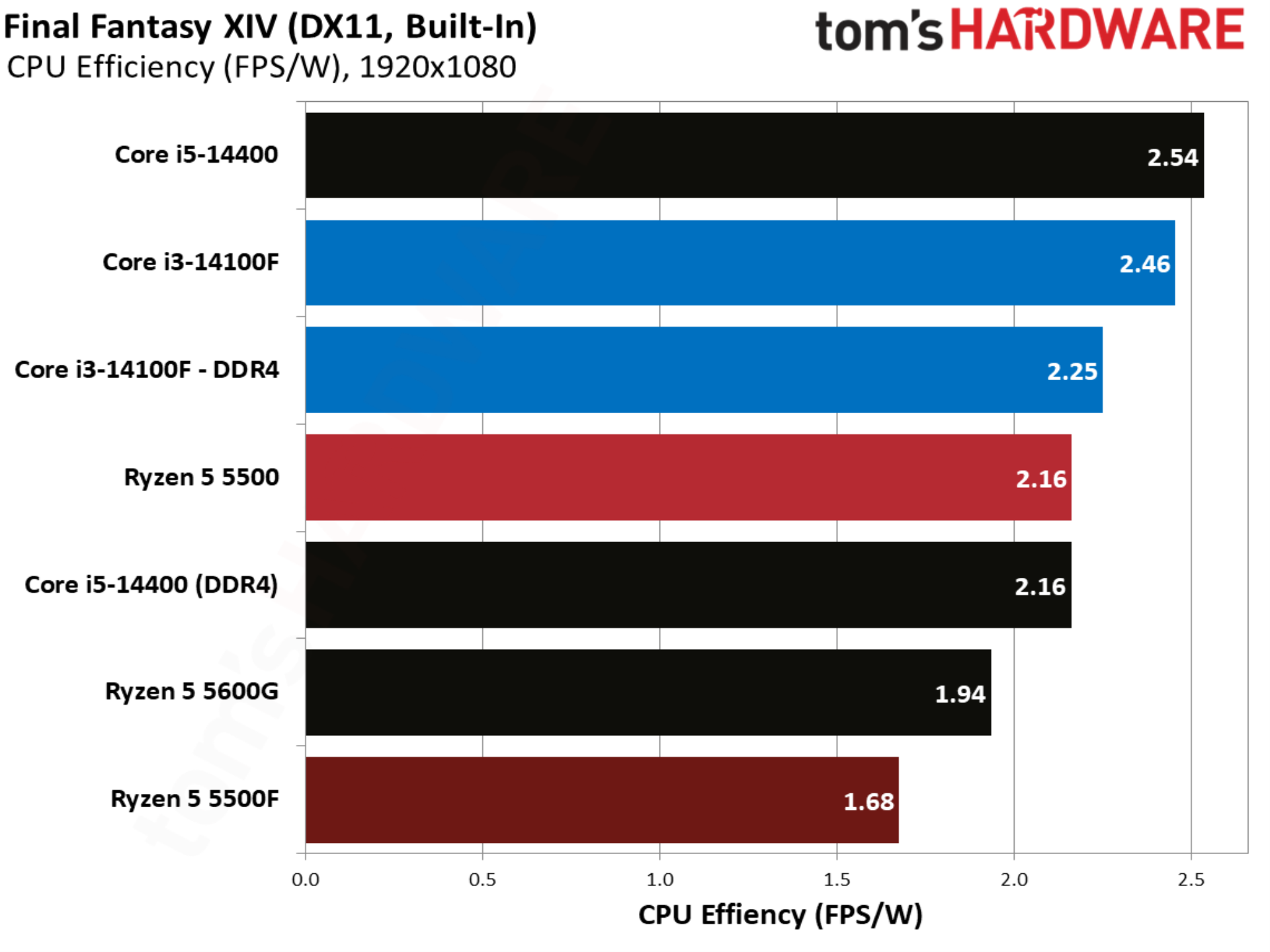
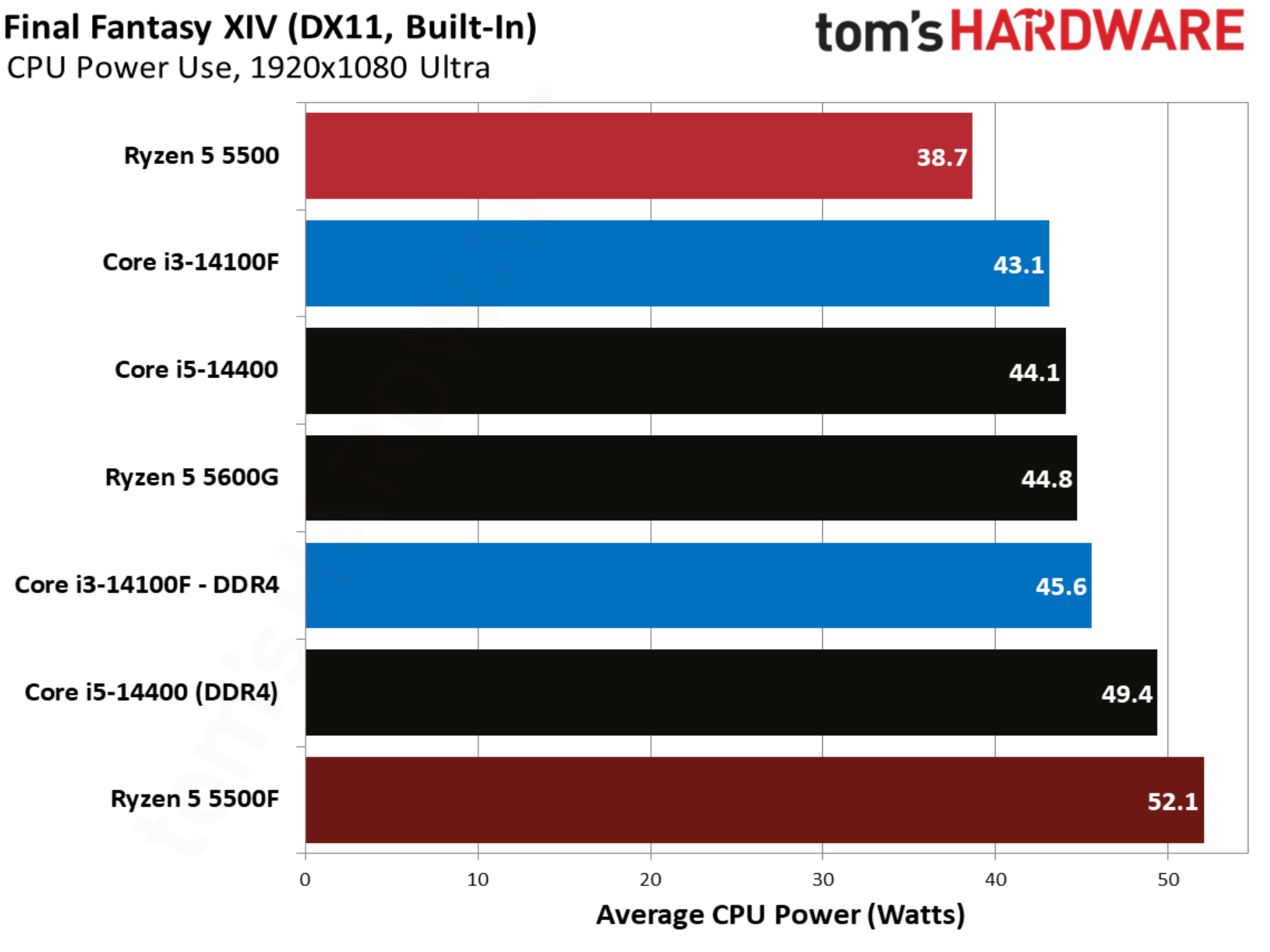
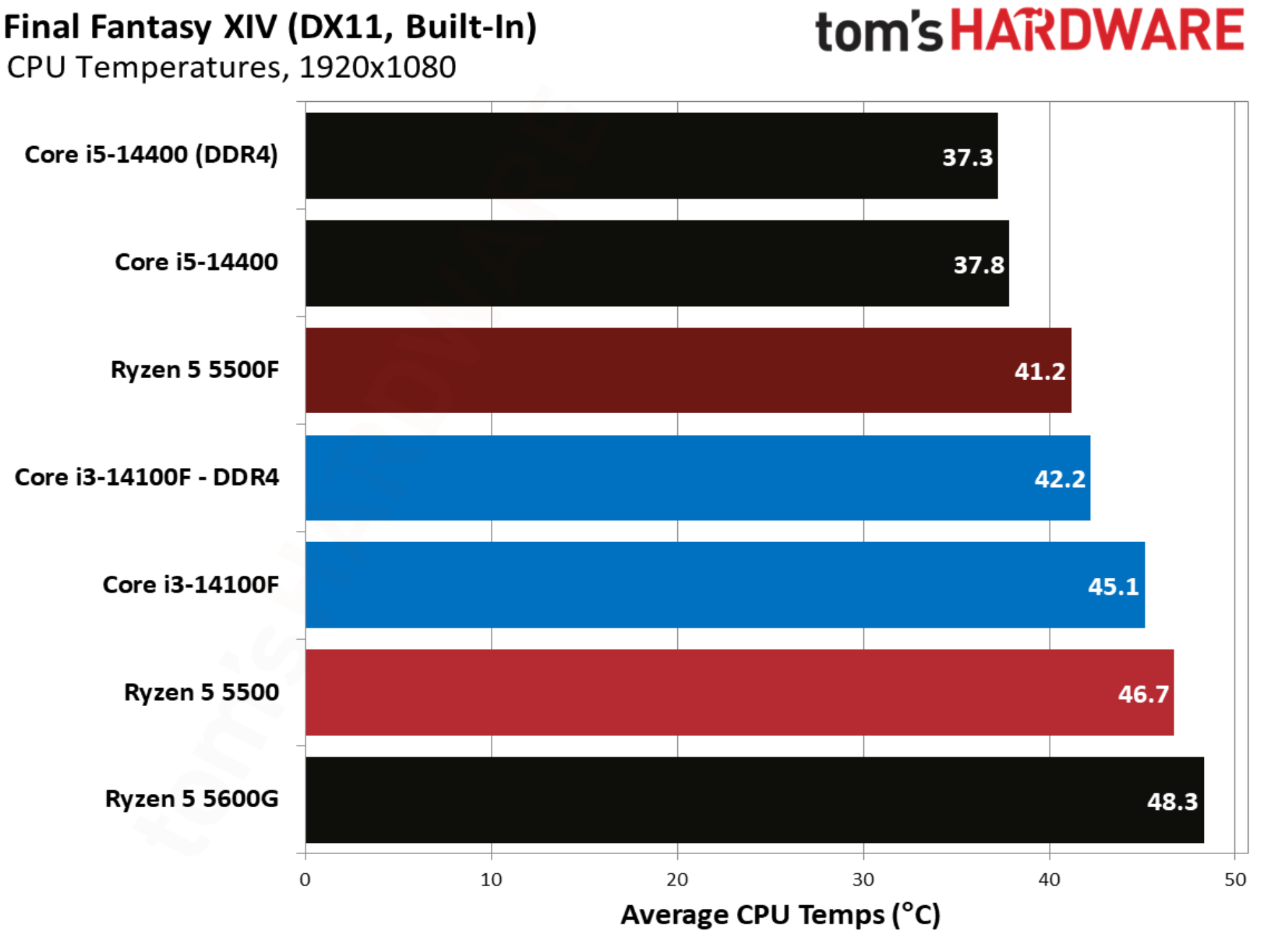
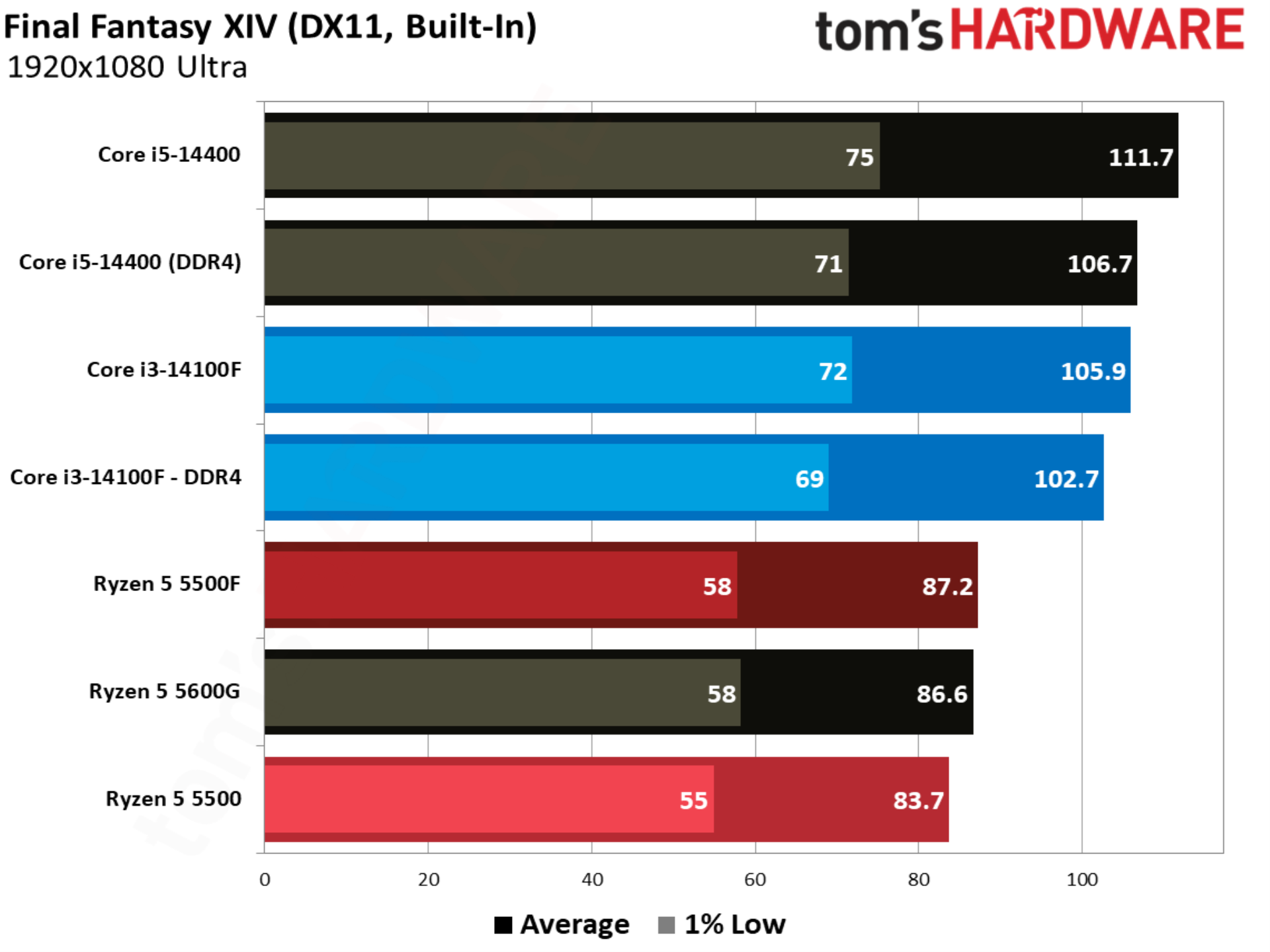
Final Fantasy XIV is balanced between AMD and Intel, though it heavily favors X3D CPUs. Without any of those in the mix here, the Ryzen 5 5500F falls behind the Core i3-14100F by 15%. There’s also little gained from moving to DDR5 with the Core i3-14100F.
Flight Simulator 24 benchmarks
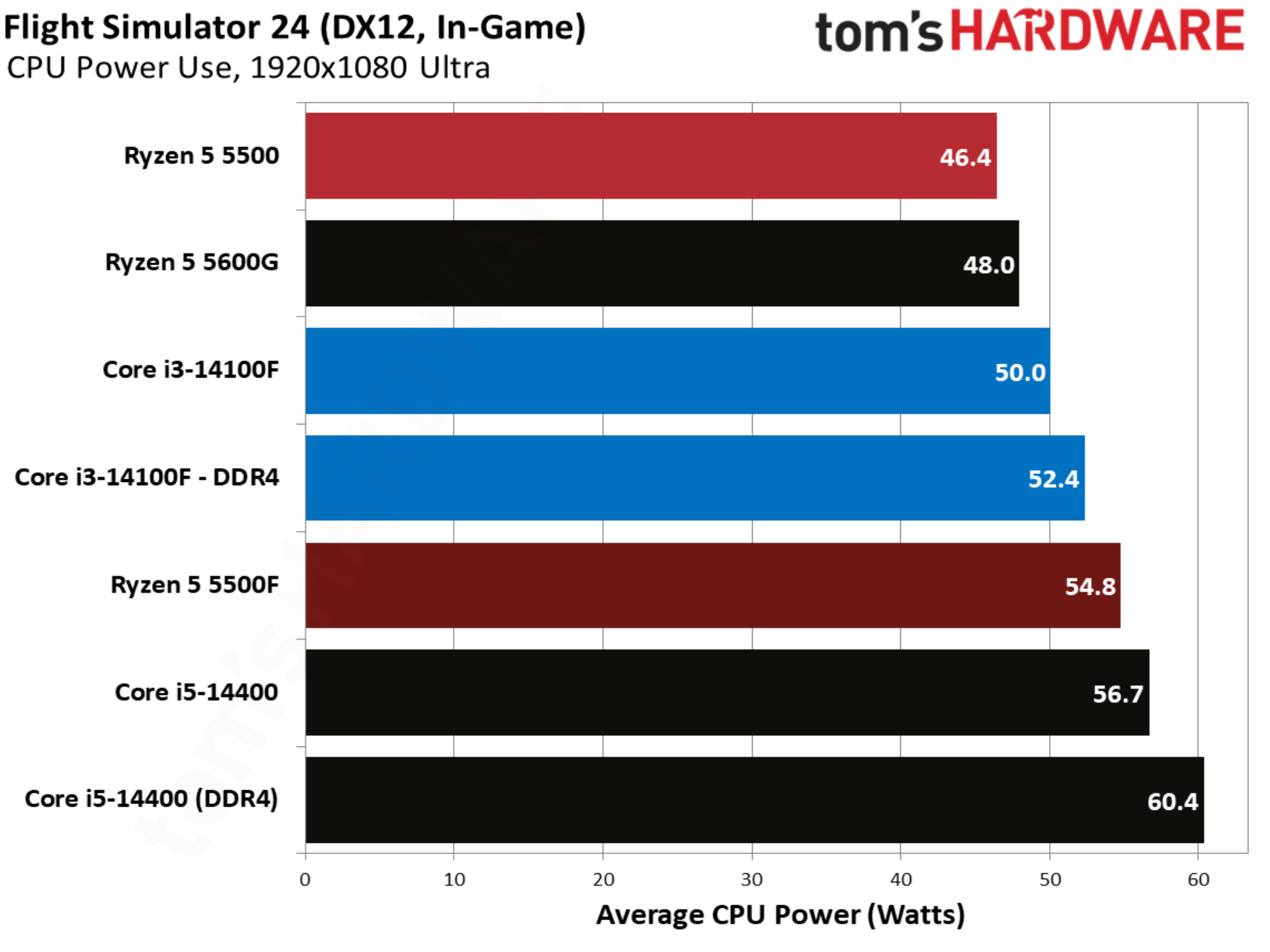
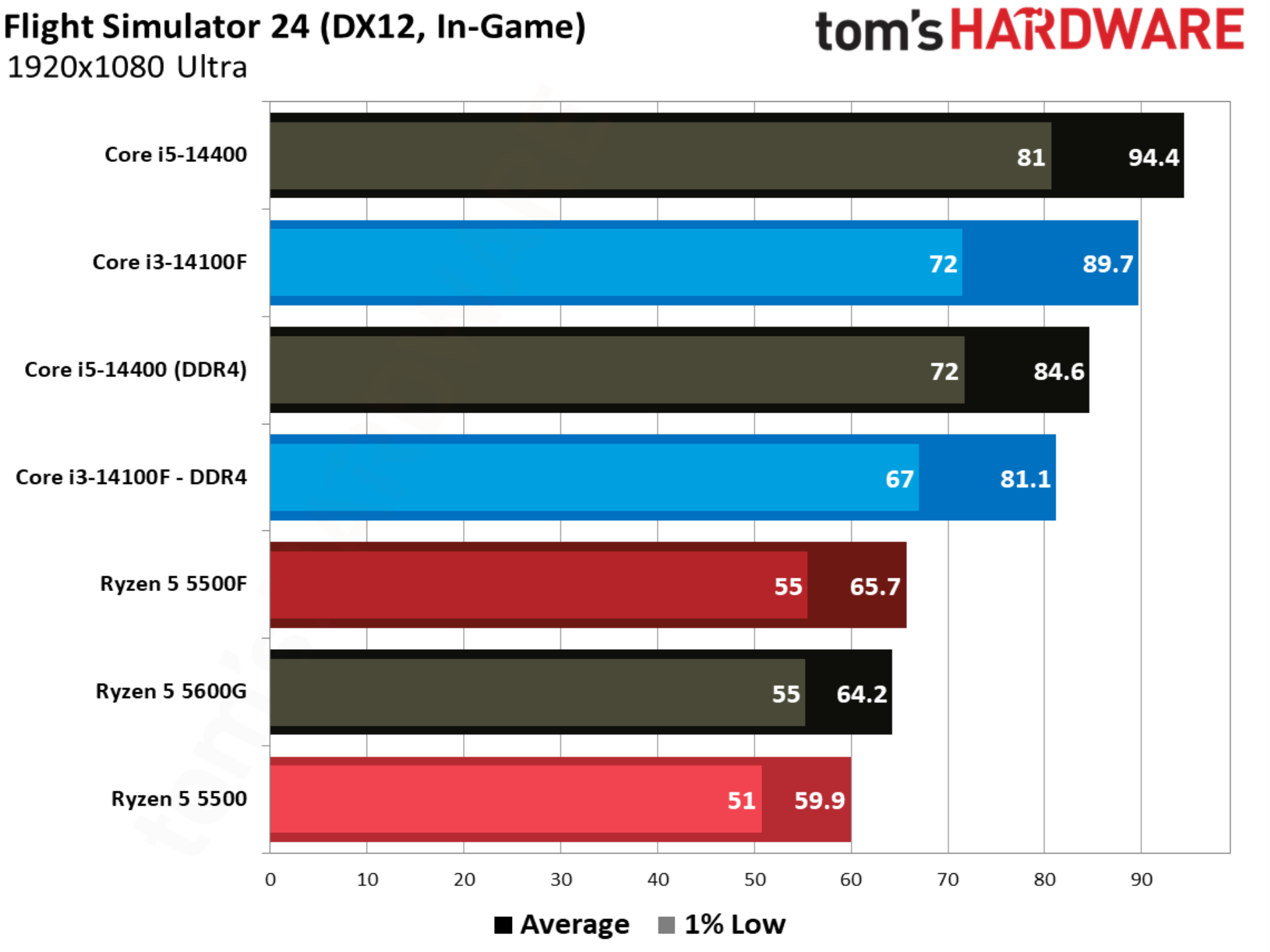
Gaining a few frames in Flight Simulator 24 is nothing to sneeze at, and that’s exactly what the 5500F pulls off with a 9.6% lead over the 5500. Unfortunately for AMD, the Core i3-14100F is much faster in this title, with the 5500F trailing it by 18.9%.
Forza Horizon 6 benchmarks
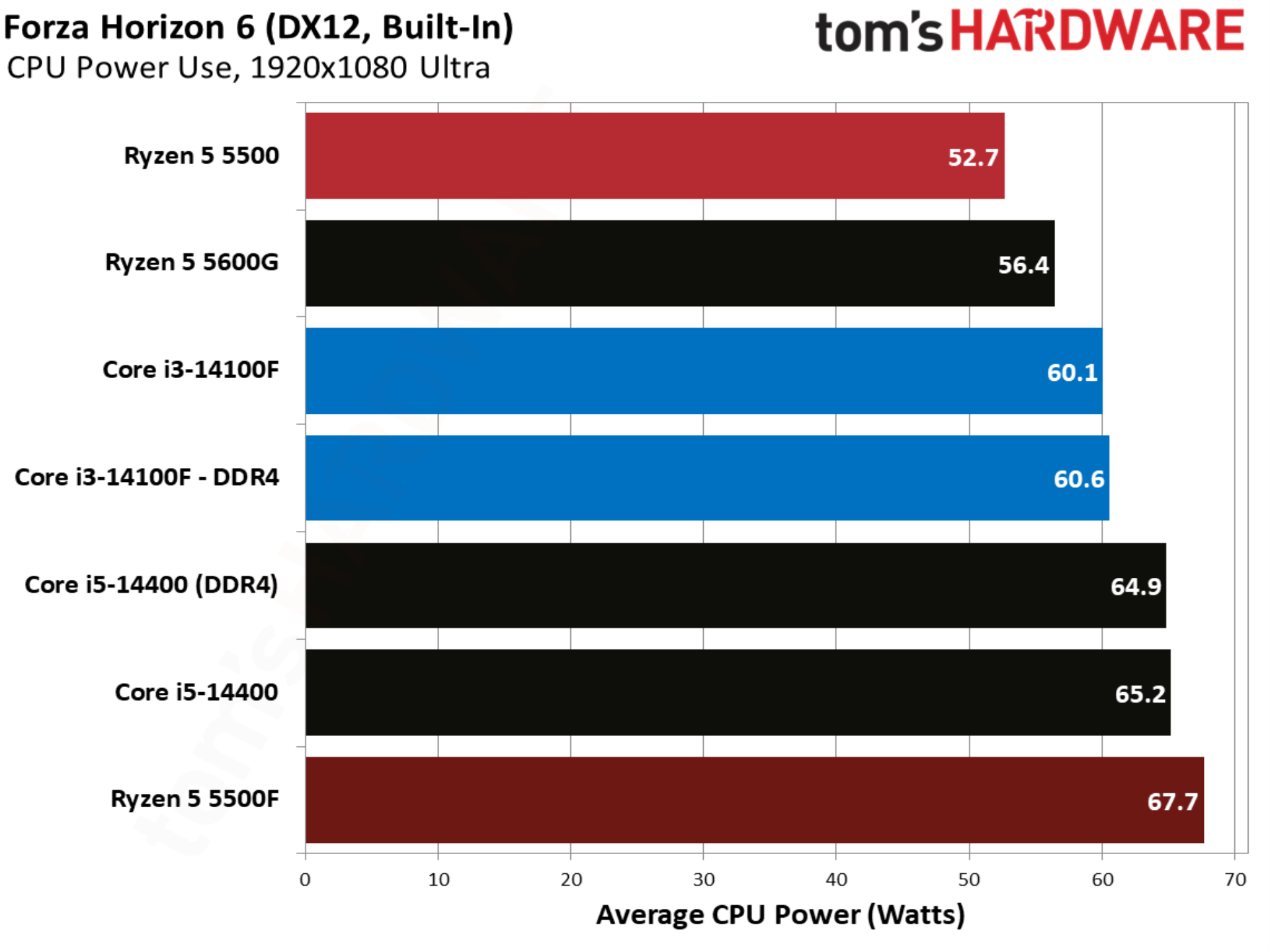
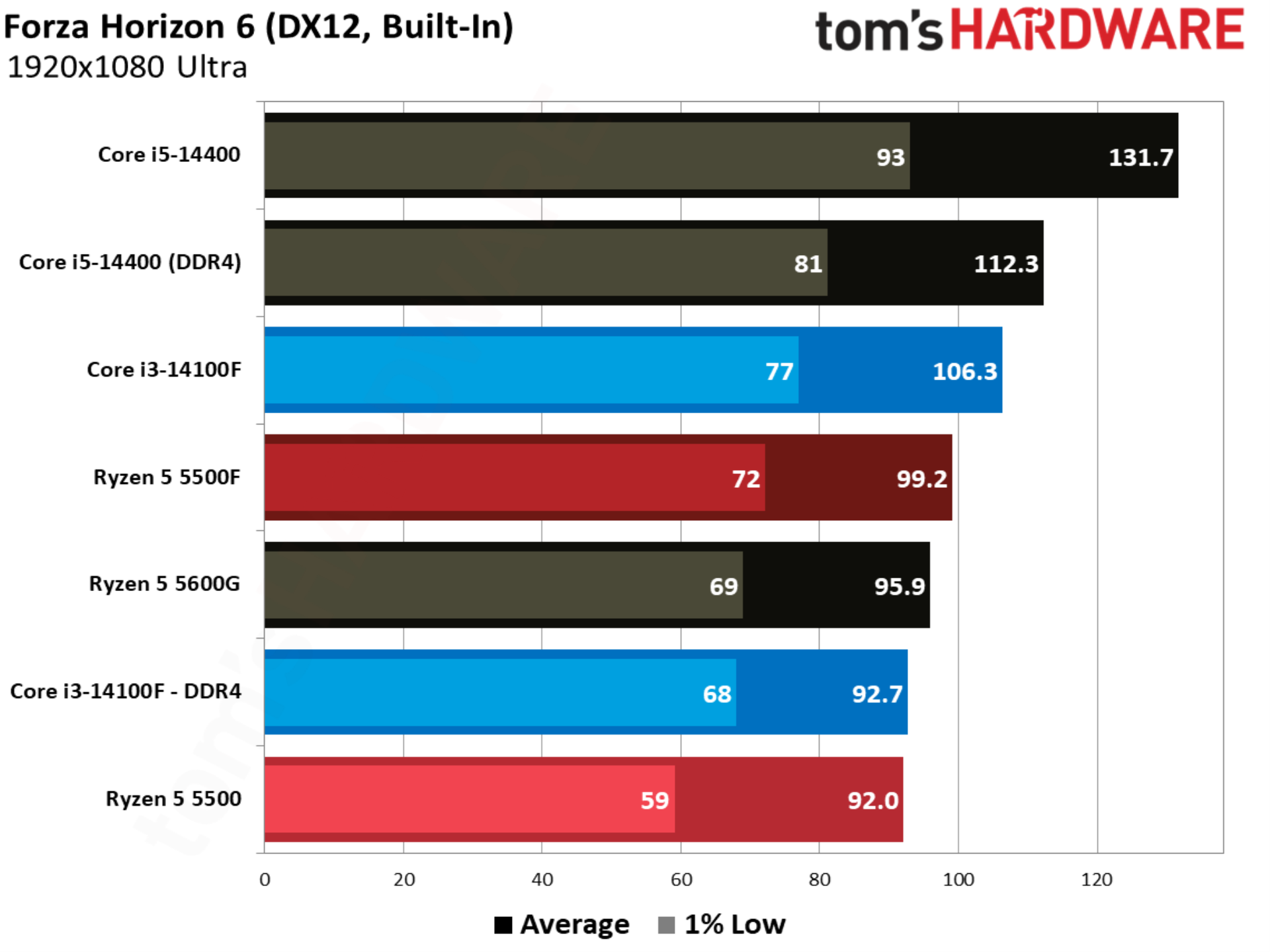
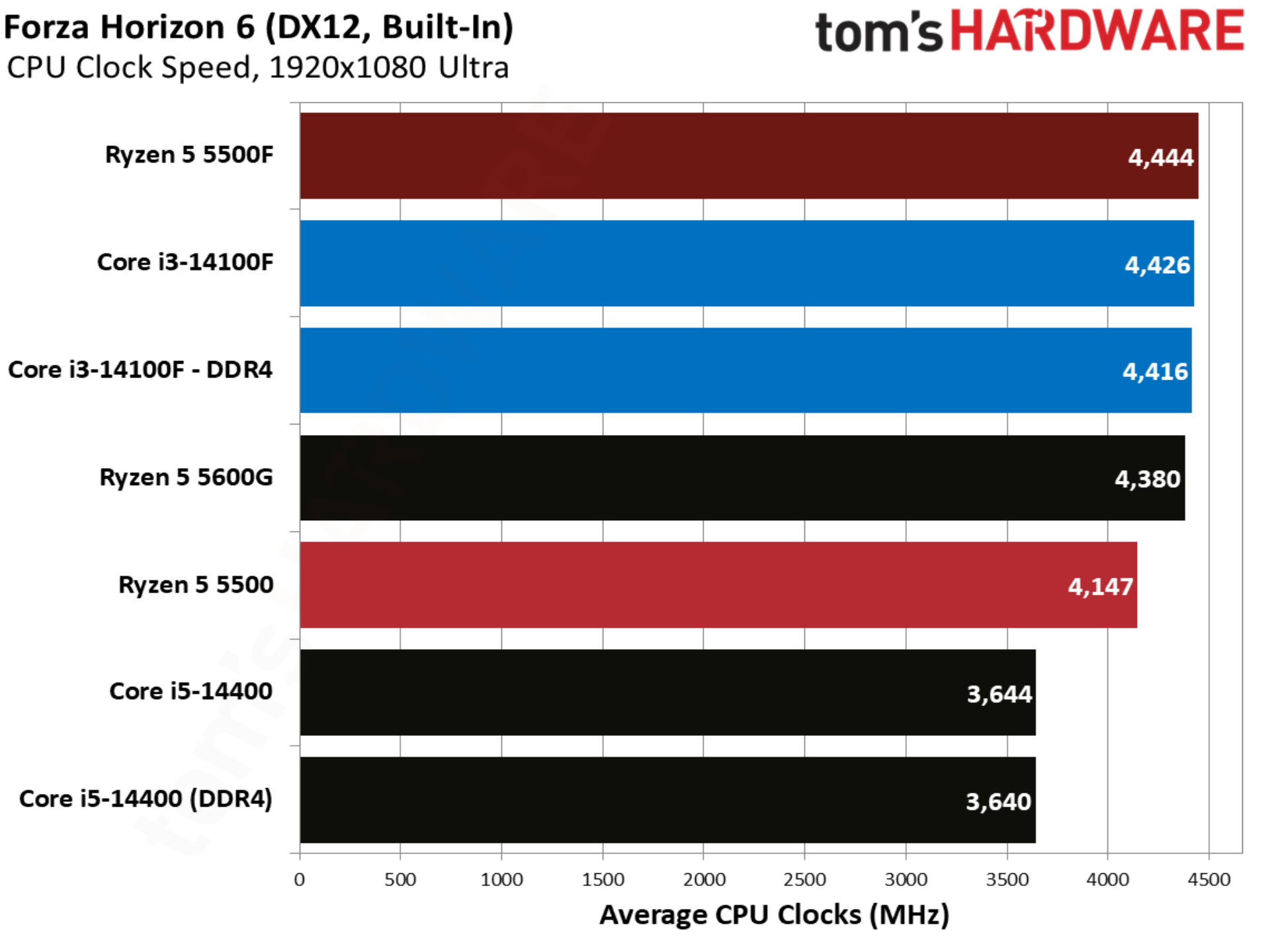
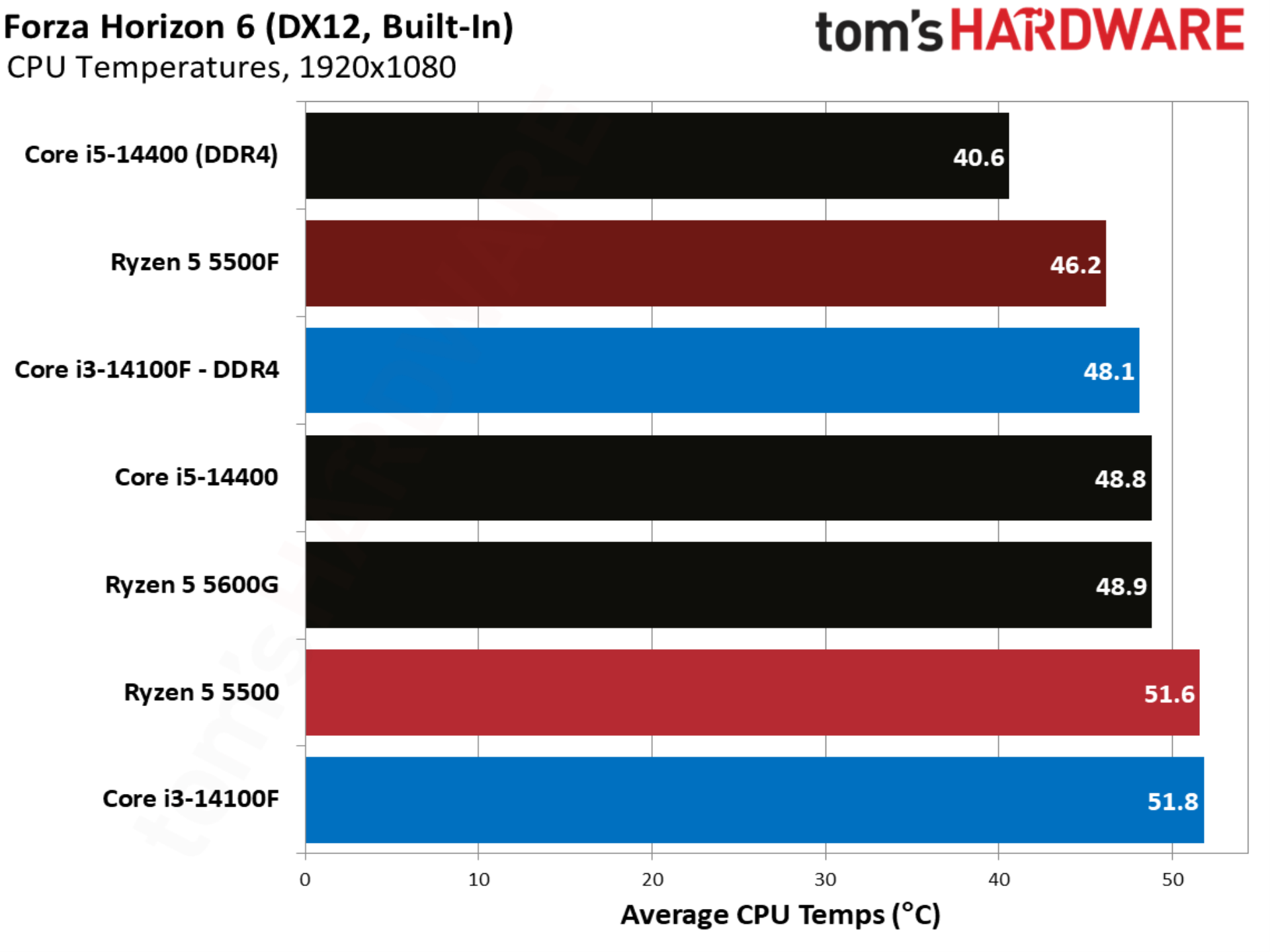
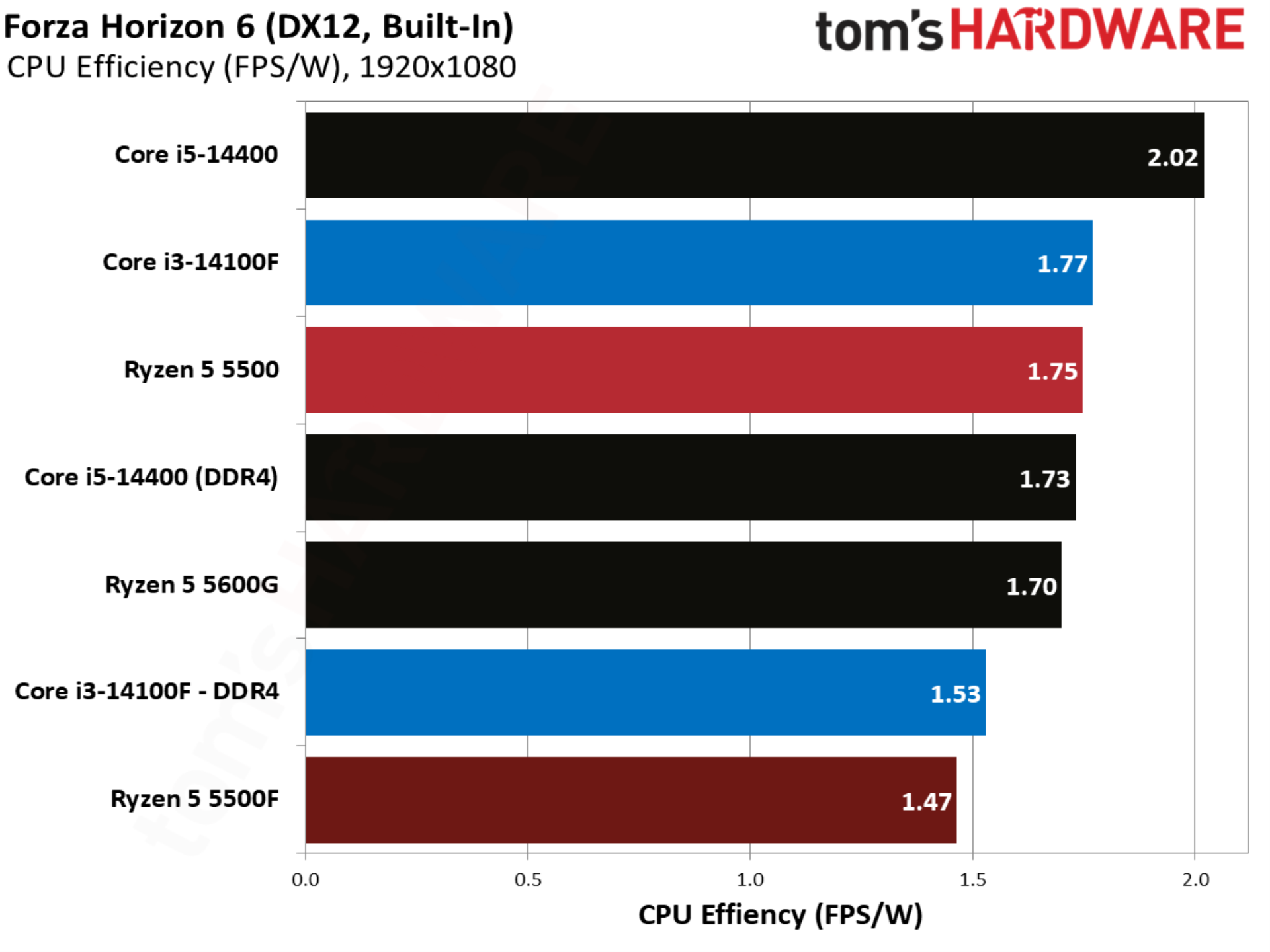
Forza Horizon 6 shows more movement. The Ryzen 5 5500 already matched the Core i3-14100F in performance, allowing the 5500F to swoop in with a 7.8% lead. The Core i3-14100F with DDR5 unsurprisingly still leads, but this is a big feather in the 5500F’s cap.
Marvel Rivals
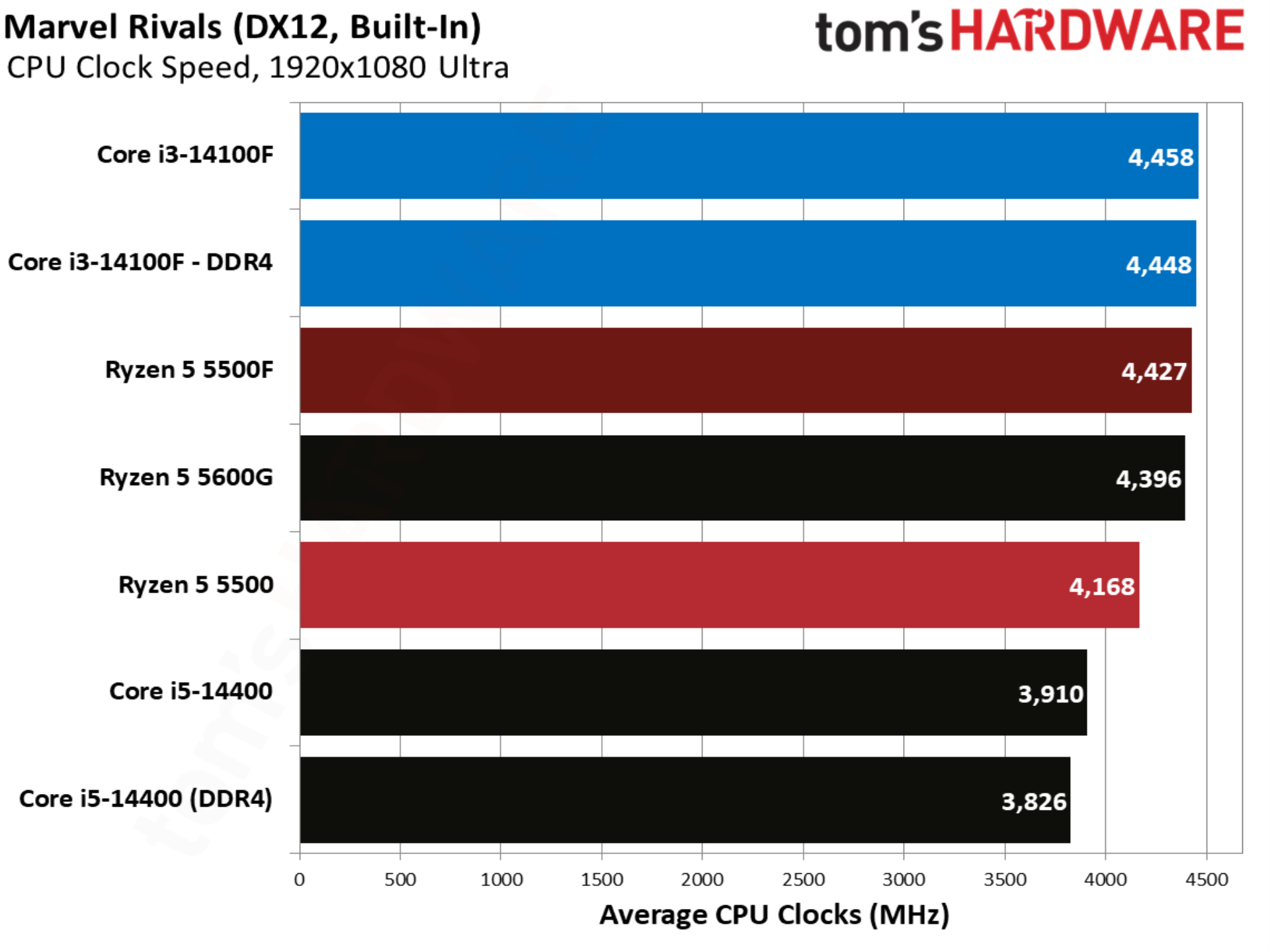
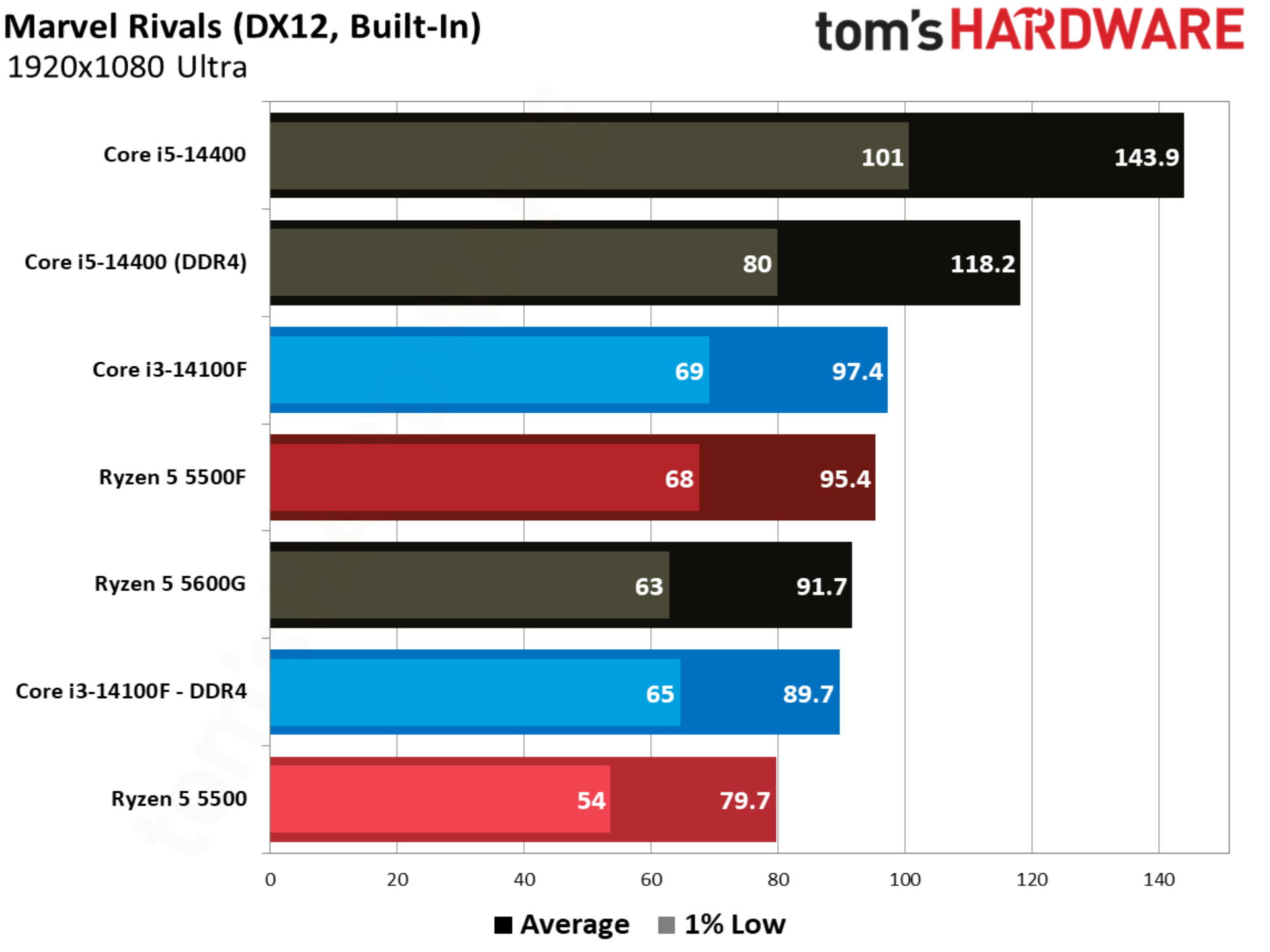
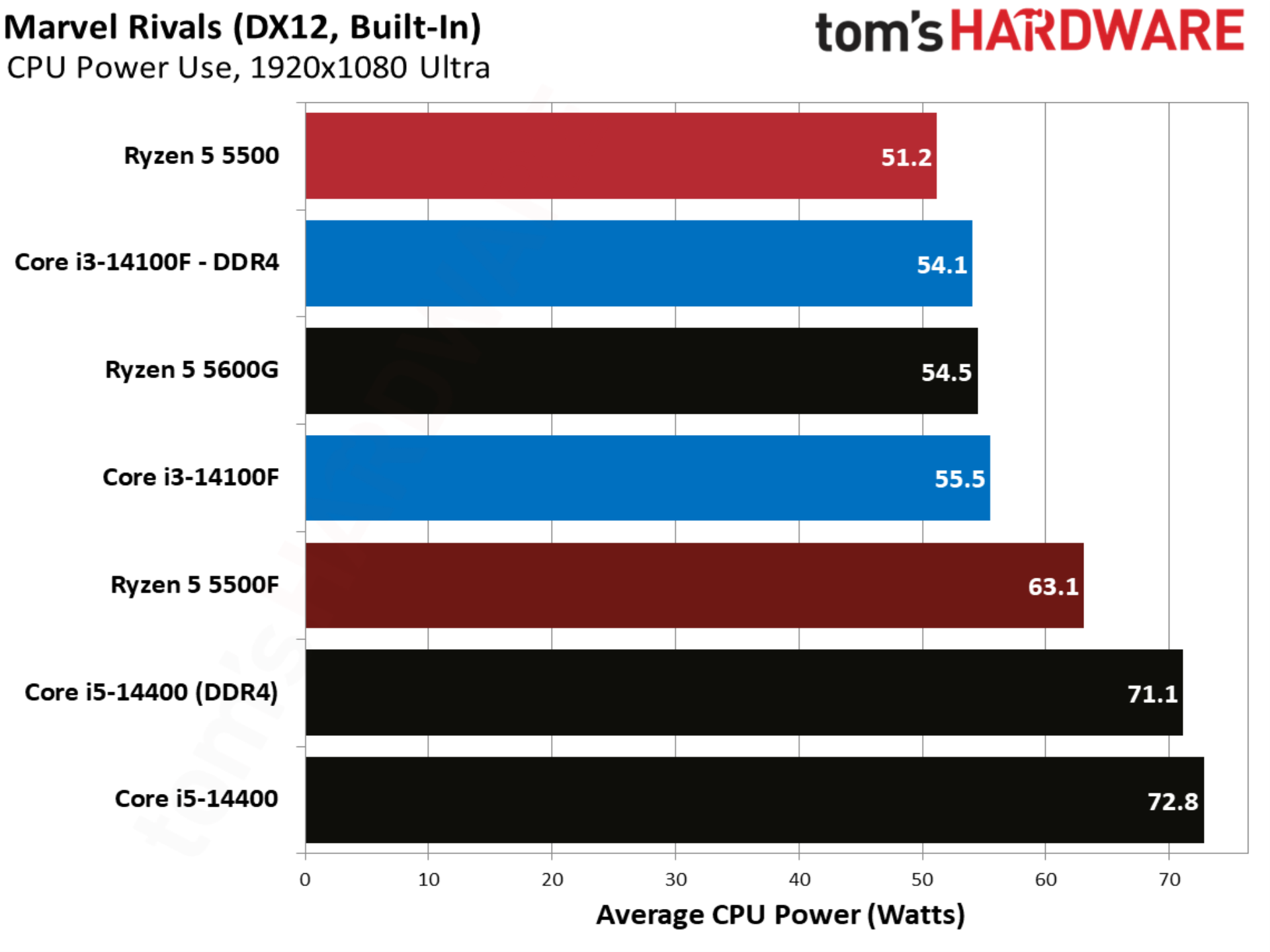
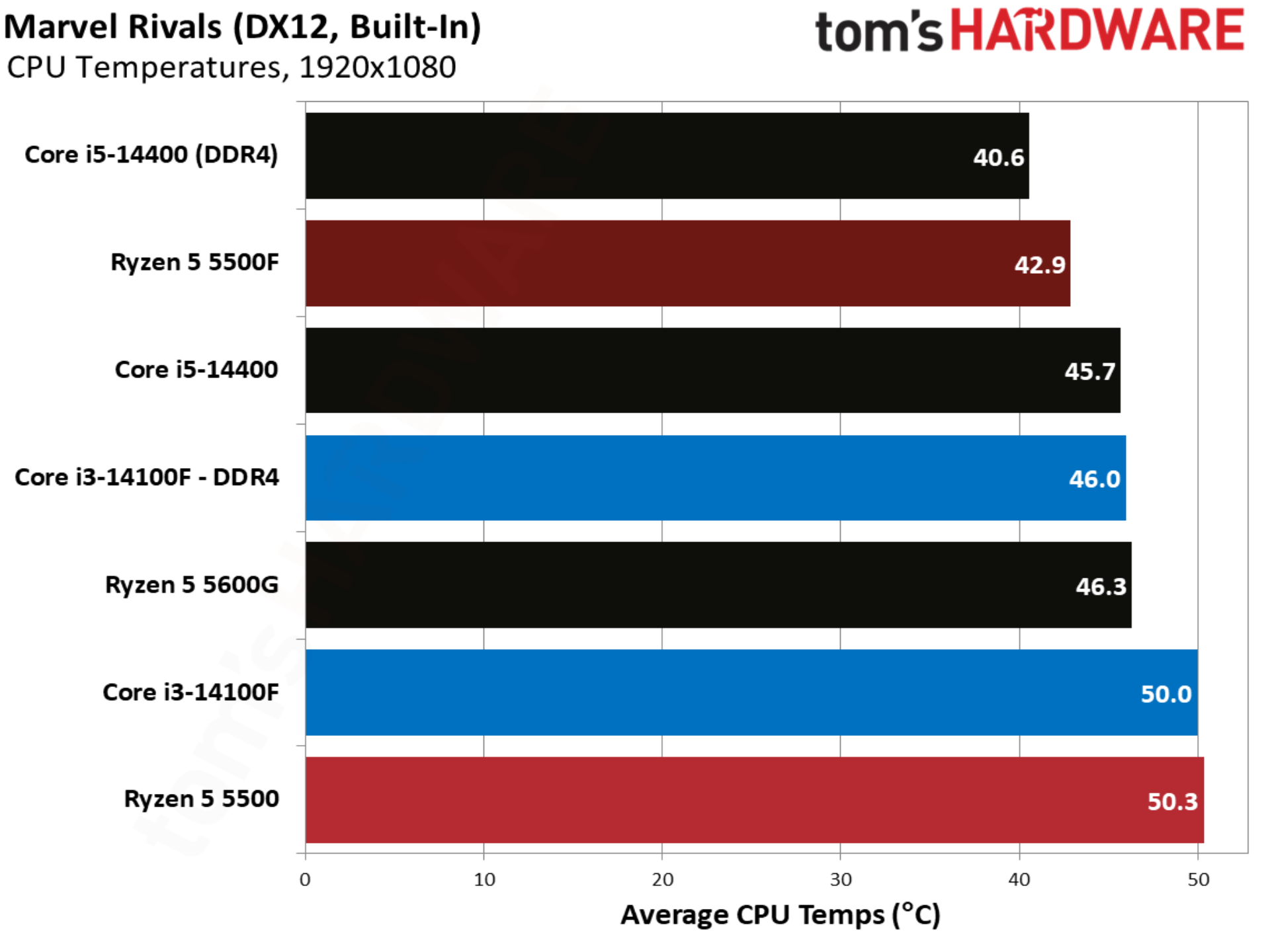
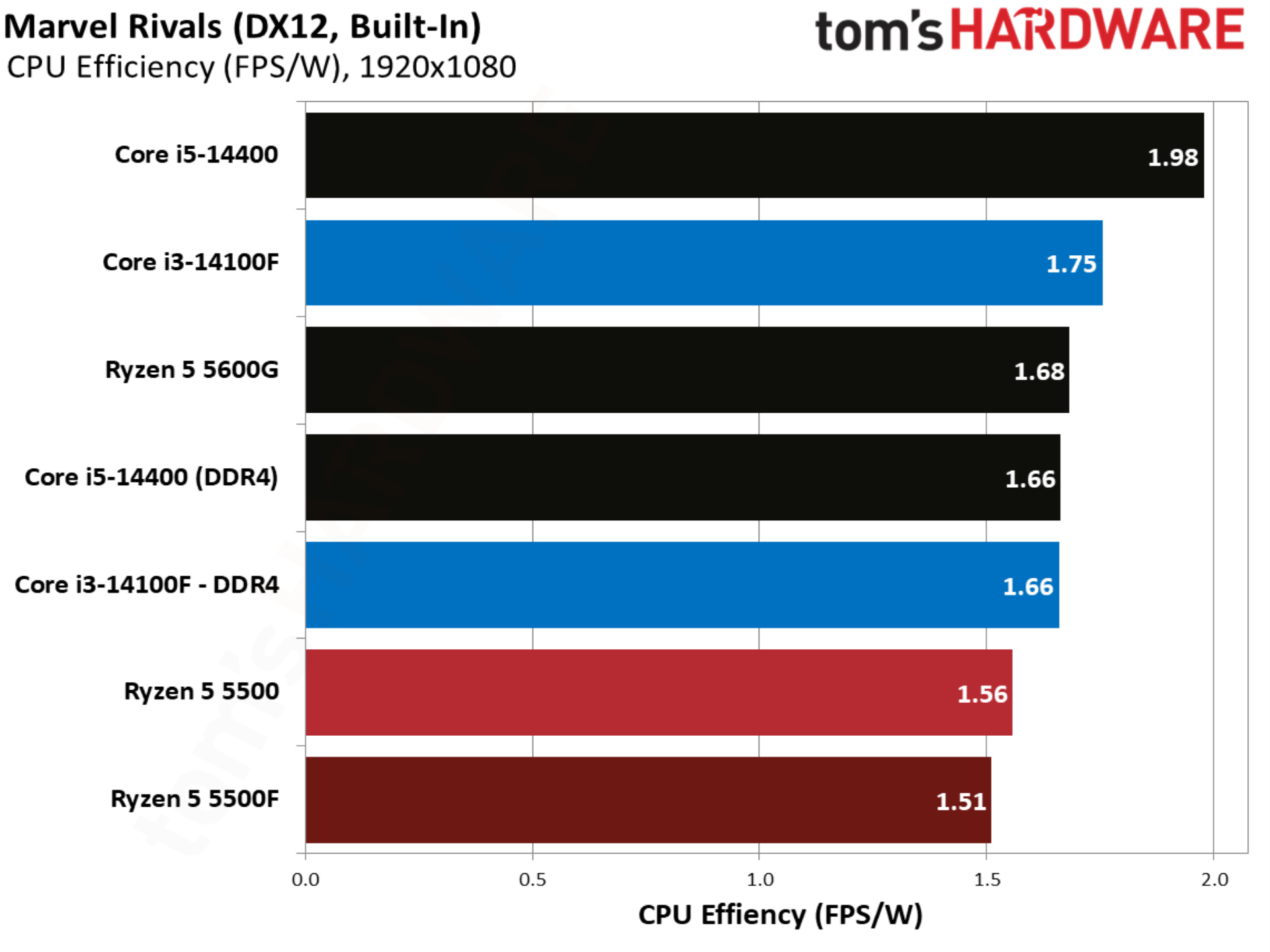
Marvel Rivals is an important benchmark, not only because the game is wildly popular, but also because it showcases exactly what AMD wanted to accomplish with the 5500F. The 14100F leads the base 5500 by over 12%, but the 5500F changes that story, leading the 14100F by 6.3%. This is presumably the target AMD set with the 5500, attempting to gain a performance advantage over the 14100F where the base 5500 originally struggled. And it hit that target in this case.
Onimusha: Way of the Sword benchmarks
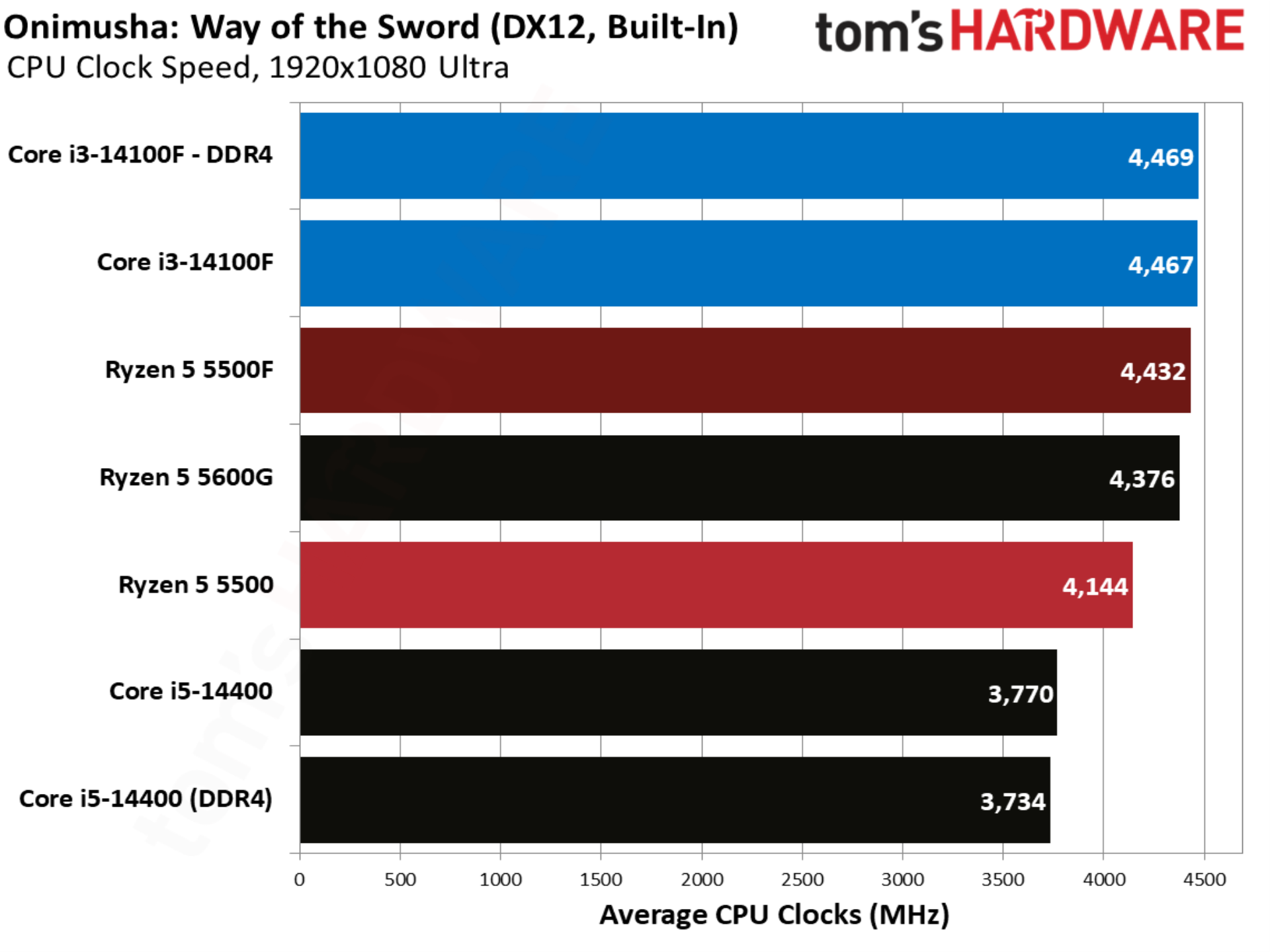
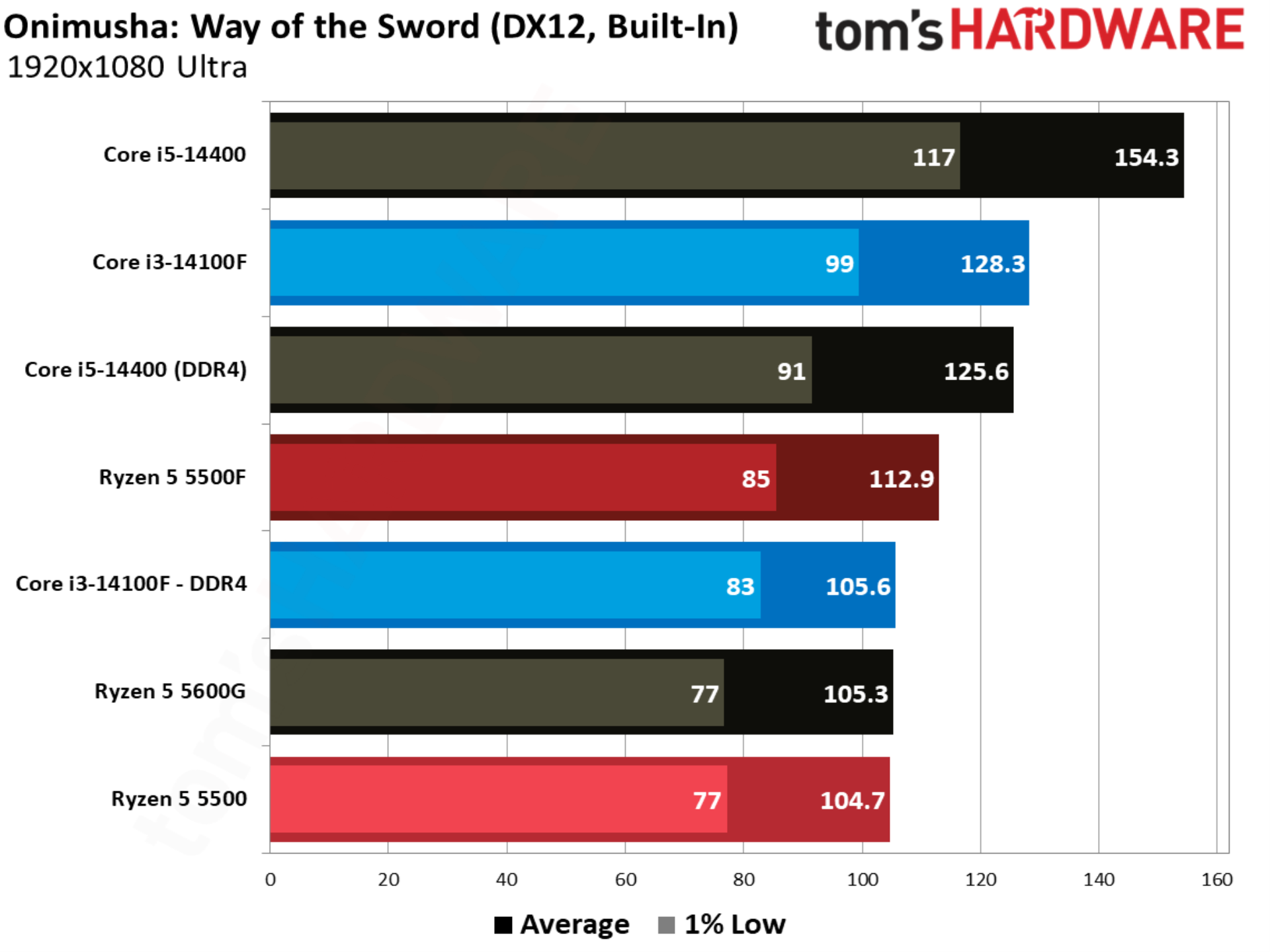
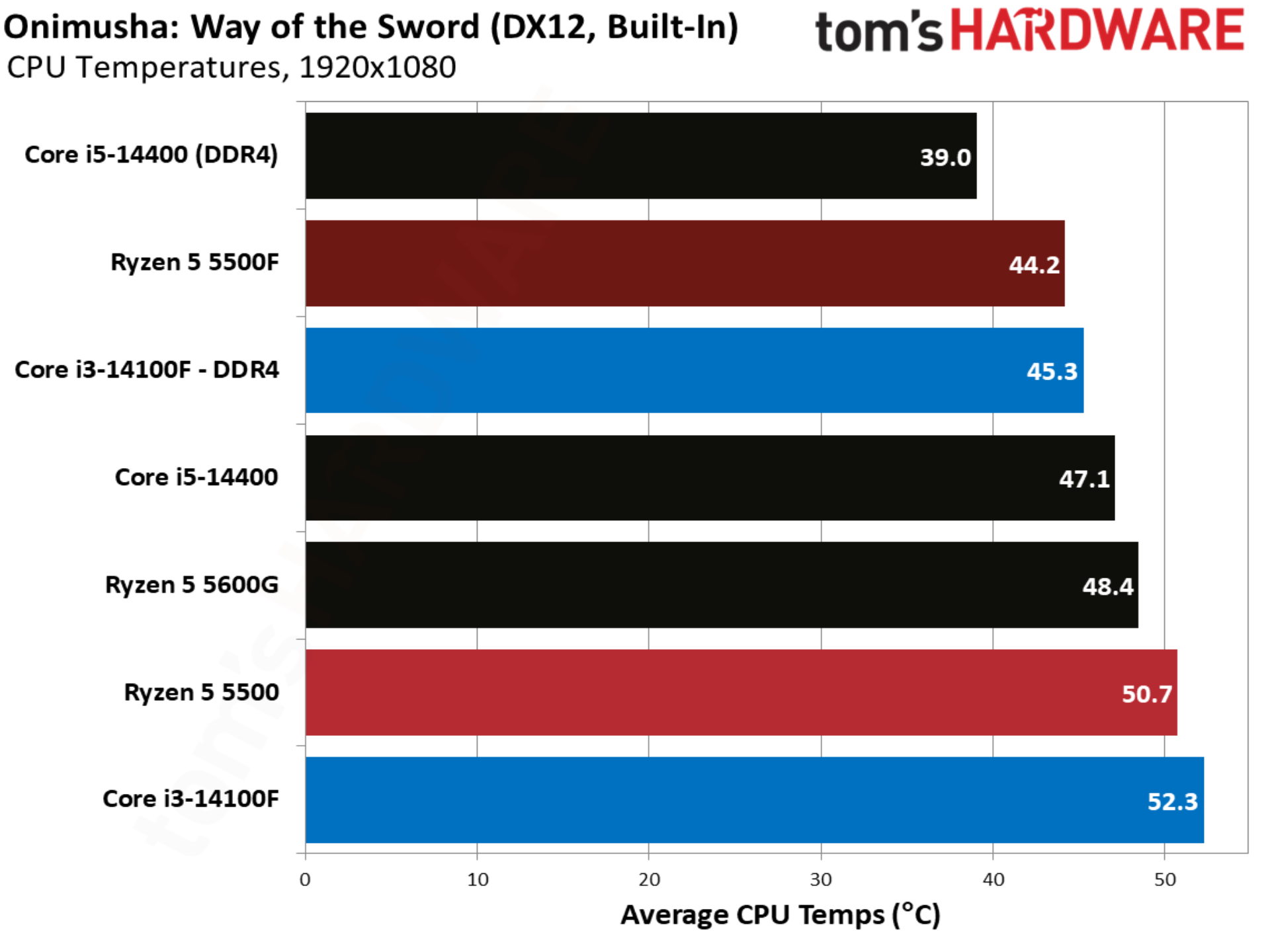
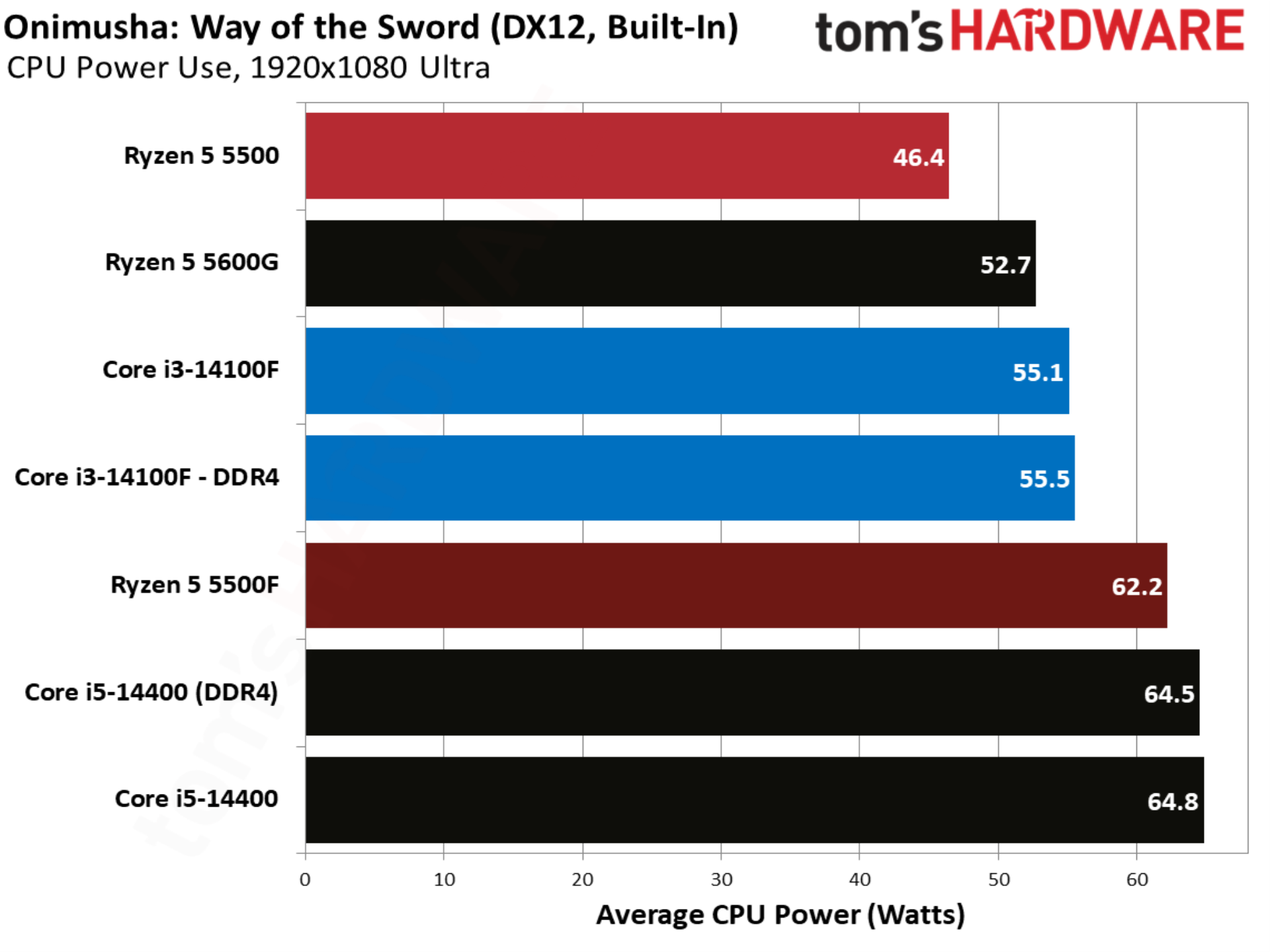
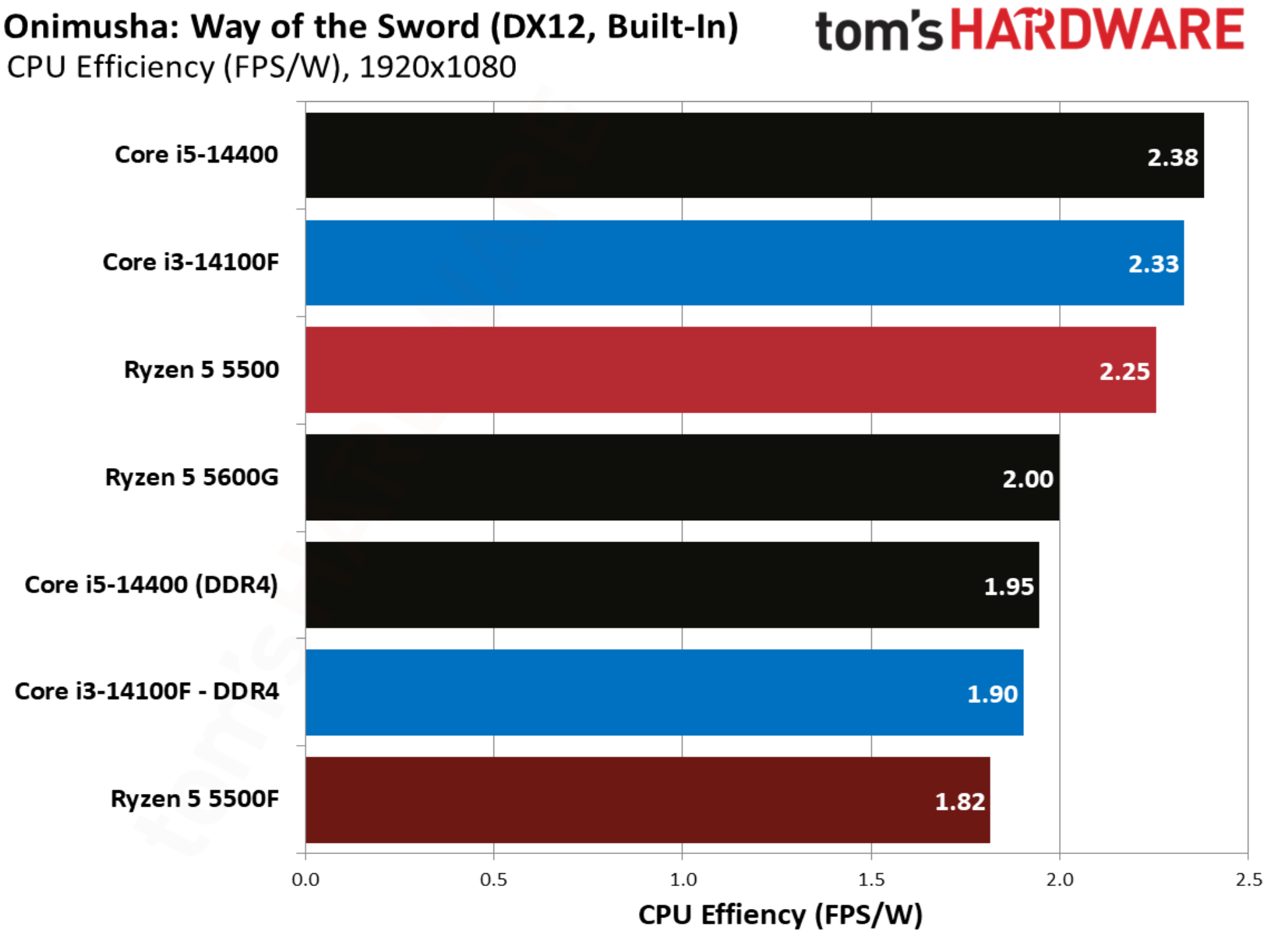
Onimusha: Way of the Sword is the latest game sporting Capcom’s storied RE Engine, and it’s a title where the base 5500 and Core i3-14100F are in lockstep. The 5500F steps in to take the lead once again, beating the Core i3-14100F out by 6.9%.
Spider-Man 2 benchmarks
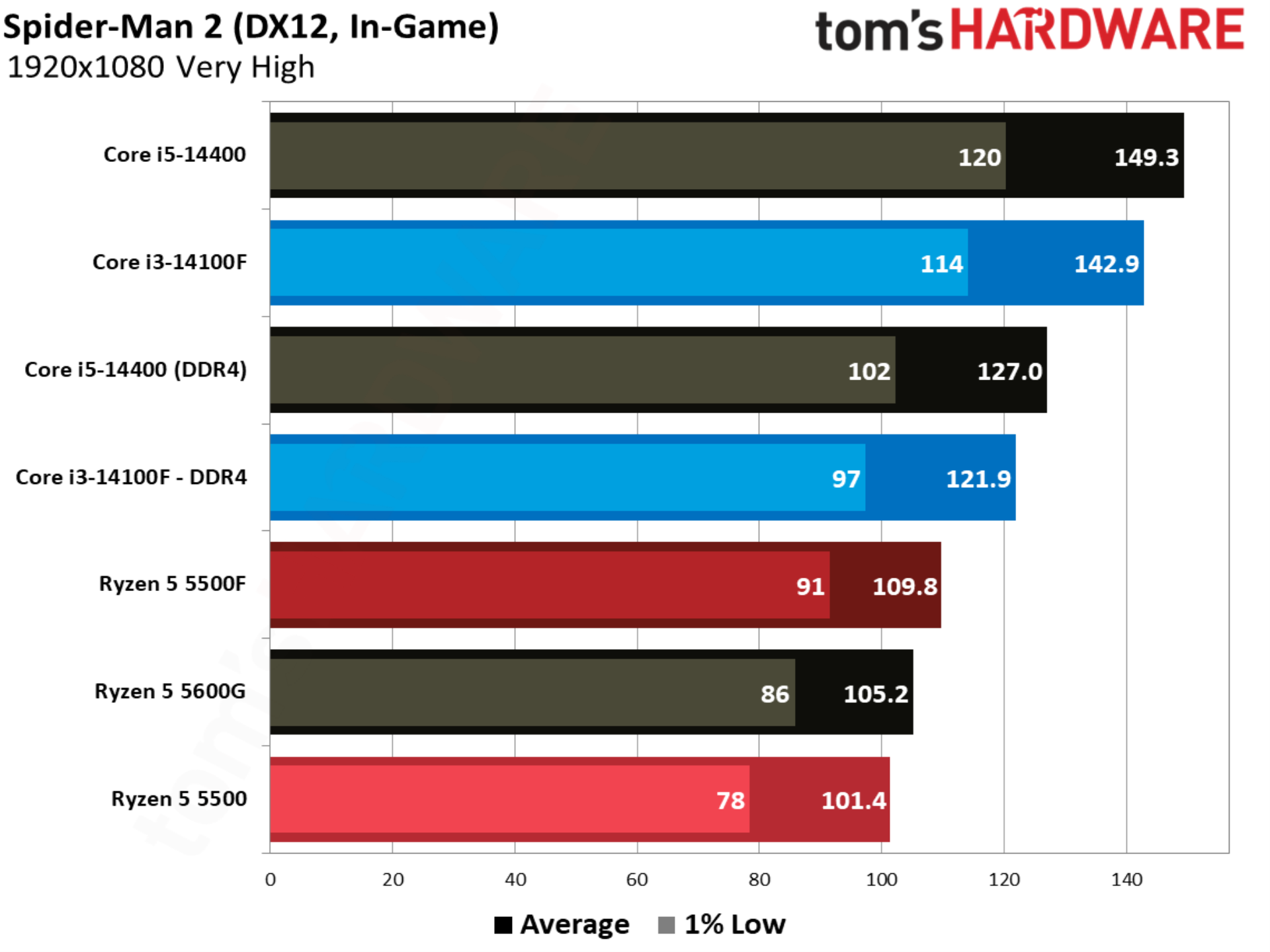
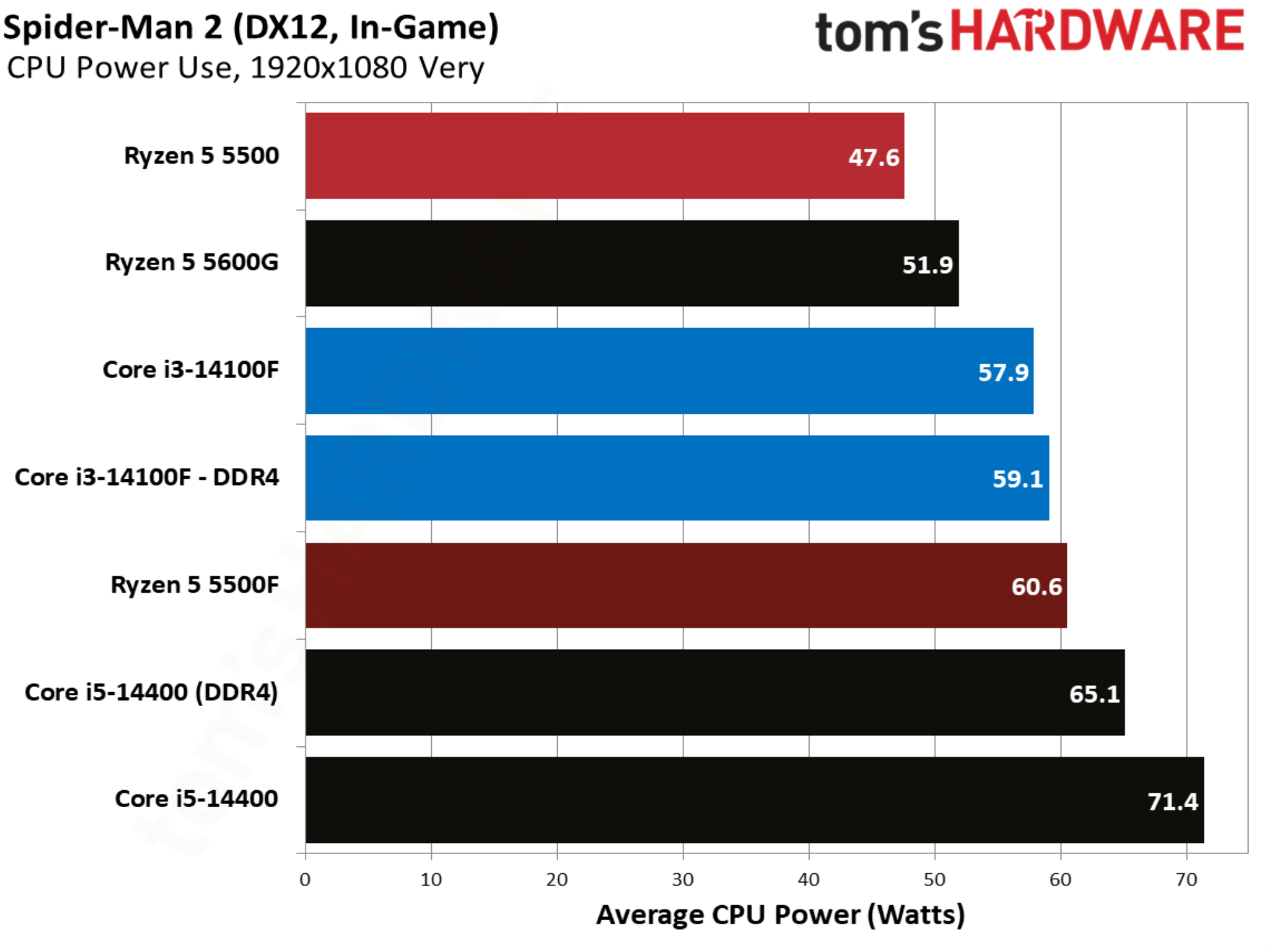
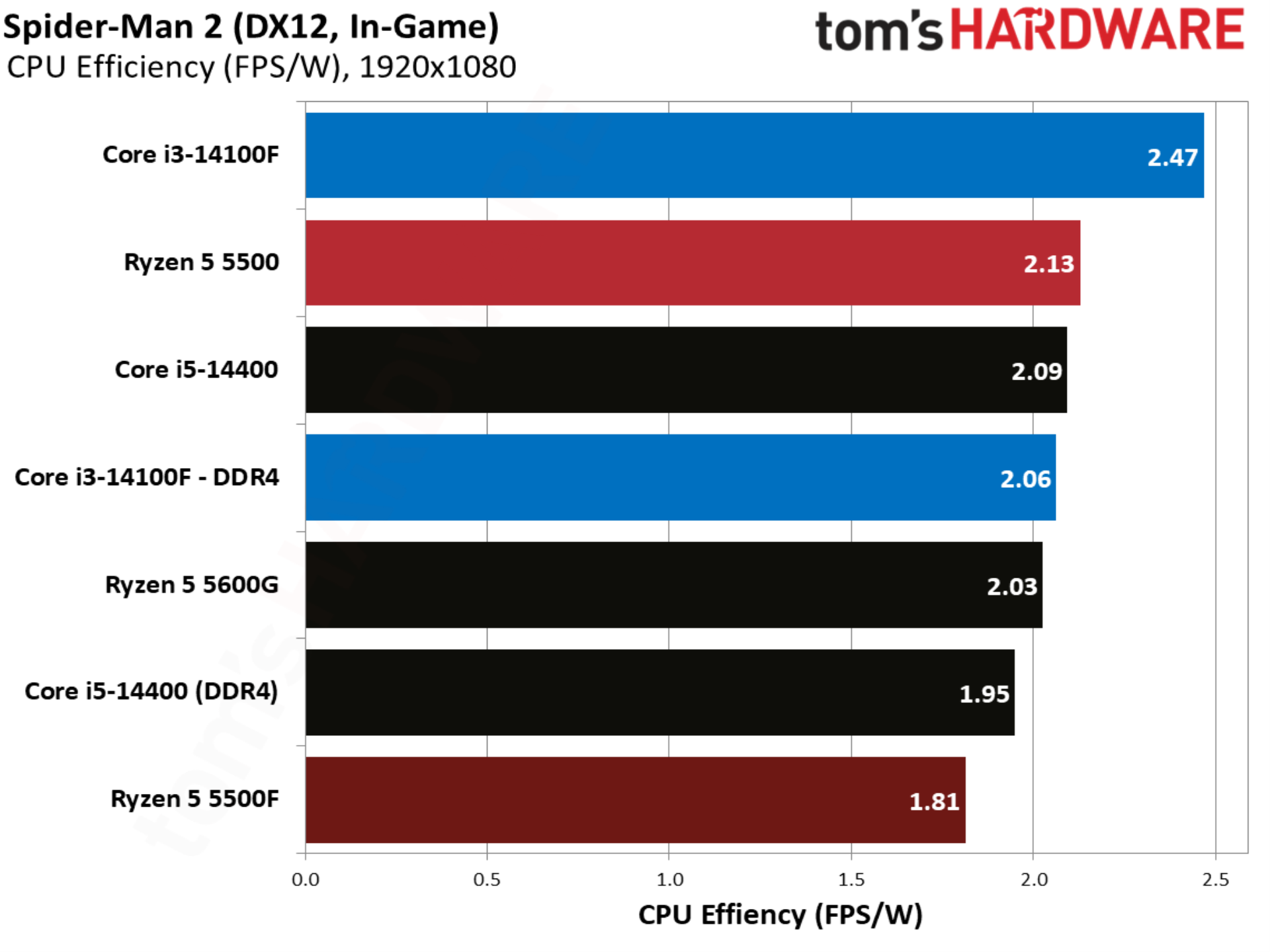
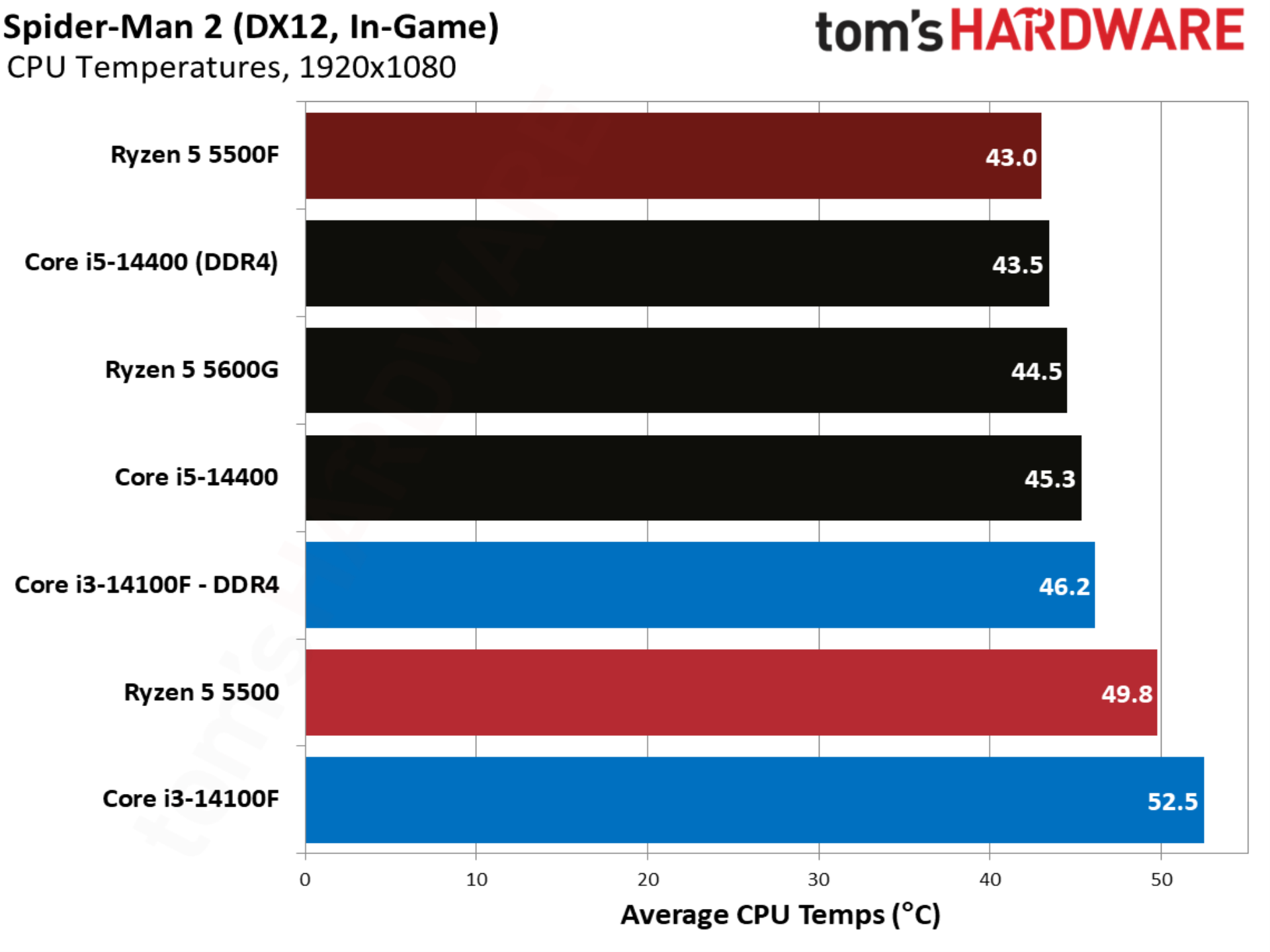
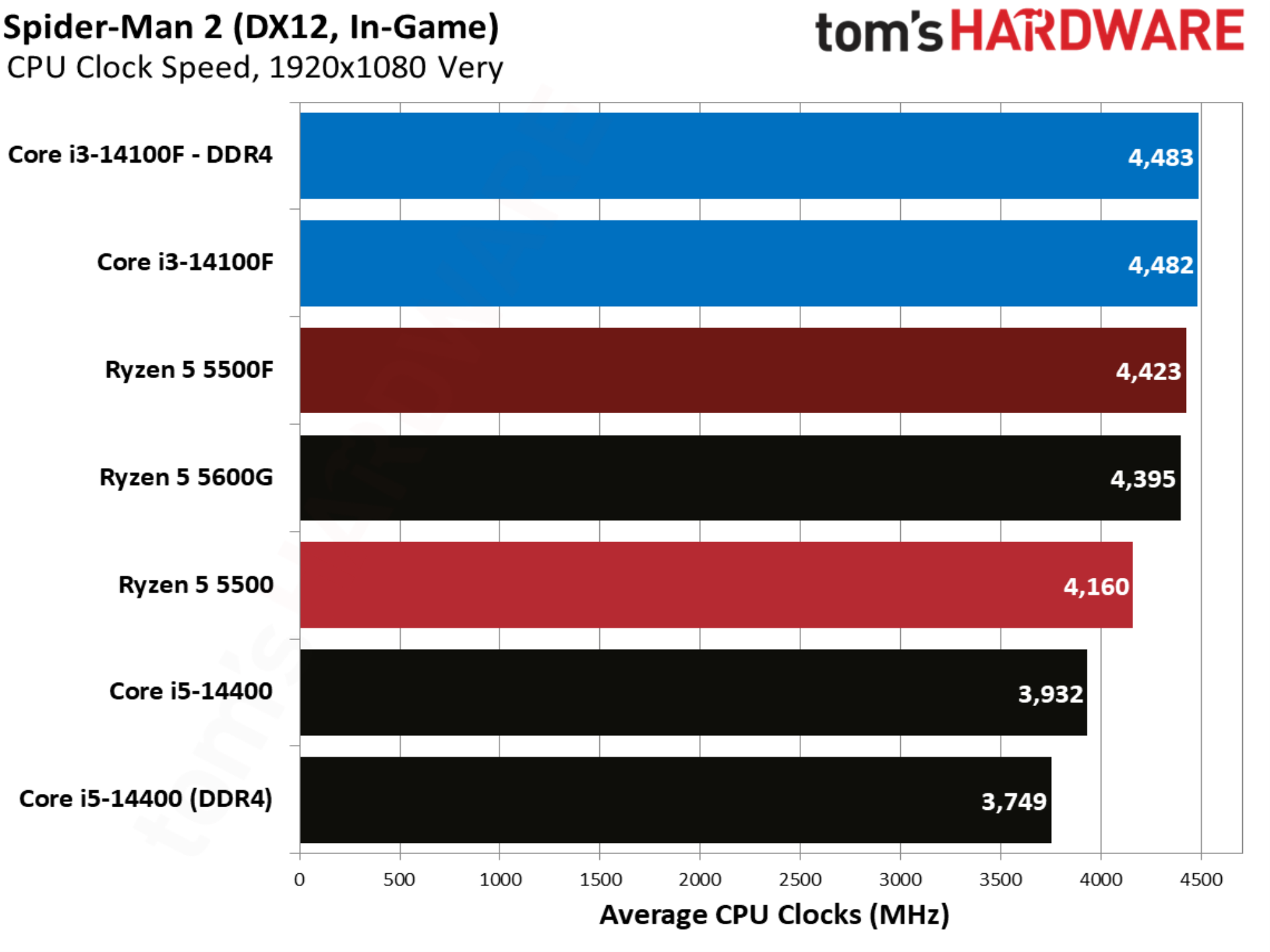
The notoriously CPU-heavy Spider-Man 2 jumps back to the pattern established by other titles in our test suite. The 14100F is over 20% ahead of the base 5500, and although the 5500F makes the battle closer, Intel still leads by 11%.
Starfield benchmarks
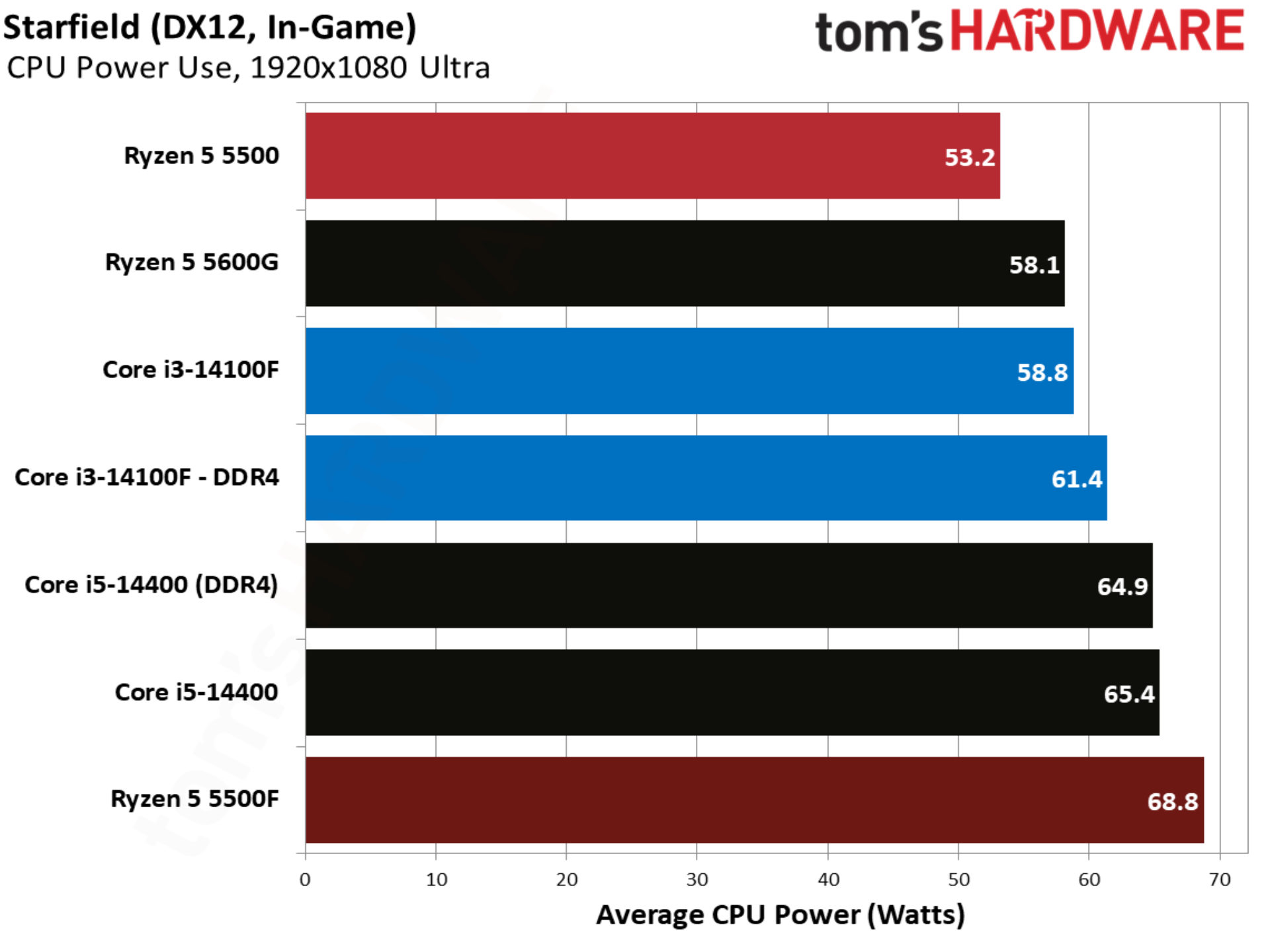
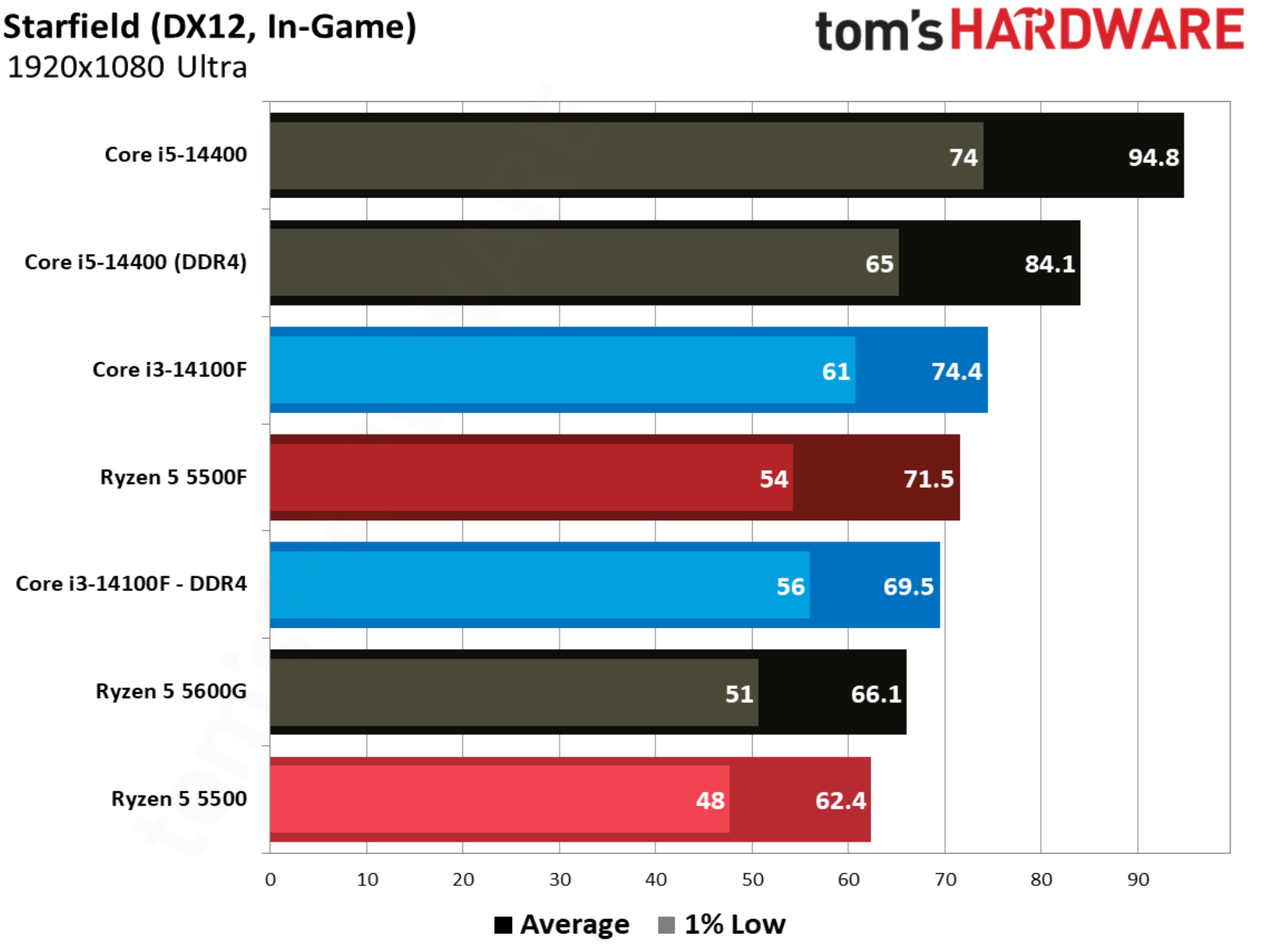
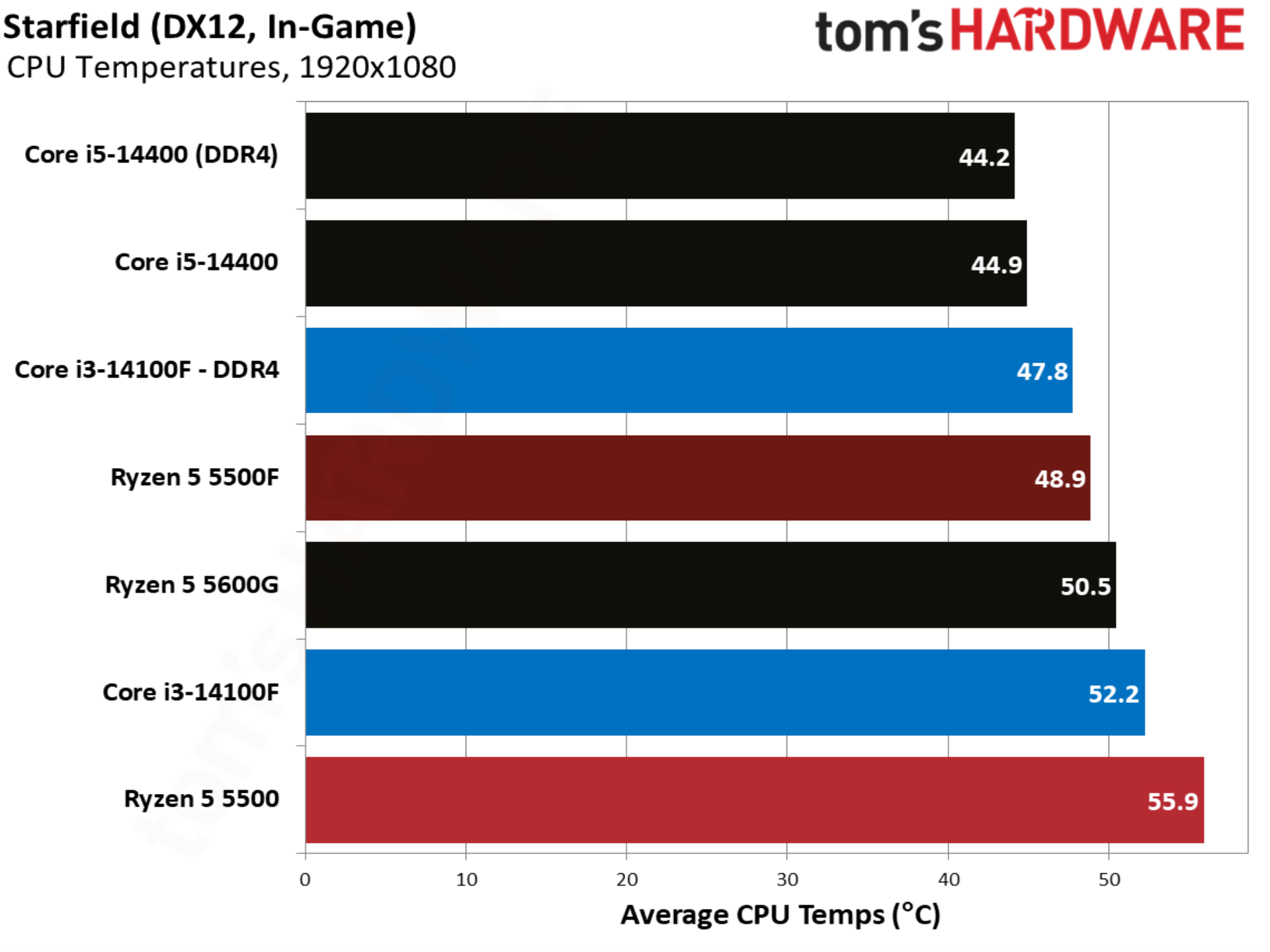
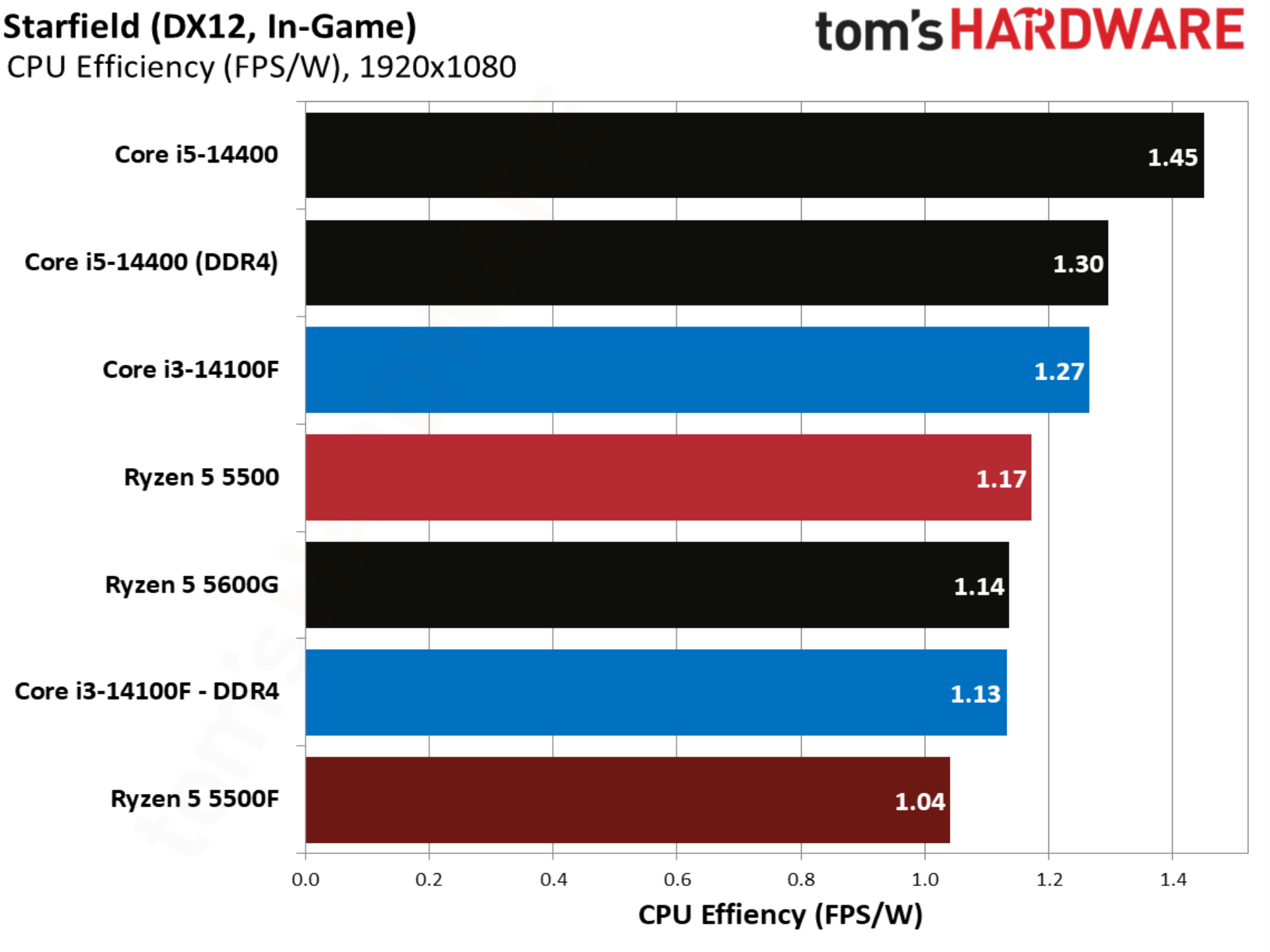
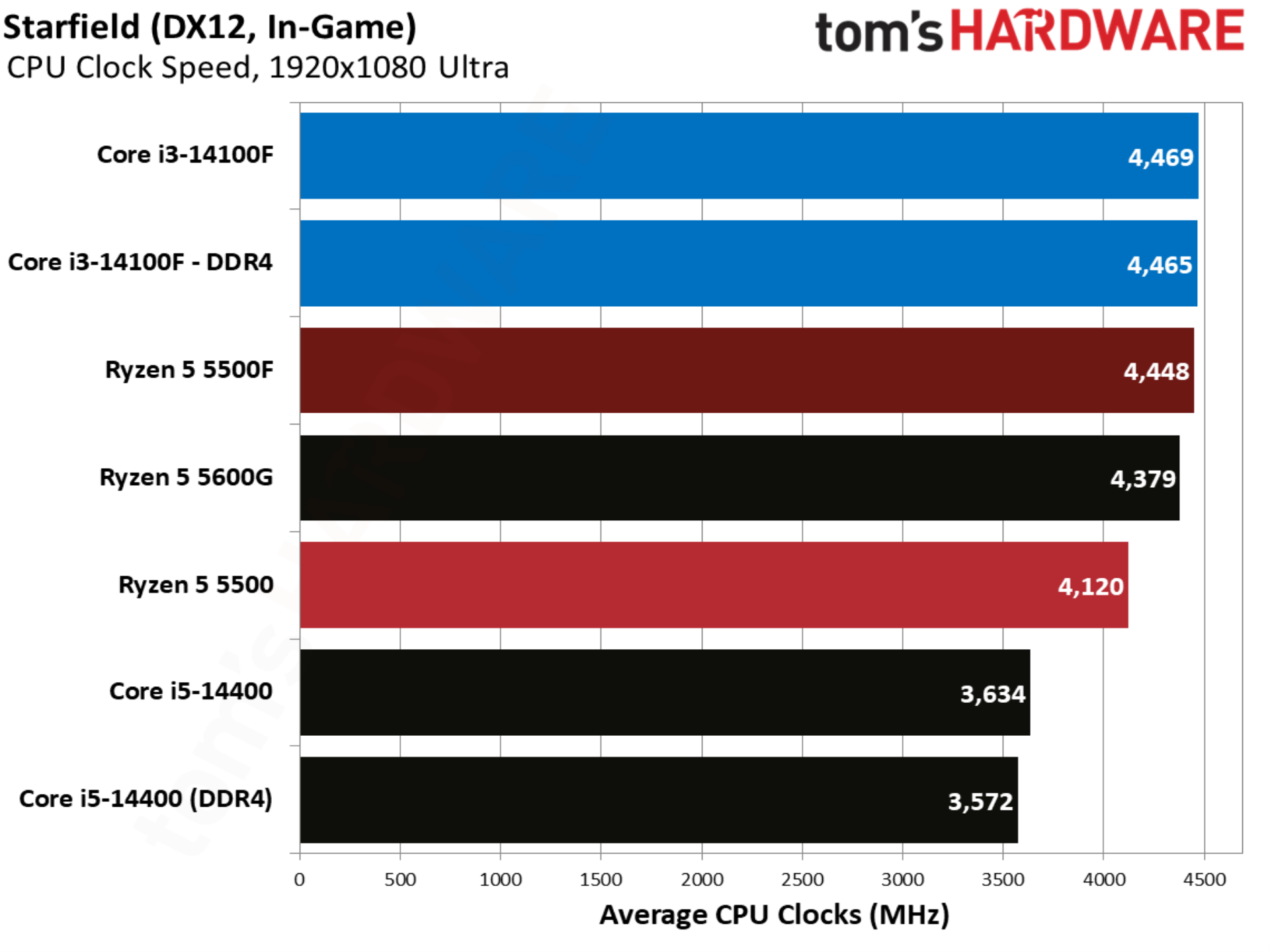
Starfield shows the Ryzen 5 5500F ahead of the 14100F, though only marginally, and with Intel coming out ahead with slightly better 1% lows. Still, this is another game where the 5500F successfully changes the power dynamic between Intel and AMD’s budget CPU offerings.
Warhammer 40K Space Marine 2 benchmarks
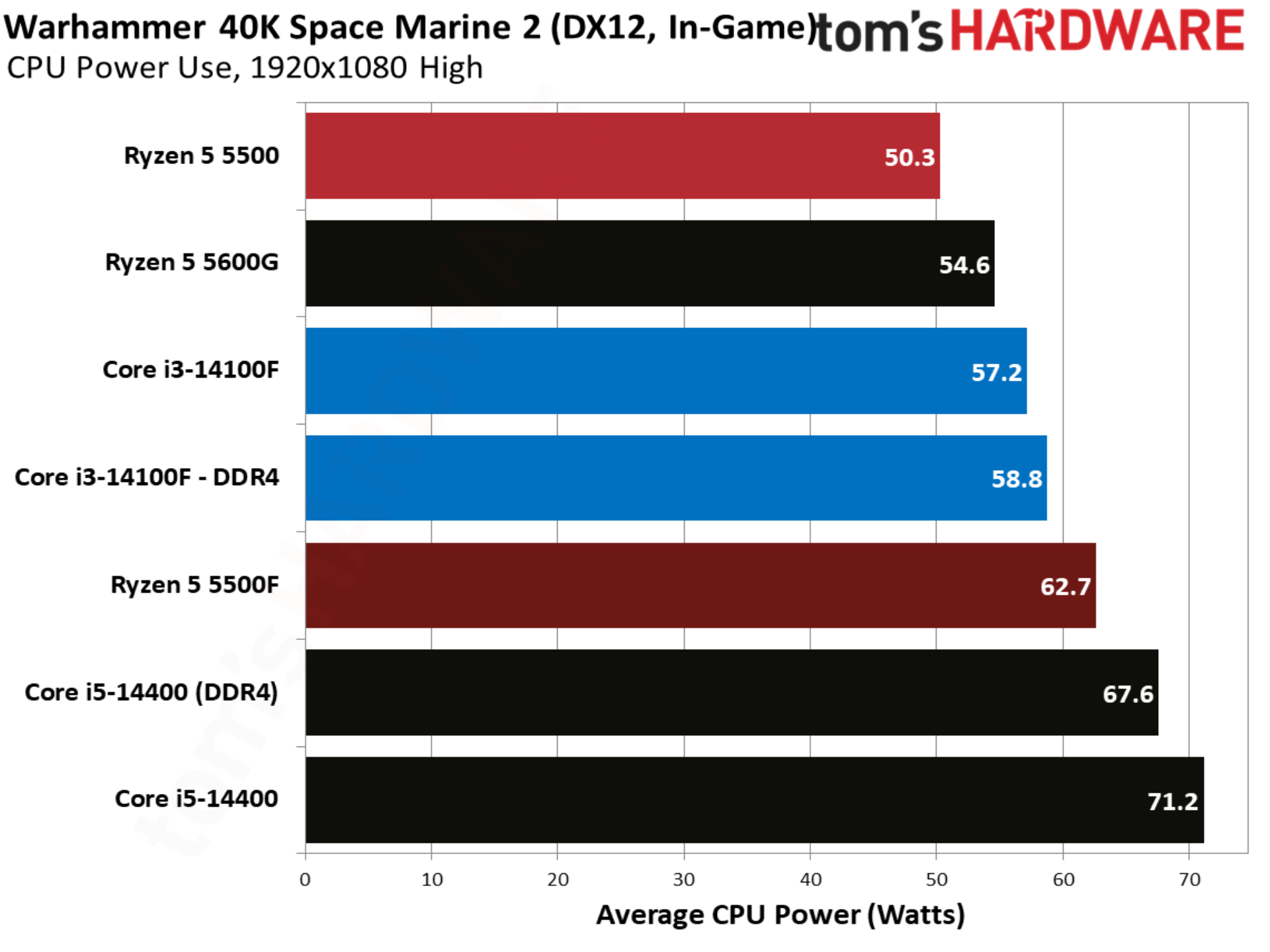
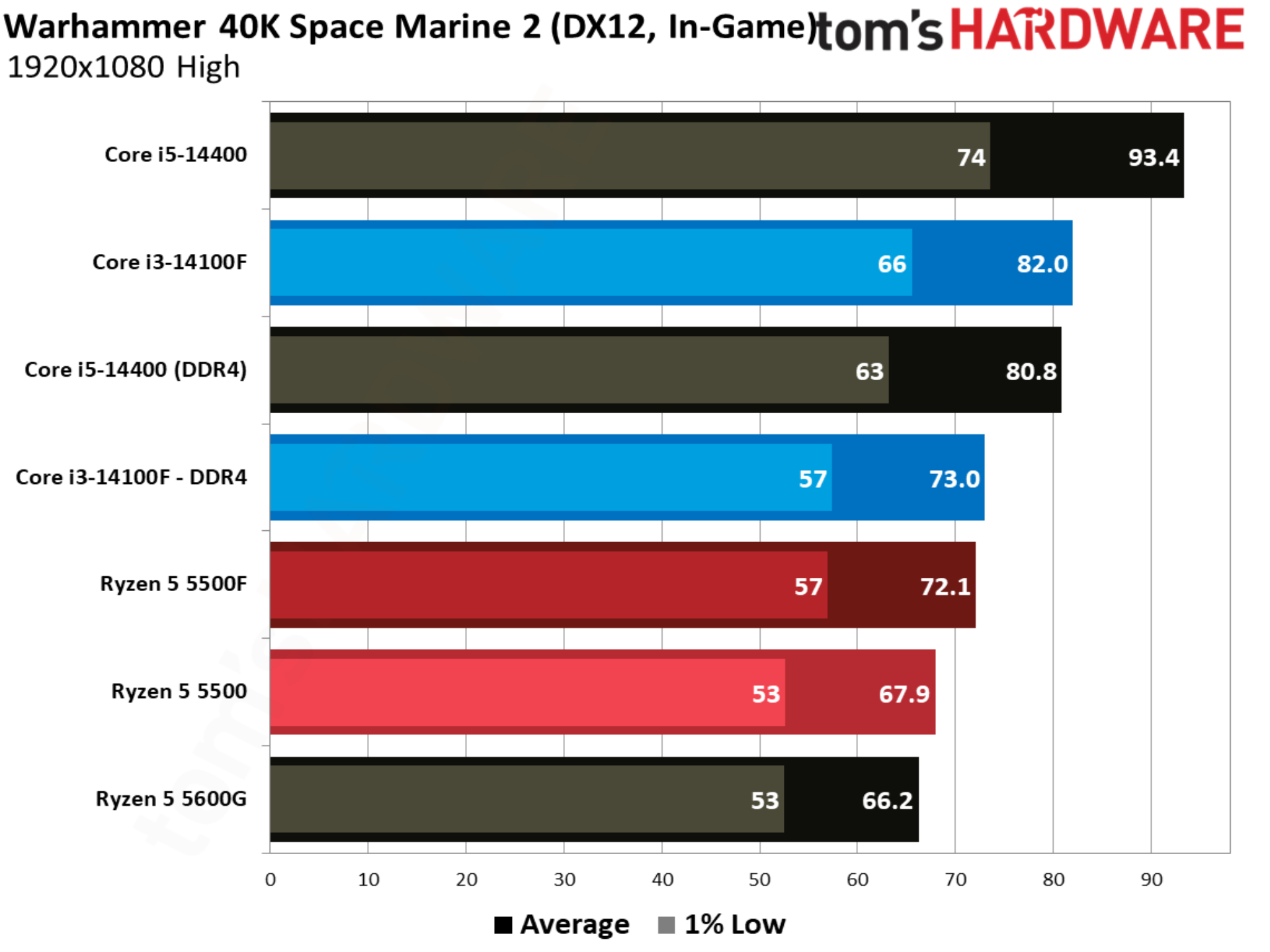
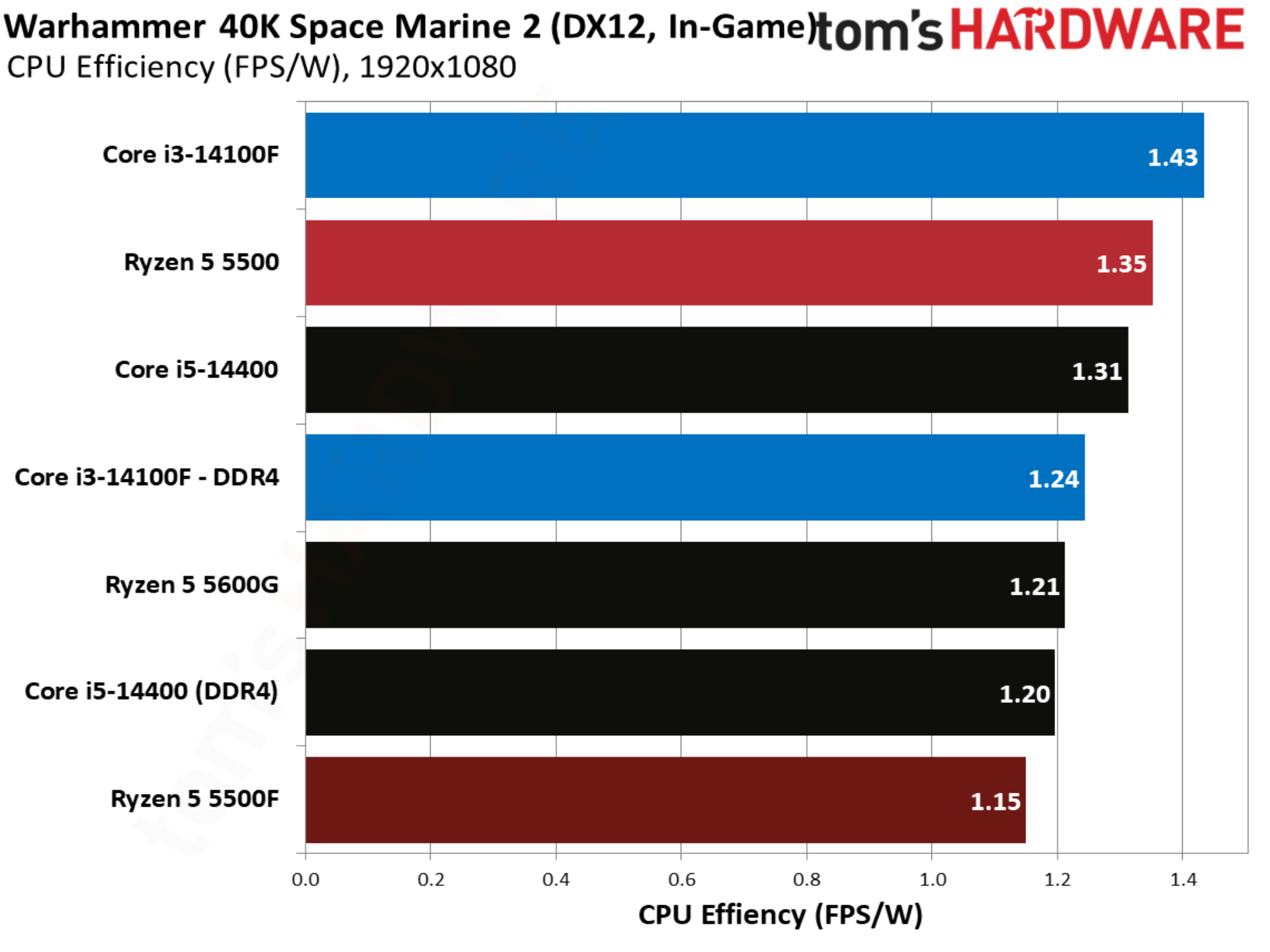
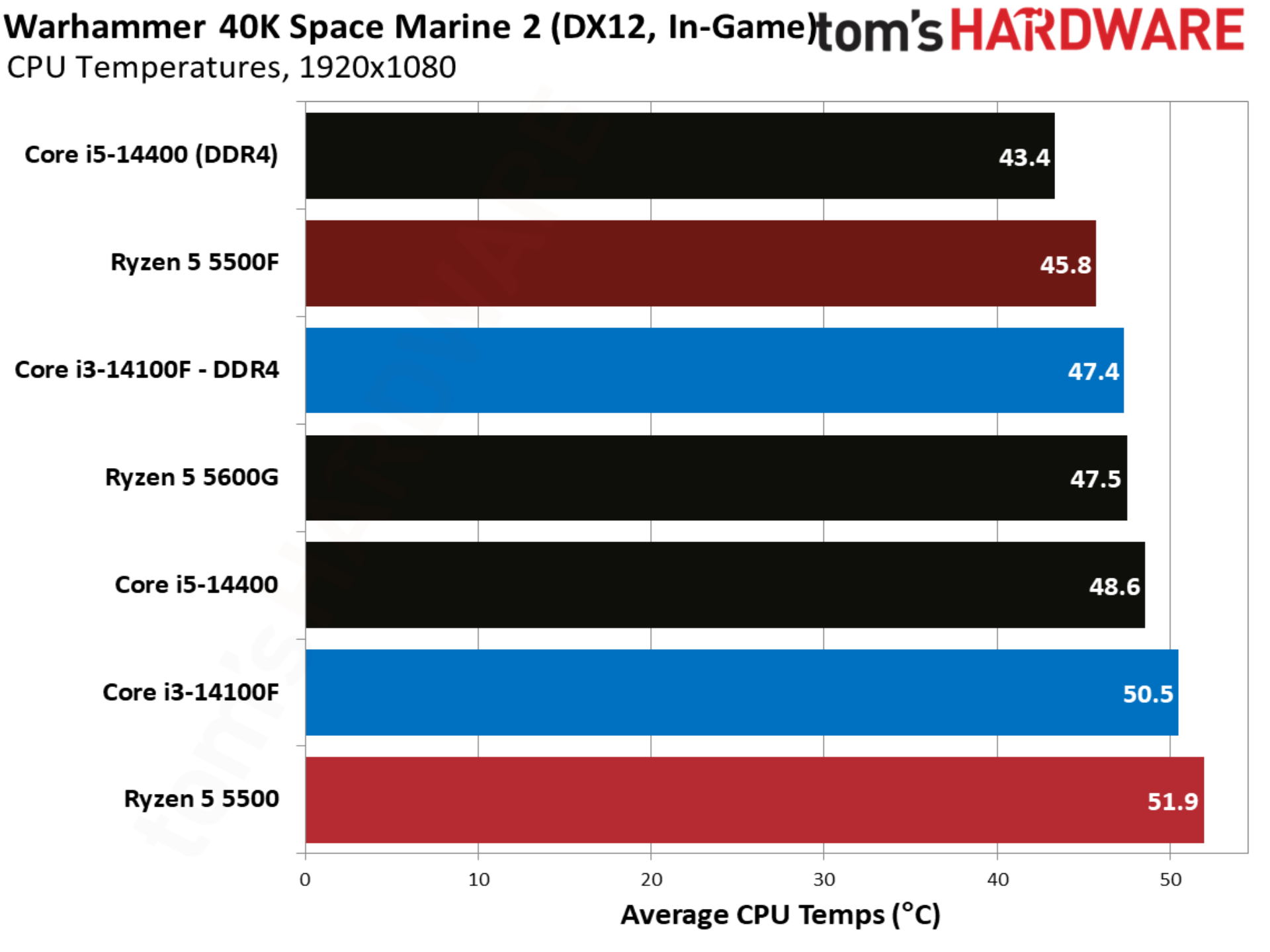
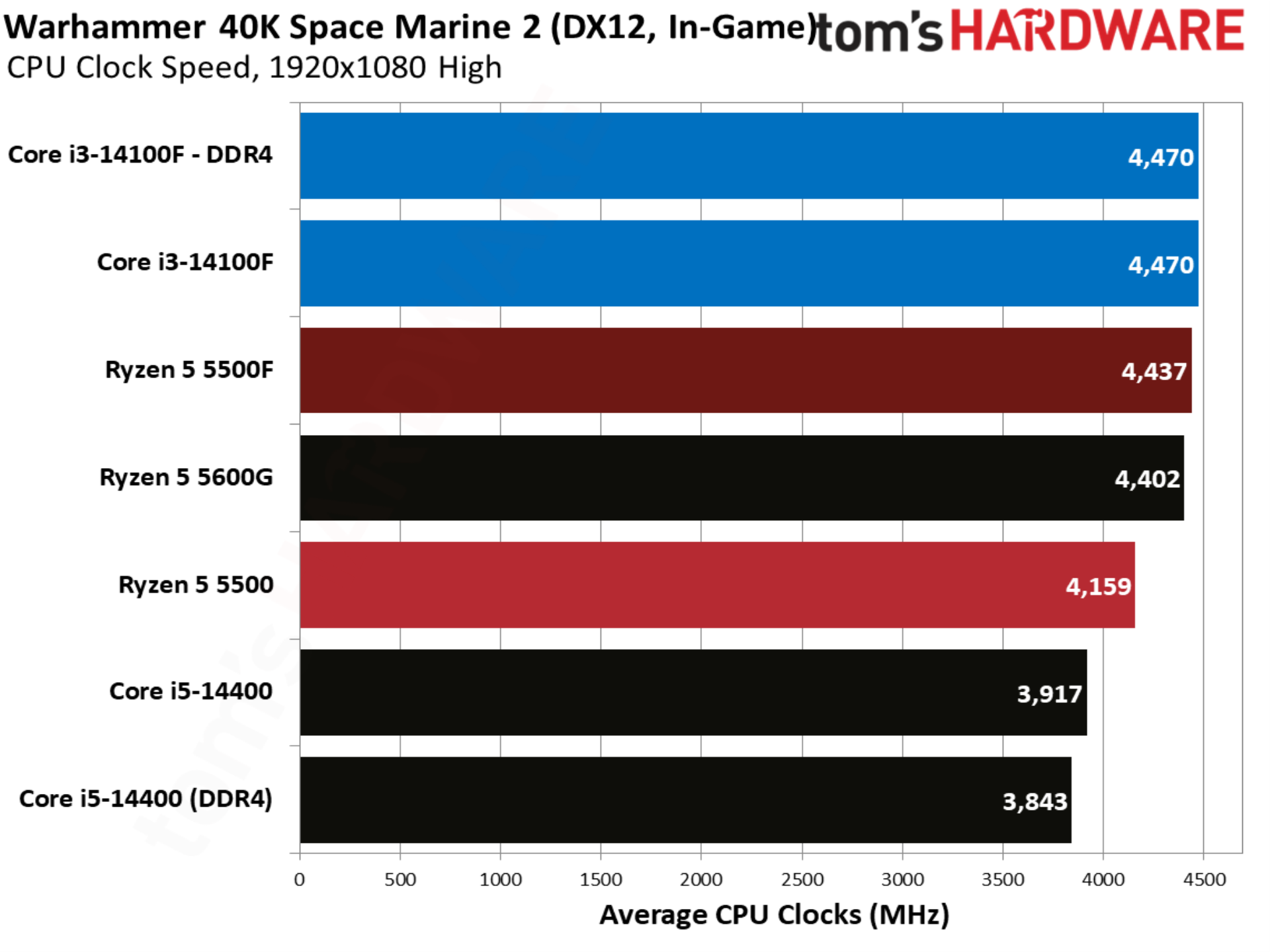
Finally, Warhammer 40K Space Marine 2 shows the 5500F matching the 14100F, whereas the base 5500 trailed by nearly 7%.
MORE: CPU Benchmark Hierarchy
MORE: AMD vs. Intel
MORE: Intel Core Ultra 7 270K Plus review
MORE: AMD Ryzen 7 9850X3D review
The Ryzen 5 5500F is primarily a gaming CPU, clocked fairly low at a 4.4 GHz boost and packing just six Zen 3 cores. The six-core floor that AMD has maintained for several generations gives the 5500F a significant edge over the Core i3-14100F, which uses a true quad-core design, bypassing the hybrid design that Intel has used on its past several generations of desktop CPUs.
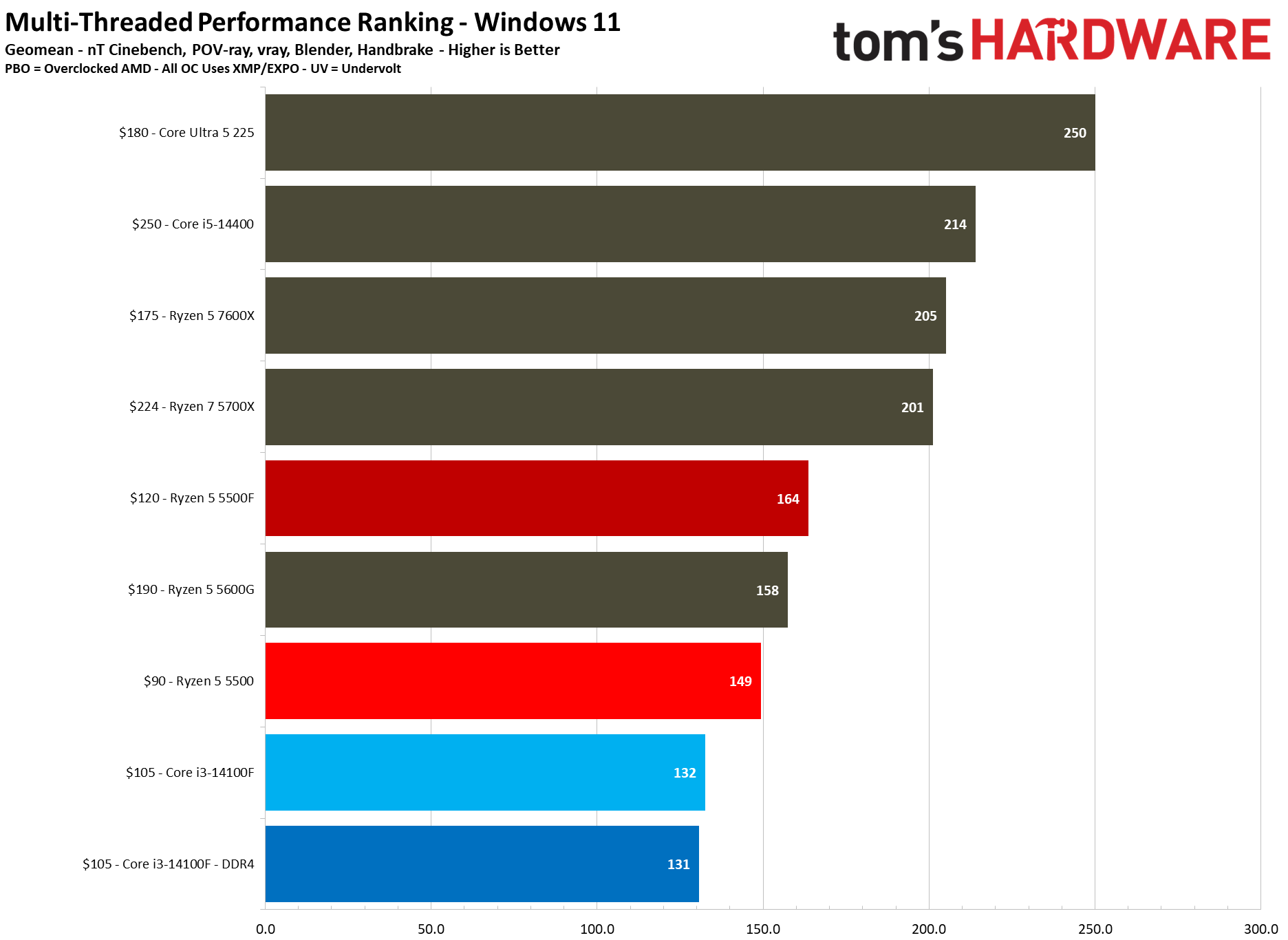
There aren’t a lot of quad-core chips on the market today, so it’s no surprise to see the Core i3-14100F at the bottom of the chart here, regardless of whether it’s paired with DDR4 or DDR5. The Ryzen 5500 already led Intel by 12.8% in our multi-threaded geomean, but the 5500F nearly doubles that lead to 24.2%. Compared to the 5500, the new 5500F is a clean 10% ahead in our multithreaded geomean.
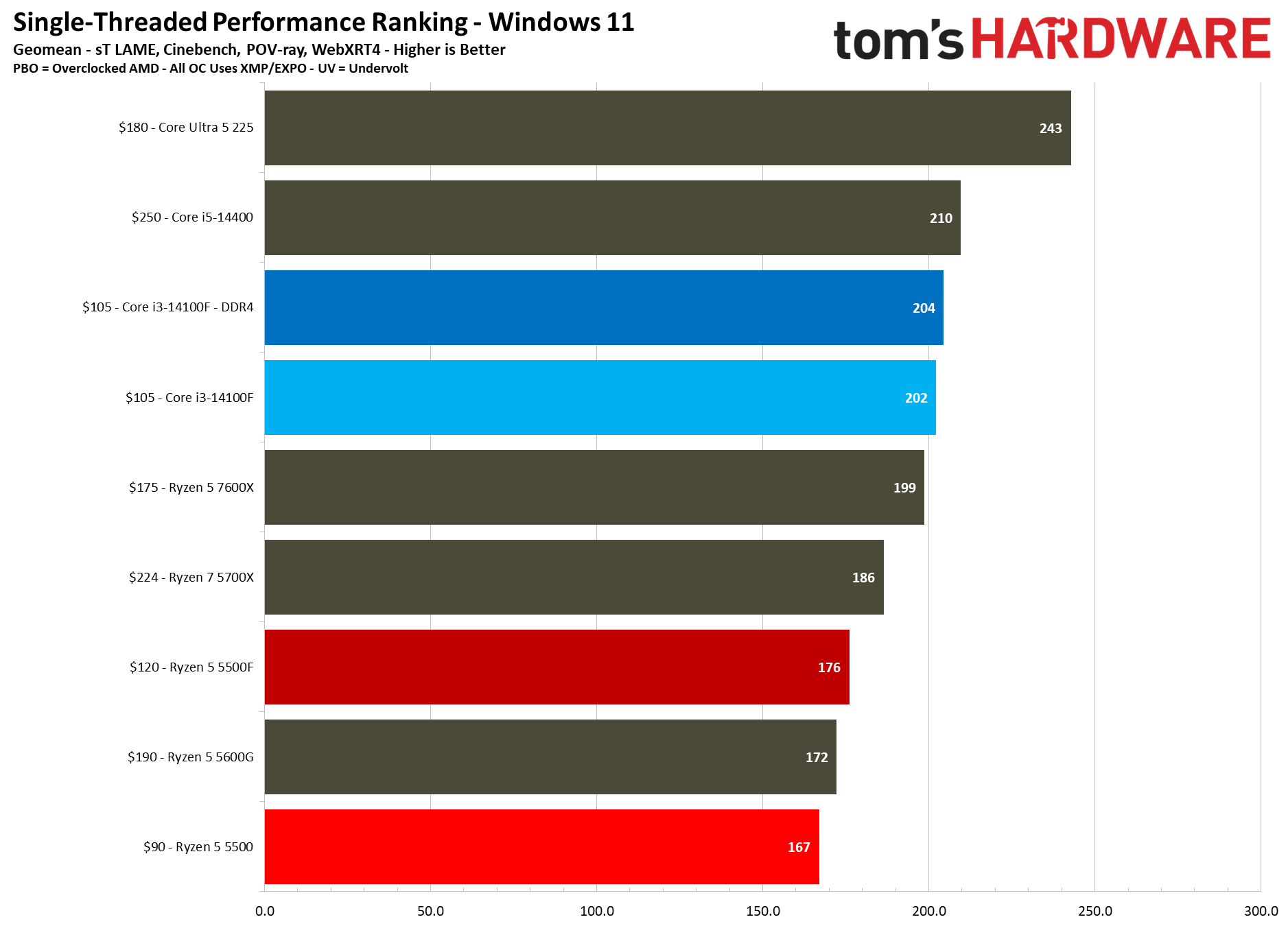
The scales unsurprisingly flip looking at single-threaded performance. Intel usually leads in single-threaded performance anyway, but some context is important here. Zen 3 is much older than Raptor Lake, and those microarchitectural differences really show up in our single-threaded testing.
On microarchitecture, the Ryzen 5 5500F is 5% ahead of the 5500 in our single-threaded geomean, aligning almost perfectly with the 5% boost in turbo clock speed that the 5500F has. That’s a welcome bump, though keep in mind that a 4.4 GHz boost is still relatively low, and the 5500F only has access to 16 MB of L3. Other Vermeer CPUs, such as the 5700X, have 32 MB.
Rendering Benchmarks
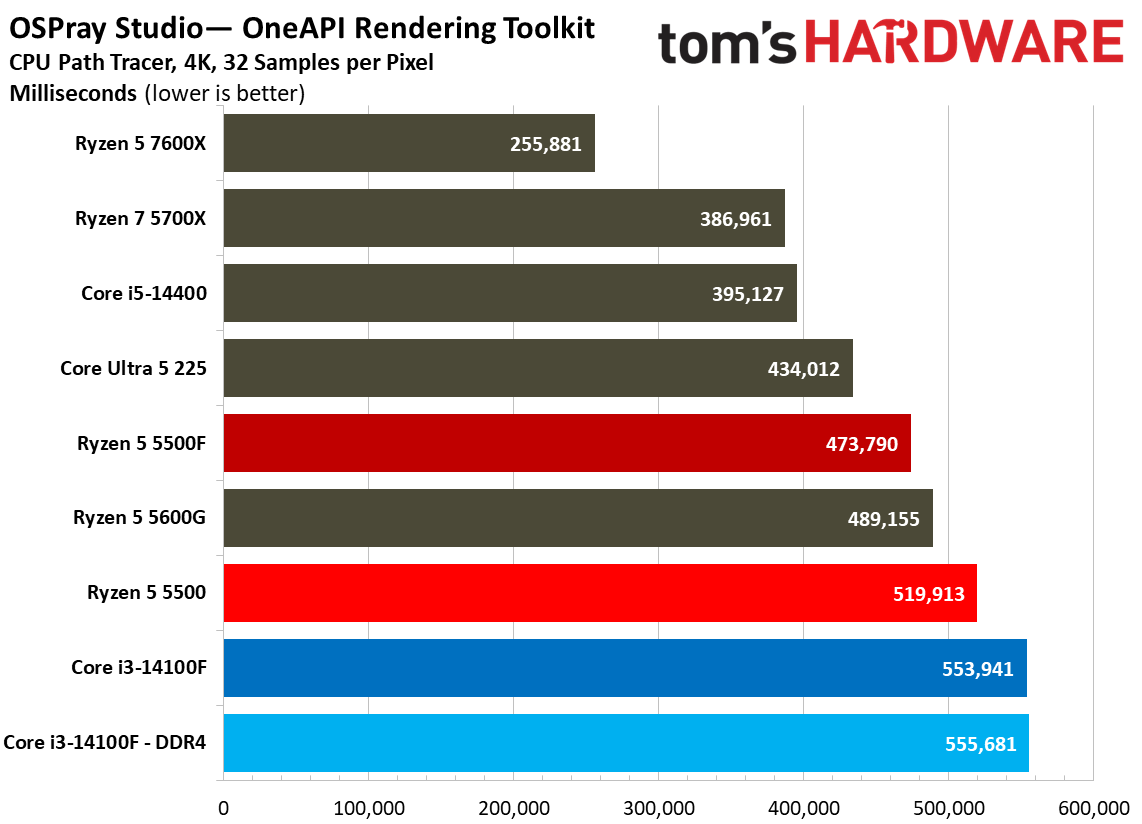
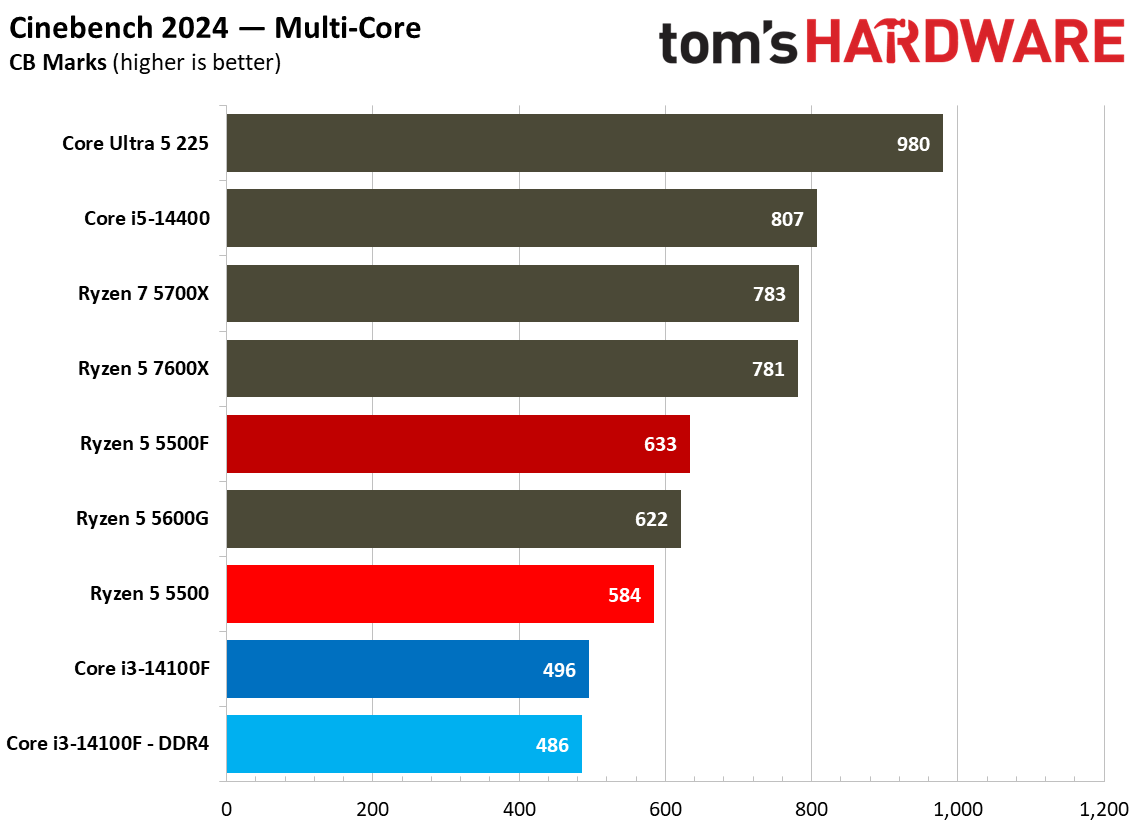
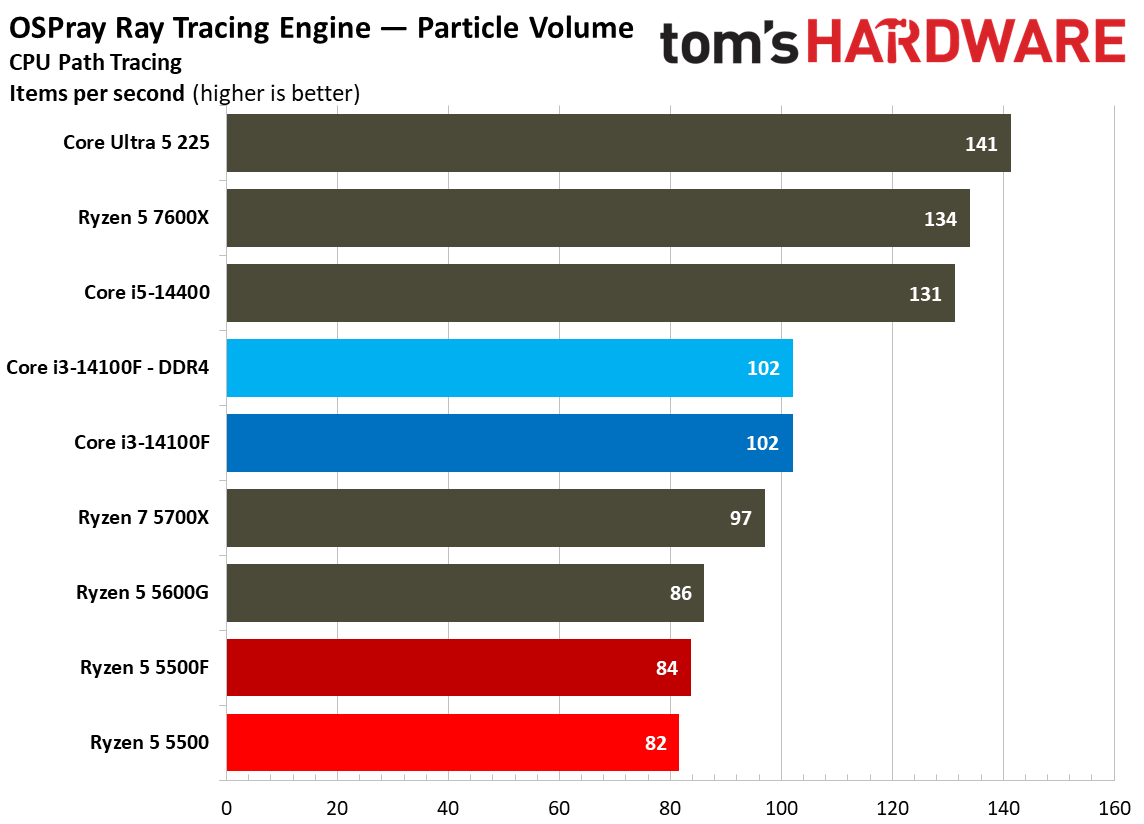
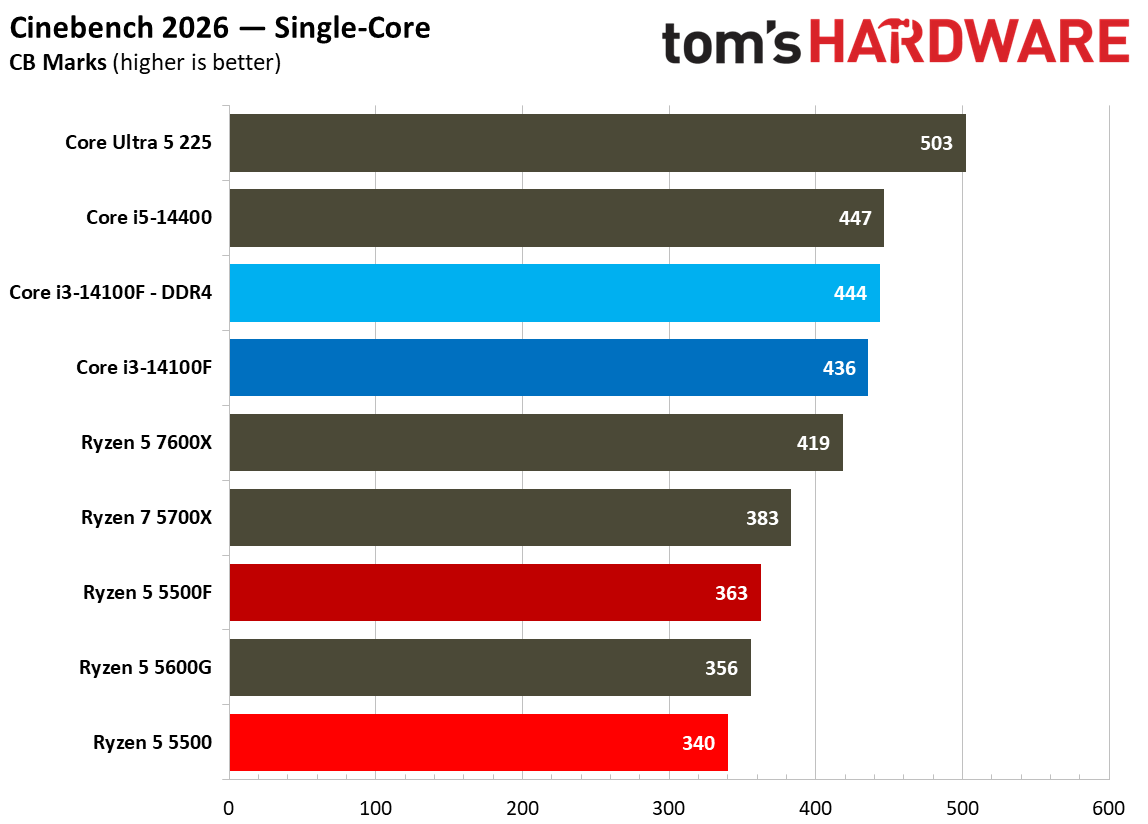
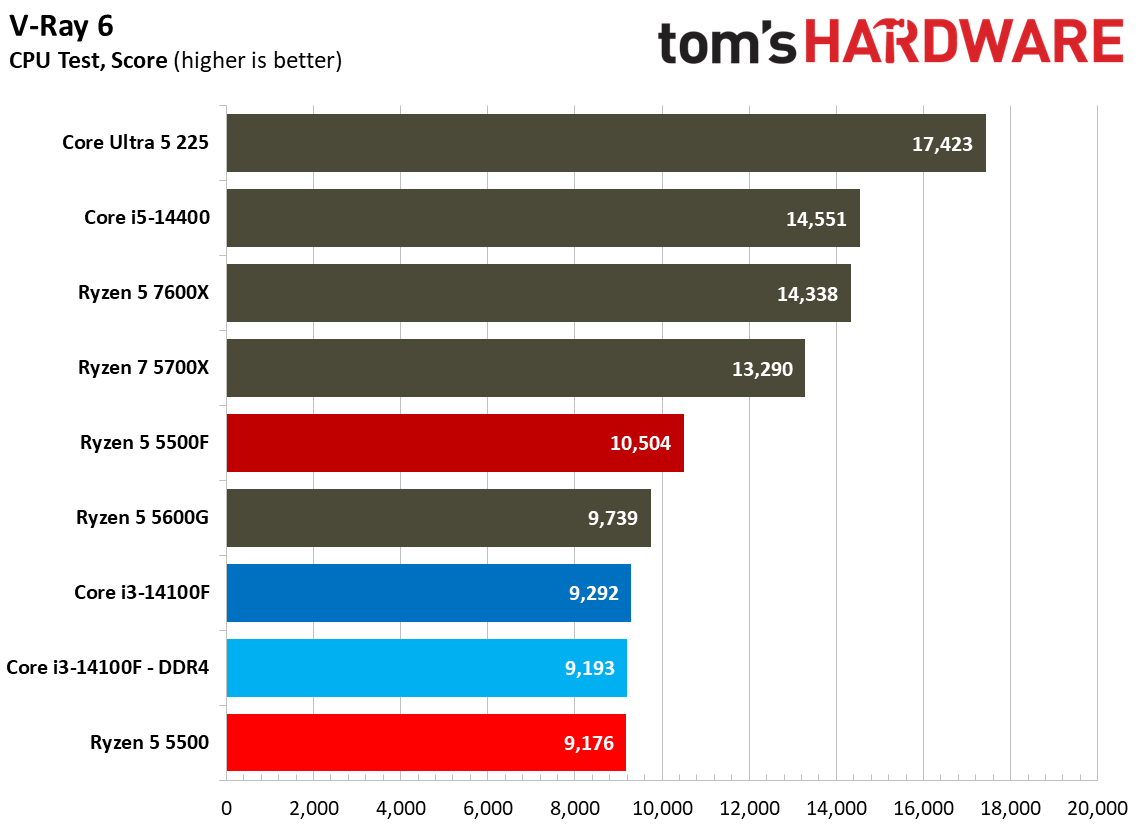
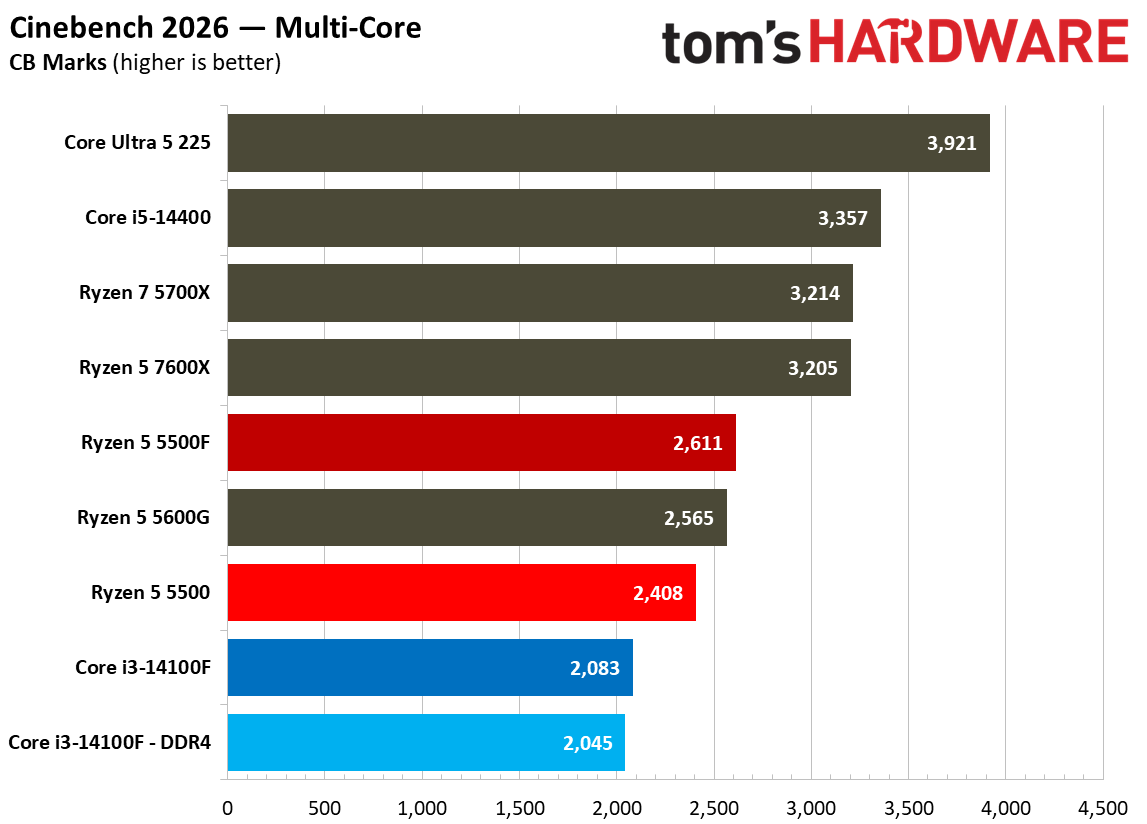
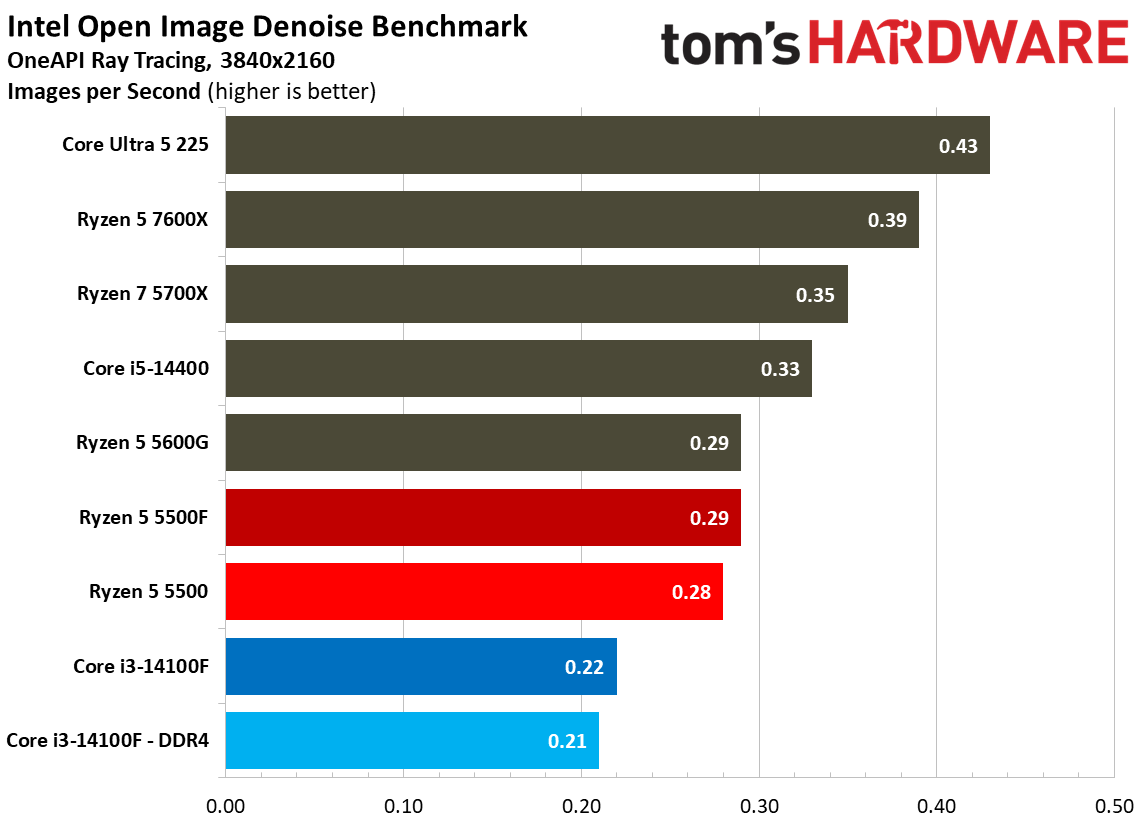
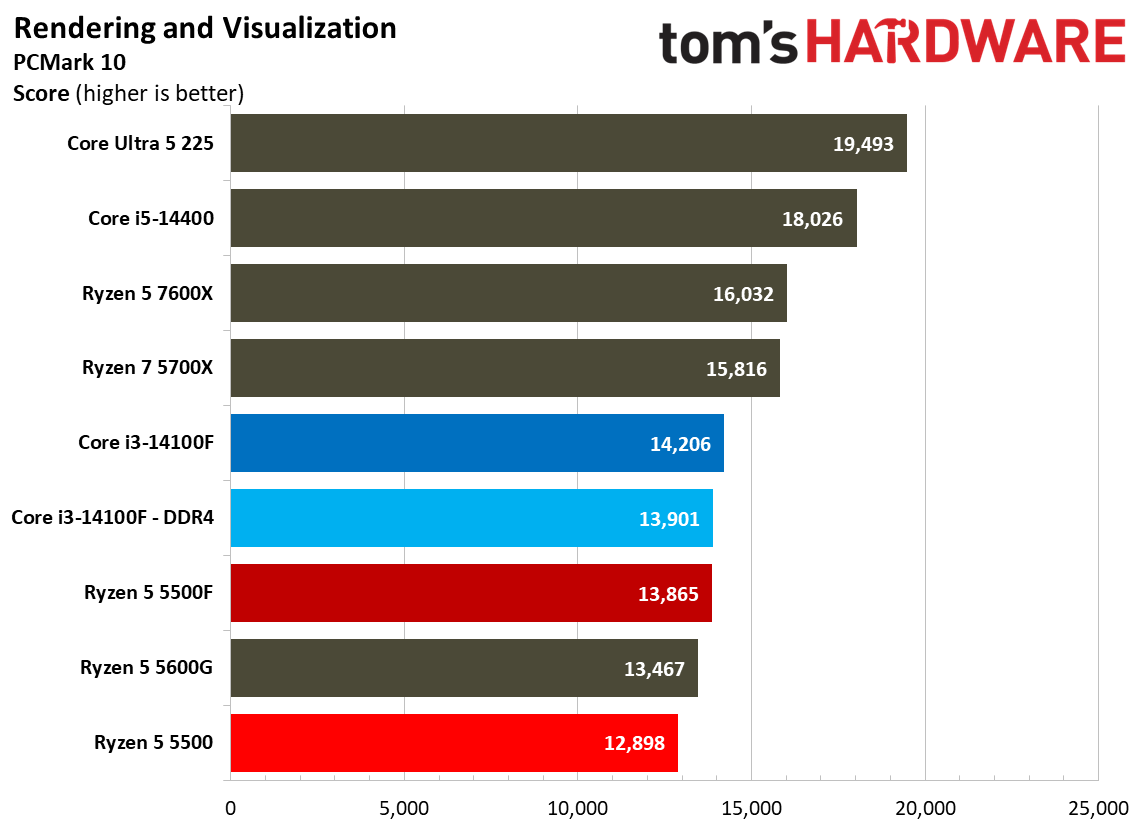
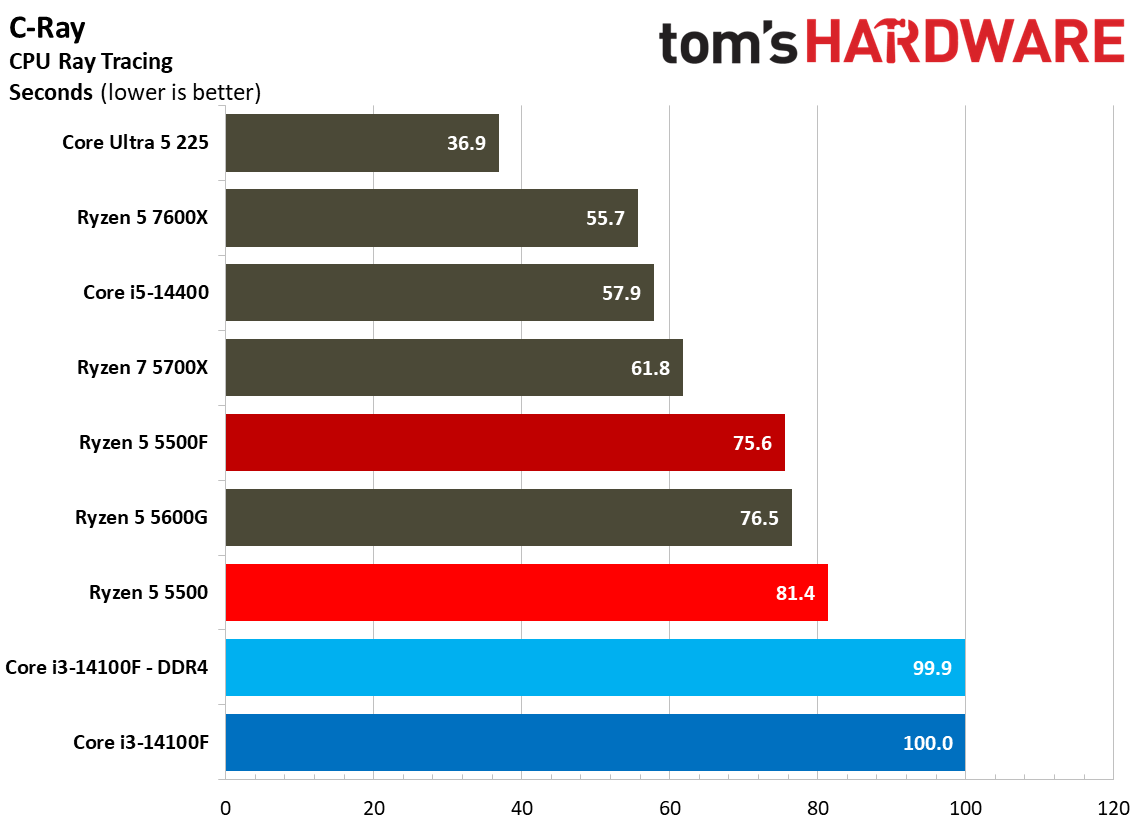
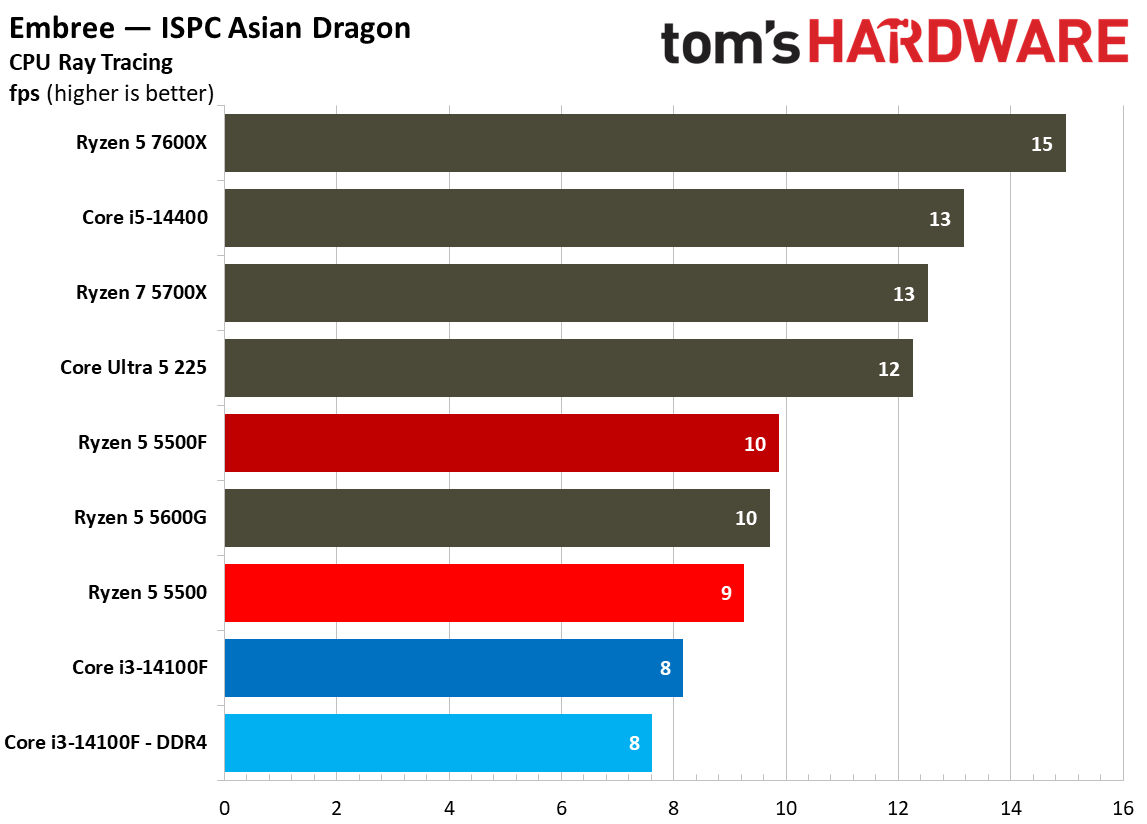
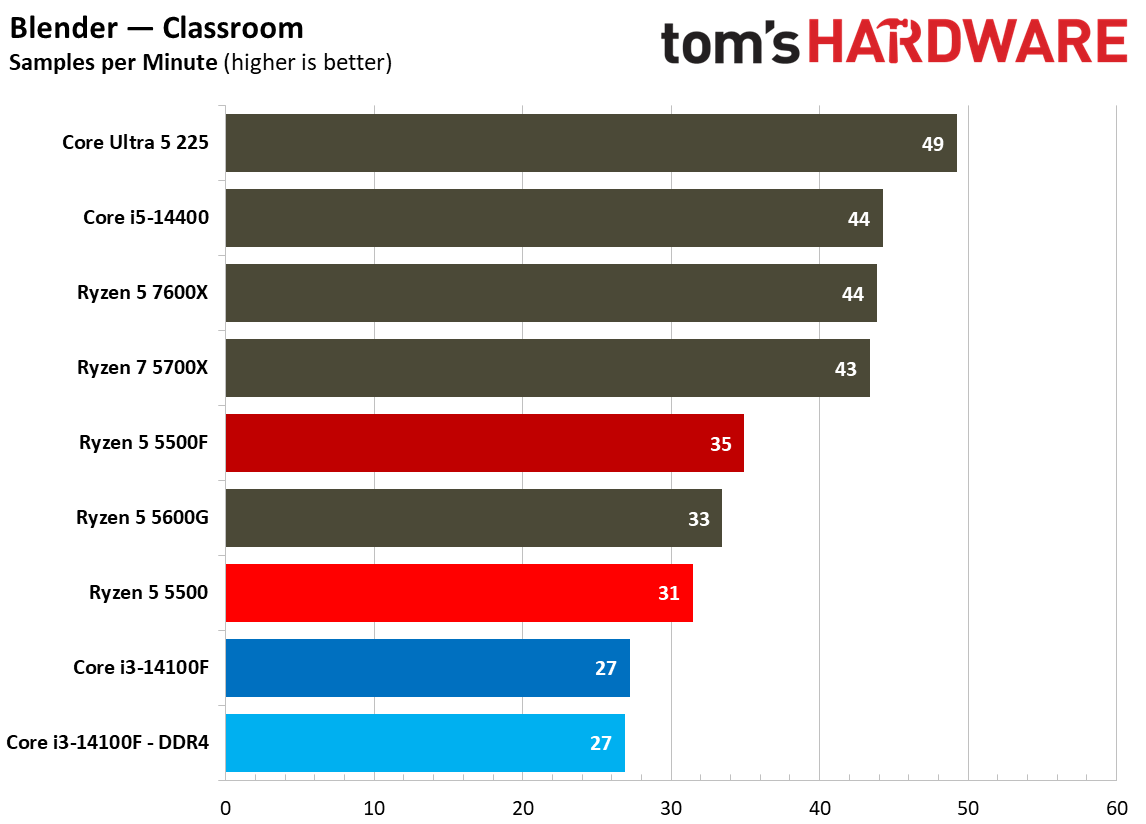
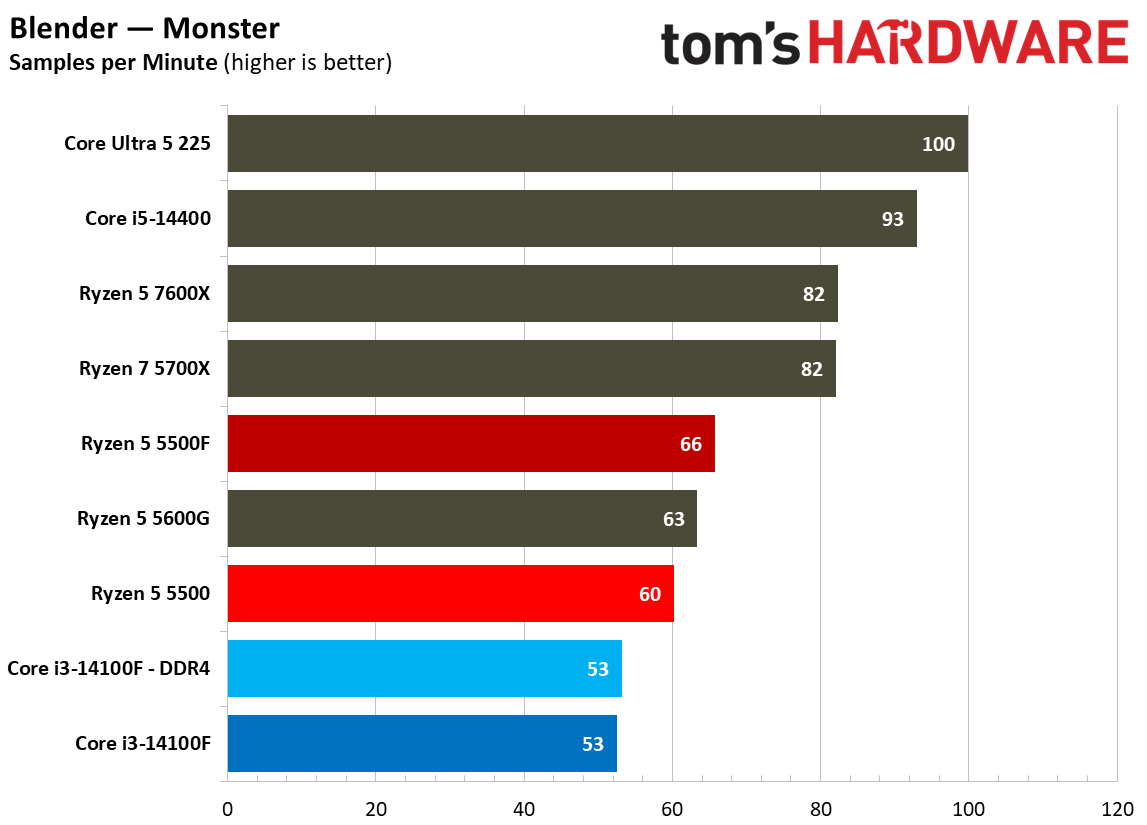
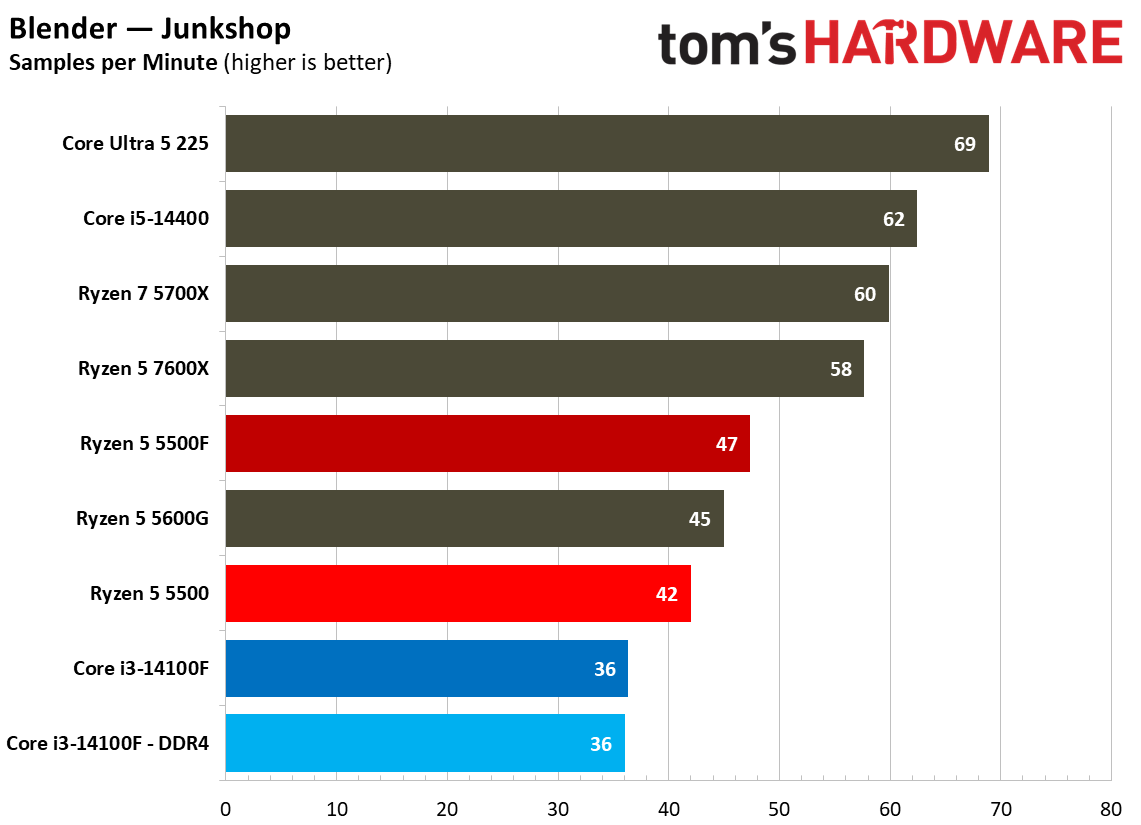
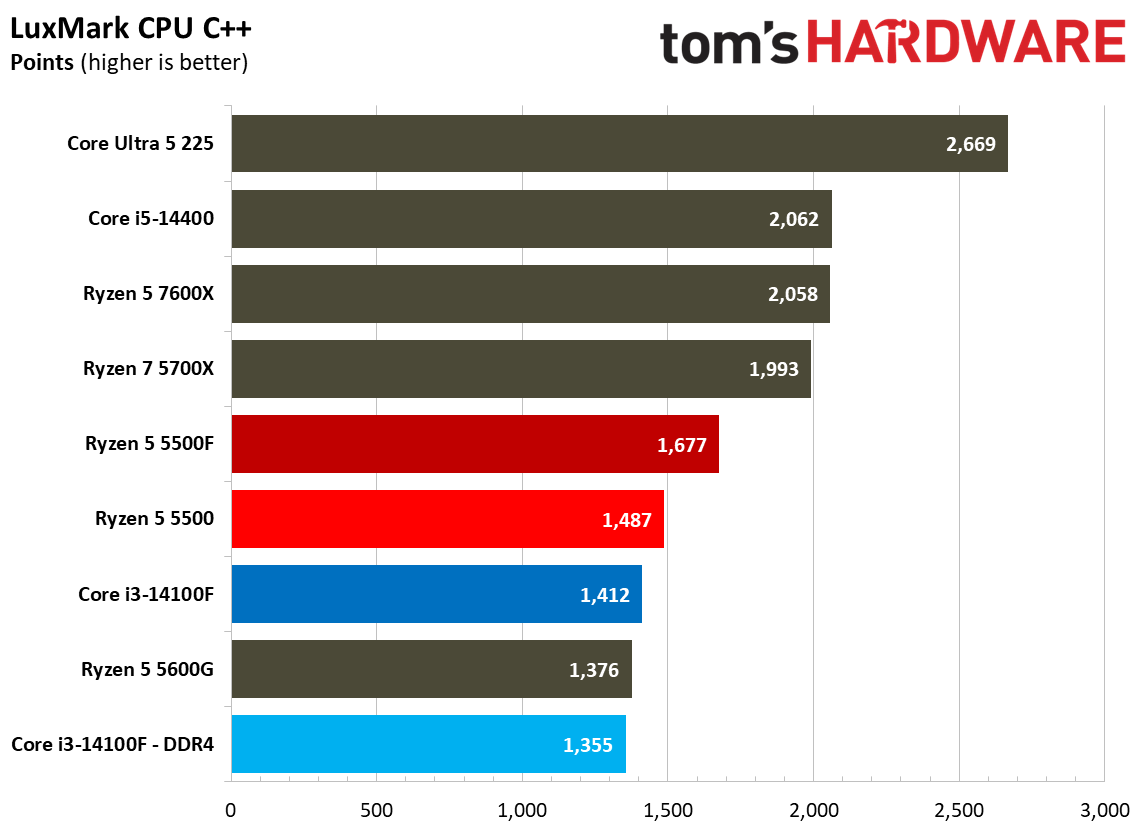
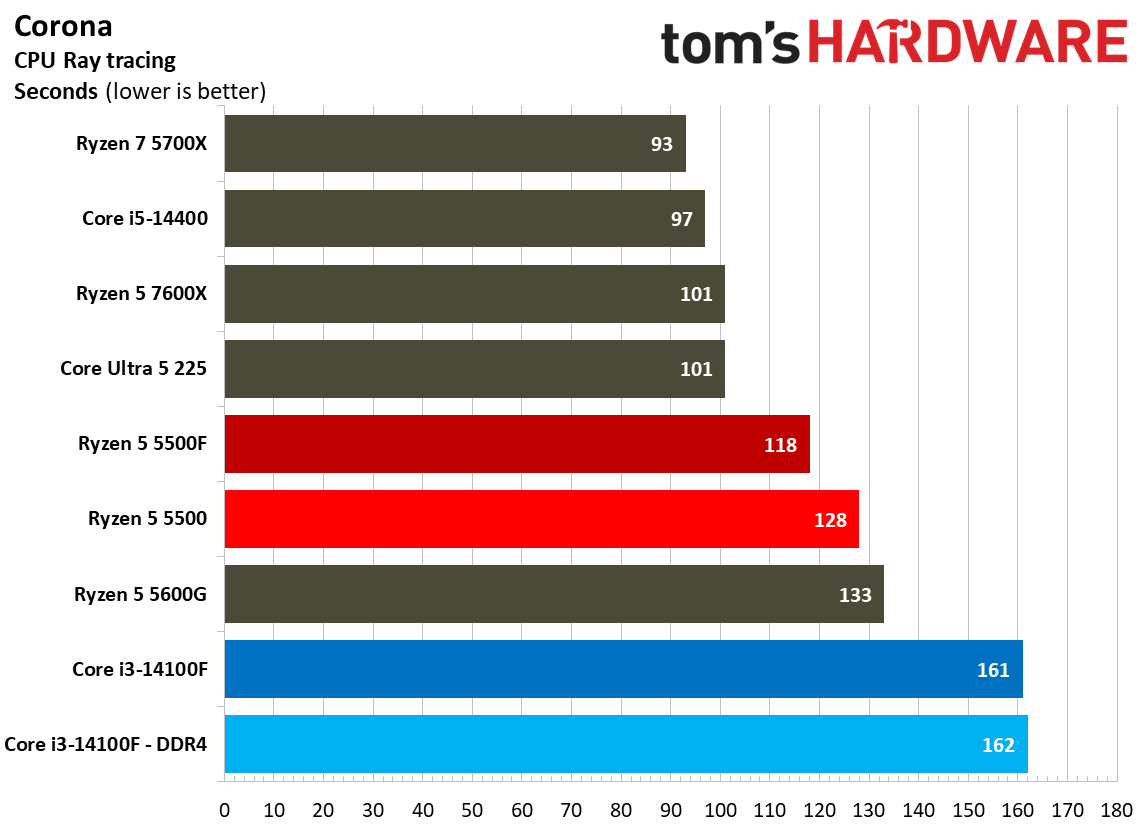
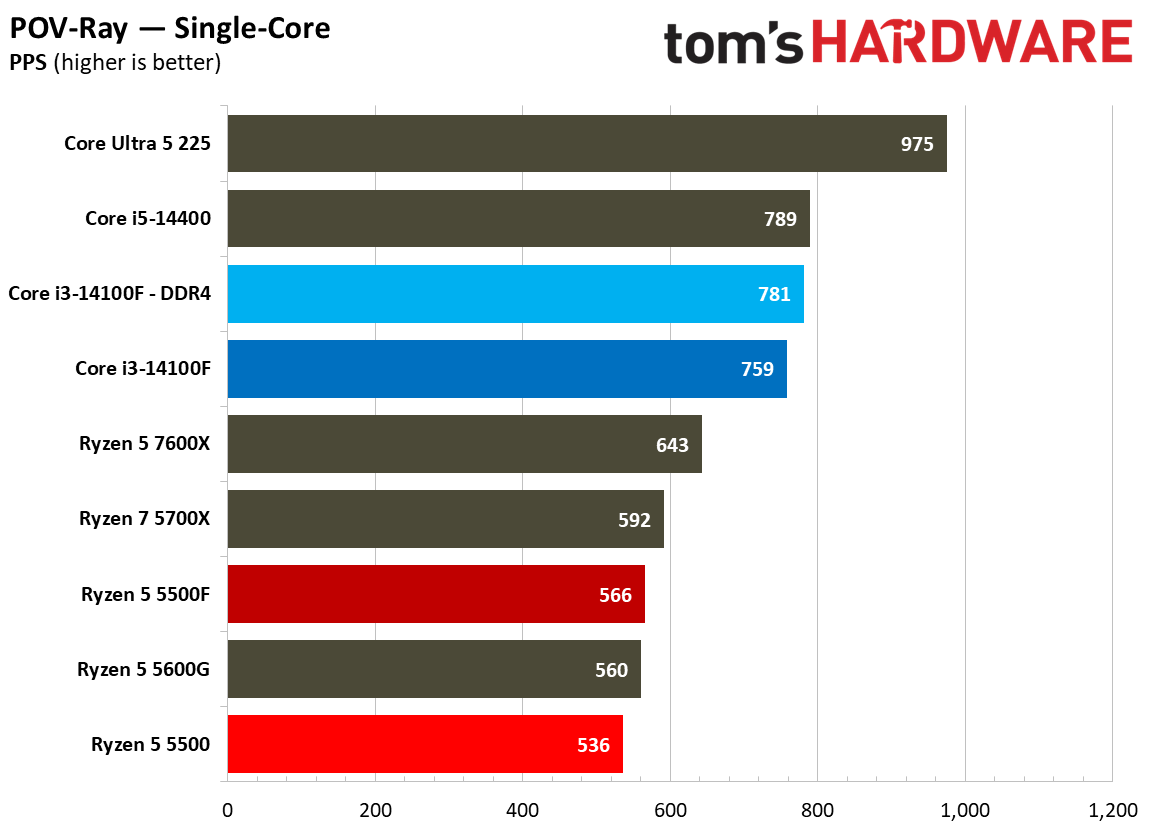
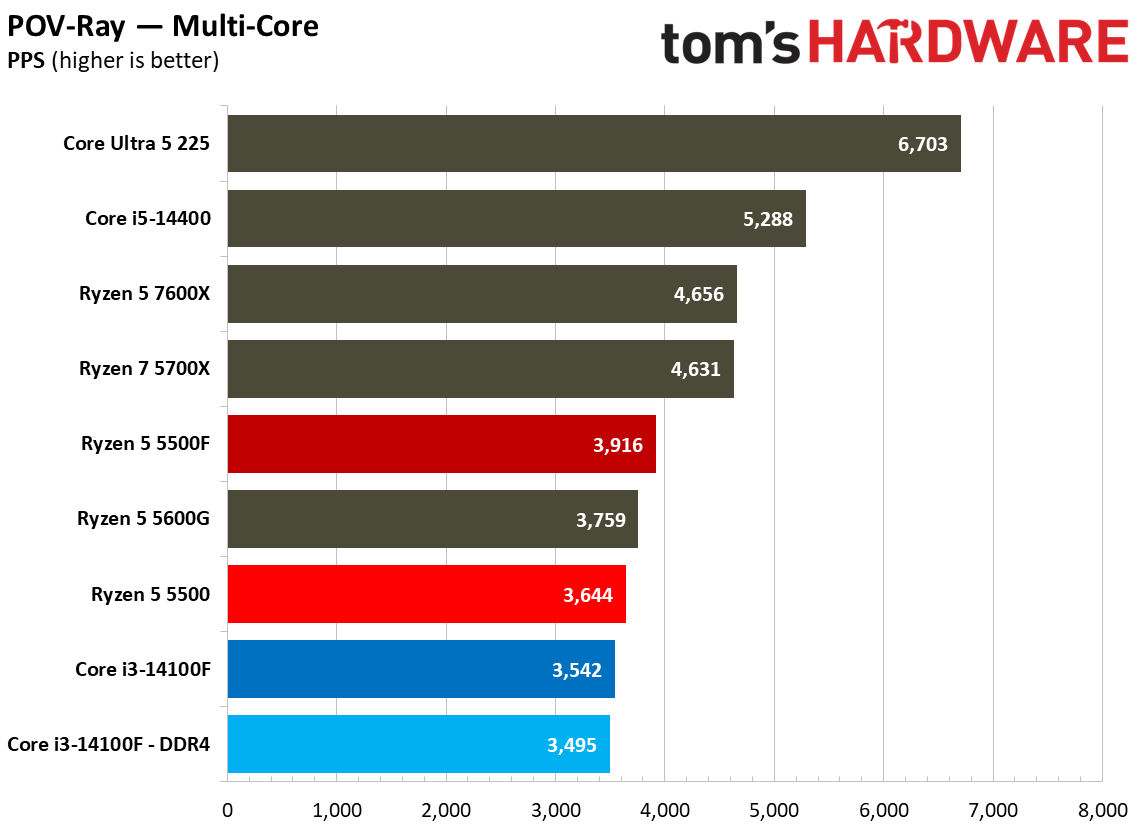
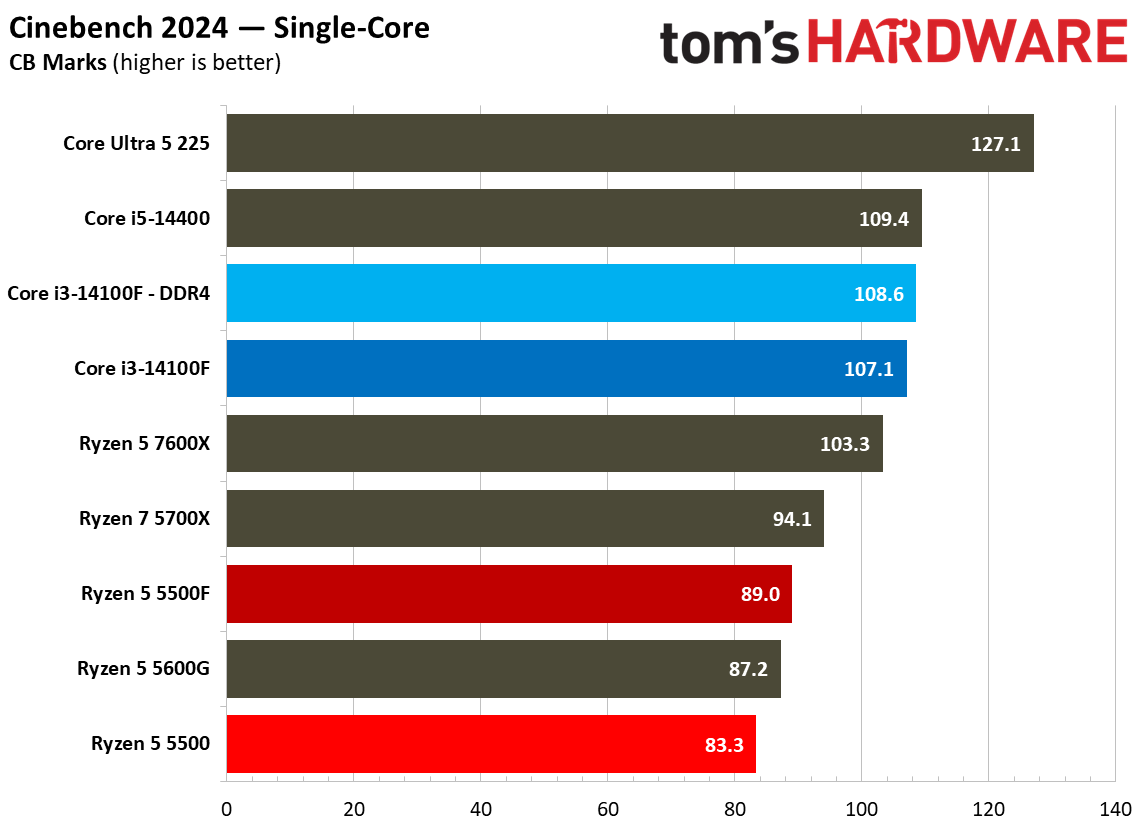
CPU rendering workloads are intense, sustained tasks often pinning either an individual core, or all of the cores, at full utilization. Because they’re sustained and demanding, many of our rendering tests factor into the geomean above, and that’s a major driving force behind why tests like Cinebench are such a staple when measuring CPU performance.
For the headline tests like POV-Ray and Cinebench, the results fall as you’d expect. AMD leads in multi-threaded work, Intel in single-threaded work, and the 5500F ends up between 5% and 10% faster than the 5500, depending on the benchmark.
Encoding Benchmarks
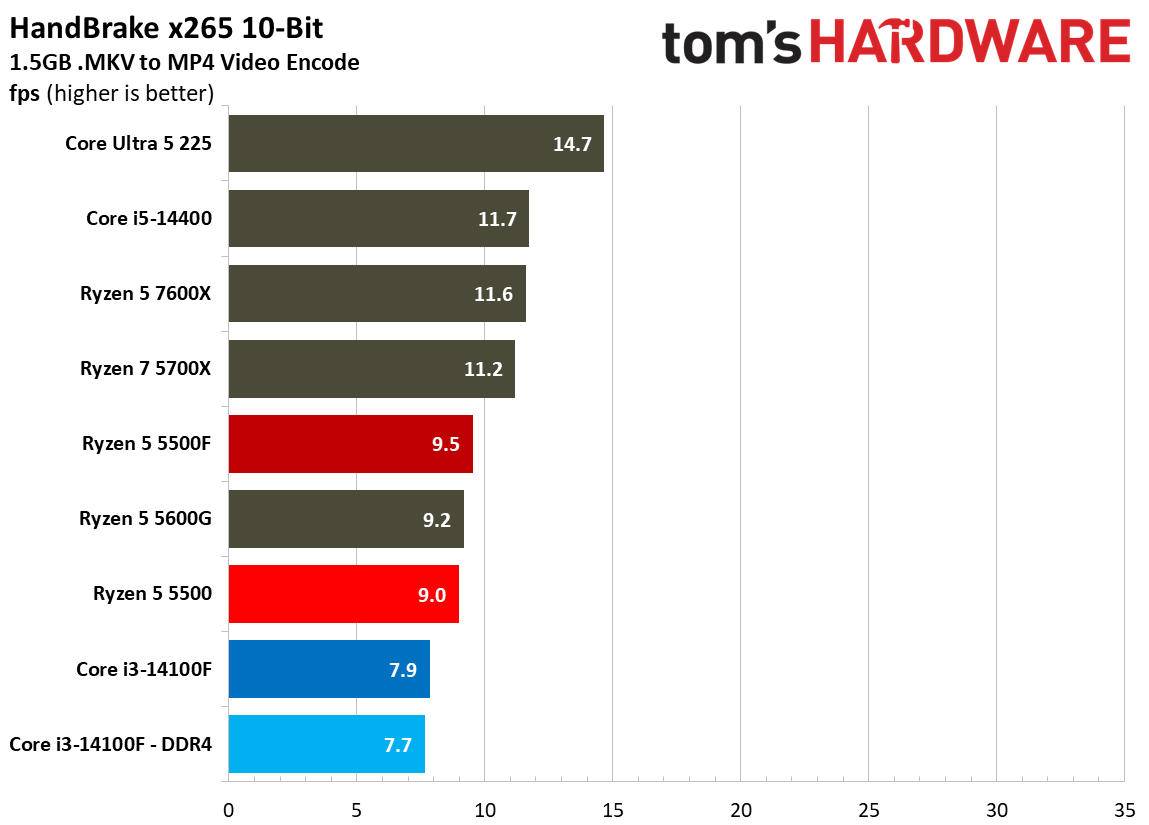
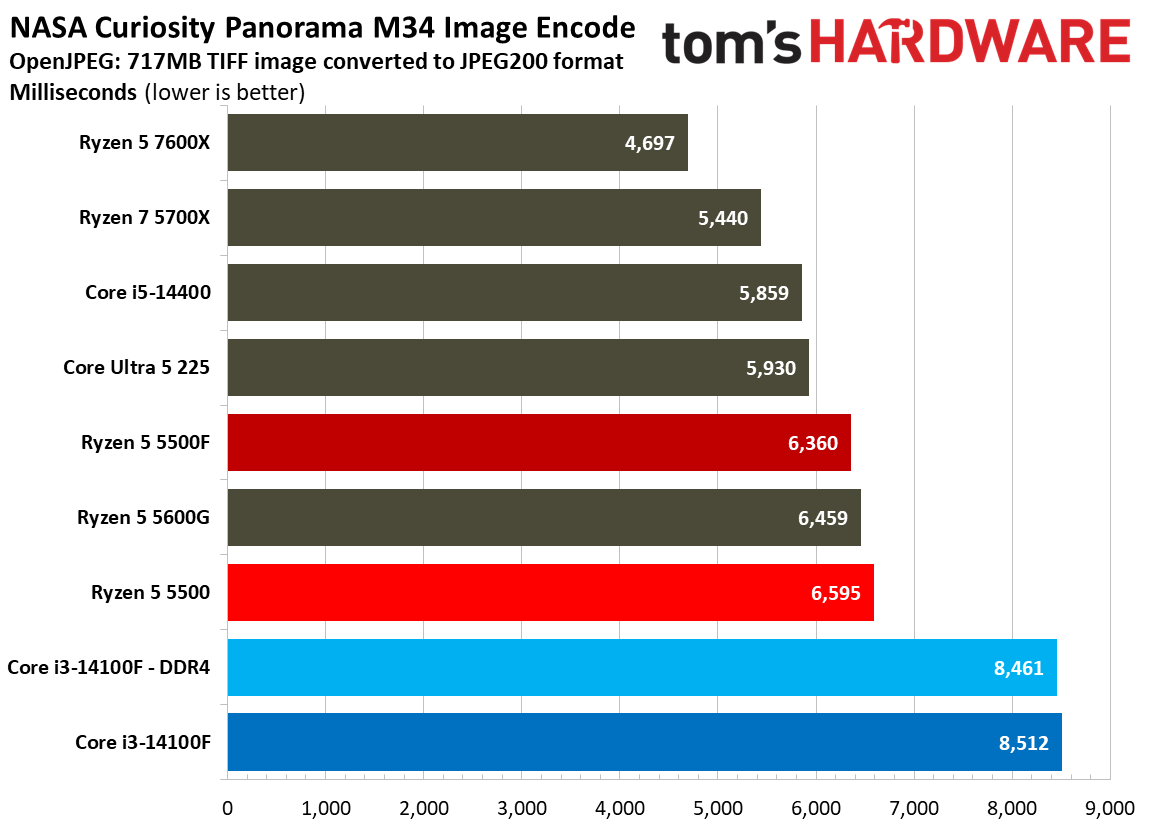
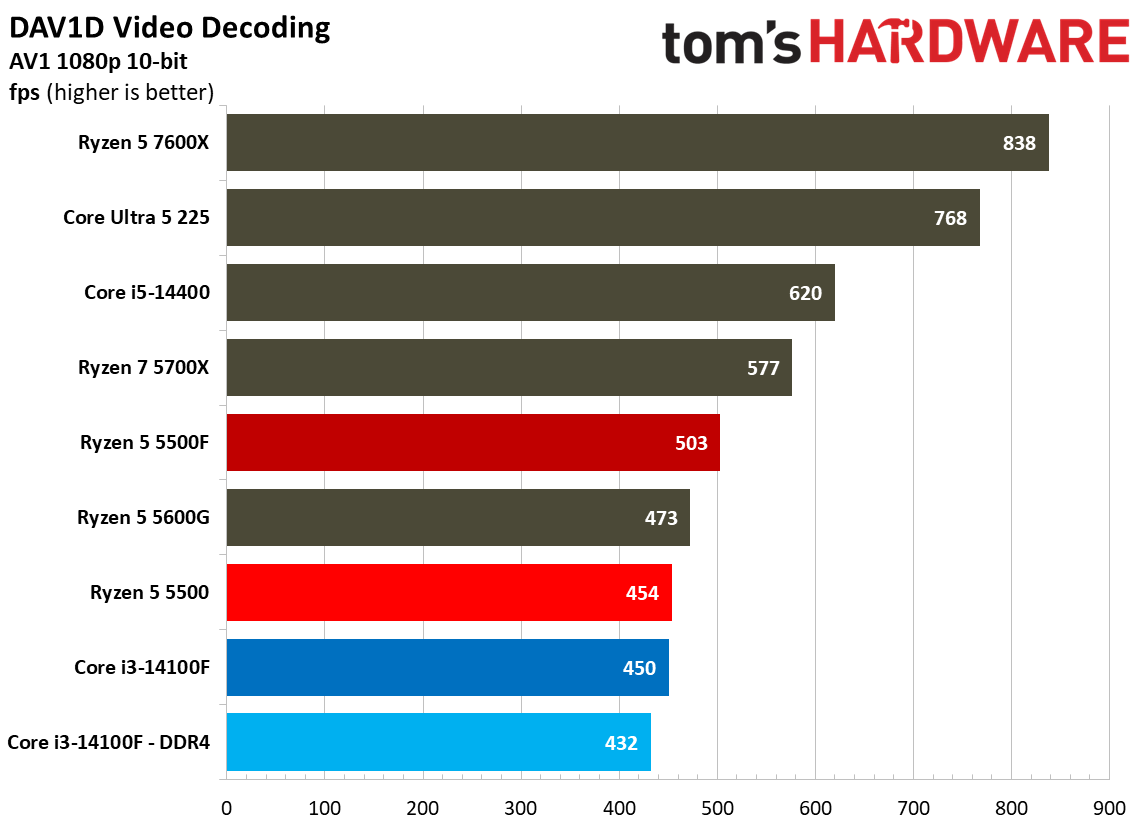
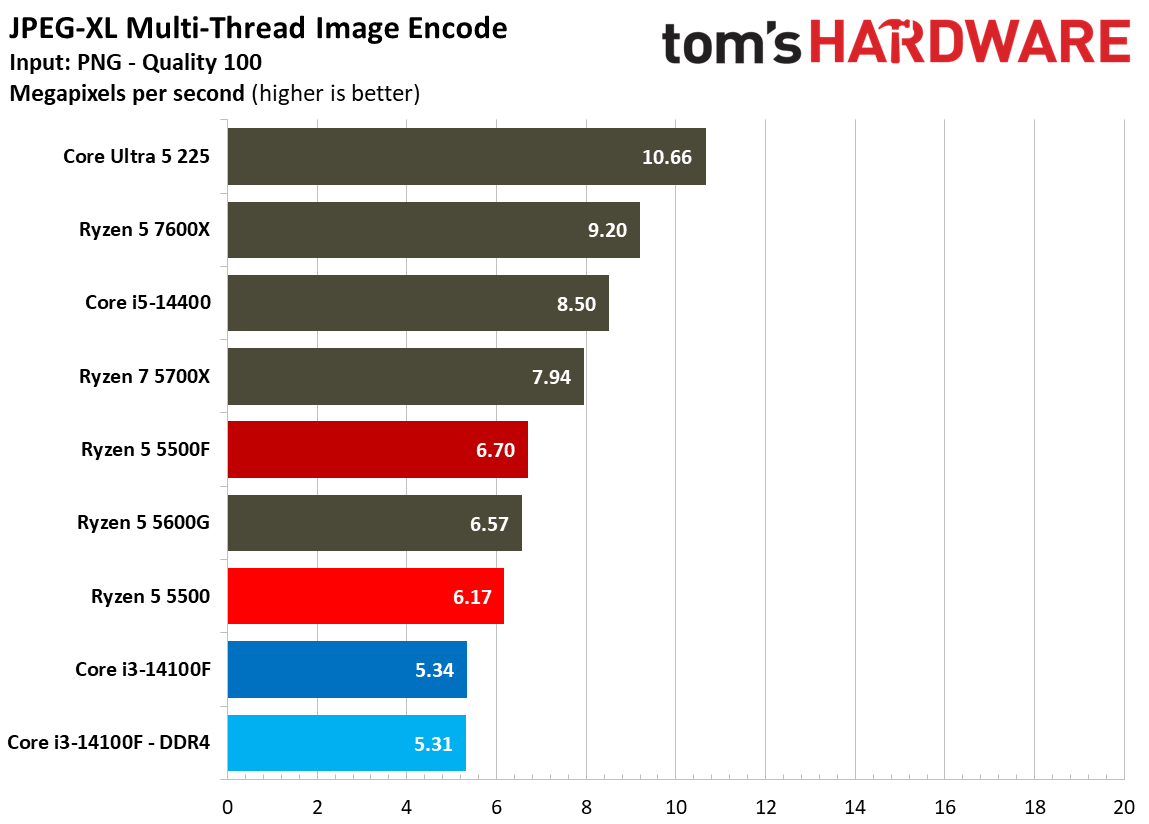
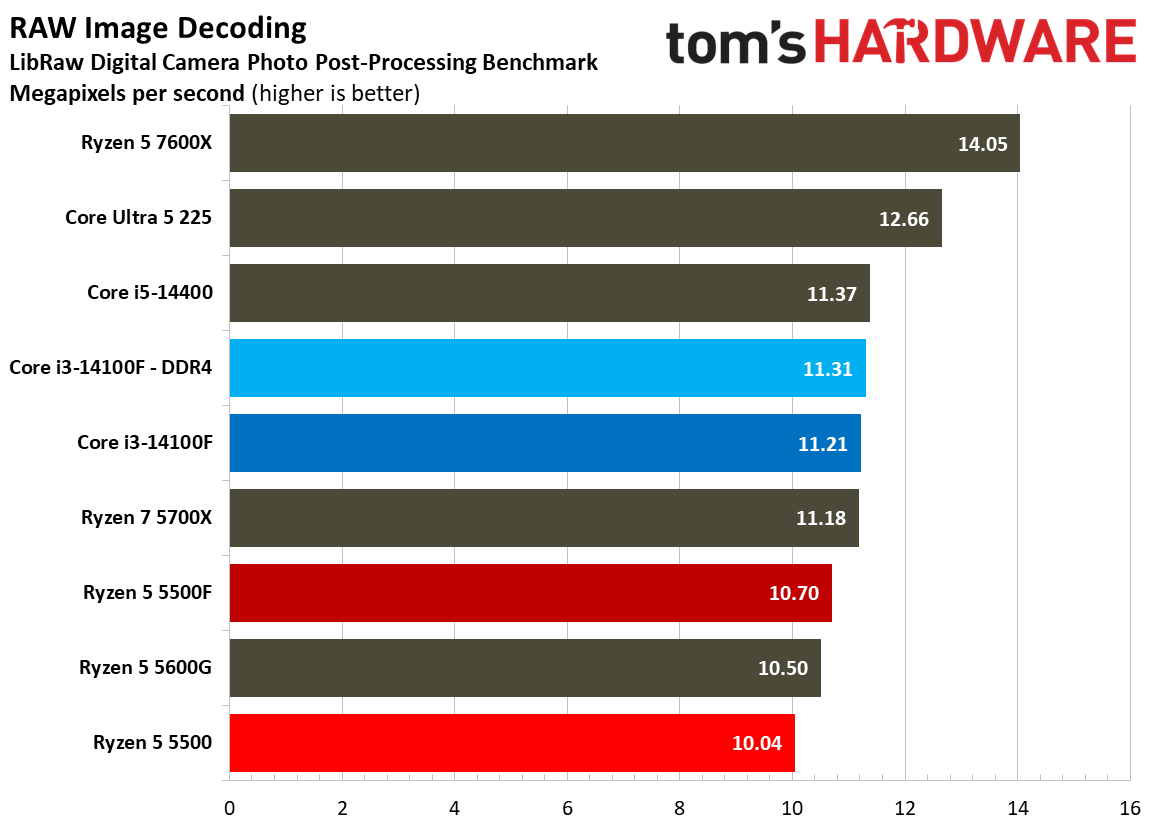
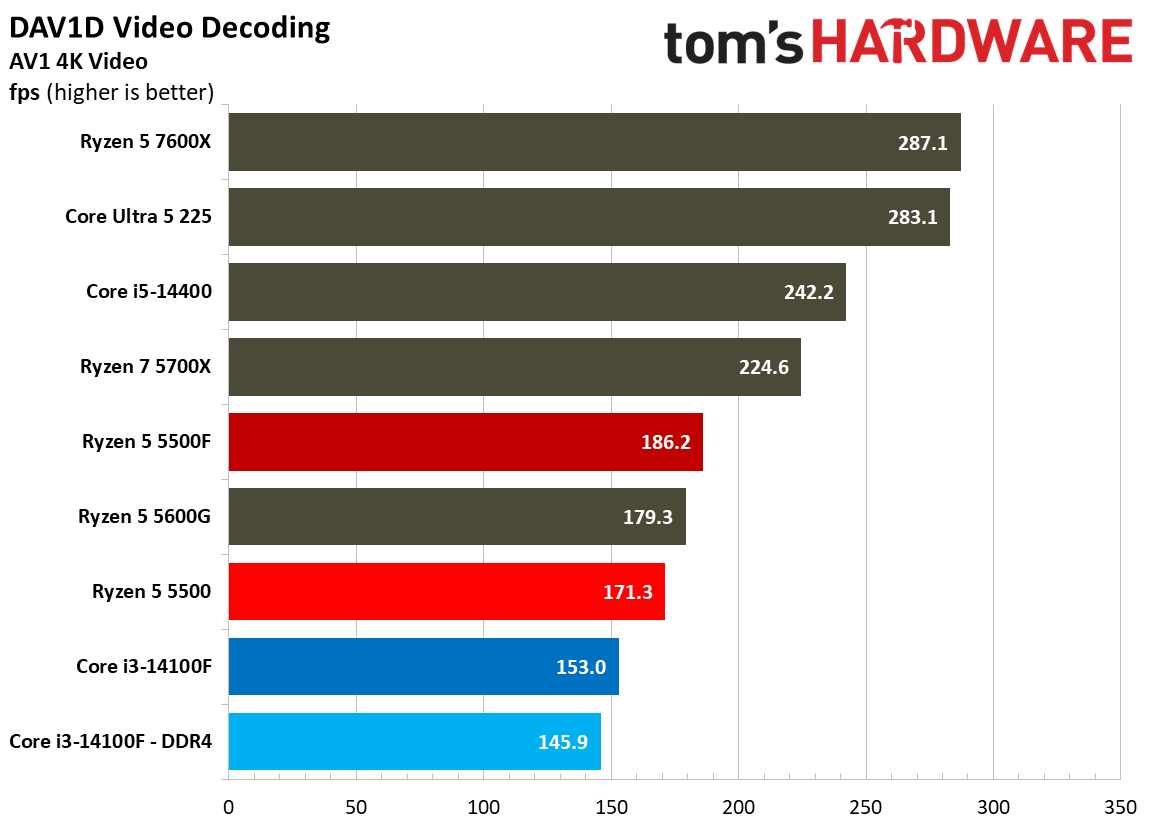
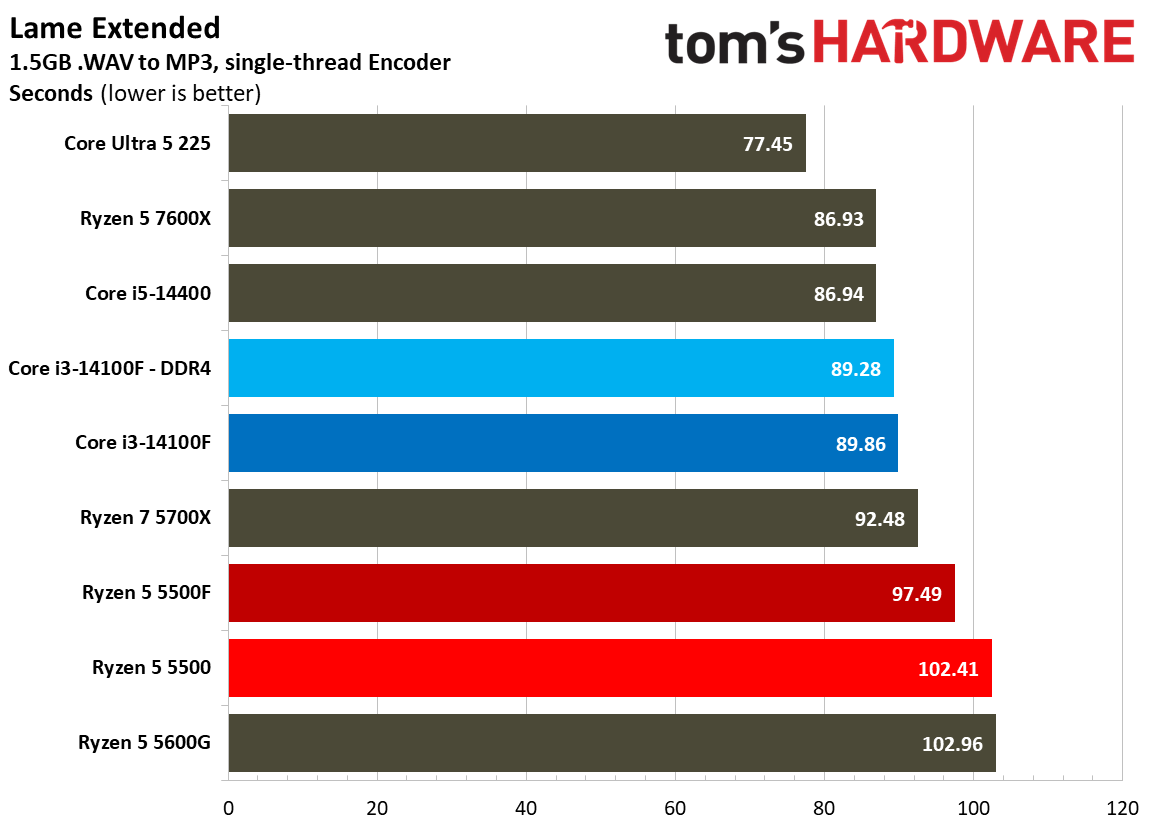
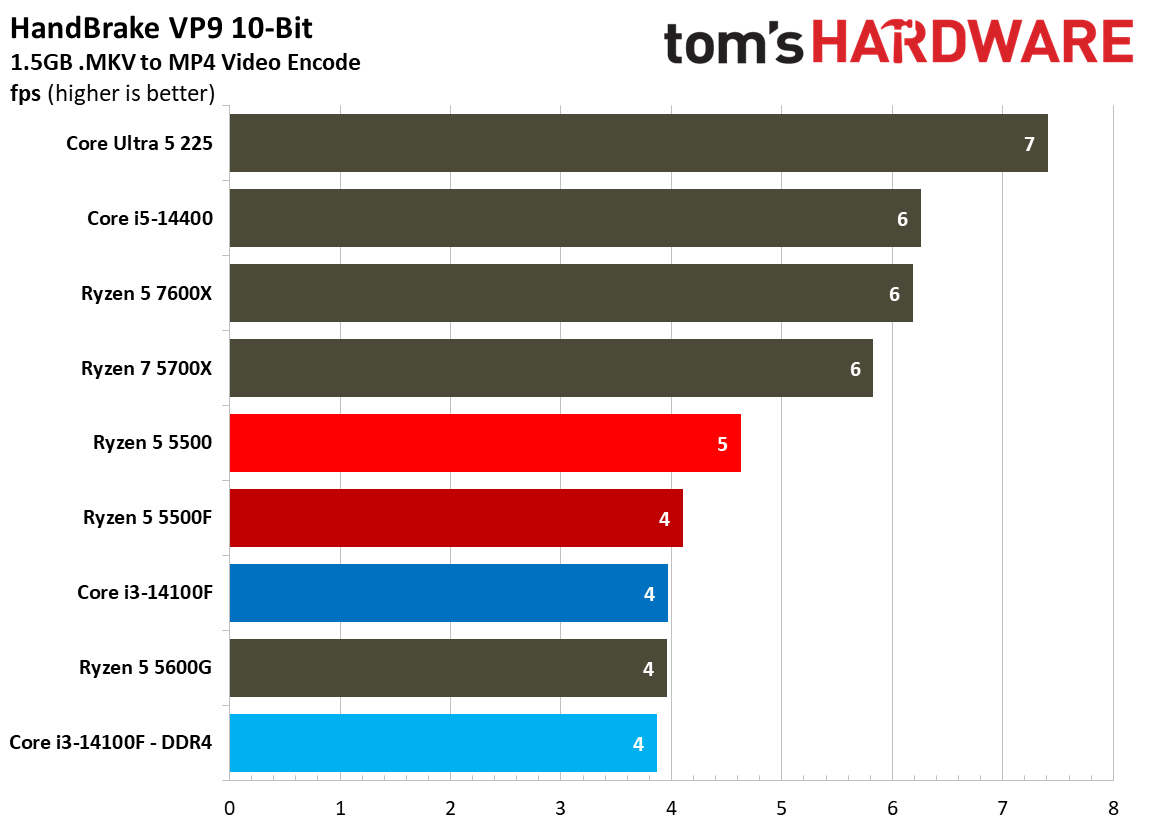
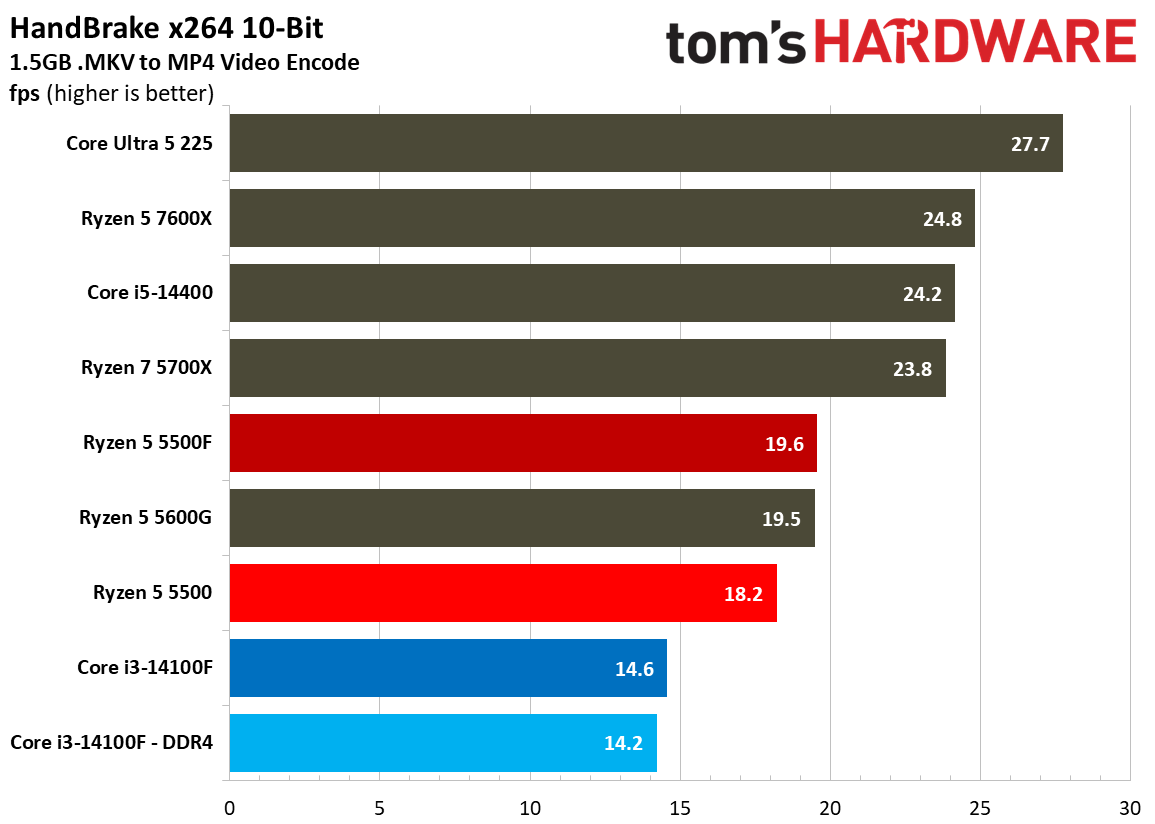
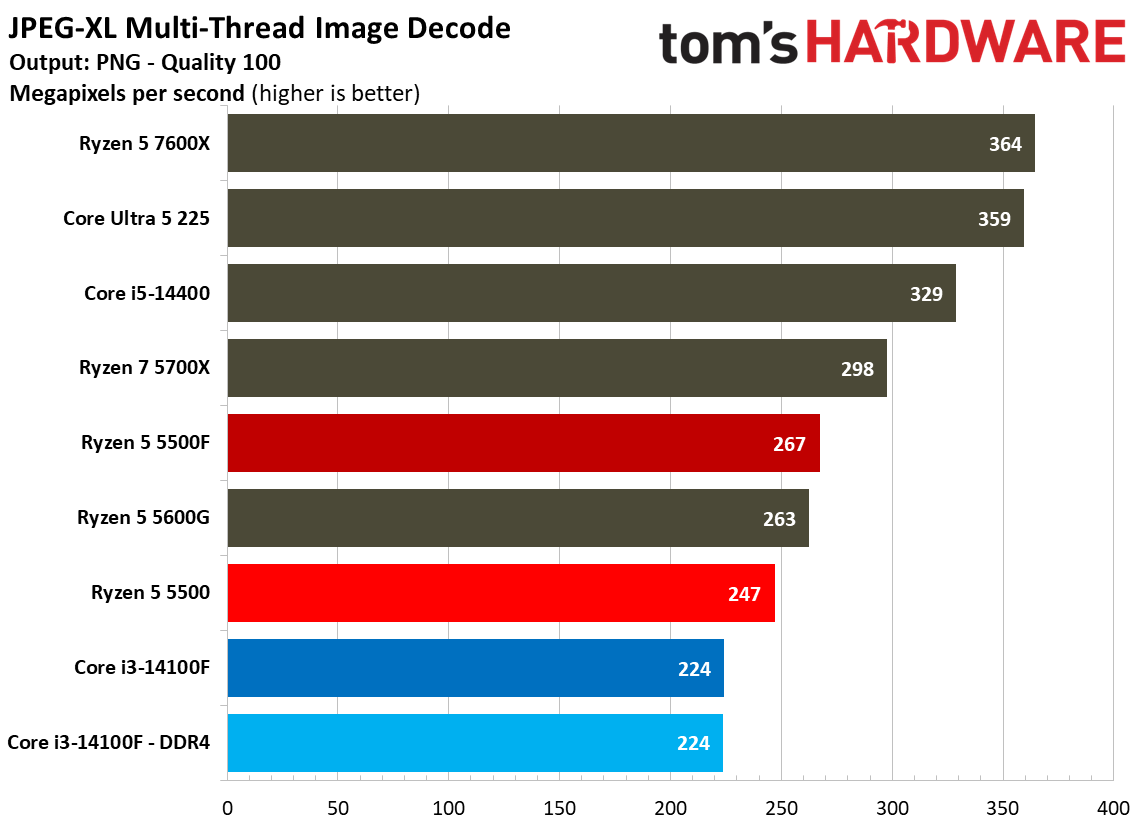
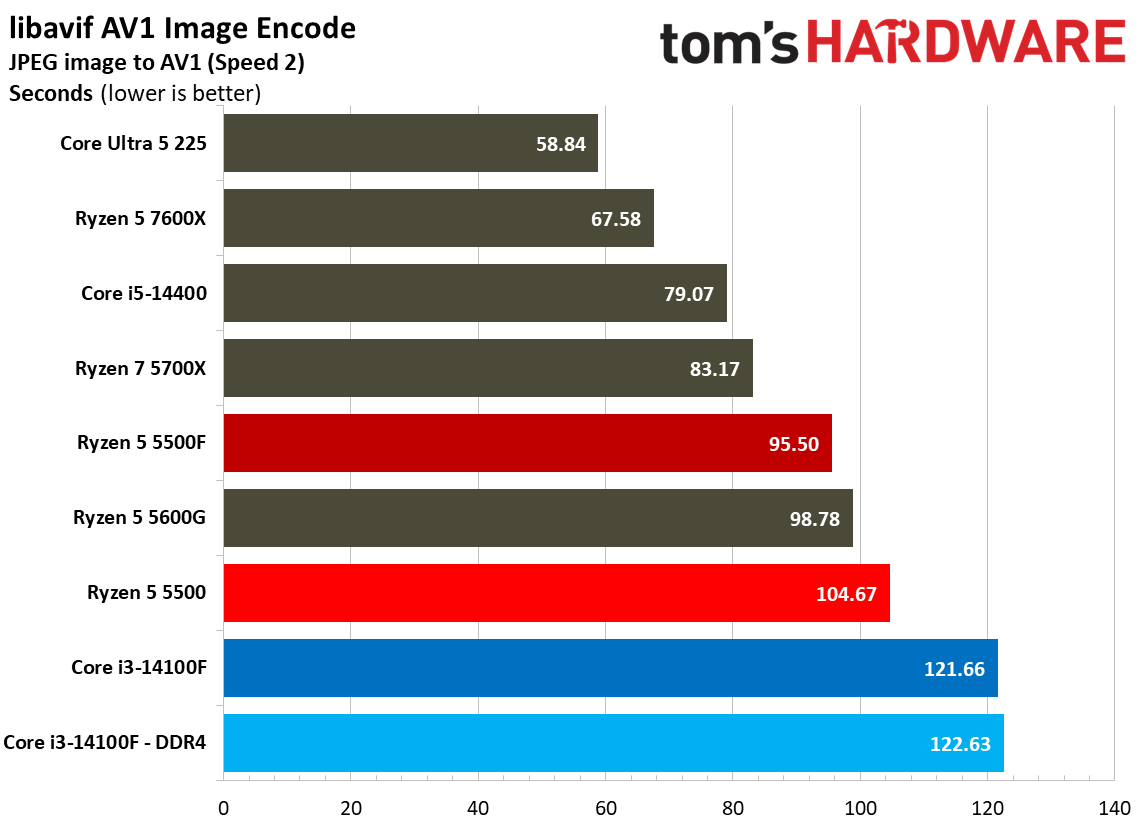
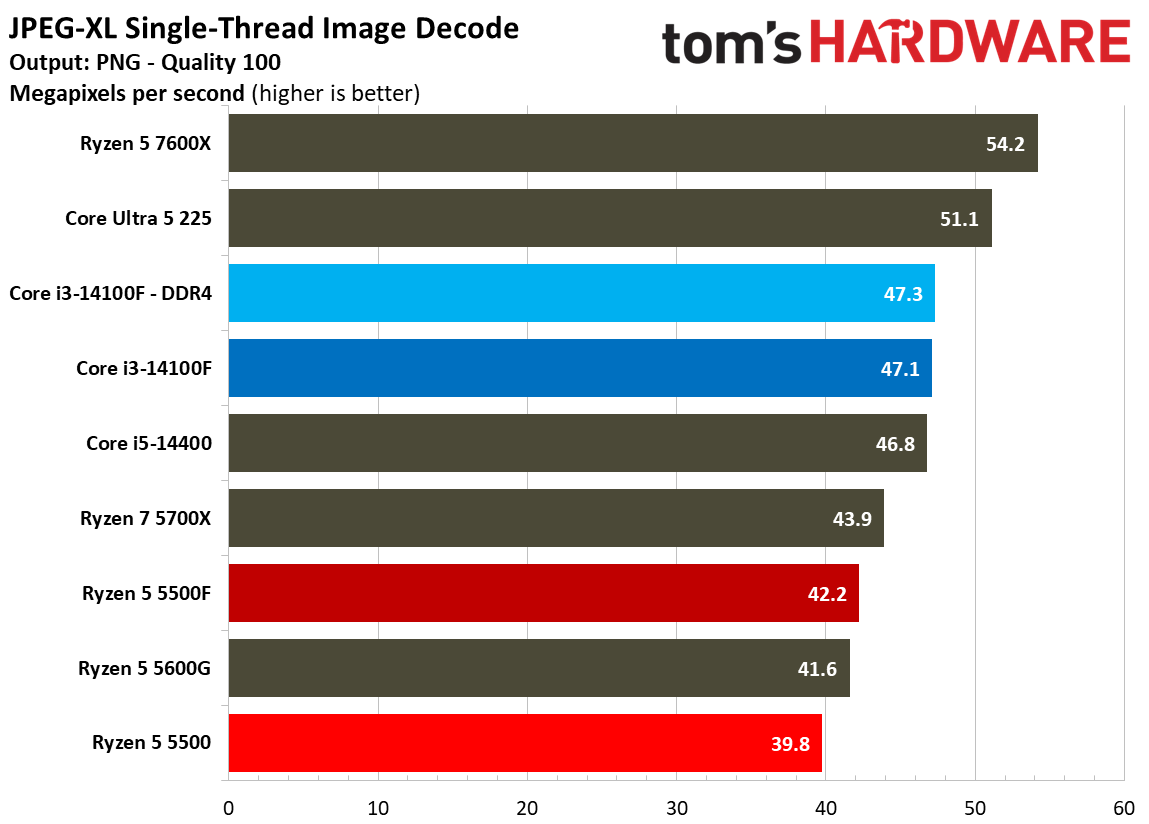
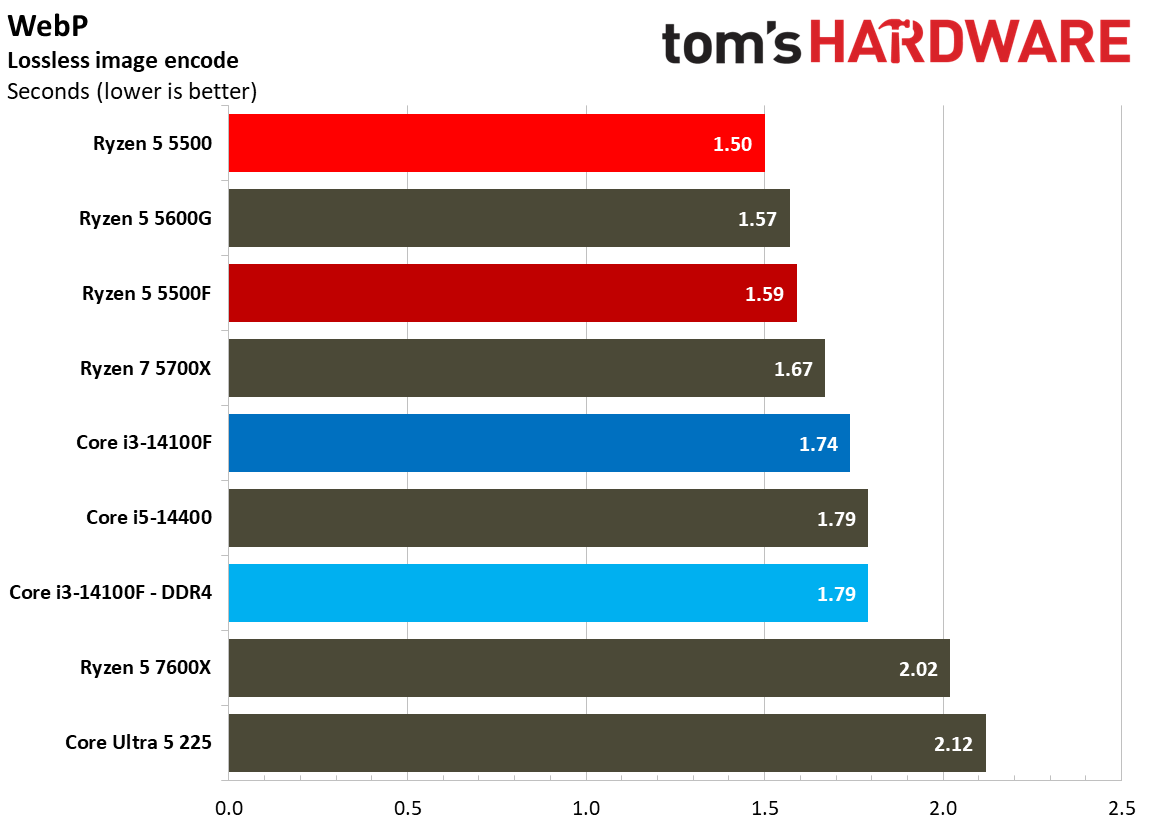
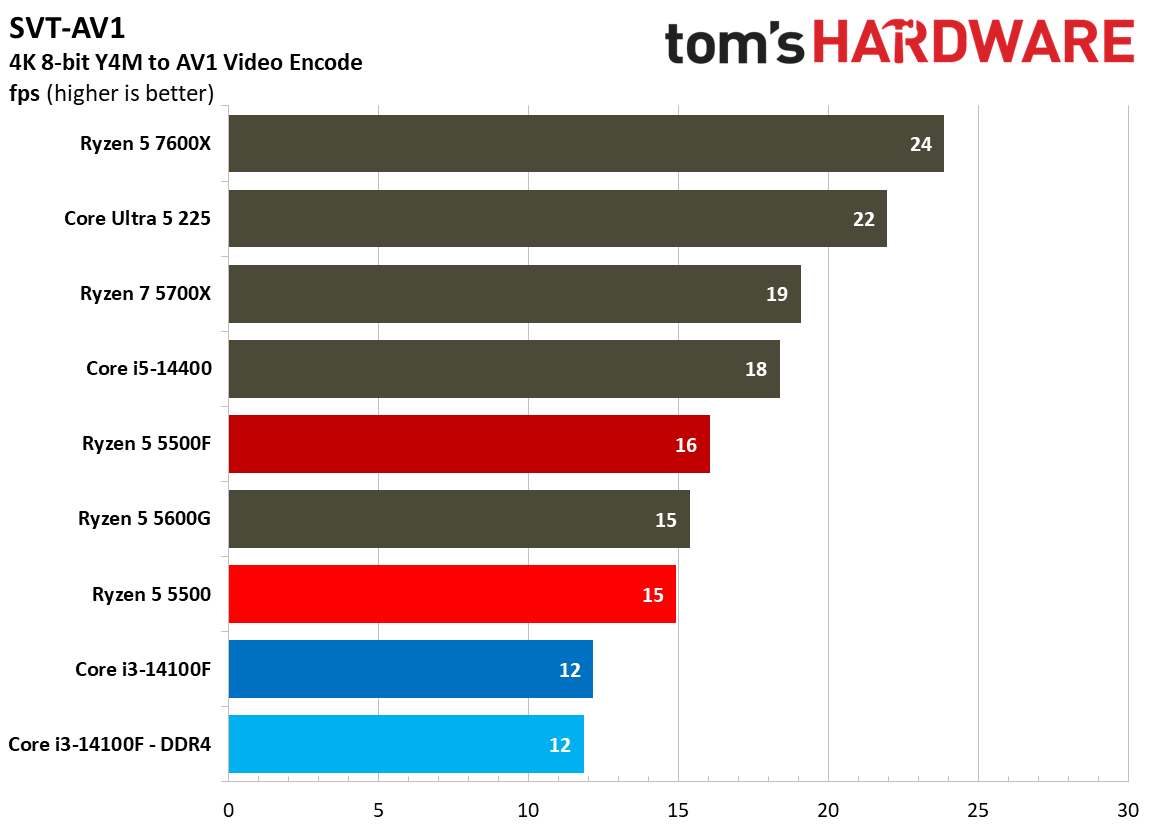
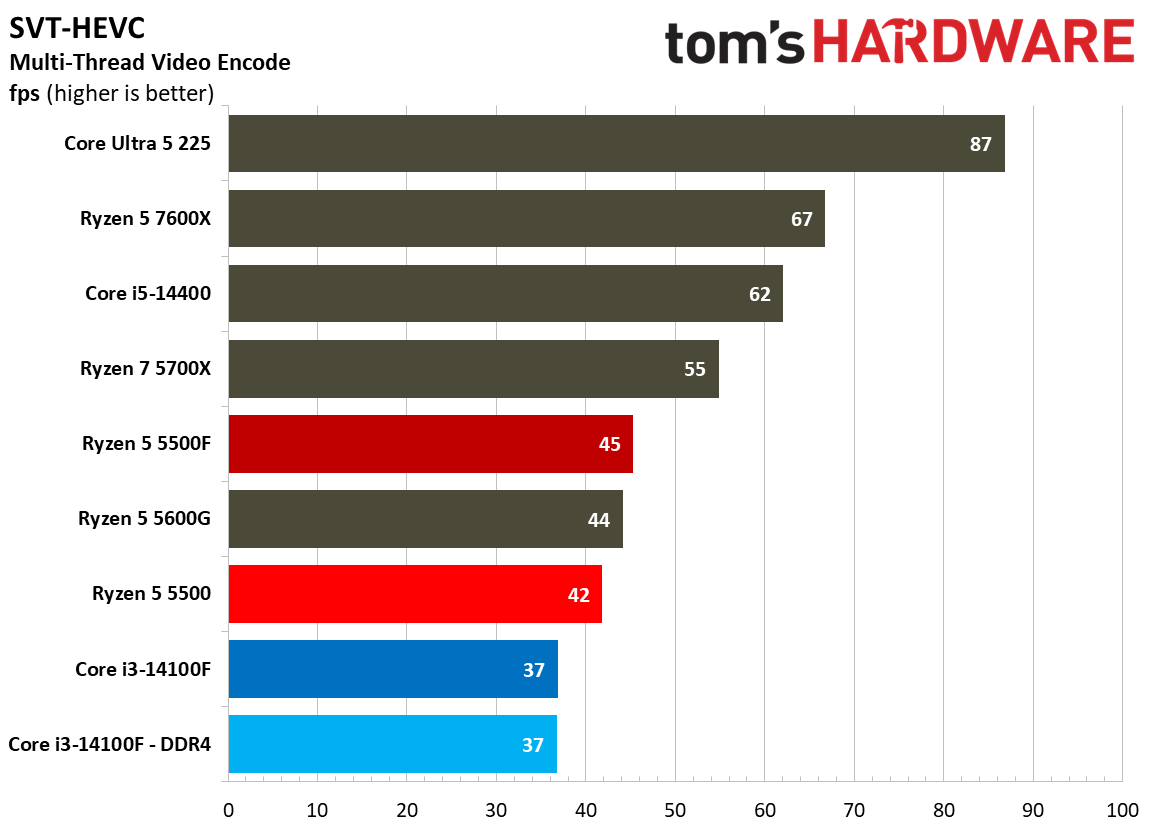
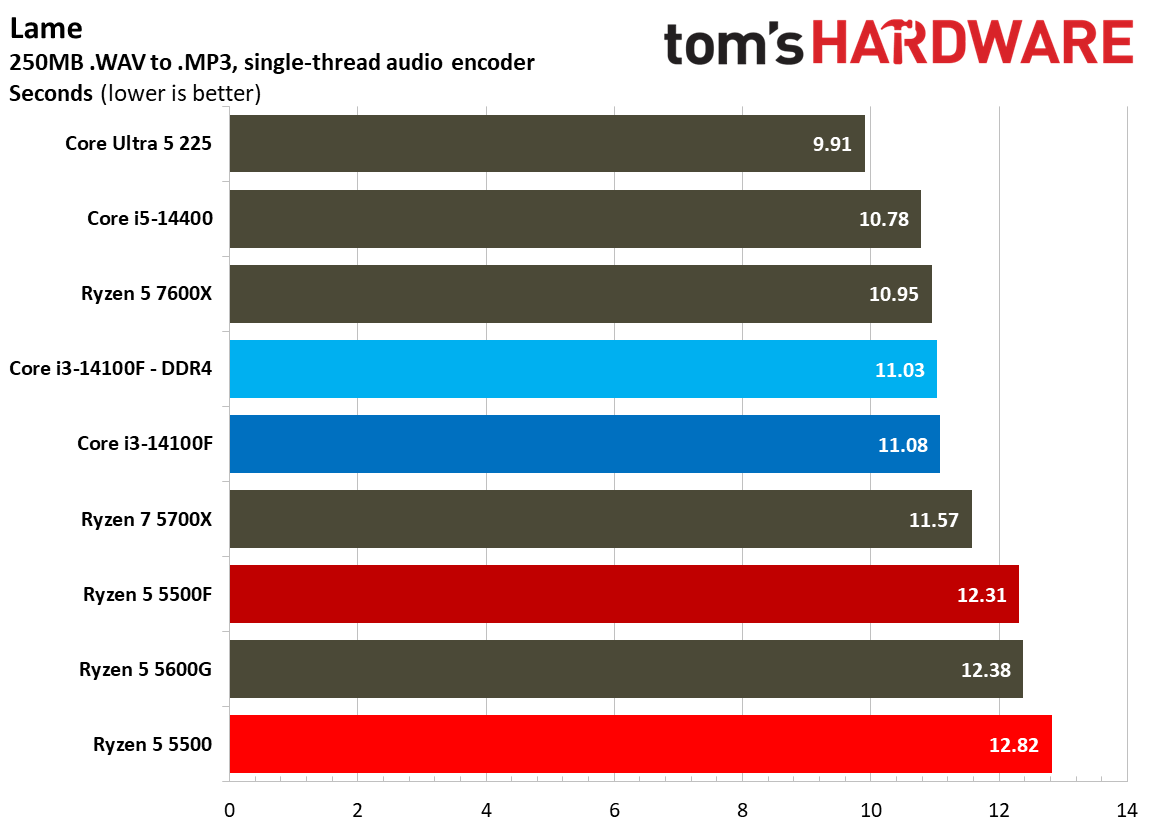
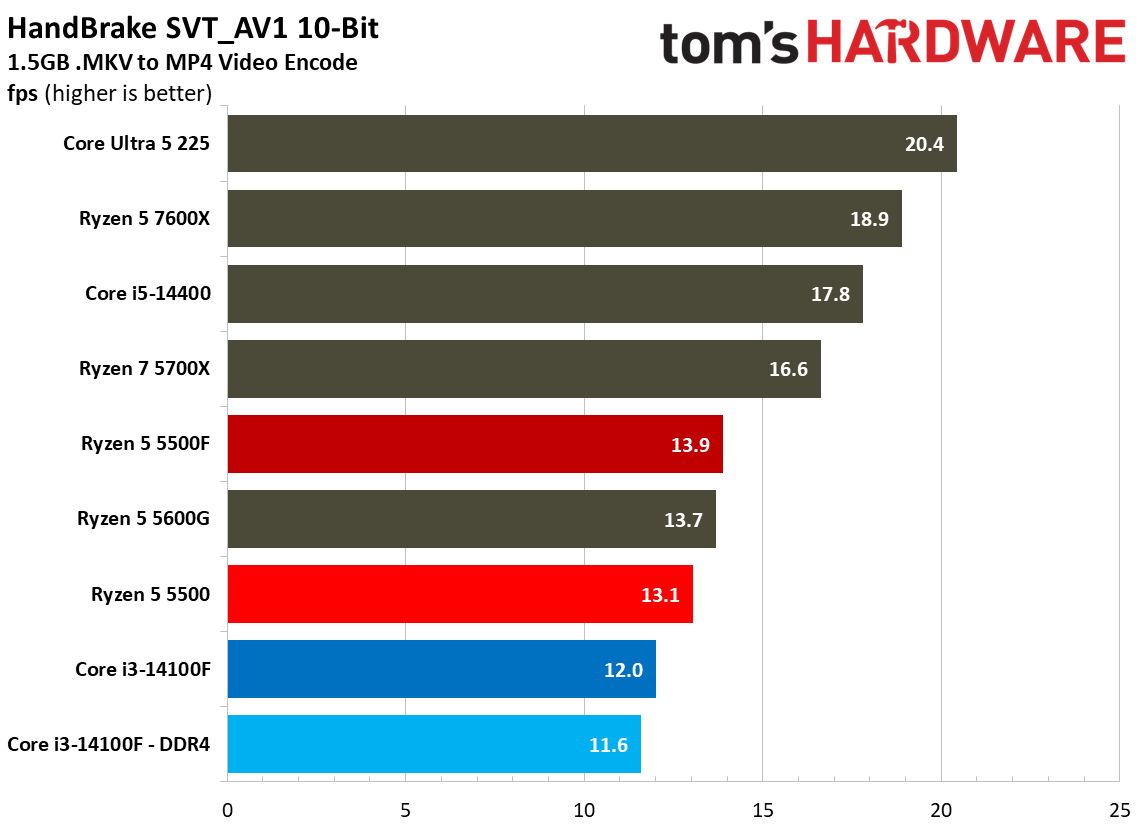
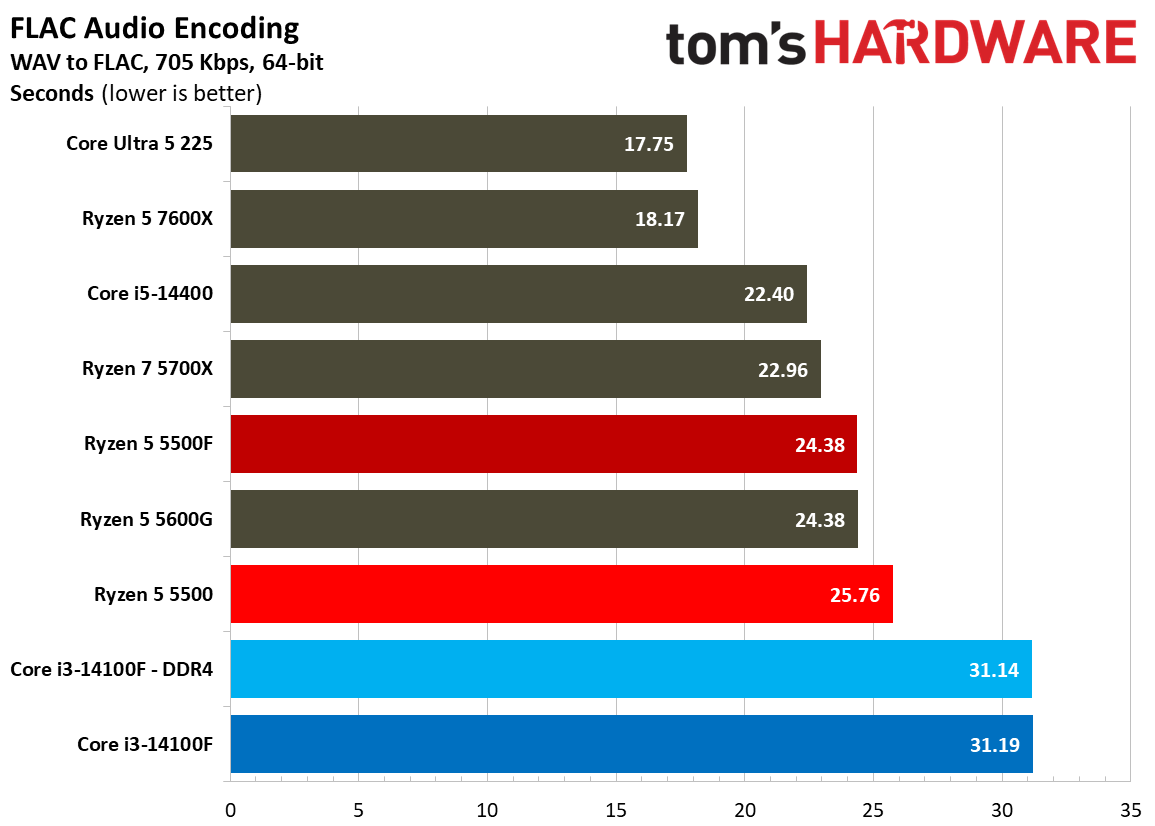
Encoding workloads are similarly all-out for the CPU cores, and in heavy, multi-threaded video encoding via HandBrake, the 5500F is only marginally faster than the 5500. Particularly in these heavy video encodes, the fact that the 5500F has access to six cores matters more than anything else. That slight boost in clock speed helps it squeeze out an advantage; however, with any of these workloads, you’ll notice the 5500F struggles to get along, just like the Core i3-14100 and base 5500.
Single-threaded encoding via LAME shows an advantage for Intel, unsurprisingly, but the multi-threaded workloads are what matter here. As a demonstration, look at our VP9 HandBrake results. The 5500 actually ended up faster than the 5500F here, though by just 1 FPS, when the standard for these chips is managing just 4 FPS for this encode.
Creator App Benchmarks
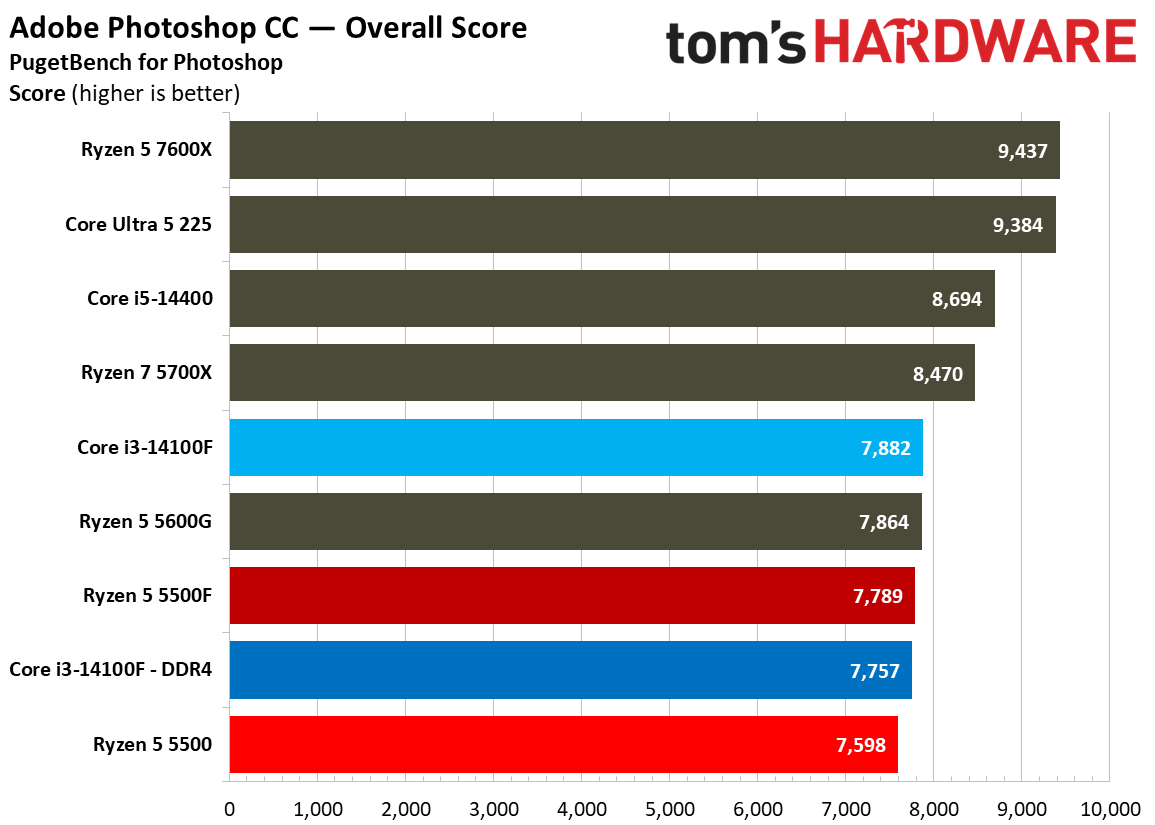
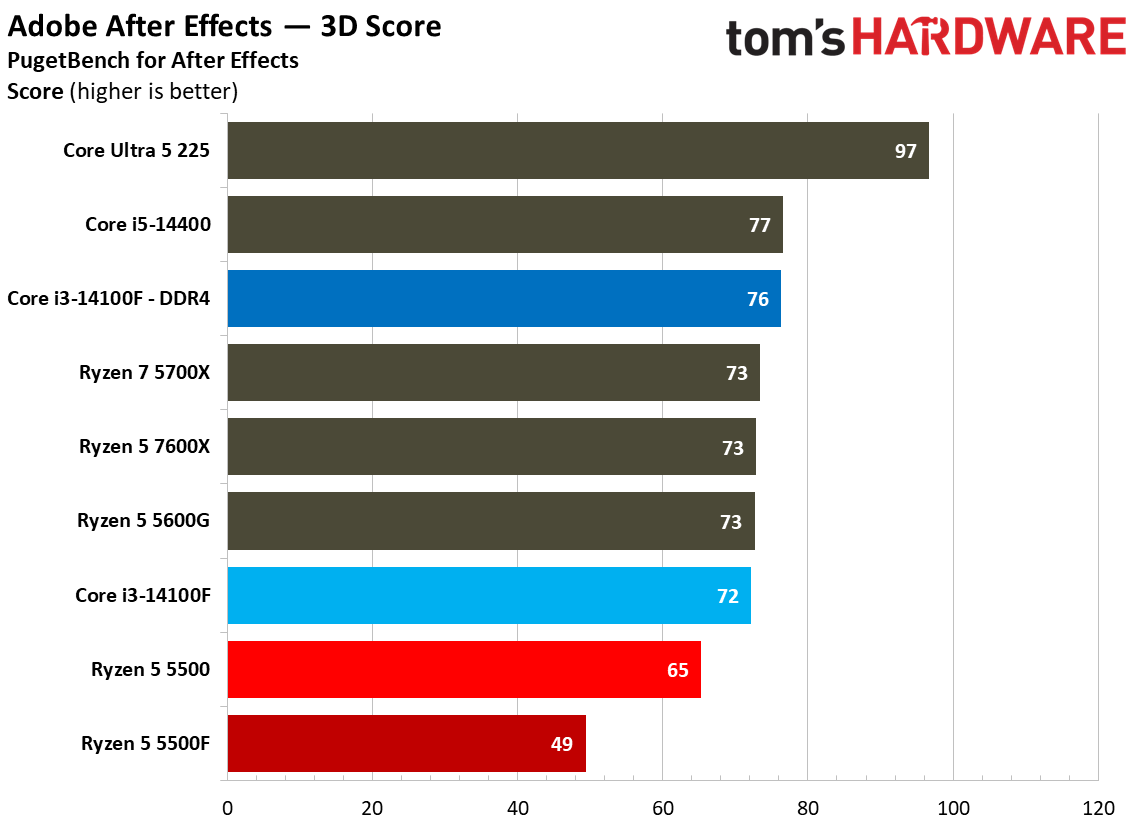
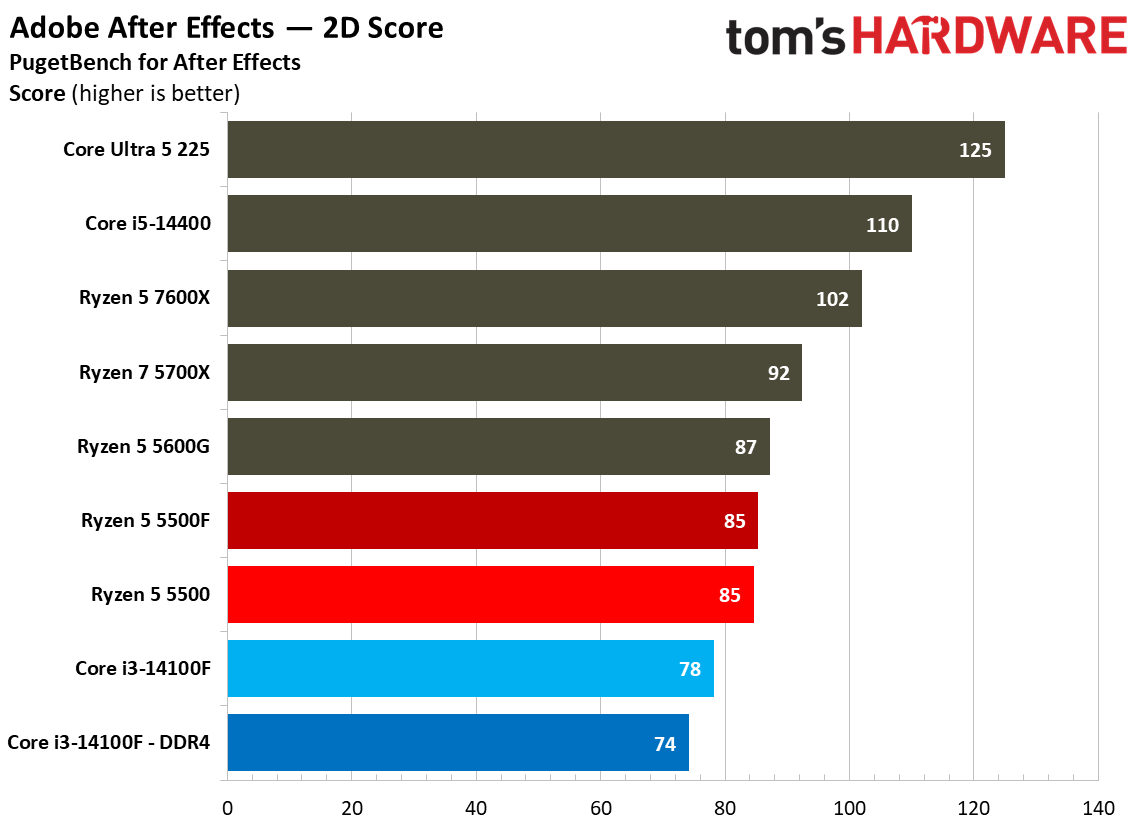
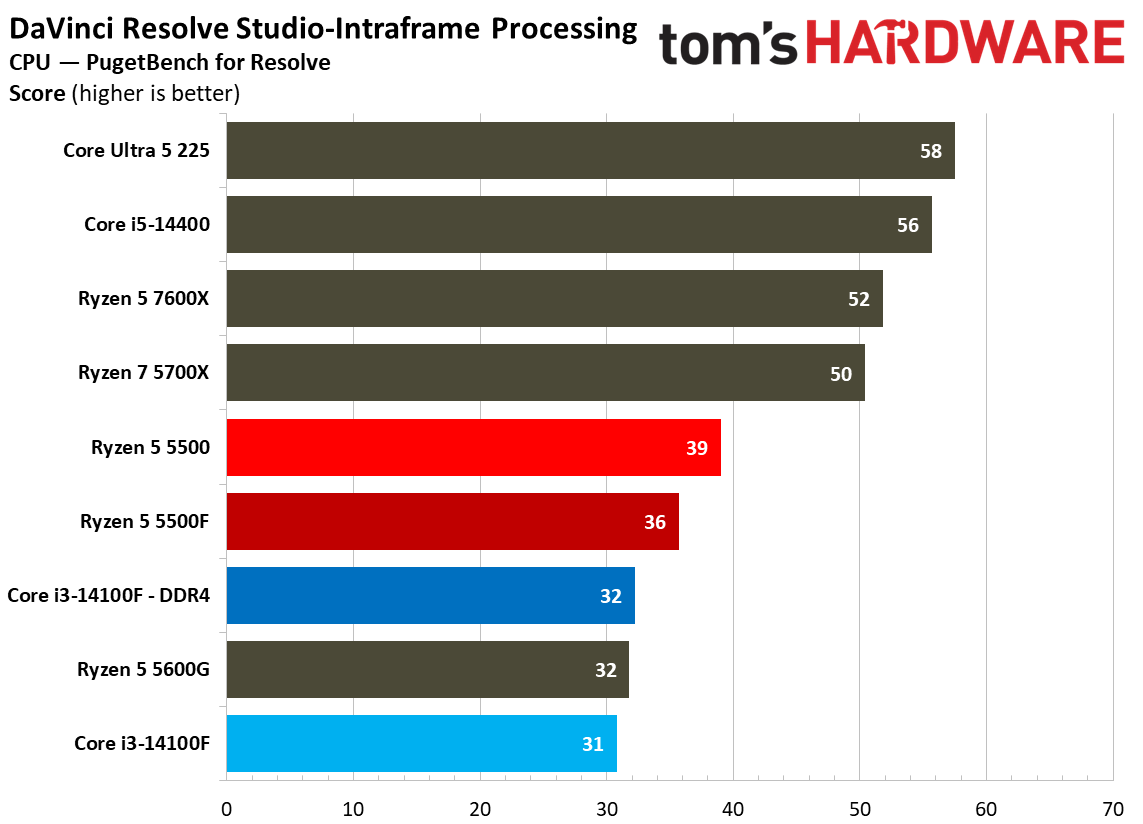
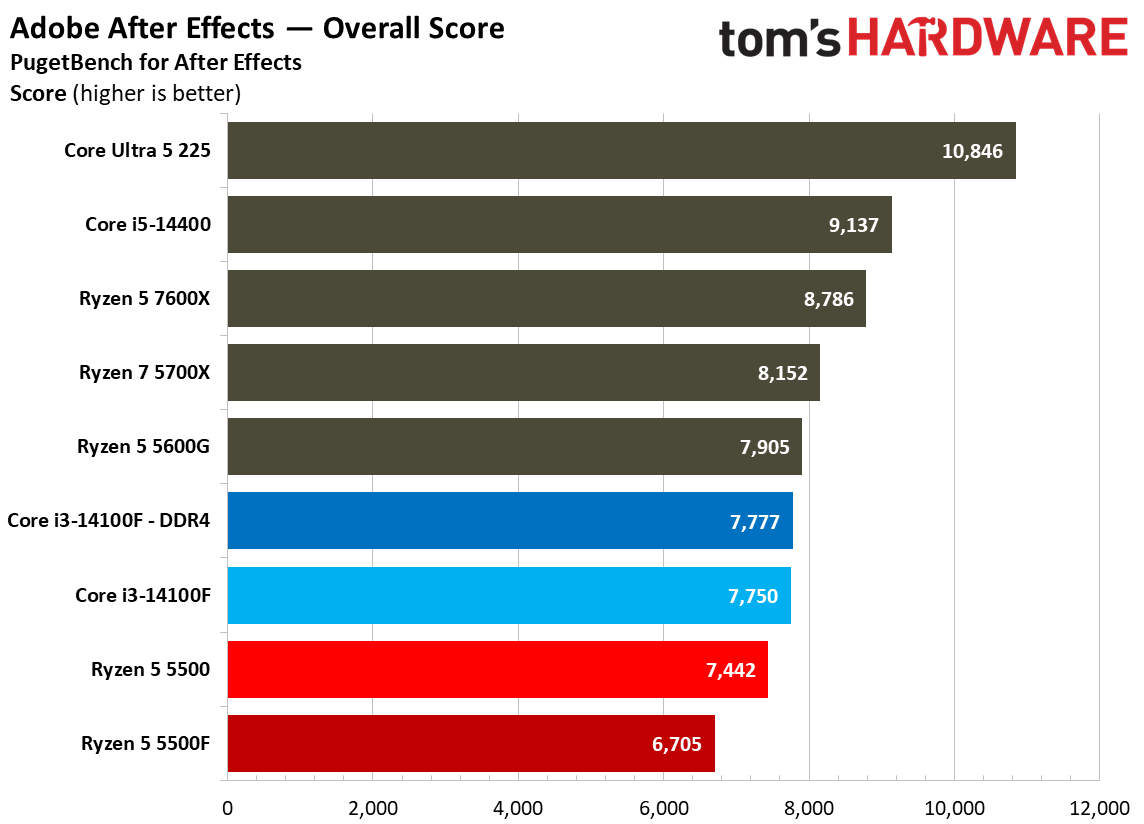
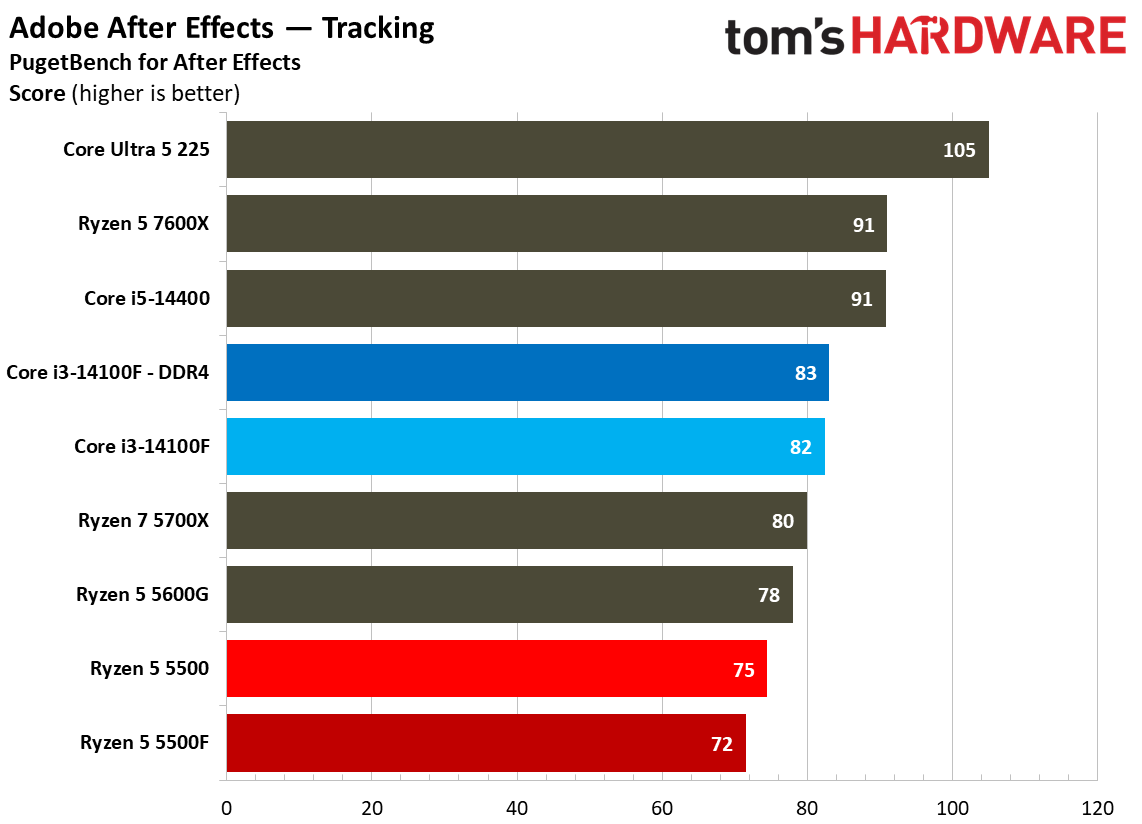
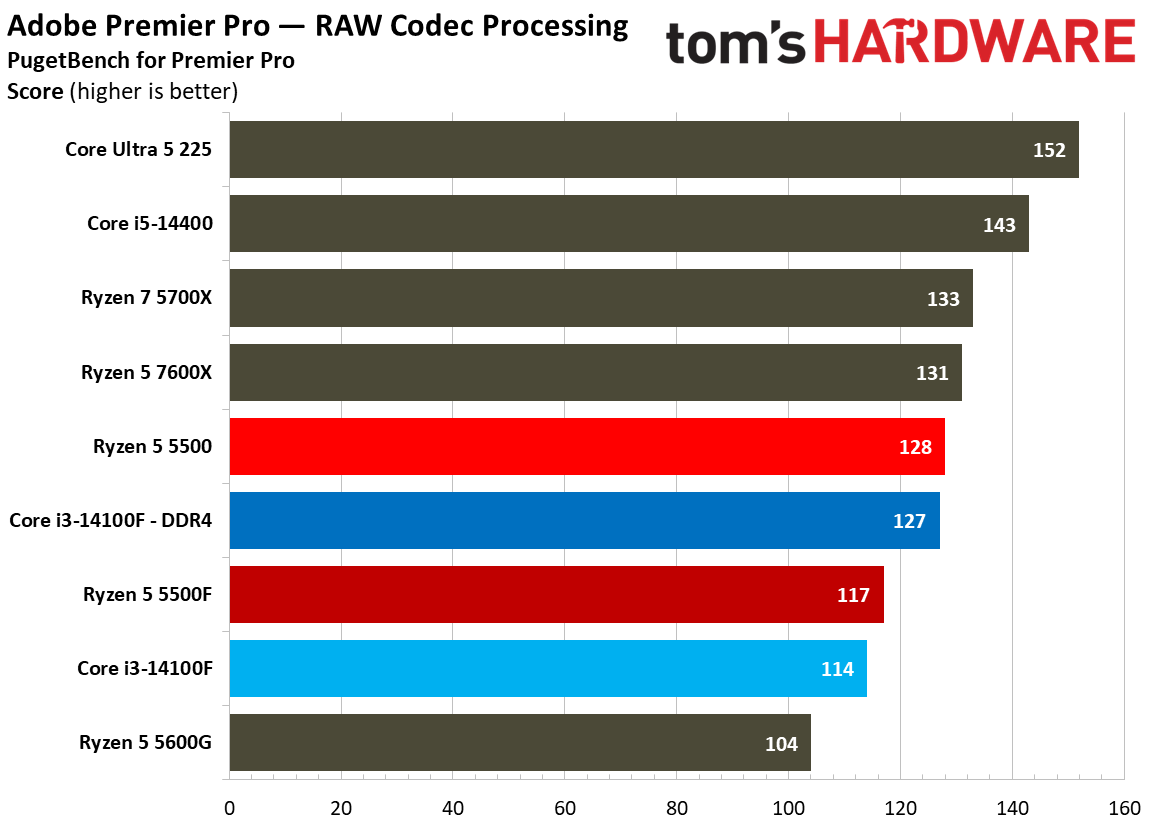
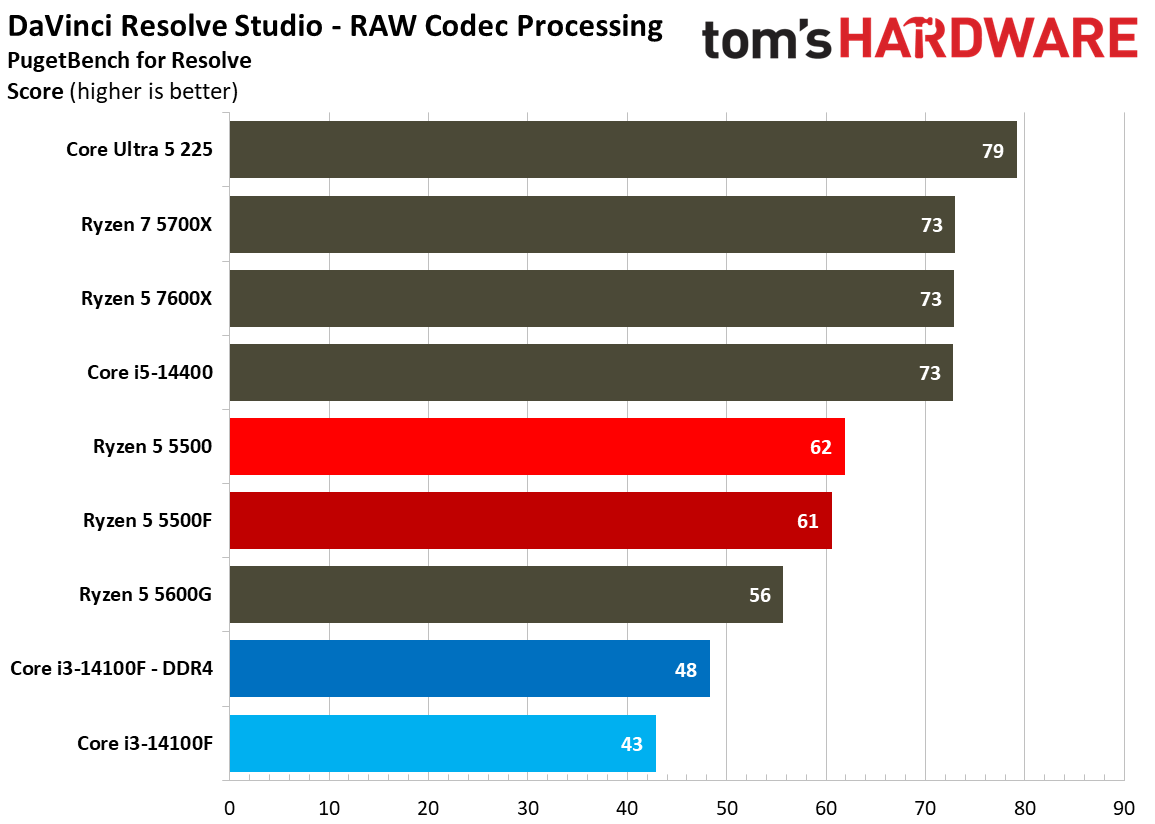
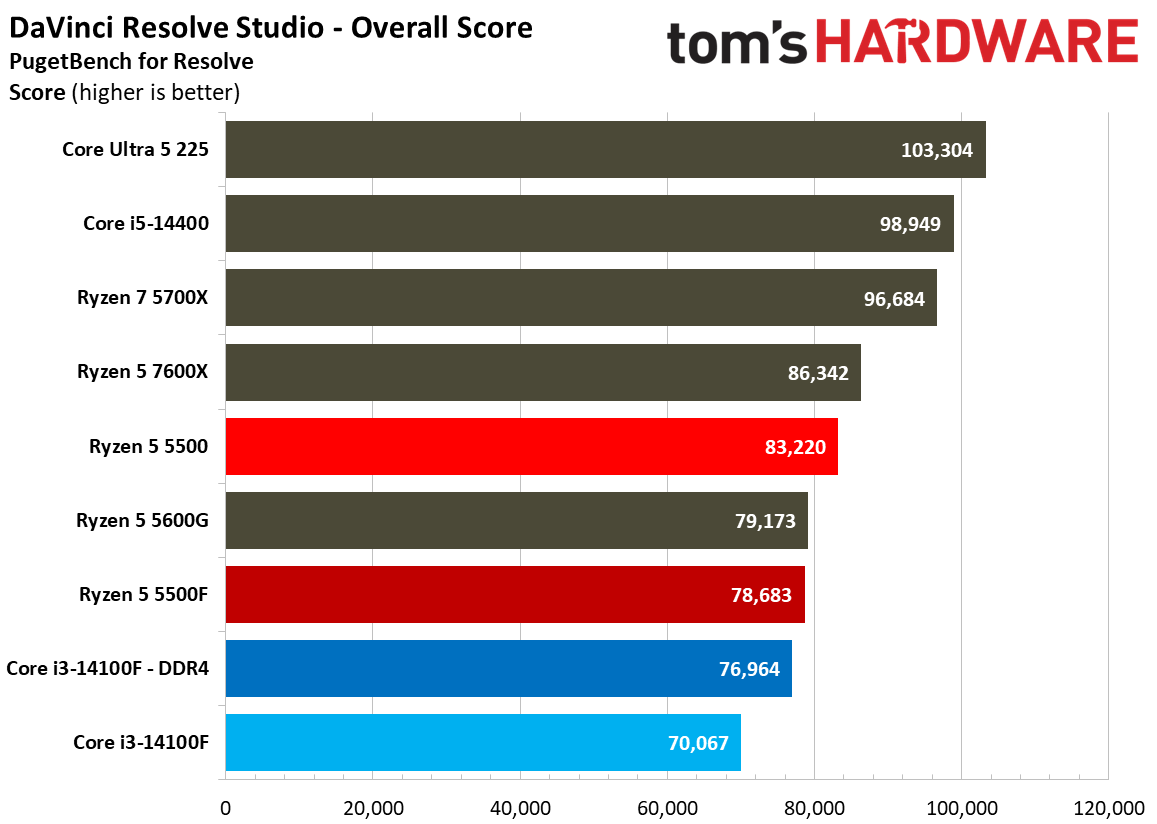
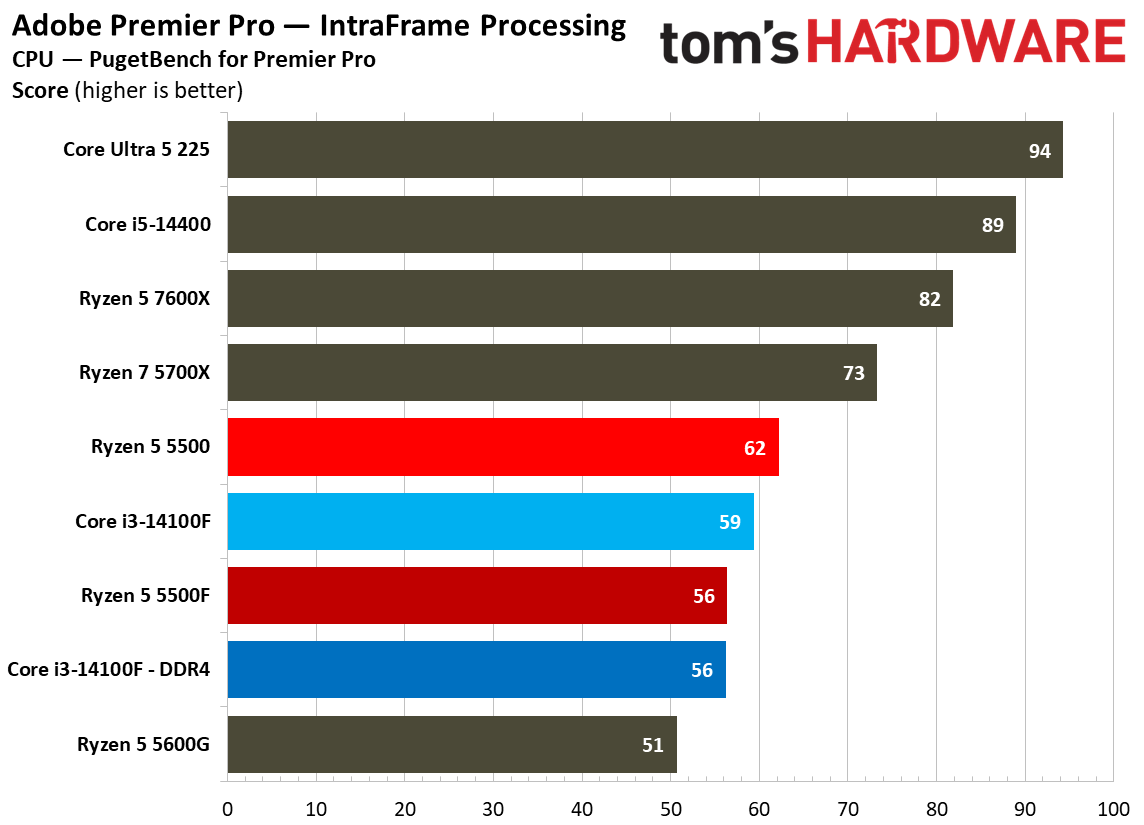
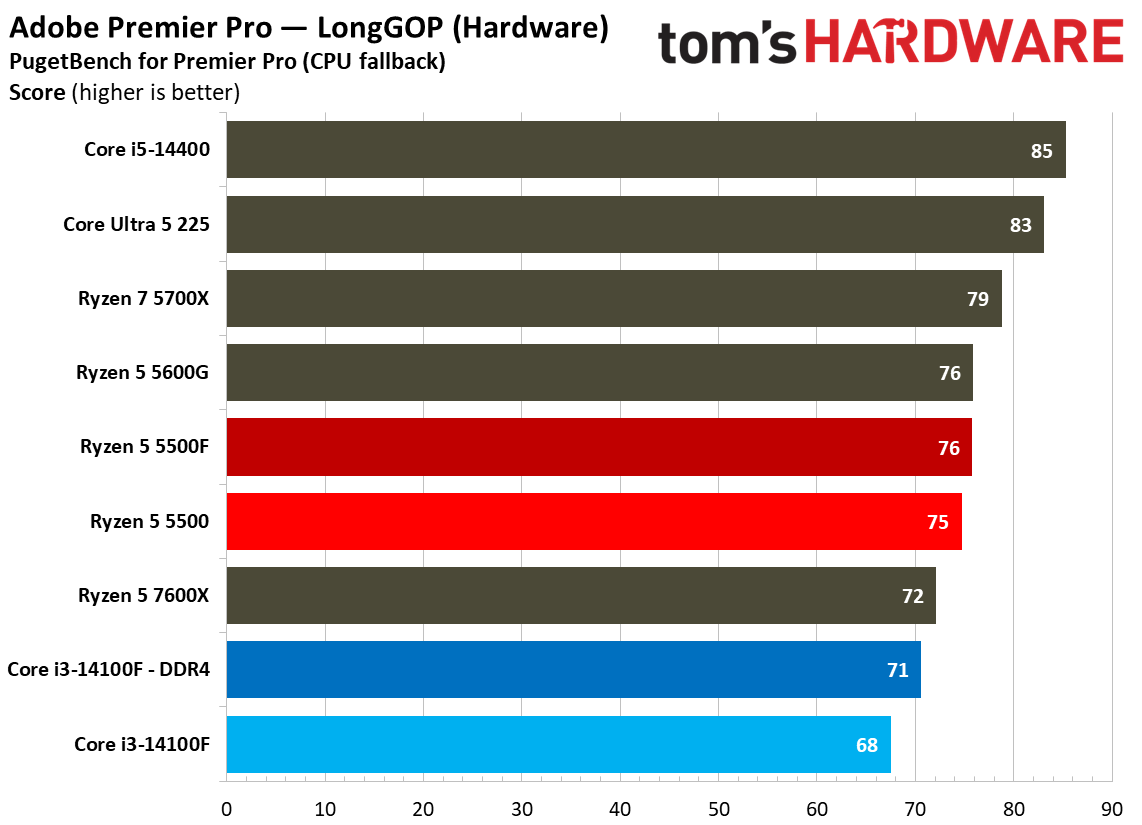
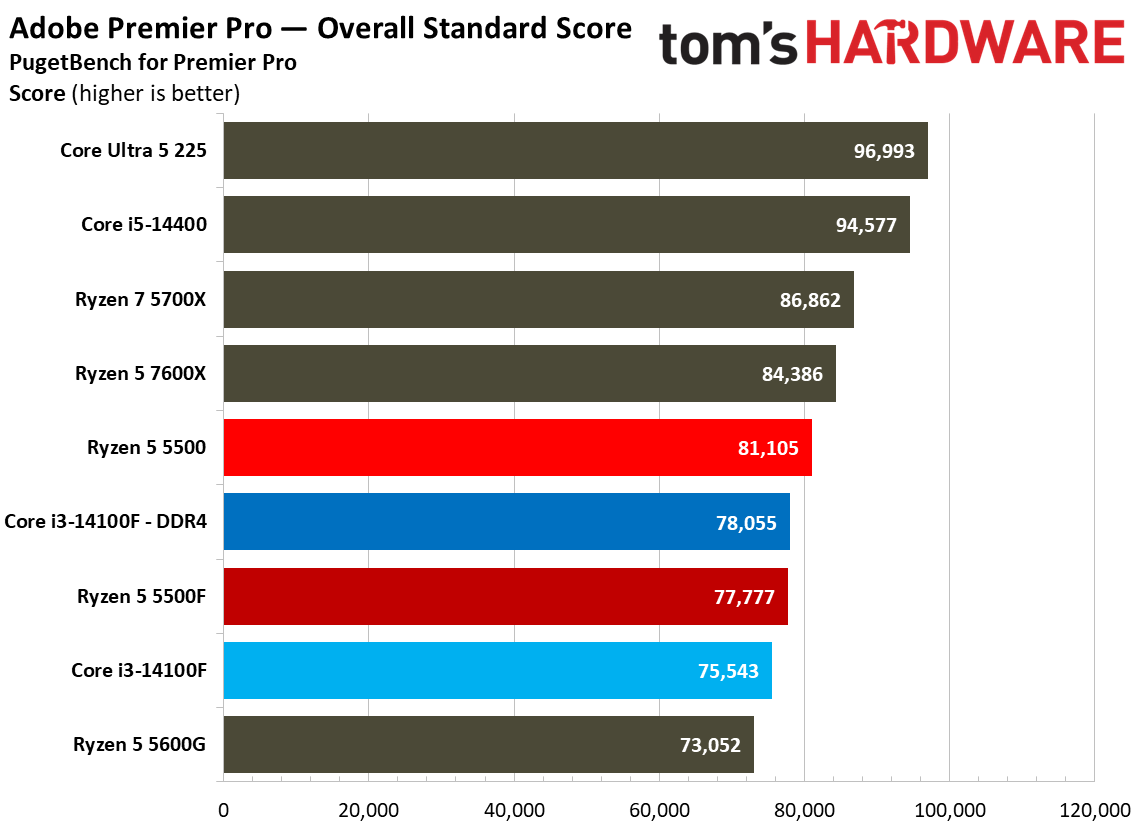
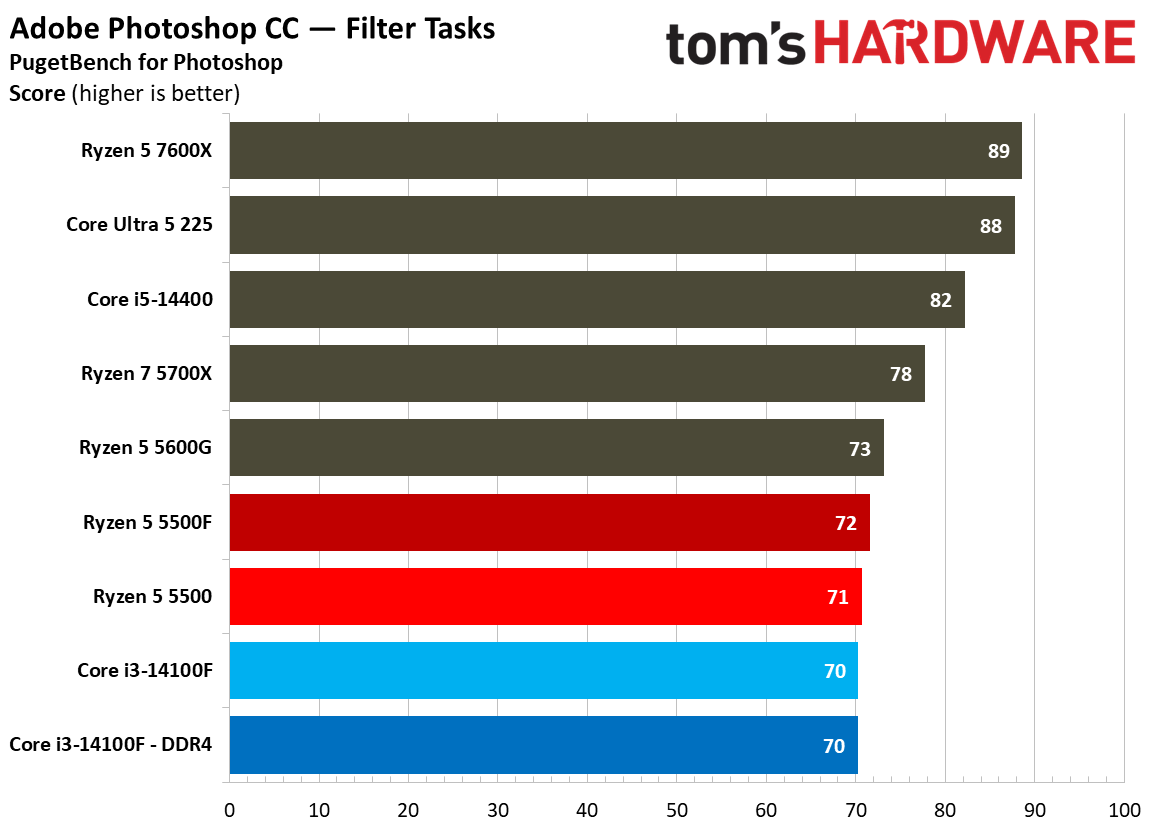
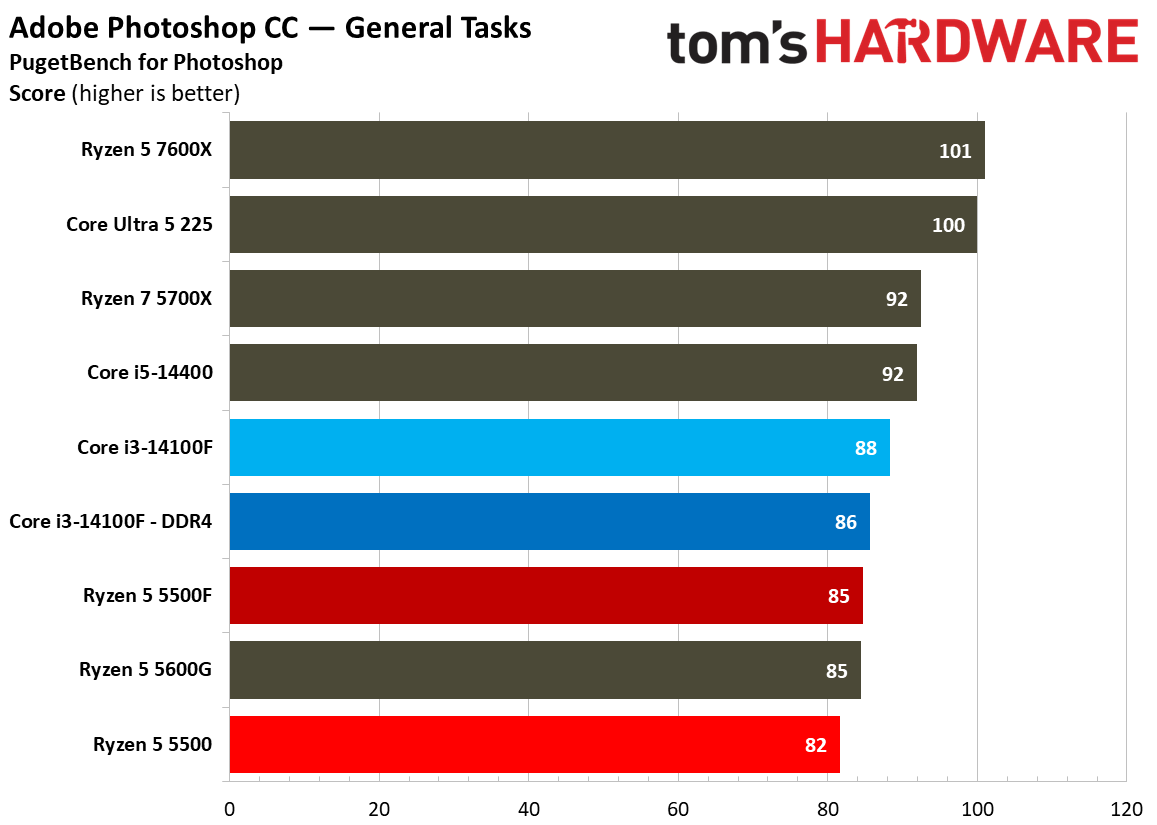
The main CPUs we’re focused on — 5500, 5500F, and 14100F — aren’t the best choice when it comes to modern creative applications, particularly when it comes to the more demanding workloads in nonlinear video editors like Resolve and Premiere, as well as visual effects in After Effects. In Photoshop, the three ~$100 CPUs all hit a performance wall, though likely for different reasons, as you can see the DDR5-equipped 14100F run into the same bottleneck as the DDR4 version.
Web and Office Benchmarks
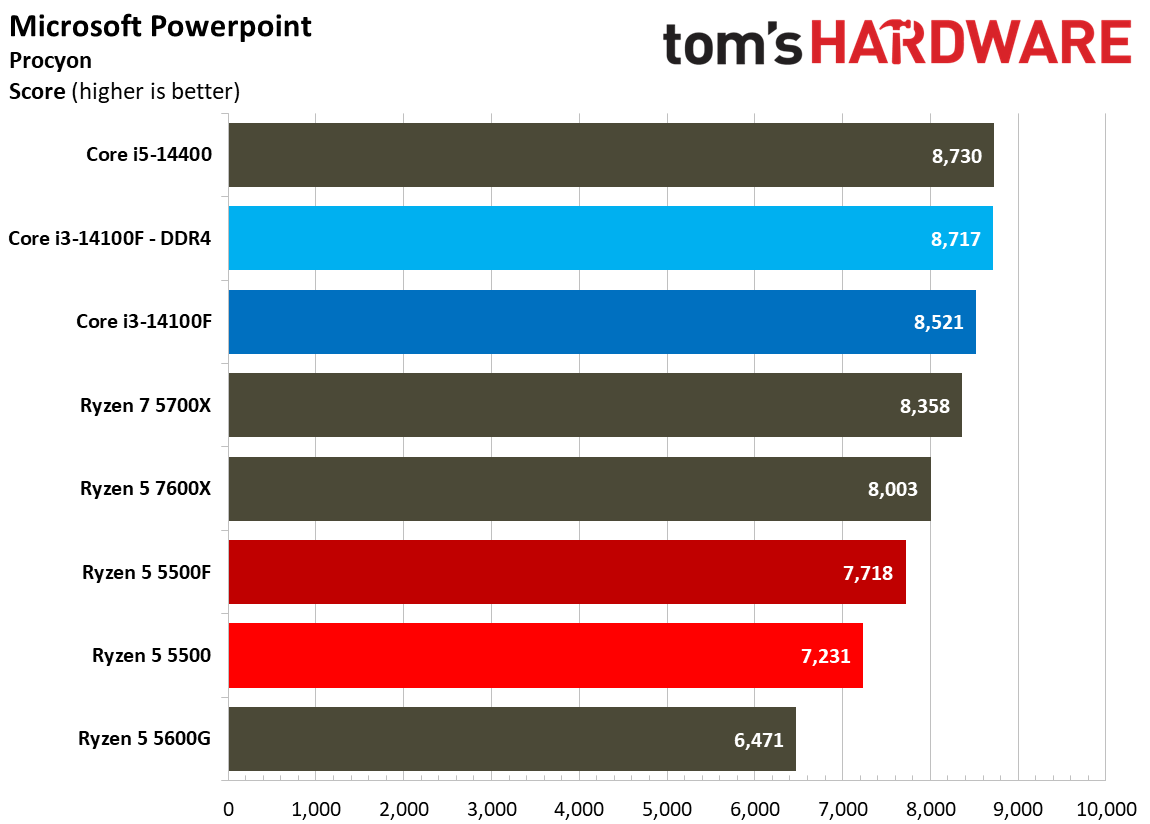
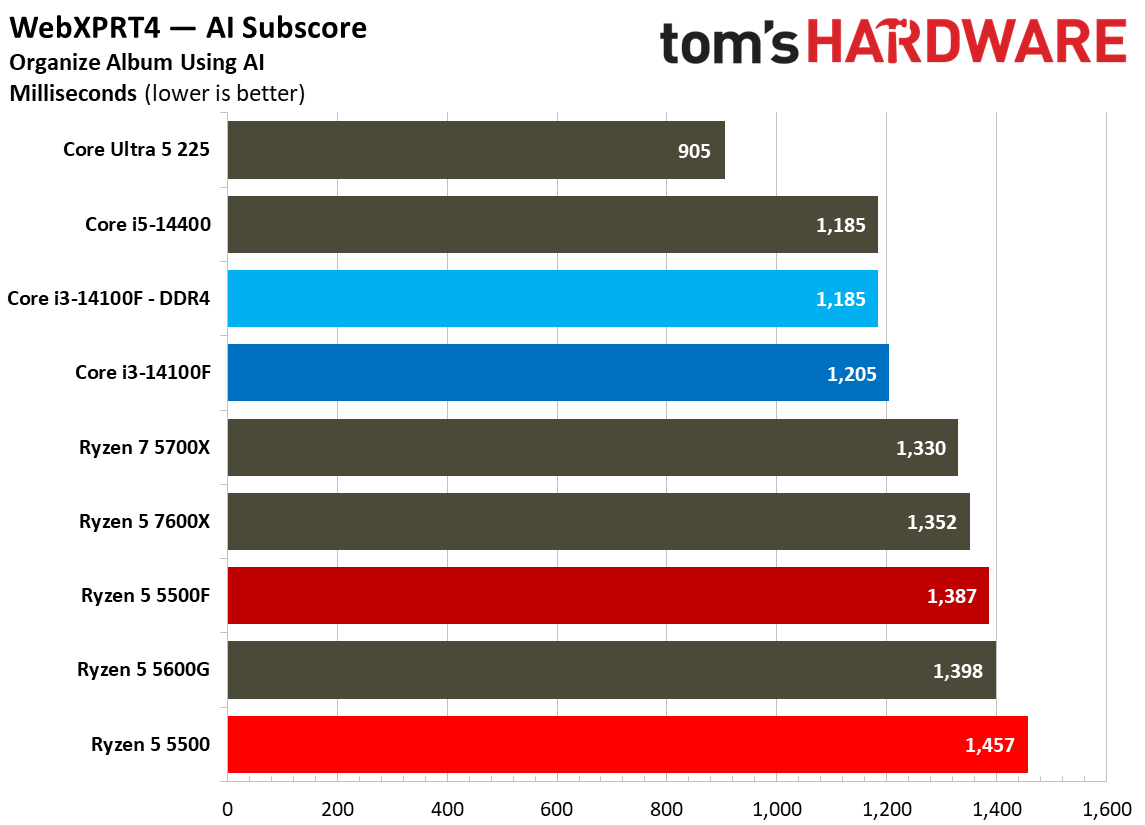
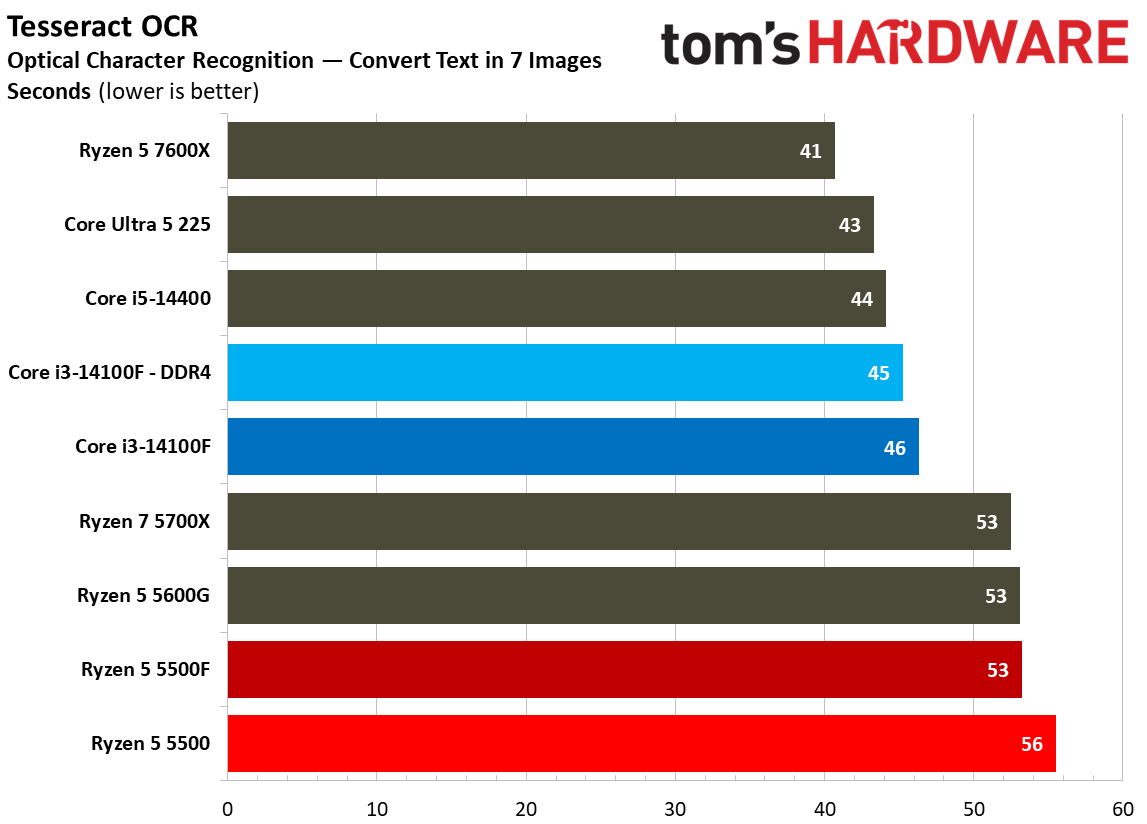
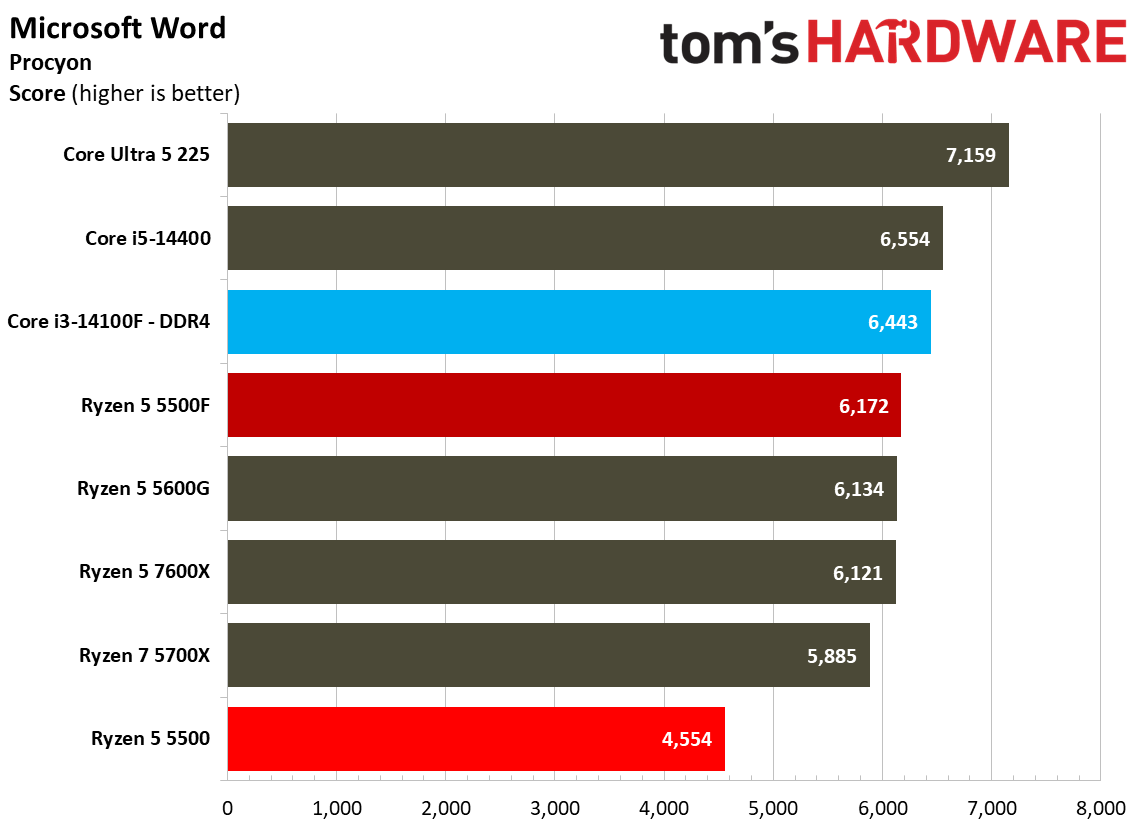
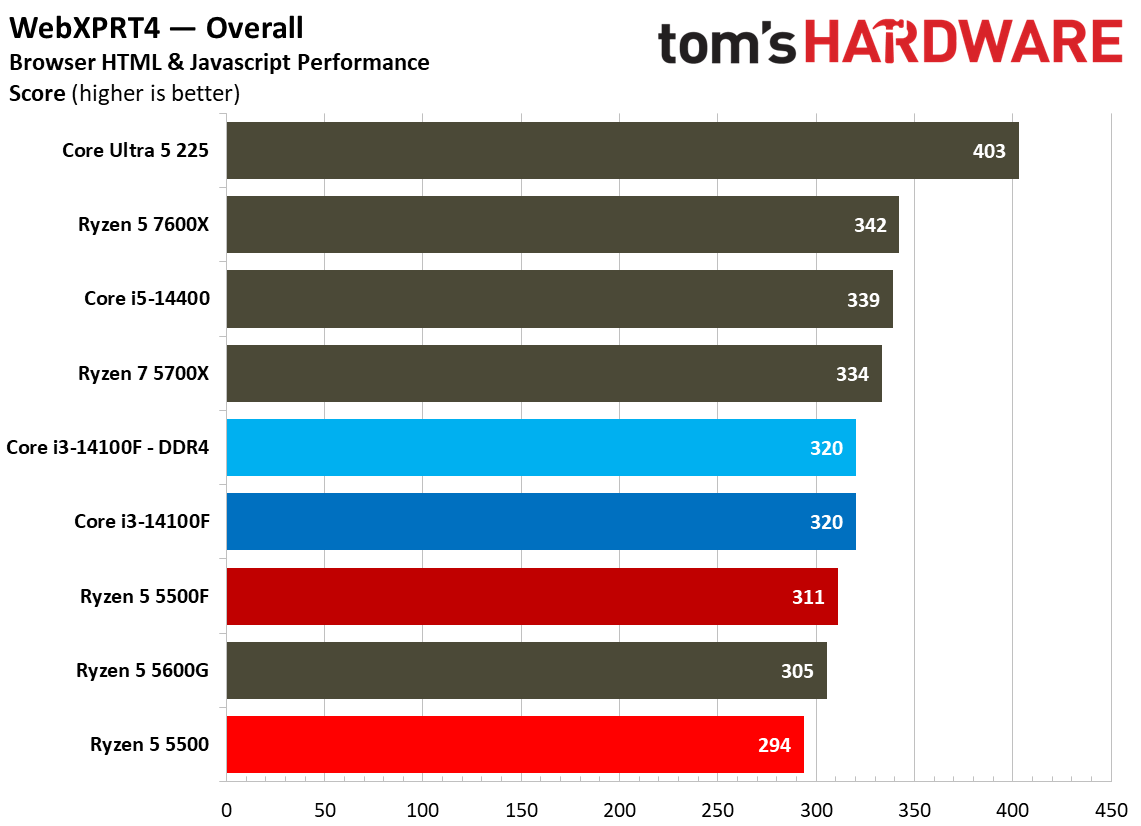
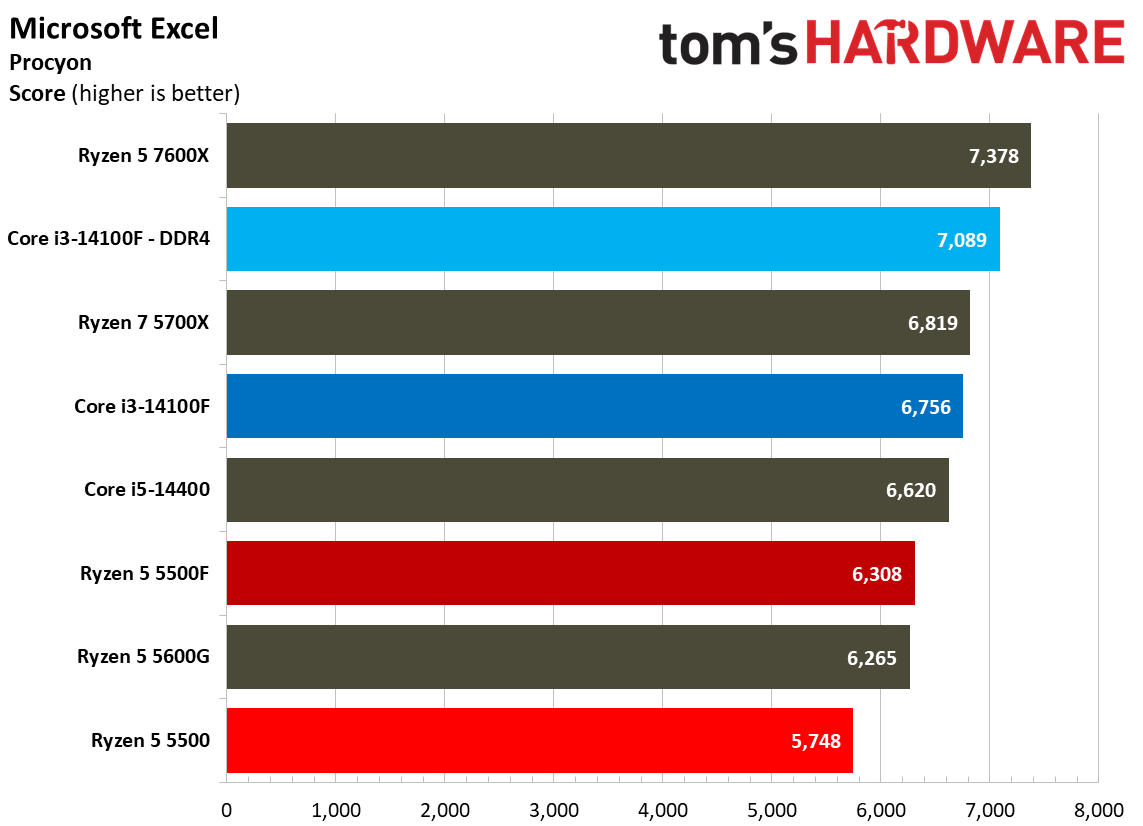
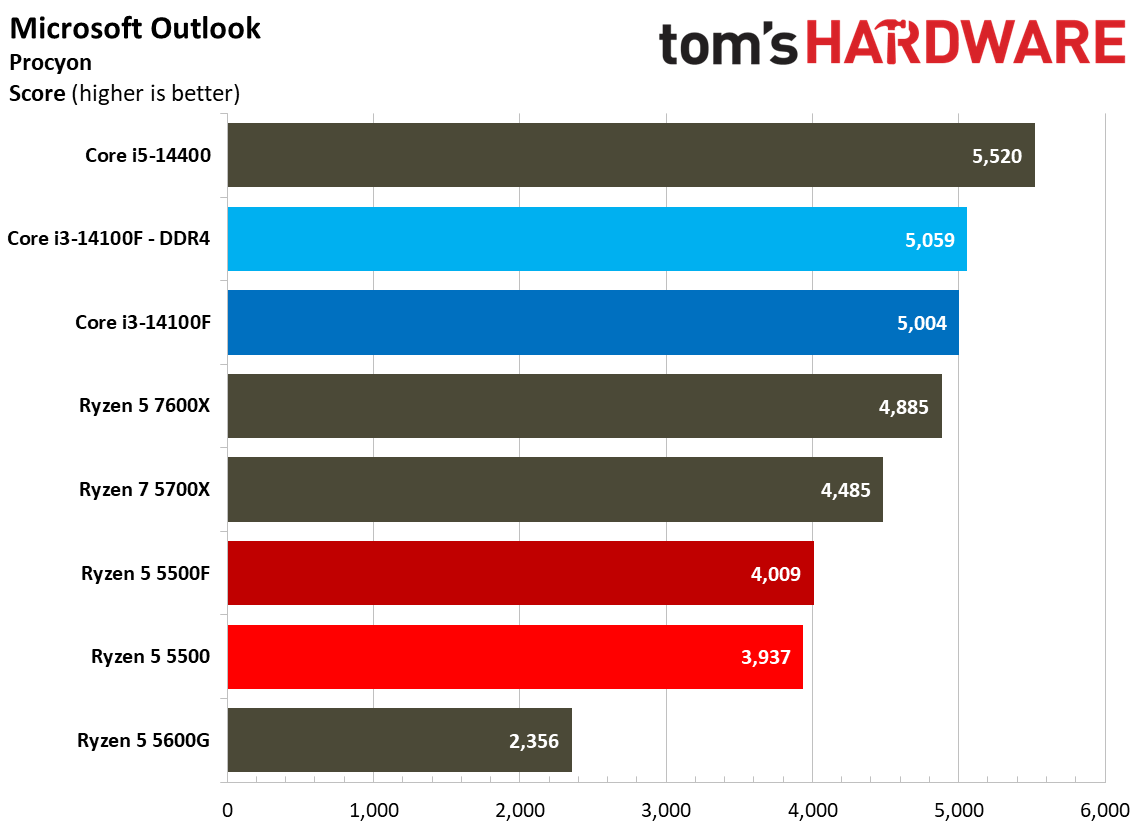
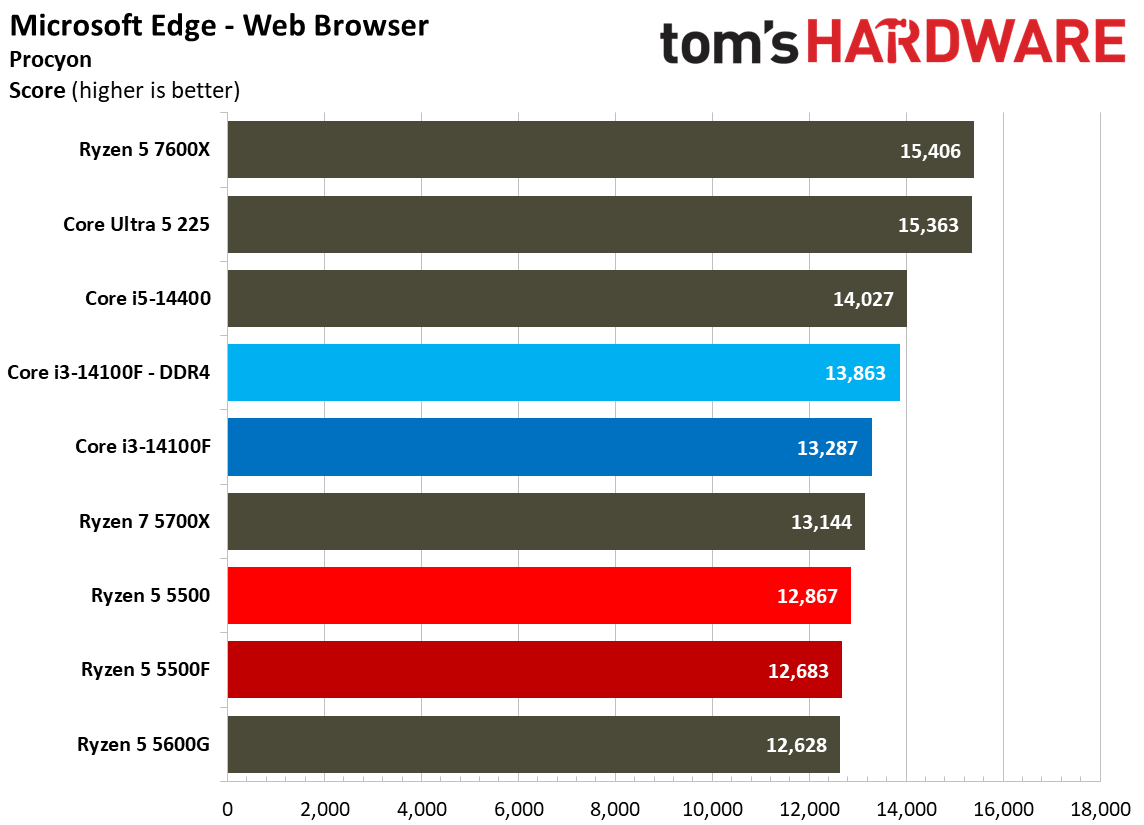
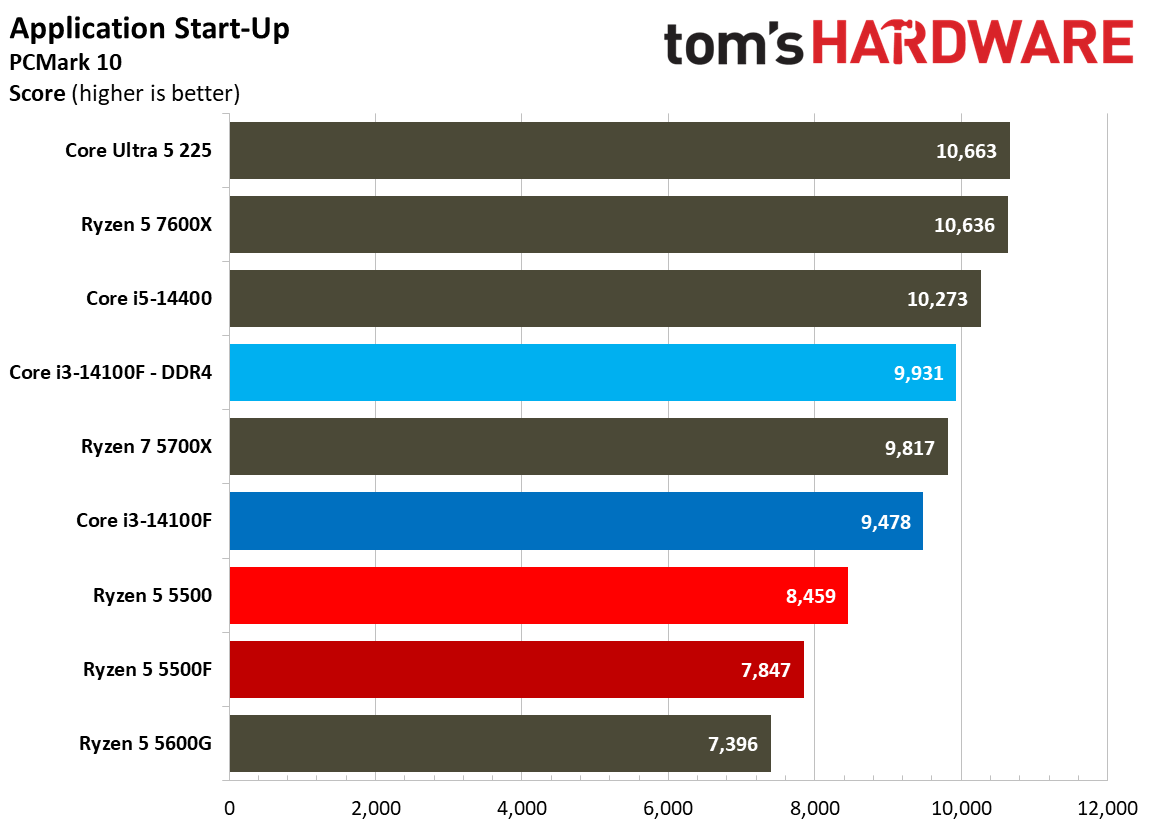
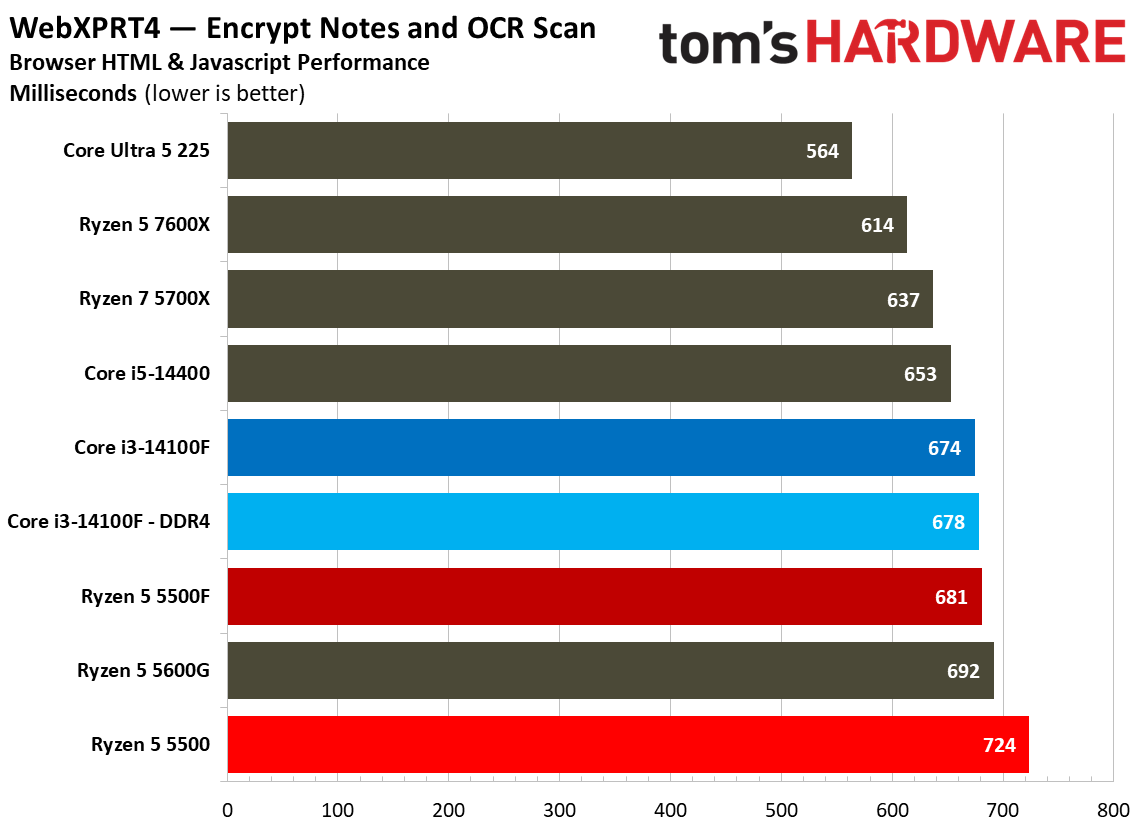
Web and office workloads are par for the course when it comes to the Ryzen 5 5500F. Although Intel retains a lead in our web and office benchmarks, the 5500F does a lot to close the gap compared to the 5500, at least in some tests. Looking at general web workloads through WebXPRT and Procyon, there isn’t much of a difference between the main chips we’re focused on.
However, the 5500F gains some ground in Excel with a 9.7% jump over the 5500. It was a massive 35% faster in Word, finally closing in on the 14100F, and it was 6.7% faster in PowerPoint. Even by the standards of budget CPUs, the Ryzen 5 5500 didn’t perform well in these applications. The 5500F puts AMD’s budget offering back in contention.
Chess Engines, Compilation, Compression, AVX, and Other Benchmarks
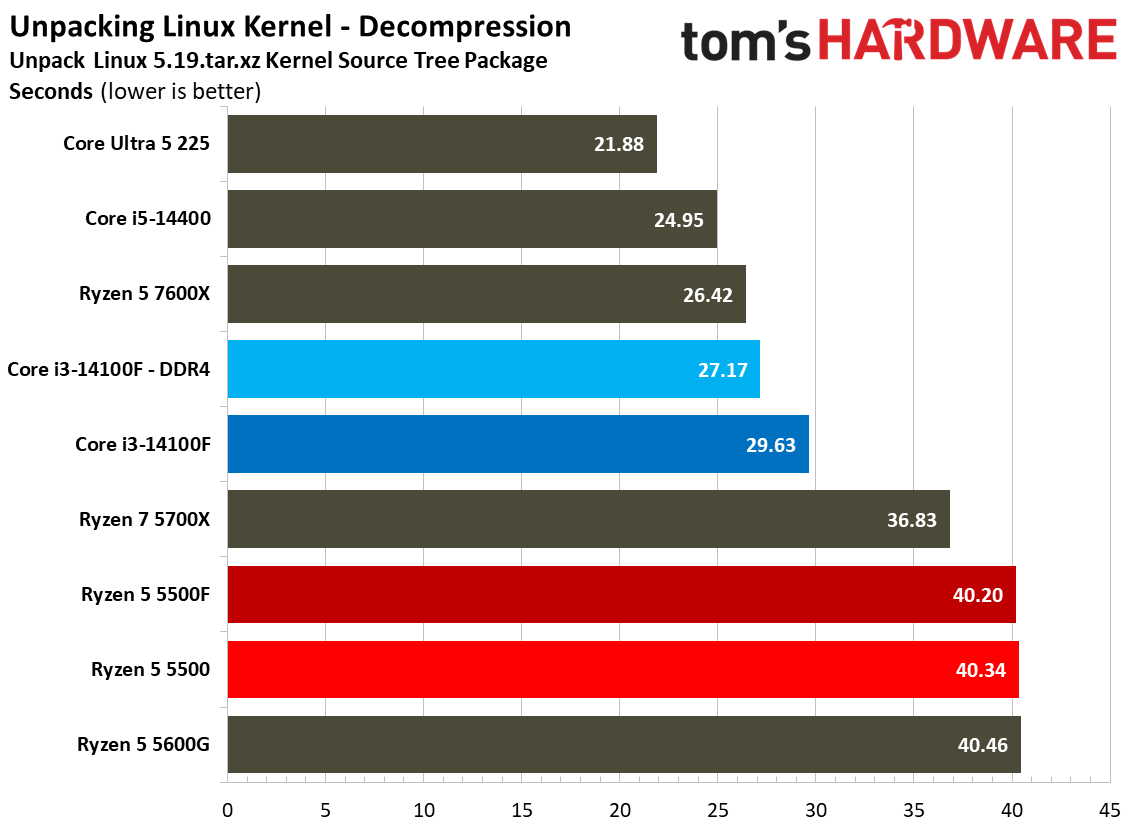
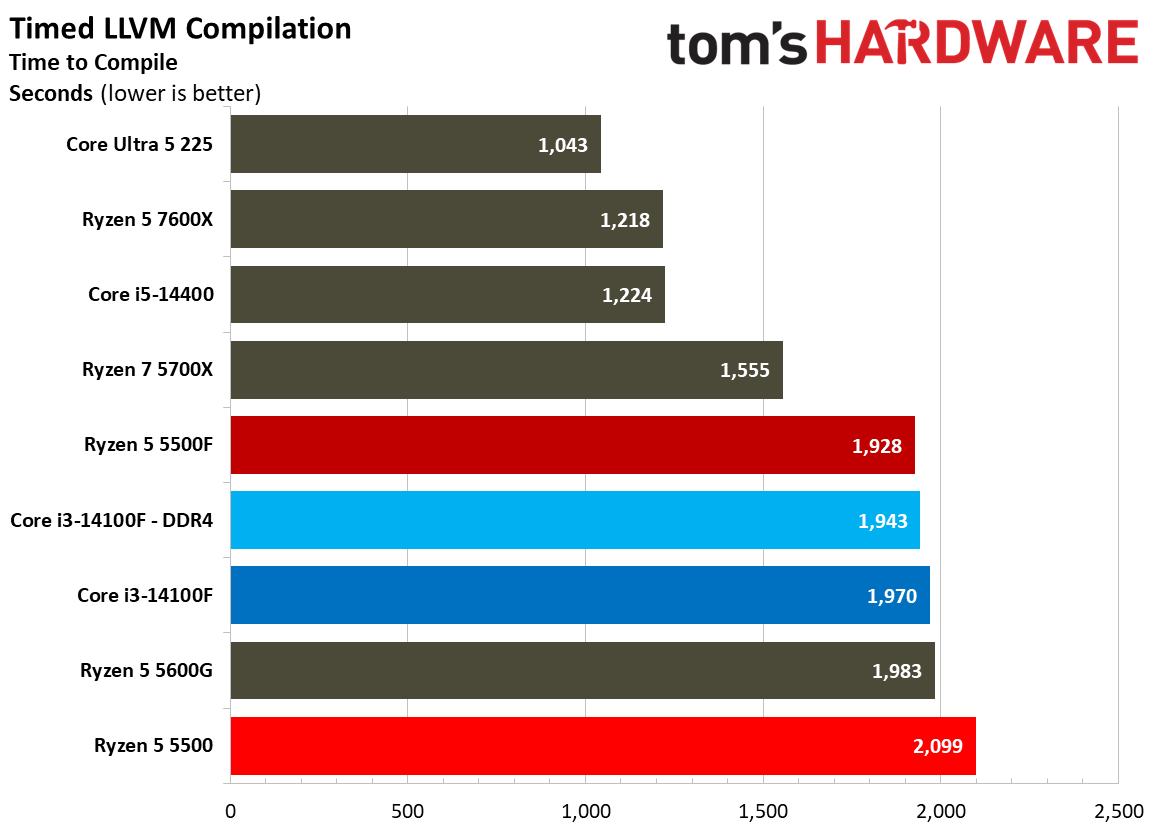
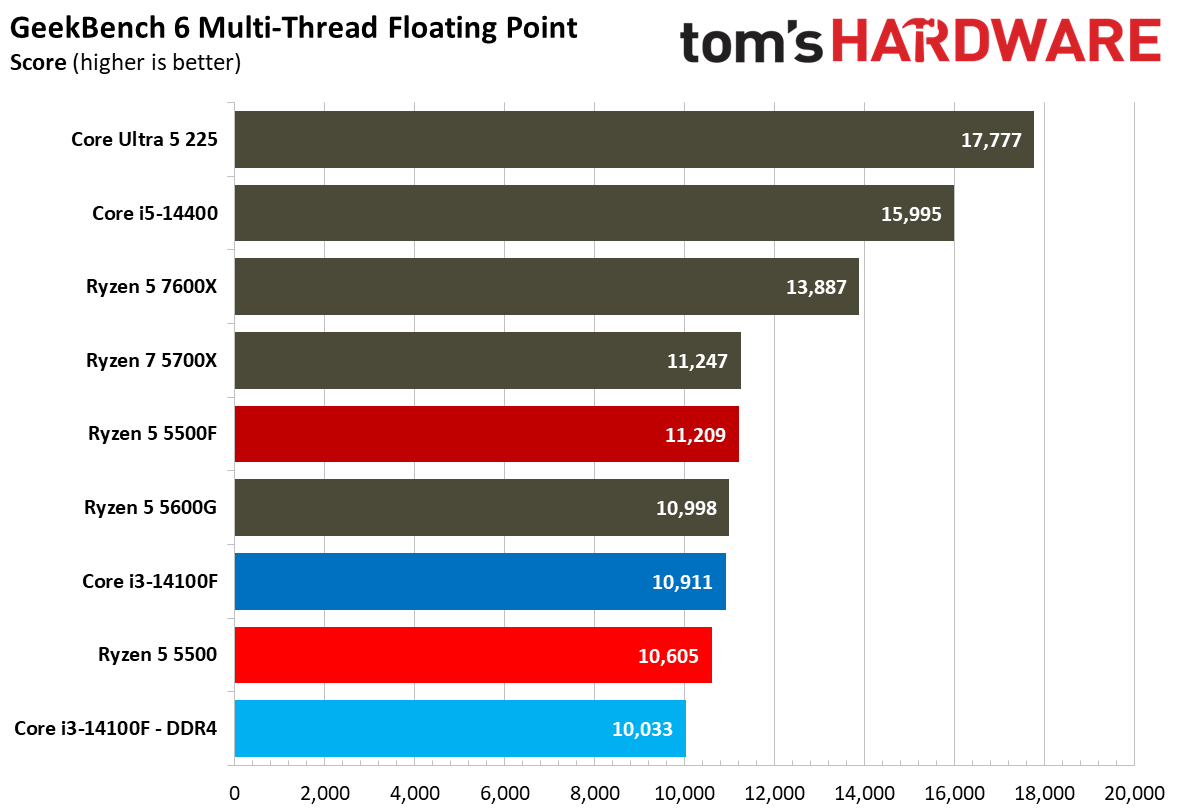
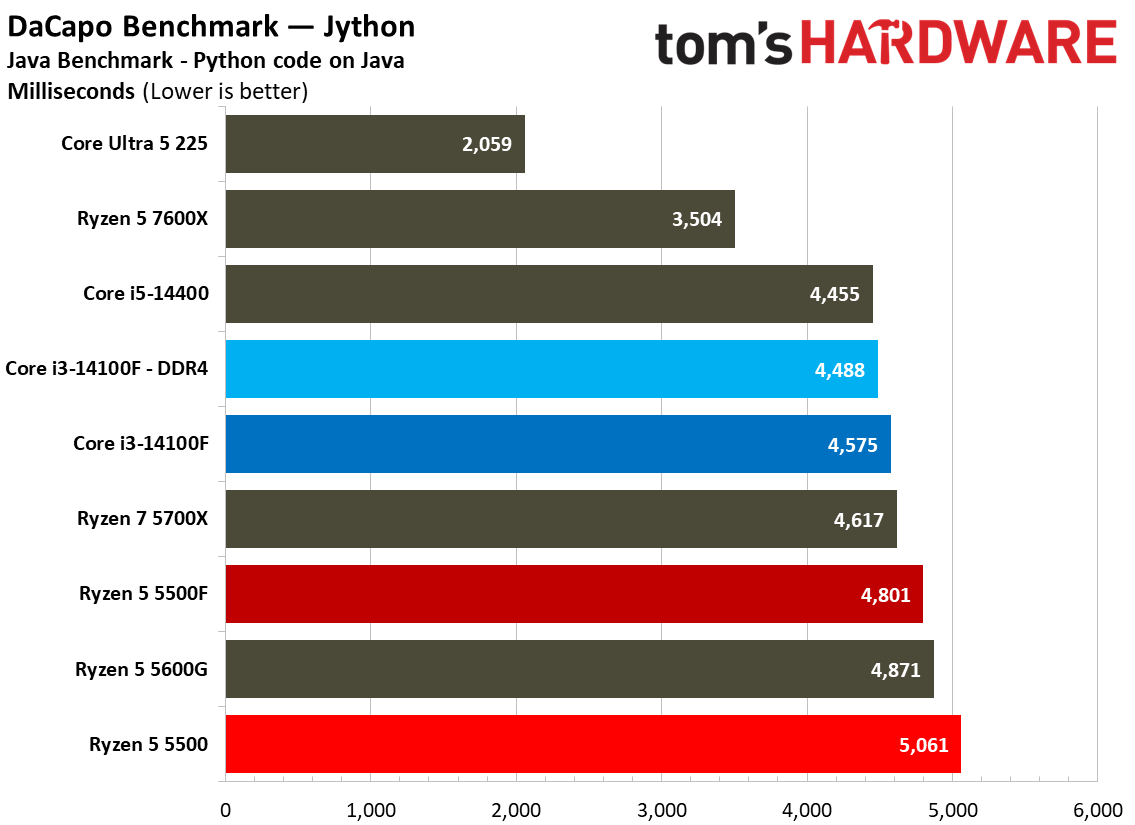
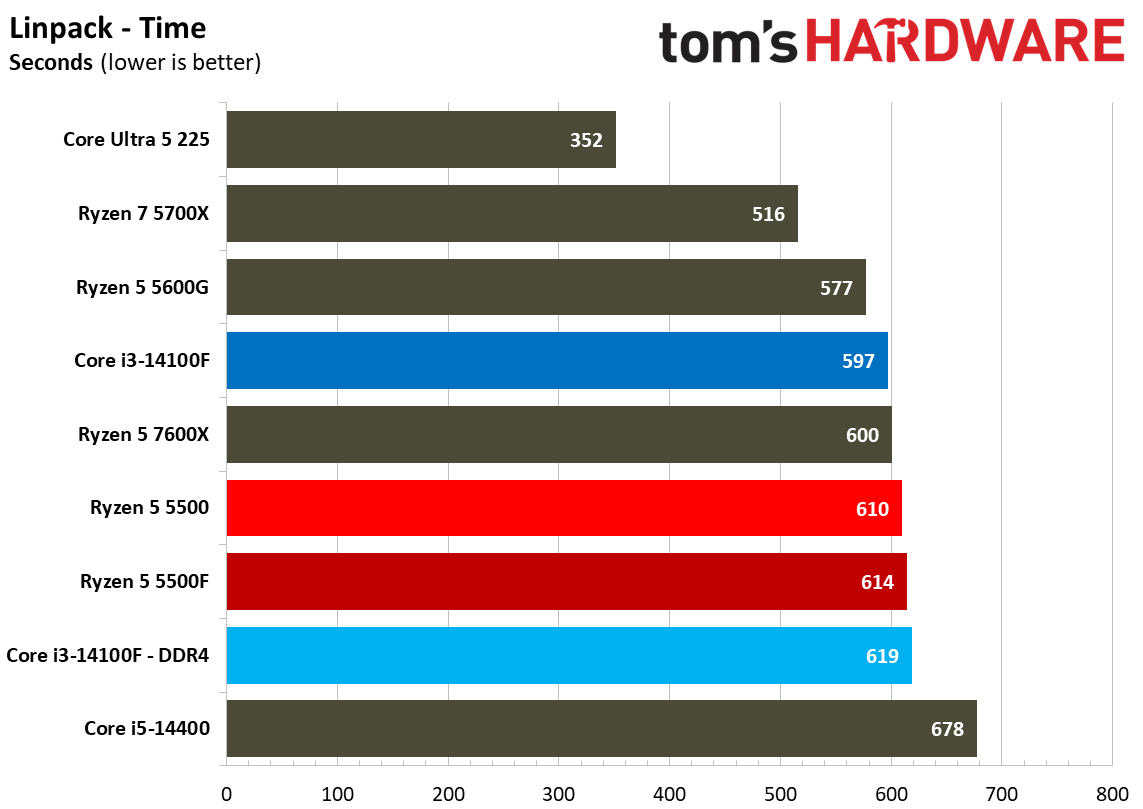
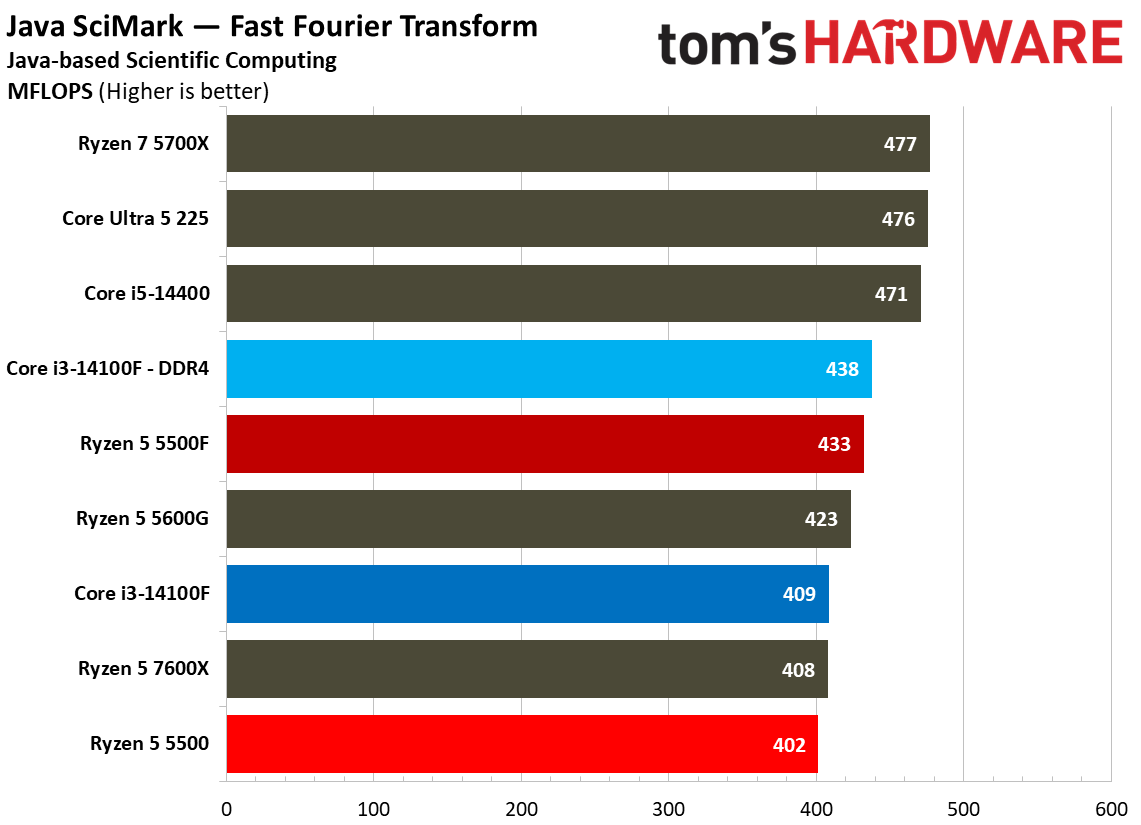
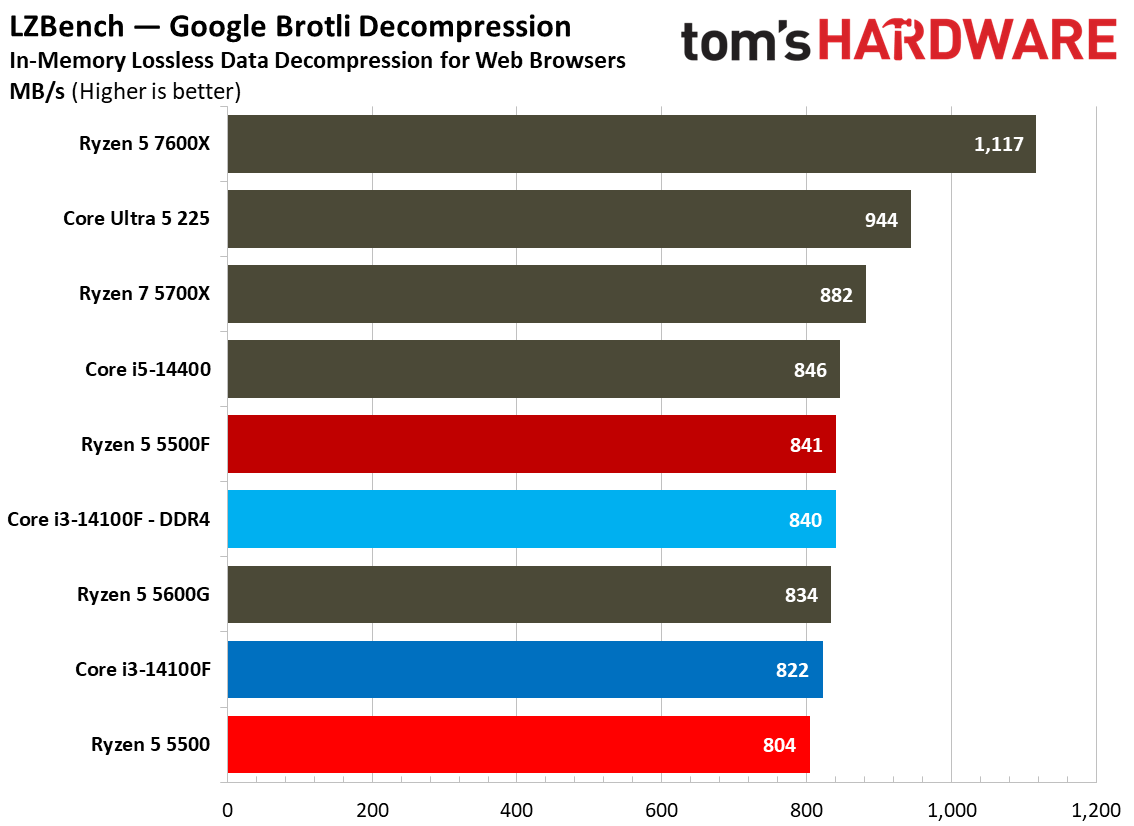
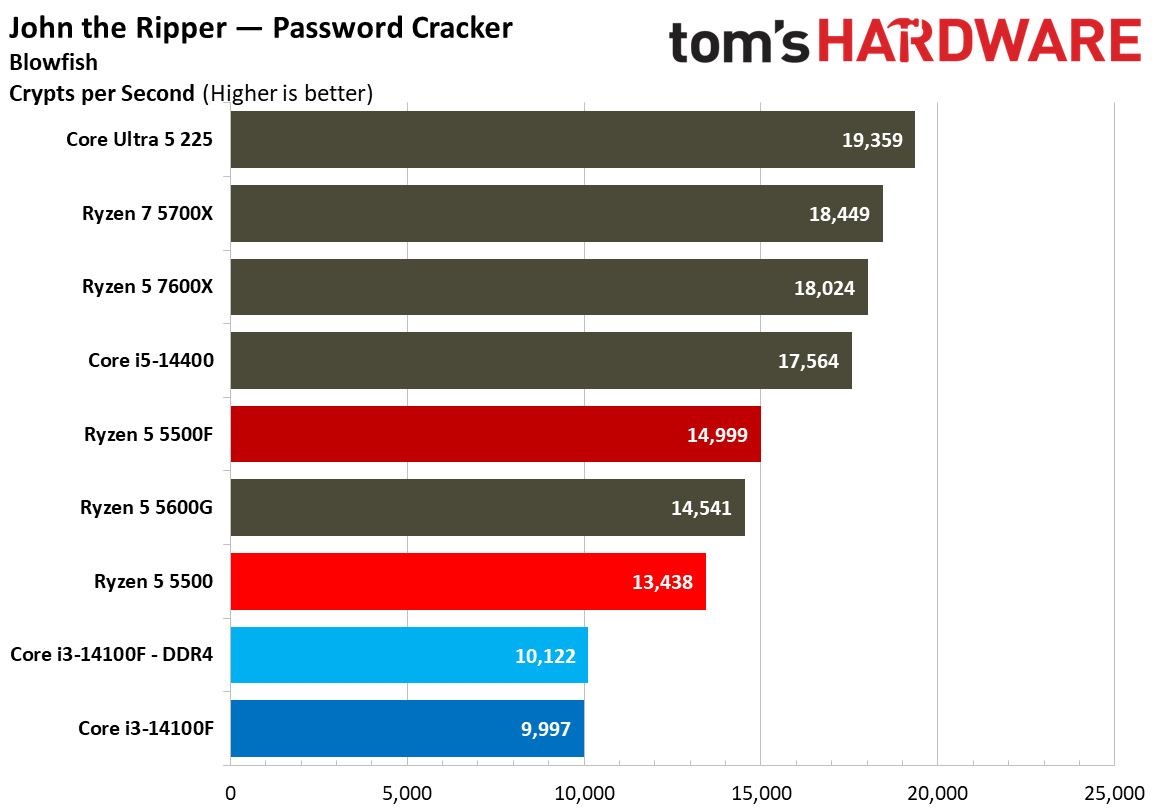
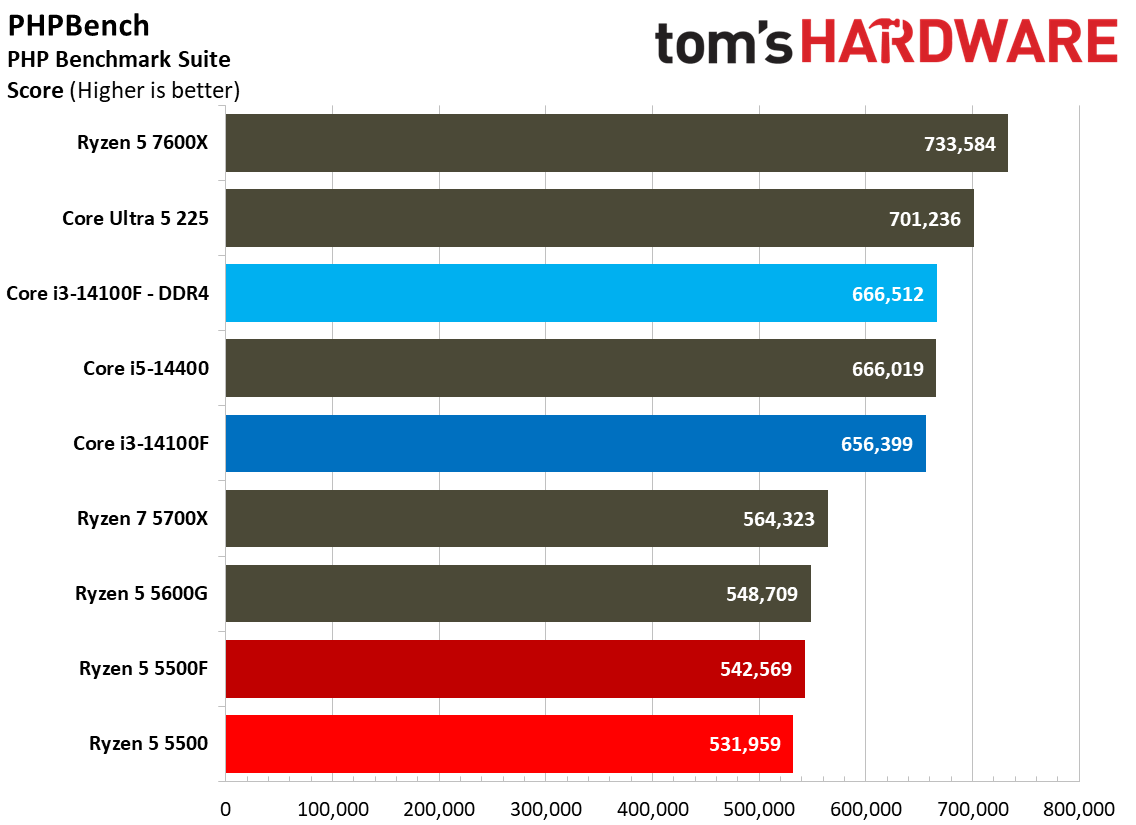
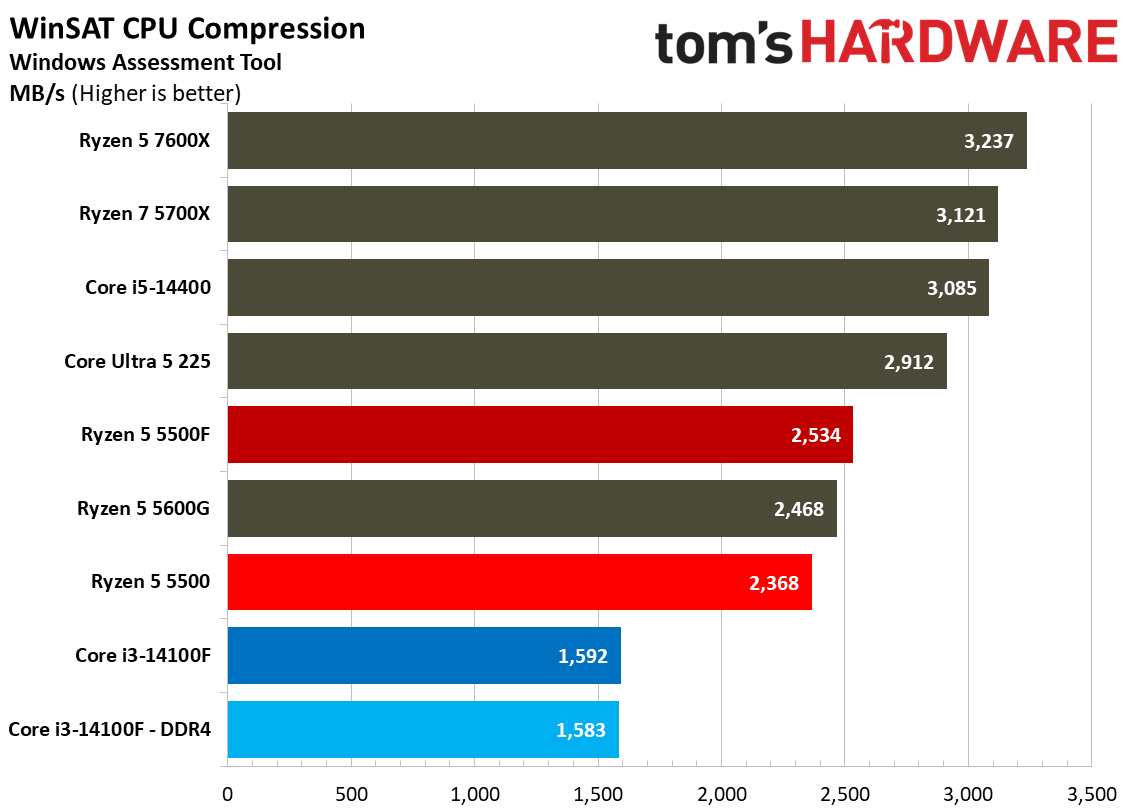
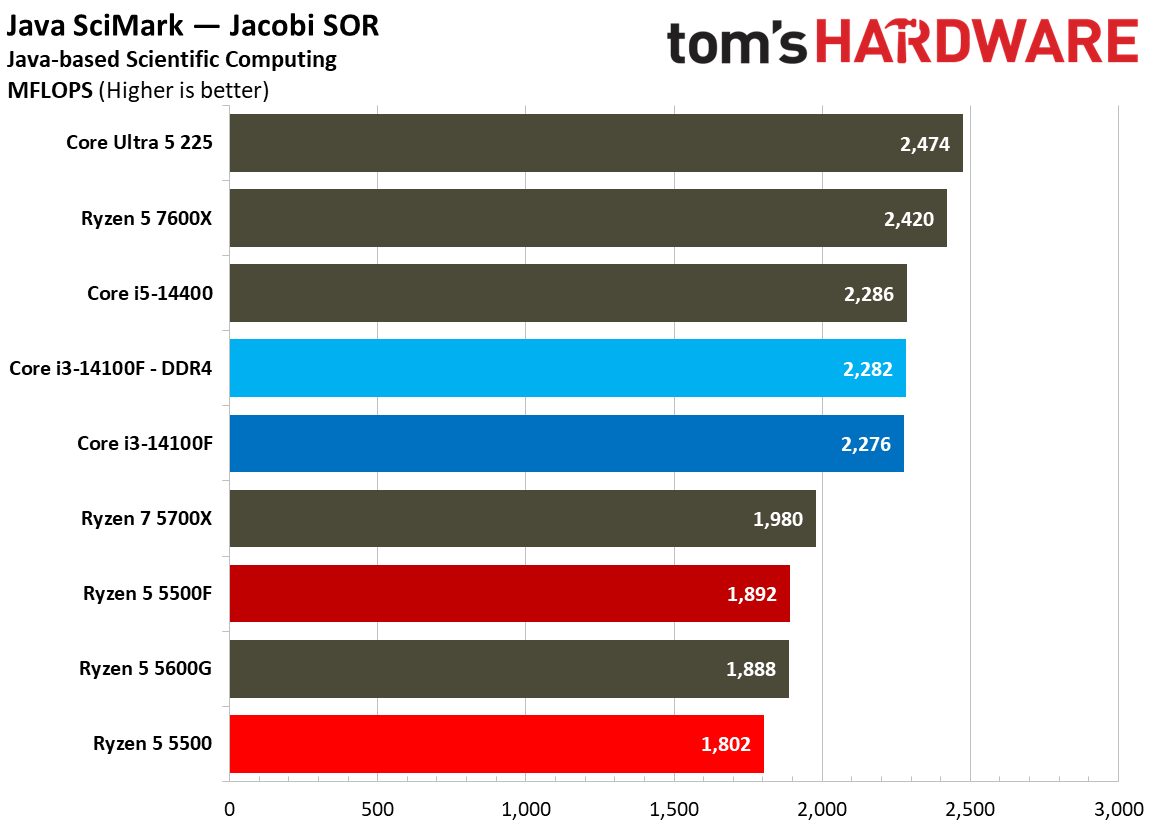
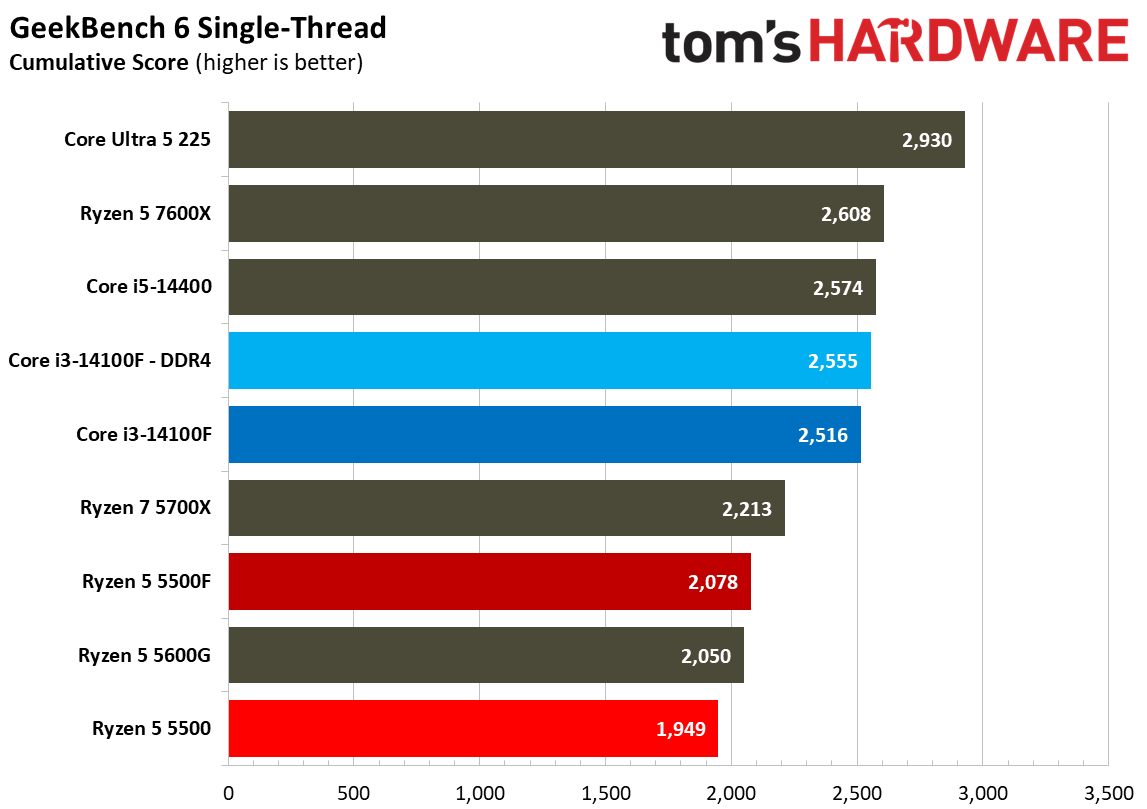
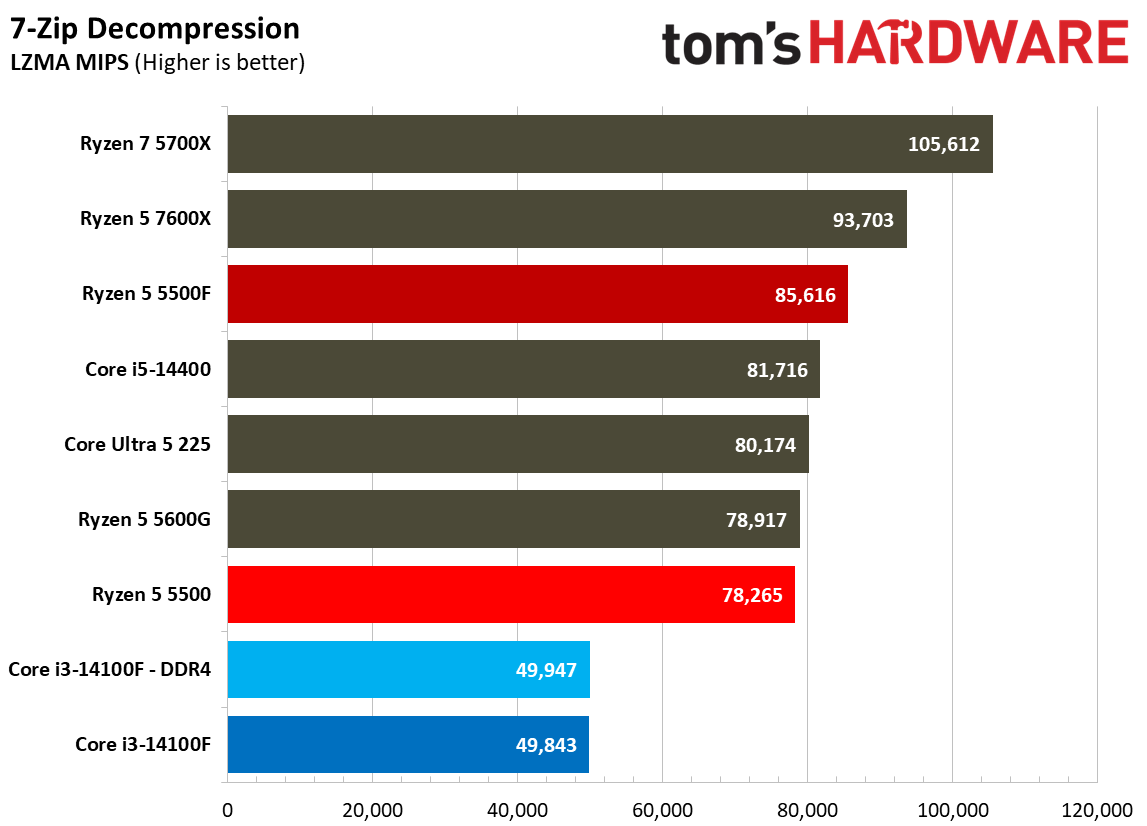
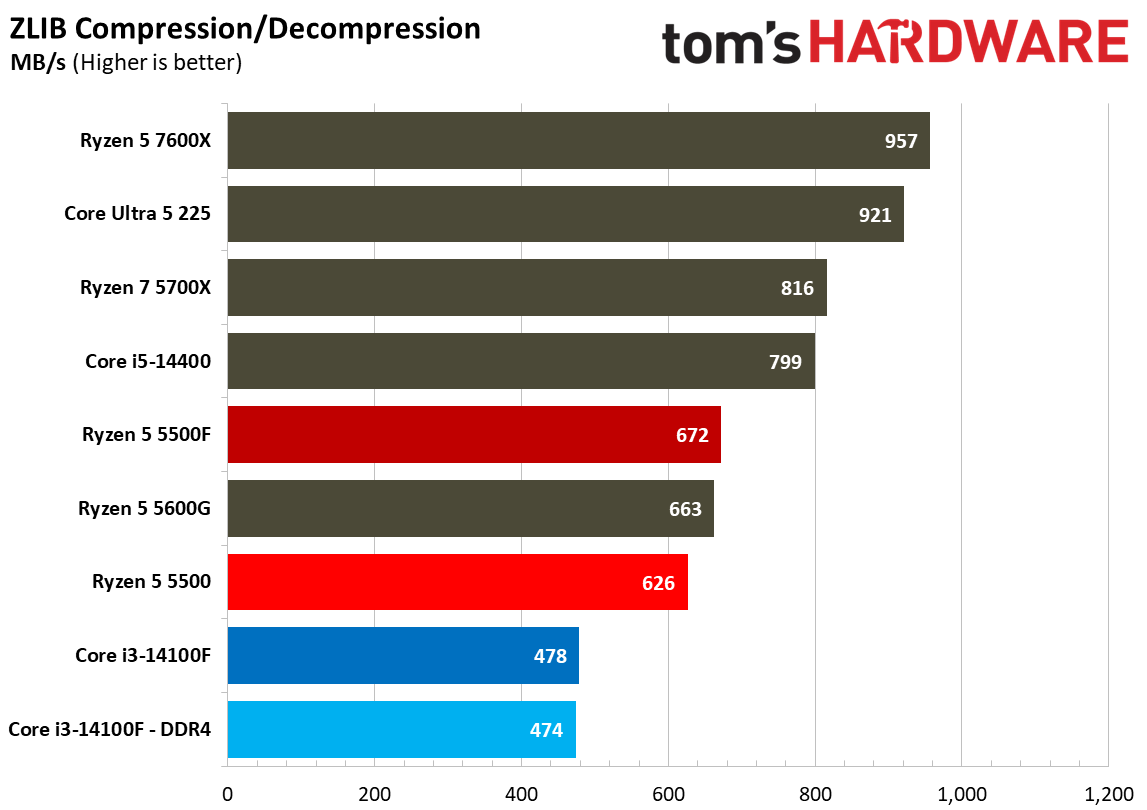
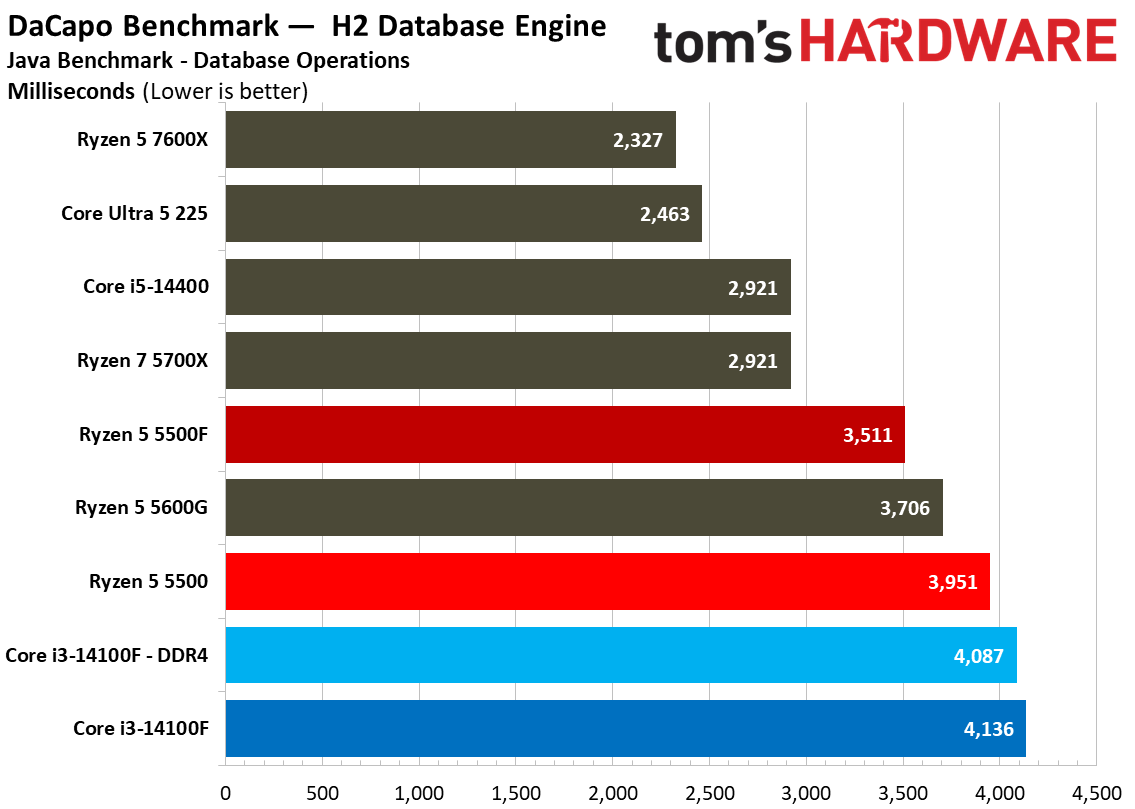
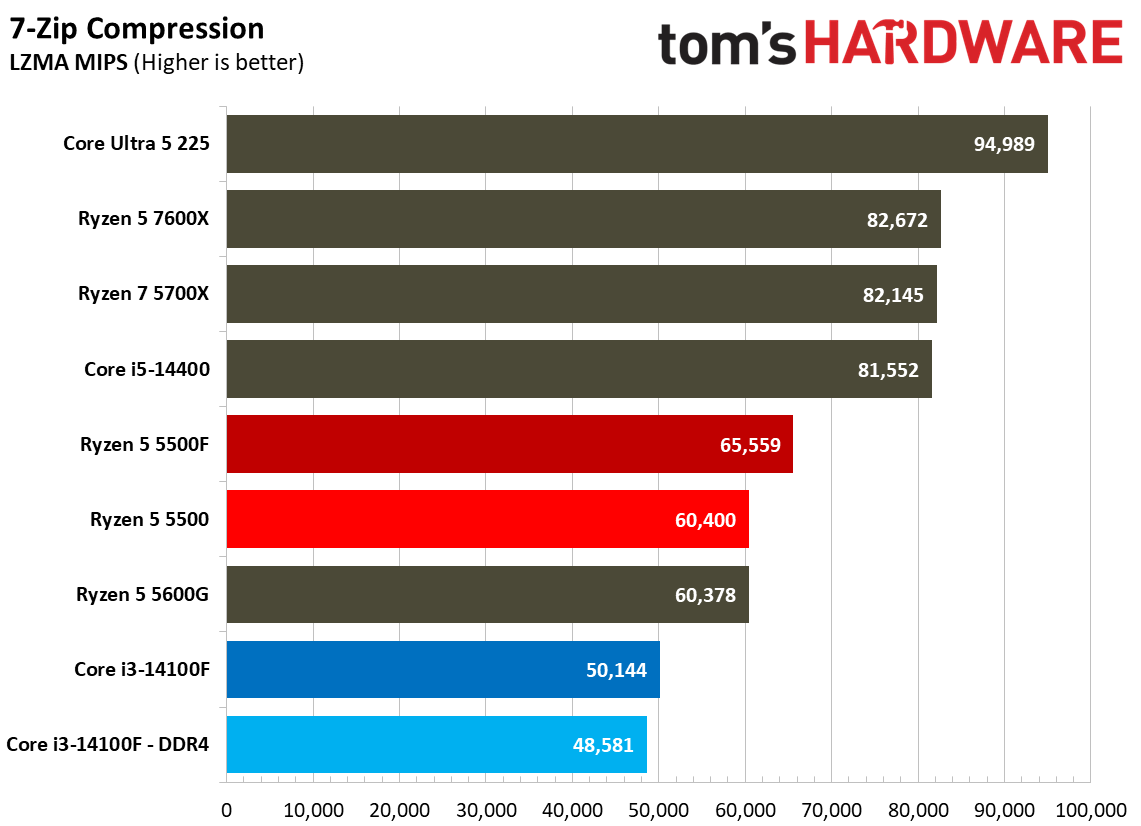
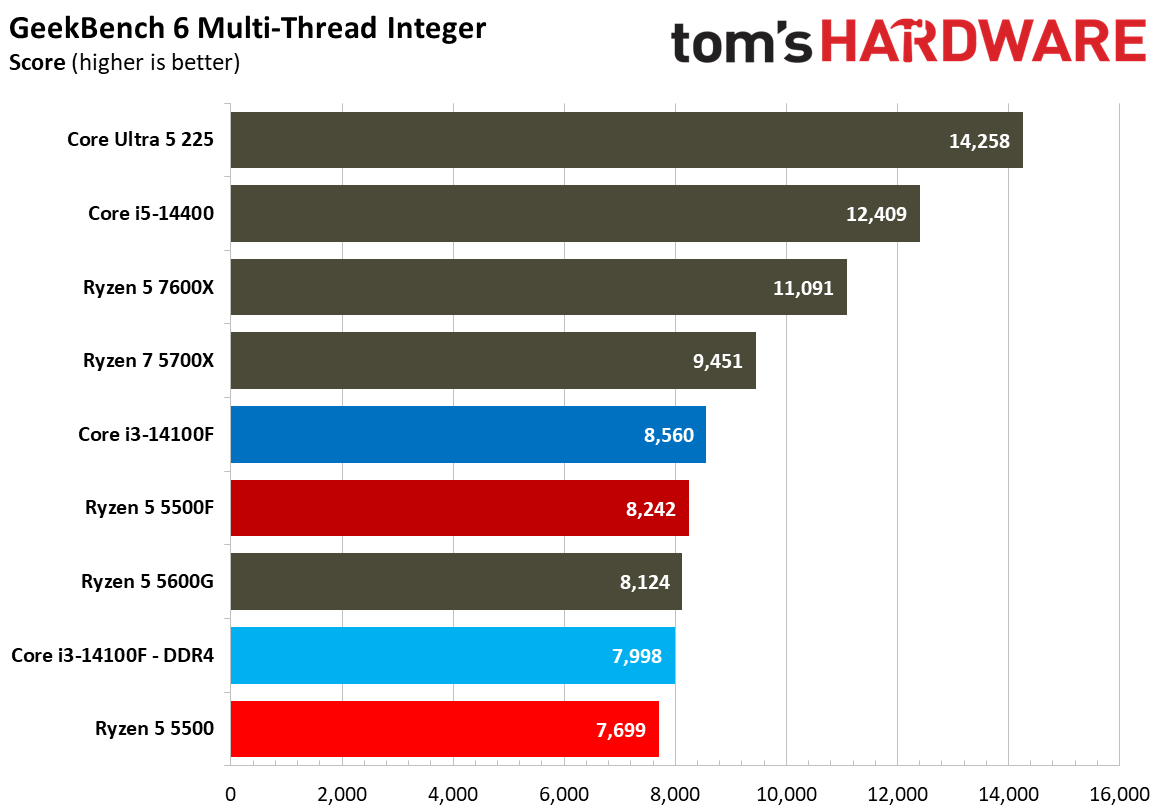
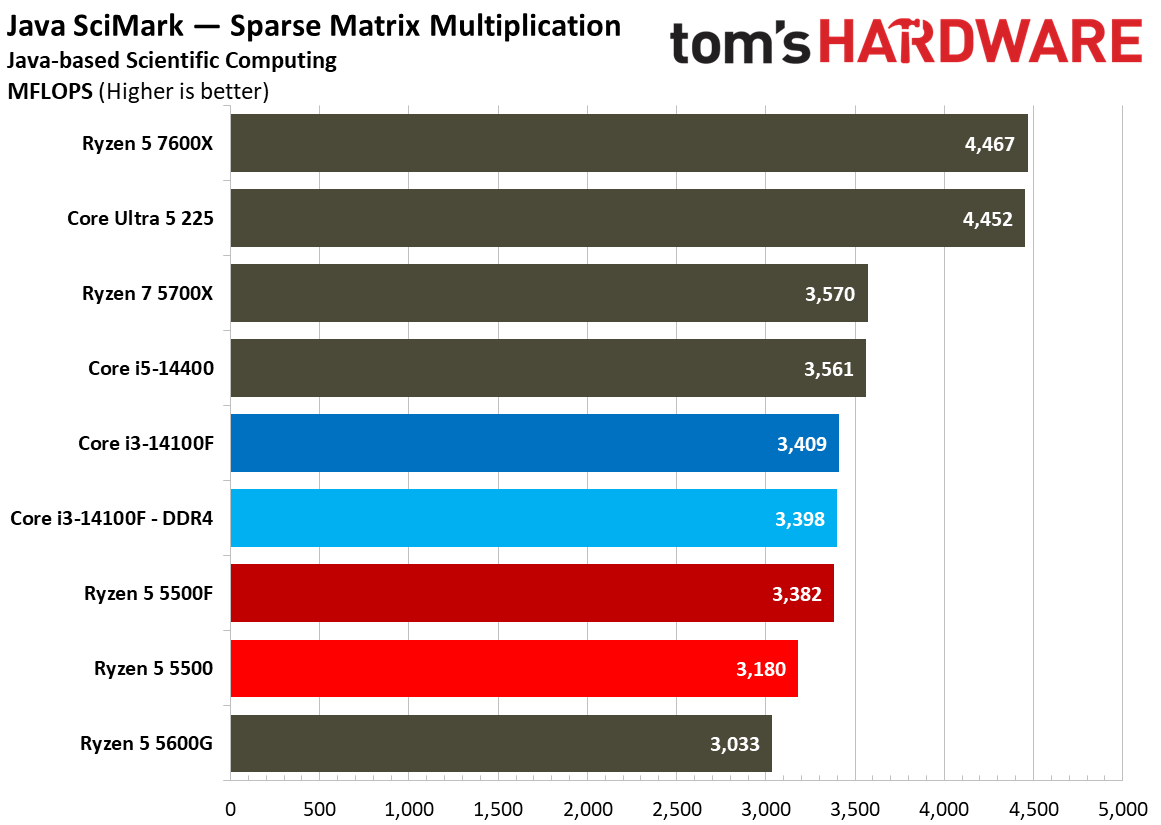
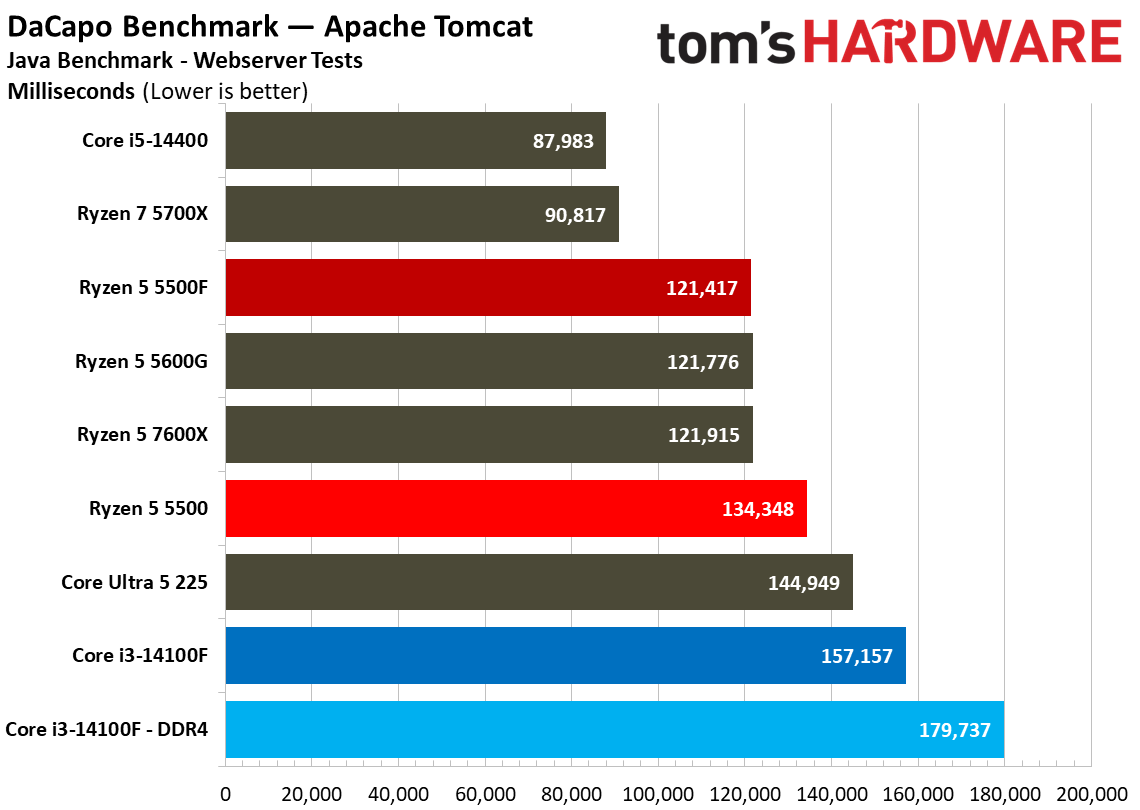
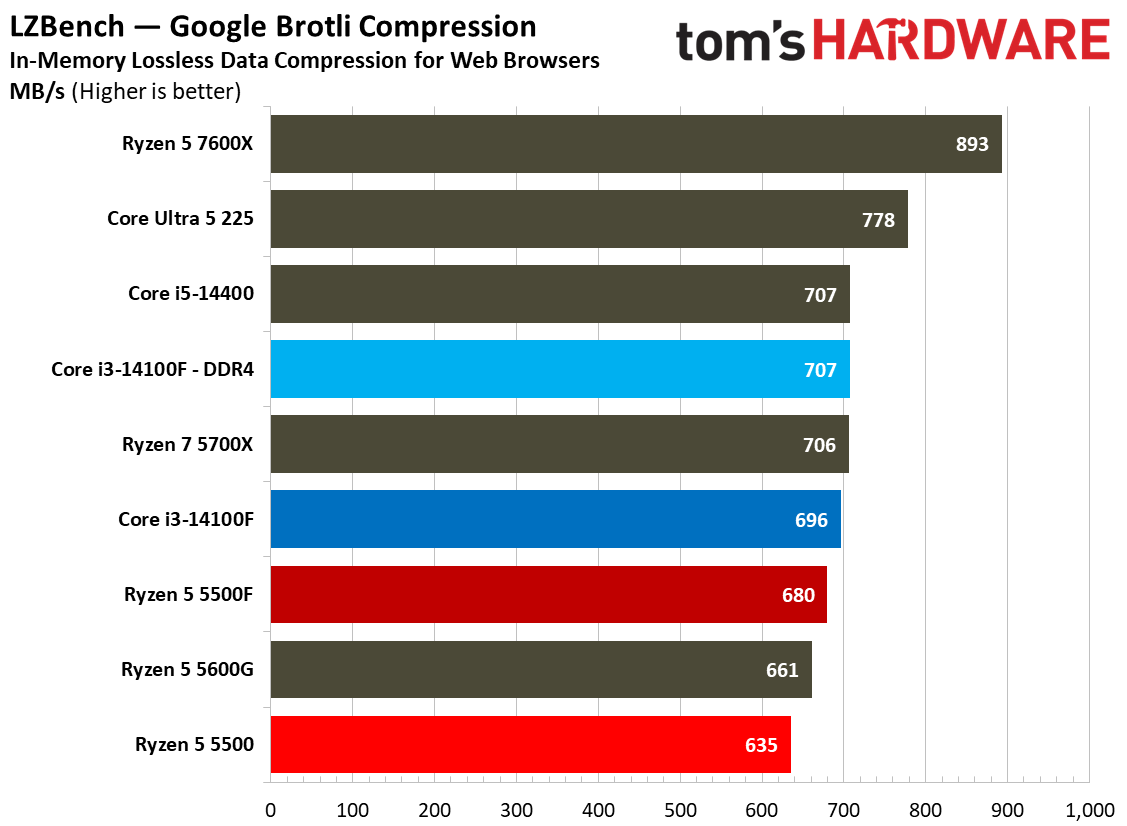
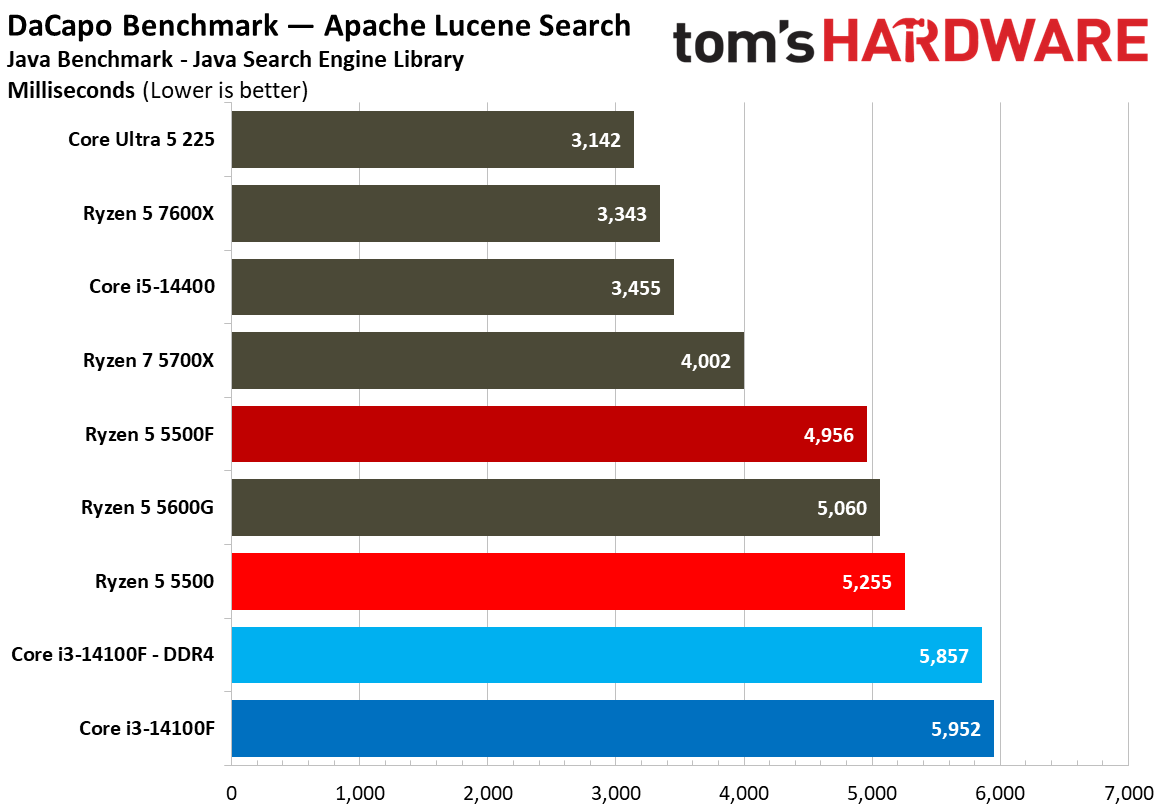
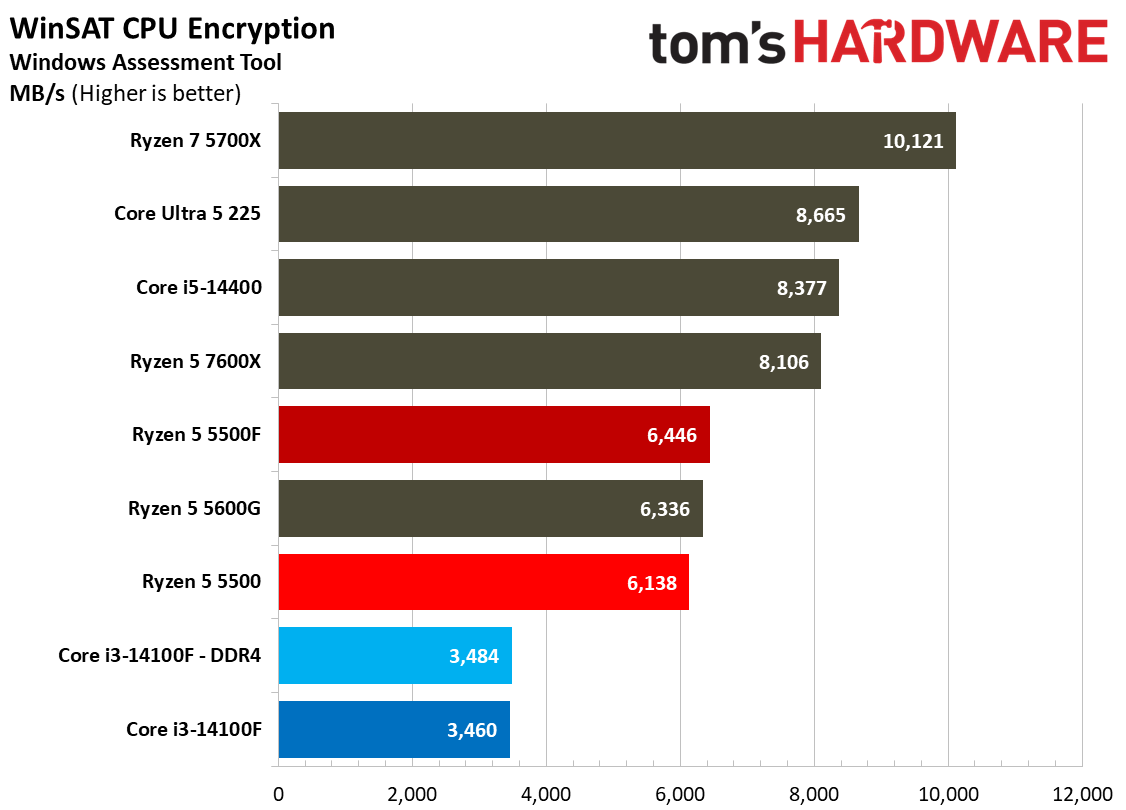
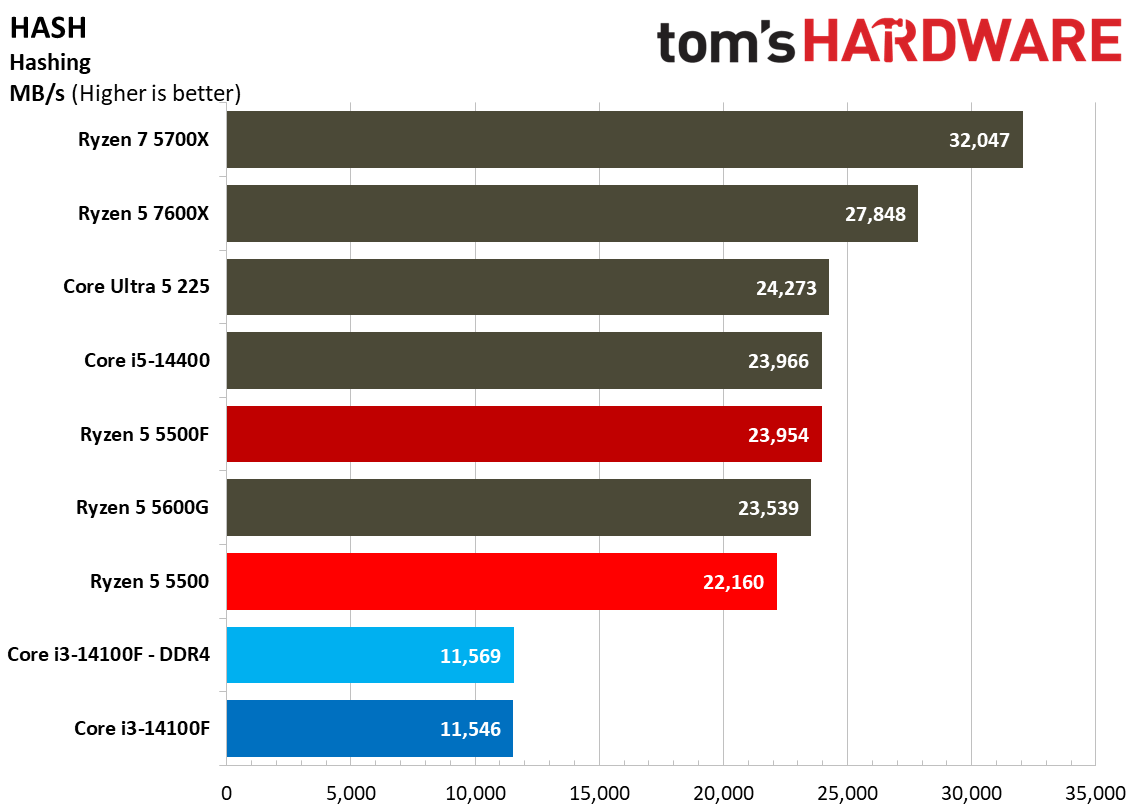
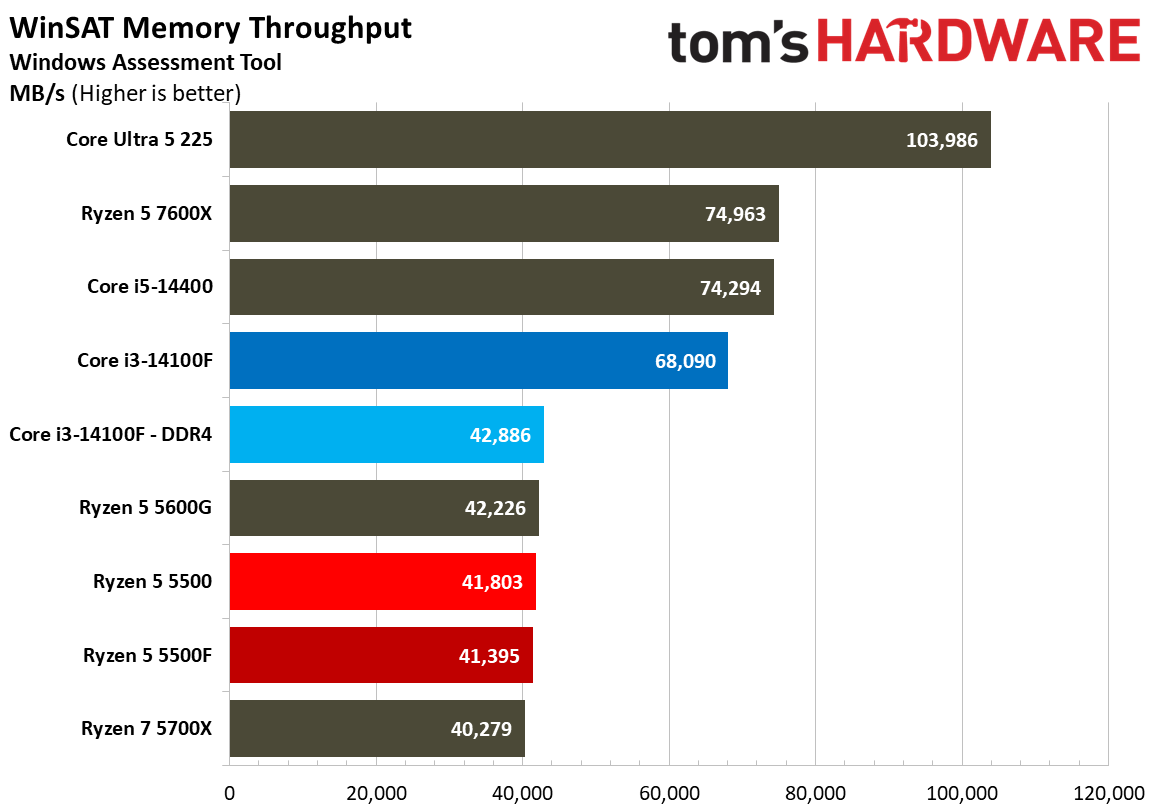
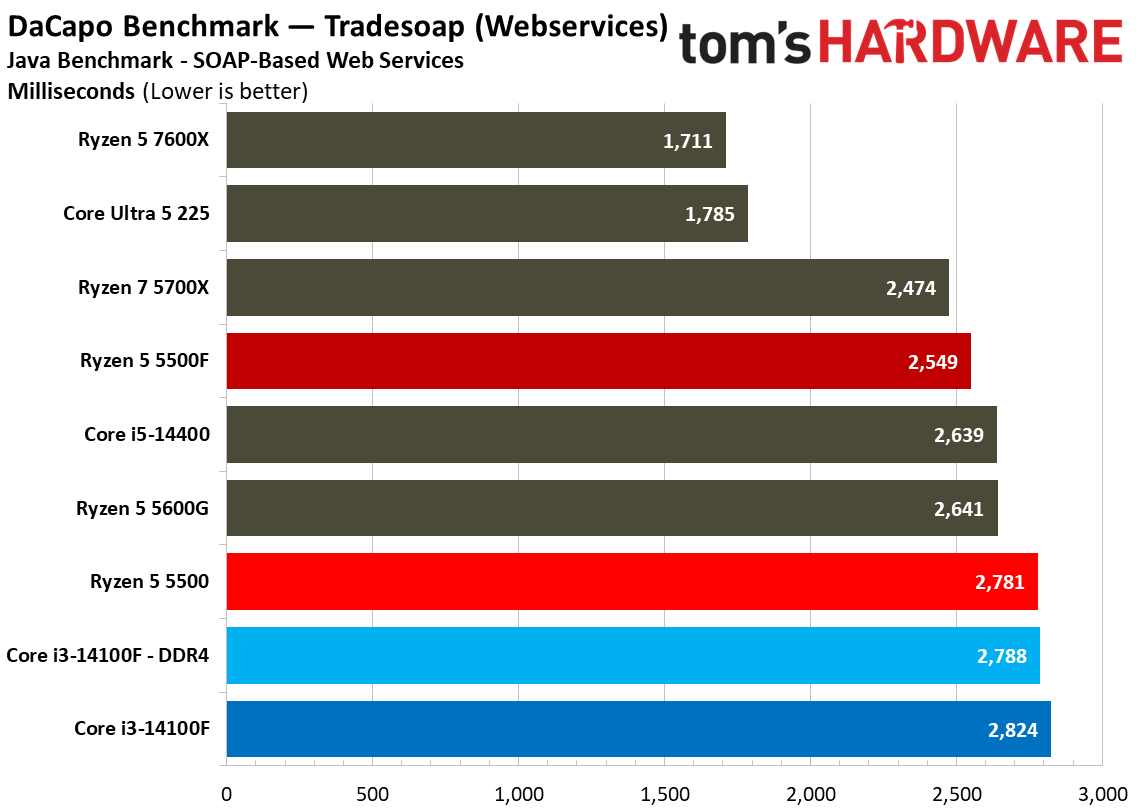
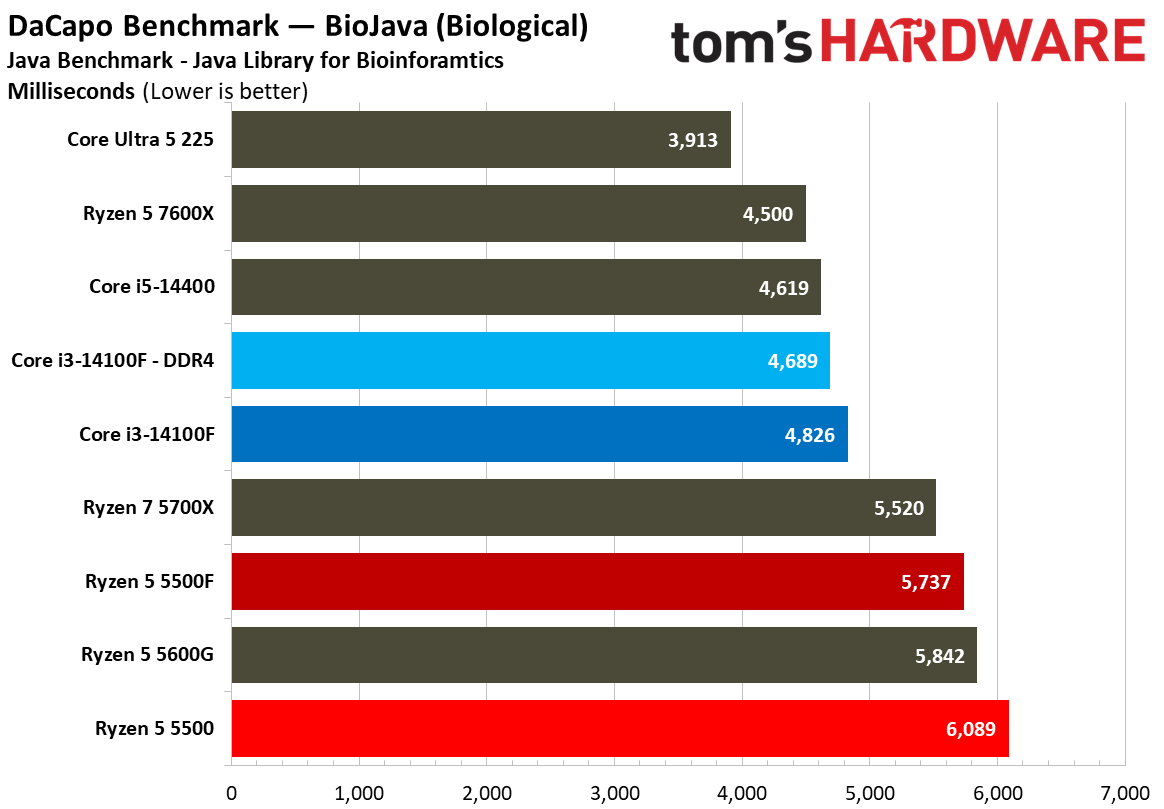
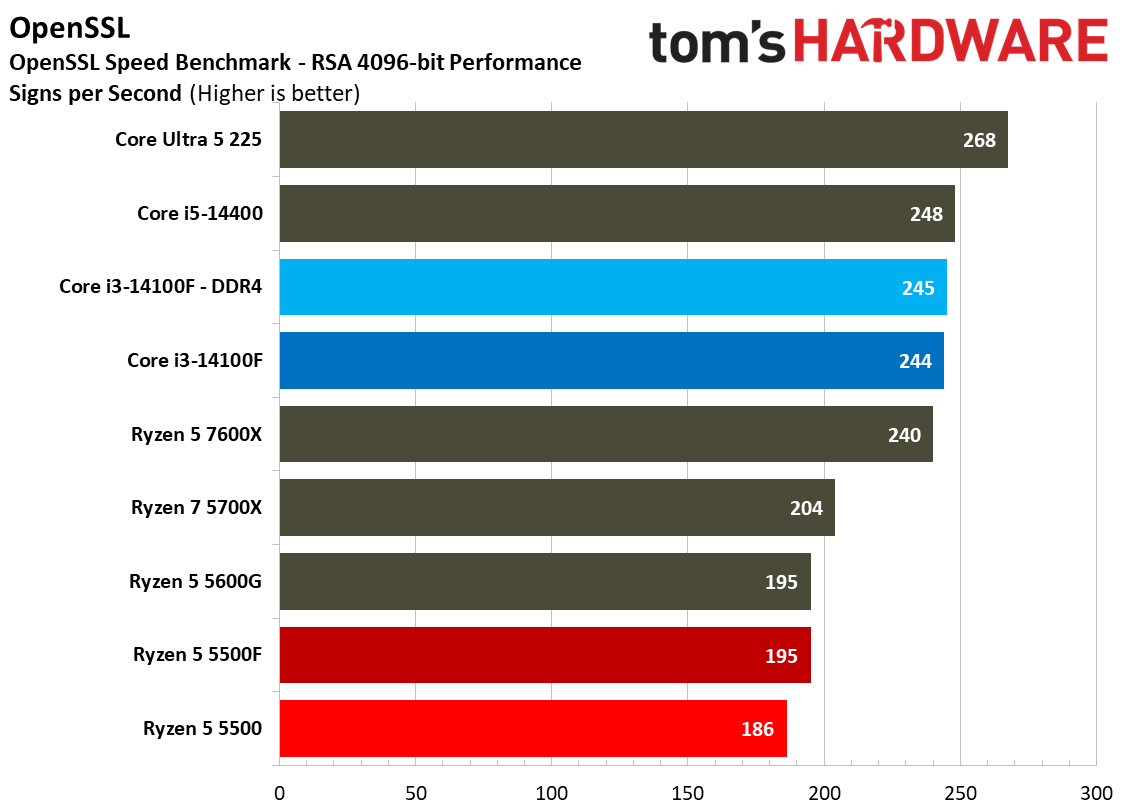
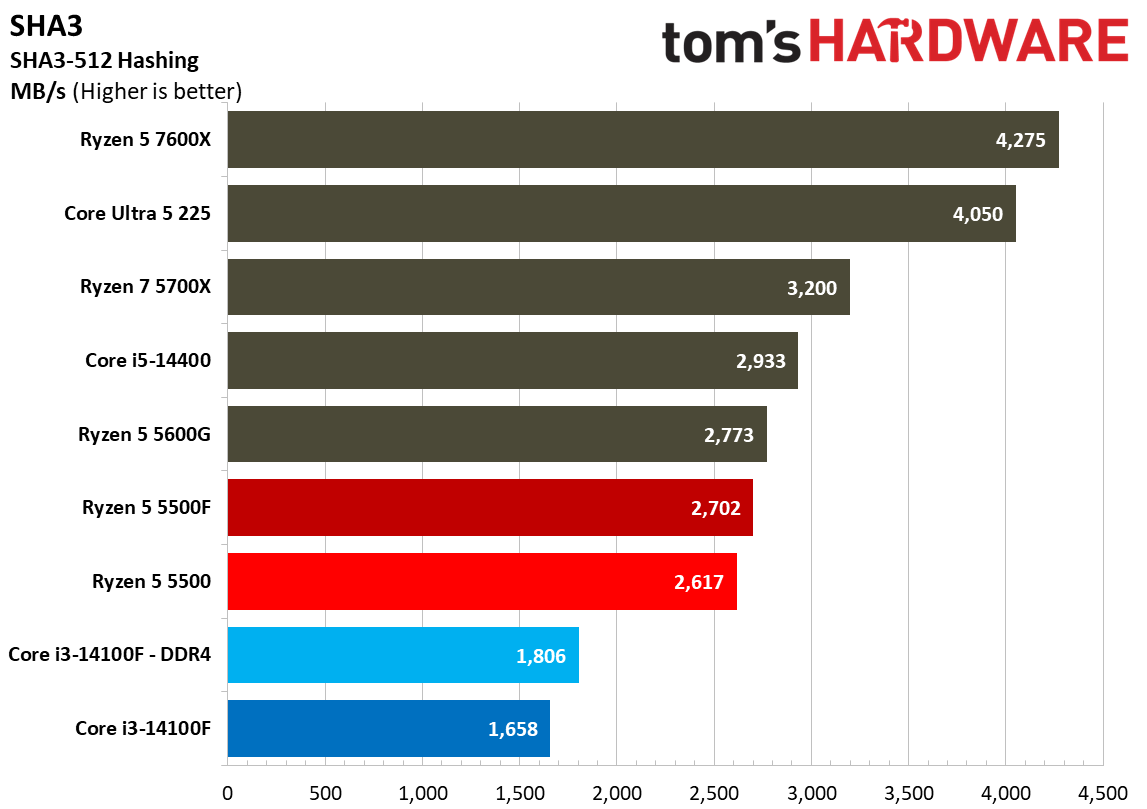
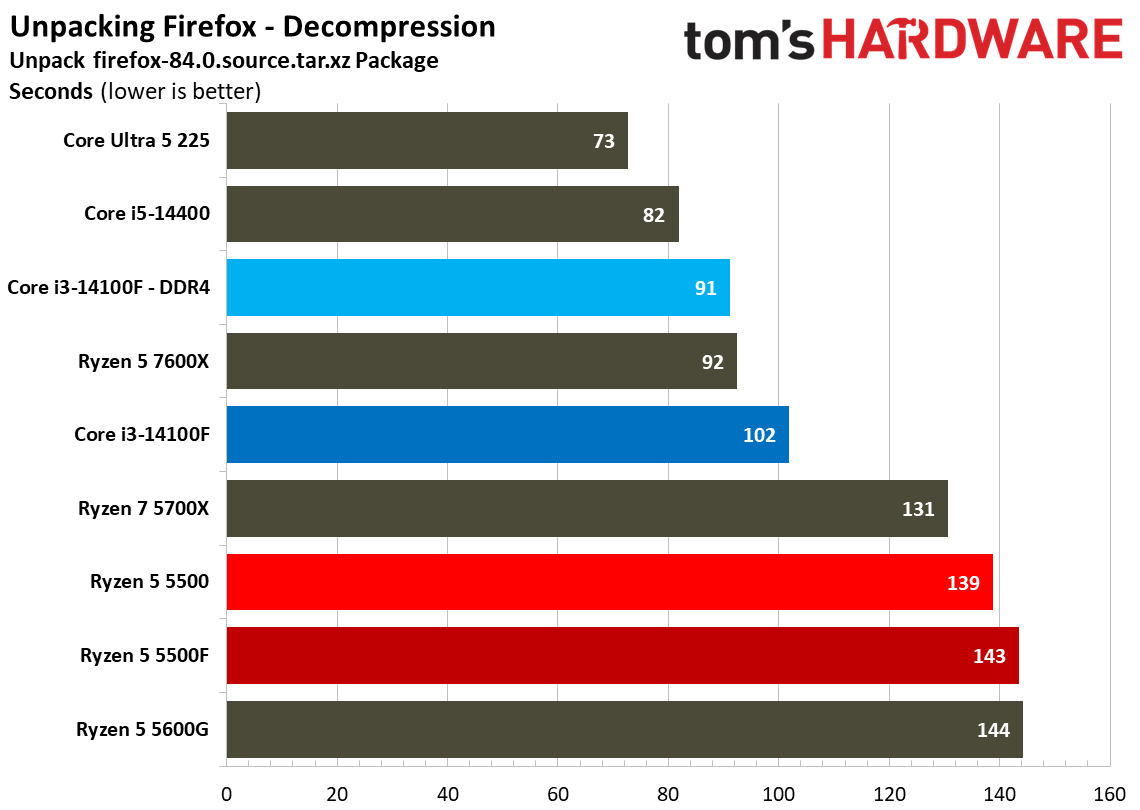
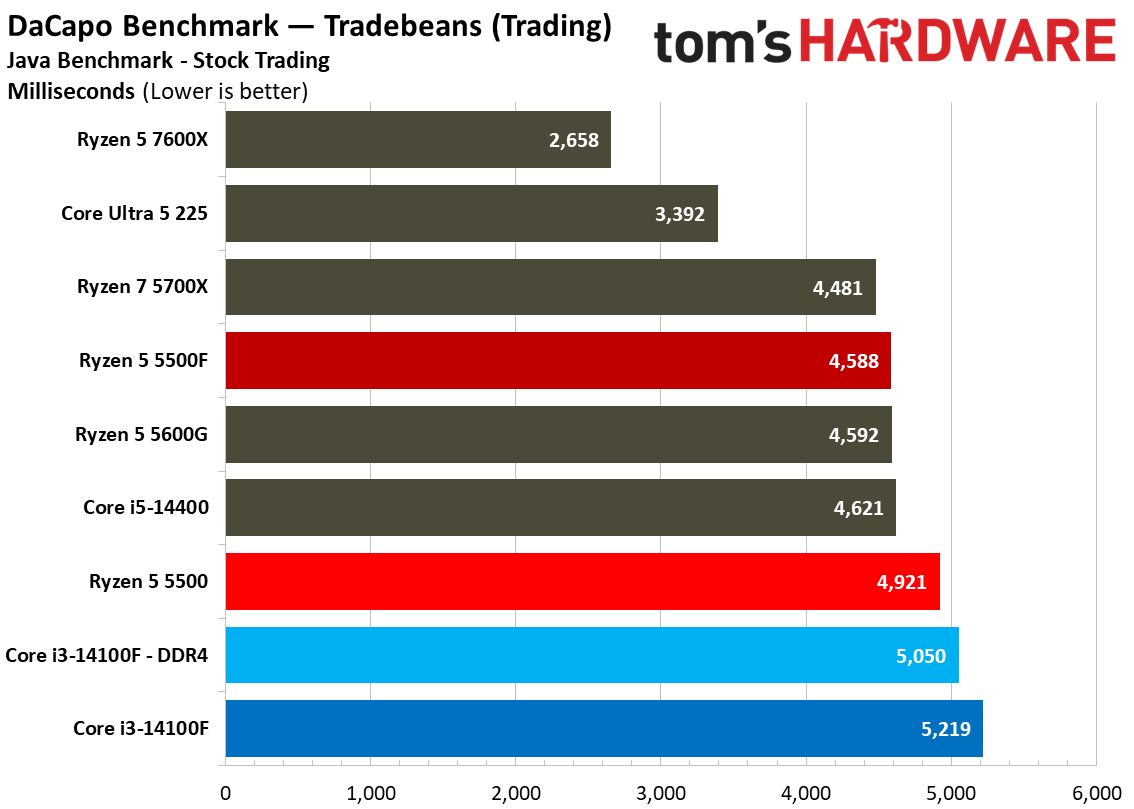
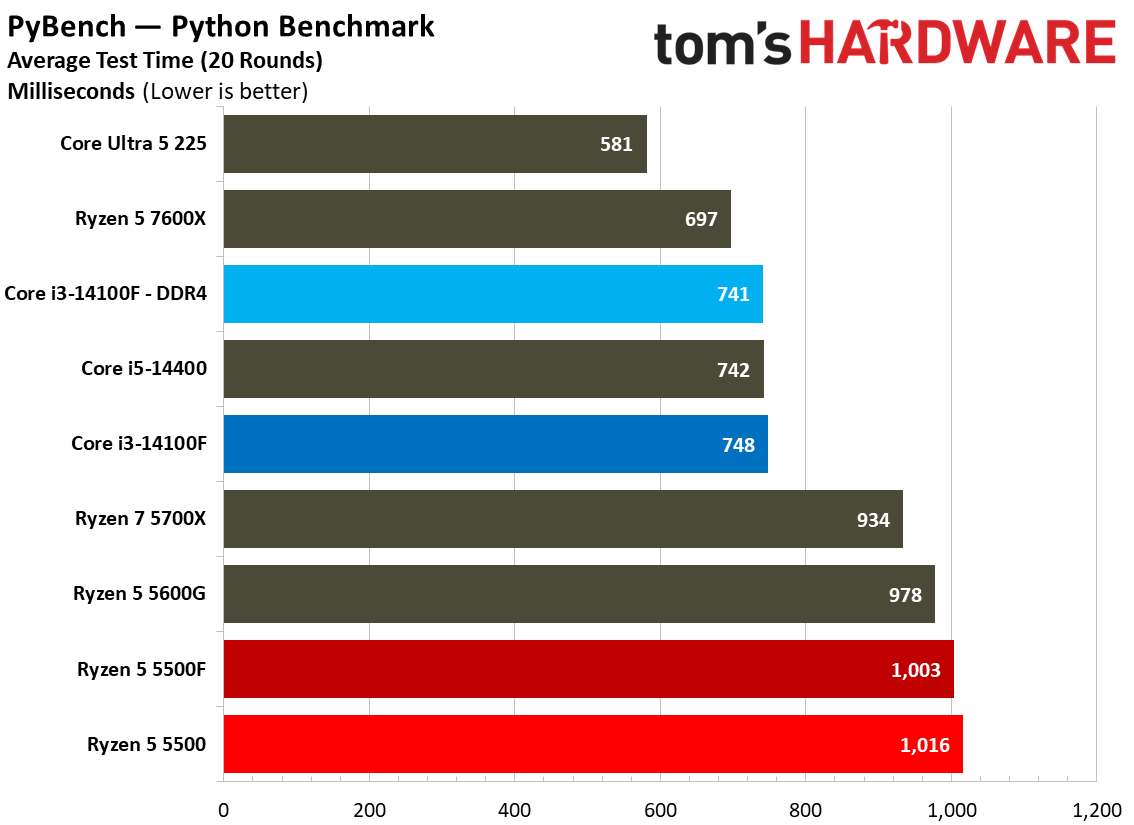
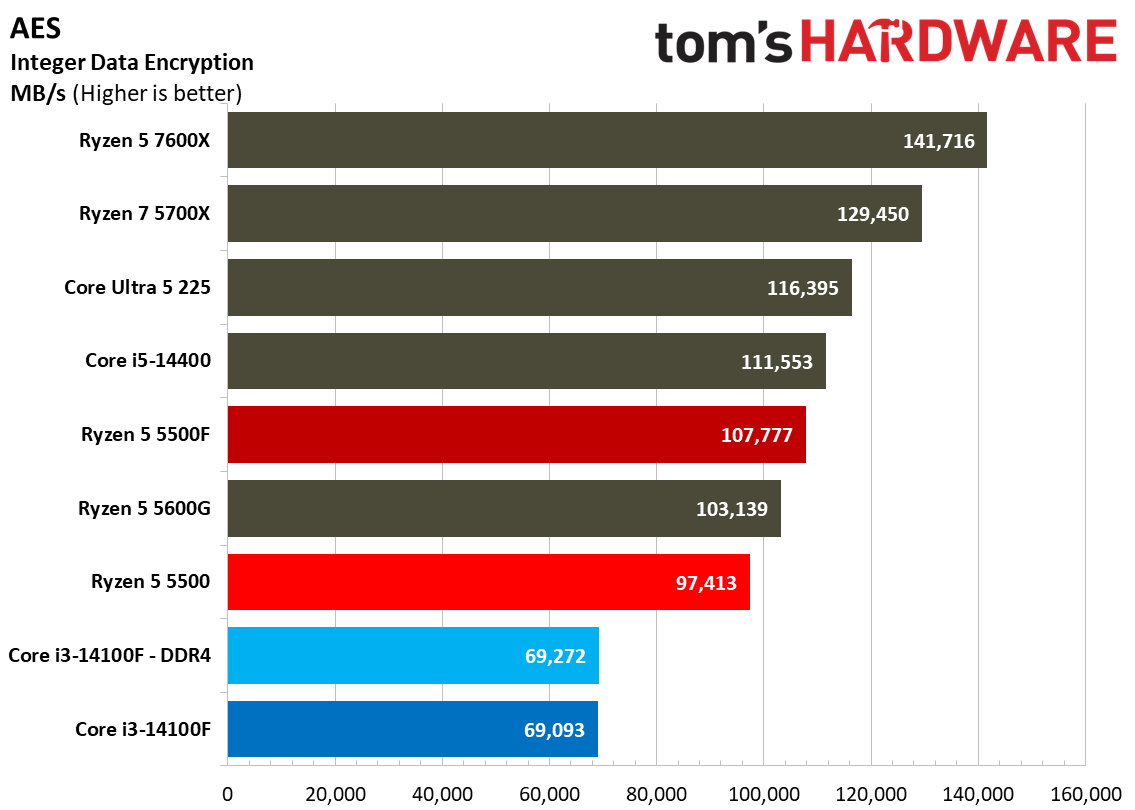
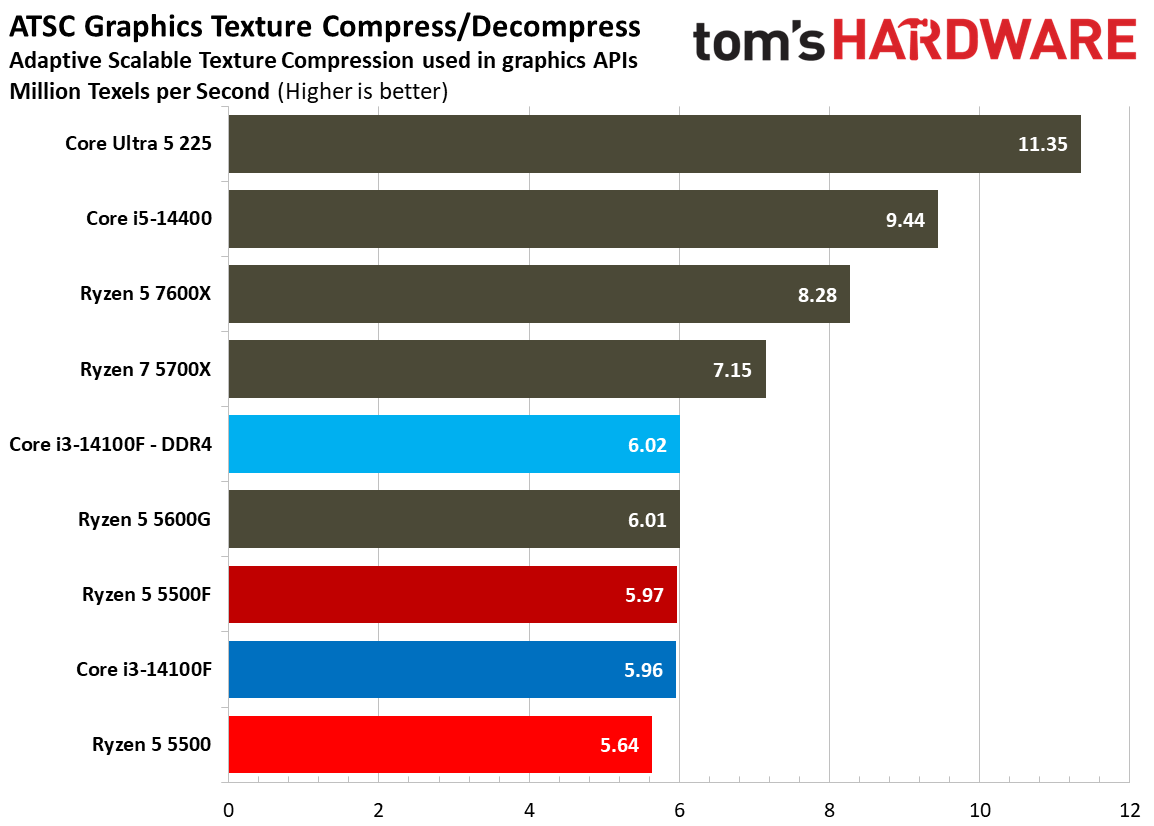
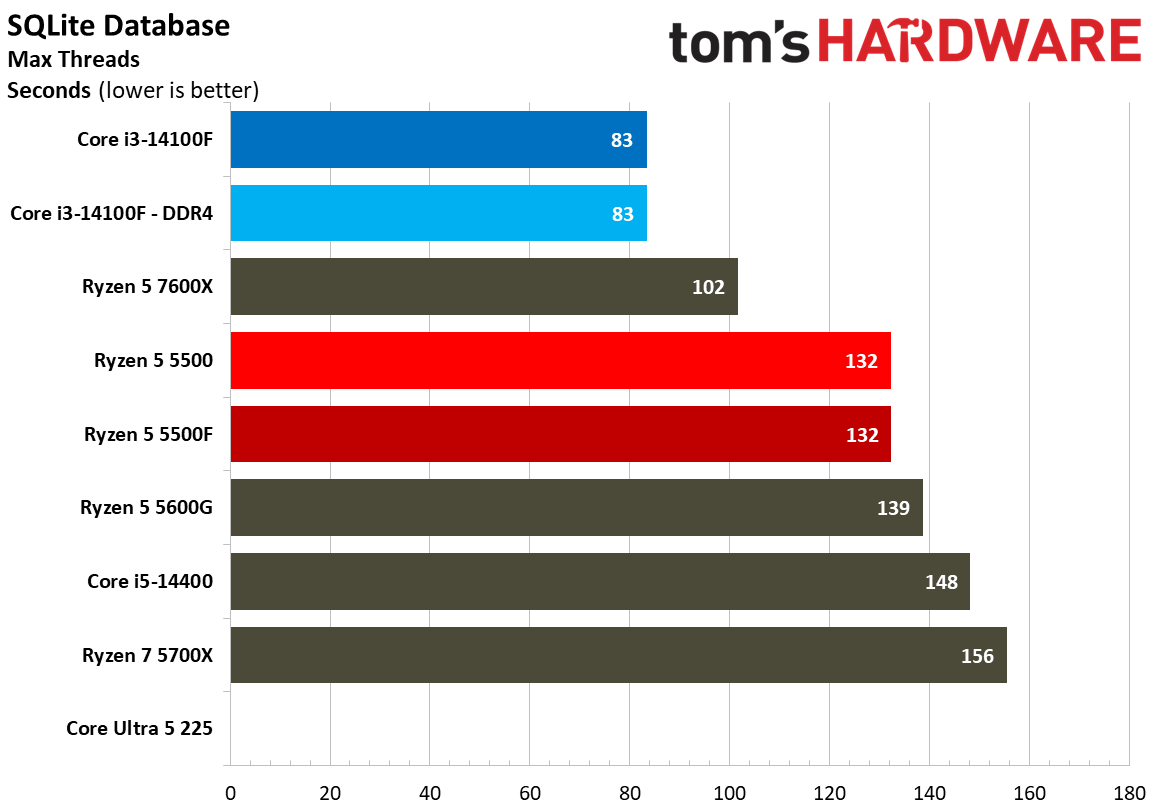
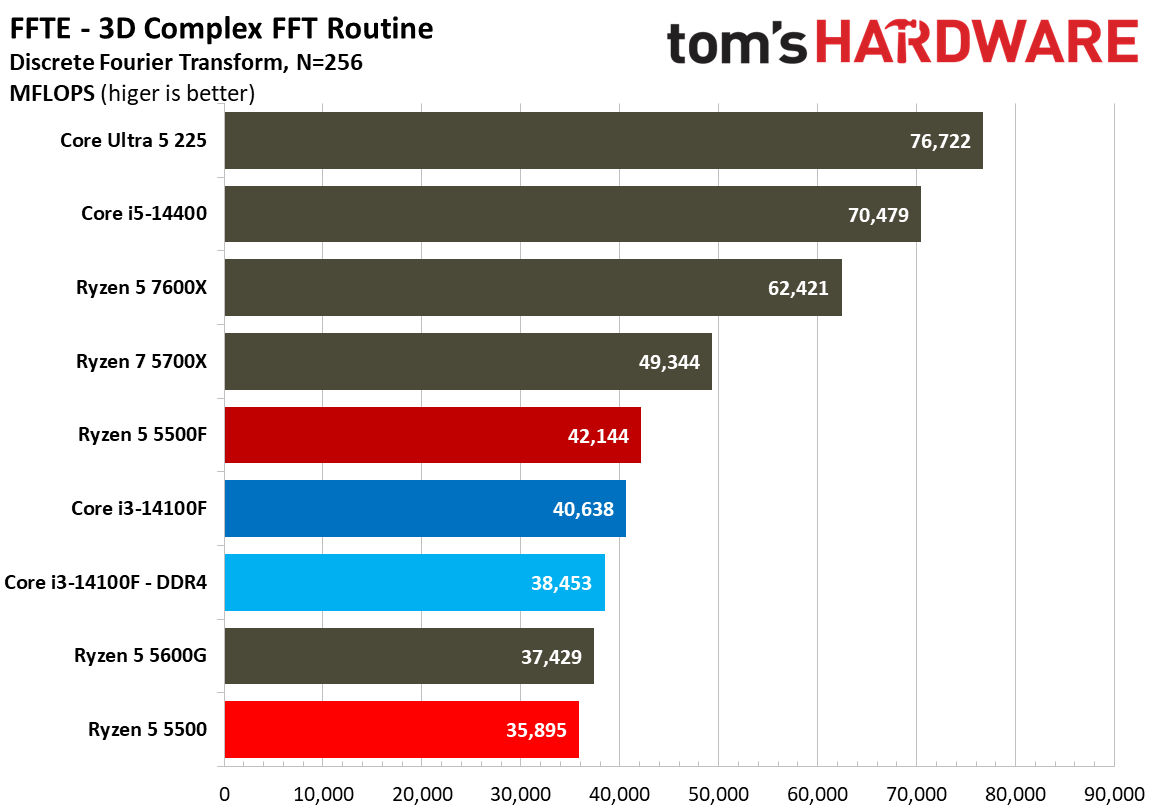
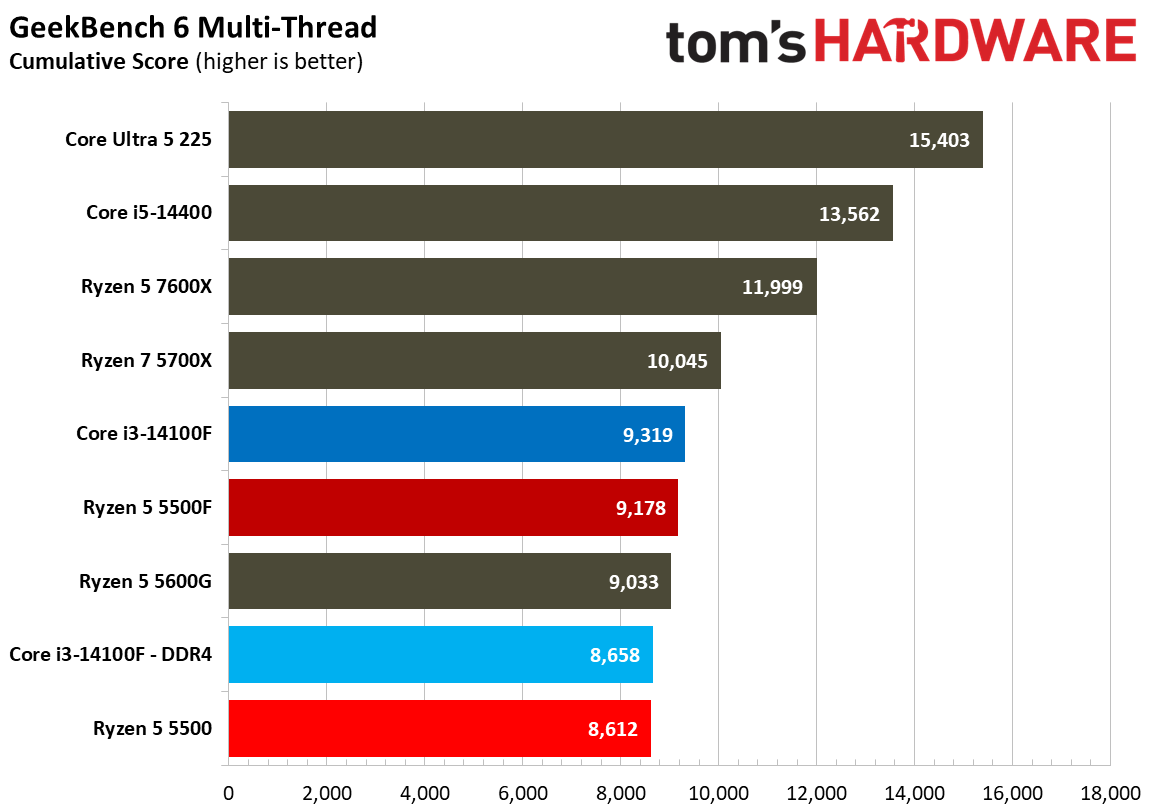
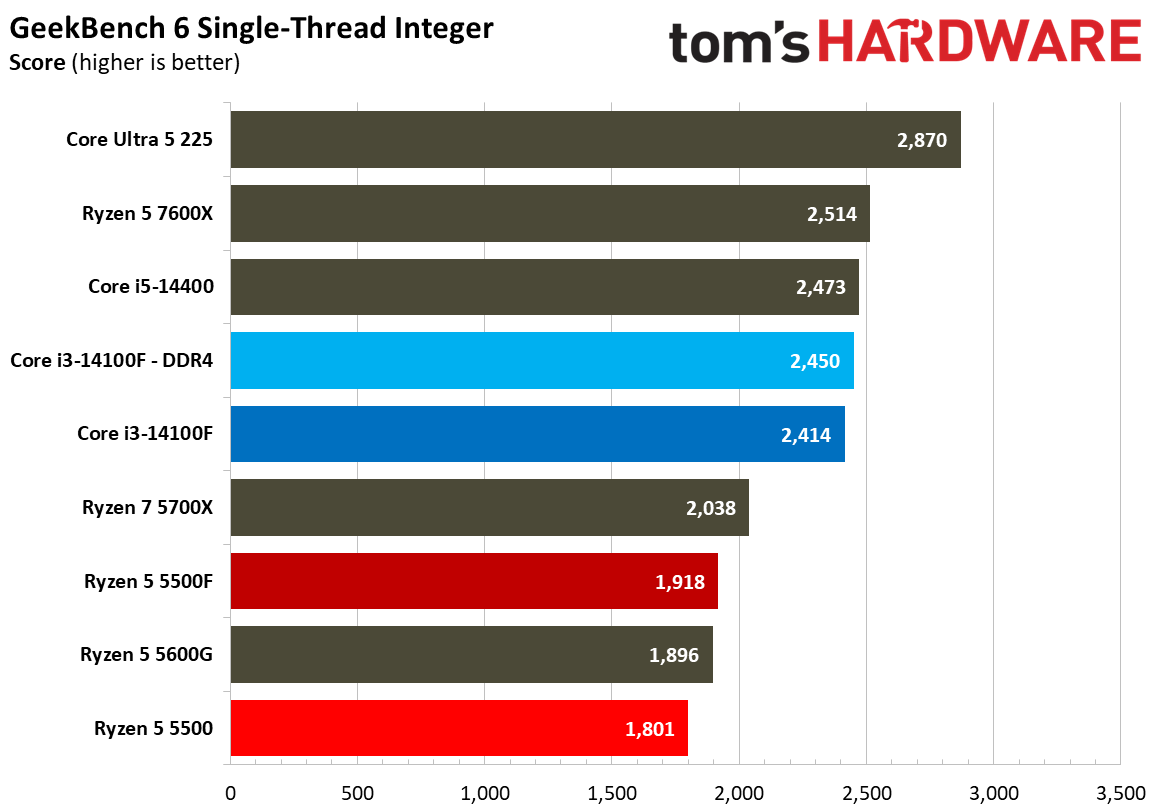
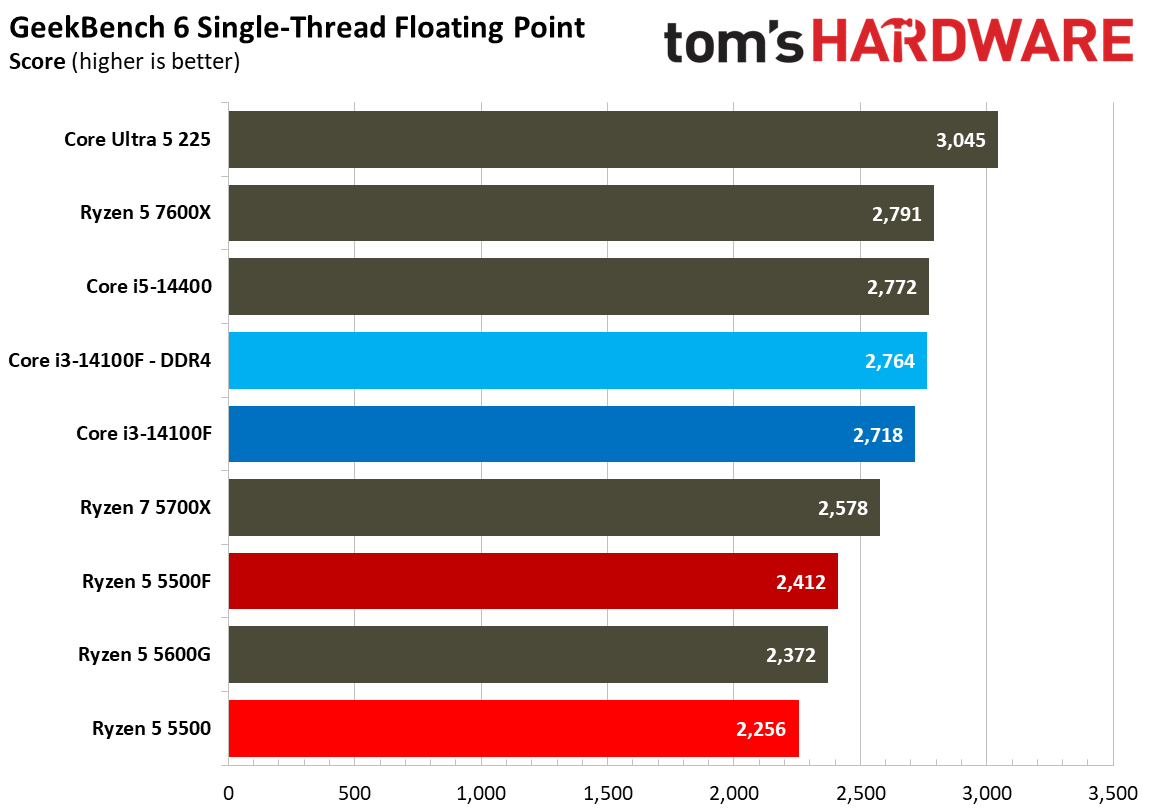
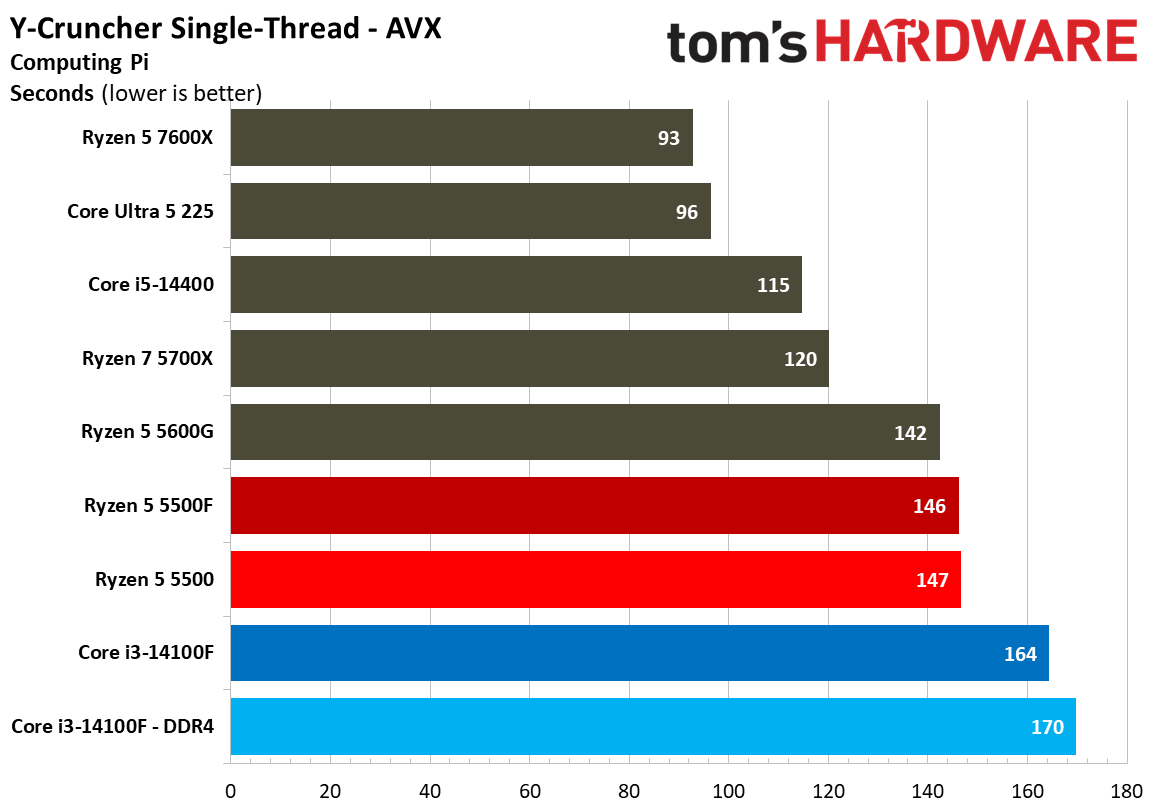
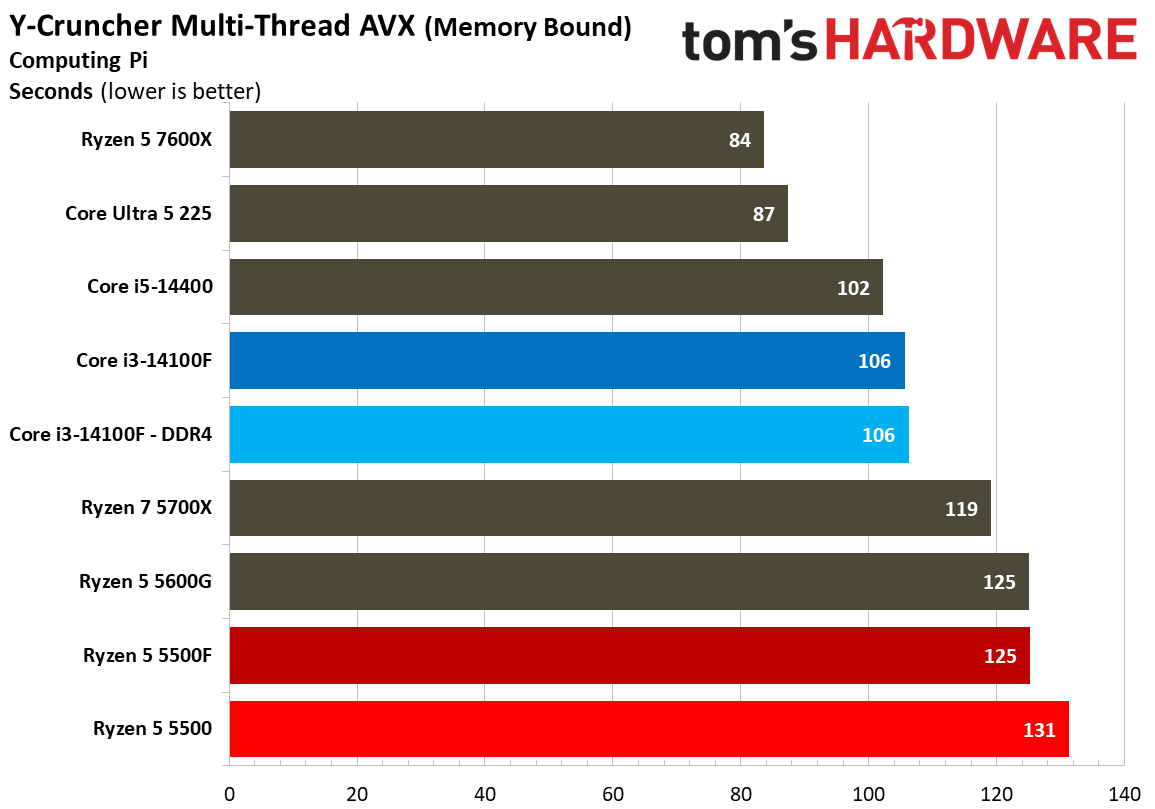
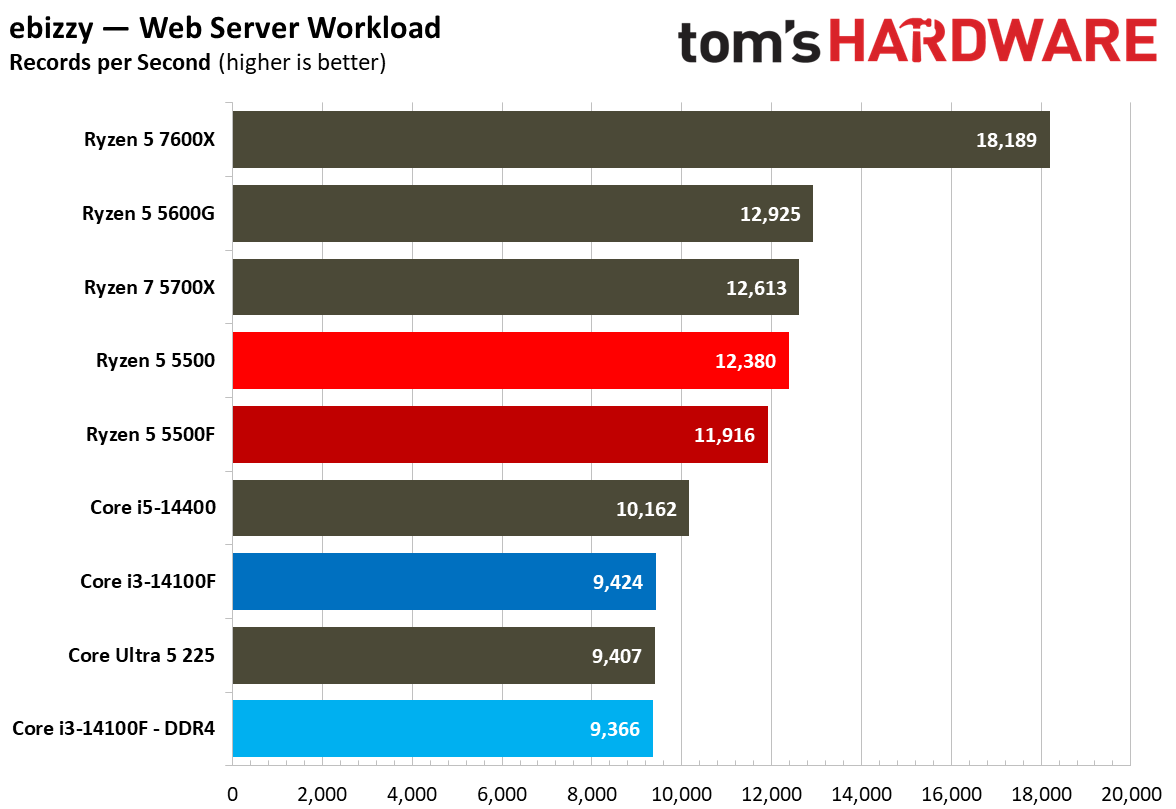
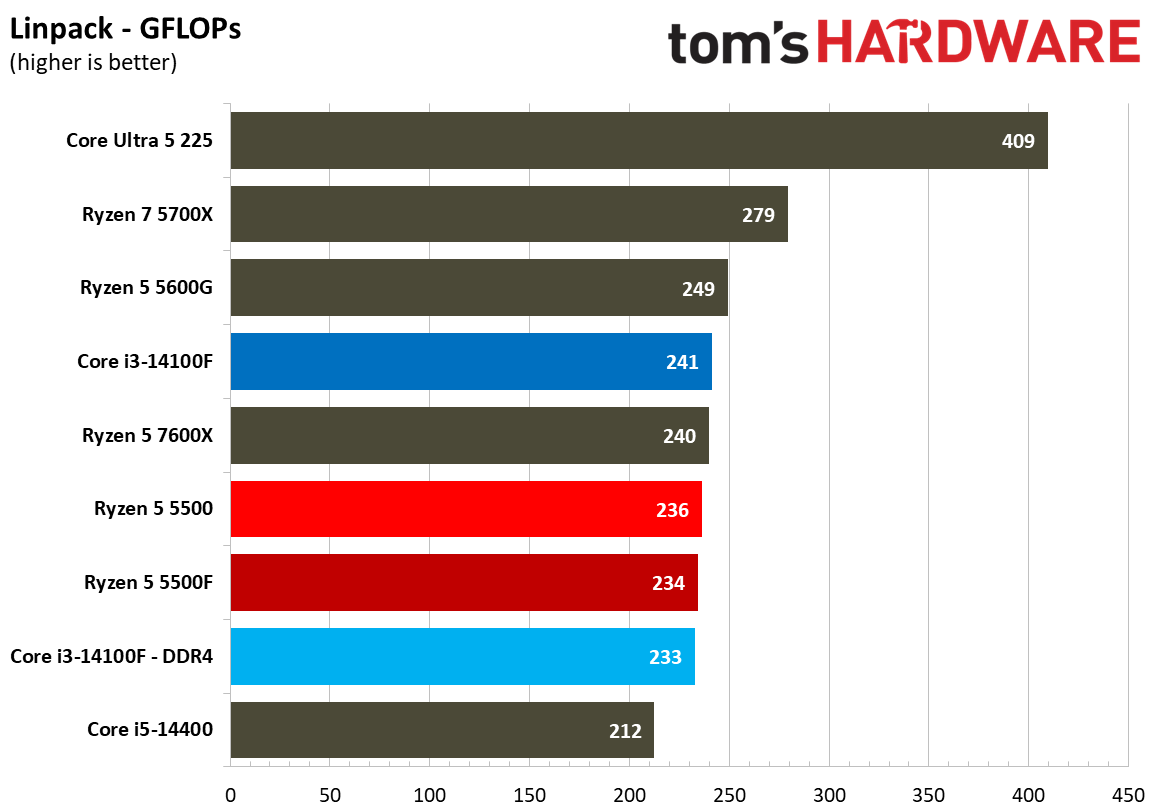
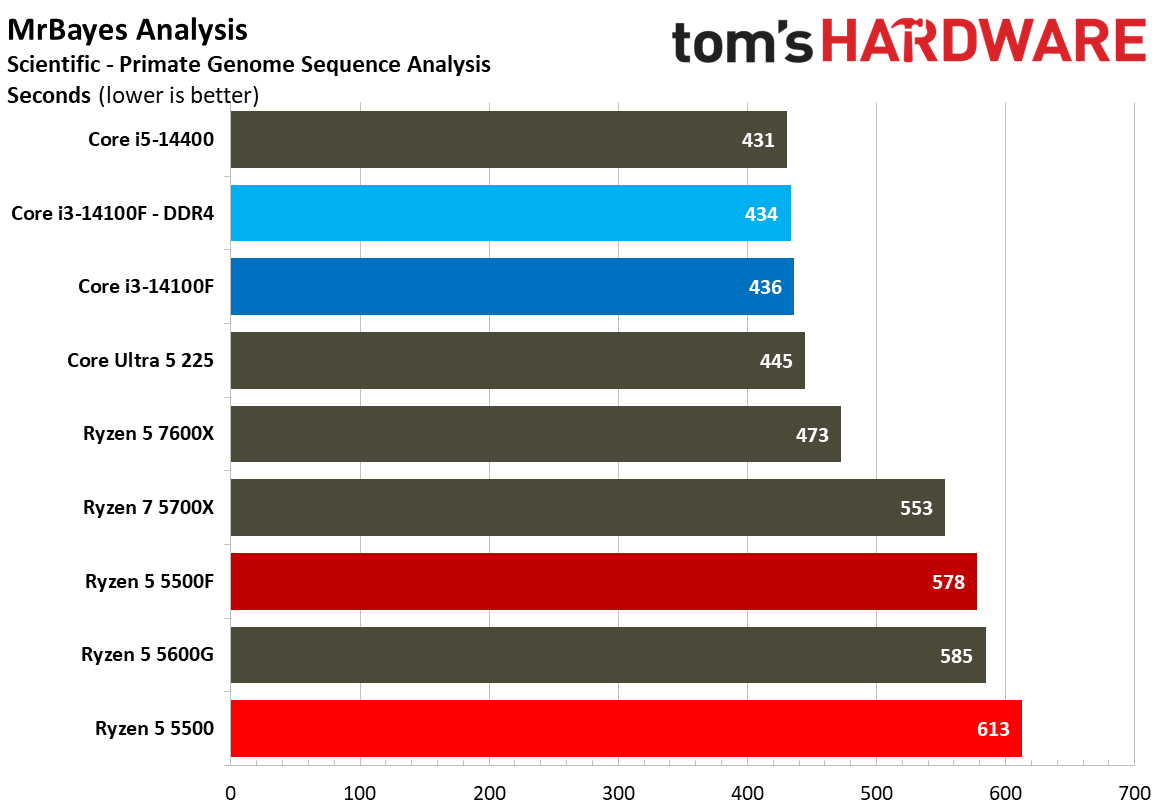
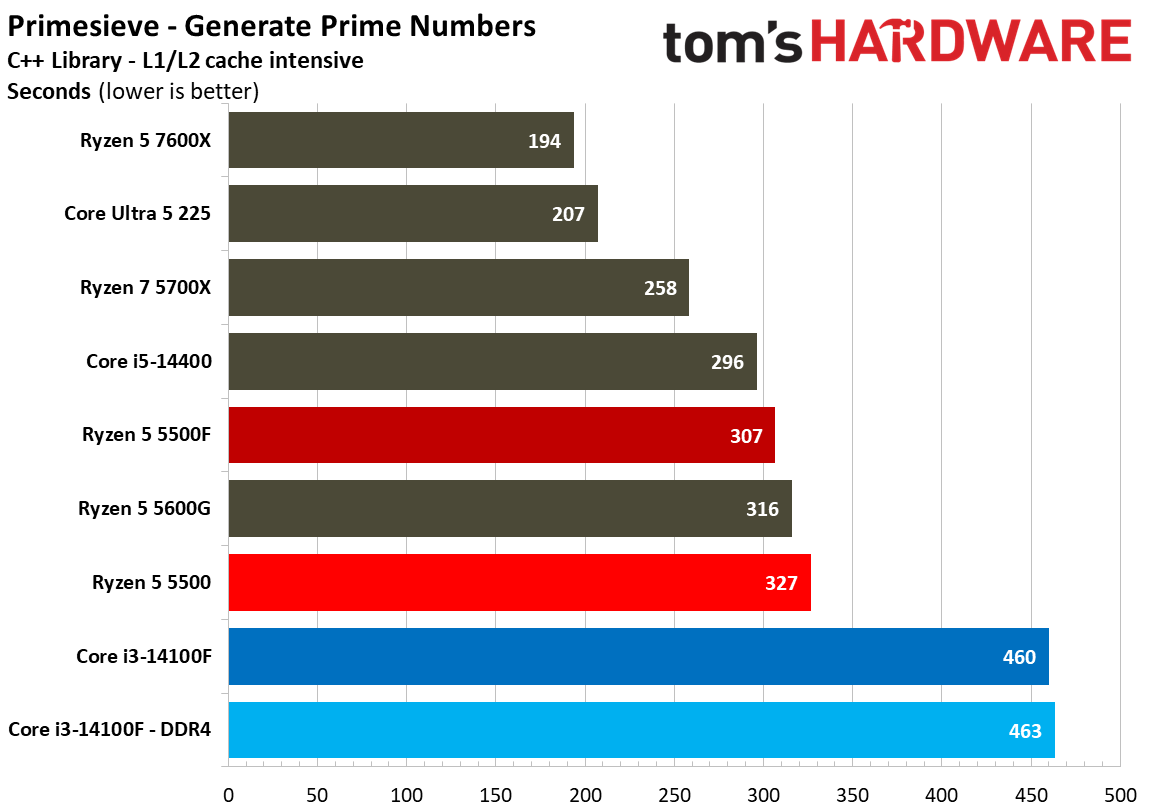
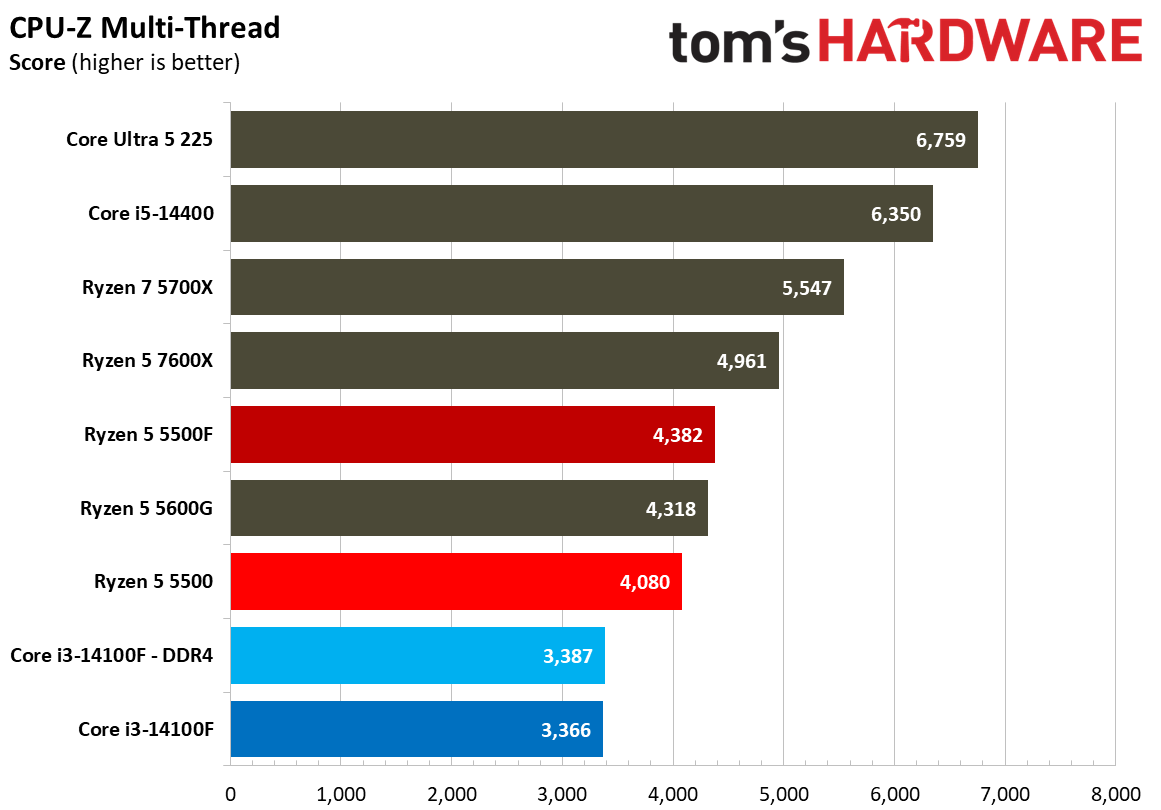
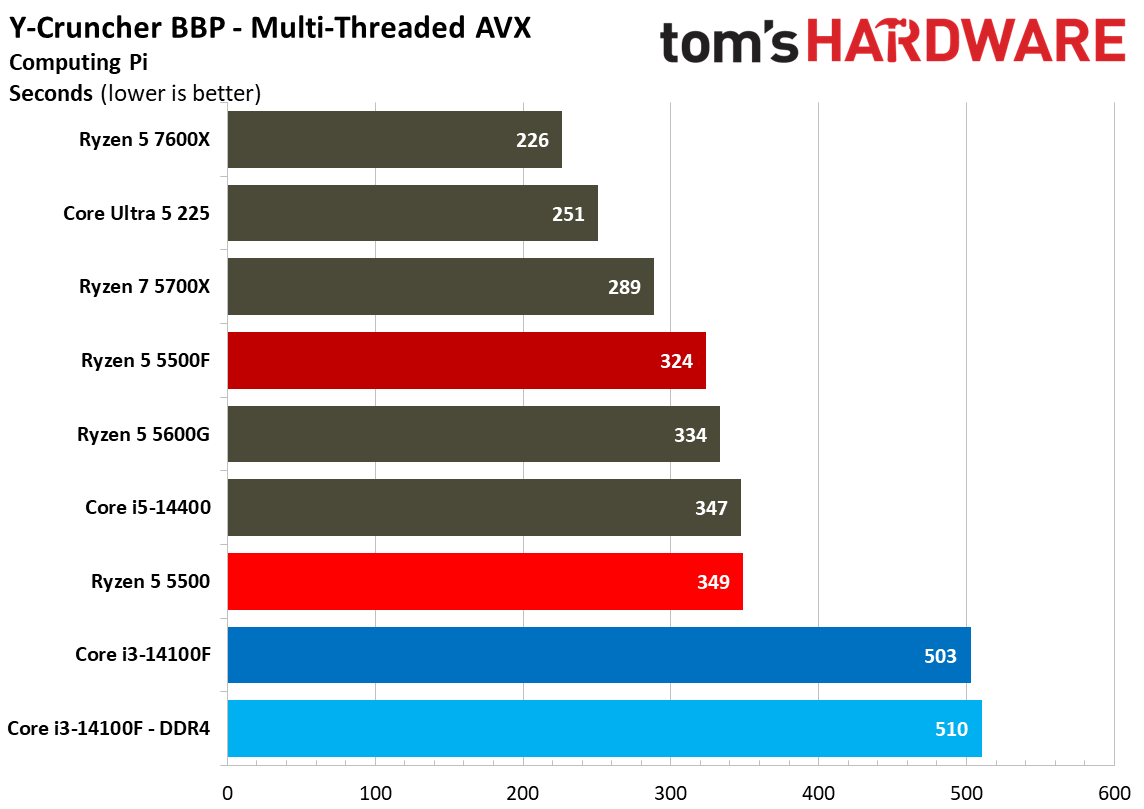
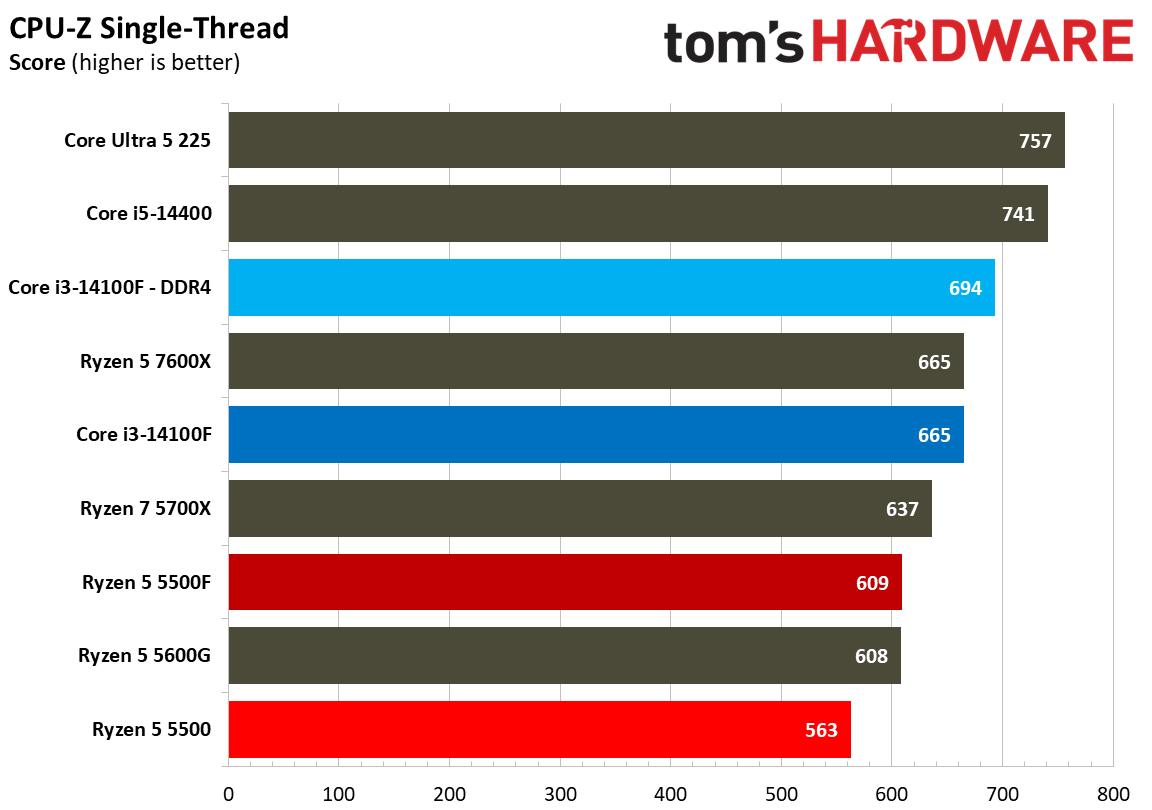
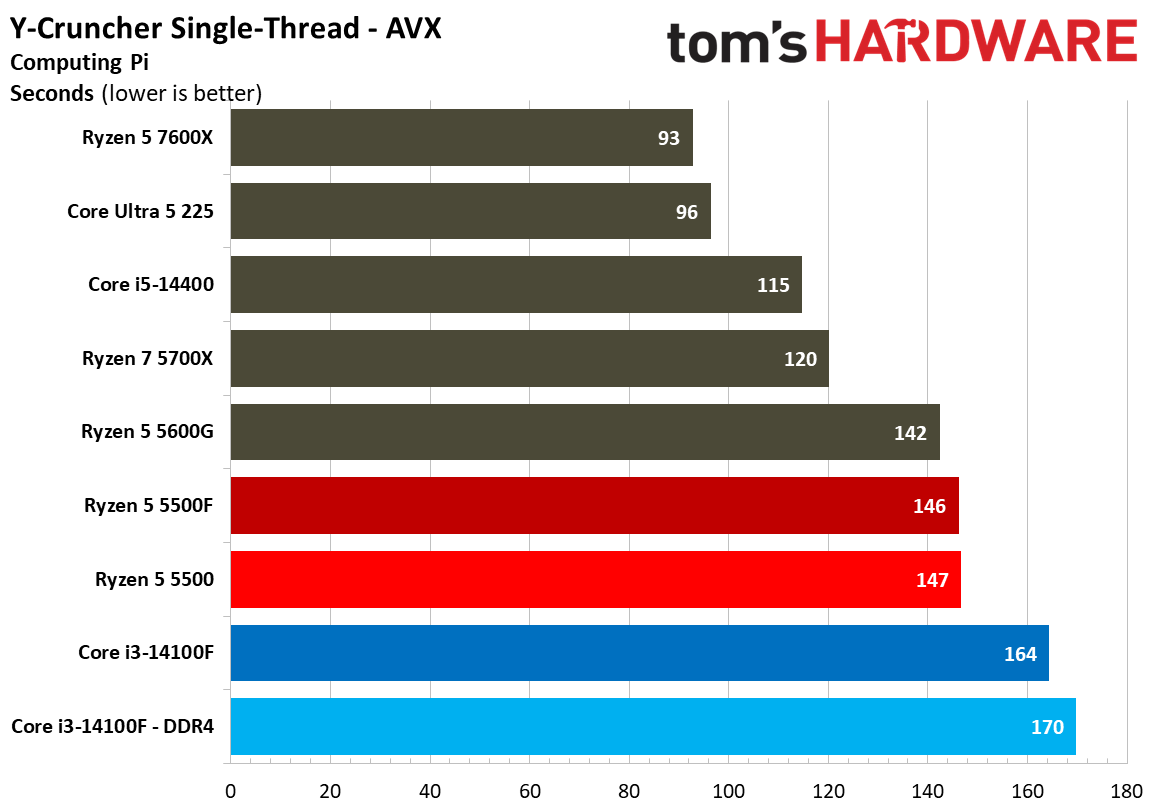
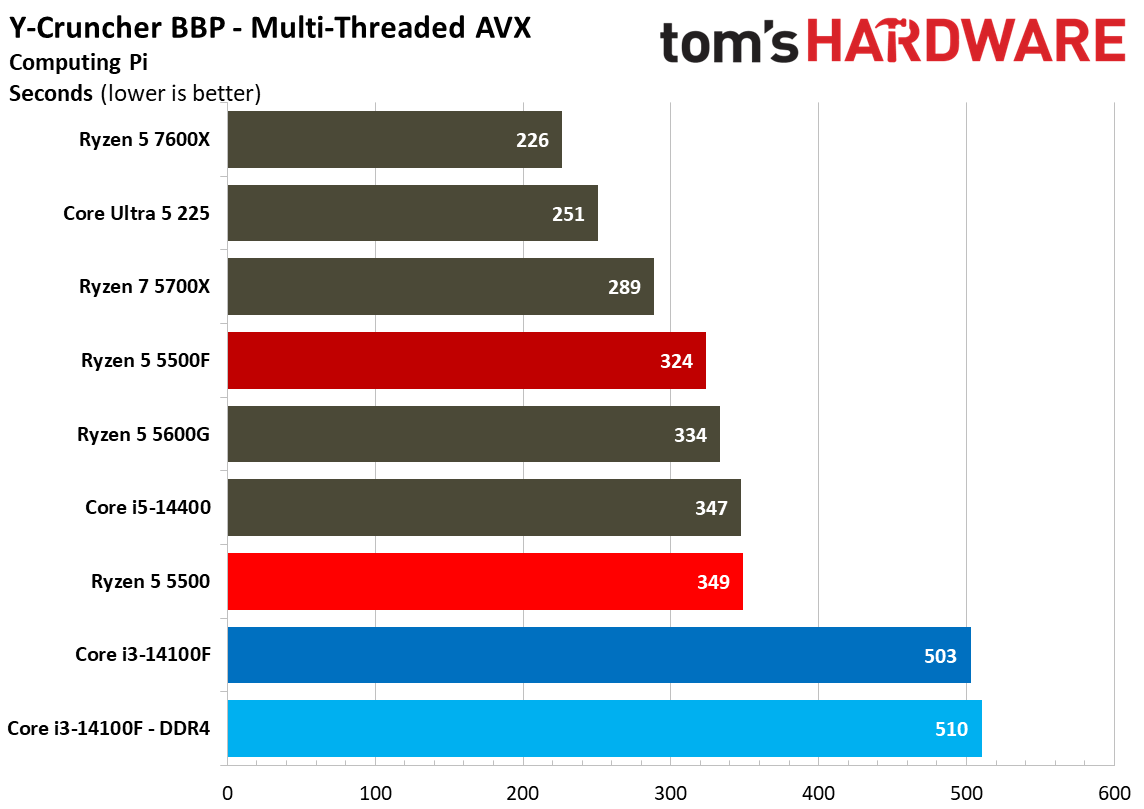
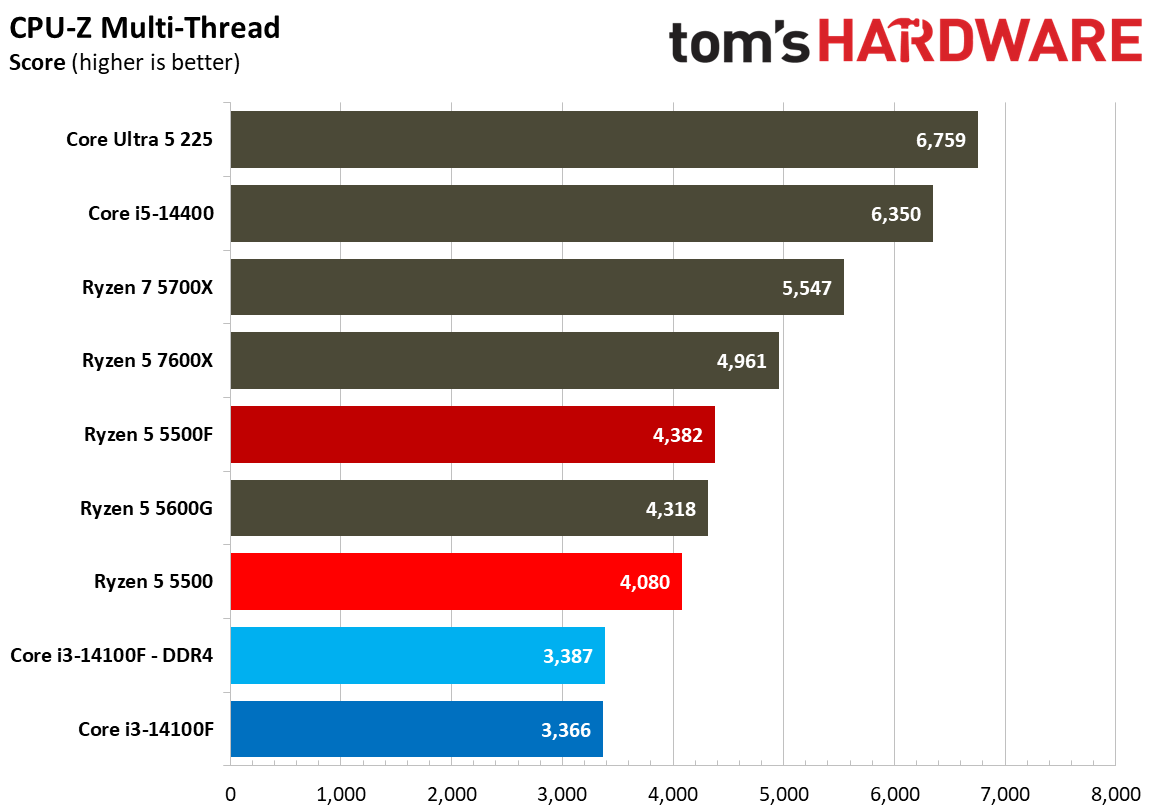
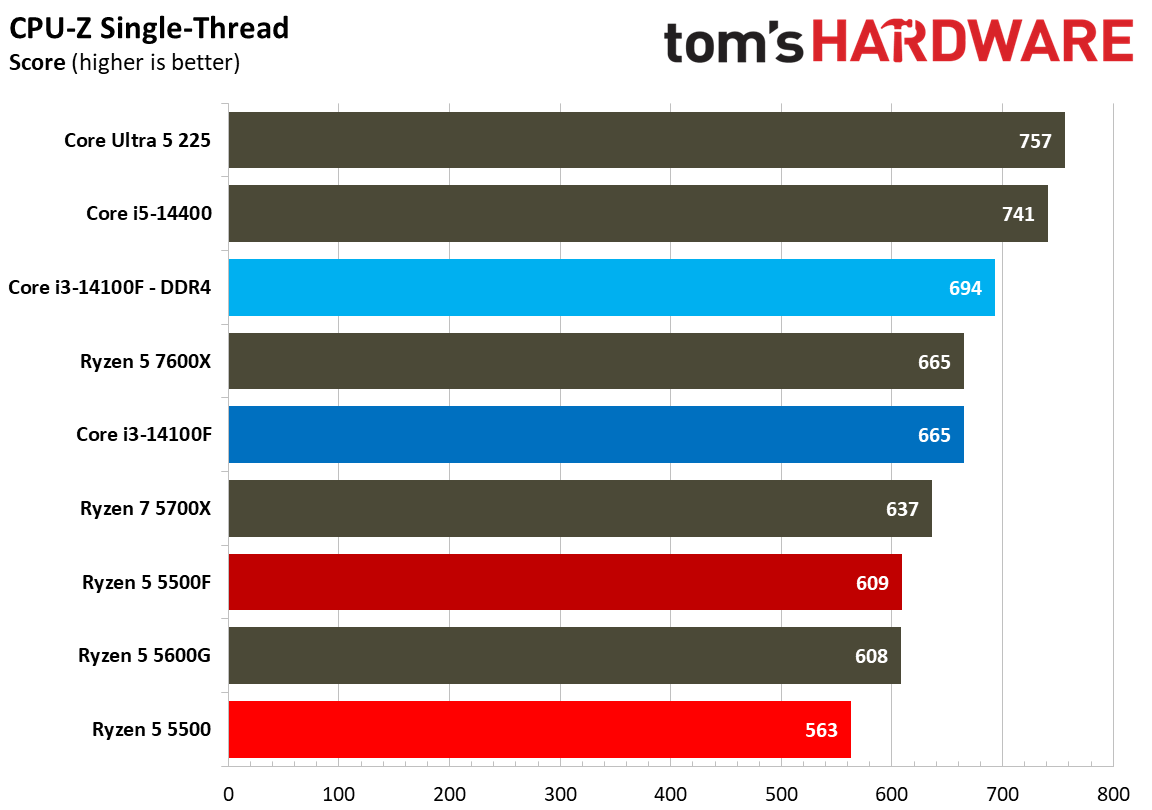
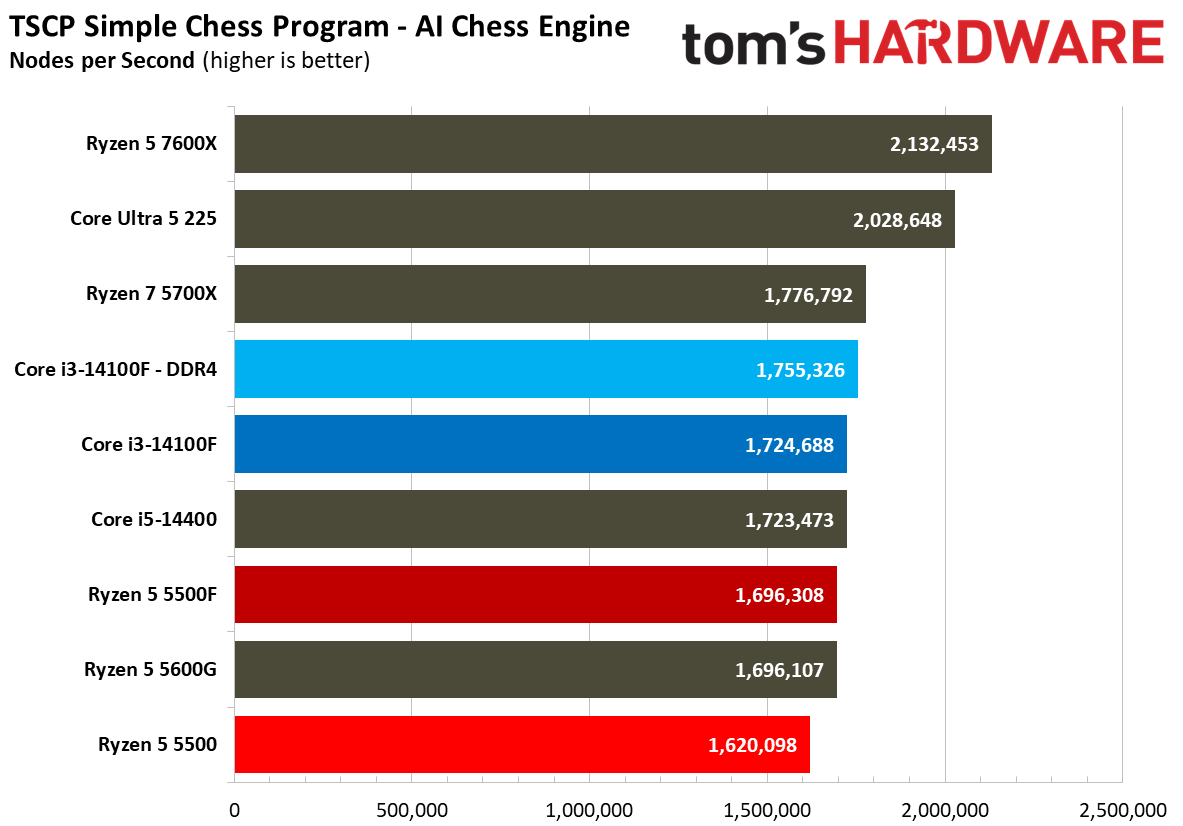
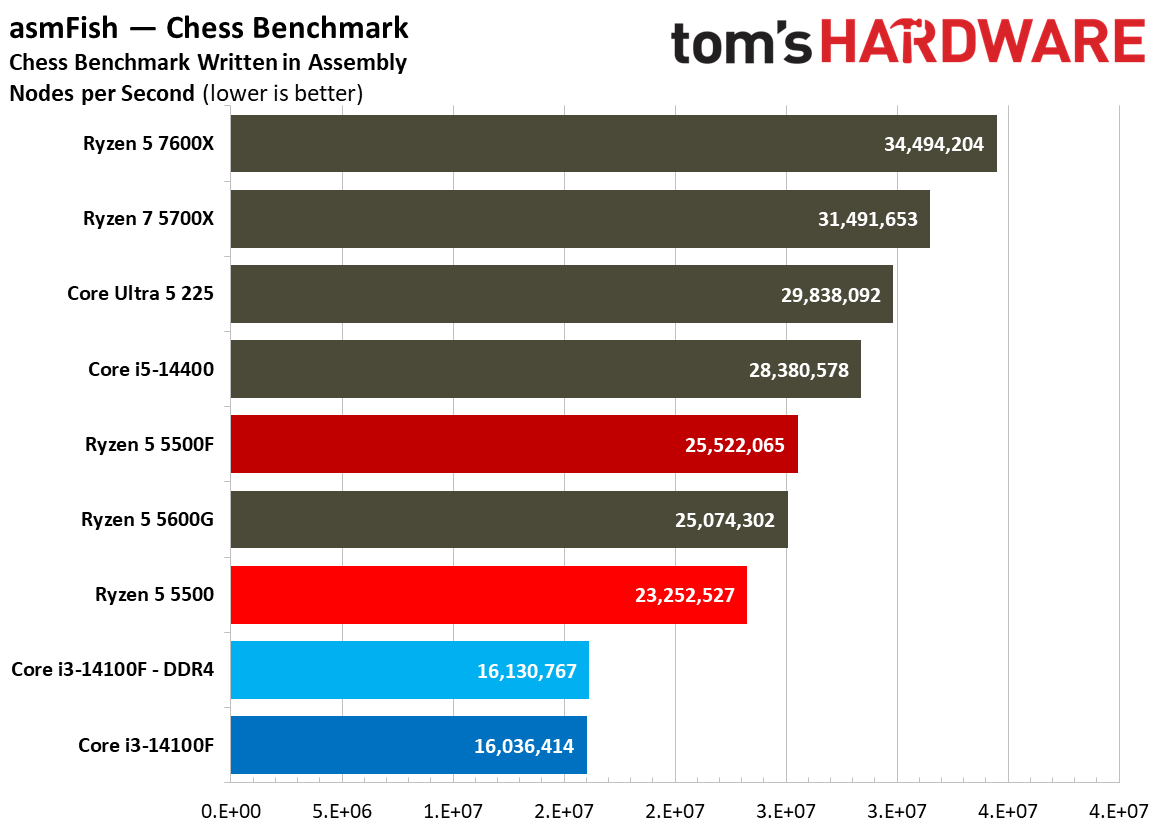
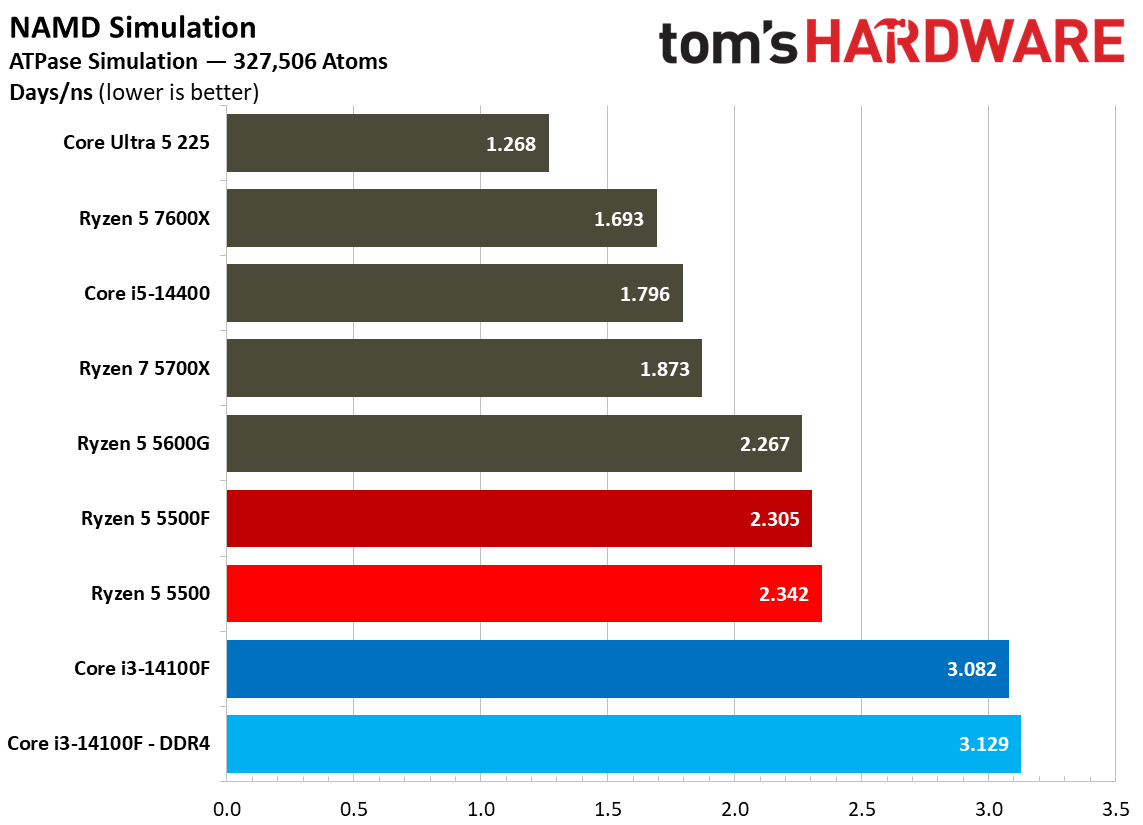
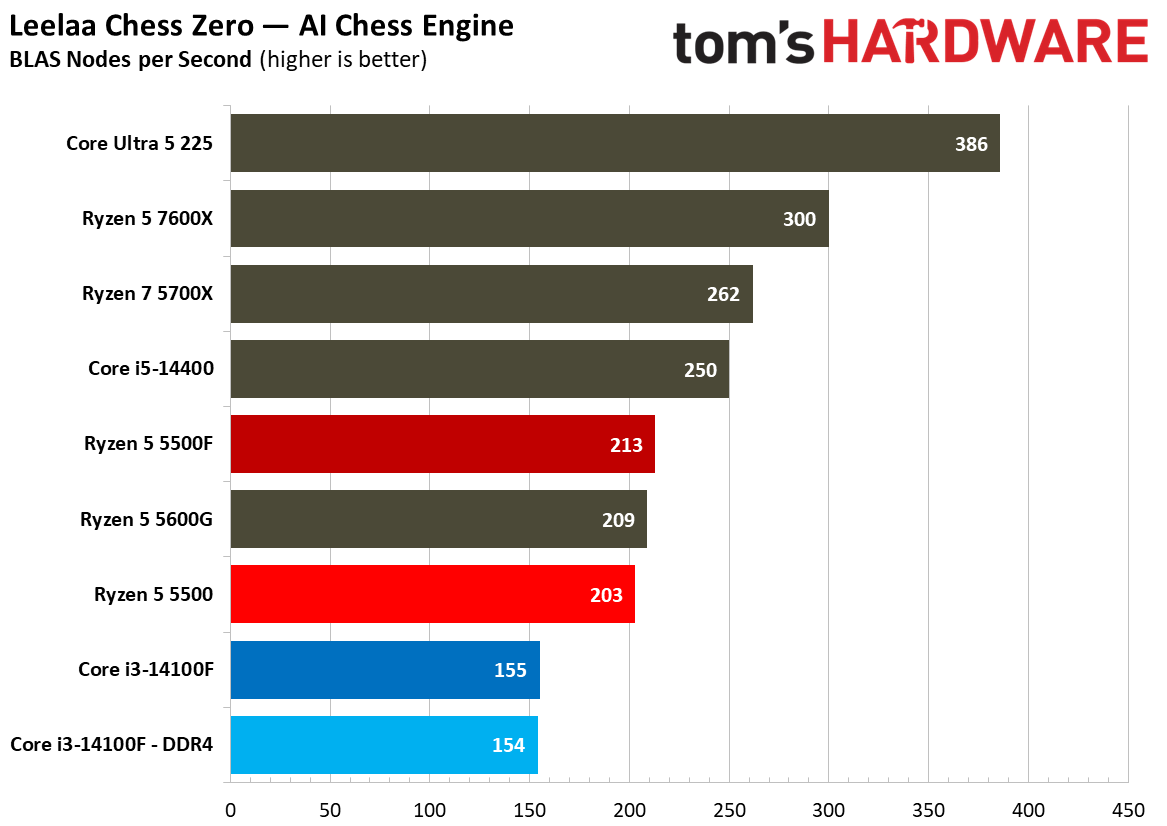
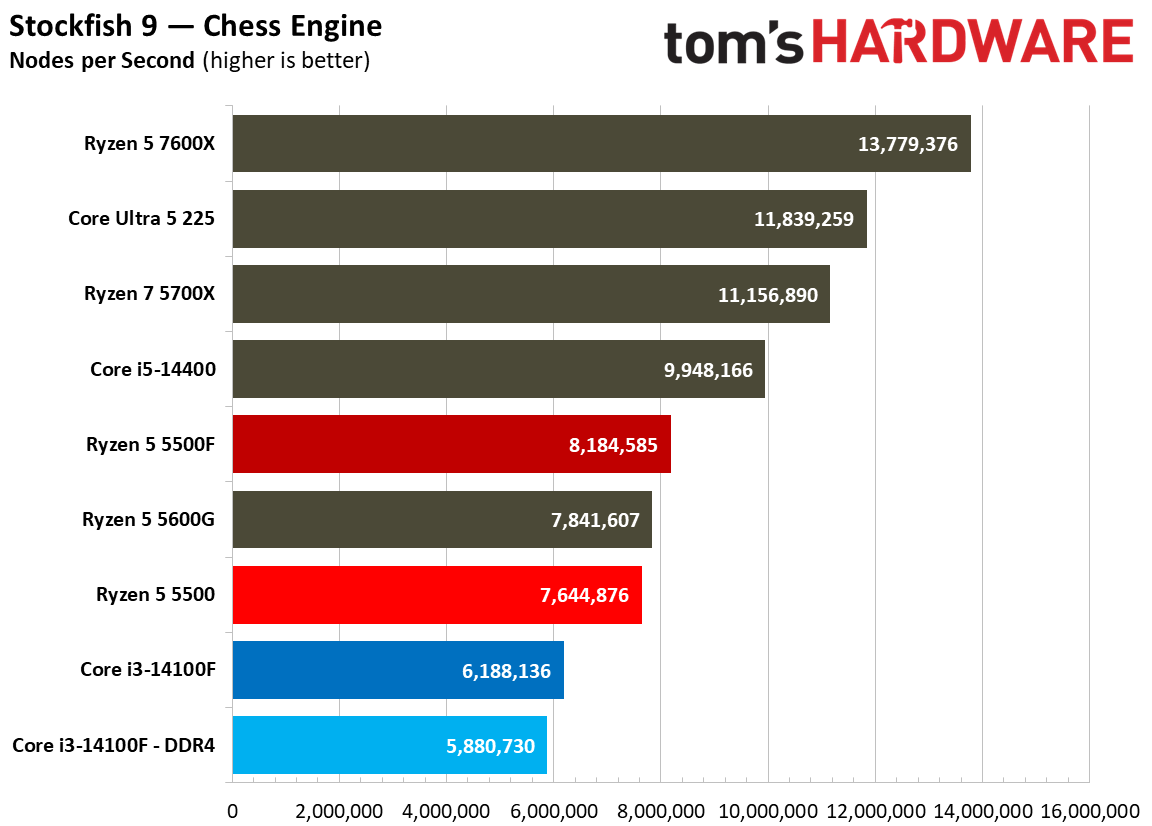
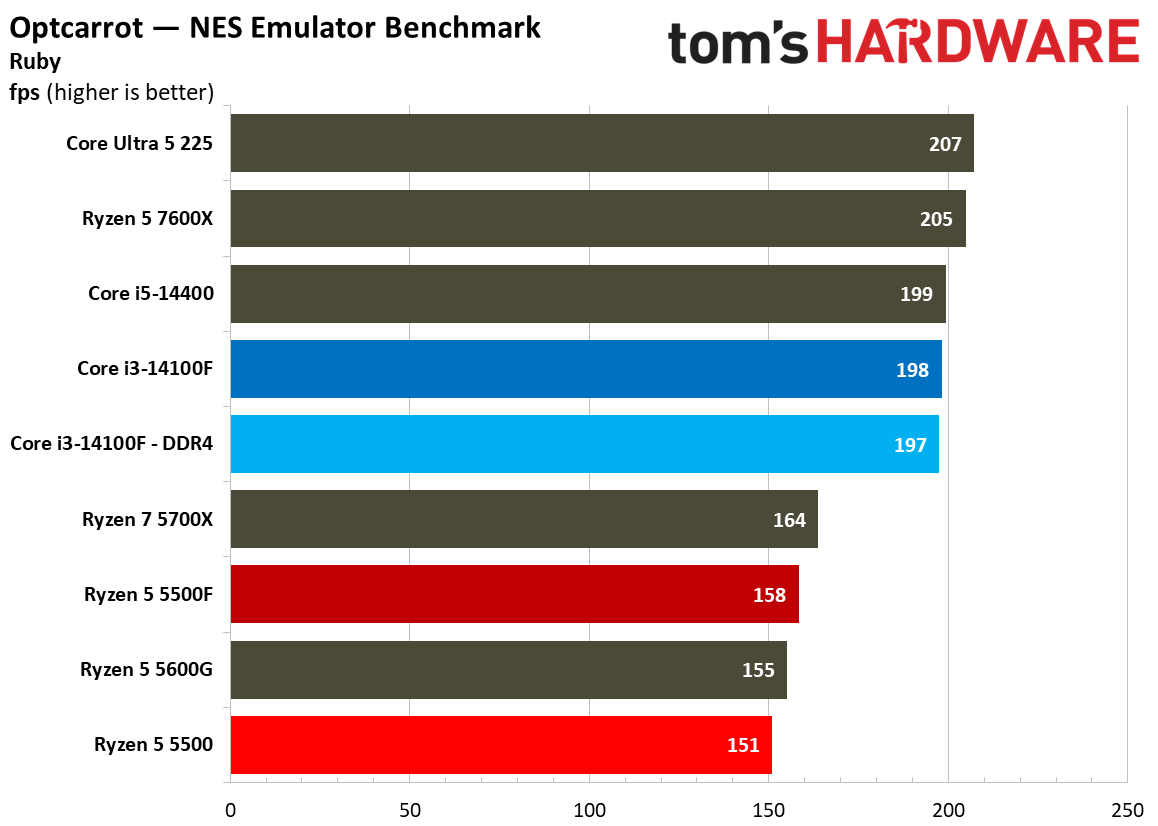
We run hundreds of tests on every CPU that comes across our benches, and not all of them are relevant to every chip. Here, we have a collection of more specialised workloads that don’t factor into our overall geomean. The tests are greatly varied here, including code compilation, compression performance, Java, chess engines, and cryptography, among other tests. We won’t be able to highlight all of them.
The most recognizable is Geekbench, showing a broader view of single-threaded and multi-threaded performance in a machine-gun-style benchmark suite that rips through different workloads in just a few minutes. What’s interesting is that Geekbench multi-thread shows the 14100F paired with DDR5 on top, likely taking into account the memory standard that isn’t represented in tests like Cinebench.
Another interesting test to highlight is memory throughput via WinSAT. This built-in Windows benchmark shows a clear performance wall for the DDR4 chips in our test suite. Of course, DDR5 provides much more throughput, but the interesting bit here is just how bottlenecked the throughput is with these late-stage DDR4 CPUs.
Elsewhere, there are a few broad trends that emerge. In security and cryptography workloads, AMD rules the roost. However, in many scientific workloads, Intel holds an edge. Again, these workloads aren’t particularly relevant for these CPUs, so we’d recommend placing more emphasis on the benchmarks in the sections above.
SPEC Workstation benchmarks
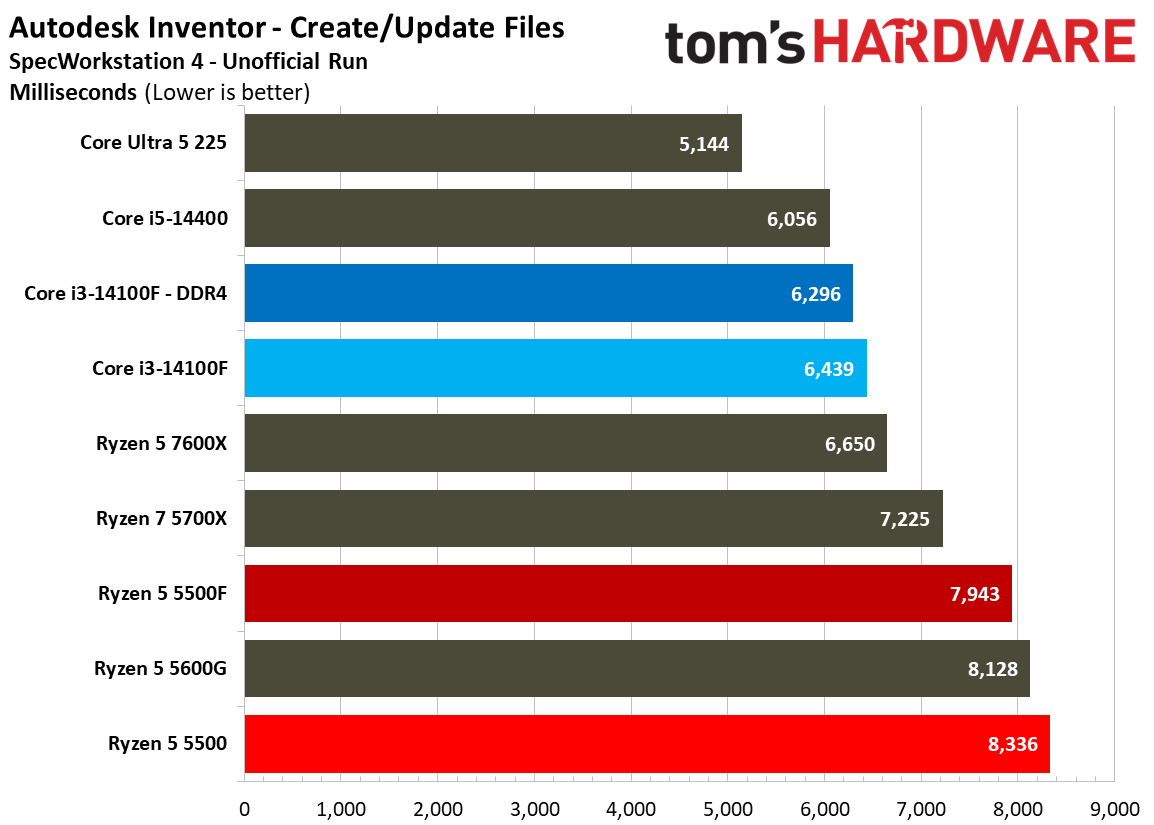
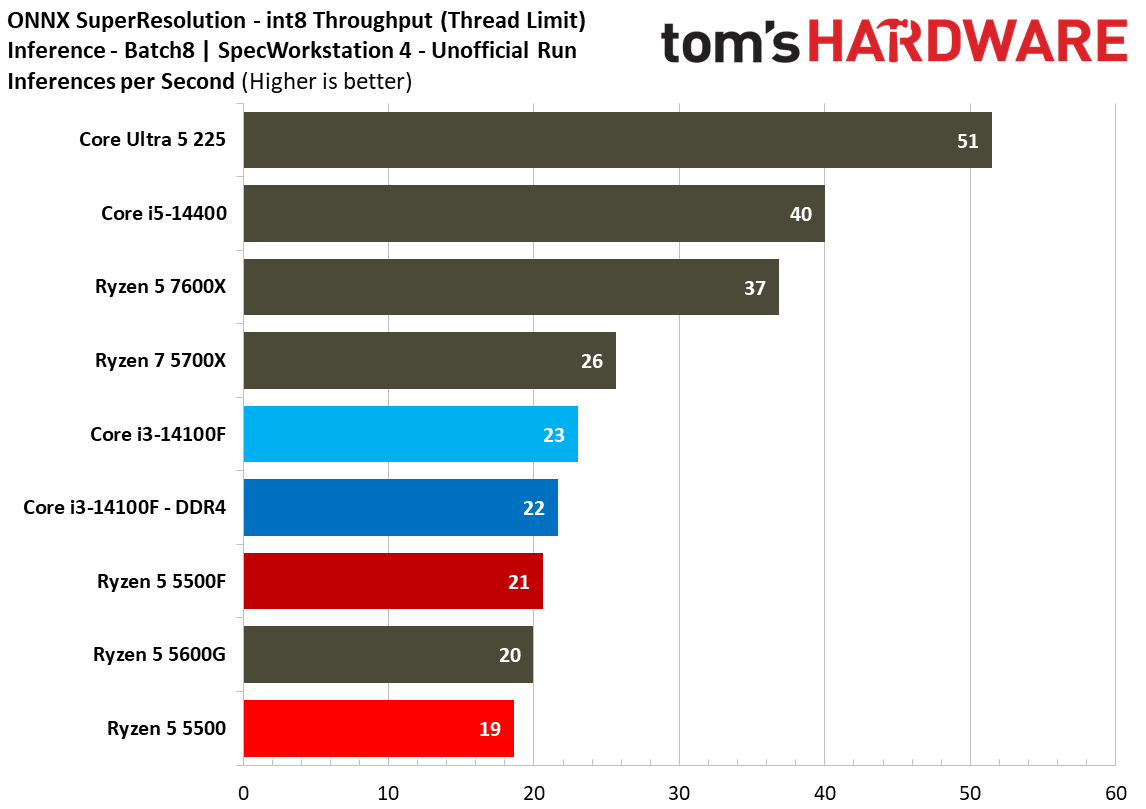
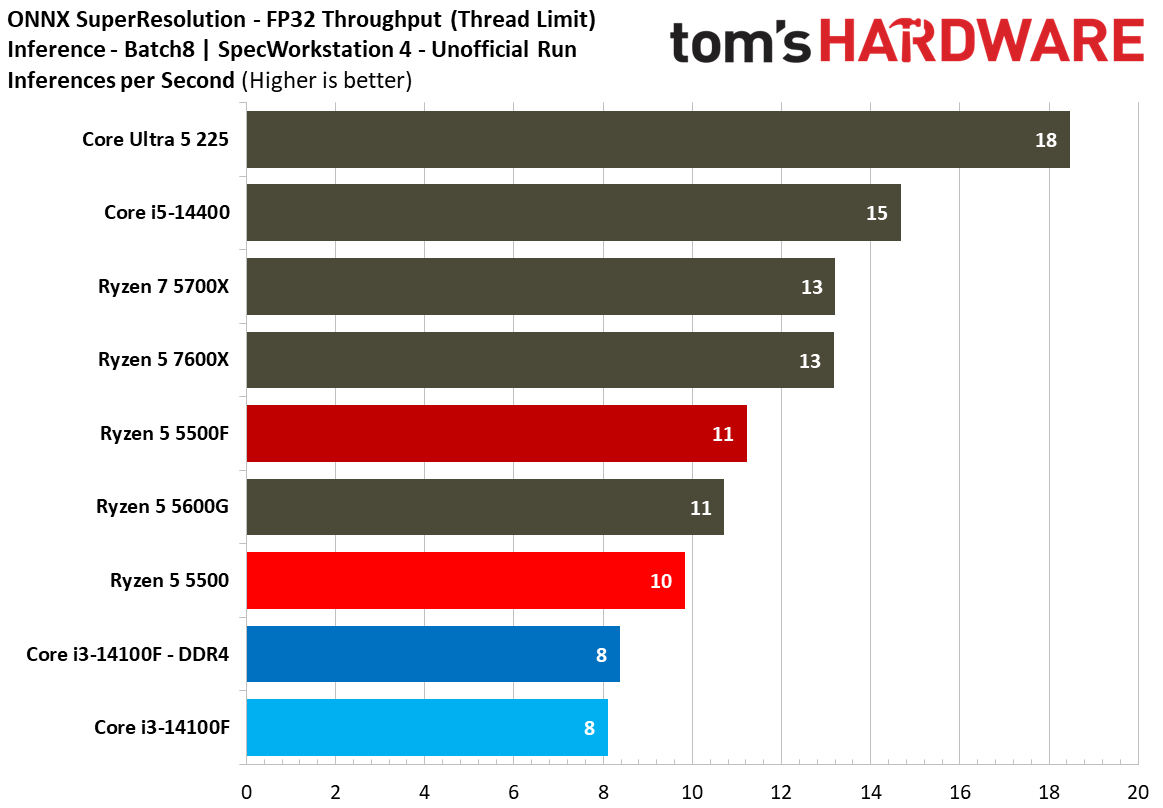
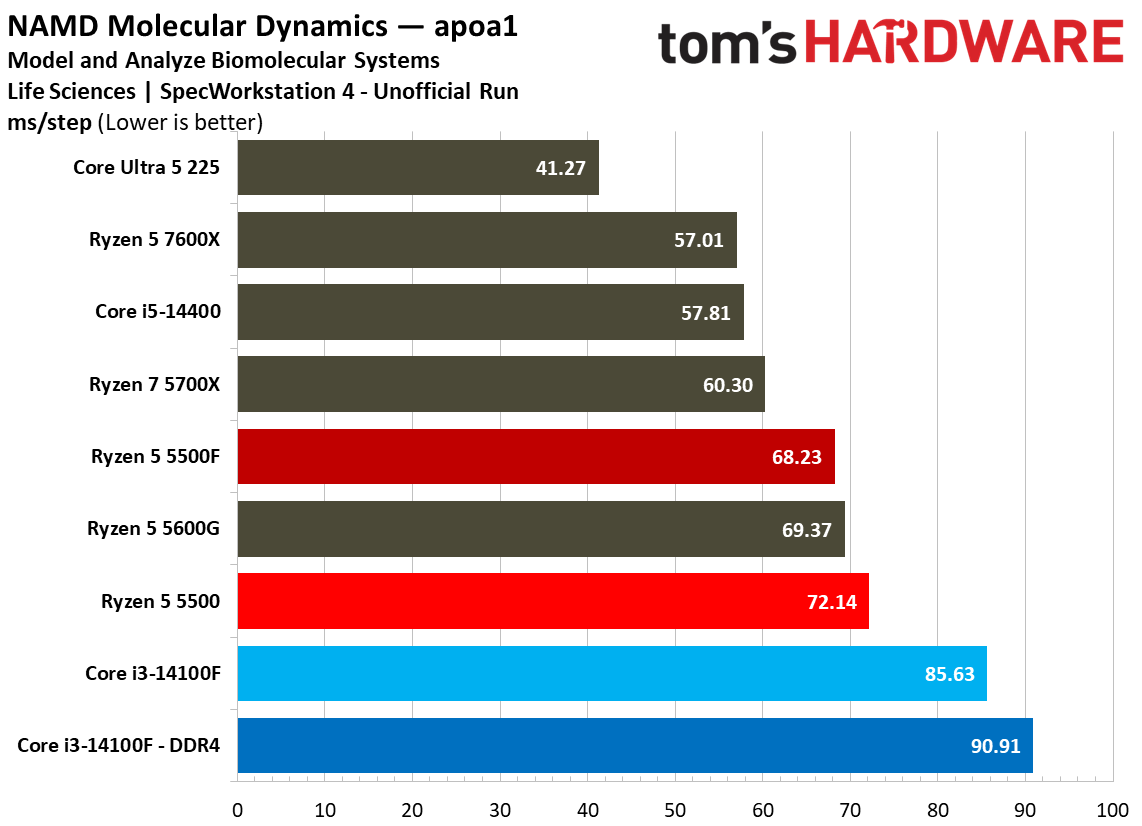
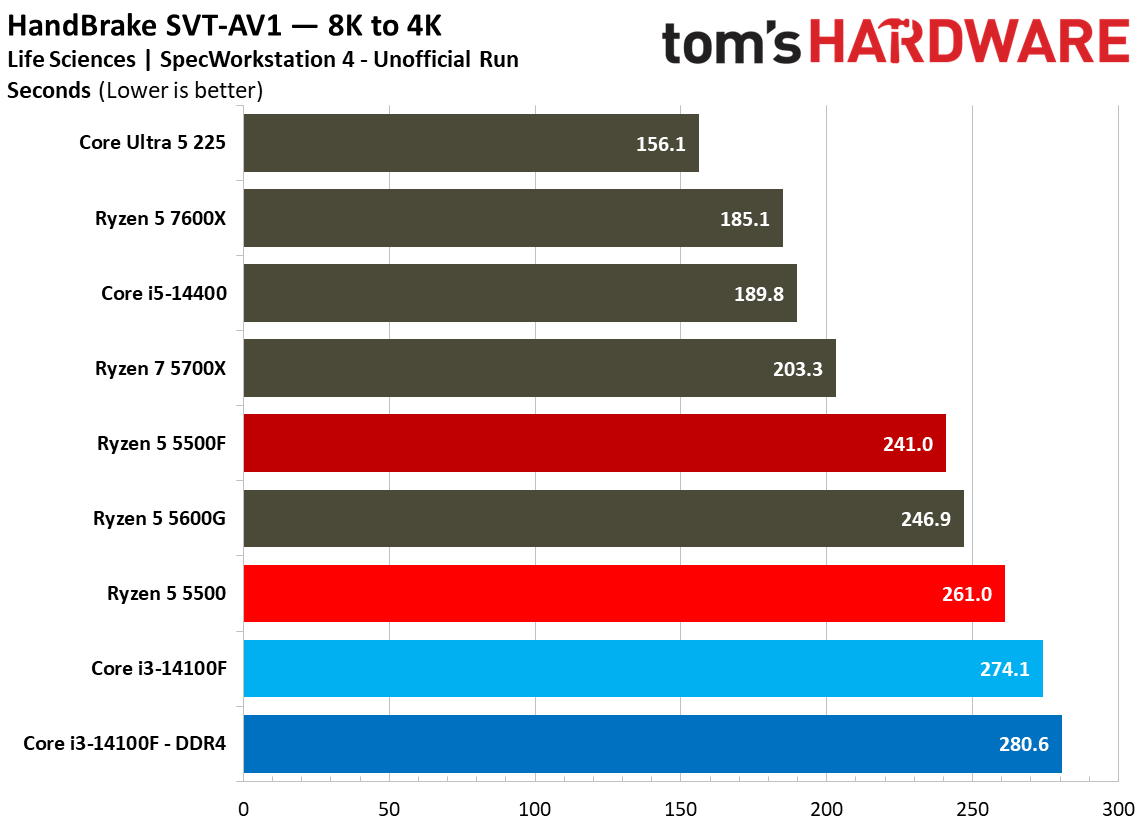
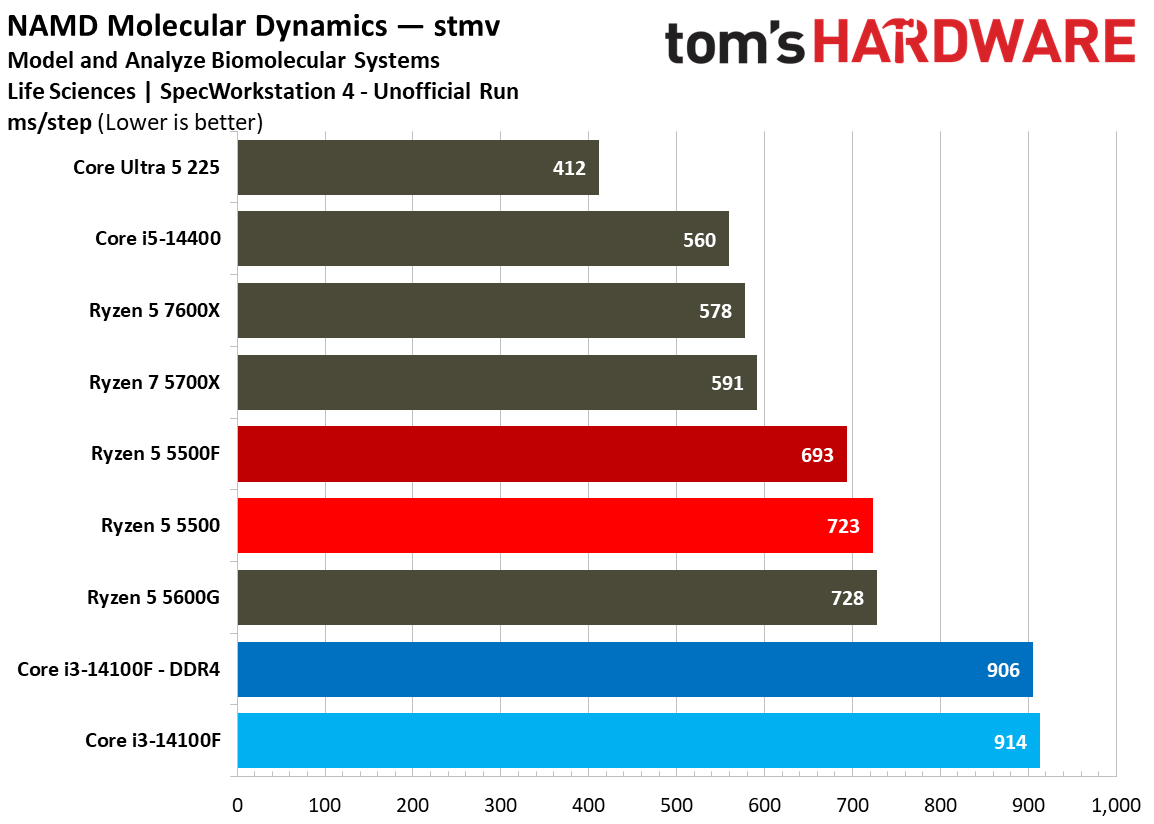
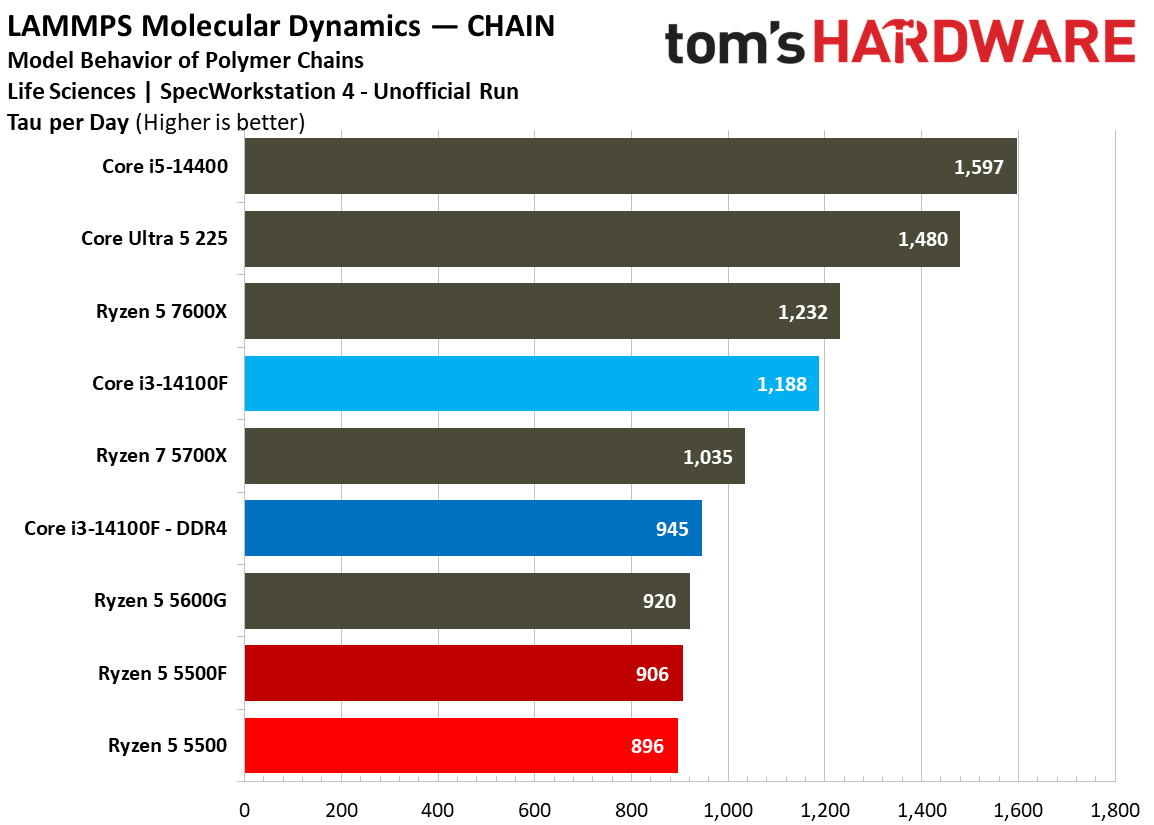
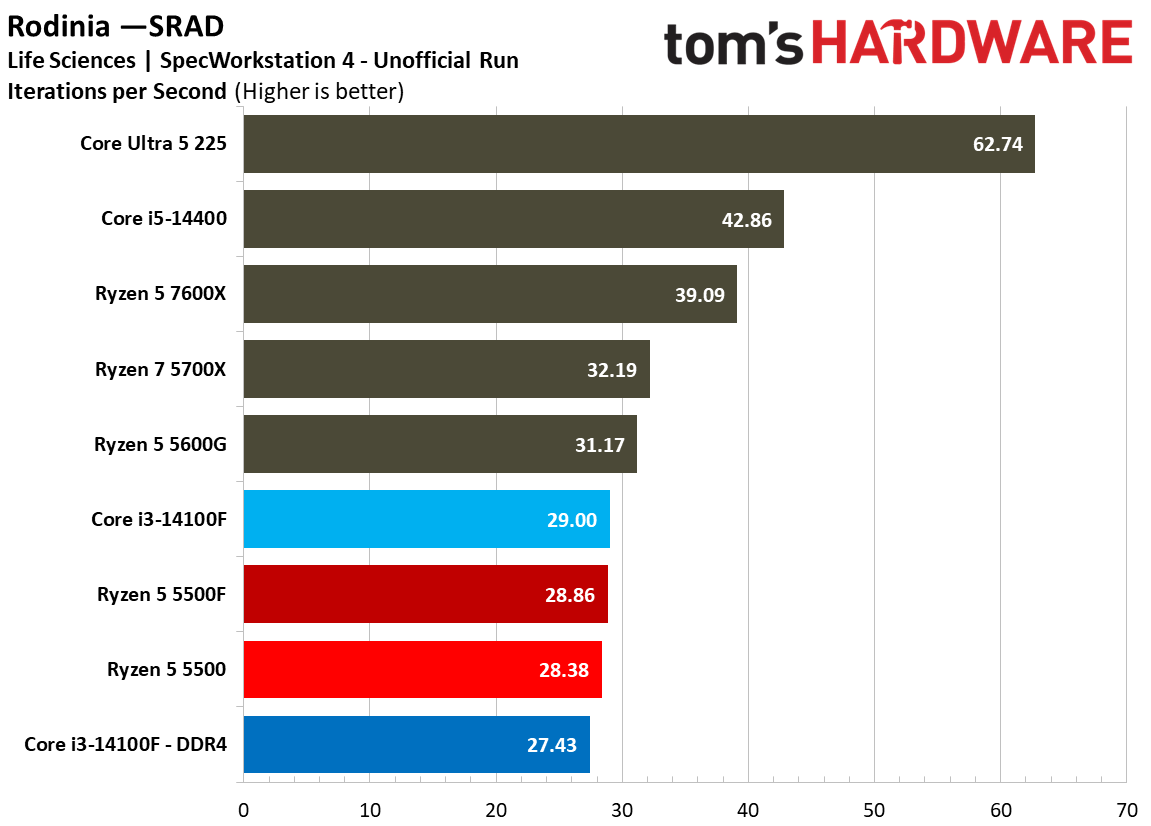
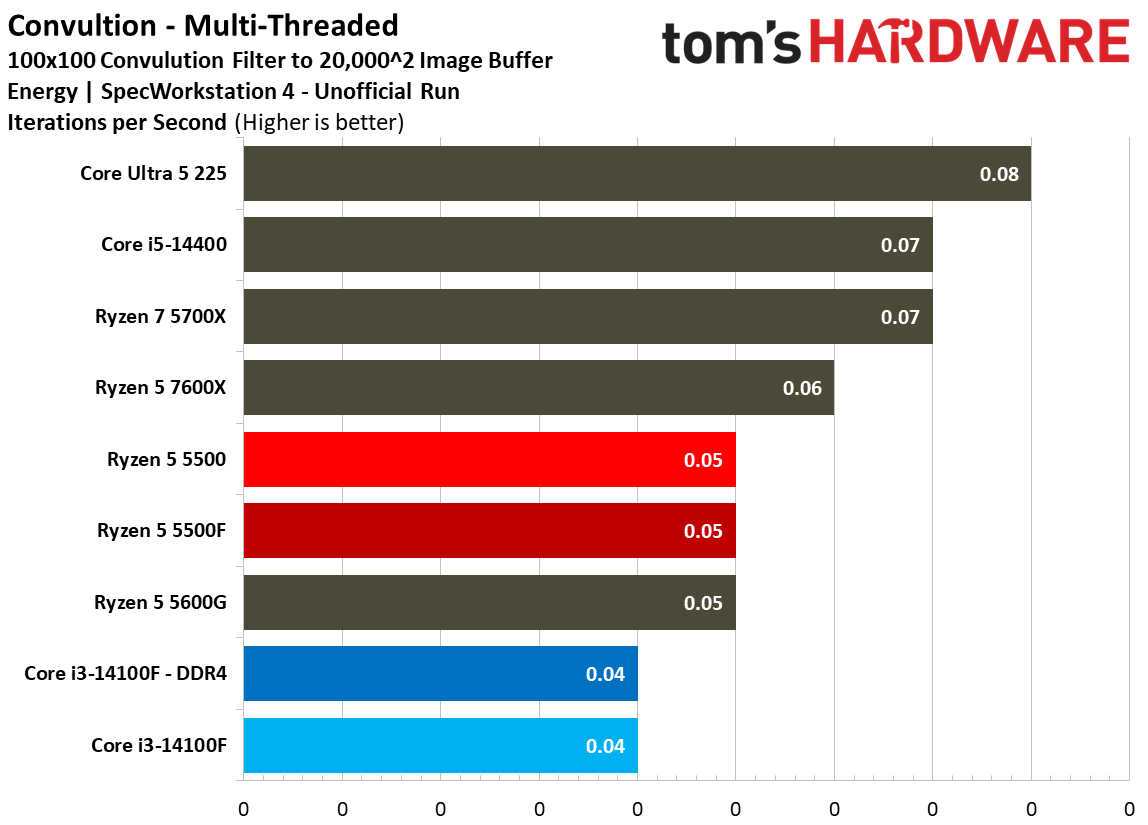
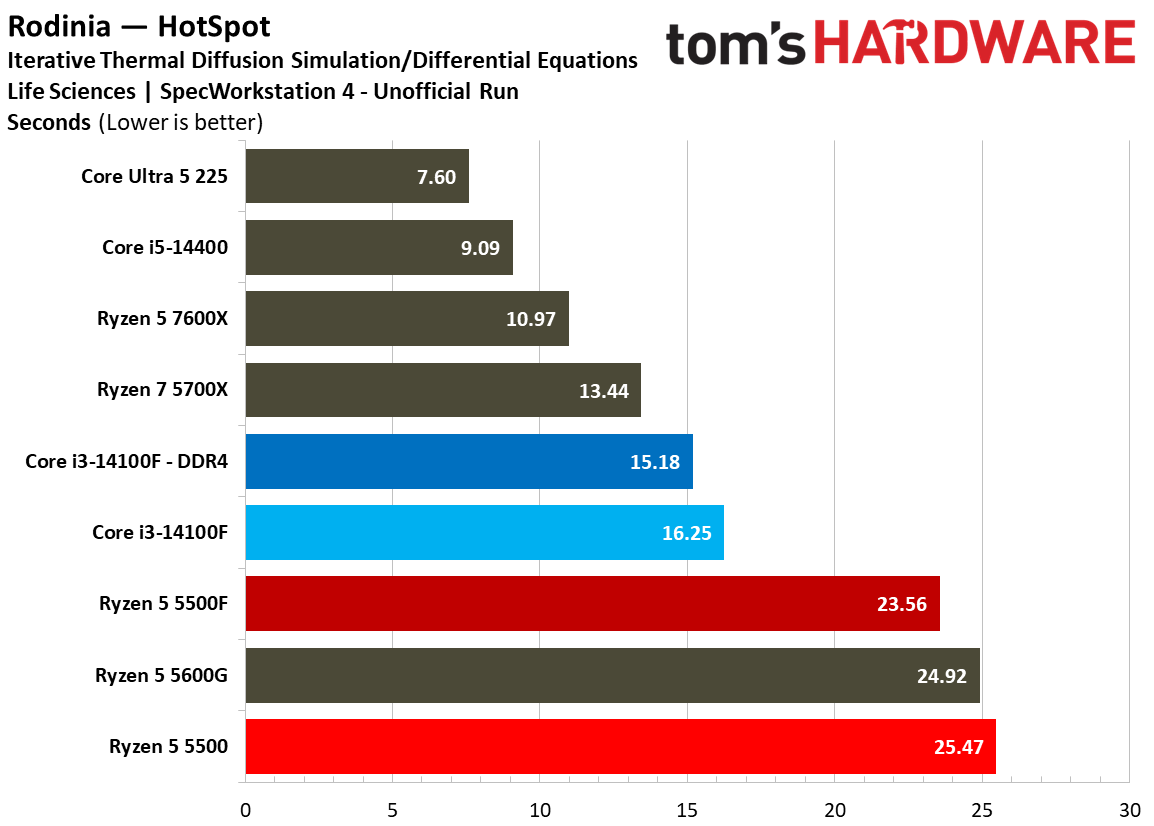
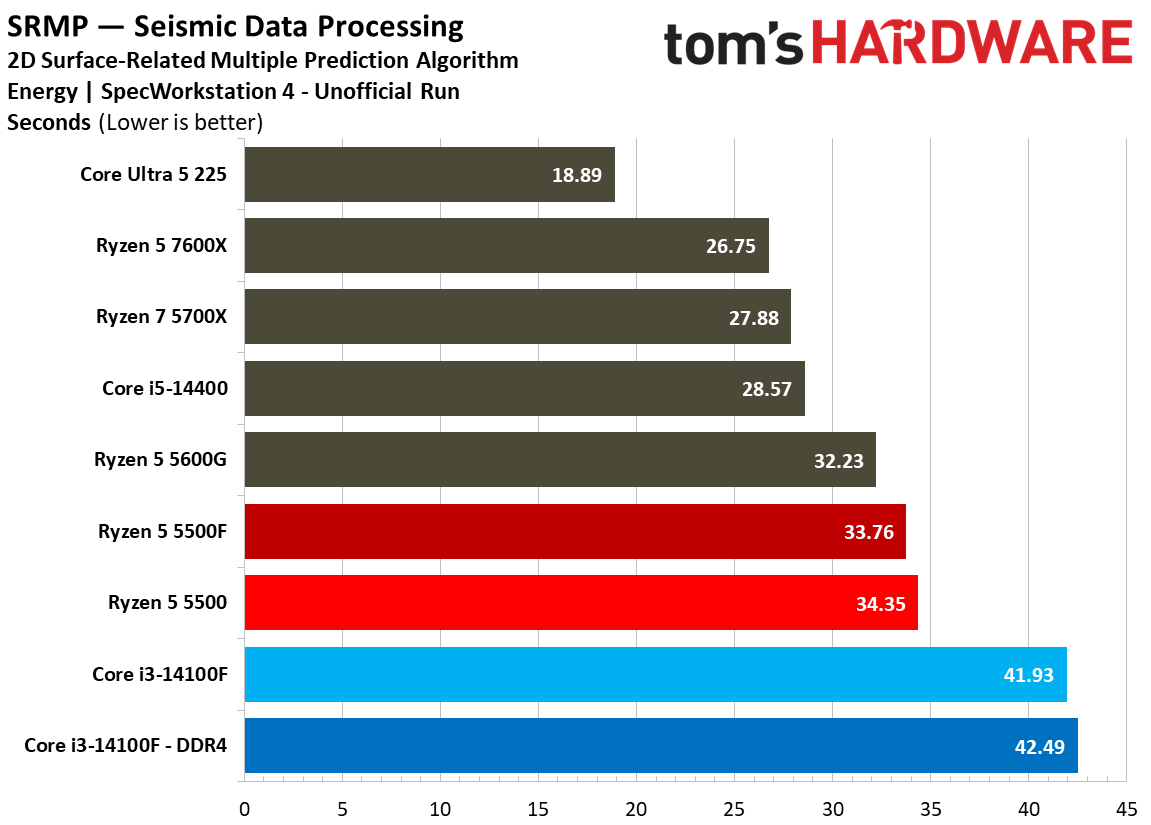
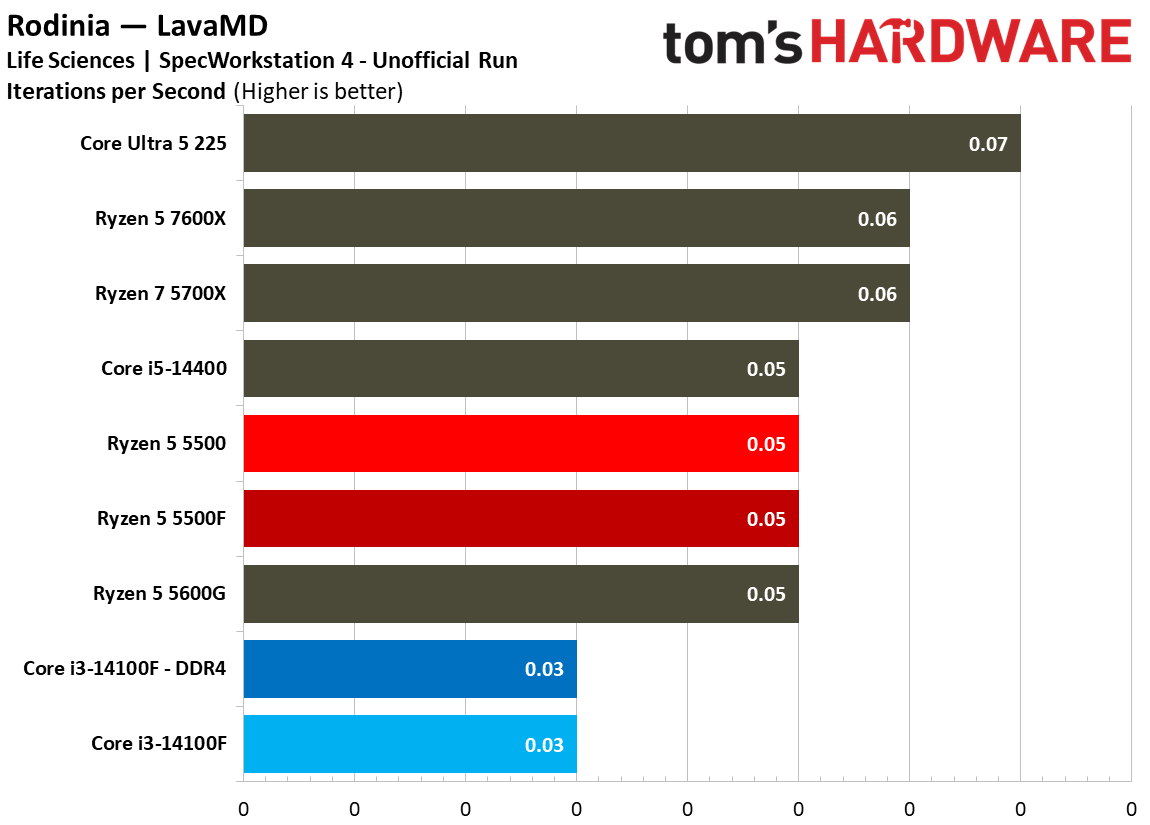
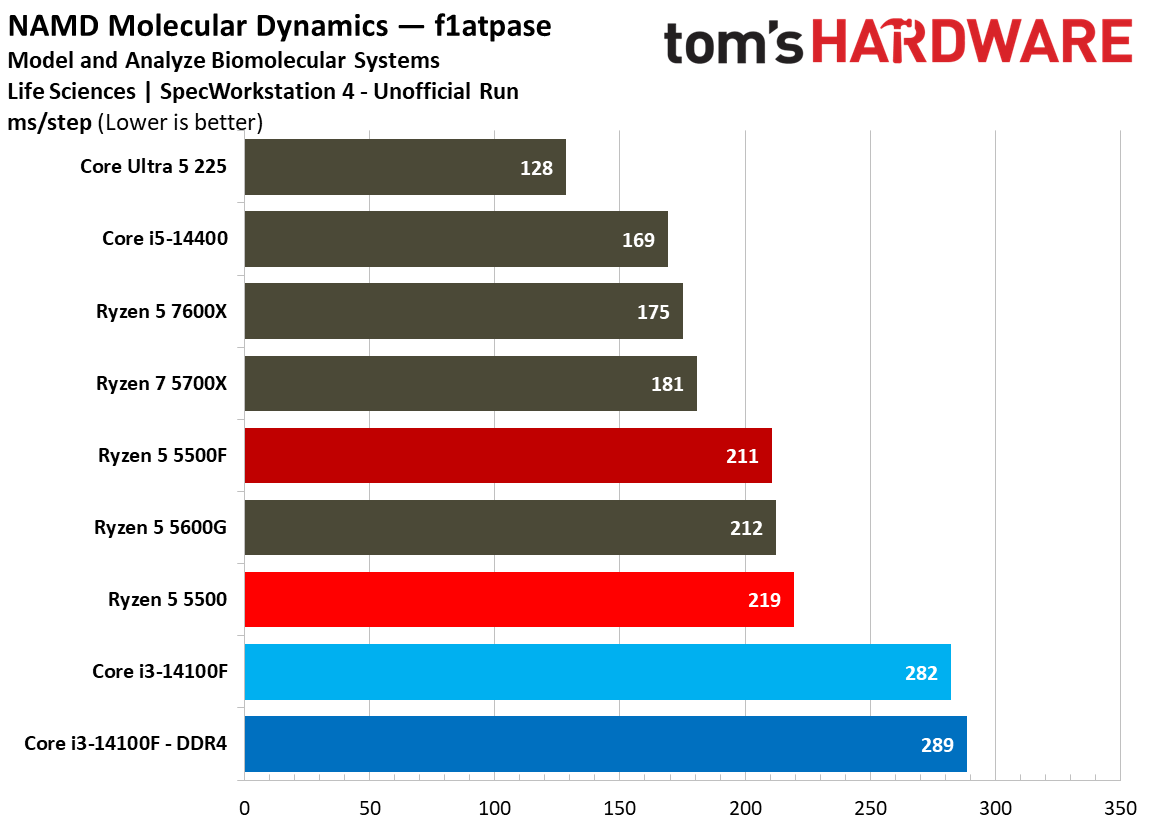
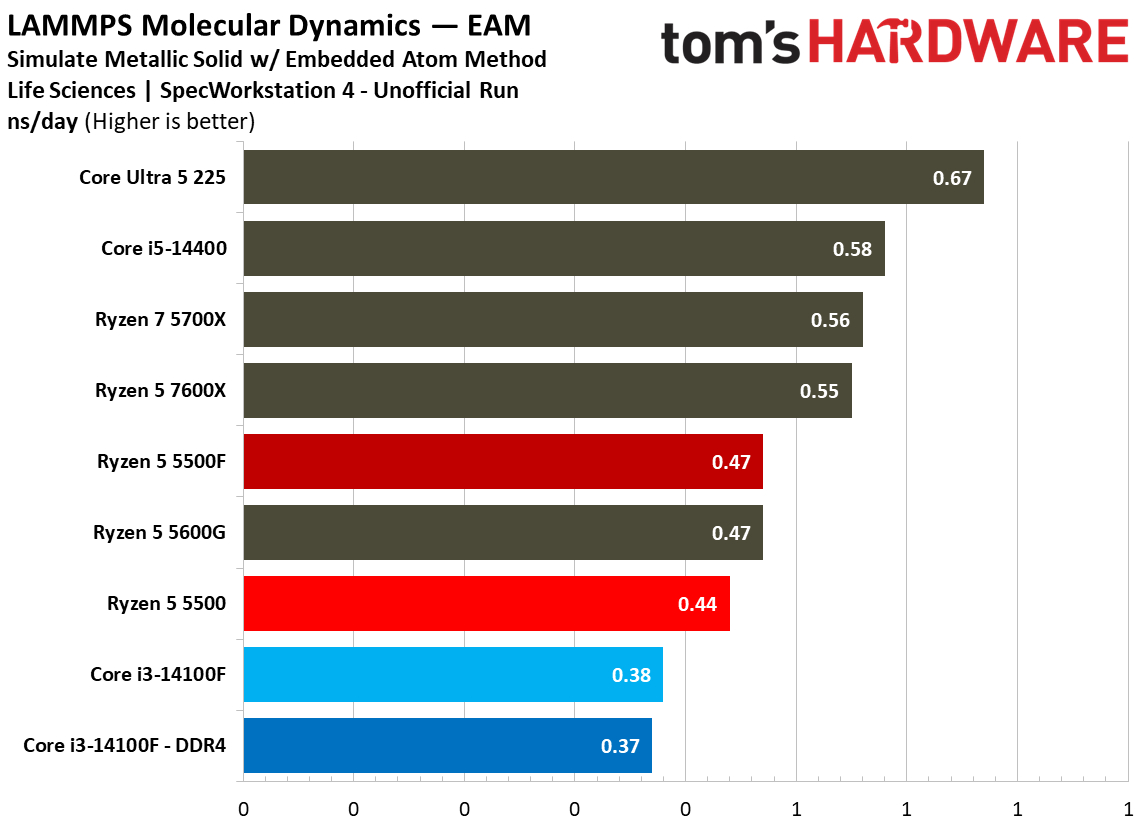
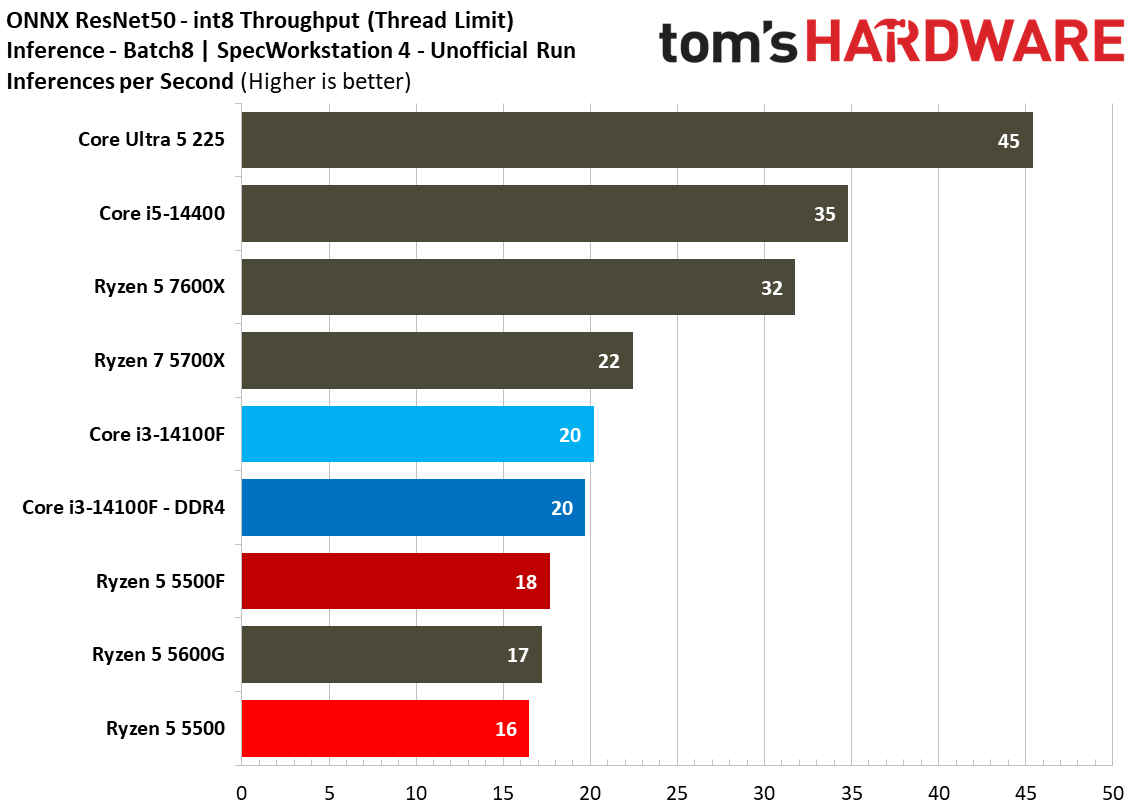
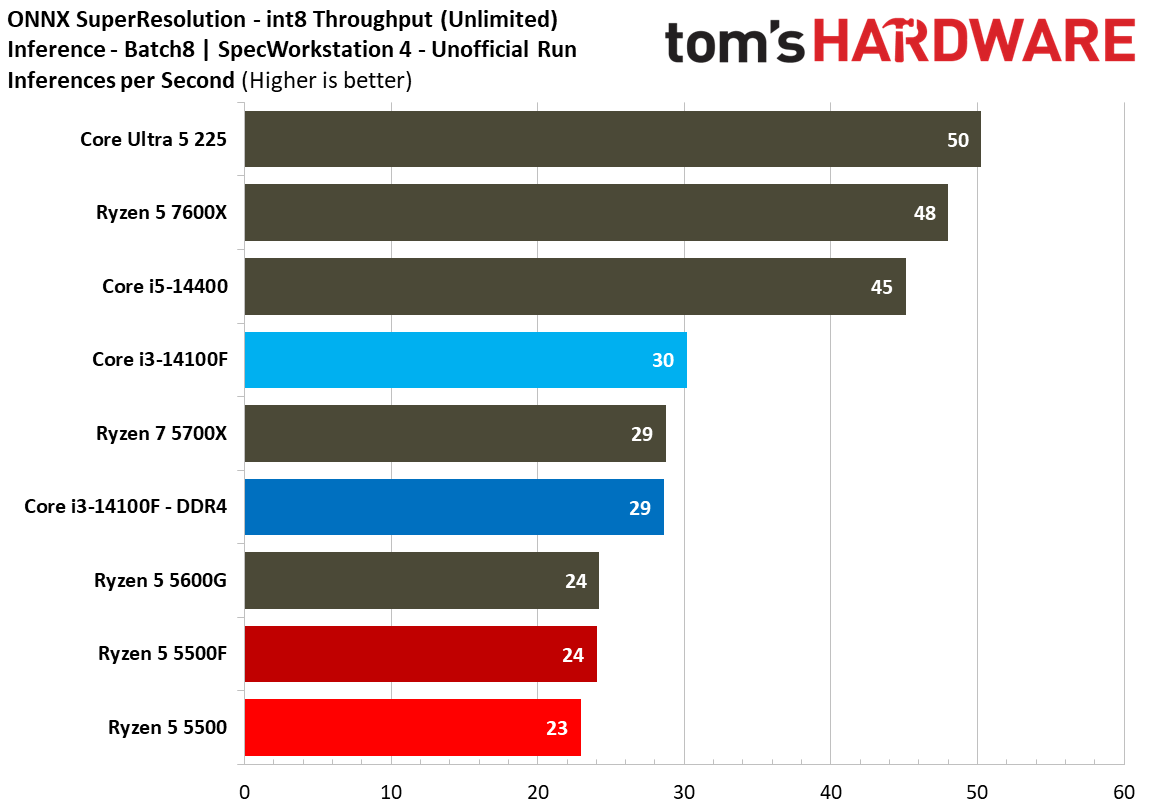
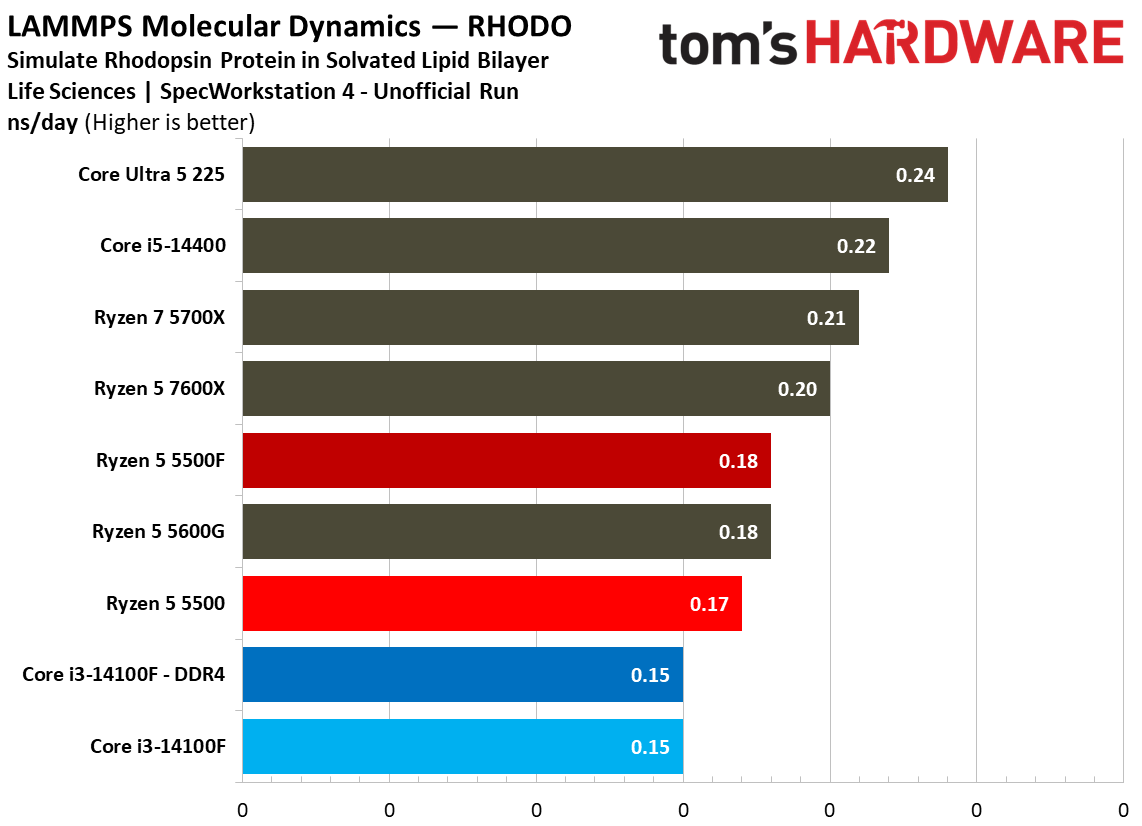
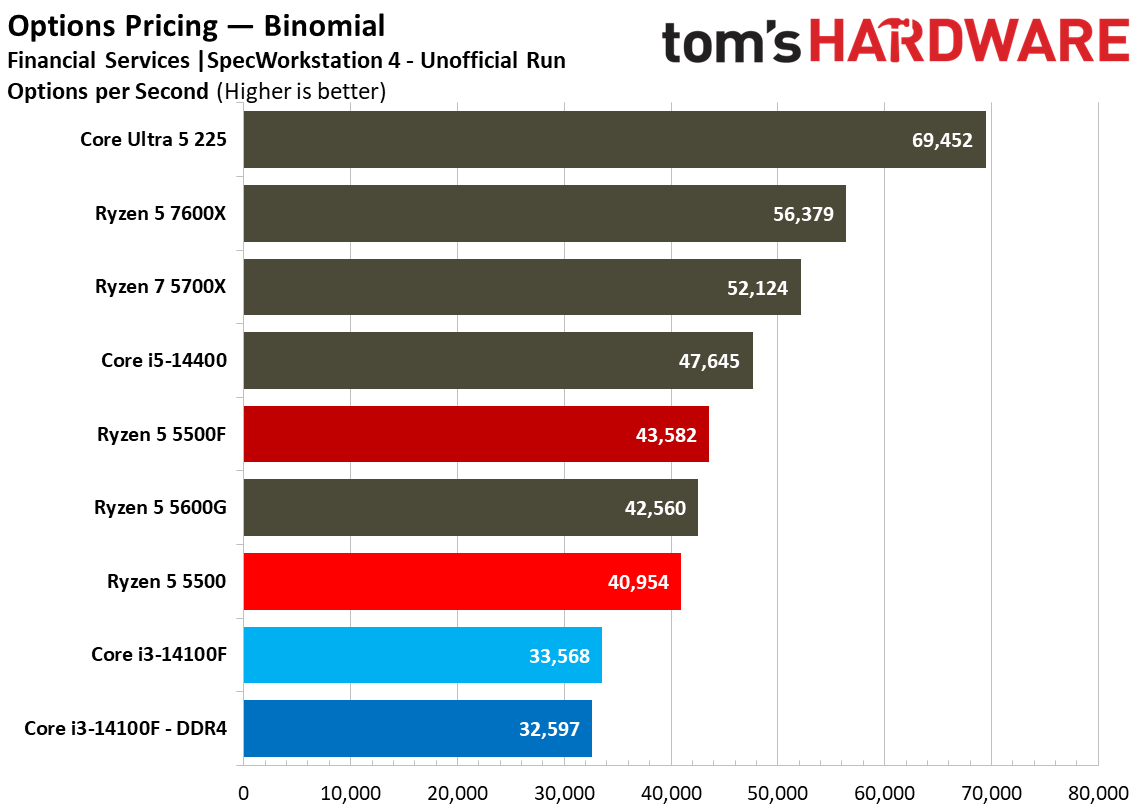
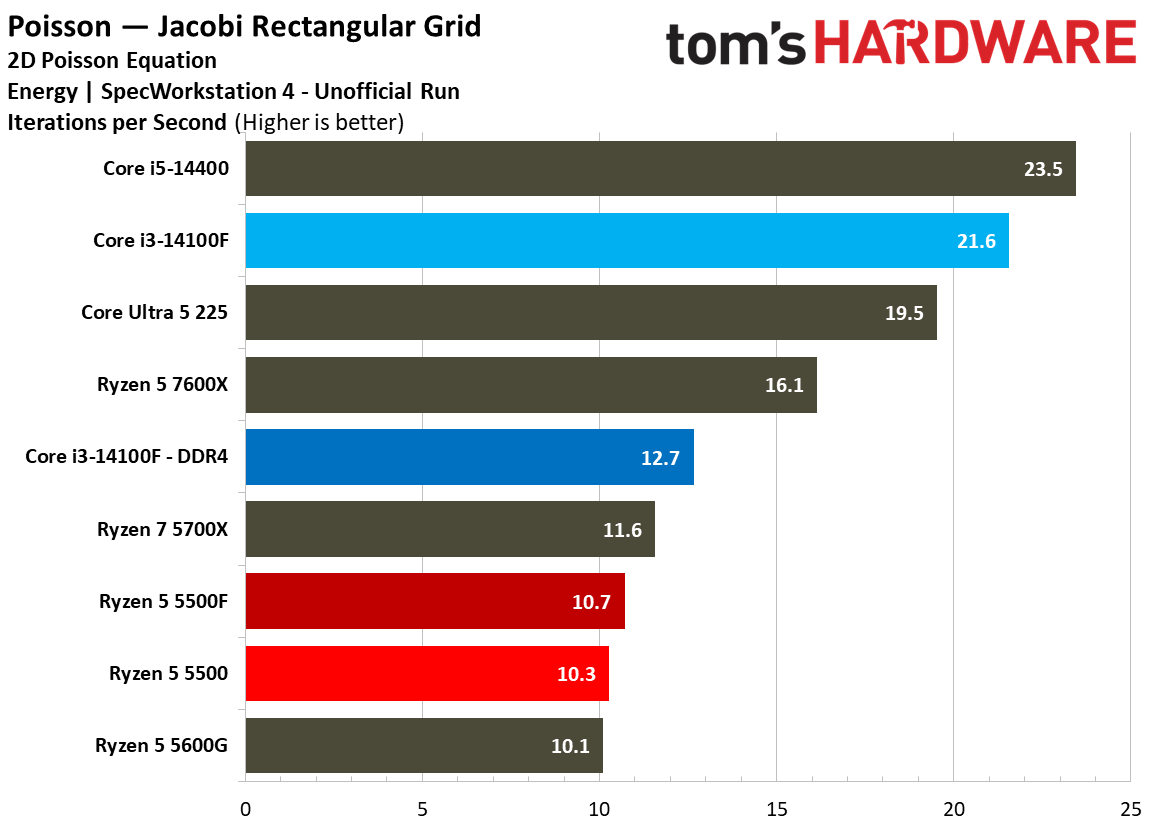
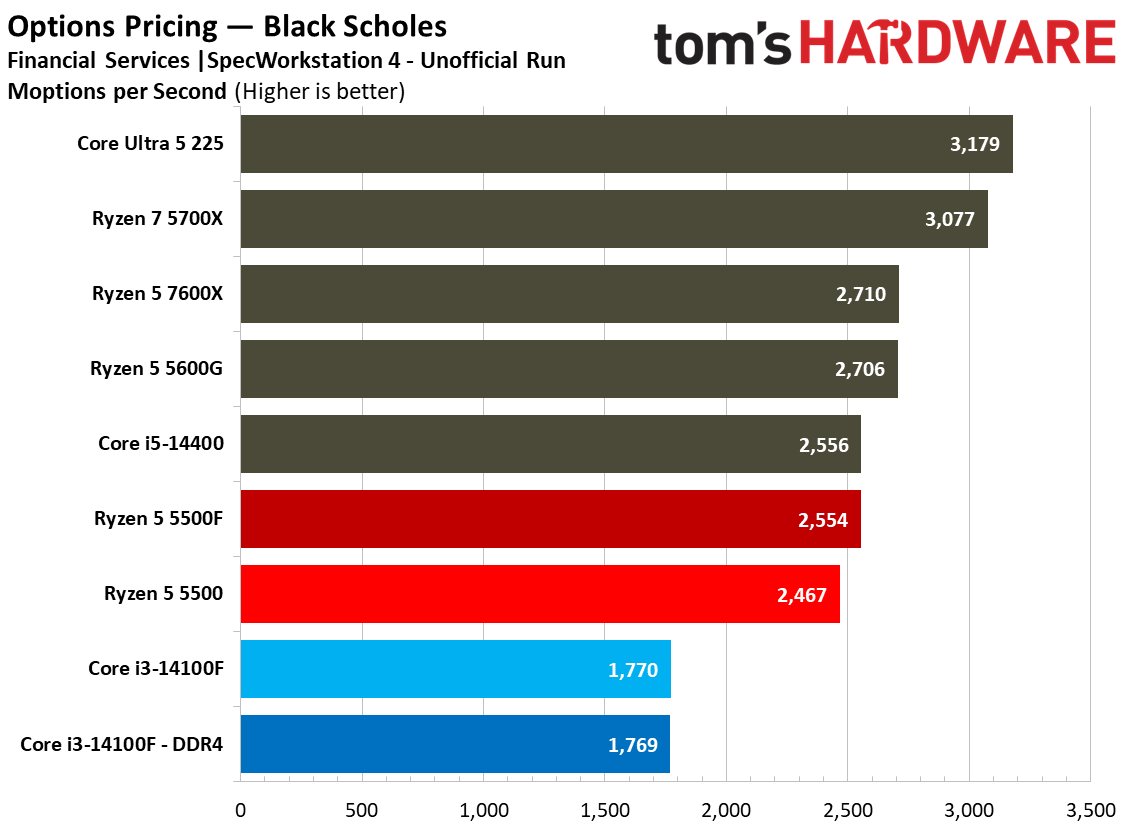
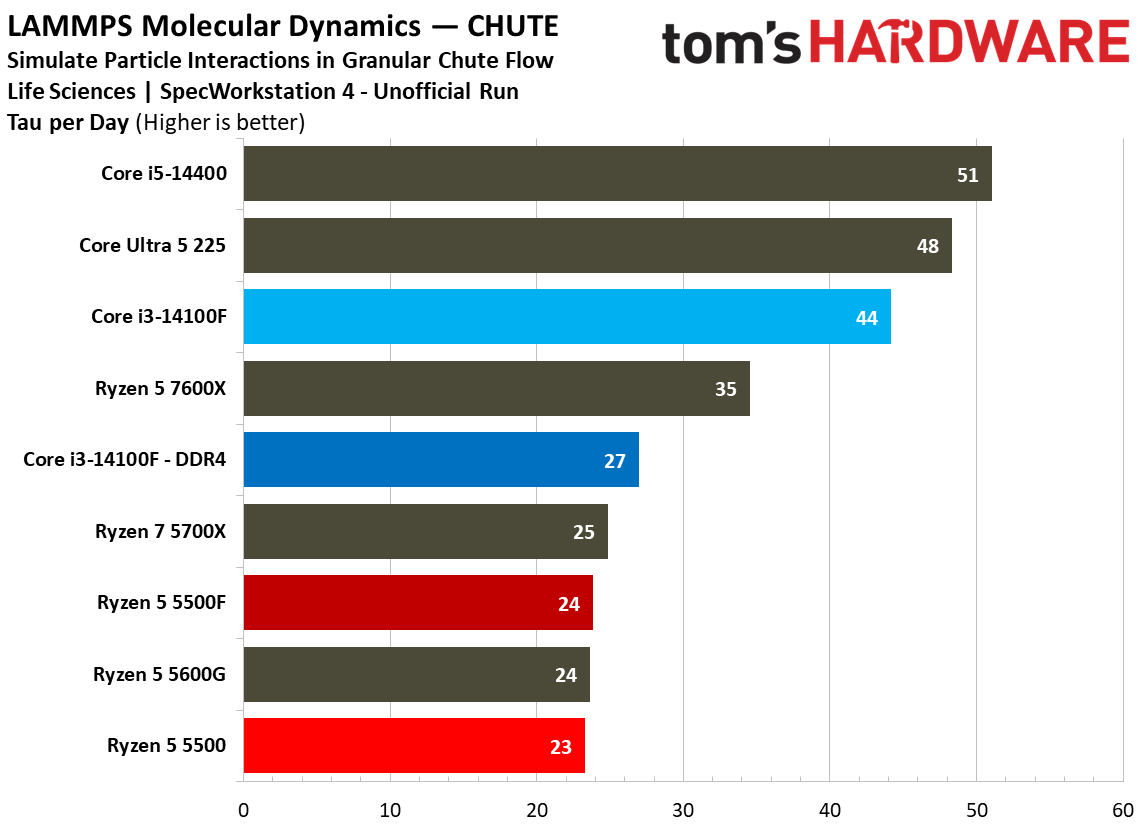
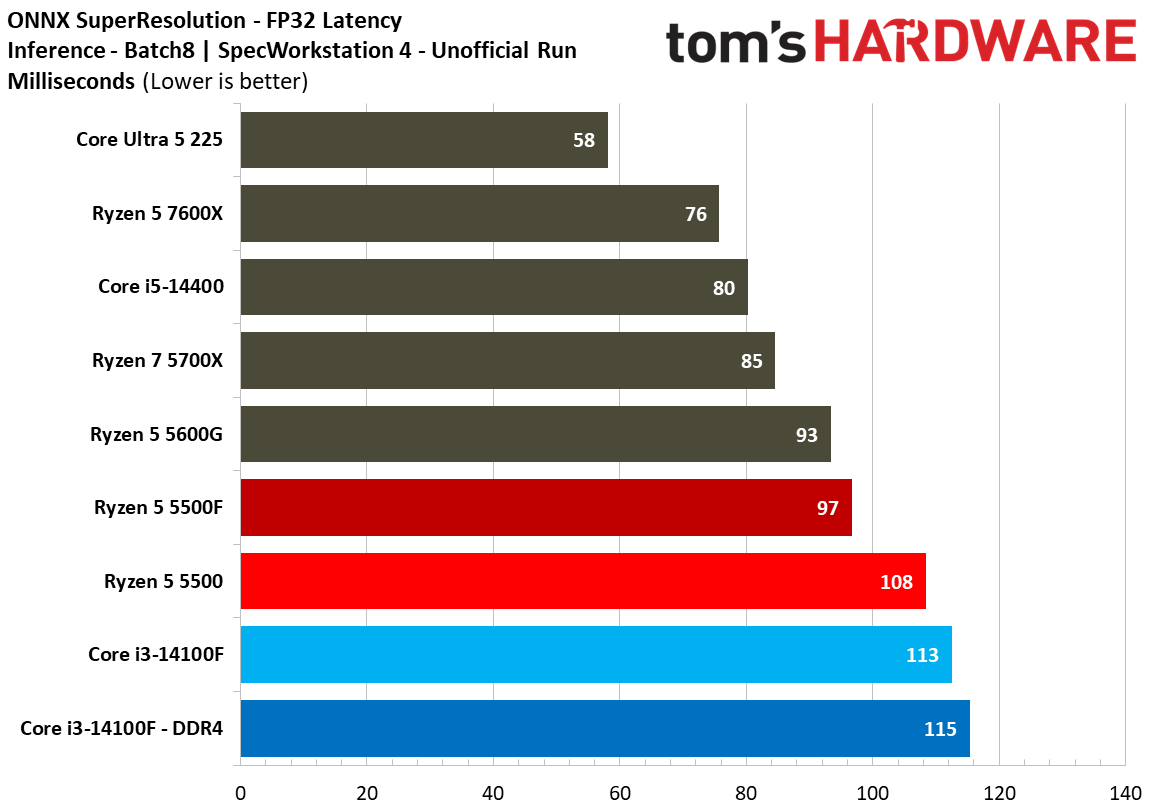
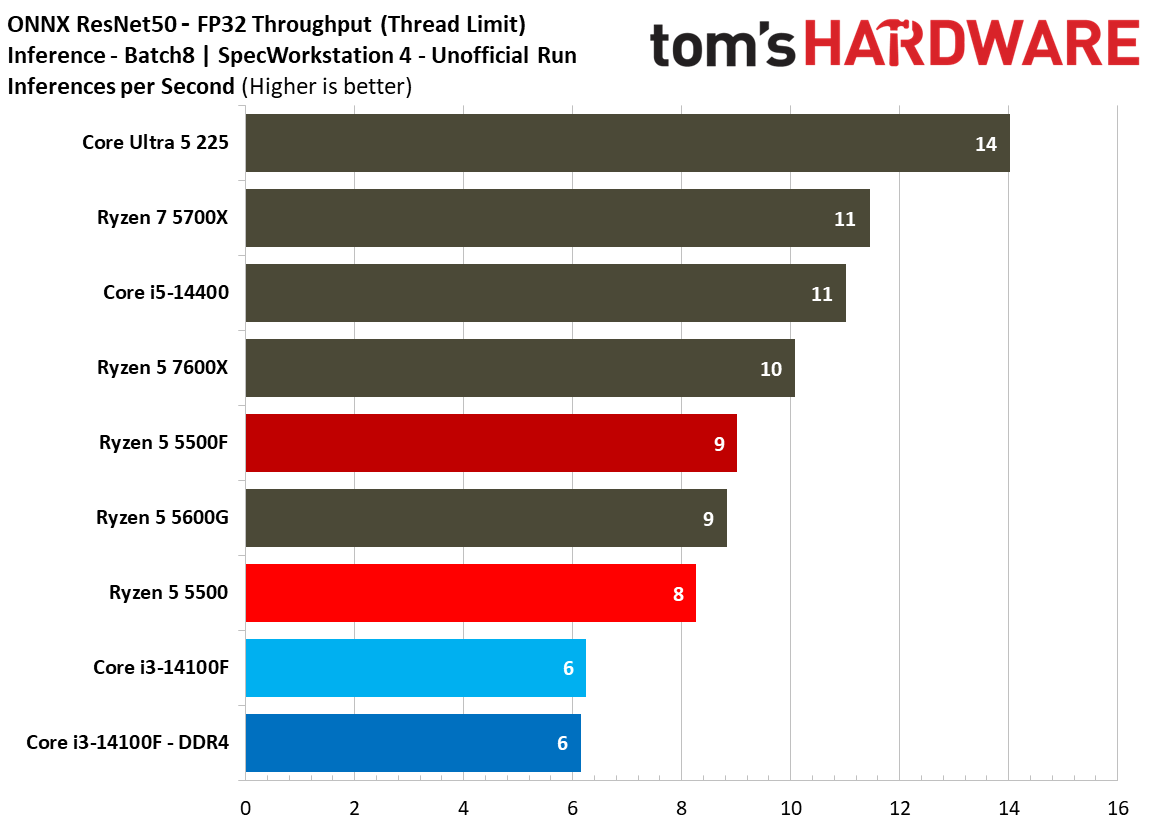
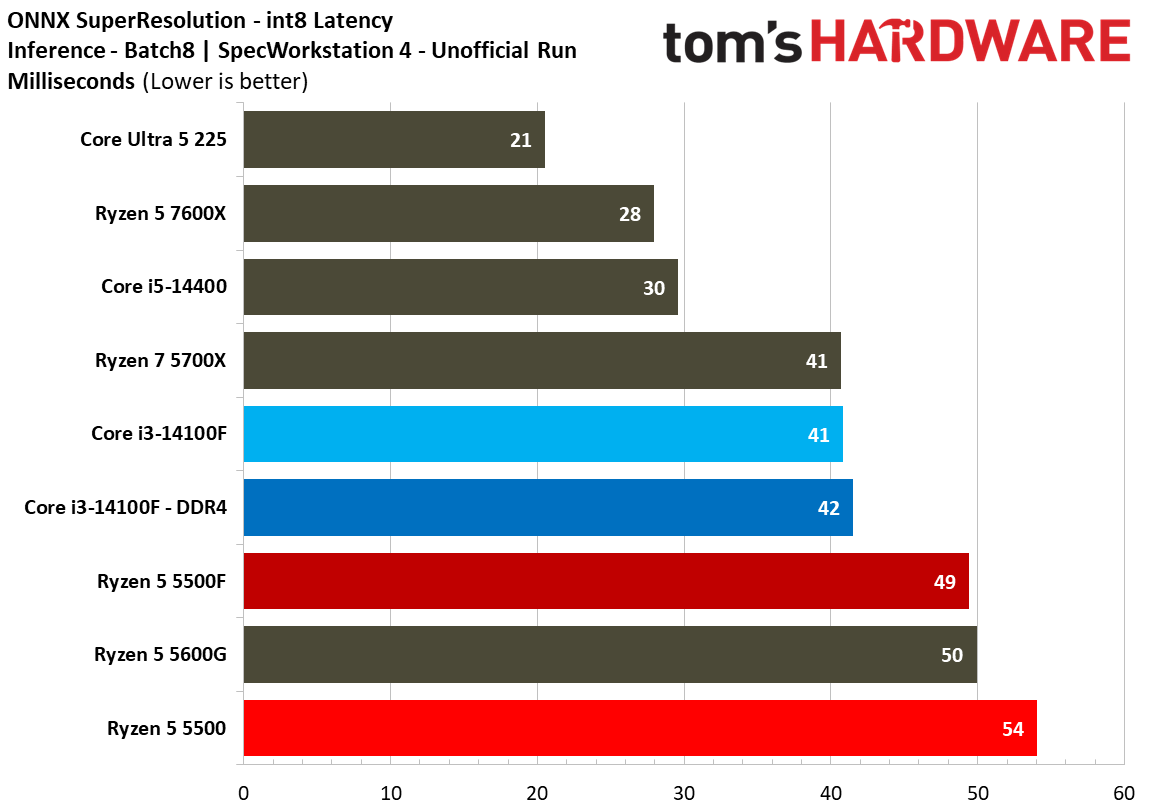
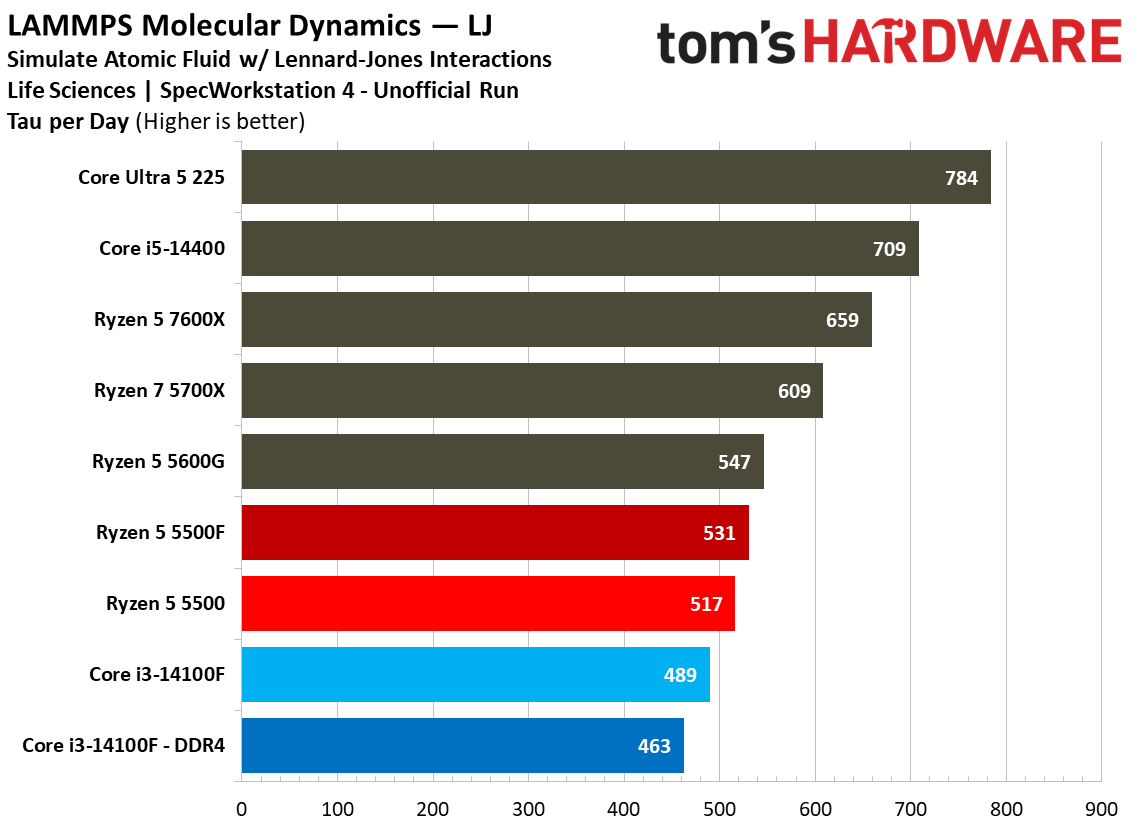
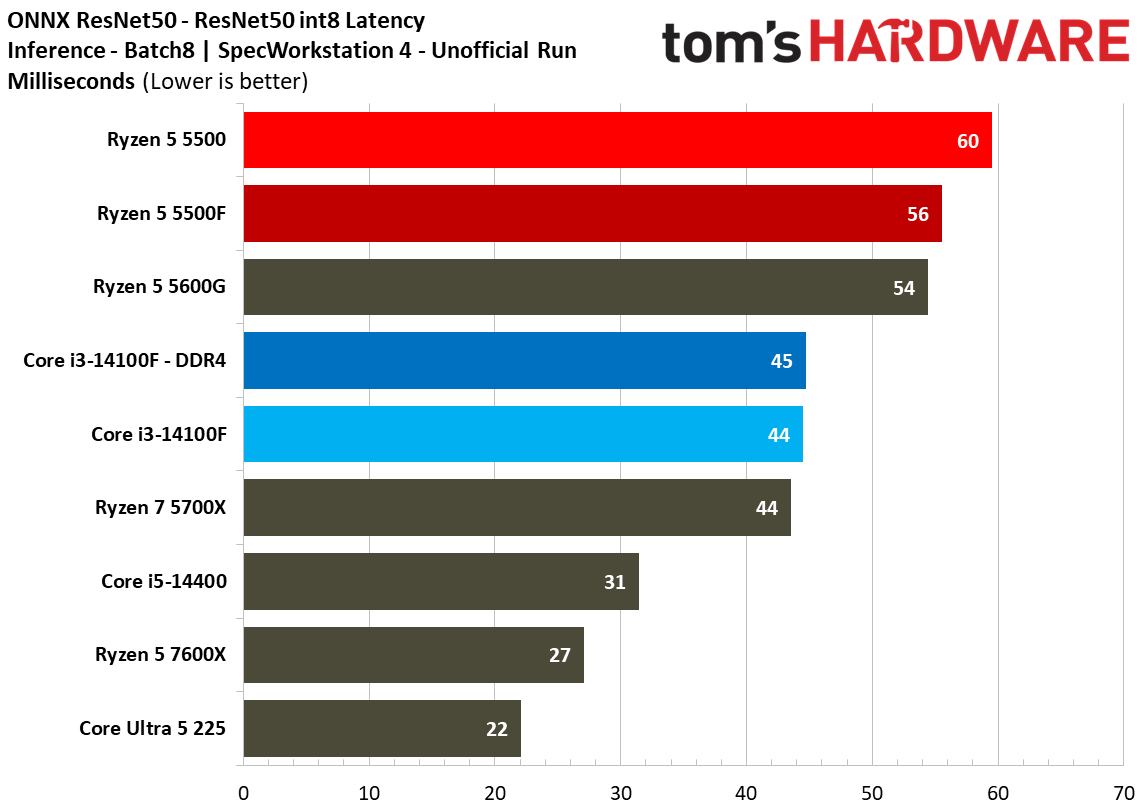
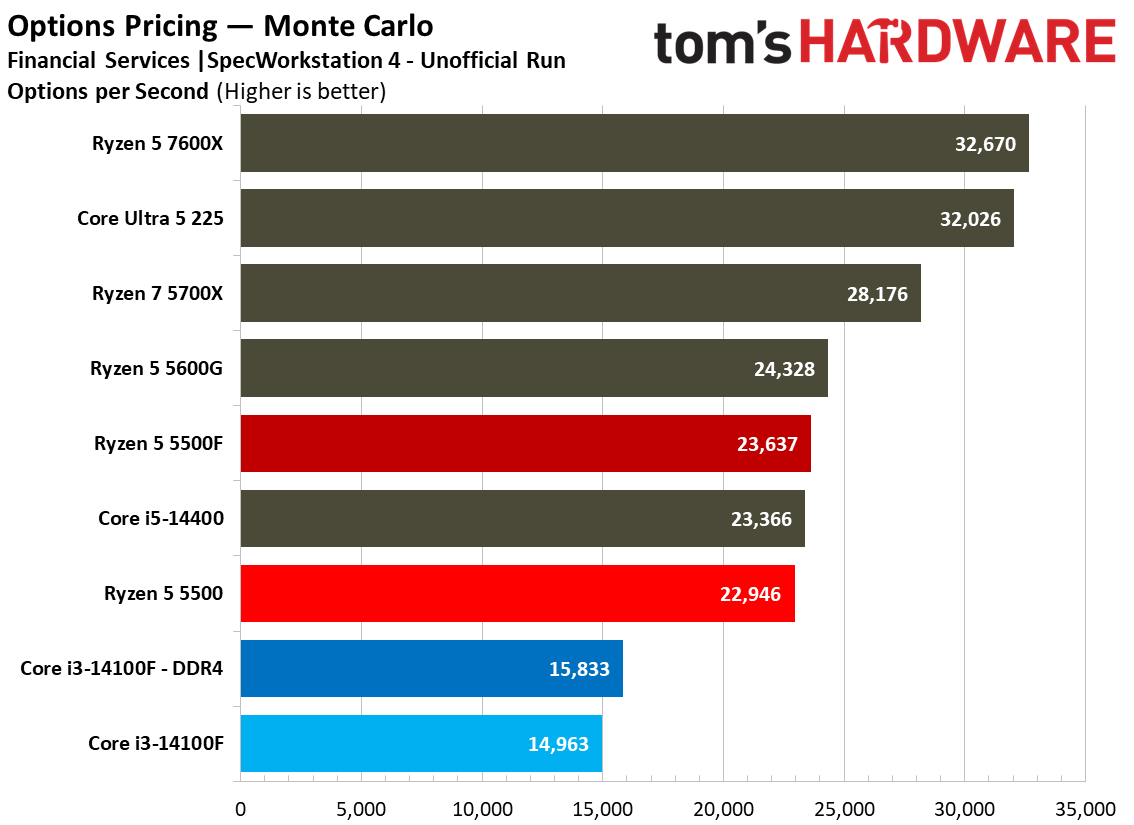
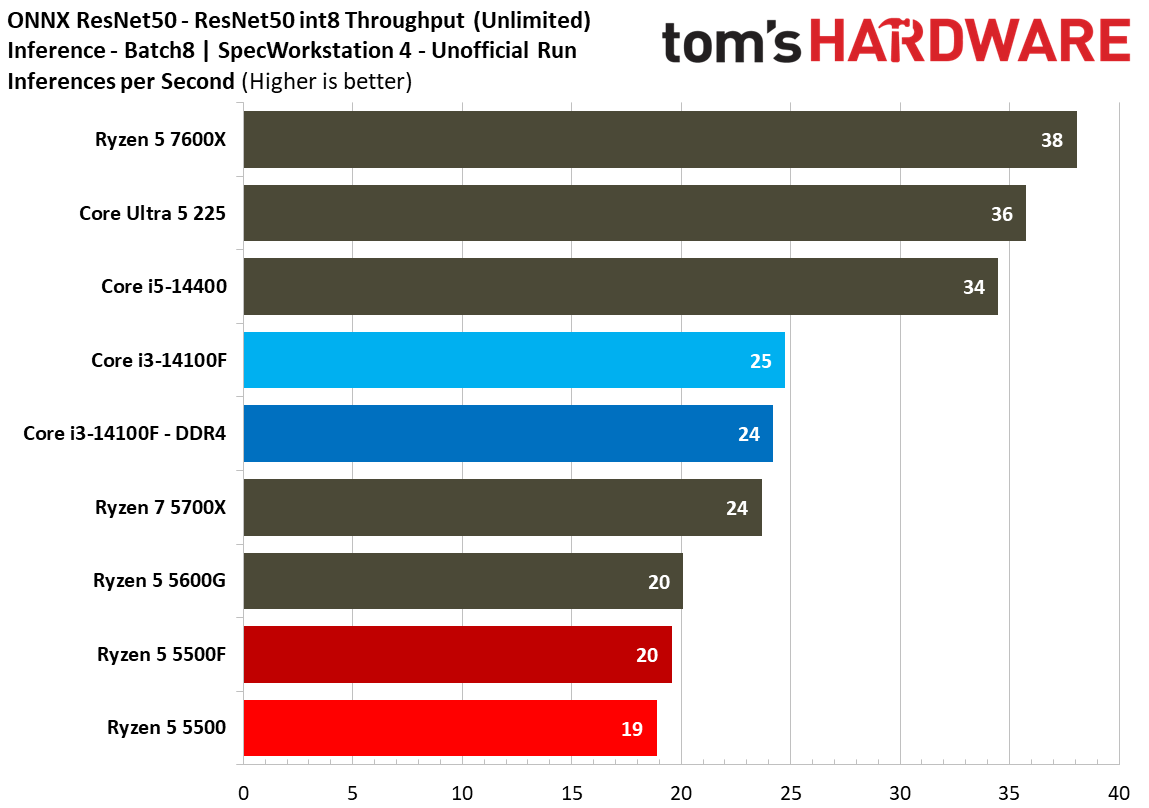
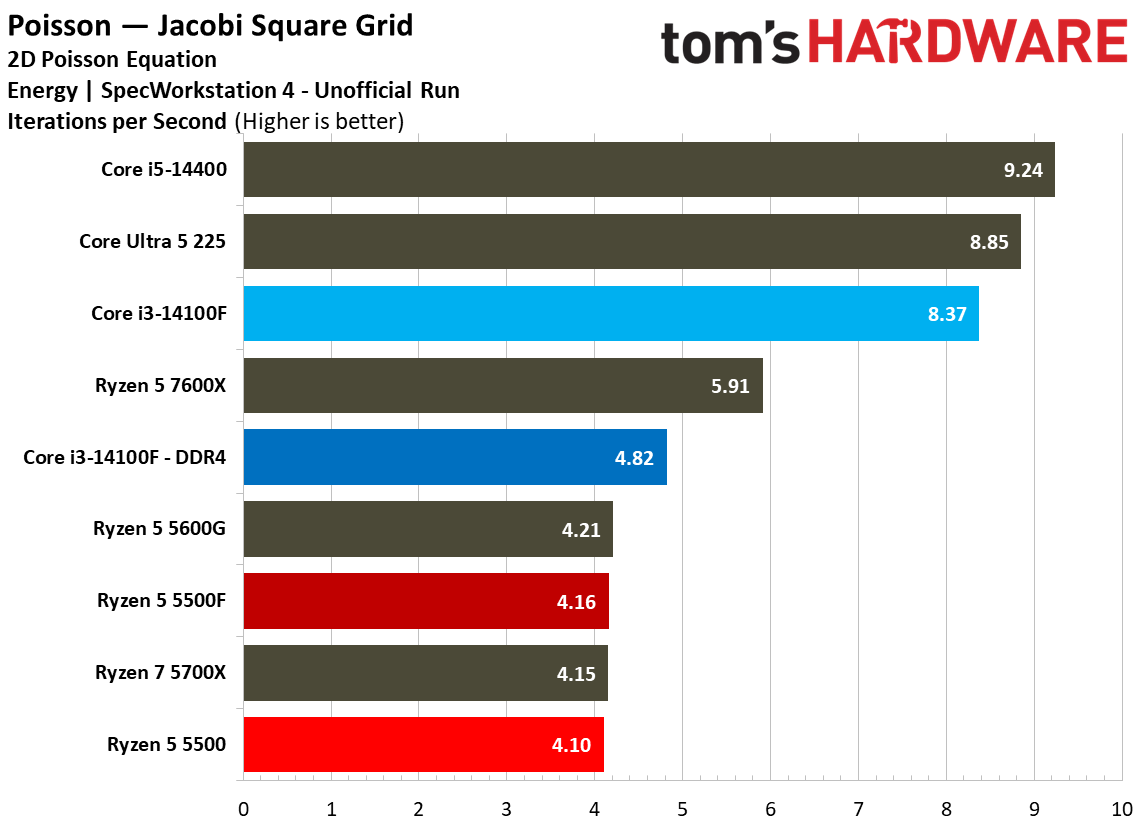
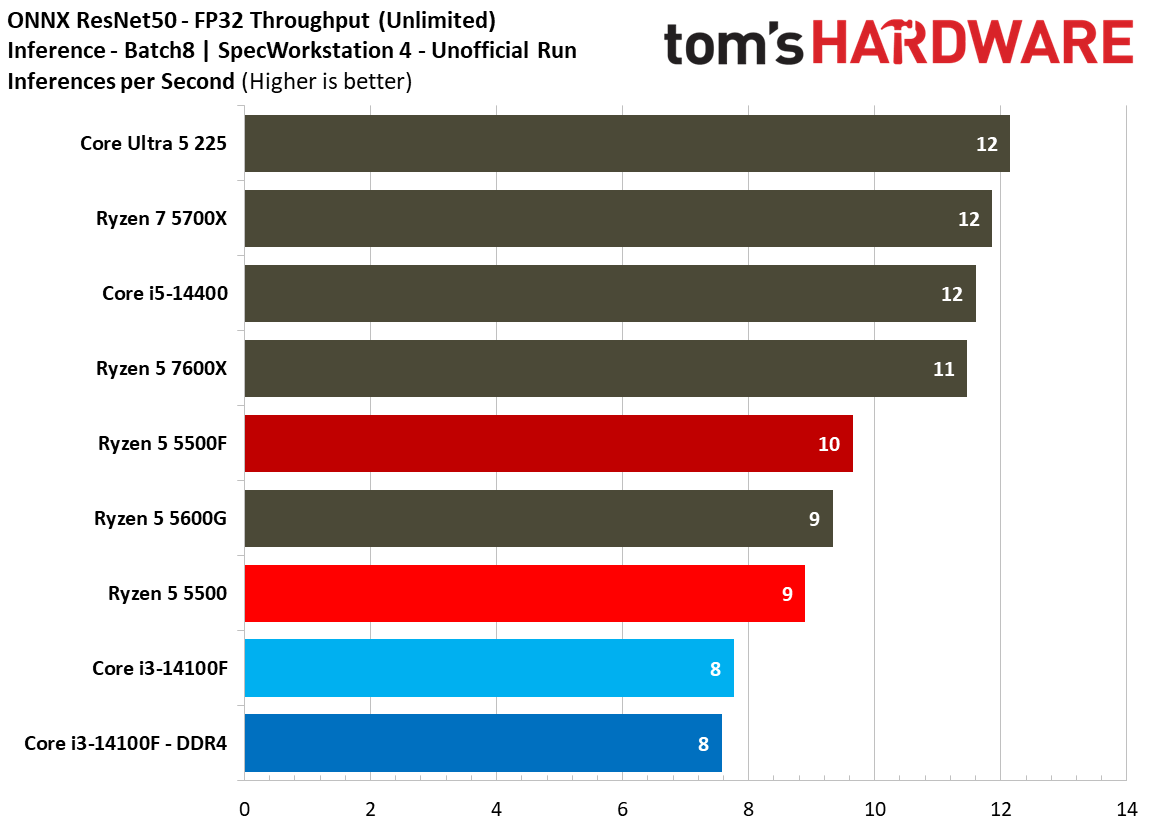
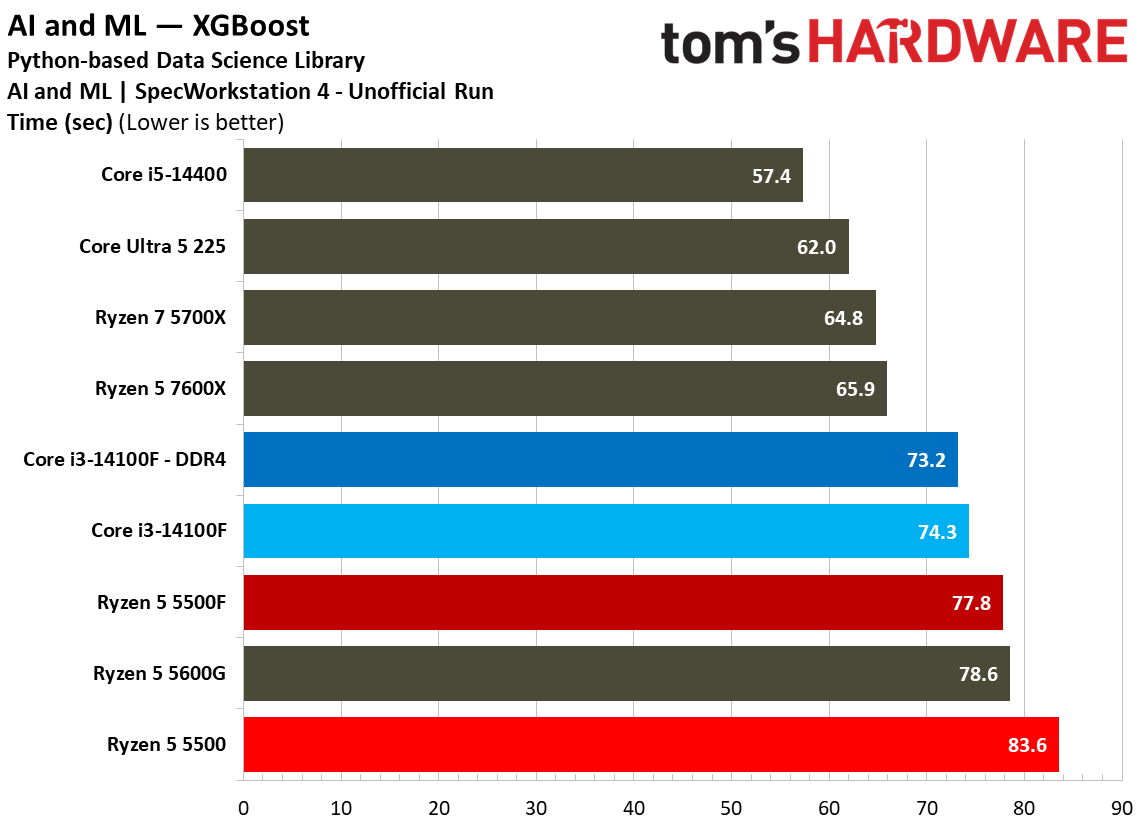
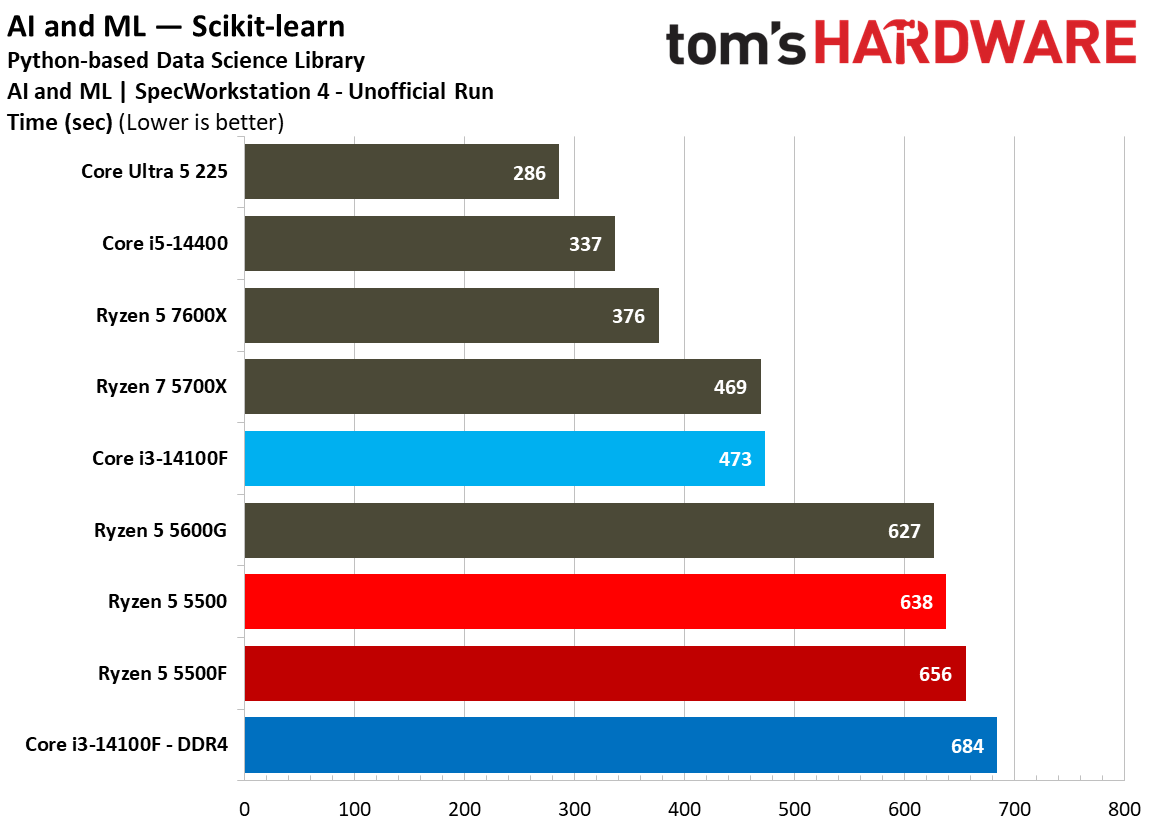
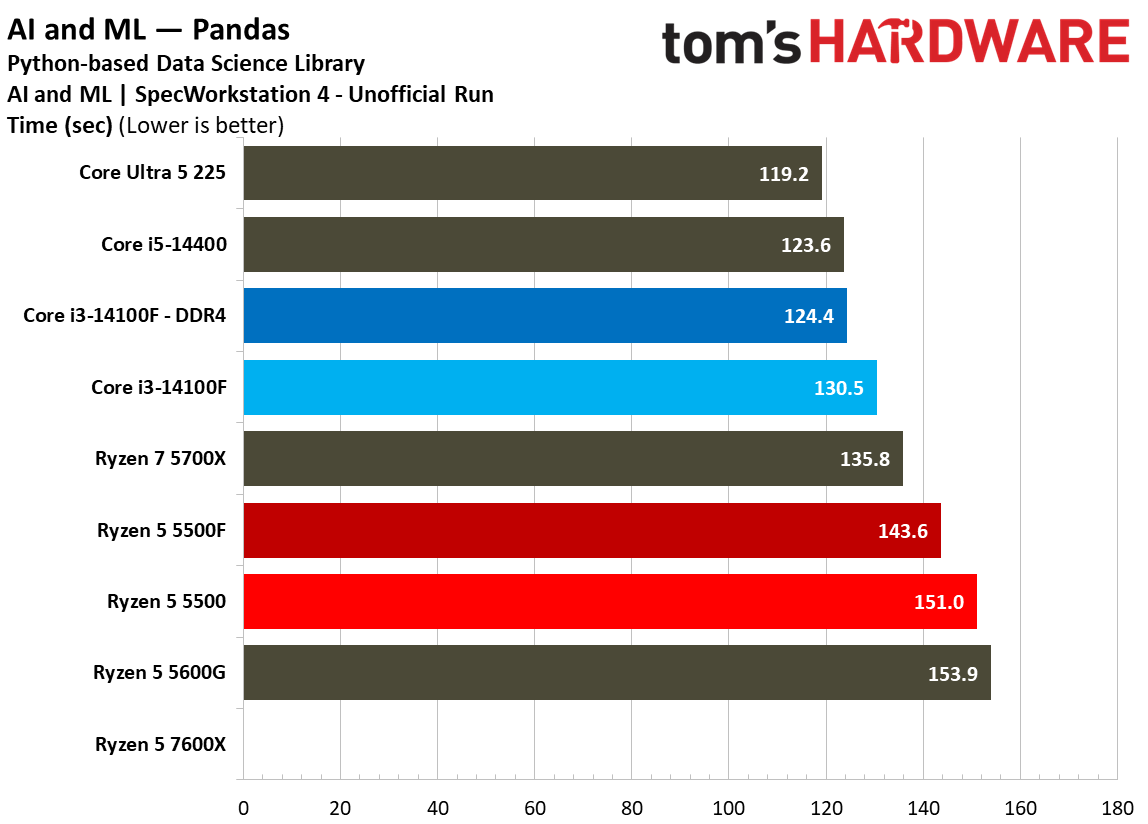
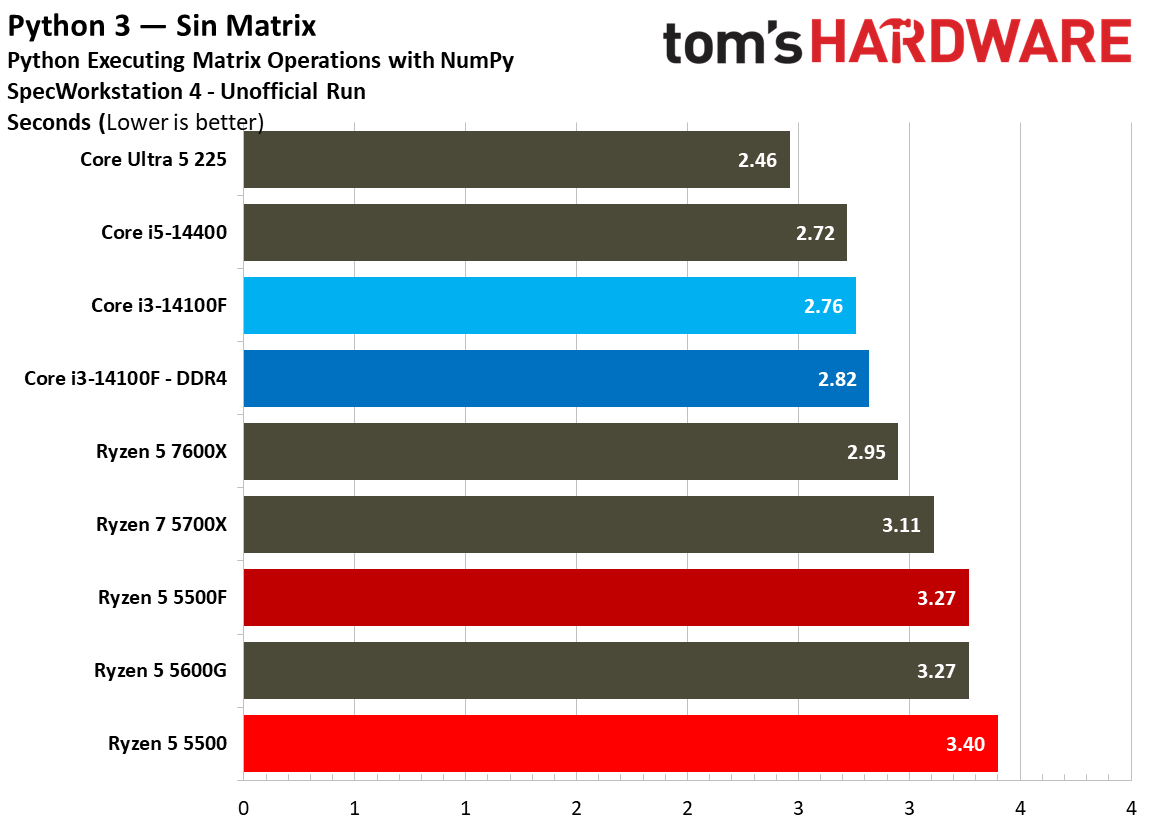
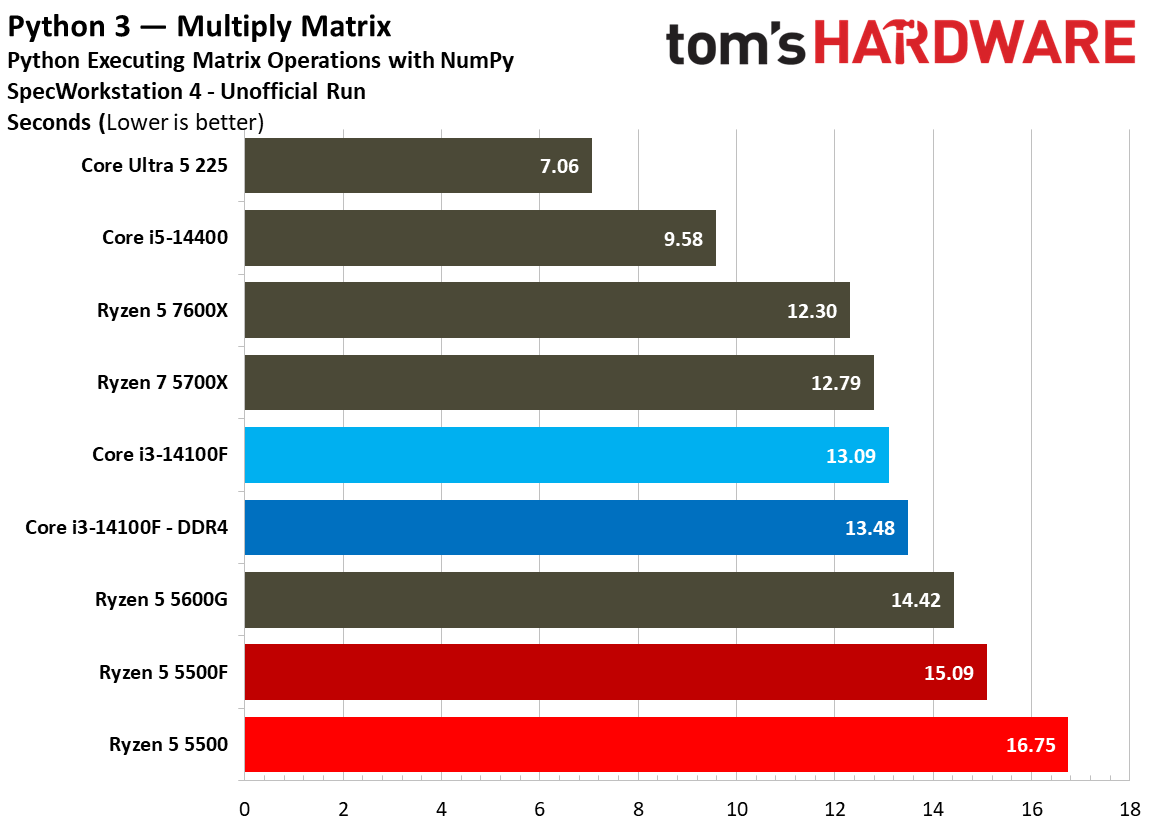
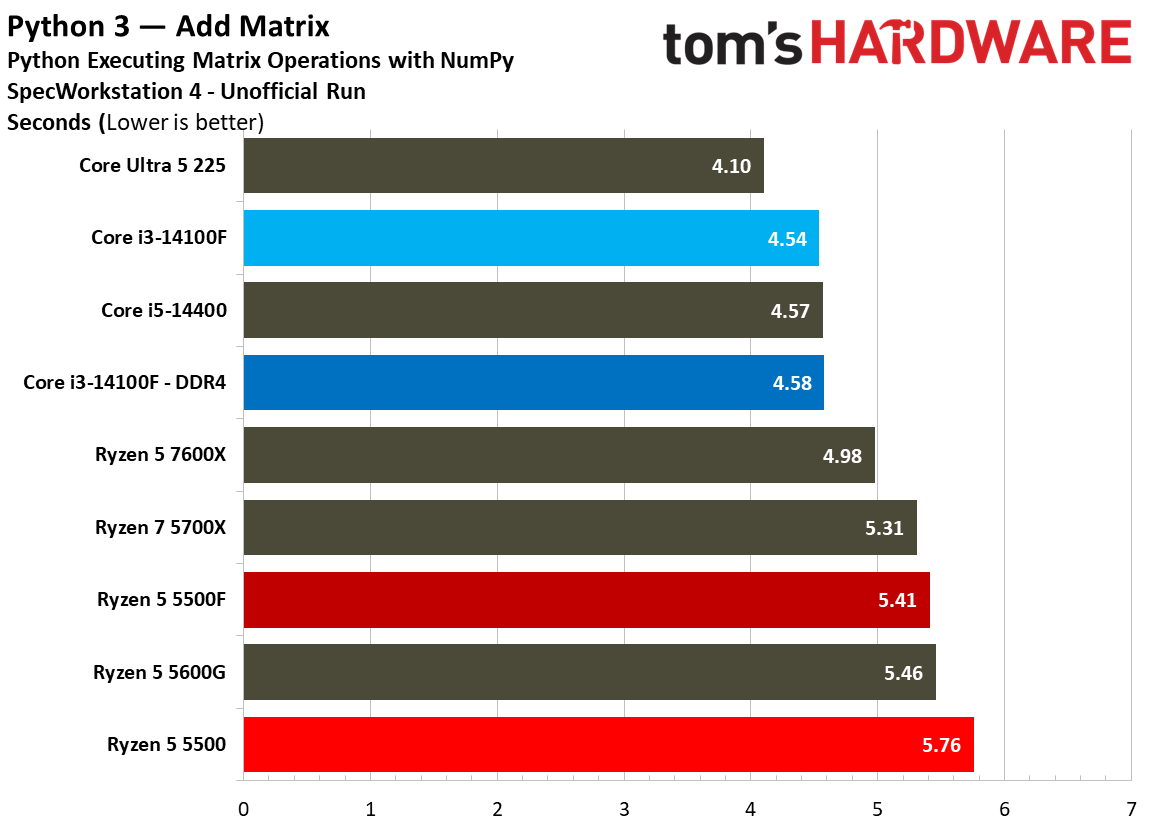
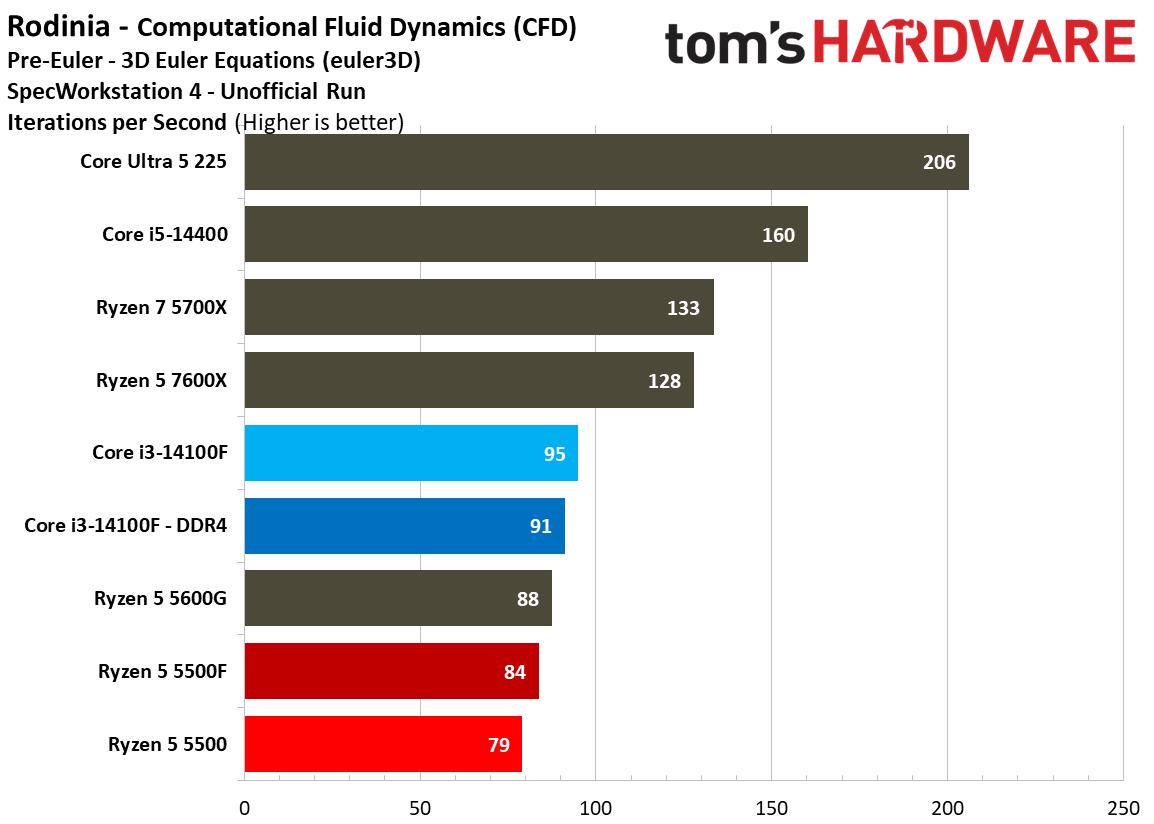
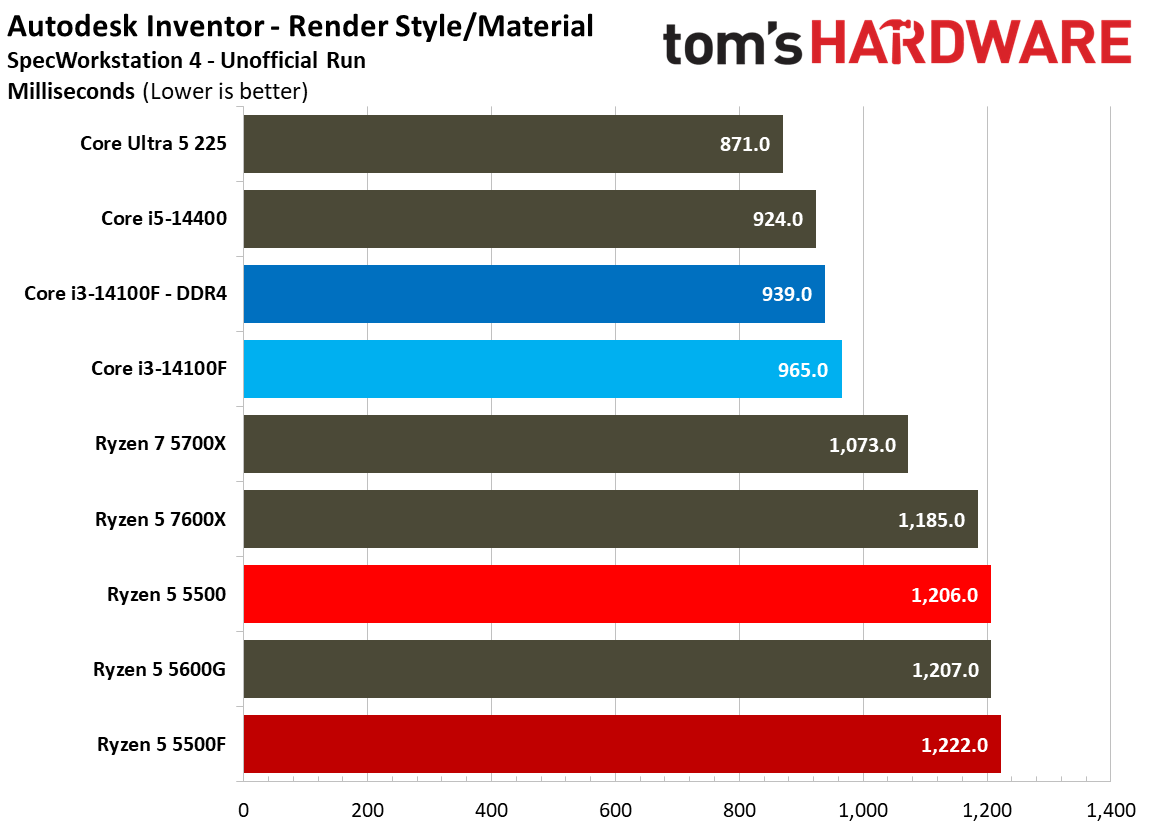
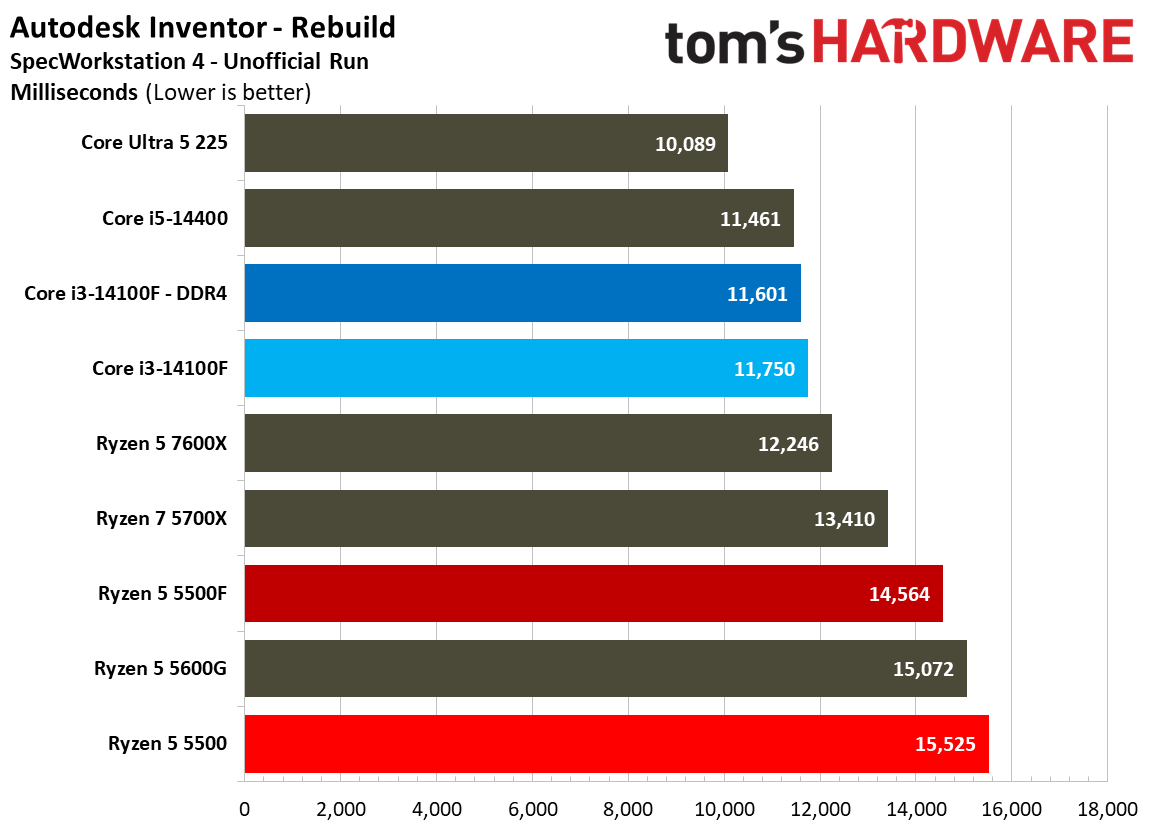
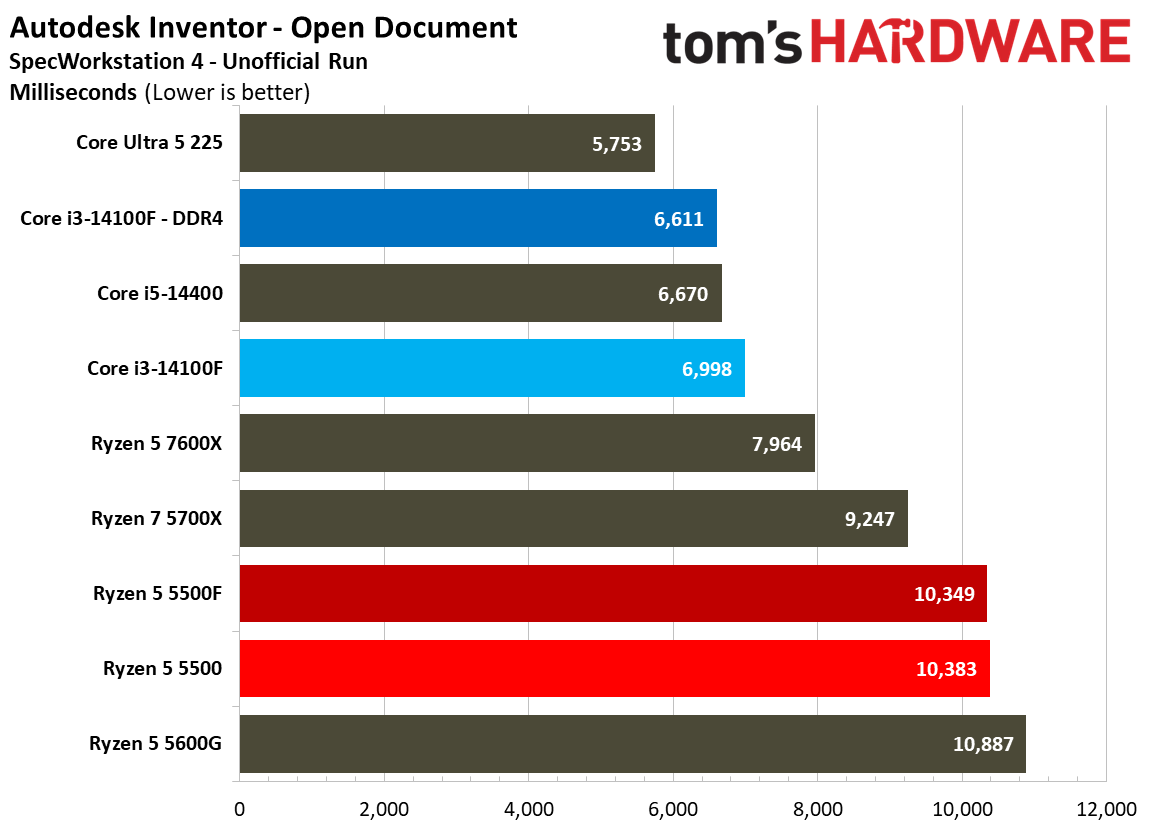
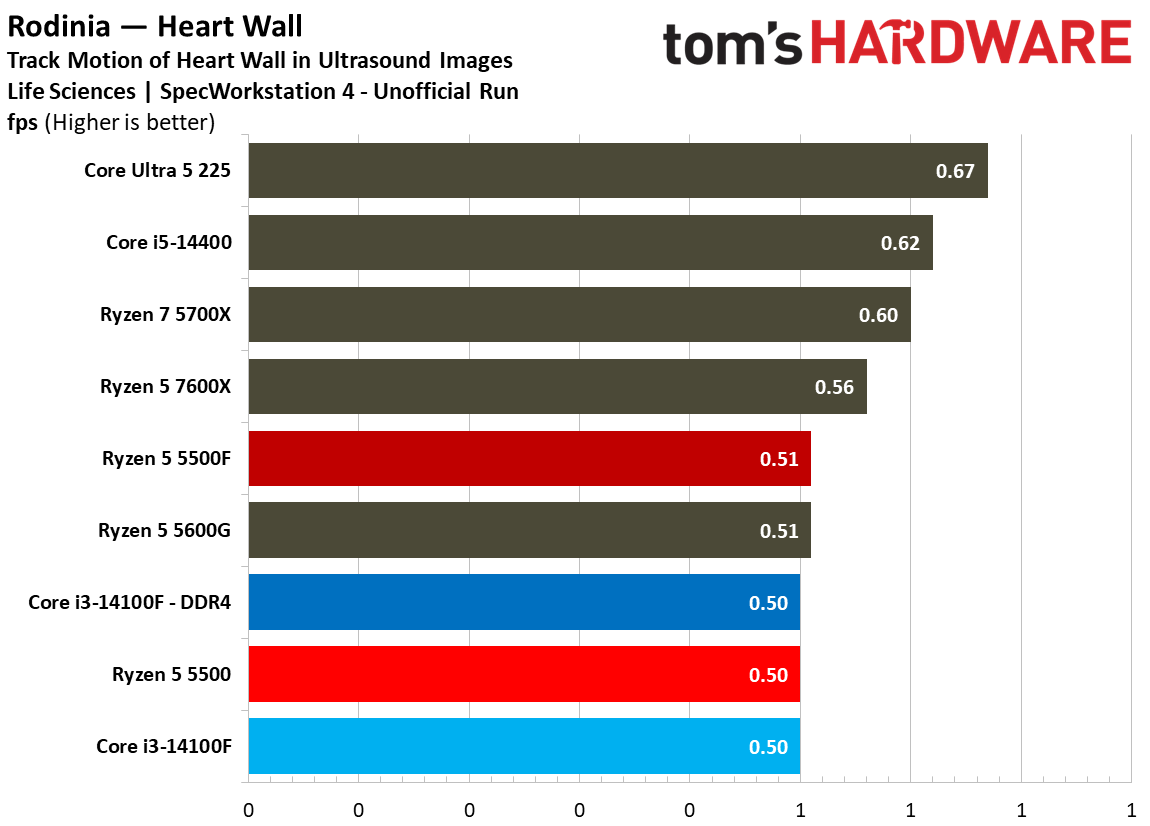
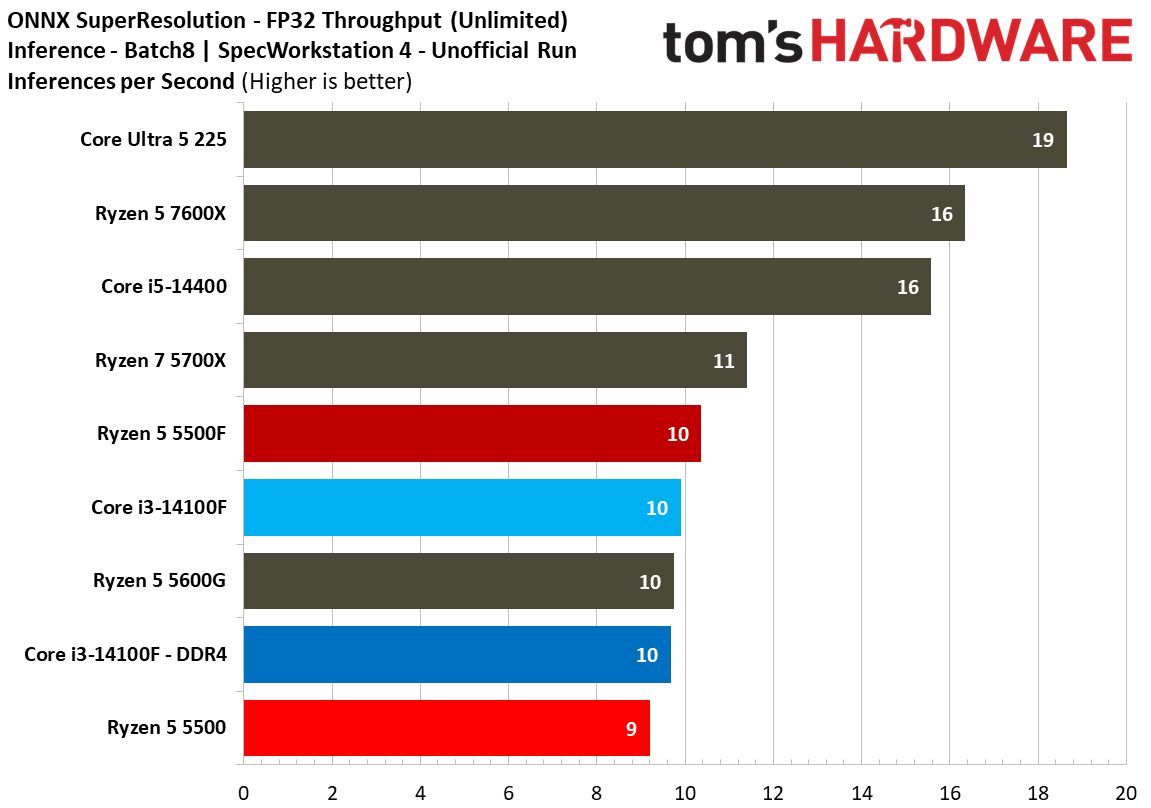
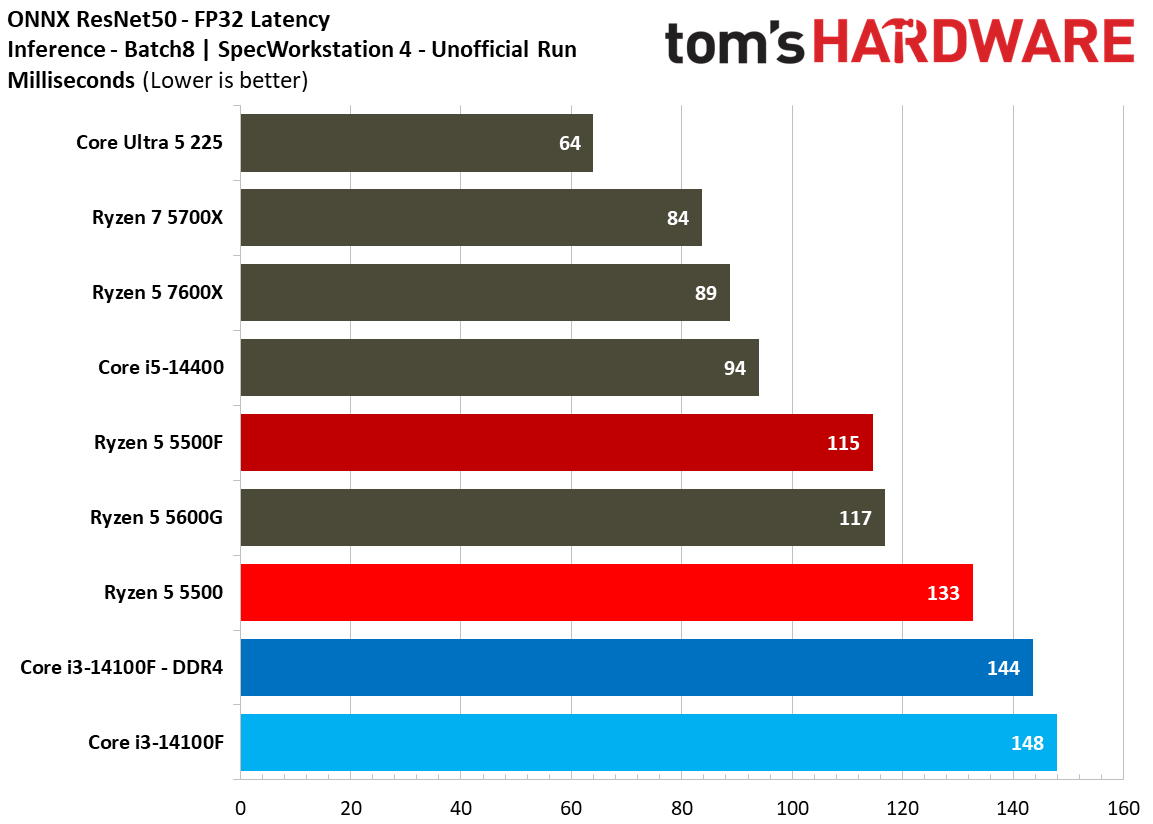
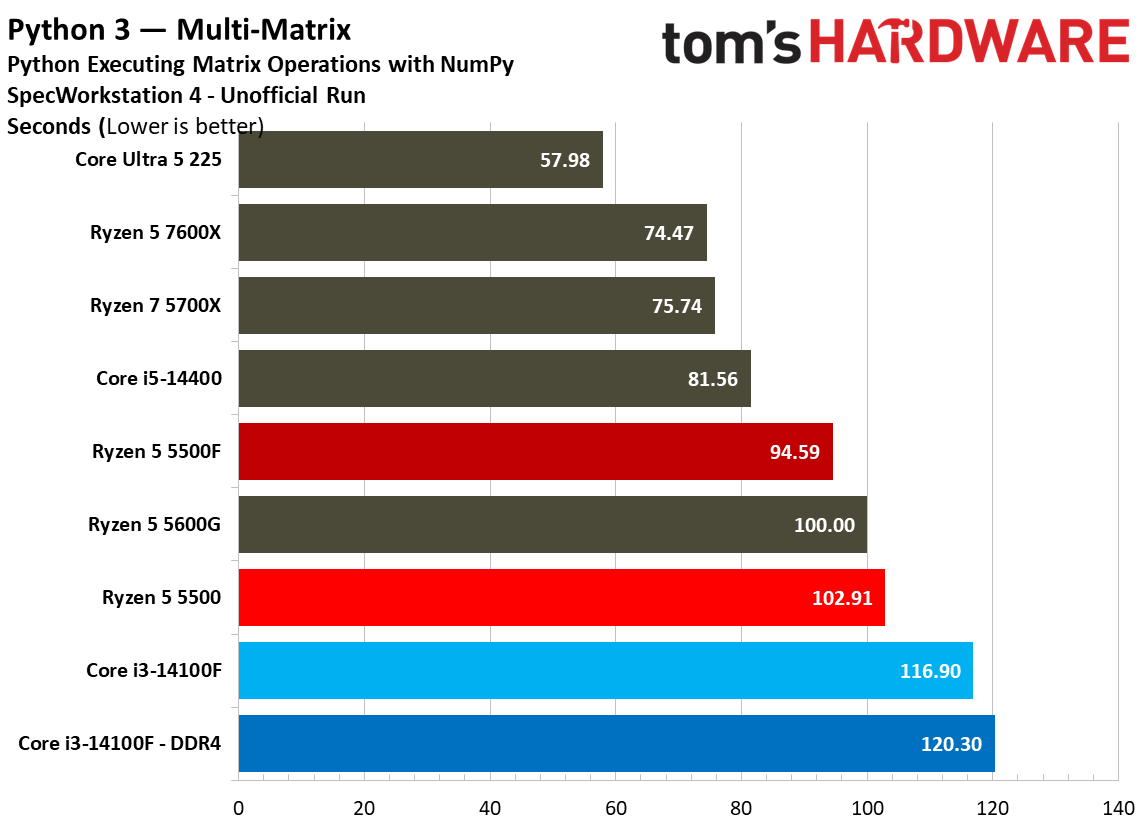
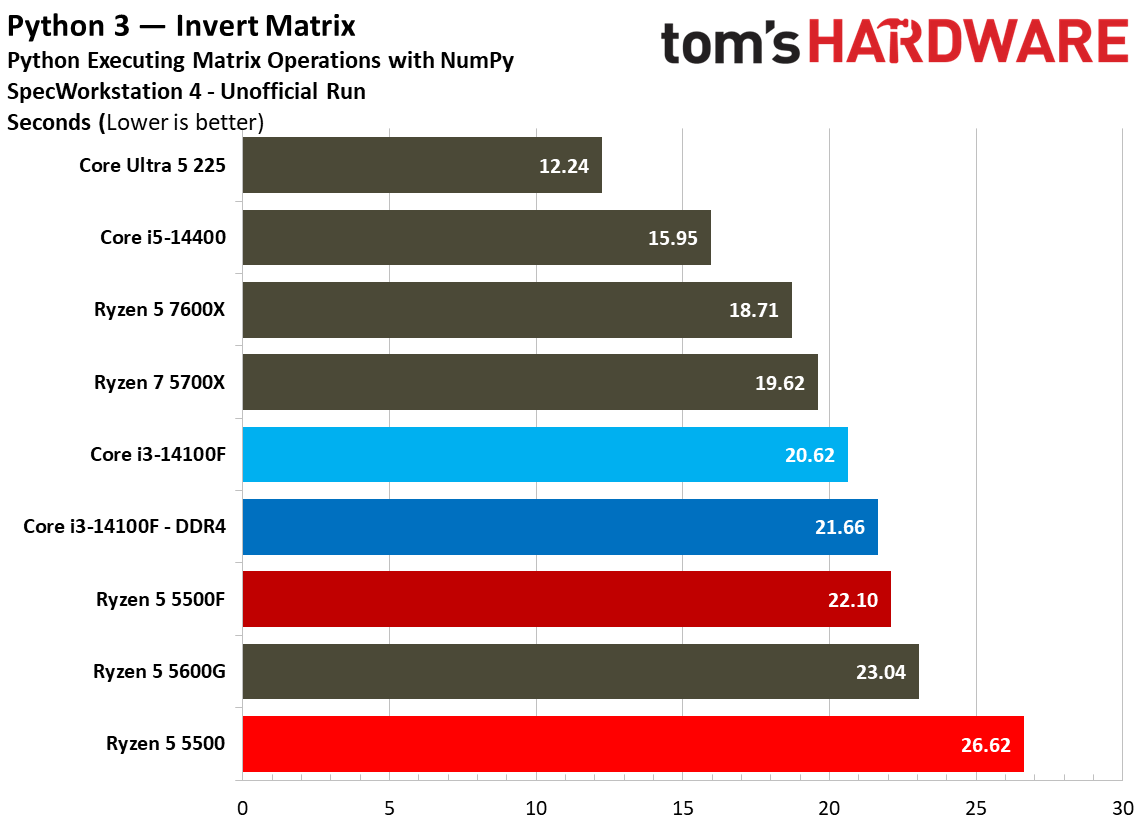
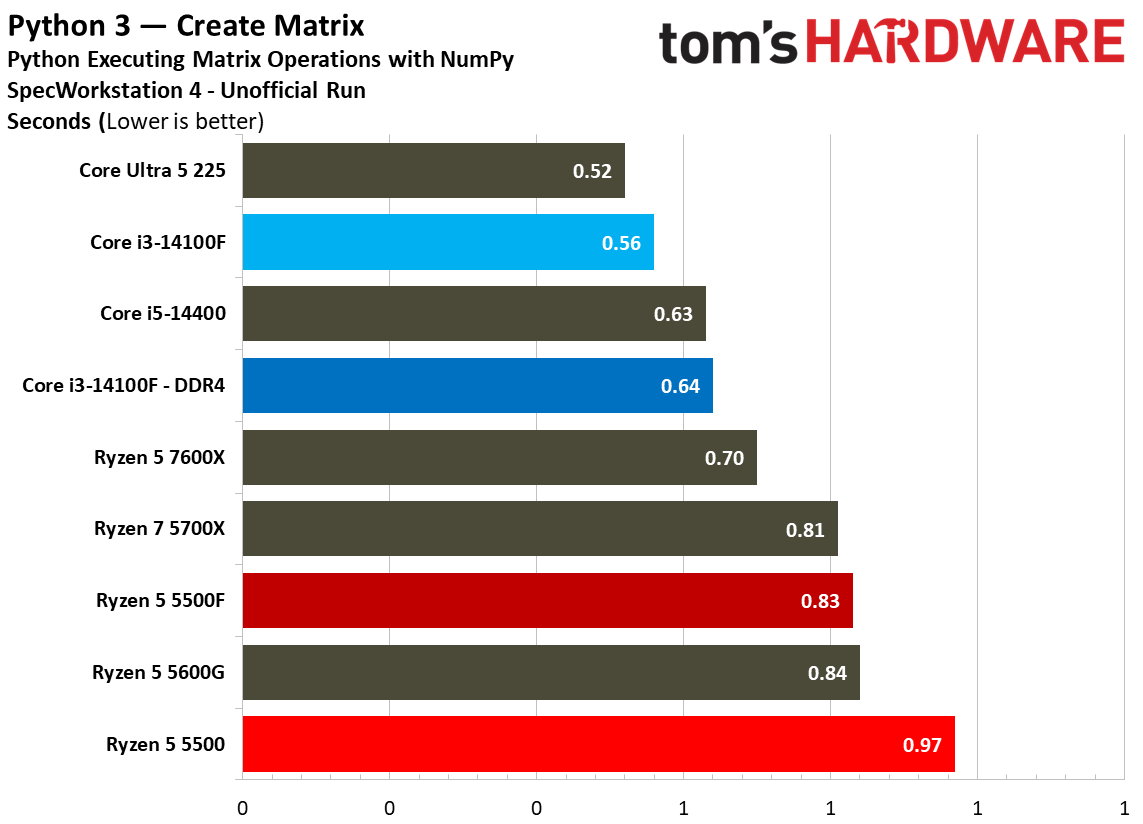
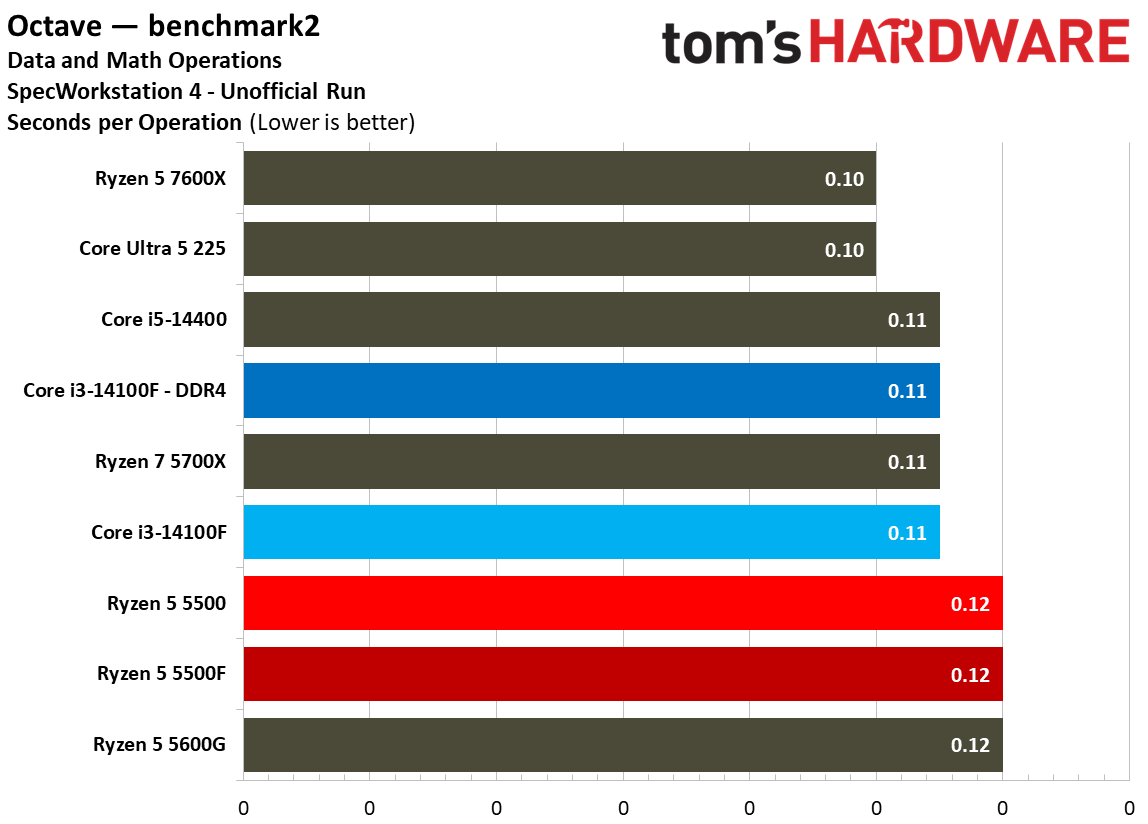
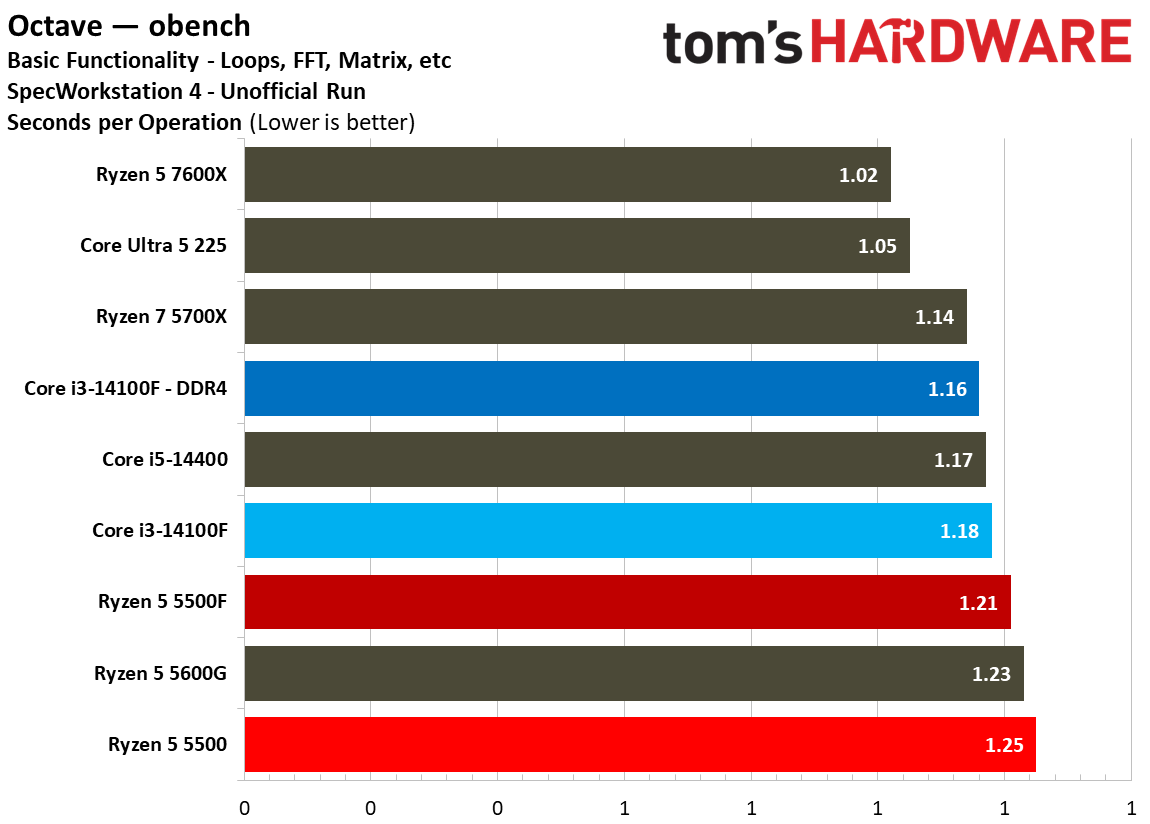
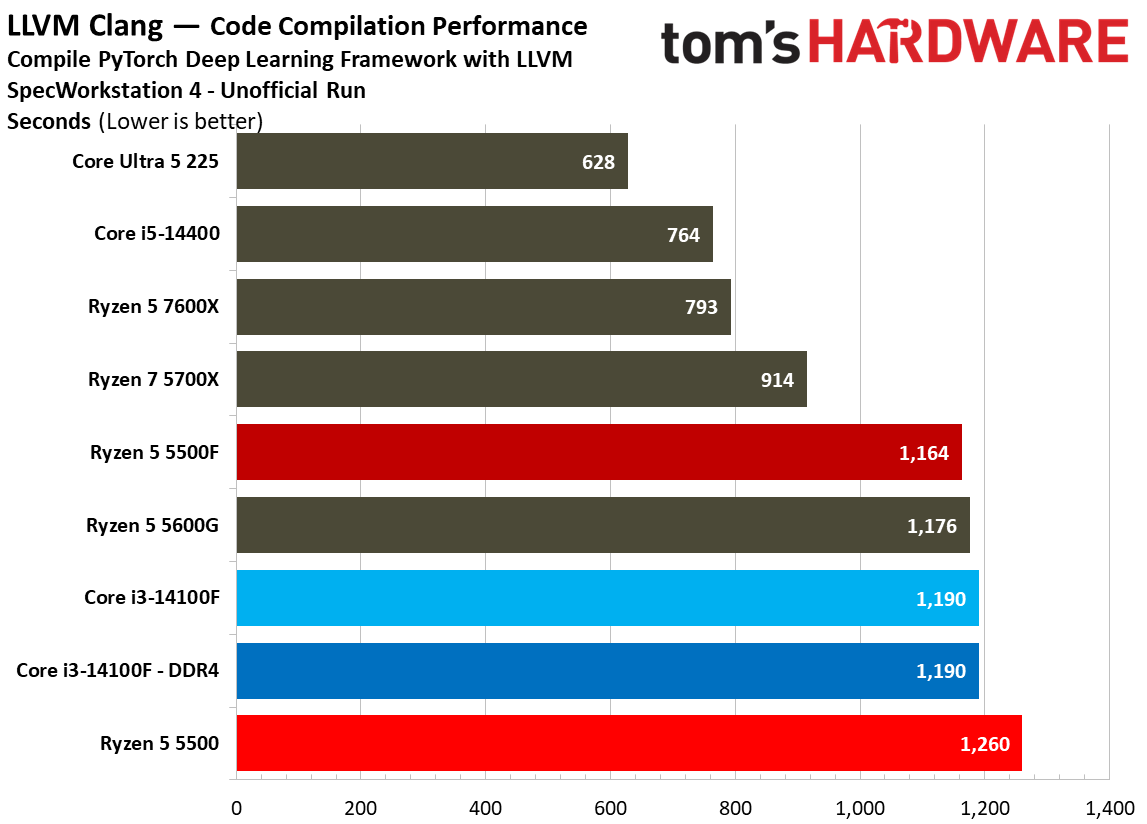
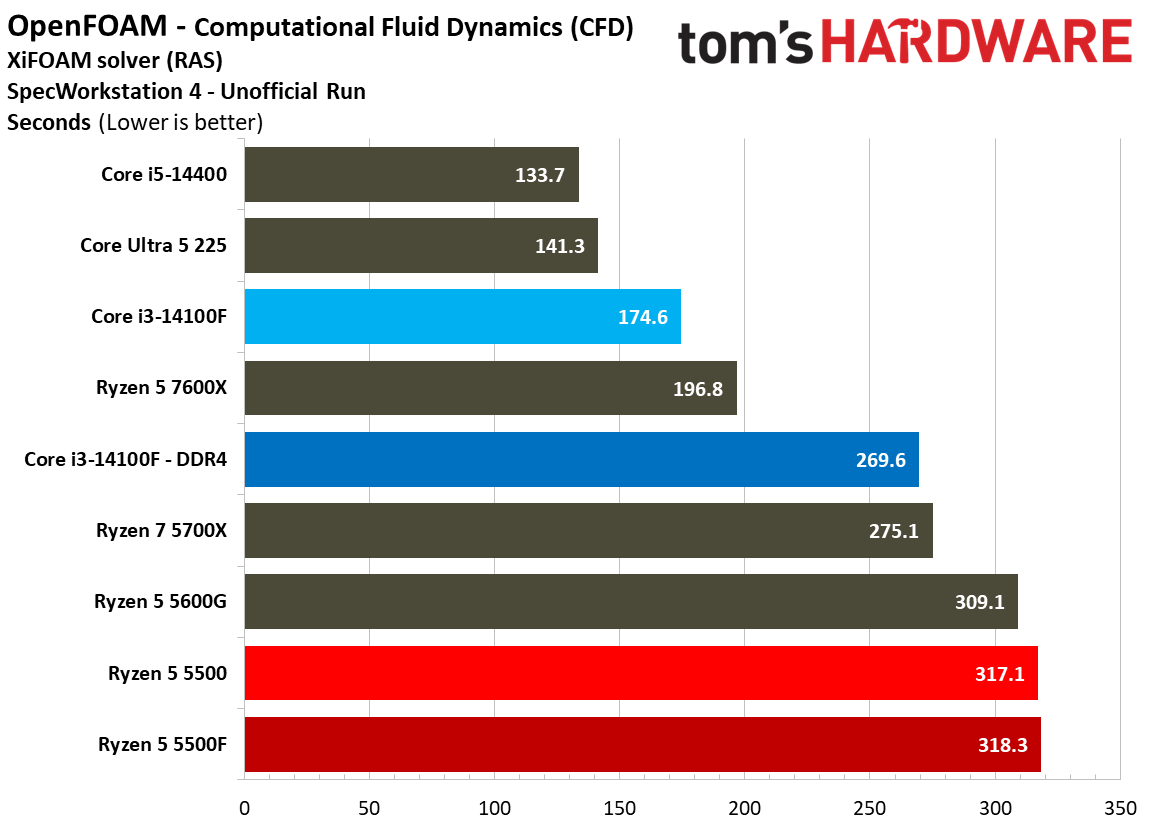
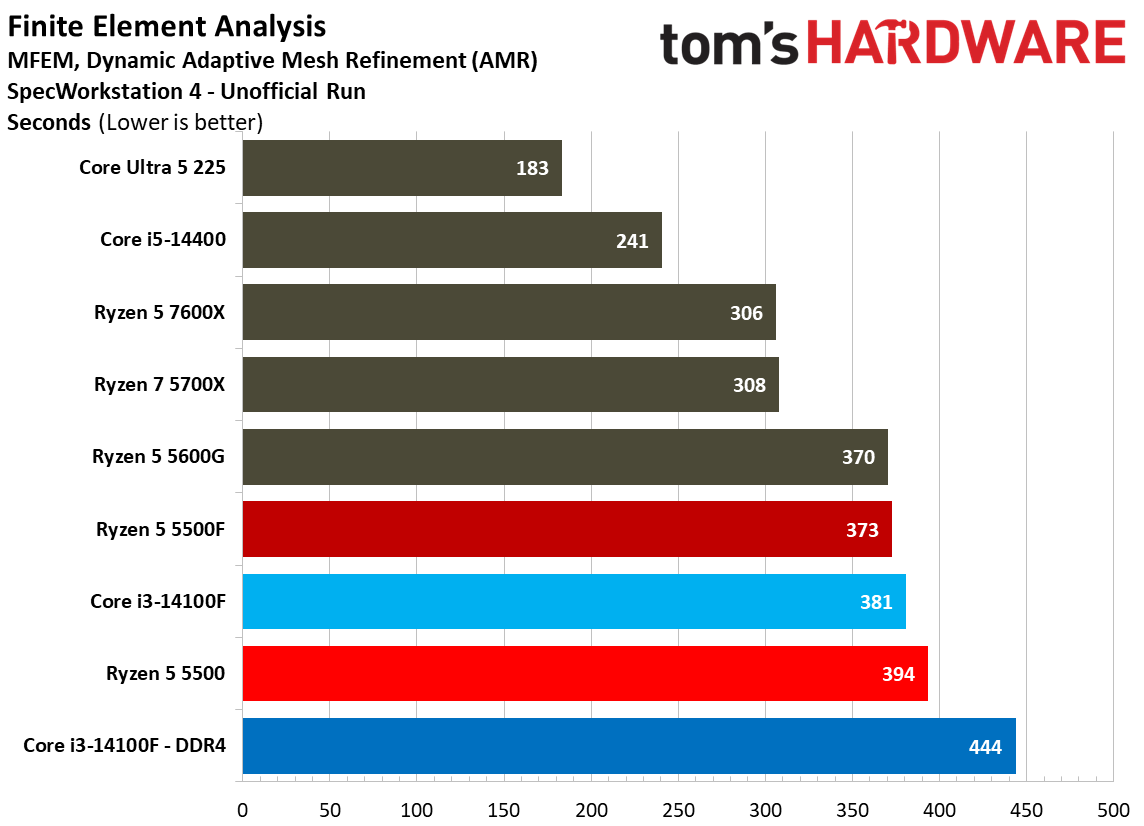
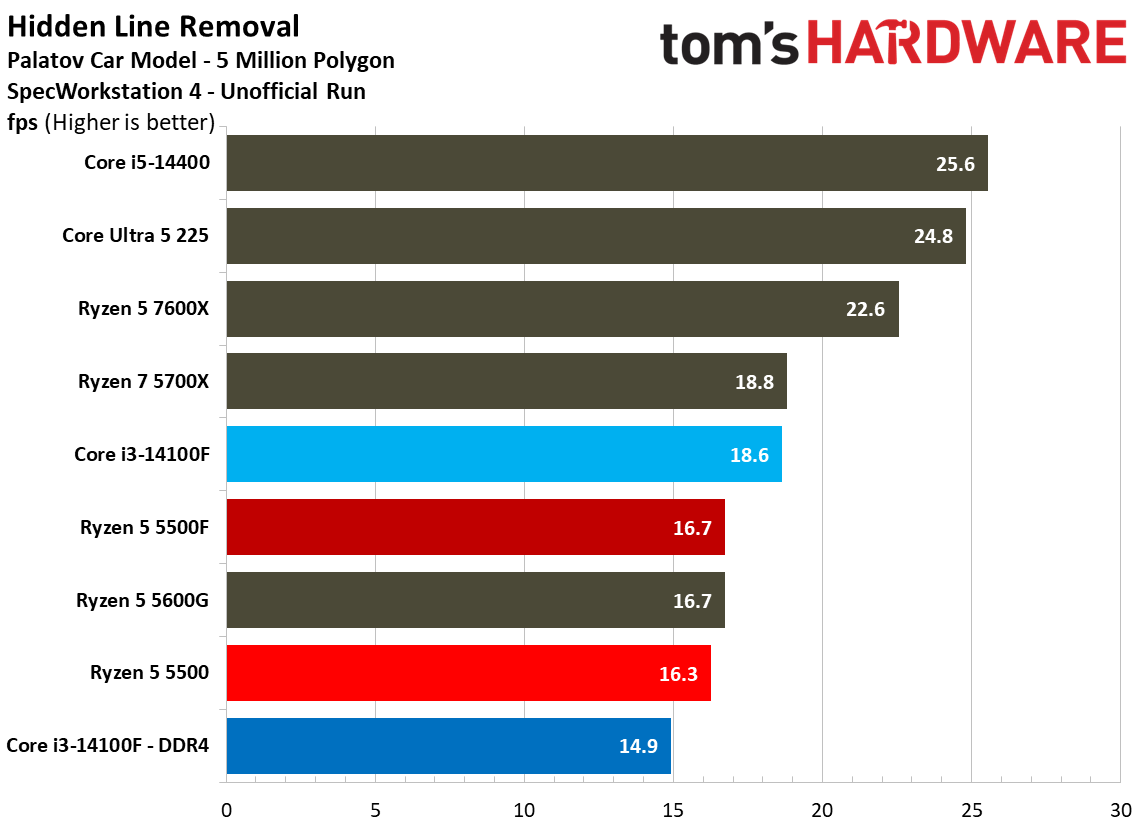
We run SPEC Workstation as part of every CPU pass, and although workstation application performance isn’t relevant to these budget desktop chips, it’s still interesting to see how these applications push against the limitations of such restricted CPU designs. Feel free to peruse, but don’t put too much stock in the actual rankings. These are unrealistic workloads for this class of CPU.
MORE: CPU Benchmark Hierarchy
MORE: AMD vs. Intel
MORE: Intel Core Ultra 7 270K Plus review
MORE: AMD Ryzen 7 9850X3D review
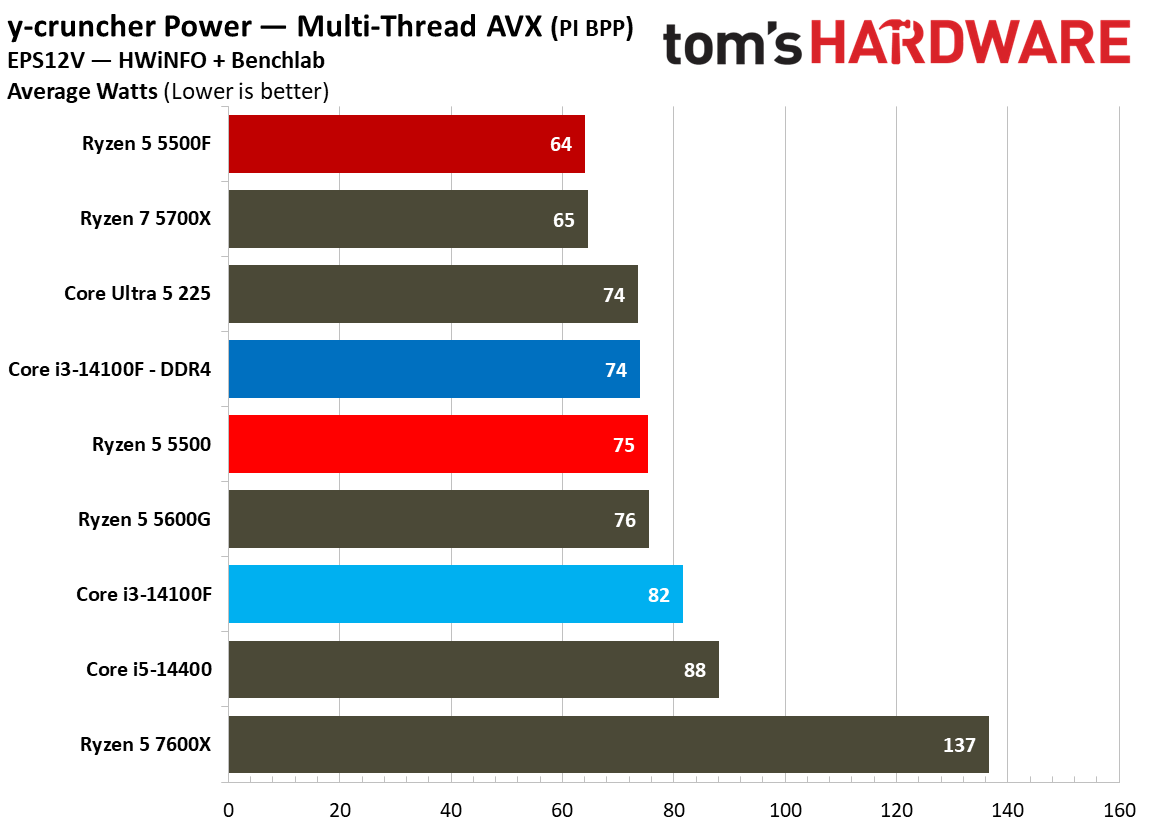
In games, we saw the Ryzen 5 5500F consume more power than the base 5500, actually reaching toward its 65W thermal design. In applications, the opposite is true. The 5500F actually consumed slightly less power than the base 5500, particularly in all-core workloads where the 5500 pushes past its 65W thermal design.
In y-cruncher multi-thread with AVX enabled, the 5500F drew 14.6% less power on average compared to the base 5500 and Core i3-14100F. In Linpack, the 5500F shaved more than 20% of the wattage of the 5500, and in Handbrake using VP9, it cut 12%. We don’t use software monitoring for our power measurements. Results are gathered from the EPS cables themselves.
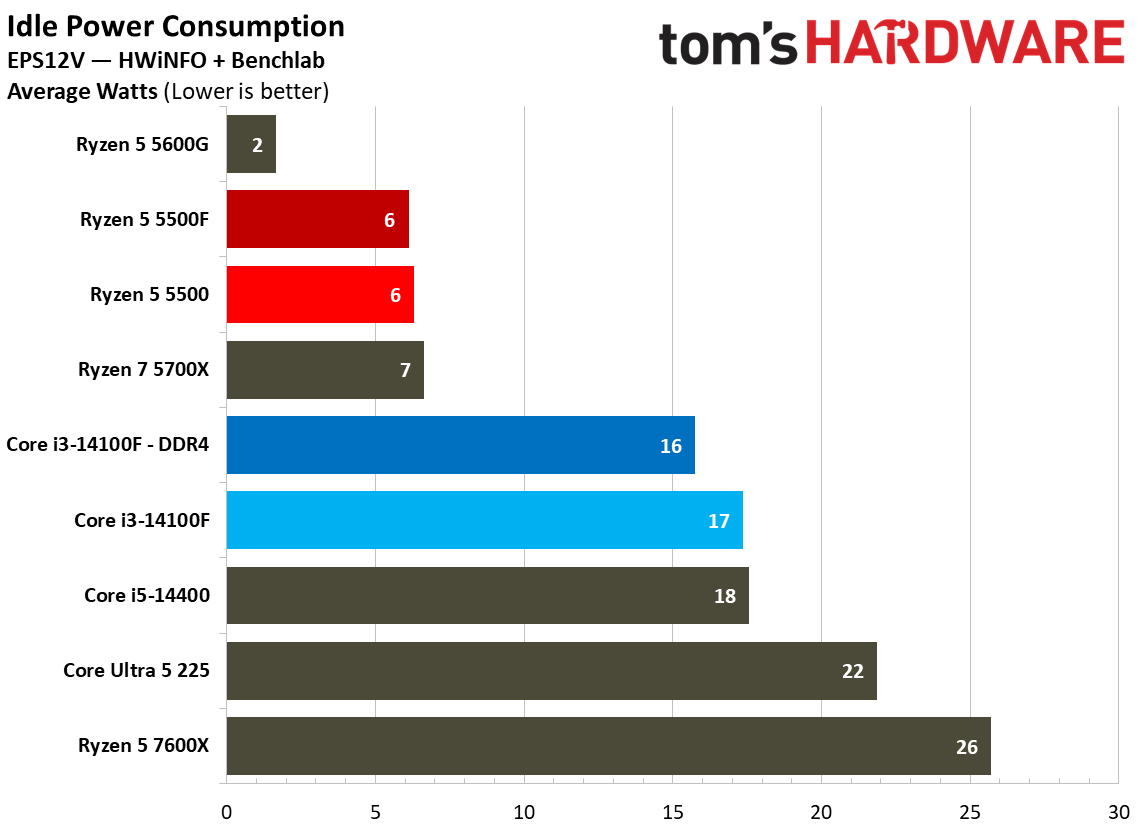
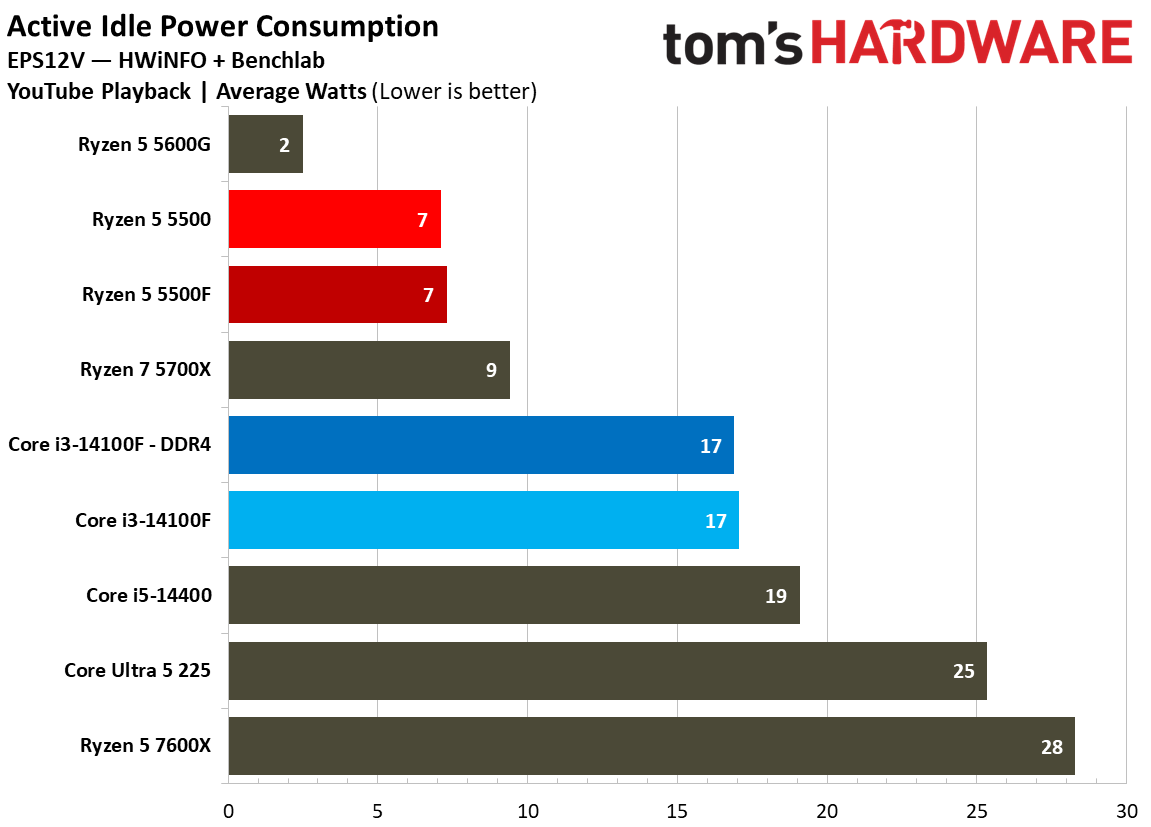
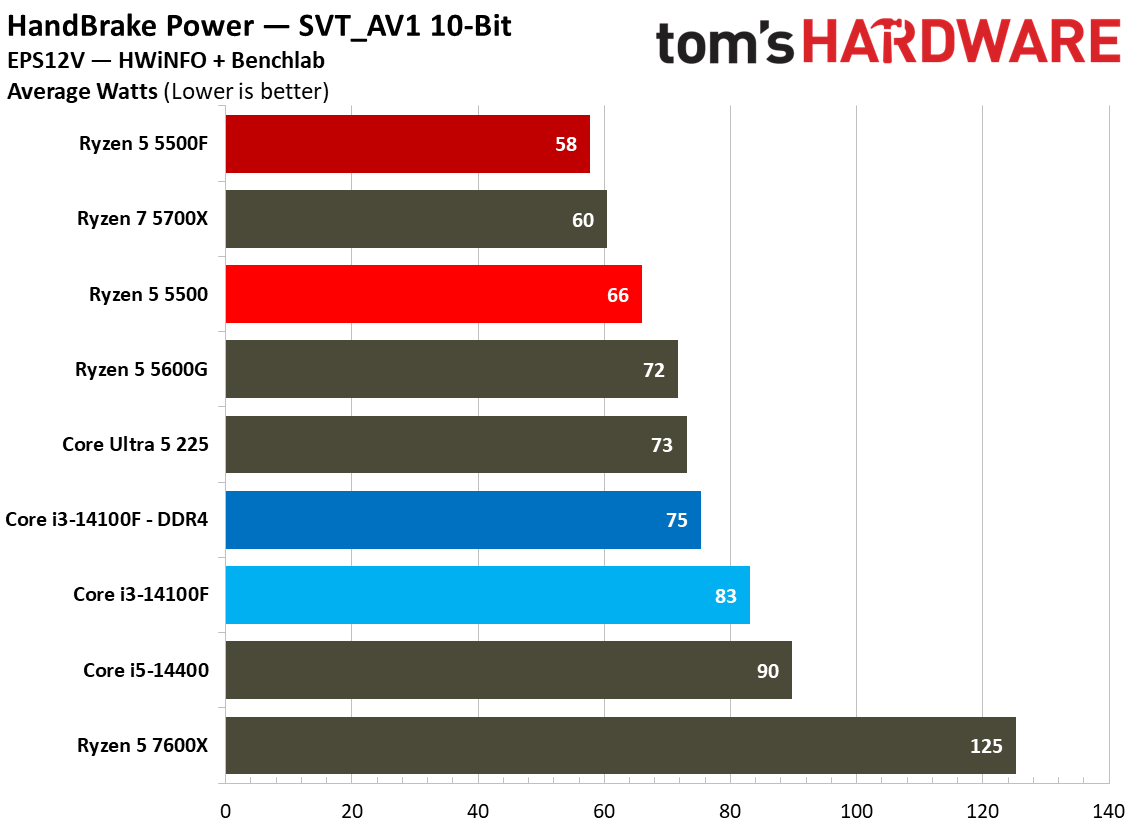
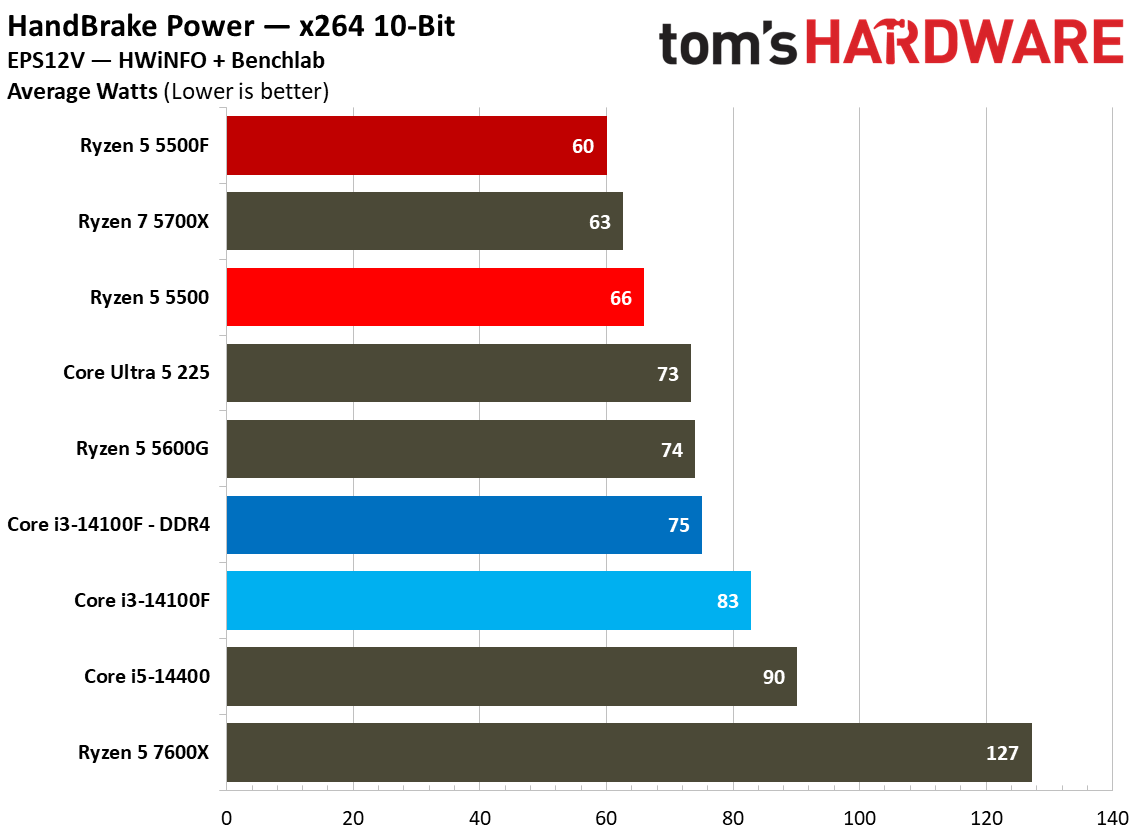
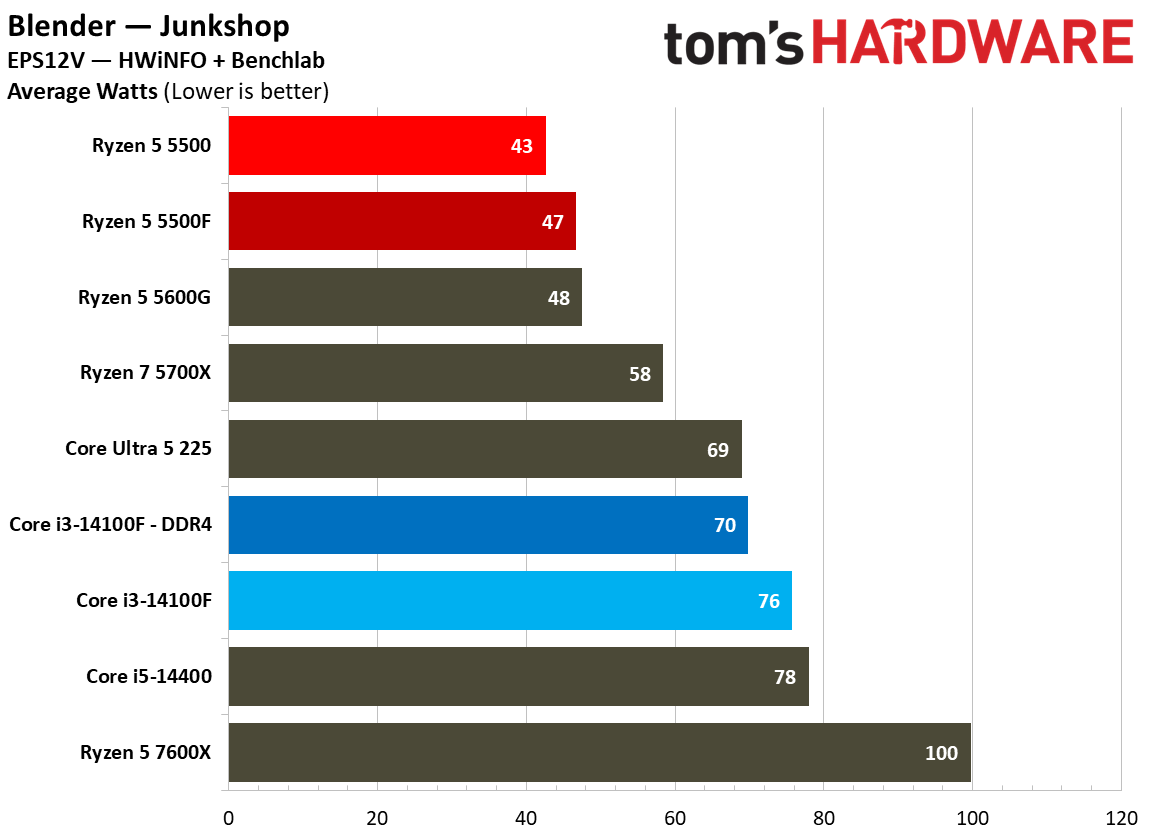
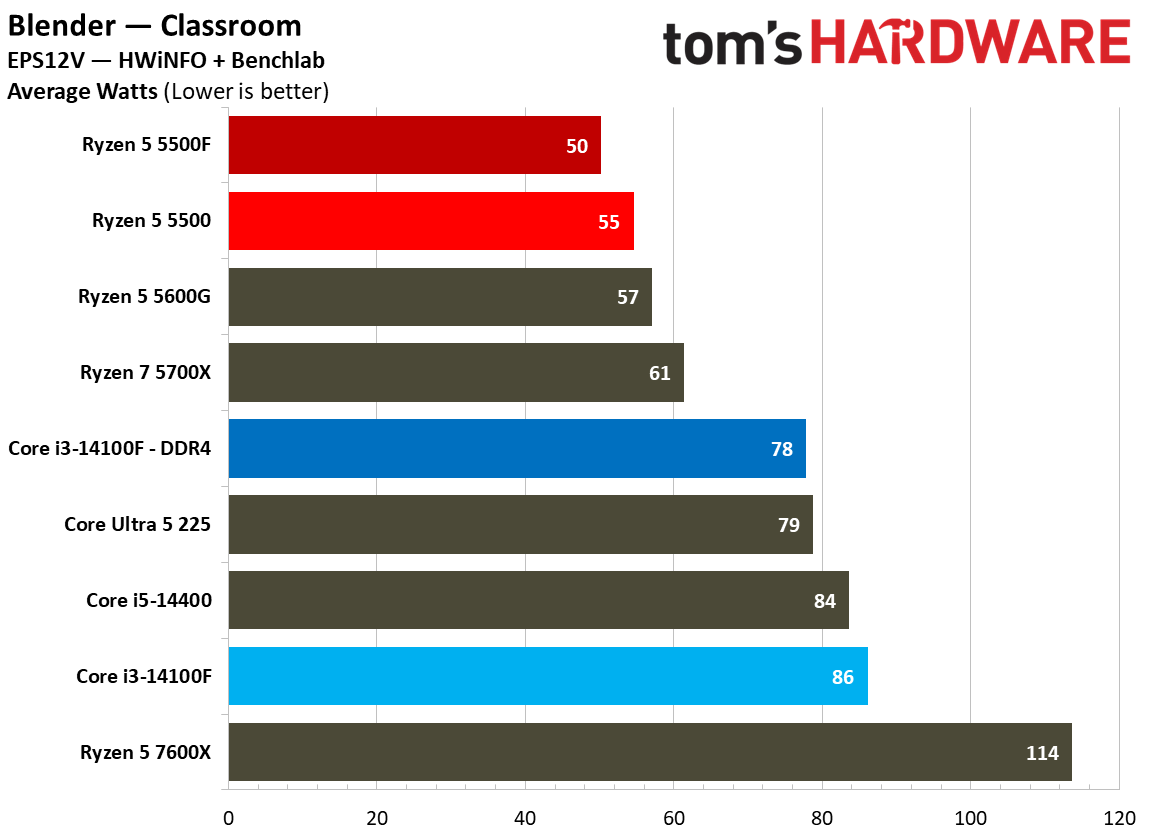
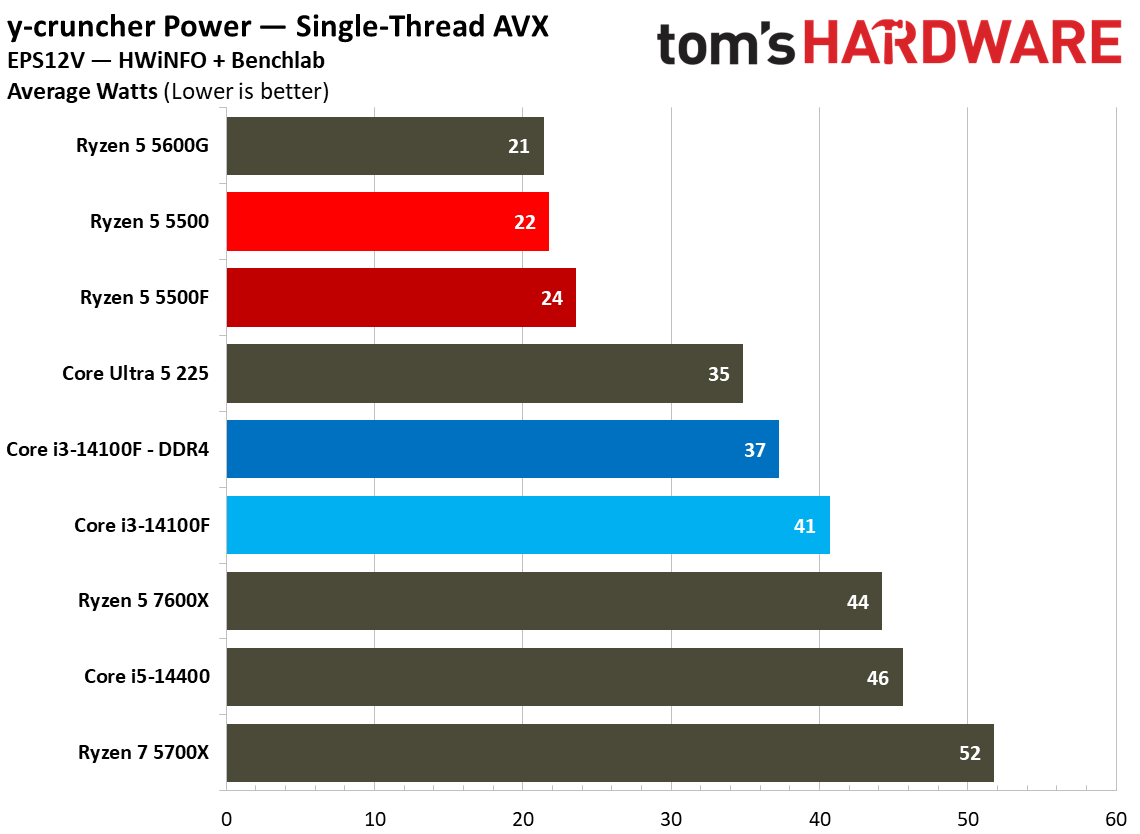
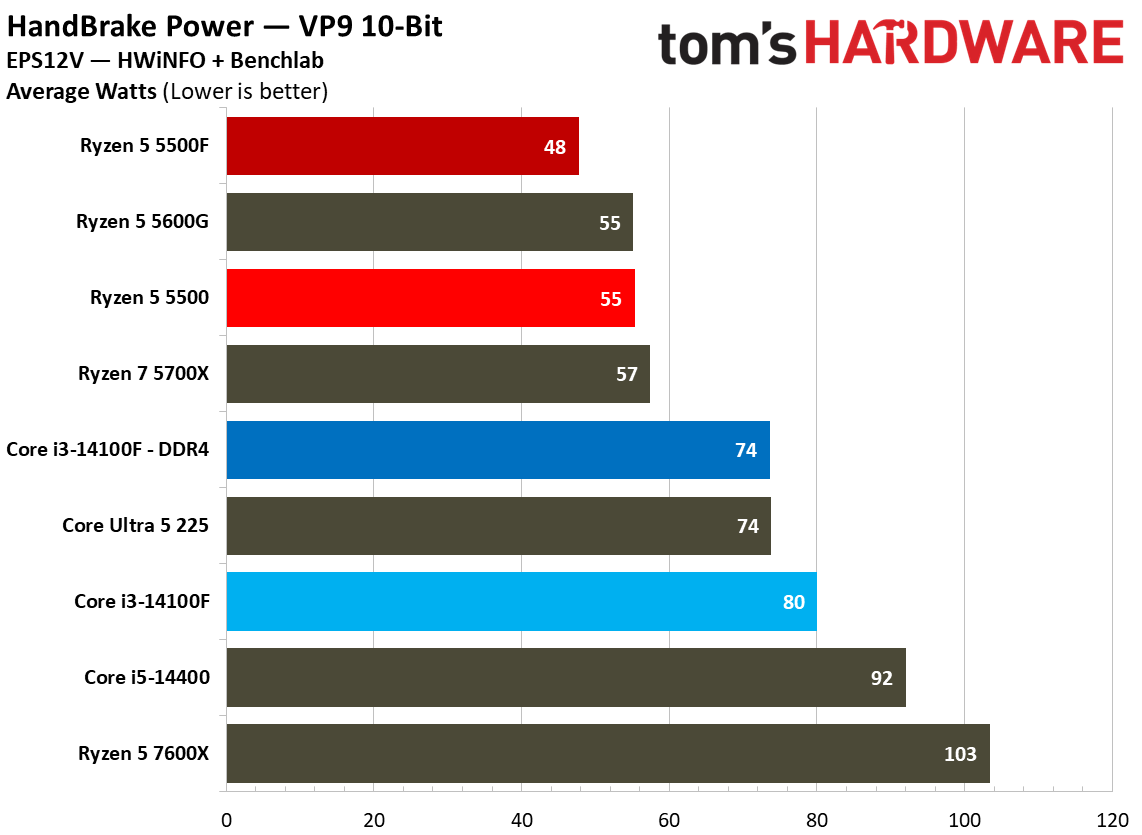
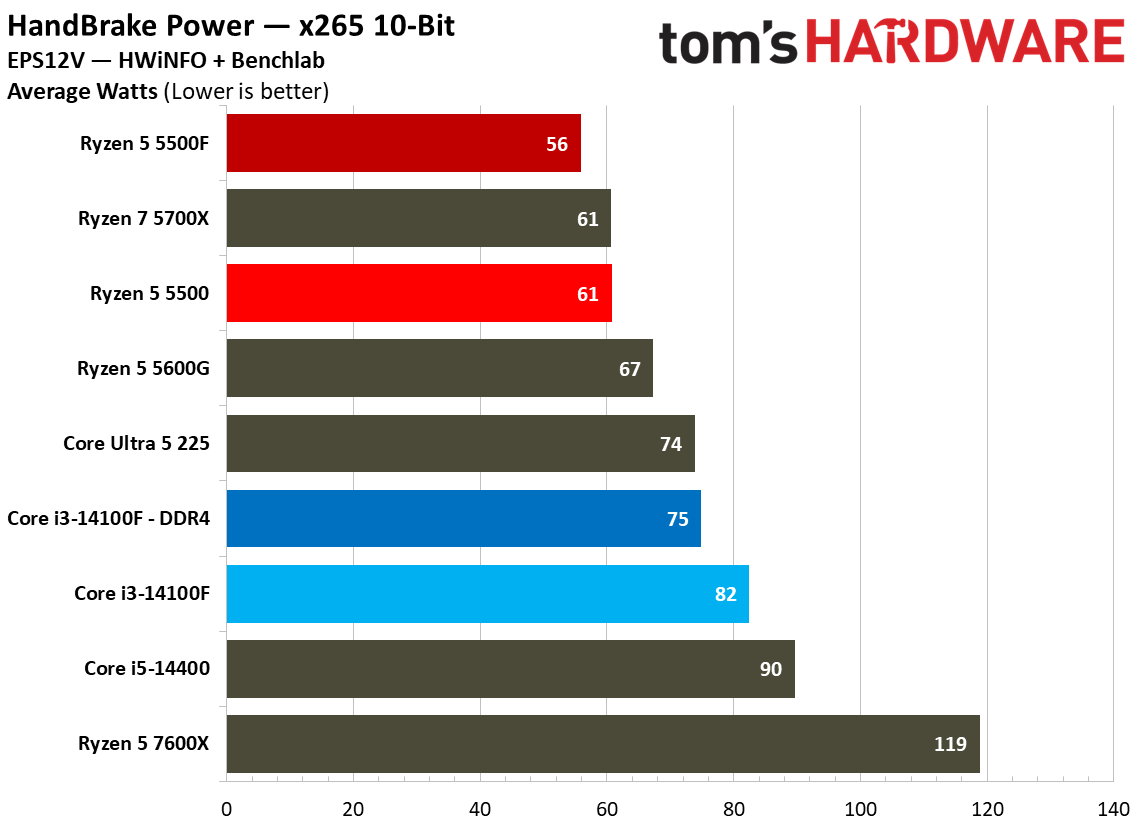
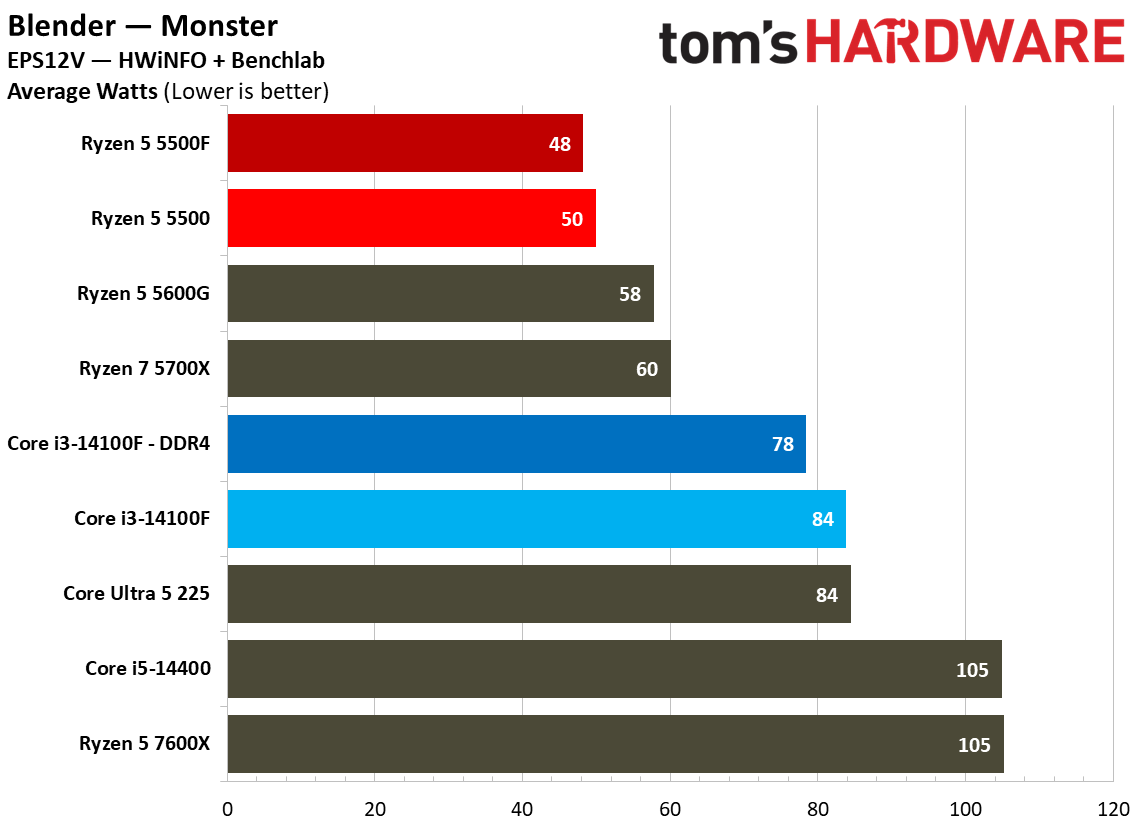
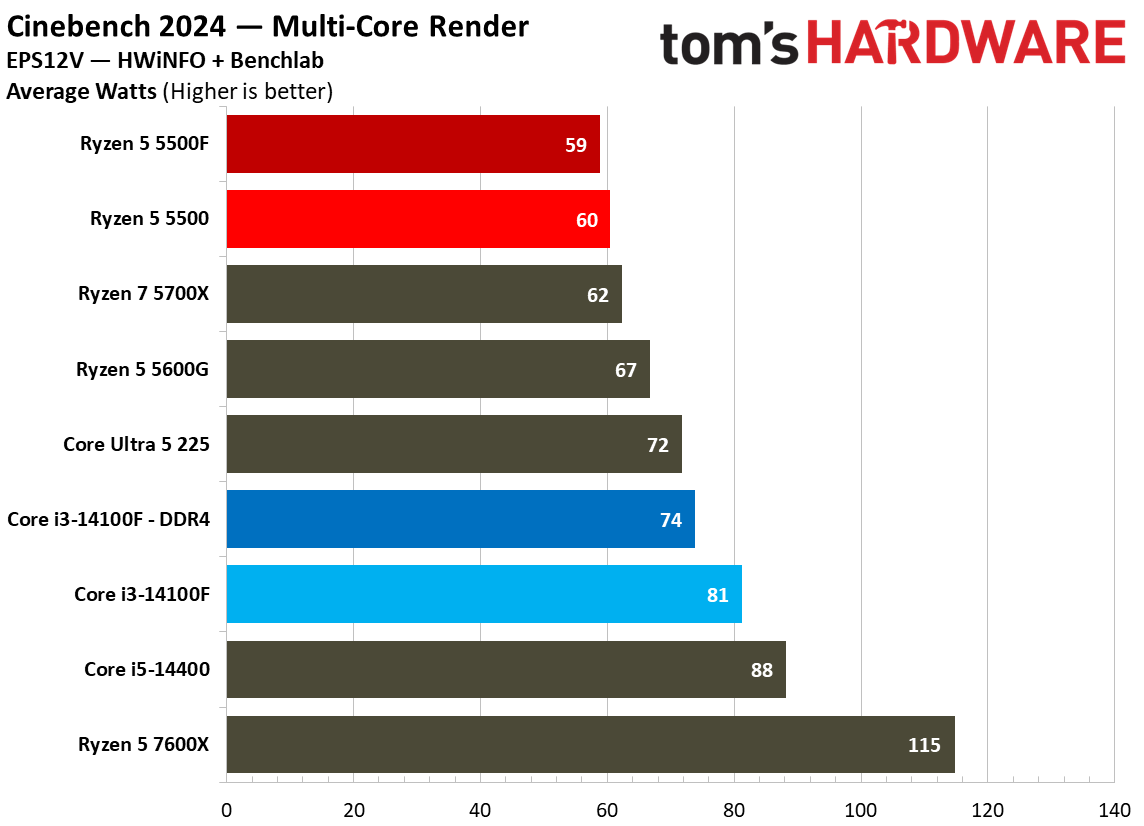
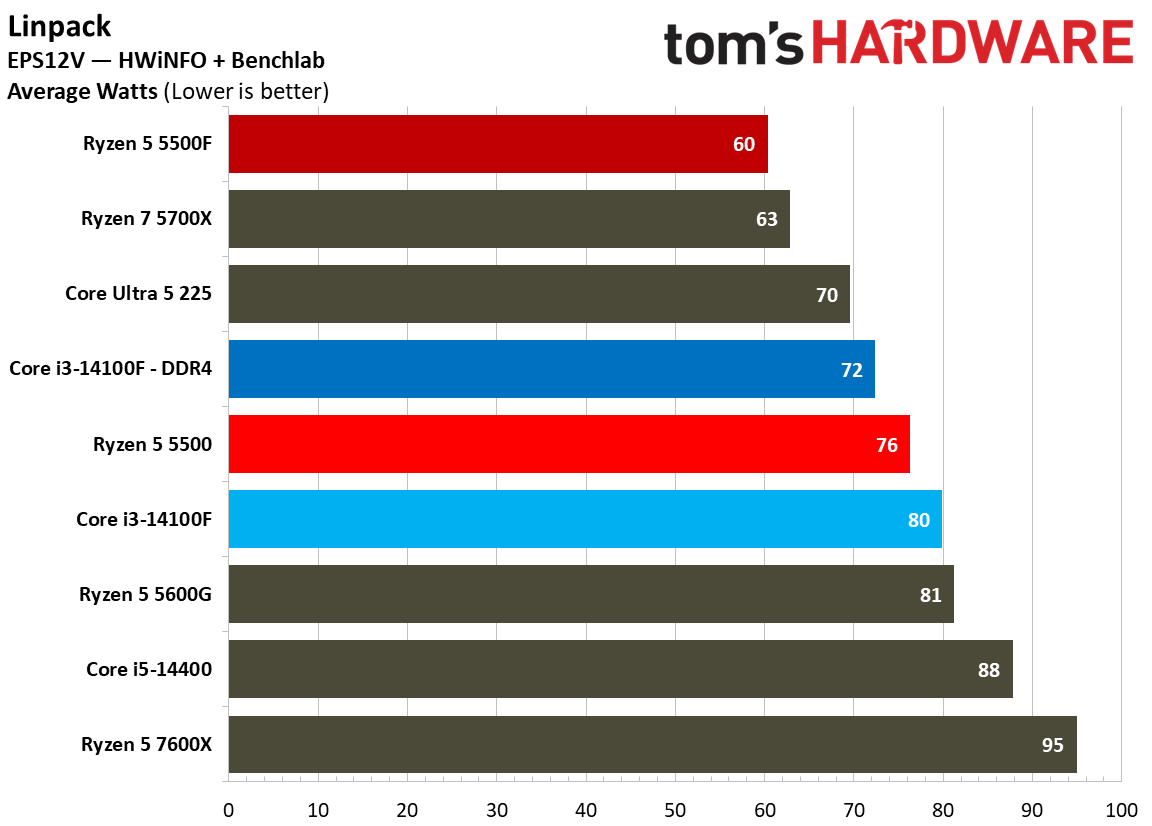
Looking at idle and active idle power measurements, the 5500F maintains Zen 3 low-power idle state, sipping just 7 watts during YouTube playback, dropping down to 6 watts at true idle. The 7600X provides a hint at where idle power draw has gone in the Zen 4/5 era.
As a result of lower power draw in some tests, it’s no surprise that the 5500F ends up more efficient than the 5500 in y-cruncher and Linpack. In Cinebench and Blender, however, the two CPUs are closely aligned in efficiency, with the 5500F actually coming out slightly less efficient in the Junkshop scene.
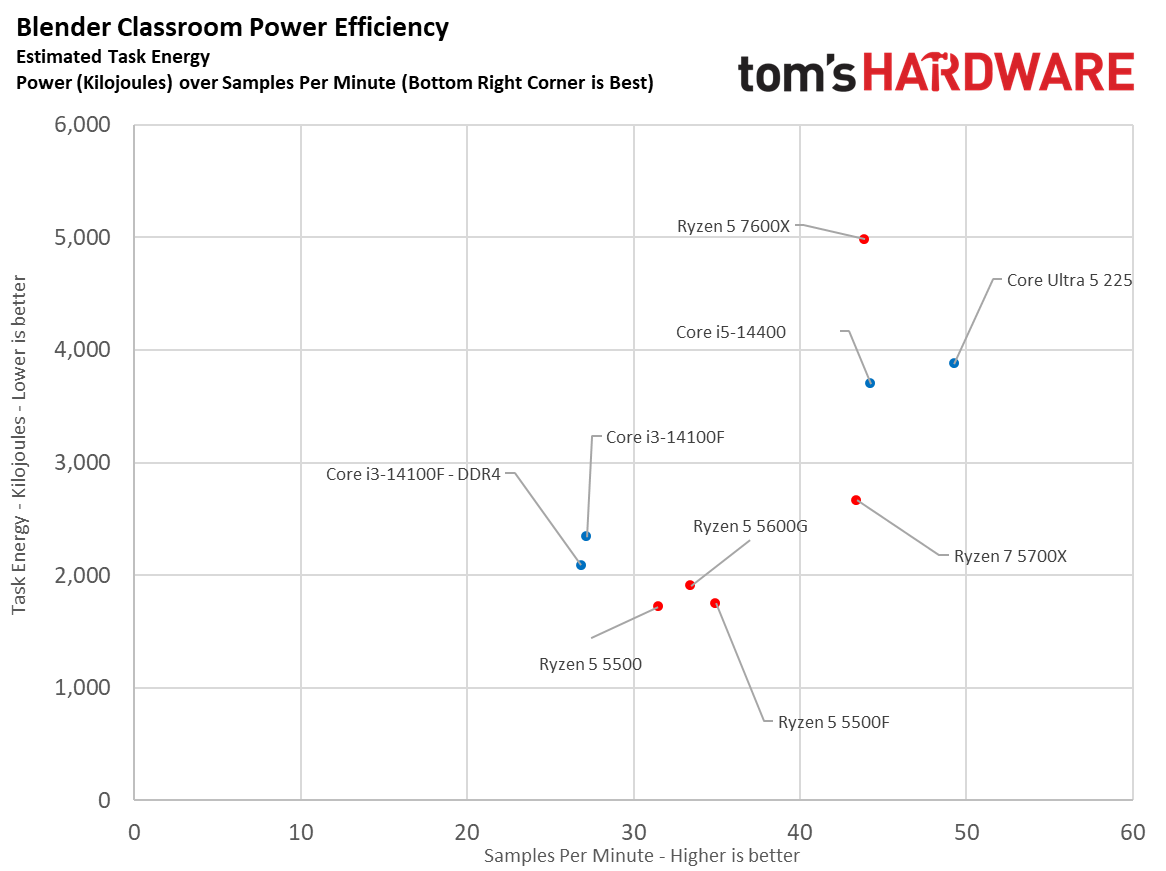
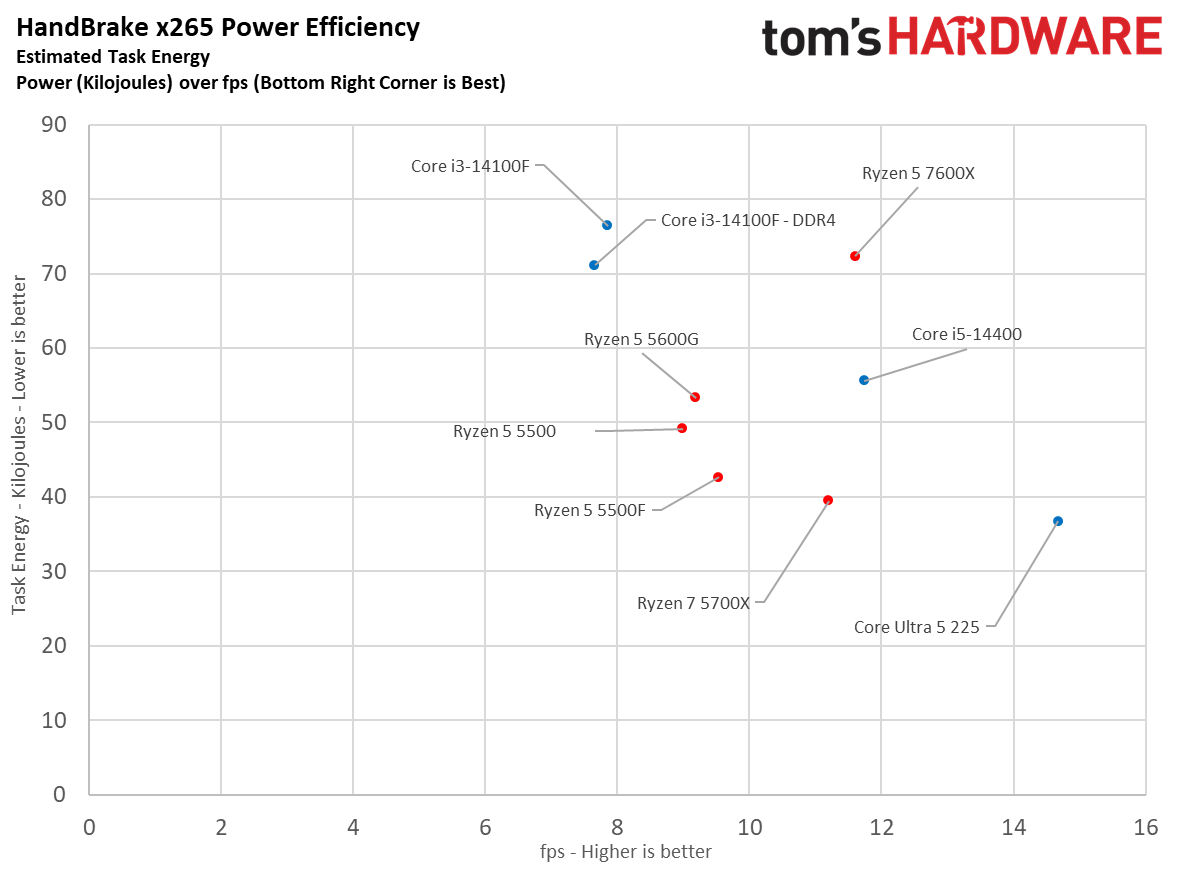
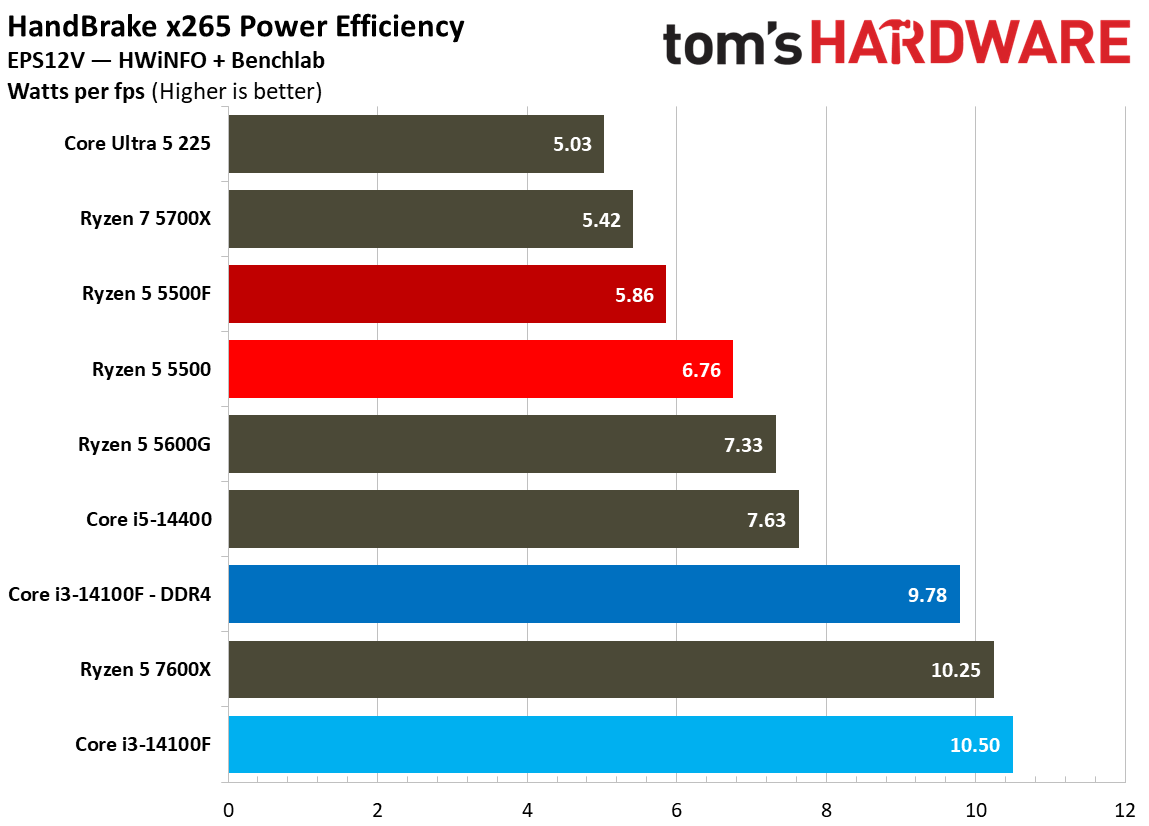
Our scatterplots are a good way to visualize efficiency. In Handbrake, you can see the 5500F provided better performance than the 5500 while consuming less power. In Blender, however, the two CPUs consumed roughly the same power, while the 5500F provided better performance.
Across all of our efficiency tests, the comparison for Intel isn’t great. Not only does the 14100F struggle in all-core workloads, it does so with higher power consumption, occasionally pushing above 80W.
Test Setup
As with all of our CPU reviews, we used as close to identical test setups as possible to isolate CPU performance. There are several steps we take with hardware to normalize results, such as using the same fan speed across each test bench, as well as tweaks we make to the software stack to represent true performance.
Our test images are based on Windows 24H2. We use the same Nvidia driver across both the RTX 2080 Ti and RTX 5090. Additionally, our test images never cross platforms, so chipset drivers on an Intel platform never see an AMD chip, or vice versa. Application versions are pinned where possible. For games, where pinning isn’t possible, we do regression testing in the event of an update, and if required, retest the pool of chips if the performance profile has changed.
Finally, we tweak the BIOS. Every system has access to EXPO/XMP, as well as ReBAR. Virtualization-Based Security (VBS) is disabled. For Intel systems, we use the default power profile, not more extreme power profiles that aren’t covered under warranty. Similarly, we disable AMD’s Precision Boost Overdrive (PBO), as it can push the processor outside warrantied specifications.
Intel LGA 1700 (Raptor Lake, Alder Lake) | |
Motherboard | |
RAM | |
Intel LGA 1700 DDR4 (Raptor Lake, Alder Lake) | |
Motherboard | MSI MPG Z690 Edge Wi-Fi DDR4 |
RAM | |
AMD AM4 (Zen 3) | |
Motherboard | Asus Tuf Gaming X570-Pro Wi-Fi |
RAM | |
All Systems | |
Gaming CPU | Nvidia GeForce RTX 5090 Founder’s Edition |
Application GPU | Nvidia GeForce RTX 2080 Ti Founder’s Edition |
Cooler | Corsair iCue Link H150i RGB |
Storage | 2TB Sabrent Rocket 4 Plus |
PSU | |
Other | Arctic MX-4 TIM, Windows 11 Pro, Alamengda open test bench |
MORE: CPU Benchmark Hierarchy
MORE: AMD vs. Intel
MORE: Intel Core Ultra 7 270K Plus review
MORE: AMD Ryzen 7 9850X3D review
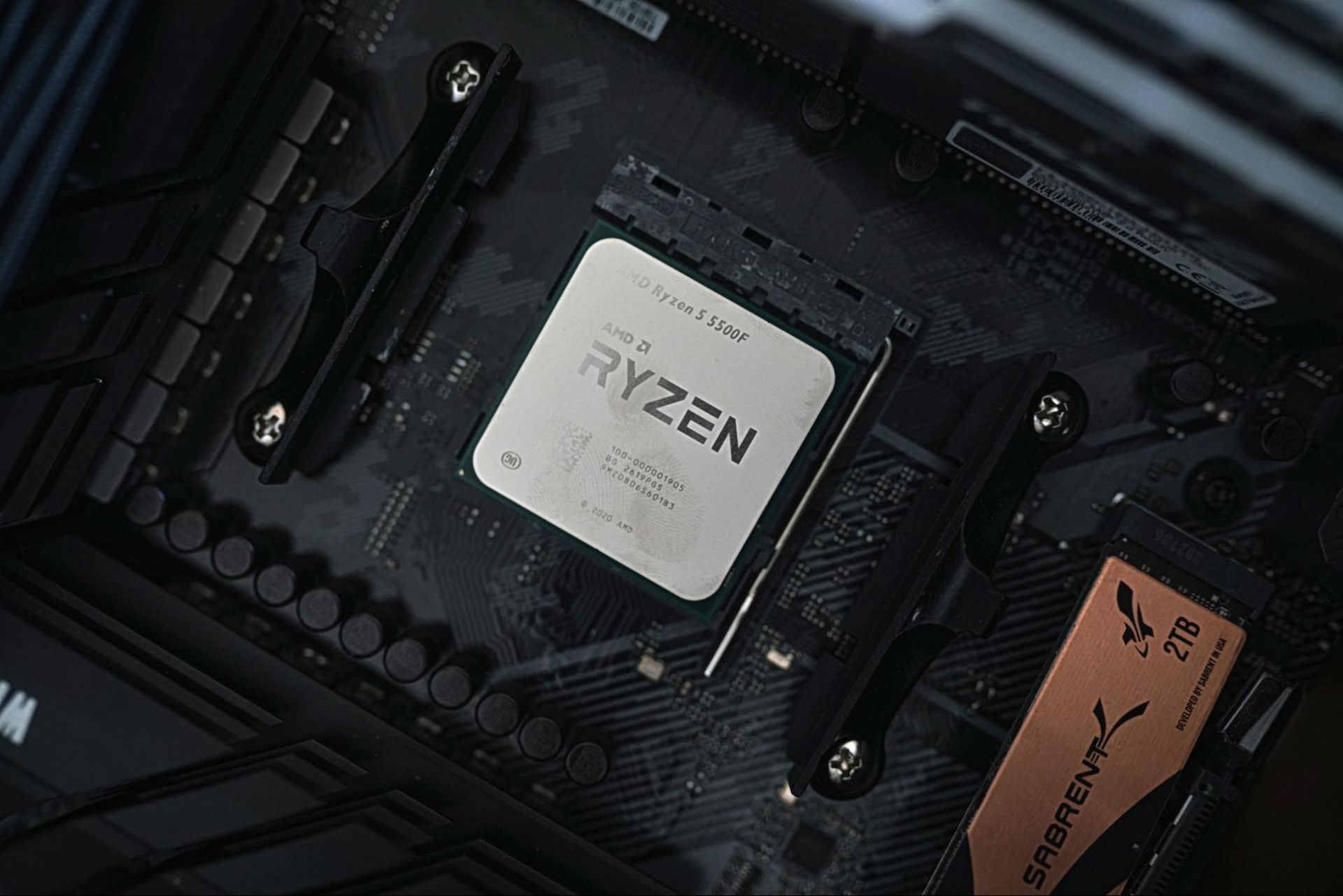
The Ryzen 5 5500F is a compelling chip right now. When memory, storage, and GPU prices are at an all-time high, it offers a simple entry point into the AM4 platform, which remains relevant for midrange gaming rigs, on the heels of AMD re-releasing the Ryzen 7 5800X3D. The 5500F solves the major issues with AMD’s previous budget offering, upgrading the PCIe standard to Gen 4 and offering gaming performance that can rival the Core i3-14100F.
Price is the only issue. As is the case with many lower-end SKUs, availability of the Ryzen 5 5500F has been spotty at MSRP. It’s sold north of $120 in many cases, while the Core i3-14100F is available for around $100. AMD has the upside of a 5800X3D upgrade in the future; Intel has the Raptor Lake Refresh stack and DDR5 options. The right choice between them largely comes down to what your future upgrade plans are, especially if inflated RAM and storage prices persist.
Gaming is a major focal point here. You can buy a much better CPU for $150 or $200, but going with a $100 chip such as the 5500F gives you that much more money to spend on a graphics card. Intel still leads in our 1080p geomean with the Core i3-14100F paired with DDR4, though only by 2.9%. That’s enough of a lead to still call it a lead, but we’re not far off noise levels.
Intel comes out ahead overall, but as you can see from our gaming benchmarks, the 14100F and 5500F swap places for the top slot between them from title to title. What was consistent was the uplift the 5500F showed over the 5500, often running ahead by around 7%, and by as much as 10%.
Although the modern dynamic between Intel and AMD shows Team Red ahead in games and Team Blue ahead in applications, the opposite is true here. The lowly quad-core Core i3-14100F can’t muster better multi-threaded performance than the Ryzen 5 5500, and certainly not the 5500F.
That’s despite the fact that the single-threaded performance of the Core i3-14100F is superior. The extra cores on the Ryzen 5 5500F pull their weight in threaded applications, though neither chip is built for much beyond basic office and web productivity. As a host CPU for a server, the nT performance of the Ryzen 5 5500F is a safer bet.
It’s a toss-up between recommending the Core i3-14100F or Ryzen 5 5500F; as mentioned, both have their advantages when it comes time to upgrade. Hopefully the price on the 5500F will come down. As it stands, the extra $20 is an annoyance more so than a dealbreaker, but it would nice to see the 5500F on level footing with the 14100F when it comes to price.
MORE: CPU Benchmark Hierarchy
MORE: AMD vs. Intel