❌

阅读视图

发现新文章,点击刷新页面。
✇Tomshardware

AMD Ryzen 5 5500F review: Vermeer rides again for budget gaming PCs

作者 Jake Roach

We often criticise companies for misleading marketing, which typically falls in the direction of deceitful overpromising. With the Ryzen 5 5500F, we have the opposite problem. Its name and branding undersell what AMD is offering here. It’s a marked improvement over the base Ryzen 5 5500, giving AMD better standing among the best budget CPUs.

The 5500F is a Zen 3 CPU from the Vermeer family of chips, packing six cores, 12 threads, and a boost clock of 4.4 GHz. It’s modest by the standards of the best CPUs for gaming, but it also comes in at a suggested retail price of just $100. Those prices have drifted up toward $120, though hopefully they’ll settle down around list price before long.

Along with a 200 MHz jump in boost clock speeds over the 5500, the 5500F critically comes with access to PCIe 4.0. The original 5500 came from the Cezanne family of APUs, which all use monolithic dies and are limited to PCIe 3.0. Although the 5500F lives in the Vermeer family alongside the main Zen 3 stack, it’s still limited to the 16 MB of L3 cache that characterizes Cezanne (Vermeer chips have access to 32 MB of L3 otherwise).

The chip squarely targets Intel’s Core i3-14100F, a quad-core CPU available for around $100 that offers 11% better gaming performance at 1080p on average compared to the base 5500. The new 5500F tightens that gap to just 2.9%, and it manages to outclass Intel in multithreaded performance while offering a 10% average jump over the base 5500.

AMD Ryzen 5 5500F specifications and pricing

AMD gave the Ryzen 5 5500F a bad name. The “F” suffix across both AMD and Intel is typically used to note chips that lack integrated graphics. And indeed, the Ryzen 5 5500F does lack integrated graphics. But so does the Ryzen 5 5500. In reality, the Ryzen 5 5500F isn’t a re-released CPU with the iGPU sliced off, as F-series processors usually are, but rather an updated Ryzen 5 5500 that comes with better specs and, in turn, better performance.

If there’s any chip that falls in the bucket of a re-released CPU with the iGPU cut off, it’s the original Ryzen 5 5500, not this new F-suffix variant. The Ryzen 5 5500 comes from the Cezanne family of Zen 3 CPUs. These chips use the Zen 3 microarchitecture, but they have only 16MB of L3 cache and are limited to PCIe 3.0. Out of the full Cezanne family, the Ryzen 5 5500 is the only chip that isn’t either an APU like the Ryzen 5 5600G, or a laptop chip.

The newer Ryzen 5 5500F is from the Vermeer family, the same as other Zen 3-based desktop CPUs like the Ryzen 5 5600X. That brings with it an update to PCIe 4.0, which is a huge boon for GPU and storage performance, as well as a bump from a maximum boost of 4.2 GHz on the 5500 to 4.4 GHz on the 5500F.

CPU / (MSRP)

Street Price

Architecture

Cores/Threads (P+E)

Base/Boost Clock (GHz)

Cache (L2 + L3)

TDP / Maximum Power

Ryzen 5 5600X ($300)

~$160

Zen 3 (Vermeer)

6 / 12

3.7 / 4.6

35 MB

65W / 88W

Ryzen 5 5600G ($260)

~$190

Zen 3 (Cezanne)

6 / 12

3.9 / 4.4

19 MB

65W / 88W

Ryzen 5 5500F ($100)

~$120

Zen 3 (Vermeer)

6 / 12

3 / 4.4

19 MB

65W / 88W

Ryzen 5 5500 ($159)

~$90

Zen 3 (Cezanne)

6 / 12

3.6 / 4.2

19 MB

65W / 88W

Although the Ryzen 5 5500F falls in the Vermeer family, it still carries some Cezanne DNA. It’s the only Vermeer chip to have 16 MB of shared L3; all other Vermeer chips have 32 MB of L3, at least, with X3D options scaling higher. Both families retain the same L1/L2 setup, naturally, as they share the Zen 3 microarchitecture.

Otherwise, the Ryzen 5 5500F retains the 65W TDP, and 88W platform maximum, and it comes bundled with AMD’s Wraith Stealth cooler. The Wraith Stealth cooler is plenty to keep the Ryzen 5 5500F cool under load, saving you some money on an aftermarket CPU cooler.

MORE: CPU Benchmark Hierarchy

MORE: AMD vs. Intel

MORE: Intel Core Ultra 7 270K Plus review

MORE: AMD Ryzen 7 9850X3D review

The Ryzen 5 5500F is AMD’s best budget gaming CPU right now, at least assuming you don’t already have a kit of DDR5 laying around. That was also true of the 5500, though begrudgingly. Deals on CPUs like the Ryzen 5 7600X are common, but the exorbitant cost of a kit of DDR5 right now nullifies any real savings there. Although the 5500F is still second chair to Intel’s Core i3-14100F, the battle between the two is much closer now. Plus, the 5500F has access to PCIe 4.0, solving a big sticking point with the original 5500 and its PCIe 3.0 limit.

With the Core i5-14400 and Core i3-14100 in the charts below, we tested both with DDR4 and DDR5. As we saw in our Raptor Lake Refresh DDR4 comparison recently, the newer memory standard brings about a 15% improvement in average gaming performance at 1080p. The DDR5 numbers are mainly here for context. The true battle is between DDR4 platforms, given the high cost of DDR5.

We followed the same testing procedure for this review as we do with any other. We have full platform details at the end of this review. For gaming, we used the RTX 5090 FE and tested at 1080p with a mixture of High and Ultra settings. Undoubtedly, some of our readers will have feedback about the decision to use such a high-performance GPU with such inexpensive CPUs, but this is our standard process for all CPU testing, and the choice to use the RTX 5090 is less impactful than you might think.

As you can see from our $100 CPU shootout, where we tested the 5500 and 14100F with an RTX 5090 and with an RTX 4060, average scaling was largely the same between the two GPUs, with only the baseline performance moving down on the RTX 4060. You’re going to remain CPU-bound with these chips and just about any modern gaming graphics card. Using the RTX 5090 allows us to take these results and compare them all the way up the stack rather than throw them in the bin.
AMD Ryzen 5 5500F

(Image credit: Tom's Hardware)

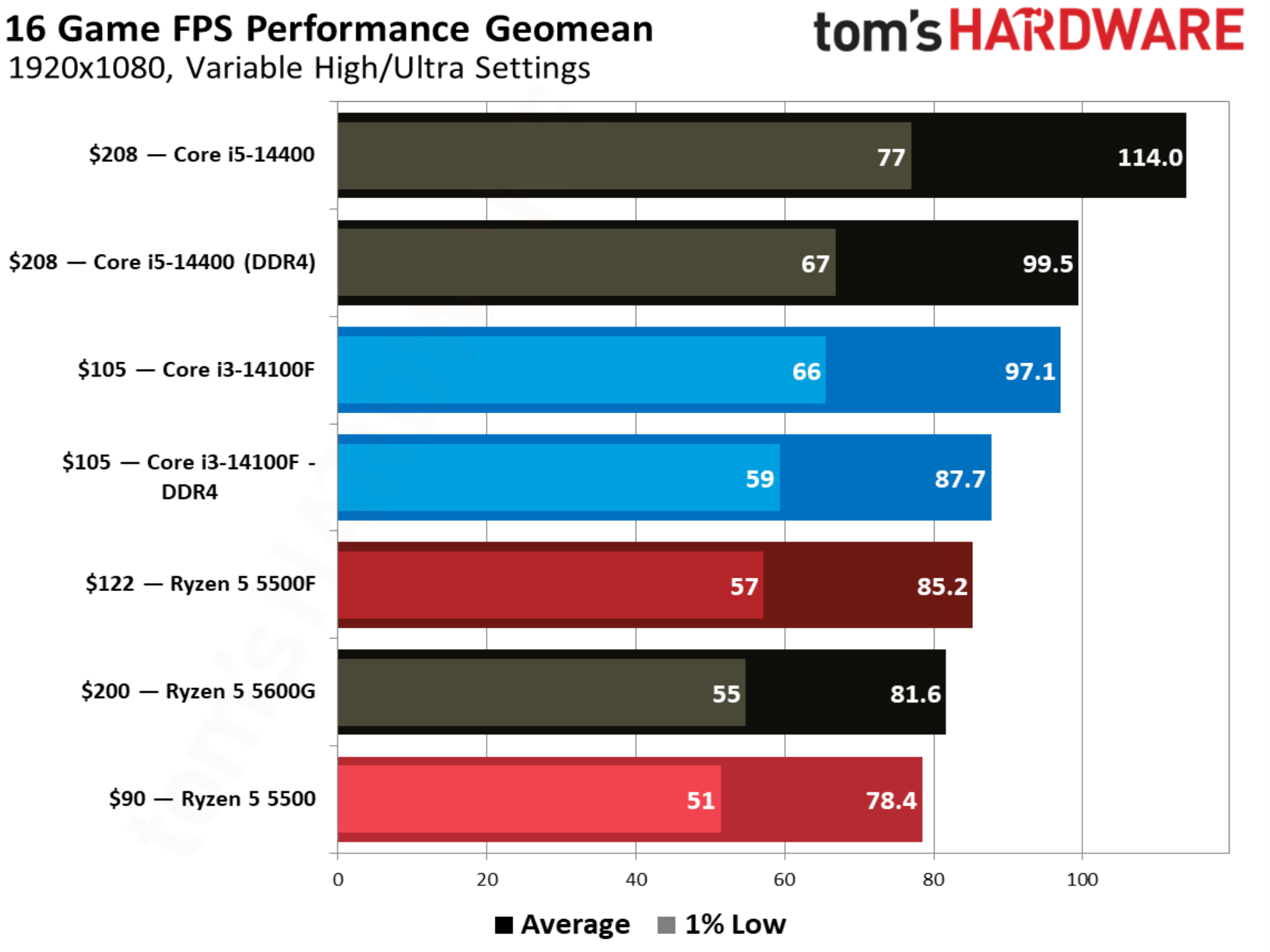
With an extra boost in clock speed and access to PCIe 4.0, the Ryzen 5 5500F comes out 8.6% ahead of the 5500 in our 16-game geomean at 1080p. It’s now just 2.8% behind the Core i3-14100F, though. As we’ll see throughout some of the individual game tests, the four-core setup of the Core i3-14100F is a real limitation. 1% low performance jumped 11.7% from the 5500 to 5500F, as well, resulting in smoother performance.

The Ryzen 5 5500 occupies the bottom of our chart, and that’s mainly due to availability. There aren’t a ton of CPUs available around $100, unless you’re interested in spending $98 on a brand new FX-8300 (don’t). It’s a battle between the Core i3-14100F and Ryzen 5 5500F at this price. In order to step up to that next tier of performance, you need to spend around $150, which is a hotly contested area between DDR4 options like the Core i5-14400F (we only had the more expensive, non-F version on hand) and Ryzen 5 5600, and DDR5 options like the Ryzen 5 7600X.

AMD has brought 3D V-Cache down the Zen 3 product stack, all the way down to the Ryzen 5 5500X3D, though you’ll spend about twice as much on that CPU as the Ryzen 5 5500F or Core i3-14100F.

Still, both of these chips play a great role in a new budget gaming build right now if you have future upgrade aspirations. Compared to the Ryzen 7 5800X3D and Core i7-14700K — our recommendations for gaming on these platforms — you can save around $200 up front and put it toward a nicer graphics card. Intel’s platform has the additional flexibility of a future DDR5 upgrade with a new motherboard, as well.

Between the Core i3-14100F and Ryzen 5 5500F, Intel still holds a small edge in performance. Given how CPU-bound we are, that edge isn’t big enough to sway a buying decision, but the price is. The Ryzen 5 5500F has a recommended price of $100, but we haven’t seen it sold for less than $120. Neither the slightly higher price nor slight performance disadvantage are enough to sway things on their own, but together, they hurt the Ryzen 5 5500F’s place in the $100 CPU bracket.
AMD Ryzen 5 5500F
Tom's Hardware
AMD Ryzen 5 5500F
Tom's Hardware
AMD Ryzen 5 5500F
Tom's Hardware
AMD Ryzen 5 5500F
Tom's Hardware
AMD Ryzen 5 5500F
Tom's Hardware

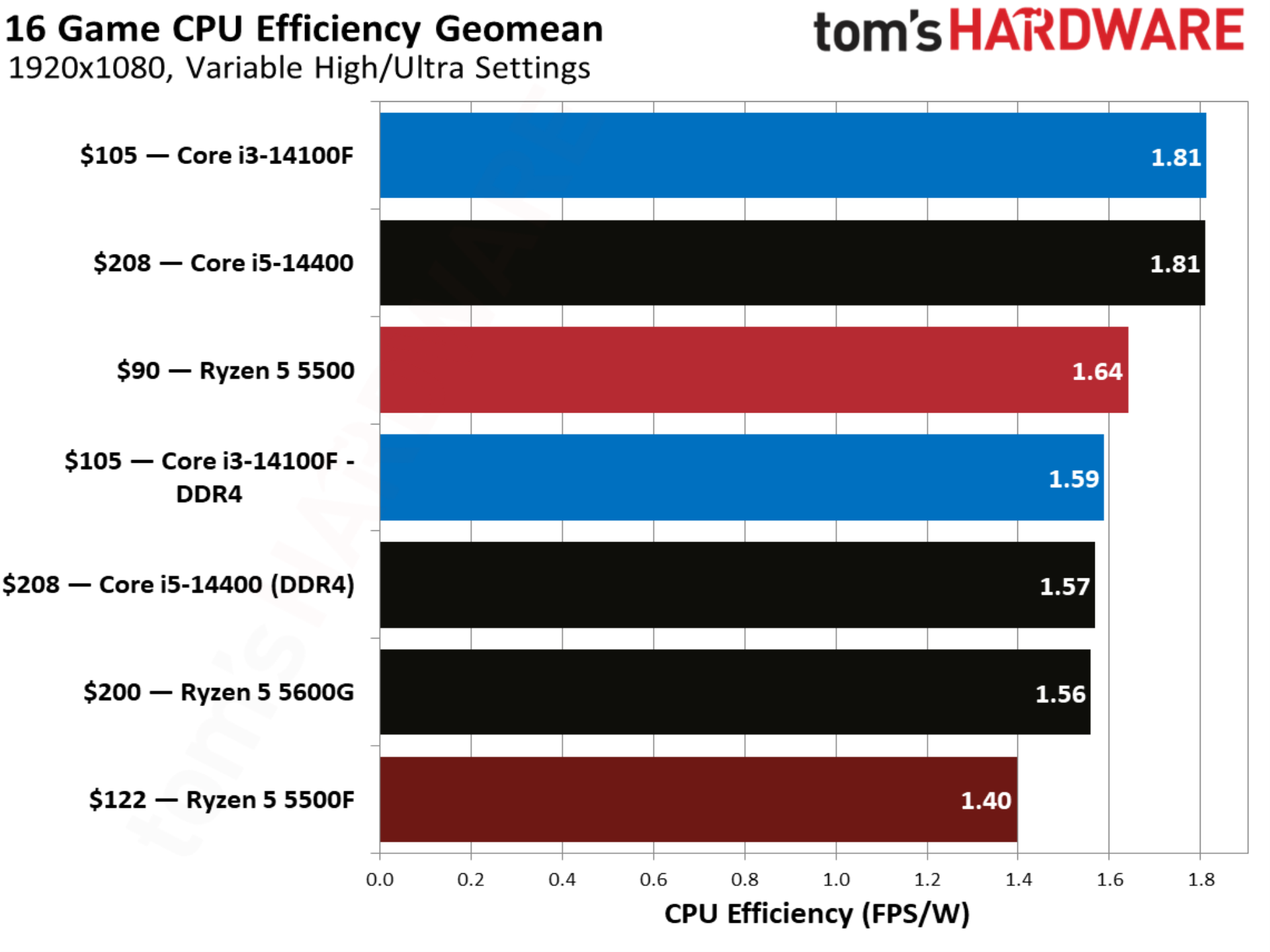
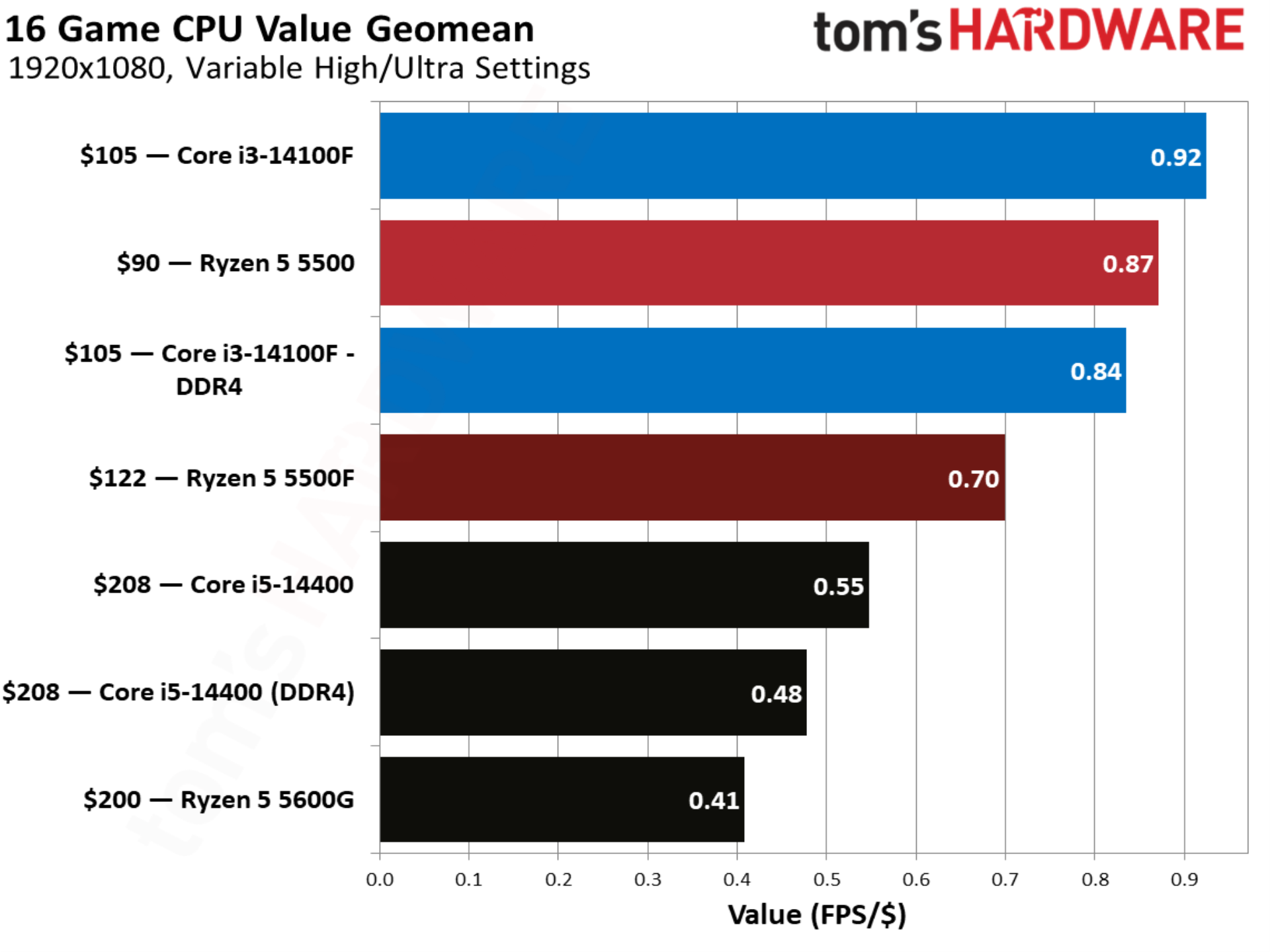
That comes through clearly in our value geomean, where the Ryzen 5 5500 actually provides a better value than the new 5500F, due to the fact that it’s held onto its $90 price. The Core i5-14400 looks unsurprisingly bad here due to its $208 price tag. The Core i5-14400F is available closer to around $150 though, and it should provide identical performance with a discrete GPU.

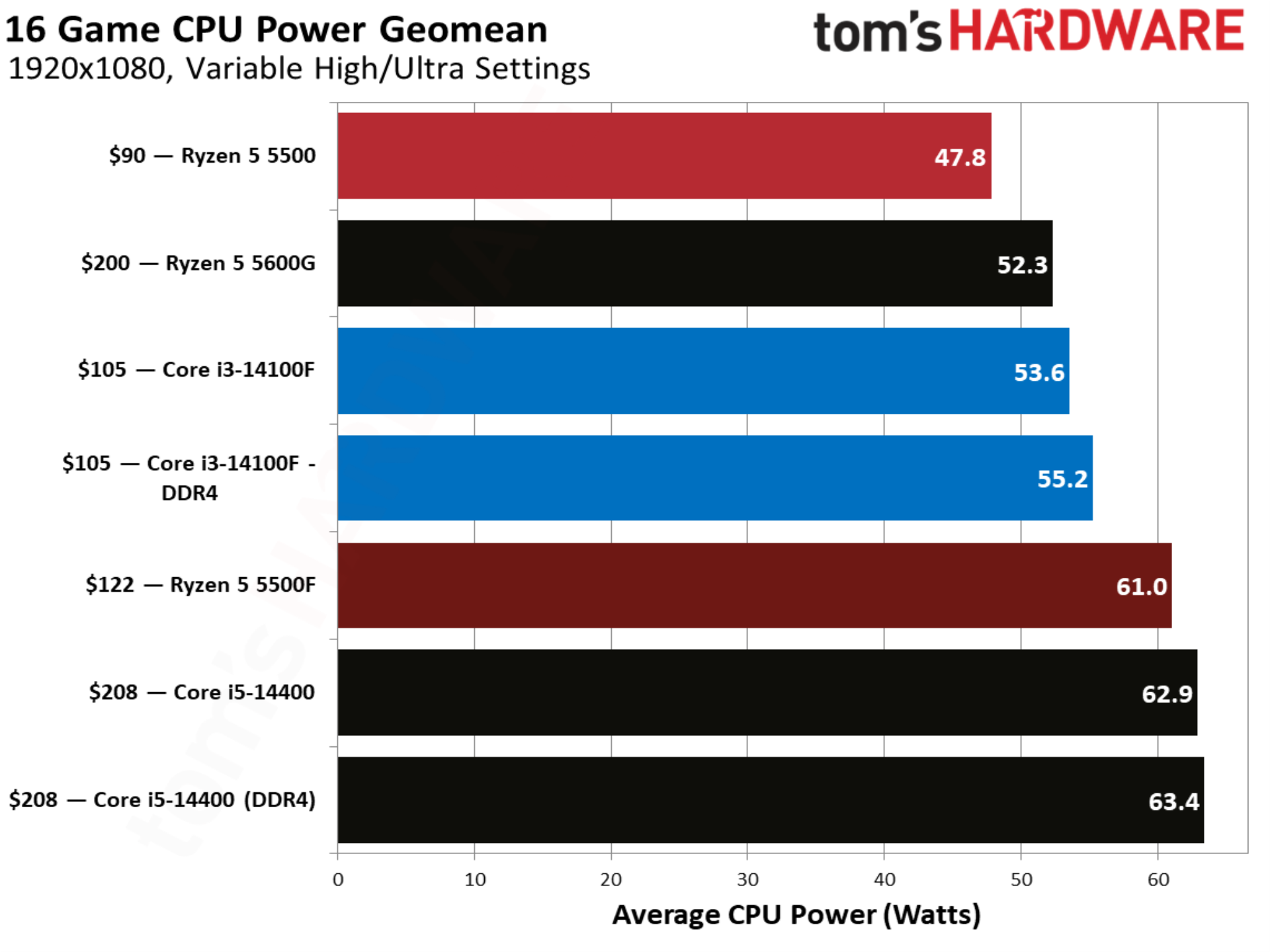
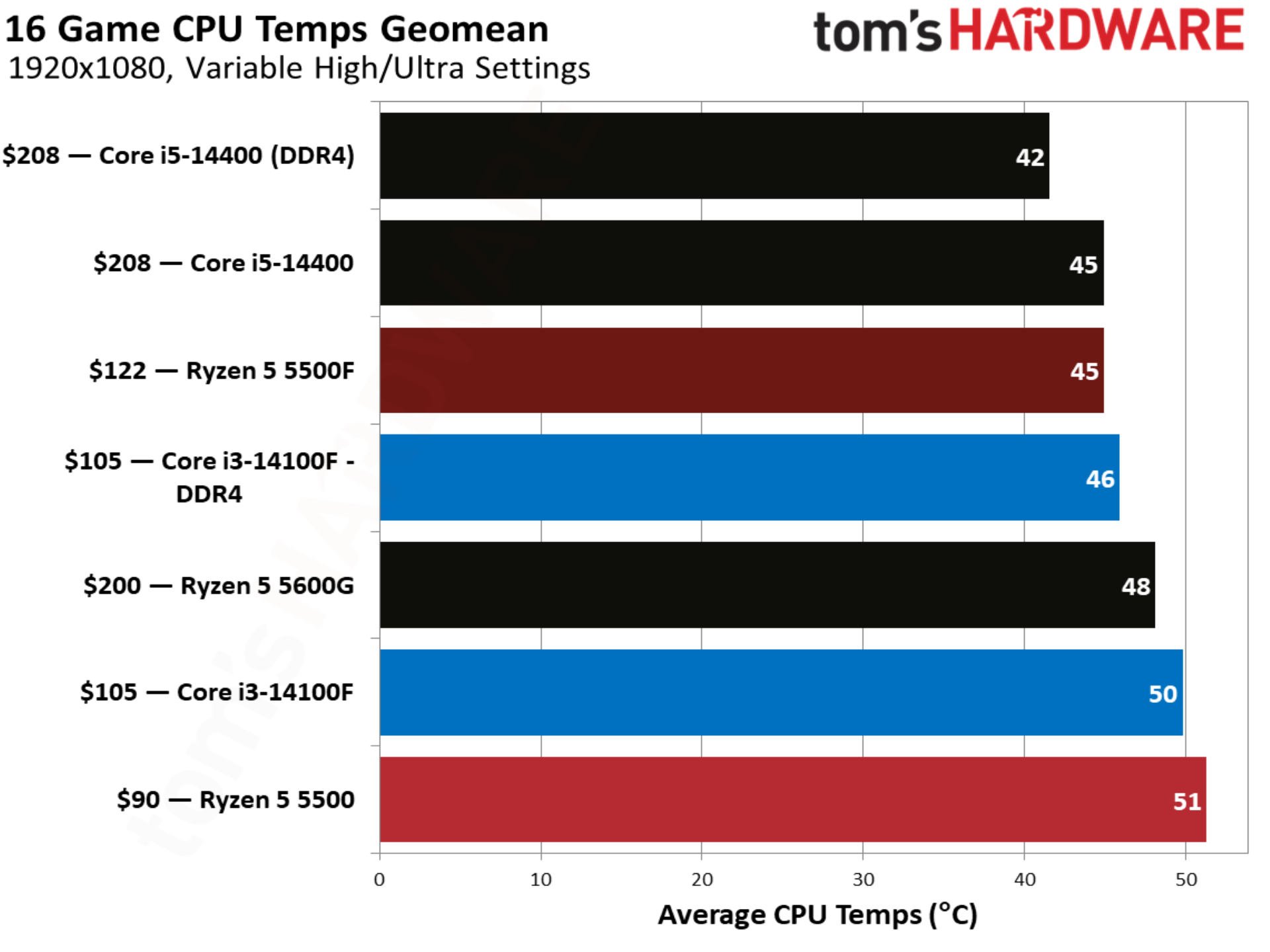
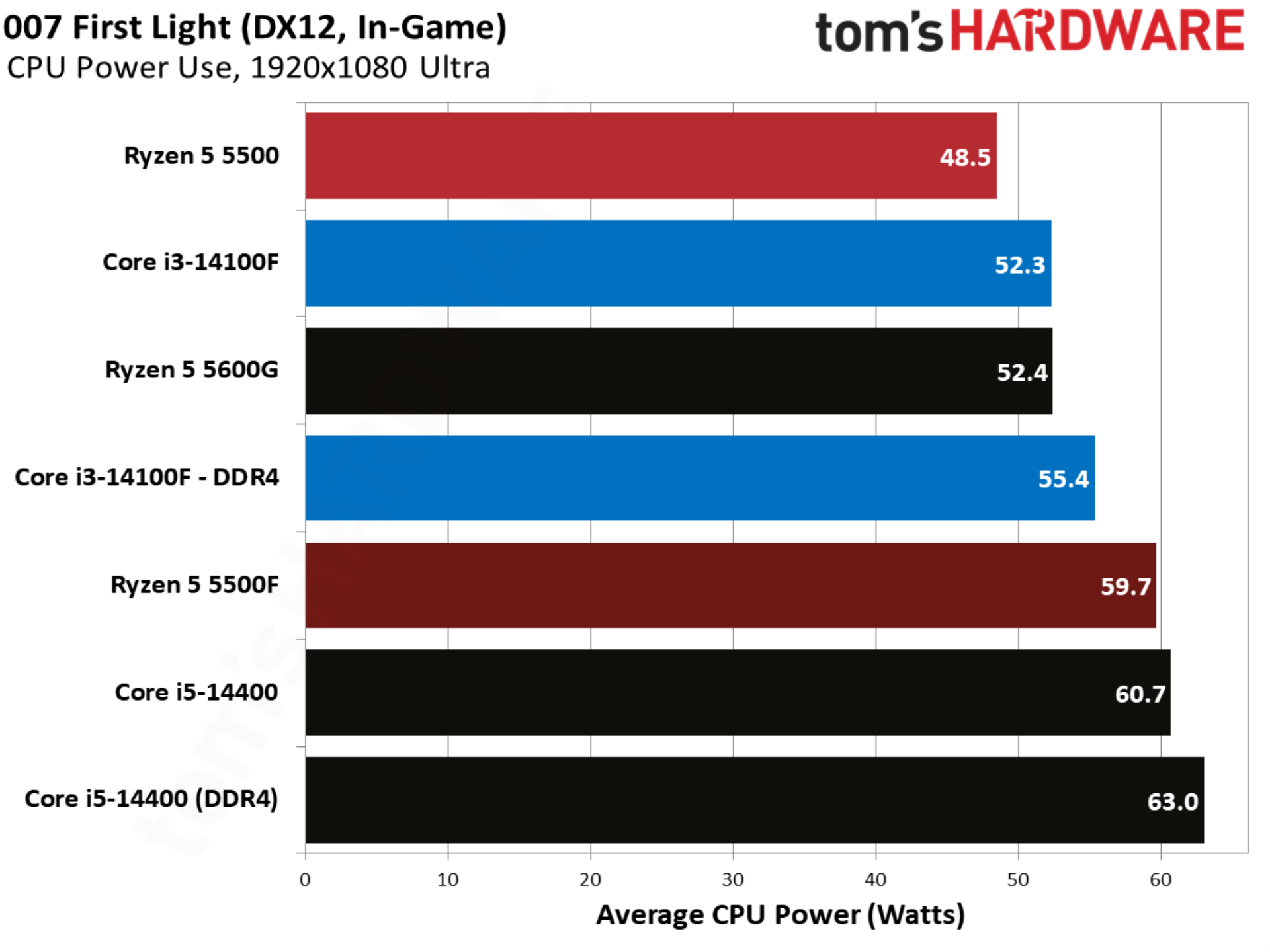
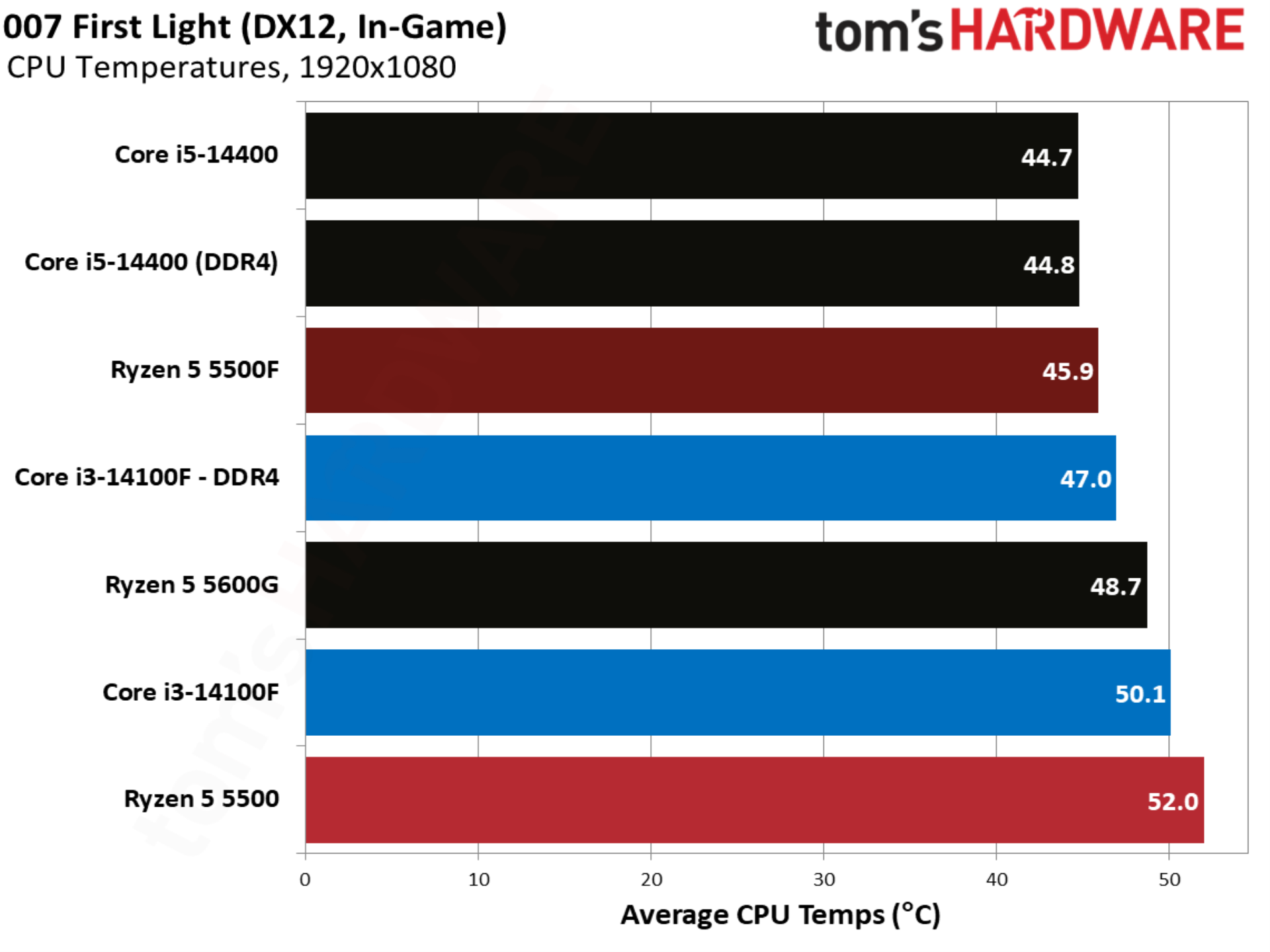
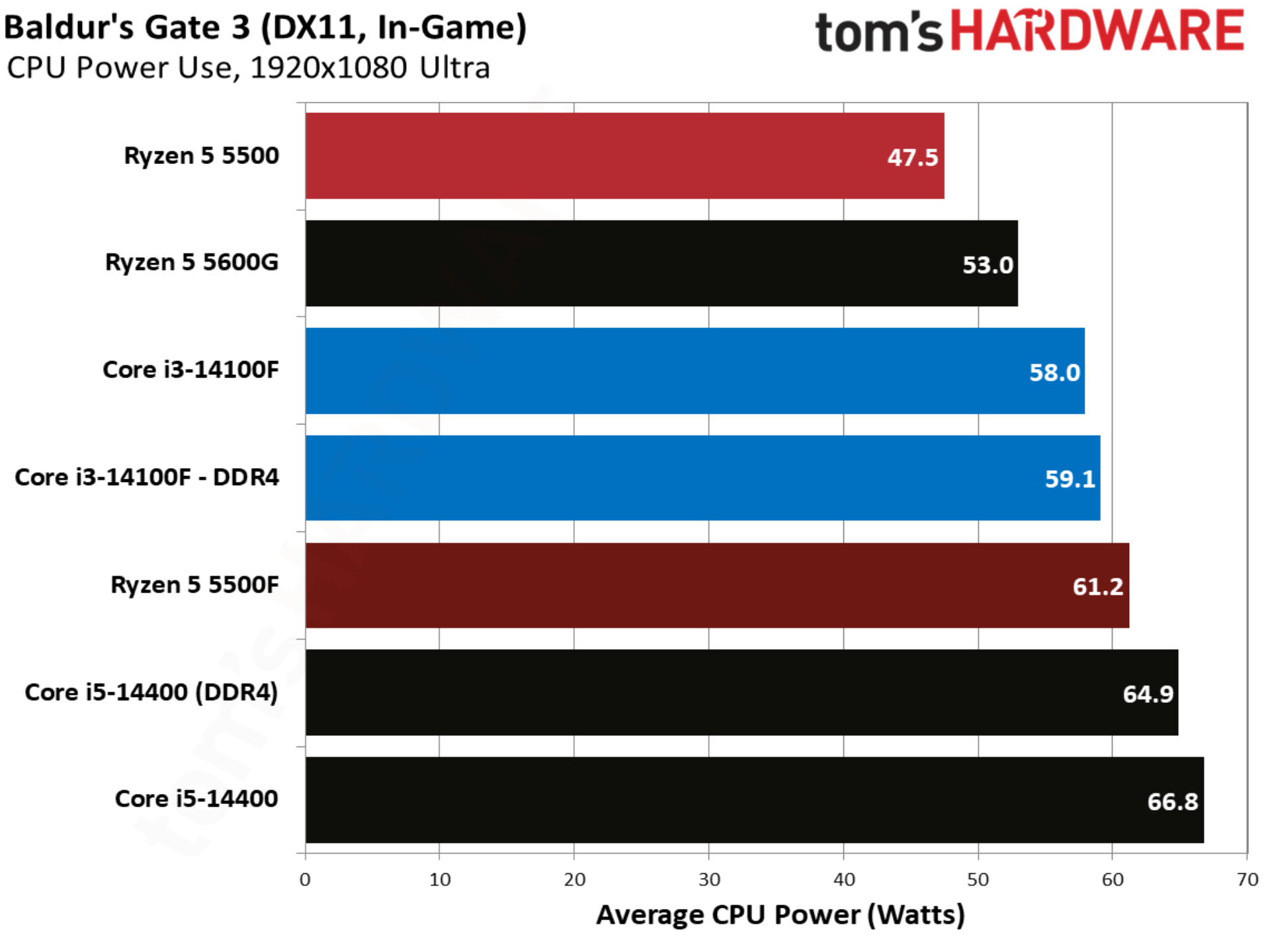
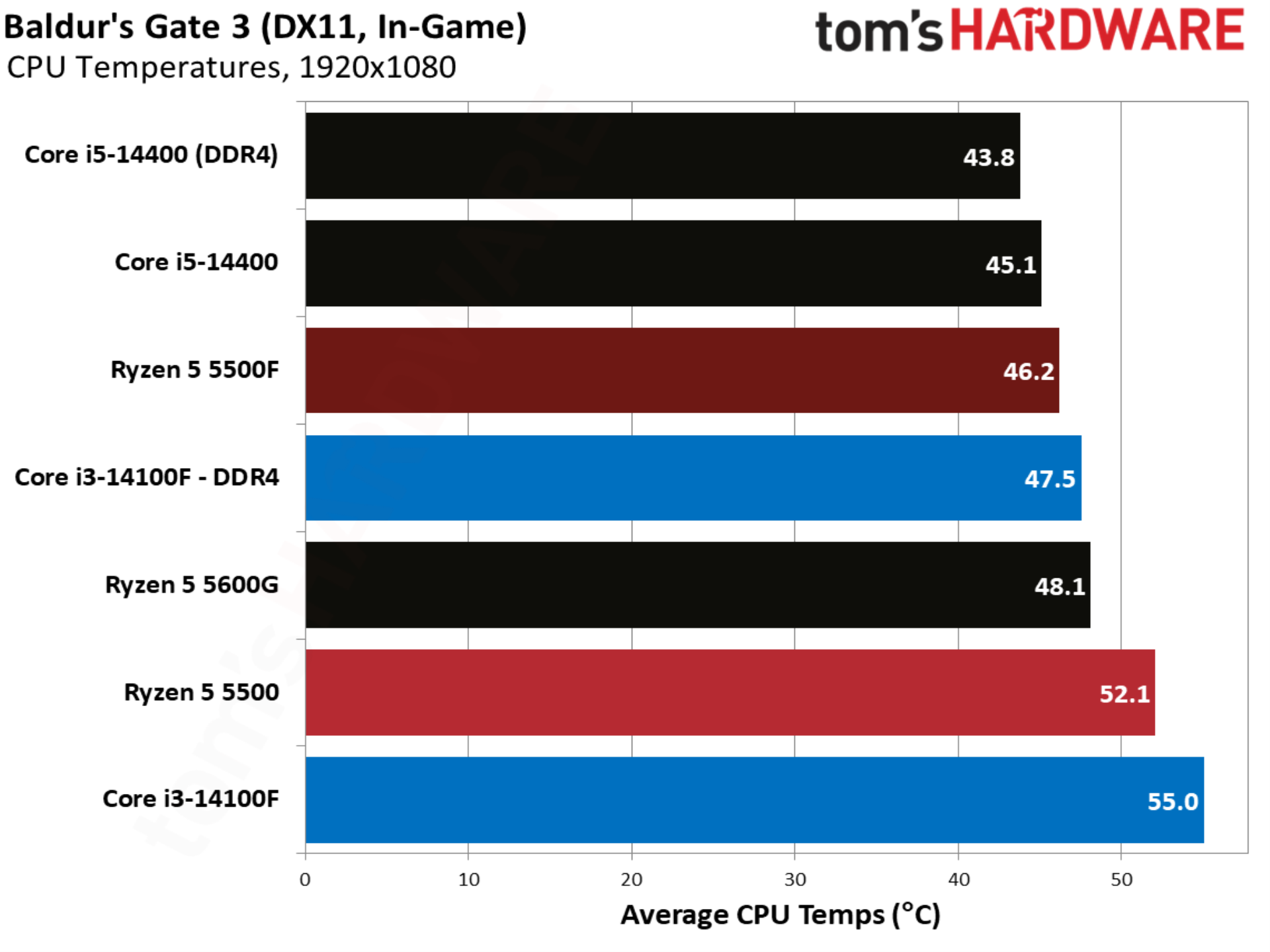
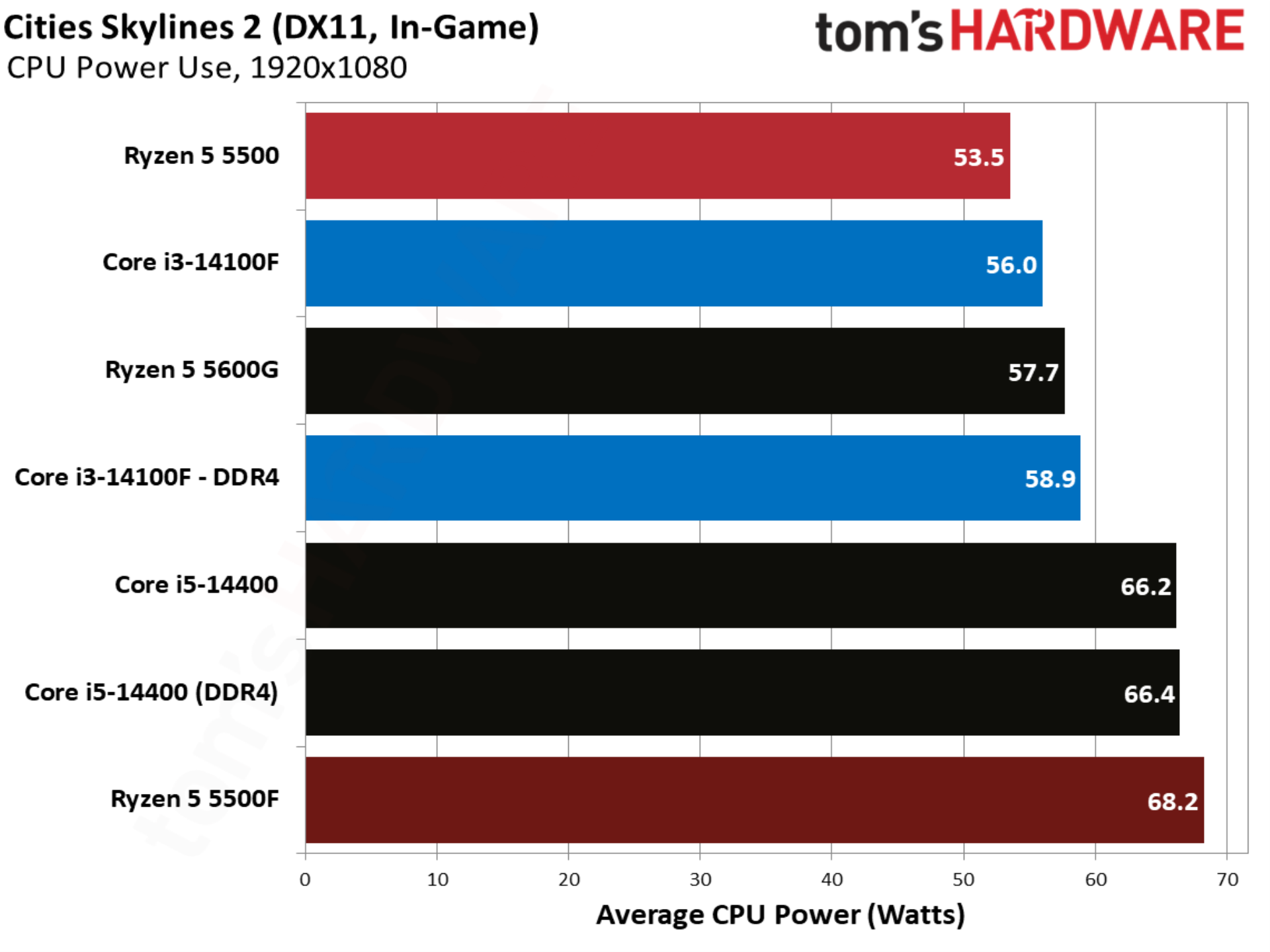
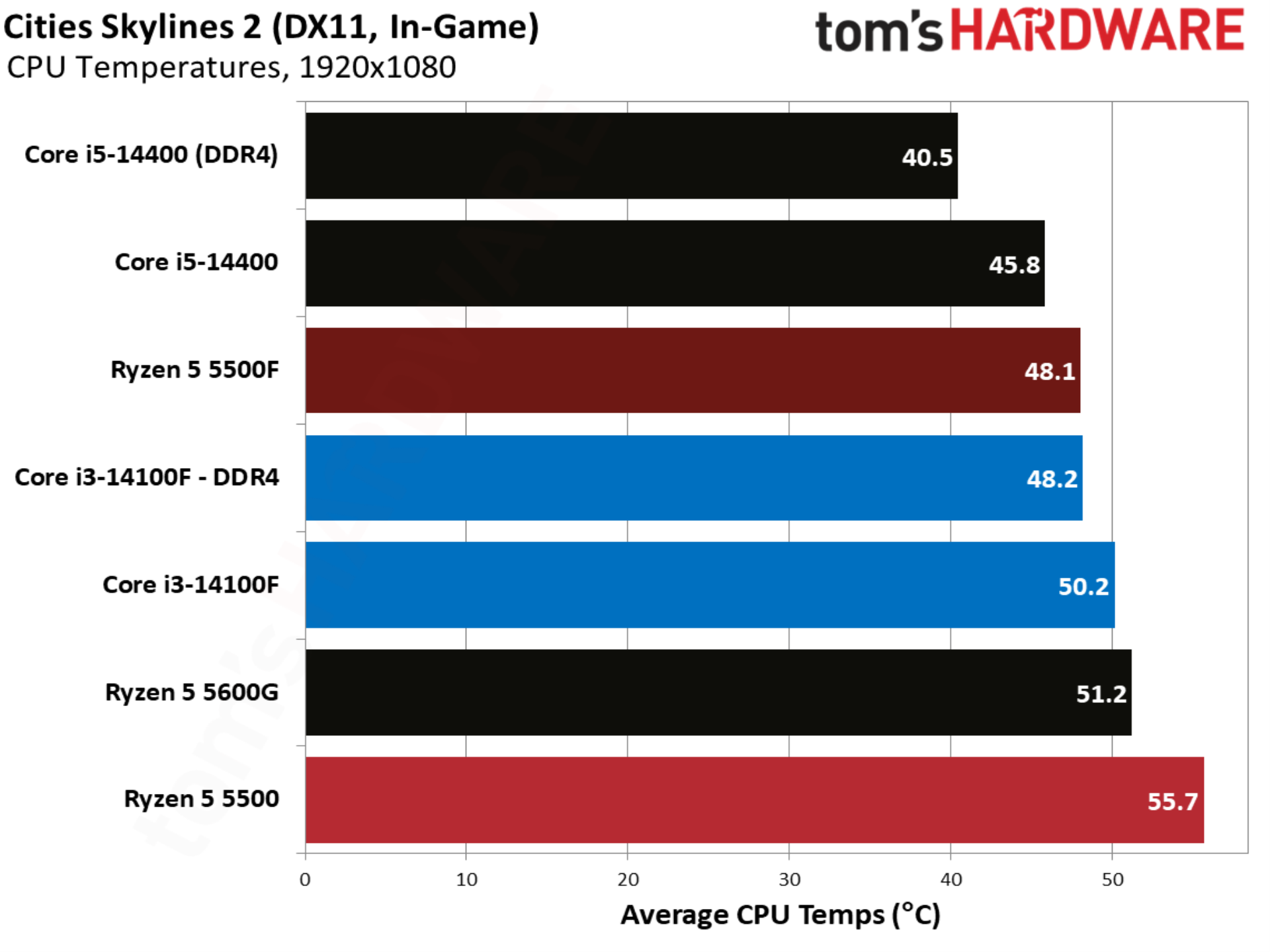
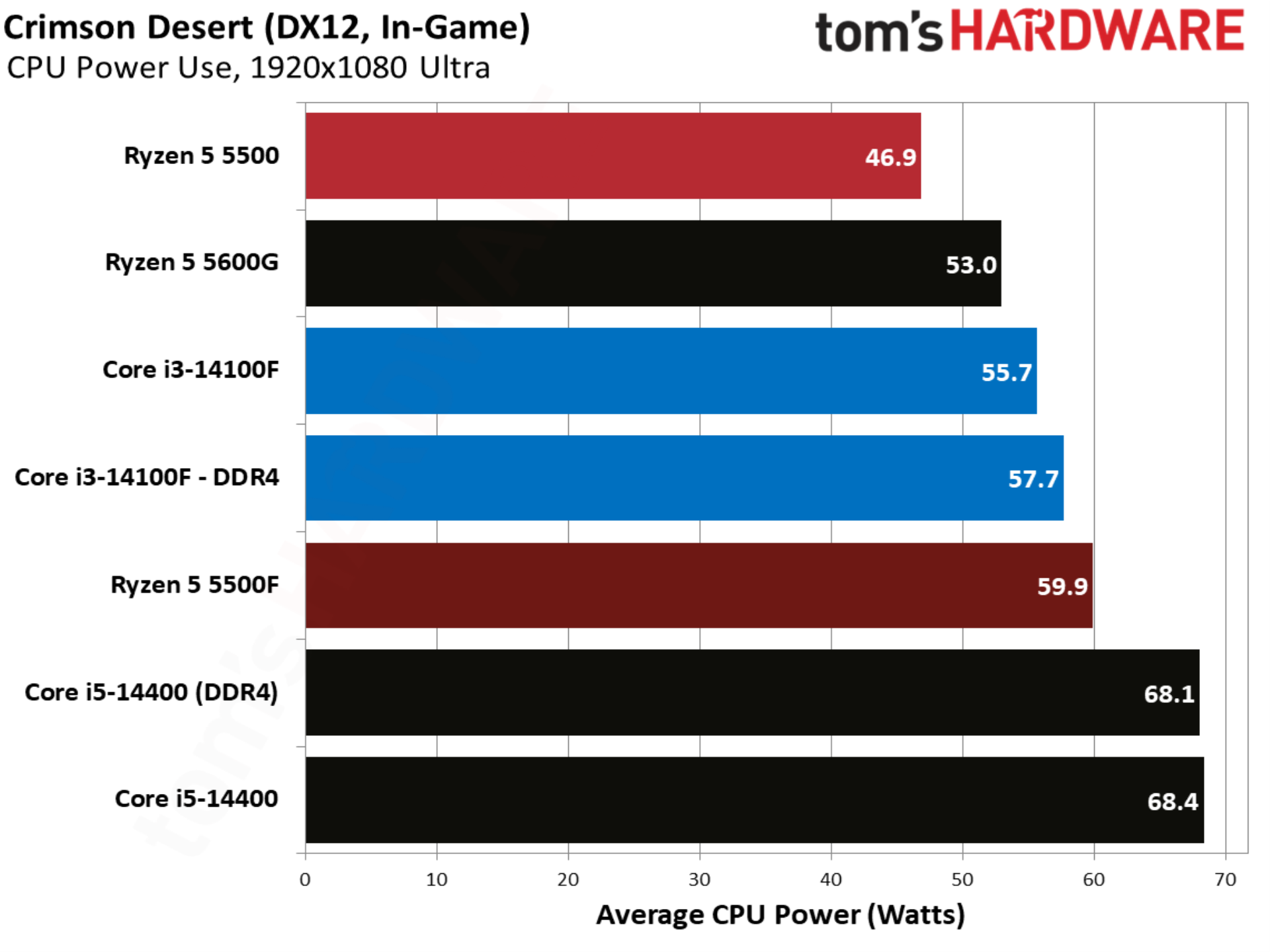
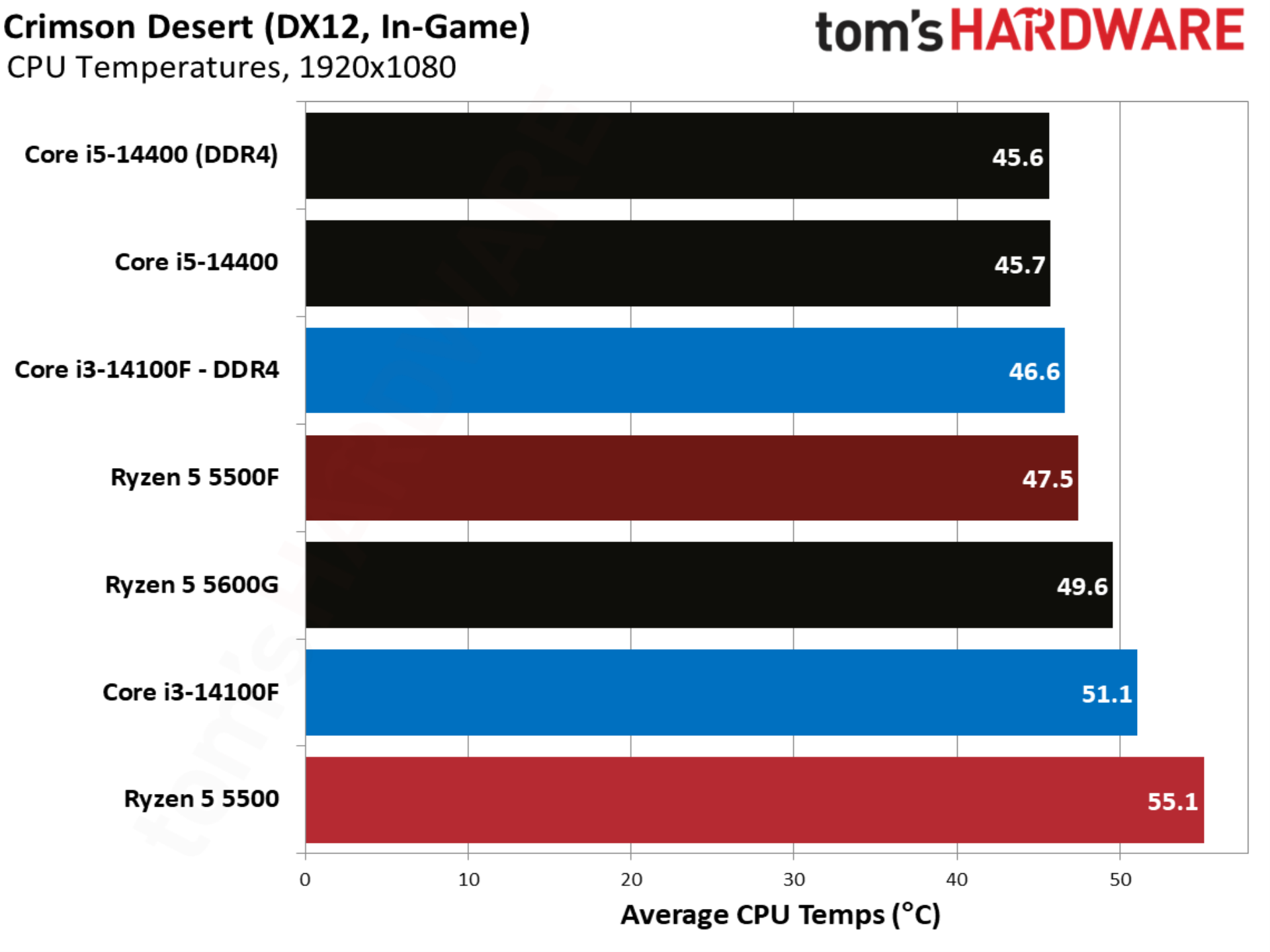
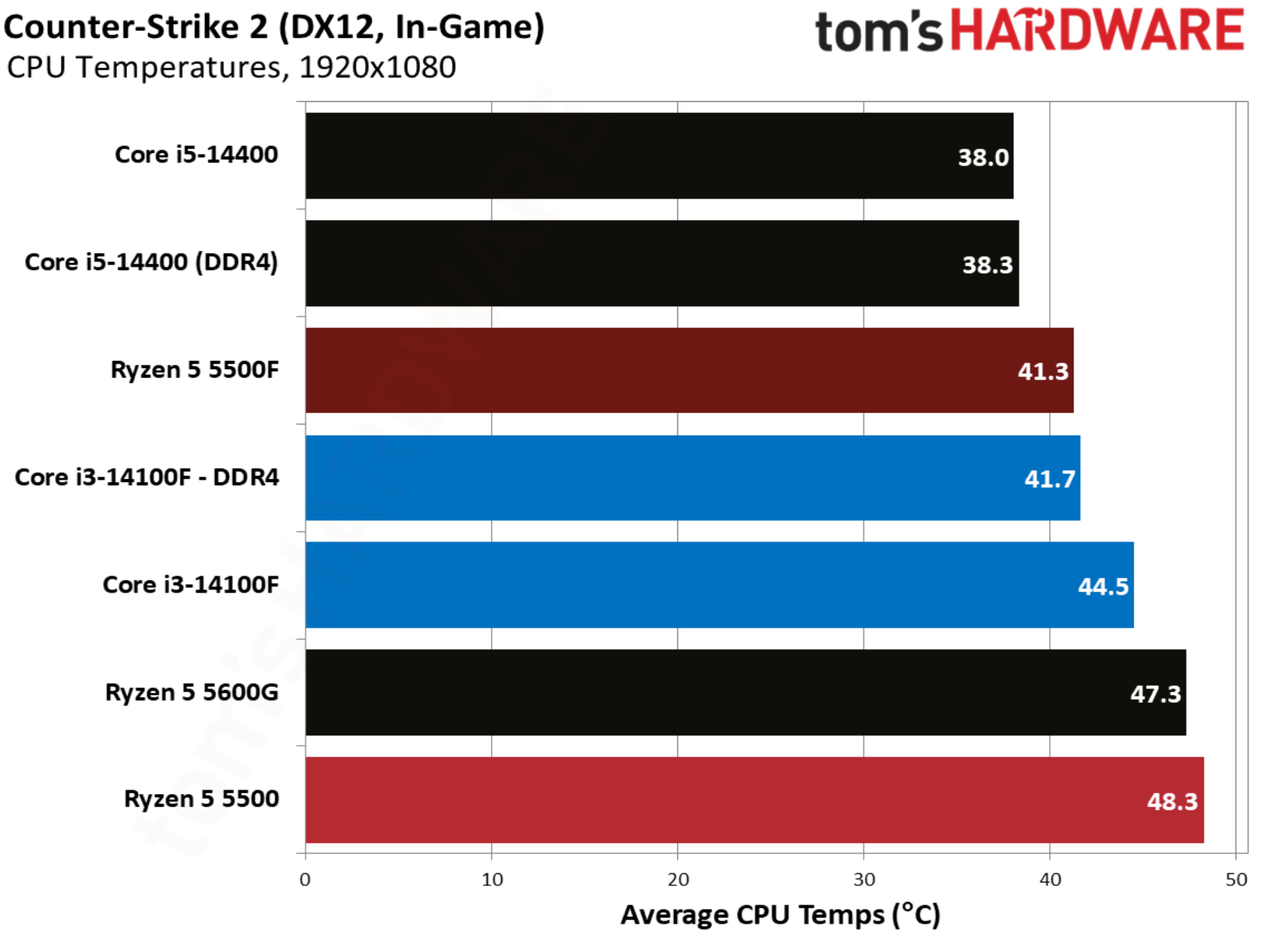
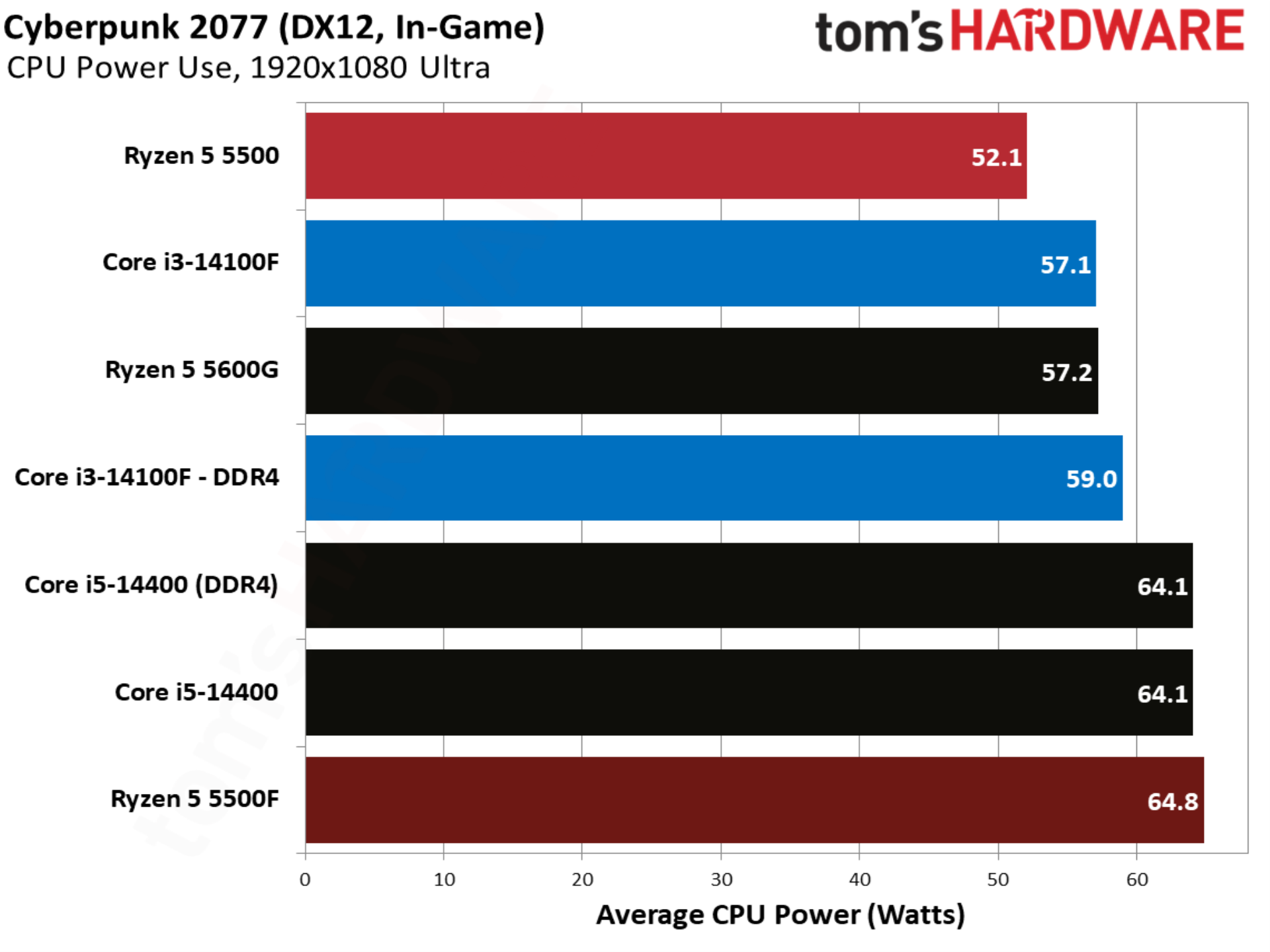
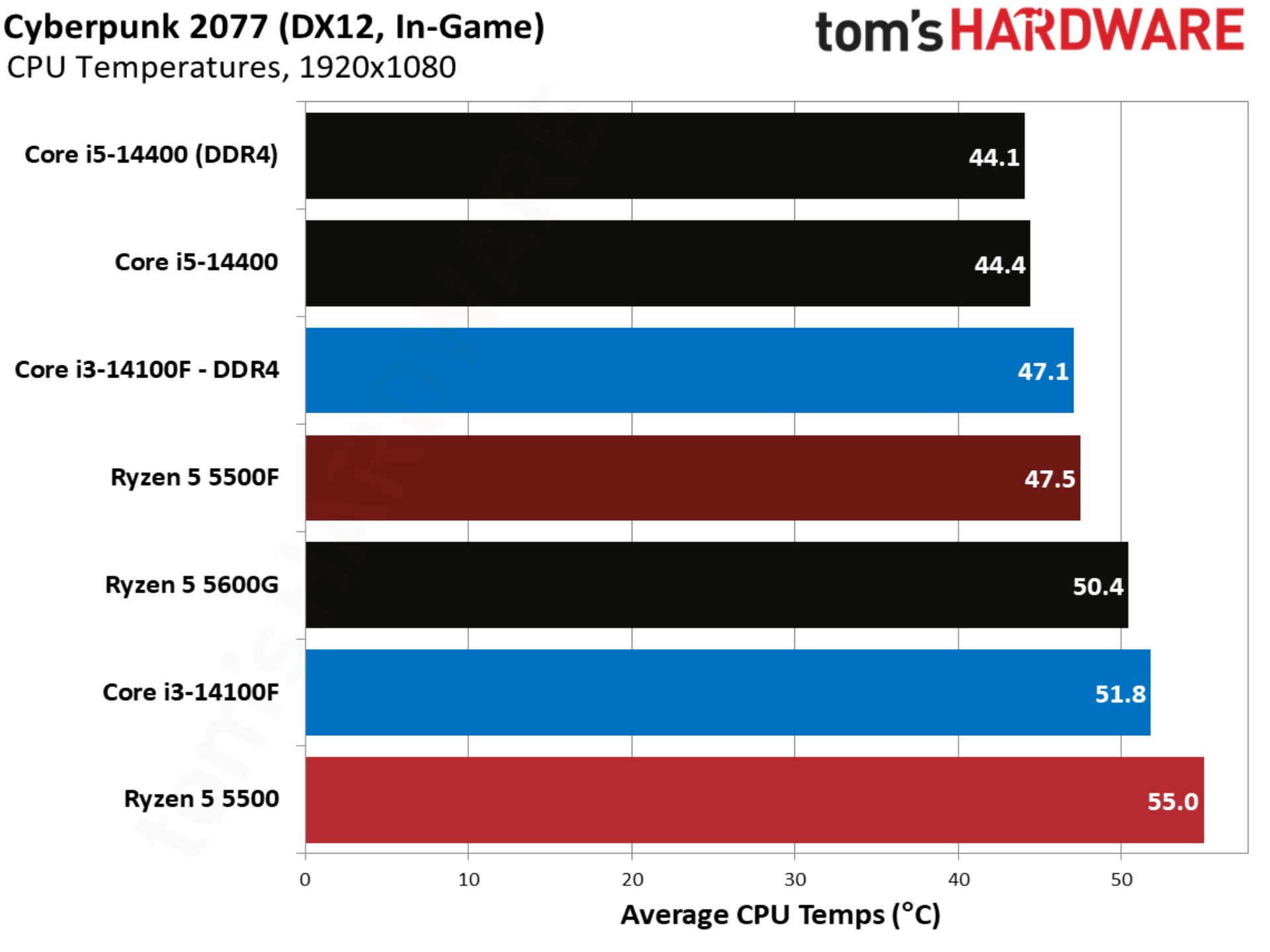
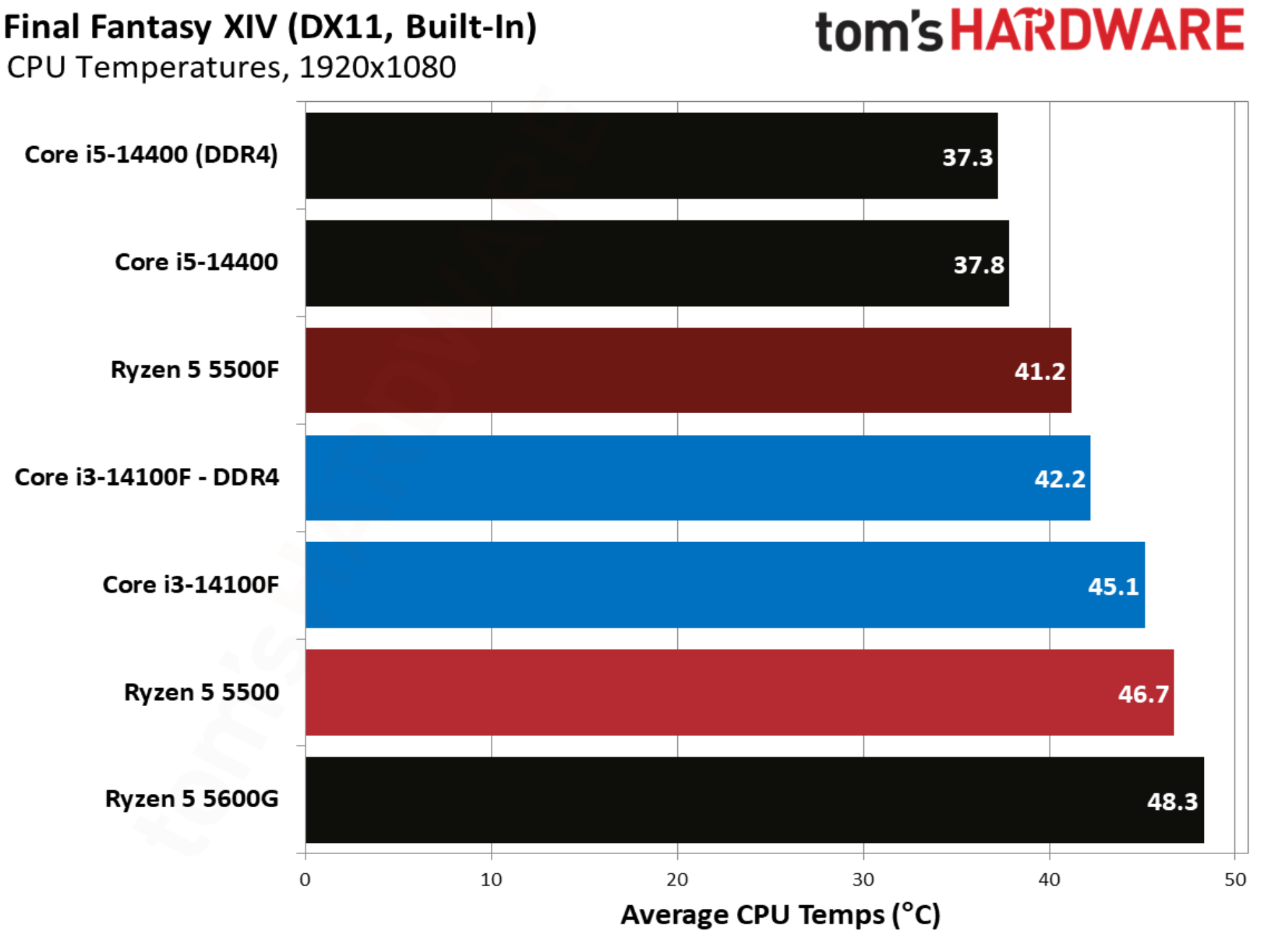
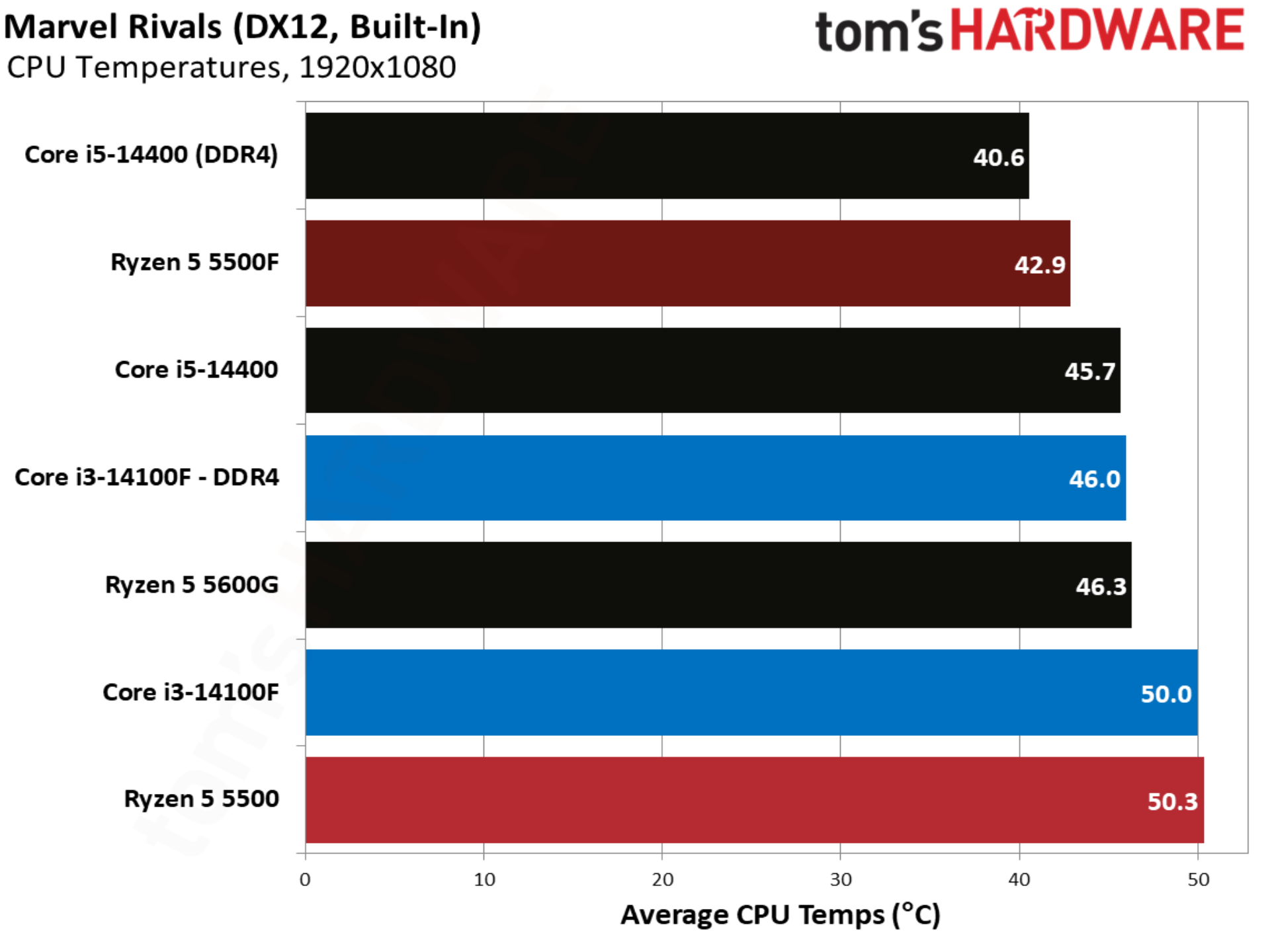
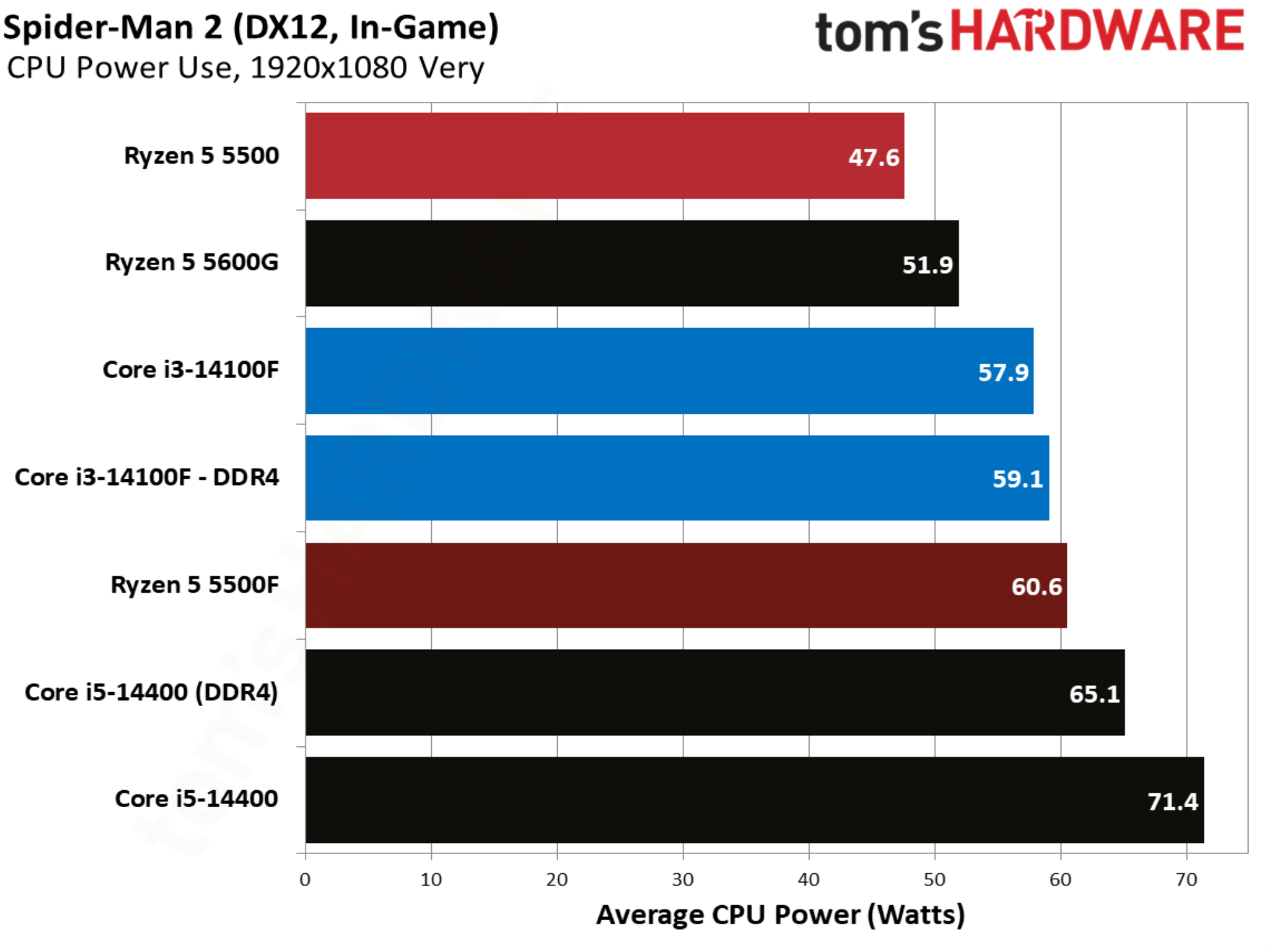
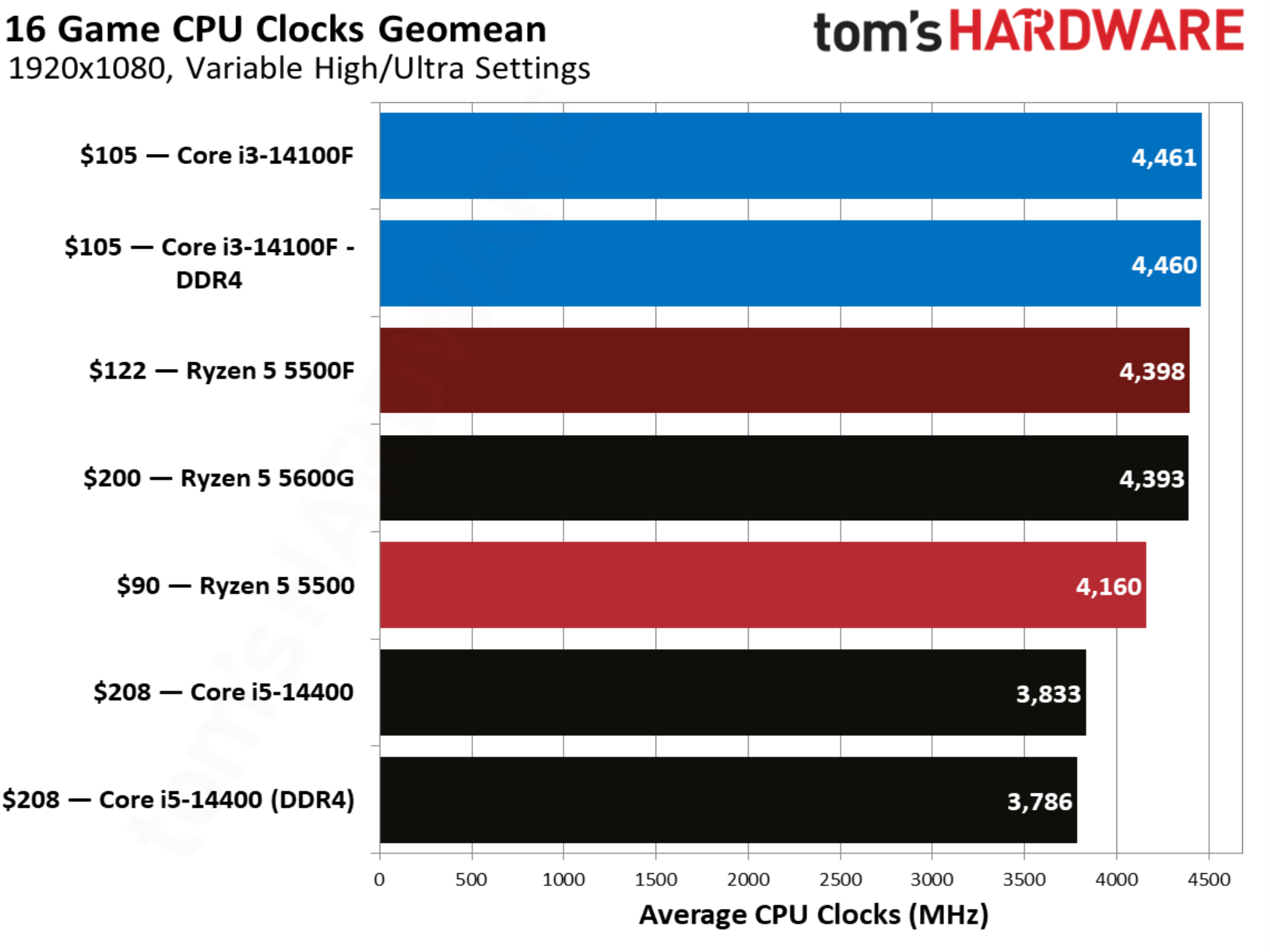
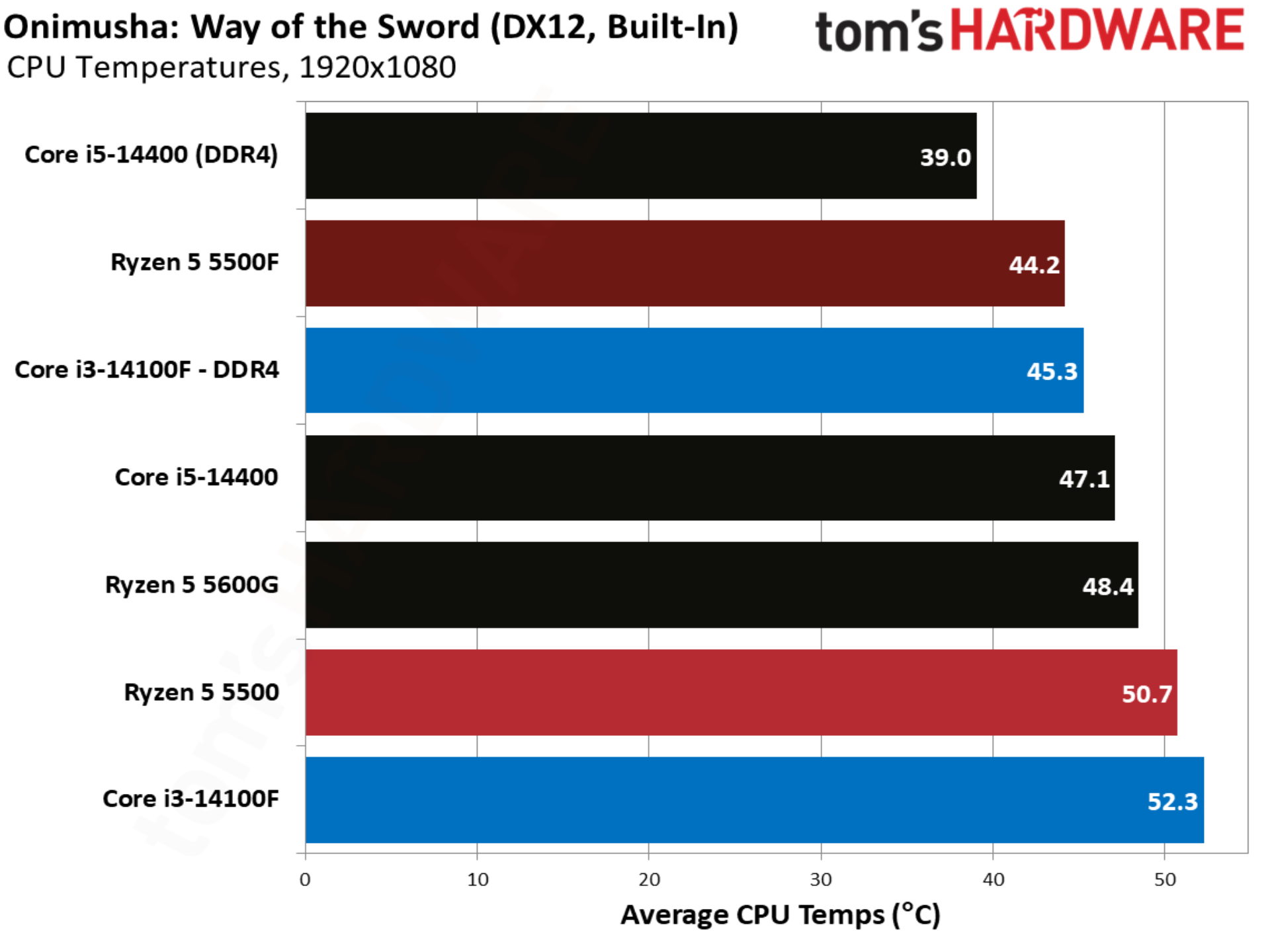
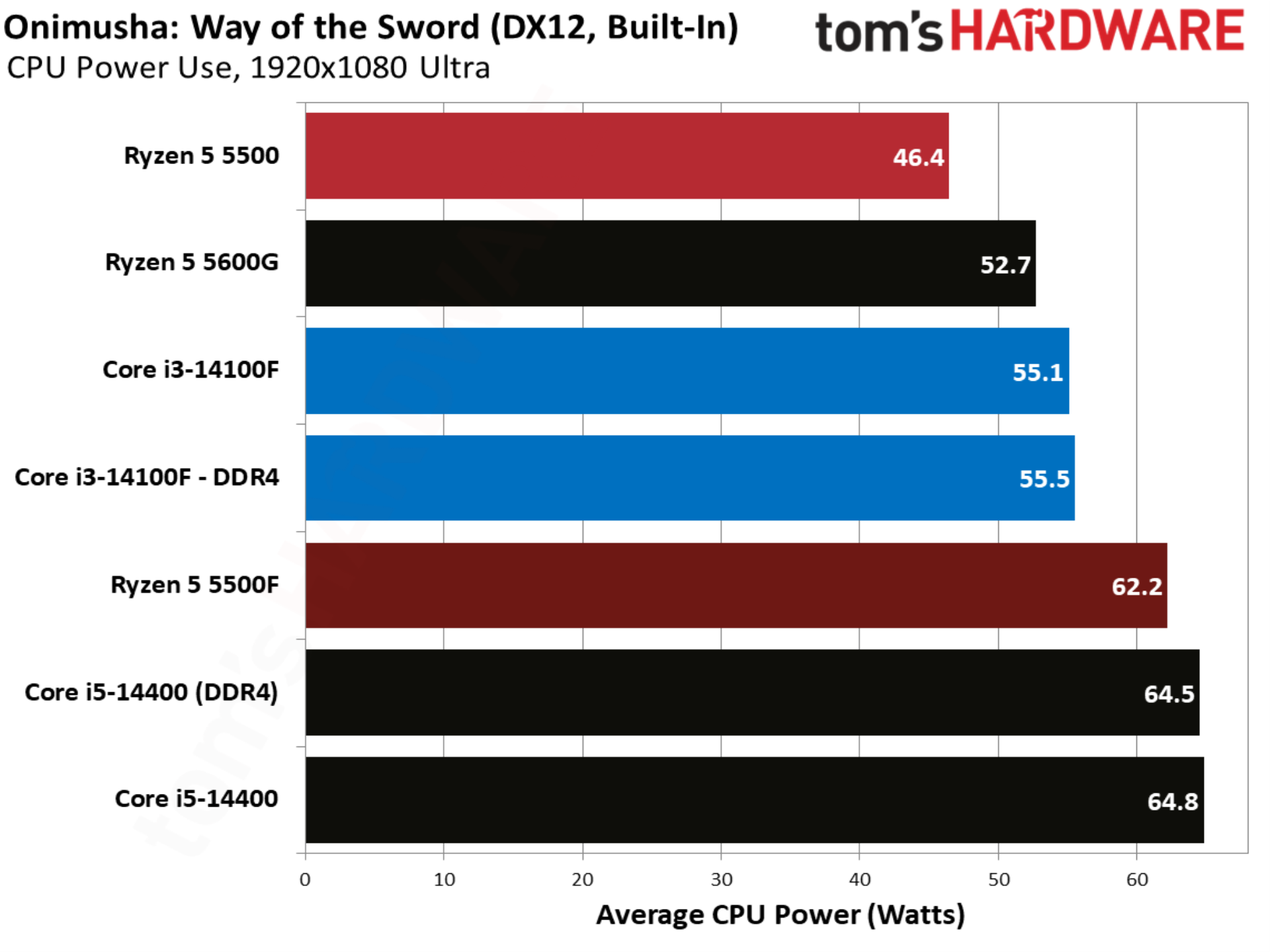
With temperature and power, you can see the Ryzen 5 5500F takes better advantage of the 65W thermal design than the original 5500, climbing up to a 61W average in our test suite. Higher power draw is actually better in this case. We’re dealing with relatively low-power desktop chips, so if peak performance is the goal, we want every watt the thermal design can handle being used.

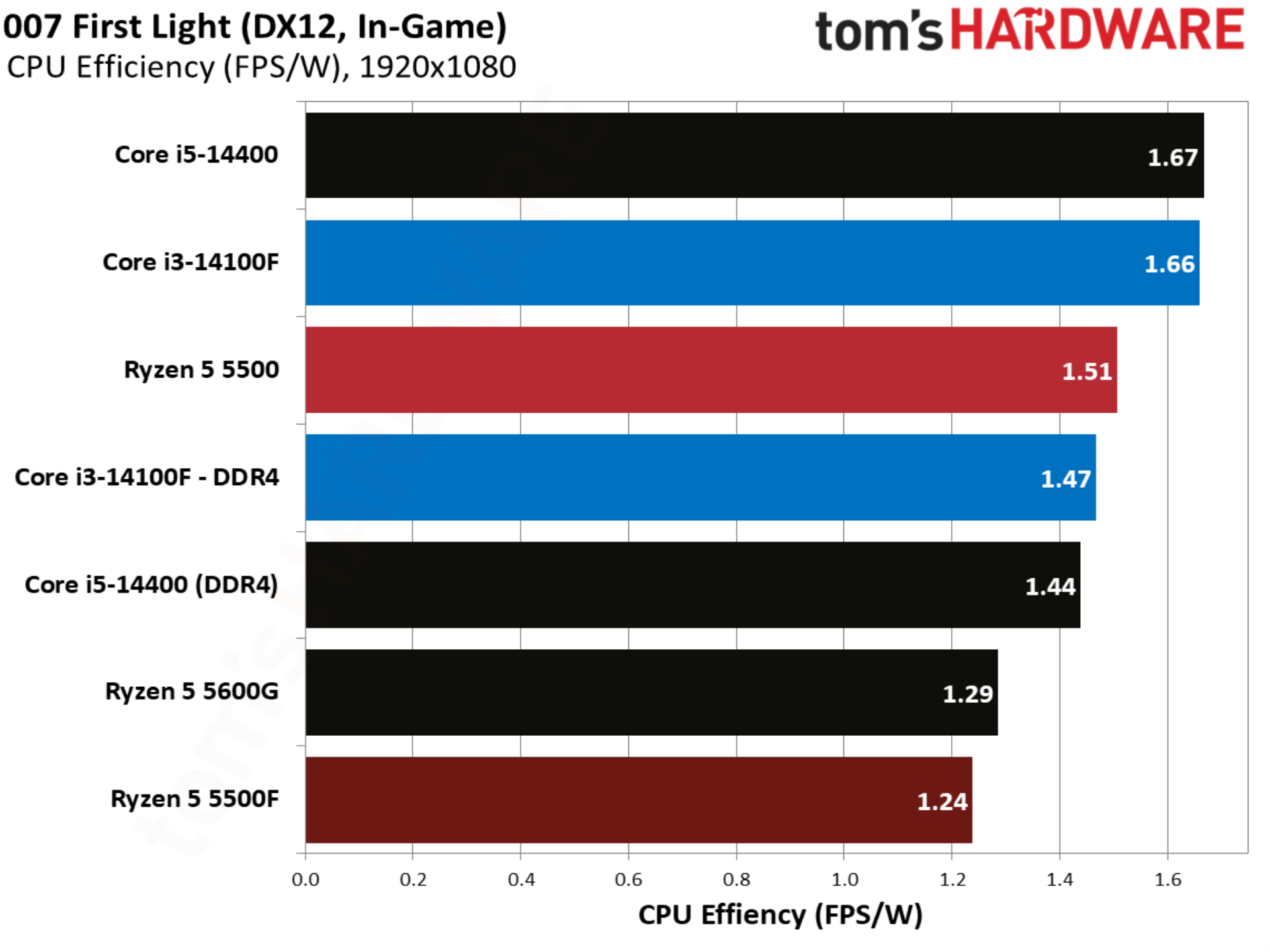
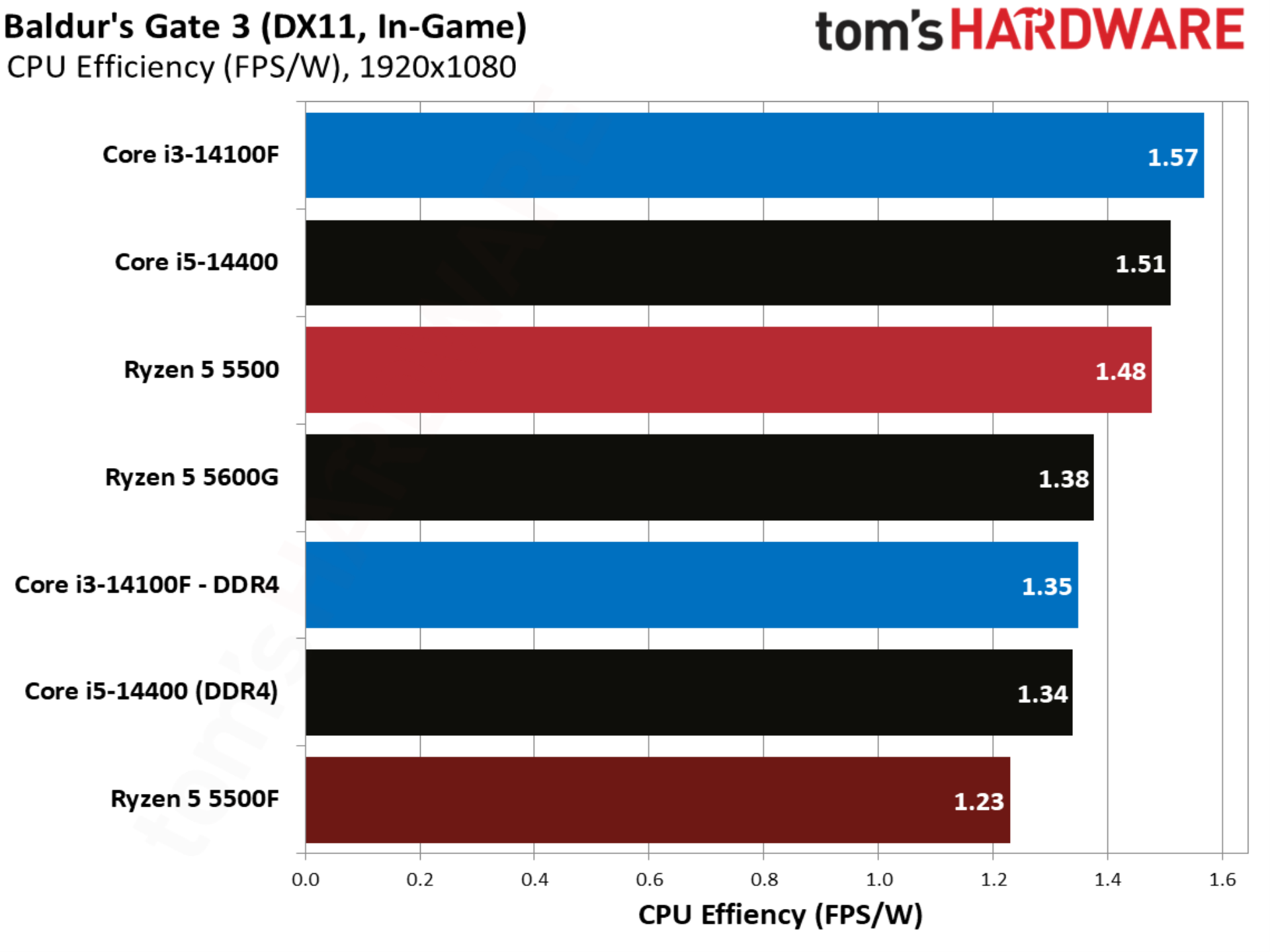
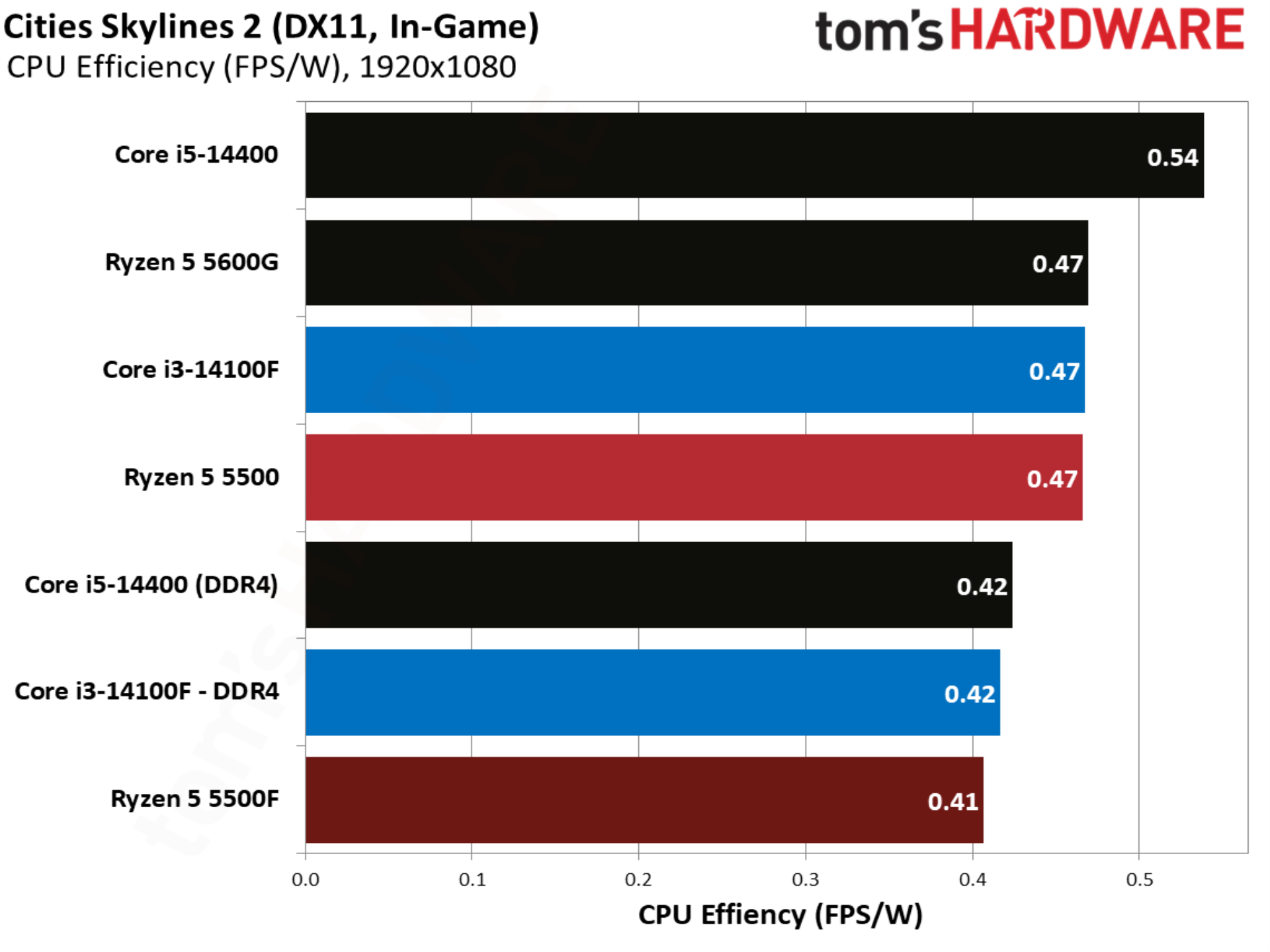
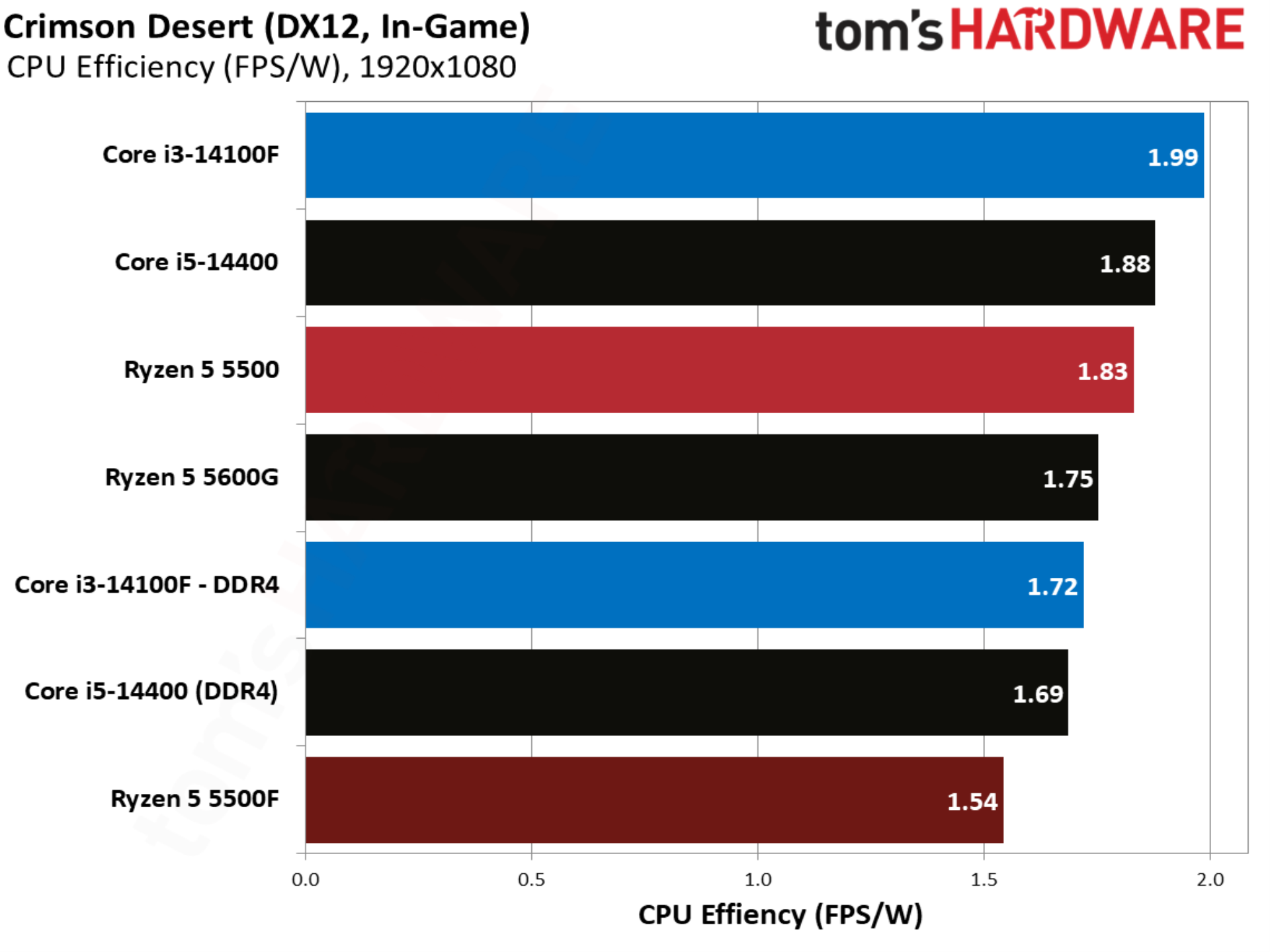
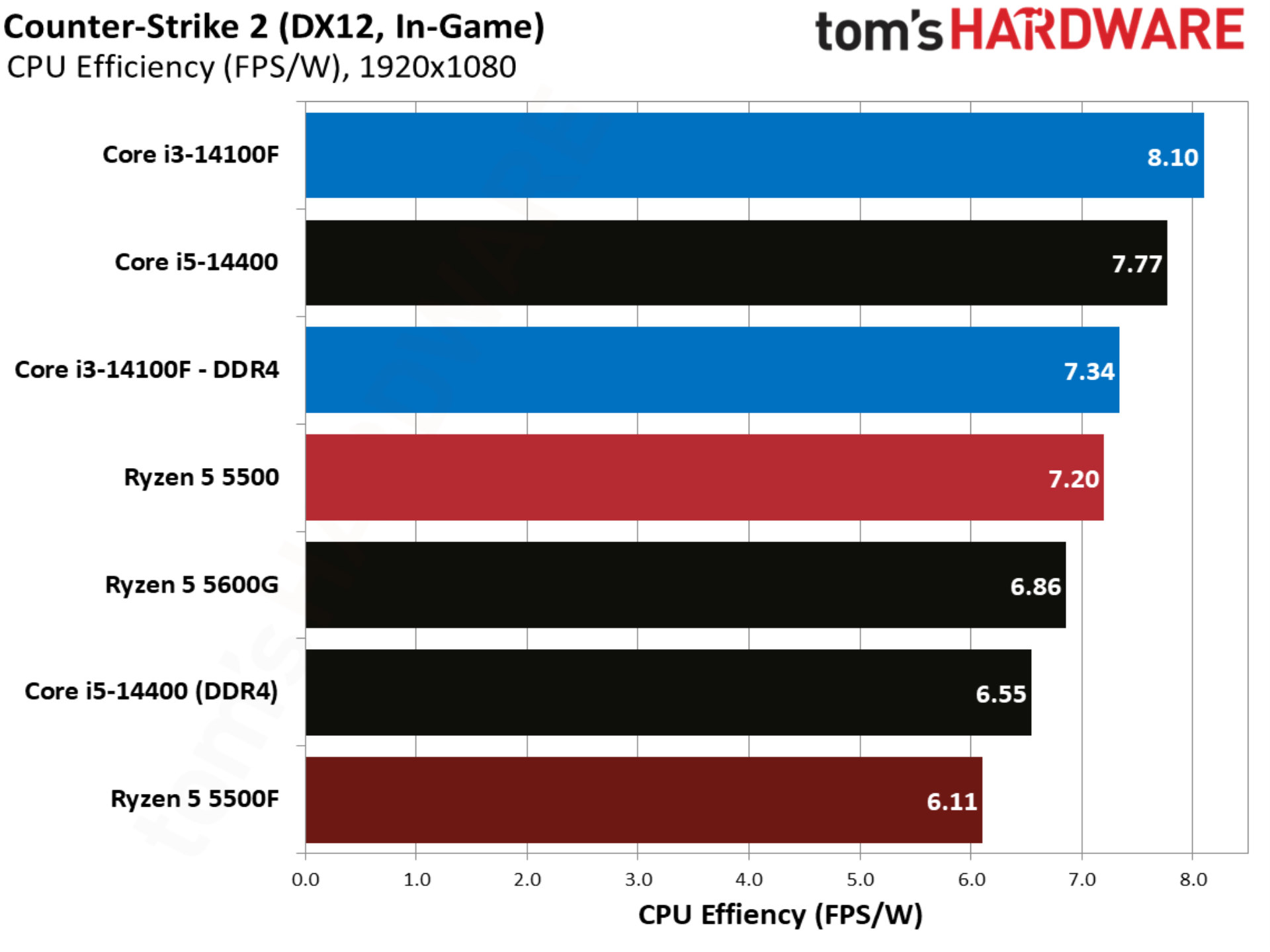
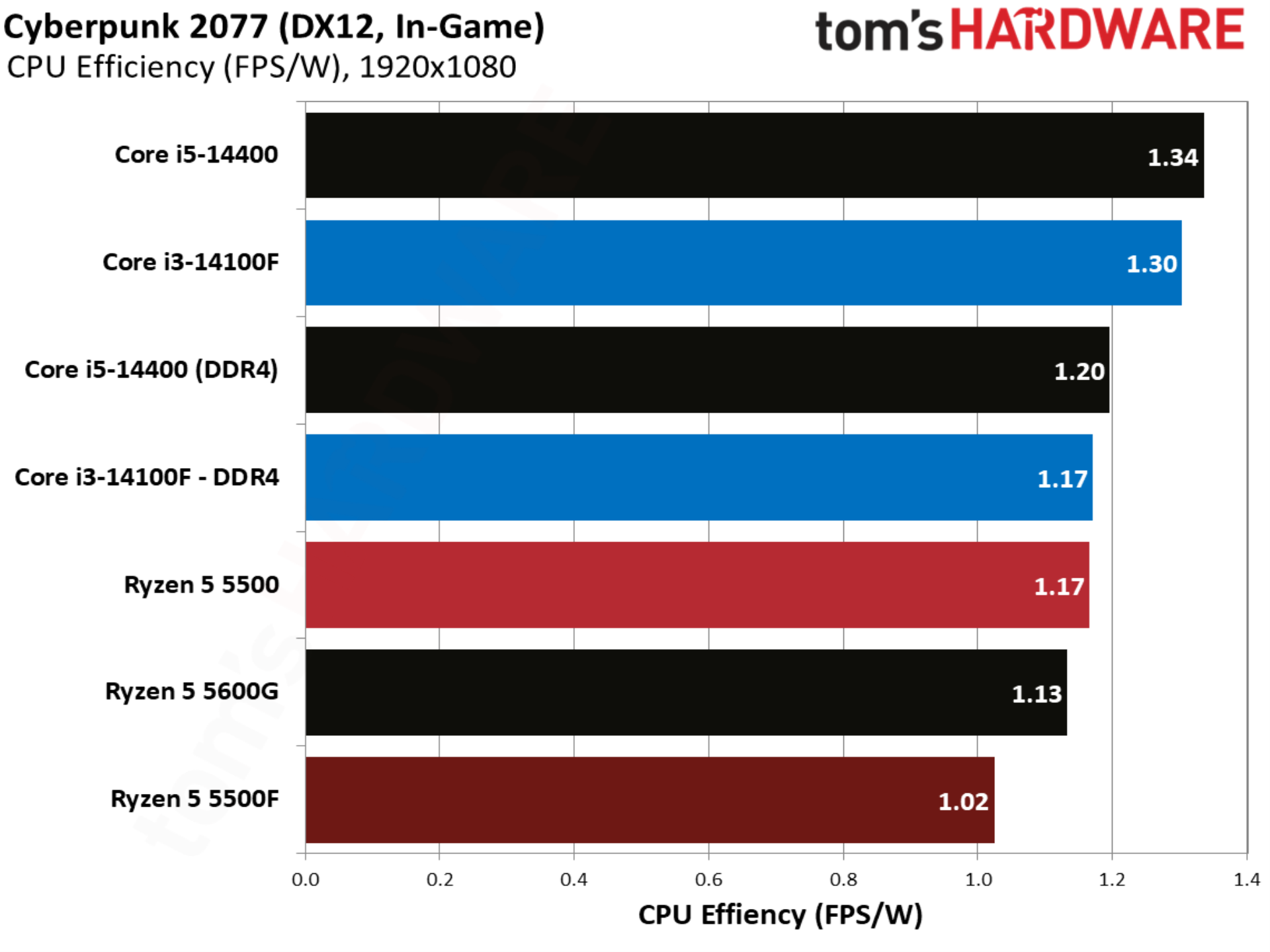
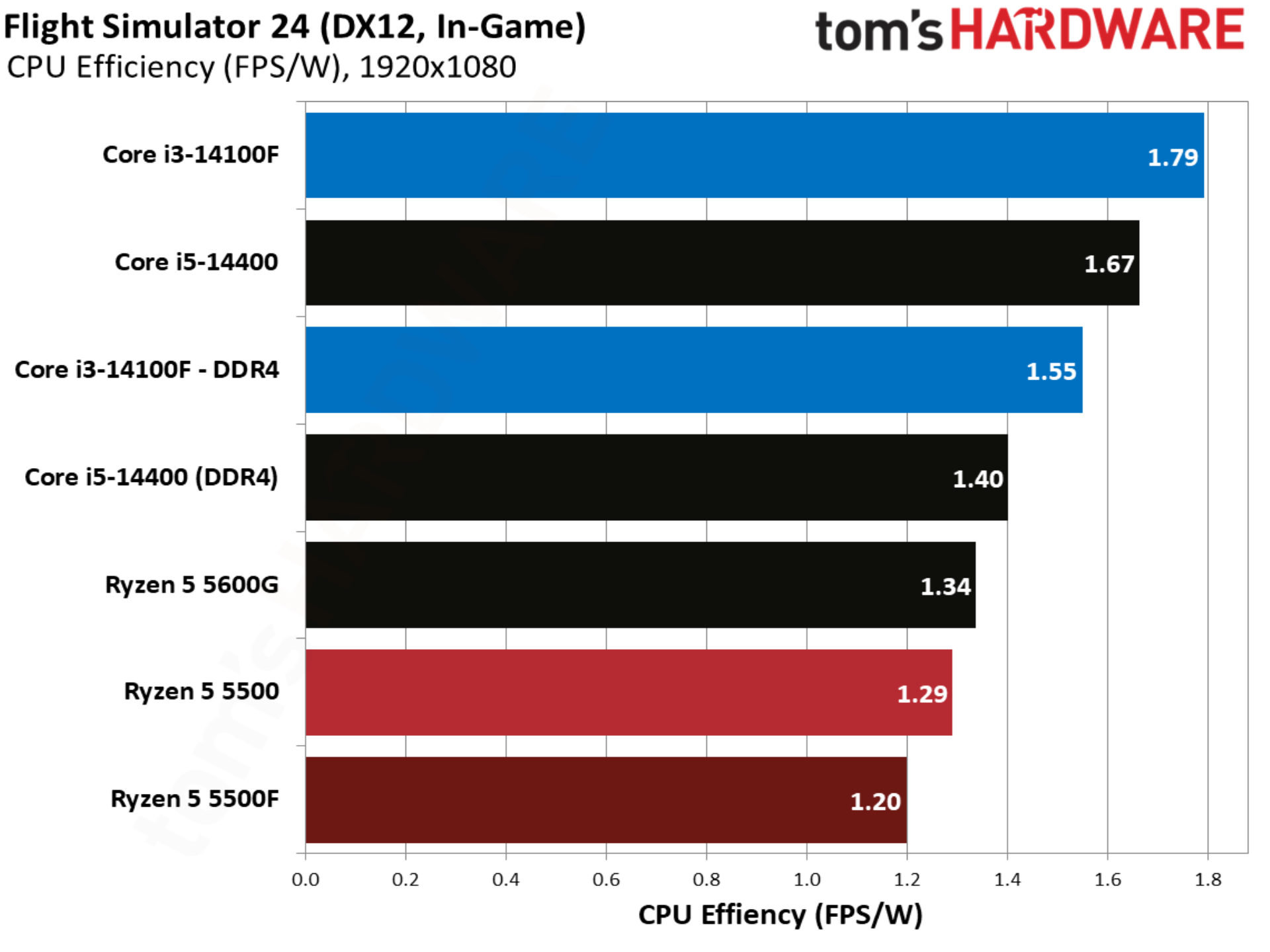
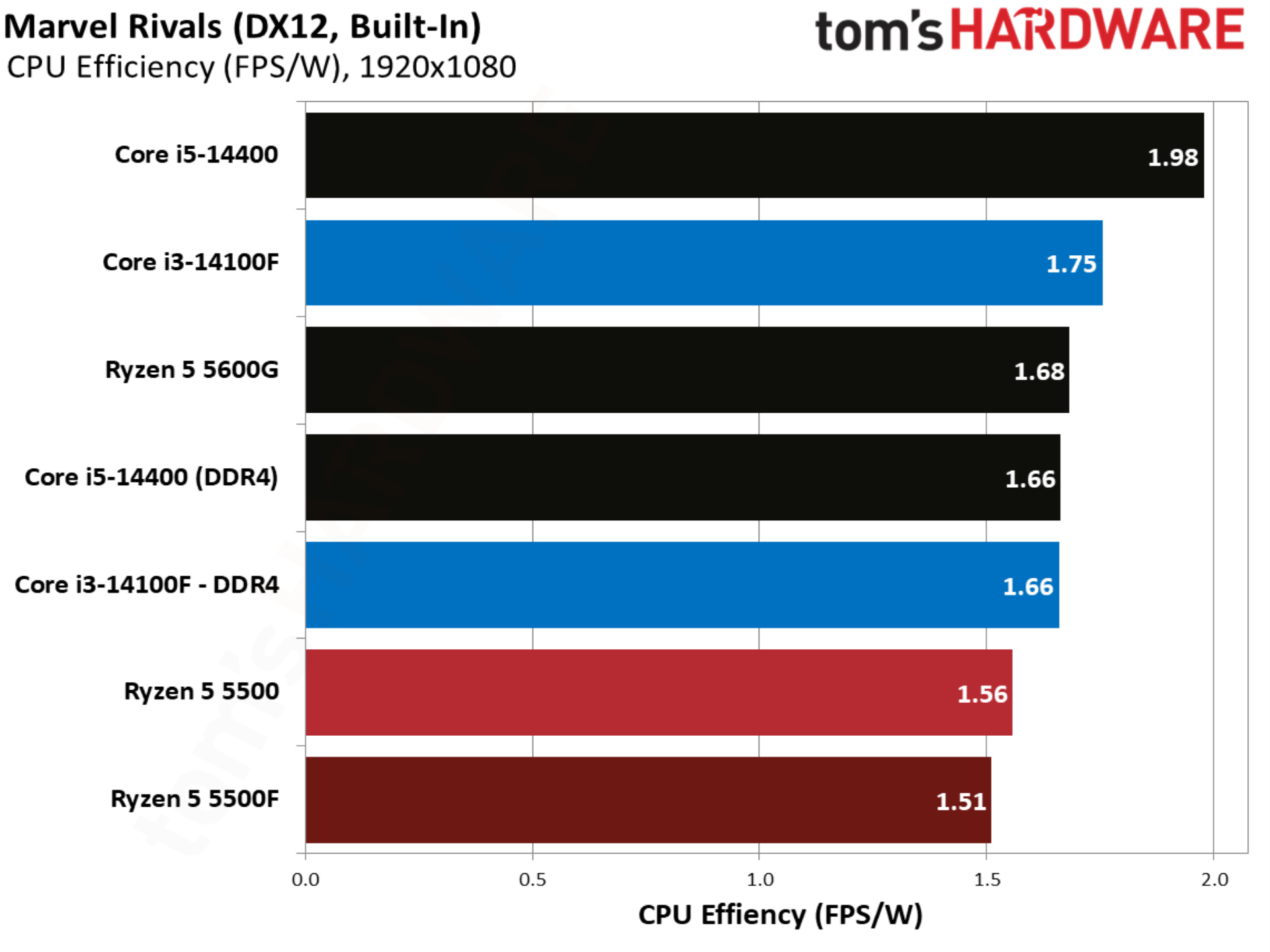
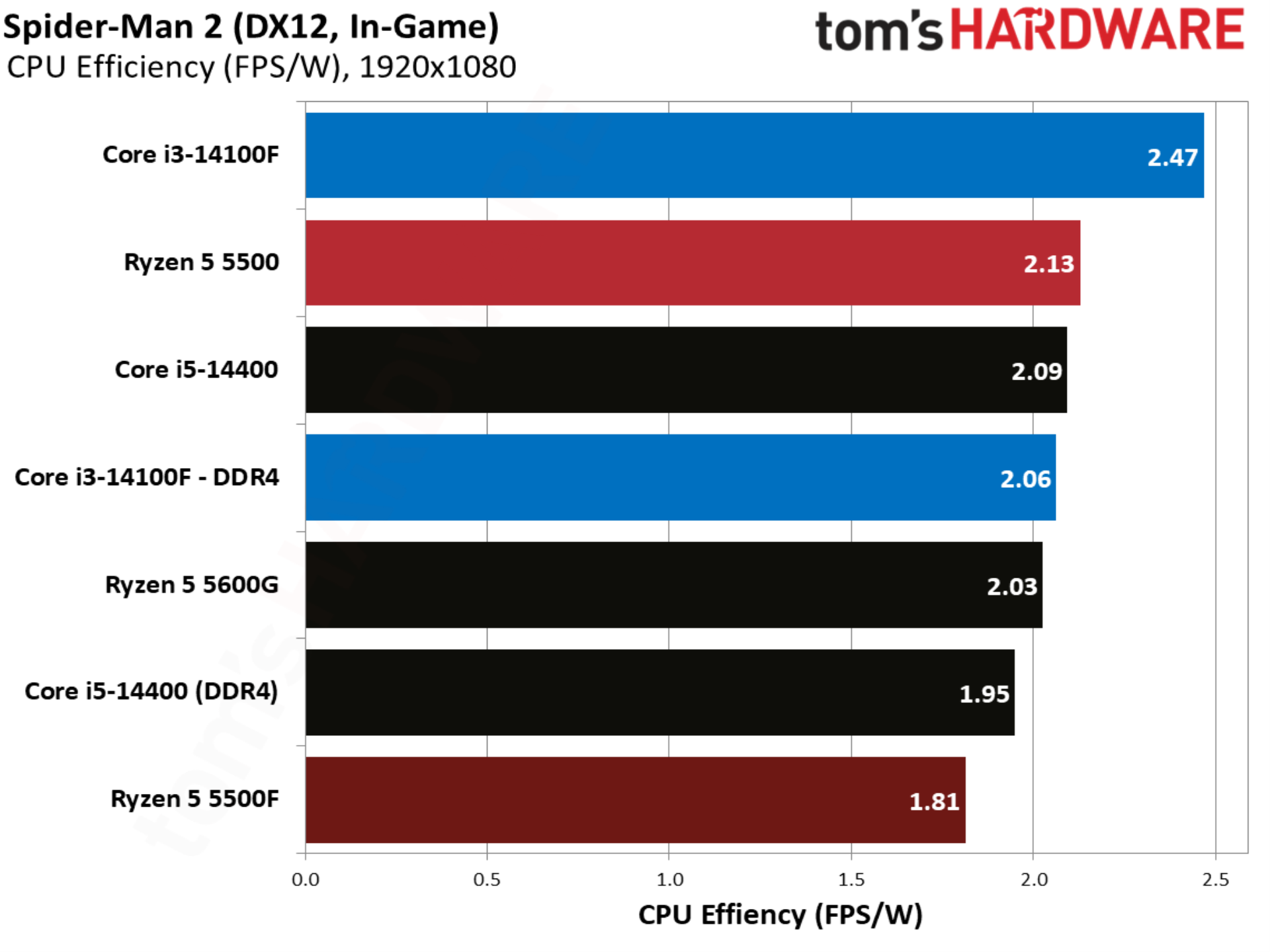
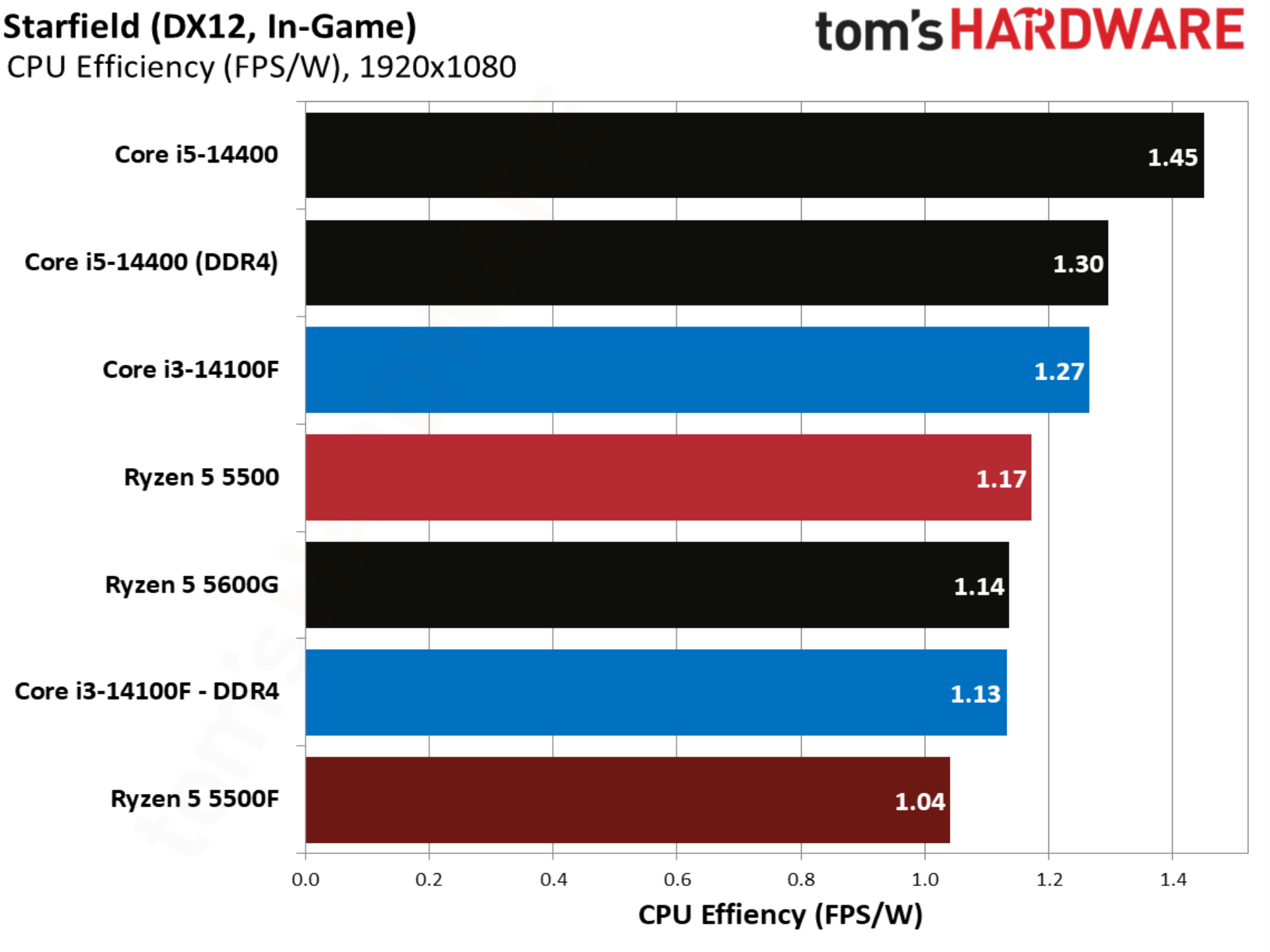
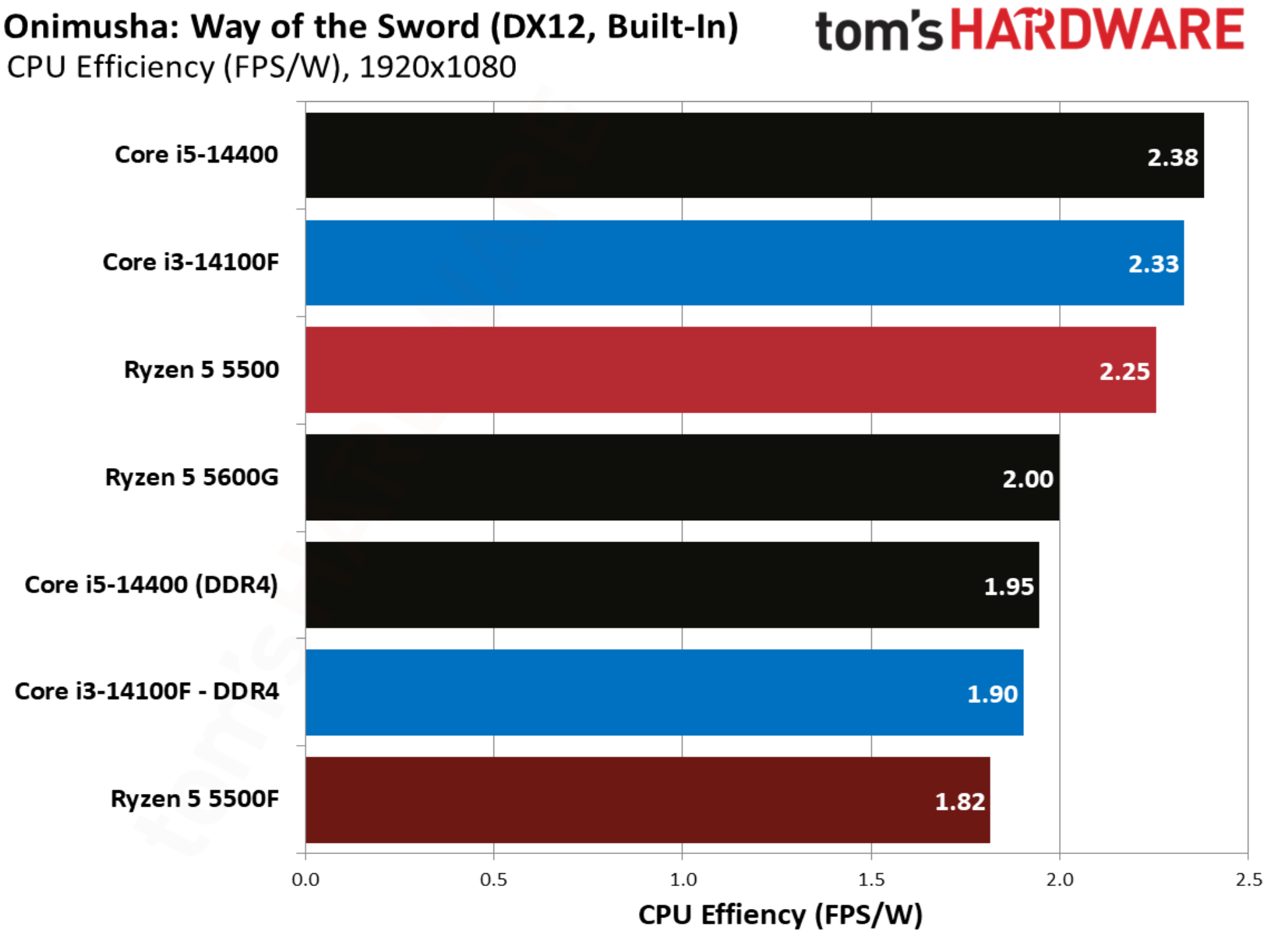
Given that the 5500F ramps up power, it’s less efficient as a result. Perhaps efficiency is important if you plan on using one of these CPUs around the clock in areas with high electricity prices, but in the context of gaming, the power difference isn’t big. It’s less than what a phone consumes with fast charging.

007 First Light benchmarks
007 First Light benchmarks
Tom's Hardware
007 First Light benchmarks
Tom's Hardware
007 First Light benchmarks
Tom's Hardware
007 First Light benchmarks
Tom's Hardware
007 First Light benchmarks
Tom's Hardware

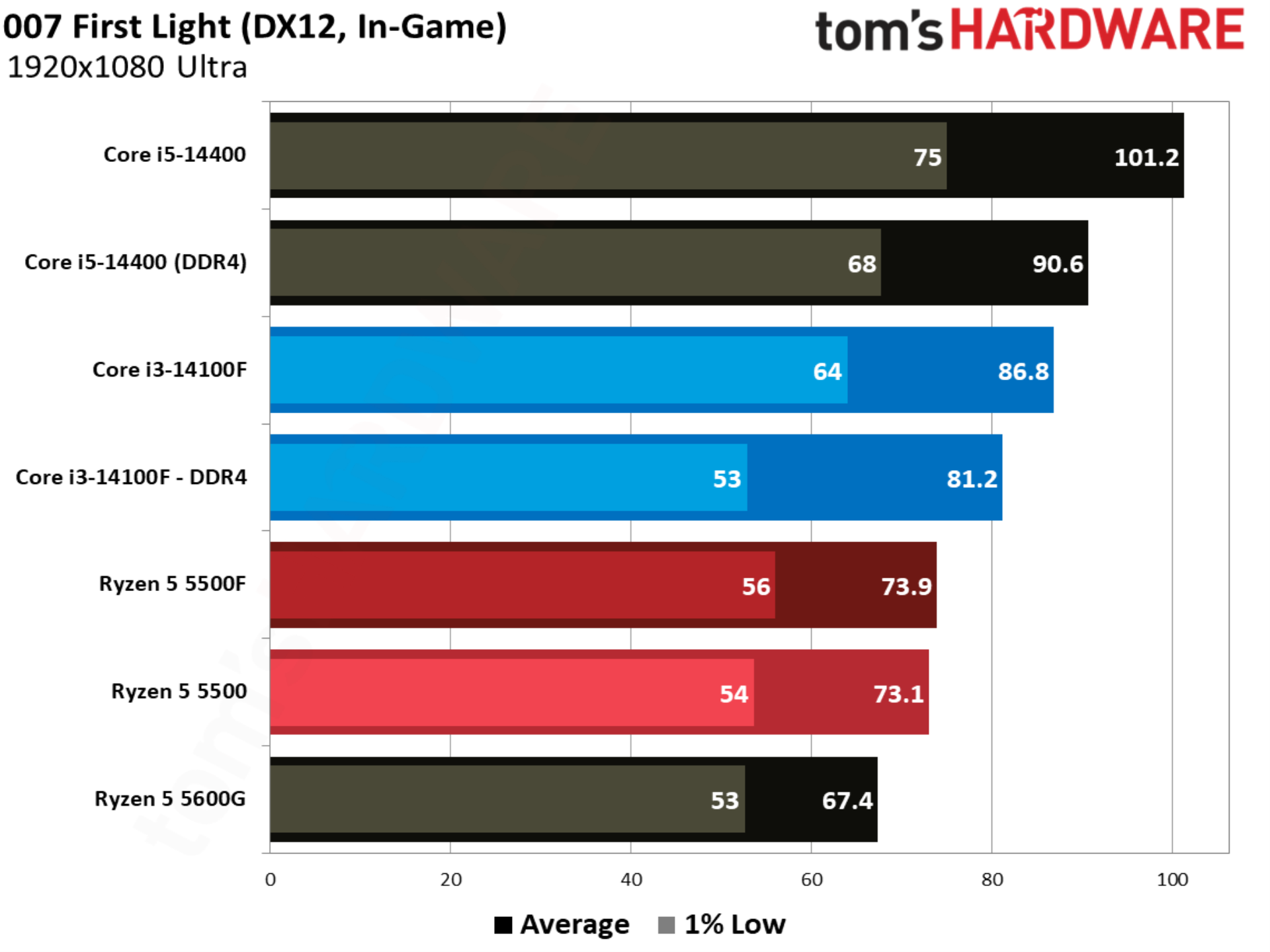
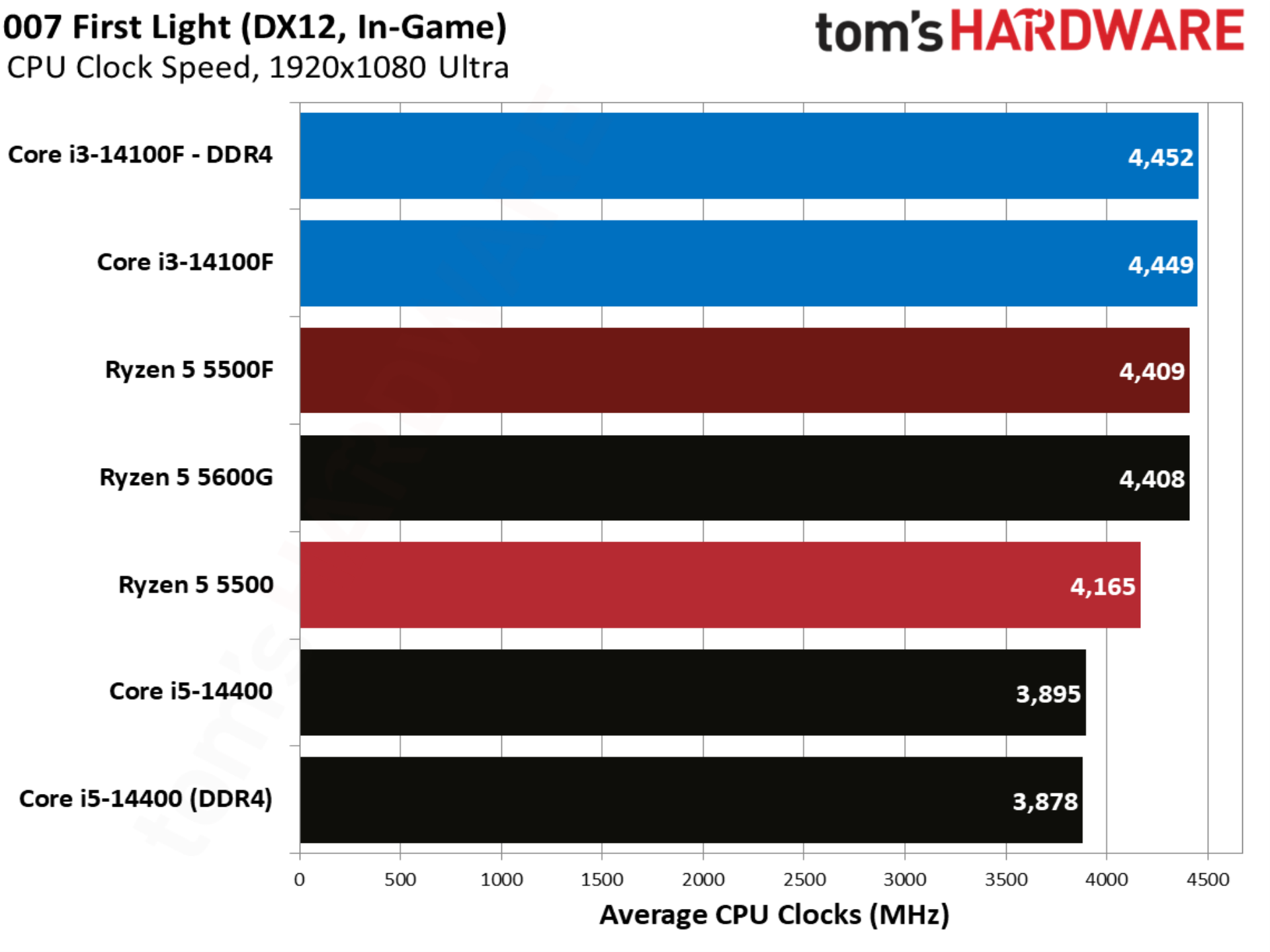
007 First Light kicks off our individual game tests, and it happens to be one of the stranger results in our test pool. There was virtually no movement between the Ryzen 5 5500 and Ryzen 5 5500F, despite a jump in power with the 5500F. This is clearly an outlier in our suite, which will become clear as we go through the other games.

Baldur’s Gate 3 benchmarks
Baldur’s Gate 3 benchmarks
Tom's Hardware
Baldur’s Gate 3 benchmarks
Tom's Hardware
Baldur’s Gate 3 benchmarks
Tom's Hardware
Baldur’s Gate 3 benchmarks
Tom's Hardware
Baldur’s Gate 3 benchmarks
Tom's Hardware

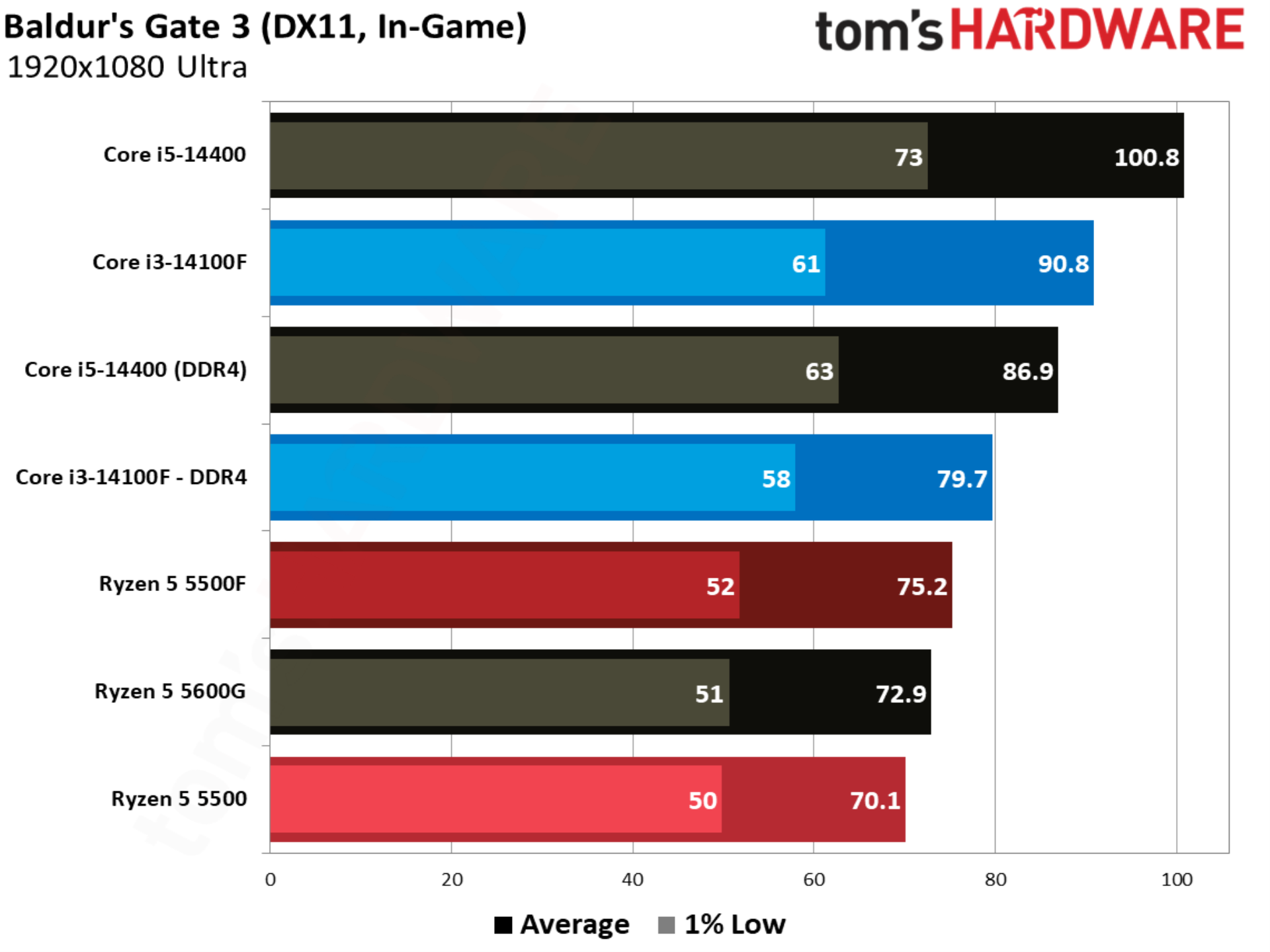
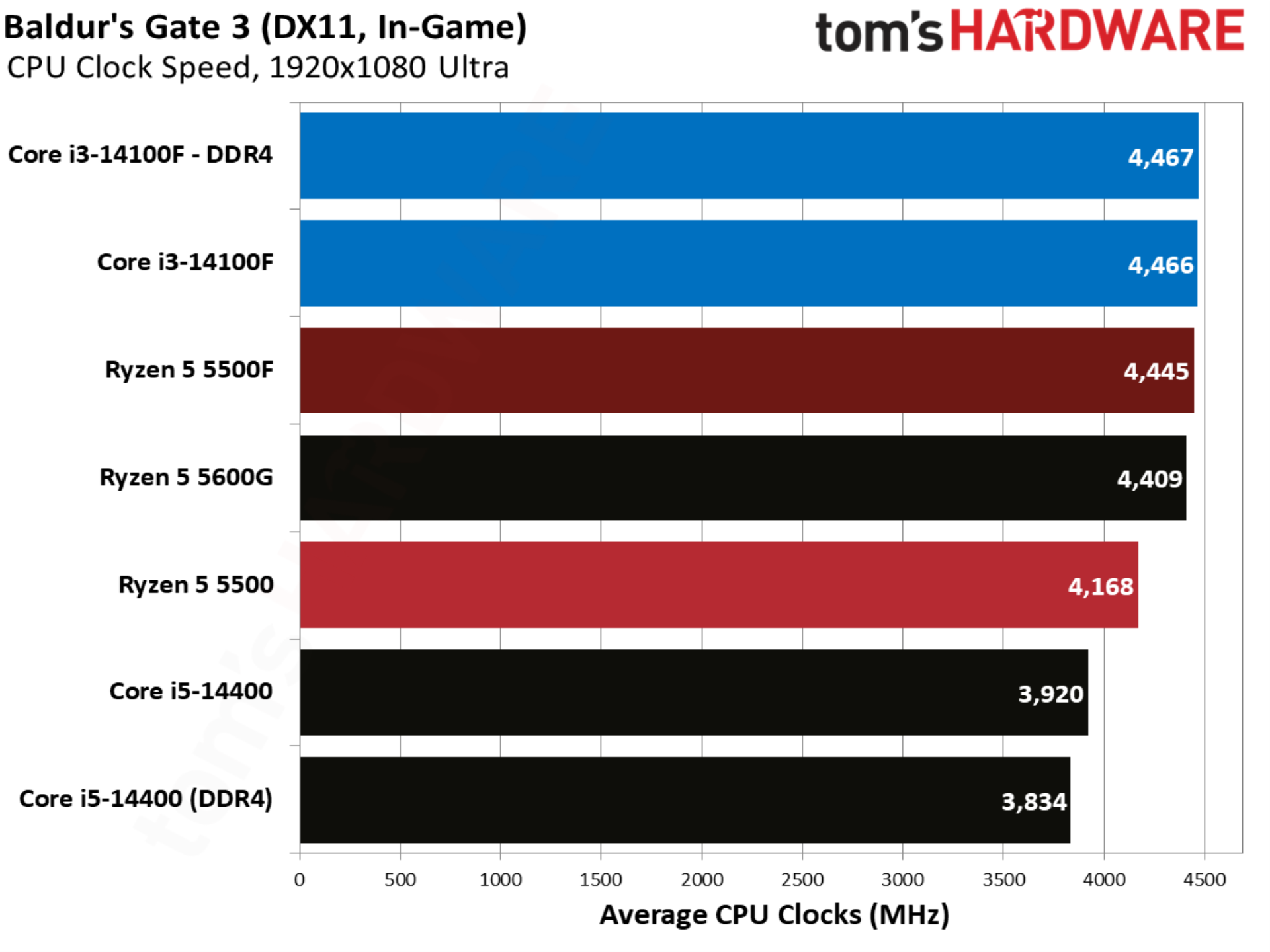
Baldur’s Gate 3 aligns more closely with our geomean, with the 5500F outpacing the 5500 by 7.2%. Intel still leads, however, with the Core i3-14100F beating out the 5500F by 5.9% and 5500 by 13.6%.

Cities Skylines 2 benchmarks
Cities Skylines 2 benchmarks
Tom's Hardware
Cities Skylines 2 benchmarks
Tom's Hardware
Cities Skylines 2 benchmarks
Tom's Hardware
Cities Skylines 2 benchmarks
Tom's Hardware
Cities Skylines 2 benchmarks
Tom's Hardware

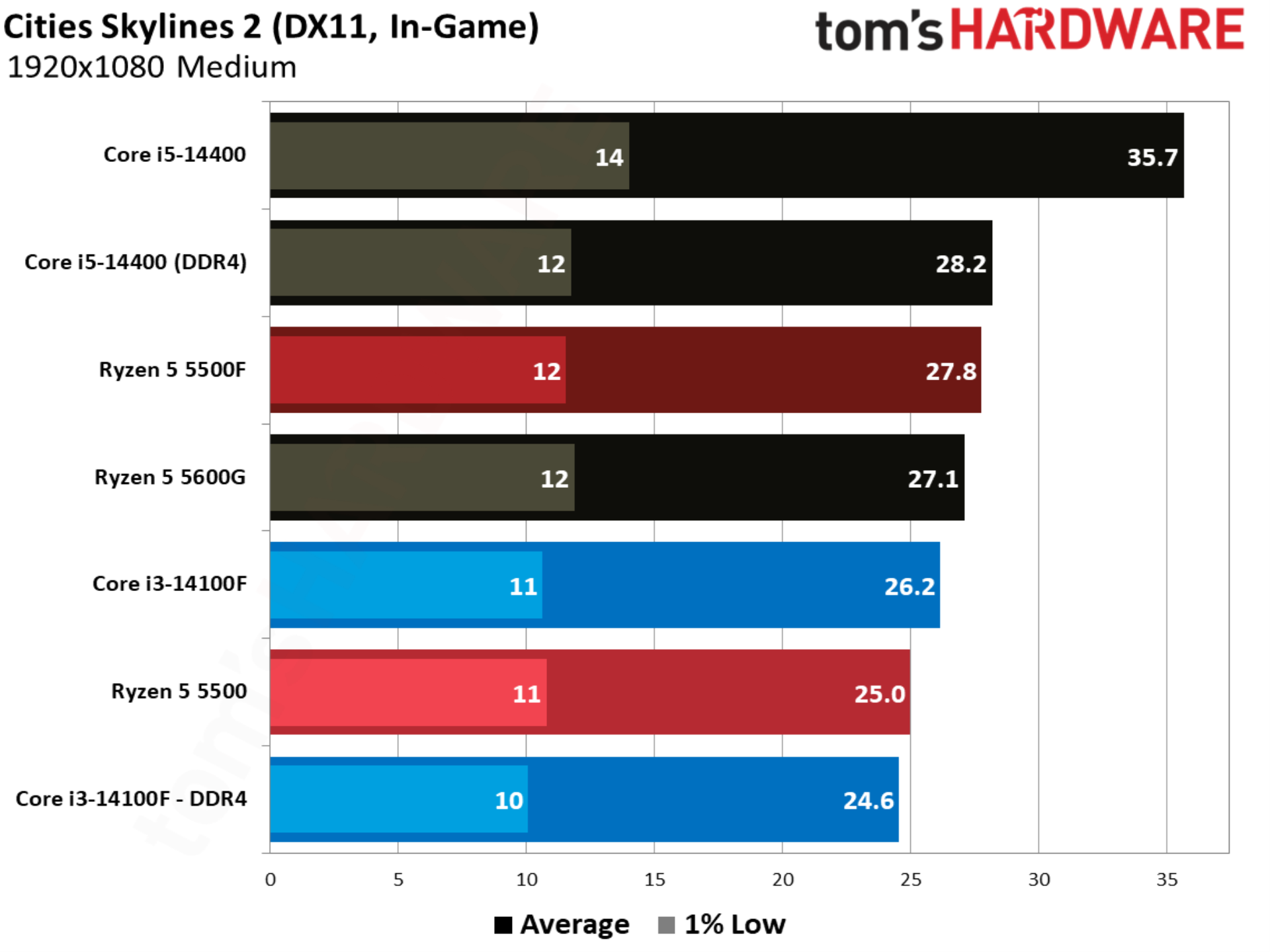
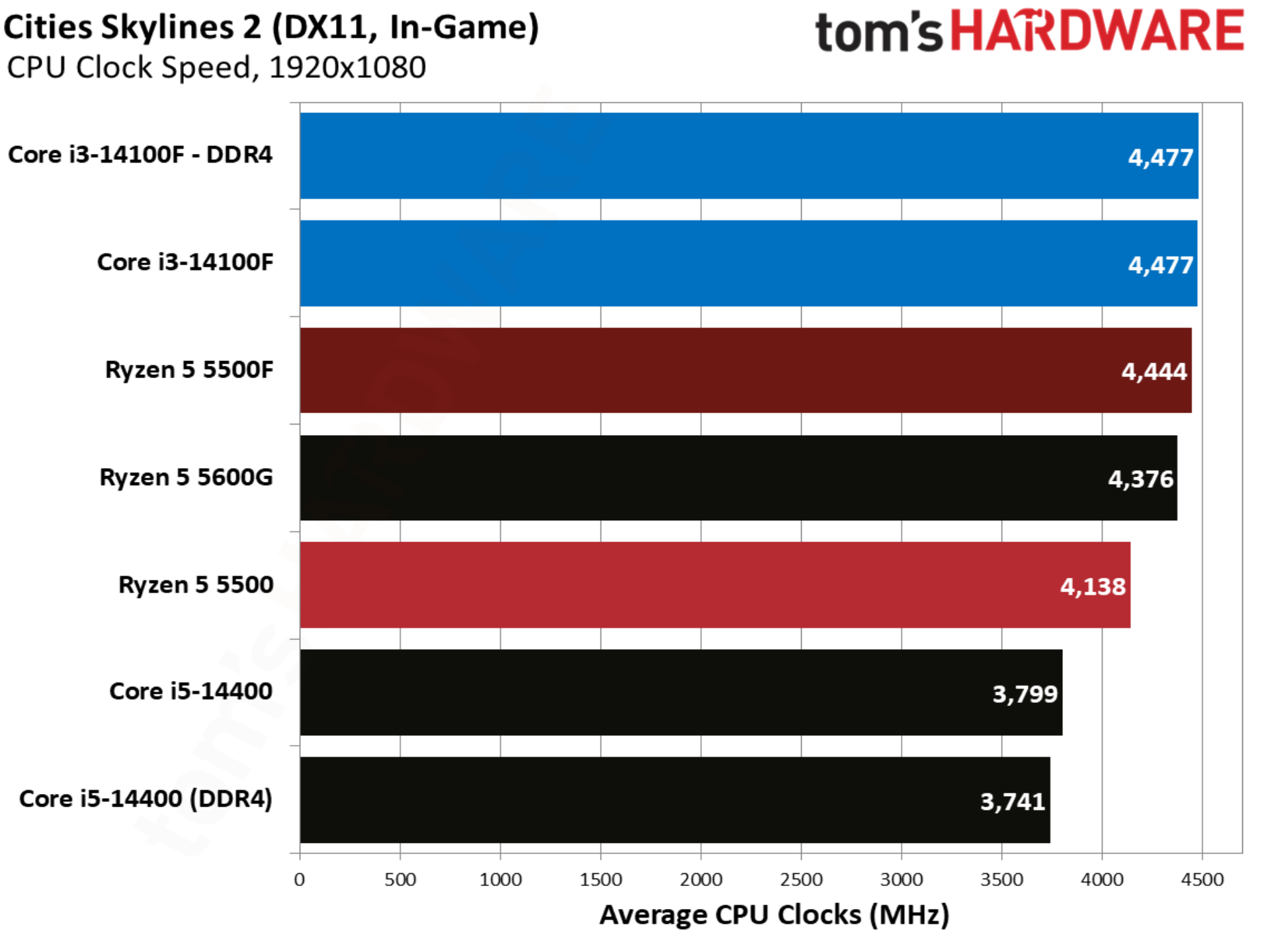
Cities Skylines 2 showcases an aspect of gaming performance that’s often overlooked, which is raw CPU compute. Here, we have a fully built city with a population of over one million people, stressing core count, clock speed, and memory capabilities. Although we only have a handful of chips here, the Core i5-14400 with DDR5 provides some important context for how this benchmark stresses different aspects of the system.

Crimson Desert benchmarks
Crimson Desert benchmarks
Tom's Hardware
Crimson Desert benchmarks
Tom's Hardware
Crimson Desert benchmarks
Tom's Hardware
Crimson Desert benchmarks
Tom's Hardware
Crimson Desert benchmarks
Tom's Hardware

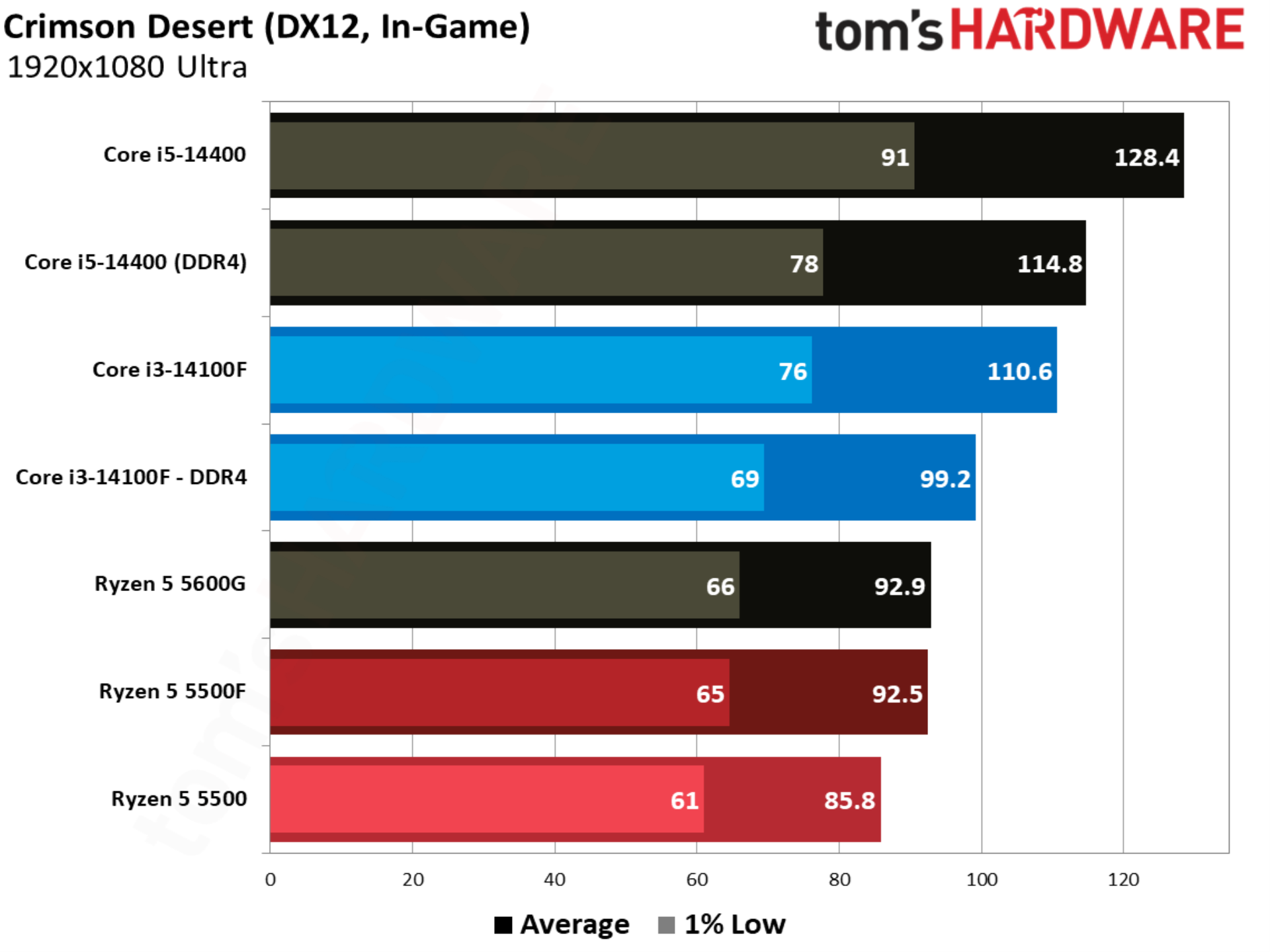
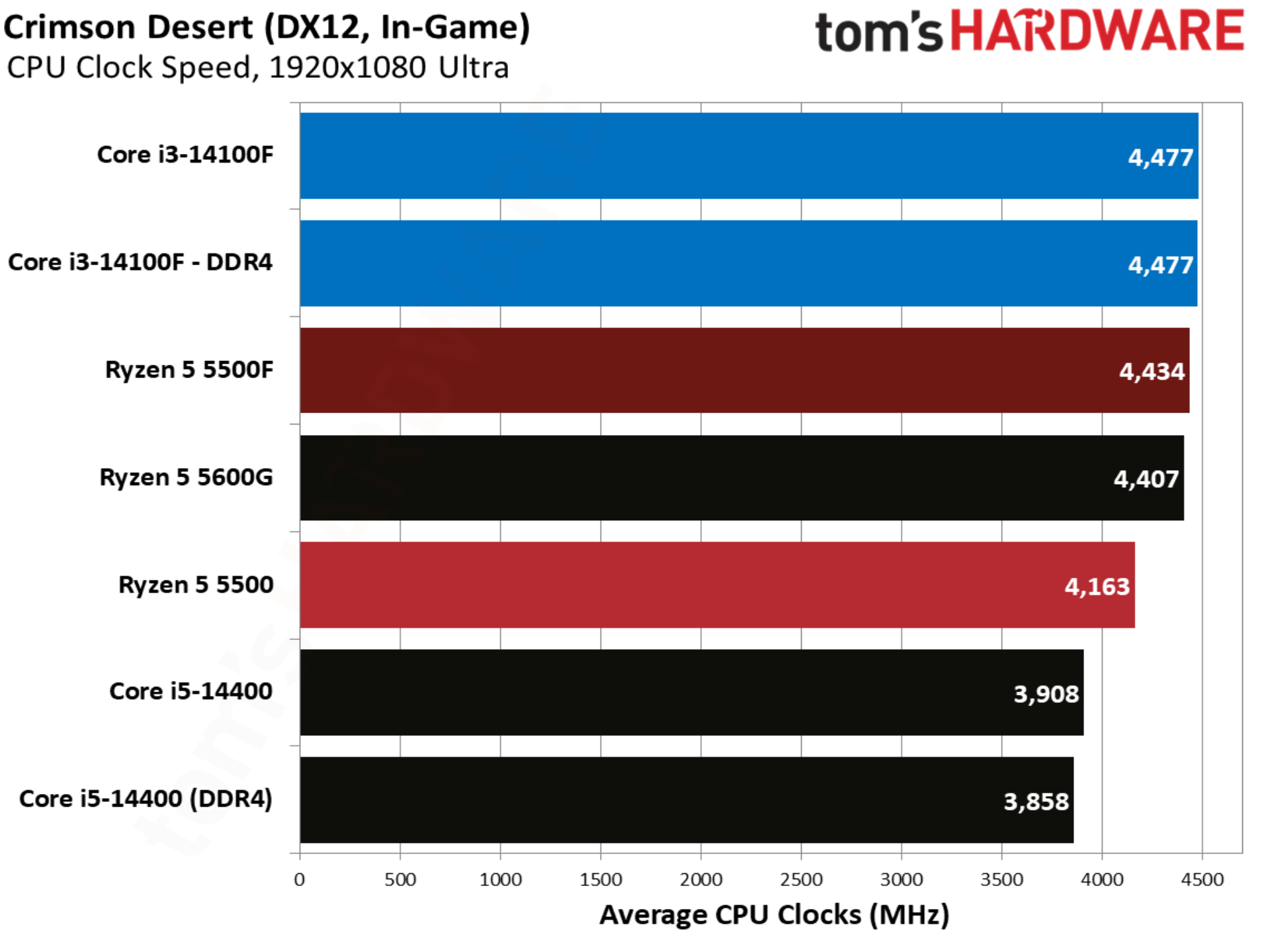
Crimson Desert and its proprietary engine are remarkably well optimized, enough so to allow every CPU in our test suite to maintain a playable frame rate, even with Ultra settings. The 5500F is 7.8% faster than the 5500, though the Core i3-14100F still leads in performance, even when paired with DDR4.

Counter-Strike 2 benchmarks
Counter-Strike 2 benchmarks
Future
Counter-Strike 2 benchmarks
Future
Counter-Strike 2 benchmarks
Future
Counter-Strike 2 benchmarks
Future
Counter-Strike 2 benchmarks
Future

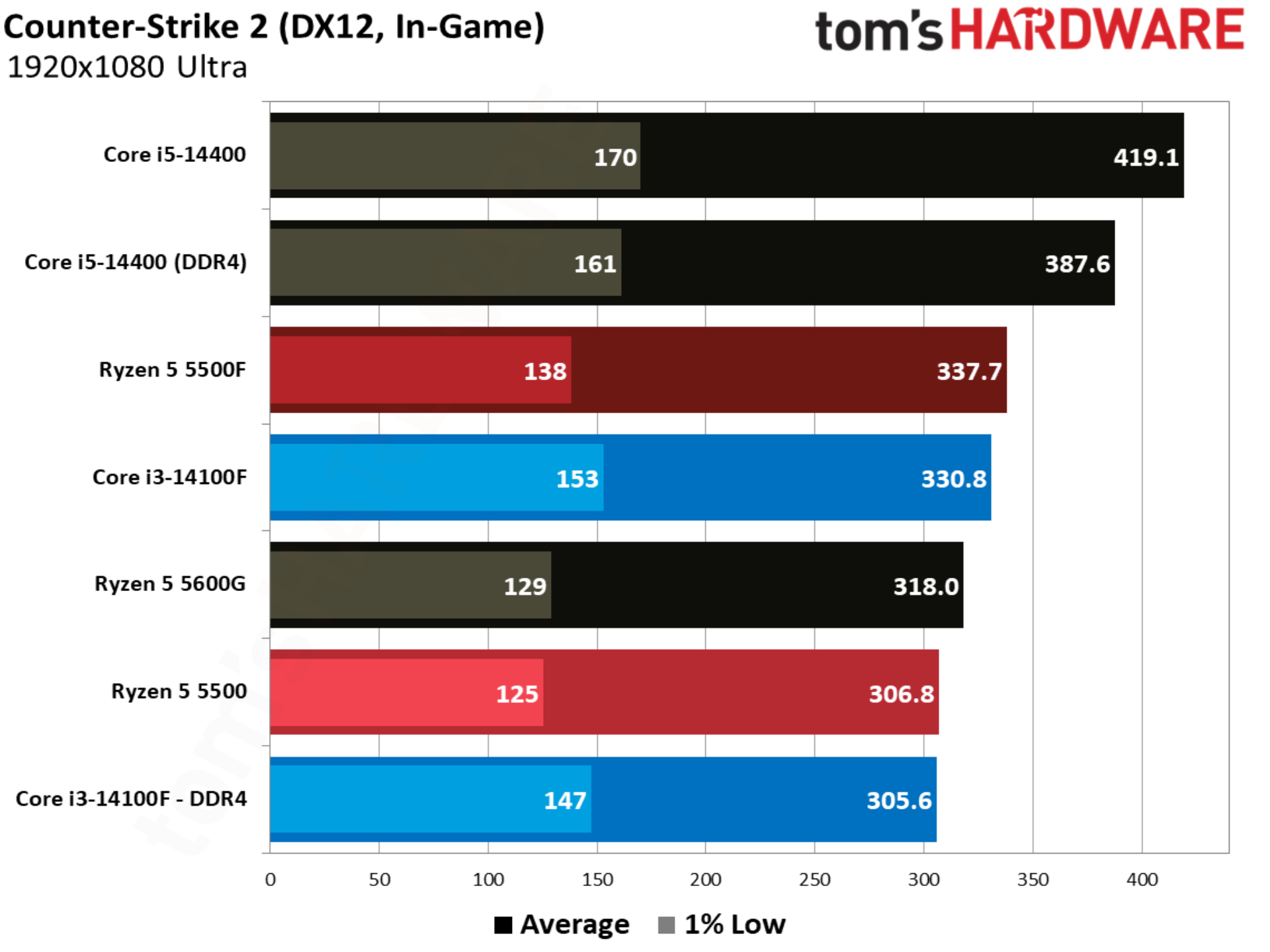
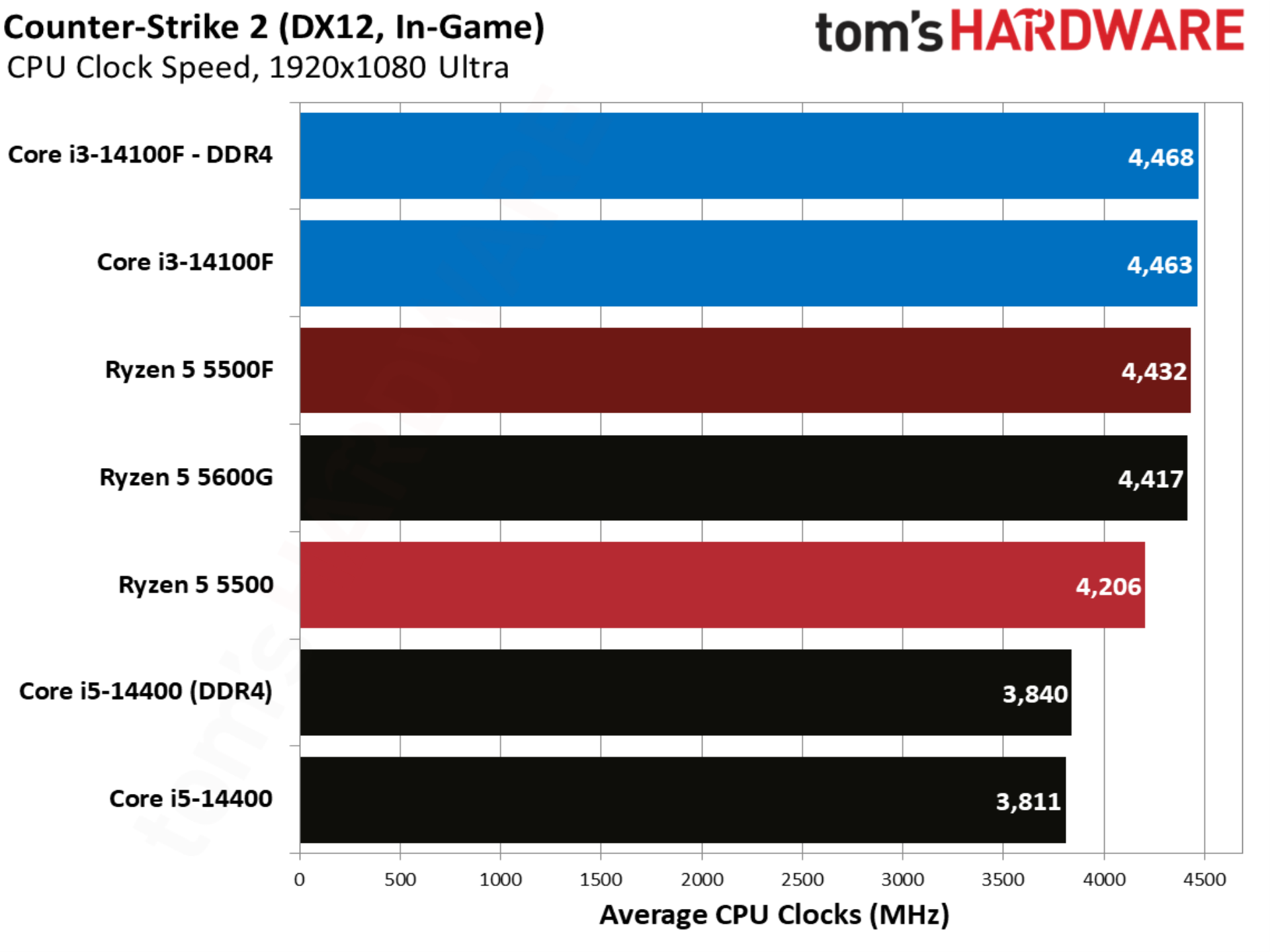
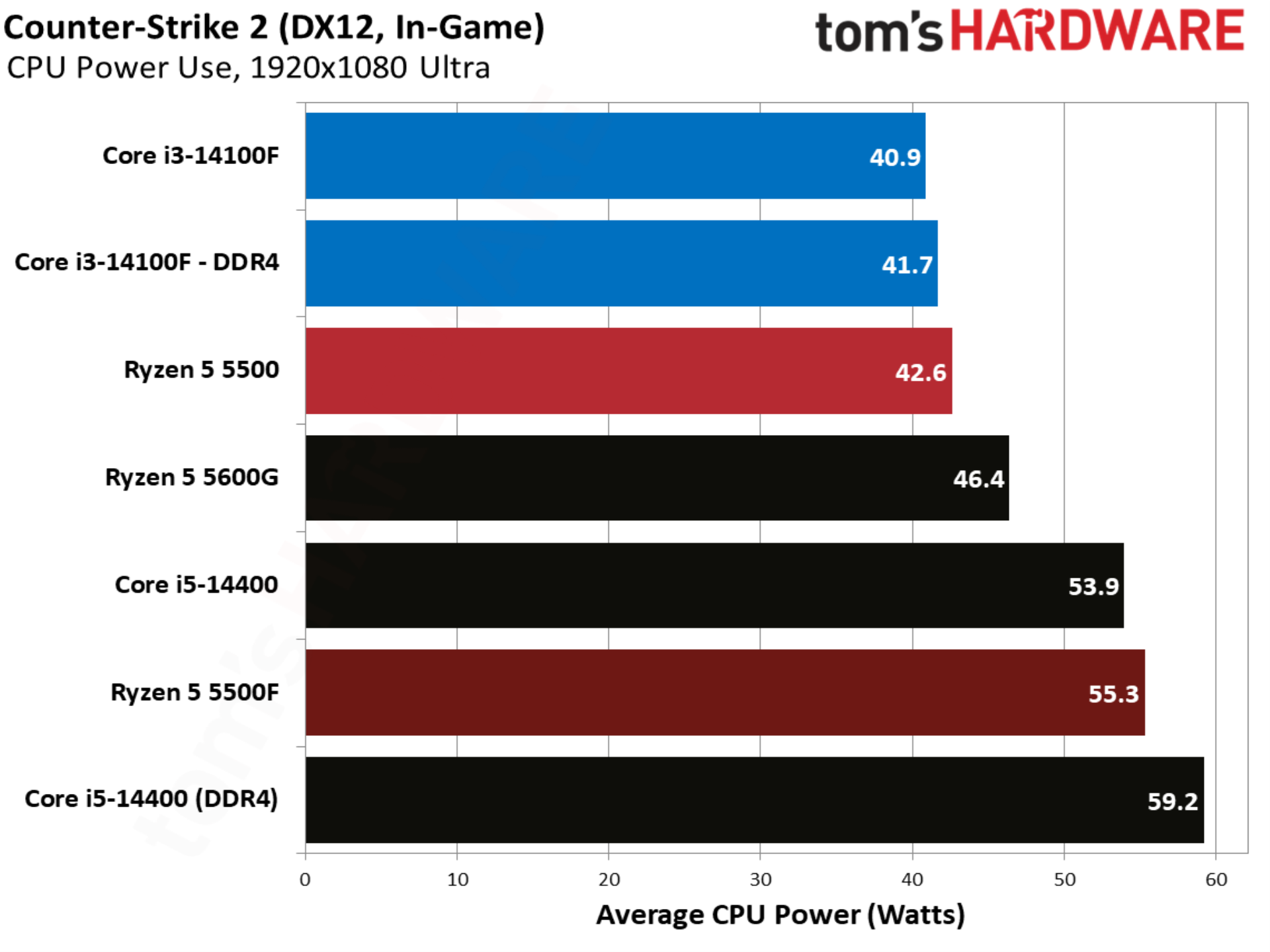
Counter-Strike 2 shows the first major upset of our test suite, with the Ryzen 5 5500F winning out over the other CPUs we’re focused on; once again, the Core i5-14400 is mostly included for context. Although the 5500F beats out even the Core i3-14100F paired with DDR5, it suffers in the 1% lows, with even the Core i3-14100F paired with DDR4 offering better 1% low performance.

Cyberpunk 2077 benchmarks
Cyberpunk 2077 benchmarks
Tom's Hardware
Cyberpunk 2077 benchmarks
Tom's Hardware
Cyberpunk 2077 benchmarks
Tom's Hardware
Cyberpunk 2077 benchmarks
Tom's Hardware
Cyberpunk 2077 benchmarks
Tom's Hardware

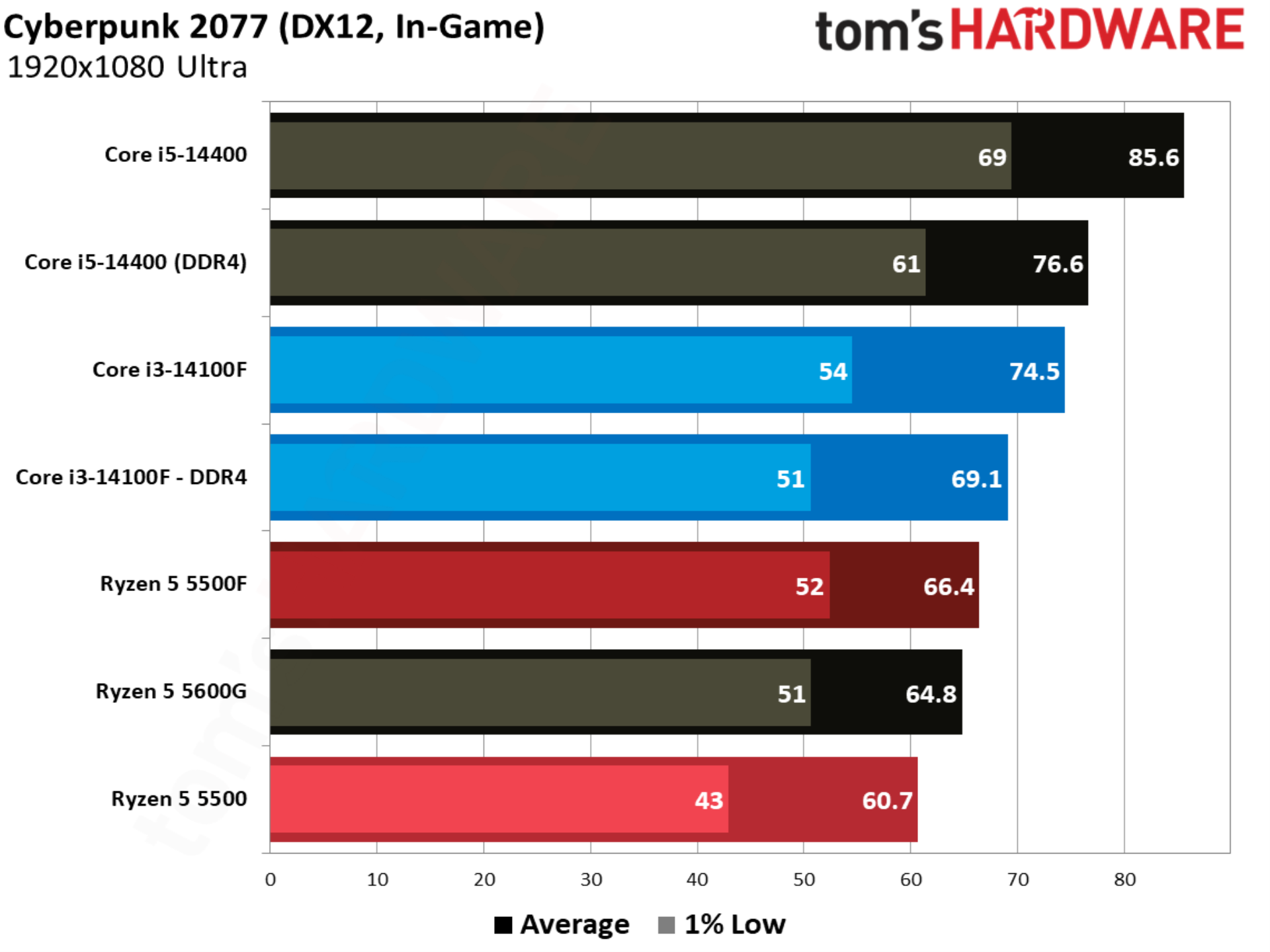
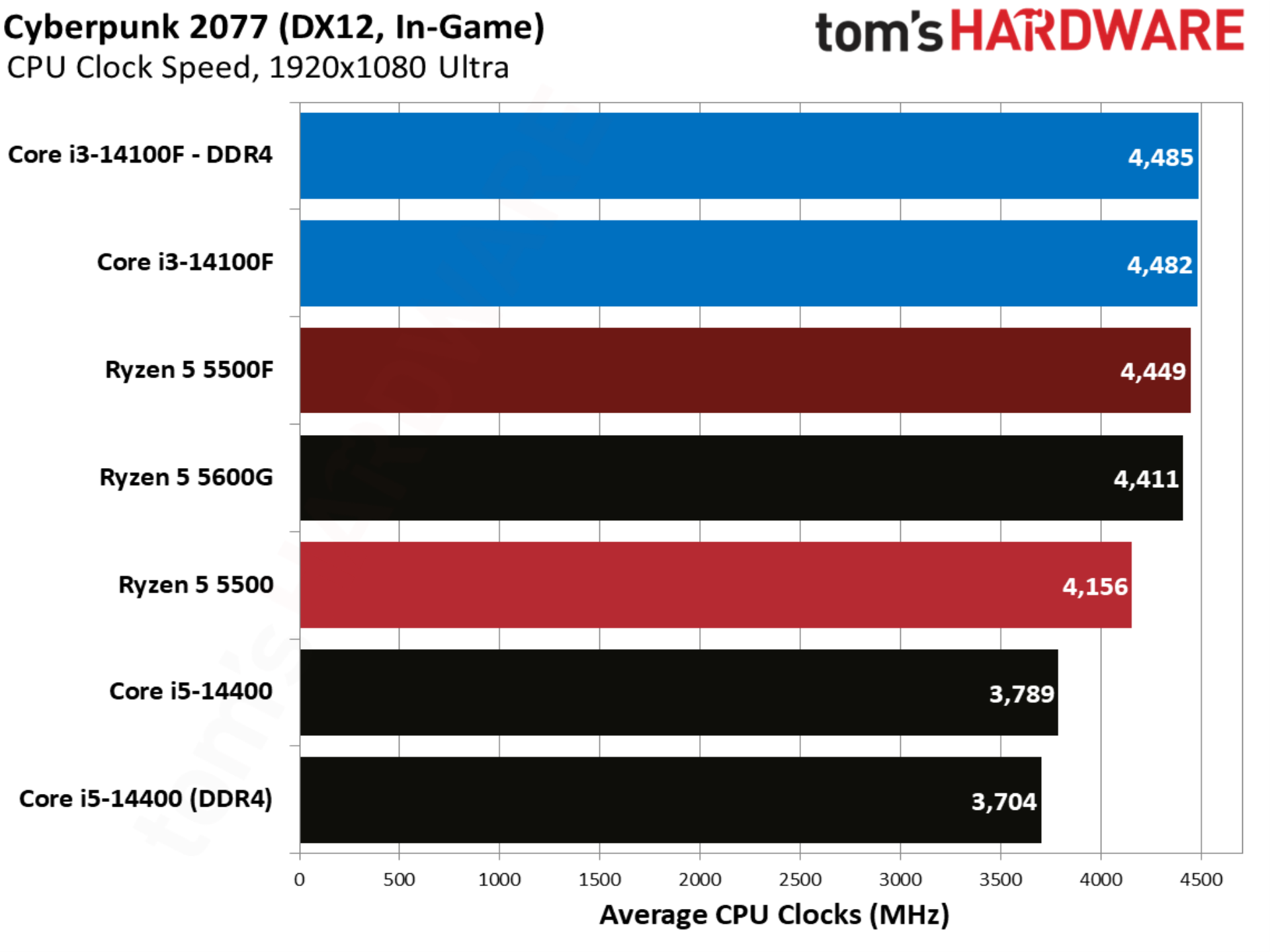
One of the better showcases of the Ryzen 5 5500F, Cyberpunk 2077 shows the CPU up 9.2% compared to the base 5500. Intel still leads with the Core i3-14100F, though with a smaller 4.1% margin. Compared to the base 5500, the Core i3-14100F is 13.8% ahead.

The Blood of Dawnwalker benchmarks
The Blood of Dawnwalker benchmarks
Tom's Hardware
The Blood of Dawnwalker benchmarks
Tom's Hardware
The Blood of Dawnwalker benchmarks
Tom's Hardware
The Blood of Dawnwalker benchmarks
Tom's Hardware
The Blood of Dawnwalker benchmarks
Tom's Hardware

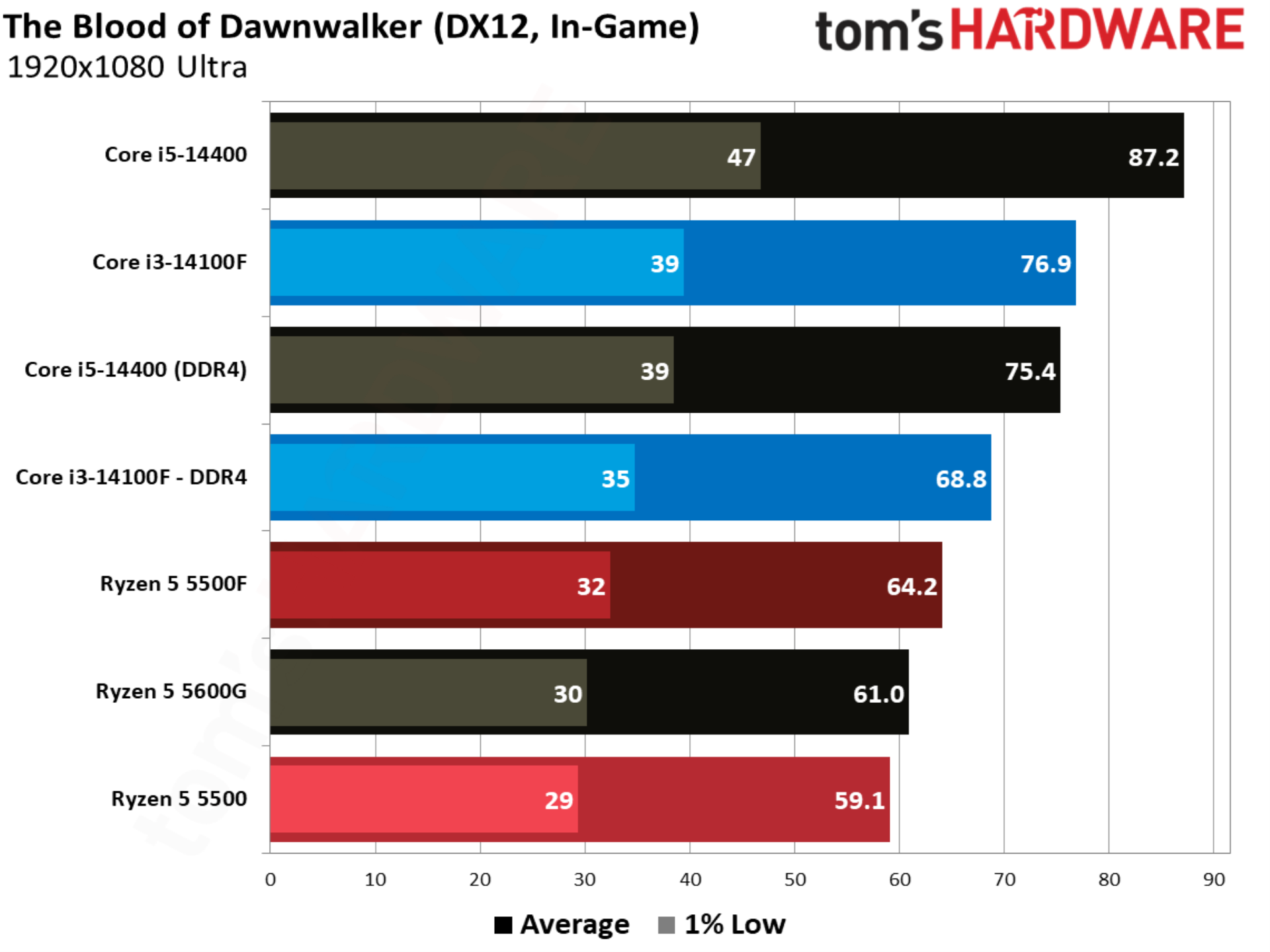
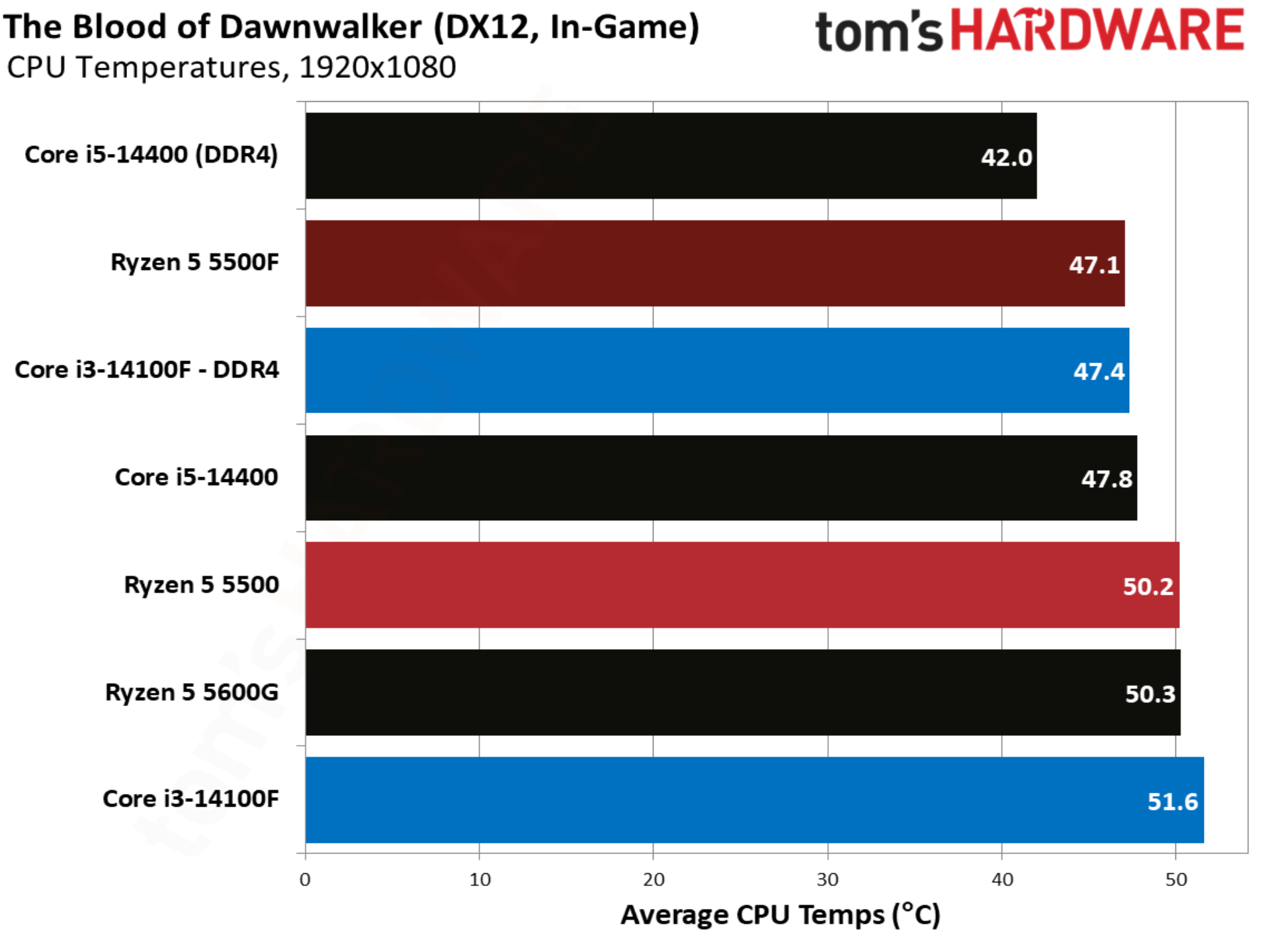
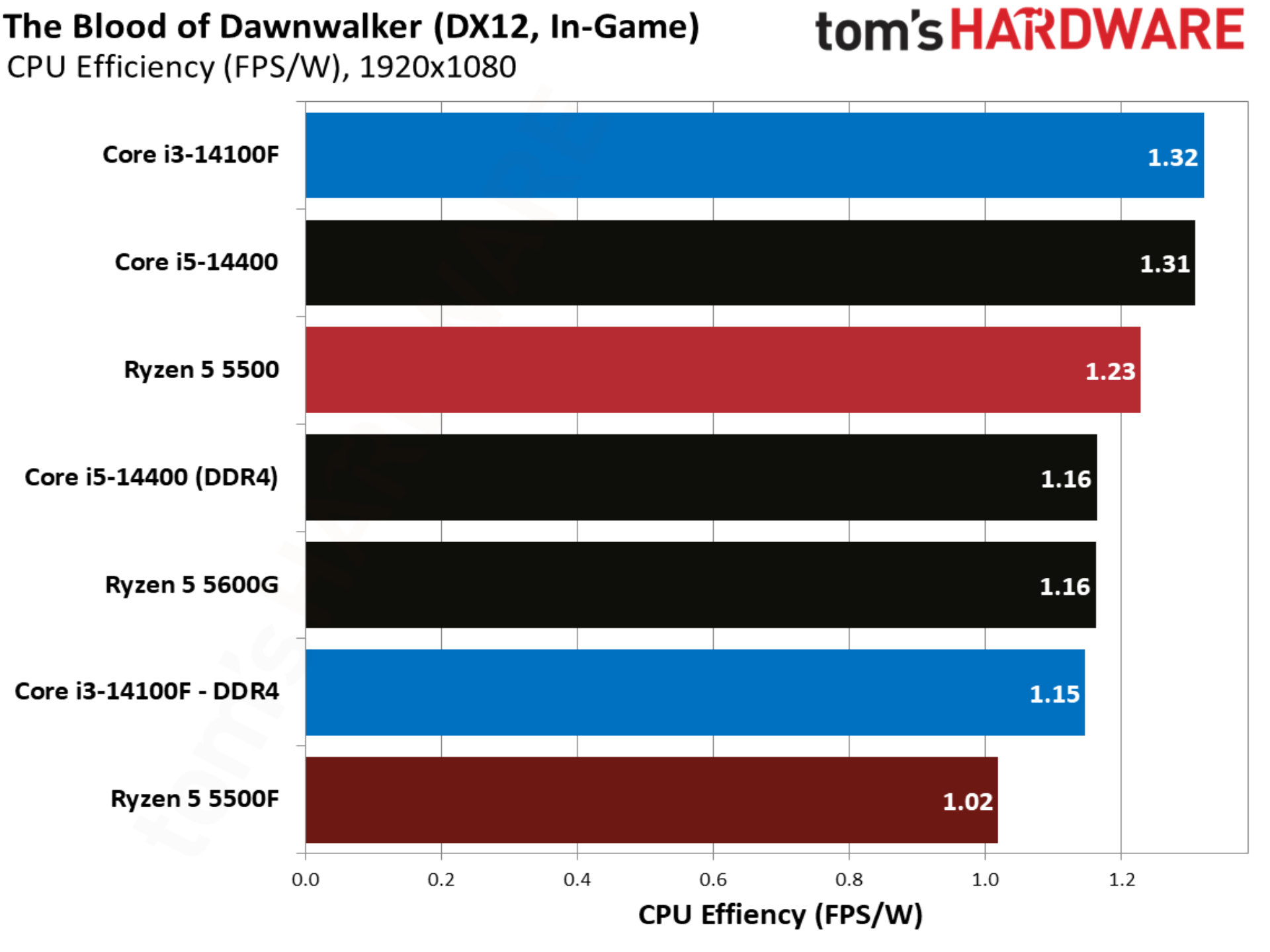
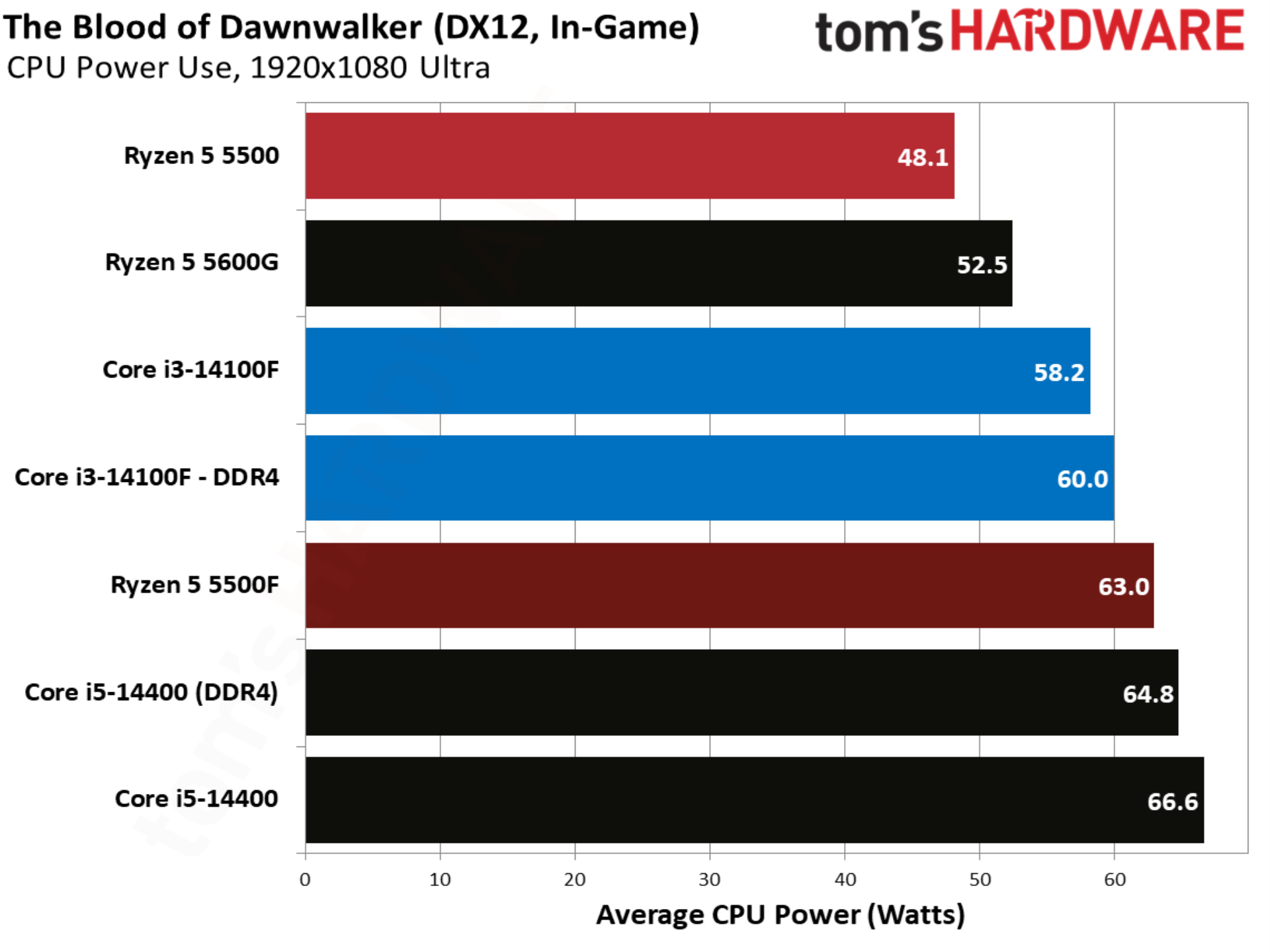
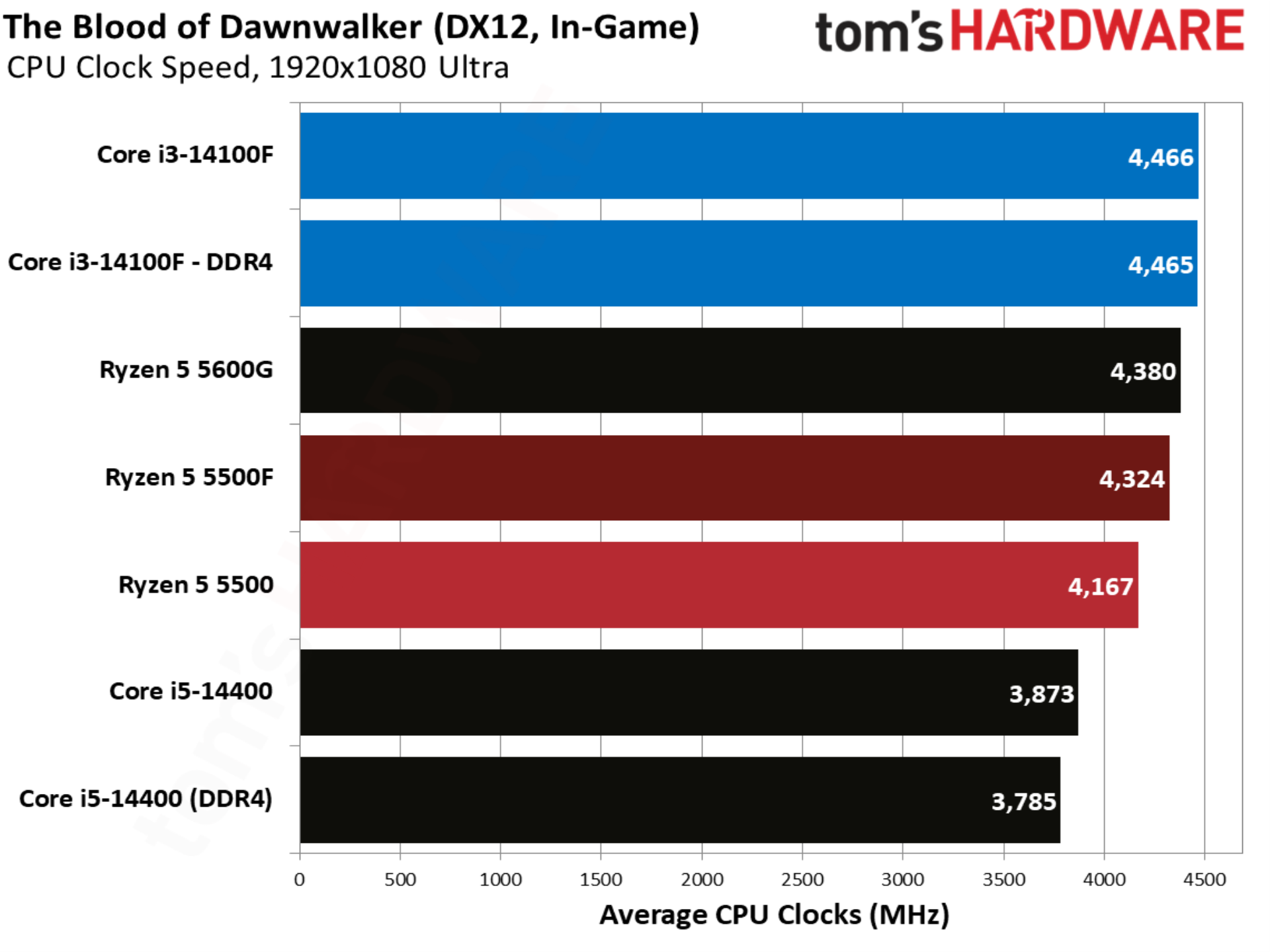
The newest addition to our test suite is the UE5-based The Blood of Dawnwalker, and in particular a trot through a dense city in the middle of the game’s map, notorious for ramping CPU usage and introducing stuttering. The 5500F comes out on top by over 8% compared to the base 5500, but once again Intel leads with the Core i3-14100F.

F1 2024 benchmarks
F1 2024 benchmarks
Tom's Hardware
F1 2024 benchmarks
Tom's Hardware
F1 2024 benchmarks
Tom's Hardware
F1 2024 benchmarks
Tom's Hardware
F1 2024 benchmarks
Tom's Hardware

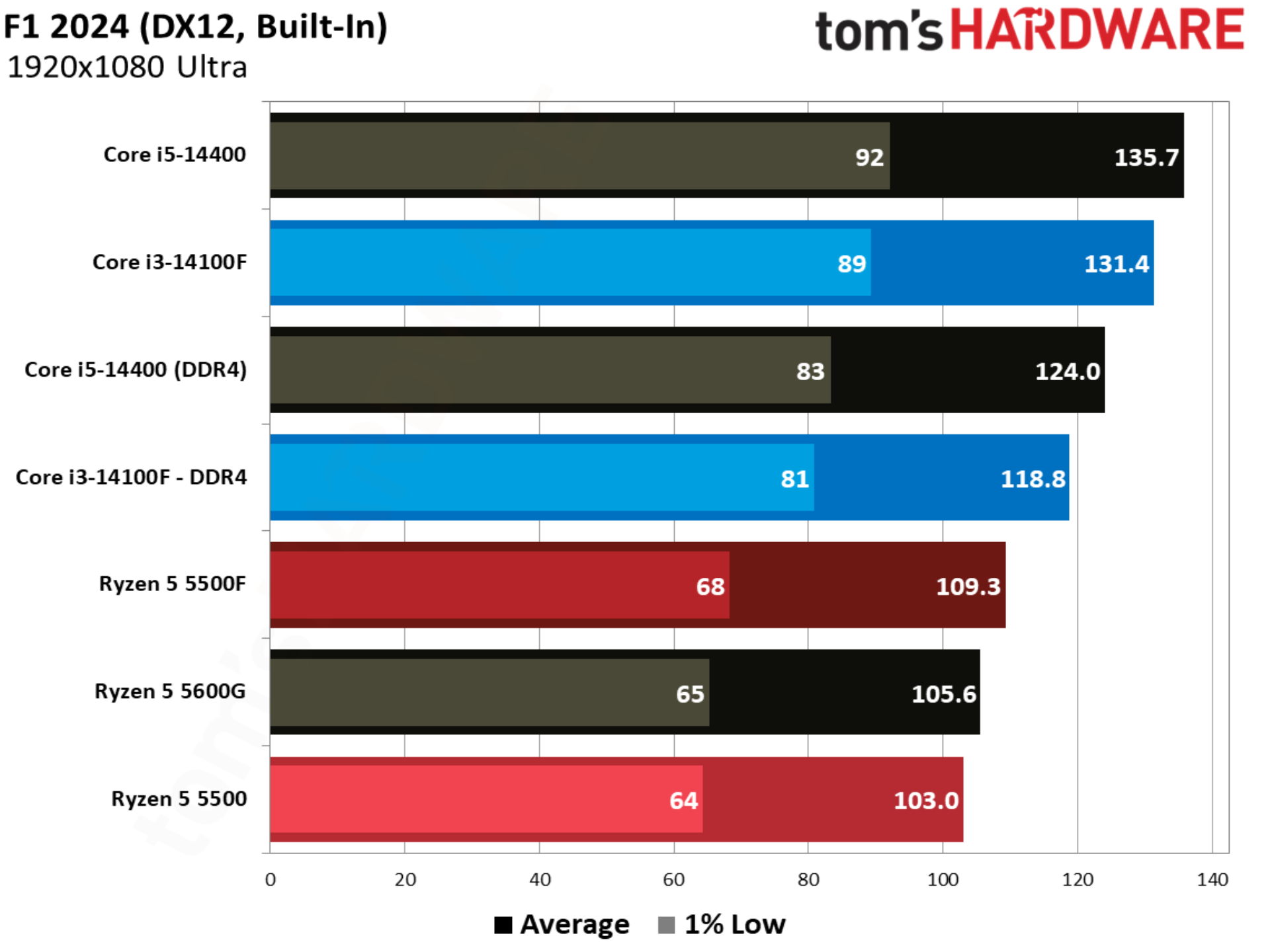
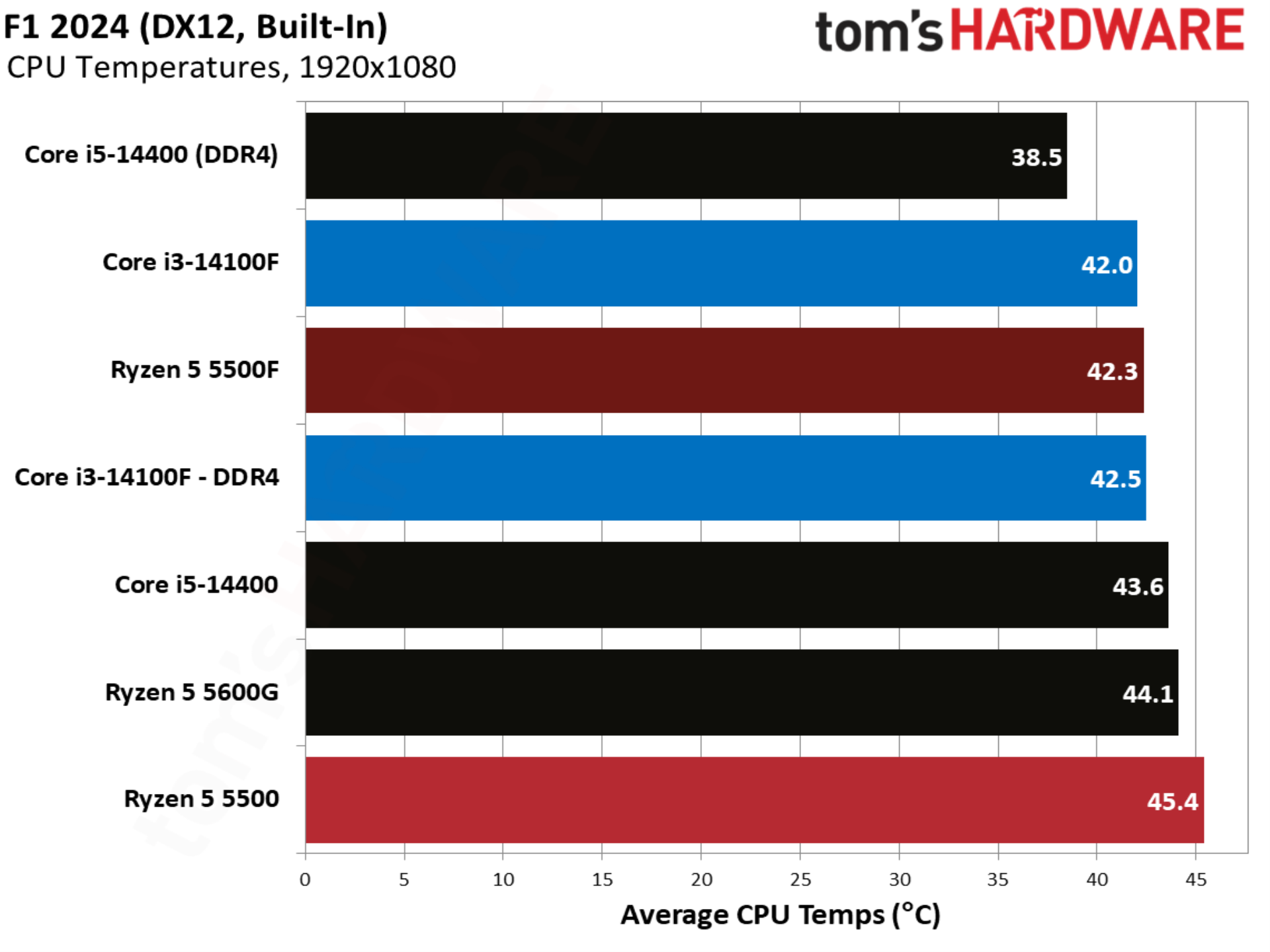
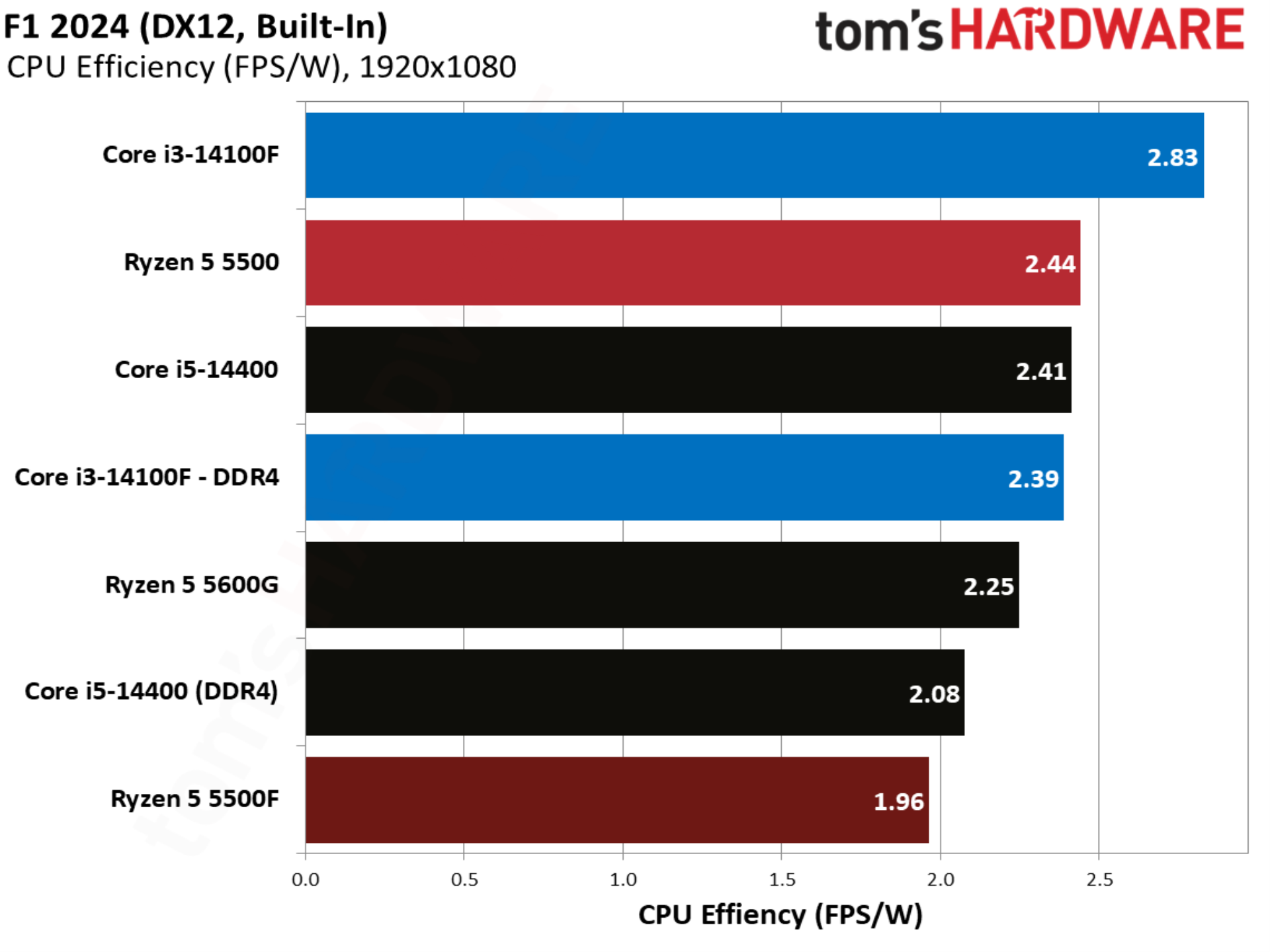
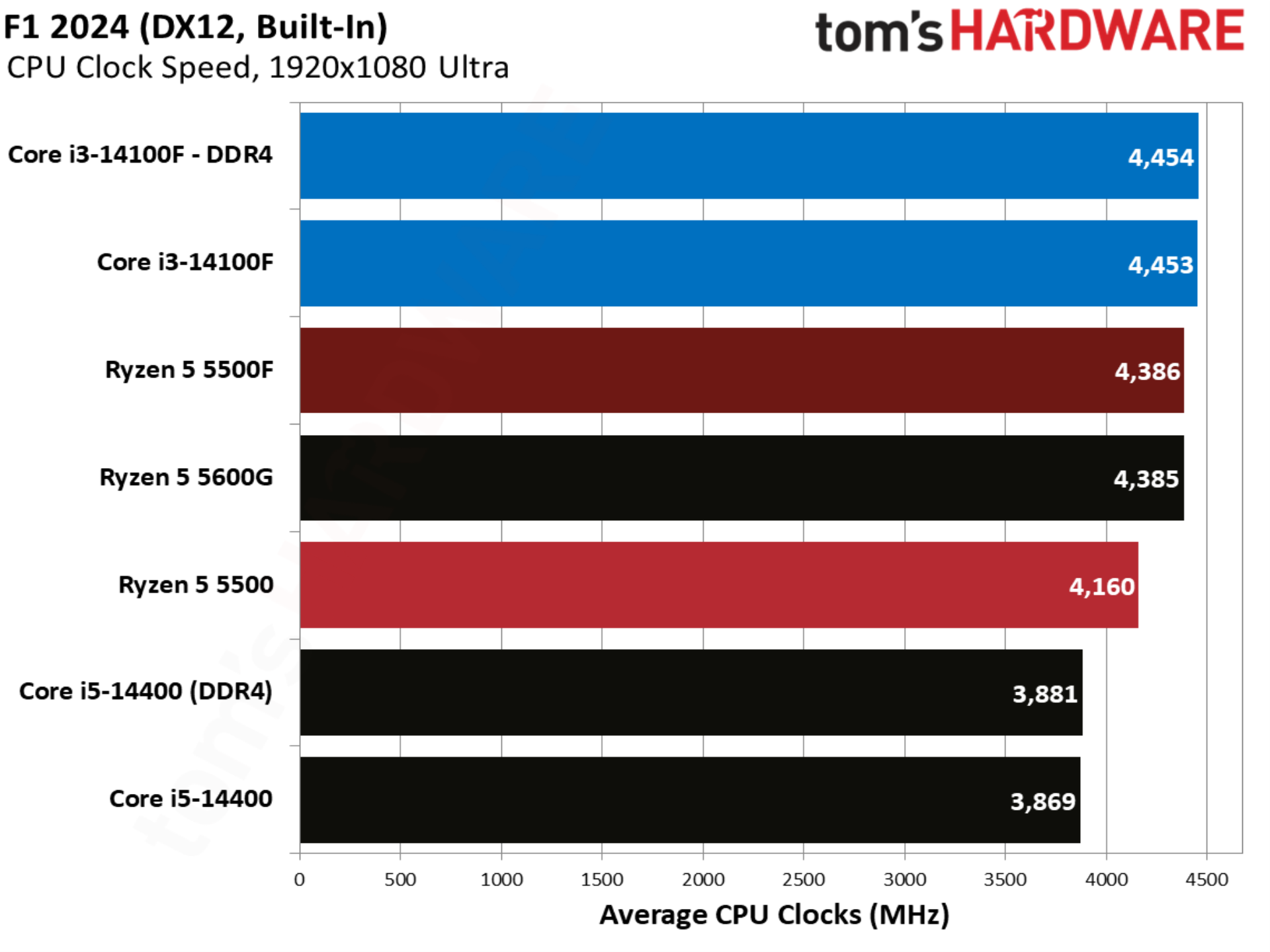
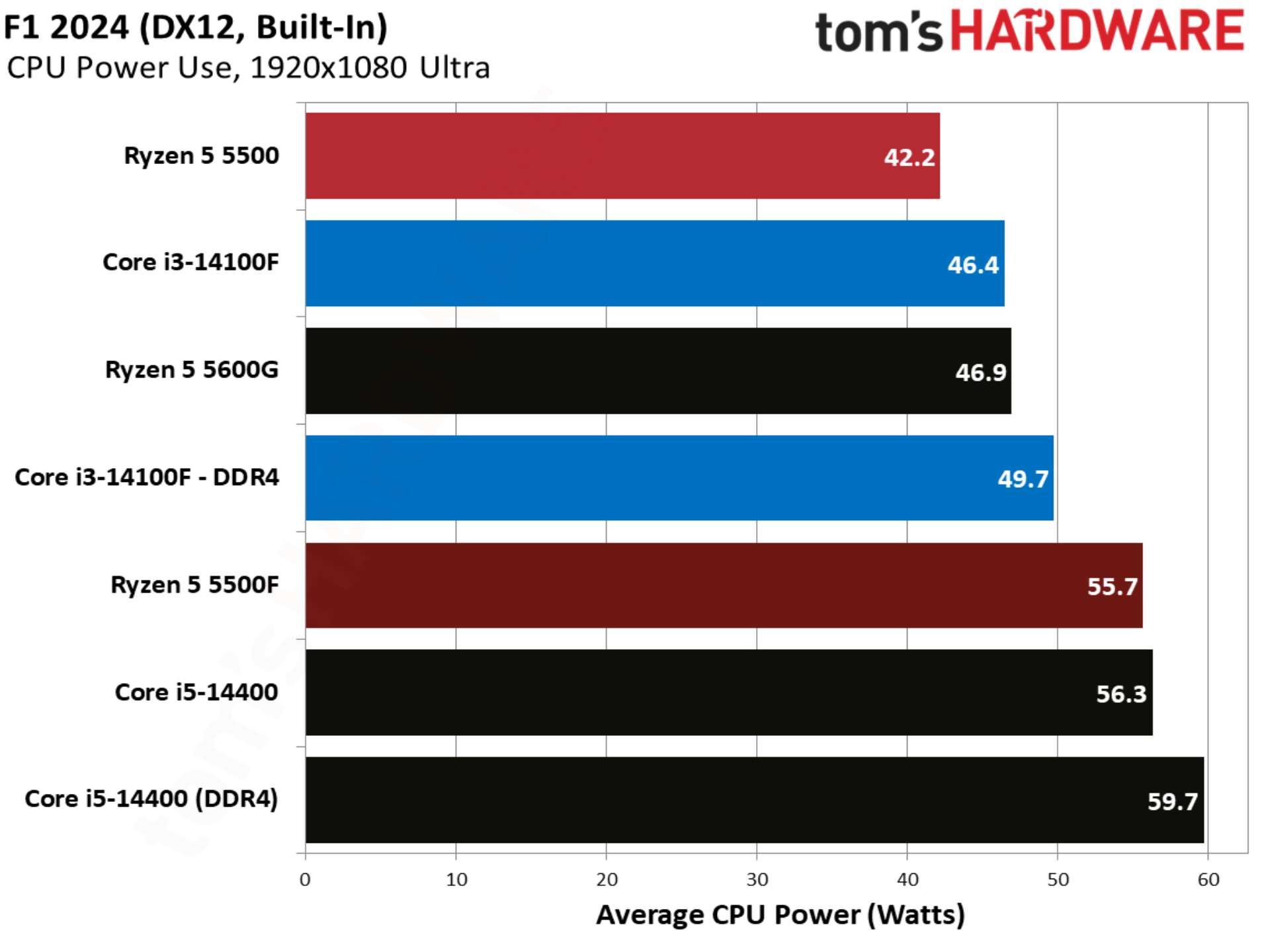
With more modern CPUs, F1 2024 is normally a benchmark that skews heavily toward AMD, but this far down the stack, the opposite is true. Intel leads, even with a solid gain from the 5500F.

Final Fantasy XIV benchmarks
Final Fantasy XIV benchmarks
Tom's Hardware
Final Fantasy XIV benchmarks
Tom's Hardware
Final Fantasy XIV benchmarks
Tom's Hardware
Final Fantasy XIV benchmarks
Tom's Hardware
Final Fantasy XIV benchmarks
Tom's Hardware

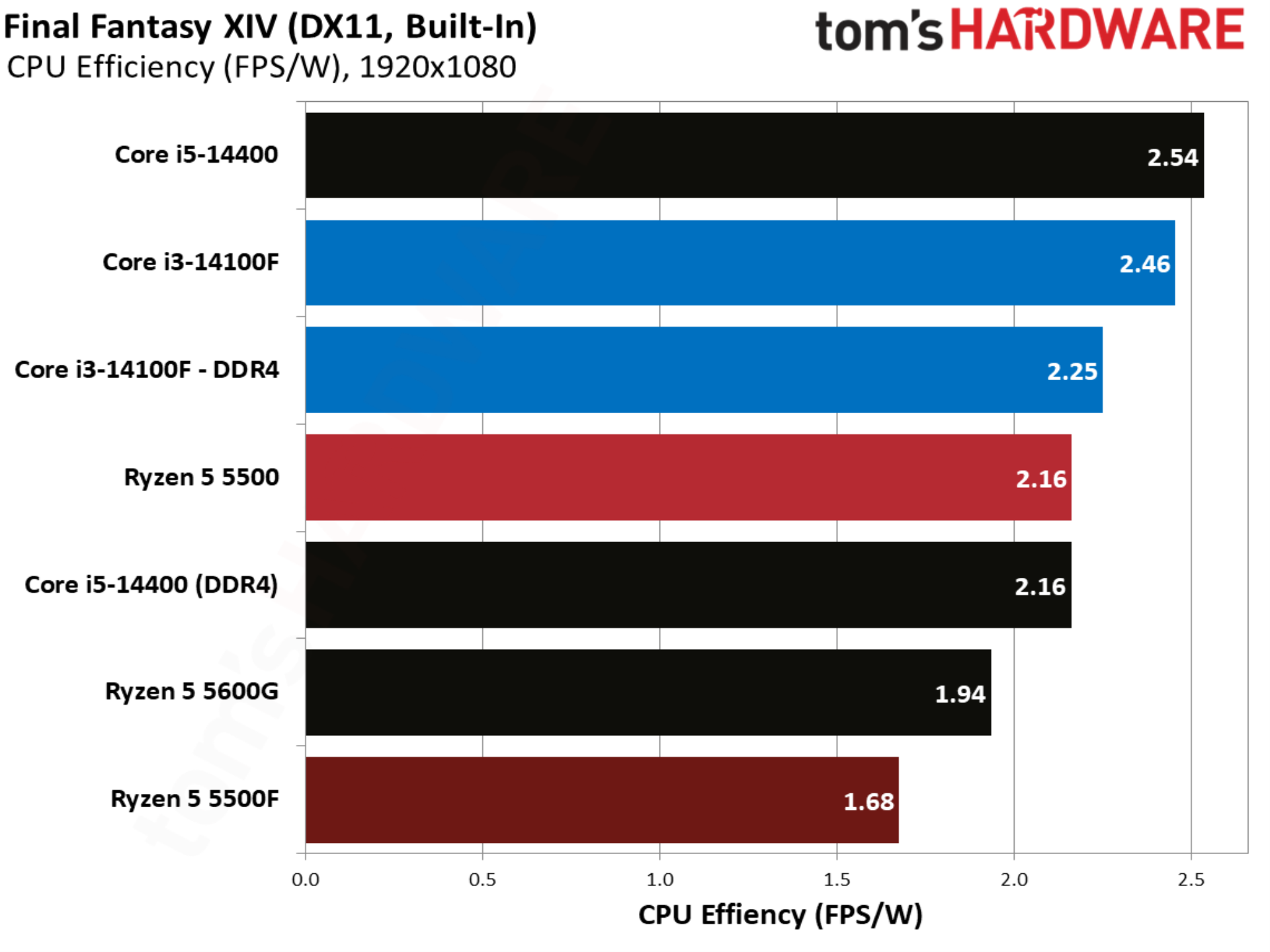
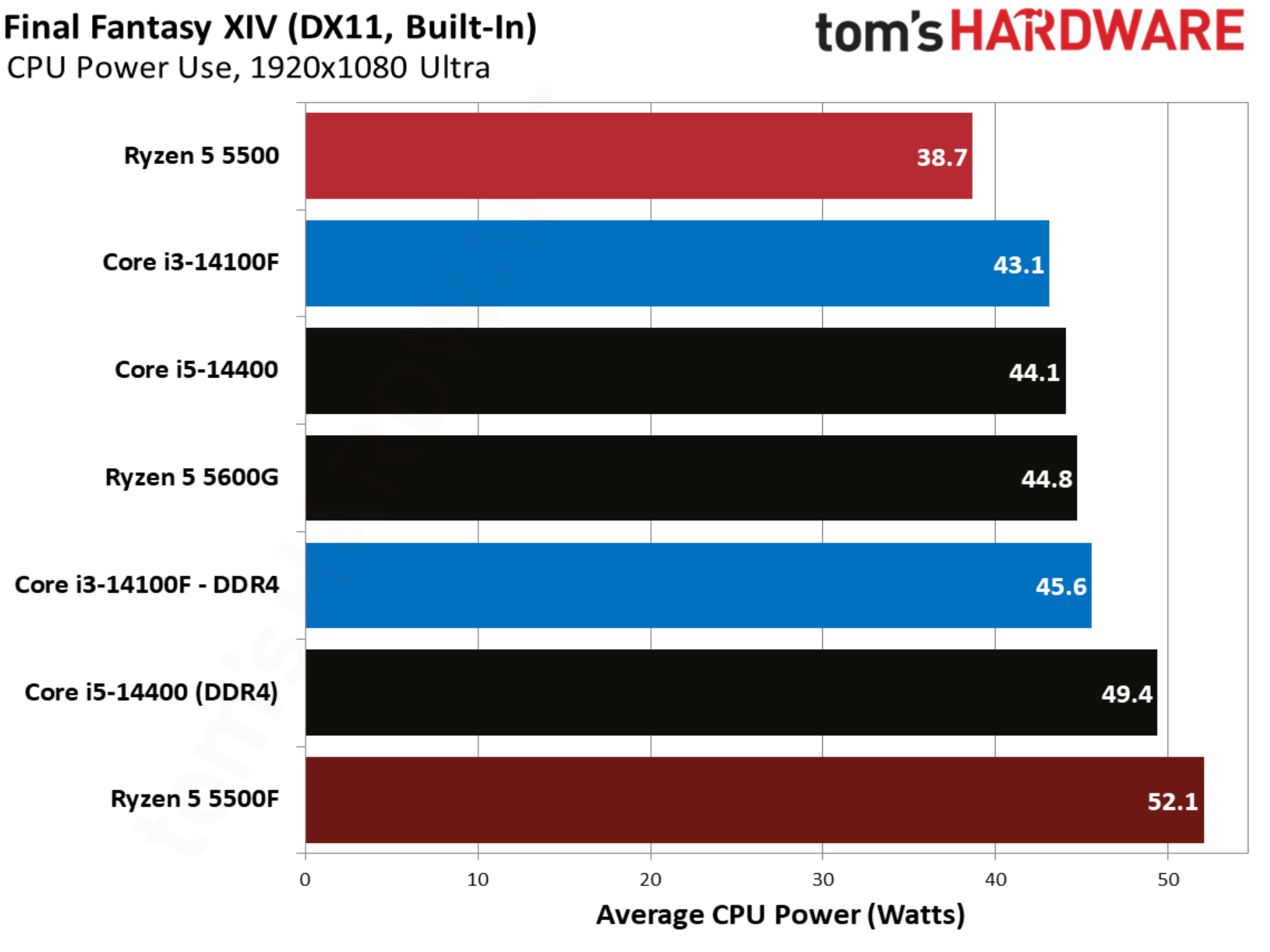
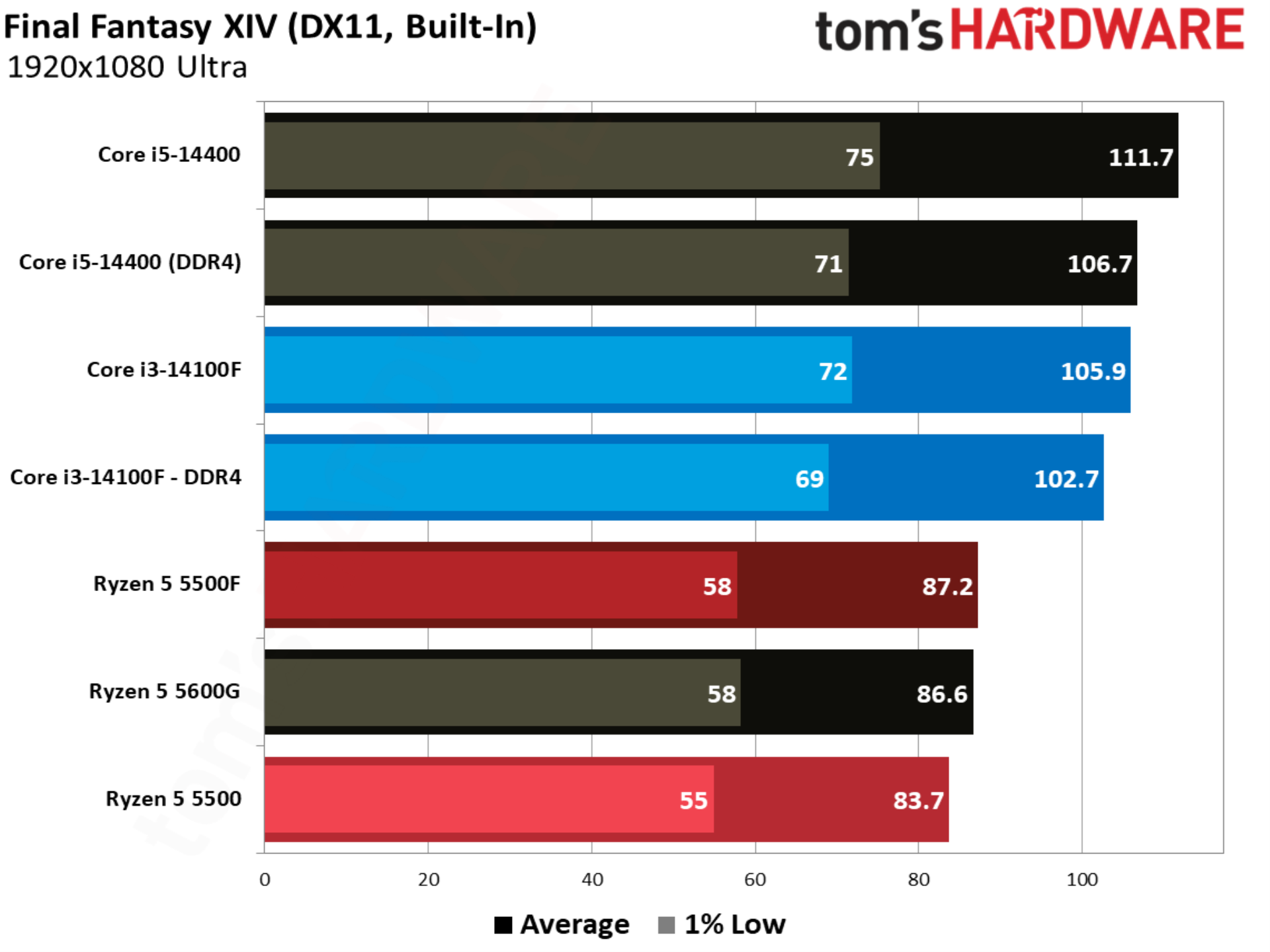
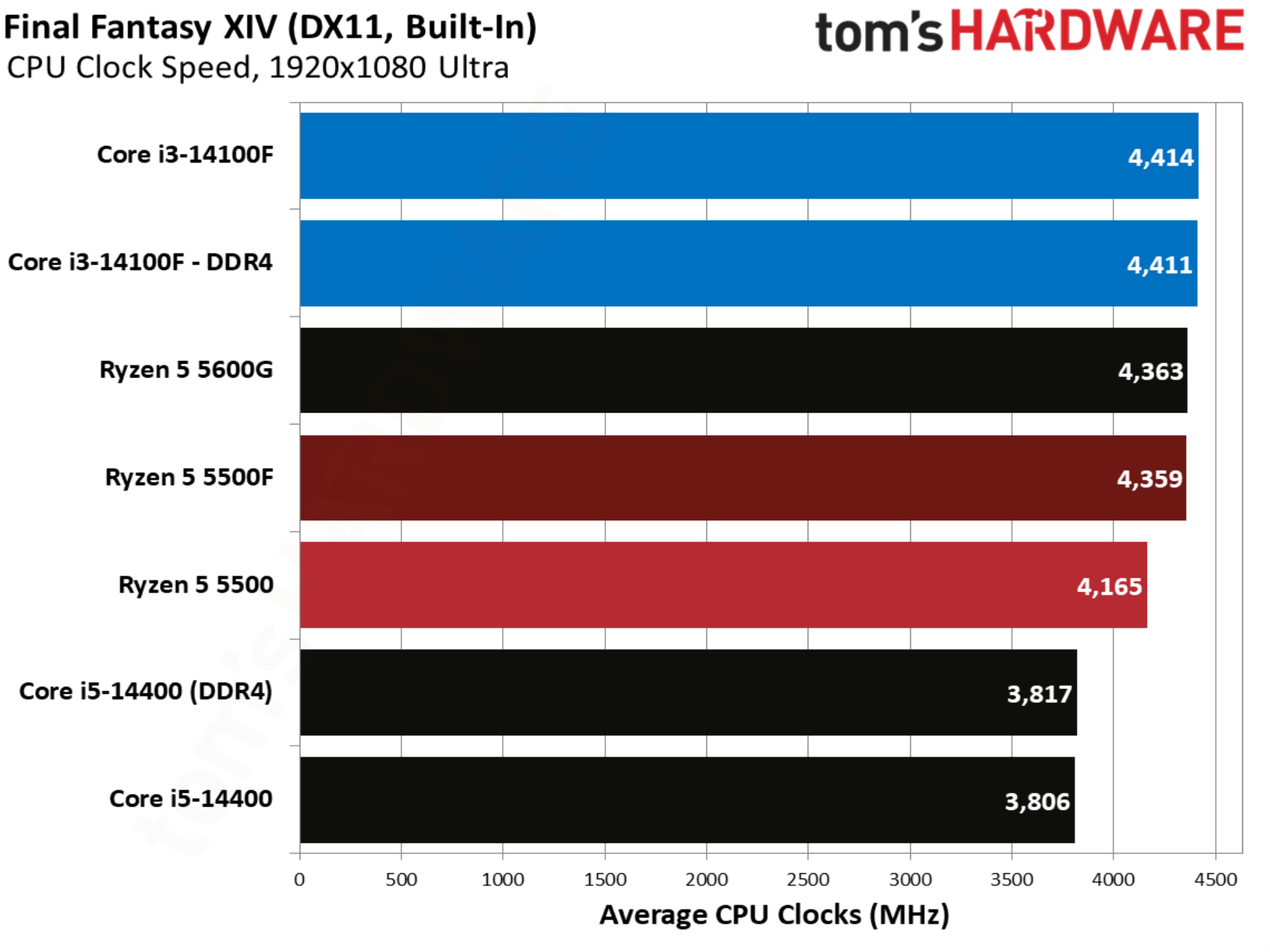
Final Fantasy XIV is balanced between AMD and Intel, though it heavily favors X3D CPUs. Without any of those in the mix here, the Ryzen 5 5500F falls behind the Core i3-14100F by 15%. There’s also little gained from moving to DDR5 with the Core i3-14100F.

Flight Simulator 24 benchmarks
Flight Simulator 24 benchmarks
Tom's Hardware
Flight Simulator 24 benchmarks
Tom's Hardware
Flight Simulator 24 benchmarks
Tom's Hardware
Flight Simulator 24 benchmarks
Tom's Hardware
Flight Simulator 24 benchmarks
Tom's Hardware

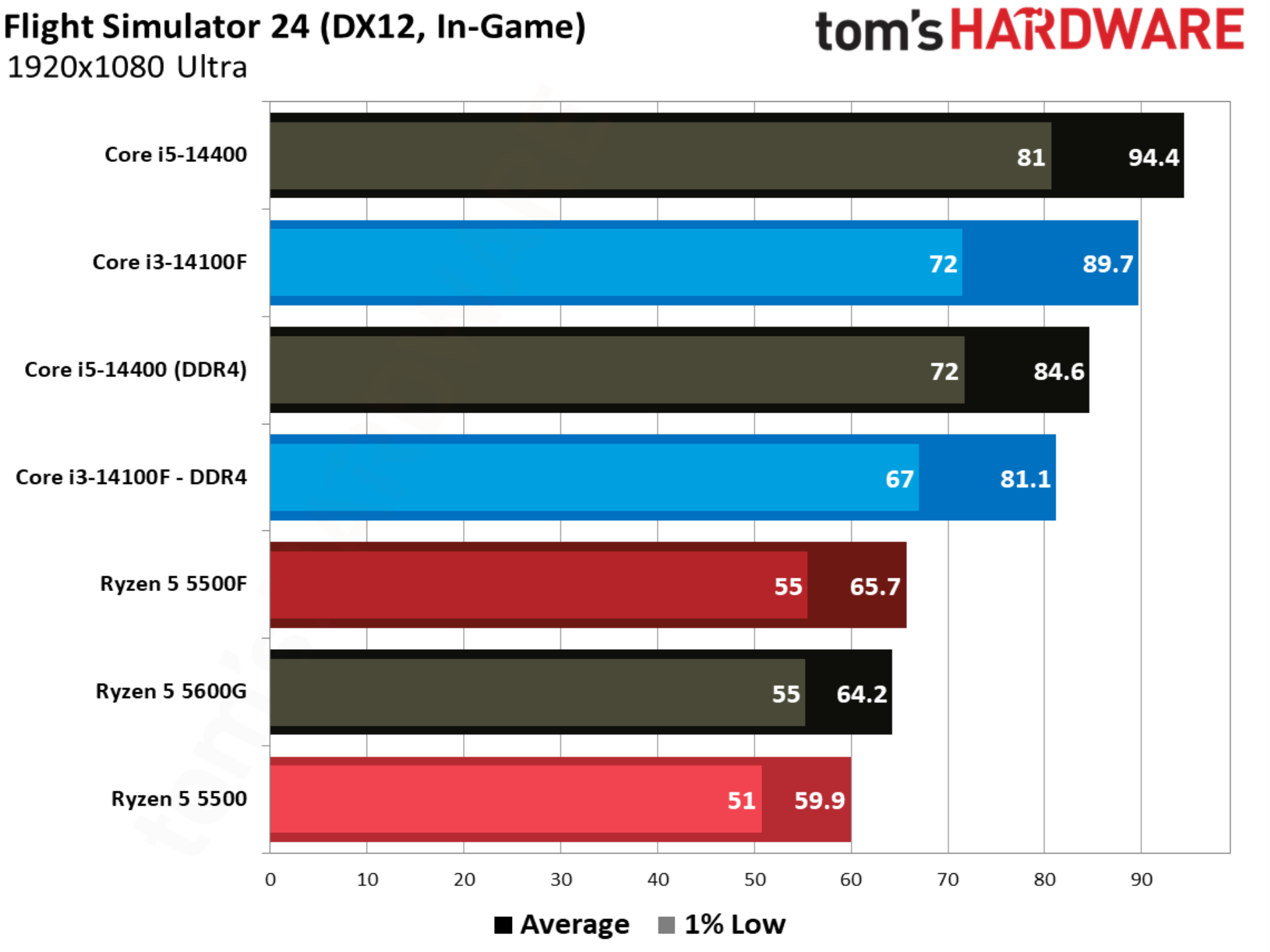
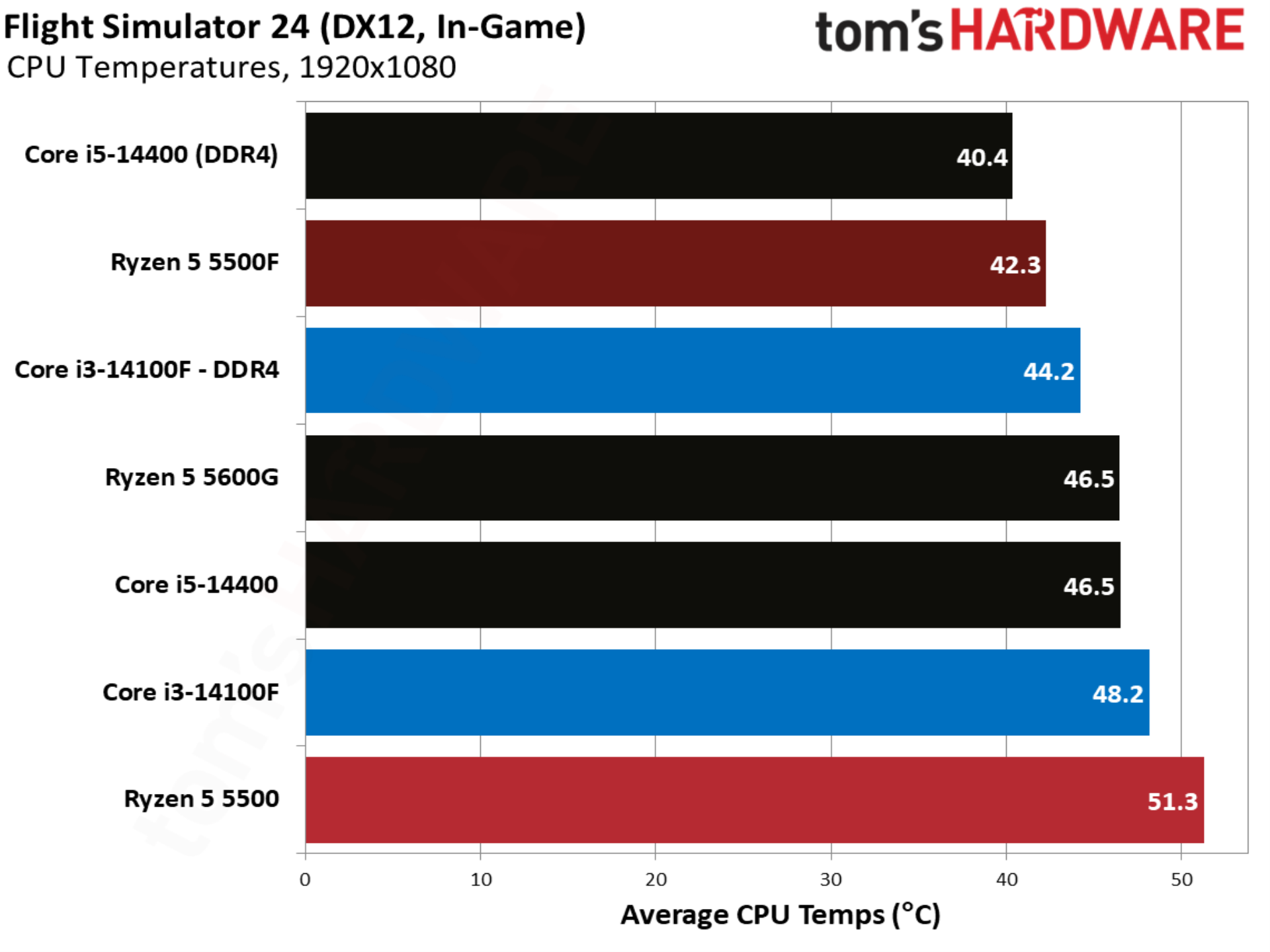
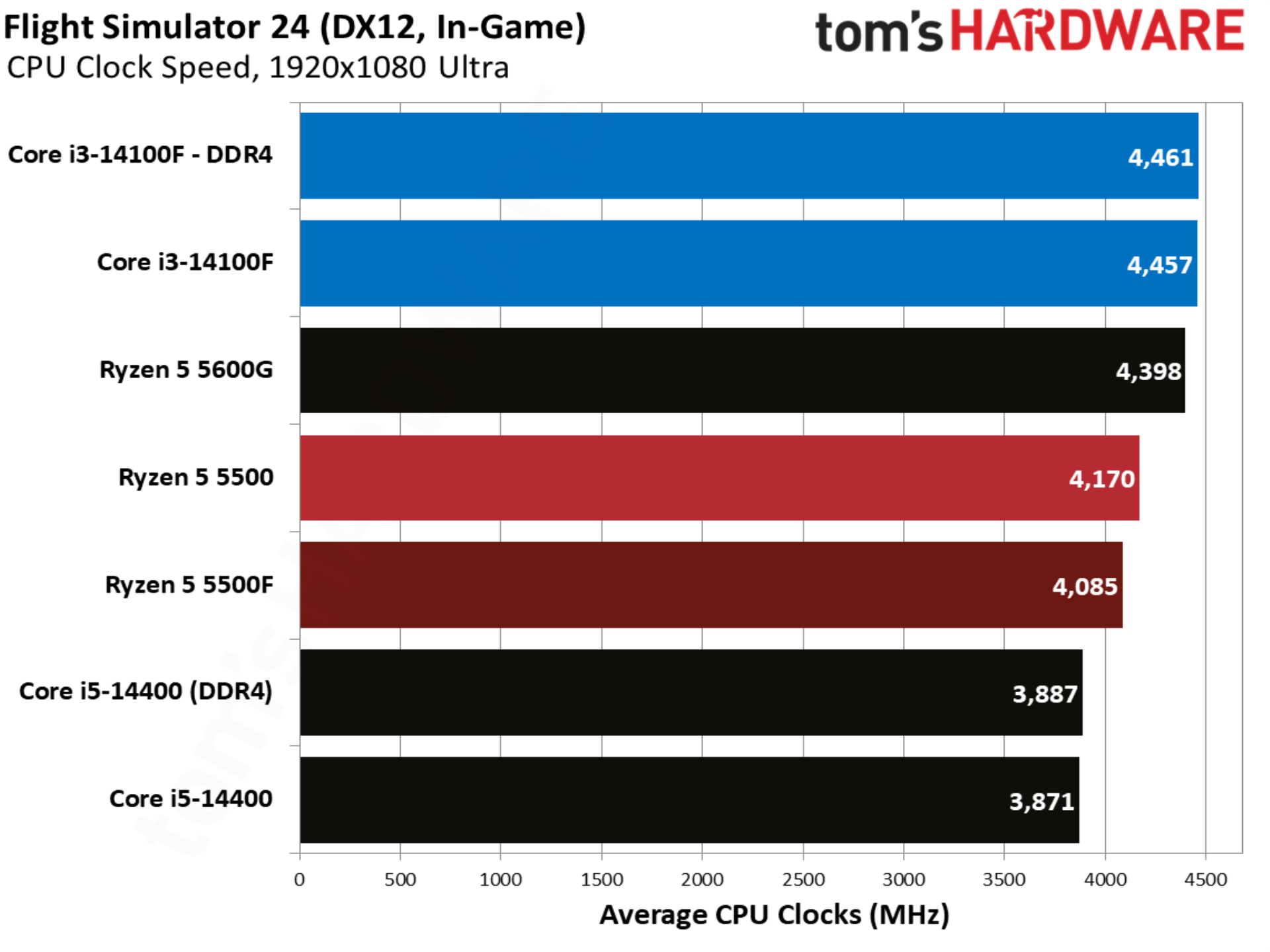
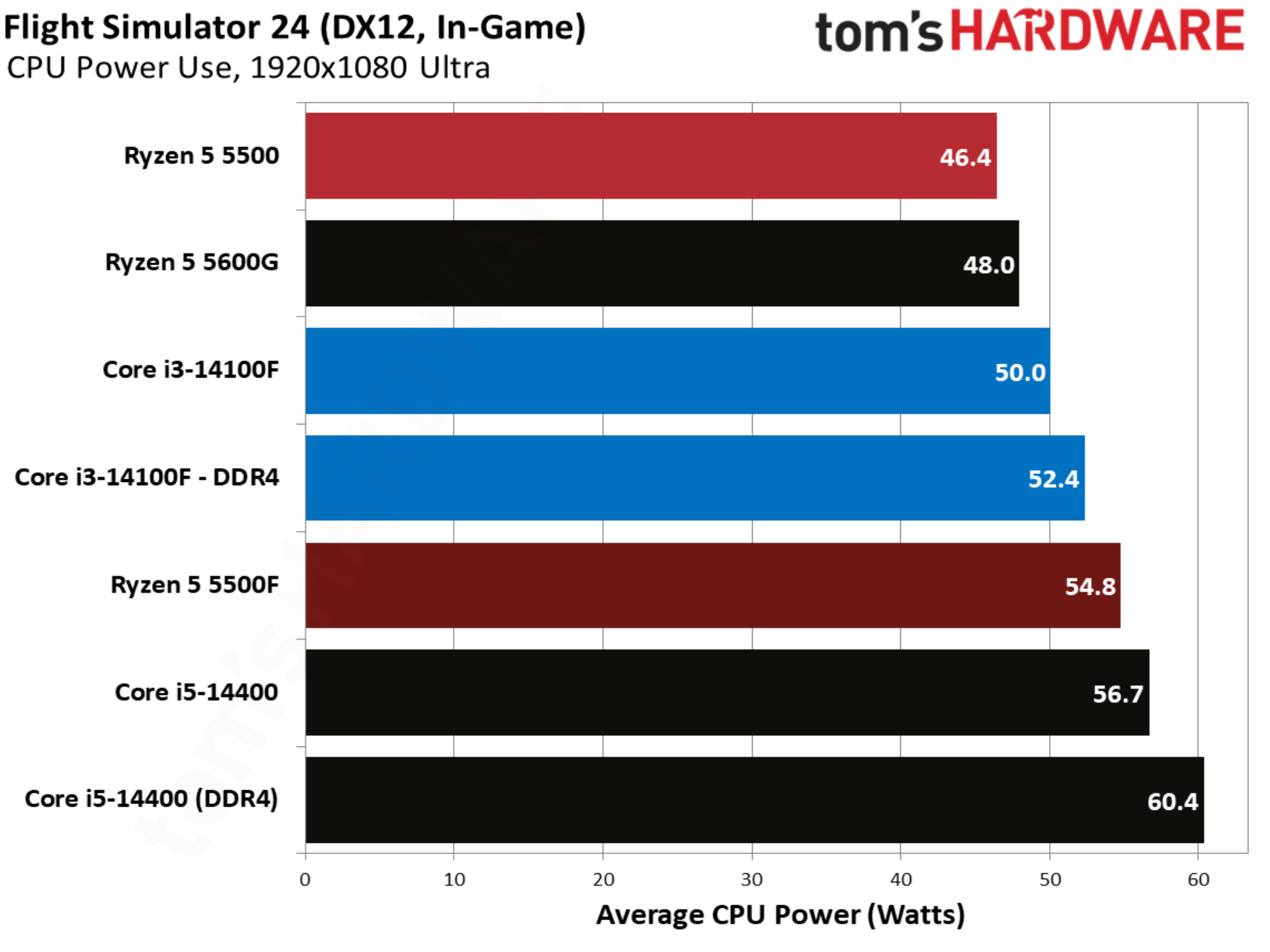
Gaining a few frames in Flight Simulator 24 is nothing to sneeze at, and that’s exactly what the 5500F pulls off with a 9.6% lead over the 5500. Unfortunately for AMD, the Core i3-14100F is much faster in this title, with the 5500F trailing it by 18.9%.

Forza Horizon 6 benchmarks
Forza Horizon 6 benchmarks
Tom's Hardware
Forza Horizon 6 benchmarks
Tom's Hardware
Forza Horizon 6 benchmarks
Tom's Hardware
Forza Horizon 6 benchmarks
Tom's Hardware
Forza Horizon 6 benchmarks
Tom's Hardware

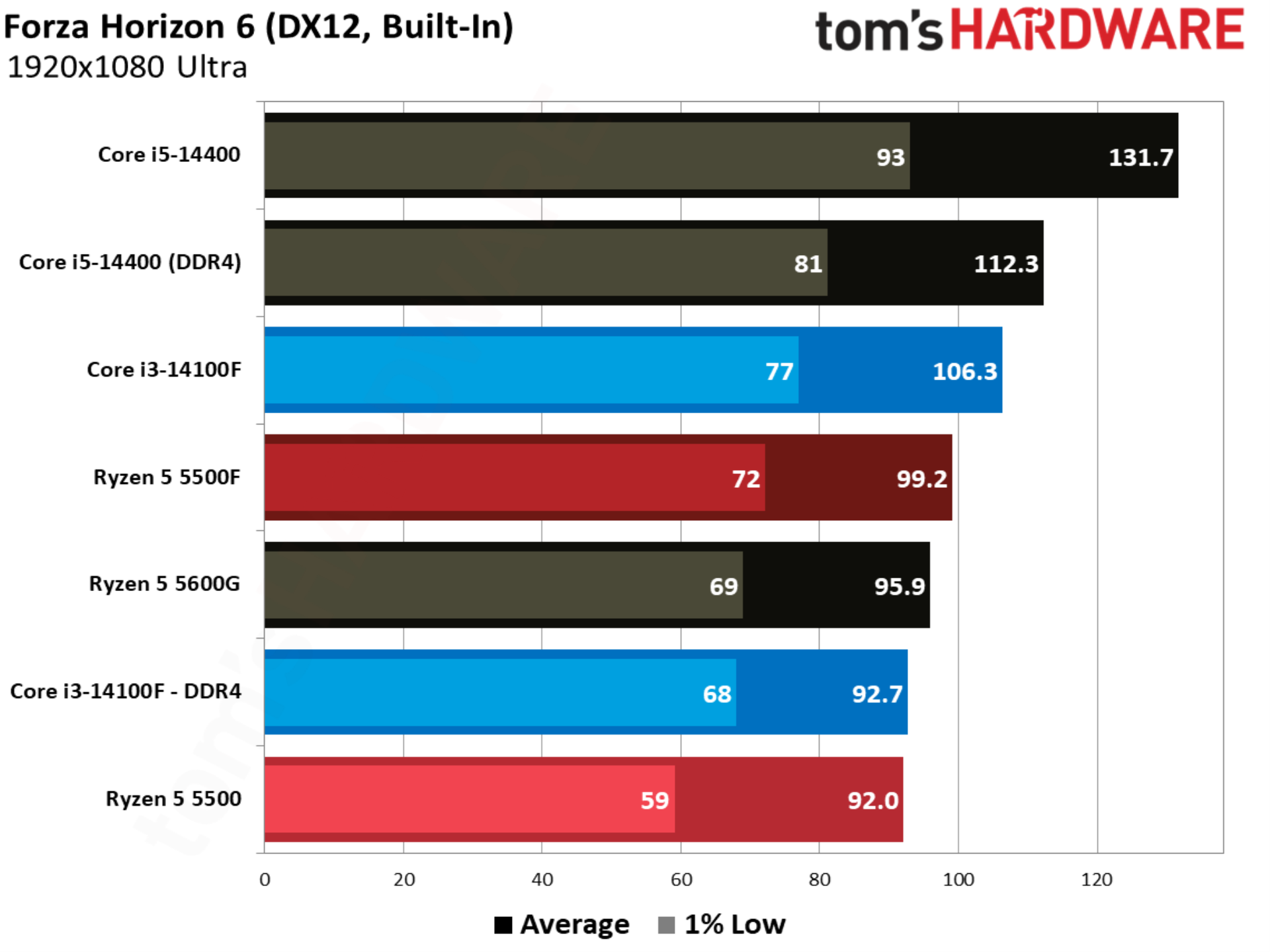
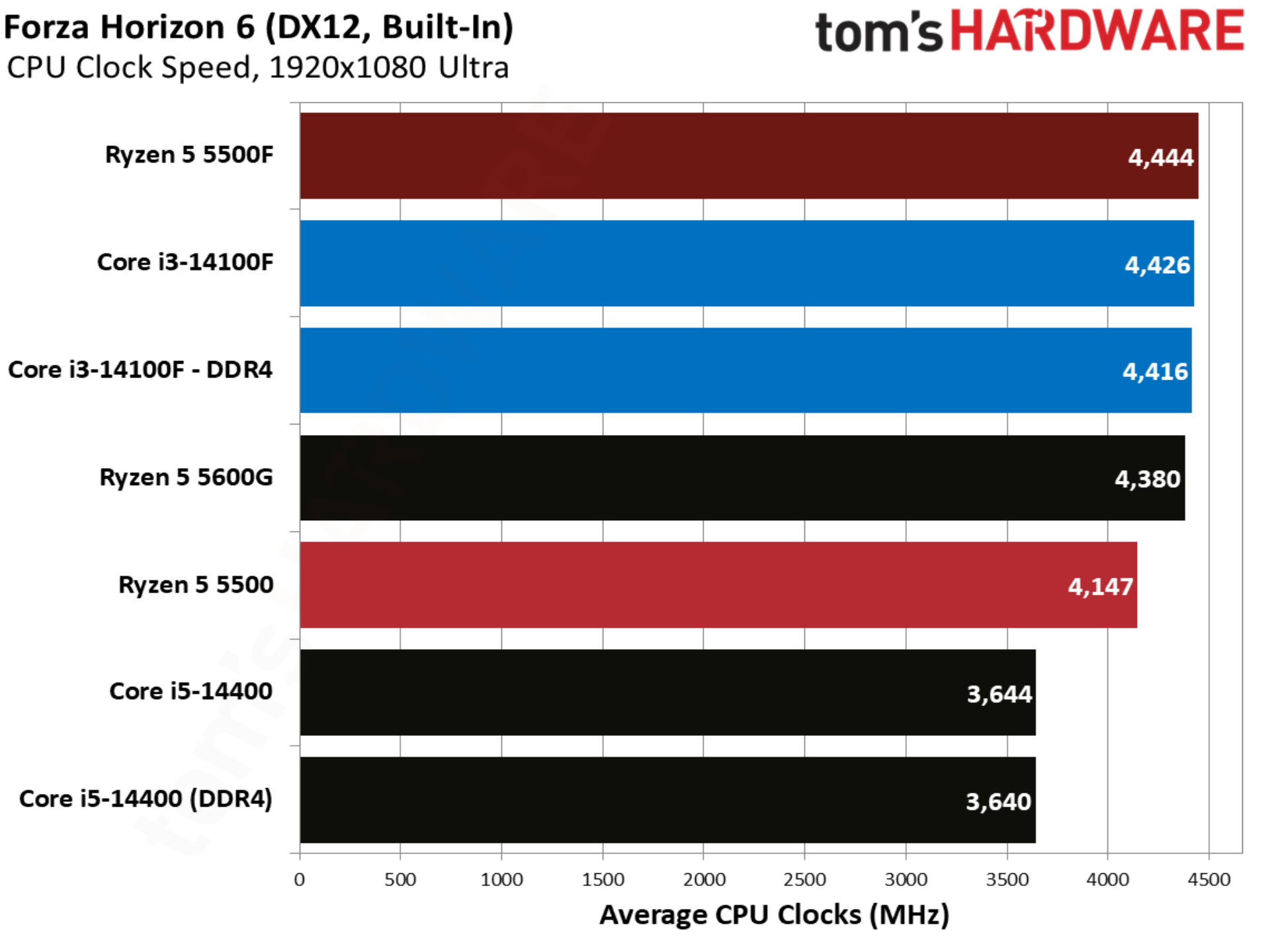
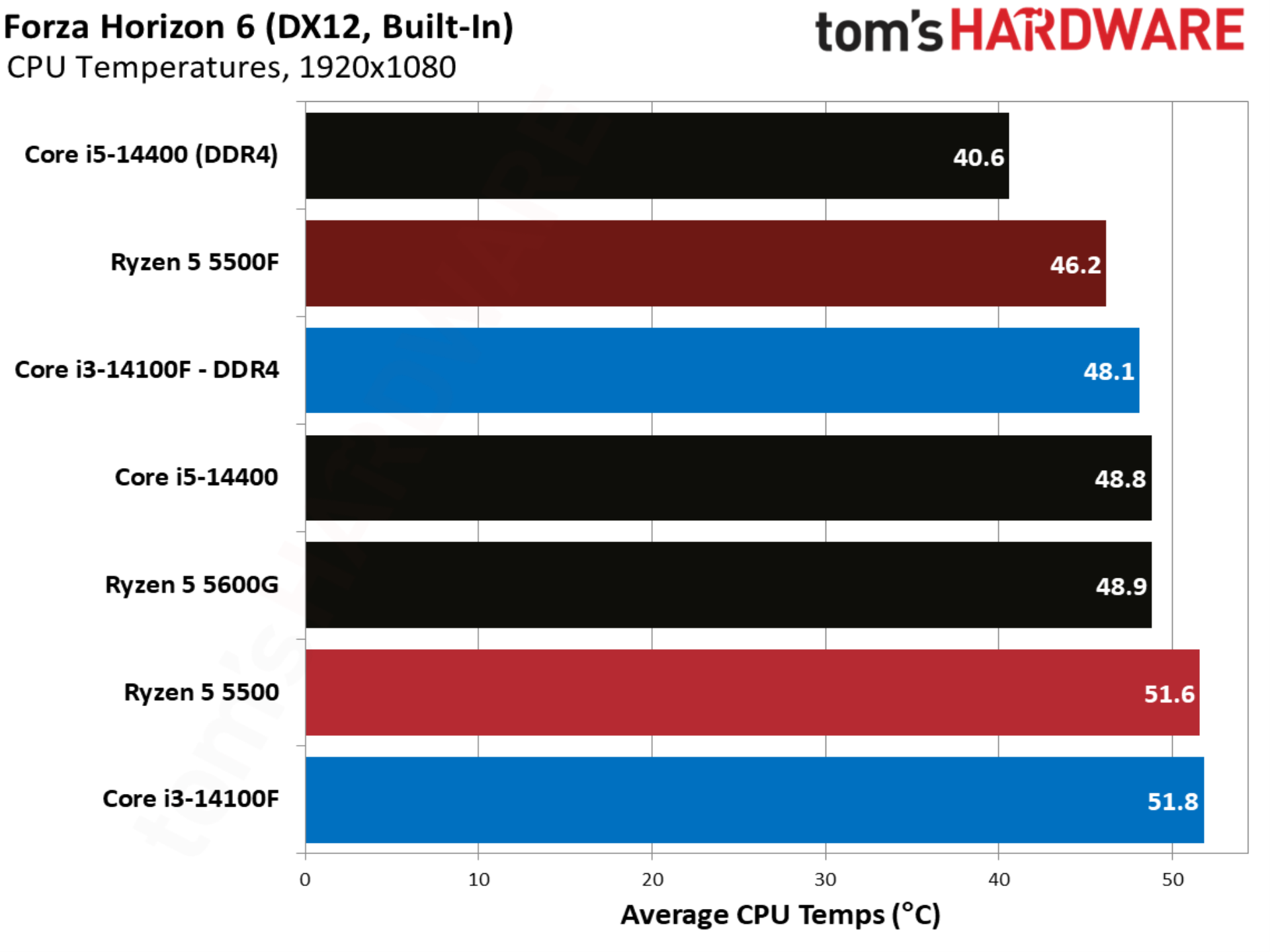
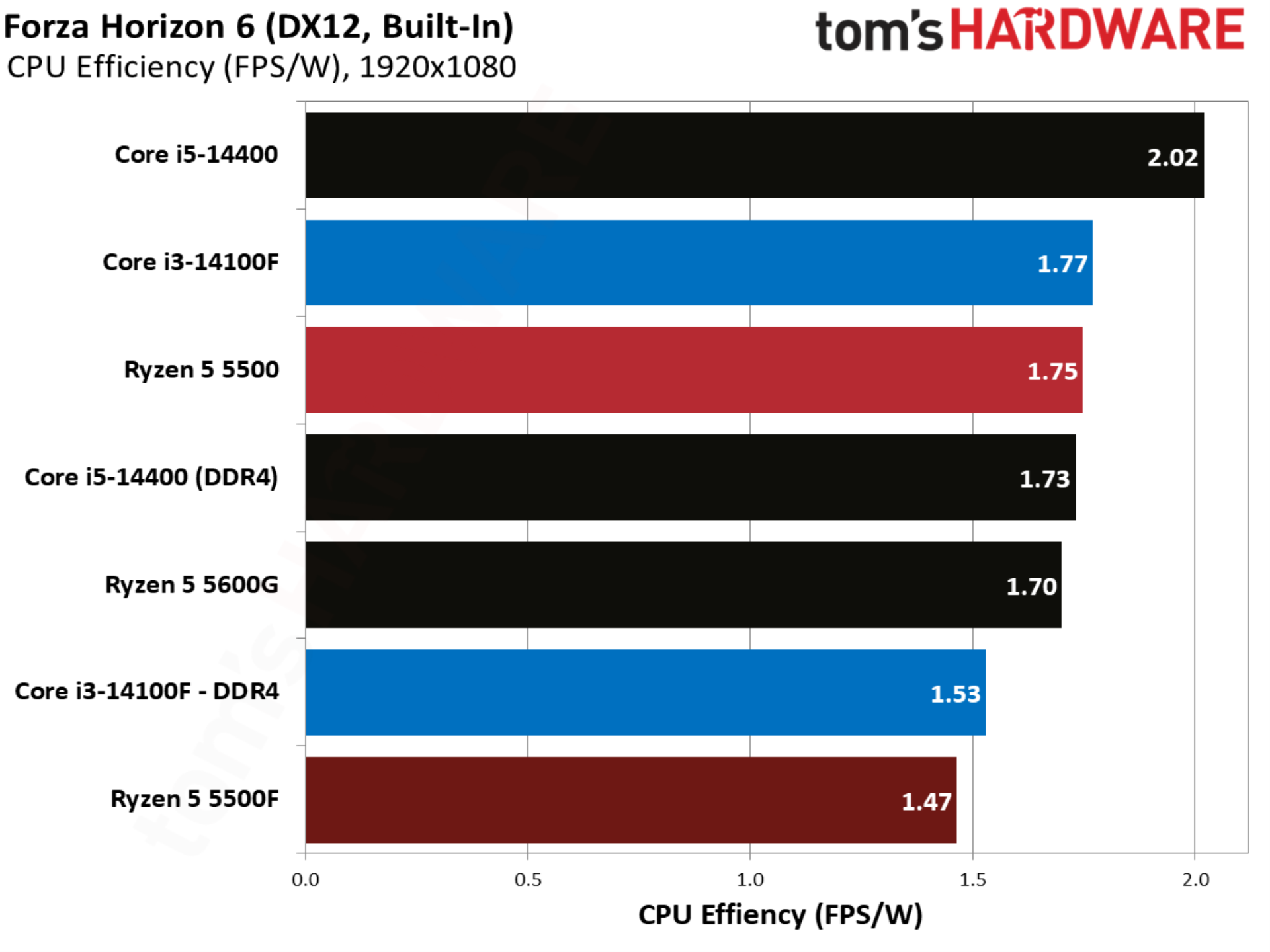
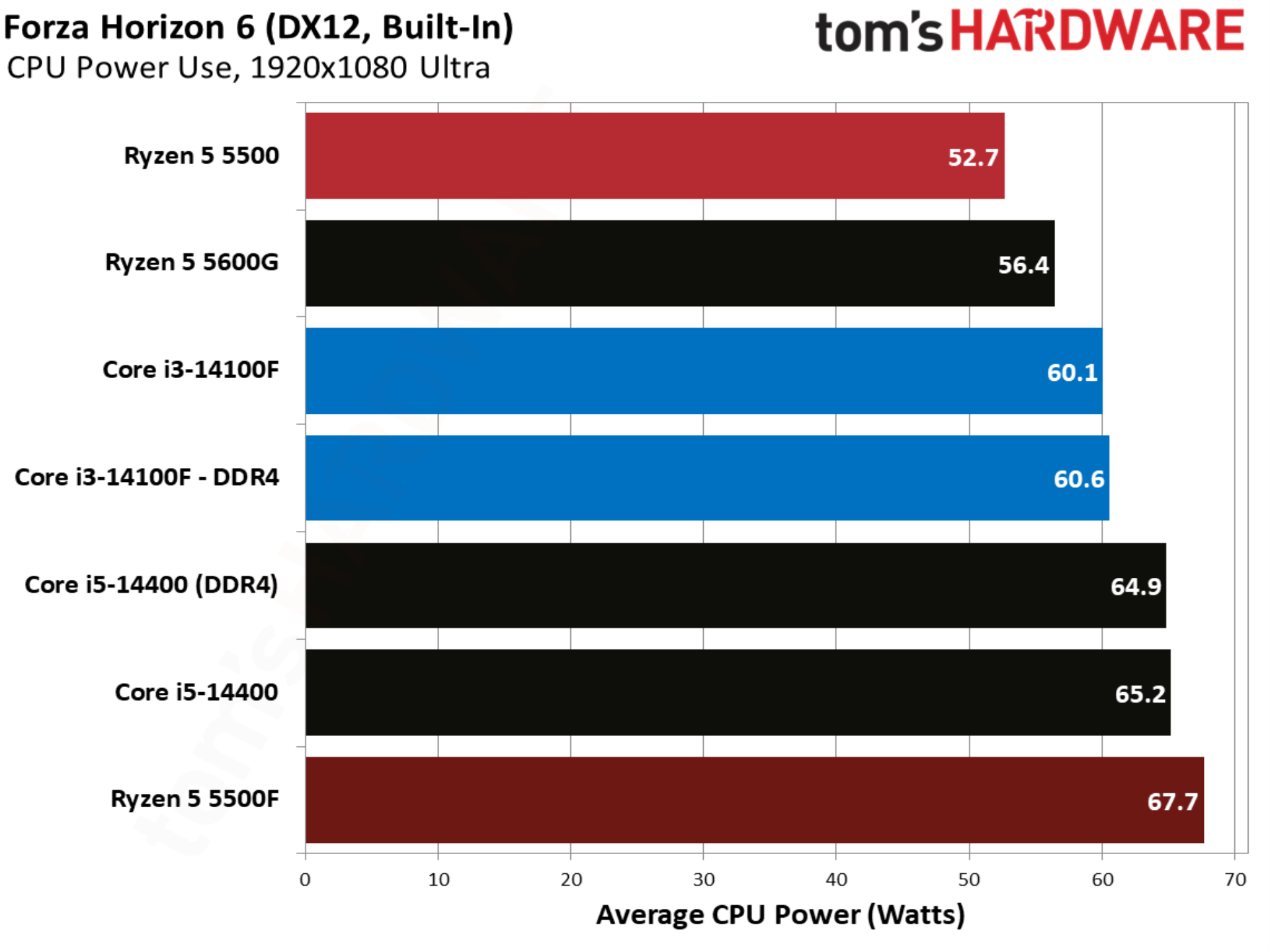
Forza Horizon 6 shows more movement. The Ryzen 5 5500 already matched the Core i3-14100F in performance, allowing the 5500F to swoop in with a 7.8% lead. The Core i3-14100F with DDR5 unsurprisingly still leads, but this is a big feather in the 5500F’s cap.

Marvel Rivals
Marvel Rivals benchmarks
Tom's Hardware
Marvel Rivals benchmarks
Tom's Hardware
Marvel Rivals benchmarks
Tom's Hardware
Marvel Rivals benchmarks
Tom's Hardware
Marvel Rivals benchmarks
Tom's Hardware

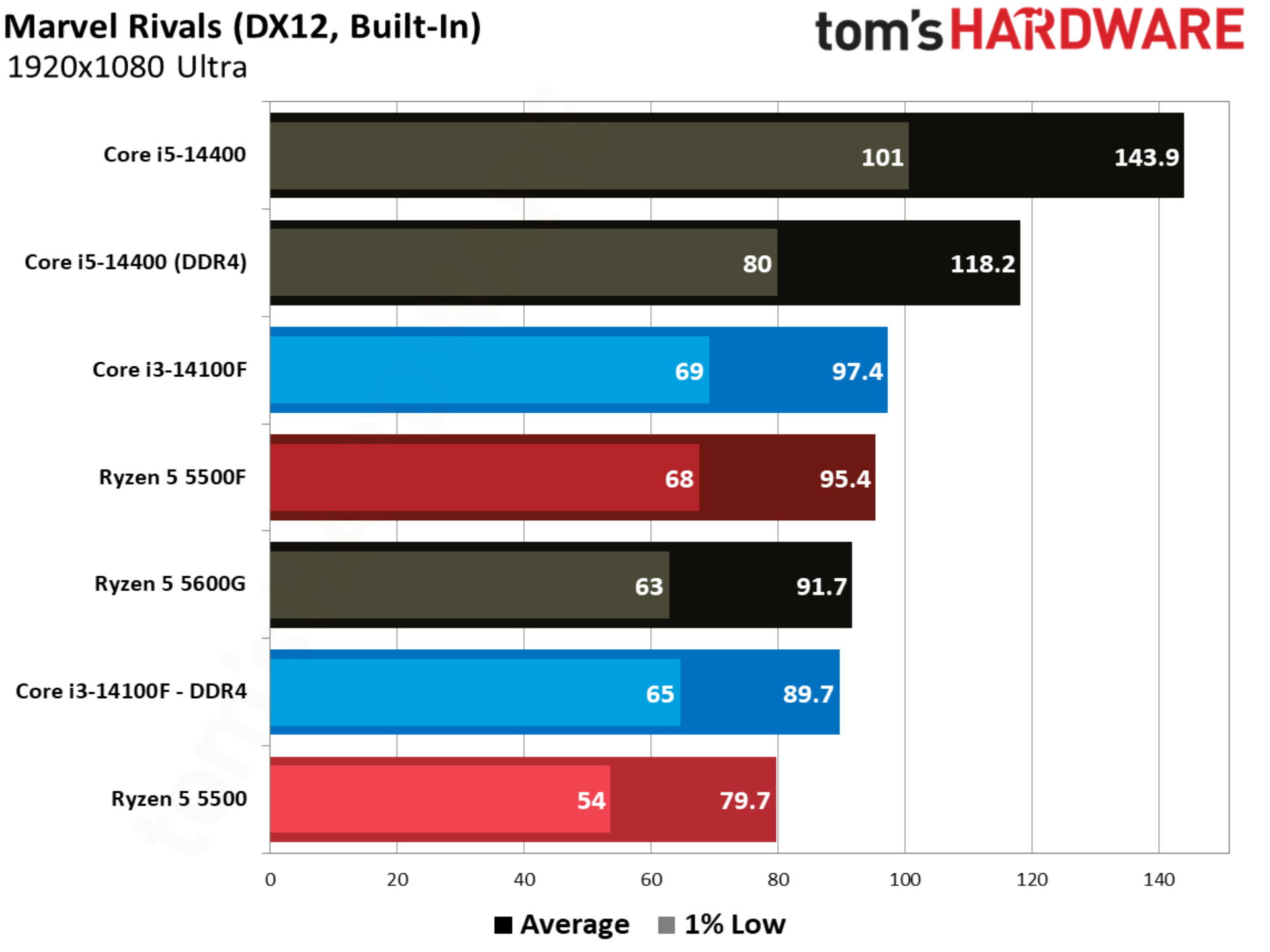
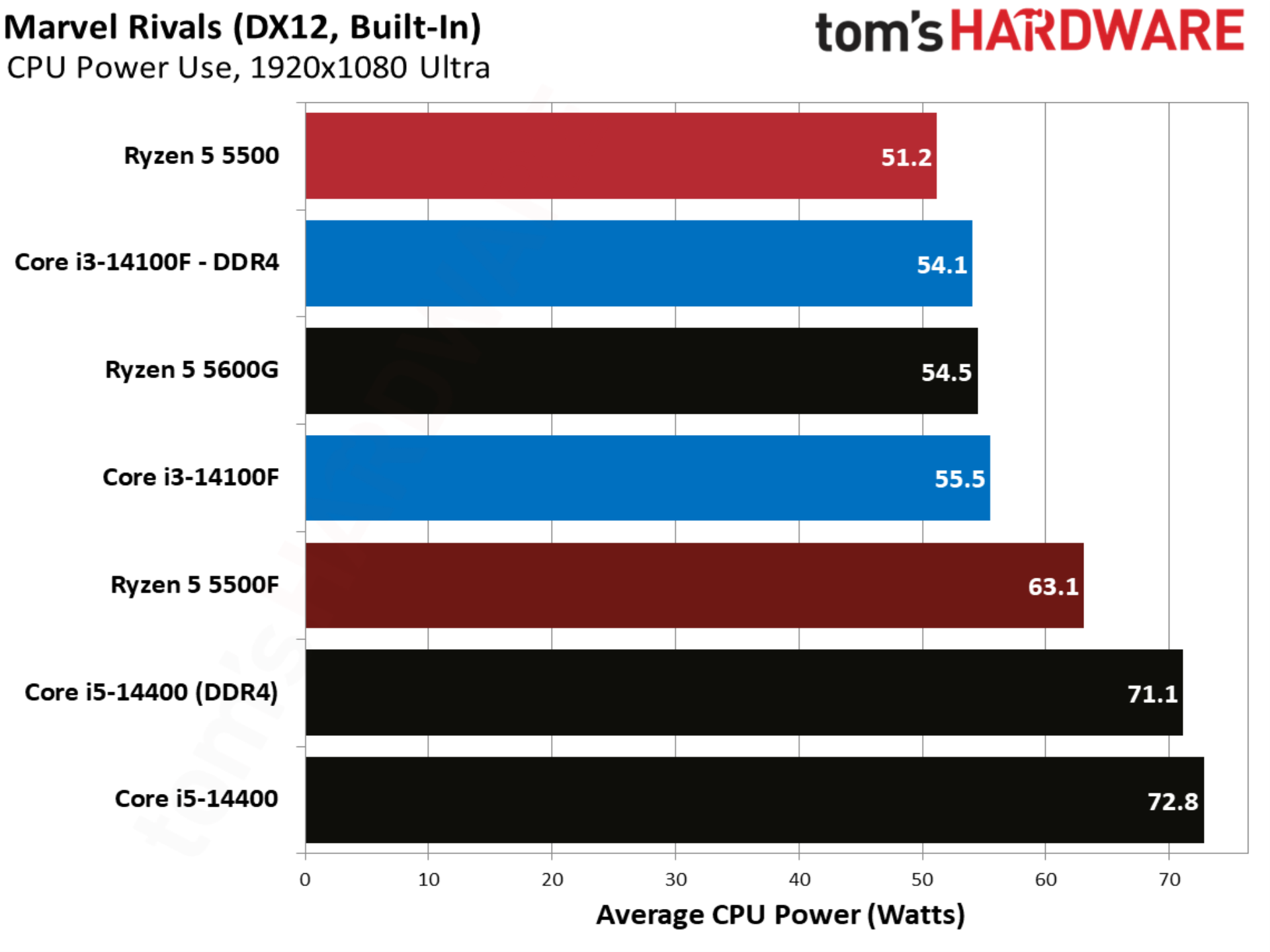
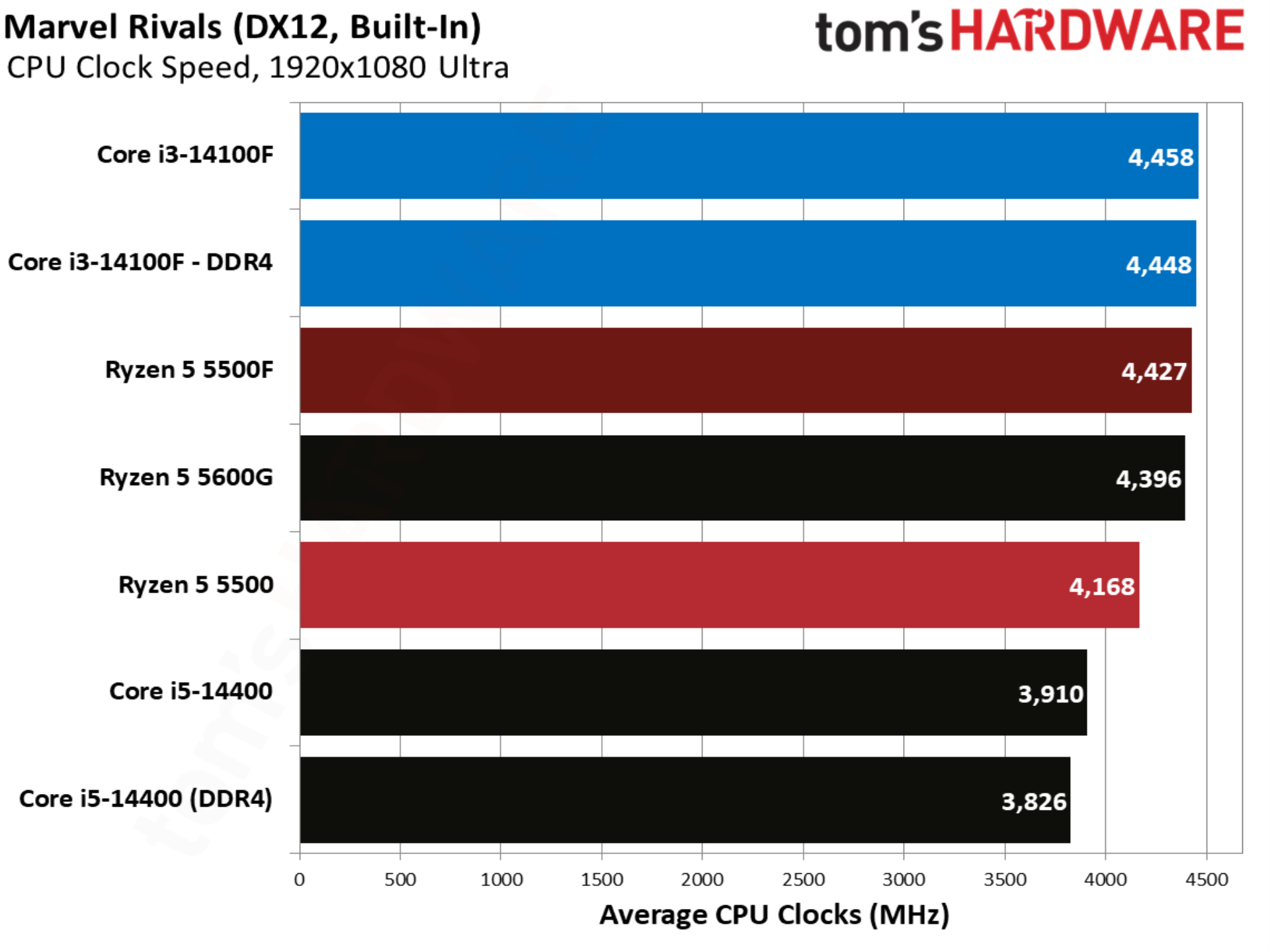
Marvel Rivals is an important benchmark, not only because the game is wildly popular, but also because it showcases exactly what AMD wanted to accomplish with the 5500F. The 14100F leads the base 5500 by over 12%, but the 5500F changes that story, leading the 14100F by 6.3%. This is presumably the target AMD set with the 5500, attempting to gain a performance advantage over the 14100F where the base 5500 originally struggled. And it hit that target in this case.

Onimusha: Way of the Sword benchmarks
Onimusha: Way of the Sword benchmarks
Tom's Hardware
Onimusha: Way of the Sword benchmarks
Tom's Hardware
Onimusha: Way of the Sword benchmarks
Tom's Hardware
Onimusha: Way of the Sword benchmarks
Tom's Hardware
Onimusha: Way of the Sword benchmarks
Tom's Hardware

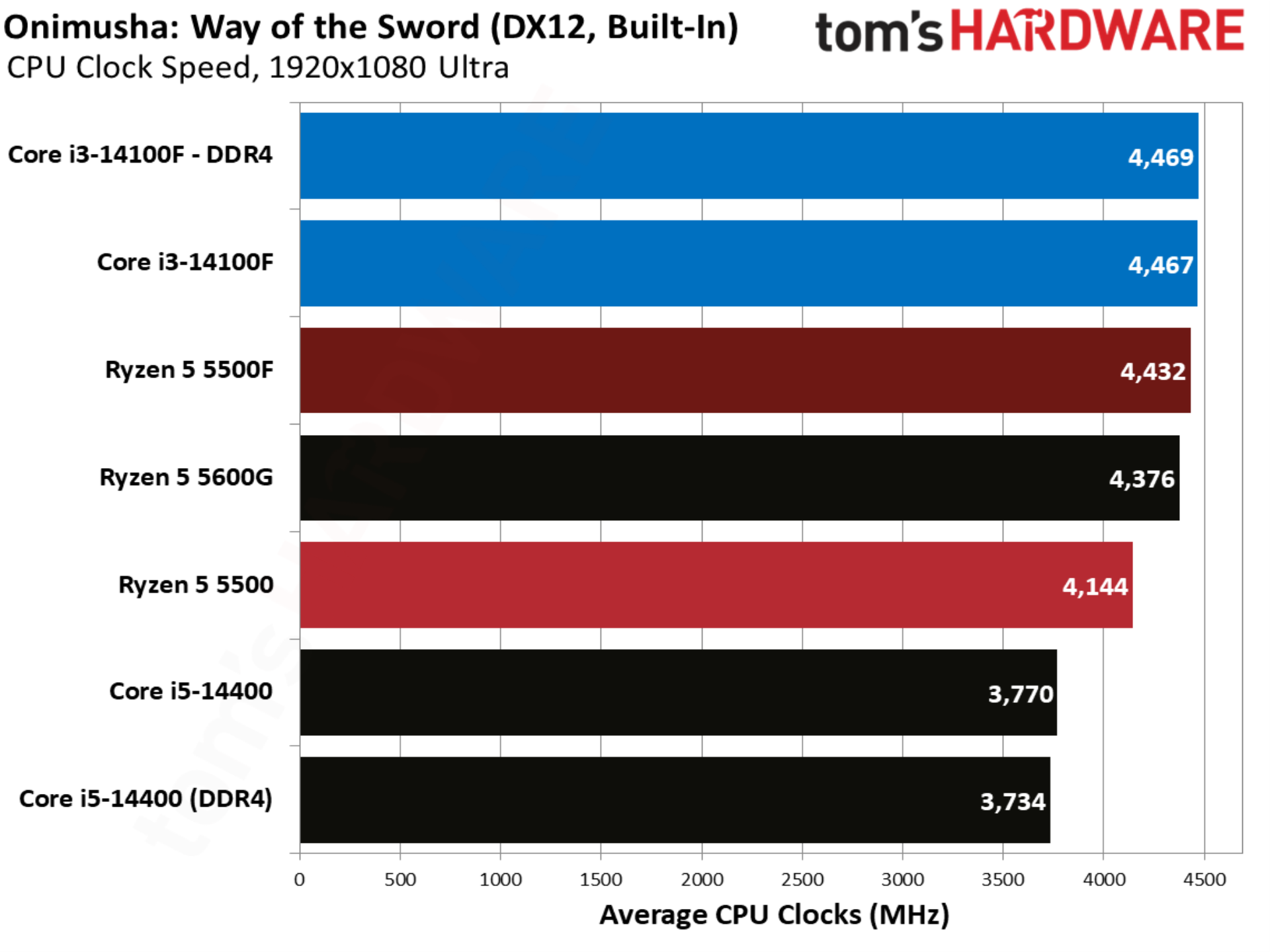
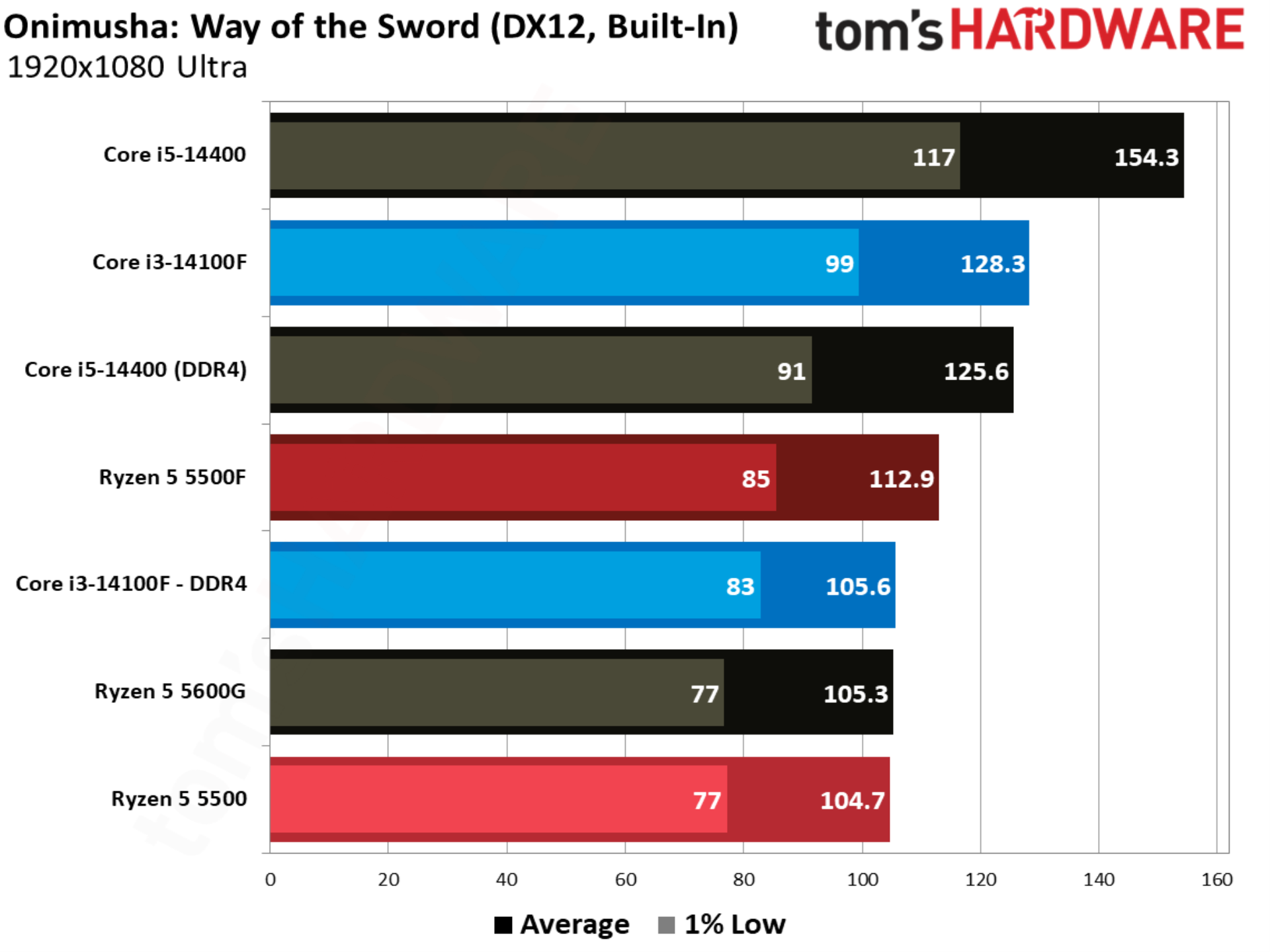
Onimusha: Way of the Sword is the latest game sporting Capcom’s storied RE Engine, and it’s a title where the base 5500 and Core i3-14100F are in lockstep. The 5500F steps in to take the lead once again, beating the Core i3-14100F out by 6.9%.

Spider-Man 2 benchmarks
Spider-Man 2 benchmarks
Tom's Hardware
Spider-Man 2 benchmarks
Tom's Hardware
Spider-Man 2 benchmarks
Tom's Hardware
Spider-Man 2 benchmarks
Tom's Hardware
Spider-Man 2 benchmarks
Tom's Hardware

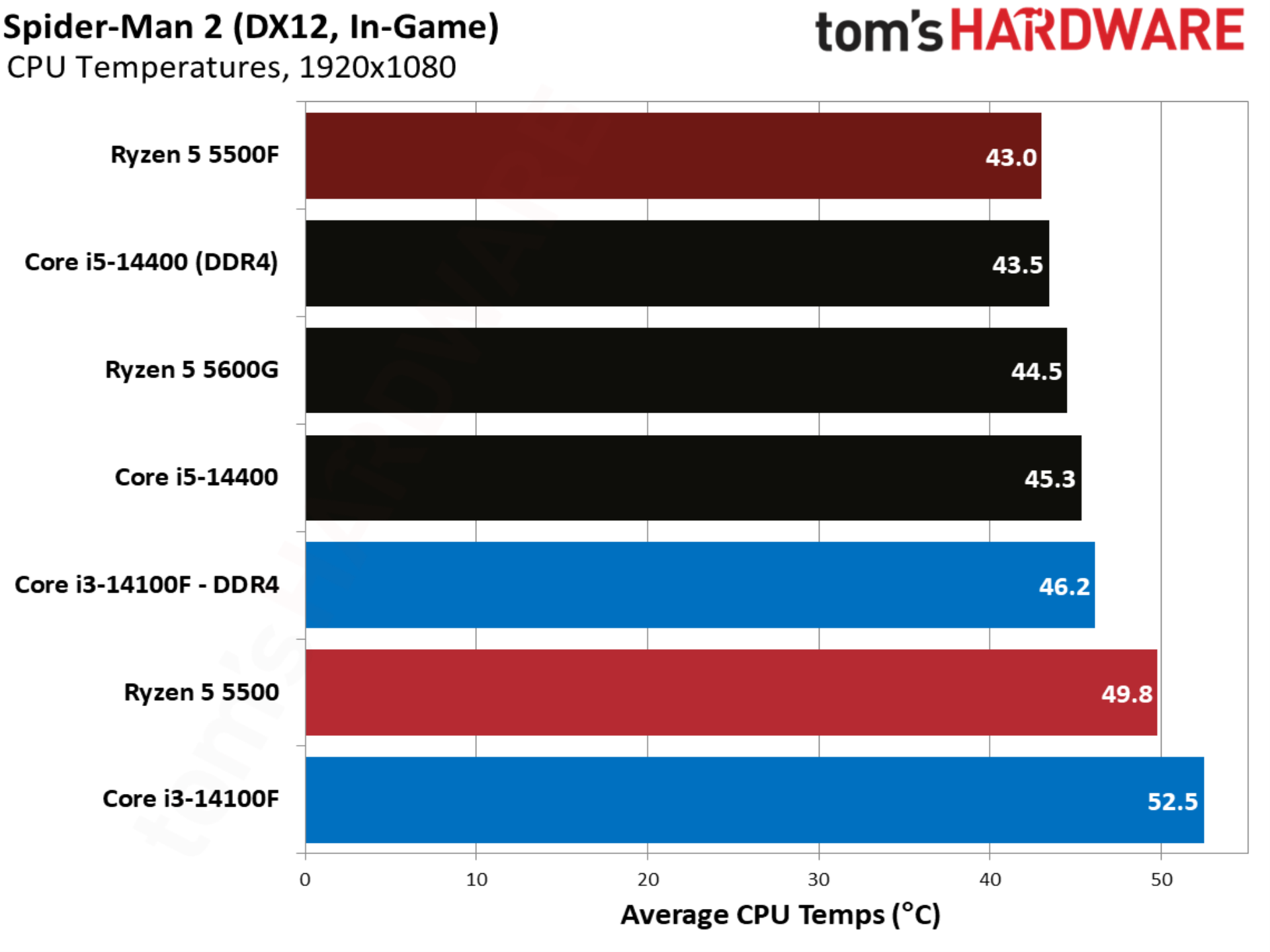
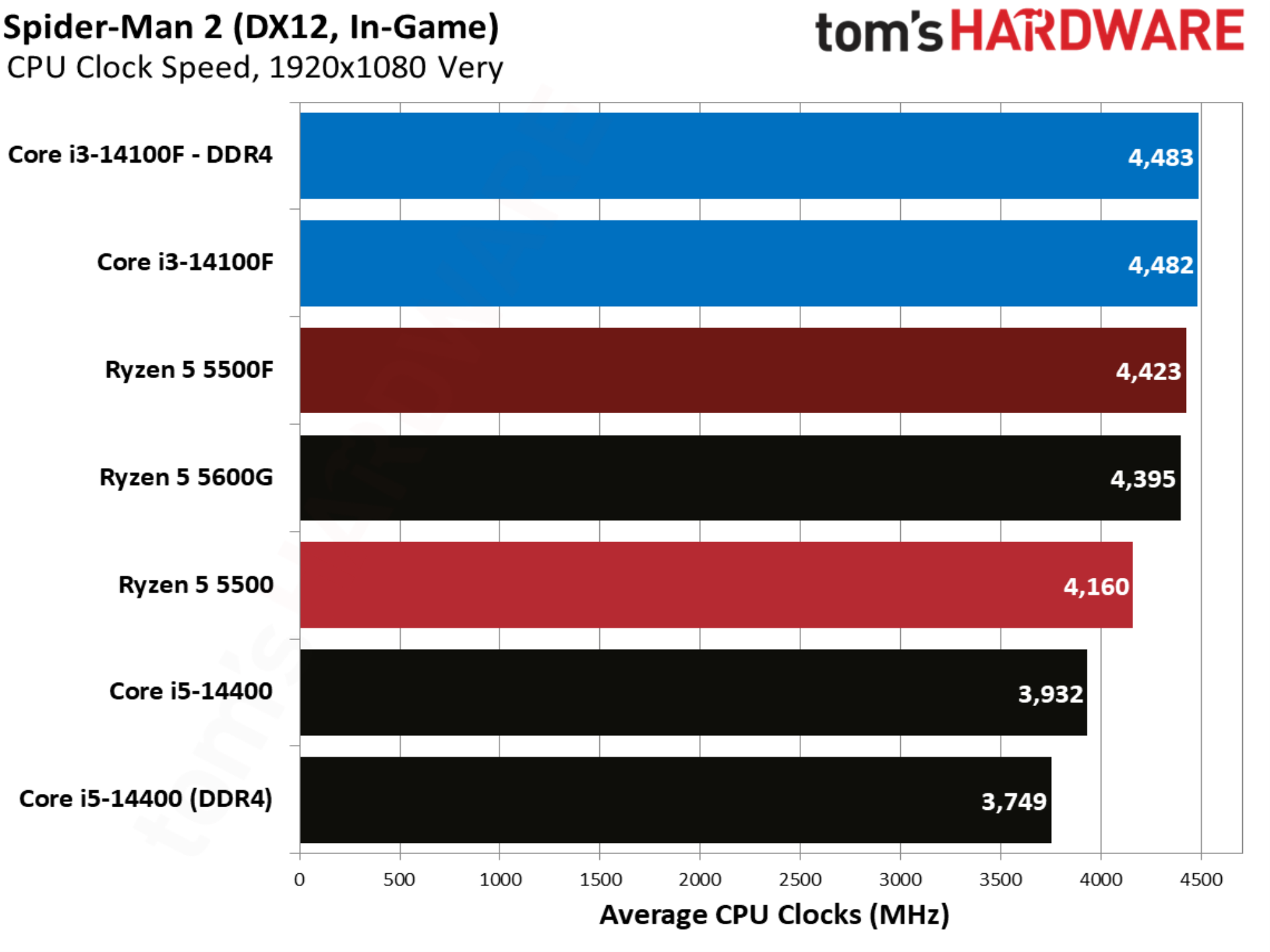
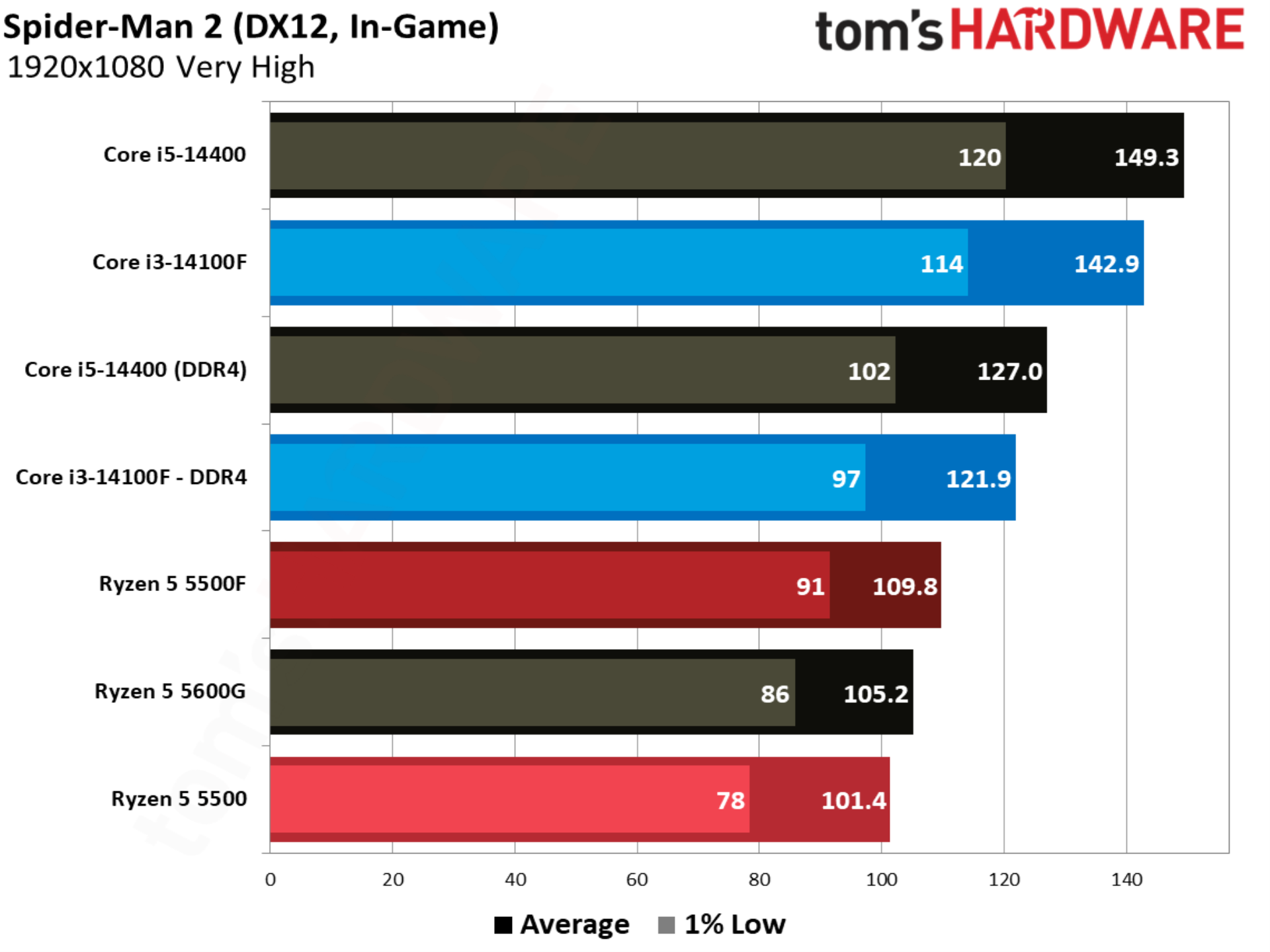
The notoriously CPU-heavy Spider-Man 2 jumps back to the pattern established by other titles in our test suite. The 14100F is over 20% ahead of the base 5500, and although the 5500F makes the battle closer, Intel still leads by 11%.

Starfield benchmarks
Starfield benchmarks
Tom's Hardware
Starfield benchmarks
Tom's Hardware
Starfield benchmarks
Tom's Hardware
Starfield benchmarks
Tom's Hardware
Starfield benchmarks
Tom's Hardware

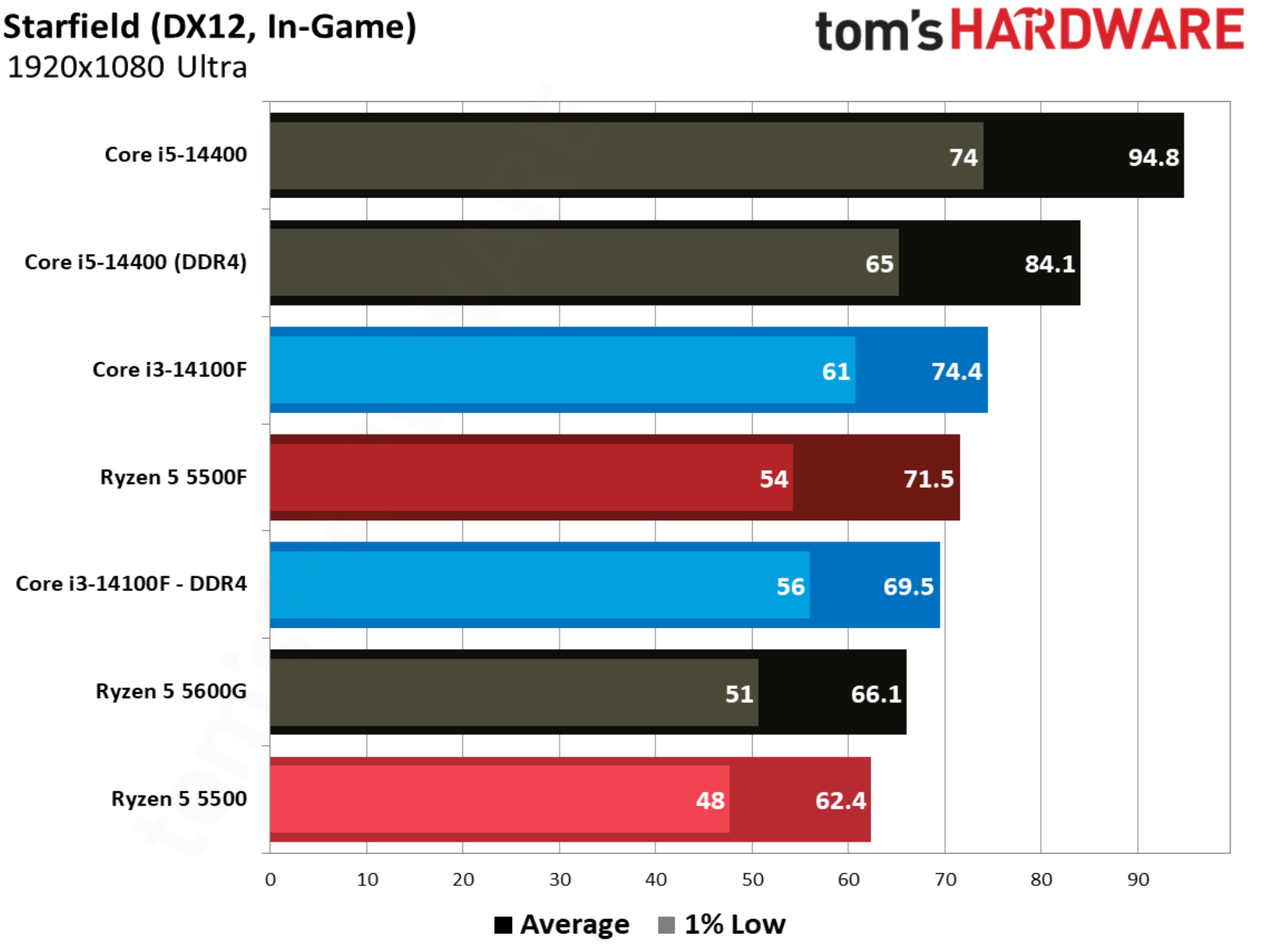
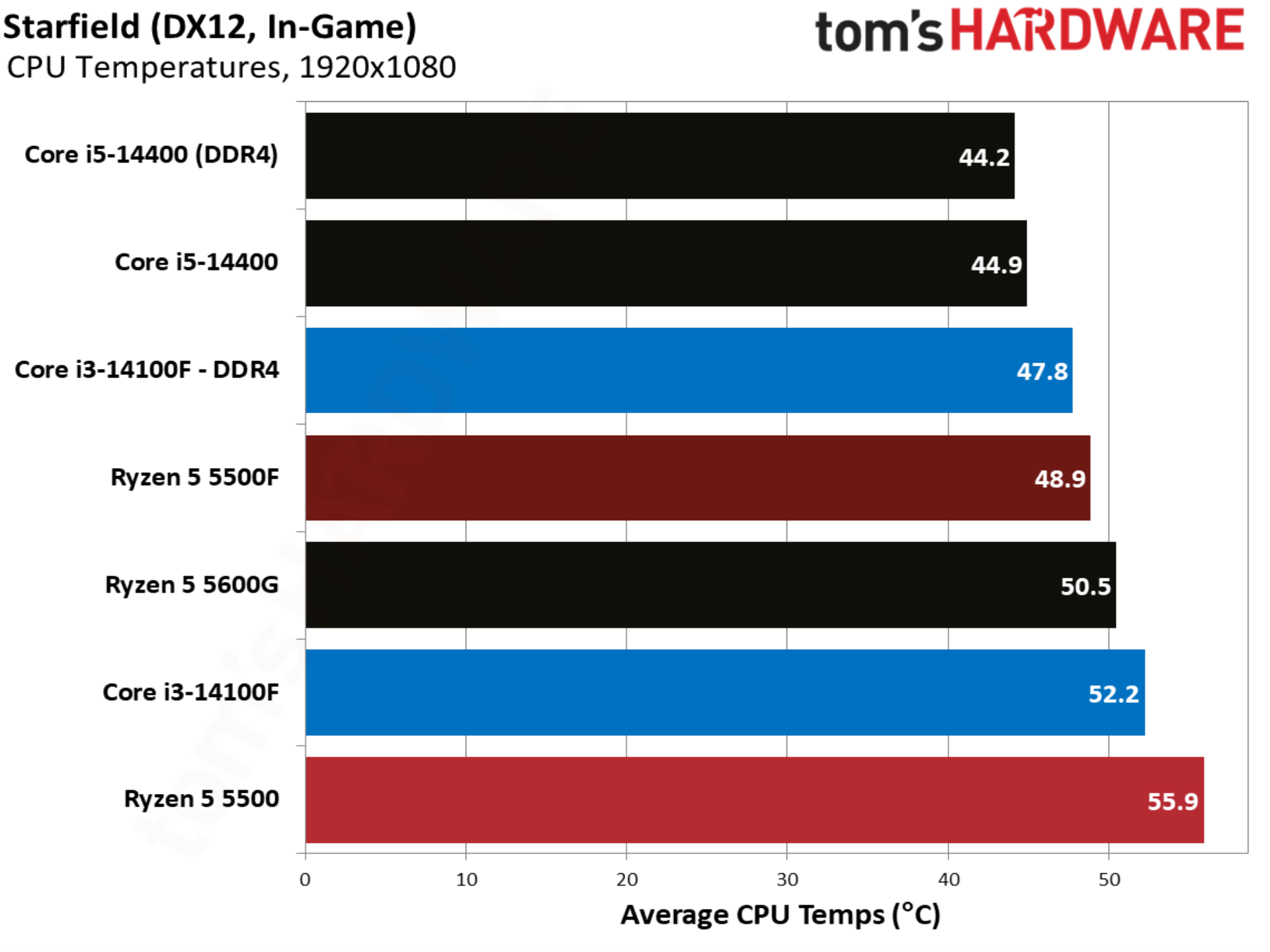
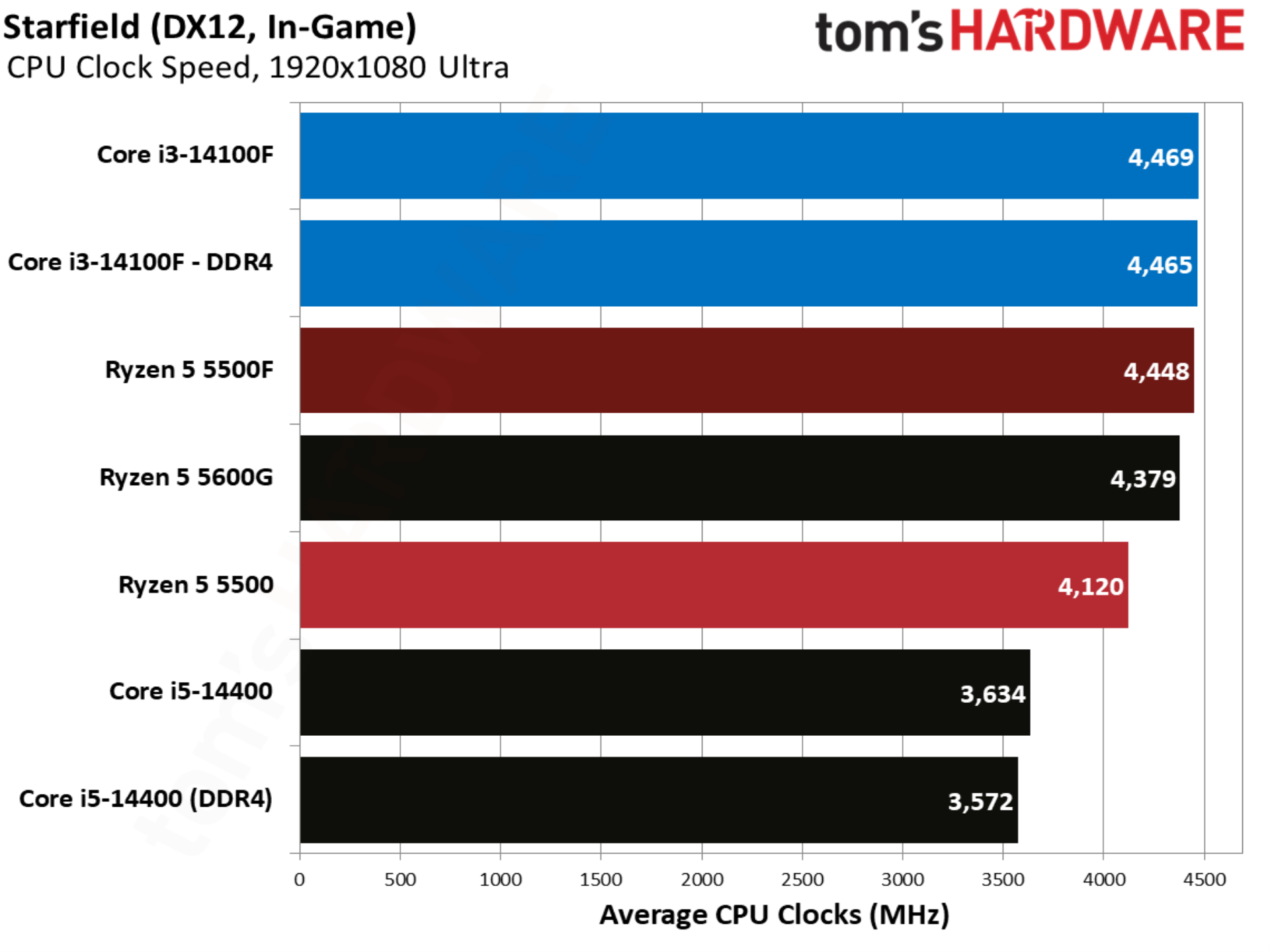
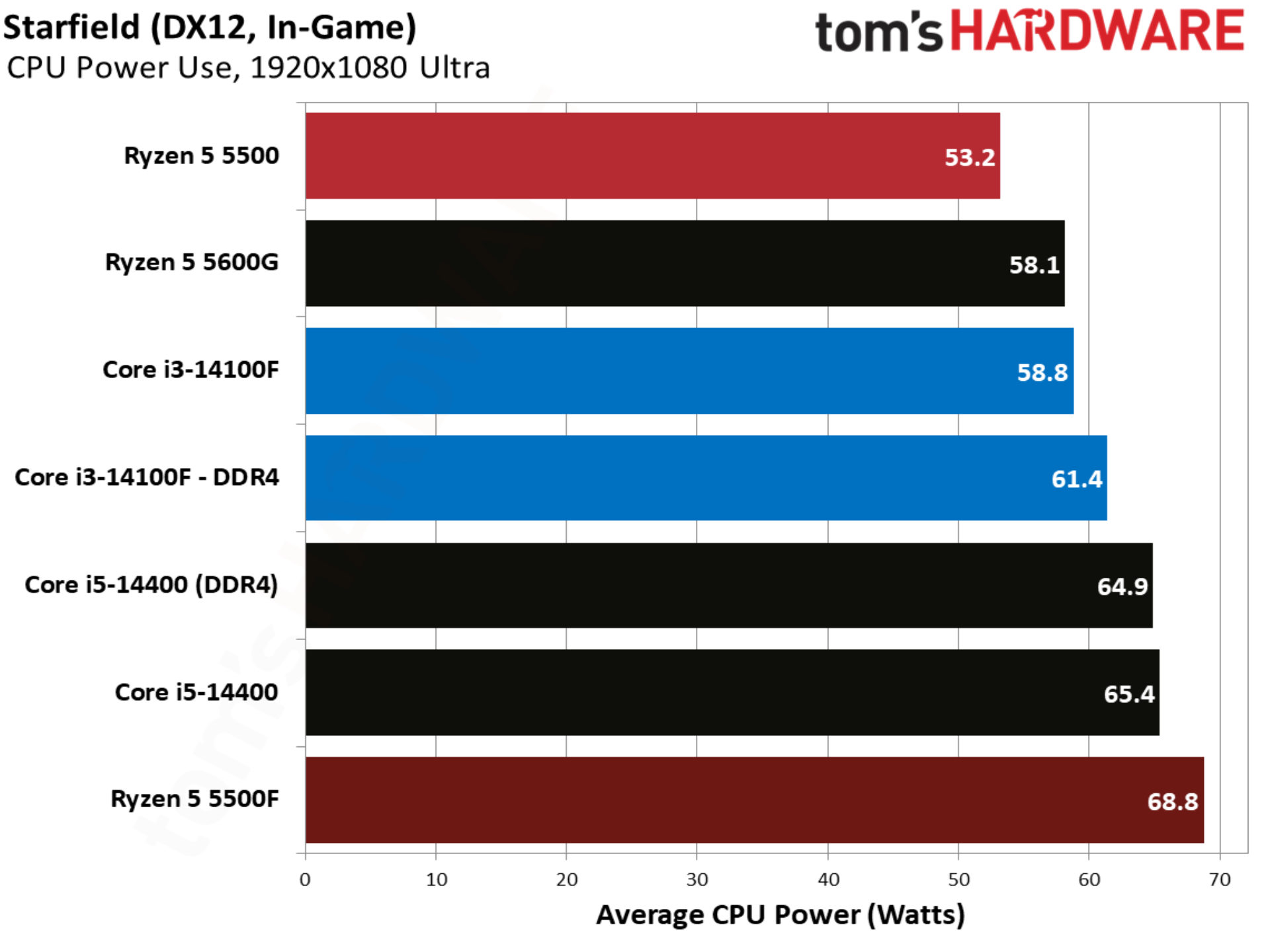
Starfield shows the Ryzen 5 5500F ahead of the 14100F, though only marginally, and with Intel coming out ahead with slightly better 1% lows. Still, this is another game where the 5500F successfully changes the power dynamic between Intel and AMD’s budget CPU offerings.

Warhammer 40K Space Marine 2 benchmarks
Warhammer 40K Space Marine 2 benchmarks
Tom's Hardware
Warhammer 40K Space Marine 2 benchmarks
Tom's Hardware
Warhammer 40K Space Marine 2 benchmarks
Tom's Hardware
Warhammer 40K Space Marine 2 benchmarks
Tom's Hardware
Warhammer 40K Space Marine 2 benchmarks
Tom's Hardware

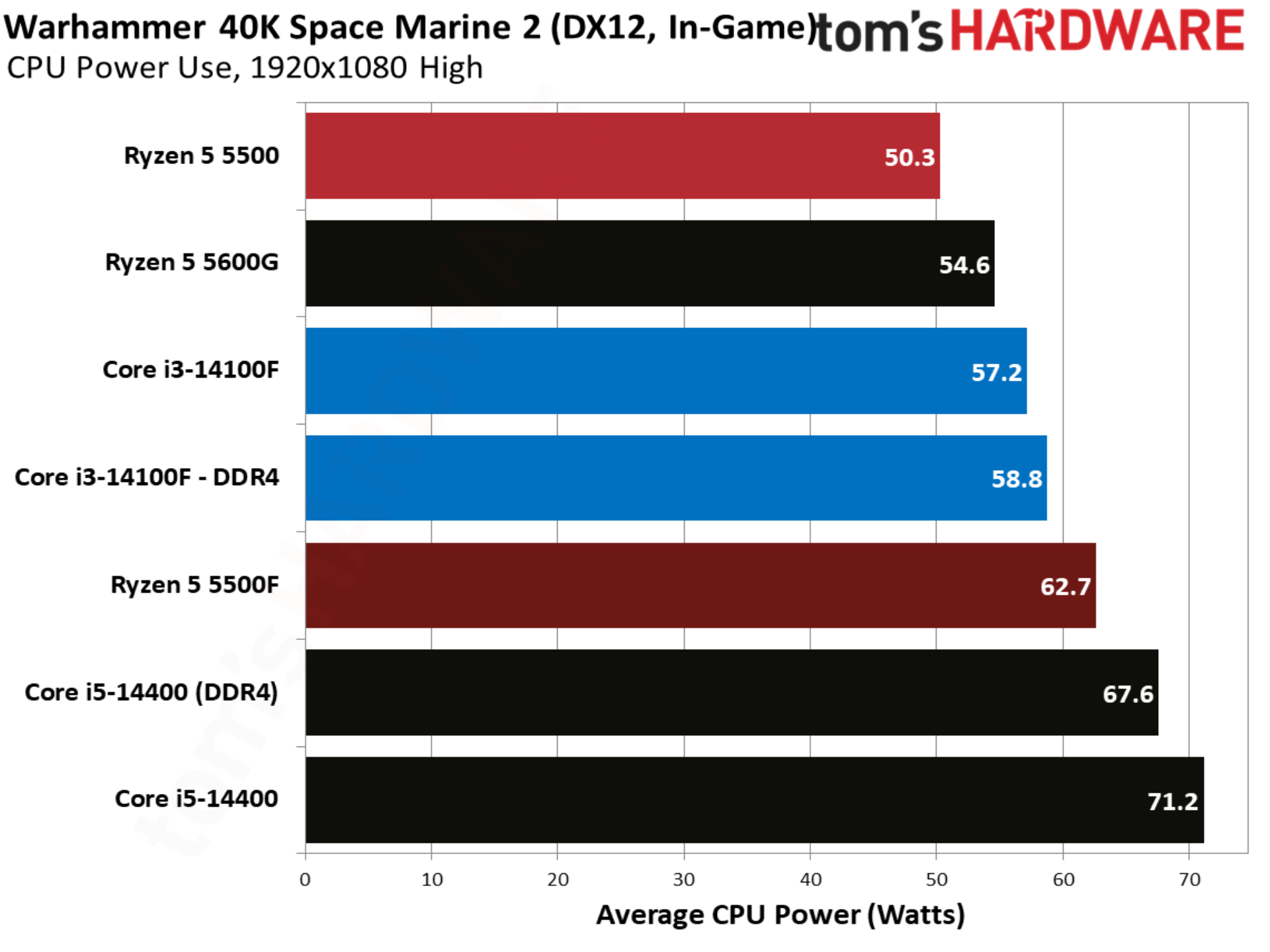
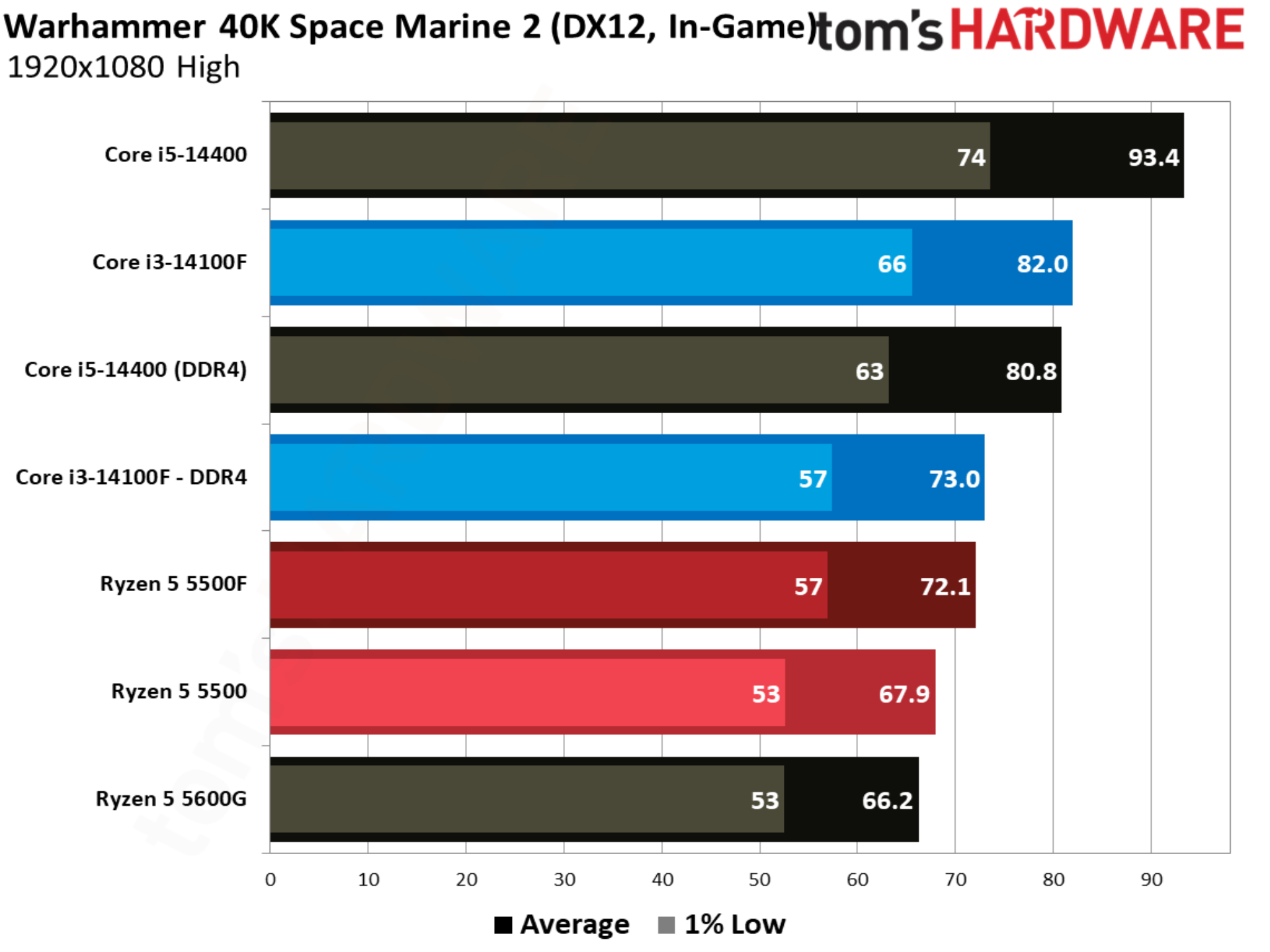
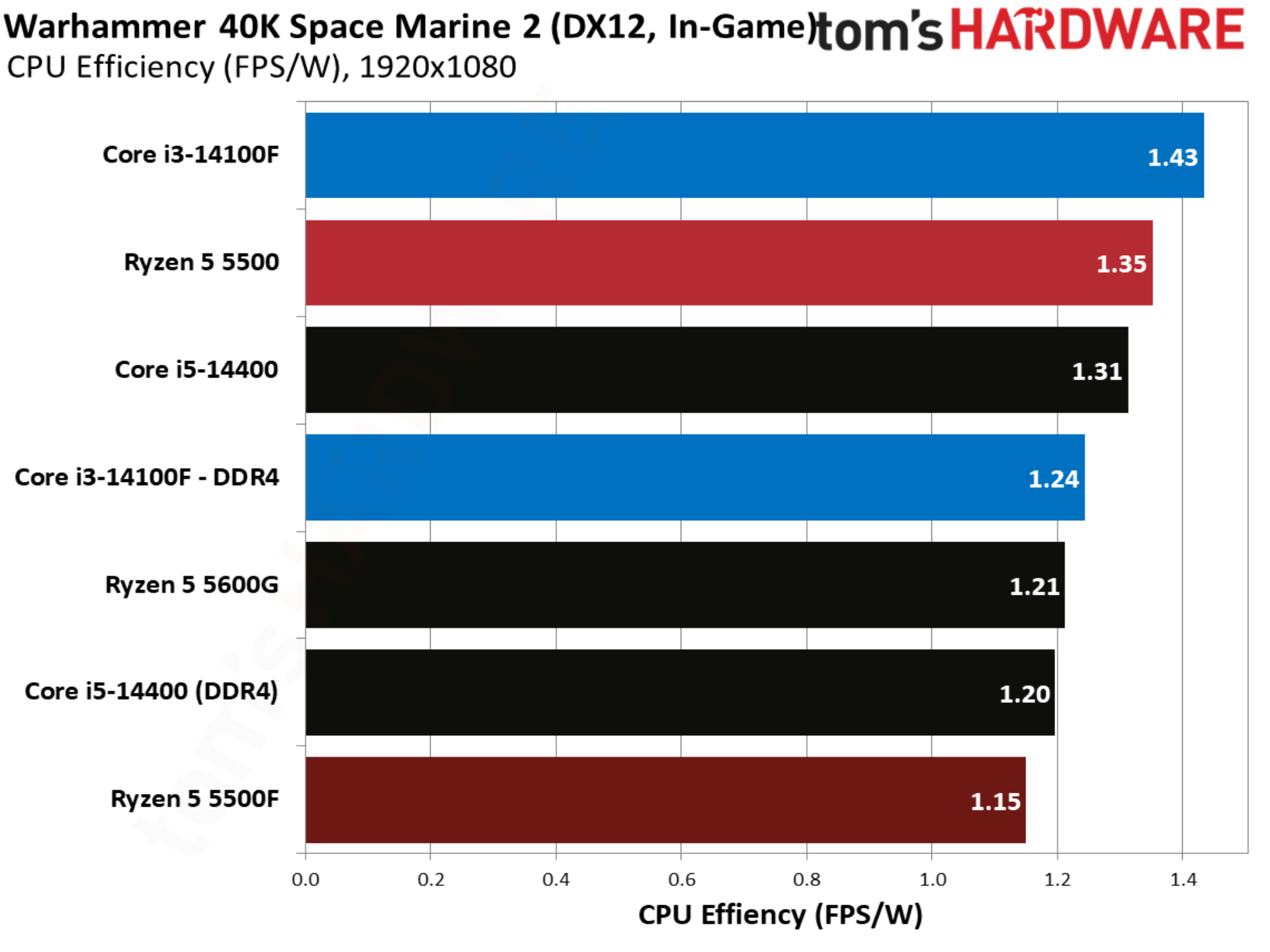
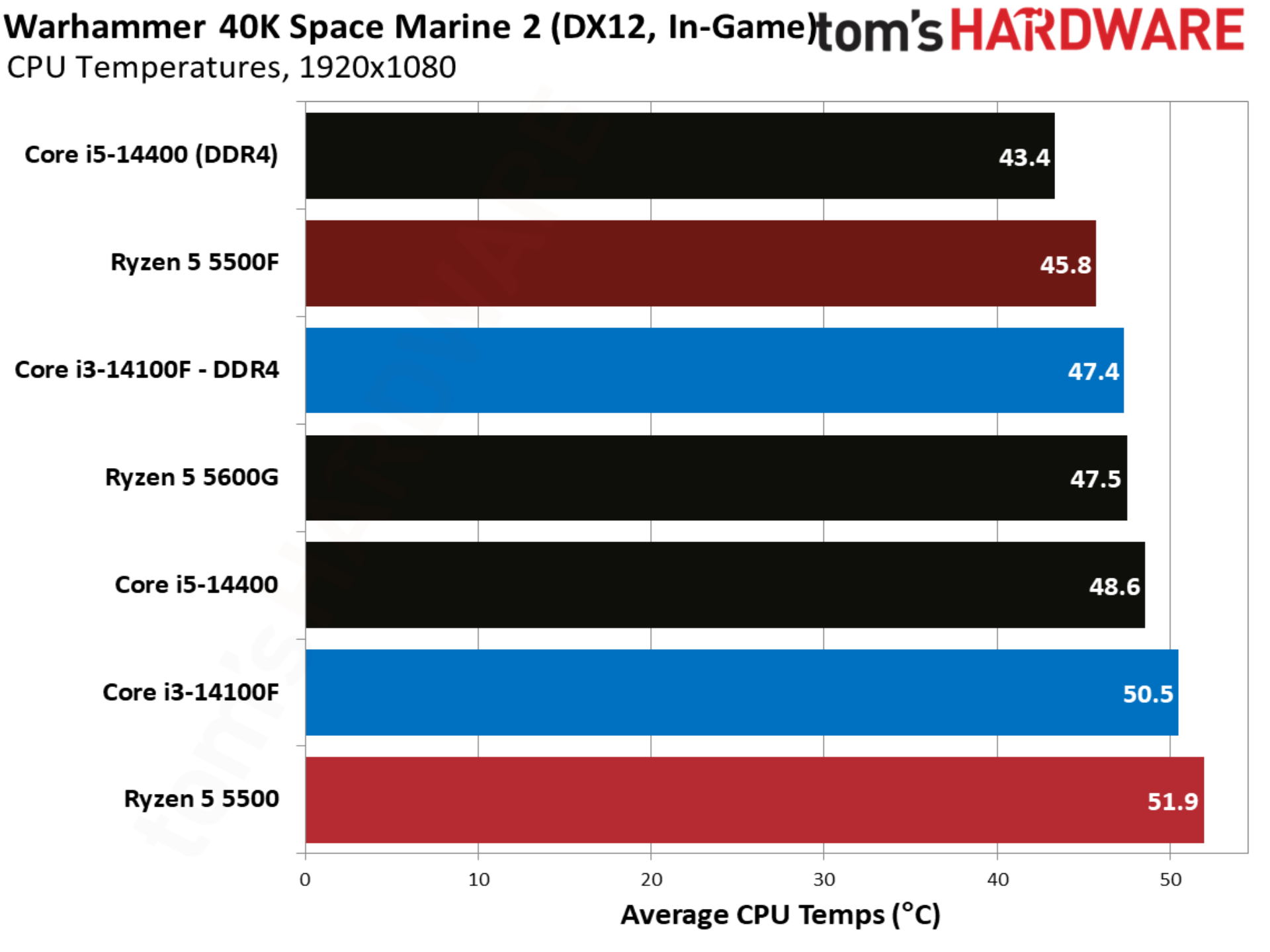
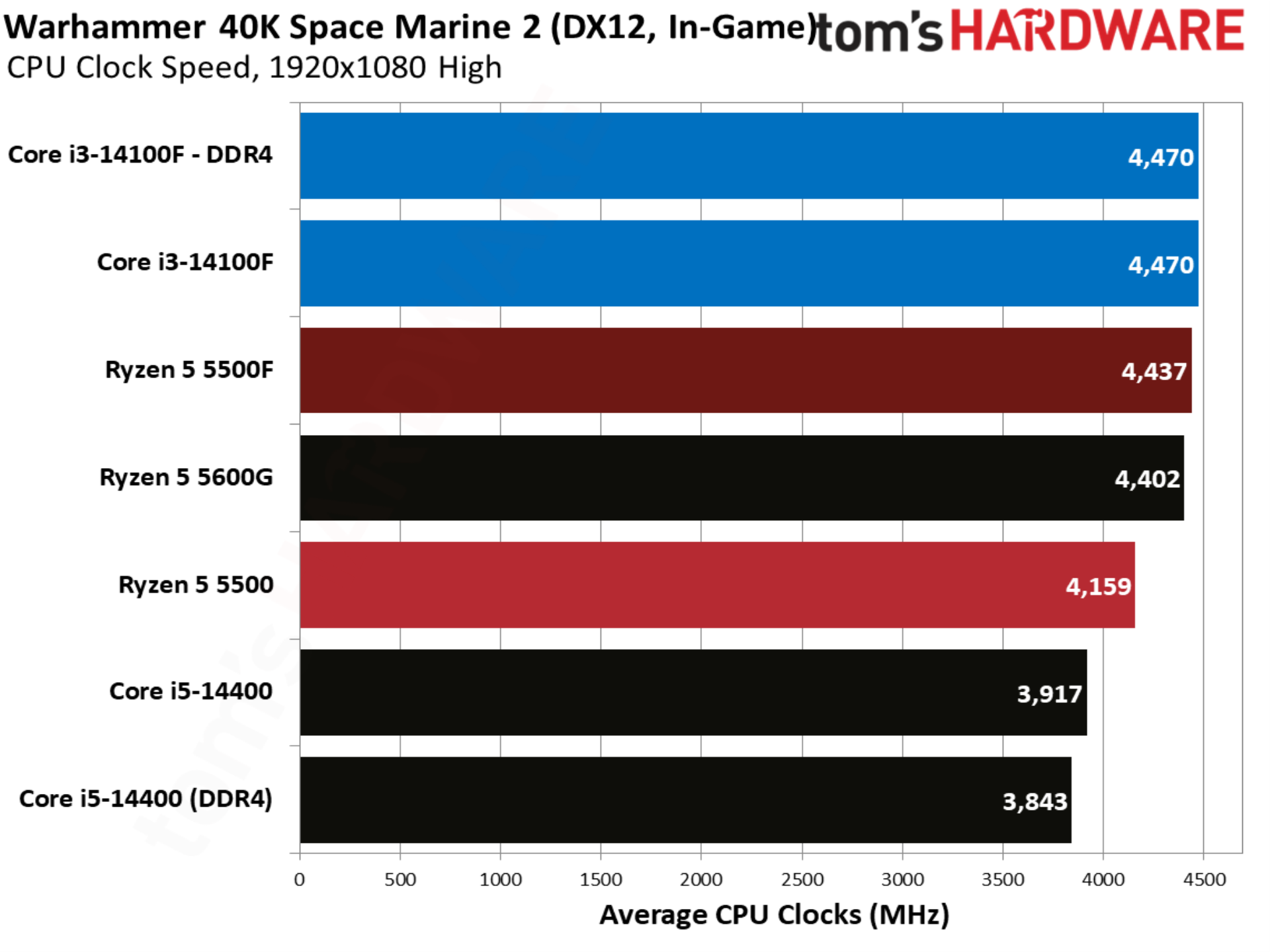
Finally, Warhammer 40K Space Marine 2 shows the 5500F matching the 14100F, whereas the base 5500 trailed by nearly 7%.

MORE: CPU Benchmark Hierarchy

MORE: AMD vs. Intel

MORE: Intel Core Ultra 7 270K Plus review

MORE: AMD Ryzen 7 9850X3D review

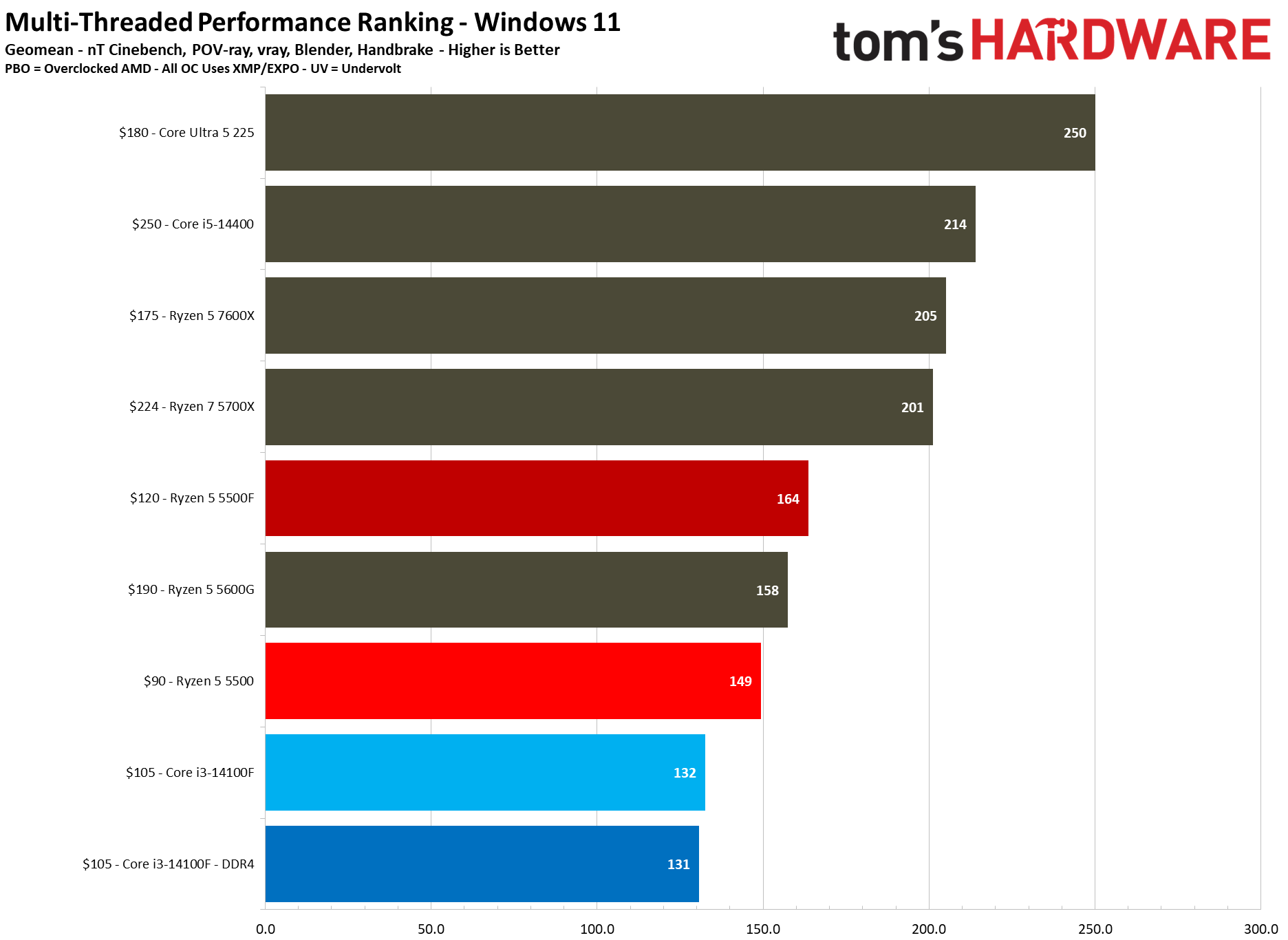
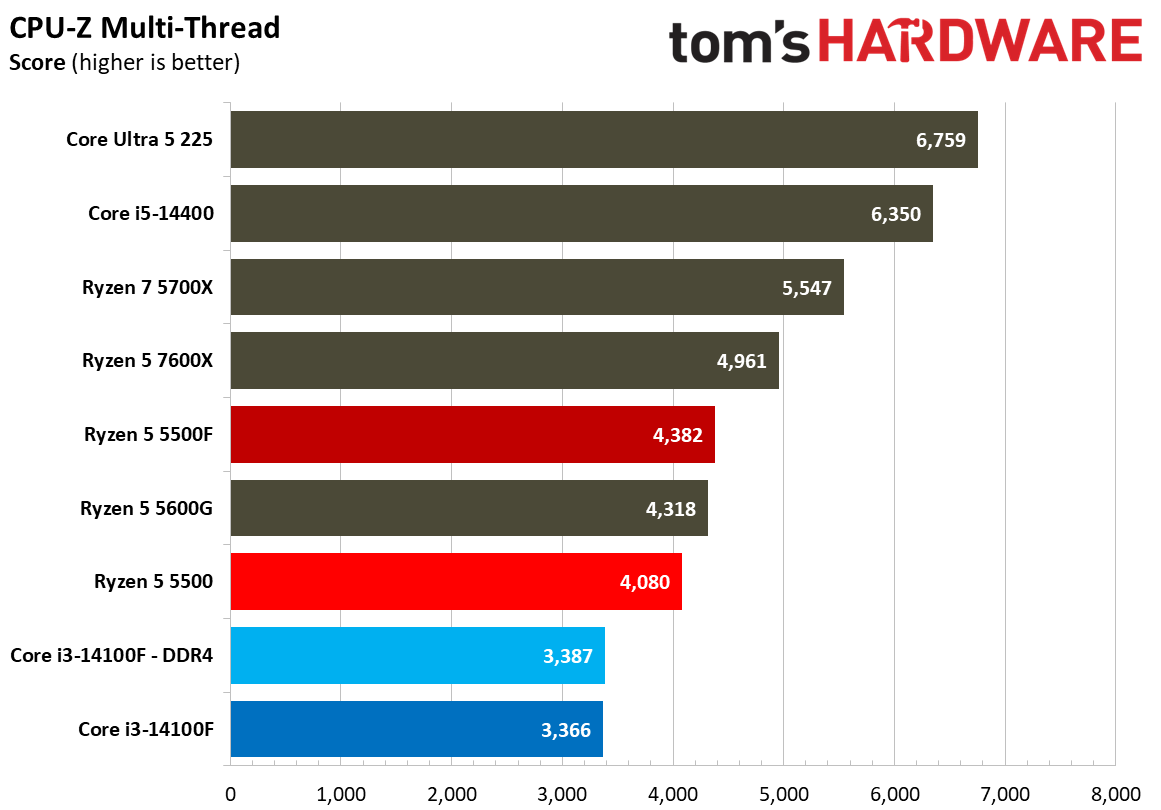
The Ryzen 5 5500F is primarily a gaming CPU, clocked fairly low at a 4.4 GHz boost and packing just six Zen 3 cores. The six-core floor that AMD has maintained for several generations gives the 5500F a significant edge over the Core i3-14100F, which uses a true quad-core design, bypassing the hybrid design that Intel has used on its past several generations of desktop CPUs.
AMD Ryzen 5 5500F

(Image credit: Tom's Hardware)

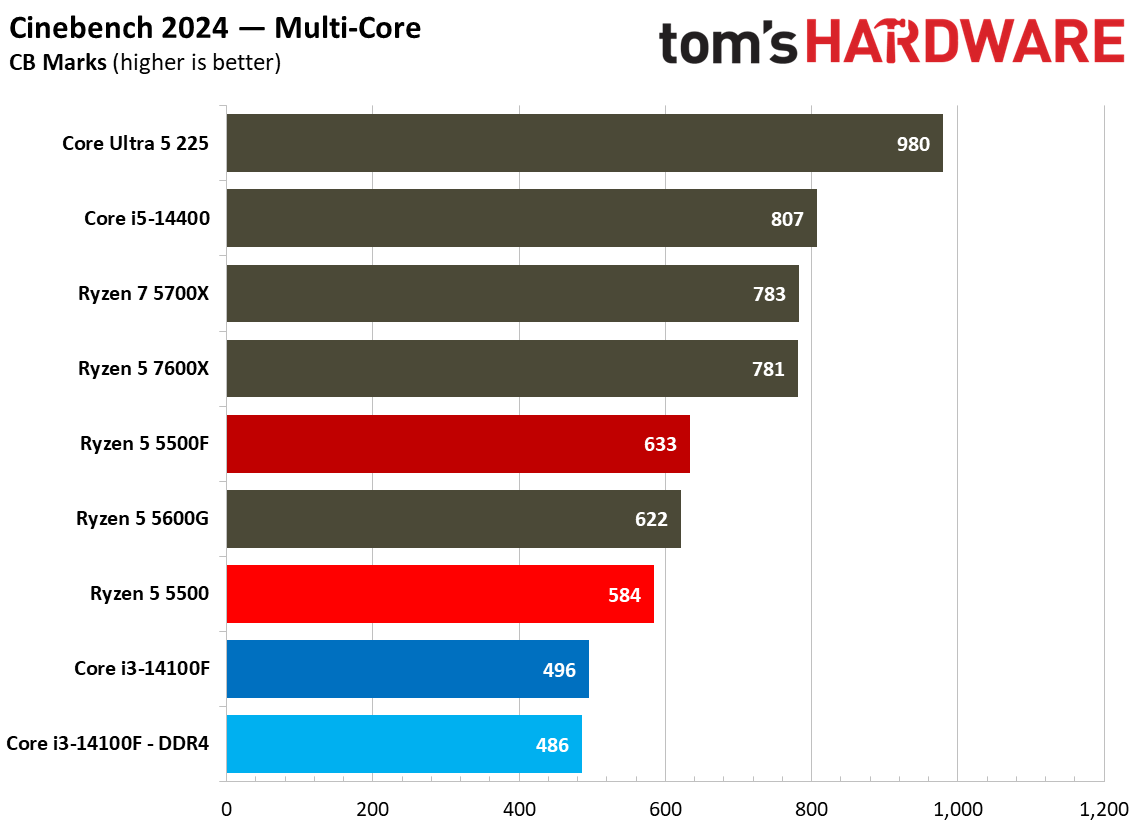
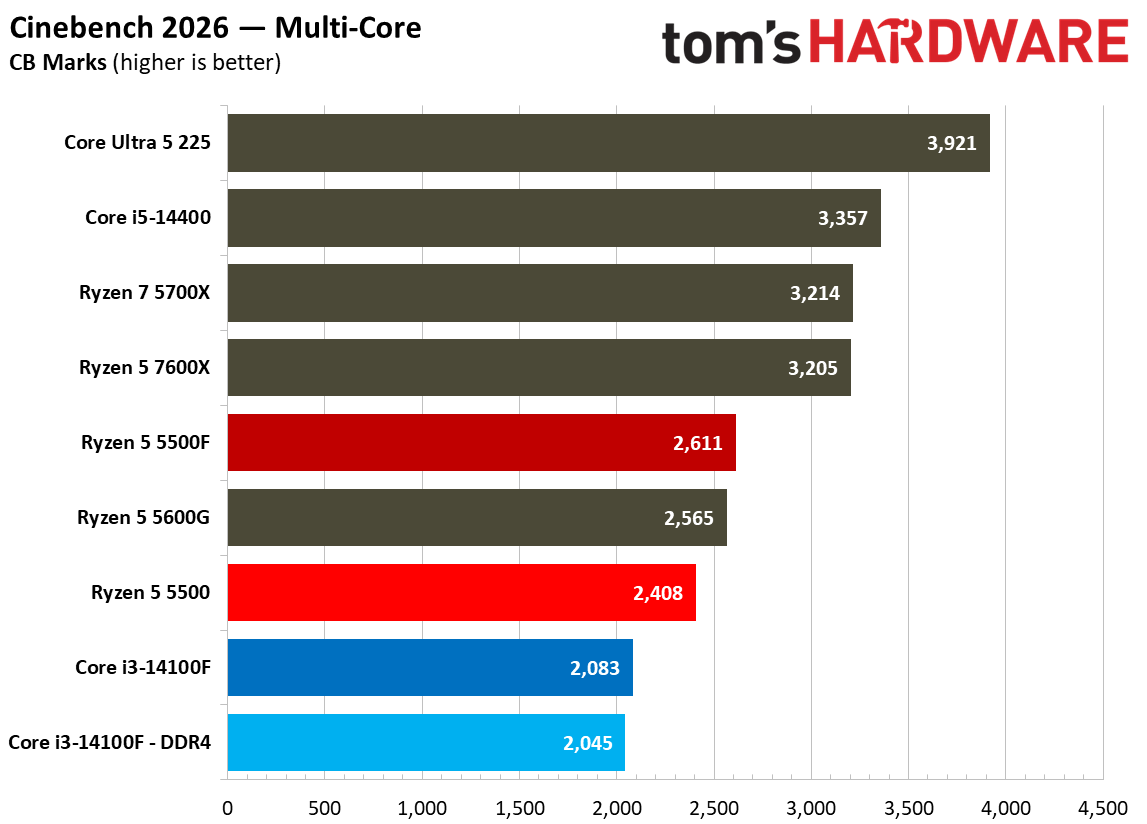
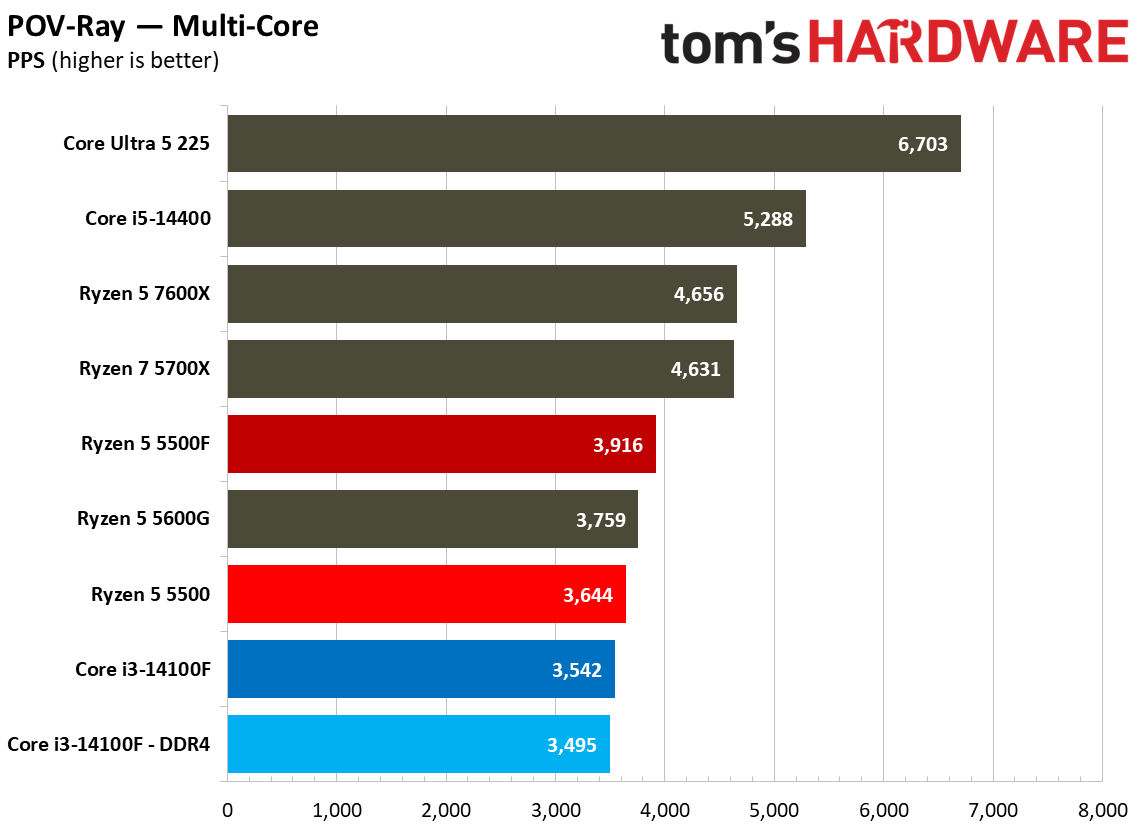
There aren’t a lot of quad-core chips on the market today, so it’s no surprise to see the Core i3-14100F at the bottom of the chart here, regardless of whether it’s paired with DDR4 or DDR5. The Ryzen 5500 already led Intel by 12.8% in our multi-threaded geomean, but the 5500F nearly doubles that lead to 24.2%. Compared to the 5500, the new 5500F is a clean 10% ahead in our multithreaded geomean.
AMD Ryzen 5 5500F

(Image credit: Tom's Hardware)

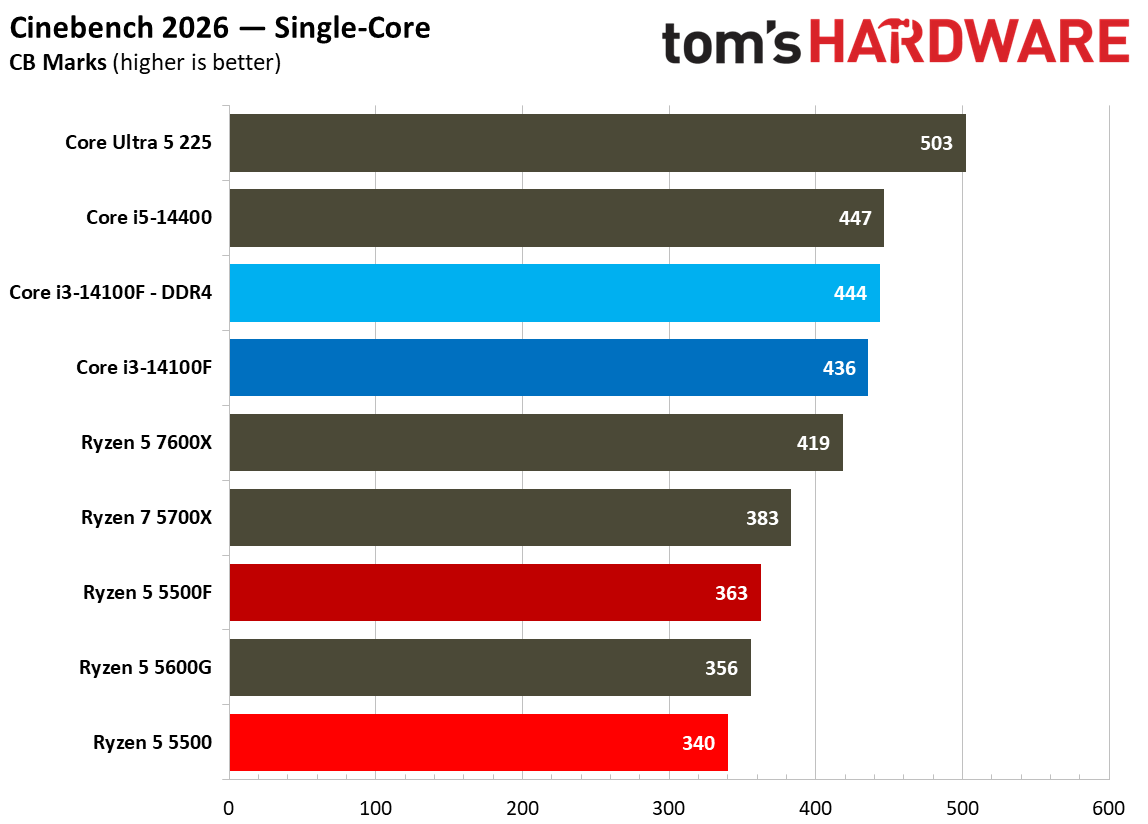
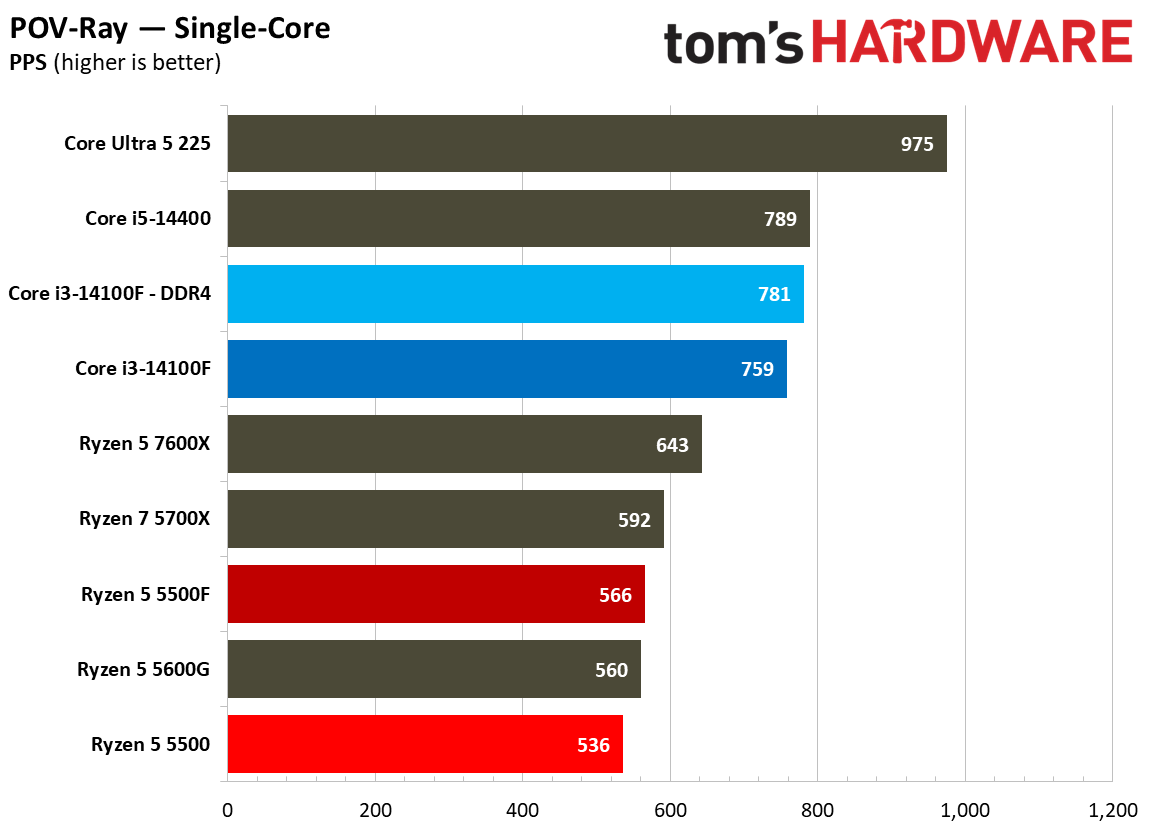
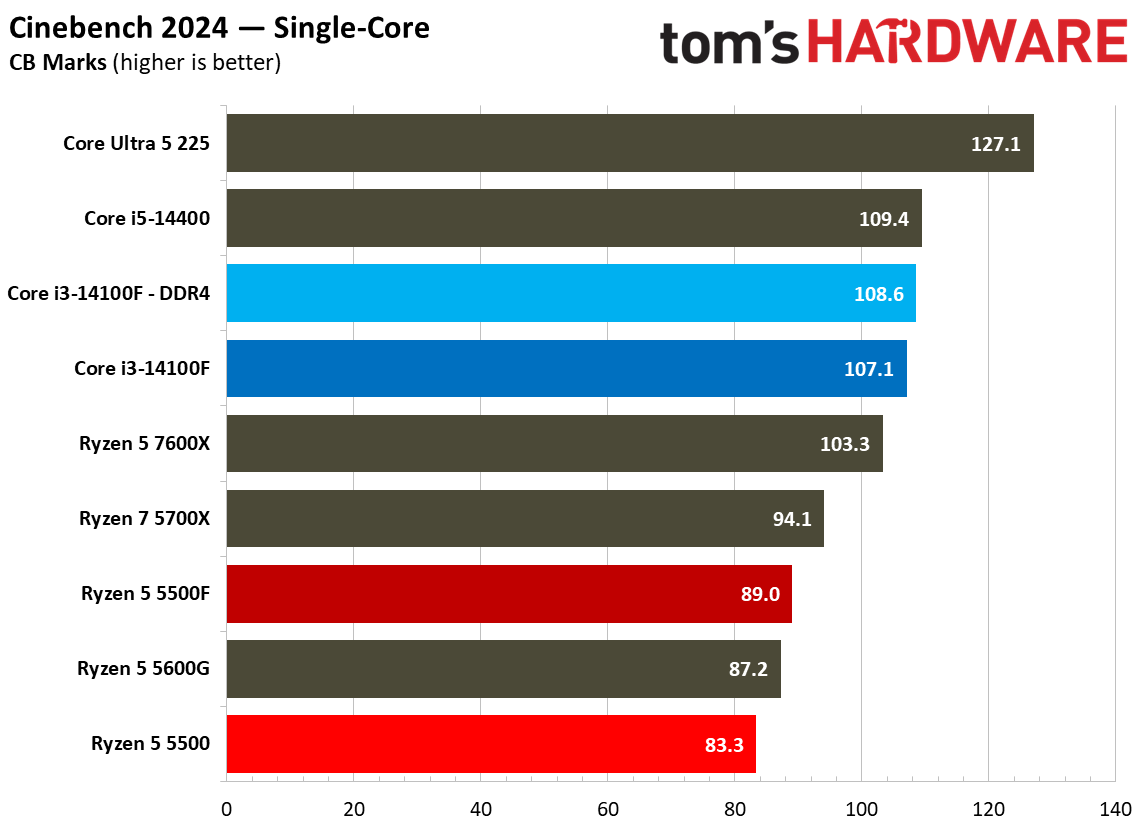
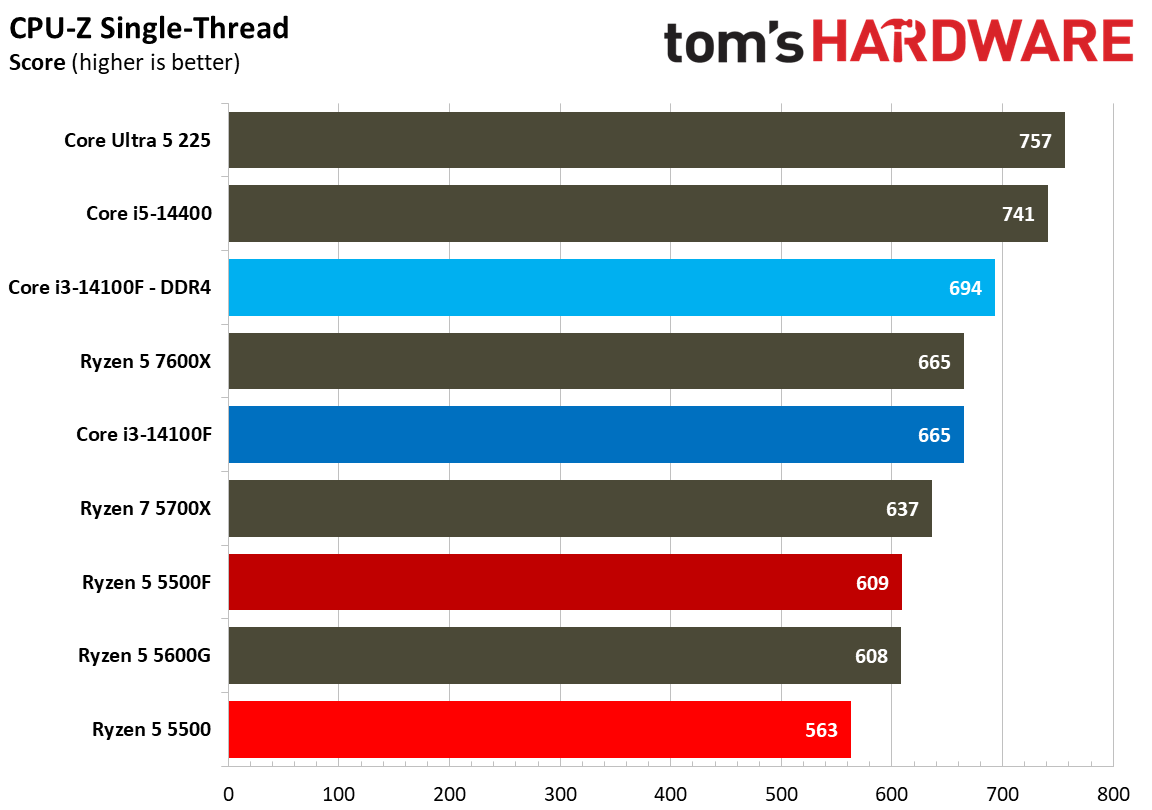
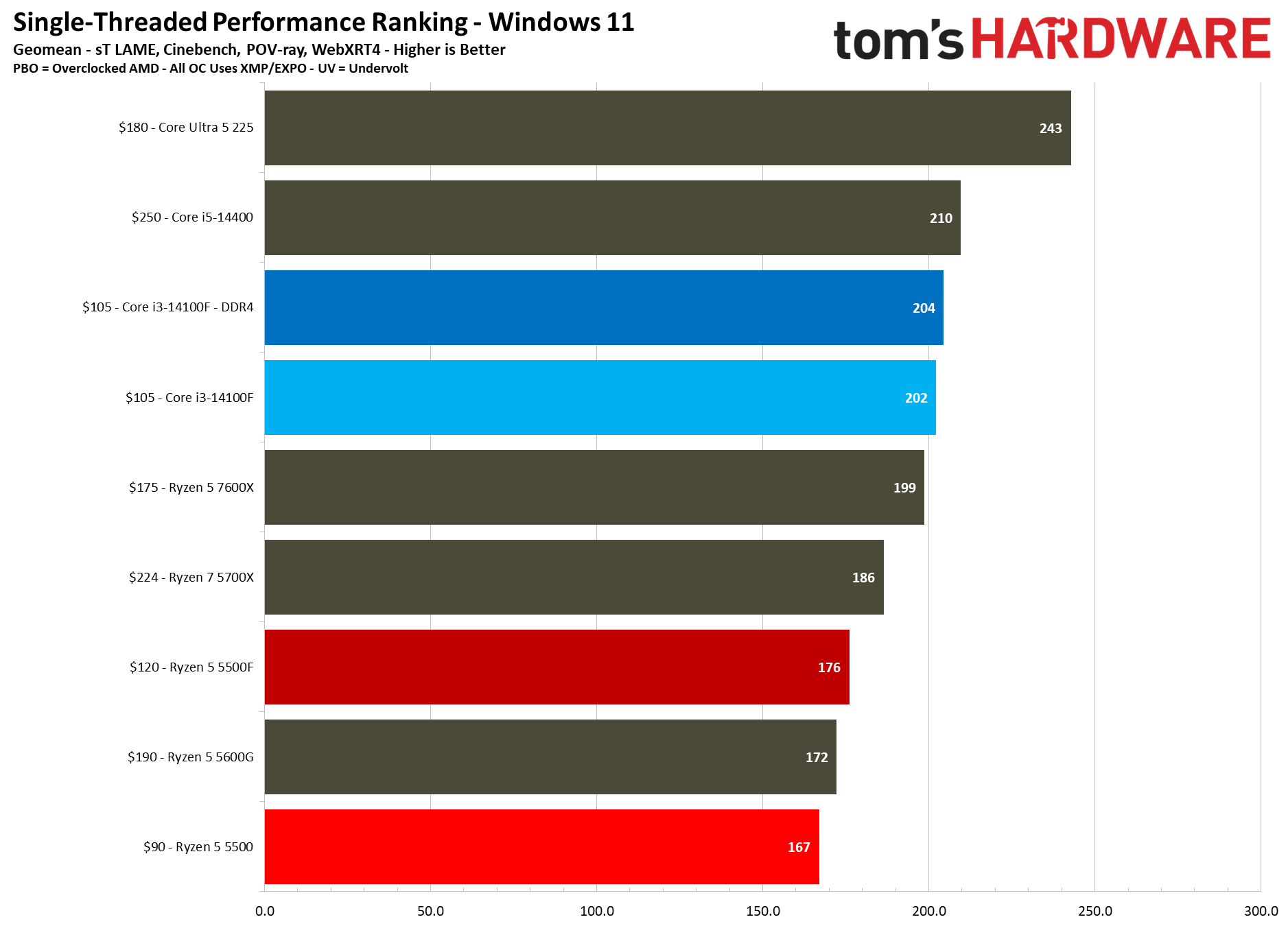
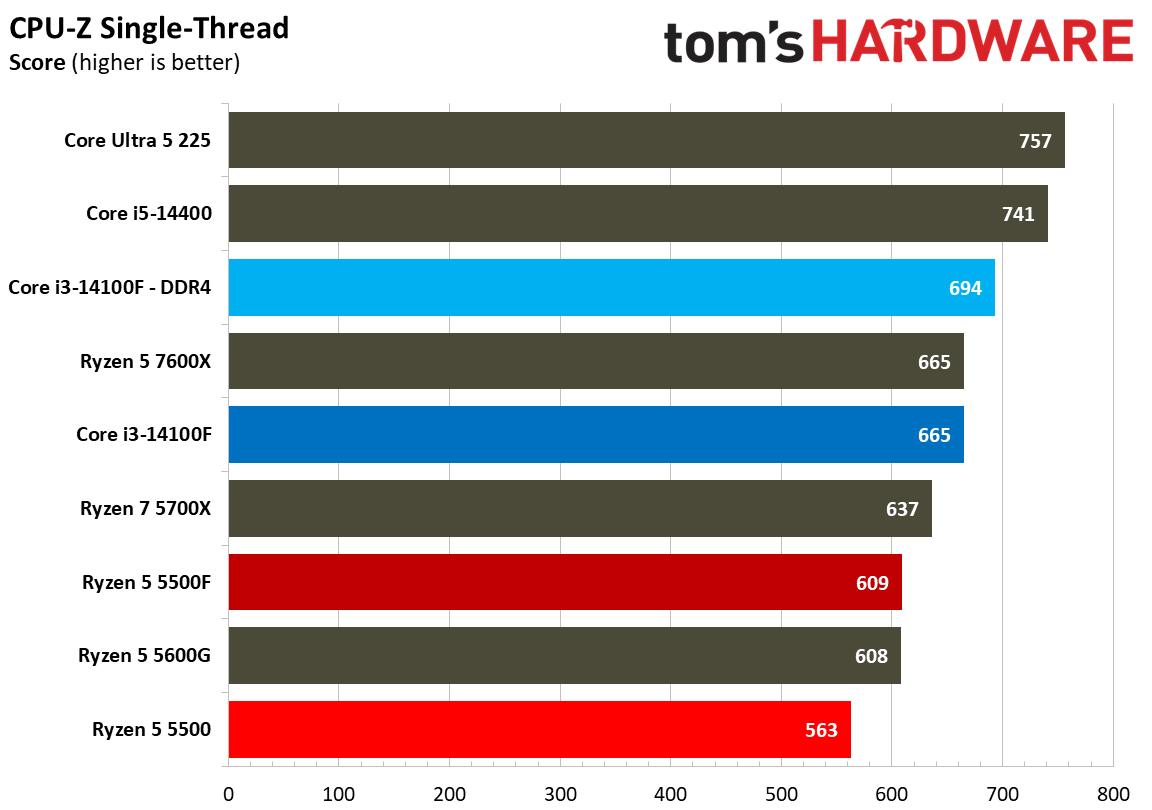
The scales unsurprisingly flip looking at single-threaded performance. Intel usually leads in single-threaded performance anyway, but some context is important here. Zen 3 is much older than Raptor Lake, and those microarchitectural differences really show up in our single-threaded testing.

On microarchitecture, the Ryzen 5 5500F is 5% ahead of the 5500 in our single-threaded geomean, aligning almost perfectly with the 5% boost in turbo clock speed that the 5500F has. That’s a welcome bump, though keep in mind that a 4.4 GHz boost is still relatively low, and the 5500F only has access to 16 MB of L3. Other Vermeer CPUs, such as the 5700X, have 32 MB.

Rendering Benchmarks
Rendering Benchmarks
Tom's Hardware
Rendering Benchmarks
Tom's Hardware
Rendering Benchmarks
Tom's Hardware
Rendering Benchmarks
Tom's Hardware
Rendering Benchmarks
Tom's Hardware
Rendering Benchmarks
Tom's Hardware
Rendering Benchmarks
Tom's Hardware
Rendering Benchmarks
Tom's Hardware
Rendering Benchmarks
Tom's Hardware
Rendering Benchmarks
Tom's Hardware
Rendering Benchmarks
Tom's Hardware
Rendering Benchmarks
Tom's Hardware
Rendering Benchmarks
Tom's Hardware
Rendering Benchmarks
Tom's Hardware
Rendering Benchmarks
Tom's Hardware
Rendering Benchmarks
Tom's Hardware
Rendering Benchmarks
Tom's Hardware
Rendering Benchmarks
Tom's Hardware

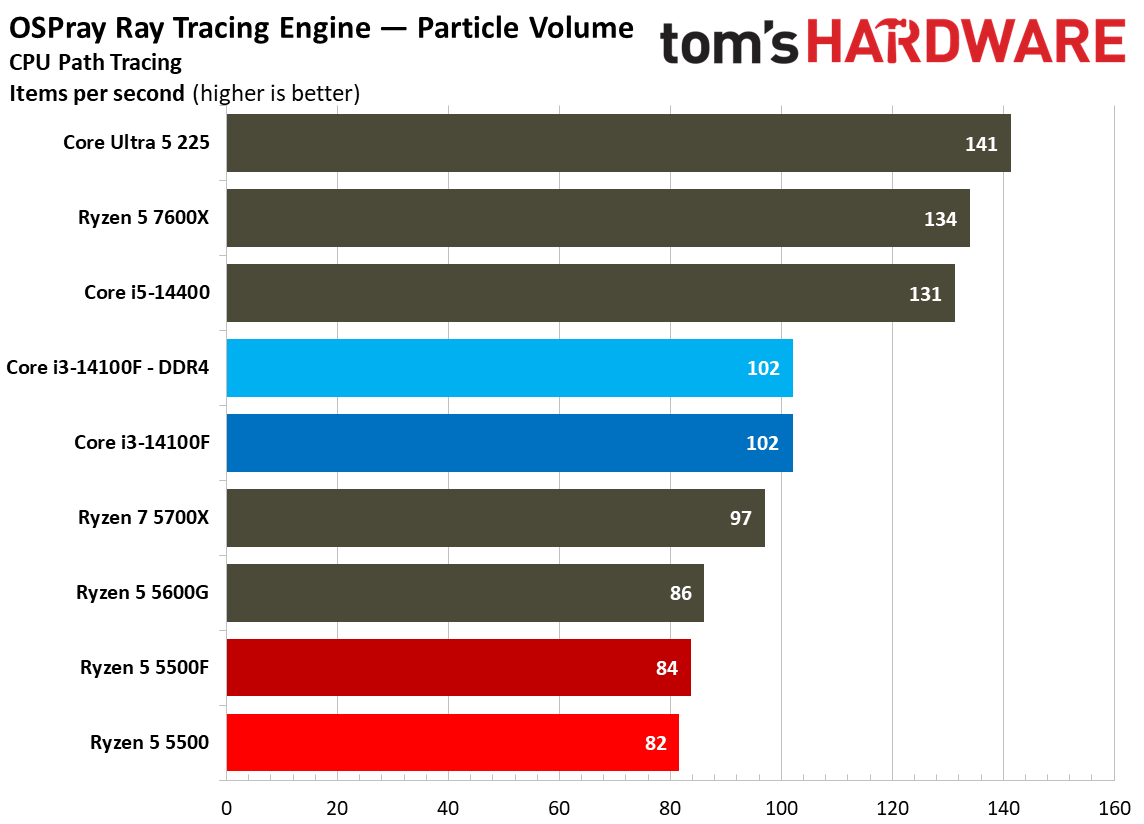
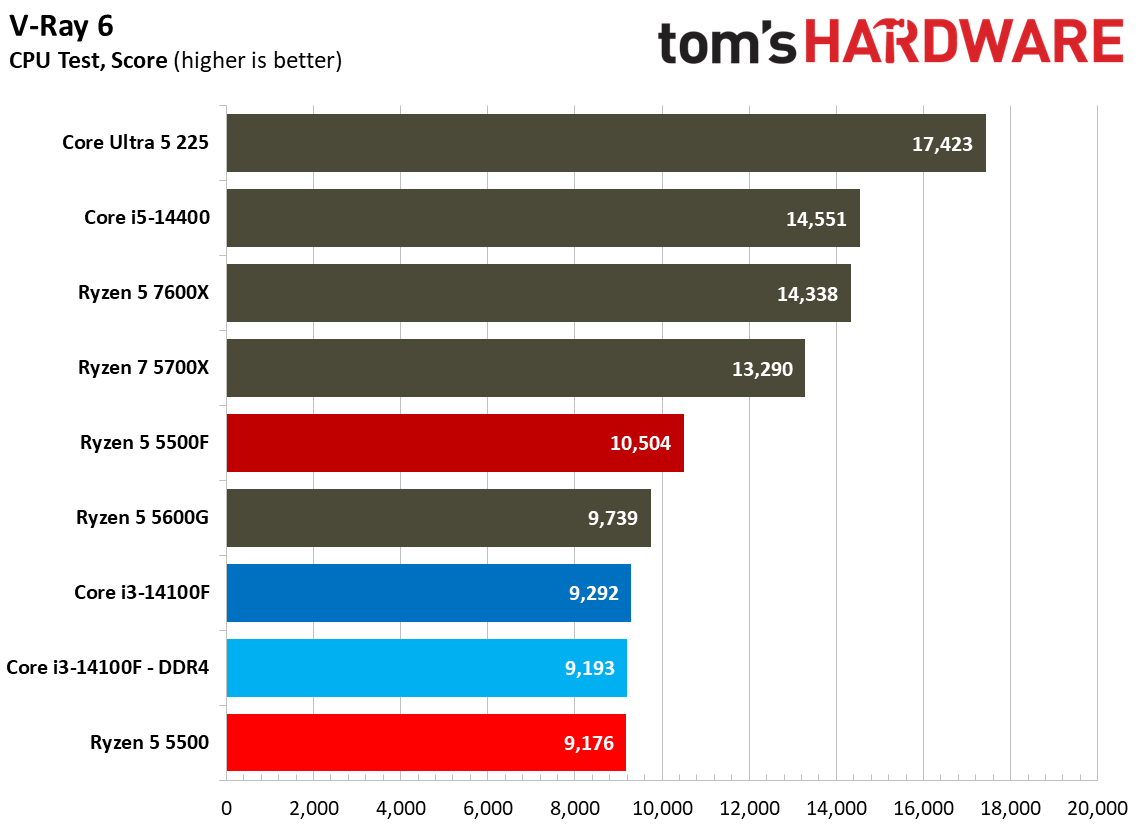
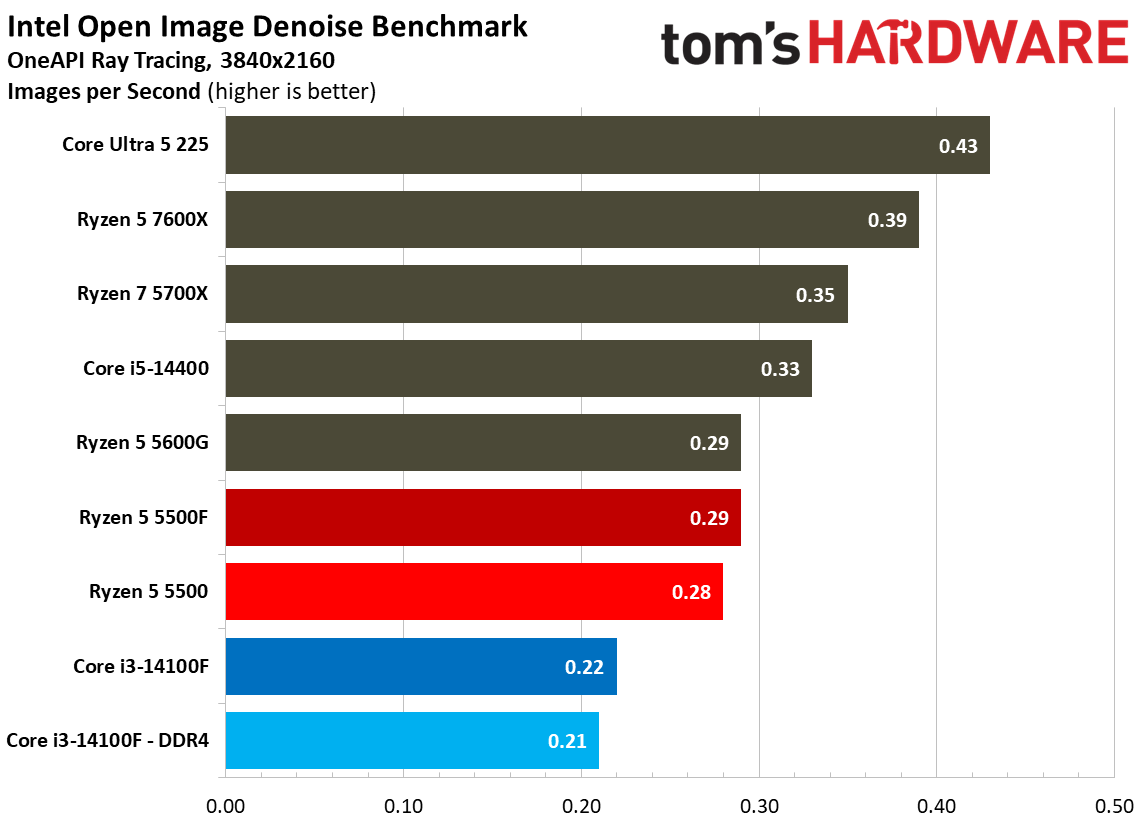
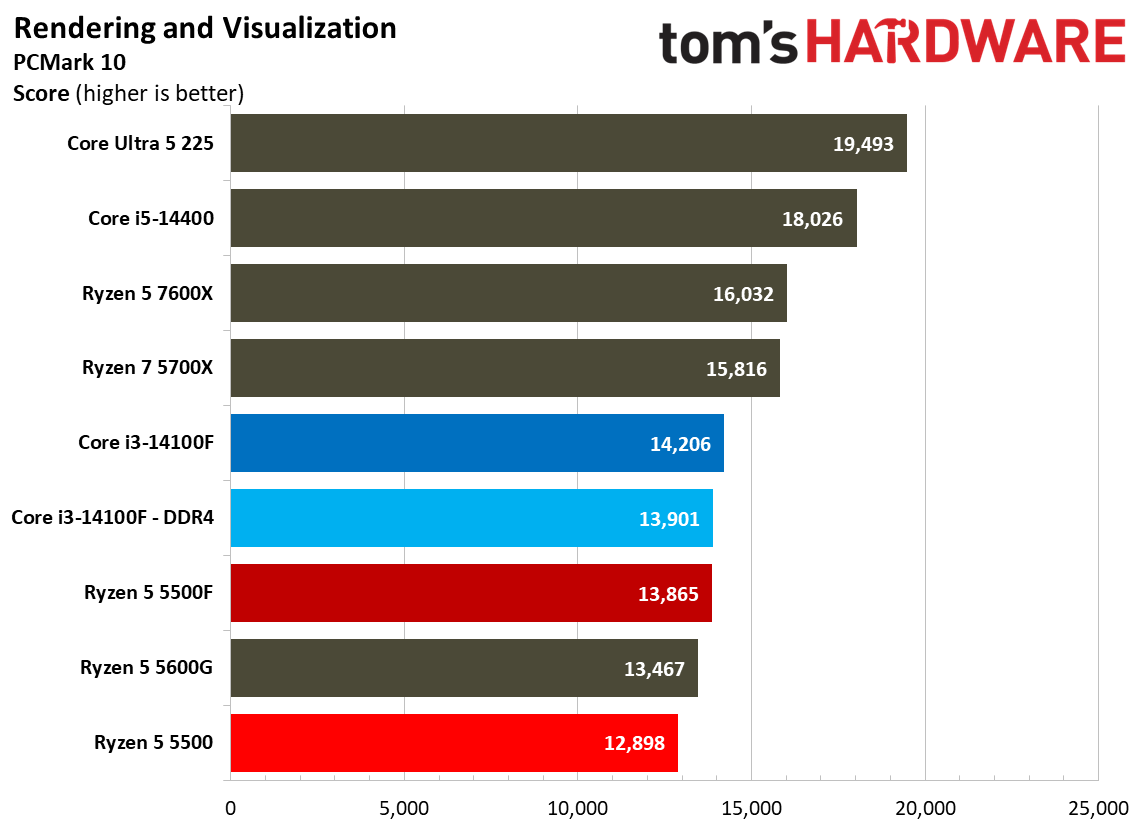
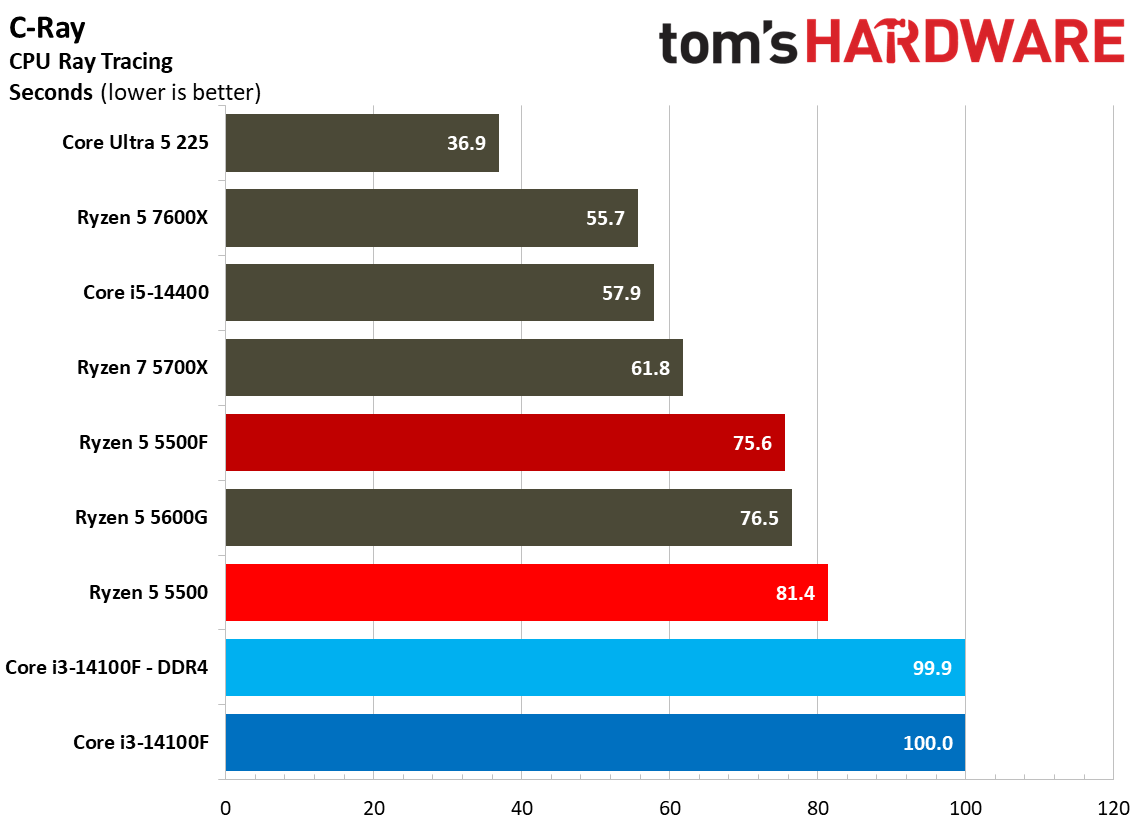
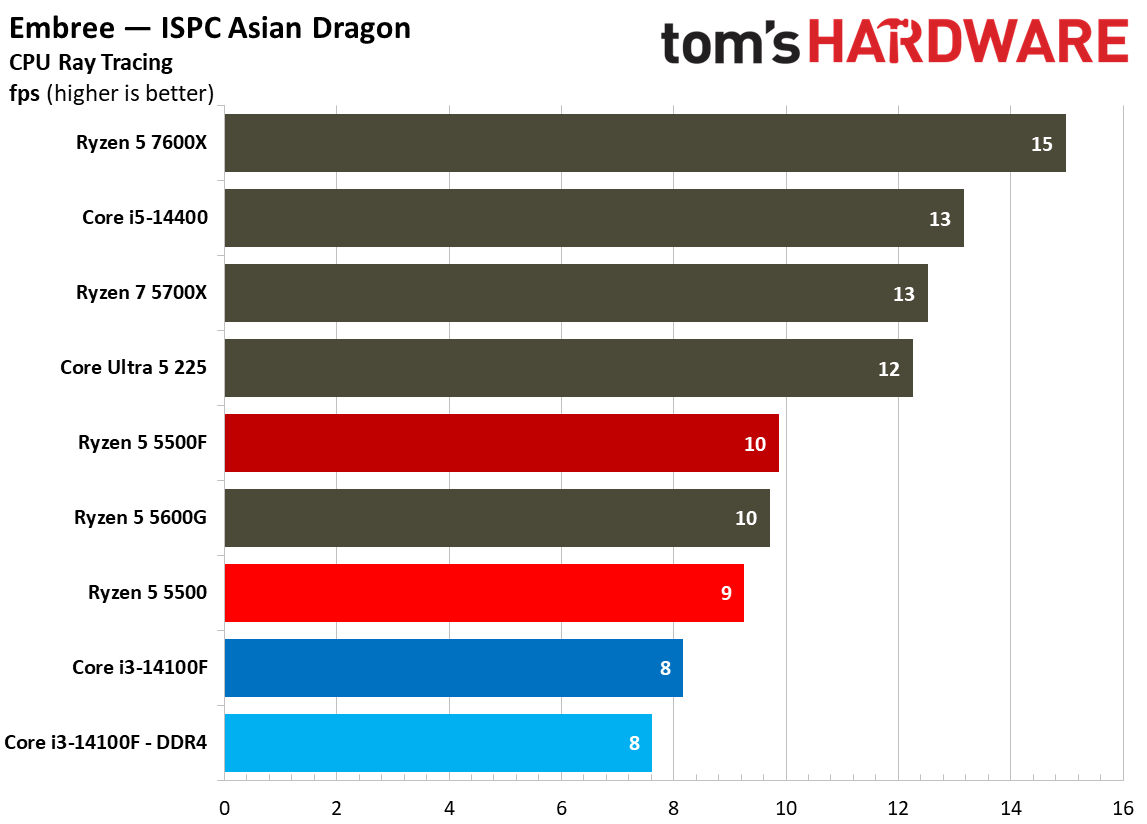
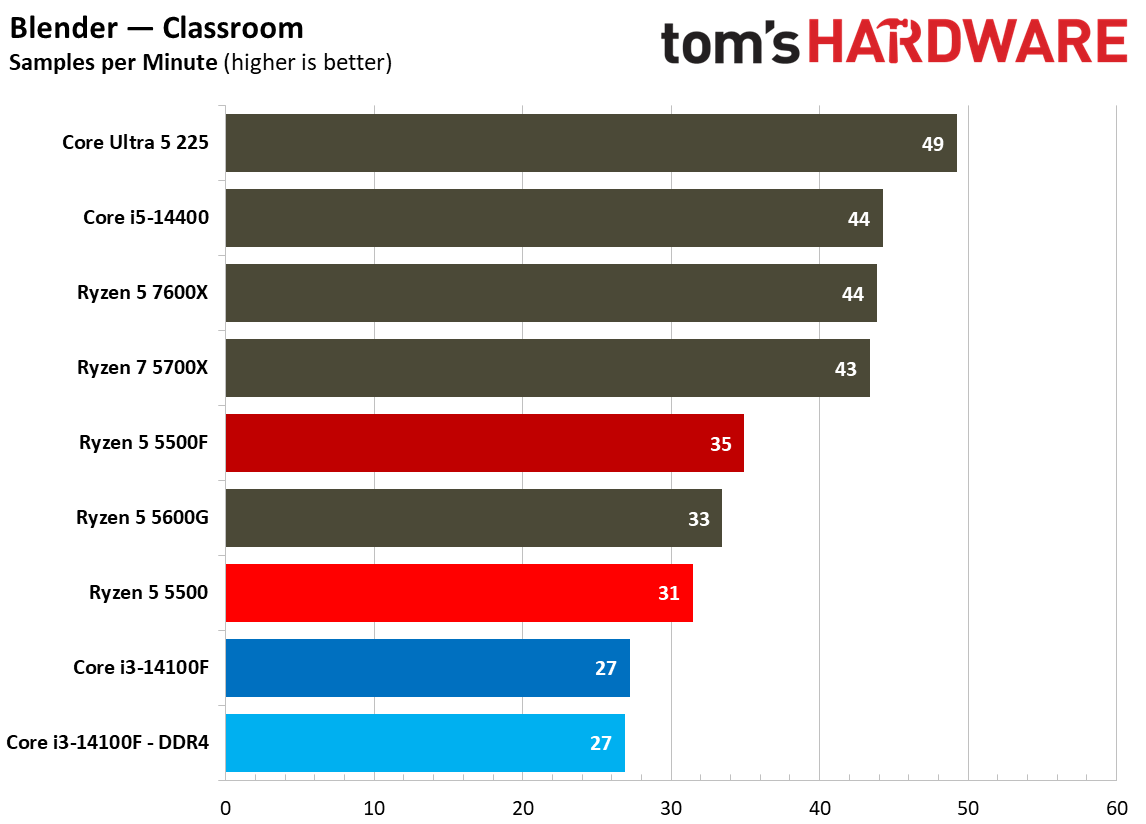
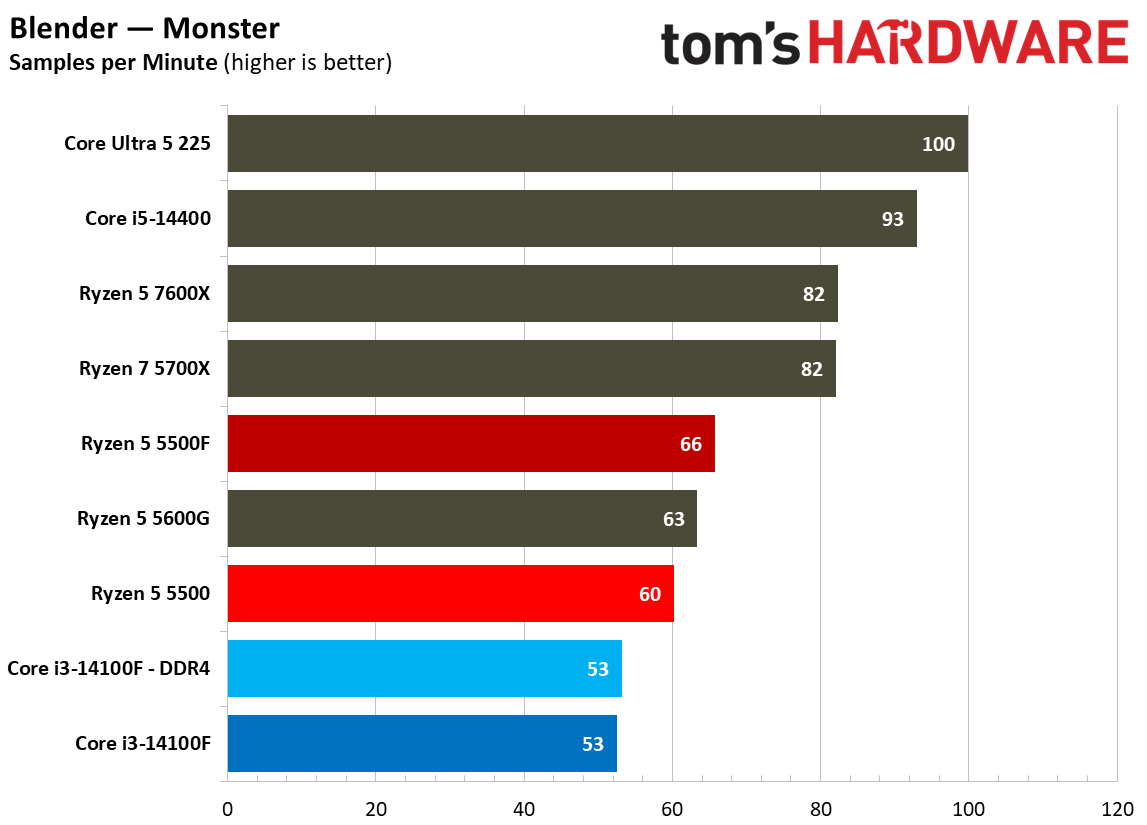
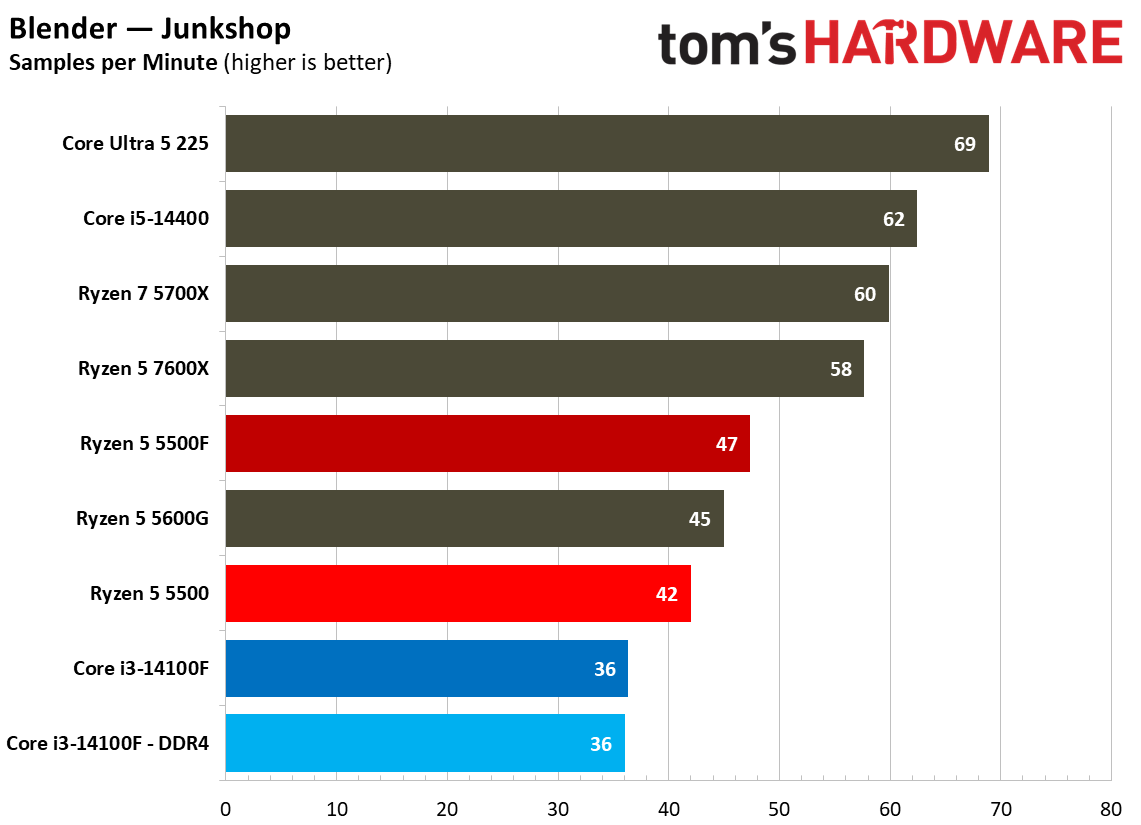
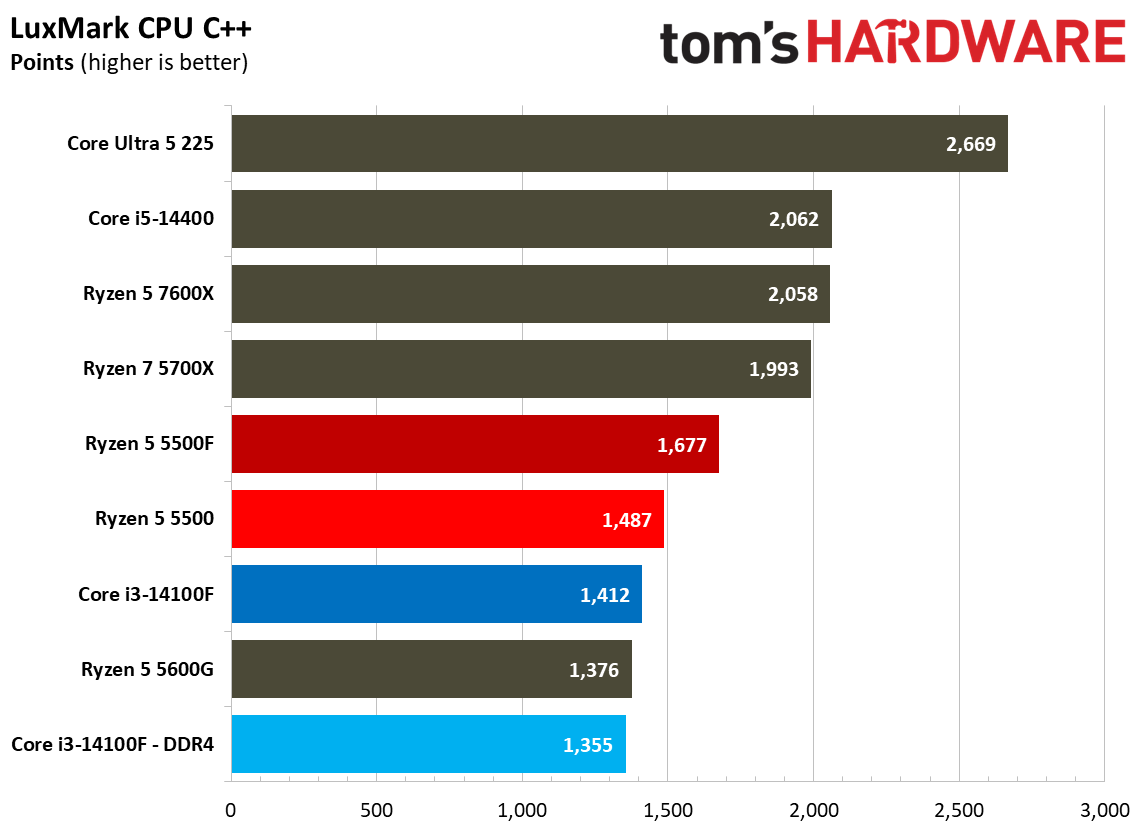
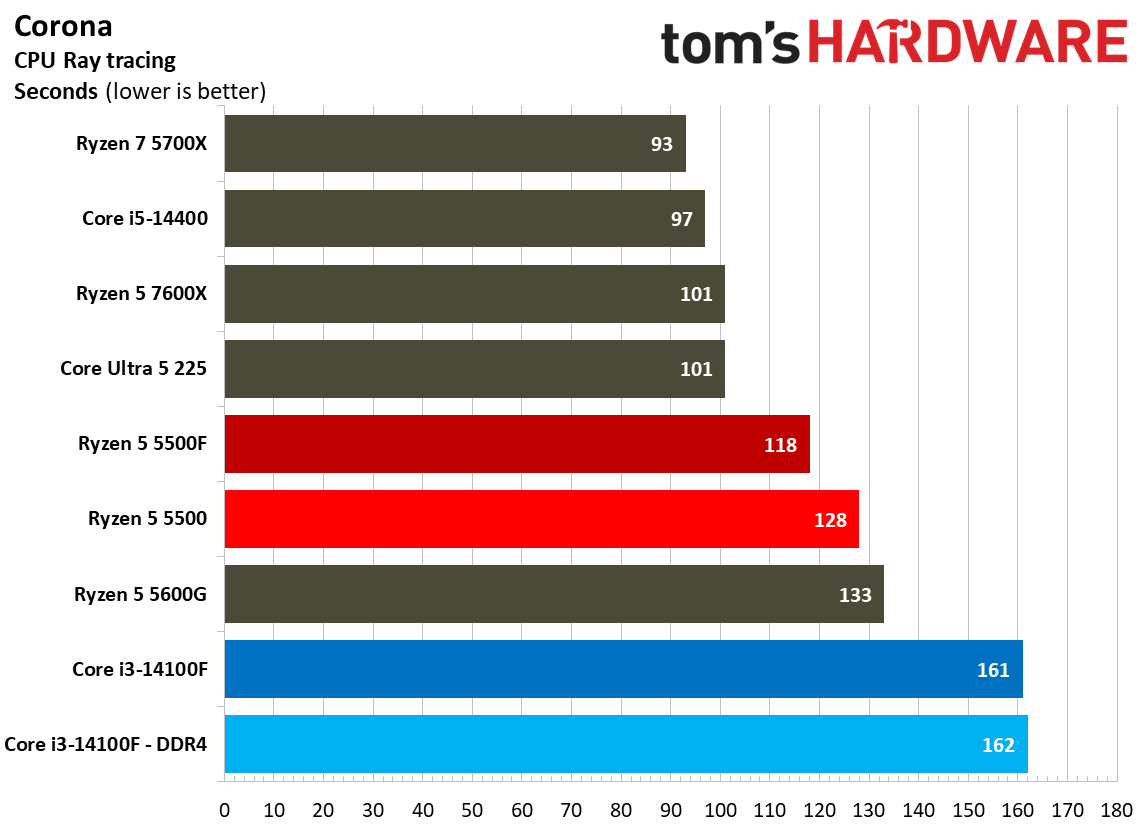
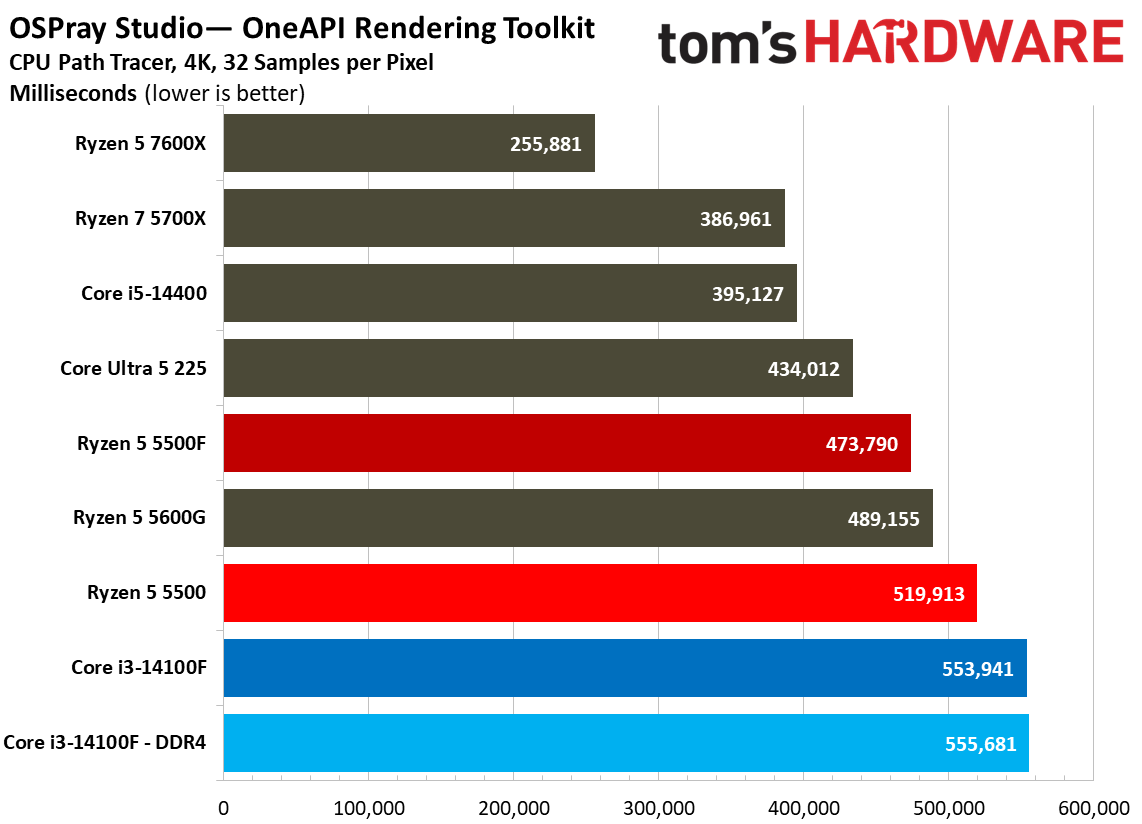
CPU rendering workloads are intense, sustained tasks often pinning either an individual core, or all of the cores, at full utilization. Because they’re sustained and demanding, many of our rendering tests factor into the geomean above, and that’s a major driving force behind why tests like Cinebench are such a staple when measuring CPU performance.

For the headline tests like POV-Ray and Cinebench, the results fall as you’d expect. AMD leads in multi-threaded work, Intel in single-threaded work, and the 5500F ends up between 5% and 10% faster than the 5500, depending on the benchmark.

Encoding Benchmarks
Encoding Benchmarks
Tom's Hardware
Encoding Benchmarks
Tom's Hardware
Encoding Benchmarks
Tom's Hardware
Encoding Benchmarks
Tom's Hardware
Encoding Benchmarks
Tom's Hardware
Encoding Benchmarks
Tom's Hardware
Encoding Benchmarks
Tom's Hardware
Encoding Benchmarks
Tom's Hardware
Encoding Benchmarks
Tom's Hardware
Encoding Benchmarks
Tom's Hardware
Encoding Benchmarks
Tom's Hardware
Encoding Benchmarks
Tom's Hardware
Encoding Benchmarks
Tom's Hardware
Encoding Benchmarks
Tom's Hardware
Encoding Benchmarks
Tom's Hardware
Encoding Benchmarks
Tom's Hardware
Encoding Benchmarks
Tom's Hardware
Encoding Benchmarks
Tom's Hardware

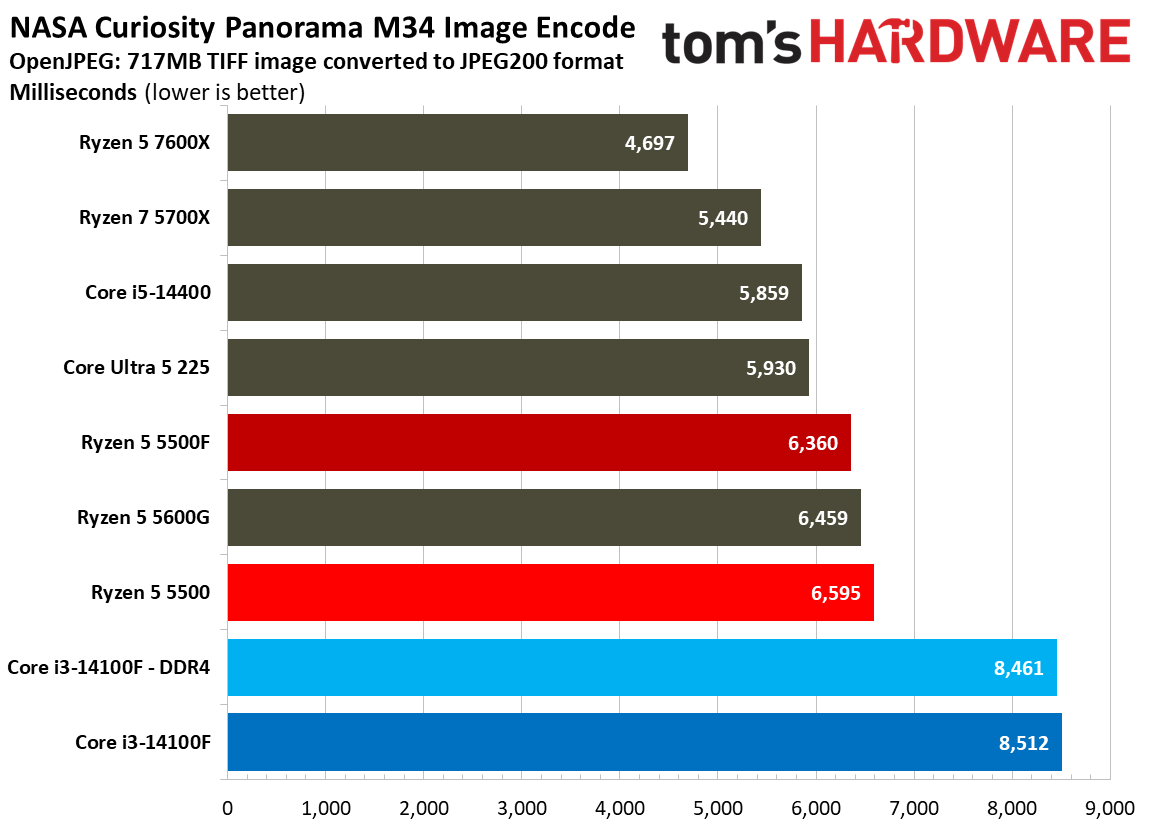
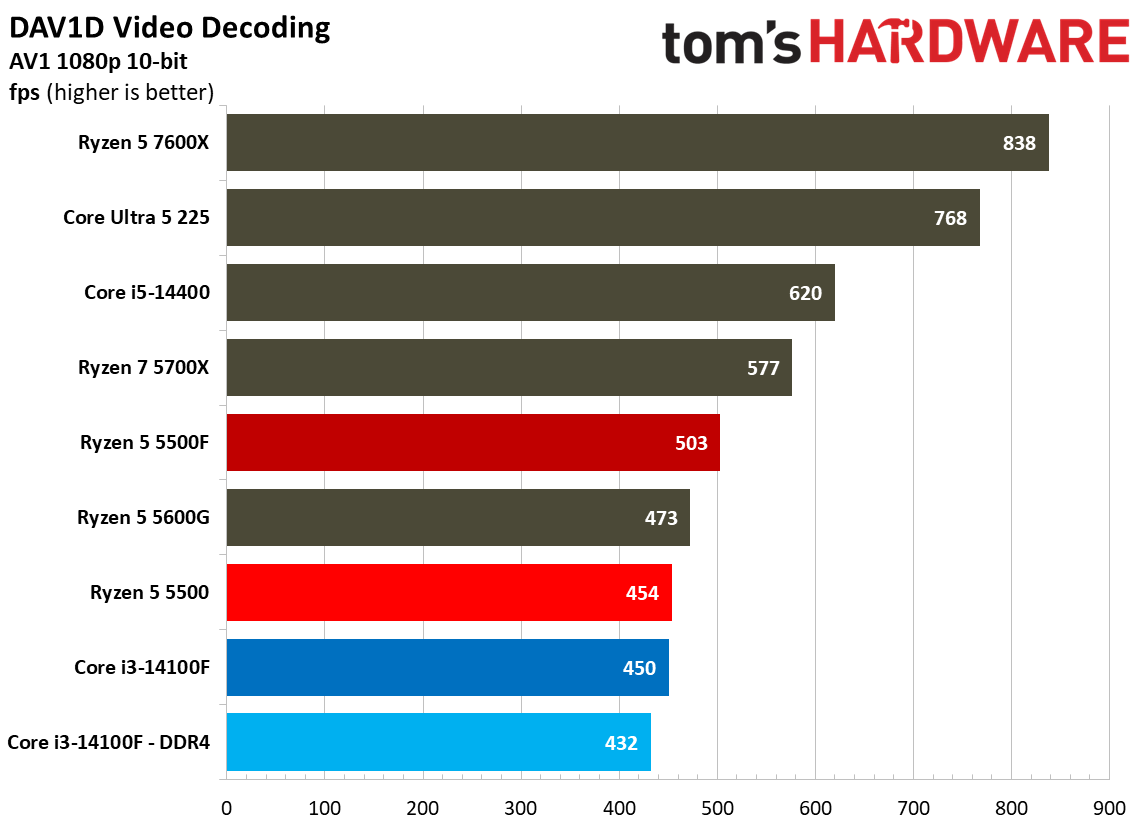
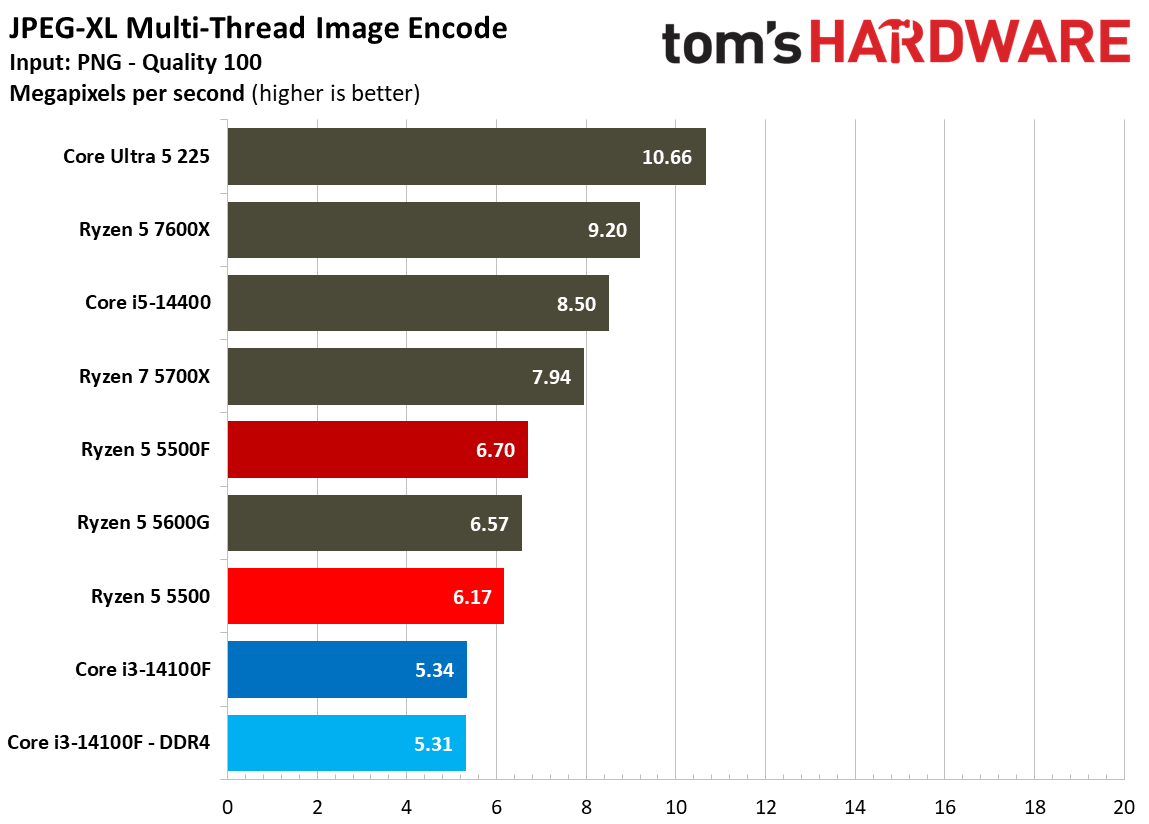
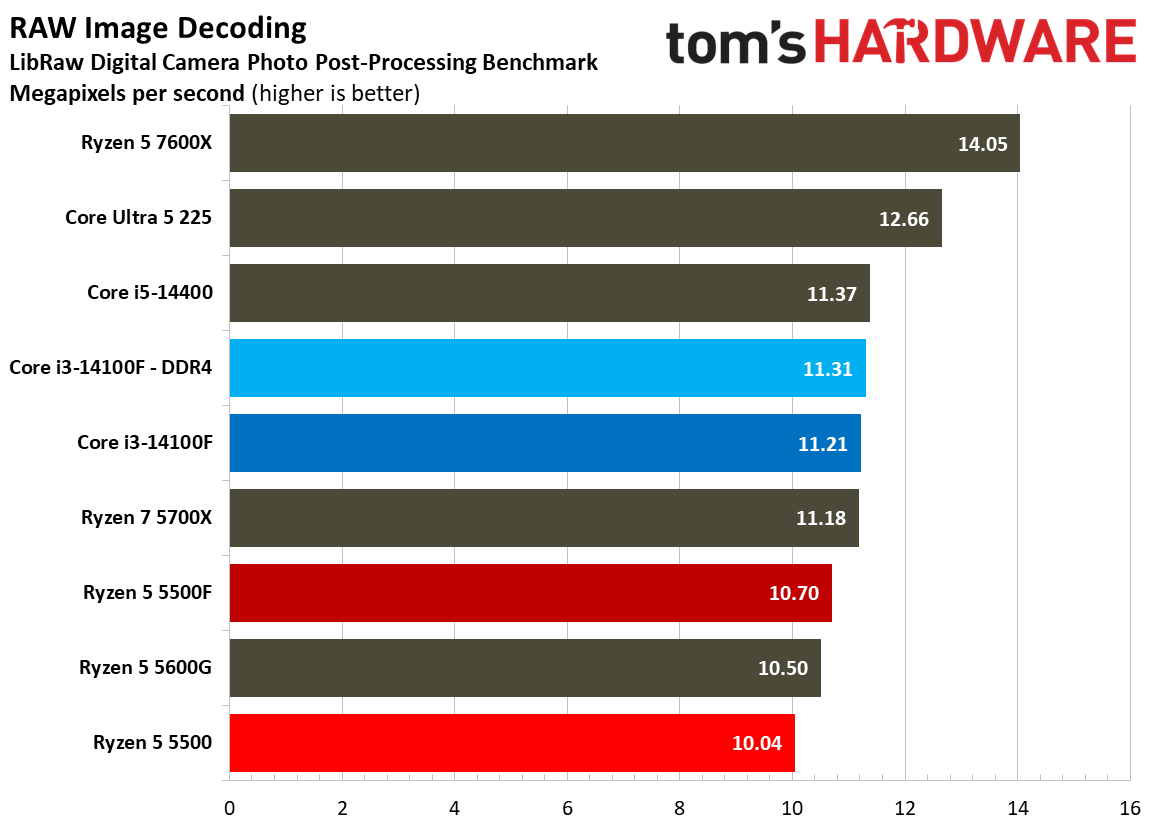
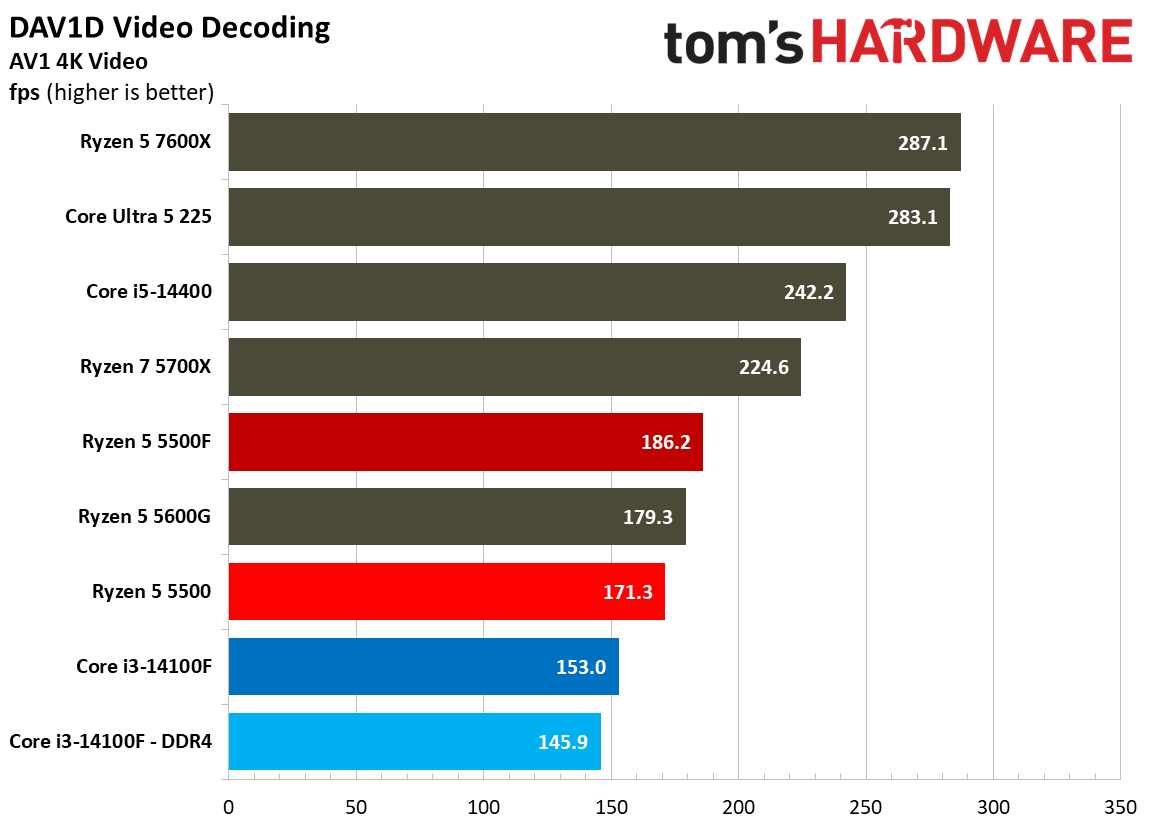
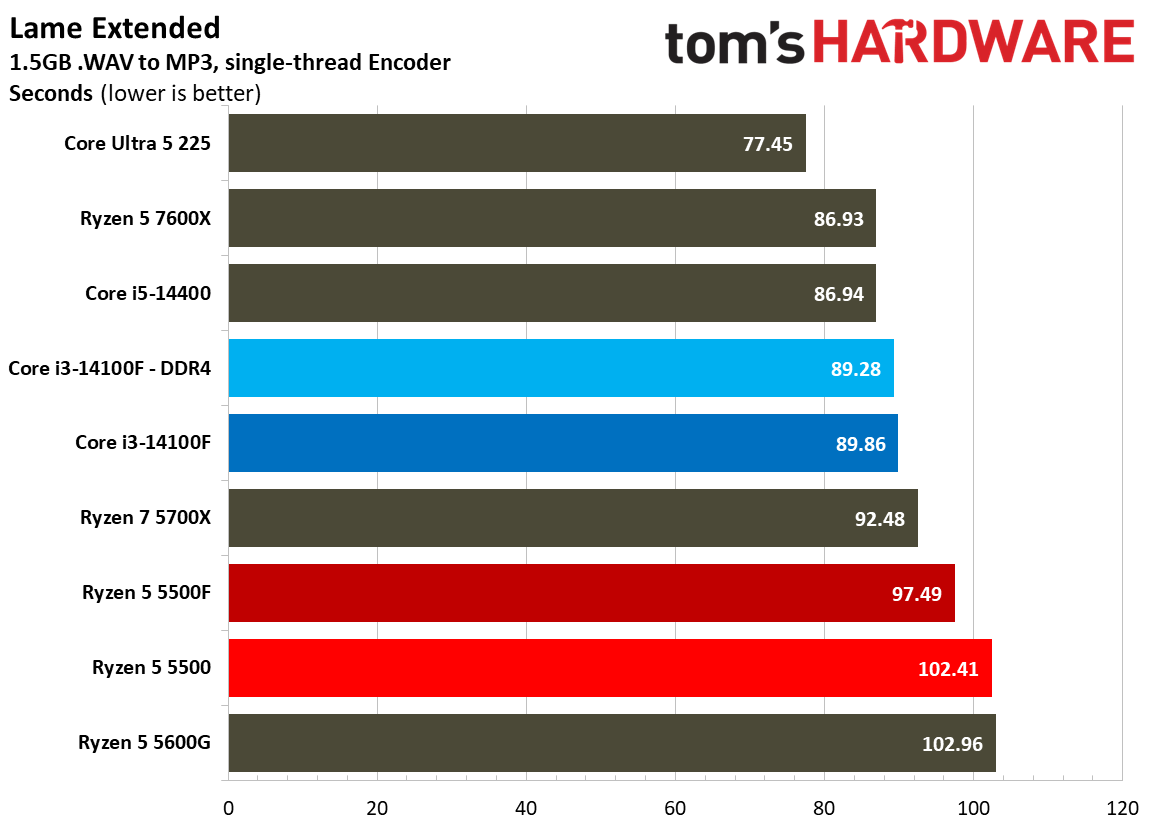
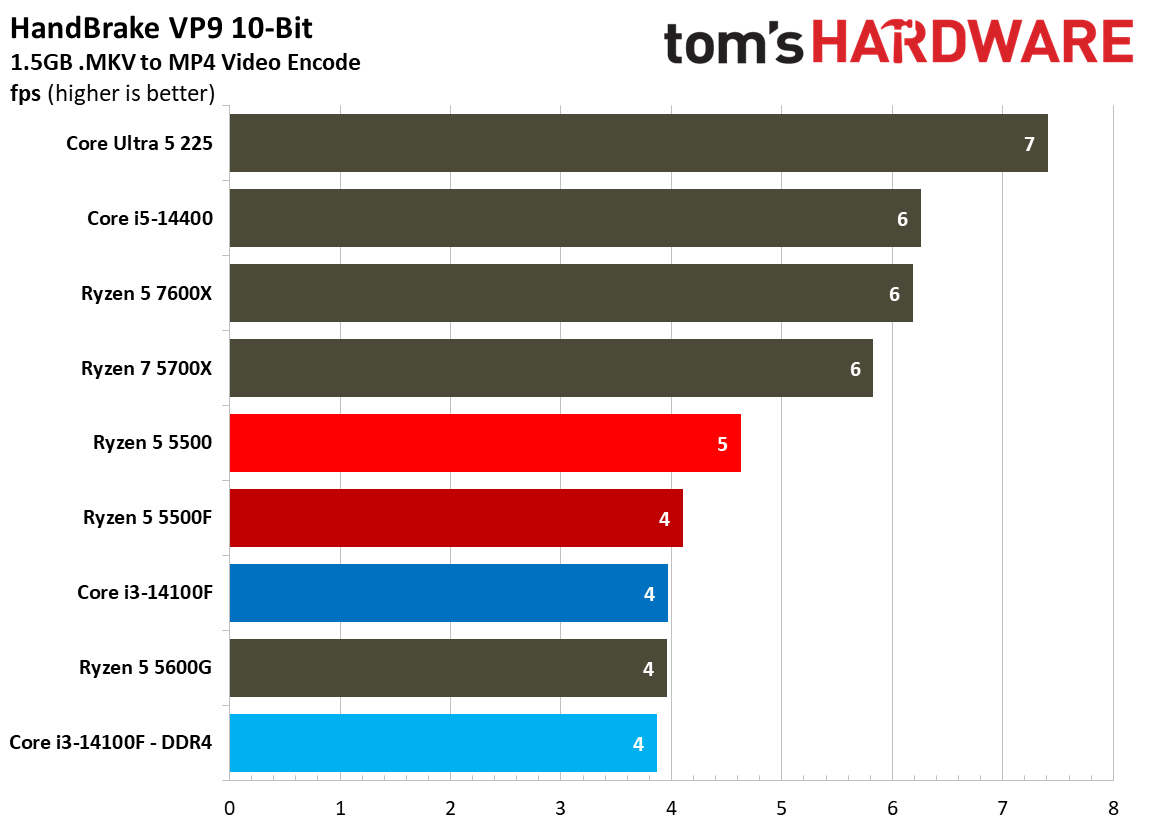
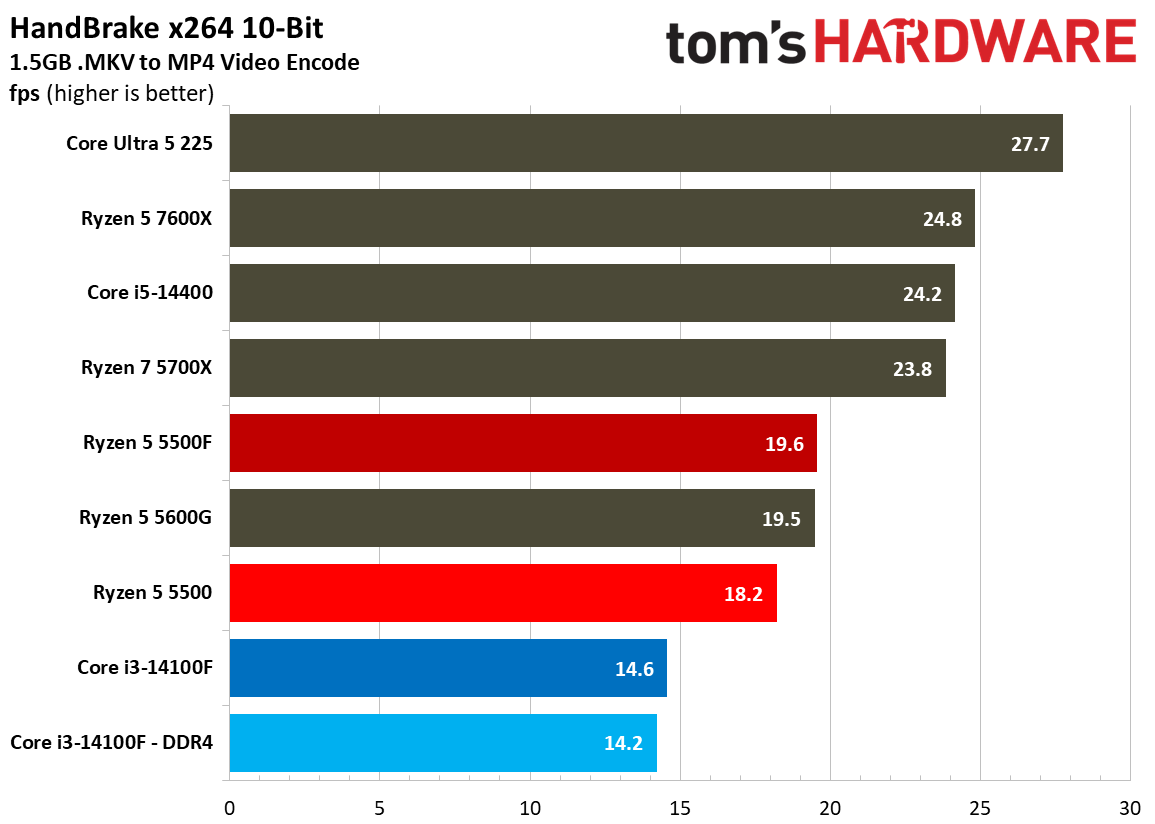
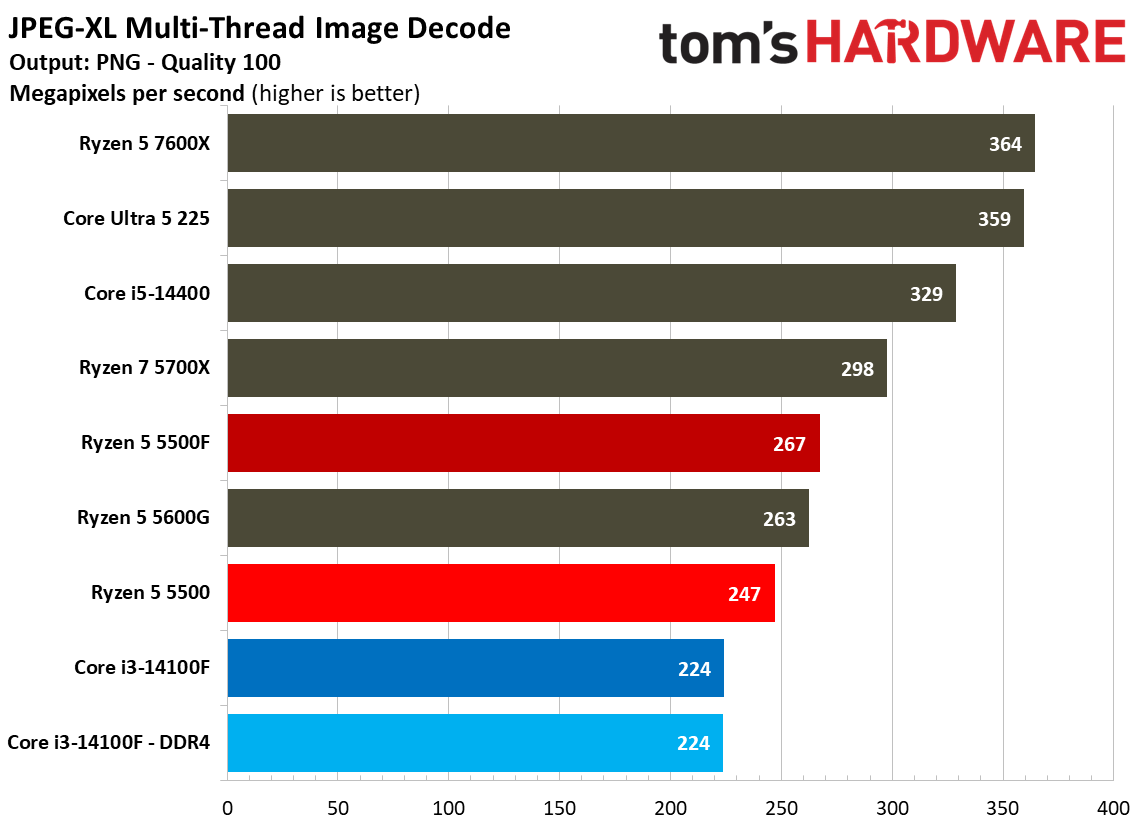
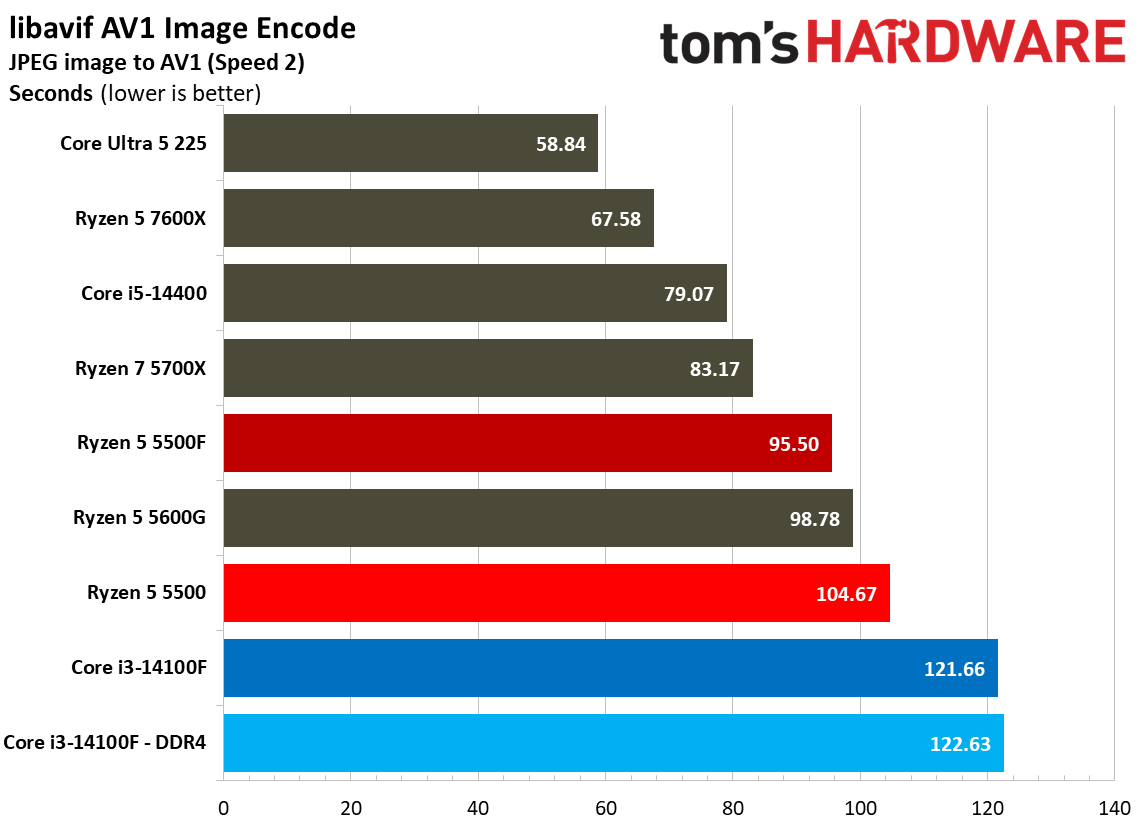
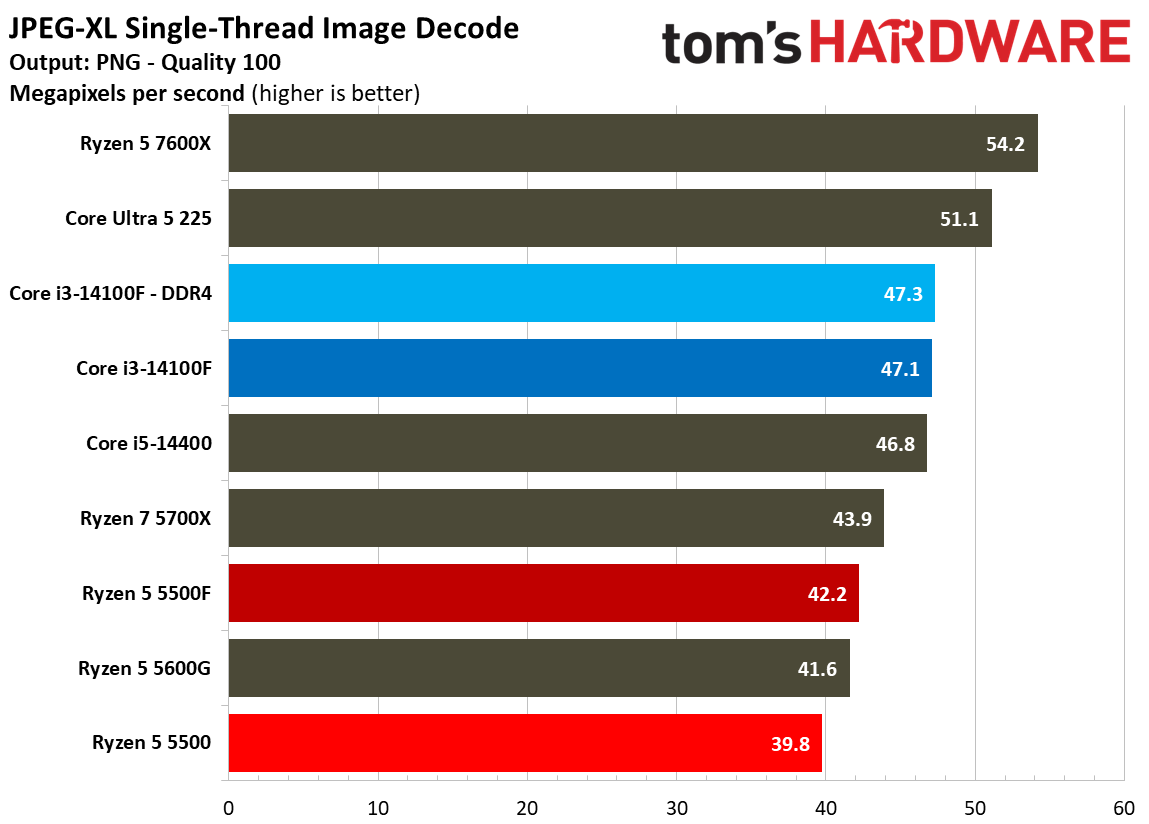
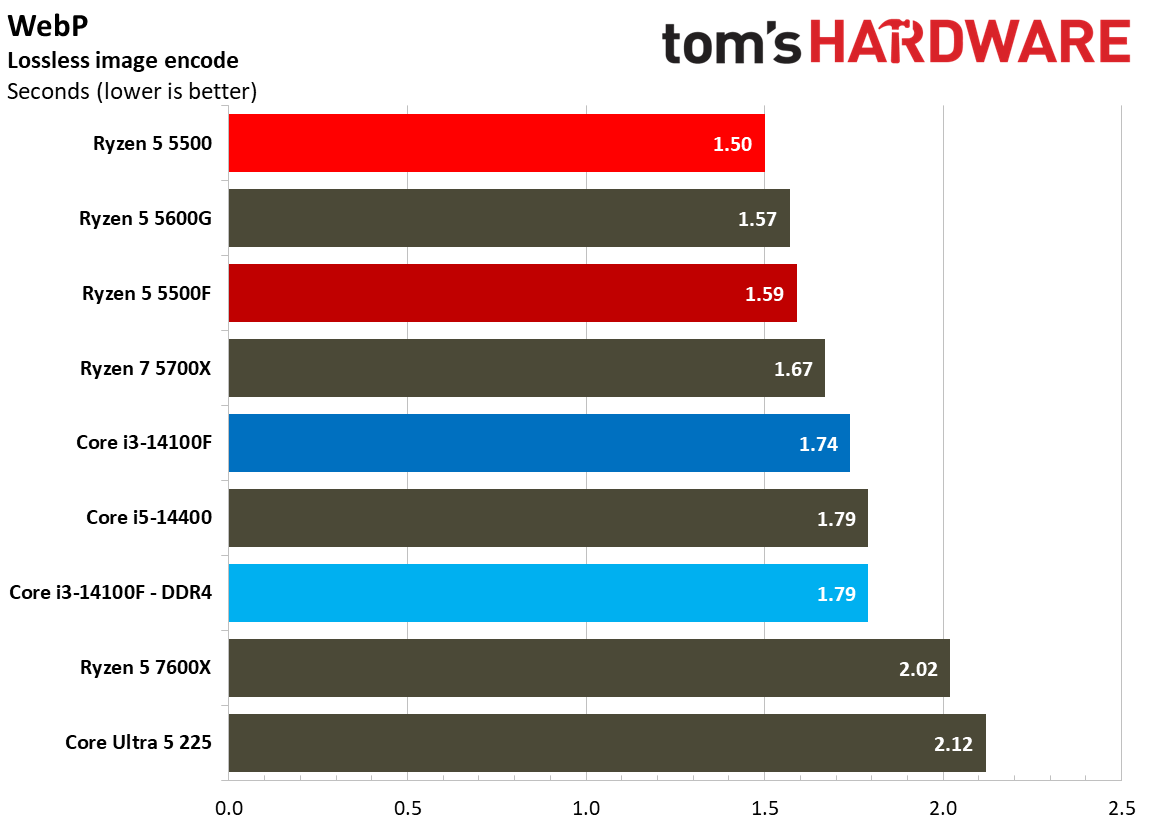
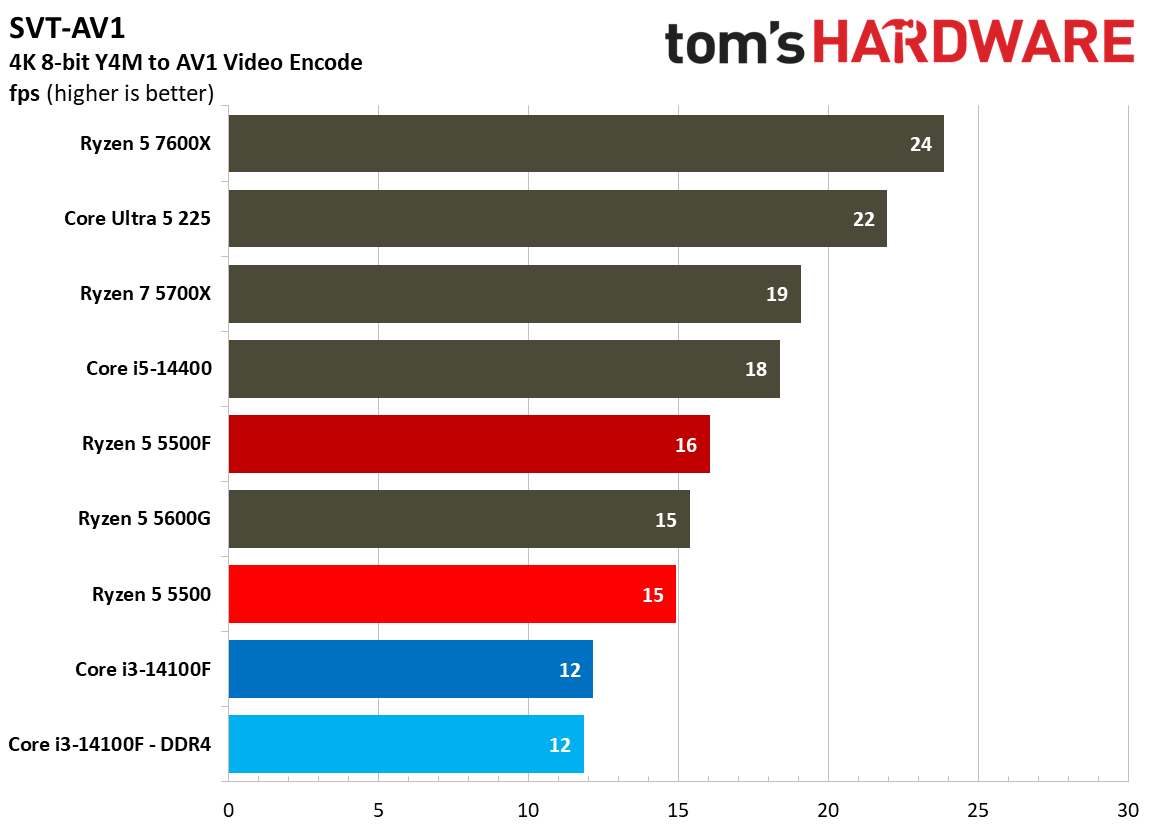
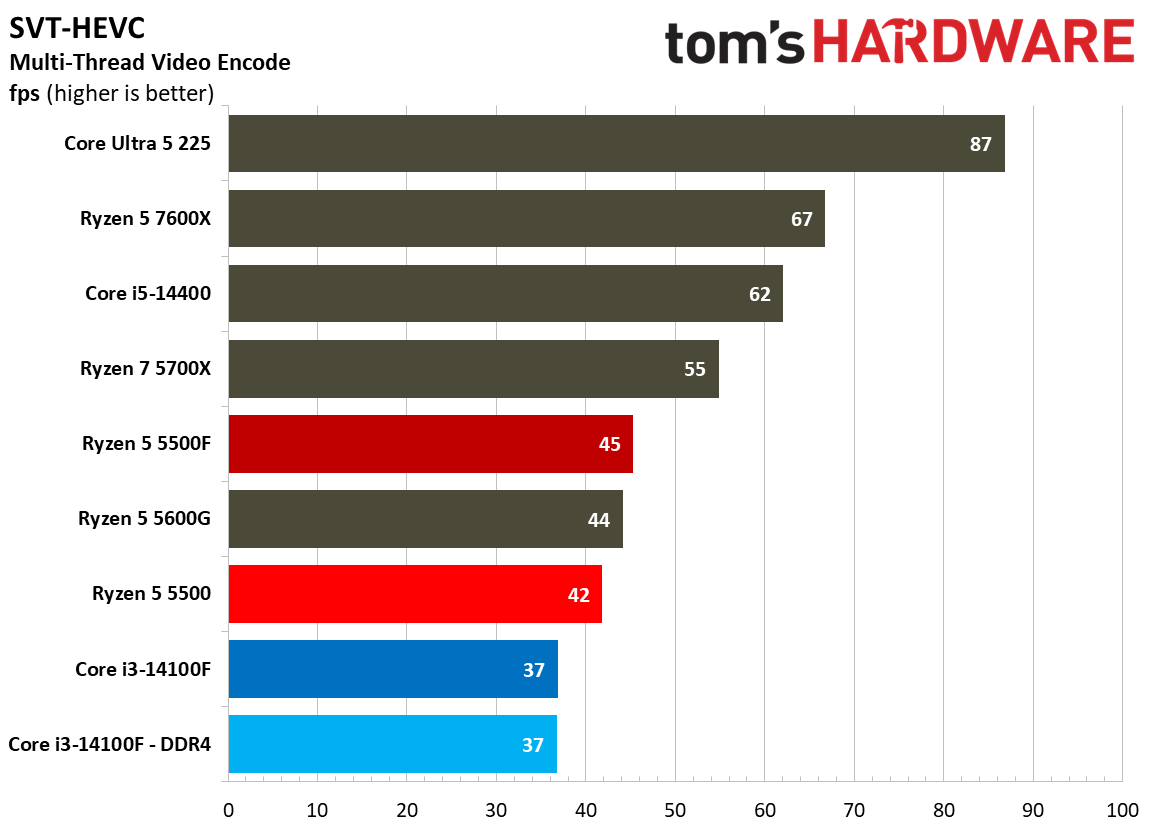
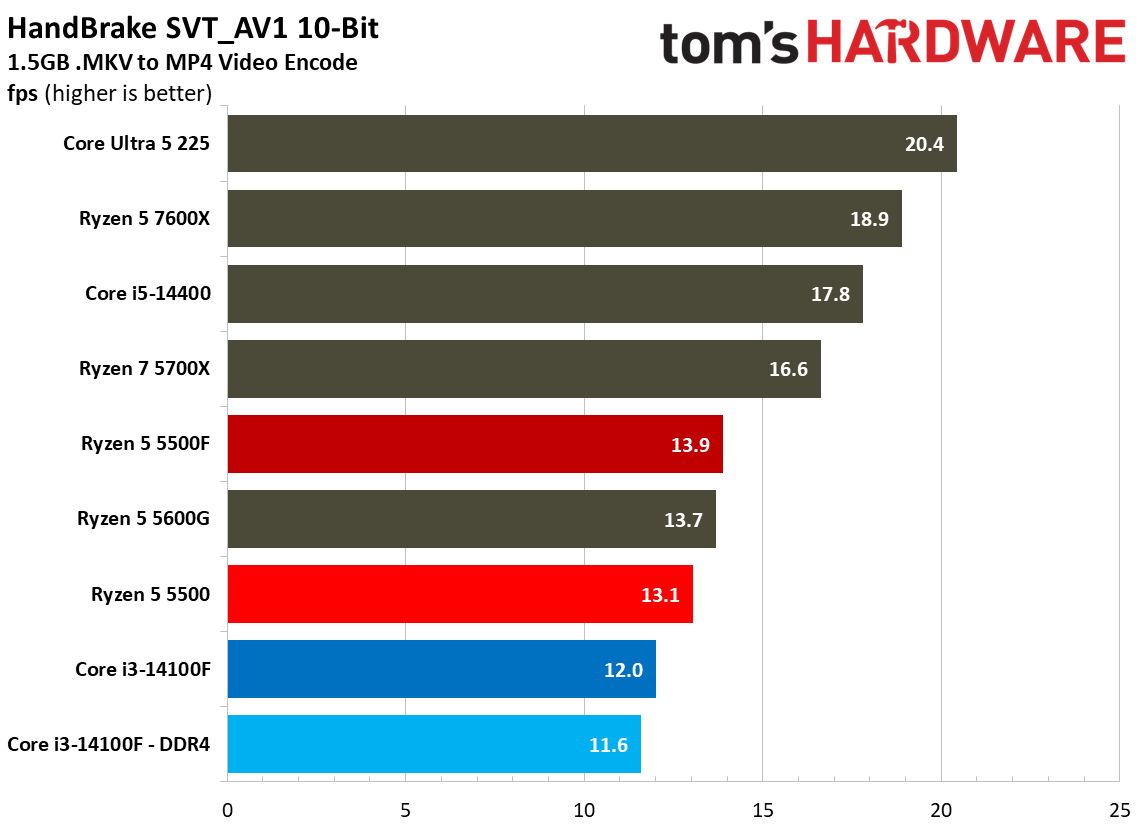
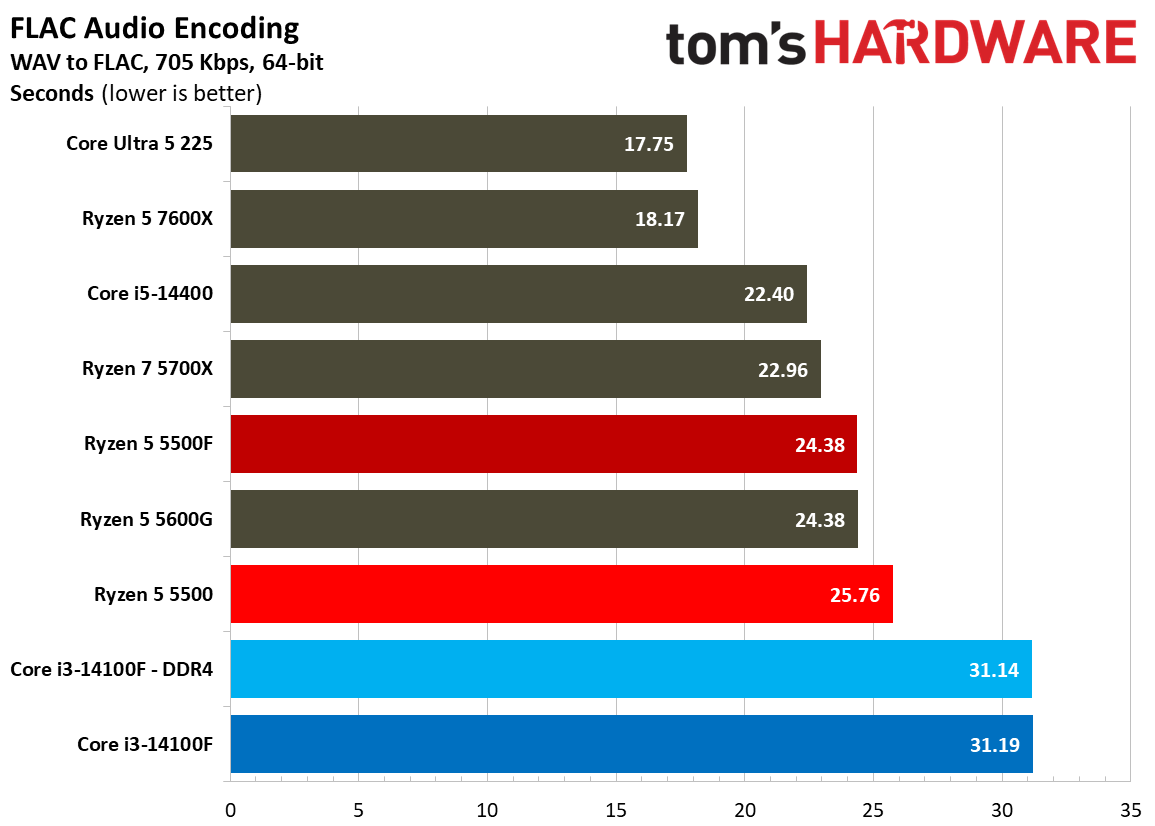
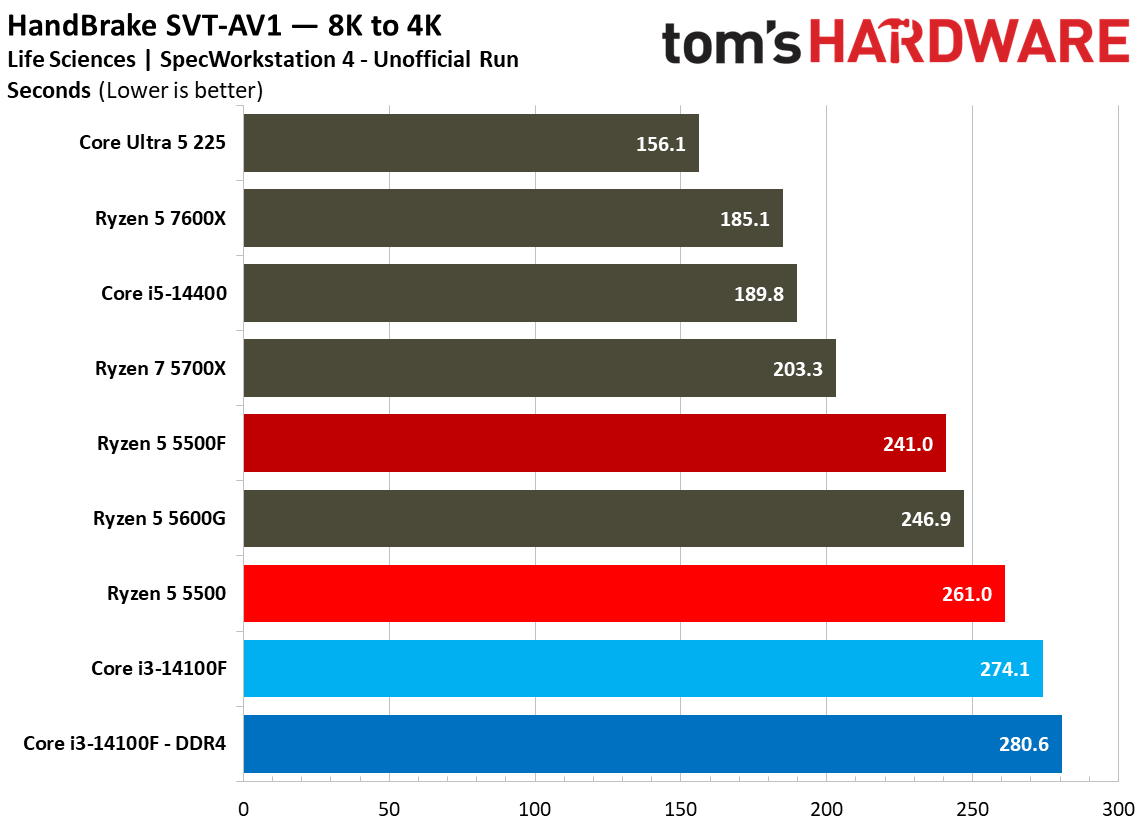
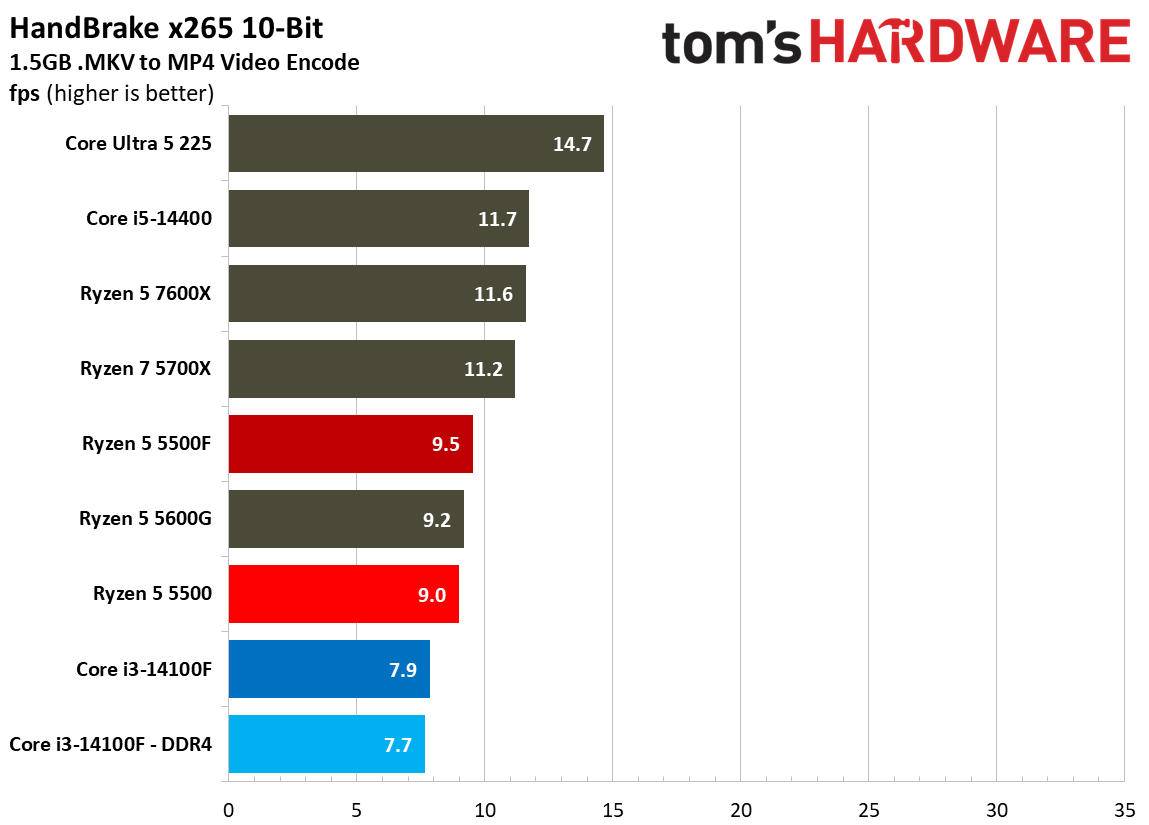
Encoding workloads are similarly all-out for the CPU cores, and in heavy, multi-threaded video encoding via HandBrake, the 5500F is only marginally faster than the 5500. Particularly in these heavy video encodes, the fact that the 5500F has access to six cores matters more than anything else. That slight boost in clock speed helps it squeeze out an advantage; however, with any of these workloads, you’ll notice the 5500F struggles to get along, just like the Core i3-14100 and base 5500.

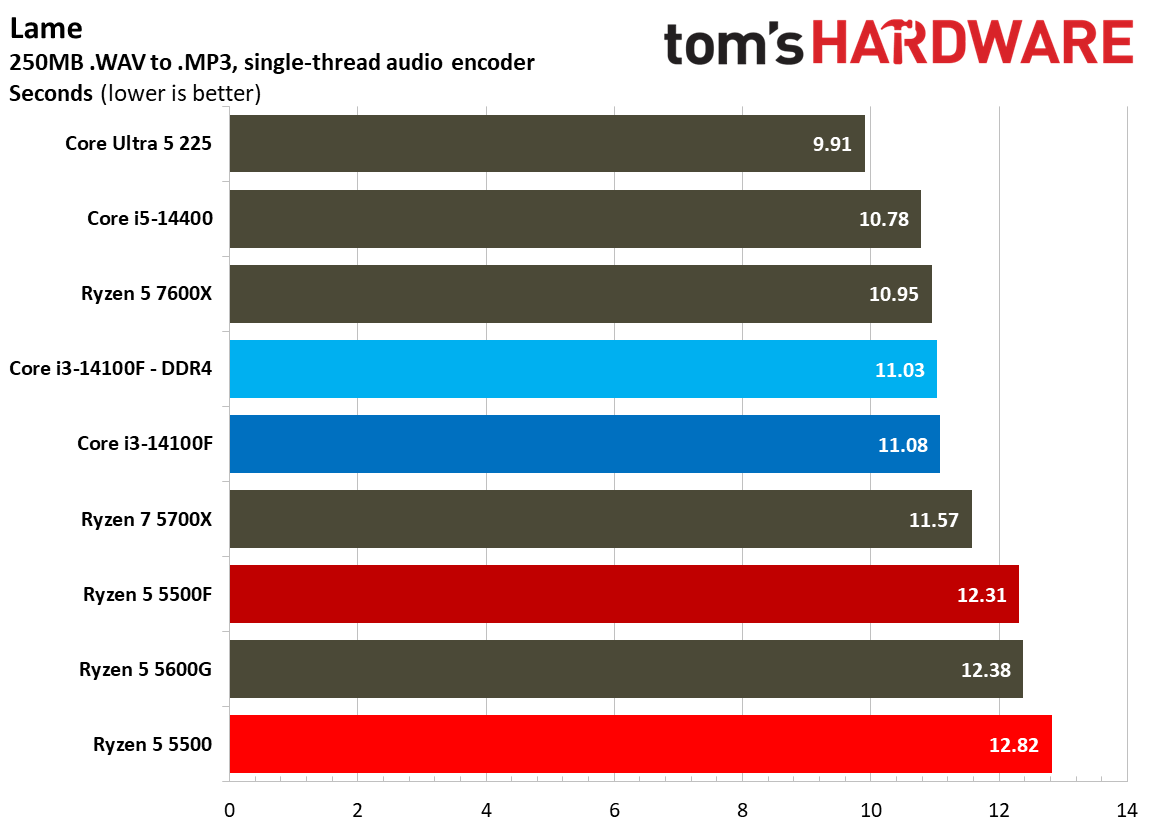
Single-threaded encoding via LAME shows an advantage for Intel, unsurprisingly, but the multi-threaded workloads are what matter here. As a demonstration, look at our VP9 HandBrake results. The 5500 actually ended up faster than the 5500F here, though by just 1 FPS, when the standard for these chips is managing just 4 FPS for this encode.

Creator App Benchmarks
Creator App Benchmarks
Tom's Hardware
Creator App Benchmarks
Tom's Hardware
Creator App Benchmarks
Tom's Hardware
Creator App Benchmarks
Tom's Hardware
Creator App Benchmarks
Tom's Hardware
Creator App Benchmarks
Tom's Hardware
Creator App Benchmarks
Tom's Hardware
Creator App Benchmarks
Tom's Hardware
Creator App Benchmarks
Tom's Hardware
Creator App Benchmarks
Tom's Hardware
Creator App Benchmarks
Tom's Hardware
Creator App Benchmarks
Tom's Hardware
Creator App Benchmarks
Tom's Hardware
Creator App Benchmarks
Tom's Hardware

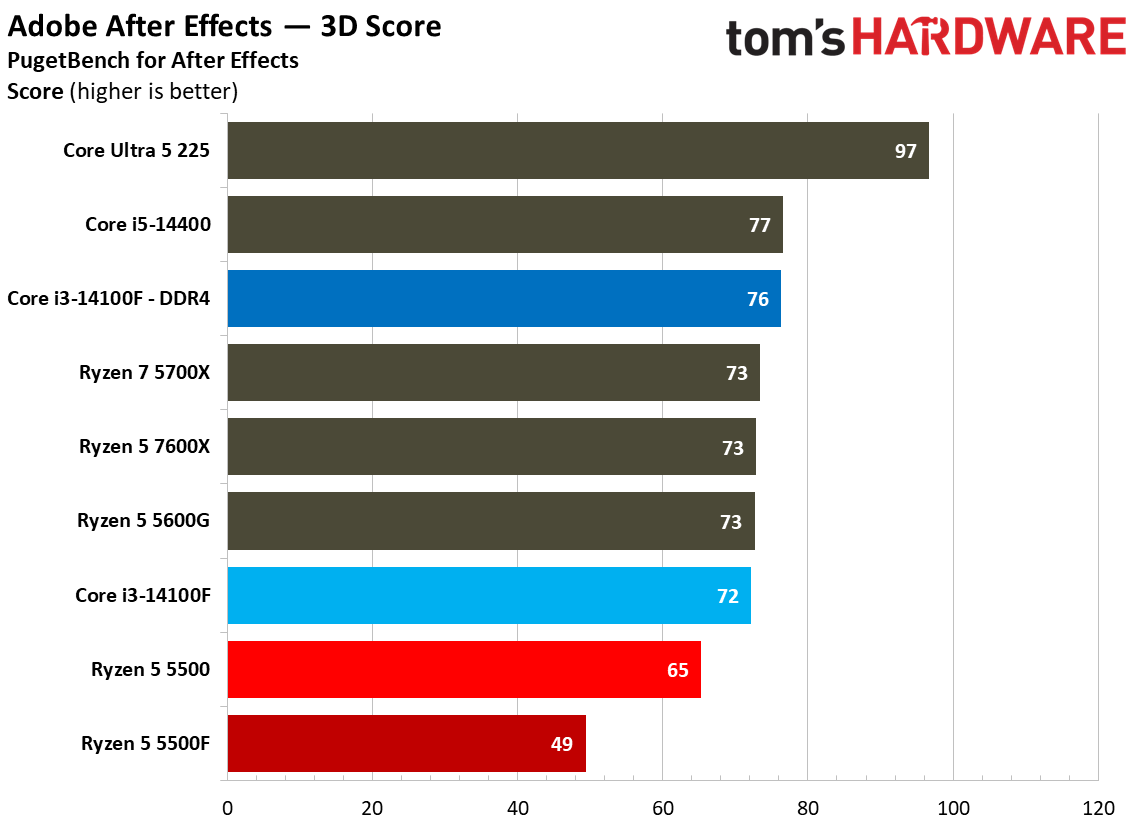
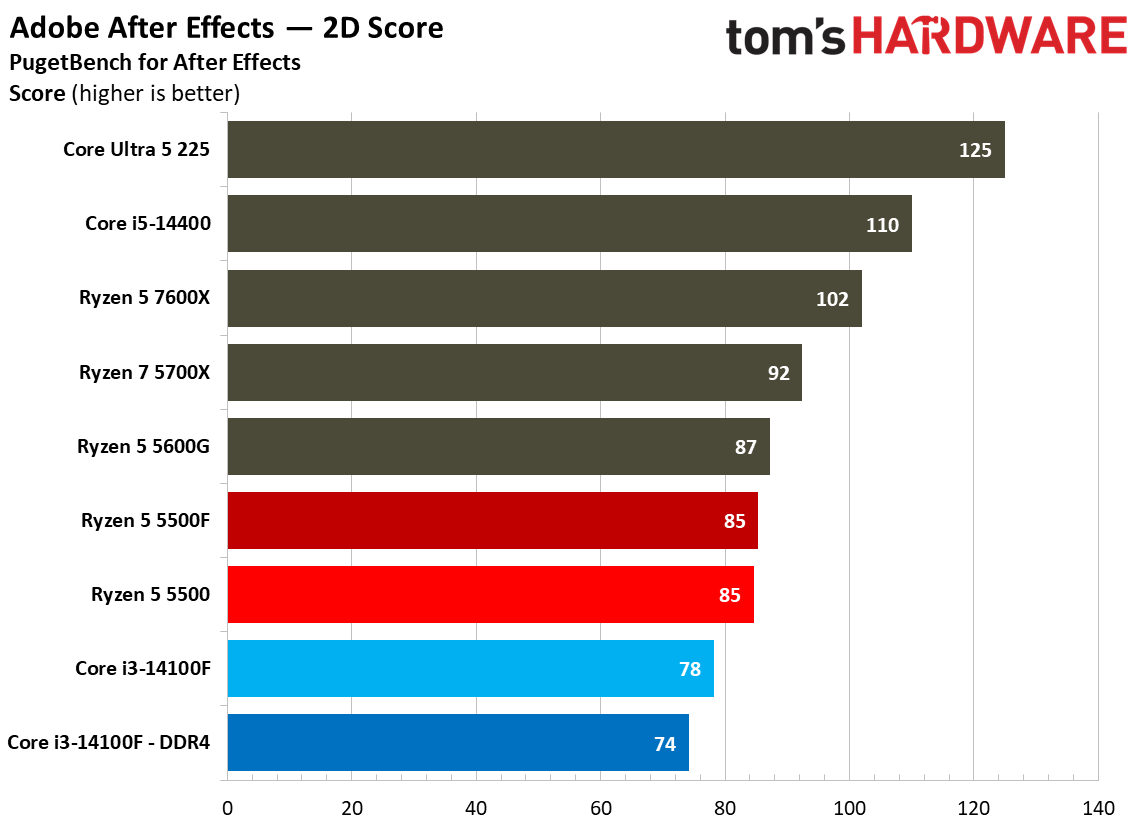
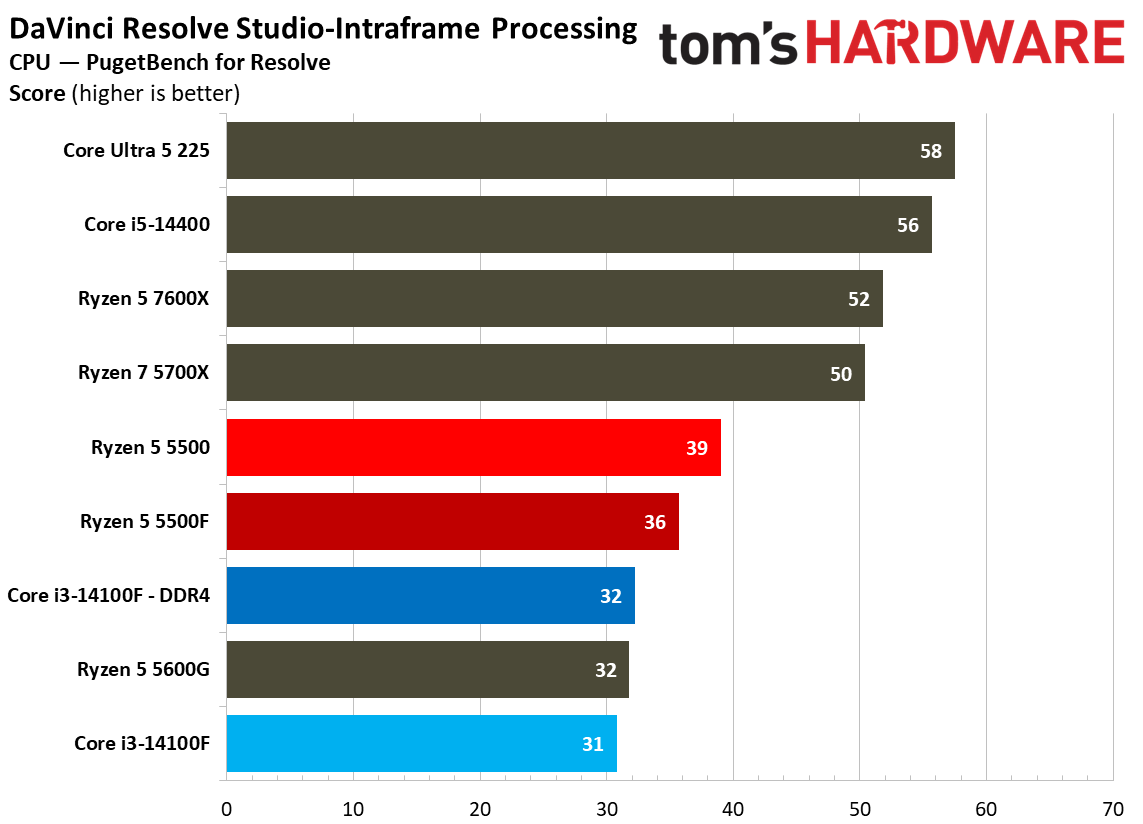
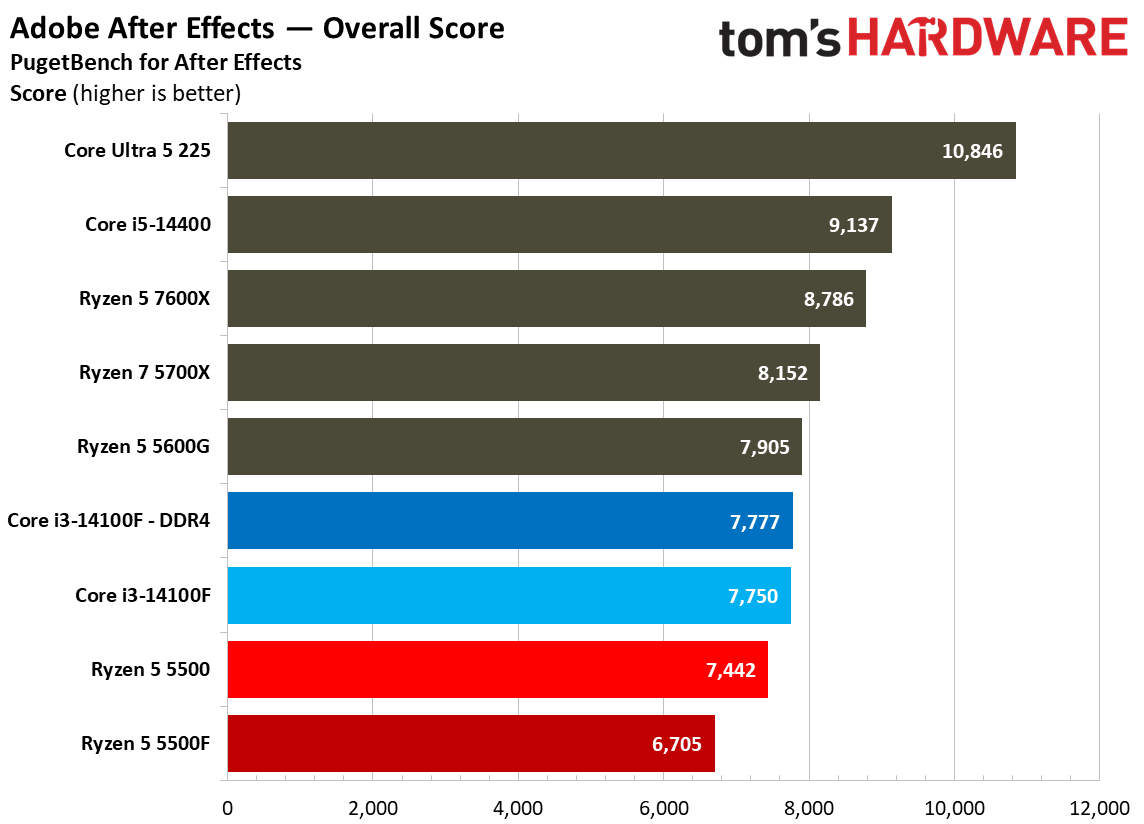
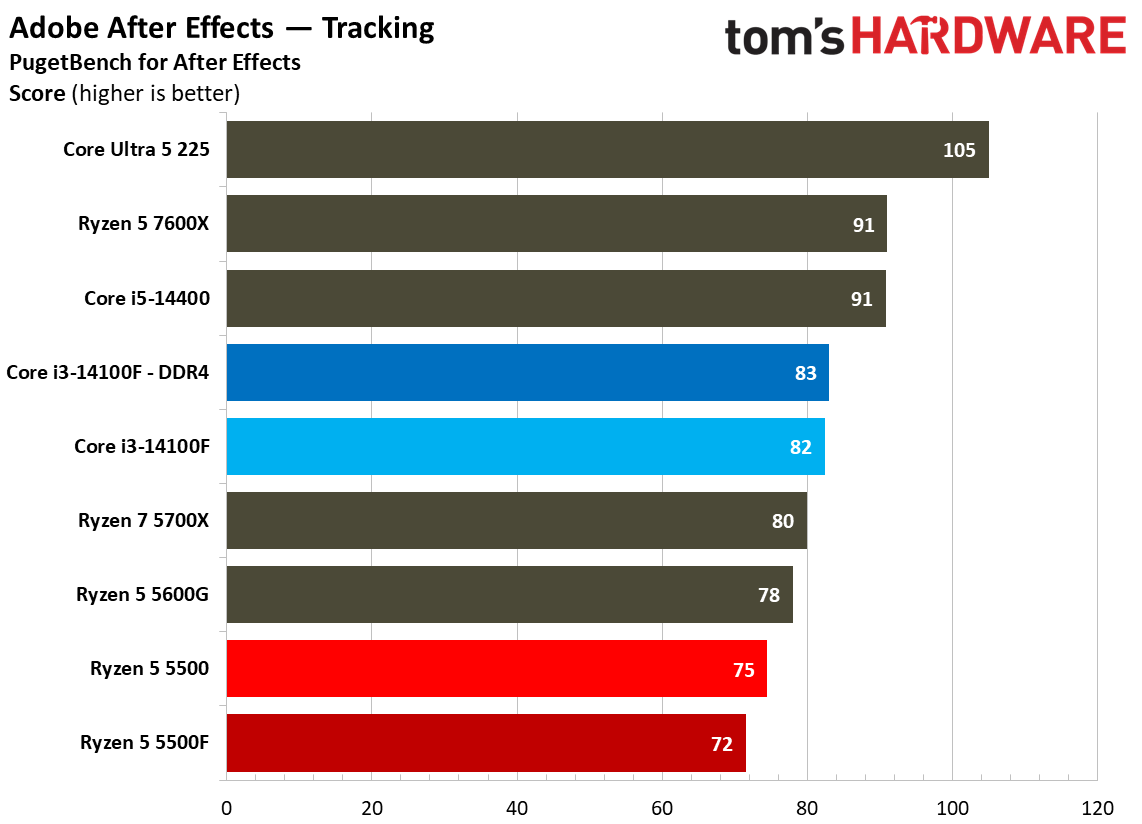
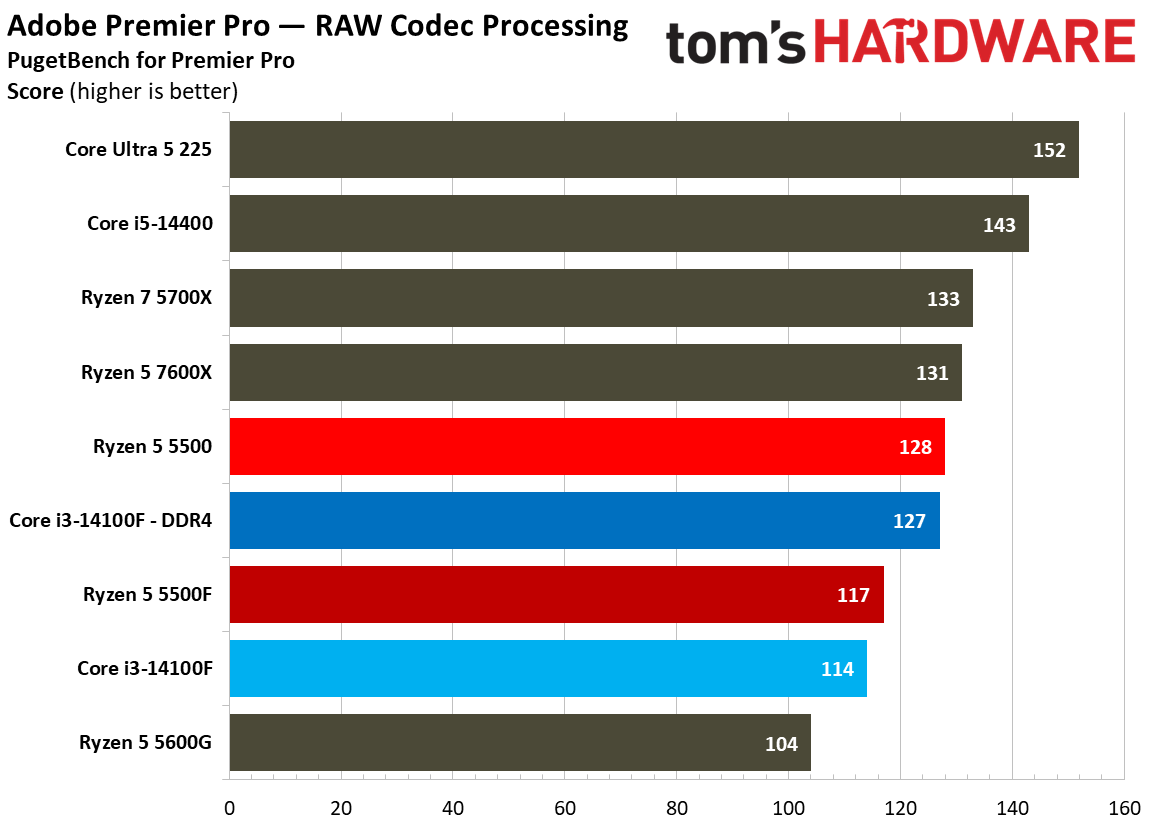
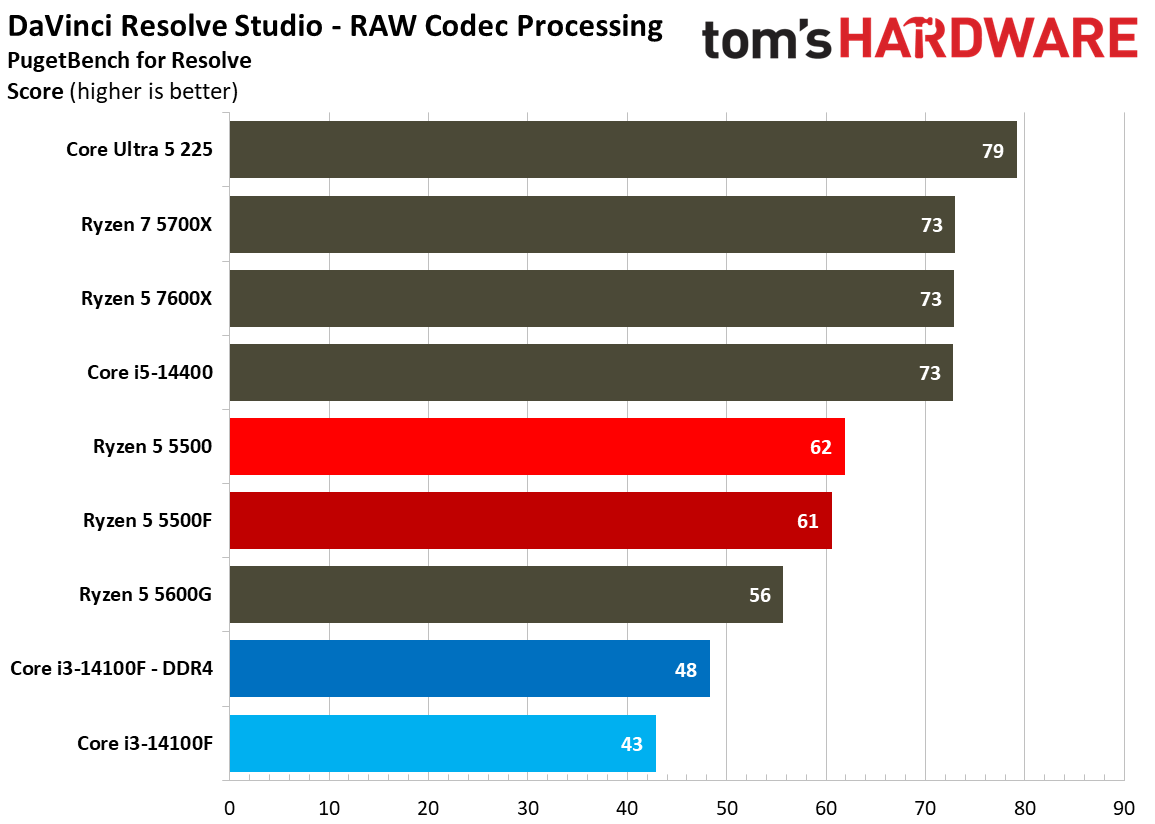
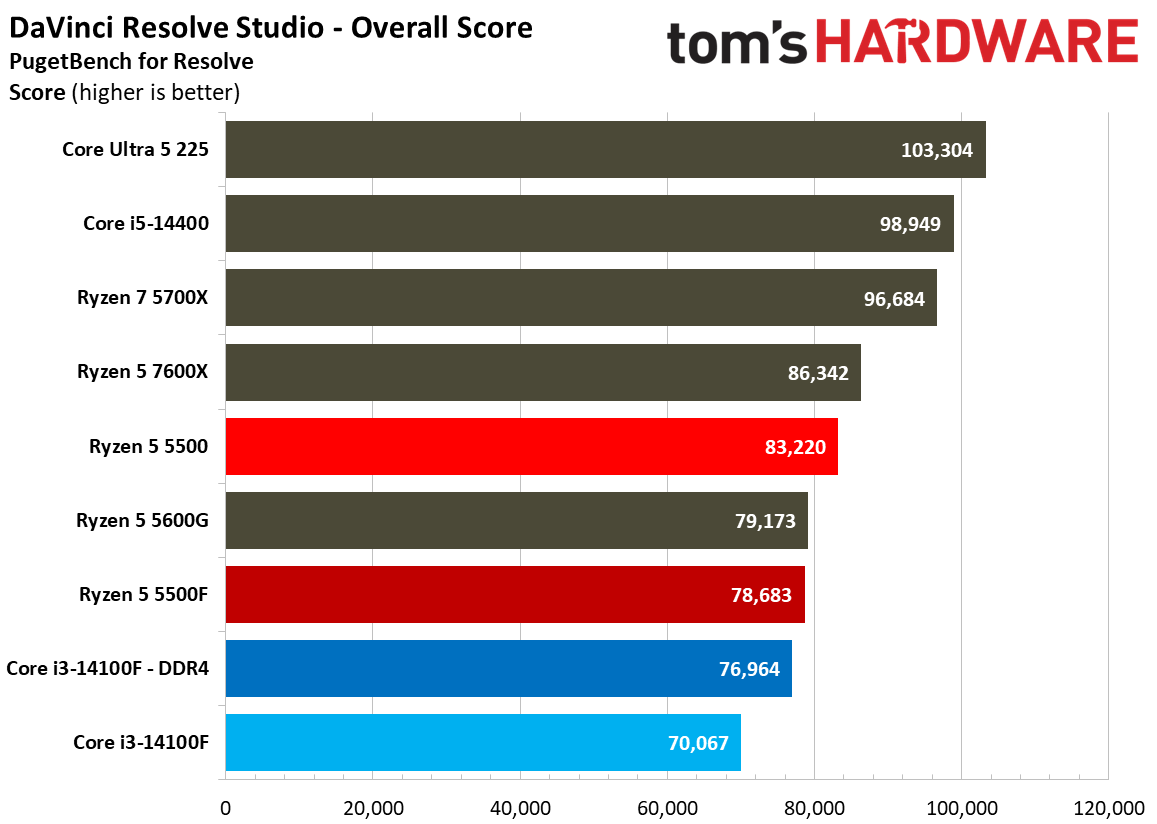
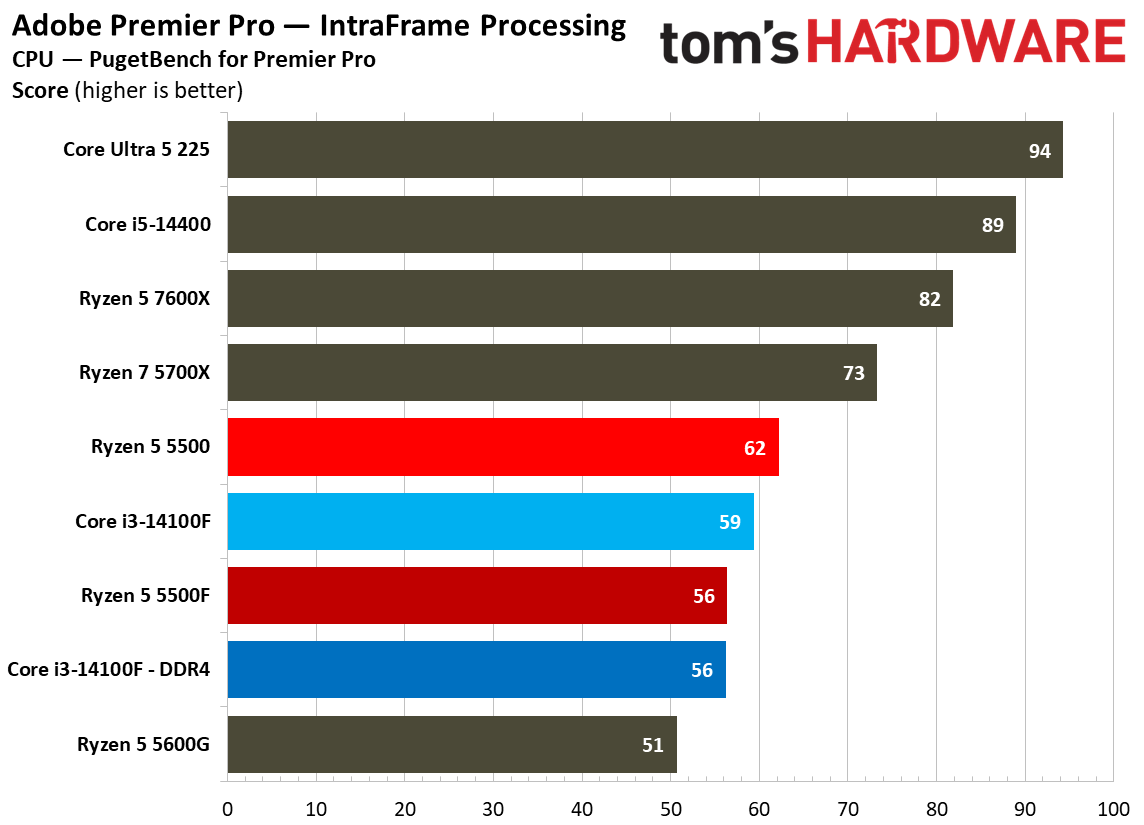
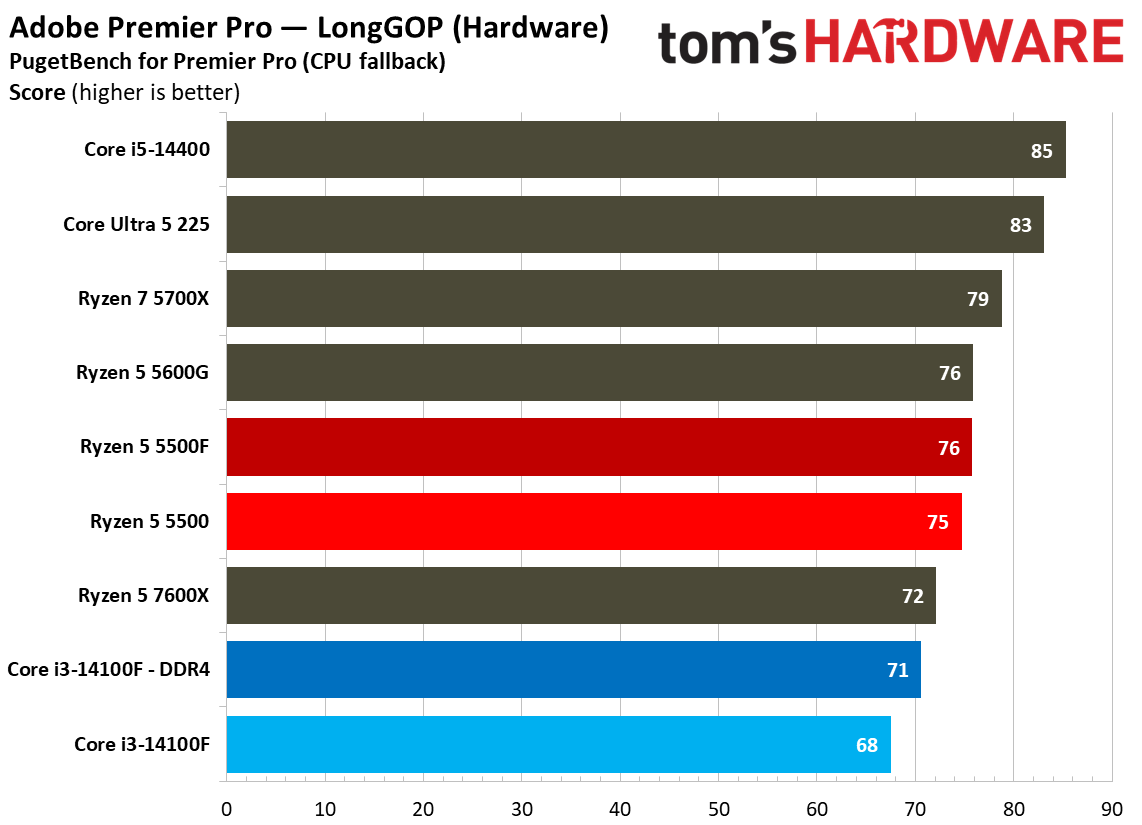
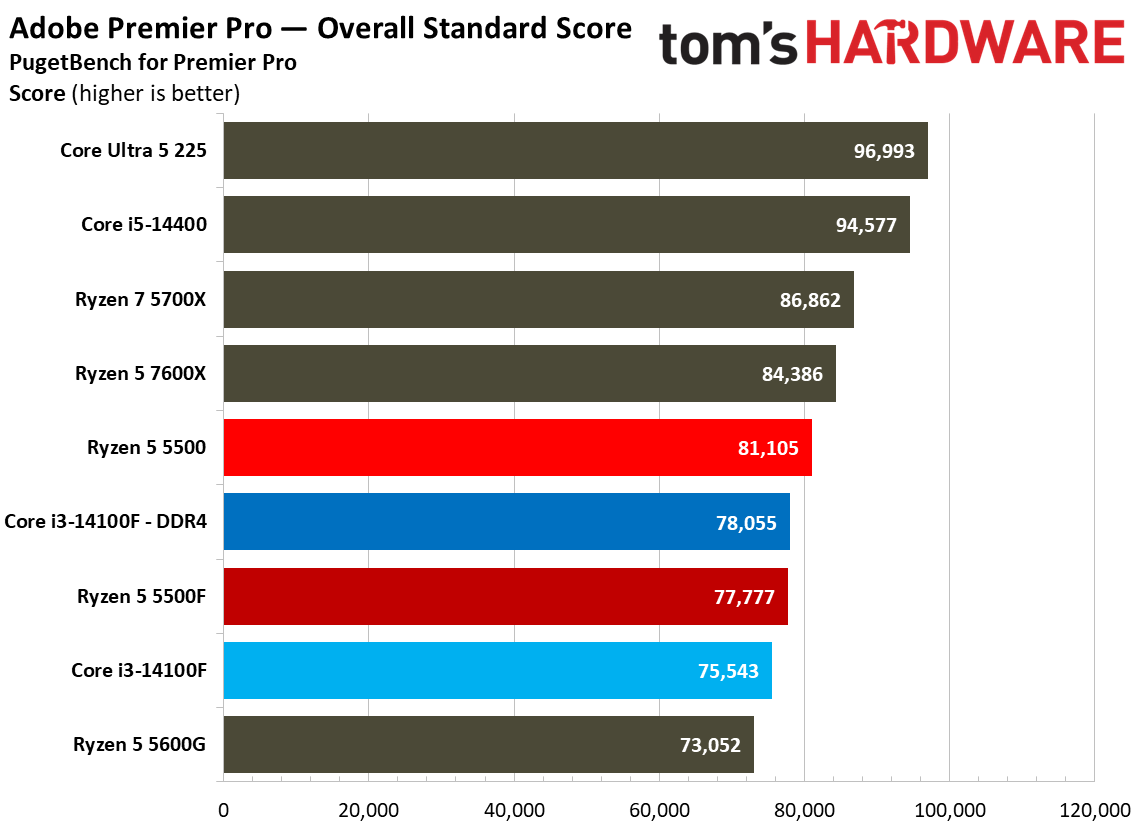
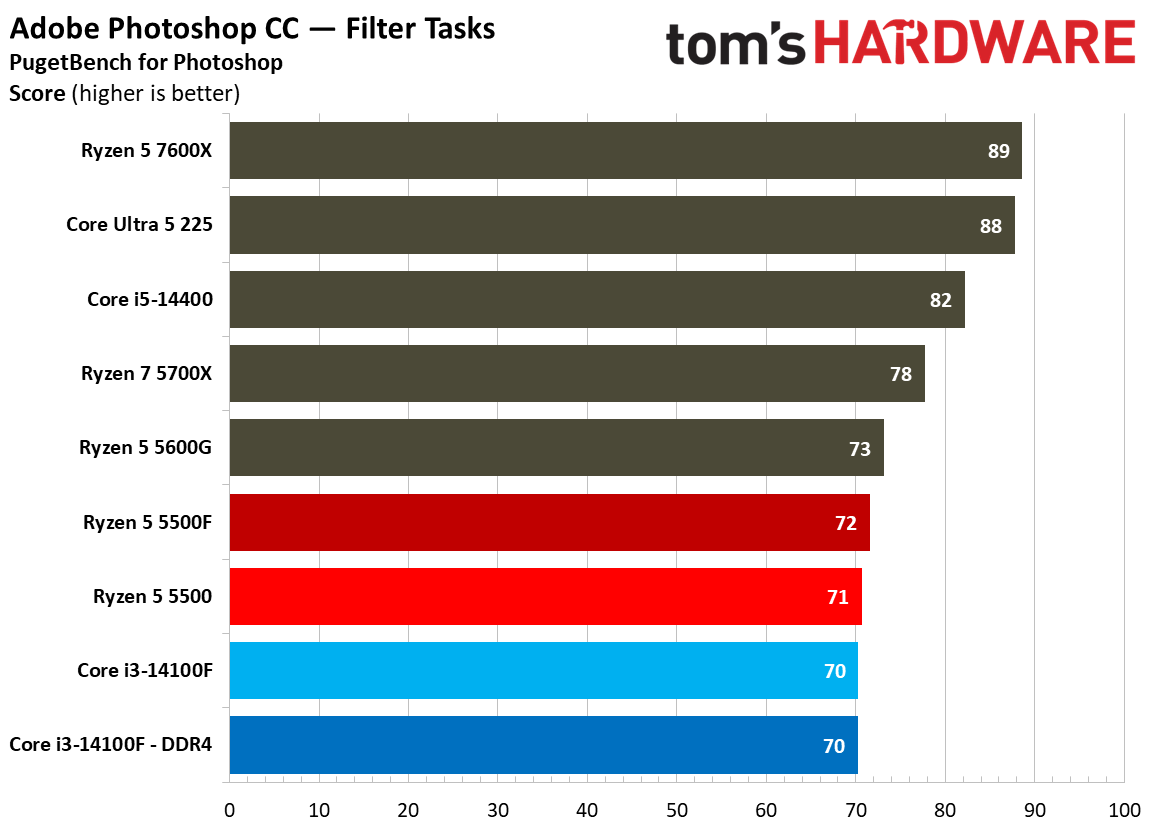
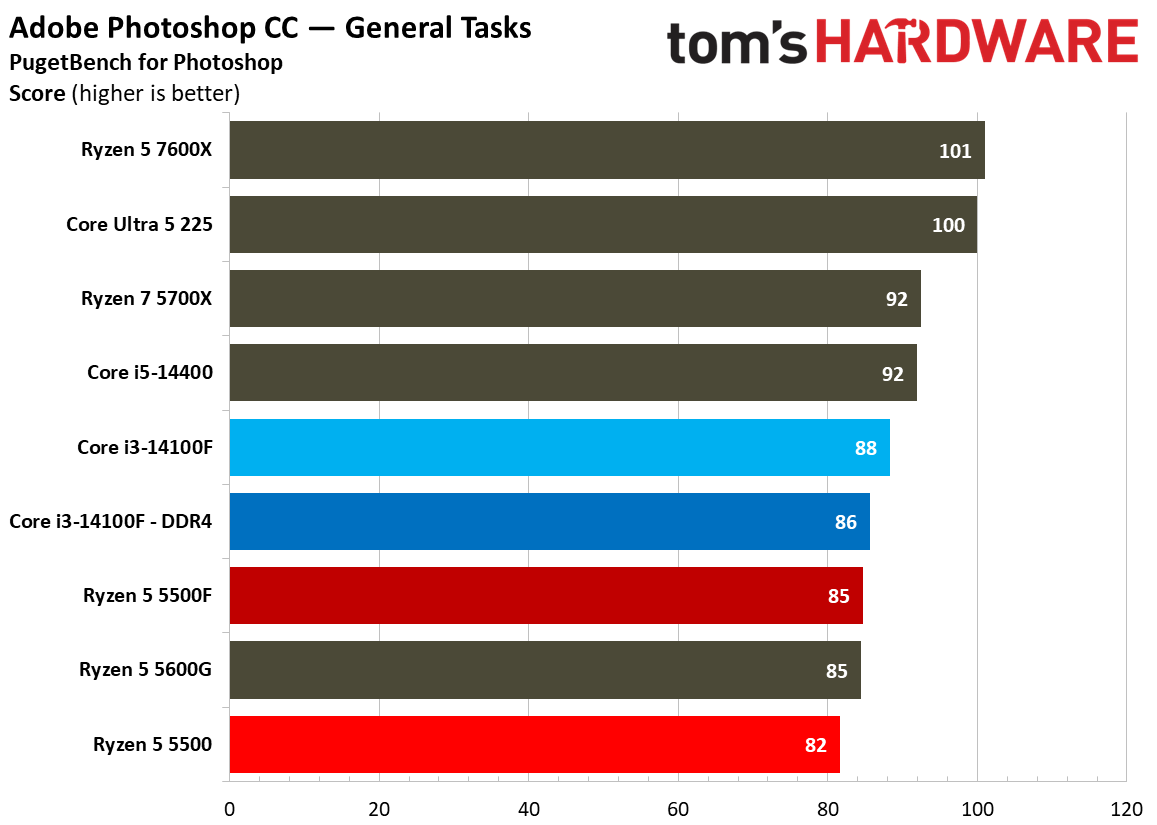
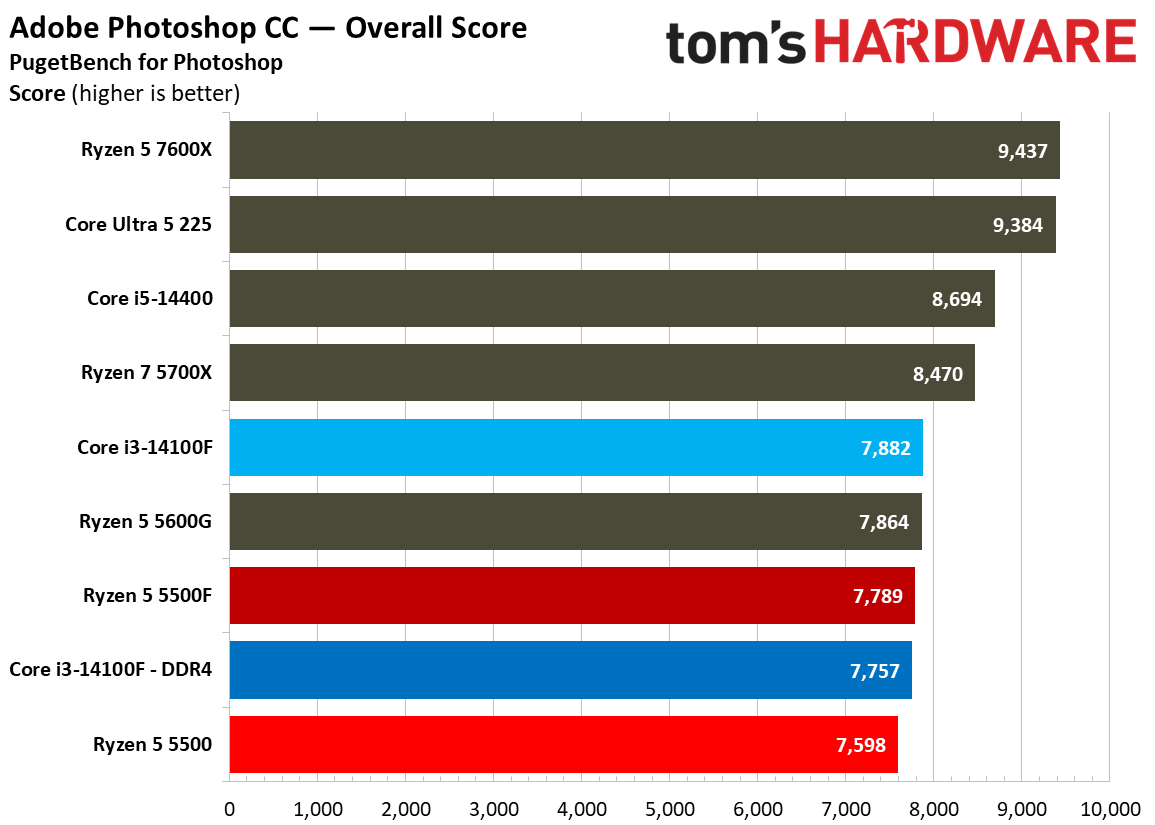
The main CPUs we’re focused on — 5500, 5500F, and 14100F — aren’t the best choice when it comes to modern creative applications, particularly when it comes to the more demanding workloads in nonlinear video editors like Resolve and Premiere, as well as visual effects in After Effects. In Photoshop, the three ~$100 CPUs all hit a performance wall, though likely for different reasons, as you can see the DDR5-equipped 14100F run into the same bottleneck as the DDR4 version.

Web and Office Benchmarks
Web and Office Benchmarks
Tom's Hardware
Web and Office Benchmarks
Tom's Hardware
Web and Office Benchmarks
Tom's Hardware
Web and Office Benchmarks
Tom's Hardware
Web and Office Benchmarks
Tom's Hardware
Web and Office Benchmarks
Tom's Hardware
Web and Office Benchmarks
Tom's Hardware
Web and Office Benchmarks
Tom's Hardware
Web and Office Benchmarks
Tom's Hardware
Web and Office Benchmarks
Tom's Hardware

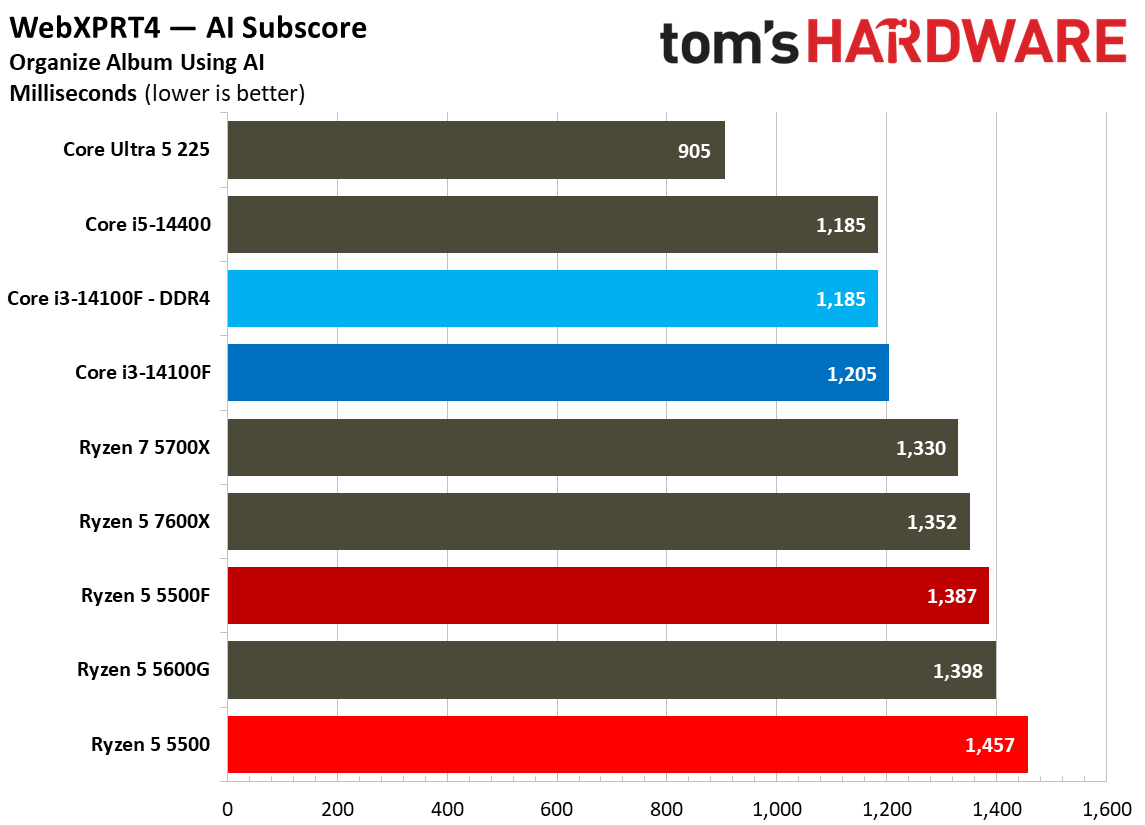
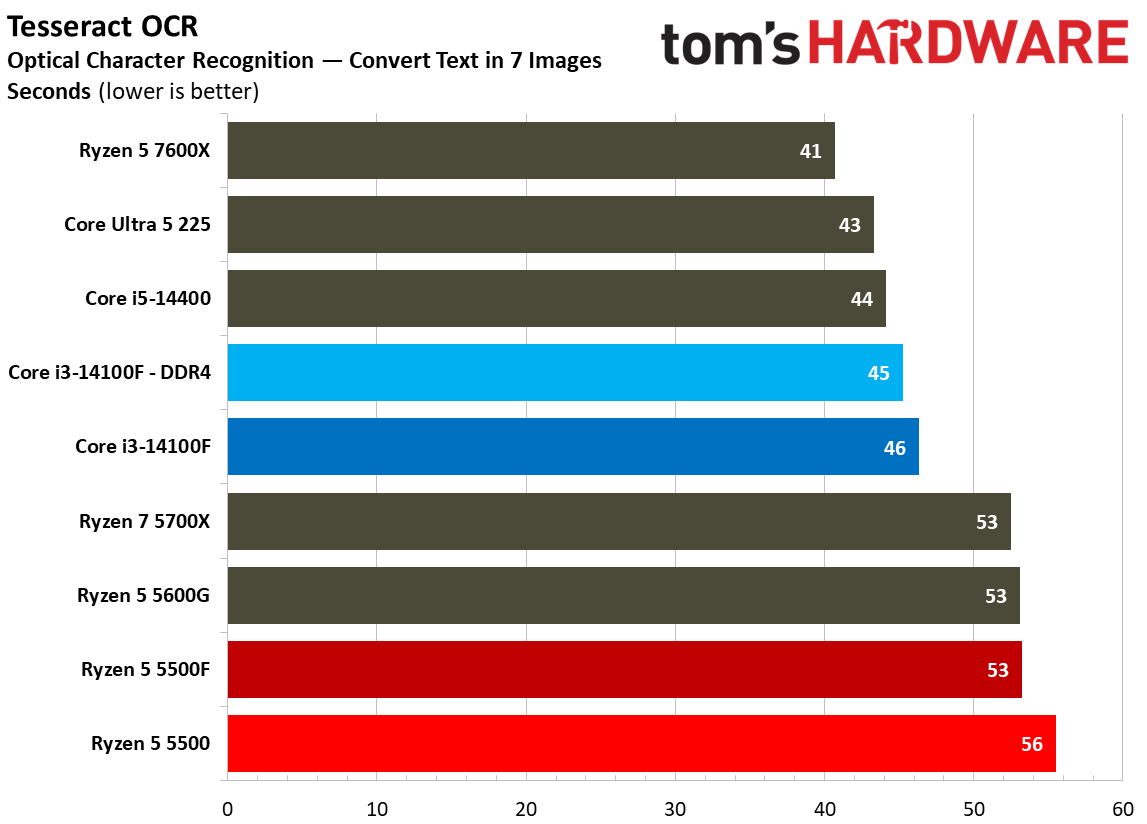
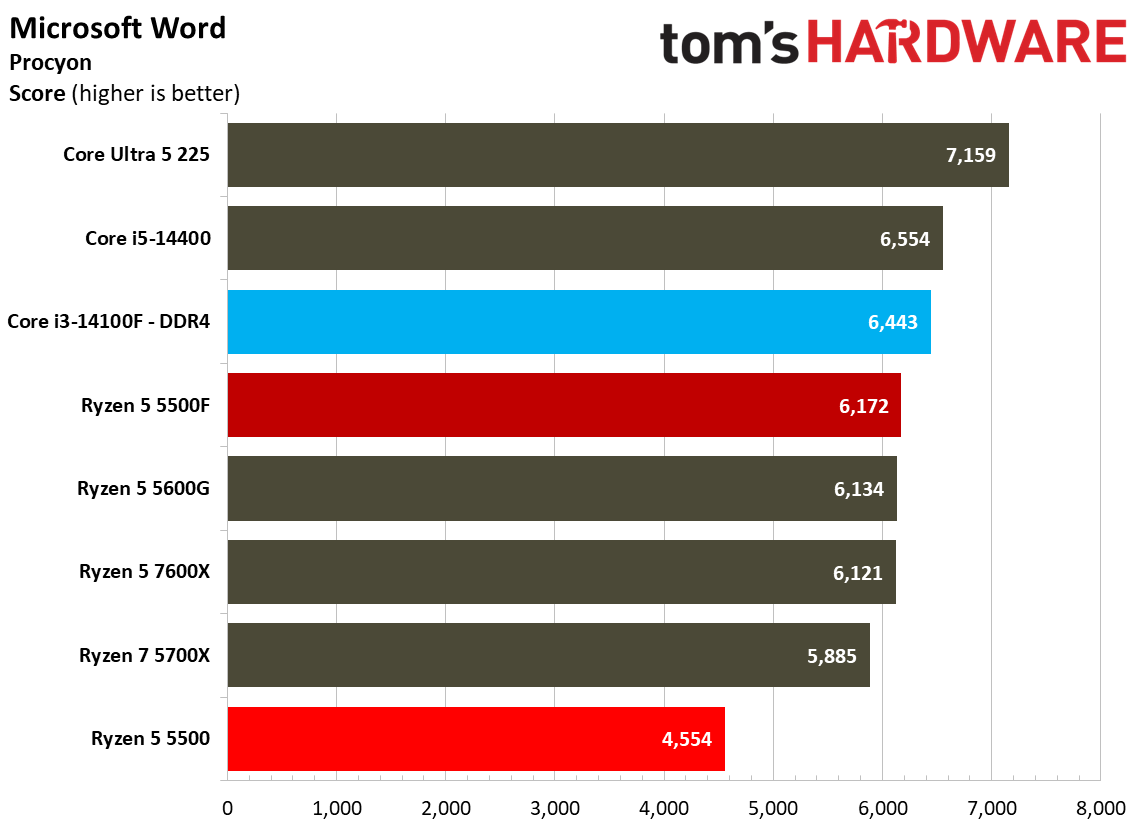
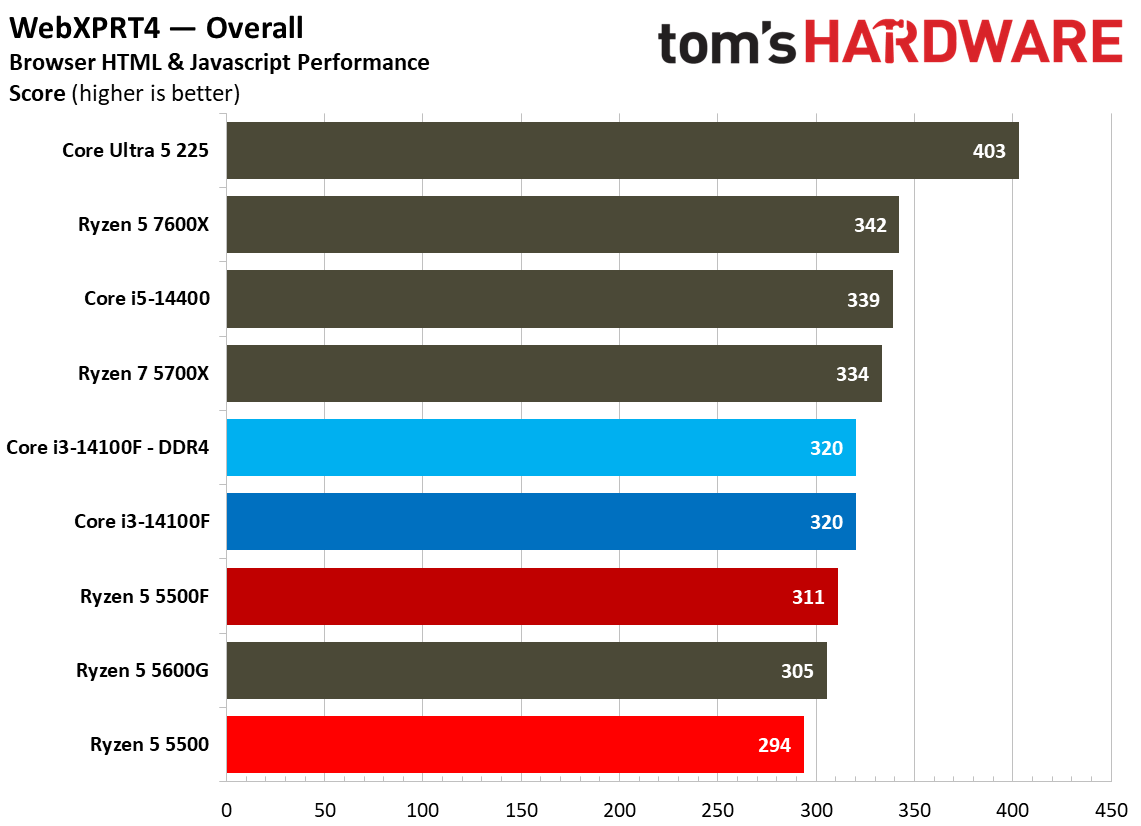
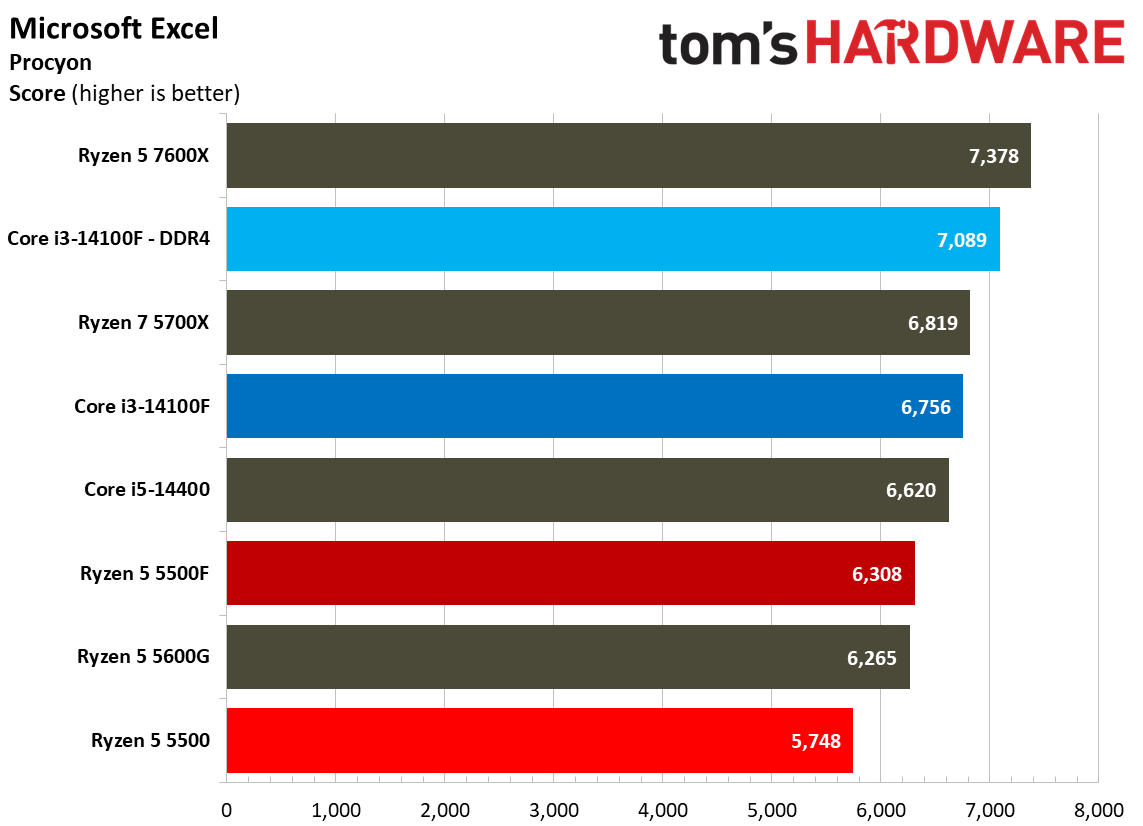
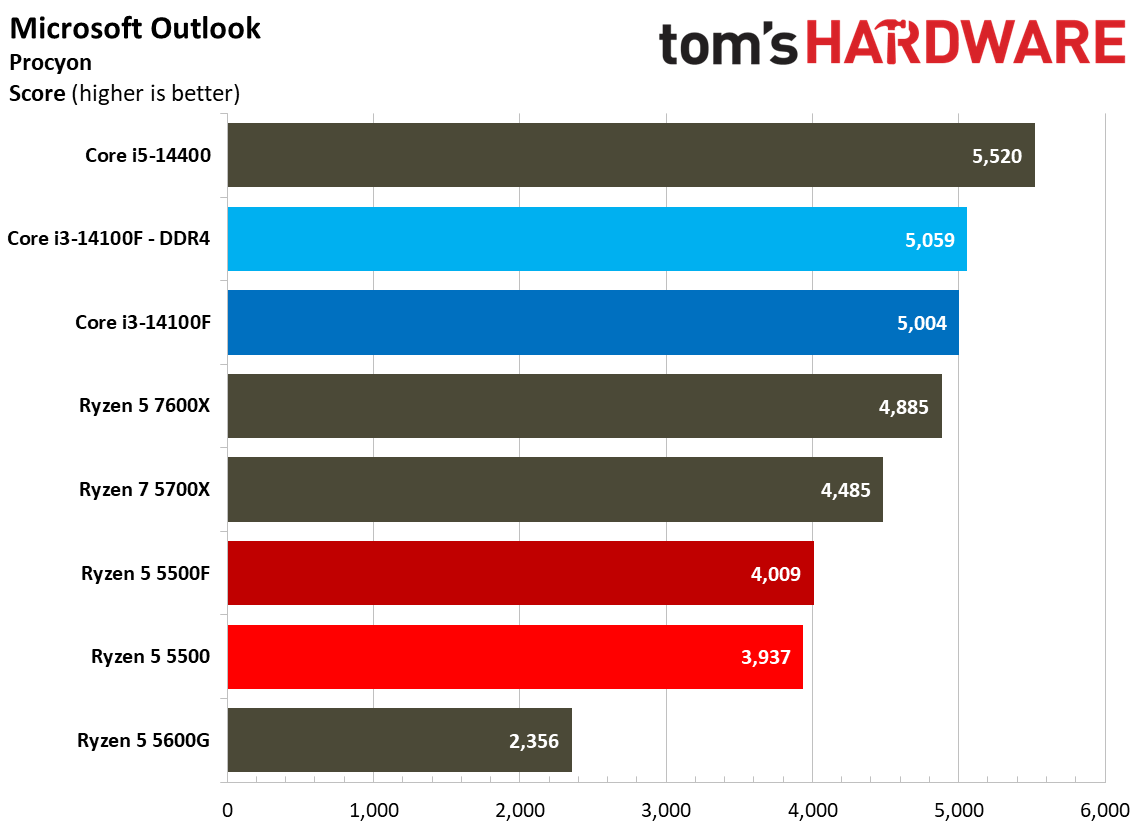
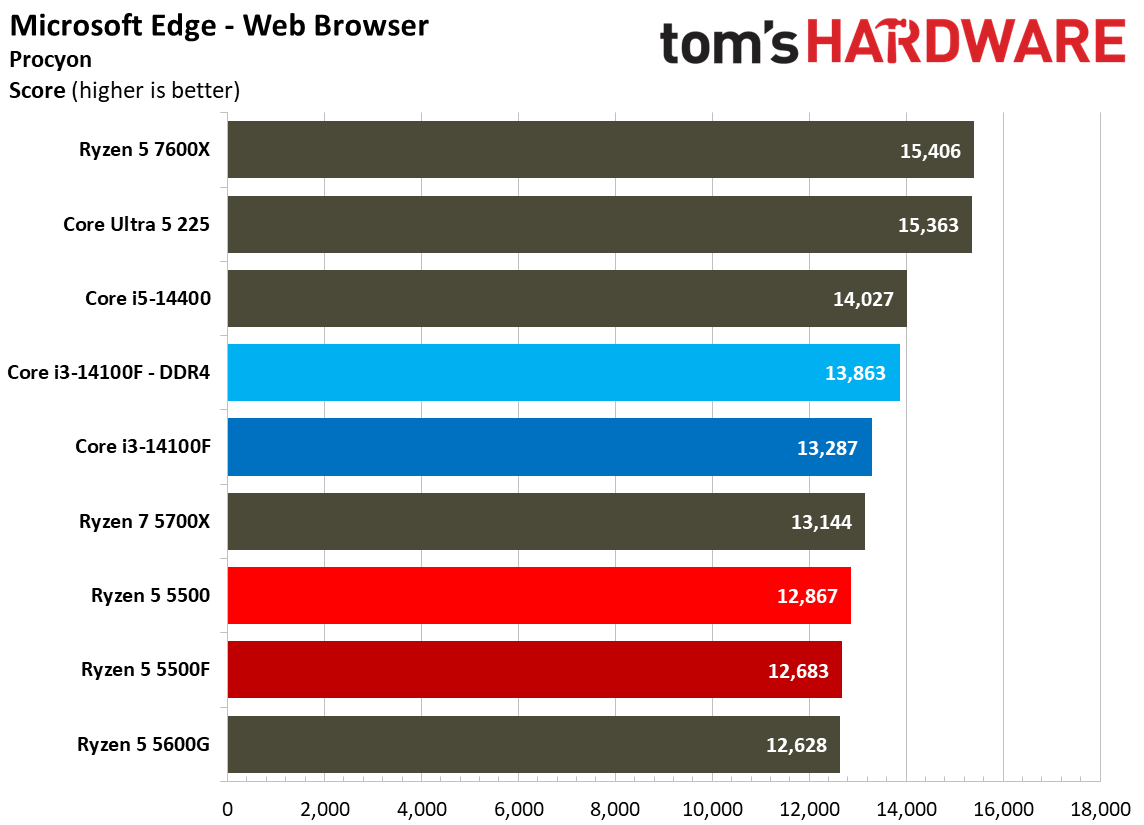
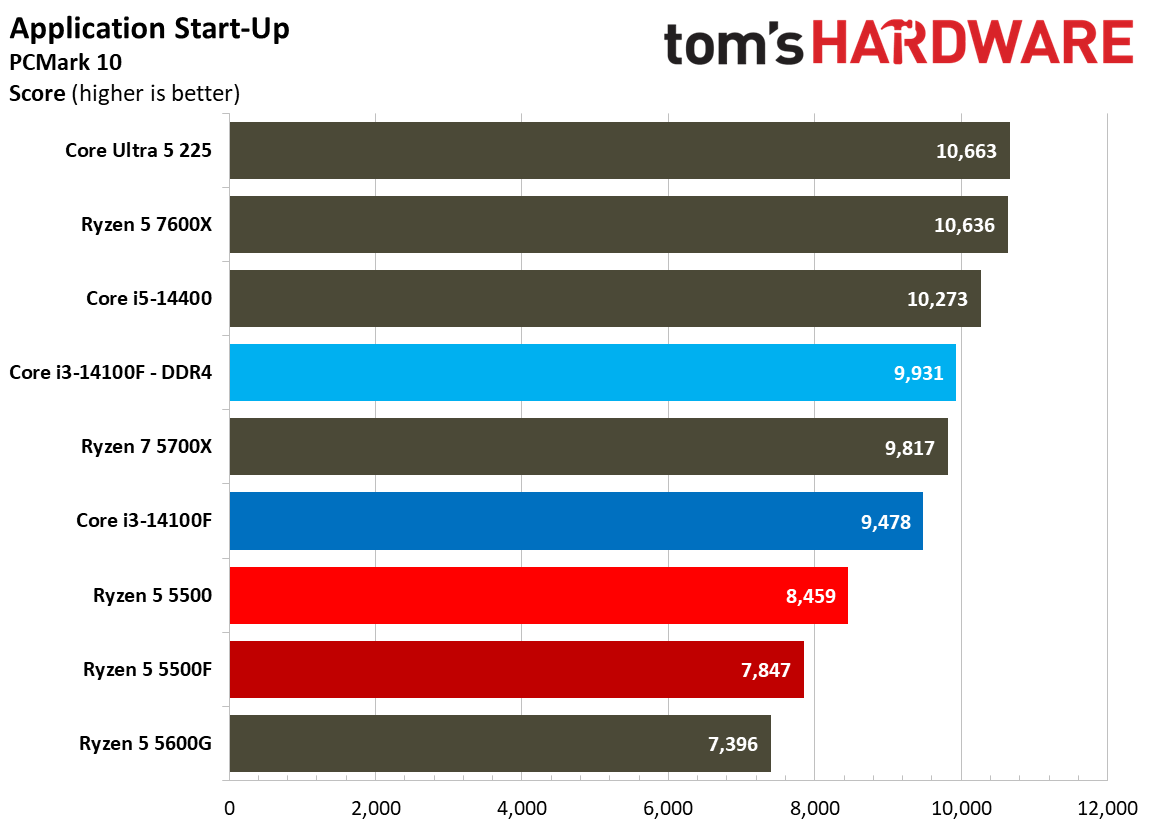
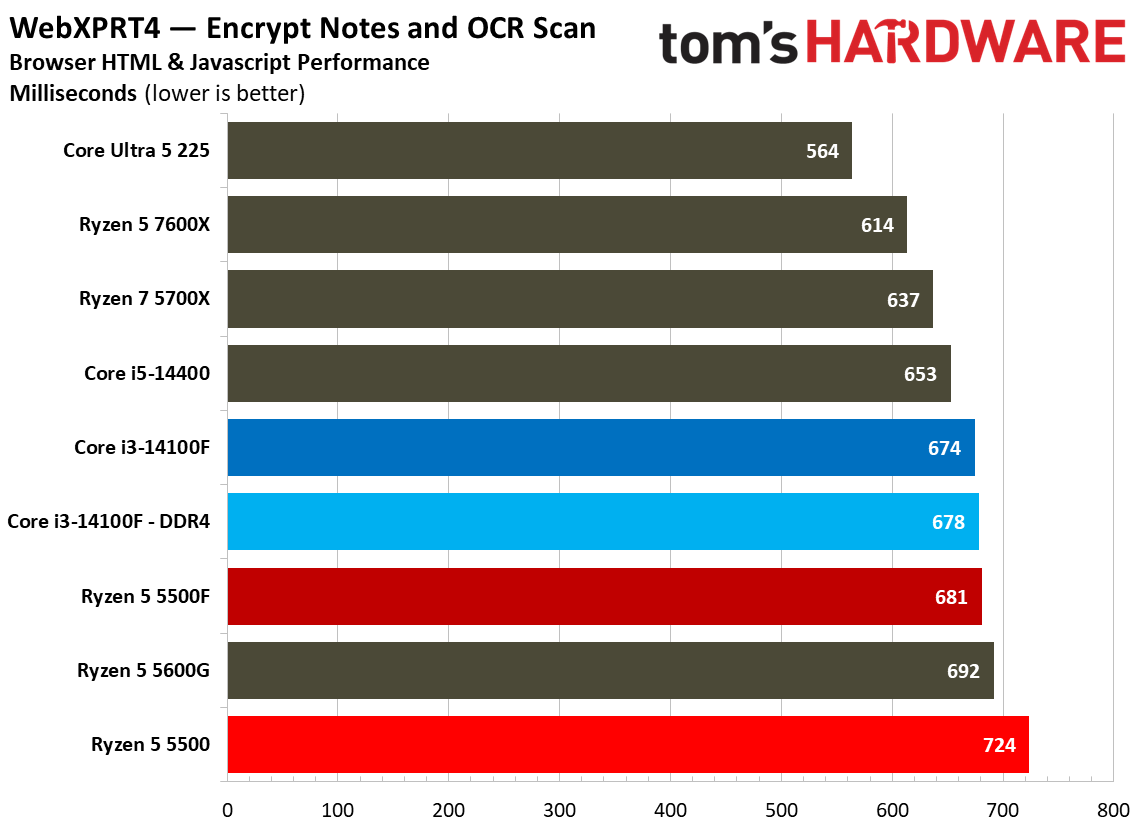
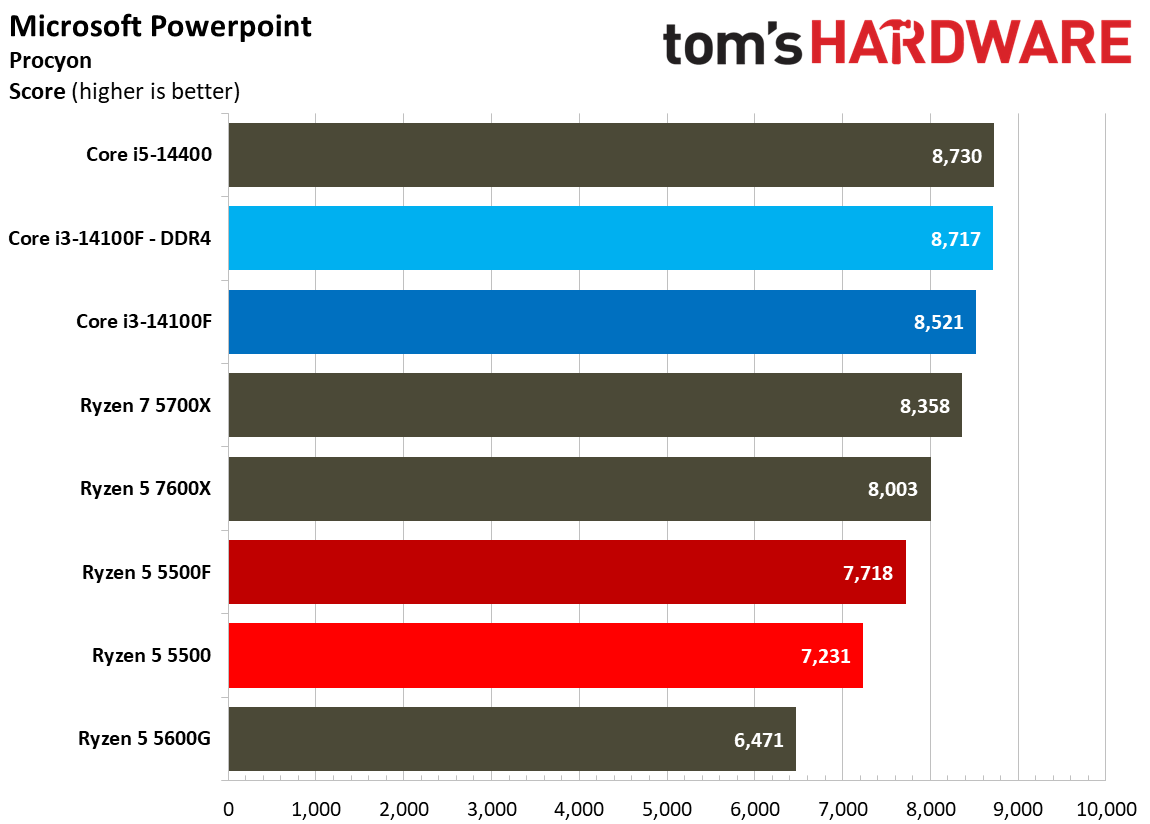
Web and office workloads are par for the course when it comes to the Ryzen 5 5500F. Although Intel retains a lead in our web and office benchmarks, the 5500F does a lot to close the gap compared to the 5500, at least in some tests. Looking at general web workloads through WebXPRT and Procyon, there isn’t much of a difference between the main chips we’re focused on.

However, the 5500F gains some ground in Excel with a 9.7% jump over the 5500. It was a massive 35% faster in Word, finally closing in on the 14100F, and it was 6.7% faster in PowerPoint. Even by the standards of budget CPUs, the Ryzen 5 5500 didn’t perform well in these applications. The 5500F puts AMD’s budget offering back in contention.

Chess Engines, Compilation, Compression, AVX, and Other Benchmarks
Chess Engines, Compilation, Compression, AVX, and Other Benchmarks
Tom's Hardware
Chess Engines, Compilation, Compression, AVX, and Other Benchmarks
Tom's Hardware
Chess Engines, Compilation, Compression, AVX, and Other Benchmarks
Tom's Hardware
Chess Engines, Compilation, Compression, AVX, and Other Benchmarks
Tom's Hardware
Chess Engines, Compilation, Compression, AVX, and Other Benchmarks
Tom's Hardware
Chess Engines, Compilation, Compression, AVX, and Other Benchmarks
Tom's Hardware
Chess Engines, Compilation, Compression, AVX, and Other Benchmarks
Tom's Hardware
Chess Engines, Compilation, Compression, AVX, and Other Benchmarks
Tom's Hardware
Chess Engines, Compilation, Compression, AVX, and Other Benchmarks
Tom's Hardware
Chess Engines, Compilation, Compression, AVX, and Other Benchmarks
Tom's Hardware
Chess Engines, Compilation, Compression, AVX, and Other Benchmarks
Tom's Hardware
Chess Engines, Compilation, Compression, AVX, and Other Benchmarks
Tom's Hardware
Chess Engines, Compilation, Compression, AVX, and Other Benchmarks
Tom's Hardware
Chess Engines, Compilation, Compression, AVX, and Other Benchmarks
Tom's Hardware
Chess Engines, Compilation, Compression, AVX, and Other Benchmarks
Tom's Hardware
Chess Engines, Compilation, Compression, AVX, and Other Benchmarks
Tom's Hardware
Chess Engines, Compilation, Compression, AVX, and Other Benchmarks
Tom's Hardware
Chess Engines, Compilation, Compression, AVX, and Other Benchmarks
Tom's Hardware
Chess Engines, Compilation, Compression, AVX, and Other Benchmarks
Tom's Hardware
Chess Engines, Compilation, Compression, AVX, and Other Benchmarks
Tom's Hardware
Chess Engines, Compilation, Compression, AVX, and Other Benchmarks
Tom's Hardware
Chess Engines, Compilation, Compression, AVX, and Other Benchmarks
Tom's Hardware
Chess Engines, Compilation, Compression, AVX, and Other Benchmarks
Tom's Hardware
Chess Engines, Compilation, Compression, AVX, and Other Benchmarks
Tom's Hardware
Chess Engines, Compilation, Compression, AVX, and Other Benchmarks
Tom's Hardware
Chess Engines, Compilation, Compression, AVX, and Other Benchmarks
Tom's Hardware
Chess Engines, Compilation, Compression, AVX, and Other Benchmarks
Tom's Hardware
Chess Engines, Compilation, Compression, AVX, and Other Benchmarks
Tom's Hardware
Chess Engines, Compilation, Compression, AVX, and Other Benchmarks
Tom's Hardware
Chess Engines, Compilation, Compression, AVX, and Other Benchmarks
Tom's Hardware
Chess Engines, Compilation, Compression, AVX, and Other Benchmarks
Tom's Hardware
Chess Engines, Compilation, Compression, AVX, and Other Benchmarks
Tom's Hardware
Chess Engines, Compilation, Compression, AVX, and Other Benchmarks
Tom's Hardware
Chess Engines, Compilation, Compression, AVX, and Other Benchmarks
Tom's Hardware
Chess Engines, Compilation, Compression, AVX, and Other Benchmarks
Tom's Hardware
Chess Engines, Compilation, Compression, AVX, and Other Benchmarks
Tom's Hardware
Chess Engines, Compilation, Compression, AVX, and Other Benchmarks
Tom's Hardware
Chess Engines, Compilation, Compression, AVX, and Other Benchmarks
Tom's Hardware
Chess Engines, Compilation, Compression, AVX, and Other Benchmarks
Tom's Hardware
Chess Engines, Compilation, Compression, AVX, and Other Benchmarks
Tom's Hardware
Chess Engines, Compilation, Compression, AVX, and Other Benchmarks
Tom's Hardware
Web and Office Benchmarks
Tom's Hardware
Web and Office Benchmarks
Tom's Hardware
Web and Office Benchmarks
Tom's Hardware
Web and Office Benchmarks
Tom's Hardware
Web and Office Benchmarks
Tom's Hardware
Web and Office Benchmarks
Tom's Hardware
Web and Office Benchmarks
Tom's Hardware
Web and Office Benchmarks
Tom's Hardware
Chess Engines, Compilation, Compression, AVX, and Other Benchmarks
Tom's Hardware
Chess Engines, Compilation, Compression, AVX, and Other Benchmarks
Tom's Hardware
Chess Engines, Compilation, Compression, AVX, and Other Benchmarks
Tom's Hardware
Chess Engines, Compilation, Compression, AVX, and Other Benchmarks
Tom's Hardware
Chess Engines, Compilation, Compression, AVX, and Other Benchmarks
Tom's Hardware
Chess Engines, Compilation, Compression, AVX, and Other Benchmarks
Tom's Hardware
Chess Engines, Compilation, Compression, AVX, and Other Benchmarks
Tom's Hardware
Chess Engines, Compilation, Compression, AVX, and Other Benchmarks
Tom's Hardware

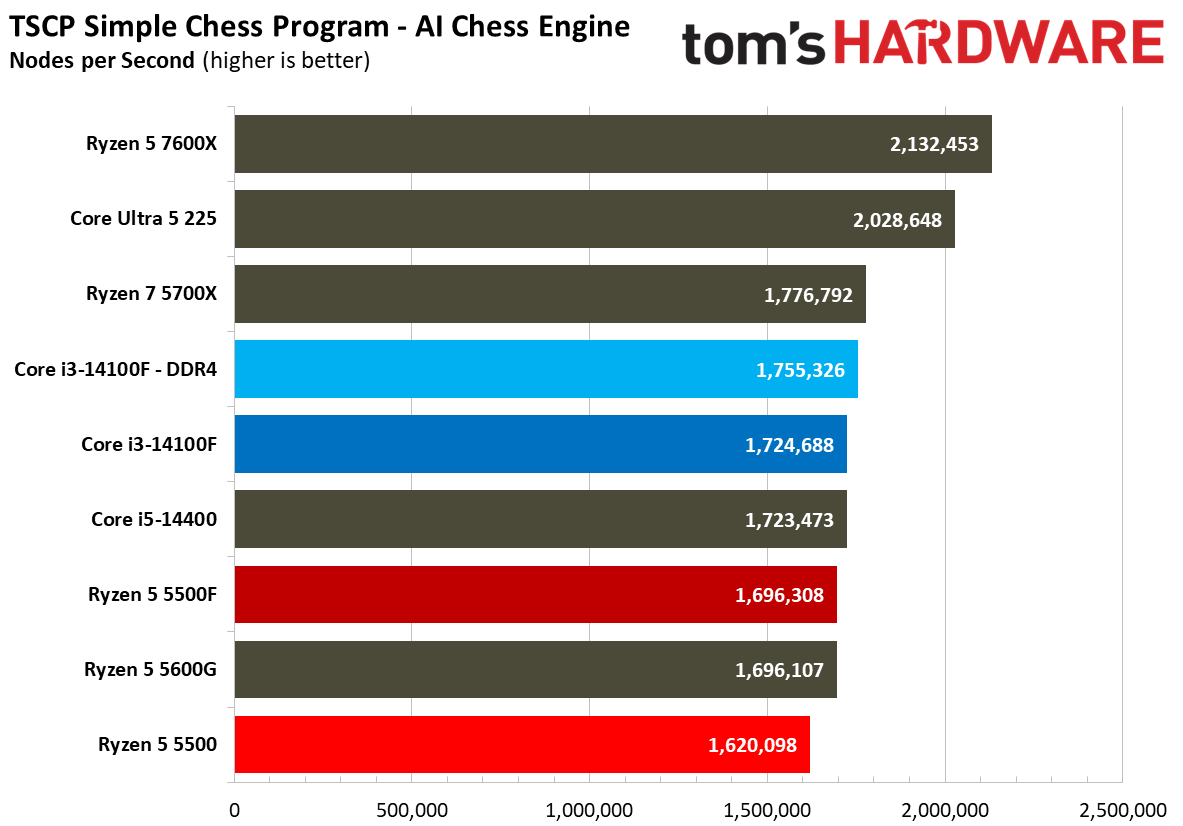
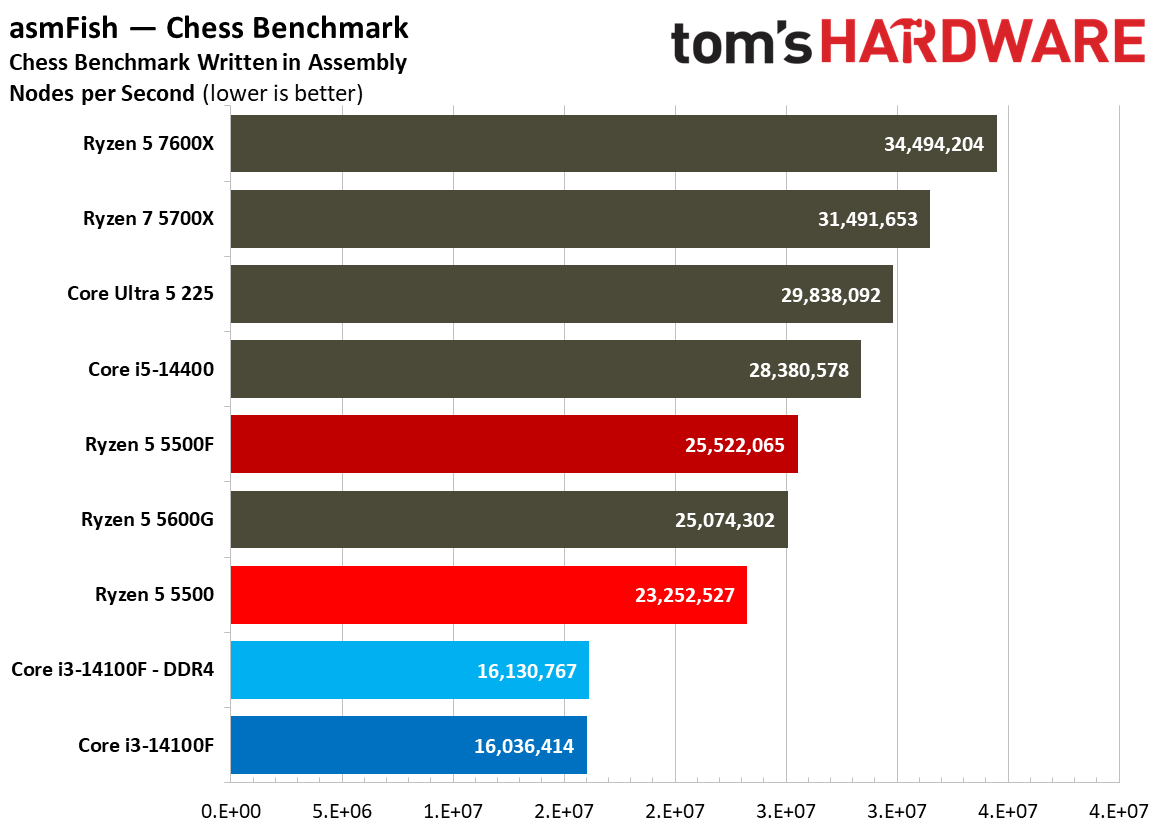
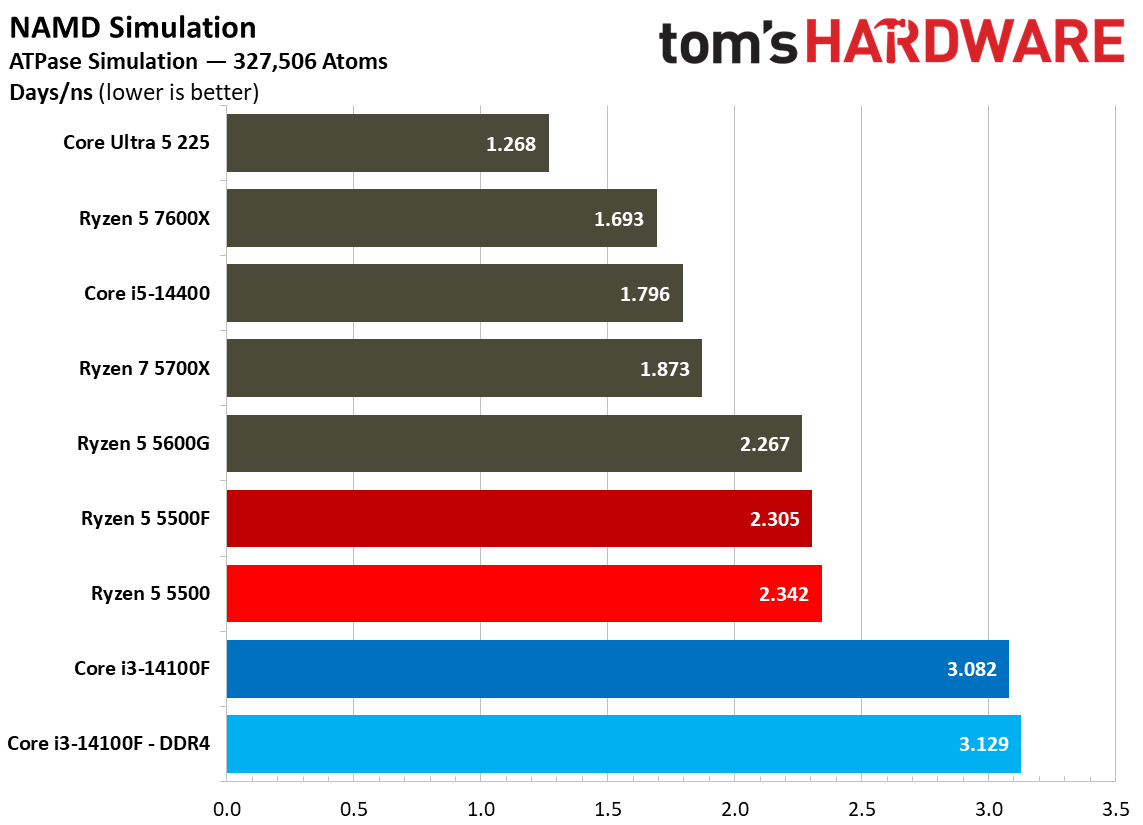
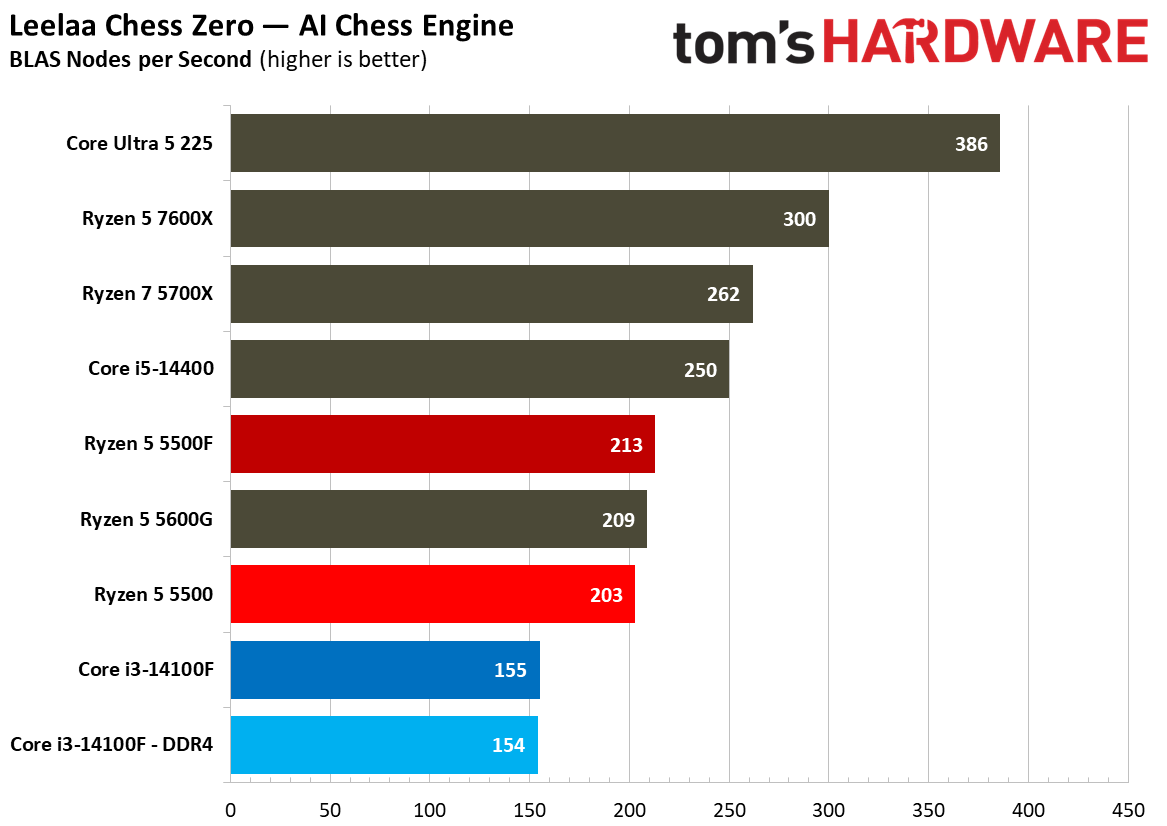
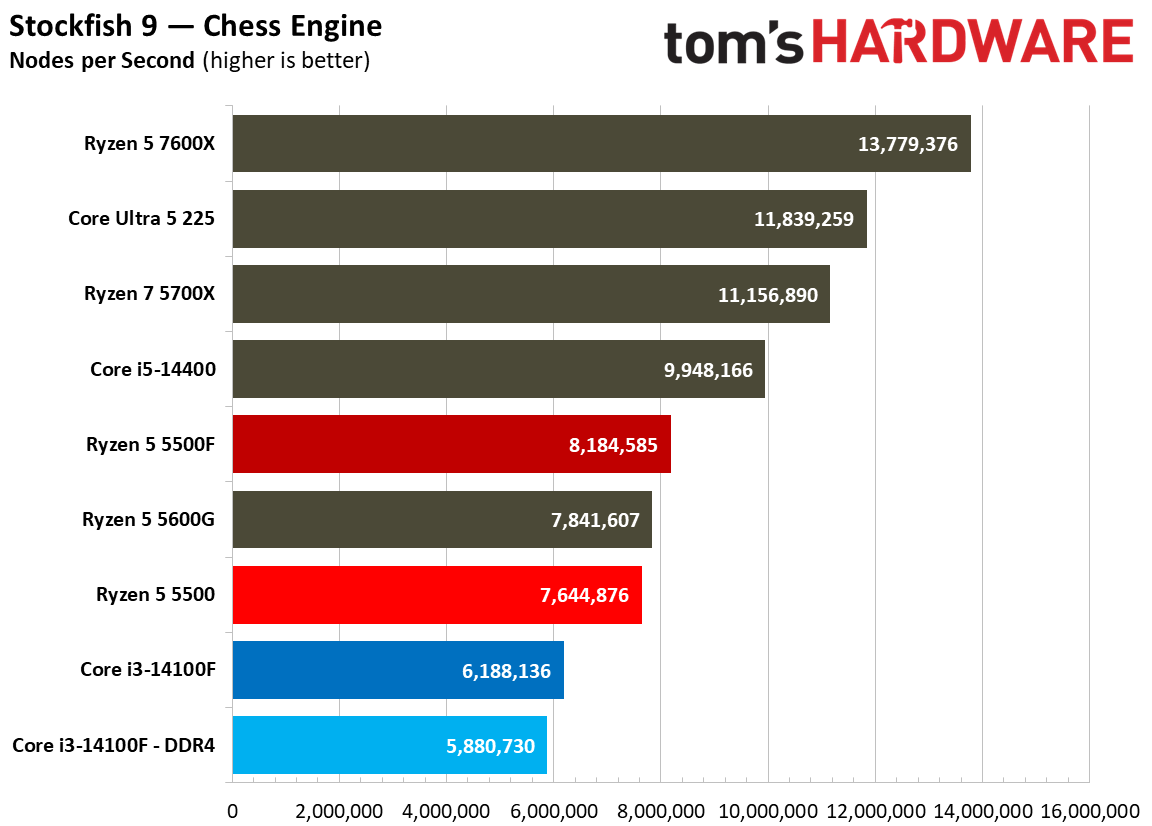
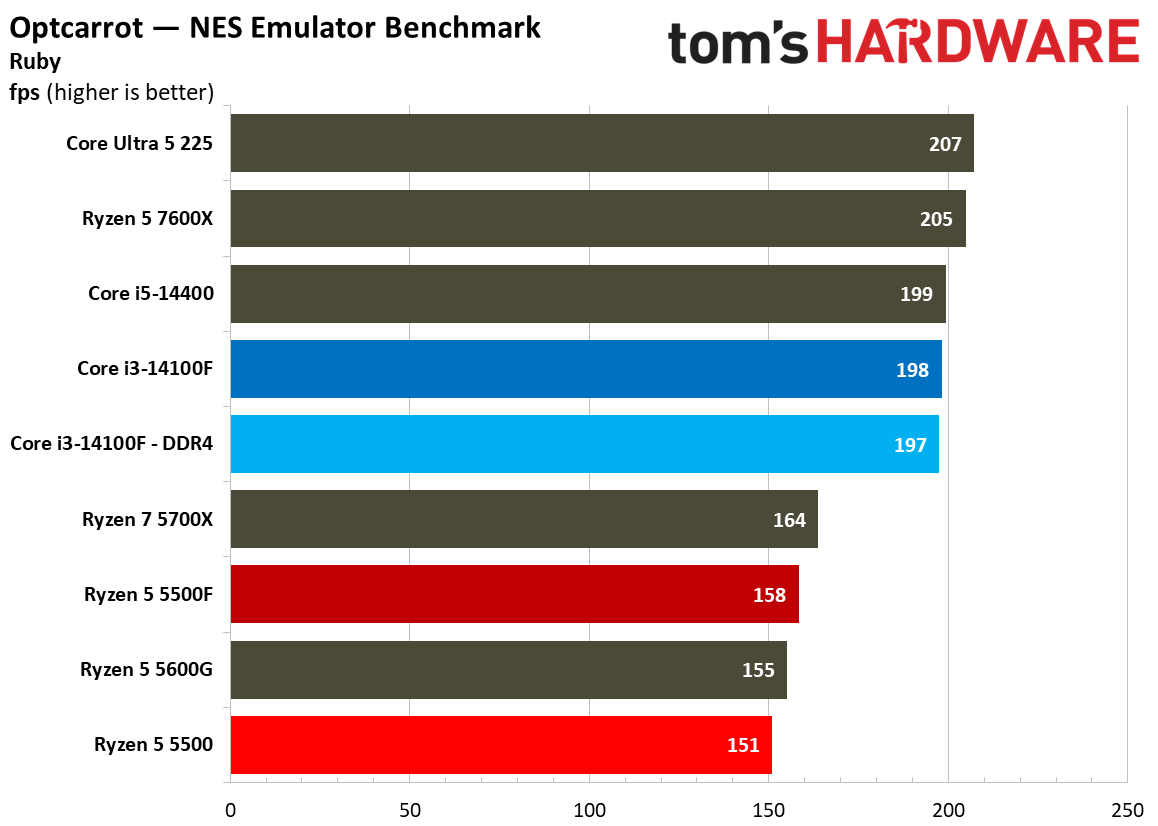
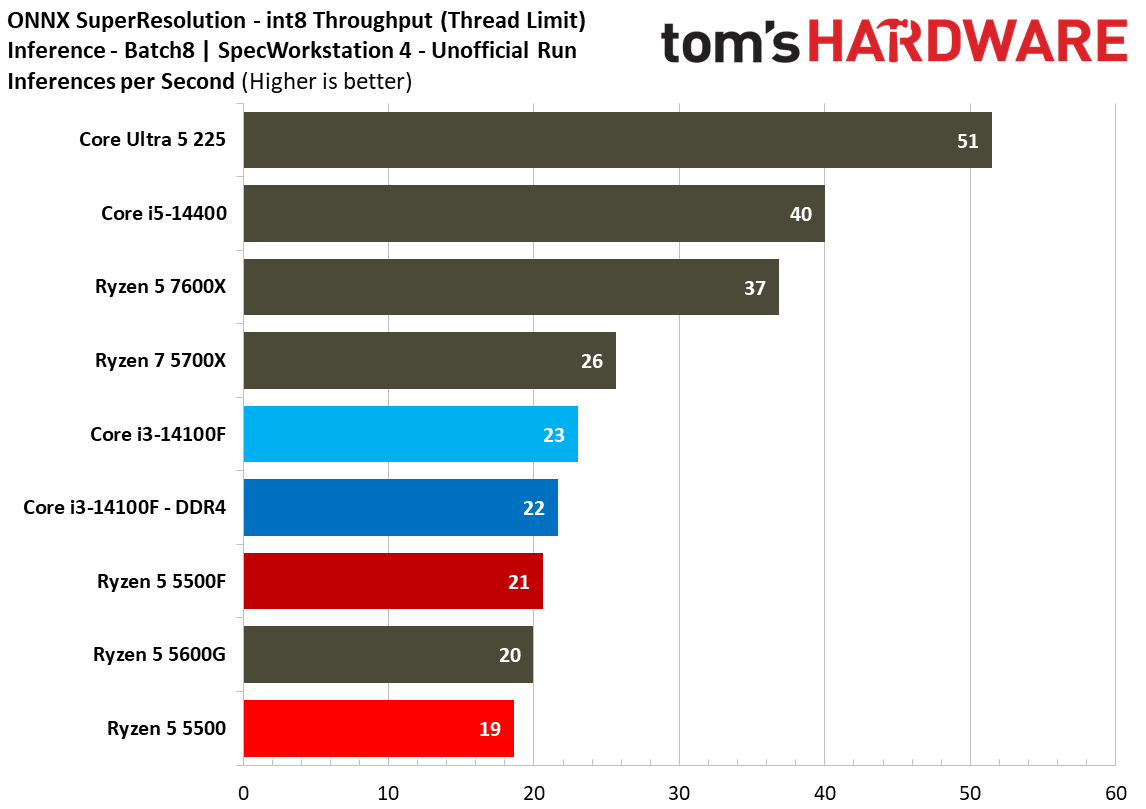
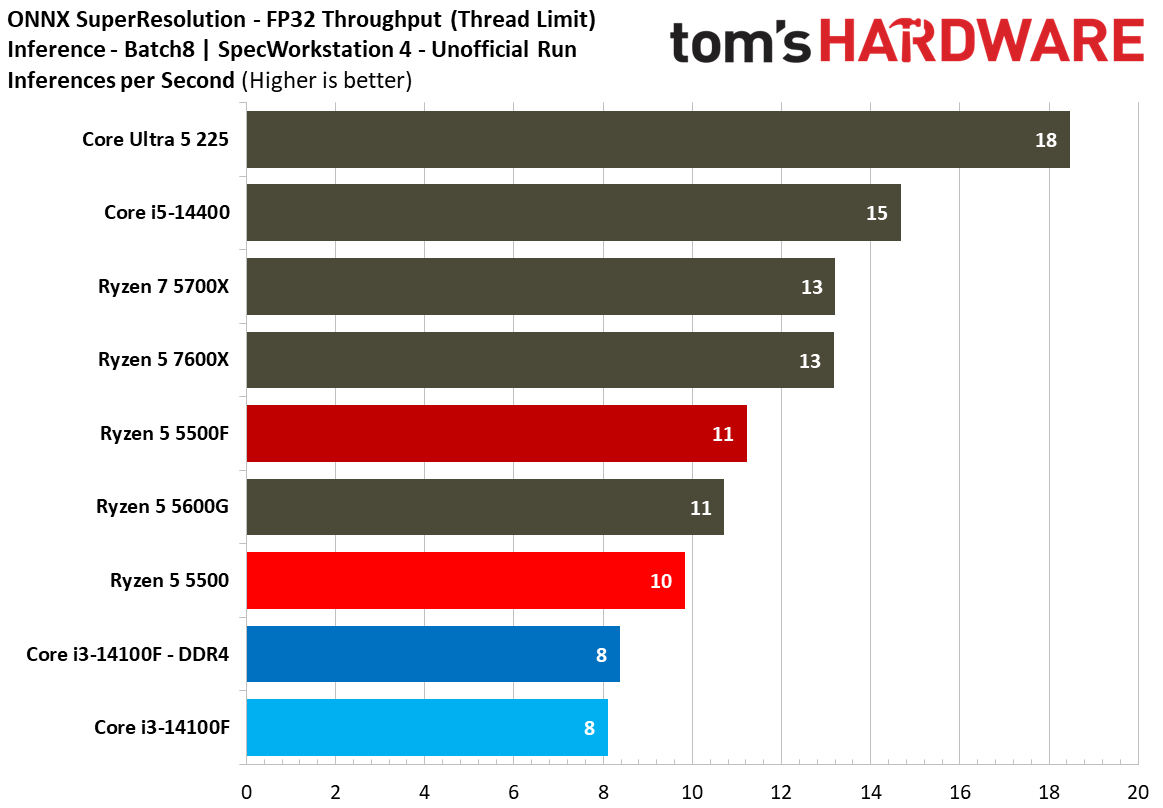
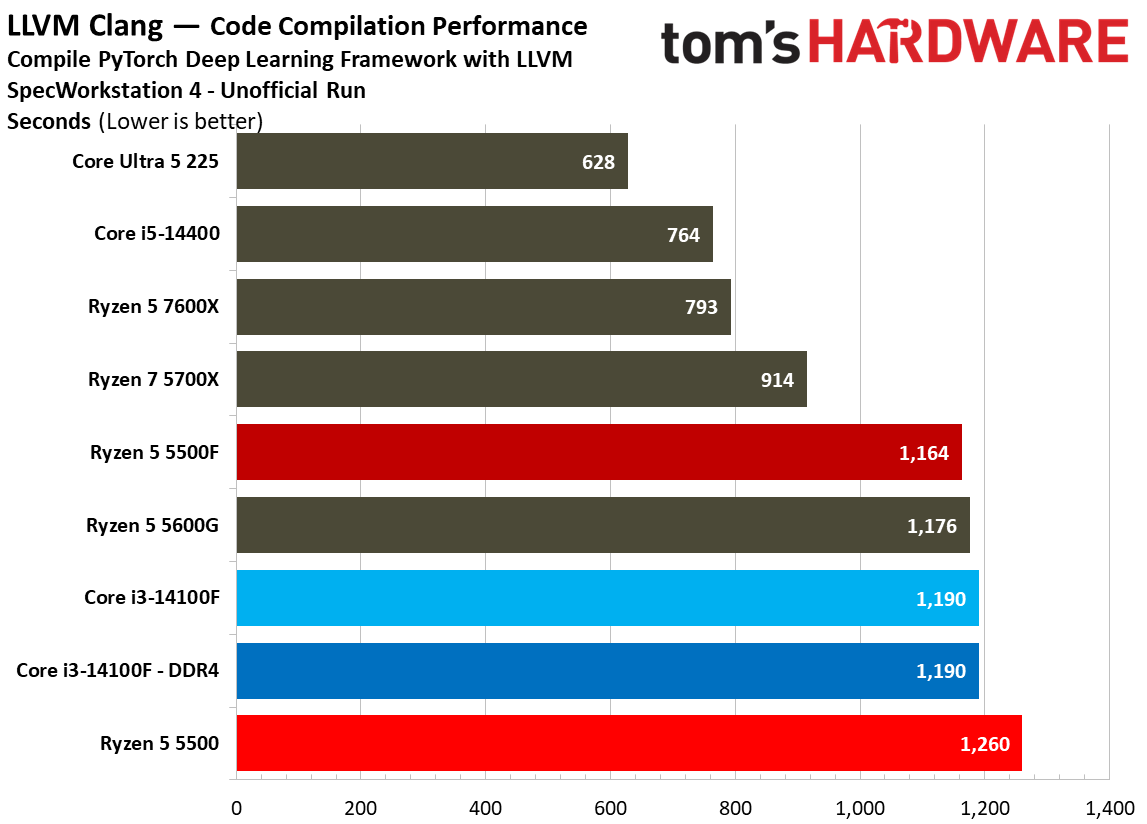
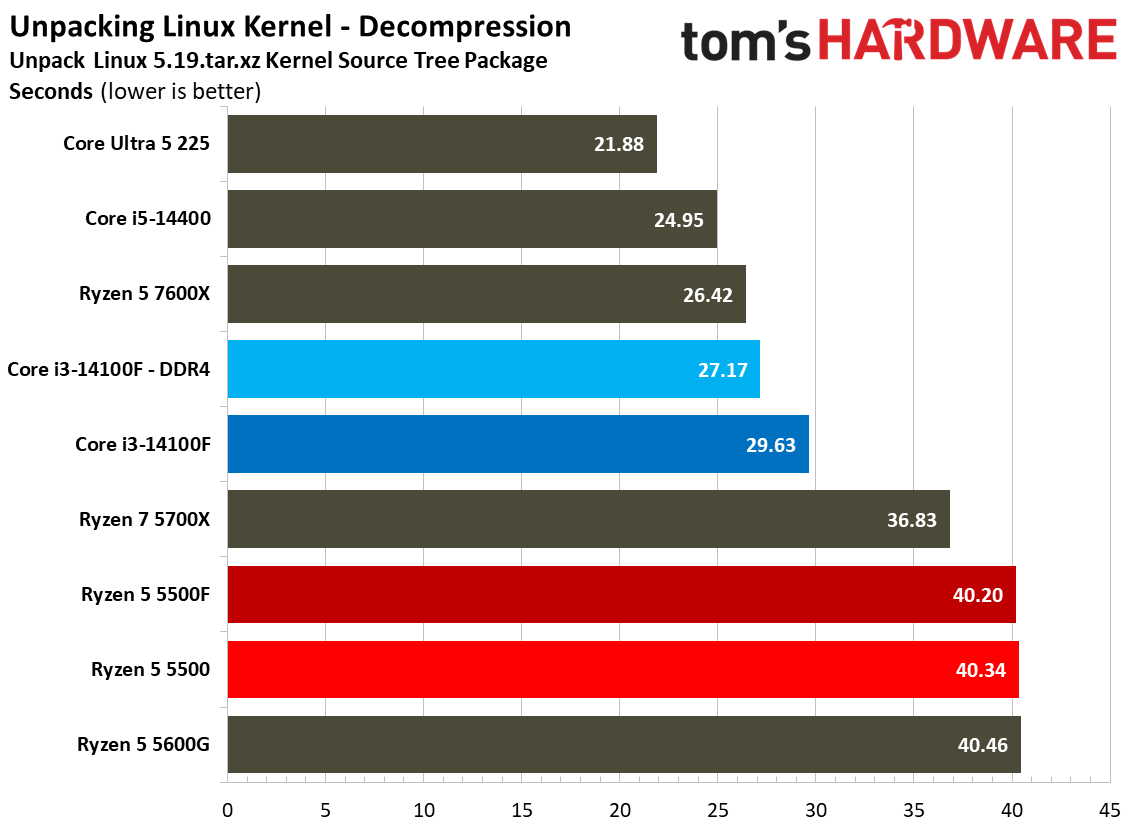
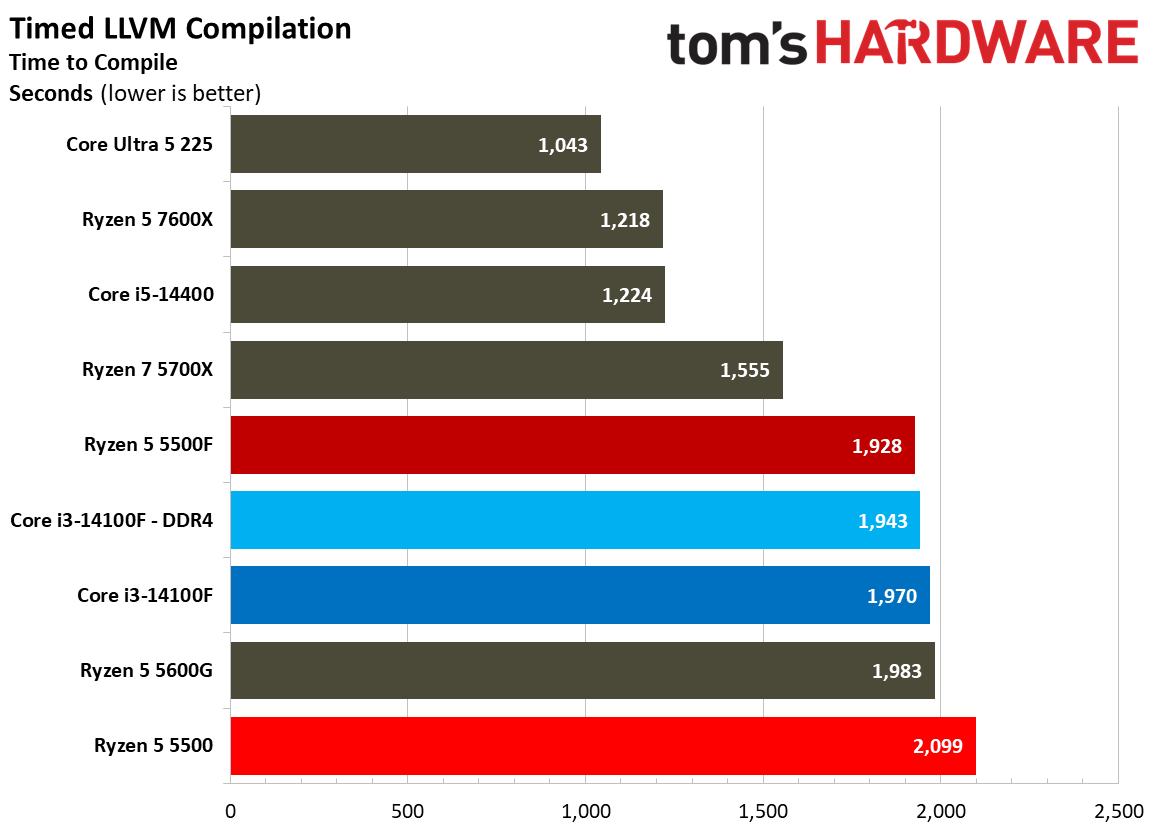
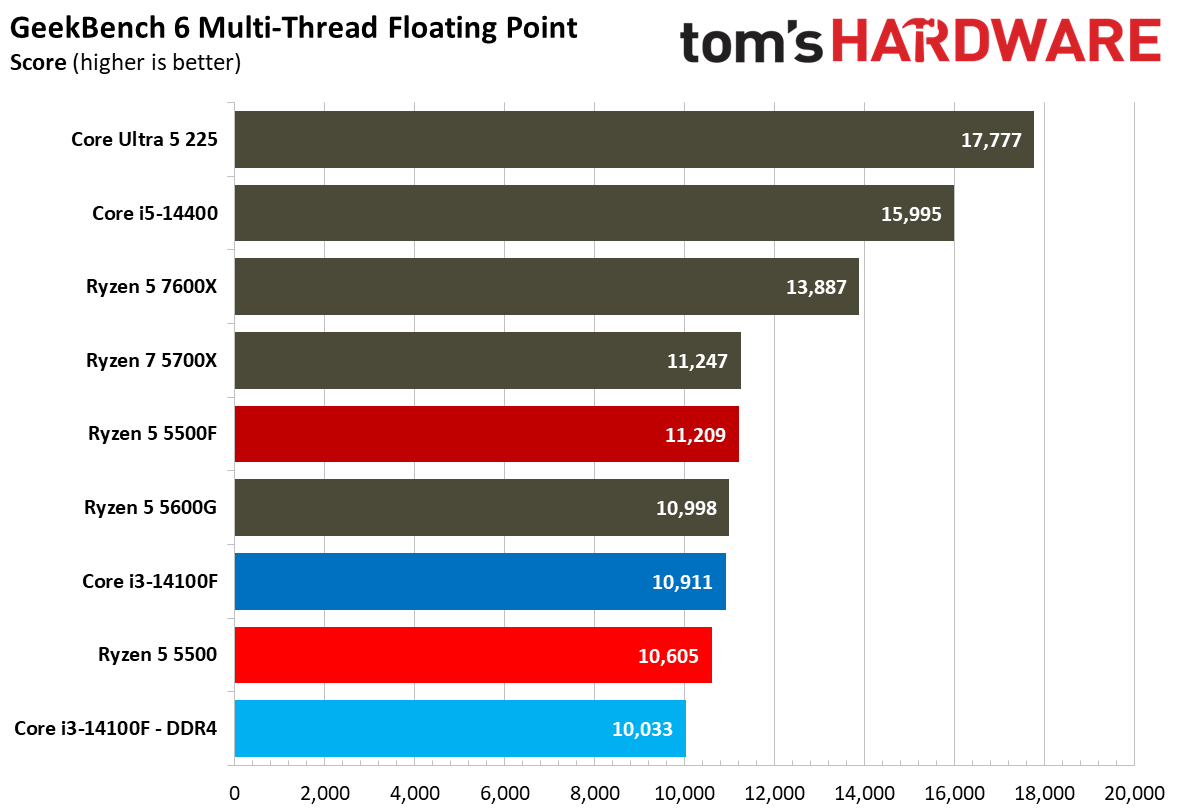
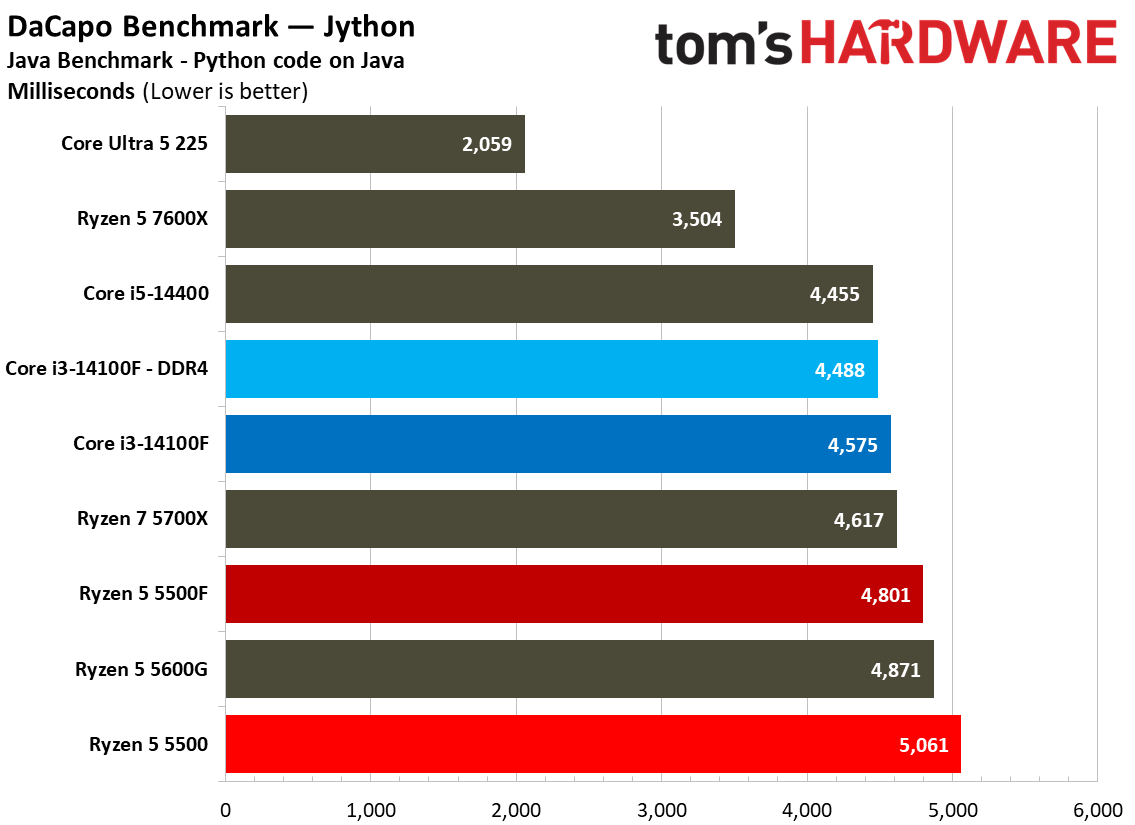
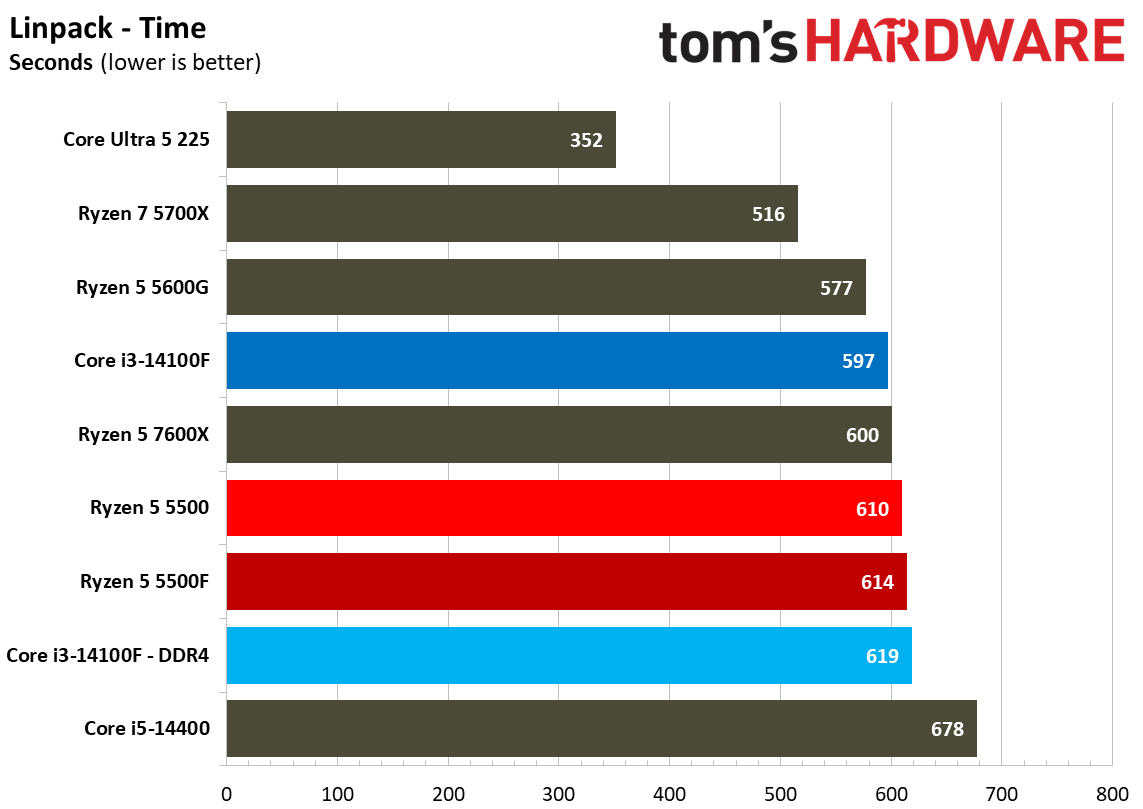
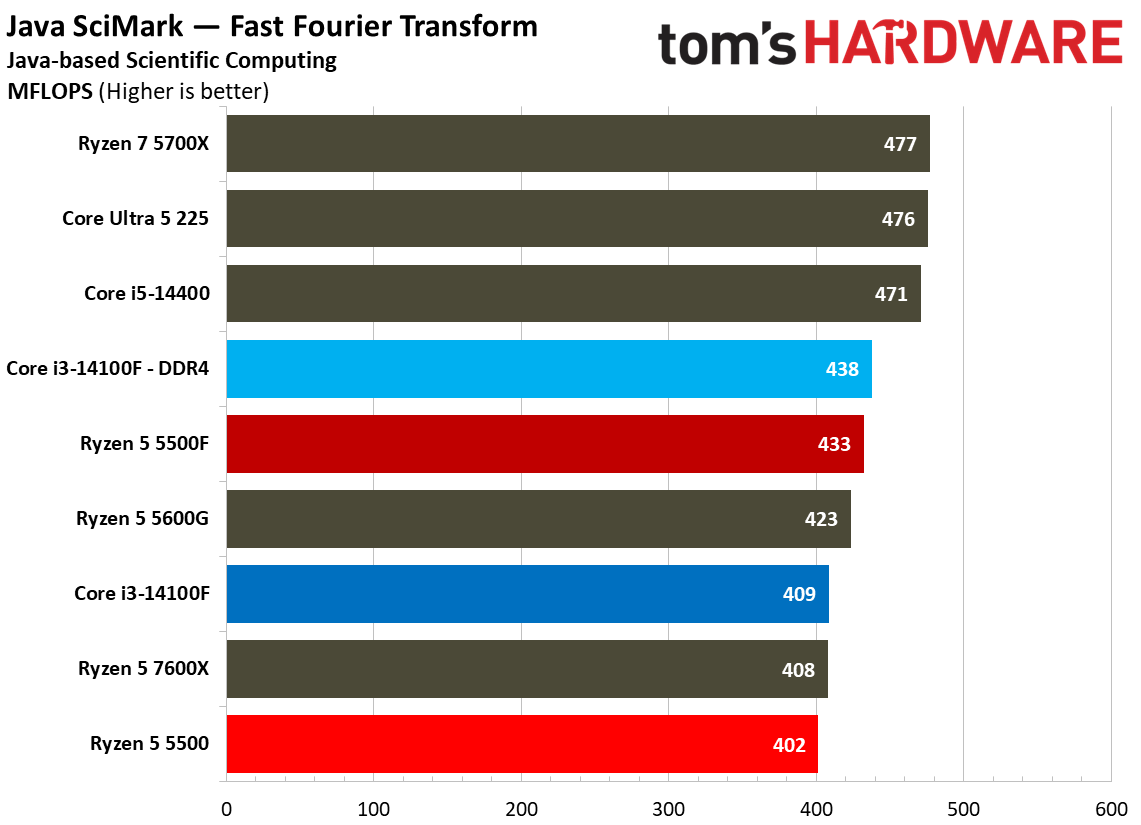
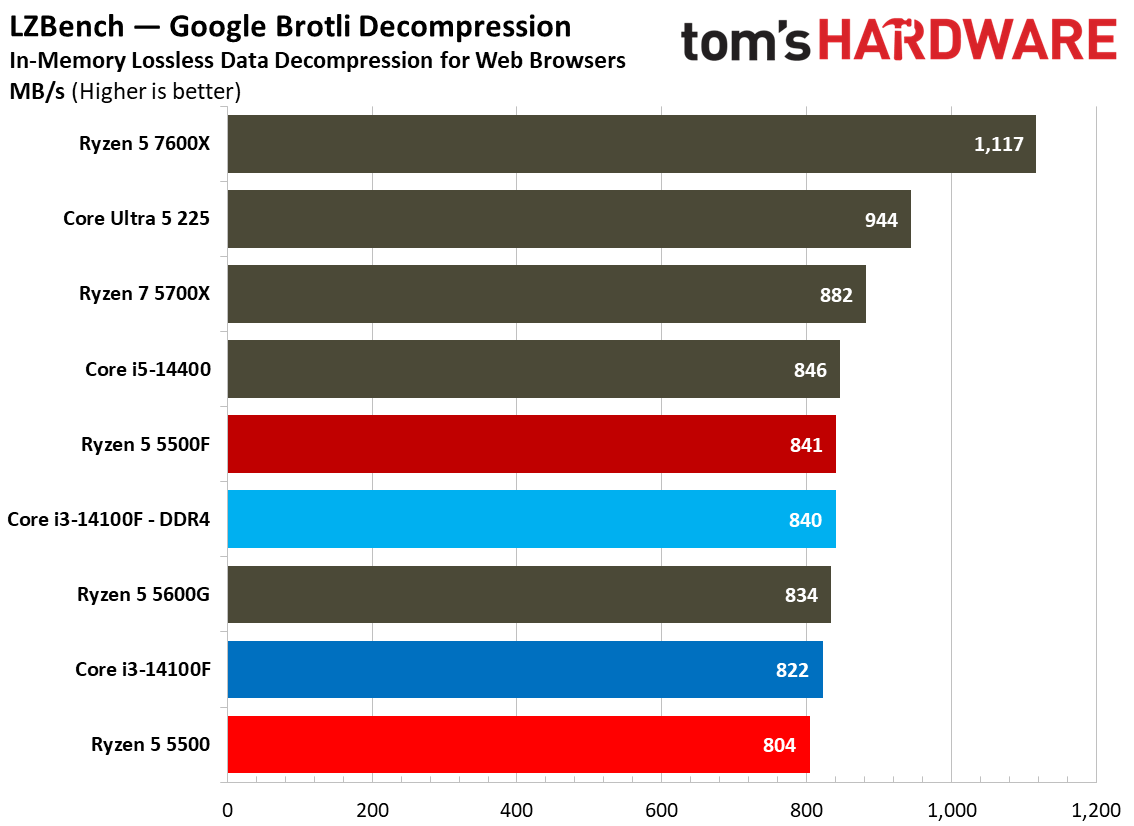
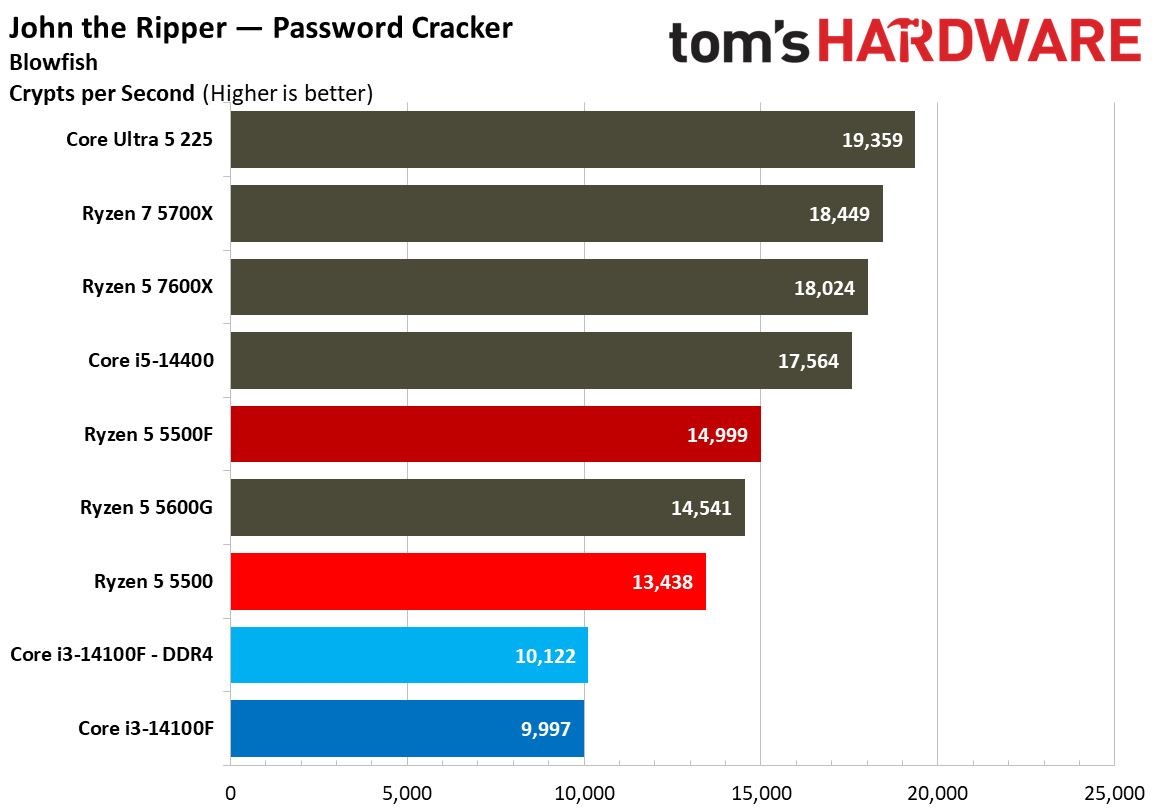
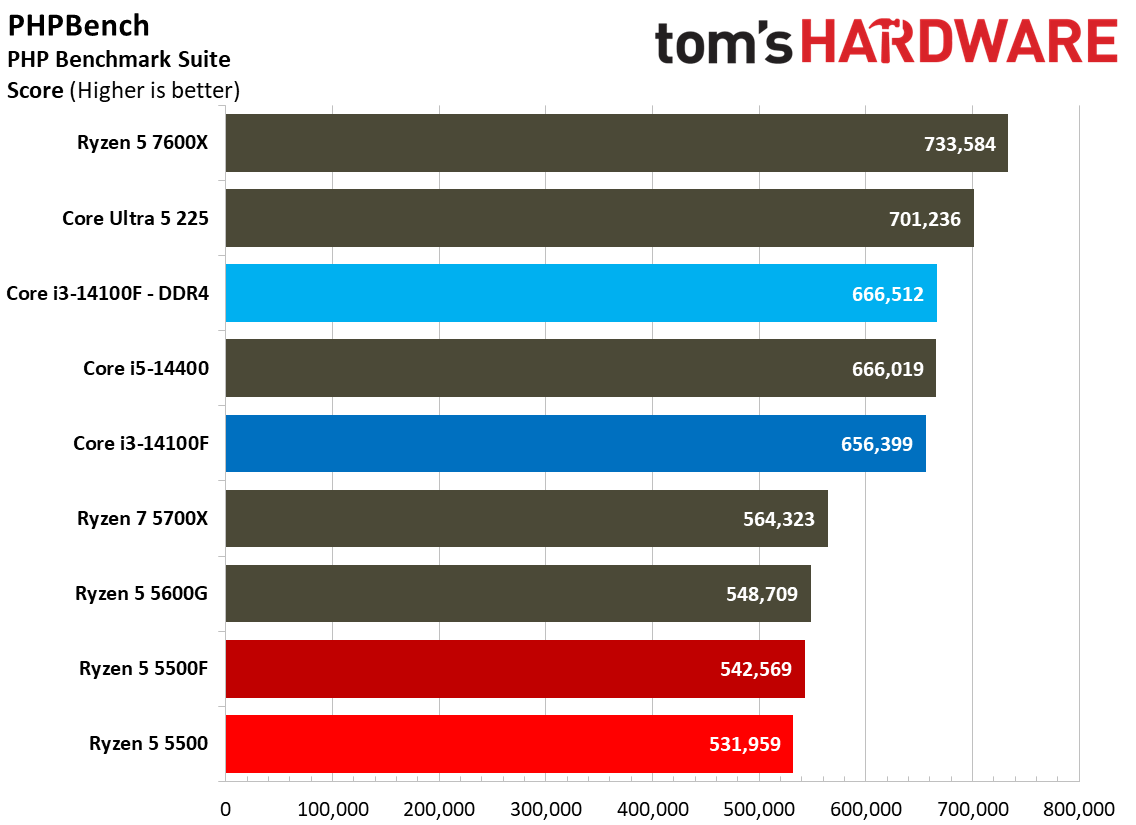
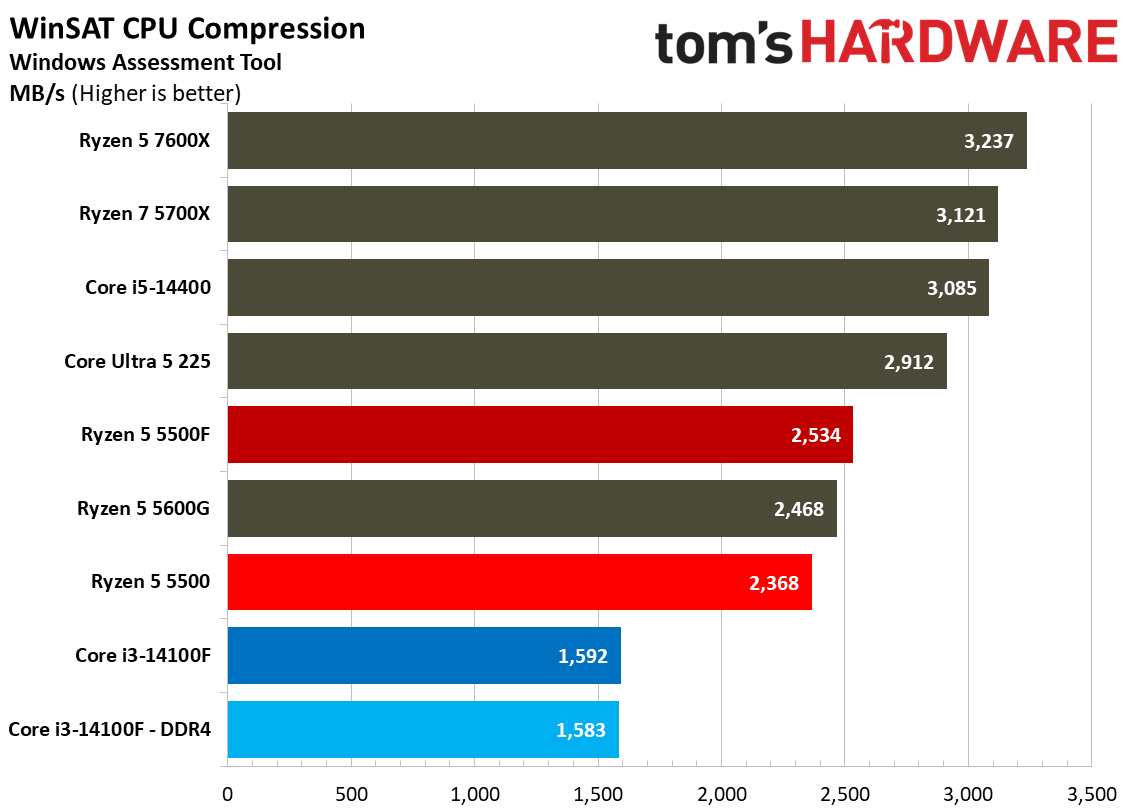
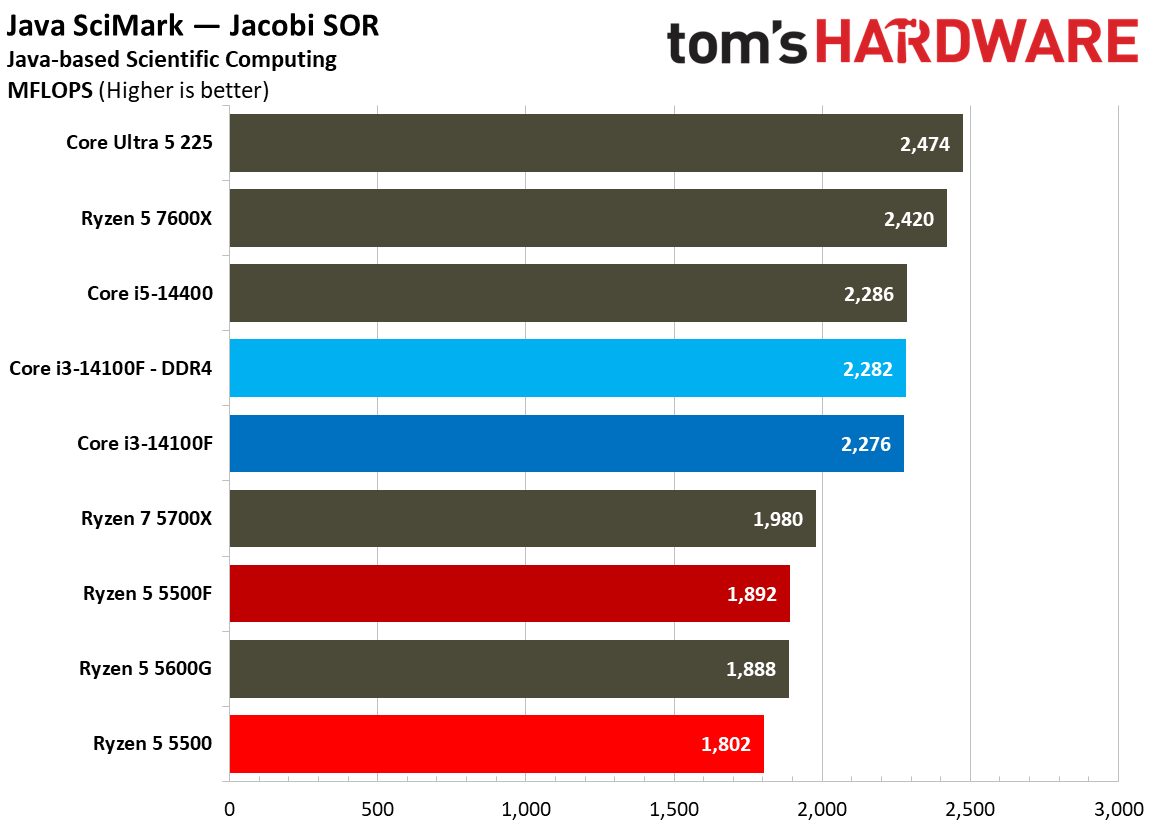
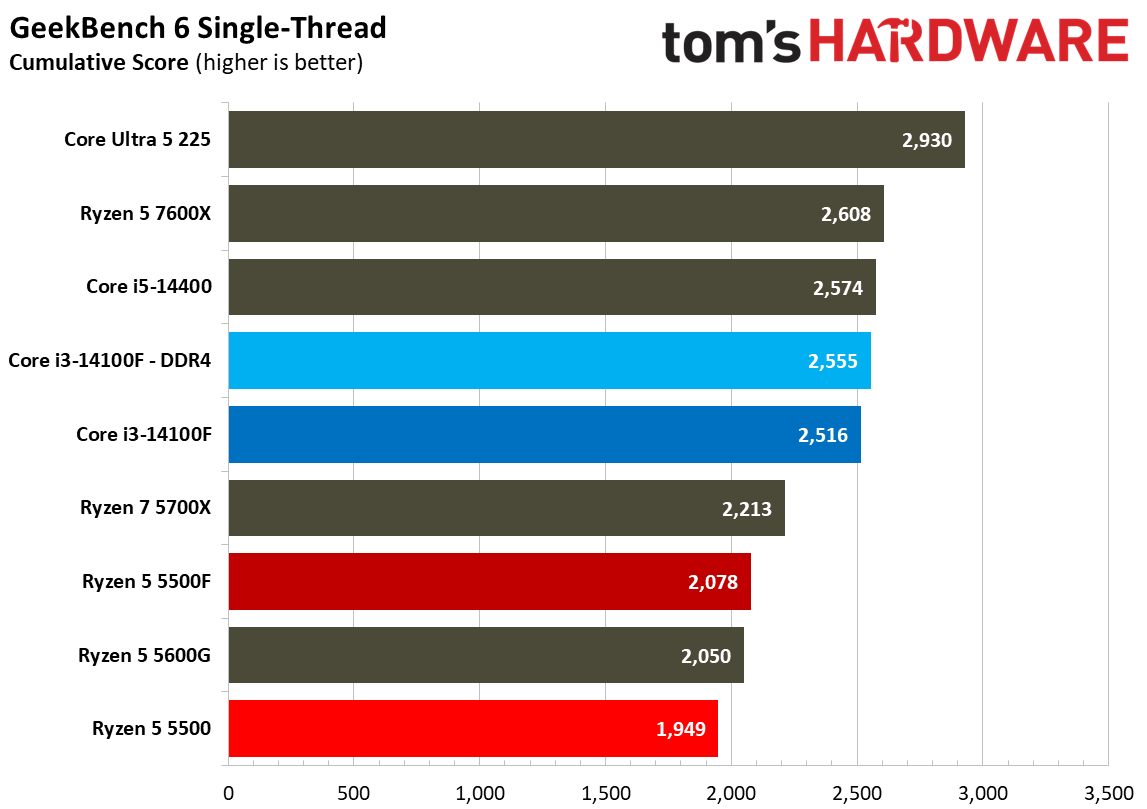
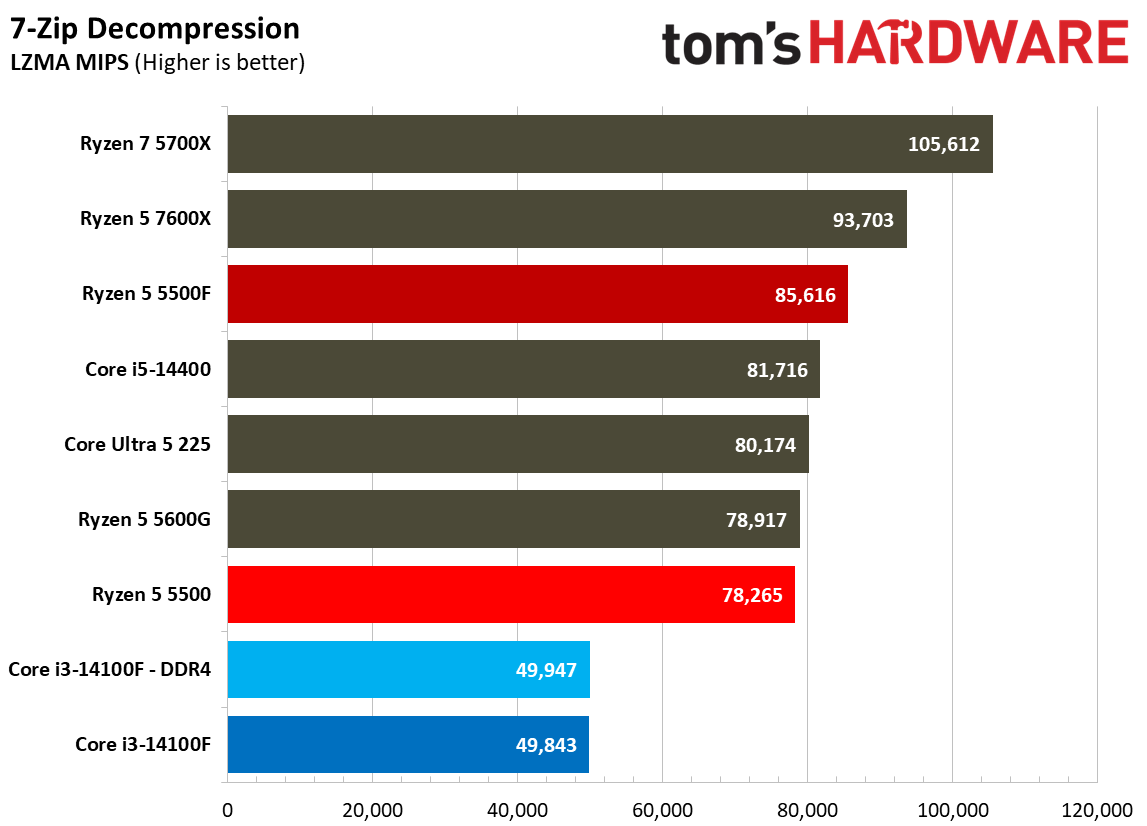
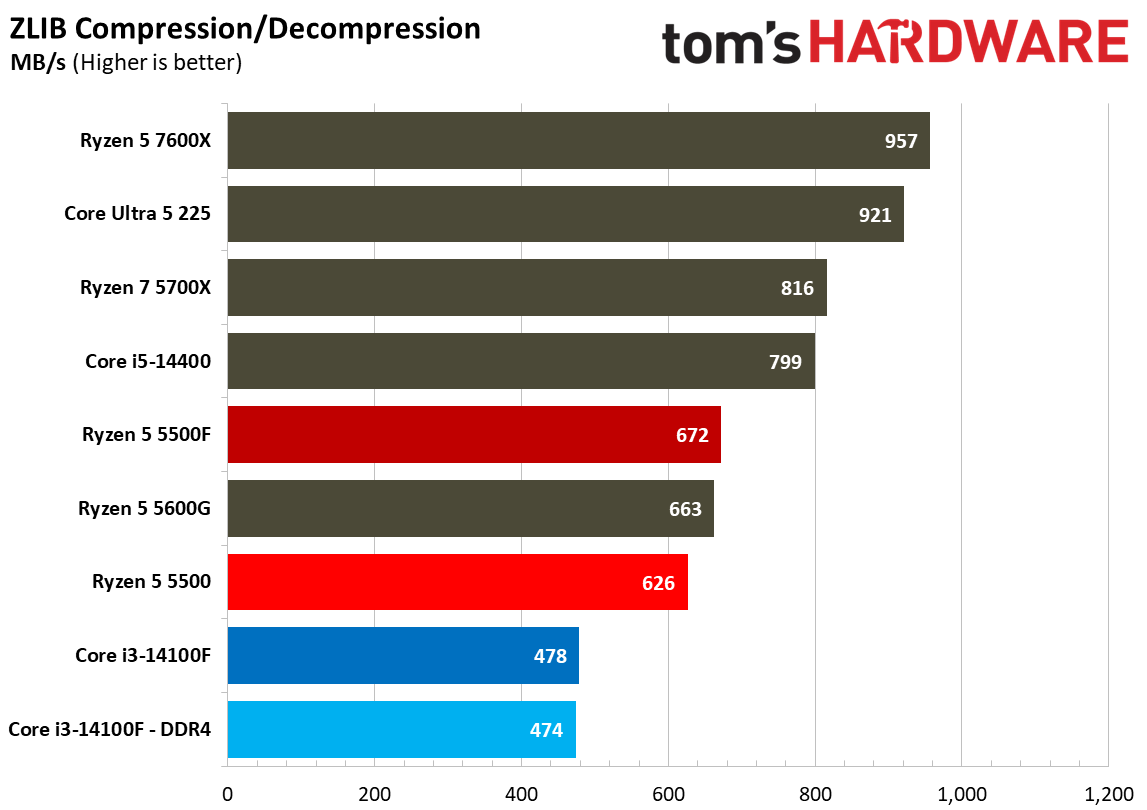
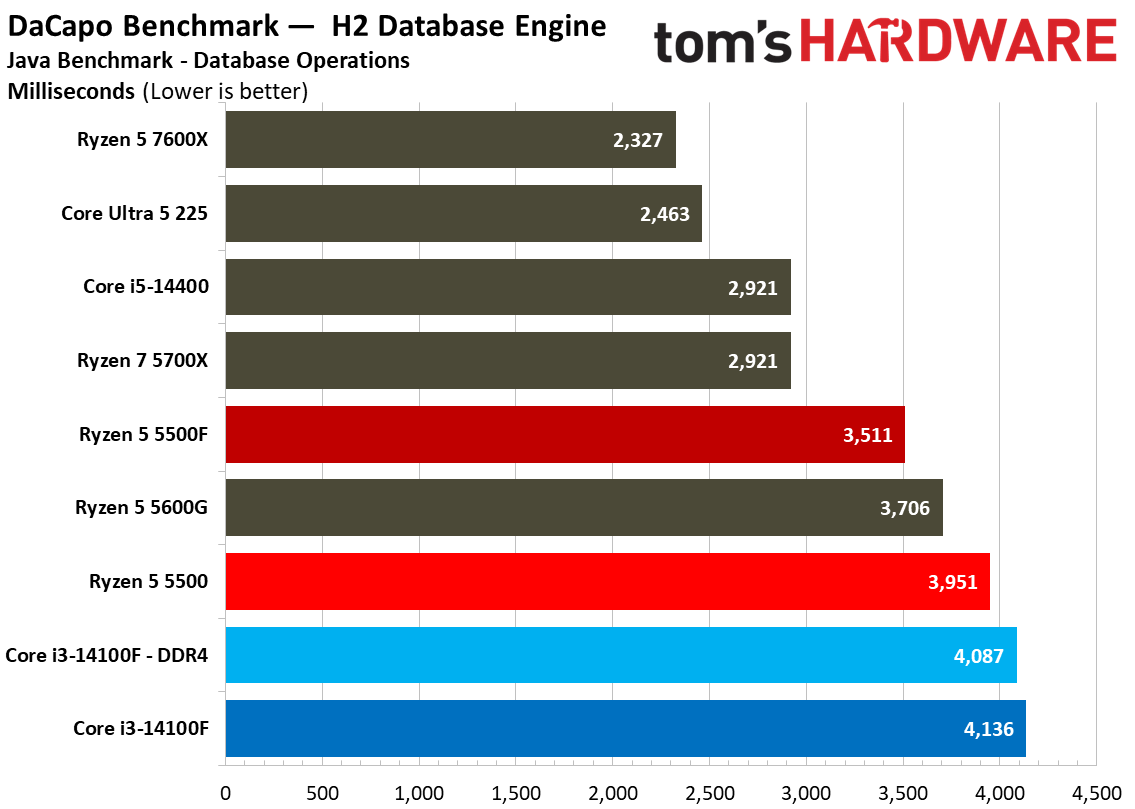
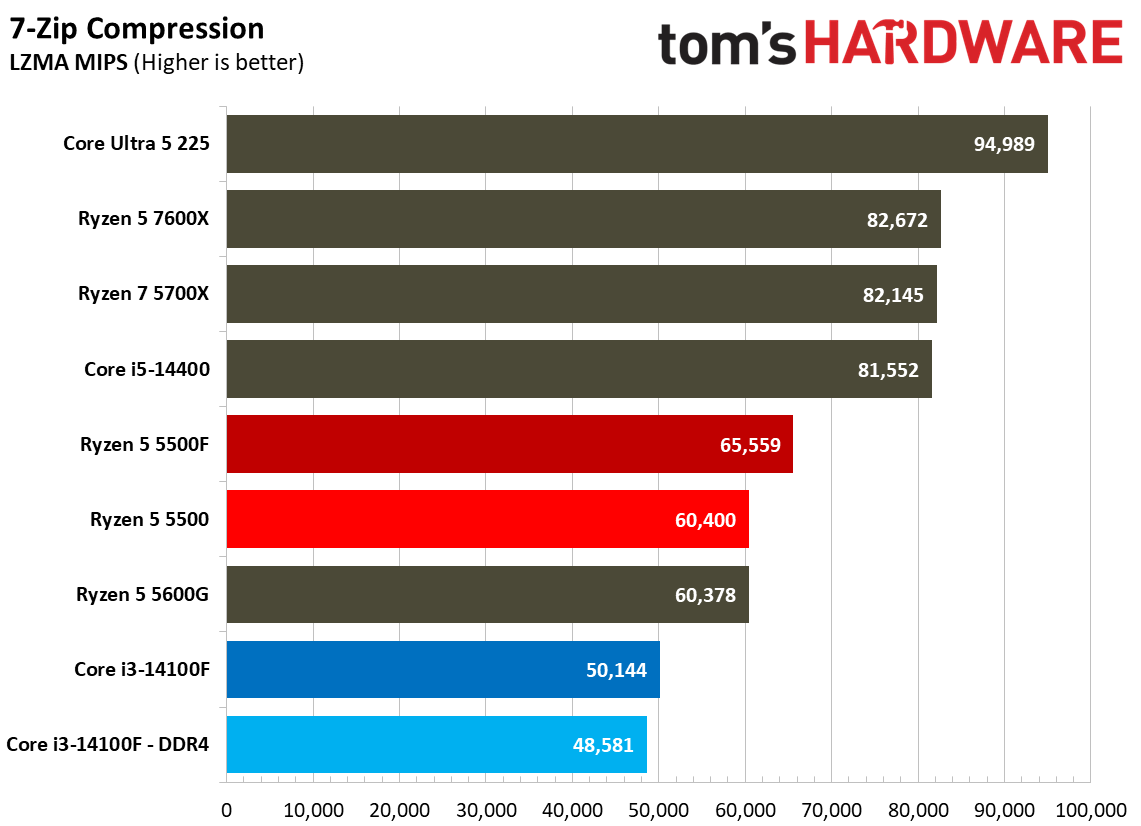
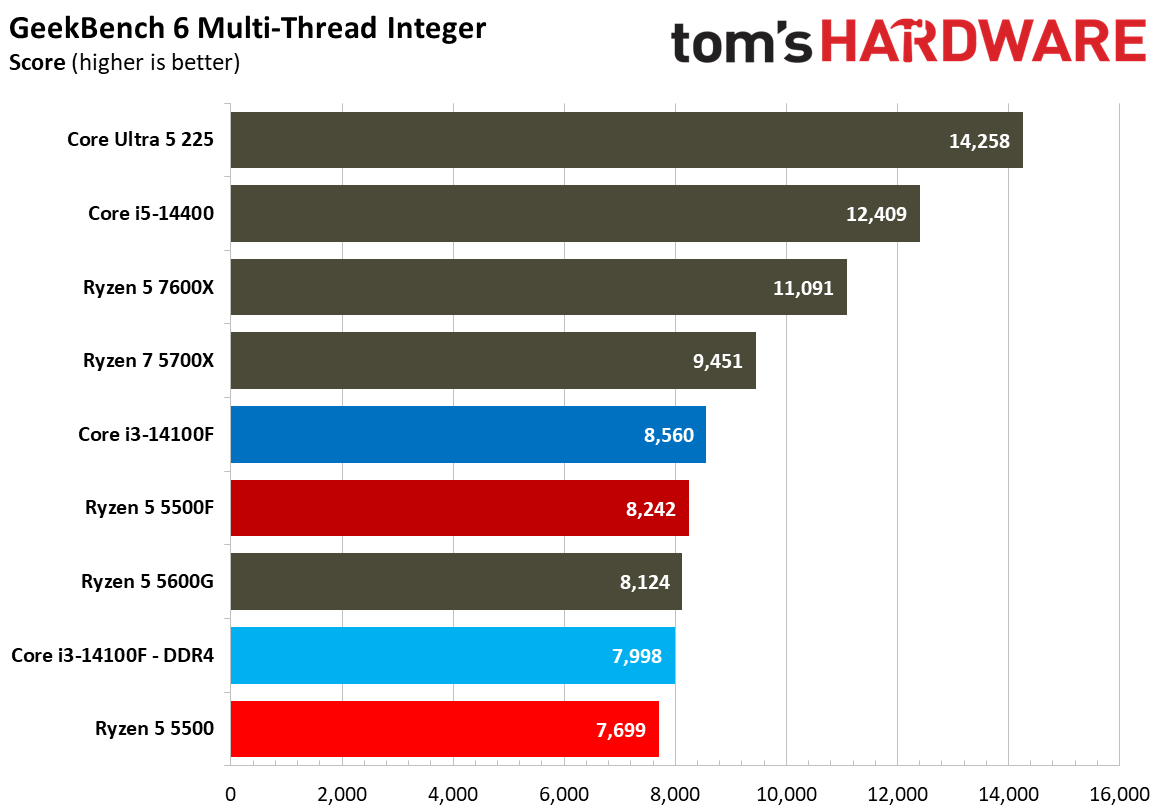
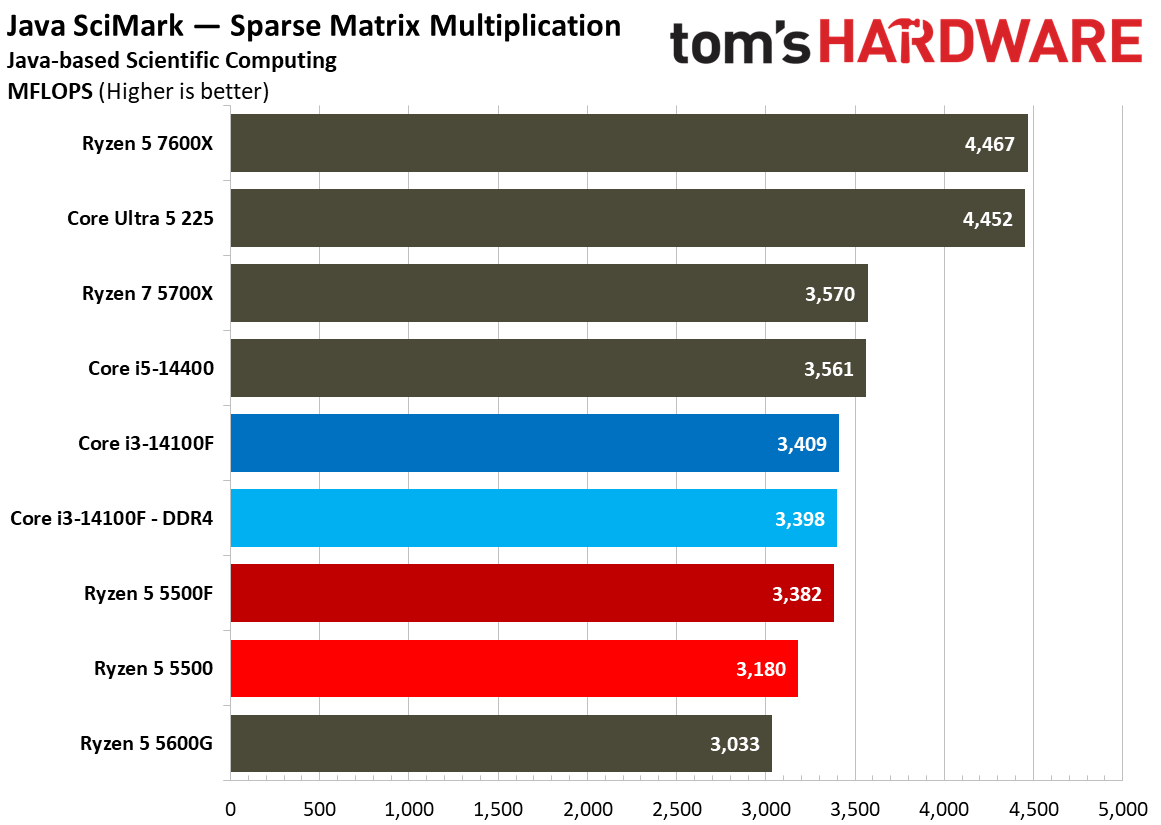
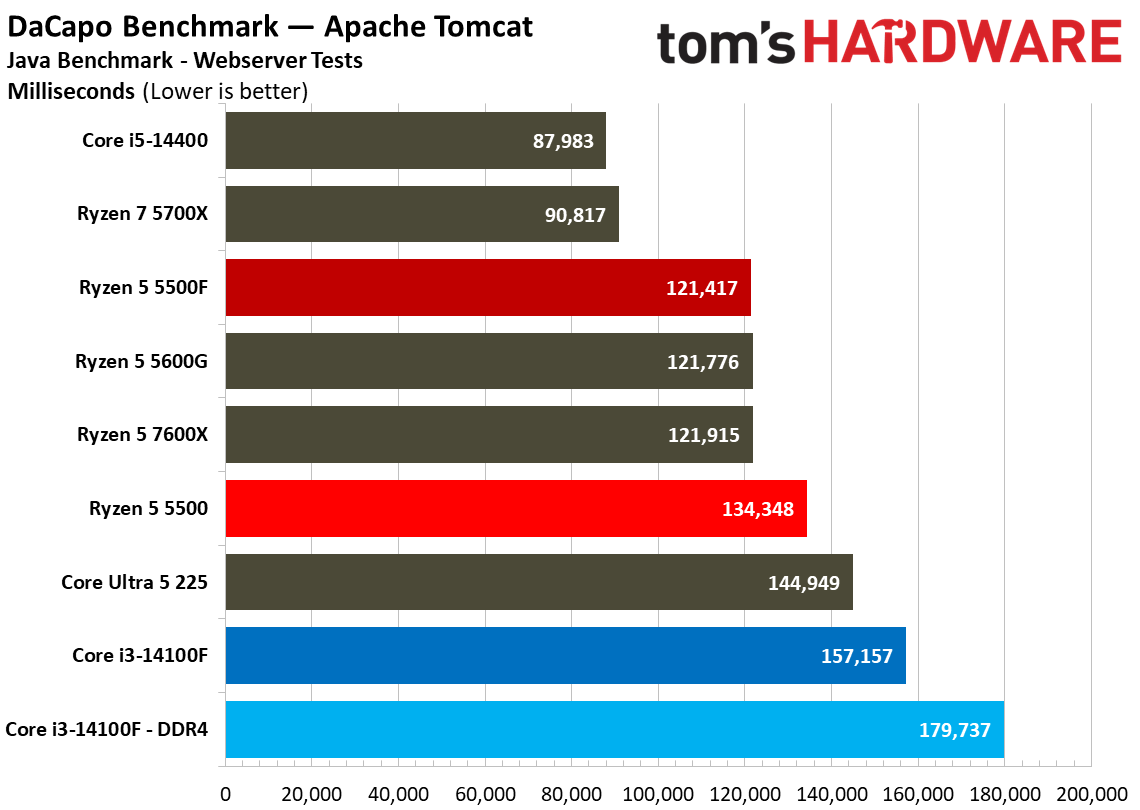
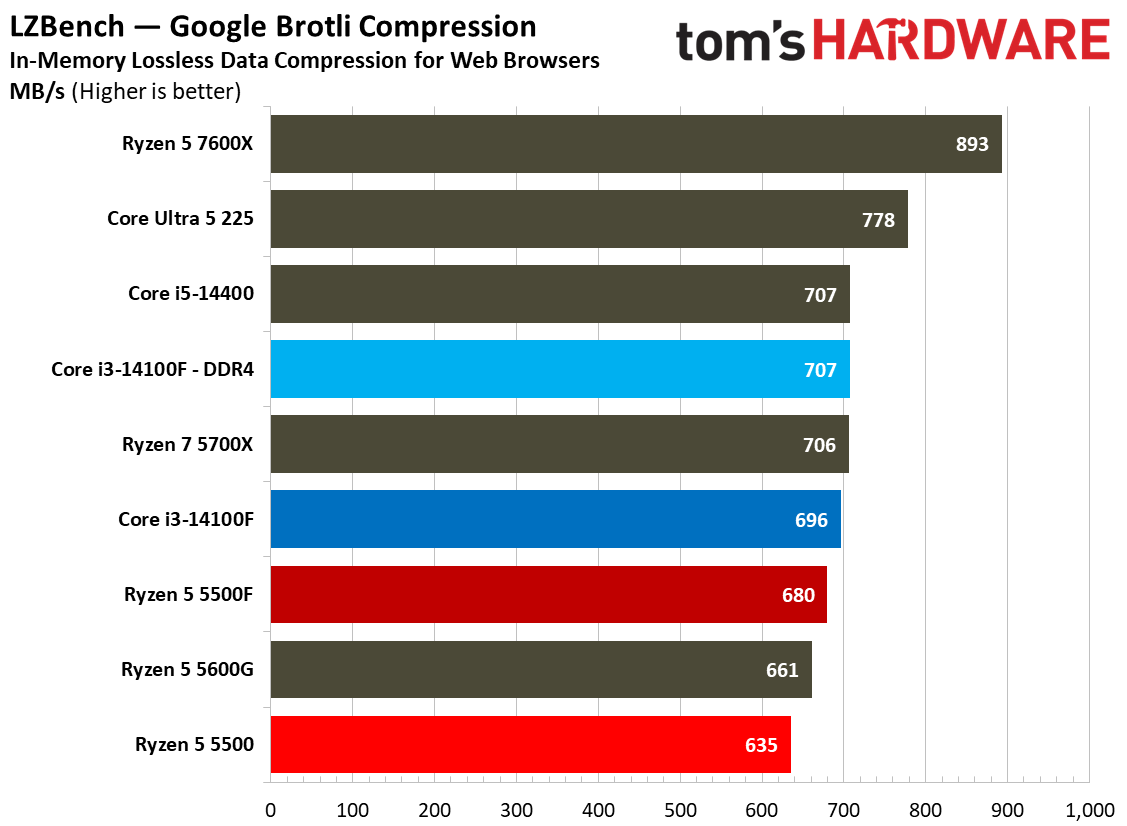
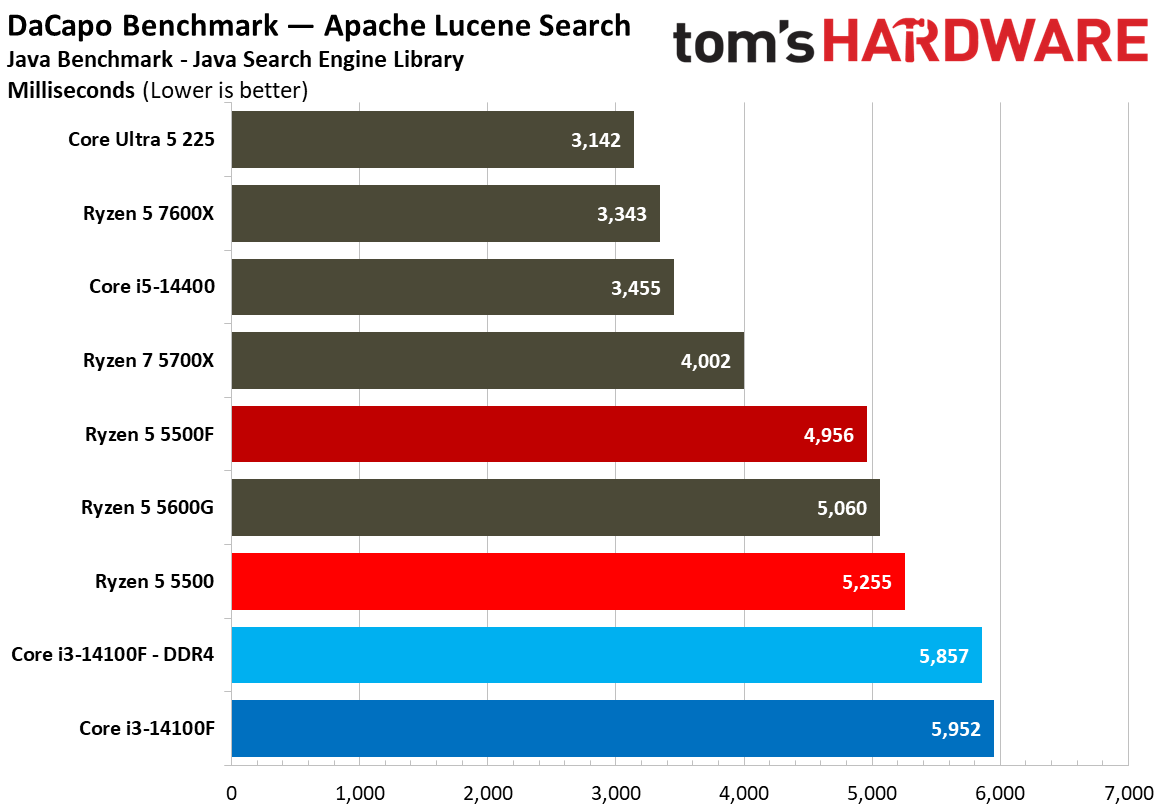
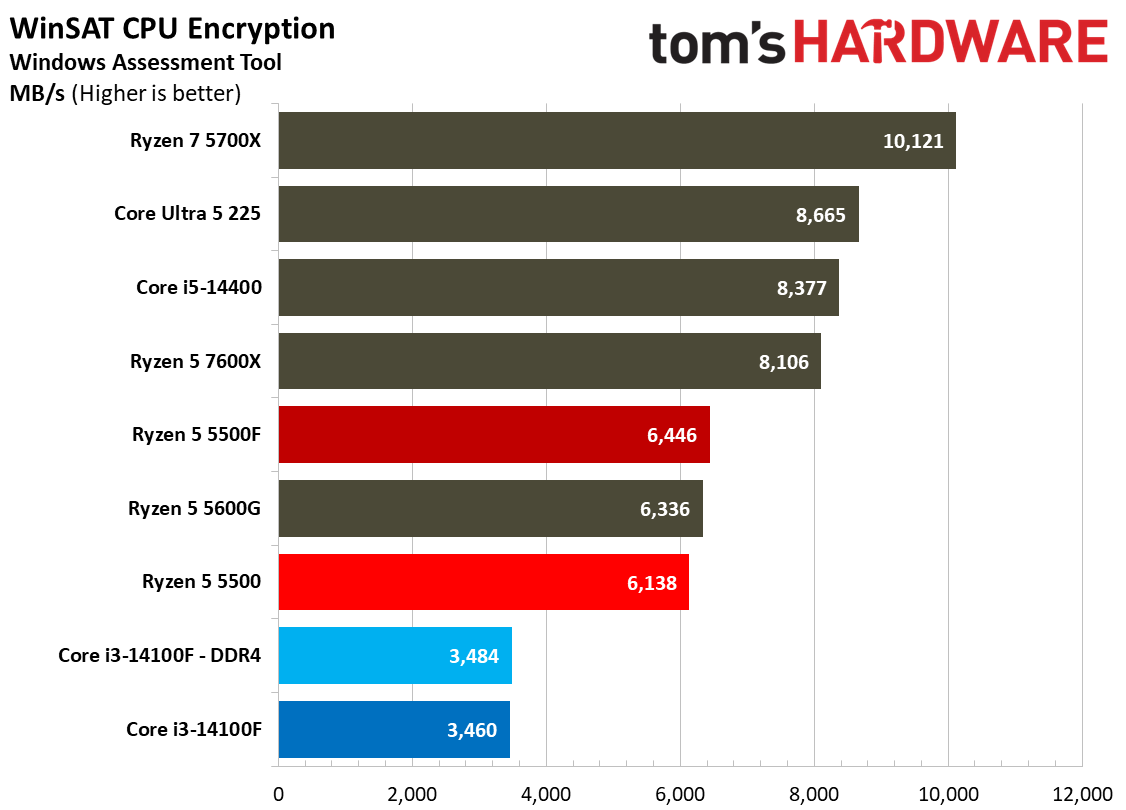
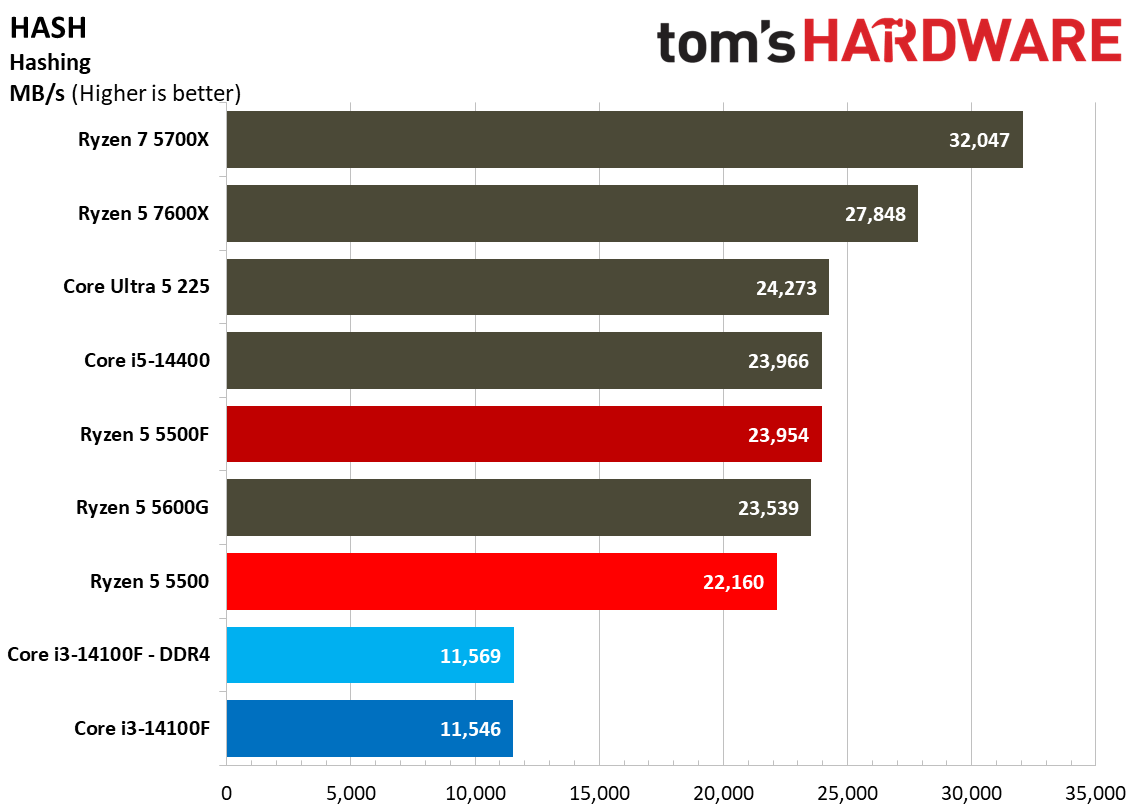
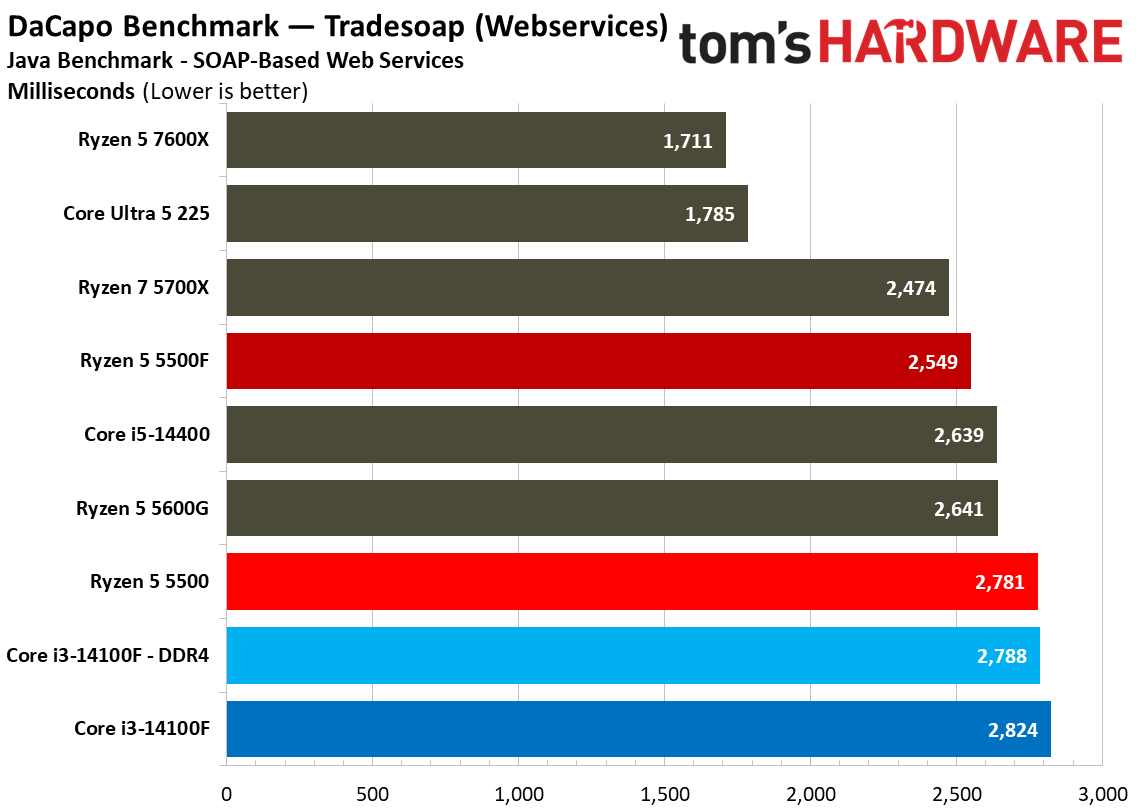
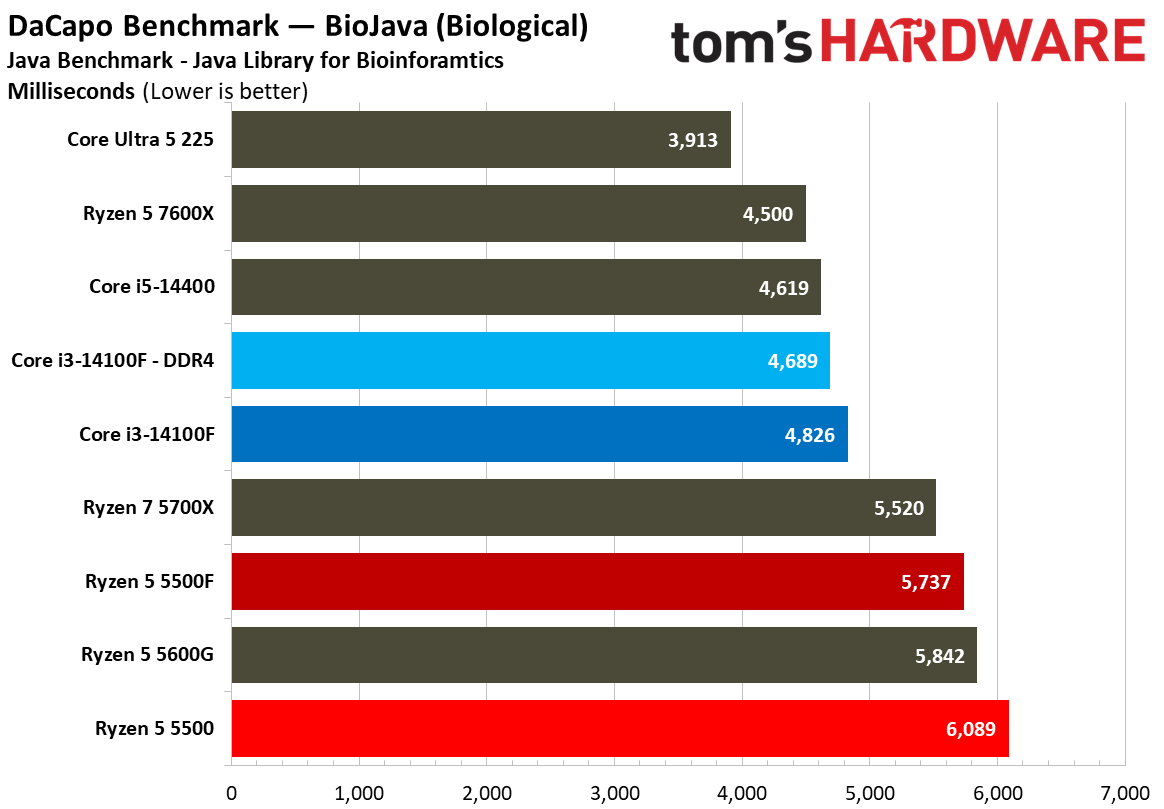
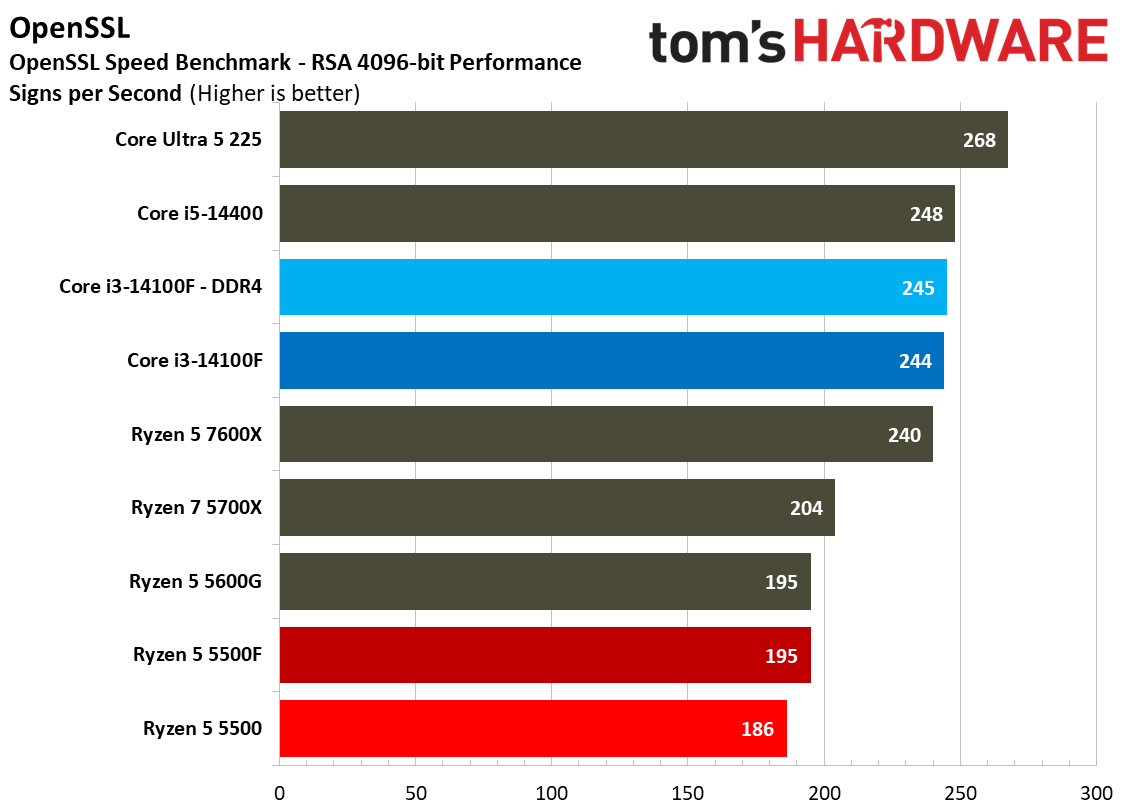
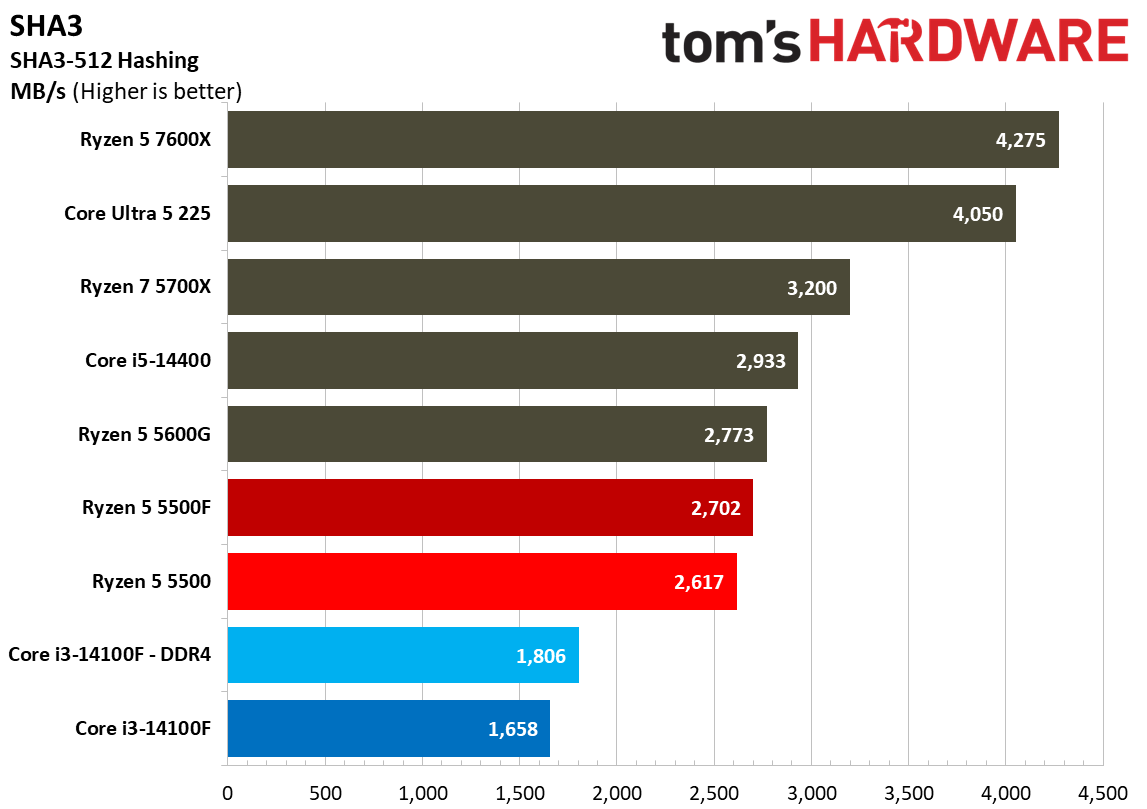
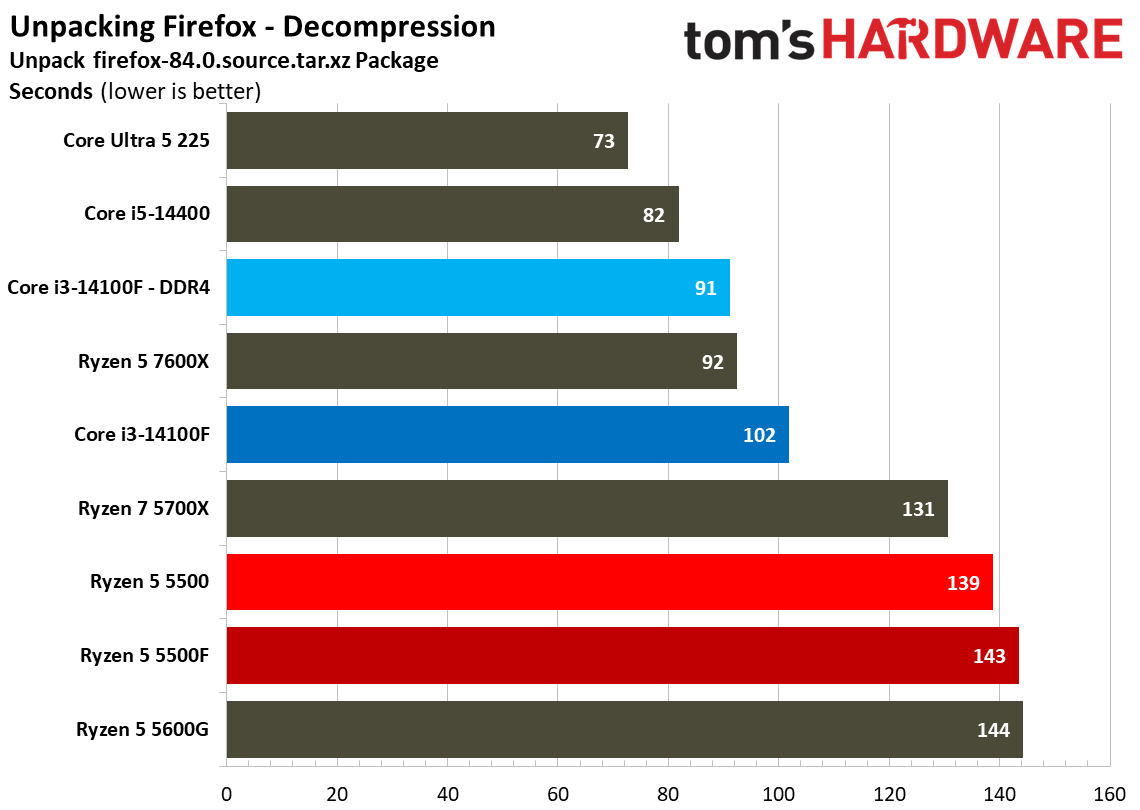
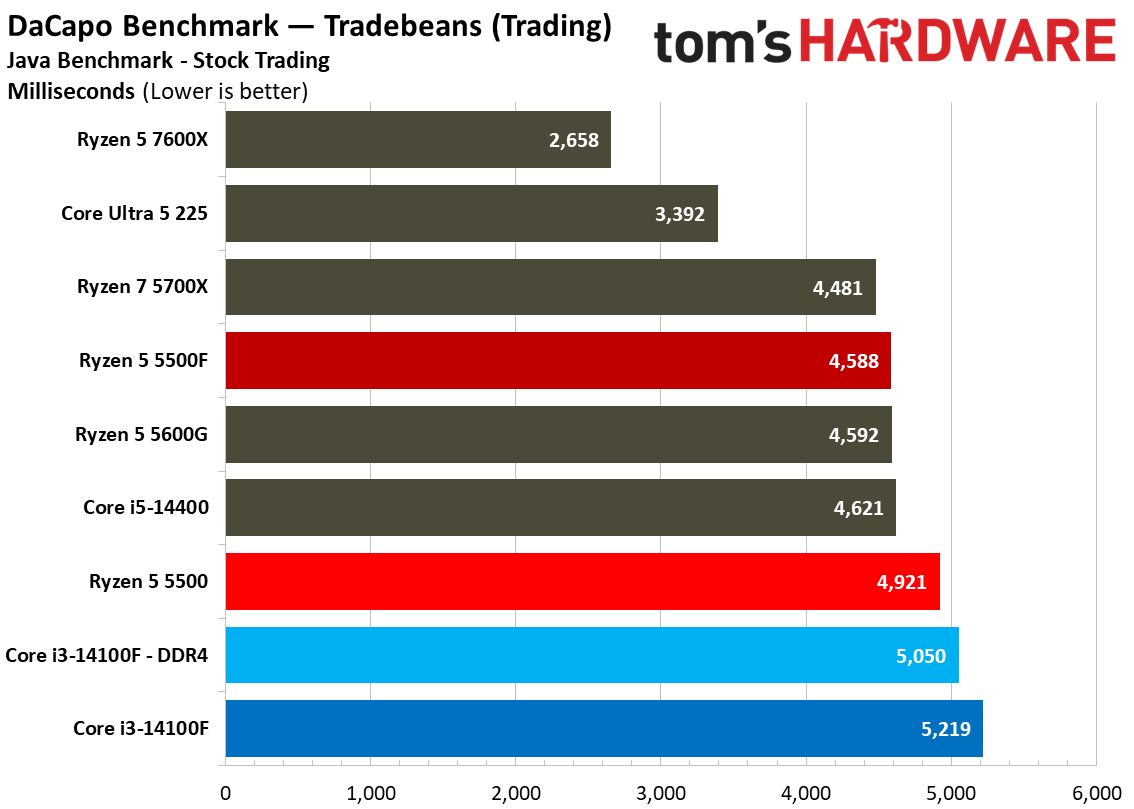
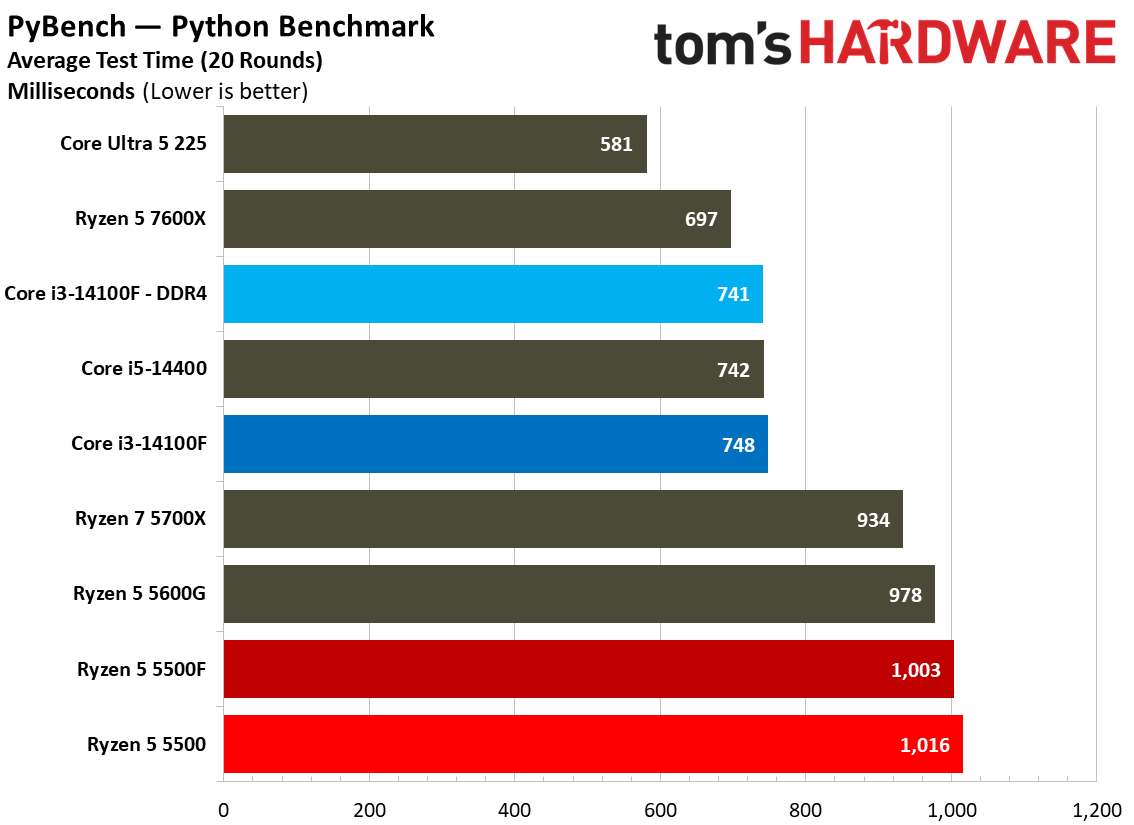
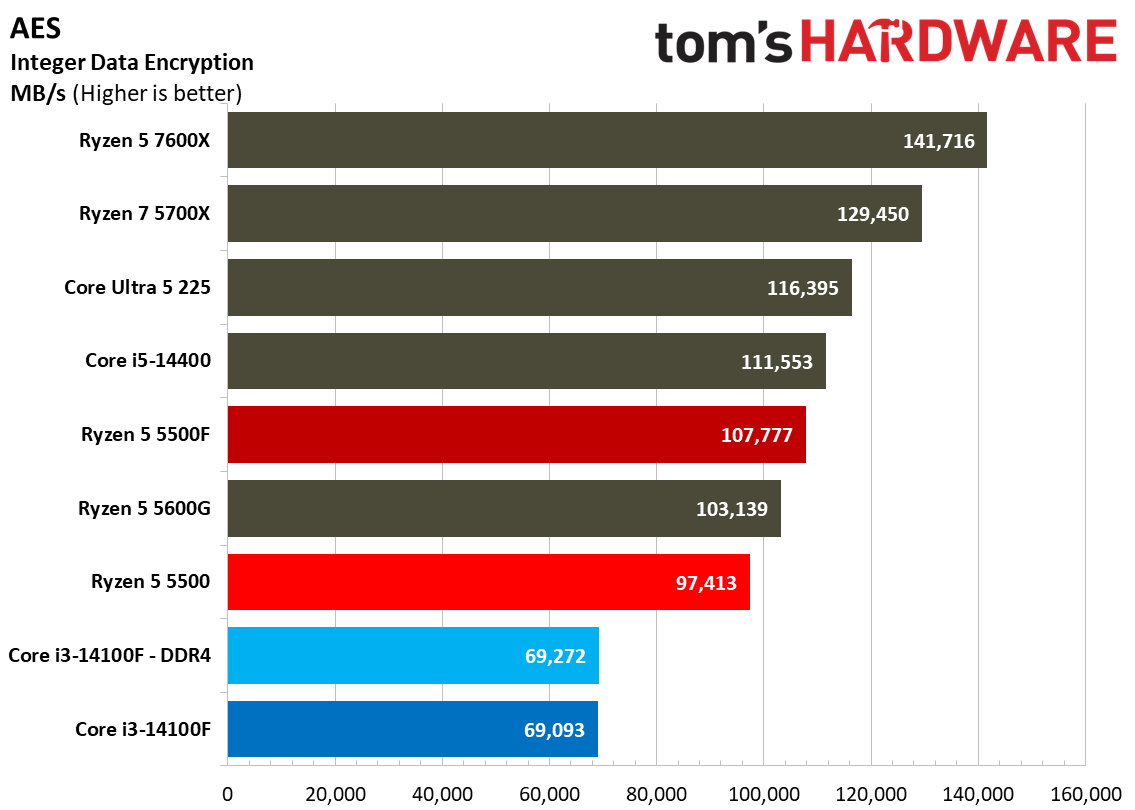
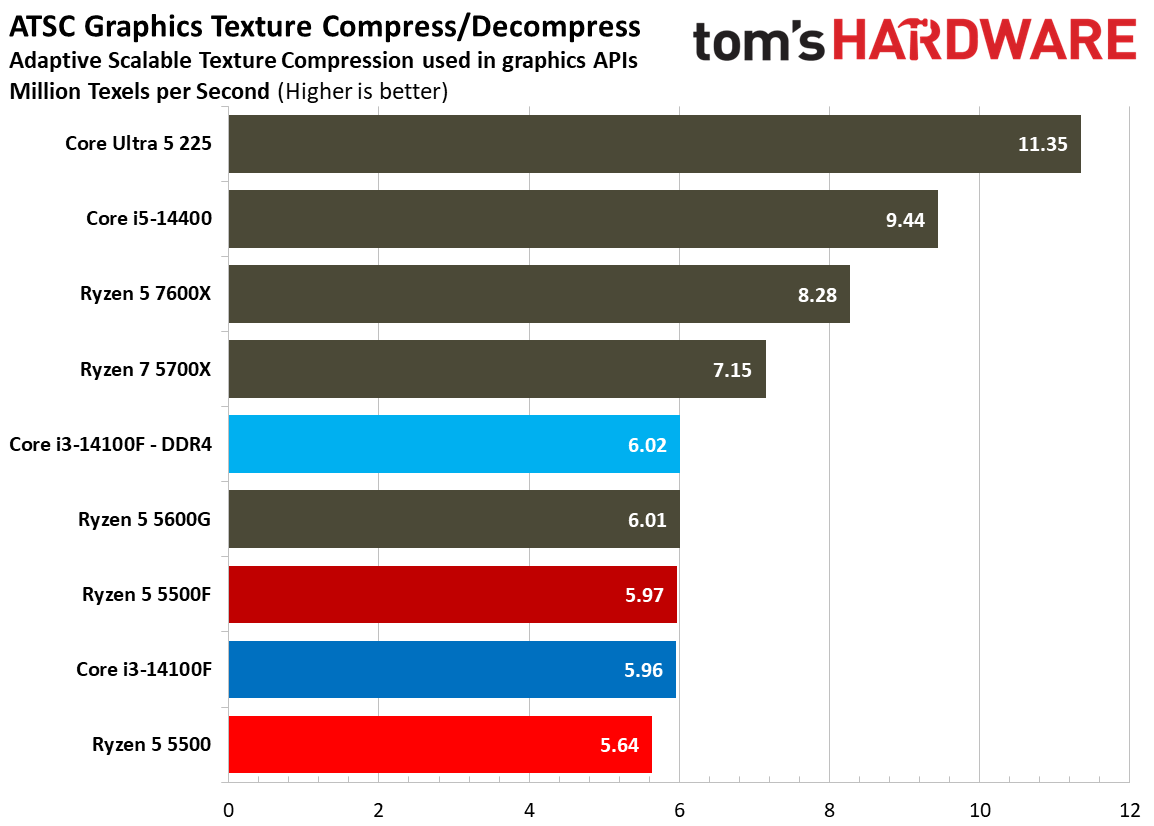
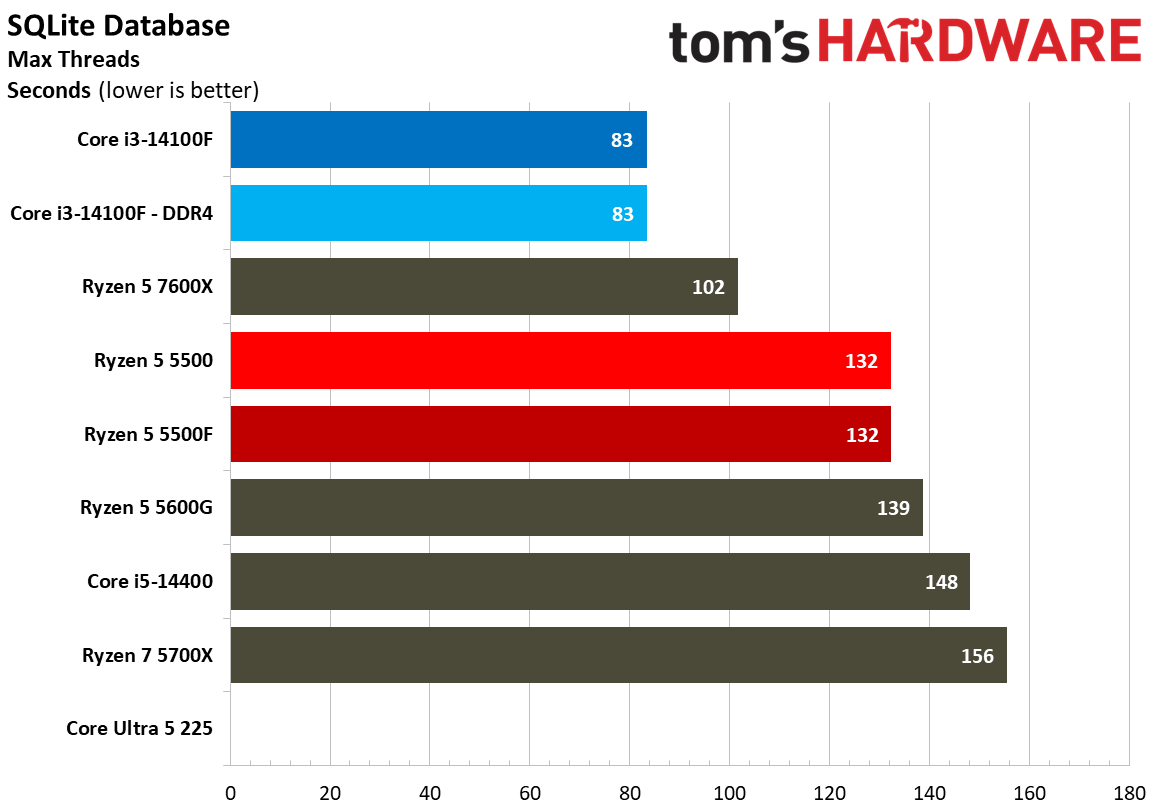
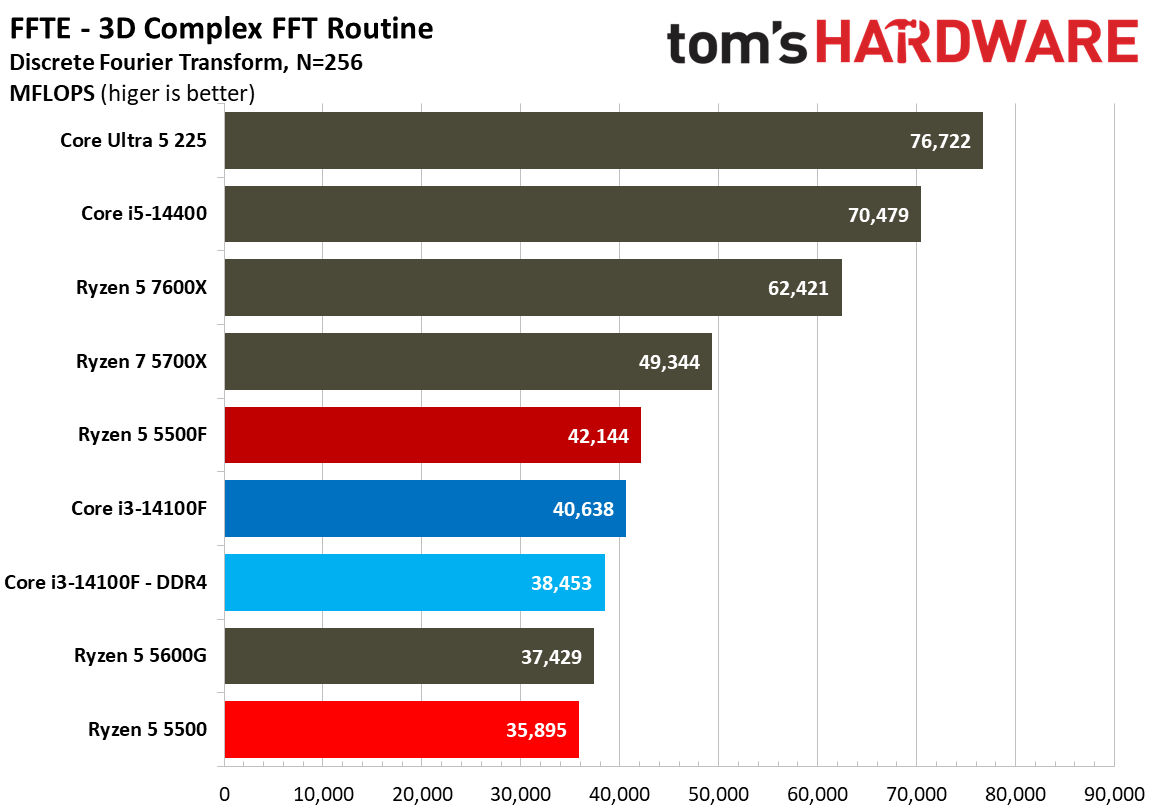
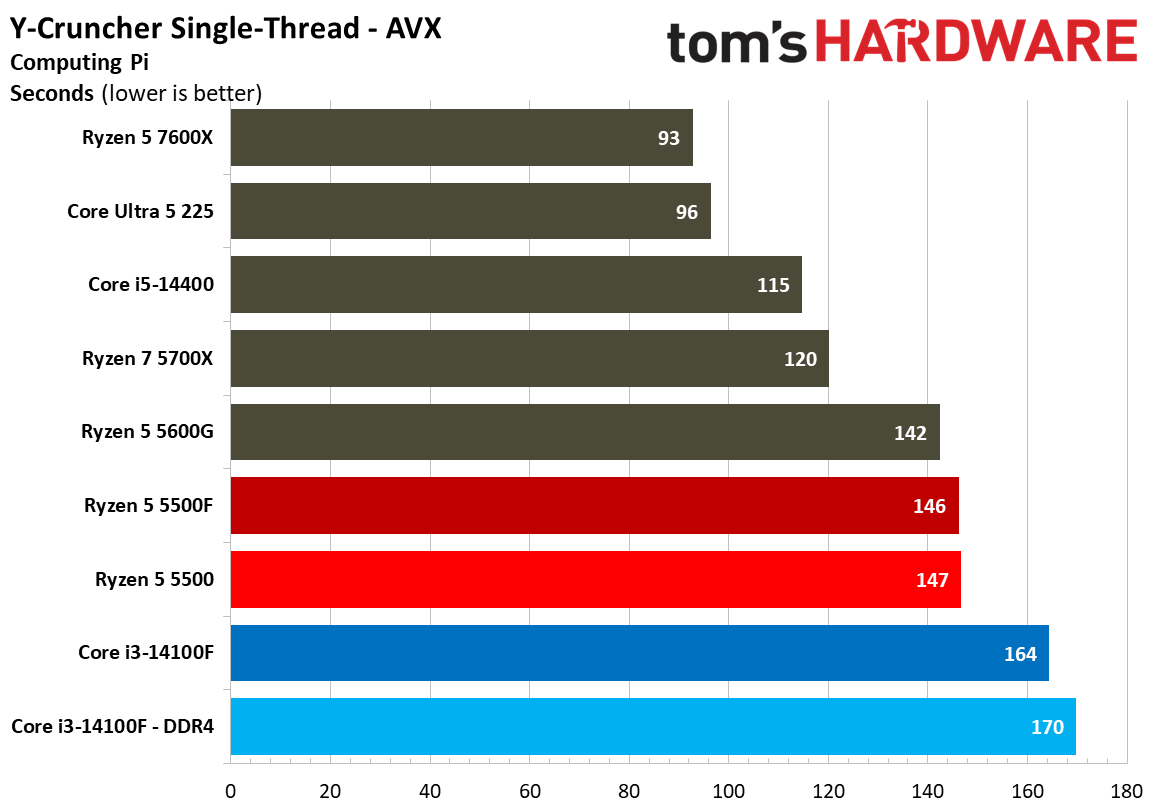
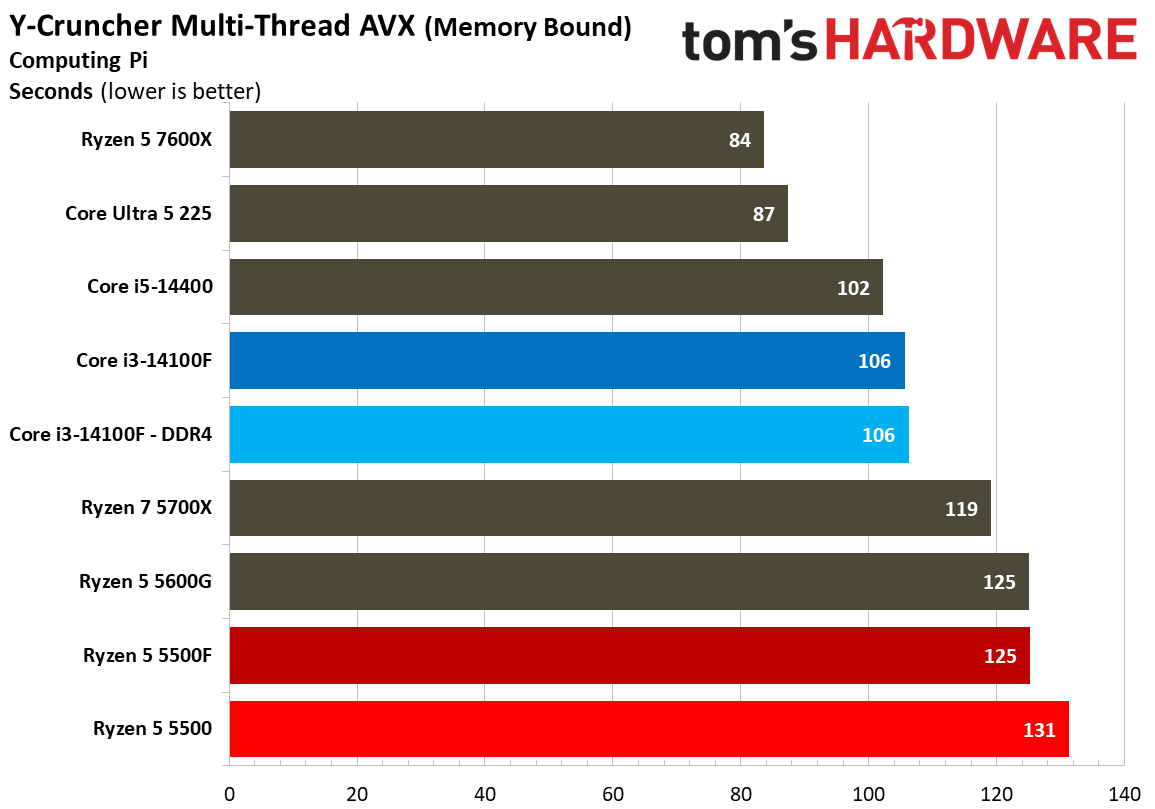
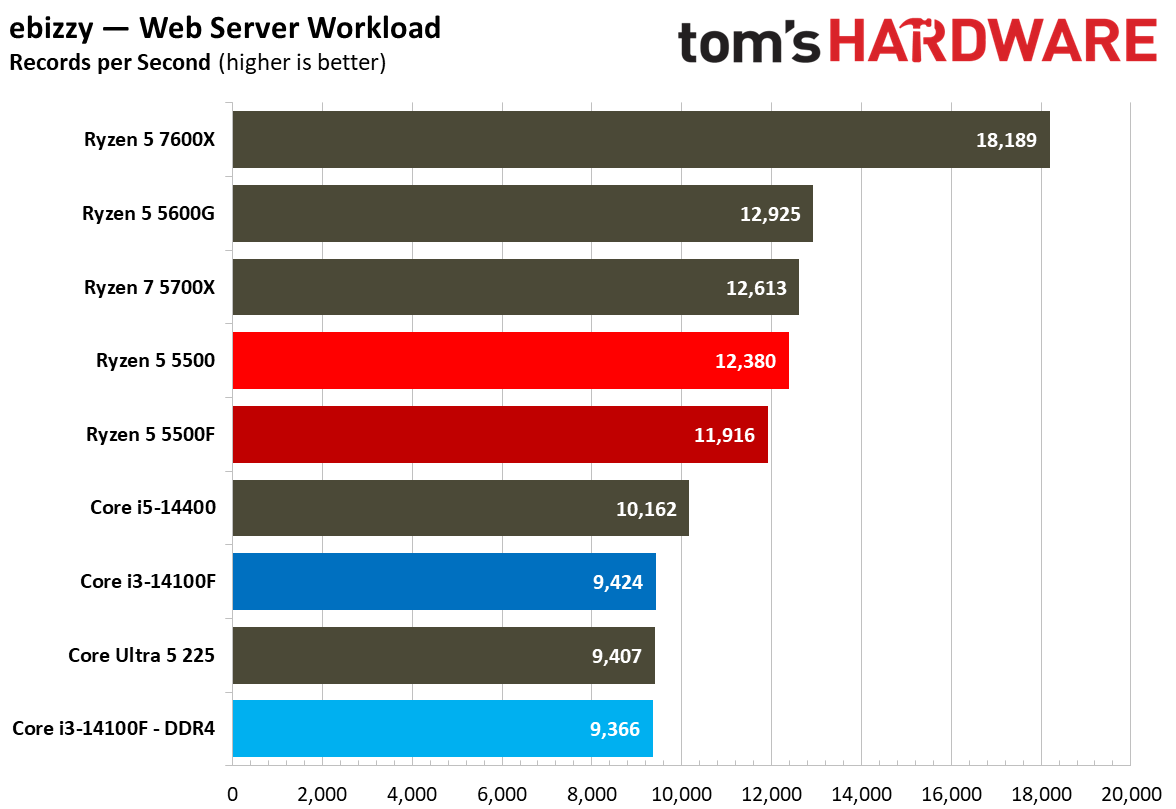
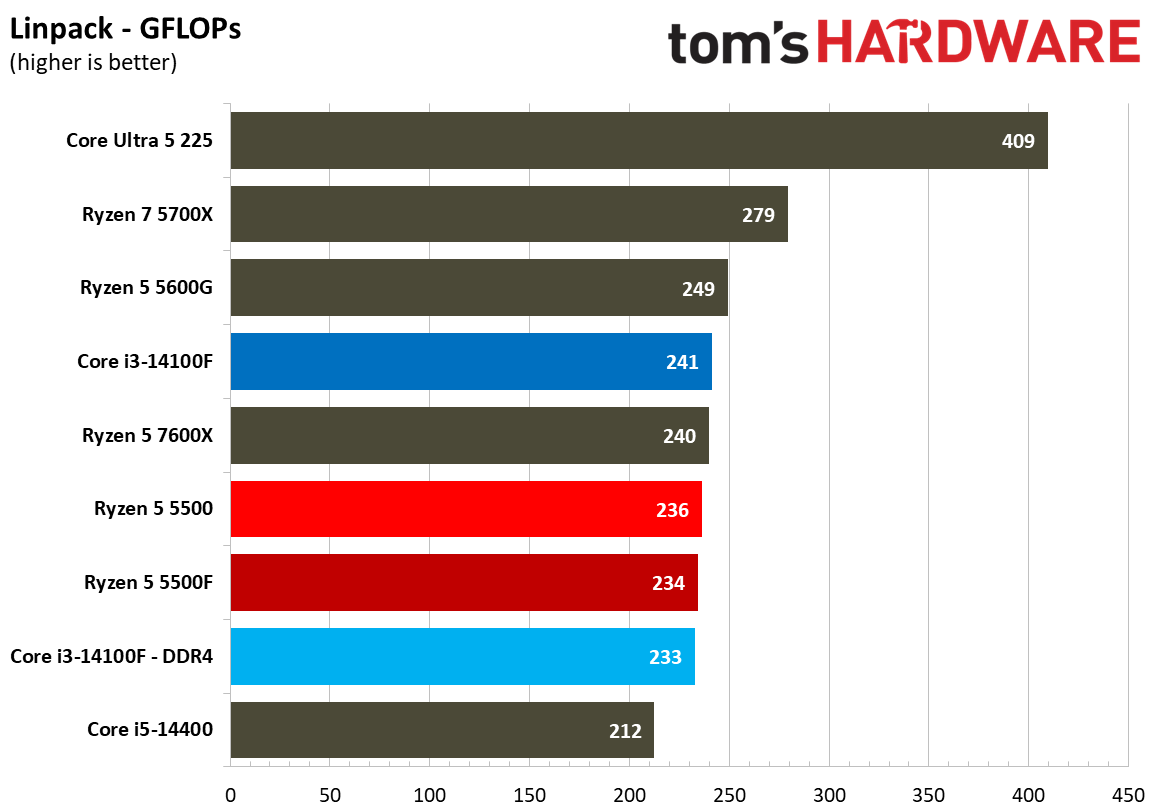
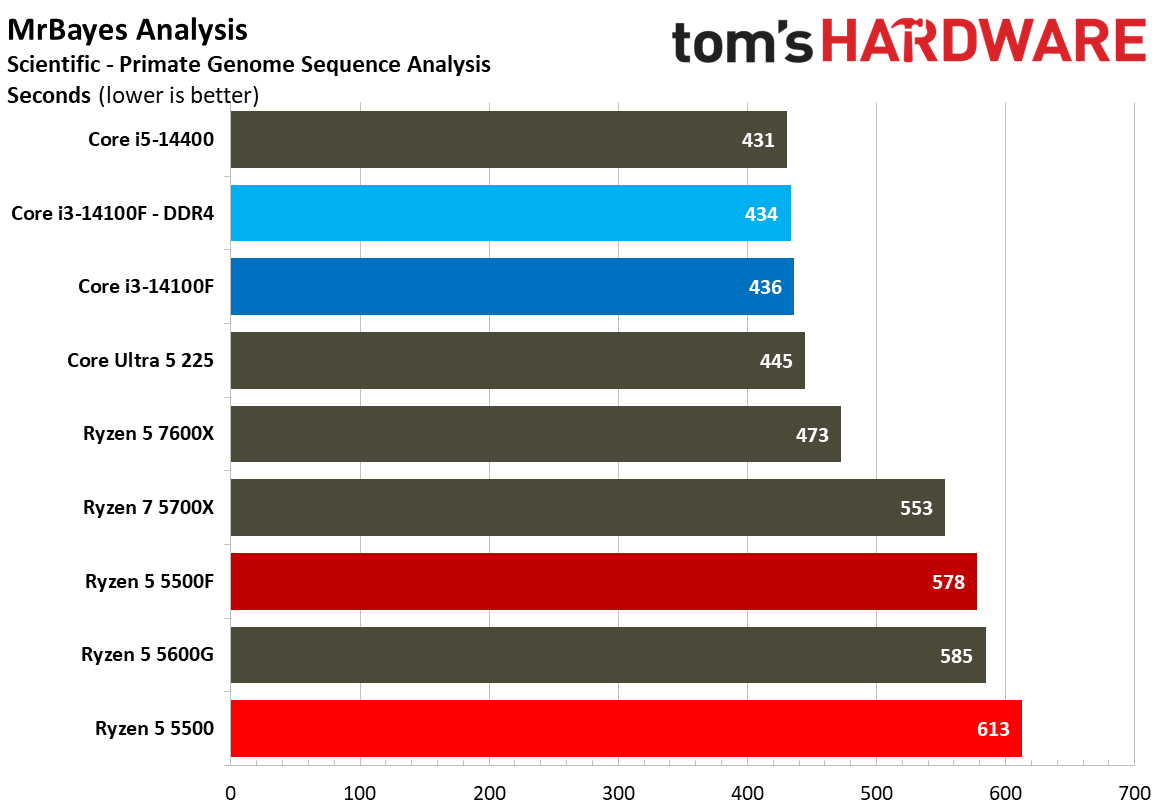
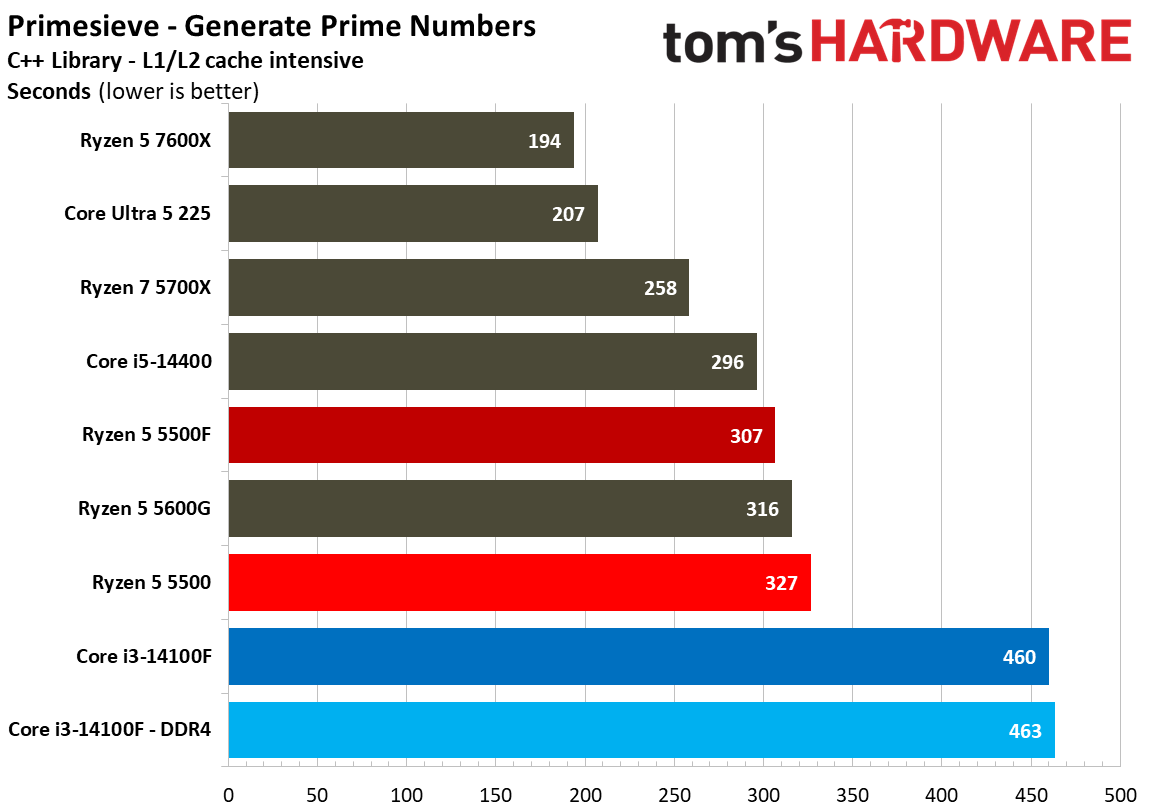
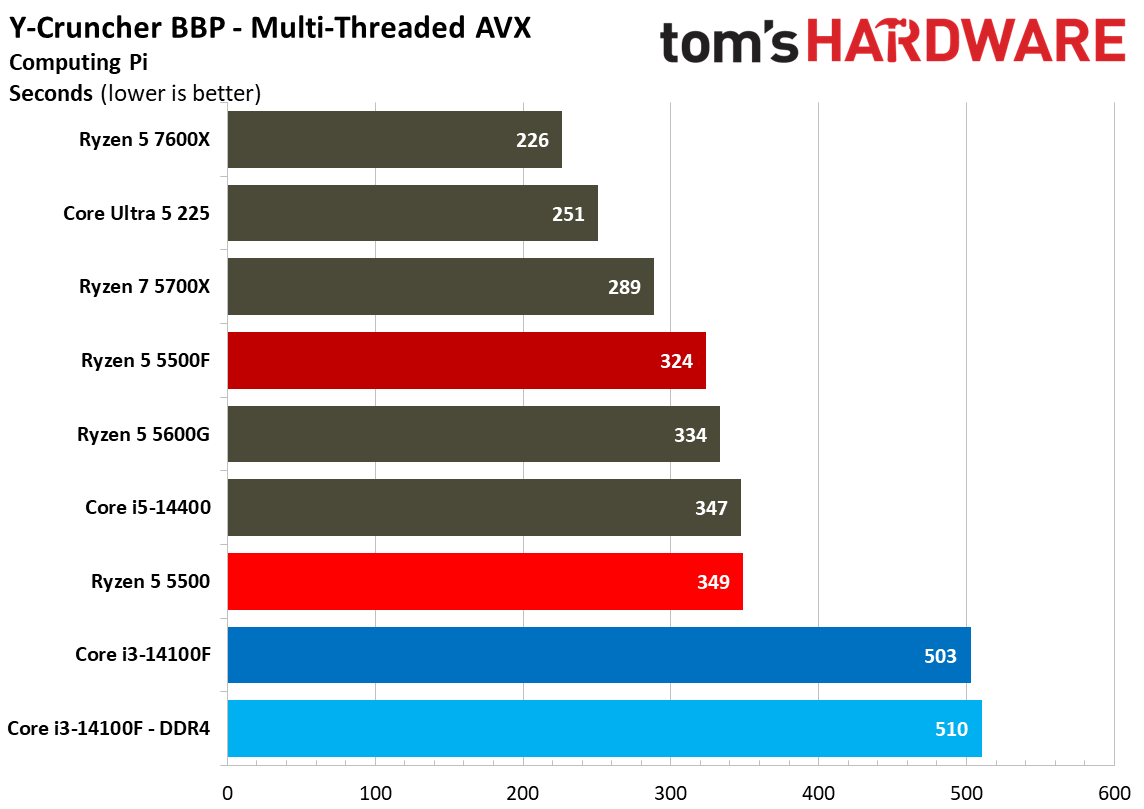
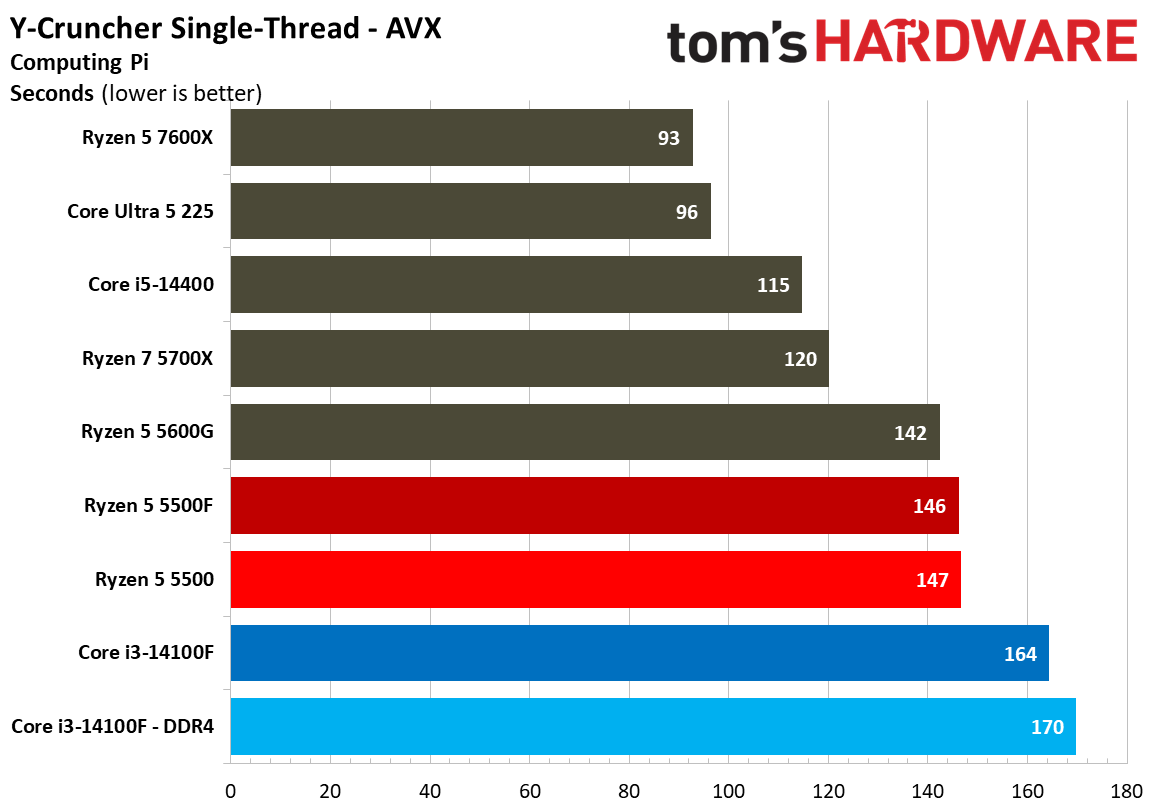
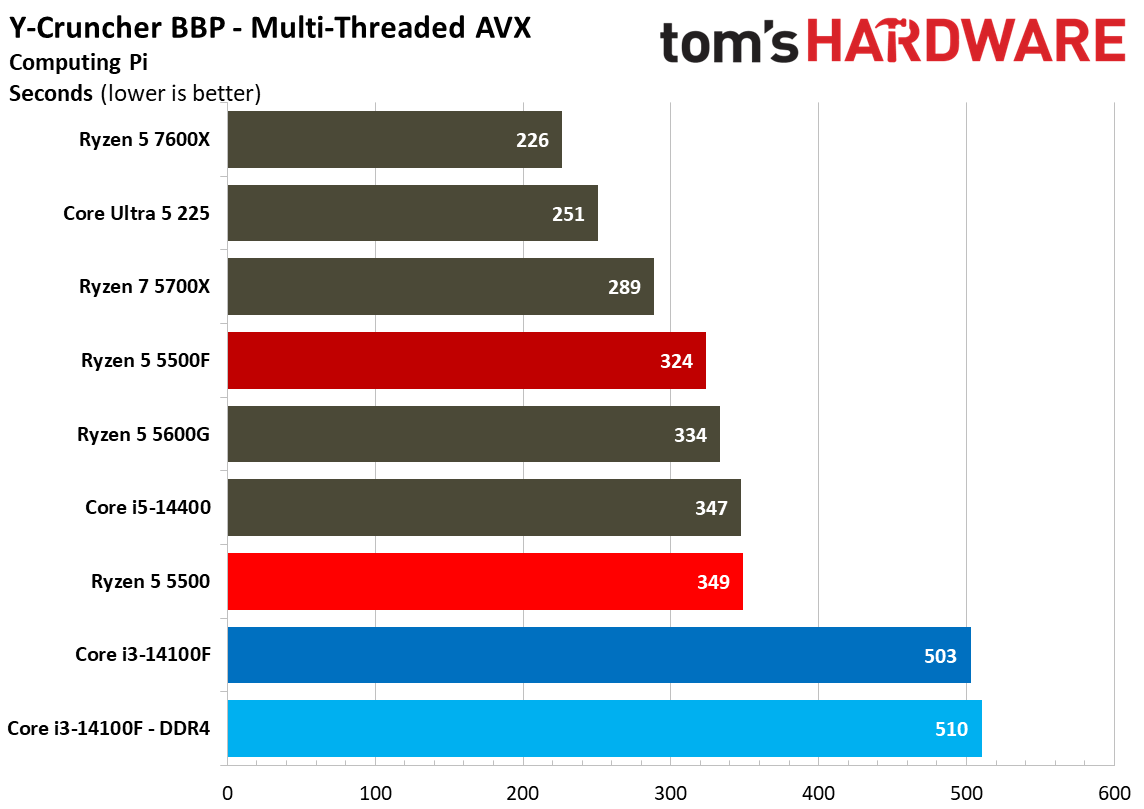
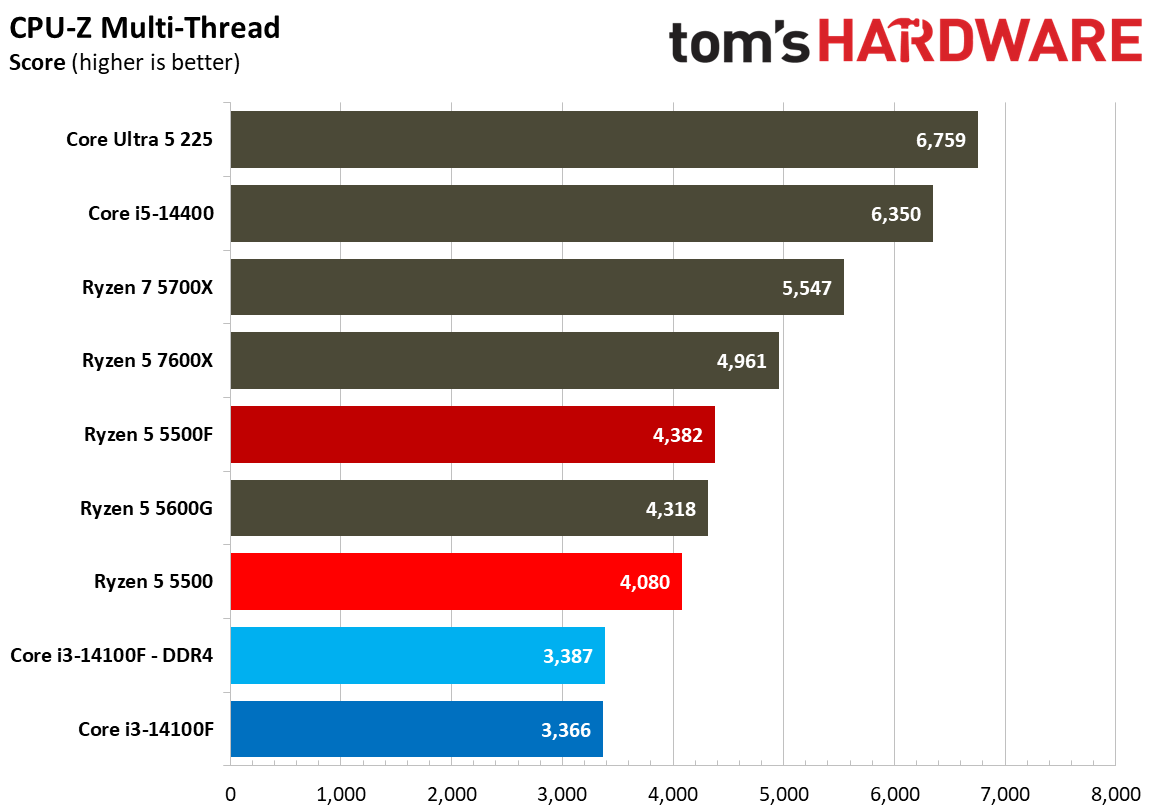
We run hundreds of tests on every CPU that comes across our benches, and not all of them are relevant to every chip. Here, we have a collection of more specialised workloads that don’t factor into our overall geomean. The tests are greatly varied here, including code compilation, compression performance, Java, chess engines, and cryptography, among other tests. We won’t be able to highlight all of them.

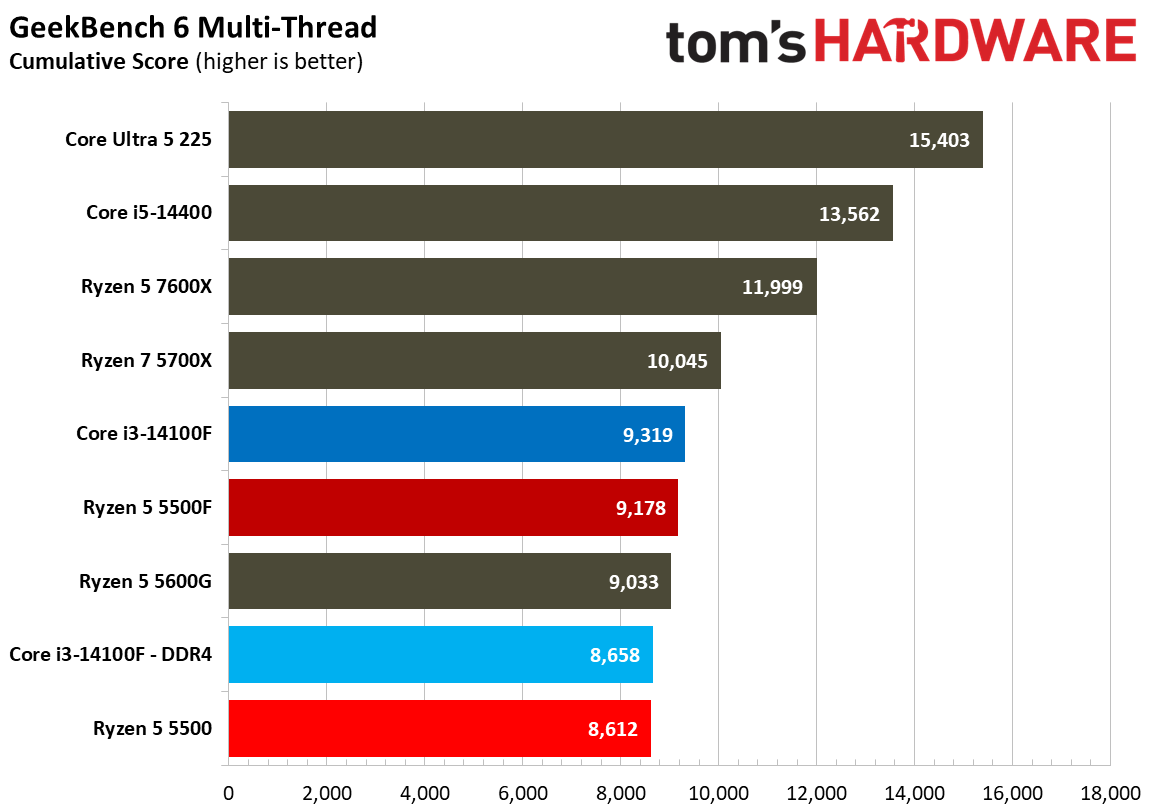
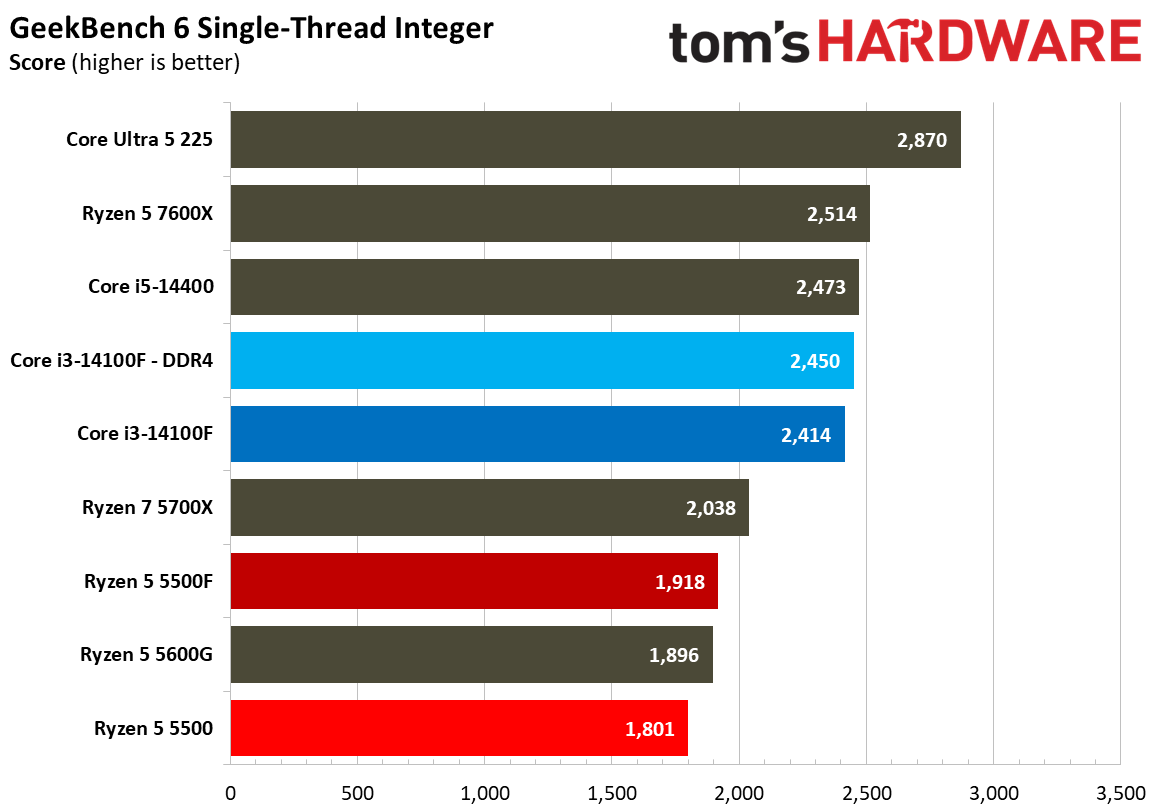
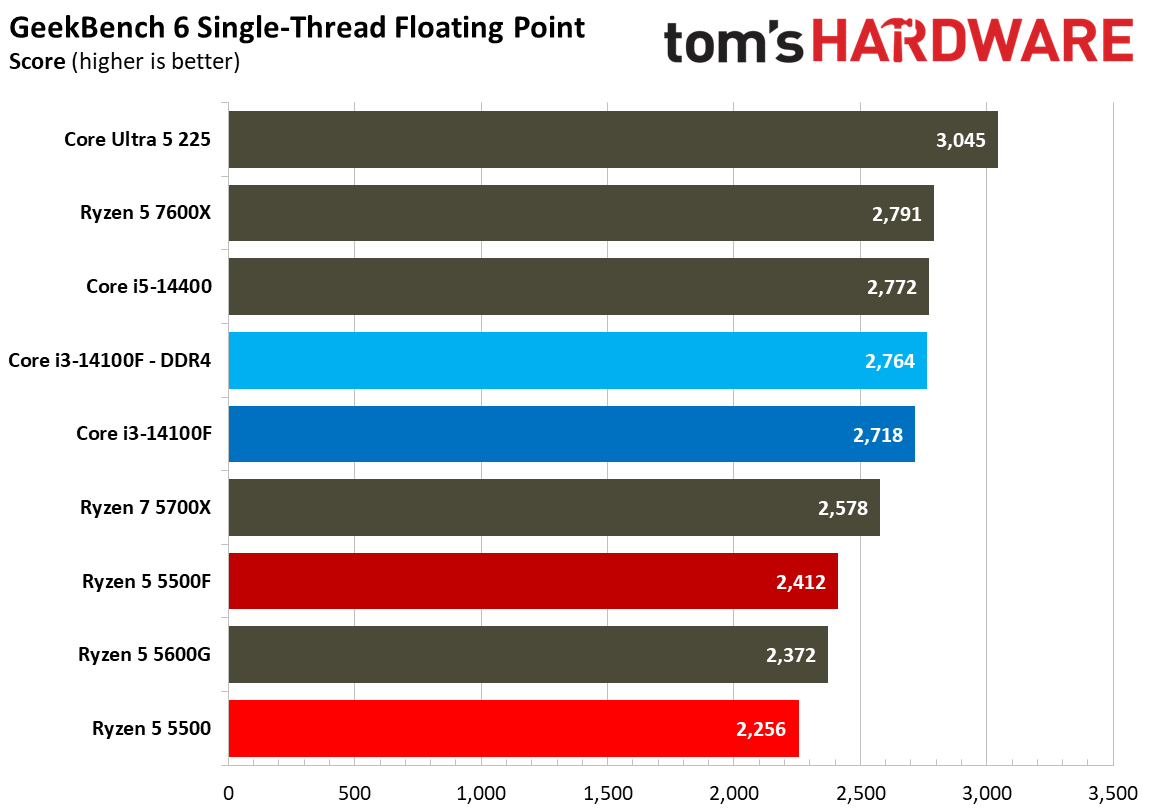
The most recognizable is Geekbench, showing a broader view of single-threaded and multi-threaded performance in a machine-gun-style benchmark suite that rips through different workloads in just a few minutes. What’s interesting is that Geekbench multi-thread shows the 14100F paired with DDR5 on top, likely taking into account the memory standard that isn’t represented in tests like Cinebench.

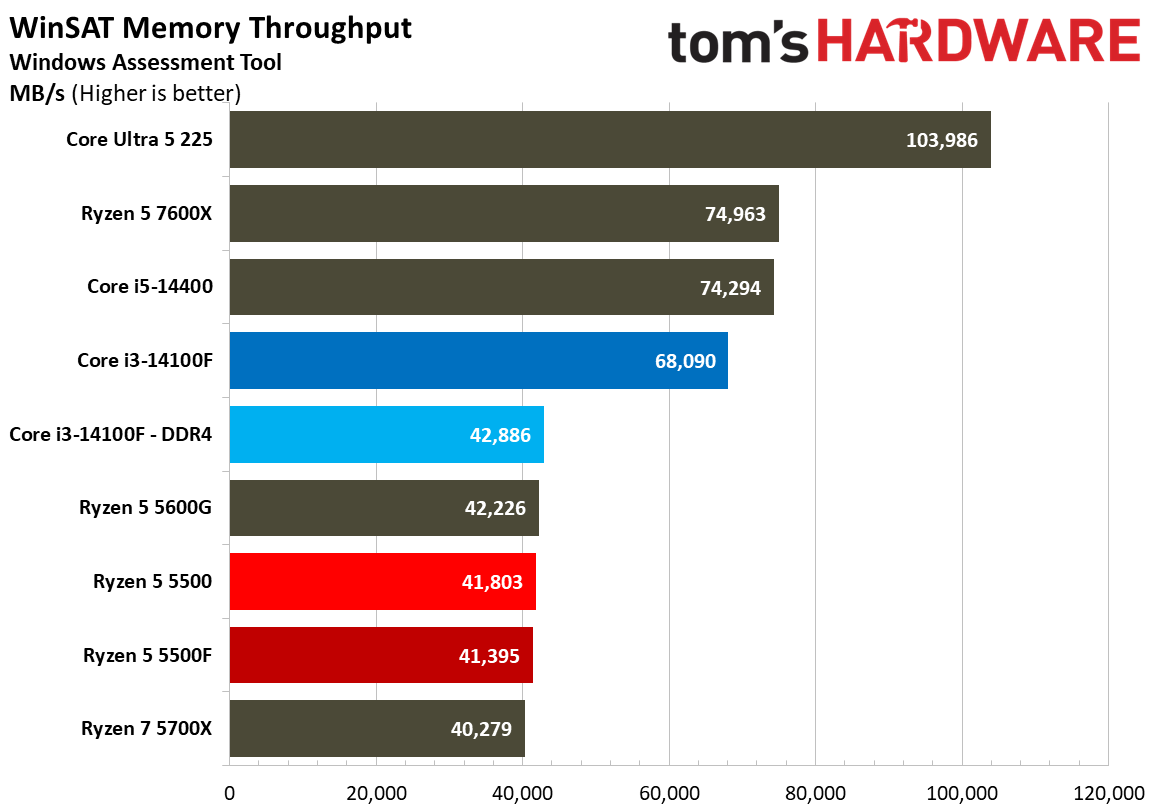
Another interesting test to highlight is memory throughput via WinSAT. This built-in Windows benchmark shows a clear performance wall for the DDR4 chips in our test suite. Of course, DDR5 provides much more throughput, but the interesting bit here is just how bottlenecked the throughput is with these late-stage DDR4 CPUs.

Elsewhere, there are a few broad trends that emerge. In security and cryptography workloads, AMD rules the roost. However, in many scientific workloads, Intel holds an edge. Again, these workloads aren’t particularly relevant for these CPUs, so we’d recommend placing more emphasis on the benchmarks in the sections above.

SPEC Workstation benchmarks
SPEC Workstation Benchmarks
Tom's Hardware
SPEC Workstation Benchmarks
Tom's Hardware
SPEC Workstation Benchmarks
Tom's Hardware
SPEC Workstation Benchmarks
Tom's Hardware
SPEC Workstation Benchmarks
Tom's Hardware
SPEC Workstation Benchmarks
Tom's Hardware
SPEC Workstation Benchmarks
Tom's Hardware
SPEC Workstation Benchmarks
Tom's Hardware
SPEC Workstation Benchmarks
Tom's Hardware
SPEC Workstation Benchmarks
Tom's Hardware
SPEC Workstation Benchmarks
Tom's Hardware
SPEC Workstation Benchmarks
Tom's Hardware
SPEC Workstation Benchmarks
Tom's Hardware
SPEC Workstation Benchmarks
Tom's Hardware
SPEC Workstation Benchmarks
Tom's Hardware
SPEC Workstation Benchmarks
Tom's Hardware
SPEC Workstation Benchmarks
Tom's Hardware
SPEC Workstation Benchmarks
Tom's Hardware
SPEC Workstation Benchmarks
Tom's Hardware
SPEC Workstation Benchmarks
Tom's Hardware
SPEC Workstation Benchmarks
Tom's Hardware
SPEC Workstation Benchmarks
Tom's Hardware
SPEC Workstation Benchmarks
Tom's Hardware
SPEC Workstation Benchmarks
Tom's Hardware
SPEC Workstation Benchmarks
Tom's Hardware
SPEC Workstation Benchmarks
Tom's Hardware
SPEC Workstation Benchmarks
Tom's Hardware
SPEC Workstation Benchmarks
Tom's Hardware
SPEC Workstation Benchmarks
Tom's Hardware
SPEC Workstation Benchmarks
Tom's Hardware
SPEC Workstation Benchmarks
Tom's Hardware
SPEC Workstation Benchmarks
Tom's Hardware
SPEC Workstation Benchmarks
Tom's Hardware
SPEC Workstation Benchmarks
Tom's Hardware
SPEC Workstation Benchmarks
Tom's Hardware
SPEC Workstation Benchmarks
Tom's Hardware
SPEC Workstation Benchmarks
Tom's Hardware
SPEC Workstation Benchmarks
Tom's Hardware
SPEC Workstation Benchmarks
Tom's Hardware
SPEC Workstation Benchmarks
Tom's Hardware
SPEC Workstation Benchmarks
Tom's Hardware
SPEC Workstation Benchmarks
Tom's Hardware
SPEC Workstation Benchmarks
Tom's Hardware
SPEC Workstation Benchmarks
Tom's Hardware
SPEC Workstation Benchmarks
Tom's Hardware
SPEC Workstation Benchmarks
Tom's Hardware
SPEC Workstation Benchmarks
Tom's Hardware
SPEC Workstation Benchmarks
Tom's Hardware
SPEC Workstation Benchmarks
Tom's Hardware
SPEC Workstation Benchmarks
Tom's Hardware
SPEC Workstation Benchmarks
Tom's Hardware
SPEC Workstation Benchmarks
Tom's Hardware

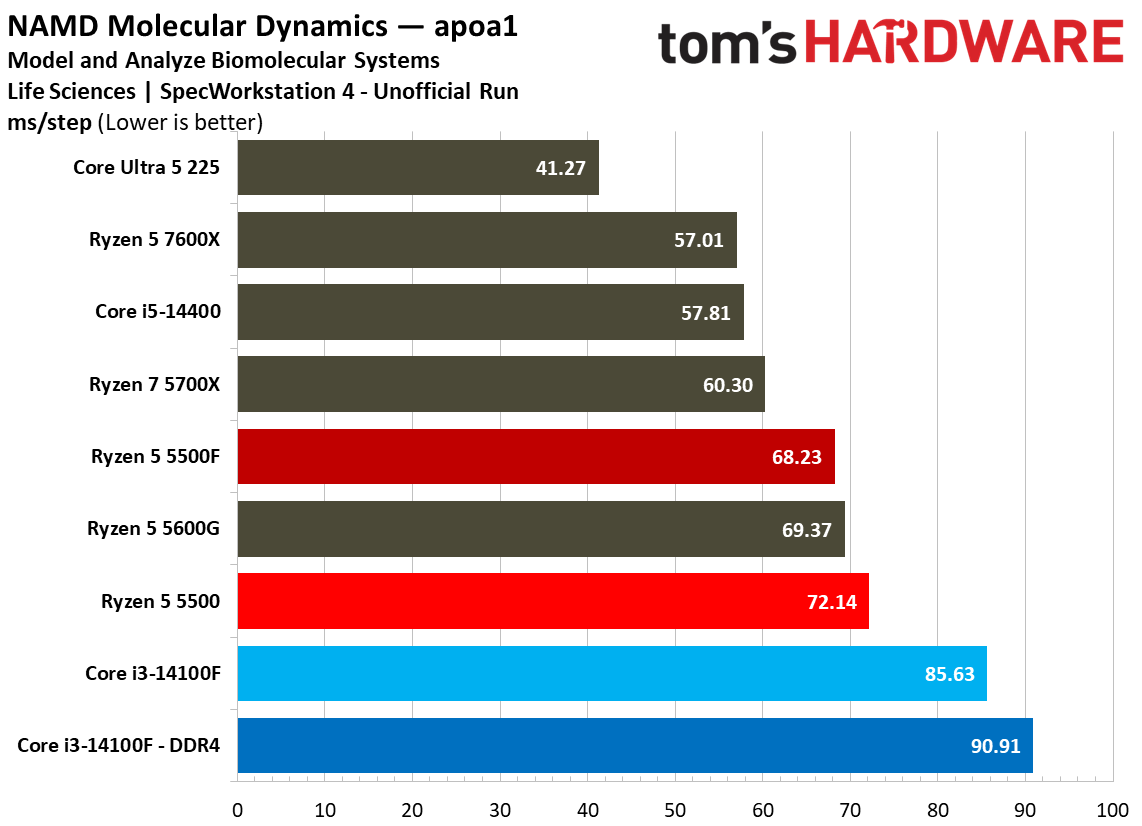
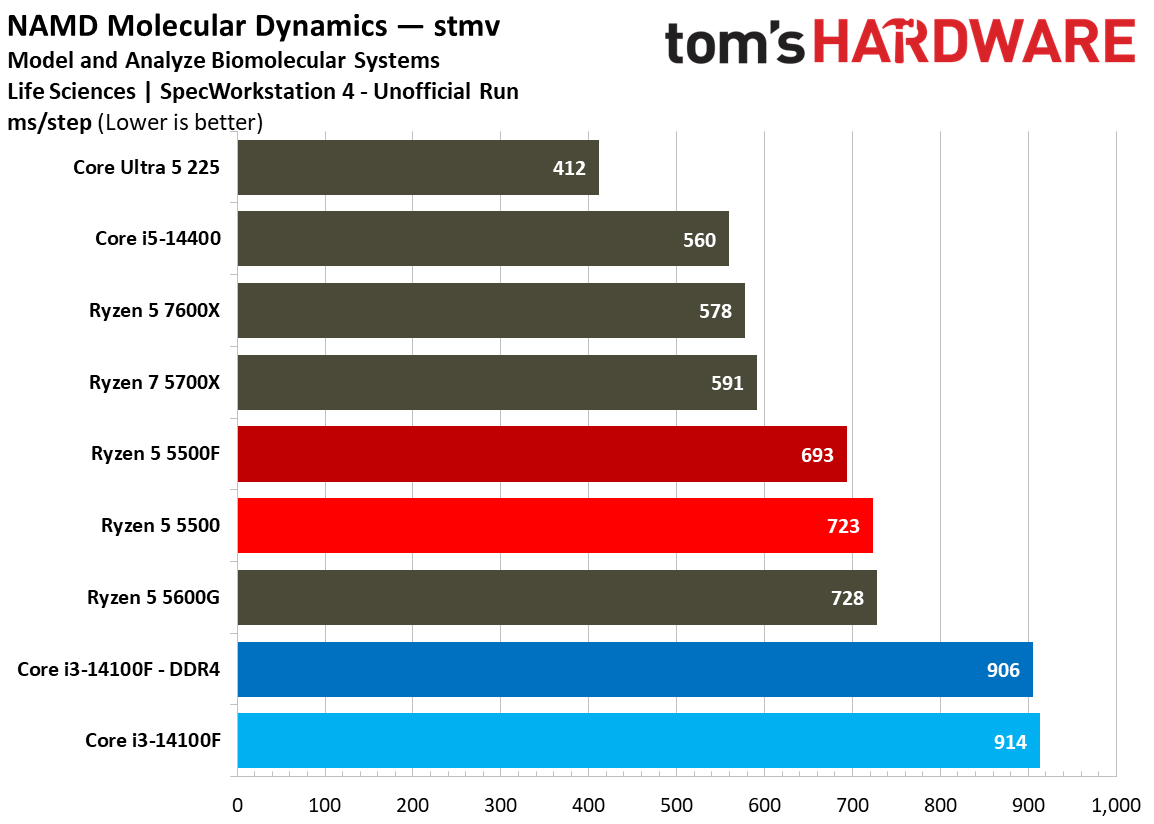
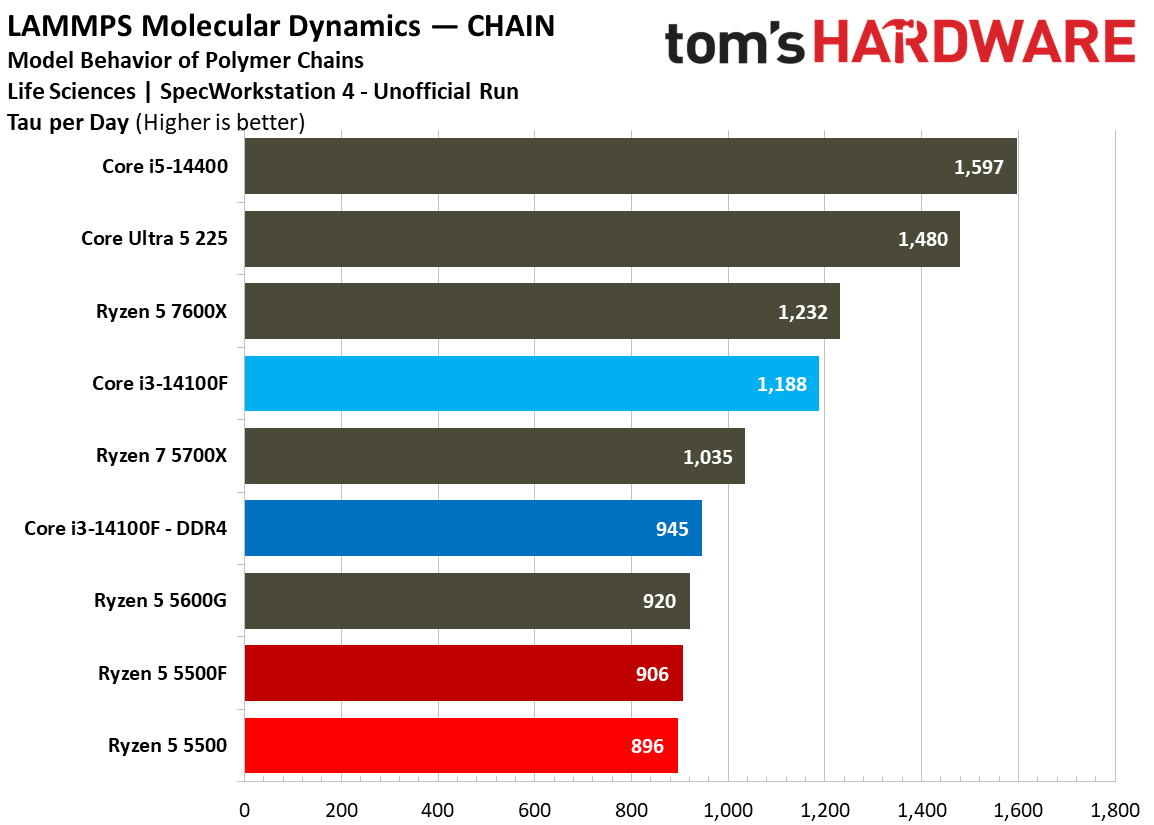
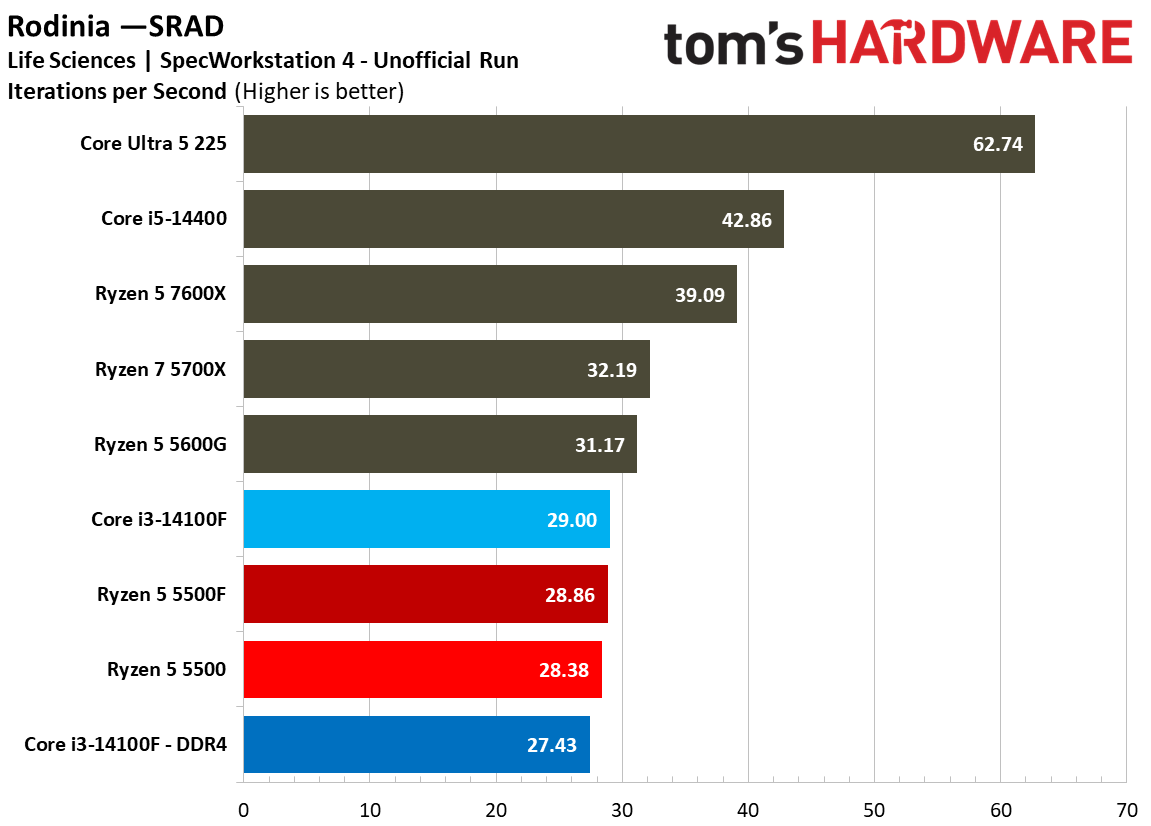
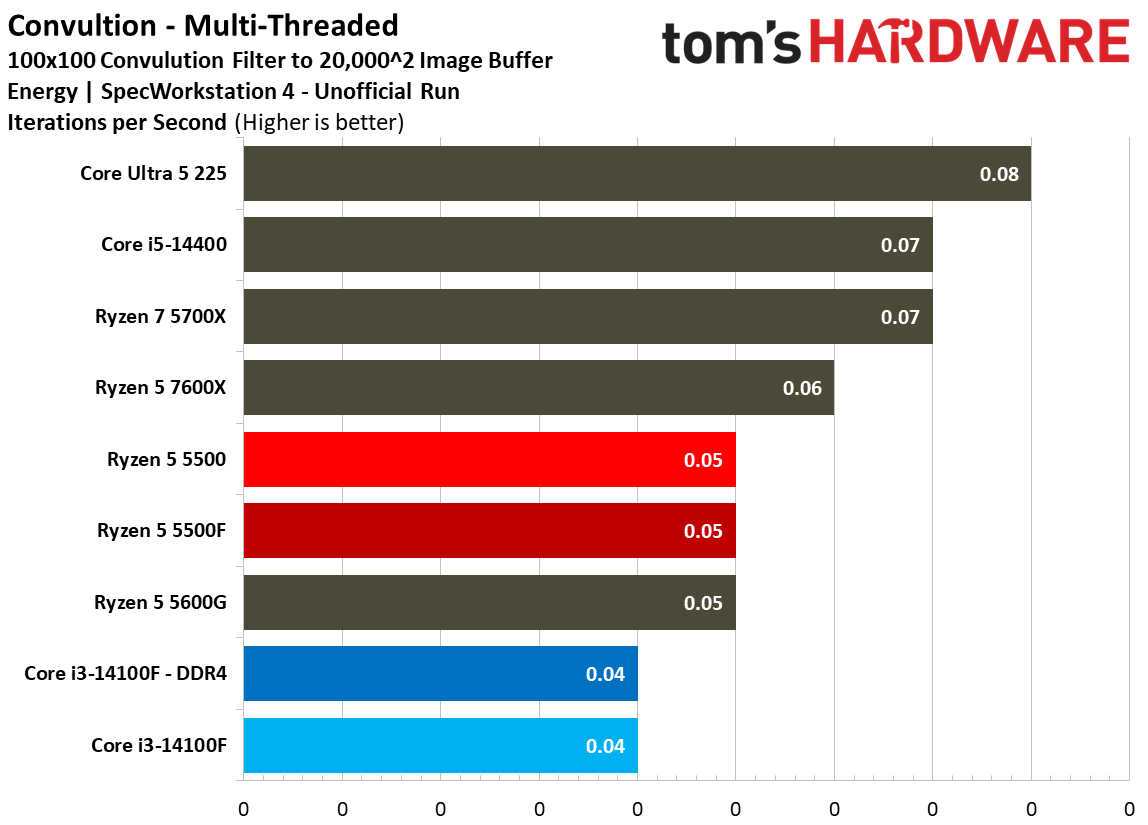
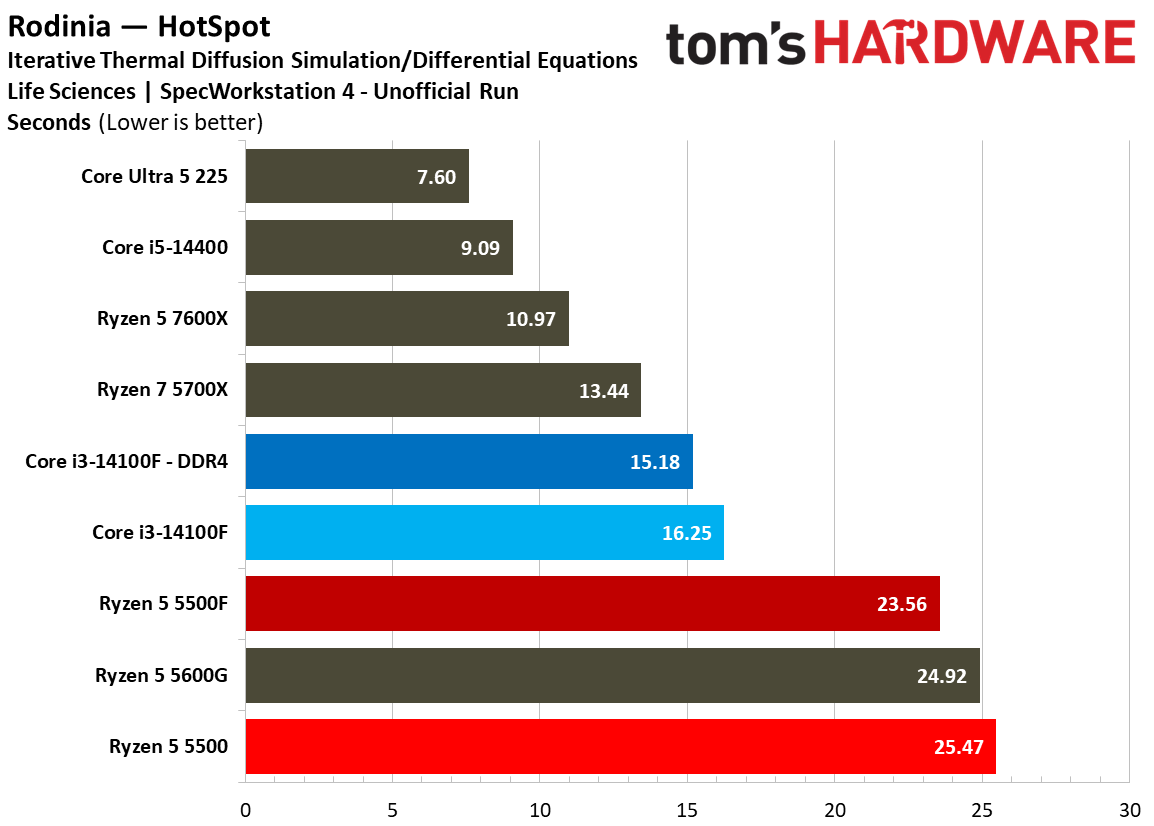
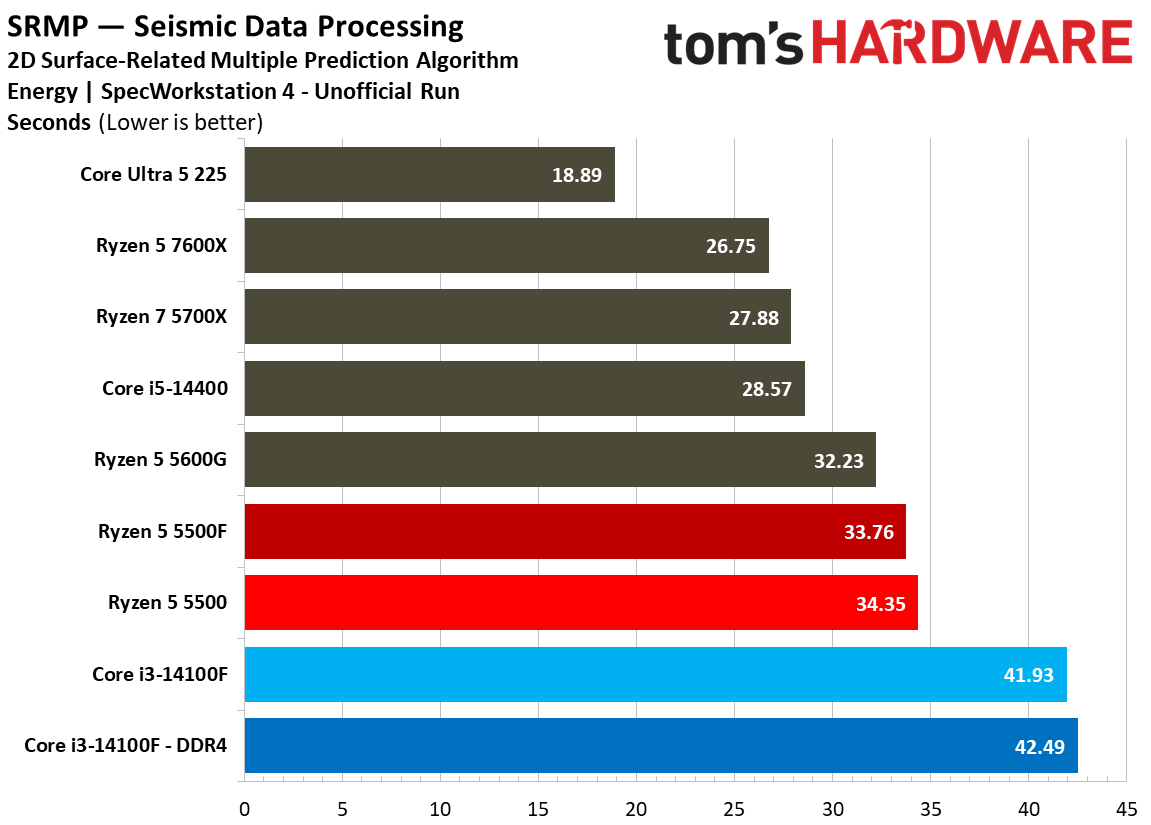
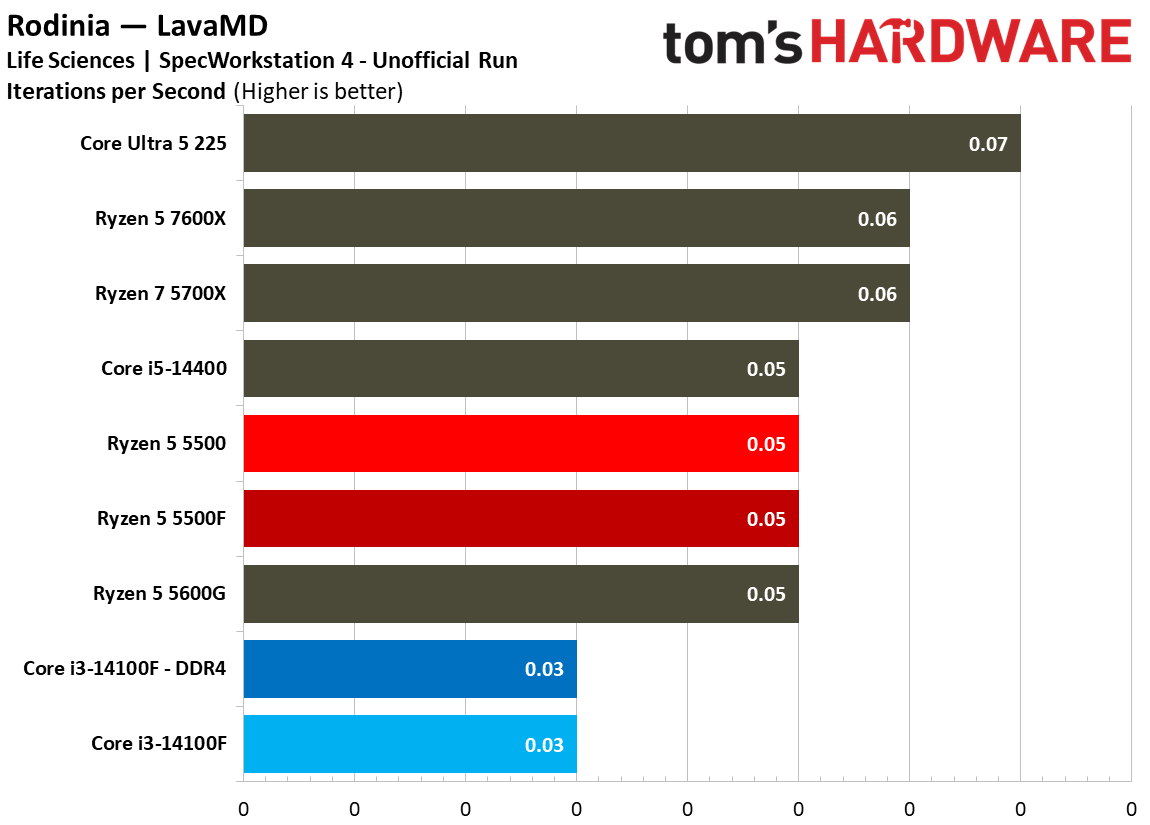
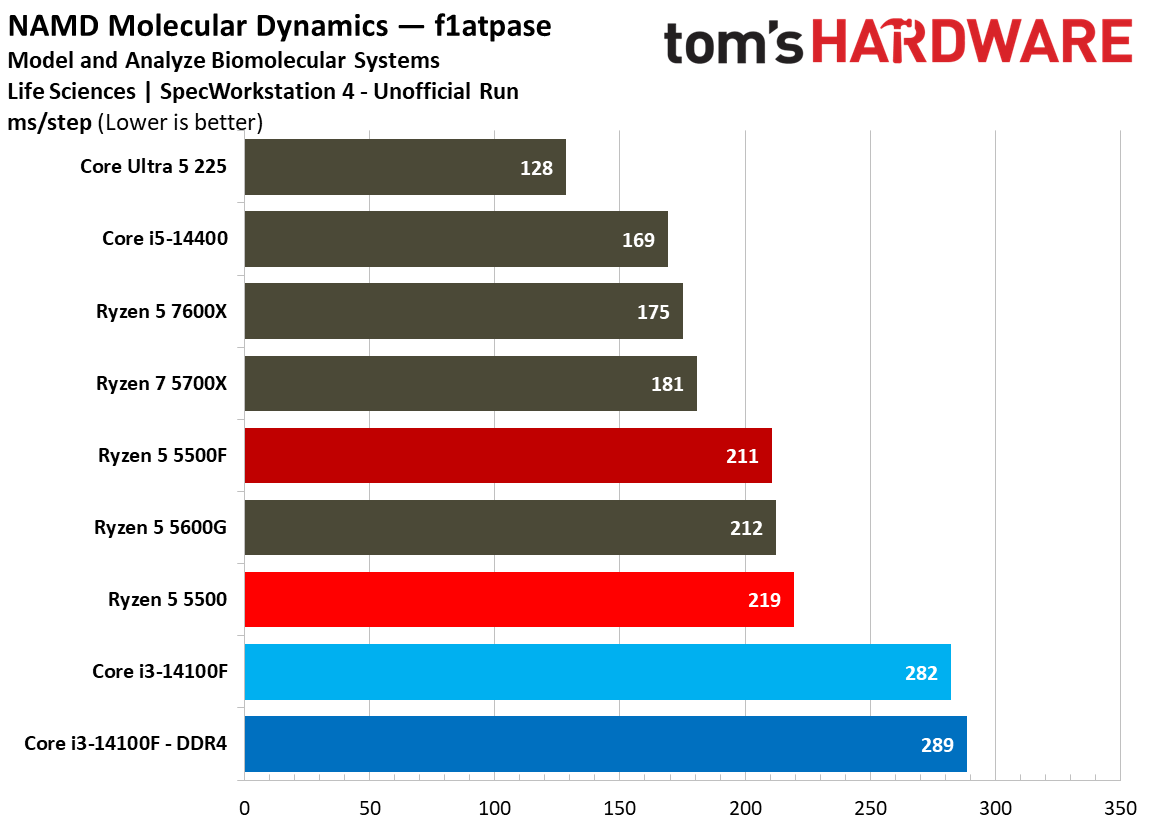
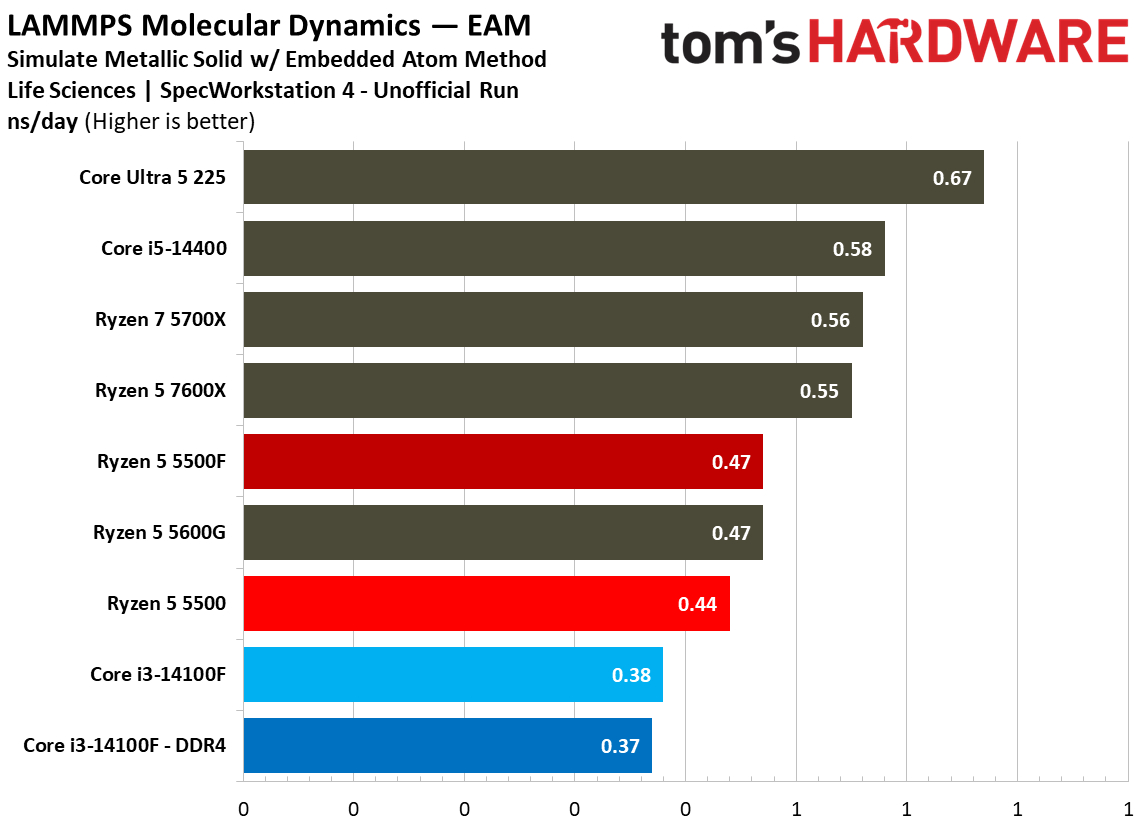
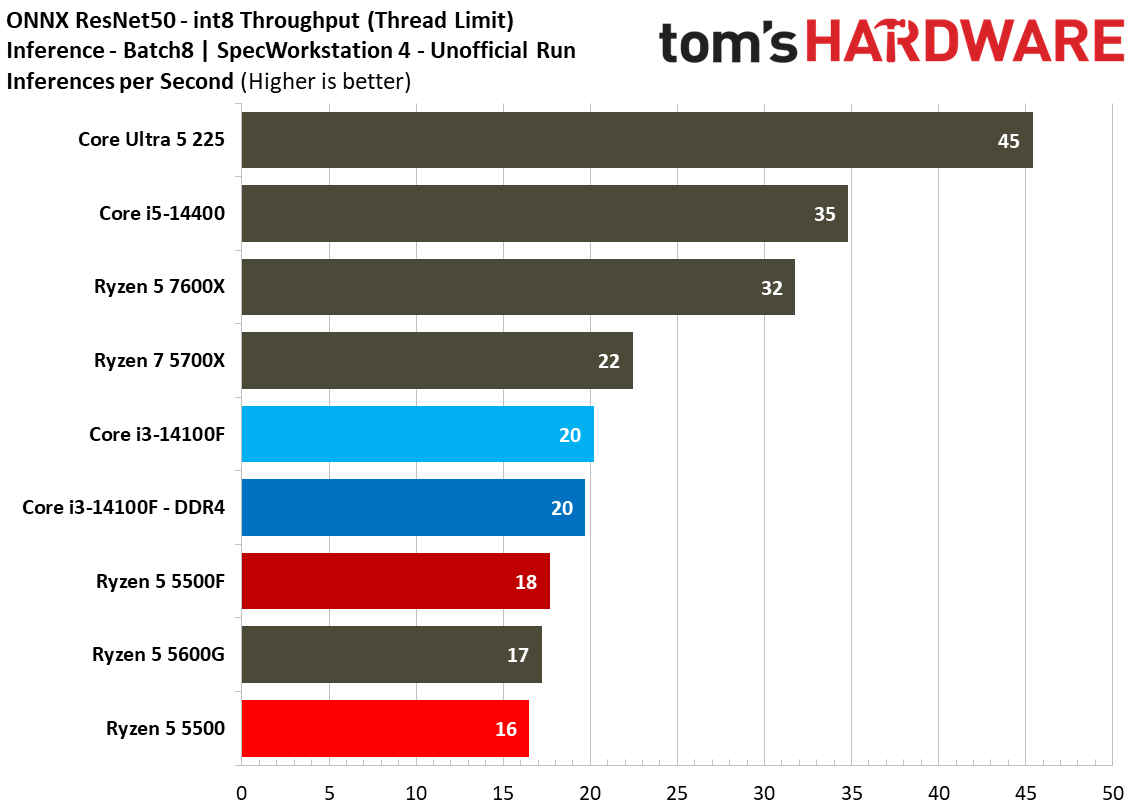
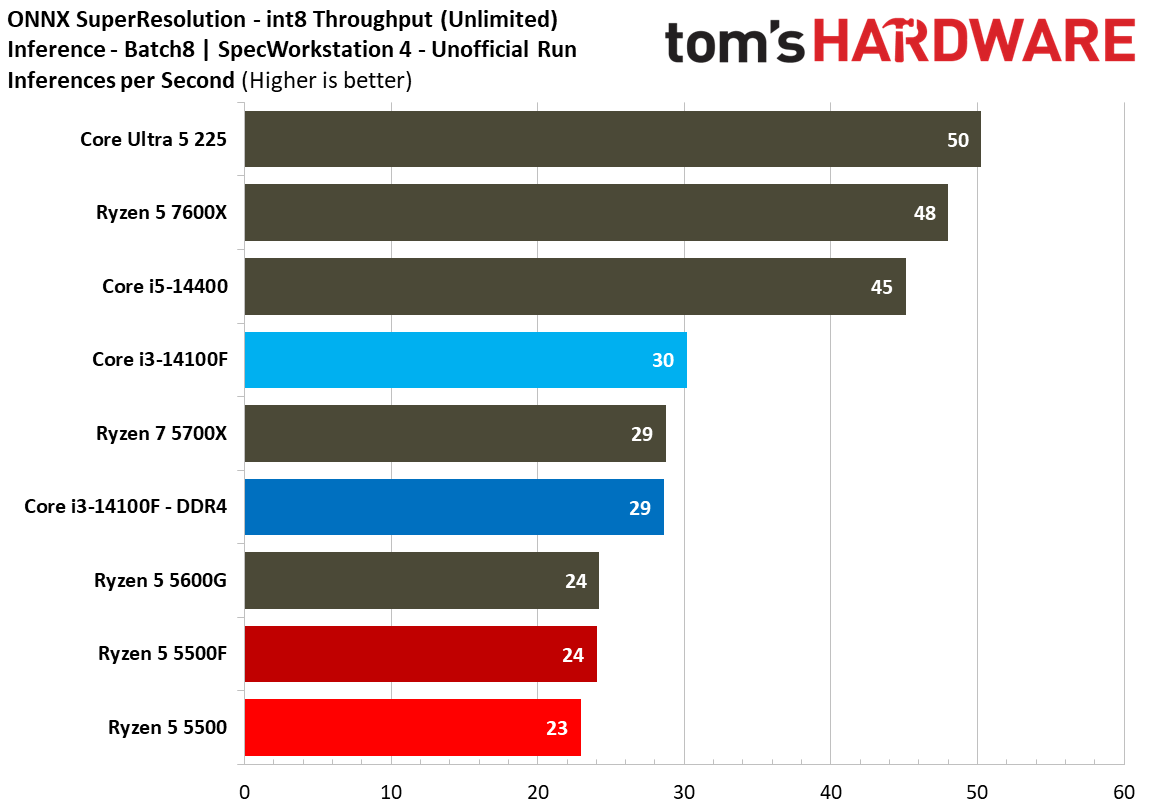
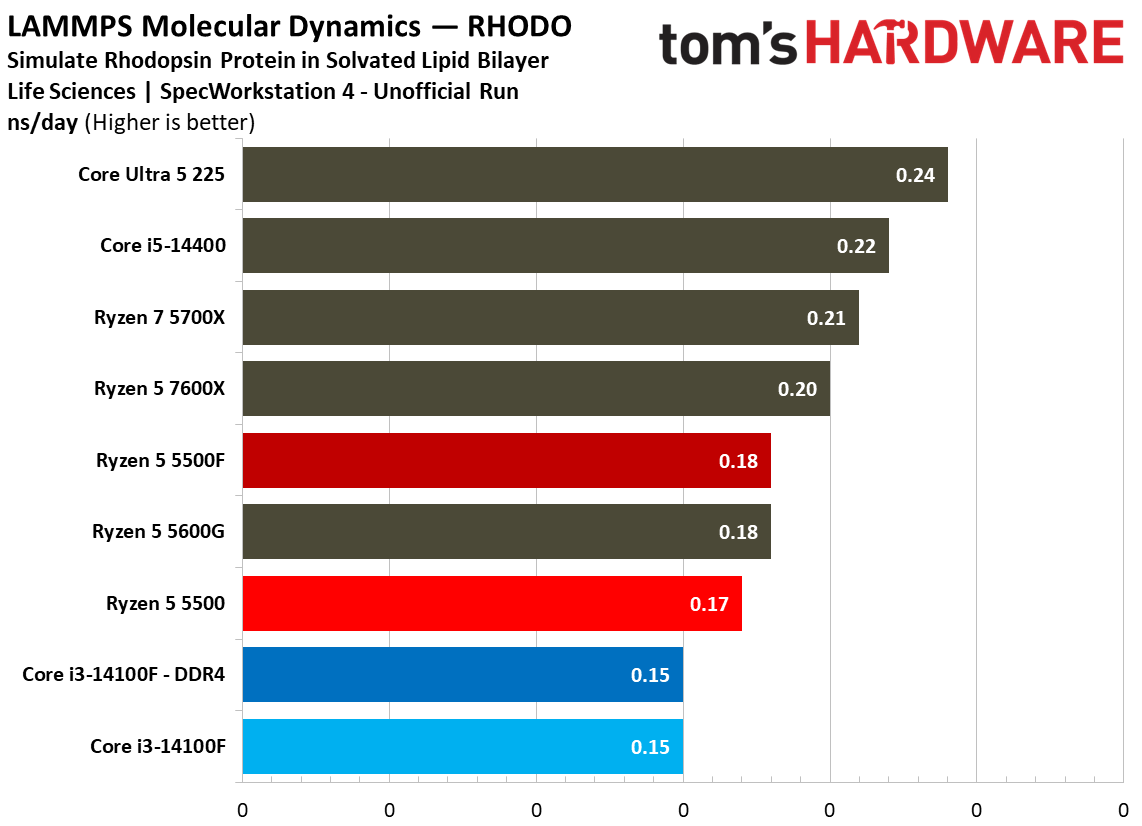
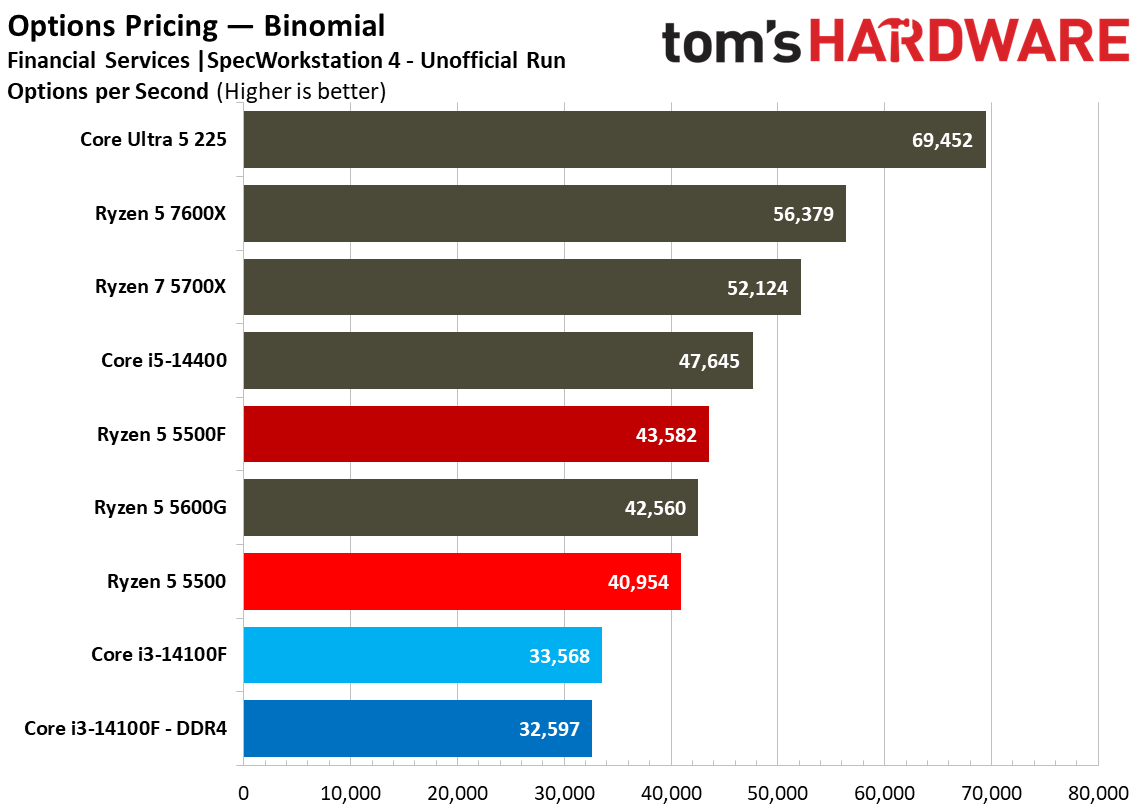
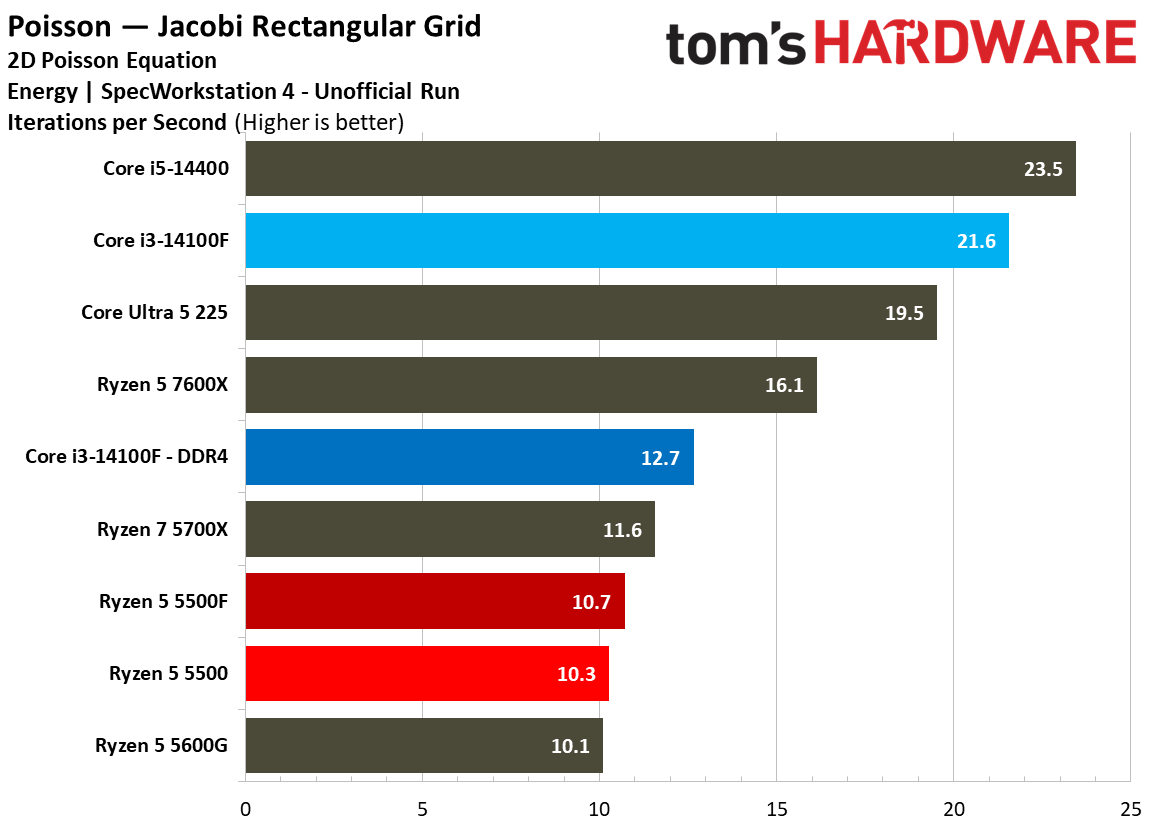
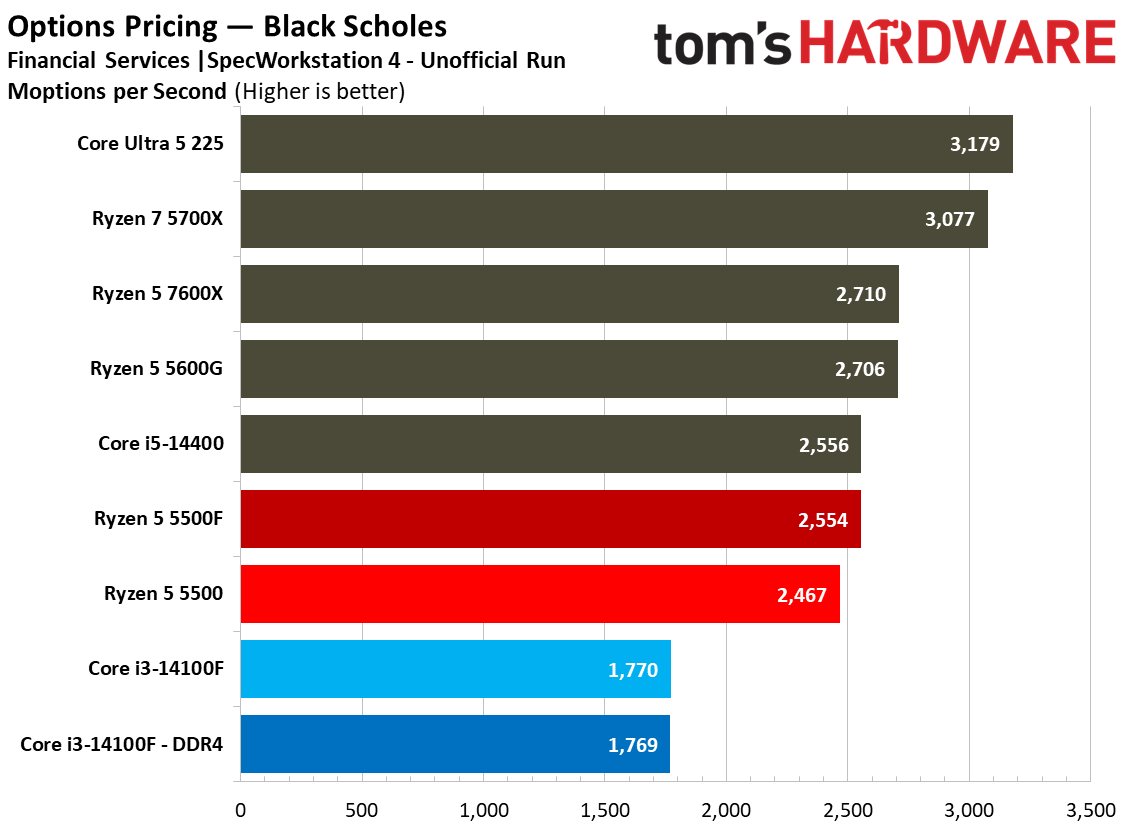
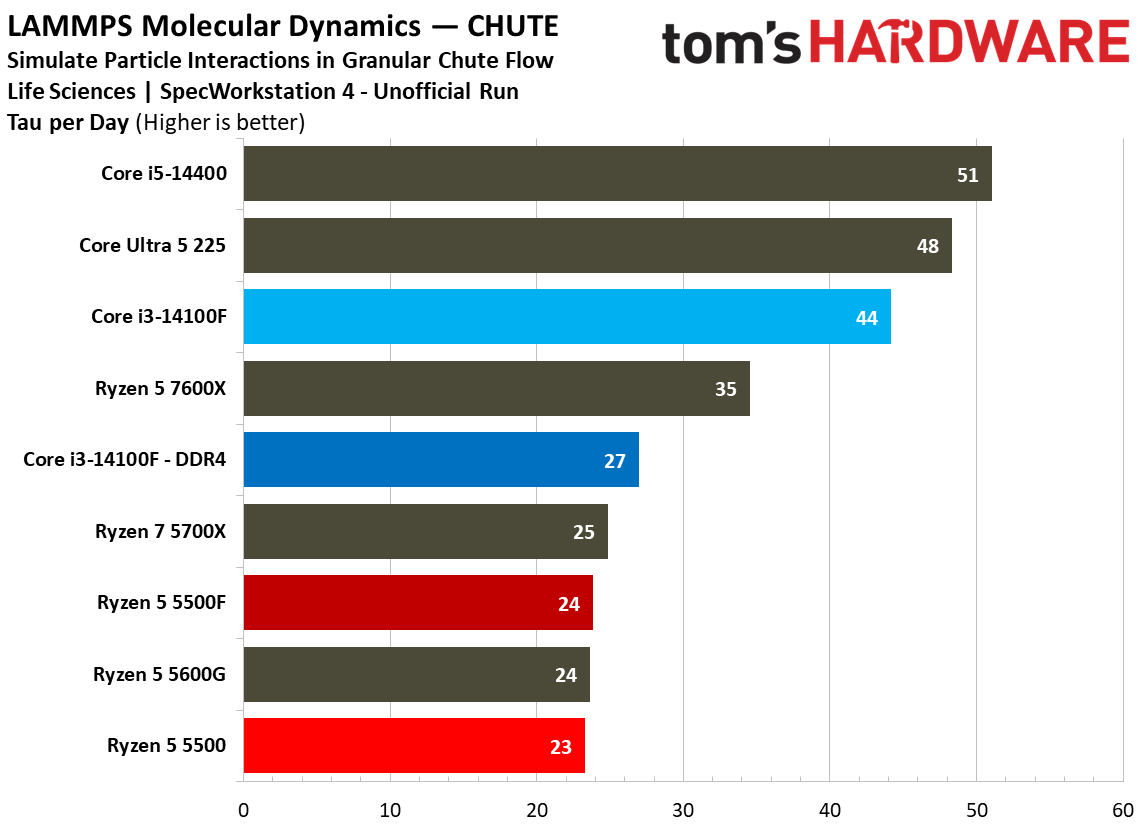
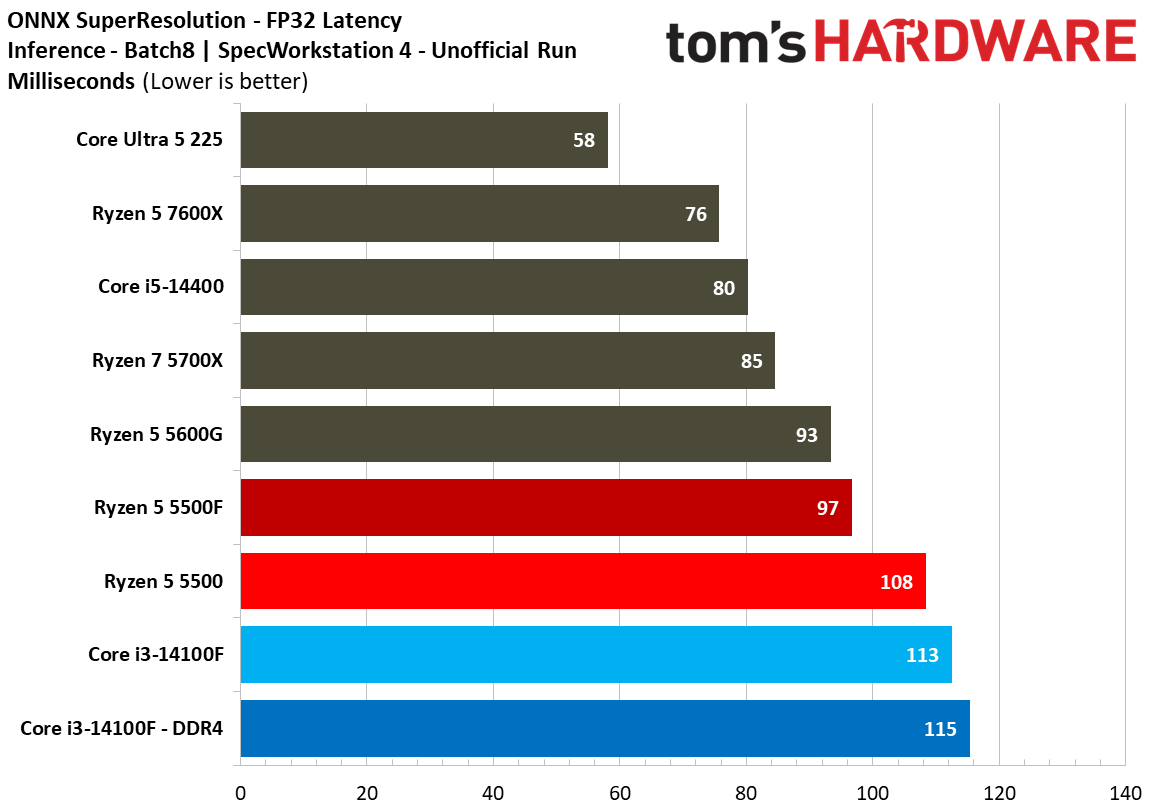
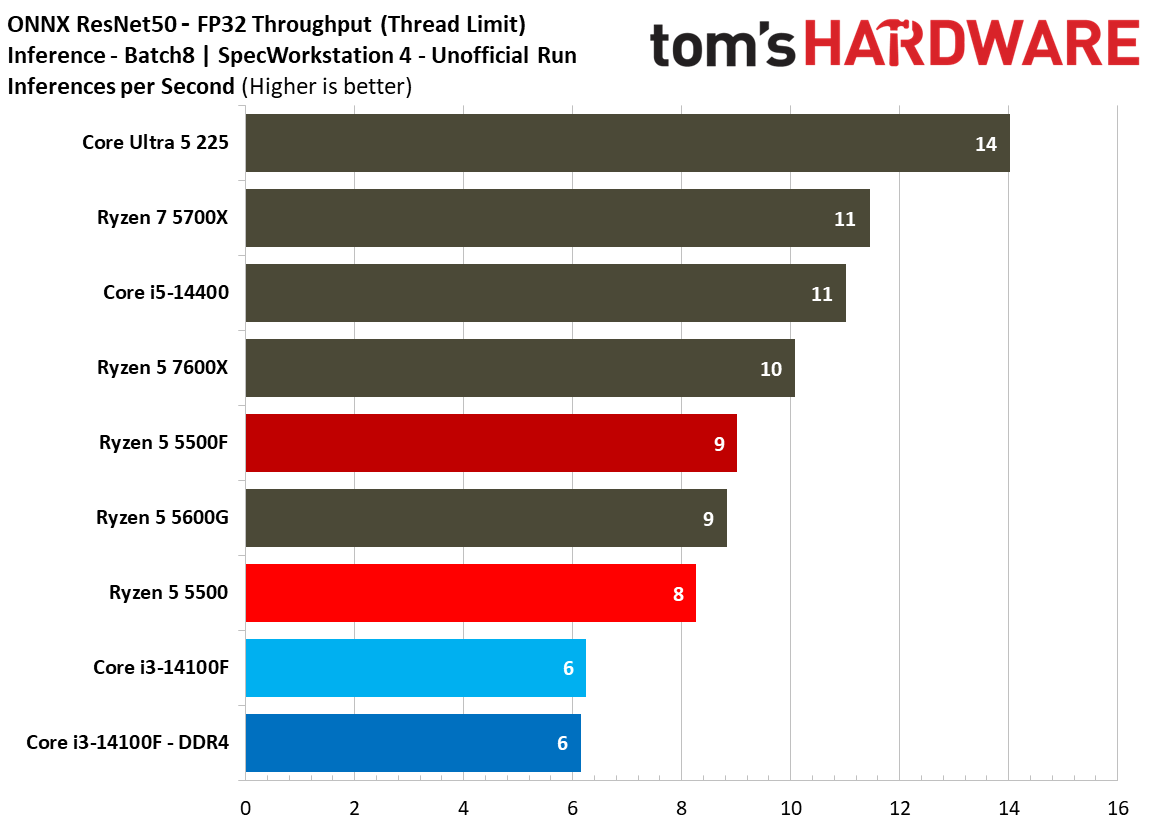
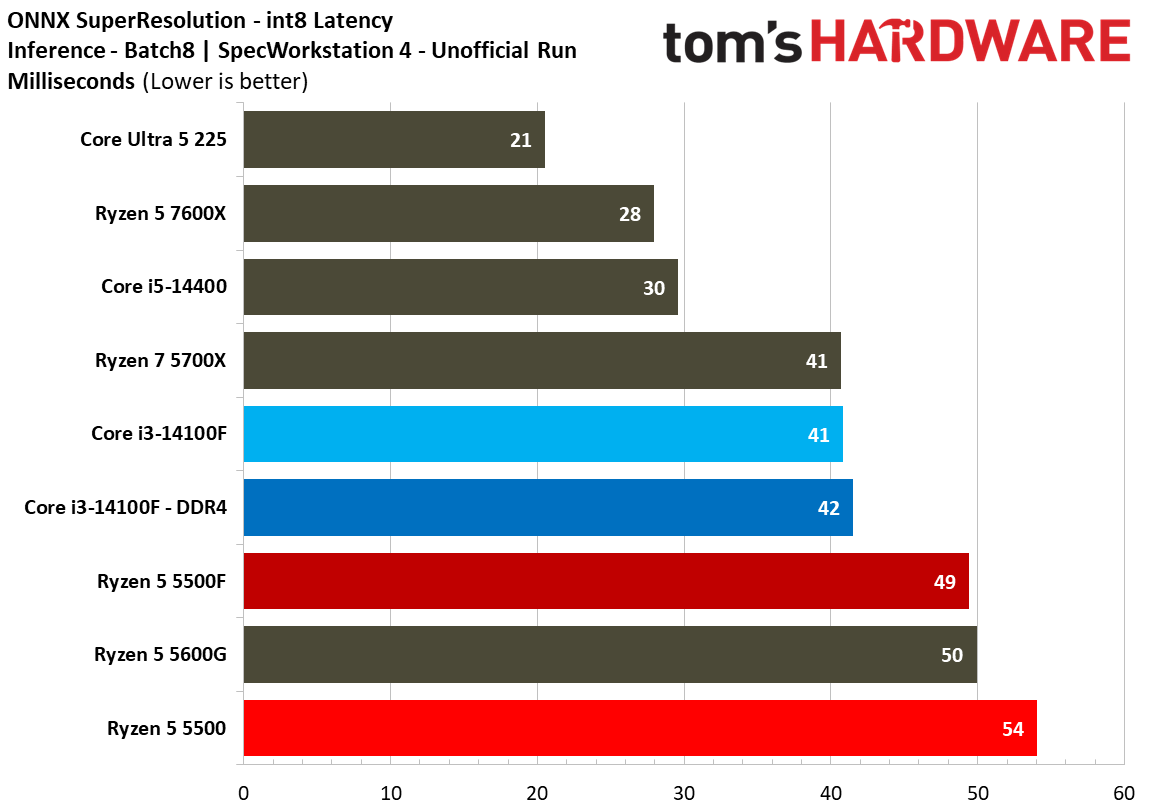
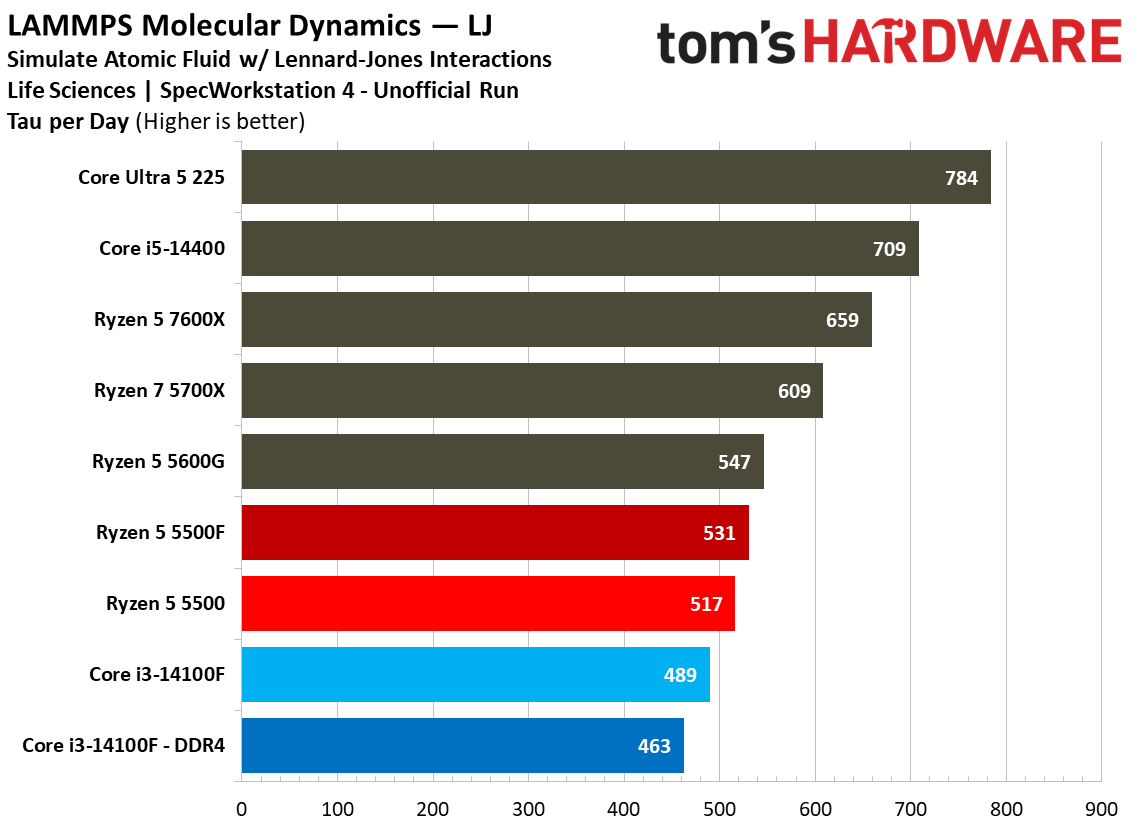
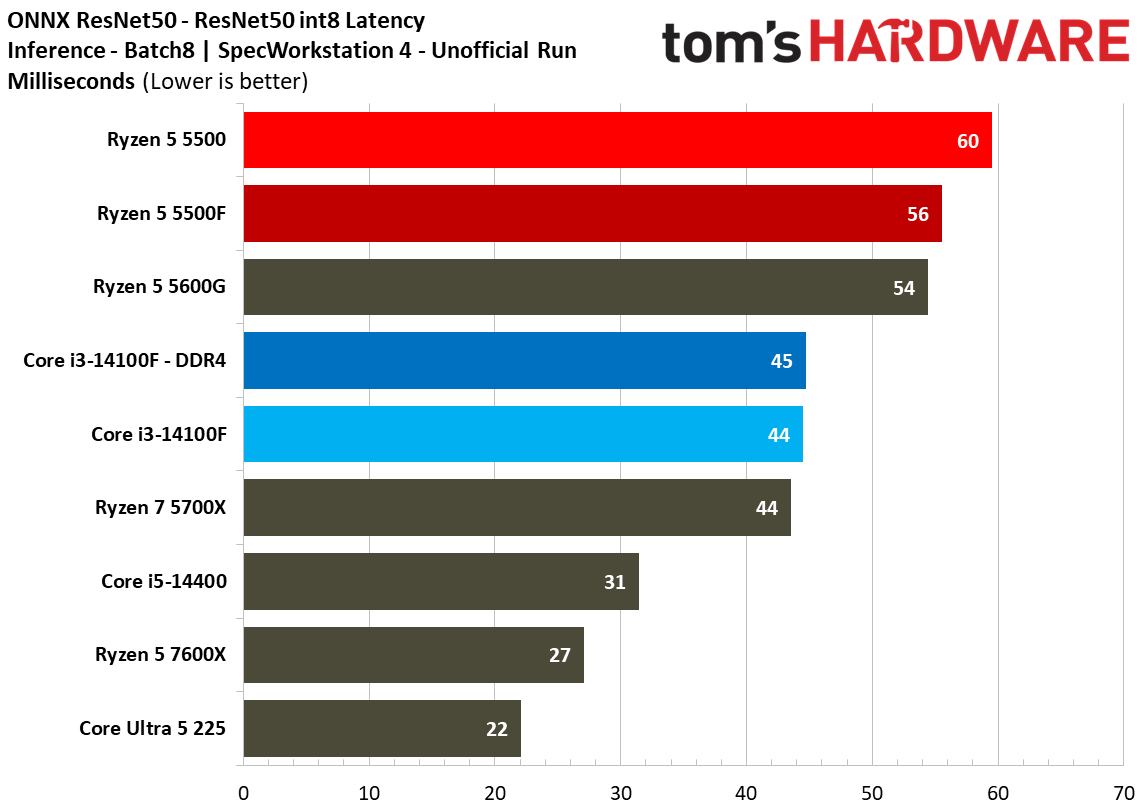
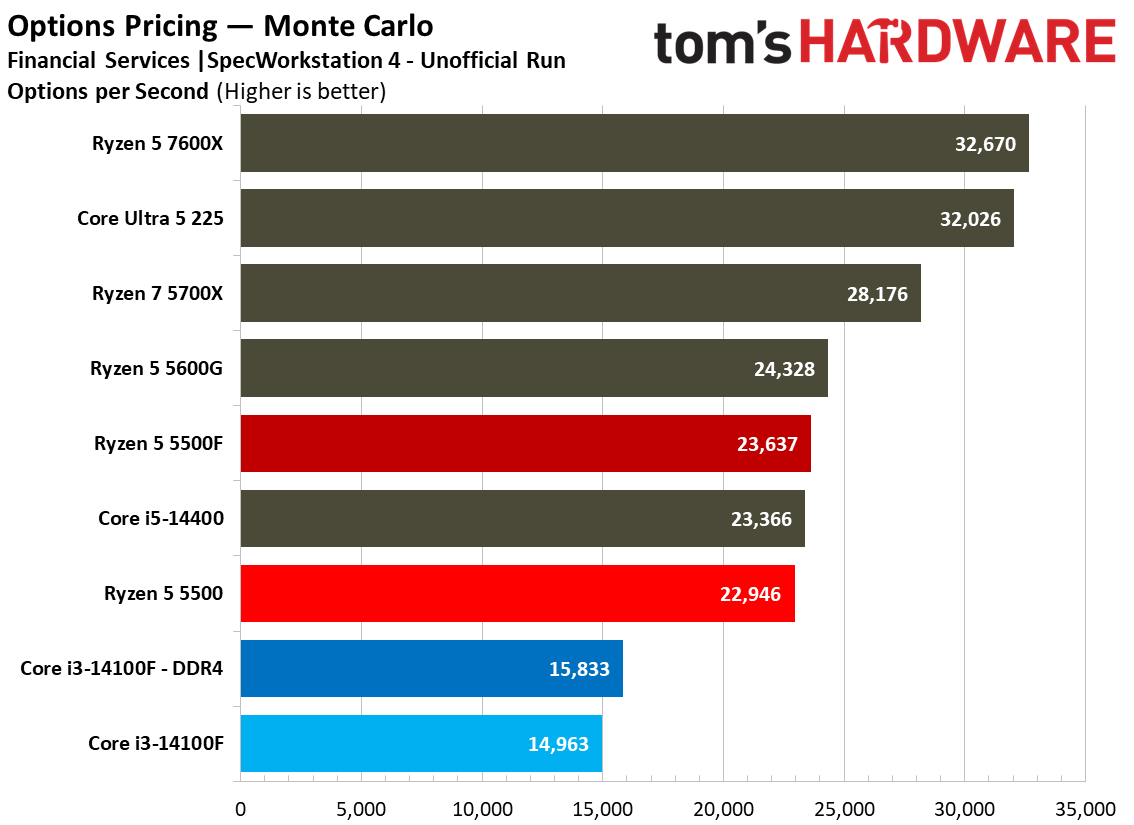
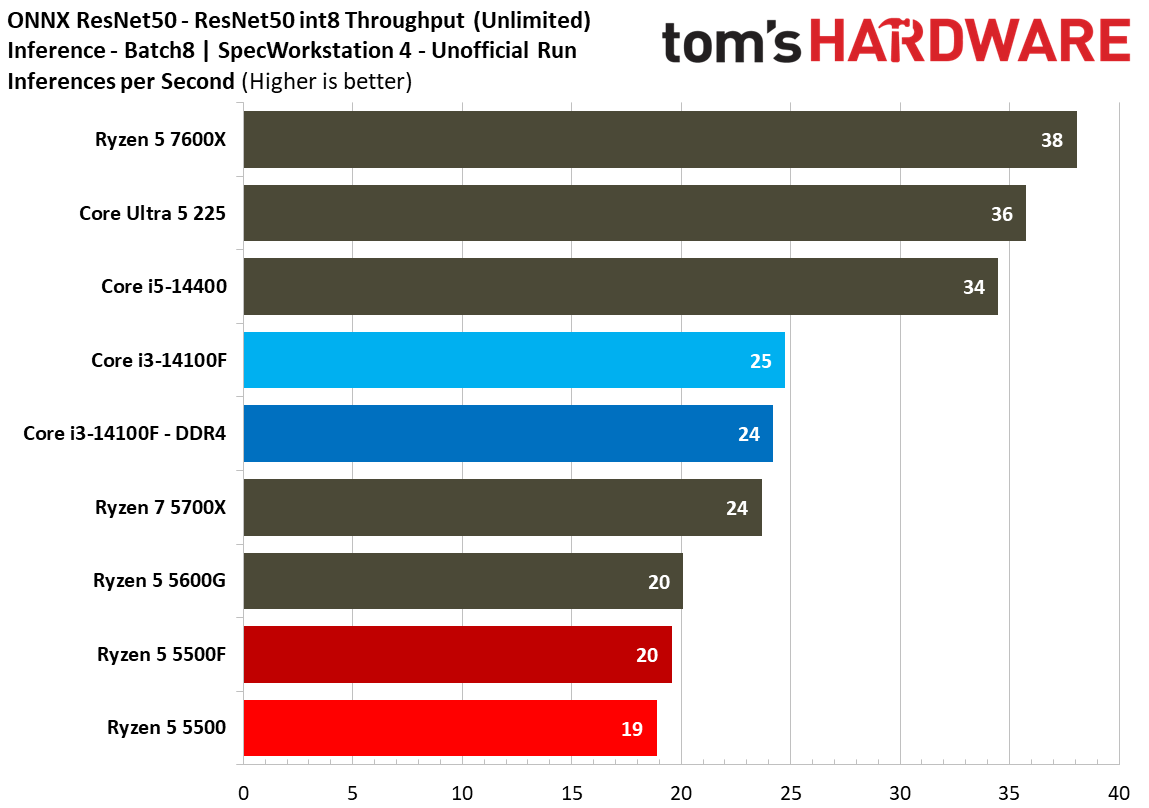
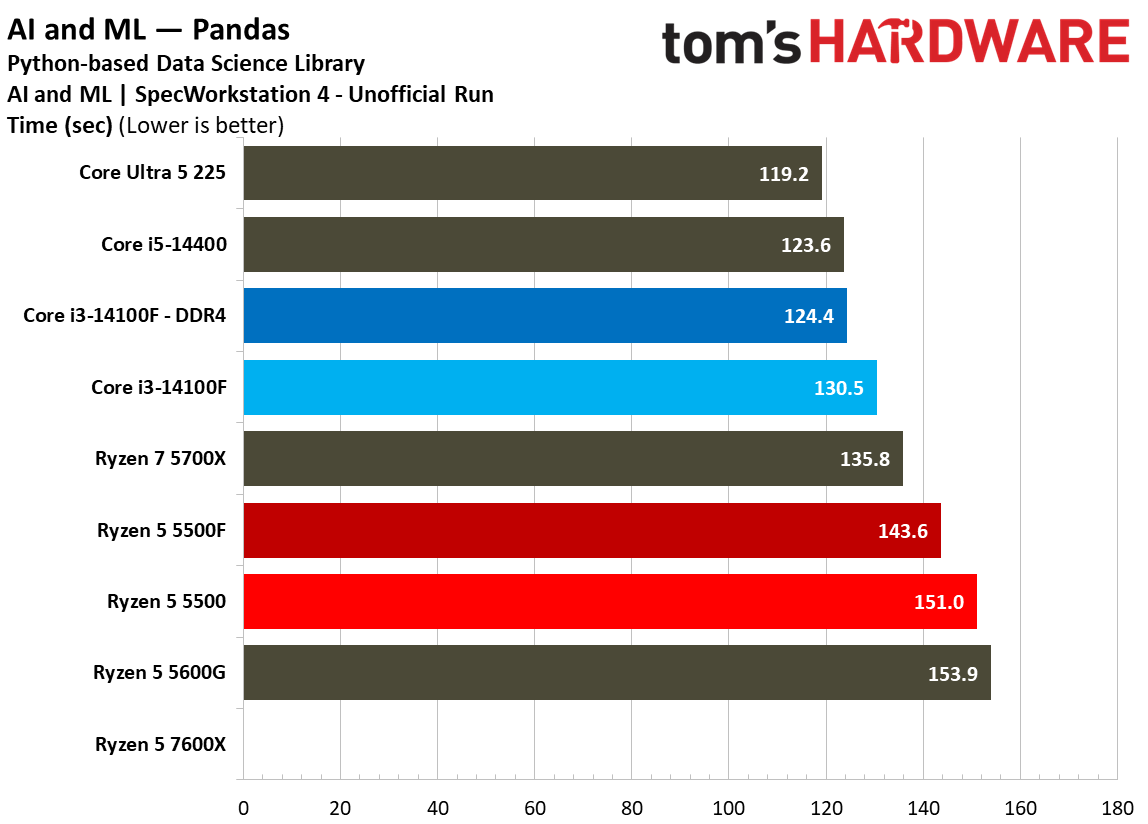
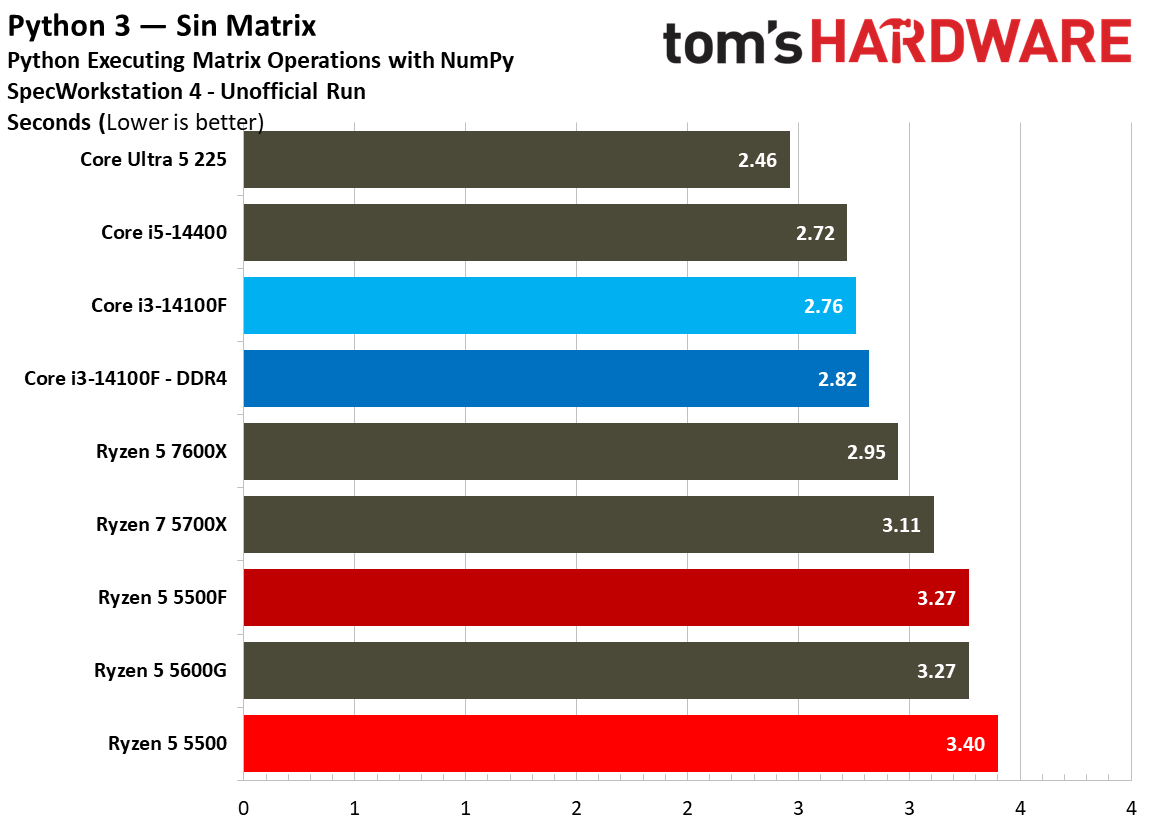
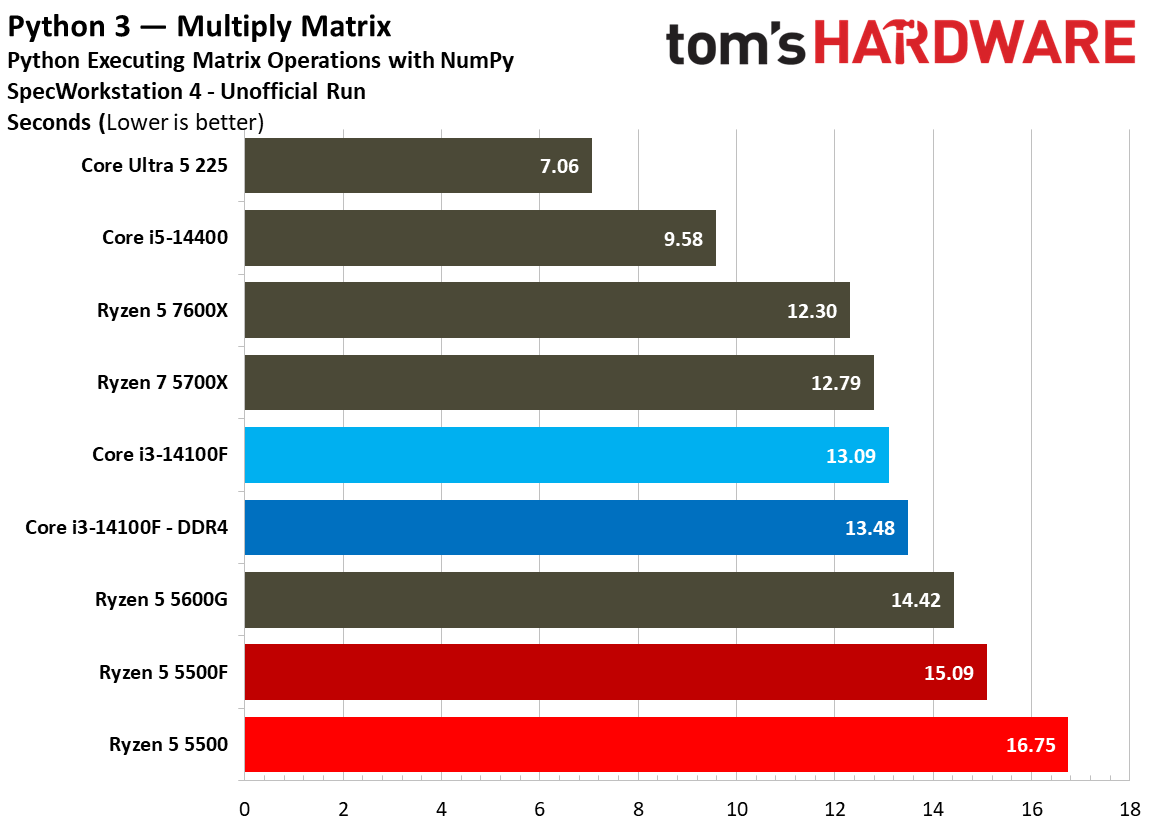
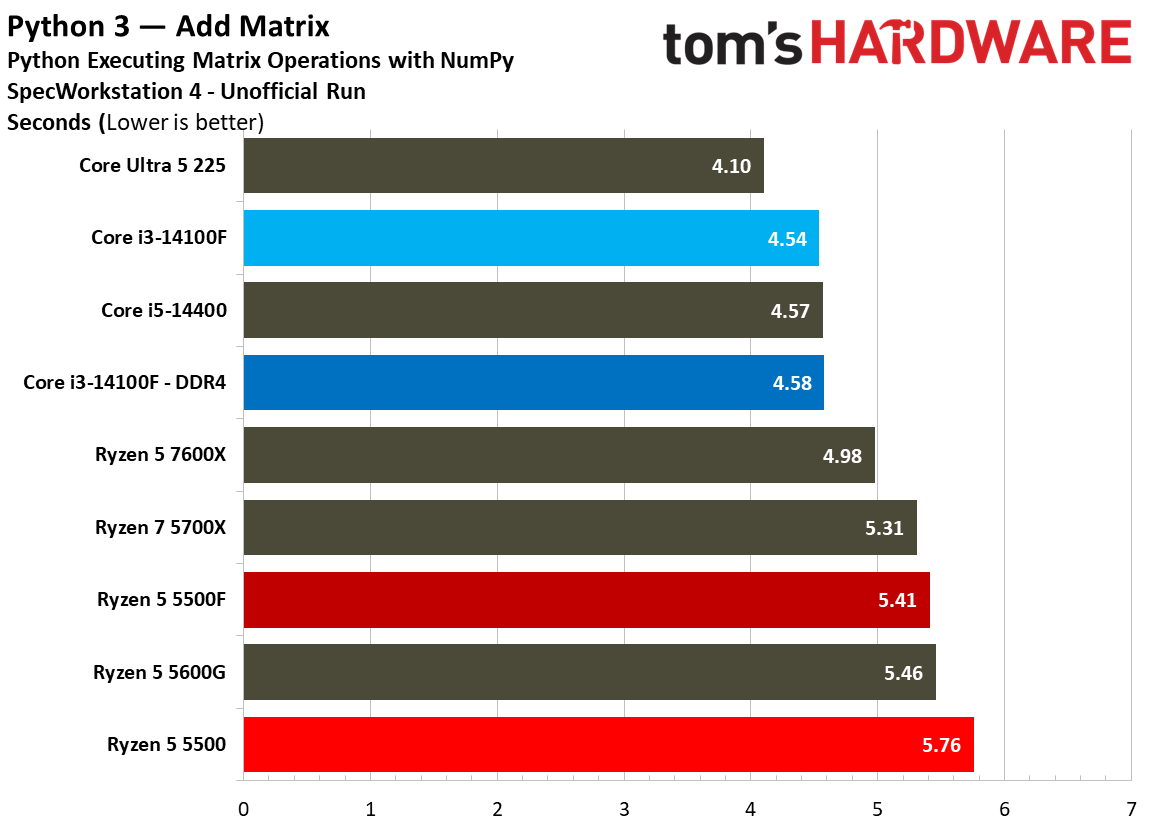
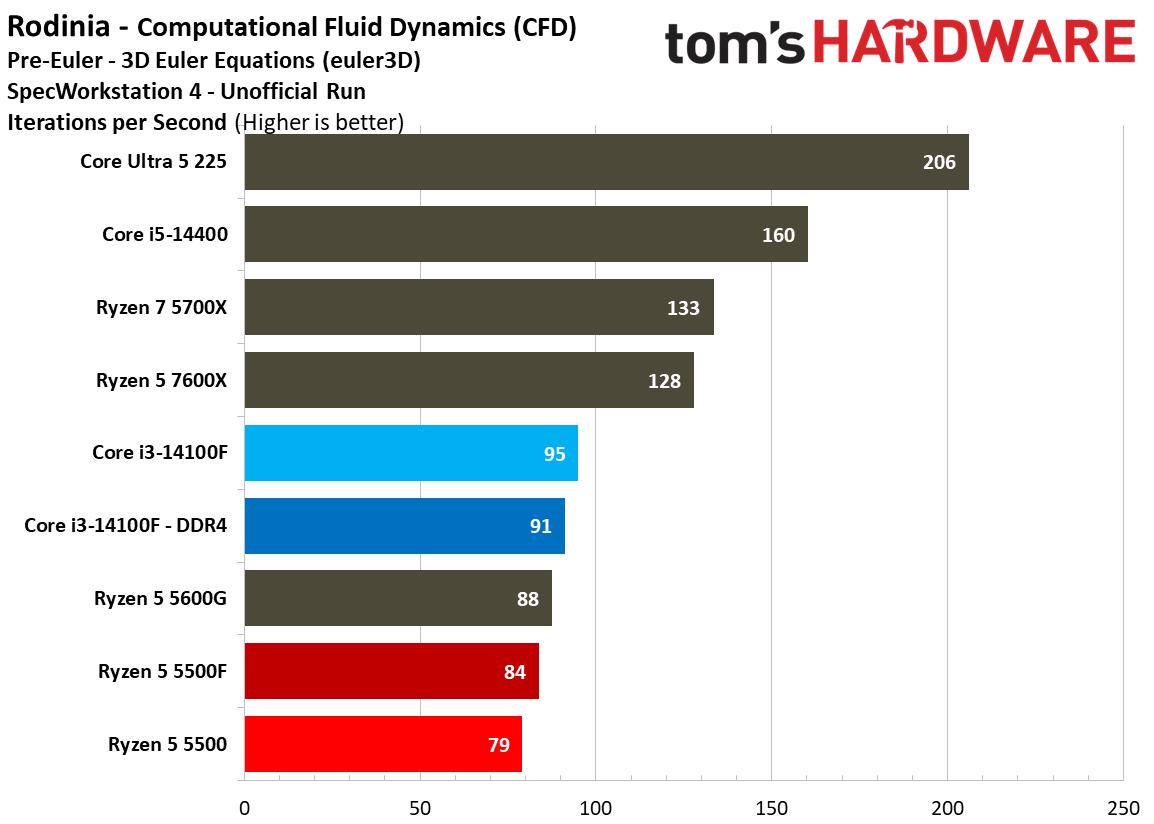
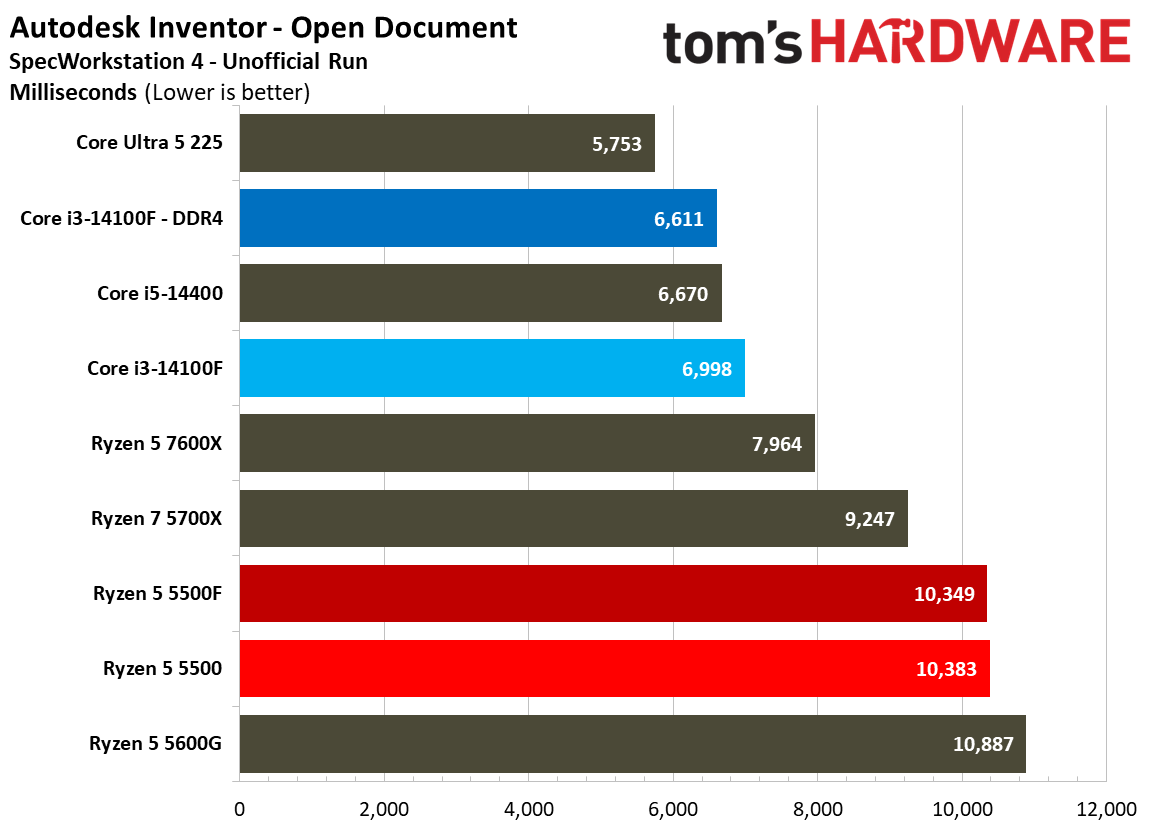
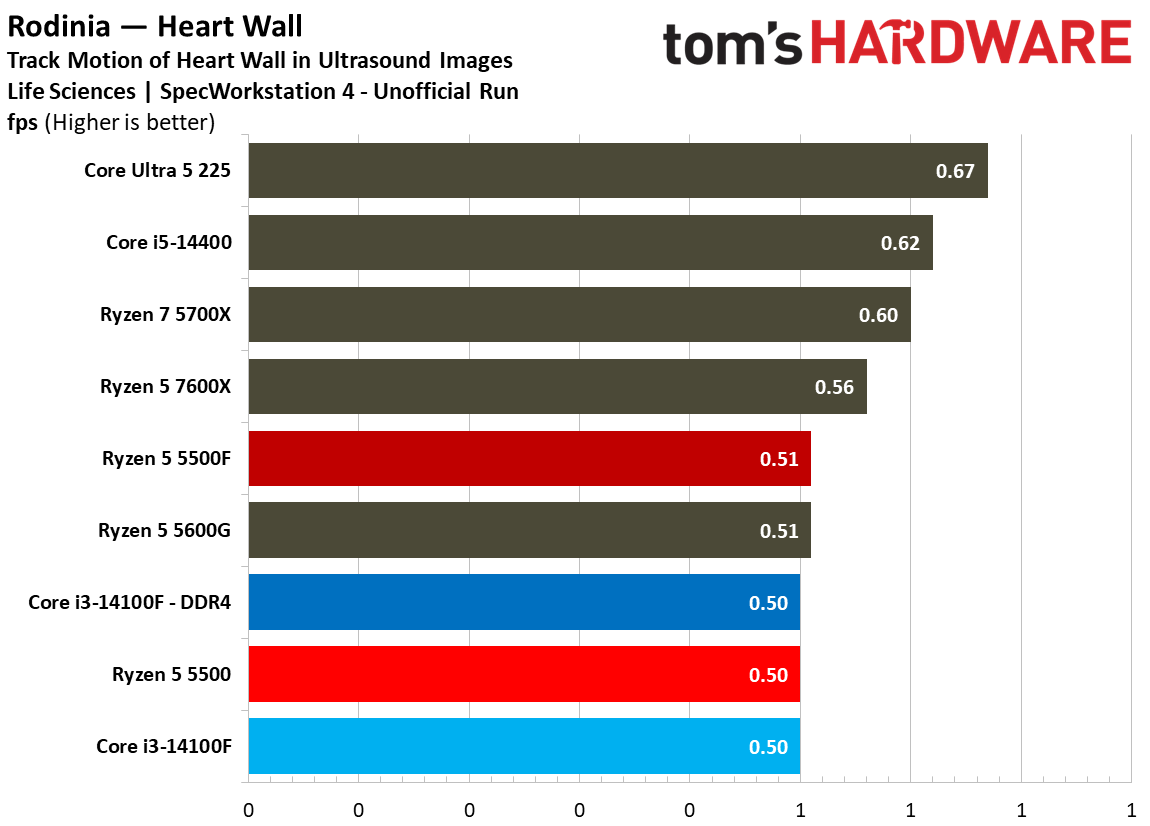
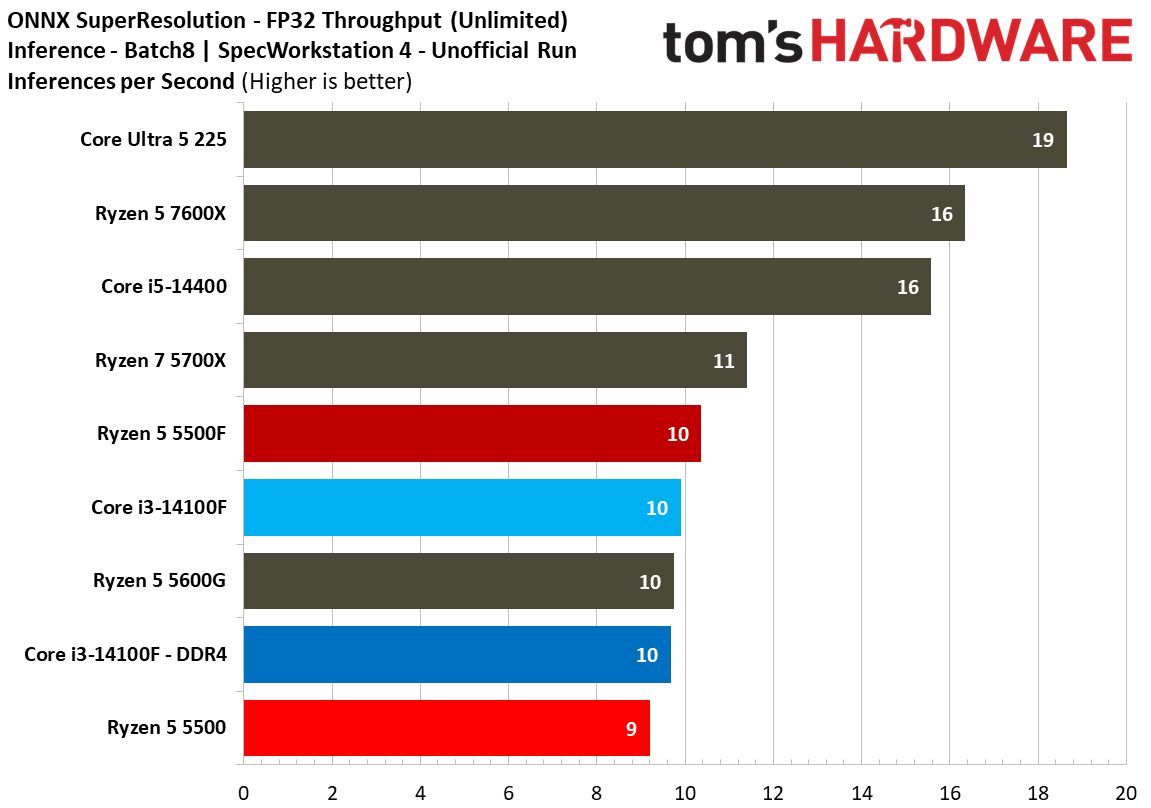
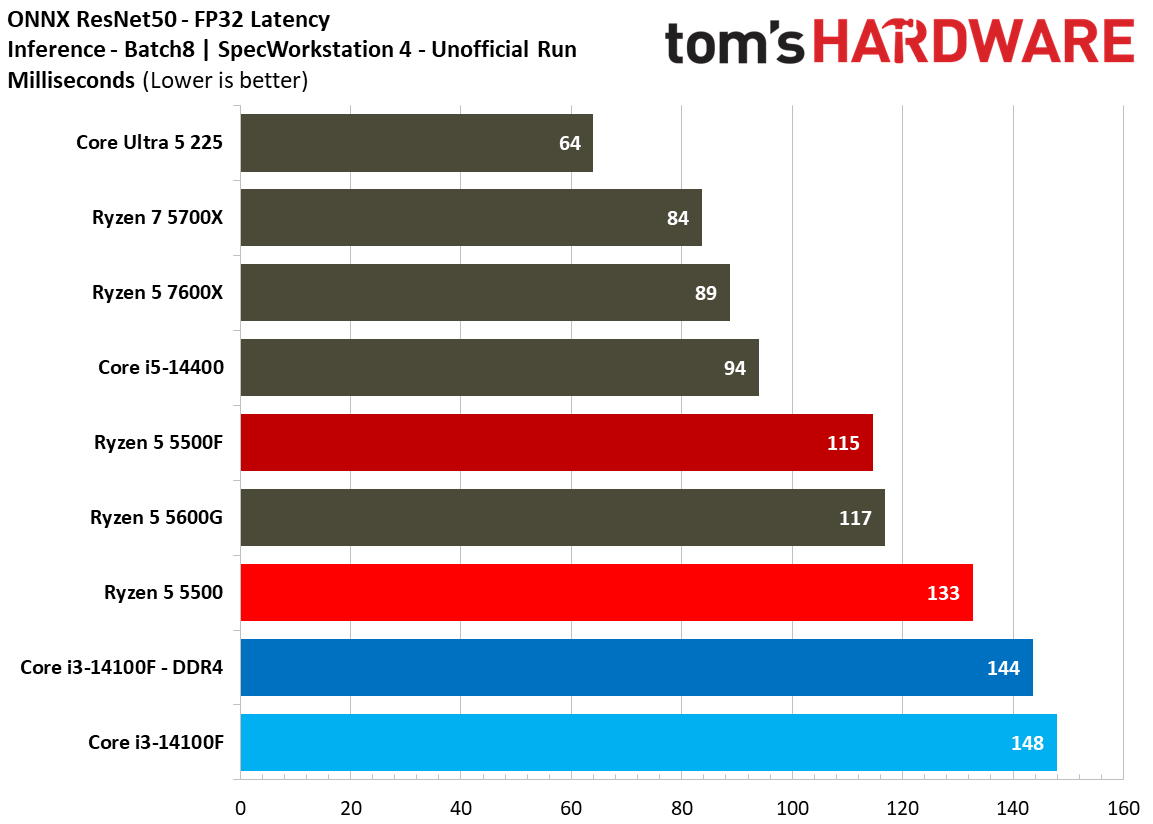
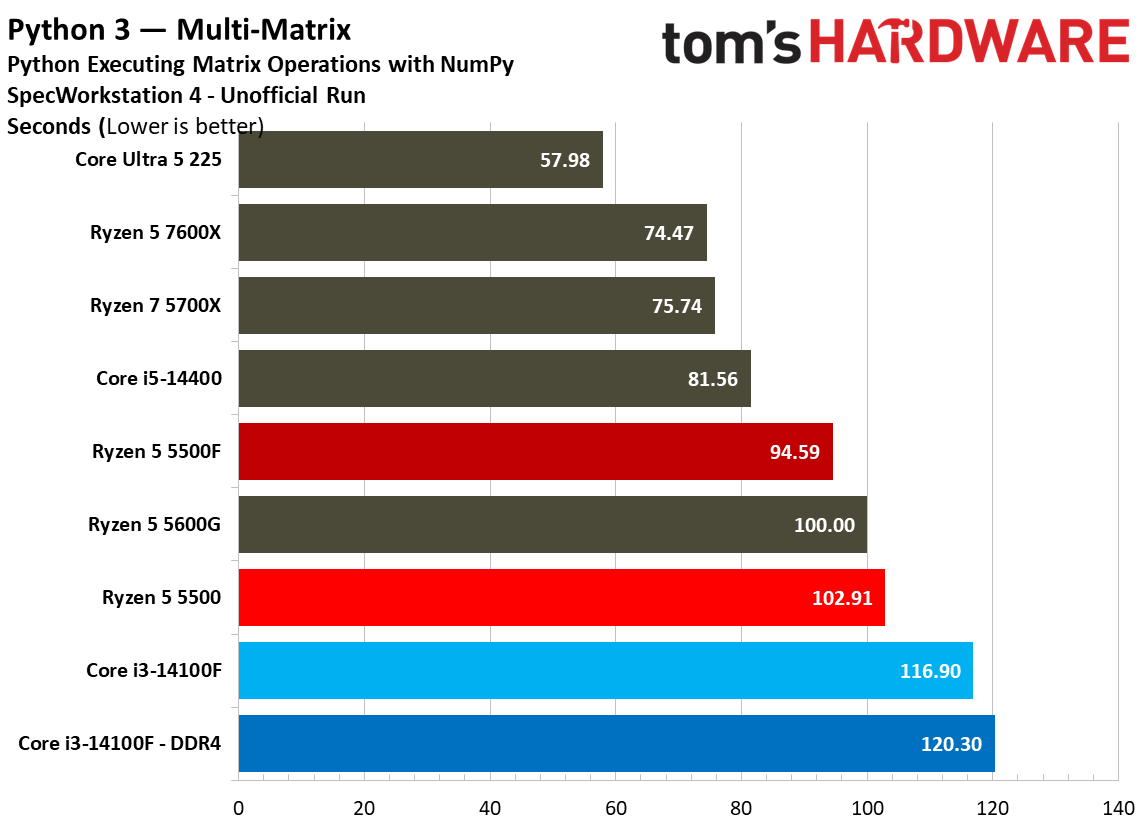
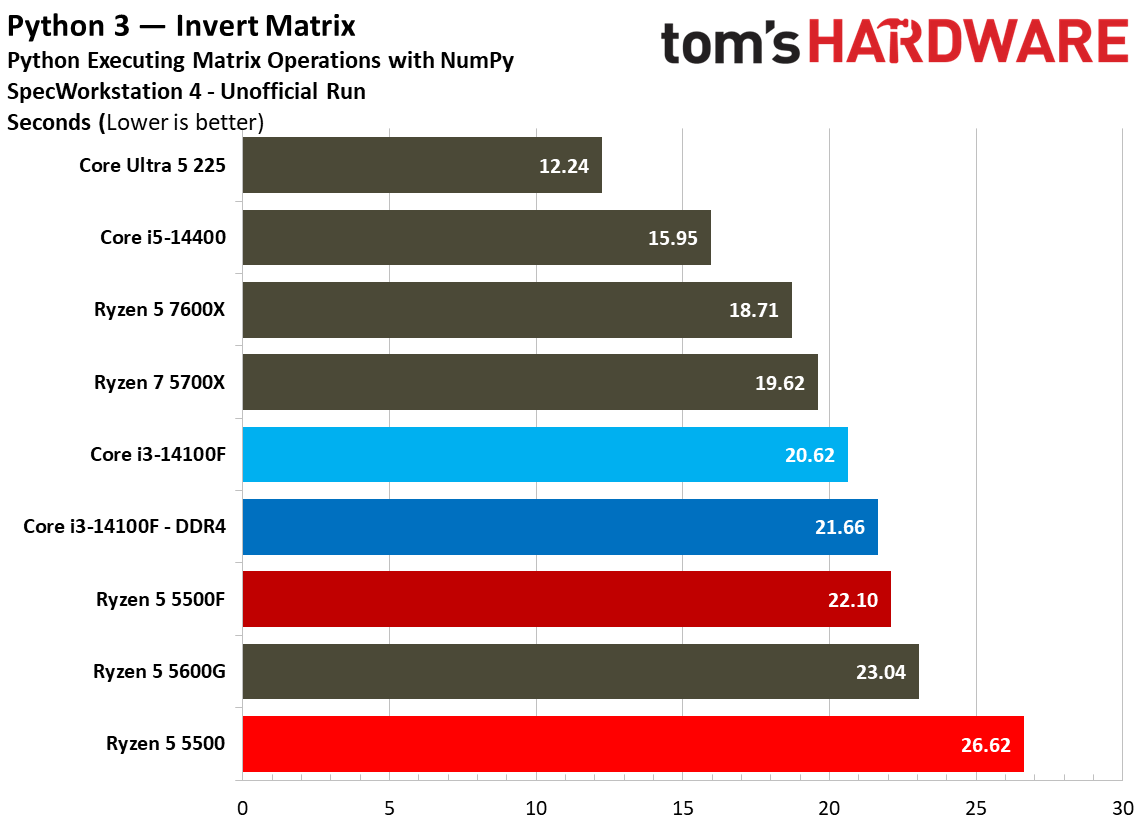
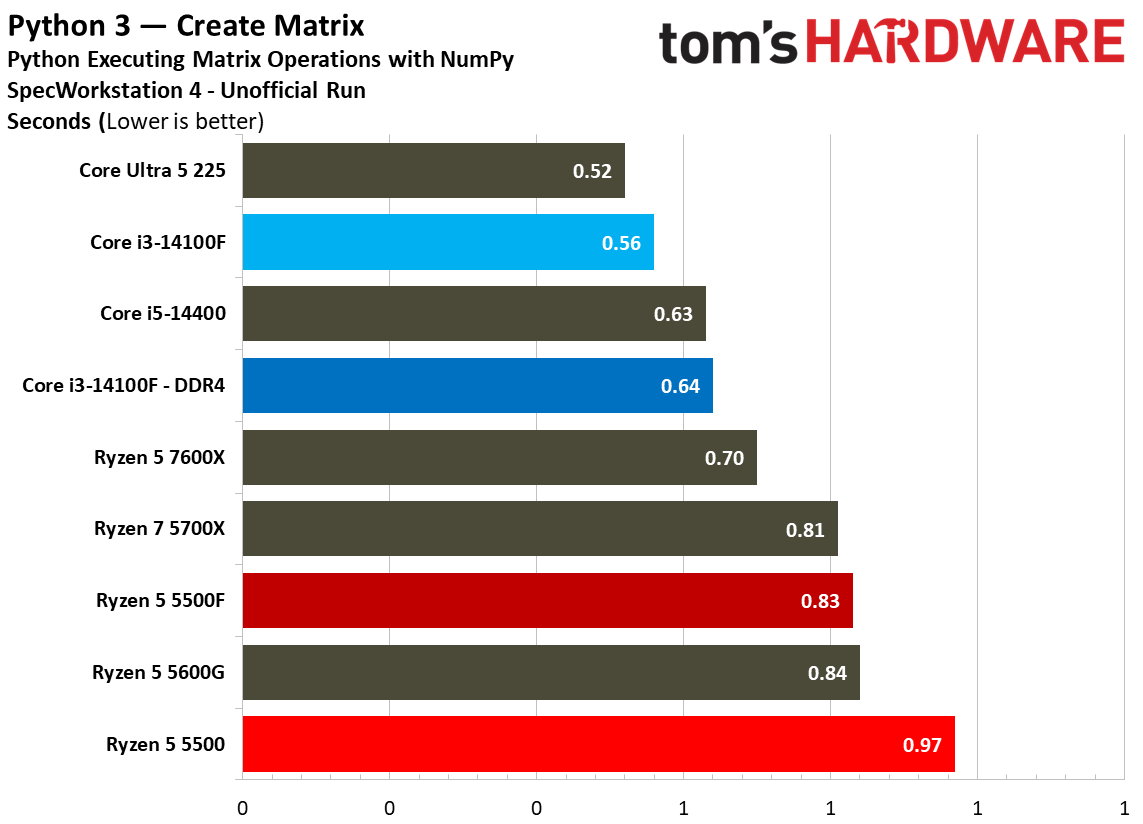
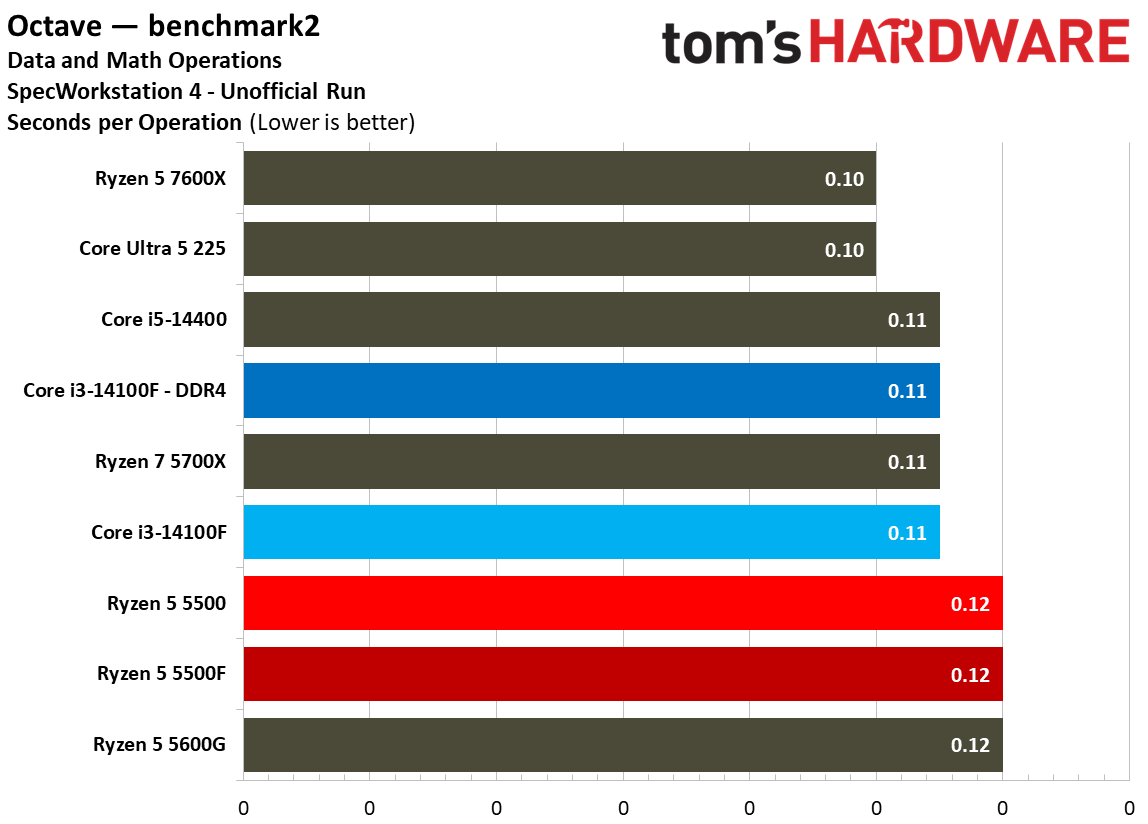
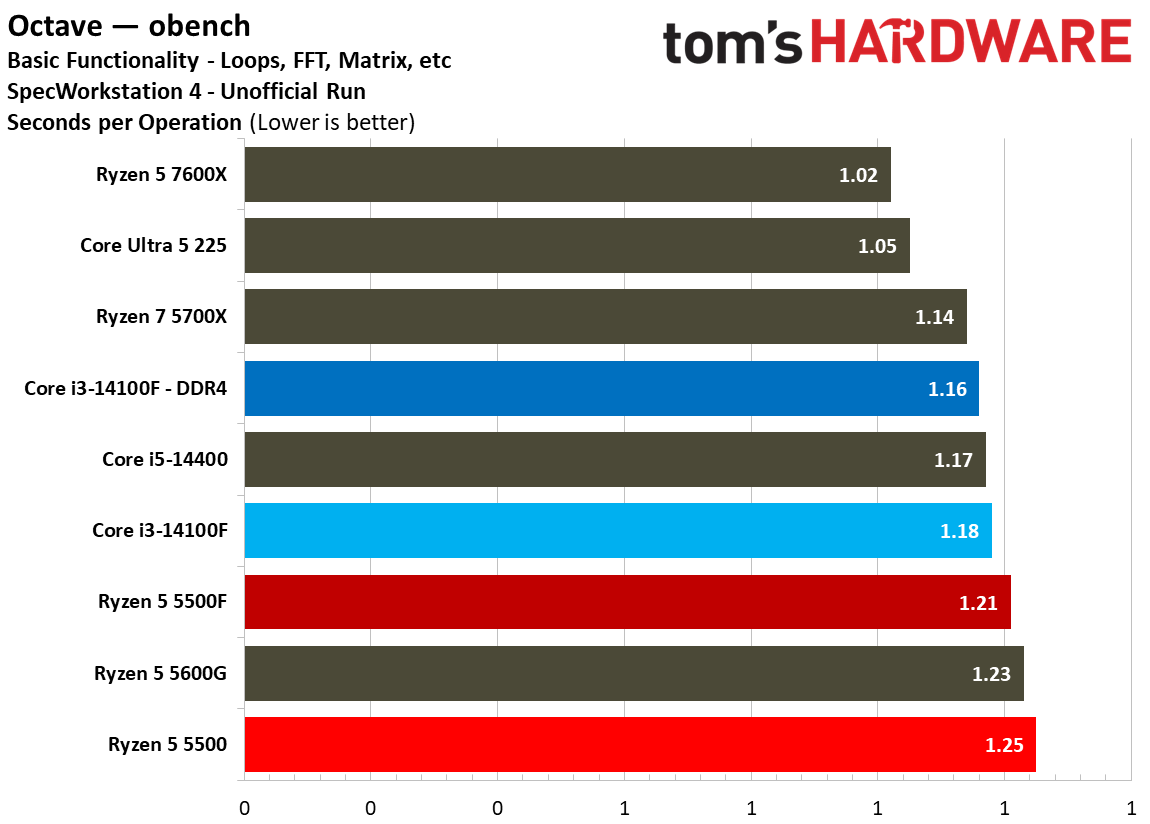
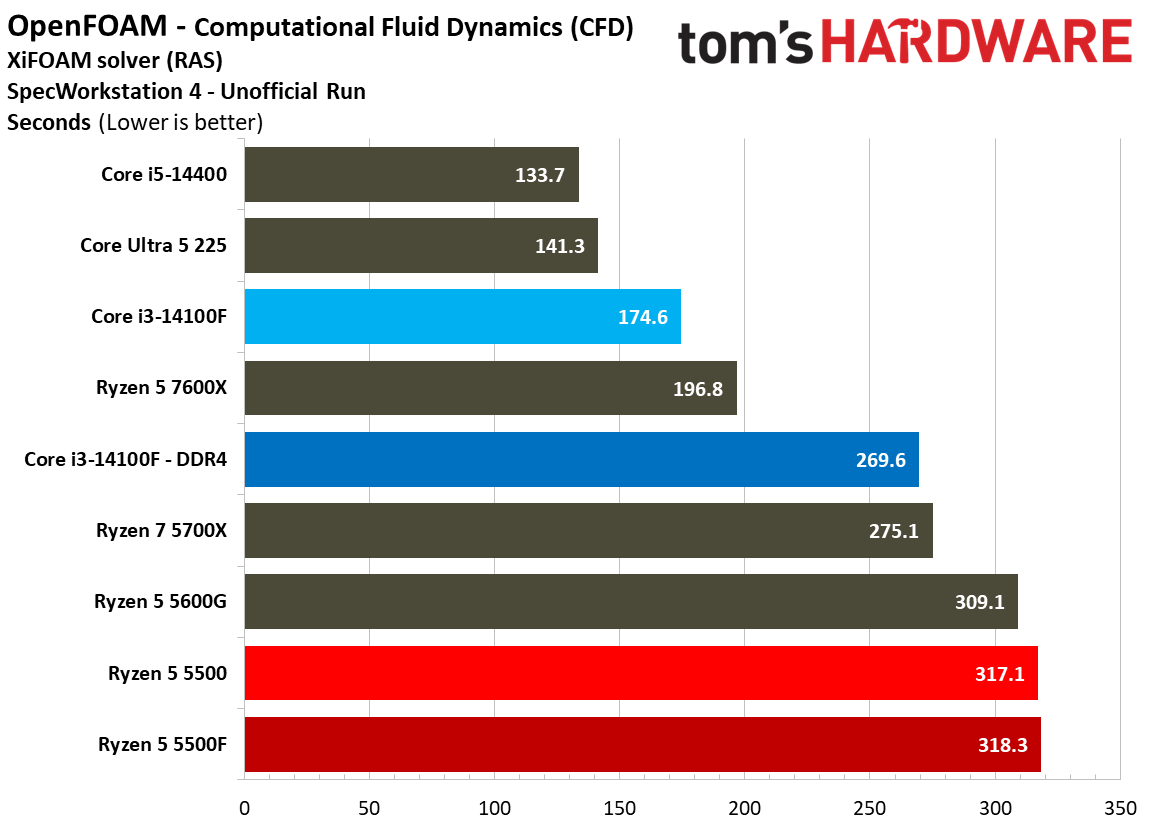
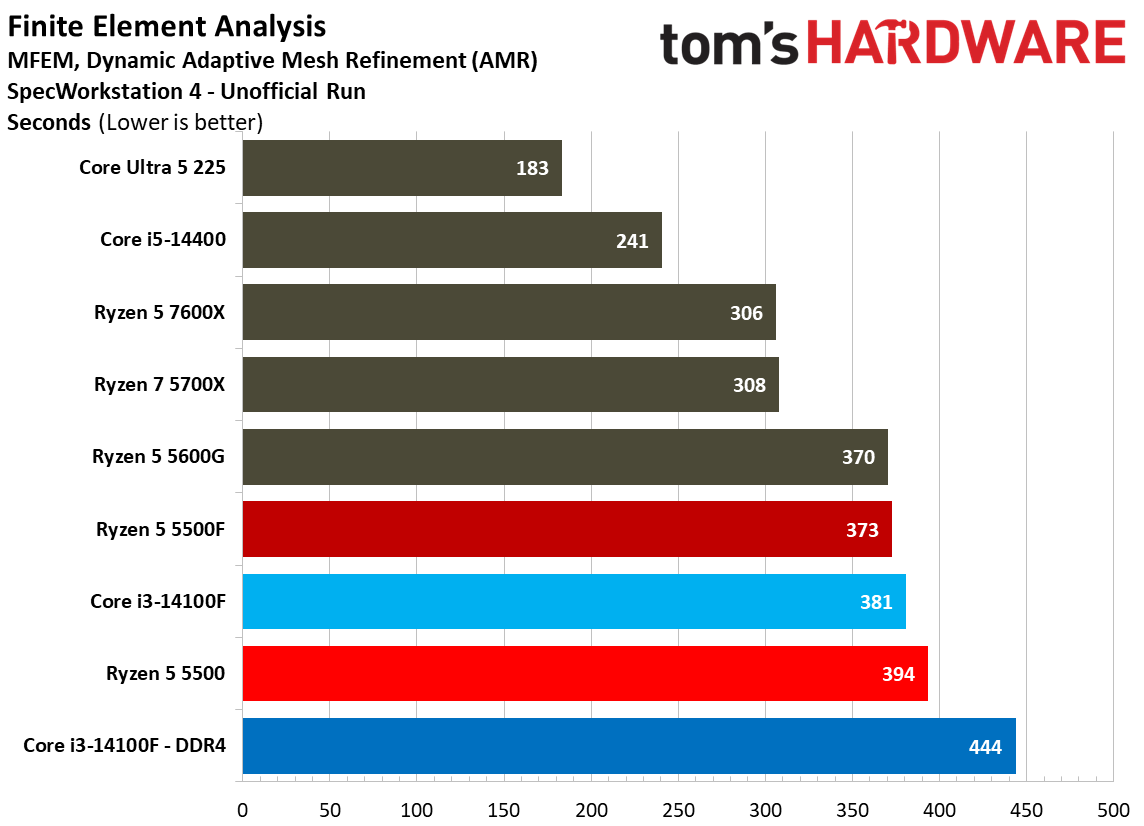
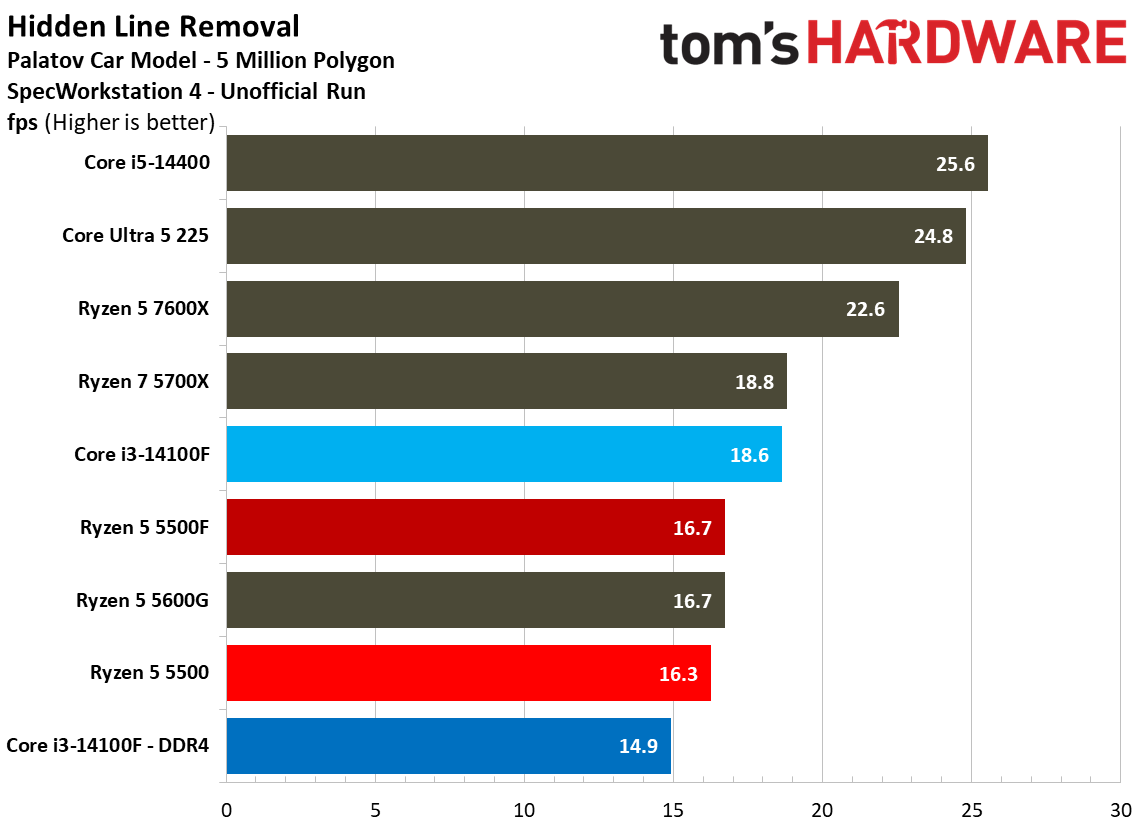
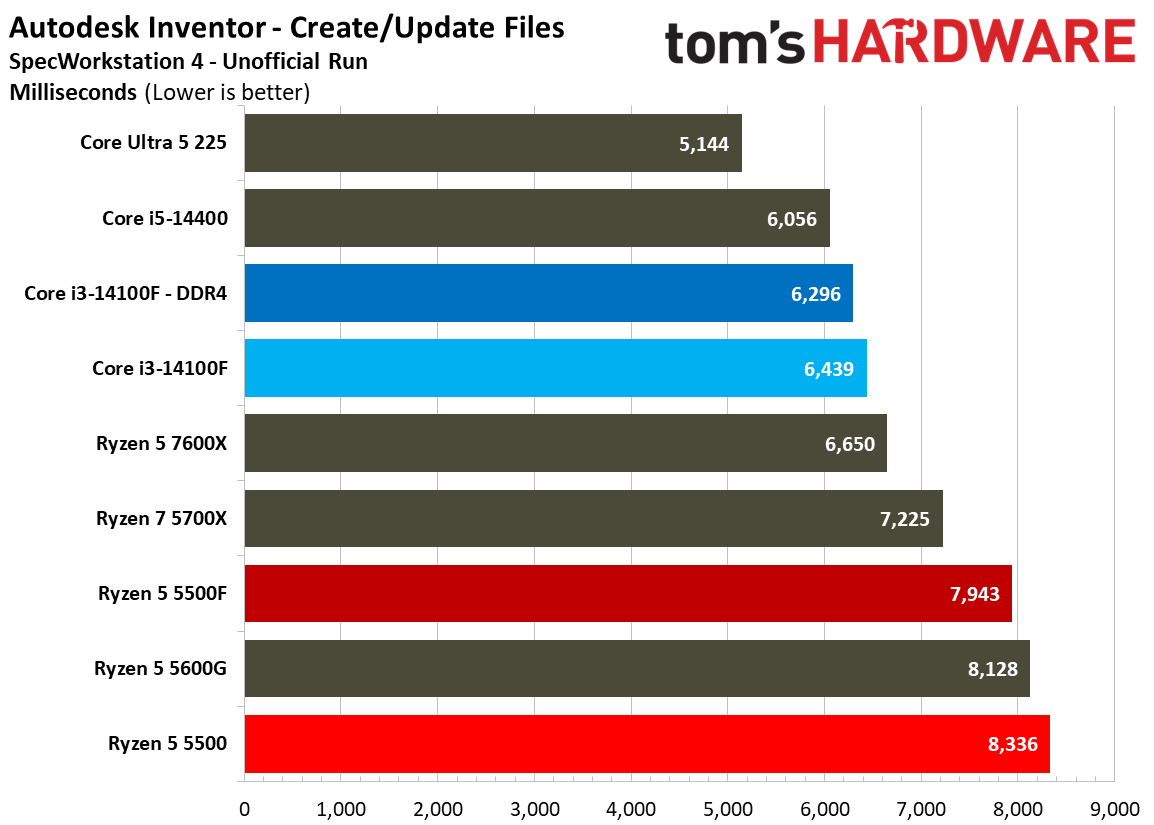
We run SPEC Workstation as part of every CPU pass, and although workstation application performance isn’t relevant to these budget desktop chips, it’s still interesting to see how these applications push against the limitations of such restricted CPU designs. Feel free to peruse, but don’t put too much stock in the actual rankings. These are unrealistic workloads for this class of CPU.

MORE: CPU Benchmark Hierarchy

MORE: AMD vs. Intel

MORE: Intel Core Ultra 7 270K Plus review

MORE: AMD Ryzen 7 9850X3D review

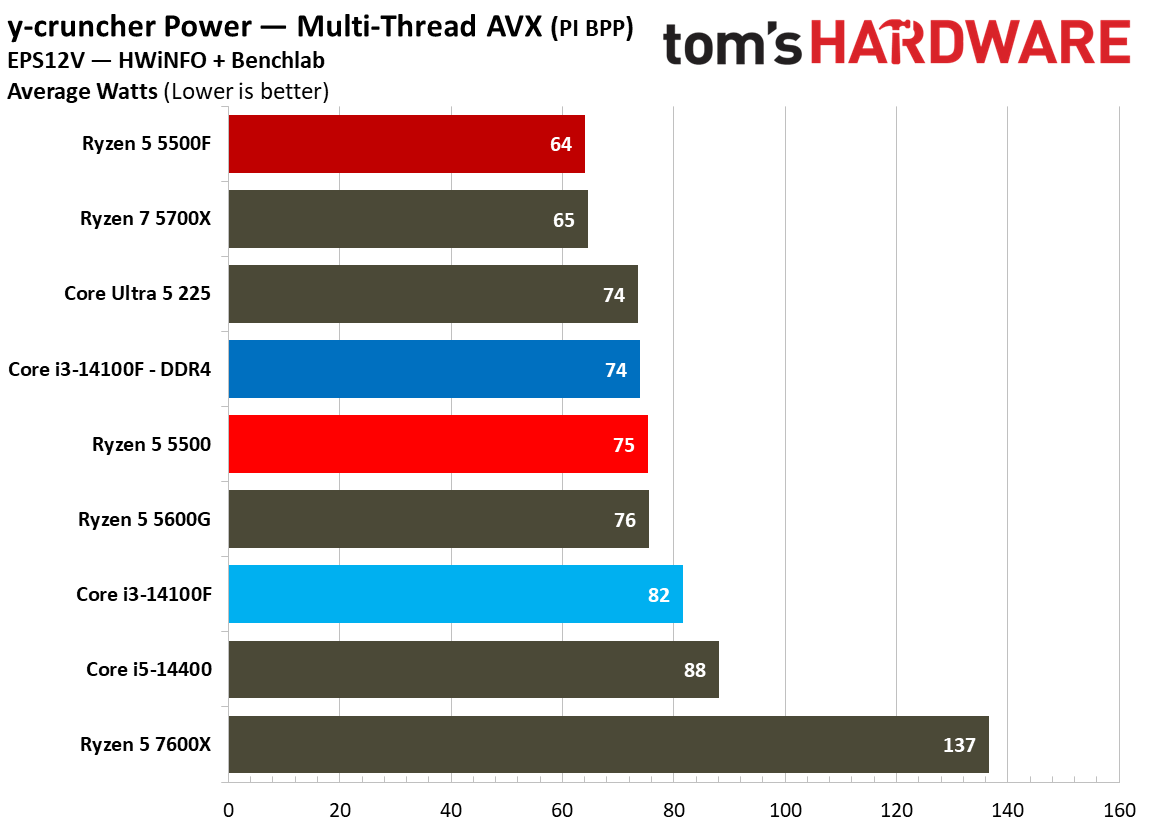
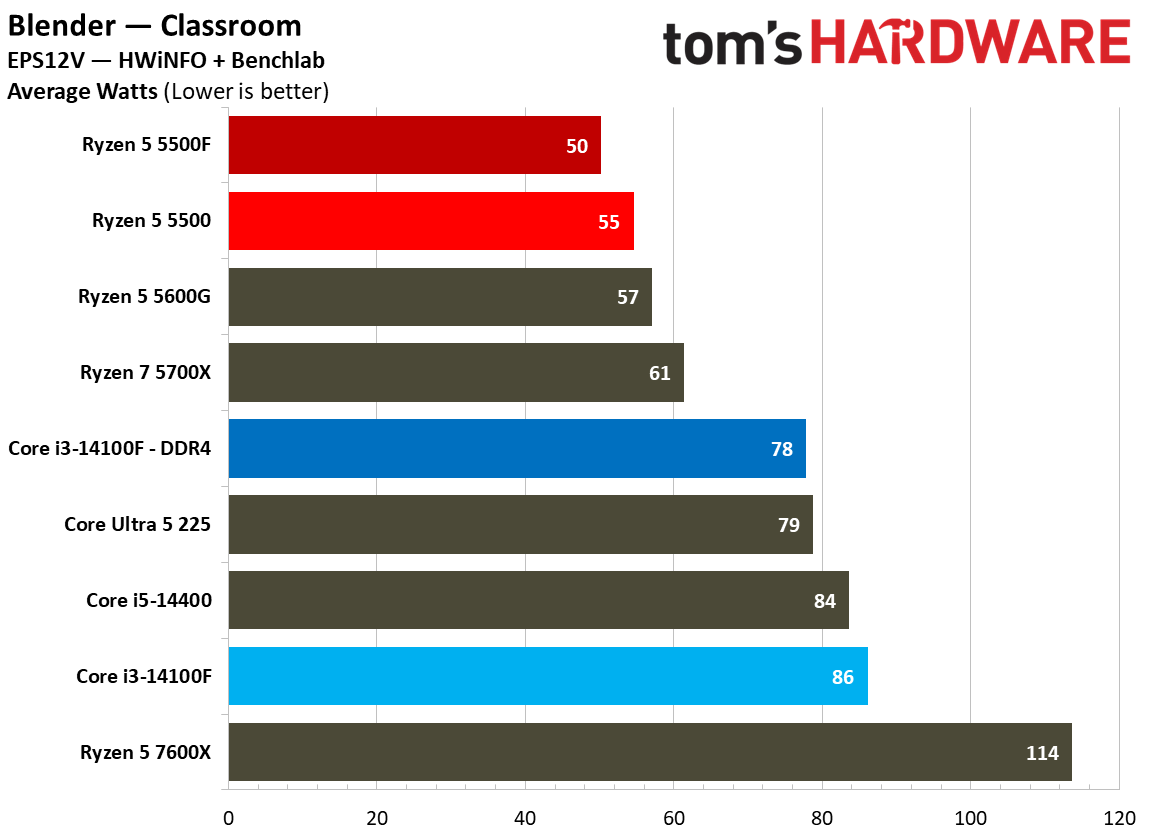
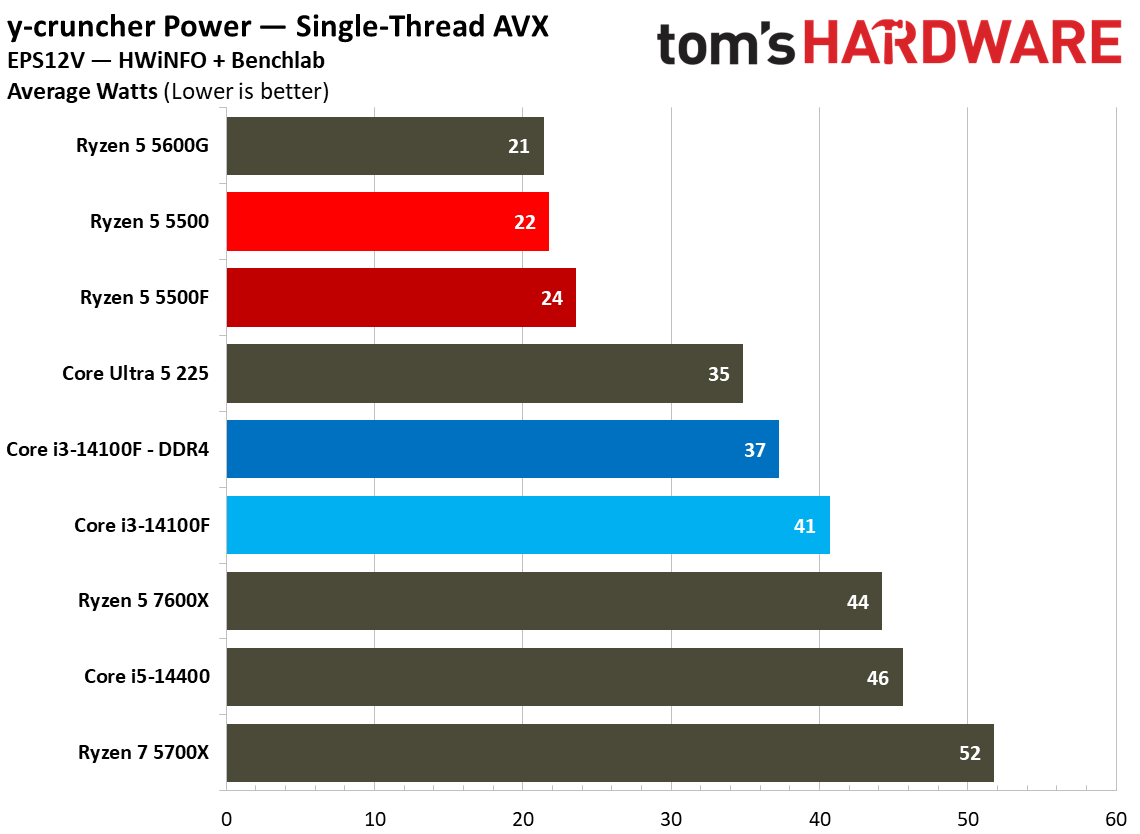
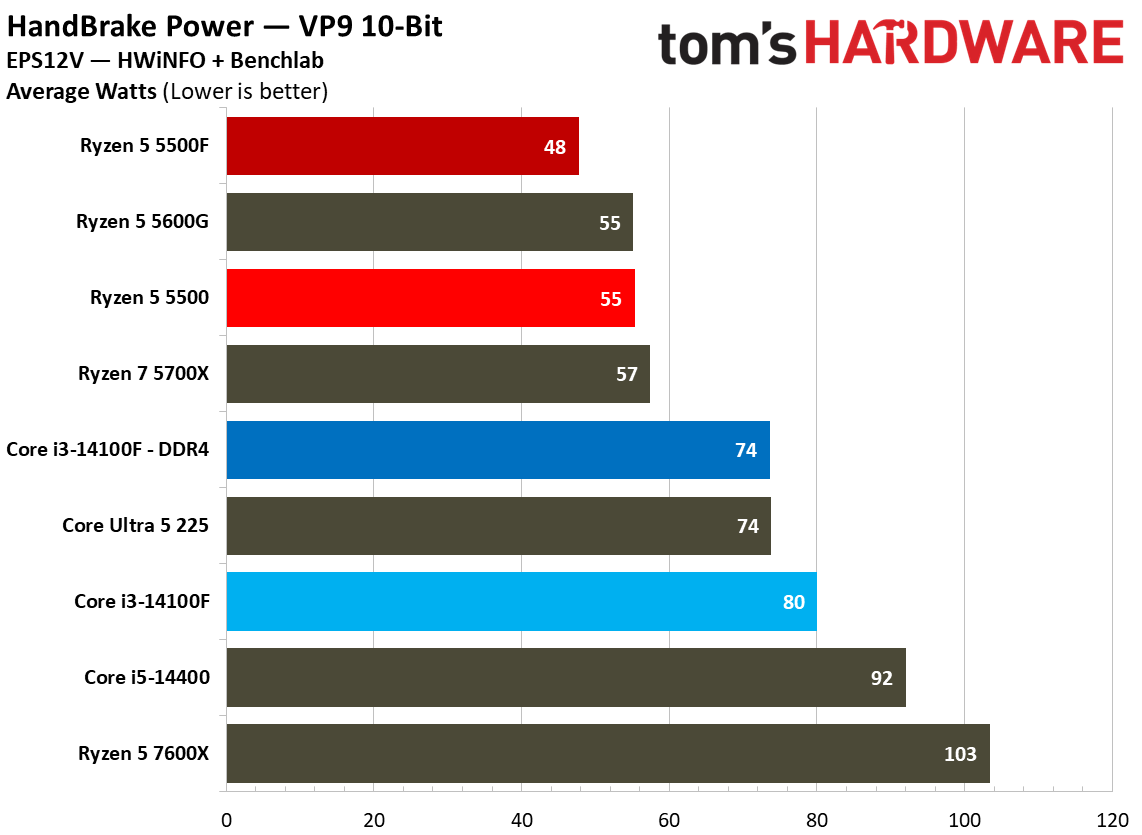
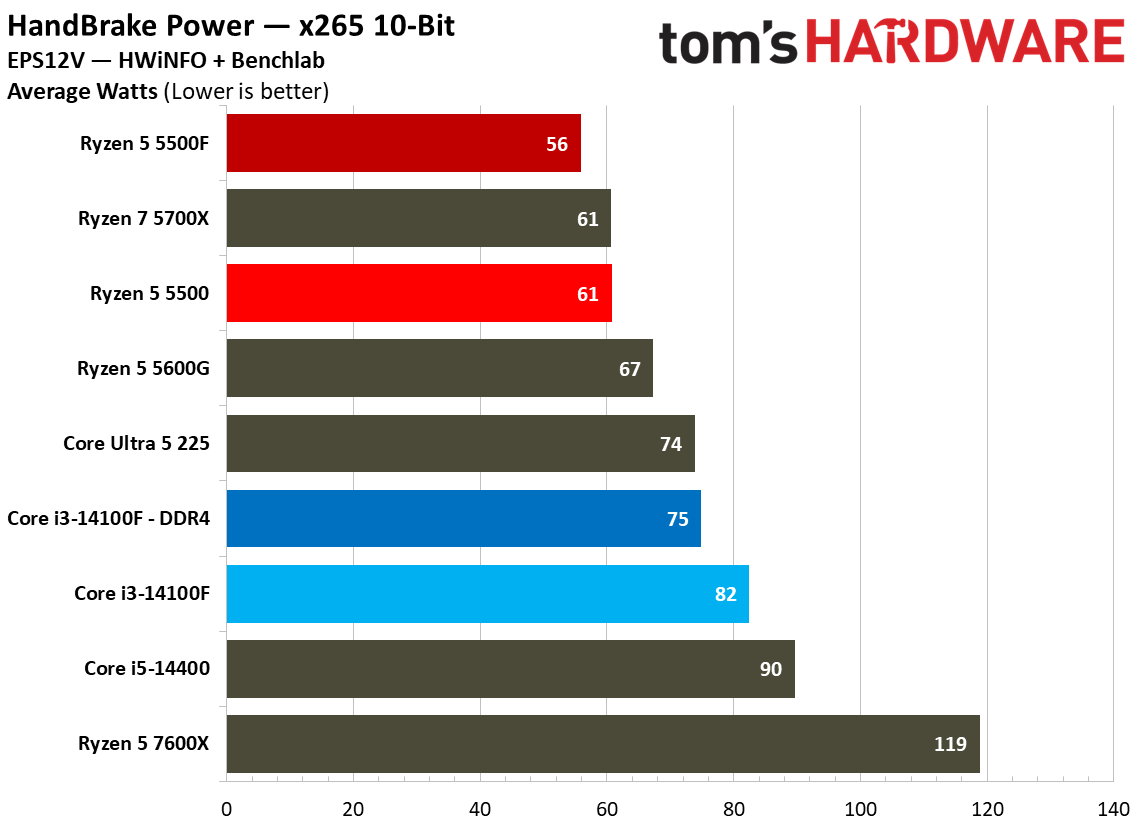
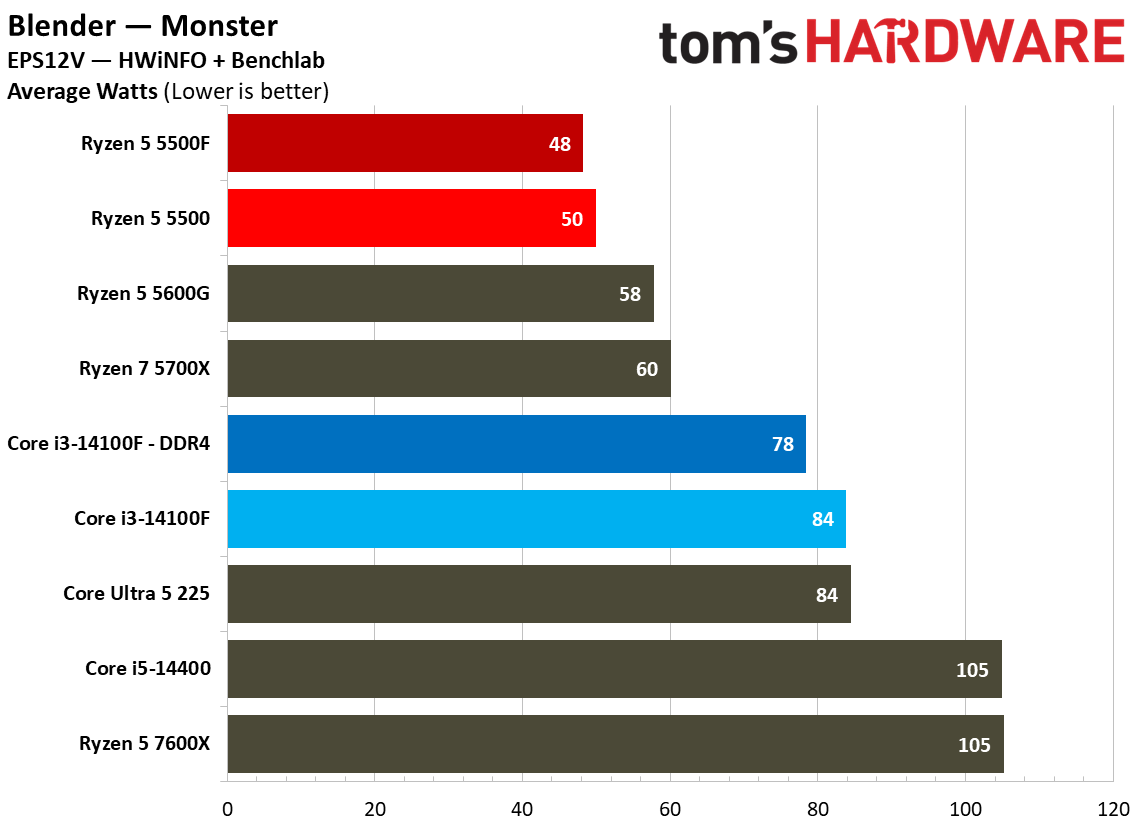
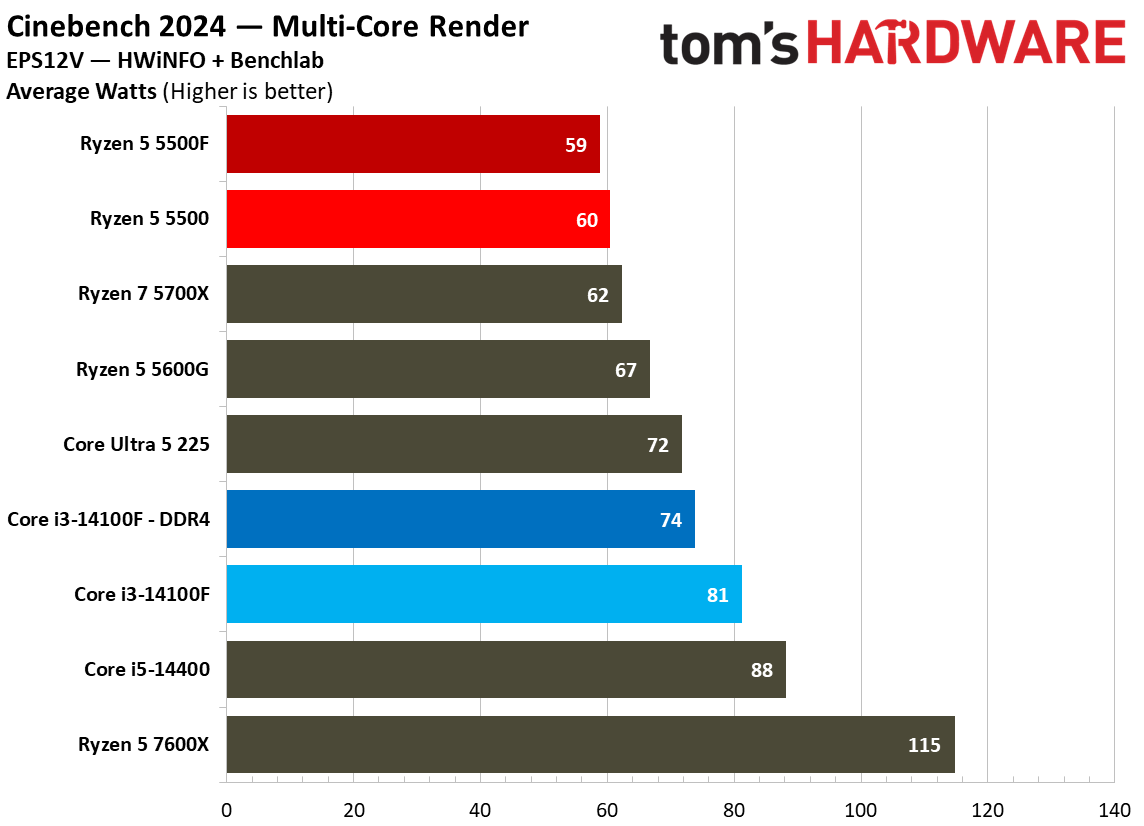
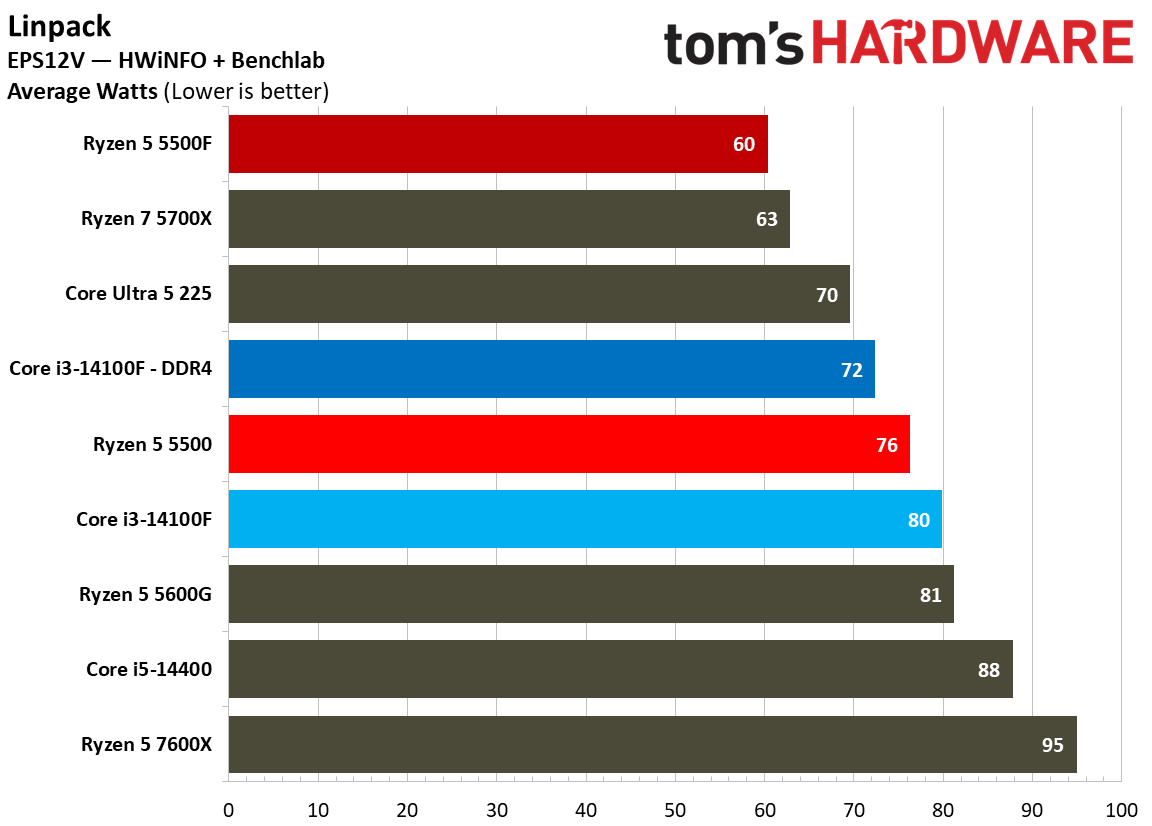
In games, we saw the Ryzen 5 5500F consume more power than the base 5500, actually reaching toward its 65W thermal design. In applications, the opposite is true. The 5500F actually consumed slightly less power than the base 5500, particularly in all-core workloads where the 5500 pushes past its 65W thermal design.

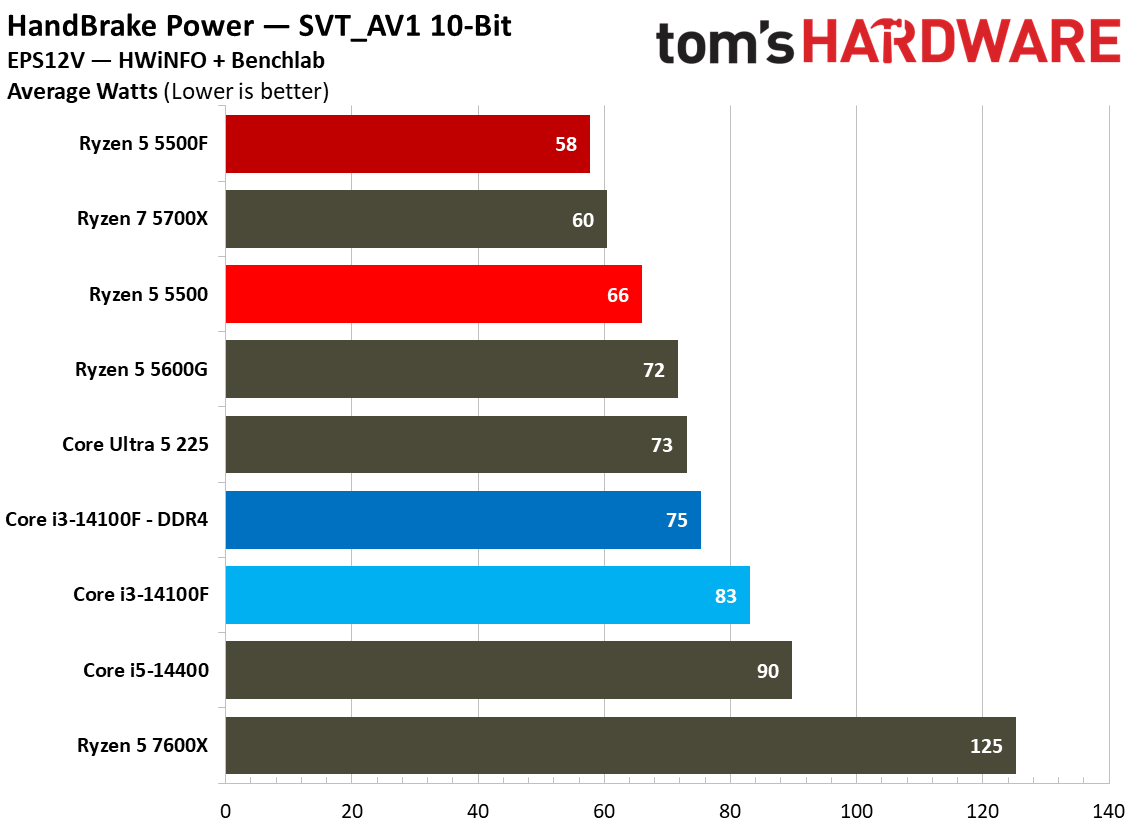
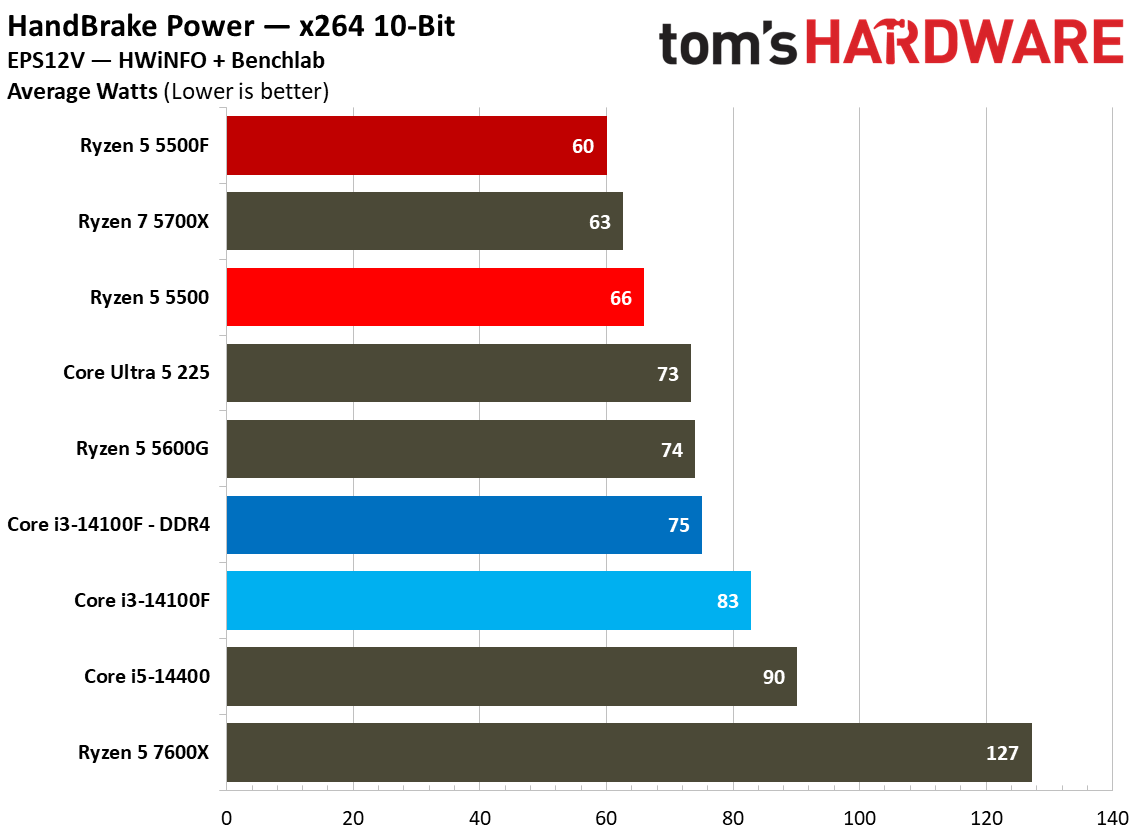
In y-cruncher multi-thread with AVX enabled, the 5500F drew 14.6% less power on average compared to the base 5500 and Core i3-14100F. In Linpack, the 5500F shaved more than 20% of the wattage of the 5500, and in Handbrake using VP9, it cut 12%. We don’t use software monitoring for our power measurements. Results are gathered from the EPS cables themselves.

Power Consumption
Tom's Hardware
Power Consumption
Tom's Hardware
Power Consumption
Tom's Hardware
Power Consumption
Tom's Hardware
Power Consumption
Tom's Hardware
Power Consumption
Tom's Hardware
Power Consumption
Tom's Hardware
Power Consumption
Tom's Hardware
Power Consumption
Tom's Hardware
Power Consumption
Tom's Hardware
Power Consumption
Tom's Hardware
Power Consumption
Tom's Hardware
Power Consumption
Tom's Hardware

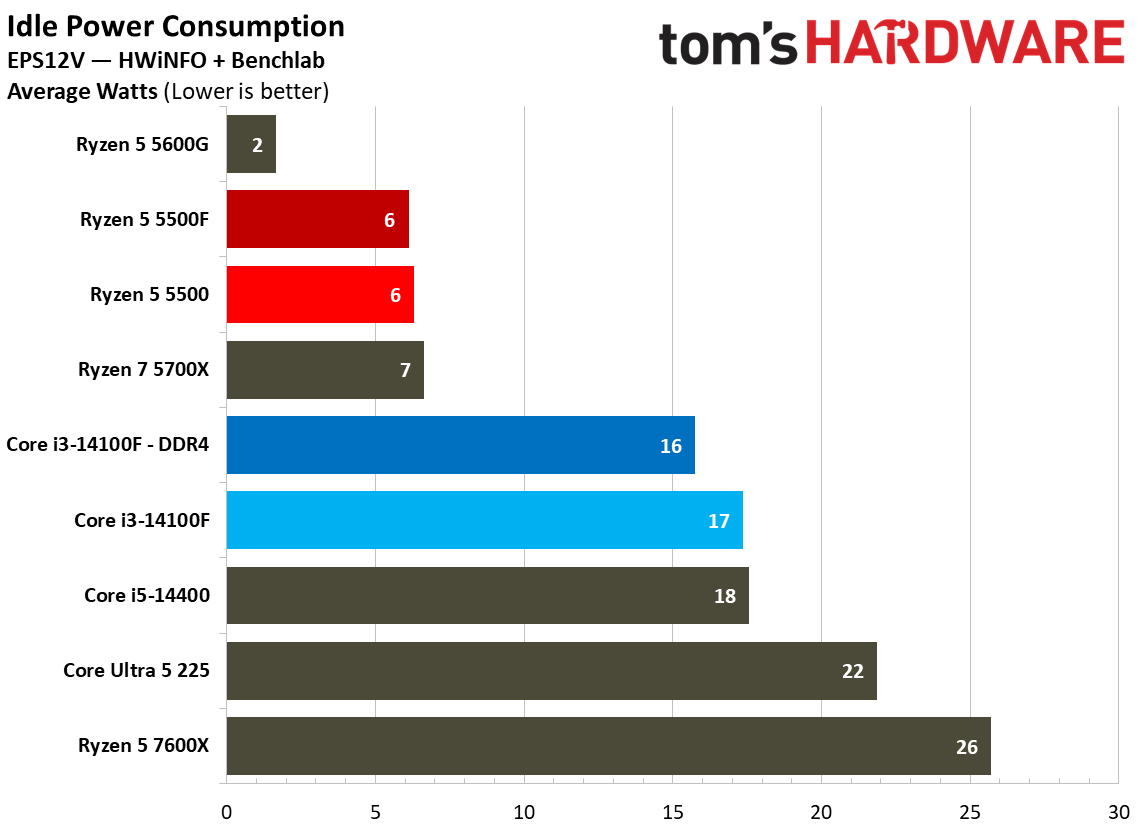
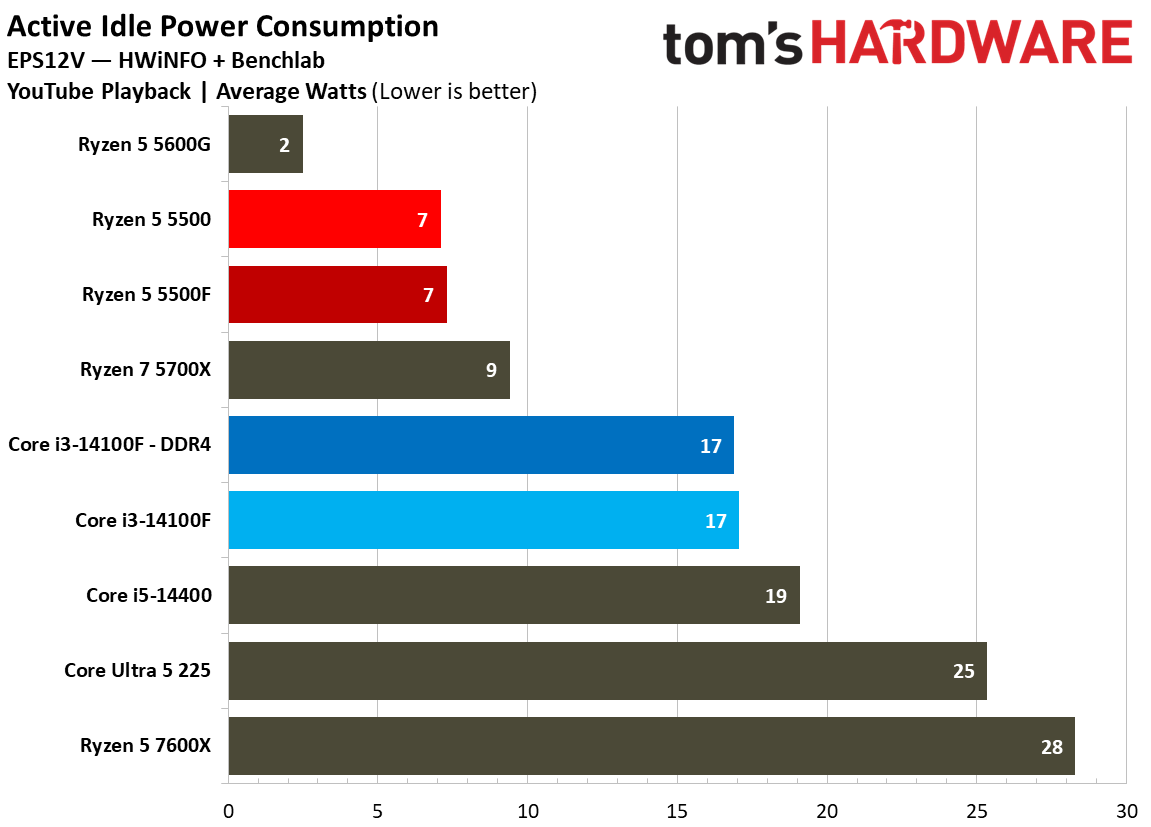
Looking at idle and active idle power measurements, the 5500F maintains Zen 3 low-power idle state, sipping just 7 watts during YouTube playback, dropping down to 6 watts at true idle. The 7600X provides a hint at where idle power draw has gone in the Zen 4/5 era.

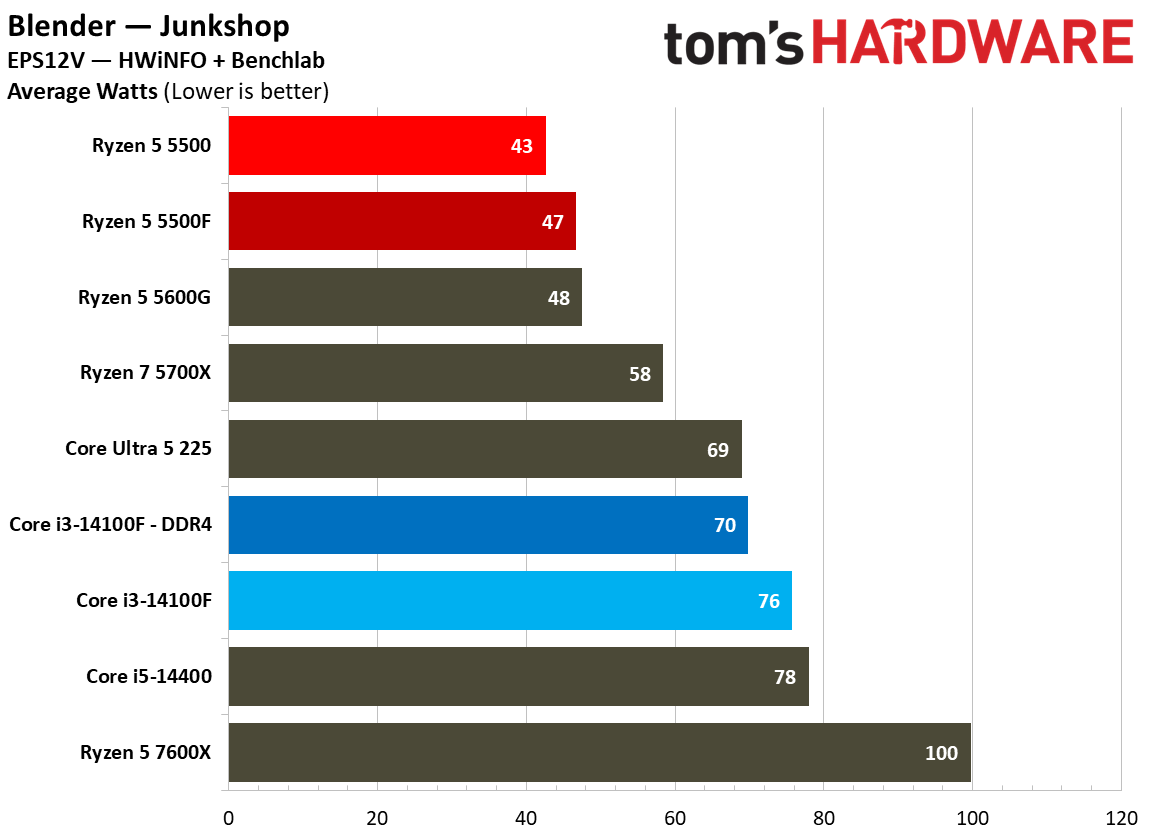
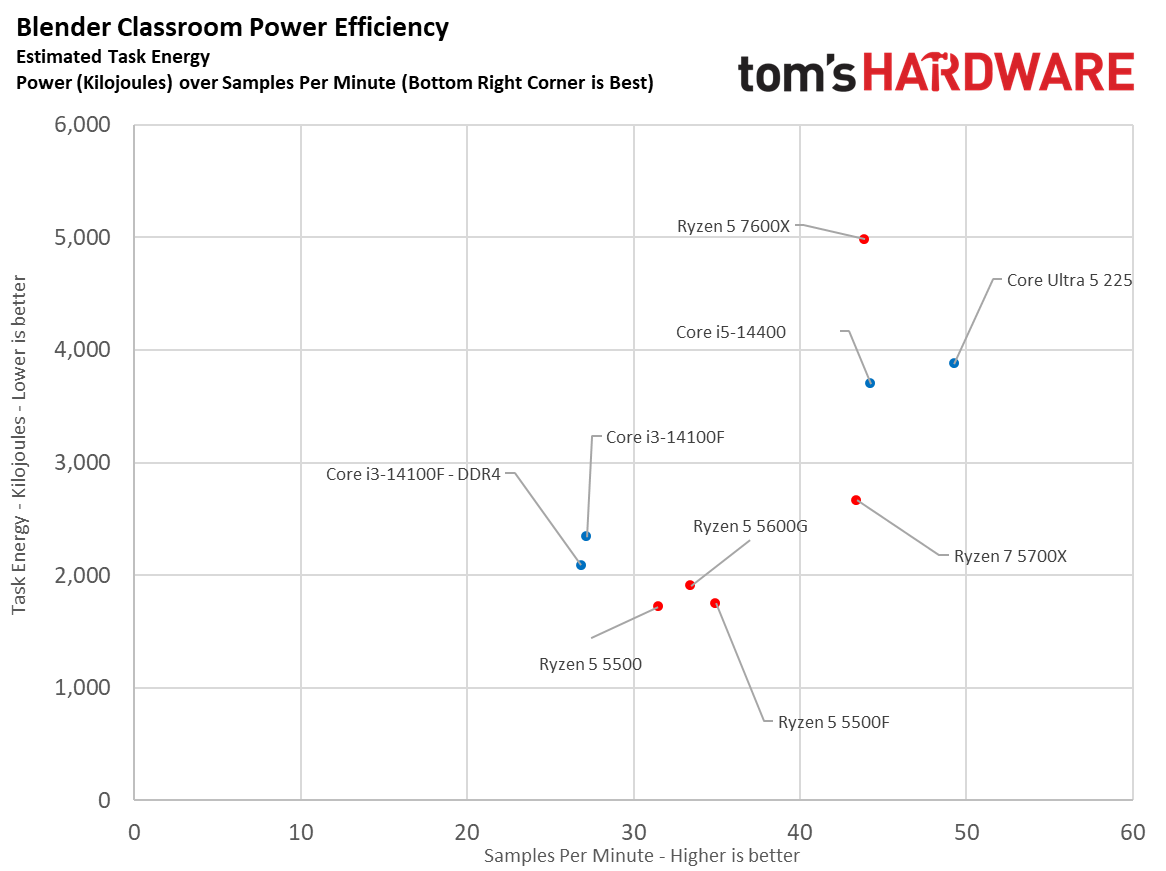
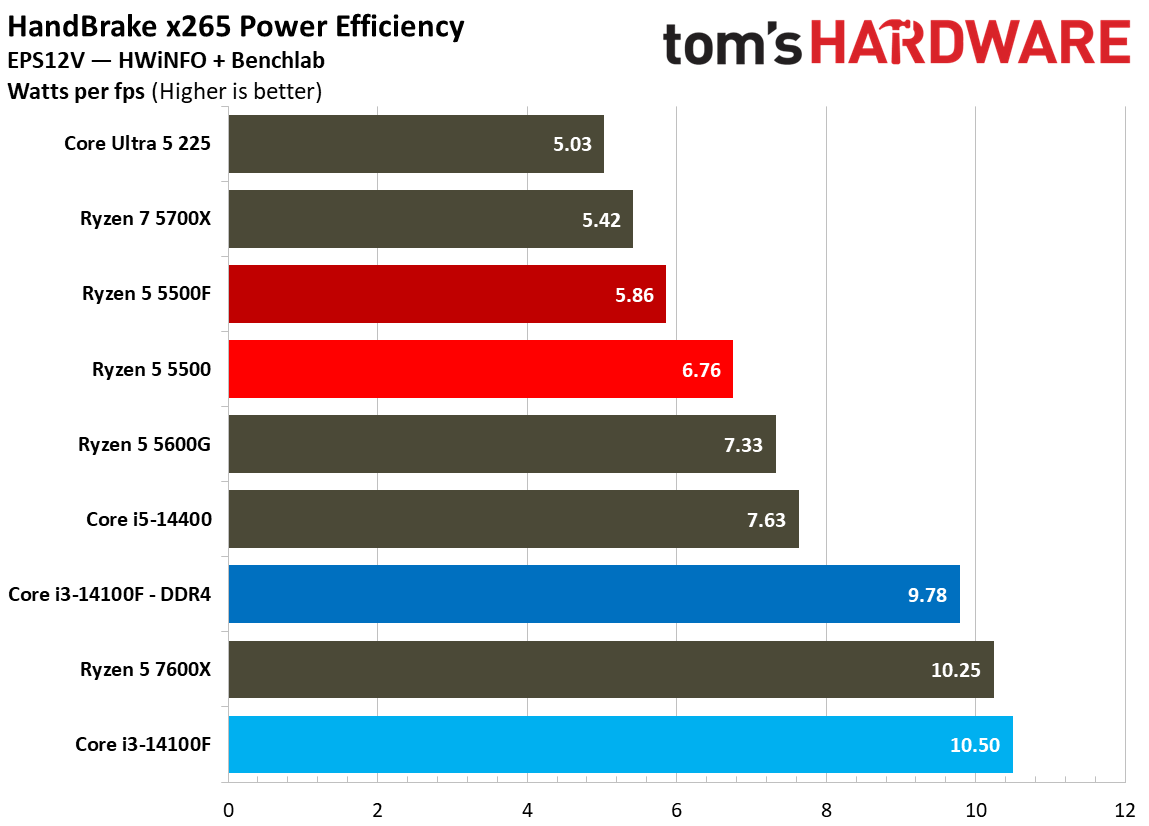
As a result of lower power draw in some tests, it’s no surprise that the 5500F ends up more efficient than the 5500 in y-cruncher and Linpack. In Cinebench and Blender, however, the two CPUs are closely aligned in efficiency, with the 5500F actually coming out slightly less efficient in the Junkshop scene.

Efficiency
Tom's Hardware
Efficiency
Tom's Hardware
Efficiency
Tom's Hardware

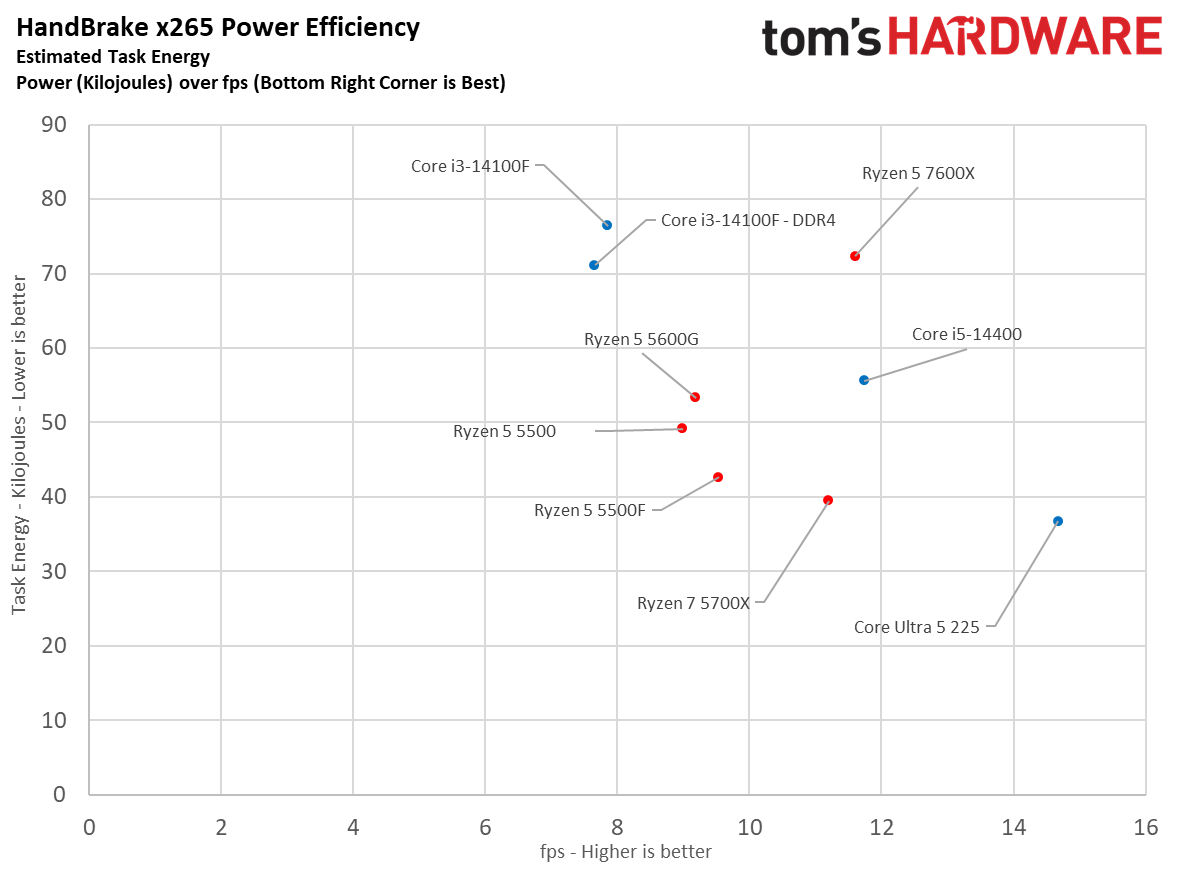
Our scatterplots are a good way to visualize efficiency. In Handbrake, you can see the 5500F provided better performance than the 5500 while consuming less power. In Blender, however, the two CPUs consumed roughly the same power, while the 5500F provided better performance.

Across all of our efficiency tests, the comparison for Intel isn’t great. Not only does the 14100F struggle in all-core workloads, it does so with higher power consumption, occasionally pushing above 80W.

Test Setup

As with all of our CPU reviews, we used as close to identical test setups as possible to isolate CPU performance. There are several steps we take with hardware to normalize results, such as using the same fan speed across each test bench, as well as tweaks we make to the software stack to represent true performance.

Our test images are based on Windows 24H2. We use the same Nvidia driver across both the RTX 2080 Ti and RTX 5090. Additionally, our test images never cross platforms, so chipset drivers on an Intel platform never see an AMD chip, or vice versa. Application versions are pinned where possible. For games, where pinning isn’t possible, we do regression testing in the event of an update, and if required, retest the pool of chips if the performance profile has changed.

Finally, we tweak the BIOS. Every system has access to EXPO/XMP, as well as ReBAR. Virtualization-Based Security (VBS) is disabled. For Intel systems, we use the default power profile, not more extreme power profiles that aren’t covered under warranty. Similarly, we disable AMD’s Precision Boost Overdrive (PBO), as it can push the processor outside warrantied specifications.

Intel LGA 1700 (Raptor Lake, Alder Lake)

Motherboard

MSI MPG Z790 Carbon Wi-Fi

RAM

2x16GB G.Skill Trident Z Neo RGB DDR5-7200

Intel LGA 1700 DDR4 (Raptor Lake, Alder Lake)

Motherboard

MSI MPG Z690 Edge Wi-Fi DDR4

RAM

4x8GB G.Skill Trident Z RGB DDR4-3200

AMD AM4 (Zen 3)

Motherboard

Asus Tuf Gaming X570-Pro Wi-Fi

RAM

4x8GB G.Skill Trident Z RGB DDR4-3200

All Systems

Gaming CPU

Nvidia GeForce RTX 5090 Founder’s Edition

Application GPU

Nvidia GeForce RTX 2080 Ti Founder’s Edition

Cooler

Corsair iCue Link H150i RGB

Storage

2TB Sabrent Rocket 4 Plus

PSU

MSI MPG A1000GS, Gigabyte UD1000GM PG5 V2

Other

Arctic MX-4 TIM, Windows 11 Pro, Alamengda open test bench

MORE: CPU Benchmark Hierarchy

MORE: AMD vs. Intel

MORE: Intel Core Ultra 7 270K Plus review

MORE: AMD Ryzen 7 9850X3D review

AMD Ryzen 5 5500F

(Image credit: Tom's Hardware)

The Ryzen 5 5500F is a compelling chip right now. When memory, storage, and GPU prices are at an all-time high, it offers a simple entry point into the AM4 platform, which remains relevant for midrange gaming rigs, on the heels of AMD re-releasing the Ryzen 7 5800X3D. The 5500F solves the major issues with AMD’s previous budget offering, upgrading the PCIe standard to Gen 4 and offering gaming performance that can rival the Core i3-14100F.

Price is the only issue. As is the case with many lower-end SKUs, availability of the Ryzen 5 5500F has been spotty at MSRP. It’s sold north of $120 in many cases, while the Core i3-14100F is available for around $100. AMD has the upside of a 5800X3D upgrade in the future; Intel has the Raptor Lake Refresh stack and DDR5 options. The right choice between them largely comes down to what your future upgrade plans are, especially if inflated RAM and storage prices persist.

AMD Ryzen 5 5500F

(Image credit: Tom's Hardware)

Gaming is a major focal point here. You can buy a much better CPU for $150 or $200, but going with a $100 chip such as the 5500F gives you that much more money to spend on a graphics card. Intel still leads in our 1080p geomean with the Core i3-14100F paired with DDR4, though only by 2.9%. That’s enough of a lead to still call it a lead, but we’re not far off noise levels.

Intel comes out ahead overall, but as you can see from our gaming benchmarks, the 14100F and 5500F swap places for the top slot between them from title to title. What was consistent was the uplift the 5500F showed over the 5500, often running ahead by around 7%, and by as much as 10%.

AMD Ryzen 5 5500F

(Image credit: Tom's Hardware)

Although the modern dynamic between Intel and AMD shows Team Red ahead in games and Team Blue ahead in applications, the opposite is true here. The lowly quad-core Core i3-14100F can’t muster better multi-threaded performance than the Ryzen 5 5500, and certainly not the 5500F.

AMD Ryzen 5 5500F

(Image credit: Tom's Hardware)

That’s despite the fact that the single-threaded performance of the Core i3-14100F is superior. The extra cores on the Ryzen 5 5500F pull their weight in threaded applications, though neither chip is built for much beyond basic office and web productivity. As a host CPU for a server, the nT performance of the Ryzen 5 5500F is a safer bet.

It’s a toss-up between recommending the Core i3-14100F or Ryzen 5 5500F; as mentioned, both have their advantages when it comes time to upgrade. Hopefully the price on the 5500F will come down. As it stands, the extra $20 is an annoyance more so than a dealbreaker, but it would nice to see the 5500F on level footing with the 14100F when it comes to price.

MORE: CPU Benchmark Hierarchy

MORE: AMD vs. Intel

MORE: Intel Core Ultra 7 270K Plus review

MORE: AMD Ryzen 7 9850X3D review

✇Tomshardware

AMD and Intel will work together to create a single PyTorch code path for AI inference on CPUs

作者 Jake Roach

Intel and AMD are integrating their CPU optimizations for PyTorch into a unified library, offering tuning for both AMD and Intel chips through the oneDNN library. AMD has maintained a downstream version of oneDNN called ZenDNN, which is now moving into the open-source oneDNN, published by the UXL Foundation and driven by Intel. AMD also announced it's joining the UXL Foundation as a "steering member," which "influences the future of the UXL Foundation" in exchange for a contribution of $20,000 per year.

AMD says the move to unify these efforts under oneDNN was recommended by the x86 Ecosystem Advisory Group (EAG), which is a joint initiative that primarily exists between Intel and AMD and was established in 2024. The two companies have collaborated through the EAG previously, such as with the ACE extensions for x86 that we learned about earlier this year.

The oneDNN backend is used for CPU inference, and it's built to accelerate that workload for the latest Intel (and now AMD) chips in frameworks like PyTorch. When oneDNN was added to PyTorch as a backend in late 2023, it showed a 1.24x improvement with the Float32 data type, and 2.21x for the BFloat16 data type.

From the oneDNN GitHub, the library "detects hardware features at runtime" to generate optimized kernels for the platform, as well as provides low-precision data types. It also features optimized instructions for common AI and machine learning operations, such as matrix multiplication and convolution.

For developers, the move simplifies working with PyTorch across different systems, ensuring a single backend provides the proper optimizations for whatever hardware you're running. Although the news here is focused on the x86 guard, oneDNN is a cross-platform library that works on Arm and RISC-V architectures as well.

Intel originally developed oneDNN, built on top of previously deep learning libraries, before it was folded into the UXL Foundation. Intel was among the founding members of the UXL Foundation, alongside Arm, Qualcomm, Google Cloud, and others.

✇Tomshardware

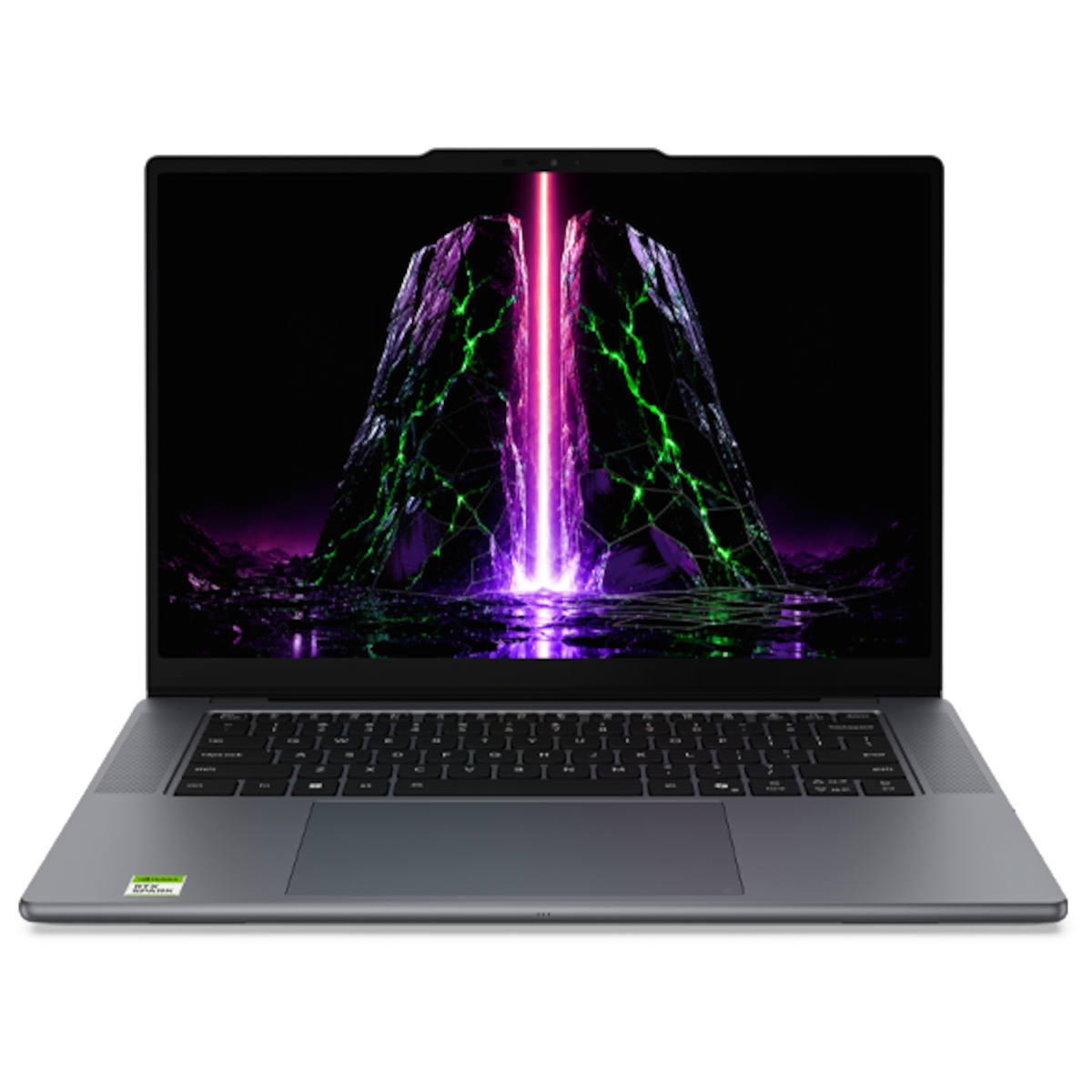
Nvidia RTX Spark devices are now officially on sale, secure the Surface Laptop Ultra or other RTX Spark laptops here

作者 Jake Roach

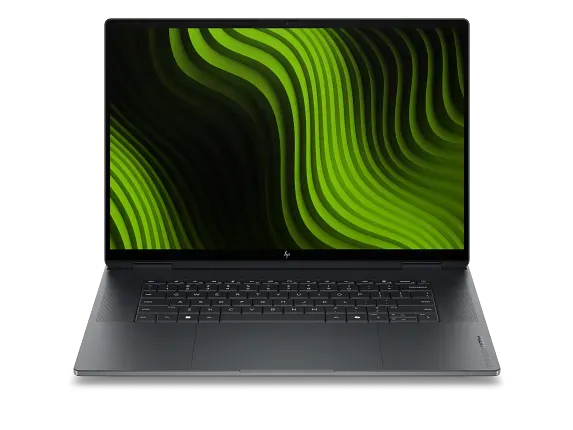
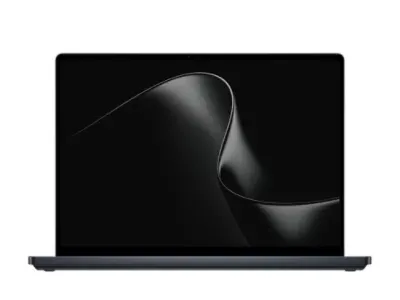
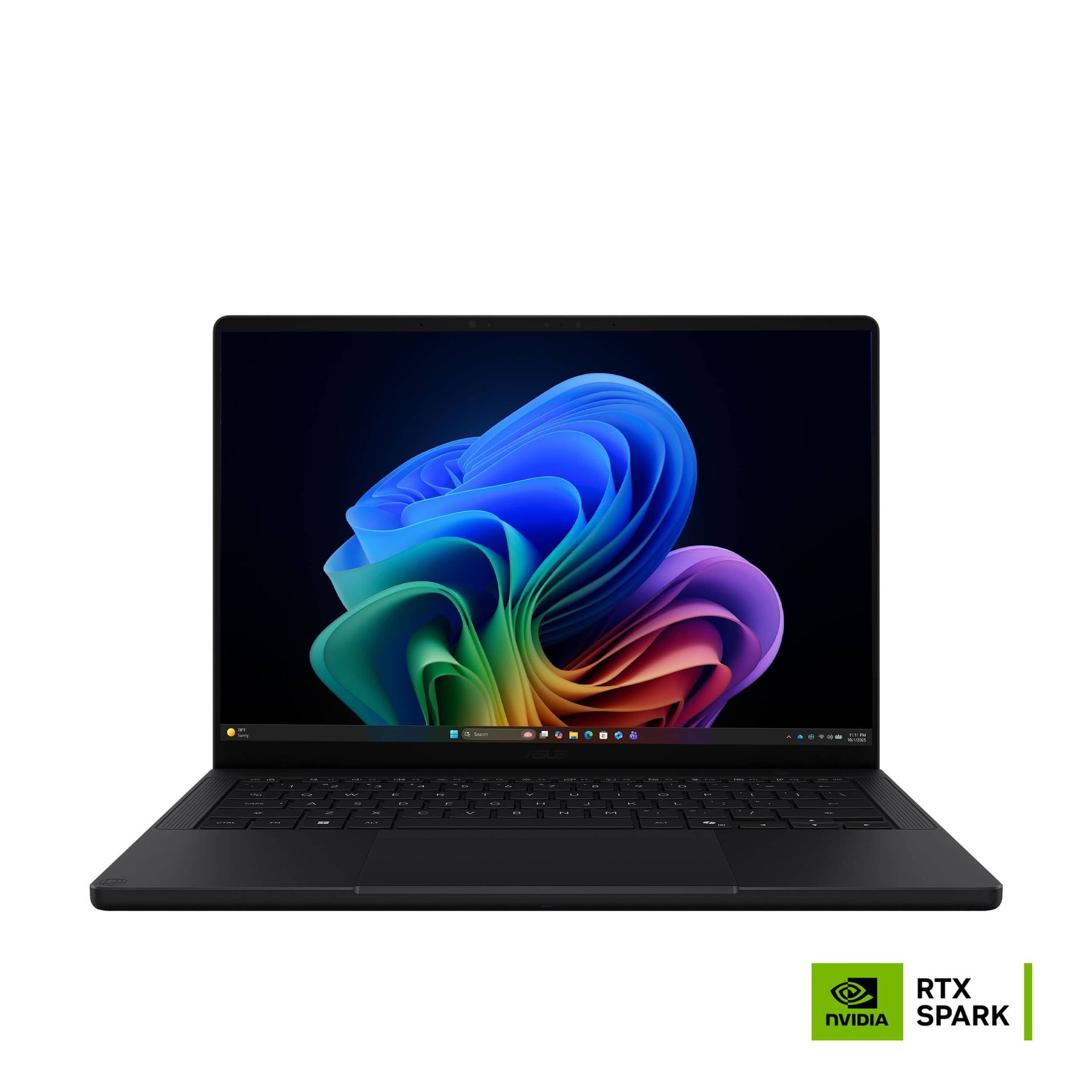
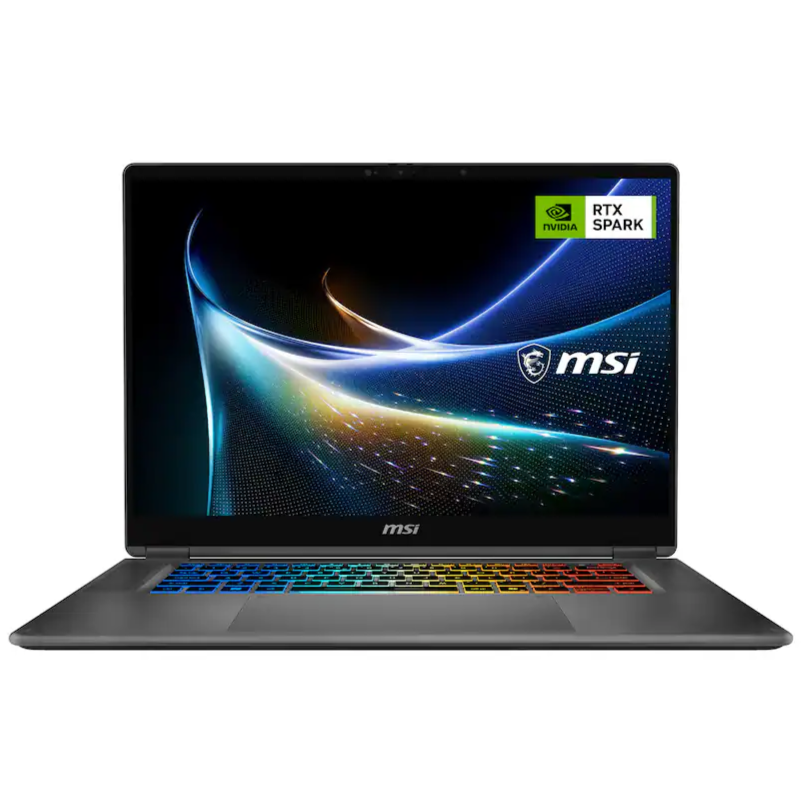
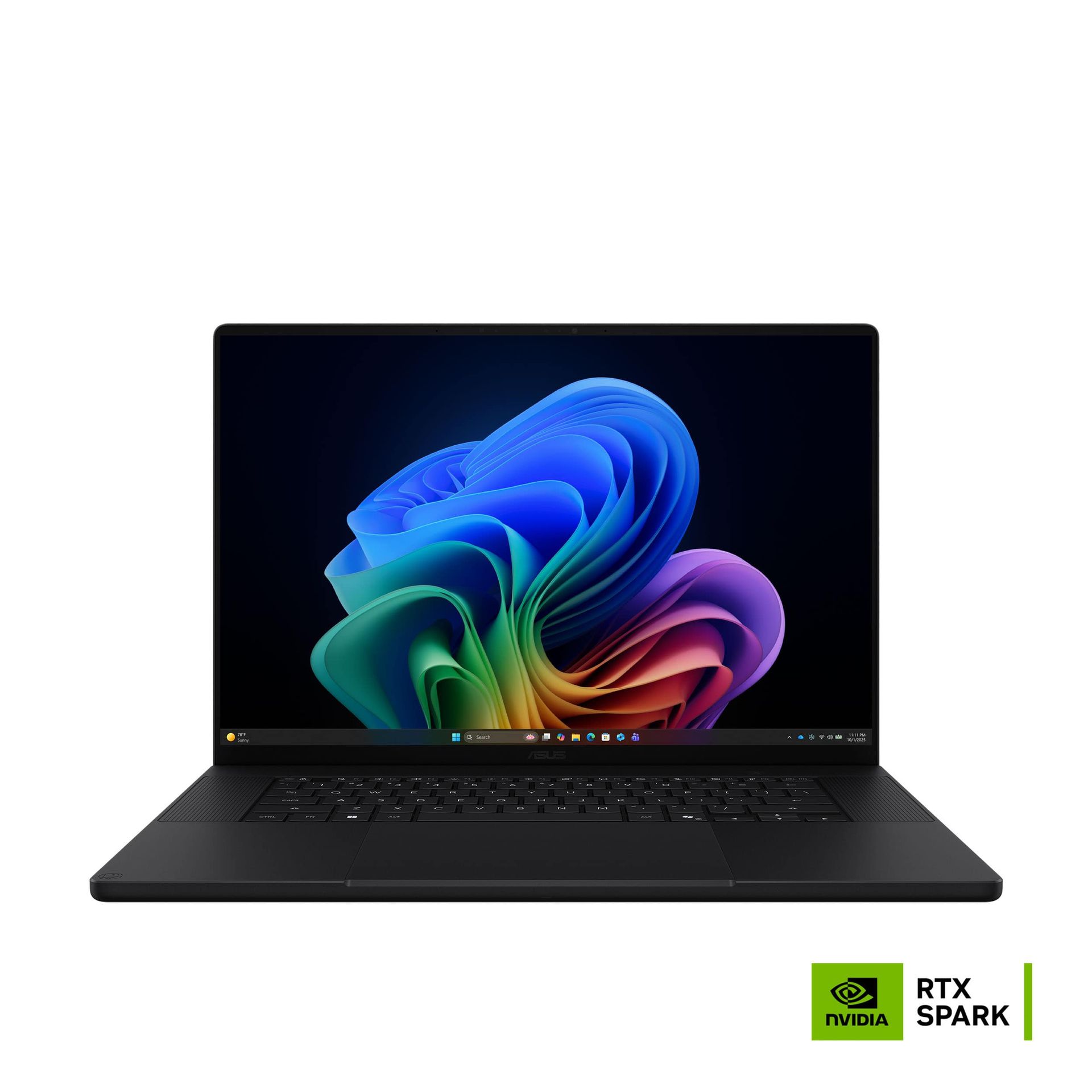
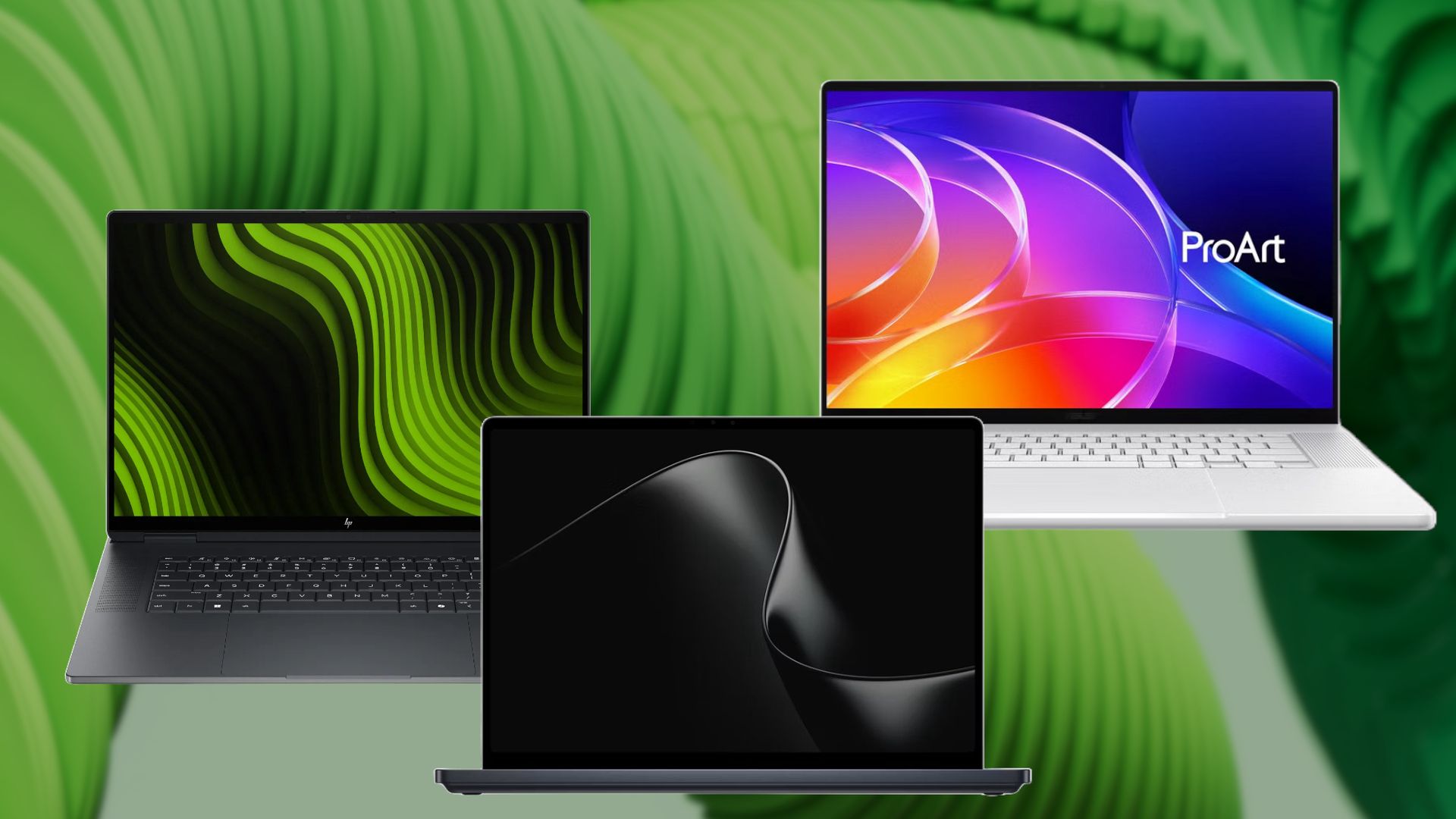
Nvidia's RTX Spark is now generally available for immediate shipment at multiple retailers. Orders for RTX Spark from brands like Asus, Microsoft, Lenovo, HP, and Dell are live now, including the new Surface Laptop Ultra. Additional devices will be available post-launch, including small form factor desktops. Further below, you'll find the full list of all available models in detail, but we also have more general links here:

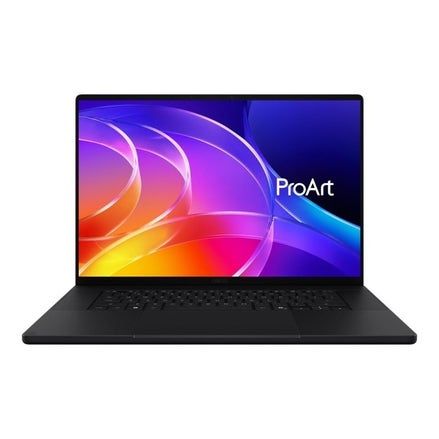
Best Buy has a limited lineup of devices to start, ranging from the Asus ProArt P14 with 24GB of memory for $2,599 up to the Surface Laptop Ultra with 48GB of memory for $3,999. If you want to scale up the RTX Spark's maximum of 128GB of memory, you'll need to shop elsewhere.

Nvidia RTX Spark 128GB and 64GB laptop orders

ProArt P16 RTX Spark: $4399.99
The Asus ProArt P16 is a 16-inch laptop with the RTX Spark chip, which includes the 20-core Grace CPU and a Blackwell GPU, along with up to 128GB of unified memory. View Deal

Asus has the ProArt P16 available with either 64GB or 128GB of unified memory directly from its web store, starting at $4,499.99 for the 64GB configuration. If you upgrade to 128GB of unified memory, the laptop comes in at $6,999.99 with 2TB of storage.

Lenovo Pro 9n Nvidia: $2999.99
The Lenovo Pro 9n comes with the 18-core N1X processor paired with 32GB of LPDDR5X-9400 and a 15.3-inch 2560x1600 OLED panel that runs at a blistering 165Hz.View Deal

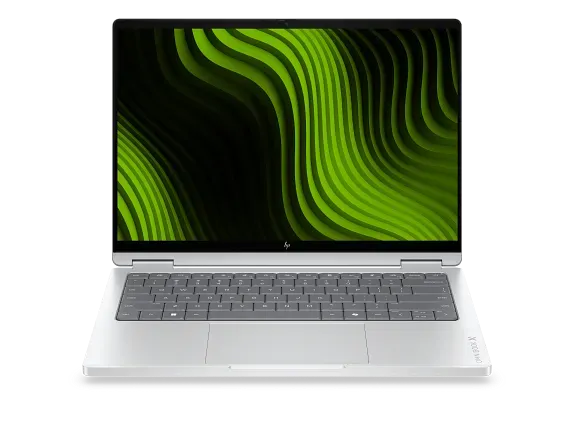
The HP OmniBook X 14 is a 14-inch laptop with the RTX Spark chip. It includes a 3K OLED touch display at a 120Hz refresh rate, along with up to 128GB of unified memory. View Deal

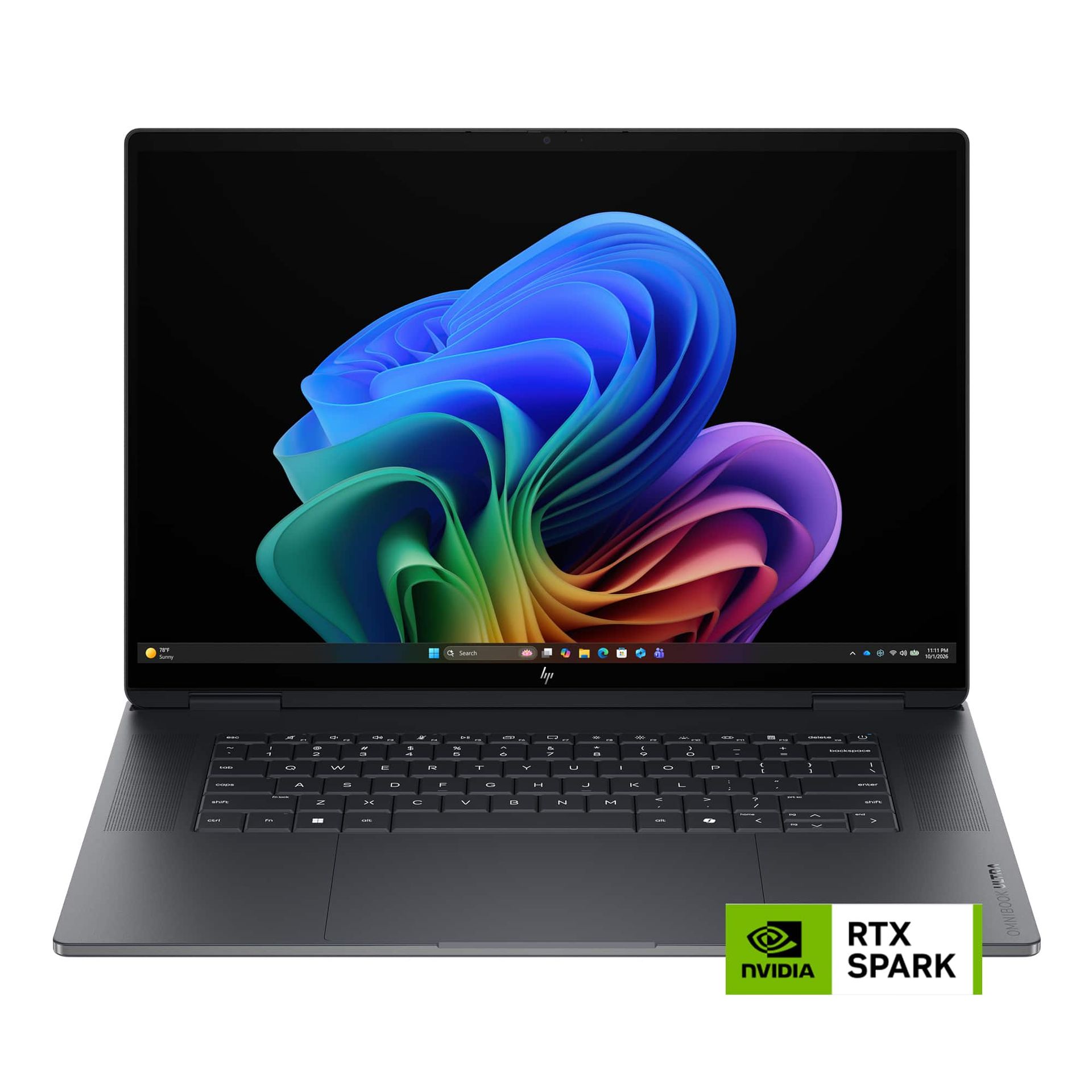
The HP OmniBook Ultra 16 is a 16-inch laptop with the RTX Spark chip and supports up to 128GB of unified memory. View Deal

HP has two models available directly in its web store, both of which support up to 128GB of unified memory (along with 64GB, 48GB, 32GB, and 24GB). Both models are significantly cheaper than the ProArt P16 with 128GB of unified memory. The OmniBook X comes in at $5,109, while the OmniBook Ultra runs $5,309, both with 1TB of storage.

The two models are very similar, differing primarily in screen size. The OmniBook X is 14 inches, and the OmniBook Ultra is 16 inches. Both come with a 3K OLED touch display with a 120Hz refresh rate, and they support up to 2TB of storage.

With both laptops, you'll get a smaller 5120-core GPU with the 32GB configuration. With all other configurations, you get the full 6,144-core GPU available on the RTX Spark.

The Surface Laptop Ultra is a 15-inch laptop with the RTX Spark chip and up to 128GB of unified memory. View Deal

Finally, the Surface Laptop Ultra is available up to 128GB directly from Microsoft. It's also available from B&H, though it appears configurations with more memory capacity are exclusive to first-party sources right now.

Nvidia RTX Spark Best Buy Orders

Best Buy has a broad range of RTX Spark laptops available for order, topping out at 64GB of unified memory. All of the devices through Best Buy are expected to ship on the October 16 release date. You can find all of the orders going on right below.

We've included the starting configuration for each machine, though note that Best Buy has other configurations of these models available for order as well. You can browse all of the orders directly on Best Buy.

ProArt P14 (RTX Spark): $2599.99
The Asus ProArt P14 is a 14-inch laptop with Nvidia's RTX Spark chip. View Deal

The Prestige N16 Flip features a 16-inch 120Hz OLED panel and 32GB of LPDDR5X memory. View Deal

Surface Laptop Ultra (RTX Spark): $2599.99
The Microsoft Surface Laptop Ultra features Nvidia's RTX Spark chip and up to 128GB of unified memory. View Deal

ProArt P16 (RTX Spark): $2799.99
The Asus ProArt P16 is a 16-inch laptop with up to 128GB of unified memory and 2TB of storage, featuring the RTX Spark chip. View Deal

OmniBook Ultra (RTX Spark): $3199.99
The HP OmniBook Ultra is a 16-inch laptop with the RTX Spark chip and 3K OLED touch display. View Deal

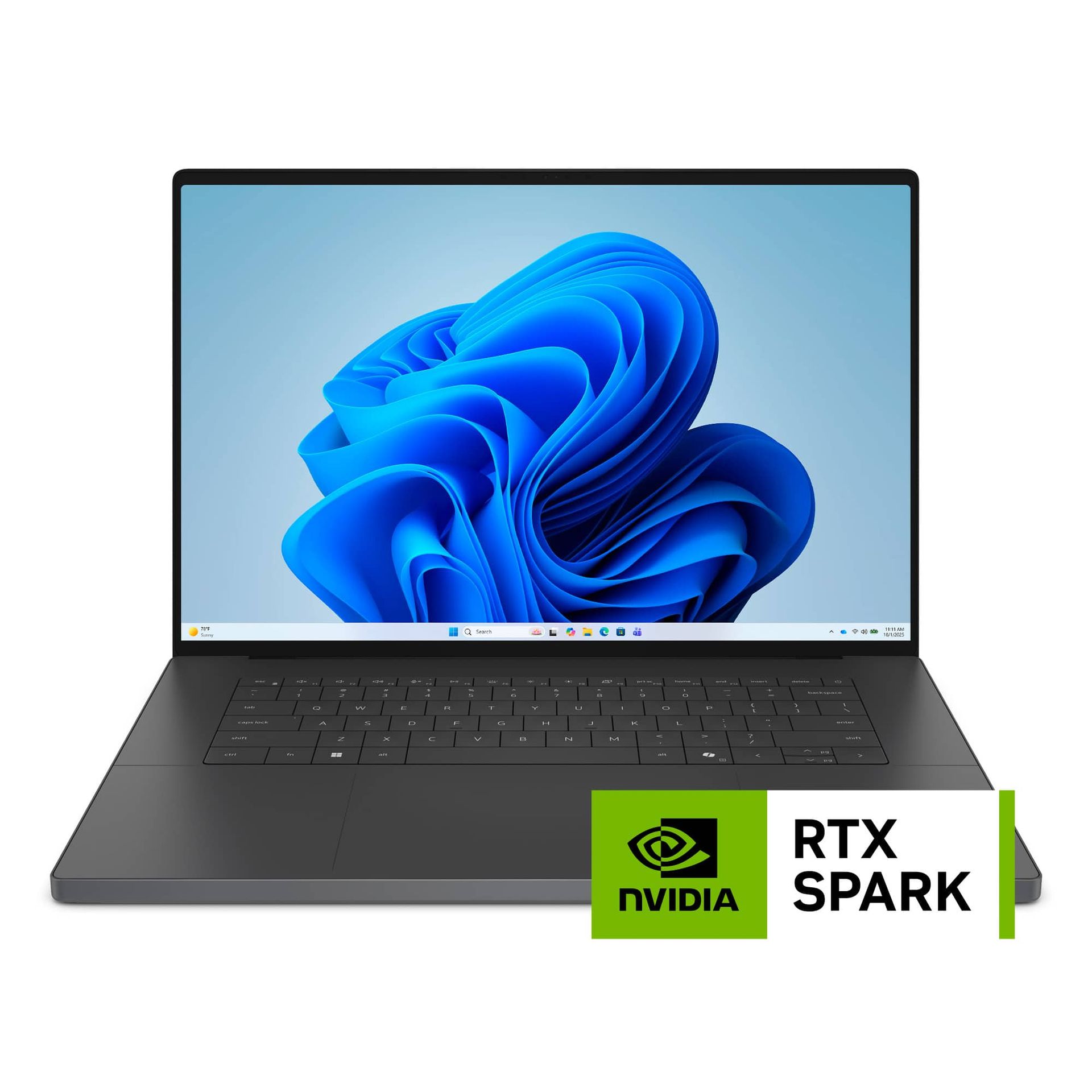
XPS 16 (RTX Spark): $3799.99
The Dell XPS 16 is a 16-inch laptop from Dell's premium XPS line, sporting the RTX Spark chip. View Deal

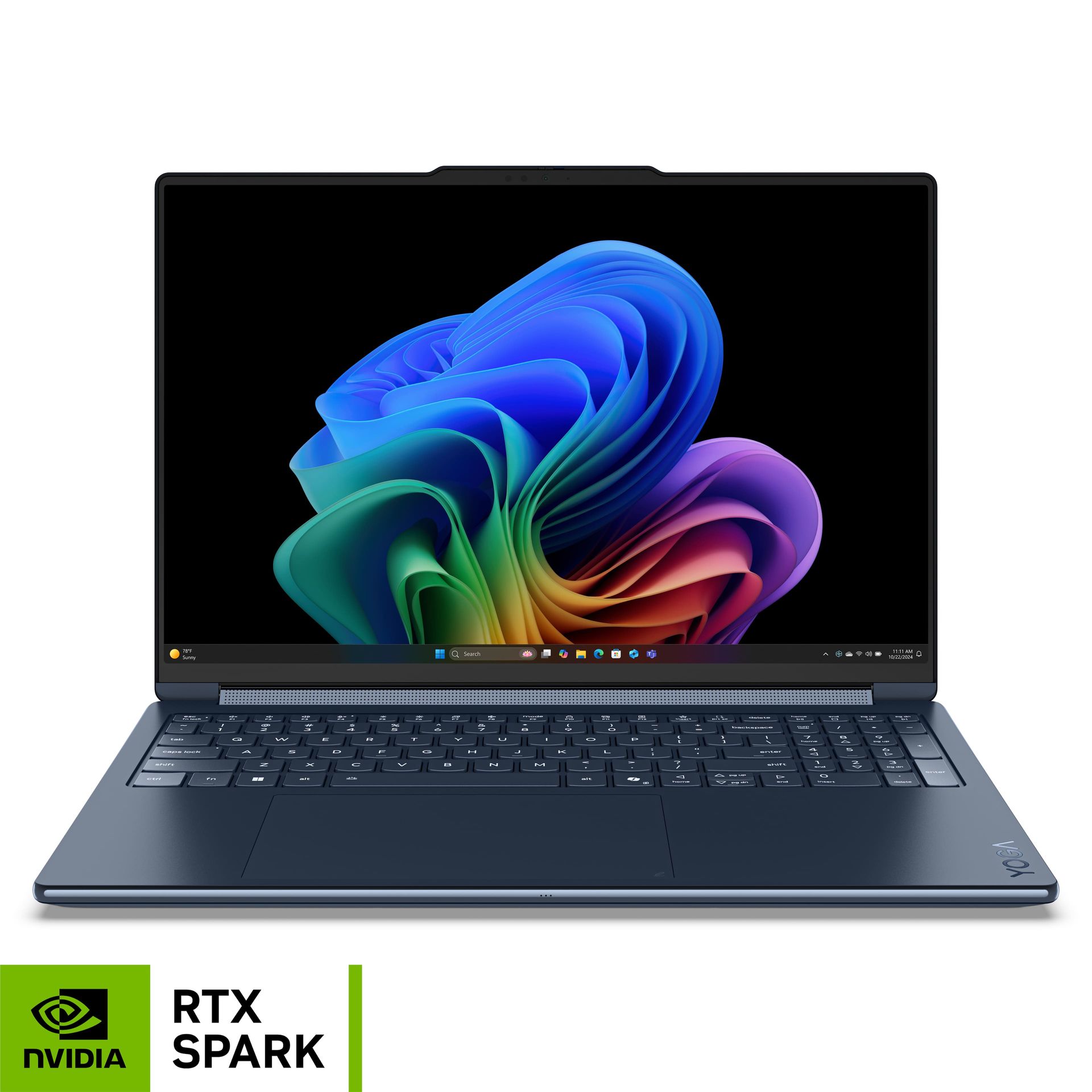
Yoga 9n 2-In-1 (RTX Spark): $3099.99
The Lenovo Yoga 9n is a convertible 2-in-1 laptop that features Nvidia's RTX Spark chip. View Deal

Nvidia RTX Spark specs to know before ordering

Nvidia calls its latest SoC simply "RTX Spark," but it's actually a range with two different chips. The full chip comes with a 20-core Grace CPU and 6144-core Blackwell GPU, but there's a lower-end configuration with an 18-core Grace CPU and 5120-core Blackwell GPU.

Pay close attention to which you are ordering. Listings will simply call the chip "RTX Spark N1X," and you have to read through the description to confirm the core counts on the CPU and GPU.

From the orders available now, we've only seen the 18-core CPU/5120-core GPU version with laptops that have 24GB or 32GB of Unified Memory. Listings with 48GB or above have the full chip. The RTX Spark is available with several different memory capacities, including 24GB, 32GB, 48GB, 64GB, and 128GB.

For storage, we've seen configurations with 512GB, 1TB, and 2TB, though the vast majority of devices top out at 1TB, including the Surface Laptop Ultra. Undoubtedly, we'll see configurations with more storage capacity eventually, but that's a tough sell right now when even a tricked-out 2TB configuration costs $7,000.

✇Tomshardware

Epic Games vibe codes new launcher because 'programming is hard,' claims it starts 46% faster than Steam

作者 Jake Roach

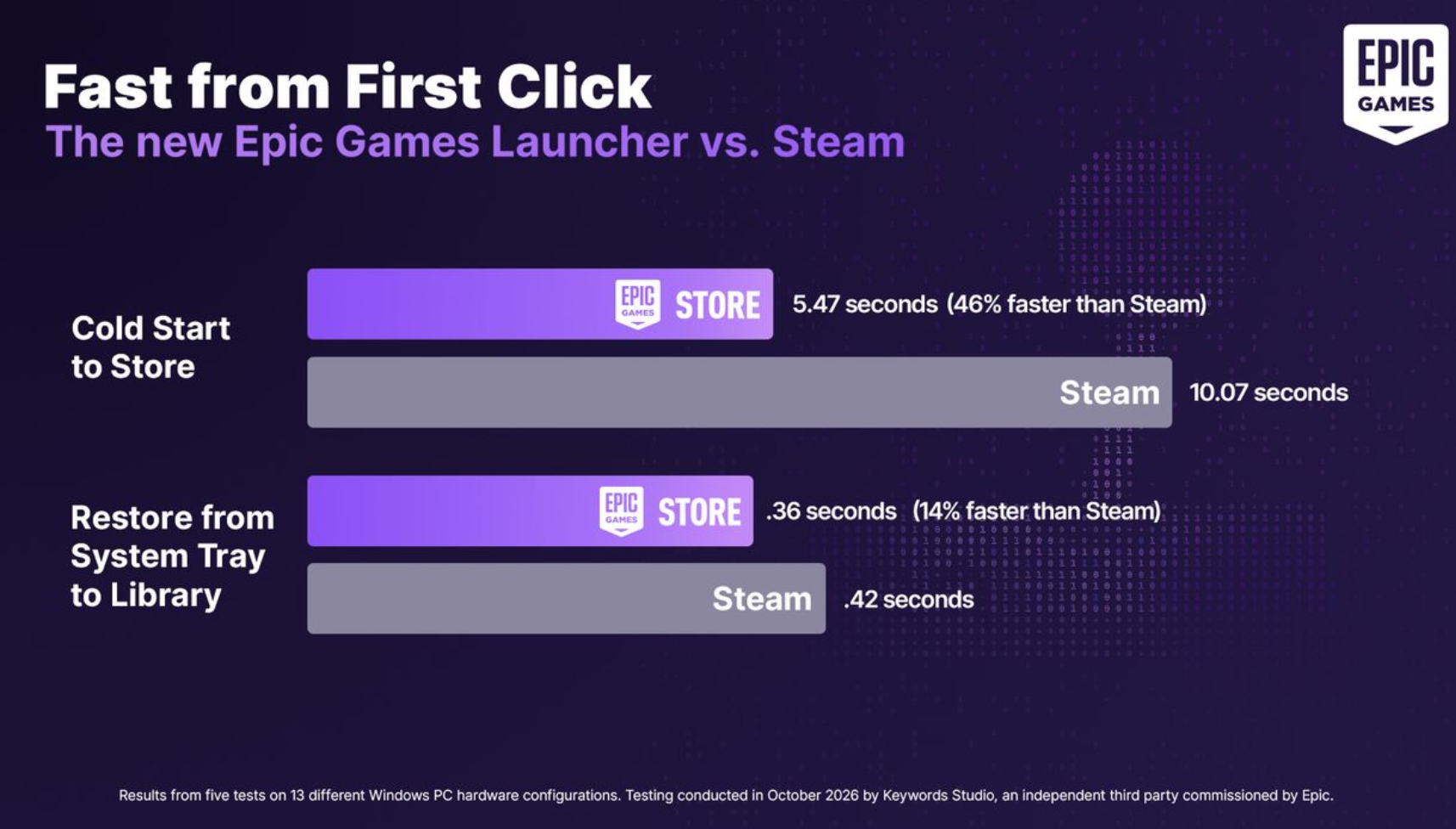
Epic Games has a new launcher available to download now, which was redesigned with AI. The company says it "vibe coded" the new launcher, and claims it's "way faster" than the current version, as well as 46% faster to start up compared to Steam. Epic Games has set up a landing page where you can download the new launcher, as well as browse its new enhancements.

"Programming is hard. So, instead of doing that, we vibe coded a new Epic Games Launcher that’s way faster and more responsive than the current one, and has a new look," wrote Epic Games in a blog post discussing the new launcher. The launcher is currently in "preview" phase, which is somewhat of an open beta. Epic is gathering feedback, and anyone is free to download the launcher. In the future, it plans a stable release after it gathers and addresses feedback.

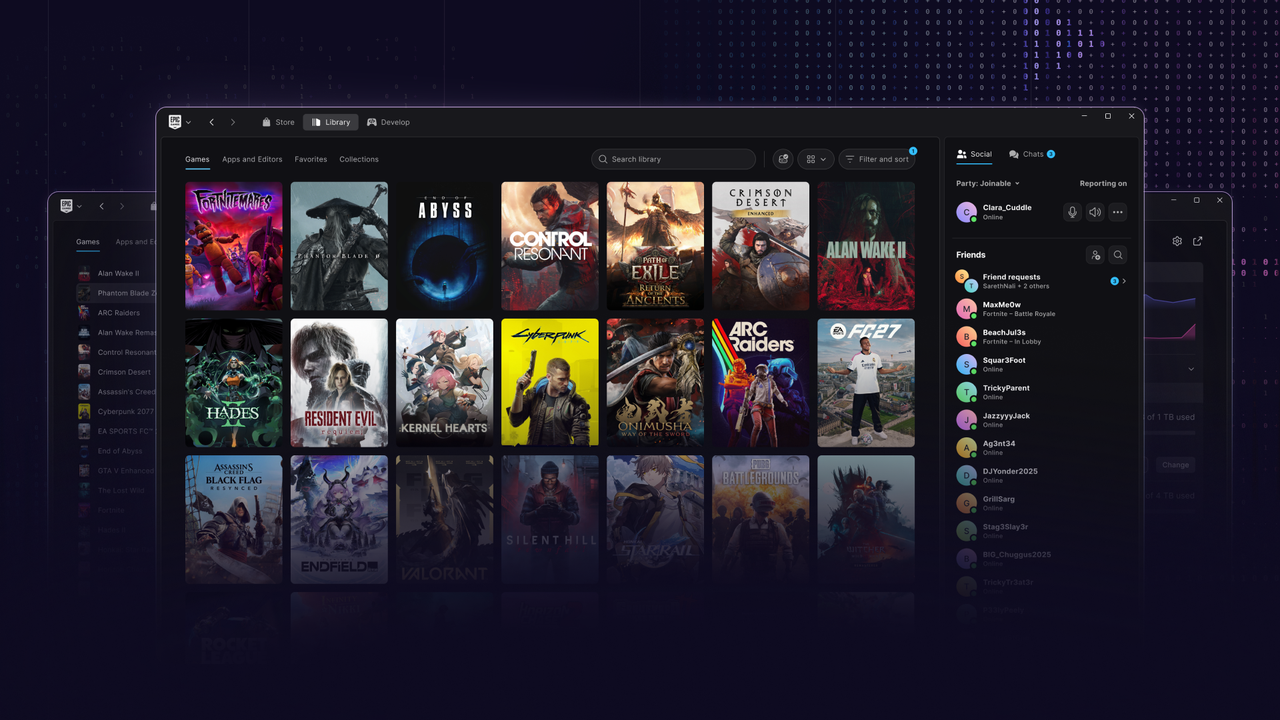
Although the headline startup figure is what Epic focused on its blog post, the updated launcher comes with several additional features, many of which are preset on Steam but weren't previously available with Epic. There are dedicated pages for games in your library now, for instance, as well as a unified downloads page. The app also includes collections, a big feature of Steam, allowing you to organize your library into different categories. On the landing page, Epic claims the new library is "30x faster," though doesn't provide any details beyond that point.

Although the launcher has new features, it's still rough around the edges. For instance, the new social menu now follows you around from the store to your library, with no option to close or resize. Epic also highlights that "certain social features and account management options" are missing from the new launcher. The company says it's working toward "feature parity."

Additionally, Epic Games suggests developers working on Unreal projects, as well as competitive players in Fortnite and Rocket League continue to use the old launcher. It's not clear why Epic is pointing these groups toward the older launcher, but it raises some red flags about what gaps might be present in the new, vibe coded launcher.

Epic Games Launcher vs Steam.

(Image credit: Epic Games)

Epic says its new launcher is 46% faster than Steam from a cold start, as well as 14% faster when restoring from the system tray; though, the latter metric only accounts for a whopping 0.06 seconds. Epic commissioned the testing from Keywords Studios, somewhat of a matchmaker in the video games and entertainment industry for a variety of services (including benchmarking, apparently). Epic says its results were gathered from five tests across 13 Windows platforms.

Interestingly, Epic didn't provide any performance details about the new launcher compared to the old one, outside of saying the new launcher is "way faster and more responsive."

The Epic Games Launcher preview is available to download now, with native versions for Windows, macOS, and Linux. Windows 10 and 11 are supported, as is macOS 12 or newer. On Linux, you'll need at least Ubuntu 22.04 LTS, Fedora 43, or Debian 12.

Epic has recently pivoted to an AI-first company, at least according to Epic boss Tim Sweeney. The company has reportedly delayed a Disney-based shooter, with another director telling staff that there should be "no more handwritten code" and that art will be "generated with full AI workflows."

✇Tomshardware

Framework Laptop 12 (Wildcat Lake) review: Growing up amid an unprecedented shortage

作者 Jake Roach

When Framework introduced the Laptop 12 early last year, it offered an affordable, repairable, and relatively capable laptop, especially aimed at students. Between a 2-in-1 convertible design, a touchscreen with an optional stylus, the slim frame, and a $699 starting price, it was an attractive option. The updated Framework Laptop 12 targets that same group, though it’s entering a very different market, with some of the biggest brands gunning to become frontrunners for the best college laptops. Framework still makes one of the best laptops on the market with the Laptop 13 Pro, but the entry-level market is a different beast, especially today.

Apple’s MacBook Neo has prompted a wave of more affordable Windows laptops, with Intel’s Wildcat Lake taking center stage in devices like Dell’s refreshed XPS 13. The Framework Laptop 12 provides competitive performance with these devices, though at a higher price point and with less premium amenities.

The 1080p, 60Hz display is a reminder that the otherwise-premium-feeling Laptop 12 is a budget device, and although the Laptop 12 starts at just $549 without memory or storage, it ends up around $200 to $300 more expensive than the competition when fully configured. The laptop begs a question: how much are you willing to pay for repairability?

Design

Framework Laptop 12

(Image credit: Tom's Hardware)

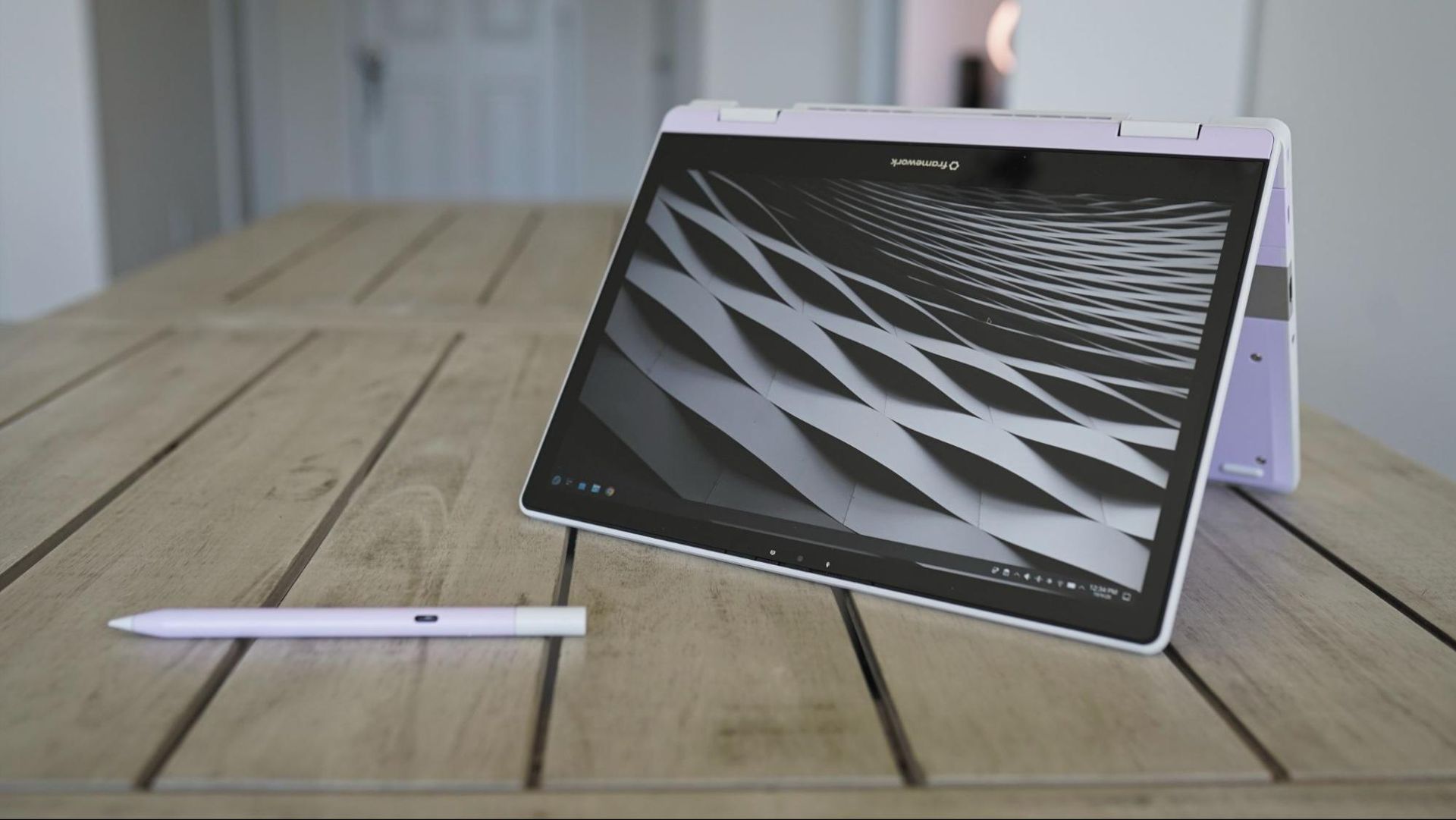
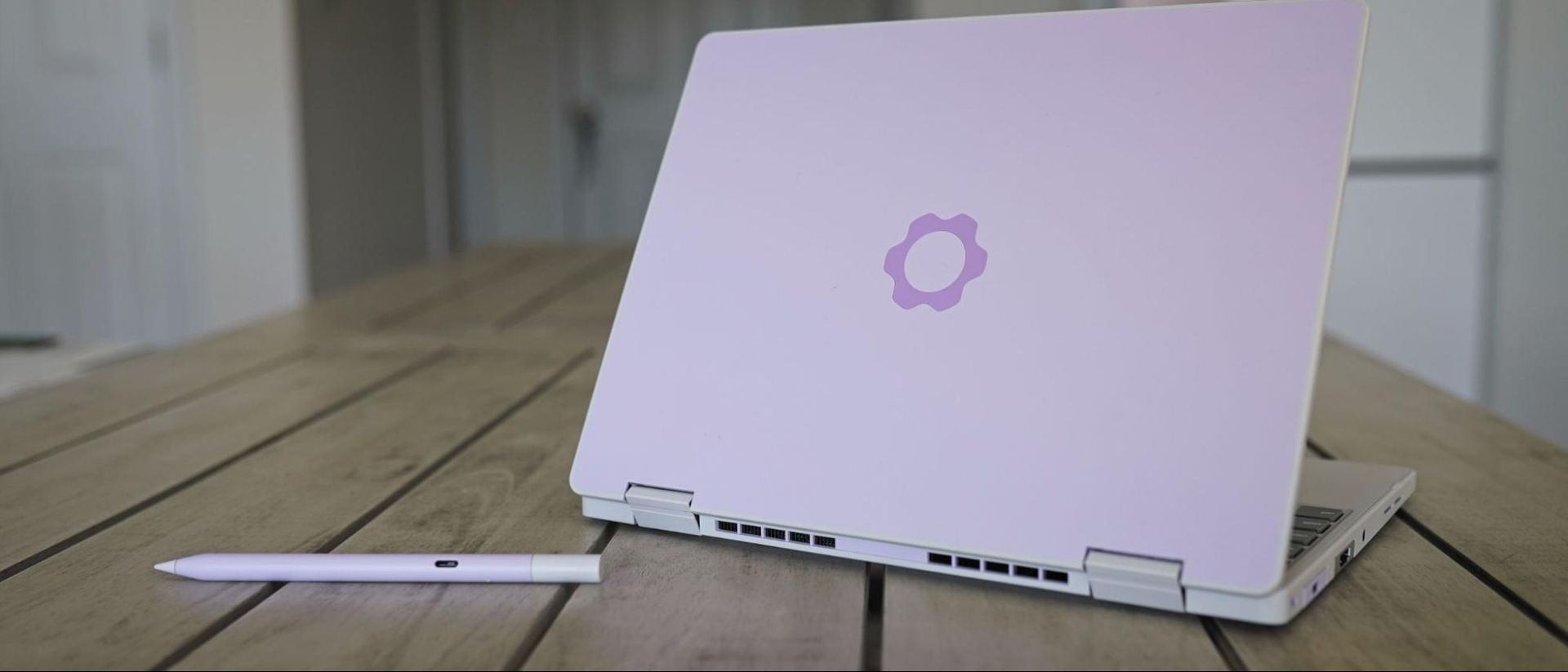
Like Framework’s previous Laptop 12 with 13th-Gen Intel CPUs, the updated version with Wildcat Lake comes in a variety of colors: Black, Gray, Lavender, Bubblegum, and Sage. Our review unit, as you can see, is the Lavender variation. At the time of writing, you need to purchase the DIY version to choose your color; the prebuilt version is currently only available in Sage.

Unlike Framework’s more expensive Laptop 13 Pro, you don’t have the option to customize the color of the bezels, and only Gray and Lavender keyboard options are available now (though, presumably, Framework will expand these options). USB-A and USB-C modules come in a wide array of colors, as well, though other expansion modules are limited to a standard silver color. Framework also offers an optional $59 stylus, matching the color options available for the Laptop 12.

The Framework Laptop 12 is a highly portable device, though perhaps not as thin and light as you’d expect out of a 12-inch laptop. It's 0.72 inches thick and clocks in at 2.8 pounds, which is thin enough and light enough, though not on the level of its enclosed competitors. The MacBook Neo weighs about the same at 2.7 pounds, but it’s covered in aluminum and it’s 0.5 inches thick. The XPS 13 with Wildcat Lake is much lighter at 2.2 pounds, thinner at 0.5 inches, and also finished with aluminum.

Framework Laptop 12

(Image credit: Tom's Hardware)

Considering the bulk of modularity, the fact that Framework managed to get the weight and thickness of the Laptop 12 close to closed-door competitors is remarkable. However, the fact remains that you’re often paying a premium with the Framework Laptop 12 compared to the Neo and XPS 13 and, in both cases, getting a laptop that feels less like a premium ultrabook out of the box.

Although the Framework Laptop 12 isn’t finished in aluminum, it still has a metal structure. On top is plastic, which is then coated with thermoplastic polyurethane to absorb impacts. That leads to a plastic feeling externally, though with a smooth, slightly grippy surface that feels good in the hands.

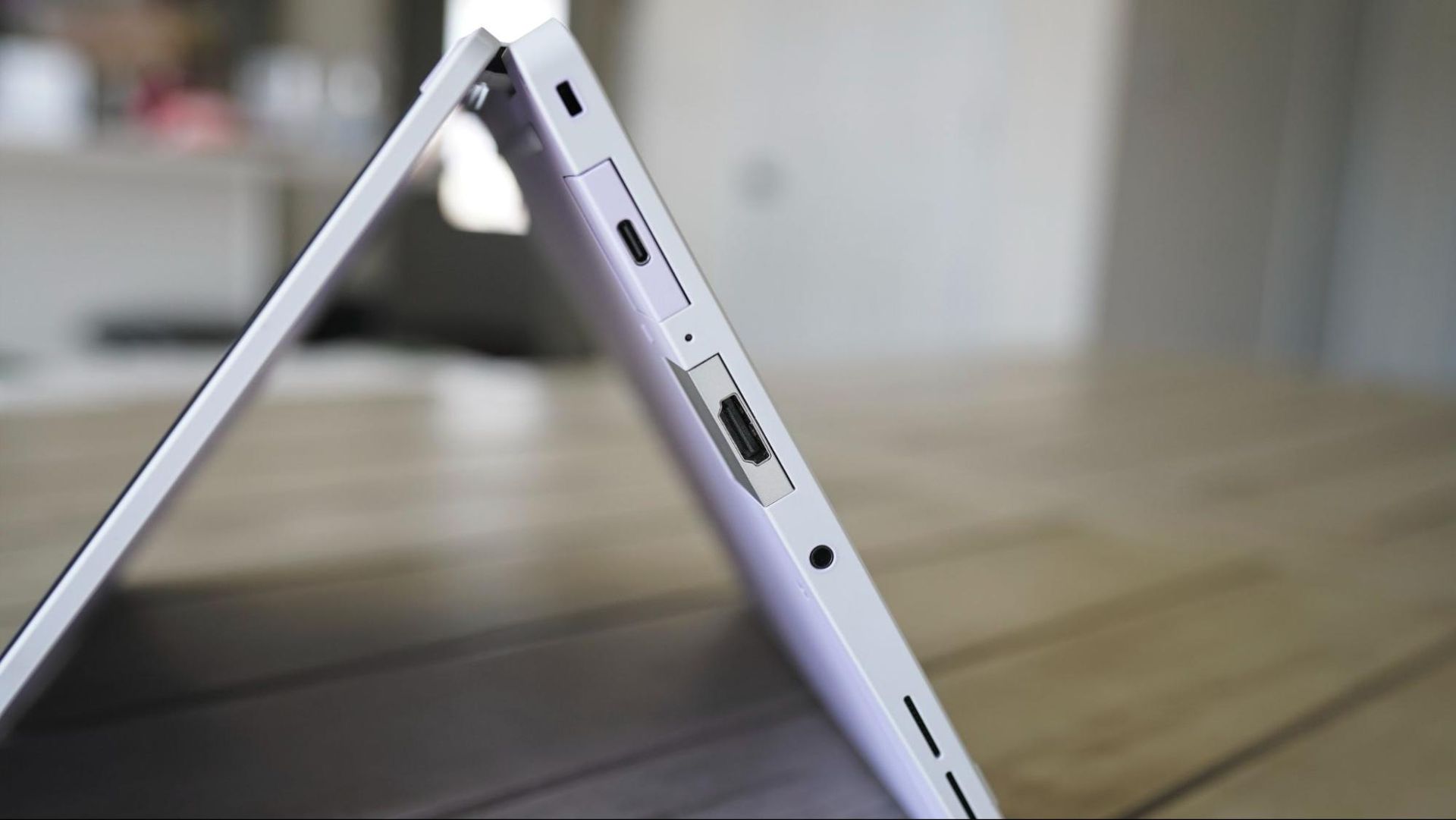
Framework offers an optional backlight on the keyboard (our review unit didn’t have one), as well as four module slots for expansion ports. The back two support Thunderbolt 4 and DisplayPort Alt mode, and all four support USB 3.2 Gen 2 speeds and USB-PD. A 3.5mm headphone jack is standard on the Framework Laptop 12, regardless of the additional modules you choose.

Specifications

CPU

Intel Core 7 350

Graphics

Intel Xe3 (2 cores)

Memory

16GB LP

Storage

1x 16GB DDR5-5600 SODIMM

Display

12.2-inch, 1920x1200, touch, 60Hz

Networking

Intel BE213 Wi-Fi 7 / Bluetooth 6.0

Ports

Up to 4 user-selectable expansion cards

Camera

2MP sensor, 1080p30, hardware privacy switch

Battery

50Whr

Power Adapter

60W USB-C GaN (optional)

Operating System

Fedora 44

Dimensions (WxDxH)

11.29 x 8.42 x 0.72

Weight

2.8 pounds

Price (as configured)

$1,491 ($1,384 without expansion cards and power adapter)

Productivity Performance

This isn’t our first outing with Intel’s Wildcat Lake, so we went into this review with a good idea about what to expect from the Framework Laptop 12’s performance. Our test machine came with the highest-end chip Framework offers in this laptop, which is the Core 7 350. It’s a 6-core / 6-thread CPU with a maximum turbo clock of 4.8 GHz, and it can operate between 15W and 35W.

If you’re unfamiliar, Wildcat Lake is the younger, weaker sibling of Panther Lake. It uses Intel’s cutting-edge 18A node but with several cut corners. For starters, the 350 comes with just two faster P-cores (the remaining four are an LPE cluster). It also comes with just 6MB of last-level cache, half of what you get with Panther Lake.

The cores matter less here than the memory, however. Wildcat Lake exclusively uses single-channel DDR5 or LPDDR5X, regardless of capacity (support goes up to 64GB). In practice, that often means you need to overbudget your capacity, at least compared to something like the MacBook Neo with unified memory. Performance drops at 8GB with Wildcat Lake (see our Dell XPS 13 review).

Framework Laptop 12

(Image credit: Tom's Hardware)

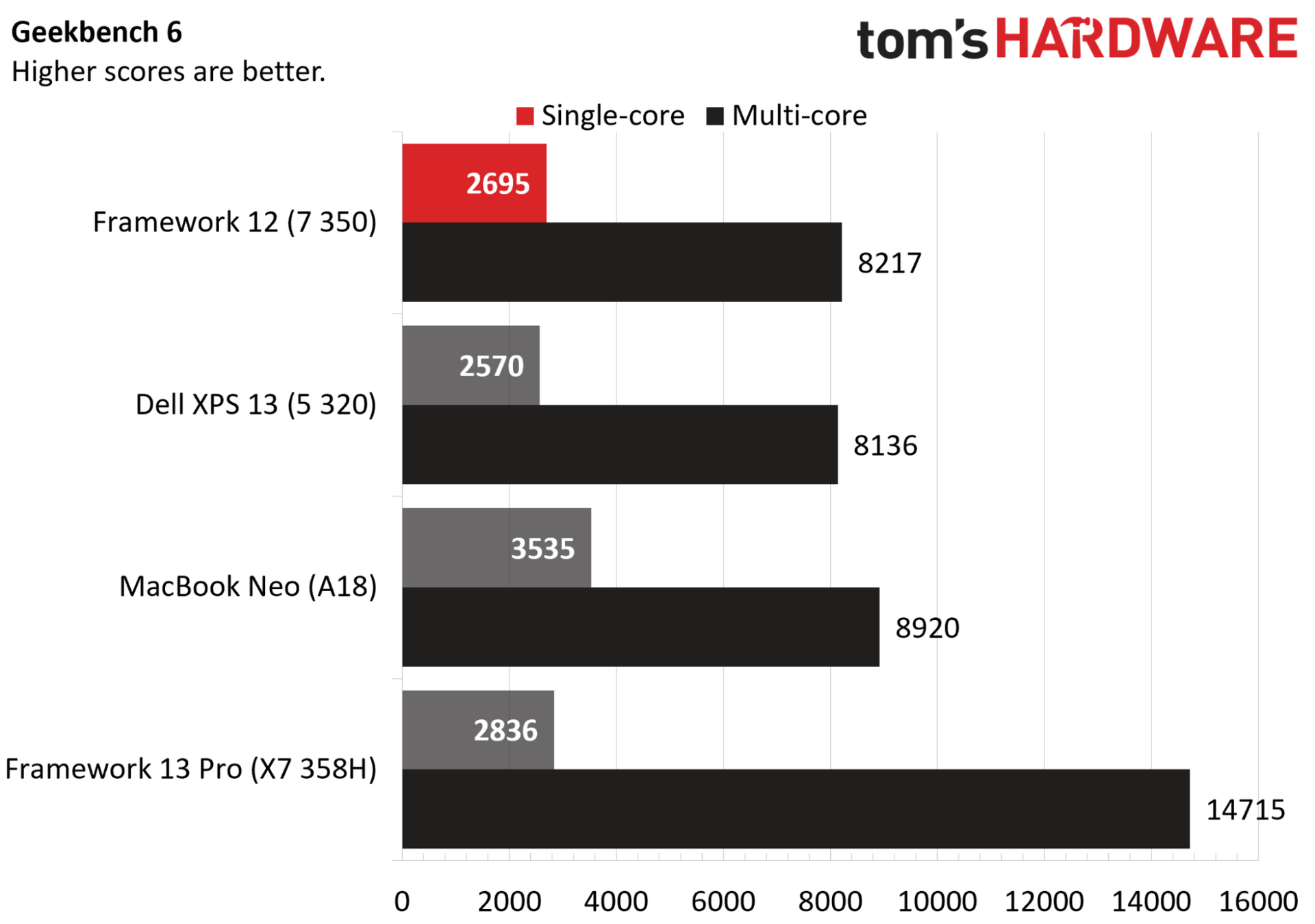
The Core 7 350 comes in behind in single- and multi-core performance in Geekbench 6 compared to the A18 in the MacBook Neo (though multi-core to a much lesser extent). Compared to the 6-core Core 5 320 in the XPS 13, the Framework Laptop 12 is in lockstep with multi-core speed, and just shy of 5% ahead in single-core speed.

Compared to full-fat Panther Lake in the Framework 13 Pro, Wildcat Lake actually looks better than expected. The 13 Pro here is for context, not as a true comparison point; it costs a few thousand dollars. What’s interesting in Geekbench is how the X7 358H in the Framework 13 Pro scales, relative to the Core 7 350.

The X7 358H is a 16-core chip with a 4.8 GHz boost and access to up to 80W of total power (though much of that is allocated to the 12-Xe3-core GPU). Despite more than doubling total core count, and offering a doubling of P-cores, we’re not seeing twice the performance. And, even with access to less power, the Core 7 350 is within 5% of Panther Lake’s single-core performance.

With Geekbench, Apple silicon tends to perform especially well, particularly in single-core tasks, so keep that in mind.

Framework Laptop 12

(Image credit: Tom's Hardware)

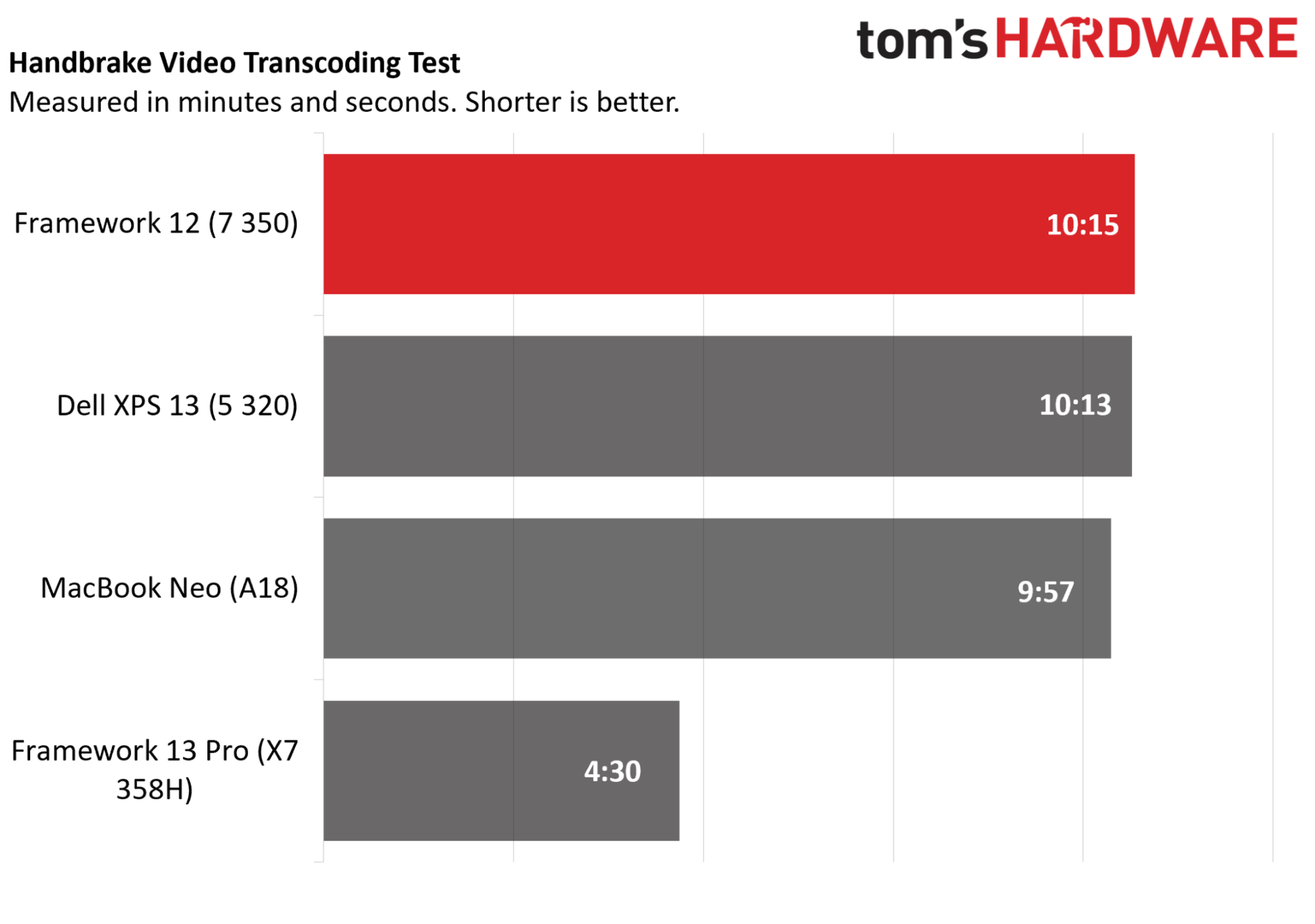
Even with a bit of extra clock speed, however, the Framework Laptop 12 with the Core 7 350 came in behind the Core 5 320 in the XPS 13 in Handbrake. Here, the Geekbench swing toward Apple levels out; the A18 was 8% ahead in Geekbench 6 multi-core, but it’s less than 3% ahead here in Handbrake.

The Panther Lake-based 13 Pro gives some much-needed context, showing compounding factors between higher core counts, higher power limits, and true dual-channel memory. Again, it’s a far more expensive laptop, and the Framework Laptop 12 performs in line with our expectations for laptops in this class.

Perhaps the biggest takeaway is how similar the Core 5 320 is, at least in this laptop. You get an extra 200 MHz on the CPU and 100 MHz on the GPU with the Core 7 350, which isn’t moving the needle a ton here given how limited Wildcat Lake is as a platform. That’s good news, as the Core 5 320 will save you $220 in the Framework Laptop 12 compared to the Core 7 350.

Unfortunately, many of our gaming tests for laptops won’t run on Linux, and given that devices are often shipped back, we can’t go back and retest a dozen devices. That’s not too important here, though. The Core 7 350 has just two Xe3 cores, as do other Wildcat Lake chips, which doesn’t provide enough horsepower to power most titles.

We were able to achieve 30 FPS in Civilization VI at 1080p, which underscores the limitations of the integrated graphics. Intel’s dual-core Xe3 is plenty capable of running Balatro, Vampire Survivors, or whatever 2D sidescroller is currently popping off on Steam. Otherwise, it’s there to give you a display output.

Display

The display is what separates the Framework Laptop 12 from the various other Wildcat Lake-based devices we’ve seen in the wake of the MacBook Neo, and not for the better. Color performance, especially, is weak in our testing, and although peak brightness is in line with similar laptops, the 60Hz refresh rate is a severe downgrade compared to other devices, as is the 1080p resolution.

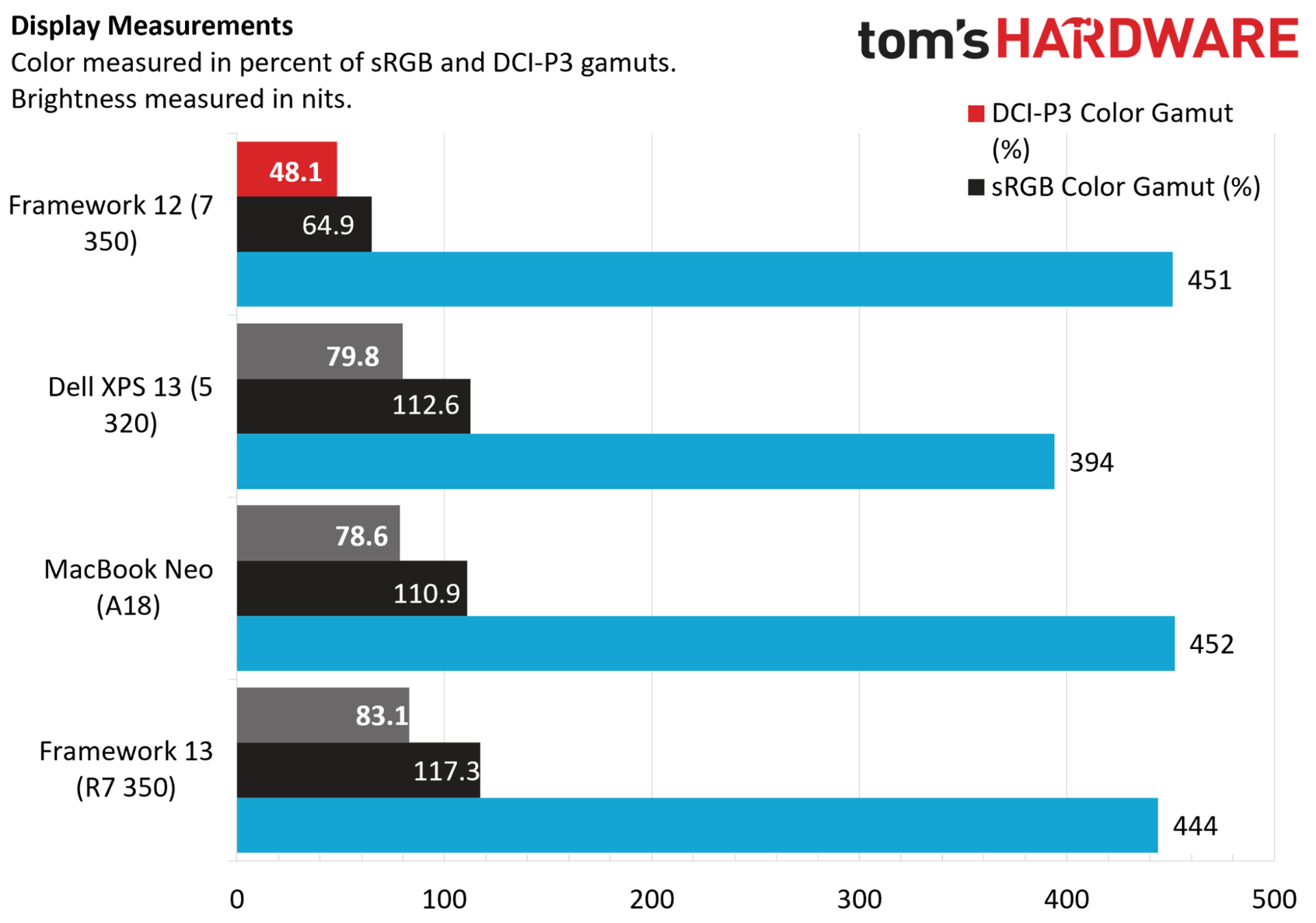
For metrics, you can see the display peaked at 451 nits, right in line with the MacBook Neo and Framework 13 (non-Pro). However, gamut coverage is poor, with just 64.9% of the sRGB gamut measured, compared to wide-gamut coverage on the competing machines. This is a “budget” laptop, but it’ll easily run over $1,000 with most configurations, and the display is not worthy of that price.

Framework Laptop 12

(Image credit: Tom's Hardware)

The XPS 13 provides some important context. It doesn’t get as bright — though, it’s hard to split hairs over 50 nits — but it comes with a 120Hz refresh, a higher 2.5K resolution, and it’s a touchscreen like the Framework Laptop 12. That gap in display performance would be understandable with a big gap in price, but that’s not the case. In fact, the Framework Laptop 12 clocks in at $1,271 with a Core 5 320, 16GB of memory, and 500GB of storage. The XPS 13, meanwhile, is $1,000 for that configuration.

Framework naturally needs to cut corners at this price, and it needs to engineer its devices to be repairable and upgradable. So, it’s hard holding the Framework Laptop 12 to the standard of a device like the XPS 13 that doesn’t come with those serviceability upsides. Still, the display is a consistent reminder that this is a budget laptop, whereas with the XPS 13 and MacBook Neo, it’s easy to forget that when doing day-to-day web and office task, due to the premium screens and build quality.

Keyboard and Touchpad

Framework Laptop 12

(Image credit: Tom's Hardware)

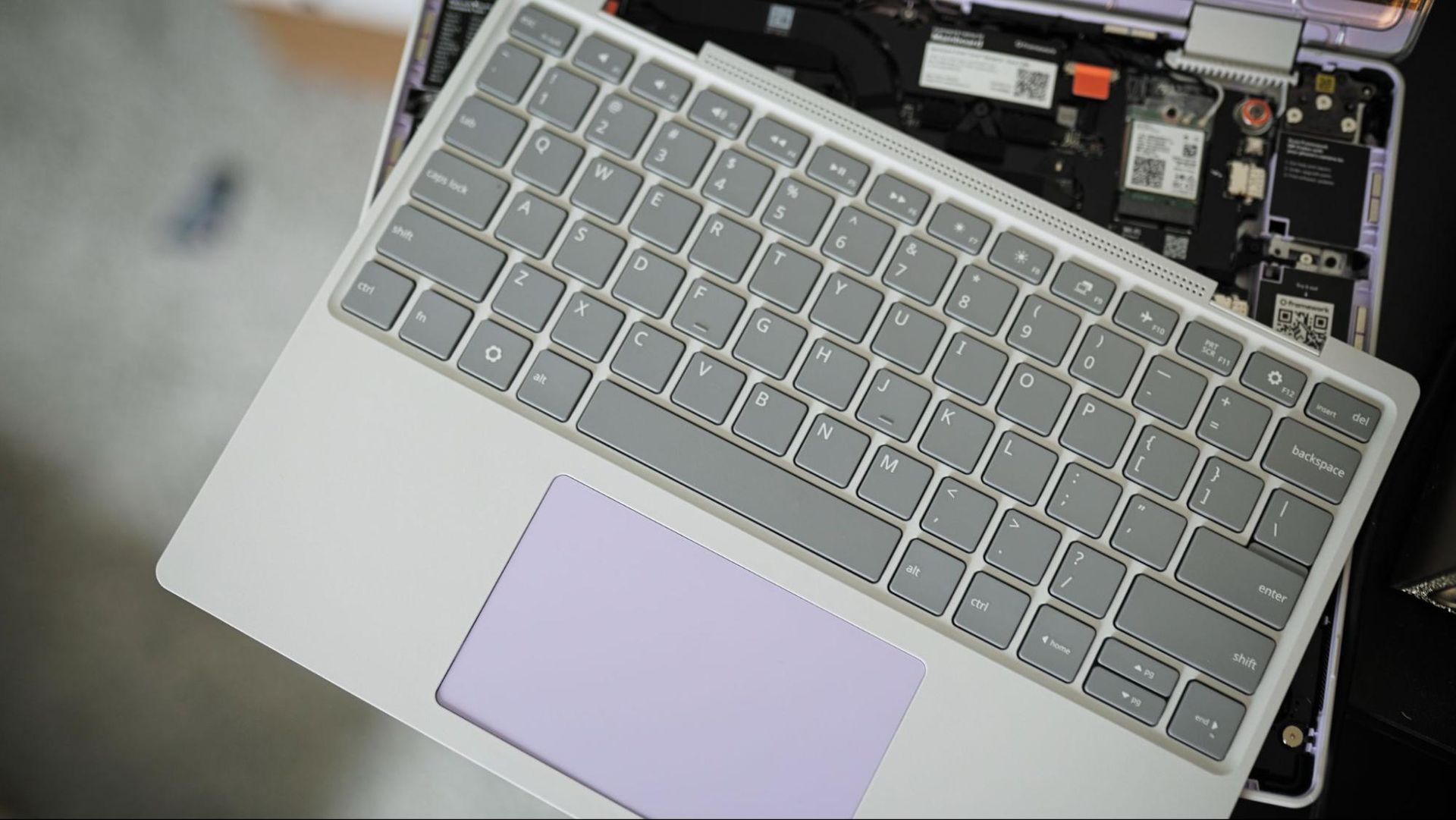
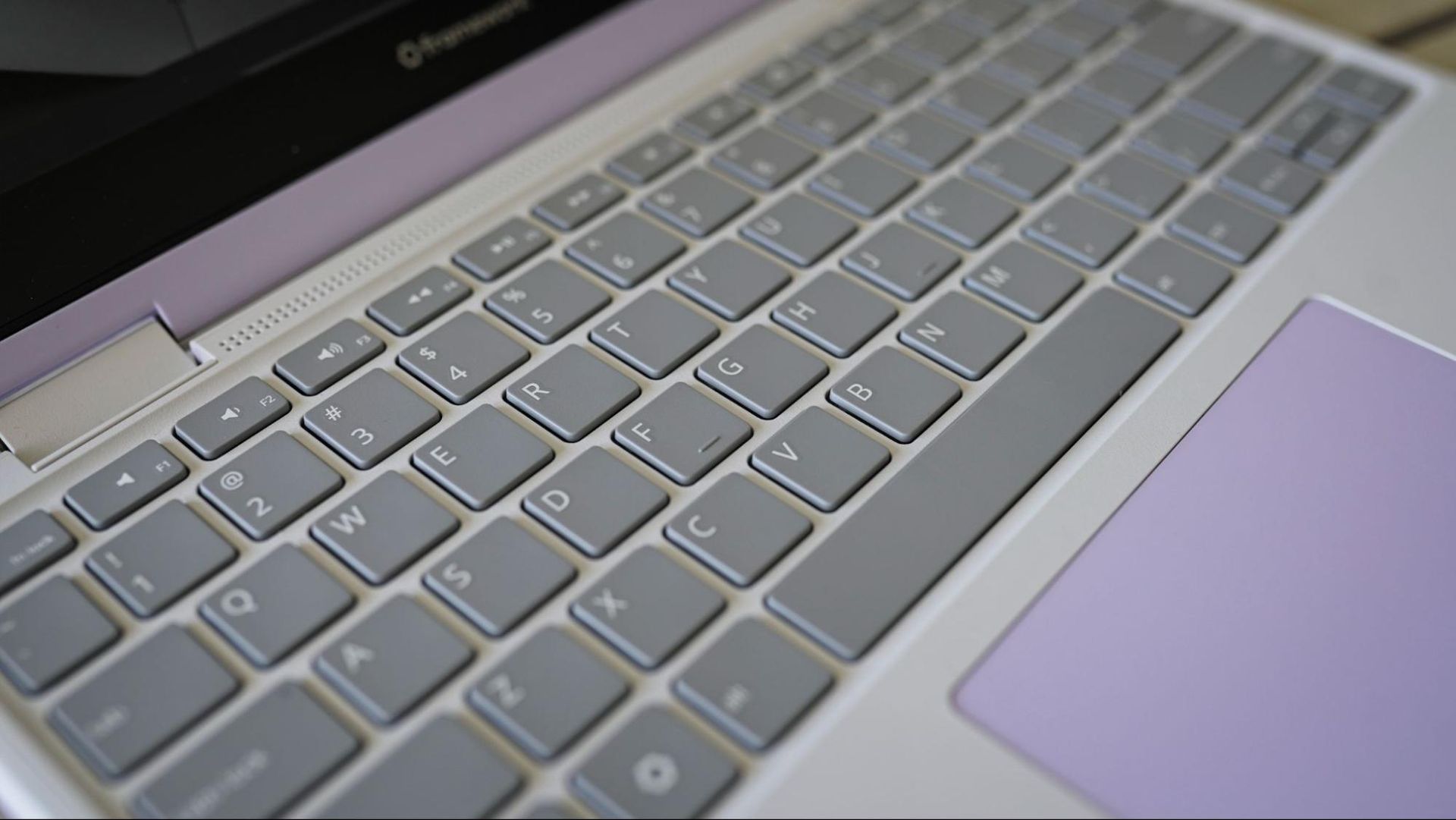
The Framework Laptop 12 comes with a standard keyboard/touchpad combo unit, which is available in several different layouts. There’s currently just a gray and lavender option for the keyboard unit, though presumably Framework will expand its offerings to cover the other colors available on the Framework Laptop 12 (at least with an American English layout).

I achieve 85 WPM with 99% accuracy in a MonkeyType test, compared to 92 WPM at 97% accuracy on my desktop (using the keyboard I type on every day). The keys have standard 19mm spacing and generous 1.5mm of key travel, which makes it comfortable to type on, even considering the small footprint of the Framework Laptop 12.

The touchpad is naturally small given the size of this device, and it’s mechanical, leading to sharp dips during presses on the bottom corners and no responsiveness near the top. It’s a serviceable touchpad, what you’d expect to see on this class of device. Just don’t go in expecting to be spoiled with a large glass surface or haptics.

Upgradeability

Framework Laptop 12

(Image credit: Tom's Hardware)

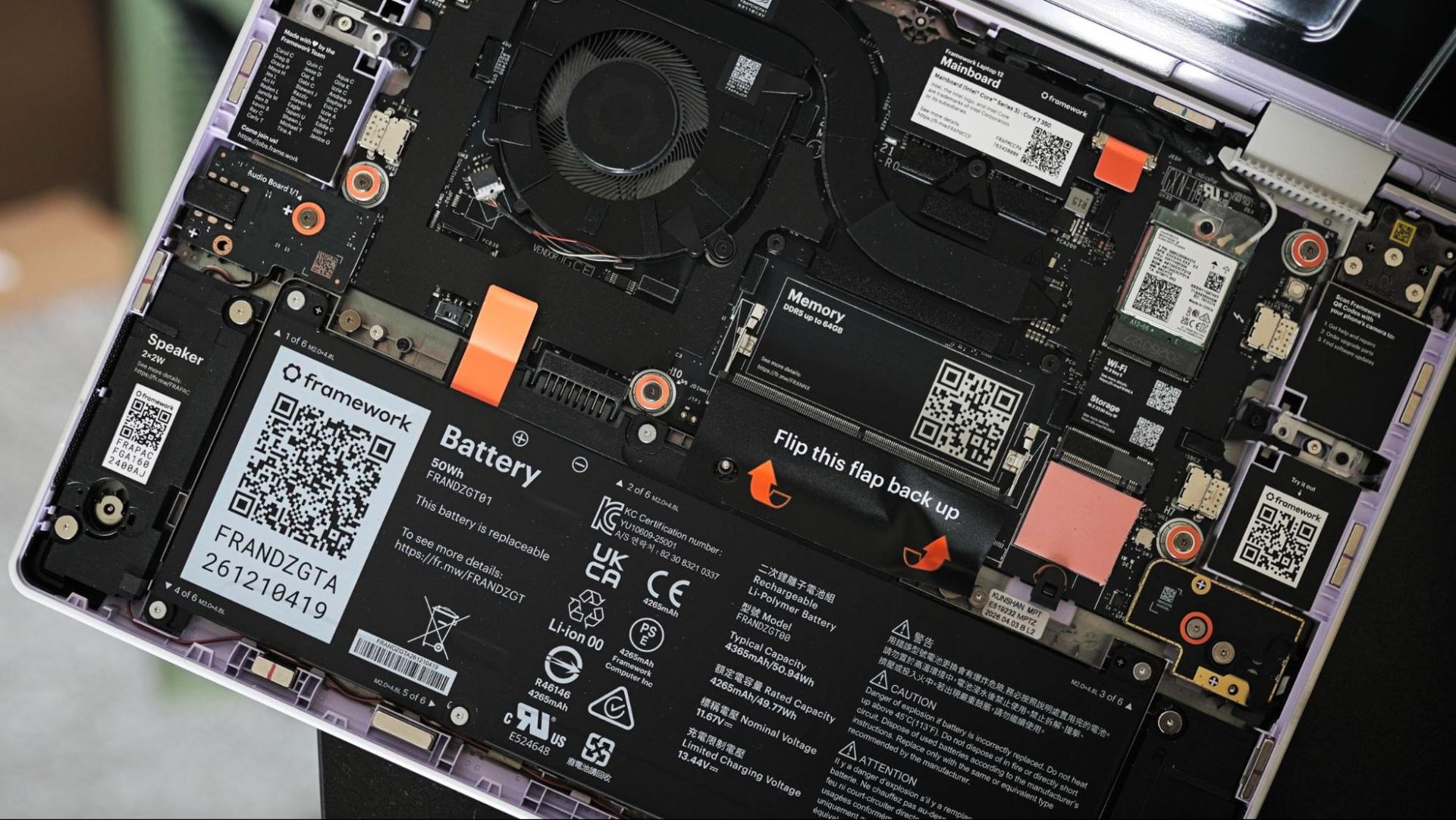
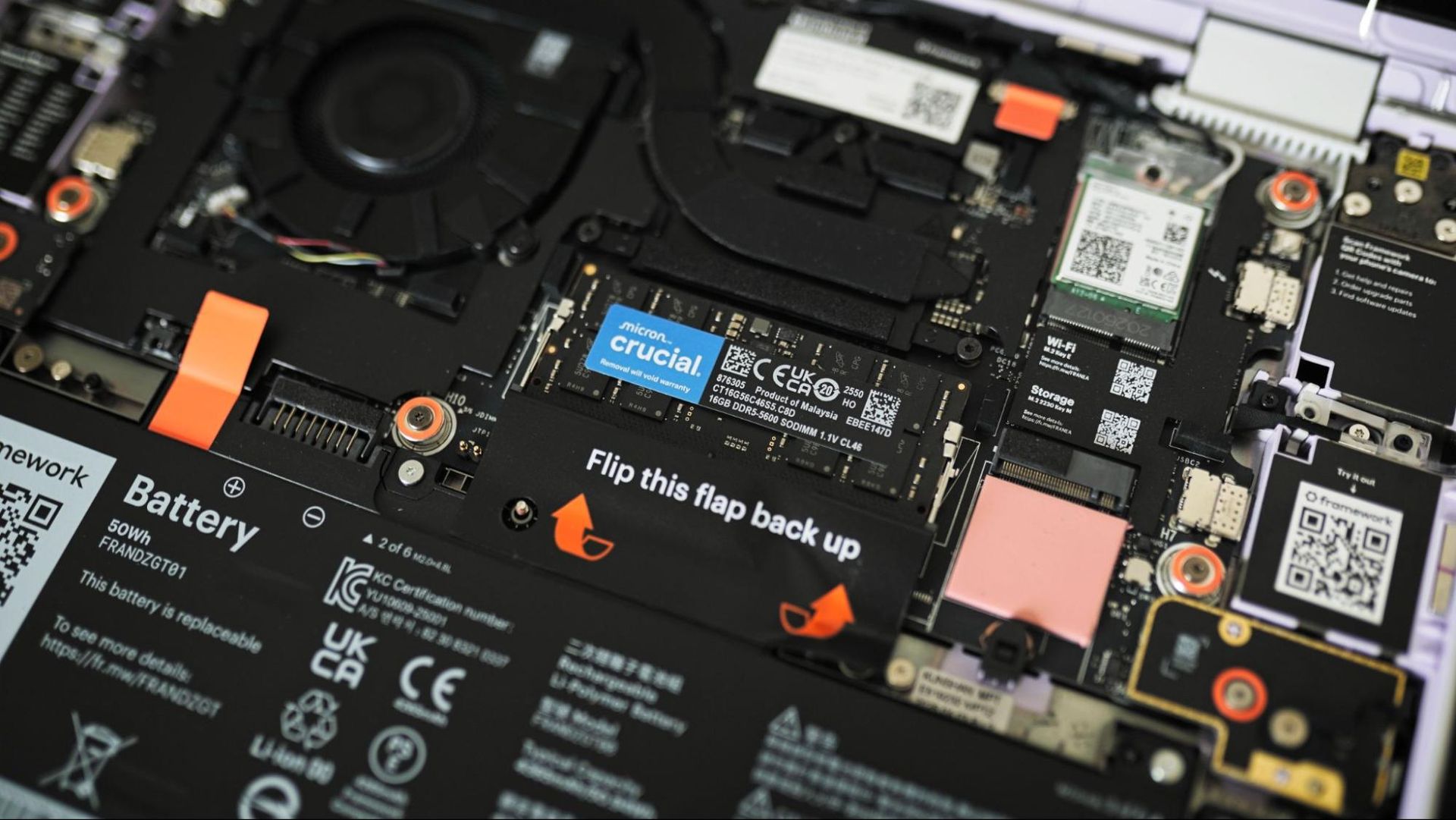
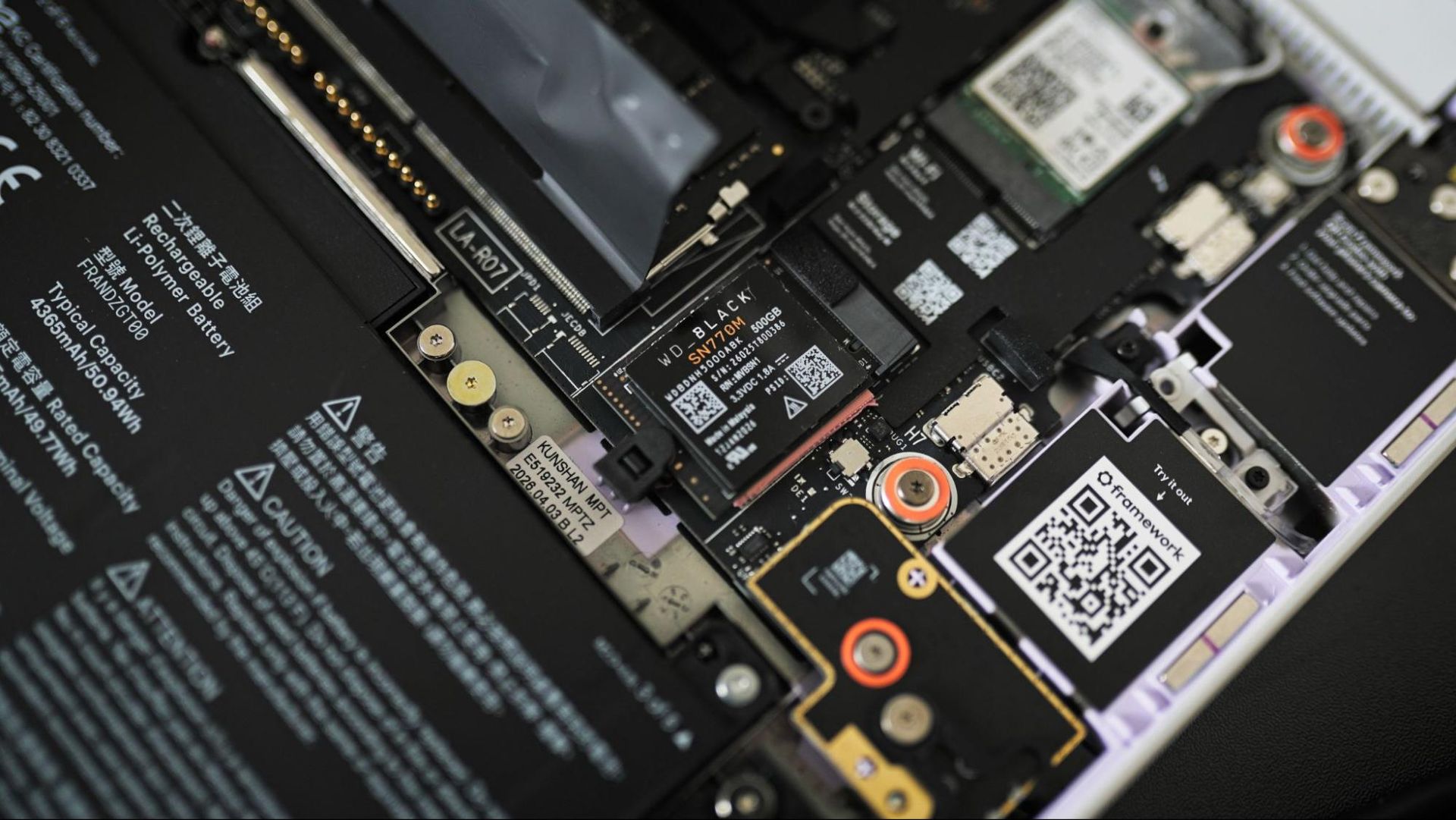
Framework built its brand on upgradability, so it’s no surprise that the Framework Laptop 12 earns near-perfect marks here. Like other devices, you can ship the Framework Laptop 12 pre-assembled, or as a barebones system that can accept your own M.2 2230 SSD, DDR5 SODIMM, and operating system. Even then, you can swap out the keyboard, display, mainboard, and ports if you choose (though only within the Framework Laptop 12 form factor).

However, the Framework Laptop 12 brings up the important distinction between serviceability and upgradability. The Framework Laptop 12 is the gold standard (among all Framework devices) for serviceability.But the Wildcat Lake chip brings up concerns about upgradability with its single-channel memory interface.

You can upgrade the memory up to a 64GB DDR5-6400 SODIMM, but there’s only one physical memory slot on the board. Wildcat Lake exclusively uses single-channel memory; it’s not simply a single-channel configuration for a budget price point. You can upgrade to more capacity down the line, but you can’t simply add in a second SODIMM to double your RAM.

Framework Laptop 12

(Image credit: Tom's Hardware)

You won’t find a more serviceable laptop on the market (outside of the other options from Framework) than the Framework 12, but you primarily have two narrow upgrade paths: more storage and more memory capacity, but not a true dual-channel configuration. Hopefully Framework will continue this line in the future, allowing you to swap the mainboard.

On the serviceable end, however, Framework makes things simple. You get a matching Torx screwdriver with the laptop that can detach the bottom cover. The cover has eight captive screws, so you don’t need to worry about losing them, and it’s primarily there to keep everything together; you actually service the laptop from the top, under the keyboard.

Considering you’re meant to go inside the laptop, Framework has everything clearly labeled, along with QR codes that link to repair guides for various components. With our barebones kit of modules, the laptop was powered on and assembled within five minutes, and this is my first time ever assembling a Framework device from scratch.

Battery Life

Our typical laptop battery tests are based on Windows, and we can’t replicate the testing process on Linux. Framework assured us that Fedora 44 offers the best experience out of the box, so that is what we tested. Instead of a direct comparison, we designed a basic web browsing test loop to see how long the 50WHr battery would hold up away from a charger.

About 9 hours is the answer, with a 9:16 average across three runs. We ran the laptop through a series of live websites with the screen set to 150 nits, Wi-Fi on, and Bluetooth disabled for the test. Again, we can’t make direct comparisons with Windows laptops, but getting around a full day of work is solid for the small 50Whr battery. And with USB-C charging, you can pretty easily top off with a portable GaN brick.

Audio

The stereo 2W speakers inside the Framework Laptop 12 are surprisingly powerful, considering the size of the machine, though the quality of the speakers and dual internal microphones is a clear cut corner to reach the more affordable price of the device. Thankfully, there’s a 3.5mm headphone jack built in (it doesn’t take a module slot), along with Bluetooth 6.0 support for wireless headphones.

The microphone poses a larger issue than the speakers. It’s heavily compressed, which helps make your voice come through clearly, though at the cost of heavy background noise (including keyboard and trackpad noise). You’ll want to use something like EasyEffects in Linux to clean up the microphone audio.

As for the speakers, they’re not as bad as they could be. As mentioned, they’re loud considering the size of the device, and they didn’t distort at full volume. They’re tuned for this type of device, as well. Rather than overemphasizing the highs or pumping too much low-end and exposing distortion, the speakers in the Framework Laptop 12 have a heavy emphasis on the upper midrange.

This range, somewhere between 500Hz and 4kHz, is typically described as “boxy,” and that emphasis works well for the small drivers in the Framework Laptop 12. It implies a low end that the drivers aren’t actually capable of producing. Further, the higher-end of this range, around 1kHz to 2kHz, is where many human voices fall, with sharp consonants pushing higher-end harmonics that come off as harsh. Again, the emphasis helps, allowing voices to come through clearly, without sounding tinny.

Heat

Framework Laptop 12

(Image credit: Tom's Hardware)

The Framework Laptop 12 stays fairly cool, even under load. The hottest point we measured on the laptop was the underside, directly in the middle, which peaked at 101 degrees Fahrenheit (about 38 degrees Celsius). Under normal usage in a browser with a handful of tabs open, there’s very little noticeable heat, even at this hottest point.

Up where your hands are, we measured 94 degrees Fahrenheit (about 34 degrees Celsius) between the G and H keys on the keyboard, and 86 degrees Fahrenheit (30 degrees Celsius) on the touchpad. That’s warm for your hands, but again, the heat only crops up during heavy load.

Webcam

It’s unsurprising for a laptop at the price of the Framework Laptop 12, but the webcam quality is poor. The camera oddly uses a 4:3 aspect ratio, and the 2MP sensor creates an image more reminiscent of a watercolor than a sharp, Full-HD picture. It struggles with low-light especially, with even moderate shadows in an otherwise brightly-lit room showing visible noise.

Framework Laptop 12

(Image credit: Tom's Hardware)

The image above was taken in my office in the middle of the day. A window behind me was fully open, about three and a half feet away, and I have a lamp serving somewhat as a key light about three feet off-screen to my left. I’m on the second floor of a two-story house, on a hill without any trees obstructing sunlight (and it was a sunny day). There was a generous amount of natural light in the room.

Yet, you’d think I was sitting in near darkness from the webcam image. The stark brightness from the window darkens my face, filling it with visible noise, as the camera struggles to handle the dynamic range. Sitting in front of an unobstructed window during the middle of the day is the time and place where you’re likely to have the webcam turned on, and it fails that test.

Software and Warranty

Framework offers a standard one-year limited warranty on the Framework Laptop 12, with an optional three-year warranty available for $89 extra. You can read over Framework’s limited warranty, but the limitations are fairly straightforward. Normal wear and tear, damage due to negligence or misuse, and use of third-party parts (or first-party parts from third-party sources) will void the warranty.

Broad warranty protection isn’t as important here as it is elsewhere, however. If, for example, your USB-C port stops working, you can just buy another one rather than going through the RMA process and potentially paying for a repair on the other side (even if you’re under warranty).

You’re free to bring your own OS, but Framework also offers the Framework Laptop 12 with either Windows 11 or Fedora 44 pre-installed. Framework normally uses Ubuntu; however, Fedora 44 has moved to the newer Linux 7.1 kernel, which has optimizations specifically for Wildcat Lake. Using a slower-moving distro like Ubuntu is fine, though you’ll want to make sure to manually upgrade your kernel (and packages) for the best performance if you’re not already using a distro with kernel 7.1 or newer.

Configurations

Framework Laptop 12

(Image credit: Tom's Hardware)

Framework offers three mainboard configurations: Core 3 204, Core 5 320, or Core 7 350. As we covered in the performance section, the Core 5 320 in the XPS 13 offered largely similar performance to the Core 7 350 in the Framework Laptop 12, so that seems like the sweet spot here. The Core 3 304 is effectively a single-core CPU, with just one P-core alongside a four-core LPE cluster, and it lacks a fingerprint reader, which is available with both other mainboards.

With the DIY edition, Framework ships the laptop without memory, storage, or expansion cards. There’s a single SODIMM slot for memory and a single M.2 2230 slot for the SSD. Framework offers up to 2TB of PCIe 4.0 storage at checkout, as well as up to 48GB DDR5-5600 (again, via a single SODIMM). Framework has USB-C, USB-A, HDMI, Ethernet, 10G Ethernet, DisplayPort, microSD, and SD card modules available, ranging from $10 to $99.

There aren’t any display options aside from the standard 60 Hz 1080p panel in our unit. For the keyboard and trackpad, Framework offers backlit and non-backlit options in various different native layouts.

Framework offers prebuilt versions of the Framework Laptop 12 at a discounted price. The Core 3 304 comes with 8GB of memory ($699), the Core 5 320 comes with 16GB (1,099), and the Core 7 350 comes with 32GB (1,399), and all three configurations use 512GB of storage. All of the configurations come with Framework’s standard expansion card bundle: two USB-C, a USB-A, and an HDMI module.

Dell starts higher with the XPS 13 at $799, but that’s with the Core 5 320 and 8GB of memory. Jumping up to 16GB, the XPS 13 is $999 with the Core 5 320, $100 less than the preconfigured Framework Laptop 12.

Bottom Line

The Framework Laptop 12 is caught between an unprecedented memory and storage shortage and a wave of budget-oriented Windows laptops that skip the repairability angle in favor of better trimmings out of the box. At the same price, it’d be a solid alternative with understandable downsides. The killer for the Laptop 12 is that you’ll likely spend more on it compared to other Wildcat Lake options.

With the Core 5 320, the Framework Laptop 12 is nearly $300 more expensive than the XPS 13, when both are configured with 8GB of memory and 500GB of storage. The Acer Swift Air 14 is $700, and a similarly configured Framework Laptop 12 is $1,074 before adding on the extra cost of a power adapter and modules. For many Wildcat Lake devices, we see prices top out around $1,000; with the Framework Laptop 12, you’ll often spend at least $1,000, assuming you push beyond the Core 3 304.

Modularity comes at a cost, which is more relevant in the case of the Framework Laptop 12 where $100 or $200 makes all the difference in value (it’s less relevant up at the Framework Pro 13, where you expect premium pricing). That extra cost is especially damaging here, when Framework’s competitors are offering better display performance (and more pixels) and all-aluminum bodies for less money.

There are situations where the Framework Laptop 12 is a great option, even compared to the other Wildcat Lake devices on the market. If you already have a SODIMM module you can harvest from other devices, along with an SSD, this is a cheap way to get some of Intel’s latest silicon. But for everyone else, unless you don’t mind paying significantly more for repairability, there are better options available that typically cost less, look better, and feel more premium.

✇Tomshardware

AMD debuts Helion reference design for agentic AI servers with up to 32,768 Zen 6 ‘Venice’ cores

作者 Jake Roach

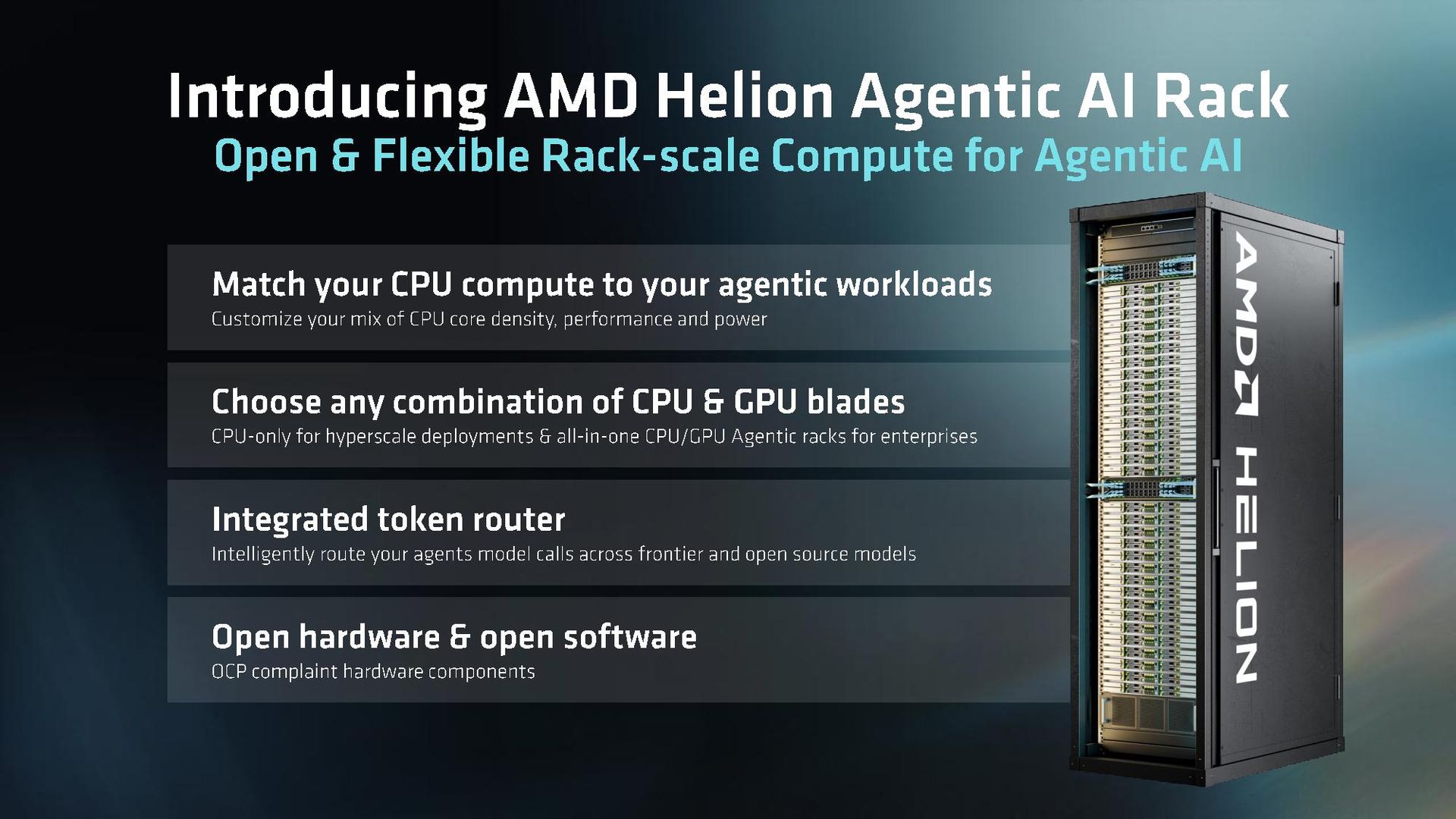
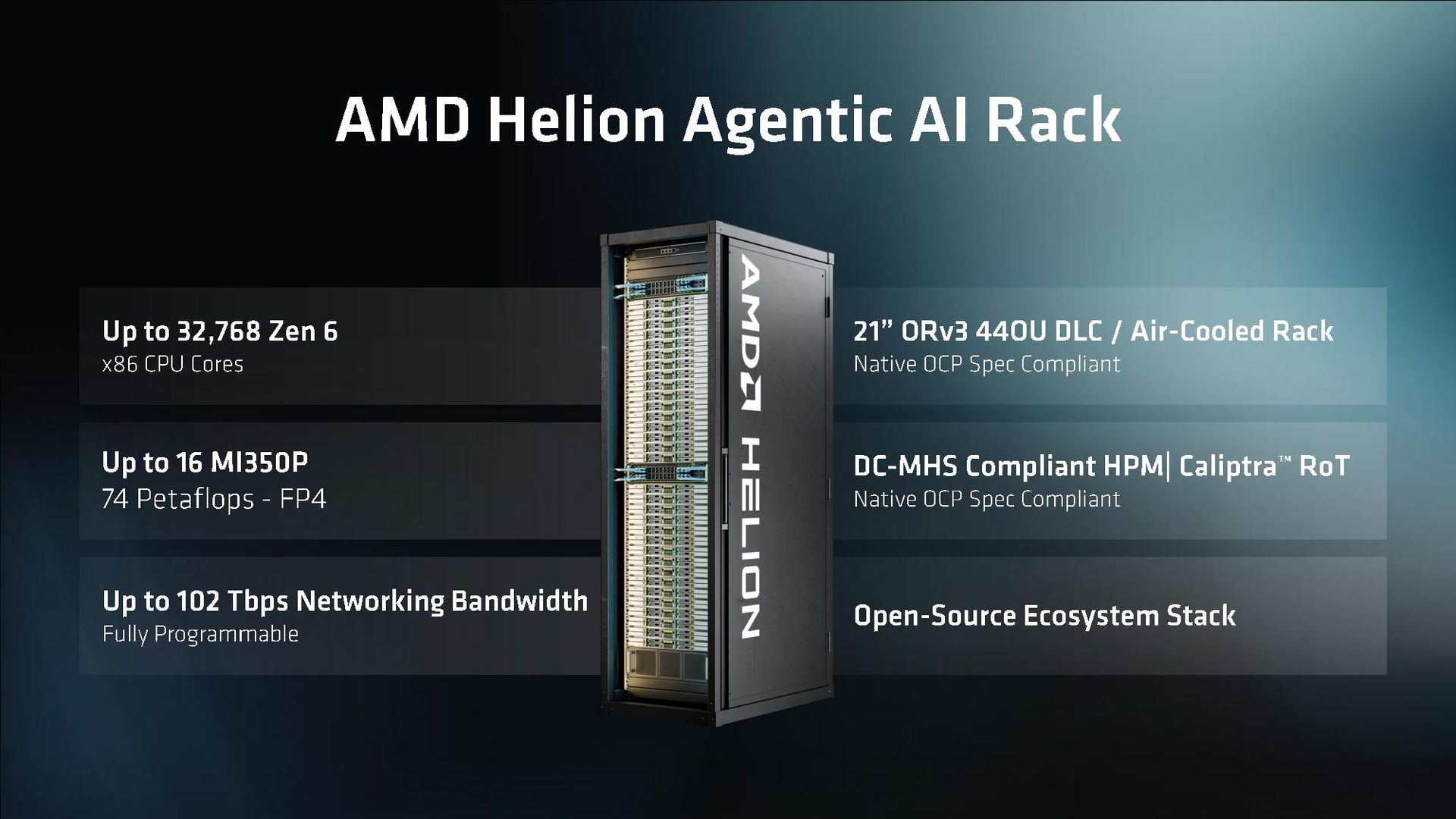
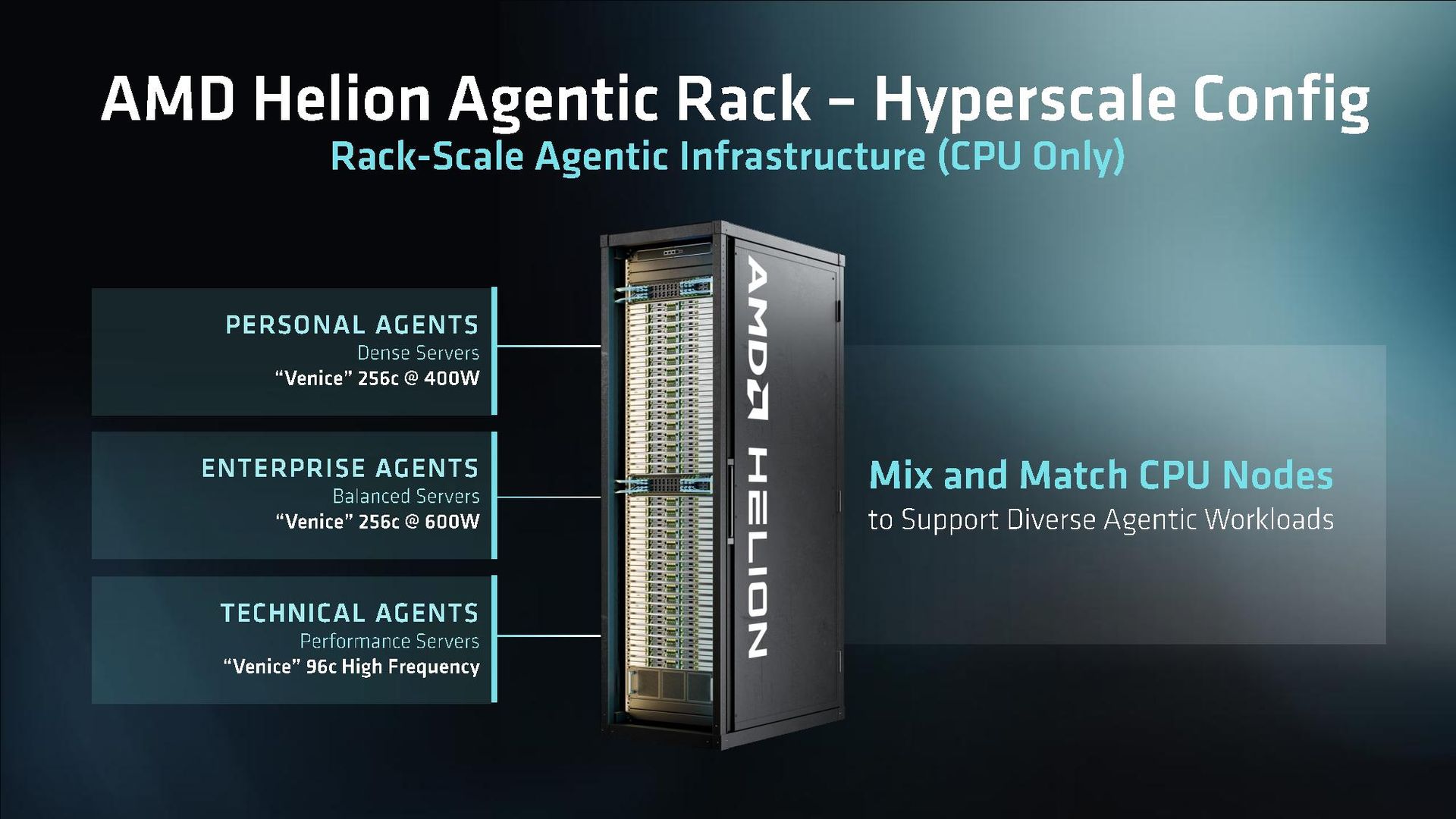
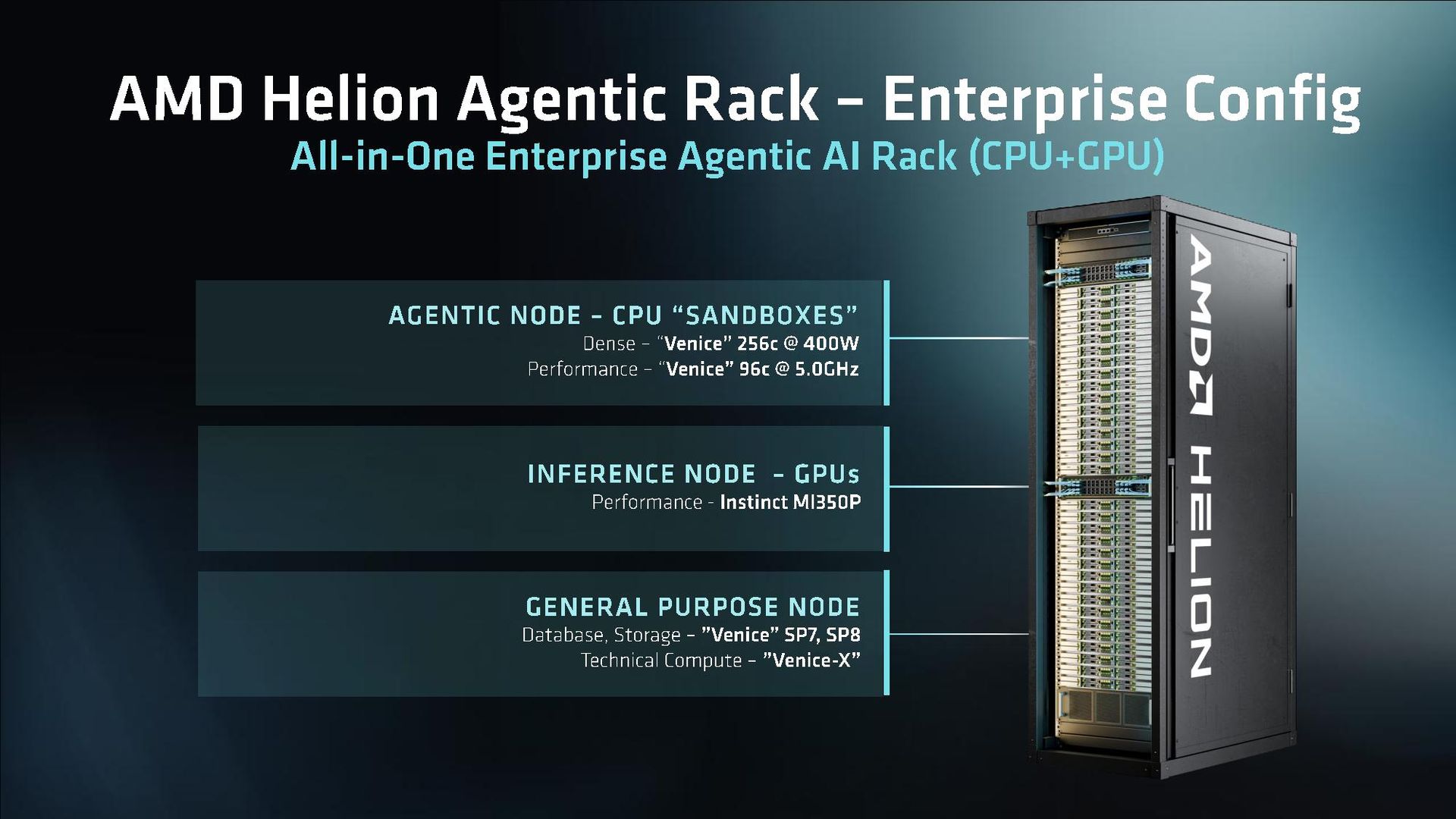
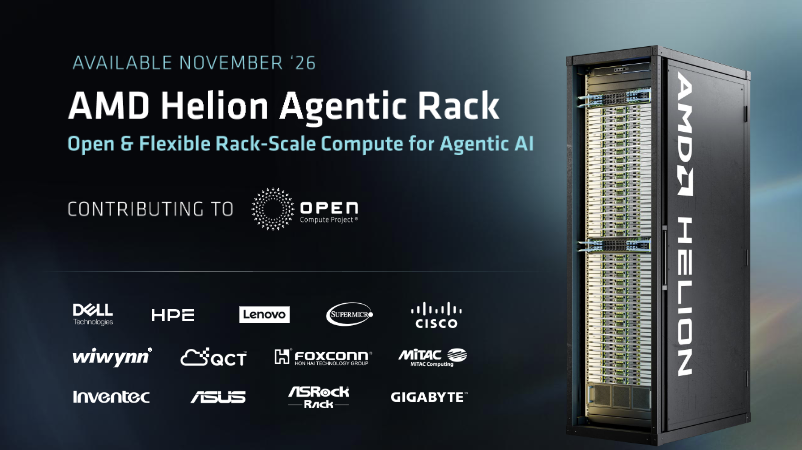
AMD is bringing a new reference rack-scale design to the data center ecosystem with Helion. It’s a standardized, 21-inch rack reference design that will complement the Helios rack AMD revealed at OCP Global Summit last year. This year, we have Helion, which AMD says can house up to 32,768 Zen 6 cores in a CPU-only deployment using the dense 256-core design available with the EPYC ‘Venice’ 9996.

The rack design is standardized, based on the Open Compute Project’s ORv4 specification, which is slightly wider and taller than a standard IT rack. Helion is designed to support 44 OpenU trays, which are 21 inches wide and 48mm tall, slightly larger than a standard EA1-310 tray. AMD says the reference design supports both air-cooled and direct liquid-cooled deployments.

The design is also compliant with OCP’s DC-MHS (Data Center Modular Hardware System) standard. MHS is designed to bring “interoperability between key elements of data center, edge, and enterprise infrastructure,” according to OCP.

Although AMD has renders of the design you can see in the presentation below, it won’t actually sell racks. This is a reference design that AMD is contributing to OCP, and OEMs and ODMs will actually bring that design to market. AMD didn’t share partners supporting Helion during a pre-briefing with the press. The company says CEO Lisa Su will announce partners during the lead keynote at the OCP Global Summit later today.

AMD also didn’t share deployment partners, though it suggested that Helios customers will also deploy Helion racks.

Unlike Helios, which is built for AI training and inference, Helion is a more flexible rack solution primarily focused on CPUs. In a CPU-only deployment, the design can hold up to 128 EPYC 9996 CPUs, bringing that impressive 32,768 core count per rack. This configuration would likely look something like an agentic AI sandbox system, which is then connected to an inference system.

This model for personal AI agents is in use today, both in Meta’s Muse and OpenAI Dots. Each user has a sandbox with a slice of compute from the host system, with the backbone of an inference server. Some workloads are handled on those CPU-only servers, such as building software, but the heavy-duty AI inference happens elsewhere.

Presumably, this is the model AMD is aiming at with Helion as hyperscalers build out CPU capacity on the back of agentic AI. However, the design is flexible, supporting up to 16 MI350P GPUs and 102 Tbps of networking, though at the cost of CPU capacity. This hybrid configuration is targeted at enterprises, says AMD, giving them an all-in-one rack for data management, networking, and AI usage.

AMD says the Helion rack will be available starting in the first half of 2027, likely riding the wave of Zen 6 deployments that are expected to start ramping up later this year.

Full AMD OCP 2026 presentation

AMD OCP 2026 presentation.
AMD
AMD OCP 2026 presentation.
AMD
AMD OCP 2026 presentation.
AMD
AMD OCP 2026 presentation.
AMD
AMD OCP 2026 presentation.
AMD
AMD OCP 2026 presentation.
AMD
AMD OCP 2026 presentation.
AMD
AMD OCP 2026 presentation.
AMD
AMD Helion rack.
AMD
✇Tomshardware

Pre-orders are live on Nvidia RTX Spark devices, secure the Surface Laptop Ultra or other RTX Spark laptops here — starting at $2,599

作者 Jake Roach

Nvidia's RTX Spark is arriving soon, with devices shipping on Friday, October 16. Pre-orders for RTX Spark from brands like Asus, Microsoft, Lenovo, HP, and Dell are live now, including the new Surface Laptop Ultra. Additional devices will be available post-launch, including small form factor desktops. Further below, you'll find the full list of all available models in detail, but we also have more general links here:

Best Buy has a limited lineup of devices to start, ranging from the Asus ProArt P14 with 24GB of memory for $2,599 up to the Surface Laptop Ultra with 48GB of memory for $3,999. If you want to scale up the RTX Spark's maximum 128GB of memory, you'll need to shop elsewhere.

Nvidia RTX Spark 128GB and 64GB laptop pre-orders

ProArt P16 RTX Spark: $4399.99
The Asus ProArt P16 is a 16-inch laptop with the RTX Spark chip, which includes the 20-core Grace CPU and a Blackwell GPU, along with up to 128GB of unified memory. View Deal

Asus has the ProArt P16 available with either 64GB or 128GB of unified memory directly from its web store, starting at $4,499.99 for the 64GB configuration. If you upgrade to 128GB of unified memory, the laptop comes in at $6,999.99 with 2TB of storage.

The HP OmniBook X 14 is a 14-inch laptop with the RTX Spark chip. It includes a 3K OLED touch display at a 120Hz refresh rate, along with up to 128GB of unified memory. View Deal

The HP OmniBook Ultra 16 is a 16-inch laptop with the RTX Spark chip and supports up to 128GB of unified memory. View Deal

HP has two models available directly in its web store, both of which support up to 128GB of unified memory (along with 64GB, 48GB, 32GB, and 24GB). Both models are significantly cheaper than the ProArt P16 with 128GB of unified memory. The OmniBook X comes in at $5,109, while the OmniBook Ultra runs $5,309, both with 1TB of storage.

The two models are very similar, differing primarily in screen size. The OmniBook X is 14 inches, and the OmniBook Ultra is 16 inches. Both come with a 3K OLED touch display with a 120Hz refresh rate, and they support up to 2TB of storage.

With both laptops, you'll get a smaller 5120-core GPU with the 32GB configuration. With all other configurations, you get the full 6,144-core GPU available on the RTX Spark.

The Surface Laptop Ultra is a 15-inch laptop with the RTX Spark chip and up to 128GB of unified memory. View Deal

Finally, the Surface Laptop Ultra is available up to 128GB directly from Microsoft. It's also available from B&H, though it appears configurations with more memory capacity are exclusive to first-party sources right now. That might mean B&H ships later than what you can get directly.

Dell and Lenovo don't have devices available directly yet, so the only options for pre-order are what you can find at Best Buy. We have those rounded up below.

Nvidia RTX Spark Best Buy pre-orders

Best Buy has a broad range of RTX Spark laptops available for pre-order, topping out at 64GB of unified memory. All of the devices through Best Buy are expected to ship on the October 16 release date. You can find all of the pre-orders going on right below below.

We've included the starting configuration for each machine, though note that Best Buy has other configurations of these models available for pre-order, as well. You can browse all of the pre-orders directly on Best Buy.

ProArt P14 (RTX Spark): $2599.99
The Asus ProArt P14 is a 14-inch laptop with Nvidia's RTX Spark chip. View Deal

Surface Laptop Ultra (RTX Spark): $2599.99
The Microsoft Surface Laptop Ultra features Nvidia's RTX Spark chip and up to 128GB of unified memory. View Deal

ProArt P16 (RTX Spark): $2799.99
The Asus ProArt P16 is a 16-inch laptop with up to 128GB of unified memory and 2TB of storage, featuring the RTX Spark chip. View Deal

OmniBook Ultra (RTX Spark): $3199.99
The HP OmniBook Ultra is a 16-inch laptop with the RTX Spark chip and 3K OLED touch display. View Deal

XPS 16 (RTX Spark): $3799.99
The Dell XPS 16 is a 16-inch laptop from Dell's premium XPS line, sporting the RTX Spark chip. View Deal

Yoga 9n 2-In-1 (RTX Spark): $3099.99
The Lenovo Yoga 9n is a convertible 2-in-1 laptop that features Nvidia's RTX Spark chip. View Deal

Nvidia RTX Spark specs to know for pre-order

Nvidia calls its latest SoC simply "RTX Spark," but it's actually a range with two different chips. The full chip is comes with a 20-core Grace CPU and 6144-core Blackwell GPU, but there's a lower-end configuration with an 18-core Grace CPU and 5120-core Blackwell GPU.

Pay close attention to which you are pre-ordering. Listings will simply call the chip "RTX Spark N1X," and you have to read through the description to confirm the core counts on the CPU and GPU.

From the pre-orders available now, we've only seen the 18-core CPU/5120-core GPU version with laptops that have 24GB or 32GB of Unified Memory. Listings with 48GB or above have the full chip. The RTX Spark is available with several different memory capacities, including 24GB, 32GB, 48GB, 64GB, and 128GB.

For storage, we've seen configurations with 512GB, 1TB, and 2TB, though the vast majority of devices top out at 1TB, including the Surface Laptop Ultra. Undoubtedly we'll see configurations with more storage capacity eventually, but that's a tough sell right now when even a tricked-out 2TB configuration costs $7,000.

✇Tomshardware

The Logitech G29 racing wheel and pedal set is back on sale with steep 37% discount

作者 Jake Roach

Logitech's entry-level G29 racing wheel and pedal set is on sale for 37% off at Amazon right now, bringing its $299.99 list price down to just $189.98. Although the set frequently goes on sale, it usually sells for above $200, and otherwise, for its list price of $300. This isn't the lowest the set has dropped (it dropped to $170 before), but it's close.

It's a basic wheel and pedal set that's perfect for a beginner racing sim. The wheel includes real force feedback along with a 900-degree rotation (like an F1 car), and the nonlinear pads are customizable for an accurate braking feel. The G29 is the PlayStation version of Logitech's entry-level racing wheel; however, the Xbox-branded G920 is on sale, as well. Both work on PC and Mac.

Logitech G29 Driving Force Racing Wheel and Floor Pedals: was $299.99 now $189.98
The Logitech G29 racing wheel and pedals works with PC and Mac, and there are specific versions for PlayStation and Xbox consoles. View Deal

Logitech's G29 has been around for more than a decade, and it's still a popular entry-level choice today. The wheel and pedal kit is enough to get you started with an adjustable desk mount, but Logitech has built up an ecosystem of racing sim accessories that you can use to expand the G29, as well, some of which are on sale.

The Logitech G Driving Force Shifter, for example, is down to an annual-low price of $39.98, giving you a realistic, H-pattern shifter alongside your wheel and pedals. If you need somewhere to mount everything, the Marada racing sim cockpit is on sale as well. It supports the G29 ecosystem, and it's 15% off on Amazon right now.

If you have more cash to spare and are gunning for a premium racing sim experience, Logitech's direct drive RS series peripherals are on sale, as well. The direct drive RS50 wheel is 21% off, as are the RS racing pedals and RS shifter.

More Prime Big Deal Days Tech Deals

Best Tech and PC deals | Best gaming PC deals | Best RAM combo deals | Best 3D printer deals | Best RAM deals | Best gaming laptop deals | Best monitor deals | Best Wi-Fi Router deals | Best GPU deals | Best SSD deals | Best hard drive HDD deals | Best CPU deals | Best gaming chair deals | Best PC building tool deals | Best PC peripherals deals | Best filament and resin deals | Best motherboard deals | Best CPU cooler deals | Best PC case deals | Best Dell and Alienware deals | Best USB charger deals | Best gaming and productivity laptop deals under $1,000 | Best laptop PC deals

Also, you can join the Tom's Hardware deals Discord for up-to-the-minute hardware deals.

✇Tomshardware

Sneak a great deal on the original MSI Claw during Best Buy clearance sale

作者 Jake Roach

The original MSI Claw (A1M) was forgotten about almost as quickly as it launched, being the first handheld from MSI, and the first one to sport an Intel CPU (in this case, the Core Ultra 7 155H from the Meteor Lake family). Unsurprisingly, Best Buy has the handheld on clearance, and right now it's available for a surprisingly good price of $562.99 considering how expensive newer handhelds are.

In this case of handheld gaming PC, this is the cheapest option you can get right now. Even the ROG Xbox Ally with the Ryzen Z2 A and 512GB of storage is $600. Handhelds with 1TB of storage and the Ryzen Z1 Extreme (the chip Intel originally targeted) will run you north of $1,000.

In both build quality and layout, the A1M is nearly a carbon copy of the original Asus ROG Ally. It sports a 7-inch 1080p display with a 120Hz refresh rate, a single USB-C port for charging and peripherals, and a microSD card slot for storage expansion; though, you can replace the SSD inside, as well.

Claw A1M (Core Ultra 7 155H, 16GB, 1TB): was $749.99 now $562.99
The MSI Claw A1M is a handheld gaming PC with the Intel Core Ultra 7 155H, 16GB of memory, and a 1TB SSD. It comes with a 1080p display with a 120Hz refresh rate. View Deal

This is a great deal considering the price of handhelds right now, especially those packing 1TB of storage, but the A1M was glossed over quickly for a reason. The Meteor Lake chip inside wasn't built for handheld gaming, so although it offers decent performance, it does so at relatively high power draw.

In a game like Horizon Zero Dawn, it's able to achieve around 30 FPS at native 1080p with the Balanced power plan, which uses a 30W target. Plugged in with a full 40W power budget, the game can crack 30 FPS in titles like Cyberpunk 2077 with the Steam Deck preset.

It falls between 5% and 10% short of the Z1 Extreme, and with worse battery life. With prices equal, we'd normally recommend the ROG Ally. Considering the price gap, the A1M is worth considering. The software isn't as clear as what you get with an Asus handheld, but MSI has made dozens of updates to its firmware and overlay software since the original A1M launched.

Performance is less of a concern than battery life, with the Meteor Lake chip sucking down quite a bit of power relative to modern PC handhelds. That's not a dealbreaker at this price, but make sure to have a quality USB-C charger at the ready.

More Prime Big Deal Days Tech Deals

Best Tech and PC deals | Best gaming PC deals | Best RAM combo deals | Best 3D printer deals | Best RAM deals | Best gaming laptop deals | Best monitor deals | Best Wi-Fi Router deals | Best GPU deals | Best SSD deals | Best hard drive HDD deals | Best CPU deals | Best gaming chair deals | Best PC building tool deals | Best PC peripherals deals | Best filament and resin deals | Best motherboard deals | Best CPU cooler deals | Best PC case deals | Best Dell and Alienware deals | Best USB charger deals | Best gaming and productivity laptop deals under $1,000 | Best laptop PC deals

Also, you can join the Tom's Hardware deals Discord for up-to-the-minute hardware deals.

✇Tomshardware

Some of the best PC speakers and soundbars we've tested are on sale starting at just $27.99

作者 Jake Roach

One of the simplest upgrades you can make to your desktop setup is a pair of the best PC speakers, many of which are on sale now as part of Amazon's Prime Big Deal Days. We've tracked down six of the best deals on speakers we've tested, some of which are among the best we've tested on the market.

If you want an alternative to headphones or don't want to keep relying on your monitor's junky internal speakers, you need a dedicated pair of PC speakers that you can use for listening to music, watching movies, and of course, playing games. The picks below are all compact, stereo speaker systems that should easily fit on most desktops — though there are larger surround sound systems available, like the SteelSeries Arena 9, if you have the space (and cash) to spare.

The Creative Labs Pebble V2 is a set of stereo speakers that connect to your PC via USB and feature a minimalist design. View Deal

Starting with an old favorite of Tom's Hardware, the Creative Labs Pebble V2 are about as simple and straightforward as PC speakers come. We've seen them for a couple of dollars less before, but at just $28 for a 2.0 stereo set of speakers, it's hard to complain. The speakers connect via USB-C (power) and 3.5mm (audio), and there's a volume dial on the front of the right speaker for quick adjustments.

We've reviewed the Pebble Pro set, which comes with an optional power boost to round out the low-end, as well as modern wireless connectivity with Bluetooth, but they're around $60. For a no-nonsense set of speakers that you plan on exclusively using with a desktop, however, the base Pebble V2s remain our go-to option.

G2000 32W PC Gaming Speakers: was $109.99 now $79.99
The G2000 speakers from Edifier come with a peak power raing of 32W and a frequency response of 98 Hz up to 22 kHz, along with analog and Bluetooth connections. View Deal

Up a step in quality, you can save a solid 27% off the Edifier G2000 speakers, which currently rank as our best set of PC speakers for 2.0 gaming. With 32W of peak power, the G2000s are substantially more powerful than what you get with the Pebble V2, helping to deliver better low-end performance out of the 2.75-inch drivers.

In addition to USB and 3.5mm connections, the speakers also support Bluetooth, and there's an optional input for a subwoofer if you want to expand to a 2.1 stereo setup in the future. This is the first time this pair of speakers has dropped below $80 this year, with the set mostly selling for around $90 and $100 on sale, so now's a great time to pick them up.

Edifier M60 Multimedia Speaker: was $199.99 now $149.99
The Edifier M60 speakers feature a 3-inch woofer and 1-inch tweeter, as well as 66W of total output across the four drivers. View Deal

If you're after the illustrious Audioengine A2+ speakers, they unfortunately aren't on sale right now. The Edifier M60 set does a decent impression, however, and they're half the price right now at $149.99. Peak power is more than doubled compared to the G2000, up to 66W peak with the internal Class-D amp; the drivers are enlarged to 3 inches, and Edifier includes a 1-inch tweeter to help separate the high-end frequencies.

For connections, Edifier includes USB-C, 3.5mm, and Bluetooth, and the speakers come with a pair of aluminum stands that angle the drivers up toward your ears at 15 degrees (an extra with Audioengine speakers).

Creator Series GX-10DB: was $249 now $159
These 6.81 x 4.68 x 5.51-inch speakers have attractive removable cloth fronts, 10-degree angled stands to aim them up at your ears, and they performed well in our testing. They also have ample connectivity, with Bluetooth 5.3 LE, USB-C, RCA (with a built-in Phono stage for vinyl record players), optical, and a subwoofer connector. I've used these for years as the sound system for my projector and have been very happy with their audio output. View Deal

For around the same price, you can pick up a pair of the GX-10DB speakers from the Japanese brand Onkyo. These speakers are similar to the M60 set, featuring a 3-inch driver and 3/4-inch tweeter, though with a lower 30W of total power through the Class D amp. Onkyo also includes 3.5mm, USB-C, and Bluetooth inputs, along with an optical input and an RCA output for a subwoofer.

The main reason to go for the Onkyo's is the enclosure and DSP chip, which is better than what you get with the Edifier's. Both the white and black versions are on sale, and regardless of the color you choose, you get a pair of wood-finished angled stands and speaker grilles with the Edifier logo.

GX-30ARC: was $349.00 now $249.99
These 4-inch 50-watt speakers look great, come with angled desktop stands, and can connect to your PC and just about everything else. Features include Bluetooth as well as 3.5mm AUX, HDMI ARC, USB-C, line/phono, and optical connections. View Deal

If you have a bit more budget, the larger GX-30ARC speakers from Onkyo are also on sale, and they currently rank as our top multi-use 2.0 PC speakers. They're virtually identical to the smaller GX-10DB set, just with larger 4-inch drivers and a bump up to 50W on the amp. Onkyo also includes an HDMI CEC input with these speakers if you want to us them with a TV or console.

You can read more about both sets of speakers in our Onkyo Creator Series review.

Ai41 Powered 2-Way 2.0 Stereo Bookshelf Speakers: was $299.99 now $255.96
The Fluance Ai41 speakers feature 5-inch drivers with a 1-inch tweeter, and they come with an included remote that controls volume, bass, and treble. View Deal

Stepping up once again to a 5-inch driver, the Fluance Ai41 speakers are on sale for around $255. Similar to the Edifier M60 set, these are modeled after Audioengine's A5 speakers, though they cost half the price right now. Plus, Fluance includes some extra goodies that Audioengine doesn't, such as a remote that controls volume, treble, and bass, in the box.

In our Fluance Ai41 speaker review, we found that the audio quality was excellent for the price, assuming you have space for larger speakers on your desktop. The speaker accepts RCA, Bluetooth, and optical inputs, and the two satellites connect with the included 18-gauge speaker wire.

At the high end, the OXS Thunder Pro soundbar is on sale for a solid $150. It's a 5.1.2 system with Dolby Atmos support, with the soundbar packing dual 3/4-inch tweeters, dual 2.5-inch full-range drivers, and four 1.5-inch full-range drivers. You can optionally purchase a neck pillow with two additional 1.75-inch drivers, though we found the neck pillow to be mostly a gimmick in our OXS Thunder Pro review.

Although the soundbar is angled toward PC, it includes two HDMI inputs (one of which supports eARC), a USB-C and USB-A connection, a microphone and headset input, as well as a separate 3.5mm audio input. OXS also includes a wireless remote, as well as a wired desktop volume rocker.

More Prime Day Tech Deals

Best Tech and PC deals | Best gaming PC deals | Best RAM combo deals | Best 3D printer deals | Best RAM deals | Best gaming laptop deals | Best monitor deals | Best Wi-Fi Router deals | Best GPU deals | Best SSD deals | Best hard drive HDD deals | Best CPU deals | Best gaming chair deals | Best PC building tool deals | Best PC peripherals deals | Best filament and resin deals | Best motherboard deals | Best CPU cooler deals | Best PC case deals | Best Dell and Alienware deals | Best USB charger deals | Best gaming and productivity laptop deals under $1,000 | Best laptop PC deals

Also, you can join the Tom's Hardware deals Discord for up-to-the-minute hardware deals.

✇Tomshardware

Geekom Fall tech week deals offer up to $730 off a new mini PC

作者 Jake Roach

Geekom has a ton of Amazon Prime Day deals with an array of mini PCs on sale for up to 28% off. Both Intel and AMD options are on sale, and Geekom hasn't restricted the sale to its older mini PCs; even newer Gorgon Point machines are on sale.

Geekom has 13 mini PCs on sale as part of Amazon's Big Deal Days event, and we're going to run over five of the best deals. As is the case with any PC right now, prices are elevated due to the cost of memory and storage. So, although the discounts aren't massive, saving any money on a PC right now is a win.

Geekom's newly released AI flagship mini PC is already discounted.

This sturdy aluminum-encased Geekom A9 Max (2026) comes with the AMD's refreshed Ryzen AI 9 HX 470 'Gorgon Point' processor, backed by 32GB DDR5, a roomy 2TB SSD, and Windows 11 Pro.View Deal

Headlining the sale is a 15% discount on Geekom's latest A9 Max Top AI, packing an AMD Ryzen AI 9 HX470 'Gorgon Point' chip. We found that chip surprisingly capable considering the 0.9-liter chassis in our Geekom A9 Max 2026 review. This machine comes with a single 32GB DDR5 SODIMM with space for a second, along with two 2280 NVMe M.2 slots, one of which is occupied by a PCIe 4x4 2TB drive.

Unfortunately, the iGPU performance isn't great out of the box, with the single SODIMM hampering iGPU performance. If you end up picking up this PC, you'll probably want to occupy the other SODIMM slot at some point for a true dual-channel configuration.

IT15 Mini PC: was $1199 now $1019.15
The Geekom IT15 is a mini PC with a Core Ultra 9 285H, 32GB of DDR5 SODIMM memory, and a 1TB PCIe Gen 4 SSD. It includes an extra M.2 2242 slot, along with a 2.5-inch drive bay. View Deal

If you prefer Intel, the Geekom IT15 is 15% off, as well, dropping its $1,199 list price down to $1,019. This machine comes with a Core Ultra 9 285H chip, which has 16 cores (6 + 12), a boost clock of 5.4 GHz, and an integrated Arc 140T GPU with 8 Xe cores.

Out of the box, the machine includes 32GB of DDR5 SODIMM memory with support for up to 128GB, along with a PCIe 4 1TB SSD. This machine doesn't have two 2280 slots. Instead, it has an extra 2242 slot, along with a 2.5-inch bay for SATA drives. Of course, you're free to upgrade the drive and memory down the line if you choose.

A5 2027 Edition Mini PC: was $479 now $407.15
The Geekom A5 (2027 Edition) comes with a Ryzen 7 7730U processor, 16GB of DDR5 memory, and a 256GB NVMe SSD. View Deal

Digging deeper into the pile, the Geekom A5 is on sale for 15% off, as well, bringing its price down to $407. With a low-power Ryzen 7 7730U CPU and 16GB of DDR4 memory, the Geekom A5 is tailored toward lightweight web browsing or general-purpose office workloads. Of course, you can also ditch the stock Windows 11 install and use it as a low-power home server, as well.

This machine is limited to 256GB of storage and 16GB of memory, but both are upgradable. Like the Arrow Lake machine above, you get an M.2 2242 slot and a 2.5-inch drive bay alongside the main M.2 2280 slot (though speeds are limited to PCIe Gen 3 here). For memory, Geekom once again uses SODIMM.

The machine is built for low-power applications, with the 7730U clocking in at just a 15W TDP. However, you still get eight cores, 16 threads, and Vega 8 graphics, so you can expand into some other applications (such as lightweight gaming).

Air12 Budget Mini PC: was $395.1 now $284.05
The Geekom Air12 is a budget mini PC with an Intel Pentium Gold 7505 dual-core CPU, 8GB of DDR4 memory, and a 256GB NVMe SSD. View Deal

At the bottom of the pile, we have the Geekom Air12 for just $284, 28% off its list price of $395.10. This is as budget as mini PCs come, with just 8GB of DDR4 memory and a 256GB NVMe SSD. As with other Geekom mini PCs, however, you can upgrade the memory and storage. There aren't extra storage slots in this PC, however.

The machine is powered by Intel's Pentium Gold 7505, which is a dual-core chip with a TDP of 15W and a base clock of 2GHz. It'll handle light web browsing and office tasks, but not much else for a dedicated desktop. However, as a host system for a local file or media server, the CPU is plenty.

Geekom has more mini PCs on sale on its website, as well. The A5 Pro 2026 edition with a Ryzen 5 7530U, 16GB of memory, and a 1TB SSD is on sale for $569, down from $749.

The Geekom IT13 Max is a mini PC with an Intel Core Ultra 9 185H CPU, either 16GB of DDR5 or 24GB of LPDDR5, and either a 500GB or 1TB SSD. View Deal

The best deal that Geekom has running right now, by far, is the IT13 Max. Both configurations are on sale for around 50% off, with an additional $100 of with code IT13M130 (pre-applied with our link). That brings the $1,399 list price down to as low as $669 depending on your configuration.

Geekom offers two versions of the IT13 Max. The cheaper version at $669 comes with a 500GB SSD and 24GB of LPDDR5 memory. The other version comes with a 1TB SSD and 16GB of DDR5 memory, which is user-replaceable and upgradable up to 96GB with SODIMM. That configuration is $769 right now.

Regardless of the version you choose, the machine is powered by the Intel Core Ultra 8 185H, a 16-core chip with a generous 45W TDP. Geekom supports up to 6TB of storage total across the 2280 and 2242 slots.

Although we've pulled out the highlights, Geekom has half a dozen other mini PCs on sale over on Amazon. You can also save for the next few days directly on Geekom's website with its 20th anniversary celebration.

If you're looking for more savings, check out our Best PC Hardware deals for a range of products, or dive deeper into our specialized SSD and Storage Deals, Hard Drive Deals, Gaming Monitor Deals, Graphics Card Deals, gaming chair, or CPU Deals pages.

✇Tomshardware

Grab some of our favorite controllers for PC gaming for less than the cost of a DualSense

作者 Jake Roach

Sony doesn’t have a lot of love going its way among gamers right now, especially among the PC crowd, between the decision to abandon physical disc sales and reportedly shelve ports of its games to PC. Sony makes an excellent controller with the DualSense, not only for the PS5, but also for PC, with native support for its features (such as adaptive triggers) in some games. Still, it doesn’t feel great spending $74 on a controller if you don’t particularly align with Sony’s recent decisions, especially considering there are several other excellent controllers that either cost less or pack more features (and sometimes both).

Although there’s some impressive tech in the DualSense, it’s missing a lot of features that are now commonplace among third-party controllers, notably, TMR joysticks, additional rear paddle buttons, and multiple onboard controller profiles — you’ll need to spend $200 on the DualSense Edge for that. All of the controllers below come with those modern conveniences, as well as dedicated software for profile management and button remapping.

All except one also use a 2.4GHz connection, allowing you to use the controller wirelessly with virtually any device, and without the latency implications or connection limitations of Bluetooth.

The controller for most PC gamers: GameSir G7 Pro

GameSir G7 Pro controller sitting on a table.

(Image credit: Tom's Hardware)

The GameSir G7 Pro is a pro-style controller without the extra luggage, literally. As more tech gets packed into controllers, they get heavier, which is an issue with the standard DualSense and, to a far greater extent, the Xbox Elite Controller (any version, really) and the DualSense Edge. With the G7 Pro, you get extra amenities like remappable buttons (including rear paddles), a charging dock, a 2.4 GHz connection, and a surprising number of different aesthetic variants. The primary difference is that the G7 Pro feels like a normal controller in your hands, and it’s less than half the price of the first-party options from Sony and Microsoft.

For feel, the G7 Pro clocks in at 7.1 ounces, a far cry from the Elite Controller's 12.2 ounces and the DualSense Edge’s 11.6 ounces. Like the first-party premium designs, you get four remappable buttons: two paddles on the back and two small buttons situated between the trigger and bumper. It also comes with removable sticks and three D-pad options in the box. The faceplate and grips come off, as well, if you want to change up the look in the future.

The G7 Pro stands out most for what it does differently, however. For the face buttons and D-pad, GameSir uses optical micro switches, which you can also carry over to the triggers. The G7 Pro includes Hall Effect analog triggers, but you can toggle over to a hair trigger setting with a slider on the back. In this mode, the controller instead uses a micro switch, giving you the tactile feedback you get with the face buttons.

For connectivity, 2.4GHz is the way to go, with the G7 Pro operating at a 1,000Hz polling rate and using its included charging dock for connection (the dongle is removable but sits inside the dock). It also supports Bluetooth and wired connections. For managing the controller, you can use the Nexus App, which gives you access to full controller remapping, calibration for the TMR sticks, and far more. But you don’t need to use the app, which is one of the highlights of the G7 Pro.

You can remap buttons, as well as calibrate your sticks and triggers, with combinations on the controller itself. The remapping is particularly useful, allowing you to quickly remap controls when you boot up a new game rather than opening Nexus to remap there. It’s seamless. Regardless of how you set up the G7 Pro, you can store up to three profiles on the controller itself, and far more within Nexus.

G7 Pro Controller: was $79.99 now $63.99
The GameSir G7 Pro is a controller for Xbox Series X/S, PC, and Android, and it comes with tri-mode connectivity, including Bluetooth, wired, and 2.4GHz connections. It also comes with a charging dock, as well as a swappable D-pad. View Deal

For retro enjoyers and DualShock fans: 8BitDo Pro 2 (SN30)

8BitDo Pro 2 controller sitting on a table.

(Image credit: Tom's Hardware)

The 8BitDo Pro 2 (previously known as the SN30) is a more versatile controller than it first appears. It’s modeled after a Super Nintendo controller, supercharged with dual Hall Effect sticks, two back paddles, and triggers. It looks like a SNES controller, and the D-pad pulls off a good impression if you want to dive into any emulators or retro-style games. But with the handles, it feels most like a DualShock 4, a controller that you can’t use natively with Windows.

Although controller compatibility between platforms isn’t as big of an issue as it once was, the Pro 2 supports several platforms natively over Bluetooth, no cable required. A toggle on the back of the controller allows you to switch between Switch, Apple/macOS, Android/DirectInput, and PC/X-input modes. Unfortunately, there’s no 2.4GHz connection, though you can use the controller wired on any of the platforms it supports.

8BitDo allows you to store three profiles on the controller, which you can customize using the 8BitDo Ultimate software. It includes full controller remapping (including additional layers), macro support, trigger and stick deadzones, and vibration settings.

Pro 2 Controller: was $49.99 now $41.99
The 8BitDo Pro 2 is a controller for PC, Android, macOS, and Switch. It connects via a USB-C cable or Bluetooth, and it comes with two rear paddle buttons. View Deal

At $42, the 8BitDo Pro 2 is a solid deal. If you can stretch your budget a bit, the newer Pro 3 is $60 and comes with several upgrades. 8BitDo replaced the Hall Effect sticks with TMR sticks, added extra buttons between the bumpers and triggers, and added a hair trigger toggle for the triggers. The front buttons are swappable as well, as you can swap between a Nintendo and standard layout, and 8BitDo bundles in a charging dock.

The 8BitDo Pro 3 controller supports Windows, macOS, and Android, and it comes with Hall Effect triggers, TMR joysticks, and swappable ABXY buttons. View Deal

For around $50: GameSir Cyclone V2

GameSir Cyclone 2 controller sitting on a table.

(Image credit: Tom's Hardware)

The GameSir Cyclone V2 is a slightly worse version of the G7 Pro, and the difference really is slight. It comes with just two additional buttons (the back paddles) instead of four, and you don’t get the customization options for the sticks, D-pad, and faceplate. The primary annoyance with the Cyclone V2, which the G7 Pro solves, is the dock. It’s bad. It can hold and charge the controller, but you’ll fumble trying to make sure it’s actually sitting on the dock when you go to set the controller down.

Outside of that one usability issue, the Cyclone V2 is excellent, especially considering its price around $50. You still get quality TMR joysticks, responsive micro switches on the face buttons and D-pad, a 1,000Hz polling rate over the 2.4GHz wireless mode, and analog triggers with an optional micro-switch mode.

Instead of the dozen or so variants of the G7 Pro that are available, the Cyclone V2 is available in two colors: white or black, with a matching dock. The plastic shell isn’t fully opaque, however, and GameSir includes LEDs within the body of the controller that shine out while it’s on. You can customize these colors inside Connect (the software for the Cyclone V2), creating a smooth gradient of color (or just a solid color) across the controller while you’re playing.

Within Connect, you still get access to trigger and stick deadzone settings, button mappings, and profile management. Three profiles can live on the controller, and you can remap buttons (as well as access functions like macro recording) directly on the controller with key combinations.

The GameSir Cyclone 2 controller works with PC, Android, and Switch, and it supports three connectivity modes, including Bluetooth, wired, and 2.4GHz. It comes with an included charging dock and removable 2.4GHz dongle. View Deal

If you have money to spend and time to wait: Valve Steam Controller

Valve Steam Controller

(Image credit: Tom's Hardware)

It’s hard to recommend the Steam Controller because it’s not on sale (it’s not even available outside of Steam), and you can’t actually buy it right now because it’s sold out. Still, it’s an excellent controller, and if you have $100 to burn and a few months you’re willing to wait, you’ll come out on the other side with perhaps the only purpose-built controller for modern PC gaming we’ve ever seen.

As Valve did with the Steam Deck before, the Steam Controller is only available via a reservation system. You need a Steam account in good standing to sign up for the queue. Thankfully, Valve’s queue isn’t some black hole lottery that you’ll never hear back from; you will get the chance to buy a Steam Controller eventually, but it might take several months before that time comes.

As you can read about in our Steam Controller review, the gamepad essentially recreates the feel and functionality of the Steam Deck with any PC. It’s built around Steam Input, giving you a deep level of customization over every aspect of your input, even in games that don’t natively support a controller. The dual touchpads come in handy in that case, mimicking the movement of a mouse.

Similar to other Valve devices, the Steam Controller has a solid modding scene around it. There are party trick mods, such as a tool that allows the controller’s haptics to play back 16-bit audio, but also practical hardware mods like third-party buttons and triggers. The modding community has had a field day with the puck that the Steam Controller uses for charging and connection, as well.

The Steam Controller is only available directly from Valve. You cannot purchase it directly. Instead, you'll need to sign up for a reservation list, which will put you in a purchase queue. View Deal

✇Tomshardware

Get a 1440p QD-OLED monitor for just $280 — entry-level AOC display comes with 144Hz refresh rate and 0.03ms response time

作者 Jake Roach

QD-OLED monitors continue to drop in price, and Amazon has a particularly good deal going right now on AOC's 27-inch 1440p QD-OLED display. Unlike most 27-inch, 1440p OLED displays, this monitor tops out at a 144Hz refresh rate. The more typical 240Hz refresh rate you see on this panel is available, as well, though at a higher $332.49 price. We saw this monitor on sale earlier in the week at $300, and it was a good deal then. An extra $20 off is even better.

There are other displays rocking this same panel that are on sale, but they're all more expensive than this AOC monitor. The MSI Pro Max 271QPX14G is $300 on sale, for instance. As with any QD-OLED panel, this monitor has practically perfect black levels, leading to a theoretically infinite contrast ratio. OLED panels also have extremely fast pixel transition times for extra-clear motion and low input lag.

AOC claims 147.6% coverage of the sRGB and 110.2% coverage of the DCI-P3 color gamuts (OLED panels are wide-gamut). For connectivity, AOC includes a single HDMI 2.1 and single DisplayPort 1.4 connection, allow with a 3.5mm audio out. You don't get an extra goodies like USB-C input, power delivery, or an integrated KVM, but that's unsurprising at this price.

27-Inch Gaming Monitor QHD QD-OLED 144Hz: was $329.99 now $279.99
This AOC monitor is a 27-inch QD-OLED display with a resolution of 2560 x 1440 and a refresh rate of 144Hz. AOC rates the response time at 0.03ms, and the monitor comes with G-Sync Compatible certification. View Deal

Although the AOC Q27GADE is a budget OLED display, it should still be able to reach the peak HDR highlights of 1,000 nits that we've seen out of other OLED panels. The monitor supports HDR10 inputs, though note it doesn't come with an industry-standard HDR certification like VESA's DisplayHDR. However, AOC's other monitors in this family are certified with DisplayHDR True Black 400.

The display comes with G-Sync Compatible certification, so you shouldn't have issues with variable refresh rate gaming. The maximum 144Hz refresh rate should give most modern gaming rigs plenty of room to stretch out, especially with frame generation techniques.

Perhaps the biggest downside of this monitor is the stand. It includes just a single point of adjustment: around 20 degrees of tilt. There's a 100 mm x 100 mm VESA mount, thankfully, so you can throw the monitor up on an arm. If you stick with the included stand, there's a cable routing channel through the base to keep everything tidy.

More Prime Day Tech Deals

Best Tech and PC deals | Best gaming PC deals | Best RAM combo deals | Best 3D printer deals | Best RAM deals | Best gaming laptop deals | Best monitor deals | Best Wi-Fi Router deals | Best GPU deals | Best SSD deals | Best hard drive HDD deals | Best CPU deals | Best gaming chair deals | Best PC building tool deals | Best PC peripherals deals | Best filament and resin deals | Best motherboard deals | Best CPU cooler deals | Best PC case deals | Best Dell and Alienware deals | Best USB charger deals | Best gaming and productivity laptop deals under $1,000 | Best laptop PC deals

Also, you can join the Tom's Hardware deals Discord for up-to-the-minute hardware deals.

✇Tomshardware

Get a rare deal on a shuckable 16TB Seagate Expansion Desktop drive at $0.02 per GB

作者 Jake Roach

The AIpocolypse has consumed everything in its path, including the once-affordable high-capacity HDD. Newegg has a rare deal on a high-capacity 16TB external Seagate drive, knocking $100 off the price to bring it down to $449.99. That comes out to around $0.02 per GB, which is surprisingly sensible given HDD prices right now.

The cheapest 16TB HDD we can find new right now is the IronWolf Pro at $599, which itself is on sale for 6% off. Around this point last year, before HDD prices started soaring, you'd be able to pick up around 28TB for $500. Now, most 16TB drives are around $700, with higher-end Exos drives pushing up above $800.

If you prefer internal storage, you can remove the enclosure, extract the drive, and put it in a case. Note that doing so will void your warranty, so although it's possible, you might want to rethink that move given how expensive HDDs are right now.

Expansion Desktop 16TB External Hard Drive: was $549.99 now $449.99
The Seagate Expansion Desktop drive is a 16TB HDD that connects via USB 3.0. It's formatted to ExFAT by default, allowing it to work with virtually platform out of the box. View Deal

As with most external drives, the actual drive inside of the enclosure varies. Seagate doesn't list the speed of the drive inside, though many external HDDs run at 5,400 RPM. User reports online have shown both Barracuda and IronWolf Pro drives inside the Expansion Desktop, so naturally, your milage will vary.

You shouldn't expect great speeds from this drive. Most 5,400 RPM drives offer sustained sequential reads and writes around 100 MB/s. Thankfully, the USB 3.0 interface offers plenty of bandwidth to keep up with the slower drive. For long-term storage, speed shouldn't be an issue.

If you install the drive internally, you can use it for games, though you should stick to older titles. A lot of modern AAA games require an SSD, and even titles with HDD fallback like Ratchet & Clank: Rift Apart struggle on slower 5,400 RPM drives.

Seagate ships the drive formatted to ExFAT, so it'll work with virtually any platform out of the box. Of course, you're free to reformat the drive to any file system you want.

At $449, the 16TB version of this drive is the one to buy. Both the 12TB and 14TB versions are more expensive at $619.99 and $660, respectively, while the 26TB version is $1,179.99.

If you're looking for more savings, check out our Best PC Hardware deals for a range of products, or dive deeper into our specialized SSD and Storage Deals, Hard Drive Deals, Gaming Monitor Deals, Graphics Card Deals, gaming chair, or CPU Deals pages.

✇Tomshardware

It's finally a good time to buy a Raptor Lake CPU during Prime Big Deals Day

作者 Jake Roach

Intel's Raptor Lake Refresh (aka 14th Gen) CPUs have been tough to recommend over the past several months. Although you could find them readily available online, they almost never went on sale, often selling for above the prices we saw throughout the majority of last year. As Amazon's Big Deal Days event kicks off, Raptor Lake Refresh chips are finally seeing better prices, some of them hitting all-time lows.

Raptor Lake Refresh has remained a surprisingly relevant platform as DDR5 prices continue to push the cost of building a PC higher. Intel's 14th-Gen chips support DDR4 and DDR5, given you have a compatible motherboard, making them an easy upgrade path if you don't already have DDR5 memory. Keep in mind that DDR4 will give up about 13% of your gaming performance, however.

Earlier this year, Intel's Robert Hallock told Tom's Hardware Premium that Raptor Lake is a core part of Intel's strategy for "years to come," signaling a stabilization in prices and inventory. Hopefully that's what we're seeing in action now. The main Raptor Lake Refresh stack is on sale, with popular chips like the Core i7-14700KF hitting their lowest price ever.

CPU Benchmark Rankings

(Image credit: Tom's Hardware)

Intel's 14th-Gen CPUs are still its fastest gaming chips, with the Core i9-14900K outclassing the newer Core Ultra 7 270K Plus based on the results in our CPU benchmark hierarchy. Although newer Arrow Lake CPUs are faster in applications, Raptor Lake Refresh still holds some of the best gaming performance for Team Blue.

The Intel Core i9-14900KF is a fully overclocked 24-core processor comes with eight performance and 16 efficiency cores, and is still one of the best Intel options if you're looking for a new gaming CPU. View Deal

Both the Core i9-14900K and Core i9-14900KF are on sale, but the KF version (unlocked without integrated graphics) is a particularly good deal. It's down to its lowest price ever at $369.99, beating the low it saw last year of around $391. The only difference between this chip and the Core i9-14900K is the integrated graphics. If that's a dealbreaker, the Core i9-14900K is on sale for $400 right now, too.

The Core i9-14900KF is Intel's fastest gaming CPU based on our test suite. It's also a potent chip in productivity applications with 24 cores split across 8 performance cores and 16 efficiency cores, with single-core boosts up to 6 GHz. If you end up picking up the 14900K (or any chip here), make sure you're using the latest BIOS for your motherboard to apply Intel's Raptor Lake degradation mitigations.

Score Intel's Core i7-14700KF, the same as the 14700K but without integrated graphics, with a $80 discount using code FTTF7678 at the checkout.View Deal

A step down the stack, we have the Core i7-14700KF, which is also down to an all-time low price at $279.99. The Core i7-14700K is also on sale for $299.99. This is the sweet spot for Intel's Raptor Lake Refresh range, especially when it comes to gaming. You get 97% of the gaming performance of the Core i9-14900K for around $80 less.

That's due to the core split. The Core i7-14700K has 20 total cores, but it comes with the same eight performance cores as the Core i9, offering similar performance in applications that primarily live on those cores. The 12 efficiency cores still pitch when in heavily-threaded workloads.

Unfortunately, the Core i5-14600KF is not on sale, though its selling price of $239.99 is better than what we've seen over the past few months. Lower down the stack, the Core i5-14400F is on sale, which is a chip that rarely sees discounts.

Intel Core I5-14400f Desktop Processor 10 Cores (6 P-Cores + 4 E-Cores) Up to 4.7 Ghz: was $180.38 now $161.1
The Core i5-14400F is a 10-core processor with six performance cores and four efficiency cores. It clocks up to 4.7 GHz and slots into LGA 1700 motherboards with support for DDR4 or DDR6. View Deal

The Coire i5-14400F has dropped as low as $130 before, so the price right now isn't the best we've ever seen. However, it's better than the selling price of this chip over the past year. Following the holiday rush at the end of last year, the chip has hovered around $200 for the majority of 2026.

The Core i5-14400F is a good alternative to the 14600K if you only care about gaming. That's because it comes with the same six performance cores, shaving the efficiency cores in half to just four. That limits the chip's multi-threaded grunt in applications, naturally.

Hopefully these price drops are a sign of Raptor Lake Refresh inventory stabilizing, not a clearance sale. Time will tell on that front. For now, these are some of the best prices we've seen on Raptor Lake Refresh chips.

✇Tomshardware

AMD attempts to get ahead of expected RTX Spark launch with Gorgon Halo benchmarks
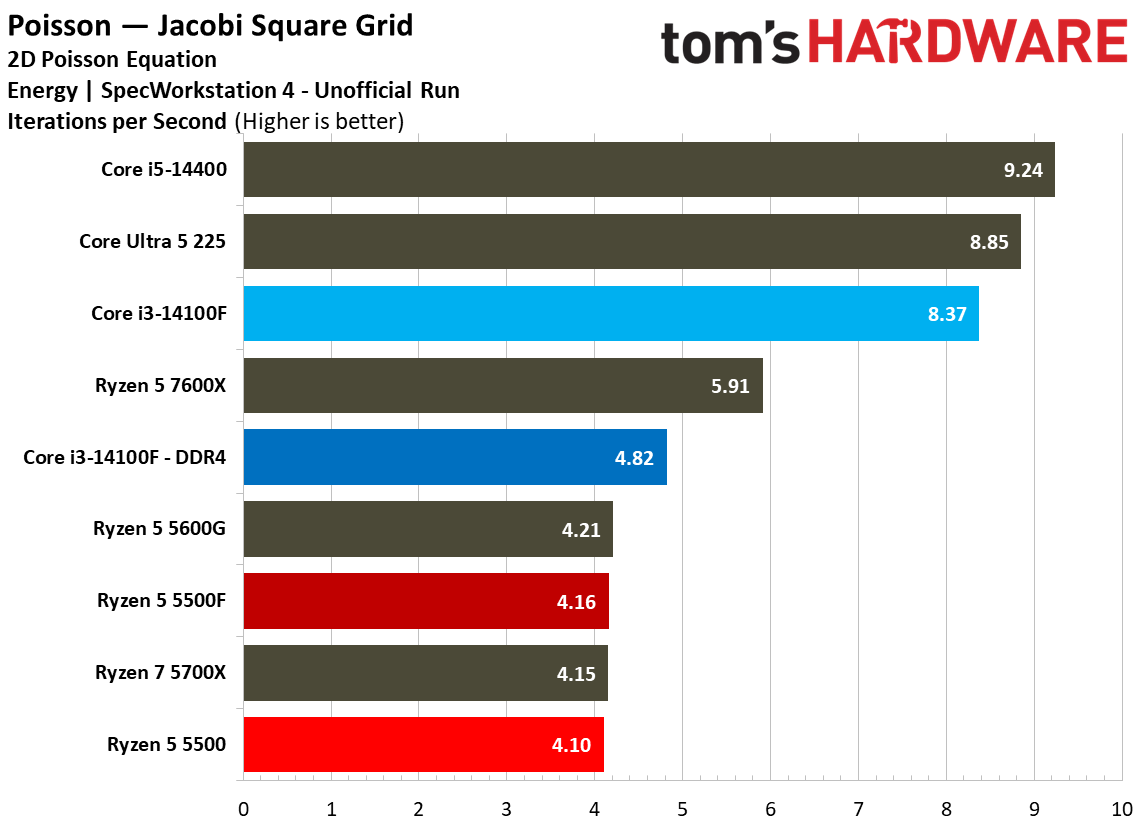
作者 Jake Roach

Nvidia is expected to launch RTX Spark devices later this week, following a not-so-subtle tease at the end of last week (and the chip’s announced fall release). Ahead of Microsoft’s event on Wednesday, October 7 (where the launch is expected) AMD has shared some benchmarks for its new Gorgon Halo chips — the range that will directly compete with RTX Spark devices. The extra insight comes a matter of days after the first Gorgon Halo devices launched, some of which cost upwards of $7,099.
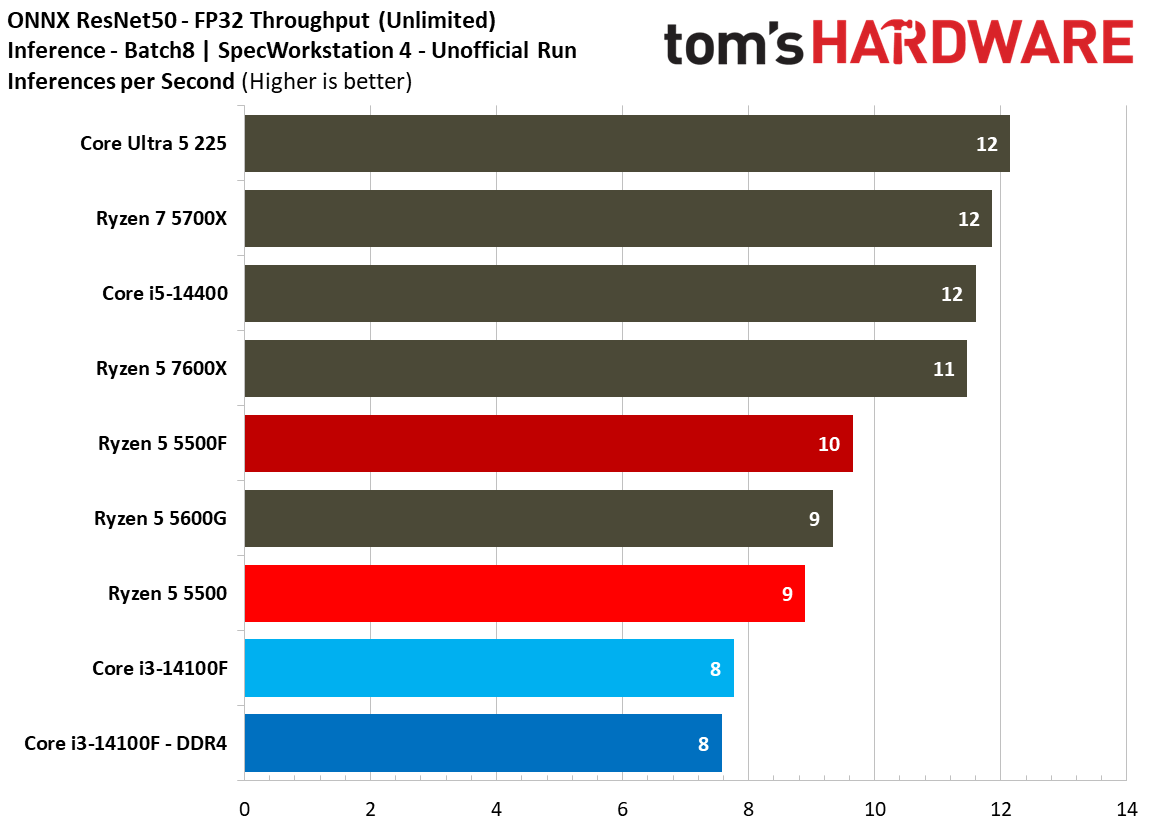
Short of a few questionable Geekbench leaks, we haven’t seen any performance results for the RTX Spark yet, so AMD isn’t using it as a comparison point. Rather, it’s comparing the Ryzen AI Max+ Pro 495 to Intel’s Core Ultra X9 388H. These chips aren’t in the same class of device, though AMD would argue that it’s comparing its top-of-stack part to Intel’s top-of-stack part.

AMD used ComfyUI to measure generative AI performance. AMD averaged multiple runs of various models, comparing total throughput to Intel’s competition. AMD used its top-spec 192GB configuration of the Ryzen AI Max+ Pro 495 and compared it to the Core Ultra X9 388H in a system with 64GB of memory (Panther Lake supports up to 128GB).

The performance advantage ranges from 1.1x up to 32.2x, though the end point is a clear outlier. We searched for Yuve on Hugging Face and didn’t find any results. It’s possible this delta comes down to an optimization issue, or that it’s simply too big to run on the Panther Lake machine.

AMD agentic PC presentation.

(Image credit: AMD)

We don’t have gaming or general application performance, but we don’t expect a major swing compared to last-gen Strix Halo chips. Gorgon Halo is largely a refresh of that range.

Gorgon Halo isn’t getting into the ring with Panther Lake, however. It’s going mainly against the RTX Spark, and to a lesser extent, Apple’s larger M-series SoCs. This category of agentic PCs, as AMD calls it, is seemingly expanding, though it’s still far smaller than some of the hype around the RTX Spark would have you believe. AMD bragged in a prebriefing with the press about shipping “10s of millions” of AI PCs (read: laptops) before clarifying that it had slipped “over half a million” agentic PCs. Presumably, those are numbers for Strix/Gorgon Halo devices.

The matchup between Gorgon Halo and the RTX Spark has, up to this point, focused mainly on memory capacity. RTX Spark devices top out at 128GB of unified memory, same as the GB10 in the DGX Spark (the two chips are nearly identical). AMD, on the other hand, supports up to 192GB with Gorgon Halo. Higher capacity means running larger models locally, though at a lower performance level.

AMD agentic PC presentation.

(Image credit: AMD)

In the GLM 5.3 Flash with 320 billion parameters, AMD saw peak throughput of 20 tokens per second, though using Unsloth's UD-IQ4_XS mixed-quantization format. For context, we clocked peak token throughput on the DGX Spark running GPT-OSS 120B with 4-bit quantization at 64 tokens per second, and the last-gen Ryzen AI MAx+ 395 at 56 tokens per second.

Note that although GLM 5.3 Flash has 320 billion total parameters, only 18 billion are activated for each token. Similarly, GPT-OSS 120B is another mixture-of-experts model with 120 billion total parameters, though only around 5 billion are active per token.

AMD agentic PC presentation.

(Image credit: AMD)

AMD also shared Qwen 3.8 Flash Next performance, a multimodal MoE model with 125 billion main parameters, 51 billion embedding parameters, and about 4 billion parameters for multi-token prediction (MTP), with 5 billion parameters active per token. AMD says the Ryzen AI Max+ Pro 495 achieves up to 42 tokens per second with this model, once again using Unsloth’s dynamic 4-bit quantization and MTP.

That’s solid performance, but in both cases, “up to” carries a lot on its shoulders. The story of token throughput is told as the context length increases, showcasing what happens when someone actually runs these models locally, not just boots them up cold. Performance drops at higher context lengths, naturally, which could pose some issues for the larger models. If GLM 5.3 Flash provides up to 20 tokens per second, it could very easily decline into unusable territory as the context length increases.

We largely know what performance to expect out of the Ryzen AI Max+ Pro 495, and Gorgon Halo more broadly. It’s a refresh of Strix Halo, with notable spec changes being the bump up to 192GB of unified memory from 128GB, as well as a 100 MHz jump on boost clocks for the 495. Otherwise, the range is using identical core counts and microarchitectures as previous-gen Strix Halo chips.

With these proxies — Strix Halo for Gorgon Halo, and GB10 for RTX Spark — we can already get a good idea about how these parts will stack up. As you can see in our Ryzen AI Halo review (packing the Ryzen AI Max+ 395), AMD’s part universally underperformed compared to the DGX Spark in both time to first token and tokens per second across three models. More unified memory will allow you to run larger models, but that doesn’t mean those models will run faster.

The first Gorgon Halo devices are available for sale now, such as the Minisforum MS-S1 Max-P495. For the top-line configuration, prices sit around $7,000 right now, though we expect a broad range of prices once different devices are available, likely driving above that $7,000 mark.

Full presentation

AMD agentic PC presentation.
AMD
AMD agentic PC presentation.
AMD
AMD agentic PC presentation.
AMD
AMD agentic PC presentation.
AMD
AMD agentic PC presentation.
AMD
AMD agentic PC presentation.
AMD
AMD agentic PC presentation.
AMD
AMD agentic PC presentation.
AMD
AMD agentic PC presentation.
AMD
AMD agentic PC presentation.
AMD
AMD agentic PC presentation.
AMD
AMD agentic PC presentation.
AMD
AMD agentic PC presentation.
AMD
AMD agentic PC presentation.
AMD
AMD agentic PC presentation.
AMD
AMD agentic PC presentation.
AMD
AMD agentic PC presentation.
AMD
AMD agentic PC presentation.
AMD
AMD agentic PC presentation.
AMD
AMD agentic PC presentation.
AMD
AMD agentic PC presentation.
AMD
AMD agentic PC presentation.
AMD
AMD agentic PC presentation.
AMD
AMD agentic PC presentation.
AMD

✇Tomshardware

Leaked Intel Nova Lake product list has three 'BFC' chips with up to 144MB of game-boosting L3 cache

作者 Jake Roach

A rumored SKU table for Intel's upcoming Nova Lake desktop CPUs has surfaced, showcasing seven models that will (presumably) make up Intel's initial NVL-S lineup. The list includes three models with the "BFC" tag, which seems to be Intel's branding for bLLC, or big last level cache. It's been heavily rumored to show up with Nova Lake, countering AMD's assault on the best CPUs for gaming with its X3D chips.

As previously rumored, the table tops out at the flagship Core Ultra 9 4970K BFC, which the spec list suggests is a 28-core chip with 8 P-cores, 16 E-cores, and 4 LPE-cores. It also lists a 125W TDP and an integrated GPU with 32 Execution Units (EUs). This 32-EU iGPU is apparently a staple across the range, short of the Core Ultra 5 4650KF, which lacks integrated graphics.

Intel retired the use of "EUs" in favor of its Xe cores several years ago. Rumors suggest Intel isn't releasing a large, 12-Xe core model of Nova Lake. The 32-EU count here likely comes out to 4 Xe cores (each core has eight matrix and vector ALUs).

The table does not include the heavily rumored 52-core Nova Lake model. However, as the Nova Lake launch approaches, it has become clear that the 52-core model, as well as other potential models with a dual-tile configuration, will arrive after the main range of chips. Presumably, these models will target the HEDT crowd with their high core counts.

Rumor Intel Nova Lake desktop specifications*

SKU

Cores (P + E + LPE)

TDP

iGPU

Core Ultra 9 4970K BFC

24 (8 + 16 + 4)

125W

32 EUs

Core Ultra 9 4950K

24 (8 + 16 + 4)

125W

32 EUs

Core Ultra 9 4900 BFC

22 (6 + 12 + 4)

65W

32 EUs

Core Ultra 7 4870K BFC

24 (8 + 12 + 4)

125W

32 EUs

Core Ultra 7 4850K

24 (8 + 12 + 4)

125W

32 EUs

Core Ultra 5 4650KF

22 (6 + 12 + 4)

125W

N / A

Core Ultra 5 4650K

22 (6 + 12 + 4)

125W

32 EUs

*Names and specifications rumored, unconfirmed by Intel

There are several interesting details when looking at the range broadly. Most notably is the four-number model identifier, which Intel didn't use with Arrow Lake chips like the Core Ultra 7 270K Plus. This larger identifier has been previously rumored, and it makes sense if the lineup above is indeed real. There's quite a bit of specificity in this stack, and something like the "Core Ultra 9 497K" doesn't signal what a "Core Ultra 9 4970K" does.

Regardless of naming, the SKU table shows three models with BFC, two of which fall under the Core Ultra 9 umbrella. There isn't a Core Ultra 5 BFC option. The most interesting model is the Core Ultra 9 4900 BFC, which matches the 22-core count of the Core Ultra 5 models, though with the addition of BFC and a lower 65W TDP. Given this chip doesn't have a K suffix, it looks like a specialized, low-power gaming chip, perhaps for small form factor desktops.

In addition, the Core Ultra 5 model is the only one with an F suffix, noting that it lacks integrated graphics. As we saw with the Arrow Lake refresh, Intel released a Core Ultra 5 250KF Plus, though it never gave the 270K Plus the KF treatment.

According to the table, Intel could use "BFC" to note chips with a larger L3 cache, something that's been heavily rumored for Nova Lake as AMD's X3D chips dominate gaming in our CPU benchmark hierarchy. This is the first time we've heard it referred to as BFC; however, with previous rumors referring to the additional cache as bLLC.

As for what BFC stands for, there are a few possible candidates, and we'll leave it to your imagination as to what words that start with "F" could fit between "Big" and "Cache."

Although Intel's Nova Lake chips have been the topic of the rumor mill for well over a year, the launch is approaching. At the beginning of the year, Intel's CEO confirmed Nova Lake would arrive before the end of the year. Assuming that's still true, we'd expect to learn more any day now.

Signs certainly point to a launch happening soon. Just this week, Nova Lake platforms passed compliance at USB and PCIe standard bodies. At Computex earlier this year, we saw two Z990 motherboards in the flesh. And last month, a leaked slide presumably from one of Intel's partners provided a tease as to what the platform could look like.

Hopefully we'll have more details soon. In the meantime, make sure to check out our recent interview with Intel's Robert Hallock, where the executive goes into some of the expectations around Nova Lake, on Tom's Hardware Premium.

✇Tomshardware

OpenAI’s Jalapeño ASICs are deployed alongside AMD EPYC ‘Turin’ CPUs as hosts, not Nvidia's Vera

作者 Jake Roach

OpenAI’s new Jalapeño ASIC is being deployed internally alongside AMD EPYC Turin hosts, each with 1.5TB of memory. SemiAnalysis described the rack-scale deployment of Jalapeño following the reveal of the chip, which we asked Richard Ho, VP and Head of Hardware at OpenAI, about in an interview. Ho told us that the decision to use Turin was “pragmatic,” describing Nvidia’s new Vera CPU as “a little bit behind… on that maturity level.”

“The way we approached that design was really in terms of de-risking and being able to do that design fast. Vera, as a standalone, is a little bit behind on that maturity level. The Turing device is strong. It did what we needed to do, and partly our partners had some experience with it,” Ho told Tom’s Hardware Premium. “For the Jalapeño program, we were trying to make very pragmatic decisions. We wanted to be aggressive on the goals of the performance and the cost, but we didn’t want to take unnecessary risks. That felt like a good design decision that would fit within the parameters of how we make these design decisions."

There are many Arm-based CPUs on the market, many of which are deployed internally at different hyperscalers, such as Google Cloud’s Axiom and AWS’ Graviton, but Vera and Arm’s own AGI have been described as agentic CPUs, purportedly accelerating the complex reasoning involved in agentic loops compared to their x86 counterparts from AMD and Intel. We asked Ho about this dynamic, and why Turin was the right choice given the close working relationship between OpenAI and Nvidia, who responded with the quote above.

Arm has long touted the virtues of the AArch64 ISA compared to x86, going as far as to claim that its own AGI CPU provides more than twice the performance of modern x86 platforms. That claim is based on internal estimates, not real benchmarks, however. The company has been naturally bullish on AGI’s adoption in the market, though even with an impressive $2 billion in commitments, analysts say the market penetration will still be in the low single digits after two years.

Nvidia Vera CPU

Nvidia shows Vera leading by up to 1.8x. However, that's due to dividing the overall score of SPEC CPU 2026 per-core. Overall, it's just 3% ahead. (Image credit: Nvidia)

With the explosion of server CPU demand this year and evolving agentic workloads, Nvidia has been at the forefront of messaging, comparing its Arm-based Vera to the x86 competition, boldly claiming a 1.8x improvement over a competing AMD Turin chip; a figure that’s extracted from an overall benchmark suite showing Vera just 3% ahead of AMD’s EPYC 9755.

Many semi-custom Arm designs, from Graviton to Azure’s Cobalt, have focused on core density and efficiency for cloud workloads. Vera and AGI are a shift toward messaging against peak performance. In early Vera benchmarks, Nvidia’s CPU looks impressive, though we’ve yet to see the chip in action in a wide variety of workloads, much less benchmarked against AMD’s upcoming Venice CPUs or Intel’s Diamond Rapids.

What’s interesting about OpenAI’s decision to use Turin is that it’s one of Arm’s deployment partners for AGI, as well as among the list of customers “exploring the Vera CPU,” according to Nvidia. OpenAI, other frontier labs, and hyperscalers keep a wide variety of hardware in their fleet. Pairing Jalapeño specifically with Turin came down to reducing risk, with Ho pointing to the maturity of the platform.

Broadly, x86_64 is more mature than AArch64; ARM has been around since the mid-1980’s, though a proper 64-bit extension didn’t arrive until 12 years after it was introduced on x86. And although Arm has worked its way into data centers over the past two decades, there’s still a much deeper x86 foundation reaching back several decades.

It doesn’t seem Ho’s comments were specifically on the delineation between AArch64 and x86, however. Rather, the comments are focused on the dynamic between Turin and Vera, with the latter being Nvidia’s first foray into a custom CPU core for the data center. Although the early benchmarks of Vera are impressive, it nonetheless represented an unnecessary risk for OpenAI’s rack-scale Jalapeño deployment.
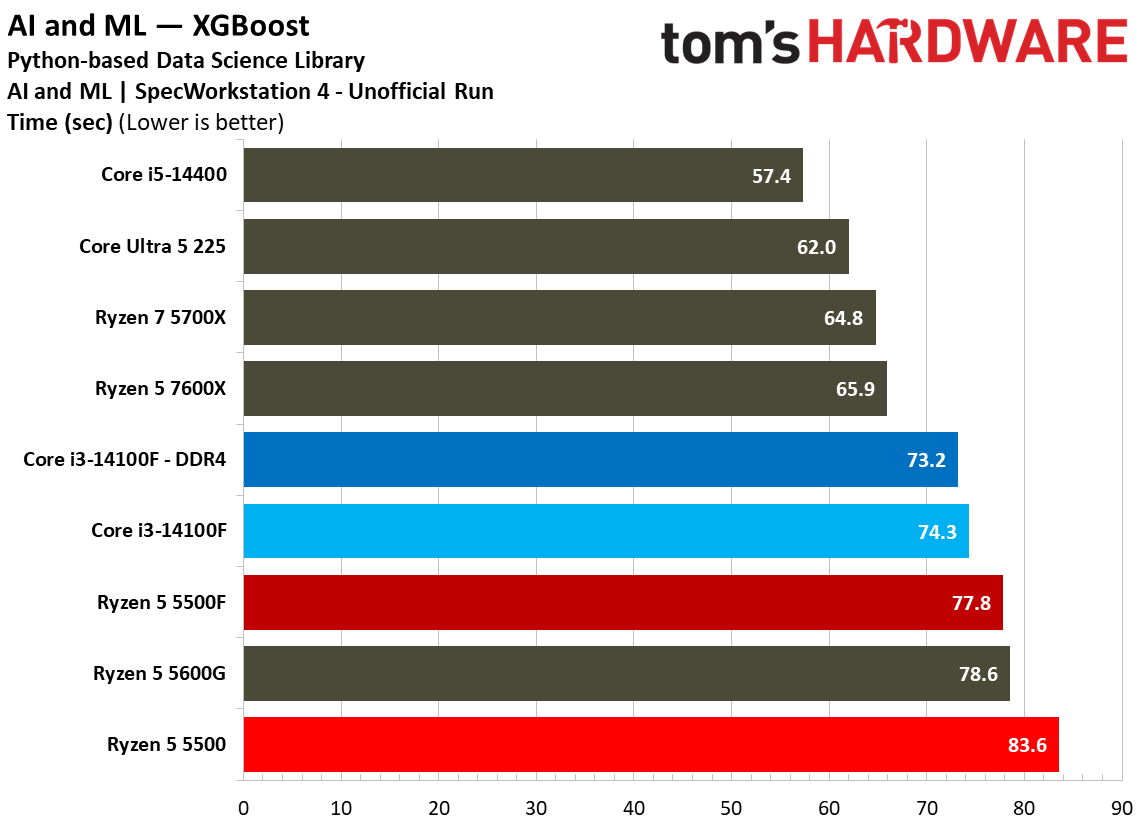
Ho’s comments about OpenAI’s partners having experience with Turin expose where the thinking for the hardware team was at, as well. There are some differences in the practicality of servicing the host system between Turin and Vera, most notably the fact that Vera is board-mounted while Turin chips are socketed; swapping chips isn’t common in a server regardless, but it’s easier with Turin.

Given that OpenAI has a fleet of hardware available, it’s possible Jalapeño will be deployed with a different host system in the future, potentially paired with Arm’s AGI or Nvidia’s Vera. For now, however, Turin was the right choice.

✇Tomshardware

Micron now has an 88% margin on consumer memory as price hikes drive profits

作者 Jake Roach

Micron released its fiscal Q4 2026 financial results on Wednesday, expectedly setting another record for revenue with $54.23 billion for the quarter, up nearly five times since the same period last year. Micron also hit a record 87% gross margin, the largest contributor to which was Micron's Mobile and Client (consumer) business unit. Further, Micron's client business was the only one that shipped less memory last quarter, despite bringing in the highest operating margin at 88%.

Micron Q426 BU operating margin.

(Image credit: Tom's Hardware)

Micron's margins overall are up significantly year-over-year; Core Data Center surged from 25% to 85%, and Automotive and Embedded have climbed from 20% to 79%. The Mobile and Client unit also saw significant growth, with a 29% operating margin in fiscal Q4 2025, and now a margin of 88%. Cloud Memory margins grew, though not to the same extent as other units, moving from 48% to 76%.

The gross margins are interesting to look at, too. In a financial statement, the gross margin equals revenue minus cost of goods. Operating margin, on the other hand, equals revenue minus cost of goods and all other operational expenses. The operating margin simply excludes taxes and interest.

Micron quarterly BU earnings.

(Image credit: Micron)

The gap between gross and operating margin is what's interesting in the breakdown above. The Mobile and Client unit has the smallest gap, with only a 2% difference. The Core Data Center unit matches the Mobile and Client unit with a 90% gross margin, but it has a lower operating margin at 85%. In other words, the cost of running Micron's consumer business is extremely low relative to the amount of revenue it currently generates.

It also saw the lowest amount of growth for the quarter, with revenue up 14% quarter-over-quarter. Micron says this was "driven by higher pricing, partially offset by lower bit shipments." Out of Micron's four business units, the Mobile and Client unit was the only one that shipped less memory in the past quarter.

For clarity's sake, a bit shipment is just a shipment. Micron measures shipments in bits rather than units. It's the capacity Micron has shipped in a quarter, not the actual number of DRAM or NAND chips.

Micron business unit growth Q426.

(Image credit: Tom's Hardware)

Outside of Mobile and Client, Micron attributes higher revenue to higher pricing and bit shipments. The situation in the Mobile and Client unit echoes a sentiment we've heard elsewhere: growth in the consumer market is still happening, but it's driven by higher pricing, not growth in shipments.

Earlier this year, Intel's David Zinsner, chief financial officer, attributed a 13% YoY growth in Intel's consumer business to higher average selling price (ASP), not increased unit sales. Zinsner clarified that Intel "thought we had seen some inflation on our cost and needed to pass that on to the end customer."

Micron's outlook for fiscal Q1 2027 has revenue set at another record of $61.5 billion ± $1.5 billion, with gross margin rounding from 87% in fiscal Q4 2026 to 86.25%.

Micron market outlook.
Micron
Micron market outlook.
Micron

Another record quarter signals more squeeze on the DRAM and NAND markets. Echoing rival SK hynix, Micron says it expects memory and storage to be "much tighter" in 2027 and 2028, claiming that the company expects the industry to be supply-constrained in both years. That's despite a growth in supply that Micron anticipates.

The company says it expects industry NAND bit shipments to grow in the mid-20% range, and DRAM bit shipments to grow in the low-20% range. The industry broadly will produce more memory over the next two years, says Micron, but that still won't keep pace with demand.

Worrying still is this line in Micron's earnings slides: "we do not have line of sight to when supply and demand will return to balance." However, the company says it plans to increase its capital expenditure (capex) in fiscal 2027 compared to its prior estimates.

A "majority" of that increase is set aside for construction of additional clean room space, which Micron has set for 2028 through the end of the decade. Hopefully, that additional clean room space coming online will ease supply constraints, but we're still a long way from that point.

✇Tomshardware

Gears of War E-Day is an uncharacteristically CPU-heavy Unreal Engine 5 game

作者 Jake Roach

Unreal Engine 5 isn’t particularly heavy on the CPU, but Gears of War E-Day changes that narrative. If you have a monitoring overlay open when you load into the game, you’ll immediately notice your CPU pinned at between 80% and 90% utilization, which is a far cry from most other UE5 titles. Even stranger is that the scaling between CPUs is clear. For instance, the Ryzen 7 9800X3D netted 42% higher performance than the Ryzen 5 7600X at 1080p with the High graphics preset.

We’ve tested a lot of UE5 games with our pool of CPUs to evaluate them, not only for our rankings of the best CPUs for gaming, but also for our ongoing CPU benchmark hierarchy. Most of them haven’t made the cut, simply because of a lack of scaling. We’ve tried to include games like Clair Obscur: Expedition 33, The Elder Scrolls IV: Oblivion Remastered, and Halo: Campaign Evolved, due to the prevalence of Unreal Engine 5 in modern AAA games, but the CPU scaling just doesn’t matter.

There are some exceptions, notably Marvel Rivals with its dense fighting arenas, large teams, and destructible environments, and The Blood of Dawnwalker, which has a large, sparsely populated city in the middle of the map that will bring most CPUs to their knees. Even then, however, these UE5 games don’t show the same level of scaling as other games in our test suite, such as Starfield or Baldur’s Gate 3.

Gears of War E-Day is an exception. It’s not only demanding on the CPU, easily spiking even the Ryzen 7 9800X3D to full utilization at 1080p, it also shows scaling across a wide pool of chips. And further, this is true even at the game’s Ultra preset (though not the Ludicrous preset, which we’ll dig into later). This heavy CPU burden was consistent throughout the opening hours of the game, as well, regardless of scene complexity or interactions.

If you're interested in GPU performance, make sure to check out our Gears of War E-Day GPU benchmarks, as well.

Gears of War E-Day CPU benchmarks
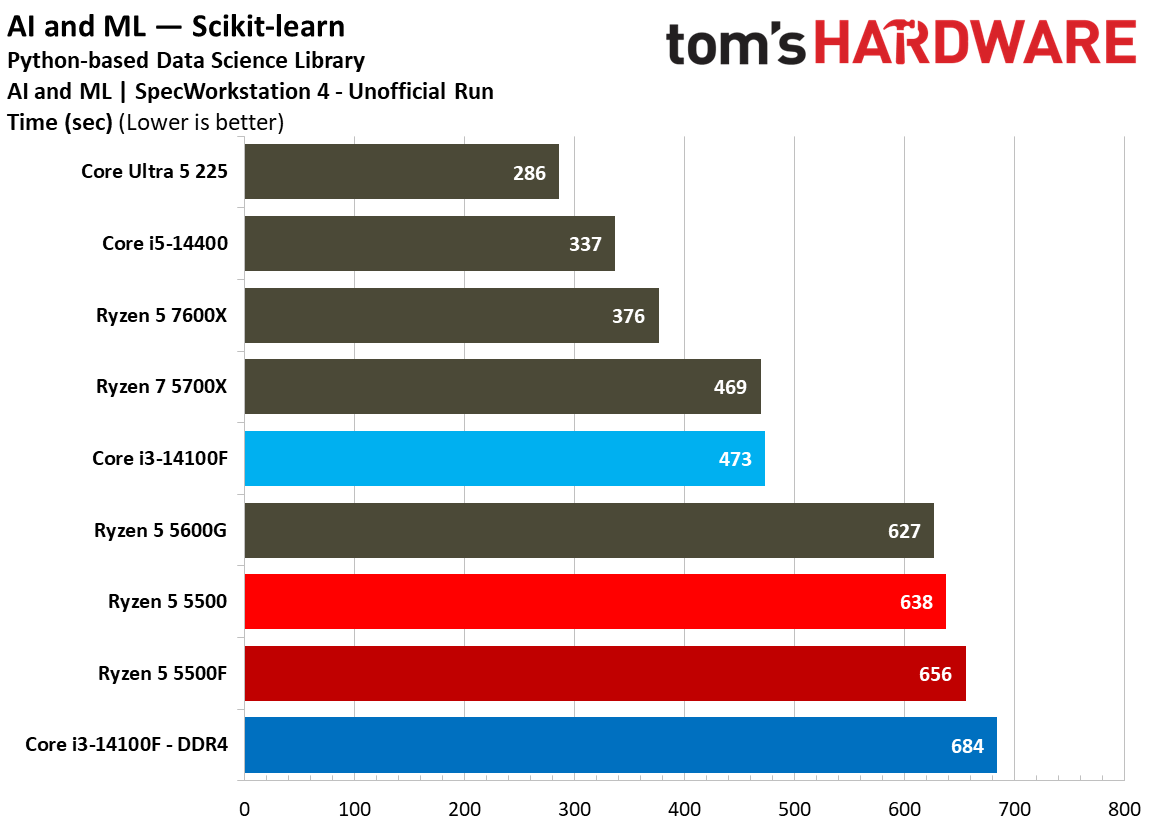
We tested Gears of War E-Day on the same test systems we use for CPU reviews, short of the GPU driver, which we changed for this benchmarking session (the game won’t launch without the Game Ready driver). Otherwise, everything is identical, down to the frozen OS images we use across AMD and Intel test systems.

As usual, we tested with the RTX 5090 Founders Edition at 1080p to showcase the differences between each CPU. We ran a handful of chips at 1440p, as well, to get an idea of how performance scales at a higher resolution. We omitted 4K, as our graphics analysis of the game showed that it was completely GPU-bound at that high of a resolution. Go figure.

Gears of War E-Day Benchmark.

(Image credit: Tom's Hardware)

Before getting to the scaling benchmarks, we looked at scene performance and preset performance in E-Day. The game includes a built-in benchmark, common for titles published by Microsoft, so the first step to evaluating performance is ensuring that the benchmark actually matches in-game performance. It doesn’t, but it’s not far off.

As you can see, we saw slightly higher performance with our two in-game scenes than we did in the benchmark, likely due to the benchmark’s sweeping camera angle that draws much more than you’ll ever actually see on screen. We stuck with an in-game scene (scene 2) for testing, but the benchmark is a good approximation of what’s actually in the game.

Gears of War E-Day graphics presets.

(Image credit: Tom's Hardware)

For graphics settings, we went with the High preset. Gears of War E-Day includes five presets, and we tested the top four to see where the scaling starts and stops. The dynamic is binary. If you’re using the Ludicrous preset, the scaling between CPUs goes down drastically. We saw a 6.8% difference between the 9800X3D and 9600X with the Ludicrous preset. At the Ultra preset, that jumped up to nearly a 29% difference, which grows further at the High preset.

We eventually settled on High, as that’s the visual floor for becoming CPU-bound. Going down to Medium nets very little extra performance and slightly exaggerates the scaling between chips. High, then, is a good compromise. It shows near-maximum scaling between CPUs without being an unreasonable test case.

Gears of War E-Day benchmarks.

(Image credit: Tom's Hardware)

It should come as no surprise that the Ryzen 7 9800X3D and Ryzen 7 7800X3D occupy the top two spots on our chart. E-Day, like a lot of titles, is accelerated by X3D chips. You can see that with the Ryzen 7 5800X3D much lower down the chart, as well. What’s interesting here is how E-Day scales with core count, however. Take the Ryzen 5 7600X as an example. We expect less than a 5% jump with the Ryzen 7 7700X on average, but in E-Day, that increase nears 9%.

Elsewhere, the 12-core Ryzen 9 models usually underperform their 8-core counterparts in games. Again, the 7900X and 7700X are in lockstep, while the 9900X is 3.5% ahead. It’s worth stressing that, based on our data, the Ryzen 9 9900X and 7900X are slower than the straight eight-core models from AMD’s last two generations. The fact that they’re ahead here speaks to the importance of core count in this game.
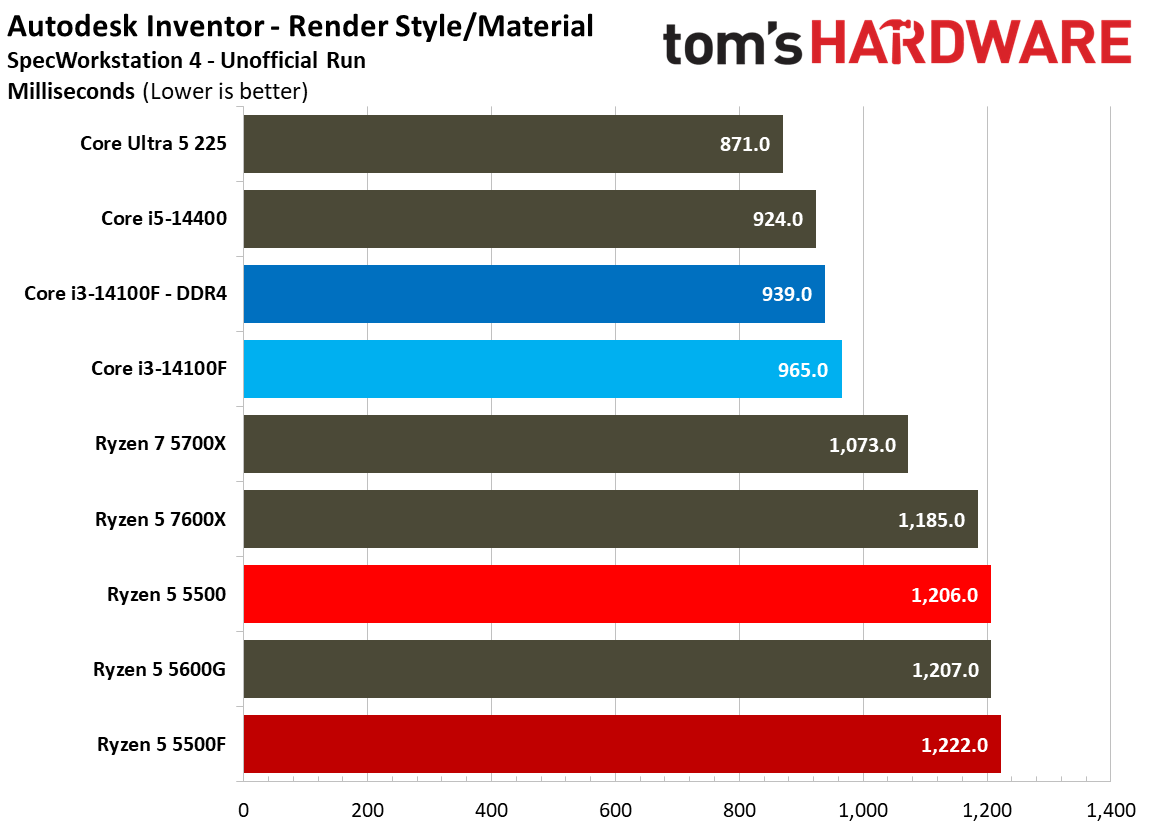
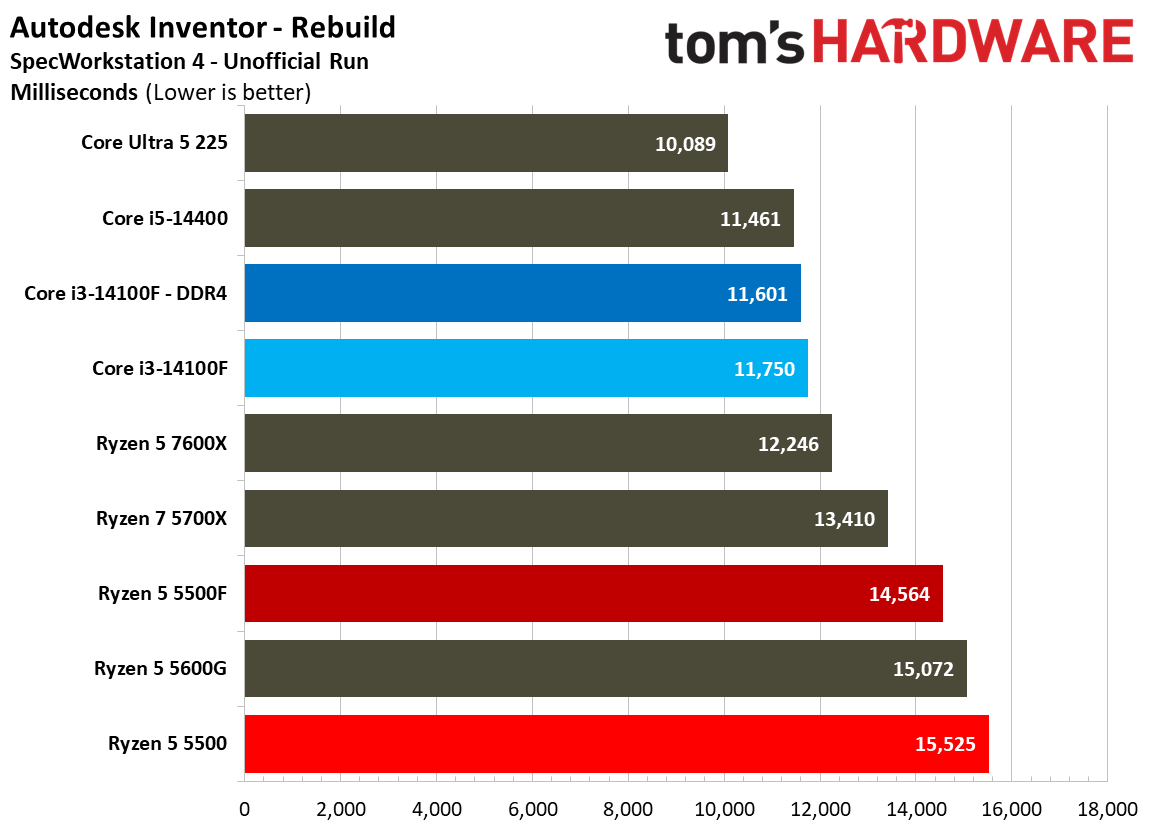
Perhaps the greatest evidence of that comes from the Intel camp. Not only do we see Intel’s main Raptor Lake and Arrow Lake stack outperforming all but AMD’s X3D Zen 4 and Zen 5 CPUs, we also see strange comparisons between Arrow Lake and Arrow Lake Refresh. The Core Ultra 5 250K Plus is typically around 5% faster than the Core Ultra 7 265K on average in games. Here, the situation is flipped, with the Core Ultra 7 265K leading by about 2%.

It’s interesting to see core count as a performance driver, which isn’t usually the case in games past six or maybe eight cores. Although E-Day scales past that point, it still plateaus around 150 FPS.

We ran a few tests at 1440p, as well, foregoing the whole pool simply for the sake of time. For scaling comparisons, the Core Ultra 7 270K Plus is about 18% faster than the Core i5-14400 at 1440p, but it’s about 36% faster at 1080p. Further, that scaling isn’t consistent. Running CPUs at 1440p with our test suite and settings, we found a ceiling around 130 FPS where performance becomes bound by the GPU. Any CPUs that performed above that mark at 1080p normalized to that 130 FPS, while CPUs below that mark offered performance at 1440p within a few frames of the 1080p performance.

When looking at a weak CPU compared to a strong one, there’s clear scaling at 1440p. However, with CPUs within similar product ranges and families, the game is mostly bound to GPU performance at the higher resolution.

Gears of War E-Day benchmarks.
Tom's Hardware
Gears of War E-Day benchmarks.
Tom's Hardware
Gears of War E-Day benchmarks.
Tom's Hardware
Gears of War E-Day benchmarks.
Tom's Hardware

Looking at other aspects of performance, there aren’t any surprises. Power use is in line with our expectations, with AMD’s Zen 4 and Zen 5 flagships sitting alongside Intel’s most powerful Raptor Lake chips. And, on the efficiency front, the Ryzen 7 9800X3D and 7800X3D easily win the day with nearly two frames per watt used. Temperatures stayed in check, as well, with even the highest chip in our test pool averaging just 65.4 degrees Celsius.

Investigating ‘low core mode’ in Gears of War E-Day

Buried in the “System” menu of the settings in E-Day, there’s a curious option called Low Core Mode. The game says in the setting’s description that it can improve performance on low core count devices and handhelds, which is worthy of closer inspection. This isn’t a standard UE5 toggle — as we’ve established, the engine is not particularly heavy on the CPU at stock — and we haven’t seen similar settings, at least among most recent AAA releases.

We ran each chip through another pass of tests with this mode turned on, using the same test scene and settings, to see how it impacts performance. It universally lowered performance across our entire pool of 25 CPUs, even going down to the quad-core Core i3-14100. 1% low performance wasn’t improved either. For the sake of clarity, we’ve laid out the results in a table below so you can easily see the performance change between toggling Low Core Mode on and off.

Low Core Mode performance

Stock

Low Core

Change

Core Ultra 5 225

116.8

100.3

-14.1%

Core Ultra 5 245K

138.7

111.1

-19.9%

Core Ultra 5 250K Plus

144.3

113.4

-21.4%

Core Ultra 7 265K

147.5

114.4

-22.4%

Core Ultra 7 270K Plus

151.6

120.2

-20.7%

Core Ultra 9 285K

149.9

117.3

-21.7%

Ryzen 7 2700X

64.2

48.9

-23.8%

Ryzen 5 5500

72.3

54.7

-24.3%

Ryzen 7 5700X

89.3

65.3

-26.9%

Ryzen 7 5800X3D

117.7

80.4

-31.7%

Ryzen 5 7600X

118.7

90.2

-24.0%

Ryzen 7 7700X

128.8

92.9

-27.9%

Ryzen 7 7800X3D

153.8

110.4

-28.2%

Ryzen 9 7900X

126.4

96.7

-23.5%

Ryzen 9 7950X

130.6

99.7

-23.7%

Ryzen 5 9600X

122.4

100.2

-18.1%

Ryzen 7 9700X

132.4

104.7

-20.9%

Ryzen 7 9800X3D

168.7

133.1

-21.1%

Ryzen 9 9900X

137.1

109.3

-20.3%

Ryzen 9 9950X

139.7

110.9

-20.6%

Core i3-14100

90.1

79.2

-12.1%

Core i5-14400

111.9

92.7

-17.2%

Core i5-14600K

140.2

114.7

-18.2%

Core i7-14700K

150.8

119.6

-20.7%

Core i9-14900K

149.3

121.6

-18.6%

With everything down to a strict quad-core tested — E-Day’s system requirements bottom out at hexa-core chips — we assumed the situation was settled and were content to leave Low Core Mode for others to explore further. However, we gave it one more try with the Core i3-14100, disabling two of the cores in the BIOS to see how the game would function with a dual-core chip.

A scene from Gears of War E-Day.

(Image credit: Xbox Game Studios)

That revealed a lot about what’s going on behind the scenes with this feature. Above, you can see a screenshot we gathered when booting into the game with the dual-core 14100. The texture streaming system completely breaks. We didn’t wait for an opportune moment to capture this screenshot, either; the low-res, half-loaded assets persisted throughout the entire run.

Further, whenever we went to pause the game to adjust settings or reload the checkpoint, the game froze and hung for upwards of 30 seconds before the menu appeared. Turning on Low Core Mode resolved both the asset streaming issue and the game freezing, as well as improved performance by 30%. That’s impressive, but keep in mind that going from four cores to two on the 14100 resulted in a 59% decrease in performance, dropping from an average of 89 FPS to just 36 FPS.

Gears of War E-Day performance on CPU.

(Image credit: Tom's Hardware)

It appears E-Day switches up the streaming system with Low Core Mode. That would explain a lot, notably the heavy, all-core demand when running the game normally and the severe streaming issue we noted at two cores. E-Day is using some sort of asset streaming system, as most modern games do, and those assets look very expensive. Past a certain point, the streaming simply breaks as the CPU is overloaded with work.

Although we didn’t notice a performance improvement at four cores, keep in mind that we’re testing with the newest true quad-core on the market. The 14100 is one of the best budget CPUs, but it’s still new. The system requirements call for an older hexa-core chip at minimum. Taken together, you may run into issues with older quad-cores that necessitate the use of Low Core Mode, but those situations are few and far between. Assuming you have a relatively recent processor, or a processor with at least six cores, and ideally both, Low Core Mode will reduce your performance.

We didn’t test mobile chips, however, nor the handhelds those chips are inside of. This mode may have more practical applications there.

Test configuration

As mentioned, we used the same platform for testing Gears of War E-Day that we use for a CPU reviews, which you can find in the table below. All configuration and software is duplicated across all test systems, and AMD and Intel configurations never touch each other to avoid any conflicts.

There are a few important configuration details worth highlighting outside of the broad strokes of a frozen OS image. We disable Virtualization-Based Security (VBS) for all platforms, enable ReBAR, and enable XMP/EXPO. We've tested the memory to ensure stability with our platforms.

We also disable any automatic overclocking features that are unstable or not covered by warranty. For instance, we disable AMD's Precision Boost Overdrive and Intel's Extreme power profile, as neither is covered by warranty. Intel's Core Ultra 200S Boost, on the other hand, is covered by warranty, so we enabled it on the Arrow Lake chips we tested. Similarly, the 9600X and 9700X from AMD have a warrantied 105W operating mode, which we use, as it improves gaming performance slightly.

Intel LGA 1851 (Arrow Lake and Refresh)
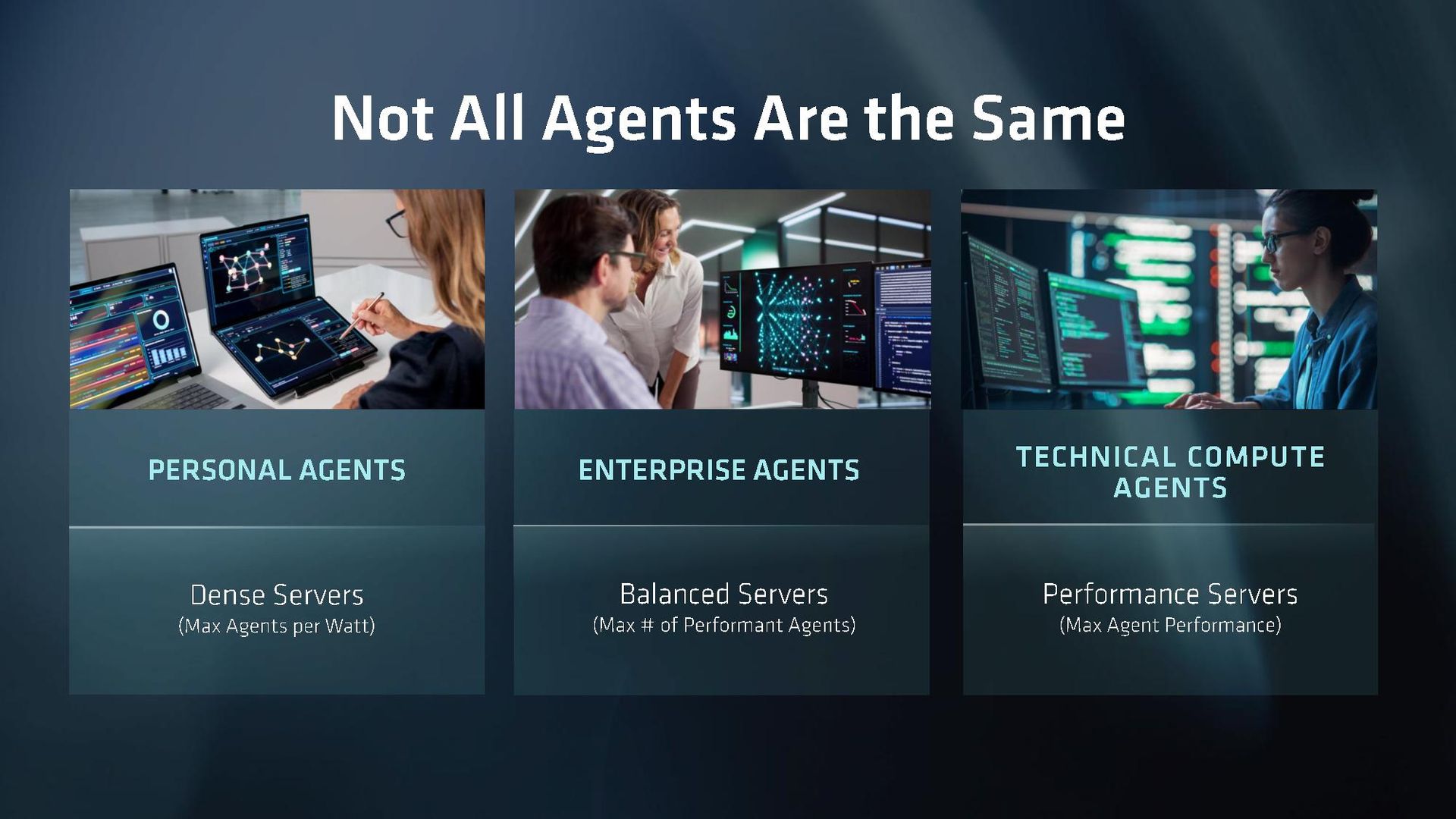
Motherboard

ASRock Z890 Taichi

RAM

2x16GB G.Skill Trident Z Neo RGB DDR5-7200

Intel LGA 1700 (Raptor Lake, Alder Lake)
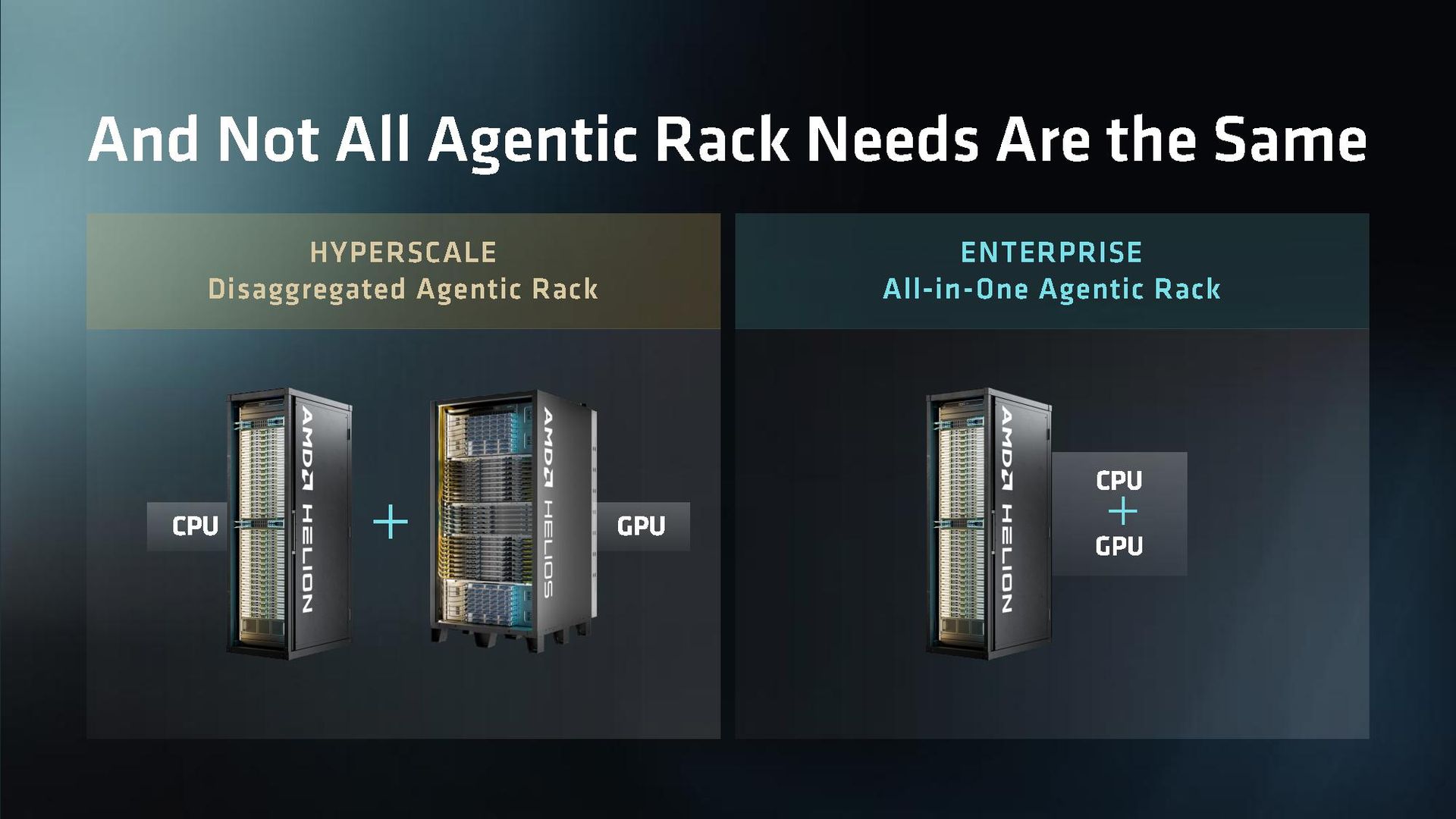
Motherboard

MSI MPG Z790 Carbon Wi-Fi

RAM

2x16GB G.Skill Trident Z Neo RGB DDR5-7200
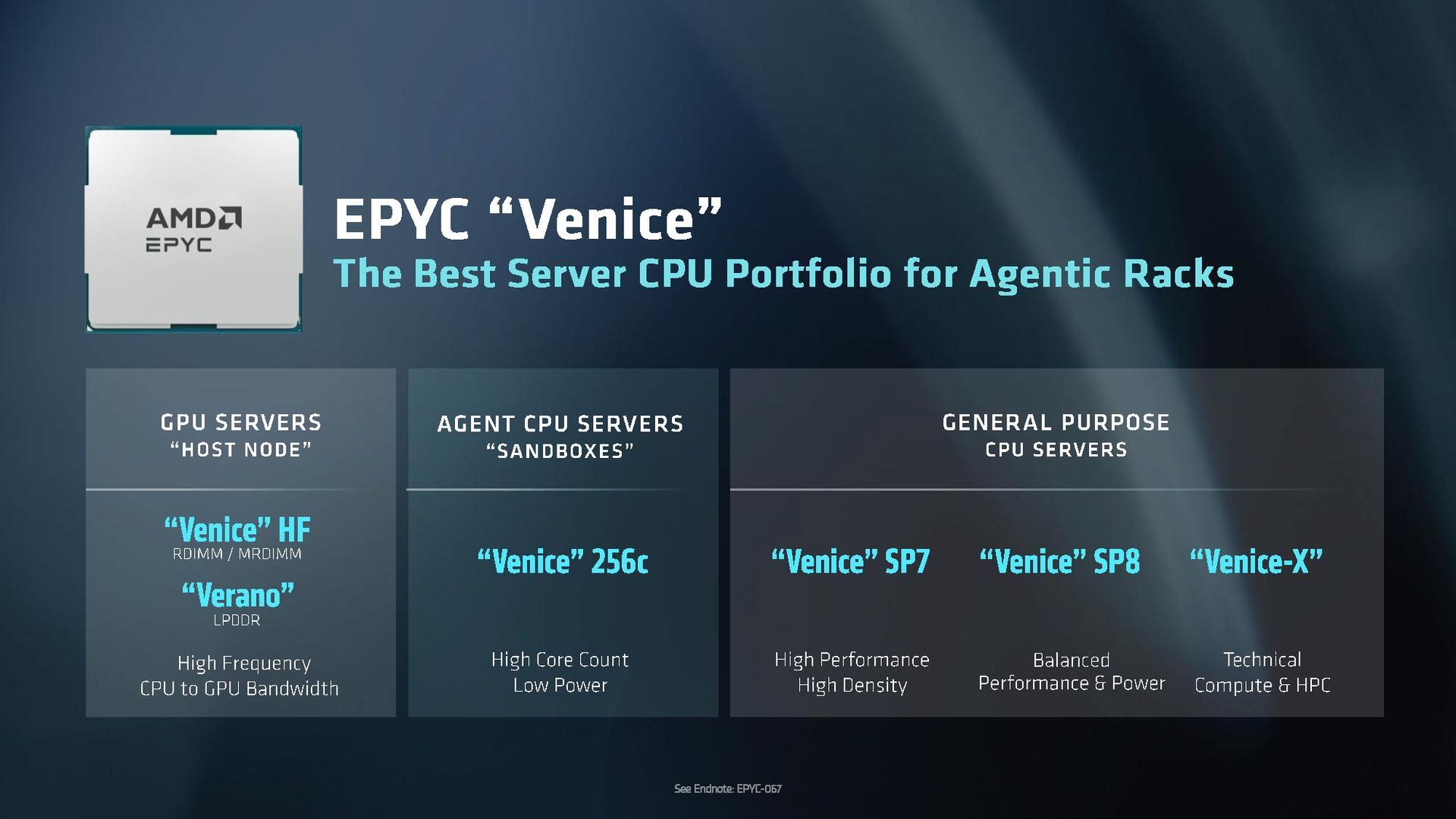
AMD AM5 (Zen 5, Zen 4)

Motherboard

Gigabyte Aorus X870E Elite X3D ICE

RAM

2x16GB G.Skill Trident Z Neo RGB DDR5-6000
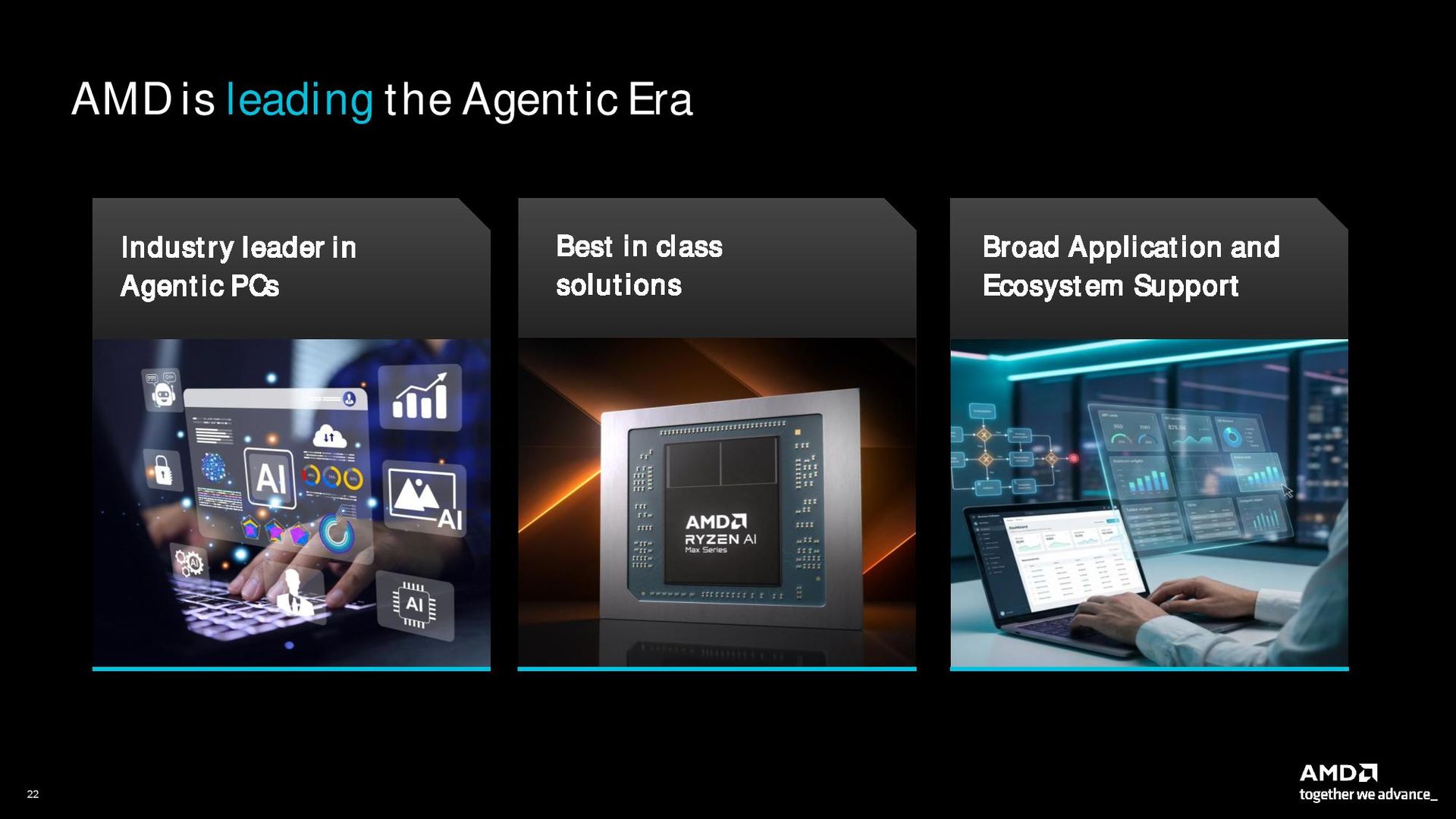
AMD AM4 (Zen 3)

Motherboard

Asus Tuf Gaming X570-Pro Wi-Fi

RAM

4x8GB G.Skill Trident Z RGB DDR4-3200

All Systems

Gaming CPU

Nvidia GeForce RTX 5090 Founder’s Edition

Application GPU

Nvidia GeForce RTX 2080 Ti Founder’s Edition

Cooler

Corsair iCue Link H150i RGB

Storage

2TB Sabrent Rocket 4 Plus

PSU

MSI MPG A1000GS, Gigabyte UD1000GM PG5 V2

Other

Arctic MX-4 TIM, Windows 11 Pro, Alamengda open test bench

❌