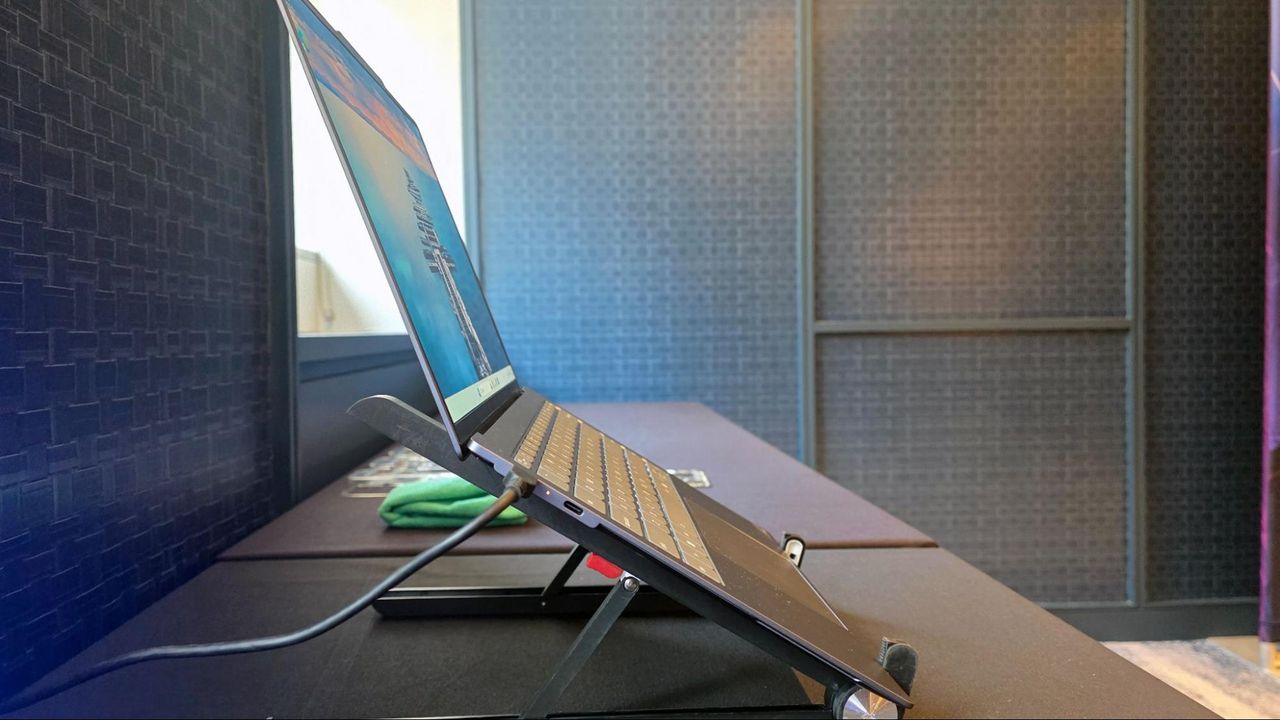
The driving force behind all of this is, of course, is the roughly five-fold increase in RAM costs in the past year, driven by AI hyperscaler demand. That’s also why Valve delayed the Steam Machine by roughly six months, eventually forcing its launch price above $1,000. That completely negated the value proposition that made the Steam Deck a success for so long. And I think Google’s new laptops are in a similarly tough spot, for many of the same reasons.
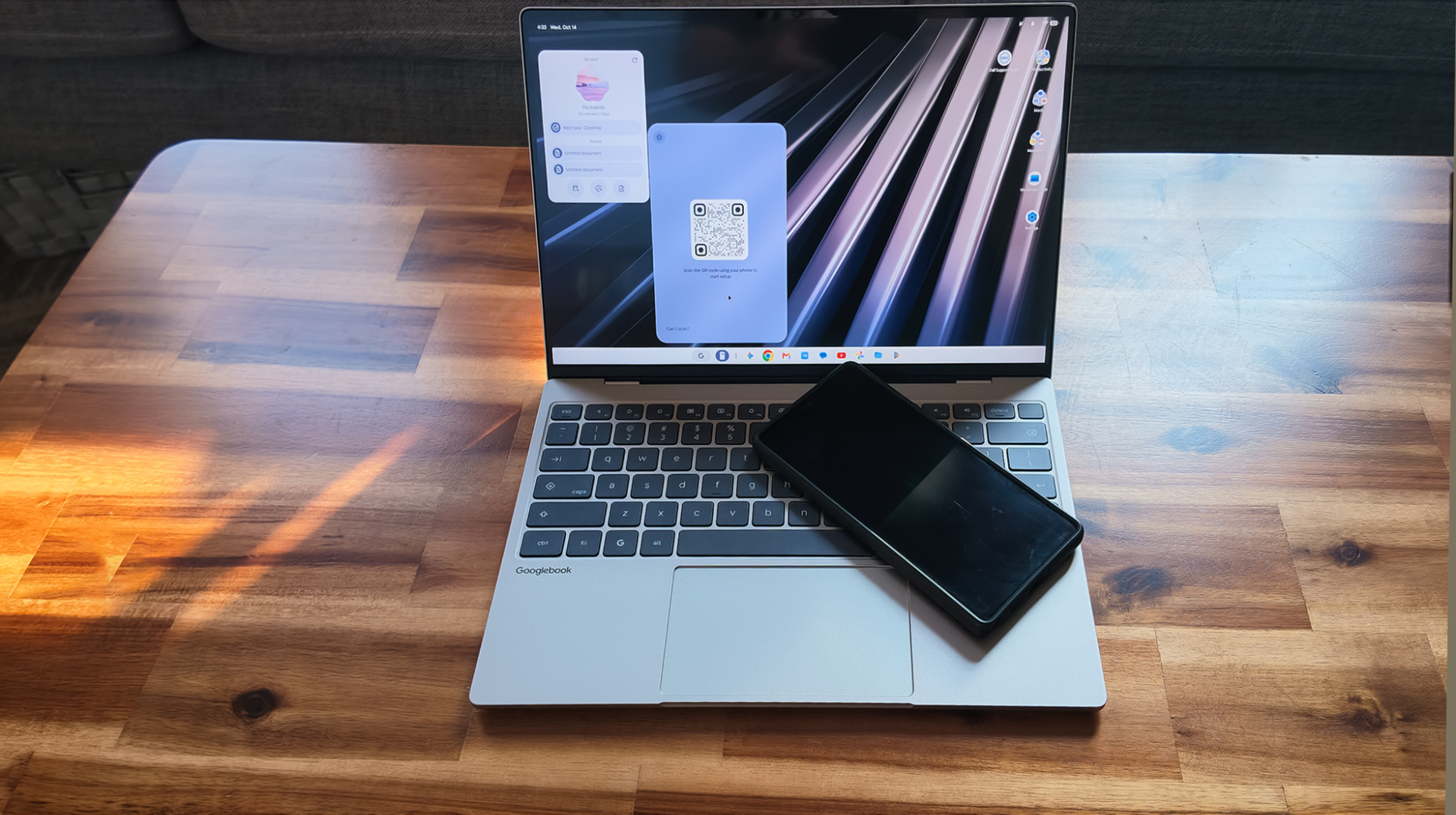
The new Googlebook laptop platform – an AI-focused reimagining of its successful Chromebook platform, complete with its own 16GB RAM requirement and prices that (apart from a limited-time $899 offer from Acer) start at $999. Models from Lenovo and Asus even stretch into MacBook Air pricing territory.
But, like Valve’s gaming hardware, Google’s previous laptop success has hinged primarily on affordability. Chromebooks launched in 2011, with three models all priced around $500, and Acer again undercut its competition at $349. There have been “high-end” Chromebooks over the years, but the vast majority have remained fairly affordable.
Cutting-edge Android 17 cutoff
Android phone integration (akin to an iPhone / MacBook pairing) is one of the major new selling points of the Googlebook platform. But you need a phone running Android 17 for that integration to work. That OS iteration launched just four months ago and, so far, is only available on a handful of expensive phones.
Aside from severely limiting the number of current customers, this also ignores the fundamental realities of the Android phone market. The majority of Android devices sold every year are mainstream and budget models. Even with the same RAM and storage pressures pushing prices up, less than 30% of global phone shipments are models priced higher than $600 — and that number includes iPhones, all of which are priced above that mark, unless you’re buying from a reseller.
So in short, Google is launching a new, mostly $1,000-plus (at least for now) laptop platform, hoping to piggyback off the brand recognition and mindshare of its search engine, cheap Chromebooks, and (largely) cheap Android phones. This is at a time when the price of almost everything else has also been on the rise for years, and both Apple and Microsoft’s Windows partners are offering up the best sub-$700 laptops… arguably ever.
It’s hard not to see this as poor timing, at best. Given software and hardware lead times, Googlebooks as a concept were almost certainly pretty far along a year ago when RAM pricing started to skyrocket. But with solid indications that the cost of RAM and storage could continue to climb into next year and beyond, Google may have effectively been forced into an “if not now, when” launch window, which also seems to have been the case with the Steam Machine launch earlier this year.
Nvidia’s RTX Spark is a completely different laptop animal
Of course, Nvidia’s also brand-new Spark laptops are priced much higher, starting at $2,599 and going up to $5,899 or even $6,999 for 128GB models. But those Nvidia-silicon laptops are aimed primarily at AI coders, not average Android-toting consumers who might also be interested in AI features. And, in case you somehow haven’t noticed, Nvidia has become one of the largest companies in the world by selling ever-pricier GPUs to gamers, workstation users, and the global AI hyperscaler market. Nvidia may be halting RTX 5090 production in favor of more profitable AI hardware, despite that gaming GPU continuing to sell out while being consistently priced thousands of dollars above its MSRP. Early indications point to similar demand for at least some Spark laptops, with preorders of Microsoft’s 128GB Surface Laptop Ultra seemingly sold out before the platform even officially launches.
Google’s hardware division, meanwhile, has spent the last 15 years selling its mostly budget laptop platform, while repeatedly attempting and failing to make premium Google-designed devices a mainstream success. Yes, there was the Chromebook Plus rollout in 2023, but those devices were mostly priced below $700, and multiple retailer list filters suggest the sub-$500 models are the most popular. Even Google’s flagship Pixel phones are priced well below flagships from Samsung and Apple.
This is a strange time to go upmarket, to require 16GB of RAM, and to launch a new laptop OS and platform at all, considering PC shipments are down 20%. And that’s especially true if you’re Google, a company known primarily for free, ad-supported software and services, and hardware that you primarily buy because it’s what you can afford, not because it’s what you want.
As much as I love high-priced tech like my potent RTX 4090-equipped custom gaming rig or the 65-inch LG OLED TV I use as my monitor, most of us can't spend several hundred dollars on a tech purchase or gift all the time. But you can still improve your tech life (or the lives of your friends and family) while spending a comparatively small amount of money.
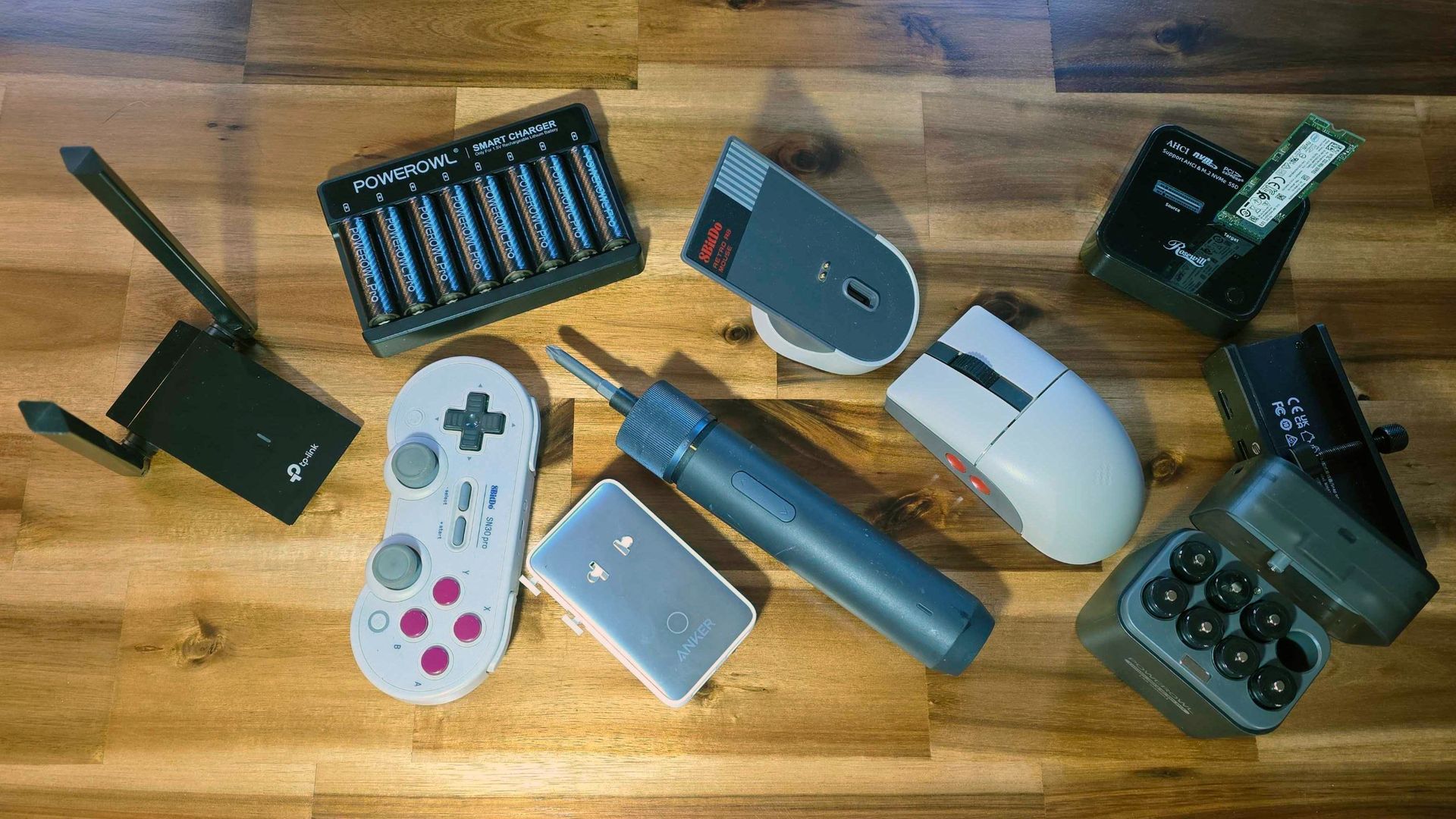
I own all of the affordable devices listed below, and all are on sale for under $50. Some are even under $25! All of these products have made my tech-saturated world a little nicer in their own way. If you're looking for a small tech splurge for yourself during this deals season, or an affordable gift for that tech-savvy friend or family member, one of these $50-or-under options might be a good fit and a great deal.
Last year, a family member asked me for help with an older PC, which was trying to run Windows 10 and several programs on a cramped 110 GB SSD. At first, I figured I could clone the boot drive onto a more spacious drive so the OS and programs had more space to stretch out.
But the thought of using multiple USB enclosures or shuffling drives in and out of my desktop filled me with dread as I pictured being there for hours getting everything done and the system back up and running. So I looked into getting an M.2 SSD cloner and was surprised to see they can be found for less than $50.
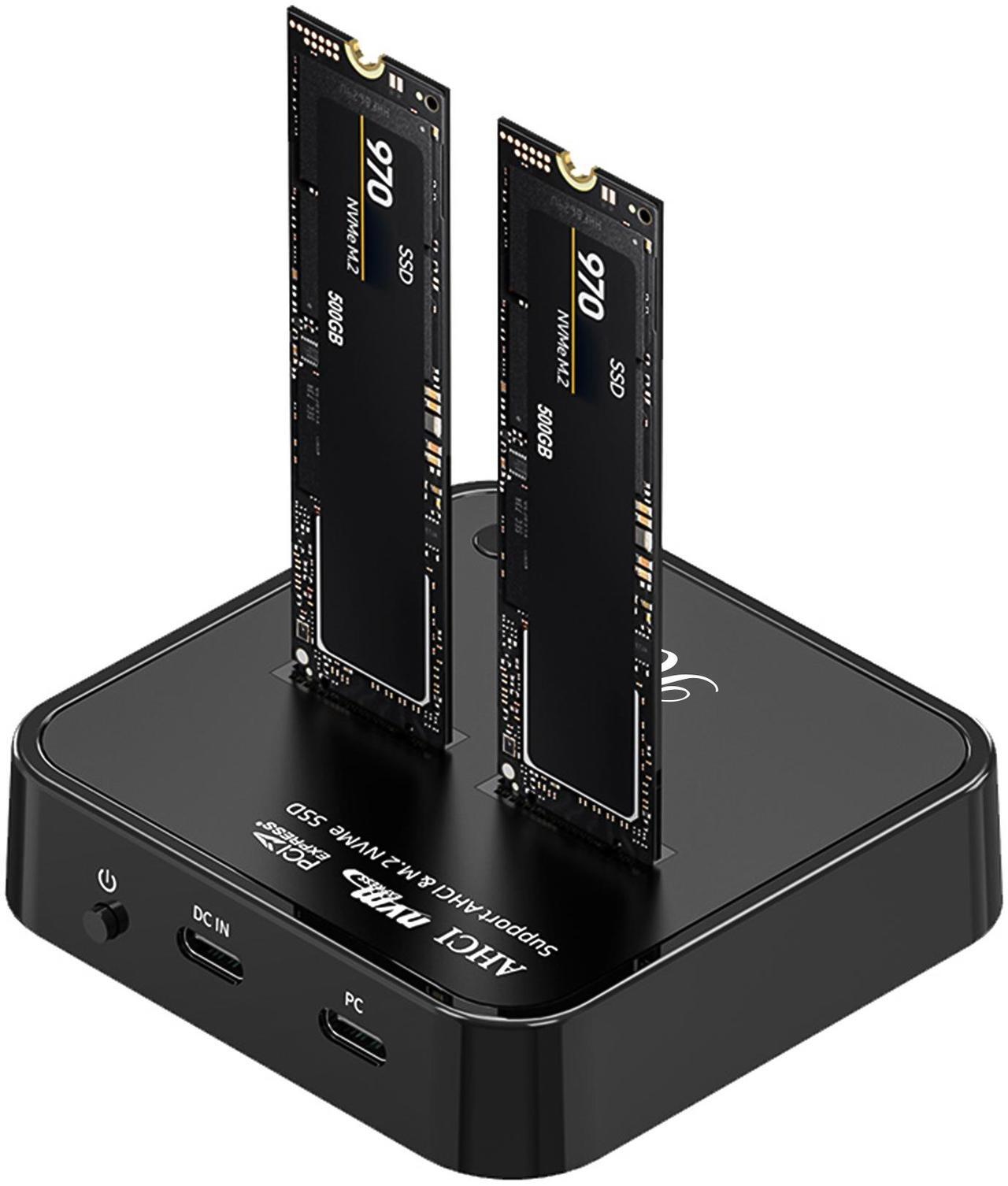
NVMe SSD Cloner: was $49.99 now $36.09 With support for NVMe M.2 SSDs and offline cloning, this handy device makes it simple to move your files or OS from one drive to another. And with a 20 Gbps USB-C interface, it's also speedy in your OS of choice if you want to use software to clone or move your data between drives.View Deal
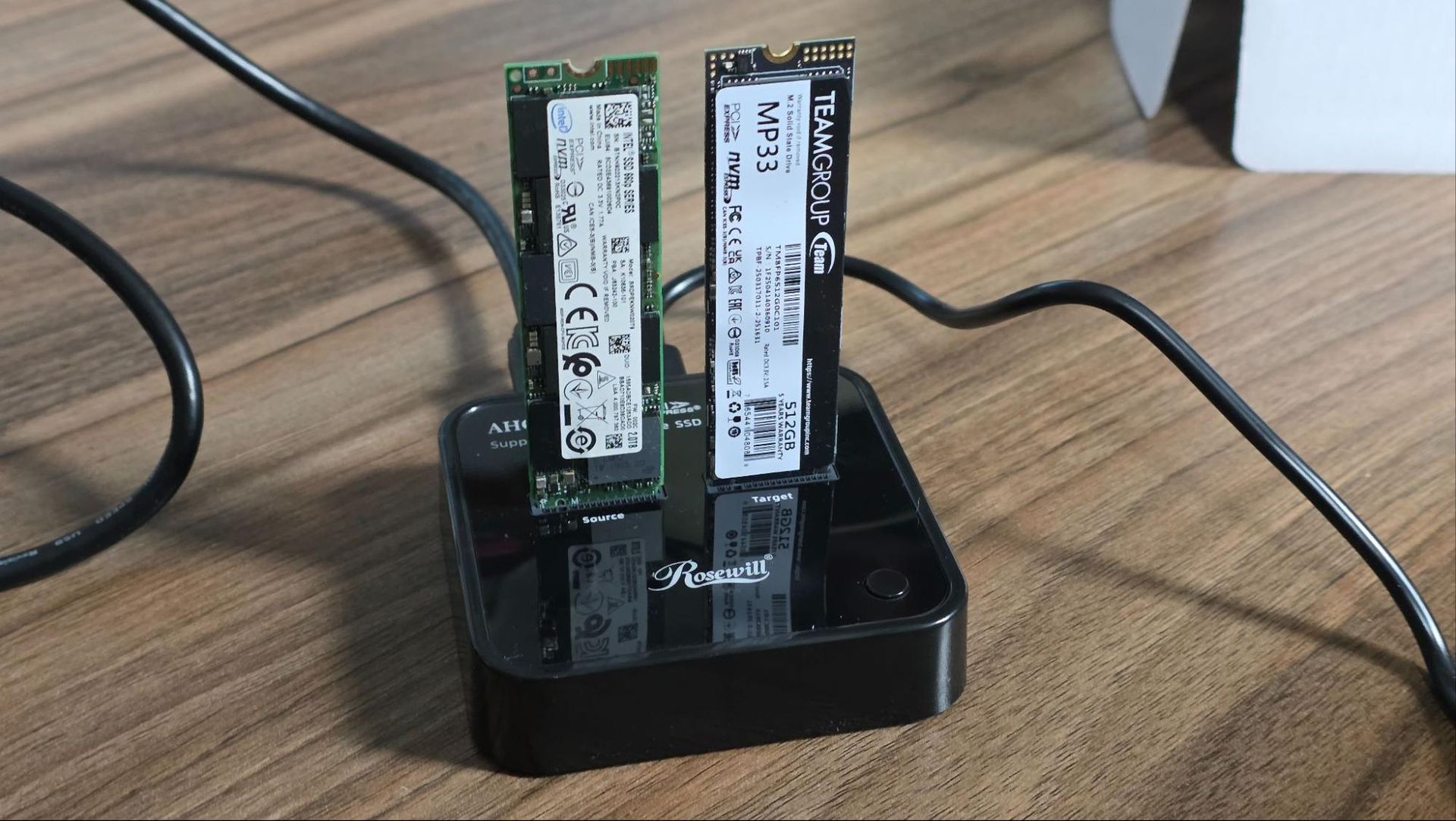
While I don't love the glossy plastic shell of Rosewill's model, it's one of the more affordable options. And it supports both NVMe M.2 drives and older AHCI models (Sorry, SATA). Using the cloner is pretty straightforward. You plug in the included USB-C power adapter, put your source drive in the left slot, the destination drive in the right slot, press the power button on the back, and a few logos light up, letting you know you're ready to go. Press the clone button on the top, and drive cloning will commence (provided your destination is the same size or larger than your source).
That's assuming you want to do an offline clone. But because I wanted to also resize the partition between the old 110 GB and the newer Team Group 512 GB SSD, I used the second included USB-C cable to connect the Rosewill cloner to my laptop and powered up the device. Within seconds, both drives were recognized in Windows, so I fired up the excellent free DiskGenius software, cloned the old partition to a new Team Group drive with a few clicks, and then used the software to drag the boot partition to the full size of the new drive. The whole process took just a few minutes, since the Rosewill cloner supports 20 Gbps USB, and I wasn't exactly copying a huge partition.
When the cloning process was finished and the partition inflated, it was hard to believe it was all that easy. I had expected to be at the task for hours, but I was done in less than 30 minutes. Sure, unless you're in IT, a drive cloner might not be something you use regularly, but it's sure handy to have around. You could also use it to save some money by buying a laptop with a cramped SSD and swapping in something much roomier – provided, of course, the laptop's storage isn't soldered to the motherboard.
The Rosewill cloner is also handy for just checking the contents of old M.2 drives you may have lying around. But if that's all you need, you can buy an NVMe enclosure or a single-drive dock. I also own a version of this model from Suitok, which costs $12.
This tiny, cheap, magnetic, USB-charging flashlight is great for PC building and other everyday tasks
(Image credit: Tom's Hardware)
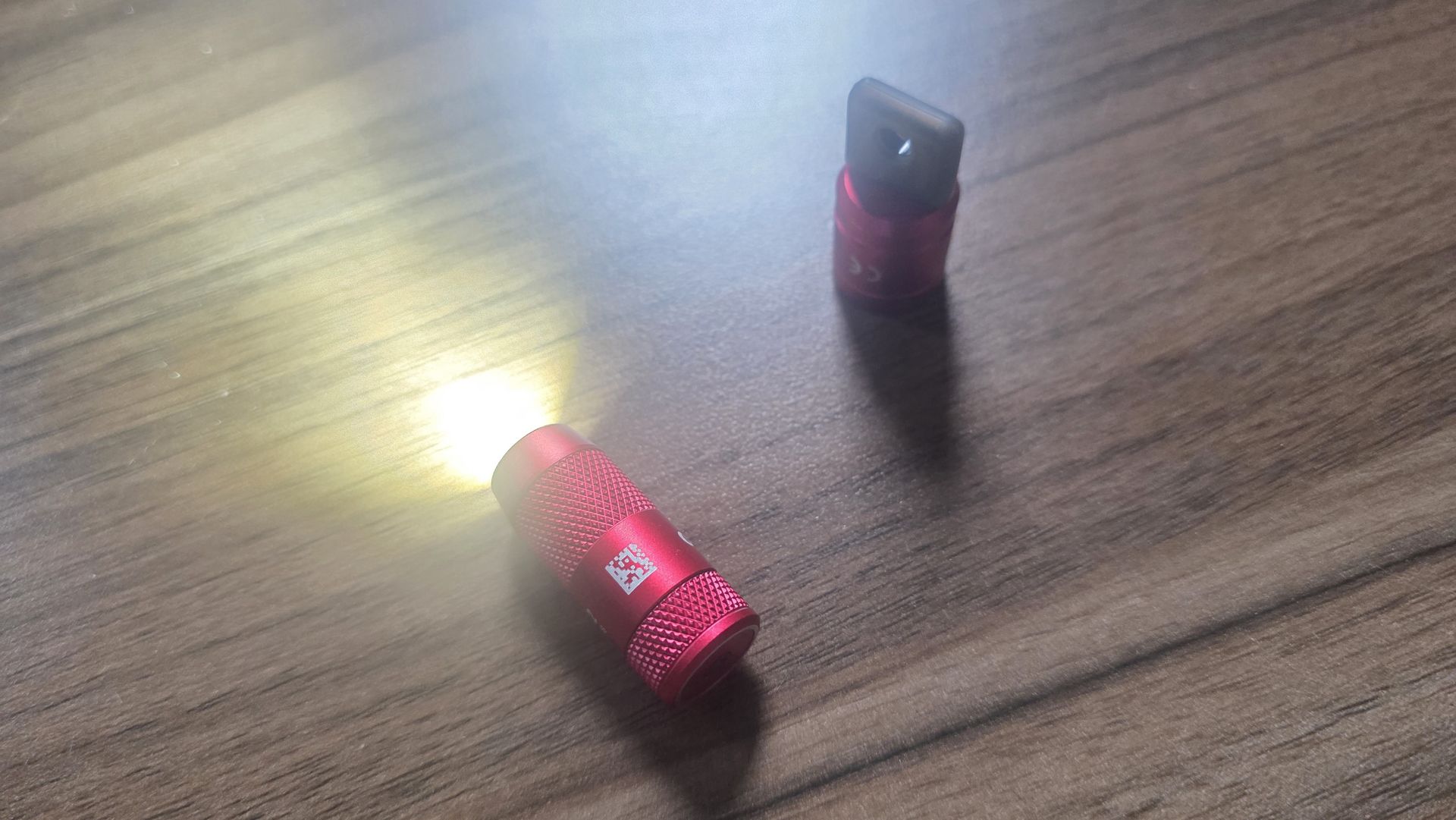
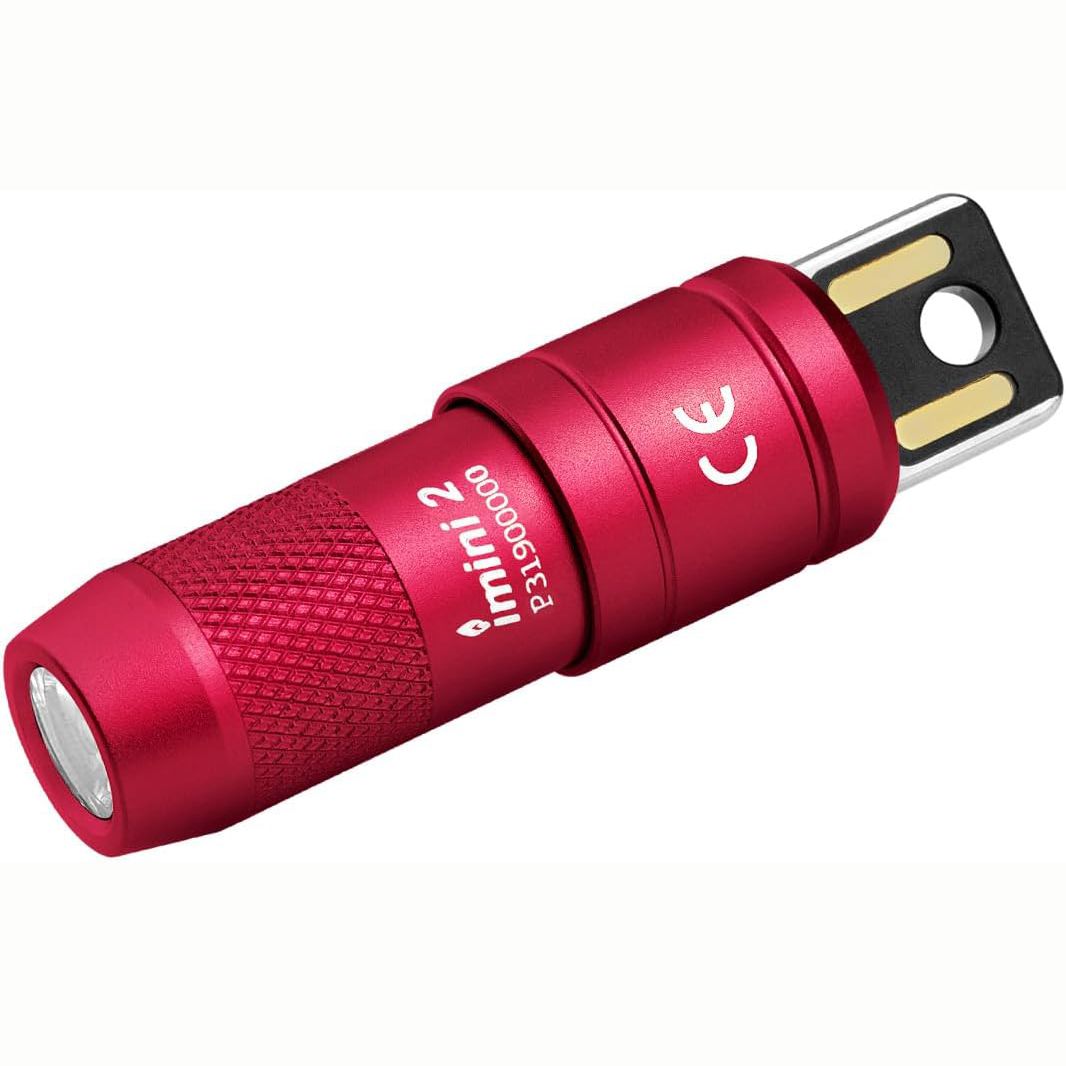
I picked up the OLIGHT IMINI 2 mini flashlight last year on impulse because it looked well-designed and cost around $20, but now it's down to just $12. Its simple design and built-in USB-A plug for charging make it fun to use – just pull the back off, and it turns on. The magnet at the back lets you easily mount it anywhere you need a little extra light. I've used it inside a steel PC case while fiddling with RGB wires.
Imini 2 EDC Rechargeable Keychain Flashlight: was $19.99 now $11.99 At just 2.17 inches long, this flashlight is rated to 50 lumens, and it sports a magnetic back with a USB-A plug for charging. Pulling the back off turns on the flashlight, and the magnetic back makes it easy to mount the light on anything mafe of ferrous metal.View Deal
The OLIGHT IMINI 2 is also small enough for your keychain, is designed to live with your keys, and includes two silicone covers for the USB port and a little carabiner clip. But the flashlight portion is only held to the charging port via a magnet, and I feel like (for me, at least) it would fall off and get lost before too long.
I've used the HOTO 3.6V Screwdriver Set to build dozens of PCs
(Image credit: Hoto)
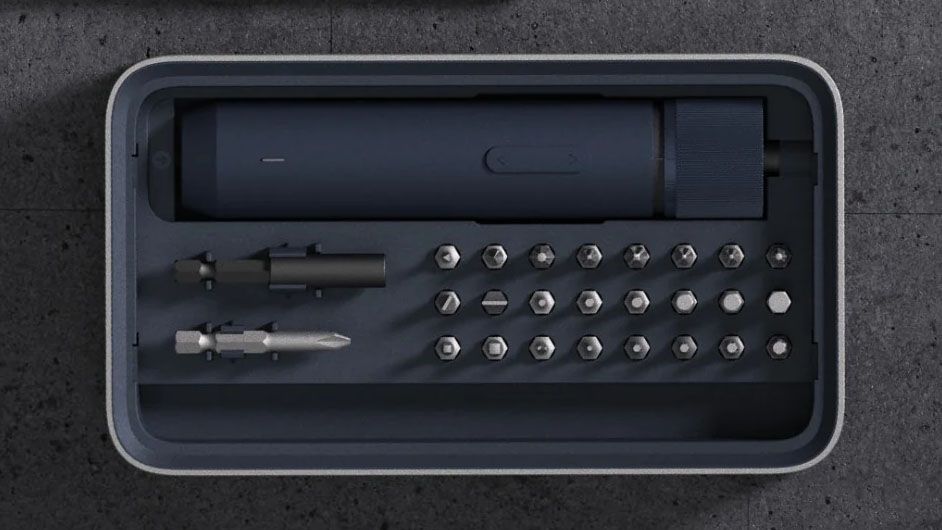
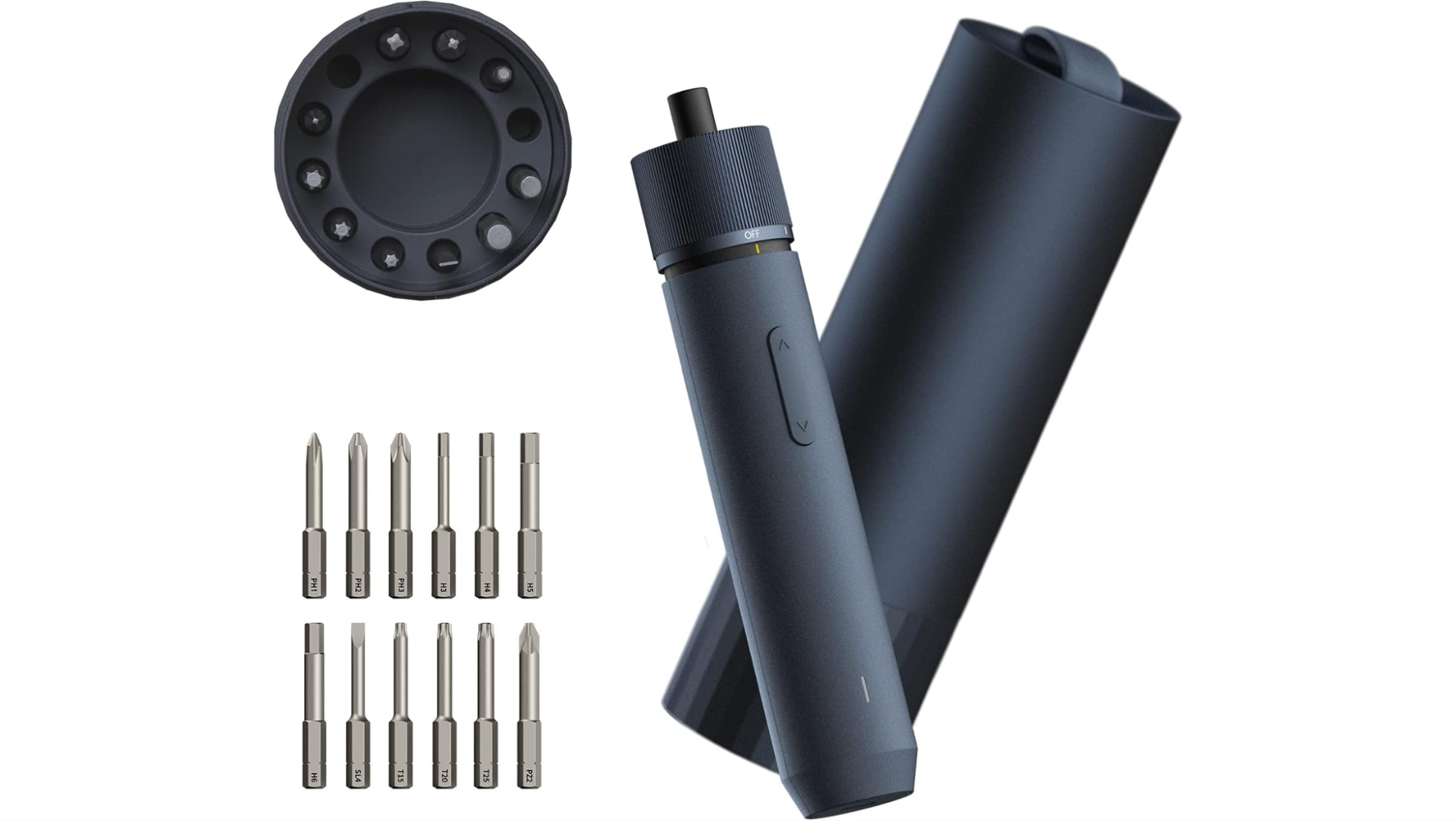
I build a lot of PCs, though not as many lately thanks to the RAMpocalypse, and I also do regular home improvement work around my apartment. So a cordless screwdriver is a nice thing to have. I also own a much slimmer Wowstick, but have found HOTO's NEX O1 Pro to be more useful thanks to its extra (and variable) torque. It's great for loosening those factory-installed screws on PC cases that just don't want to let go, and also good for assembling furniture.
The HOTO won't replace my DeWalt drill for bigger, tougher jobs. But for everyday tasks, it's powerful enough, easy to charge over USB-C, and even looks good on my workbench.
NEX O1 PRO 3.6V Screwdriver Set: was $49.99 now $28.49 Hoto's wireless screwdriver has three torque settings, charges over USB-C, and looks surprisingly good. It's even proven quite durable, as I've dropped it off of ladders and my workbench at least a dozen times, and it's still working flawlessly.View Deal
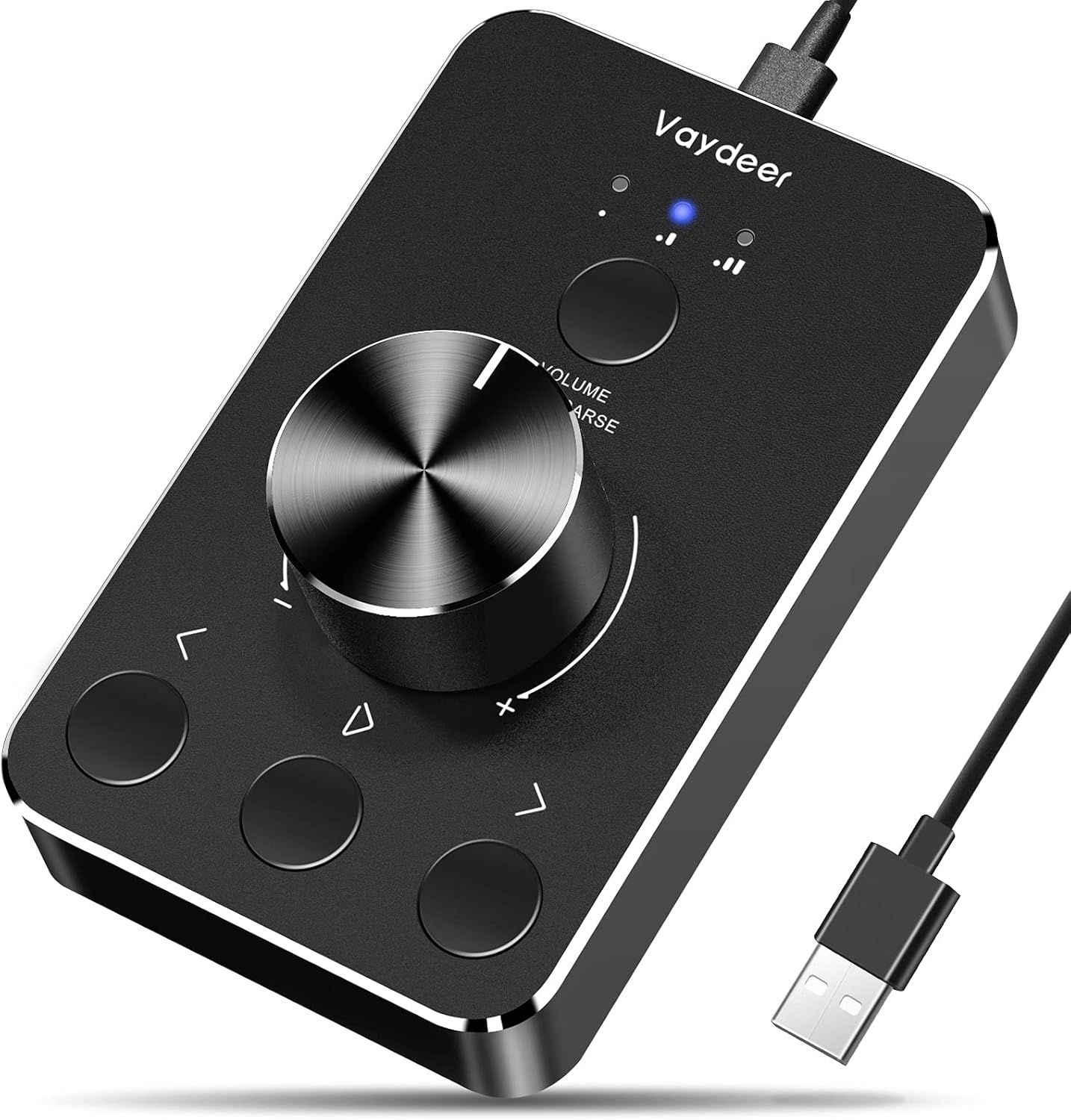
Cheap USB media control box puts volume and track control a touch away
(Image credit: Amazon)
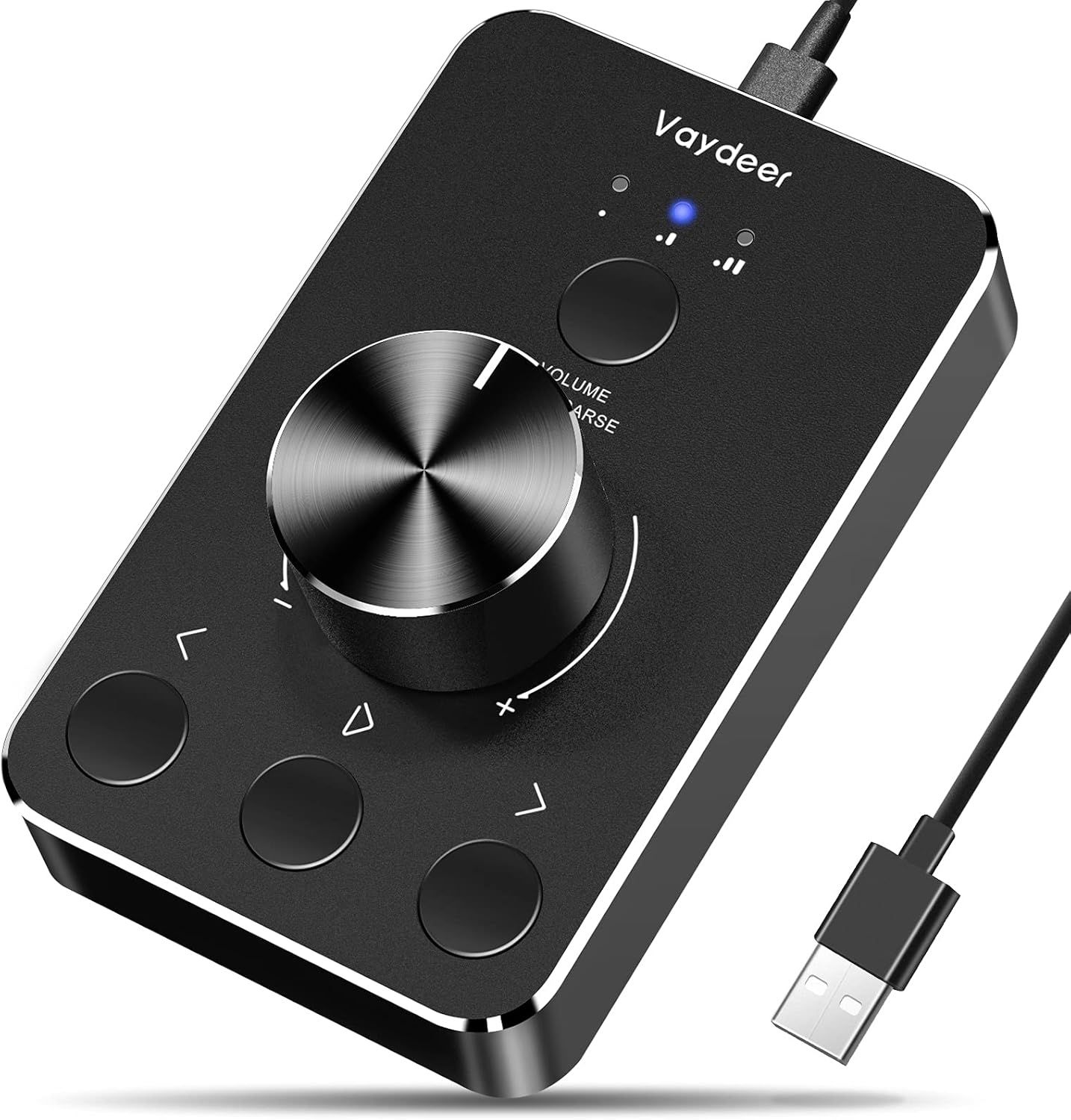
For those of us who grew up in the 1900s, few things beat a chunky tactile volume knob and physical buttons for controlling media, and Vaydeer's USB device provides that and then some. I own the previous version of this device and love it for controlling and muting music at my treadmill desk while I work.
I use the buttons on it to play / pause audio and video and move forward to the next track or backward to the previous one. It's totally plug and play, as no drivers are needed.
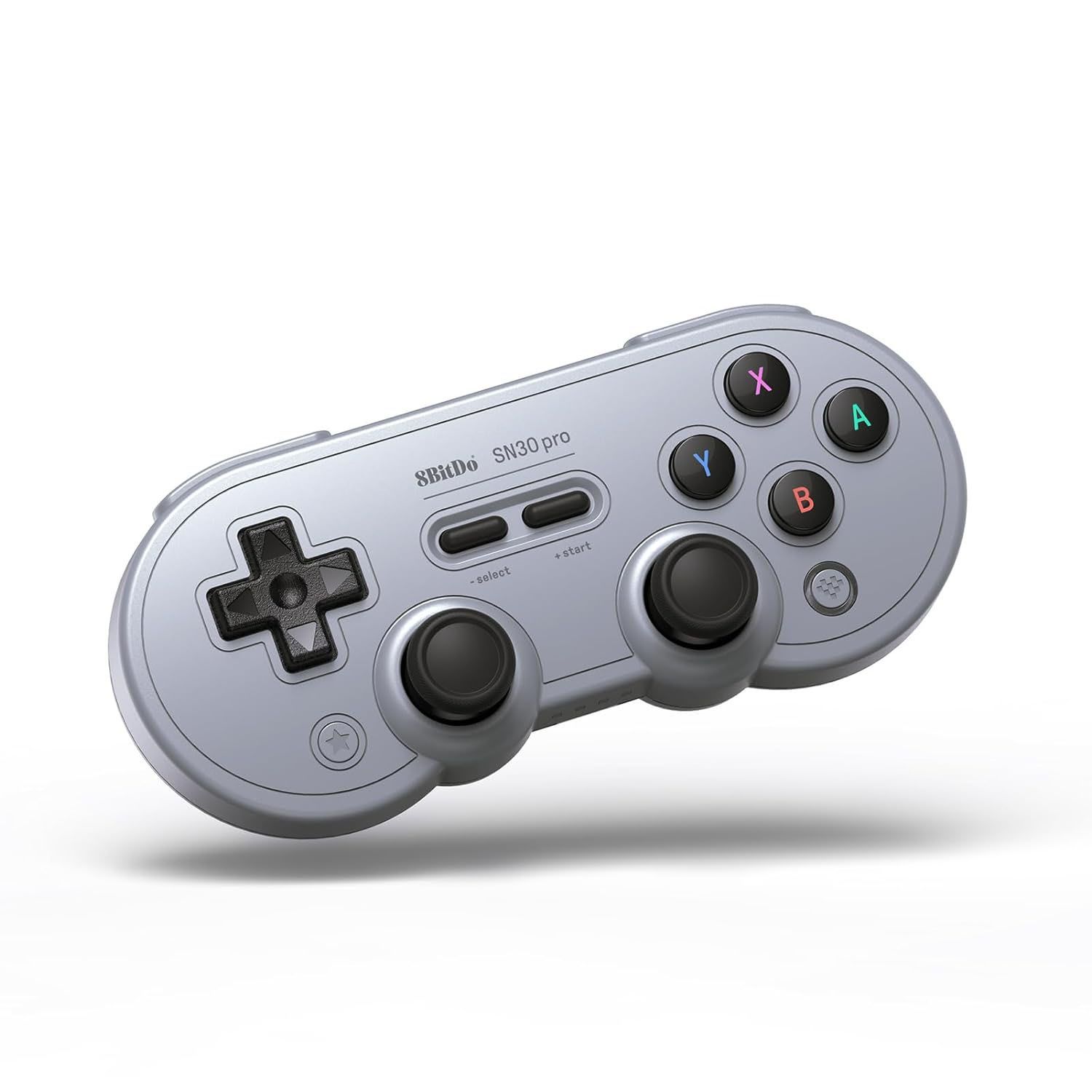
What's not to love about a SNES-inspired wireless gaming controller that's compatible with Windows, Mac, Android, and the Nintendo Switch? Not much, as far as I'm concerned.
As you might expect given this controller's small size and many more buttons than the SNES controller it was based on, its Rumble motors aren't the strongest, and the layout can feel kind of cramped for some modern games. But for any retro game and especially platformers (I'm looking at you, Super Mario Bros. Wonder), this is my go-to controller. At this price, maybe I should pick up another one.
SN30 Pro Bluetooth controller: was $44.99 now $33.74 With its SNES-inspired design and white shell, this controller will appeal to gamers of a certain age. But its appeal goes beyond its looks., with Hall Effect joysticks, and support for the Switch, PC, macOS, and basically any OS that supports games and Bluetooth.View Deal
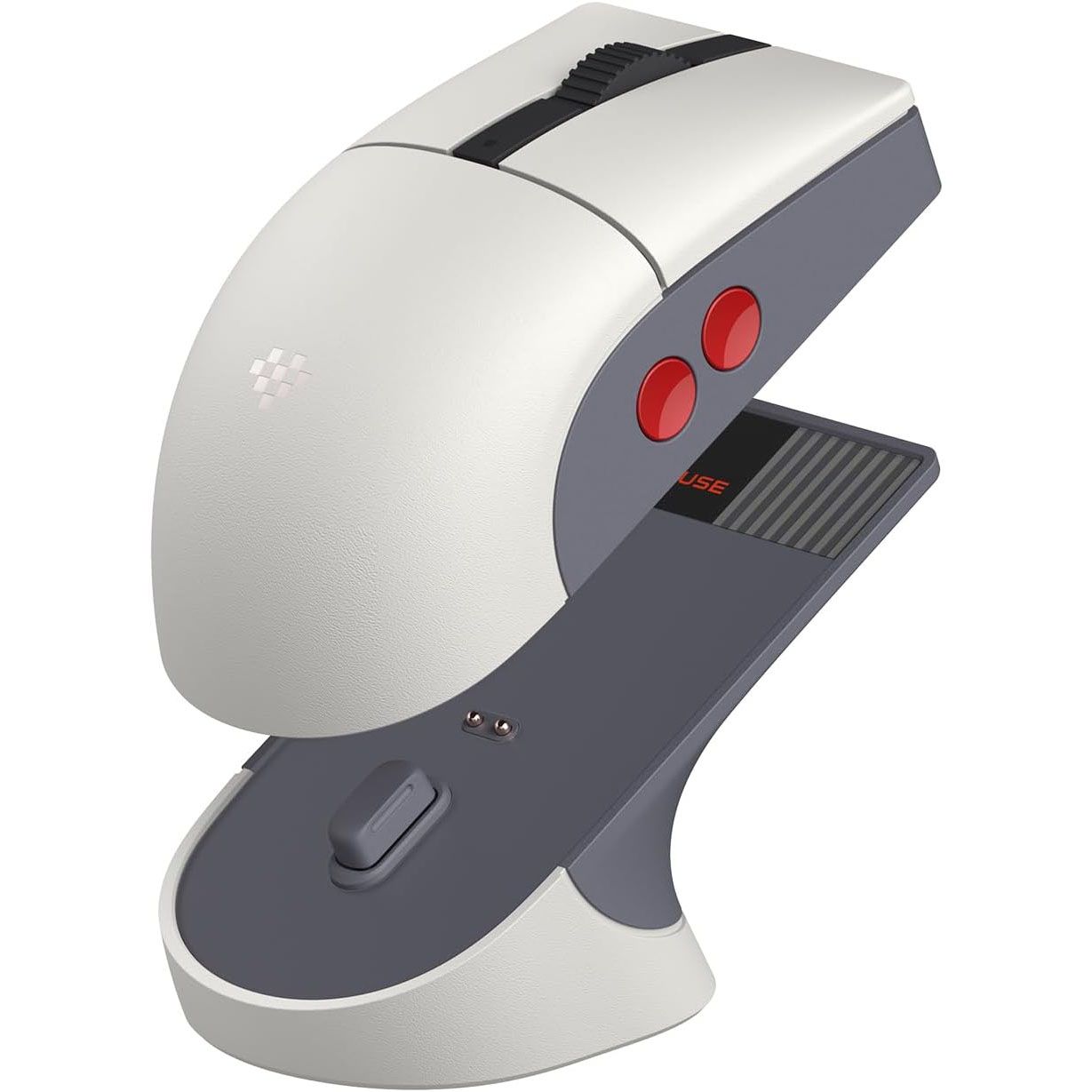
Go retro with modern specs with this NES-themed mouse from 8BitDo
There are so many gaming mouse options, most with specs that go well above and beyond my abilities. So I chose something with style that caught my eye, 8BitDo's Retro R8 Mouse with Charging Dock. This NES-inspired mouse is designed for nostalgia, with its black, gray, and red color scheme and round red side buttons. But 8BitDo went the extra mile (or two) by designing a weighted charging dock (with its own NES-like touches), and a spot for the 2.4 GHz dongle. This is the kind of extra feature that's more common in mice that cost twice as much.
Retro R8 Mouse with Charging Dock: was $49.99 now $39.99 The nostalgia of this mouse's design is nice. But it also sports a 26,000 DPI sensor, 4K polling, and a really nice charging dock that also houses the 2.4 GHz dongle. If you're in a pinch or not gaming, Bluetooth is also supported. View Deal
Under the hood, you get a decent 26,000 DPI sensor and 4K polling (plenty for us older, non-esports gamers), and an ambidextrous design with two side buttons on either side, and a clicky, rubberized scroll wheel. The side buttons, which are concave, took a little getting used to for me. But they are also so distinctive that now I miss them while using other mice.
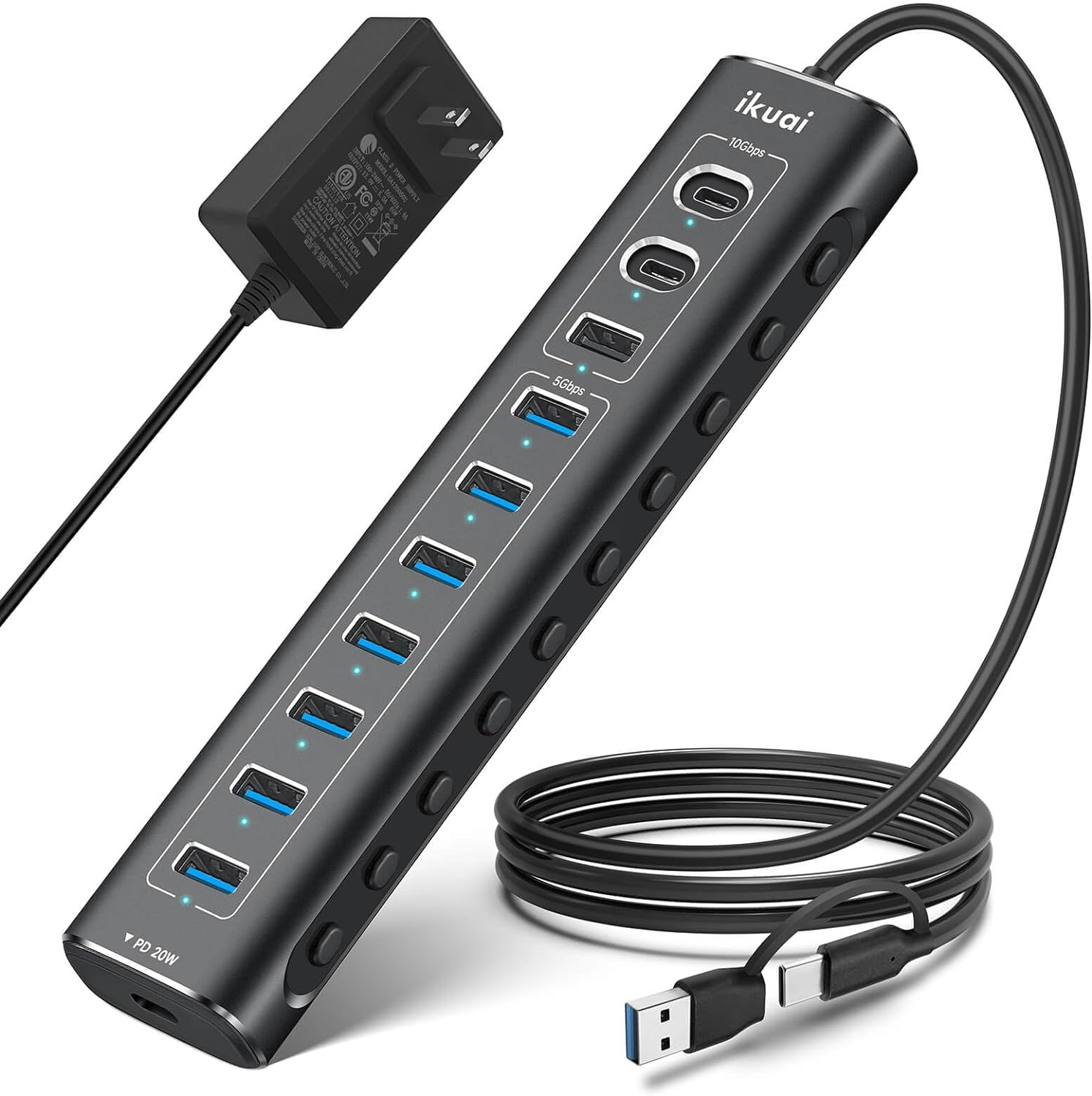
Never run out of USB ports with this powered 11-port hub
If you're like me, you never have access to enough USB ports. I solved this problem by picking up this Ikai hub, with 60W of power for your drives and peripherals and a premium metal shell. It sports three speedy 10 Gbps ports (two USB-C), along with seven 5 GBps USB-A ports. The final USB-C on the end of the hub is for charging your phone or other devices, and delivers 20W.
The other nice feature, is that all the data ports have a button on the side so you can toggle them on and off. Aside from saving a bit of power, I also find this handy for swapping between wireless mice and keyboards, while keeping the tiny dongles plugged in so I don't lose them.
11-in-1 Hybrid USB Hub: was $49.98 now $42.49 With 11 ports and up to 10 Gbps speed, a solid aluminum shell, and buttons so you can cut the power to individual ports, this USB hub is a great addition to your desk. It has external power for better stability, and even a 20W USB-C PD port on the end for charging phones or peripherals.View Deal
The sole thing to keep in mind about this (and basically any) hub, is that it has a single 10 Gbps input. So don't expect to plug in multiple high-data devices (like SSDs) and have them run simultaneously at full speed. If that's what you need, you'll need to get a Thunderbolt or USB4 hub (and spend significantly more).
Add recessed power and USB ports to your desk for just $16
(Image credit: Tom's Hardware)
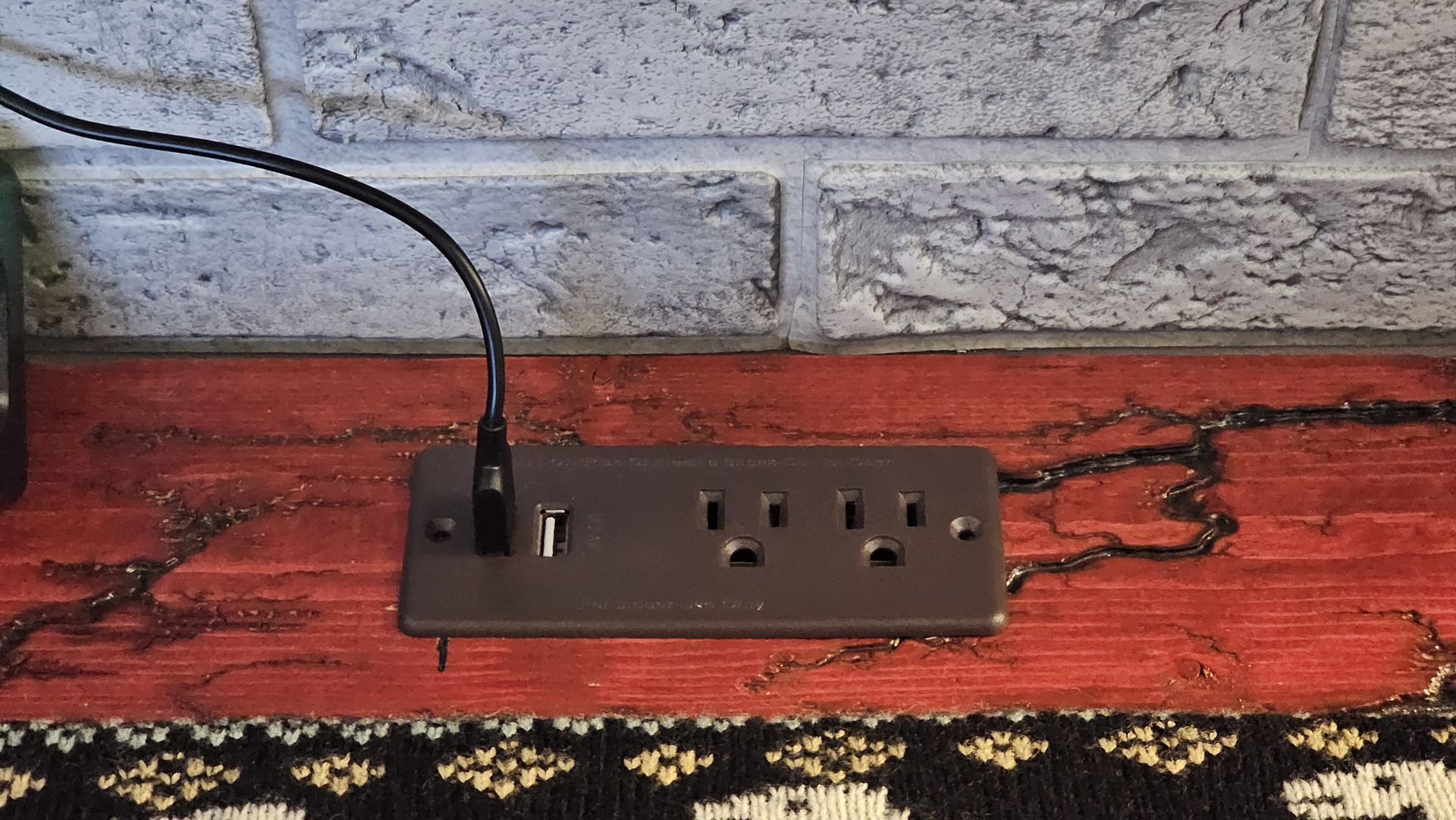
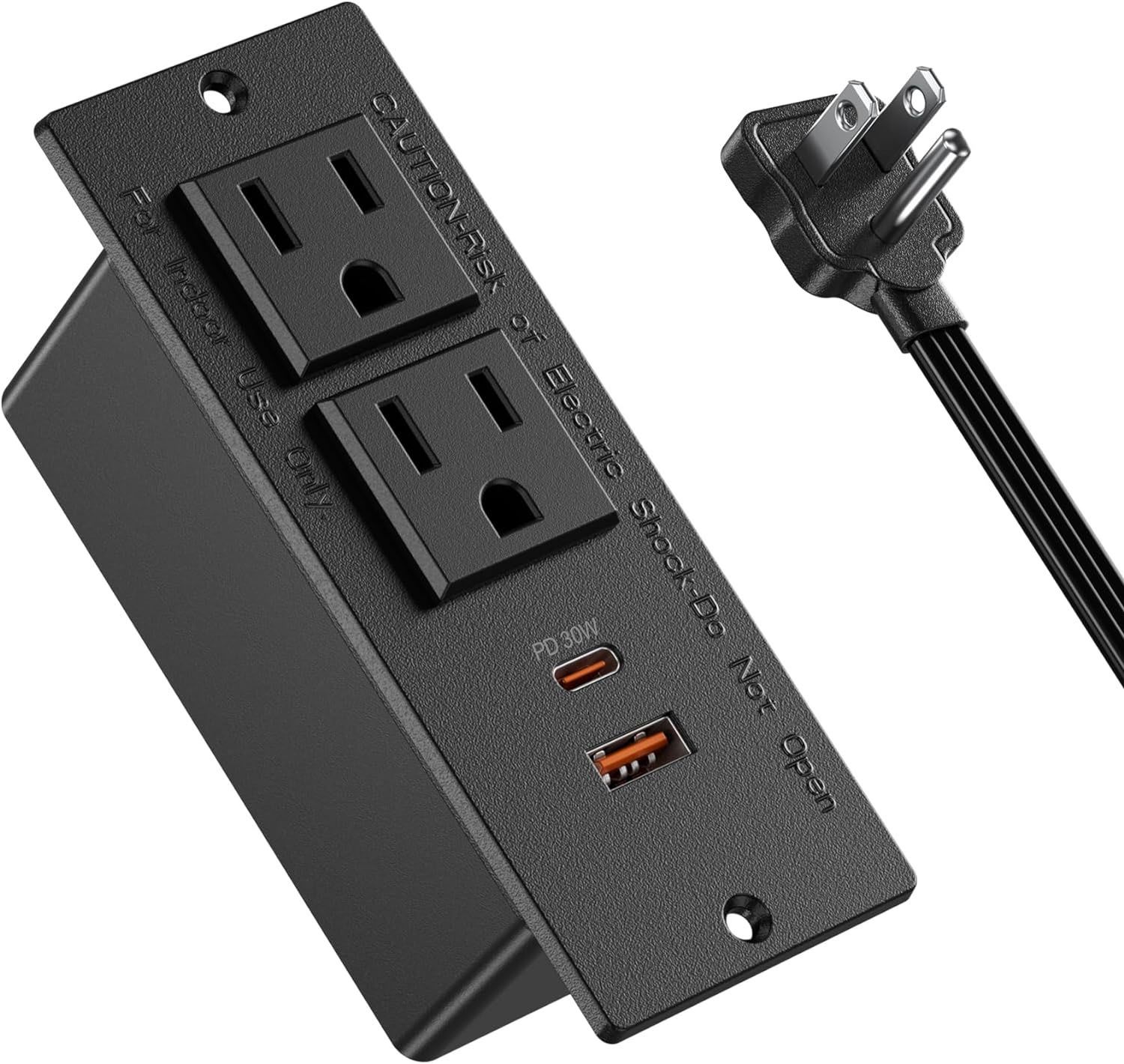
OK, this one's only for the DIY-inclined, because it involves cutting a rectangle in your desk (or anywhere else you might want some flush-mount power ports, like a nightstand). Jgstkcity's recessed power strip lets you drop a couple of AC outlets and two USB charging ports (one 30W USB-C) anywhere you need them – again, once you've cut a hole for it.
While it's smart to be wary of no-name power strips, I've used two variations of these strips for roughly three years, and nothing has ever felt hot or failed in any way. I have it installed in the narrow stand I built right behind my couch. It's a super-convenient place for power outlets, especially when friends or family stop by. I just warn people not to put drinks there. Thankfully, the coffee table is even more convenient for that, and it's right in front of the couch.
Recessed Power Strip: $19.99 You'll likely need a drill and a saw to install it, but having a couple of power plugs and USB-C PD power right on the surface of your desk or nightstand is super convenient. View Deal
Stay charged and save space while traveling abroad with Anker's slim Nano Travel Adapter
(Image credit: Tom's Hardware)
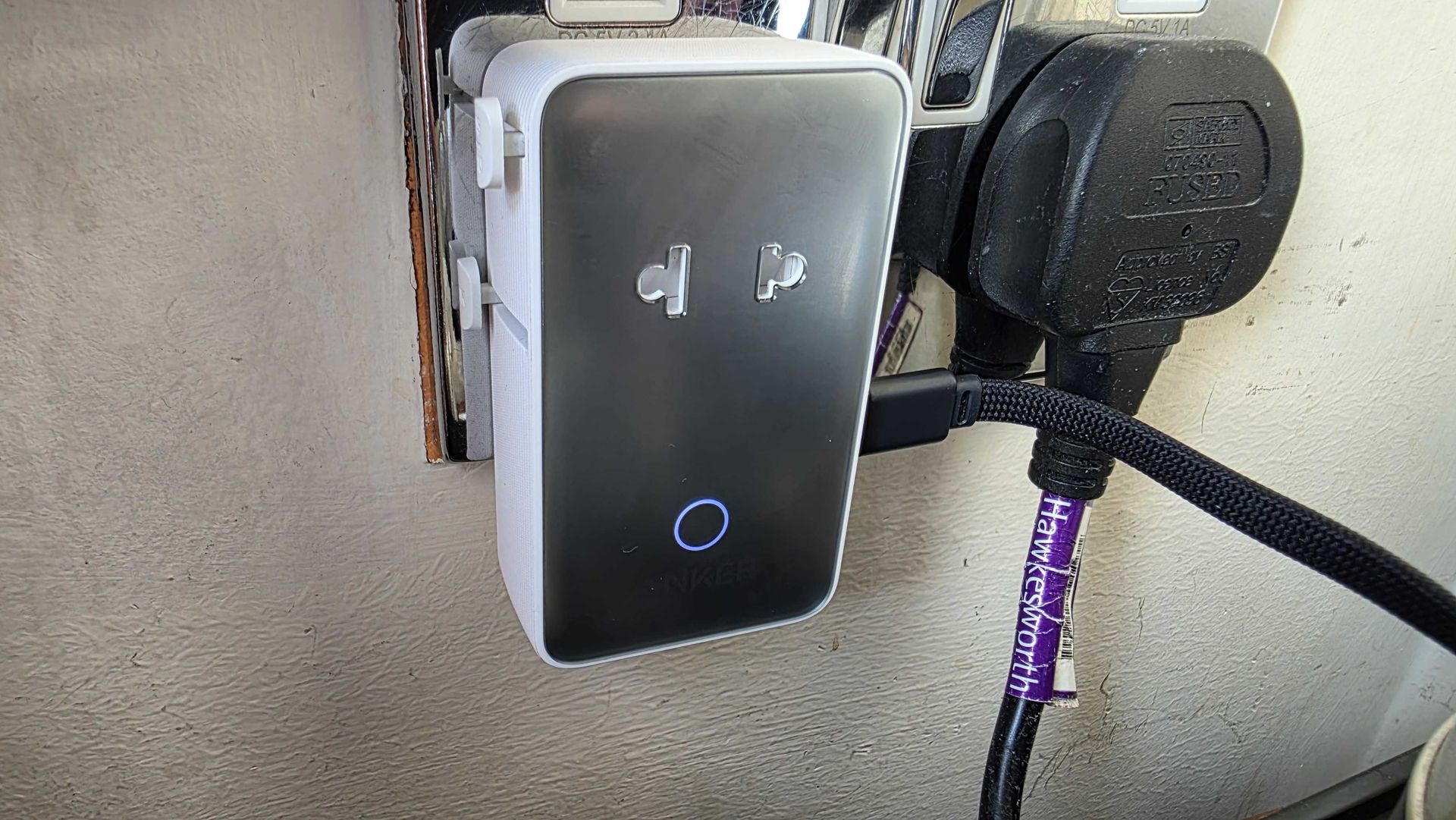
When you're traveling to another country for more than a few days, every small bit of space you can save helps. But you also usually need a travel adapter to plug your devices into the outlets of other countries. Anker's Nano Travel adapter serves both needs well, as it's roughly half the thickness of other adapters and is designed to work in over 200 countries.
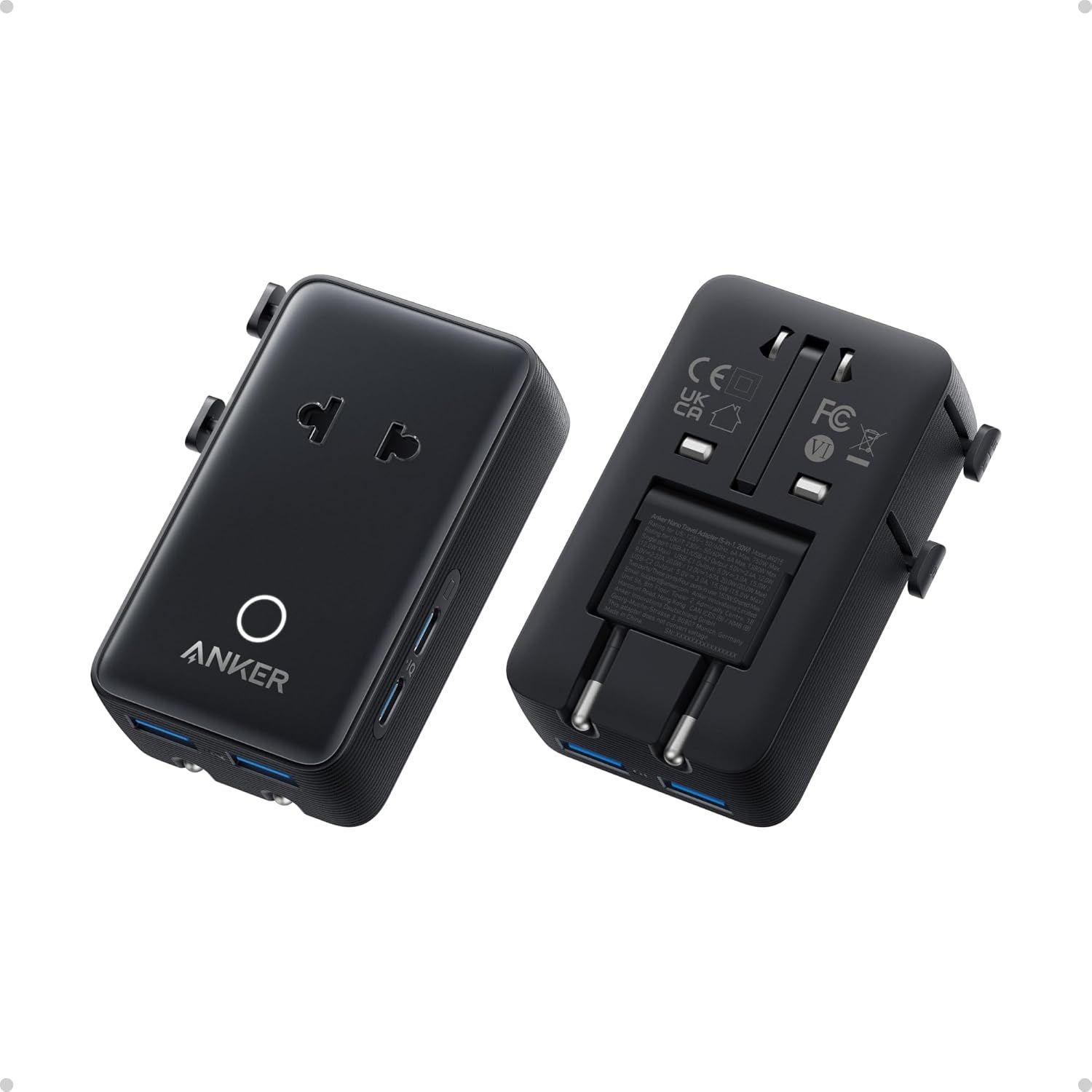
The Nano Travel Adapter also has four USB ports for charging, which I've found super convenient for keeping my phone, ereader, and earbuds juiced up without needing a separate charger. There are two USB-A ports on the bottom and two USB-C on the side, with the latter delivering up to 20W. It also comes in black or white/silver. I opted for the white one, which makes it easier to find after months in a drawer when I'm not traveling.
Nano Travel Adapter: was $25.99 now $19.99 Anker's slim travel adapter is 43% smaller than many other adapters, while supporting over 200 countries with its fold-down plugs. It also has two USB-C and two USB-A ports for charging, at up to 20W. View Deal
The major downside over other travel chargers is that the Nano Travel Adapter doesn't support plugging in devices with three-prong (grounded) plugs. But I haven't found this an issue since I typically plug things like my Baseus flat laptop charger in while traveling, rather than high-power devices like a desktop PC or hair dryer.
Powerowl's rechargeable batteries are good and surprisingly cheap
(Image credit: Tom's Hardware)
When I first started using rechargeable batteries with my Walkman in the early 90s, they were kind of awful (but still better than spending all my money feeding my music addiction). They couldn't hold a charge and didn't last nearly as long as name-brand disposable batteries. But here in the mid-2020s, rechargeables are surprisingly good.
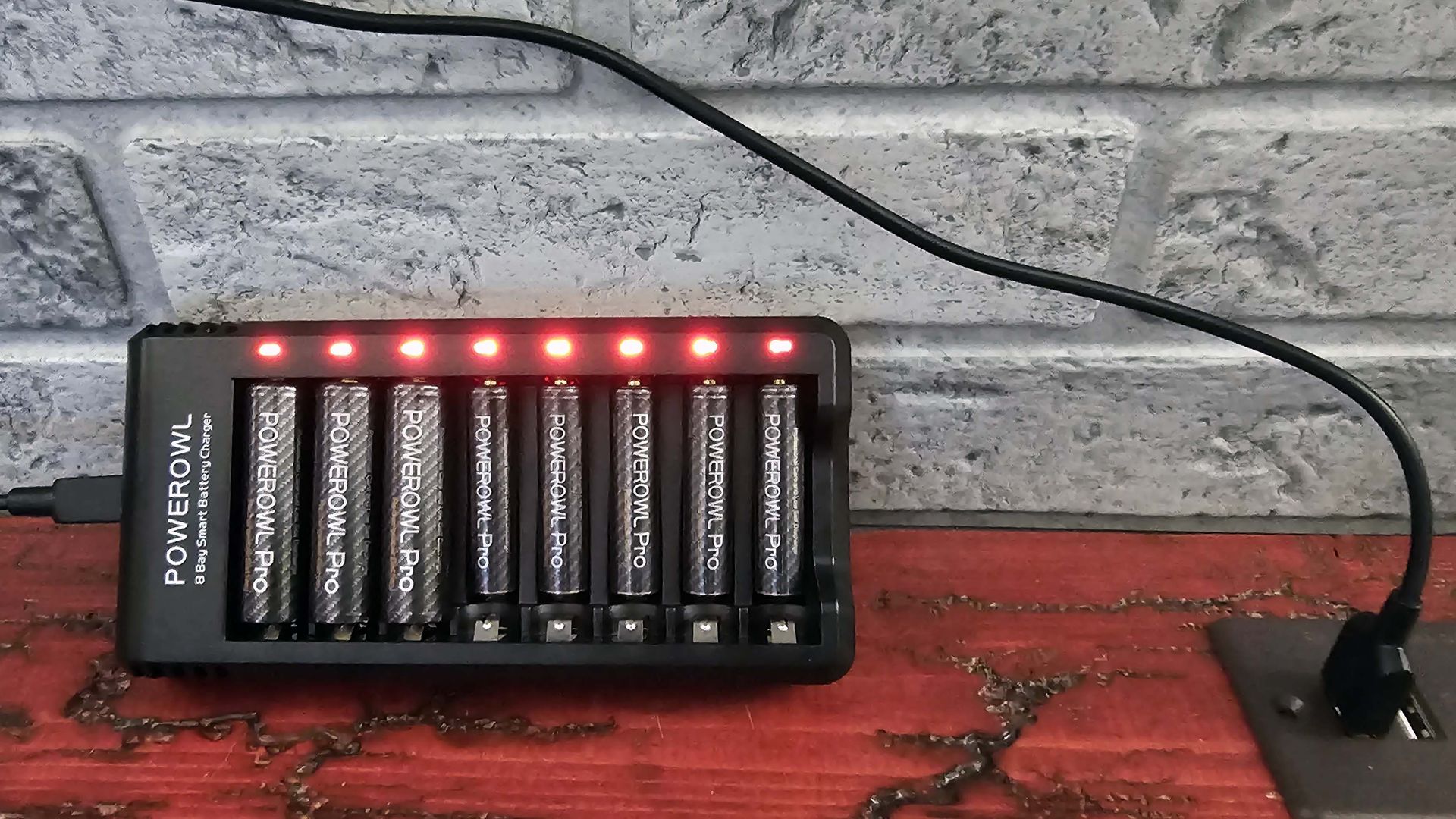
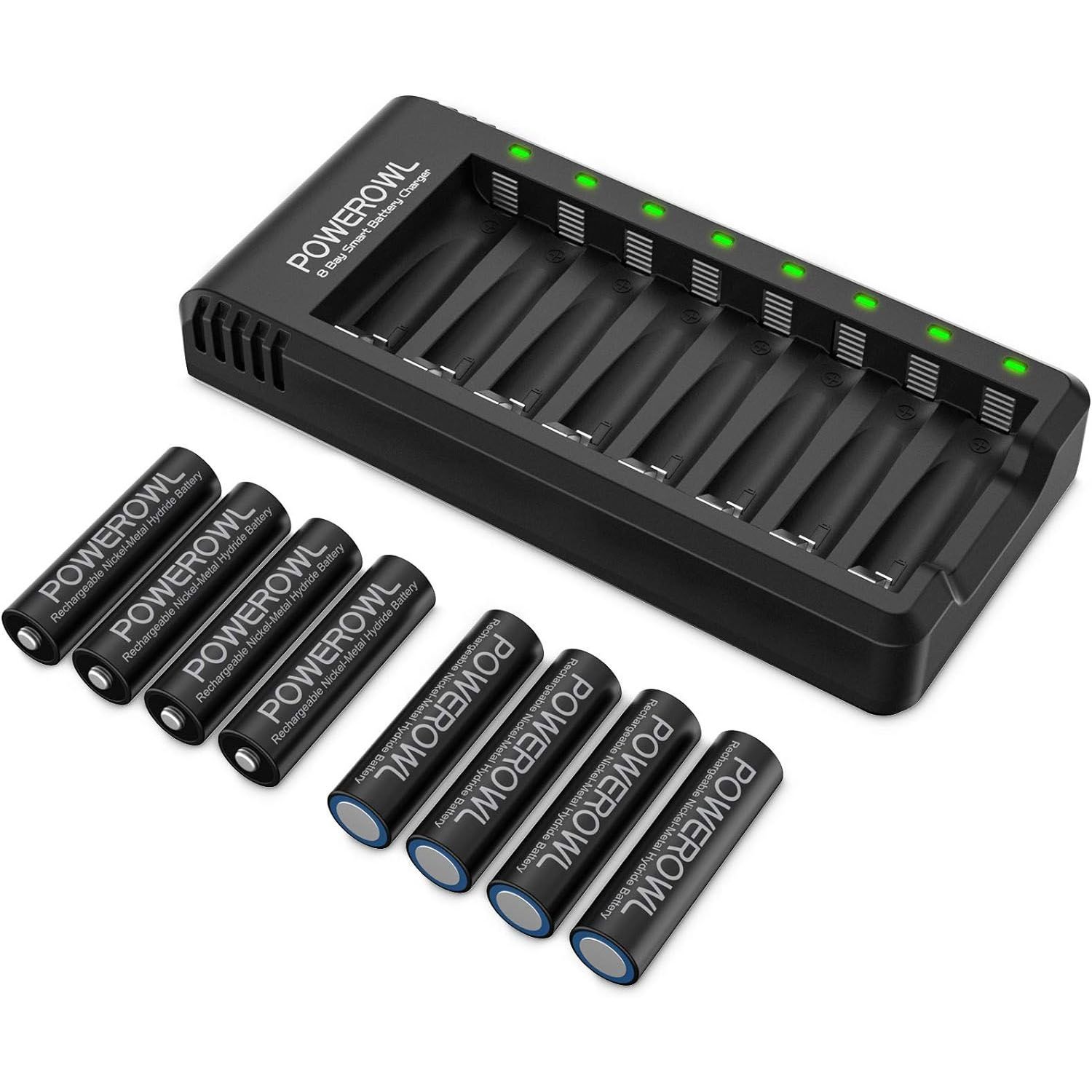
Panasonic's Eneloops arguably ushered in the rechargeable AA and AAA renaissance, but PowerOwl's batteries are a lot more affordable and I haven't had a single one fail in over three years of using them in my various remotes, smart door locks, and other devices.
8 AA Rechargeable Batteries With Charger: was $28.99 now $24.99 These PowerOwl Pro AA batteries are rated to 2800mAh (though I wouldn't put stock in that spec) and are rated to keep 60% of their power for two years. The included USB-powered charger isn't the fastest (10 hours rated), but it gets the job done. View Deal
Lithium rechargeables are great for high-drain devices, and this 8-AA set with charger is just $23
(Image credit: Tom's Hardware)
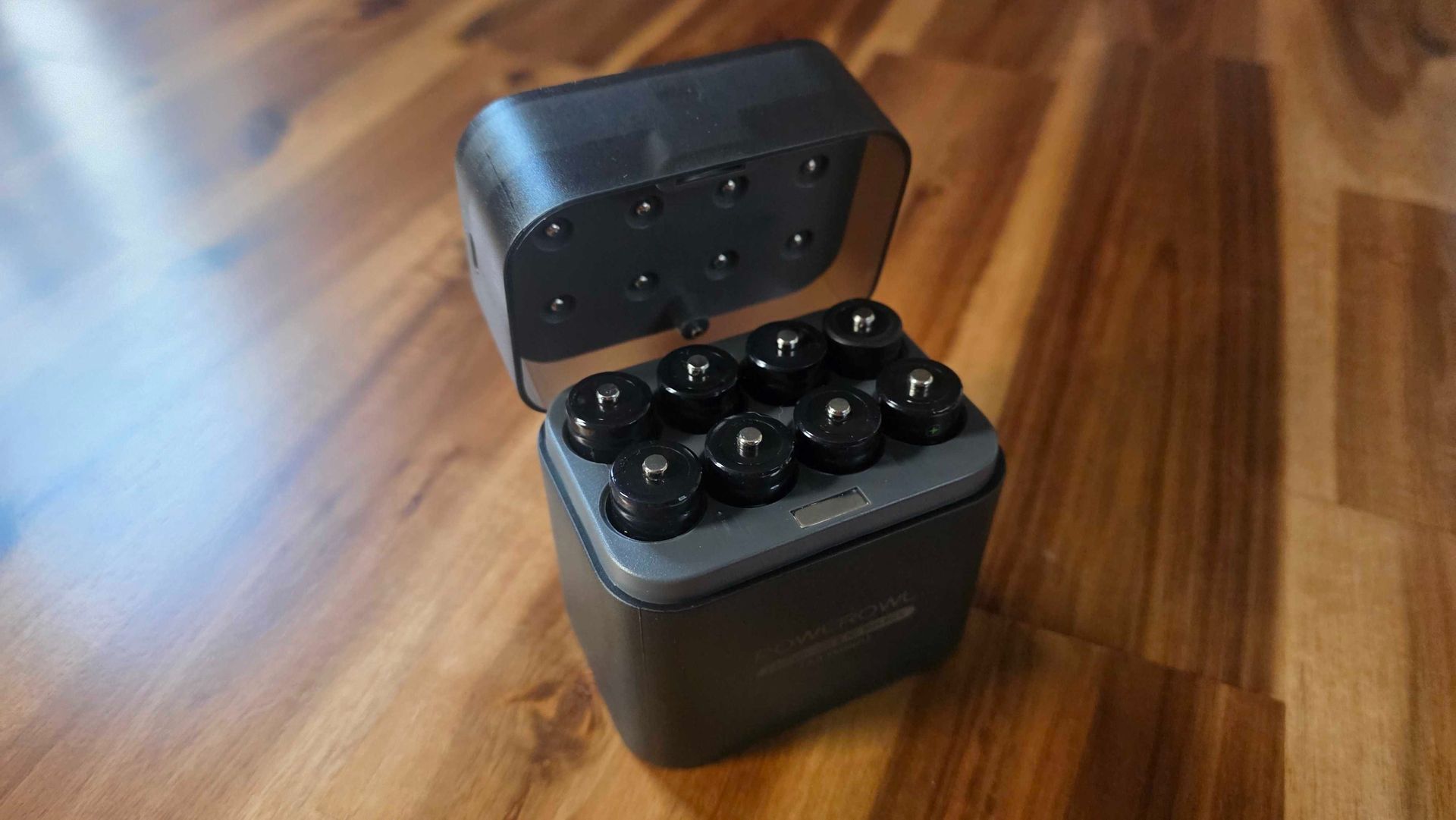
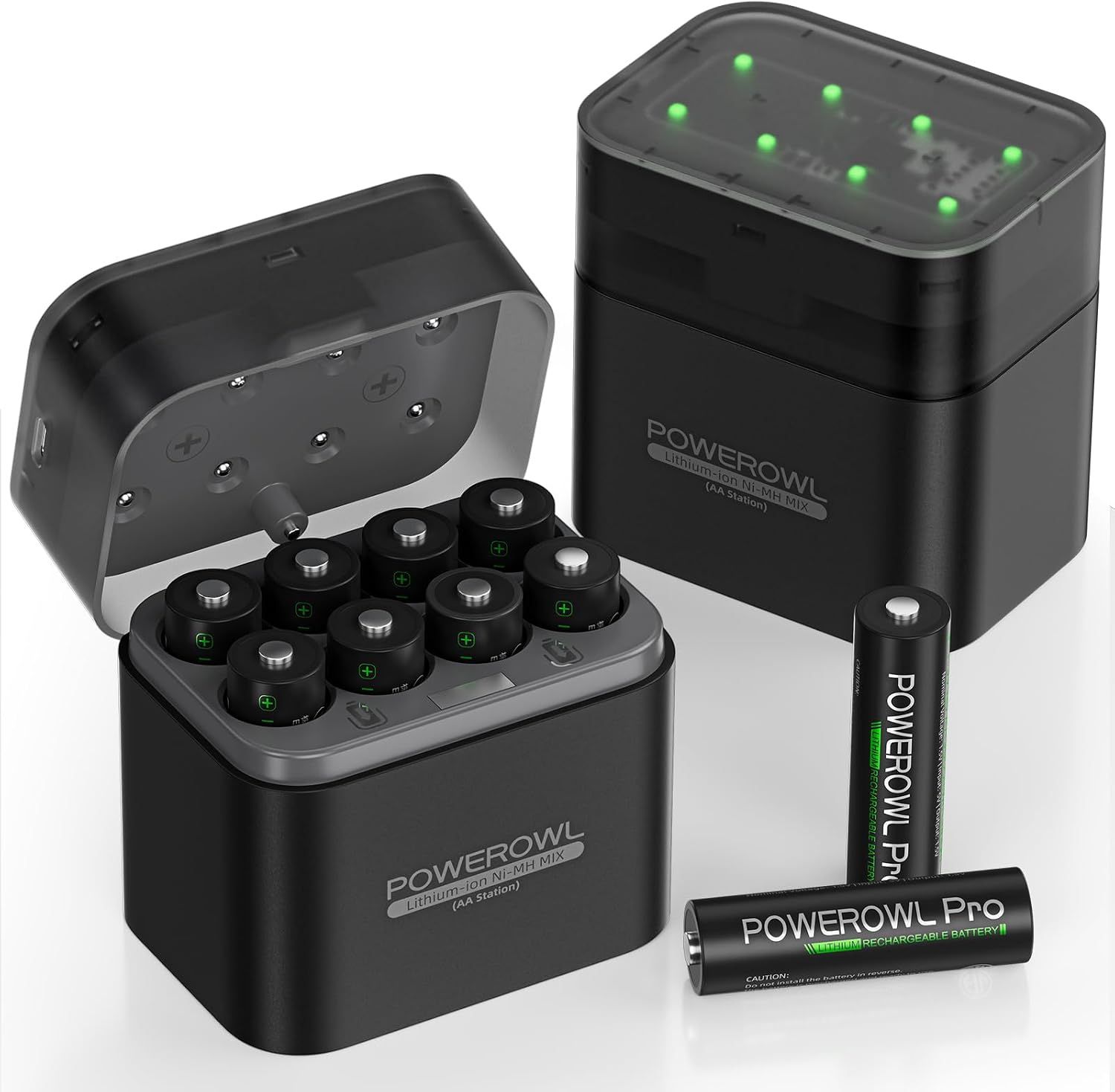
After the good experience I've had with the company's NiMH batteries for years, I bought Powerowl's Lithium rechargeable batteries early this year. And boy am I glad I did. These last months longer in my smart door locks than those older batteries, which means I only have to swap the cells on two doors a few times a year now.
Full disclosure: I have had one of these batteries refuse to recharge after its first power cycle. But out of the three sets I now own, that's not a terrible track record. I just wish the company also made AAA lithium cells for my other devices.
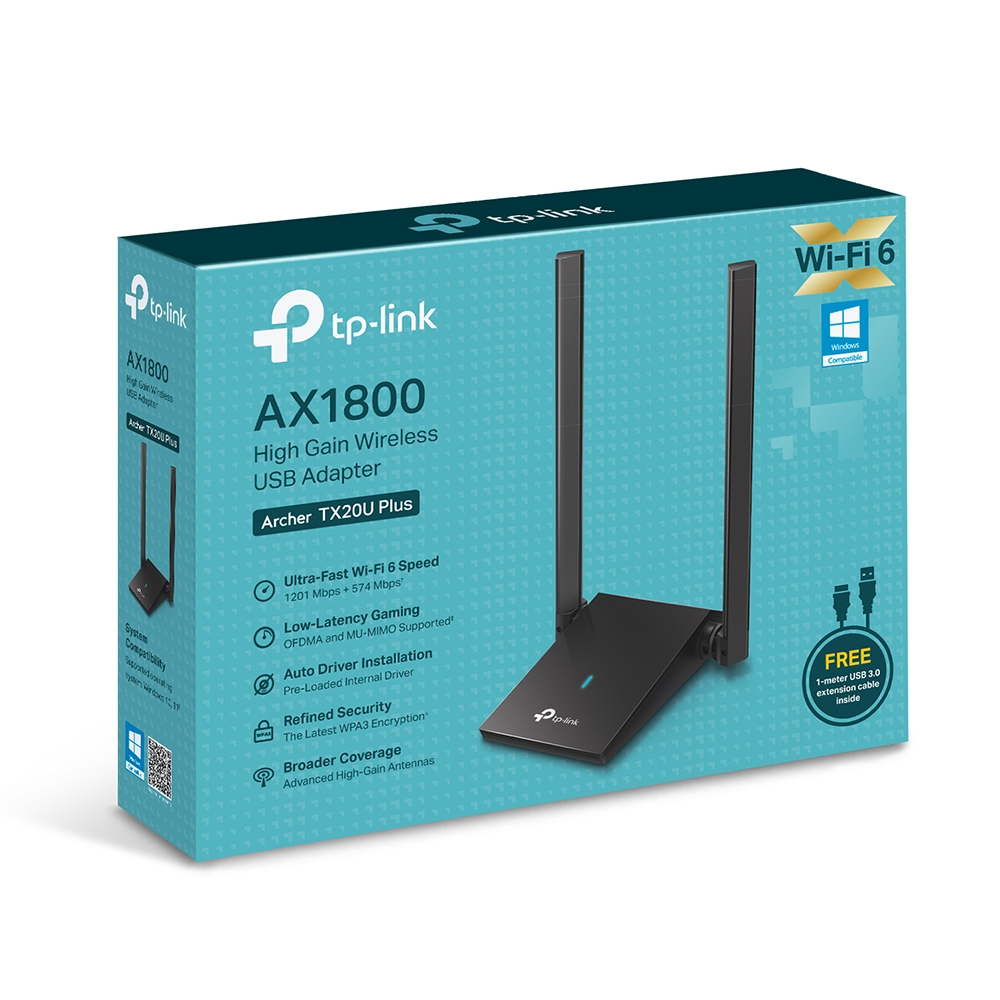
TP-Link's AX1800 WiFi 6 USB Adapter delivers Wi-Fi 6 to older devices over USB
(Image credit: TP-Link)
Have you upgraded your router to Wi-Fi 6 or later, but your desktop or laptop doesn't have the requisite hardware to take advantage of your recent network tech? TP-Link's AX1800 WiFi 6 USB Adapter is here to solve that problem for you. It's quite large by USB Wi-Fi dongle standards, but I've found it works quite well with the Wi-Fi 6 router I bought in 2020.
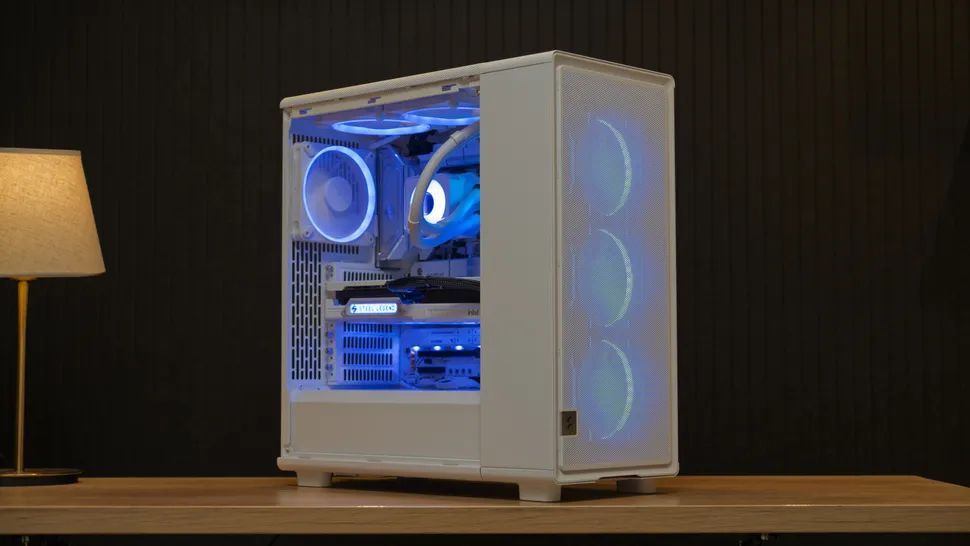
I have the router running downstairs from my office. And it instantly fixed an issue I was having with very poor reception from the SFF PC I built in the Fractal Terra case.
AX1800 WiFi 6 USB Adapter: was $34.99 now $27.49 Sure, it's big and bulky with two antennas, but this Wi-Fi 6 USB adapter can deliver some serious speed to your desktop or laptop when paired with a Wi-Fi 6 or later router.View Deal
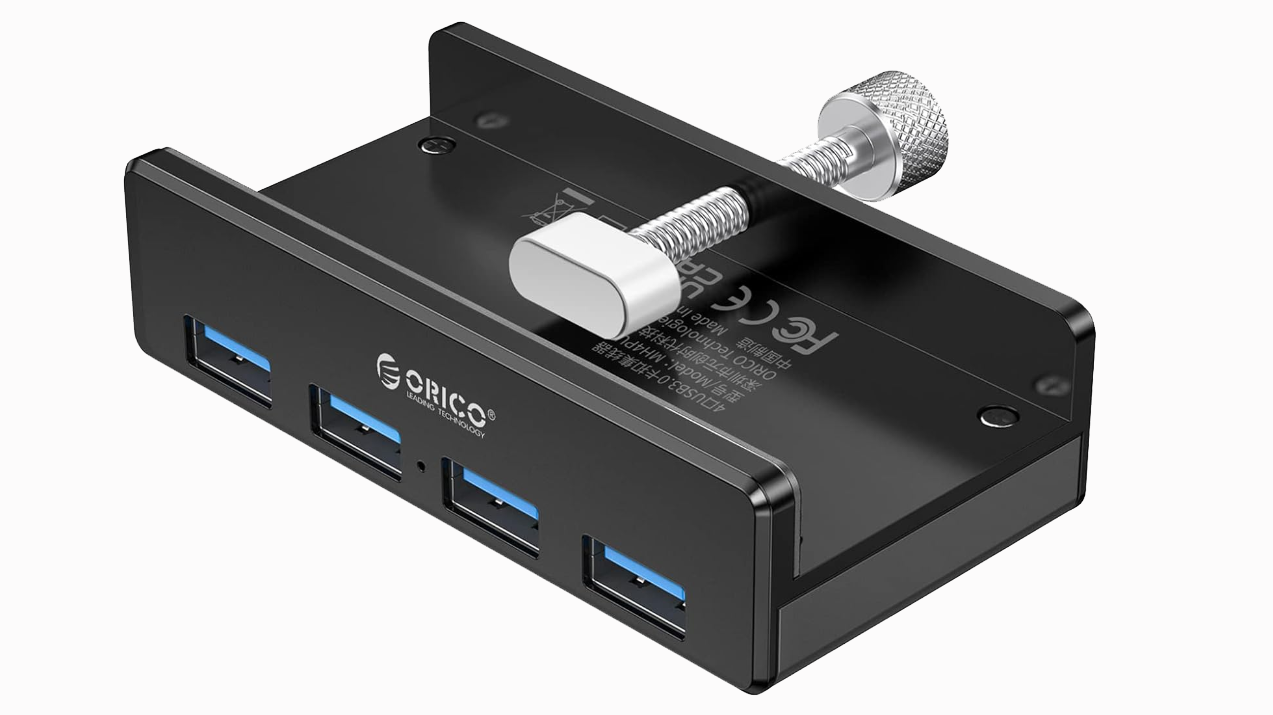
Orico USB 3.0 Clamp Hub is easy to mount on many desks
This is a four-port, 5Gbps USB-A hub that's designed to clamp onto your monitor or desk and give you extra convenient connectivity.
It comes in black or silver and has a nice, sturdy metal frame. Just note that its clamp section is pretty shallow and its adjustable screw can only open between 10 and 32 mm, so it won't fit on all monitors or desks.
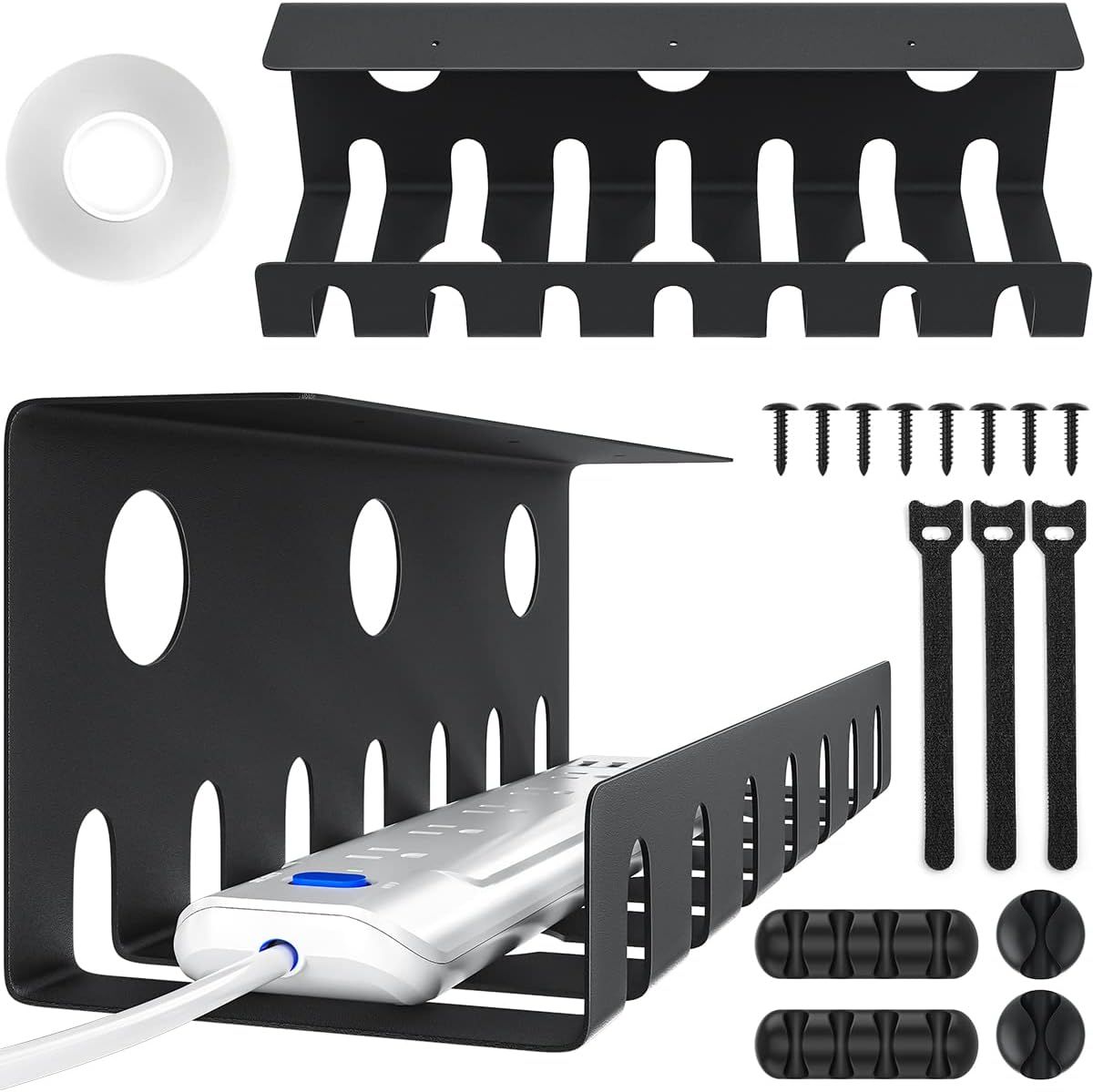
If you to get a handle on the PC cables in your home or office, some cheap cable management trays will do the job. This two-pack comes with tape, though heavier loads will ultimately require some screws.
Besides the trays, this kit also comes with cable ties and a few cable clips you can place along the bottom or sides of your desk. One of these has been holding up the PC cable clutter in my living room for the past year. But I had to screw it into my desk because it's holding one of the above Anker power strips, plus the large external power brick from my LG OLED TV / Monitor.
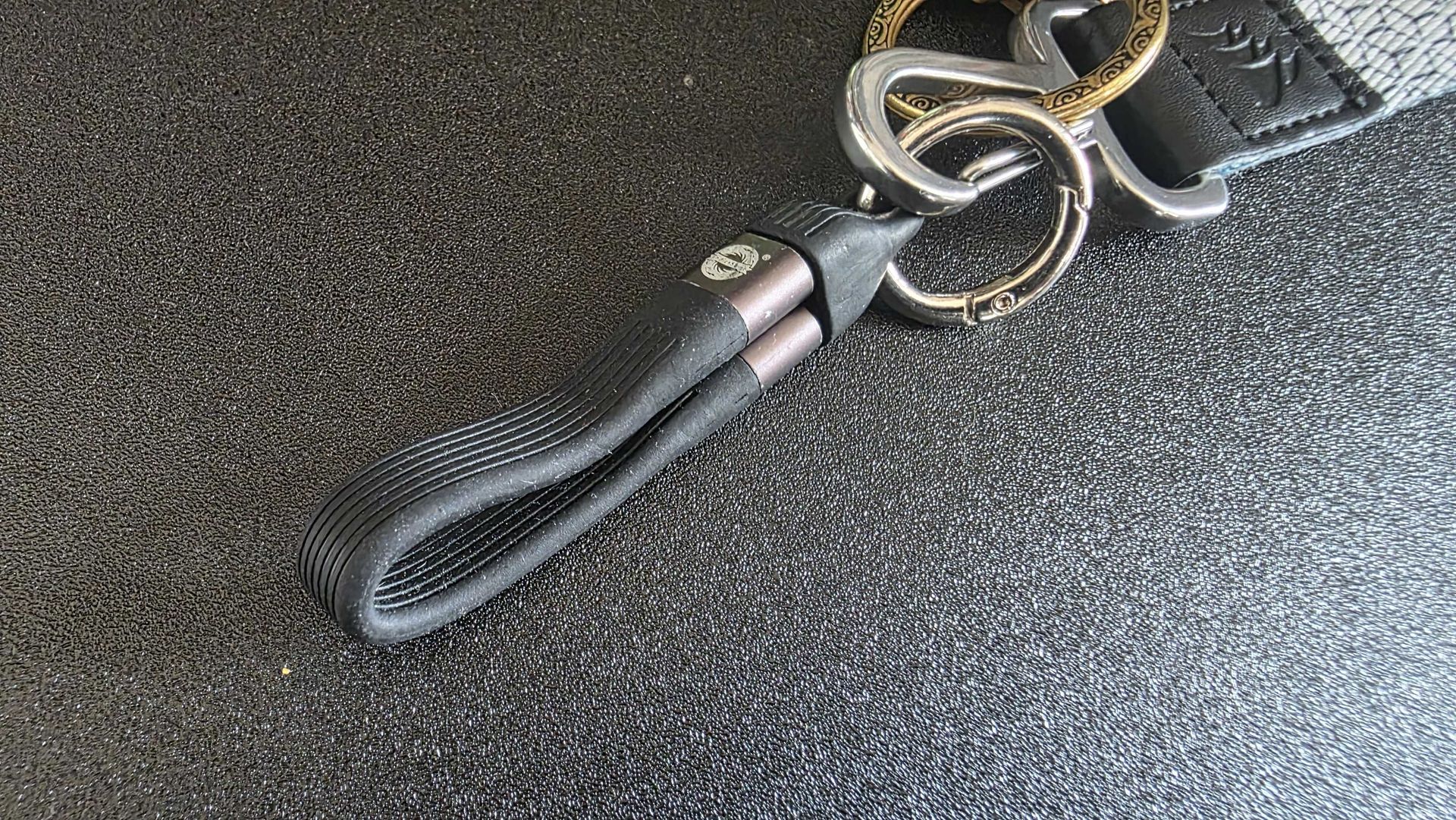
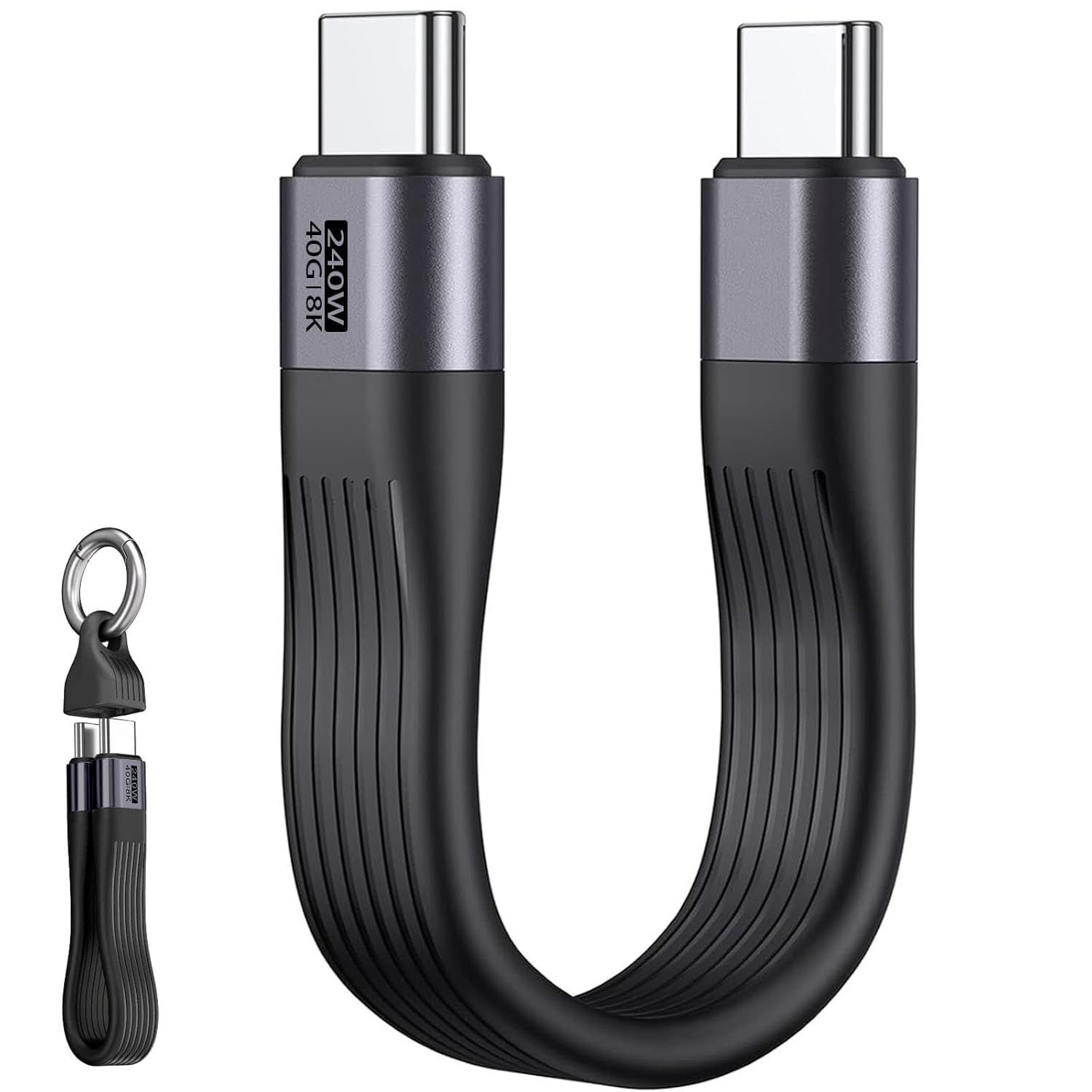
You may, like me, be swimming in a world of USB cables. But that doesn't mean you always have one when you need it away from home. This short 240W USB4 charging cable from EndlesShine solves that by being small enough to attach to your keys. It's not always convenient, at just over 5 inches long, but it will do in a pinch, and has come in handy more than once, particularly on trips when I'm traveling light.
If you're the type who is rough with your keys, the plastic cap may wear out over time, so you might want to just keep the cable in a pocket or your bag. It even comes in white and yellow if you don't like basic black.
In case you didn’t get the memo, CD sales are surging, up a whopping 58.6% in the U.S. this year, according to the RIAA. And whether you’re looking to break your old disc collection out of the attic or closet, or you’re considering starting a new CD collection and ditching that algorithmically driven streaming service, there are plenty of options to choose from. Some can offer as good or arguably even better audio quality than a 90s-era Discman or hi-fi player, while others prioritize modern features, like Bluetooth, showcasing your spinning disc, novel form factors, or RGB lighting.
There are solid, affordable, sub-$150 options that deliver the best of old and new, though. Below is a list of some of the best and most interesting new CD players, starting with a couple that I own and enjoy myself.
Most of my old CDs are housed semi-permanently in a large Sony CX555ES 300-disc CD changer I picked up, refurbished and serviced, from eBay in early 2025. But my whole collection (roughly 450 discs at this point) doesn’t fit in that machine, and I often want to listen to my more recent purchases someplace other than my living room.
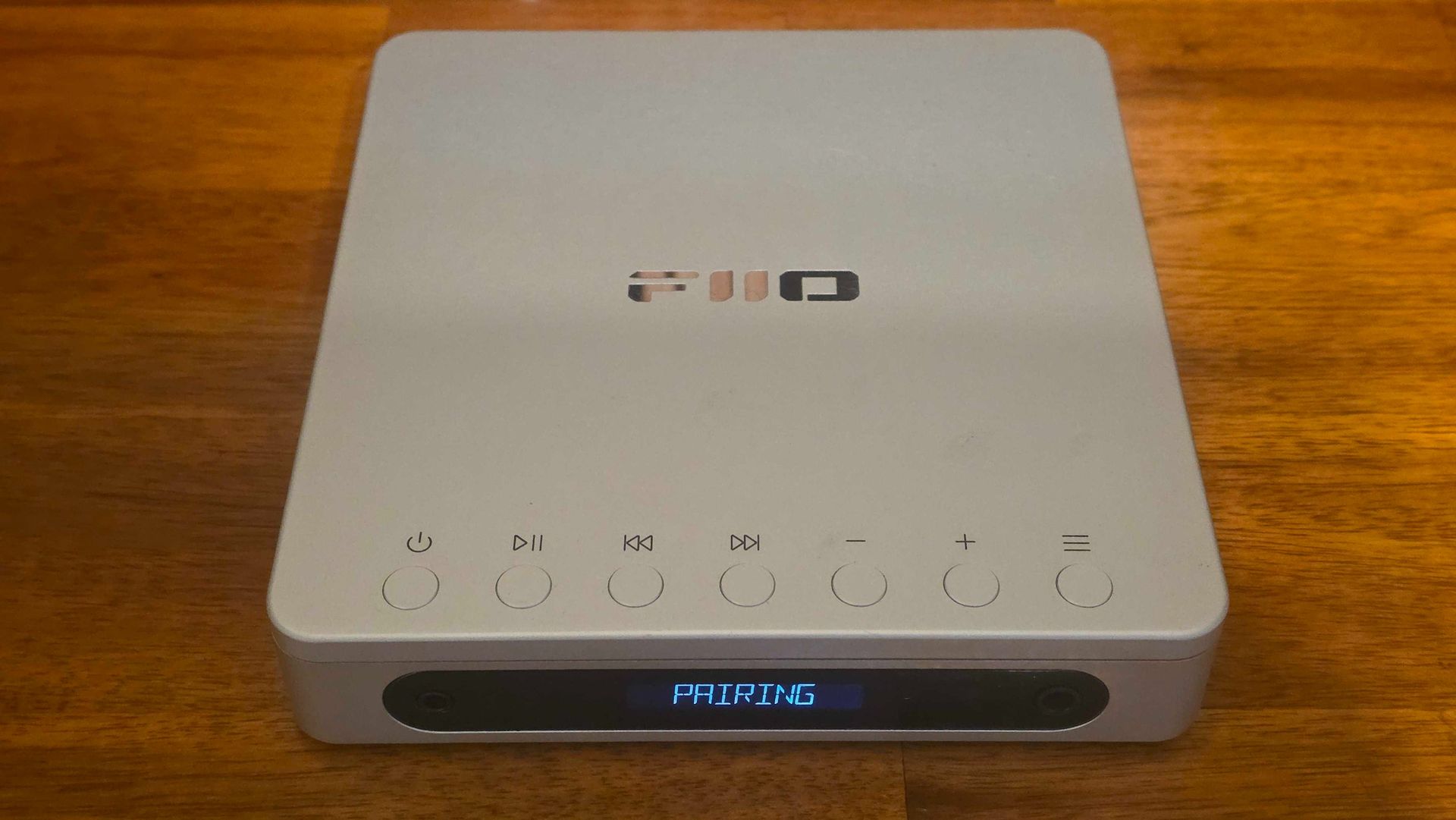
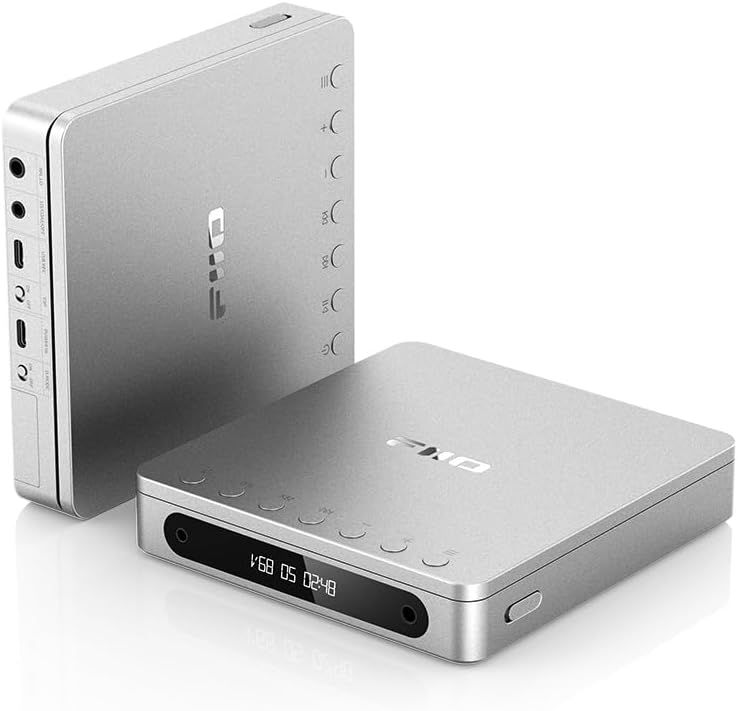
That led me to buy the Fiio DM13 last year, around the Black Friday deals season. If you haven’t heard of Fiio, it’s a Chinese consumer electronics company that has made a name for itself over the last decade-plus, churning out all manner of audio gear that typically sounds and performs well for its price bracket.
(Image credit: Future)
DM13: $164.99 This CD player features dual CS43198 DACs for solid sound, a nice metal frame, an ample 3750mAh battery, and Bluetooth 5.2 (although pairing is kinda clunky). View Deal
The DM13 has a nice metal frame and sounds great, thanks to dual CS43198 DACs and a SGM8262 op-amp, and sports a USB-C rechargeable 3750mAh battery that lasts a solid 7-8 hours. It also supports Bluetooth 5.2 (SBC, aptX, aptX Low Latency, and aptX HD) for wireless connectivity, and has a balanced input for high-end headphones.
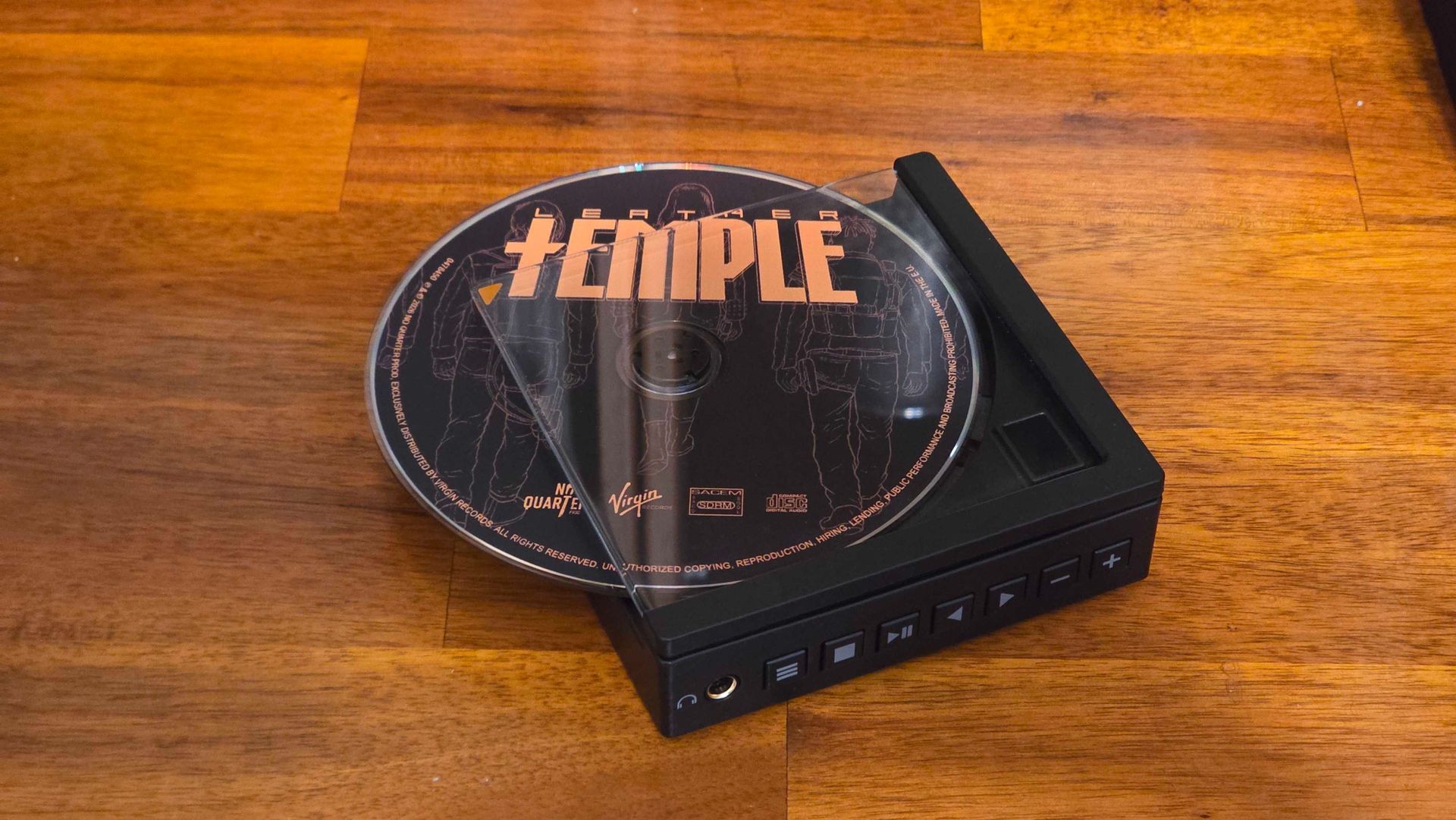
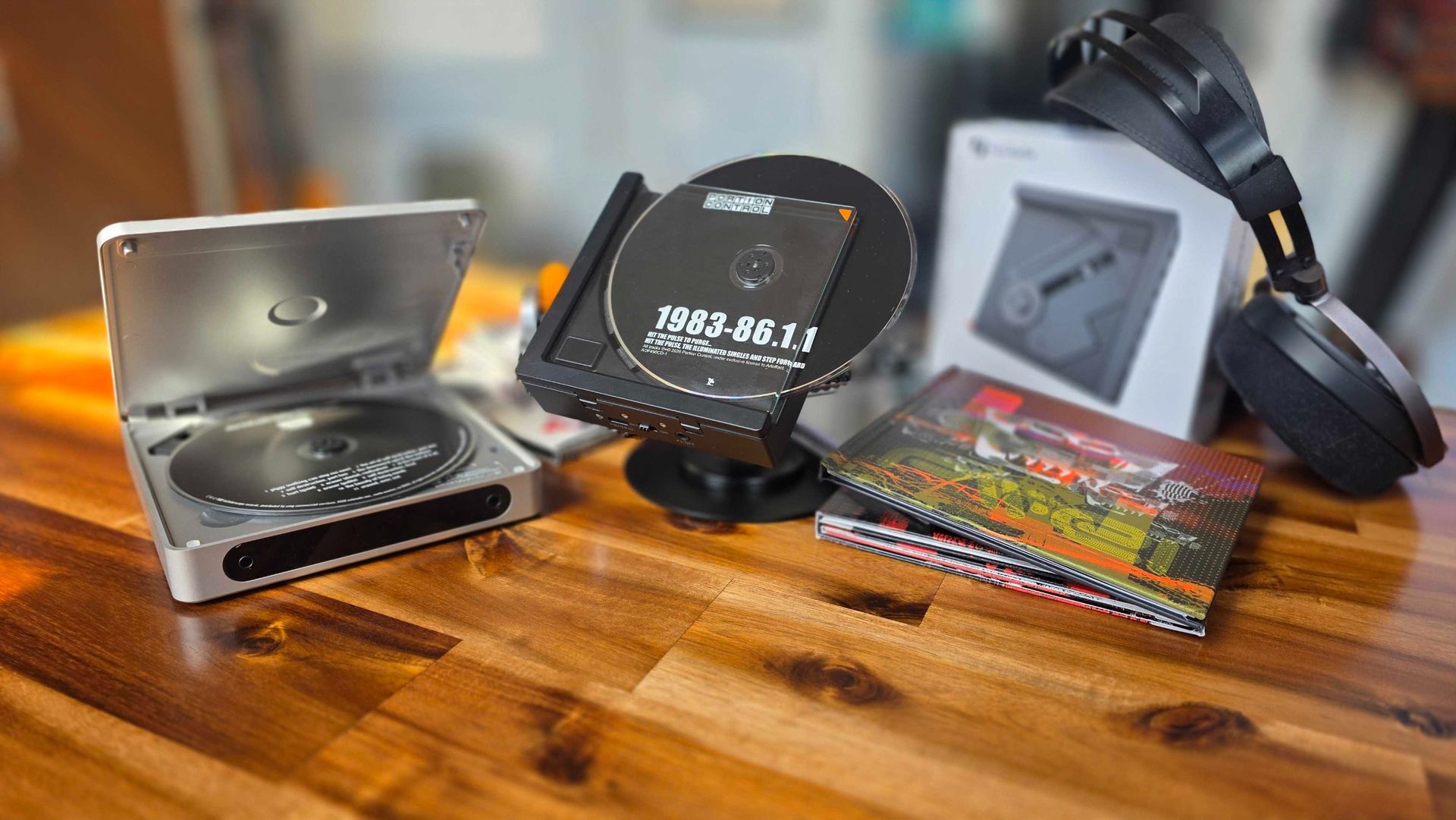
I briefly considered the more premium FiiO DM15 R2R (better DAC and Bluetooth chip, and a better screen, plus a disc window — but it didn’t feel different enough, and I didn’t really want to spend $250-plus on a (second) portable CD player. That’s when I heard about the recently announced Fosi Audio DISC Nano CD player. And mere moments after seeing it (and reading that it was priced at $99), I knew I wanted one.
Yes, it’s a CD player that’s smaller than a CD, with two edges of the disc exposed while it’s playing. Yes, Sony did this with its D-88 Discman in 1988. Yes, it’s mostly a gimmick. But yes, I still bought one and (mostly) love it.
Fosi Audio is a newer company (founded in 2017, also in China) that typically makes budget-focused gear. I’ve been using the company’s $89 Audio Box X4 Phono Preamp for going on four years, and it’s performed flawlessly.
The Nano’s display is a simple two-digit design, and the battery life is short, at around two hours of listening between charges (via USB-C). But it also has a magnetic back for attaching to accessories. And so far (I’ve only had it for a few days), I’ve enjoyed popping it onto my fridge while listening through my various Bluetooth speakers, and have no complaints about the sound output or pairing.
It does have an old-school slide switch for turning the player on and off (there is no auto-off), which feels a bit crude. But for me at least, the unique design and magnetic back make it fun to use.
There are, of course, several other modern desk, desktop, and portable CD players on the market. And several are on sale for Prime Day. Below are some of the more interesting and affordable options we could find.
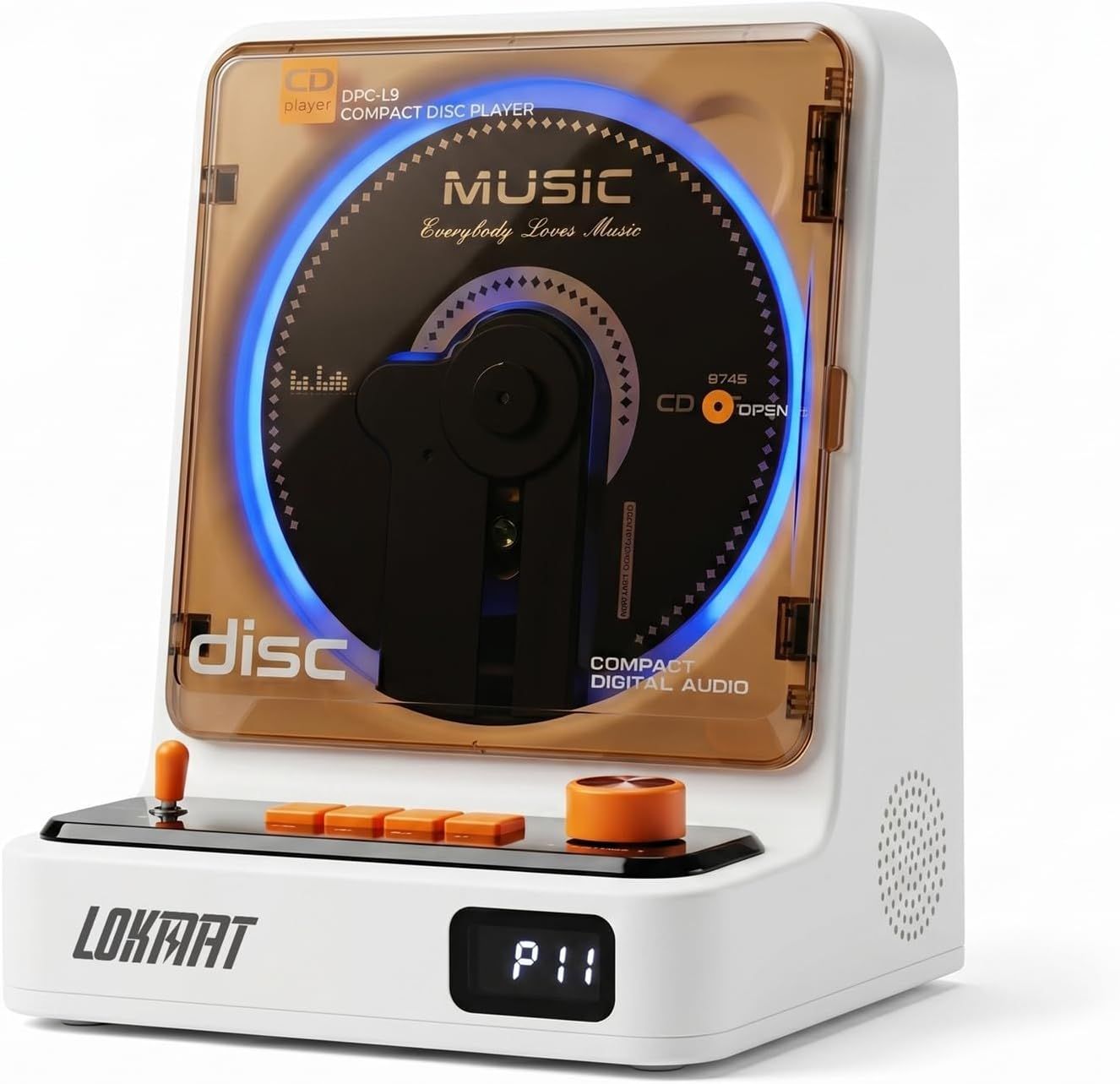
Yes, this is a no-name CD player with questionable sound output. But if you're looking for something that stands out, it's hard to beat a player that looks like a mini arcade cabinet, plays CDs vertically behind a translucent door, and even sports RGB lighting. The CD211 makes do with Bluetooth 5.1 if you don't want to use the built-in speakers, and there's even an FM radio for more retro audio vibes.View Deal
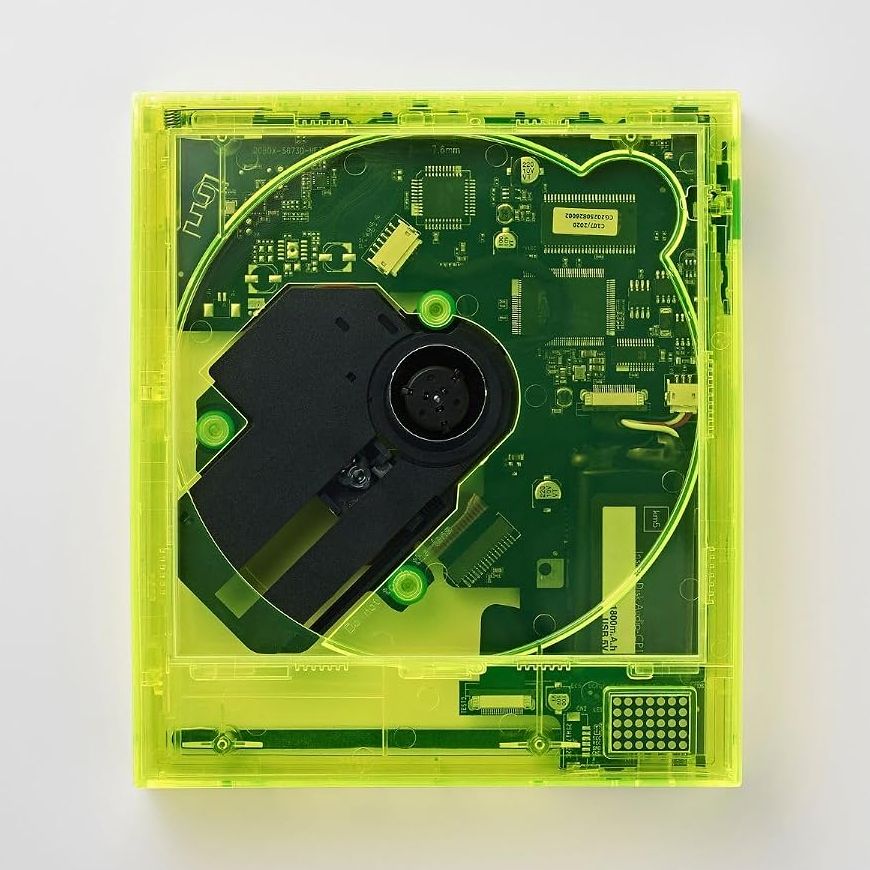
The CP1 from Japan's KM5 is a fairly standard portable CD player in terms of features, although you do get Bluetooth connectivity. But the main draw with this model is its transparent "Neonyellow" shell. Few things scream retro 90s nostalgia meets cyberpunk harder than this player, and I love it.View Deal
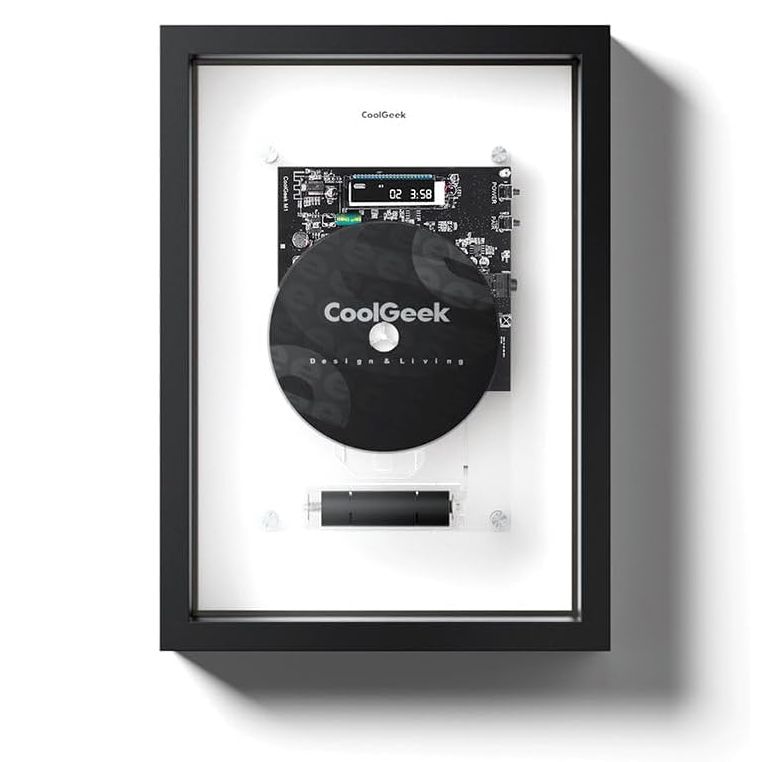
If you like showing off your hardware and music and want a CD player that's designed to be a functional piece of art, look no further. The M1 is a transparent frame with a floating CD player inside. You'll need to slide the front cover off to swap CDs, but you can connect to speakers via Bluetooth 5.0 or aux, and the battery is rated for up to 8 hours of playback.View Deal
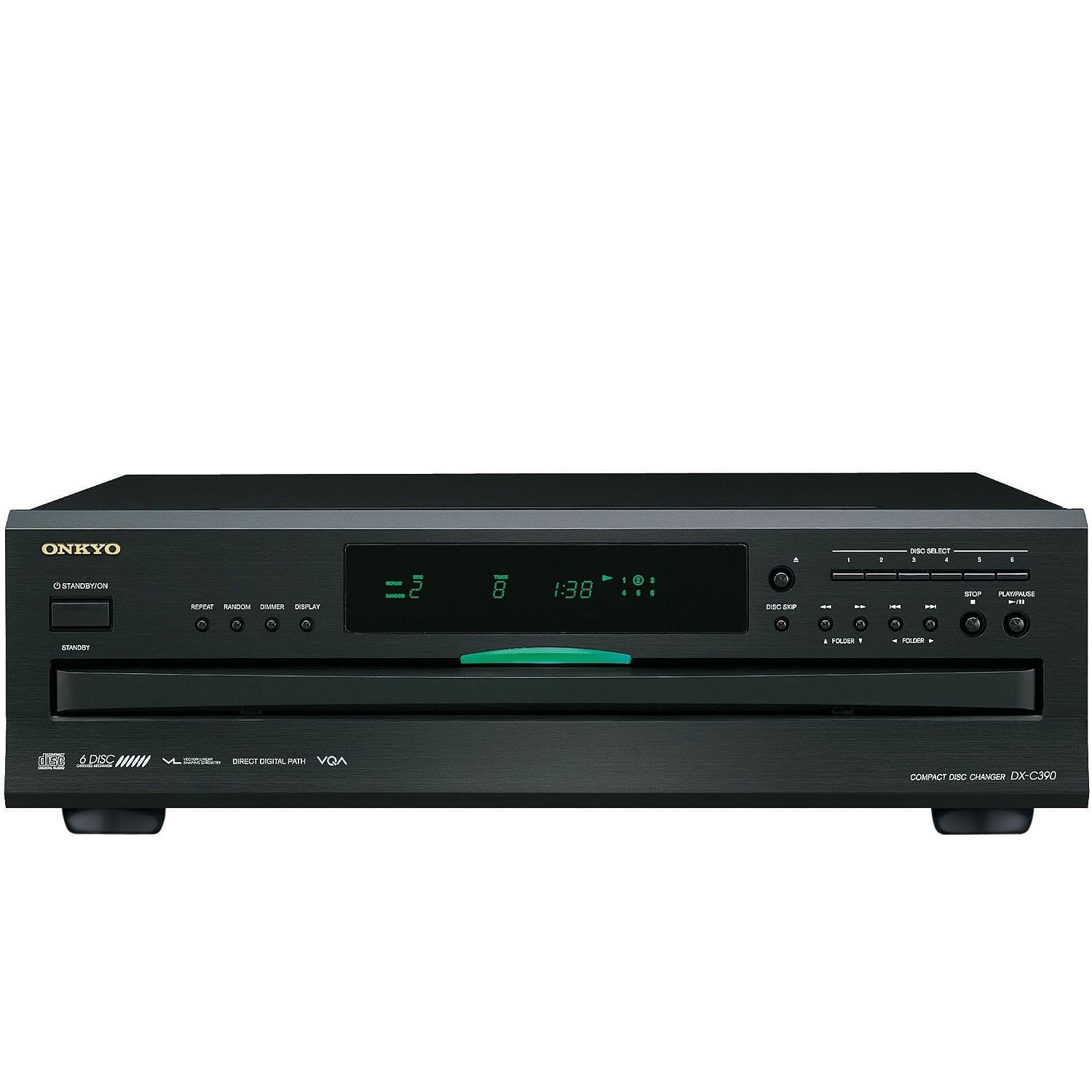
DX-C390: was $374.99 now $290.5 Looking for something more traditional that won't force you to get up and swap discs every 74 minutes or less? This six-disc changer from Onkyo is one of the very few of these old-school-type carousel players still being manufactured. It doesn't have Bluetooth, and it isn't portable, but I do like the retro green display and the idea of creating a "playlist" of my six favorite CDs. View Deal
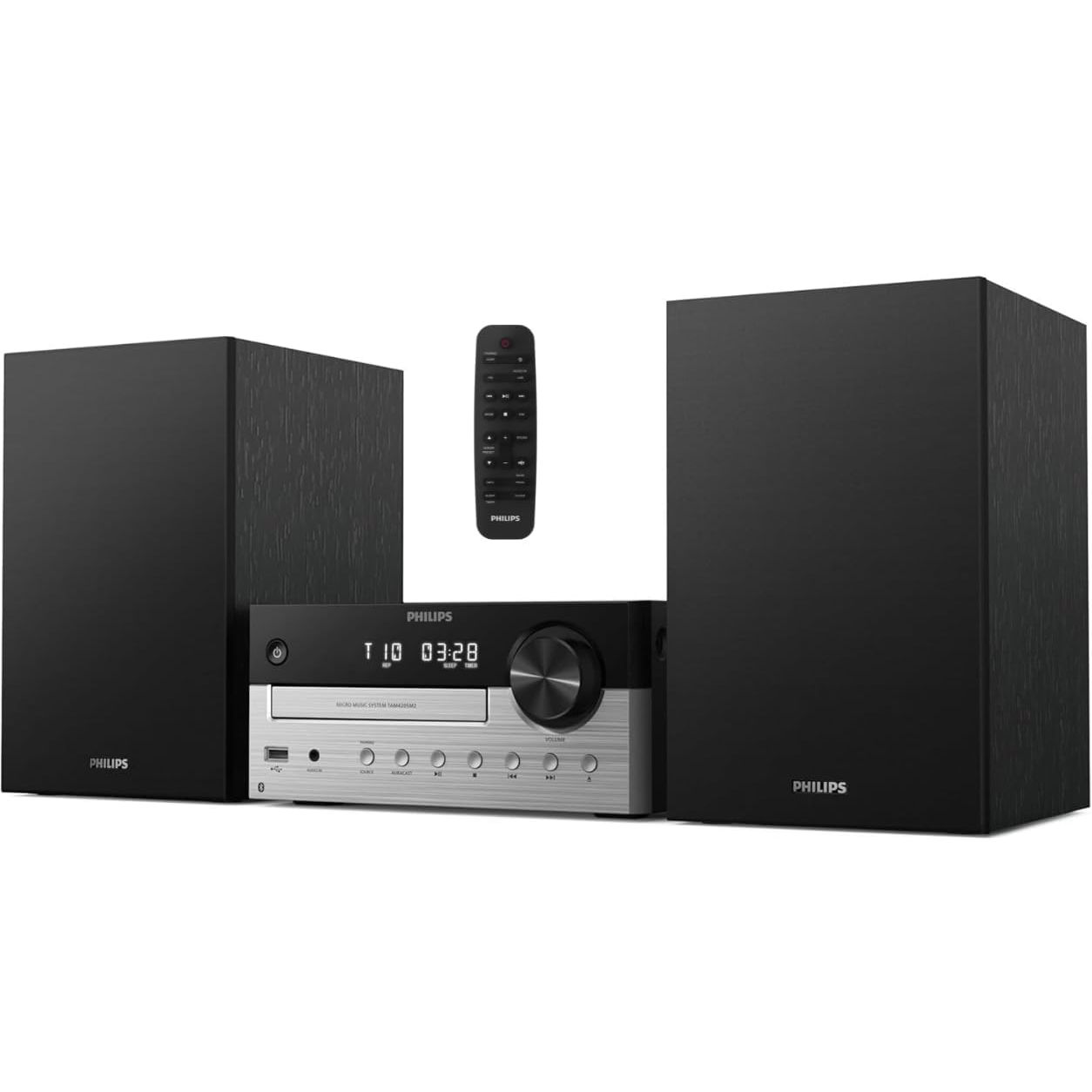
80W Micro Music System (TAM4205M2/37): was $229.99 now $199.99 This 80W complete stereo system is a nice mix of old and new. Aside from the pair of speakers, you get FM radio, USB/MP3 playback, and Bluetooth 5.4 Auracast for simple device pairing. Sure, it will take up a fair amount of shelf space, but this is a dead-simple way to breathe new life into your old CD collection, or start a new one.View Deal
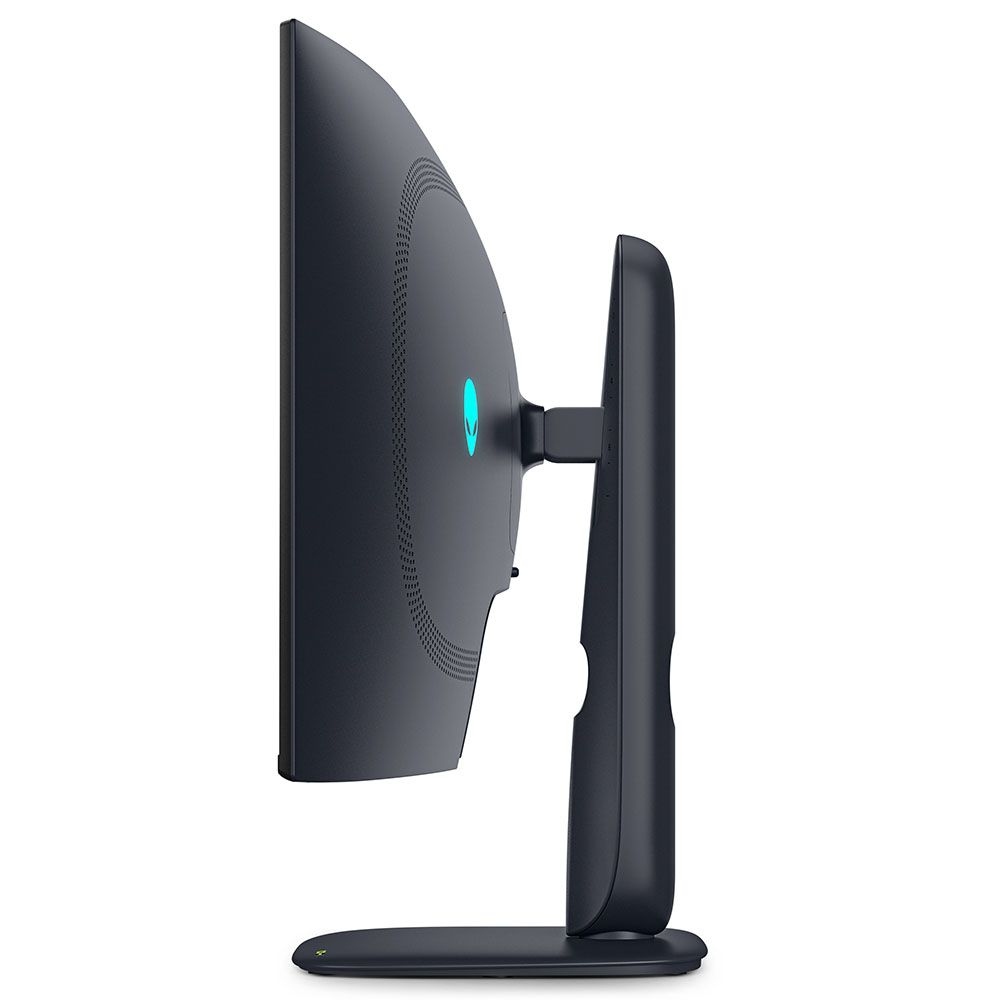
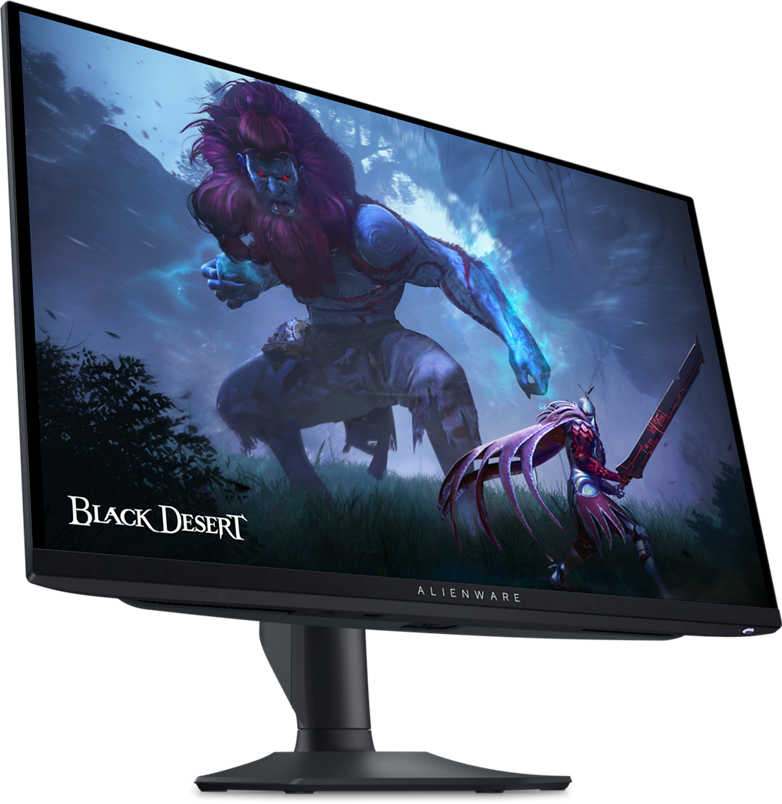
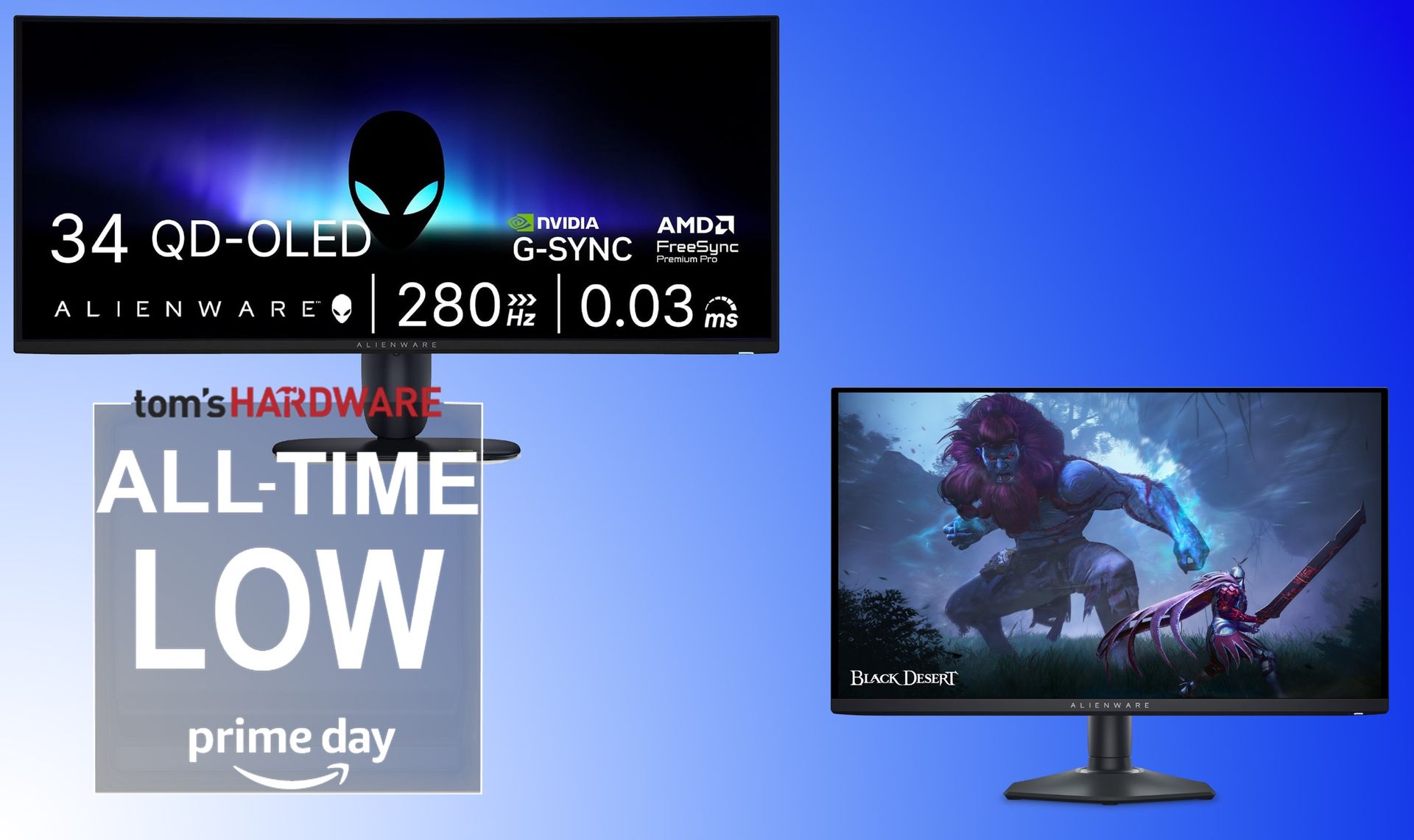
Dell/Alienware has long made excellent monitors, and the company's OLED screens in particular have stuck out in recent years for a combination of price and performance. And today, thanks to Amazon's Big Deal Days, you can snag a swift 27-inch, 360 Hz option or a 280 Hz 34-inch ultrawide for the lowest prices ever.
AW2725DF 26.7-inch OLED gaming monitor: was $649.99 now $469.99 This 2560 x 1440 screen can hit 360 Hz refresh and sports a 0.03 ms response time. Its color gamut is wider than other OLEDs, and our reviewer called out its plethora of convenience features, noting it "is a near-perfect display for gaming or productivity when space is limited."View Deal
You can't go wrong with either of these screens, as we've tested both and both got our Editors' Choice for their performance. The AW2725DF is an older model from 2024, while the AW3426DW launched in the middle of this year and therefore has a newer panel. But both are made by Samsung and feature vivid colors and inky blacks.
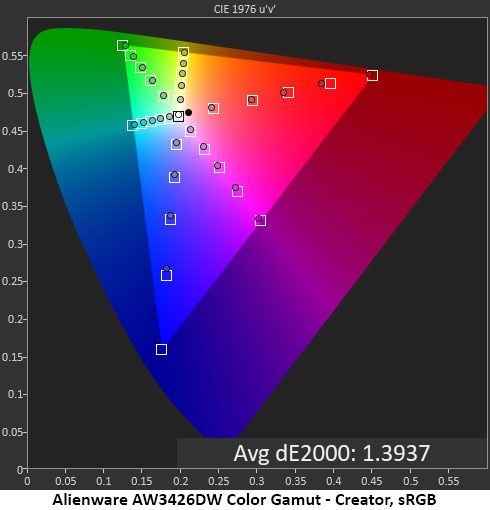
On the AW3426DW in particular, our color testing showed that the screen was accurate out of the box, and like most QD-OLED screens, the panel was colorful and well-balanced. If you do, though, want to make a couple of minor adjustments, you can achieve 105% coverage of the DCI-P3 space.
(Image credit: Portrait Displays Calman)
We saw similar results in our testing of the smaller AW2725DF, which again proves that either option is excellent. If you're looking to upgrade your screen for gaming or gaming and productivity, these are two of the best options available -- especially at these record-low price points.
With RAMageddon, the storage apocalypse, GPU stagnation, and GPU price increases all happening more or less simultaneously, this is the worst time to build a PC that I can remember — and I built my first PC in the previous century (powered by an AMD K6-2). If you have a rig that meets your needs at the moment (even if just barely), current prices probably make you more interested in keeping it running than in considering major upgrades or, even more daunting, starting over from scratch with a new build.
But fret as we might about the future of our much-beloved component-swapping hobby, a few articles and experiences in recent weeks have given me glimpses of the PC-building future, and I don’t think it’s all bad — at least so long as you have time to research and tinker, you can live without the highest-end components, or you have enough of a build budget that price doesn’t matter much.
Old parts get a new life, with some patient tweaking
(Image credit: Tom's Hardware)
First off, we recently tested AMD’s BC-250, a 2021-era APU that started off as defective or cut-down PS5 silicon, repurposed as a cryptomining card. But more recently, a community-developed BIOS and drivers have turned this custom hardware into a Linux-based competitor to Valve’s much-hyped Steam Machine, while costing roughly half the price of a similarly configured system, once you source the power supply and other necessary parts. It even comes with 16GB of shared GDDR6, sidestepping the current RAM pricing issue altogether.
Now, this is more of a project than a PC. You have to source the card (from places like AliExpress, eBay, or Etsy), then research and figure out how to flash the board so that it will even boot, followed by getting Linux and the requisite drivers installed, before you can even think about playing games. But depending on your sample, you might also be able to unlock extra CPU cores and compute units for even better performance.
It’s far from a simple setup. But this kind of community-led hardware repurposing and enhancement reminds me of two distinct hardware eras: The very early days of PC kits (which I wasn’t really around for), and the early 2000s, when you could unlock AMD Athlon and Duron multipliers with a pencil (or later, conductive silver lacquer). Unlocking higher clocks and extra performance without paying for a much pricier chip is exactly the kind of achievable dream that the PC enthusiast hobby was founded on, and it’s good to see it making a comeback – even if it’s with this one very specific piece of hardware.
But as AI hardware development continues — and especially if (or when) specific areas of the hardware bubble pop or deflate – I expect to see more situations where communities of tinkerers figure out how to get discarded hardware to run games and other compute tasks, giving budget buyers hope for acceptable performance at reasonable prices. Ironically, AI tools like Claude Code will almost certainly make breakthroughs in hardware repurposing much easier.
To boldly go (to price brackets) where no PC has gone before
(Image credit: Tom's Hardware)
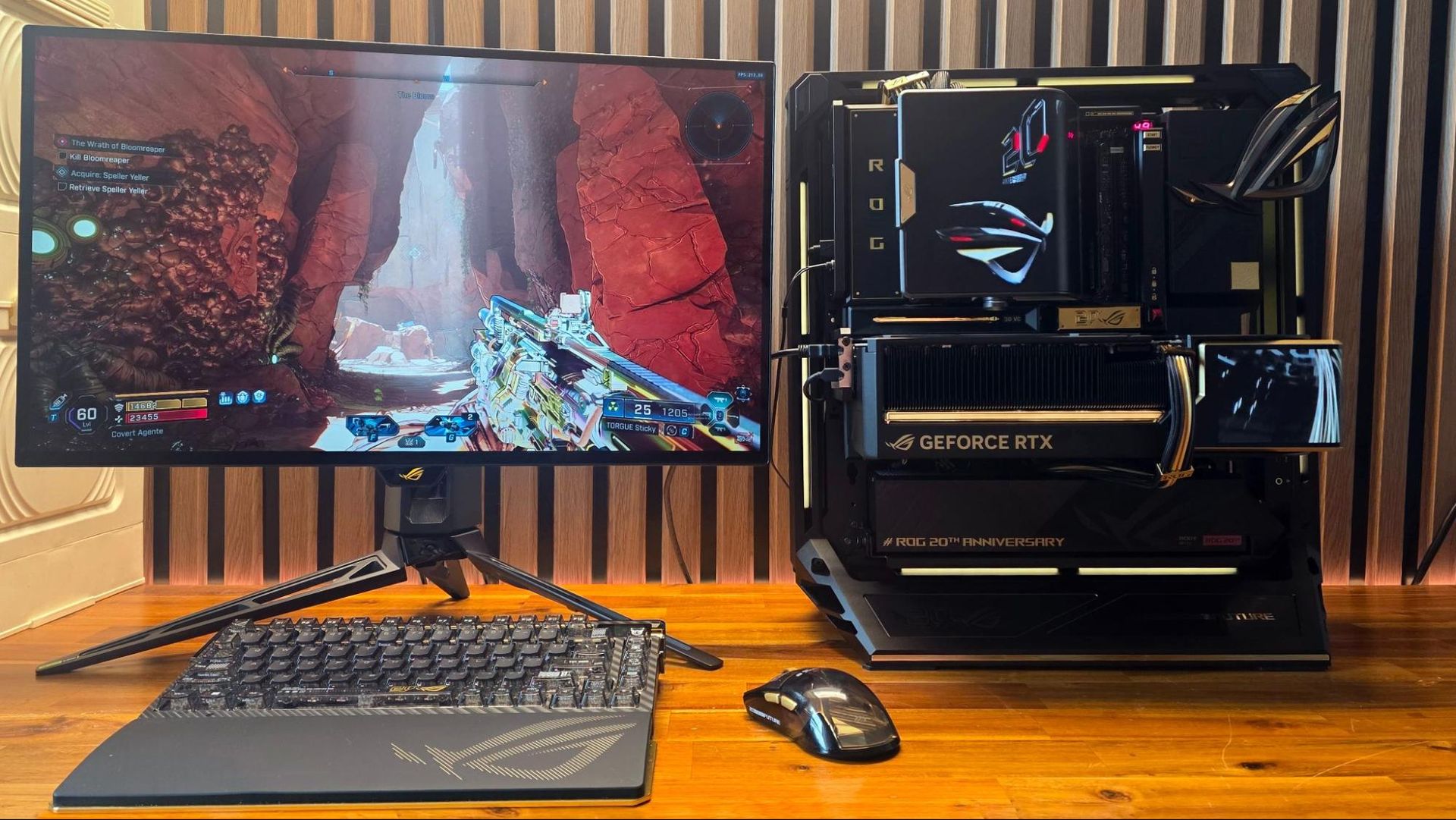
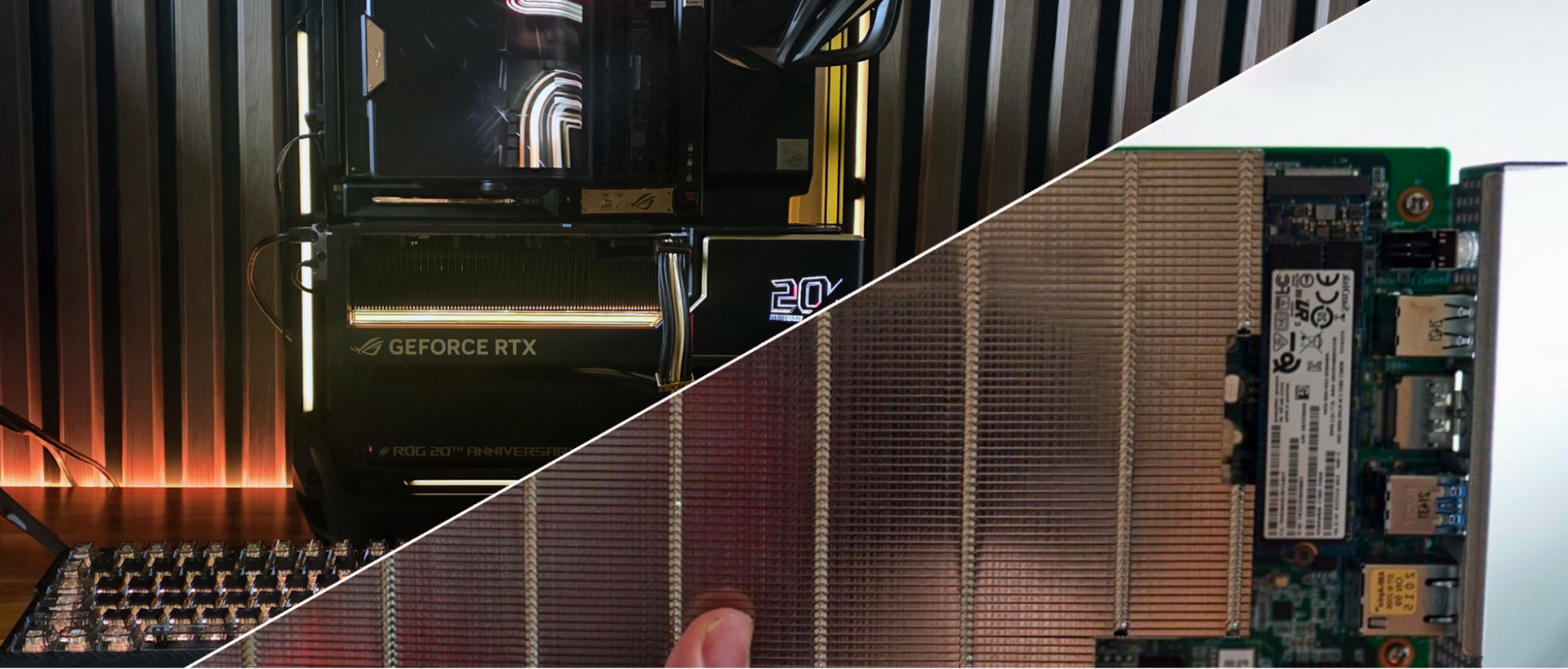
On the other end of the PC price spectrum, I recently assembled a PC using parts from Asus’ ROG Edition 20 line. The anniversary hardware, which debuted earlier this year at Computex, ignores affordability concerns entirely. Asus instead opted to celebrate two decades of its Republic of Gamers sub-brand by taking several of its already expensive parts and peripherals, adding a few (mostly aesthetic) features and some gold accents, and charging even more for them.
How much more? The finished PC, with about $2,000 worth of peripherals, a $3,300 motherboard and cooler combo, and a $6,000 RTX 5090, costs roughly $15,000 – and that’s with a modest 2TB SSD and 32GB of RAM. If you opt for a more fitting 128GB kit with tight timings and 8TB of solid-state storage, you could easily spend $20,000 on a build like this.
As tough as it is for many of us to swallow, there’s likely a large enough customer base of gamers and PC enthusiasts who can and will pay whatever it takes to own high-end, high-performance PCs to keep options like this afloat. Because while the cost of individual parts has certainly increased, the luxury PC market has existed for decades. I know because in the years before I joined Tom’s Hardware, I reviewed several PCs with custom cooling loops and multiple graphics cards (up to quad-SLI) from the likes of Digital Storm and Maingear. That market isn’t going away; it’s just getting more expensive.
The murky future of mainstream desktop gaming PCs
(Image credit: Tom's Hardware)
So what about the mainstream PC gaming market? Things are tougher there, and I suspect that space will continue to shrink due to, well, everything I linked to up top. Those looking for gaming options in the sub-$2,000 range that “just work” without much tinkering are more likely to make do with consoles (which are, of course, also getting more expensive), gaming laptops or handhelds, or console-like PCs like Valve’s Steam Machine.
Intel and AMD are reviving or extending the lifespan of chips and platforms that support last-gen DDR4, but older memory isn’t getting any cheaper either. And our own testing has shown that DDR4 is increasingly holding back gaming performance.
There was a brief hope that Chinese memory makers like CXMT might help bring down DDR5 prices. But U.S. approval for that seems unlikely, especially as the FCC is busy banning humanoid robots and robot vacuum cleaners built overseas. And, of course, companies like CXMT aren’t looking to be PC saviors. They want to sell their RAM to AI hyperscalers for the same high prices as SK hynix, Micron, and Samsung. And even if DDR5 somehow suddenly became more affordable, GPU prices are also continuing to climb, and storage (SSDs and hard drives) faces similar pricing issues.
Can software save the day?
Like it or not, we’ll certainly see further advancements in AI upscaling and other VRAM tweaks and tricks that make modern gaming possible on older and current-gen cards with 8GB or even 4GB of VRAM before the price of RAM, storage, and GPUs drop significantly.
Will it be enough to keep PC gaming enticing and affordable enough to prop up the mainstream PC gaming market? That’s tough to say with any certainty at this point, but if being a PC enthusiast since the 1990s (and a PC gamer since the late 1980s) has taught me one thing, it’s that this hobby is resilient. Some will pay what they need to pay for high-end hardware. Some will find suitable solutions by tinkering with repurposed silicon. And others will forge a middle ground that works for them.
I transitioned from a PC enthusiast to a full-time professional covering the PC and related hardware space in 2008. Even back then, people were telling me that the desktop was dead or dying. Instead, it has evolved and survived for nearly 20 years, through the smartphone revolution, past soldered-on laptop components, through two cycles of Steam Machines, and the death of physical game media. Meanwhile, game stores like Steam rake in record profits, indicating that the demand for PC gaming remains high. All this tells me that PC building and PC gaming will need to continue to evolve, but it’s not quite on the endangered hardware list yet.
With its built-in USB / HDMI hub and a small fan to keep temperatures in check, Sharge's Disk Pro SSD is one of the more interesting (and generally useful) external storage drives in recent memory, easily earning a spot on our Best External SSD list. And the company is following that success up with a more DIY-focused Disk Pro 2, which lets you install your own M.2 drive (supporting 2230, 2242, and 2280 sizes and capacities up to 8TB), while adding greater fan flexibility, media card slots, and an HDMI port that's capable of more bandwidth – depending on the model you choose.
Sharge is offering the Disk Pro 2 in two varieties. There's the Lite model, with HDMI 2.0 (4K@60 Hz) and a 5W minimum operating power, and the Disk Pro Ultra (which we have in for testing) with HDMI 2.1 (4K@144 Hz or 8K@30 Hz), a lower 1.5W minimum power draw, and a faster card reader. Below is the full list of differences, according to the product page. The company even lists the internal chips, some of which you can see through its transparent top.
Disk Pro Ultra
Disk Pro Lite
HDMI
HDMI 2.1, 4K@144 Hz, 8K@30 Hz
HDMI 2.0, 4K@60 Hz
Minimum Operating power
1.5W
5W
Chips
VL822, VL605, RTL9210, SM2705
GVS2201S, VL822, GL3231, RTL9201
SD speed
Read 180 MB/s, Write 120 MB/s
Read 100 MB/s, Write 90 MB/s
(Image credit: Tom's Hardware)
The Ultra model is likely to appeal more to professionals and gamers, offering faster card transfers and higher monitor refresh rates. But the main limitation here is the overall bandwidth, as both models are capped at a 10 Gbps interface, just like the original Disk Pro. That makes either model better as kind of a travel-friendly Swiss Army hub than something you'd want to use as your primary hub / dock all the time. Because any modern M.2 drive can saturate all available throughput by itself, before you connect any video or USB devices. But there's no denying the utility of carrying around a pocket-friendly SSD that also lets you connect to a monitor or TV, plug in a couple extra peripherals, and empty your SD cards without an extra hub, adapters, or cables.
(Image credit: Tom's Hardware)
At 3.65 x 2.33 x 0.531 inches (92.6 × 59.2 × 13.5 mm) without the cable, the Disk Pro 2 is slightly thicker and longer than the original Disk Pro, but still smaller than some standalone drives. Again, with its size and transparent top, it reminds me of an old-school cassette tape.
(Image credit: Tom's Hardware)
One thing that has definitely improved over the original Disk Pro is that Sharge has made the USB-C cable removable. This is good in part because you don't have to worry about the cable breaking over years of use. But also, particularly if you're going to use the drive's hub capabilities, you might want something longer than the included cable's sub-nine-inch length. And when necessary, you might want to plug the drive into a USB-A port. So having the option of using different cables is a big plus.
The cable is also designed to function as a lanyard, which can be handy. But it's held in place solely by the USB-C connection, so I wouldn't trust it for much more than hanging the hub up somewhere at home, so you know where it is when you need it.
(Image credit: Tom's Hardware)
In terms of ports, starting from the bottom edge, you get the main USB-C port, capable of passing through up to 80W of power, a full-size HDMI port (2.1 on the Ultra model we're testing or 2.0 on the lite model), a USB 3.0 Type-A port, and a 10 Gbps USB-C port that can handle up to 100W of power input (and pass through up to 80W for charging a laptop or other device). The previous Disk Pro included a second USB-A 2.0 port here as well, but it's been ditched in favor of the removable USB-C cable, which I think is well worth the sacrifice.
(Image credit: Tom's Hardware)
On the opposite (top) edge, Sharge has added an SD card slot and a microSD card slot. These are capabilities the original Disk Pro didn't have, which make the newer model a lot more versatile for content creators. Just remember the Ultra model offers up faster read and write speeds for the card slots.
(Image credit: Tom's Hardware)
Around back, there's not a lot to see save for the fan intake, but the back is also magnetic, letting you snap the drive onto smartphones that support MagSafe devices or Qi2 magnetic peripherals — it's just a physical mount, though, not receiving power. I've also found this feature handy for sticking the drive to a refrigerator or other iron surface so I always know where it is when I need it.
(Image credit: Tom's Hardware)
It's also worth pointing out that the fan in the Disk Pro 2 is smaller than on the Disk Pro. But there are larger cutouts for air intake on the sides for when the hub is lying on a table or desk, and the Pro offers a three-mode switch (off, on, and turbo), whereas the original's switch had two settings (auto and on). I appreciate the active cooling, and it will certainly be helpful if you're using most of the hub's ports and the SSD at the same time. But if you're mostly using the Disk Pro 2 solely for basic, bursty storage tasks, the 10 Gbps interface and an efficient SSD aren't likely to get warm enough to require active cooling. Of course, that will heavily depend on which drive you install in the enclosure, as well.
Testing with Lexar's 710 SSD
Sharge sent along its Disk Pro 2 Ultra with a Lexar 710 M.2 SSD (a PCIe 4.0 drive that's capable of about 5x the bandwidth of the hub itself), and installing it is about as straightforward as you'd expect. Use the small included screwdriver to remove a tiny screw on the side, and the SSD cover lifts off. Loosen the drive anchor post, install the SSD, tighten the post, put the cover back on, and reinstall the cover anchor screw on the side.
You can, of course, install your SSD of choice, and below the 10 Gbps interface cap, your performance will vary by drive. Still, since the company sent along the Lexar drive, we ran a couple of our external storage benchmarks, and the Disk Pro 2 Ultra performed well for an SSD in this class, just like the original Disk Pro.
Trace Testing - PCMark 10 Storage Benchmark
PCMark 10 is a trace-based benchmark that uses a wide-ranging set of real-world traces from popular applications and everyday tasks to measure the performance of storage devices.
(Image credit: Tom's Hardware)
The Sharge Disk Pro 2 Ultra does exceptionally well here, beating everything save for Corsair's USB4-based EX400U. Impressively, the 10 Gbps drive even beat the 10 Gbps X10 Pro on this test, proving available bandwidth isn't everything when it comes to drive responsiveness.
(Image credit: Tom's Hardware)
In this real-world bulk transfer test, Sharge's Disk Pro 2 Ultra lands in a comfortable fourth place, behind 40 Gbps and 20 Gbps drives, and one spot behind the 10 Gbps Crucial X9 Pro drive on reads. But on writes, Sharge's enclosure, running the Lexar SSD, again beats everything in this chart save for Corsair's USB4 drive.
Synthetic Testing CrystalDiskMark
CrystalDiskMark (CDM) is a free and easy-to-run storage benchmarking tool that SSD companies commonly use to assign product performance specifications. It gives us insight into how each device handles different file sizes. We run this test at its default settings
(Image credit: Tom's Hardware)
Lastly, in this best-case-scenario synthetic test, the Disk Pro 2 lands in fifth place when it comes to reads, but fourth place on writes.
Again, the Disk Pro 2's performance on benchmarks will depend largely on what drive you put inside it. But it's clear that the SSD enclosure is capable of performing well, despite its 10 Gbps bandwidth limitations.
Pricing and Bottom Line
(Image credit: Tom's Hardware)
If all you really care about is dropping in a drive and moving some files around, there are plenty of cheap 10 Gbps enclosures, often on sale for $20 or less. But if you travel a lot with tech and like the idea of a drive enclosure that includes a data and video hub with PD power passthrough, the Disk Pro 2 offers a lot to like, with the Ultra version we tested capable of handling video output bandwidth as high as 8K at 30 Hz (or 4K at 144 Hz). And the inclusion of card reader slots makes the enclosure even more useful for creators on the go.
It's far from cheap, at $109 for the Ultra version we tested or $79 for the Lite version, which is still capable of 4K video at 60 Hz, but won't play as well with phones, due to a higher minimum power draw. But Sharge's devices often go on sale, and when this was written, the Late model was selling for $66.51 and $80.91, directly from the company. This is technically a pre-order price, as the enclosures are expected to start shipping on October 15th.
There are also enclosure / hub combos on Amazon and Newegg that promise similar functionality for less. But the ones I saw have generally poor reviews, are larger than the Disk Pro 2, and none of them look as pleasing or are as feature-packed as Sharge's design, with its transparent cover, active cooling, and MagSafe-compatible back. For those looking for portable connectivity and up to 8TB of storage in one device on the go, the Sharge Disk Pro 2 is in a class of its own, and easily earns a spot on our best SSD and hard drive enclosure list.
If you’ve ever snapped a 10,000 mAh magnetic battery or other bulky accessory to the back of your compatible Android or iPhone, you know how cumbersome it can be, especially while you’re trying to use your phone rather than just letting it charge. For those who are shooting video or backing up their files on the go, Lexar wants to make that problem go away with its latest external SSD, the Muse.
(Image credit: Future)
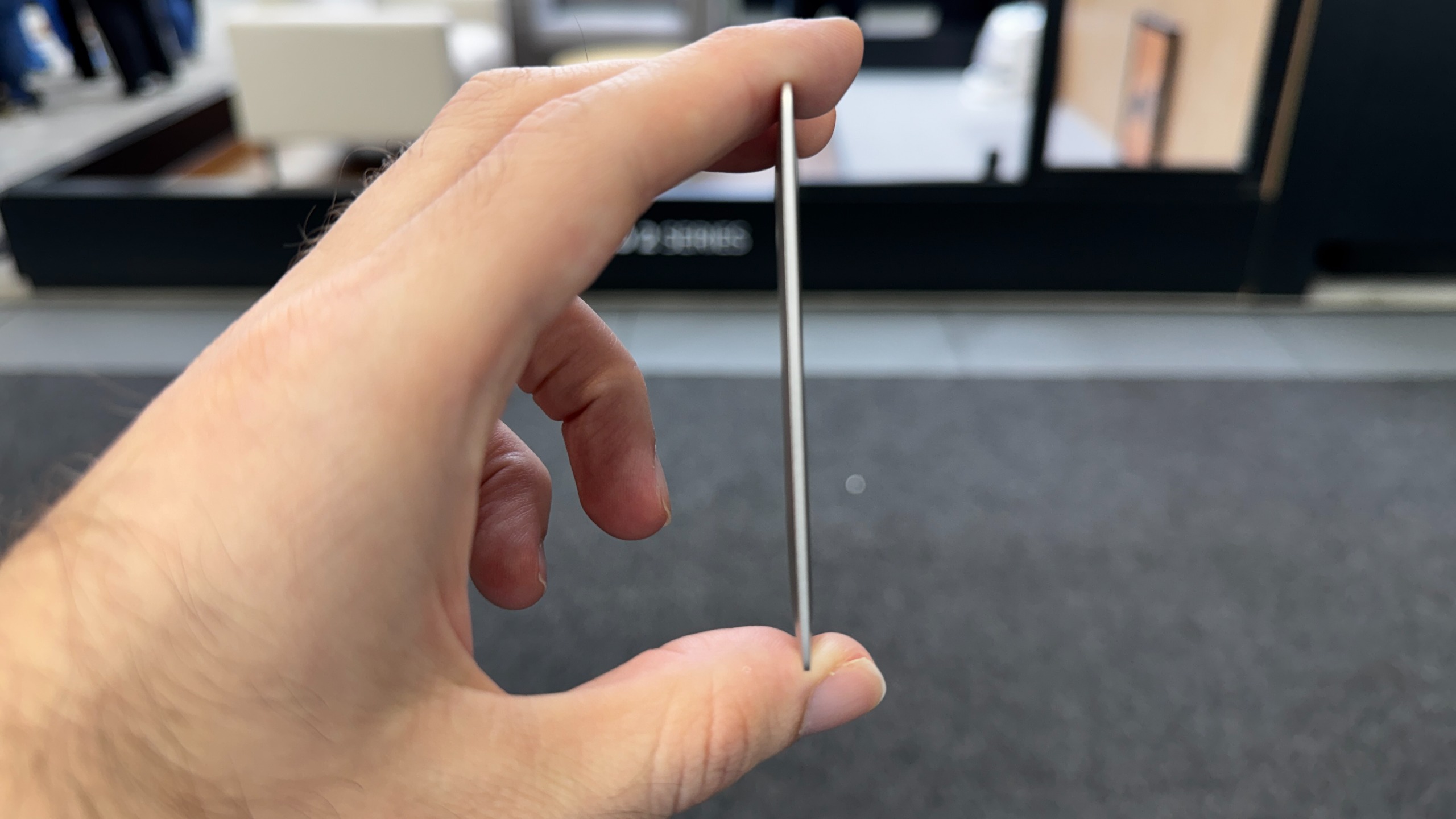
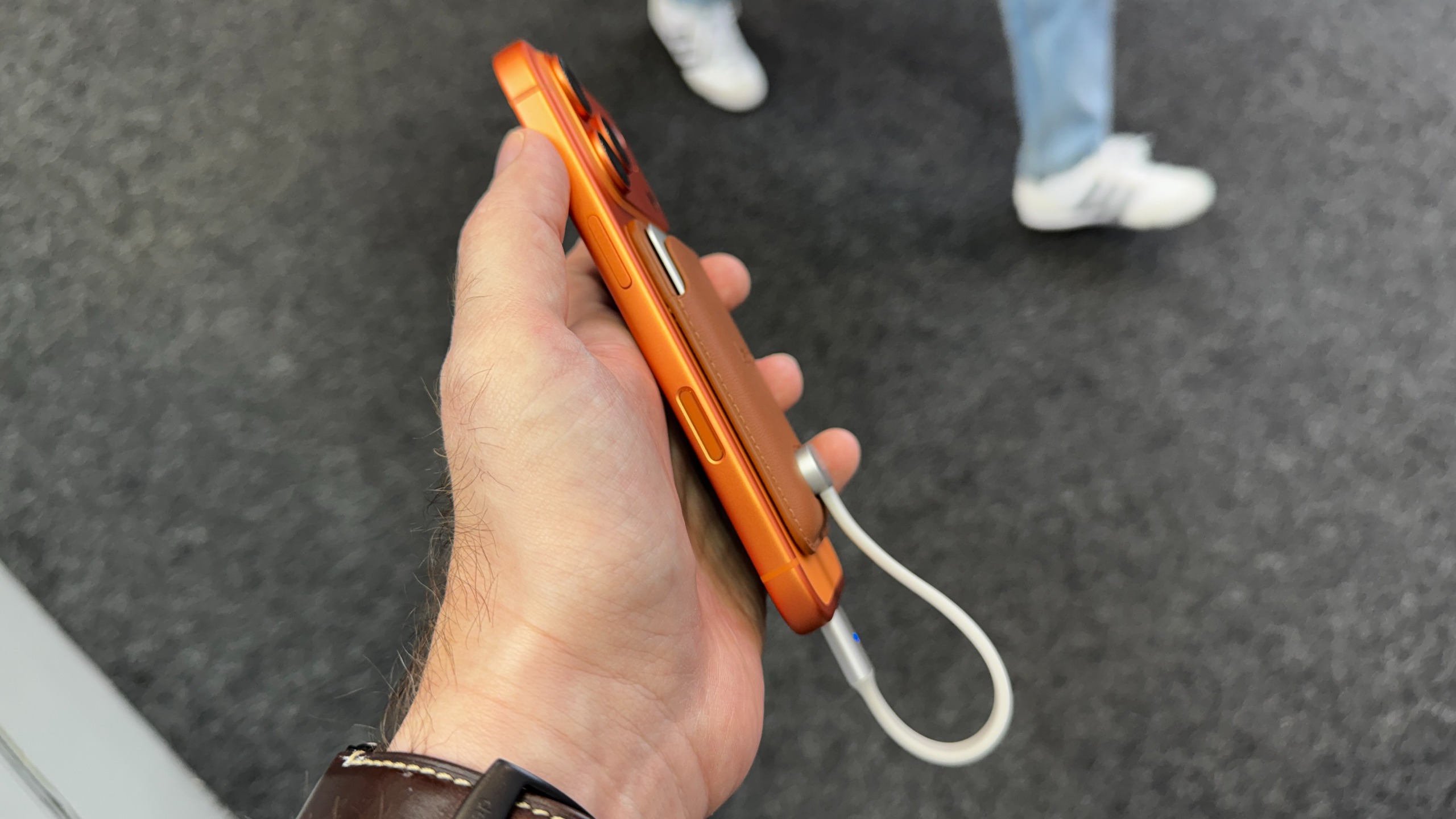
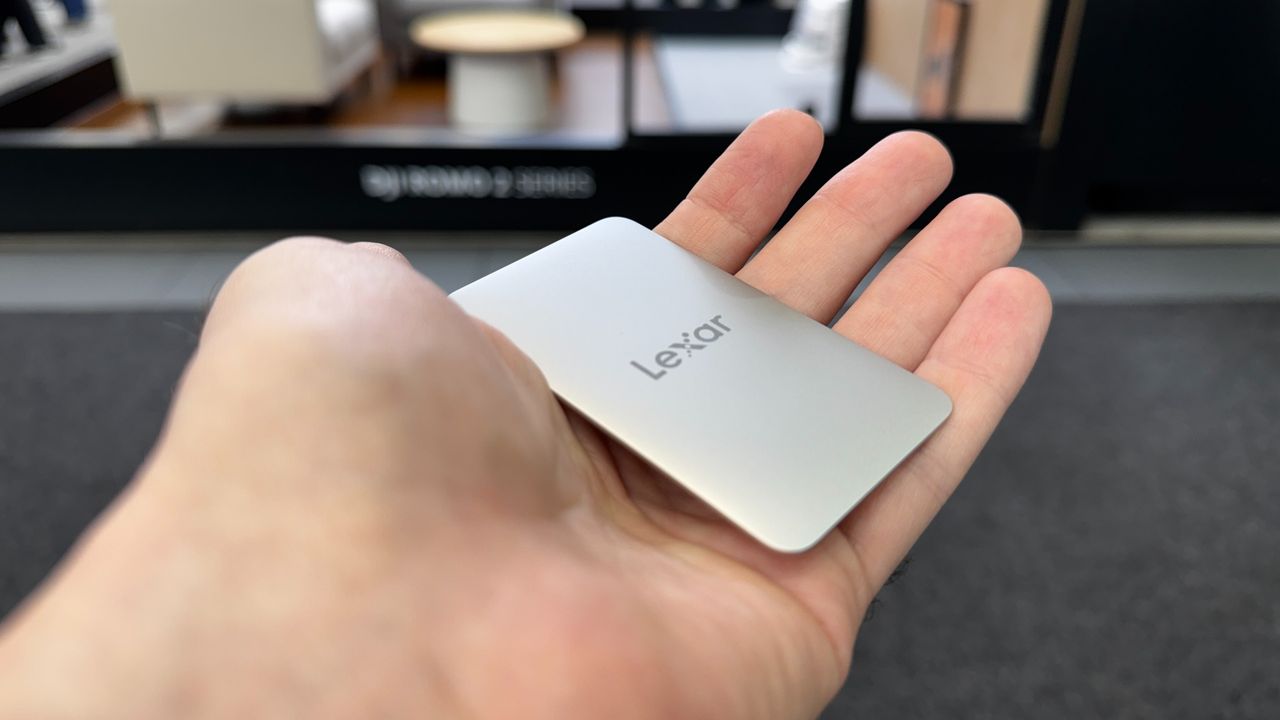
At just 80×48×3.8 mm (3.15x1.89x0.15 inches), with tapered edges that make it feel even slimmer, the company calls it the world’s thinnest portable SSD. And compared to the best external SSDs we’ve tested, it certainly stands out for its tiny size.
(Image credit: Tom's Hardware)
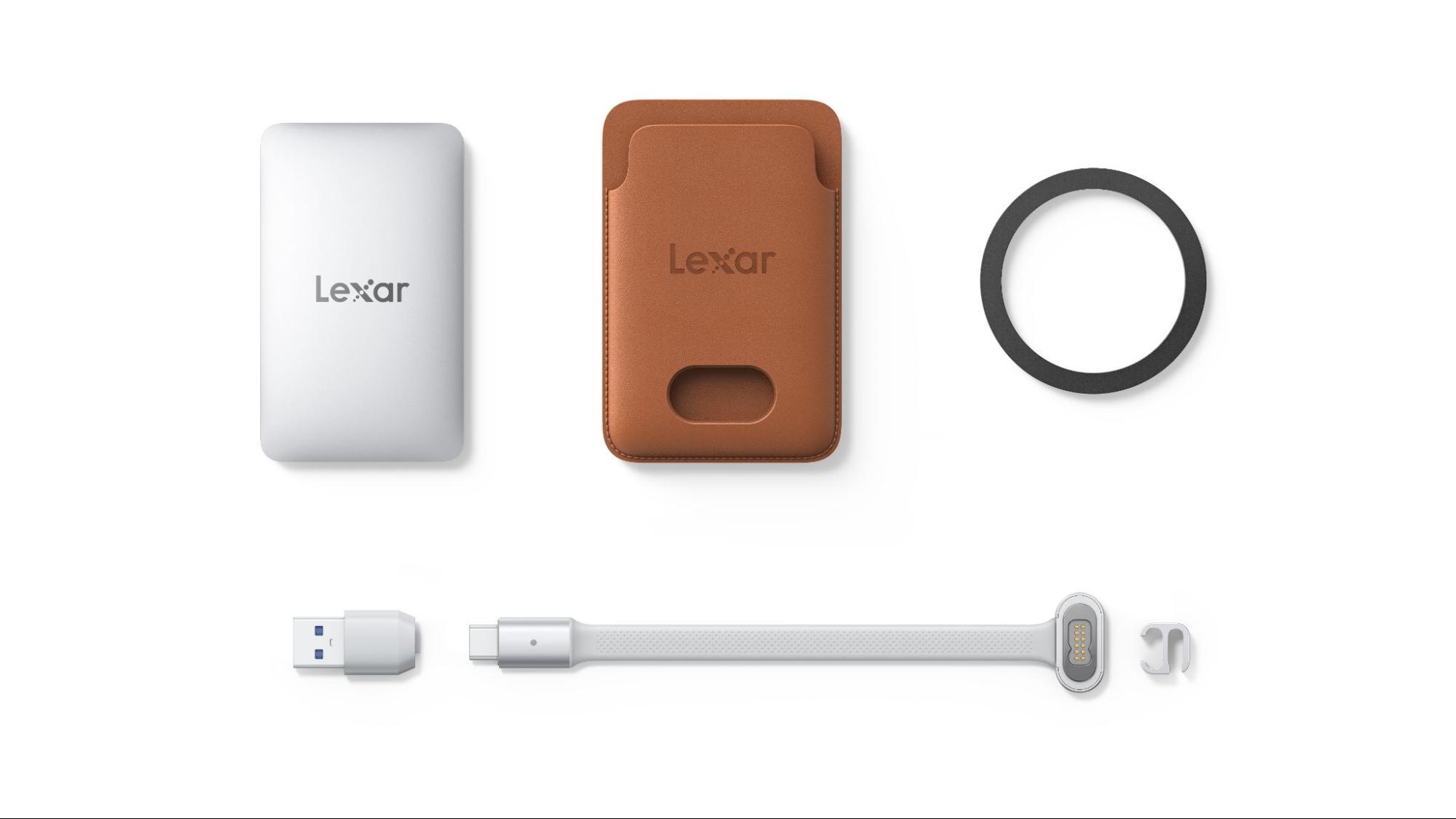
But to get that slim and small, the company is using a proprietary snap-on cable (Lexar calls it SnapLink) that connects to the back of the drive magnetically, via pogo pins. And the pogo pin side looks kind of bulky compared to the drive itself. If you want the drive to magnetically attach to your phone, you’ll need to slide the drive into its sleeve first, which also looks like it could do double duty as a card wallet.
(Image credit: Lexar)
In other words, Lexar made serious functional design sacrifices to achieve its slim storage superlative. Still, there’s no denying that the Muse will take up a lot less space on the back of your phone than alternatives like Orico’s BookDrive P10Plus.
Aside from its unique slimness and requisite accessories, the Muse looks to be a fairly typical 10 Gbps drive, with Lexar promising read speeds up to 1,050 MB/s, and write speeds up to 1,000 MB/s. It’ll be interesting to see what kind of sustained write performance is possible in such a thin shell.
As a USB-C storage device, the drive will of course also work with Macs, Android devices, and PCs (although you may need to format the drive first to support other operating systems). Lexar also notes there is app support for automatically backing up footage from iPhones, specifically.
Lexar says the Muse portable SSD will be available in 512 and 1TB capacities, sometime in the last quarter of 2026. Official pricing is up in the air, but representatives at IFA told us the company was aiming for roughly $230 for the 512GB model and $380 for 1TB. As always, devices that claim things like “world’s thinnest” tend to carry a price premium.
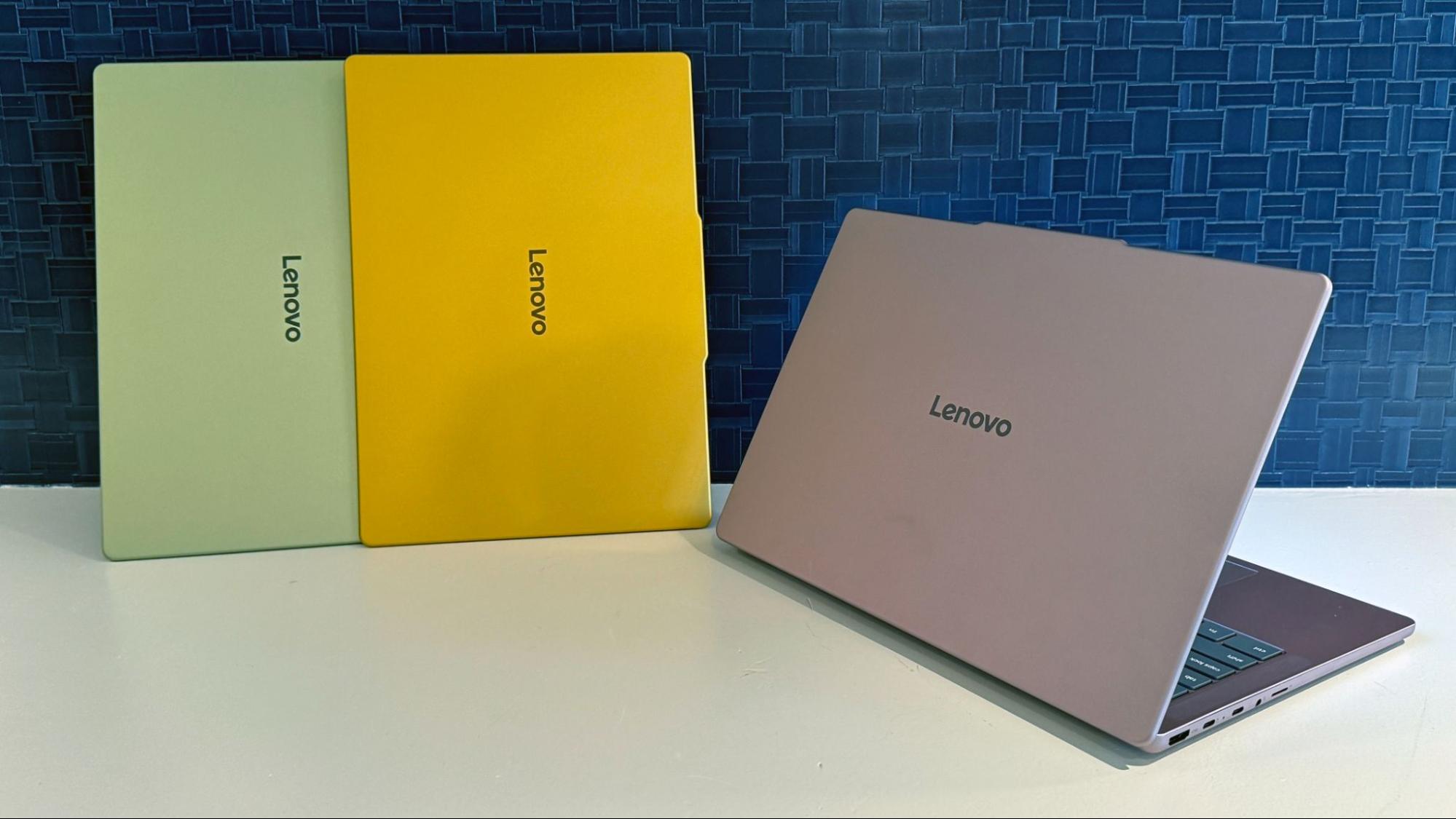
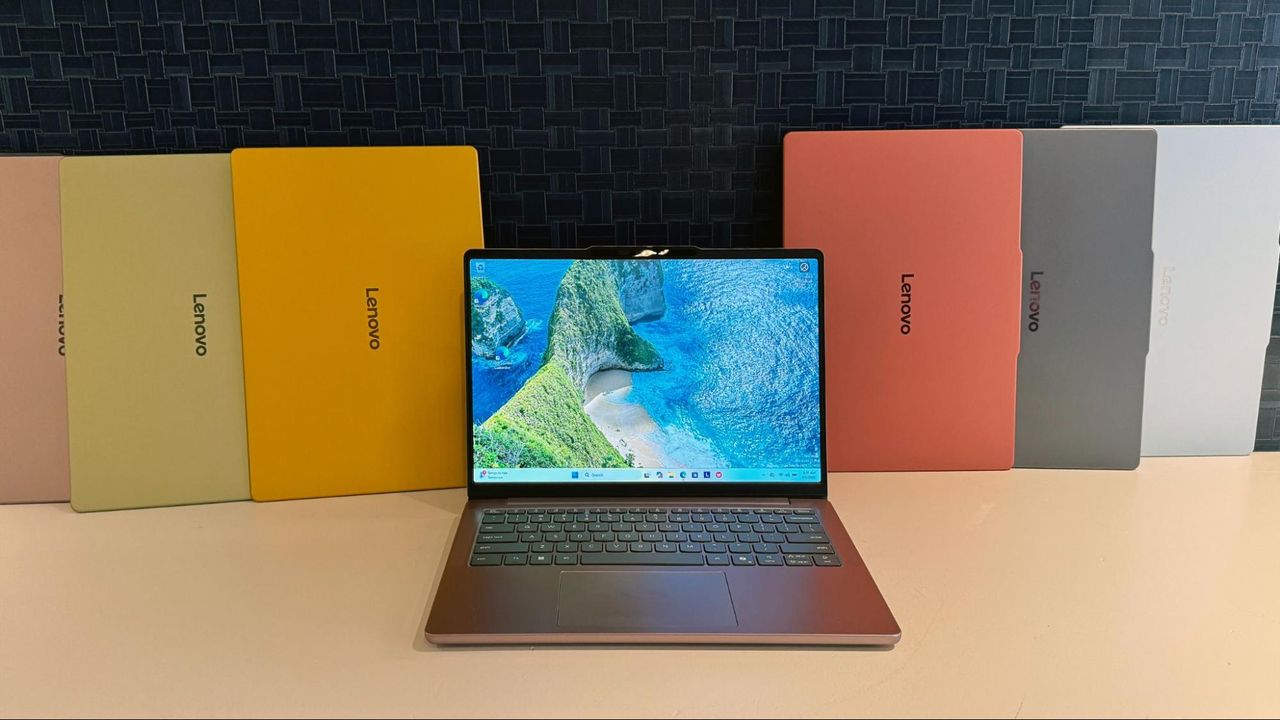
The arrival of the MacBook Neo seems to have reminded other PC makers that people like color (and relative affordability), and the IdeaPad Vibe line appears to be Lenovo’s answer to both. Starting at $699 when they arrive later this year and offered in 14- or 15-inch screen sizes, the laptops will feature seven color options and either an all-metal chassis or a metal lid and keyboard deck, with a plastic bottom. In a twist, the company will also offer swappable keycaps (pretty uncommon in the laptop space) that can either match your laptop’s color or veer away from it for some striking contrast.
Lenovo says the laptops will start at 1.3kg (2.87 pounds), offer up to 24GB or 32GB of RAM (more with the AMD-based models, where you can also opt for a larger 65 WHr battery), and feature either 120 Hz IPS or OLED screens. Oddly, the OLED options will only be offered in the most subdued hues – lowkey gray and moody blue.
Tom's HardwareTom's Hardware
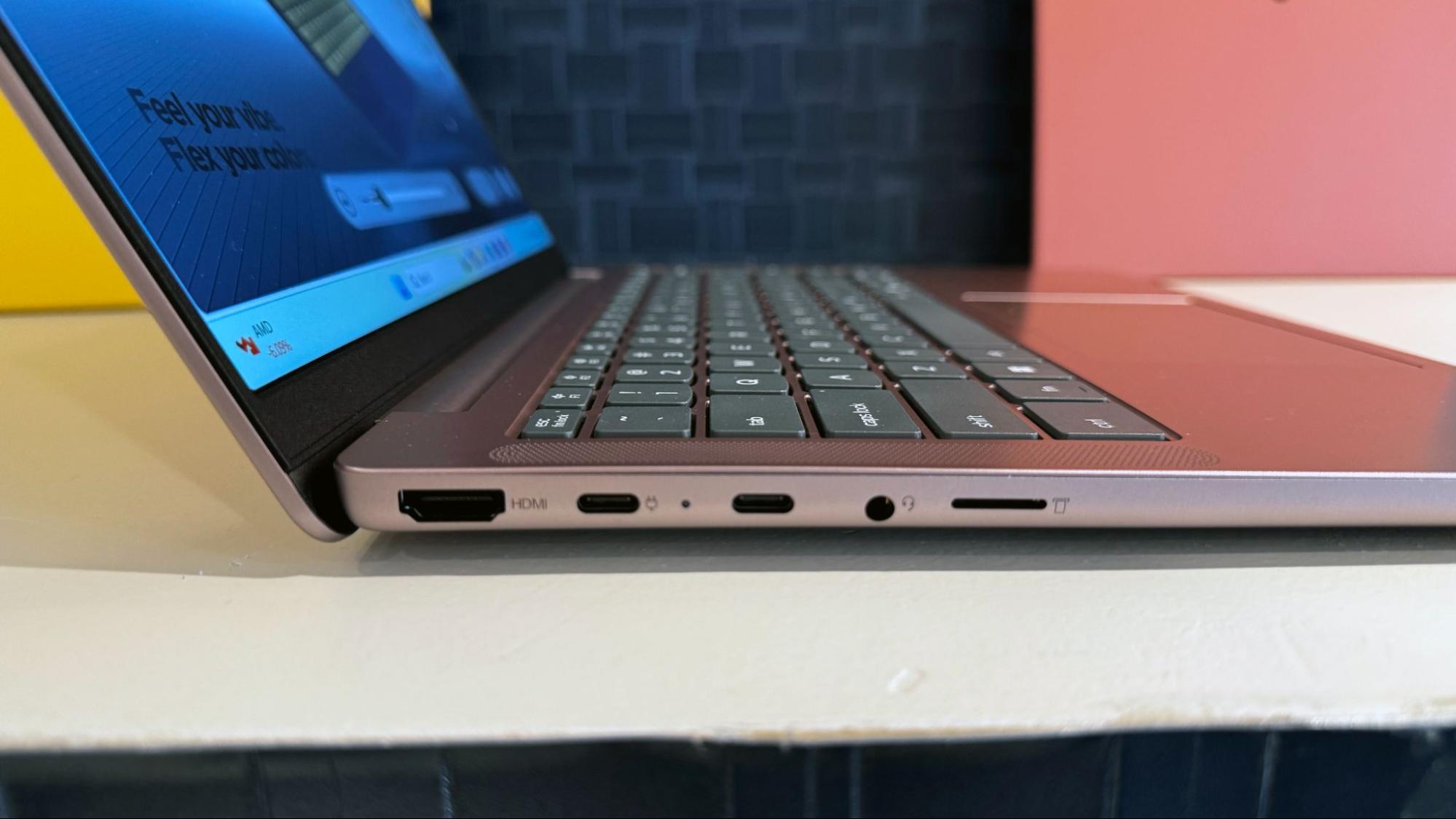
Internally, the Vibes feature two M.2 SSD slots and will be offered with either Qualcomm’s Snapdragon X or AMD’s Ryzen AI 400, and a 50 WHr battery as standard. Lenovo easily beats the MacBook Neo and Dell’s XPS 13 on ports, offering two USB Type-A and two Type-C ports (though they are all capped at 5 GB/s), along with HDMI, a headphone jack, and a microSD card slot.
Of course, given that both the AMD and Qualcomm chips feature prominent NPUs, Lenovo is also pushing its cross-platform Qira AI (also offered in Motorola phones), which the company says “features Workato-powered connections such as email, calendar, and collaboration services, helping users find relevant information and move from intent to action through natural-language requests with less app switching.”
(Image credit: Tom's Hardware)
Lenovo notes that Qira will only be offered “on select configurations,” and RAM is listed across the lineup simply as “up to 24GB.” Given the high price of memory these days, the $699 starting configs will almost certainly ship with just 8GB of RAM. So don’t expect the lower-end configurations to be particularly friendly when it comes to local AI tasks.
Lenovo says the AMD-based IdeaPad Vibe laptops will arrive first, starting in October, while Snapdragon models will land in November. And the company promises Intel options as well, arriving at an as-yet undisclosed date.
(Image credit: Tom's Hardware)
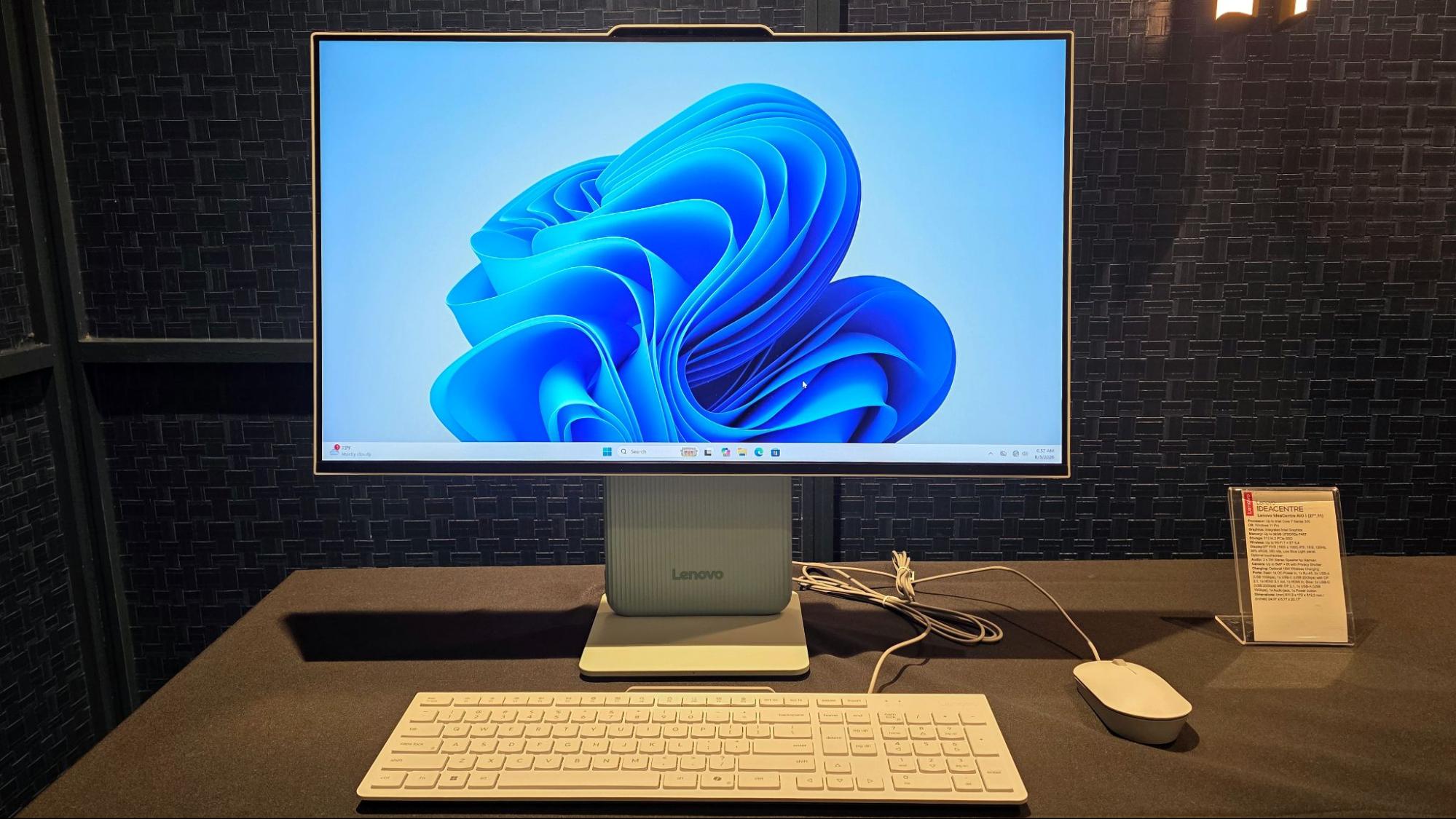
If you like the colors offered on the Vibe line, but don’t need portability, Lenovo will also be offering its IdeaCentre AIO i with Intel Core Series 3 CPUs and a 27-inch screen in similar colors. It will ship with a matching keyboard and mouse, starting at $939 in November.
Lenovo has a history of bringing concept laptops to the IFA trade show in Berlin, and this year’s pair are all about improving productivity and portability. They also feel closer to something you might actually buy than some concepts we’ve seen in the past.
(Image credit: Tom's Hardware)
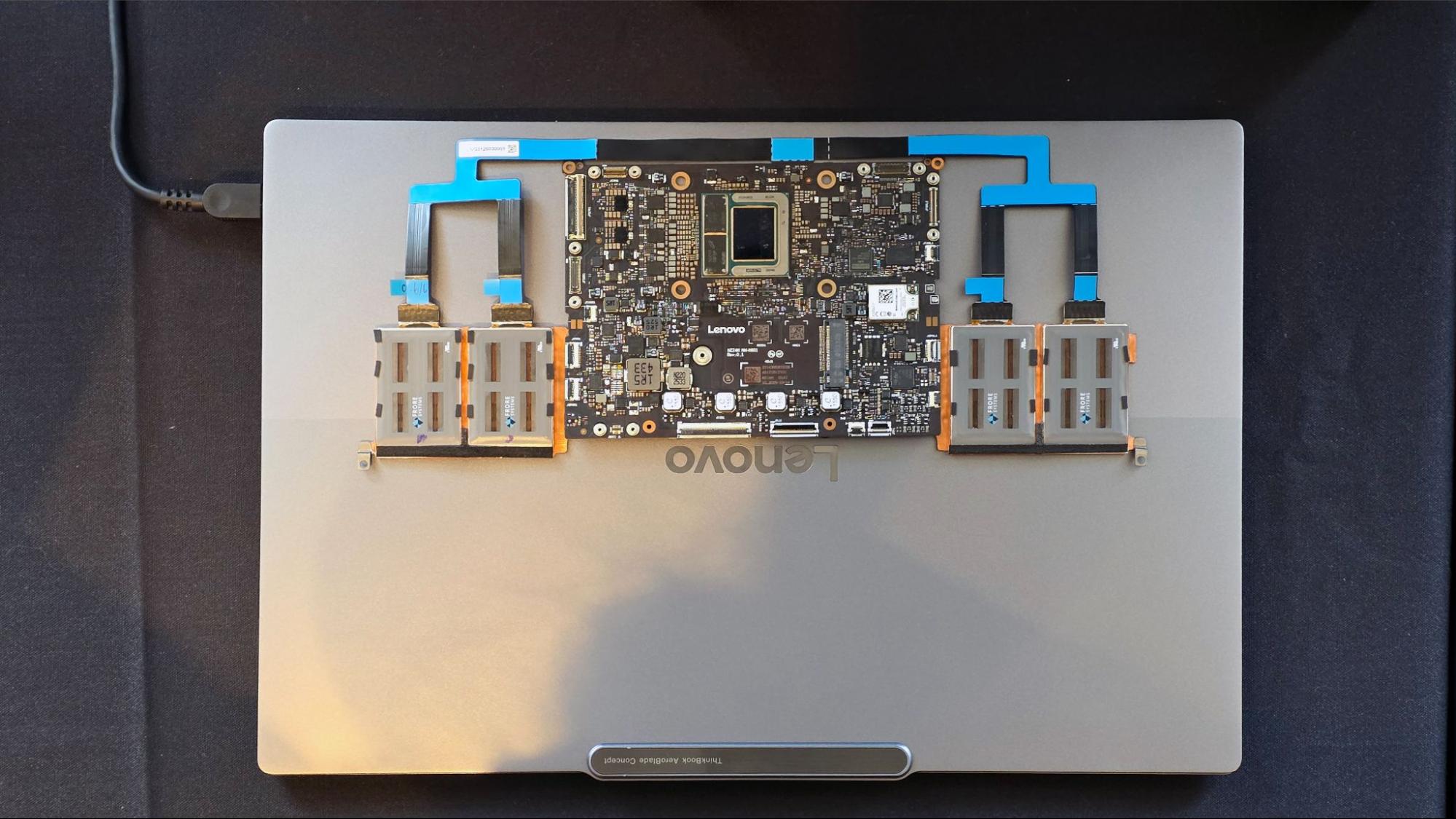
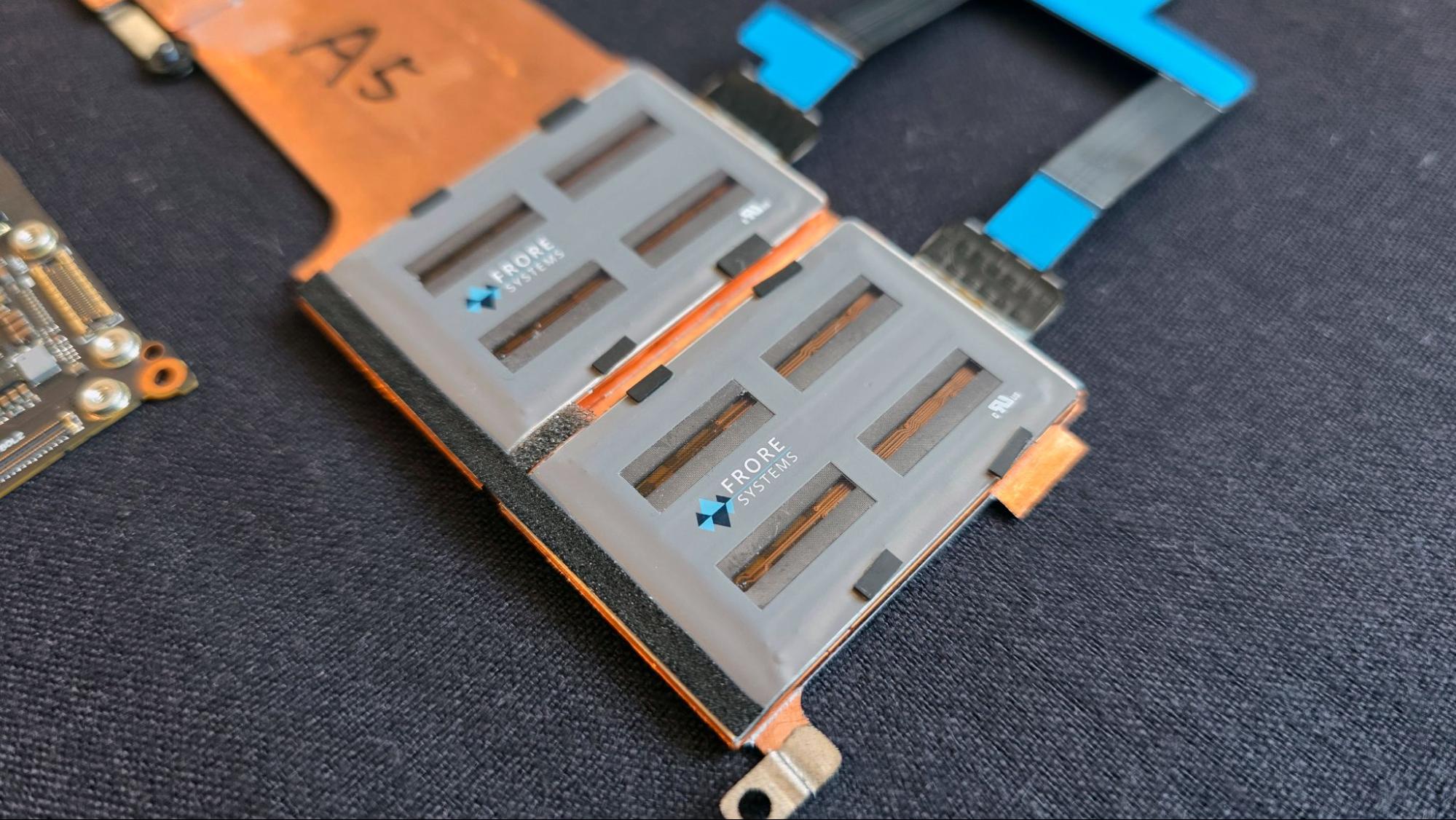
First up, Project AeroBlade is a 14-inch laptop where, as the company’s press release puts it, “every component is re-engineered around mobility.” For starters, the laptop foregoes fans in favor of Frore Systems’ AirJet solid-state cooling tech, which uses piezoelectric membranes that vibrate ultrasonically, beyond the range of human hearing. There are four AirJet Mini modules here, which is three more than the single AirJet Mini we saw in Intel’s Wildcat Lake reference design back at Computex earlier this year. That should mean much better sustained performance than we’ve seen from passively cooled PCs in the past.
Frore System’s latest AirJet Mini modules are rated to dissipate 7.5 watts of heat, giving the AeroBlade laptop 30 watts of active heat dissipation. This pairs well with the 17-30W-TDP Intel Lunar Lake silicon Lenovo is using in this concept. The more recent Wildcat Lake chips are rated from 15-35W, so should also fare reasonably well with a similar solid-state cooling setup.
(Image credit: Tom's Hardware)
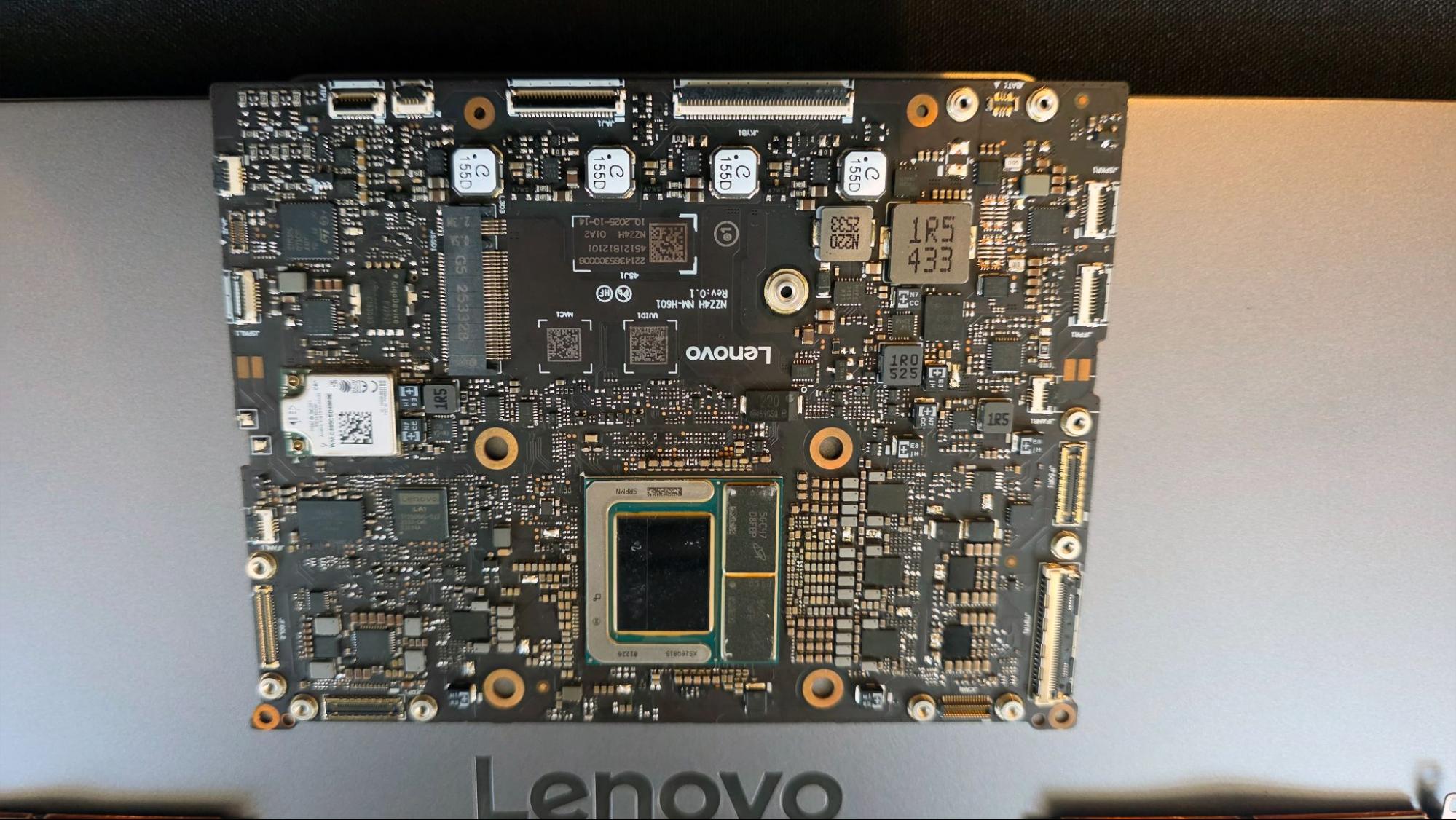
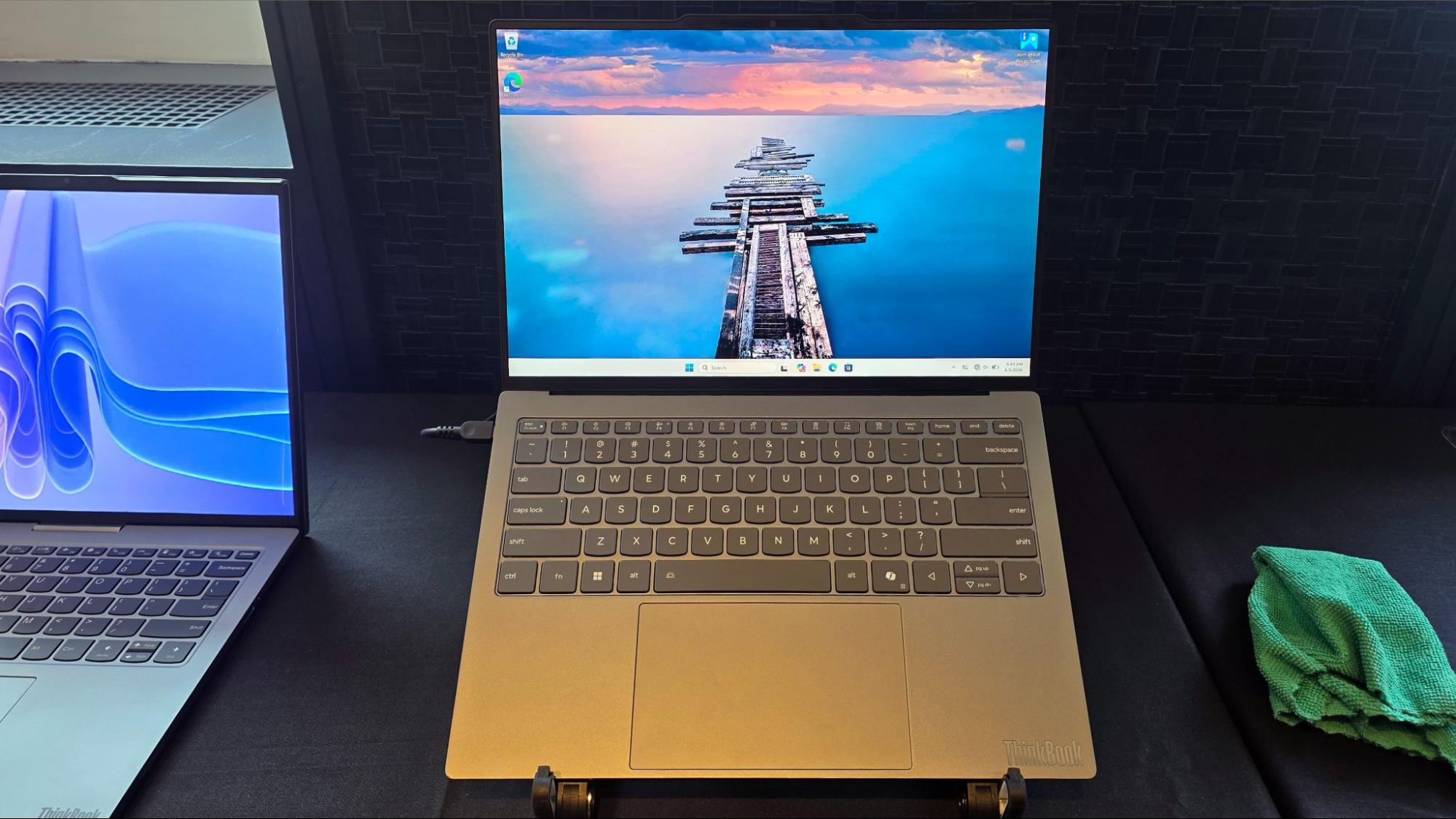
Project AeroBlade also uses a tiny motherboard, which, along with a magnesium-aluminum frame, results in a laptop that is just 0.39 inches (10 mm) thick and weighs less than 1.83 pounds (830 grams). The slimness means you’ll have to live on USB-C /Thunderbolt 4 ports alone, but the laptop includes three of them, along with an OLED screen and Wi-Fi 7.
(Image credit: Tom's Hardware)
The company is using Intel’s Lunar Lake here, but of course, if the concepts behind this design eventually become a laptop you can buy, it will ship with a more modern CPU. I’d love to see what kind of performance and battery life Wildcat or Panther Lake could deliver in this svelte laptop form factor.
Tom's HardwareTom's Hardware
The company is using Intel’s Lunar Lake here, but of course, if the concepts behind this design eventually become a laptop you can buy, it will ship with a more modern CPU. I’d love to see what kind of performance and battery life Wildcat or Panther Lake could deliver in this svelte laptop form factor.
A 17-inch screen in a 14-inch laptop
Tom's HardwareTom's Hardware
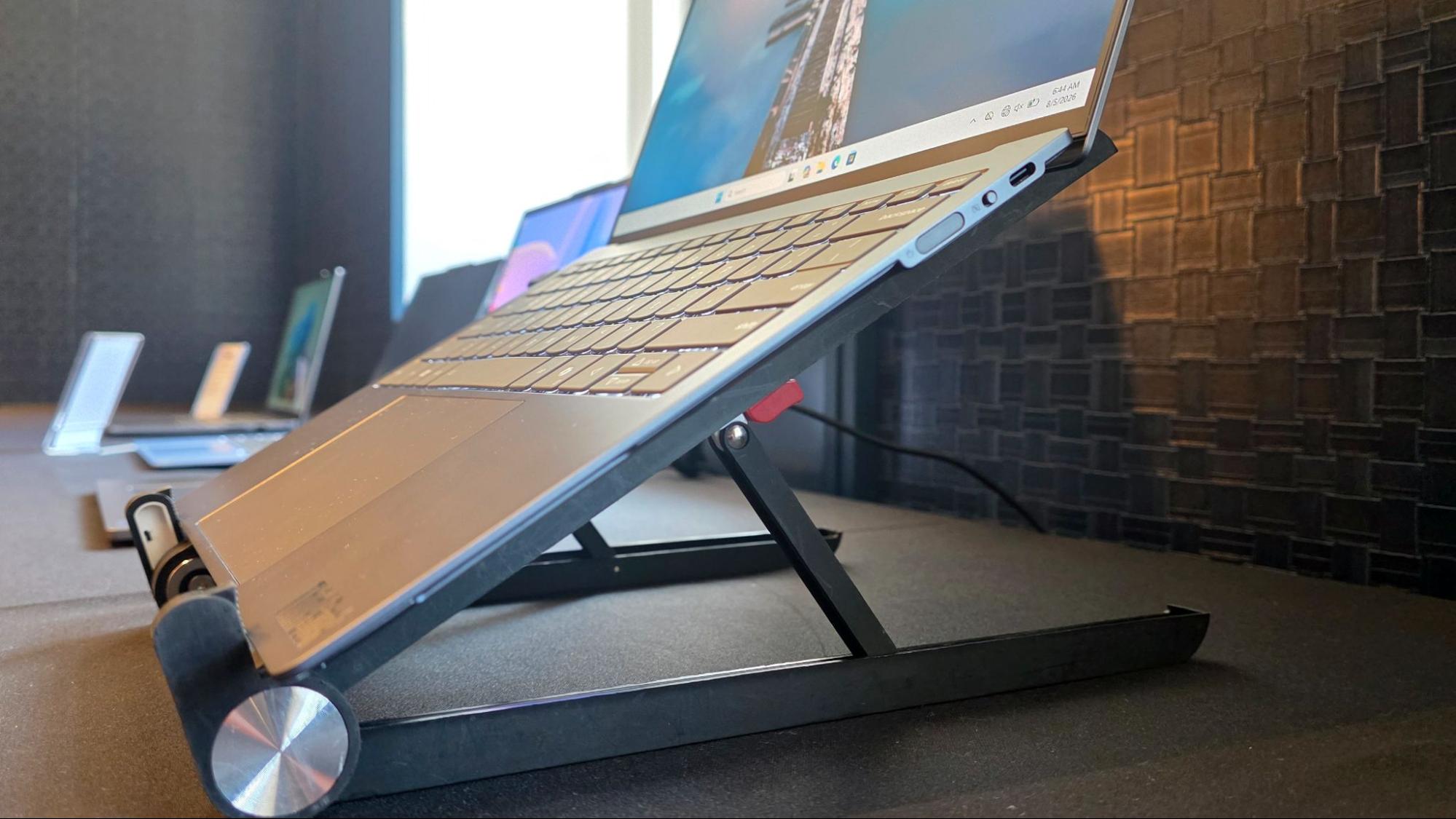
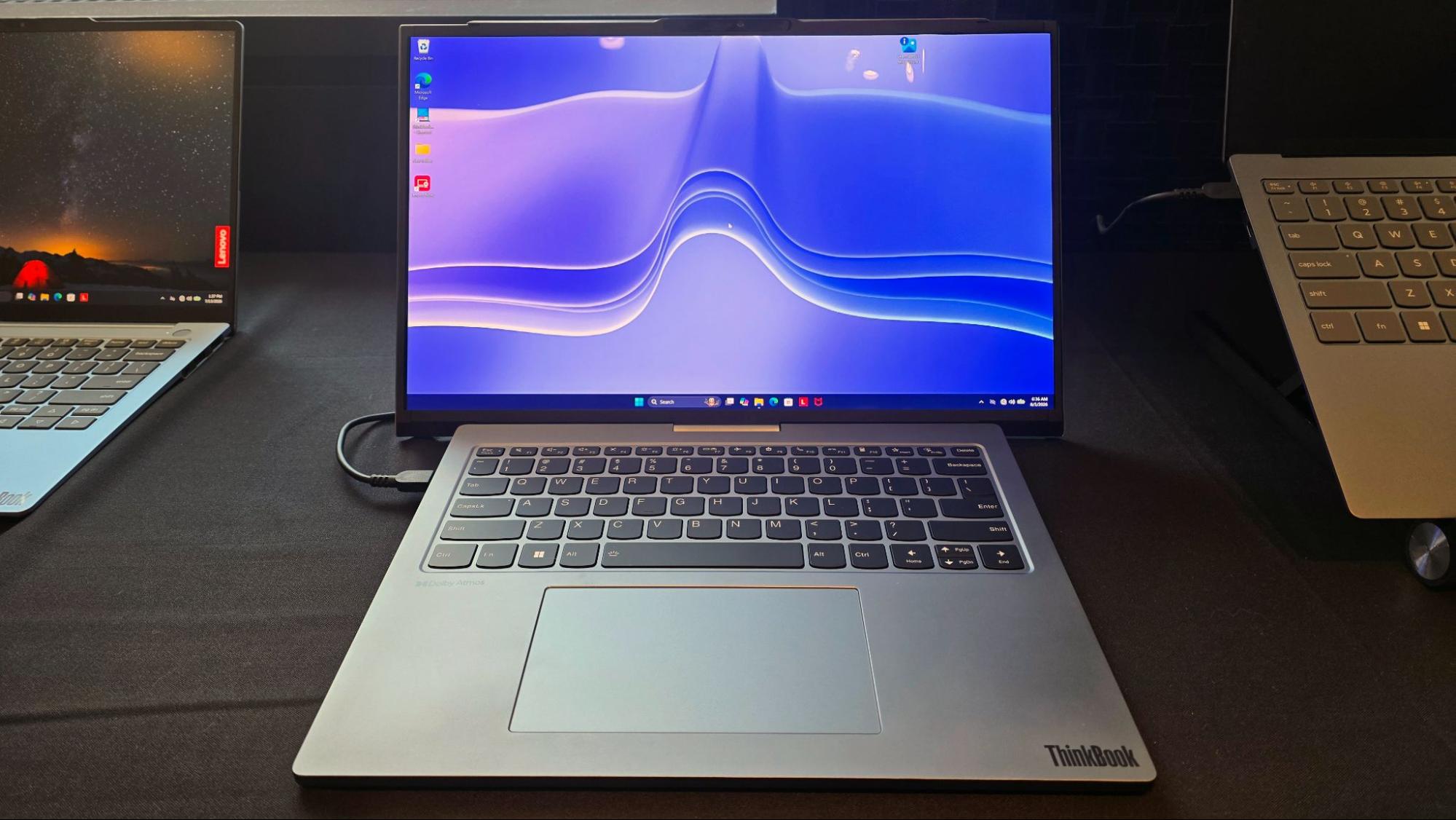
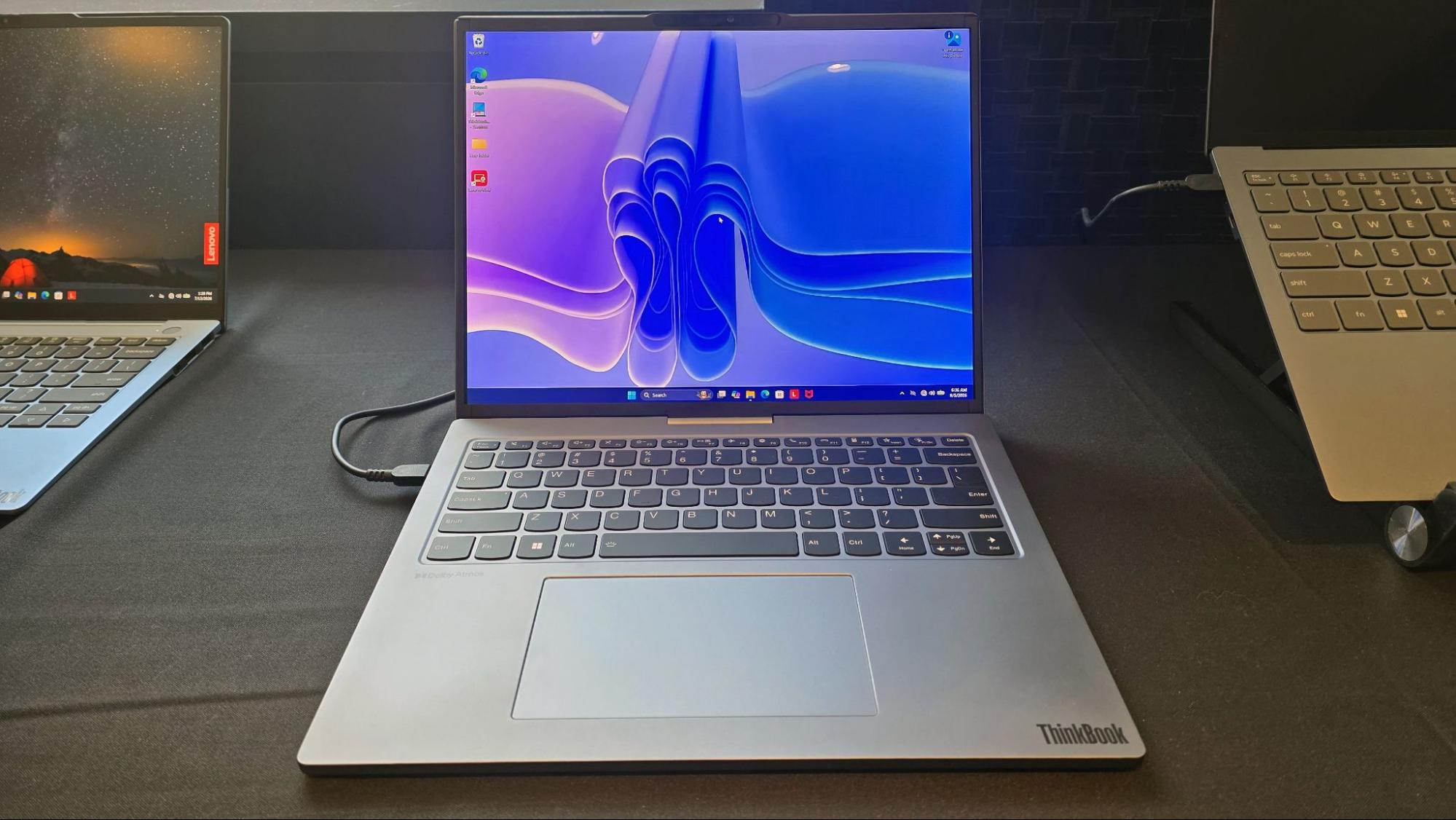
Project Swan sees Lenovo return to its rollable-screen ambitions, this time with a concept that at once feels more modest, mainstream, and achievable than previous attempts. Housed in a mostly standard-looking 14-inch ThinkBook chassis, the screen expands at the press of a button into a 17-inch, 16:9 display with a 2850 x 1672 resolution. That’s not quite 16:9, but there’s likely some small amount of the rollable OLED display that remains off the visible screen in this concept design.
(Image credit: Tom's Hardware)
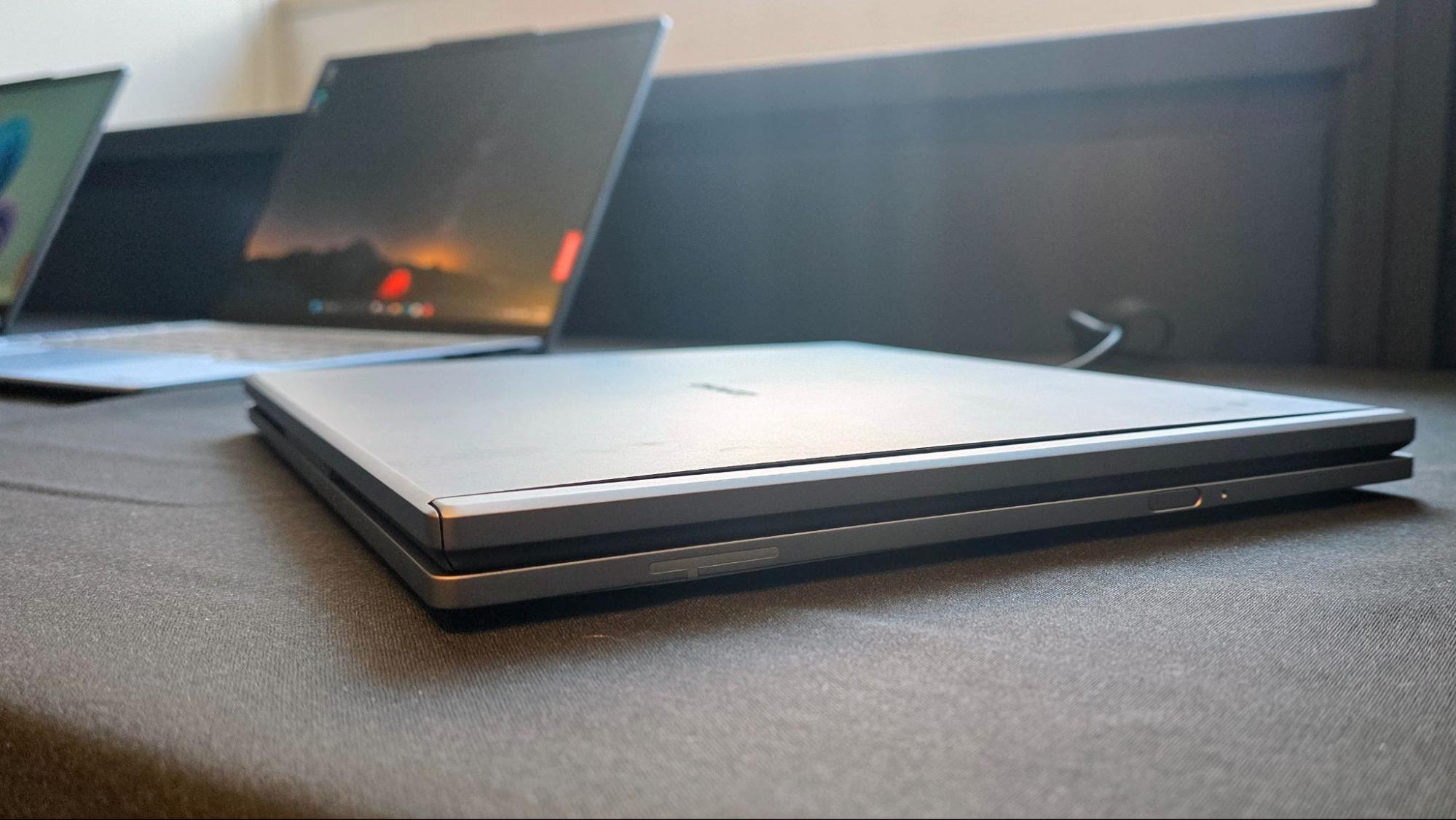
As you would expect, this isn’t the thinnest or lightest 14-inch laptop, weighing in at 3.53 pounds (1.6kg) and measuring 0.7 inches (17.9 mm) thick. The extra bulk lives in the lid, which needs to house the rollable display mechanism, as well as bezels that expand out the sides. As is usually the case with these devices, the motor mechanism is louder than would likely be acceptable in a finished product, but at least it worked flawlessly during several open and close cycles – which is not always the case with concepts like this.
Hopefully Lenovo can shrink the required screen hardware slightly if a version of this design gets incorporated into a laptop you can actually buy. Because while I don’t love the extra bulk, the idea of a compact 14-inch laptop that can give me a 17-inch screen on the go is very appealing.
 登录
登录