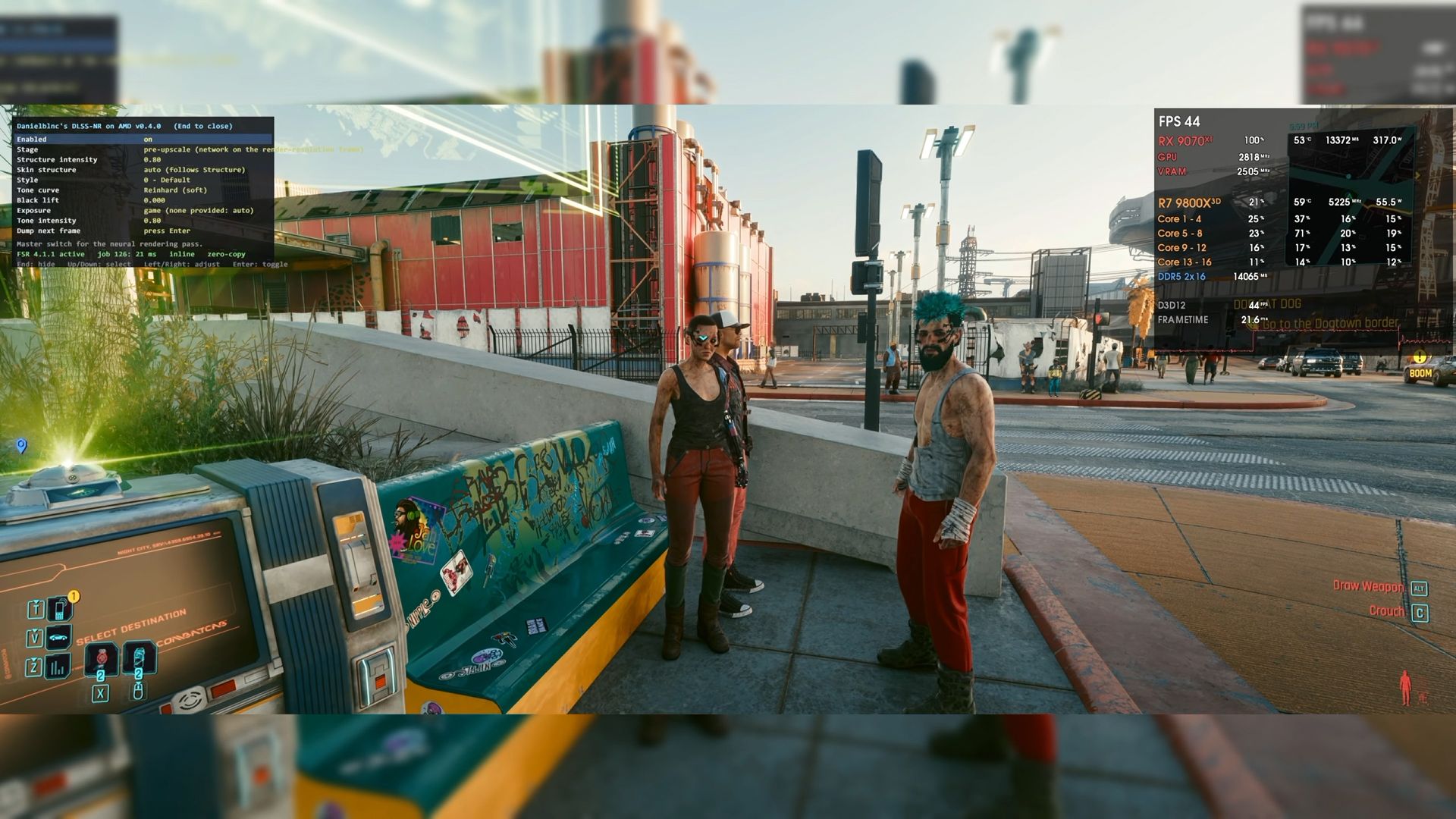
Developers at RPCS3, the open-source PlayStation 3 emulator, have criticized Nvidia’s DLSS 5 technology, calling it an “AI-slop generator.” A number of modders managed to port DLSS 5 to various games last week after the latest neural-rendering tech leaked before the official launch. A few people also went ahead and apparently tested the leaked DLSS 5 DLL on the RPCS3 renderer. According to a post by the official RPCS3 account on X, “Whilst the gaming industry pushes more upscalers and frame generation to hallucinate games and hide their lack of optimisation, we do not ship any of that slop.”
The post has drawn criticism from certain users, with one calling RPCS3’s response “possibly the dumbest” they could have expected. They argued that DLSS and FSR frame generation can complement game-engine optimizations rather than simply mask poor performance, while Nvidia’s Reflex can help mitigate the latency penalty associated with frame generation.
DLSS 5 on RPCS3?A few people are testing a leaked DLSS 5 DLL on our renderer. We have seen the slop it generates.Whilst the gaming industry pushes more upscalers and frame generation to hallucinate games and hide their lack of optimisation, we do not ship any of that slop. pic.twitter.com/S2GciNbCTKSeptember 1, 2026
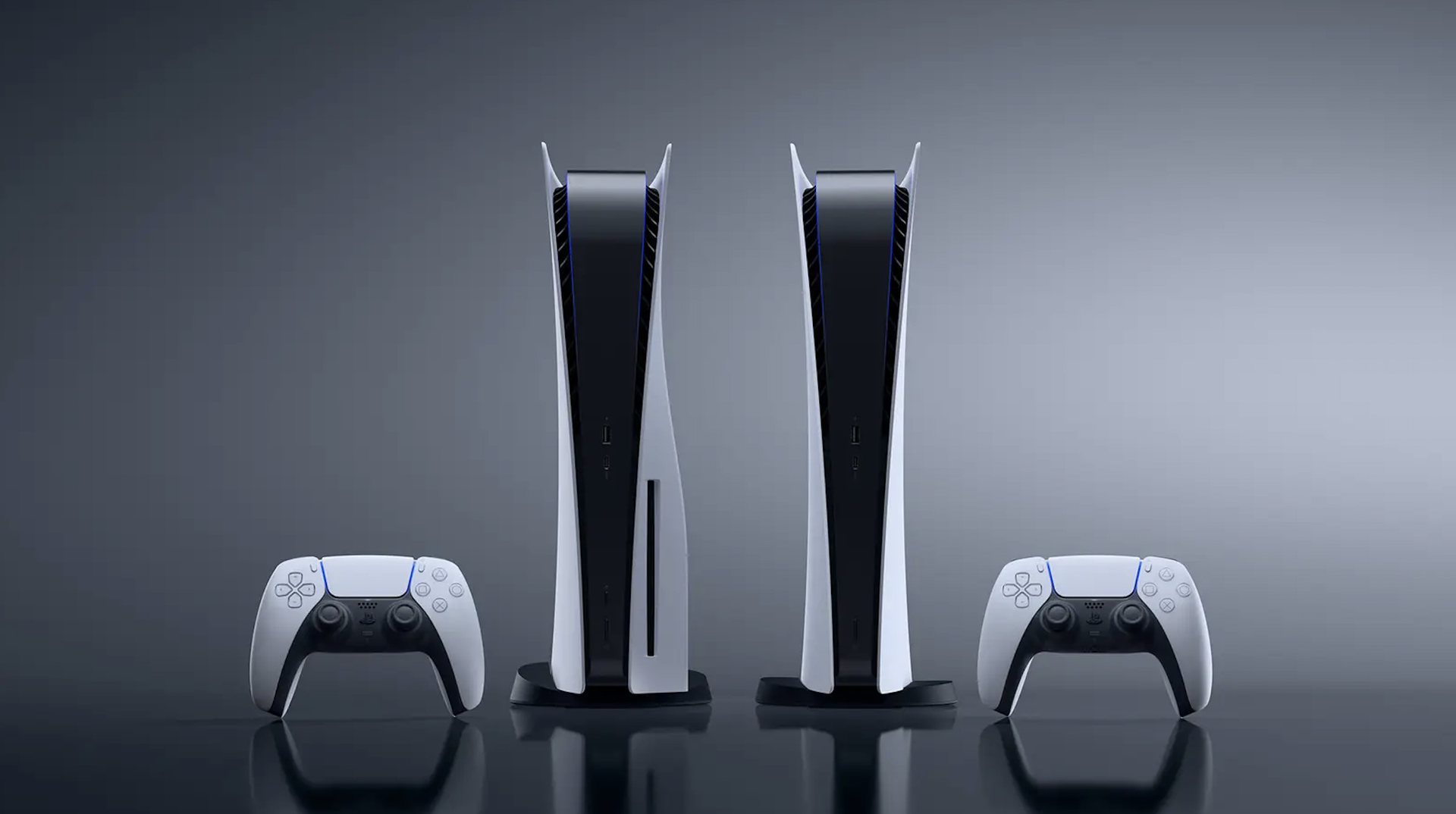
In its response, RPCS3 said that emulators have never-ending goals, and they do not simply target high-end hardware to achieve playable status. The developers also added that modern temporal upscalers are difficult to implement because PS3-era games do not expose the motion-vector data they require. At the same time, RPCS3’s low-level RSX emulation makes reconstructing that data impractical. As a result, the emulator currently relies on spatial upscalers such as FSR 1, bilinear, and nearest-neighbor scaling.
DLSS 5 is expected to officially roll out starting today, with NBA2K27 being the first game to support the latest tech. Focusing on 3D-guided neural rendering, DLSS 5 aims to deliver movie-grade visual realism and photorealistic lighting in games. The AI model is trained to deduce how complex features of game scenes like characters, skin, hair, and environmental lighting should look in the real world given certain inputs from the game engine, like color buffer and motion vectors, in combination with an input frame.
According to Nvidia, DLSS 5 will also provide different AI models and controls, allowing artists to decide what gets enhanced, where the effect appears, and how strongly it is applied. For players, however, Nvidia wants to keep things simple as DLSS 5 essentially becomes an on/off graphics option, while the detailed decisions about how the AI-generated visual effects are used are handled by the game developer.
Since DLSS 5 is resource-intensive, gamers should expect a noticeable drop in frame rates, especially with the initial release. Nvidia has also confirmed that DLSS 5 will only be compatible with RTX 50-series desktop and mobile GPUs, as well as GeForce Now. Notably, the recently leaked DLL has allowed some modders to successfully port DLSS 5 to older RTX 40-series cards.
With the ongoing AI boom triggering worldwide memory shortages, getting a good deal on RAM or storage has become increasingly difficult. If you are on the lookout for a snappy SSD, however, we have spotted a solid deal on Newegg that could help you save some money on your next storage upgrade. The Kingston NV3 1TB PCIe Gen 4 SSD is currently selling for $156.99, down from its usual price of $215.99, which is also the lowest price the SSD has seen in the past 30 days.
The Kingston NV3 was introduced back in late 2024 as a budget PCIe 4.0 NVMe SSD, with the 1TB model rated for sequential read speeds of up to 6,000 MB/s and sequential write speeds of up to 4,000 MB/s. That makes it more than capable of handling everyday office workloads, gaming, and even demanding file transfers. It is notably a DRAM-less SSD as it uses Host Memory Buffer (HMB) technology instead, meaning that the performance may vary depending on the workload. It also has a slightly lower than recommended rated endurance of 320TBW along with a five-year limited warranty.
The SSD may not be suitable for heavy workloads or as a primary SSD in a high-end workstation, but in our testing we found that it can still be a sensible choice for secondary storage. In 3DMark's Storage Benchmark, the NV3 delivered respectable results, and it performed well in PCMark 10, where it beat the Corsair MP600 Elite and came reasonably close to several more expensive SSDs. If you're primarily looking for a drive to store games, photos, videos or any other important data, it should be perfectly adequate. It also consumes very little power and runs fairly cool during operations, just 48°C, the maximum recorded temperature on one of its sensors during testing.

Tom's HardwareTom's HardwareTom's Hardware
The 1TB Kingston NV3 at its discounted price of $156.99 is a solid option if you're looking for an affordable way to expand your PC's storage. It might not be the fastest or the most capable SSD on the market, but at that price we can't really complain.
OLED gaming monitors have become increasingly affordable in recent years, as the technology has matured in addition to the growing competition among major brands. If you’ve been saving up to make the jump to an ultrawide OLED monitor, Amazon currently has LG’s 34-inch UltraGear 34GX900A-B at a particularly attractive price. With an original listed price of $1,200, it is currently on sale and can be purchased for $599.99, resulting in a substantial discount of 50%.
The LG Ultragear 34GX900A-B is a premium curved OLED gaming monitor offering a WQHD or 3440 x 1440 resolution with a 21:9 aspect ratio. According to LG, the steep 800R curve and impressive screen brightness of up to 1300 nits ensure an immersive experience during your gaming sessions. It also comes with up to a 240 Hz refresh rate and 0.03ms response time that keeps the gameplay fast, smooth, and responsive. Additionally, the monitor supports FreeSync Premium Pro and Nvidia G-Sync compatible for clear and tear-free visuals.
The monitor is listed to support 98.5% of the DCI-P3 color gamut, a 1.5M:1 contrast ratio, and DisplayHDR True Black 400. Essentially, one can expect deep blacks, excellent highlights, and cinematic color. The monitor is also UL-verified for flicker reduction, glare reduction, and hardware-based low-blue-light output, all aimed at making the display more comfortable to use for long periods. In terms of connectivity, the LG Ultragear 34GX900A-B comes with two HDMI 2.1 ports, a DisplayPort 1.4, USB Type-C with power delivery, two USB Type-A, and a 3.5mm audio jack. Other notable features include an inbuilt app to split the screen into 6 sections for multitasking, an adjustable stand with height, tilt, and swivel control, and some RGB lighting at the back, adding to the gamer aesthetics.
The LG UltraGear 34GX900A-B at $599.99 is highly recommended for anyone looking to move to an ultrawide gaming monitor. You’re getting a 240 Hz OLED panel, 3440 x 1440 resolution, 0.03ms response time, up to 1300 nits of brightness, and support for both FreeSync Premium Pro and G-Sync, all for $600 less than its original $1,200 price.
The ongoing DRAM crisis has led to a sharp increase in laptop prices, with manufacturers facing exponentially high component costs, particularly memory and SSDs. The situation has created a growing gap in the affordable gaming laptop segment, with most entry-level models becoming increasingly expensive. In its response, MSI has introduced the new Katana 15 HX C14 that features Intel’s 14th-gen Raptor Lake Refresh processors along with support for both DDR5 and DDR4-3200 memory.
Depending on the region, MSI will be offering the value-focused gaming laptop in two variants, featuring dual SO-DIMM slots with either DDR4 or DDR5 compatibility. For context, a 32GB (2x16GB) DDR4-3200 SO-DIMM memory kit can be purchased for around $200, while a DDR5-6000 kit goes for over $400. MSI did not specify the DDR4 capacity as standard, only that the laptop supports up to 96GB, which seems unlikely given no 48GB DDR4 SO-DIMMs exist.
Configurable with up to a 24-core Intel Core i9-14900HX processor, the laptop should offer plenty of CPU performance for demanding tasks besides gaming. It will be available with up to an Nvidia RTX 5070 laptop GPU offering support for the latest AI features, GDDR7 memory, DLSS 4.5, and real-time ray tracing. MSI claims that the Katana 15 HX C14 is tuned for up to 170W of combined CPU and GPU power, while the cooling system with dual fans, three heat pipes, and four exhaust outlets helps in sustained performance. There are also dual-PCIe Gen 4x4 M.2 slots, allowing gamers to add a separate SSD dedicated to their gaming library.
Display options include a 15.6-inch IPS panel available with either QHD (2560x1440) resolution that supports up to a 165 Hz refresh rate or FHD (1920x1080) resolution with up to a 144 Hz refresh rate. In terms of design, the laptop comes in a stealthy black finish with textured slash patterns inspired by traditional Japanese blades along with bright red logos. The chassis measures 22.9mm in terms of thickness and weighs 4.62 pounds, making it fairly compact for a 15-inch gaming notebook.
Other notable features include support for Wi-Fi 6E and Bluetooth 5.4, a 4-Zone RGB gaming keyboard with 1.7mm key travel, a 240W power adapter, USB Type-C with Power Delivery 3.0, a 60Whr battery, and DTS-enhanced dual 2W speakers. According to MSI, the new Katana 15 HX C14 will be available globally, although there's no pricing information at the moment.
Memory and data storage manufacturer Micron announced its exit from the consumer market earlier this year and pledged to honor warranties for existing products. However, according to a recent RMA case on Reddit, the company seems to be struggling to stick to that promise. Instead of replacing a faulty portable SSD, the company offered the customer a refund that was significantly lower than the product’s current retail price.
Explaining their frustrating RMA experience, u/CarefulMeasurement99 said that their Crucial X9 4TB portable SSD stopped working, after which they contacted support, followed the troubleshooting process, and had their RMA approved. Unfortunately, they were later informed that the company did not have any units available for the particular product because the replacement inventory was exhausted. Therefore, instead of providing a 1:1 replacement SSD, the company would issue a refund of $199.99, the same as the original invoice price from last year.
Due to the ongoing NAND and DRAM crisis, almost every memory and storage product has significantly gone up in price. The Crucial X9 4TB is currently priced at over $500 on Amazon, which basically left the customer facing a loss of nearly $300. The customer explicitly refused to accept the offer and told Micron support that they did not want a refund and requested a 1:1 replacement under warranty. They also offered to accept an alternative 4TB SSD model or wait indefinitely until the RMA inventory was restocked.
After a long ordeal, pushing back eventually paid off for the customer. They sent Micron a firm final email rejecting the refund and demanding a 4TB equivalent replacement or alternative. The customer also mentioned that the case was gaining traction on Reddit and pointed out potential action under the FTC and Magnuson-Moss Warranty Act. Within a few hours, the case was escalated to a different representative, who informed them that a “recent inventory update” had revealed limited replacement stock and approved a direct 1:1 replacement.
While the case raises questions about Micron’s initial claim of no replacement units being available, there is no way to independently verify that. That said, this does not appear to be an isolated case. Earlier this month, we reported a similar RMA horror story in which Micron offered a customer a refund instead of replacing their product due to a lack of inventory. Only after further communication did Micron provide an acceptable solution.
Finding a good deal on a graphics card is currently near impossible, especially with the ongoing surge in DRAM and NAND prices. We constantly keep an eye out for sales and discounts on the best graphics cards and we recently spotted the Asus Prime AMD Radeon RX 9070 OC edition selling for a discounted price of $629.99 on Amazon. That’s a discount of 16% when compared to its regular listed price of $750.
The AMD Radeon RX 9070 is a solid mid-tier GPU based on AMD’s RDNA 4 architecture. It is capable of delivering reliable 1440p and 4K gaming performance and features 56 Compute Units, 16GB of GDDR6 memory on a 256-bit bus, and a 220W board power rating. The card also features AMD’s latest generation of ray-tracing accelerators and AI accelerators.
Prime AMD Radeon RX 9070 16GB GDDR6 OC Edition: was $750 now $629.99 The Asus Prime AMD Radeon RX 9070 OC Edition packs 16GB of GDDR6 memory and is built around AMD’s RDNA 4 architecture, making it a strong option for high-refresh 1440p gaming and capable 4K performance. Its factory overclock and triple-fan cooling design also give it some extra headroom for demanding workloads. View Deal
This particular Asus Prime model features a 2.5 slot design and a length of 312mm. It comes with dual-BIOS allowing users to choose between Performance and Quiet modes. According to Asus, the triple Axial-Tech fans feature longer blades for improved airflow, while the phase change GPU thermal pad helps in optimal heat dissipation. The GPU is also factory overclocked with up to 2,610 MHz Boost clock and 2,140 MHz Game clock speeds.
If we look at the numbers from our testing, the RX 9070 offers performance similar to Nvidia’s RTX 4070 Ti Super. As per our 16-game rasterization geomean, the GPU averages at 86.6 FPS at 1440p Ultra settings, and 52.2 FPS at 4K Ultra settings.
For those looking to upgrade their PC for 1440p gaming, the Asus Prime AMD Radeon RX 9070 OC edition is a great choice, especially at its discounted price of $629.99. Remember, this is a limited-time deal and the discounted price may not last for long. Interested buyers should act quickly before the offer expires or stock runs out.
Shopping for PC parts continues to be a nightmare, with skyrocketing RAM, SSD, and GPU prices paired with unpredictable availability. However, a lucky shopper managed to score a flagship GPU for far less than its original launch price. According to Reddit user u/sparkyscotty55, their local Walmart store was selling a PNY-branded Nvidia RTX 5080 for just $702.56, down from its listed selling price of $1,249. Not only does this deal result in a discount of $546.44, but its final price is also much lower than Nvidia’s suggested $999 retail price for the RTX 5080.
A quick price check reveals that this particular PNY RTX 5080 OC graphics card is currently listed at over $1,500 on Amazon, Newegg, and Best Buy. This makes the Walmart clearance price even more impressive, with the shopper essentially paying less than half of what the GPU currently costs at major retailers. The shopper also confirmed that they inspected the box to verify that the GPU inside was indeed the correct model and appeared to be in good condition.
The PNY GeForce RTX 5080 OC is a factory-overclocked version of Nvidia's reference RTX 5080 that targets 4K gaming and content-creation workloads. The RTX 5080 packs 10,752 CUDA cores, 16GB of GDDR7 memory on a 256-bit bus, and up to 960 GB/s of memory bandwidth. Its fifth-generation Tensor cores and fourth-generation RT cores enable features such as AI acceleration, hardware-accelerated ray tracing, and Nvidia's DLSS 4 technology, including Multi Frame Generation. The GPU is listed to push the boost clock to 2.73 GHz, up from Nvidia's reference 2.62 GHz, while retaining the 360W power rating. It also uses a substantial cooling system with three 100mm silent fans and a dense heatsink, along with a triple-slot design.
Walmart's clearance aisles have produced rare but similar GPU bargains in the past. For instance, back in February another shopper managed to grab the same RTX 5080 model at just $562.49. During that period, it was one of the few RTX 5080 models sold at Nvidia’s suggested MSRP of $999, thus resulting in an impressive discount of $430 for the lucky customer. Another Walmart clearance find involved an RTX 5060 Ti, with a customer picking up an MSI RTX 5060 Ti Ventus 2X 8GB at just $80. Since the card had launched with an MSRP of $379, the shopper managed to end up saving nearly $300. The deal was particularly interesting as the buyer was reportedly upgrading from a much older GTX 1060, resulting in a massive generational leap at a negligible price.
While such deals occasionally result in an incredible bargain, there is always an element of risk, especially when it involves expensive PC hardware. Such items could be customer returns with opened boxes, or items that have been marked down because of damaged packaging or missing accessories. There are also some cases where heavily discounted PC components are returned units that are either damaged, swapped, or do not include the hardware originally sold with it, which makes checking the contents before completing the purchase particularly important.
If you have been planning to upgrade your monitor, now might be a great time to invest in an OLED display. Prices have been pretty decent compared to last year, and one great option is the LG UltraGear 27GX790A-B, which has dropped to $467.97 on Amazon from its original price of $999. The sale price saves you about $532, a 53% discount.
The LG UltraGear 27GX790A-B features a 27-inch WOLED panel with 1440p resolution, widely considered the sweet spot for gaming monitors. It also offers an impressive 480 Hz refresh rate and a 0.03 ms response time, plus support for Nvidia G-Sync and AMD FreeSync Premium Pro, making it suitable for both cinematic and esports titles. Additionally, the monitor is ClearMR 21000 certified, VESA’s highest motion-clarity tier, which helps eliminate the faint blur that lingers around fast-moving objects.
The LG UltraGear 27GX790A-B is a 27-inch 1440p OLED gaming monitor with an impressive 480 Hz refresh rate. It also supports Nvidia G-Sync and AMD FreeSync Premium Pro, along with ClearMR 21000 certification that helps eliminate the faint blur that lingers around fast-moving objects.View Deal
LG claims that the panel covers up to 98.5% of the DCI-P3 color gamut, along with a 1.5M:1 contrast ratio and DisplayHDR True Black 400 certification. This ensures that visuals pop with deep blacks, brilliant highlights, and vibrant cinematic colors. For connectivity, the monitor offers two HDMI 2.1 ports, a DisplayPort 2.1 port, a USB Type-B upstream port, two USB Type-A downstream ports, and a 3.5mm headphone and microphone jack with support for 3D audio via DTS Headphone: X. The monitor has a slim profile and supports height, tilt, swivel, and pivot adjustments. The back of the monitor also features customizable RGB hexagonal backlighting, adding to its gaming aesthetic.
At its discounted price of $467.97, the LG UltraGear 27GX790A-B is a compelling option for gamers looking to make the jump to OLED without spending close to $1,000. The combination of a 1440p WOLED panel, 480 Hz refresh rate, and strong HDR capabilities makes it particularly appealing for both competitive and visually demanding games.
In a bizarre quality control issue, a gamer discovered protective film on the VRM thermal pads of their Gigabyte RTX 3070 Gaming OC graphics card. As per a Reddit post by u/buczi94, the GPU was purchased brand new and had never been disassembled or sent for any sort of repairs. After using the GPU for almost five years, the owner of the GPU started noticing high temperatures on the VRMs. They also faced frequent black screens during higher loads, waking the PC from sleep, and cold boots.
The Redditor claims that they upgraded their motherboard BIOS and GPU firmware and drivers, alongside disabling several settings including custom PBO curve, XMP, and Resizable Bar. Unfortunately, none of these measures helped alleviate the problems. They further performed some benchmark tests using Furmark and OCCT, where the GPU temperatures would reach as high as 80°C with the GPU hotspot at 105°C. While these numbers were not alarming, they also found that the cooling fans would randomly ramp up to their highest speed, despite setting a custom fan curve in MSI Afterburner and limiting the fans to 90%.
Fed up with the situation, the owner of the graphics card eventually took the decision to disassemble the GPU for cleaning and repasting, upon which they found protective films on the VRM thermal pads. They claim that peeling off the protective film and repasting the core resulted in a sizable reduction of 15°C on the GPU and 30°C on the GPU hotspot. Additionally, after three hours of stability tests on Furmark and OCCT, no errors were recorded.
The GPU owner also provided an update on the black-screen issues following the fix. While the problem initially occurred once every month or two, it became an everyday concern just a few days before the thermal pad films were discovered, specifically after waking the PC from sleep, during cold boots, or under heavy loads. After the fix, the owner claims that they experienced just one black screen during a cold boot, although they acknowledged that it was too early to determine whether the problem had been fully resolved.
Removing the protective film from the VRM thermal pads fixed the overheating problem. However, the damage caused by years of excessive heat cannot be undone. The owner alleged that since the VRMs were running much hotter for a long period, they have potentially affected several components on the graphics card, including the MOSFETs, as well as the capacitors around the VRM. The owner believes the excessive heat may have also caused the PCB to repeatedly expand and contract over the years, which can put stress on the board and potentially contribute to tiny cracks in solder joints. While they suspect this could be the reason behind the black screen issue, it is just a theory and can only be confirmed through proper testing.
As the flaw occurred at the production and assembly level, the GPU owner contacted Gigabyte’s support team to report the issue and asked for a replacement. However, instead of addressing the alleged manufacturing defect, Gigabyte’s support staff advised the owner to test their GPU in another system. They also informed the GPU owner that since the card was out of warranty, they should contact the retailer or pay a local repair shop to fix the issue.
It is unclear whether the protective film caused any damage to the VRMs, which ultimately resulted in the GPU's black-screen problems as claimed by the owner. However, the case raises questions about how a factory assembly error could go unnoticed for years and whether manufacturers should address such defects even after the standard warranty has expired.
A New York-based computer repair and custom gaming PC retail store is the latest victim of an alleged Amazon delivery scam. Sharing their experience in a Reddit post, one of the co-owners of PC Plug wrote that they ordered an AMD Ryzen 5 9600X a few days ago but received only the box, with the CPU missing. After immediately requesting a refund, they went on to purchase another CPU with next-day delivery. However, they once again received only the retail box, with no CPU inside.
The post also mentions that they record every product unboxing and maintain proper documentation specifically for such cases. Instead of ordering directly from Amazon or the manufacturer, one of the inventory managers accidentally purchased the CPU from “The Tech Group,” a third-party seller with decent ratings whose orders were fulfilled by Amazon. However, they claim those ratings could be fake.
The co-owner told Tom's Hardware that they order 90% of their hardware inventory through Amazon, which amounts to roughly $10,000 a month. “This is the first time we’ve received a product with no hardware in it, and it happened twice in the matter of three days.” They also shared that this may have happened around 10 times over the last five years, with packages arriving damaged or missing a few components.
They also claim to have security camera footage showing both Amazon packages being opened and found to contain only the CPU boxes. While they are not familiar with The Tech Group, they did notice a Reddit user claiming to have previously purchased from the seller without any issues. The store usually orders directly from Amazon or manufacturers on the platform, but the two Ryzen 5 9600X from the seller “slipped through the cracks.” Despite having a good track record with Amazon, the co-owner is now concerned that the attention surrounding the incident could potentially put their Amazon account at risk, as much of the business relies on Amazon Business Prime to purchase hardware inventory.
Such scams are quite common on Amazon, where buyers sometimes receive completely different, or in this case, no product at all. In a recent case, a Reddit user ordered a lightly used Ryzen 9 9900X3D from Amazon Warehouse but discovered that the box contained a much older Ryzen 9 3900X, a 2019 AM4 processor worth substantially less than the 2025 flagship originally ordered.
It is highly recommended to always purchase from reputable sellers and verify the seller’s ratings and reviews before placing an order, especially if you are planning to buy expensive computer hardware. Make sure you also record the unboxing, as video evidence can be useful if the package arrives damaged, tampered with, or missing an item.
Popular open-source media player VLC has run into an unusual issue on Windows 11 that causes it to take as long as 33 seconds to start playing a simple MP3 file, the side effect of a recent unexplained change to Windows. The issue was publicized after game developer Jonathan Blow said he had stopped using VLC in favor of Microsoft's Media Player because of the delay. He also used the incident to criticize the state of open-source software running on Windows.
Responding to Blow's complaint, the developers behind VLC player fired back and claimed that the media player itself was not responsible. According to the VLC team, the bug is primarily due to a Microsoft Defender issue introduced through a Windows 11 update that conflicts with VLC's plugin cache.
This is because of a « bug » from Microsoft Defender in one update of Windows 11, who magically made VLC plugins cache quarantined by Windows.Reinstalling VLC or regeneration of the plugin cache will fix this.Calling open source software embarrassing when it is a Windows… https://t.co/IFLrXFZFsvAugust 12, 2026
"This is because of a « bug » from Microsoft Defender in one update of Windows 11, who magically made VLC plugins cache quarantined by Windows. Reinstalling VLC or regeneration of the plugin cache will fix this. Calling open source software embarrassing when it is a Windows update that broke it is quite disrespectful," the account responded.
The cache is an important part of how the media player works, as it relies on plugins for codecs, demuxers, and input/output modules. Instead of putting everything into a single executable, VLC loads these components as and when required and uses a cache to avoid having to scan the entire plugin directory every time it loads. The issue seems to occur when Microsoft Defender quarantines or blocks VLC's plugins.dat cache file. As a result, VLC can take a noticeable amount of time to process its plugin system before finally beginning playback. We also tried to replicate the issue on a Windows 11 machine; however, VLC launched normally, and we did not experience any noticeable delay when playing an MP3 file.
The easiest way to fix this is to reinstall VLC or regenerate the plugin cache. The VLC Windows installer includes a dedicated executable file to reset the cache files. This can be accessed by either heading to the VLC installation folder and running vlc-cache-gen.exe or its shortcut within the Start menu called "VLC media player - reset preferences and cache files." Do note that this also removes any customized preferences, such as audio settings like equalizers, keyboard shortcuts, subtitles, etc.
A more reliable solution is to add an exception for the VLC installation folder in Microsoft Defender itself. This should prevent Microsoft Defender from interfering with VLC's cache files and avoid the same issue from recurring. While the workaround seems relatively simple, it is still far from being ideal. One should not have to jump through hoops just to play an MP3 file. While Microsoft is yet to comment on the issue, it remains to be seen whether a future Windows Defender update will address the underlying cause.
The Trump administration has announced new tariffs on foreign-made drones and their components, according to the Financial Times. The move is said to secure domestic supply chains and curb reliance on foreign technology, particularly from China. The new duties target both commercial and unmanned aerial systems, signaling a major push in the tech trade war. The administration justified the newly introduced tariffs on the grounds of national security under Section 232 of the Trade Expansion Act of 1962. Commerce Secretary Howard Lutnick said that import penetration is “substantial" and the US is "too reliant" on foreign drone producers.
According to the report, the White House will slap a 100% tariff on sensitive foreign drones, specifically those weighing over 25 kilograms or equipped with thermal imaging capabilities. Smaller, non-sensitive drones having a maximum take-off weight of 25kg will face a 25% import duty. To ease the transition, Washington is offering lower tariff rates for close allies. Drones from the European Union, Japan, Switzerland, and Taiwan will face a 15% tariff, while the United Kingdom is subject to a 10% rate, provided the hardware and technology originate in those locations or the US.
The regulation comes as the White House separately accused more than 40 countries of actively helping Beijing circumvent US tariffs by rerouting products through third-party nations. According to Craig Singleton, a US-China technology competition expert at the Foundation for Defense of Democracies, “It still primarily targets China, but it’s designed to stop supply-chain laundering." This allowed US companies to import and assemble millions of Chinese drone components like motors, rotors, and frames.
The tariffs are expected to force US commercial and government agencies into an immediate, capital-intensive pivot towards domestic or allied suppliers. Notably, US drone manufacturers, including AeroVironment Inc., Aevex Corp., and Unusual Machines Inc., saw their stock prices surge in post-market trading following the announcement.
Back in December 2025, the Federal Communications Commission (FCC) had announced a sweeping ban on new drones and critical components produced in foreign countries. This included products from Chinese manufacturers such as DJI and Autel Robotics. The decision followed a White House national security determination that foreign-made unmanned aircraft systems could pose risks related to surveillance, data exfiltration, and potential disruptions.
Modern smartphones pack enough computing power to rival budget PCs. However, one of the biggest limitations preventing mobile chips from sustaining peak performance is thermal throttling. To tackle the problem, a hardware enthusiast on Reddit carried out an experiment in the most absurd way possible, sandwiching a smartphone between two desktop CPU air coolers. The result is a miniature desktop PC built around a phone's motherboard that actually works and performs well.
The smartphone chosen for this project is the ZTE Nubia Z70 Ultra, which is powered by Qualcomm's Snapdragon 8 Elite SoC paired with 24GB of LPDDR5X RAM and 1TB of UFS 4.0 storage. It is worth noting that this particular chipset made its debut in 2024, with its prime CPU cores rated to reach up to 4.32 GHz. The latest Snapdragon 8 Elite Gen 5 is a more powerful chip and can go as high as 4.6 GHz. Rather than using a newer, higher-clocked chip, the project is essentially testing how much sustained performance can be extracted from an older Snapdragon flagship.
“It actually started from a pretty simple idea," the creator told Tom's Hardware. "I wanted to see how far I could push the concept of using a single smartphone as my main machine, instead of having a phone, a gaming console and a separate PC.”
To carry out the project, the smartphone was completely stripped down to its core by removing the camera hardware, mobile network hardware, as well as the display, which is cleverly mounted within the custom acrylic enclosure for the system. The creator then mounted two full-size desktop CPU heatsinks on each side of the phone hardware. The contact plates on the heatsinks, being large enough, could fully cover the main components, thus allowing improved heat dissipation compared to the original phone chassis.
The results are particularly impressive when it comes to sustained workloads. In the 3DMark Wild Life Extreme stress test, the setup achieved a 99% stability score over 20 loops. Its best loop produced a score of 6,980, while the lowest-scoring loop came in at 6,910, which is a mere 70-point difference. A screenshot also shows a 3DMark score of 10,533 in the ranking, putting the modified Z70 Ultra slightly ahead of the Samsung Galaxy S25+ powered by the sameSnapdragon 8 Elite chipset.
The sustained performance is arguably more interesting compared to the peak benchmark numbers. Smartphones are designed around a difficult compromise where their processors can briefly operate at high performance levels. But due to the limited physical space for heat dissipation means sustained workloads eventually force the system to reduce clocks and power consumption.
“The long-term goal is basically one device that can cover Android, desktop Linux, Windows applications and PC gaming,” added the creator. Essentially, they wanted to keep Android at the core while having a desktop environment when connecting the setup to an external monitor, keyboard, and mouse. To achieve that, a custom Linux XFCE4 desktop environment was created using Termux, running directly on top of Android. The setup also supports hardware-accelerated Vulkan via Turnip on the Adreno GPU. Since the creator wanted to run Windows games locally on the Snapdragon hardware, they tinkered with Wine, Box64, and Hangover builds adapted and recompiled for the Linux environment, alongside GameNative.
The creator claims to have successfully run Windows applications and games, including The Witcher 3. The system was able to run the game at 1080p resolution with the Ultra graphics preset, delivering around 20–30 FPS. Notably, the GPU was sitting at approximately 99% utilization during gameplay, while certain scenes managed to exceed 30 FPS. That obviously isn't enough performance to turn the smartphone into a replacement for a modern gaming PC. However, it is impressive that a smartphone SoC can render a demanding PC game at 1080p using a compatibility stack designed to translate software between different CPU architectures and operating environments.
The project is anything but practical, as the two desktop CPU coolers make the original smartphone form factor essentially irrelevant. However, by giving the Snapdragon 8 Elite substantially more thermal headroom, the creator has turned a flagship smartphone into something that sits somewhere between a phone and a desktop PC. More importantly, it raises an interesting question about how much performance modern mobile chips are leaving on the table simply because they have to fit inside our pockets.
Reducing (or completely eliminating) the charge time for drones has been a continual area of research, with some advancements, such as quantum batteries showcased earlier this year, showing a lot of promise. Researchers at the Civil Aviation University of China have made a major breakthrough in laser-based OTA (Over The Air) charging that can convert energy at 38.94% efficiency.
According to a study published in Matter & Light, scientists from the Civil Aviation University of China are testing a lightweight receiver that can harvest energy from a laser beam sent from the ground. The system uses a perovskite laser cell-thermoelectric (PLC-TE) tandem device, which combines two methods of generating electricity. The perovskite layer converts laser energy into electricity, while the thermoelectric layer recovers some of the resulting heat and turns it into additional power. Its output increases as the temperature difference between the laser-facing side and the cooler side grows.
(Image credit: Matter & light)
The major challenge with this setup is that intense laser beams heat up the receivers to a blistering 80 to 90 degrees Celsius, degrading efficiency and causing damage to the aircraft itself. “That was much higher than we expected and made us realize that heat buildup was a far more serious problem than we had imagined,” explained Jianhua Han, the study's senior author.
To overcome this challenge, Han's team added special nanocrystals to the receiver. As the nanocrystals are poor heat conductors, it allows them to act as a thermal barrier and protect the perovskite and thermoelectric layers. The team also added air channels to the drone's wings. As the propellers spin, airflow passes through these channels and carries excess heat away, helping to keep the system cool. The combination of nanomaterials and aerodynamic cooling resulted in a respectable 38.49% energy conversion efficiency during testing, which is one of the highest reported for this class of technology.
While the system is yet to undergo outdoor flight tests, this breakthrough alone is a significant step toward practical continuous flight for drones. As Han noted, going from 1 to 100 will require solving complex tracking and safety challenges, but this research establishes an important starting point for the future of drones and UAVs.
In one of the most unique DIY projects, Reddit user PickentCode has created what can be described as a completely off-the-grid "heat engine computing device." Instead of relying on solar panels or a battery pack, the creator went in a completely different direction, building a custom steampunk-inspired microcomputer which features a miniature Stirling engine to power the hand-crafted wooden console.
Originally patented in 1816 by the Scottish minister and inventor Robert Stirling, a Stirling engine converts heat directly into mechanical energy. By applying a flame to one end of a sealed cylinder, the temperature difference forces the air inside to expand and contract. This cycle pushes a piston that spins the flywheel, which can be used to power a simple generator that converts the mechanical rotation into usable electricity.
"The entire project took about a month to design, build, and program," PickentCode told Tom's Hardware. They first conceptualized a 3D layout using Blender before constructing the physical case out of wood. They even went ahead and utilized a DIY laser engraver to etch a portrait of Robert Stirling and his original 1816 engine patent sketch directly onto the wooden side panels. For the smaller structural elements, the electronic housings and the keycaps were custom 3D printed, while the decorative pipes winding across the frame were made from old shower tubing and some gold paint.
PickentCode on RedditPickentCode on RedditPickentCode on Reddit
The brains of the system are an ESP32 C3 microcontroller paired with a 2.42-inch monochrome OLED display with a 128x64 resolution, alongside a 16-key keypad. The electrical output of the generator is stabilized using small capacitors wired into the circuit. One can also actively monitor the voltage output using the analog voltmeter, which is wired in parallel, and the two toggle switches mounted on the front panel can be used to turn on the main circuit and the voltmeter.
Running an electronic device, in this case a microcomputer, purely on fire comes with obvious energy limitations. The model Stirling engine can produce only 150 milliwatts of power, and to stay within this tiny power budget, the creator implemented certain hardware and software optimizations. For instance, Wi-Fi and Bluetooth were completely disabled, and the screen brightness was kept low to conserve every milliwatt. PickentCode also tuned the ESP32's CPU frequency, reducing it down to just 80 MHz when updating the screen or interpreting opcodes, going all the way down to just 10 MHz while sitting idle in the main loop.
Despite the limitations, the computer is fully functional. It runs a custom CHIP-8 virtual machine preloaded with classic gaming ROMs like Tetris, Snake, and Pong. Impressively, it also features a built-in code editor, allowing users to type in CHIP-8 opcodes directly to write and execute their own custom programs on the fly.
Stirling engines are not exactly new to the world of computing. Earlier this year, we covered a project by Windows development guru Dave Plummer who showcased a cooling solution that used a small Stirling engine to convert waste heat from an AMD Threadripper system into mechanical energy, which was used to spin the engine's flywheel. While it isn’t an actual solution to an overheating chipset, it is claimed that the flywheel can spin up to about 200 RPM in a 20C/68F environment.
The mid-range CPU segment has become more competitive than ever, with both Intel and AMD refreshing their lineups and pushing aggressive pricing. In one corner, we have the Intel Core Ultra 7 270K Plus, an important reset for Intel that prioritizes class-leading productivity performance over efficiency, while also offering solid value. In the other corner is AMD's newly launched Ryzen 7 7700X3D, a more affordable, slightly lower-clocked alternative to the 7800X3D.
This faceoff is particularly interesting because the two chips take very different approaches despite costing about the same price. The Core Ultra 7 270K Plus packs 24 cores and excels in productivity workloads, while also delivering Intel's strongest gaming performance in years. The Ryzen 7 7700X3D, meanwhile, relies on AMD's proven 3D V-Cache technology to deliver gaming performance within 5% of the 7800X3D, although it trails significantly in single- and multi-threaded workloads.
While the Ryzen 7 7700X3D is aimed at gamers looking for X3D performance at a lower price, it faces stiff competition from Intel's aggressively -priced Core Ultra 7 270K Plus, as well as its own sibling, the Ryzen 7 7800X3D, which is often available for only a little more.
So, is AMD's gaming-focused approach enough to beat Intel's well-rounded Arrow Lake Refresh processor, or has Intel finally found the right balance of price and performance to reclaim the mid-range crown? In this six-round faceoff, we compare these two sub-$350 CPUs to find out which one comes out on top.
Features and Specifications: Intel Core Ultra 7 270K Plus vs AMD Ryzen 7 7700X3D
Intel Core Ultra 7 270K Plus vs AMD Ryzen 7 7700X3D — Pricing and Specifications
CPU
Street (MSRP)
Arch
Cores / Threads (P+E)
P-Core Base / Boost Clock (GHz)
E-Core Base / Boost Clock (GHz)
Cache (L2/L3)
TDP / PBP or MTP
Memory
Core Ultra 7 270K Plus
$320 ($300)
Arrow Lake Refresh
24 / 24 (8+16)
3.7 / 5.4
3.2 / 4.7
76MB (40+36)
125W / 250W
DDR5-7200
Ryzen 7 7700X3D
$330
Zen 4
8 / 16
4.0 / 4.5
N/A
104MB (8+96)
120W / 161W
DDR5-5200
Taking a look at the technical specifications, it's clear that each chip adopts a distinct strategy for the mid-range market. While Intel has optimized its architecture for a higher core and thread count along with improved interconnect speeds, AMD continues to leverage its stacked cache to maintain gaming dominance on a long-lived platform.
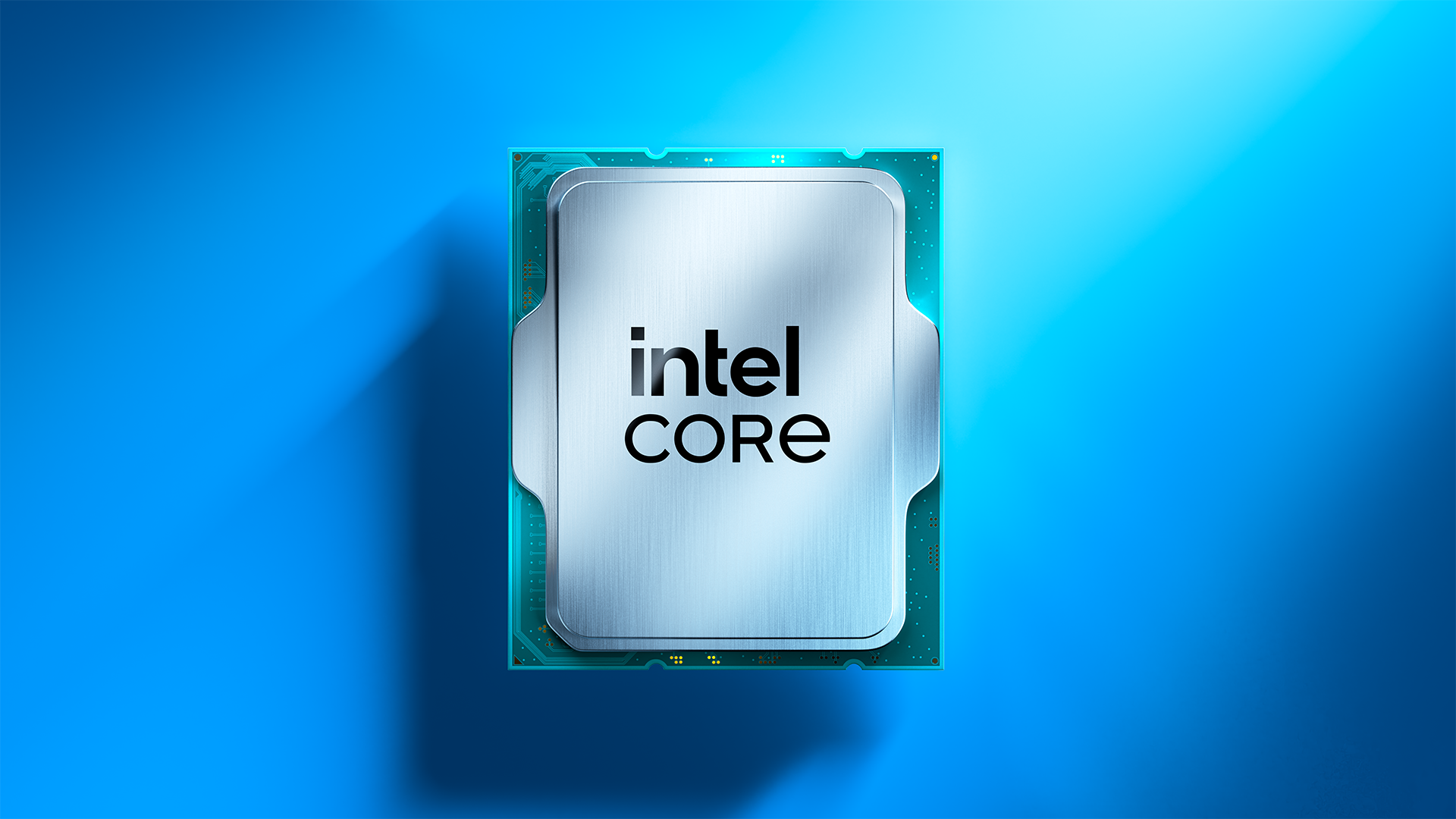
The Intel Core Ultra 7 270K Plus is based on the original Arrow Lake-S family, utilizing the same microarchitecture that we saw on the 265K, built using TSMC’s 3nm process. It matches the flagship 285K with a 24-core configuration (8 Lion Cove P-cores and 16 Skymont E-cores) and operates with a 125W TDP. The chip can scale to a 250W Maximum Turbo Power (MTP), which is the maximum power limit that this CPU can consume for short periods when running at maximum turbo boost frequencies
Intel has also standardized several enthusiast-level performance tweaks for Arrow Lake Refresh, most notably a 900 MHz increase in die-to-die frequency and a 400 MHz fabric speed boost. It also officially supports faster DDR5-7200, along with 20 lanes of PCIe Gen 5 and 76MB of total cache. Possibly the only major concern with the Core Ultra 7 270K Plus is the LGA 1851 platform. With Intel's next-generation Nova Lake processors expected to launch later this year, the current platform will have a relatively short lifespan, restricting any future upgrade options.
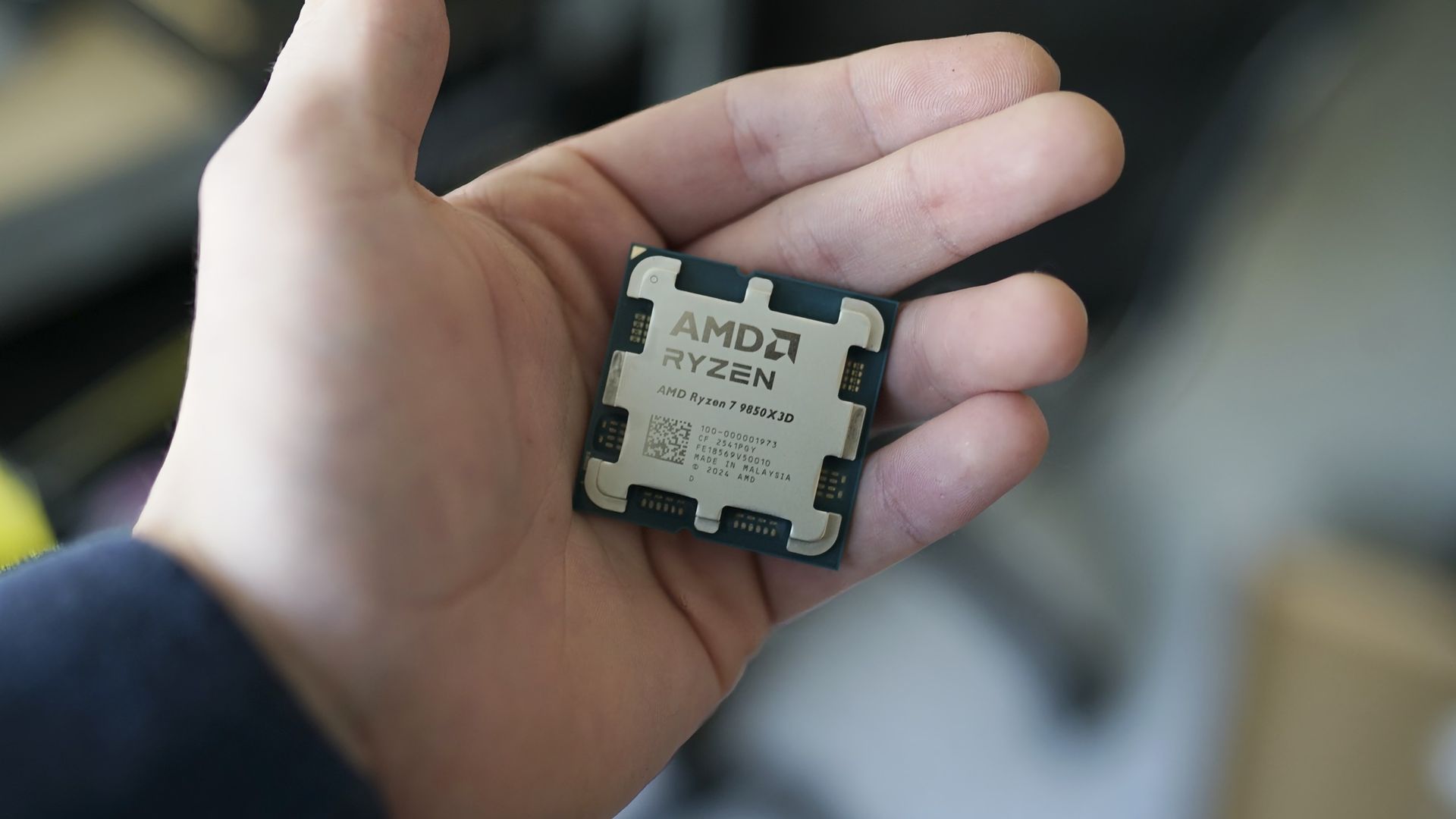
The AMD Ryzen 7 7700X3D serves as a more affordable, lower-clocked variant of the 7800X3D, featuring the same eight Zen 4 cores with a peak boost clock of 4.5 GHz. Its primary architectural strength is its 104MB of total cache including 64MB of vertically stacked L3, which is specifically tuned to eliminate memory latency bottlenecks.
The chip is rated at a 120W TDP with a 162W Package Power Tracking (PPT) limit, though it frequently operates well below these levels during gaming. A major selling point for Team Red is motherboard flexibility as the 7700X3D can be used with existing AM5 motherboards (600 and 800-series chipsets), and AMD has committed to supporting the socket through at least 2029.
⭐ Winner: Intel Core Ultra 7 270K Plus
While AMD offers a more stable platform and superior gaming efficiency thanks to its large cache size, Intel’s hardware package is more comprehensive for the price. The 270K Plus offers triple the core count, significantly higher frequencies, and faster memory support.
Gaming Benchmarks and Performance: Intel Core Ultra 7 270K Plus vs Ryzen 7 9700X
To evaluate the gaming performance of these two chips, we conducted our testing at 1080p resolution using an Nvidia GeForce RTX 5090. We used this setup to prevent the GPU from becoming the bottleneck, allowing each CPU's gaming performance to shine through. By removing the graphics card as a limiting factor, we can see exactly how the 7700X3D’s 3D V-Cache stacks up against the higher core count and clock speeds of the 270K Plus.
Across a comprehensive 16-game geomean, the AMD Ryzen 7 7700X3D holds its position as the superior gaming chip, delivering a 174.3 FPS average. This represents a 5.3% performance lead over the 270K Plus, which produced a 165.6 FPS average. While Intel's latest flagship has significantly narrowed the gap compared to the original Arrow Lake silicon, AMD’s 3D V-cache architecture continues to provide a higher performance in the majority of tested titles.
Even when examining the 1% low frame rates, which is the perceived smoothness while gaming, the 7700X3D maintains a slight edge with a 118 FPS average compared to the 115 FPS from the 270K Plus.
AMD's stacked cache gives the 7700X3D a clear edge in games that are sensitive to memory latency. For instance, in Minecraft RT, the 7700X3D delivered 144.5 FPS average, dwarfing the 89.7 FPS produced by the 270K Plus for a massive 61.1% performance advantage. We see similarly dominant leads for AMD in F1 2024, where it leads by 30.4% (201.8 vs. 154.7 FPS), and in Final Fantasy XIV, where it holds a 21.7% lead (177.7 vs. 146.0 FPS). Even in esports titles like Counter-Strike 2, the 7700X3D maintains a comfortable 7.3% lead with 707.9 FPS over Intel’s 660.0 FPS.
Intel’s Core Ultra 7 270K Plus is no slouch, however, as it leverages its higher boost frequencies and the new iBOT runtime translation layer to take the lead in several games. Intel manages a win in Hogwarts Legacy, producing 135.3 FPS for a 9.1% advantage over AMD’s 124.0 FPS, a result directly attributed to iBOT. Team Blue also edges out victories in The Last of Us Part 1 with 175.6 FPS (6% lead) and Spider-Man 2 with 207.2 FPS (5% lead).
In many other modern titles, the two processors are essentially locked in a dead heat. For example, in DOOM: The Dark Ages, the 270K Plus delivers 200.4 FPS while the 7700X3D is right beside it at 200.0 FPS. The story is similar in Flight Simulator 24, where Intel's 120.5 FPS and AMD's 114.9 FPS result in a negligible difference during actual gameplay. These results indicate that while the 7700X3D is the more consistent gaming choice, especially in cache-heavy titles, the 270K Plus is a highly competitive gaming chip that delivers impressive results for its $300 price tag.
The biggest difference between these two architectures is noticeable when analyzing power consumption and efficiency metrics. Based on our 16-game CPU power geomean, the 7700X3D is clearly way more efficient, drawing an average of just 60.9 watts while gaming. In comparison, the 270K Plus consumed 107.3 watts on average, which is a significant 76.2% increase in power. This results in a massive gap in gaming efficiency where the 7700X3D delivers 2.86 FPS per watt, making it roughly 85.7% more efficient than the 270K Plus, which trails at 1.54 FPS per watt.
Intel does take the lead when it comes to raw frequency, with the 270K Plus maintaining an impressive 5,247 MHz average clock speed across our gaming suite. This is over 700 MHz faster than the 7700X3D, which averaged 4,505 MHz. Despite the much higher clocks and power draw of the Intel chip, its thermal management remains surprisingly competitive when paired with the right cooling solution. The 270K Plus averaged 59°C during gaming, though it still runs warmer than the 7700X3D, which stays at a cooler 55°C average.
When factoring in the cost of the silicon, the competition for the best bang for your buck is incredibly tight. The Ryzen 7 7700X3D provides a value of 0.53 FPS per dollar, narrowly edging out the Core Ultra 7 270K Plus, which sits at 0.52 FPS per dollar.
⭐Winner: AMD Ryzen 7 7700X3D
The 7700X3D’s overall higher average frame rates and excellent efficiency makes it the more attractive option for a dedicated gaming build. Since raw gaming performance, efficiency, and thermals all favor Team Red in this category, the Ryzen 7 7700X3D takes the win for this round.
Productivity Performance: Intel Core Ultra 7 270K Plus vs AMD Ryzen 7 7700X3D
AMD's X3D processors are widely known for their gaming prowess. However, they have historically struggled to maintain the same level of dominance in productivity performance. The Ryzen 7 7700X3D is no exception, as its cache-focused architecture and lower clock speeds result in relatively weak single- and multi-threaded results.
In contrast, Intel has managed to maintain its standing in the productivity segment even when its gaming performance faced challenges. The 270K Plus is a productivity workhorse that is capable of delivering excellent productivity performance making it a standout choice for users who need a balanced system for both work and play.
In multi-threaded workloads, the performance gap between these two processors is pretty massive, primarily driven by Intel's higher core count advantage. Across our multi-threaded performance ranking geomean, the Intel chip delivers a score of 626 compared to the 272 produced by the 7700X3D, representing a staggering 130% performance lead for Team Blue. This level of parallel processing power places the 270K Plus in a completely different performance tier, making it more comparable to much more expensive flagship processors.
Individual benchmarks further highlight this lopsided victory for Intel across various professional tasks. In Cinebench 2024’s multi-core test, the 270K Plus scores 2,509 points, which is roughly 135.6% faster than the 1,065 points achieved by the 7700X3D. This trend continues in POV-Ray, where Intel leads by approximately 169.5% (15,697 vs. 5,823 PPS), and in V-Ray 6, where it maintains a massive 129.5% advantage (45,016 vs. 19,615). Even in intensive video encoding tasks via HandBrake x265, the Intel chip more than doubles the performance of its AMD rival, delivering 29.9 FPS compared to just 14.3 FPS for the 7700X3D. These results demonstrate that for heavy rendering or data-crunching workloads, Intel is the undisputed leader in this price bracket.
FutureFutureFutureFutureFutureFuture
A similar trend can be seen when examining single-threaded performance, a crucial metric for general system responsiveness and applications that do not scale across multiple cores. In our single-threaded geomean, the 270K Plus scores 278 points, which is 42.5% faster than the 195 achieved by the 7700X3D. Specific tests like Cinebench 2024’s single-core benchmark show the 270K Plus maintaining a 39.7% lead over the 7700X3D (145 vs. 103.8 points), while the lead grows to a staggering 82.6% in POV-Ray’s single-core test (1,138 vs. 623 PPS). Even in audio encoding, the Intel chip finishes the Lame Extended task in 68.61 seconds, whereas the 7700X3D trails at 91.53 seconds.
⭐Winner: Intel Core Ultra 7 270K Plus
Ultimately, the 270K Plus simply blows the competition out of the water when it comes to productivity. While the 7700X3D is a highly efficient and specialized CPU for gaming, it cannot match the raw horsepower that Intel offers. For any user whose daily routine involves video editing, 3D rendering, or heavy multitasking, the 270K Plus is the obvious choice and should be the clear favorite for a multi-purpose system.
Overclocking: Intel Core Ultra 7 270K Plus vs AMD Ryzen 7 7700X3D
While both manufacturers provide tools to squeeze extra performance from their silicon, the Intel Core Ultra 7 270K Plus is built as an enthusiast-friendly, fully unlocked processor. The AMD Ryzen 7 7700X3D, on the other hand, is a more restricted processor designed primarily for out-of-the-box gaming efficiency.
For the Intel Core Ultra 7 270K Plus, overclocking is a centerpiece of the experience. As a fully unlocked K-series SKU, it offers users granular control over per-core voltages, power limits, and clock speeds via an unlocked multiplier. While these changes can be done by entering the BIOS, one can also download the Intel XTU (Extreme Tuning Utility) software to fine tune the CPU.
The Intel Extreme Tuning Utility (Image credit: Future)
One of the most significant changes seen on Arrow Lake Refresh is that Intel has standardized several high-end performance tweaks including the 900MHz die-to-die frequency bump and the 400MHz fabric speed increase. This means users receive enthusiast-level interconnect performance without necessarily needing a premium Z-series motherboard. That said, Z890 boards are still necessary as they offer sophisticated tools for manual tuning and pushing the CPU to its limits.
In contrast, the AMD Ryzen 7 7700X3D follows the same path as previous Zen 4 X3D processors including a locked multiplier, which prevents traditional manual overclocking. Users are instead limited to automated and semi-automated features like Precision Boost Overdrive 2 (PBO2) and Curve Optimizer. PBO2 allows the CPU to dynamically adjust its frequencies based on available power and thermal headroom, while Curve Optimizer enables more advanced fine-tune voltage offsets for each of the eight Zen 4 cores.
While these tools can lead to sustained higher boost clocks, the sensitive nature of the 3D V-Cache stack leads to thermal challenges that limit frequency headroom. Thus, overclocking gains on the 7700X3D are often minimal compared to the flexibility offered by the Intel chip.
⭐Winner: Intel Core Ultra 7 270K Plus
The 270K Plus is a far more overclocking-friendly product. It offers a vast suite of features that AMD simply cannot match due to its architectural restrictions and locked multiplier.
Power Consumption, Efficiency, and Cooling: Intel Core Ultra 7 270K Plus vs AMD Ryzen 7 7700X3D
This is a crucial section of the faceoff as it highlights the most significant architectural divide between these two processors. While the 270K Plus prioritizes raw performance throughput, the 7700X3D focuses on extreme efficiency. This is immediately evident in their official power ratings where Intel specifies a 125W TDP with a massive 250W Maximum Turbo Power (MTP), while AMD utilizes a 120W TDP with a 162W Package Power Tracking (PPT) limit.
In synthethic multi-threaded workloads, the difference is quite evident. While running HandBrake x265 10-bit encode, the 270K Plus consumes an average of 226W, which is more than triple the 72W required by the Ryzen 7 7700X3D. A similar trend appears in VP9 encoding, where Intel draws 184W compared to AMD’s efficient 65W. Even in lighter tasks like single-threaded y-cruncher AVX workloads, the Intel chip requires 55W while the AMD chip stays at a modest 32W. Idle power consumption also favors Team Red where the 7700X3D idles at 19W and draws 22W during YouTube playback, whereas the 270K Plus sits higher at 29W and 38W, respectively.
When we translate these power figures into efficiency metrics, AMD’s lead tends to stay ahead in most traditional benchmarks. In Cinebench 2024, the 7700X3D produces 14.4 points per watt, significantly outperforming the 10.4 points per watt from the 270K Plus. In HandBrake x265, AMD achieves a superior efficiency rating of 5W per FPS , while Intel trails at 7.56W per FPS.
FutureFutureFuture
However, the efficiency scatter plots provide a more nuanced look at how performance scaling impacts total energy consumption. In the Blender Classroom scatterplot, the 270K Plus delivers a much higher performance of roughly 135 samples per minute, but it consumes over 33,000 kJ of task energy. In contrast, the 7700X3D finishes with only around 60 samples per minute but uses significantly less total energy at roughly 4,500 kJ.
The HandBrake x265 scatterplot shows a similar trade-off where Intel reaches 30 FPS but consumes over 55 kJ, while AMD provides 14 FPS at roughly 36 kJ. Interestingly, the Linpack scatterplot shows the 270K Plus reaching over 850 GFLOPS with roughly 11WHr of energy, making it slightly more efficient in terms of performance-per-energy than the 7700X3D, which delivers roughly 340 GFLOPS for 10Whr.
From a cooling perspective, the 250W MTP on the 270K Plus means that it requires a robust cooling solution, like a 360mm AIO, to avoid thermal throttling during extended all-core loads. The 7700X3D is far easier to manage, remaining remarkably efficient and manageable with a mid-range air cooler. While the 270K Plus delivers class leading performance, it does so by significantly compromising efficiency in heavy workloads compared to AMD.
⭐Winner: AMD Ryzen 7 7700X3D
Pricing: Intel Core Ultra 7 270K Plus vs AMD Ryzen 7 7700X3D
The Intel Core Ultra 7 270K Plus was initially introduced with a justified $300 price tag, but you'll now find it between $300 and $320. The AMD Ryzen 7 7700X3D made its debut just last month and carries a $330 MSRP, placing it right under the 7800X3D. Essentially, there is not a major difference when it comes to the chips themselves, however, the true financial divide becomes apparent when we look at the total platform cost.
The Core Ultra 7 270K Plus demands a more substantial investment to reach its full potential. While one can opt for a B860 motherboard, a compatible Z890 motherboard is necessary in order to access premium overclocking and tuning features. These typically start around $150-$200, and can go as high as $600 packed with premium features. To handle the processor′s 250W Maximum Turbo Power(MTP) during heavy productivity tasks, a high−end 360mm AIO liquid cooler ($100-$150) or a dual-tower air-cooler ($50-$100) is recommended.
In contrast, the AMD Ryzen 7 7700X3D offers a much more budget-friendly entry point. A solid B650 motherboard can be found for around $120-$150 and the chip can be effectively cooled with a modest $50 air cooler.
Unfortunately, both platforms are held back by the ongoing global shortage of memory, which has caused prices to shoot up significantly. Since both CPUs require DDR5 RAM, builders are stuck in a RAMpocalypse where a basic 32GB kit costs over $400. This extra cost is bad news for both sides as it cancels out any price advantage.
Overall, the lower upfront platform cost makes the 7700X3D a slightly more attractive option for users prioritizing their budget. Furthermore, the AM5 socket offers a clear upgrade path through at least 2029, ensuring that your motherboard investment remains viable for future CPU generations. That is not the case with Intel, as the LGA 1851 socket is expected to be replaced once the next-generation of Nova Lake CPUs arrive.
⭐ Winner: AMD Ryzen 7 7700X3D
Ultimately, while both the chips are available at a very similar price range, the AMD Ryzen 7 7700X3D is the smarter financial play for a majority of users. Its significantly lower platform costs, superior gaming efficiency, and guaranteed platform longevity provide a level of value that the more power-hungry Intel refresh cannot quite match.
Bottom Line: Intel Core Ultra 7 270K Plus vs AMD Ryzen 7 7700X3D
Intel Core Ultra 7 270K Plus
AMD Ryzen 7 7700X3D
Features and Specifications
❌
Gaming
❌
Productivity Applications
❌
Overclocking
❌
Power Consumption, Efficiency, and Cooling
❌
Pricing
❌
Total
3
3
The Ryzen 7 7700X3D and Core Ultra 7 270K Plus are designed for very different users, even though they sit in roughly the same price range. Like previous X3D chips, AMD's latest processor is built with gaming in mind, using its large 3D V-Cache to deliver excellent frame rates while keeping power consumption impressively low. Intel, on the other hand, combines a 24-core design with higher clock speeds and platform improvements to create one of the strongest productivity processors in its class without giving up much gaming performance.
The final score is tied at three rounds apiece. AMD comfortably wins gaming performance, power efficiency, and platform value, three factors that matter a lot for buyers shopping in this price segment. The AM5 platform also provides a significantly longer upgrade path, allowing users to drop in future processors without replacing their motherboard.
Intel, however, deserves recognition for what it has accomplished with the 270K Plus. It delivers outstanding single- and multi-threaded performance, offers a fully unlocked overclocking experience, and narrows the gaming gap to just a few percentage points in many modern titles. If your workload includes video editing, software development, 3D rendering, or other heavily threaded applications, the 270K Plus is the obvious choice and justifies its higher power draw.
For everyone else, the Ryzen 7 7700X3D is the more compelling CPU. It offers faster gaming performance, exceptional efficiency, lower platform costs, and a future-proof AM5 ecosystem. Unless your workload regularly extends beyond gaming into demanding productivity applications, AMD's latest X3D chip is the easier processor to recommend.
Following a tariff refund from the United States government, popular PC cooling hardware manufacturer Arctic has announced a price rollback for its products sold in the U.S. The refund was made possible after a February 2026 Supreme Court ruling found that the 1977 International Emergency Economic Powers Act (IEEPA) does not grant the President unilateral authority to impose import duties without prior approval from Congress.
The reduced price will be applicable across Arctic’s direct-to-consumer sales channels in the U.S. and is claimed to be already in effect on Amazon and eBay. In its latest blog post, Arctic said, “When U.S. trade tariffs significantly increased, Arctic proactively absorbed as much of the tariffs as possible to protect our customers. While most of the product lineup remained unaffected, price adjustments became necessary for a limited number of products in the U.S. market. At the time, Arctic committed to reversing those increases if circumstances allowed. “
Notably, the company isn't limiting price reductions only to the products that were affected by tariffs. Instead, it's using the refunded tariff money to lower prices across its entire U.S. product lineup. We did a quick price check on Amazon and found that a range of Arctic PC cooling products have indeed dropped in price. For example, the Arctic Liquid Freezer III Pro 360mm AIO liquid cooler has fallen to an all-time low of $69.89, its lowest price ever since it launched in the first half of 2025. In our testing, we were impressed by its chart-topping performance even when it retailed for $125.
In addition to the price rollback, the company says that it is investing in community initiatives that support technology education and grassroots PC communities in the United States through hardware donations and technical support.
With this announcement, Arctic has become one of the first PC hardware manufacturers to publicly reverse tariff-related price increases following the landmark Supreme Court judgement. While it remains to be seen whether other component and peripheral makers will follow suit, the move will definitely put pressure on brands that previously cited tariffs as a reason for raising prices in the U.S.
GPU prices are set to increase in South Korea starting this month, specifically Nvidia’s desktop GeForce RTX 50 series. According to a recent report, the price increase is primarily due to the recent increase in price for advanced process wafers from TSMC (Taiwan Semiconductor Manufacturing Company), along with the rising price for GDDR7 memory. Perhaps most troubling is that, due to global market dynamics, pricing doesn't exist in a vacuum for any single region, suggesting that price hikes could be in store for other areas in the future.
For context, TSMC recently asked its customers to prepare for price increases across its advanced chipmaking portfolio. This hike was extended beyond the newer 3nm process to include 7nm and other legacy products. ZDnet Korea’s report additionally cites market research firm TrendForce, claiming that GDDR7 2GB modules used in the RTX 50 series GPUs have increased to $20 per unit. As fabrication and memory costs have increased, Nvidia has raised the prices of the RTX 50 series GPU packages it sells to board partners. These board partners, thus, have little choice but to pass those higher costs on to consumers.
Multiple officials from domestic importers and distributors in the region have reportedly confirmed the price rise and have announced that major graphics card manufacturers plan to raise the prices of RTX 50 series models by up to 30% starting this month.
According to a manufacturing company official, "Major manufacturers have temporarily suspended shipments ahead of the August price hike, and to my knowledge, few companies have secured inventory prior to the price increase." Similarly, a local distributor said, "One manufacturer with a low domestic market share is considering a price increase of about 20% compared to existing levels, and other manufacturers are also preparing for price increases of up to around 30%."
High-end graphics cards with larger GDDR7 memory configurations are expected to see the biggest increase in production costs, leading to higher retail prices. According to Danawa, a South Korean price comparison website, the cheapest RTX 5060 Ti 8GB model now sells for around 700,000 won (about $490), up roughly 100,000 won (about $70). Meanwhile, the lowest-priced RTX 5070 model is listed at around 1.1 million won (about $770), an increase of approximately 200,000 won (about $140).
The flagship RTX 5090 has seen the biggest price hike. Depending on the model and manufacturer, it is currently selling for up to 7.3 million won (around $5,112), an increase of as much as 1.5 million won (around $1,050) compared to last month.
Storage and memory manufacturer Lexar has listed a new 32GB (2x16GB) DDR5-7200 CL38 memory kit in China with a price tag of 3,999 yuan (roughly $592). Part of the second-generation Thor RGB series, the kit features a sandblasted aluminum heat spreader, thermal pads, and eight LEDs that support a variety of RGB lighting effects. It is rated for 38-48-48-86 timings at 1.40V and supports both Intel XMP 3.0 and AMD EXPO profiles.
Lexar says the modules use carefully selected domestically produced DRAM, although it does not specify the actual manufacturer. While there is no confirmation, the company may be using DRAM chips made by CXMT (ChangXin Memory Technologies). Lexar has also published a compatibility list covering 43 motherboards, including 30 Asus models and 13 MSI models across Intel Z890, Intel B860, and AMD B850 platforms. The compatibility list also includes supported boards for a faster 32GB (2x16GB) DDR5-7600 CL38 memory kit.
Interestingly, none of AMD's X870 or previous-generation motherboards appear on the list. That said, the kit should work on most DDR5 boards that Lexar hasn't tested, but the absence of AMD's flagship consumer chipset from the compatibility list is a bit odd. Notably, major motherboard manufacturers, including MSI and Gigabyte, have already started optimizing their motherboards to support CXMT memory ICs.
The arrival of CXMT-made DDR5 chips earlier this year raised hopes that a new DRAM supplier could ease supply constraints and eventually lower memory prices. So far, there seems to be little evidence of that happening. At around $592, Lexar's new DDR5-7200 kit is priced in line or only slightly below many comparable 32GB DDR5-7200 kits currently available in the U.S. Similar kits from brands such as G.Skill, Corsair, and Kingston are currently selling anywhere from $585 to $700.
The ongoing global memory crisis has made upgrading an existing PC or building a new one a lot more expensive, with RAM, SSD, and graphics card prices all climbing in recent months. However, gaming monitors have become far more affordable than they were just a couple of years ago, especially when it comes to OLED. If you are looking for a new display for your setup, you could consider the Gigabyte GO27Q24A, a 27-inch QHD 240Hz QD-OLED monitor which is currently down to just $299.99 from its usual listed price of $449.99 on Newegg.
The monitor offers pretty decent specs for the asking price including a third-gen 27-inch QD-OLED panel with a 2560x1440 resolution, which is considered the sweet spot for most gaming setups. It also offers a fast refresh rate of 240 Hz and a response time of just 0.03ms GTG, which makes it perfect for fast-paced games without compromising on the visual fidelity. For esports lovers, the monitor comes with a feature to quickly switch display resolutions or swap to a specific aspect ratio (such as a 4:3 ratio or a dedicated 24-inch custom format size) with a single click using a dedicated physical button.
Gigabyte's 27-inch gaming monitor packs a third-gen QD-OLED panel with a 1440p resolution and support for up to 240 Hz refresh rate, 10-bit color, 99% DCI-P3 coverage, and fast response time of 0.03ms GTG. View Deal
In terms of color, Gigabyte claims up to 99% coverage of the DCI-P3 gamut with support for up to 10-bit color and a factory calibrated Delta E
As for connectivity, you get two HDMI 2.1 ports and a Displayport 1.4, meaning you can hook this up to your console alongside your PC or laptop. There’s even a standard 3.5mm earphone jack to plug in your headphones or speakers.
For $299.99, the Gigabyte GO27Q24A is one of the most affordable ways to step into OLED gaming without sacrificing key features like a high refresh rate, HDMI 2.1 connectivity, and a 1440p resolution. It may not be the brightest QD-OLED gaming monitor on the market, but at this price, it's hard to complain.