普通视图

发现新文章,点击刷新页面。
昨天 — 2026年9月21日IT News

Apple Mac Studio (M5 Ultra) review: Local model citizen outpaces DGX Spark and Threadripper

2026年9月21日 21:00

Earlier this year, Apple discontinued the Mac Pro, leaving the Mac Studio as its top-end desktop. With the new M5 Ultra chip, Apple's relatively diminutive system is more than ready to take on the mantle.

While you might not have a ton of PCIe connections and both RAM and storage are set, the Studio offers a ton of ports for accessories, monitors, and peripherals, memory options up to 256GB (with 512GB coming later), and a clean, quiet design.

Starting with an M5 Max at $2,499, the Mac Studio could be poised as a creator system for video editors, photographers, or game designers. At $12,299 as tested with the top-end M5 Ultra, 256GB of unified memory, and 4TB of storage, it effectively becomes an enterprise device, possibly a remote server, that could handle any task with aplomb, including local AI.

Design of the Mac Studio (2026)

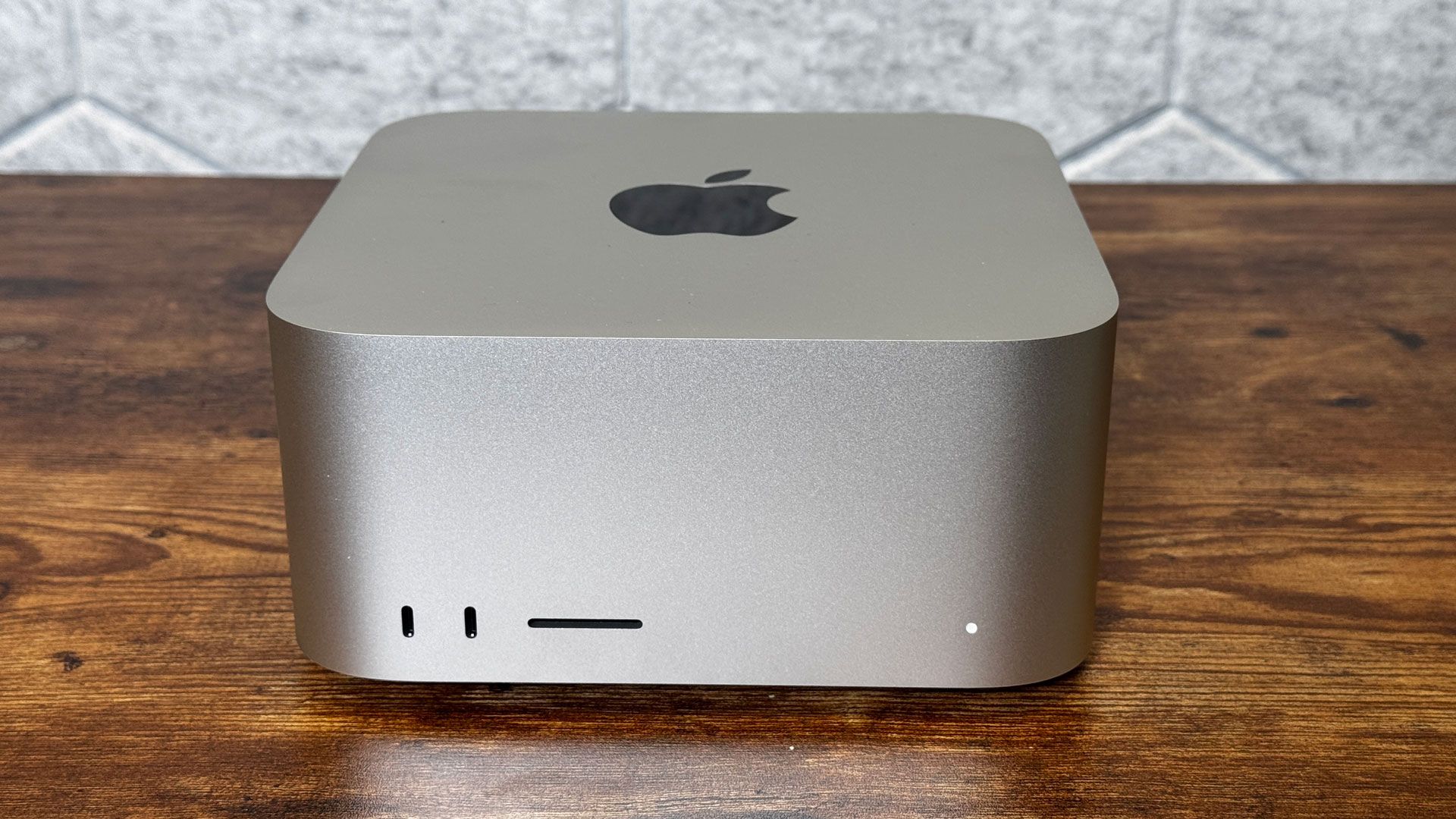
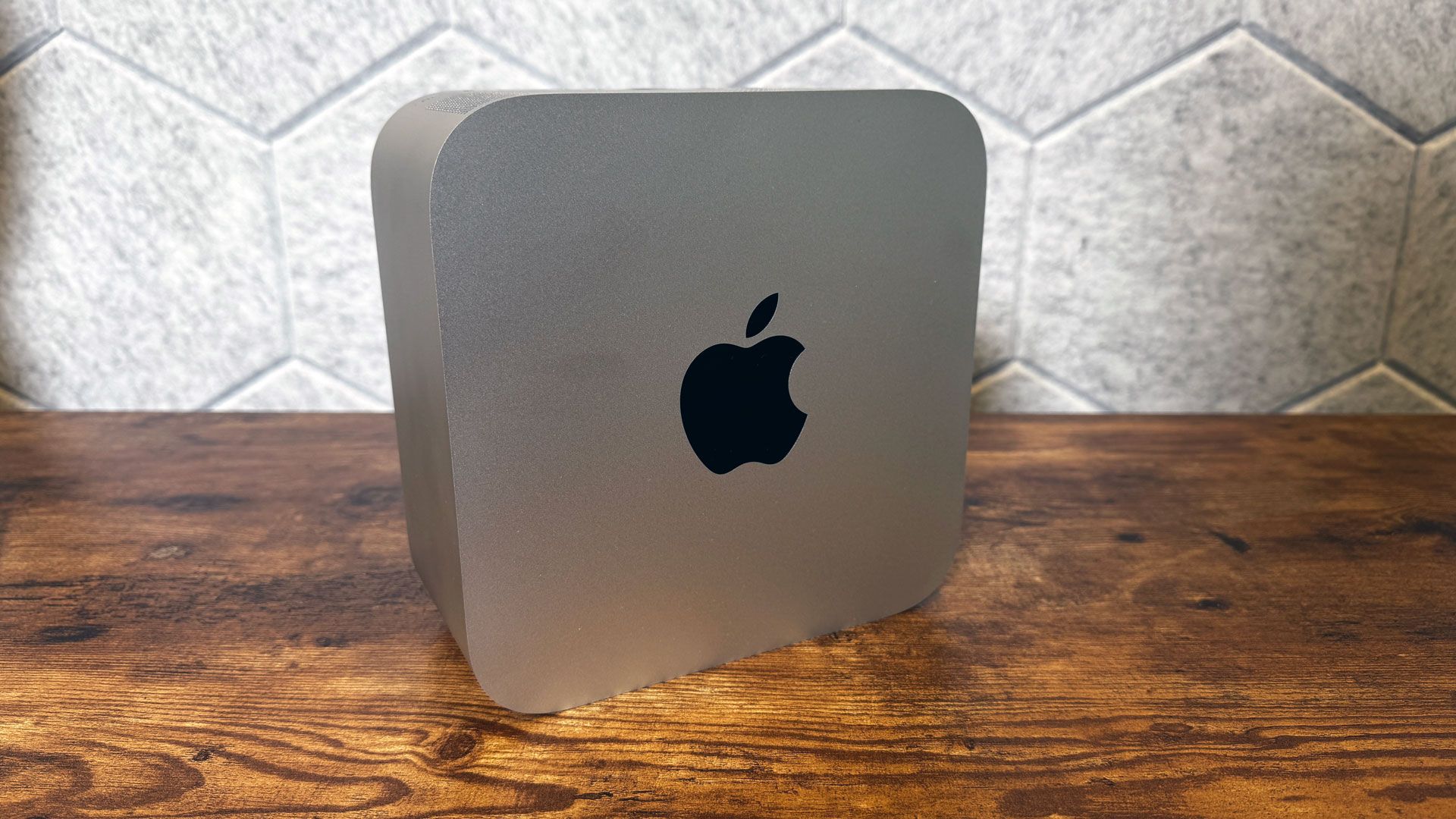
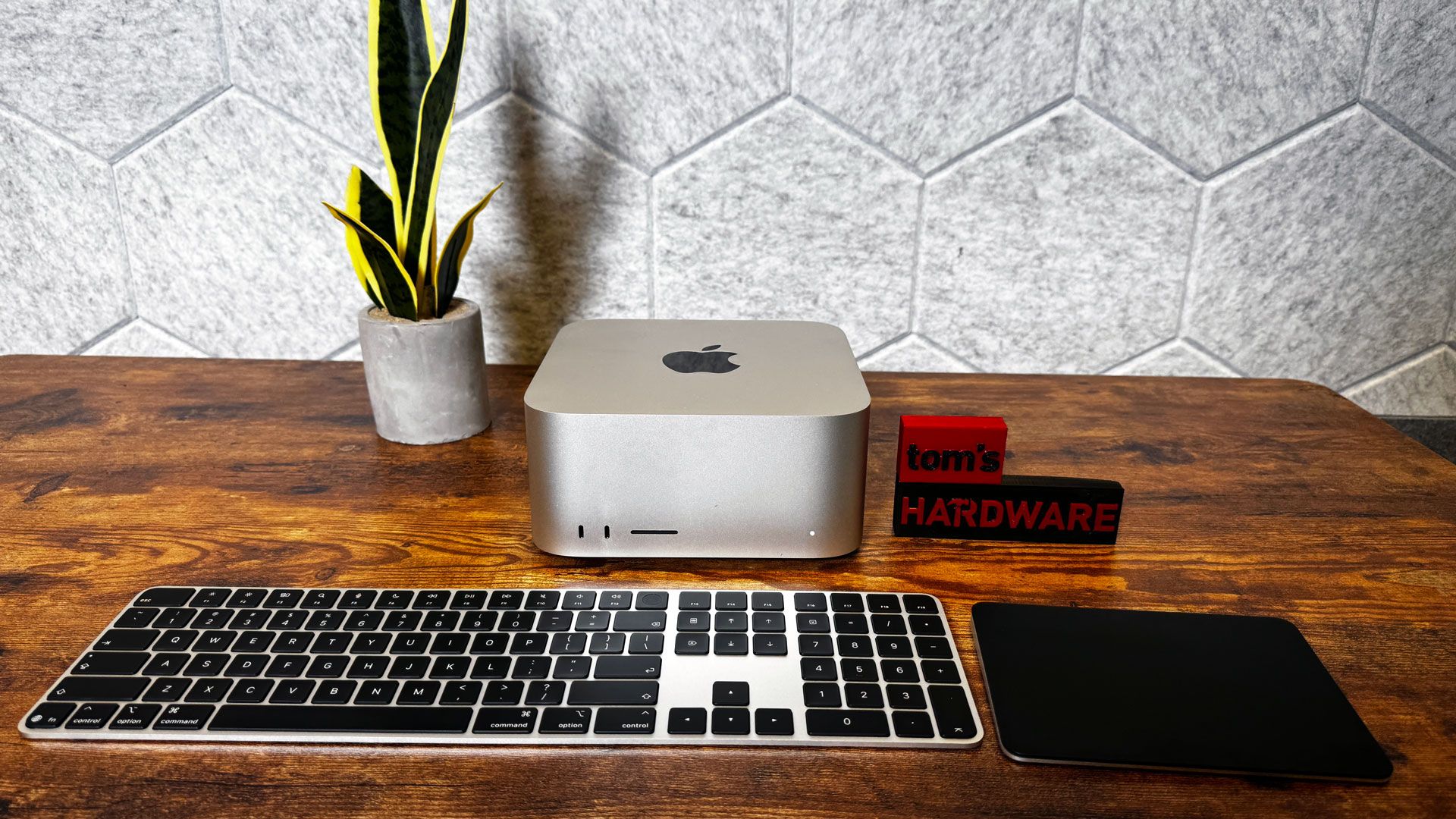
Apple hasn't made any changes to the Mac Studio's design. It's a silver, squared-off block that's 7.7 x 7.7 inches on your desk that stands 3.7 inches tall. The aluminum chassis has a shiny Apple logo on the top. The M5 Ultra version we tested weighs 8 pounds, a 2-pound increase over the M5 Max variant. This is largely because the M5 Max version uses a cooler with a thin aluminum stack and a copper heat pipe, while the M5 Ultra uses a heavier copper fin stack and a copper vapor chamber.
Apple Mac Studio (M5 Ultra)
Tom's Hardware
Apple Mac Studio (M5 Ultra)
Tom's Hardware

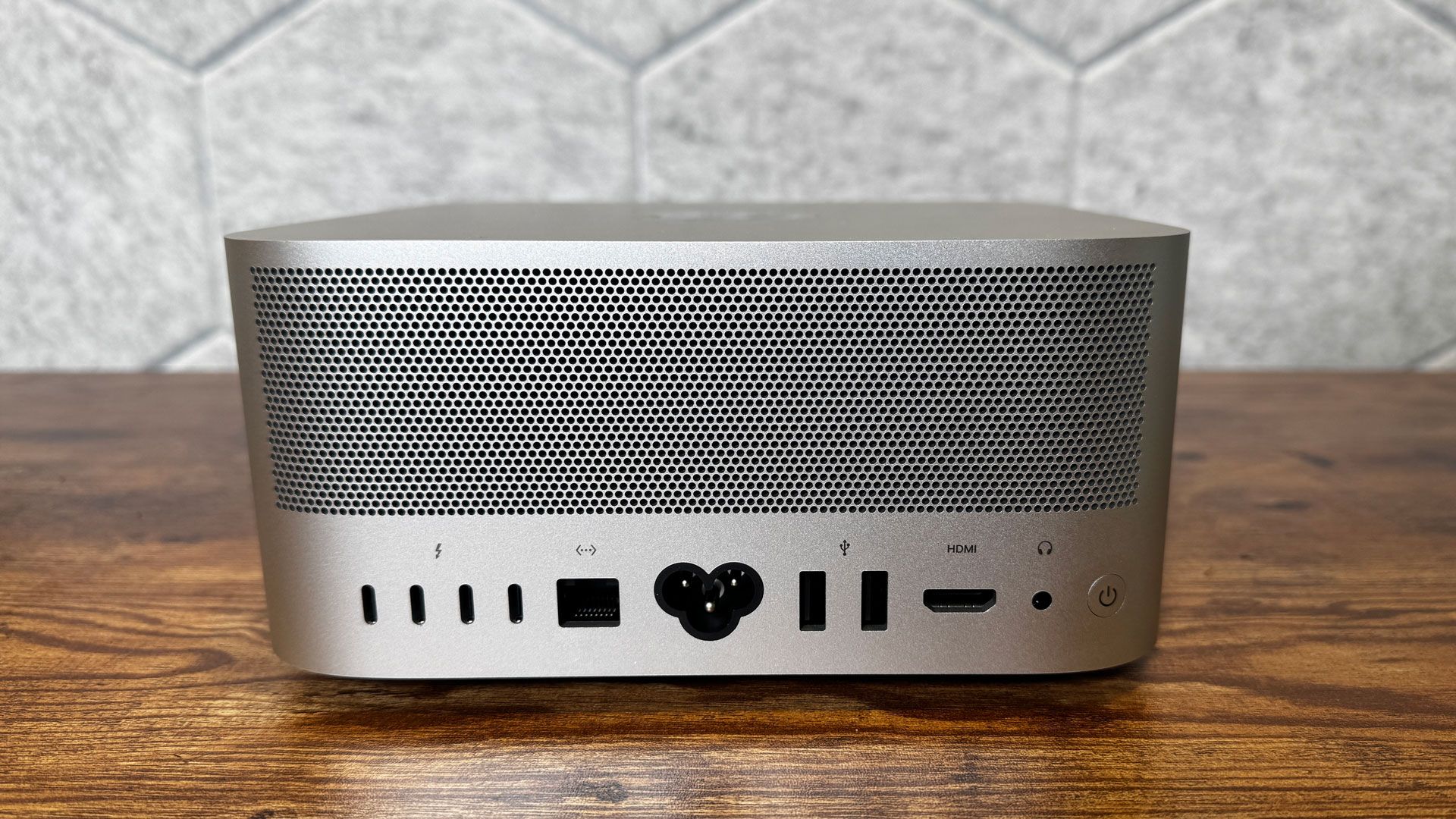
The back of the system is also home to the power button, as well as a bunch of air holes for exhausting heat.
Apple Mac Studio (M5 Ultra)

(Image credit: Tom's Hardware)

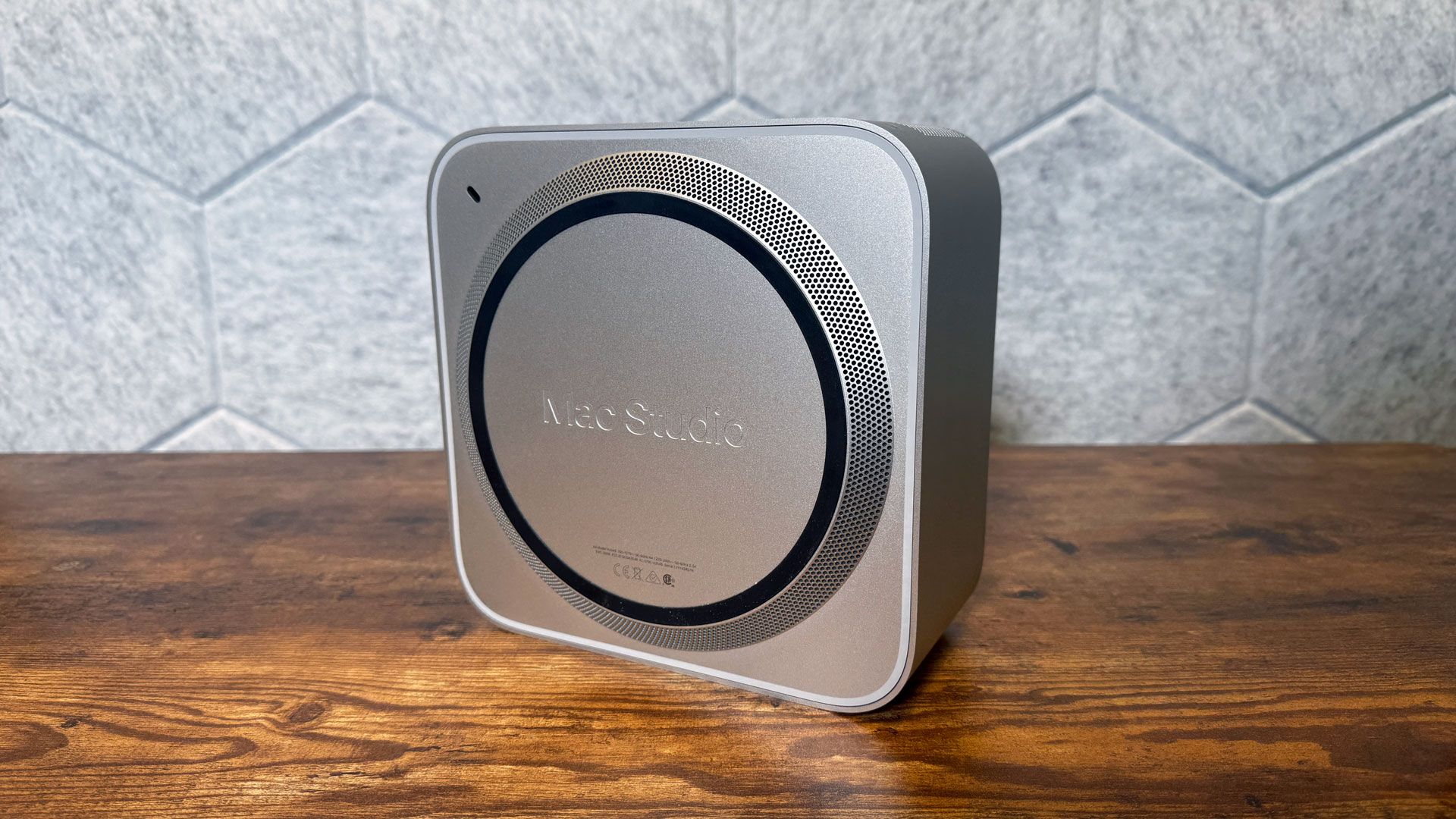
The air comes in through more holes in a small stand built into the bottom of the system. (There's also a Kensington lock slot, though its placement on the bottom necessitates a special adapter.)
Apple Mac Studio (M5 Ultra)

(Image credit: Tom's Hardware)

Mac Studio (2026) Specifications

Processor

Apple M5 Ultra (36-core CPU)

Graphics

80-core GPU (integrated)

Memory

256GB LPDDR5 unified memory

Storage

4TB SSD

Networking

Apple N1, Wi-Fi 7, Bluetooth 6, Thread

Front Ports

2x Thunderbolt 5 (USB-C), SD card reader (UHS-II)

Rear Ports

4x Thunderbolt 5 (USB-C), 2x USB-A, HDMI 2.1, 10Gb Ethernet, 3.5 mm headphone jack

Power Supply

480W maximum continuous power

Operating System

macOS 27.0 Golden Gate

Dimensions (WxDxH)

7.7 x 7.7 x 3.7 inches (9.5 x 19.7 x 19.7 mm)

Price as Configured

$12,299.00

Ports and Upgradeability on the Mac Studio (2026)

On the front, there are two Thunderbolt 5 (USB Type-C) ports along with an SDXC card slot. The rest of the ports are on the rear, including another four Thunderbolt 5 ports, two USB Type-A ports, HDMI 2.1, a 10Gb Ethernet jack, and a 3.5 mm headphone jack.

There is no upgrading the Mac Studio. The RAM is soldered to the board, so be sure to get what you need when you're first buying the system, and Apple doesn't sell replacement SSDs (Some third parties may sell reverse-engineered NAND, but it will certainly void your warranty, and Apple doesn't support it. You're best off using external storage)

M5 Ultra

If you pony up for the most expensive Mac Studio configurations, you'll get Apple's most powerful chip. This is the only machine that Apple currently puts that chip inside.

M5 Ultra is Apple's first quad-die chip, connecting a pair of dual-die M5 Max SOCs over its UltraFusion connection. Apple claims that UltraFusion increases bandwidth between the dies to over 4.4 TB/s. Memory bandwidth is up to 1.2TB/s, which lets users store and run huge LLMs entirely on device.

Each of the 80 GPU cores features a neural accelerator, and there's a 32-core neural engine. There's now a media engine with hardware-enabled H.264, HEVC, hardware-accelerated AV1 decode, and four ProRes encode and decode engines.

Cinebench estimates that the M5 Ultra runs single-core at 4.6 GHz and multi-core at 4.3 GHz.

Productivity Performance on the Mac Studio

The Mac Studio is an absolute workhorse. The system stayed largely quiet (though the fan can make itself known) as it powered through our benchmarks. Anything you might want to do on a Mac, you can do on this one.

In fact, while we ran our basic desktop suite on this, we also ran some extra tests, as we don't test many workstations. Instead of pitting this system against other desktops, we pitted it against other workstations to get a better idea of how the M5 Ultra performs. While that's a bit antithetical to the way Apple designs its products (it doesn't sell chips separately; it designs them as part of its computers), it does give us a reference point to the chips powering the Windows and Linux workstations.
Apple Mac Studio (M5 Ultra)

(Image credit: Tom's Hardware)

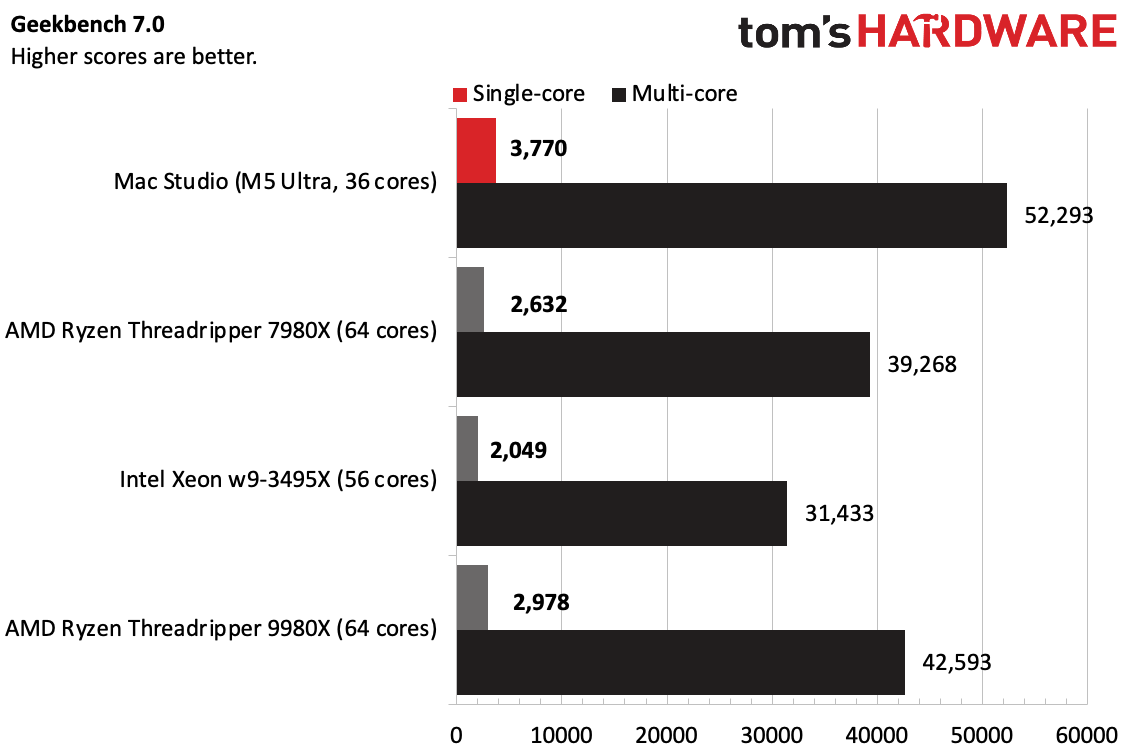
On Geekbench 7, the Mac Studio was the clear winner, with the ARM-based chip leading the pack in the bursty workload with a single-core score of 3,770 and a multi-core score of 52,293, despite having fewer cores than the competitors.
Apple Mac Studio (M5 Ultra)

(Image credit: Tom's Hardware)

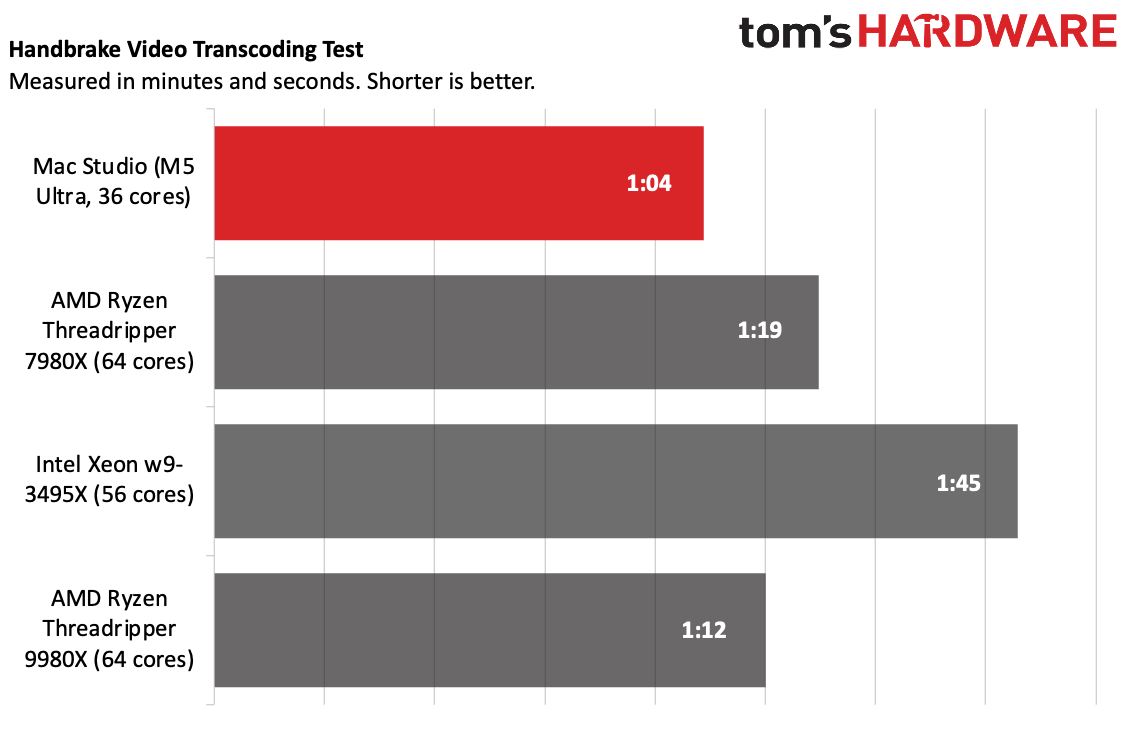
The Mac continued its lead on Handbrake, transcoding a 4K video to 1080p in 1 minute and 4 seconds. The next closest, the AMD Ryzen Threadripper 9980X, took 8 seconds longer.
Apple Mac Studio (M5 Ultra)

(Image credit: Tom's Hardware)

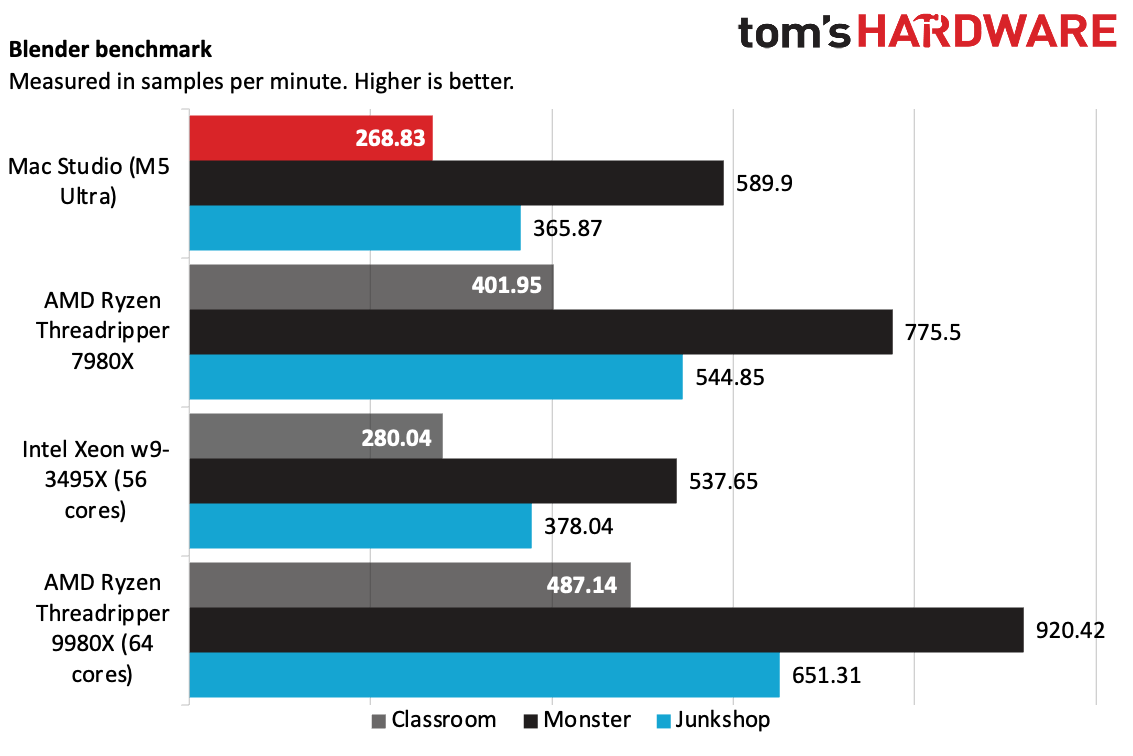
On Blender's benchmark testing CPU-based rendering, the Studio with M5 Ultra fell behind the previous- and current-gen Threadrippers (7980X and 9980X, each with 64-cores), as well as the 56-core Intel Xeon w-3495X.
Apple Mac Studio (M5 Ultra)

(Image credit: Tom's Hardware)

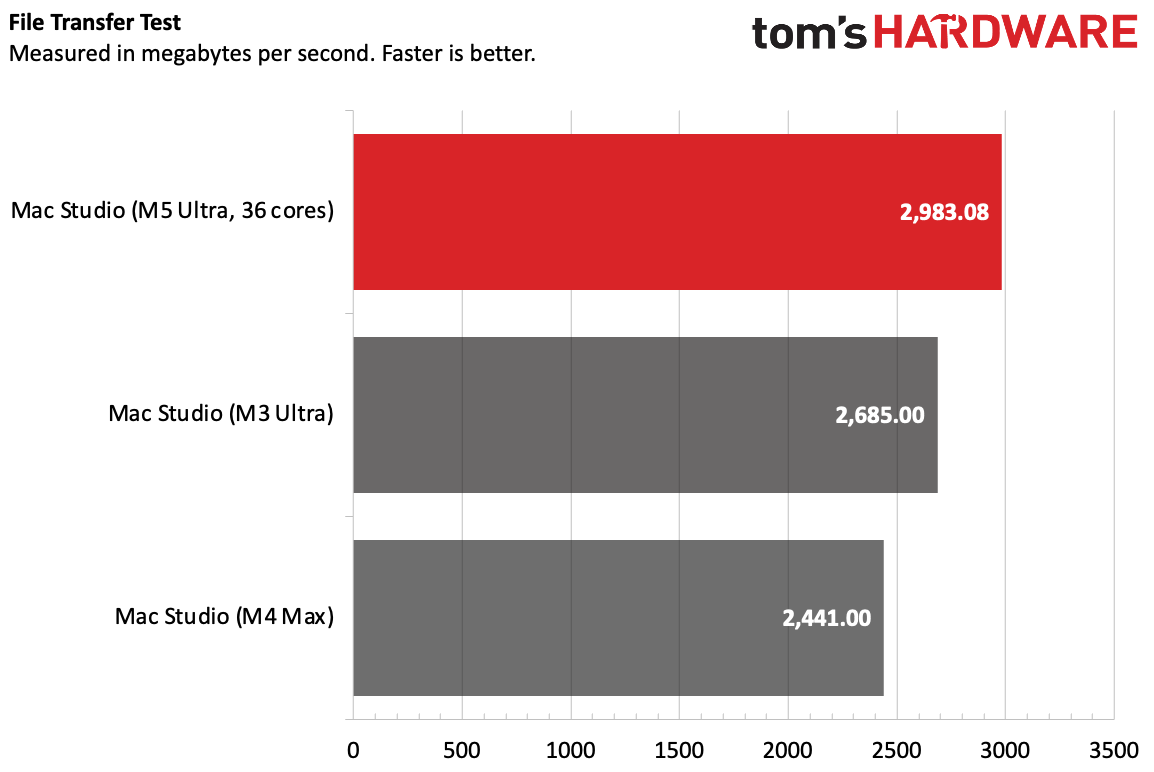
The Mac Studio with M5 Ultra copied 25GB of files at a rate of 2,983.08 MBps, surpassing the speeds of the M3 Ultra and M4 Max from the last generation.
Apple Mac Studio (M5 Ultra)

(Image credit: Tom's Hardware)

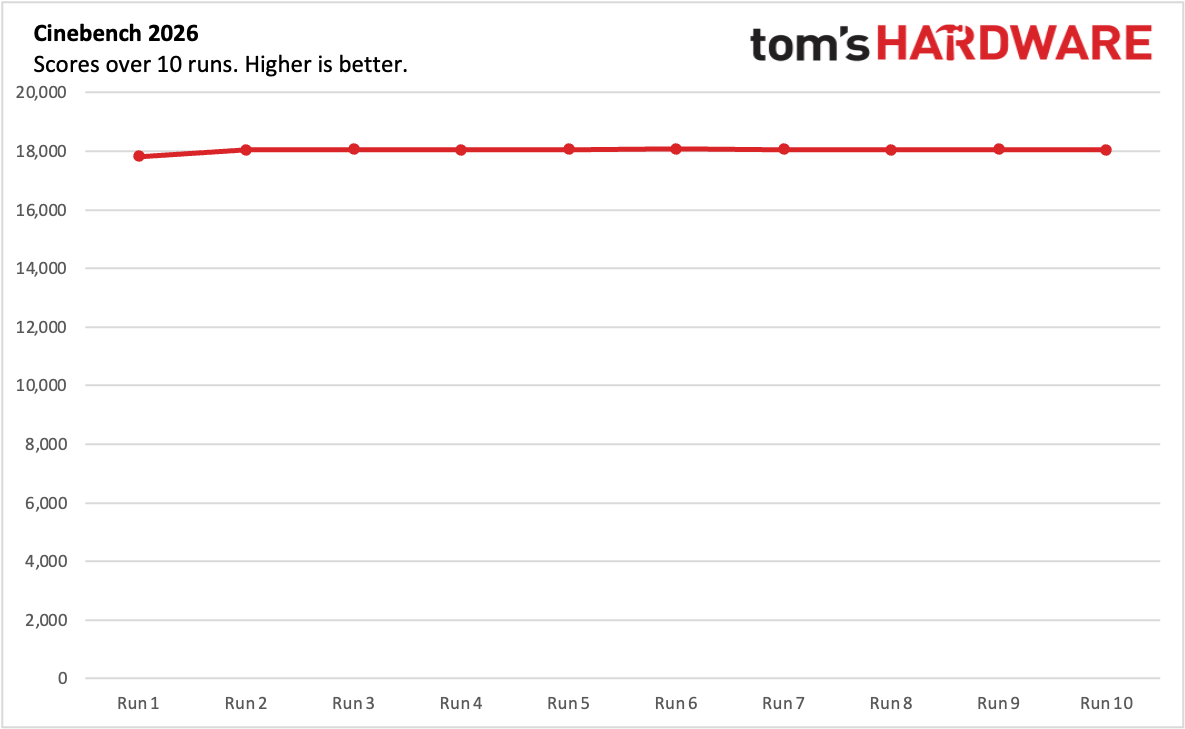
The Mac Studio was consistent over our 10-run Cinebench 2026 stress test. Its lowest score, 17,825, was actually the first run. When the cooling kicked in, the rest of the results were slightly higher. The sixth run was the highest at 18,069, but it was so similar to the other runs that it's within the margin of error.

During the test, the CPU measured an average of 78.29 degrees Celsius.

Local AI on the Mac Studio (2026)

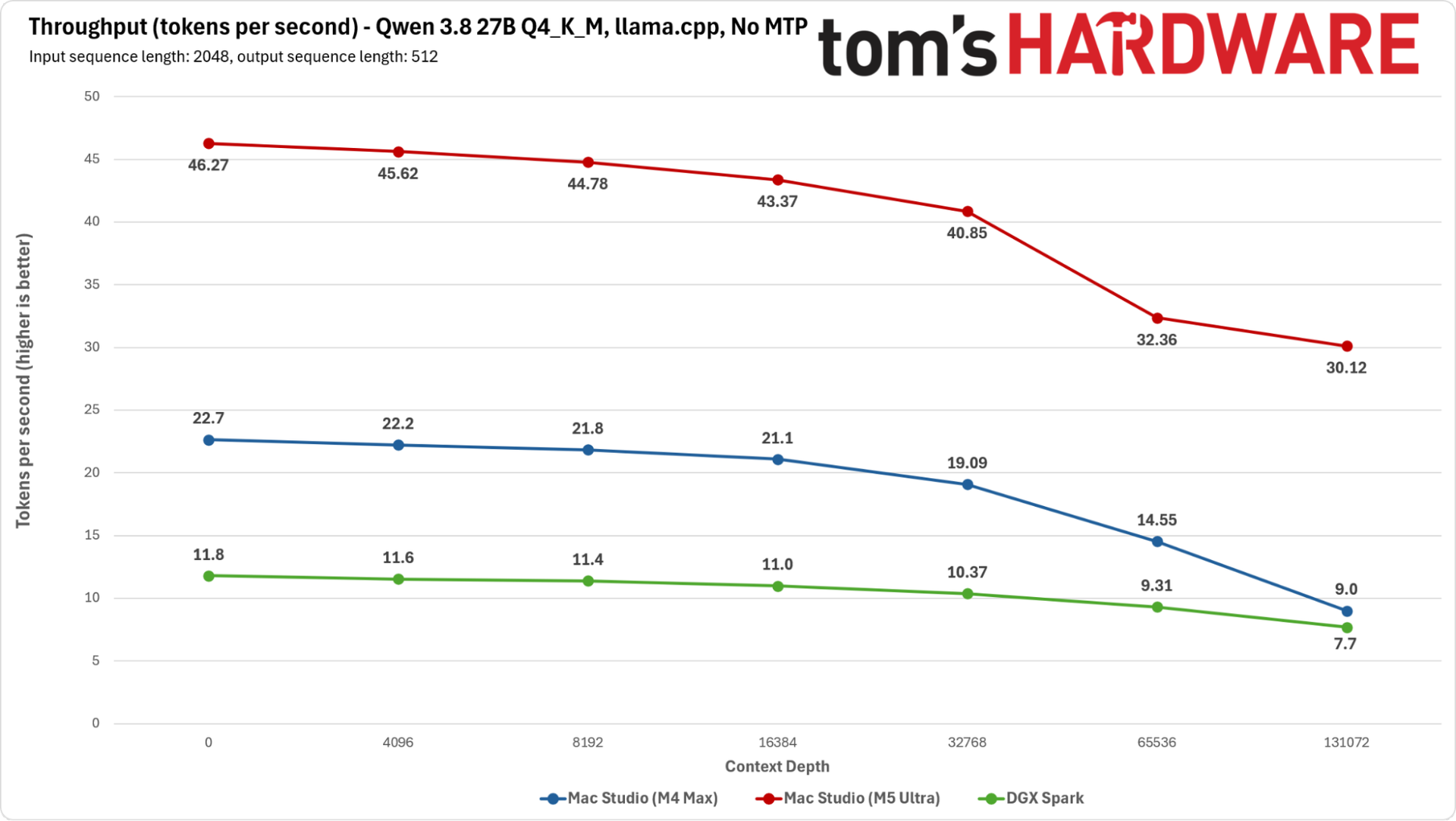
The M5 Ultra's GPU cores feature neural accelerators, granting it some extra matrix math horsepower, and Apple has boosted the chip's memory bandwidth to 1.2 TB/s, double that of the M4 Max we previously tested for AI.

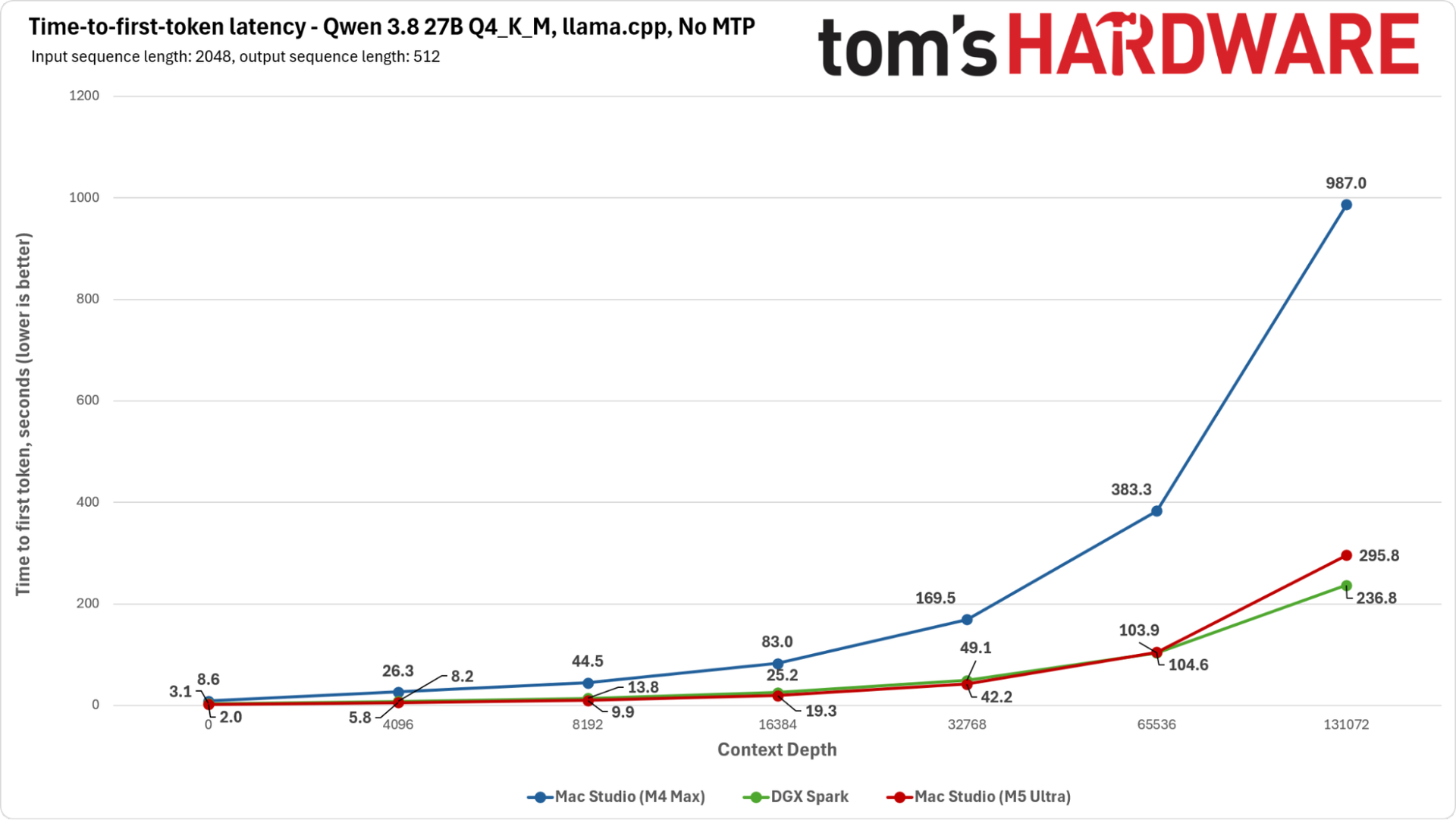
The M5 Ultra's prompt processing speeds are even faster than Nvidia's DGX Spark's, and its tokens-per-second throughput is double that of the M4 Max and almost four times higher than the DGX Spark across the board.
Apple Mac Studio (M5 Ultra)

(Image credit: Tom's Hardware)

Our tests, here using Qwen 3.8-27B-Q4_K_M, a dense model that relies heavily on memory bandwidth, are largely aimed at GPU performance in isolation. But combined with the blazing-fast single- and multi-threaded performance of the 36-core CPU, the Mac Studio with M5 Ultra looks to be ready for anything one might want to do with local or agentic AI workloads — and that's before someone tries to put it into an MLX cluster.
Apple Mac Studio (M5 Ultra)

(Image credit: Tom's Hardware)

In addition to its raw performance, our M5 Ultra sample's 256GB of memory means you can fit very large, intelligent single models or a range of different models onto a single node. I spent time running models far larger than our tests with Hermes and LM Studio with strong performance. If you are interested in local AI, this will definitely do the job.

Gaming and Graphics on the Mac Studio (2026)

While the M5 Ultra and its 80-core GPU are more than capable of gaming, the Mac Studio isn't a gaming-first rig. For the price, systems with Nvidia's high-end graphics cards are far more competitive.

To stress the Mac Studio, I booted up InZoi, a life simulator that isn't graphically imposing but is hard on the CPU and memory. I set both the simulation performance and graphics to ultra settings, and set the game to 1080p, but allowed for upscaling with MetalFX's Performance mode, which upscaled from 960 x 540. The game ran between 45 and 65 frames per second, dropping to the lower end in outdoor environments with lots of other characters.

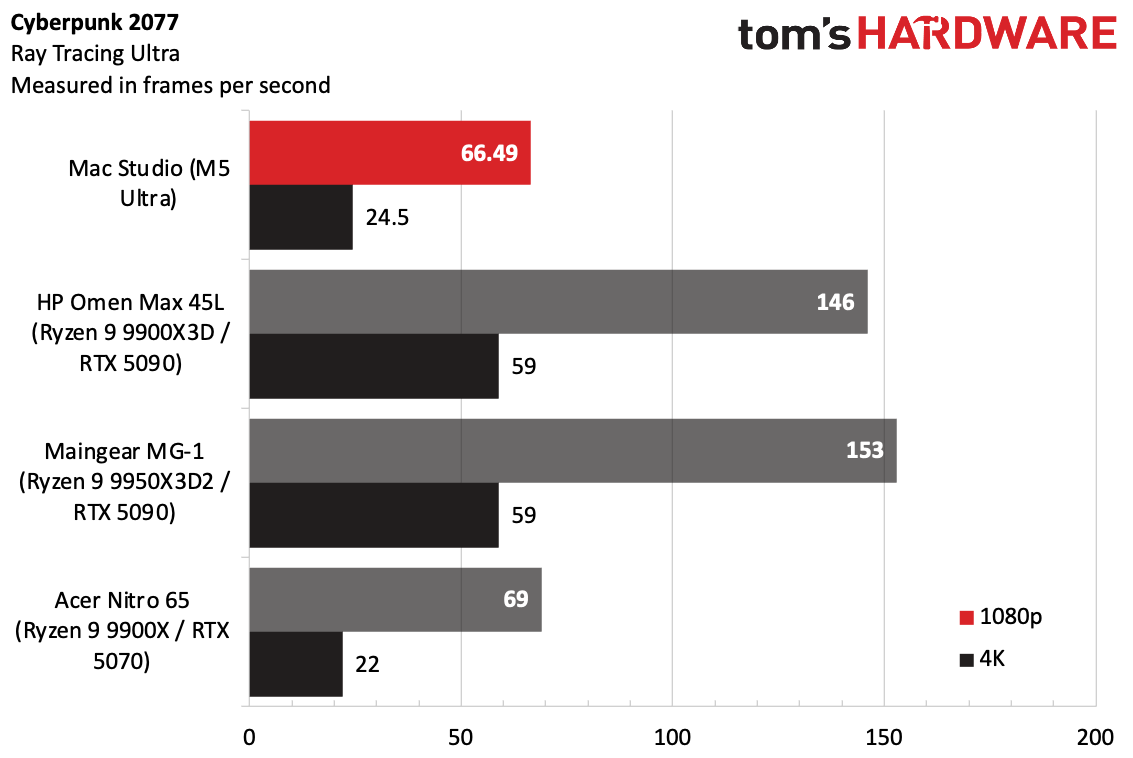
To compare more graphically demanding games, I picked out a few gaming PCs we've tested in the last year and pitted them against each other with the data from the Cyberpunk 2077 benchmark with the Ray Tracing Ultra preset, which we use for those kinds of rigs.
Apple Mac Studio (M5 Ultra)

(Image credit: Tom's Hardware)

At 1080p, the Mac Studio ran the game at 66 FPS, falling behind systems like the HP Omen Max 45L and Maingear MG-1 with Nvidia's top-end GeForce RTX 5090. It was much more in line with the Acer Nitro 65, with an RTX 5070. At 4K, the Mac Studio didn't reach playable levels, though the RTX 5090 systems both reached 59 FPS.

Using Cyberpunk's "For This Mac" preset set the resolution to 1440p, turned off ray tracing, and mostly stuck to high settings and effects options.
Apple Mac Studio (M5 Ultra)

(Image credit: Tom's Hardware)

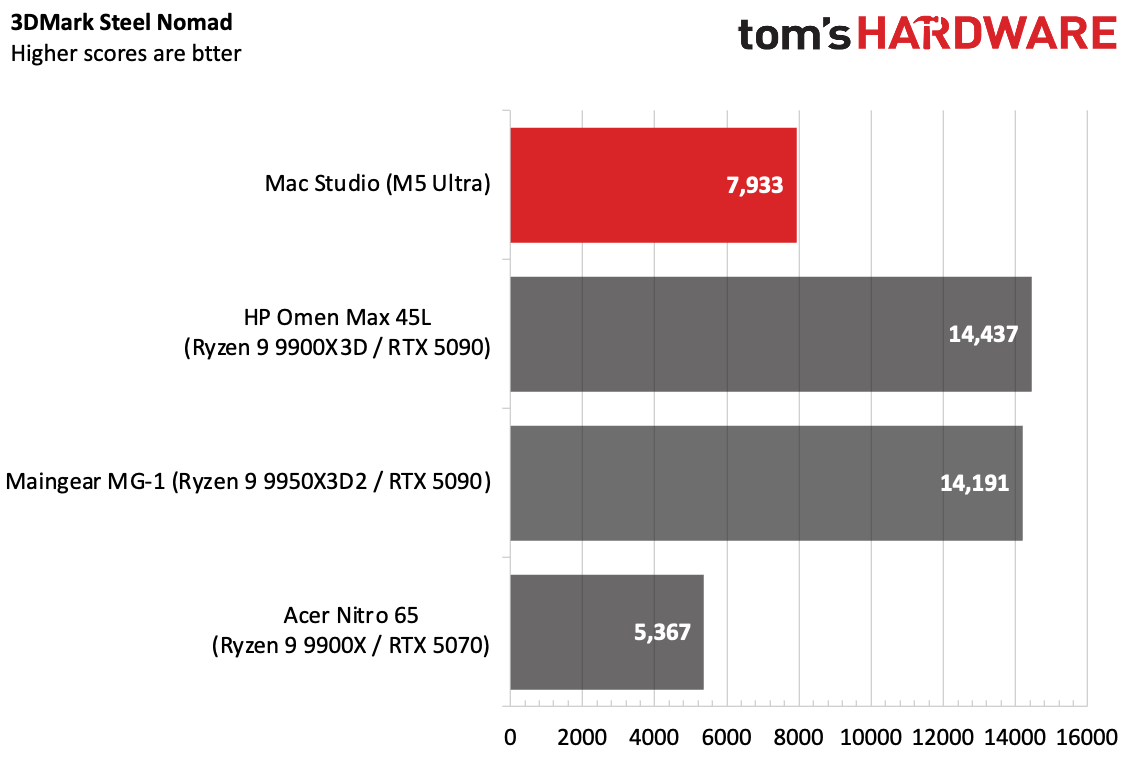
On 3DMark's Steel Nomad graphics test, the Mac Studio still fell far behind the RTX 5090 system, but outperformed the RTX 5070-based Acer desktop.

Software and Warranty on the Mac Studio (2026)

The Mac Studio comes with macOS 27 Golden Gate. This is a great update over macOS 26 Tahoe, refining the Liquid Glass aesthetic and making it more customizable (I actually kind of like it in this iteration), and yes, thank heavens, consistent window shapes. It also adds the new Siri AI (be sure to get on the waitlist). The new Siri is far superior to the one you're used to.

Golden Gate also adds AI throughout apps, including more photo features, including a better Clean up option and spatial reframing, which lets you move a camera after you take a picture (the latter is kind of surreal). Better indexing makes it easier to search messages, emails, and calendar entries, and now you can use natural language to create automations in the Shortcuts app or come up with your own Safari extensions.

There's no bloatware, as usual. Apple's software suite includes Safari, Messages, Photos, Maps, Notes, and Reminders. Its services, including News and Apple TV, also have applications. Pages, Keynote, and Numbers are still in the dock by default, but they're the Creator Studio subscription versions, which require a subscription to get full features, including AI functionality, royalty-free graphics, and additional templates.

People using the Mac Studio as a server running AI models may not need all of those programs. For the first time in a while, I found myself wishing for something akin to macOS Server, but for better remote monitoring. I would also like to see an option for a system of this class to come with pared-down built-in apps, perhaps limiting it to the browser, App Store, Terminal, Activity Monitor, and other essentials and letting system admins decide what else needs or deserves to be there. A video editor might want to use Messages on the side. But you don't need that for a cluster running a huge model.

Apple sells the Mac Studio with a one-year warranty. Further repairs and support can be added as part of AppleCare+ ($6.49 monthly or $64.99 annually), or as part of AppleCare One or AppleCare Family.

Mac Studio (2026) Configurations

Our Mac Studio review configuration is clearly an enterprise machine. With the top-end M5 Ultra (36-core CPU, 80-core GPU), along with 256GB of RAM (currently the top-end option, with a 512GB configuration coming in late October), and a roomy 4TB SSD, it costs $12,299.00, but that's not stopping anyone: As of this writing, it's backordered between 16 and 18 weeks.

But there are a lot of steps below that. The base model is $2,499 with the M5 Max (18-core CPU, 32-core GPU), 36GB of memory, and 512GB of storage. There are two versions of each: the M5 Max and M5 Ultra. Going from a 32-core GPU to a 40-core GPU on the M5 Max costs $300.

The cheapest M5 Ultra system is $5,499 with a 30-core CPU and 64-core GPU, along with 96GB of memory and 1TB of SSD storage. Bumping up to the M5 Ultra we tested increases the price by $1,300. Moving from 96GB of RAM to 256GB adds $4,000. Bumping up from a 1TB SSD to 2TB is $500, while our 4TB SSD is a $1,500 increase.

The M5 Max configurations have slight port differences on the front of the desktop. The USB-C ports on those are 10Gb/s ports, while on the M5 Ultra, you get Thunderbolt 5 for up to 120Gb/s.

Bottom Line

At $12,299, the Mac Studio with M5 Ultra is effectively an enterprise computer, capable of difficult workloads like rendering and running AI models that are as close to frontier-grade as you're going to get right now on edge computing.
Apple Mac Studio (M5 Ultra)

(Image credit: Tom's Hardware)

Much of that price also comes from RAM and storage. Given the fact that you can't really upgrade this computer, businesses and people using this for their job may see the extra cost as an investment. Really, its biggest weakness is in gaming, for professionals who may want to do that on the side. Discrete GPUs still win there.

Given the fact that an AMD Ryzen Threadripper 9980X, a 64-core monster that beats this CPU in Blender, is priced around $5,000 on its own before memory, storage, power supplies, or any other components, it may not actually be that crazy in this market, and the Mac Studio can be had in a much smaller case. (For wealthy homelabbers, businesses, and server farms, third-party accessory makers already make rack mounts to fit the Mac Studio; its shape hasn't changed since its last redesign).

For local AI, the M5 Ultra is seriously impressive, though that may still be a niche use case for some. But in a computer that can reach over $12,000, niche is the name of the game.

This all makes the M5 Ultra version of the Mac Studio an impressive package and further proof of the power and performance Apple can draw out of its own silicon in concert with its own software.
Hands-on with Googlebooks — Five models, the new Googlebook OS, and a Mac-style experience for Android users at premium prices

2026年9月21日 21:00

After a brief tease back in May, Google is detailing its lineup of Googlebooks, its new line of laptops designed to serve as premium systems that work best with Android phones and deliver unique abilities through Gemini.

At an event ahead of the launch, Sameer Samat, Google's president of the Android ecosystem, said that the device's new OS would pull from the best aspects of ChromeOS and Android to design a modern

Googlebooks

(Image credit: Google)

The systems are available for pre-order today and will land in stores on October 4 in the U.S. and October 5 in Canada, the U.K., Ireland, France, Germany, and Australia.

Googlebook hardware

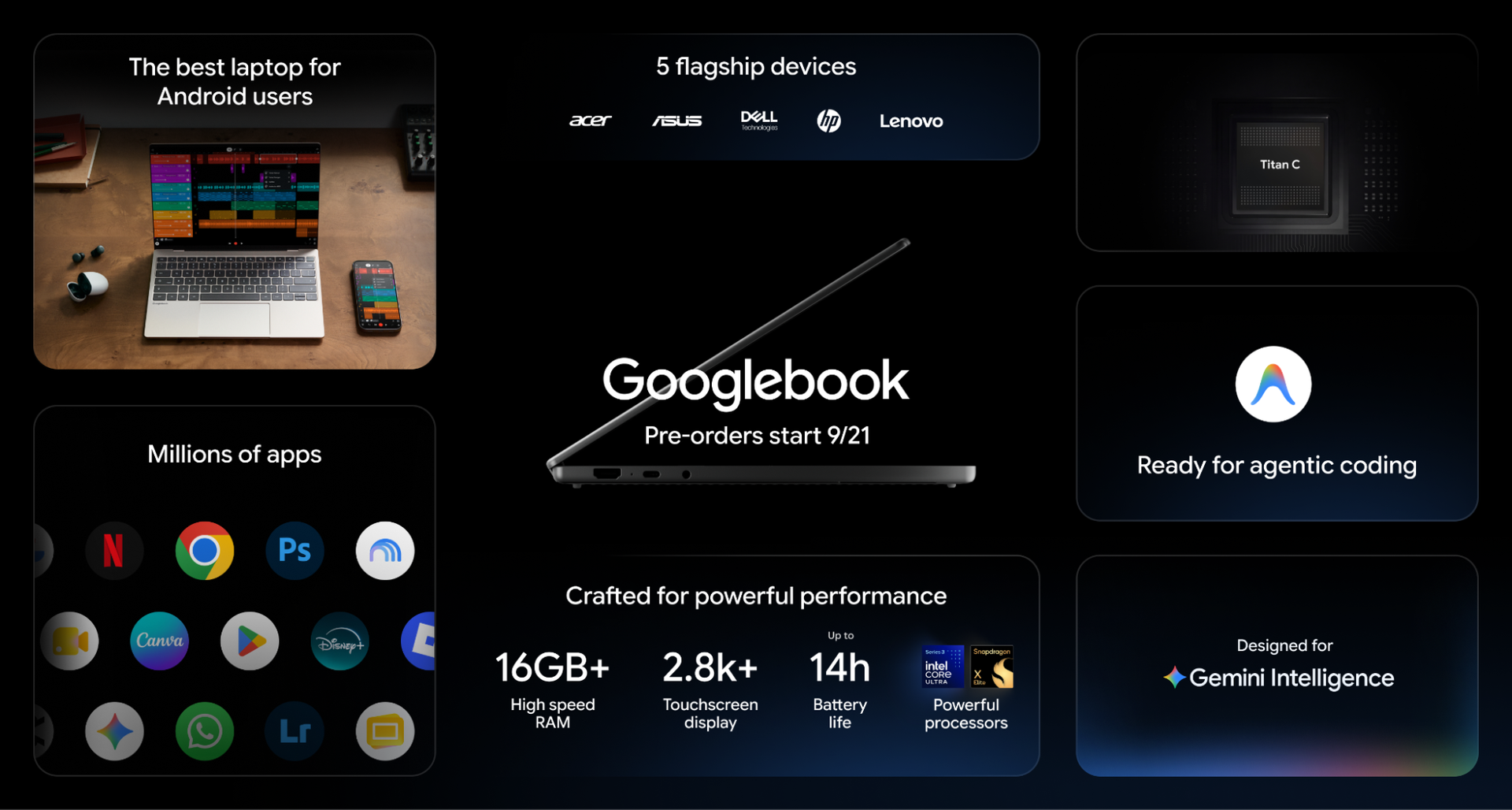
The first five Googlebooks come from five partners: Dell, Lenovo, HP, Asus, and Acer, and offer silicon from either Intel or Qualcomm. MediaTek is also listed as a partner, but its chips aren't in the first wave of devices.

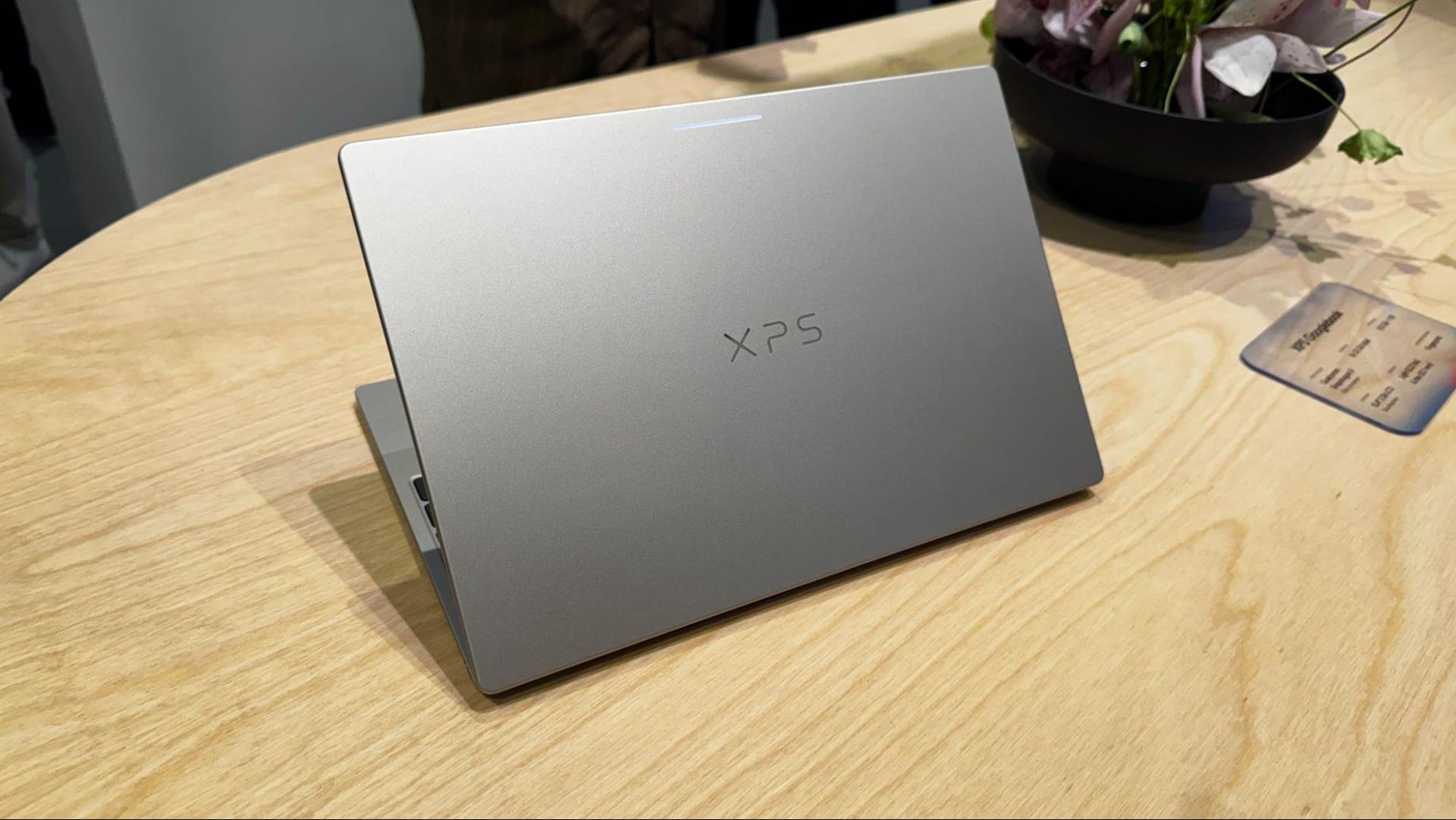
These devices are clearly designed to go after the MacBook Air and premium Windows laptops, using materials like aluminum, magnesium, and carbon fiber rather than plastic. The screens are all high-resolution, with several 2880 x 1800 OLED screens. Most of the lineup has haptic touchpads.

Google has set a floor of 16GB for RAM, with several of the options offering up to 32GB. 256GB is the minimum for storage, though many go up to 512GB, and Dell and HP go up to 1TB.

HP Googlebook 14

Dell XPS Googlebook

Lenovo Googlebook 15

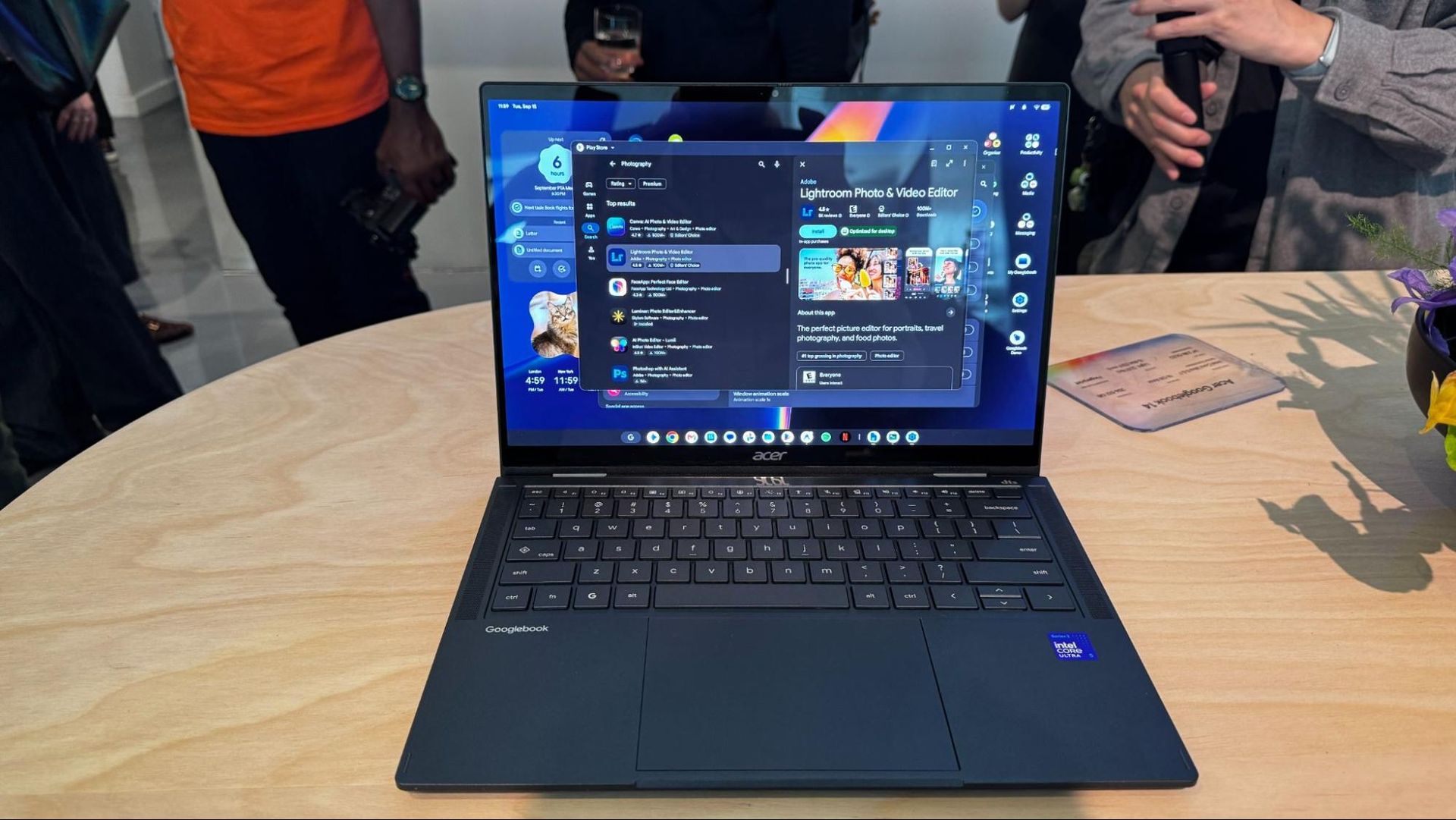
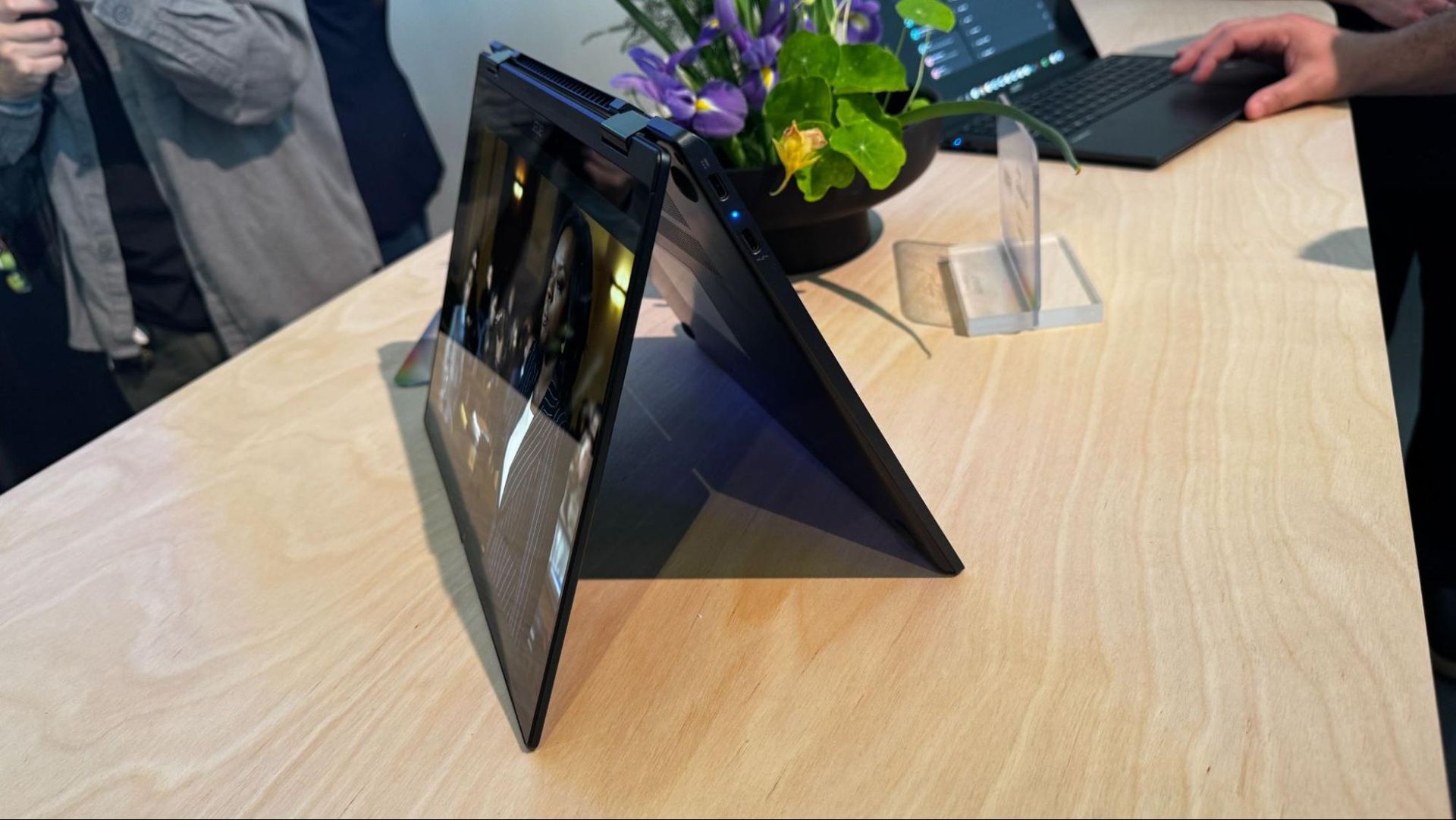
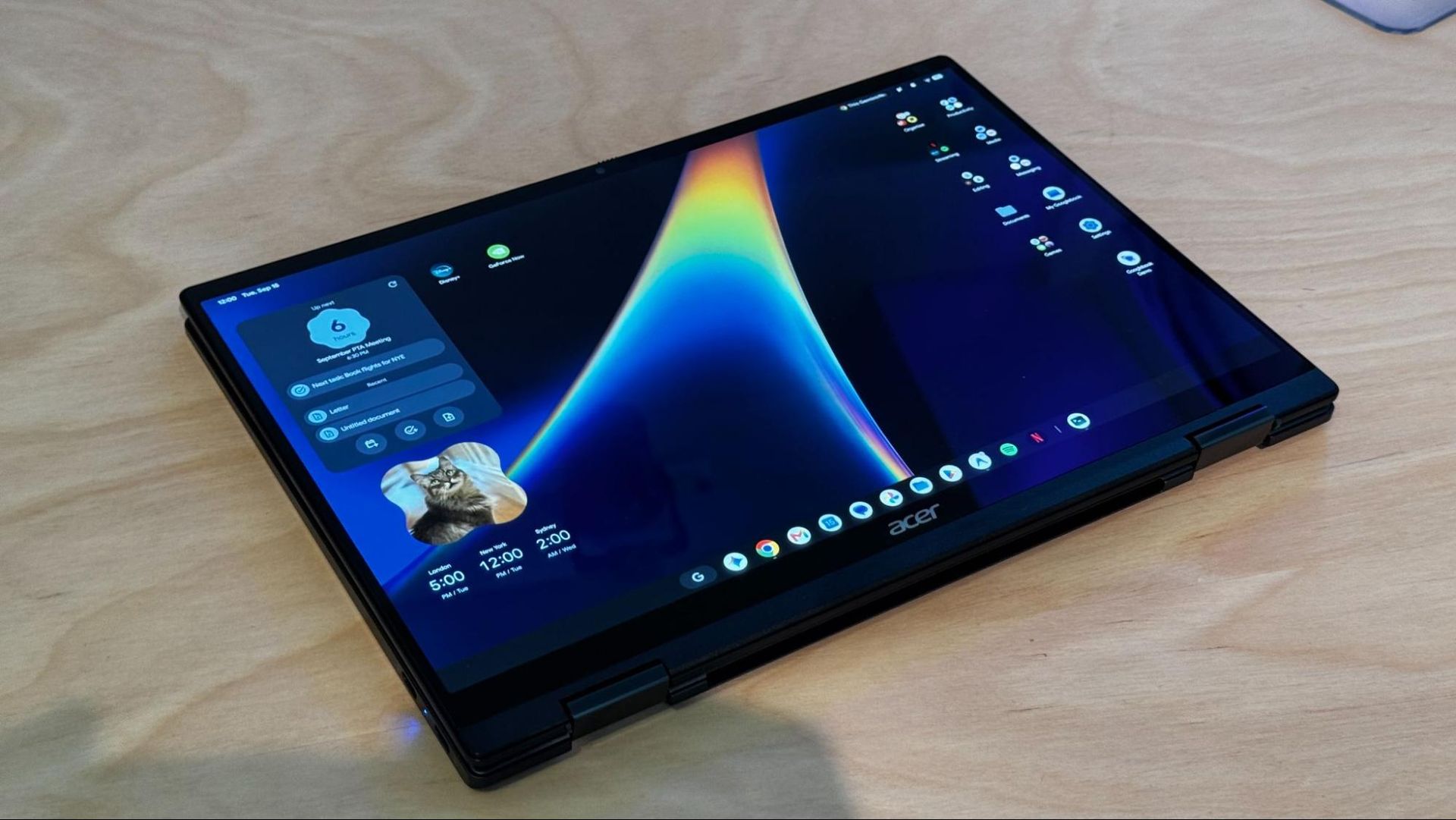
Acer Googlebook 14

Asus Googlebook 14

CPU

Qualcomm Snapdragon X Elite X1E-80-100

Qualcomm Snapdragon X Elite

Intel Core Ultra 5 and 7 (Panther Lake)

Intel Core Ultra 5 processor 325 or Intel Core Ultra 7 processor 355


Intel Core Ultra 5 processor 325 or Intel Core Ultra 7 processor 355

RAM

16GB - 32GB

16GB - 32GB

16GB

16GB

16GB - 32GB

Storage

256GB - 1TB

512GB - 1TB

256GB - 512GB

256GB - 512GB

256GB - 512GB

Display

14-inch, 2880 x 1800, OLED, touch, 500 nits

13-inch, 2560 x 1600, touch, 500 nits

15.3-inch, 2880 x 1800, OLED, touch

14-inch, 2880 x 1800, touch, 500 nits

14-inch, 2880 x 1800, OLED, touch, 500 nits

Biometric Login

Fingerprint sensor,

Fingerprint sensor, IR camera

Fingerprint sensor, IR camera

Fingerprint sensor

Fingerprint sensor

Weight

2.7 pounds / 1.22 kg

2.5 pounds / 1.13 kg

2.68 pounds / 1.22 kg

2.7 pounds, 1.22 kg

2.2 pounds / 1 kg

Starting price

$1,299

$1,199

$1,299

$899

$1,299

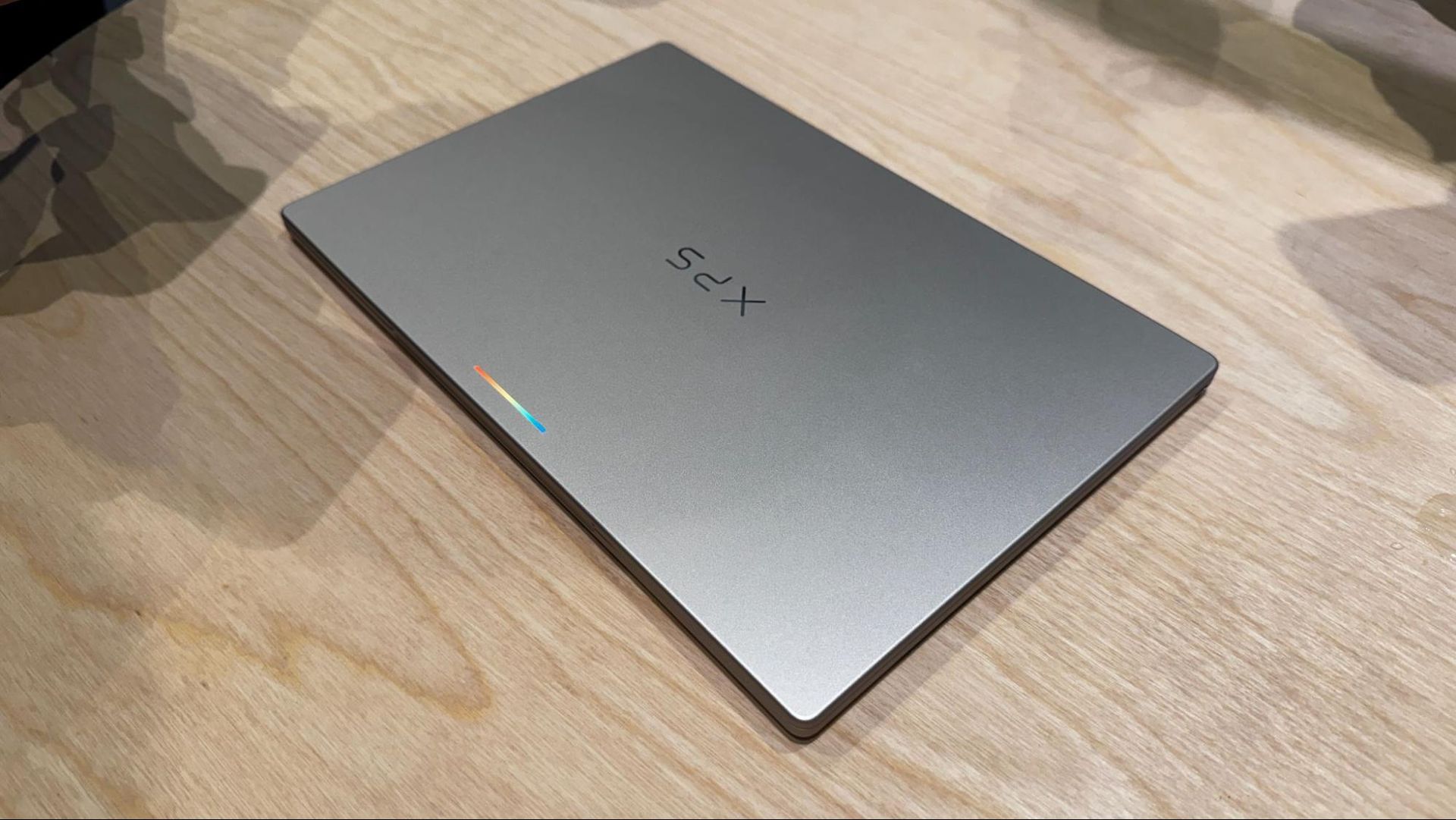
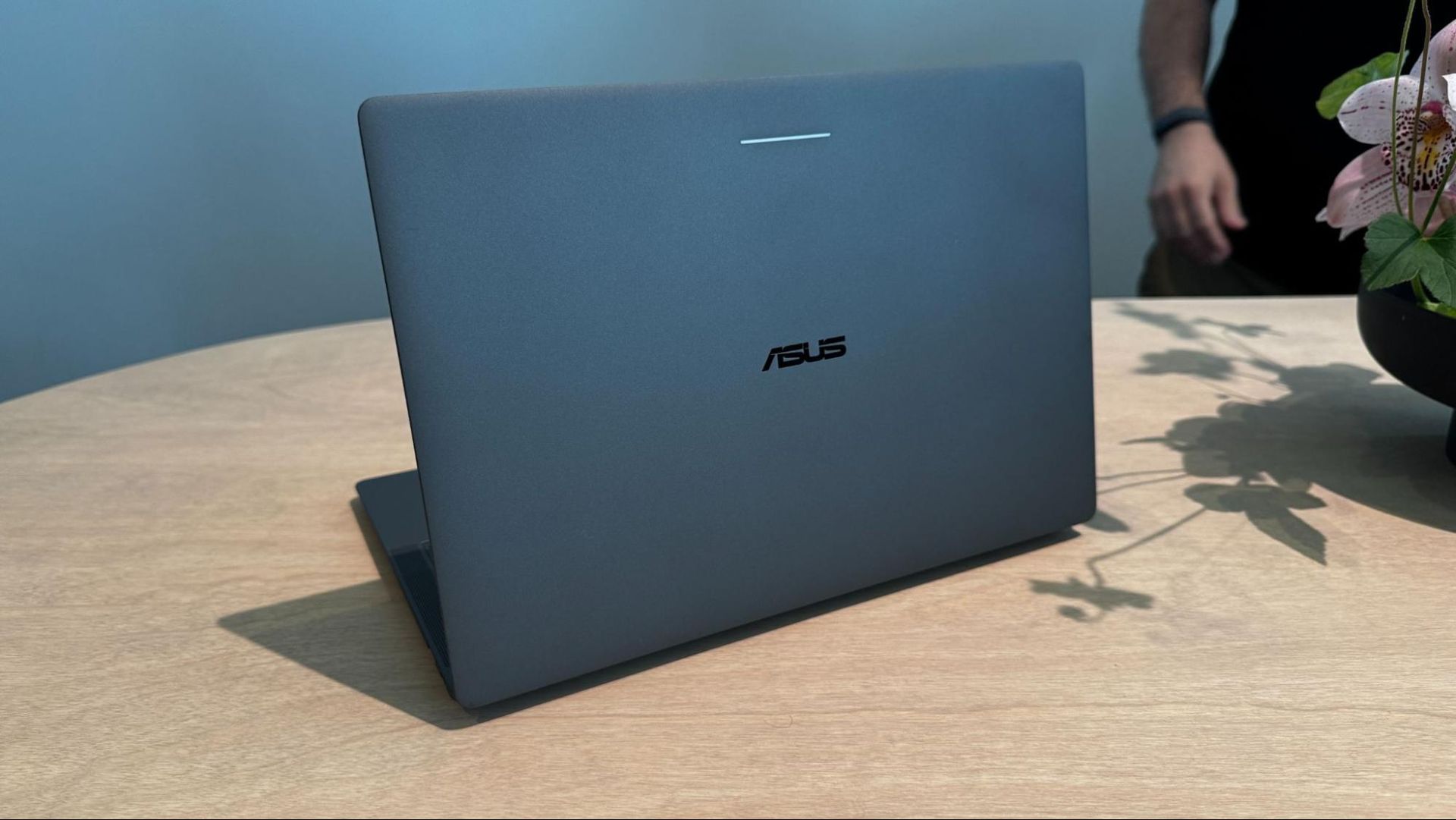
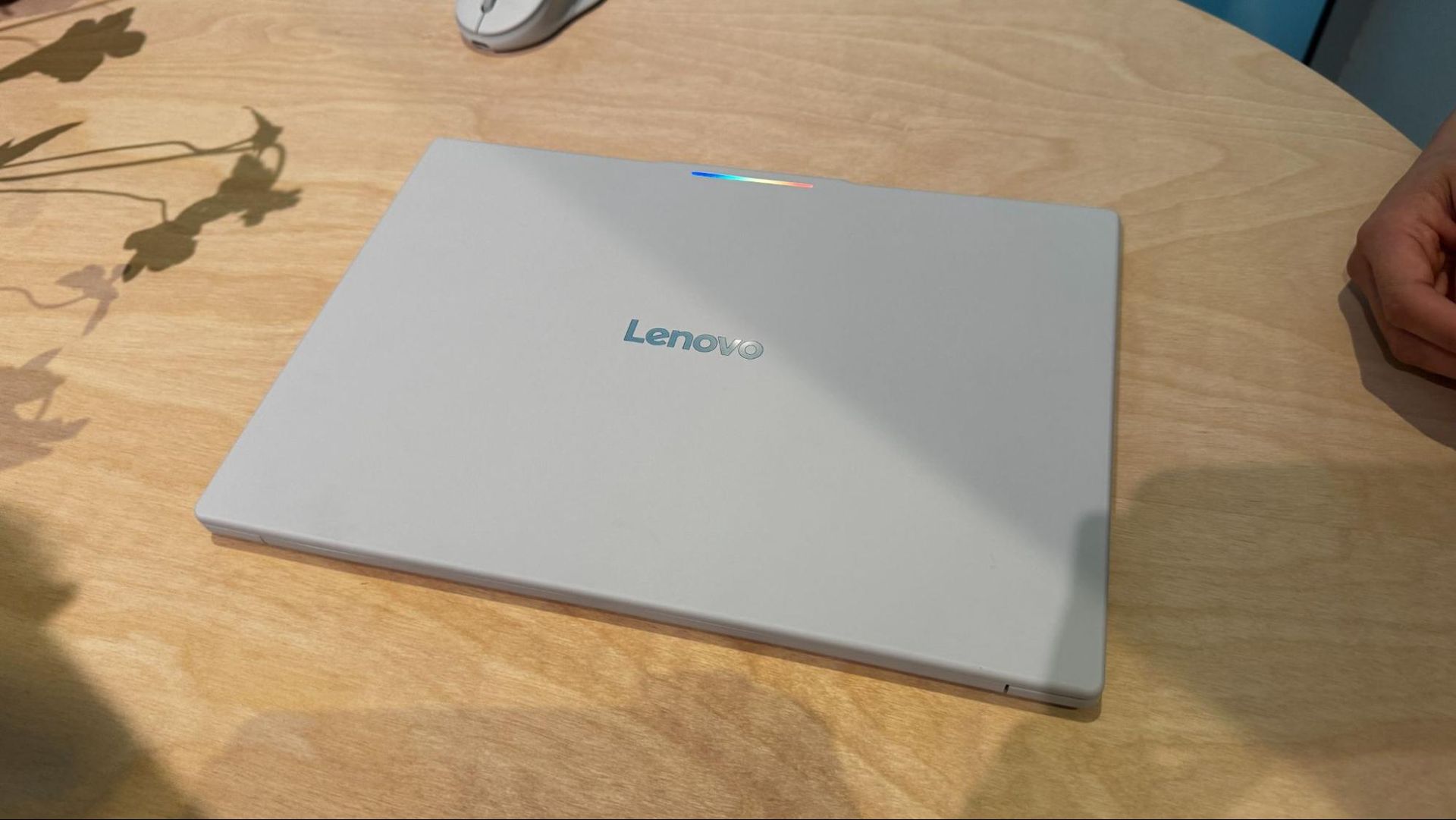
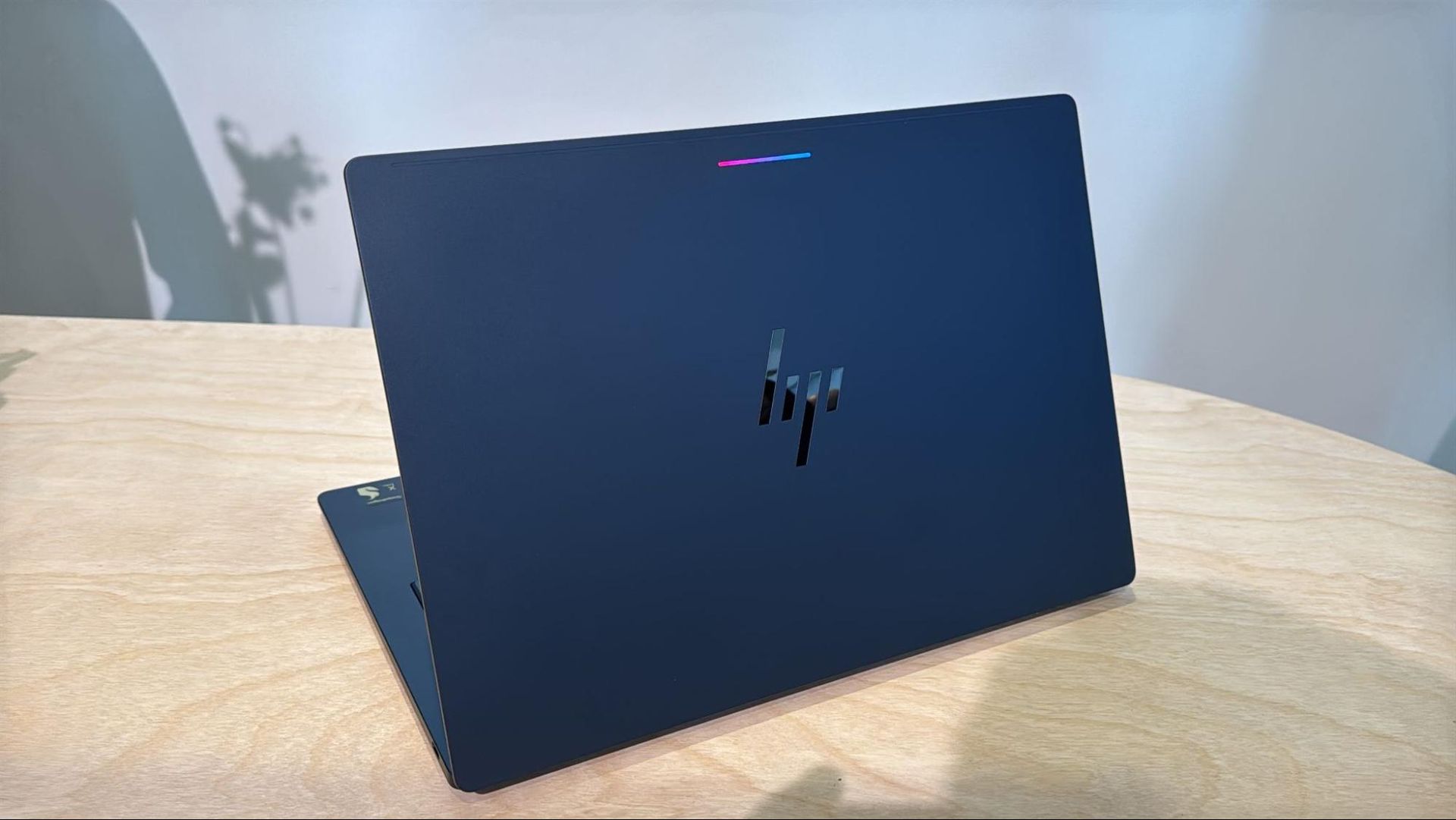
All of them also feature a Glowbar (a throwback to the Chromebook Pixel and Pixel C tablet), a series of RGB lights on the lid that glows playfully at startup, shows battery charge, and can react when you talk to Gemini. Given that the Glowobar is behind the screen, we'll see how much use it gets, but Google says it's going to open an API for developers.

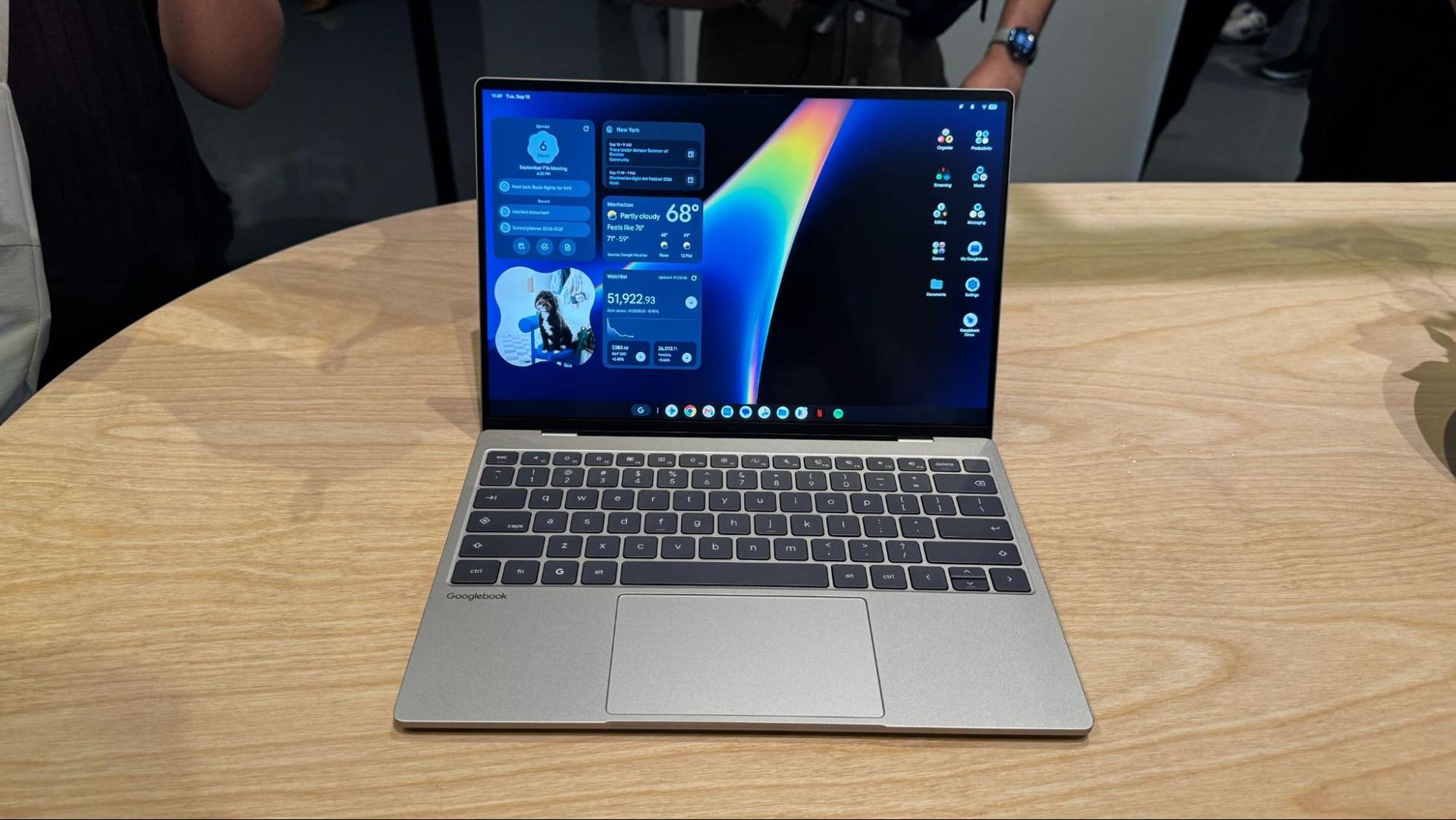
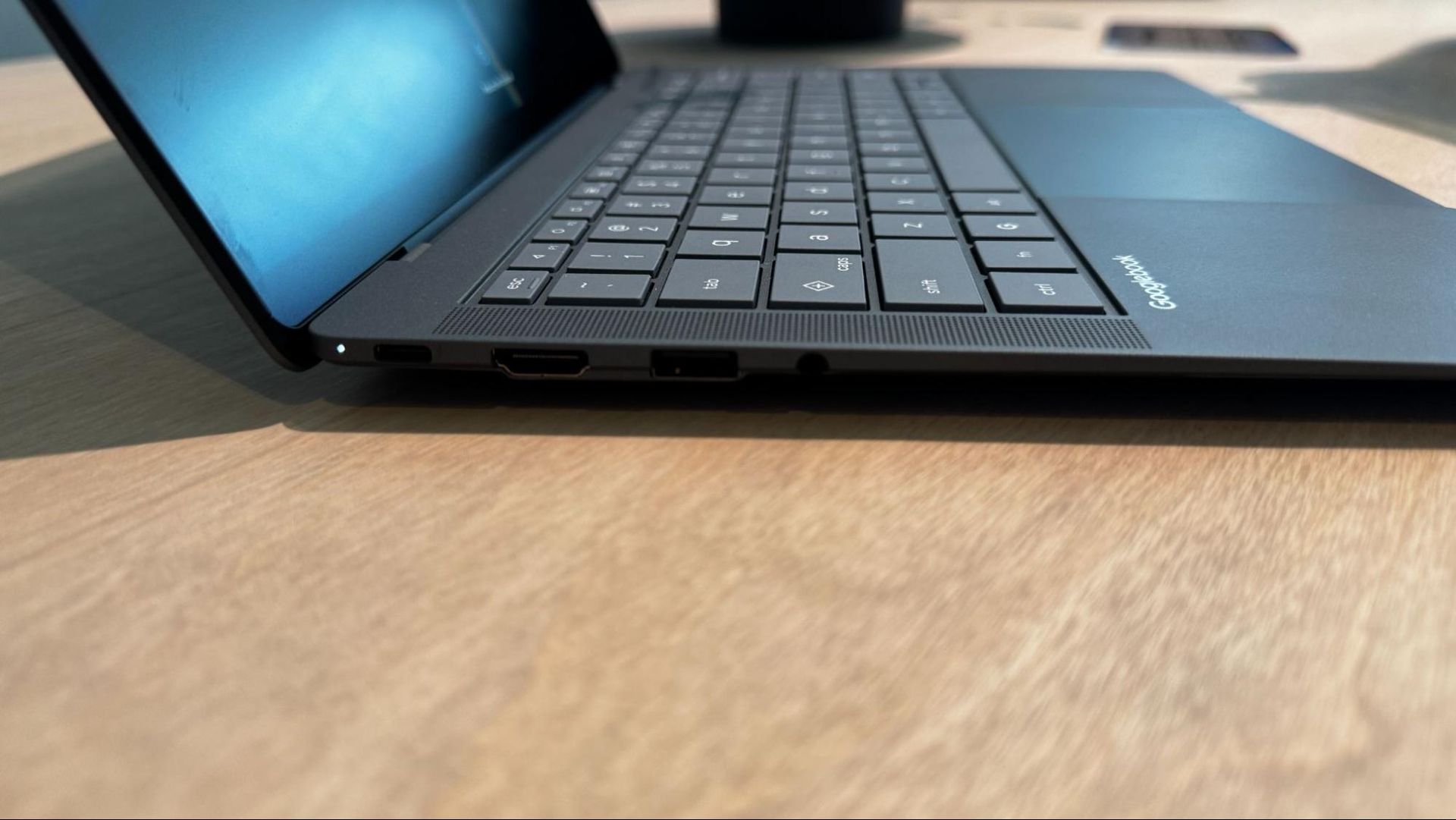
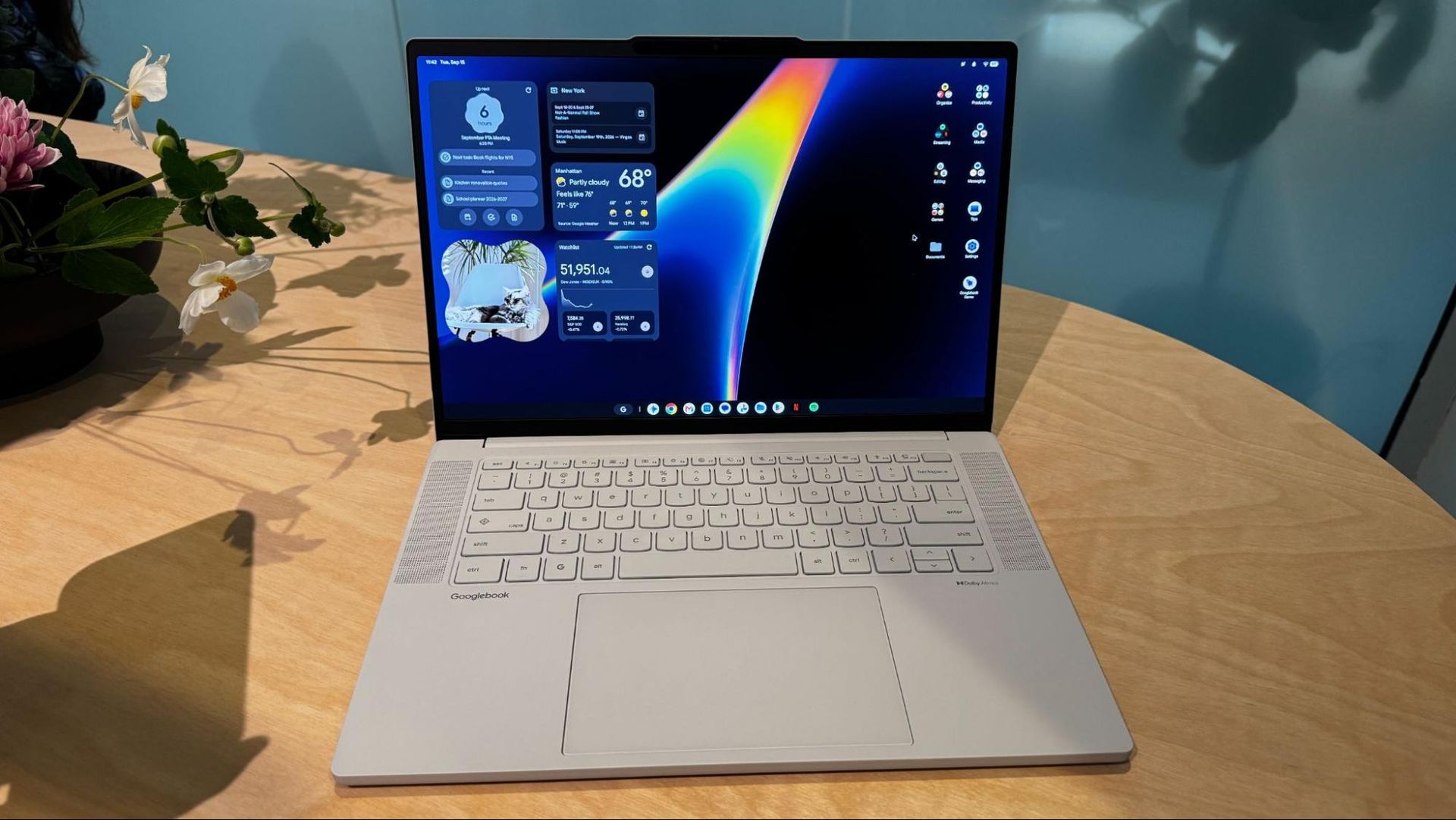
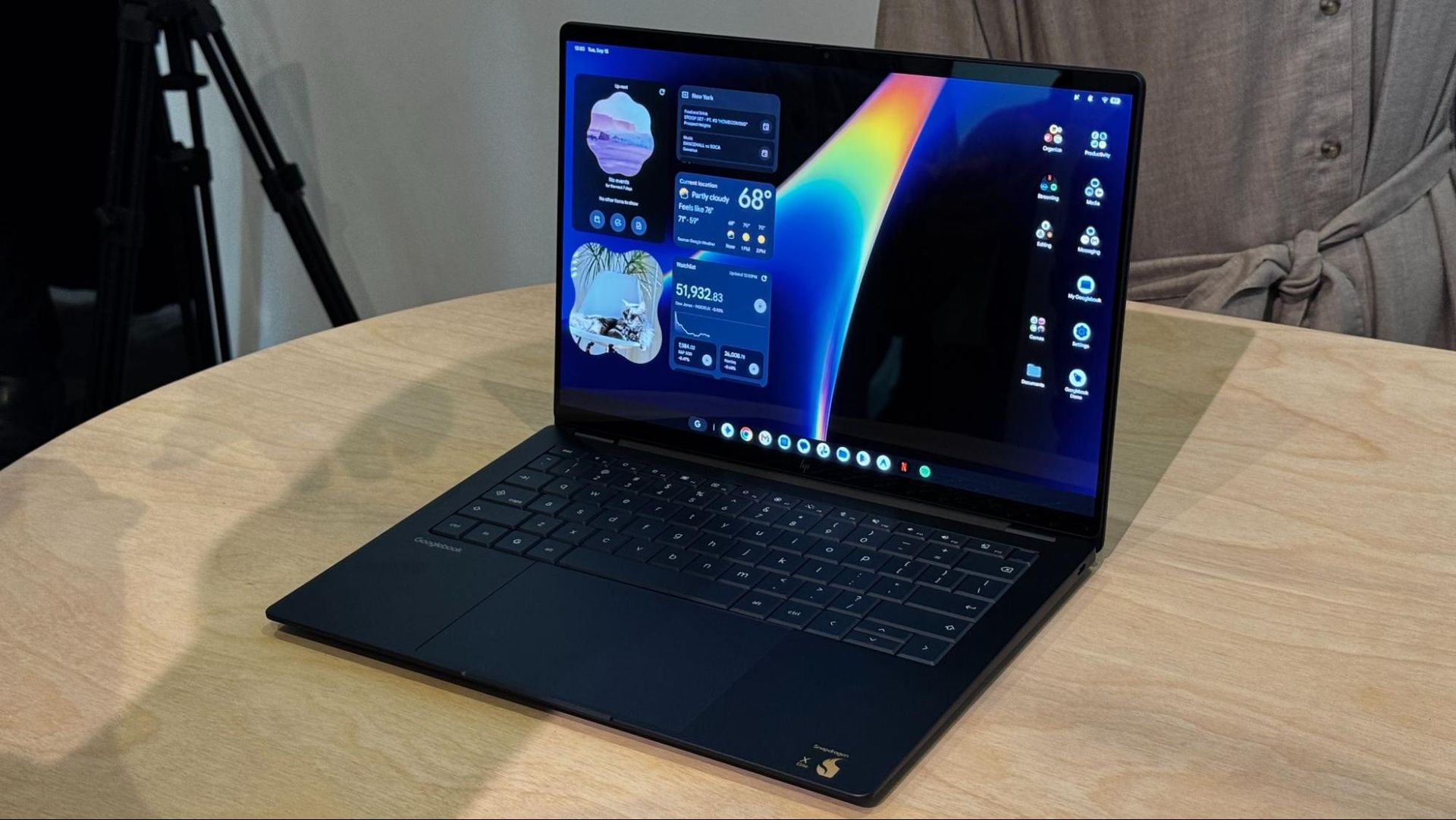
Several of the new laptops are reminiscent of existing Windows machines. The HP Googlebook 14 resembles the HP OmniBook Ultra, while the Dell's XPS Googlebook is effectively this year's XPS 13. The Asus Googlebook 14 is a dead ringer for the premium, enterprise-focused ExpertBook Ultra.

And yet some of those familiar looks were my favorites on first impression. I particularly appreciated how thin and light both Asus and Dell's designs are, though Asus' has far more ports. With the exception of Acer's 2-in-1, the entire lineup consists of clamshell designs.

The laptops aren't cheap, particularly if you're used to the lower end of Chromebooks. The cheapest notebook, the Acer Chromebook 14, starts at $899, though the notebook maker says it's a limited-time price. The XPS starts at $1,199, while the rest all start at $1,299, the price of a base MacBook Air.

Googlebooks

(Image credit: Tom's Hardware)

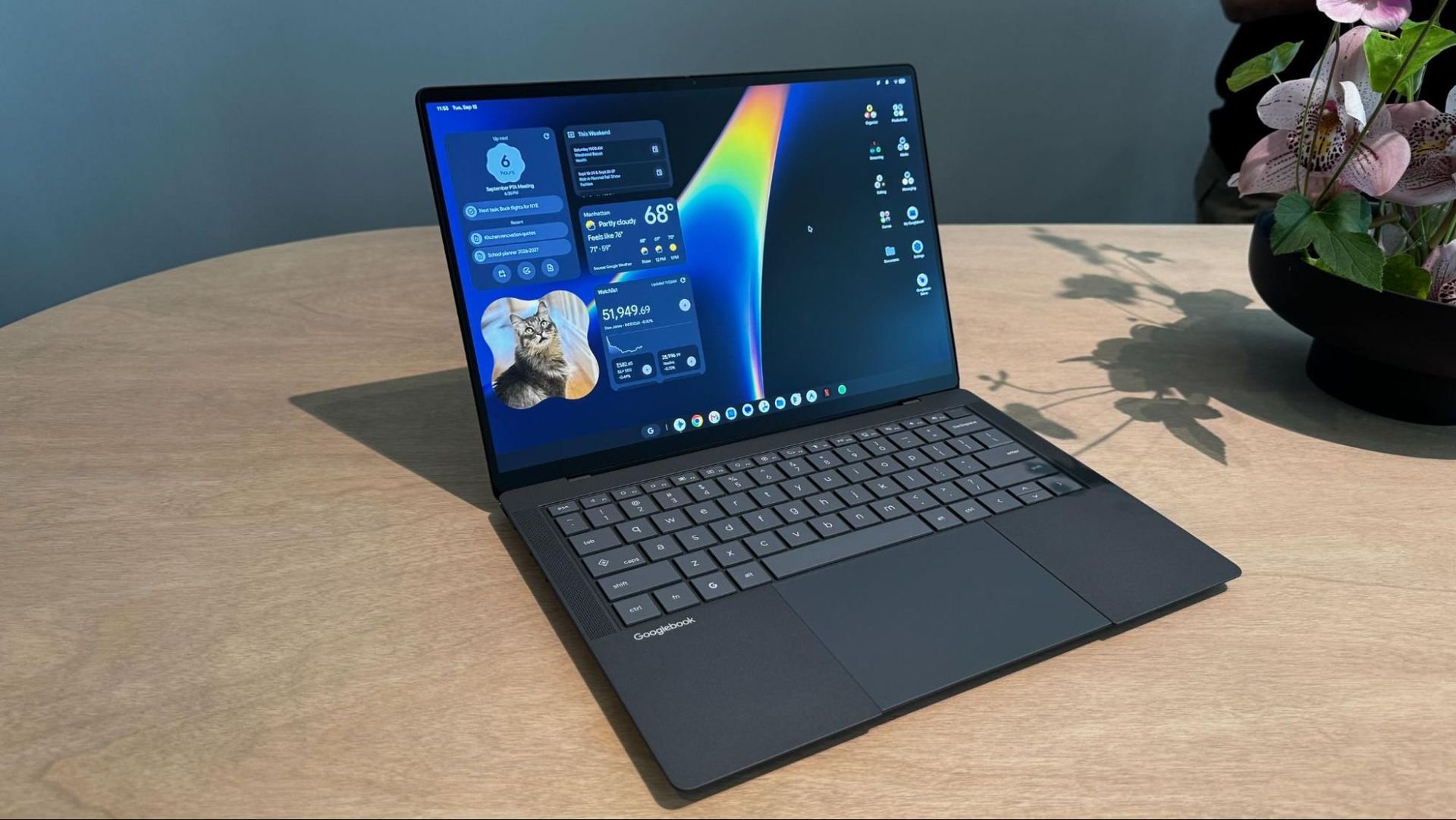
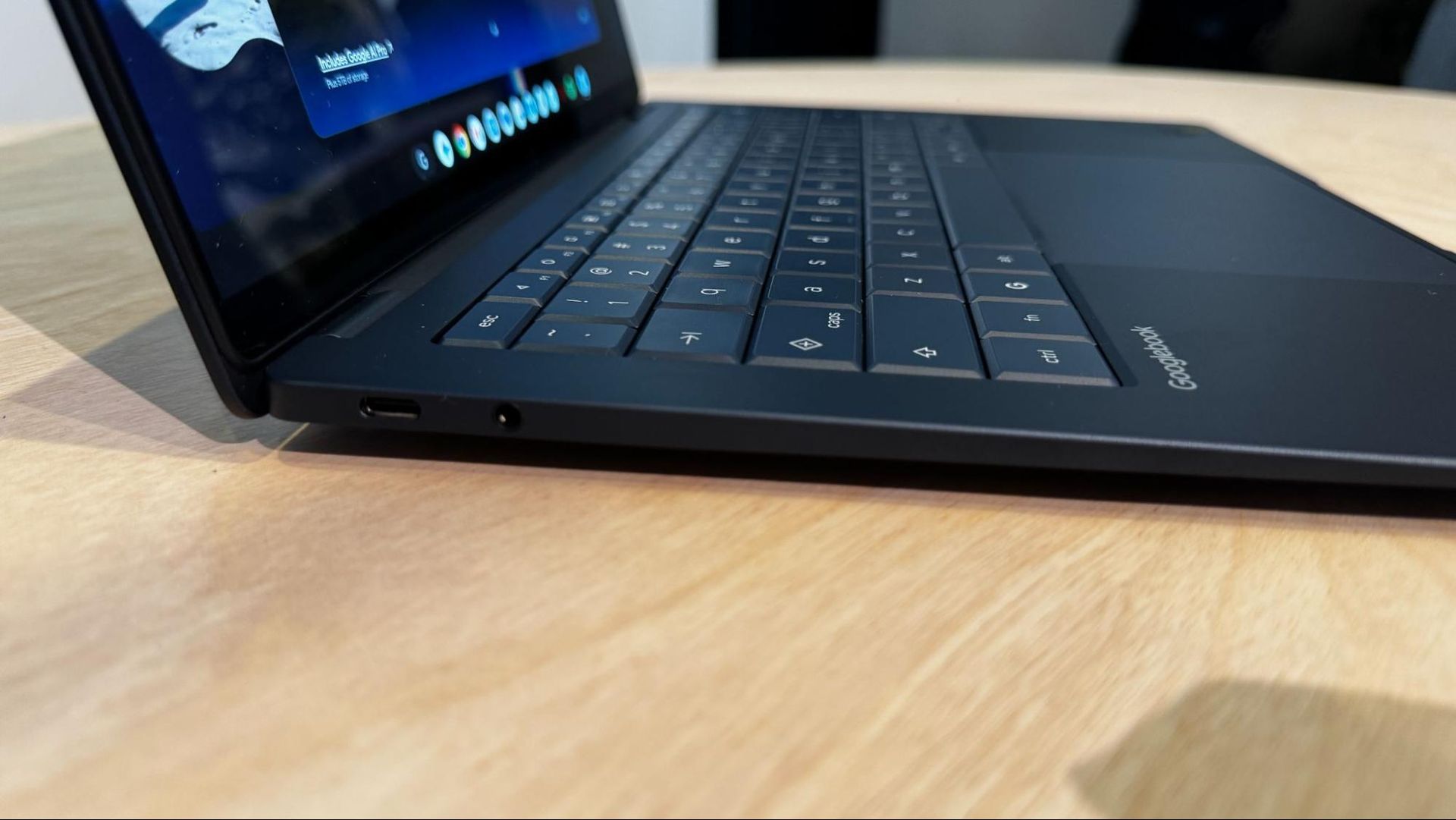
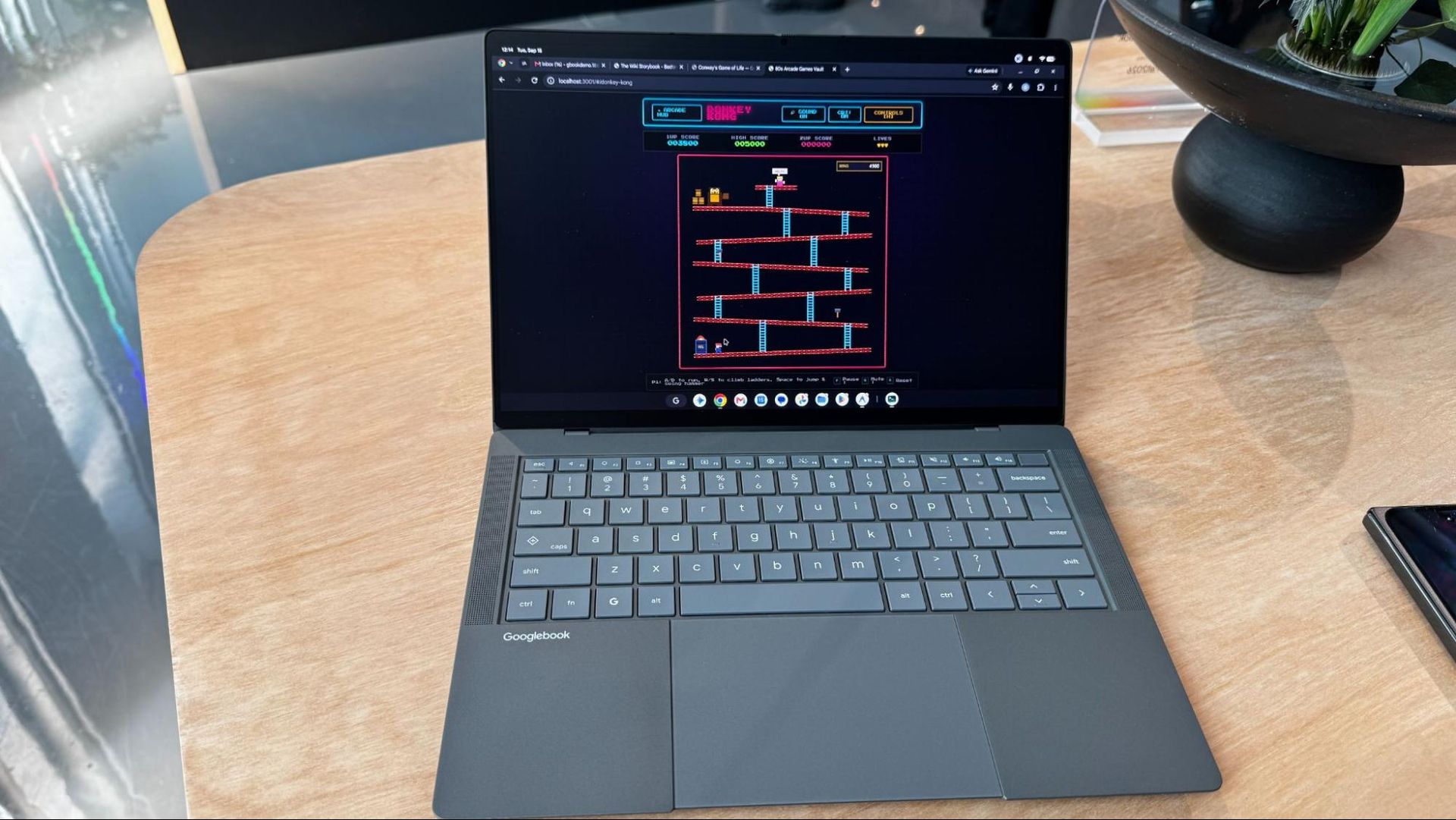
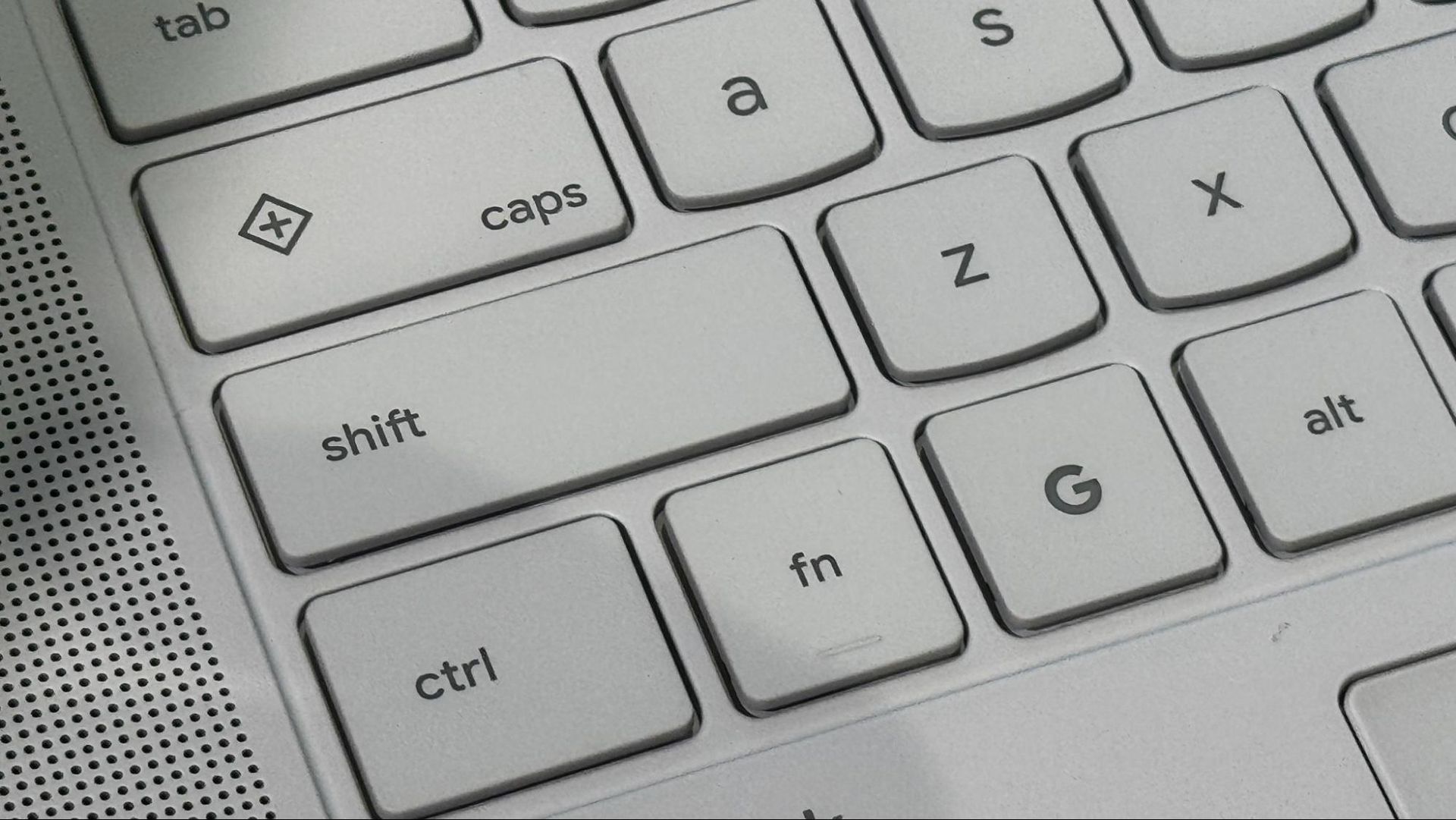
Google's keyboard layout brings back the caps lock key (which also doubles as the Quick Insert key, see below), and also adds a G key that brings up the launcher.

Meet the Googlebooks

*️⃣ Acer Googlebook 14

Acer Googlebook 14
Tom's Hardware
Acer Googlebook 14
Tom's Hardware
Acer Googlebook 14
Tom's Hardware

*️⃣ Dell XPS Googlebook

Dell XPS Googlebook
Tom's Hardware
Dell XPS Googlebook
Tom's Hardware
Dell XPS Googlebook
Tom's Hardware

*️⃣ Asus Googlebook 14

Asus Googlebook 14
Tom's Hardware
Asus Googlebook 14
Tom's Hardware
Asus Googlebook 14
Tom's Hardware

*️⃣ Lenovo Googlebook 15

Lenovo Googlebook 15
Tom's Hardware
Lenovo Googlebook 15
Tom's Hardware

*️⃣ HP Googlebook 14

HP Googlebook 14
Tom's Hardware
HP Googlebook 14
Tom's Hardware
HP Googlebook 14
Tom's Hardware

Googlebook OS

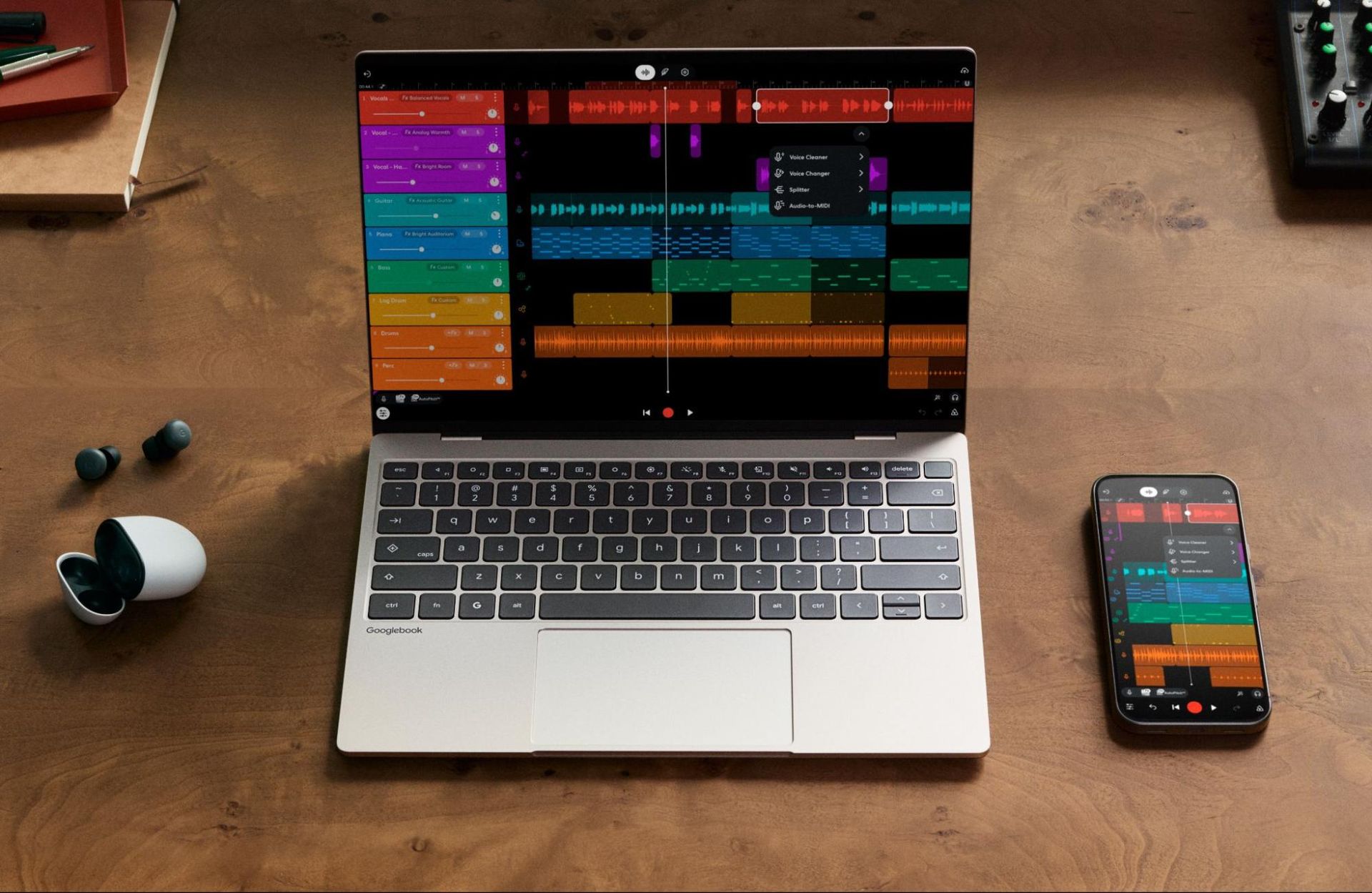
The Googlebook OS is designed to be tightly integrated with your existing Android phone. The idea is that once you log in and set up the laptop for the first time, you'll find all of your files, photos, apps, emails, and saved passwords right where you would expect them, with changes flowing back to your phone. The whole idea seems very Mac-like, but for Android, which never had that same tight integration with Microsoft's Windows, despite multiple attempts.

In general, this seems like a simple but mostly full-featured desktop OS for the crowd growing out of Chromebooks. Much of the work still occurs in your browser (in this case, Chrome), but there's a full file manager (including AI descriptions of files) to open files locally. You can put phone-style widgets on your desktop, and there's a taskbar at the bottom of the screen.

Google OS

(Image credit: Google)

The applications, however, all come from the Android side of things. Google provides apps through the Play Store. Google is counting on a mix of the Play Store and web apps, meaning you won't be downloading any executables to use on a Googlebook from the web. Google claims that 70% of time on a laptop is spent in a web browser.

The company is highlighting Adobe's Photoshop and Lightroom, CapCut, Netflix, and Disney+ (with offline viewing). Those apps, among others, will have a desktop mode. Additionally, Google says that half of the 100 top games on Android are "already optimized for keyboard, mouse, and large screen, with new games launching monthly."

That latter point is quite PC gaming, though. For that, Google is offering a free year of Nvidia GeForce Now, and suggests more gaming will come to Googlebooks soon enough. (Gaming Chromebooks didn't quite take off, so we'll see what Google does differently here).

Google OS

(Image credit: Google)

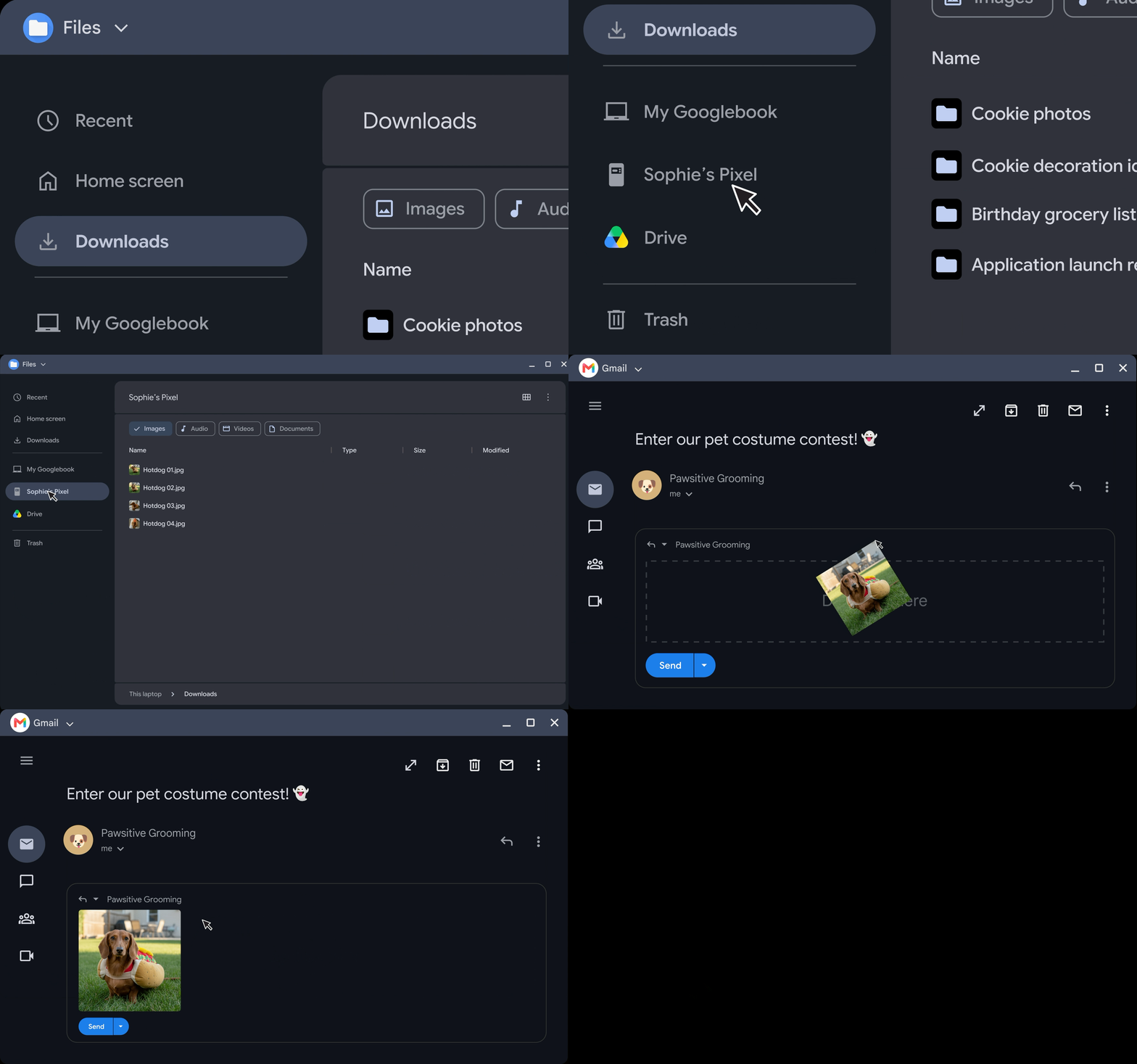
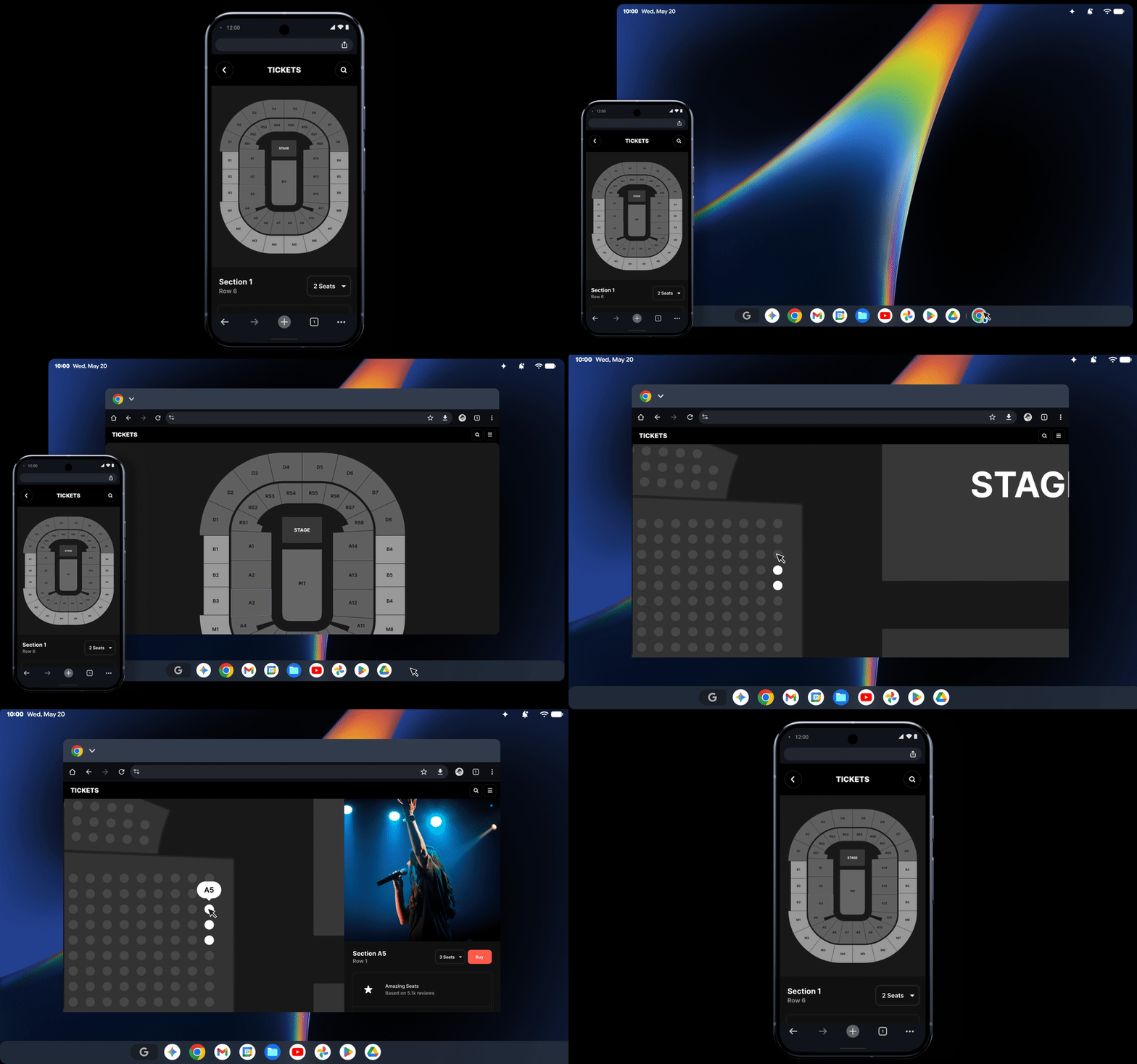
There are a handful of features to move back and forth between your laptop and your phone that seem helpful (and again, quite similar to macOS). Continue On is effectively macOS and iOS's Continuity, which lets you pick up on a task from your phone on your laptop, and vice versa. The application for the file you're working on shows up in a Googlebook's taskbar. For when you want to use your phone directly on the laptop, Cast My Apps lets you control it from the desktop (similar to macOS's iPhone Mirroring)

Googlebooks

(Image credit: Tom's Hardware)

Google also includes Antigravity, its platform for developing agentic workflows and agents to build web apps or Android software on your device. At an event ahead of the show, Googlers were vibe coding software to put on their machines, from a teleprompter Android app to an arcade full of '80s arcade games. Google says Antigravity will also include a Linux terminal environment to run tools like Claude CLI or Antigravity CLI.

Google promises 10 years of support for Googlebook OS on a Googlebook, though at a press event, there was a big asterisk next to that claim. The 10 years starts from the launch of the platform and chip inside the Googlebook, I was told, which means that Intel's Panther Lake chips will have nearly a year lopped off immediately (they launched in January this year), while Snapdragon X Elite, which first shipped in 2024, will already be 2 years behind.

This isn't terribly different from how Google supports its Chromebooks now — by platform, not launch of the system, but that difference may not play the same in the big leagues. Google keeps a database where you can see when any given Chromebook model will stop receiving updates, and presumably it will do something similar with Googlebooks.

Gemini Intelligence

The features that make Googlebooks stand out are the ones where Google baked its Gemini AI directly into the operating system. That also means how much you like a Googlebook may be directly tied to how useful you find these features.

Gemini Intelligence

(Image credit: Google)

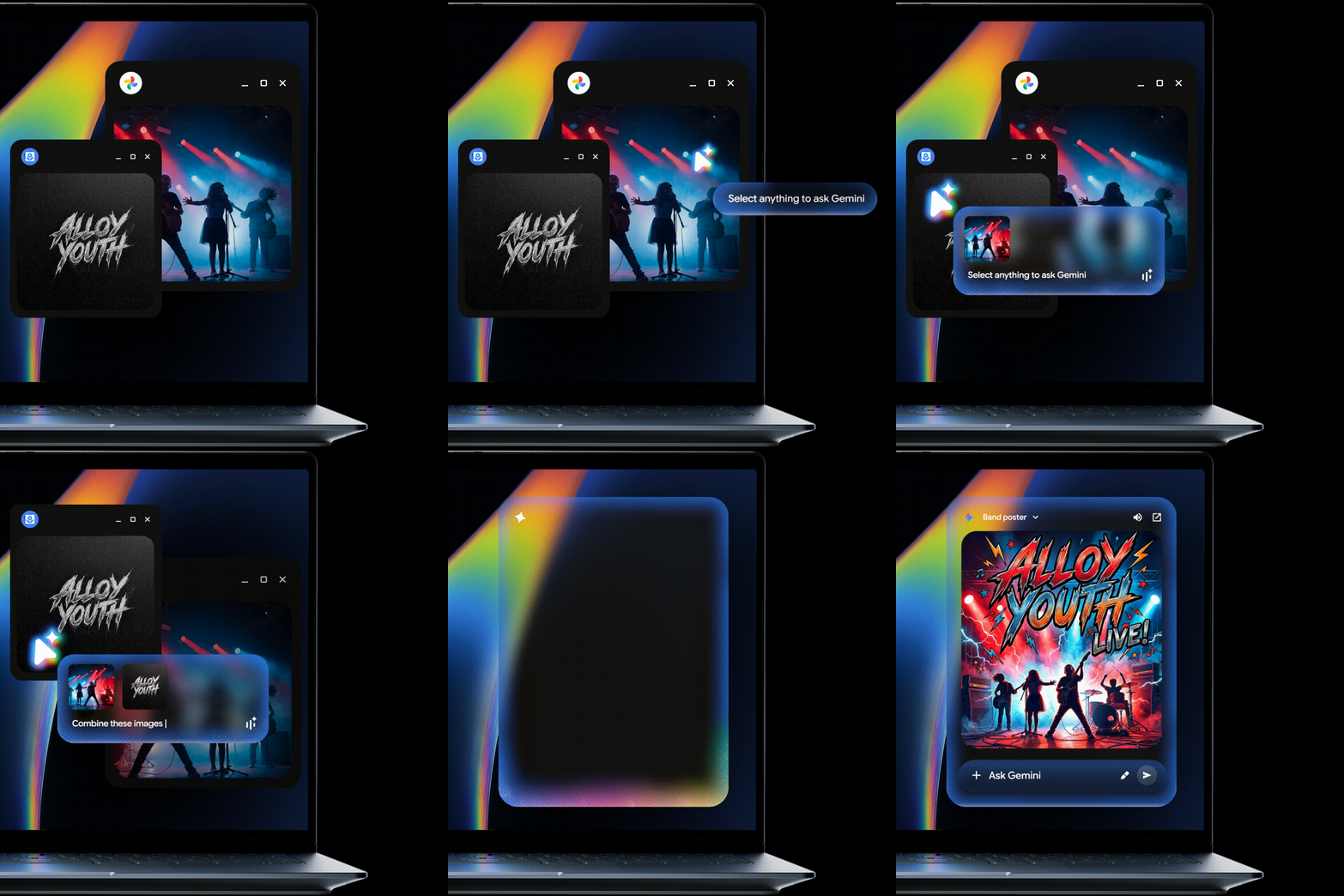
The one feature Google talks up the most is the Magic Pointer. You wiggle your cursor, and it becomes a Gemini-focused pointer. Click on anything to get contextual suggestions or type into the assistant to get answers about what you chose. For example, one demo showed someone using Magic Pointer on a PDF of a calendar and asking Gemini to add the dates to their calendar. In many cases, it felt like a shorter way to get to Gemini than copying and pasting screenshots, but I didn't get enough time to judge how useful it could be.

The Caps Lock key doubles as a "Quick Insert tool" — effectively a souped-up copy and paste that includes your clipboard history, emojis, translation tools, proactive assistant capabilities, and opens Rambler, which allows for text-to-speech and cleans up where you might have stumbled and messed up.

Rambler was introduced at I/O this year and debuted on the Pixel 11, but it was impressive on the Googlebook. I tend to type rather than speak on a computer, but this might convince some people otherwise. It even did well in a relatively loud demonstration environment.

While there are a number of widget options in Googlebook OS, you can also create your own with natural language. I was able to make one that showed me the top movie of the day in a given year.

Gemini Intelligence

(Image credit: Google)

Perhaps the most natural are Magic Cues — recommendations to do something with the information you're seeing — peppered throughout the OS. If you see dates, you may be cued to make a calendar invite. If someone asks a question in a text message, the answer might pop up if it is in your email, texts, or somewhere else it was discussed before. This has also been on Pixel phones before, but seems to fit in just fine on a laptop.

Beyond the Gemini features, every Googlebook is shipping with 12 months of Google AI Pro (usually $19.99 per month), offering 5TB of cloud storage and advanced tools like higher rate limits in Gemini, entry rate limits to agent models in Antigravity, credits for use in Google Flow, and higher access to AI in Google Search. There are also 3 months of YouTube Premium, CapCut, and Photoshop. Additionally, there's 1 year of Gemini Spark, a version of the AI that acts as an autonomous agent. That's a lot of freebies, and it will be interesting to see how many people feel the need to keep and renew them to make the most of their Googlebooks.

Can Googlebook break through?

Despite Android's popularity globally, Chromebooks have largely been seen as kid stuff — quite literally for education. Googlebooks are a play to be more serious computers, but also bring a premium price.

The AI features are neat in some cases, and showboaty in others. I need to spend real time with a Googlebook to truly decide what's useful.

What is undoubtedly the most important part here is that Android users will have a device that integrates with their phones as well as Macs do with iPhones. Whether that's enough to justify a new operating system that still has some limitations is an open question. Again, we have to try these.

Google clearly has some OEMs excited, but as computers get more expensive thanks to a component shortage, we'll have to see how these prices land, and if the company finally has a mainstream competitor on its hands.

昨天以前IT News

Acer Swift Air 14 review: Wildcat Lake and lots of ports at $699

2026年9月17日 22:15

If you don't have the most colorful computer, the fastest computer, or the nicest screen, you can at least have a ton of ports. For Acer's take on the premium $699 laptop, the Swift Air 14, the company doubled down on connectivity and battery life, adding top-of-the-line Thunderbolt 4 ports and up to 16 hours of battery life in our tests.

But battery life and ports alone, while important, don't make a laptop great. Competitors have stronger builds and, in some cases, better performance. Acer's choices are practical, but they might not be what everyone wants.

Design of the Acer Swift Air 14

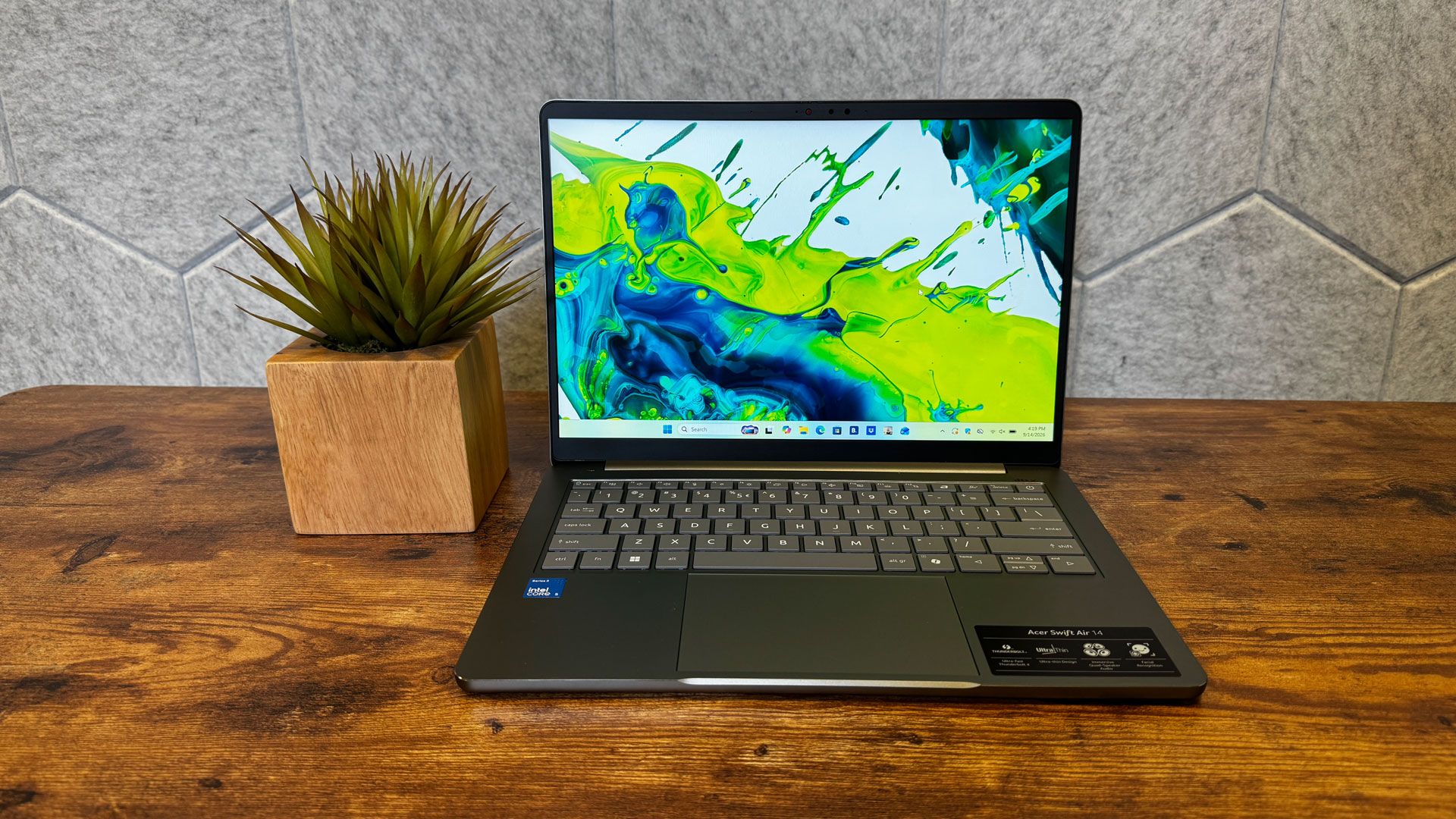
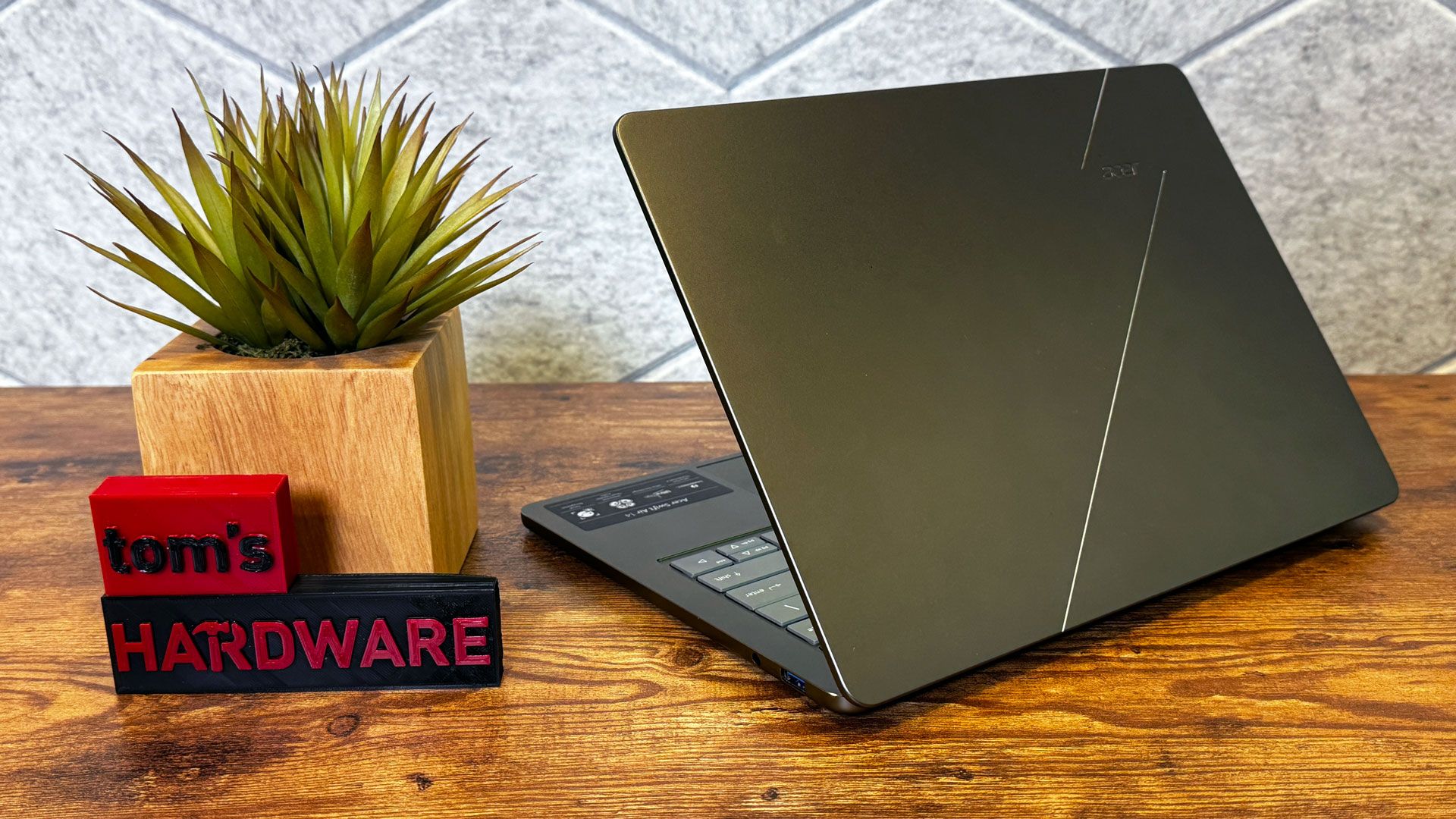
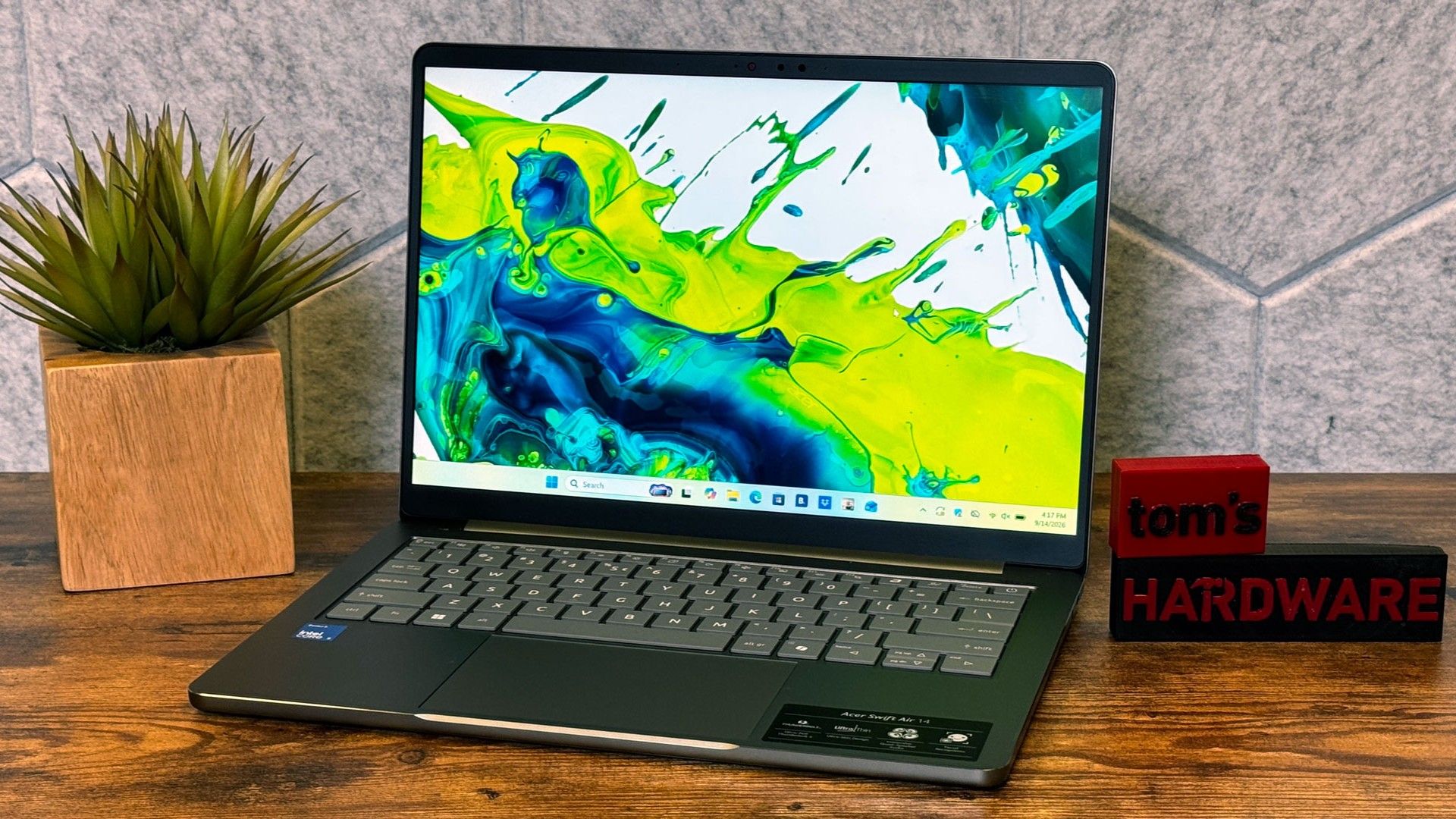
The Acer Swift 14 feels more premium than I'd expect a $699 laptop to be, especially one from Acer, which is known for making tough decisions to hit certain budgets. The all-aluminum design isn't as solid as the MacBook Neo or Dell XPS 13. That's mostly due to flex in the Acer’s lid and on the keyboard. It feels nice in general, but if you look, you can find the small flaws.

Acer is offering the Swift Air 14 in four colors worldwide, but here in the United States, there's just one: sage green. (In other countries, including Canada, there's also frost blue, blossom pink, and lilac purple.

Acer Swift Air 14
Tom's Hardware
Acer Swift Air 14
Tom's Hardware
Acer Swift Air 14
Tom's Hardware

The lid is mostly plain, with an Acer logo and two silver accent lines. I like the sage color, which is more like an olive in some lights and silver in others. Like the MacBook Neo, the bezel is a bit thicker than I'd like, but not unforgivably so.

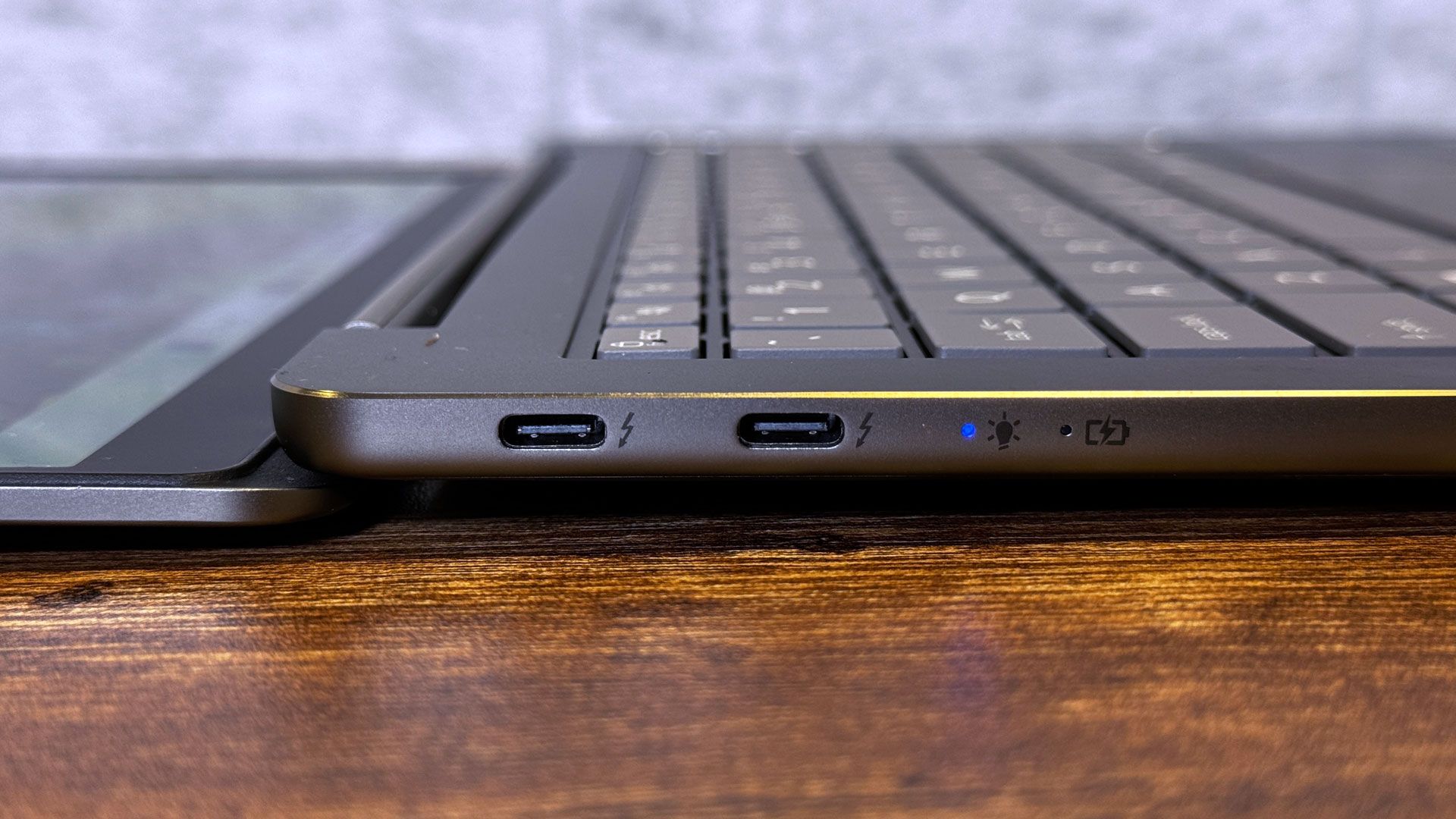
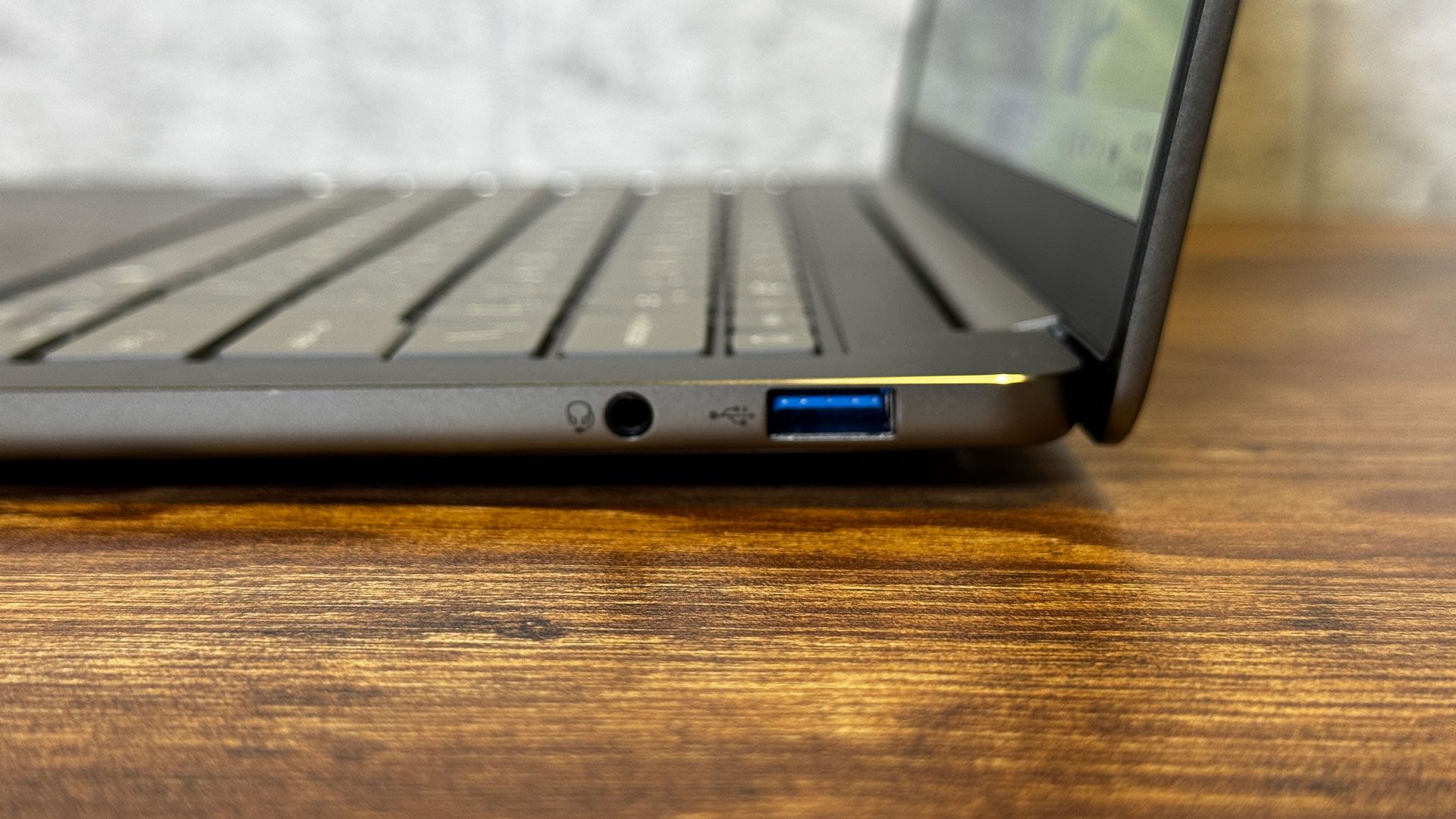
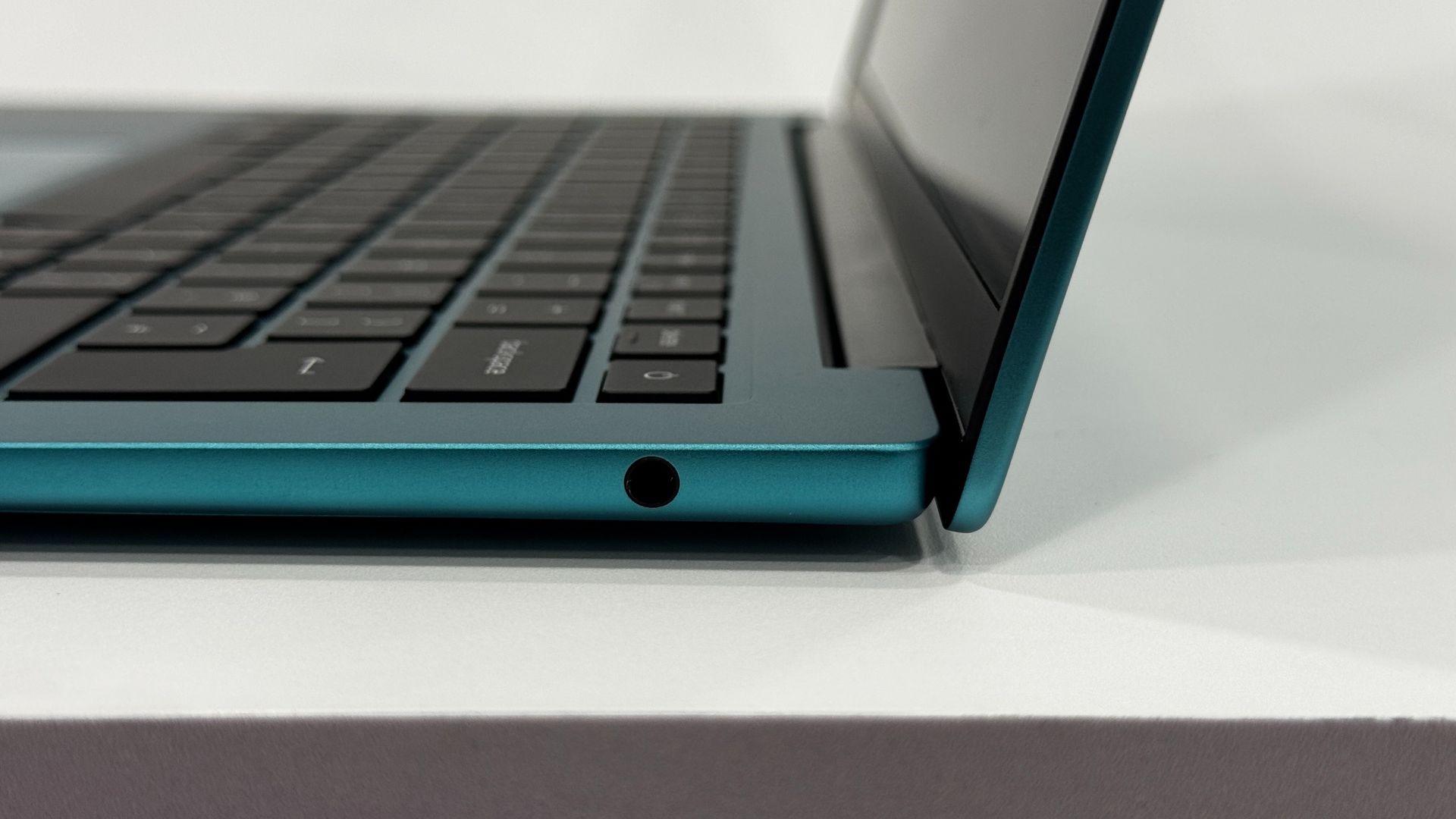
Where Acer wins on design is with its ports. On the left side of the laptop, you get two full Thunderbolt 4 ports over USB-C, which we haven't seen from any other laptop in this class yet. The right side features a 10GBps USB Type-A port and a 3.5 mm headphone jack. This system has more and faster ports than both the MacBook Neo and Dell XPS 13, which is great for people on a budget who still use a lot of peripherals, or want to use a wireless dongle while still having other ports available.

Acer Swift Air 14
Tom's Hardware
Acer Swift Air 14
Tom's Hardware

At 2.62 pounds, the Swift Air 14 is heavier than the 2.2-pound XPS 13, but still slightly lighter than the 2.7-pound Neo. I don't mind the weight, but others on my team found it felt heavy compared to Dell's laptop.

At 0.51 inches at its thinnest, the Swift is on par with the Neo and XPS 13 (both 0.5 inches thick). There's a small foot on the bottom of the Swift that pushes it to 0.71 inches thick, which might matter a bit in a backpack, but it won't feel any thicker than the other systems when you're holding it.

Acer Swift Air 14 Specifications

CPU

Intel Core 5 320

Graphics

Intel Graphics (integrated)

Memory

8GB LPDDR5-7467 (single-channel)

Storage

512GB PCIe Gen 3 NVMe SSD

Display

14-inch, 1920 x 1200, IPS, VRR up to 120 Hz

Networking

Intel Wi-Fi 6E AX211, Bluetooth 5.3

Ports

2x Thunderbolt 4 (USB-C), USB 3.2 Gen 1 Type-A, 3.5 mm headphone jack

Camera

1920 x 1200, IR for Windows Hello

Battery

70 WHr

Power Adapter

100W

Operating System

Windows 11 Home

Dimensions (WxDxH)

12.36 x 8.66 x 0.71 inches (313.99 x 222.65 x 18 mm)

Weight

2.62 pounds (1.19 kg)

Price (as configured)

$699.99

Productivity Performance on the Acer Swift Air 14

The Intel Core 5 320, 8GB of RAM, and 512GB PCIe Gen 3 SSD make the Acer Swift 14 a decent (but not startling) performer that's best for a few simple tasks at a time.

Acer Swift Air 14
Tom's Hardware
Acer Swift Air 14
Tom's Hardware
Acer Swift Air 14
Tom's Hardware

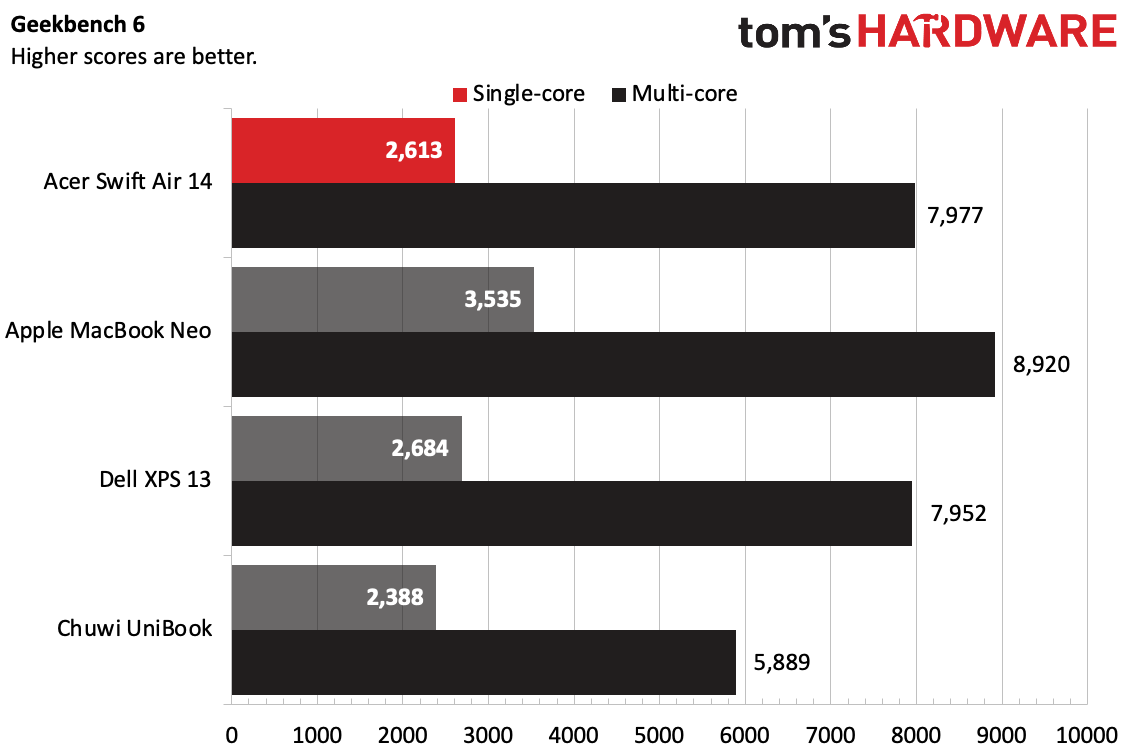
On Geekbench 6, the Swift Air notched a single-core score of 2,613 and a multi-core score of 7,977, putting it in close proximity to the Dell XPS 13, which uses the same chip. The Chuwi UniBook, with an Intel Core 3 304, was the lowest on the charts, while the MacBook Neo with its Apple A18 Pro was the fastest performer.

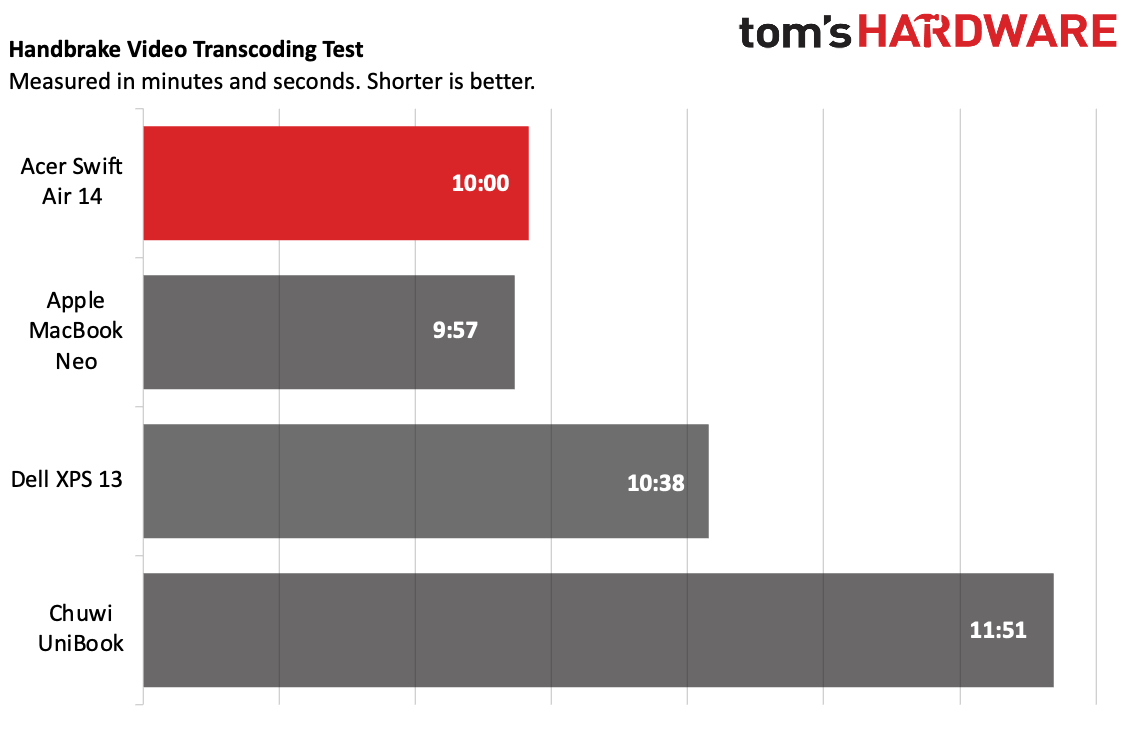
The Swift 14 outperformed on Handbrake, transcoding a 4K video to 1080p in 10 minutes, just 3 seconds behind the Macbook Neo. The Swift was a surprising 38 seconds faster than the XPS with the same chip.

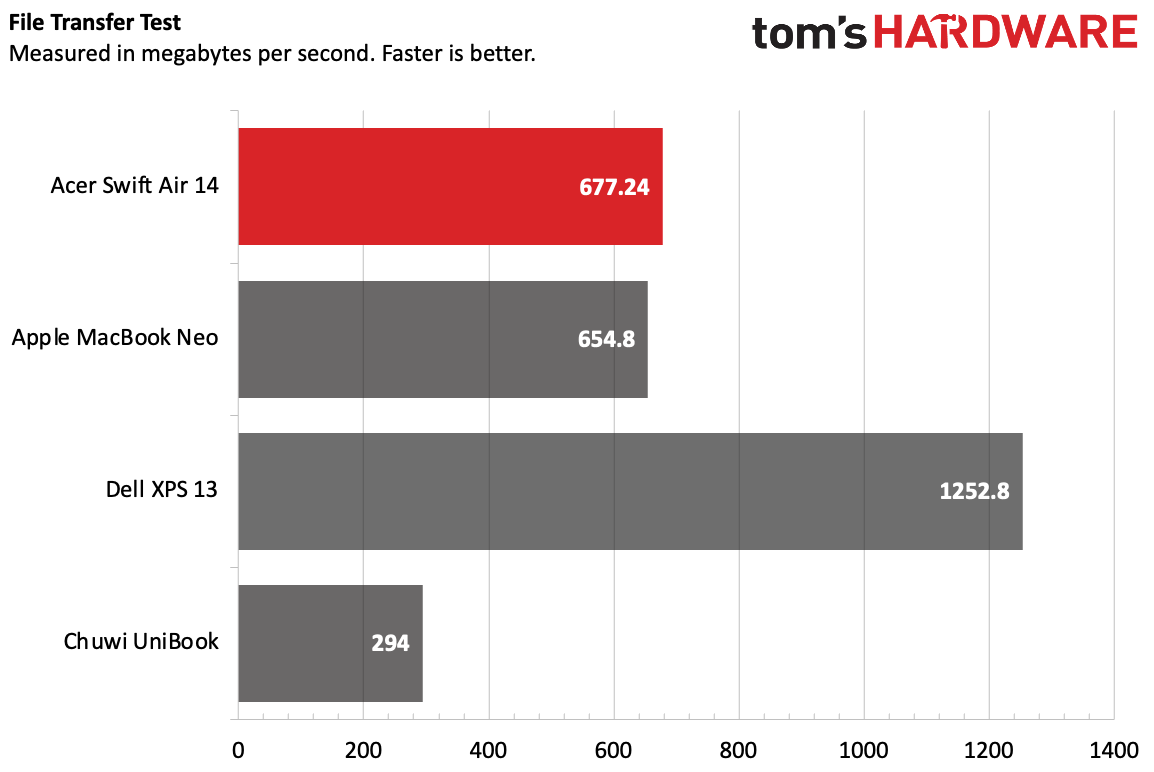
On our file transfer test, the Swift Air copied 25GB of files at a rate of 677.24 MBps, slightly faster than the MacBook Neo, but significantly slower than the XPS 13.

Usually, we stress test productivity laptops running Cinebench 2026. But like some other Wildcat Lake-based laptops, the Swift Air wouldn’t run that benchmark. Instead, to get some speeds, we opted to measure while running Handbrake. While transcoding a 4K video to 1080p, the Core 5 320's two P cores ran at 3.3 GHz, while the four low-power E cores ran at just over 3 GHz.

Display on the Acer Swift Air 14

Acer's 14-inch, 1920 x 1200 screen is colorful enough for its price, but I sure wish it were a bit brighter.

Acer Swift Air 14

(Image credit: Tom's Hardware)

While I watched the trailer for Avengers: Endgame, I found myself reaching for the button to raise the brightness even in decently lit scenes (like a group gathering in Avengers Tower), only to find the brightness was turned all the way up. In darker scenes, like those taking place in the X-Mansion, shadows were overwhelming. At least the blacks were deep.

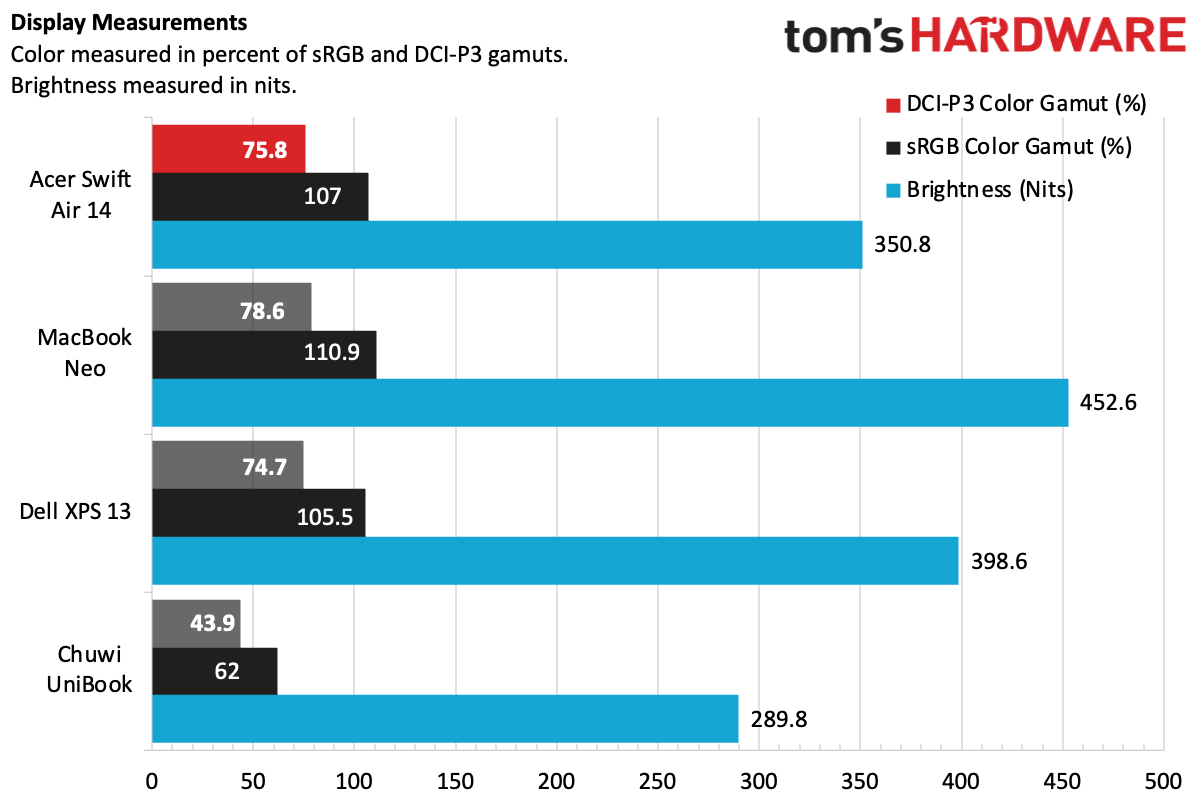
On our testing, we found that the Swift Air 14 covered 107% of the sRGB color gamut and 75.8% of DCI-P3. That's within range of both the MacBook Neo and the Dell XPS 13. But both of those laptops have more luminous panels (the XPS 13's is also higher resolution, at 2560 x 1600) that make the colors look better than on the Swift Air.

Keyboard and Touchpad on the Acer Swift Air 14

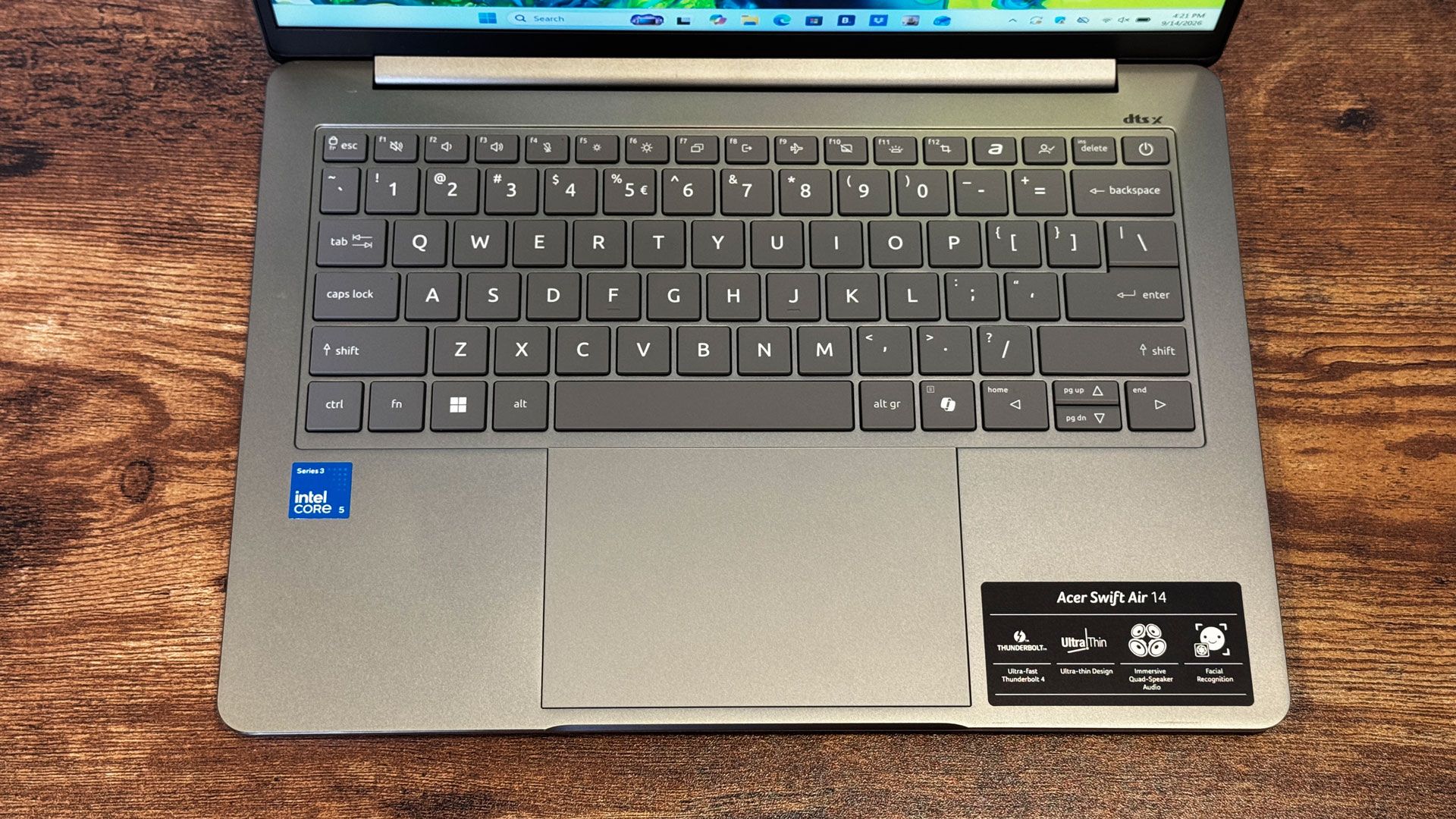
The keyboard on the Swift Air 14 is fine, but it has some flex while you type, and the keycaps are a little slippery. In fact, they're cheap-feeling. There's more travel than I would have expected, but with the flex, I'm not sure it mattered.

Acer Swift Air 14

(Image credit: Tom's Hardware)

On monkeytype.com, I hit 108 words per minute, which isn't bad, but I'm usually faster. I hit that at 98% accuracy.

The touchpad has a shallow click outside of the very far corners (and also causes the system to flex), but its smooth, glass, and Windows gestures work seamlessly.

Battery Life on the Acer Swift Air 14

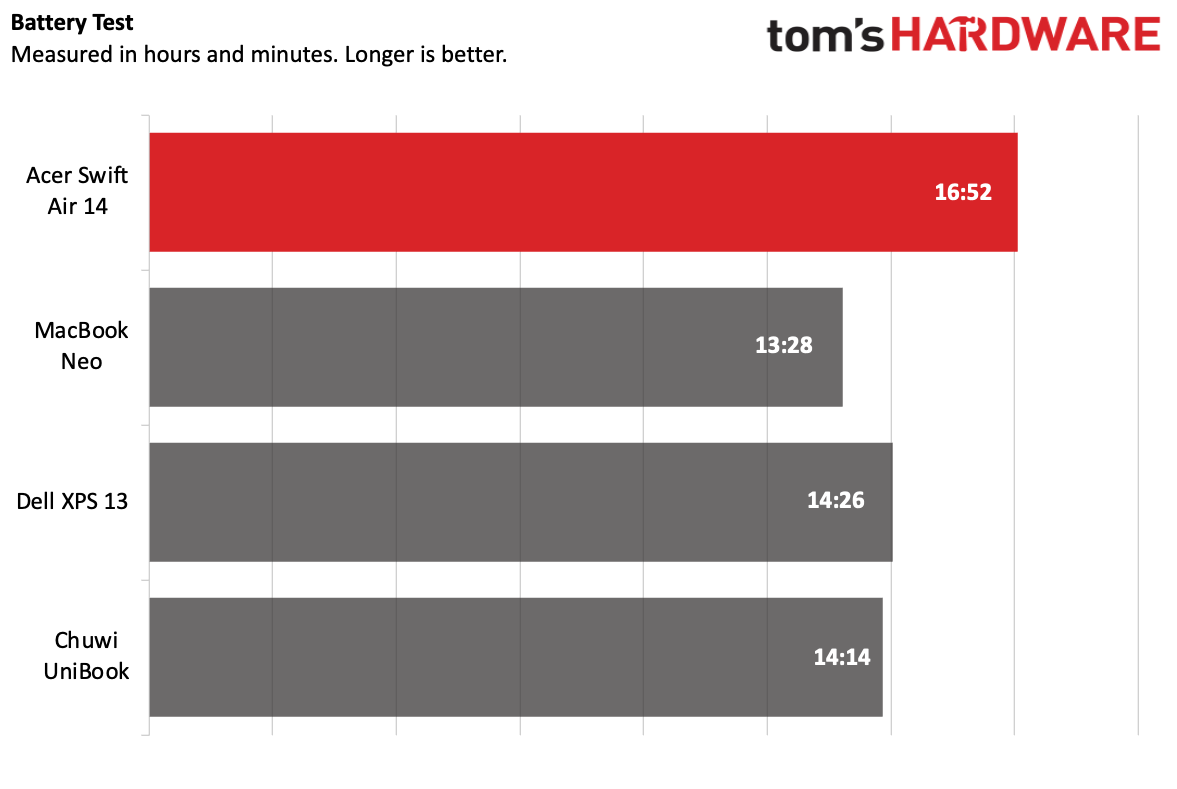
For a laptop in its class, the battery life on the Acer Swift Air 14 is fantastic. The system lasted 16 hours and 52 minutes on our battery test, which includes web browsing, video streaming, and light OpenGL work with the screen set to 150 nits.

Acer Swift Air 14

(Image credit: Tom's Hardware)

That was the longest of the group by more than 2 hours. The next highest, the Dell XPS 13, lasted 14:26 on the test, while the Neo brought up the rear at 13 hours and 28 minutes.

Audio on the Acer Swift Air 14

The speakers on Acer's colorful 14-incher are just OK. The quad-speaker system doesn't offer a ton of depth. It's fine at $699.99, but not impressive.

Alice Merton's "Ignorance is Bliss" just filled my living room, but wasn't as loud as I would like. The artist's vocals were a bit hollow, though the song's guitars and snappy drums sounded decent for the price.

You can make adjustments in the DTS:X Ultra app, though I stuck to the default music mode. (Switching to voice made vocals louder, but drowned everything else out). There's also a custom EQ with three preset slots if you want to set the speakers to your liking. Taking some time to tweak, I was able to get the vocals and treble a bit closer to my liking.

Upgradeability of the Acer Swift Air 14

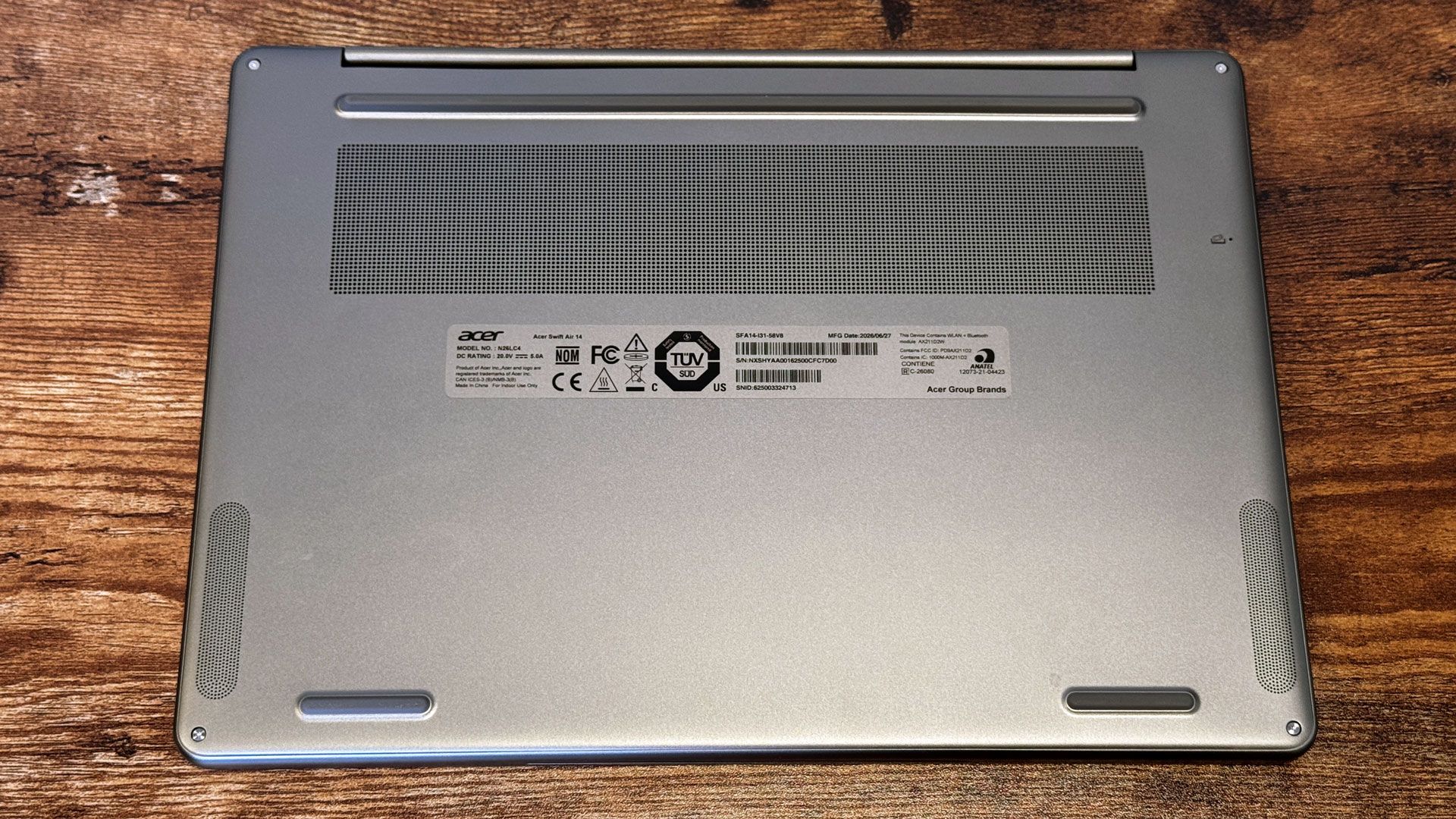
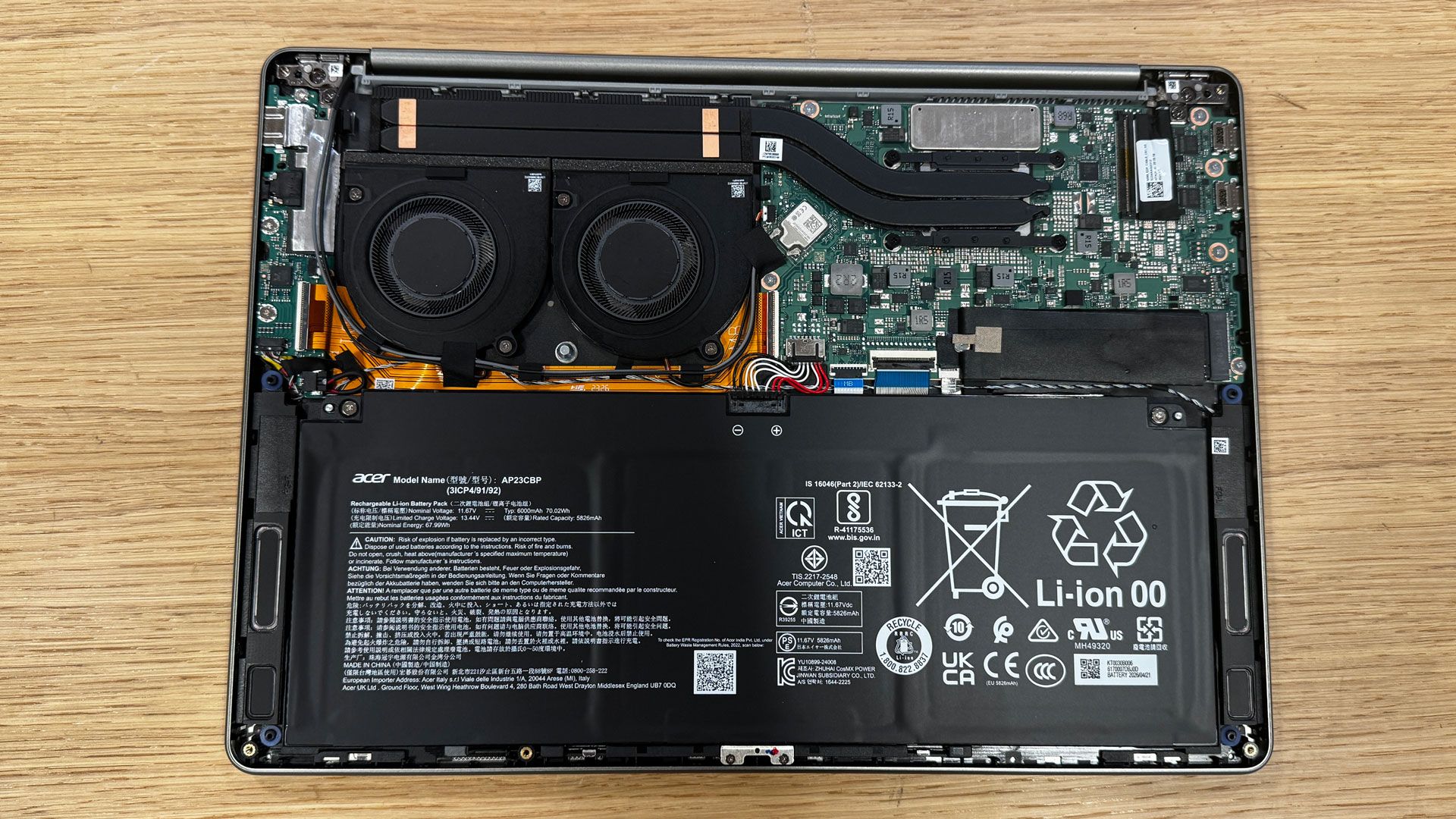
There are four Torx screws on the bottom of the Acer Swift Air 14. While the bottom of the laptop is metal, it's very thin, and the clips holding it to the rest of the chassis are made of plastic. I had to go very slowly around the edges with a prying tool to get inside.

Acer Swift Air 14

(Image credit: Tom's Hardware)

The two major components that you can remove are the SSD and the battery. There's only one SSD slot.

Heat on the Acer Swift Air 14

Usually, we measure how hot a laptop gets during our strenuous Cinebench gauntlet. Because this system couldn't run that test, we stepped down to measuring with Handbrake video encoding.

During that test, the keyboard hit 96 degrees Fahrenheit, while the touchpad was a cool 84.1 F. The hottest point on the bottom of the laptop reached 96.9 F. None of these indicate an overheating laptop, but that's also because we couldn't run more difficult workloads.

Internally, the CPU measured 74.8 degrees Celsius while running the same test.

Webcam on the Acer Swift Air 14

Acer is using a 1920 x 1080 webcam on the Swift Air 14, but higher resolution doesn't always mean better. In testing, I found that it produced noisy, sometimes blurry images. Like many other cameras, it also struggled with open windows.

On the bright side, Acer also includes an infrared camera to support Windows Hello for facial recognition. There’s a small privacy shutter built into the bezel.

Software and Warranty on the Acer Swift Air 14

Acer packs the Swift Air 14 with extra software. Some is its own, but there’s also a lot of bloatware that it likely receives a licensing fee for.
There are more than ten of Acer-branded utilities. The most important of these is AcerSense (which also has a dedicated key on the keyboard). This offers simple performance statistics, extra settings, warranty information, and a few disparate links to excess programs.

Among the other apps are Acer's PurifiedVoice and PurifiedView for noise cancellation and camera enhancements during meetings, a built-in video speed controller, and a built-in QR code reader. That last one is kind of handy in theory, though it often didn't see the codes I was trying to scan.

Even on a $700 laptop, the inclusion of Forge of Empires, Solitaire, Amazing Block Blast, the Google Play Games beta, Dropbox, Booking.com, NordVPN, and a knockoff app store called App Explorer feels like a bit much. These are found in the Start Menu, pinned to the taskbar, and in the bookmarks bar in Microsoft Edge. It's just too much.

Acer sells the Swift Air 14 with a one-year warranty.

Acer Swift Air 14 Configurations

We tested the Swift Air 14 in a $699.99 configuration with an Intel Core 5 420, 8GB of memory, 512GB of storage, and a sage green colorway. As of this writing, this system is available at Best Buy in the United States.

Acer tells us that three additional models will be available exclusively at Best Buy Canada at $999.99 CAD, though we don't know what will be different or if they will include the other colors.

Bottom Line

Acer Swift Air 14

(Image credit: Tom's Hardware)

If you have a budget of $699 and prioritize ports over all else, the Acer Swift Air 14 should be your choice. It has high-speed Thunderbolt 4 ports, a headphone jack, USB Type-A, and a headphone jack. With a 1920 x 1200 screen that isn't the brightest, it also reached over 16 hours of battery life in our tests.

But if you prioritize anything else, the MacBook Neo and Dell XPS 13 offer some significant upgrades at the same price. The Neo has performance for the price on lock, as well as improved build quality and the brightest screen of the bunch. The XPS 13 has the highest-resolution display and makes it a touchscreen; it also has a stiffer build than the Swift Air.

But if battery life and ports are your two strongest priorities, and you're willing to make some sacrifices on build quality and uninstall a bunch of bloat, the Swift Air 14 definitely earns a place among the recent budget laptop competition.

At IFA 2026, computing chased the high and low ends — AI and budget-focused machines left little for the rest of us

2026年9月11日 20:44

The computing world is splintering into two. At IFA 2026, the world of laptops continued its trajectory from Computex towards a logical conclusion: a world where personal computing aims at the low end to combat the MacBook Neo and pick up customers during a RAM shortage, but otherwise focuses on high-end systems that promise to be agentic machines for the next chapter of the AI boom.

There are machines that are below $800 with 8GB of RAM, and there are machines that are multiple thousands of dollars with anywhere from 128GB to 192GB of memory. Want something in between? Good luck.

The MacBook Neo's long shadow

When Apple announced the MacBook Neo in March, other laptop OEMs jumped to compete. Devices like the Dell XPS 13 and Chuwi UniBook came quickly (with varying degrees of success), packing Intel's budget-focused Wildcat Lake processors. But it took until IFA for those companies to finally reveal something truly designed to take on the MacBook Neo. The Lenovo IdeaPad Vibe laptops come in seven colors, up from the Neo's four, ranging from "lowkey gray" to "spicy gold," with optional color keyboards and two screen sizes. Unlike other Neo competitors, Lenovo is opting for a mix of Qualcomm Snapdragon X and AMD Ryzen AI 400 chips rather than flocking to Intel.

Dell's new 14S also has four colors, including a surprisingly bold "velvet green." But its biggest iteration is that it also adds ports. While the XPS 13 had just two USB-C ports, the 14S also has HDMI and a headphone jack. Acer also debuted a 16-inch version of its Swift Air (also in three colors). These laptops were widely considered some of the best from the show. Colors have been a rarity in the Windows PC market, and now that these companies are chasing Apple, they're back.

On the bright side, this means that the spur of affordable, more premium laptops wasn't just a blip following the MacBook Neo. It's still going six months later, and given that Apple is rumored to be releasing a follow-up next year, nicer, colorful laptops may be a permanent fixture of the market.

Agentic AI computers: Laptops or furniture?

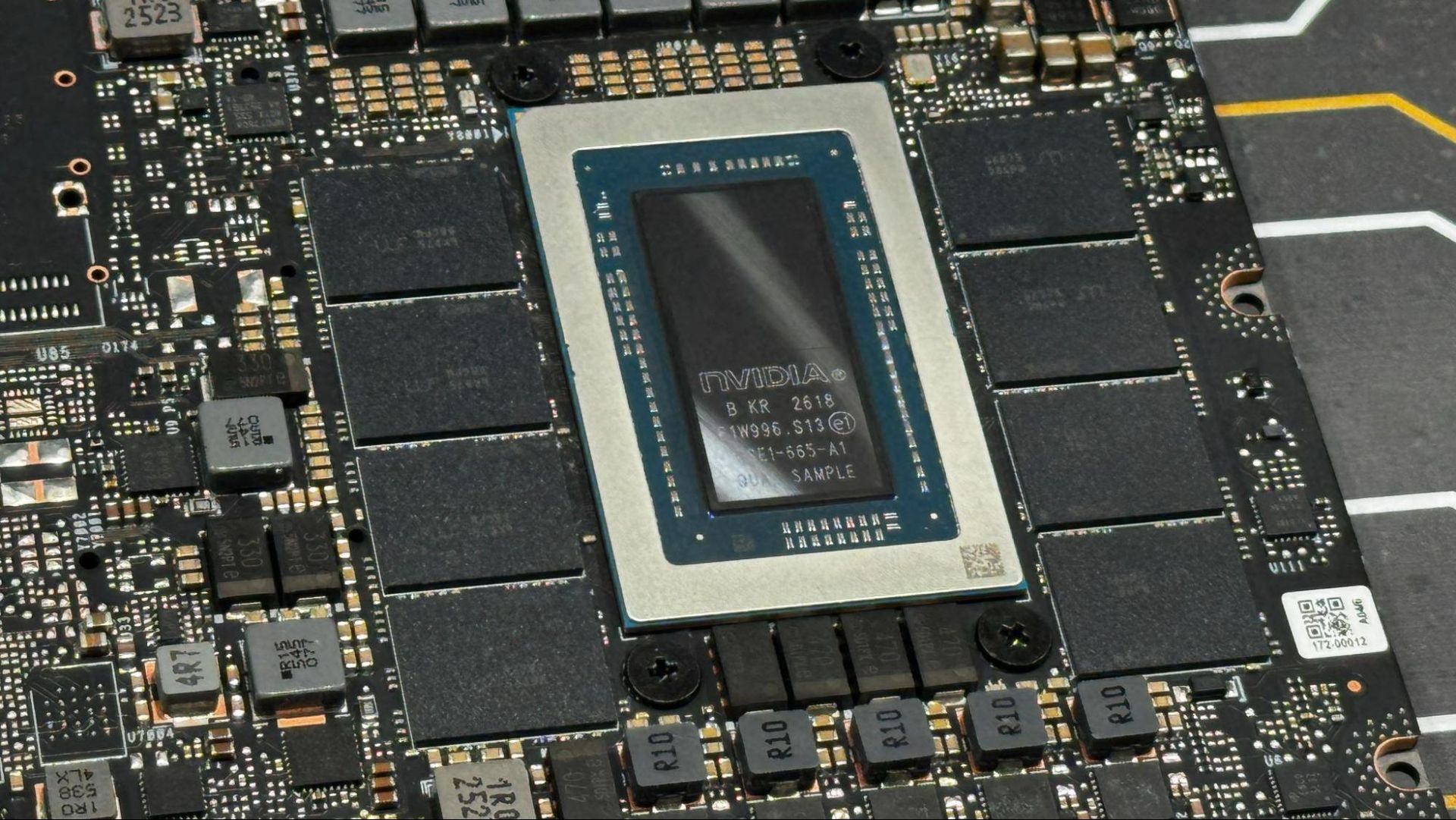
Nvidia RTX Spark N1X

(Image credit: Tom's Hardware)

The other computers at IFA were all largely focused on running agentic AI. There are finally systems getting ready to ship with AMD's Ryzen AI Max+ Pro 495, with up to 192GB of unified memory. Those include the Lenovo ThinkCentre X along with options from smaller names like Minisforum and GMKtec. The companies that are listing prices have them as high as $7,000. (When Strix Halo launched, entry-level configurations could be found under $2,000 with 64GB of memory, so these high-end systems with more memory aren't a shock given rising prices.)

Those were on display while Nvidia continued to hype its RTX Spark N1X platform, which will launch in October in two configurations. Two new devices, one from Acer and one from Lenovo, debuted at IFA, though we're still waiting on pricing for every RTX Spark device we've seen so far.

AMD's systems were portrayed as workstations in most cases, while others, like an AI NAS from Minisforum, gave us a look into what having some sort of AI furniture — dedicated AI hardware with access to your files that's not connected to a screen — could look like. Nvidia's laptops, all running Windows, are a mix of workstation, gaming PC, and agentic AI PC, though those demos were behind handlers, and we weren't able to try them ourselves.

All of these systems were shown running some sort of AI agent. Nvidia's bounced between Hermes and OpenClaw, while the many vendors showing AMD systems often had their own software, typically with the word "Claw" in there somewhere, running a variety of models locally.

These are all a swing away from what the industry called an "AI PC" just a few years ago. Now, with way more memory and far more compute (and less talk about NPUs), Nvidia, AMD, and the companies making the hardware are betting that you or your company are ready to set up agents and have them run workflows, and that you'll pay a pretty penny to do so.

Two extremes, but what about the rest of us?

Dell 14S ports and keyboard

(Image credit: Tom's Hardware)

There are clearly two visions of computing now: one with the power for local AI models to run tasks on your device (though how easy those will be to set up is an open question), and another where you do basic tasks on cheap computers. What about the rest of us? The people who are happy to spend $800 - $1,500 on a laptop or mini PC to get a bit of extra RAM and storage, the most premium build quality, higher-resolution displays, better speakers, and, of course, a bit more performance? Other than Dell recently adding Intel's Core Ultra Series 3 processors to the XPS 13 (which itself isn't the most premium), it's been quiet on that front.

Perhaps we have to wait for Intel to drop Nova Lake mobile, or for AMD to move forward with Medusa Point, to see these types of systems. Word on those has been quiet, but maybe next year, at CES, we'll see a return of the performance laptop. (Apple is likely to bring its M6 to the MacBook Air, but the company doesn't really do trade shows.) Or maybe memory prices mean something has to give ... and the laptop for everyone else is what is giving. But without new silicon aimed at that market, it seems that the Windows world is happy to be split into two extremes.

Nintendo of America puts tariff refunds towards 'customer appreciation' sale, but no refunds to Switch 2 buyers — offers 30% off games and accessories from September 13 to 26

2026年9月11日 03:35

Nintendo of America got its tariff refund and is using the money to hold a sale, rather than returning it to customers who paid higher-than-expected prices for the Nintendo Switch 2 and accessories. The rare promotion, dubbed the "Customer Appreciation Sale," will run from September 13 to 26 and will offer 30% off digital Switch games, bundles, and "select physical games, downloadable content, accessories, amiibo, and apparel." Discounts will be available in Nintendo Stores and the Nintendo eShop, as well as other participating retailers.

"The Customer Appreciation Sale is our way of saying thank you to Nintendo players for their continued support and is made possible in part by tariff-related refunds," a brief blog post on Nintendo's U.S. website reads. "While Nintendo absorbed most tariff-related costs, the refunds helped make promotions like this one possible."

In a 2026 earnings document, the company stated that it got $300 million in tariff refunds.

Nintendo of America is facing a proposed class action lawsuit from customers who believe the company will be made whole twice: once through raised prices and a second time through the refunds. Sony is facing a similar suit, and in September, Nintendo of America filed a motion to dismiss its suit.

Nintendo was hit hard by the Trump administration's tariffs. Soon after the Switch 2's initial announcement, the company delayed U.S. pre-orders for the console, though the system launched on time. In May, Nintendo raised the price of the Switch 2 by $50 to $499, though that also priced in component shortages and included hikes in Europe and Japan.

In March, Nintendo of America sued the U.S. government in the U.S. Court of International Trade seeking refunds, joining Costco, FedEx, Revlon, and more than 1,000 others. The Supreme Court ruled that large swaths of the tariffs were unlawful, with over $166 billion due back to American businesses. By the end of July, the government had paid $100 billion in refunds.

Most companies seem to be pocketing the refunds, even though costs were typically passed on to American consumers. In August, Panic, which makes the handheld Playdate focused on indie games, refunded tariffs to customers.

Apple A20 Pro powers iPhone Duo, 18 Pro — the company's first 2-nanometer smartphone chip

2026年9月10日 01:33

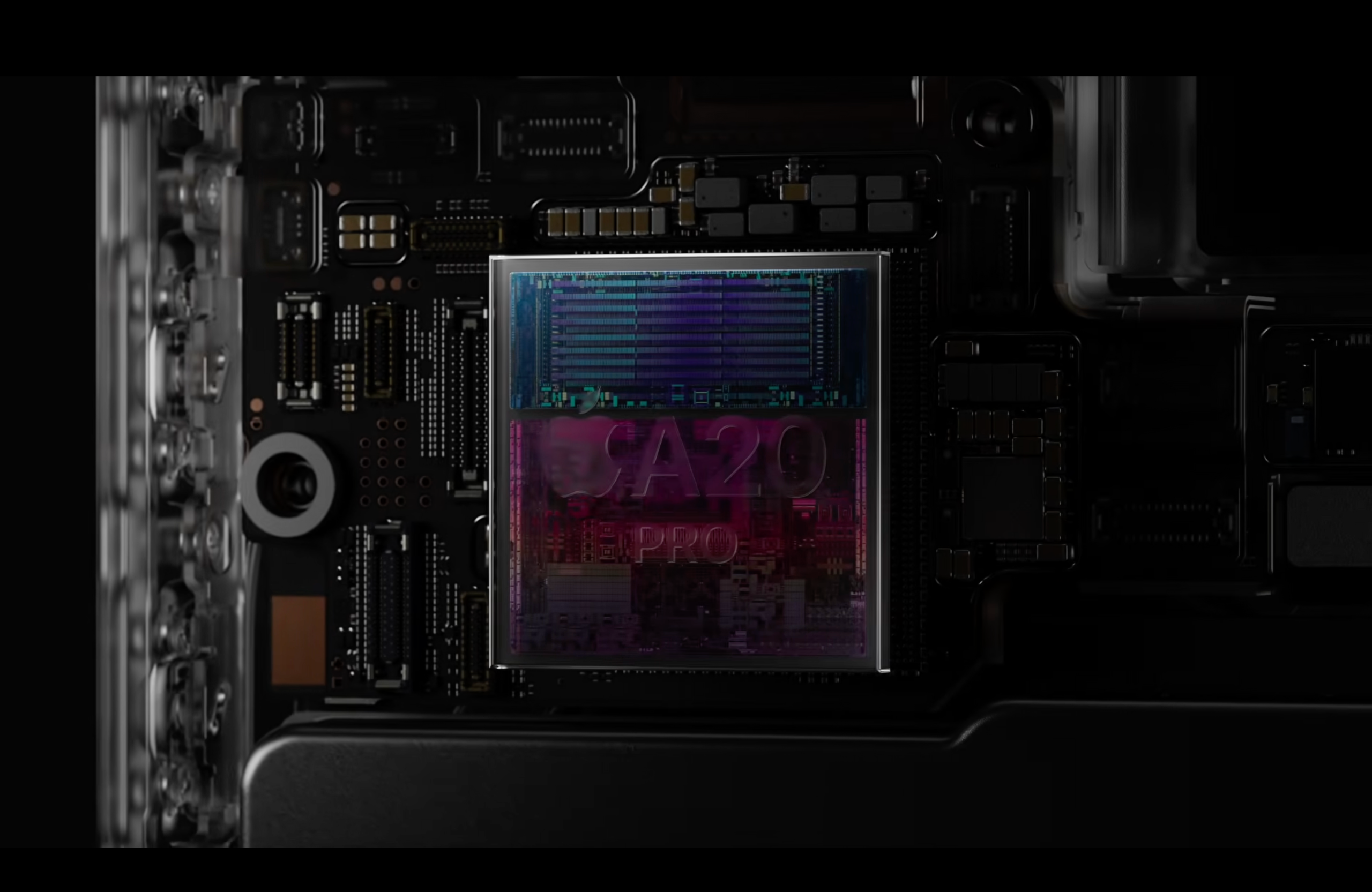
Apple has a new top system-on-a-chip for smartphones, the A20 Pro. The new processor debuted at Apple's iPhone event today — the first event led by newly minted chief executive officer John Ternus — alongside a new in-house modem (the C2).

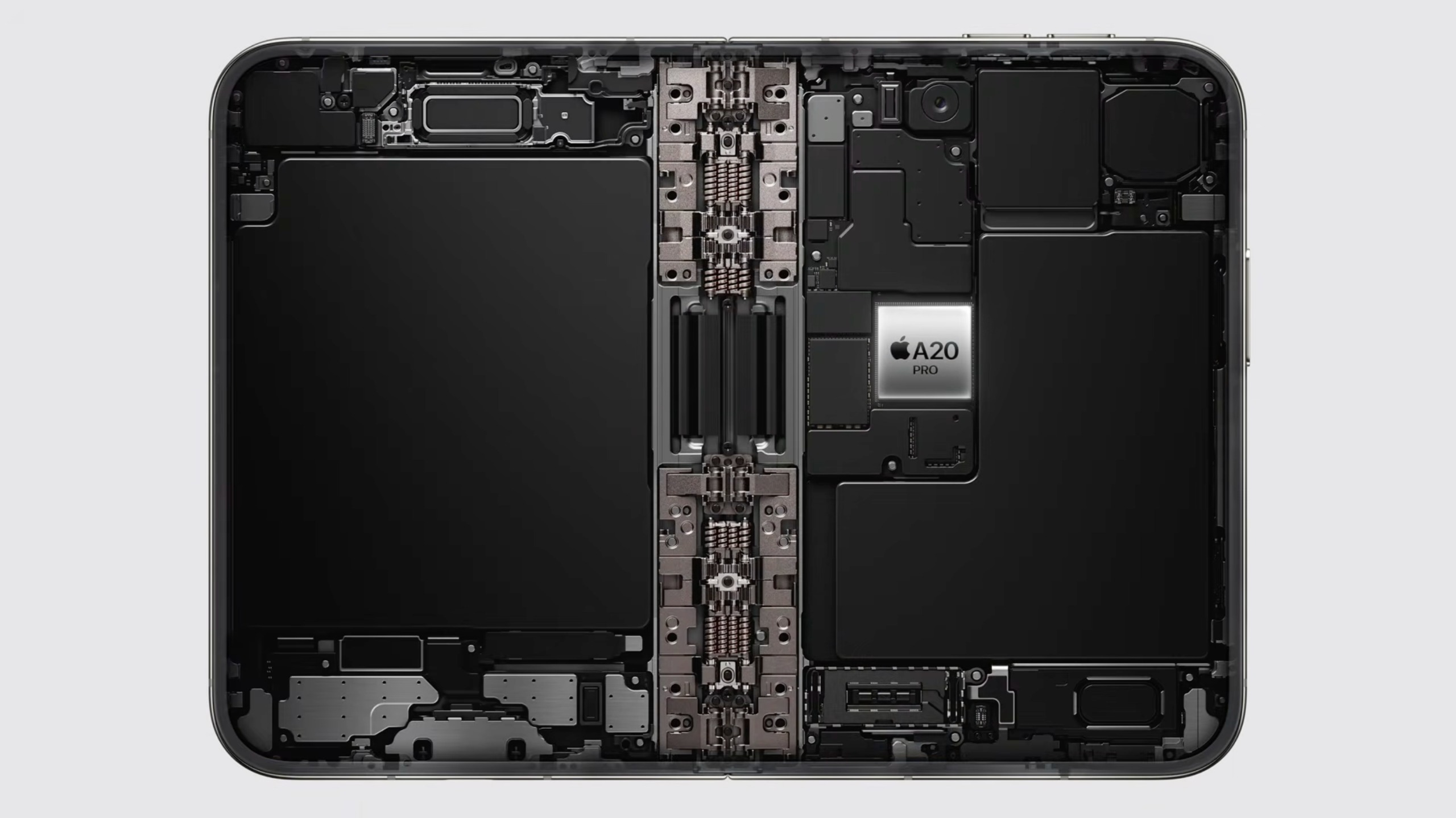
The A20 Pro is Apple's first 2-nanometer chip in an iPhone. (Its first-ever 2 nm chip is the M6, which the company announced in August and which will debut in the Mac Mini later this month). Like the M6, the A20 features dual neural engines, new CPU and GPU cores.

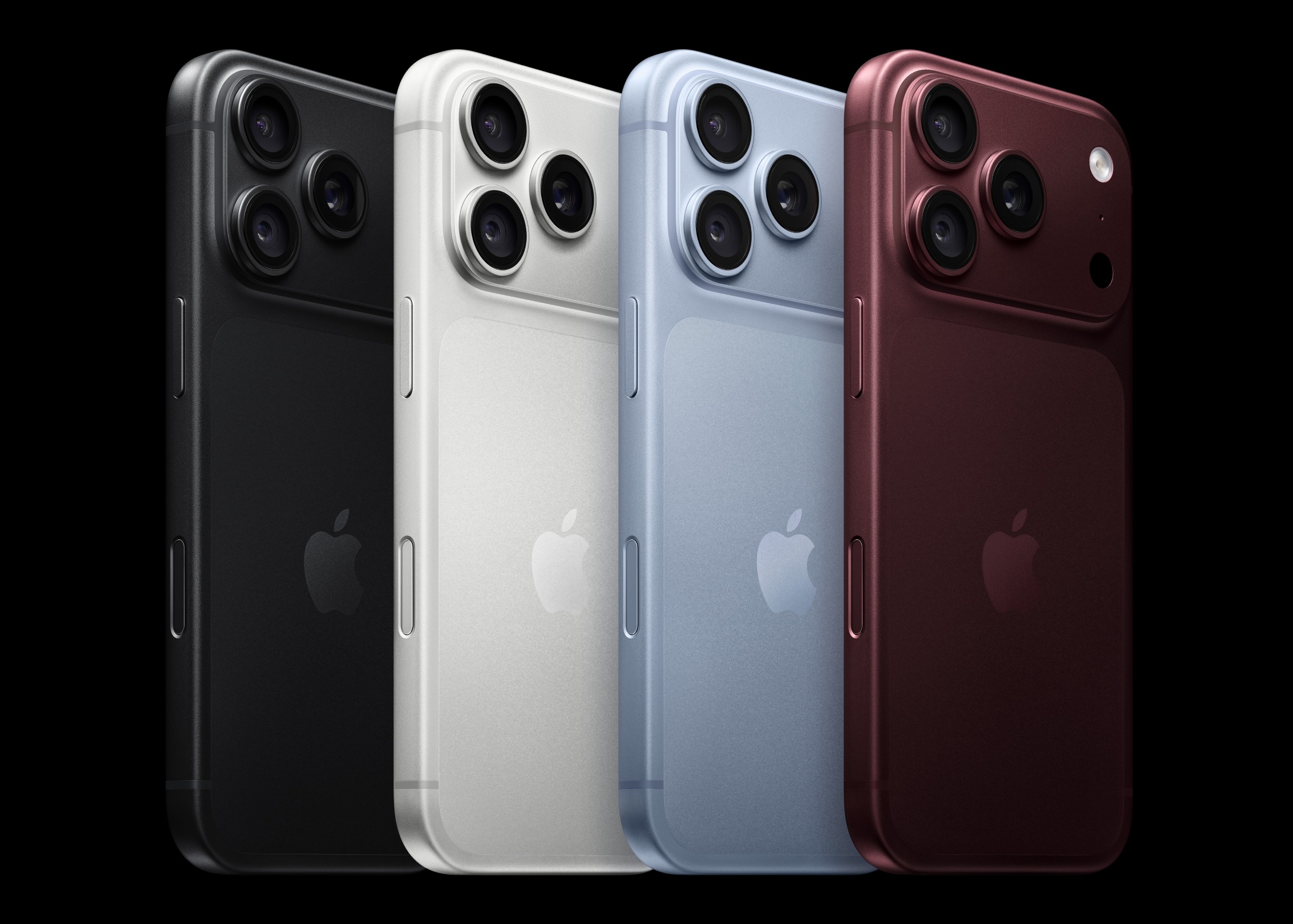
The A20 Pro will power the new foldable iPhone Duo, along with the iPhone 18 Pro and Pro Max.

Apple A20 Pro
Apple
Apple A20 Pro
Apple
Apple A20 Pro
Apple
Apple A20 Pro
Apple
Apple A20 Pro
Apple
Apple A20 Pro
Apple

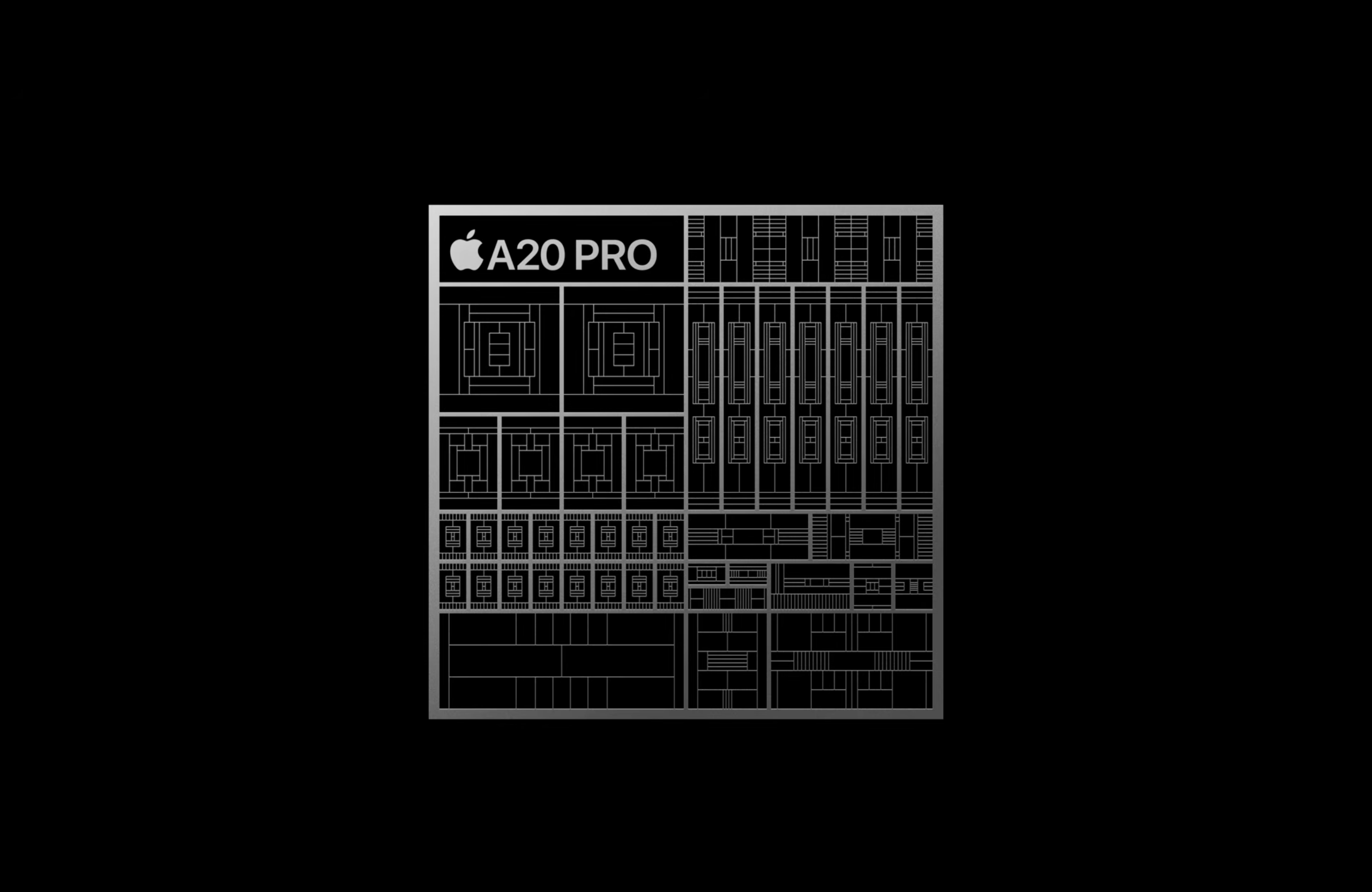
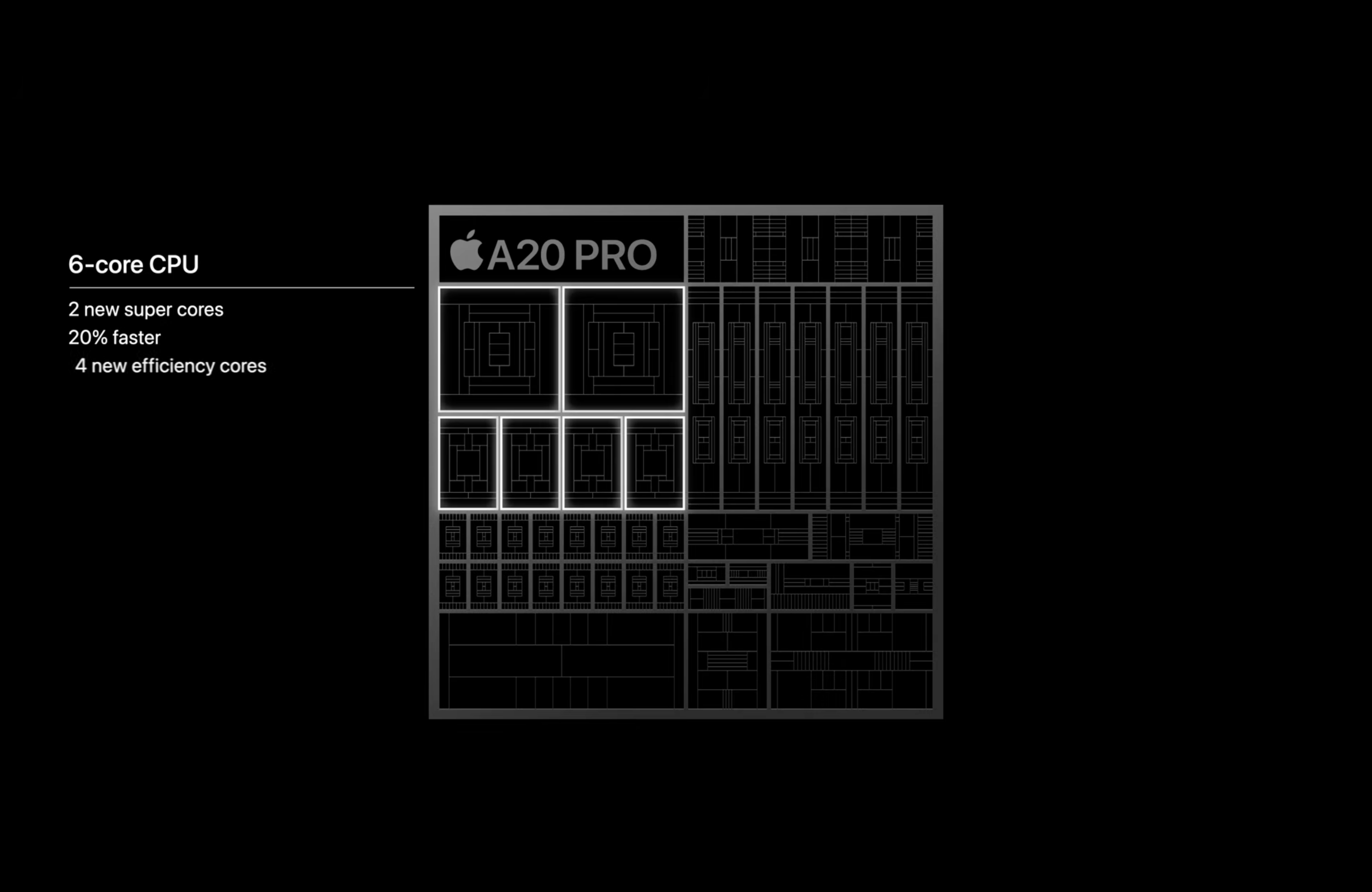
The new SOC boasts a 6-core CPU with two of the company's super-cores (20% faster than last generation), and there are also four efficiency cores with neural accelerators. Apple is calling this a "desktop-class" processor and the "fastest CPU in a smartphone."

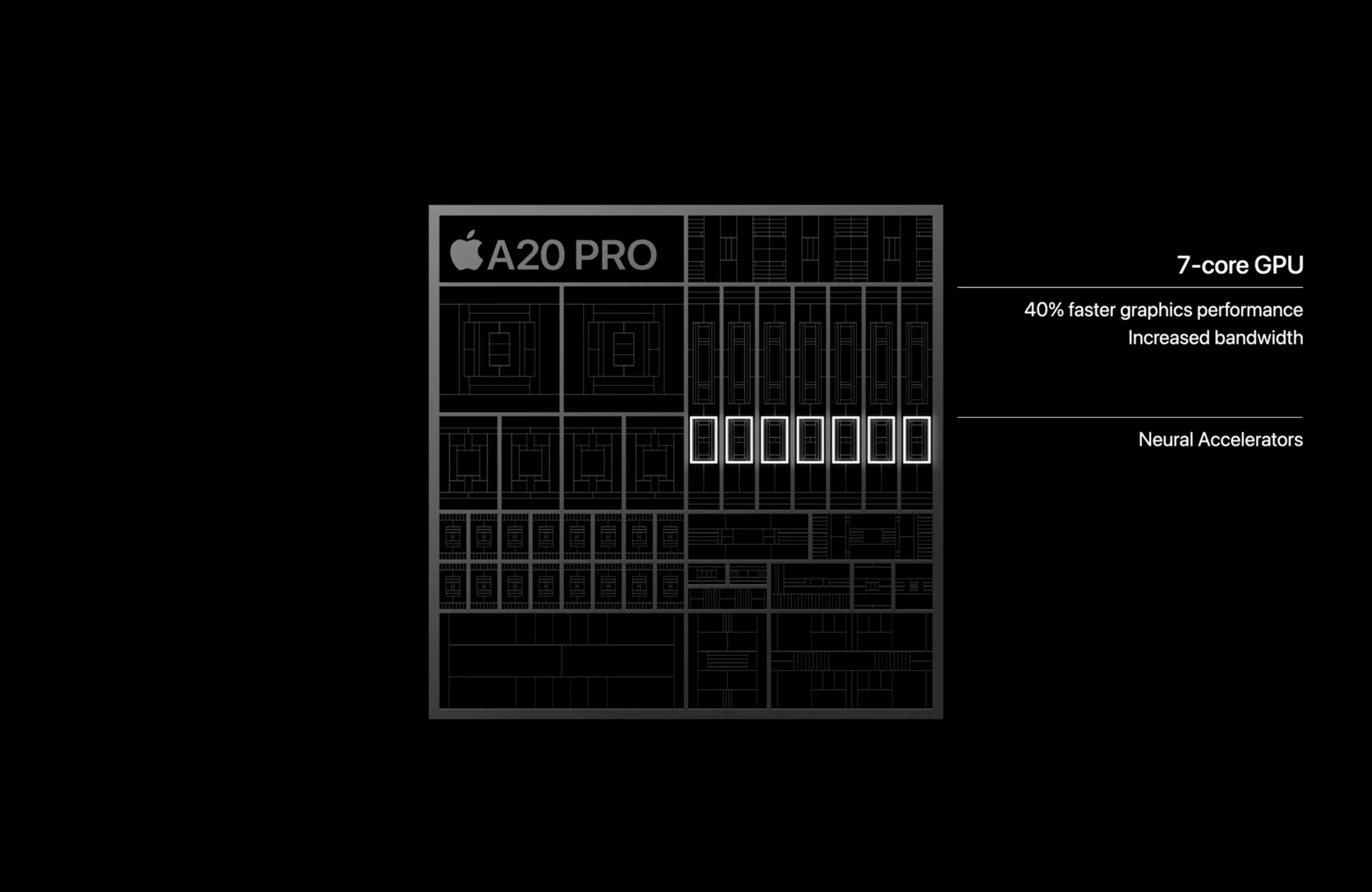
The 7-core GPU has a 40% boost gen-over-gen with increased bandwidth, along with new neural accelerators that the company says allows for twice-as-fast FP8 compute.

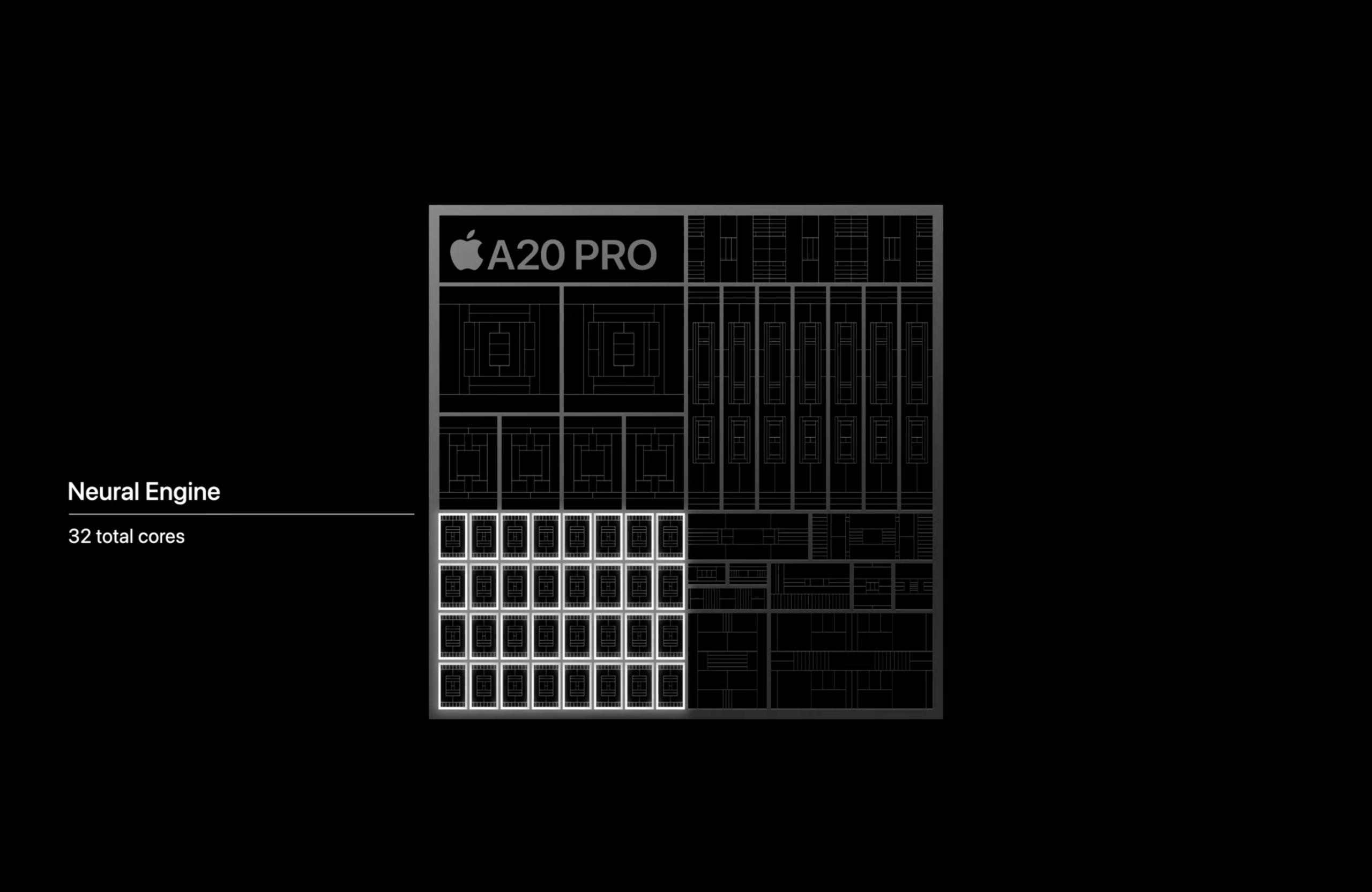
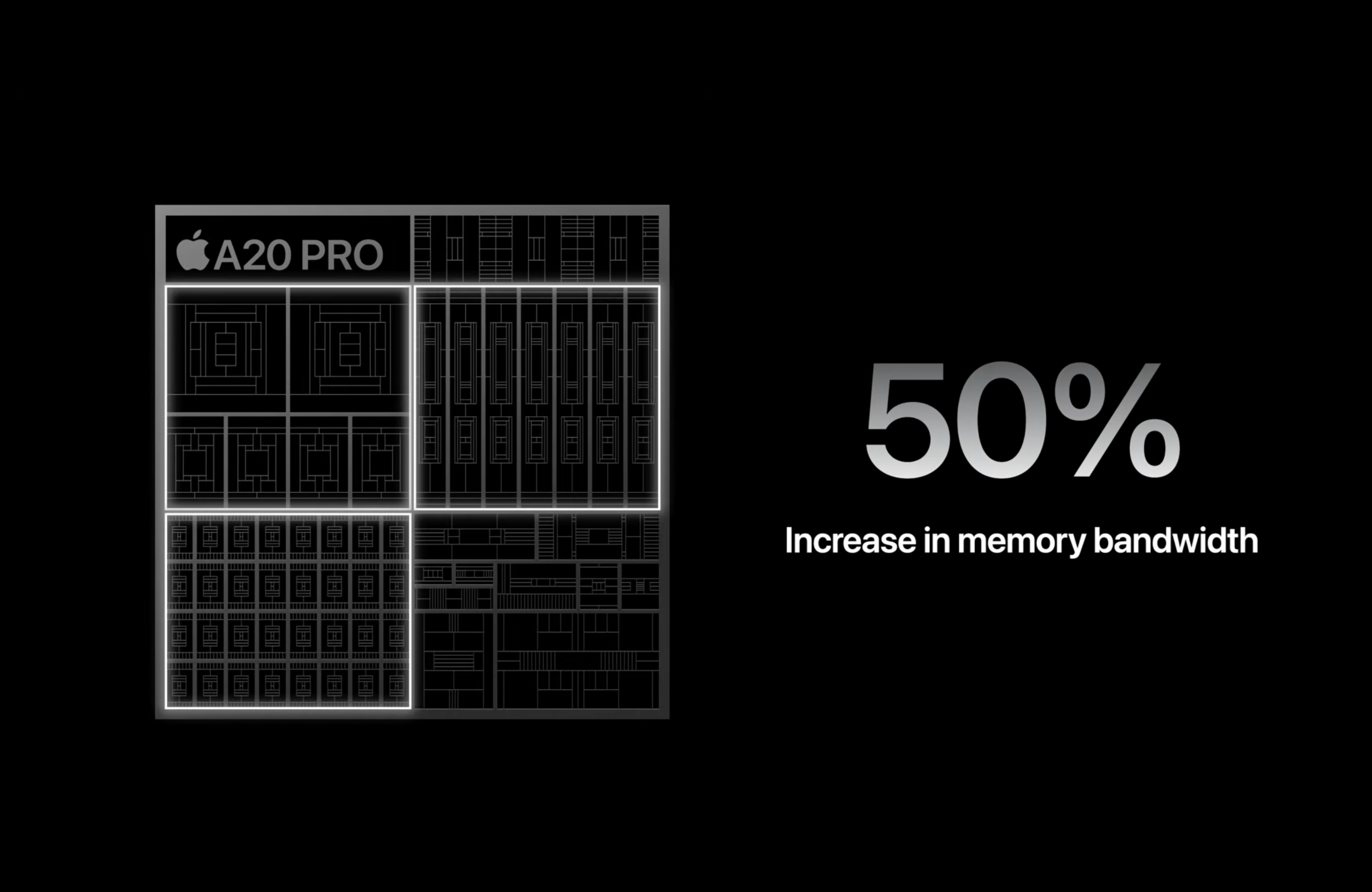
The two neural engines have a combined 32 total cores. There's a 50% increase in memory bandwidth on the chip, which Apple says is the widest memory interface in an iPhone.

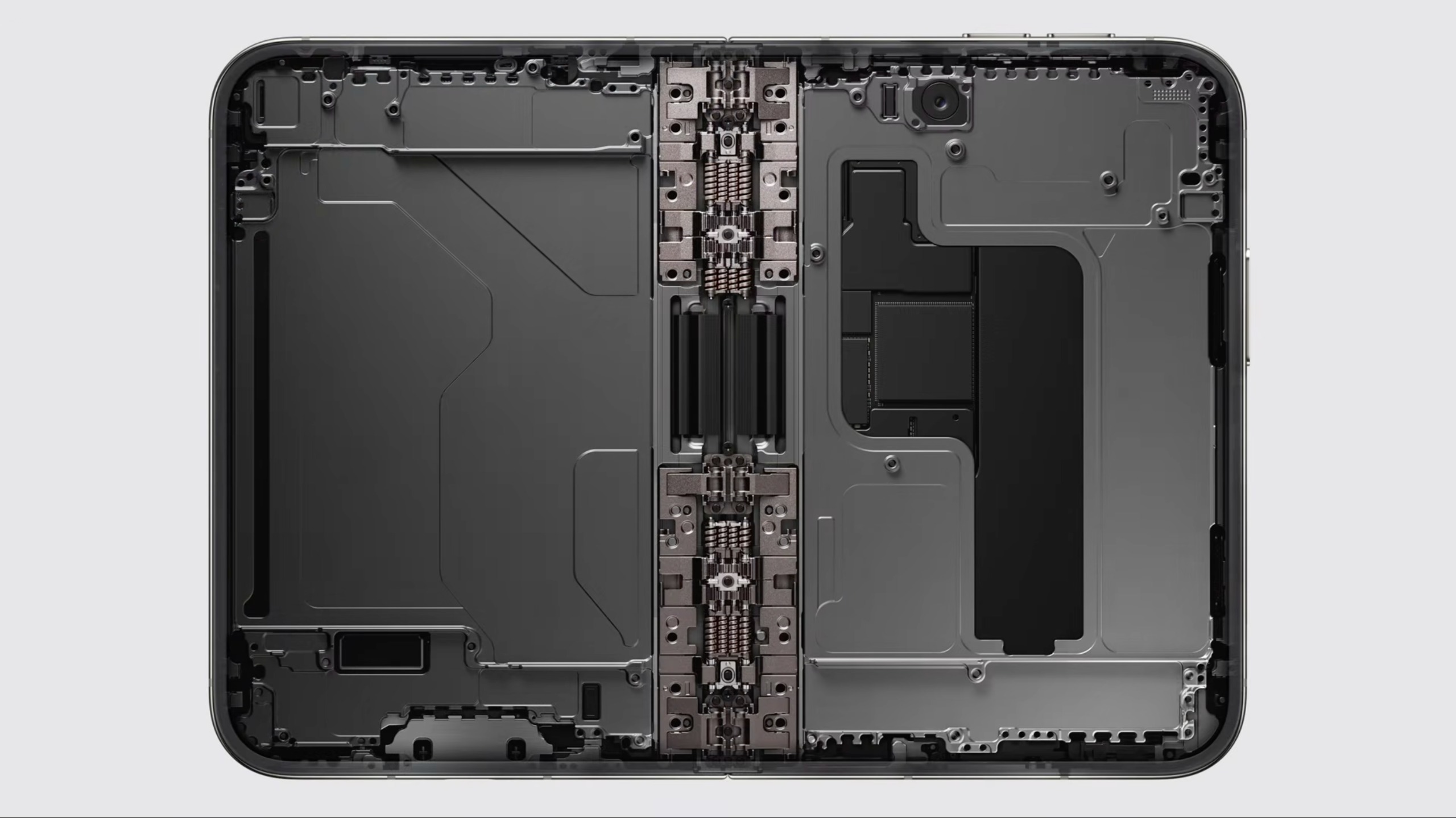
Apple has also changed the packaging, with the silicon dies placed in a way that removes memory from the thermal path of the SOC, allowing the silicon to attach directly to the vapor chamber. That vapor chamber has a three times larger surface area over the 17 Pro, and also includes more graphite and copper along with 80% recycled stainless steel.

The company claims that this will allow for up to 40% sustained performance over the iPhone 17 Pro and 2x sustained performance over the 16 Pro.

Apple says that A20 Pro's efficiencies and new battery designs allow for better longevity. The company claims the Pro will get 36 hours of video playback, and 45 hours on Pro Max video. Using a proprietary test based on data from how people use their phones, Apple claims 24 hours per charge on the 18 Pro and 30 hours on the Pro Max.

IPhone 18 Pro

(Image credit: Apple)

Beyond the SOC, Apple is also using a new C2 cellular modem, replacing Qualcomm. Apple claims that C2 "delivers meaningfully faster uploads when compared to C1X while consuming 15 percent less energy," and also adds mmWave support in the United States. Both phones also feature the N1 networking chip for Wi-Fi 7, Bluetooth 6, and Thread.

The iPhone 18 Pro will start at $1,199, while the Pro Max will start at $1,299. The phones will be available on September 18. The phones also feature an updated Dynamic Island and a 48-megapixel fusion camera with a variable aperture, plus customizable settings such as white balance and cinematic effects that can be added after capture.

Apple_S11

(Image credit: Apple)

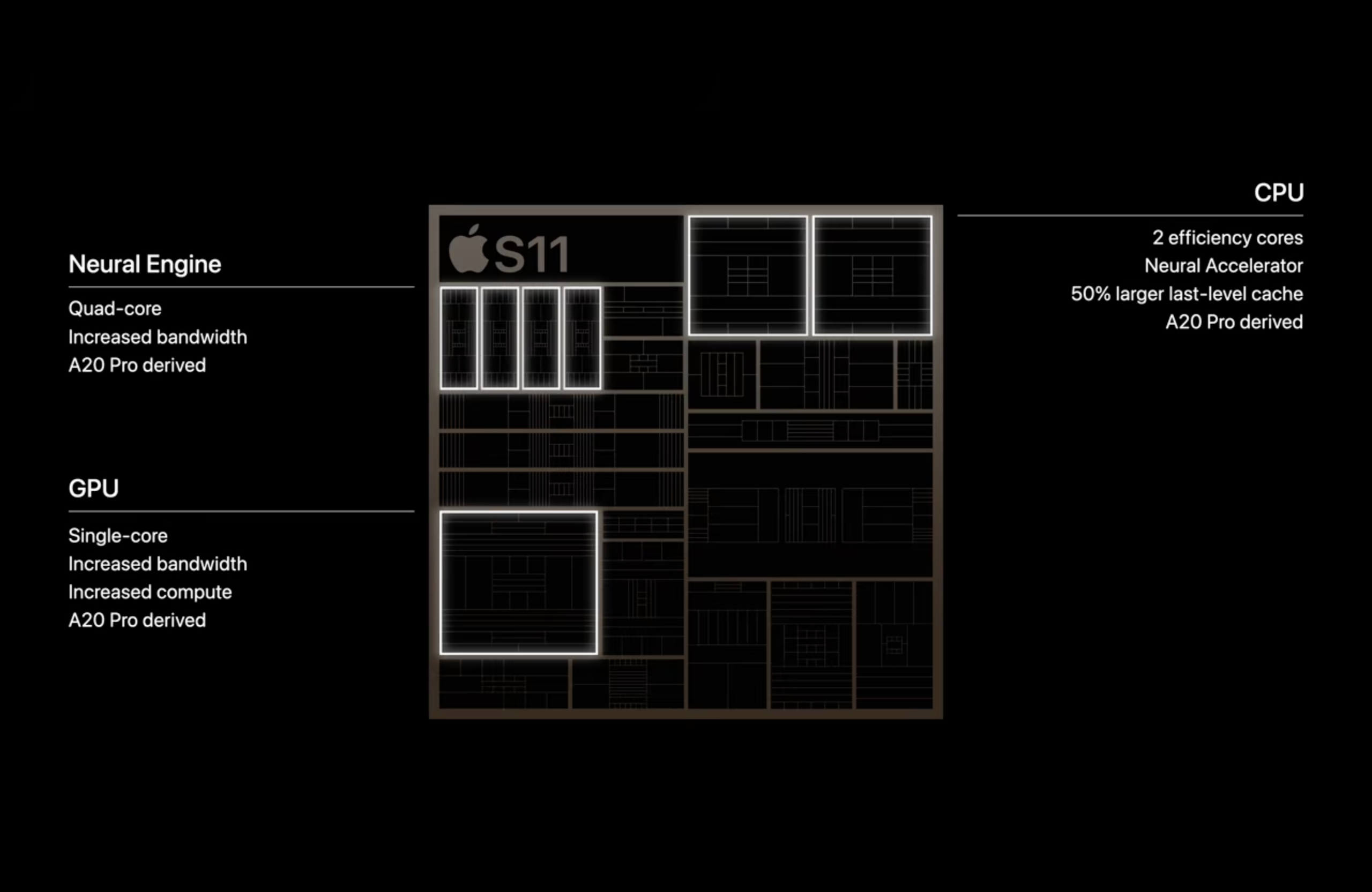
Apple's other new silicon was the S11, a chip for the Apple Watch Series 12 and Ultra 4.

iPhone Duo

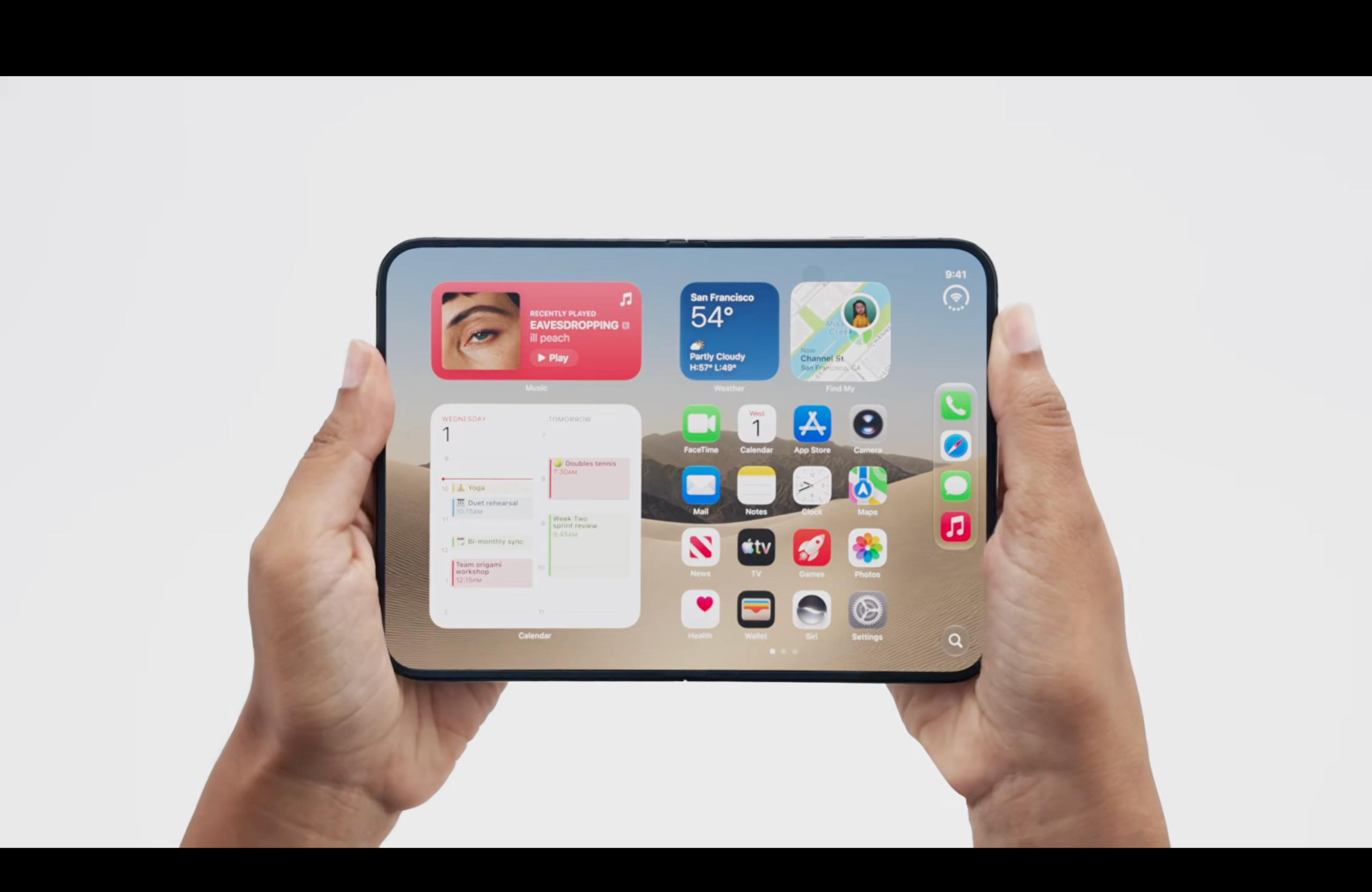
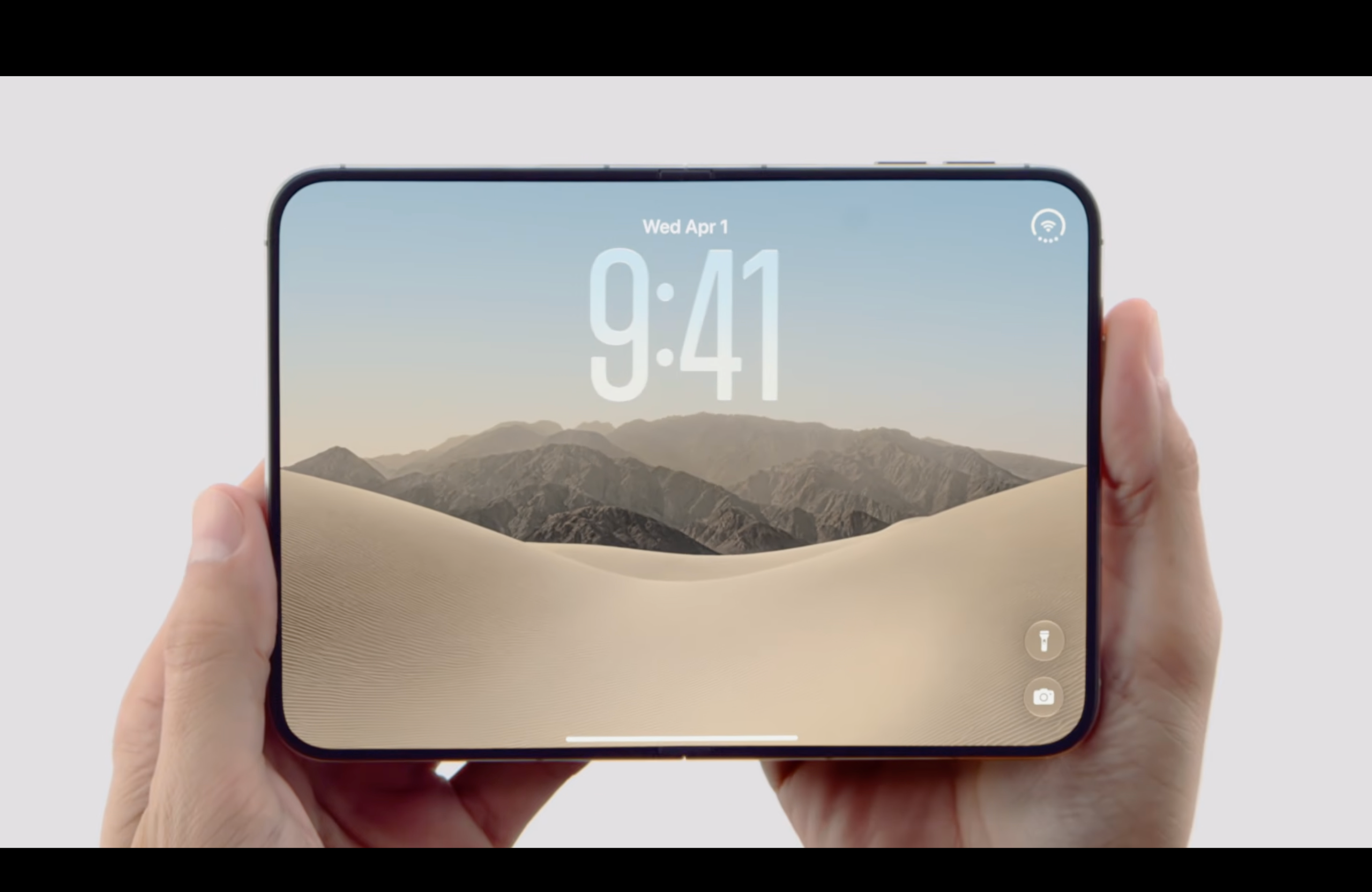
The iPhone Duo, Apple's long-awaited foldable phone, will also use the A20 Pro.

Apple iPhone Duo
Apple
Apple iPhone Duo
Apple
Apple iPhone Duo
Apple

The foldable will be Apple's first phone with a FaceTime camera behind the display, and Apple detailed the hinge and aerospace-grade titanium construction. The Duo is IP68-rated for dust and water resistance. It comes in "star white," as well as "night sky" (a dark blue).

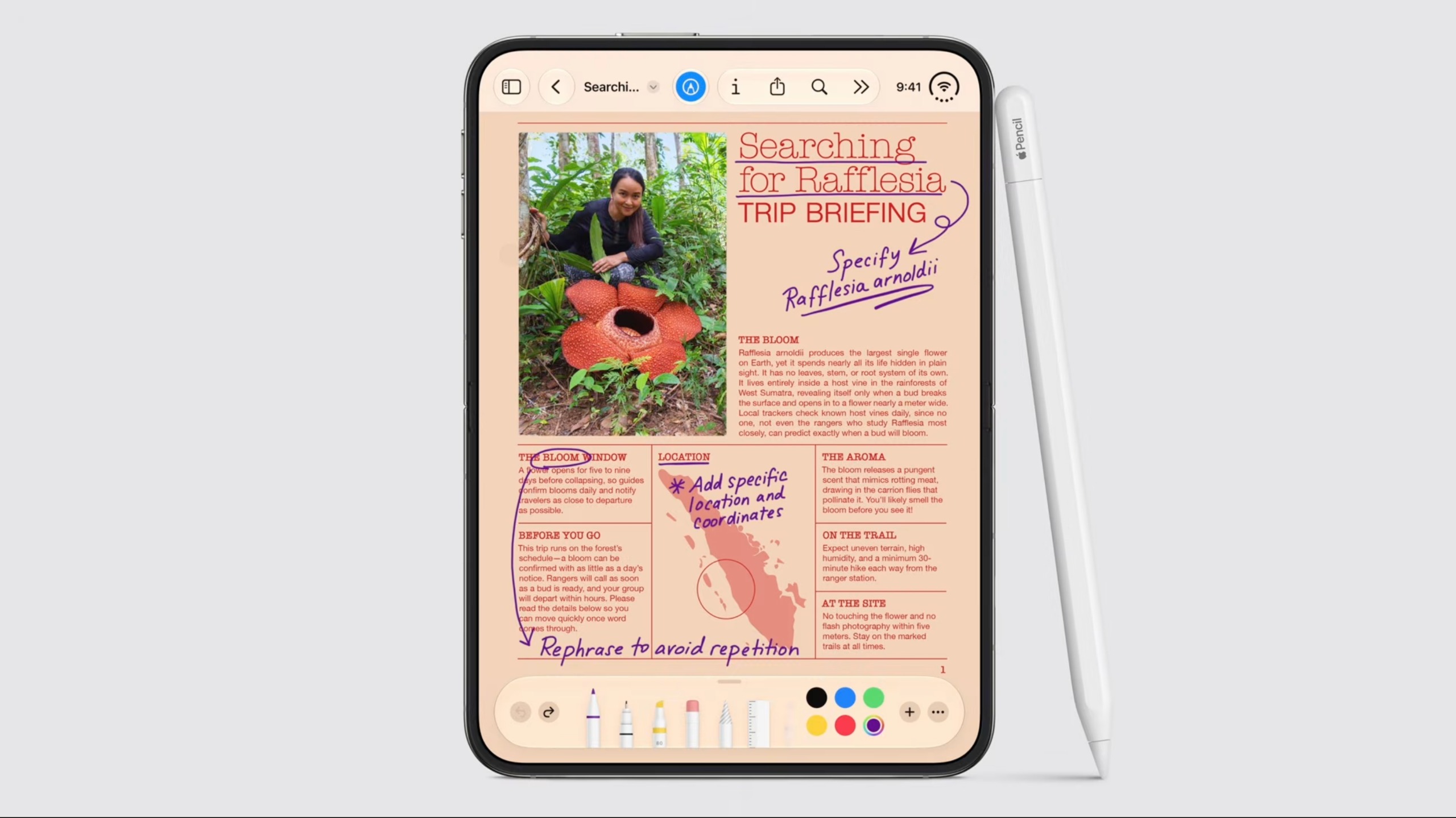
The OS, iOS 27, will allow for docks and controls to live on the sides of the system, putting them near your hand. When opened, it's the thinnest iPhone ever and has the largest screen on an iPhone at 7.6 inches. Later this year, Apple Pencil will be supported on the Duo on both screens.

Apple iPhone Duo
Apple
Apple iPhone Duo
Apple

Apple will use Touch ID for biometrics, jettisoning the Face ID from more recent slab-style phones. Apple said this is the best way to go because it's available whether open or closed, and you can enroll multiple fingers.

The phone supports multiple "poses," including partial folds, and a standby mode when used in a tent-style pose — even when it's not charging.

Apple's internal display has an anti-glare display to "minimize crease visibility," which the company also claims feels premium under your fingers, with a titanium plate supporting the panel, along with a hinge with over 100 components. Samsung also released a phone with a minimal crease in the Galaxy Z Fold 8 earlier this year, but we'll have to see how reviewers compare the two screens.

Apple iPhone Duo
Apple
Apple iPhone Duo
Apple
Apple iPhone Duo
Apple

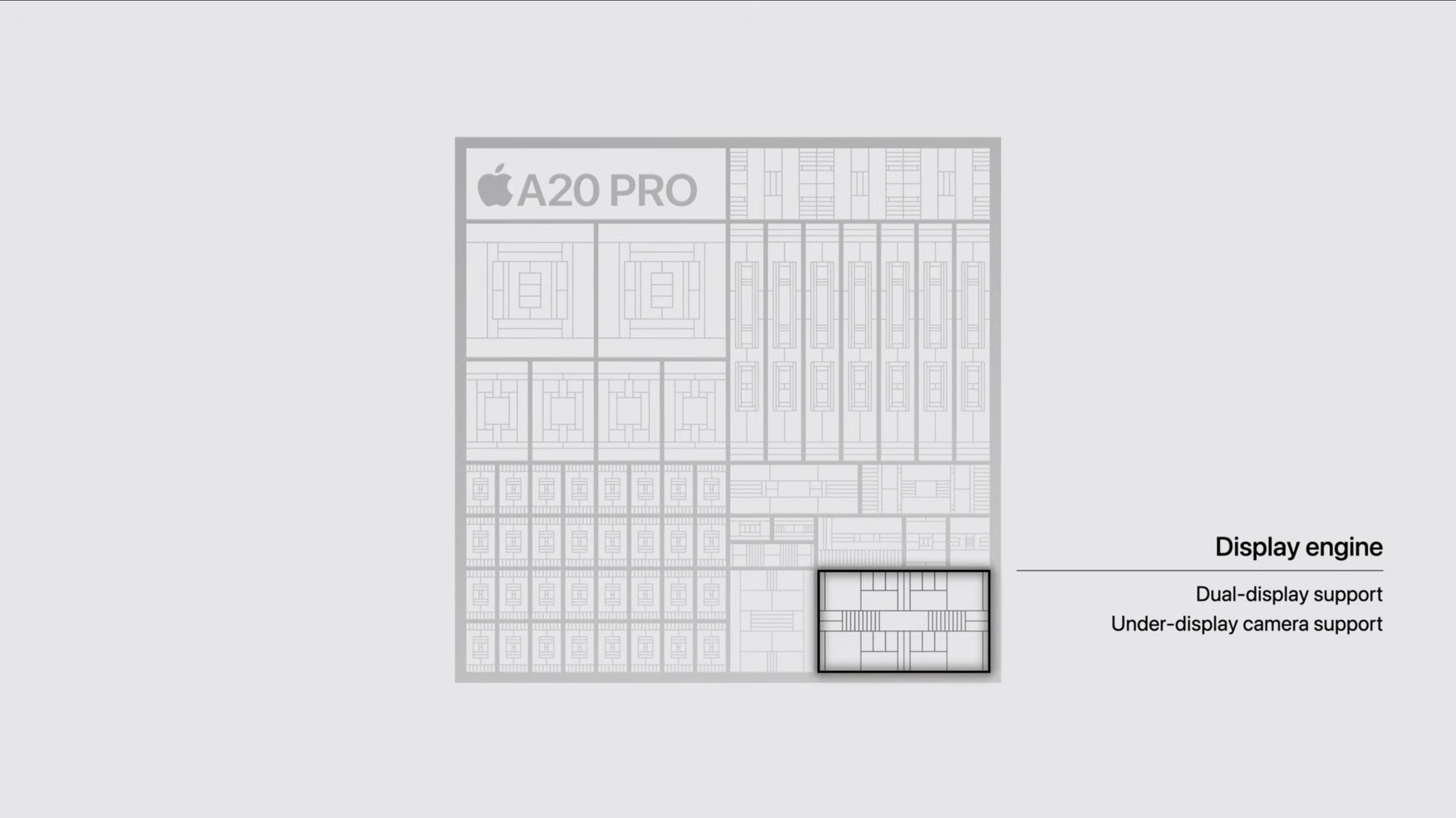
A20 Pro has a new display engine that supports both displays. Like the 18 Pro and 18 Pro Max, Apple is using the C2 cellular modem over Qualcomm's in the iPhone Duo.

The iPhone Duo is eSIM-only everywhere in the world, maximizing battery space. Each side of the phone has its own battery, which operates as one with software. Apple is claiming up to 31 hours of video playback on the inner display and 44 hours on the outer display. Using its own model, Apple claims 24 hours when using "both screens equally."
The phone has a two-camera system. The main camera is a 48MP lens with up to 2x telephoto, while the other is an ultrawide lens. The 48MP camera is the same one on the 18 Pro, though without the variable aperture. The center-stage camera on the front is a 12MP camera. The inner display has an under-screen FaceTime camera.
The iPhone Duo starts at $1,999 for 256GB, and goes up to 2TB. Pre-orders start on October 16, and the phone will launch on October 23.

Best of IFA 2026: MacBook Neo competitors, monitors, and wild laptop concepts

2026年9月5日 20:05

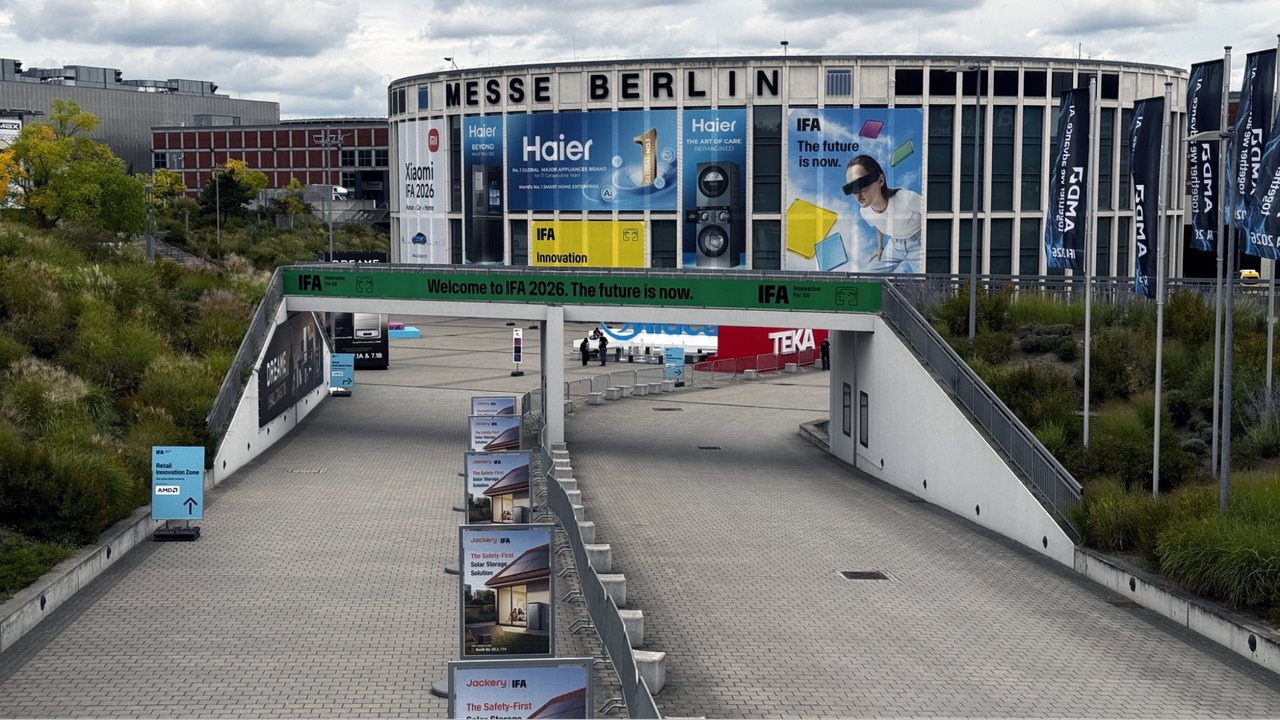
IFA isn't typically a PC-focused show. But this year, Europe’s biggest tech show had plenty of computing hardware, in between robots and AI washing machines.

Laptop OEMs are continuing to adapt to a market riled by RAM shortages and the debut of the MacBook Neo earlier this year. Dell, Acer, and Lenovo all dropped more affordable, mid-range machines with plenty of color options – and let’s not forget Packard Bell.

Nvidia and AMD, on the other hand, are both trying to bring AI computing home – shortages and high prices or not. Nvidia continued to tease its RTX Spark platform (including an October release date), while AMD finally has device partners for its AMD Ryzen AI Max+ Pro 495, with up to 192GB of unified memory. While Nvidia’s RTX Spark loomed large over the PC side of the show, there wasn't much newly announced hardware, aside from Lenovo’s 2-in-1 and a mini PC from Acer. Pricing is still unknown, and demos were largely locked down behind company representatives. We're still waiting to see the true impact of these systems on the PC market.

In between, some unique monitors and peripherals dotted the show floor, challenging size and speed constraints to innovate where they can amid a challenging component and pricing landscape. — Andrew E. Freedman

Lenovo IdeaPad Vibe

IFA 2026IFA 2026 Award

(Image credit: Tom's Hardware)

IFA 2026 proved the Windows world is not slowing down when it comes to producing rivals to the MacBook Neo. But Lenovo has taken the fight to its logical extremes, adding more color and personalization options. The IdeaPad Vibe sports seven colors, ranging from chill blue to spicy gold and, of course, lowkey gray.

You can also choose the colors for the keys on the keyboard. In theory, you buy a set to match or contrast when you purchase the laptop, though you may be able to buy additional sets down the line to mix it up. You don't see replaceable keycaps on laptops too often.The internal specs include AMD Ryzen AI 4000 series or Snapdragon X processors. There are 14- and 15-inch screens, and all-aluminum builds or a plastic bottom. The base model will start at $699, matching perfectly with the MacBook Neo and Dell XPS 13, and bringing a ton of style to the mid-level budget PC space. — Andrew E. Freedman

Read more: Lenovo’s IdeaPad Vibe laptops stand out with seven colors and swappable keycaps – 14,15-inch models with Snapdragon X and AMD AI 400 CPUs to start at $699

Acer Nitro XV275U Z2

IFA 2026IFA 2026 Award

(Image credit: Acer)

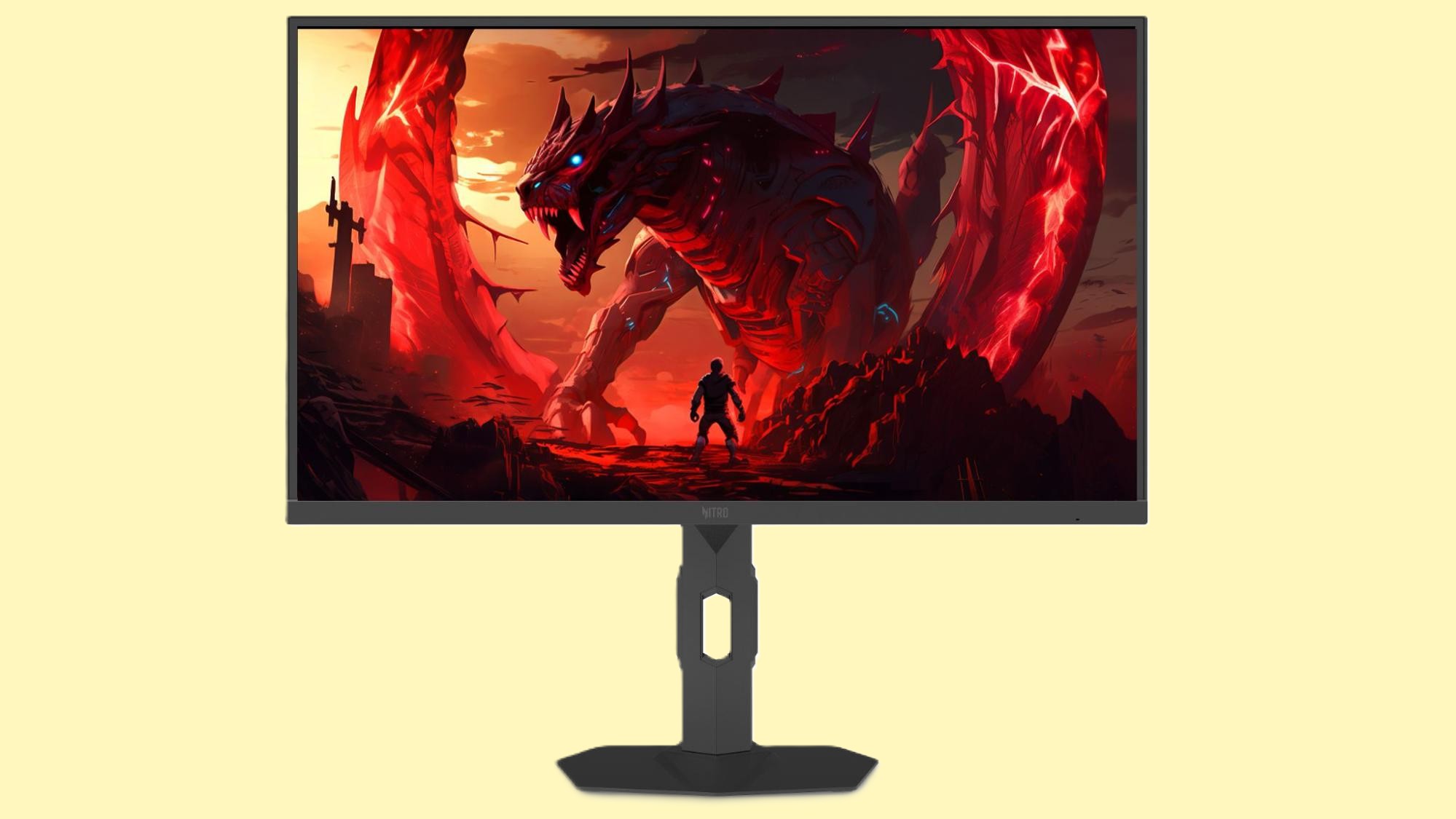
While we’ve seen a lot of activity in the mid- to high-end of the gaming monitor sector, especially with OLED panels, there’s still a lot to be excited about in the entry-level / budget segment. And Acer aims to make cash-strapped gamers happy with its Nitro XV275U Z2.

This is a tri-mode monitor, offering three distinct resolution/refresh rate presets thanks to Dynamic Frequency and Resolution (DFR). Featuring a 27-inch IPS panel, the Nitro XV275U Z2 has a native QHD (2560 x 1440) resolution and 275 Hz refresh rate. However, you can step down to 1080p resolution and boost the maximum refresh rate to 360 Hz. And if you’re willing to sacrifice even more resolution by dropping to 720p, you’ll be blessed with a 500 Hz maximum refresh rate.

That’s a lot of flexibility for gamers, and Acer further ups the value factor by including 1,152-zone Mini LED backlighting, typical brightness of 500 nits, and 1,000 nits in HDR mode. Best of all, the Nitro XV275U Z2 will be available at an enticing price of $329 when it debuts in Q4 2026. — Brandon Hill

Read more: Acer launches seven new gaming monitors across Nitro and Predator families — tri-mode panels, QD-OLEDs, Mini LEDs, 1,000 Hz, and more

Lexar Muse

IFA 2026IFA 2026 Award

(Image credit: Tom's Hardware)

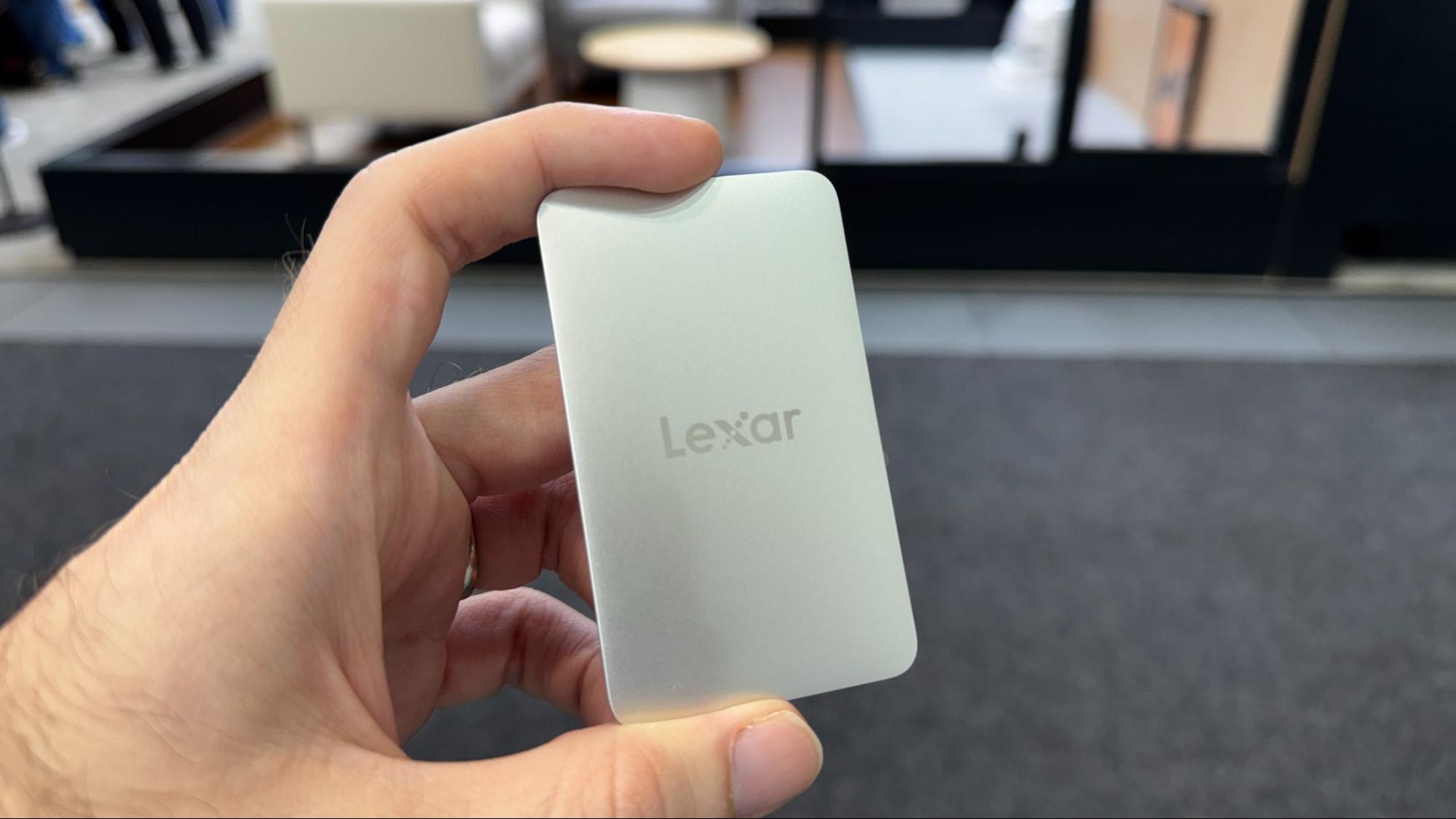
With so much of the world’s flash memory capacity being gobbled up by AI hardware, most storage makers don’t seem to be focused on consumer innovation. But Lexar hasn’t taken its eye off the portable SSD space, showing off its Muse, a drive about the size of a credit card – and a few cards thick at 3.15 x 1.89 x 0.15 inches. And bulk matters when your drive is designed primarily to attach magnetically to the back of your phone for recording video. The Muse does this with a magnetic sleeve that you slide the drive into, much like a card holder.Lexar says the svelte design was achieved through a combination of a custom thin PCB, high-density NAND stacking, and an internal design that’s more integrated than most external SSDs. There are, of course, some downsides to the ultra-thin design, like the lack of space for a USB-C port, which Lexar has replaced with pogo pins on the back and a proprietary magnetic SnapLink cable. Capacity is also limited to just 512GB and 1TB. The 10 Gbps drive is expected to arrive later this year. — Matt Safford

Read more: Lexar announces ‘world’s thinnest portable SSD’ in celebration of the brand’s 30th anniversary – Lexar Muse drive achieves 0.15-inch thickness with proprietary pogo-pin cable, magnetic sleeve for phone mounting

Minisforum N5 Max

IFA 2026IFA 2026 Award

(Image credit: Tom's Hardware)

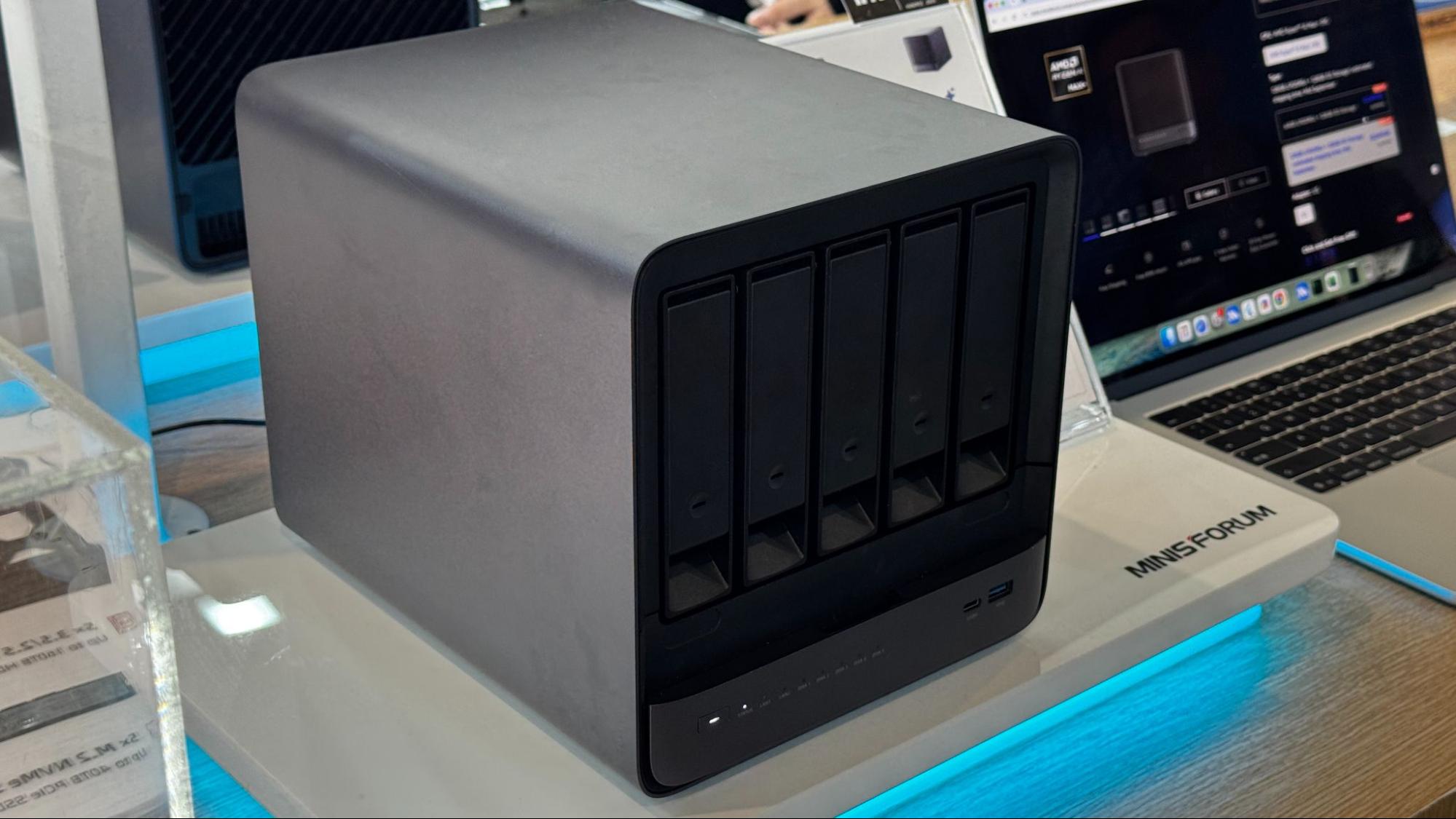
With AMD's Ryzen AI Max+ Pro 495 finally launching in systems, it wasn't surprising to see it in a handful of mini PCs and workstations. But it was surprising to find it in a NAS.

The Minisforum N5 Max takes the Gorgon Halo part (it's also available with last-gen Strix Halo) and puts it in a five-bay network-attached storage device. Beyond those five HDD bays (up to 32TB each, or 160TB total), five M.2 SSD slots allow up to another 40TB, giving this device up to 200TB of space for your files. Do you want Qwen 3.8 and 200TB of files? Because on the show floor, the company showed Qwen 3.8 navigating 200TB of files.

The idea, according to Minisforum, is that your agents are running on the same device as all of your files, making for one convenient local device. The system comes with the 16-core, 32-thread processor, AMD Radeon 8065S graphics, and up to 192GB of LPDDR5x unified memory. It's likely to come at the end of September, and while reps for Minisforum didn't have a price, they suggested it could be over $7,000, just like the company’s upcoming Gorgon Halo workstation.The system supports the company's MinisCloud OS, Linux, Proxmox, and Windows 11. So in theory, you could use this as your primary computer. But this is one of the only pieces of AI computing furniture we saw here at IFA. — Andrew E. Freedman

Read more: Minisforum launches local AI solutions at IFA 2026 — AI Agent NAS N5 and AI Mini Workstation MS-S1 use AMD Ryzen AI Max+ Pro 495 processors designed to run models locally

Acer Project DualPlay Mini

IFA 2026IFA 2026 Award

(Image credit: Tom's Hardware)

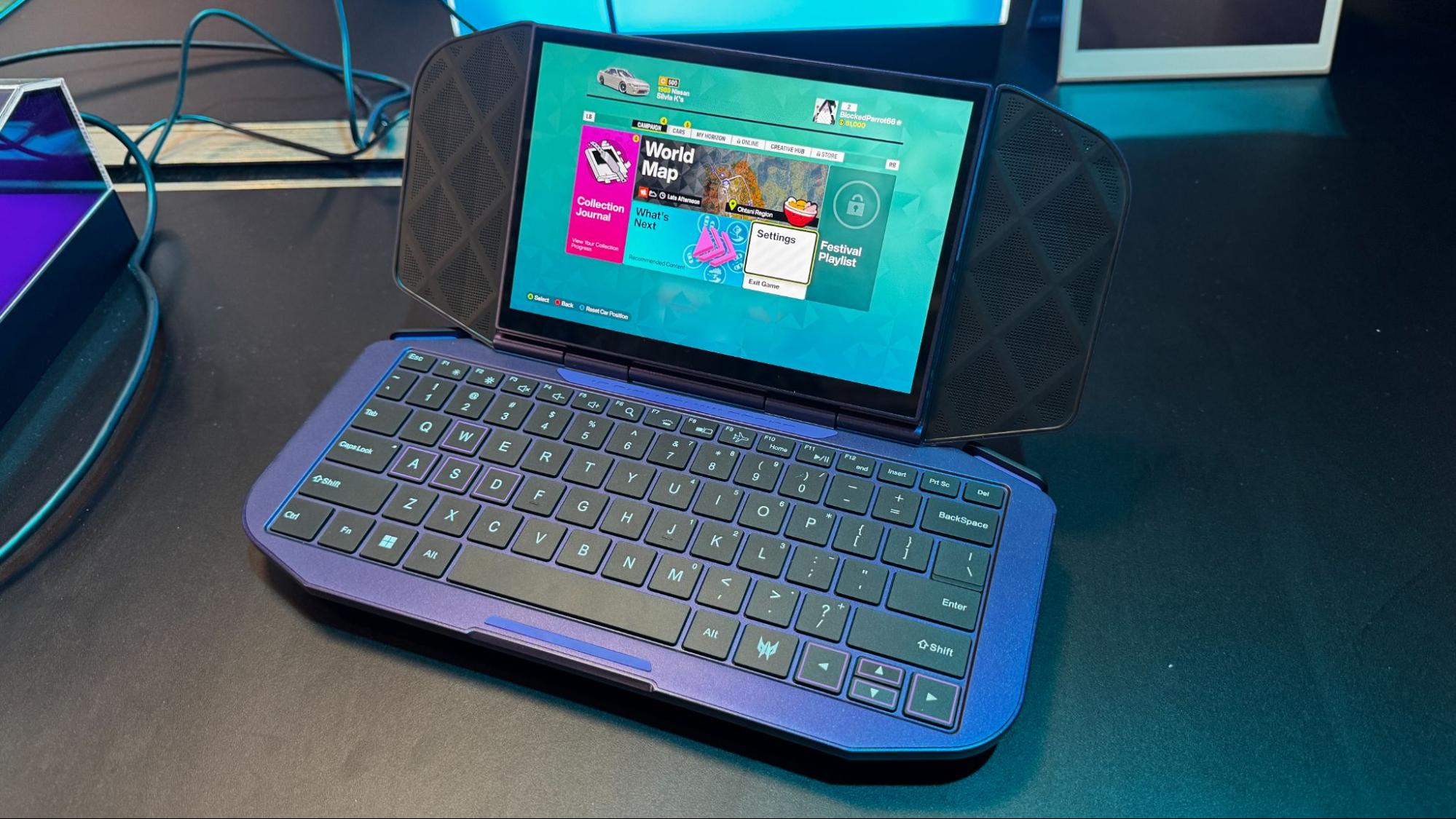
Acer’s Project DualPlay Mini is the platonic ideal of a concept device, in that it’s equal parts interesting, impractical, and unlikely to be a product you can actually buy. It’s a handheld clamshell that transitions into a netbook-style device, giving you access to a keyboard so you can get work done on the go.

The device is unsurprisingly chunky, and the keyboard is decisively impractical, but concepts are for trying out new ideas. The device folds in half, but it doesn’t feature two displays. Rather, the display is set on a separate hinge that can rotate to the front in handheld mode, or to the back in laptop mode. Acer told us at IFA that the device comes with a Panther Lake chip, though it’s unclear if that’s Panther Lake proper or one of Intel’s cut-down G3 SoCs for handhelds.

The device features a fingerprint reader, along with two USB-C ports (likely Thunderbolt 4) and two back buttons, typical of most handhelds. It adopts the same cooling system as the Predator Atlas 8, Acer’s traditional G3 handheld. Although it’s not clear if we’ll eventually see the DualPlay Mini on store shelves, we were able to see the device in-person at IFA, showcasing that it’s much further along than a few renders — Jake Roach

Read more: Acer’s wild Project DualPlay Mini is a foldable handheld that doubles as a netbook

Lenovo details its RTX Spark laptops — Yoga Pro 9n and Yoga 9n 2-in-1 get full specs, stylus support

2026年9月4日 00:00

Lenovo is providing a full spec list for the Yoga Pro 9n, the Nvidia RTX Spark-powered laptop it announced at Computex, and has a second Spark system ahead of IFA: the Yoga 9n 2-in-1, a 16-inch convertible.

Both systems are listed as using Grace CPUs with up to 20 Cores and Blackwell RTX graphics with up to 6,144 cores, suggesting there will be multiple RTX Spark chips to choose from for both systems. While the 2-in-1 will top out at 64GB of unified memory, the clamshell Yoga Pro will go up to 128GB. It's also notable that the 2-in-1 will use seemingly lower-end QLC storage, while that's not mentioned in the Pro specs. We also know that the 15-inch Pro will have up to 80W TDP, one of the first official TDPs we've heard for an RTX Spark system (we don't yet know that information for the 2-in-1).

Lenovo Yoga Pro 9n (15-inch, 11)

Lenovo Yoga 9n 2-in-1 (16-inch, 11)

CPU

Nvidia RTX Spark — Grace CPU with up to 20 cores

Nvidia RTX Spark — Grace CPU with up to 20 cores

GPU

Nvidia Blackwell RTX GPU with up to 6,144-cores (integrated)

Nvidia Blackwell RTX GPU with up to 6,144-cores (integrated)

Memory

Up to 128GB LPDDR5x-9400

Up to 64GB LPDDR5x-9400

Storage

2 SSD Slots, Up to 4TB total storage

Up to 512GB or 1TB PCIe Gen 4 SSD (M.2 2242) in slot 1
Up to 2TB PCIe Gen 5 SSD (M.2 2242) in slot 2

Up to 2TB PCIe SSD Gen 4 QLC M.2 2242

Display

15.3-inch, 2560 × 1600, 48-165Hz, VRR, 16:10, PureSight Pro OLED, 1100 nits peak brightness (HDR)

16-inch 2880 x 1800, 30-120Hz, VRR, 16:10, PureSight Pro OLED, 1,100 nits peak brightness (HDR)

Battery

92.5 WHr

99.9 WHr

Networking

Wi-Fi 7, Bluetooth 5.4

Wi-Fi 7, Bluetooth 5.4

Weight

3.64 pounds (1.65 kg)

4.28 pounds (1.94 kg)

Webcam

9.2MP MIPI, IR

9.2MP MIPI, IR

Operating System

Windows 11

Windows 11

Both are also pushing 9.2-megapixel cameras that connect directly to the processor, as well as the latest Wi-FI standards. The Yoga Pro 9n has a 15.3-inch, 2560 x 1600 OLED screen that sports variable refresh from 48 - 165 Hz, while the 2-in-1 has a larger 16-inch OLED screen at 2880 x 1800 and 30 - 120 Hz.

Lenovo RTX Spark Systems
Tom's Hardware
Lenovo RTX Spark Systems
Tom's Hardware
Lenovo RTX Spark Systems
Tom's Hardware
Lenovo RTX Spark Systems
Tom's Hardware
Lenovo RTX Spark Systems
Tom's Hardware

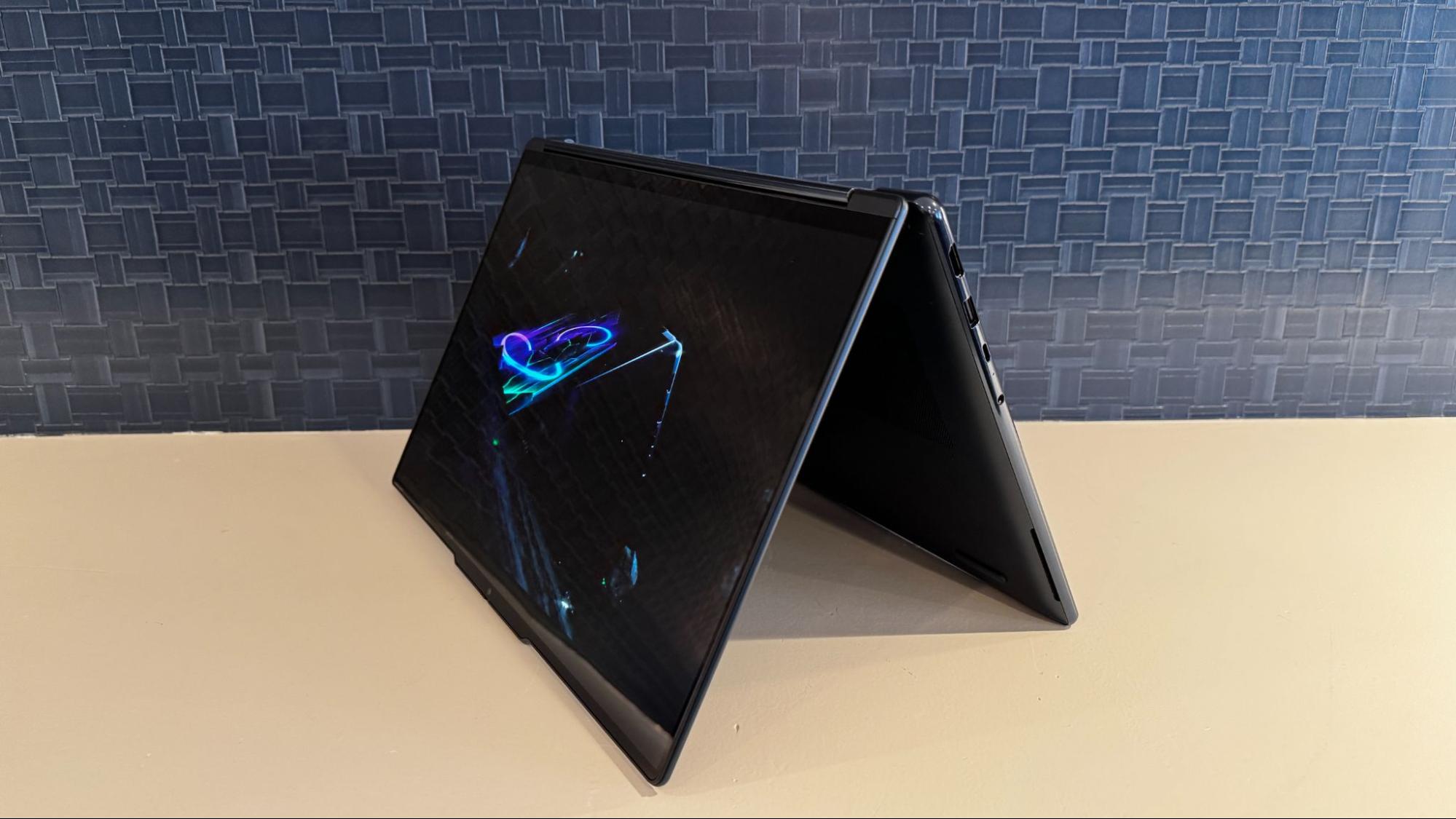
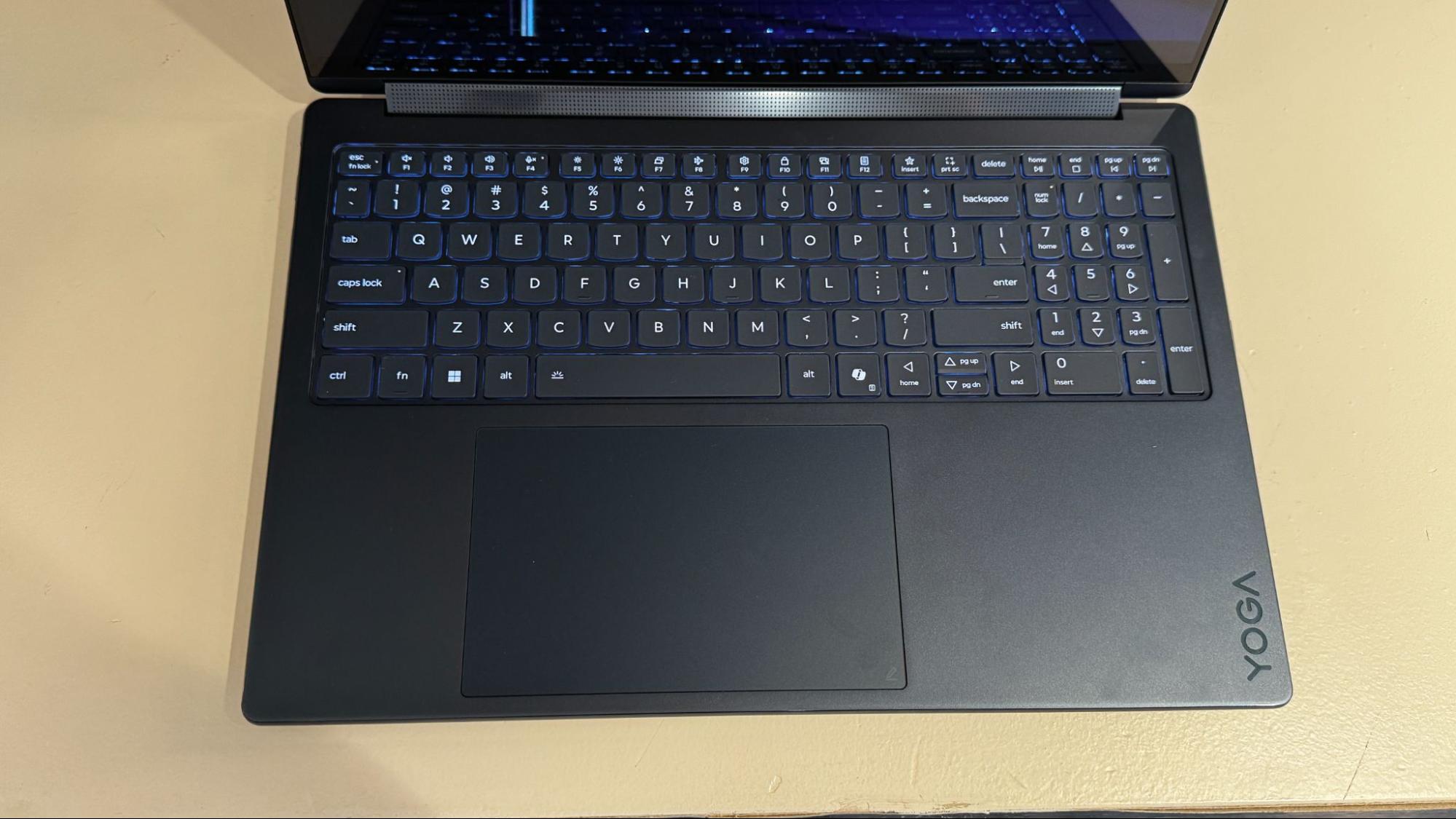
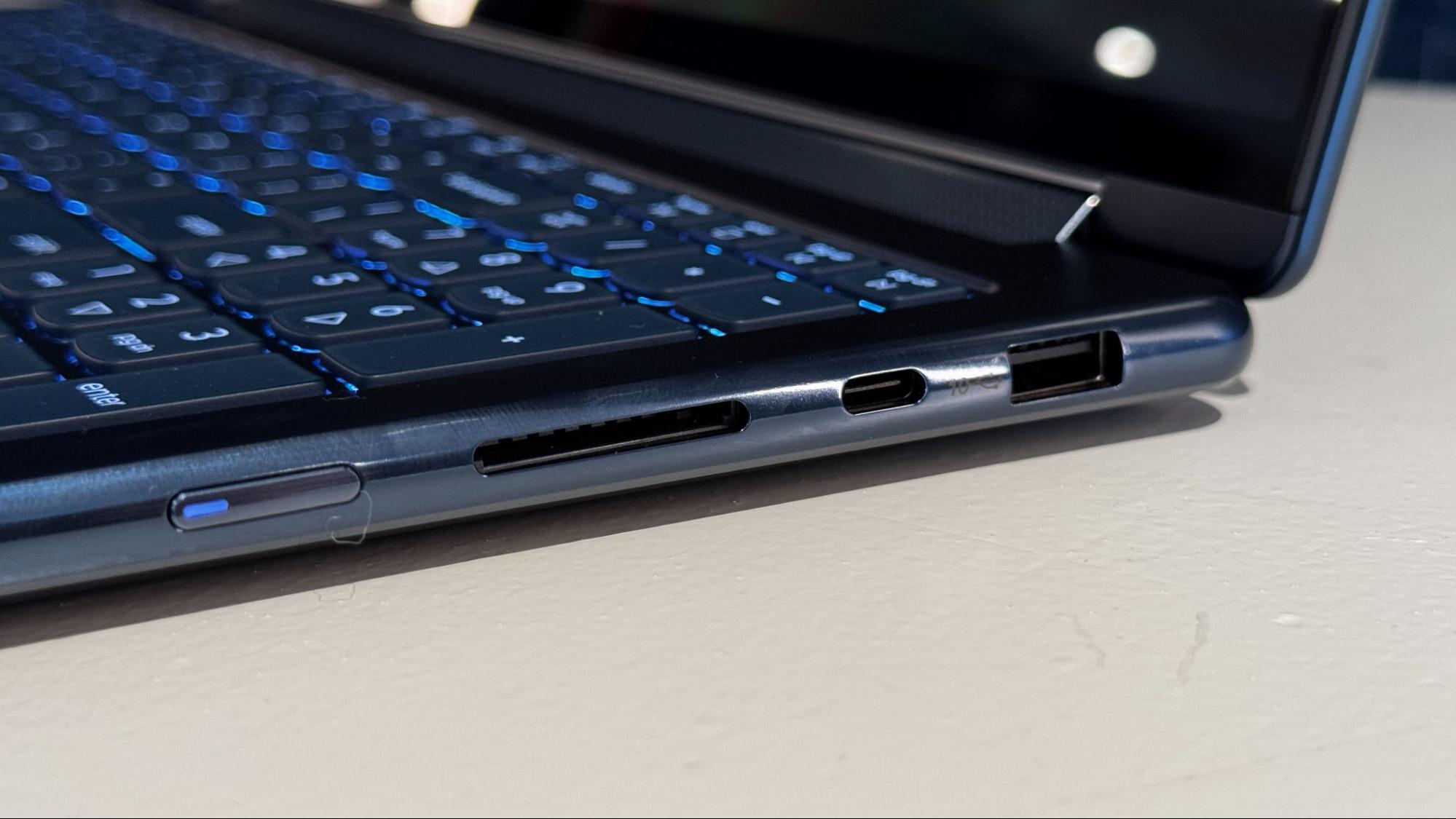
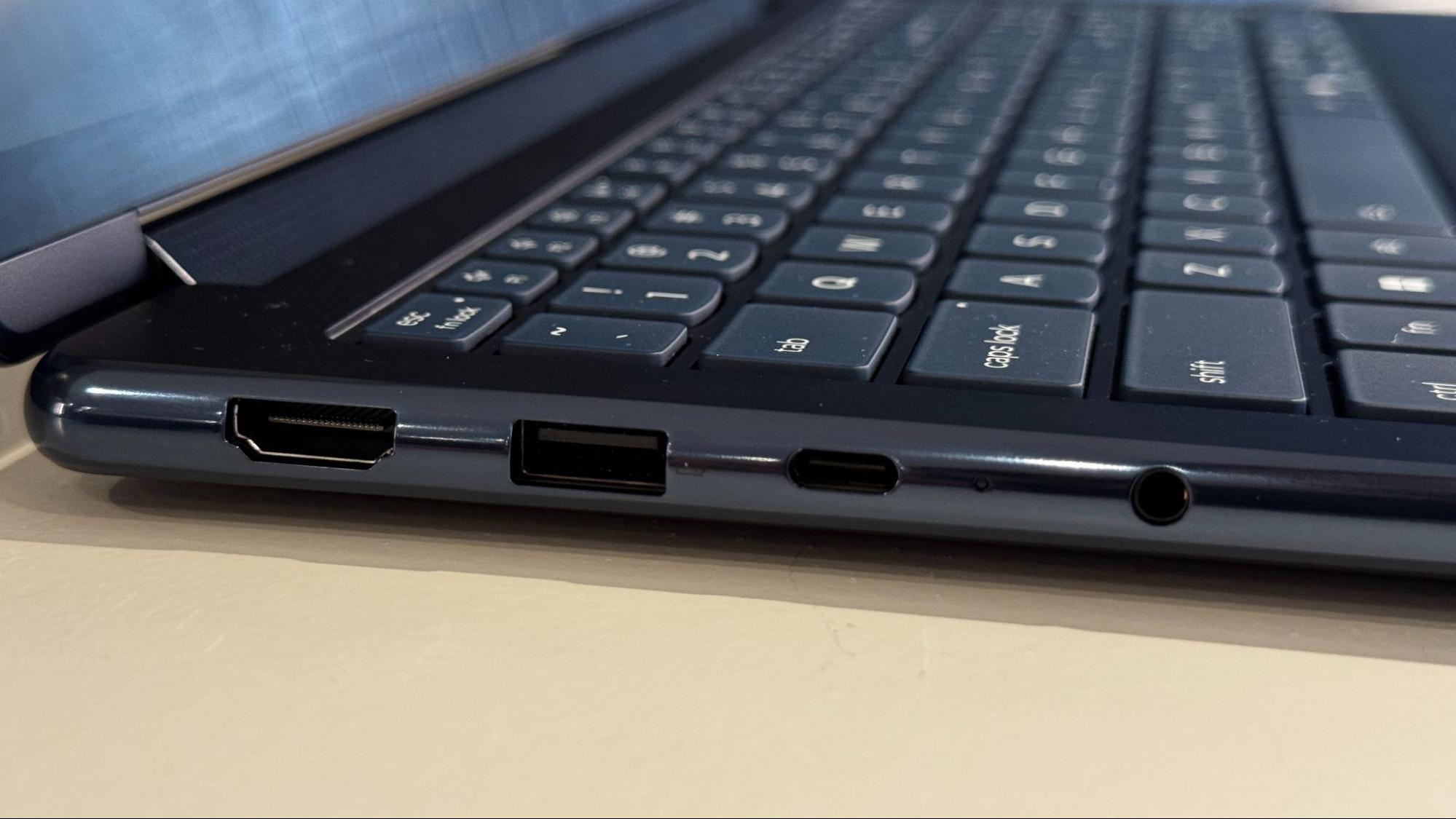
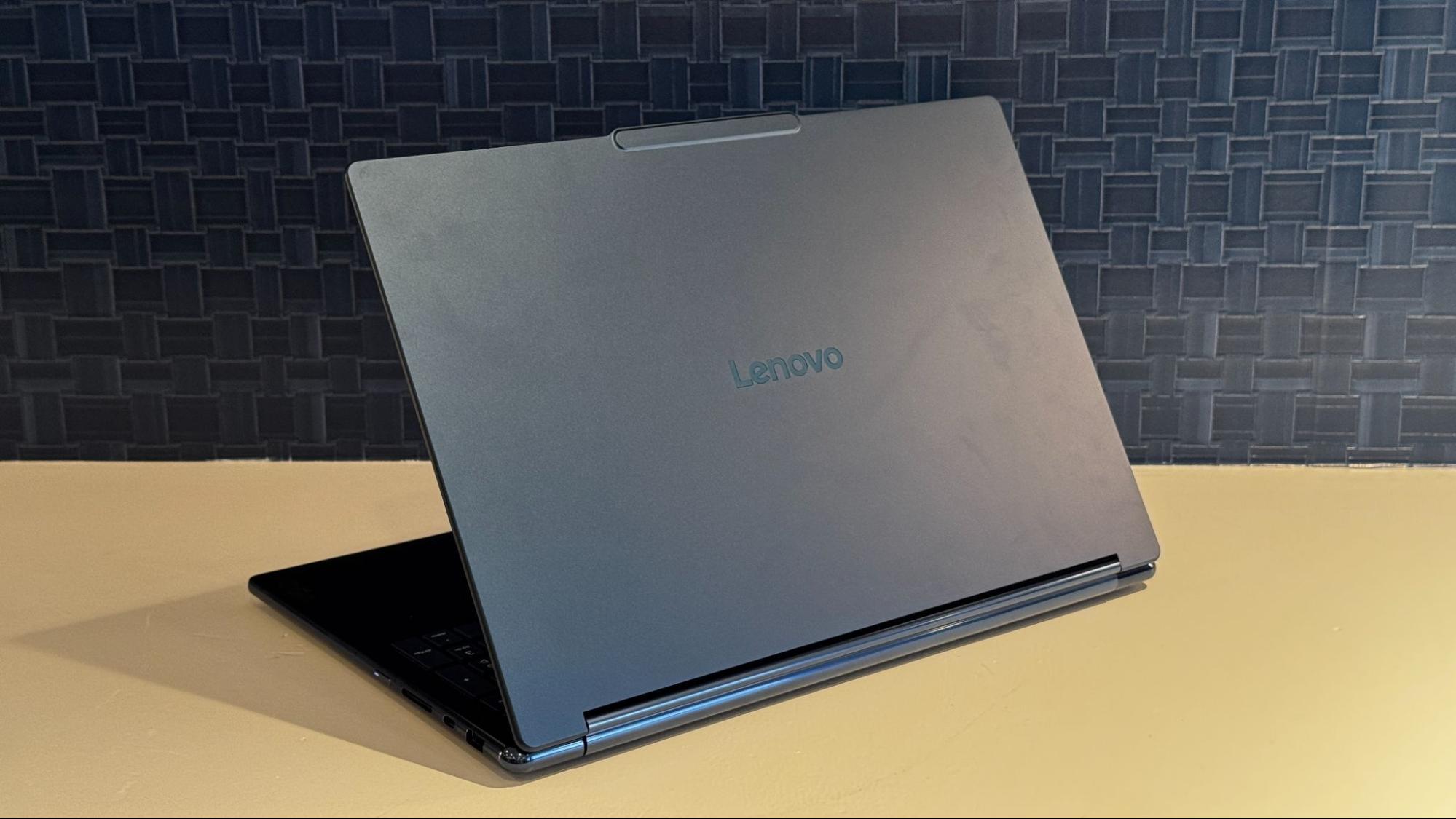
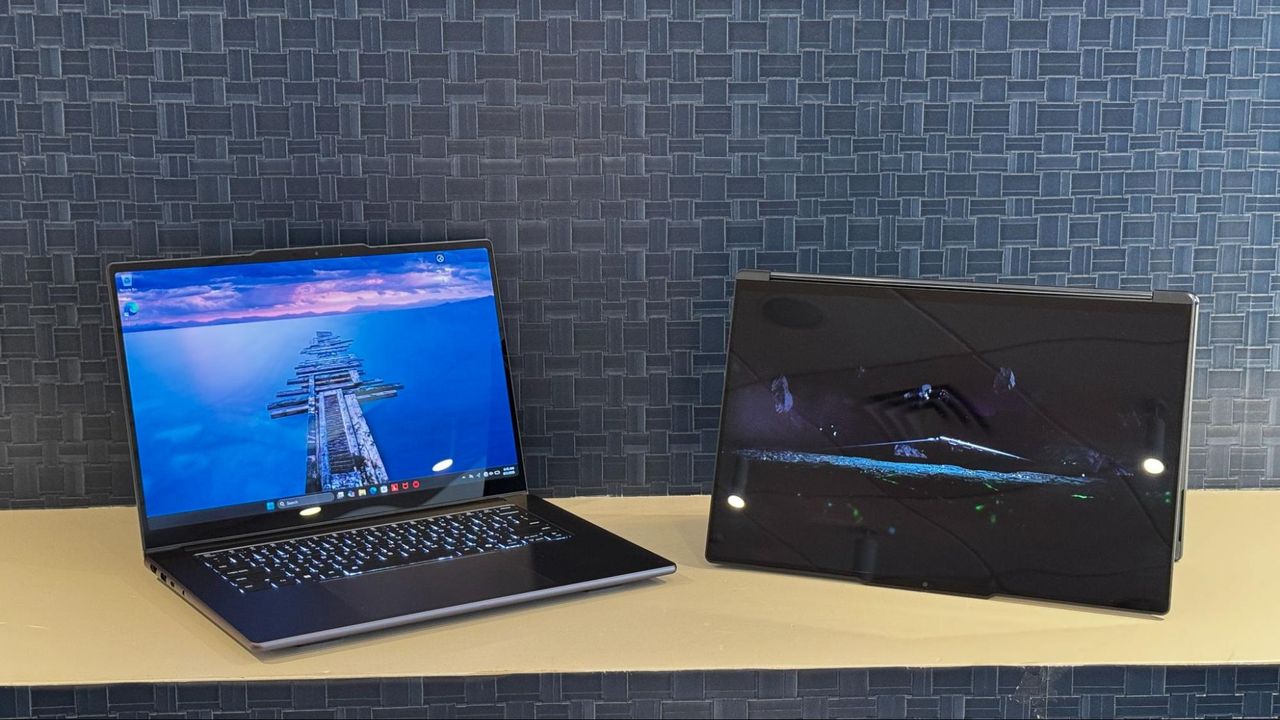
Both systems are all-black machines, with metal designs and a mix of reflective and matte materials, which we've seen in the Yoga line before, albeit usually in a dark blue color. The 2-in-1 brings back a soundbar in the hinge, which the company stopped using years ago, but allows for clear sound in any position.

Lenovo is pushing the clamshell Yoga Pro as an AI machine, using the Nvidia chip with its CUDA software to allow "increasingly sophisticated AI models to run locally on the device." Windows 11 is supposed to gain features to run more agentic AI, including OpenClaw and Hermes, using Nvidia's own openShell and Windows own security layer.

The system is also being advertised as capable of gaming, development work, video editing (the haptic touchpad features pen support for precise input), and rendering. Despite using Lenovo's premium consumer brand, the Yoga Pro 9n is arguably a workstation.

The Yoga 9n 2-in-1 is being pushed more heavily as a creativity device, with its touch-friendly design and the Yoga Pen Gen 2, though the company is touting AI models here, too. Specifically, Lenovo's blog posts calls out AI tools in ComfyUI and Adobe Premiere Pro, as well as local models like LTX (a model based on video rendering in physical space) and FLUX, a text-to-image model.

Lenovo is keeping the price and release date under wraps. The price, the company's press release says, will come at launch, but when that is isn't detailed. Previously, Nvidia announced that RTX Spark would release this fall.

Nvidia's RTX Spark N1X launches in October for laptops and desktops — 18 or 20 CPU cores, paired with 5,120 or6,144 CUDA cores, up to 128GB of unified memory

2026年9月4日 00:00

Nvidia is finally getting more specific about the launch of the RTX Spark. The chip, which it is now officially calling the "N1X," will launch in laptops in October and come in two configurations.

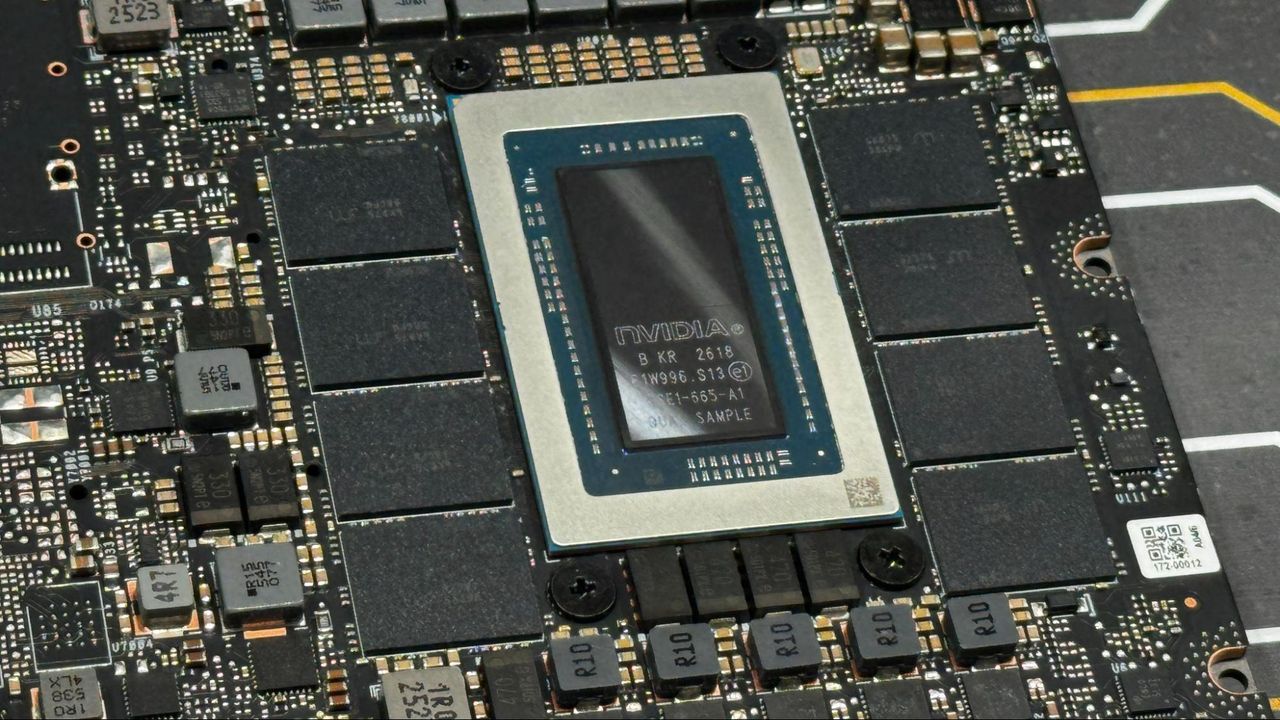
The more powerful option will mix a 20-core Grace CPU with a 6,144-core Blackwell GPU, and come with between 24 and 128GB of unified memory. The other variation uses an 18-core CPU and a cut-down 5,120-core Blackwell GPU with between 24 and 32GB of unified memory. That version will only be in laptops.

RTX Spark N1X

Configuration 1

Configuration 2

CPU

20-core Grace CPU

18-core Grace CPU

GPU

6,144 CUDA core Blackwell GPU

5,120 CUDA core Blackwell GPU

Memory

24 - 128GB unified memory

24 - 32GB unified memory

Form Factor

Laptops, Mini PCs

Laptops

There's a lot that Nvidia hasn't specified outside of core counts and memory support, but with the chip launching next month, we're sure to find out more, either through Nvidia or OEMs, soon enough.

Nvidia made the announcement ahead of IFA in Berlin, where Lenovo and Acer announced new systems with Nvidia's new chips. Lenovo debuted the Yoga 9n 2-in-1 laptop, while Acer is debuting the SFF RTX Spark, a mini desktop. As of this writing, neither has pricing.

Further systems will come from Asus, Dell, MSI, HP, and Microsoft, the latter of which debuted the flagship Surface Laptop Ultra at Computex this year. These systems are being pushed as laptops and mini PCs meant primarily for agentic AI, though Nvidia has also demonstrated its gaming prowess in demos. We'll need to get our hands on these to test both scenarios. The company is also promising "all-day battery life," another claim we'll need to test.

The use of the N1X name has occurred in leaks, but this is the first time Nvidia has used it publicly. This suggests a separate, lower-end N1 chip may exist and be released down the line.

It's unclear exactly which devices will launch in October and which might come out later in the year. It's likely that that information will come soon, now that Nvidia has chosen a month. We'll also have to see if Microsoft's Agent Framework, which lets agents run in the background under control of the operating system, is ready in Windows by then.

Nvidia's unified memory approach is similar to the one popularized by Apple in its M-series chips, including the recently announced M6 and M5 Ultra, which also uses an Arm instruction set. On the x86 side, AMD's Strix Halo (and upcoming Gorgon Halo) also use unified memory.

The launch of these chips will also break Qualcomm's exclusivity on Windows on Arm, bringing a major new silicon vendor into the ecosystem, and possibly more partnerships from application developers eager to use Nvidia's tools.

Lenovo ThinkCentre X Ultra packs Gorgon Halo — AMD Ryzen AI Max+ Pro 495 shows up in mini workstation

2026年9月4日 00:00

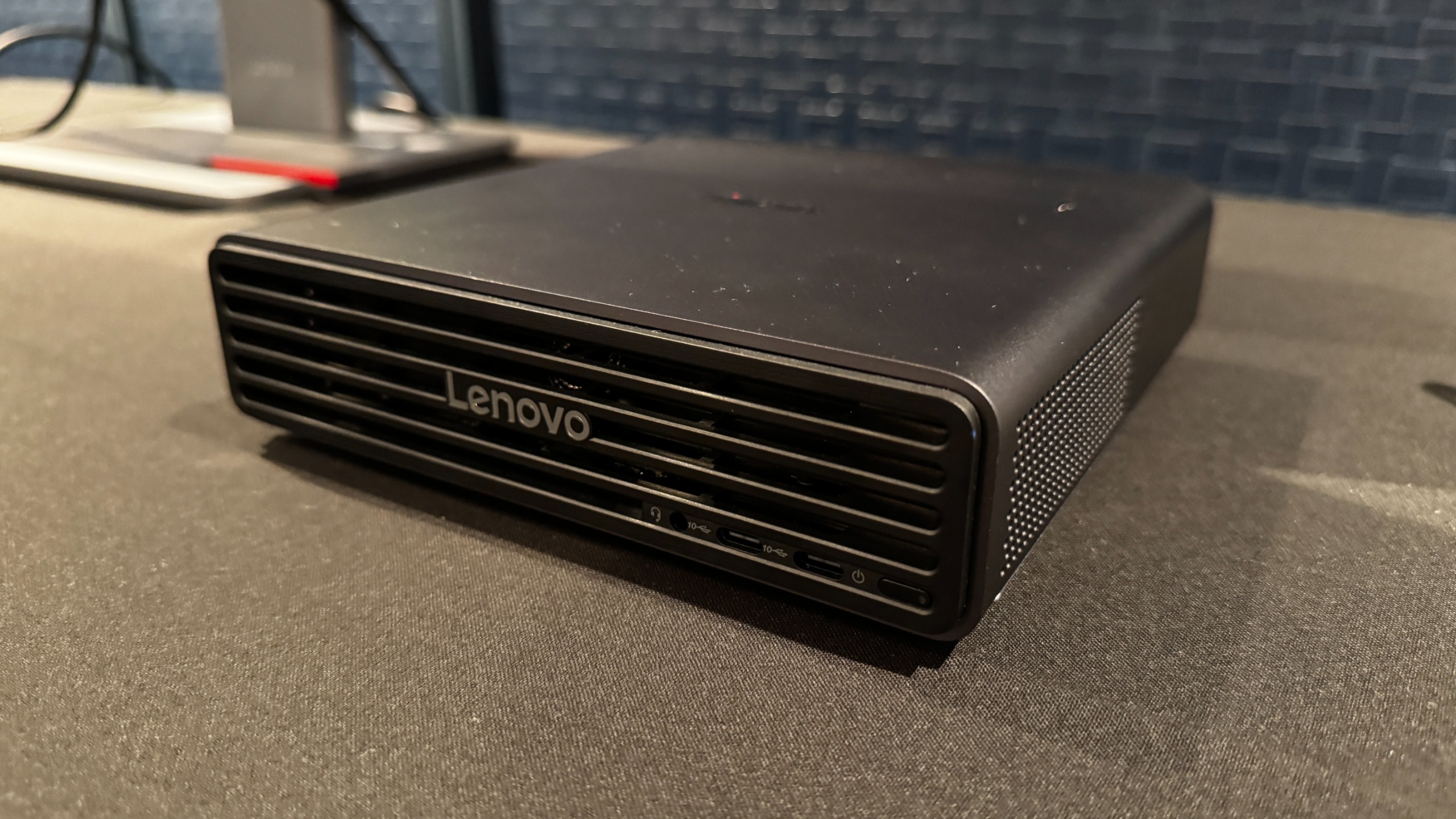
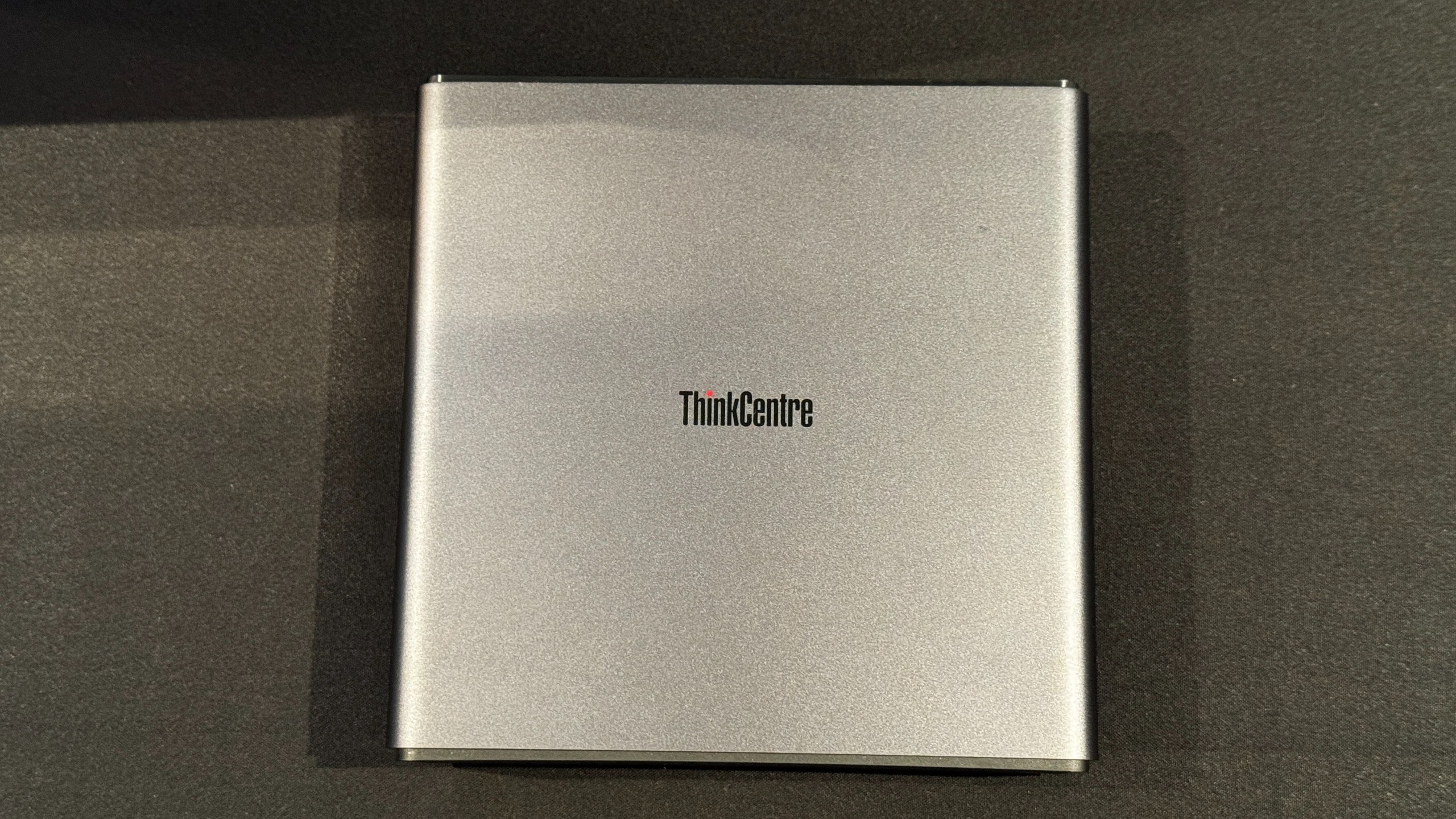
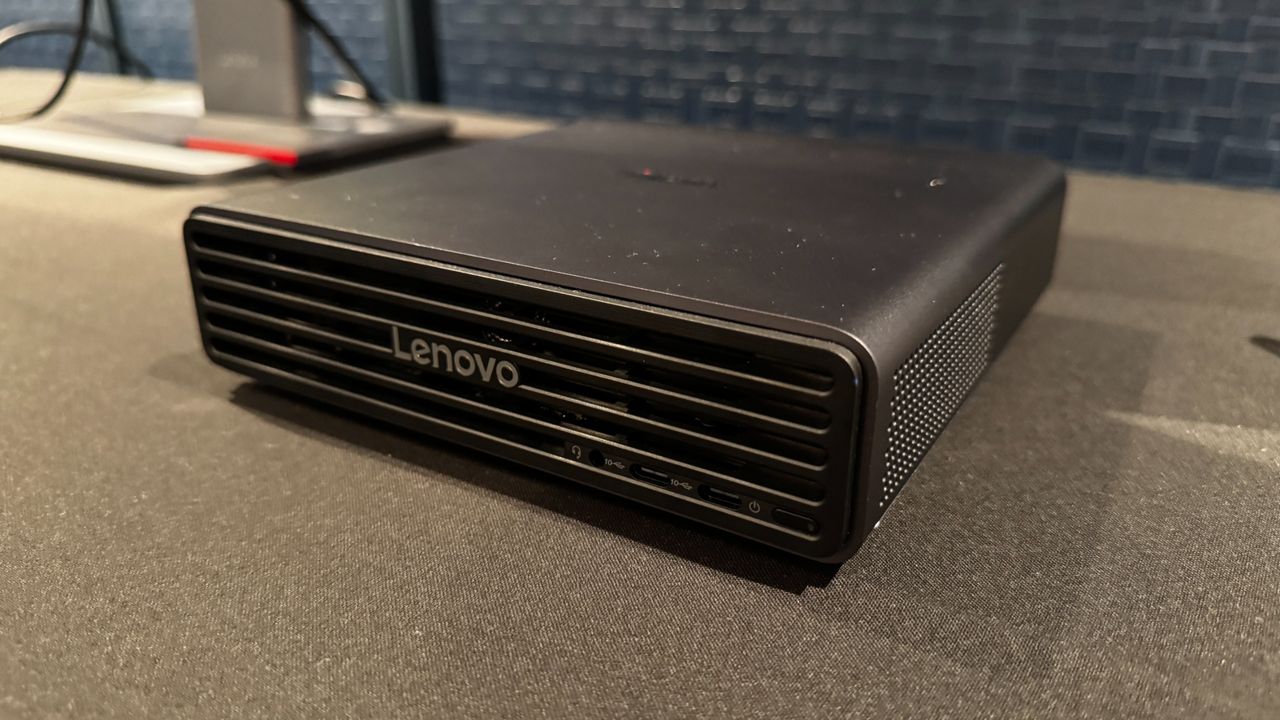
AMD's Gorgon Halo is breaking cover at IFA. Ahead of the show, Lenovo revealed the ThinkCentre X Ultra with up to an AMD Ryzen AI Max+ Pro 495 processor, with an integrated AMD Radeon 8065S GPU, and 128GB of RAM.

The system is set to release in November 2026 with an "expected" starting price of $3,669, which is surely not for the top-end model.

ThinkCentre X Ultra

(Image credit: Tom's Hardware)

CPU

Up to AMD Ryzen AI Max+ Pro 495 processor

GPU

Up to Integrated AMD Radeon 8065S Graphics with up to 96GB of dedicated graphics

memory

Memory

Up to 128GB LPDDR5x-8533, soldered

Storage

Up to 2× 4TB M.2 2280 Gen5 Performance SSD

NPU

Up to 55 TOPS

Networking

Wi-Fi 7 (RealTek or MediaTek), Bluetooth 5.4

Dimensions

7.2 × 7.2 × 2 inches (183 × 183 × 51 mm)

Availability

November 2026

Starting Price

$3,699.00

The system is fairly compact at 7.2 x 7.2 x 2 inches, about two inches longer than a Mac Mini on either side. The front of the system features two 10GBps USB-C ports and a headphone jack. The back boasts DisplayPort 2.1 and HDMI 2.1, two 10GBps USB Type-A ports, a pair of Thunderbolt 4 ports (USB 40GBps, rare on AMD platforms), a 10Gb Ethernet jack, and a punch-out port to add additional output. Lighting on the system that you can see through the front air intakes shows the system status at a glance.

ThinkCentre X Ultra

(Image credit: Tom's Hardware)

Lenovo is offering both Linux and Windows options. The system will come with AMD Ryzen AI Developer Center, which includes preconfigured AI models and tools, as well as example workflows to use. Up to four ThinkCentre X Ultras can be used in a cluster to run larger models, more agents, extra requests, or longer context windows.

Lenovo and AMD are set to have some competition in the mini PC space this year, as Nvidia is launching systems with its RTX Spark from OEM companies sometime this fall.

❌
❌