❌

普通视图

发现新文章,点击刷新页面。
昨天以前首页

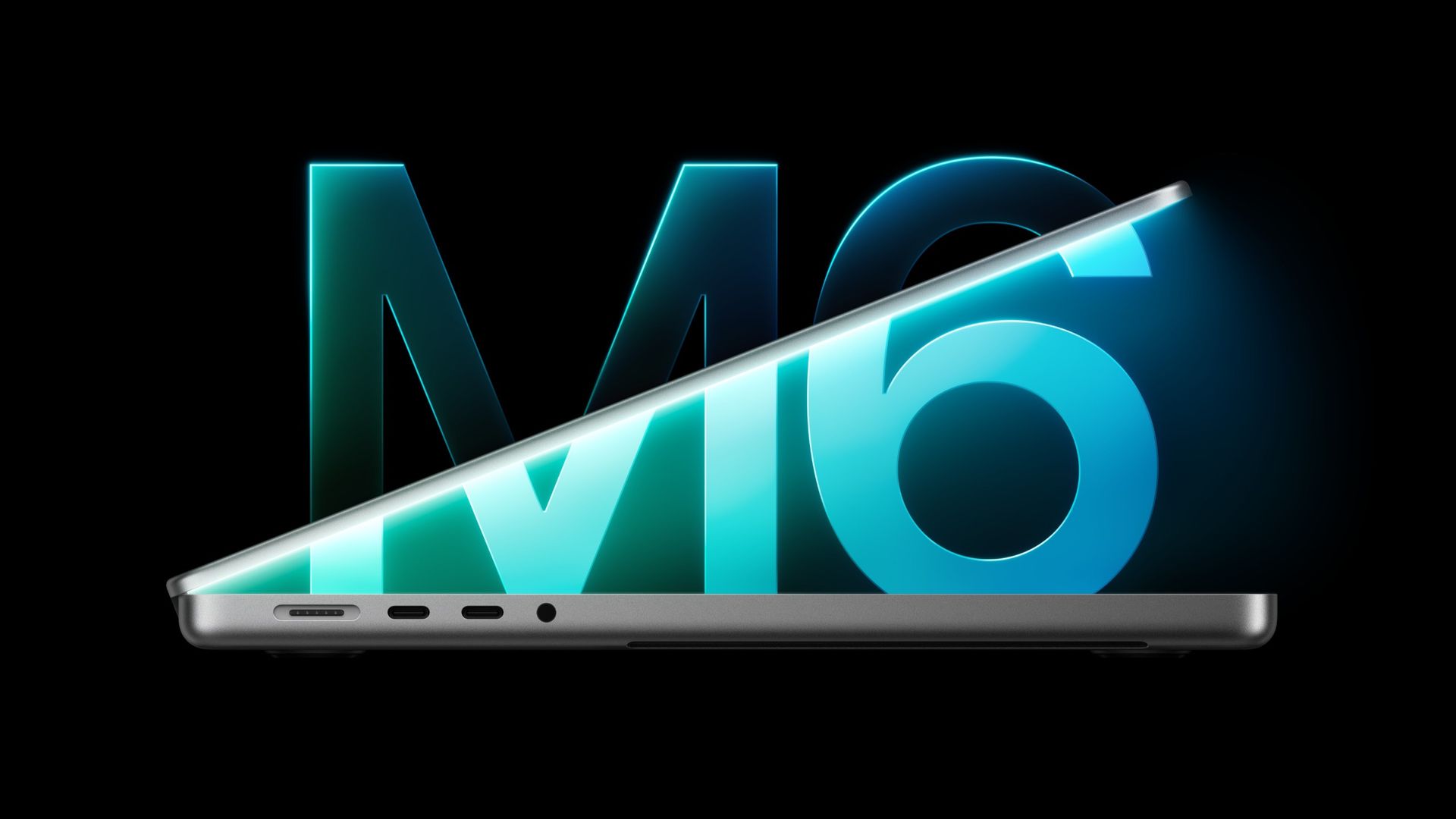
Apple MacBook Pro (14-inch, M6) review: Speedy M6 chip slips into comfortable shoes

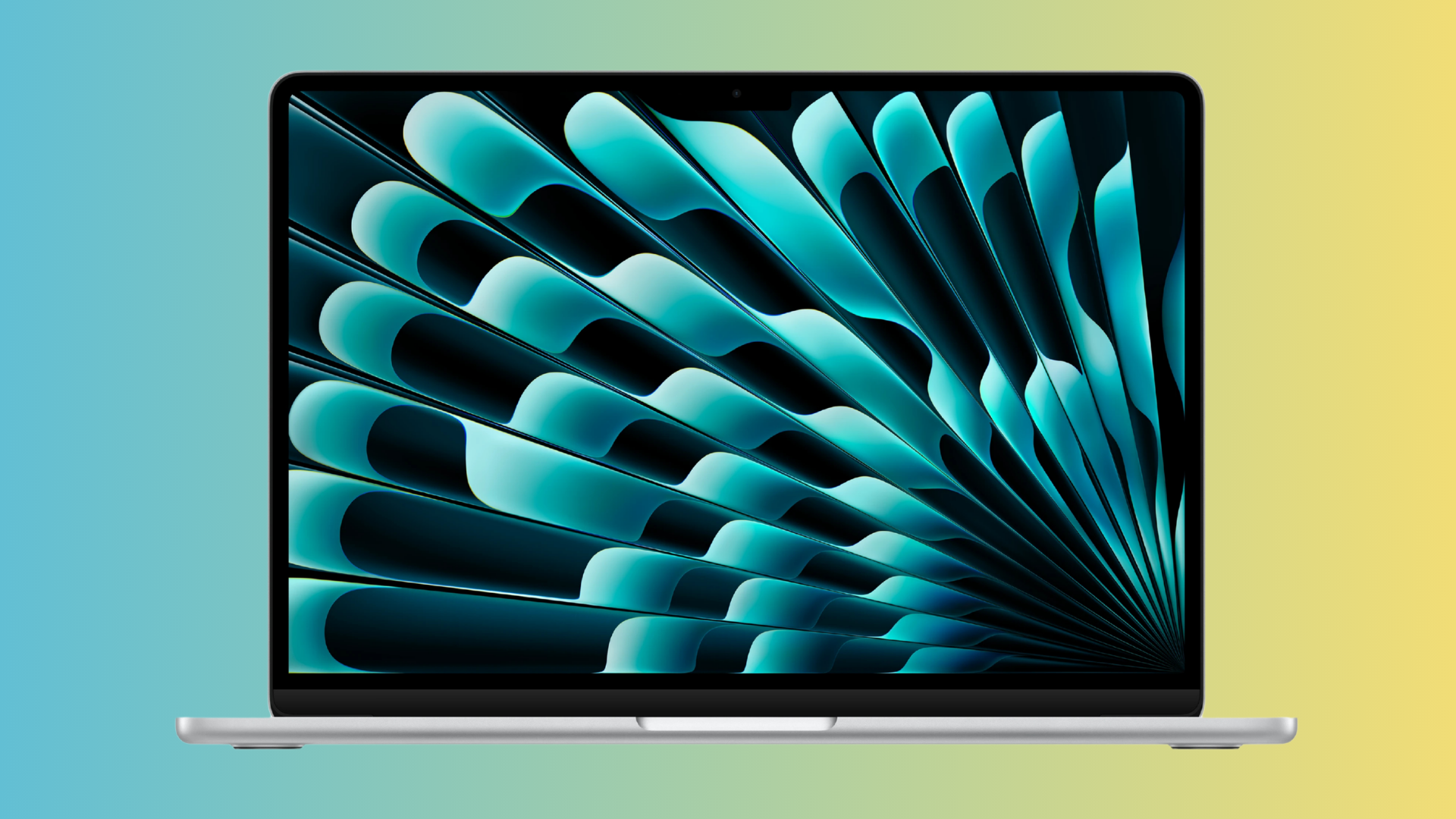
It’s that time of the year again, which means that Apple has released yet another refreshed 14-inch MacBook Pro using a legacy chassis. While it looks the same as last year’s M5 models on the outside, it has some key hardware upgrades underneath that address performance and connectivity.

This time around, we have a MacBook Pro using the new M6 chip that was first introduced in the refreshed Mac Mini. In addition, Apple has outfitted the MacBook Pro with Wi-Fi 7 and Bluetooth 6 connectivity courtesy of the in-house Apple N1 chip.

Thanks to industry-wide price hikes on memory and storage, Apple’s 14-inch MacBook Pro now starts at $1,999.

Design of the MacBook Pro (M6, 14-inch)

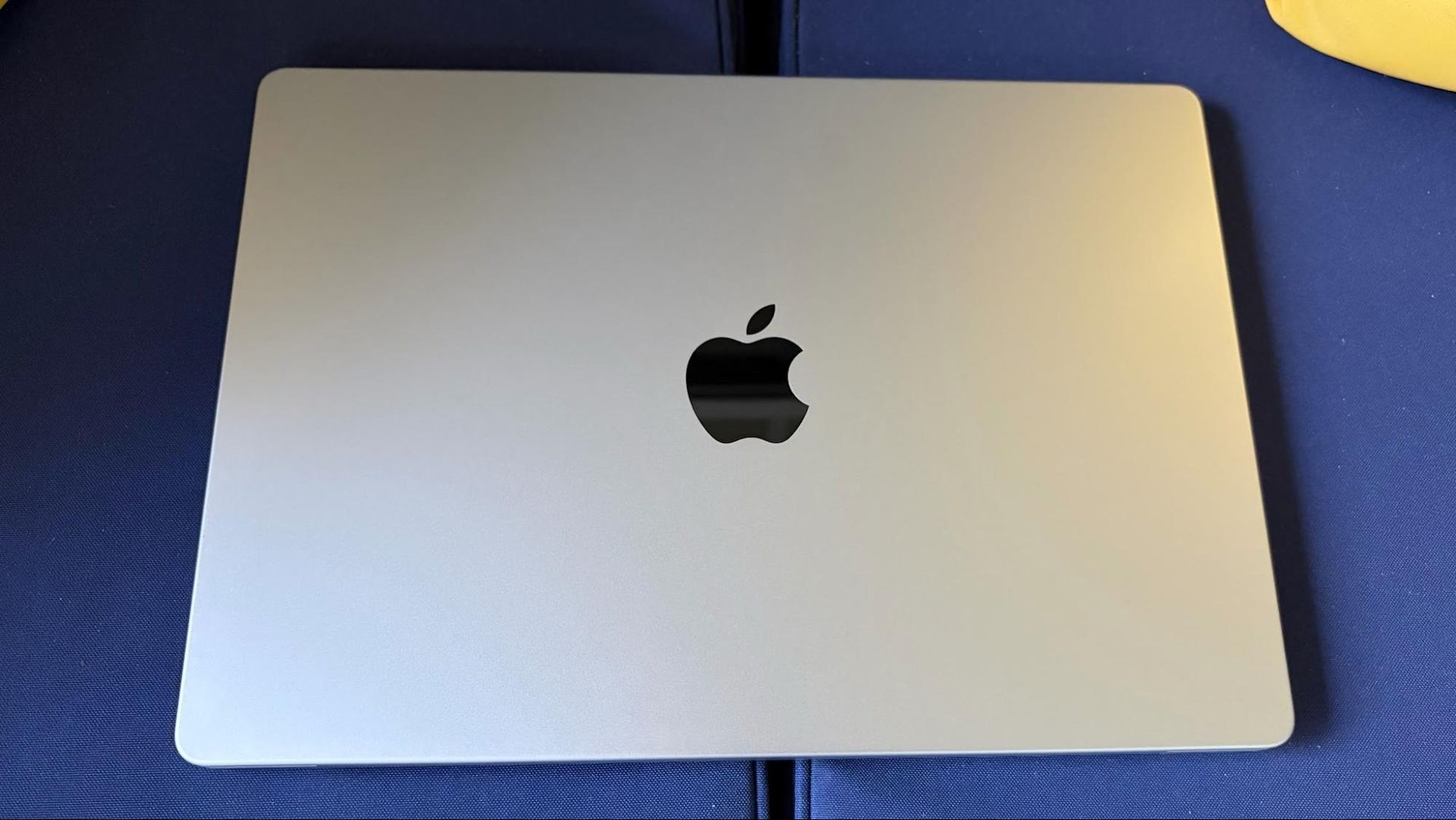
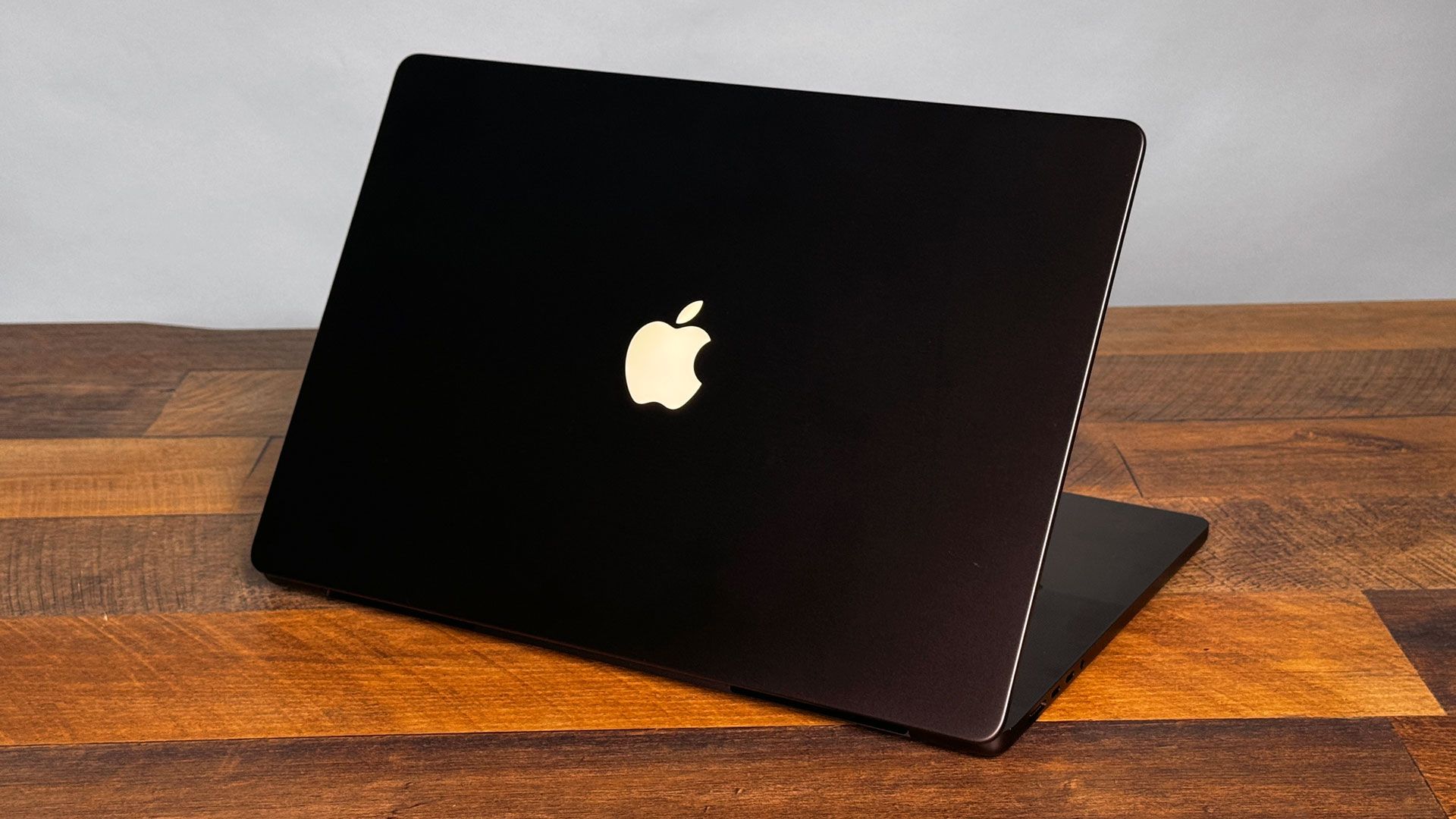
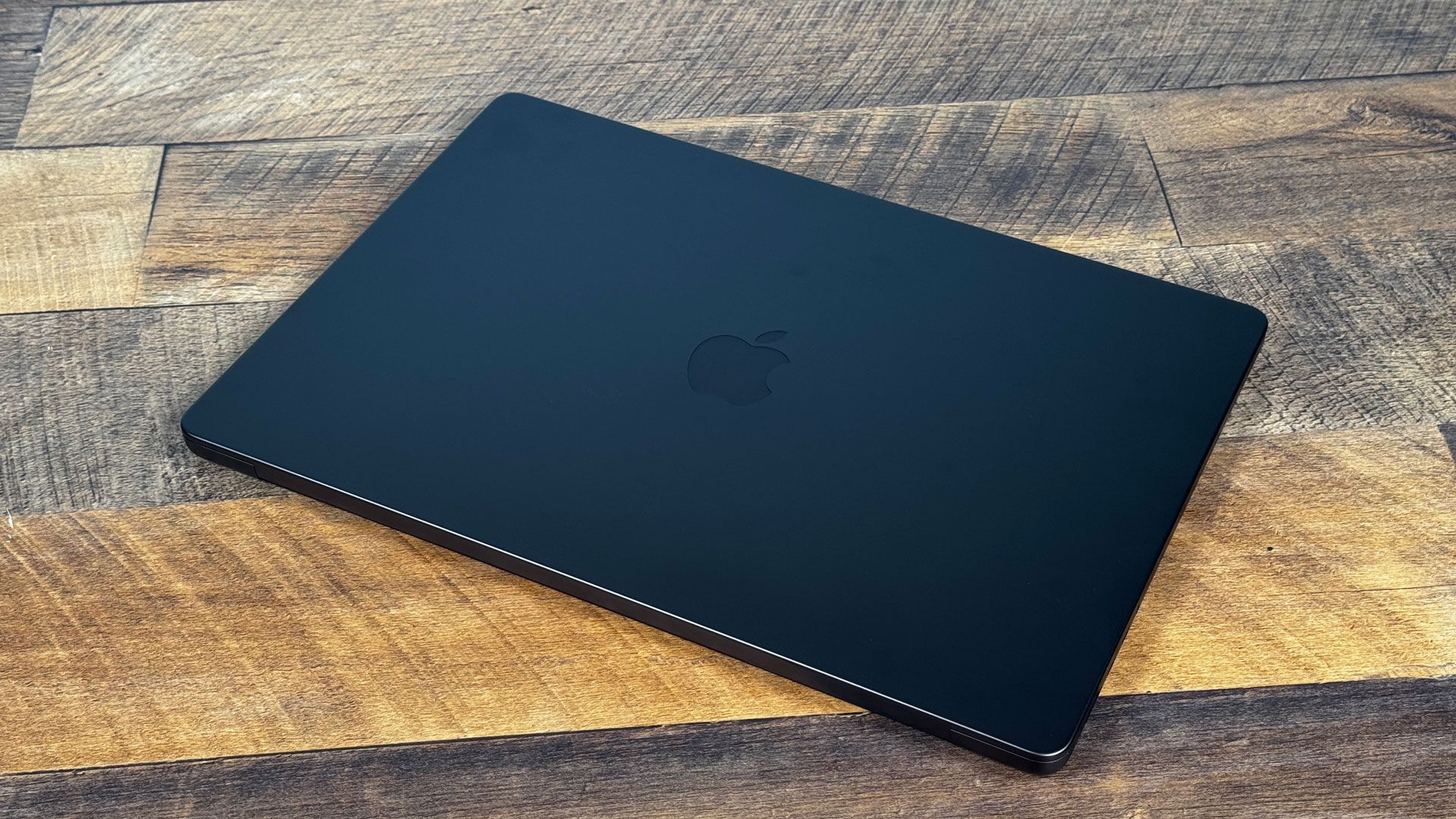
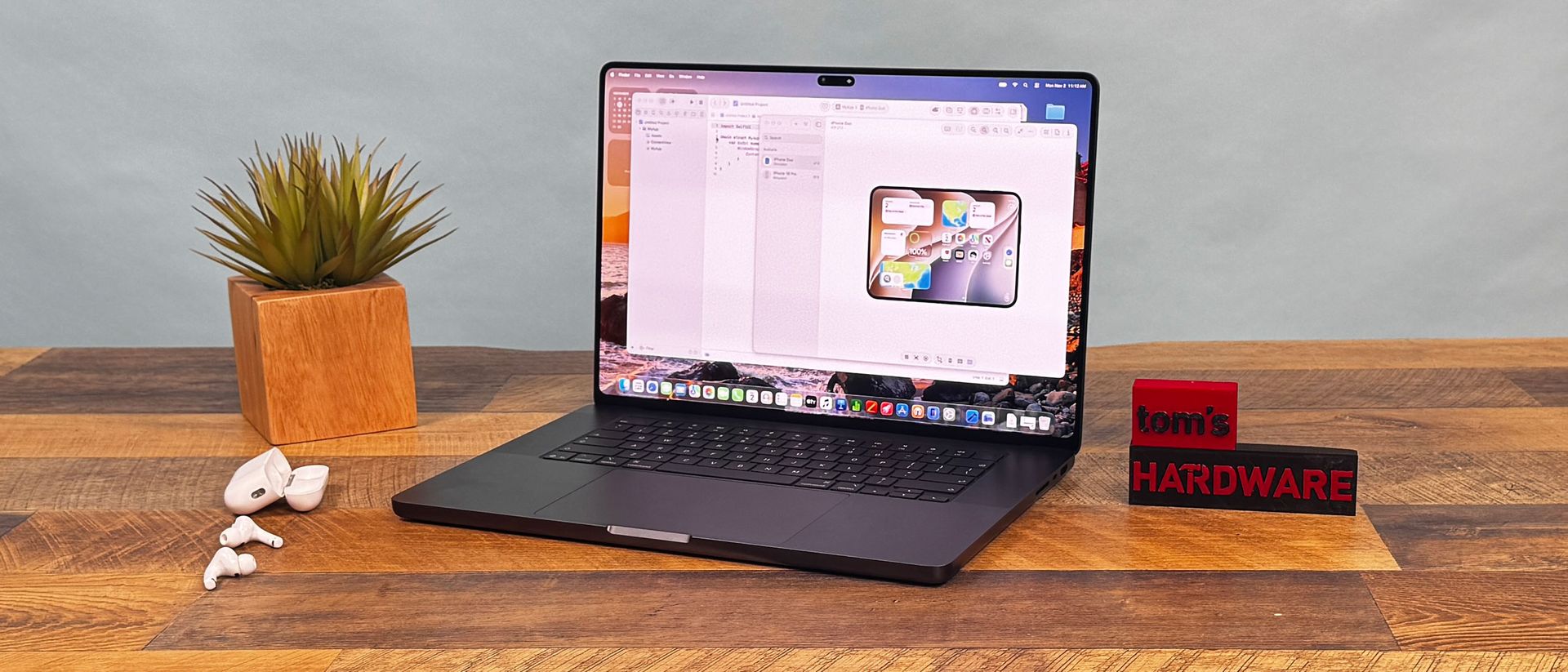
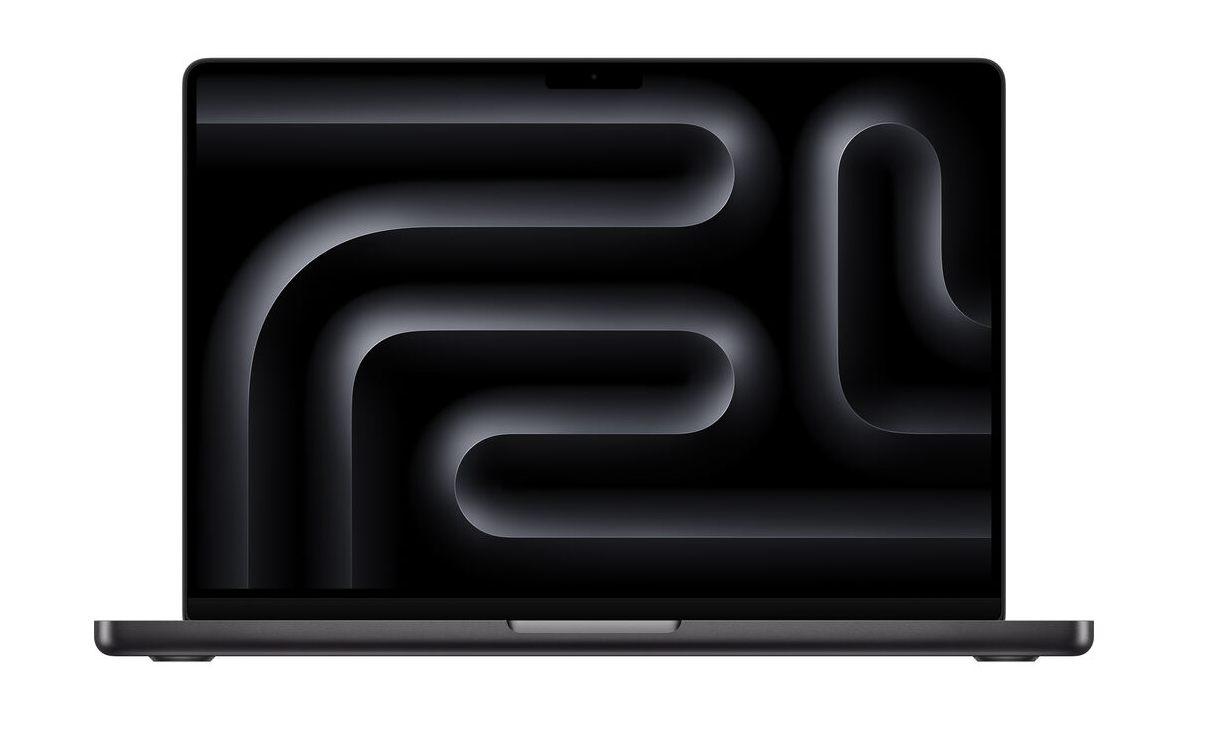
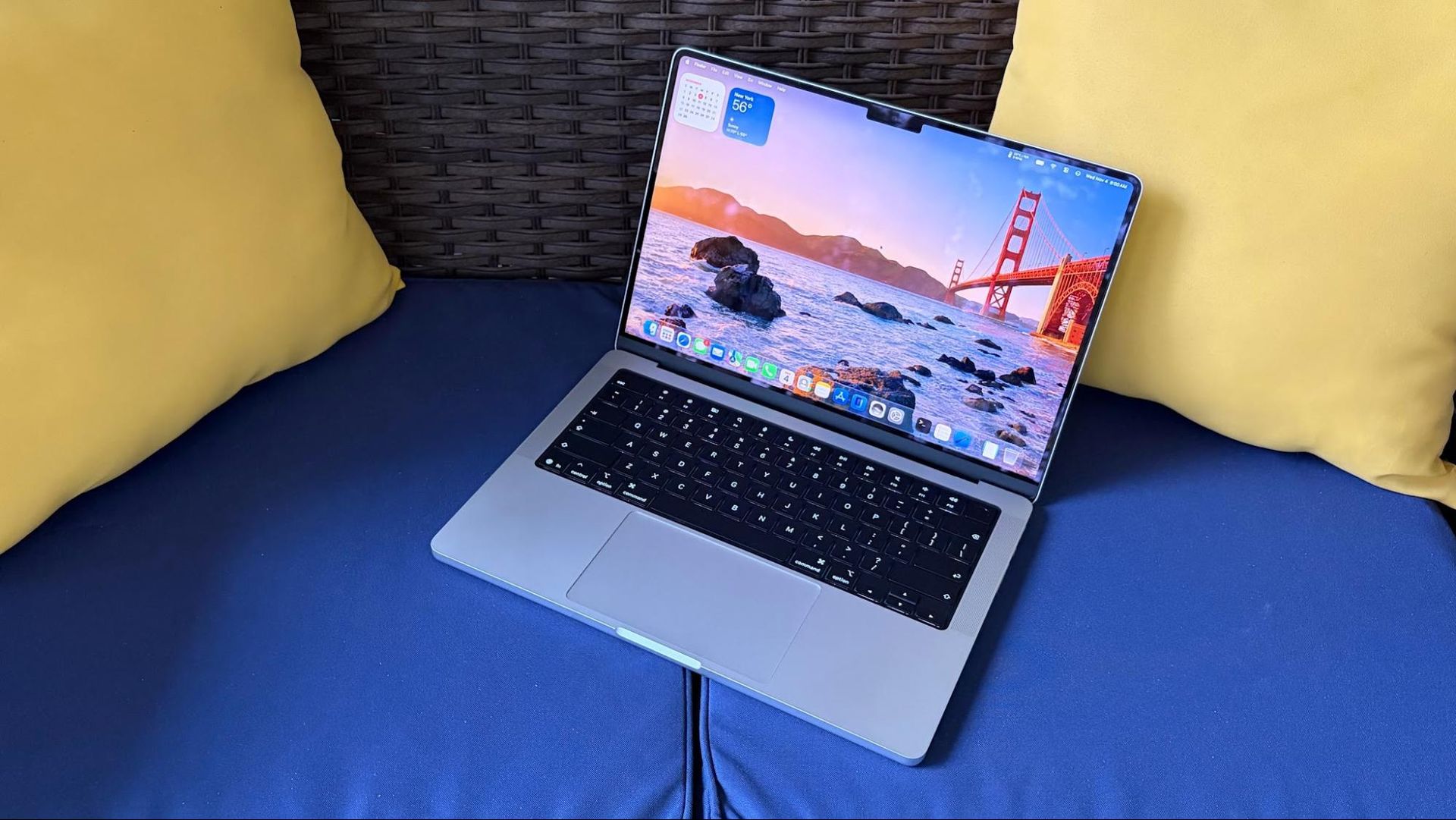
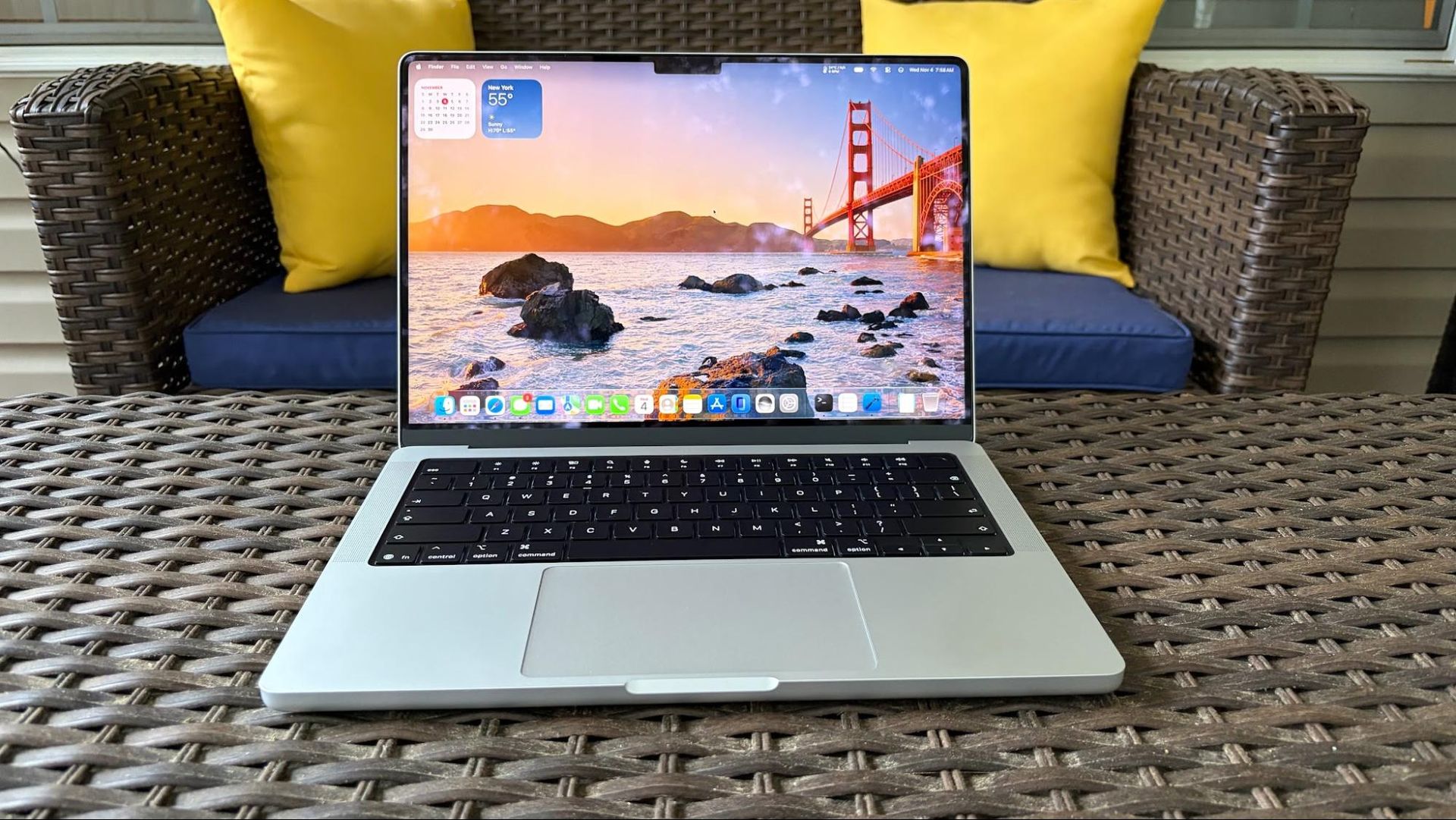
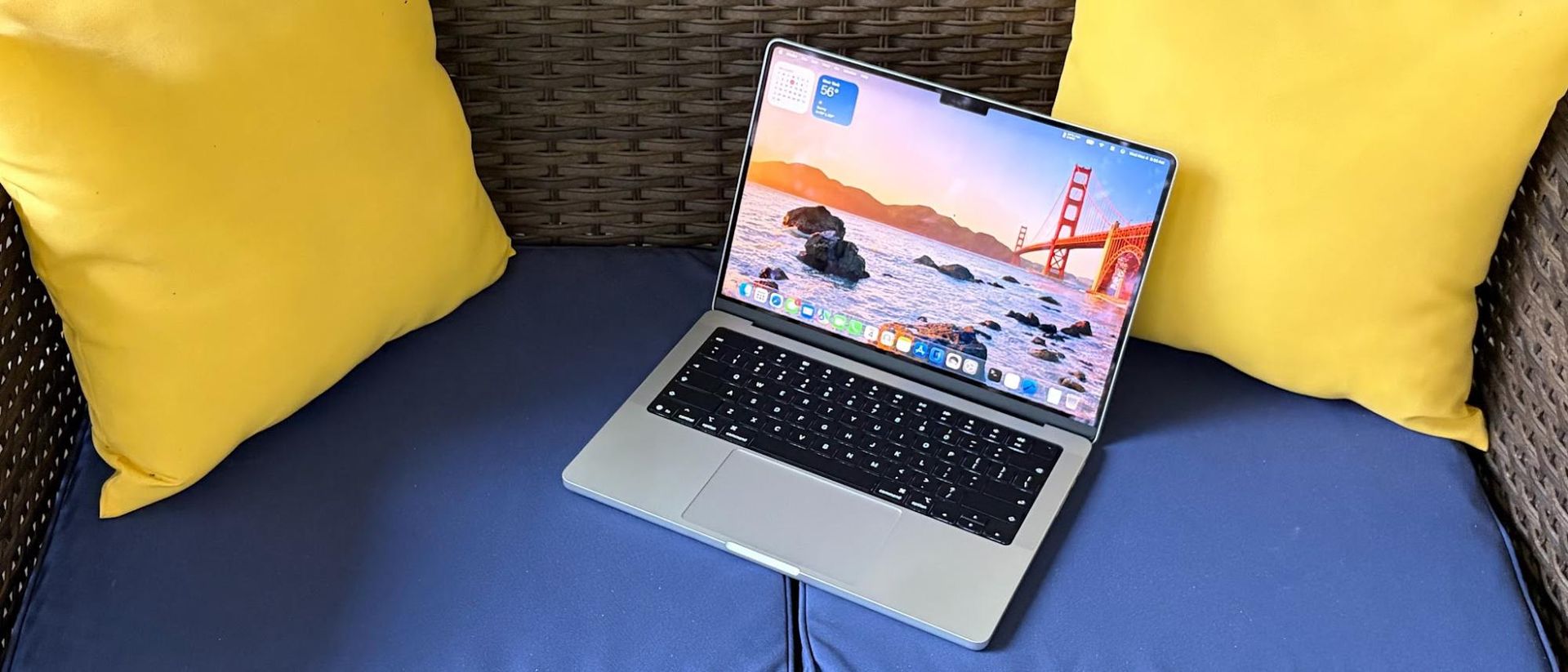
Apple has been using the same design for its entry-level MacBook Pro since 2021, and there are no changes this year (if you want a slightly refreshed design, check out the touch screen-enabled 14- and 16-inch MacBook Pros). It’s still a good-looking laptop, but it’s showing its age. Our MacBook Pro review unit came finished in silver instead of space black. While space black looks great, it’s a fingerprint magnet, so many people might prefer the lighter finish, which better hides your skin oils.

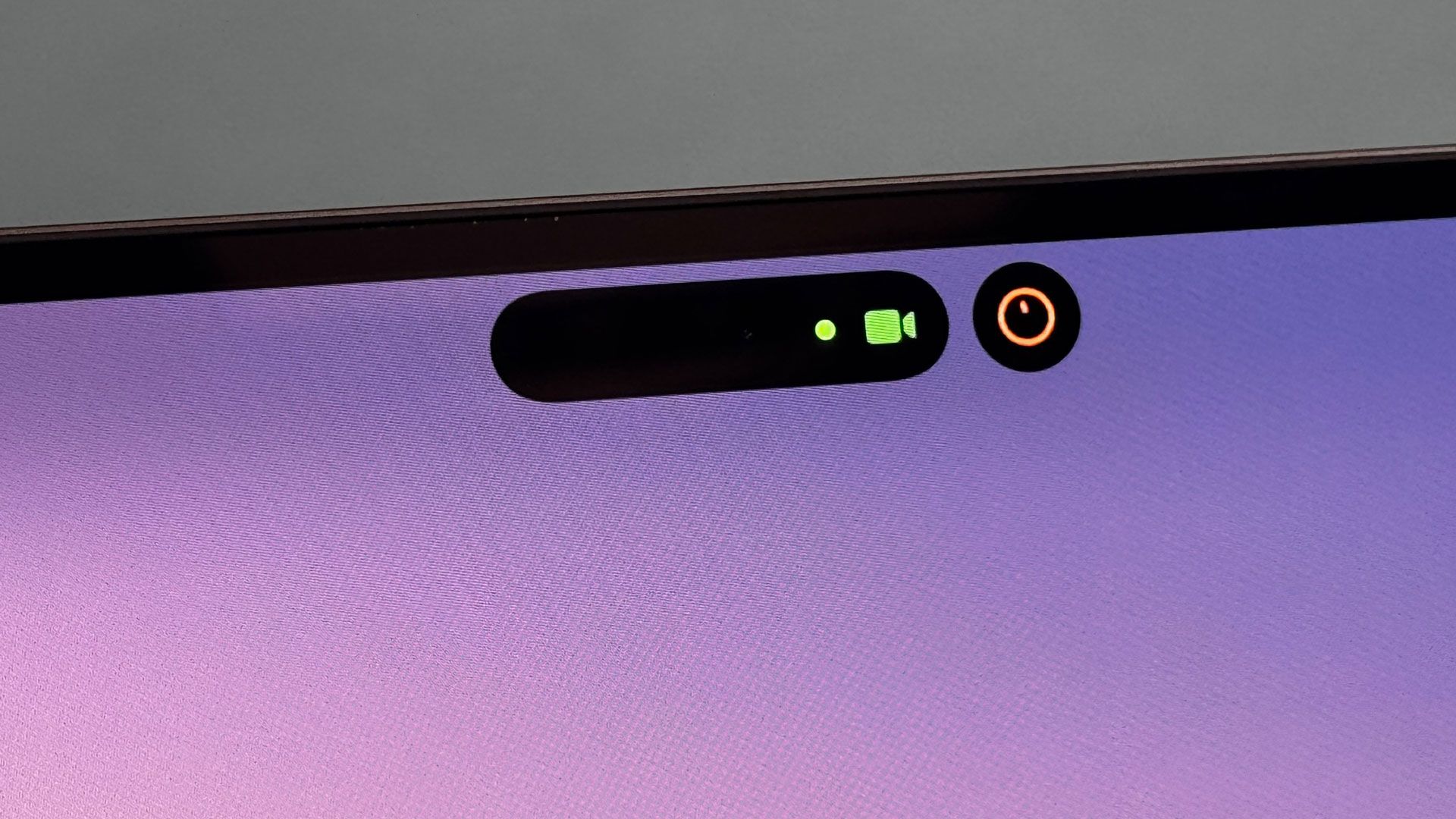
The notch at the top of the display now seems archaic, especially after seeing the Dynamic Island on the pricier MacBook Pros. The notch is always staring back at you, even though I have mostly gotten used to it over the years. The main thing going in the notch’s favor is that it resides in the same space as the menu bar, which limits the visual annoyance.
Apple MacBook Pro 14-inch (M6)
Tom's Hardware
Apple MacBook Pro 14-inch (M6)
Tom's Hardware
Apple MacBook Pro 14-inch (M6)
Tom's Hardware
Apple MacBook Pro 14-inch (M6)
Tom's Hardware
Apple MacBook Pro 14-inch (M6)
Tom's Hardware
Apple MacBook Pro 14-inch (M6)
Tom's Hardware

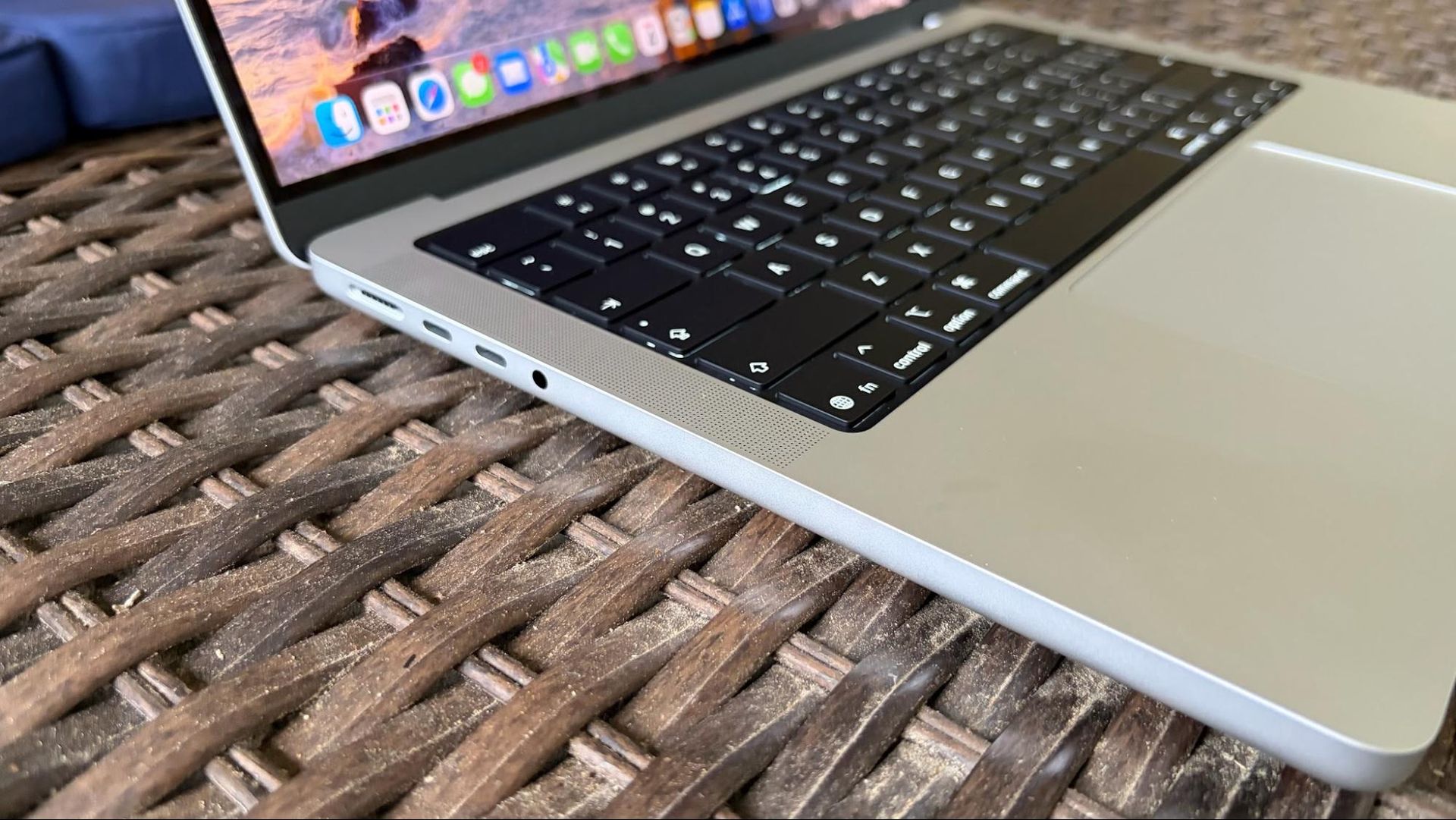
My only other niggle with the design is one that I’ve harped about in previous MacBook Pro reviews: the cutout in the keyboard deck that aids in lifting the lid has sharp corners, which can jab your palms while typing.

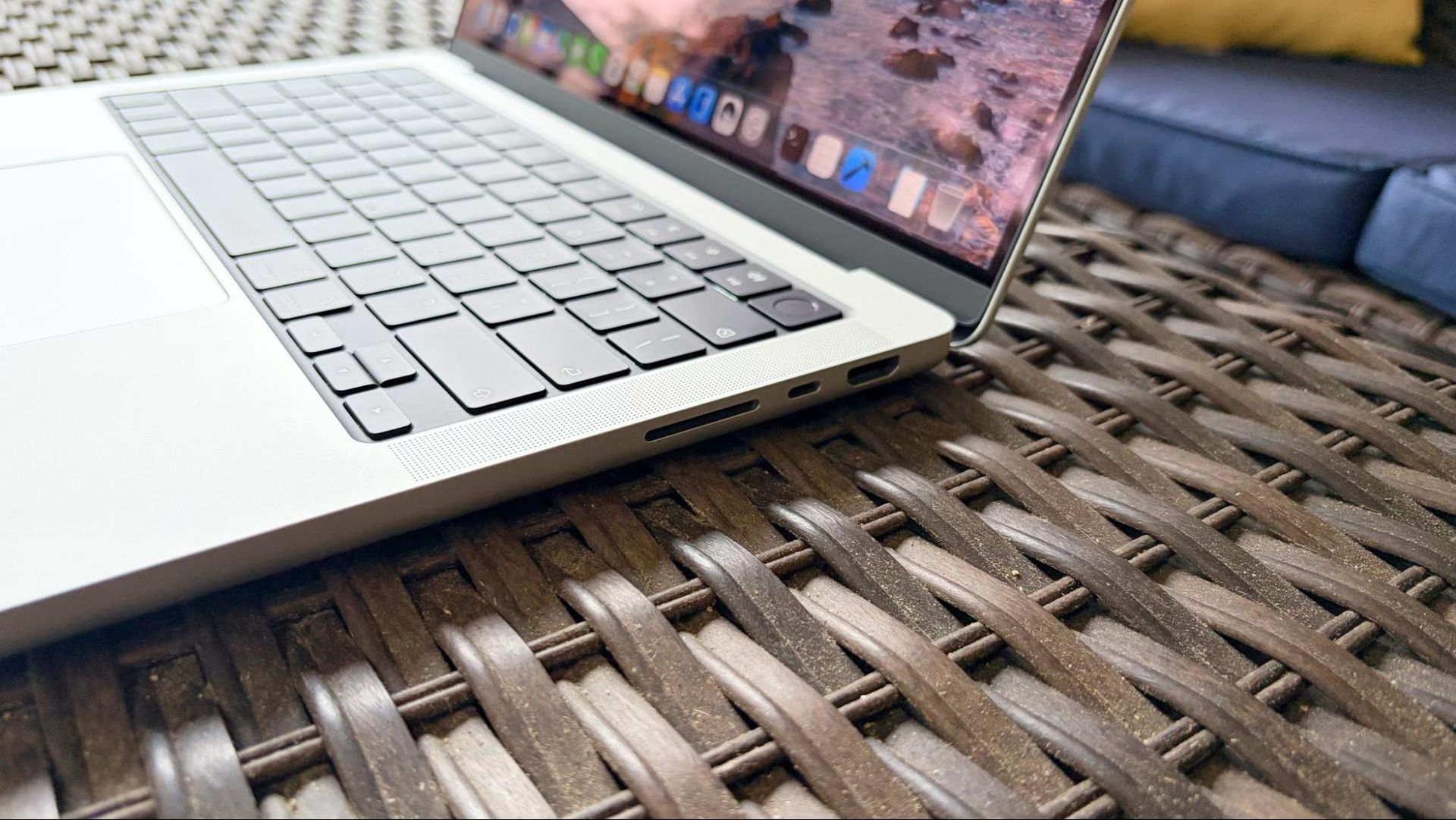
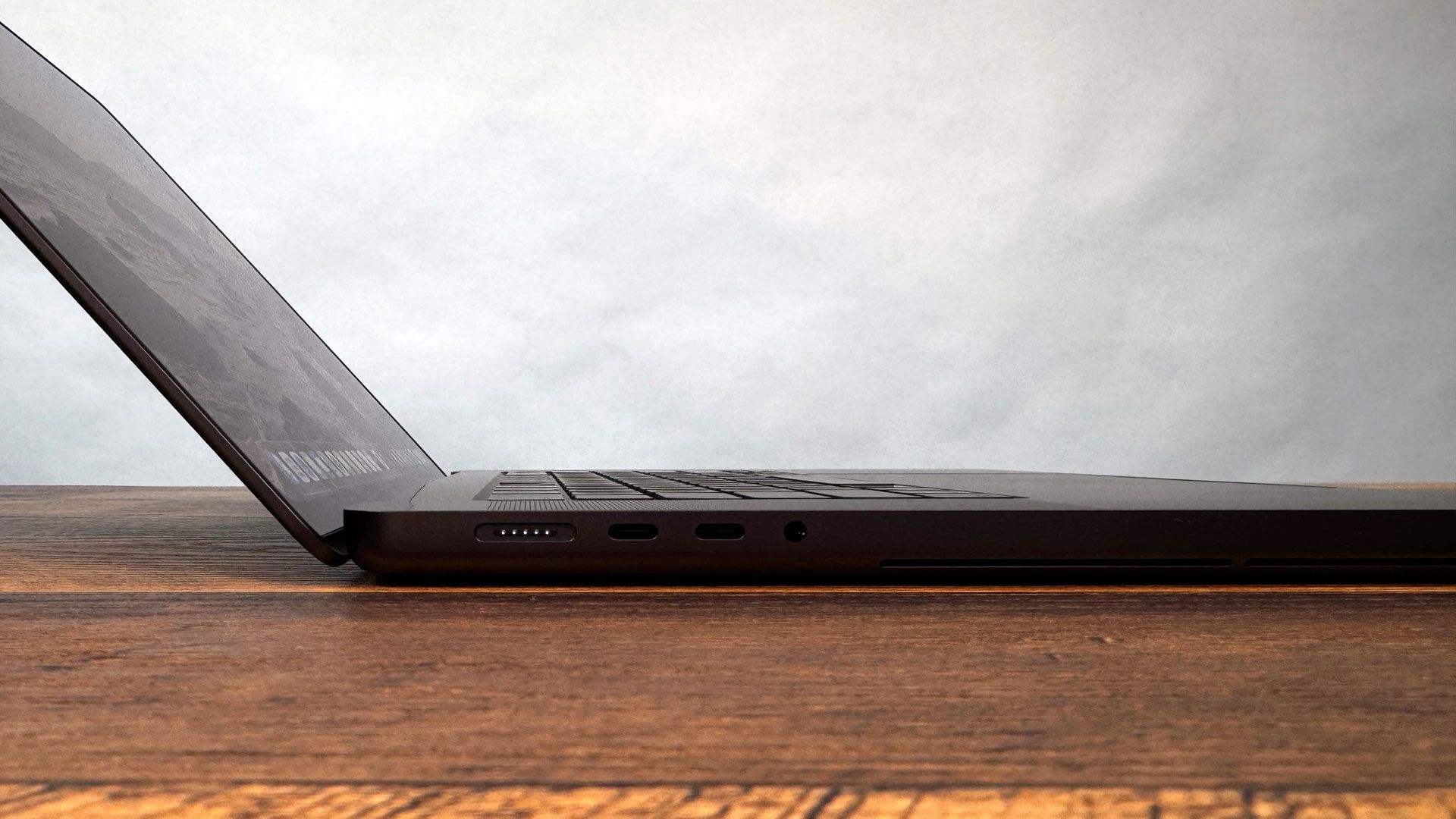
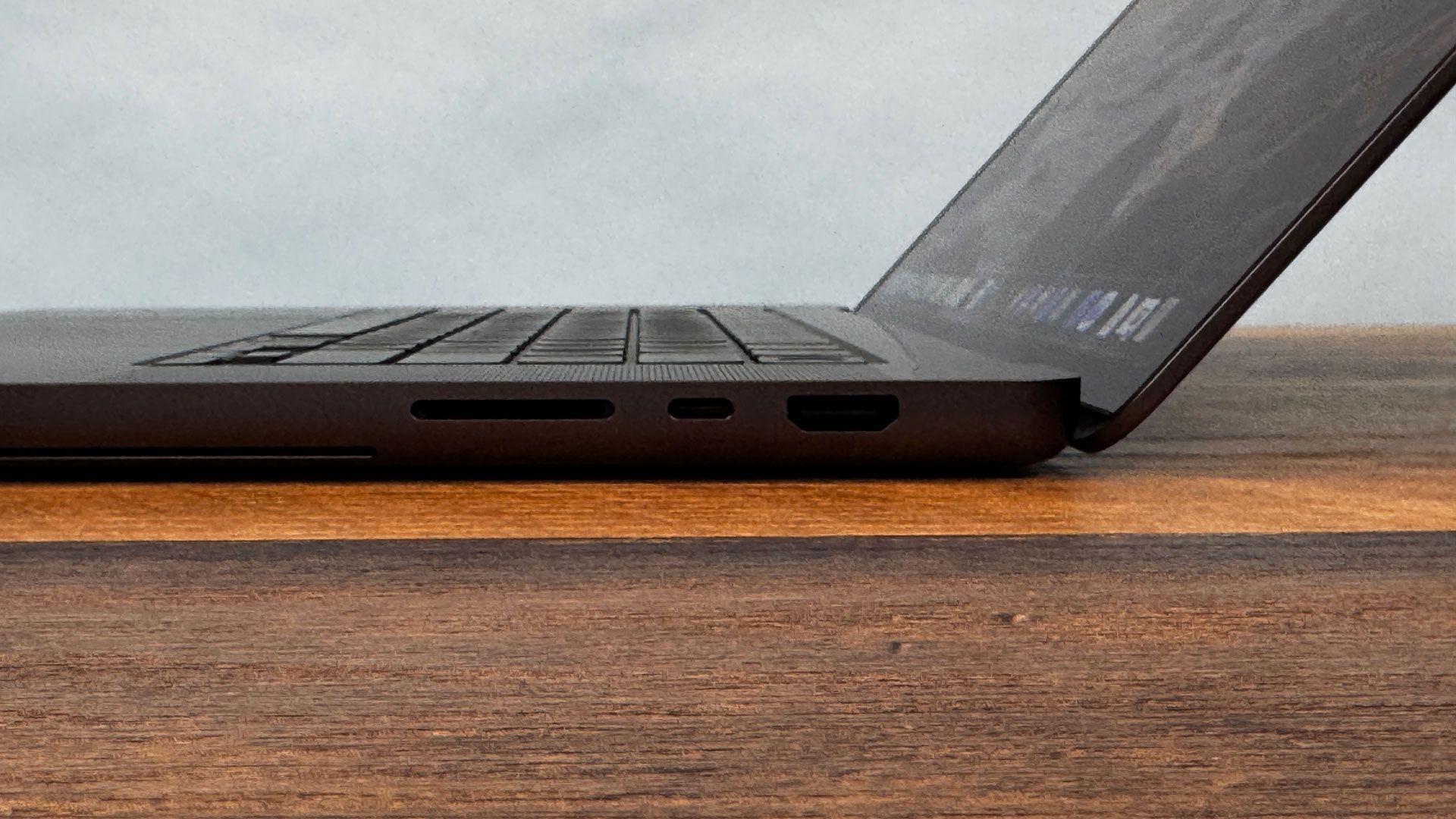
As with previous MacBook Pro generations, you’ll find three Thunderbolt 4 ports (Thunderbolt 5 is not available on M6 models), a full-size SDXC card reader, HDMI 2.1, a 3.5 mm audio jack, and a MagSafe 3 connector.

Our 14-inch MacBook review unit measures 12.31 x 8.71 x 0.61 inches and weighs 3.4 pounds, the same as last year’s model with the M5. For comparison, the Gigabyte Aero X16 measures 14 x 9.9 x 0.78 inches and 4.2 pounds, while the Dell XPS 14 comes in at 12.19 x 8.26 x 0.6 inches and weighs 3 pounds.

MacBook Pro Specifications (M6, 14-inch)

CPU

Apple M6 (12-core CPU)

Graphics

12-core GPU (integrated)

Memory

16GB unified LPDDR5x memory

Storage

1TB SSD

Display

14.2-inch Liquid Retina XDR display with Nano-texture option, 3,024 x 1,964, 120 Hz ProMotion

Networking

Wi-Fi 7, Bluetooth 6

Ports

3x Thunderbolt 4 over USB Type-C, HDMI 2.1, SDXC card slot, 3.5 mm headphone jack, MagSafe 3

Camera

12MP Center Stage camera

Battery

72.4WHr

Power Adapter

70W

Operating System

macOS Golden Gate 27.0

Dimensions (WxDxH)

12.31 x 8.71 x 0.61 inches (312.6 mm x 221.2 mm x 15.1 mm)

Weight

3.4 pounds (1.55 kg)

Price (as configured)

$1,999.00

Productivity and Graphics Performance on the MacBook Pro (M5, 14-inch)

Our 14-inch MacBook Pro review unit features a 12-core CPU and 12-core GPU version of Apple’s new M6 SoC. This is the same configuration as the Mac Mini that we reviewed in September, except that our laptop review unit includes 16GB of unified LPDDR5x memory compared to 24GB. Rounding out the specs is a standard 1TB SSD.

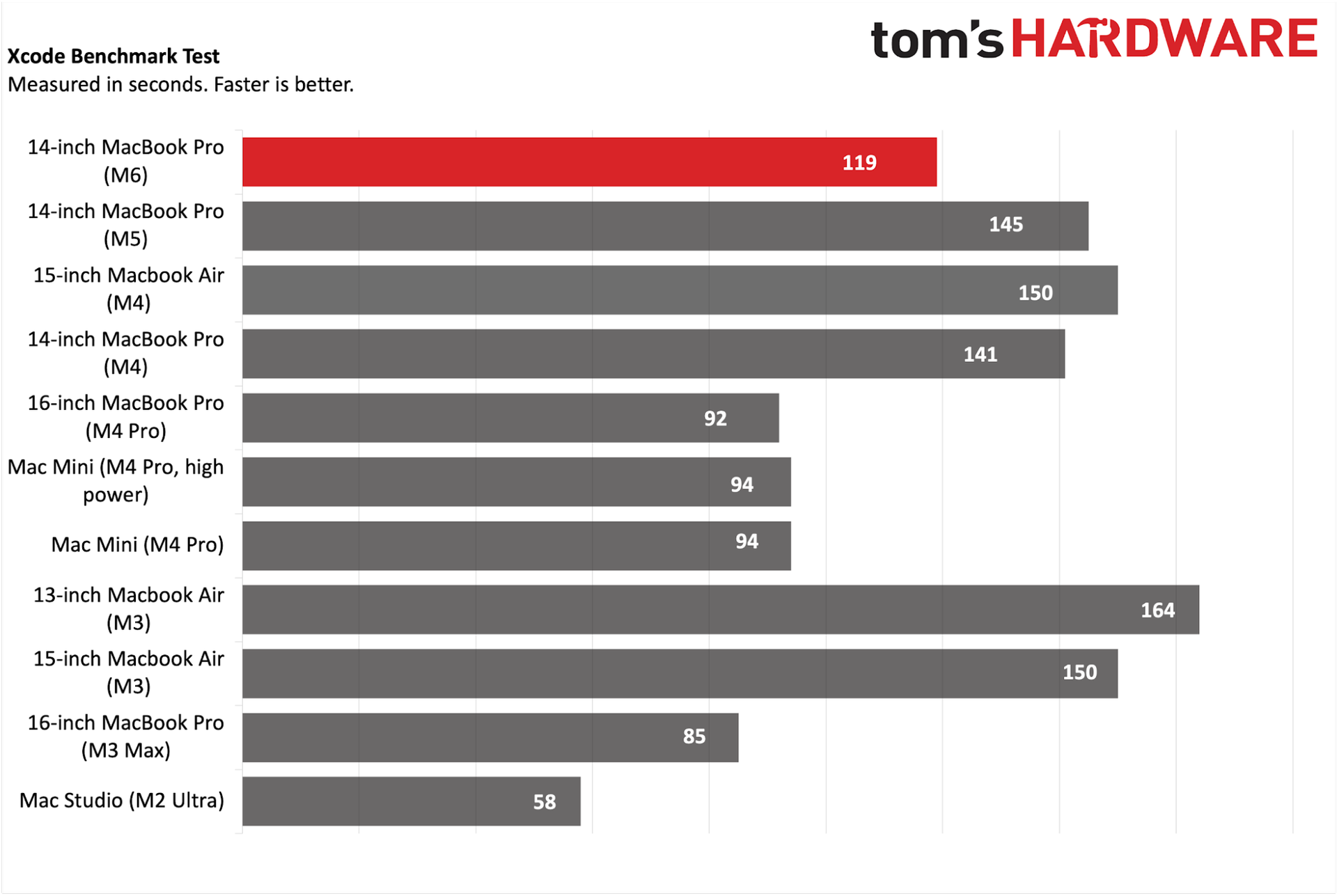
Slow and steady wins the race in silicon advances. In every productivity benchmark, our M6 MacBook Pro not only outshone the previous-generation M5 MacBook Pro, but it also trounced the prosumer Gigabyte Aero X16 (AMD Ryzen AI 7 350) and Dell XPS 14 (Intel Core Ultra X7 358H) Windows 11 laptops that we pitted it against.
Apple MacBook Pro 14-inch (M6)
Tom's Hardware
Apple MacBook Pro 14-inch (M6)
Tom's Hardware
Apple MacBook Pro 14-inch (M6)
Tom's Hardware
Apple MacBook Pro 14-inch (M6)
Tom's Hardware
Apple MacBook Pro 14-inch (M6)
Tom's Hardware

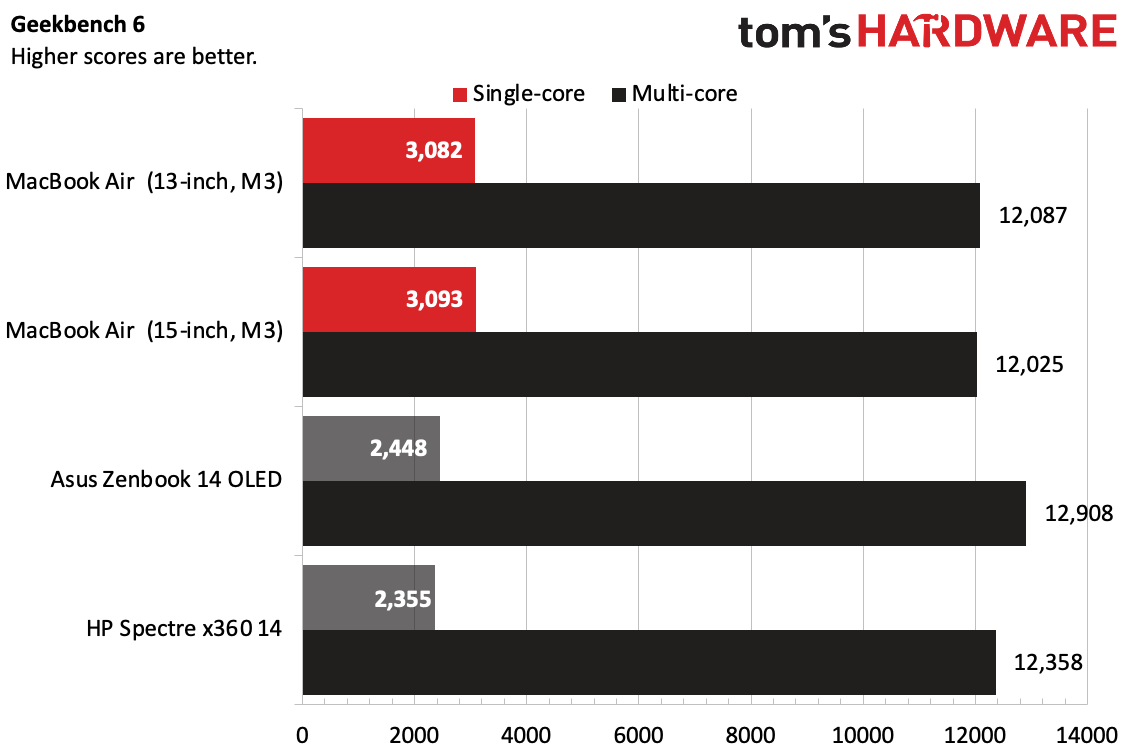
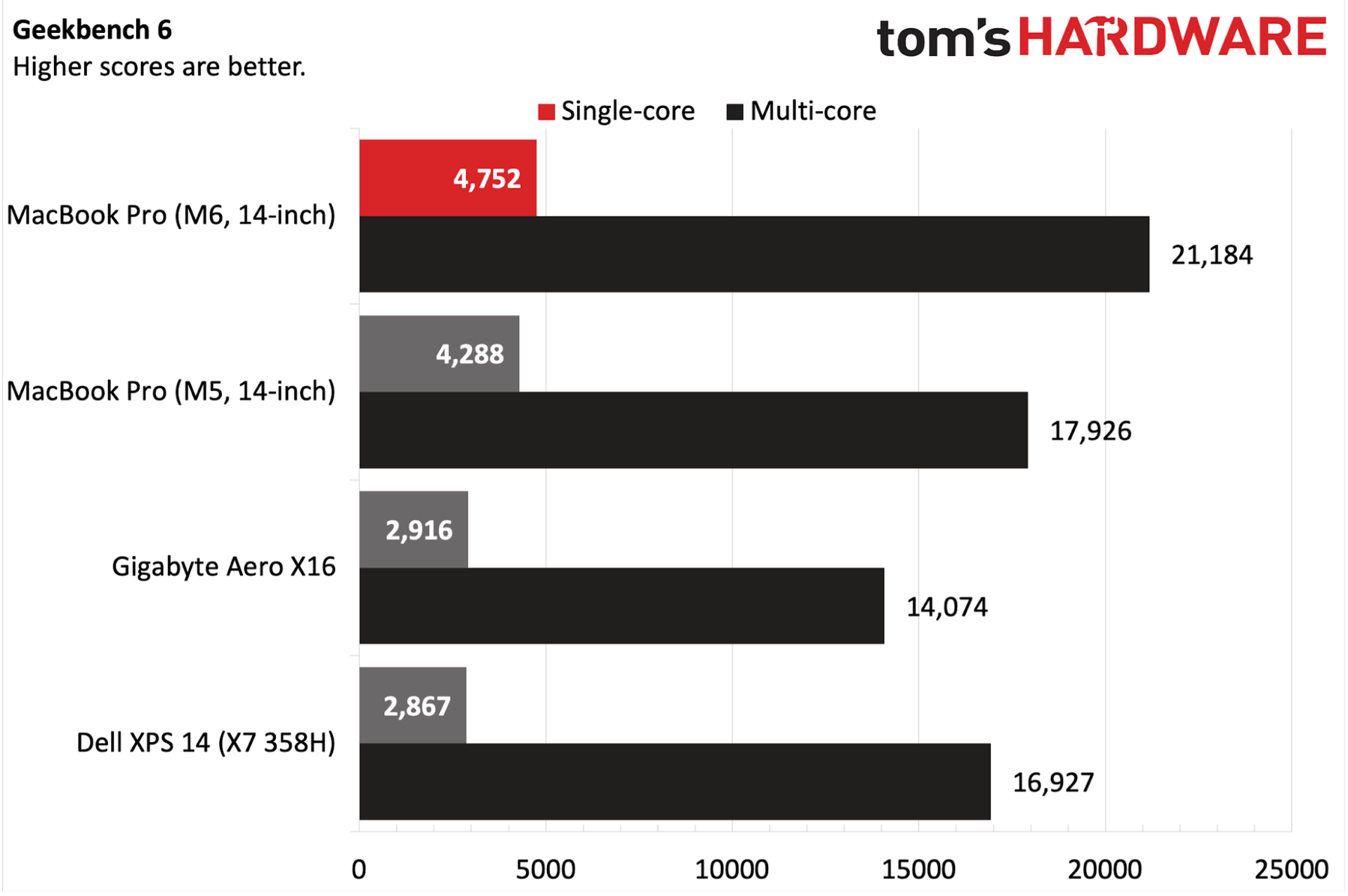
Starting out with the Geekbench 6 synthetic CPU benchmark, our M6 review unit put up a modest 10% gain in single-core performance over the M5 (4,752 versus 4,288). Switching to multi-core performance, that performance delta grew to just over 18%. Of the two Windows 11 laptops, the XPS 14 came the closest, putting up single- and multi-core scores of 2,867 and 16,927, respectively.

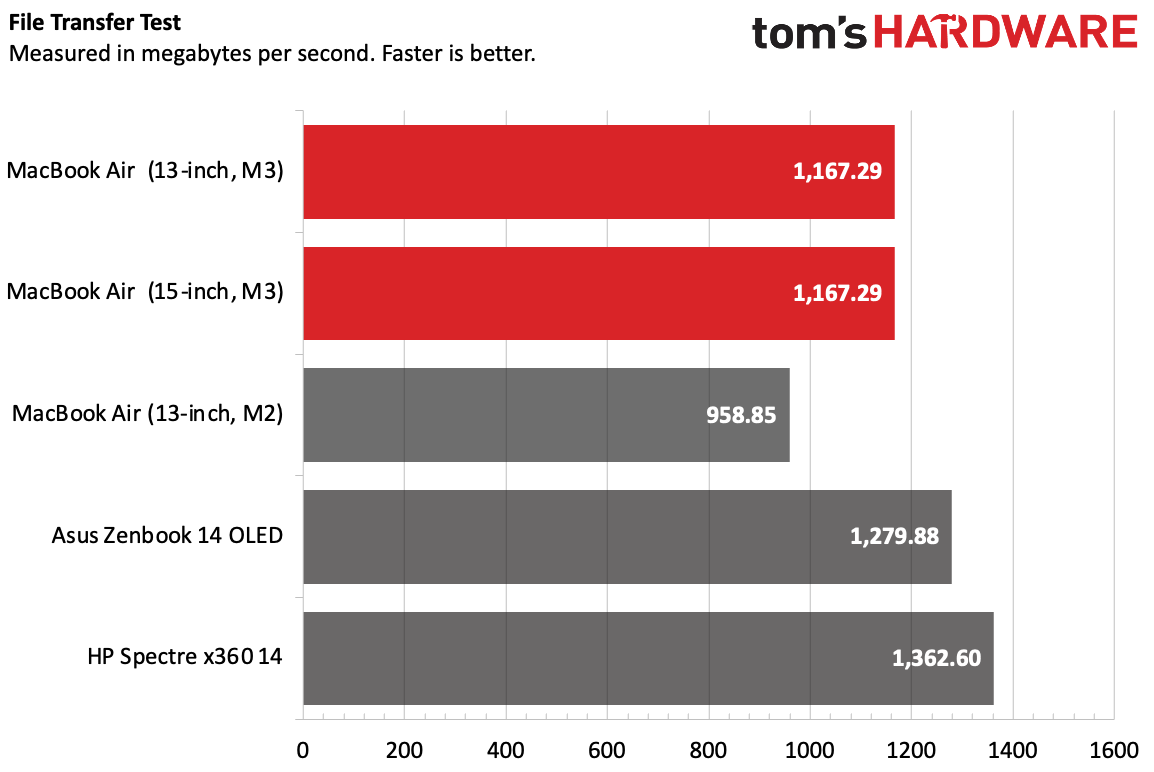
Apple appears to have held the line when it comes to SSD performance year-over-year. 2025's M5 MacBook Pro managed 1917.35 MBps in our in-house 25GB file transfer test. Things changed little this year, as our M6 MacBook Pro came in at 1914.23 MBps. The Aero X16 carried the baton for the Windows 11 field with a result of 1,480.57 MBps.

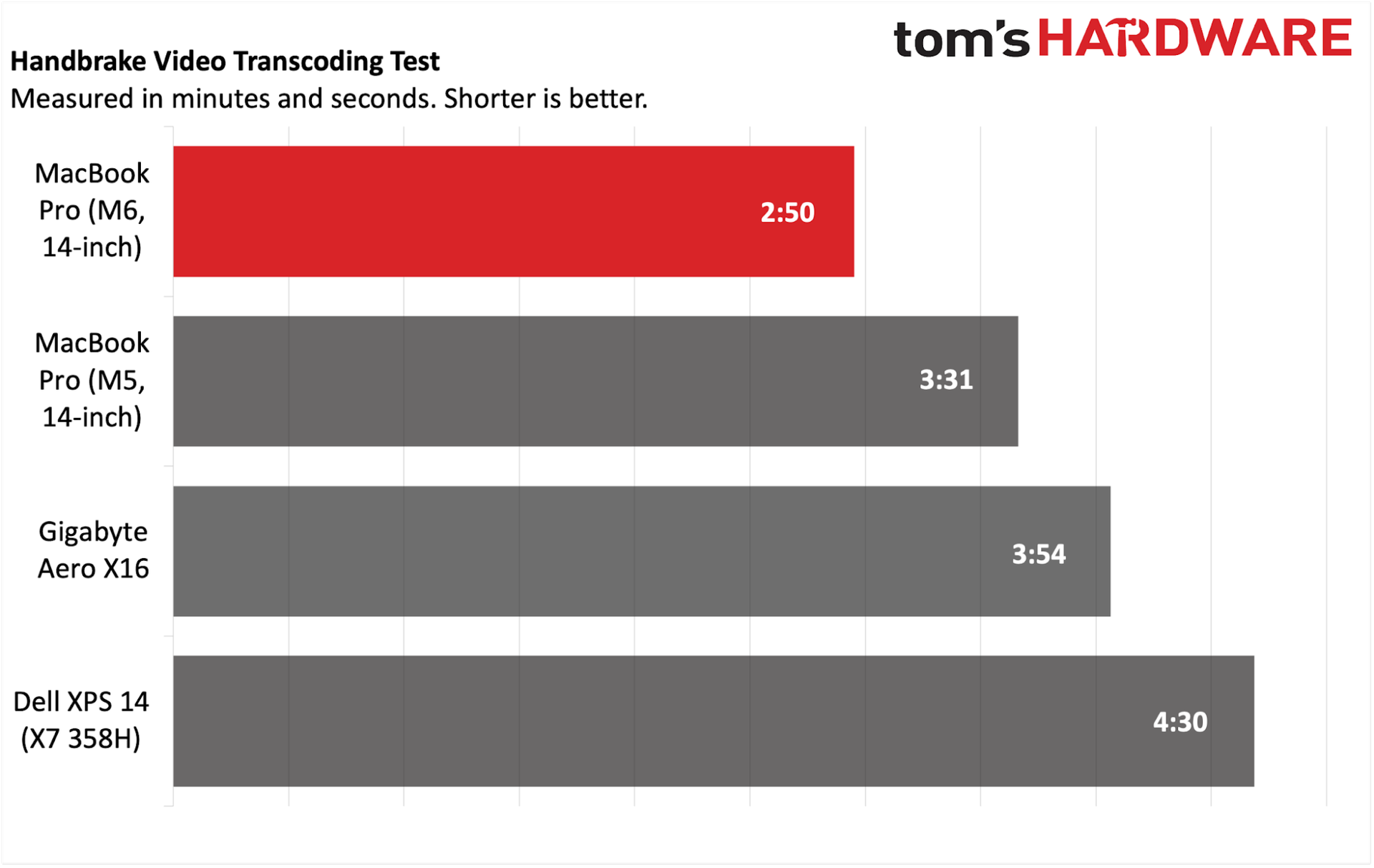
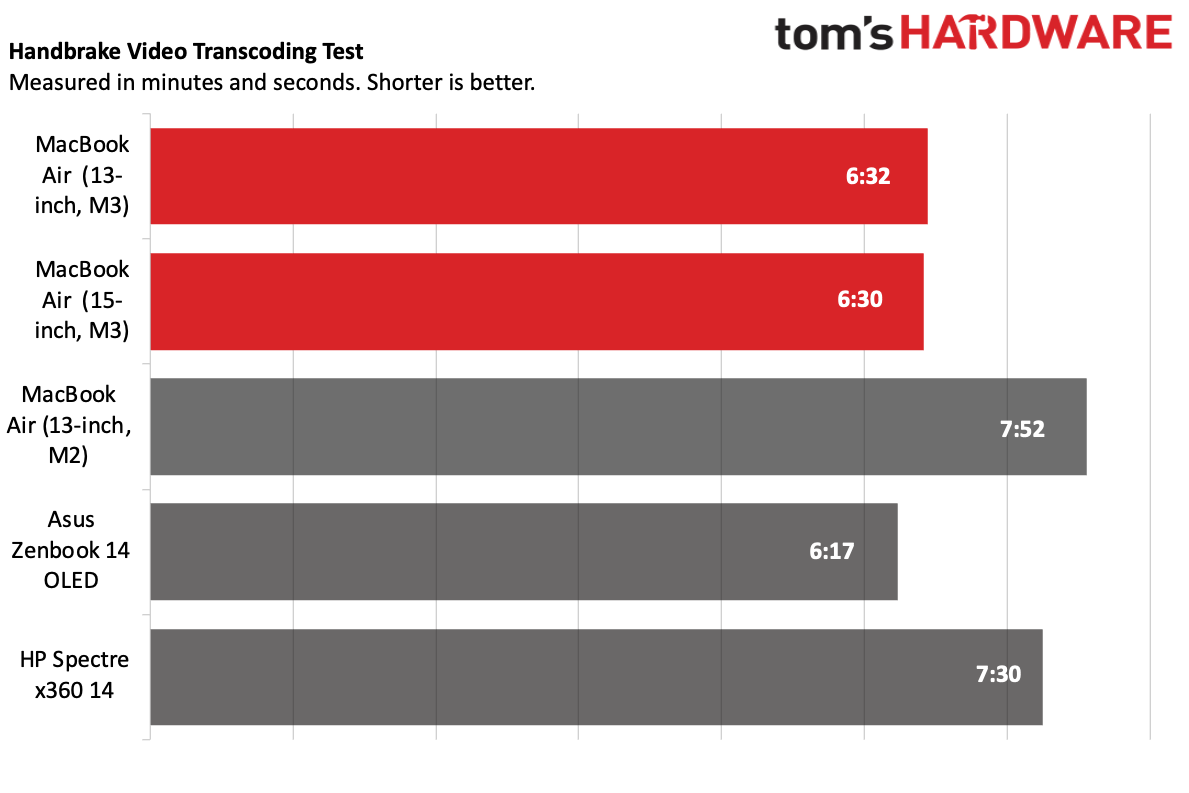
Our Handbrake test consists of transcoding a 4K video file to 1080p. The new M6 MacBook Pro review finished the job in a brisk 2 minutes and 50 seconds, while the M5 version took 3 minutes and 31 seconds to complete the task.

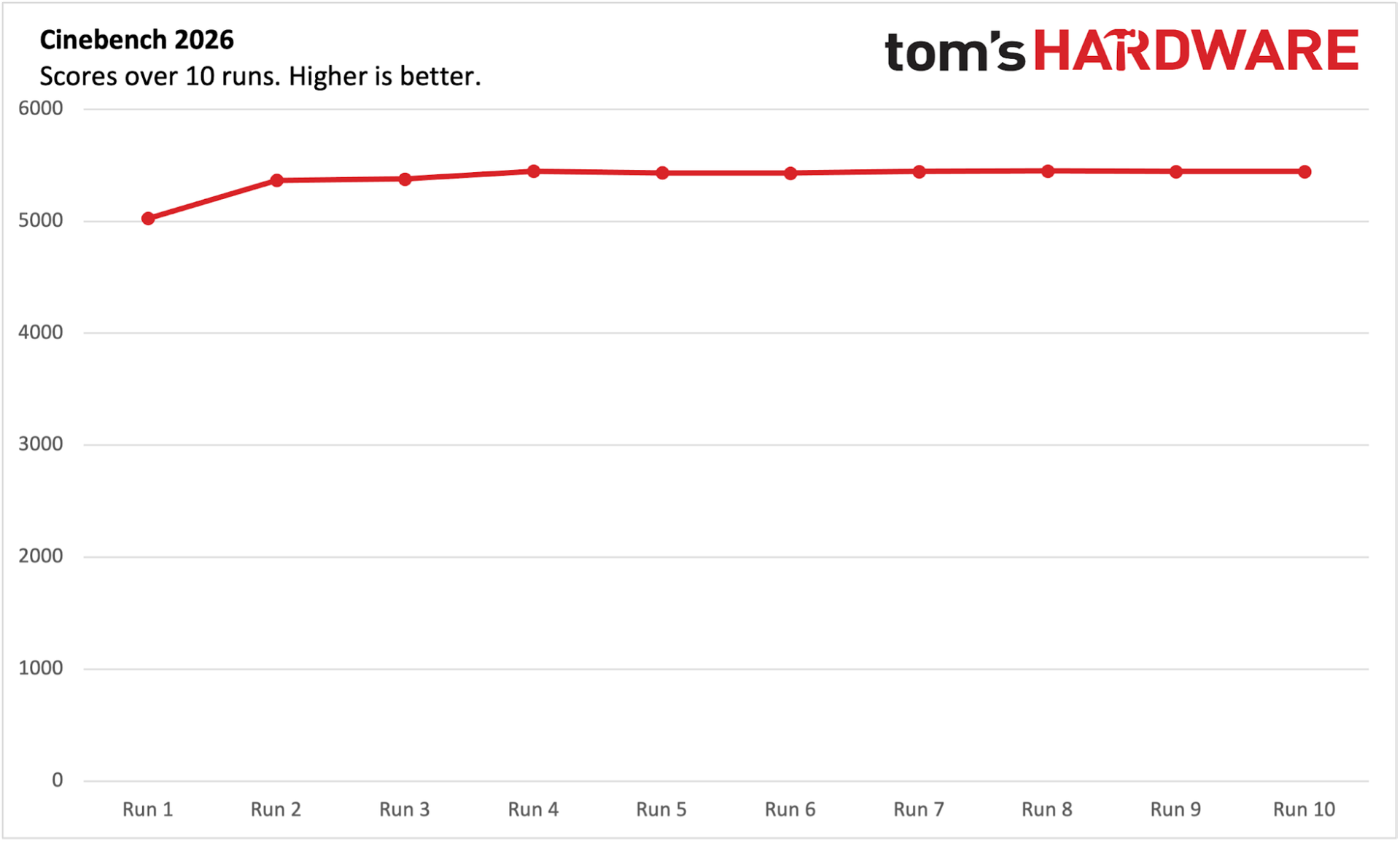
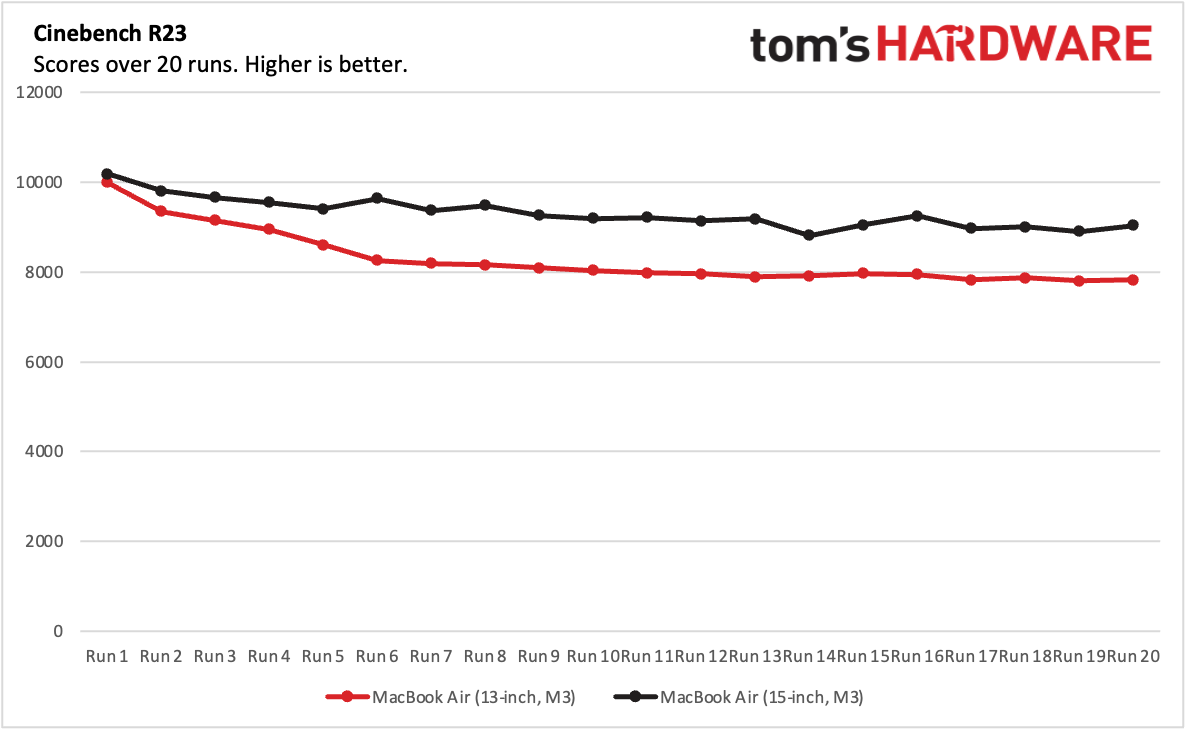
Our stress test for productivity laptops centers around Cinebench 2026, which we run 10 times back-to-back, tallying multi-core scores along the way. The M6 MacBook Pro started with a score of 5,026.55 and hovered around 5,440 for the remainder of the runs.

The M5 includes a 12-core GPU (each core features a dedicated neural accelerator), which promises up to a 30 percent uplift in performance compared to the M5.

Although the base MacBook Pro isn’t what we’d consider a gaming beast, it did manage 53.7 frames per second (FPS) at 1800 x 1125 resolution in Cyberpunk 2077 using the “For this Mac” preset and 32.66 FPS at 3024 x 1890. This compares to 47.65 FPS and 31.47 FPS, respectively, for the M5 MacBook Pro.

Display on the MacBook Pro (M6, 14-inch)

Apple’s M6-equipped 14-inch MacBook Pro continues to use an IPS display with mini LED backlighting. As before, you get a 3,024 x 1,964 resolution panel with a 120 Hz refresh rate.

While the mini LED panel looks good, it’s not nearly as capable as the touch-enabled PROLED XDR display found on its pricier siblings. Although you can equip the MacBook Pro with a nano-texture display for $150, our review unit didn’t have it.
Apple MacBook Pro 14-inch (M6)

(Image credit: Tom's Hardware)

Being that I’m a huge fan of Sylvester Stallone’s Rocky films (well, the first four), I pulled up the second trailer for I Play Rocky, which is set to release later this month. The design aesthetic of the film is, of course, distinctly 1970s, and the mini LED panel did a good job of presenting the muted colors (mostly warm earth tones).

As I’m still in shock over the passing of Patrick Stewart, I watched a sizable portion of Star Trek: First Contact on the screen. Again, the display performed well, with major kudos during the opening battle scene where Federation ships are battling the Borg. The orange explosions, red phaser blasts, and the Borg’s green cutting beams vividly danced across the screen. The blackness of space wasn’t quite as deep as I witnessed with an OLED screen side-by-side, but it’s still good.

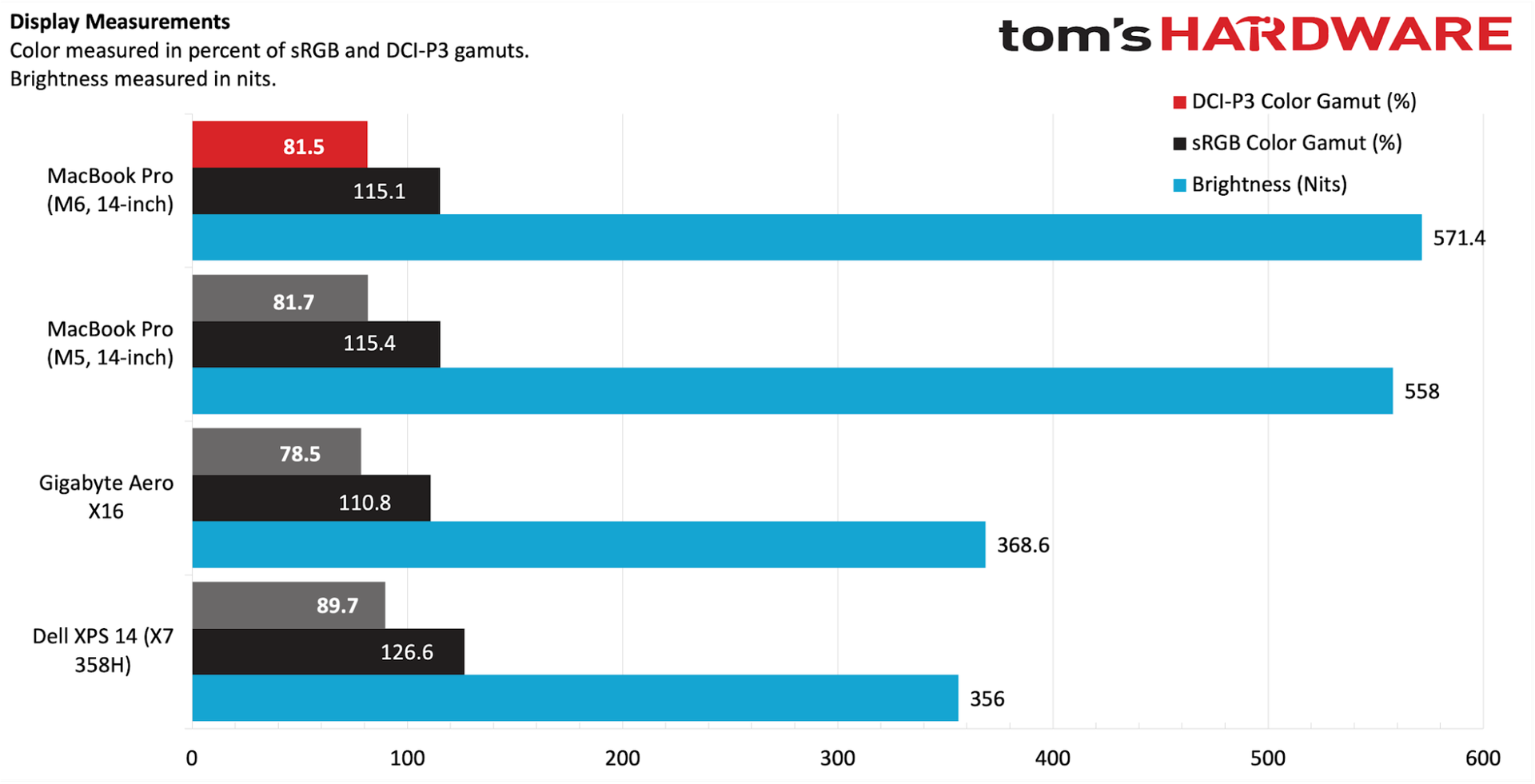
Our MacBook Pro review unit was even brighter than last year’s model, if only by a slim margin (571.4 nits versus 558 nits). That performance was still well ahead of the OLED panels in the Windows laptops.

Those similarities extended to color performance, which tracked nearly identically to the preceding M5 MacBook Pro, which was a dead ringer for its M4 predecessor. Our instrumented tests showed 81.5 percent coverage of DCI-P3 and 115.1 percent of the sRGB. Although the XPS 14’s OLED panel was no match for brightness (358 nits), it pipped the MacBook Pro in color performance (89.7 percent DCI-P3, 126.6 percent sRGB).

Keyboard and Touchpad on the Apple MacBook Pro (M6, 14-inch)

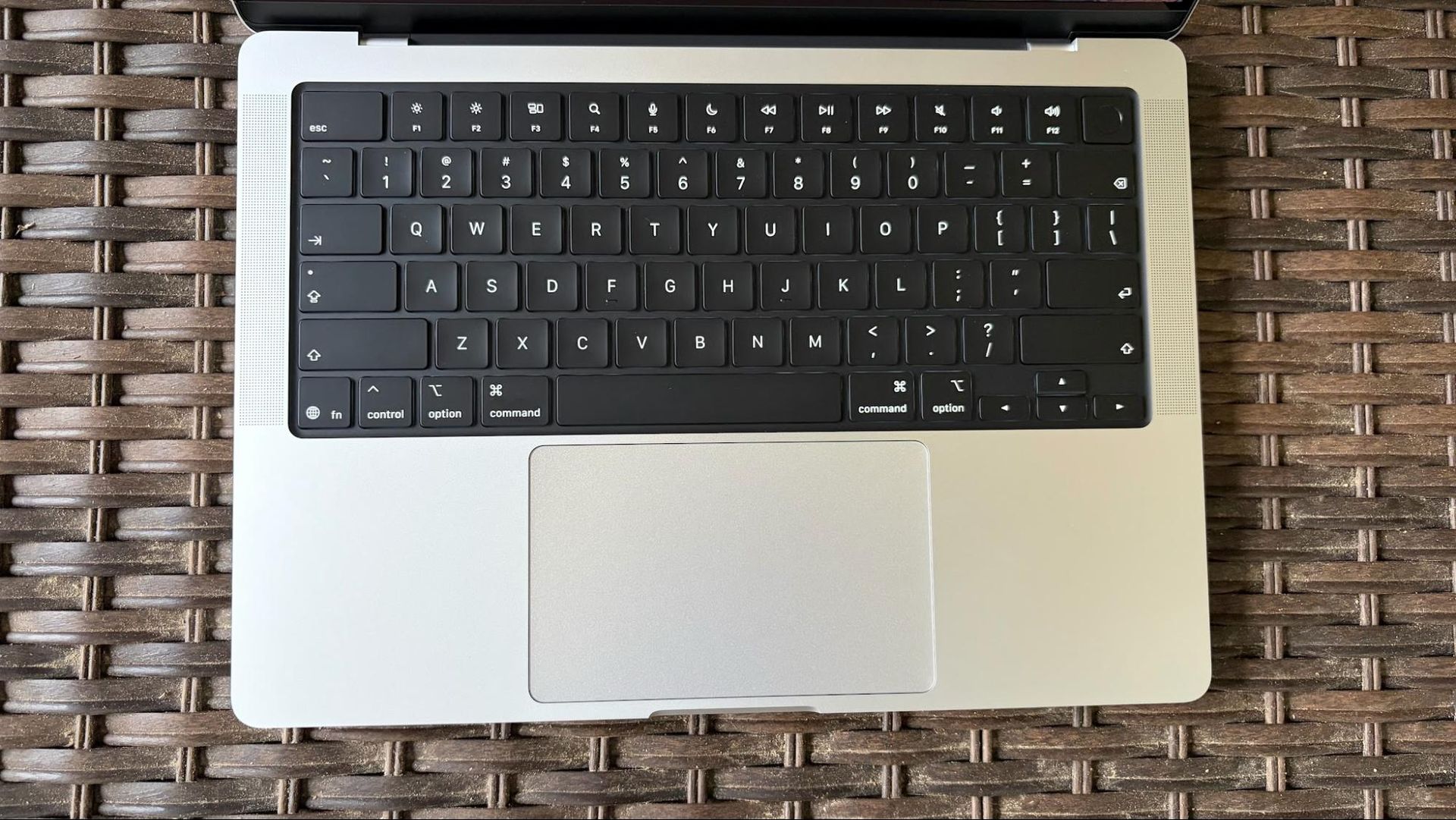
As with all the other exterior design elements of the M6 MacBook Pro, the keyboard remains unchanged. To me, that’s a good thing, as it’s one of the things I love the most about Apple laptops. As someone who lived through Apple’s horrible butterfly keys on the 12-inch MacBook and subsequent MacBook Pro models, the return to the venerable switches was a return to sanity on Apple’s part.

Apple isn’t the type of company that would equip its laptops with RGB keyboards, so you’ll get single-zone white LED key backlighting. Although the thought of a MacBook Pro with RGB lighting brings a slight smirk to my face, I’m perfectly fine with Apple’s monochromatic approach.
Apple MacBook Pro 14-inch (M6)

(Image credit: Tom's Hardware)

I used the keyhero.com typing test, as I do with all laptops I review, and settled in with 93 words per minute at 95 percent accuracy. Those figures track with what I achieve with other Apple and Windows laptops.

Like all MacBooks (except for the entry-level Neo), our MacBook Pro features a large haptic trackpad that measures 5 x 3 inches. The glass surface makes gliding with your finger or thumb easy-peasy, and the simulated “click” is satisfying.

Audio on the Apple MacBook Pro (M6, 14-inch)

We’re sure you’re noticing a theme in this review, but the audio system in our MacBook Pro review unit remains unchanged compared to its earlier M5 and M4 counterparts. What that means is that you’ll find a six-speaker system that includes support for major audio formats like Dolby Digital, Dolby Atmos, Dolby Digital Plus, and Apple Spatial Audio.

I’m a sucker for acoustic guitar, and one of the greats of the 2000s is John Mayer. Perhaps my favorite John Mayer song is “3x5” from his debut album, which my girlfriend at the time (now wife) and I played over and over again and witnessed several times in concert. On the MacBook Pro’s speakers, the acoustic guitar packs just as much of a punch as John’s breathy vocals pelting out vivid lyrics like, "Today, skies are painted colors of a cowboy cliché."

I got so lost in the audio experience that I found myself listening to the entire Room for Squares album and being transported back to my college days.

Upgradeability of the Apple MacBook Pro (M6, 14-inch)

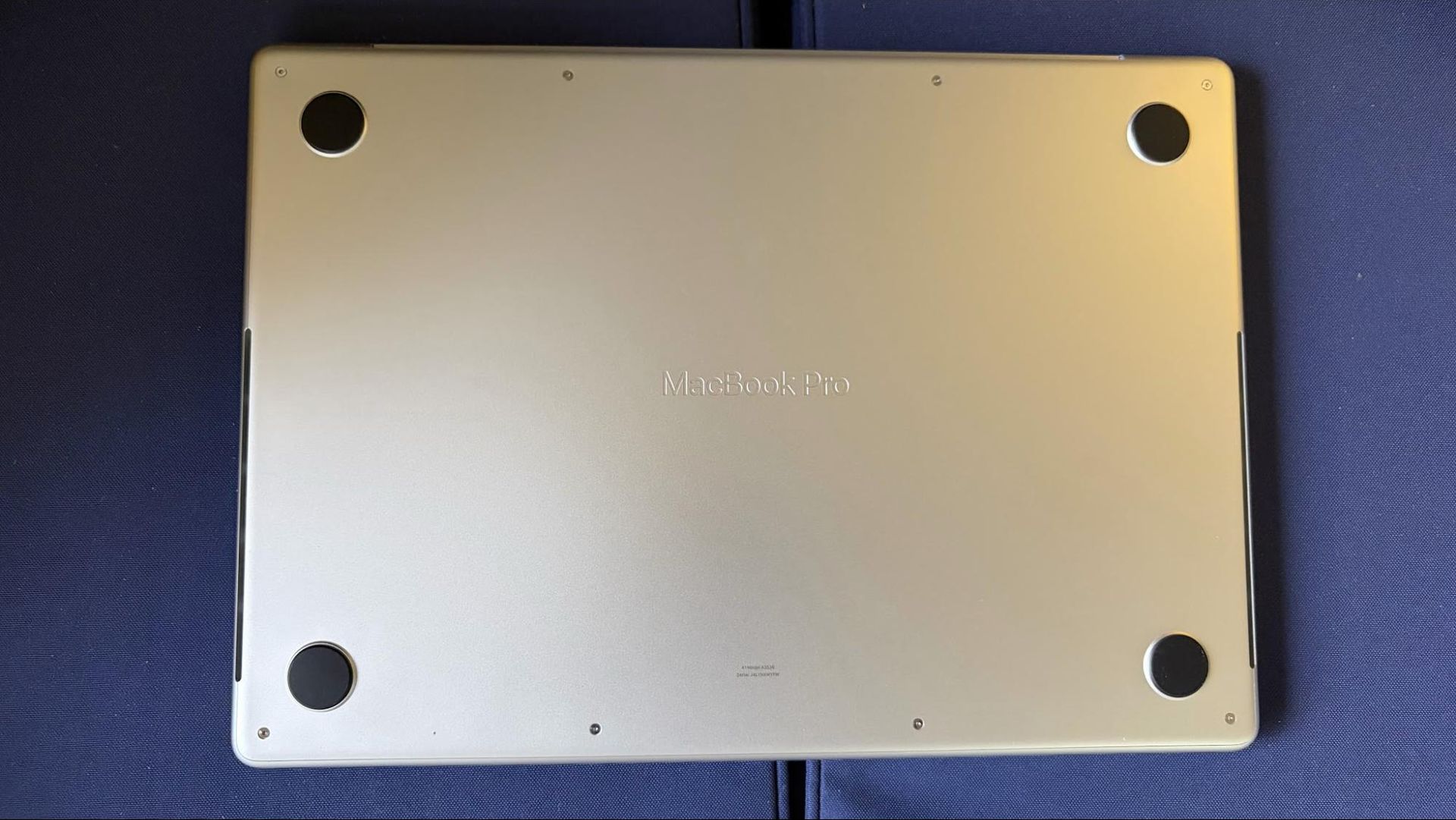
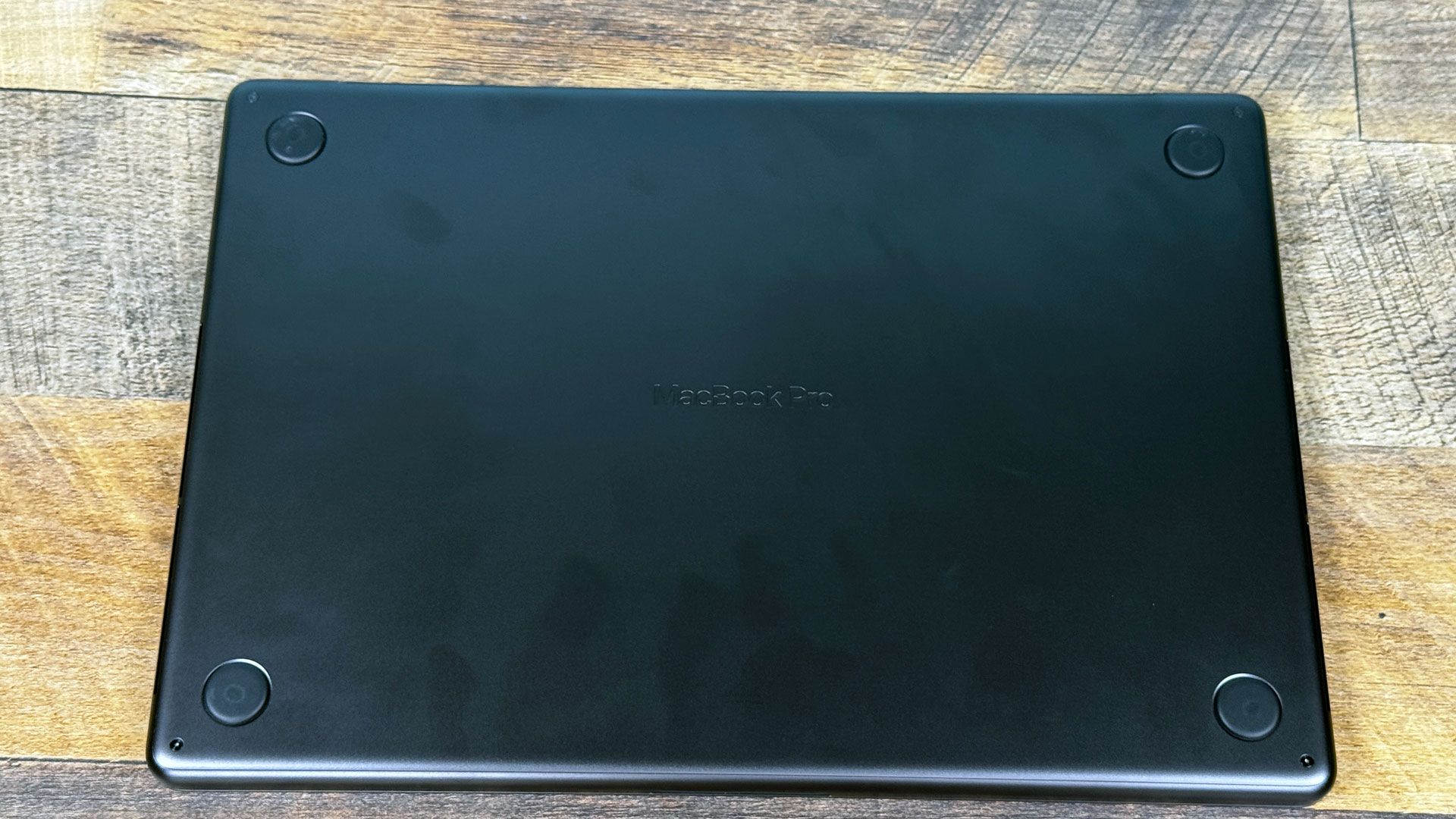
While most Windows laptops give you some semblance of upgradeability, allowing you to upgrade at the very least storage, Wi-Fi/Bluetooth, and sometimes memory, you’ll find no such luxuries in MacBook land. There are four pentalobe screws on the bottom of the laptop, but once you remove the cover, there’s nothing of note that’s upgradeable. The M6 chip with its integrated 16GB of memory can’t be replaced, nor can the 1TB SSD – both packages are soldered onto the motherboard. As with all MacBooks, you’ll need to settle on how much RAM and storage you want at purchase time. If you get it wrong, you’ll have to live with that config until it’s time to upgrade your laptop again.

Battery Life on the Apple MacBook Pro (M6, 14-inch)

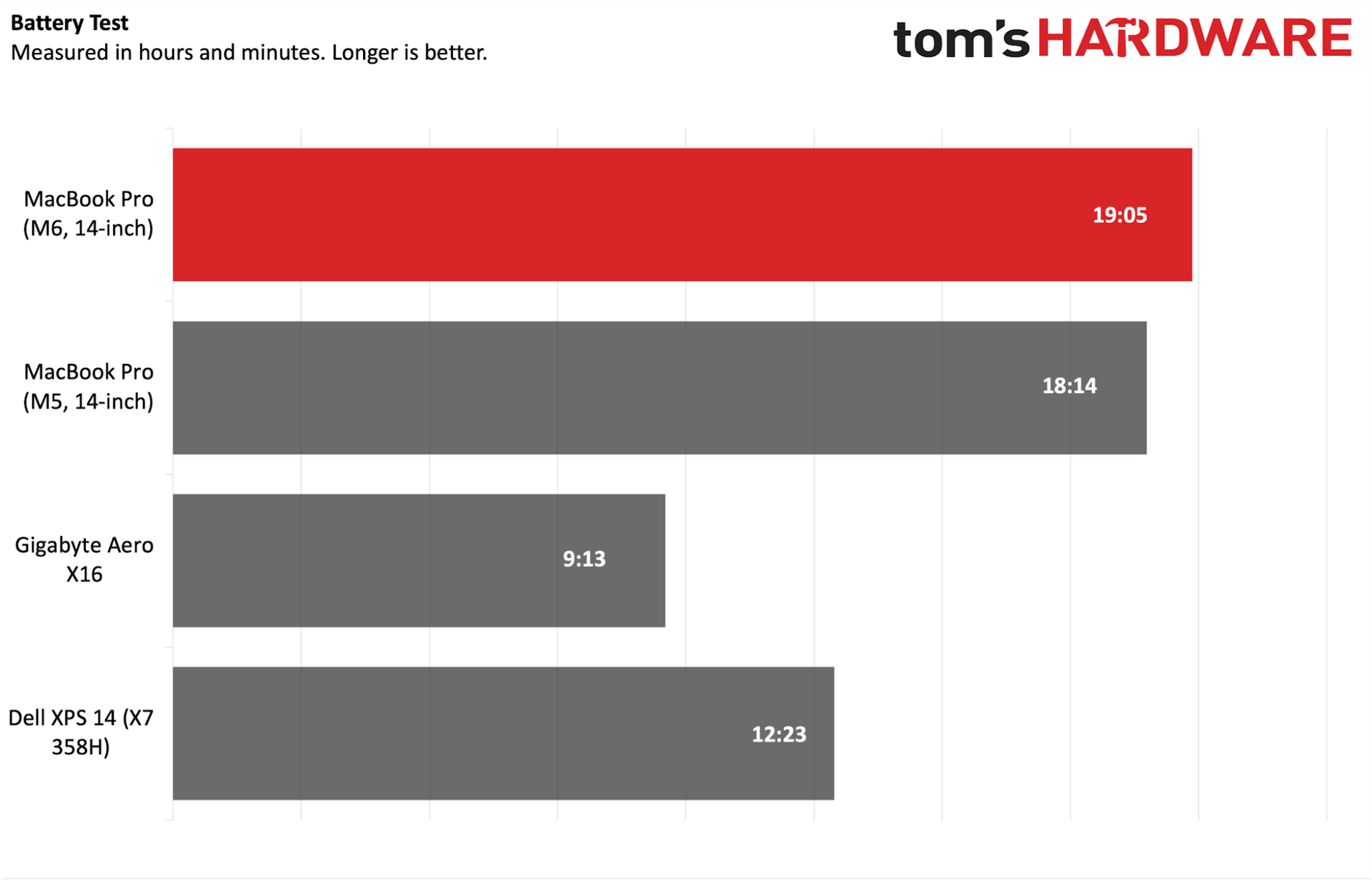
If there’s one thing that you can count on when it comes to MacBooks, it’s battery life. It’s pretty common for MacBooks to last for 18 or more hours in our battery life test, which consists of browsing the web, running OpenGL tests, and streaming video at 150 nits of brightness.

Apple MacBook Pro 14-inch (M6)

(Image credit: Tom's Hardware)

Our MacBook Pro review unit was no exception, lasting 19 hours and 5 minutes thanks to its 72 WHr battery. This was nearly a one-hour improvement over its M5 counterpart, which is a testament to the efficiency gains that Apple is able to achieve with the 2-nanometer process node.

Heat on the Apple MacBook Pro (M6, 14-inch)

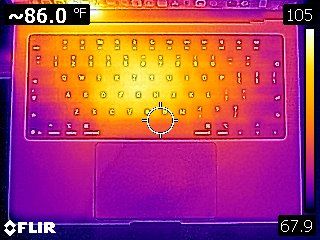
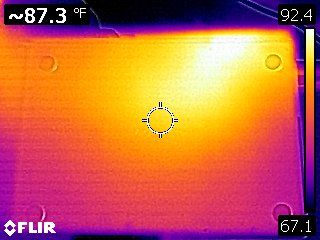
We measured skin temperature on the MacBook Pro during our Cinebench 2026 stress test. Unlike the cheaper MacBook Airs, which are fanless, the MacBook Pro’s two internal fans kick into gear quite quickly to dissipate heat.

The hottest point was near the left exhaust vent, which measured 106 degrees Fahrenheit, with 105 F seen between the G and H keys. Given its distance from the toasty parts of the laptop, the touchpad remained cool to the touch at 78 F. The touchpad was much cooler at 82.8 F.
Apple MacBook Pro 14-inch (M6)
Tom's Hardware
Apple MacBook Pro 14-inch (M6)
Tom's Hardware

We use TG Pro to measure internal temperatures while running the Cinebench 2026 stress test. While TG Pro doesn’t have full support for the M6 yet, the Power Manager dies reported peak temperatures of 80 degrees Celsius (C) for the SoC. The overall system temperature, which takes an average of several components (i.e., power supply, battery, SSD, logic board, etc.), was 43 degrees C.

Webcam on the Apple MacBook Pro (M6, 14-inch)

The 12MP Center Stage camera that’s been featured in the last two MacBook Pro generations has made a reappearance this year. All of the superlatives that I had for the M5 MacBook Pro are relevant to my current review unit. Namely, image quality was impressive across the board, in both bright and low-light conditions.

Unlike some other laptop webcams that skew my darker skin color or apply smoothing algorithms that make my skin look like a Tootsie Roll, the camera picked up the wrinkles around my eyes and accurately represented the grays in my beard.

Software on the Apple MacBook Pro (M6, 14-inch)

The M6 MacBook Pro ships with macOS 27 Golden Gate preinstalled. You can liken the shift from macOS 26 Tahoe to macOS 27 Golden Gate to the OS X 10.5 Leopard to Mac OS X 10.6 Snow Leopard transition. In other words, macOS 27 is more about making the operating system more reliable and faster rather than bombarding users with new features. You can read more about macOS 27 Golden Gate in my M6 Mac Mini review.

Just like Windows 11, macOS comes with a slew of apps preinstalled upon first boot. Some of the standouts include GarageBand, Apple’s productivity suite (Keynote, Pages, Numbers), Apple TV, iMovie, and Home (Apple’s smart home application). With the exception of Apple TV, the other apps are productivity utilities meant to enhance the user experience and get work done. You won’t find typical bloatware like app/shortcuts for services like Dropbox or antivirus programs like McAfee as you would on Windows 11 laptops.

Apple MacBook Pro (M6, 14-inch) Configurations and Warranty

When opting for the 14-inch MacBook Pro with M6 processor, you’re looking at a starting price of $1,999. In addition to the M6 processor, you get 16GB of RAM and a 1TB SSD (the configuration of our review unit).

From there, you can opt for 24GB (+$200) or 32AM (+$400) of RAM, and 2TB (+$500) or 4TB (+$1,500) of storage. There are also two standalone options that you can add: the nano-texture display for $150 and a 96-watt power adapter for an extra $20.

The MacBook Pro has a standard one-year warranty. However, you can pick up AppleCare+ for $99.99/year or $9.99/month. The coverage adds unlimited repairs covering accidents, 24/7 priority tech support, and battery replacement.

Bottom Line

Apple MacBook Pro 14-inch (M6)

(Image credit: Tom's Hardware)

When it comes to everything you see on the outside, Apple’s latest 14-inch MacBook Pro is more of the same: same display, same chassis, same keyboard, and the same great build quality. But true to form, Apple has steadily focused on improving performance year-over-year, and we see that again with the new M6 SoC.

You’ll see anywhere from a 10% to 20% uplift across the board, depending on whether you’re dealing with single- or multi-threaded apps. On top of that, efficiency gains have netted nearly an additional hour of battery life over its M5-powered predecessor. And Apple has finally given the MacBook Pro Wi-Fi 7 and Bluetooth 6.0 support.

The M6 MacBook Pro doesn’t have the OLED touchscreen, more svelte design, or Dynamic Island of the all-new MacBook Pros, but it also started at a price that is $900 less than those systems. With that said, the $1,999 price of our review unit is still a lot of money to ask for a laptop featuring just 16GB of RAM and a 1TB SSD. And you don’t even get an OLED screen at that price.

But given the price of memory and storage these days, $1,999 isn’t exactly out of the ordinary. A Dell XPS 14 configured with an Intel Core Ultra 5 325, 16GB of RAM, 1TB SSD, and a 2.8K OLED display is $2,549. We are truly living in unprecedented times, and while it’s hard to reset our expectations concerning the price of tech, the M6 MacBook Pro remains a solid entry in a highly competitive market.
Apple MacBook Pro with PROLED XDR Display review: The screen that every Mac deserves

2026年11月5日 22:00

Apple's fans know all about waiting. The company tends to polish features, especially in hardware, that some other laptop vendors release faster. The MacBook Pro with PROLED XDR Display ends the wait for two long-requested elements: OLED and touch, both on the platform for the very first time.

That comes at a price. The 16-inch version we have on review starts at $3,399 and is $7,899 as configured. 14-inch systems start at $2,899. Those are $400 bumps over the existing MacBook Pros with identical chips, making the OLED panel a pricey upgrade.

But those who can afford these high-end systems will get the best display on a Mac, if not laptops in general. Add in a significant reduction in weight and improved speakers, and you're getting a lot of small tweaks that add up over what was already one of the best laptops, even if many of the aesthetics haven't changed.

Design

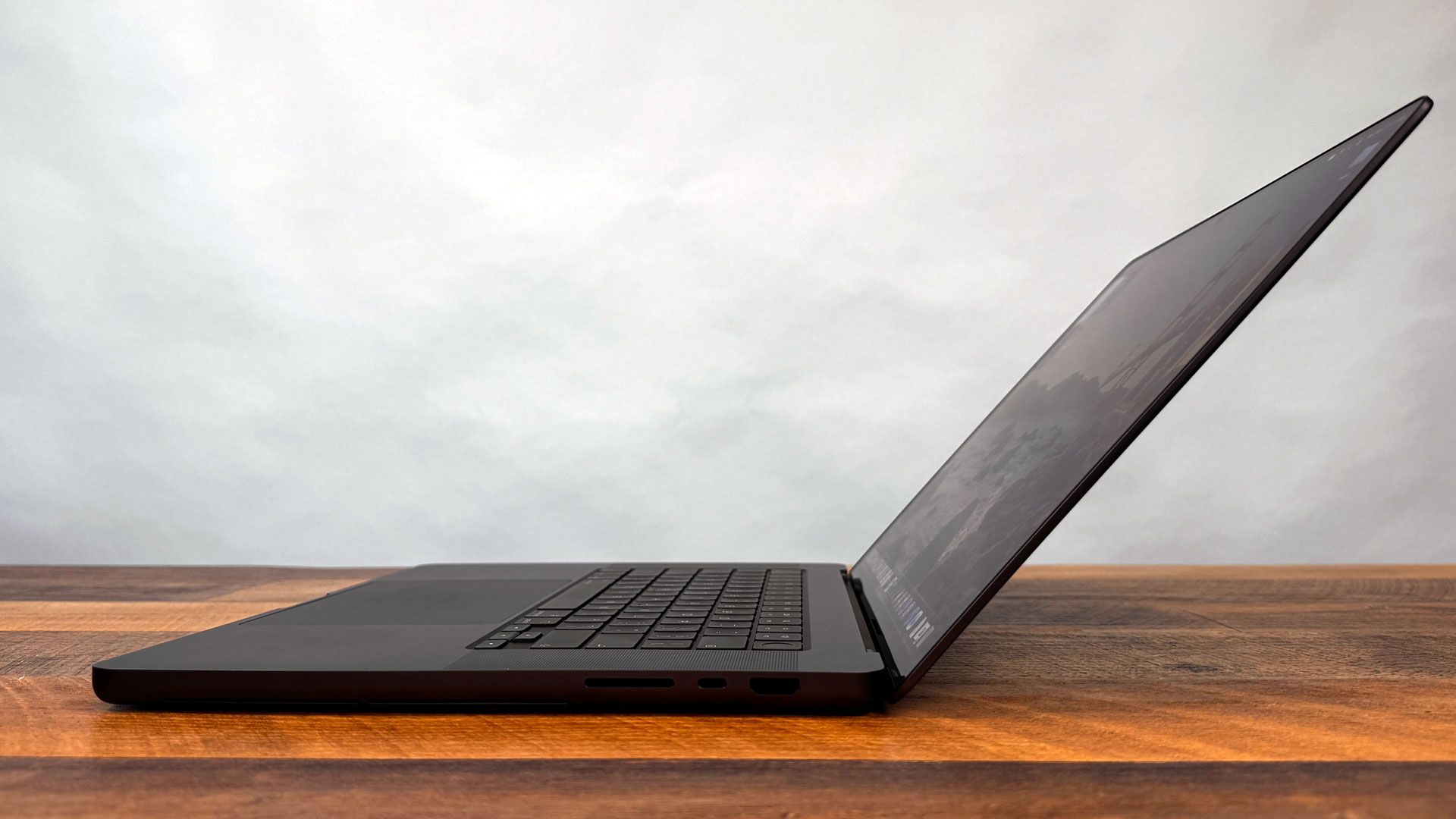
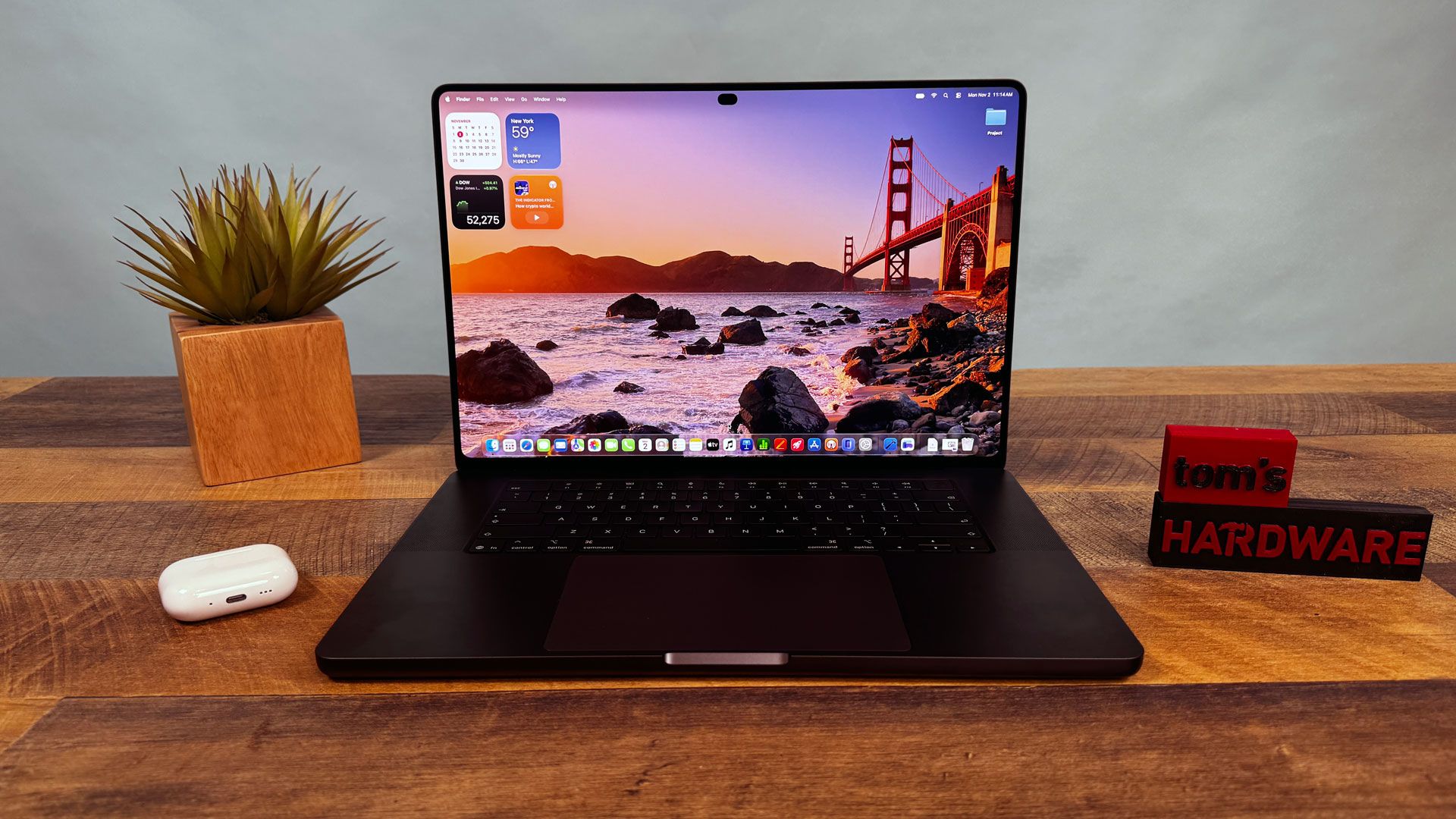
From a distance, this new MacBook Pro doesn't look all that different from the existing models, which are still on the market, which may upset some people looking for a more sweeping redesign. They come in the same colors (space black, like our review unit, and silver) and they largely have the same design. Technically, the new OLED display stack allows for a thinner system, but our 16-inch review unit, at 16 mm thick, is just 0.8 mm shorter than an equivalent 16-inch MacBook Pro with Liquid Retina screen.

Apple MacBook Pro with PROLED XDR Display
Tom's Hardware
Apple MacBook Pro with PROLED XDR Display
Tom's Hardware

The aesthetic differences show up once you open the laptop. For one, the notch in the display is gone with the PROLED XDR models, replaced with the Dynamic Island from the latest iPhones. Let us rejoice; while the notch never bothered me on phones, it always felt in the way, dipping into the macOS menu bar. This isn't perfect, but it feels far more natural and has added functionality (see "Dynamic Island and macOS Touch Features" below).

Apple MacBook Pro with PROLED XDR Display
Tom's Hardware
Apple MacBook Pro with PROLED XDR Display
Tom's Hardware

Then there's the glowing Apple logo on the back of the lid. We haven't seen this for years, and while I could take or leave it, it's definitely going to make some fans nostalgic. The old glowing Mac logos used light from LCD backlights, getting the effect with no extra power. Because OLED panels only light up pixels when they're needed, Apple is making an aesthetic choice to power the logo with a bit of extra electricity this time. The glow matches the brightness of the display, which is a fun touch. I didn't see anything in settings to disable it.

Apple's bezels are thinner, which has let Apple stretch the display to 16.3 inches on this new 16-inch model (it's still 14.2 inches on the smaller one). The displays are now rounded on all four sides. On the Liquid Retina displays, they're rounded on top to match the curves in the chassis, but are squared on the bottom. It's not a huge change, but it does cut some pixels on the bottom of the screen and looks a bit like an iPad.

Apple MacBook Pro with PROLED XDR Display
Tom's Hardware
Apple MacBook Pro with PROLED XDR Display
Tom's Hardware

Otherwise, the system looks largely the same. You have the same ports: MagSafe 3, two Thunderbolt 5 ports, and a 3.5 mm headphone jack on the left; and an SD card reader, an additional Thunderbolt port, and HDMI output on the right.

But the OLED laptop feels different when you pick it up or put it in a backpack. Changes to cooling in the new 16-inch MacBook Pro with PROLED XDR and the switch to an OLED screen get the laptop down to 4.1 pounds with M5 Max (4.0 pounds with M5 Pro), whereas the Liquid Retina versions are 4.7 pounds. You can really feel the half-pound difference. (The 14-incher is down from 3.5 pounds to 3 pounds, too.)

And that's lighter than some of its new competition, too. Microsoft's Surface Laptop Ultra with Nvidia's RTX Spark chip is 4.4 pounds and thicker at 0.75 inches. The Lenovo Pro 9n, also with RTX Spark and its own OLED screen, is a lighter 3.64 pounds and is thicker at 16.7 mm.

Apple MacBook Pro with PROLED XDR Display

(Image credit: Tom's Hardware)

There has been talk of a sturdier hinge, but it does still wobble when you touch it. No one has gotten around that issue. Comparing it to my personal MacBook Pro with the old design, the display goes back ever so slightly more, which is nice for touch but not a game-changer. It would be nice to see a 180-degree hinge for people who really want to write or draw on a flat surface (Apple Pencil support would be nice for that, too). For now, people who want that will need to stick to an iPad.

I spent some of the time reviewing this laptop thinking of Microsoft's Surface Laptop Studio, a touch-focused workstation with a hinge that lets the screen sit in three positions: a standard laptop, pulled forward over the keyboard, or lying like a tablet. That didn't succeed (neither did similar designs from Acer), but it took a stab at changing how a touch-based laptop worked. The new MacBook Pro design isn't a radical rethink of the ergonomics that have plagued touch laptops for over a decade. It's just a powerful Mac that happens to have a touchscreen.

Specifications

CPU

Apple M5 Max (18 cores: 6 super cores, 12 performance cores)

Graphics

40-core GPU (integrated)

Memory

128GB LPDDR5 unified memory

Storage

2TB SSD

Display

16.3-inch tandem OLED display (PROLED XDR), 3472-by-2266 native resolution, 254 PPI, touch, True Tone, ProMotion (VRR 10-120 Hz), Standard glass

Networking

Apple N1 with Wi-Fi 7, Bluetooth 6, Thread

Ports

3x Thunderbolt 5 (USB-C), 3.5 mm headphone jack, SD card reader, HDMI, MagSafe 3

Camera

12MP Center Stage camera (1080p HD video recording)

Battery

99.6 WHr

Power Adapter

140W

Operating System

macOS Golden Gate 27.2

Dimensions (WxDxH)

14 x 9.62 x 0.63 inches (355.5 x 244.2 x 16 mm)

Weight

4.1 pounds (1.84 kg)

Price (as configured)

$7,399

PROLED XDR Display

We had to wait a long time to get OLED on a Mac. PROLED XDR is a silly name, but I'll give Apple this: The screen is absolutely stunning. It's the best screen I've ever seen on a notebook, and it makes me jealous when I look back at my personal system with plain old mini LED. Everything from the default wallpaper in macOS Golden Gate to videos and photos pop on this display. The blacks are deep, the colors pop, and it can get intensely bright.

Our review unit came with the 16.3-inch (slightly enlarged thanks to thinner bezels from 16.2-inches on non-PROLED models) with 3472-by-2266 native resolution, a variable refresh rate of 10 - 120 Hz, and, of course, touch support.

I used the PROLED XDR display to watch the finale of the latest season of Slow Horses. In one scene, where the mastermind of the season's plot shows up to a restaurant to meet with the head of MI5, I was wowed by the deep blacks. The restaurant was sparsely lit, and both characters were wearing black coats. The display brought out the highlights in the environment, as well as a few red accent walls.

Apple MacBook Pro with PROLED XDR Display

(Image credit: Tom's Hardware)

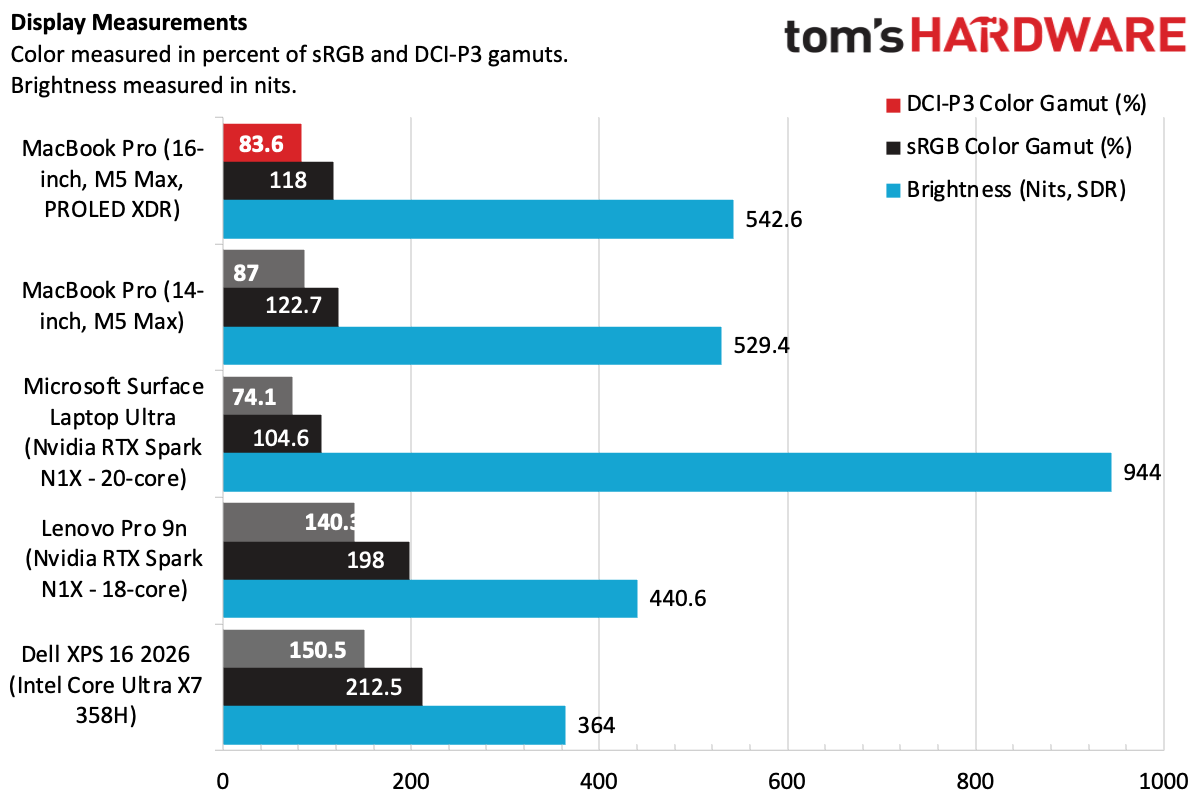
In our instrumented testing, the PROLED XDR screen covered 83.6% of the DCI-P3 color gamut by volume and 118% sRGB, actually slightly lower than the mini LED version. I've seen them side-by-side. Trust my eyes; there's no contest here.

The MacBook Pro with PROLED XDR measured 542.6 nits in our SDR brightness test, falling below the Surface Laptop Ultra, with its near-blinding 944 nits with its mini LED display. But again, PROLED simply looks better. The Surface Laptop Ultra has some light bleed and not enough local dimming zones to catch up.

The OLED panel on the Lenovo Pro 9n is the most vivid on each gamut by volume. I think it's a bit oversaturated, but if you prefer extreme pops of color, you may prefer that screen. The tandem OLED on the Dell XPS 16 was also more vivid on measurements, but was far less bright, which mutes the best aspects of OLED.

The PROLED screen showed how bright it could get with HDR content, outputting 1,964 nits in our 40% HDR test.

While I love how the display looks out of the box, Apple is offering more reference modes than ever before on a laptop, including various video, cinema, web and photography standards, and even DICOM medical imaging at 350 and 600 nits. There's also a display calibrator to fine-tune white points or perform full recalibration with external measurement tools.

Apple is far from the first company to add OLED (or, in this case, tandem OLED) to a laptop, but this stands out among the best OLED laptop displays I've seen in recent memory. The price hike to get it — $400 over mini LED models with the same chips, will be out of reach for many (though that hike also shaves half a pound off the weight). I desperately hope Apple starts bringing its brand of OLED down to the rest of the MacBook Pro and MacBook Air line, too. After all, the iPad Pro and iPad Mini both have it.

We tested the MacBook Pro with a standard screen. While I haven't spent significant time with a PROLED with the matte nano-texture display, I can tell you that this looks so good with a glossy finish that I'm not sure I could risk letting the matte displays (which I usually love!) take away any of the color saturation or context on display here. And as far as reflections go, they were minimal, even next to a window.

Dynamic Island and macOS Touch Features

Outside of OLED, there are two other additions to the MacBook Pro's screen.

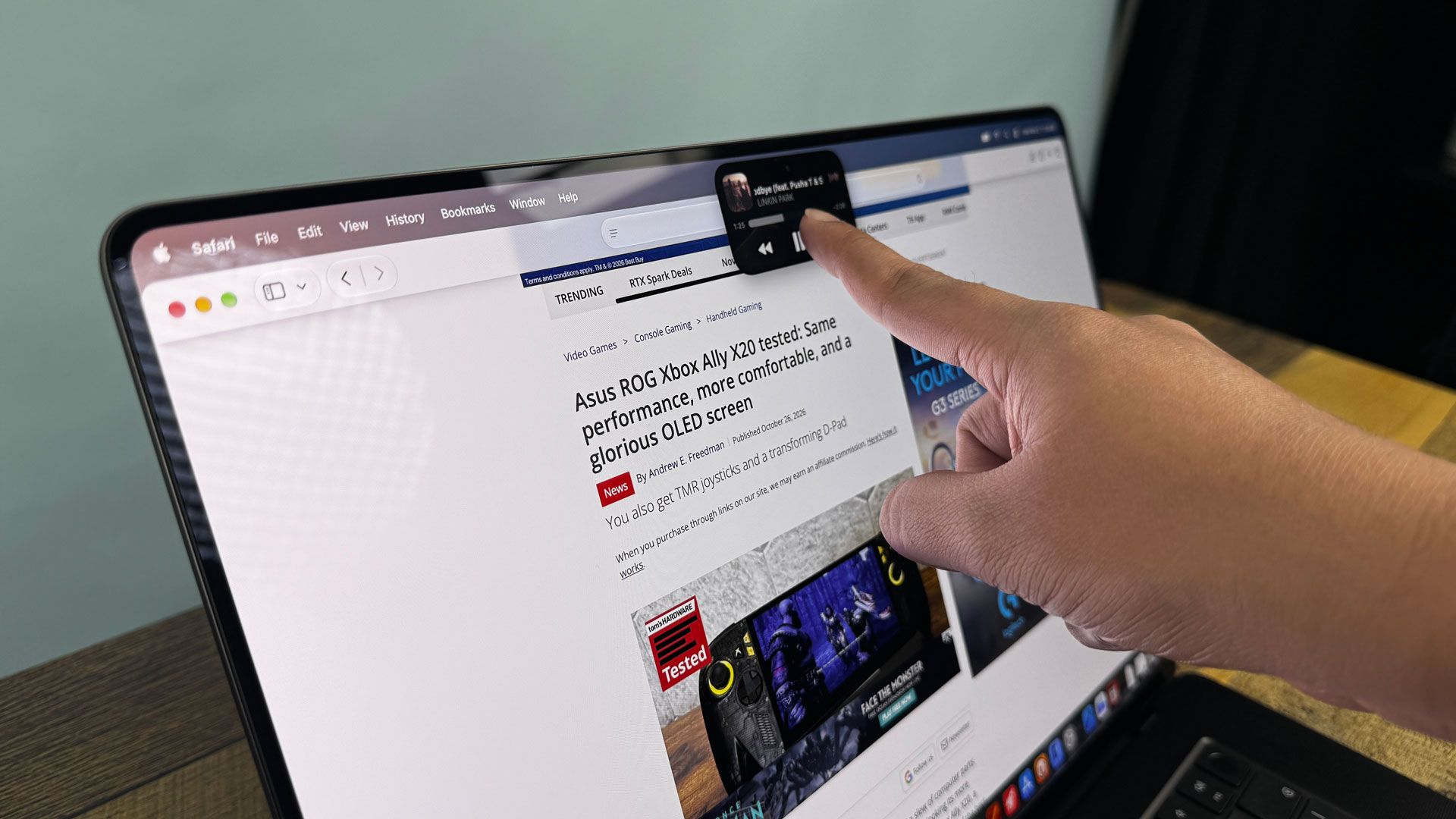
The first is the Dynamic Island, a group of black pixels around the punch-hole webcam that can be used to show system alerts, notifications, and ongoing activities. (If you plug in a monitor, Dynamic Island activities show up to the left of your menu bar apps and icons.) It matches modern iPhones, and it's a huge change over the notch in other Macs, which took up far too much space in the menu bar. Now, the area around the camera is at least useful, though the camera still doesn't offer Face ID.

MacBook Pro with PROLED XDR dynamic island

(Image credit: Tom's Hardware)

Apple MacBook Pro with PROLED XDR Display

(Image credit: Tom's Hardware)

One of my biggest annoyances with the old design was that your mouse could fall behind the notch, with no indicator of where it was. The mouse can still move behind the Dynamic Island, but now the black area grows to indicate where the pointer is, and even wiggles if you make very small movements, to remind you where the cursor is.

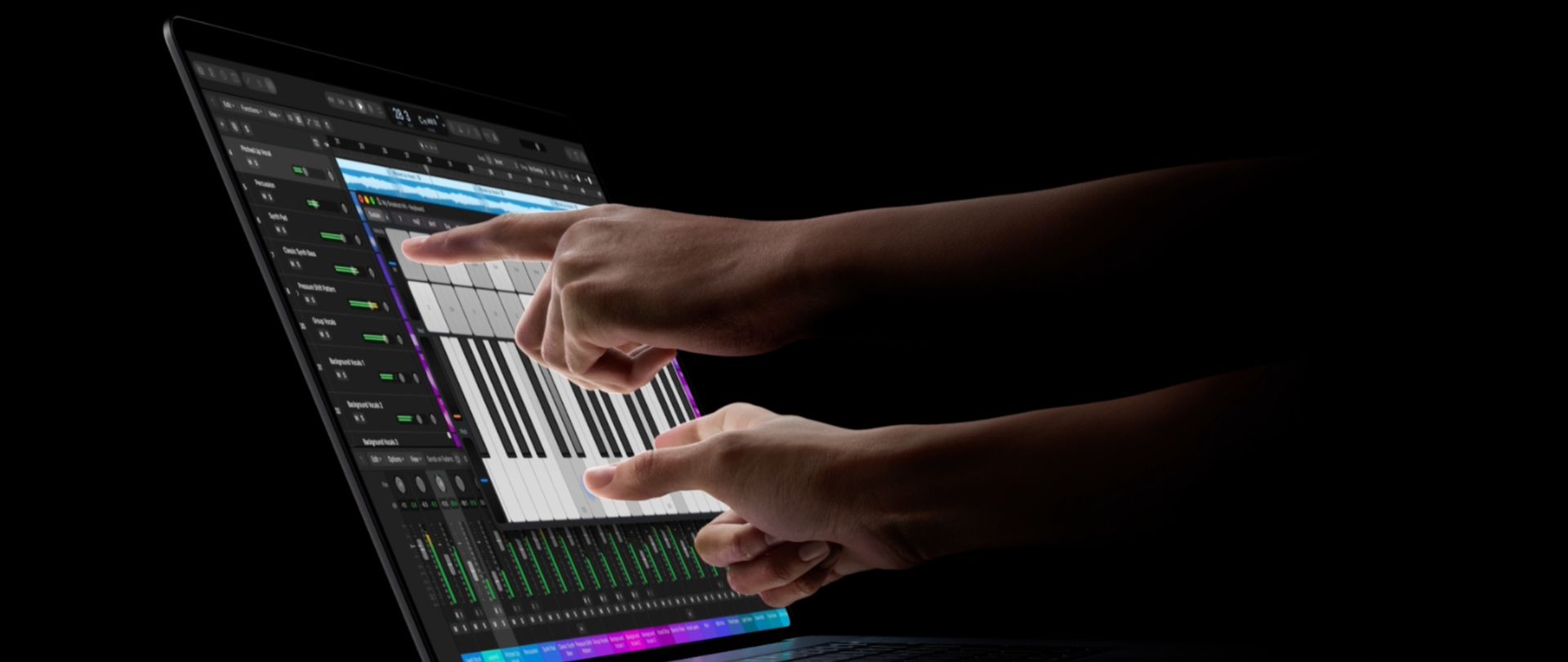
The other much-discussed addition is the touchscreen. Apple hasn't reinvented the wheel here. Like most Windows and Chromebook makers, it added touch functionality onto a standard laptop. Apple's announcement mentions that the "touch sensor is built directly into the display panel — not layered on top of it," suggesting the use of technology similar to the iPhone and flagship Windows laptops.

Apple MacBook Pro with PROLED XDR Display
Tom's Hardware
Apple MacBook Pro with PROLED XDR Display
Tom's Hardware

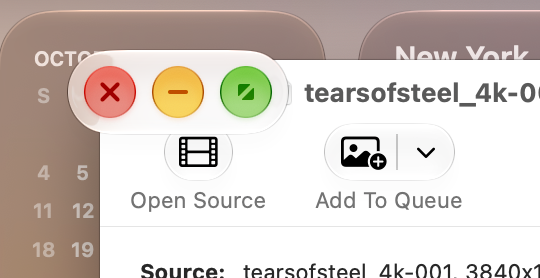
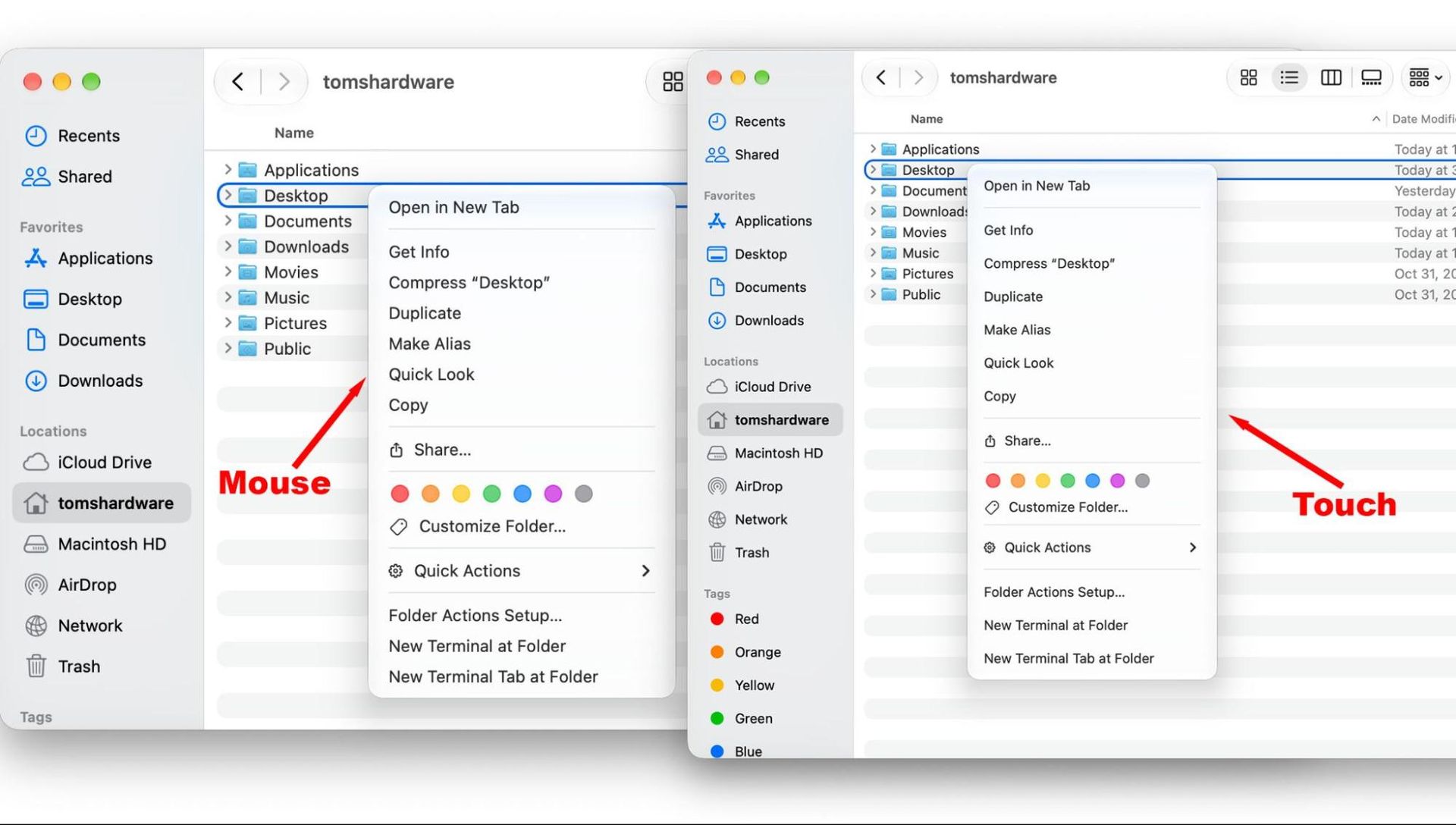
Apple has made slight adjustments to macOS 27 Golden Gate to accommodate touch. My personal favorite is that the "traffic lights" for maximizing, minimizing, or closing a window expand when you tap on them, to ensure you can hit the right one. When you click on a menu with your finger, the spacing is larger for easier touch targets. Like the iPhone, you can swipe down from the dynamic Island to invoke Siri. You can also flick windows to the sides to organize your windows, though you can already do that with a mouse or keyboard.

Apple MacBook Pro with PROLED XDR Display
Tom's Hardware
Apple MacBook Pro with PROLED XDR Display
Tom's Hardware

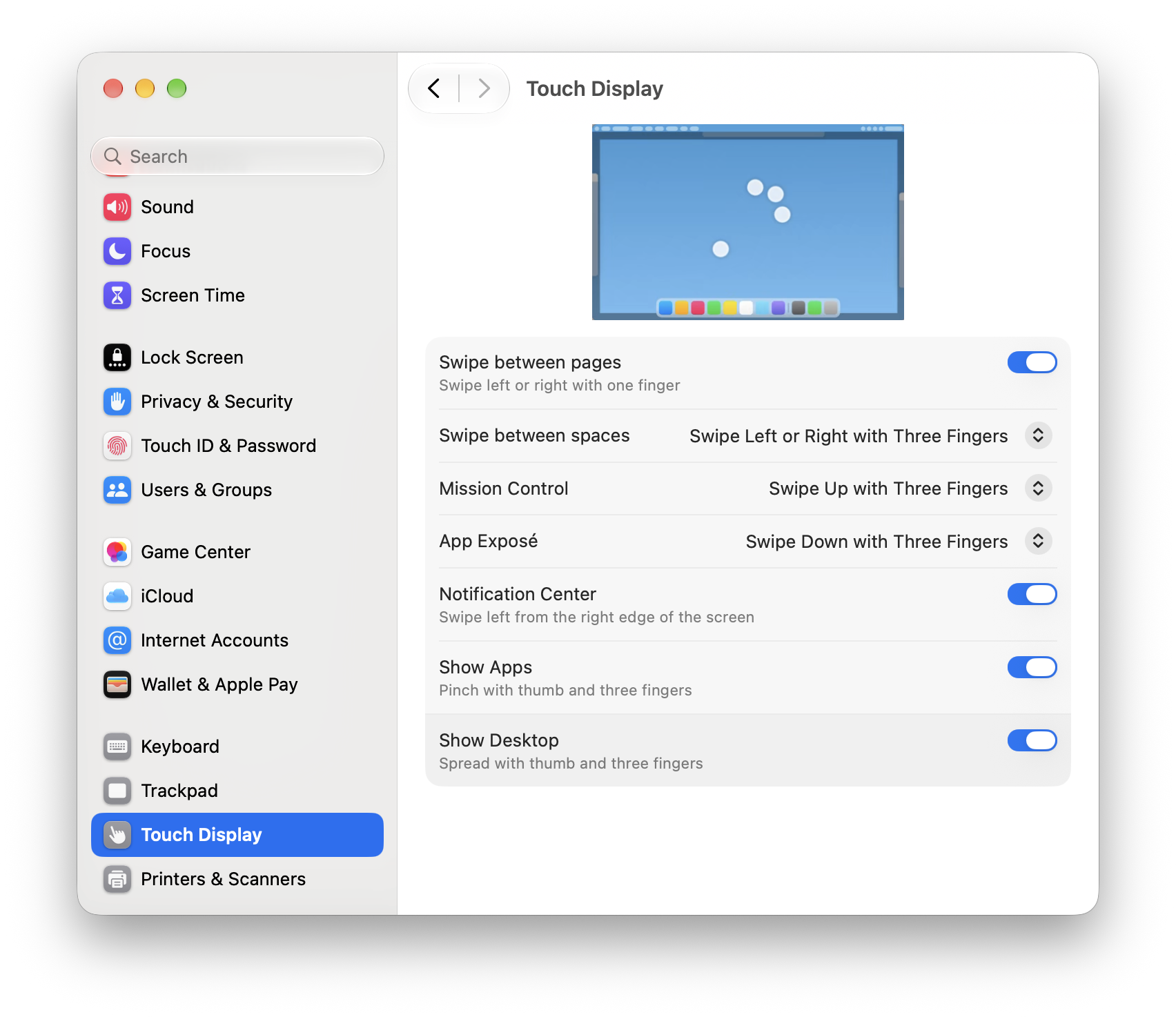
Many gestures that work on the trackpad also work on the touchscreen, like pinch to zoom, accessing Mission Control (swiping up with three fingers), showing Notification Center (swiping left from the edge of the screen), and moving between virtual desktops by swiping left or right with three fingers. Many apps have already been optimized for touch, but if they haven't, touch translates to a click, so it all still works fairly well.

Apple MacBook Pro with PROLED XDR Display
Tom's Hardware
Apple MacBook Pro with PROLED XDR Display
Tom's Hardware

One of my many experiments with the touch screen included swiping across the timeline in Final Cut Pro. But in a sample project I put together, I didn't find it any better than using the keyboard and mouse — just another option. In Maxon's Cinema 4D, I felt the same way moving a model car and adjusting virtual cameras. It's an option, but it's no better than the existing way of doing things.

Perhaps my favorite use was in Blender, making adjustments to a 3D model I was sculpting. You could do everything I did with a mouse, but some features, like changing the angle of the sculpture, felt very natural with touch. That being said, after a few minutes, my arm was tired. I couldn't see using this all the time, as there are no changes to ergonomics over the usual laptop design.

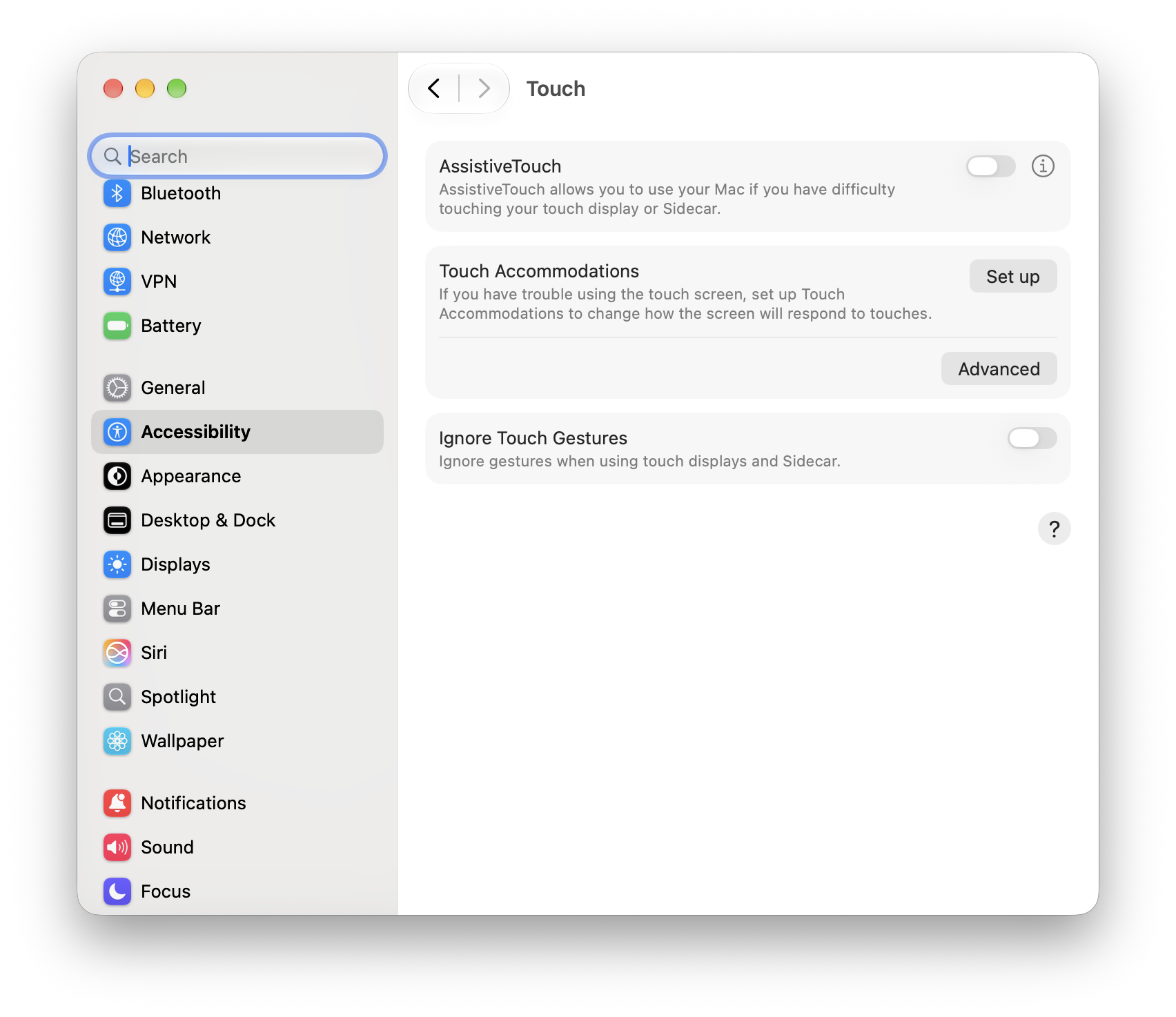
For those who never want to use touch, you can turn it off in disability settings. That being said, as someone who would likely only use it for occasional scrolls, I don't see the harm in having it on, even if I don't see myself ever pulling to refresh on Safari when CMD + R is right there. (I do wish Apple included the polishing cloth with the glossy screen on our review unit and not just matte screens, however. Touch screens get fingerprints!).

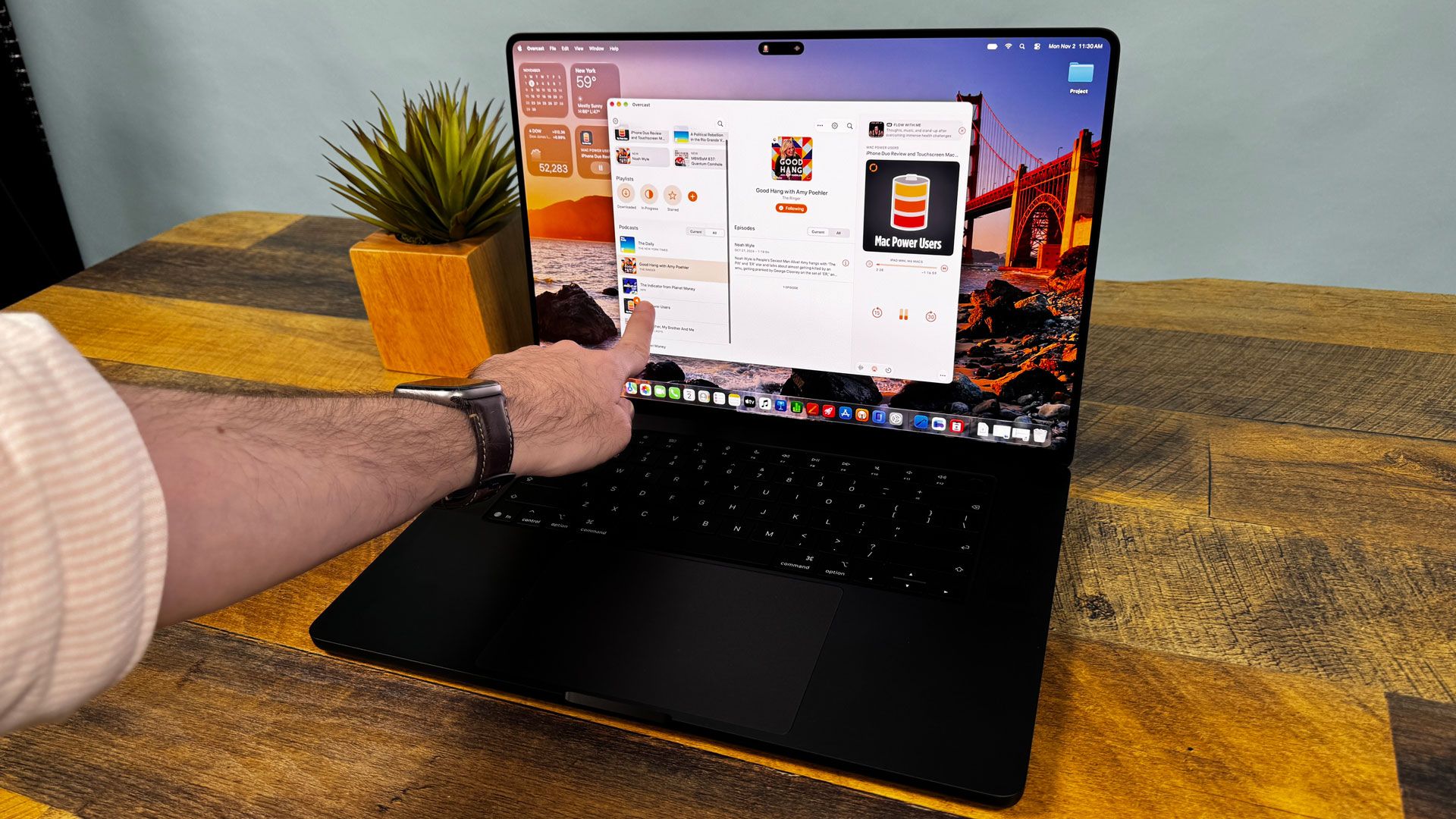
I found touch most useful for iPad apps on the App Store that work natively on Mac. For instance, my go-to podcast app is Overcast, which is great on my iPhone but designed for touch on Mac. While I'm very used to navigating it with a mouse, the choice to use touch made sense here. It's also great for the iPhone simulator in Xcode, where developers can try out touch-based apps on their touchscreen Mac instead of using a pointer. The same goes for iPhone Mirroring.

There's no touch tutorial. Touch is clearly a feature on these new MacBook Pros, but not the feature. Keyboard and mouse are clearly still king.

Audio

The six-speaker sound system in the 16-inch MacBook Pro's new design, complete with updated woofers and tweeters, keeps the crown in Apple’s camp for the best laptop speakers I've ever heard.

When I listened to Justice's "Flower in a Hurricane" with the MacBook Pro, I was floored by the drums. While the rest of the speakers don't sound superbly better than the existing Pros, the low-end has improved, and deep drums and bass easily filled my apartment with deep, well-rounded sound. Everything sounded incredible, from the audio to the synths. This may be the best way I've heard this song since I've had it on a loop after its debut in a Grand Theft Auto VI trailer.

Apple has made some adjustments to how the speaker sounds with the lid shut, too. It's surprisingly good, with The Beaches' cover of "I Ran (So Far Away)" getting surprisingly loud, with the laptop plugged into a Thunderbolt dock and the lid shut, though the drums in that song weren't as snappy. Everything was slightly dampened until I opened the lid, but honestly, I could use it like this. It's still better than many other laptop speakers, with better bass.

Productivity Performance

We tested the new MacBook Pro with an M5 Max, 128GB of unified memory, and a 2TB SSD. That's the same chip and RAM as in the 14-inch MacBook Pro we tested earlier this year, though that had a 4TB drive.

The main competitors we looked at featured Nvidia's RTX Spark N1X chips, including the Surface Laptop Ultra (20-core version) and the Lenovo Pro 9n (18-core version). We also tossed in the Dell XPS 16 with a Core X7 358H — another 16-inch system with a Tandem OLED.

Unsurprisingly, this MacBook Pro can tear through most people's everyday workloads. Apple has re-tooled the cooling in this system, and it was often close to, if not ahead of, the M5 Max we tested earlier this year in a 14-inch chassis.

Apple MacBook Pro with PROLED XDR Display
Tom's Hardware
Apple MacBook Pro with PROLED XDR Display
Tom's Hardware
Apple MacBook Pro with PROLED XDR Display
Tom's Hardware
Apple MacBook Pro with PROLED XDR Display
Tom's Hardware
Apple MacBook Pro with PROLED XDR Display
Tom's Hardware

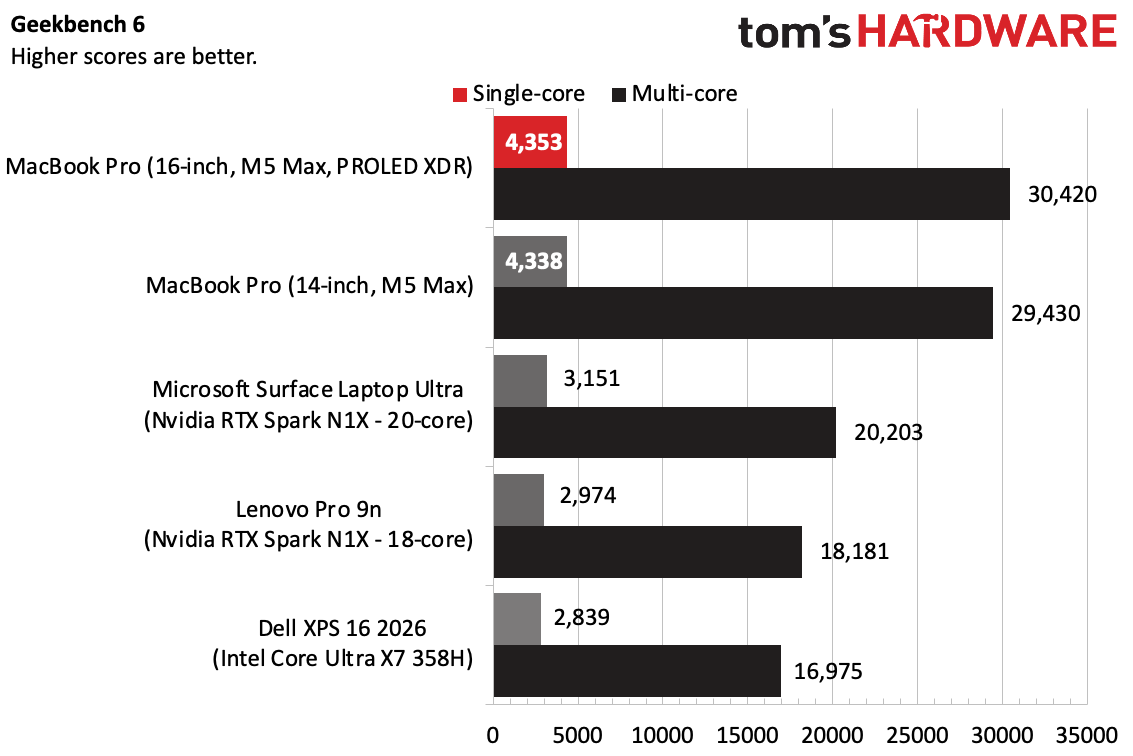
On Geekbench 6, the 16-inch MacBook Pro with PROLED XDR earned a score of 4,353 and a multi-core score of 29,430, coming close to the other M5 Max machine. Both of those scores are far ahead of the RTX Spark laptops and the Intel-based Dell.

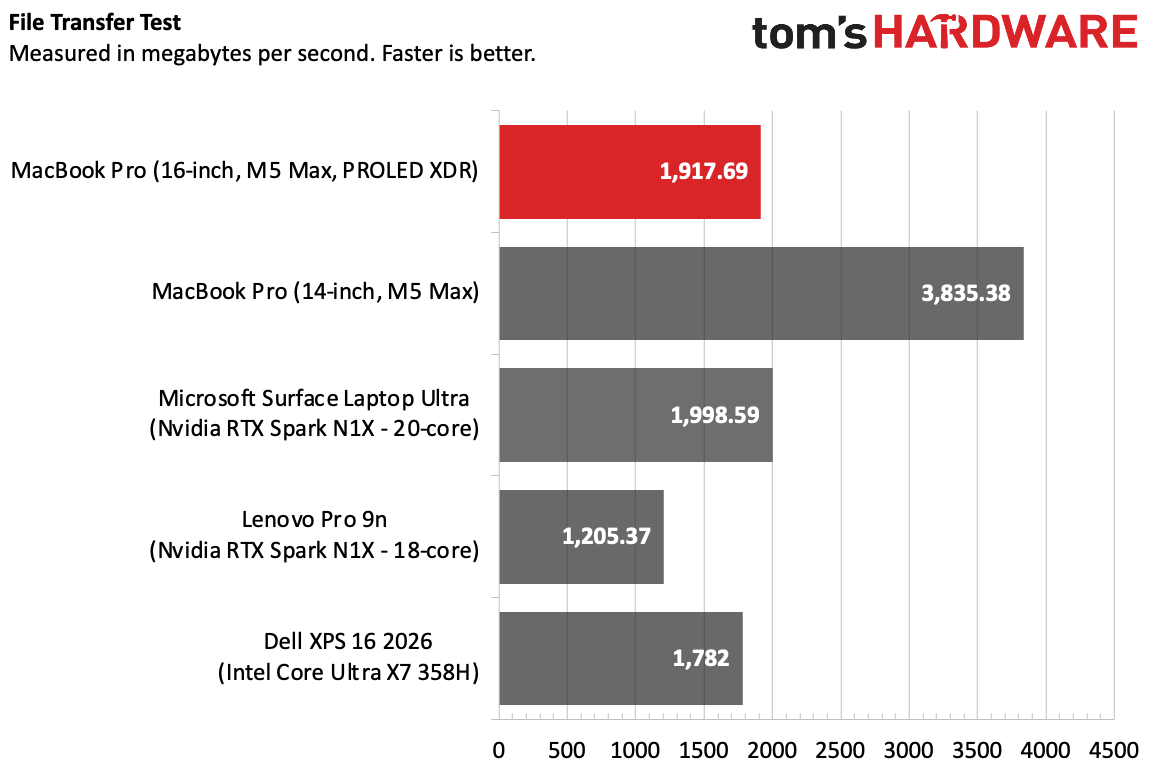
The 2TB SSD copied roughly 25GB of files at a rate of 1,917.69 MBps, which is fast, though the 4TB SSD in the MacBook Pro we tested earlier this year was far faster. The Surface Laptop Ultra was ever-so-slightly ahead at 1,998.59 MBps.

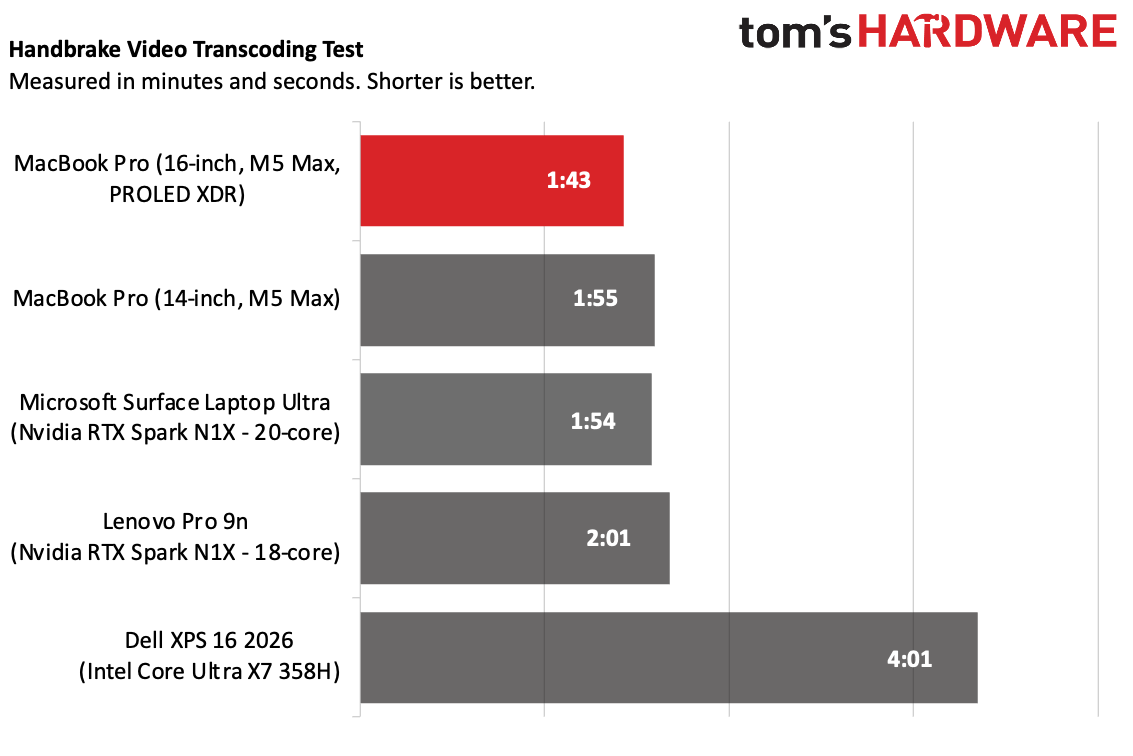
On Handbrake, the 16-inch MacBook Pro transcoded a 4K video to 1080p in 1 minute and 43 seconds, the fastest of the bunch.

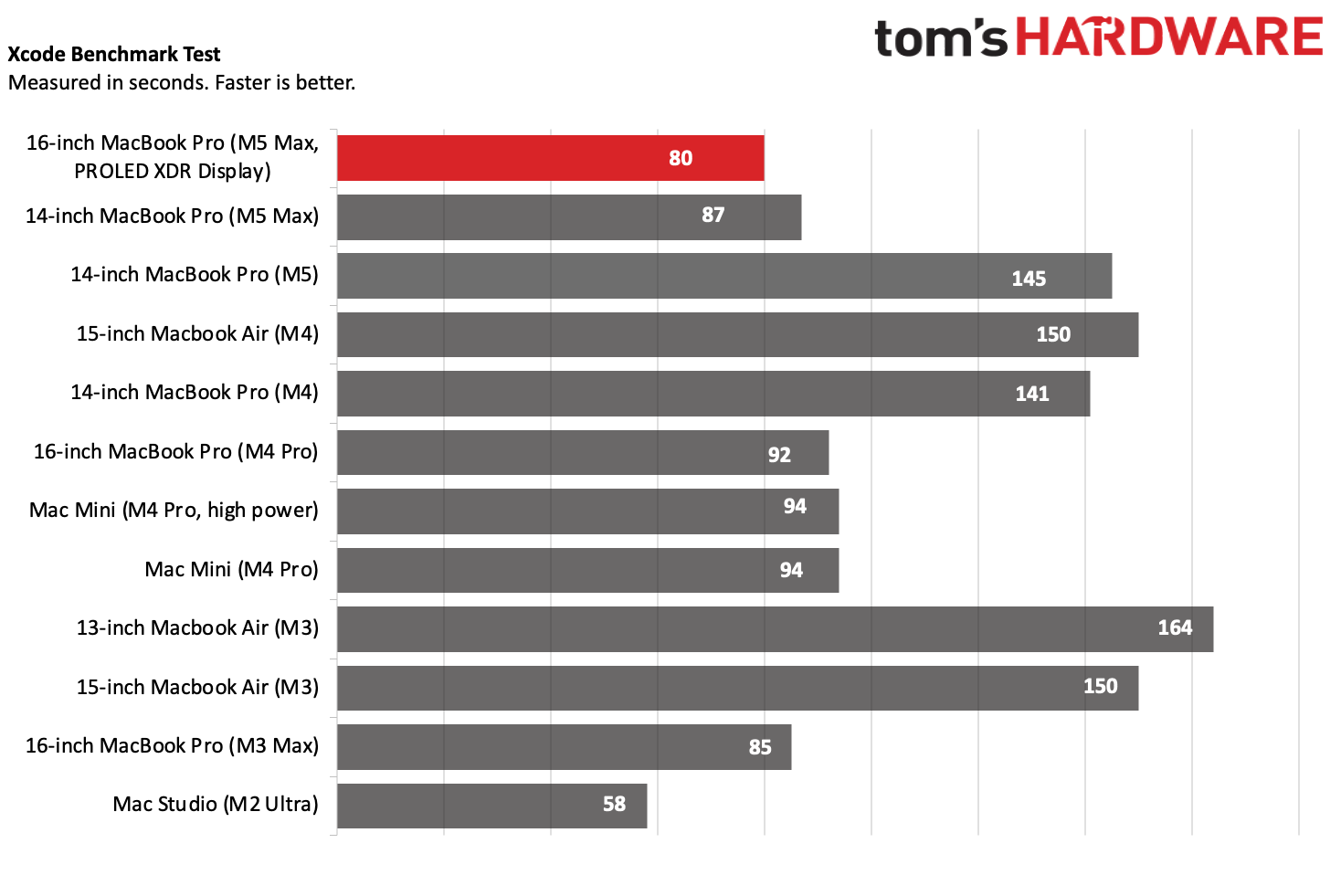
On the Xcode benchmark, in which Macs compile large code bases, the new 16-inch MacBook Pro beat the older 14-inch model with the same M5 Max by 7 seconds, completing the task in 80 seconds.

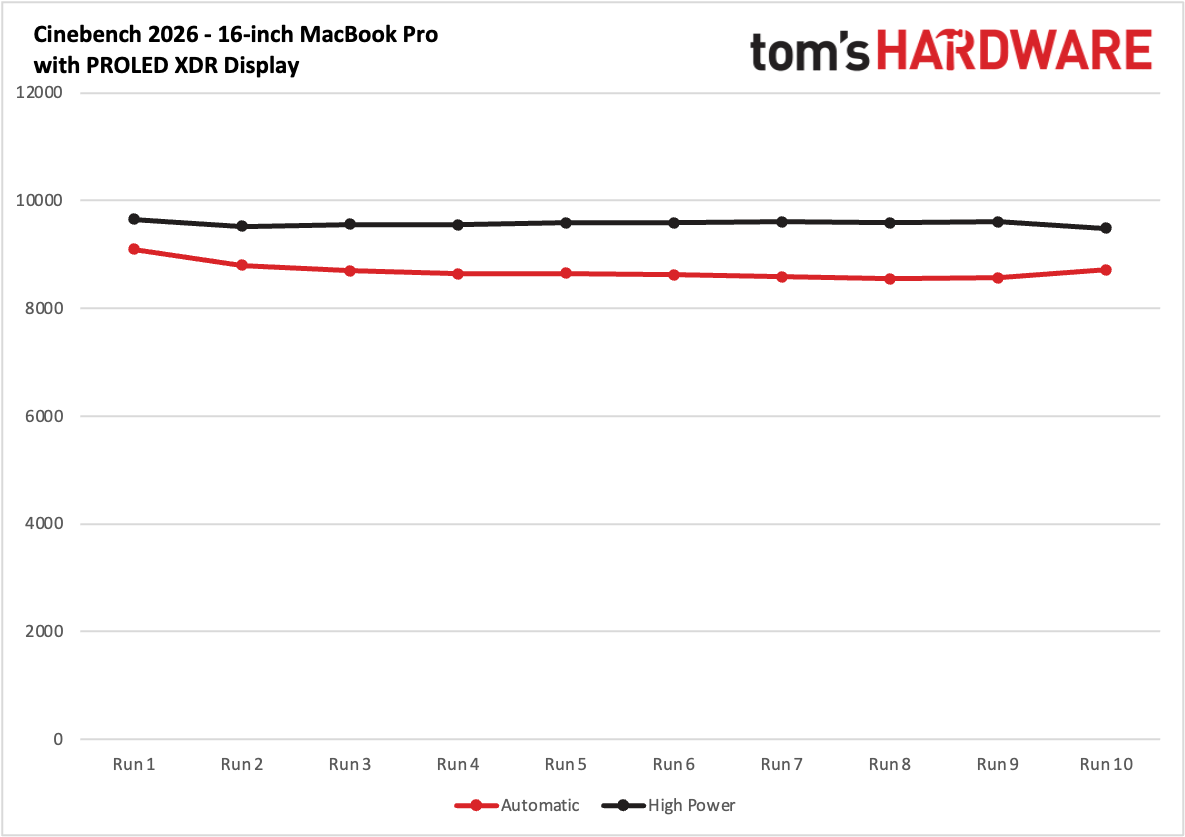
Our Cinebench 2026 stress test has systems go through ten runs of multi-core rendering, which is particularly stressful. In the automatic performance mode, Apple's default out of the box on macOS 27, the system started at a score of 9,080, before eventually settling in the 8,050's due to throttling. With high performance mode, which runs the fans harder and louder, the Mac started at a score of 9,647 and was far more stable, with its lowest score (9,479) at the very end. If you need to get some tough work done faster, switching to high performance mode could help, as long as you're OK with fan noise.

Gaming and Graphics

The MacBook Pro with PROLED XDR display came with the same 40-core M5 Max GPU as the MacBook Pro we reviewed earlier this year.

Apple MacBook Pro with PROLED XDR Display

(Image credit: Tom's Hardware)

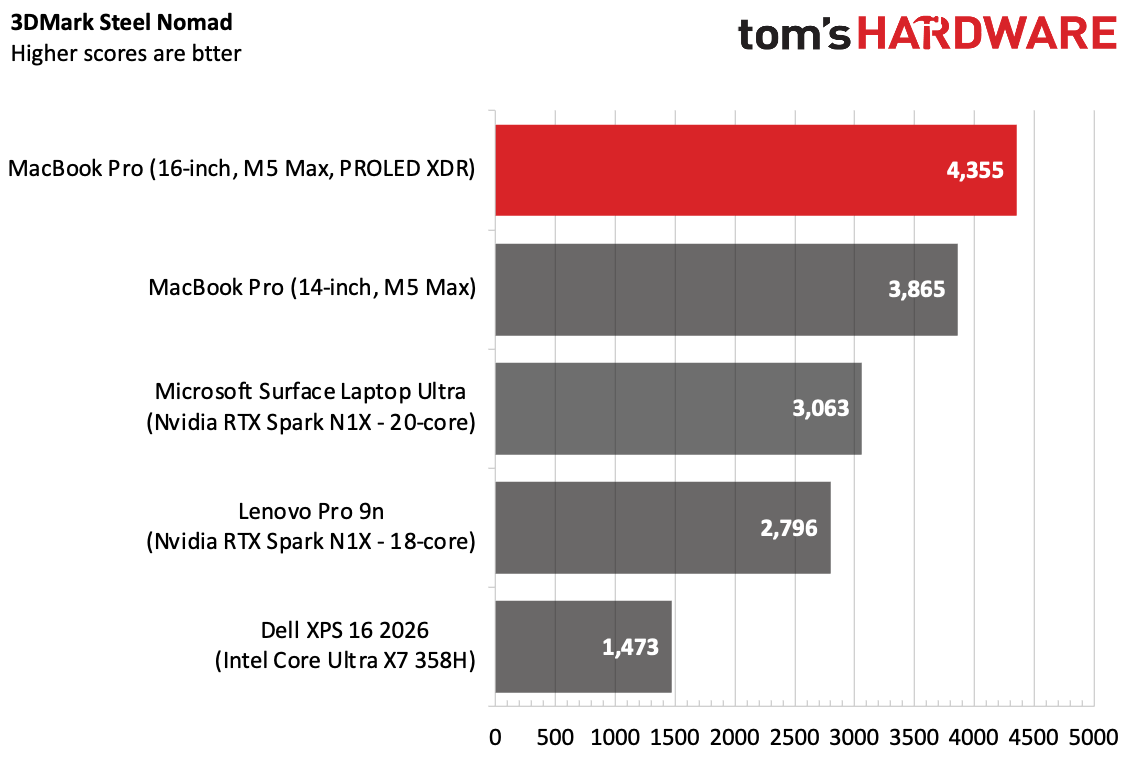
In the new chassis, the M5 Max scored 4,355 on 3DMark Steel Nomad, beating the old system (3,865) as well as both configurations of the RTX Spark.

Running Cyberpunk 2077's benchmark at 1920 x 1200 using our typical test settings (Ray tracing ultra), the game ran at 36.24 frames per second. This is slightly faster than the 14-inch we tested earlier this year with the existing chassis, at 30.84 FPS. With the "For This Mac" preset, including MetalFX and a resolution of 2316 x 1448, the benchmark ran at 94.20 FPS.

Keyboard and Touchpad

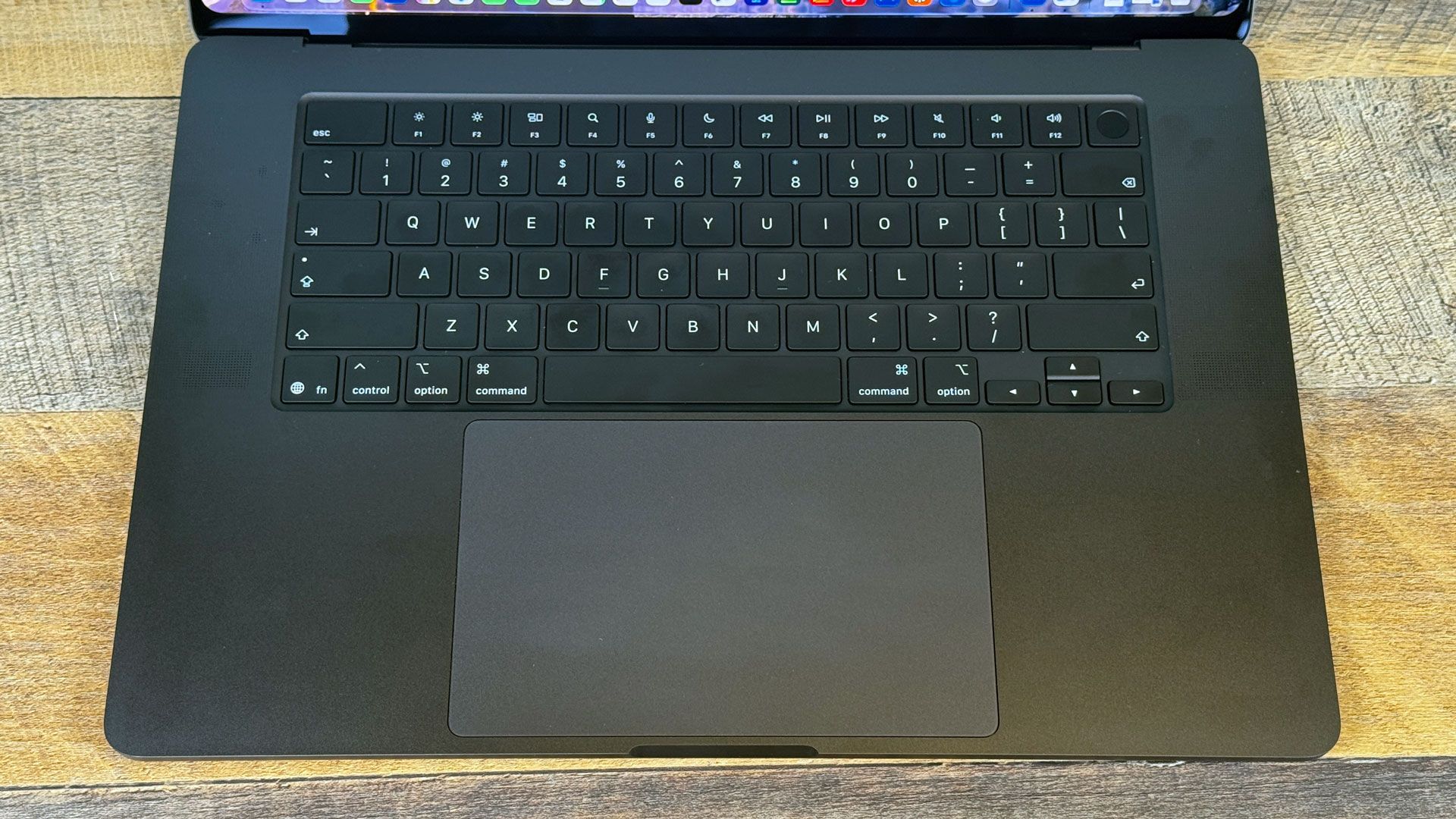
Of all the things that haven't changed on the MacBook Pro, the most familiar are the keyboard and touchpad. That may be of some comfort to stalwarts of indirect input methods.

I was blazing fast on the keyboard, hitting 131 words per minute with a 99% accuracy rate on the monkeytype.com typing test. Both stats are on the high side for me, but I also can't blame Apple for making a comfortable keyboard with chiclet keys and a smart layout. I will praise any company that uses an inverted T for arrow keys as long as I live. Apple may not offer the deepest travel of the laptop market, but it does the job.

Apple MacBook Pro with PROLED XDR Display

(Image credit: Tom's Hardware)

The massive trackpad features smooth glass, comfortable haptics, and intuitive gesture support in macOS. The 16-inch MacBook Pro's touchpad is luxuriously huge. After years of Windows laptops adding haptic trackpads to catch up, Apple's touchpad still feels great.

Upgradeability

While there are just four Torx Screws on the bottom of the MacBook Pro, there isn't much in the way of upgrading. Apple puts the RAM in the chip, and the storage is soldered down. If you need a repair, your best bet is probably Apple's Genius Bar.

Like other Macs, you should make sure you get the spec you need when you buy. Though, as you'll see in the configuration section, that could cost you quite a bit for some RAM and storage upgrades. Unfortunately, that's not unusual given the price of memory in the greater industry right now.

Battery Life

Apple's 99.6 WHr battery allows for a longer-lasting OLED laptop than its competitors, but in our testing, mini-LED model still lasts longer. On our battery test, laptops browse the web, run OpenGL tests, and stream video with the display set to 150 nits of brightness.

Apple MacBook Pro with PROLED XDR Display

(Image credit: Tom's Hardware)

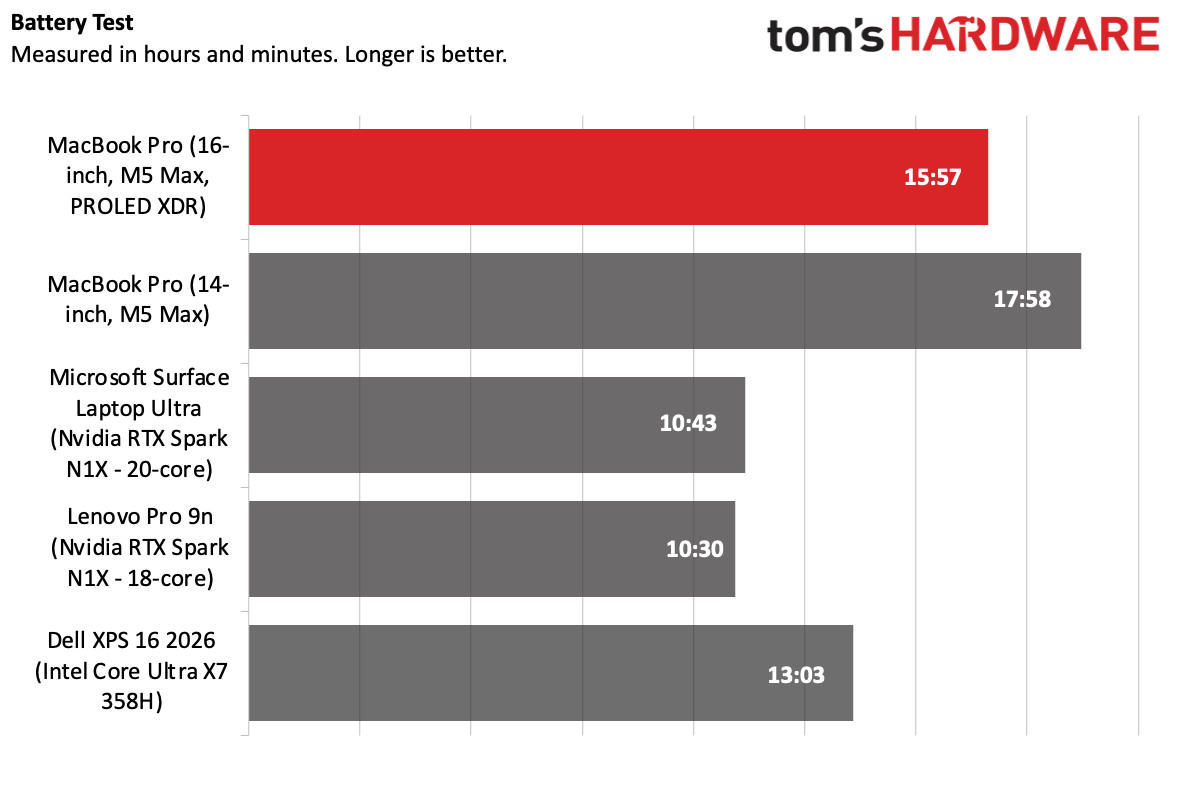
The 16-inch MacBook Pro with the PROLED XDR display lasted 15 hours and 57 minutes, far ahead of the OLED screen on the Lenovo Pro 9n (10:30) and the tandem OLED panel on the Dell XPS 16 (13:03). It also beat the mini-LED screen on the Surface Laptop Ultra.

The nearly 16-hour runtime is slightly short of Apple's "up to 17 hours" claim for web browsing. The only laptop that did better on our battery test was the 14-inch M5 Max laptop we tested earlier this year. That machine, with a smaller, mini-LED screen, ran for just shy of 18 hours.

Heat

The MacBook Pro can get a bit toasty under heavy load, though it's nothing I would deem unusable. Heavy workloads are probably best on a desk, though. New cooling changes the direction of the airflow in the machine, moving it out and through the back rather than out from vents near the display, in order to extend the display's lifespan.

During our Cinebench 2026 stress test, the keyboard measured 106.6 degrees Fahrenheit, which is definitely hot enough to notice. The touchpad was a cooler 88 F, while the hottest point on the bottom measured 107 F.

Our usual monitoring was not able to identify the heat on the CPU yet (this may require some software updates), but the overall temperature from the computer's other sensors was an average of 51 degrees Celsius.

Webcam

Apple MacBook Pro with PROLED XDR Display

(Image credit: Tom's Hardware)

The 12-megapixel Center Stage webcam on the MacBook Pro will serve you well even on the most professional call. It looked great in meetings, even in one difficult lighting scenario when I had a lamp on one side and post-Daylight Savings Time early evening light coming in from a window next to me. The system gracefully balanced the mix of warm yellow and the products of blue hour.

I could easily smooth that mix out using the MacBook Pro camera's studio light or edge light effects, too.

Software and Warranty

We tested this new MacBook Pro with macOS 27 Golden Gate, which we highlighted on the Mac Studio, with new Apple Intelligence features, and the new Siri based on Apple Foundation Models and Gemini.

Apple's software suite includes Safari, Messages, Photos, Maps, Notes, and Reminders. Its services, including News and Apple TV, also have applications. Pages, Keynote, and Numbers are still in the dock by default, but they're the Creator Studio subscription versions, which require a subscription to get full features, including AI functionality, royalty-free graphics, and additional templates.

Apple sells the MacBook Pro with PROLED XDR Display with a one-year warranty. AppleCare+ extends protection for $17.99 per month or $179.99 per year, and also adds accidental damage and drop coverage.

Configurations

We reviewed the MacBook Pro with PROLED XDR Display in a high-end, $7,399 configuration with an M5 Max (18 CPU cores, 40 GPU cores), 128GB of memory, and 2TB of storage.

The cheapest versions of these machines are a $2,899 14-inch system with a cut-down M5 Pro featuring 15 CPU cores and 16 GPU Cores or a $3,399 16-inch laptop with the M5 Pro featuring an 18-core CPU and 20-core GPU. Both base configurations come with 24GB of RAM and 1TB of storage, as well as the glossy screen option. (Adding the matte "Nano-texture" glass adds $150 and also nets you a polishing cloth, which isn't included with the glossy screen.)

Moving to the M5 Max moves you to $4,499 on the 14-inch laptop and $4,799 on the 16-incher for an 18-core CPU and a cut-down 32-core GPU. The full 40-core GPU is another $300.

RAM starts at 24GB, and costs $600 to goto 48GB or, on the 16-incher, $1,000 for 64GB. There's also 36GB and 128GB RAM options that also require 2TB of storage and an M5 Max (like our review unit). Storage prices are also astronomical, with a $1,000 jump between the 2TB and 4TB tier. (If you want 16TB, which I think will be a relatively rare choice, it's a $7,000 bump that requires the high-end M5 Max).

These are exceptionally expensive computers. Apple's 14- and 16-inch MacBook Pros without the OLED screens are still there, however, starting at $1,999 for a 14-inch notebook with M6.

Apple sells the systems at full price, or divided up into 12 monthly payments through an installment plan. They're also available for lease through Apple Upgrade.

Bottom Line

The MacBook Pro with PROLED XDR display isn't a radical redesign, but it has a bunch of small changes that add up to significant improvements over previous models. The tandem OLED screen is a treat to look at, and the weight reduction is significant for anyone carrying their laptop around on the go. Even the deeper bass from the speakers is a real treat.

Performance from the M5 Max is still strong, though if you're doing simple work, you can get much better single-core performance out of an M6 Macbook Pro (though you'll give up everything else).

With no major redesign, however, Apple hasn't done anything to make touching the laptop any more comfortable than its competitors. It ultimately does get tiring. That being said, the few gestures and adjustments Apple has made to macOS are helpful, if not revolutionary. Touch really is here because it's table stakes at this point. Some will use it and others won't. It's not the selling point, other than that it's a debut for the feature.

Far more Mac user deserves a screen this good, and I hope that some flavor of OLED, even if it's not tandem OLED, eventually makes it to the entry-level MacBook Pro and even the MacBook Air. Touch, too, could be popular with younger people who grew up with all touch screens and go for the Air or the MacBook Neo.

But the starting price for the systems with PROLED displays are high, and upgrades make them exceptionally expensive. For now, the best screens in the Mac lineup (and arguably the industry) are limited to just these systems. We've waited a long time for OLED on the Mac, and for many, they'll still be waiting until it gets more affordable.

Those with the deep pockets to make the investment, though, are in for one heck of a screen.

Apple finally has a touchscreen MacBook. Why now?

2026年11月2日 22:00

Last week, Apple finally brought two new display technologies to the MacBook Pro: OLED and touch. For the former, it was just a matter of time; Apple has been using OLED in the iPhone and Apple Watch for years, and also just brought it to the iPad Mini. But touch has never felt like a sure thing. While many of Apple's most successful products have relied on touch: the iPhone, the iPad, the Apple Watch, and some late-stage iPods all featured touchscreens. But until now, it never made its way to Apple's laptops.

Former Apple CEO Steve Jobs' words are infamous: "It's ergonomically terrible," he said of touchscreen laptops in 2010, describing how "your arm wants to fall off" due to fatigue. "Touch surfaces want to be horizontal," he added.

Since then, touchscreens have become ubiquitous on Windows PCs and Chromebooks. Outside of the Touch Bar, which was ultimately reversed because Mac users were not fans, Apple hasn't had a real touchscreen on the Mac.

That changed, as the company announced 14-inch and 16-inch MacBook Pros with "PROLED XDR" displays with, yes, touch support. The devices are also lighter than existing MacBook Pros, have updated speaker systems, and, yes, are more expensive.

Apple eschewed touch on its laptops for years. But it seems, however, that at least some Mac owners disagreed.

"Apple tends not to move to a new technology until it can bring to market a differentiated product," Tom Mainelli, group vice president of device and consumer research at IDC, told Tom's Hardware. "Based on all the demos they are showing here in LA, the drive for 'why now' is because they see a desire for touch from creators who use the Mac."

He added: "The more business-focused answer is the company is creating further segmentation in a mature market, offering a new, more premium tier to its pro lineup."

Years and years of touch

There's one last uphill climb that the touchscreen on the new MacBook Pro faces: the price. After all, the touchscreen is debuting on just the new, redesigned 14- and 16-inch models.

In time, touch will likely fall down the stack, to the cheaper MacBook Pro models, the MacBook Air, and possibly even the Neo. You may see a touch iMac at some point. That will take time. After all, the Mac is just getting OLED, too. That means it's unlikely we'll see mass adoption of touch on the Mac anytime soon. It still has to reach the most popular devices, and even then, it has to coexist with the old standbys, keyboard and mouse.

You could trace the touchscreen laptop back to 2008's HP TouchSmart tx2, which had a swiveling screen. The real touch revolution started around two other releases: The Microsoft Surface Laptop RT and the release of Windows 8 in 2012, which had a touch-forward interface and led to a flood of touch laptops.

Windows 10 came and went with more touchscreens, and by the time of Windows 11's release in 2021, touchscreens largely became the default for Windows laptops. On all but the cheapest devices, I tend to assume a Windows notebook has a touchscreen.

On Chromebooks, the 2013 Chromebook Pixel was considered premium because of its touchscreen. In 2019, I reviewed the Samsung Chromebook Pro and Plus, as Google first experimented with Android apps in Chrome. I remember sitting there poking and prodding the device, thinking that "if Android apps are going to be on Chromebooks, every single one needs a touchscreen." I was seven years too early.

When Apple introduced the MacBook Neo earlier this year, it shocked the industry on price and performance. But it did cut some features, like a backlit keyboard. But some companies that made competitors, such as Dell with its XPS 13, made a point to add that not only did it have a backlit keyboard — it had a touchscreen. (HP also kept the touchscreen with its OmniBook 5. Acer did away with it on the Swift Air 14).

In an interview with Steven Levy at Wired, Apple's chief hardware officer Johny Srouji said that "Ten years is a very very long time," and said that a lot has changed, from display technology to custom silicon to software architecture, which now "met our bar." In the same interview, Apple's senior vice president of worldwide marketing, Greg Joswiak, explained that most creatives have an iPhone or iPad and find it natural: "There’s a generation of young creators and young people using our MacBook Pros that expect to touch."

Touch still has yet to prove itself

This might betray my age, but in general, outside of tablets and 2-in-1 laptops, I don't make a ton of use of touchscreens on computers. It hasn't bothered me once in the past five years that my personal MacBook Pro doesn't have a touchscreen. In general, I agree with Jobs; The ergonomics aren't great.

There are other reasons you might skip a touchscreen. For a long time, they were thought of as battery hogs. The digitizer can add extra weight or cost. And operating systems haven't been designed with touch in mind.

Windows 11 was supposed to be more designed for touchscreens, having taken cues from the unreleased Windows 10X, designed for touchscreens and foldables. But Windows is Windows, and the underlying OS still feels best with a keyboard and mouse.

One of the best operating systems I've seen for touch is Googlebook OS, if only because it's so based on Android 17 that some parts make more sense with a finger than a keyboard and mouse.

For macOS 27 Golden Gate, Apple has added system gesture APIs to make apps more likely to support touch. Apple says its own apps are ready, and in its press release, listed a number of other apps like the Microsoft Office suite, Zoom, Notion, Da Vinci Resolve, Adobe Lightroom, Blender, and Algoriddim DJay Paro.

But it also didn't remove the keyboard and touchpad. It's a Mac with a touchscreen, but not touch-first.

For creative professionals who need true accuracy, specialty tablets that work as peripherals will still be king.

When the price is right

There's one last uphill climb that the touchscreen on the new MacBook Pro faces: the price. After all, the touchscreen is debuting on just the new, redesigned 14- and 16-inch models, starting at $2,899 for the 14-incher and $3,399 for the 16-inch models, respectively.

In time, touch will likely fall down the stack to the cheaper Pros, the MacBook Air, and possibly even the Neo. You may see a touch iMac at some point. That will take time. After all, the Mac is just getting OLED, too.

That means it's unlikely we'll see mass adoption of touch on the Mac anytime soon. It still has to reach the most popular devices, and even then, it has to coexist with the old standbys, keyboard and mouse.

Apple adds M6 to 14-inch MacBook Pro and iMac

2026年10月27日 21:28

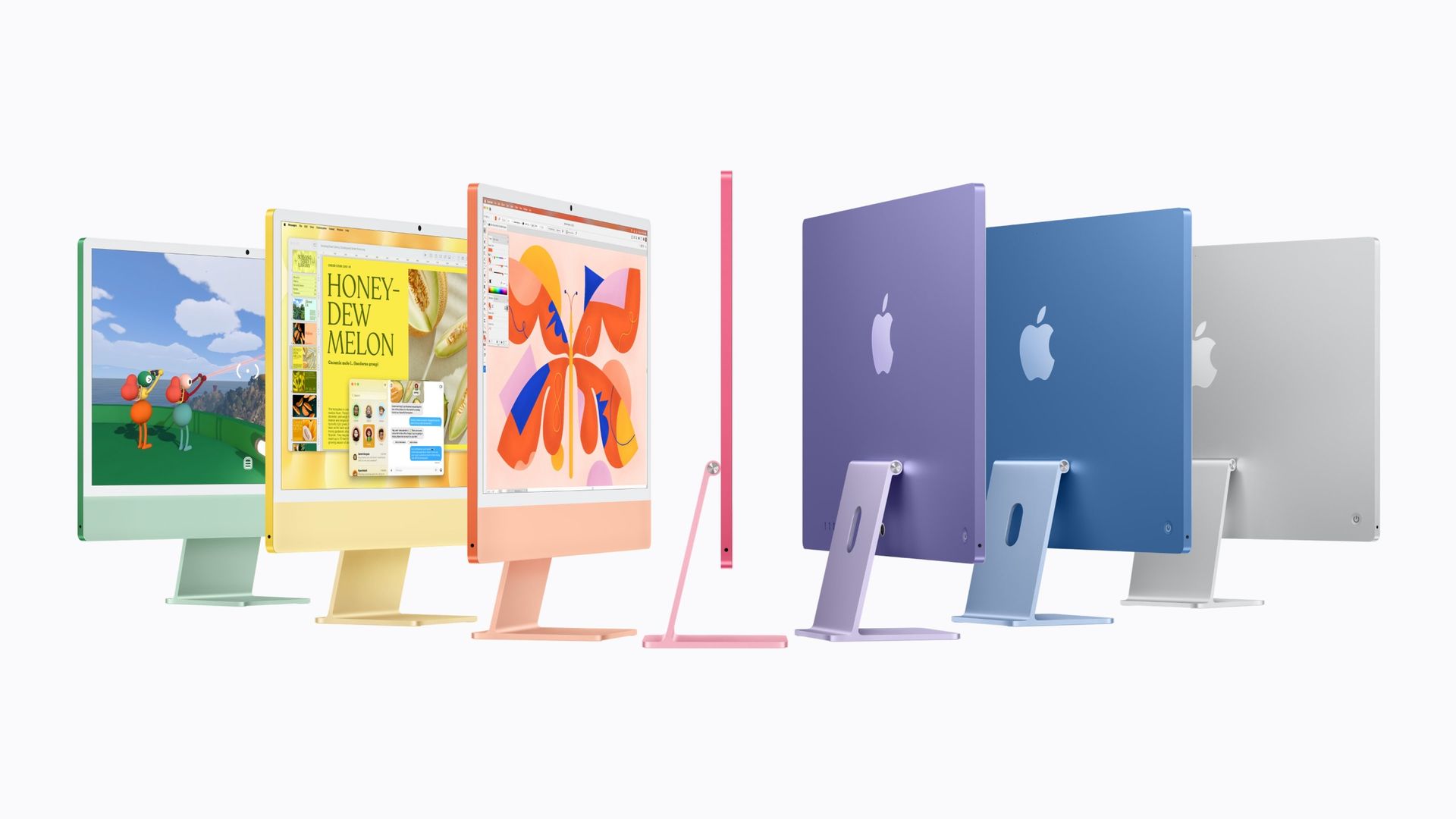
Apple is updating two more computers to its M6 system-on-chip. The base 14-inch MacBook Pro and the iMac lineup are getting the company's latest processor ahead of tomorrow's "Pro and Tell" event in Los Angeles.

These devices are retaining the same designs that they've had for years. The computers will be available for pre-order on Wednesday at 10:10 a.m. PT (1:10 p.m. ET) and will ship on Nov. 6. The M6 in the MacBook Pro will be configured with 12 CPU cores and 12 GPU cores, alongside dual neural engines for certain on-device AI workloads. On the iMac, there will also be a cut-down option with a 10-core CPU and 10-core GPU.

iMac with M6

(Image credit: Apple)

The MacBook Pro will be configurable with up to 32GB of RAM and is being updated with Wi-Fi 7 and Bluetooth 6 using Apple's N1 networking chip. The iMac is also getting those networking benefits, as well as a 2.5 Gigabit Ethernet port. Like previous iMacs, the number of ports you get is tied to the chip, with two Thunderbolt 4 ports with the base chip or four with the option with more cores.

It's no surprise that Apple is pushing both of these as AI-forward machines, both with the new chips and the recently released Siri AI and Apple Intelligence features in macOS 27 Golden Gate.

The 14-inch MacBook Pro with M6 will start at $1,999 ($1,899 with education discount), while the iMac will begin at $1,499 ($1,449 with education discount) for the 10-core CPU/GPU configuration and $1,699 ($1,599 with education discount) for the full chip.

Both of these new systems are being announced the day before Apple is expected to release a MacBook with an OLED touchscreen. Yesterday, in a week of announcements, Apple debuted a redesign of the iPad Mini with a thinner body and an OLED display.

Save $200 on the 2026 M5 MacBook Air right now, undoing Apple's June price hike with prices starting from $1,099

2026年10月9日 18:47

Back in June, Apple hiked prices for all of its entire line-up of MacBooks and iPads, with the MacBook Air rising by $200. Thanks to Amazon, you can pick up the 2026 MacBook Air with M5 chip with that $200 price rise removed, bringing the price down to just $1,099 for its 16GB RAM and 512GB SSD model. It's also dropped the 16GB / 1TB model to $1,399, with the 24GB / 1TB model costing $1,599, both receiving the same $200 price drops. We saw these prices during the Prime Day sales earlier this week, but Amazon doesn't look like it's raised its prices on these models just yet.

● Grab this Apple MacBook Air deal at Amazon

Few can rival the MacBook for build quality and design: that's why they're so popular. The Air is its lightest laptop design, with this base-edition 13.6-inch model shipping with 16GB of memory and a 512GB SSD for storage. This latest M5 chip from Apple uses a 10-core CPU and 10-core GPU, giving you incremental gains in performance and speed compared to the last-gen M4.

These ultra-light and slim-line laptops get the N1 wireless chip for Wi-Fi 7 and Bluetooth 6 connectivity, along with that 13.6-inch Liquid Retina display, giving you stunning clear images. You also have a 12MP Center Stage camera for video calls, along with Touch ID for biometric security.

Other specs are available, including the 16GB/1TB model that we mentioned for $1,399 and the 24GB/1TB model for $1,599.9. They're identical in design to the $1,099 model, with the same price available for the Sky Blue, Starlight (yellow), classic Silver, and Sky Blue colorways, all featuring the same M5 chip. You're just paying more for extra storage or memory, depending on whether you need it or not.

MacBook Air 13 2026 with M5: was $1299 now $1099
This 13.6-Inch MacBook Air is complete with Apple's Liquid Retina display, 16GB of unified memory, a 512GB SSD, 12MP center stage camera, touch ID, and Wi-Fi 7 connectivity.View Deal

MacBook Air 13 2026 with M5: was $1599 now $1399
This model is the same shape and design as the one above, but you get a boost in storage. This MacBook Air comes with a 1TB SSD instead.View Deal

MacBook Air 13 2026 with M5: was $1799 now $1599
The best spec'd model on sale at Amazon right now for the MacBook Air 13 2026. This model has a 1TB SSD and 24GB of unified memory.View Deal

Amazon does like to tempt buyers with small discounts on Apple products from time to time, but these $200 discounts on the latest MacBook Air models are a good sign. Apple only raised its prices back in June, with Amazon's pricing following shortly afterward. You can't get them at these prices from Apple directly, either.

Whether you go for the $1,099 16GB/512GB MacBook Air, the $1,299 16GB/1TB upgrade, or the higher-spec 24GB/1TB edition for $1,599, these are great deals for a new Apple laptop in the current market. Don't expect them to be around for long, though. The $1,099 edition is already limited stock in the Sky Blue colorway, for instance, and Apple could raise its prices at any time.

Snag an Apple MacBook or Mac Mini with these Amazon Prime Big Deal Days deals that can save you up to $600

2026年10月6日 01:16

Apple's entire range of computer products received an unfortunate price hike earlier in the year, an unavoidable side effect of the AI boom and scarcity of affordable memory modules. Now's a great opportunity to pick up a MacBook Air, MacBook Pro, or Mac Mini for a slightly reduced price, with savings up to $600 on some models.

Luckily for shoppers and deal hunters, we're in the beginning throes of Amazon's Prime Big Deal Days sales week, and discounts are live on Amazon for a host of 2026/2025 Apple MacBook models and Mac Mini computers.

● Check out these Apple deals at Amazon

These deals may not be around for long. With prices ever rising on anything that hosts speedy memory or storage, the cost of Apple products is sure to rise again in the near future. There's a good selection of configurations to suit your needs, with various amounts of either memory or storage offered in the different configurations.

Although not discounted, the Apple MacBook Neo is one of the best budget laptops that you can get your hands on. Definitely worth keeping your eye out for any future deals on the Neo as the sales continue throughout the week.

Apple MacBook Neo Amazon Prime Big Deal Days Deals

MacBook Neo 13-inch Laptop with A18 Pro: $689
The MacBook Neo features a gorgeous 13-inch Liquid Retina display, an A18 Pro processor, 8GB of unified memory, 256GB of SSD storage, and a 1080p webcam. All packed in a thin and sturdy metal chassis. View Deal

Apple MacBook Air Amazon Prime Big Deal Days Deals

MacBook Air 2026 with M5: was $1599 now $1399
The new 2026 MacBook Air now comes with the new M5 chip. This model ships with a 13.6-inch Liquid Retina display, 16GB memory, and 1TB of SSD storage.View Deal

MacBook Air 2026 with M5: was $1299 now $1099
Similar spec to the model above, but this MacBook Air has a smaller 512GB SSD.View Deal

Apple MacBook Pro Amazon Prime Big Deal Days Deals

MacBook Pro 2026 with M5 Pro (15-core CPU, 16-core GPU): was $2499 now $2299.99
The faster, more powerful 2026 MacBook Pro. This model, with its M5 Pro chip, has a 15-core CPU and 16-core GPU. It comes with 24GB memory and a 1TB SSD.View Deal

MacBook Pro 2026 with M5 Pro (18-core CPU, 20-core GPU): was $2999 now $2749.99
This elite-level 2026 MacBook Pro is a serious option for productivity. It has the 18-core CPU, 20-core GPU version of the M5 Pro chip. You also get 24GB of memory and a 1TB SSD for View Deal

MacBook Pro 2026 with M5 Max (18-core CPU, 32-core GPU): was $4099 now $3499
The Apple MacBook Pro with M5 Max is the top-tier option for professionals. This model ships with an 18-core CPU/32-core GPU version of the M5 Max chip, along with a 14.2-inch Liquid Retina display. It comes with 36GB memory and a 2TB SSD.View Deal

MacBook Pro 2026 with M5 Max (18-core CPU. 40-core GPU): was $4999 now $4499
The MacBook Pro 2026 features an even faster M5 Max chip; this model ships with an 18-core CPU/40-core GPU variant. It has a bigger 16.2-inch Liquid Retina display, 48GB of memory, and a 2TB SSD for storage.View Deal
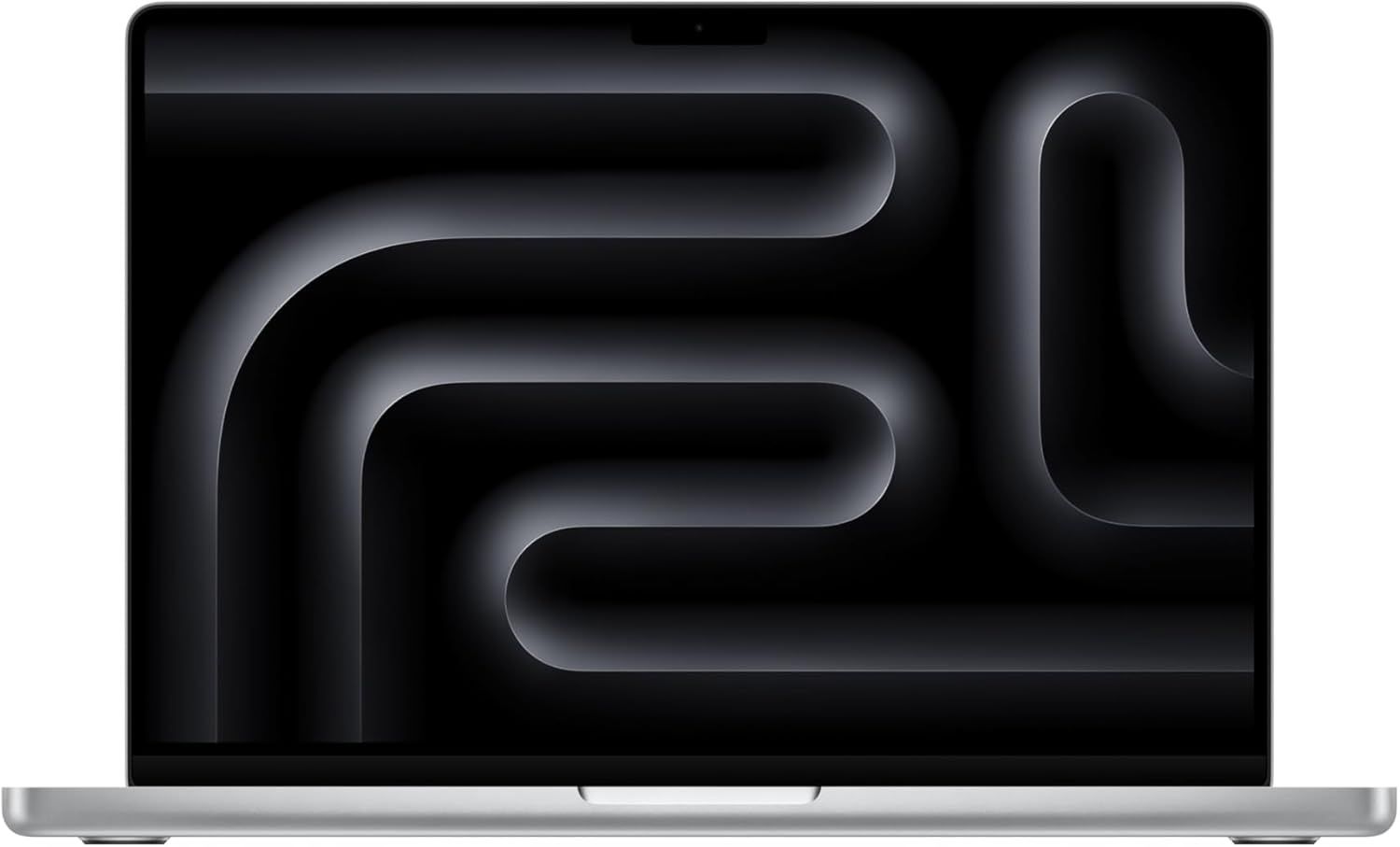
MacBook Pro 2025 with M5: was $1999 now $1839
This 2025-model MacBook Pro ships with the 10-core M5 chip, has a 14.2-inch Liquid Retina display, 16GB of memory, and a 1TB SSD for storage.View Deal

Apple Mac Mini Amazon Prime Big Deal Days Deals

Mac Mini Desktop Computer M6 Chip (2026): was $899 now $779.99
This compact mini computer packs a 12‑core M6 CPU and 12‑core graphics processor, along with 16GB of onboard unified memory and a 256GB SSD for storage.View Deal

More Amazon Prime Big Deal Days Tech Deals

Best Tech and PC deals | Best gaming PC deals | Best RAM combo deals | Best 3D printer deals | Best RAM deals | Best gaming laptop deals | Best monitor deals | Best Wi-Fi Router deals | Best GPU deals | Best SSD deals | Best hard drive HDD deals | Best CPU deals | Best gaming chair deals | Best PC building tool deals | Best PC peripherals deals | Best filament and resin deals | Best motherboard deals | Best CPU cooler deals | Best PC case deals | Best Dell and Alienware deals | Best USB charger deals | Best gaming and productivity laptop deals under $1,000 | Best laptop PC deals

Also, you can join the Tom's Hardware deals Discord for up-to-the-minute hardware deals.
Ingenious indie hacker funds $3,000 MacBook purchase by selling advertising space on the lid — sticker space auction has already raised 111% of the price of the laptop

2026年8月27日 21:29

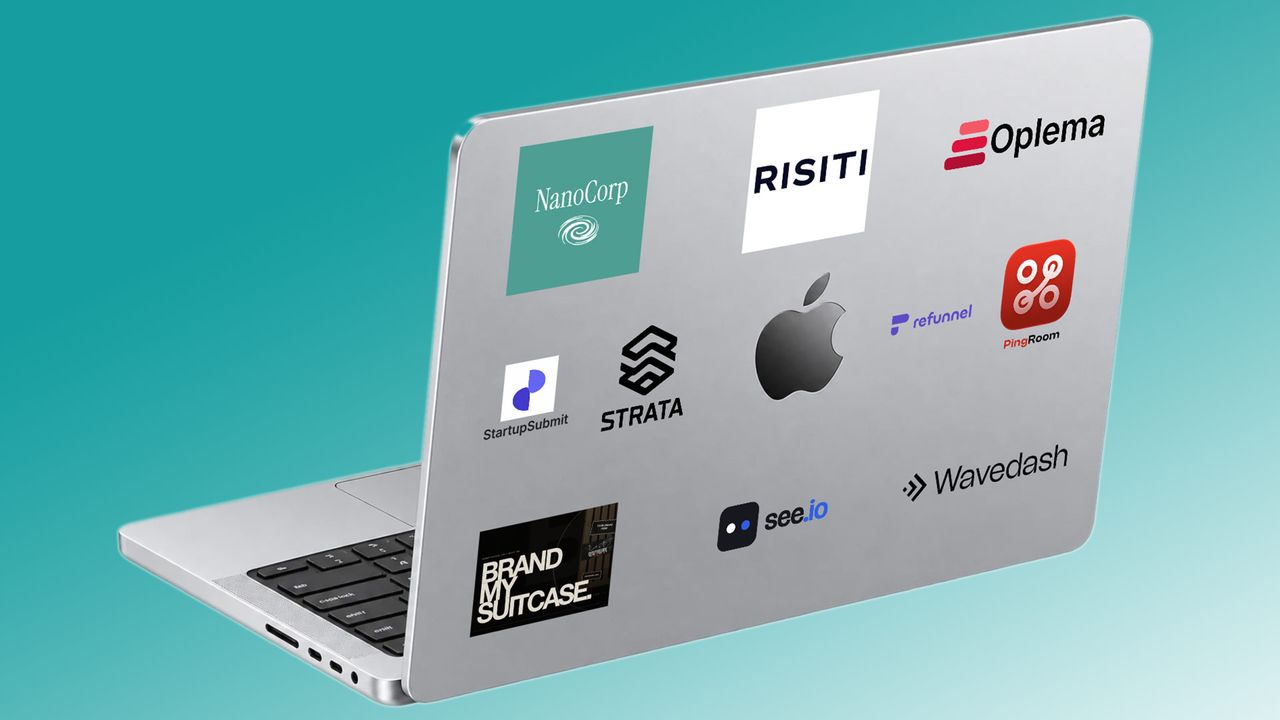
An enterprising founder and indie hacker has successfully pre-sold enough advertisement sticker space on his dream MacBook’s lid to raise 111% of the laptop’s retail price. Vincent, AKA @VynseDev on Twitter/X, has so far raised $3,274 across a total of 10 sticker positions. With over 12 days of the auction remaining, it isn’t beyond the realm of possibility that the cheeky Bordeaux-based chancer could raise enough for several laptops.

I'm selling ad space on my MacBook→ 10 sticker spots on the lid→ live auction→ 14 daysexcept I don't own it yet, the auction buys it→ your logo travels with me and gets seen both online and IRLhttps://t.co/VyKr0qn4ks pic.twitter.com/qG3iJ05mO3August 26, 2026

Vincent admits that his Brand My Mac project isn’t an original idea. In a follow-up Tweet, the founder tips his hat to prior projects like Outbid by Jonathan Wilke and BrandMyTesla from Im Bulent. We also recall money-spinning digital online experiments in a similar vein, like the Million Dollar Homepage, and perhaps even the whole NFT industry.

However, the fact that these projects get column inches in media coverage shows that the auctioned advertising space isn’t just seen on Vincent’s new MacBook “both online and IRL.” Advertisers also might get their logos seen in articles like this, as well as in subsequent coverage that comes at the end of the auction.

While logos in the video are obviously placeholders, as Vincent also mentions on social media, the Brand My Mac website shows the current 10 leading bidders’ logos and positions in a rendered Apple laptop. Also on the dedicated auction website, you can see the current winning bid for each spot. Note that some spots command far higher premiums than others, and on either side of the immutable Apple logo there are a pair of half-sized slots.

Brand My Mac website

(Image credit: Brand My Mac )

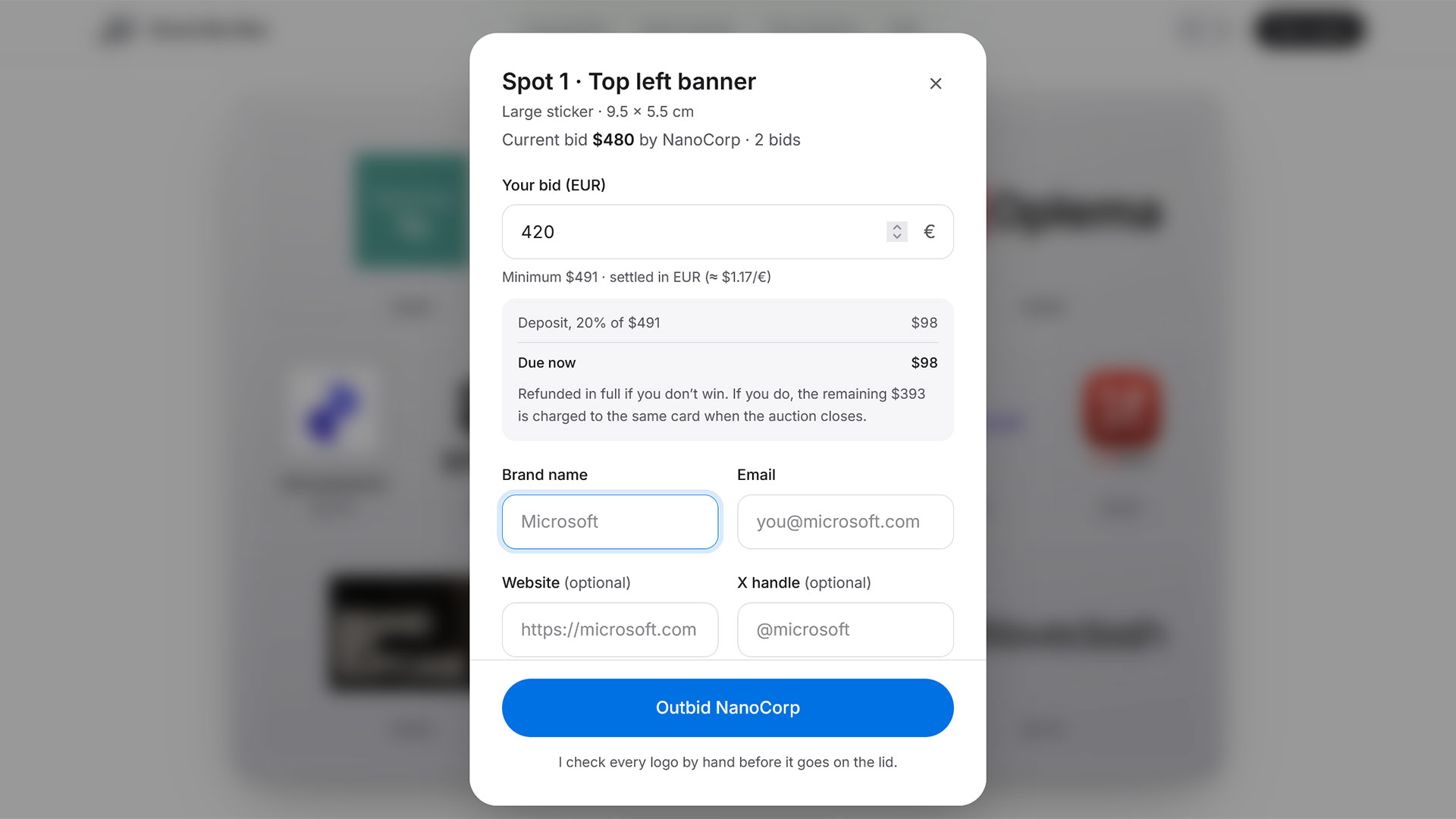
The prime advertising real estate area of a laptop lid seems to be at the top-middle position, above the Apple logo. Currently, the leader here is RISTI with its bid of $761. For the fee, and by our understanding of the FAQ, Vincent will print and apply a “die-cut vinyl sticker of your logo” in the position you secure. A link on the Brand My Mac website is also thrown in. If you are interested in bidding, you must at least beat the current bid by €10 ($11.65).

With this latest ‘Brand My’ project going viral and already a surefire success, there are some copycat endeavors popping up. Actually, Vincent sees copycats as an opportunity so has decided to create a waitlist for followers to highlight any machine, at any price. Then Vincent’s backend build will have you covered: “the sticker spots, the auction, and everything else is handled for you,” says the enterprising founder and indie hacker.

Best Buy has slashed $900 off this MacBook laden with memory — 14-inch M4 Pro with 48GB of memory and 2TB of storage now only $2,999

2026年8月5日 18:39

Pick up an Apple MacBook Pro 14 with M4 Pro chip and a hefty 48GB of RAM for $2,999, thanks to a nice $900 discount at Best Buy. This top-spec MacBook Pro may feature the older M4 Pro chip, but it still packs hefty memory, storage, and performance specs. If you need a laptop with ample RAM for your productivity applications, this deal could be of interest to you.

● Check out this deal at Best Buy

This 14-inch MacBook Pro uses the Apple M4 Pro chip with 14 cores for CPU tasks and 20 cores for GPU operations. This model comes stacked with 48GB of unified memory and a 2TB SSD. The screen on the MacBook Pro features a Liquid Retina XDR nano-texture display with up to 1600 nits peak brightness, one of the brightest and best-looking screens we had reviewed at the time of testing, helping to earn this M4 Pro laptop an Editor's Choice award in our review.

This 14-inch MacBook Pro uses the Apple M4 Pro chip with 48GB of unified memory and a 2TB SSD. The screen features a Liquid Retina XDR nano-texture display with up to 1600 nits peak brightness.View Deal

We tested the 14-inch MacBook Pro M4 in November, 2024. It was the first laptop we tested with Apple's M4 chip. The SKU of the laptop we tested was less powerful than the model we are featuring today, featuring only 16GB of RAM and 1TB of SSD storage compared to the 48GB and 2TB in this model.

Apple's M4 chip showed strong performance on benchmarks, easily competing with the competition in both single and multicore workloads. On Geekbench, the new Mac achieved a single-core score of 3,807 and a multi-core score of 15,114.

MacBook Pro (14-inch M4)
Tom's Hardware
MacBook Pro (14-inch M4)
Tom's Hardware
MacBook Pro (14-inch M4)
Tom's Hardware
MacBook Pro (14-inch M4)
Tom's Hardware
MacBook Pro (14-inch M4)
Tom's Hardware

This particular model of the MacBook Pro 14 with M4 Pro does lean on the expensive side, even when discounted to $2,999, but that's because it is stacked with a massive amount of RAM and a larger SSD, which Apple does charge a premium for. As this is unified memory and soldered to the mobo, there is no upgrade path later down the line, so if you want a laptop with a larger amount of memory, then you need to choose the amount you want at the point of purchase.

Apple launches official program for leasing Macs as AI price crunch bites — 24- and 36-month leasing options provided by Klarna

2026年7月28日 22:23

Following price hikes on the Mac and iPad due to the ongoing memory and storage crisis, Apple has announced a new leasing program, Apple Upgrade. The new offering will be "provided" by Klarna and available in Apple Stores in the U.S., as well as the Apple Store online and the Apple Store app.

There will be 24- and 36-month leasing options for the Mac and iPad, while the iPhone and Watch will have 12- and 24-month options.

Mac leases will start at $24.99 per month, which includes the MacBook Air, MacBook Pro, iMac, and Mac Studio. Apple's announcement leaves out its cheapest systems, the MacBook Neo and Mac Mini.

iPad leases start at $11.99 per month and include the iPad Mini, iPad Air, and iPad Pro, but not the base-level vanilla iPad.

It's a similar pattern for the Apple Watch, with leases starting at $11.99 but leaving out the Apple Watch SE 3. But the iPhone lineup (leases start at $17.99) doesn't have any exceptions, including the iPhone 17, 17e, and 17 Pro and Pro Max, and iPhone Air.

These are not purchases or loans. Customers can sign up for Klarna leases in-store or online (including a soft credit inquiry that doesn't affect your credit score). At the end of a lease, you can return your device and start a new lease to upgrade, purchase the device with a "one-time payment," or return the device and exit the lease entirely.

Unlike the iPhone Upgrade Program, Apple Upgrade leases don't include AppleCare, but Apple will let you buy a subscription. AppleCare also. saw some price hikes, likely because the components that are serviced under the extended service program are more expensive.


In fact, Apple Upgrade will replace the iPhone Upgrade Program in the United States, likely upsetting some diehard fans. Apple will allow those customers to lease a device through Klarna, buy the phone outright, or finance with monthly installments on their Apple Card. As always, there's carrier financing for phones.

Save $400 on a new 14-inch MacBook Pro M5 — 48GB of RAM, a 1TB SSD, and a 16-core processor for $2,699

2026年7月21日 19:28

There's no denying how good the build quality and construction of Apple's MacBook Pro lineup are. They are what every other high-end laptop manufacturer tries to emulate, which lets Apple charge a very high price for the privilege of owning one. If you're looking for a high-performance laptop for coding, video production, or even some light LLM/AI tasks, then this deal on the 14-inch Apple MacBook Pro with M5 chip for $2,699 is worth a look. B&H Photo has slashed $400 off the $3,099 list price to bring it down to this price, and give you the chance to pick up a powerful laptop with 48GB of memory.

● Check out this deal at B&H Photo

This 14-inch MacBook Pro uses the latest M5 Pro chip, with a 15-core CPU and 16-core GPU with a Neural Accelerator in each core, delivering amazing processing power in a small package. This model sports a hefty 48GB of unified RAM, a 1TB SSD for storage, and a crisp 3024 x 1964-pixel Liquid Retina XDR display (1600 nits peak HDR brightness), with superb battery life (up to 24 hours).

Other features include a 12MP Center Stage camera with Desk View support, an in-house N1 networking chip that combines Wi-Fi 7 and Bluetooth 6, an SDXC Slot, Thunderbolt 5, and a MagSafe 3 connector.

This 14-inch MacBook Pro uses the latest M5 Pro chip with a 15-core CPU and 16-core GPU, 48GB of unified RAM, and a 1TB SSD. A gorgeous 3024 x 1964px Liquid Retina XDR display provides the visuals. View Deal

We had the chance to review the MacBook Pro 14-Inch and found that the M5 chip delivers solid performance gains over its M4 predecessor. The SSD performance has greatly improved, and the rocking speaker system is still a cut above similar laptops from competitors. In our benchmark testing, the MacBook Pro's M5 CPU delivered between a 10 to 20% improvement over the prior generation's M4 chip in CPU performance.

Apple MacBook Pro (14-inch, M5)
Tom's Hardware
Apple MacBook Pro (14-inch, M5)
Tom's Hardware
Apple MacBook Pro (14-inch, M5)
Tom's Hardware
Apple MacBook Pro (14-inch, M5)
Tom's Hardware
Apple MacBook Pro (14-inch, M5)
Tom's Hardware

If the price tag of $2,699 and 48GB of RAM are a little too high for your tastes, you can also pick up the same 14-inch MacBook Pro with M5 Pro chip, but with 24GB of RAM for $2,299, with the same hardware and features as our main deal.

If you're looking for more savings, check out our Best PC Hardware deals for a range of products, or dive deeper into our specialized SSD and Storage Deals, Hard Drive Deals, Gaming Monitor Deals, Graphics Card Deals, Gaming Chair, Best Wi-Fi Routers, Best Motherboard, or CPU Deals pages.

You can also join the Tom's Hardware deals Discord for up-to-the-minute hardware deals.

Beat Apple's price increases on new MacBooks with these stellar deals that can save you up to $500 — big sale on current-gen Pro, Air, and Neo models, avoid new price hikes with extra discounts on top

2026年6月26日 00:02

Apple has just announced that it has hiked prices for its line-up of MacBooks and iPads. MacBook Air and MacBook Pro models are expected to see prices rise by up to $400 in some cases, while the budget-friendly MacBook Neo is expected to see its MSRP rise by $100, from $599 to $699.

Luckily, we're in Amazon Prime Day sales week, and discounts are live on Amazon for several Apple MacBooks from 2026 and 2025. Now really might be your last chance to secure a decent deal on a new MacBook before Apple's new pricing structure filters down, as we'll be expecting tech retailers (including Amazon) to raise prices to match Apple's own soon enough.

● Check out these Apple deals at Amazon

These deals won't be around for long, either. With price rises now confirmed, those thinking about purchasing one of these Apple laptops will be rushing to hit the purchase button before paying extra. Stock shortages, especially on the cheapest models, could become a real possibility by the end of this sales week.

If you're interested, here are some of the best MacBook deals on sale right now, because you'll want to jump on them while you can.

Prime Day Deals on Apple MacBooks

MacBook Pro, Air, and Neo models from 2025 and 2026 are all on sale right now at Amazon for Prime Day. Amazon hasn't put all models on sale, however, but here are some of the deals we've spotted so far.

One thing to point out, however, is the MacBook Neo. Apple has just raised its MSRP to $699, meaning that Amazon's $589.99 price is $110 cheaper. This will not last long, so make sure to grab it at this price.

Other MacBook models, including the MacBook Air 2026 with a 512GB SSD, are seeing $200 price rises. The MacBook Pro, meanwhile, is getting a price rise of up to $400. This isn't reflected in these Amazon deal prices yet, which have knocked up to $150 off Apple's original prices, so you're guaranteed an even bigger bargain today if you can get your order in quickly enough.

No discounts (right now) on the new MacBook Neo, but it's sub-$600 price is still available at Amazon, at least for now. The MacBook Neo features a gorgeous 13-inch liquid retina display, an A18 Pro processor, 8GB of unified memory, 256GB of SSD storage, and a 1080p webcam. All packed in a thin and sturdy metal chassis. View Deal

The new 2026 MacBook Air now comes with the new M5 chip. This model ships with a 13.6-inch Liquid Retina display, 16GB memory, and 1TB of SSD storage.View Deal

Similar spec to the model above, but this MacBook Air has a smaller 512GB SSD.View Deal

The faster, more powerful 2026 MacBook Pro. This model, with its M5 Pro chip, has a 15-core CPU and 16-core GPU. It comes with 24GB memory and a 1TB SSD.View Deal

This elite-level 2026 MacBook Pro is a serious option for productivity. It has the 18-core CPU, 20-core GPU version of the M5 Pro chip. You also get 24GB of memory and a 1TB SSD for View Deal

The Apple MacBook Pro with M5 Max is the top-tier option for professionals. This model ships with an 18-core CPU/32-core GPU version of the M5 Max chip, along with a 14.2-inch Liquid Retina display. It comes with 36GB memory and a 2TB SSD.View Deal

Secure big savings ahead of these Apple price rises on the MacBook Pro 2026 with an even faster M5 Max chip, this model shipping with an 18-core CPU/40-core GPU variant. It has a bigger 16.2-inch Liquid Retina display, 48GB of memory, and a 2TB SSD for storage.View Deal

This 2025-model MacBook Pro ships with the 10-core M5 chip. It has a 14.2-inch Liquid Retina display, 16GB memory, and a 1TB SSD for storage.View Deal

This 2025-model MacBook Pro ships with the 10-core M5 chip. It has a 14.2-inch Liquid Retina display, 16GB memory, and a 1TB SSD for storage.View Deal

Apple MacBook Prime Day Deals

More Prime Day Tech Deals

Best Tech and PC deals | Best gaming PC deals | Best RAM combo deals | Best 3D printer deals | Best RAM deals | Best gaming laptop deals | Best monitor deals | Best Wi-Fi Router deals | Best GPU deals | Best SSD deals | Best hard drive HDD deals | Best CPU deals | Best gaming chair deals | Best PC building tool deals | Best PC peripherals deals | Best filament and resin deals | Best motherboard deals | Best CPU cooler deals | Best PC case deals | Best Dell and Alienware deals | Best USB charger deals | Best gaming and productivity laptop deals under $1,000 | Best laptop PC deals

Also, you can join the Tom's Hardware deals Discord for up-to-the-minute hardware deals.

RAM crisis bites Apple as unprecedented Mac and iPad price rises arrive — cheapest MacBook Pro price hiked by $400 to $1,999

2026年6月25日 21:59

Apple has made the unprecedented decision to hike the prices of all its current computers and tablets. iPhone prices remain as they were, for now. Bloomberg indicates that the rather steep price rises have been precipitated by increased costs of memory and storage. One of the most impactful hikes we see is the entry-level MacBook Pro going from $1,699 to $1,999. However, even the recently released but resource-starved MacBook Neo has had another $100 piled onto its price, so now it starts at $699 before tax.

Price Increases: MacBook Neo to $699 from $599; MacBook Air to $1,299 from $1,099; MacBook Pro to $1,999 from $1,699; iPad Pro to $1,199 from $999; iPad Air to $749 from $599. https://t.co/JSlxZ1zbdWJune 25, 2026

In addition to Gurman’s highlighted price increases, we spotted that the cheapest Mac Studio M4 Max (mini PC desktop) has had its price increased to $2,499 from $1,999. There’s a lot to take in, so check out our at-a-glance before and after table for quick reference.

Apple device price increases June 25, 2026

Device

Old price

New price

MacBook Neo

$599

$699

MacBook Air

$1,099

$1,299

MacBook Pro

$1,699

$1,999

Mac Studio M4 Max

$1,999

$2,499

iPad Pro

$999

$1,199

iPad Air

$599

$749

Bloomberg’s resident Apple expert, Mark Gurman, quoted an apologetic company rep. “We know this is not welcome news, and we are working tirelessly to find solutions,” a spokesperson from Apple told the reporter. Other interesting assertions from that conversation were that Apple had never seen component prices rise so high, so quickly. Moreover, its representative claimed that the firm did all it could to shield customers from any knock-on device price rises, stating the company had "shielded our customers from these increases so far, but we have now reached a point where we need to begin raising prices on a number of products including today’s increases for iPad and Mac."

While newsrooms might be agog at these price rises being implemented today, the writing has been on the wall of the RAMpocalypse for several months. Back in April, Tim Cook publicly forecast that the component shortages and price rises didn’t appear to be going anywhere soon. That statement came in the wake of the withdrawal of the entry-level $599 configuration of the Mac Mini, and Apple softening the blow of higher prices of its latest MacBook Air and MacBook Pro models by upgrading memory and other tech specs.

Until now, it seemed like Apple’s massive buying power and vertical integration had managed to help it hold off computer and tablet price increases. Today, the brakes came off, pretty dramatically.

M3 MacBook Air plunges to $799 in early Amazon Prime Day sale — 38% discount blows the MacBook Neo out of the water

2026年6月22日 17:24

For years, Apple kept its M1 MacBook Air around as the ultimate budget pick in its laptop lineup. Now, the M3 MacBook Air from 2024 has just hit the same heady discount heights, plunging to $799 at Amazon in the early Prime Day sale in a deal that makes the MacBook Neo look pretty tame by comparison.

The M3 MacBook Air came out in 2024, so it's a couple of years old now. However, if you want a fantastic portable machine that will give you great battery life, this is not to be sniffed at. For just $200 more, this blows the MacBook Neo out of the water. Its M3 chip has an 8-core GPU and 10-core CPU, and you also get 16GB of RAM and 512GB SSD. That means you get a better CPU and GPU core count, twice the RAM, twice the storage, and higher memory bandwidth versus the Neo. The M3 also offers drastically better battery life and a host of other extra features.

This is the lowest-ever price we've seen on this MacBook Air at Amazon, and is a fantastic budget option if you can't stretch the to latest and greatest M4 or M5 models. View Deal

Both the M4 and M5 MacBook Air are on sale for around $950 at Amazon right now. That makes this deal $150 less than those more expensive options. While the M4 and M5 chips are faster than this M3 model, this older version is no slouch.

MacBook Air M3
Tom's Hardware
MacBook Air M3
Tom's Hardware
MacBook Air M3
Tom's Hardware
MacBook Air M3
Tom's Hardware
MacBook Air M3
Tom's Hardware

Our Geekbench testing does reveal a fairly substantial uplift on the M4 model, which scored around 3,800 in similar Geekbench 6 single-core tests and nearly 15,000 in multi-core.

What you're getting here is really the ultimate budget MacBook right now. Of course, the MacBook Neo is cheaper at $589, but for that price, you get a meager 8GB of RAM and just 256GB of storage, half what you get with the M3. The M3 has more CPU cores (10 vs 6) than the MacBook Neo, and more GPU cores (8 vs 5). Battery life is also rated for longer (18 hours versus the Neo's 16 hours), and the M3 comes with significantly better 102 GB/s maximum memory bandwidth compared to the Neo's 60 GB/s.

Versus the Neo, the M3 MacBook Air also has a higher resolution display that is slightly larger, and has better color with Wide color (P3) and True Tone Technology. The M3 also has more speakers, support for spatial audio, better microphones for calls, and support for high-impedance headphones, which you won't find on the MacBook Neo.

If you can stretch from the Neo to this $799 Macbook Air, this one is a no-brainer as a great laptop for a college student, a gift for a relative, or a high school student.

Join the Tom's Hardware deals Discord for up-to-the-minute hardware deals.

Best Tech and PC deals | Best gaming PC deals | Best RAM combo deals | Best 3D printer deals | Best RAM deals | Best gaming laptop deals | Best monitor deals | Best Wi-Fi Router deals | Best GPU deals | Best SSD deals | Best hard drive HDD deals | Best CPU deals | Best gaming chair deals | Best PC building tool deals | Best PC peripherals deals | Best filament and resin deals | Best motherboard deals | Best CPU cooler deals | Best PC case deals | Best Dell and Alienware deals | Best USB charger deals | Best gaming and productivity laptop deals under $1,000 | Best laptop PC deals

❌
❌