普通视图

发现新文章,点击刷新页面。
昨天 — 2026年7月29日首页

MSI Cubi NUC AI+ 3MG review: Panther Lake in an understated mini PC

2026年7月29日 21:00

Intel’s codename "Panther Lake" Core Ultra Series 3 mobile processors were designed for laptops, but now we are starting to see them trickle over into mini PCs. That includes the recently launched MSI Cubi NUC AI+ 3MG (starting from $569, $1,999 as tested). This particular design is pleasingly compact and low-key in a traditional NUC manner, but can this matte black panther roar?

Design of the MSI Cubi NUC AI+ 3MG

MSI Cubi NUC AI+ 3MG
Tom's Hardware
MSI Cubi NUC AI+ 3MG
Tom's Hardware
MSI Cubi NUC AI+ 3MG
Tom's Hardware
MSI Cubi NUC AI+ 3MG
Tom's Hardware

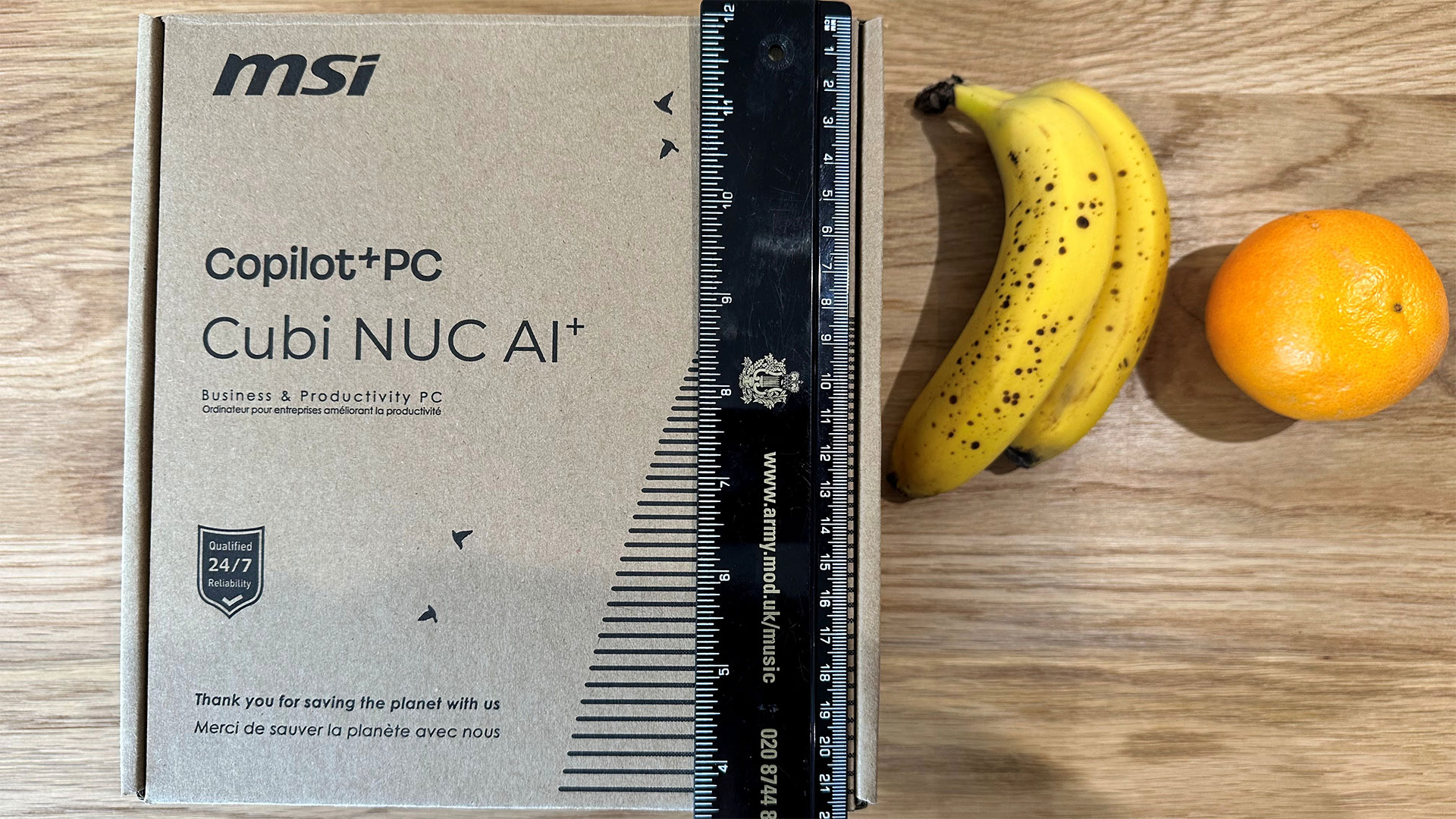
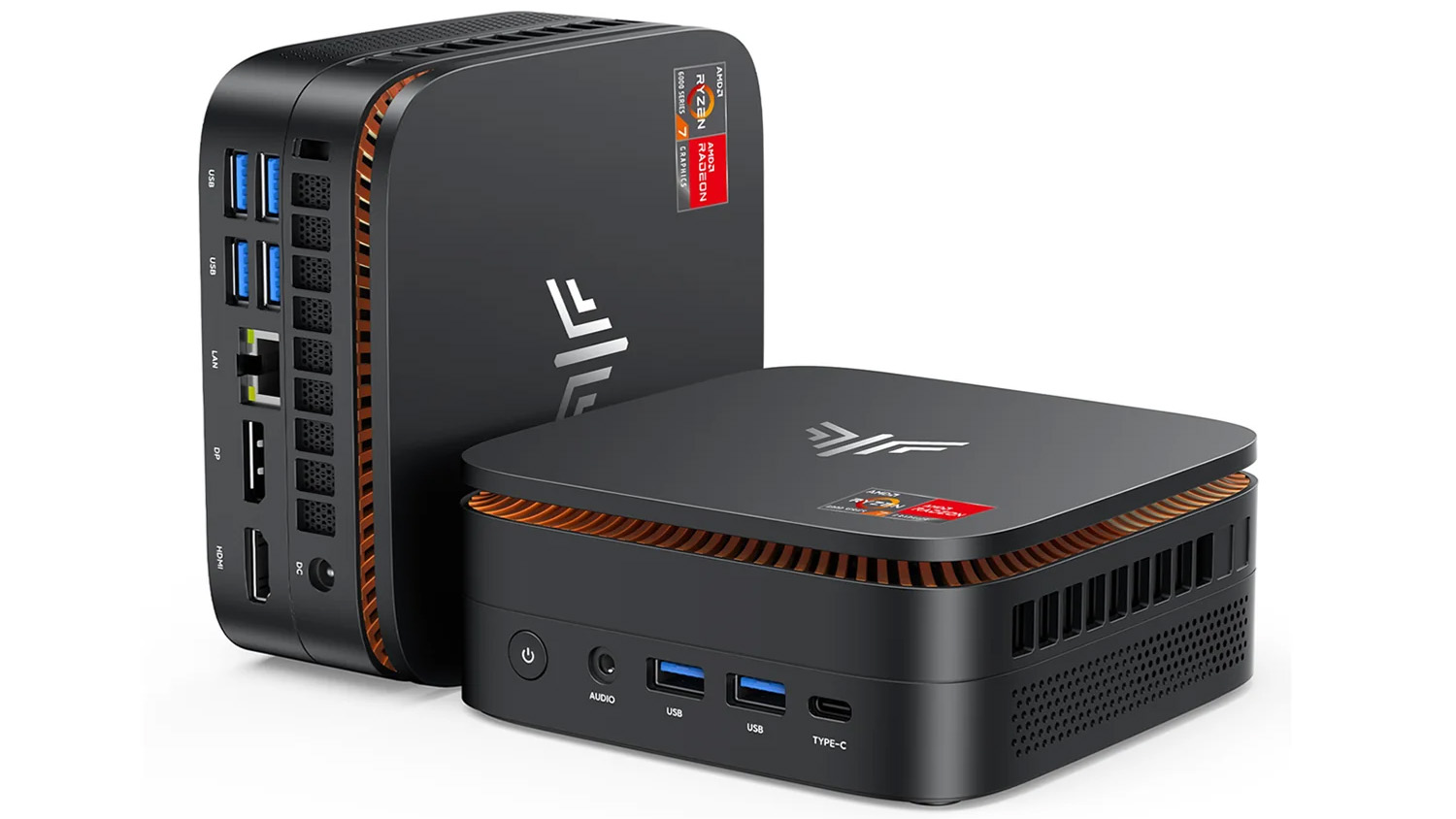
Simply put, the MSI Cubi NUC AI+ 3MG is a very compact roughly 4.5 x 4.5 x 1.5-inch design with an Intel Core Ultra 9 386H chip inside.

The Core Ultra 9 386H delivers 16 cores and threads of processing power (6P + 8E + 2LPE) running at up to 4.9 GHz. MSI is also selling models with the Ultra 7 355, and Ultra 5 322 processors.

The Cubi’s shell is sturdy and pleasant enough in a matte black finish, made from recycled plastics. Inside, the motherboard is held firm inside what looks like a folded sheet aluminum frame.

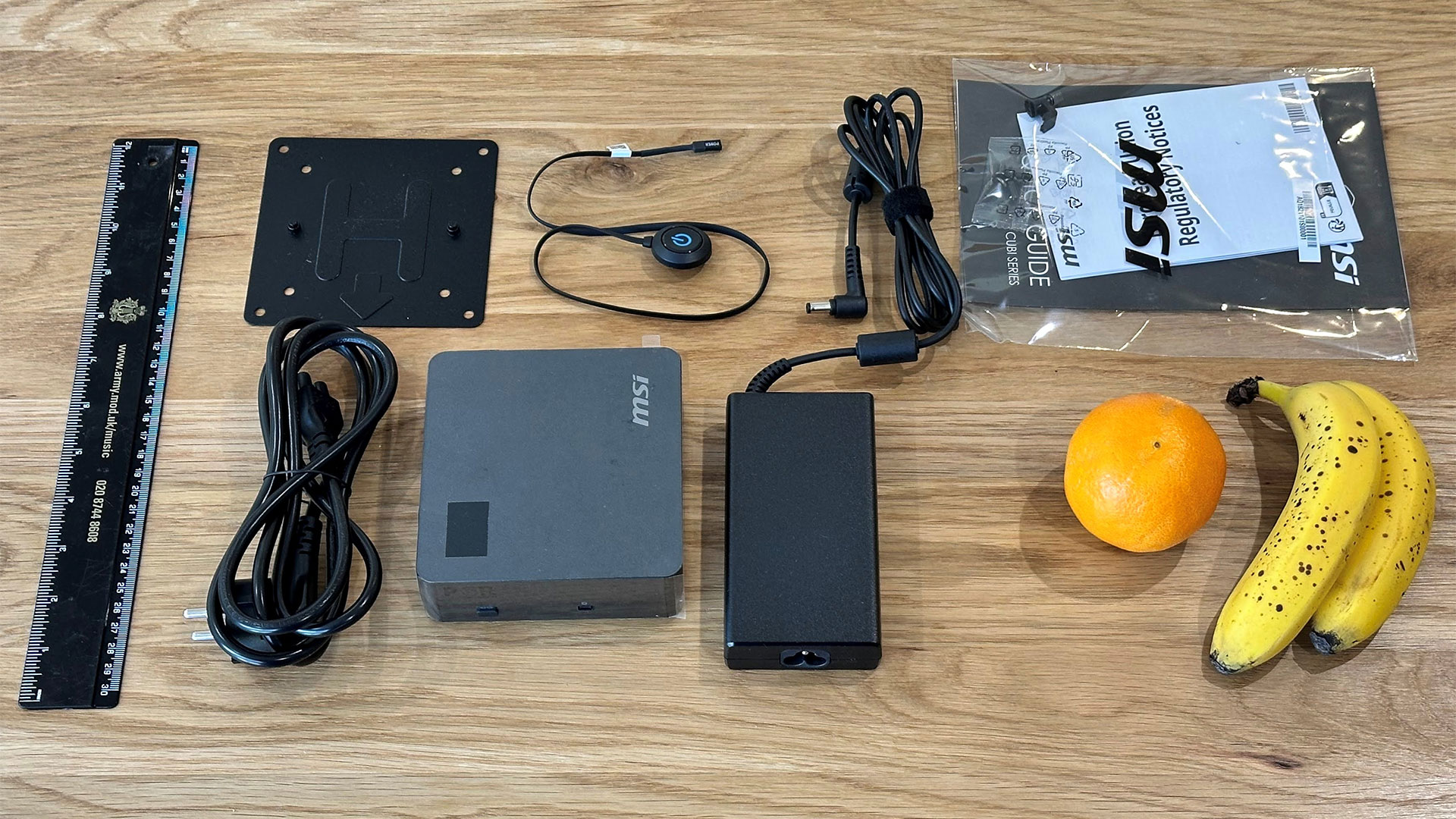
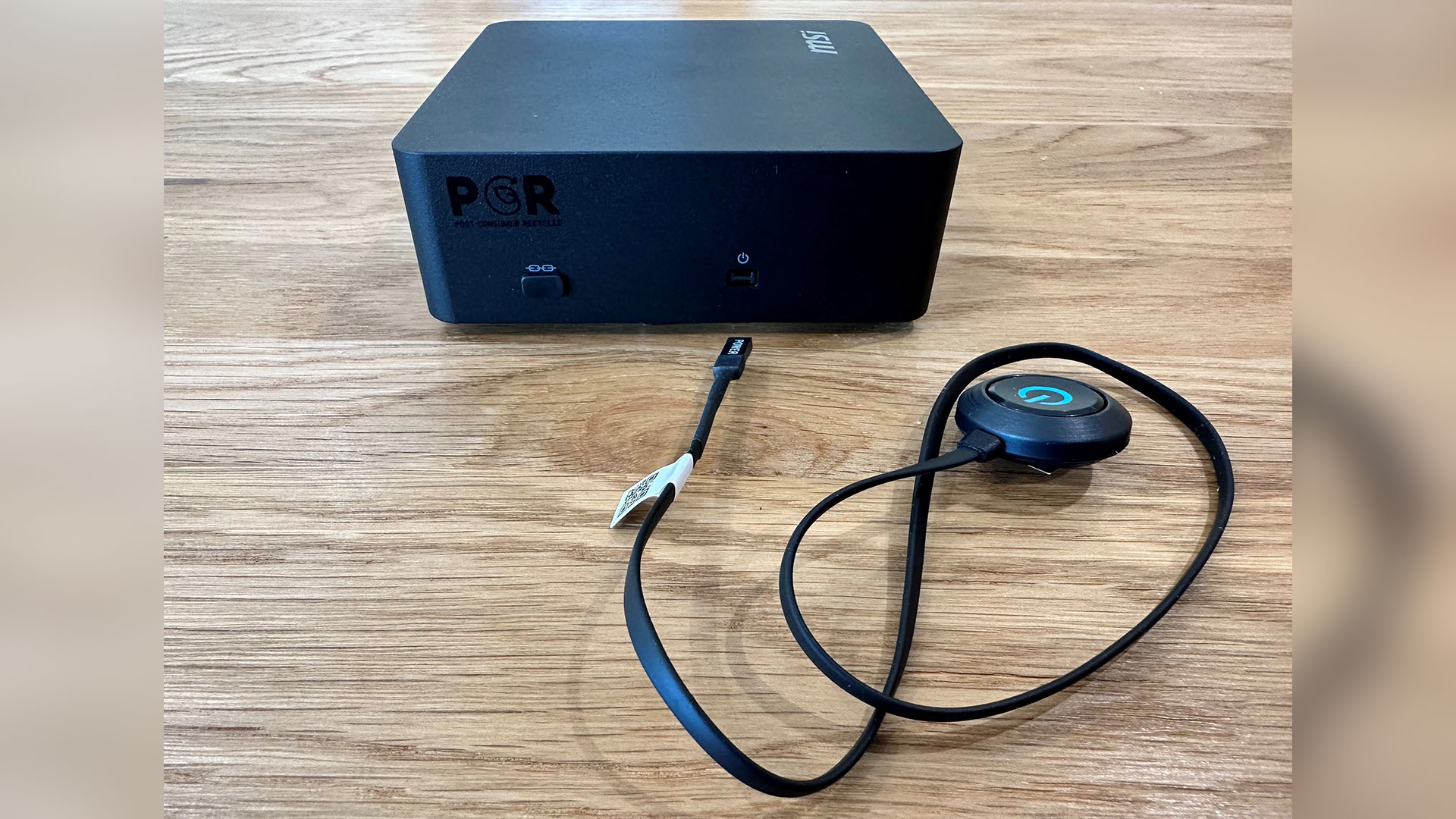
Another welcome feature is the external power switch. This is a small power button puck on a slim connector that is 18 inches (45 cm) long. There’s a dedicated port for this on the left side of the Cubi, and the end of the puck is mounts with a little double-sided foam tape..

The power button dongle is a nice touch for those who might mount the Cubi NUC AI+ 3MG somewhere out of view, like behind a monitor or under a desk. Those who keep the Cubi in reach can benefit from the fact that the power button on the unit has an embedded fingerprint reader. I found the biometric unlocking here to be hit and miss, however, and it often didn’t recognize my thumb.

MSI Cubi NUC AI+ 3MG Mini PC Specifications

Processor

Intel Core Ultra 9 386H (16C/16T: 6P + 8E + 4LPE), up to 4.9 GHz

Graphics

Intel Graphics iGPU with four Xe3 cores

RAM

32GB DDR5‑5600 SO‑DIMM (Samsung 16GB x2), supports up to 128GB (64GB x2) with two slots

Storage

1TB PCIe 4.0 NVMe SSD (Phison ESR01TB) populating the single M.2 2280 slot

Physical Ports

2x Thunderbolt 4 (DP-alt, one with 98W PD), 2x USB‑A (1x 3.2 Gen2 + 1x 2.0), 1x USB-C 10G, 2x HDMI 2.1 (one with MSI PowerLink) 2x 2.5G Ethernet, DC‑in

Wireless

Wi‑Fi 7 + Bluetooth 5.4 (M.2 2230)

Other Features

Fingerprint reader, power button dongle/port, VESA mount, dual‑fan cooling, TPM 2.0, Kensington lock

Dimensions

4.71 x 4.54 x 1.48 inches (119.60 x 115.20 x 37.50 mm) 0.8 L chassis at 1.21 pounds (0.55 kg)

OS Installed

Windows 11 Pro

Price (as configured)

MSRP $1,999 with 32GB RAM + 1TB SSD

Ports and Upgradeability

MSI Cubi NUC AI+ 3MG
Tom's Hardware
MSI Cubi NUC AI+ 3MG
Tom's Hardware

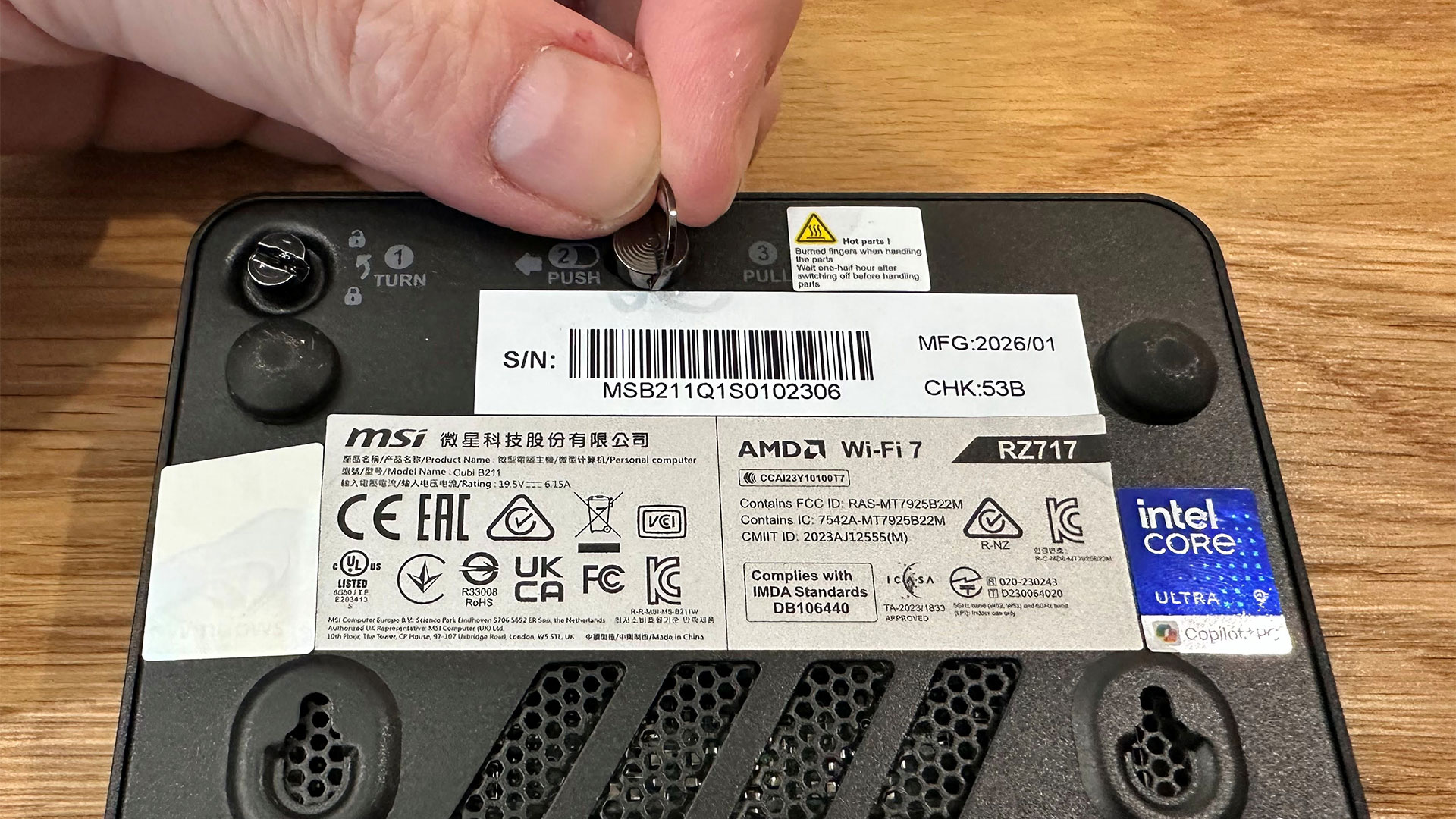
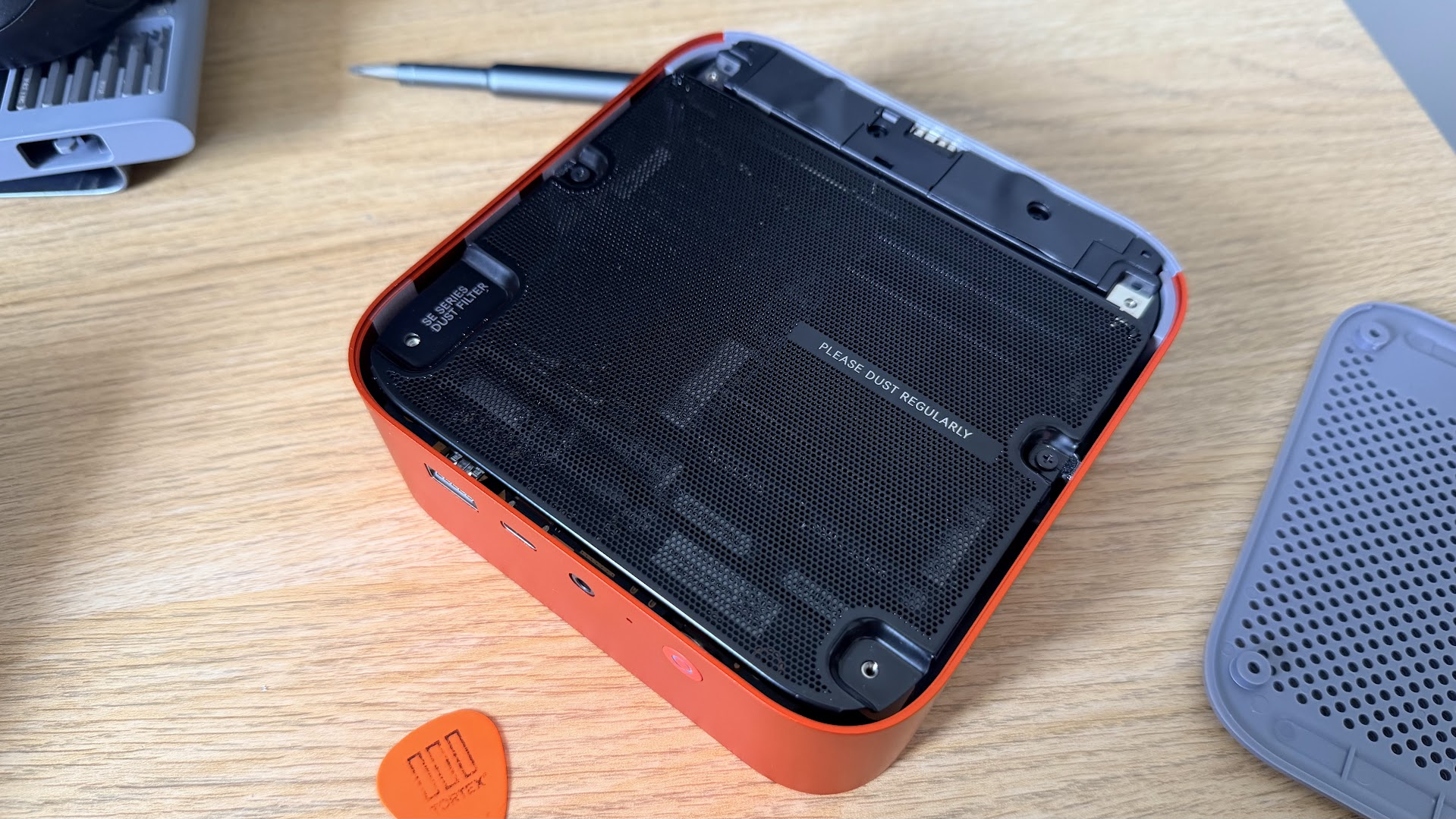
MSI has implemented a couple of physical convenience features in the build, starting with the three-step toolless access system.

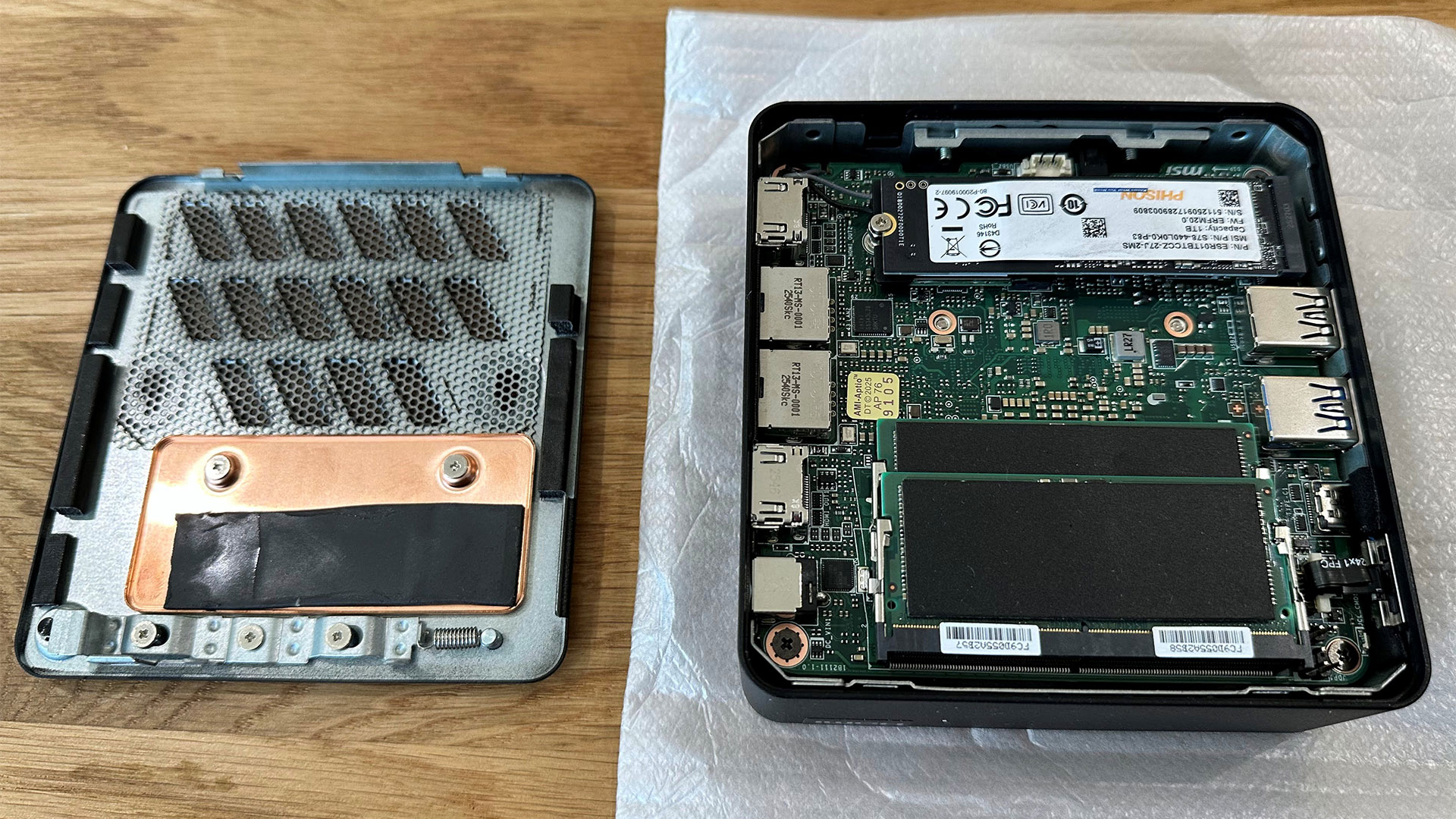
All you have to do to pop the metal bottom off is turn a slotted screw, push a metal latch, and pull a ring. The trouble is I did need a tool to turn the first slotted screw, I fear my fingernail would have split if I hadn't grabbed a screwdriver. The force of pulling a tiny ring attached to the latch was also slightly concerning.

MSI Cubi NUC AI+ 3MG
Tom's Hardware
MSI Cubi NUC AI+ 3MG
Tom's Hardware
MSI Cubi NUC AI+ 3MG
Tom's Hardware

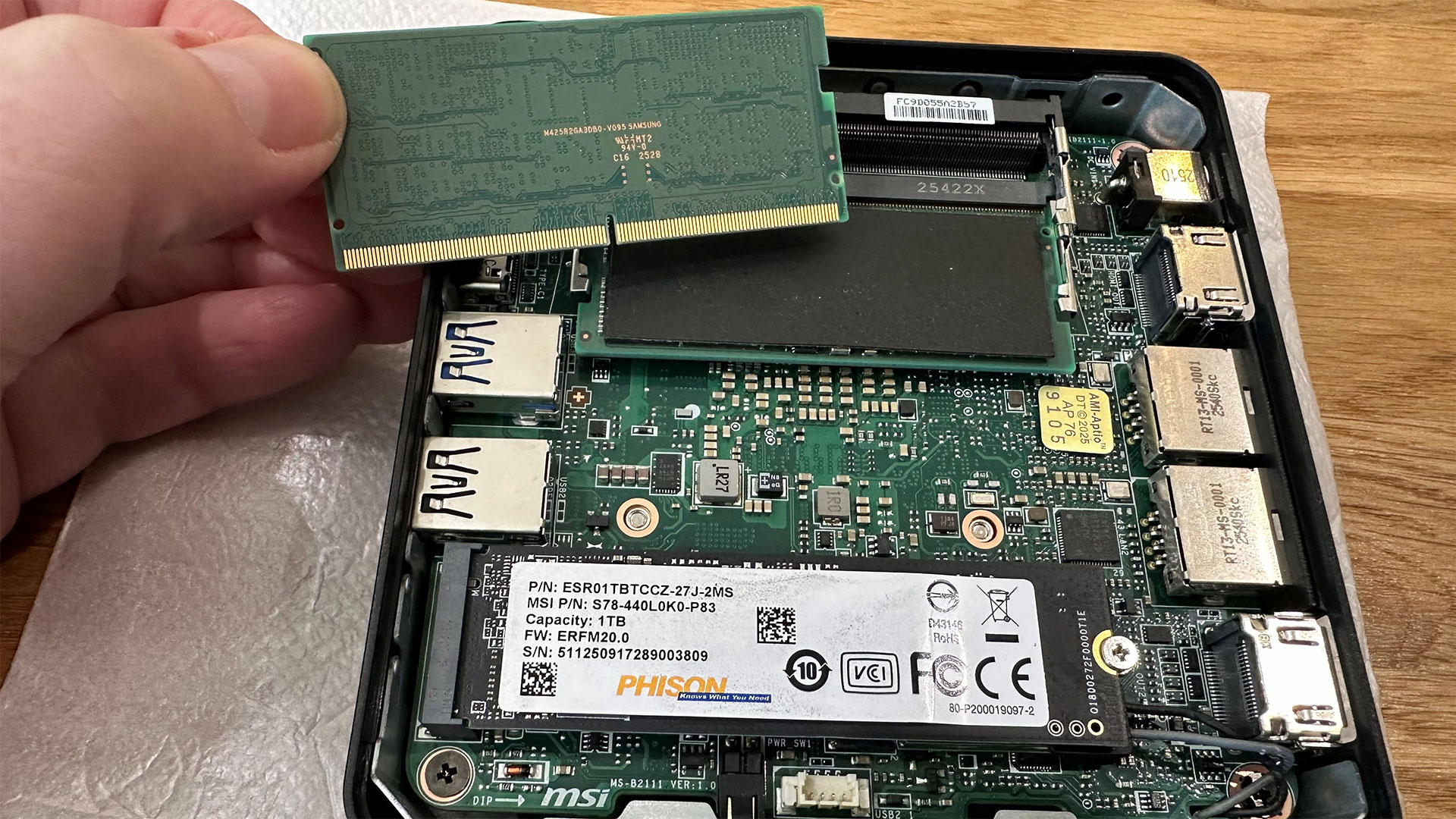
Beyond the Core Ultra 9 386H processor, our sample came loaded with 32GB of DDR5 (2x 16GB DDR5-5600 SODIMMs made by Samsung) and a removable 1TB PCIe 4.0 NVMe 2280 DRAM-less SSD from Phison. With these inserted, the Cubi NUC AI+ 3MG was fully populated. \The Wi-Fi card is also removable from its M.2 2230 slot.

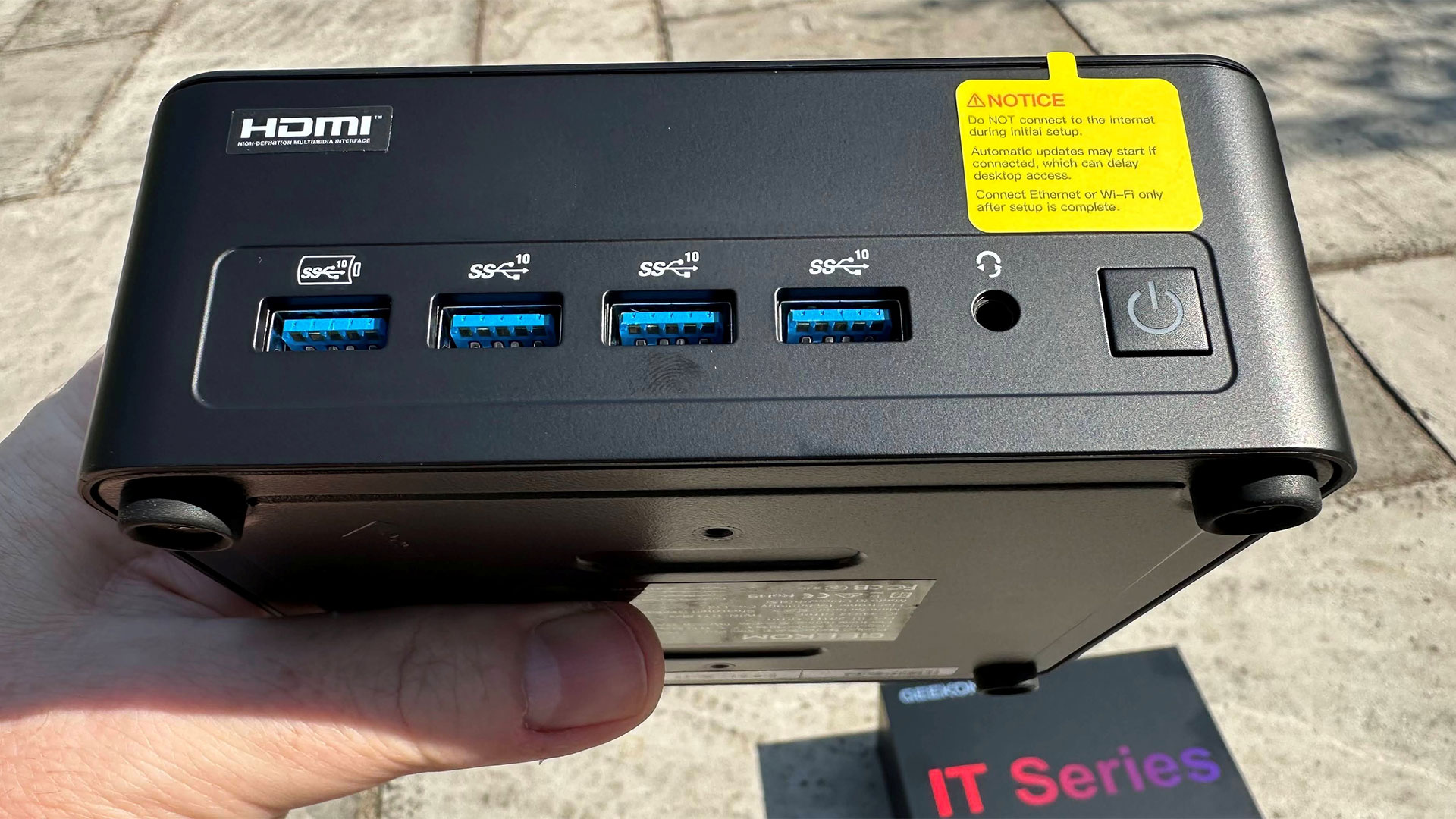
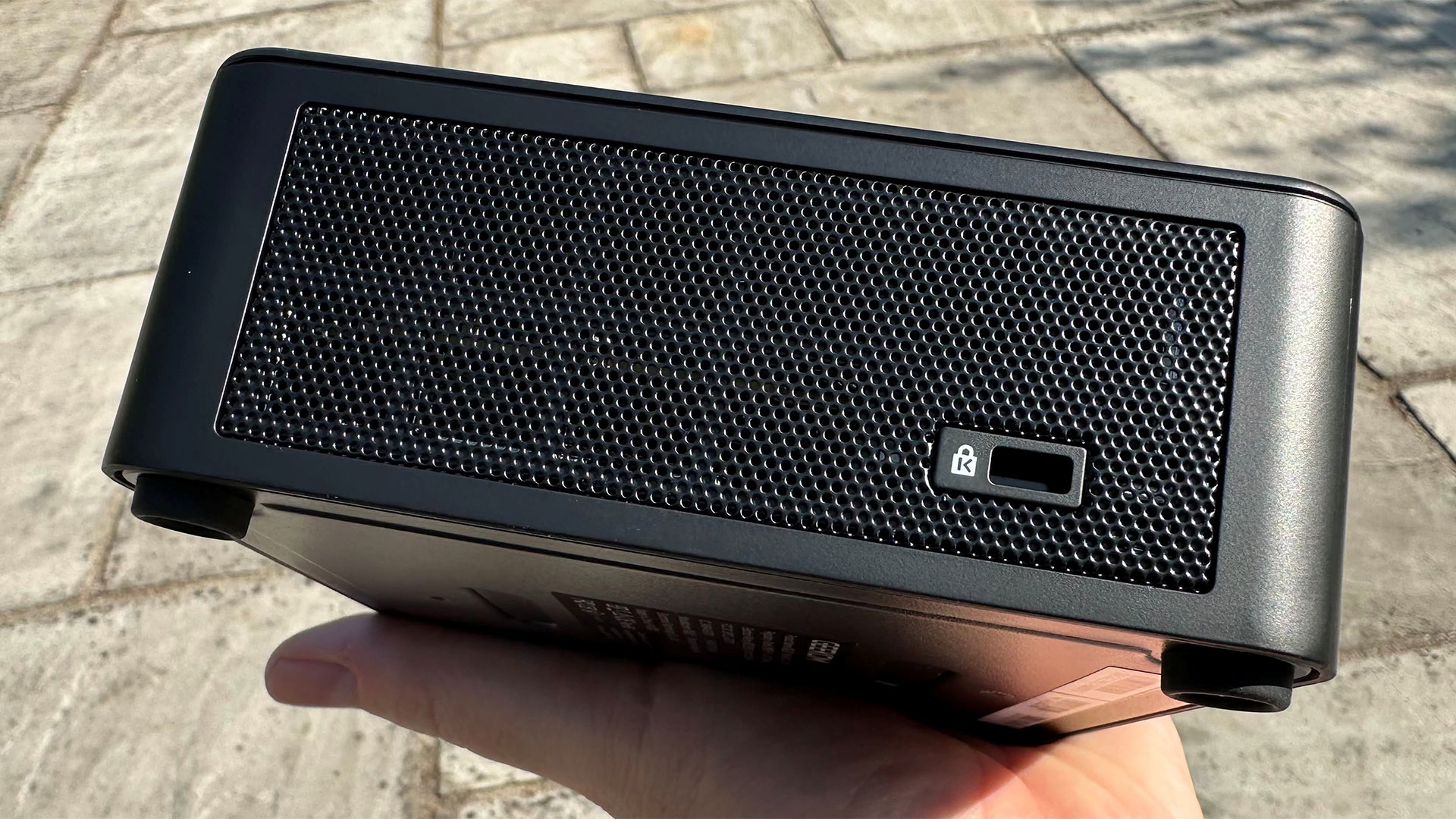
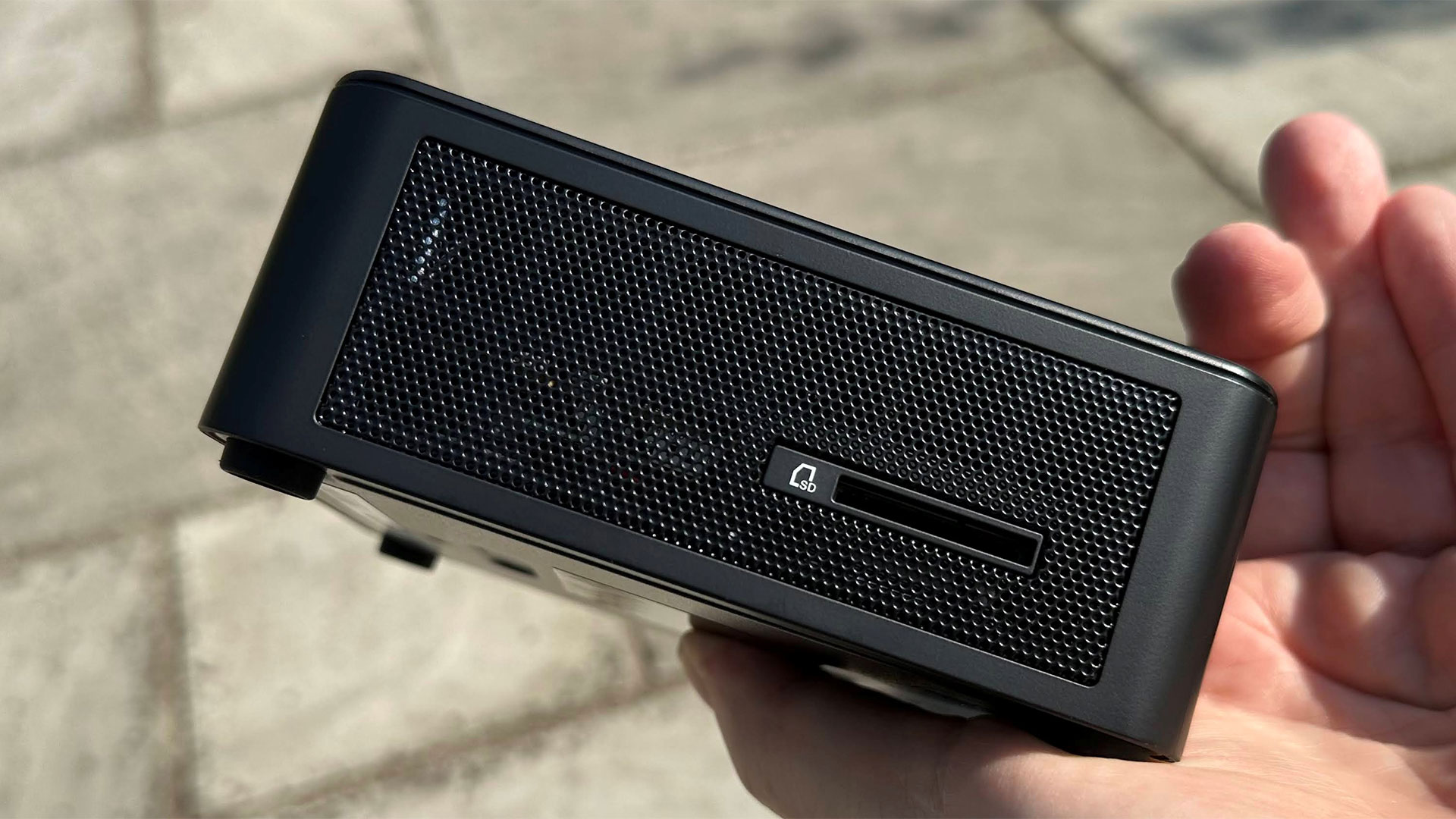
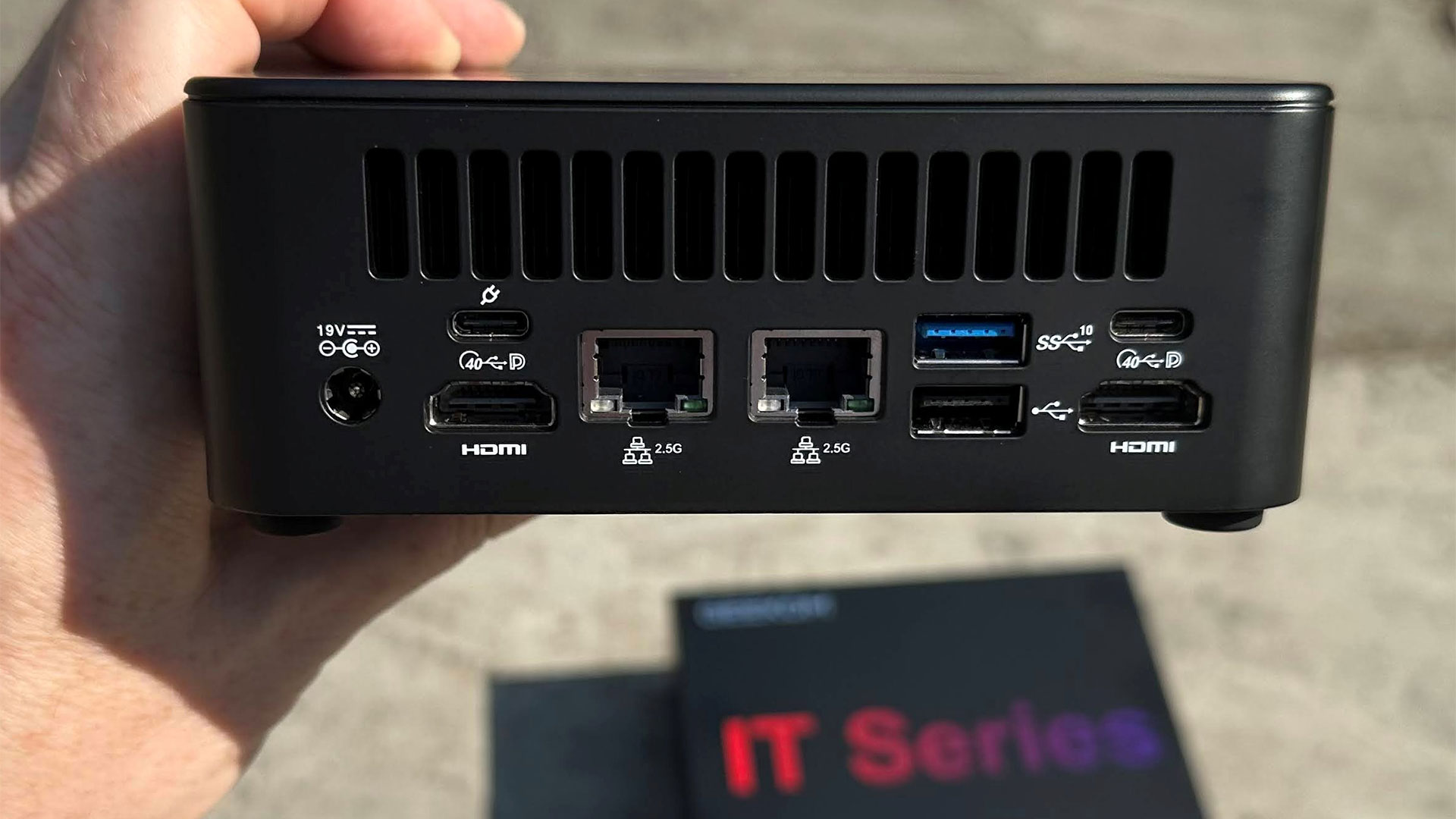
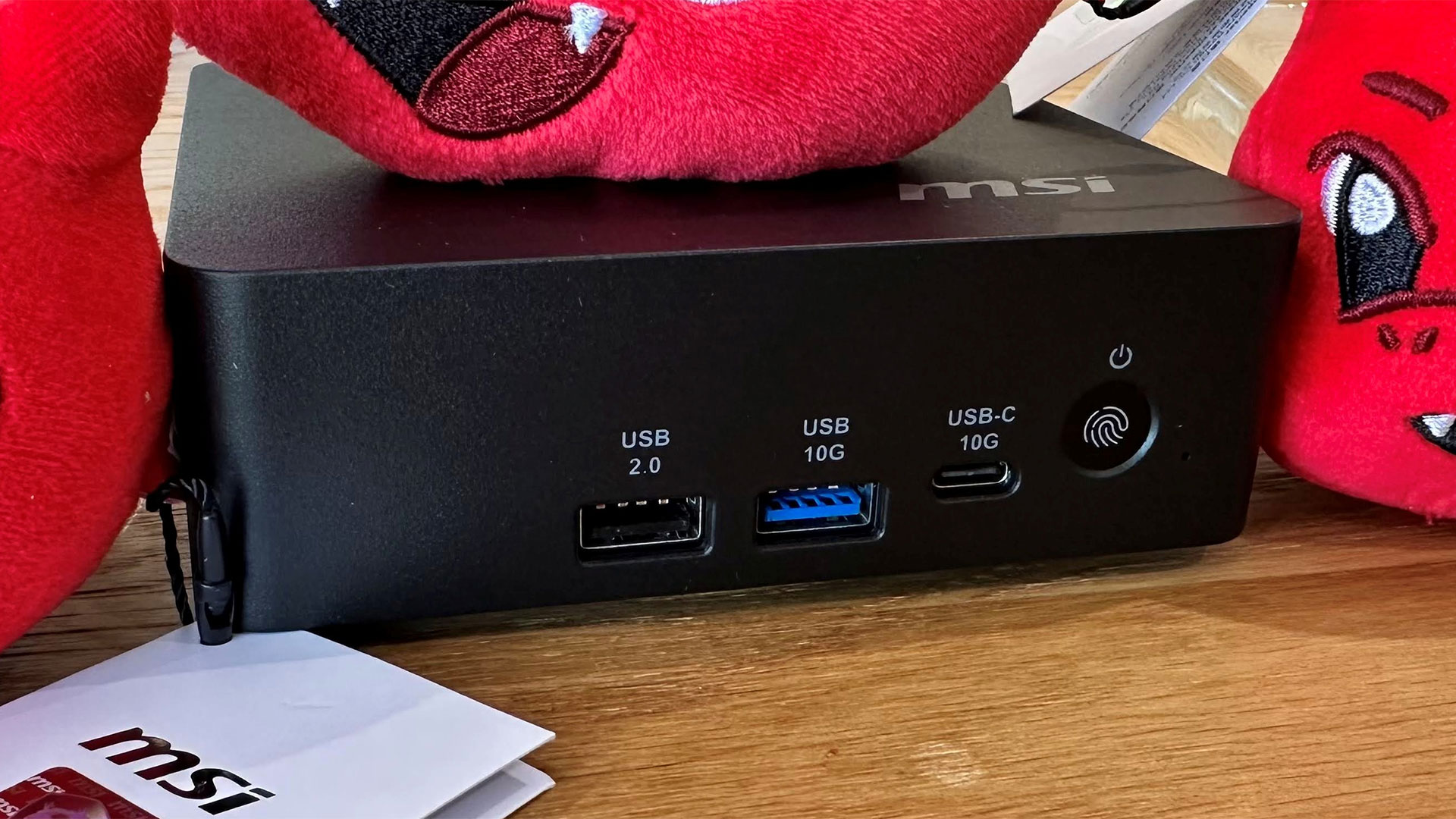
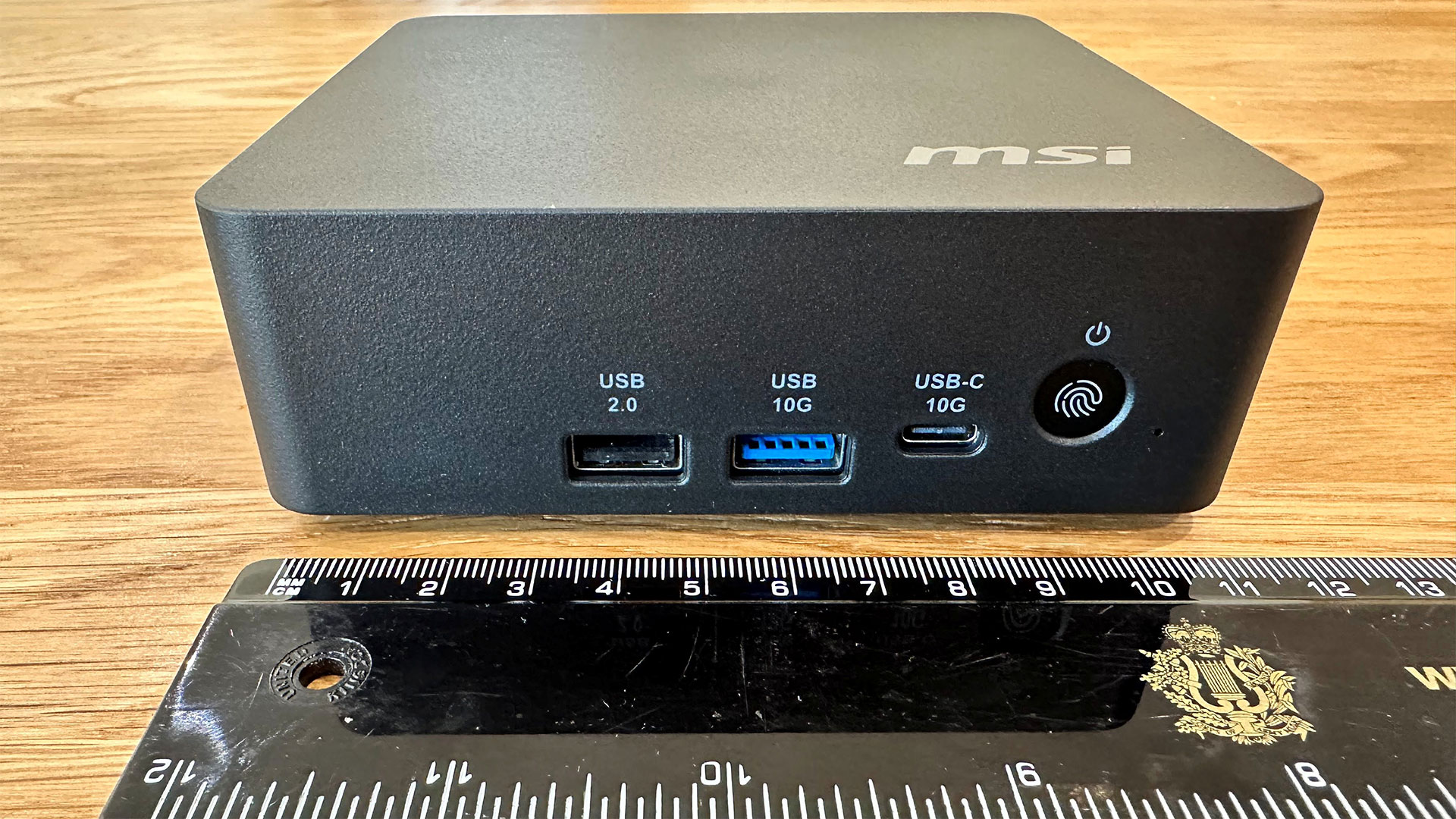
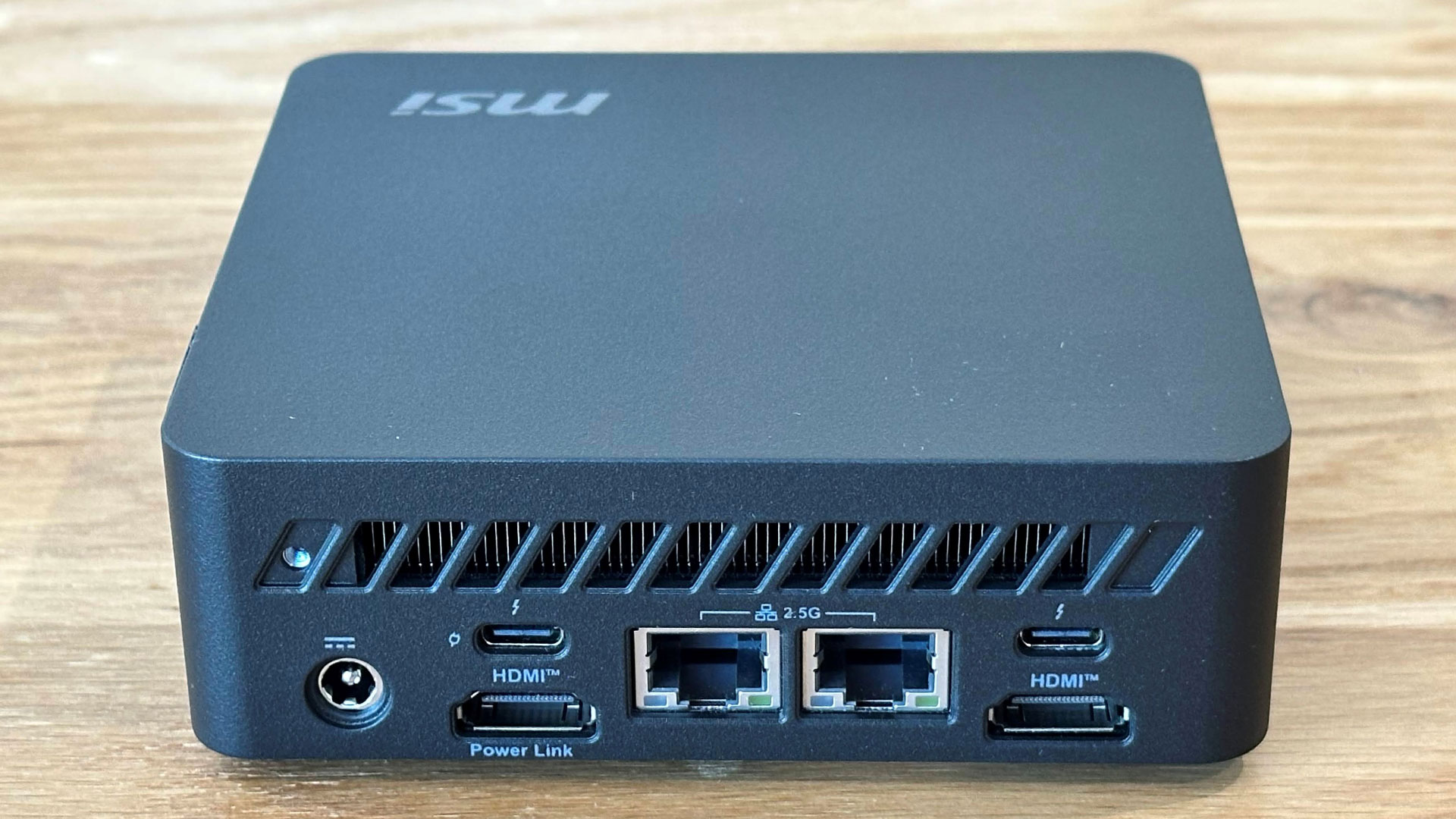
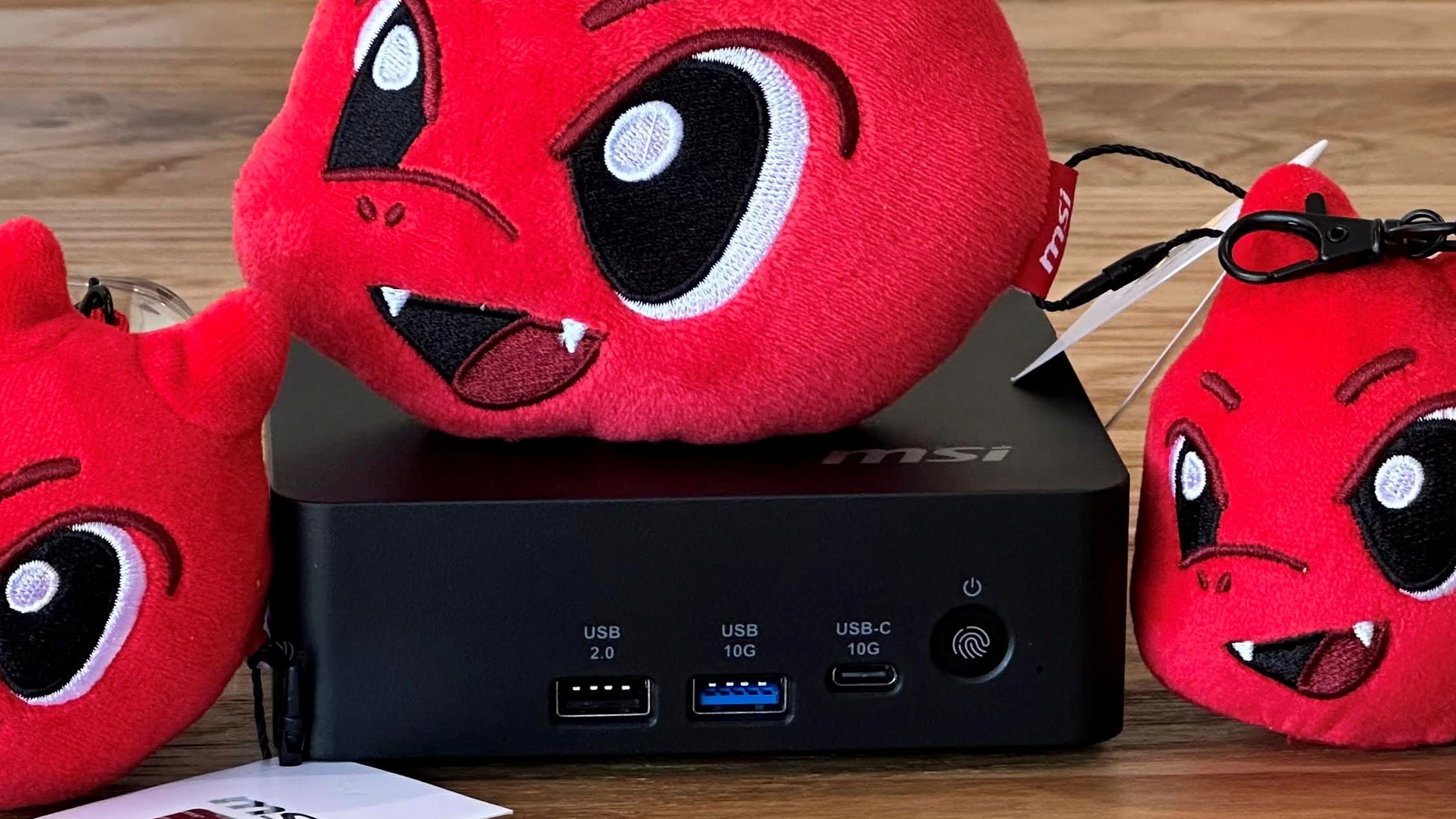
On the front of the unit, there are three ports: USB-A 3.2 Gen 2 and USB 2.0 ports, and a 10 GBps USB-C port. On the back, there are two Thunderbolt 4 ports, two HDMI 2.1 ports (one with MSI PowerLink, which turns the PC on with a monitor), and a pair of 2.5G Ethernet jacks. Finally, on the side of the system, there's a Kensington lock slot.

I feel that the MSI is slightly stingy with ports here. Most notably, there is not even a single USB Type-A port in the rear. So I had to use a USB-C dongle to keep my wired keyboard connected at the back for the tidiest possible setup.

It is good to see various USB ports on the front, however. And I appreciate that this small device allows up to four displays at once (2x HDMI, 2x USB-C DP-Alt).

For wireless networking, there is Wi-Fi 7 on board and Bluetooth 5.4 is also built-in.

There is no 3.5mm audio jack here, which would have been welcome on the front. You'll need Bluetooth, or to use audio out through HDMI or USB Type-C ports.

Test System Setup

System

CPU

(i)GPU

Memory

Chassis

GMK EVO-T2

Intel Core Ultra X7 358H (16C/16T: 4P + 8E + 4 LPE), up to 4.8 GHz

Intel Arc B390 (Xe3, 12 cores, up to 2.5 GHz)

2x 32GB LPDDR5X-8533 soldered

Dual-fan,1.72 liters

MSI Cubi NUC AI+ 3MG

Intel Core Ultra 9 386H (16C/16T: 6P + 8E + 2LPE), up to 4.9 GHz

Intel Graphics (Xe3, 4 Cores, up to 2.5 GHz)

2x 16GB DDR5-5600 Sodimm

Single fan, 0.52 liters

Geekom A9 Max 2026

AMD Ryzen AI 9 HX 470 (12C / 24T:  4x Zen 5 , 8x Zen 5c), up to 5.2 GHz

Radeon 890M (RDNA 3.5, 16 CUs, up to 3.1 MHz)

1x 32GB DDR5-5600 Sodimm

Single fan, 0.82 liters

Arctic Senza AI 370

AMD Ryzen AI 9 HX 370  (12C / 24T:  4x Zen 5 , 8x Zen 5c), up to 5.1 GHz

Radeon 890M (RDNA 3.5, 16 CUs, up to 2.9 MHz)

2x 16GB LPDDR5X‑8000 soldered

Passive, 4.82 liters

Beelink SER10 MAX

AMD Ryzen AI 9 HX 470 (12C / 24T:  4x Zen 5 , 8x Zen 5c), up to 5.2 GHz

Radeon 890M (RDNA 3.5, 16 CUs, up to 3.1 MHz)

2x 32GB DDR5-5600 Sodimm

Single fan, 0.81 liters

Productivity Performance on the MSI Cubi NUC AI+ 3MG

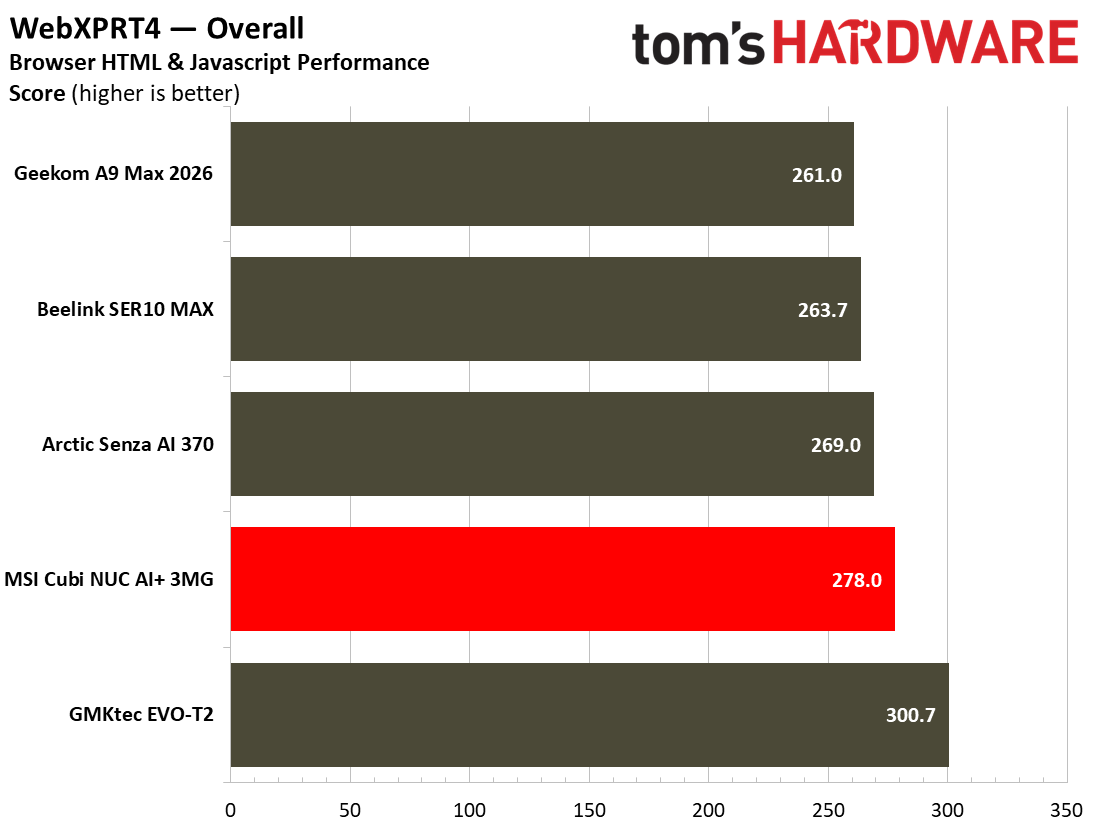
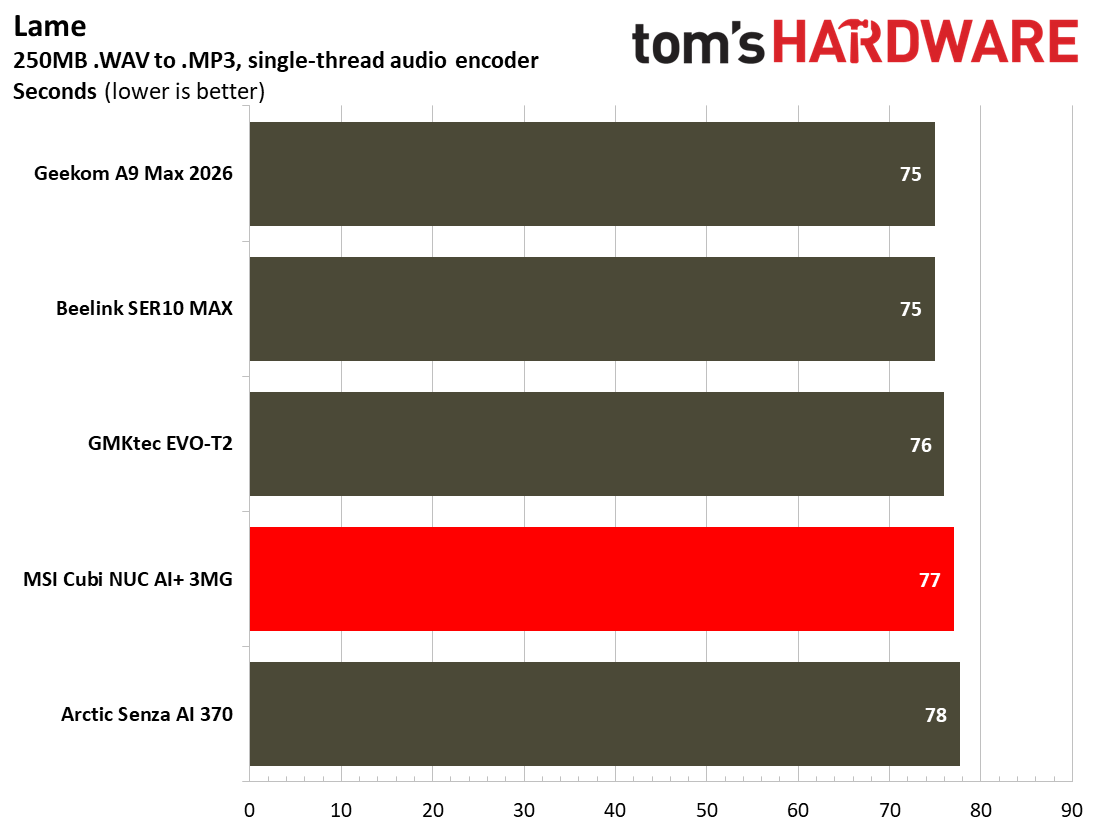
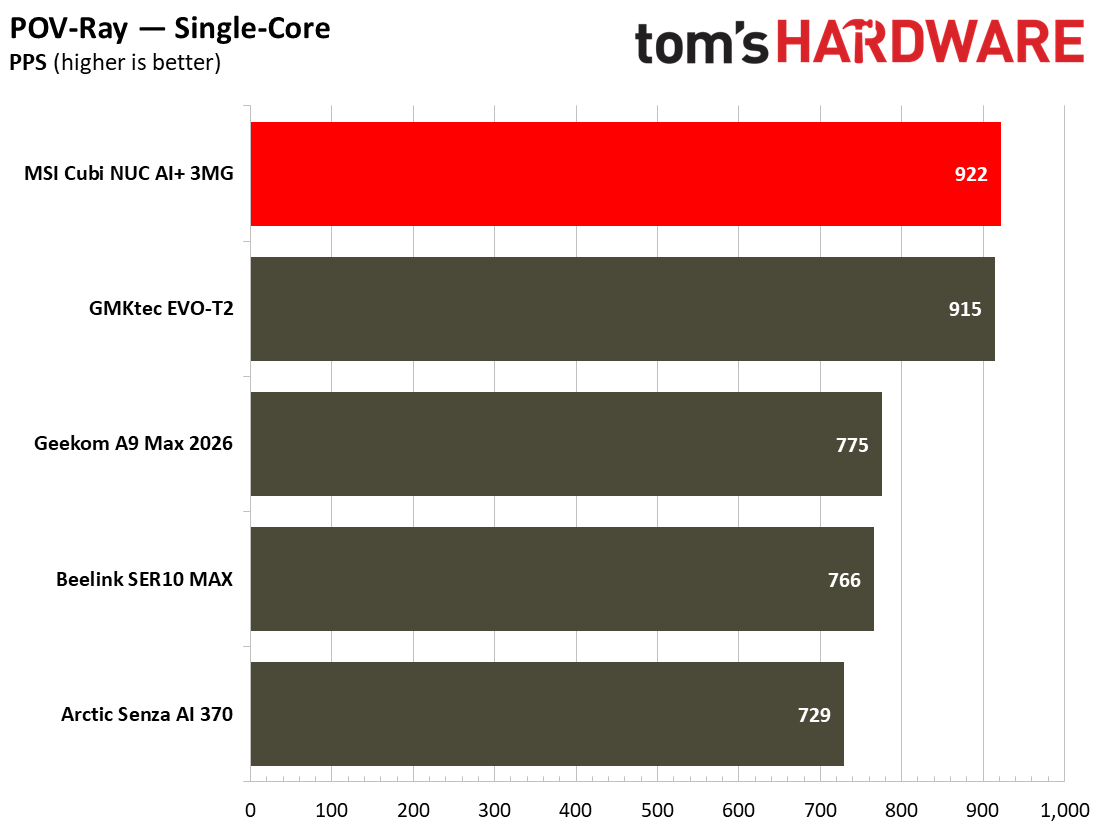
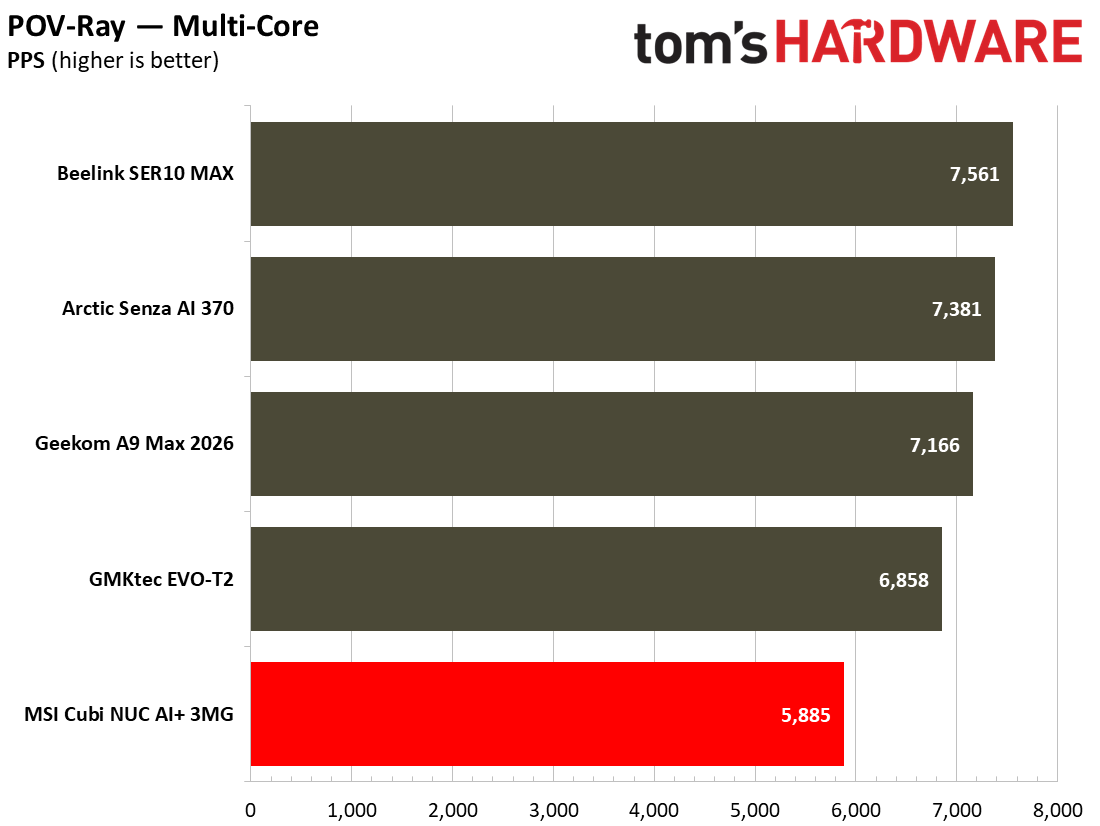
The MSI Cubi NUC AI+ 3MG was built to be an office workhorse, so there won’t be many complaints about performance. It comes wielding Intel’s latest silicon, with 16 cores to take CPU-demanding tasks and multitasking in its stride. And the system does its job while sipping very low amounts of power, and rather quietly.

MSI Cubi NUC AI+ 3MG
Tom's Hardware
MSI Cubi NUC AI+ 3MG
Tom's Hardware
MSI Cubi NUC AI+ 3MG
Tom's Hardware
MSI Cubi NUC AI+ 3MG
Tom's Hardware
MSI Cubi NUC AI+ 3MG
Tom's Hardware
MSI Cubi NUC AI+ 3MG
Tom's Hardware
MSI Cubi NUC AI+ 3MG
Tom's Hardware
MSI Cubi NUC AI+ 3MG
Tom's Hardware
MSI Cubi NUC AI+ 3MG
Tom's Hardware
MSI Cubi NUC AI+ 3MG
Tom's Hardware
MSI Cubi NUC AI+ 3MG
Tom's Hardware
MSI Cubi NUC AI+ 3MG
Tom's Hardware
MSI Cubi NUC AI+ 3MG
Tom's Hardware
MSI Cubi NUC AI+ 3MG
Tom's Hardware
MSI Cubi NUC AI+ 3MG
Tom's Hardware
MSI Cubi NUC AI+ 3MG
Tom's Hardware
MSI Cubi NUC AI+ 3MG
Tom's Hardware
MSI Cubi NUC AI+ 3MG
Tom's Hardware
MSI Cubi NUC AI+ 3MG
Tom's Hardware

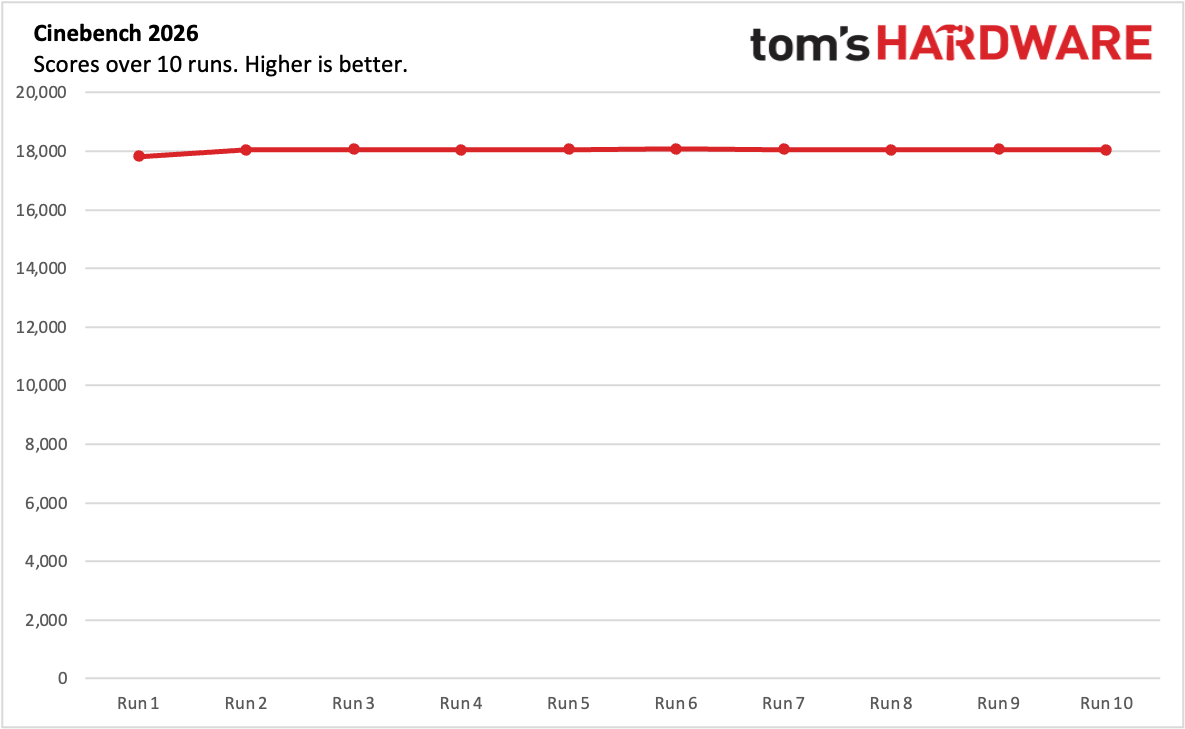
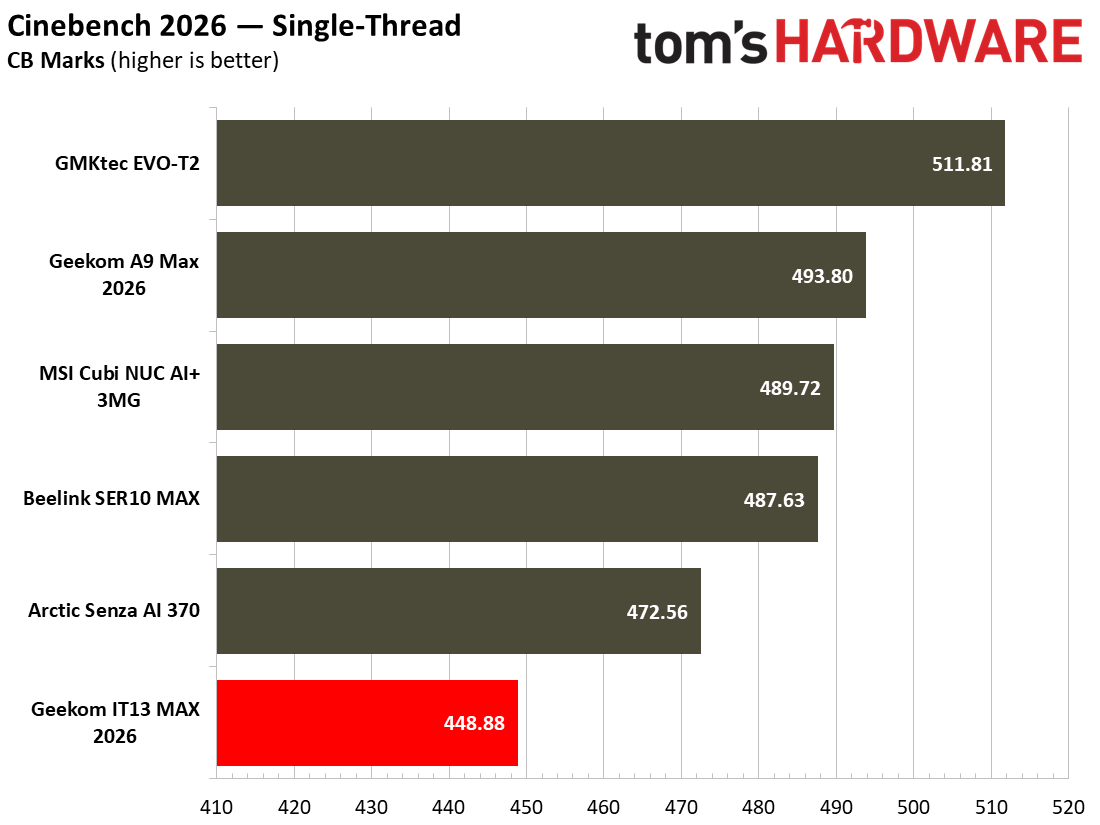
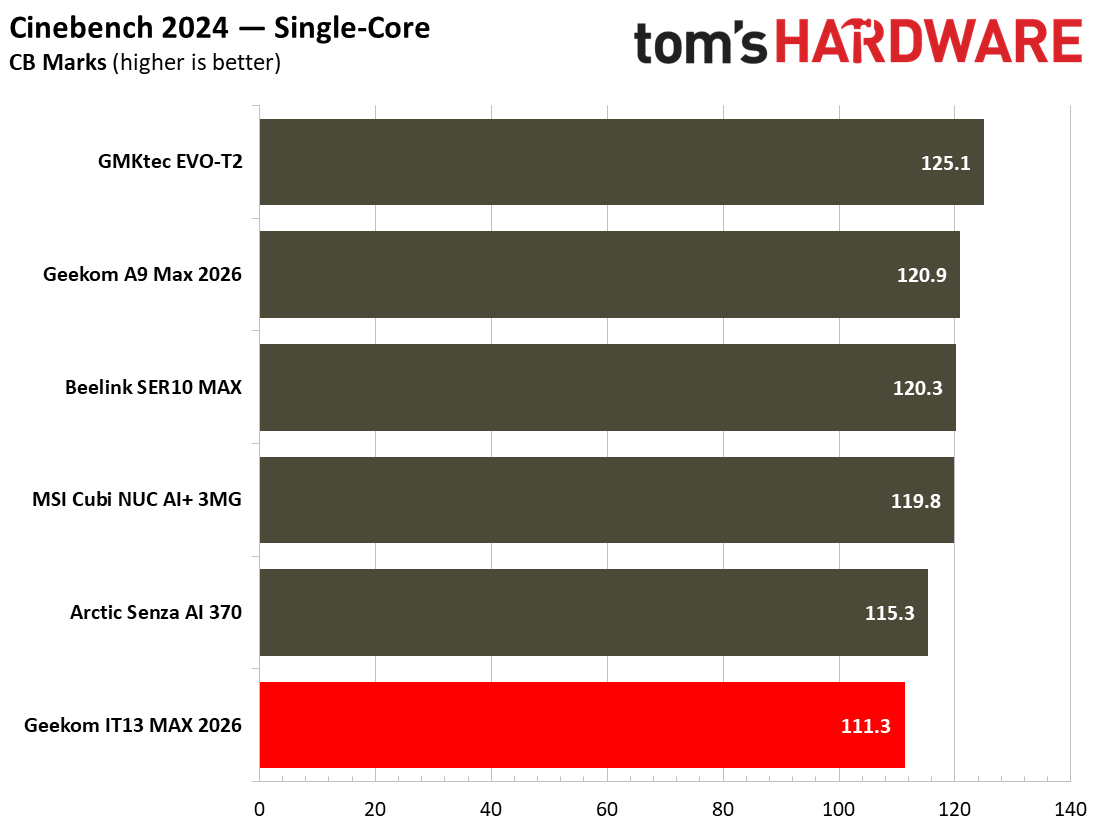
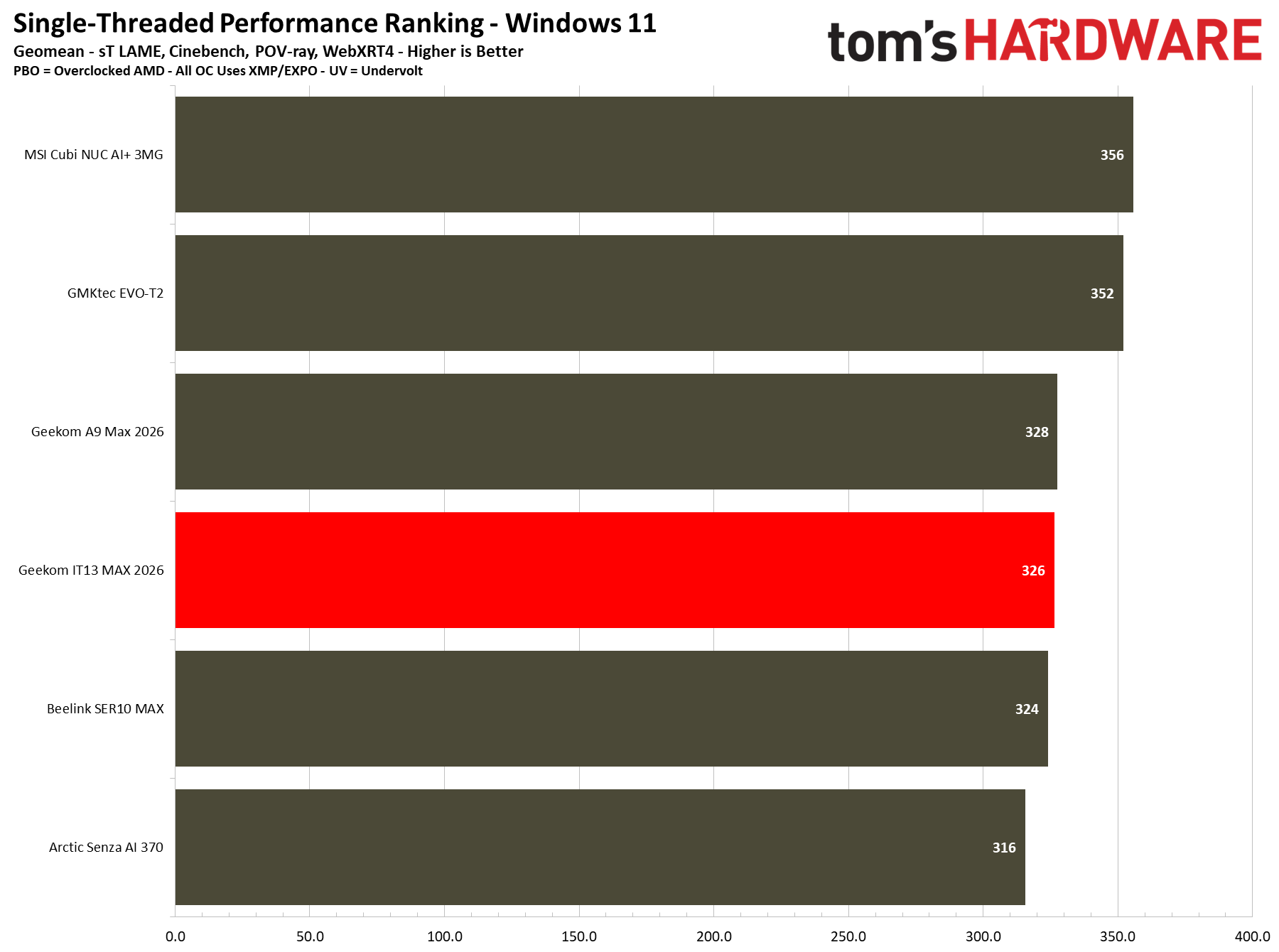
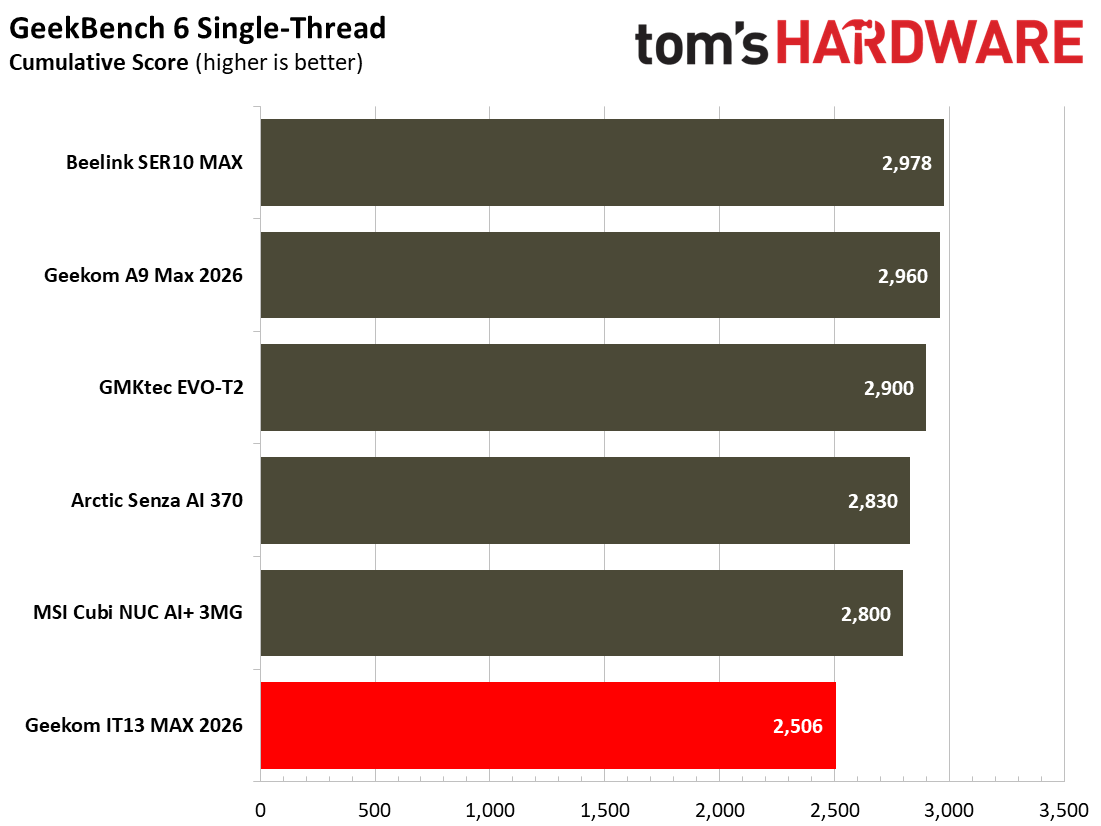
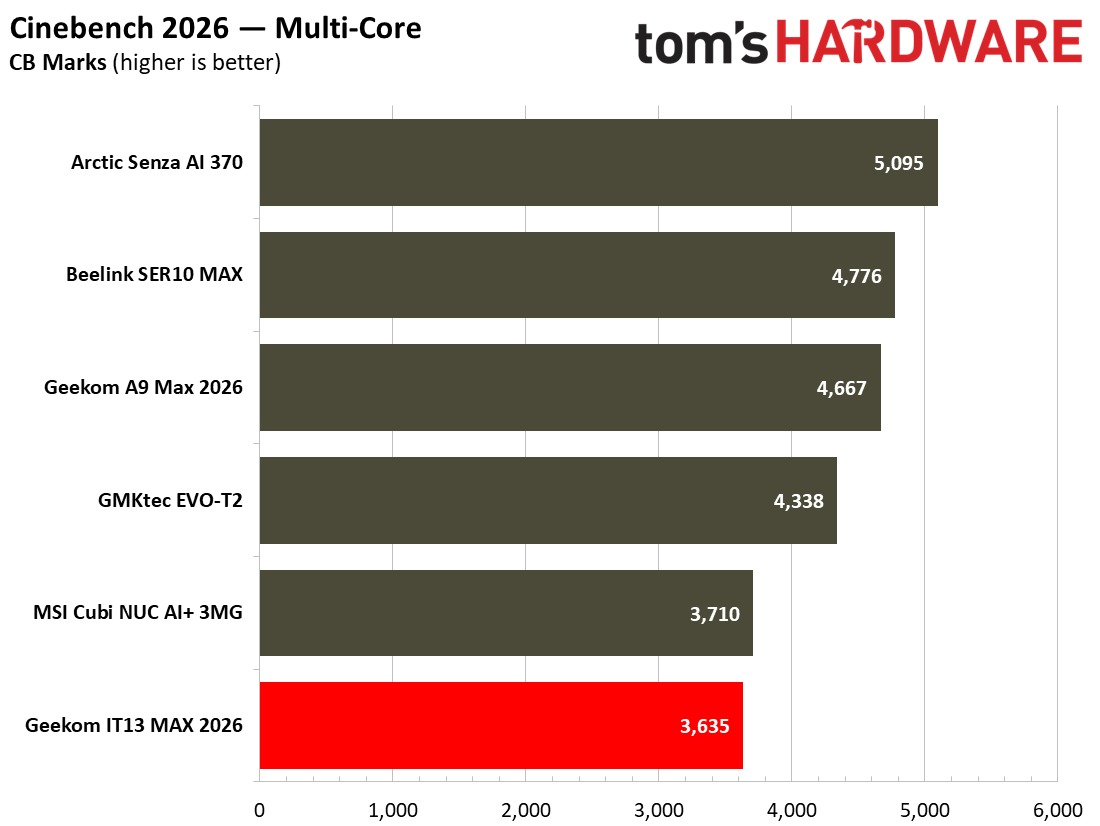
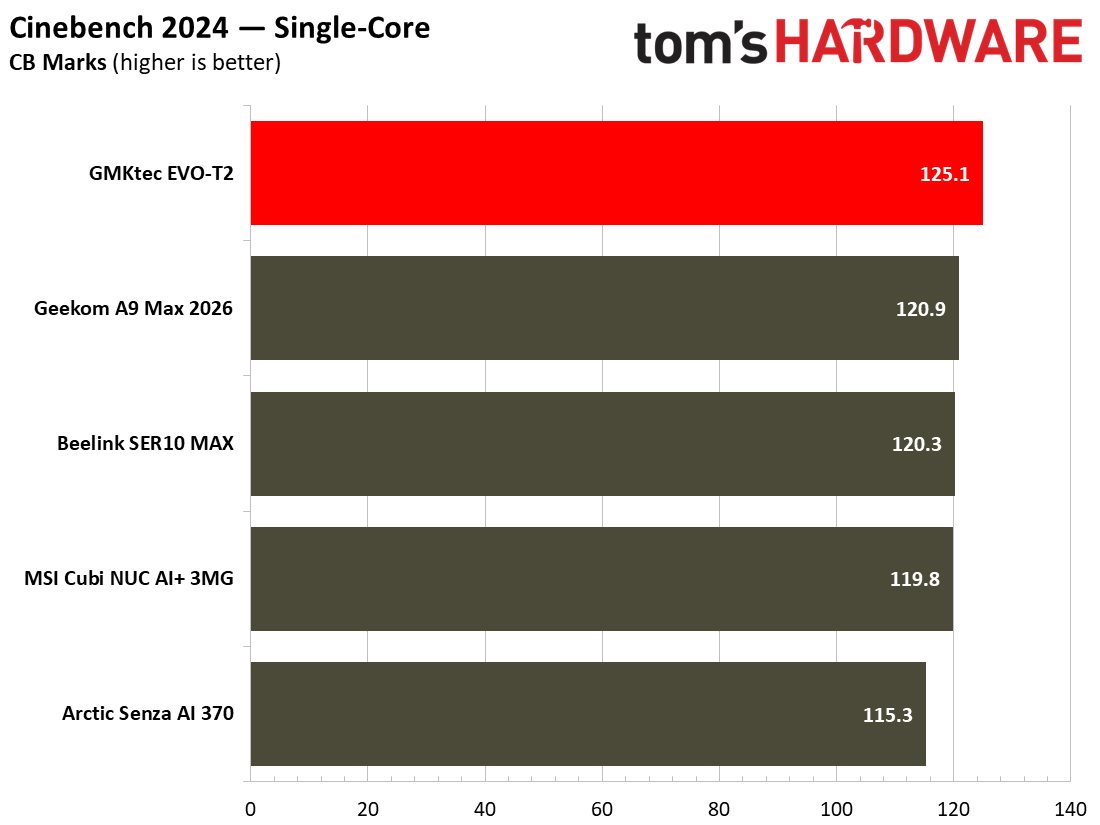
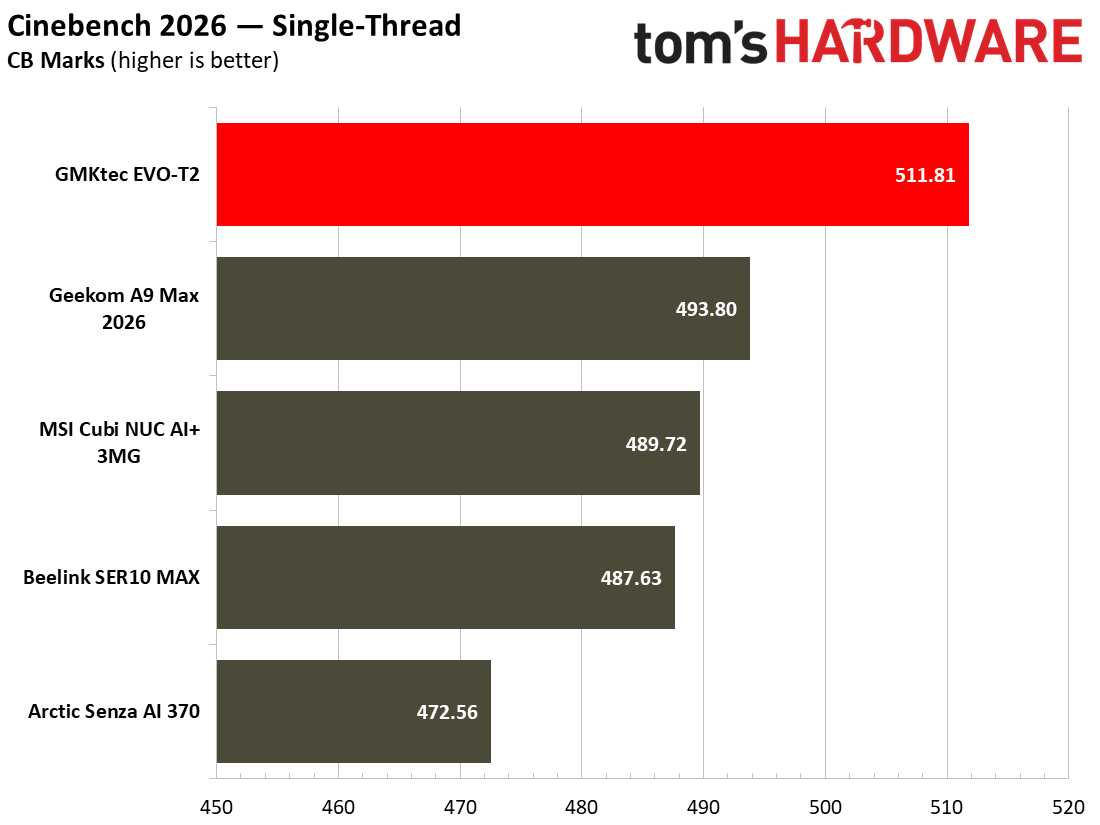
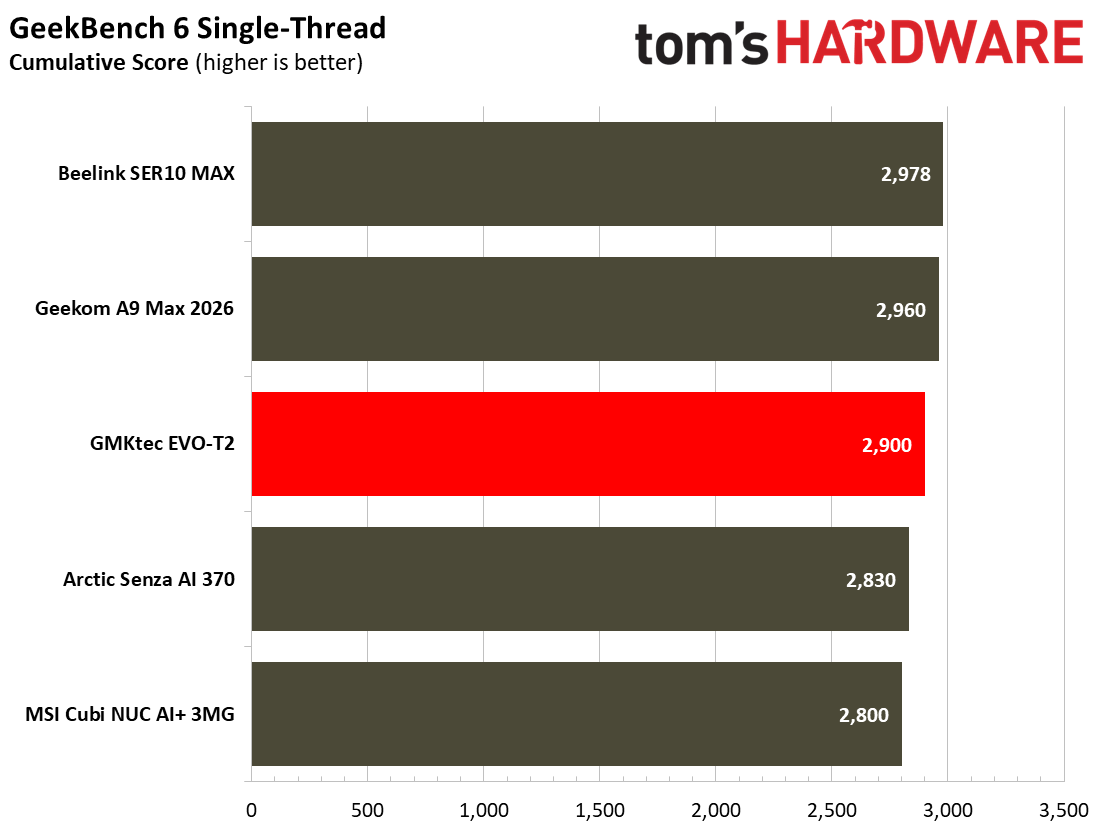
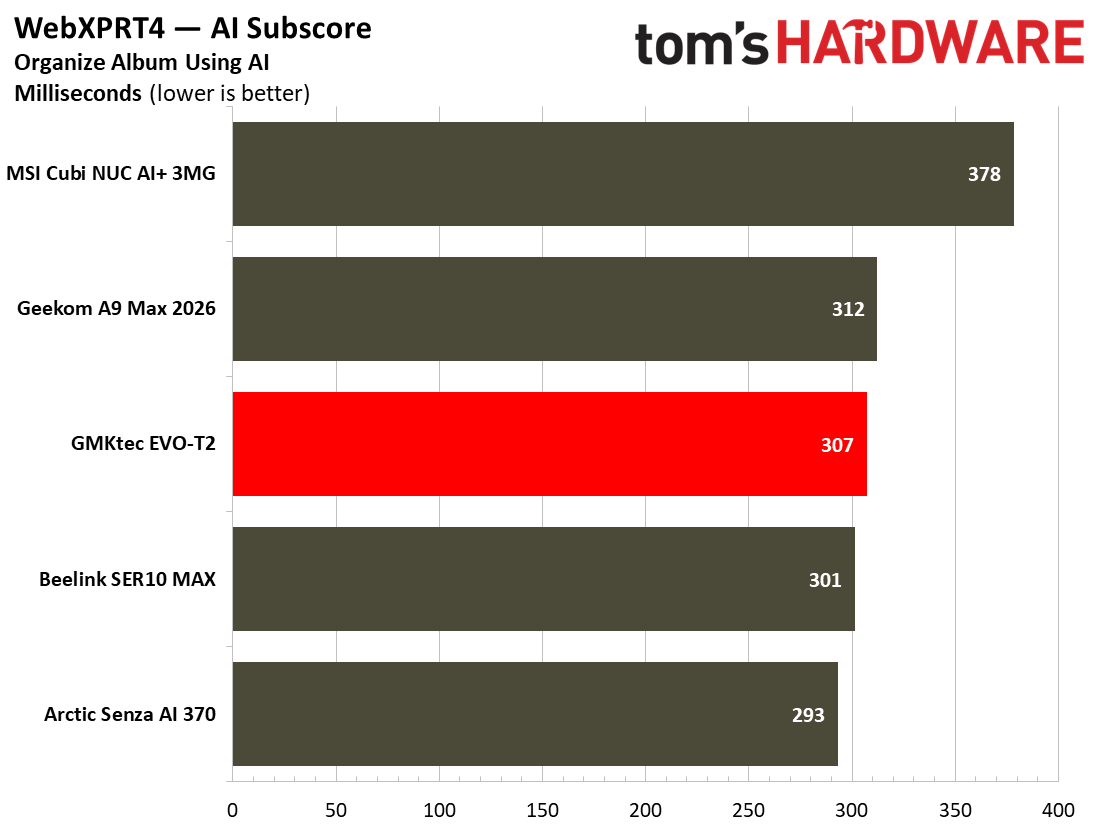
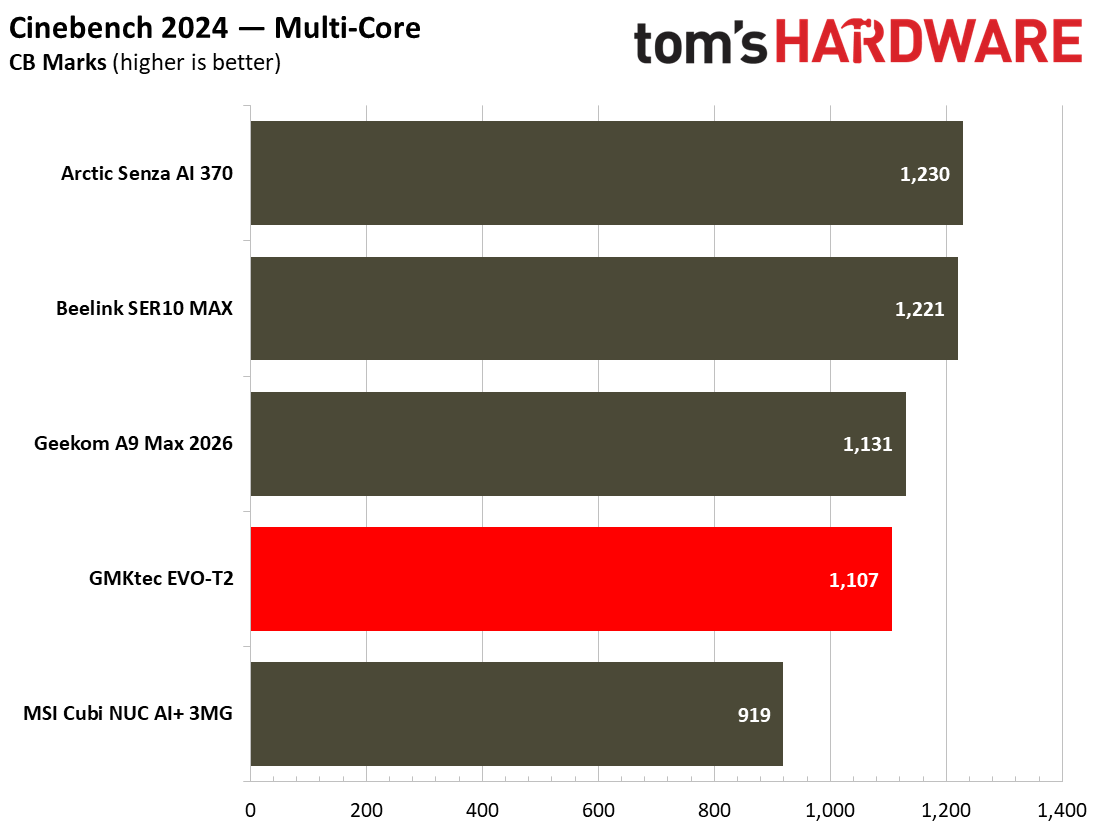
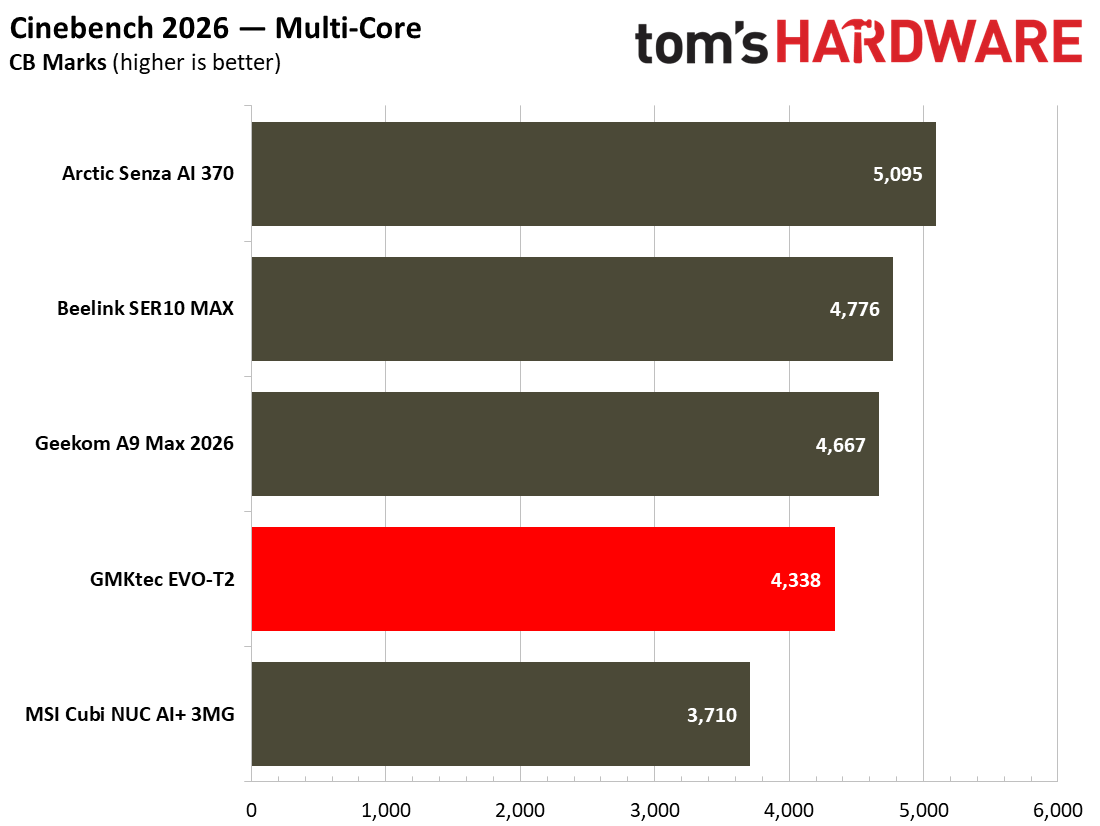
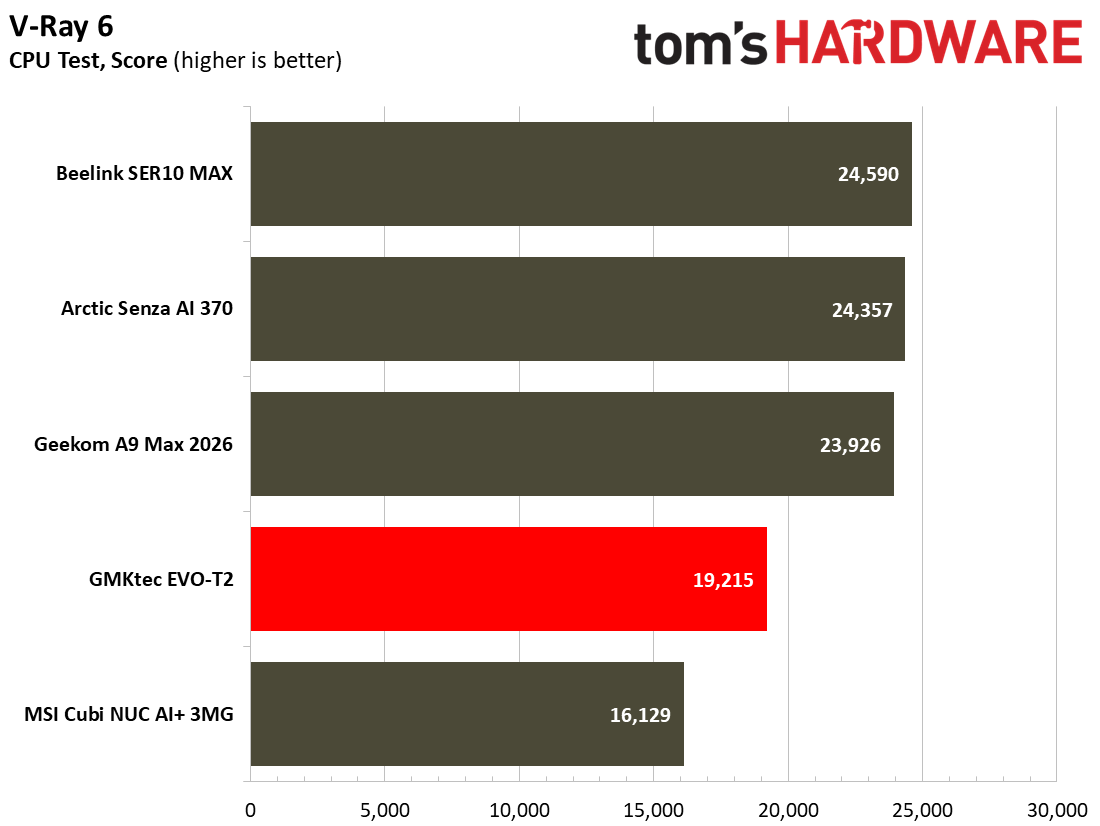
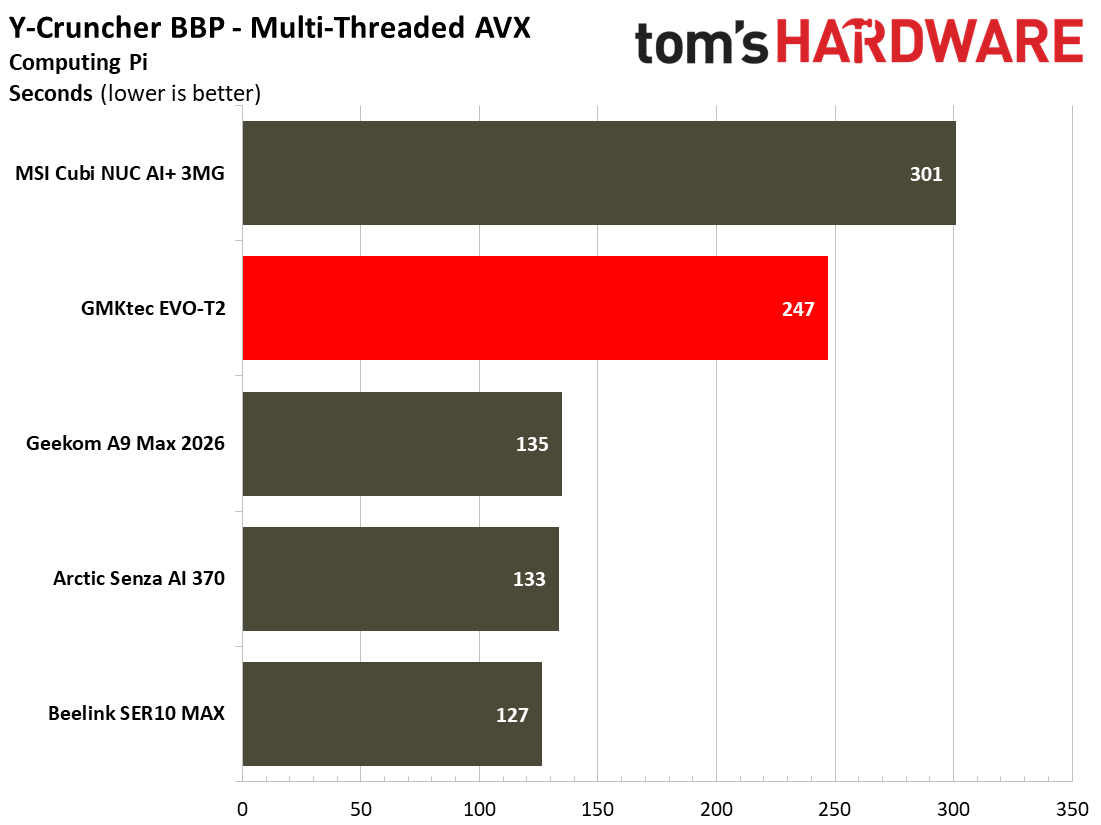
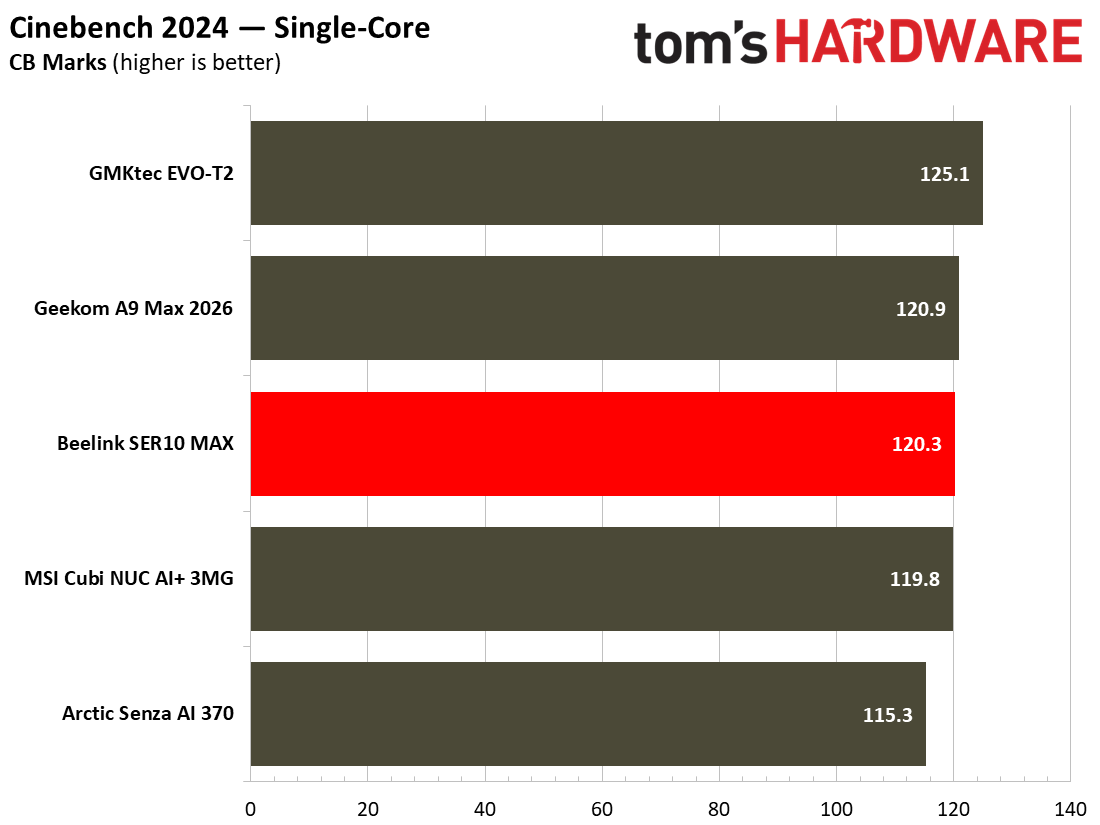
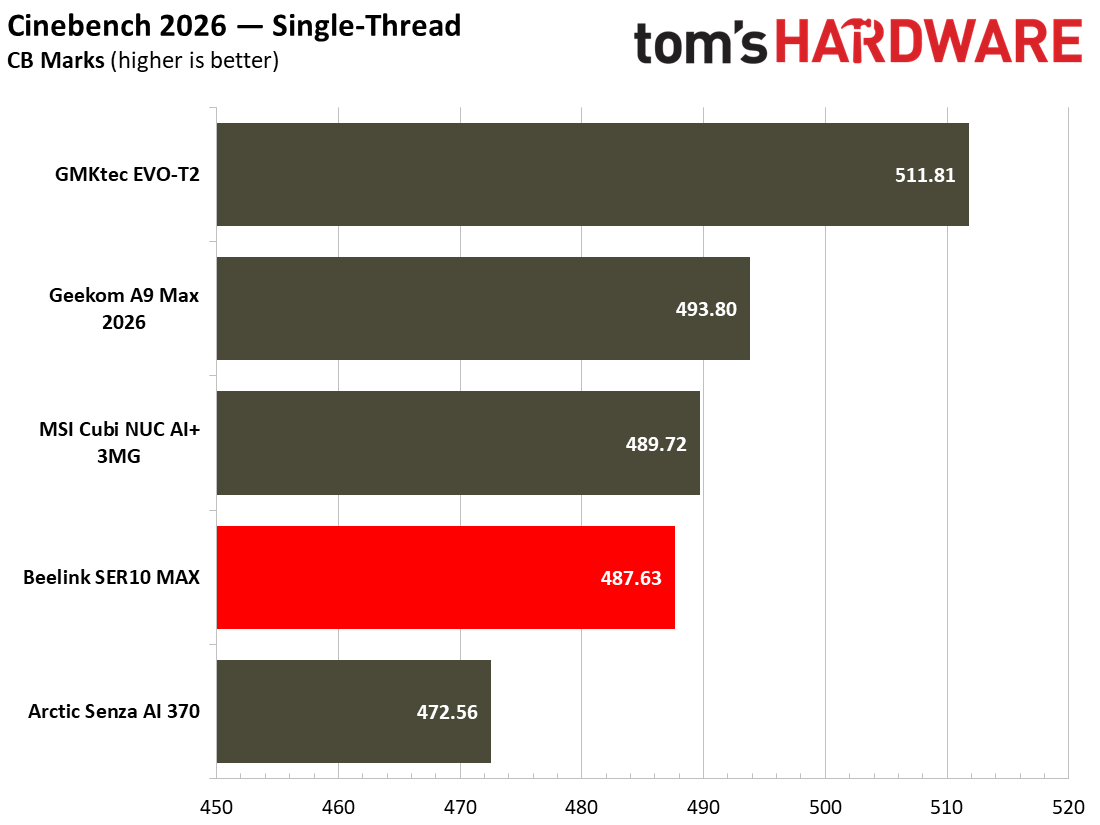
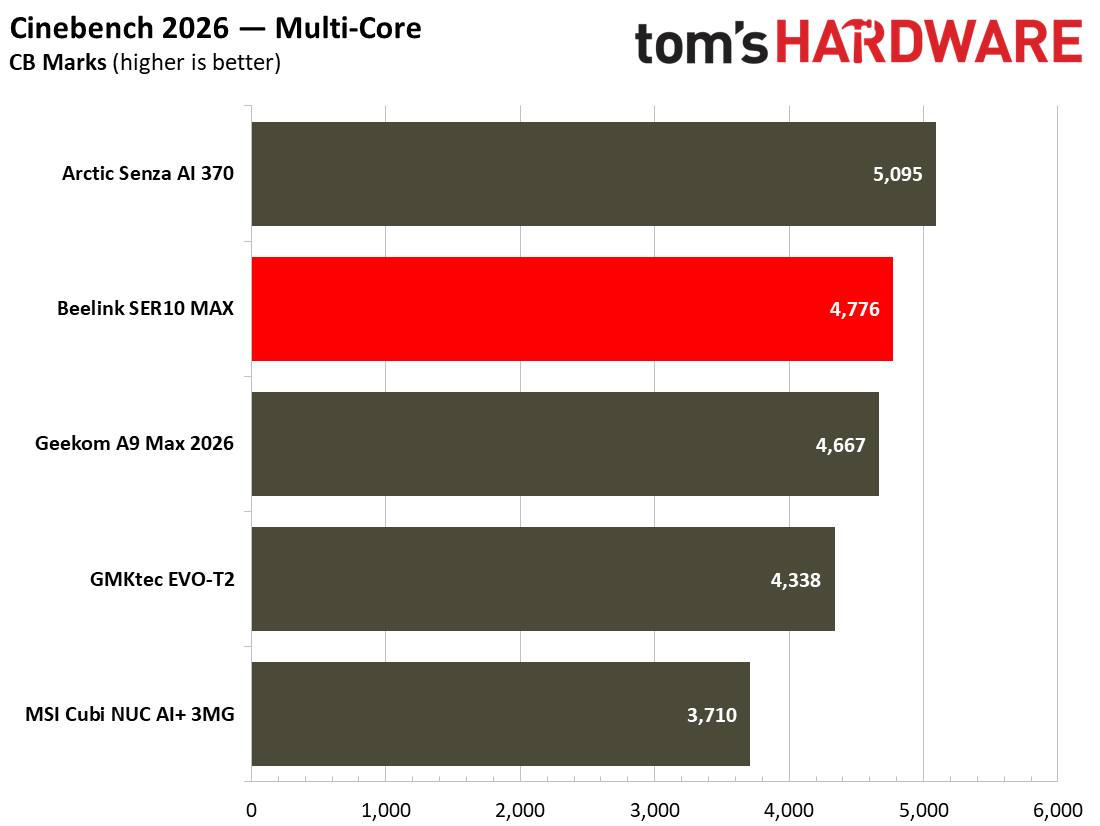
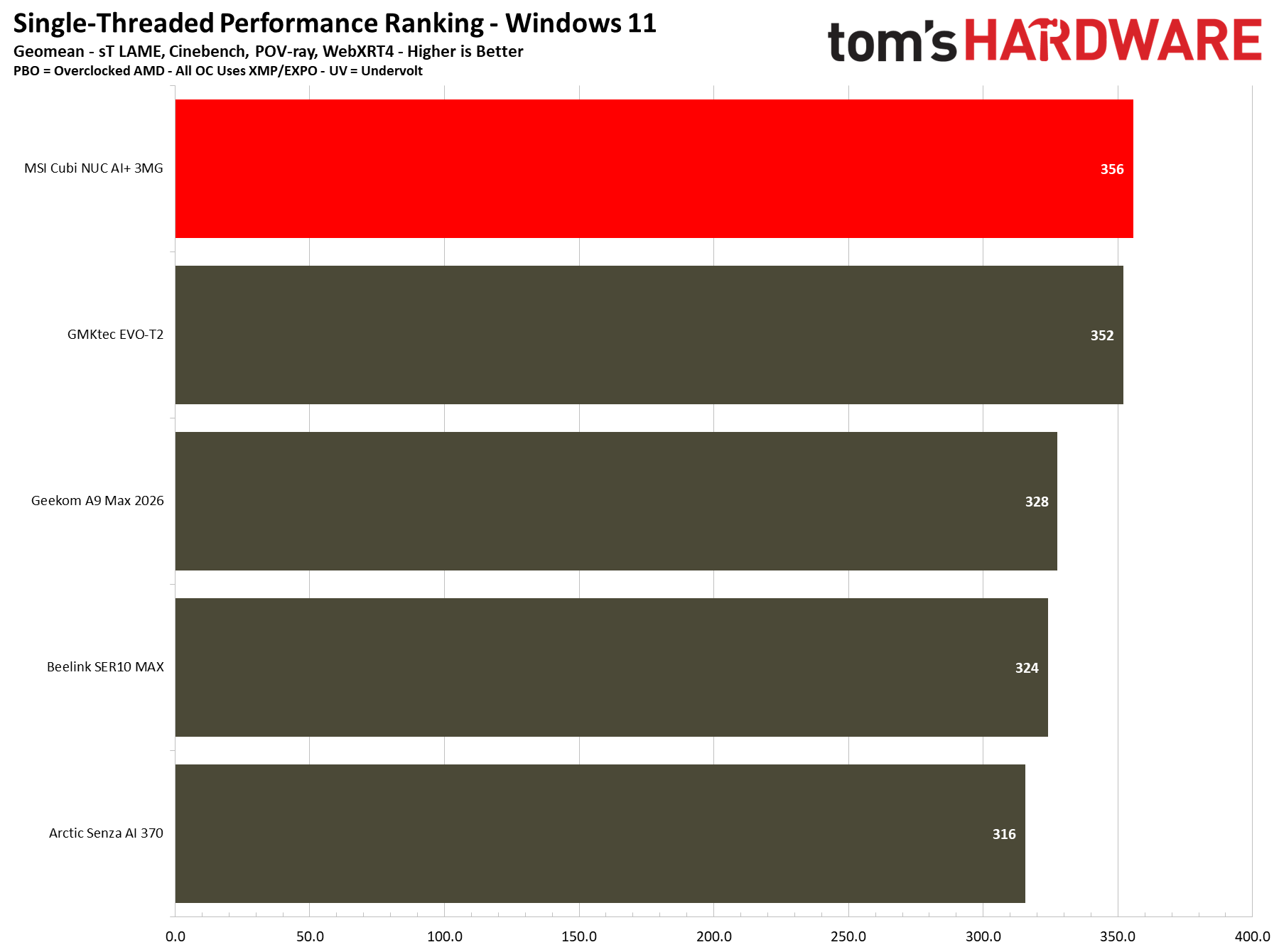
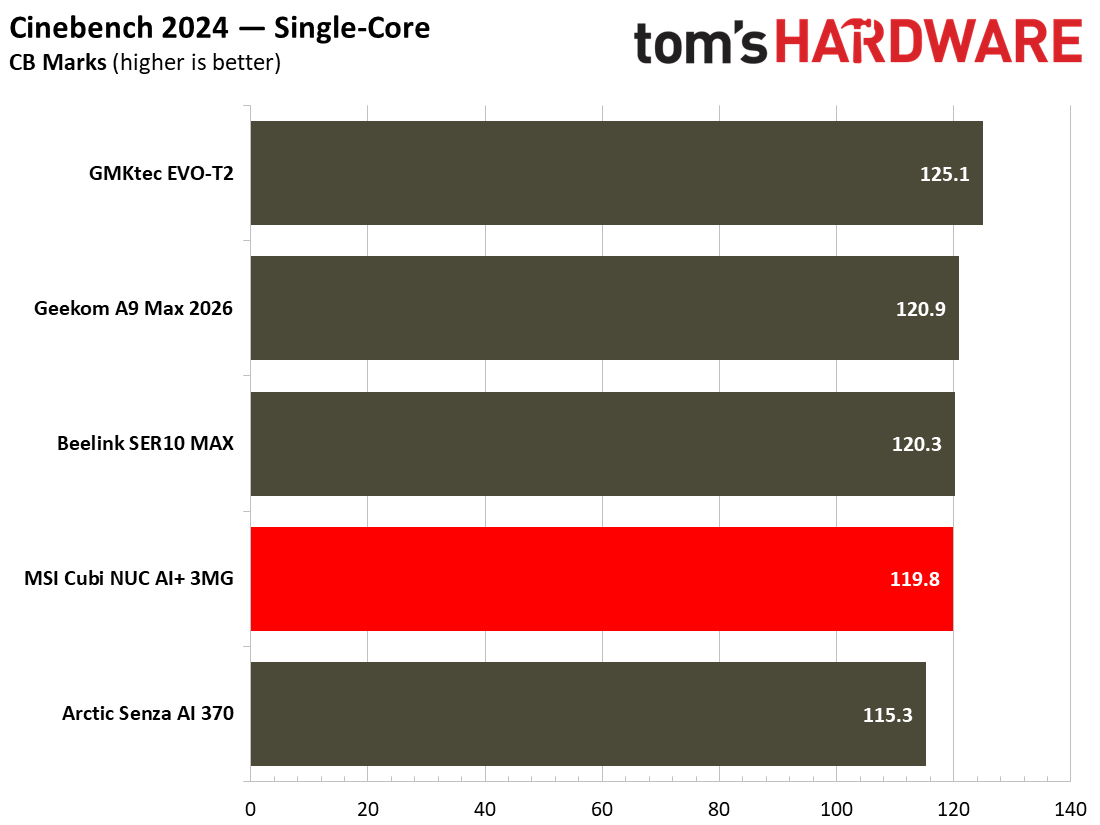
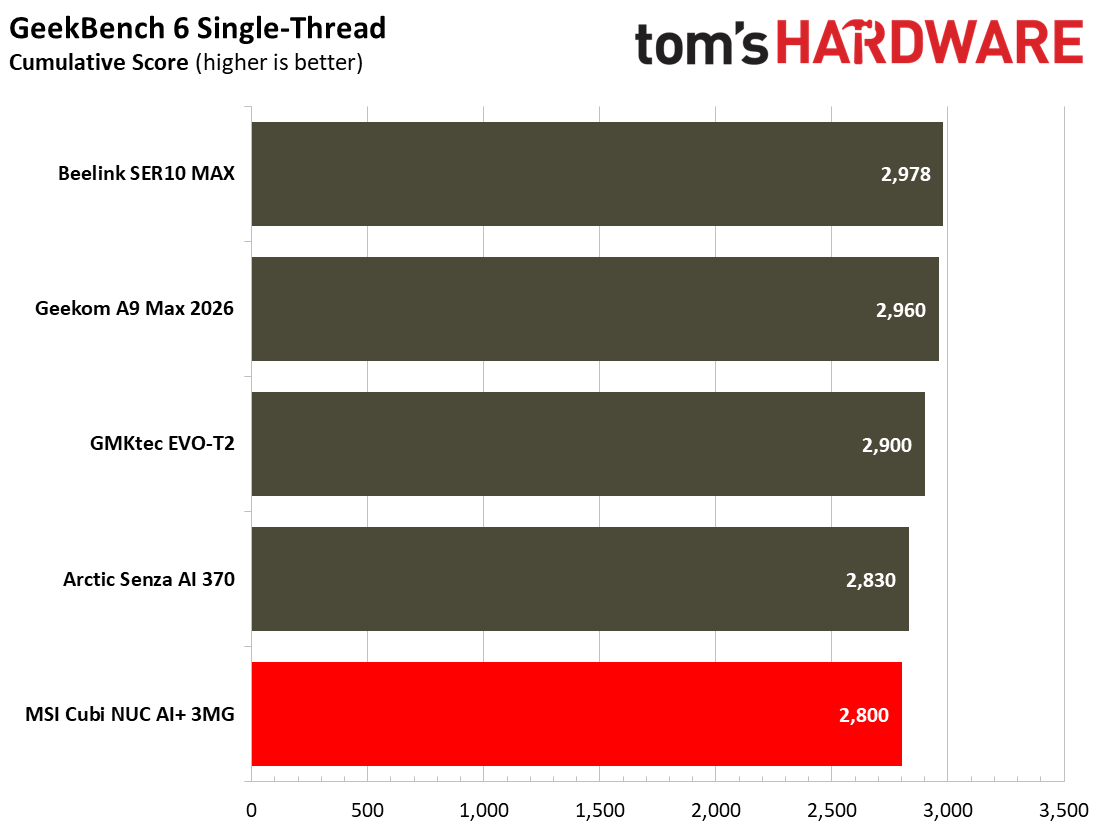
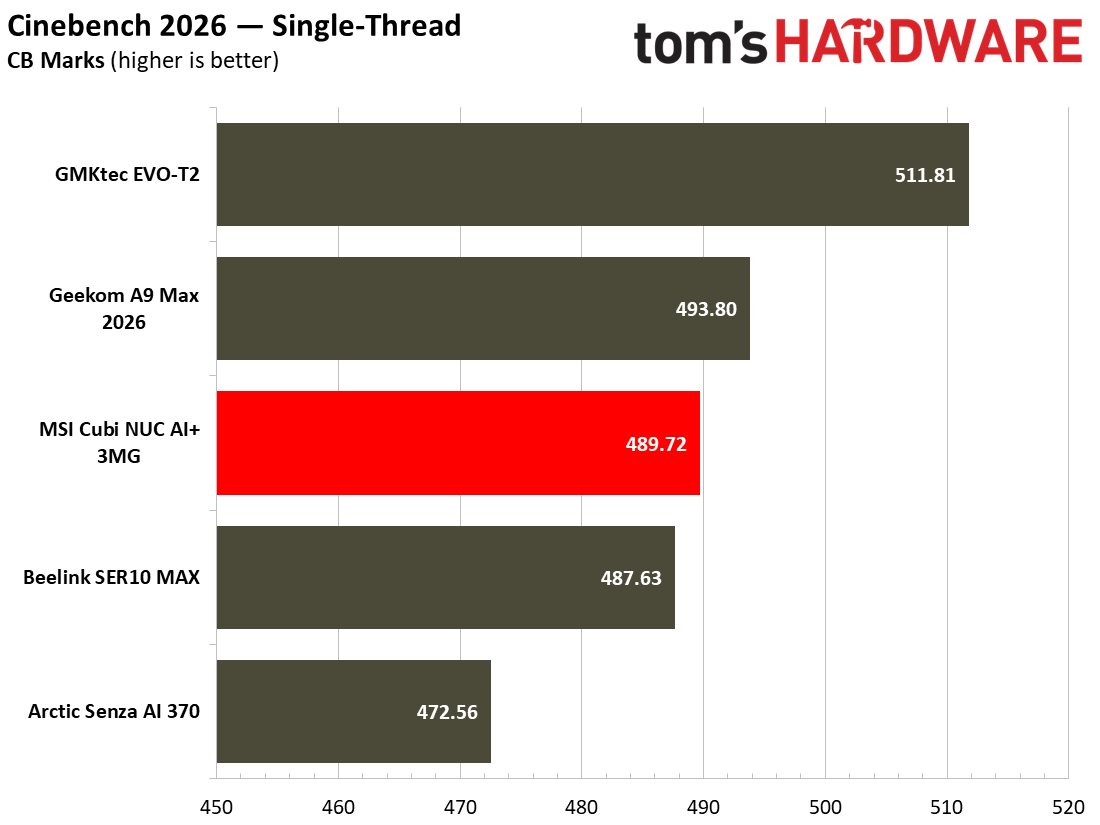
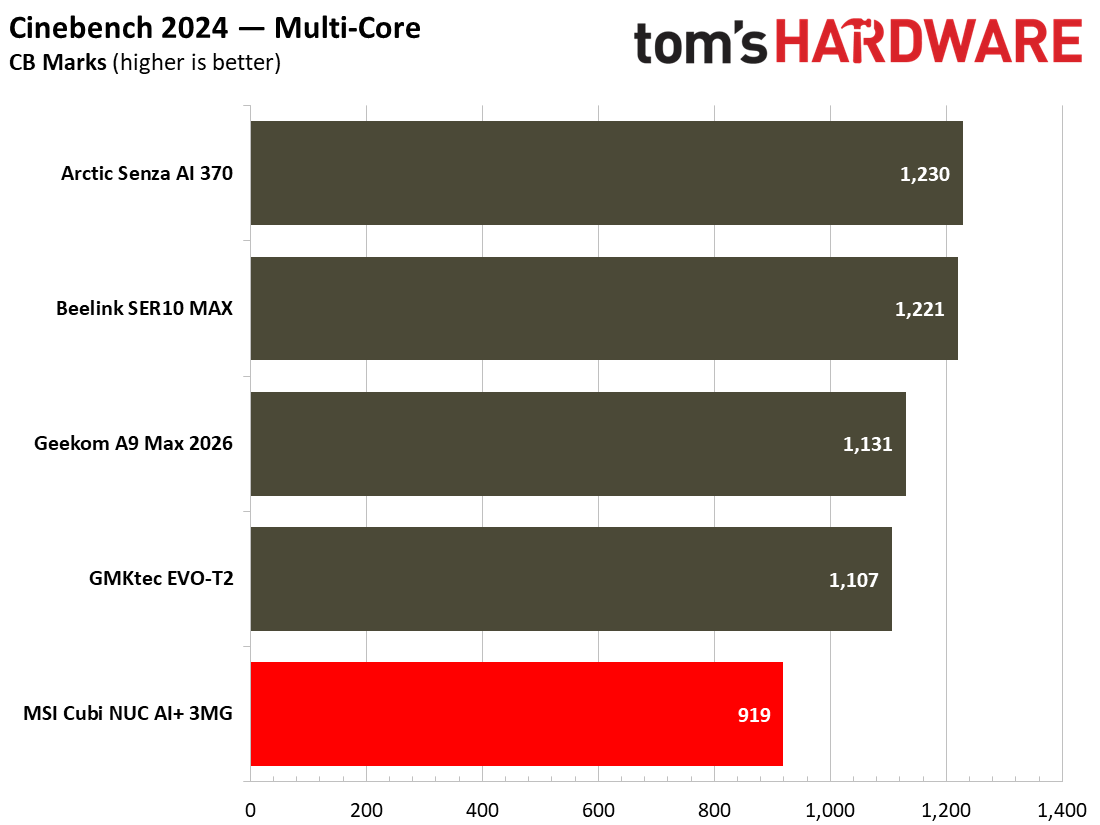
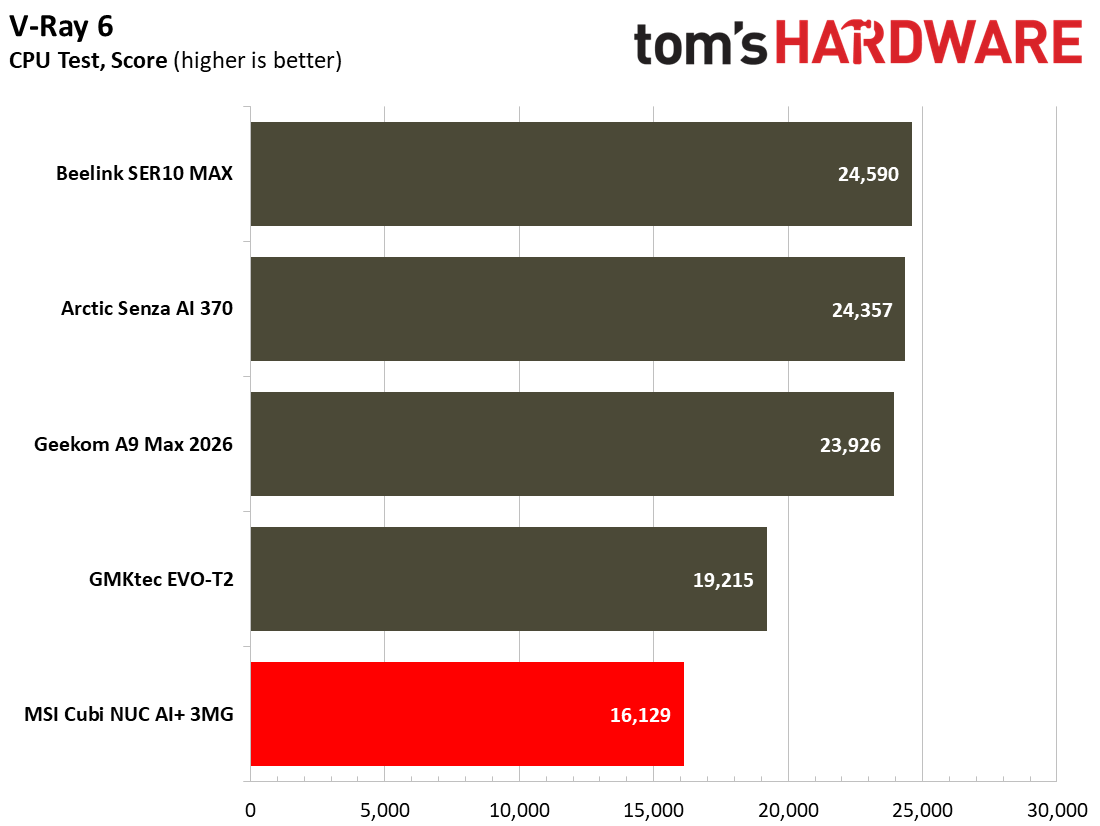
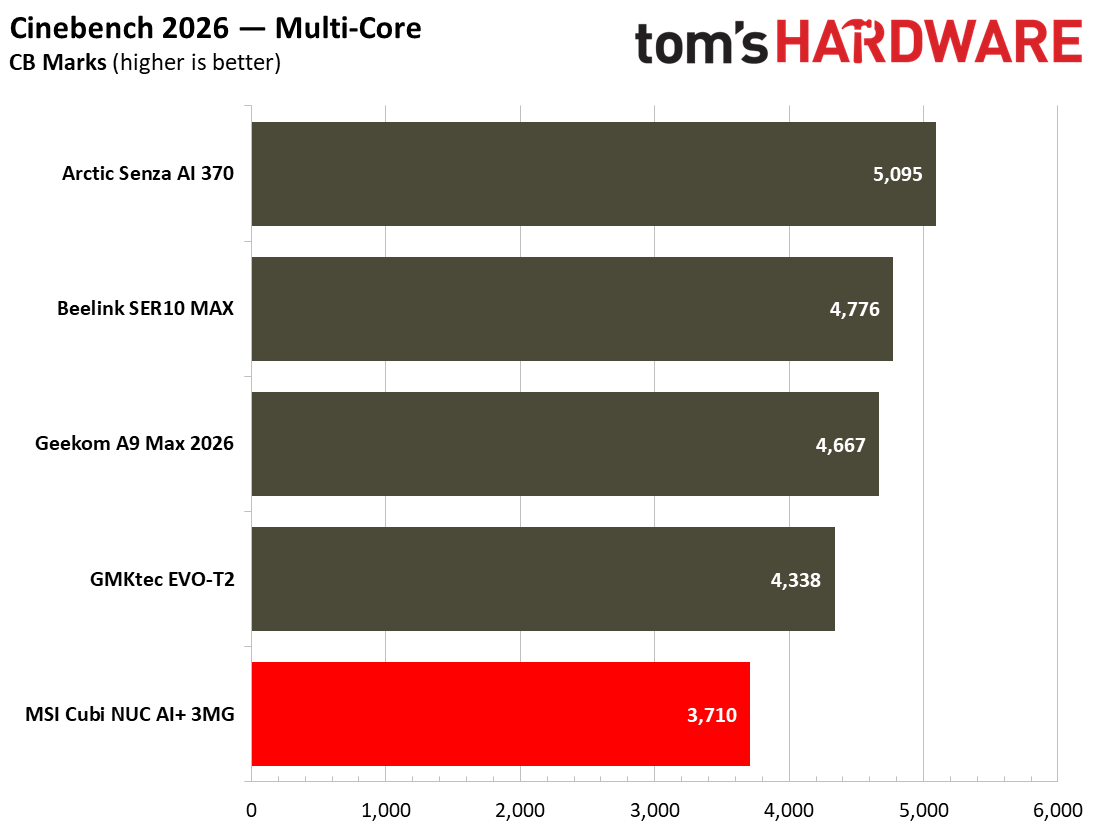
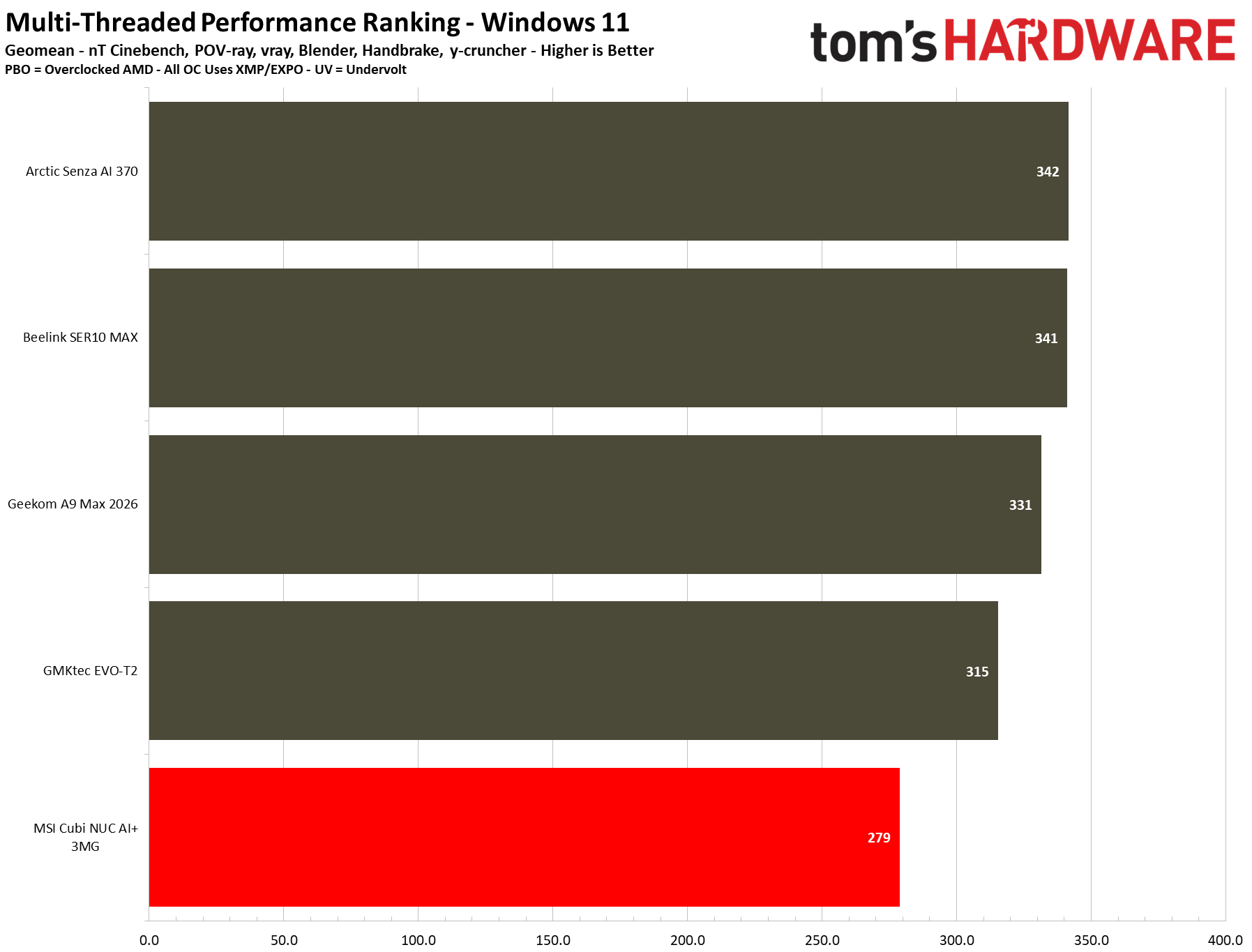
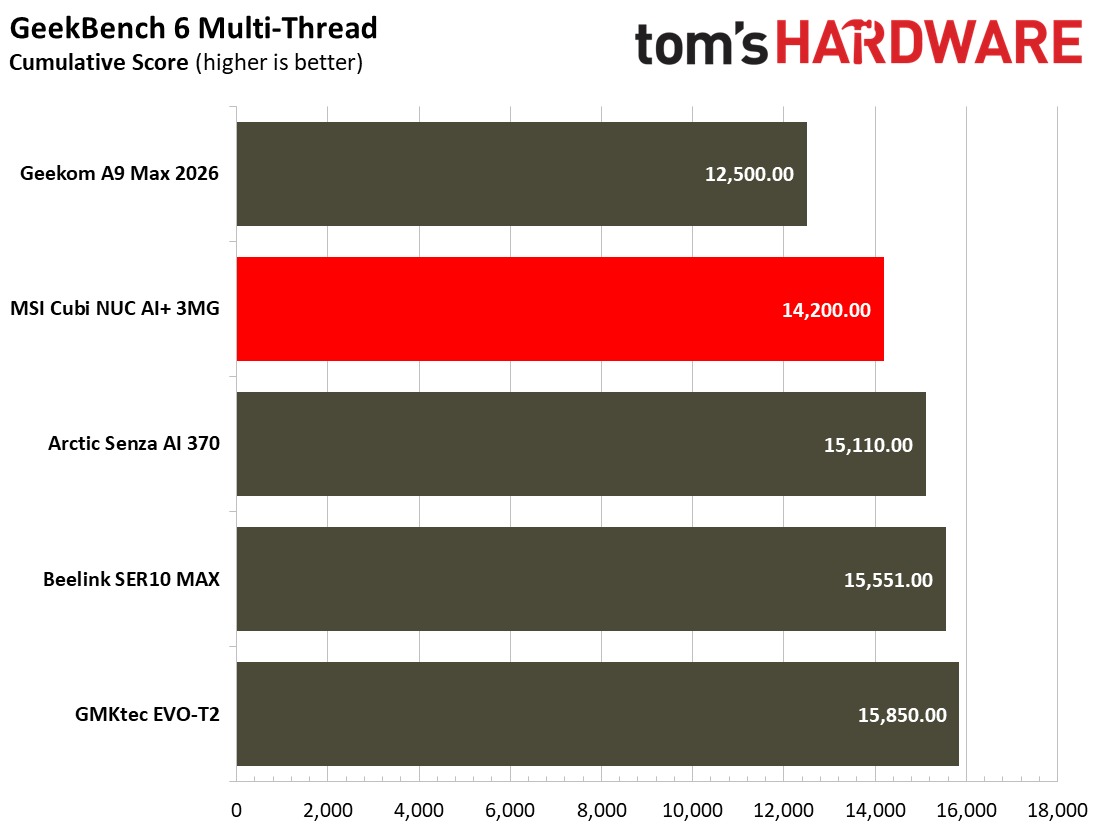
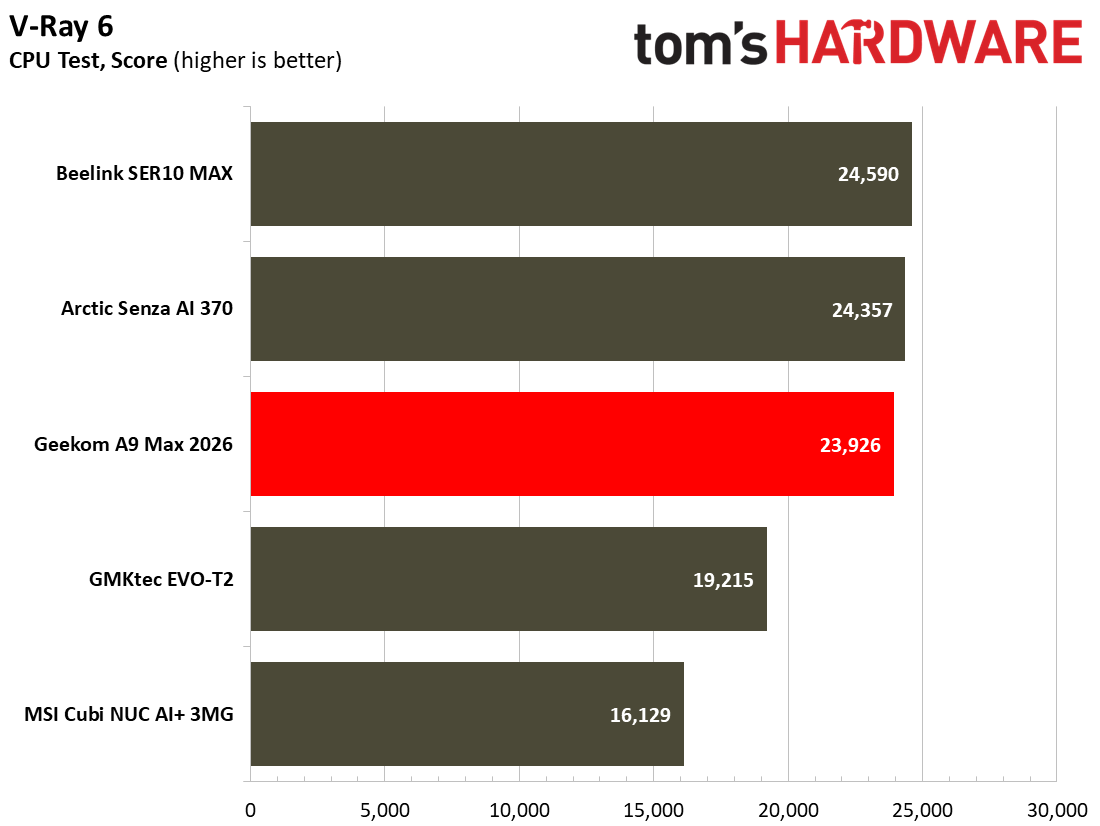
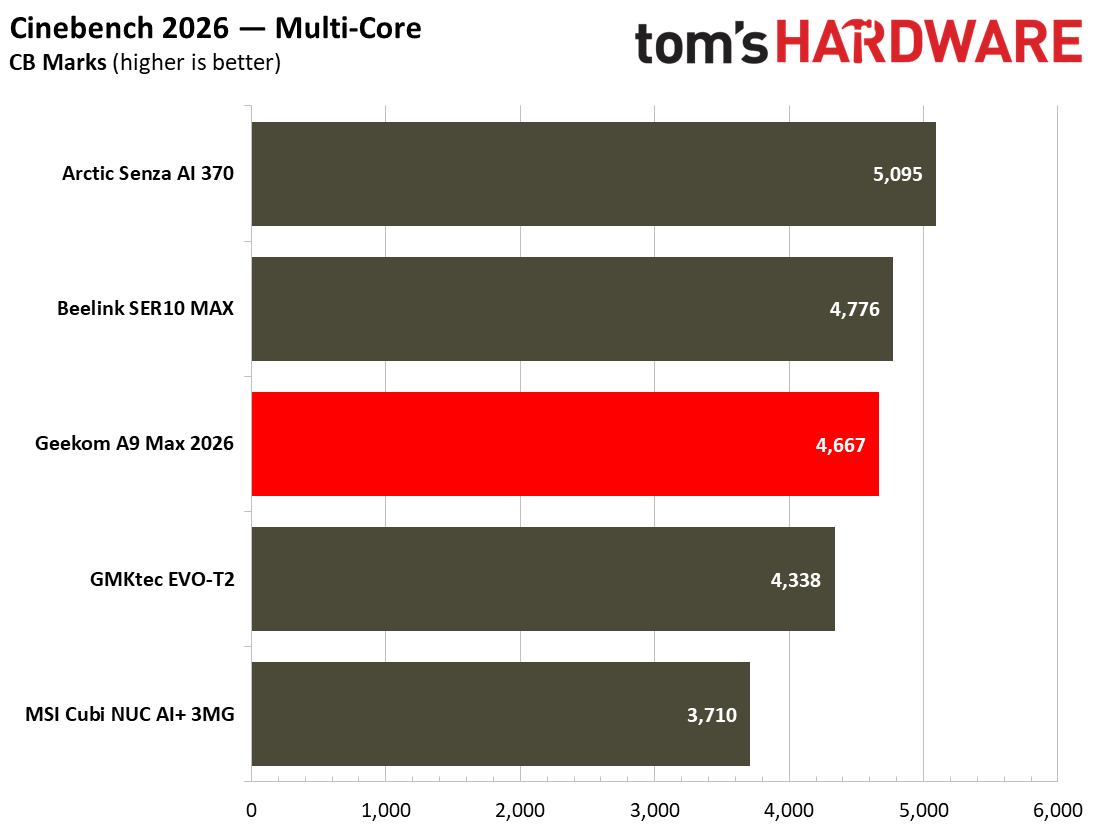
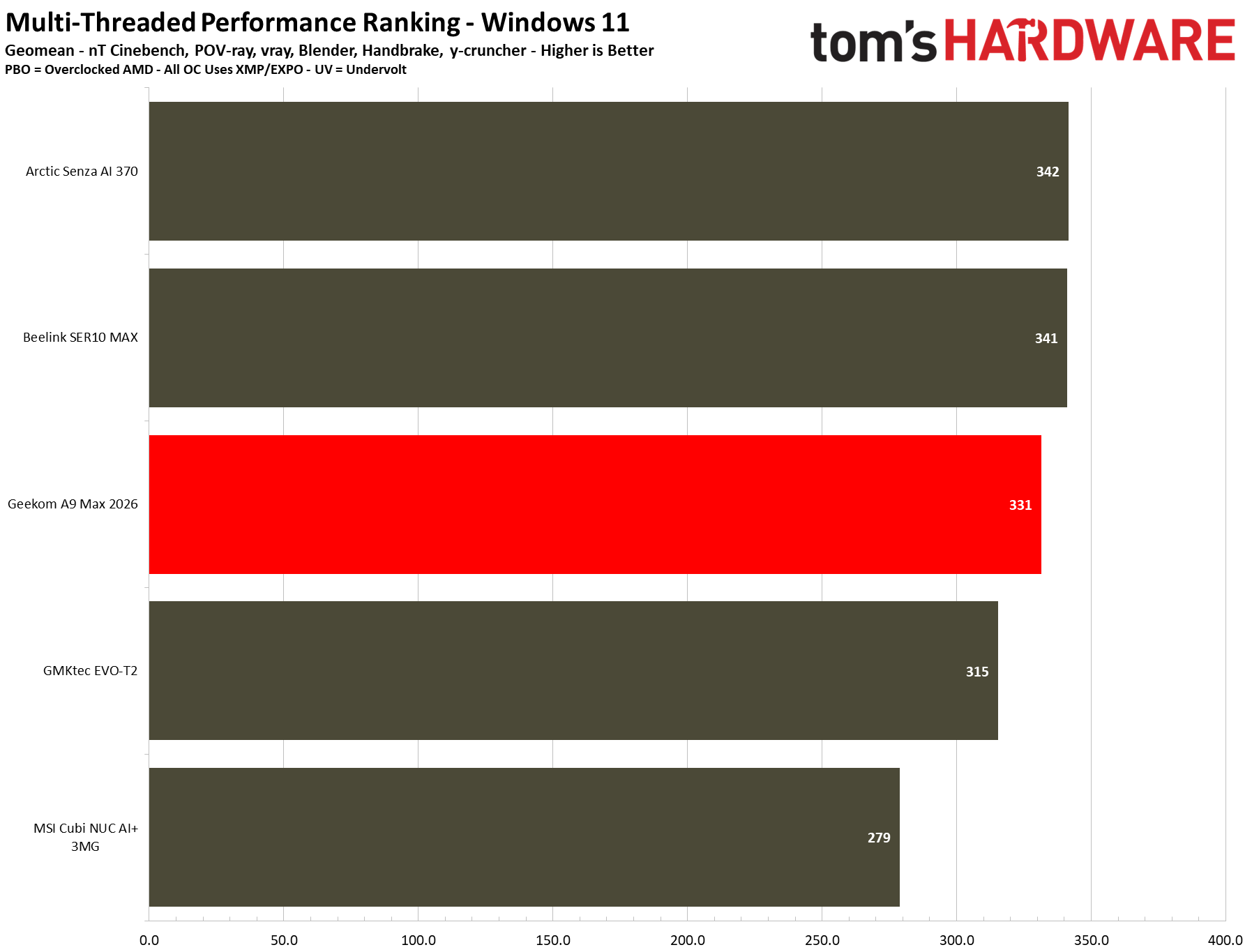
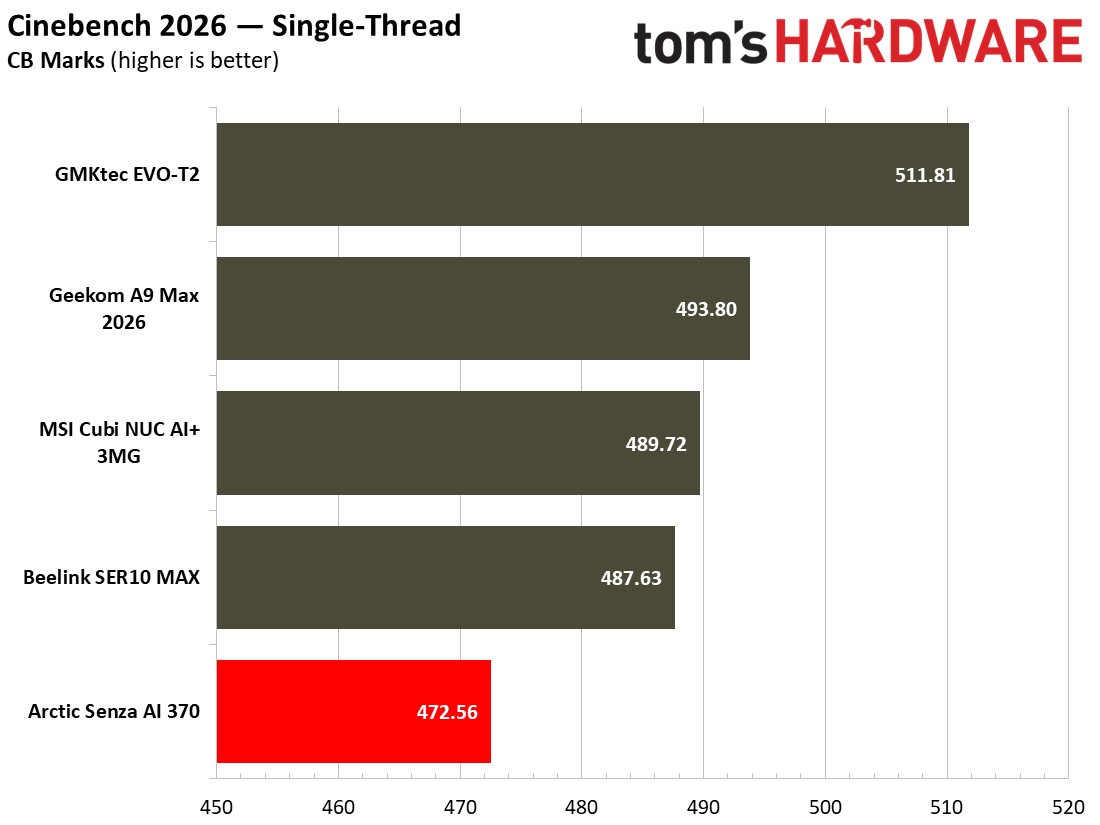
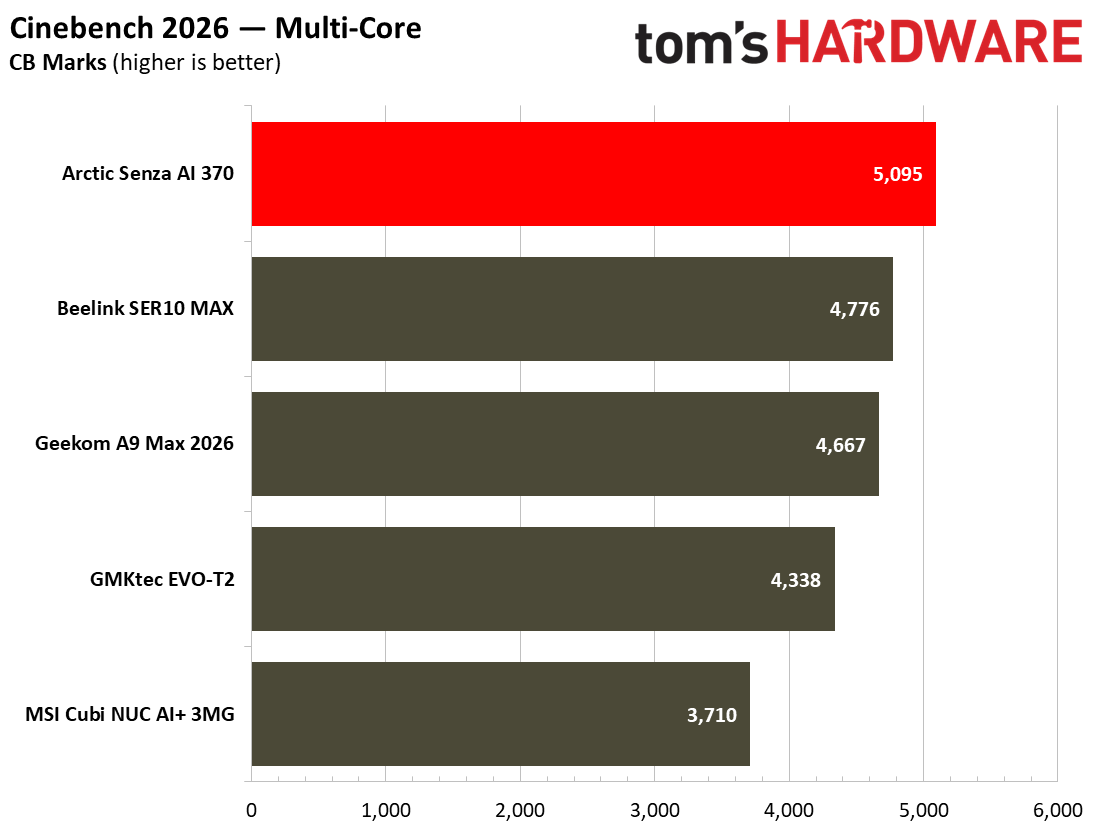
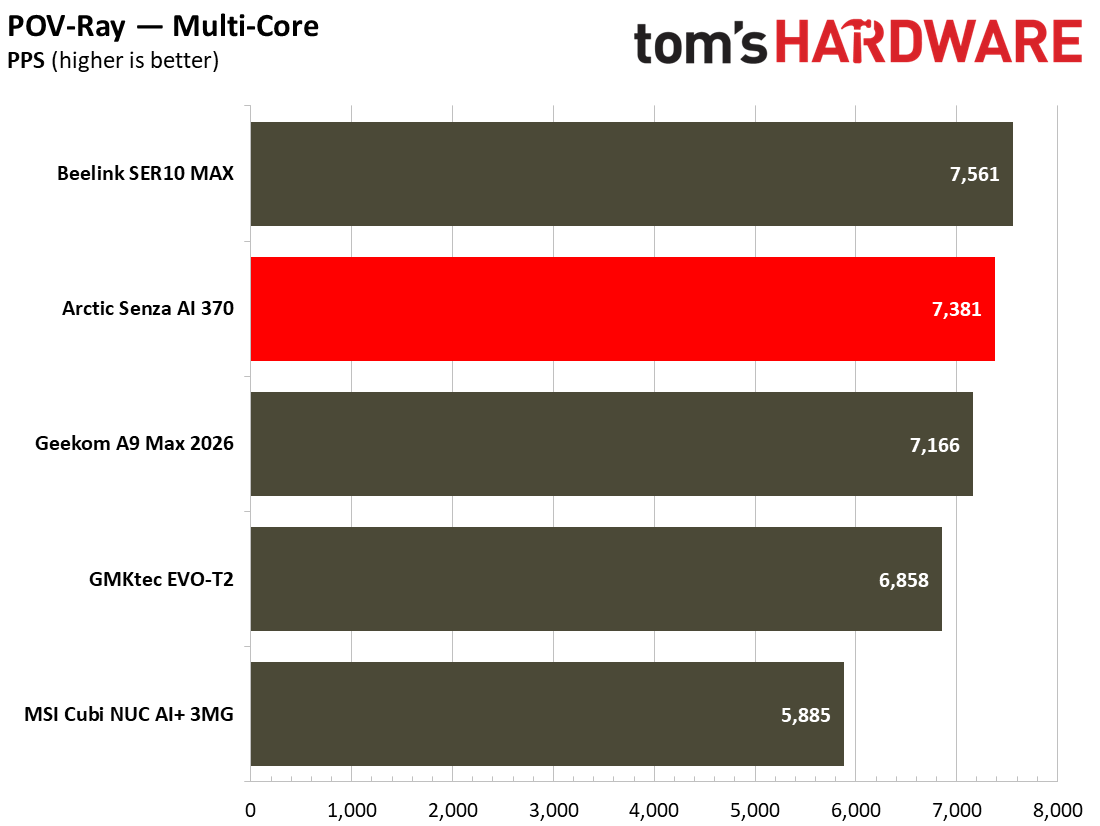
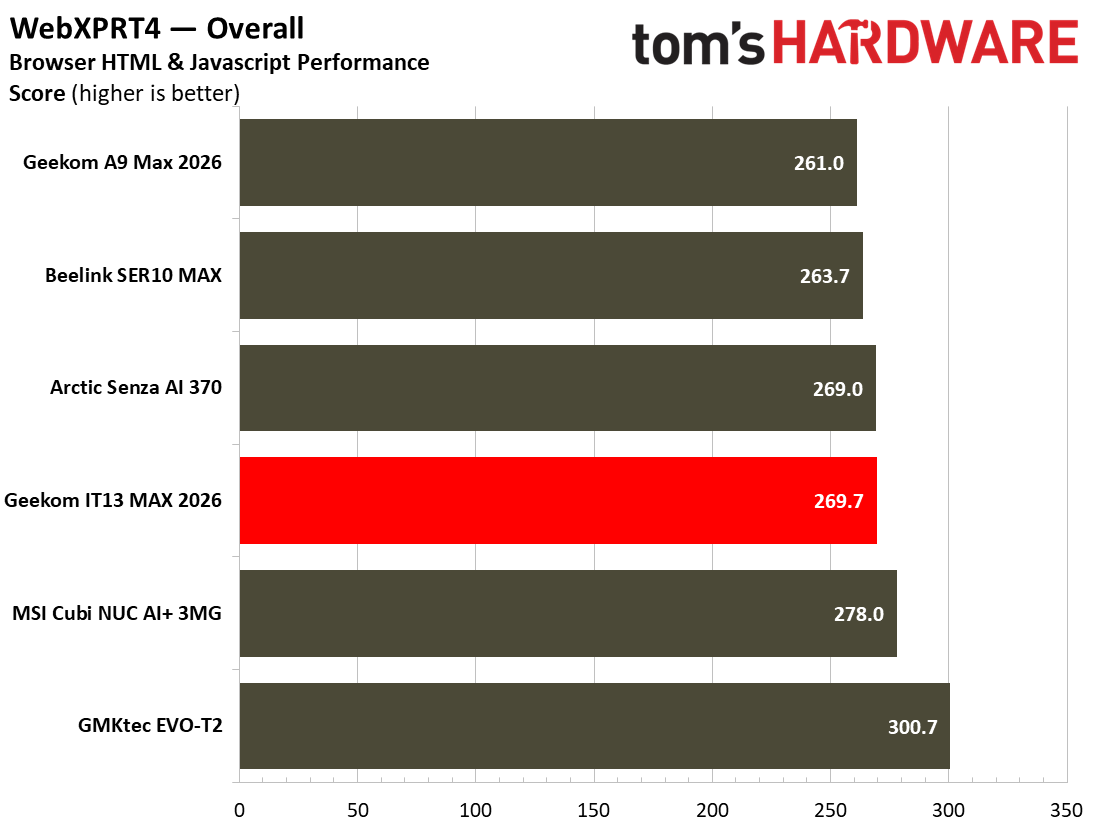
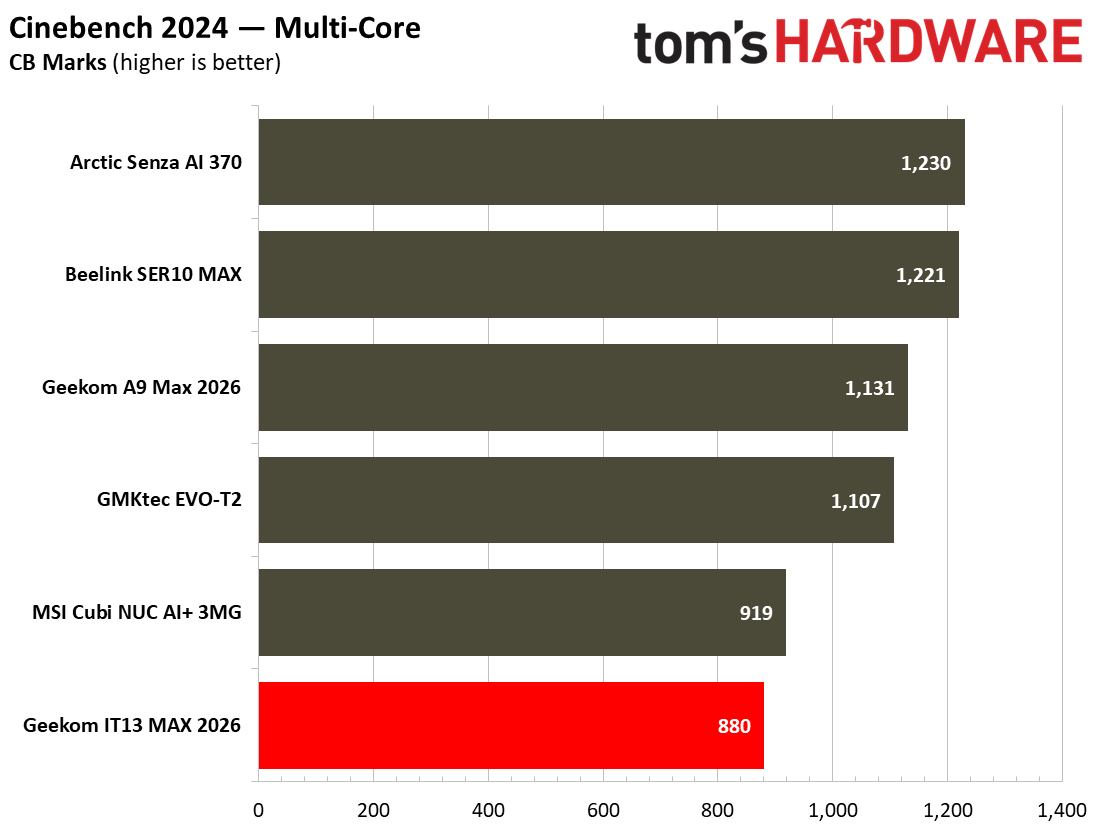
In Cinebench 2026, Maxon’s current-gen CPU rendering benchmark, the little MSI Cubi comes last in the rankings of our recent crop of mini PCs. Though low in comparison to its peers, its score isn’t disastrous here, as this is testing the kind of CPU muscle that won’t be called upon by a typical home or office user of a mini PC like this.

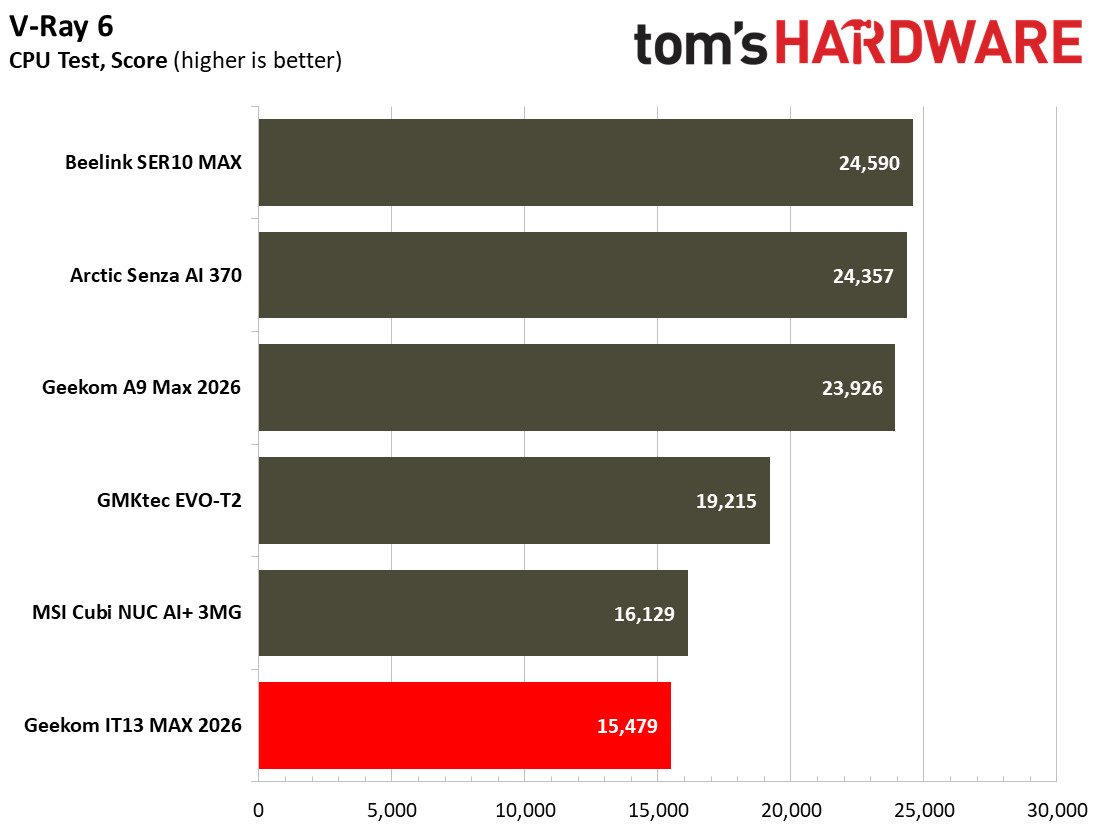
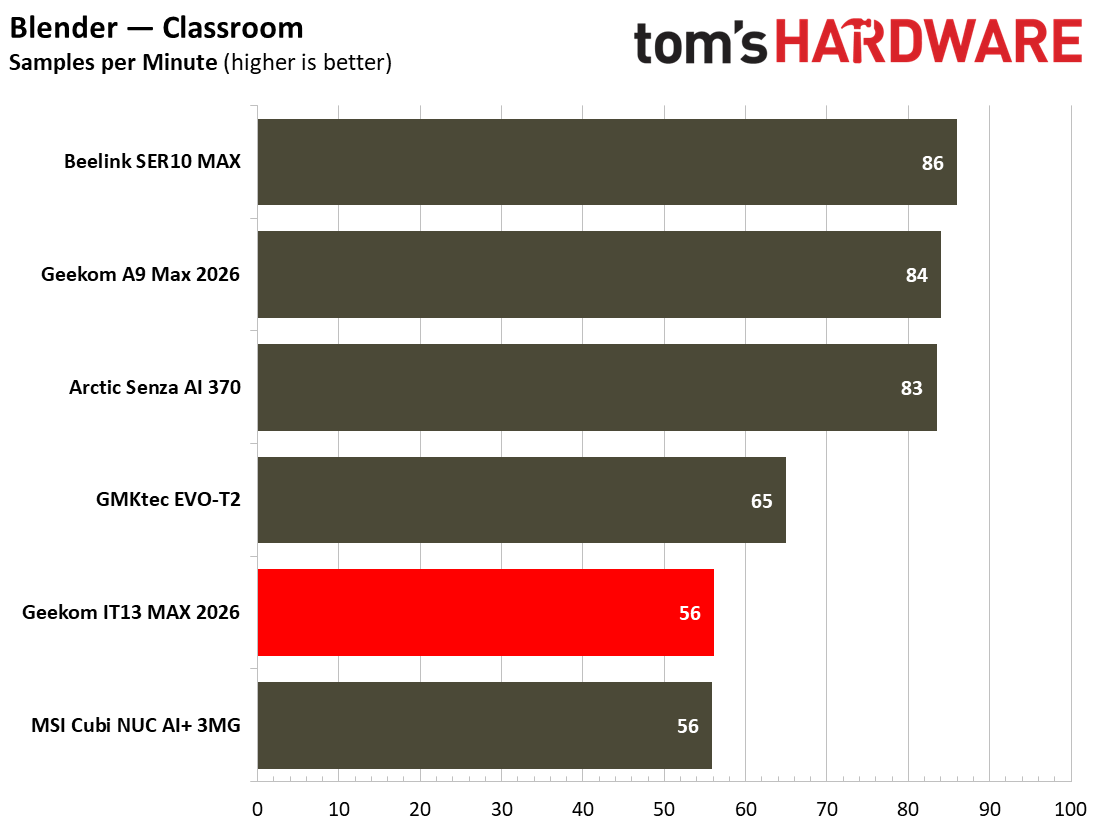
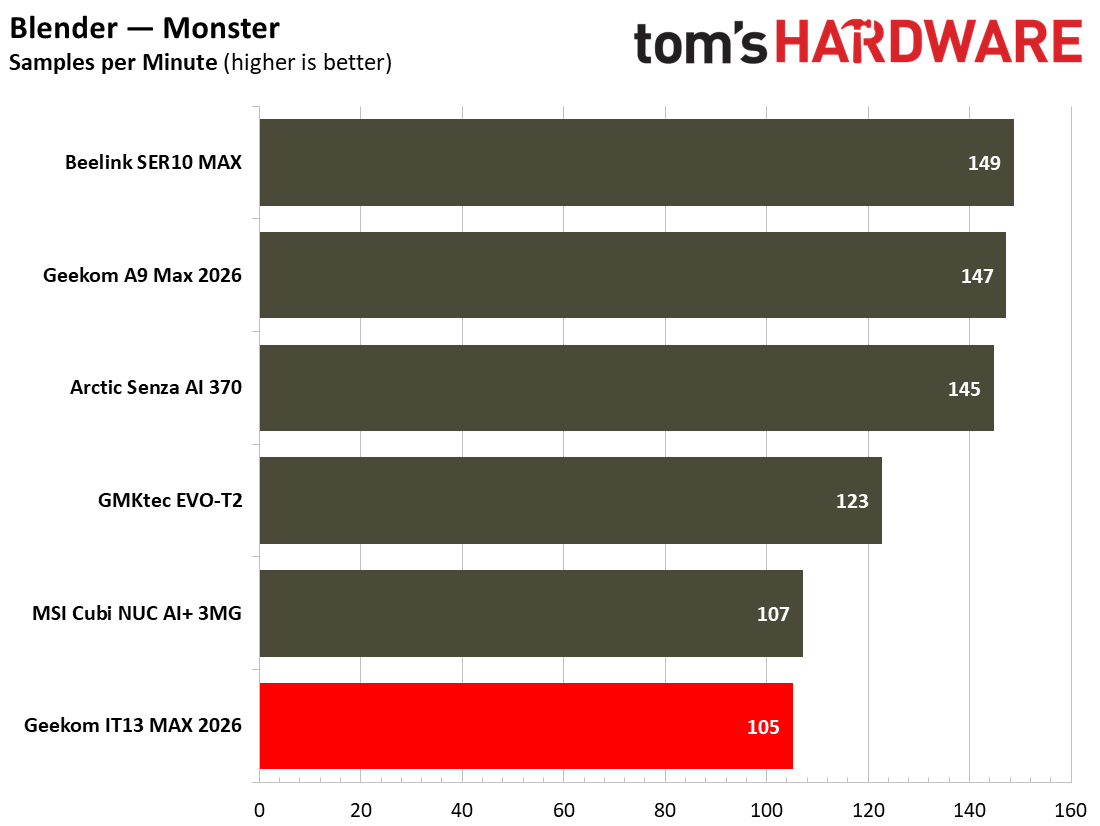
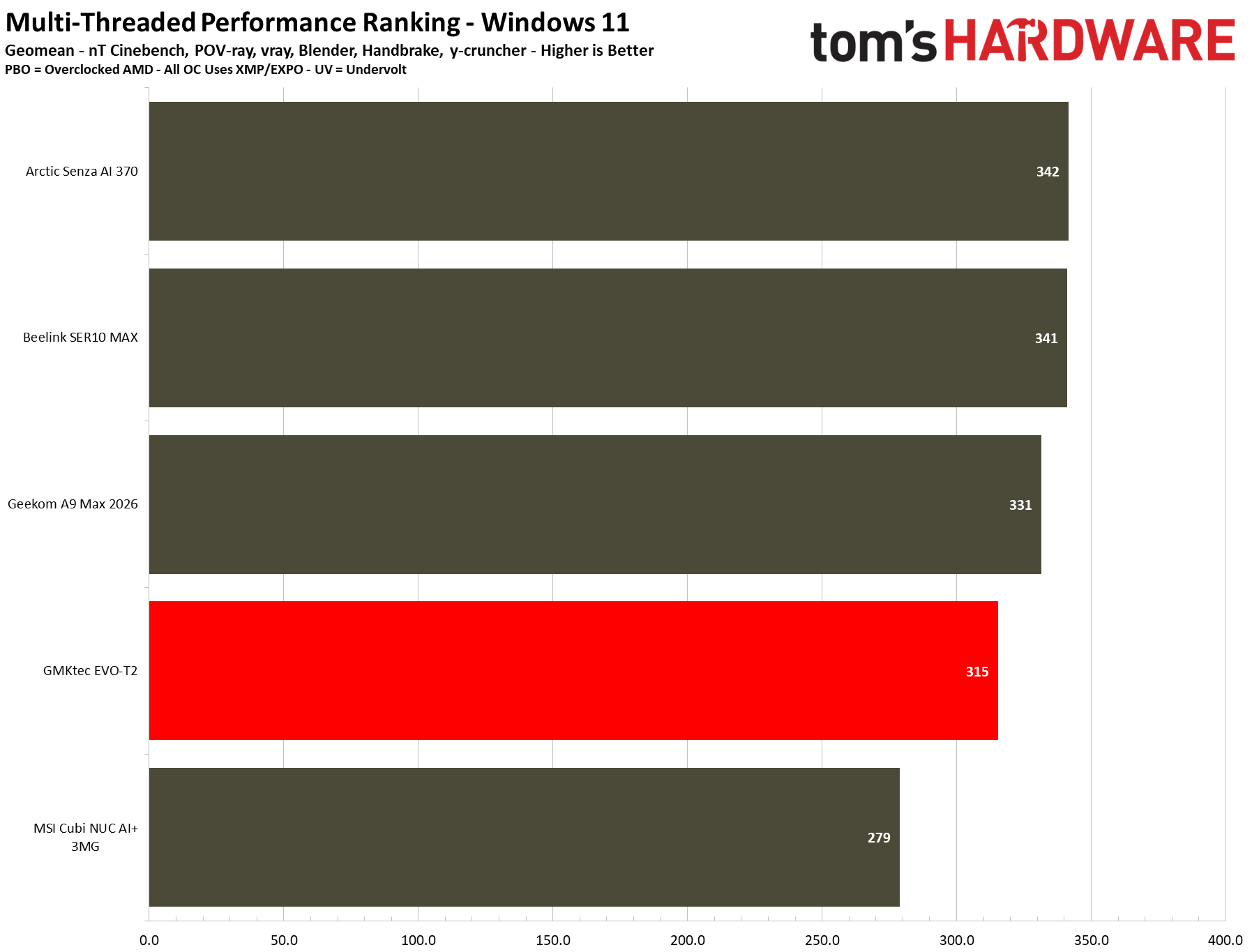
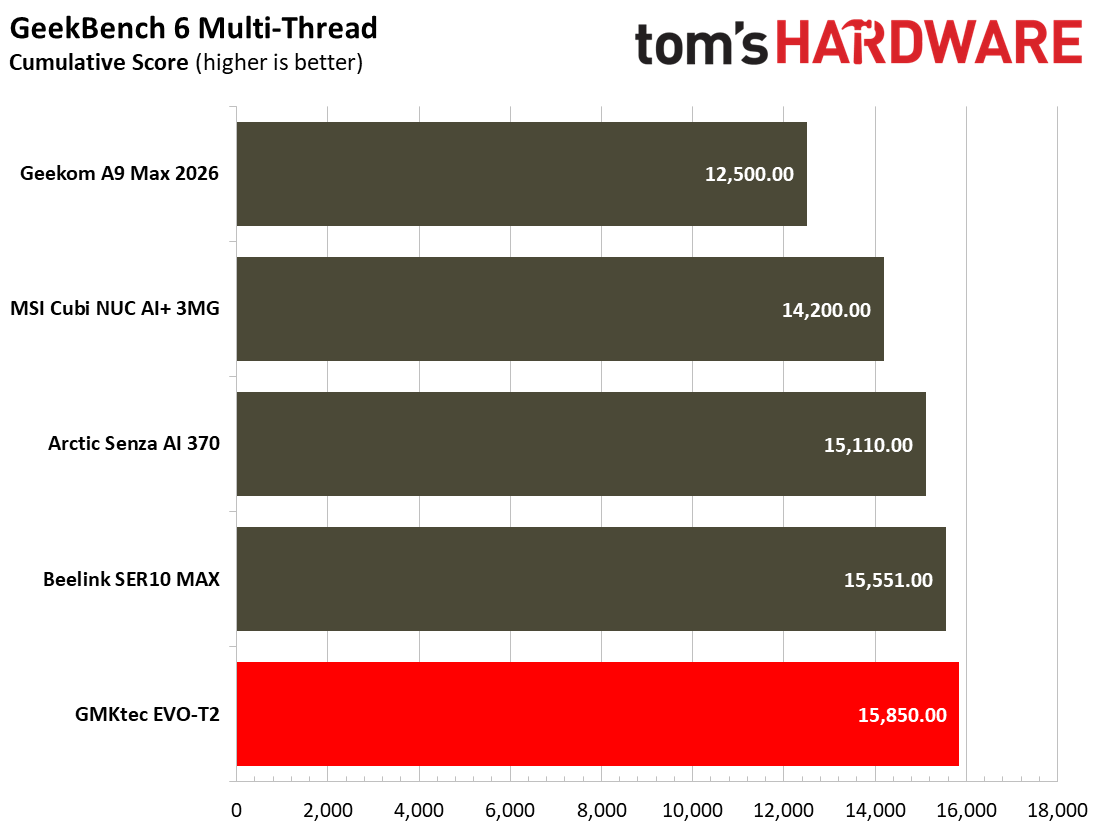
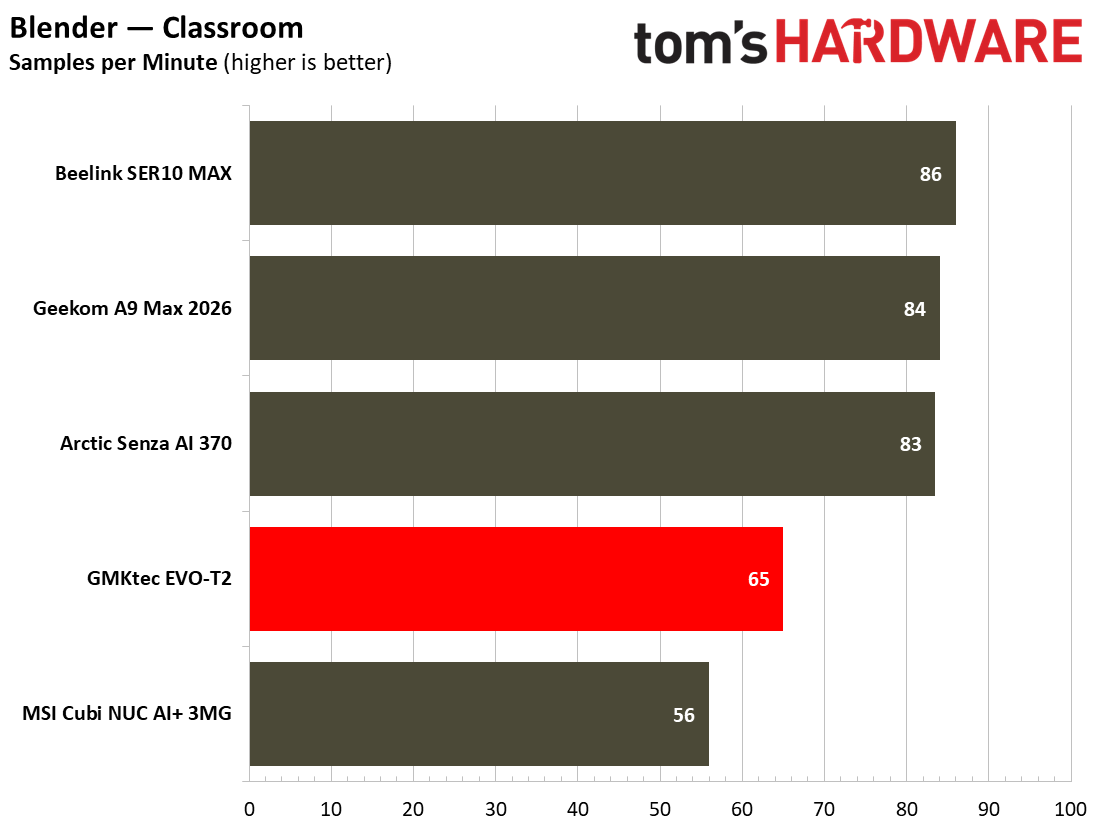
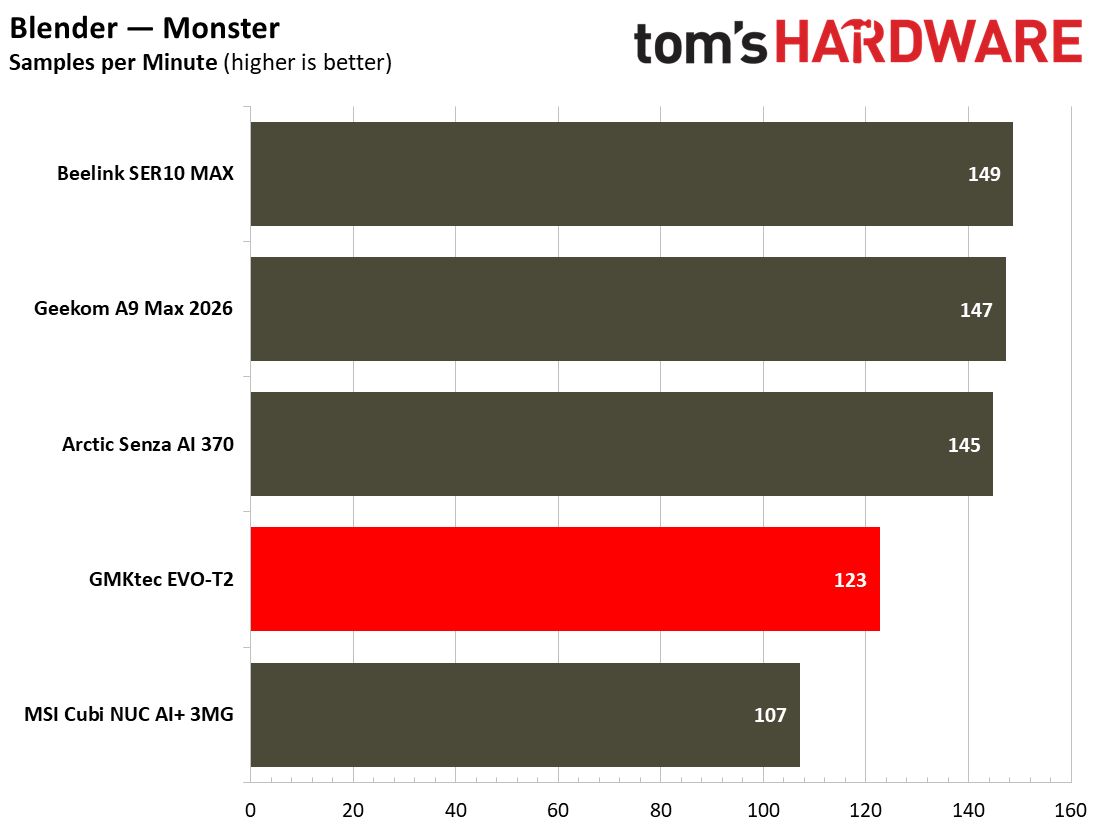
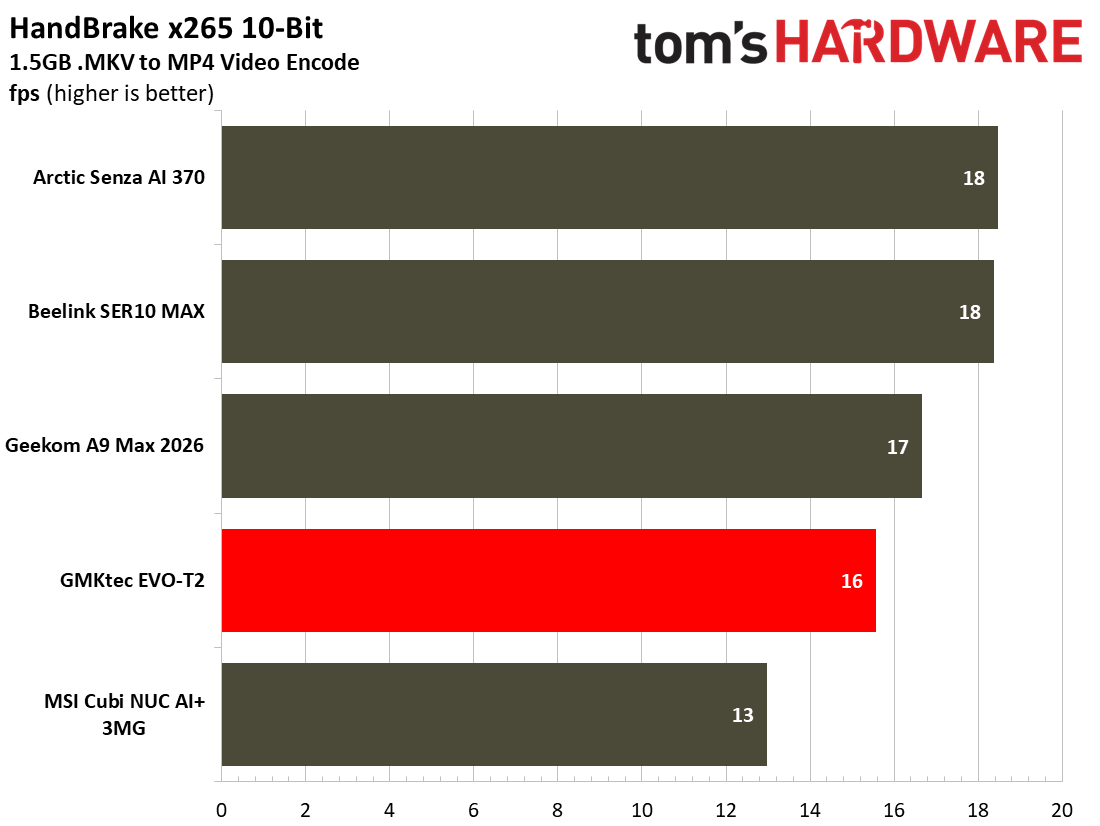
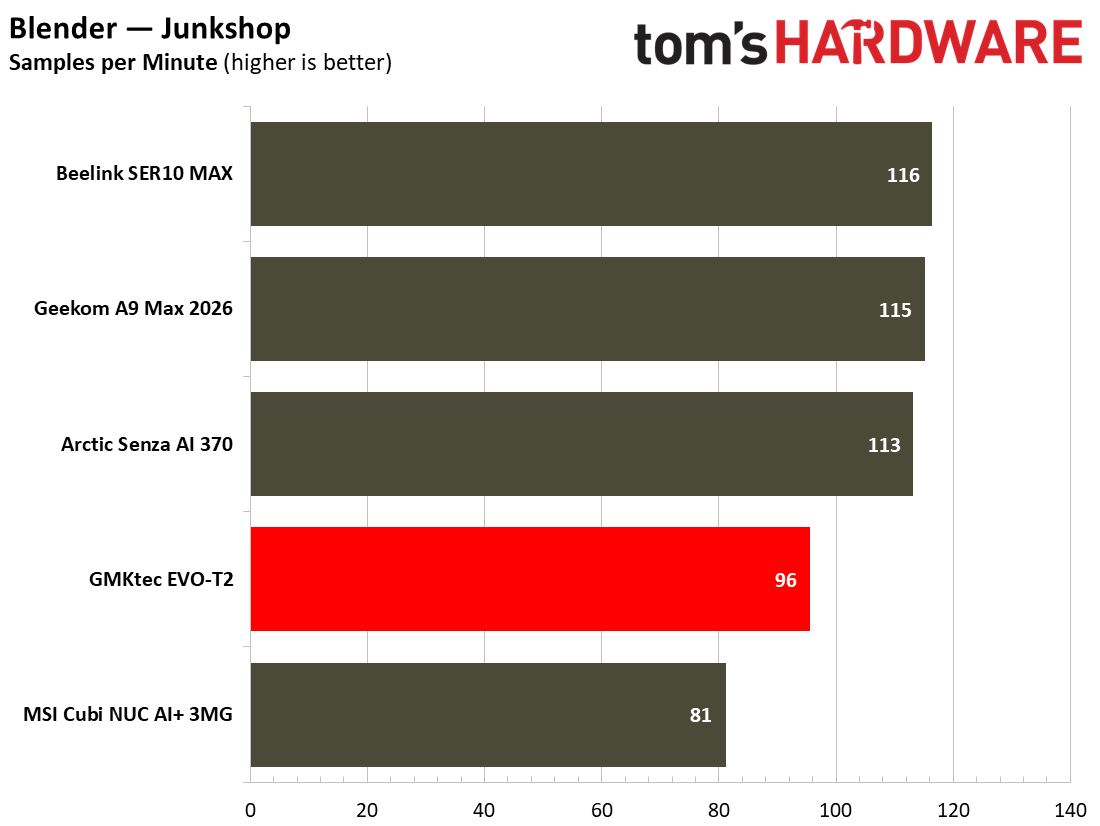
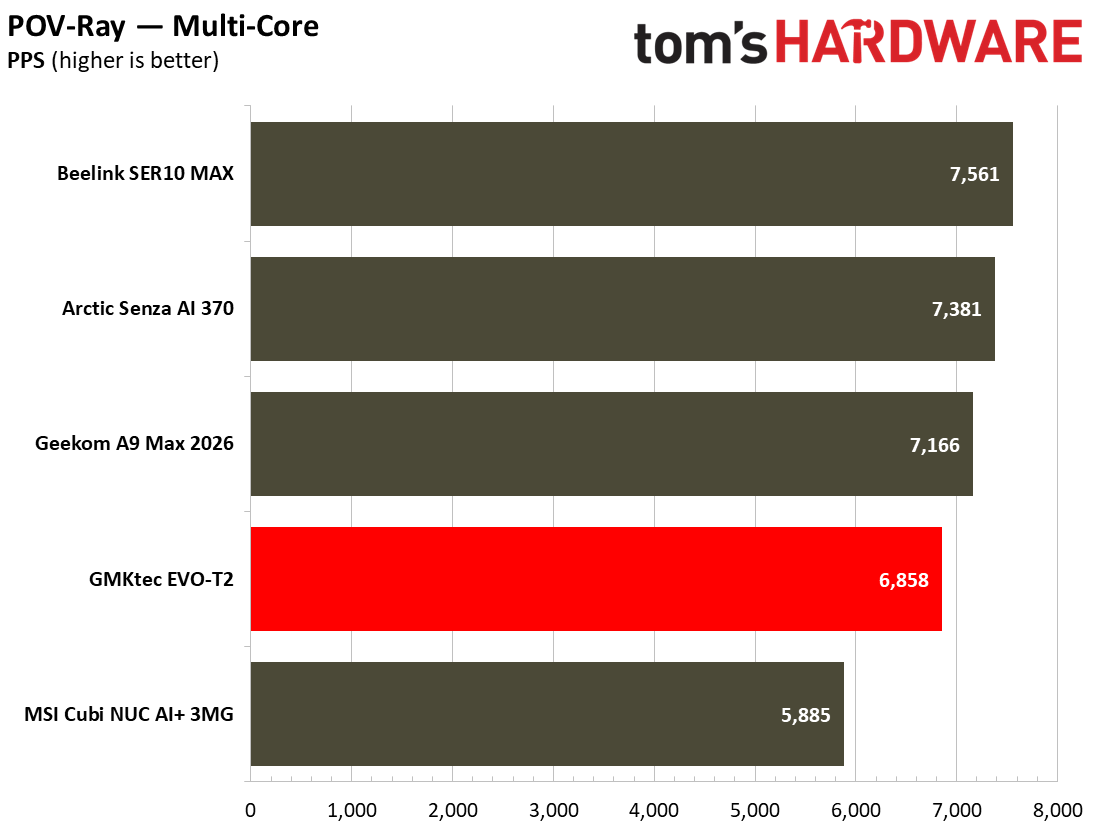
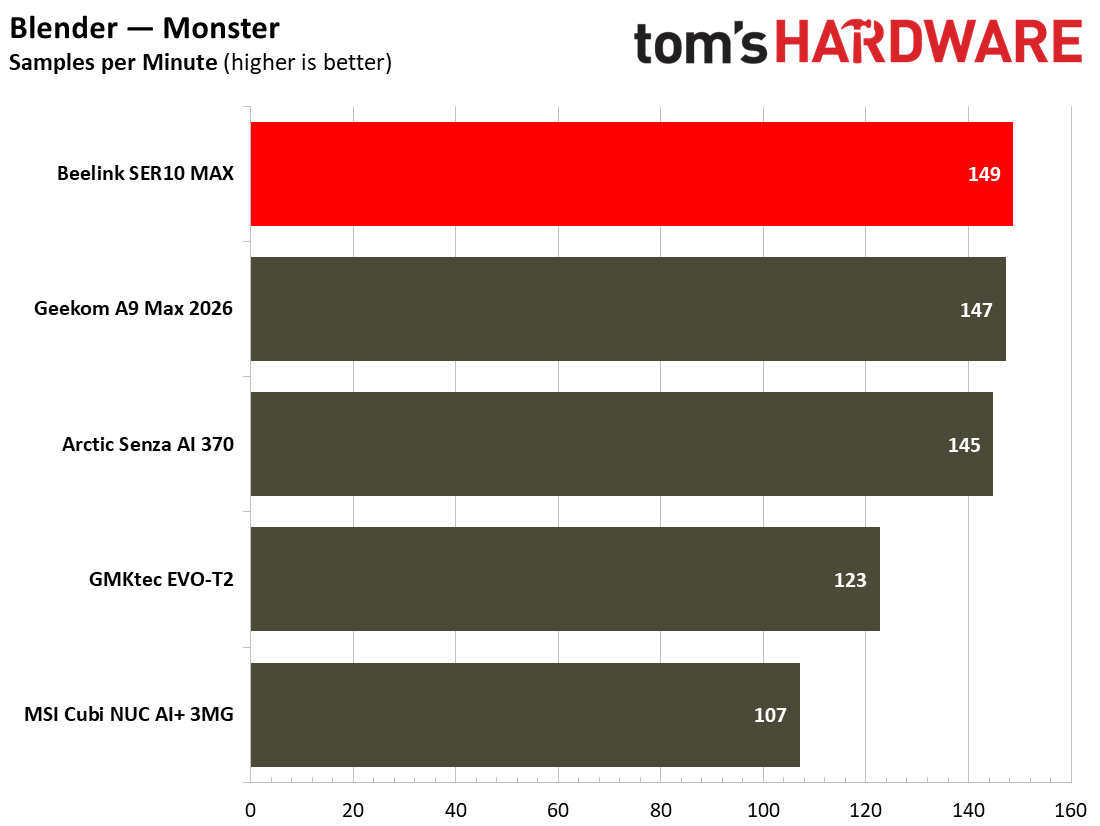
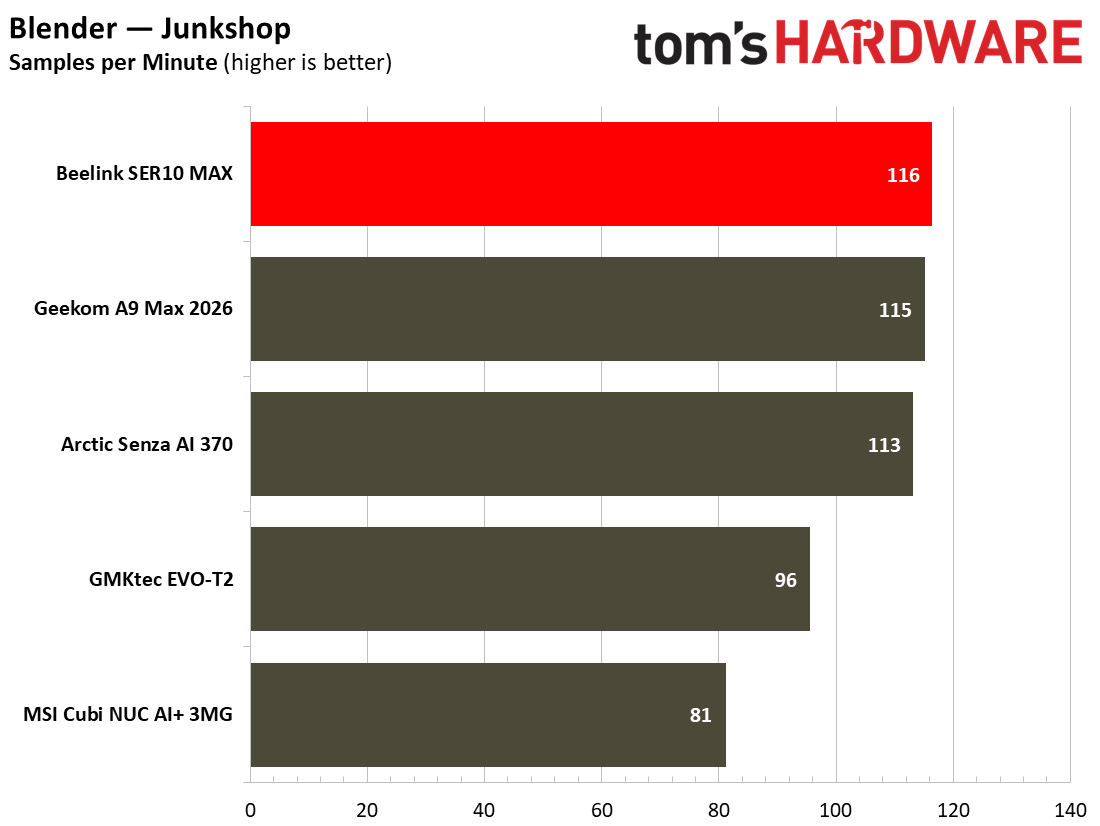
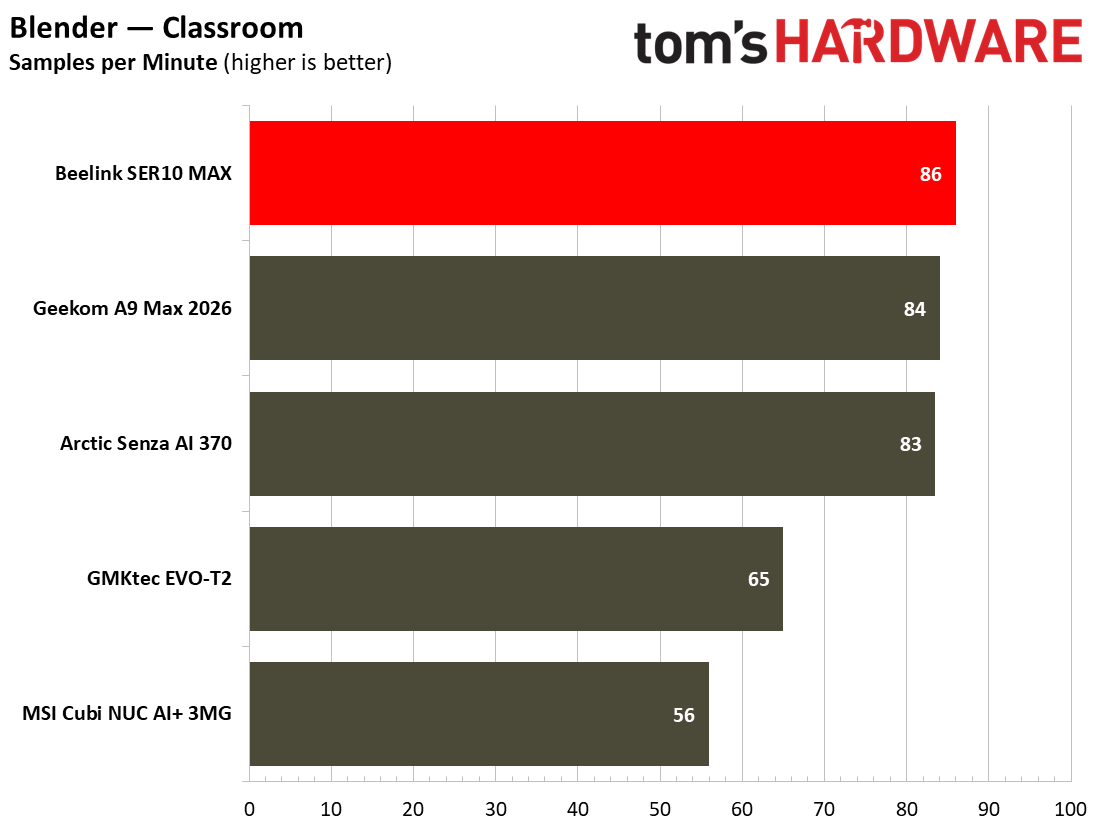
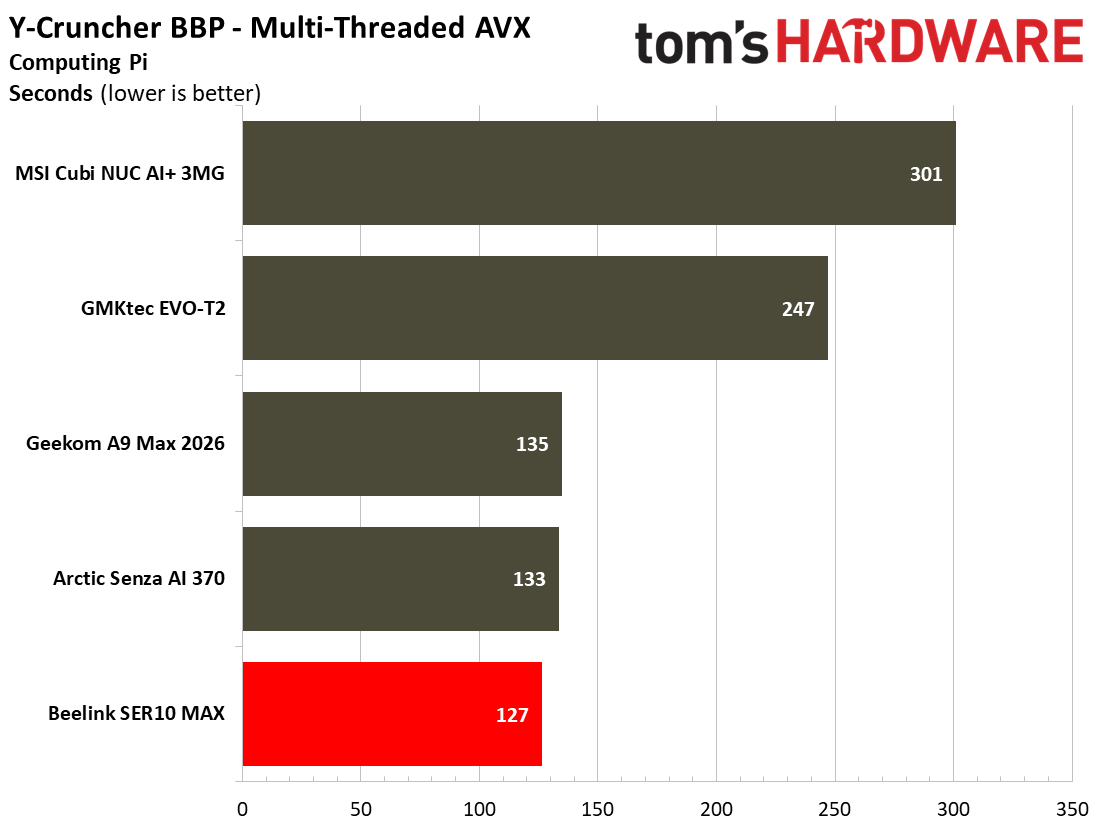
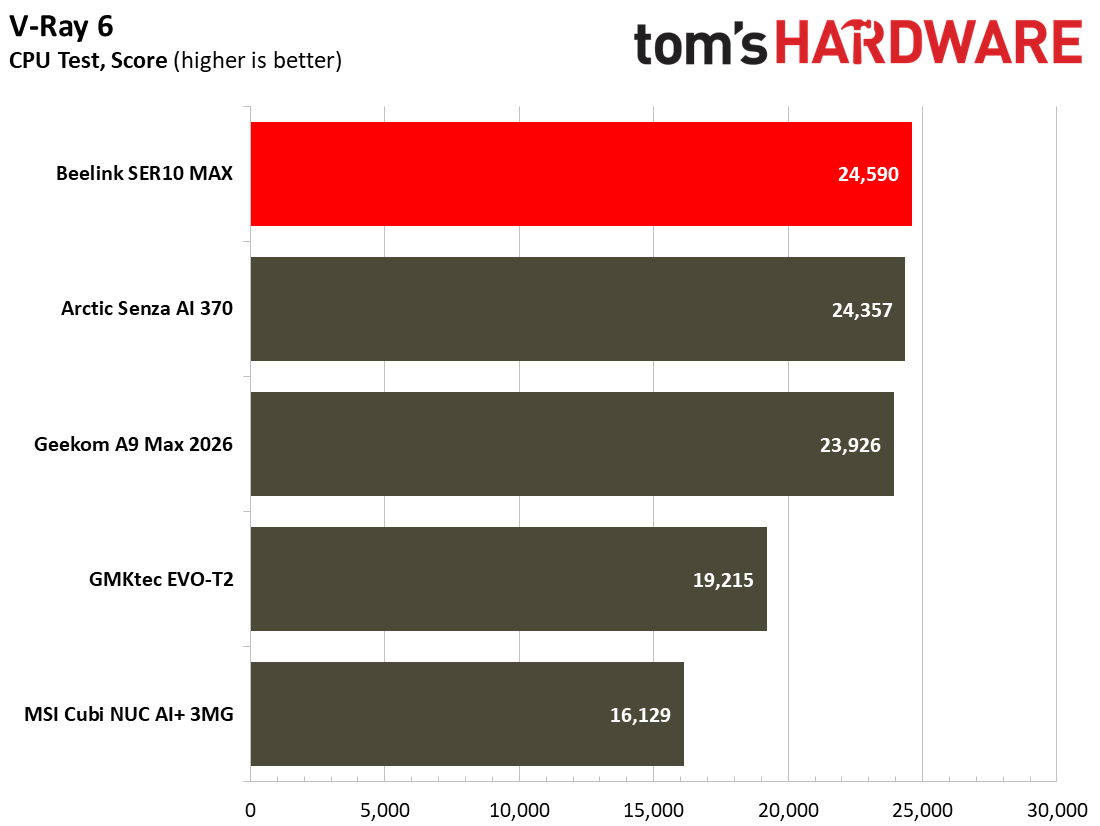
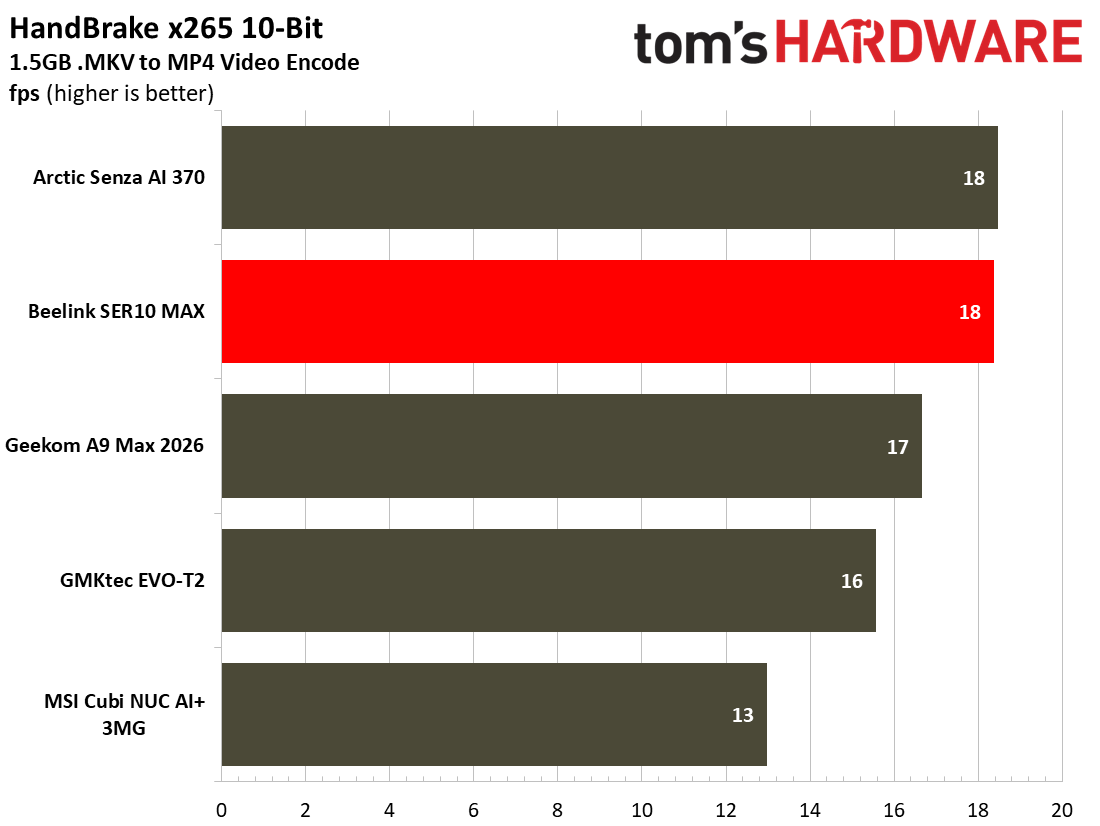
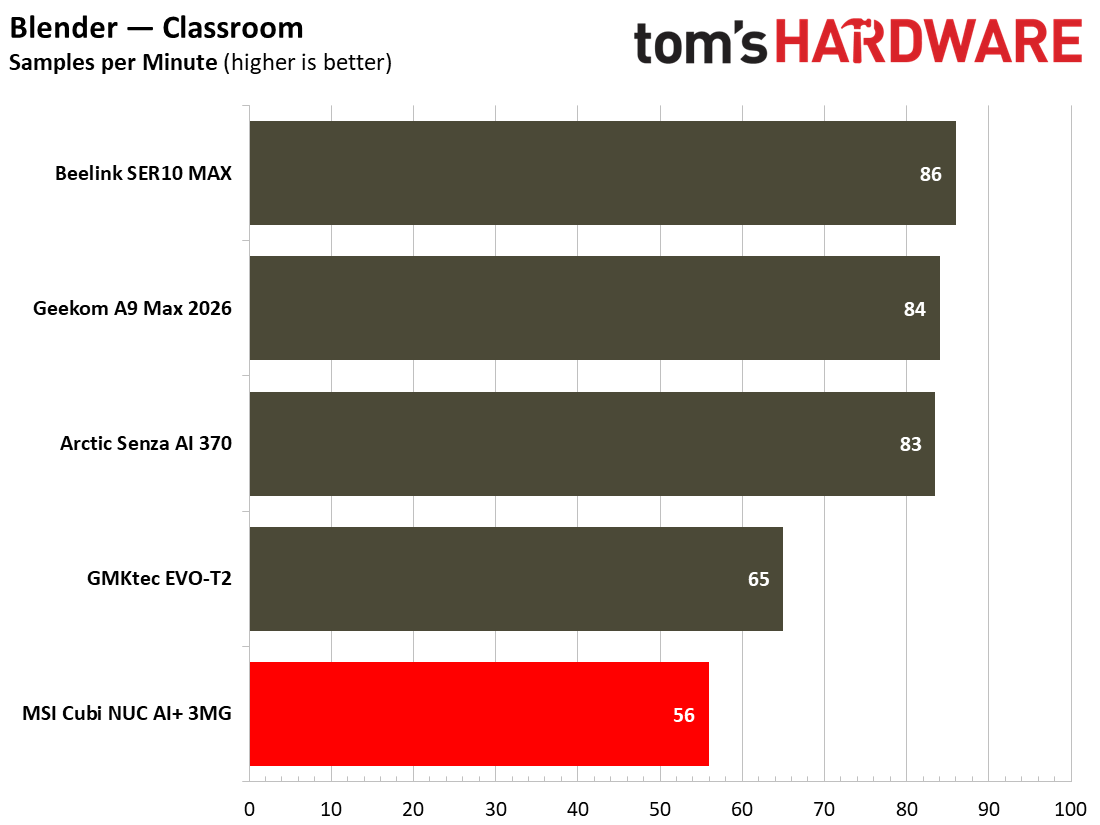
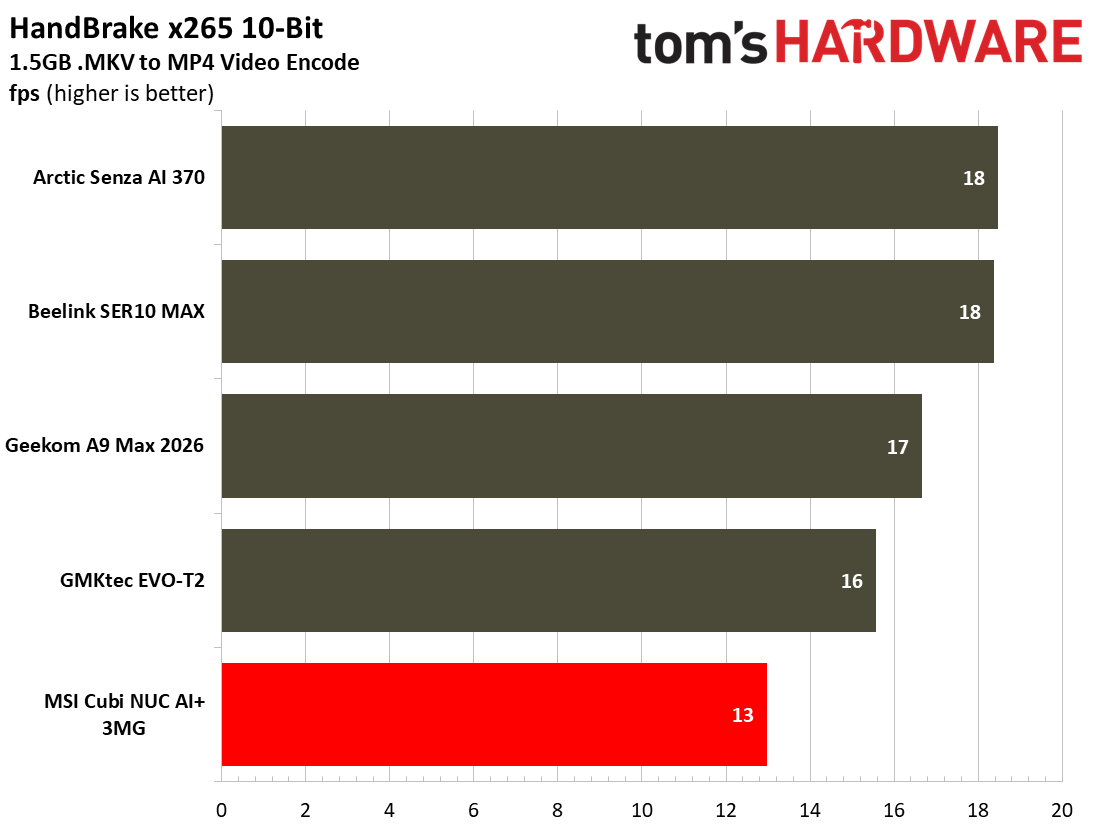
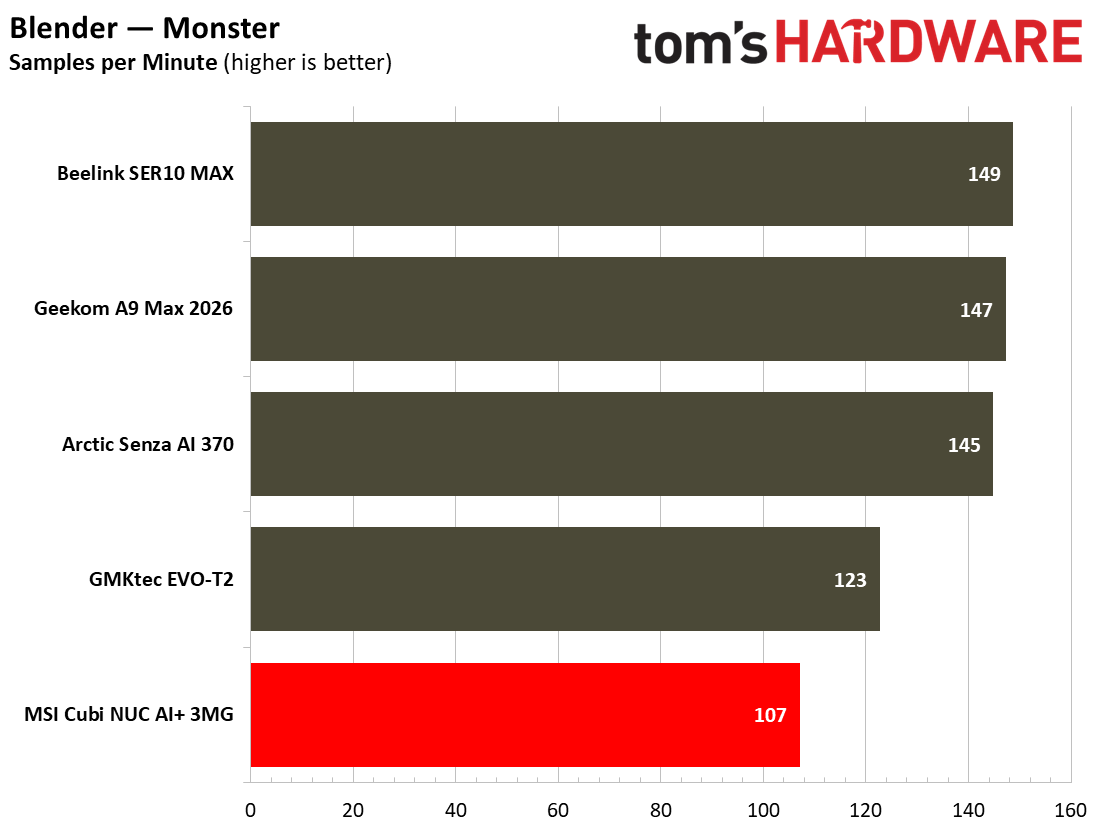
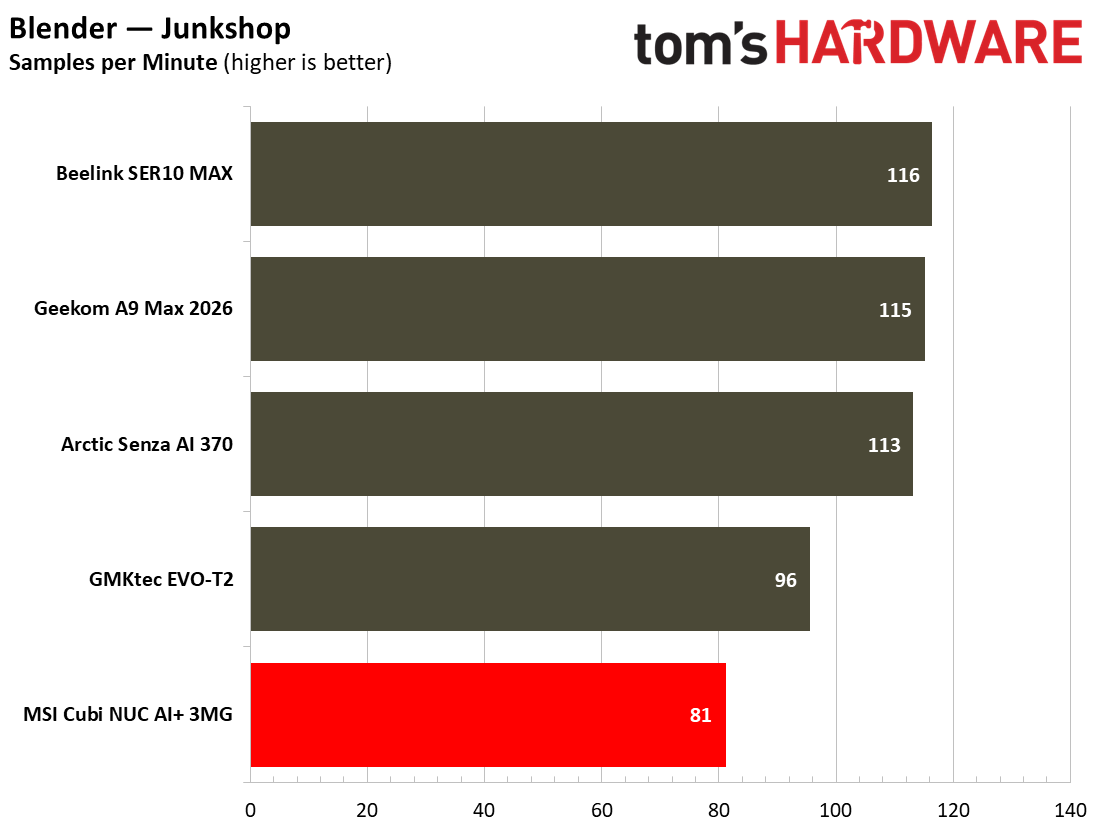
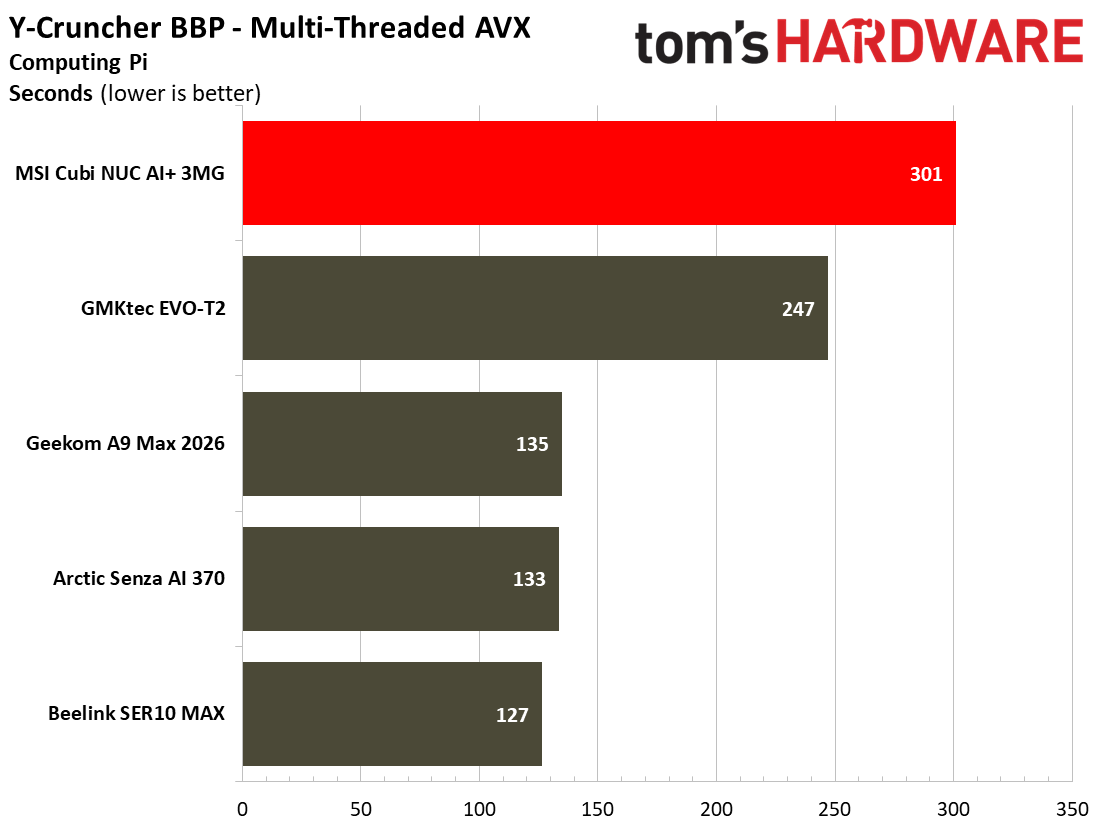
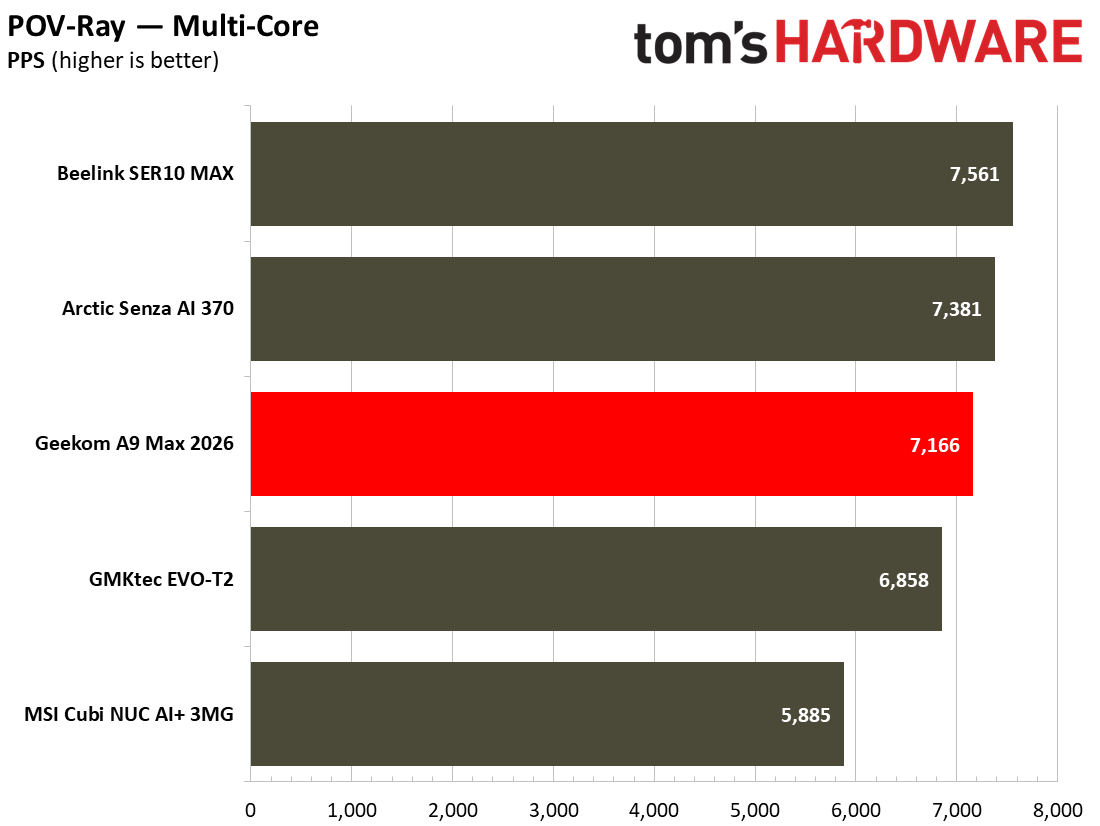
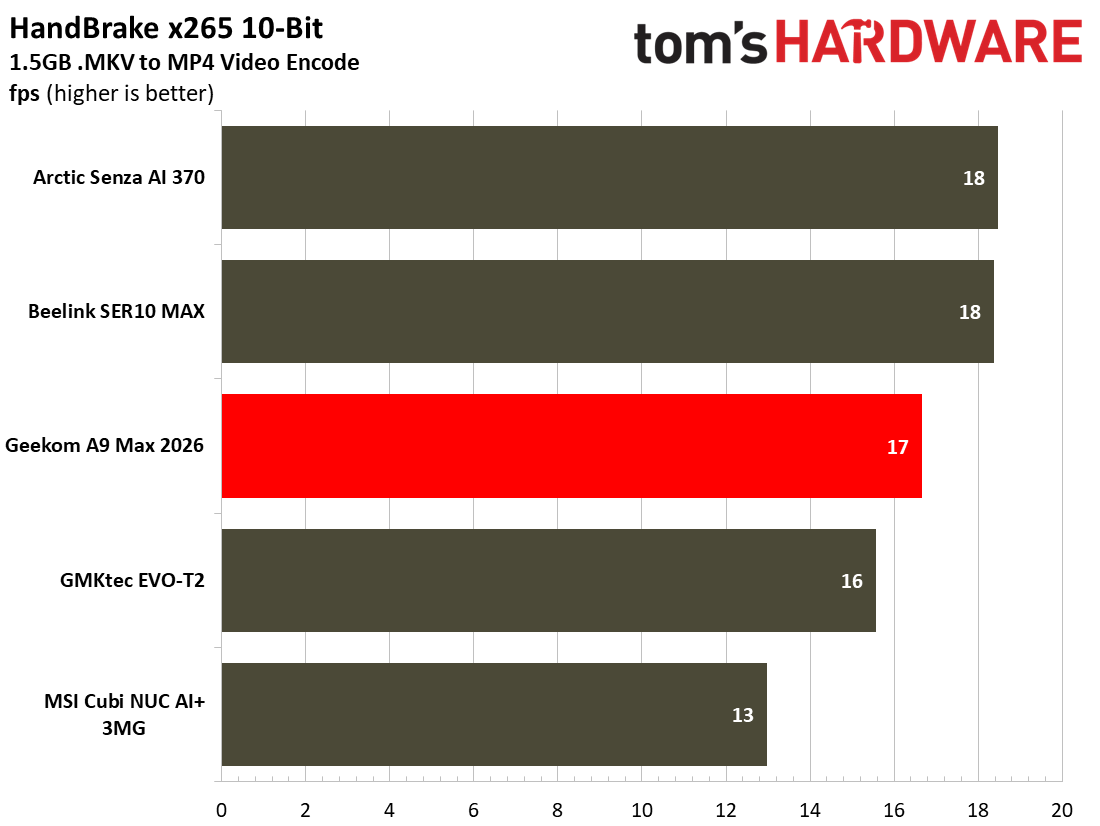
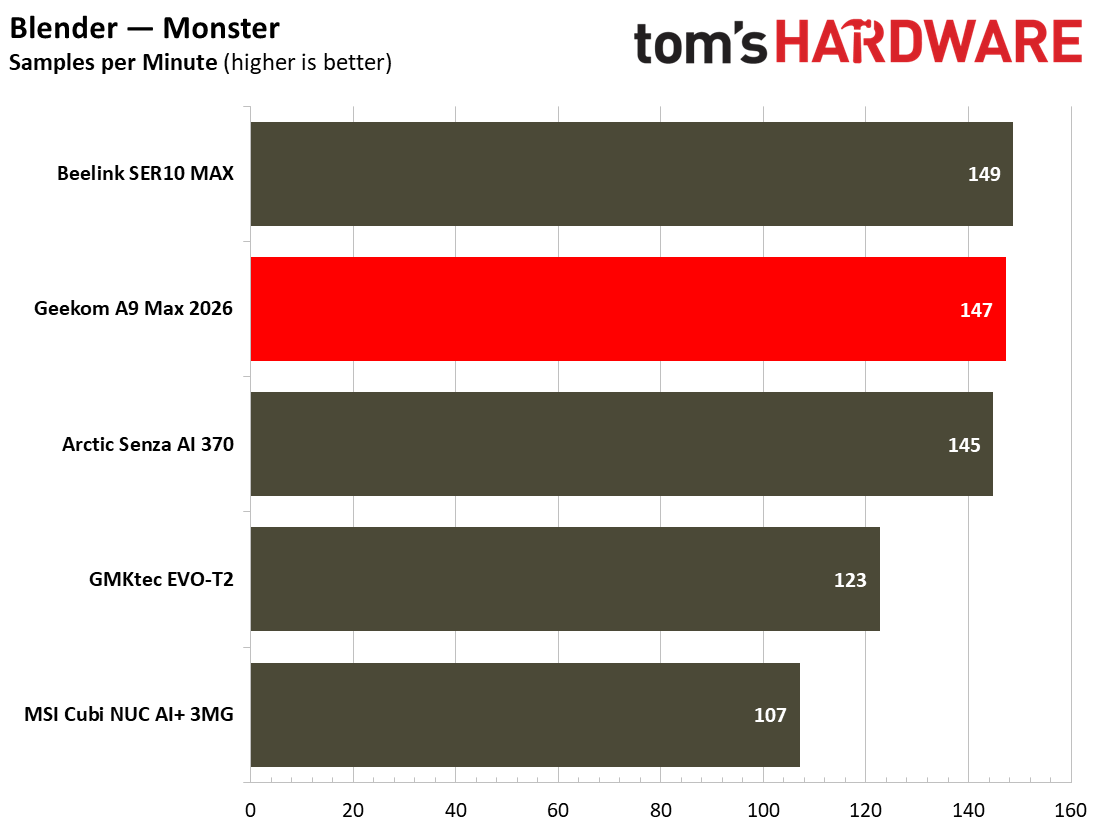
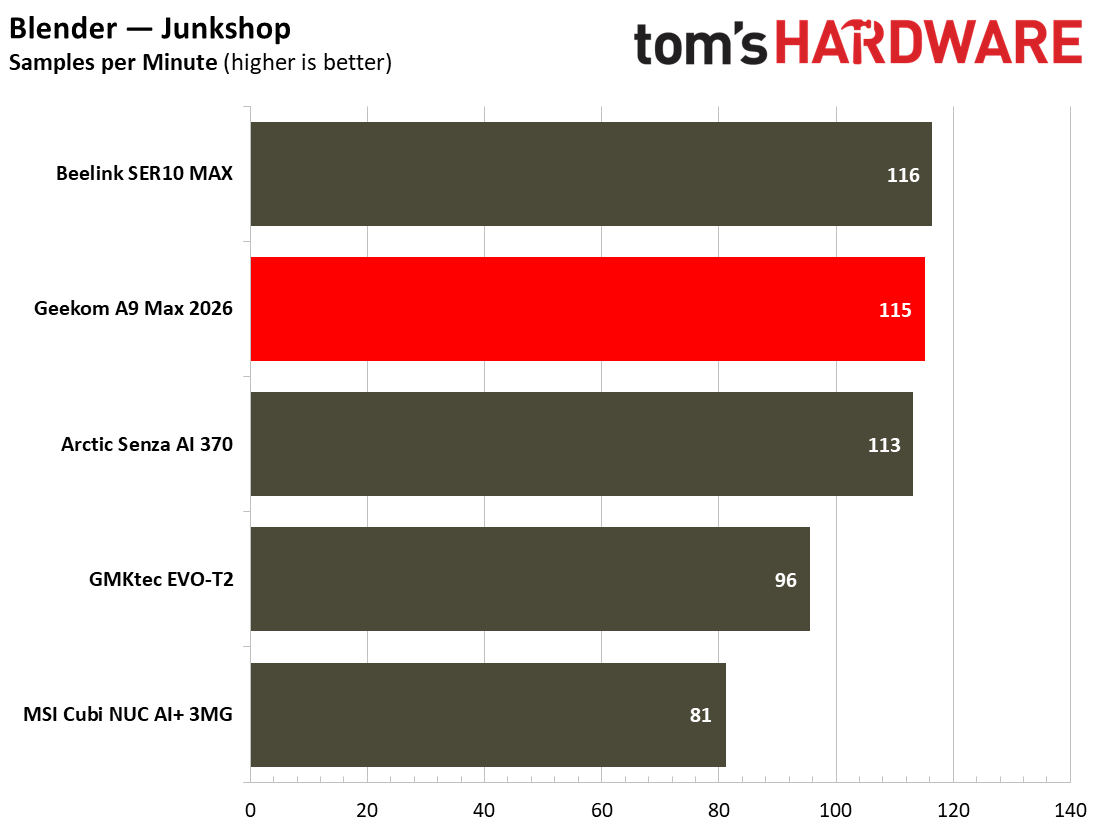
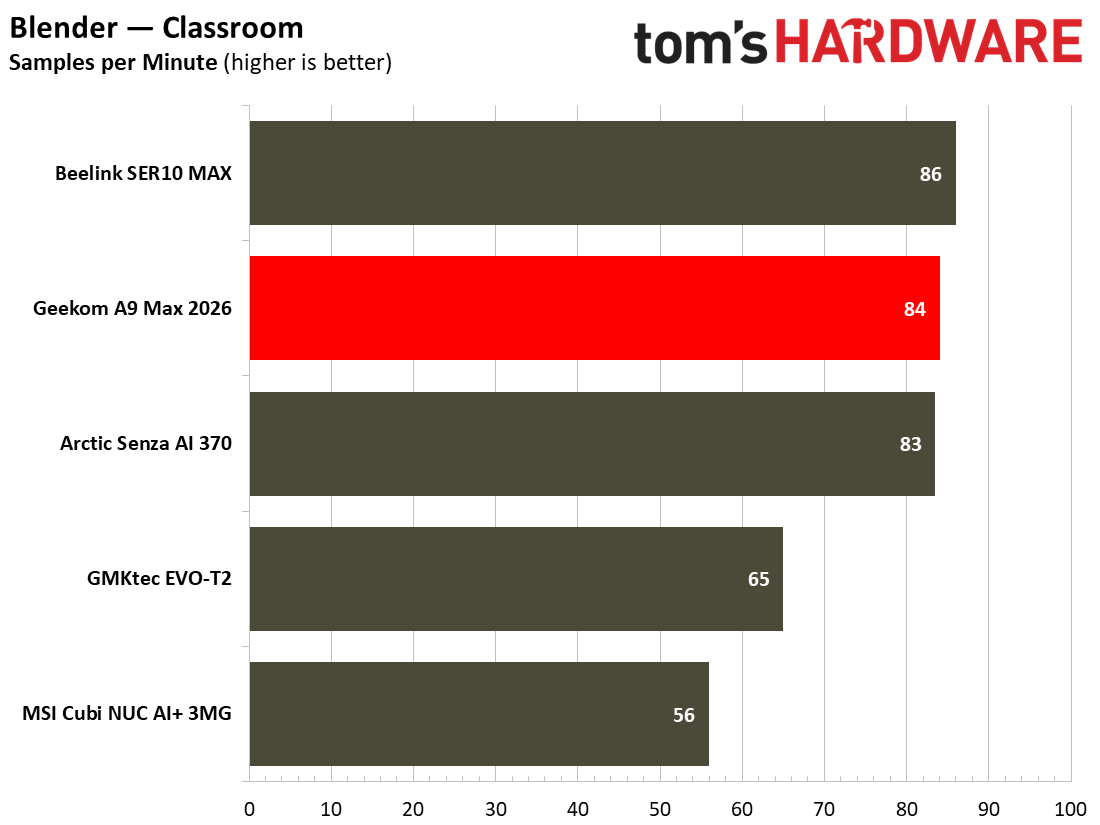
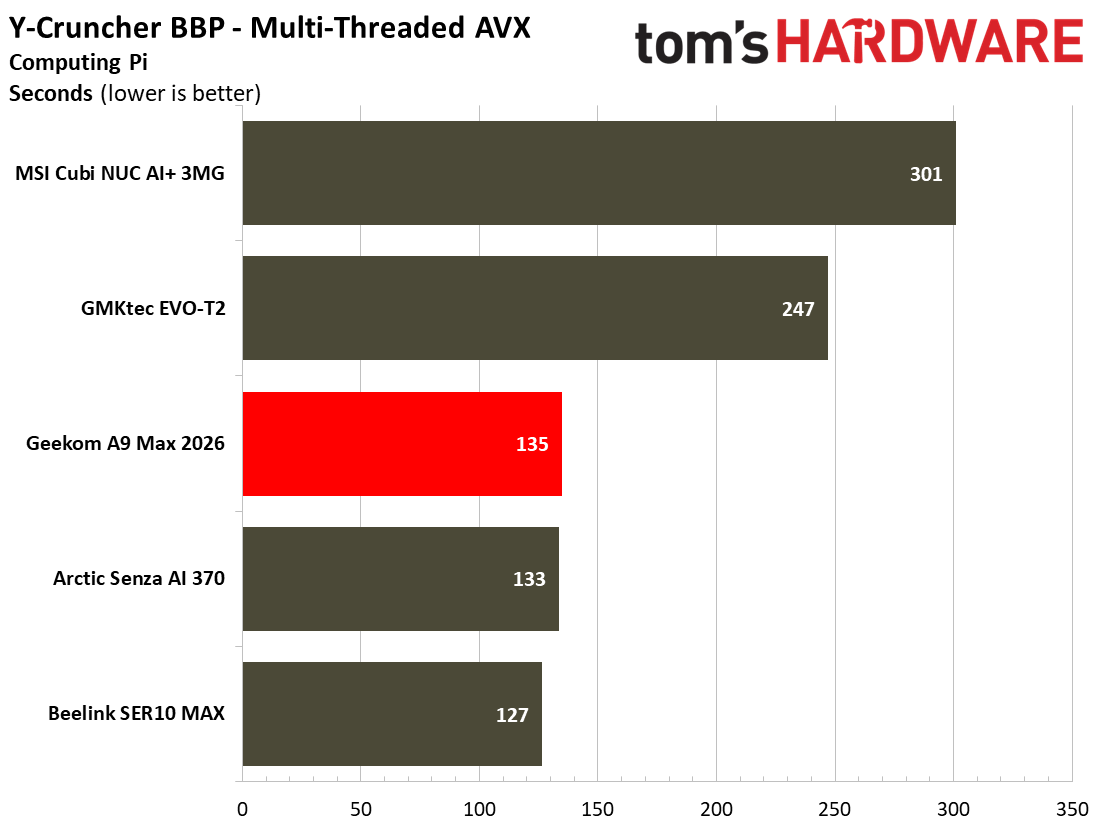
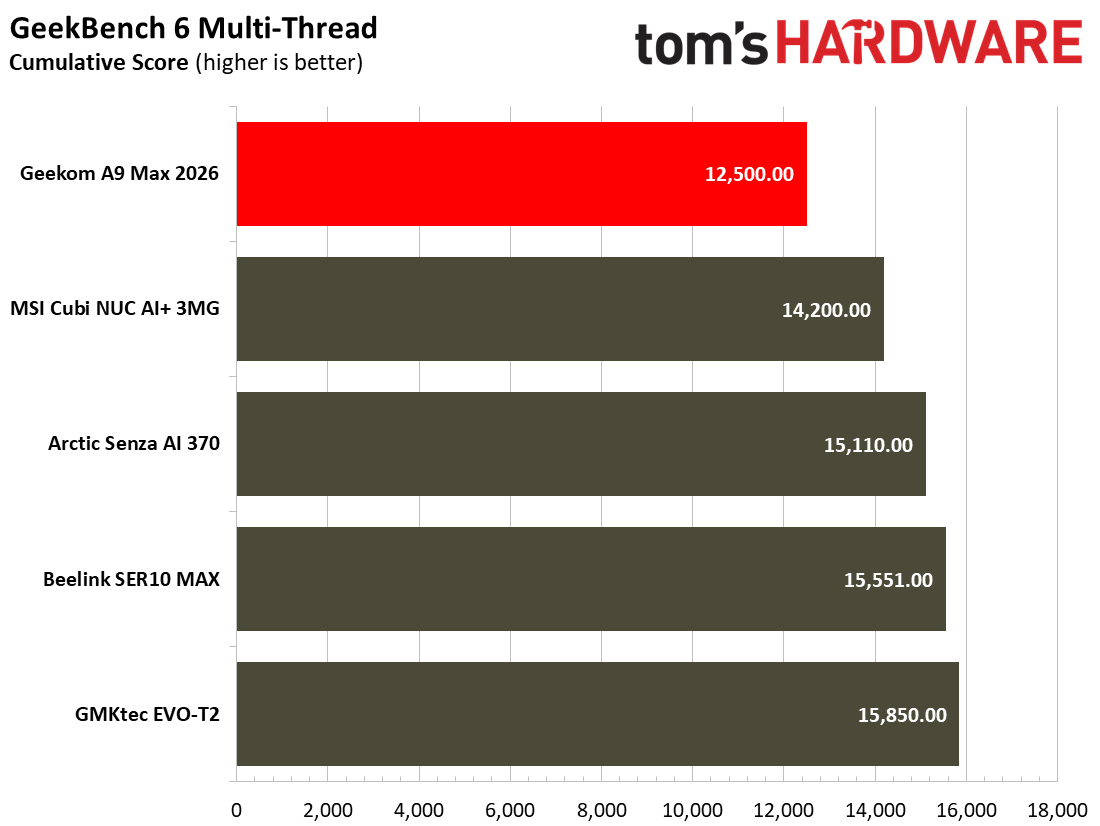
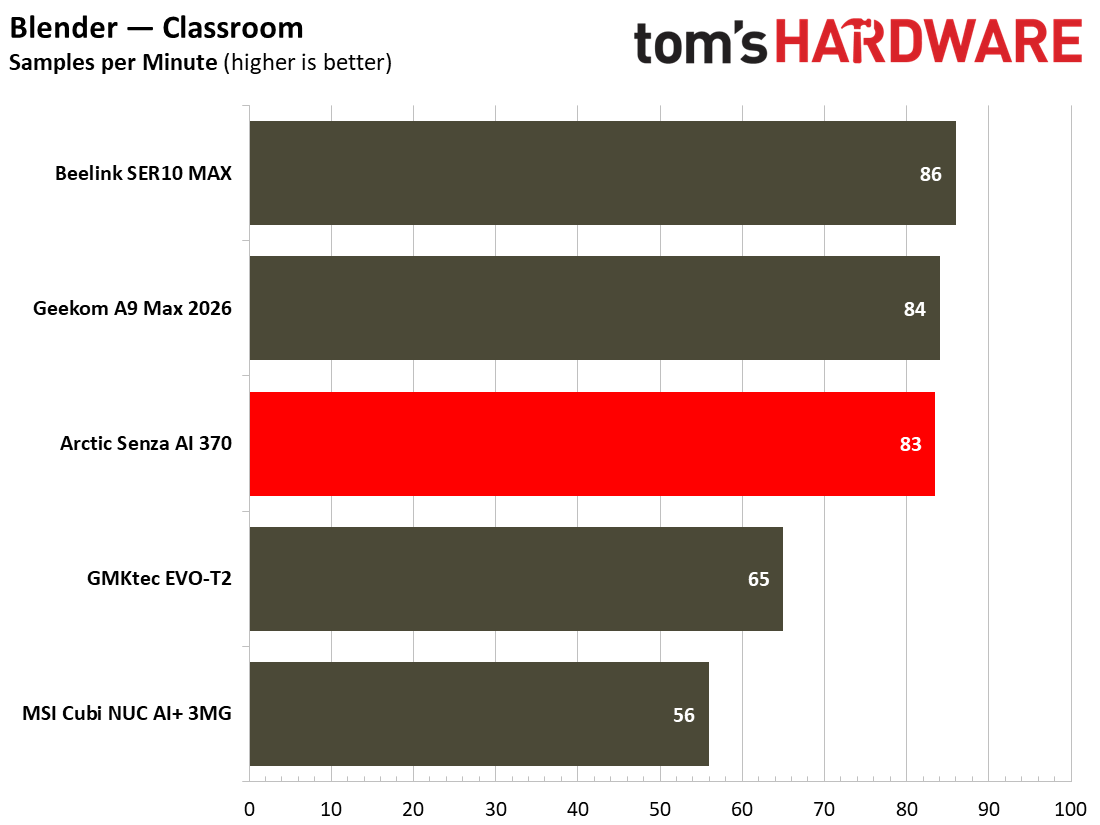
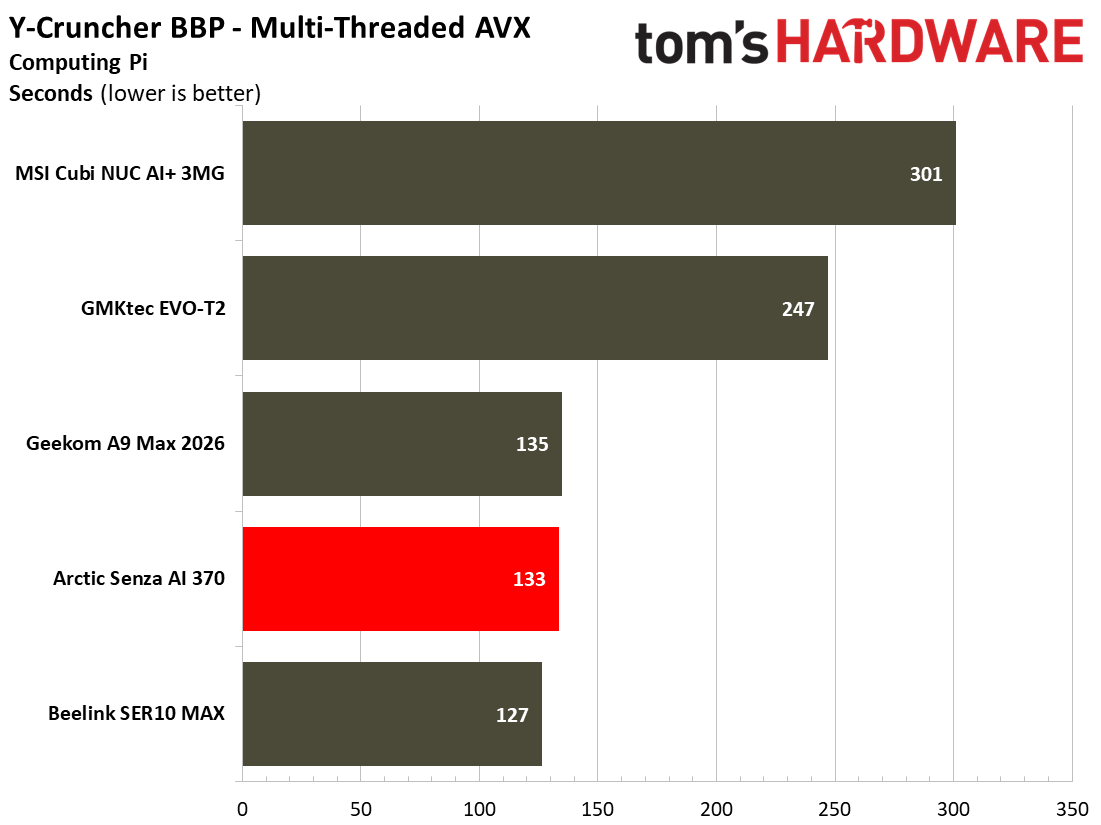
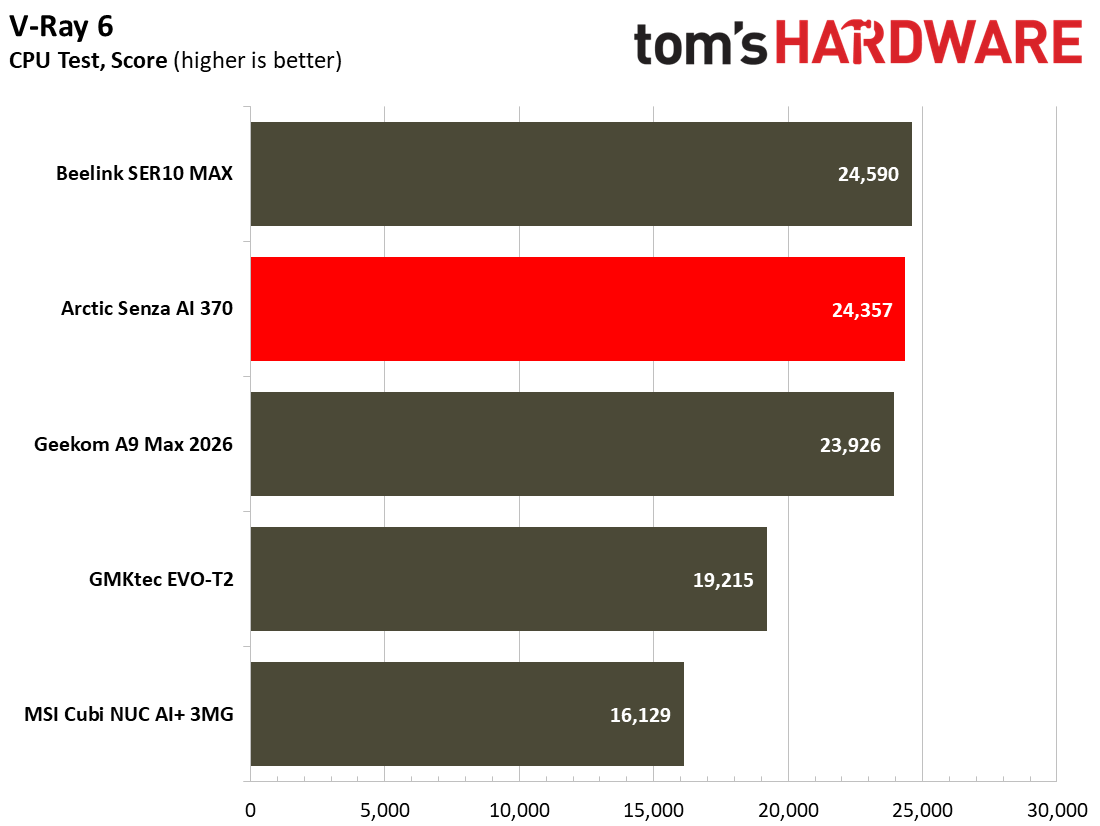
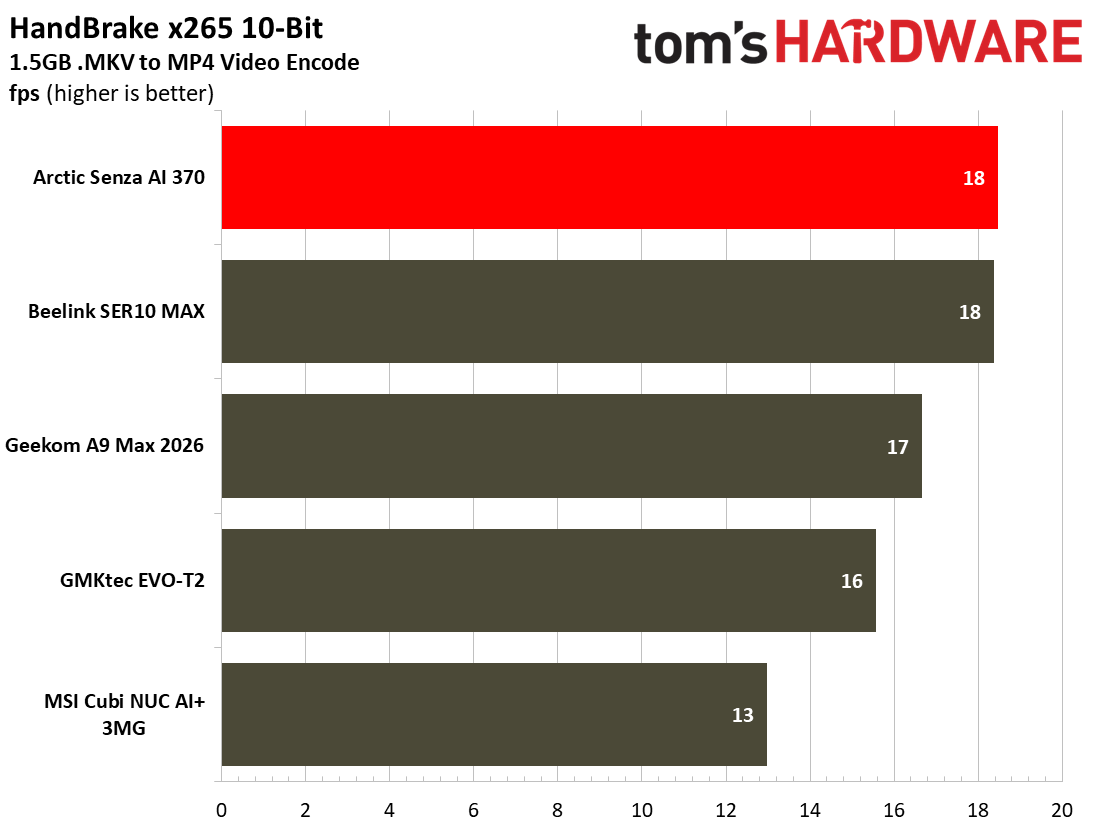
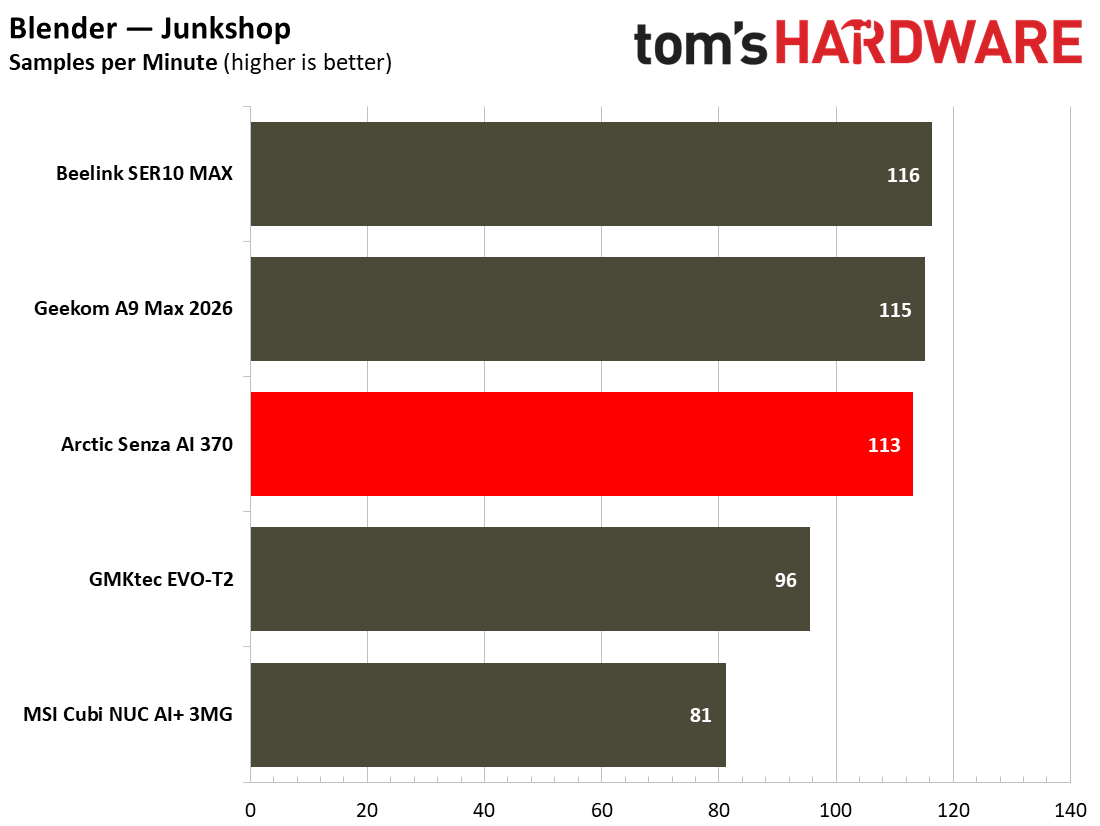
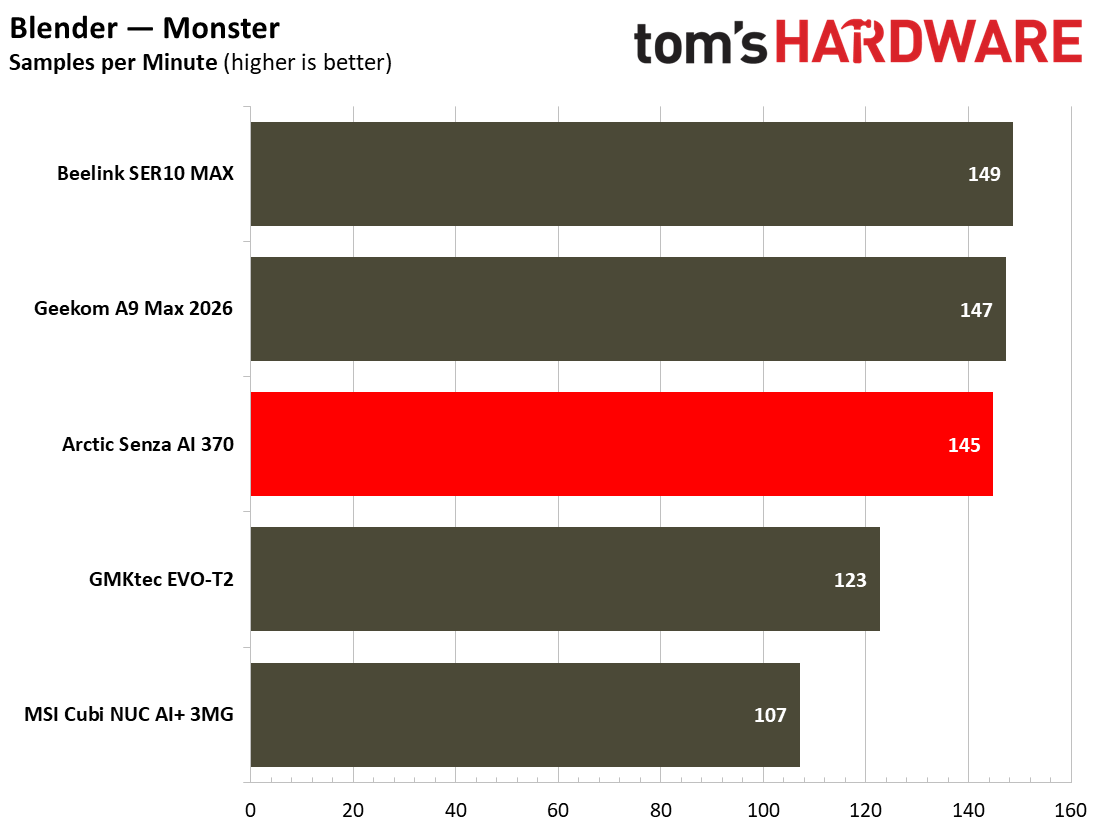
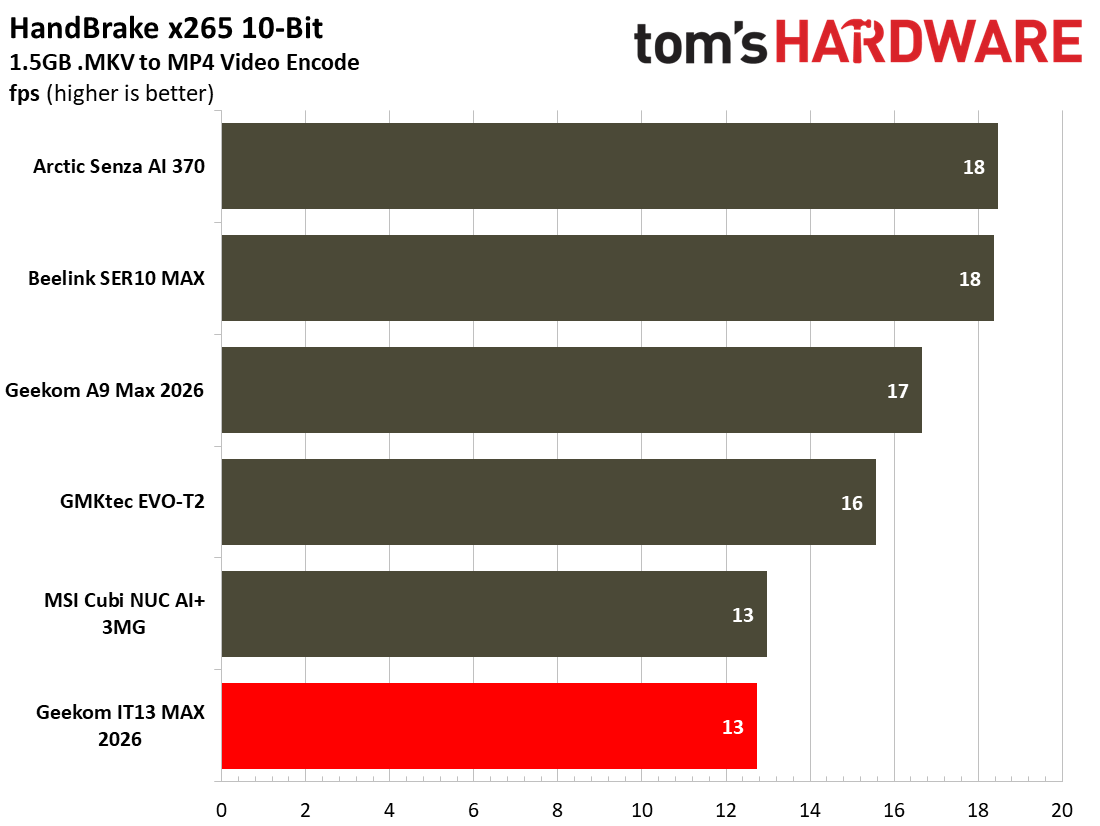
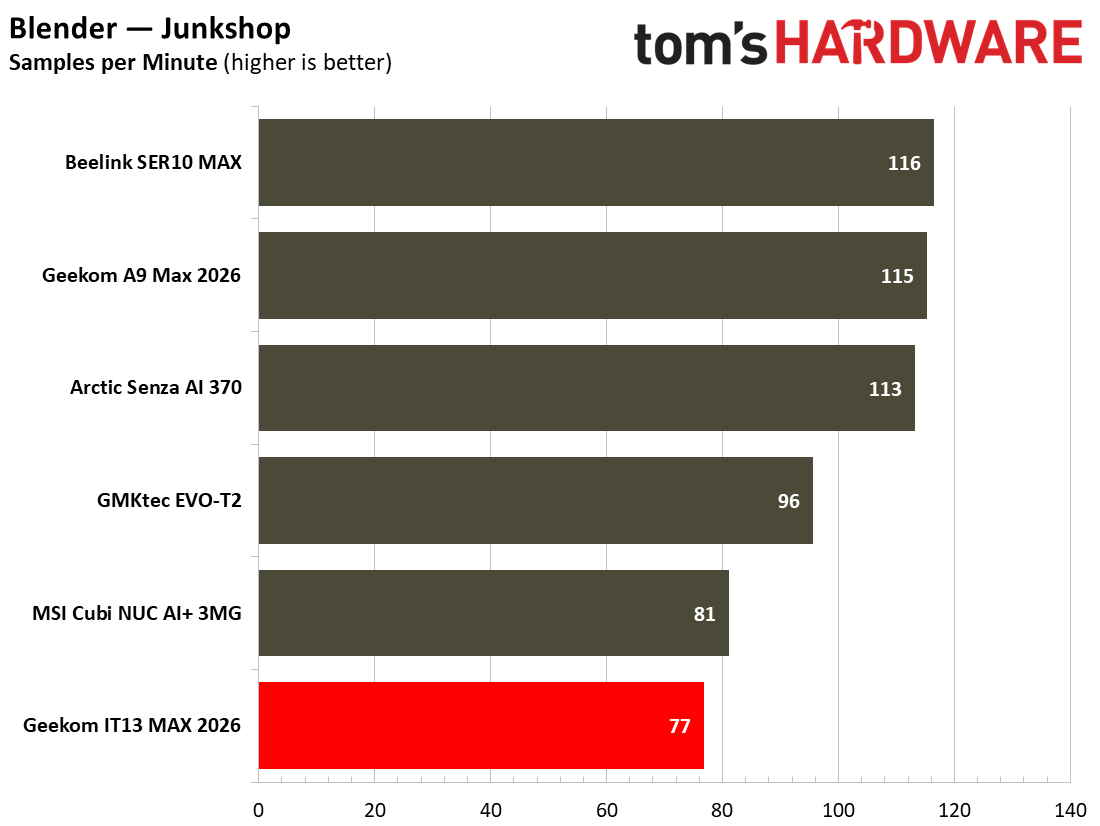
Similarly, in CPU-heavy benchmarks like Blender and Handbrake, the MSI Cubi lags behind the crowd. Even against the GMKtec EVO-T2, which also uses Panther Lake silicon and has fewer P-cores, the MSI still lags here. We are certain this is due to MSI’s default configuration maxing out at around 55W. The GMKtec machine was seen pulling over 70W at the wall.

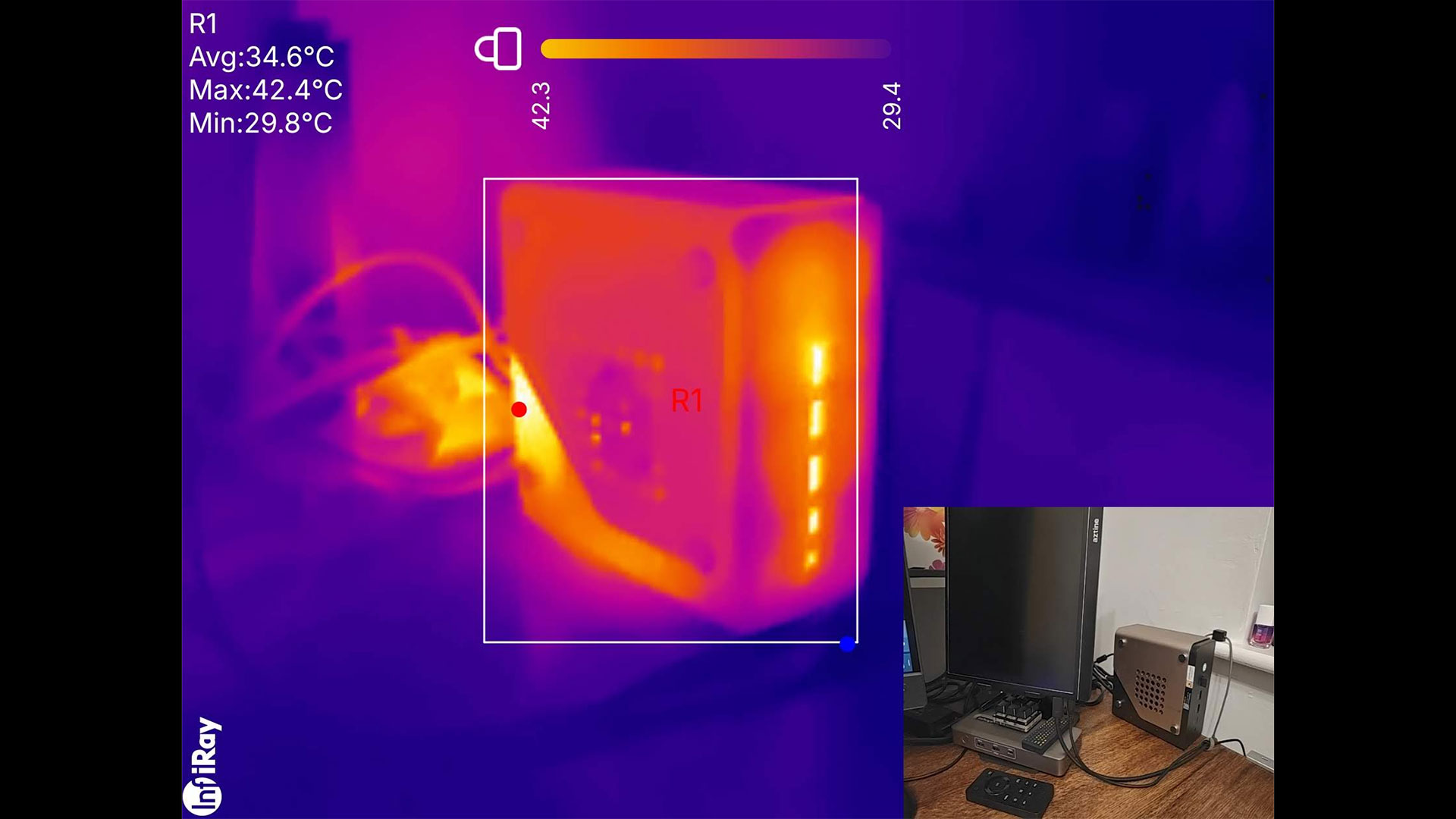
On a more positive note, during our demanding tests, the MSI Cubi NUC AI+ 3MG stayed admirably cool and quiet. This feat was clearly aided by the chosen lower power limits and use of Intel’s newest energy-sipping mobile silicon in this form factor.

Gaming and Graphics on the MSI Cubi NUC AI+ 3MG

Unlike some mini PCs, this one isn't squarely targeted at gamers. Still, with a mere quartet of Xe3 cores pushing the 3D visuals along, this compact and quiet mini PC can do some gaming.

I fired up Forza Horizon 5 for a bit of racing down in Mexico. I liked the High and 1080p settings, and the game managed 45-40 frames per second. The frame rate felt like it dropped precipitously every few minutes as I was driving around, though. This indicates that the game's suggested Low or even Medium settings would be a better choice for consistency.

MSI Cubi NUC AI+ 3MG
Tom's Hardware
MSI Cubi NUC AI+ 3MG
Tom's Hardware

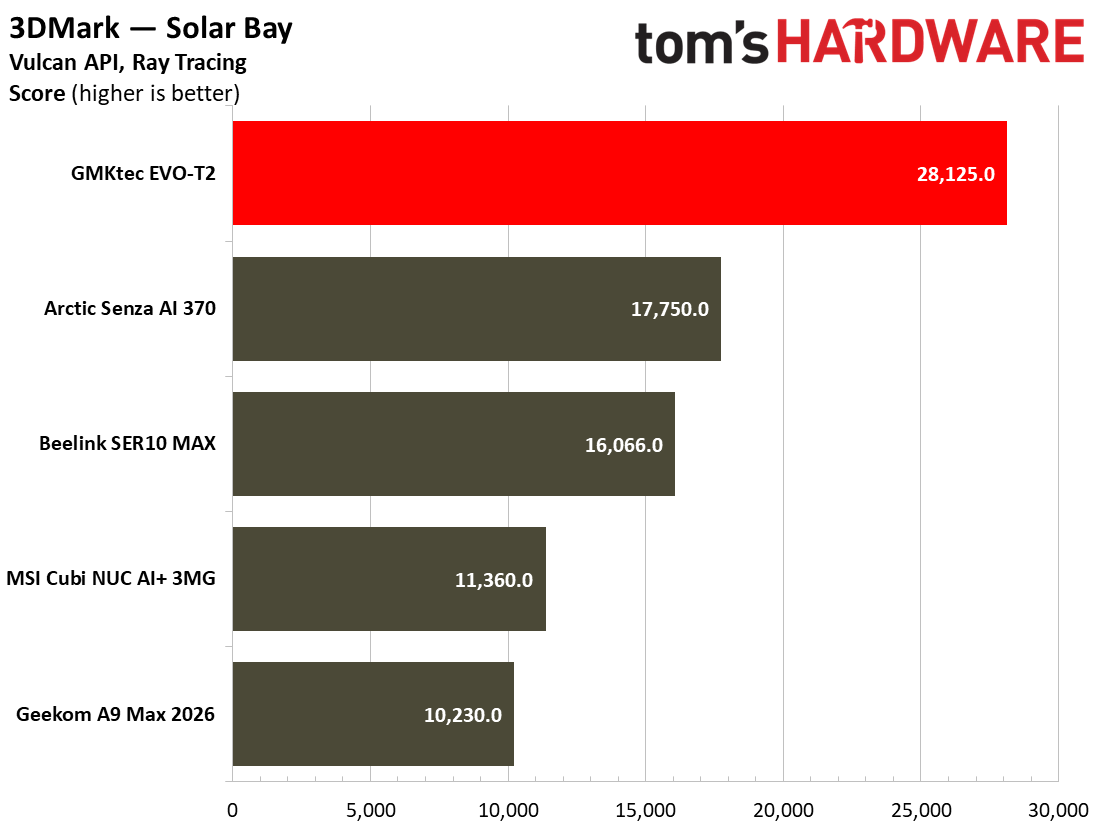
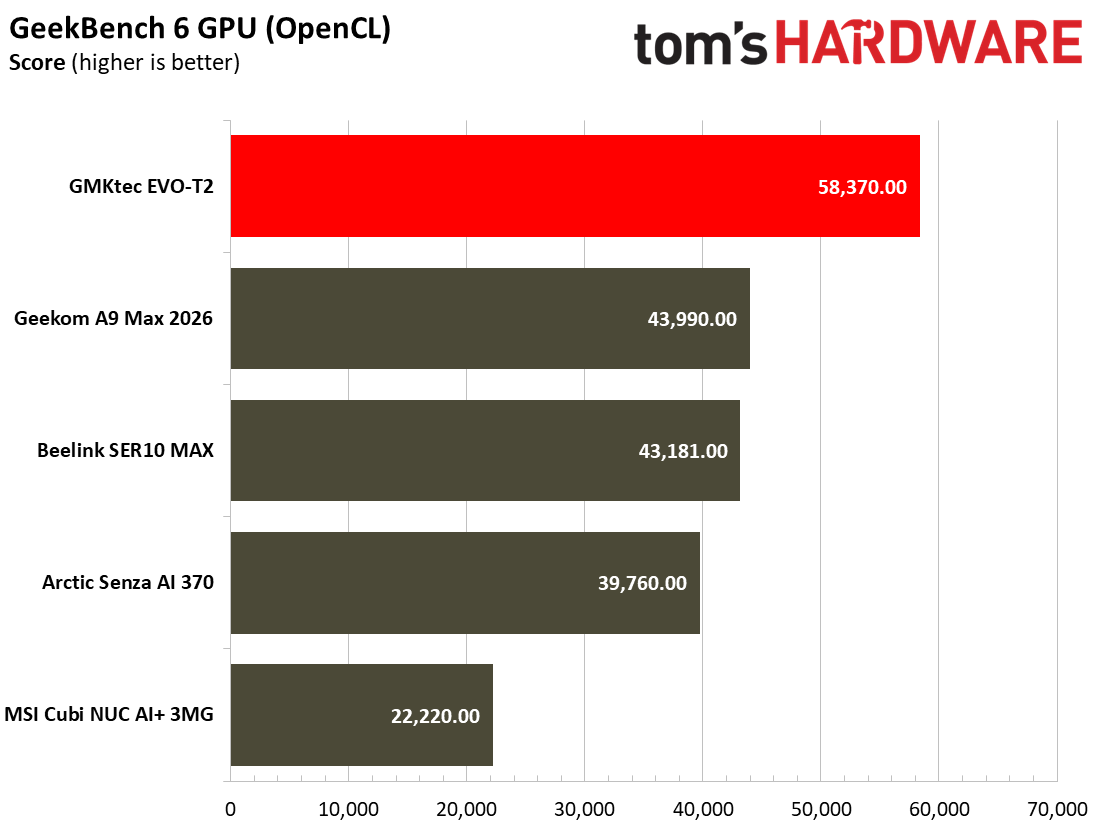
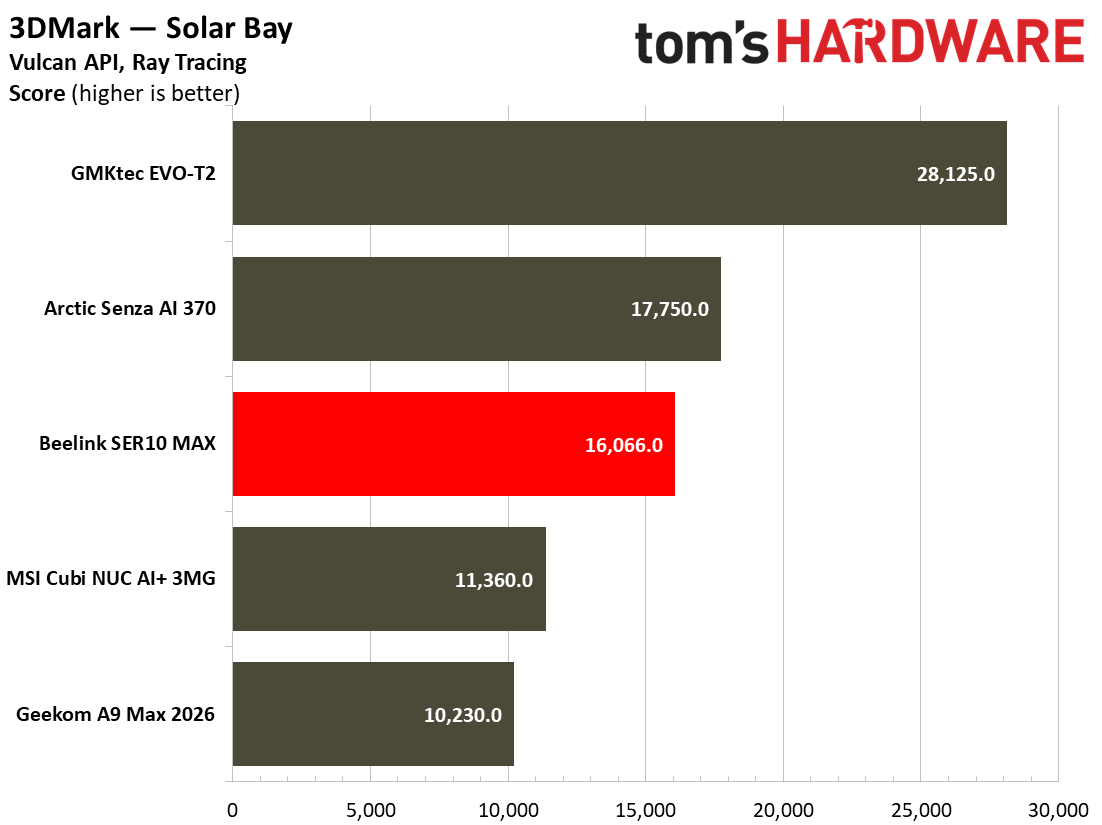
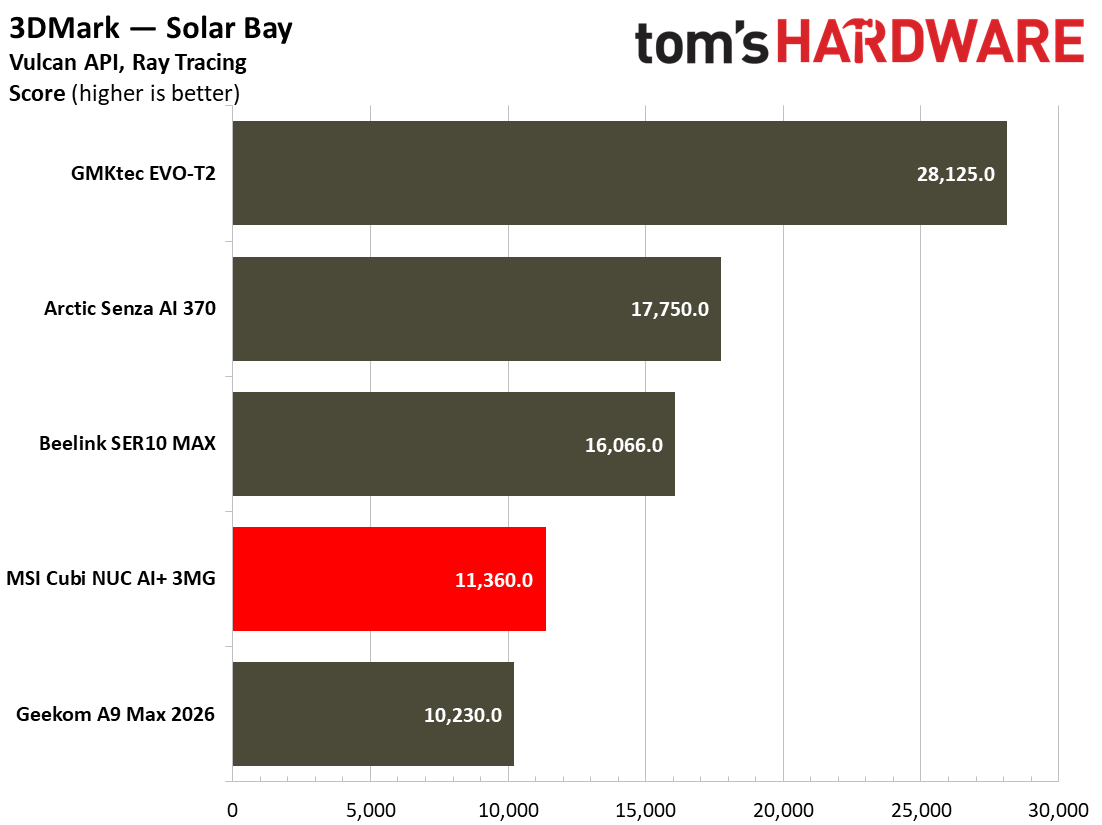
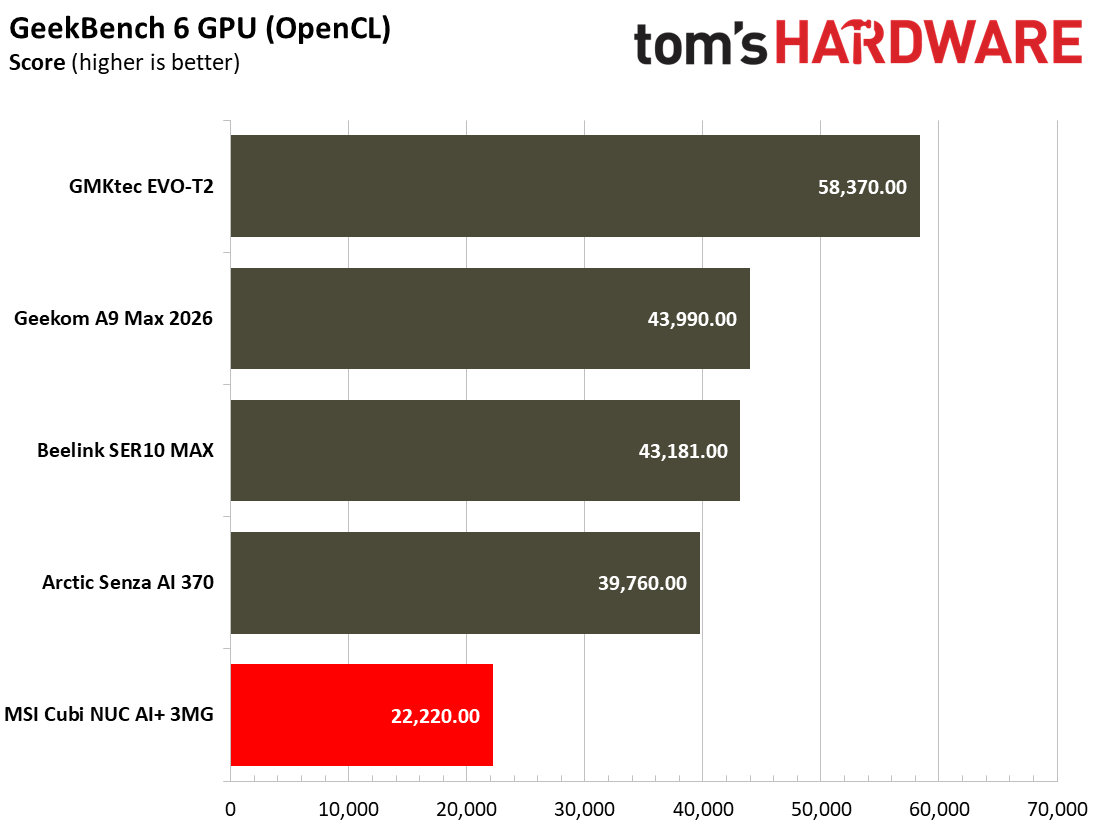
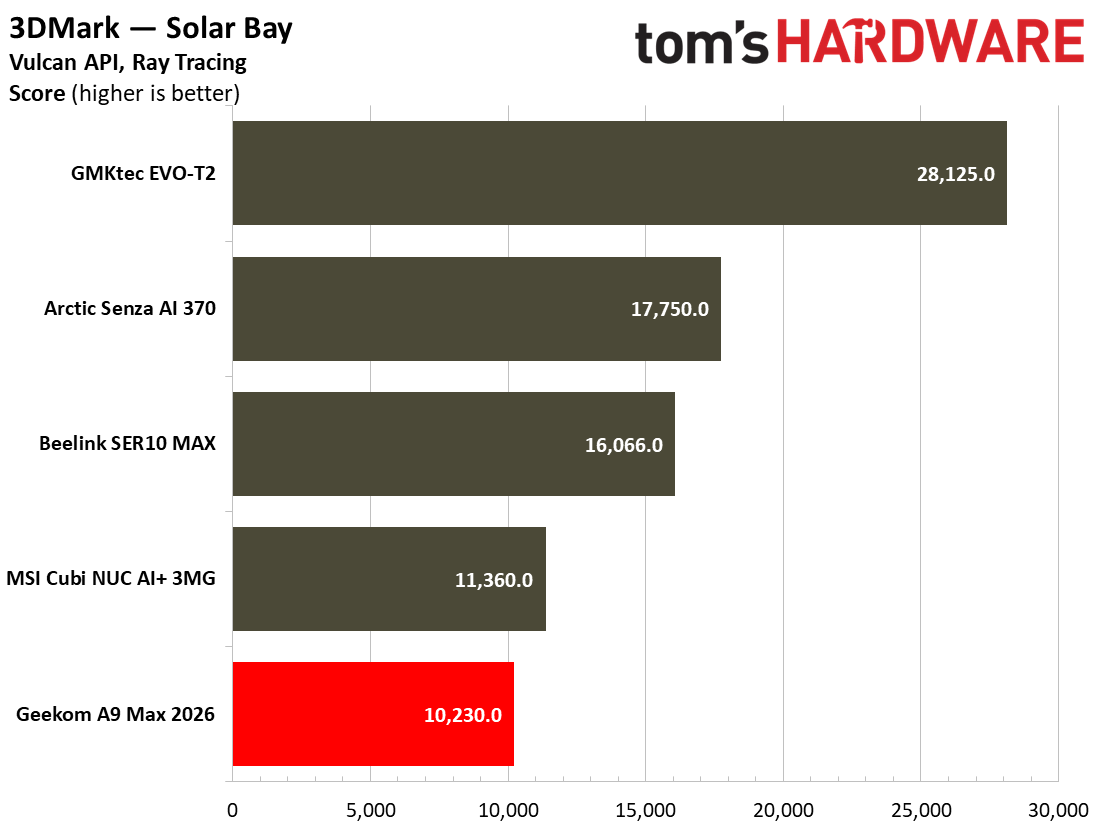
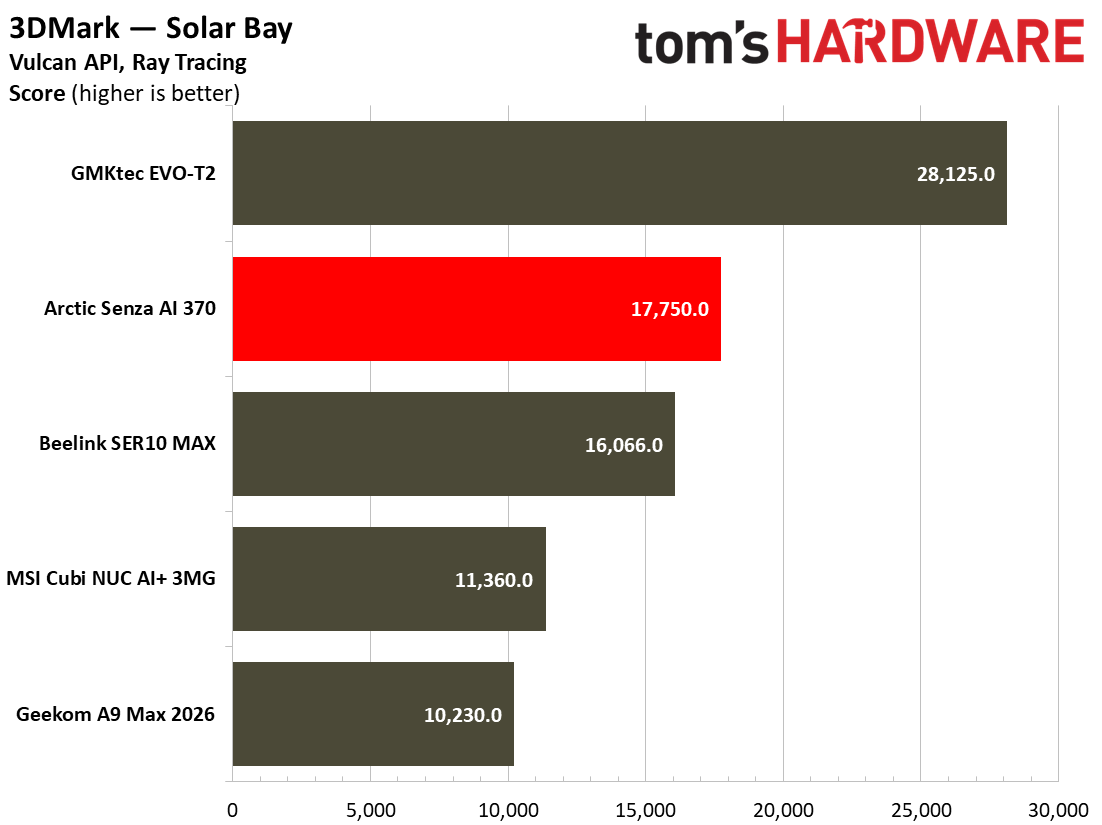
Our benchmarks included a trio of 3DMark synthetics and two PC gaming standards. 3DMark Solar Bay is a great way to frame and compare cross-platform iGPU performance. Meanwhile, Steel Nomad turns to screws on raw graphics performance with its heavy modern GPU load, and will be better for comparisons when we start testing the higher-end mini PCs, some with dGPUs. Last and definitely not least, Speed Way is a 2025 benchmark from UL that uses DirectX Raytracing tier 1.1 for real-time global illumination and real-time ray-traced reflections.

MSI Cubi NUC AI+ 3MG
Tom's Hardware
MSI Cubi NUC AI+ 3MG
Tom's Hardware
MSI Cubi NUC AI+ 3MG
Tom's Hardware
MSI Cubi NUC AI+ 3MG
Tom's Hardware
MSI Cubi NUC AI+ 3MG
Tom's Hardware
MSI Cubi NUC AI+ 3MG
Tom's Hardware

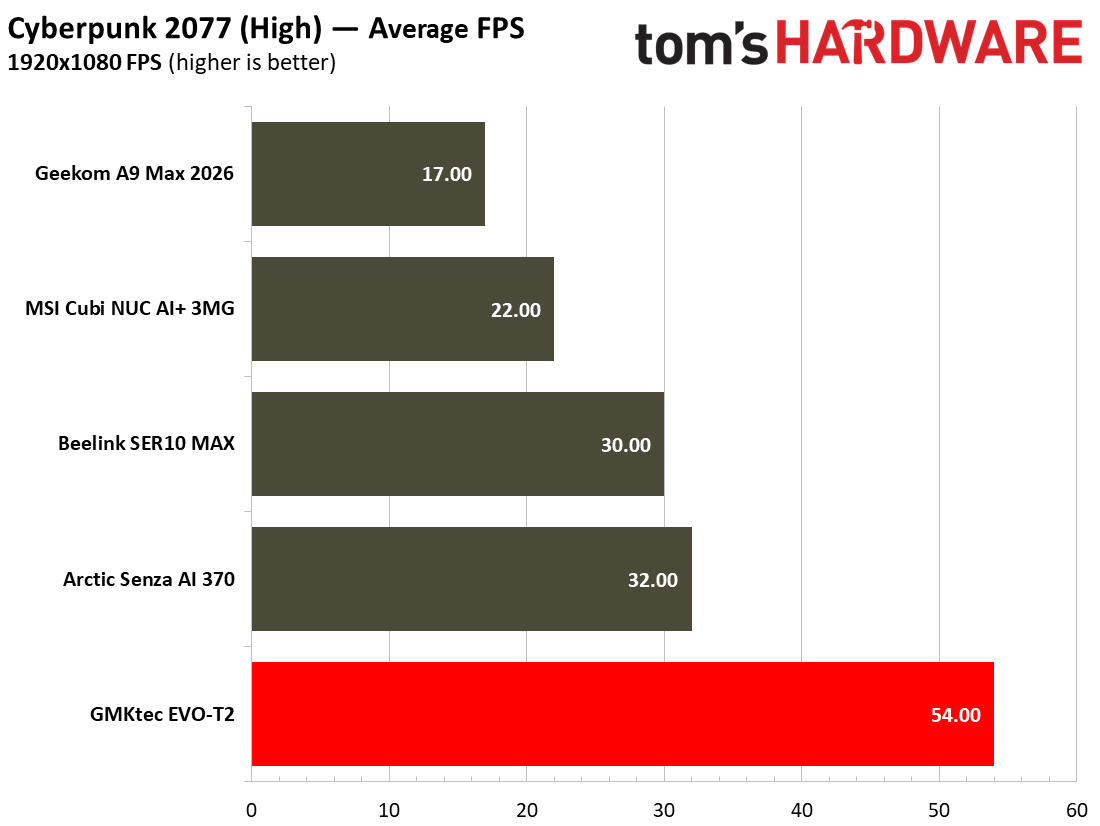
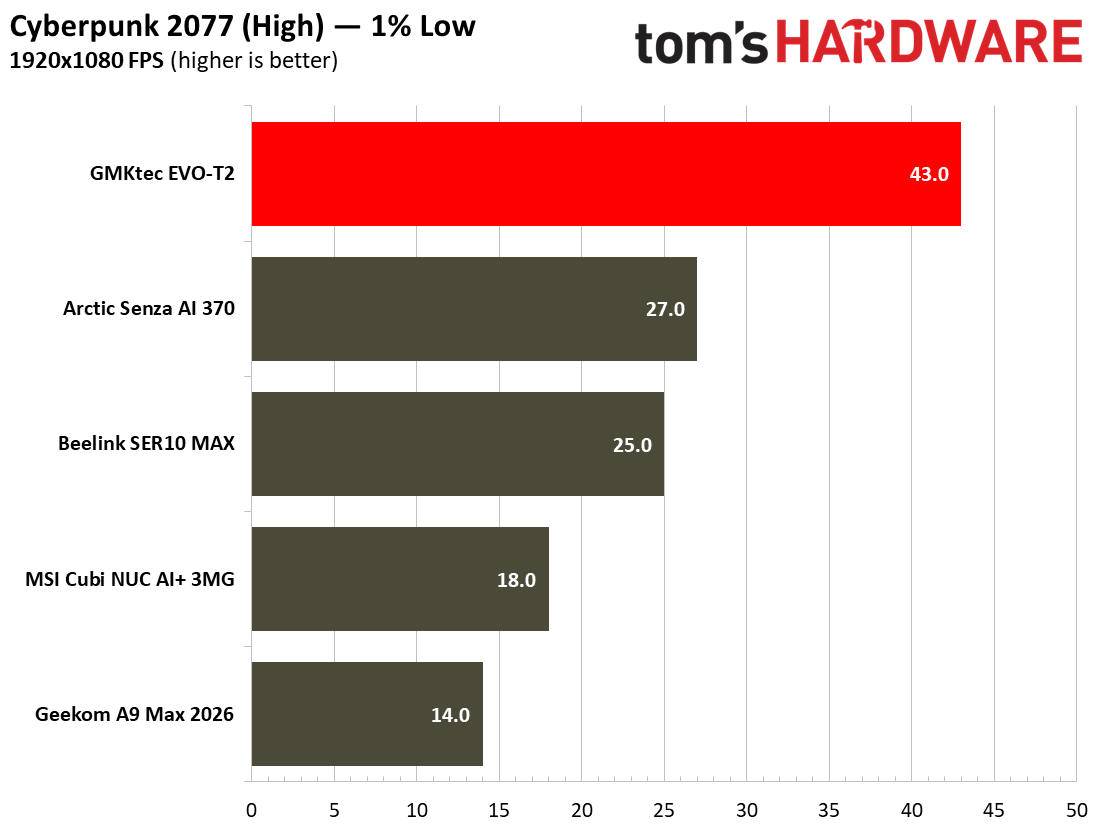
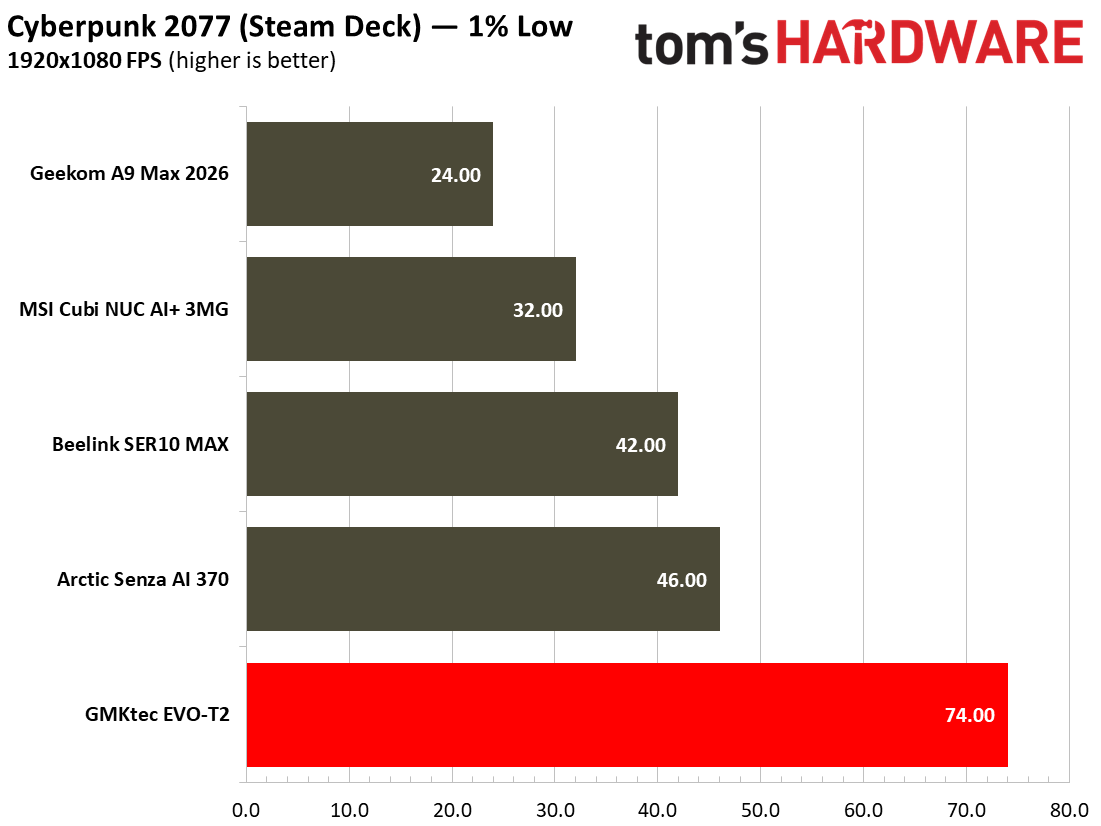
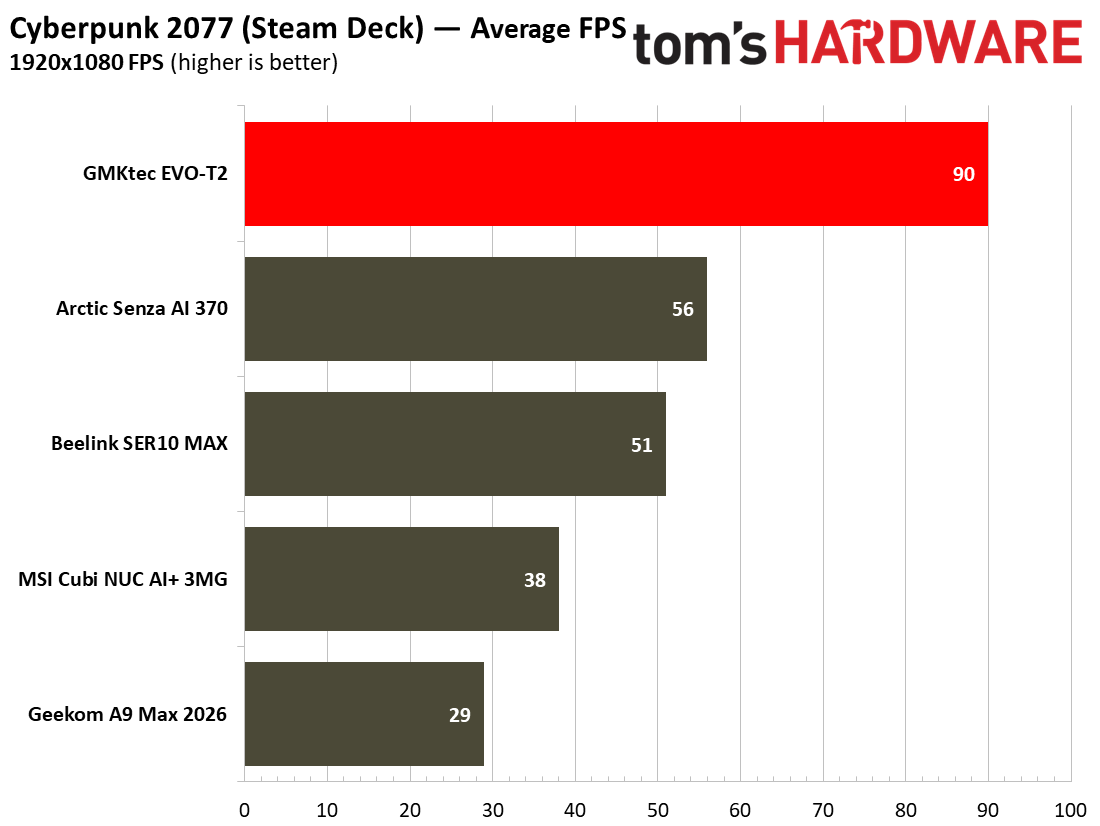
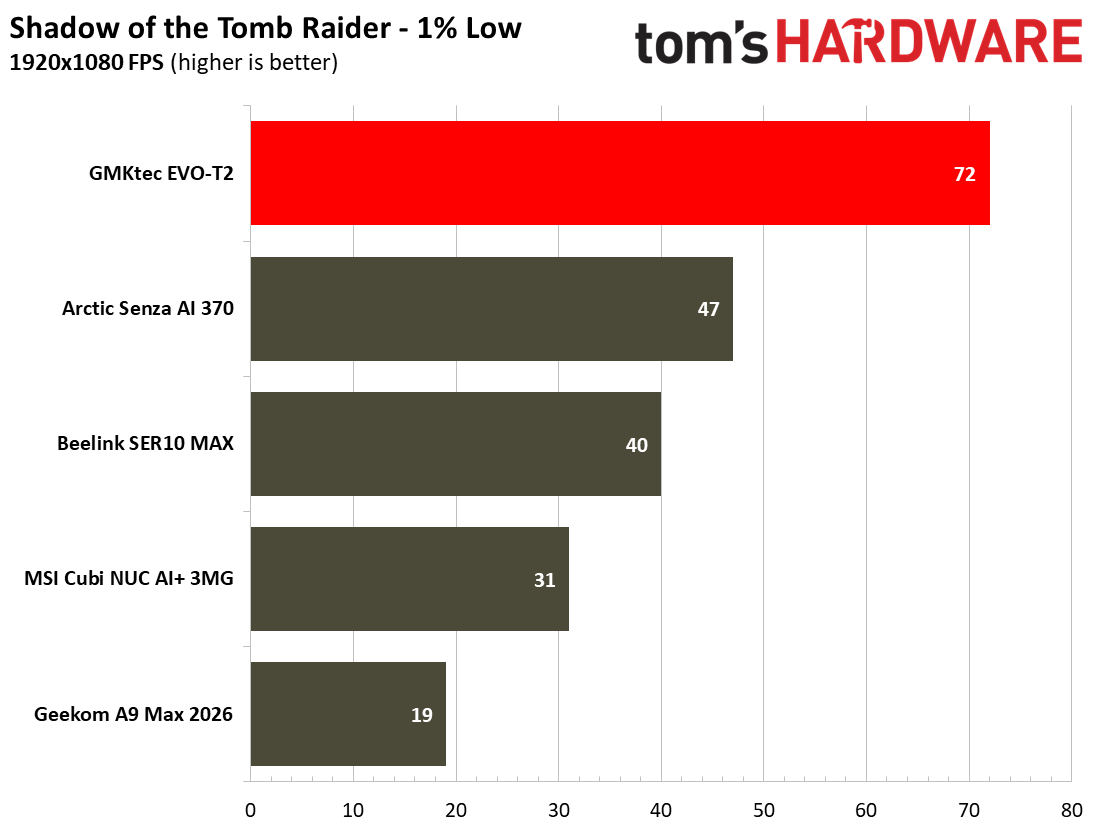
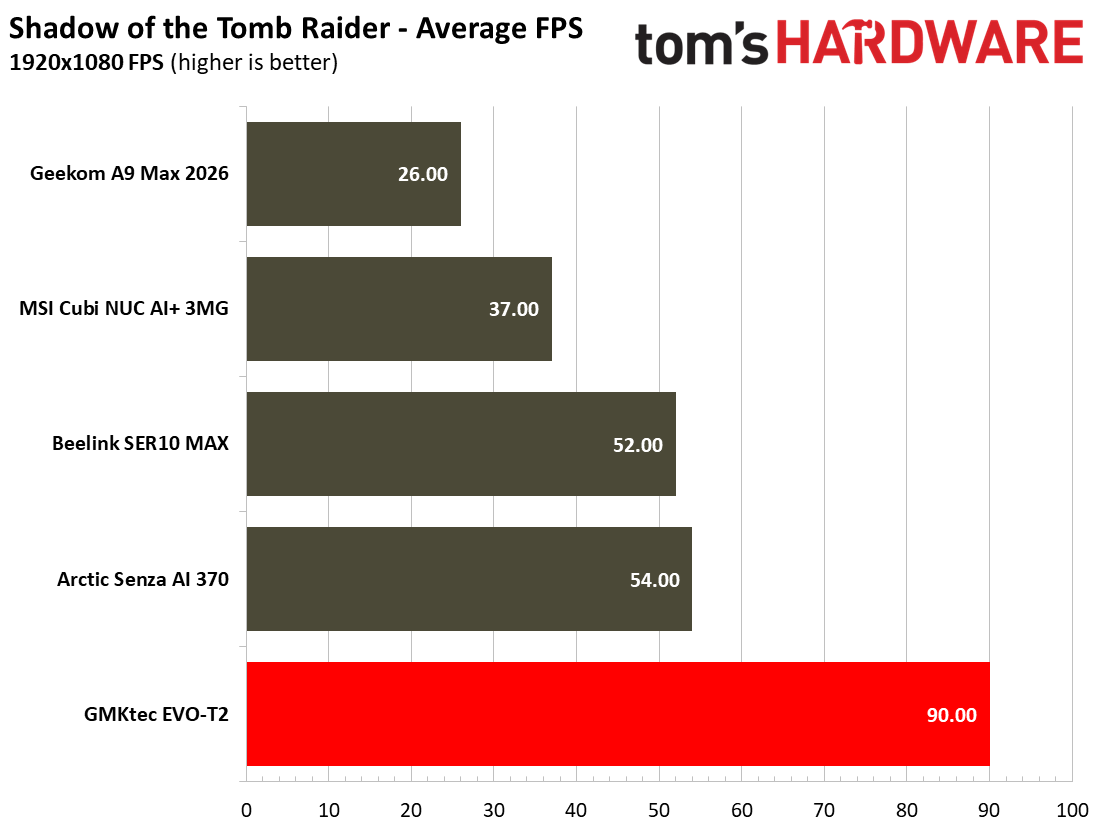
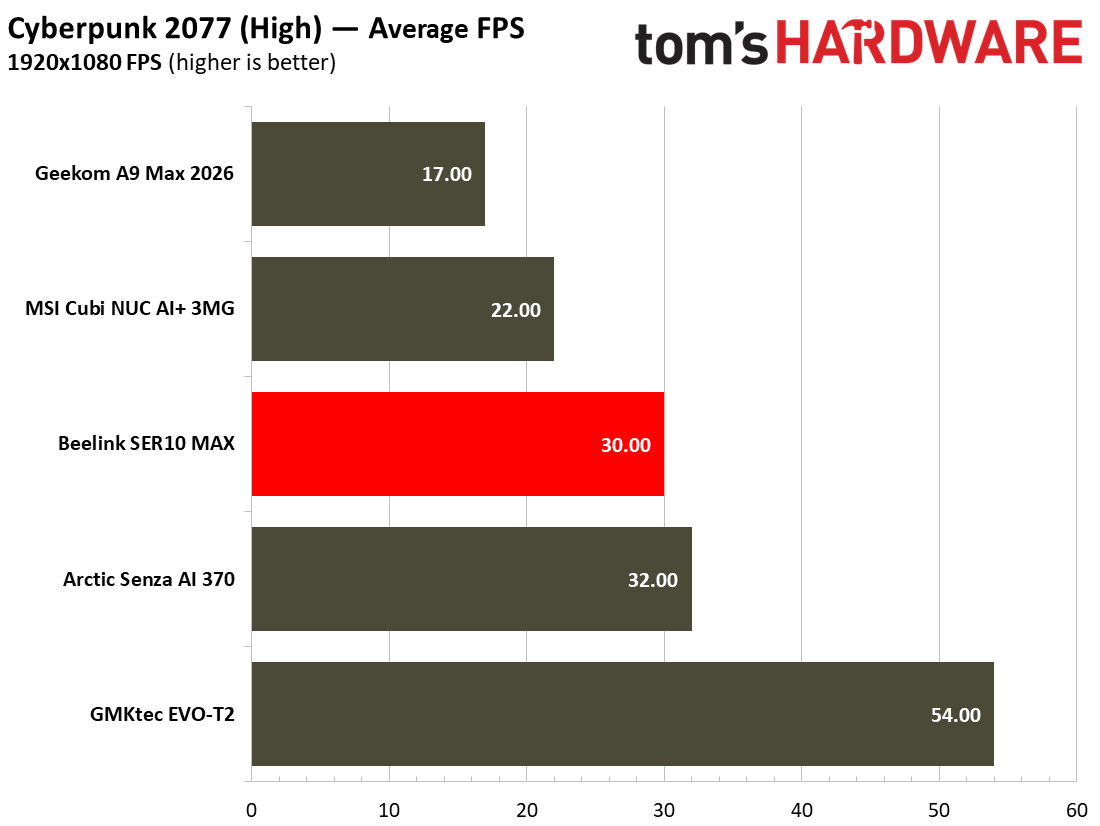
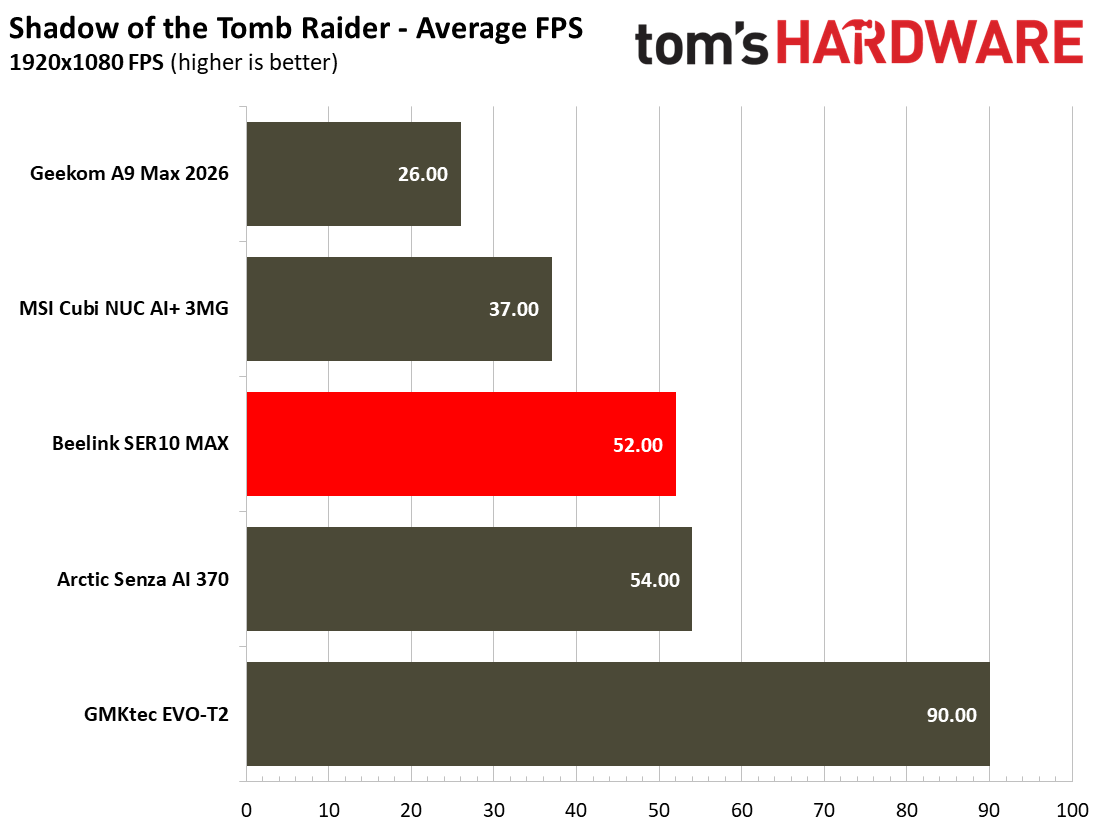
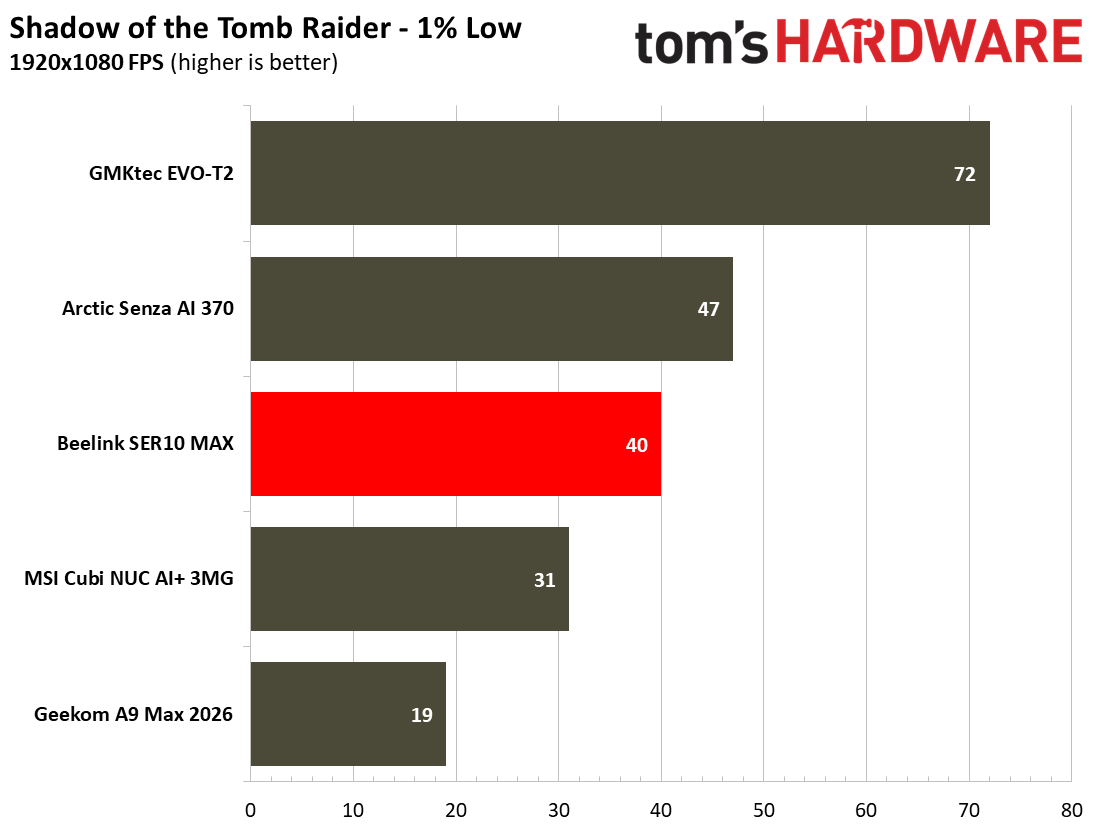
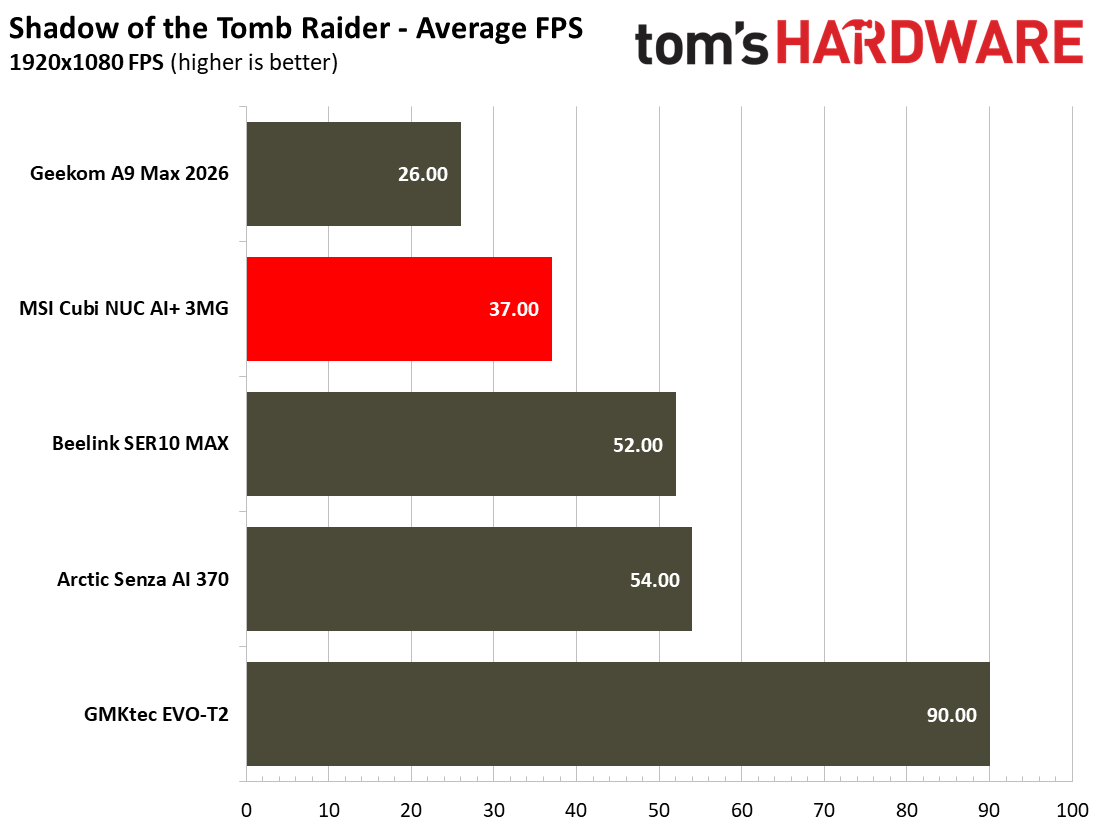
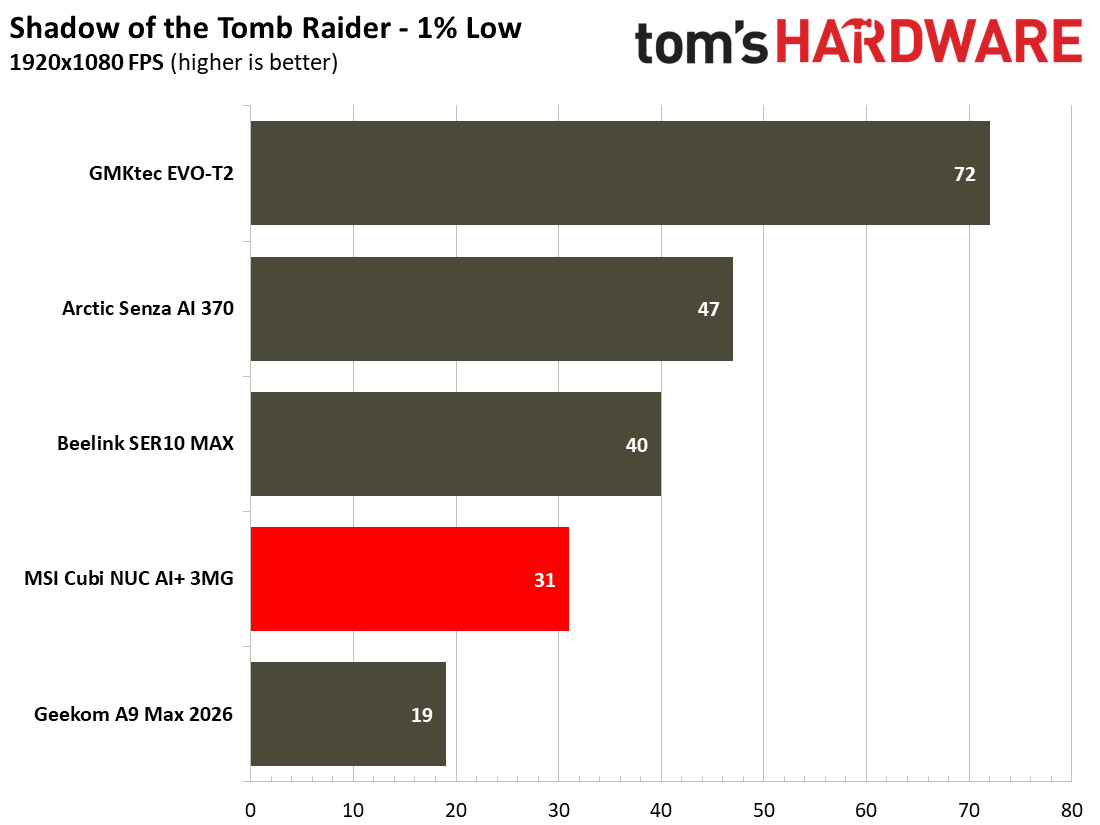
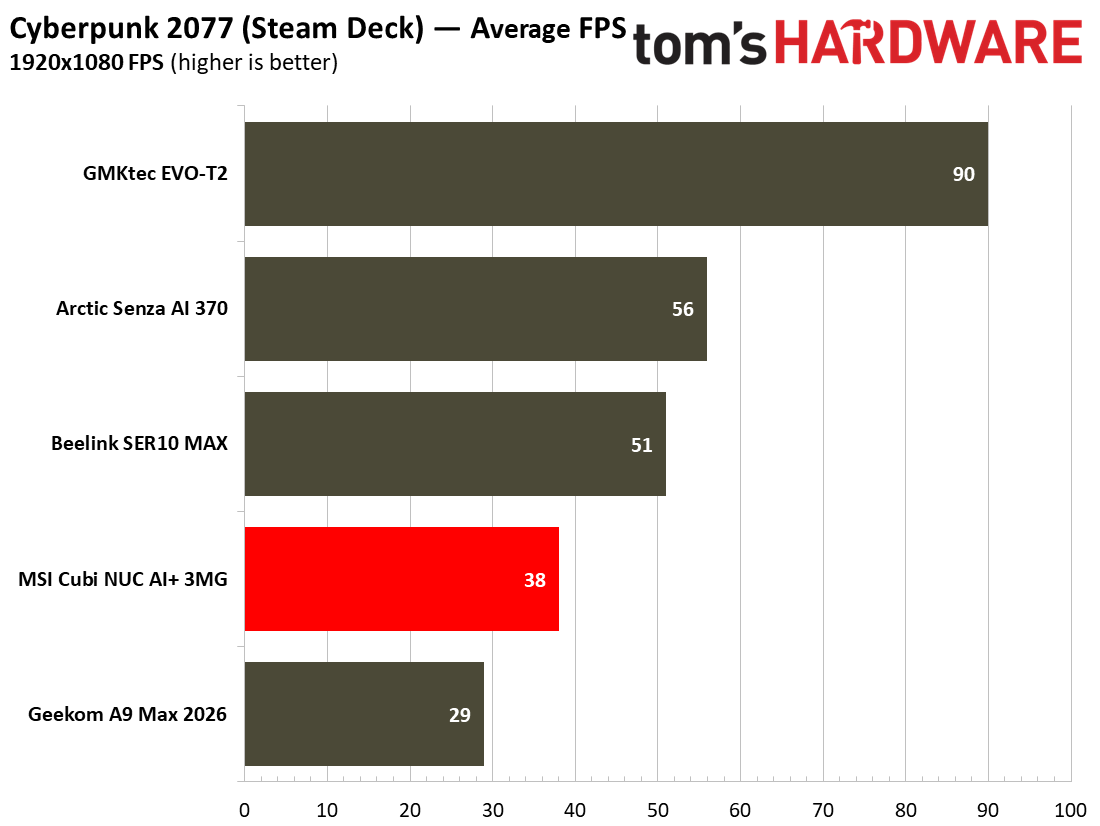
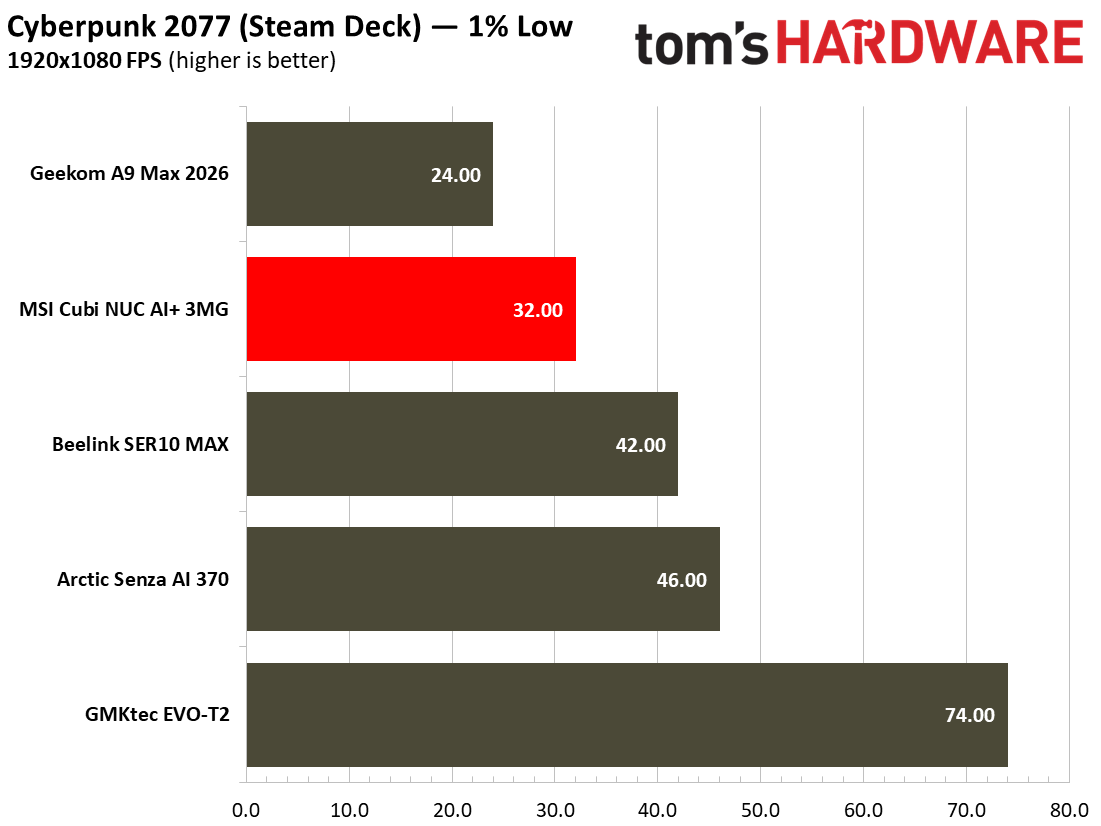
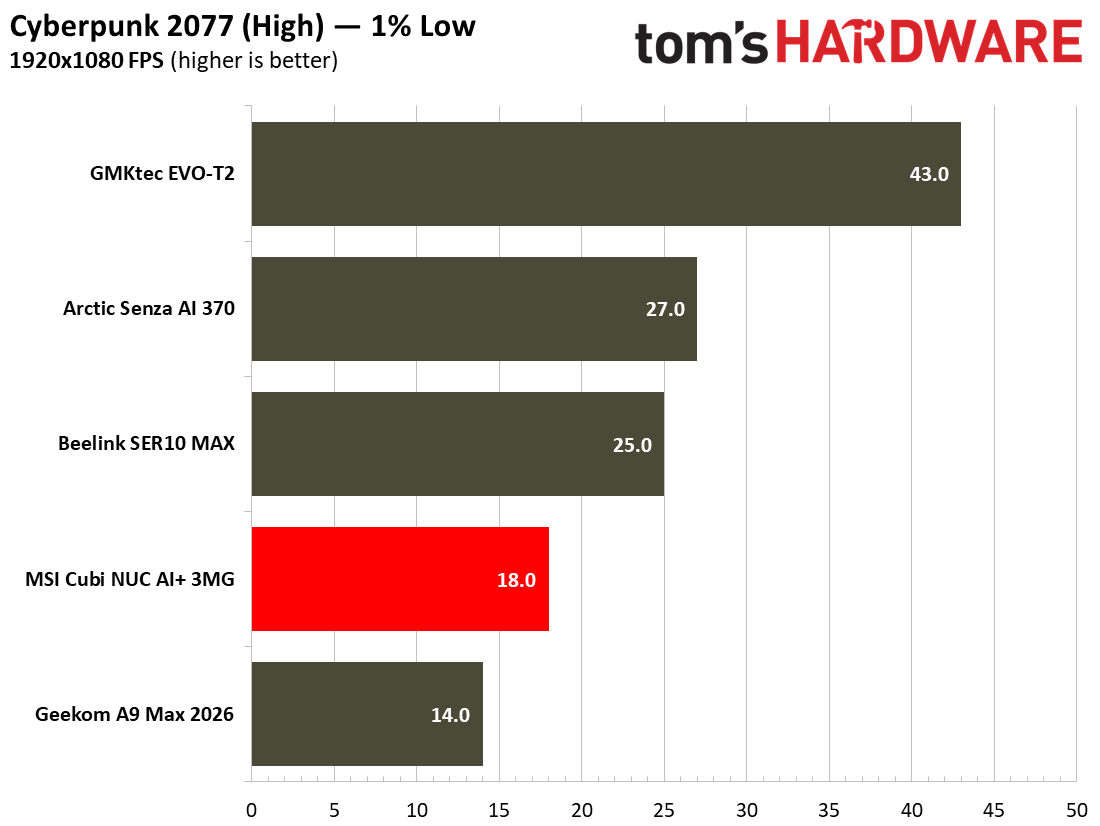
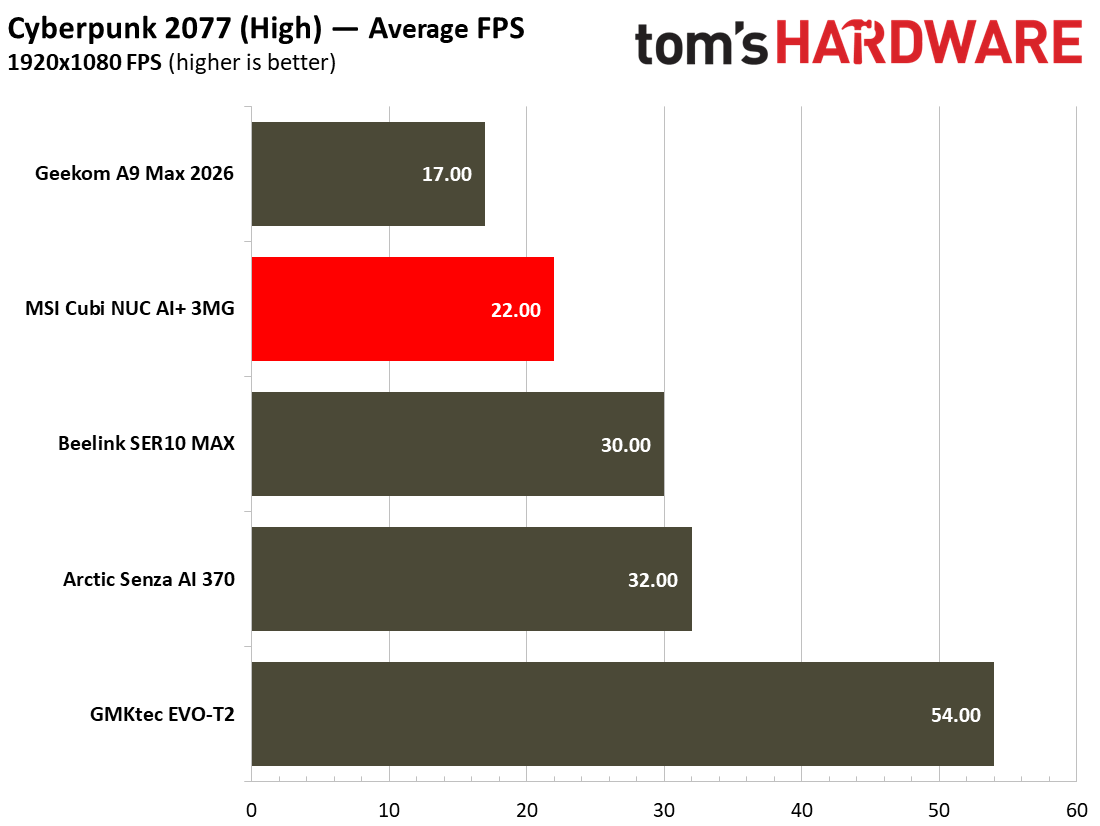
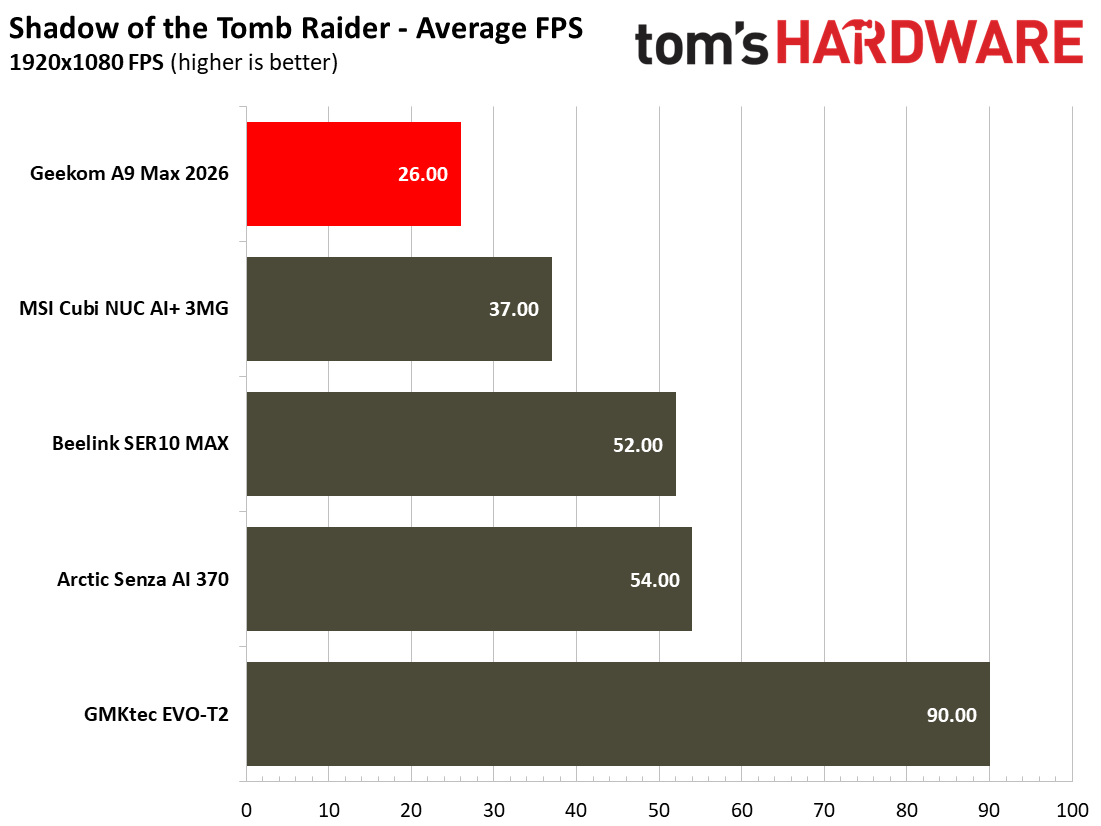
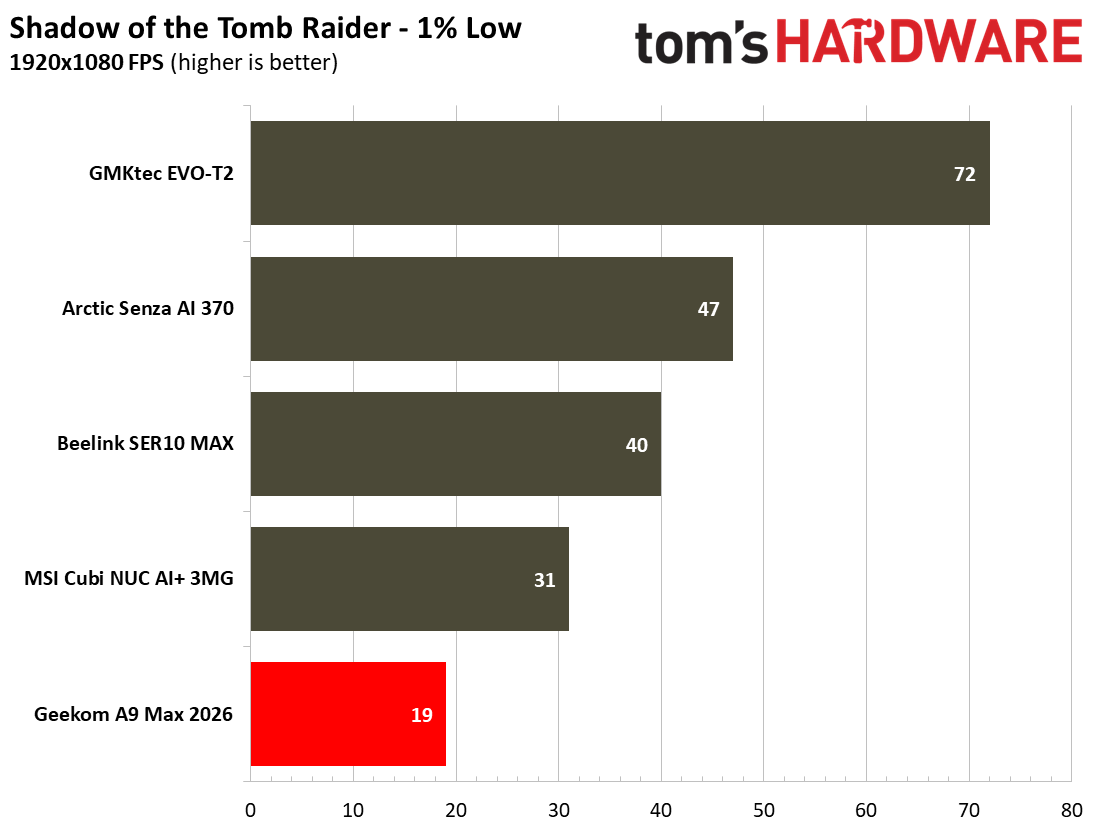
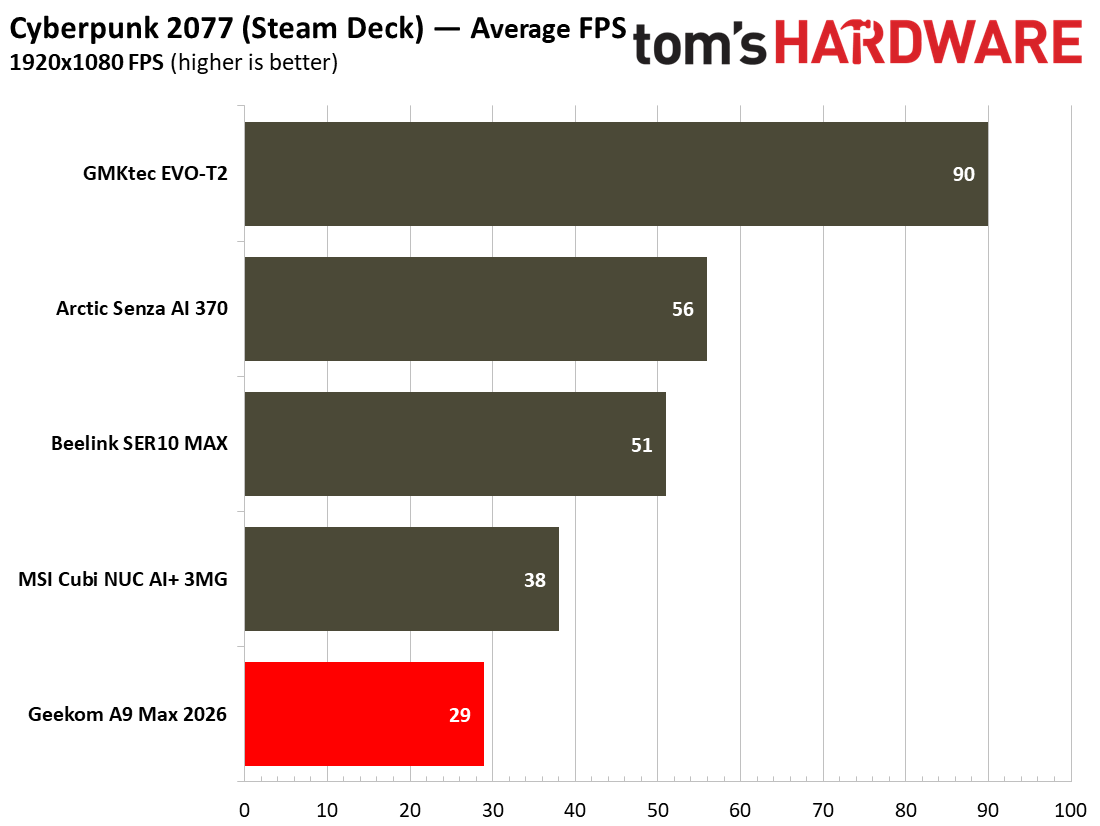
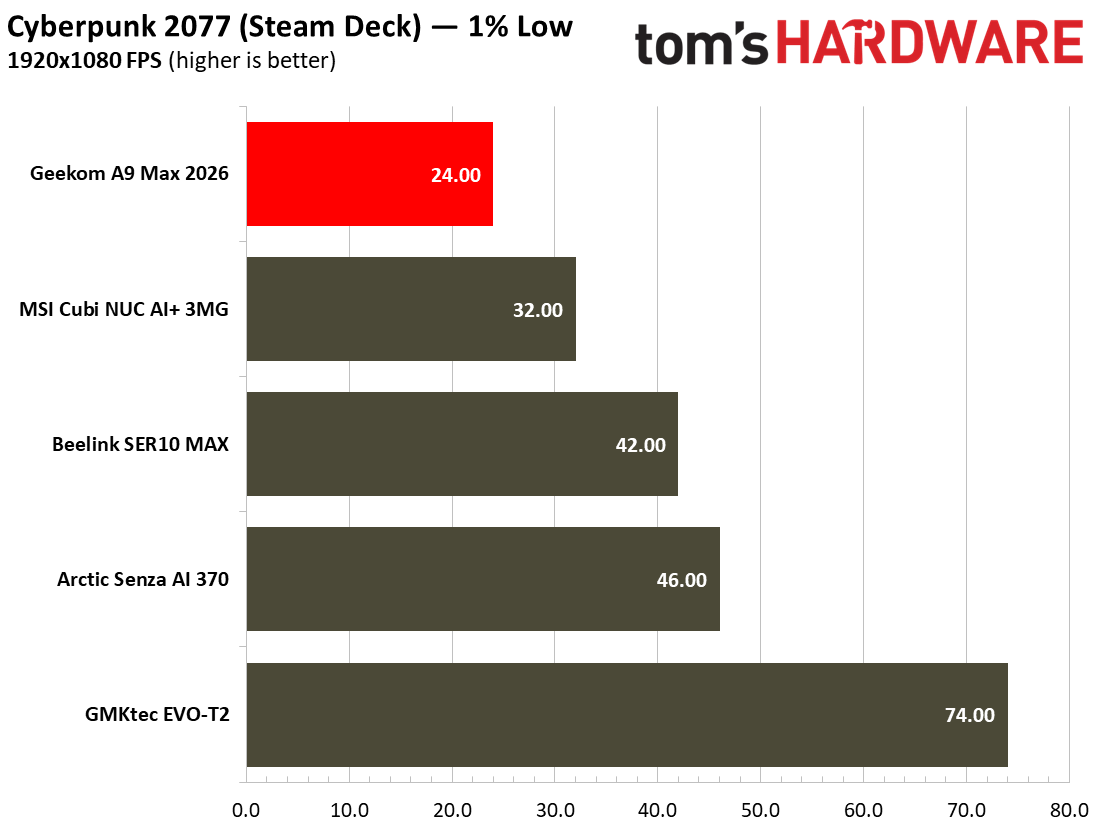
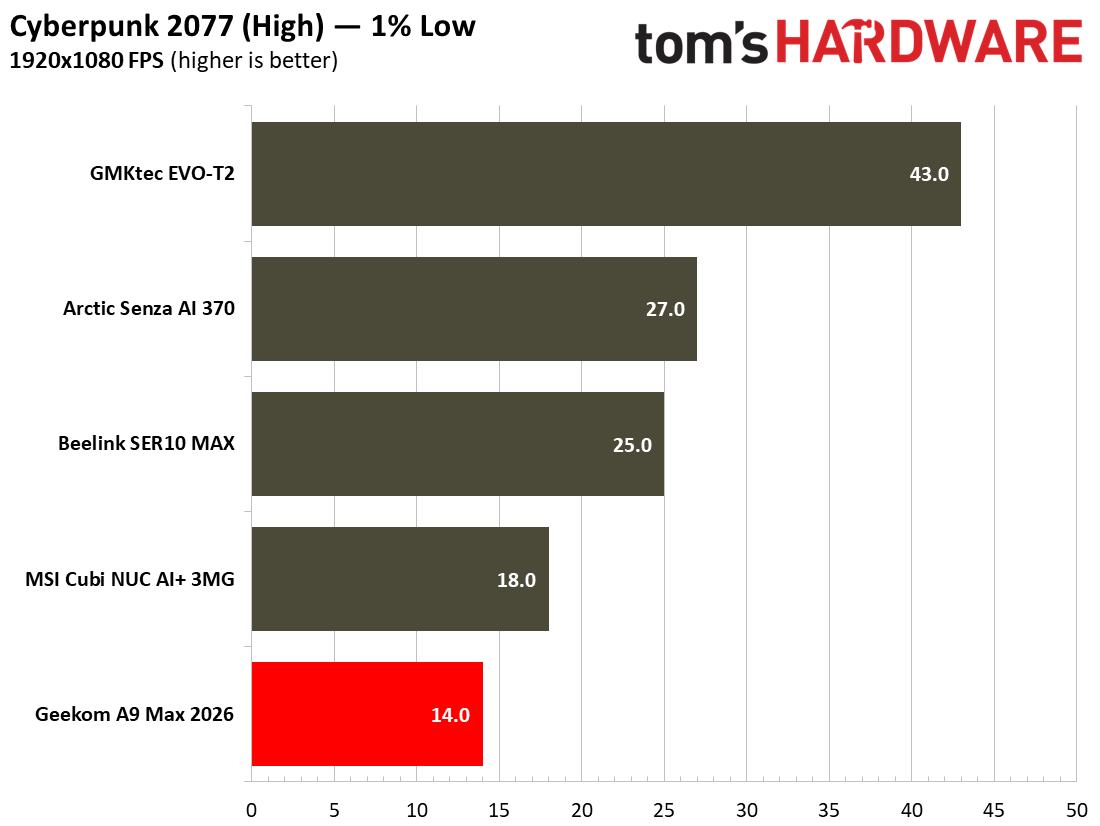
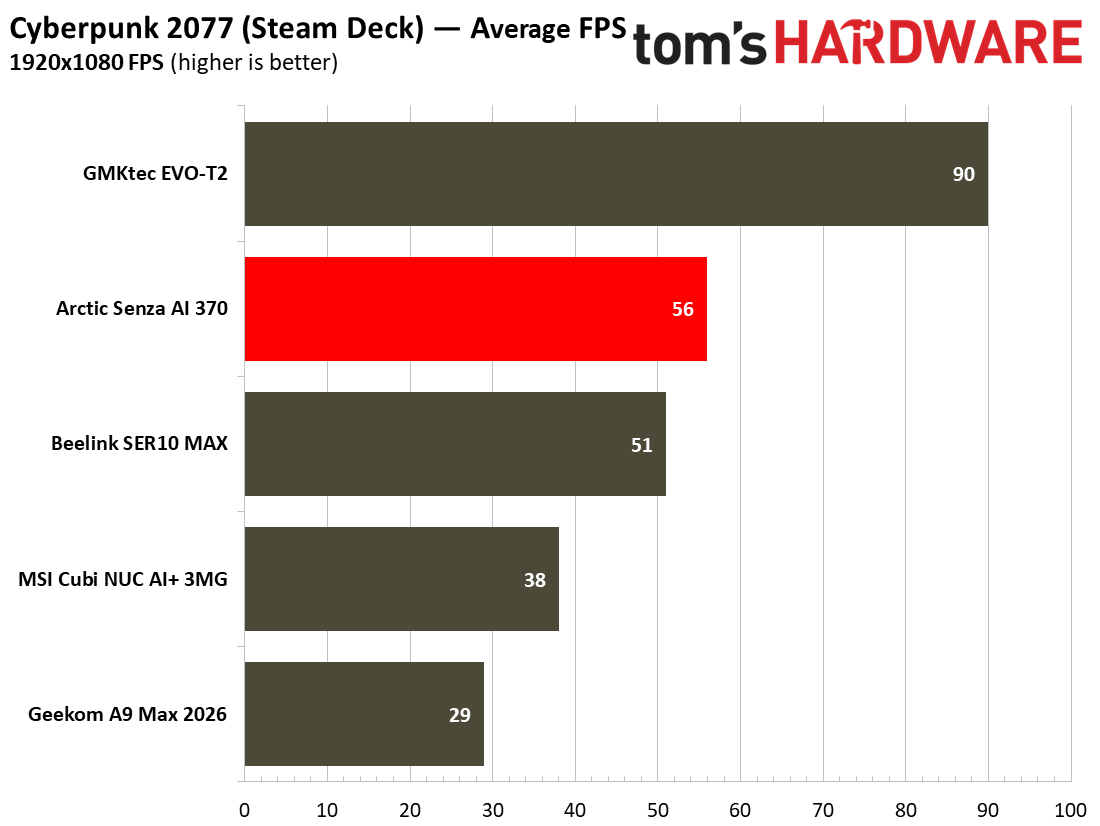
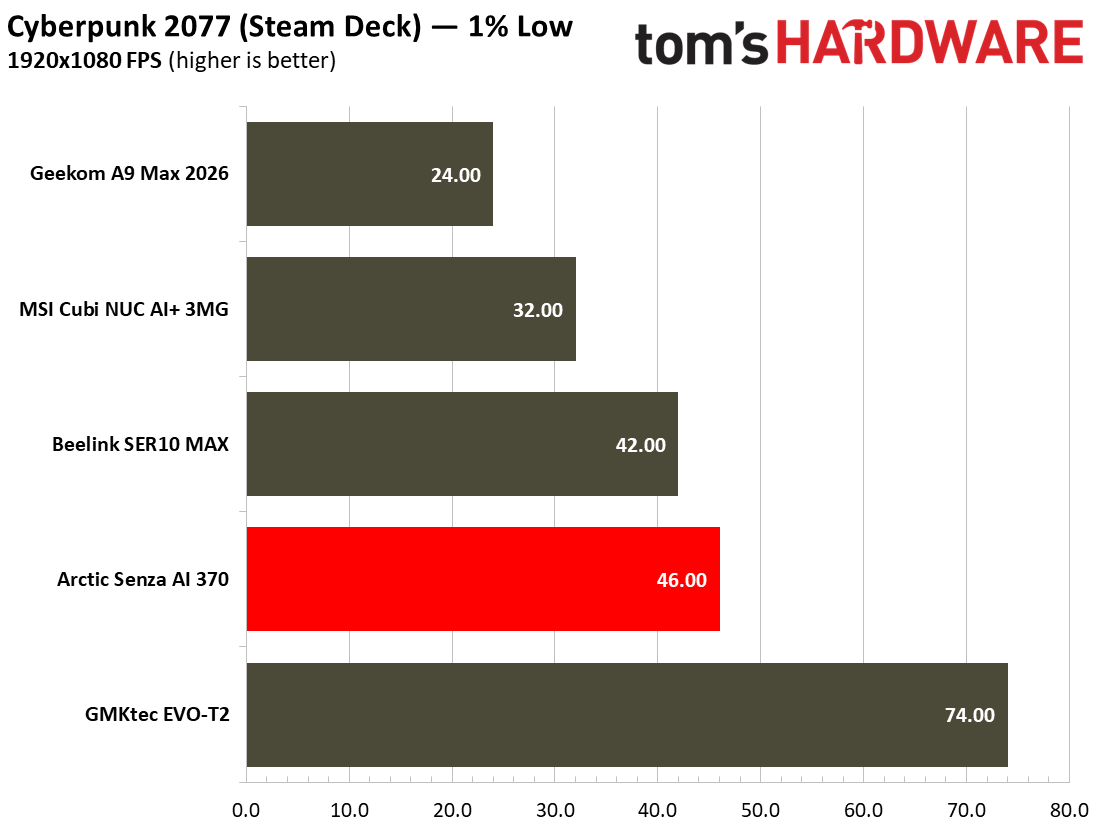
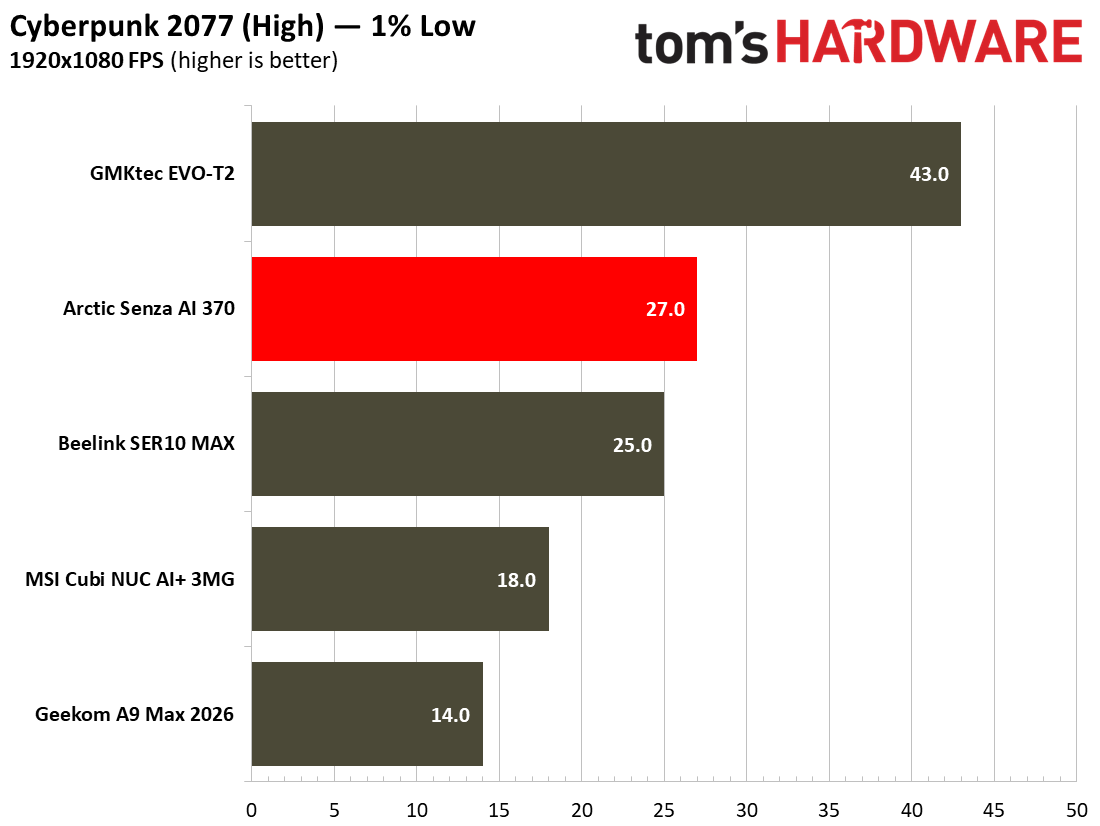
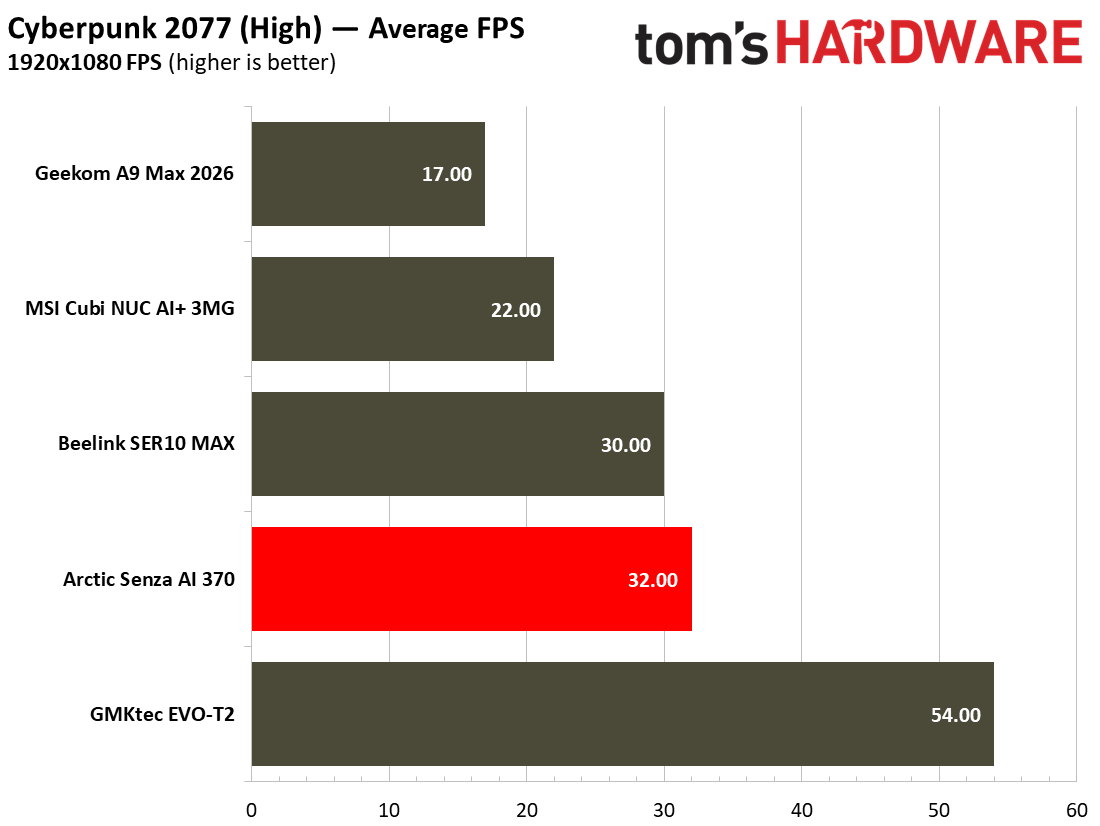
Next up, some real gaming courtesy of Shadow of the Tomb Raider and Cyberpunk 2077. The former scales well with processor resources and can still look and run great on humble iGPUs. As for Cyberpunk 2077, it can really push and tax even the strongest modern GPUs, so here we've used two settings to show how the little MSI Cubi can - and can't - play this game.

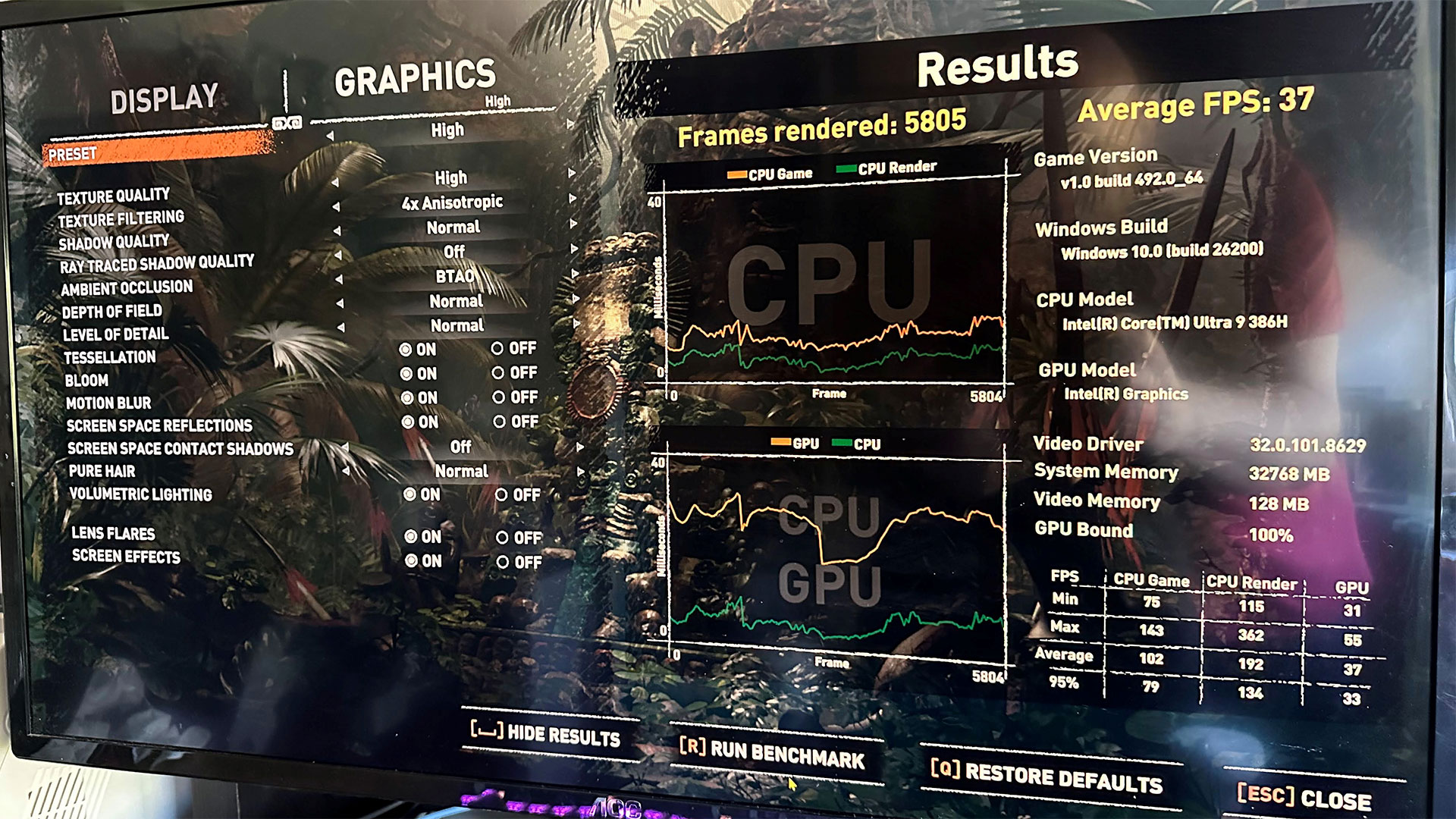
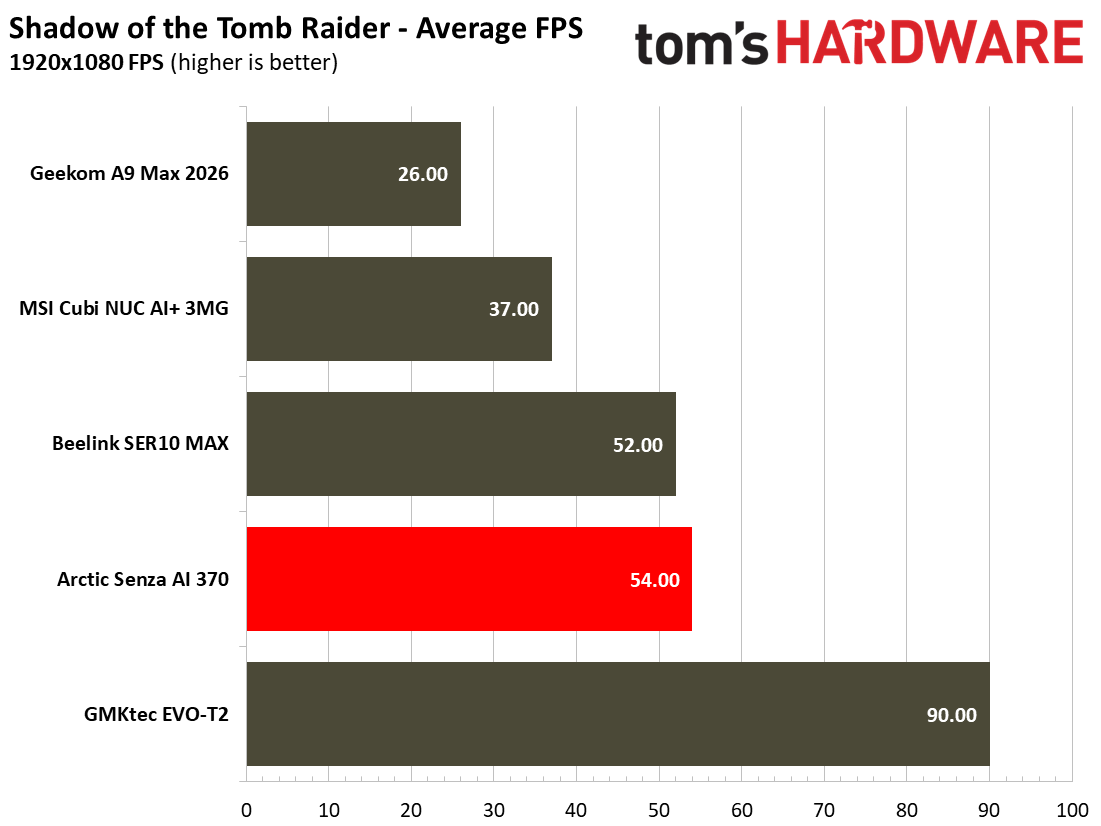
Shadow of the Tomb Raider performed quite nicely on the Intel Graphics (four Xe3 cores) fed by the dual-channel DDR5-5600 memory configuration we had. Using the High settings at 1080p makes for pleasing visuals, and I would argue the 37 FPS average was perfectly adequate for this solo-play atmospheric adventure.

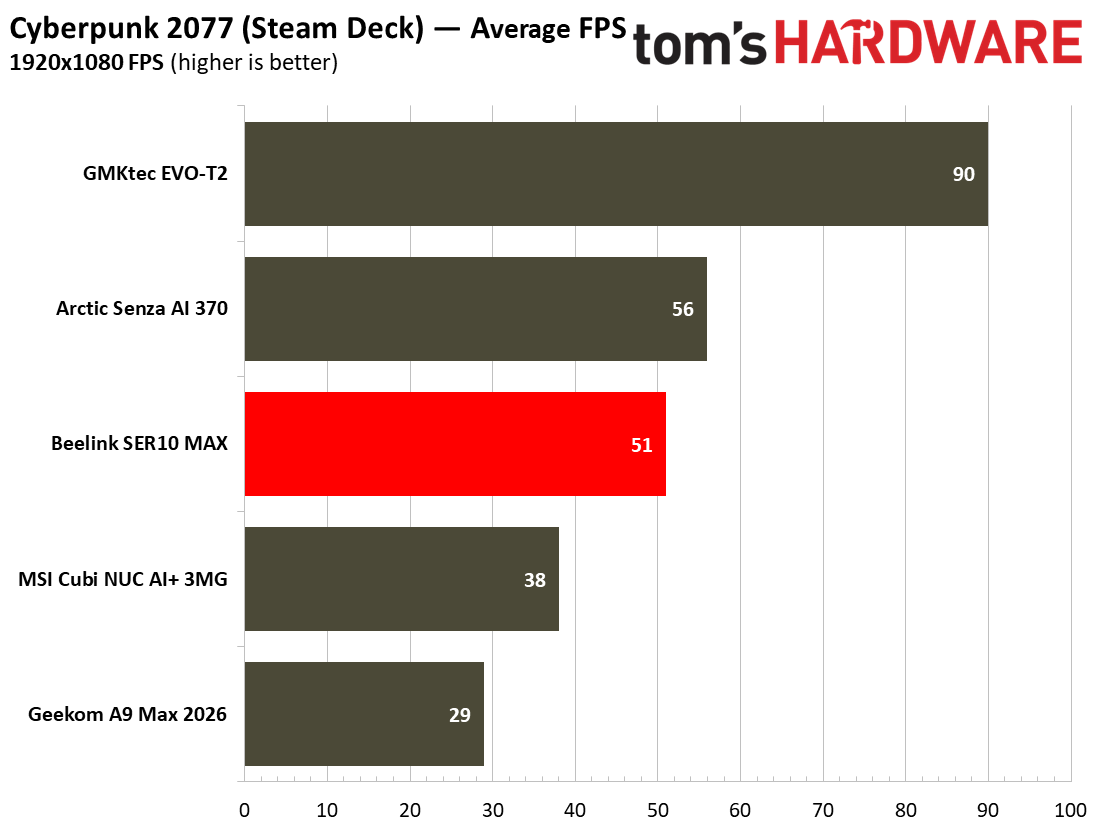
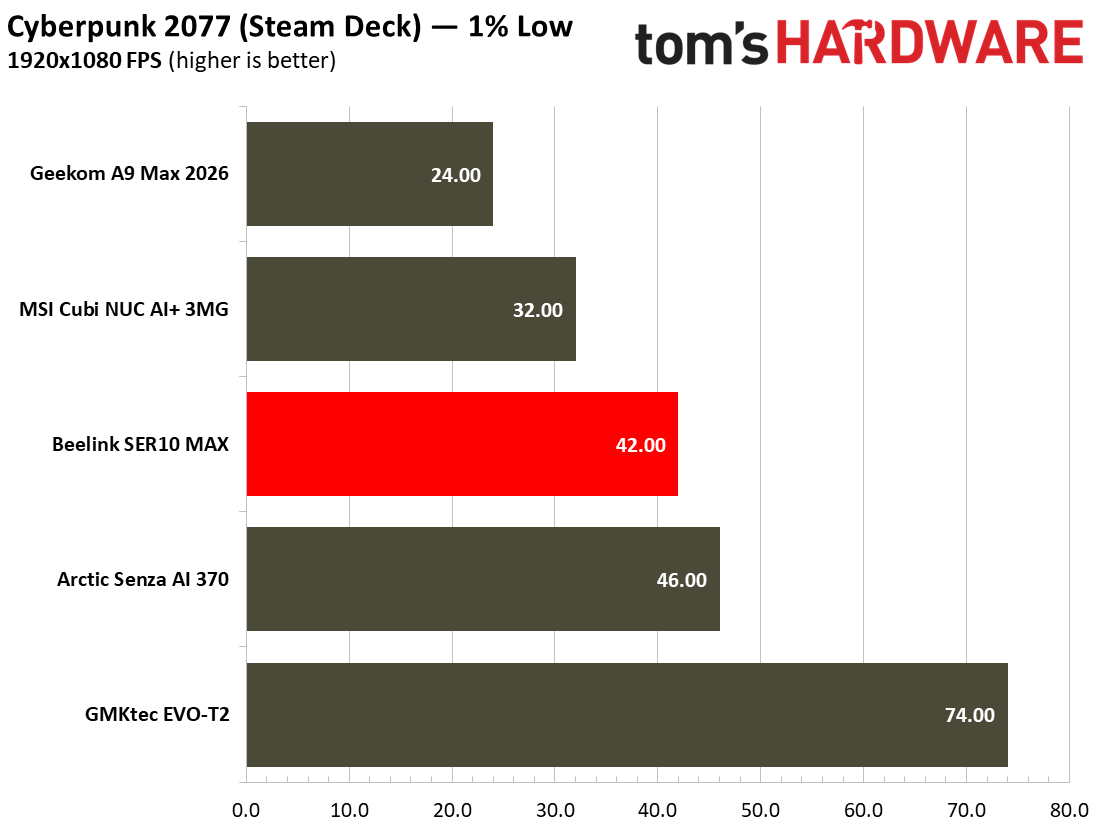
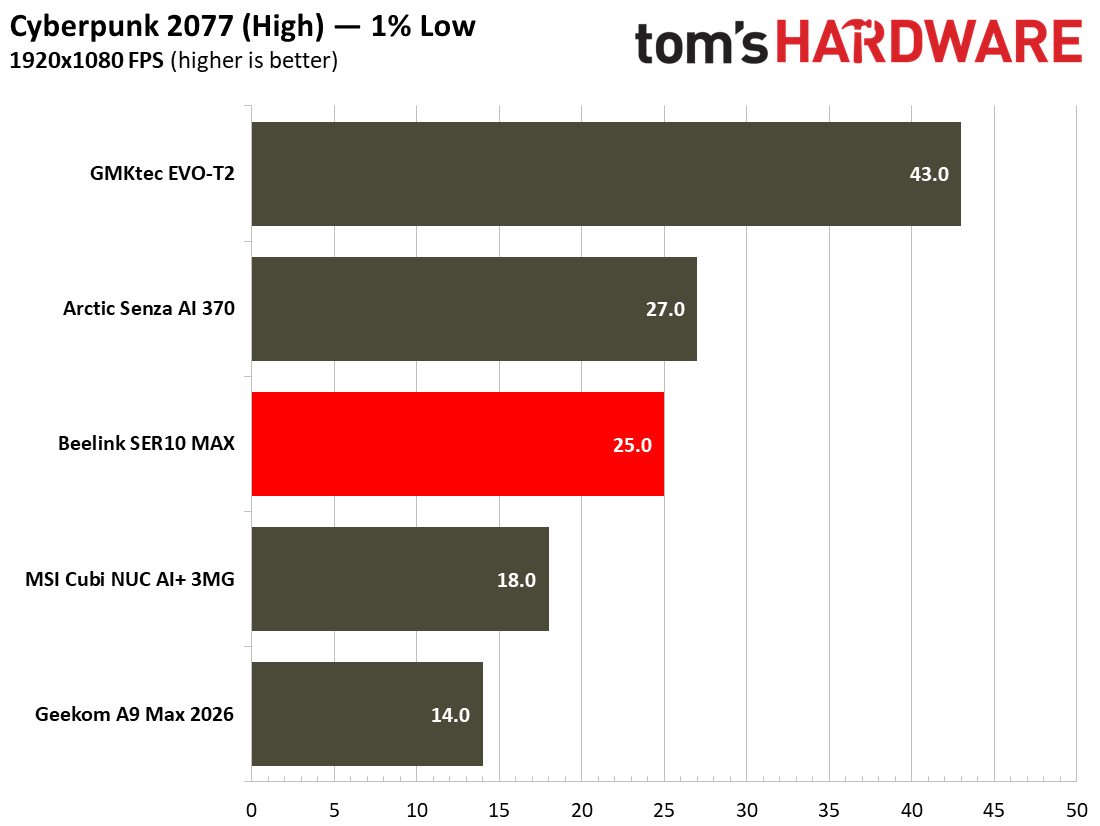
Cyberpunk achieved a similarly playable frame rate using the Steam Deck preset at 1080p. On a big screen this is a little bit blurry / smeary. Moving up to the High preset at 1080p (with upscaling and frame gen turned off) dropped the frame rate below the magic 30 FPS, though, and below most folks' tolerance. If you had no other avenue to enjoy this demanding title, there could still be a spot in between these settings that would work for you.

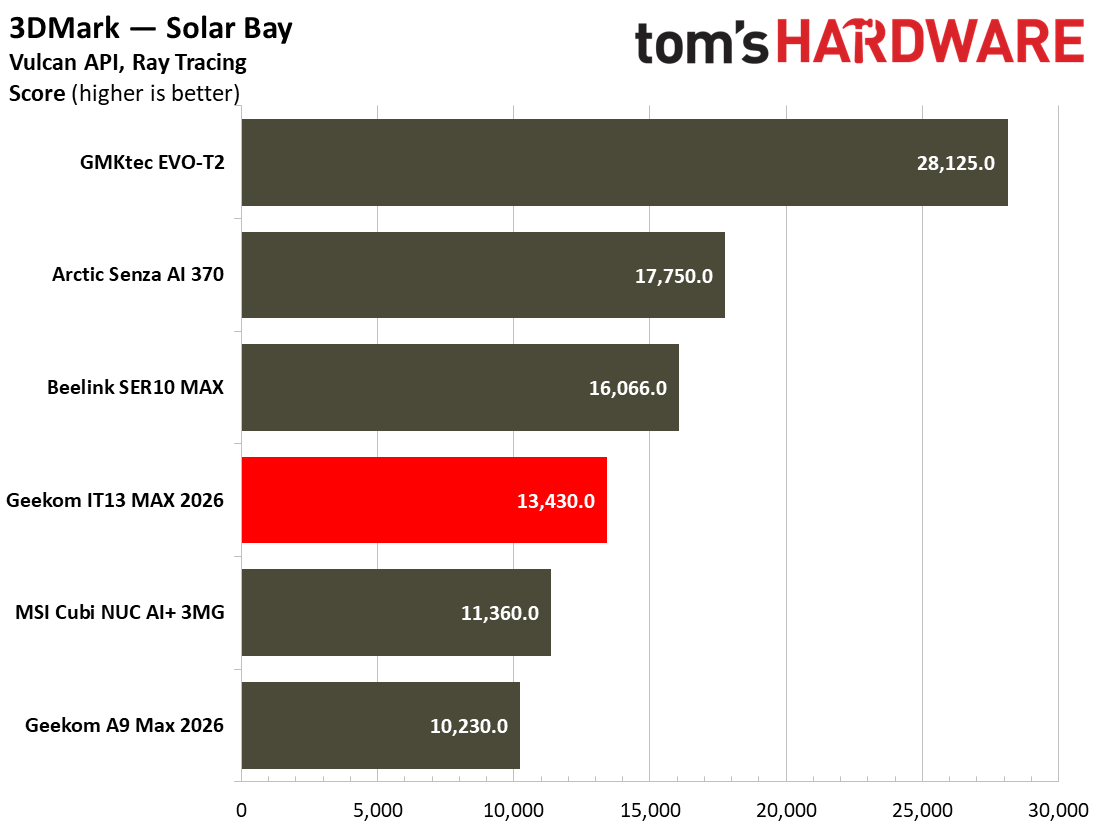
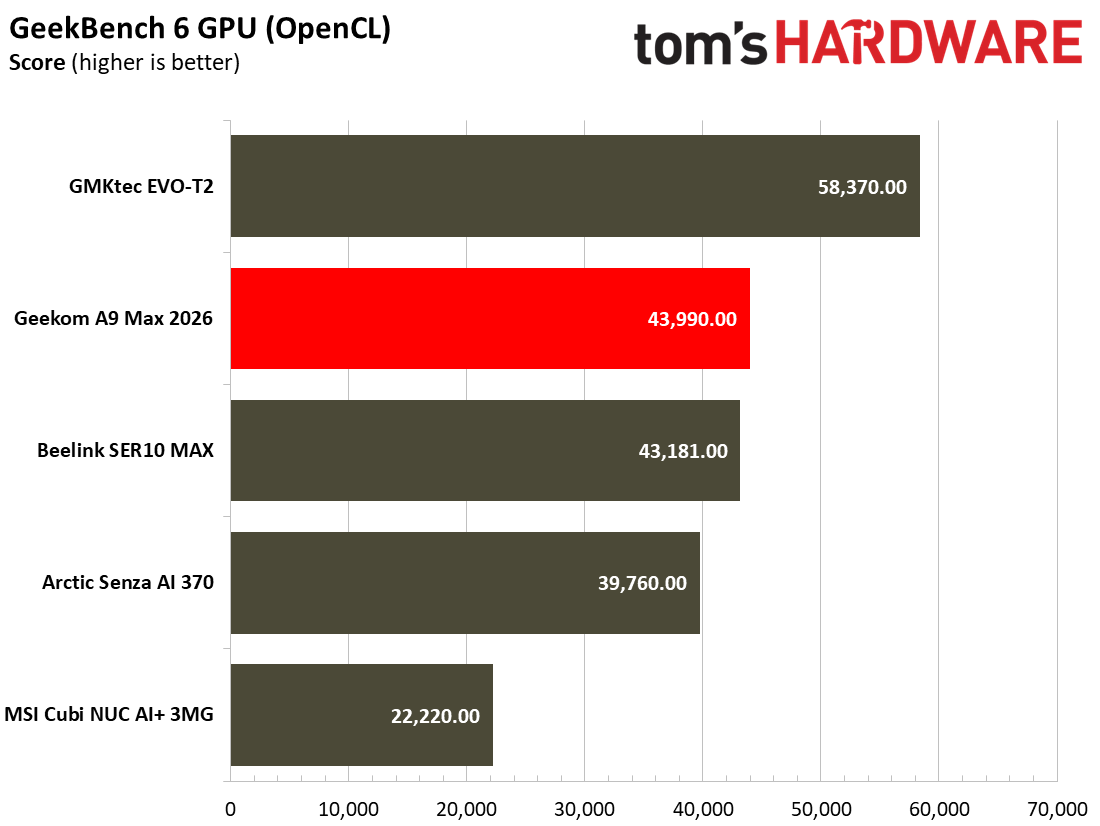
In comparison to the other devices we have recently tested, the MSI NUC sat near the bottom of the pile. It only undercut the Geekom A9 Max 2026, which should have benefited from a great performing Radeon 890M iGPU but was kneecapped due to its single-channel memory configuration. This system is really made for work, and while you can technically play on it, you'll want something stronger for a good experience.

Power, Heat, and Noise when using the MSI Cubi NUC AI+ 3MG

MSI Cubi NUC AI+ 3MG
Tom's Hardware
MSI Cubi NUC AI+ 3MG
Tom's Hardware
MSI Cubi NUC AI+ 3MG
Tom's Hardware

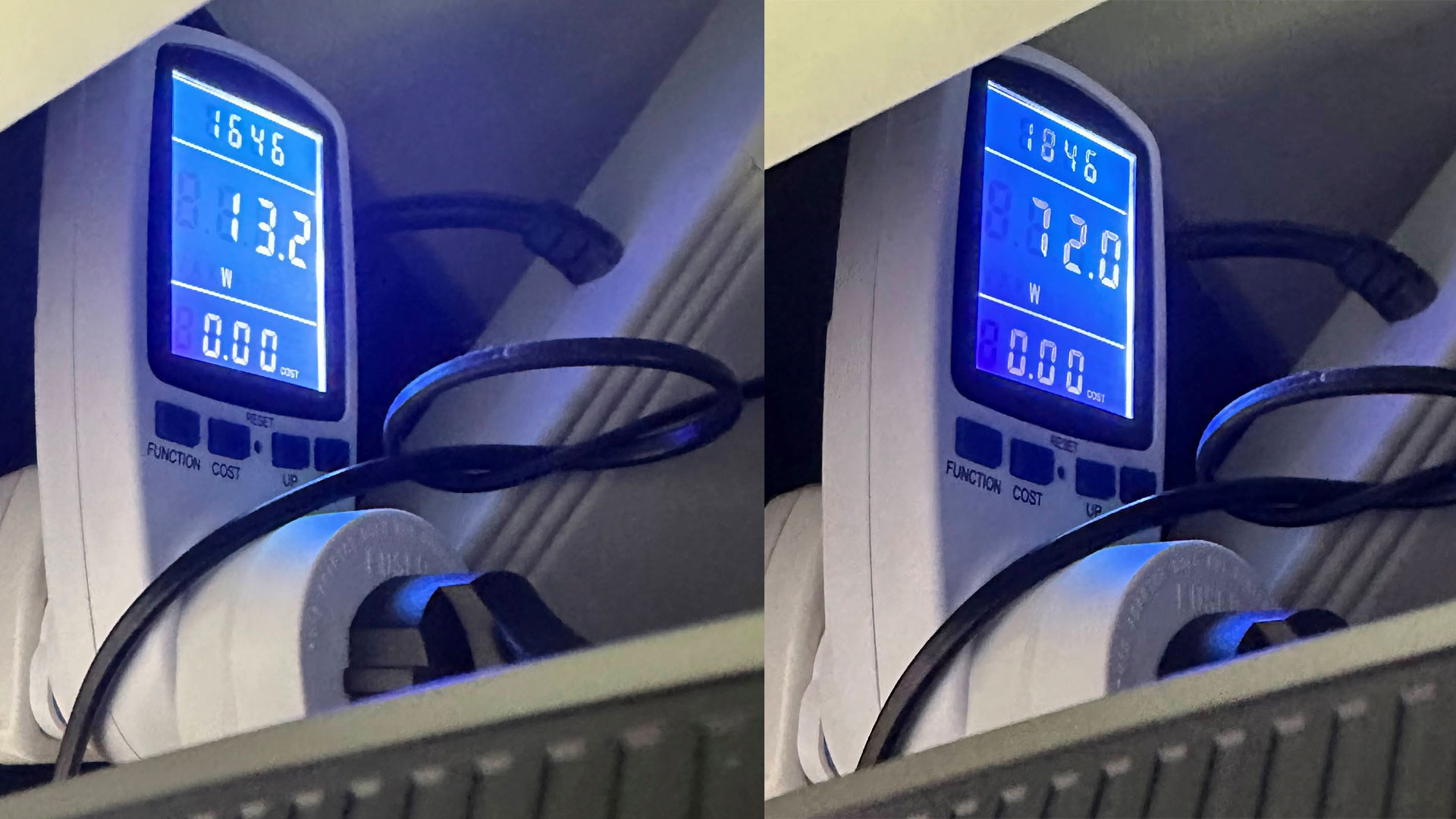
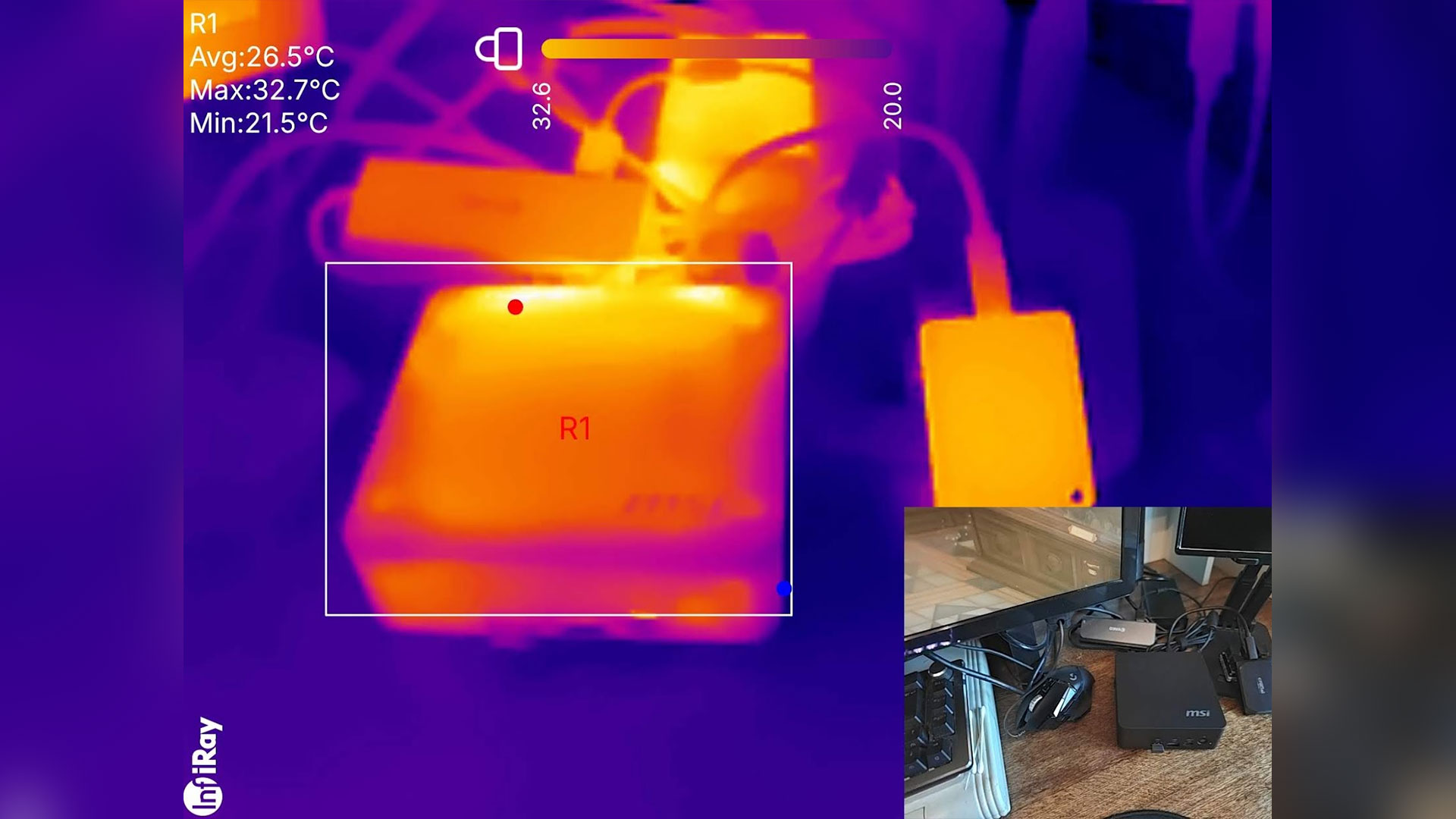
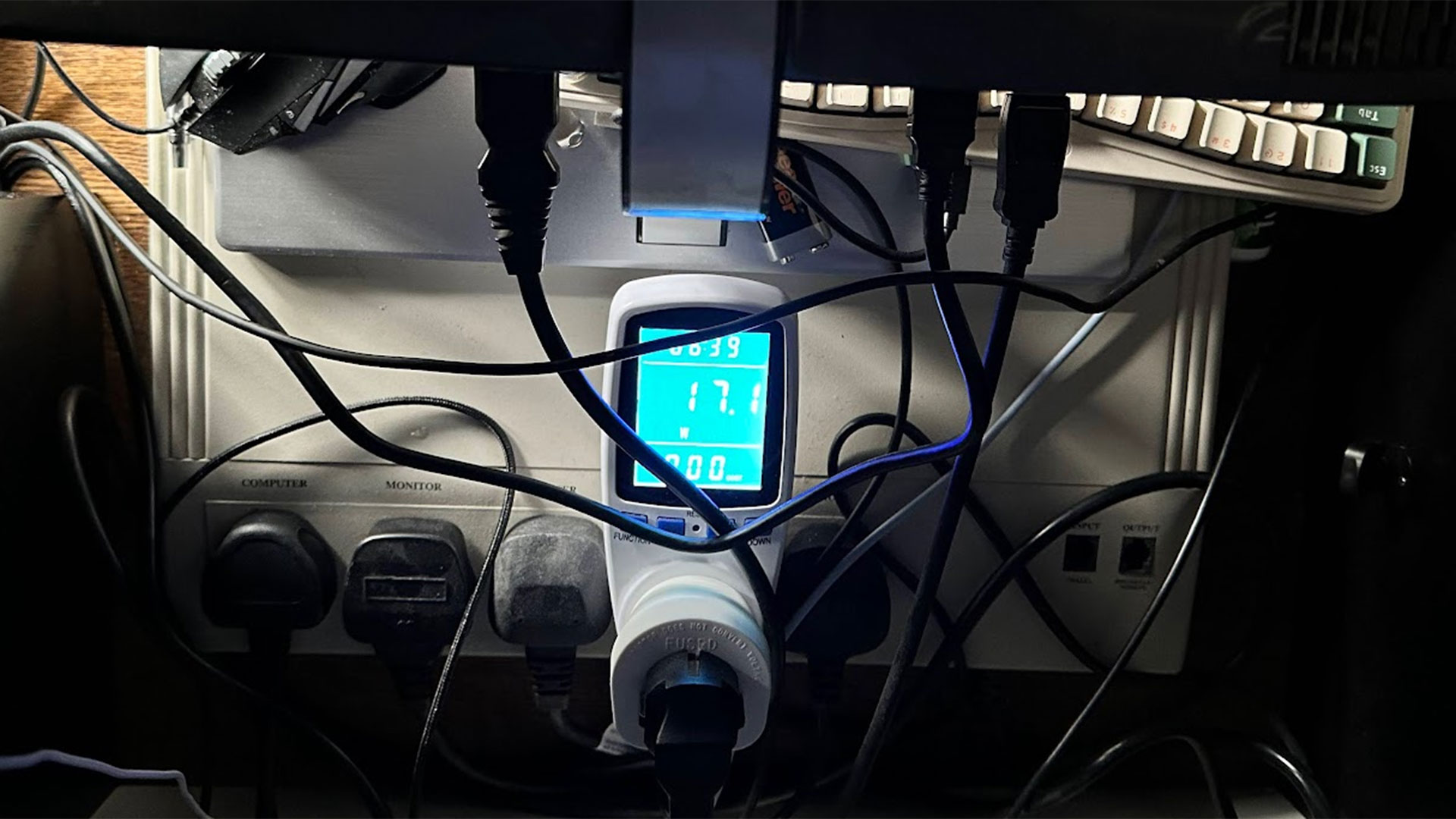
According to system tools like HWiNFO, the Intel Core Ultra 9 386H processor inside this MSI Cubi has a TDP of 25W, with PL1 30W and PL2 65W. During testing, I measured total system power consumption with a plug-in power meter, as well as reading CPU temperature using a Windows tool.

In an idling state on the desktop, the system pulled around 17W consistently. At the same time, the CPU temperature would stick around 40 degrees Celsius.

During prolonged stress testing of the MSI Cubi, the highest consistent wattage consumed was around 55W. It seemed to stabilize at approximately the 75 degrees Celsius level.

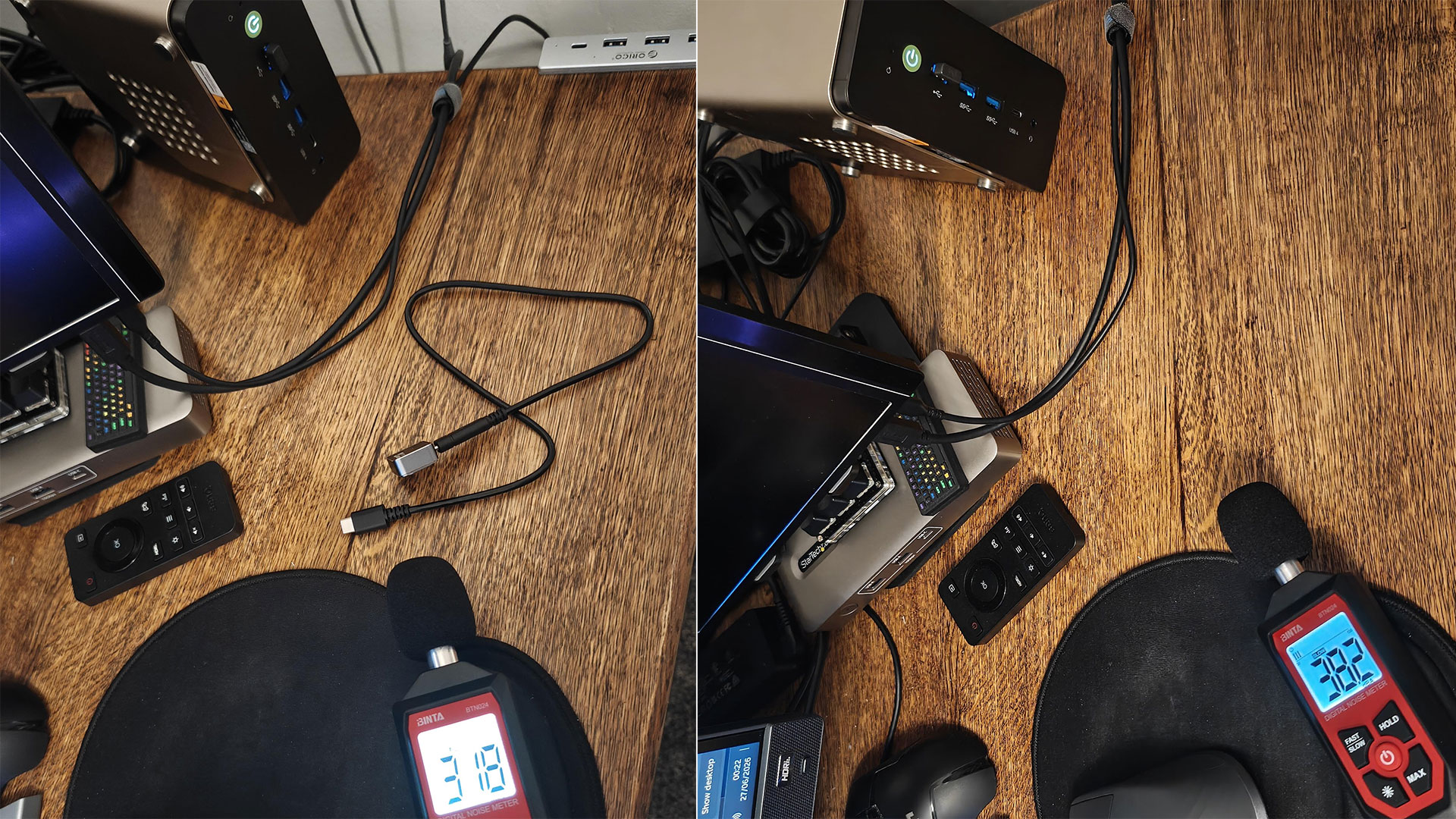
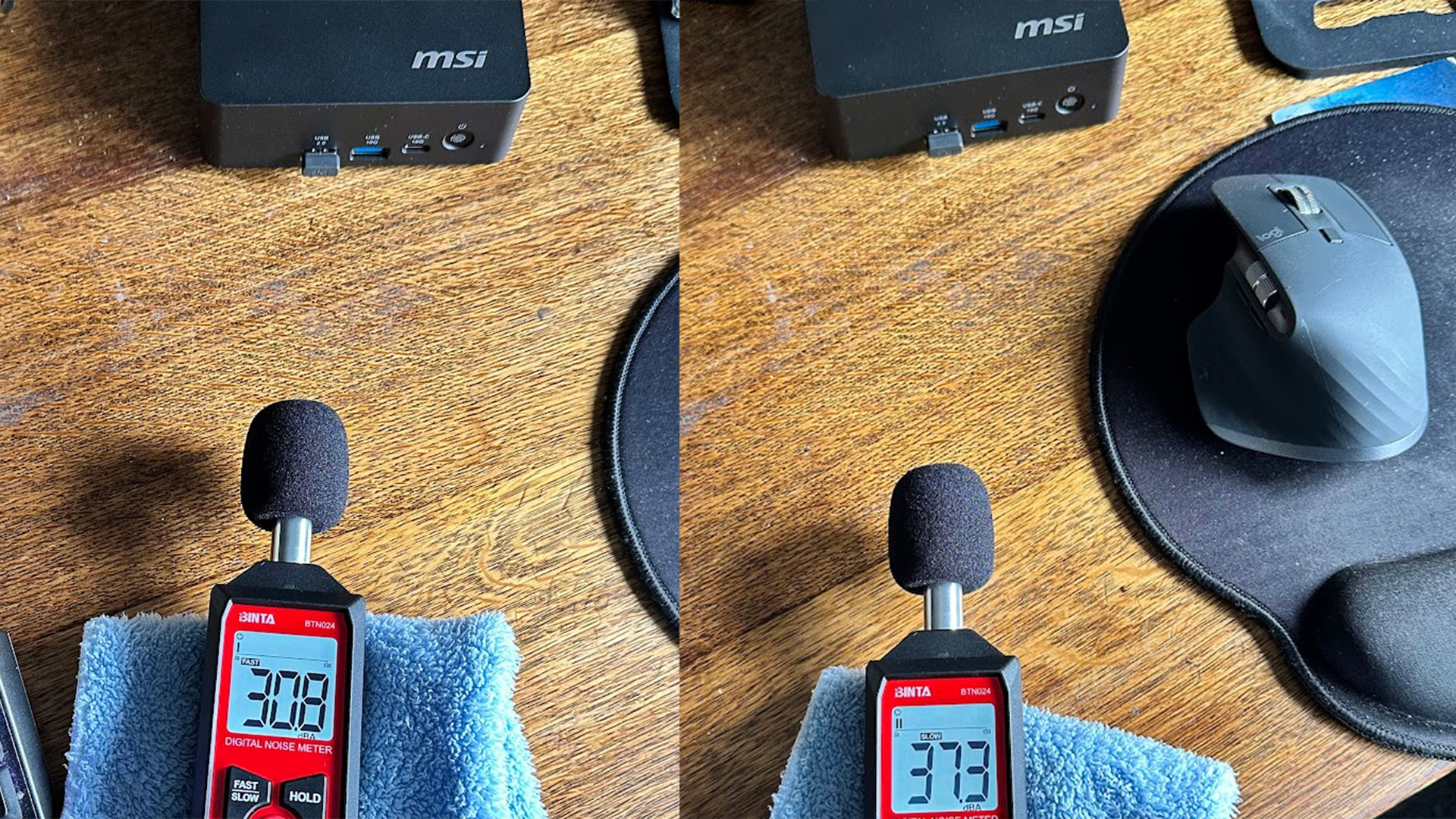
I would characterize this as a quiet mini PC. Its MSI Frozr AI Pro fans were more or less unnoticeable in idle and light loads. My meter showed 30.8dB, and the meter doesn't measure below 30, so there's a possibility it may be even quieter. Meanwhile, the 37.3dB at max fans wasn't horrible, and it takes effort to tease this much noise out of the MSI.

Software and Warranty on the MSI Cubi NUC AI+ 3MG

MSI Cubi NUC AI+ 3MG

(Image credit: Tom's Hardware)

MSI’s latest NUC comes with MSI Center pre-installed. This is a suite of controls and extras wrapped up in a tabbed Windows interface. The main tab is packed with system monitoring information, but this new version of the tool offers to leverage AI to “automatically recognize various user scenarios, triggering appropriate adjustments in performance, sound effects, display mode,” and more. Elsewhere, MSI’s NUC was pleasingly free of bloat and third-party clutter, including a wonderful lack of short-lived free trials. Businesses really don't want to deal with that.

MSI sells the Cubi NUC AI+ 3MG with a 1-year warranty as standard, but opting for a pre-built configuration with Windows 11 Pro on Amazon will also boost your warranty to 3 years of advanced tier coverage.

Configurations of the MSI Cubi NUC AI+ 3MG

Nosing around online retailers in the U.S. today didn’t uncover the MSI Cubi NUC AI+ 3MG with the exact configuration, as tested. We got in touch with MSI about the 32GB RAM model, as tested, and were informed that it was only available business-to-business and its MSRP was $1,999 but that depends on factors such as order size.

On Amazon we saw a barebones version with the same Core Ultra 9 386H for $809. Upgrading to 16GB of RAM (single-SODIMM, single-channel) and a 1TB SSD, with Windows 11 pre-installed skyrockets the price to $1,661 (with Win 11 Home) and $1,767 (with Win 11 Pro), respectively.

MSI is also marketing Cubi NUC AI+ 3MG mini PCs with Intel Core Ultra 7 Processor 355 and Ultra 5 Processor 322 configurations. You can find these on Amazon, both in 16GB/1TB/ configurations for $1,549 and $1,079, respectively.

Bottom Line

MSI Cubi NUC AI+ 3MG

(Image credit: Tom's Hardware)

Though the MSI Cubi NUC AI+ 3MG is clearly aimed at businesses with its productivity focus and vPro remote management features. Its understated looks and quiet operation may attract those who want a small-form-factor productivity PC at home, especially if they intend on putting together a minimum-fuss multi-monitor setup.

If the MSI’s quiet, efficient, and compact form isn’t a killer combination for you, and you are open to less established brands, we have recently tested several other mini PCs from companies like Arctic, Beelink, GMKtec, and Geekom.

These less established brands definitely offer better value with more potent processors, and more generous memory/storage configurations, at better or similar pricing to the MSI. In the MSI’s favor, I’d say it quietly satisfies its target market more than adequately, and sprinkles attractive bonuses like fingerprint security, the remote power button, MSI Power Link, vPro remote management, the touted ‘tool-less’ component access, and 3-years of advanced warranty coverage when you choose a Cubi NUC AI+ 3MG with Win 11 Pro.

昨天以前首页

Geekom A9 Max 2026 review: Gorgon Point in a compact Mini PC

2026年7月25日 00:30

AMD introduced its mid-cycle Ryzen AI 400 chips for laptops at the beginning of the year. Predictably, mini PC makers have decided to update their Ryzen AI 300 designs from last year with the newest generation processors. While the gains from the new silicon might be politely described as incremental, Geekom here has also taken the opportunity to upgrade the cooling system.

The firm also decided to go with a single 32GB DDR5-5600 SODIMM configuration here. Considering the ongoing RAM shortages, it says it decided to do so to allow for less wasteful upgrades down the line. However, AMD iGPUs like the Radeon 890M here, are heavily impacted by the reduced bandwidth of using single-channel system RAM.

Nevertheless, the 32GB/2TB device configuration supplied looks like a relatively generous offering in the current climate.

Design of the Geekom A9 Max 2026

Geekom A9 Max 2026
Tom's Hardware
Geekom A9 Max 2026
Tom's Hardware
Geekom A9 Max 2026
Tom's Hardware

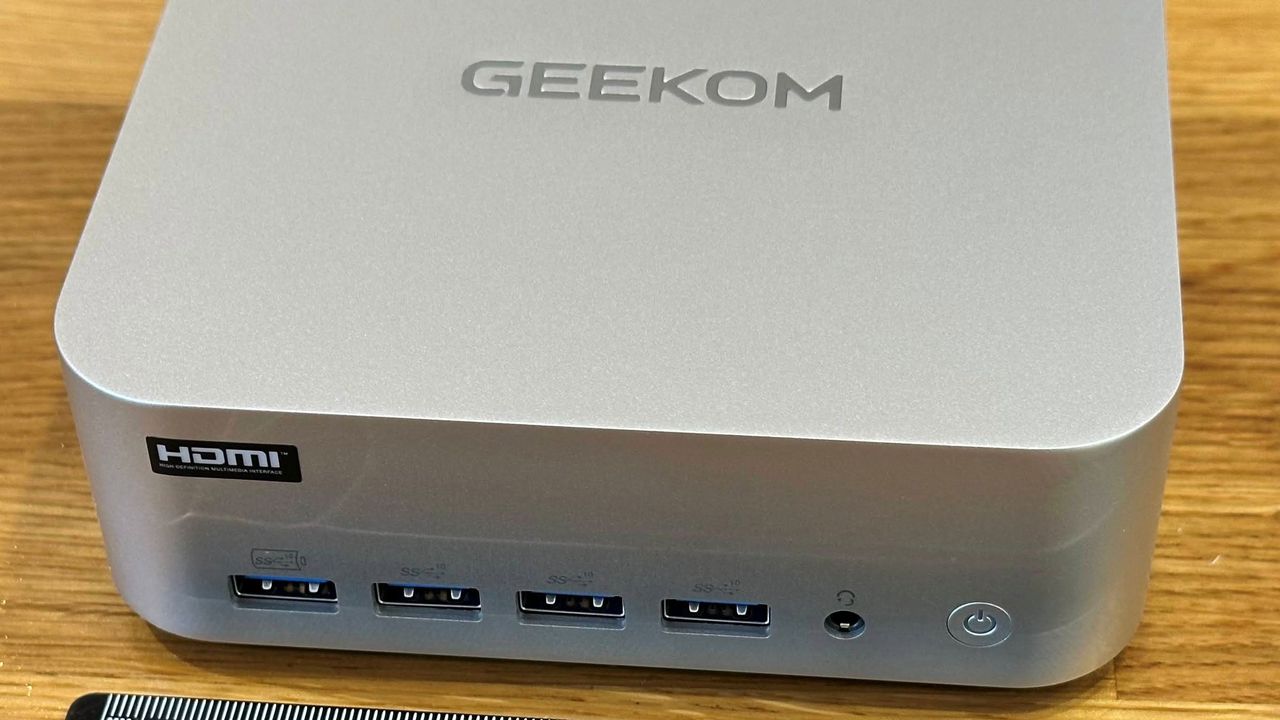
Geekom basically sticks to the classic 5x5-inch NUC design with its anodized silvery metal Mini PC. If you’ve seen a Geekom A-series Mini PC before, it will be immediately familiar, and it offers appealing, though derivative (NUC x Mac Mini), stylishness.

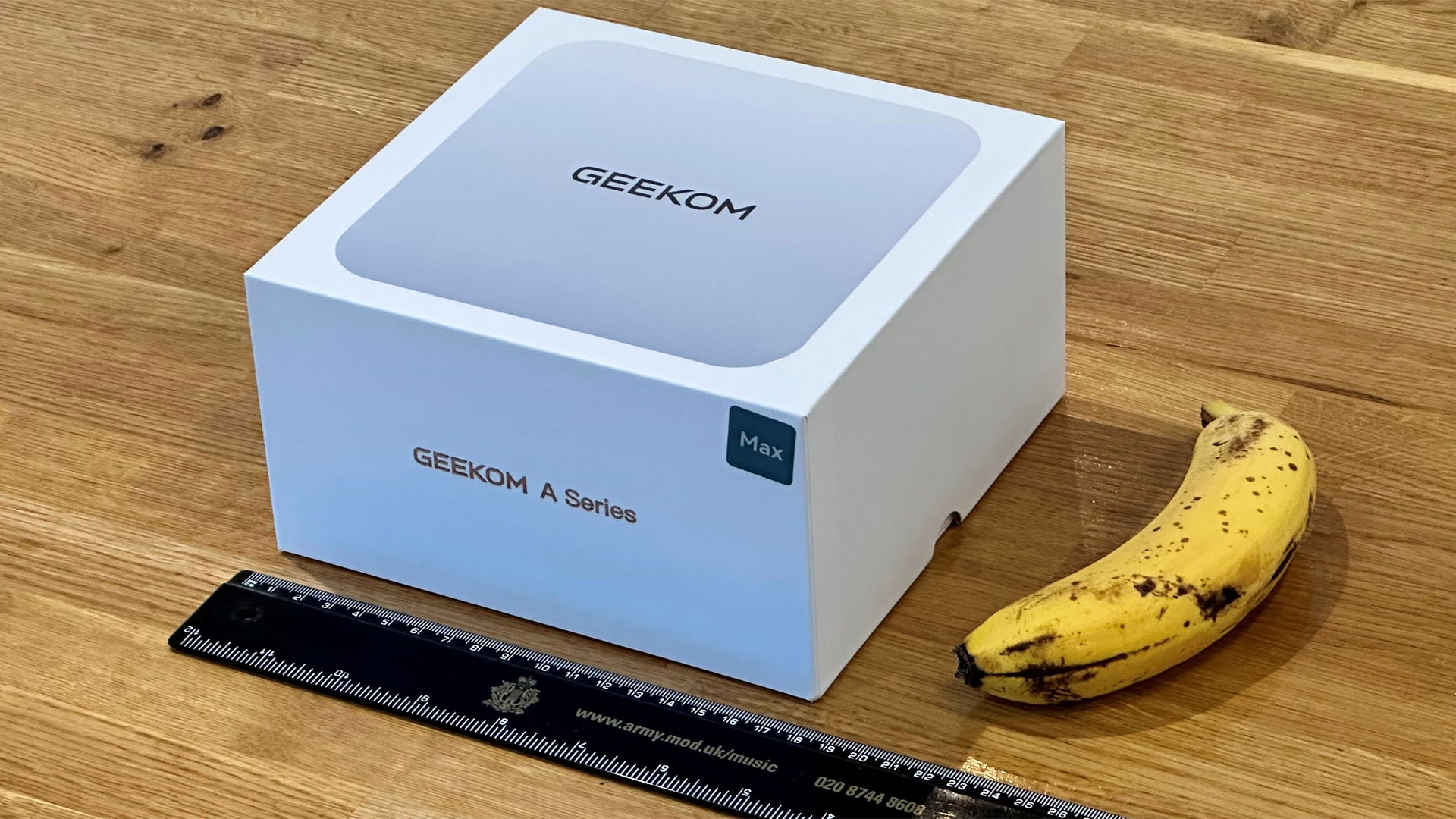
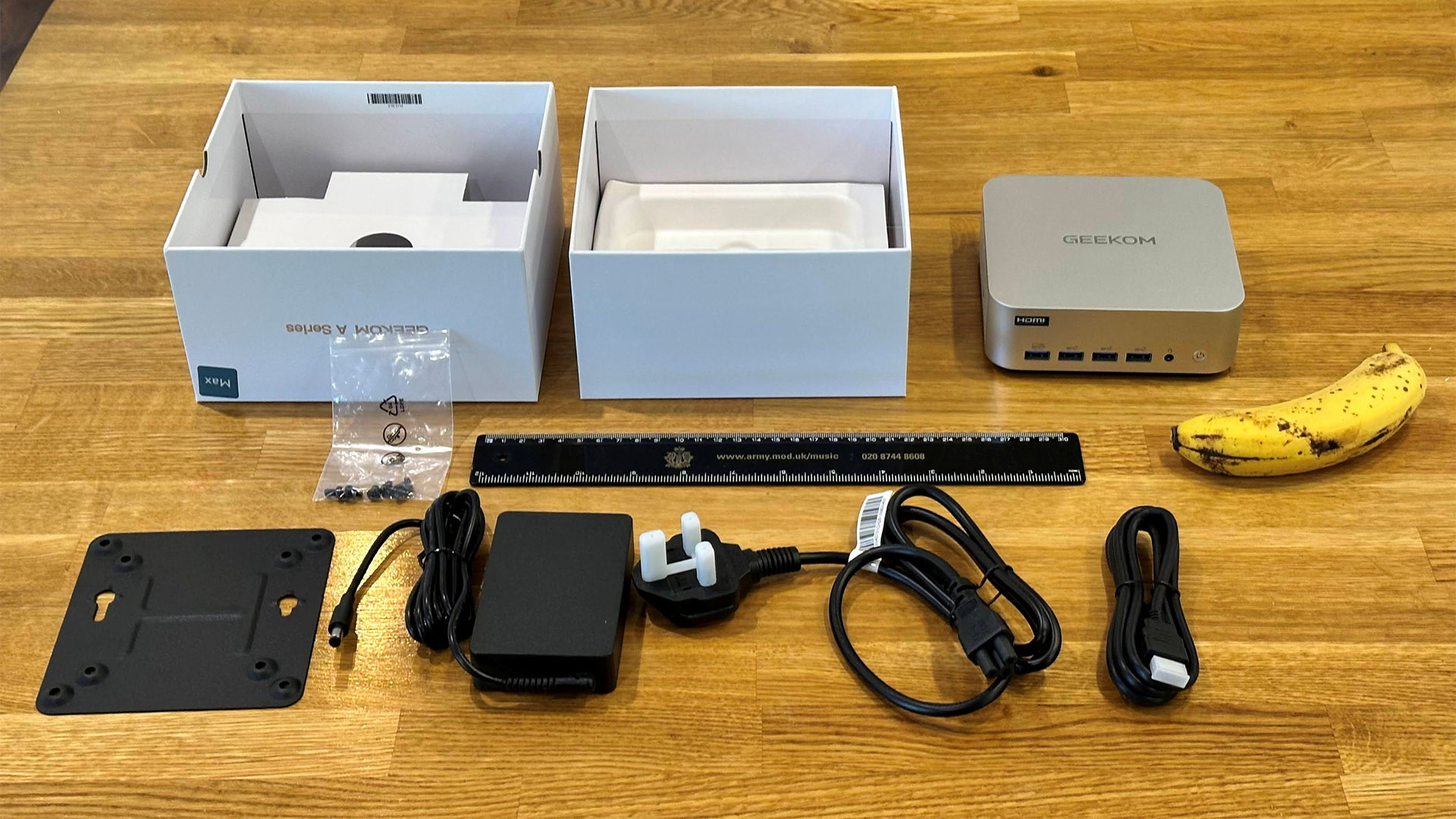
The A9 Max 2026’s dimensions are officially listed as 135 x 132 x 46.9mm (5.3 x 5.2 x 1.9-inches). Geekom’s spec didn’t mention the weight of the device, but it tipped our scales at 705g (~1 pound and nine ounces). These weights and measurements don’t include the external PSU or VESA mounting bracket supplied. Other bits in the box include a region-appropriate cloverleaf plug and cable for the PSU, screws for that mounting bracket, and an HDMI cable.

We’ve already mentioned the metal shell of this Mini PC, which has a UV coating to make it more durable. Geekom says that there is also an inner metal frame, and removing the black plastic bottom reveals a metal bottom layer. It suggests its selection of construction materials and techniques makes the A9 Max “extremely sturdy [and] it can withstand up to 200Kg of pressure.”

You power up the Geekom A9 Max with its front-mounted power button. It’s a simple button, which lights up to indicate power. There’s no built-in biometric sensor, and no Copilot button, either.

Geekom A9 Max 2026 Mini PC Specifications

Processor

AMD Ryzen AI 9 HX 470 (12C / 24T:  4x Zen 5 , 8x Zen 5c), up to 5.2 GHz

Graphics

Radeon 890M (RDNA 3.5, 16 CUs, up to 3.1 GHz)

AI Acceleration

XDNA 2 NPU + CPU + GPU, up to ~80–86 TOPS combined

RAM

1x 32GB DDR5‑5600 SODIMM (2 slots, up to 128GB total)

Storage

2TB PCIe 4.0 NVMe SSD (M.2 2280) + 1x M.2 2230 slot for expansion

Physical Ports

2x USB4 (40 Gbps, DP Alt‑Mode, eGPU‑ready), 5x USB‑A 3.2 Gen 2, 1x USB‑A 2.0, 2x HDMI 2.1, 2x 2.5 GbE LAN, SD 4.0 card reader, 3.5 mm audio, DC‑in, Kensington lock

Wireless

Wi‑Fi 7 + Bluetooth 5.4 (on an M.2 2230 module)

Cooling

IceBlast 3.0 copper base, dual heatpipes, dense fin stack, high‑pressure fan

Dimensions

135 × 132 × 45.6mm  (5.3 x 5.2 x 1.9-inches)

OS Installed

Windows 11 24H2 Pro

Price
(as configured)

 $1,599

Ports and Upgradeability

Geekom A9 Max 2026
Tom's Hardware
Geekom A9 Max 2026
Tom's Hardware
Geekom A9 Max 2026
Tom's Hardware
Geekom A9 Max 2026
Tom's Hardware

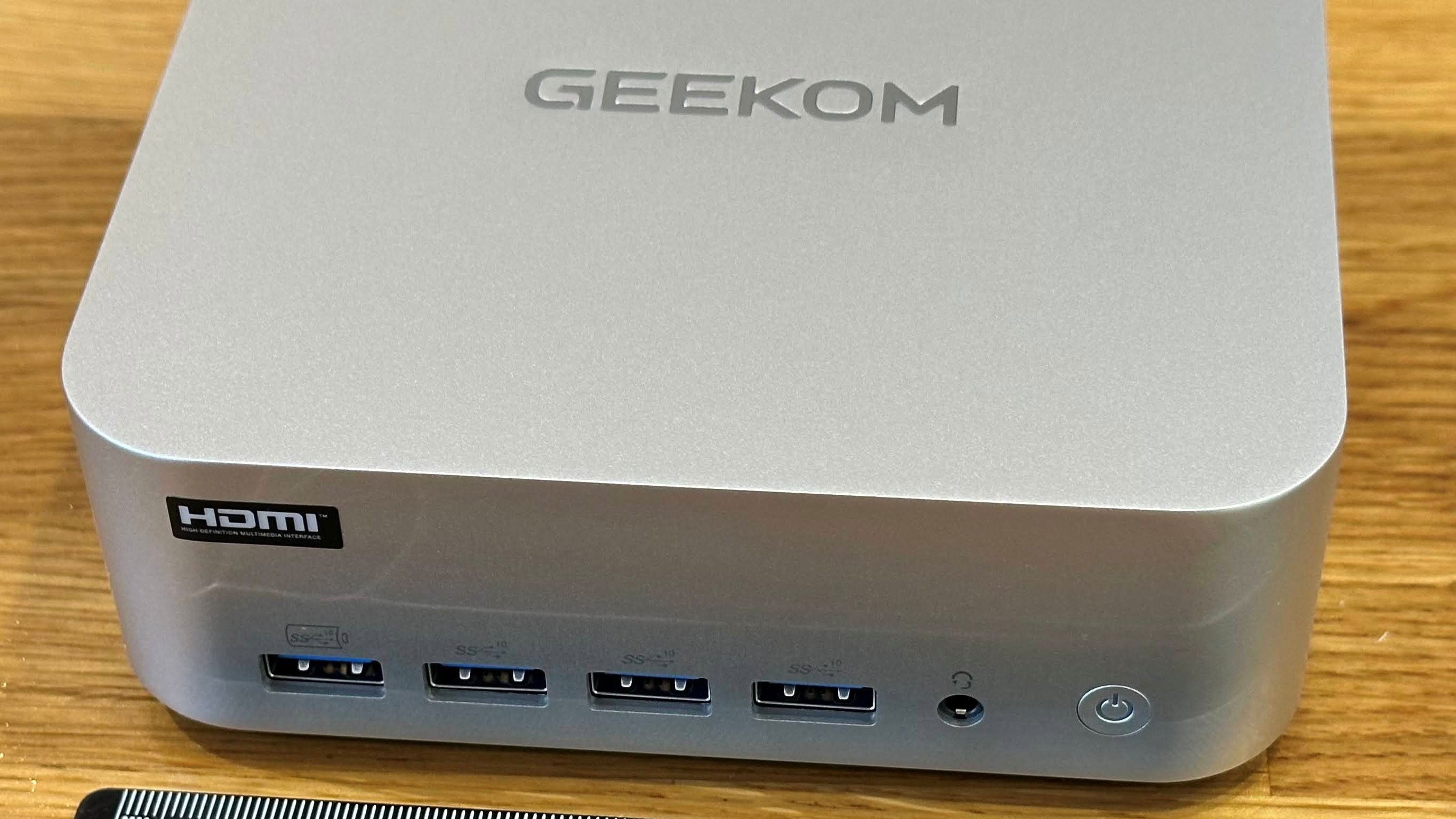
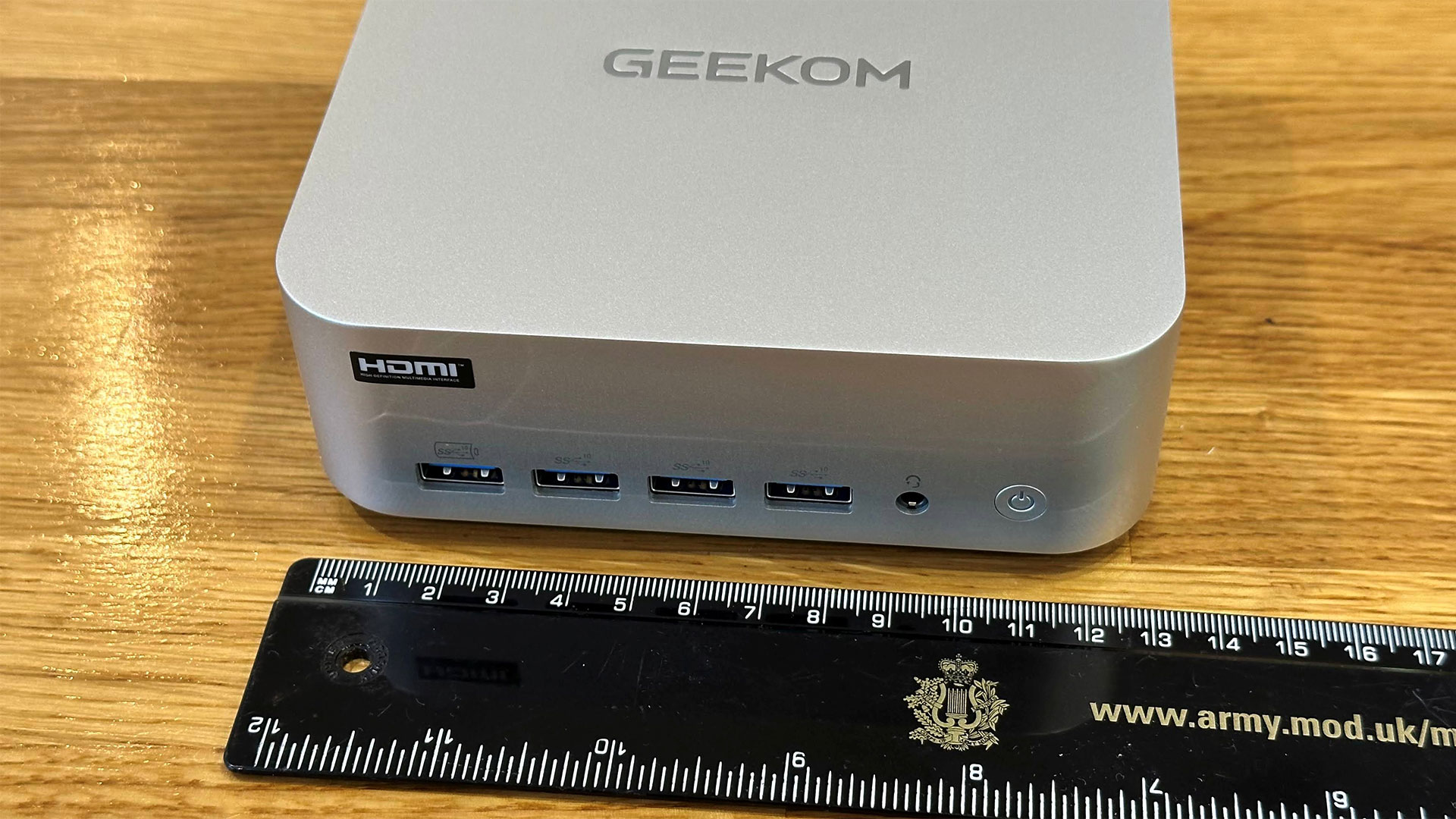
Starting from the front, Geekom has chosen to put four USB‑A 3.2 Gen 2 (10 Gbps) on the front panel, one of which is configured for fast charging any connected smart devices. To the right of these is a 3.5mm audio jack, and then there’s the flush and slightly convex power button.

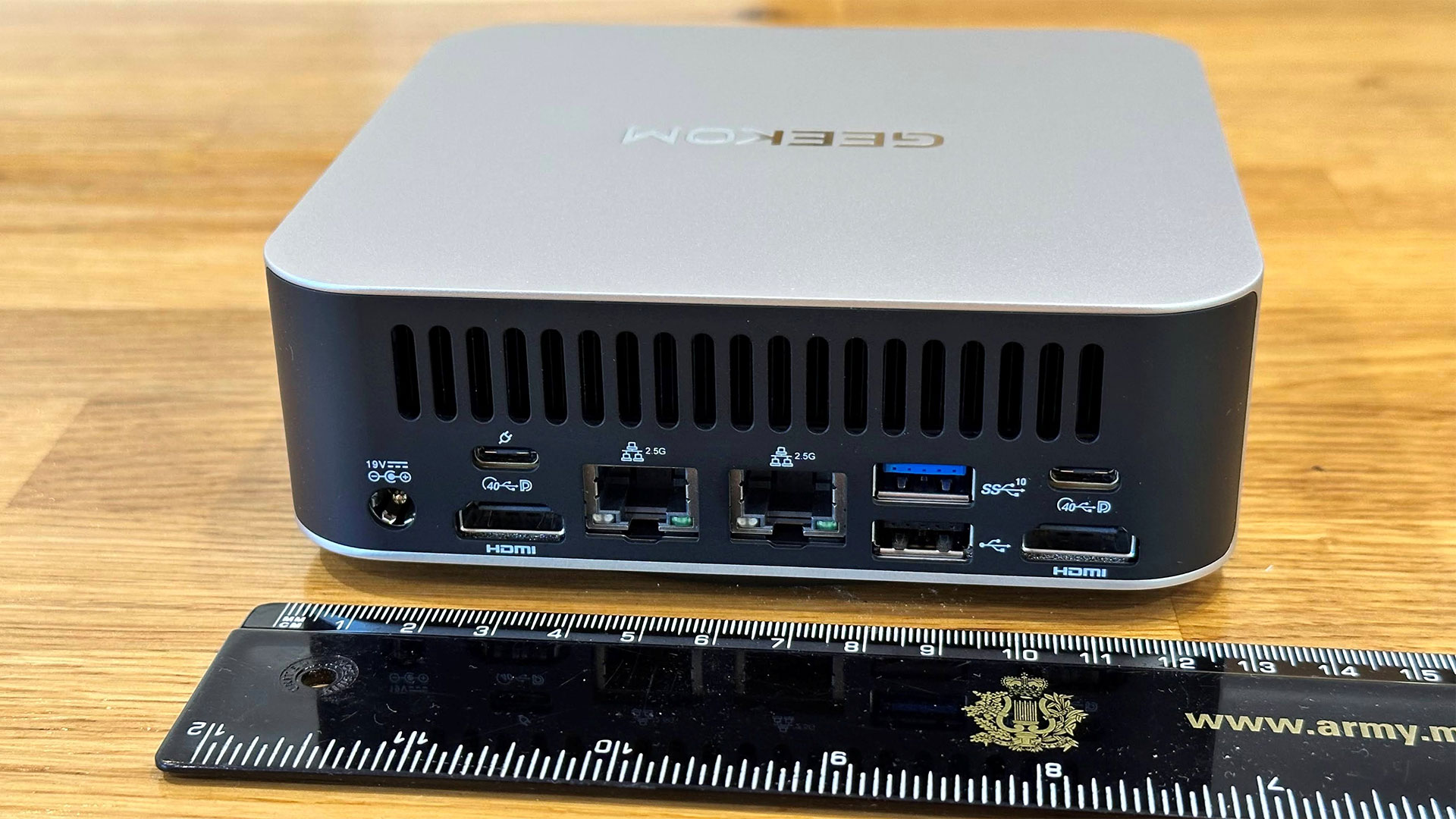
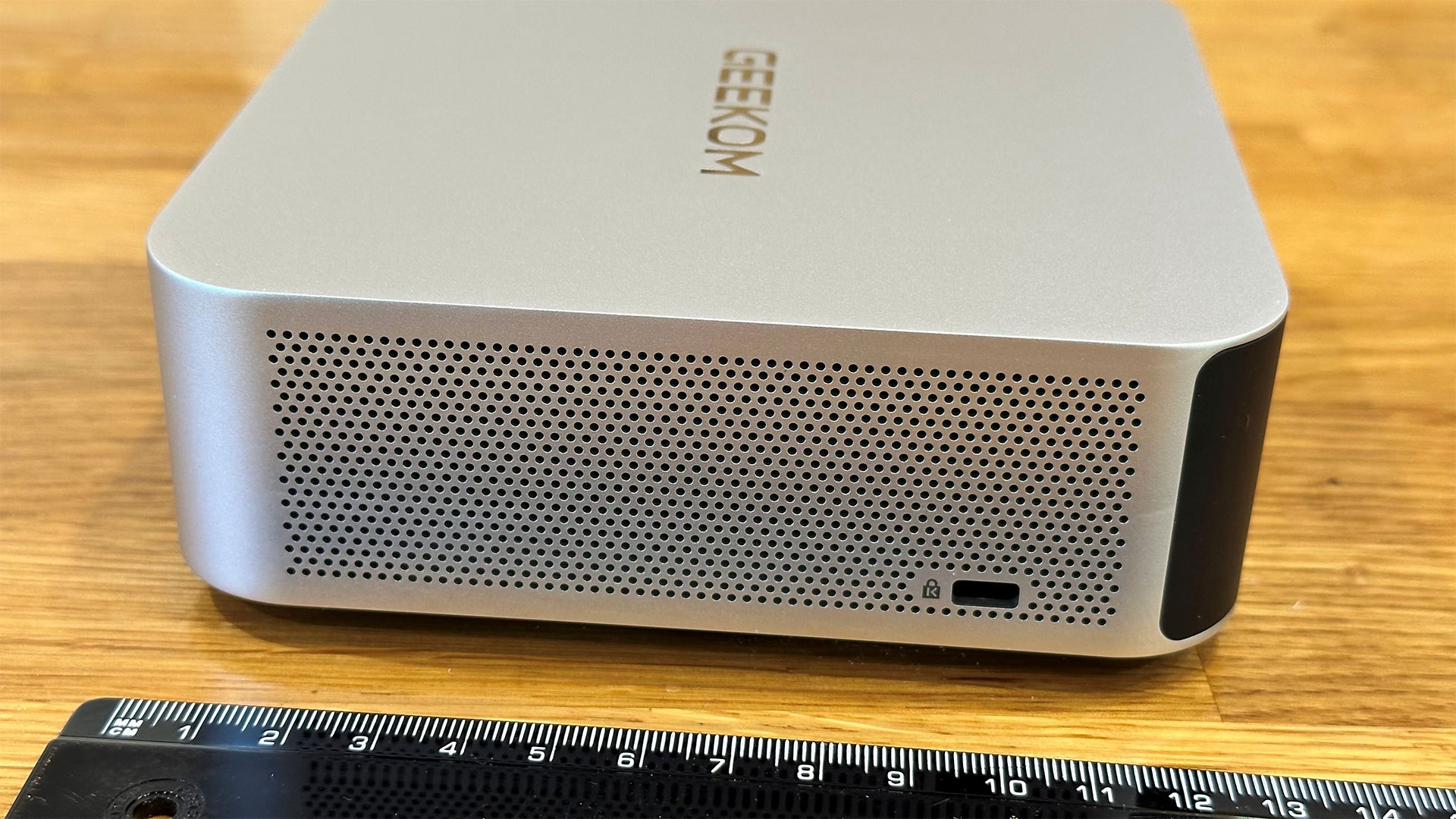
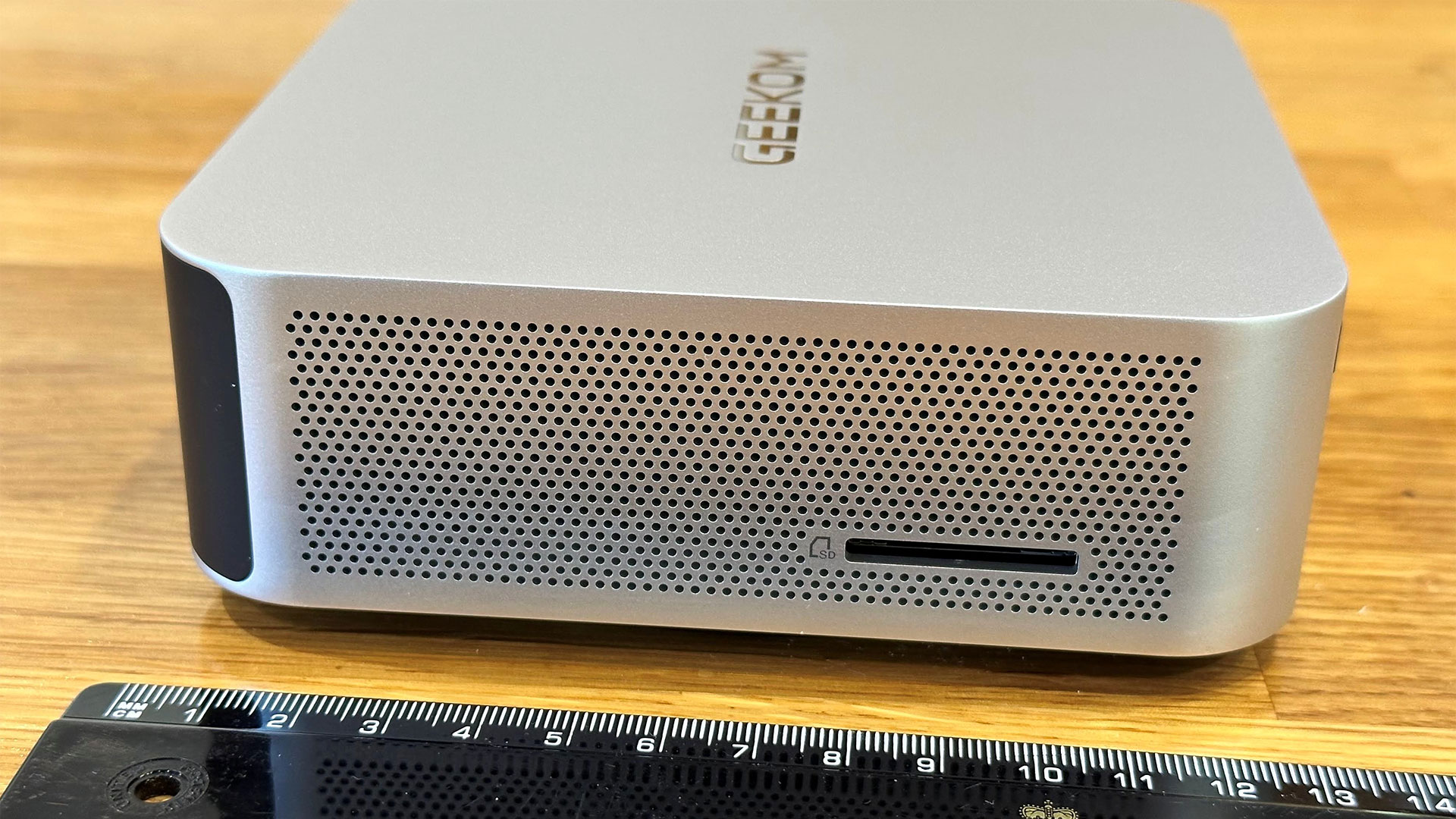
Turn the unit clockwise, and you see the Kensington slot as the sole user port interrupting the neatly perforated metal vista. The rear is black plastic with sizable vents at the top. Below the vents are a DC barrel jack, twin HDMI ports, twin 2.5G Ethernet ports, twin USB4 ports (with DP-Alt support), another USB‑A 3.2 Gen 2 (10 Gbps) port, and a USB 2.0 port. The other perforated side of the device features the SD 4.0 card reader slot.

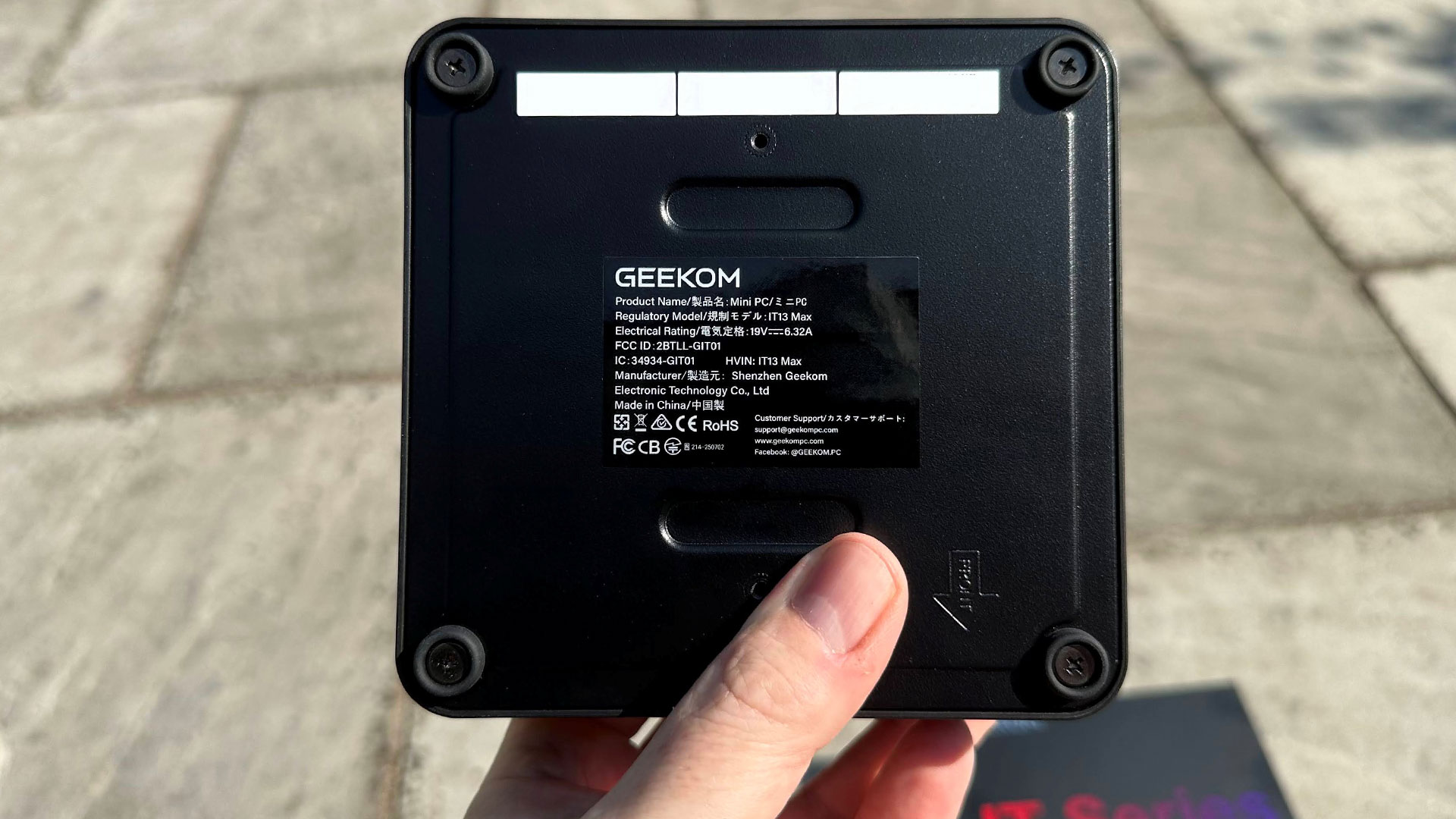
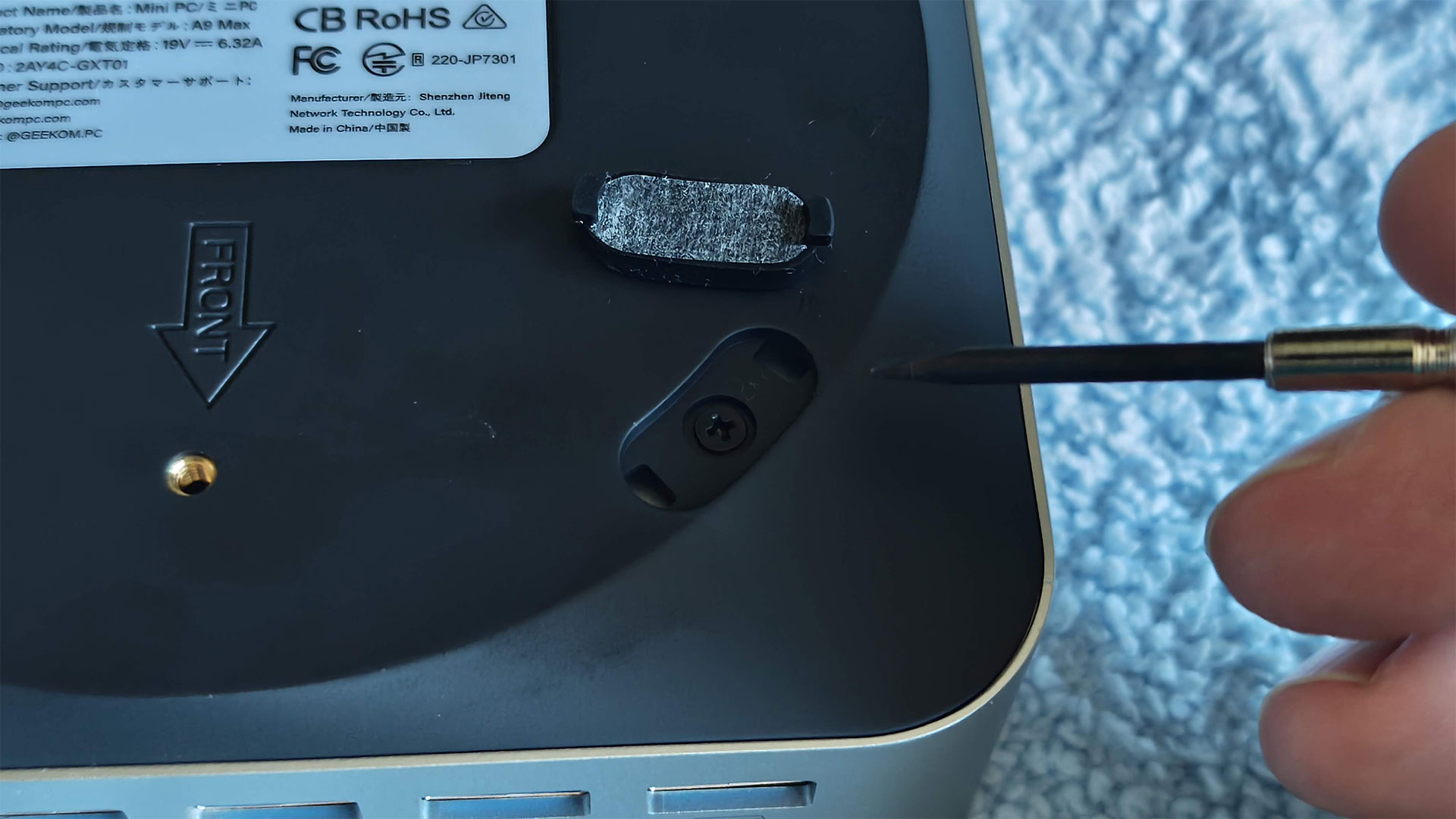
There’s nothing else on the top of the Mini PC but the Geekom logo. On the bottom, there are VESA mounting screws and four rubber feet, which have to be removed to access the inside.

Geekom A9 Max 2026
Tom's Hardware
Geekom A9 Max 2026
Tom's Hardware
Geekom A9 Max 2026
Tom's Hardware
Geekom A9 Max 2026
Tom's Hardware

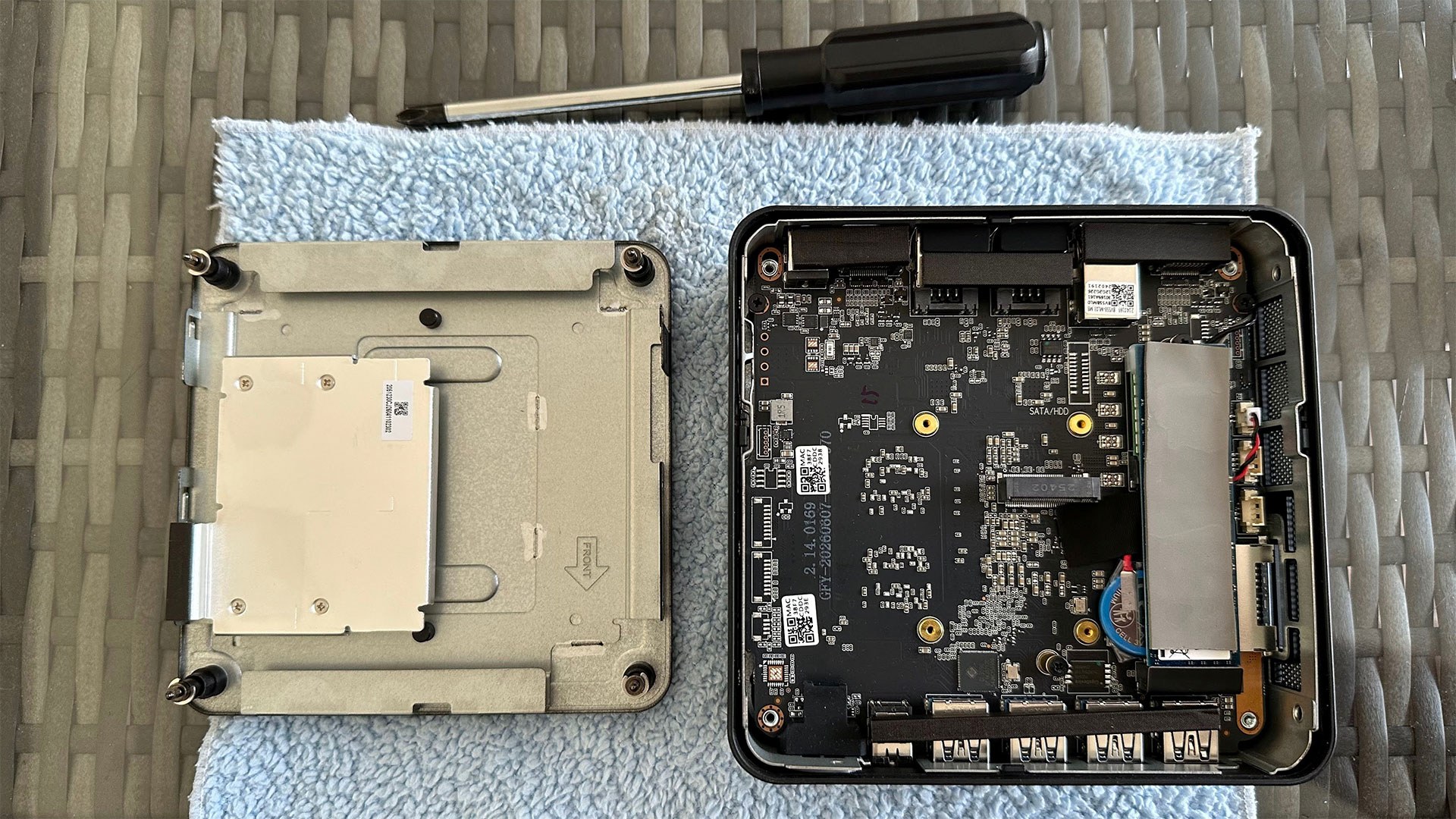
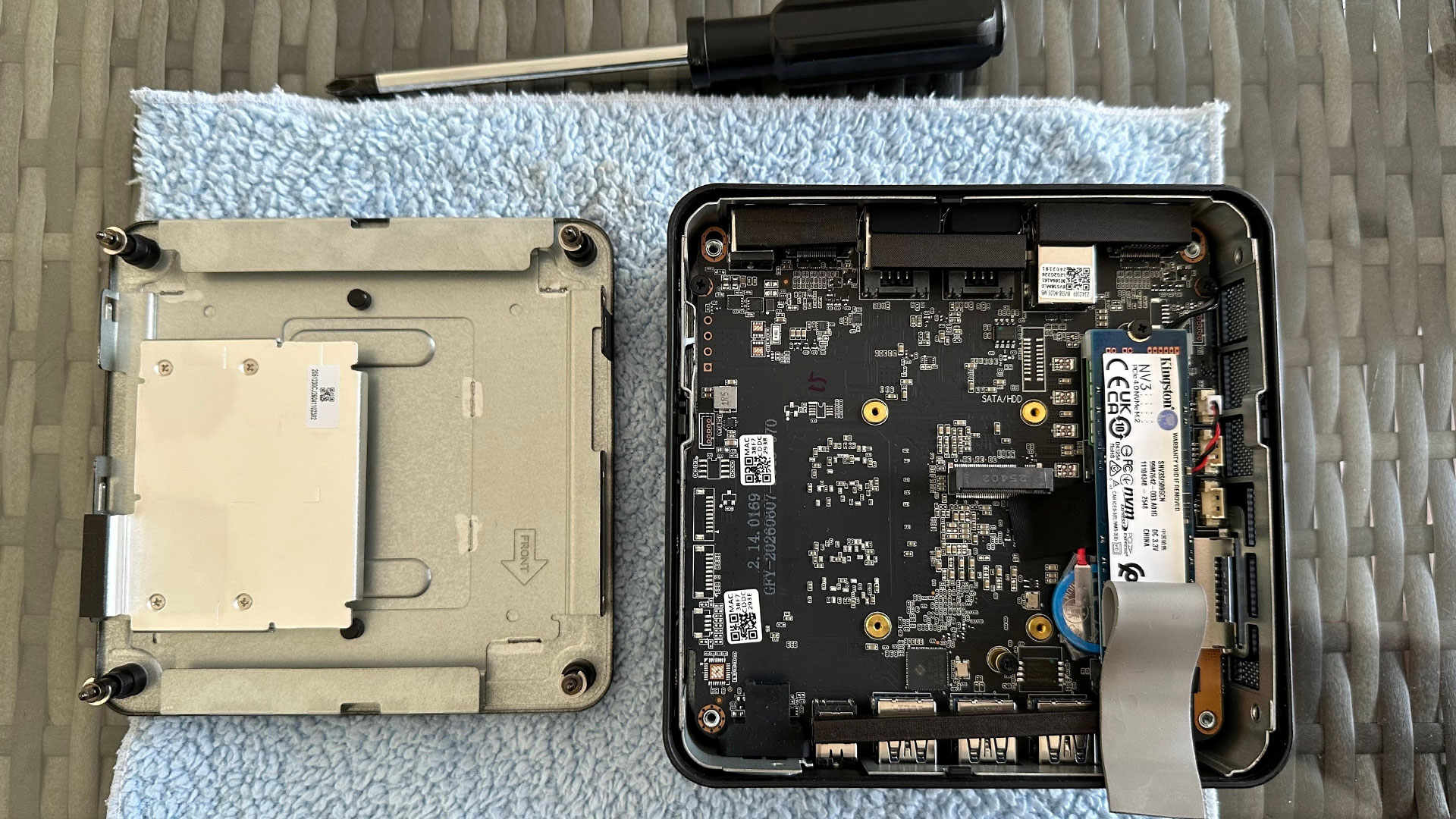
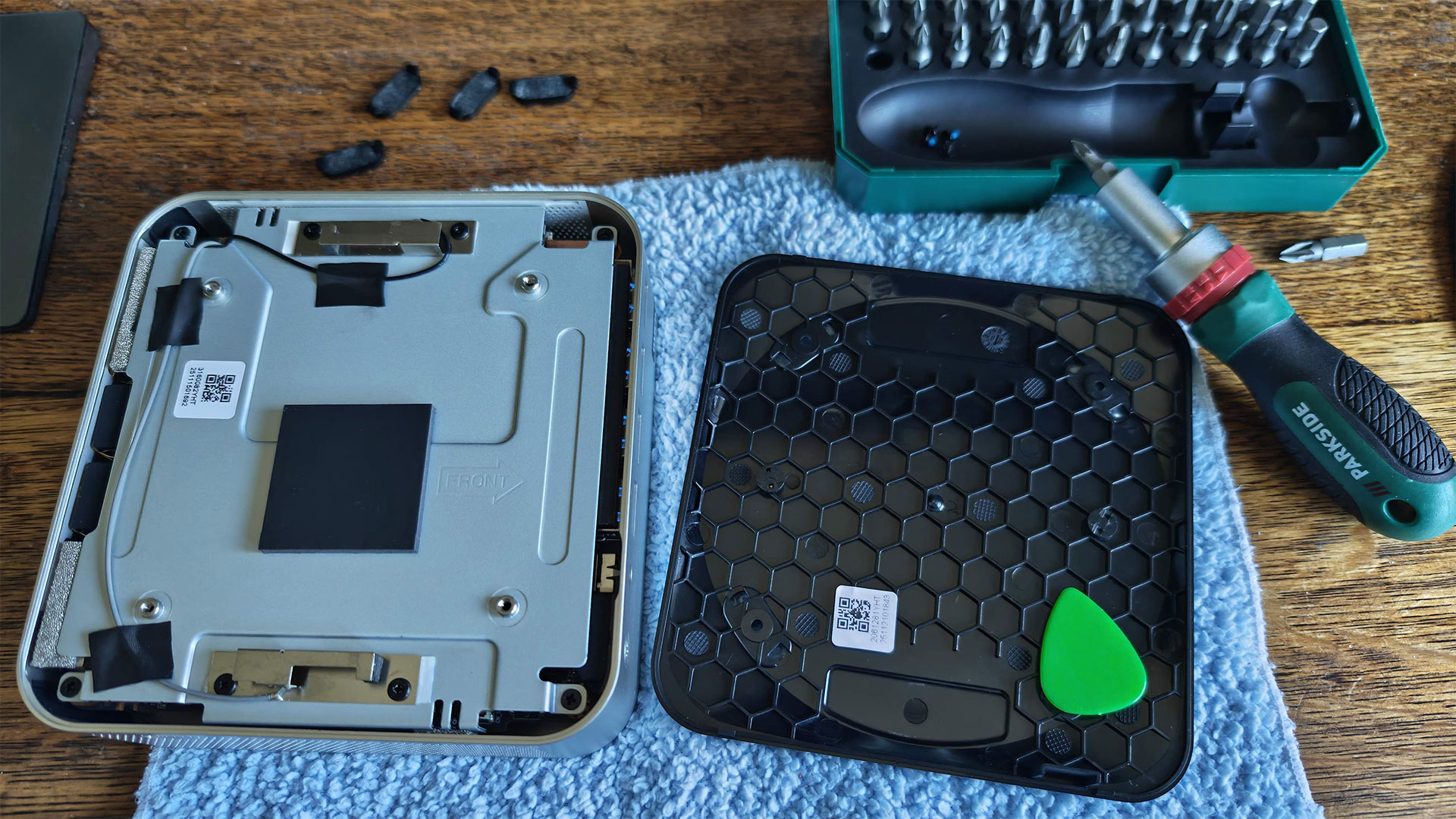
Once you pry the sticky feet off, there are four crosshead screws to remove. Then I used a guitar plectrum to flip the bottom off. The bottom comes away without any attached wiring. However, you can’t do much yet, as four more screws need to be removed so the metal shielding layer on the bottom can be removed. Rather than untaping all the antenna wires, which partly fix the inner metal underside to the rest of the inner components, I managed to open it up like a door.

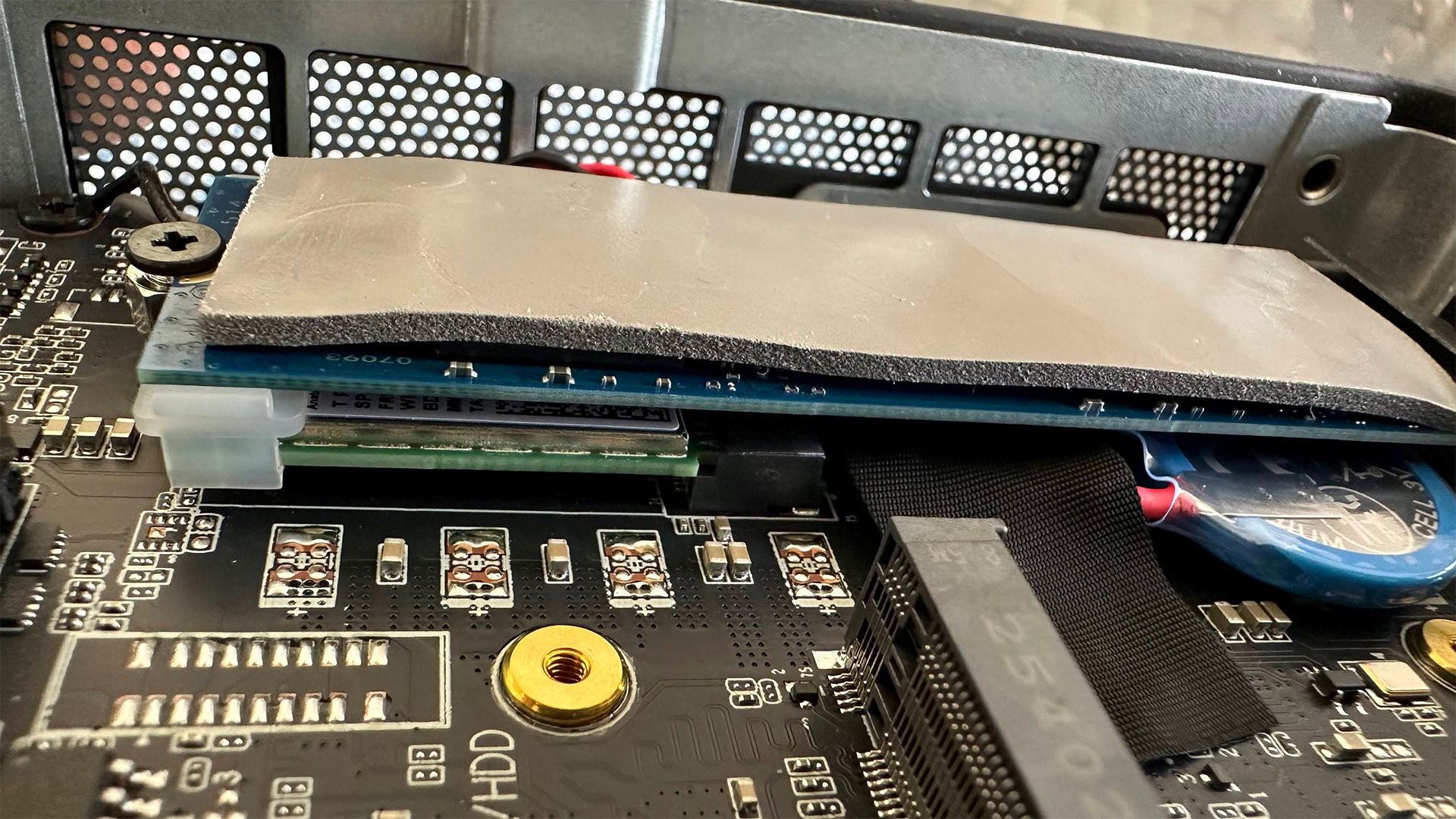
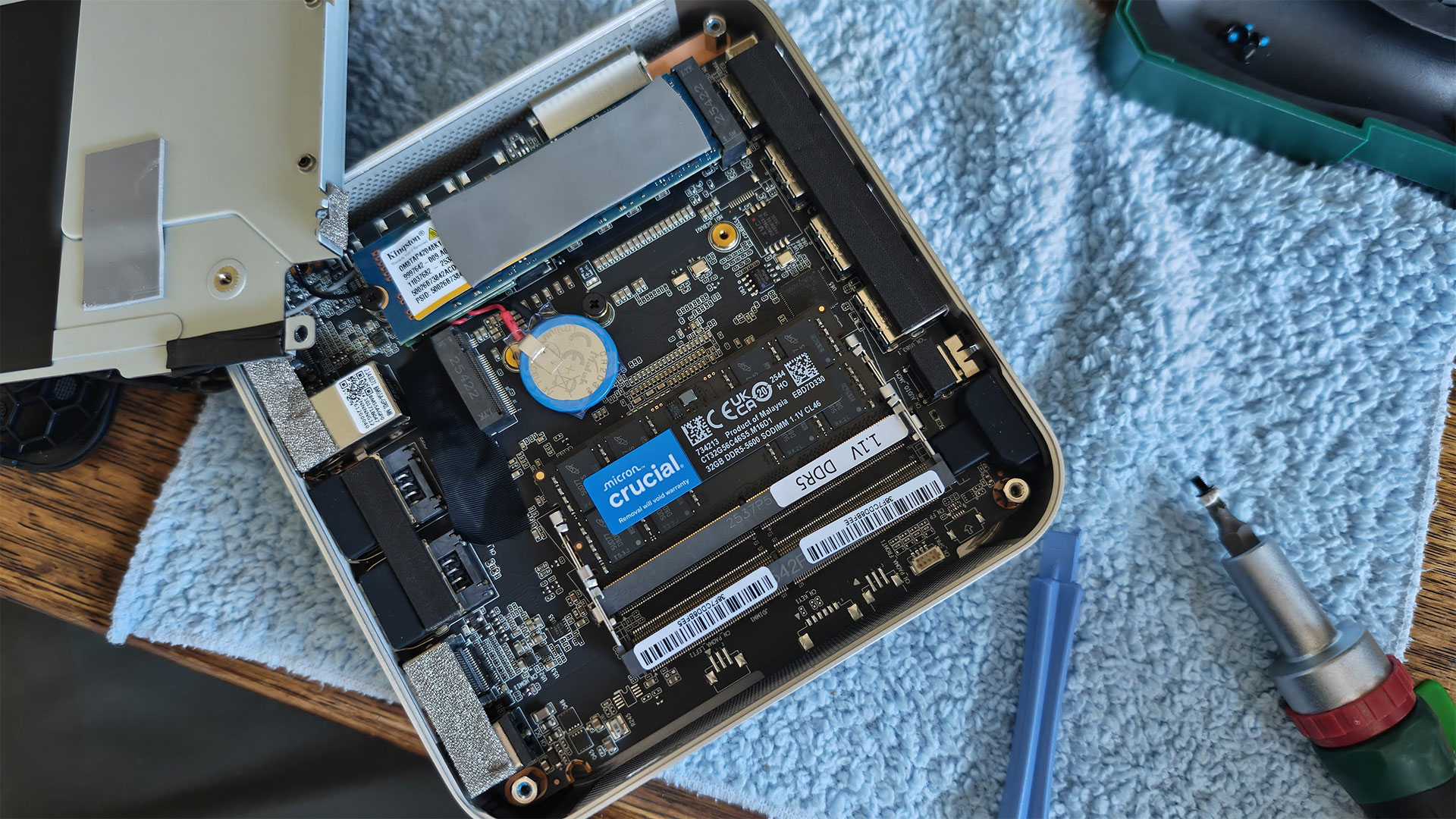
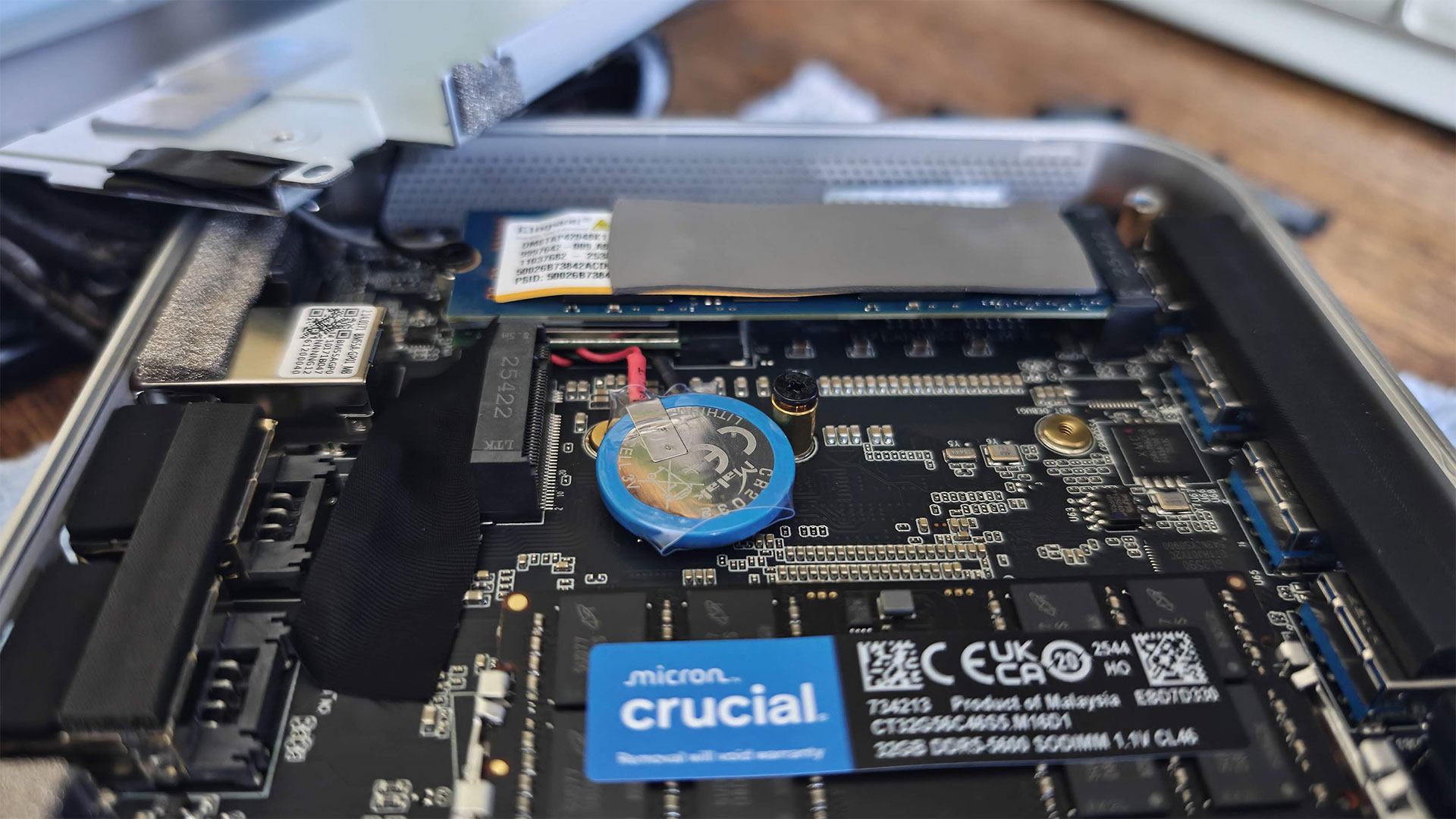
With eight screws removed, I had access to the SSD and RAM slots. The Geekom A9 Max has two M.2 SSD slots. The 2280 slot was populated with a Kingston branded 2TB drive with a thermal pad on top. You can just about see that underneath it is the M.2 Wi-Fi 7 and Bluetooth 5.4 card. To the side of this 2280 SSD is another slot, which it is claimed is usable for drives in the 2230 form factor. I noted a thermal pad was already stuck on the metal shell, which would run the length of a 2230 drive if installed and the unit screwed back together, that’s nice attention to detail.

More user-configuration options provided by this tiny motherboard were provided by the pair of SODIMM slots. Geekom had fitted a single Micron 32GB DDR5-5600 module, so one slot was left free. The decision to sell this device in a single-channel configuration was “mainly to provide better long-term upgrade flexibility,” I was told in an email. “Since the A9 Max only has two memory slots, a factory-installed 2×16GB setup would require users to replace both modules when upgrading to 64GB or 128GB in the future. With a single 32GB module, users can simply add another 32GB stick later to achieve 64GB dual-channel memory more easily and cost-effectively.”

I’d agree more with this idea if the Mini PC had 16GB of RAM in total, but I fear it will be a long time before buyers of machines of this type will be able to justify purchasing another 32GB SODIMM – to unleash rather than constrain the Radeon 890M. More on that later.

Test System Setup

System

CPU

(i)GPU

Memory

Chassis

GMK EVO-T2

Intel Core Ultra X7 358H (16C/16T: 4P + 8E + 4 LPE),  up  to  4.8  GHz

Intel Arc B390 (Xe3, 12 cores, up to 2.5 GHz)

2x 32GB LPDDR5X-8533 soldered

Dual-fan,1.72 liters

MSI Cubi NUC AI+ 3MG

Intel Core Ultra 9 386H (16C/16T: 6P + 8E + 2LPE), up to 4.9  GHz

Intel Graphics (Xe3, 4 Cores, up to 2.5 GHz)

2x 16GB DDR5-5600 Sodimm

Single fan, 0.52 liters

Geekom A9 Max 2026

AMD Ryzen AI 9 HX 470 (12C / 24T:  4x Zen 5, 8x Zen 5c),  up to 5.2  GHz

Radeon 890M (RDNA 3.5, 16 CUs, up to 3.1 MHz)

1x 32GB DDR5-5600 Sodimm

Single fan, 0.82 liters

Arctic Senza AI 370

AMD Ryzen AI 9 HX 370  (12C / 24T:  4x Zen 5, 8x Zen 5c), up  to  5.1  GHz

Radeon 890M (RDNA 3.5, 16 CUs, up to 2.9 MHz)

2x 16GB LPDDR5X‑8000 soldered

Passive, 4.82 liters

Beelink SER10 MAX

AMD Ryzen AI 9 HX 470 (12C / 24T:  4x Zen 5, 8x Zen 5c),  up to  5.2 GHz

Radeon 890M (RDNA 3.5, 16 CUs, up to 3.1 MHz)

2x 32GB DDR5-5600 Sodimm

Single fan, 0.81 liters

Productivity Performance on the Geekom A9 Max 2026

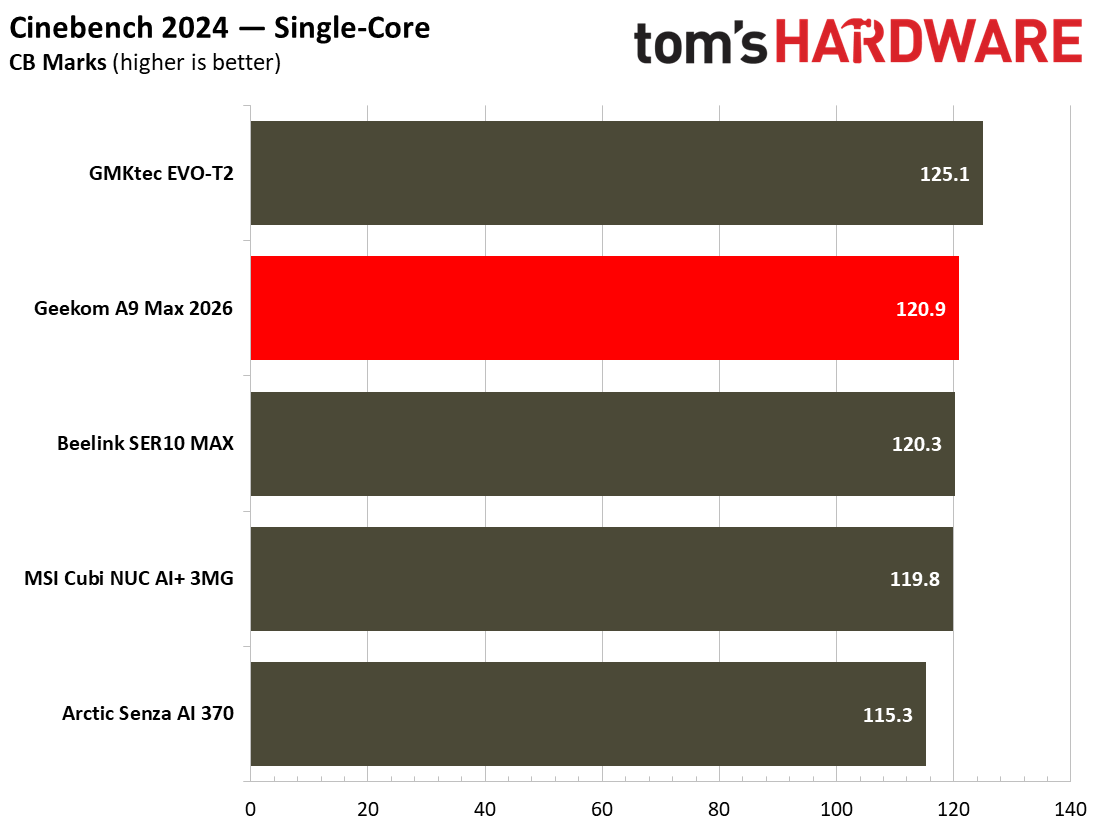
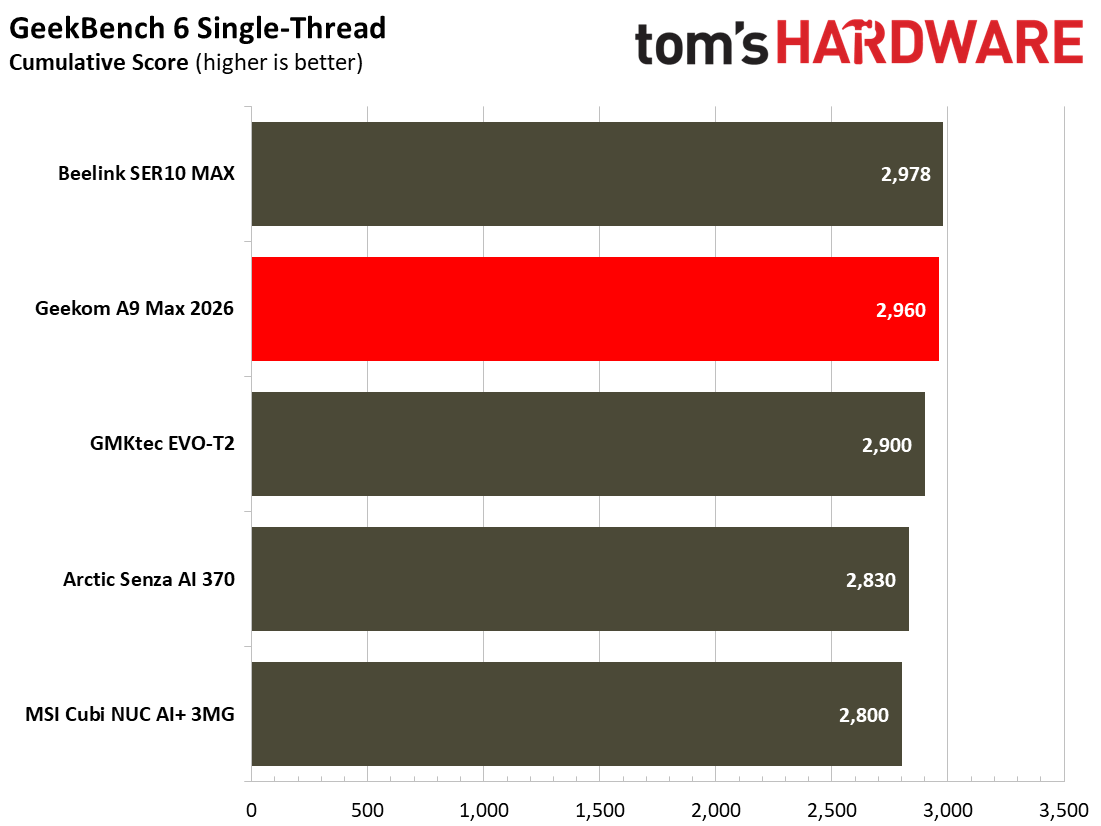
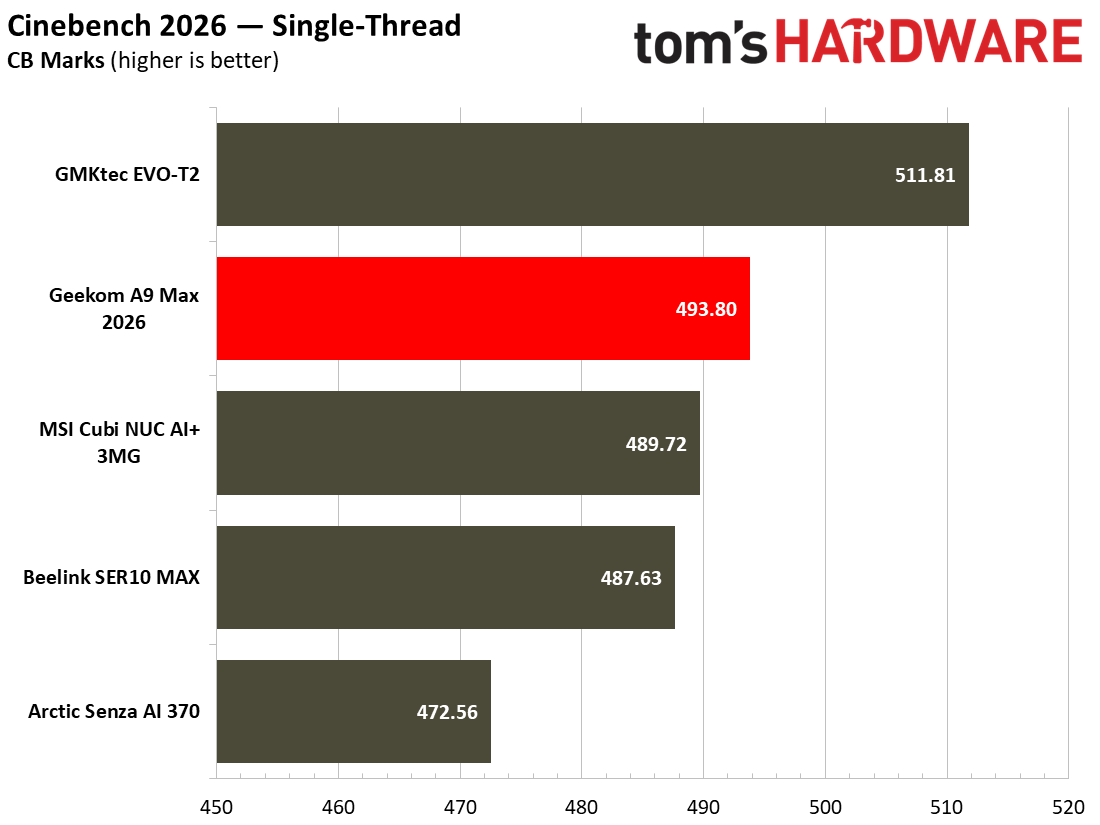
AMD’s Ryzen AI 9 HX 470, with its Zen 5 CPU architecture and 24 threads running at up to 5.2 GHz, won’t be holding anyone back in office productivity, general computing, and similar day-to-day tasks. It also has a great reputation for efficiency, inheriting the mantle of its predecessor, the Ryzen AI 9 HX 370, which gathered many design wins for AMD. Here, the CPU is fed by an ample 32GB of system RAM, and the 2TB PCIe Gen4 x4 SSD storage equipped is pretty fast too, with read/write transfer speeds of up to 6,139 MB/s and 5,499 MB/s, respectively, according to CrystalDiskMark.

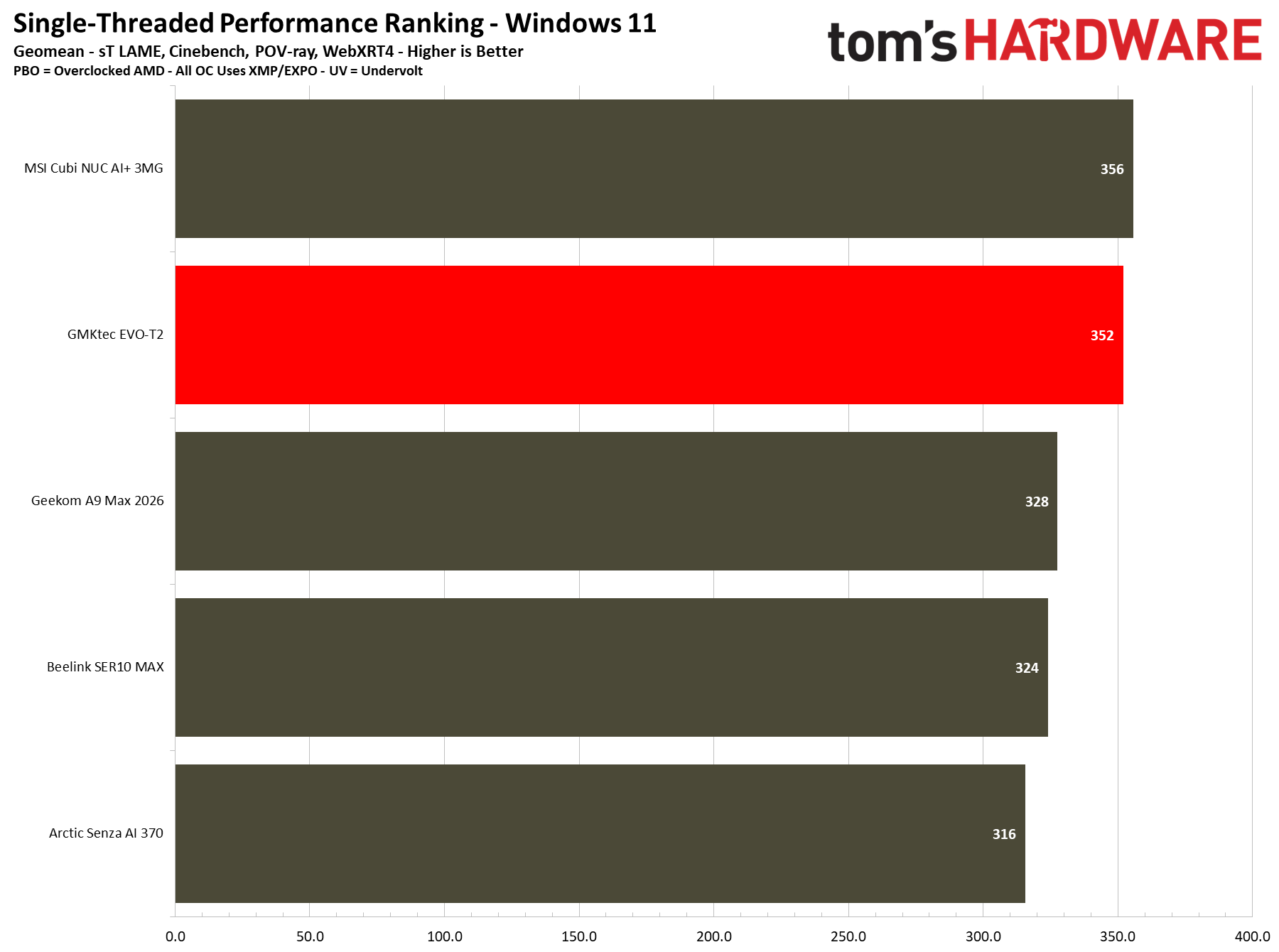
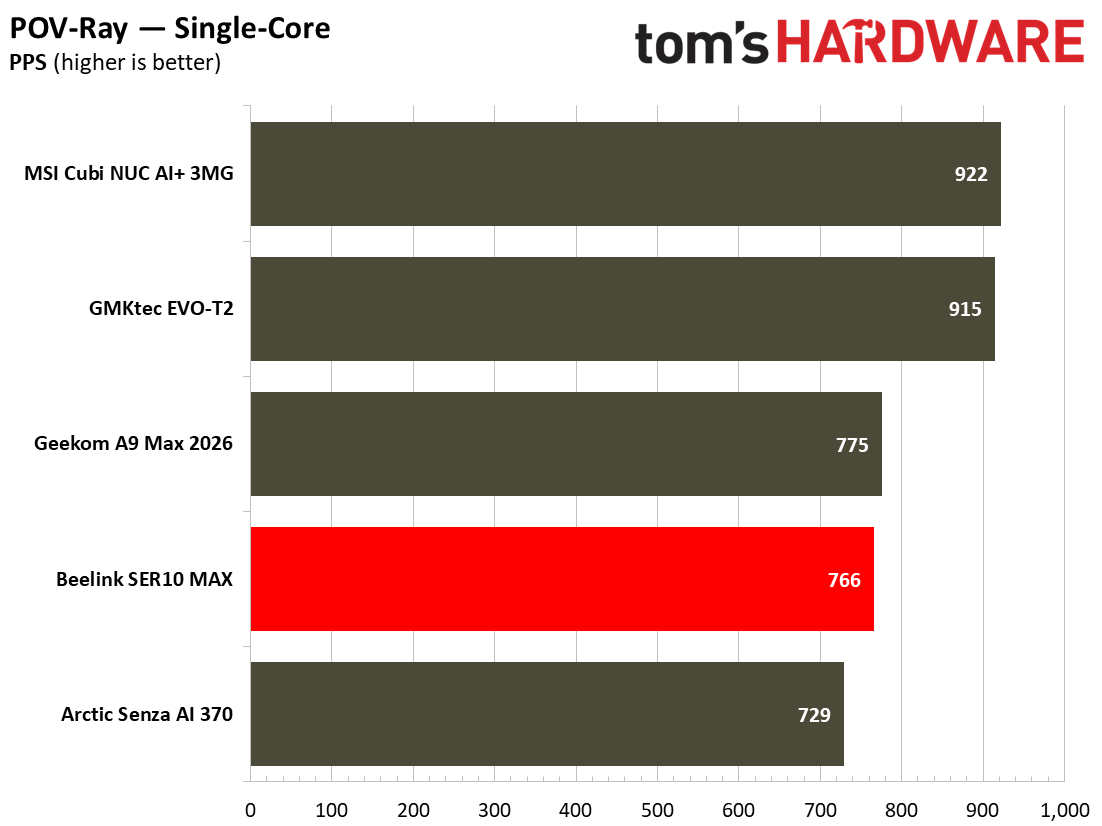
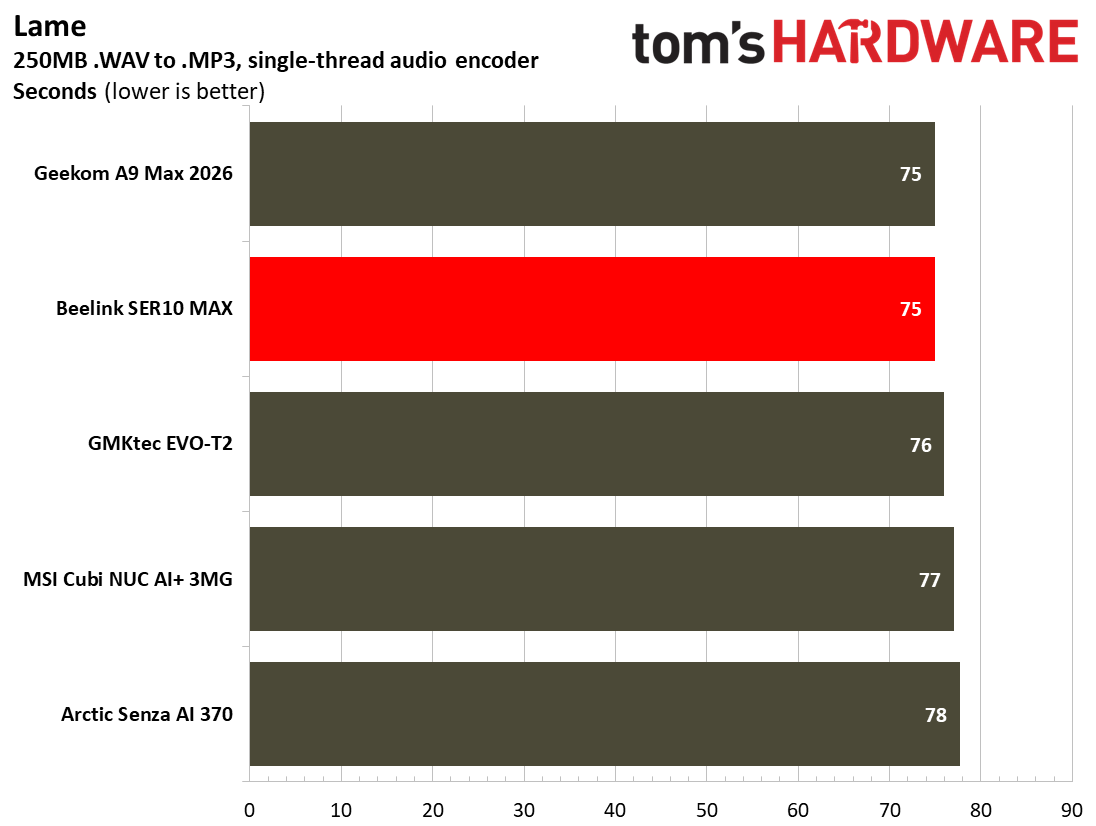
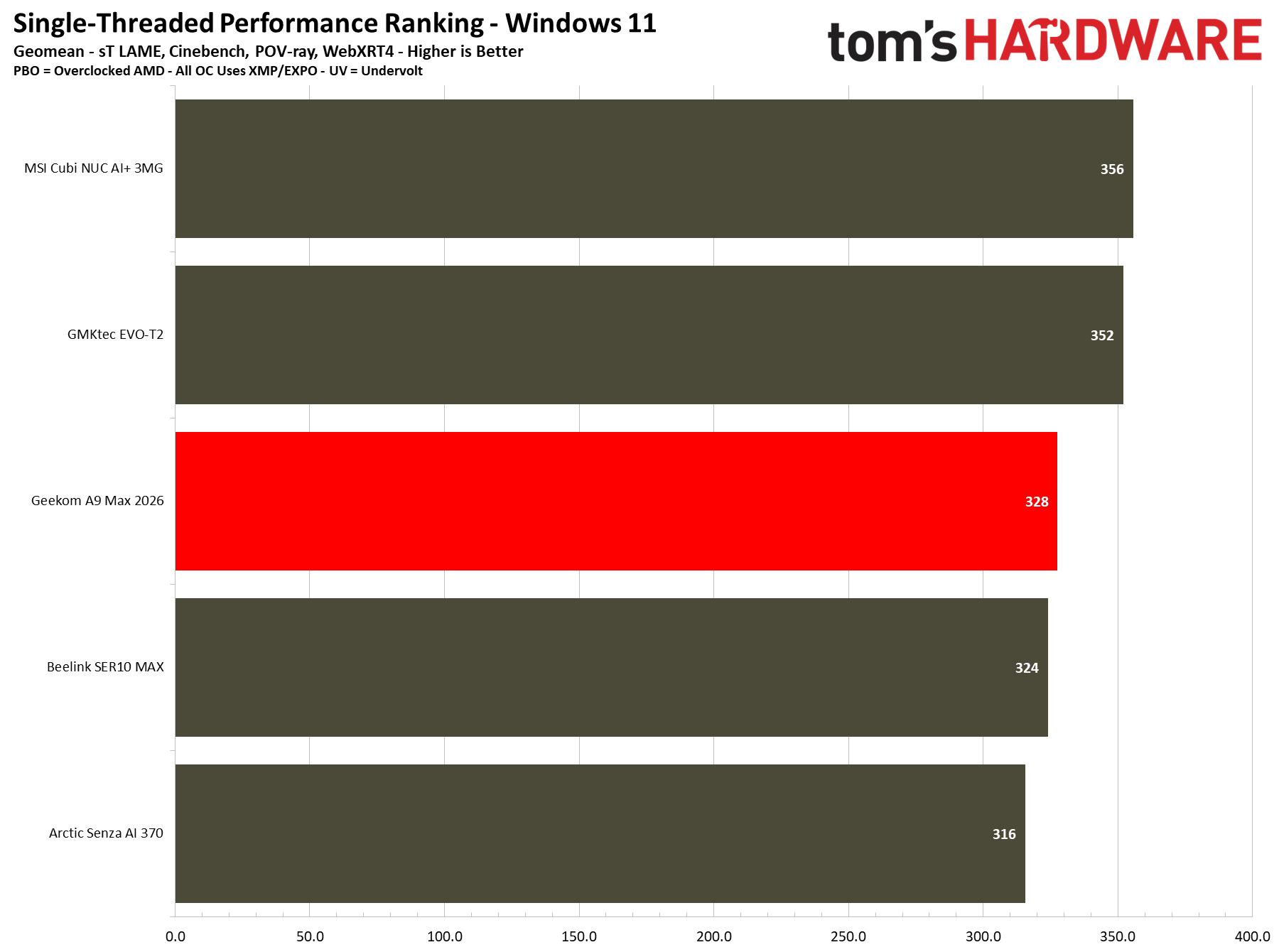
Single-Threaded

Geekom A9 Max 2026
Tom's Hardware
Geekom A9 Max 2026
Tom's Hardware
Geekom A9 Max 2026
Tom's Hardware
Geekom A9 Max 2026
Tom's Hardware
Geekom A9 Max 2026
Tom's Hardware
Geekom A9 Max 2026
Tom's Hardware
Geekom A9 Max 2026
Tom's Hardware
Geekom A9 Max 2026
Tom's Hardware

Multi-Threaded

Geekom A9 Max 2026
Tom's Hardware
Geekom A9 Max 2026
Tom's Hardware
Geekom A9 Max 2026
Tom's Hardware
Geekom A9 Max 2026
Tom's Hardware
Geekom A9 Max 2026
Tom's Hardware
Geekom A9 Max 2026
Tom's Hardware
Geekom A9 Max 2026
Tom's Hardware
Geekom A9 Max 2026
Tom's Hardware
Geekom A9 Max 2026
Tom's Hardware
Geekom A9 Max 2026
Tom's Hardware
Geekom A9 Max 2026
Tom's Hardware

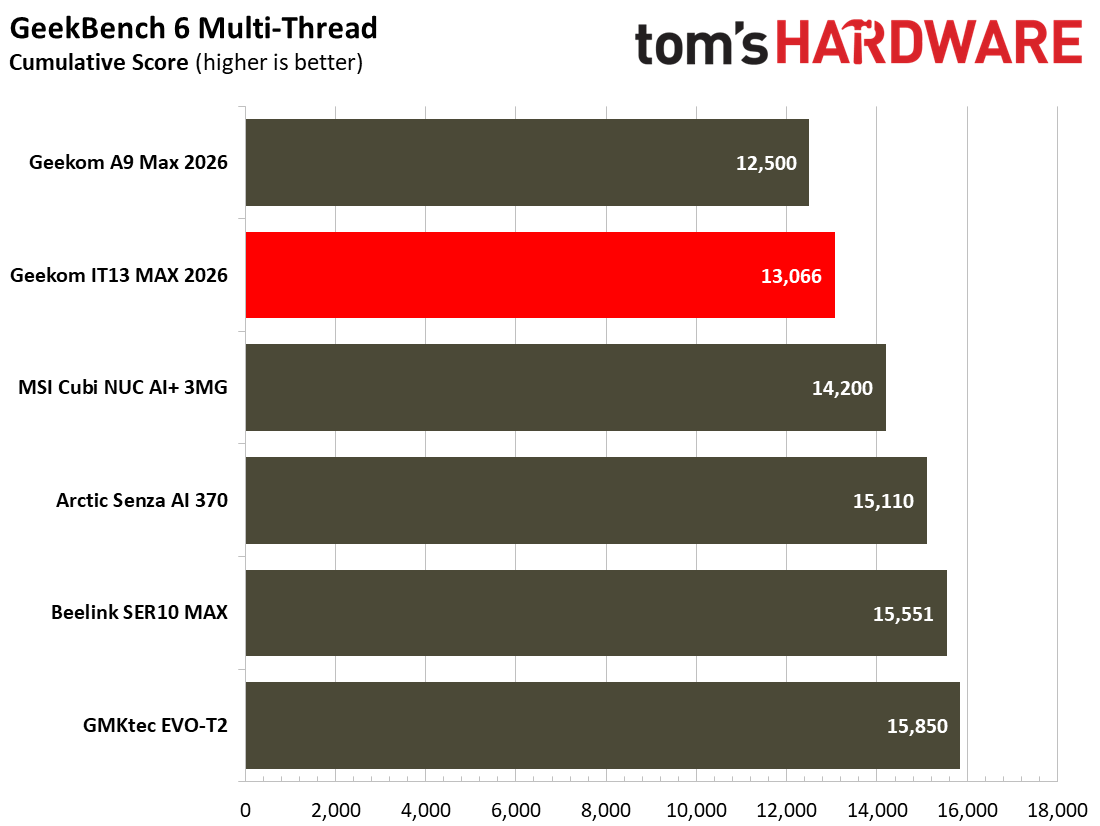
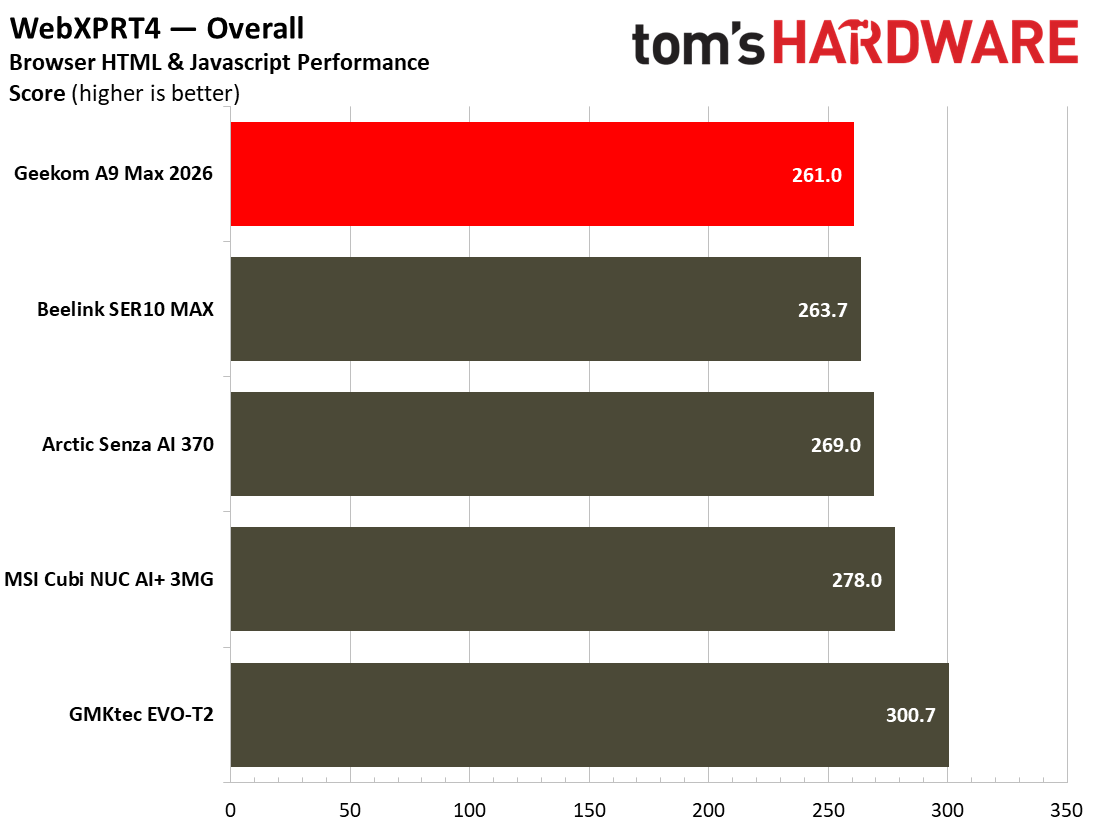
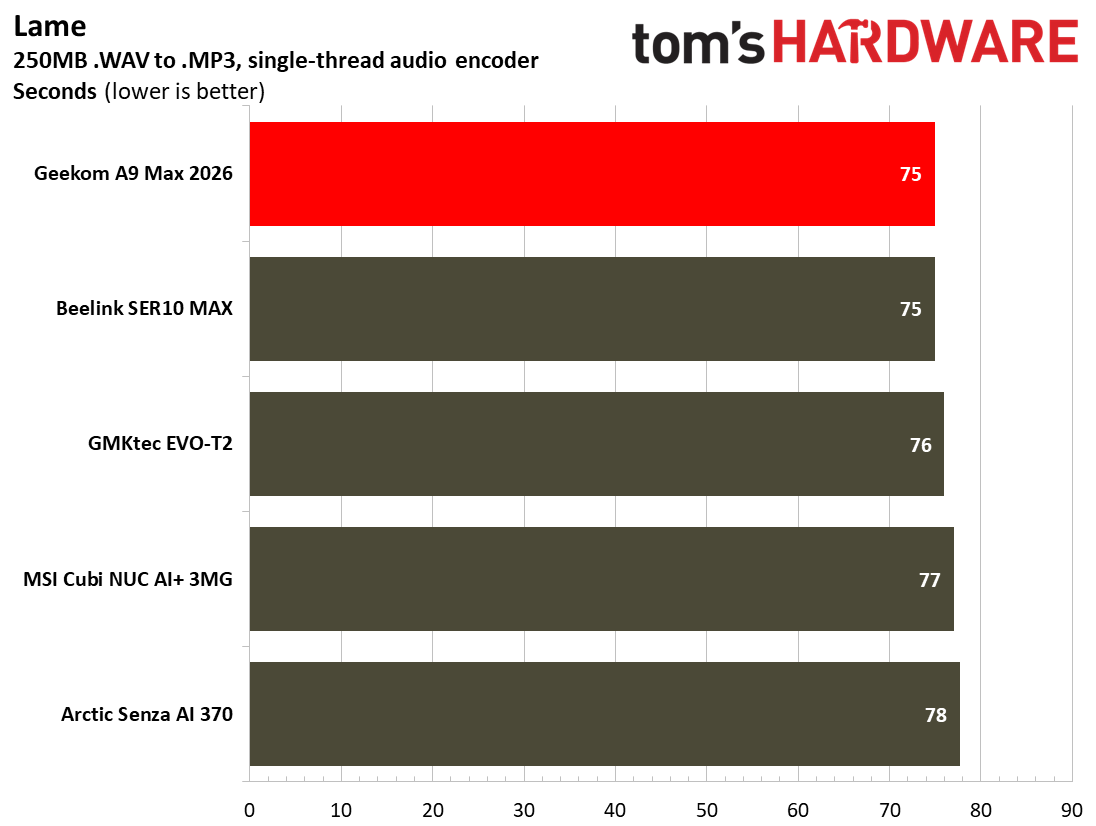
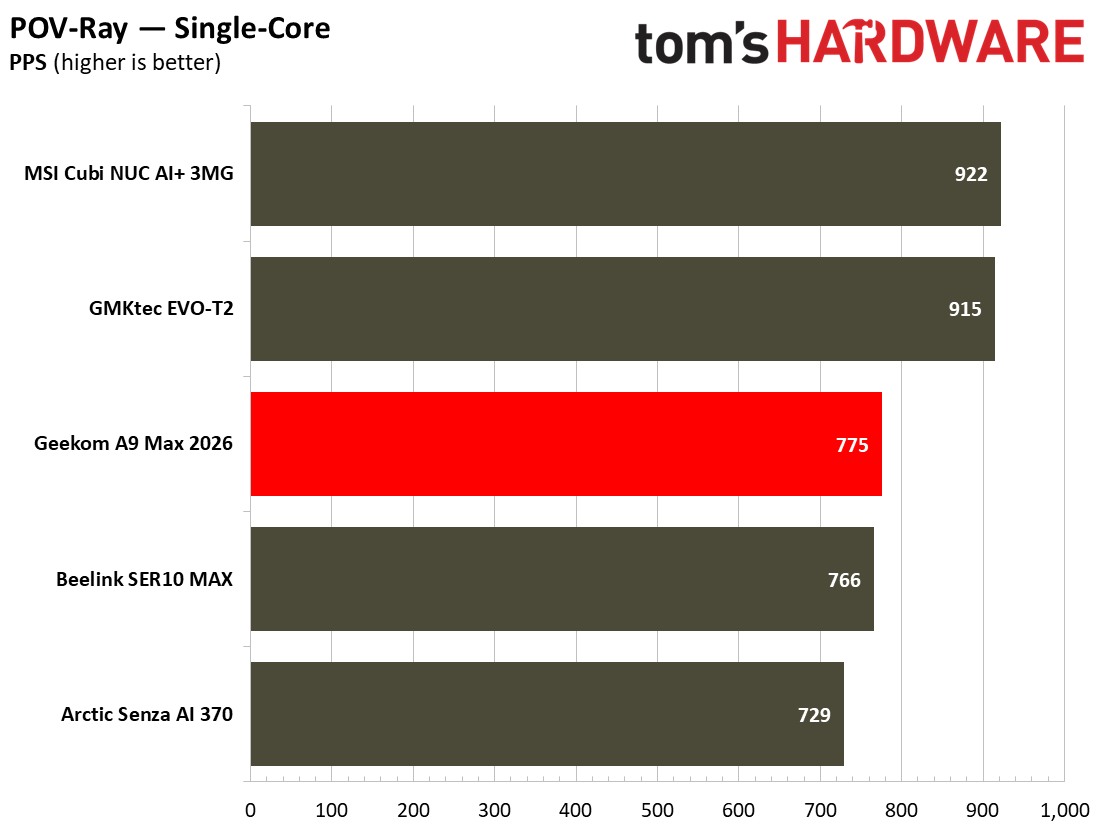
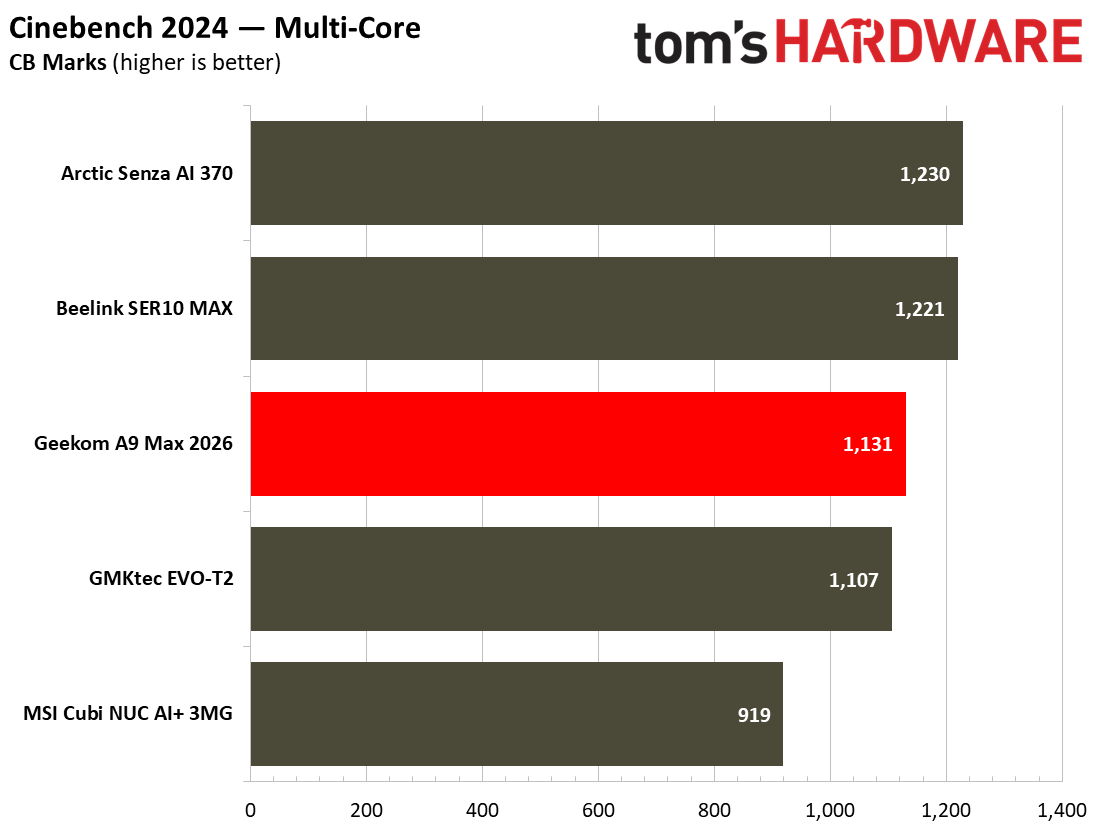
In Cinebench 2026, the A9 Max 2026 scored 4,667 points in the multi-core test. That's very similar to the Beelink SER10 MAX with the exact same processor. No surprise. However, the Beelink has dual-channel RAM, which doesn't make a lot of difference in this kind of CPU-heavy rendering workload, as you can see. In the HandBrake video encoding test we see a similar story, with the Geekom middle of the pack, outpacing the Intel competition, but a smidgen behind its AMD brethren.

During our demanding tests, the Geekom A9 Max 2026 stayed admirably cool, but its peak noise level might make you want to move it to a less prominent area of the desk, or use the VESA mounting option to hide it behind your monitor.

Gaming and Graphics on the Geekom A9 Max 2026

In its marketing materials, Geekom pitches the new A9 Max as a computer for all niches, mentioning its CPU and AI compute power, as well as indeed gaming and being able to “conquer AAA titles with ease” thanks to the “Radeon 890M integrated graphics, clocked at a high frequency of 3.1GHz.” So, without further ado, let’s run through our standard set of synthetic 3D engine and gaming tests.

Before beginning the games benchmarking proper, I felt like firing up the old-but-gold Far Cry 5 for a bit of mayhem in Montana. After trying a few preset settings, I settled on 1080p Medium. The High preset was just a bit too slow, and Low settings seemed barely any faster. With Medium settings chosen as the sweet spot for this configuration, I adventured through the attractive wilderness and enjoyed eliminating a few crazy cult members. The average FPS of just above 30 FPS, with a minimum of 26 FPS (according to the built-in benchmark) was enough to enjoy the single-player game without being too distracted by performance issues. I am accustomed to 1440p gaming in this title with a higher quality level and a better frame rate. But it wasn’t insufferable on the A9 Max configuration we tested.

Geekom A9 Max 2026
Tom's Hardware
Geekom A9 Max 2026
Tom's Hardware

Our benchmarks included a trio of 3DMark synthetics and two PC gaming standards. 3DMark Solar Bay is a great way to frame and compare cross-platform iGPU performance. Meanwhile, Steel Nomad turns to screws on raw graphics performance with its heavy modern GPU load, and will be better for comparisons when we start testing the higher-end mini PCs. Last and definitely not least, Speed Way is a 2025 benchmark from UL that uses DirectX Raytracing tier 1.1 for real-time global illumination and real-time ray-traced reflections.

3DMark Solar Bay tests seem like the best fit for this iGPU, with frame rates smooth enough that it doesn't hurt your eyes to watch. Sadly for the Geekom, it placed last in the pack in this test, even behind the office productivity targeted MSI Cubi NUC AI+ 3MG.

Geekom A9 Max 2026
Tom's Hardware
Geekom A9 Max 2026
Tom's Hardware
Geekom A9 Max 2026
Tom's Hardware
Geekom A9 Max 2026
Tom's Hardware
Geekom A9 Max 2026
Tom's Hardware
Geekom A9 Max 2026
Tom's Hardware

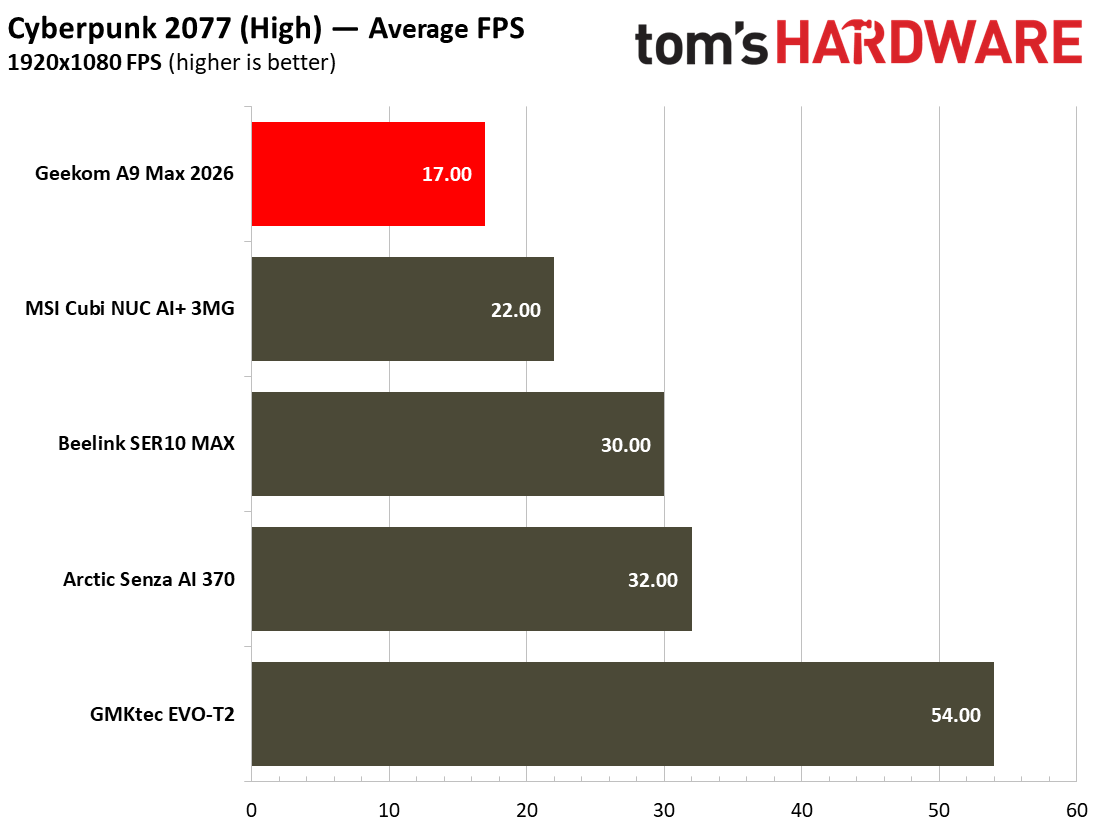
Next up, built-in real game benchmarks courtesy of Shadow of the Tomb Raider and Cyberpunk 2077. The former scales well with processor resources and can still often look and run great on humble iGPUs. As for Cyberpunk 2077, it can really push and tax even the strongest modern GPUs, so here we've used two settings to show how the little A9 Max 2026 can - and can't - play this game. High settings in this game resulted in a grating 17 FPS. Using the Steam Deck preset resulted in a far more playable 29 FPS.

Moving over to Shadow of the Tomb Raider (SOTTR), and the A9 Max 2026 as configured managed just a 26 FPS average. If you have no other avenues to enjoy this game, you’ll have to nudge settings lower to get above a consistent 30 FPS. Opting for 720p visuals could also help, if you were willing to do so.

We had a similarly disappointing gaming experience during the Minisforum X1 AI Pro 470 review, which also combined this exact AMD Zen 5 mobile processor with a single 32GB stick of DDR5-5600. Check the details of that article to learn exactly the difference reconfiguring the DDR5 to dual-channel can make (spoiler: equipping dual-channel memory made a very big difference in our 3D gaming performance tests). In our newest mini PC tests, the Beelink SER10 MAX comes with the same AMD  Ryzen AI 9 HX 470  processor but is kitted out with dual-channel RAM and can hit a far smoother 54 FPS in the SOTTR High preset.

Power, Heat, and Noise when using the Geekom A9 Max 2026

Geekom A9 Max 2026

(Image credit: Tom's Hardware)

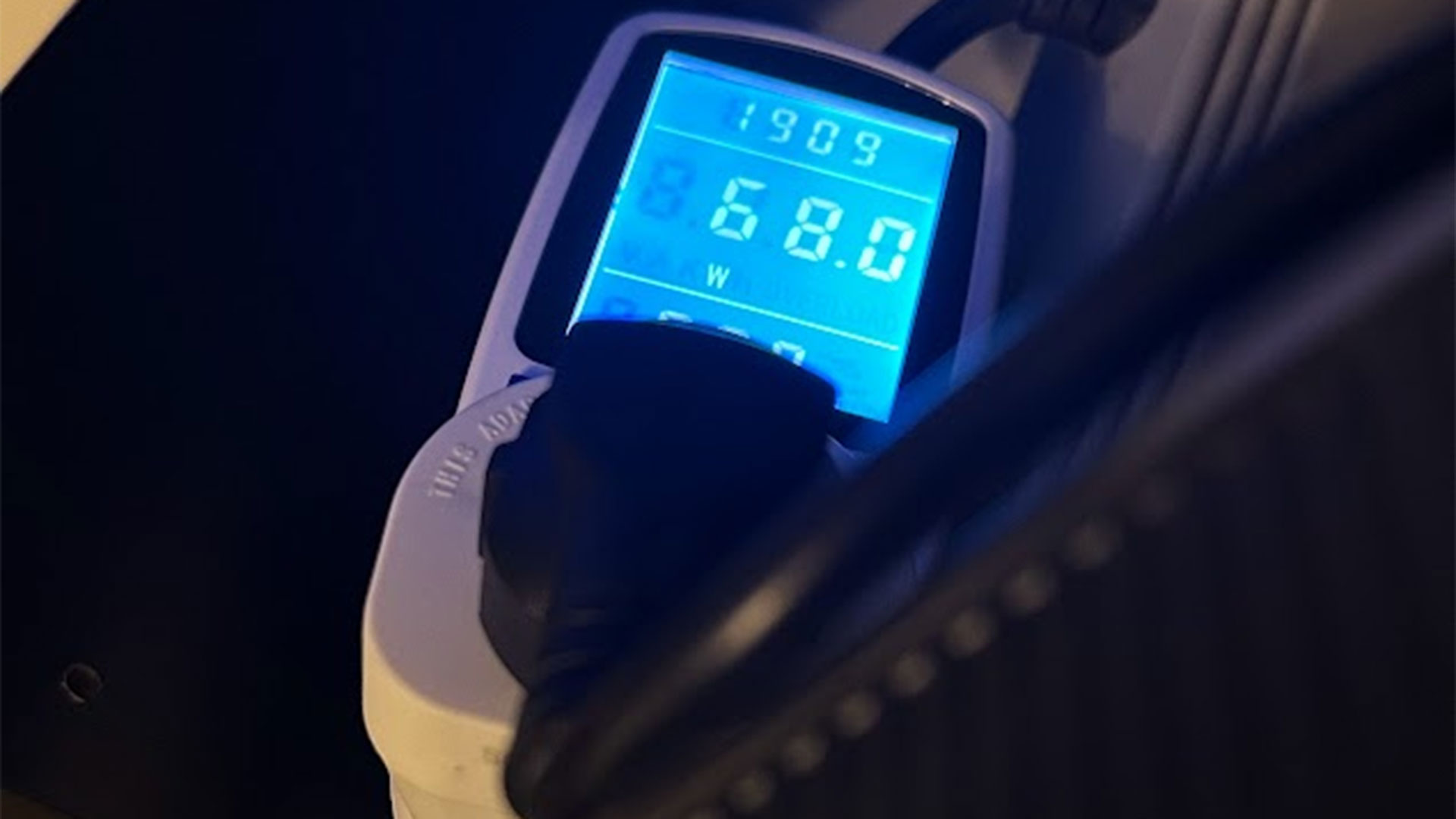
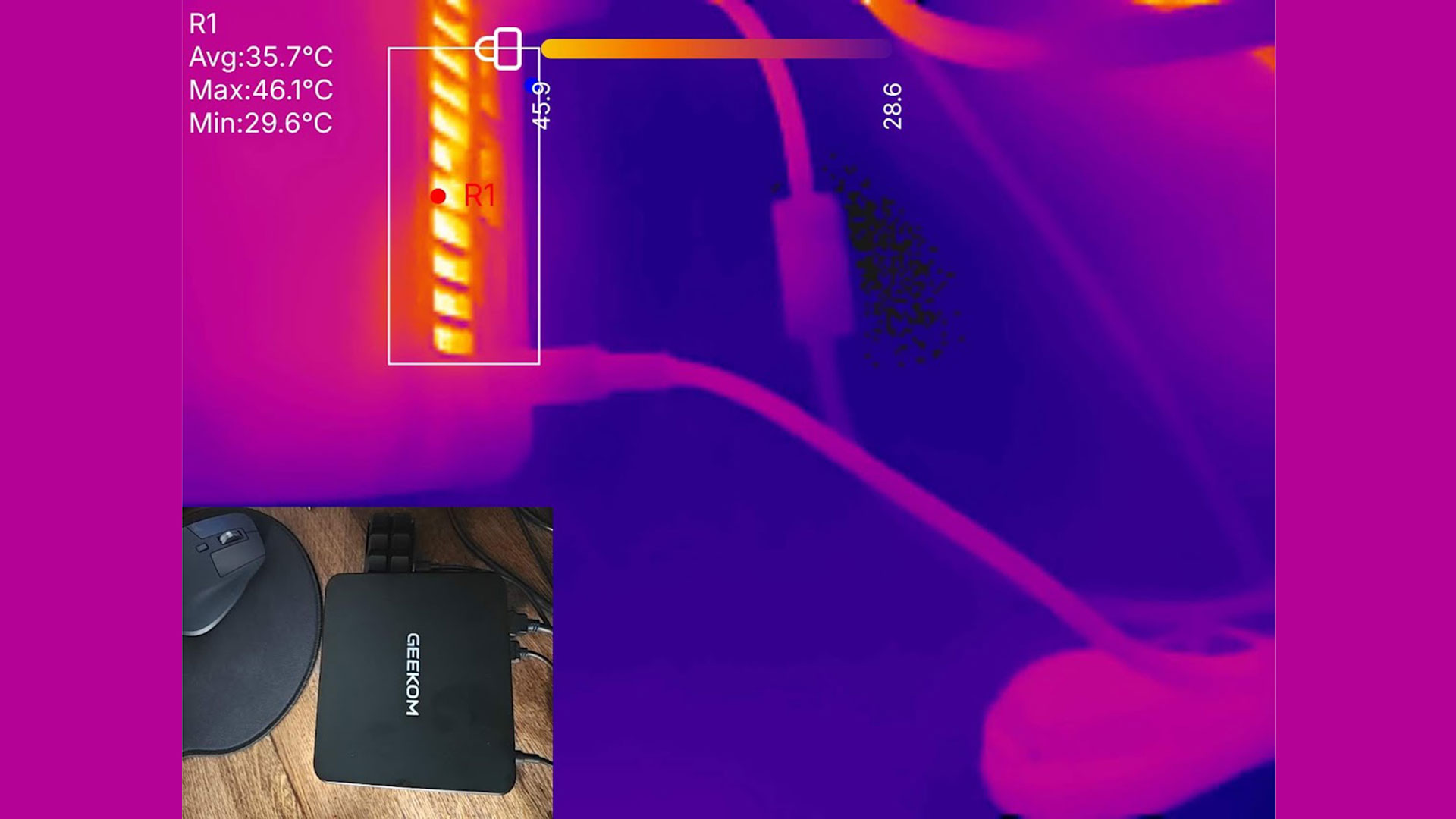
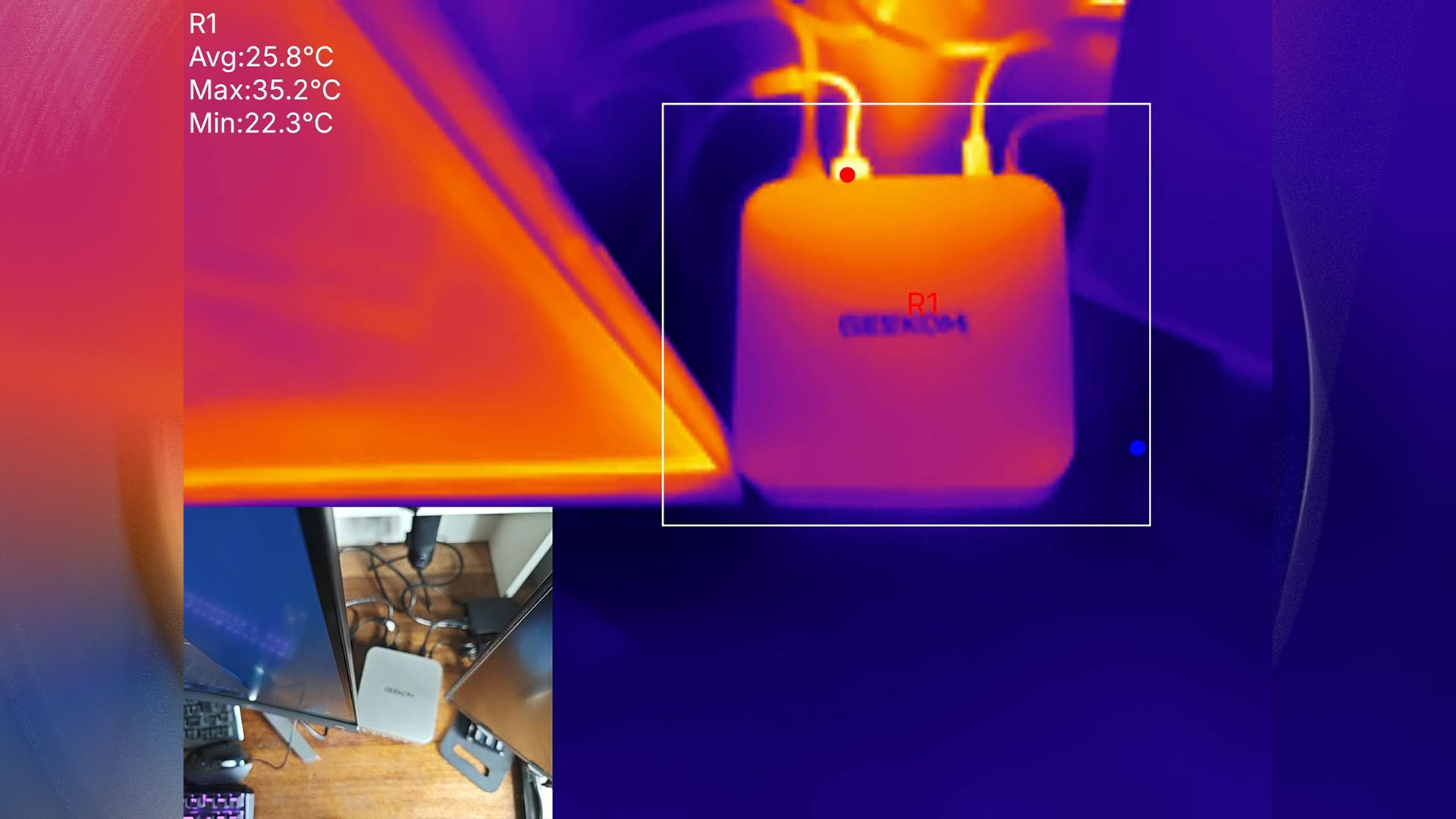
This little computer was pleasingly thrifty when it came to power use. Measured at the wall, I observed a mere 7W of power was being pulled by the system when idling in Windows 11. Under the heaviest loads I could muster, the system power consumption rose to about 79W. System tools showed that the idle / stress CPU temperatures were around 34C and 79C, respectively. Perhaps Geekom could quiet the IceBlast 3.0 fans, then? Or, if you buy this, you’d have latitude to slow the fan profiles in the BIOS.

Geekom A9 Max 2026

(Image credit: Tom's Hardware)

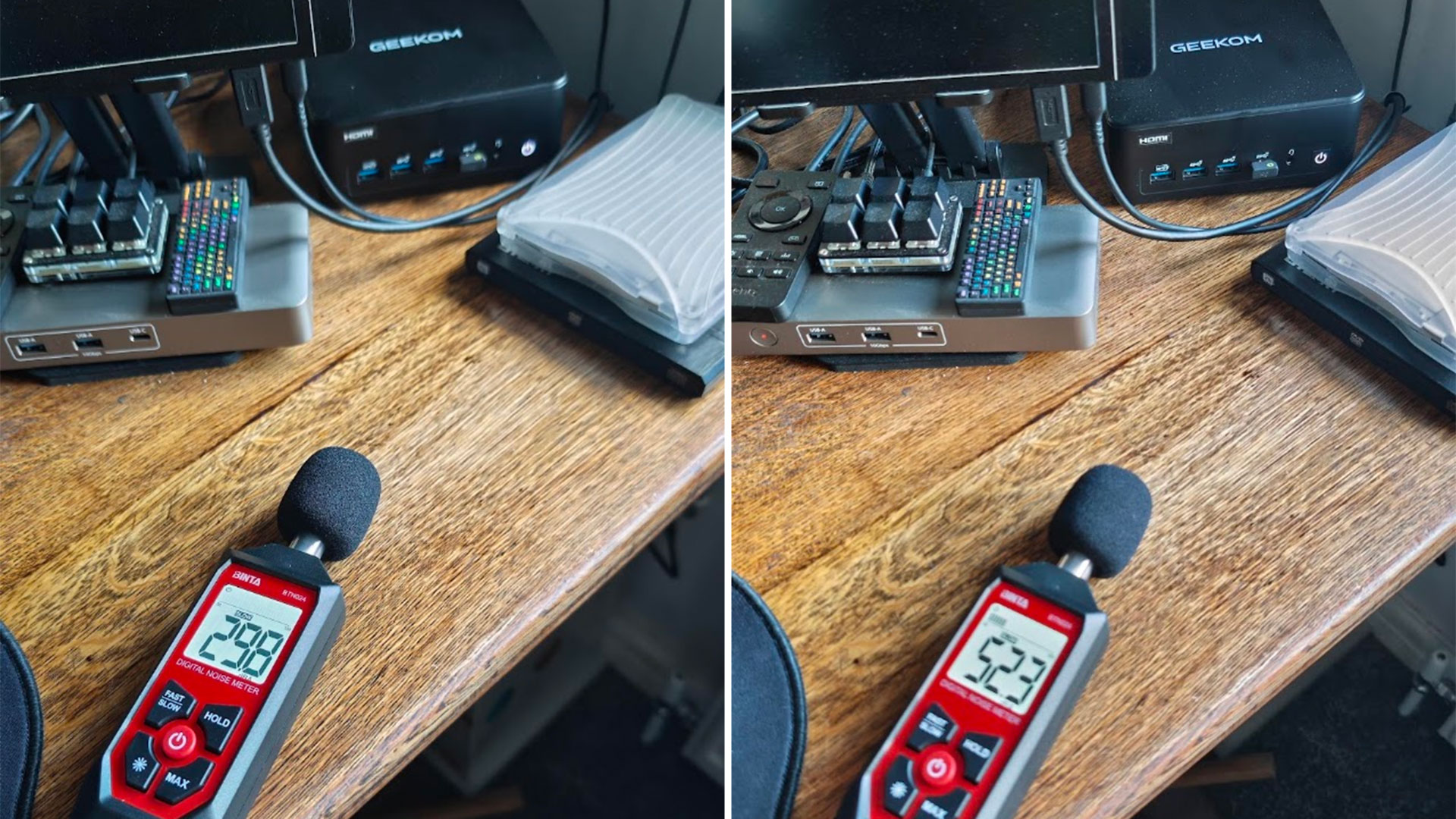
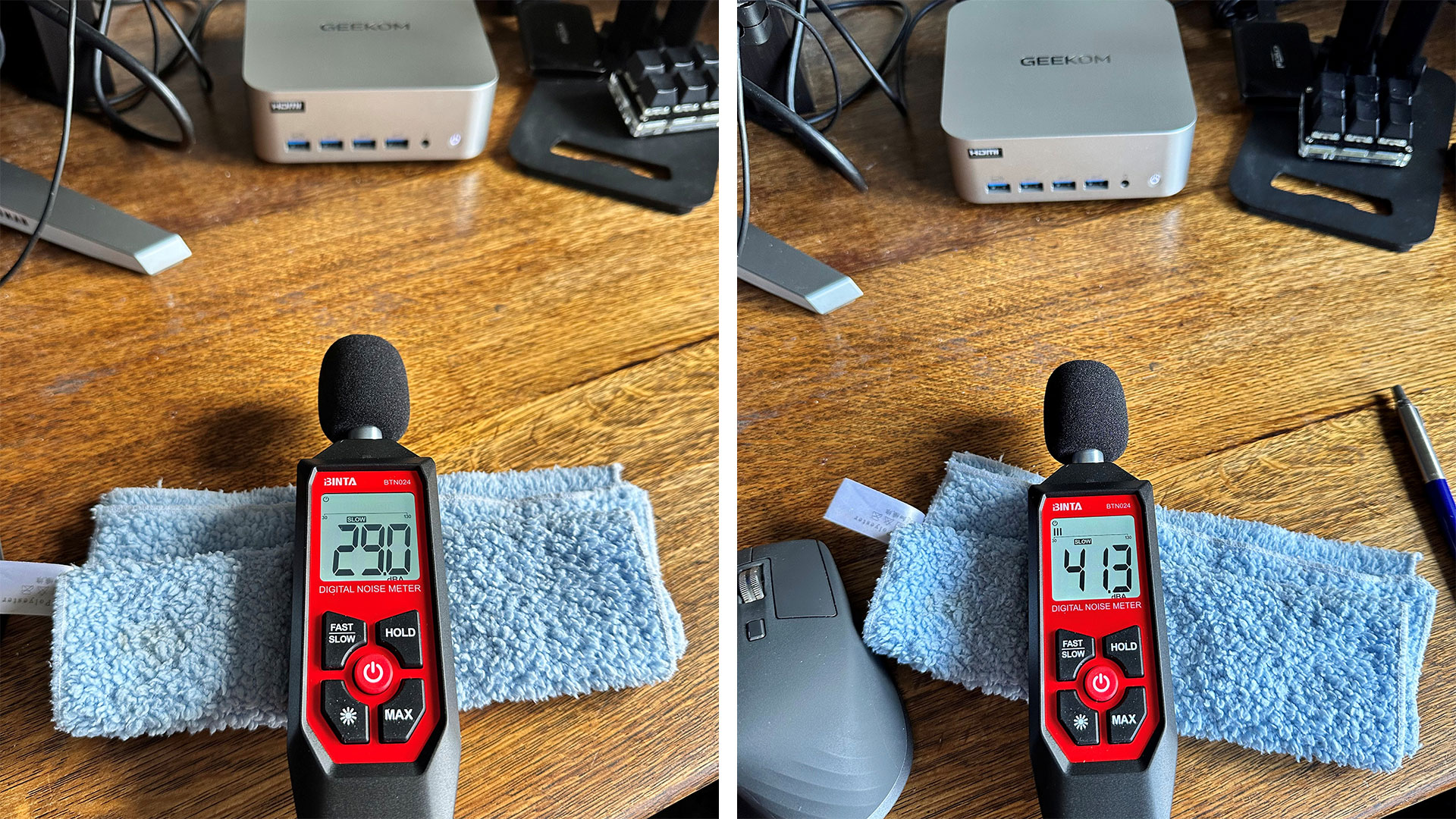
Geekom’s A9 Max 2026 was quiet at idle, with my readings showing it made about 29 to 30dB noise. The loudest it got was around 41dB, when I was trying to stress the system by running CPU and GPU benchmark tests simultaneously.

Geekom boasts about its new IceBlast 3.0 system here. I found that it works well enough as shipped, but it isn’t the quietest under load and may benefit from user tweaks. There’s no software for these kinds of adjustments, though, so it is a BIOS tweak / reboot process you’ll have to work through.

Software and Warranty on the Geekom A9 Max 2026

Geekom ships the A9 Max 2026 with no custom software at all. It's just clean Windows 11 Pro, as supplied. Also, we note that the marketing material boasts the system fully supports both Windows 11 and Linux. At the time of writing, there is only one fully populated option for would-be buyers of the A9 Max 2026 - identical to our test unit - so you can’t potentially save money by going barebone / Linux.

A 3-year warranty is provided with the A9 Max 2026.

Configurations of the Geekom A9 Max 2026

At the time of writing, there is only one configuration of the Geekom A9 Max 2026 is available, and that is precisely the one tested with a Ryzen AI 9 HX 470, 32GB / 2TB, and Windows 11 Pro pre-installed. Amazon currently has this machine on a 'limited time deal' with 10% off reducing the price from $1,599 to a more reasonable $1,439.

On some stores, you may still be able to find last year's model, with an HX 370.

Bottom Line

Geekom’s A9 Max 2026 is a handsome, durable, and performant all-arounder. However, we will say again that its Radeon 890M iGPU is seriously hamstrung by the single-channel RAM configuration it is sold with. This lack of bandwidth becomes painfully obvious when 3D gaming.

Pondering the A9 Max 2026’s pricing more carefully suggests that mini PC desktops like this are no longer the bargains they used to be. The very modest uplift provided by AMD’s AI 400 Gorgon Point chips doesn’t really make a strong case for the 2026 refresh models.

This updated 2026 release competes with Geekom’s own older editions, as mentioned in the above Configurations section. However, the Minisforum AI X1 Pro 470 which we reviewed in March seems to offer more expandability (3x M.2 SSD slots, OCuLink), a fingerprint reader, Copilot button, and is a little quieter under load. You can still grab that Minisforum Mini PC with a similar build but slightly larger footprint for $759 barebones, or 32GB/2TB + Windows 11 Pro for $1,399.

If you want to dabble in games like Shadow of the Tomb Raider with pleasing graphic details and reasonably smooth 30FPS+ frame rates, please budget to add a matching 32GB DDR5-5600 SODIMM to the retail configuration, or wait and see if there’s a barebones model arriving. A cheaper barebones model would allow buyers to source their own dual-channel memory kit (we’d go for at least a pair of DDR6-5600 16GB modules), and M.2 SSD - and don’t forget an OS.

Arctic Senza AI 370 review: Strix Point in a stealthy under-desk fanless design

2026年7月23日 21:00

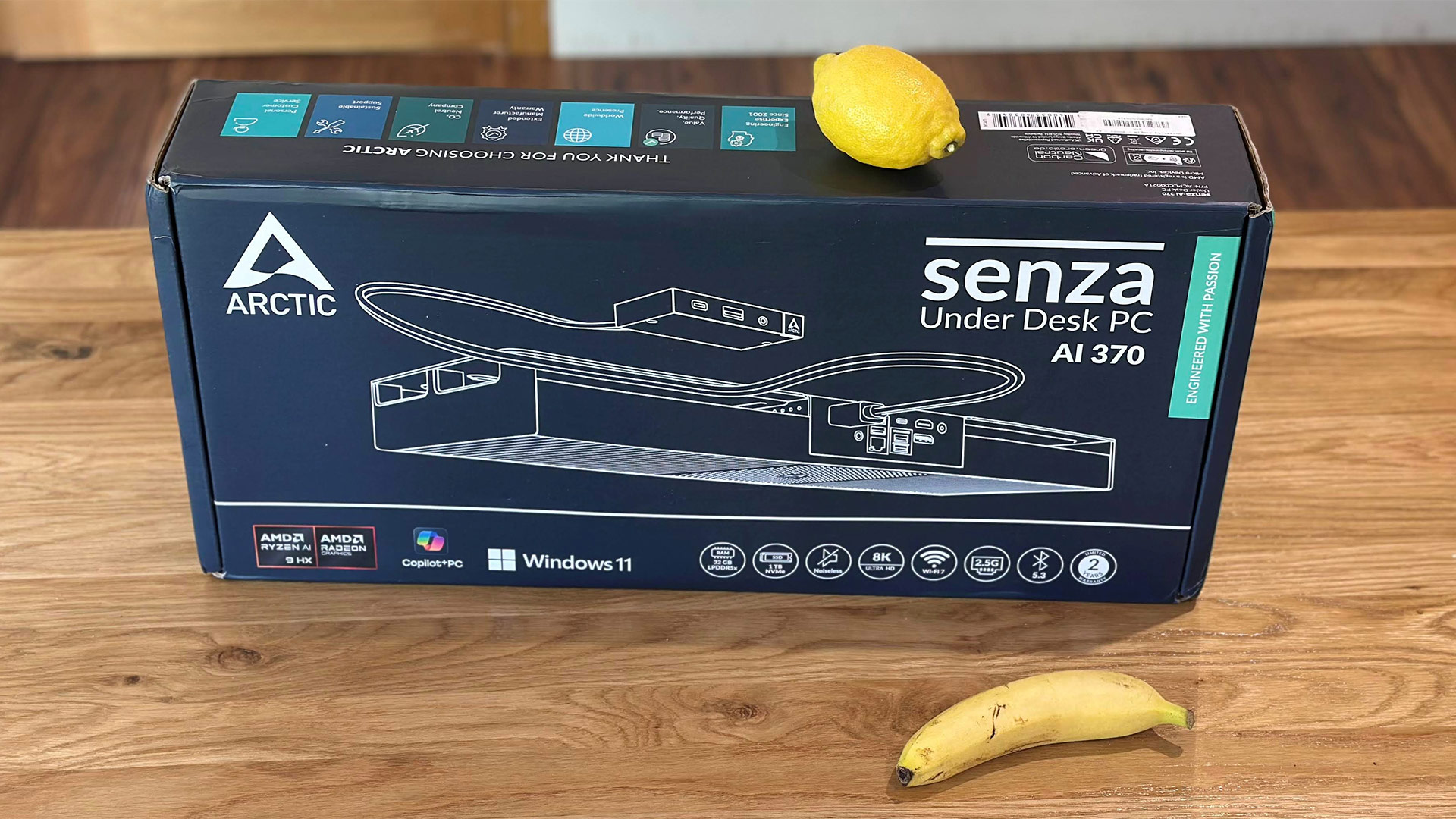
Arctic's latest under-the-desk Senza PC design is using an AMD Ryzen AI 9 HX 370 mobile processor. Sure, the upgrade has also allowed Arctic to shove ‘AI’ in the product name, but this is a very appealing design with great build quality, good performance, a reasonable selection of ports, and silent operation as the cherry on top.

Design of the Arctic Senza AI 370

Arctic Senza AI 370
Tom's Hardware
Arctic Senza AI 370
Tom's Hardware
Arctic Senza AI 370
Tom's Hardware
Arctic Senza AI 370
Tom's Hardware
Arctic Senza AI 370
Tom's Hardware
Arctic Senza AI 370
Tom's Hardware

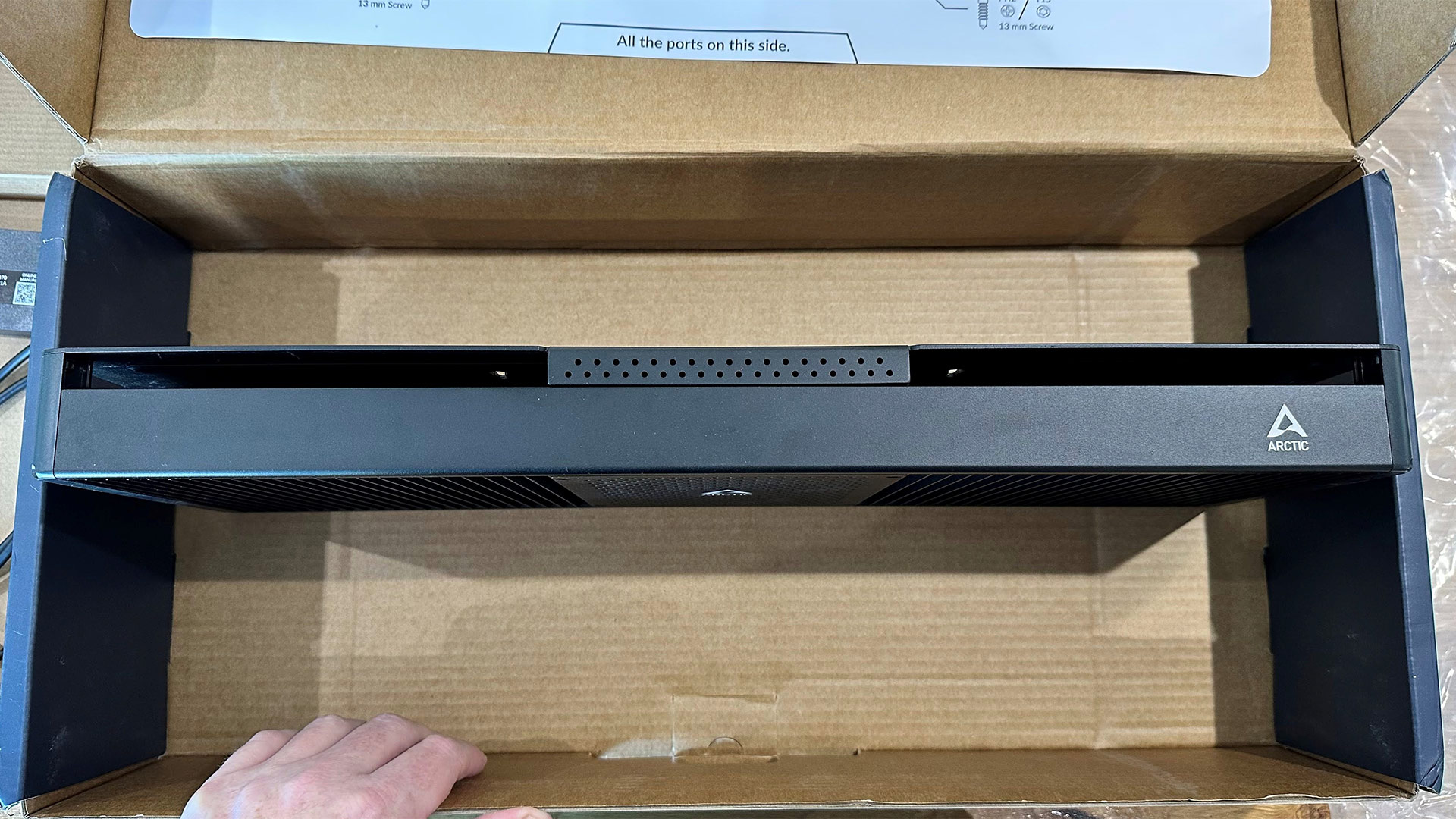
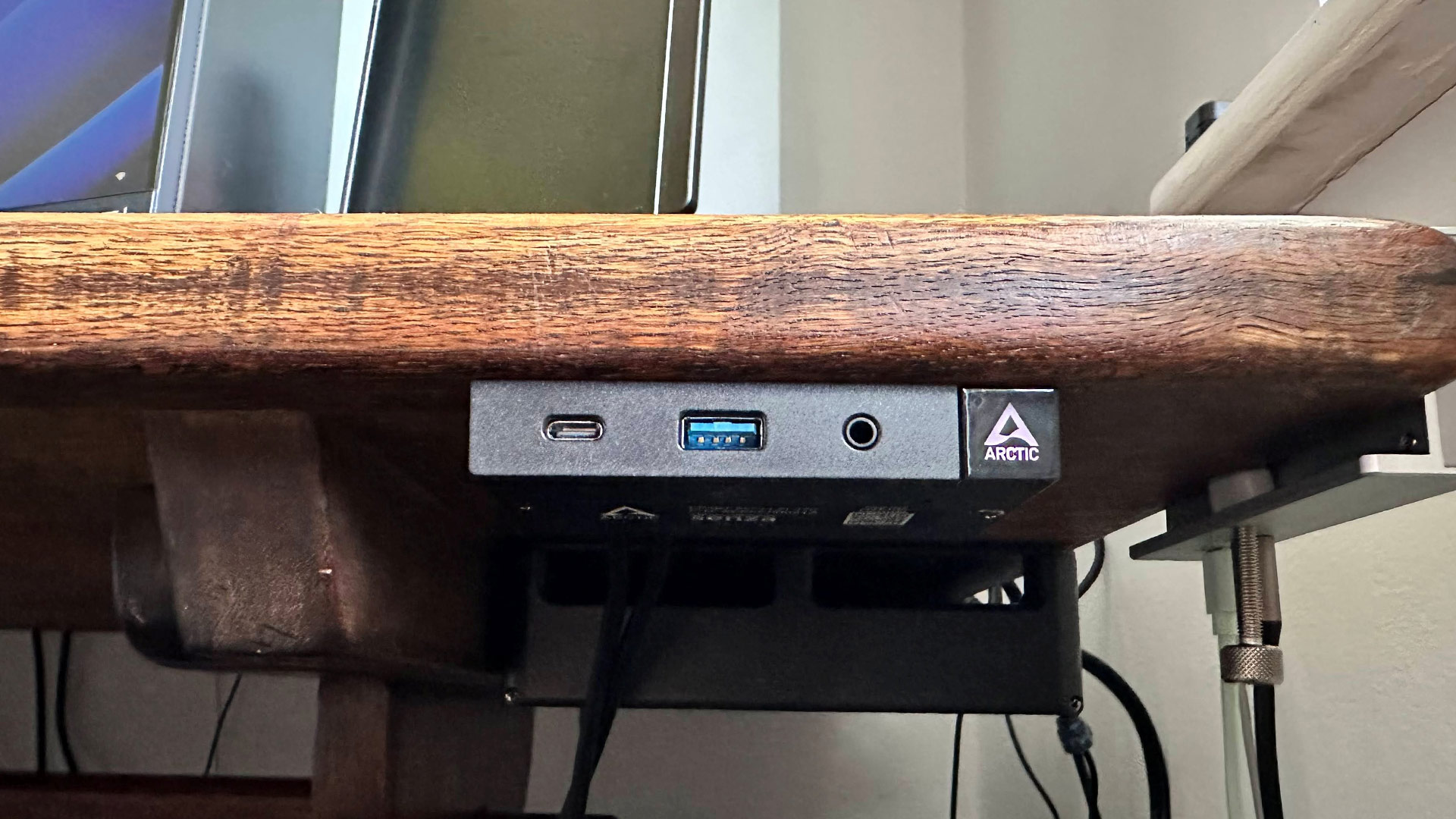
This definitely isn’t the smallest mini PC around. Its dimensions could probably fit more like three mini PCs in a row. The largest part of this device measures 21.10 (L) × 7.09 (W) × 1.97 (H) inches. In addition to the sizable main unit, there’s also a 120W external PSU and a front panel dongle with some handy ports and an LED-illuminated power button.

Arctic Senza AI 370
Tom's Hardware
Arctic Senza AI 370
Tom's Hardware
Arctic Senza AI 370
Tom's Hardware
Arctic Senza AI 370
Tom's Hardware

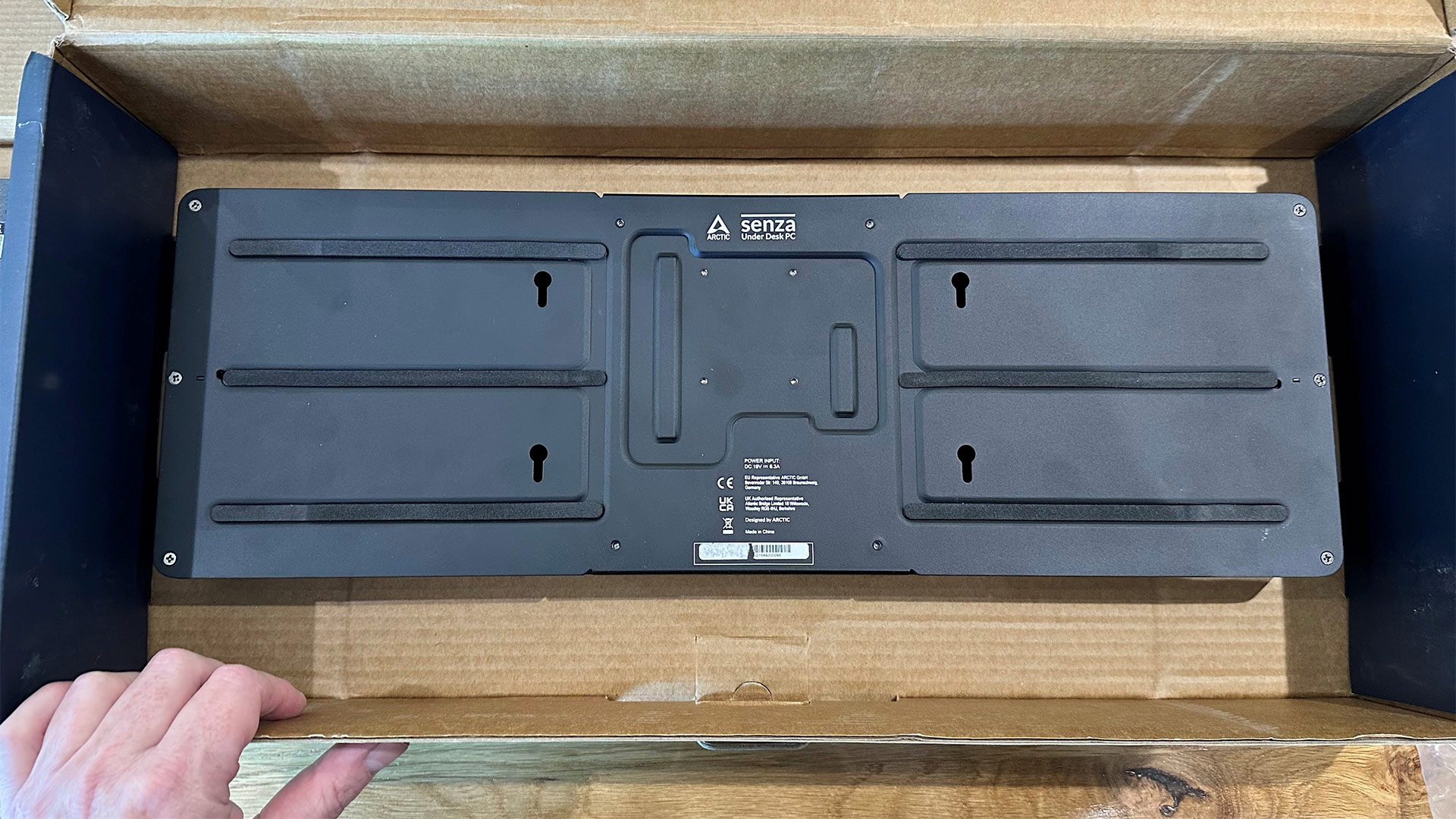
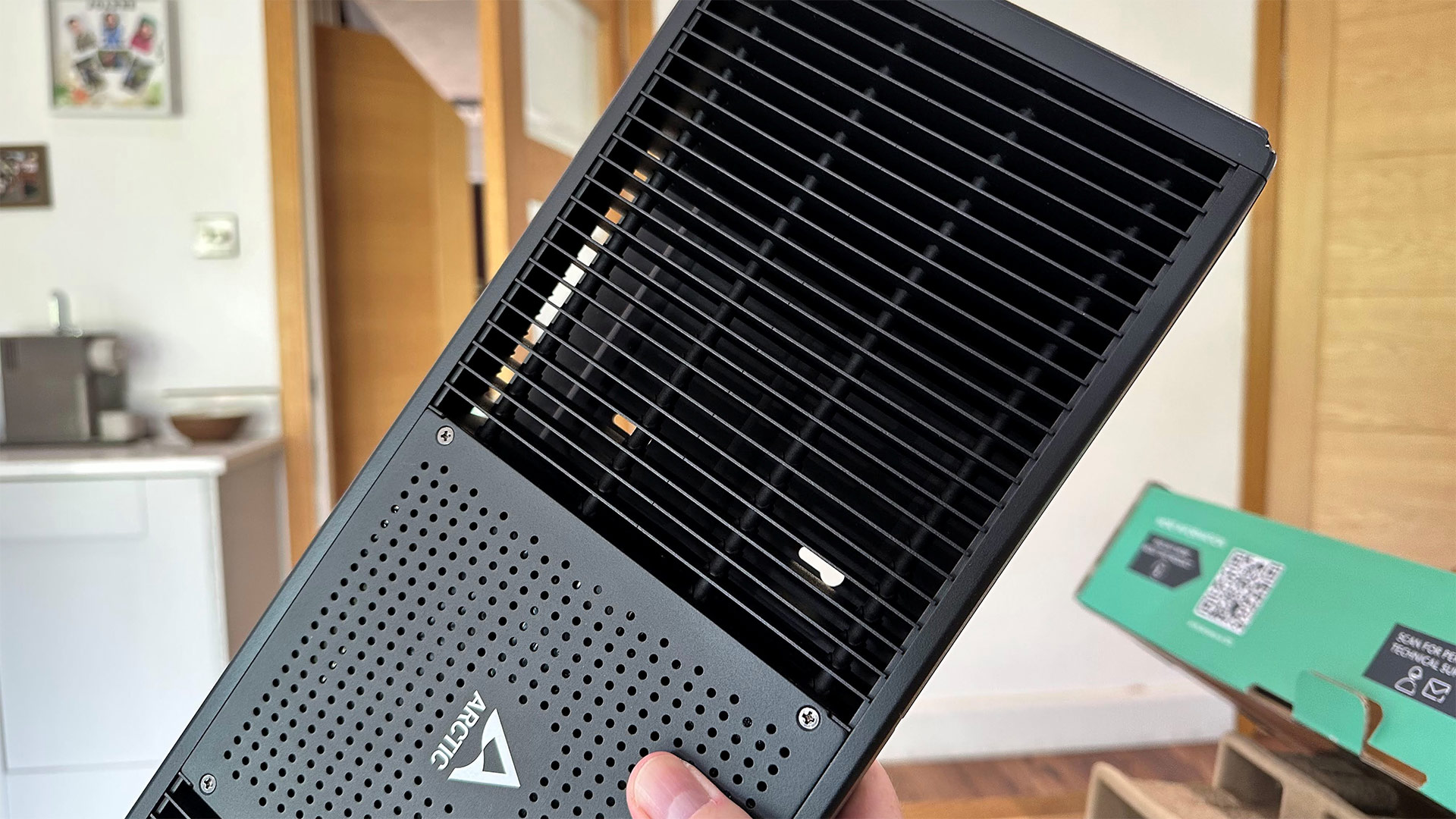
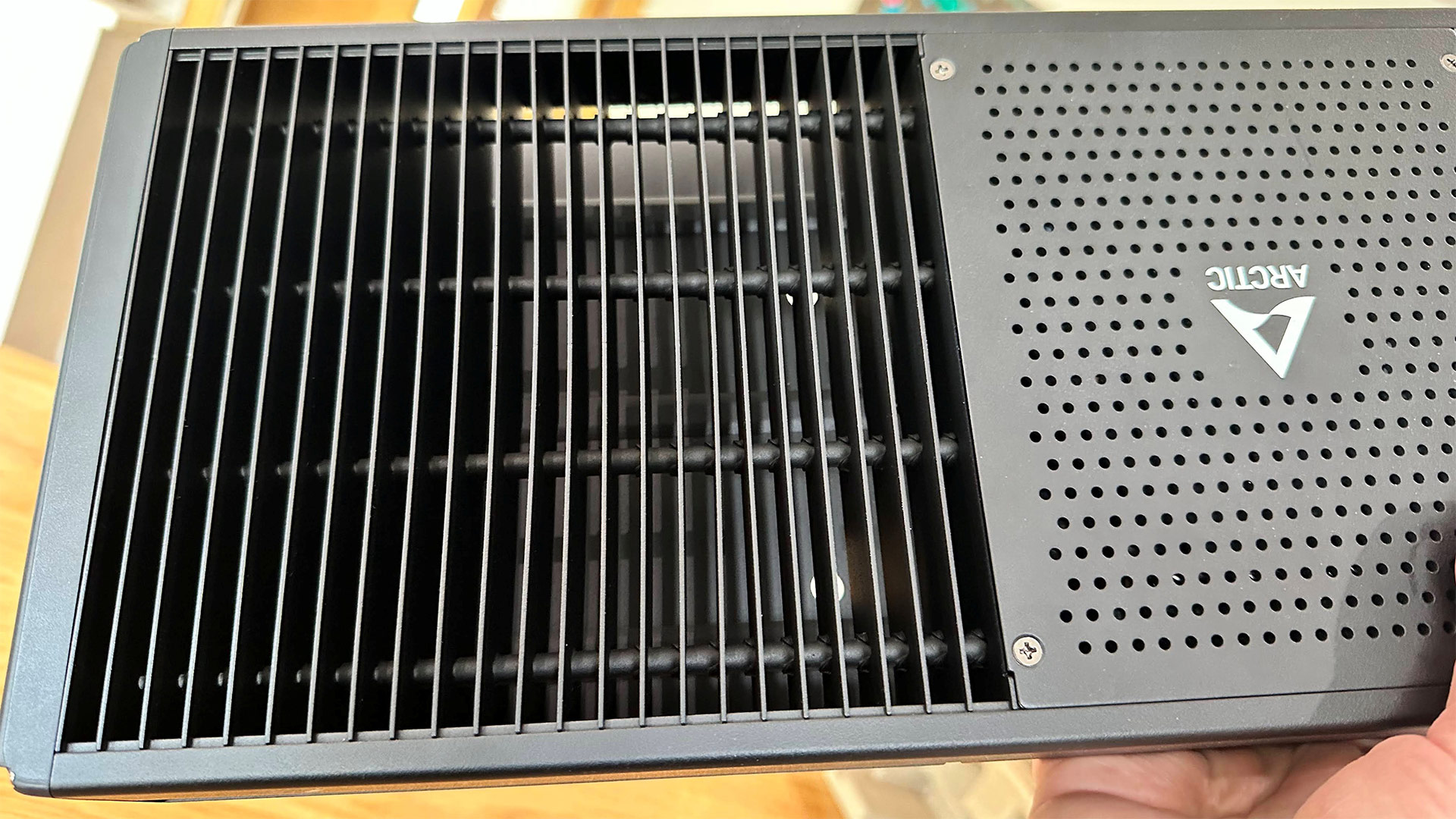
The central section of the main unit is where all the performance components are located. Its ‘wings’ are basically passive cooling radiators with heatpipes spreading out from the center, perforating a multitude of fins on either side.

Arctic Senza AI 370
Tom's Hardware
Arctic Senza AI 370
Tom's Hardware
Arctic Senza AI 370
Tom's Hardware
Arctic Senza AI 370
Tom's Hardware

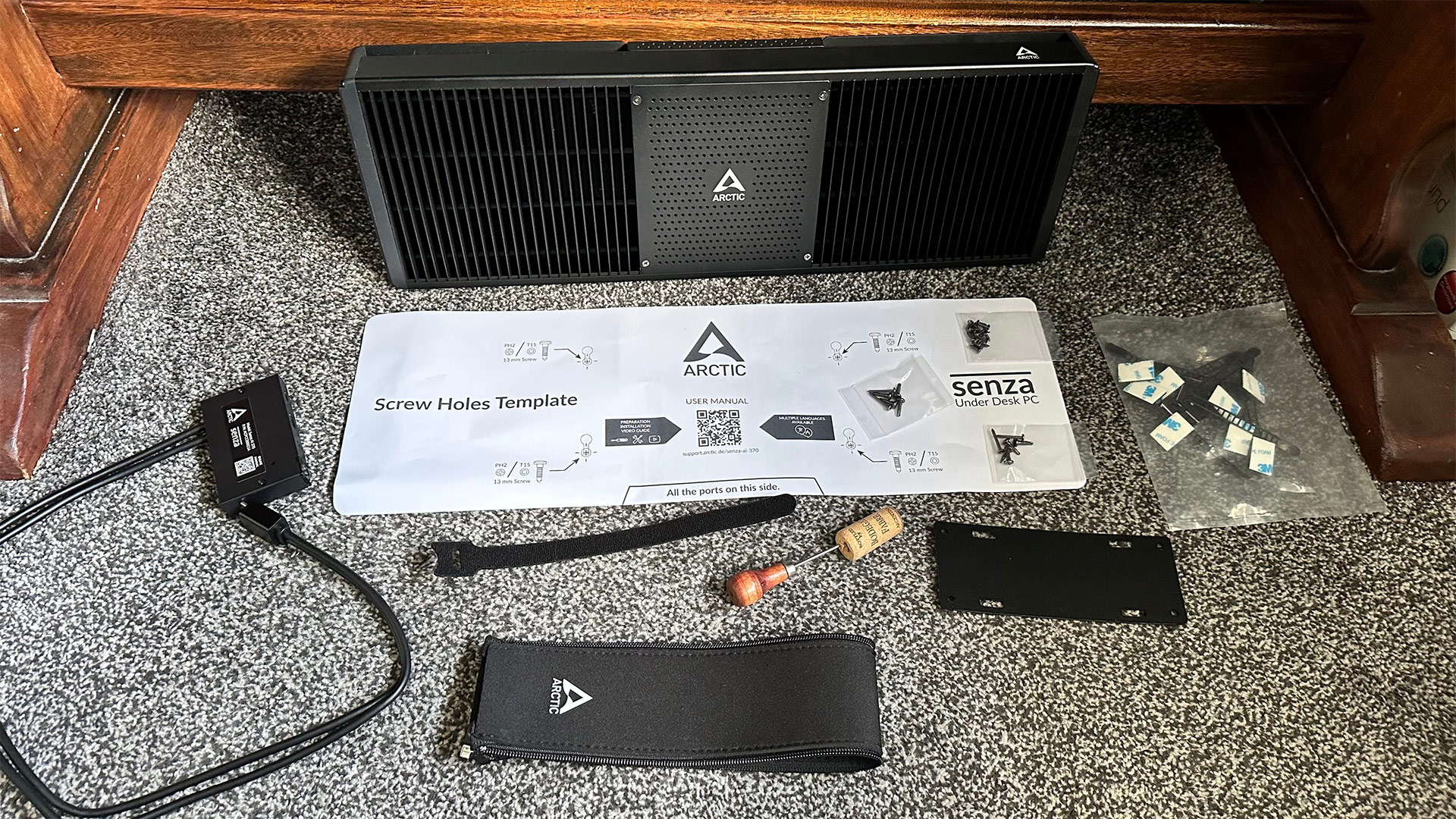
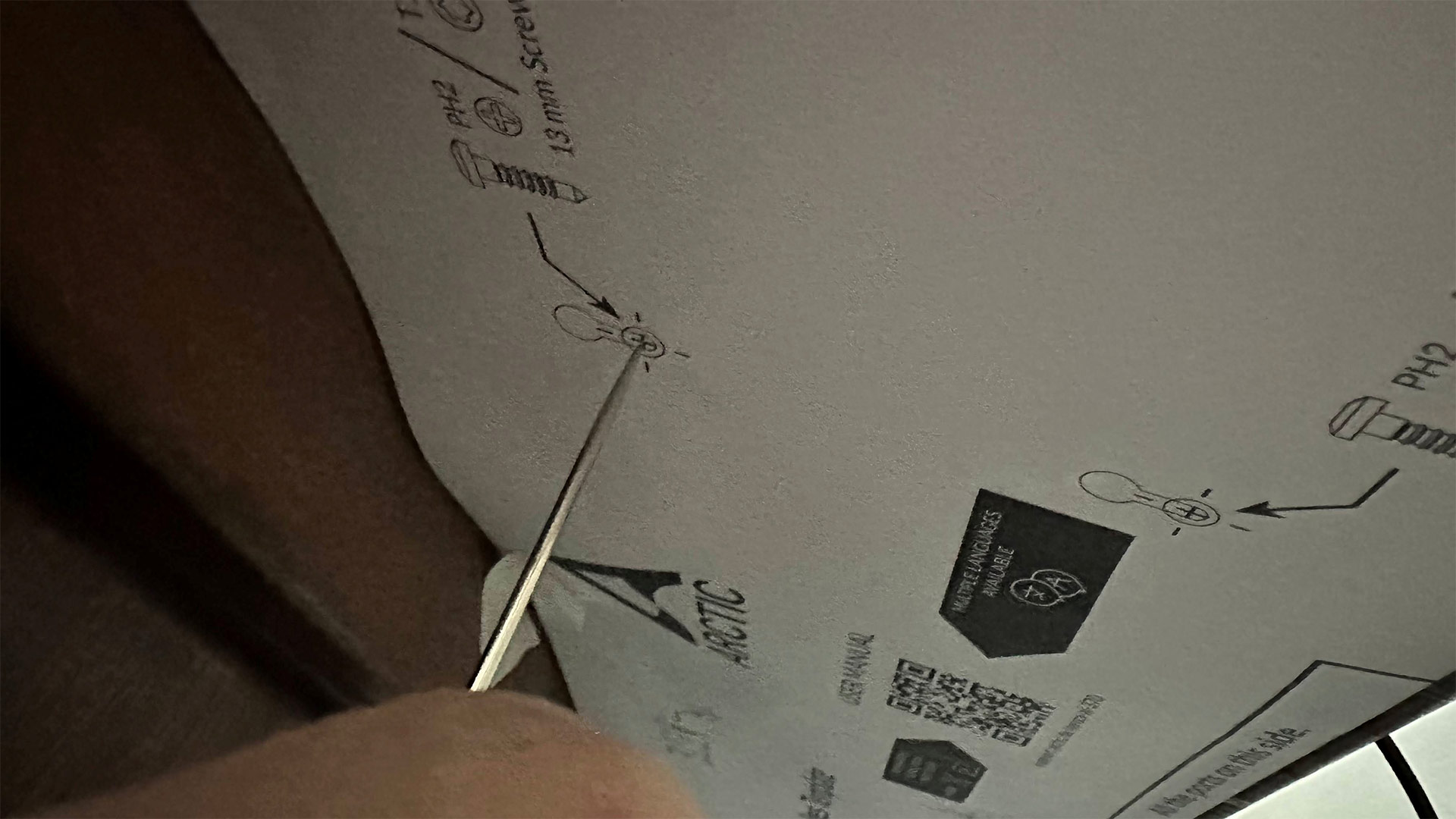
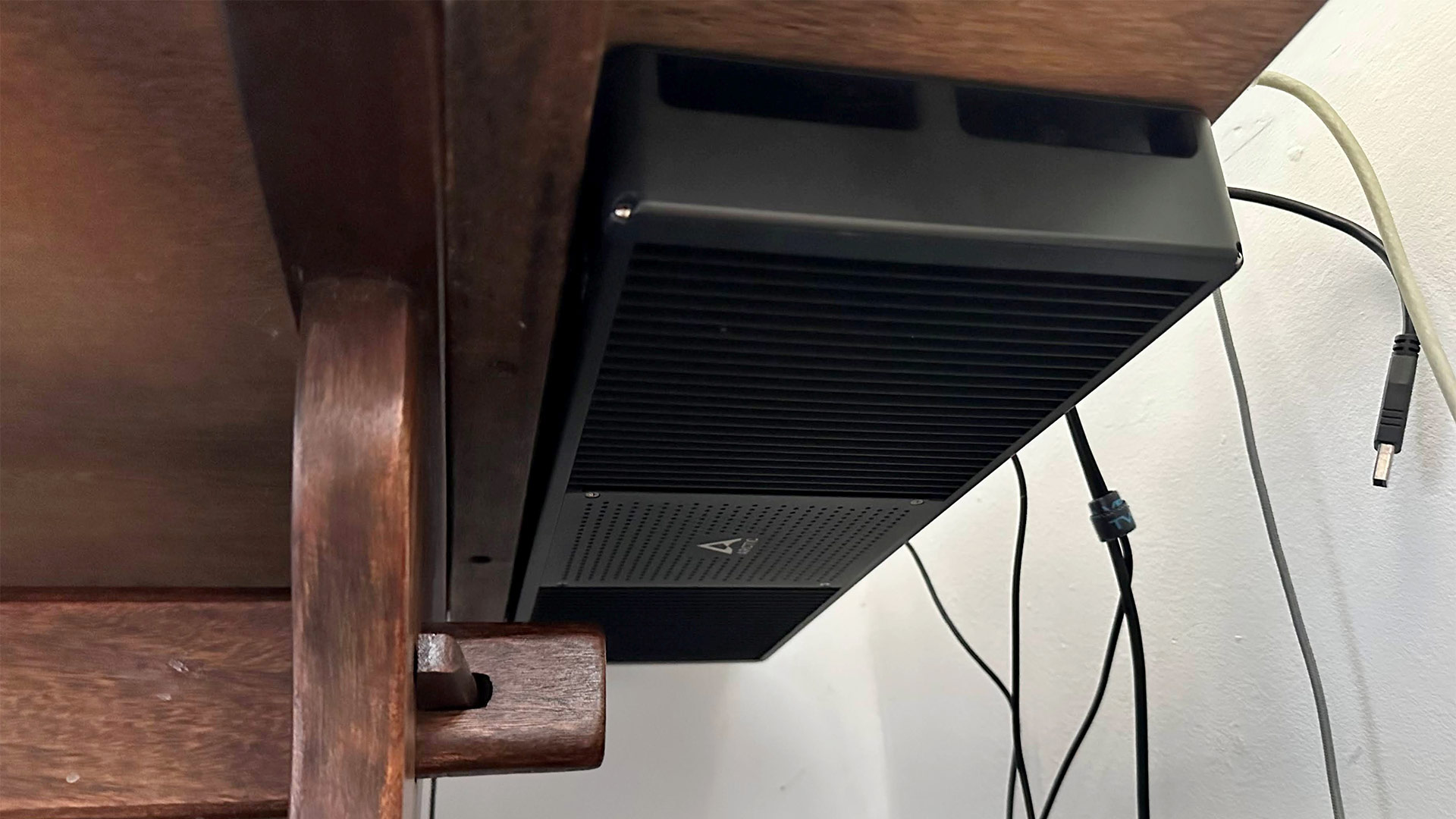
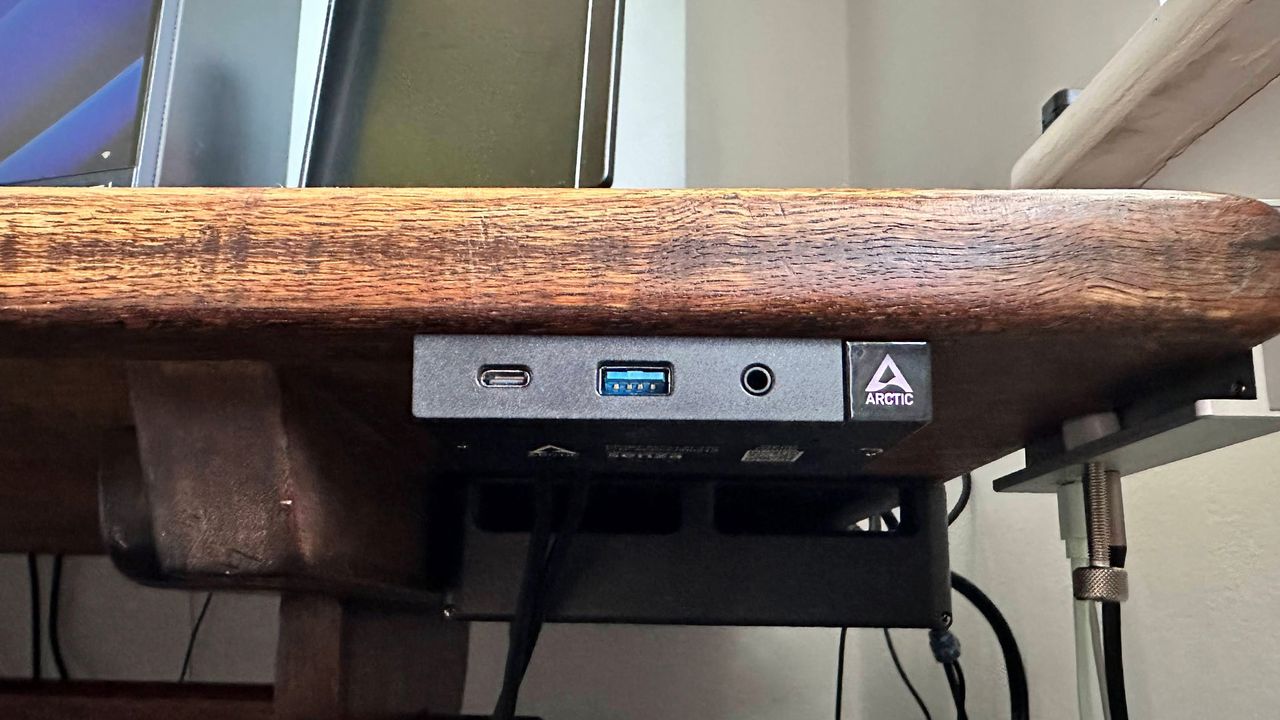
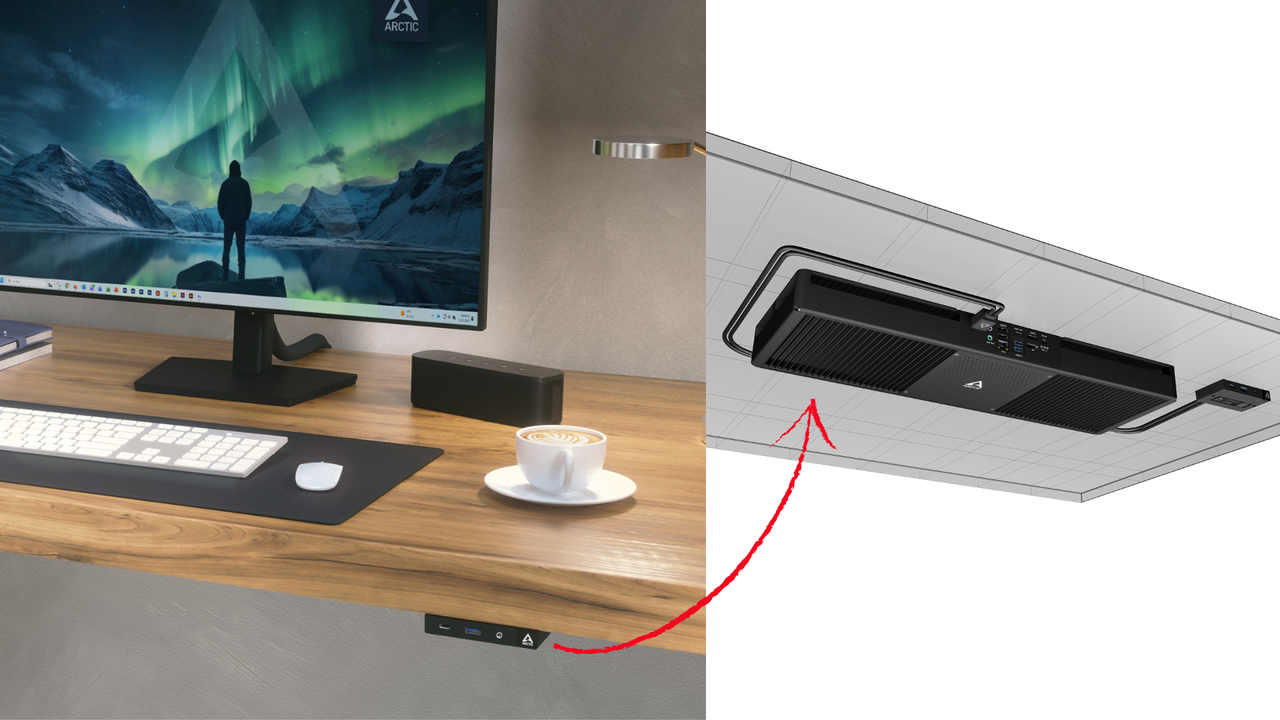
The Senza, its front panel dongle, and PSU are designed to mount discreetly under your desk. After confirming that everything worked post-unpacking, I dutifully followed the instructions and used the printed template to mount the PC and front panel neatly beneath my oak desk. My desk is so heavy I had to work on it as if I were working under a car, lying on my back, but it slotted into place the first time thanks to the accuracy of the template and my deft use of an awl. All the fittings (screws, fabric fasteners, braces, and straps) are provided in the box with the Senza AI 370.

Arctic Senza AI 370 specifications

Processor

AMD Ryzen AI 9 HX 370

Graphics

AMD Radeon 890M (RDNA 3 iGPU)

RAM

32GB LPDDR5X‑8000 dual‑channel (soldered)

Storage

1TB PCIe 4.0 NVMe SSD (M.2 2280, TLC)

Physical Ports

2x USB4 Type‑C (40 Gbps); 2x USB‑A 3.2 Gen 2 (10Gbps); 1x USB‑A 3.2 Gen 1 (5Gbps); 2x USB‑A 2.0; HDMI 2.1 ; DisplayPort 2.0 ; 3.5 mm audio jacks; 2.5Gb LAN; DC‑in (120W)

Wireless

Wi‑Fi 7 (2x2 MIMO) + Bluetooth 5.3

Other Features

Fanless passive cooling; detachable front panel; under‑desk mount kit; cable sleeve; TPM 2.0

Dimensions

Main unit: 21.10 x 7.09 x 1.97 inches (536 x 180 x 50mm); Front panel: 3.76 x 2.22 x 0.63 inches (95.6 x 56.3 x 16mm); System weight: 5.36 pounds (2.43kg)

OS Installed

Windows 11 Pro (Linux compatible)

Price (as configured)

€1,199.99, 2-year warranty

Ports and Upgradeability

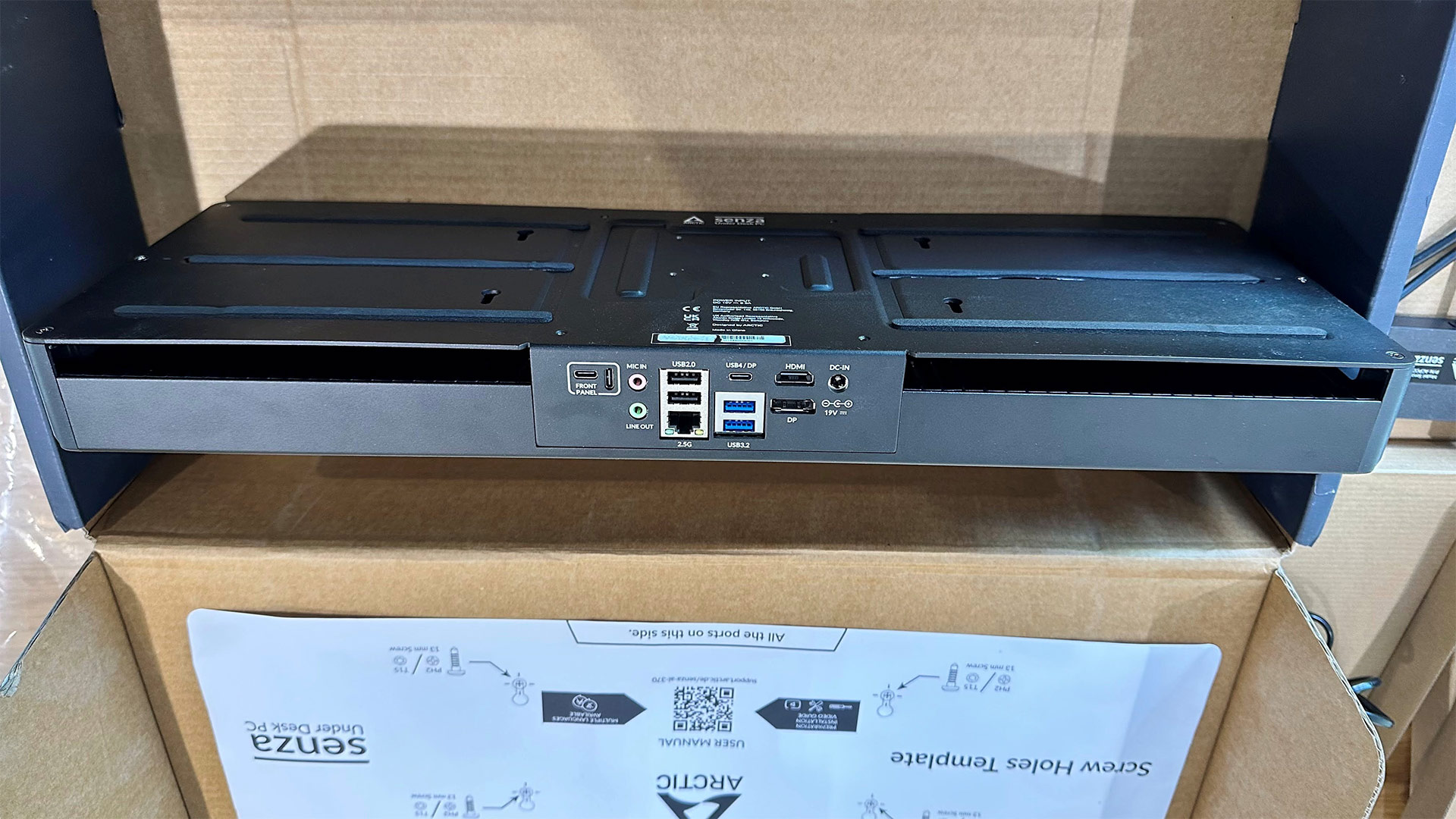
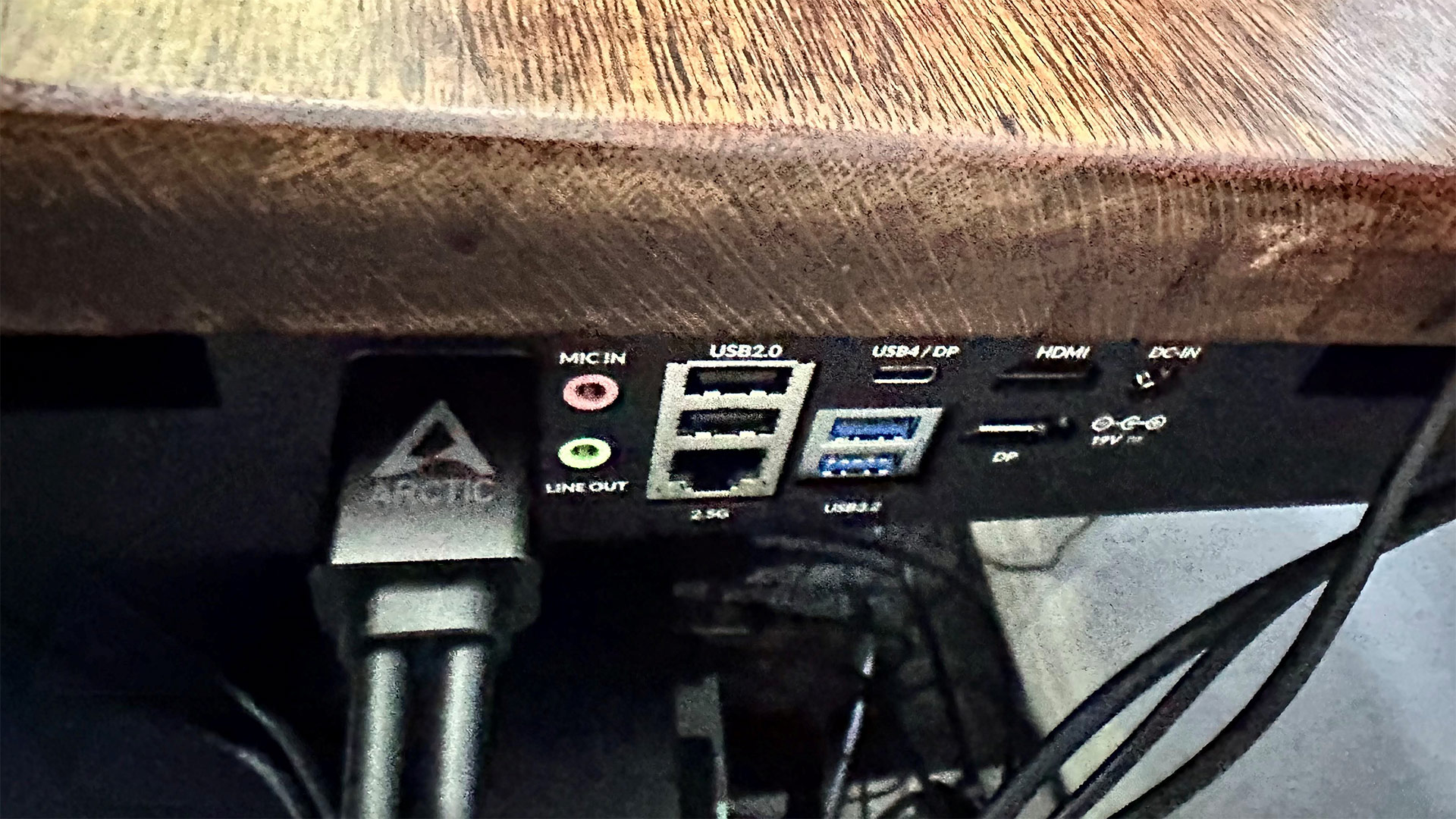
On the PC back panel, there is a decent selection of ports. The mix includes a USB4 Type-C port, two USB 2.0 Type-A, and two USB 3.2 Gen 2 Type-A ports. Dedicated video out options are provided with HDMI 2.1, and DisplayPort 2.0 - but the rear USB4 port can also handle video out, too. Two 3.5mm jacks are also there for audio in and out. Wired networking support is provided with a 2.5G LAN port.

Arctic Senza AI 370
Tom's Hardware
Arctic Senza AI 370
Tom's Hardware
Arctic Senza AI 370
Tom's Hardware

The rear is also where you plug in the supplied 120W PSU via a barrel jack. Lastly, there’s an unusual looking dedicated dual USB-C (two Type-C ports positioned at right angles to one another), which mates with the front panel I/O dongle cable supplying USB4 data and power.

The use of a front panel I/O dongle is a great idea, and it makes thepower button easy to reach. I would have liked to see more ports, here, personally.

Arctic Senza AI 370

(Image credit: Tom's Hardware)

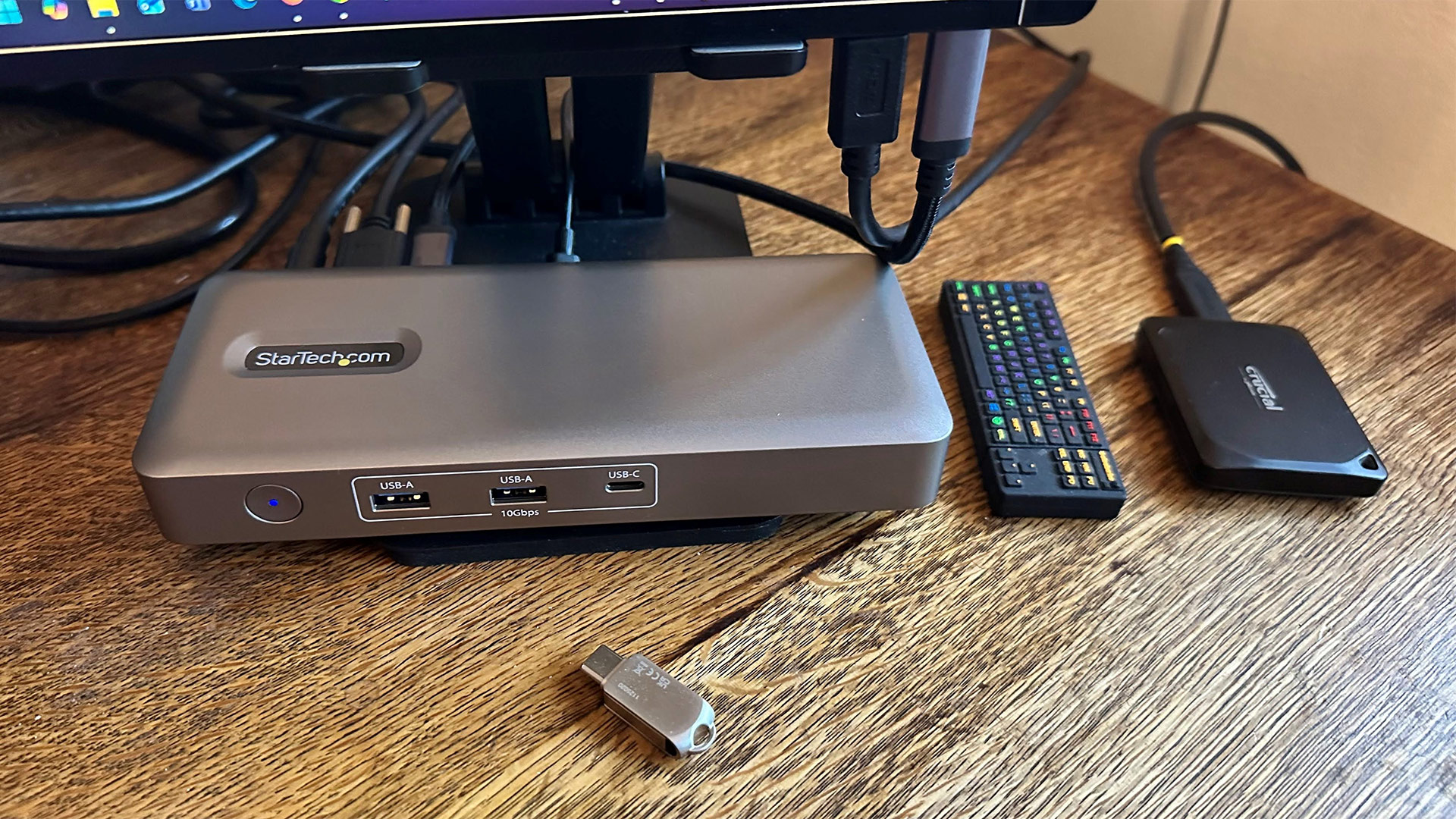
As I am always plugging various peripherals into my PCs, I decided to connect the under-desk USB4 port on the main body of the Arctic Senza AI 370 to an above-desk dock. Specifically, I used StarTech’s driverless 208UE USB4 dock to give easy access to a host of fast connectivity options.

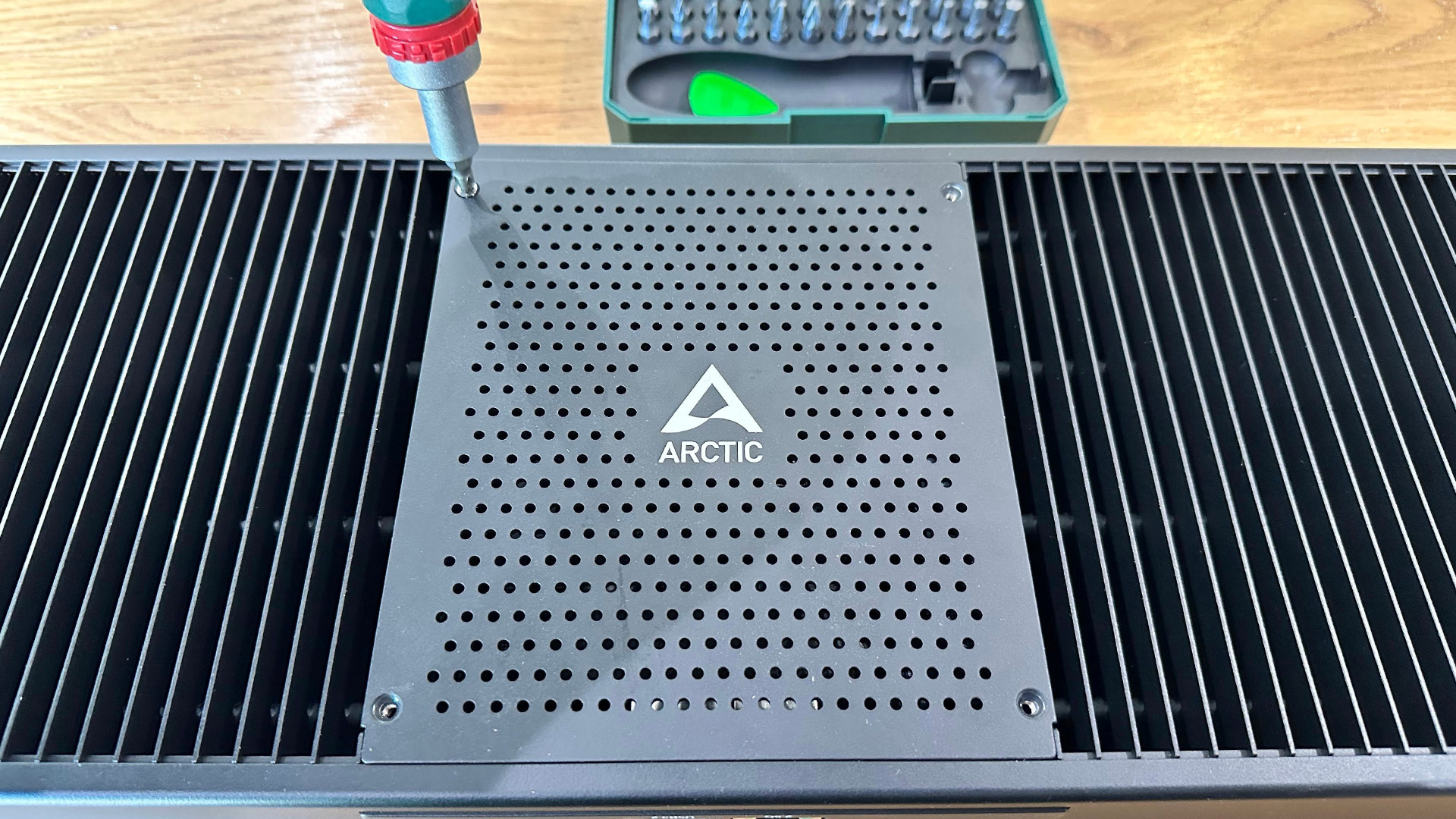
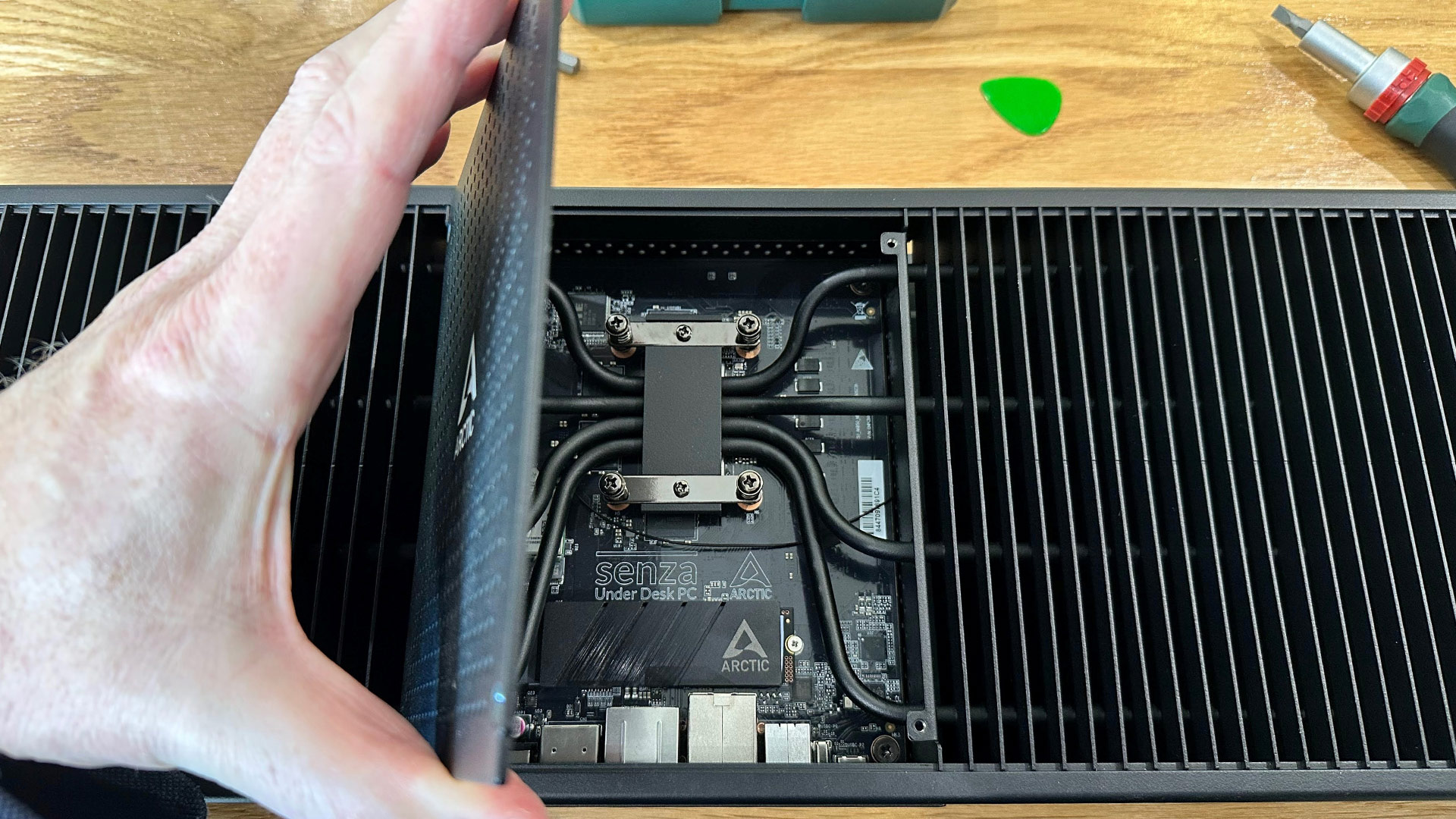
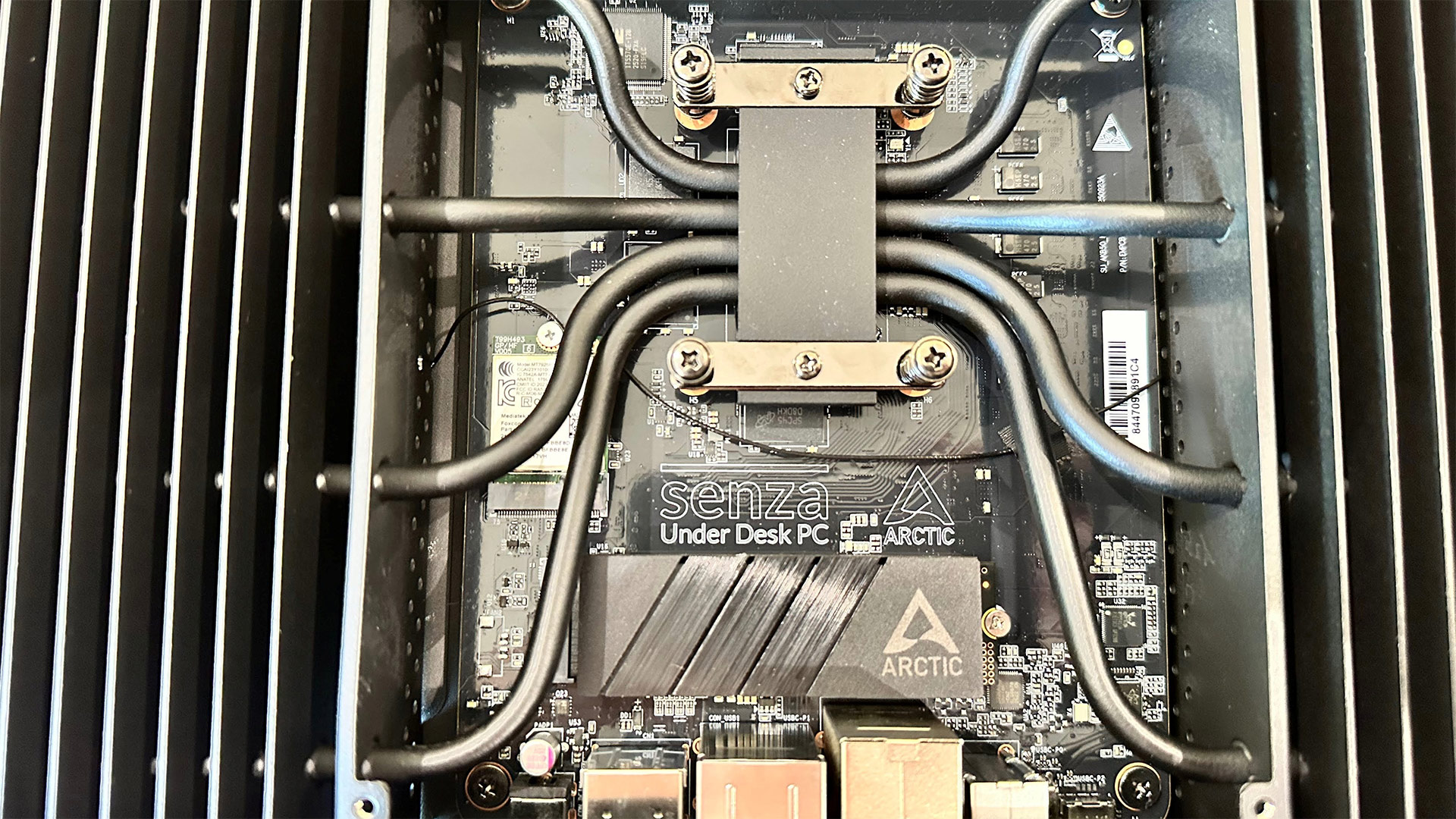
Inside the Senza AI 370, there is quite a lot of empty space but limited expandability. It’s easy enough to get in and see the guts of the device, with just four Phillips screws holding the metal panel in place. Under the panel there are no RAM slots, but you can see the soldered Micron DDR5-8000 chips surrounding the AMD processor. Before you buy, ensure 32GB of RAM will be enough for you for the foreseeable future.

I also found an Arctic heatsink atop an M.2 2280 slot. The sample device came with 1TB of fast PCIe 4.0 NVMe storage installed. System tools revealed it to be a Chinese YMTC PC411 SSD.

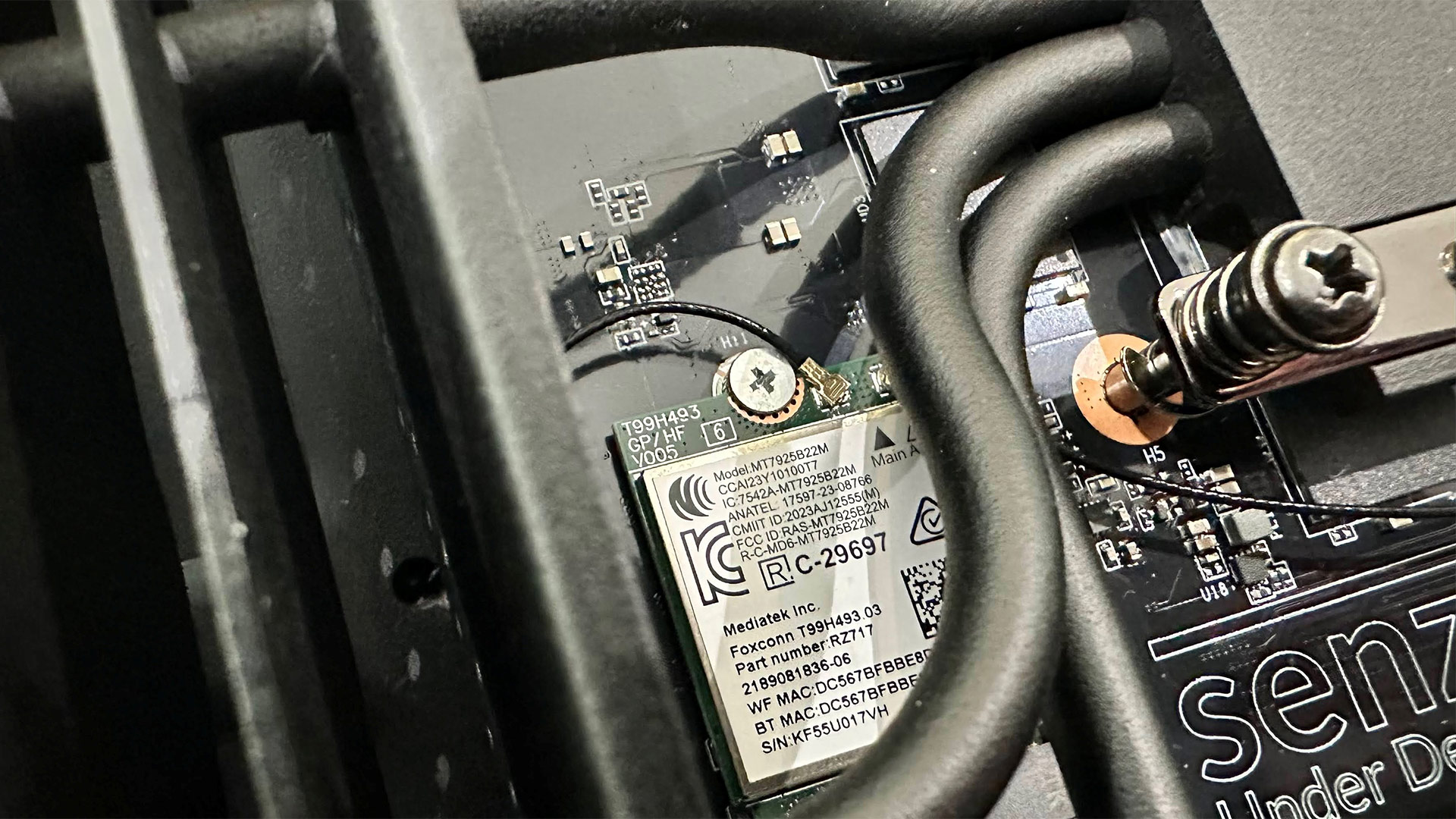
We also spied an M.2 2230 slot populated with a Mediatek Wi-Fi 7 (2x2 MIMO) + Bluetooth 5.3 card. You could swap that out for repair or upgrade purposes one day, if required. There are no further internal expansion ports.

Test System Setup

System

CPU

(i)GPU

Memory

Chassis

GMK EVO-T2

Intel Core Ultra X7 358H (16C/16T: 4P + 8E + 4 LPE), up to 4.8 GHz

Intel Arc B390 (Xe3, 12 cores, up to 2.5 GHz)

2x 32GB LPDDR5X-8533 soldered

Dual-fan,1.72 liters

MSI Cubi NUC AI+ 3MG

Intel Core Ultra 9 386H (16C/16T: 6P + 8E + 2LPE), up to 4.9 GHz

Intel Graphics (Xe3, 4 Cores, up to 2.5 GHz)

2x 16GB DDR5-5600 Sodimm

Single fan, 0.52 liters

Geekom A9 Max 2026

AMD Ryzen AI 9 HX 470 (12C / 24T:  4x Zen 5 , 8x Zen 5c), up to 5.2 GHz

Radeon 890M (RDNA 3.5, 16 CUs, up to 3.1 MHz)

1x 32GB DDR5-5600 Sodimm

Single fan, 0.82 liters

Arctic Senza AI 370

AMD Ryzen AI 9 HX 370  (12C / 24T:  4x Zen 5 , 8x Zen 5c), up to 5.1 GHz

Radeon 890M (RDNA 3.5, 16 CUs, up to 2.9 MHz)

2x 16GB LPDDR5X‑8000 soldered

Passive, 4.82 liters

Beelink SER10 MAX

AMD Ryzen AI 9 HX 470 (12C / 24T:  4x Zen 5 , 8x Zen 5c), up to 5.2 GHz

Radeon 890M (RDNA 3.5, 16 CUs, up to 3.1 MHz)

2x 32GB DDR5-5600 Sodimm

Single fan, 0.81 liters

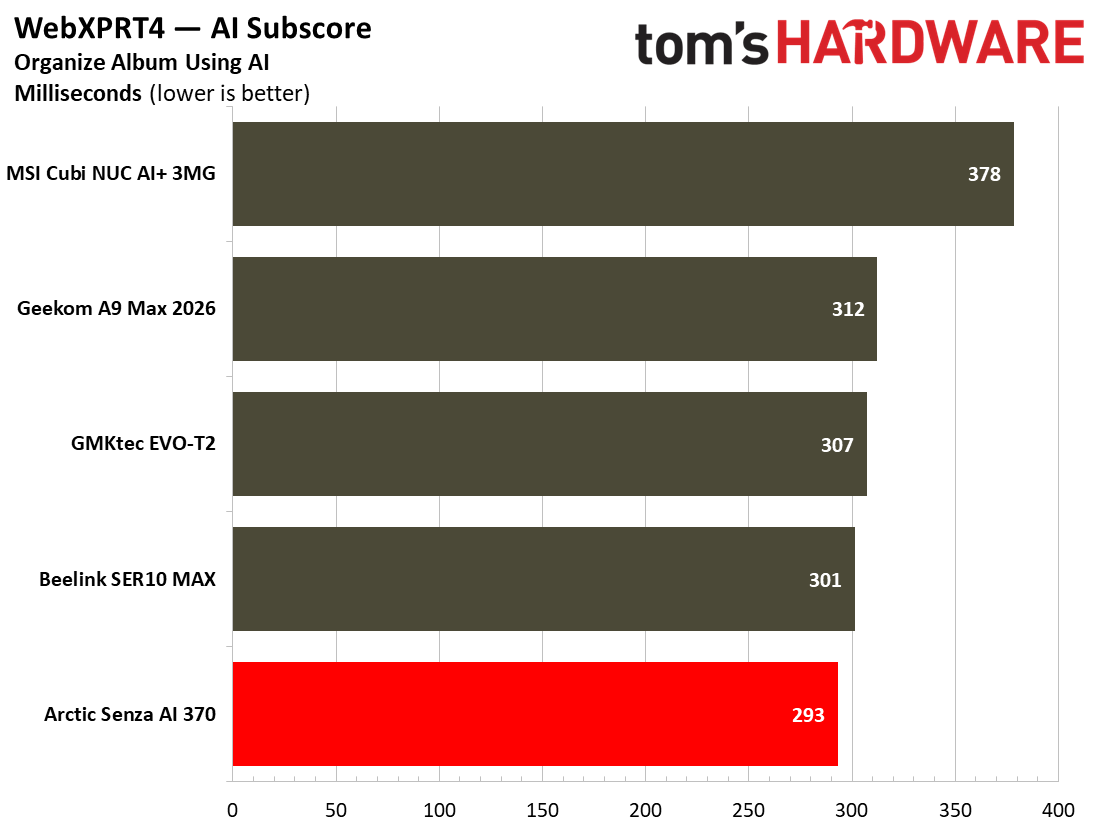
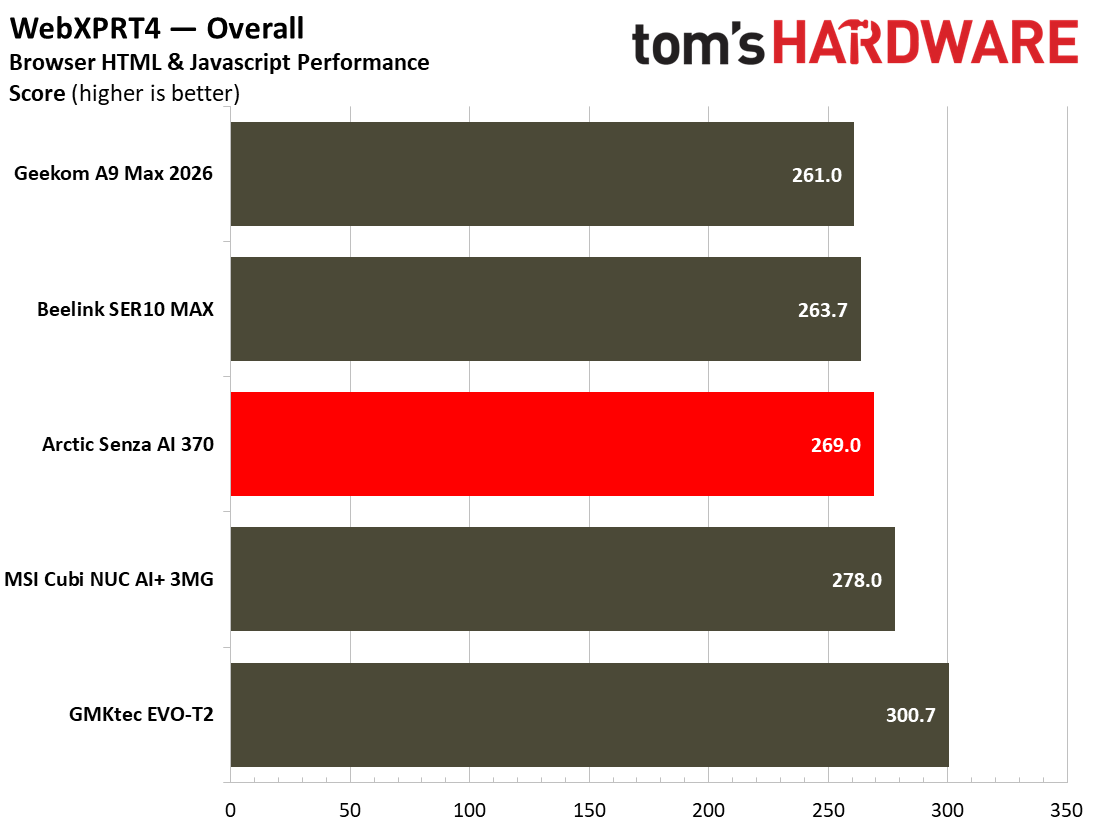
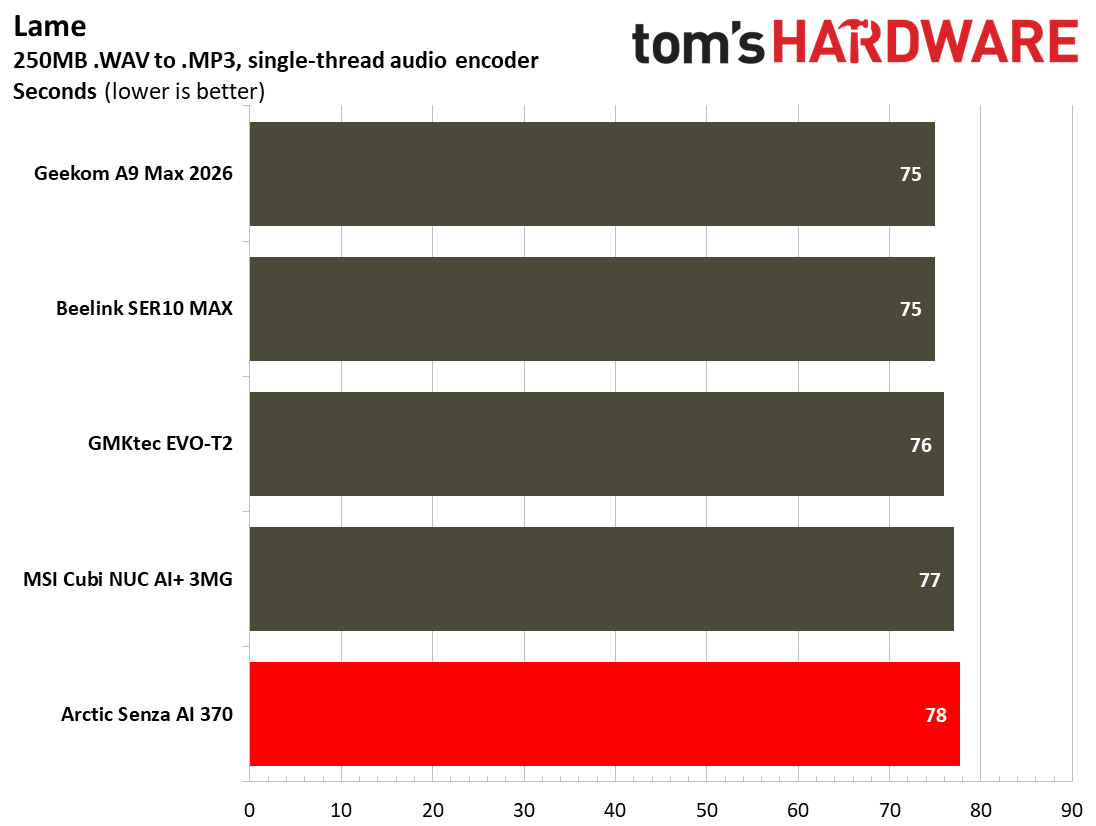
Productivity Performance on the Arctic Senza AI 370

The Arctic Senza AI 370 doesn’t break a sweat with day-to-day productivity tasks, browsing, and similarly light workloads. AMD’s Ryzen AI 9 HX 370 is a very capable chip with its Zen 5 CPU architecture featuring 12 cores and 24 threads, the integrated Radeon 890M graphics, and a power-efficient NPU for on-device AI.

Arctic Senza AI 370
Tom's Hardware
Arctic Senza AI 370
Tom's Hardware
Arctic Senza AI 370
Tom's Hardware
Arctic Senza AI 370
Tom's Hardware
Arctic Senza AI 370
Tom's Hardware
Arctic Senza AI 370
Tom's Hardware
Arctic Senza AI 370
Tom's Hardware
Arctic Senza AI 370
Tom's Hardware
Arctic Senza AI 370
Tom's Hardware
Arctic Senza AI 370
Tom's Hardware
Arctic Senza AI 370
Tom's Hardware
Arctic Senza AI 370
Tom's Hardware
Arctic Senza AI 370
Tom's Hardware
Arctic Senza AI 370
Tom's Hardware
Arctic Senza AI 370
Tom's Hardware
Arctic Senza AI 370
Tom's Hardware
Arctic Senza AI 370
Tom's Hardware
Arctic Senza AI 370
Tom's Hardware
Arctic Senza AI 370
Tom's Hardware

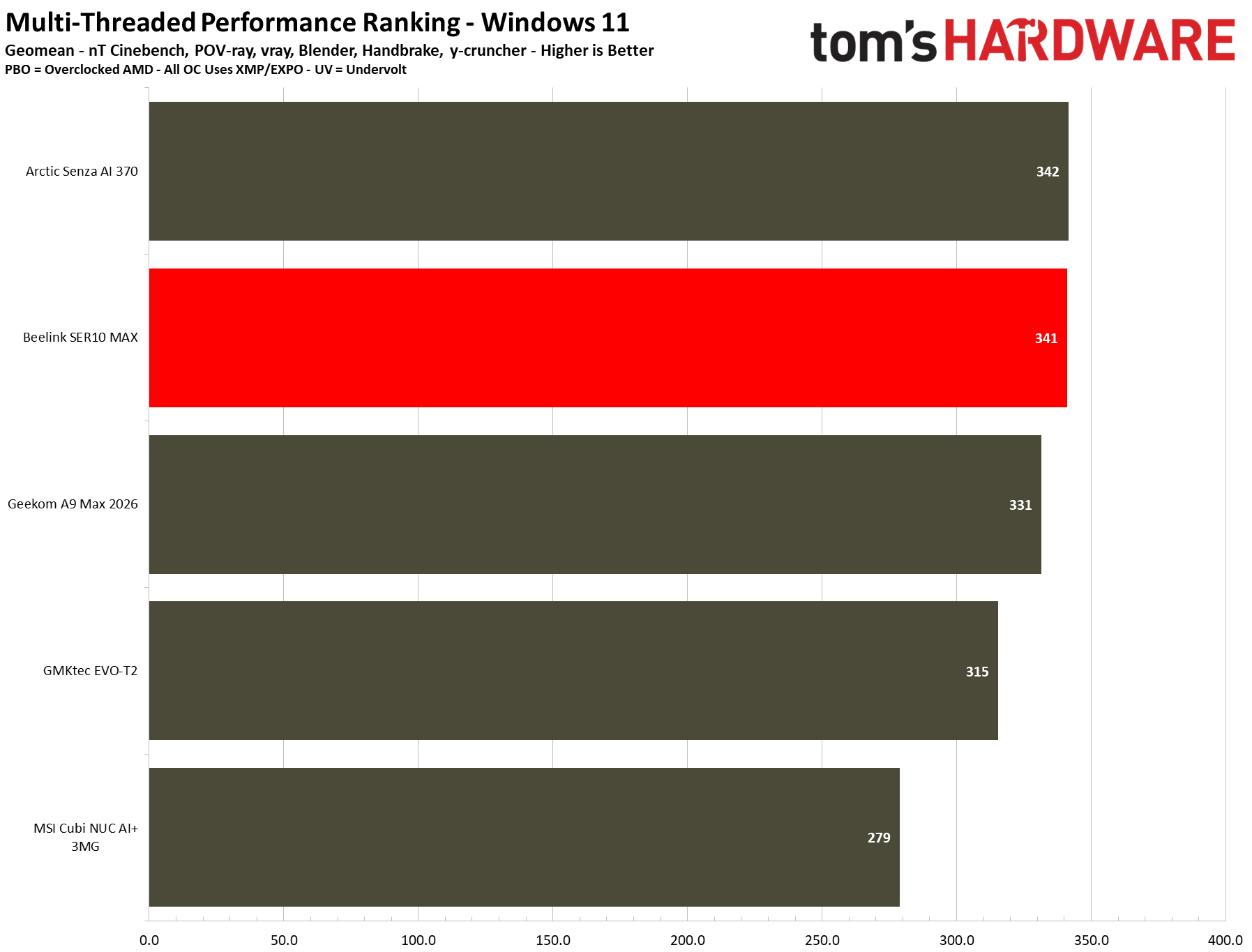
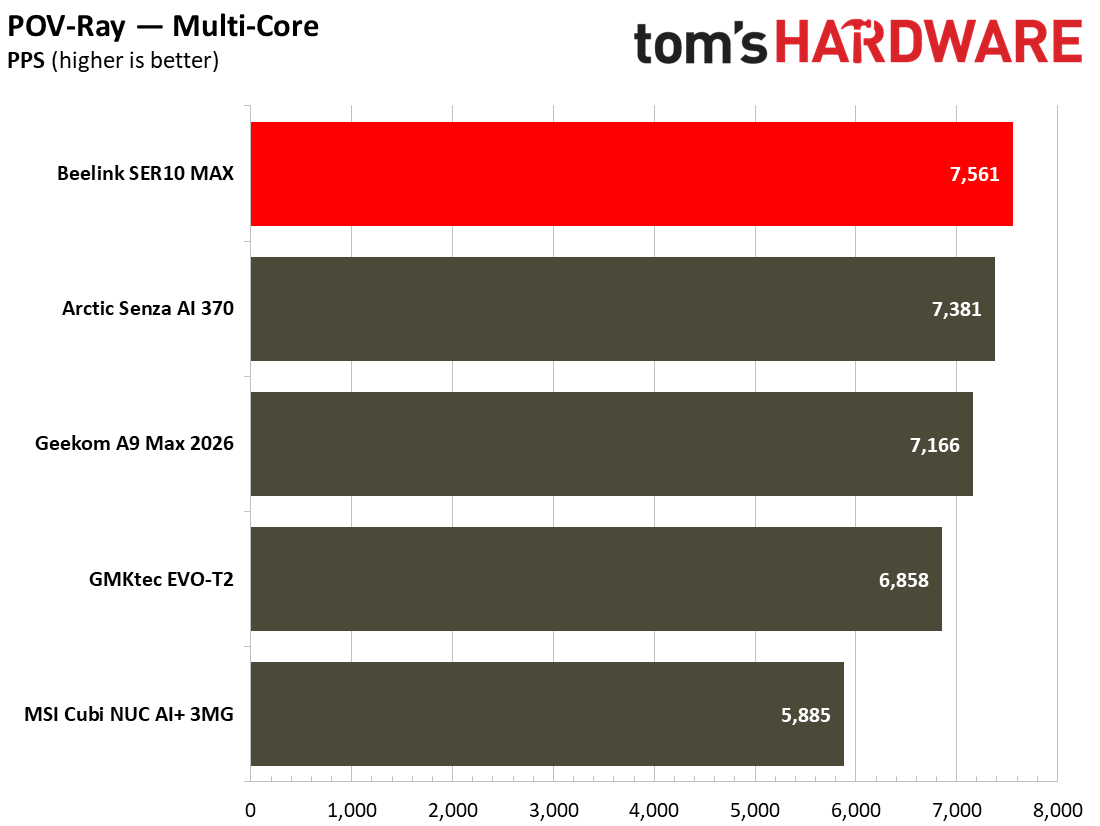
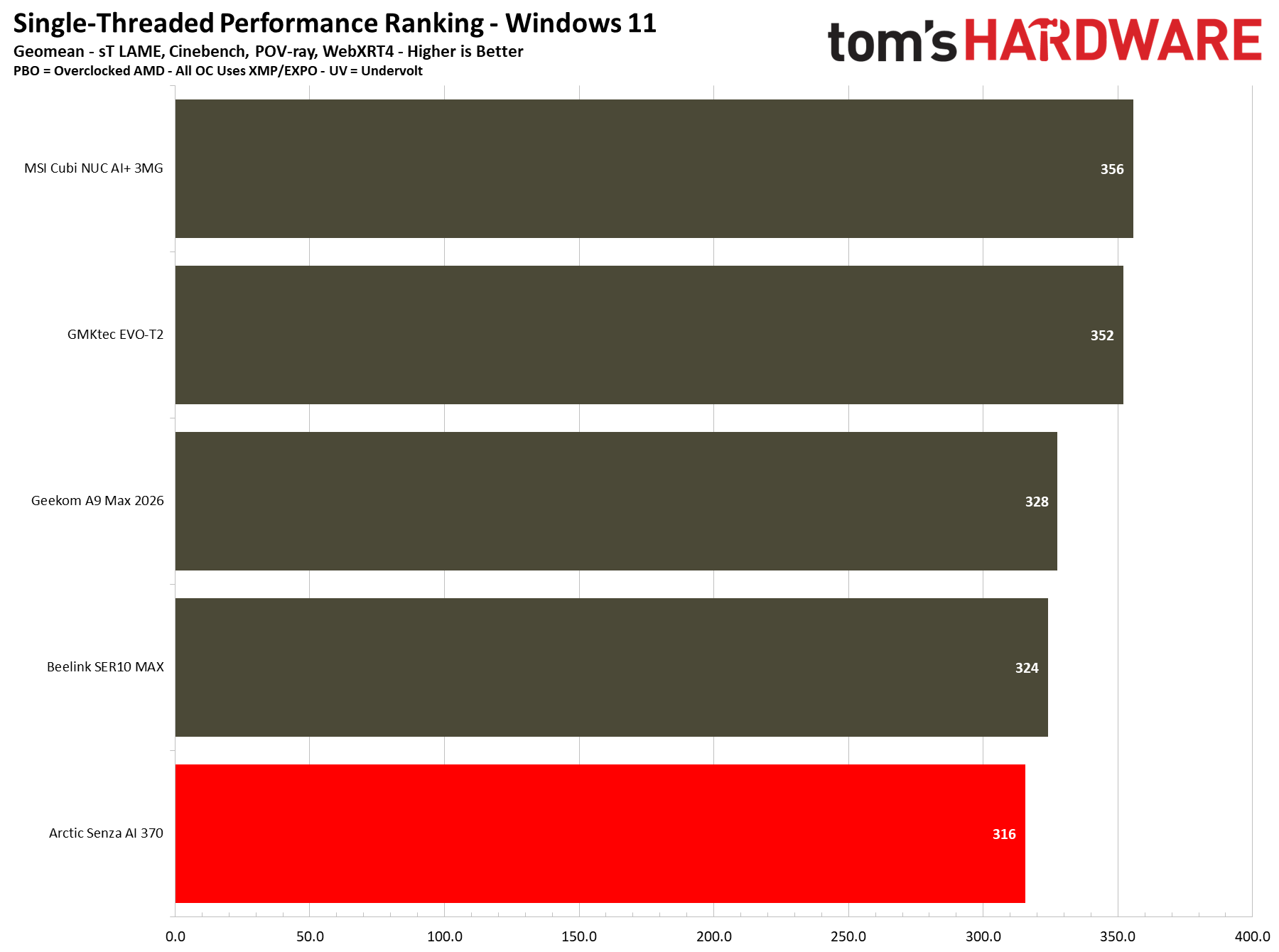
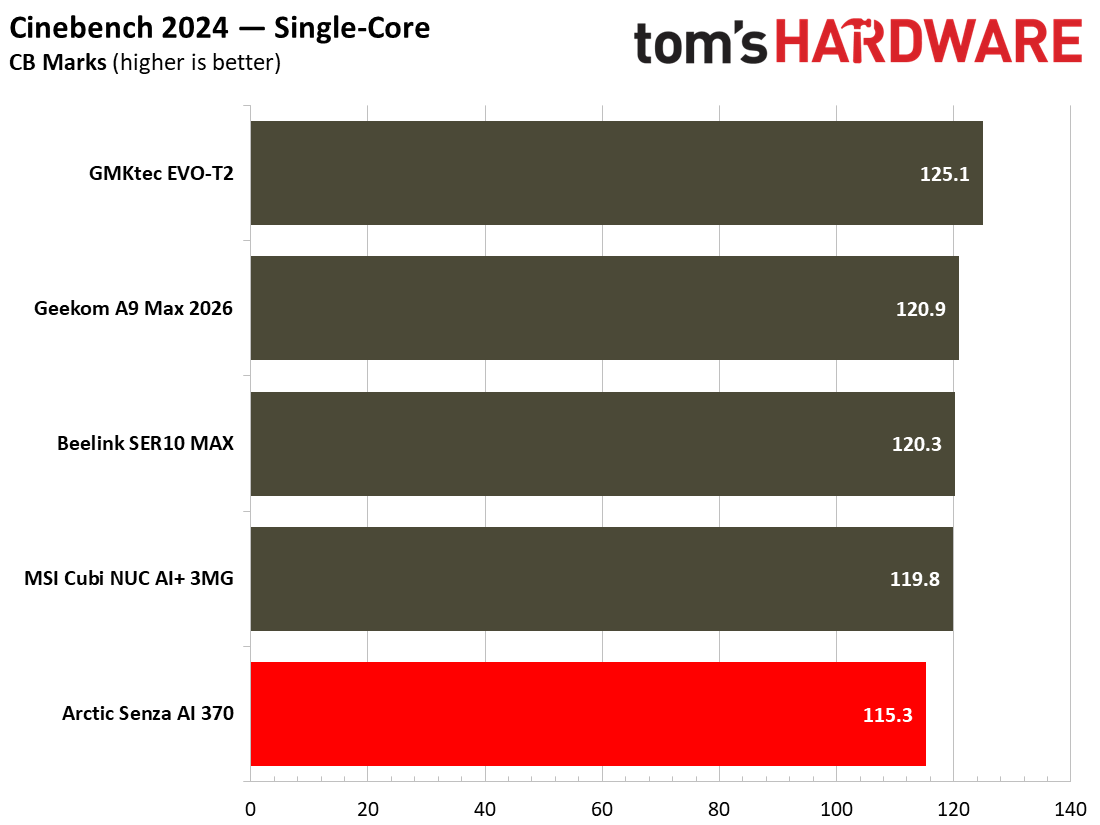
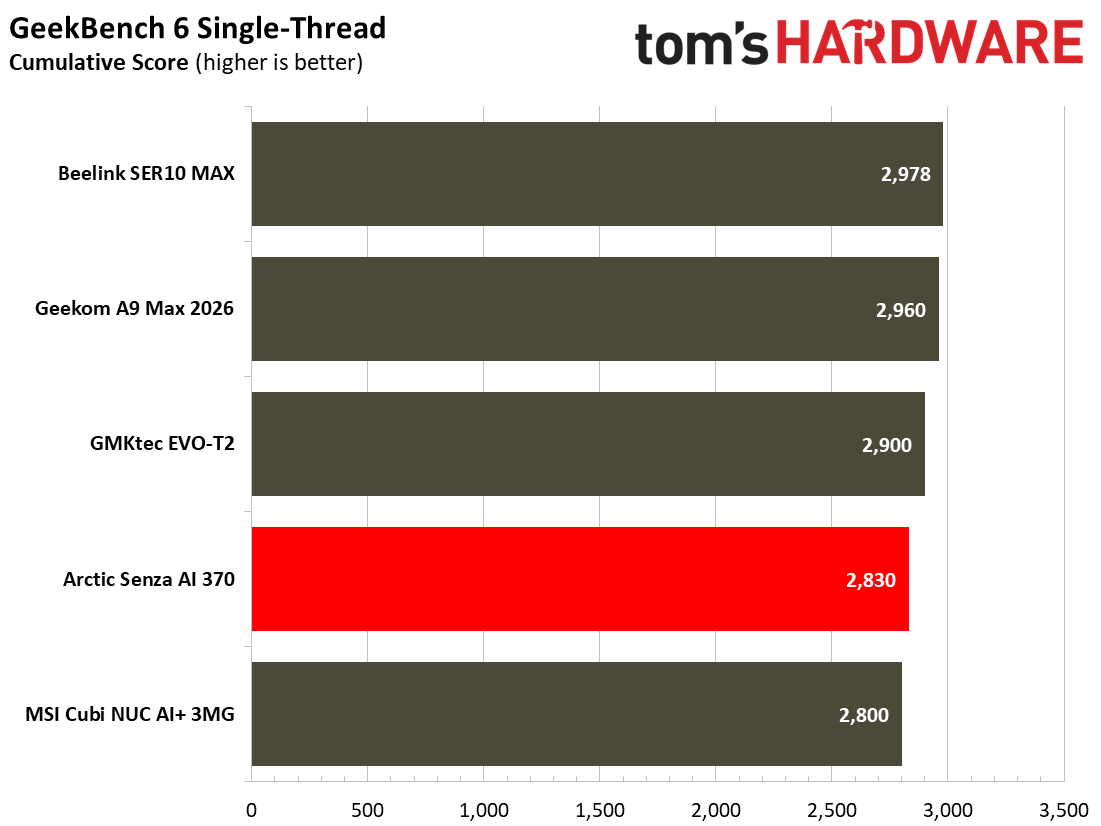
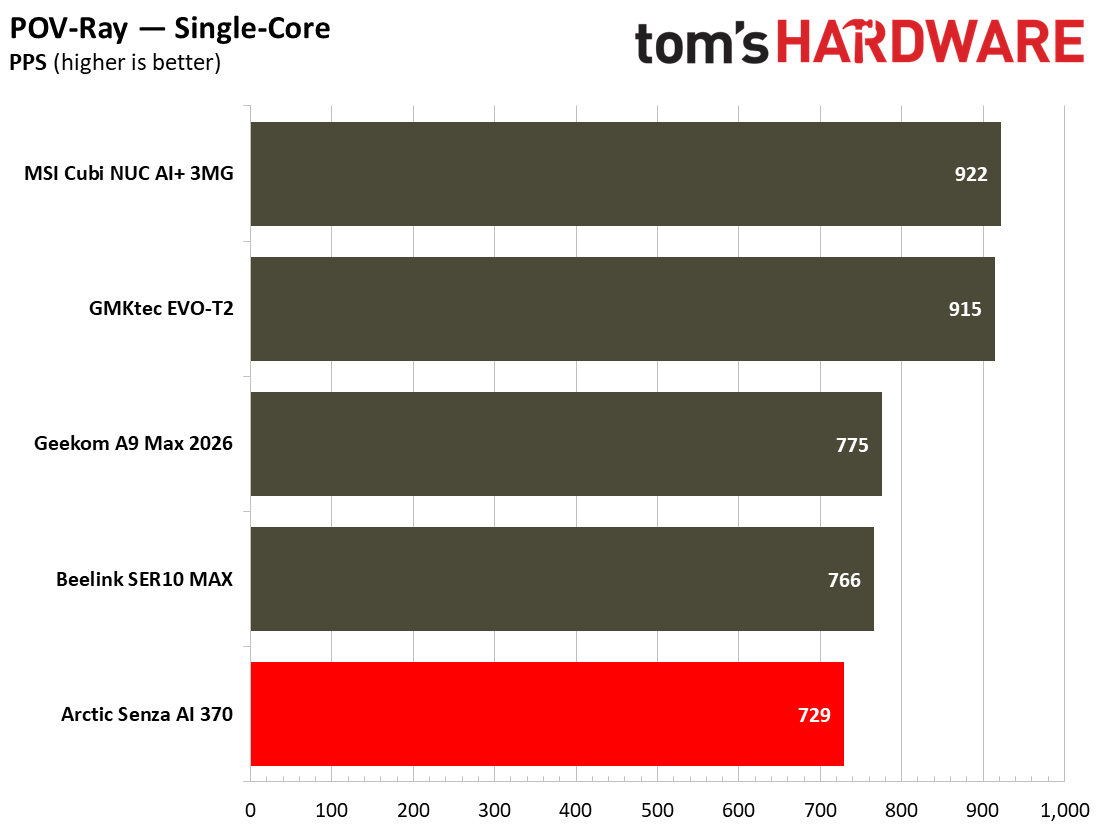
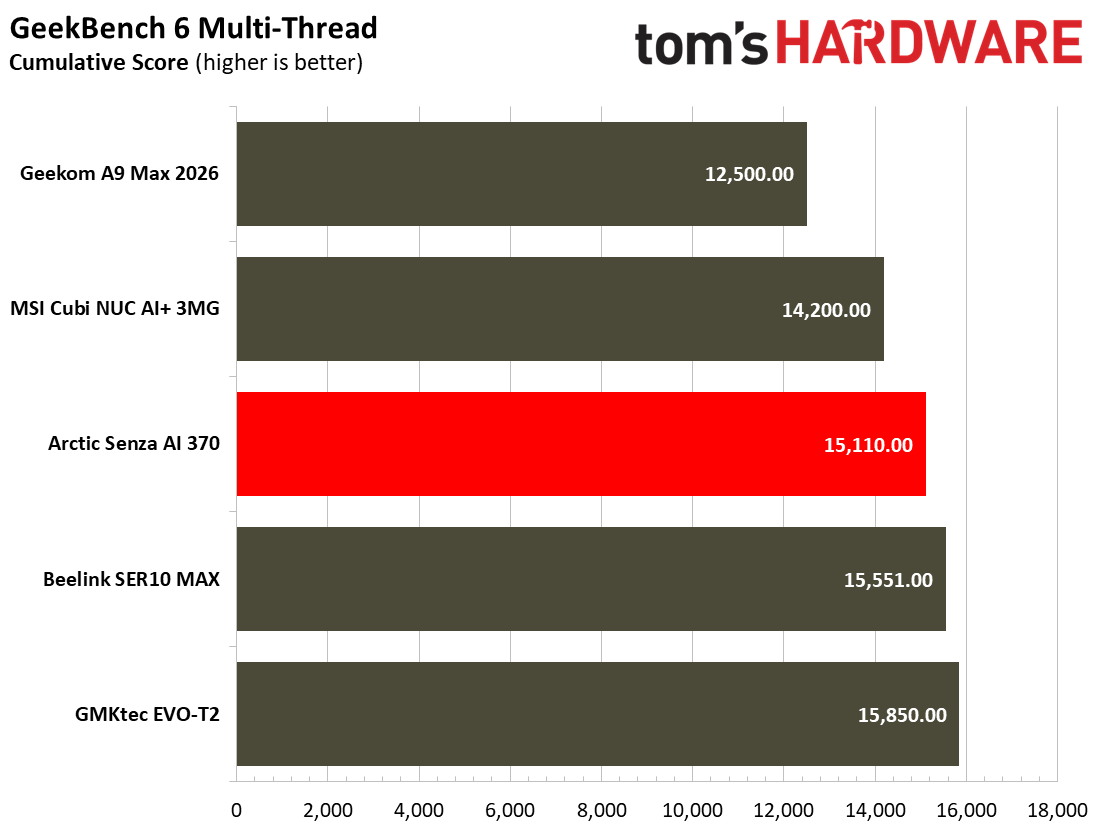
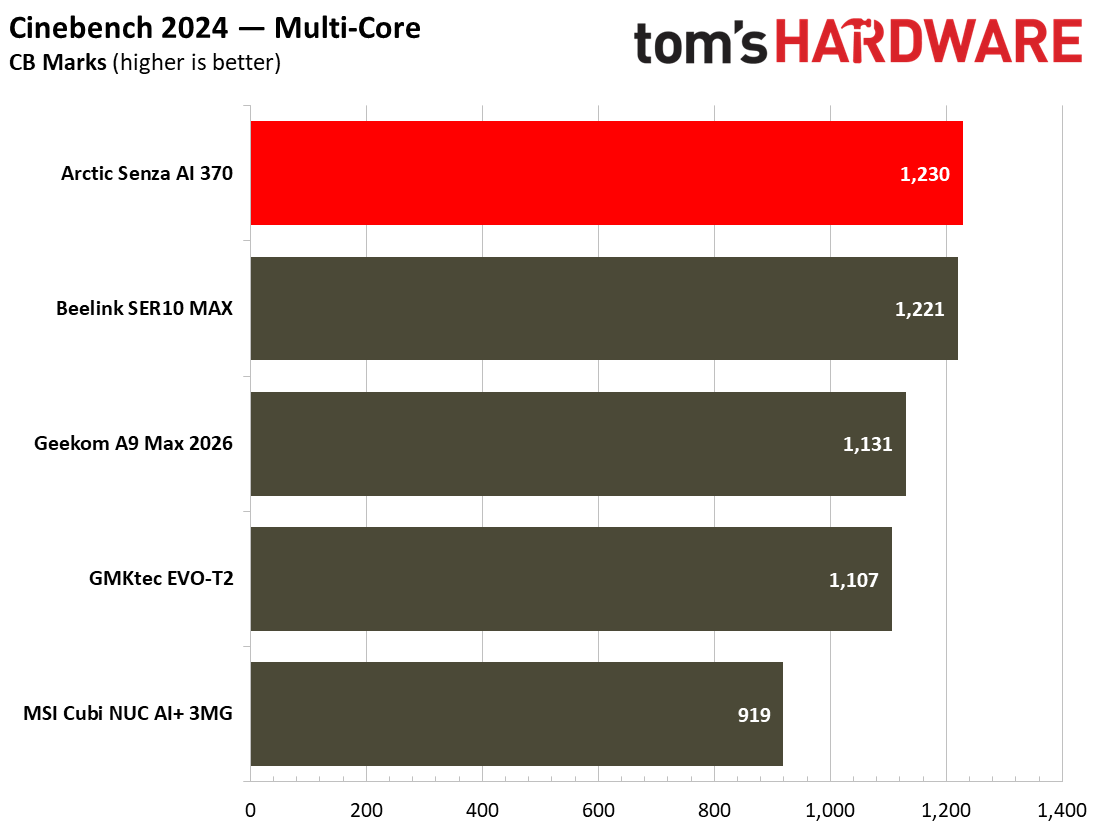
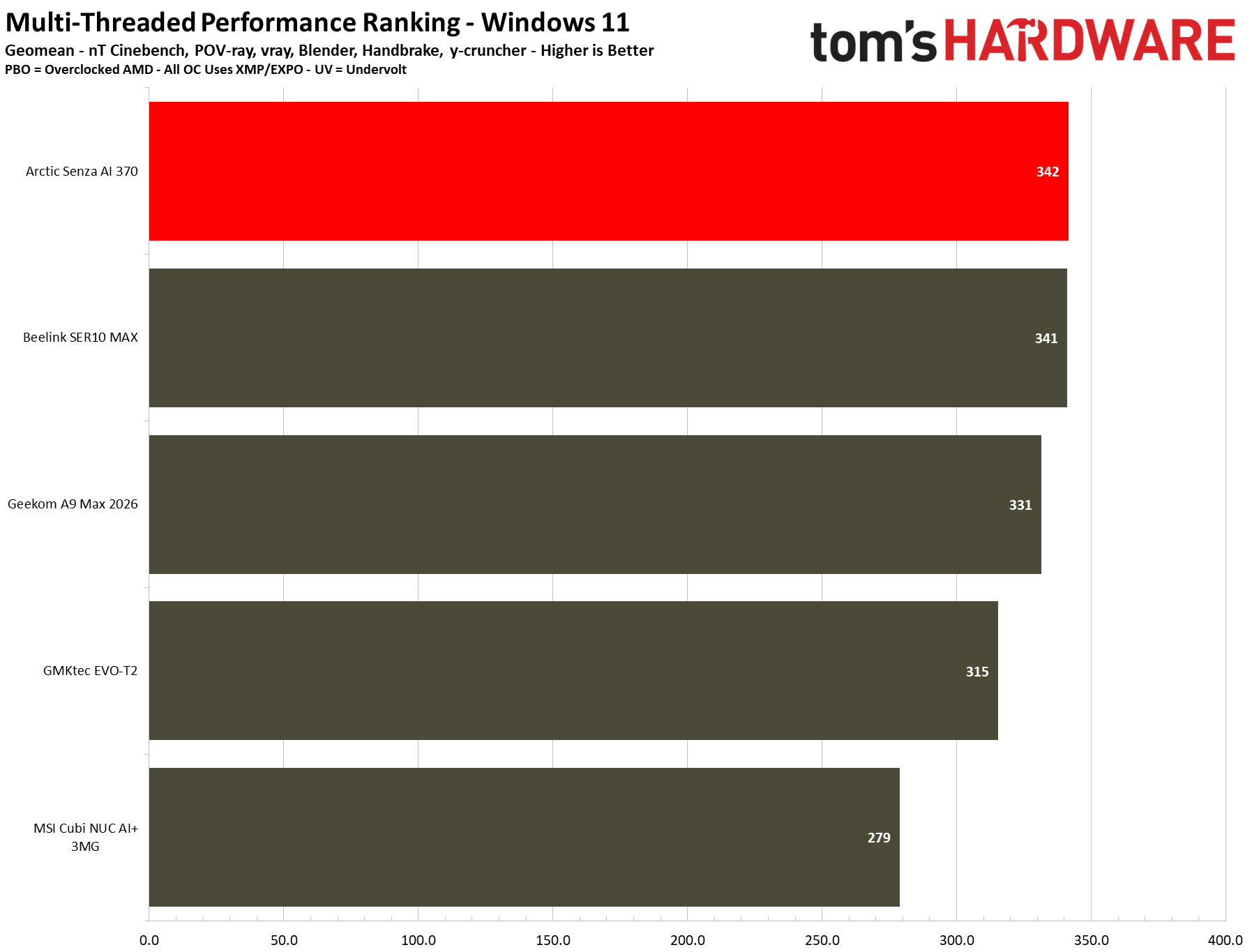
Despite relying on an older AMD processor, the Arctic Senza AI 370 shows it can match and even beat the two Ryzen 9 AI HX 470 mini PCs that have also recently been subjected to our newest suite of tests. Let’s single out Cinebench 2026 multicore scores first. Here the Senza clearly leads the pack of newer AMD Ryzen and Intel Core Ultra mini PCs, at almost 7% faster than the second-placed Beelink SER 10 Max. In the Blender Monster render test, the Senza’s HX 470 rivals actually do win by a tiny amount, but the difference is small enough to be within the margin of error.

Another productivity test, targeting video encoding performance this time, shows that the Arctic won’t be usurped by its newer generation challengers. The Senza AI 370 proudly leads the Handbrake table, and a victory is a victory, but the actual difference is so small it is essentially a draw between the three AMD mini PCs.

I think the Arctic’s good performance in these productivity tests can be put down to the system’s significantly better memory bandwidth.

Gaming and Graphics on the Arctic Senza AI 370

The Senza AI 370’s APU should make it a decent enough performer in games, at least if you're realistic with the settings. Its Radeon 890M iGPU comes with 16 RDNA 3.5 CUs, and it is accompanied by fast dual-channel DDR5-8000 in Arctic’s silent machine.

Before moving onto our standard synthetic and iconic PC gaming tests, I decided to run around in one of my favorite 3D gaming titles, Ubisoft’s The Division 2. I enjoyed taking down a Bloodhound and its high-tech escort troops, and liberating an enemy control point. The action was fluid enough, without experiencing any stutters or other low-performance tells. I played in FHD using the High preset, and later saw using the built-in benchmark tool that the Arctic Senza AI 370 achieved an average of 53 FPS across a diverse set of game scenarios.

Arctic Senza AI 370
Tom's Hardware
Arctic Senza AI 370
Tom's Hardware

Next up, our benchmarks include a trio of 3DMark synthetics and two PC gaming standards. 3DMark Solar Bay is a great way to frame and compare cross-platform iGPU performance. Meanwhile, Steel Nomad turns to screws on raw graphics performance with its heavy modern GPU load, and will be better for comparisons when we start testing the higher-end mini PCs, some with dGPUs. Last and definitely not least, Speed Way is a 2025 benchmark from UL that uses DirectX Raytracing tier 1.1 for real-time global illumination and real-time ray-traced reflections.

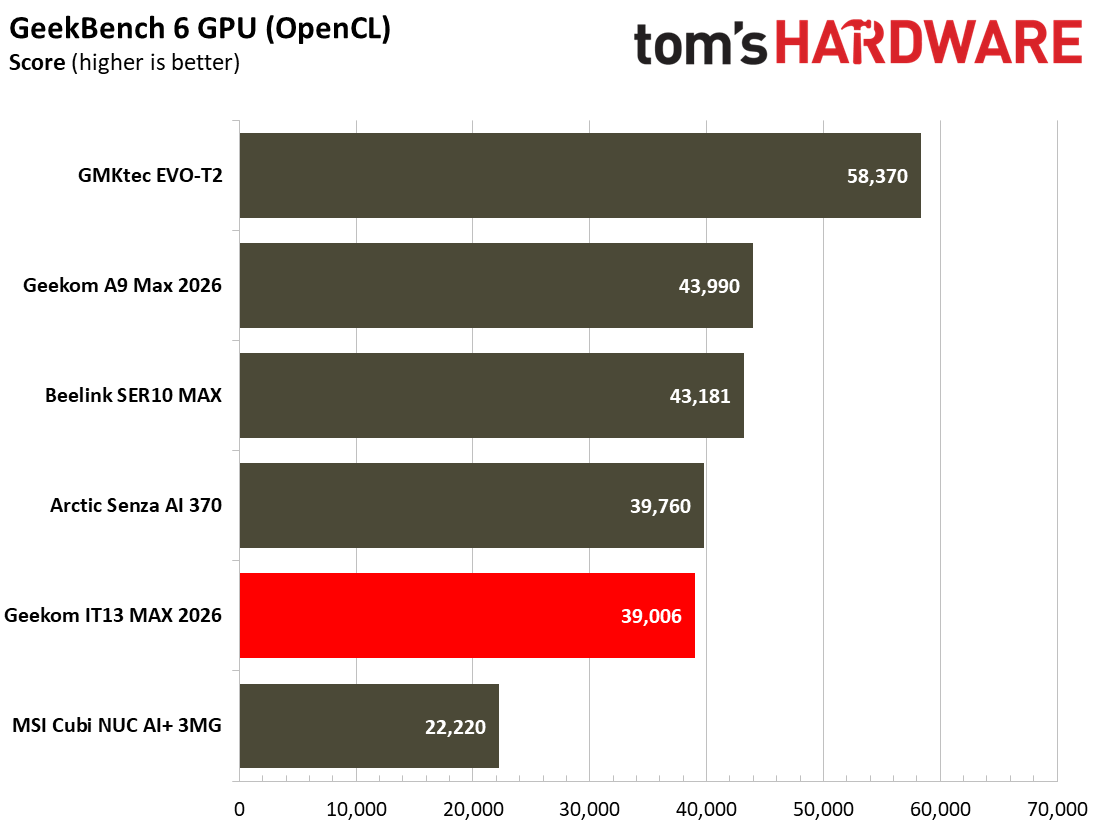
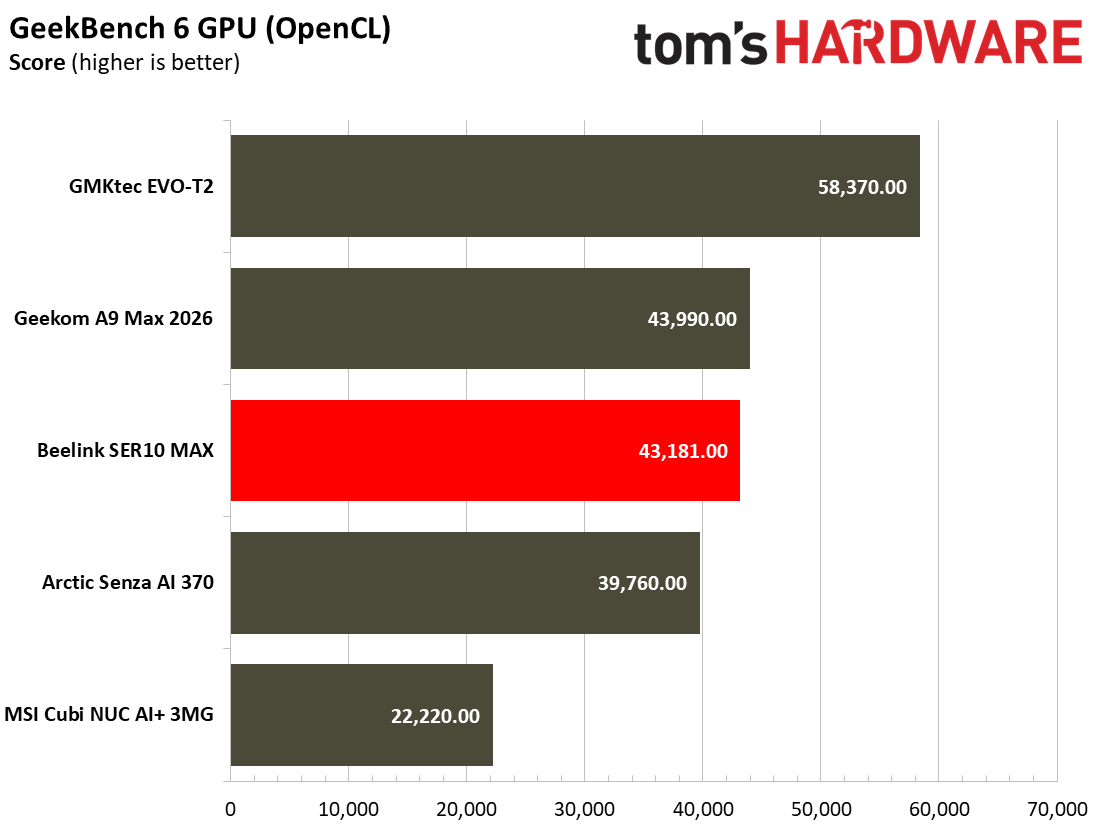
In 3DMark Solar Bay, which uses an engine / resolution most appropriate to the graphical firepower of most of this crop of iGPU-only mini PCs, the Senza AI 370 easily beats the newer-gen Ryzen competition. However, it is clearly outclassed by the Intel Arc B390 iGPU in the GMKtec EVO-T2.

Moving on to more real games, let’s check the data provided by the multi-scene benchmarks built into Shadow of the Tomb Raider and Cyberpunk 2077. The former scales well with processor resources and can still often look and run great on humble iGPUs. As for Cyberpunk 2077, it can really push and tax even the strongest modern GPUs, so here we've used two settings to show how the silent Senza can perform.

Arctic Senza AI 370
Tom's Hardware
Arctic Senza AI 370
Tom's Hardware
Arctic Senza AI 370
Tom's Hardware
Arctic Senza AI 370
Tom's Hardware
Arctic Senza AI 370
Tom's Hardware
Arctic Senza AI 370
Tom's Hardware

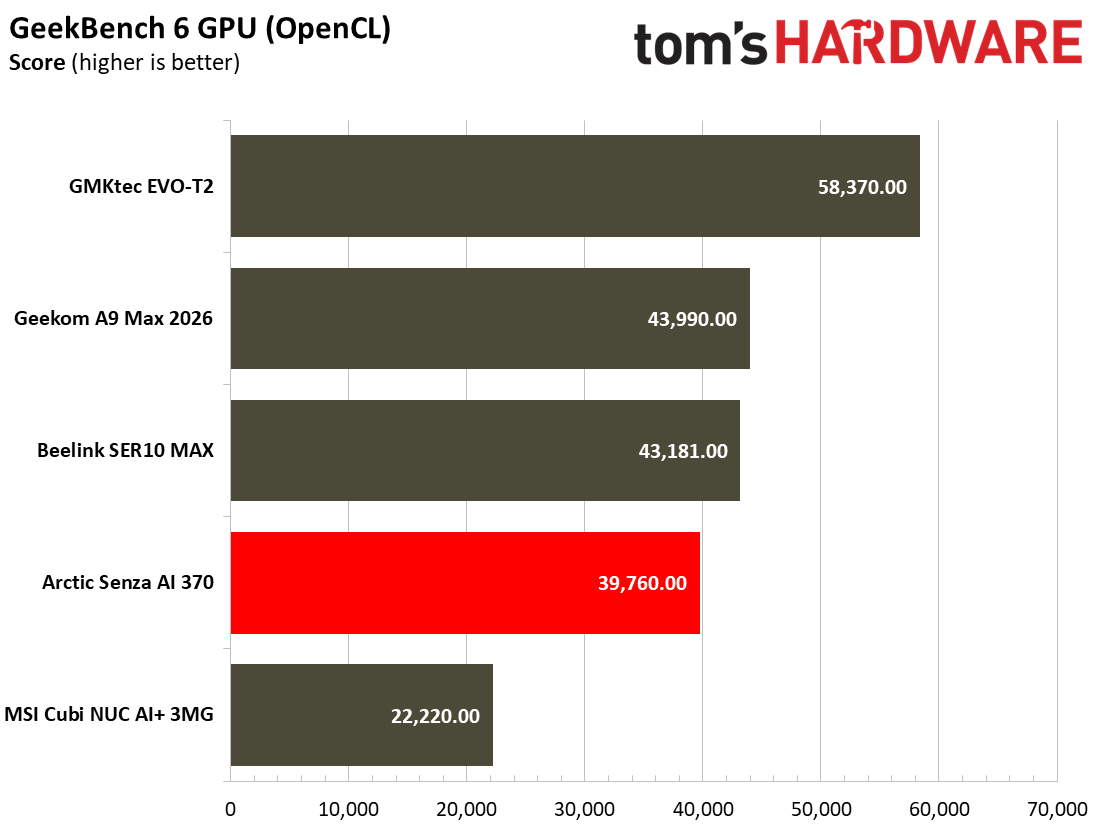
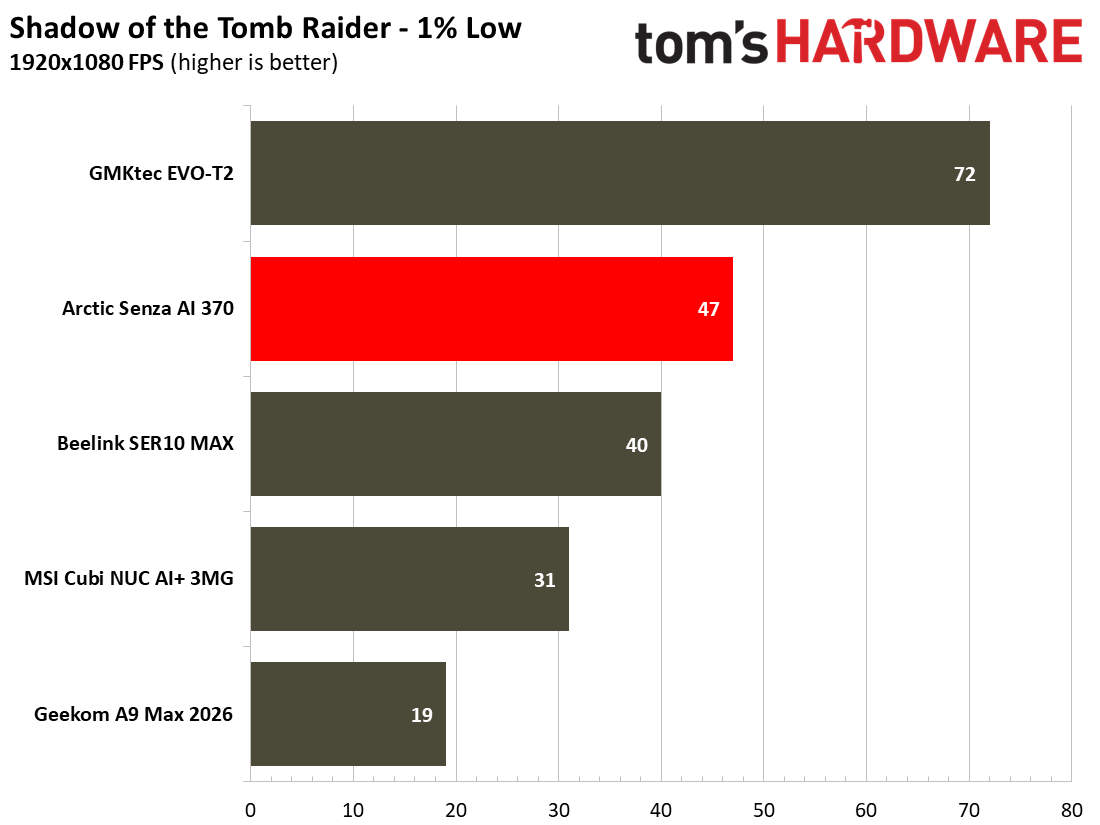
A pattern seems to be established in the synthetics above, which continues into our real gaming tests. Specifically, the passively cooled Arctic Senza AI 370 is the best choice for iGPU gaming if you don’t want to spend far more cash on the potent Panther Lake GMKtec EVO-T2. The Arctic consistently outclasses both the newer HX 470 processor-based challengers, though we see the Beelink SER10 Max with dual-channel RAM do much better than the Geekom A9 Max 2026, constrained by a single stick of DDR5-5600.

On Cyberpunk 2077, the Steam Deck and 1080p preset felt noticeably more fluid than the High 1080p option. If I were to persevere with this demanding title on the Senza AI 370, I’d perhaps try some form of upscaling to see if I could maintain the High quality setting but with an improved FPS.

It's worth repeating, the silent Senza seems to outclass the newer AMD challengers across gaming tests thanks to its superior memory subsystem based on its soldered 32GB LPDDR5X‑8000 dual‑channel RAM.

Power, Heat, and Noise when using the Arctic Senza AI 370

Arctic Senza AI 370
Tom's Hardware
Arctic Senza AI 370
Tom's Hardware

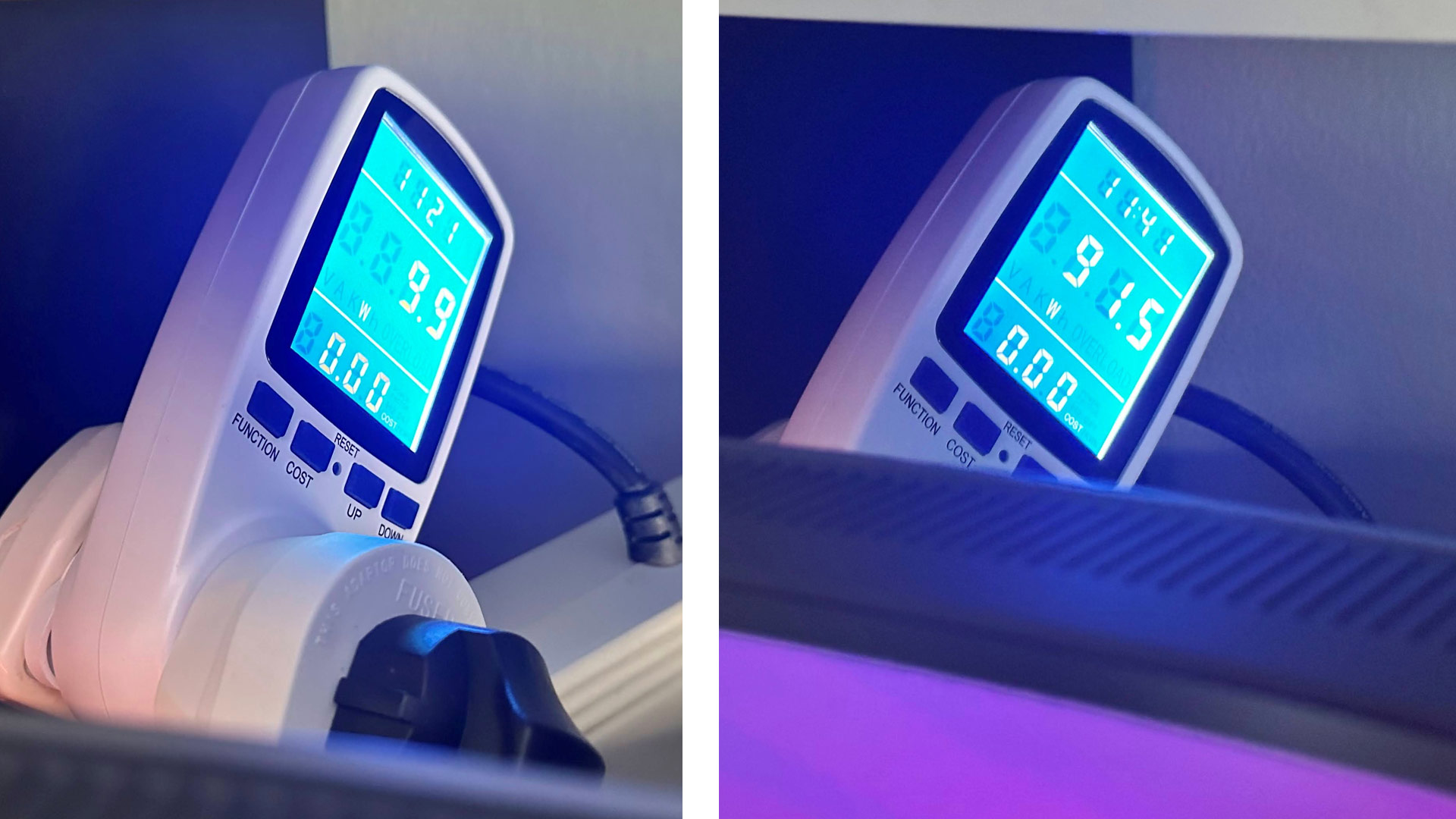
When I left the Senza AI 370 to idle, my power meter measured wattages at or below 10W from the wall for the whole system. When the system was pushed with simultaneous CPU and GPU benchmarks running, power draw seemed to peak at a little under 92W.

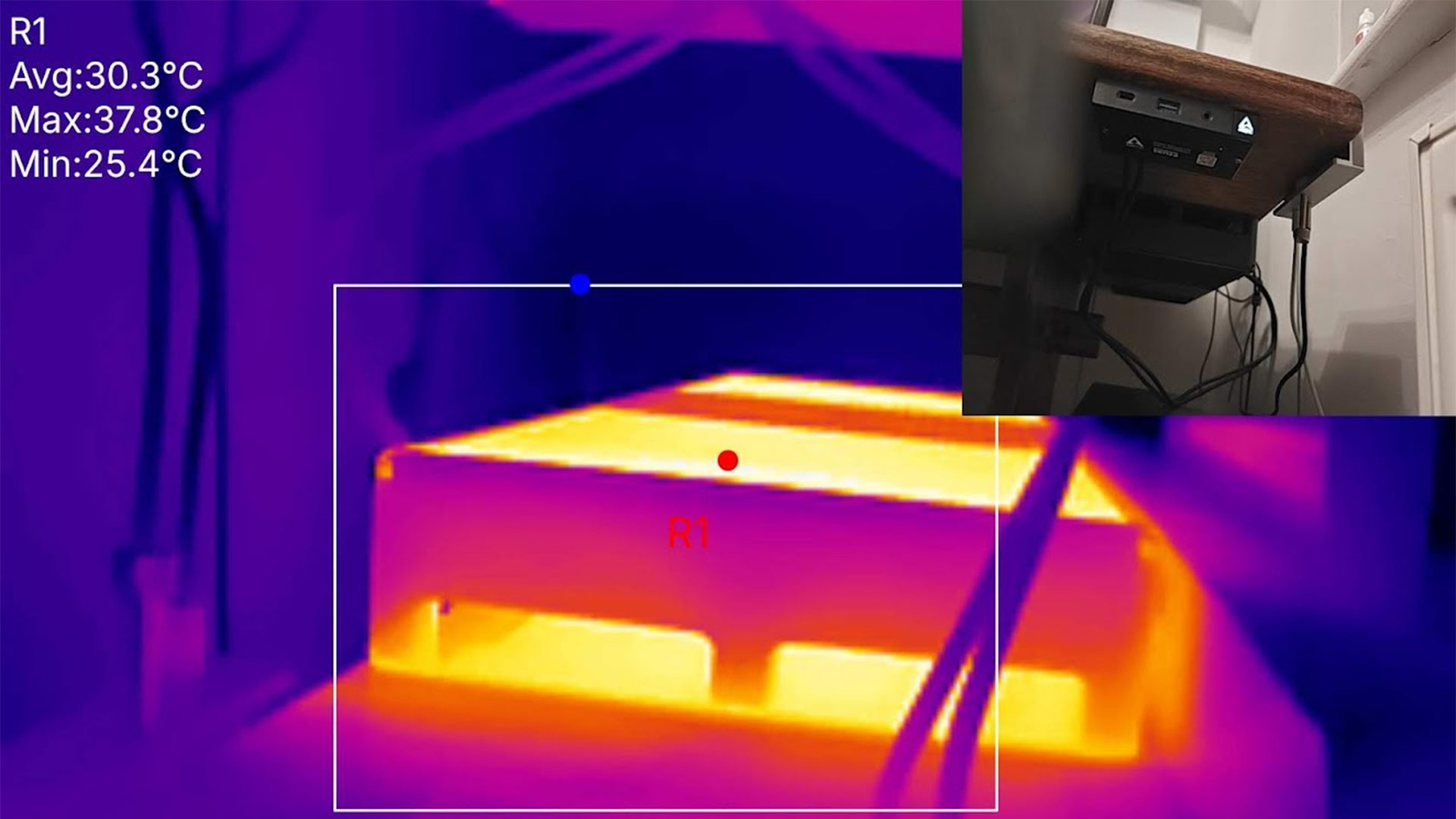
System tools showed that during light activities like browsing the web and typing reports like this one, the CPU temperature stayed around 30 degrees C. Playing The Division 2 for 30 or 40 minutes, the reported CPU temperature seemed to stay between 60 C and 70 C. It didn’t constantly creep upwards; it would sometimes go towards that upper bound, and sometimes fall again. However, running a workload like Cinebench R23 multicore the temperatures seemed to creep inexorably upwards, with the highest measurement I saw at 96 C.

Between tasks, the reported CPU temperature would fall very rapidly. I saw it dive from 75 C to 45 C in under 10 seconds after one of the recent benchmarks I completed. That’s pretty impressive given that there’s no fan.

In my testing before installing it under the desk, oddly enough, I could actually hear a sound when the YMTC PC411 SSD was being accessed. I'm unsure what it was, but I did notice it.

Software and Warranty on the Arctic Senza AI 370

Arctic’s Senza AI 370 ships with a clean copy of Windows 11 Pro installed. That's it. There were no bundled utilities, dashboards, or custom monitoring and tuning software. Arctic sells the Senza AI 370 with a two-year warranty.
Configurations of the Arctic Senza AI 370

Arctic sells just a single Senza AI 370 configuration: the one we tested with a AMD Ryzen AI 9 HX 370,32GB LPDDR5X-8000 memory and a 1TB SSD. Windows 11 Pro is included, but Arctic says that the machine is Linux compatible.

Those in Europe can head directly to the official company website and snag a Senza AI 370 for the MSRP of €1,199.99. Meanwhile, UK buyers can grab a device from Arctic’s official Amazon web store for £910.49. Compared with many of the other mini PC prices we are seeing, that seems very reasonable for a fully populated mini PC with fast memory and storage plus unique silent / passive appeal. Those German and UK prices include VAT at 19% and 20%, respectively.

I asked Arctic about the availability of the Senza AI 370 in the U.S. and was told that no official distributor had been set up for this device. The company is seeding the device to U.S. media, however, to gauge interest in devices like this.

Bottom Line

Arctic Senza AI 370

(Image credit: Tom's Hardware)

If you want a mini PC that you can't see or hear, the Arctic Senza AI 370 is for you. Many will be attracted by mini PCs for their minimal physical footprint, but Combine that with its silence, well-behaved thermals, plus solid performance, and there's really not much to complain about.

Concerning performance, Arctic’s choice of soldered 32GB LPDDR5X-8000 memory and a fast SSD gave this device equal or better application and gamingi performance compared to its newer-gen Ryzen 9 AI 470 HX equipped mini PC rivals we have tested recently. It is noticeably cheaper, too, but sadly not easy to grab if you live stateside right now.

Shrink your PC setup with up to 25% off on Kamrui mini-PCs — big savings on the H1 for gamers and the Hyper H2 for pros

2026年7月21日 00:32

The evolution of hardware has gotten to a point where tiny devices, such as mini-PCs, can offer excellent computing power in a small form factor. Kamrui, a specialist in mini-PCs, currently has the H1 and Hyper H2 for sale on Amazon. For a limited time, you can save up to 20% off these high-performance mini-PCs, which are also energy-efficient and designed to fit in even the smallest spaces.

The Kamrui H1 is a budget gaming mini-PC with a Ryzen 7 7735HS with integrated Radeon 680M graphics. The Zen 3+ chip rocks an octa-core, 16-thread configuration with a boost clock speed up to 4.75 GHz. Meanwhile, the Radeon 680M wields 12 RDNA 2 CUs that boost up to 2.2 GHz. The combination is perfect for eSports-grade titles and even some modern AAA games if you keep the resolution at 1080p (1920x1080) and use moderate to low graphics settings.

The mini-PC also has 16GB of LPDDR5-5500 memory and a 512GB PCIe 4.0 SSD. The former is not upgradeable since it is soldered, but you can expand the latter with a larger SSD if you ever need it. The H1 offers great connectivity, including Wi-Fi 6, Bluetooth 5.2, a 2.5 Gigabit Ethernet port, and speedy USB ports.

The H1 is a capable gaming device thanks to the Ryzen 7 7735HS, 16GB of LPDDR5-5500 memory, and a 512GB PCIe 4.0 SSD.View Deal

The Hyper H2 leverages the Core i5-14500HX, a high-performance mobile chip with 14 cores, 20 threads, and a maximum boost clock of 4.9 GHz. While it is a beefier processor than the Ryzen 7 7735HS, it lacks the integrated graphics power to run games. Therefore, the Hyper H2 is more of a productivity mini-PC than a gaming one.

Kamrui pairs the Core i5-14500HX with 16GB of SO-DIMM DDR4 memory, enabling future upgrades. The mini-PC also features a fast 512GB PCIe 4.0 SSD for storage. For connectivity, the Hyper H2 maintains the Wi-Fi 6 and Bluetooth 5.2 features found in the H1. However, it’s important to note that while the H1 includes a high-speed 2.5 Gigabit Ethernet port for wired networking, the Hyper H2 omits this feature.
The Hyper H2 flaunts a Core i5-14500HX, 16GB of DDR4 memory, and a 512GB PCIe 4.0 SSD.View Deal

The H1 and Hyper H2 from Kamrui are great mini-PCs tailored to different needs. Right now, both models are on sale at significant discounts on Amazon. The H1 and Hyper H2 are 13% and 25% off, respectively. That means you could save up to $60 on the H1 and up to $170 on the Hyper H2. These mini-PCs offer good value and features for anyone looking for a space-saving computer.

If you're looking for more savings, check out our Best PC Hardware deals for a range of products, or dive deeper into our specialized SSD and Storage Deals, Hard Drive Deals, Gaming Monitor Deals, Graphics Card Deals, Gaming Chair, Best Wi-Fi Routers, Best Motherboard, or CPU Deals pages.

Steam Machines with the ‘Red Line of Death’ get a simple, official cure: Clear the CMOS — clearing the CMOS can revive flat(red)-lining cubes

2026年7月7日 20:55

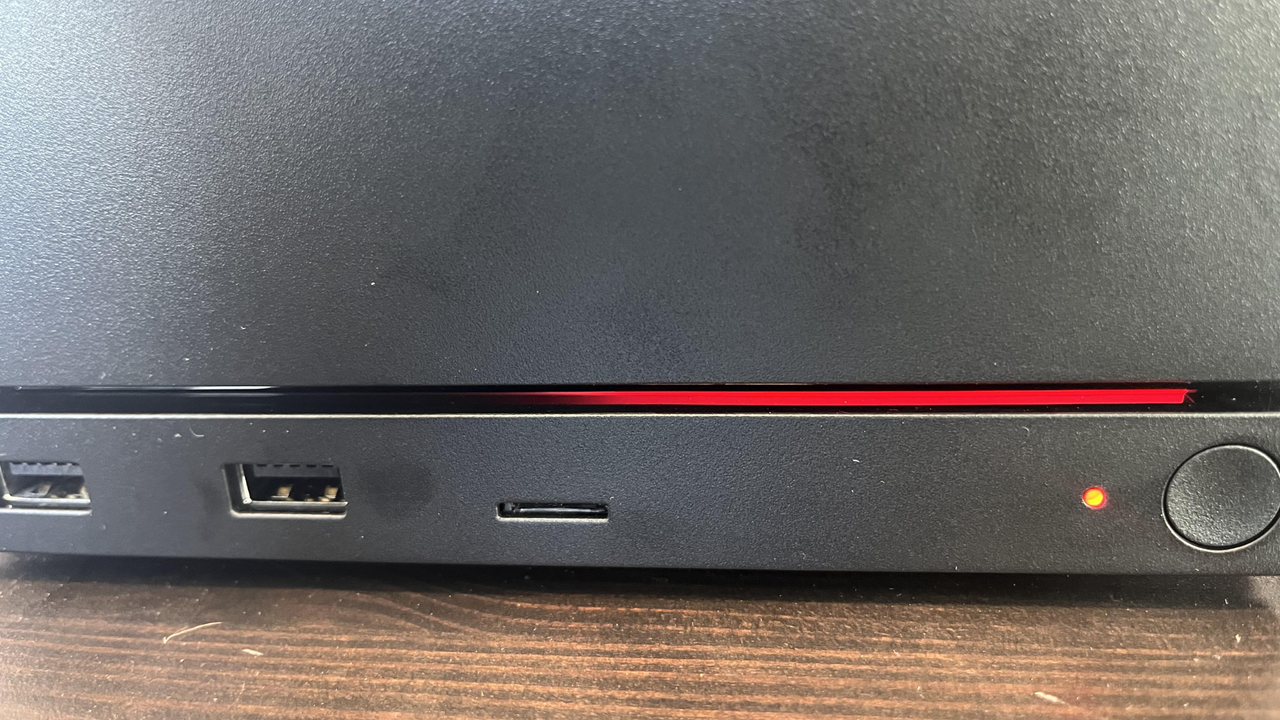
Late last week, we reported on a brand-new Steam Machine getting bricked during an update, and refusing to budge from a state freshly dubbed the ‘Red Line of Death’ (RLOD). The issue stirred fear in tech enthusiasts' hearts, still scarred by the notorious Red Ring of Death (RROD) from the Xbox 360 era. But we have some good news today, as Valve’s official account on Reddit has responded to provide step-by-step instructions to get any affected Steam Machine up and running again by clearing the CMOS.

Thankfully, the pronouncement of death was definitely premature in this unresponsive Steam Machine case, and easily fixed. It wasn’t dead, it was resting, or probably pining for the fjords. It just needed to have its CMOS setting thoroughly cleared, that's all.

SteamHWFeedback directly answered the distress call of OP me_hill on Reddit. A five-step recipe to recover Steam Machines with RLOD was provided to the beleaguered gamer. However, me_hill’s own flailing machine-reset procedure had already done the trick – inspired by numerous user comments on the thread.

It is good to have an official solution to the initially scary RLOD, though. For the sake of exactitude, we have pasted Valve’s official RLOD fixing steps below, verbatim.

If you're encountering this issue, please try the following:

  • Unplug the Machine, then press the power button a few times. This ensures any stored energy in the PSU gets discharged. You may see the power indicator LED blip a moment.
  • Plug the Machine back in. Note if your power LED glows (breathing pattern) white or not. If yes, please submit a Steam Support ticket and tag me, or send me a chat request with the ID.
  • Hold the power button down for ~6s. You should see the power indicator LED (dot) flash momentarily. Release the power button when you do.
  • The power indicator LED will start to cycle some color codes. These are designed to allow you to select various options for recovery/troubleshooting purposes. When the LED turns green, short-press the power button. This should perform a full "CMOS reset."
  • On the next boot, you should see the RGB bar as blue - it may take a bit longer to boot due to a memory re-training.

There’d only been two public pleas by Steam Machine users about RLOD so far, as far as we can see. Perhaps several more users resolved these issues themselves, without any social media interaction, so it is difficult to know the scale of similar experiences. Nevertheless, we are relieved to learn that these symptoms are easily fixed and users can get back up and running on their coveted new gaming hardware pretty quickly – with the benefit of an officially sanctioned cure direct from Valve.
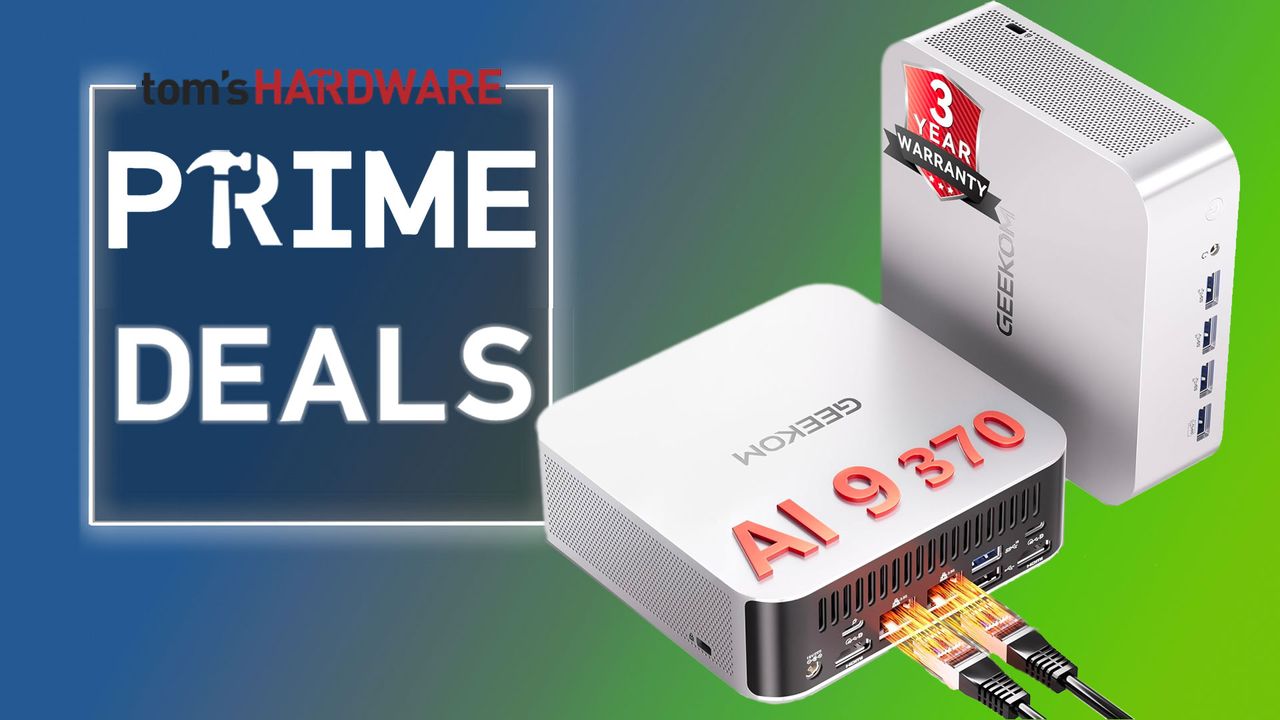
Geekom Prime Day deals take up to 34% off a new mini PC with our exclusive promo code — Get an AMD or Intel mini PC for less now

2026年6月24日 23:10

Mini PC specialist Geekom has a ton of Amazon Prime Day deals with a multitude of diminutive computers with discounts as deep as 34% off. Among the plethora of discounts, we're pleased to also have a special stacking discount code for last year's flagship Geekom A9 Max with AMD Ryzen AI 9 HX 370, slicing a further 8% off this already discounted, sturdy, premium aluminum build mini PC.
This A9 Max (2025) 'Strix Point' model features a Zen 5 architecture CPU with 12C/24T, plus Radeon 890M graphics on board. The system comes complete with 32GB DDR5, a 1TB SSD, and Windows 11 Pro. Originally priced at $1,399.00, the Prime Day sale reduces it to $1,189.15, and our exclusive Tom's Hardware discount code (8% off code: THA9MAX26) slices another 8% off, resulting in a checkout price of $1,094.

Use our 8% off code: THA9MAX26 for this deeper discount

This sturdy aluminum-encased Geekom A9 Max (2025) comes with an AMD Ryzen AI 9 HX 370 'Strix Point' processor, backed by 32GB DDR5, a 1TB SSD, and Windows 11 Pro.View Deal

For those who insist on the latest silicon, Geekom has also put its A9 MAX 2026 Edition on sale at 21% off. That means this fresh Ryzen flagship, which has been upgraded to an AMD Ryzen AI 9 HX 470, is reduced from $1,699 to $1,349. Remember, this has 32GB DDR5 RAM and with a 2TB pre-installed SSD it offers double the storage capacity of its predecessor in the deal above. We have one of these 'Gorgon Point' mini PCs in the labs now, and hope to be able to share the review with your shortly.

Geekom's newly released AI flagship mini PC is already discounted for Prime Day

This sturdy aluminum-encased Geekom A9 Max (2026) comes with the AMD's refreshed Ryzen AI 9 HX 470 'Gorgon Point' processor, backed by 32GB DDR5, a roomy 2TB SSD, and Windows 11 Pro.View Deal

Both of those machines are above $1,000, but Geekom has cheaper mini PCs on sale for Prime Day, as well. For a barebones systems, the Geekom A5 with the Ryzen 5 7430U, 16GB of user-upgradable memory, and a 512GB NVMe SSD.

Digging deeper in the Prime Day bargain bin, we also spotted the Geekom A5, which promises to do everything from "business, home server, creative work & casual gaming." It is listed at 14% off for Prime day cutting its price from $439 to a far more attractive $371. In tech specs terms, so you can judge use-case claims for yourself, this 200kg pressure-rated NUC-a-like mini PC packs an AMD Ryzen 5 7430U APU which features Zen 3 cores in a 6C/12T config plus Radeon Vega 7 graphics. It also comes with 16GB DDR4 RAM installed (expandable to 64GB), and a 512GB NVMe SSD (expandable with an extra M.2 2242 slot and room for a 2.5-inch SATA drive).

The Geekom A5 features a Ryzen 5 7430U processor, 512GB of user-upgradable storage, and 16GB of DDR5 memory. View Deal

The PC is on sale for just $371, which is shocking considering it still comes with an all-metal frame. In addition, it comes with an extra M.2 2242 slot to expand your storage, along with a 2.5-inch SATA bay.

For a bit more power, the Geekom AX8 comes with a newer Ryzen 7 8745HS processor, along with 16GB of DDR5 and a 1TB SSD (plus a sleek blue finish on the metal chassis).

The Geekom AX8 comes with a Ryzen 7 8745HS processor, 16GB of DDR5 memory, and 1TB of user-upgradable storage.View Deal

We also remember when mini PCs used to be a great niche for finding real bargains, and hunters of such rarities can still get perfectly serviceable mini PCs from Geekom under $600 during the ongoing RAMpocalypse if they aren't averse to older silicon.

For example, the Geekom A8 Mini PC with AMD Ryzen 7 8745HS processor, 16GB DDR5 RAM (upgradable), 1TB NVMe SSD, and Windows 11 Pro is currently 15% off at $585.65 via that Amazon Prime Day link. Though slightly older, the AMD APU in this still offers Zen 4 CPU cores in a 8C/16T configuration, and Radeon 780M graphics. Most buyers won't miss the absence of an NPU.

As with the A5, you can upgrade your RAM and storage with the AX8.

Above are our five picks from the spectrum of mini PCs that Geekom has put on sale for Prime Day. However, we didn't even mention any of the firm's Intel models, like the passive Geekom iX 12, on sale for 15% off at $296, which is designed to bring mini PC power to home lab VPN, firewall, virtualization, and edge computing applications.

If you're looking for more savings, check out our Best PC Hardware deals for a range of products, or dive deeper into our specialized SSD and Storage Deals, Hard Drive Deals, Gaming Monitor Deals, Graphics Card Deals, gaming chair, or CPU Deals pages.

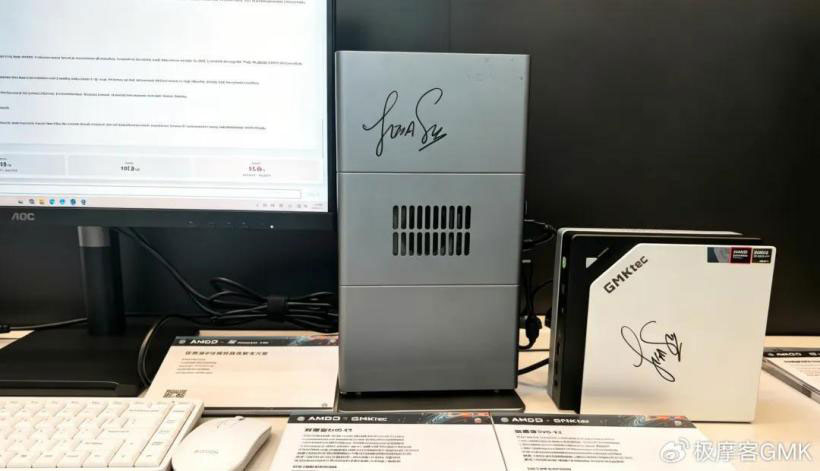
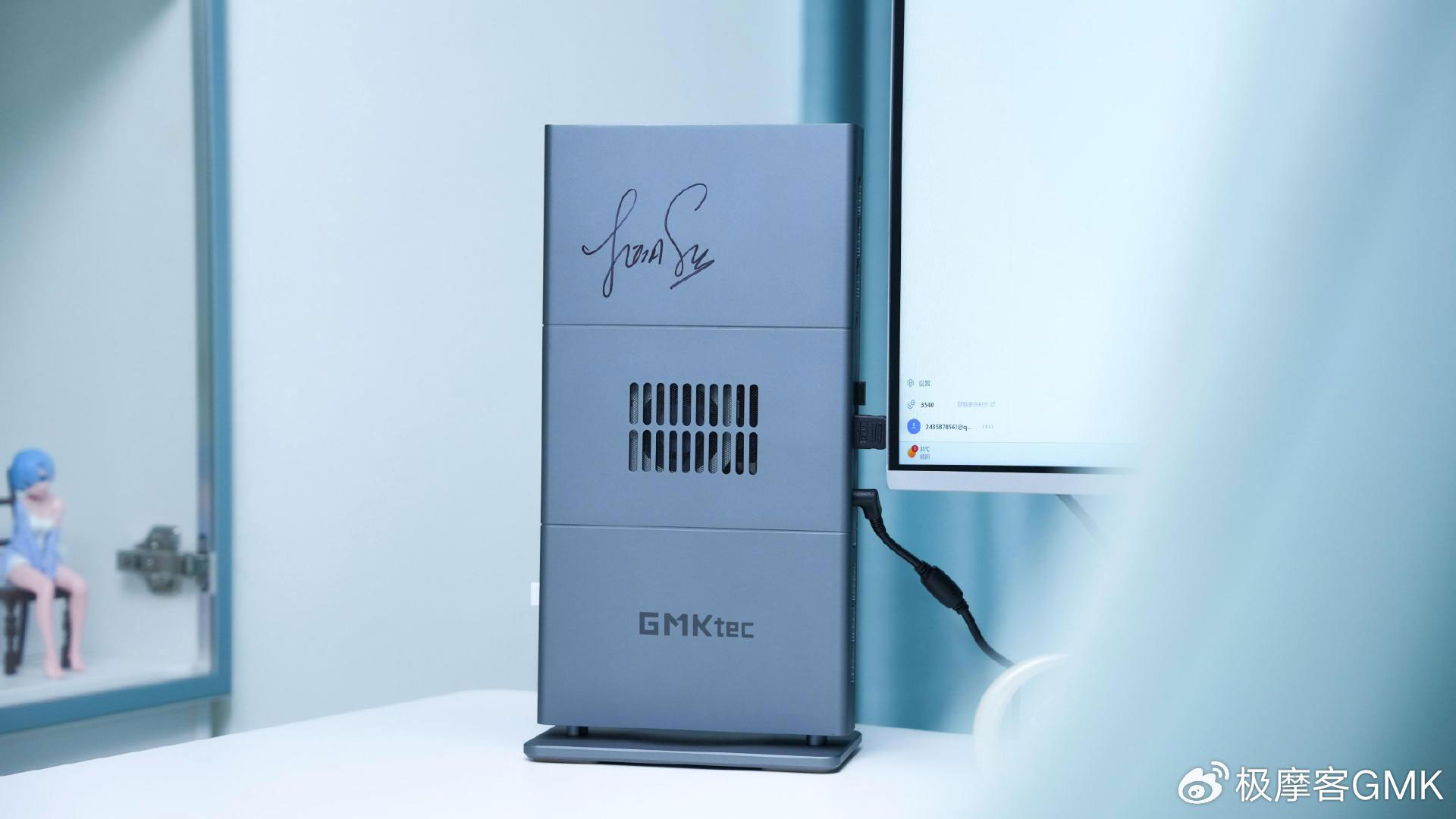
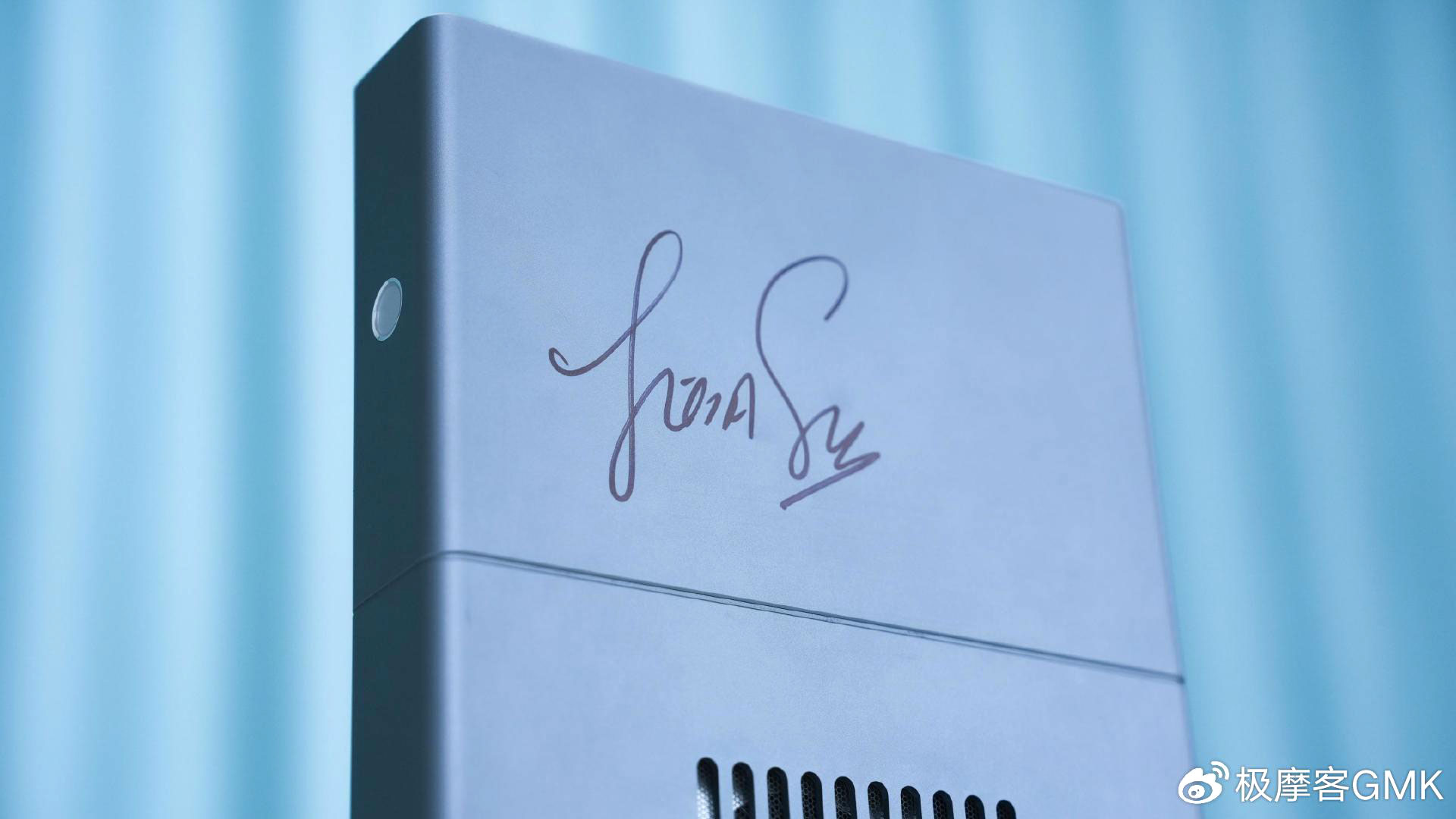
Dramatically redesigned GMKtec EVO-X3 shown bearing Lisa Su’s signature of approval — flagship AI mini PC workstation is built around AMD’s Ryzen AI Max+ 395 'Strix Halo' processor, again

2026年6月21日 20:46

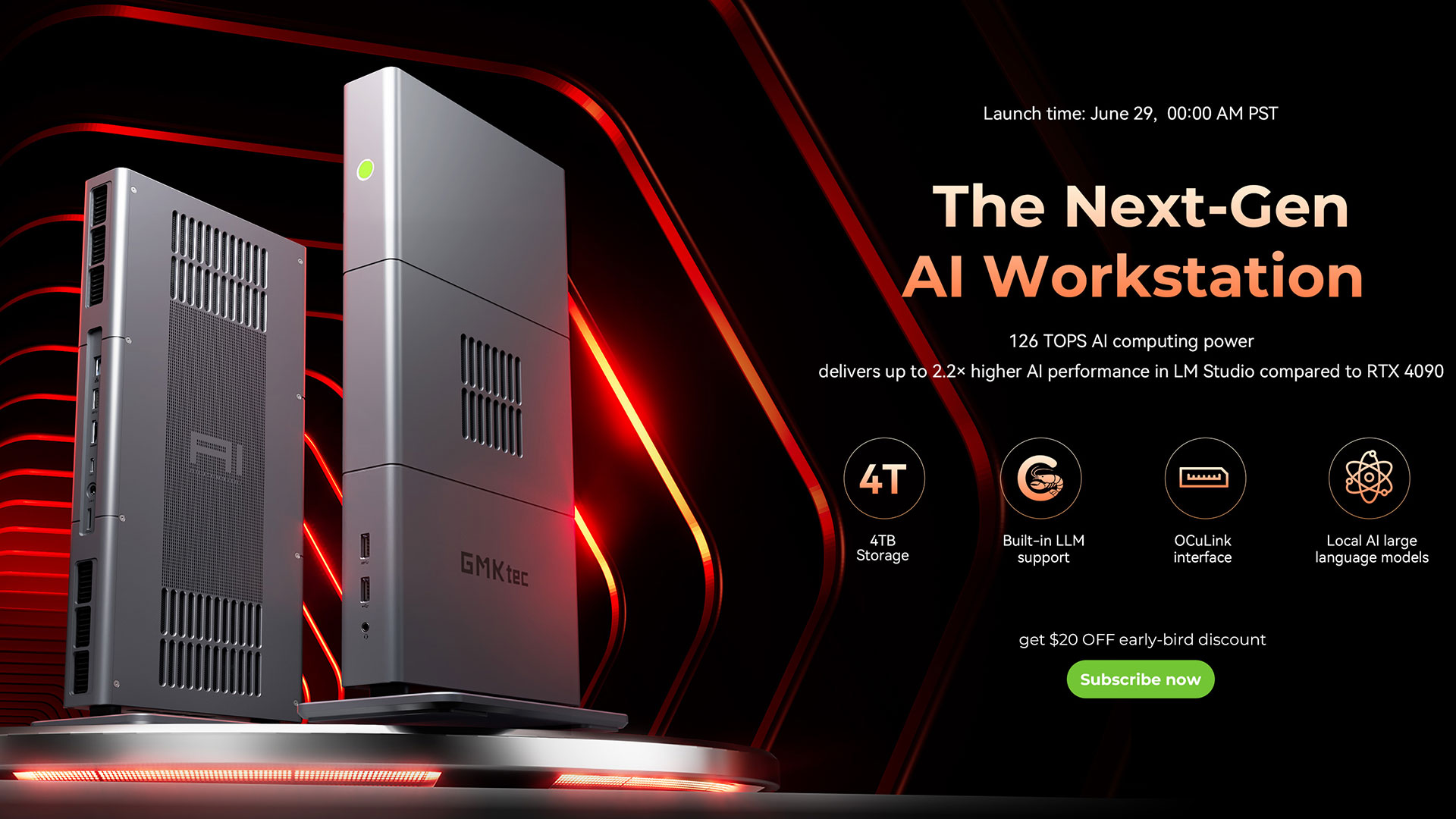
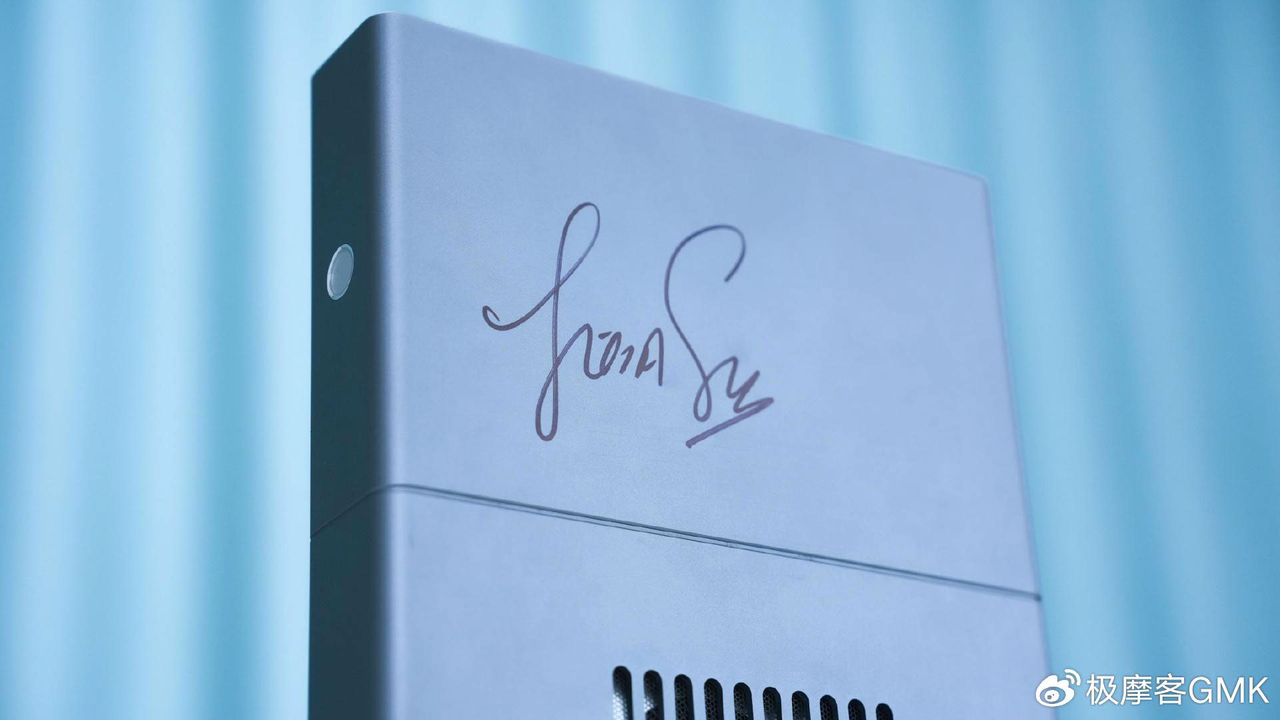
Mini PC specialist GMKtec recently launched the EVO-X3, heralding it as a “next-gen AI workstation,” with early access registration beginning tomorrow (Monday, June 22). The firm also took to social media this weekend to show that the successor to the GMKtec EVO-X2, which we reviewed in February, had earned AMD CEO Lisa Su’s signature of approval. This is not entirely surprising, as so did the X2. So, let’s take a closer look at the new GMKtec EVO-X3.

GMKtec EVO-X3 mini PC
GMKtec
GMKtec EVO-X3 mini PC
GMKtec
GMKtec EVO-X3 mini PC
GMKtec

Actually, the tech specs of the EVO-X3 aren’t very different from its predecessor. We can say with certainty that its design has been thoroughly revamped, though. Look at the difference between the generations. This is a good thing, as most of our reviewers ‘Cons’ regarding the EVO-X2 were drawn from its design and build. Specifically we grumbled about the cheap-feeling case, tricky internal access, and fan noise. A smart redesign would have addressed all these points, but we’d have to get some hands-on time with the new revision to be sure it delivers more than a cosmetic change.

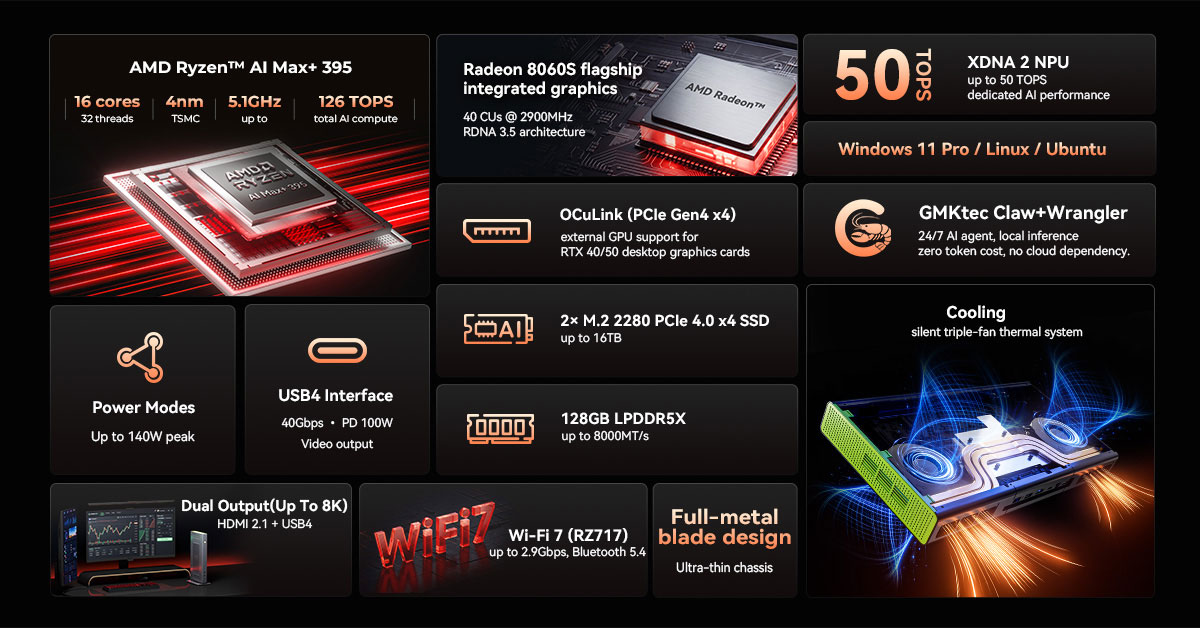
The new GMKtec EVO-X3 is again built around the AMD Ryzen AI Max+ 395 'Strix Halo' processor. Interestingly, a switch to the Ryzen AI Max+ 495 'Gorgon Halo' must have been deemed counterproductive. Many tech enthusiasts were underwhelmed by the AMD Ryzen AI 400 series refresh, too. We also know there are two launch configurations, both with 128GB of LPDDR5X-8000 RAM, but one having a 2TB SSD, the other 4TB. The machine is advertised as featuring two M.2 2280 PCIe Gen4x4 slots for up to 8TB of SSD storage.

As hinted above, the big change between generations appears to be in the build. GMKtec now boasts of the “silent triple fan thermal system” which makes the whole unit somewhat like a triple fan graphics card in a steel wrapper. GMKtec says that “The system is engineered to balance performance, efficiency, and thermal stability, making it suitable for continuous professional workloads across AI and creative scenarios.”

For ports, we note the EVO-X3 packs in an OCuLink connector, USB4 for data, power delivery and video out, and HDMI 2.1 video out. Wi-Fi 7 and Bluetooth 5.4 are also on board. There are also a few USB-A ports, an Ethernet jack, and a headset jack.

GMKtec EVO-X3 mini PC
GMKtec
GMKtec EVO-X3 mini PC
GMKtec

Prices up, a lot

The GMKtec EVO-X2 launched at $1,499 as tested with 64GB RAM and 1TB SSD. Today, EVO-X2 machines with this configuration are currently being sold for $1,999 on Amazon.com. However, the GMKtec EVO-X3 entry price is far steeper, admittedly with more RAM and storage. It is advertising the 128GB RAM and 2TB SSD version at $3,600, and the 128GB RAM plus 4TB storage version at $3,849. Both of those are said to be pre-launch discounted prices. Signing up for the early access registration can get you an additional $20 off those marked-down prices.

GMKtec told us that the pre-launch is live tomorrow, with purchased units being sent out from July 6.

Corsair's Strix Halo AI Workstation 300 gets even more expensive amid the RAMpocalypse — Ryzen AI Max 395+ flagship now sits at $3,399

2026年4月8日 17:00
Corsair has silently raised the prices on its AI Workstation 300 mini PCs. The top-end Ryzen AI Max+ 395 model is now $3,399, or $400 pricier than it was just a couple months ago. That increase comes amid spiraling RAM and storage prices thanks to the AI boom.

Arctic's $1,400 AMD Strix Point fanless mini-PC hides under your desk — Senza AI 370 features Ryzen AI 9 HX 370 CPU, 32GB RAM, and 1TB SSD

2026年3月20日 05:37
If you've been looking for a mini PC that goes beyond just decluttering your desk — one that basically doesn't even remind you of its existence, then Arctic has got just the thing for you. The new Senza AI 370 features a powerful AMD chip with a decent iGPU, 32 GB of fast RAM, a 1 TB SSD, and plenty of ports. It costs almost $1,400, though, but at least it's fanless.

Nvidia DGX Spark review: the GB10 Superchip powers a fast and fun AI toolbox that beats out AMD’s Ryzen AI Max+ 395

2026年1月27日 22:19
Nvidia’s DGX Spark brings a slice of Grace Blackwell power to the desktop for AI developers and enthusiasts. With a 20-core Arm CPU, a Blackwell GPU with 6144 CUDA cores, and 128GB of unified memory, the DGX Spark can run a wide range of AI models and workflows with solid performance and the reliability of the proven CUDA software ecosystem.

❌
❌