‘The Jensen Jacket: Jensen Huang's Tom Ford Leather Jacket’ achieved a hammer price of $960,000 this weekend. High-end auctioneer Sotheby’s listed the leather garment, which was claimed to have been worn at least once by the Nvidia CEO, with a far lower price estimate of $40,000 to $60,000. Happily, the bountiful proceeds of the auction are going to charity.
Bidders could be quite confident that this Tom Ford jacket was genuinely worn by Jensen Huang at one or more landmark product launches, thanks to the work of the PSA [Professional Sports Authenticator]. Specifically, PSA photomatched this jacket and its unique leather wrinkles to the Hon Hai (Foxconn) Tech Day in Taipei on October 18, 2023, where Huang wore it on stage and met with other execs. Various close-up photos in the sales catalog showed telltale signs that this was/is the real deal. Separately, a signature on the garment was authenticated by James Spence Authentication.
The near $1M hammer price achieved is many multiples of the estimate. In our earlier reporting on the sale, we guessed this would happen for a number of reasons. Firstly, we thought Sotheby’s ‘low’ estimate was intentional to draw in the crowds and stoke excitement. Secondly, we mustn’t neglect the importance of the not-so-secret ingredient - Jensanity. And, right now, the AI boom with Nvidia at its center is still growing apace.
You can buy a brand new Tom Ford SS2023 menswear collection jacket, like the one shown, without any infusion of genuine Jensanity, for around $9,000. However, we can’t begrudge the success of this auction as the proceeds are earmarked for charity. The Sotheby’s page says that the auction was organized by Long Journey Ventures to benefit the Edge Institute, a non-profit that convenes people working at the frontiers of tech, science, culture, and society in pop-up villages (Edge Cities) to live together and experiment towards a brighter future. Fellowships, grants, and residencies for the next generation of young builders will be funded by this bumper lump of cash.
Over the past several years, I’ve reviewed a growing number of augmented reality (AR) glasses. For the most part, these shades share the same mission: to give consumers a way to enjoy video content and even work on productivity tasks with a Mac or Windows device via a 150-inch (ish) virtual screen.
Most of these glasses top out at a 120 Hz refresh rate and weren’t designed specifically for a gaming audience (though many can be used for gaming). That is changing with the Asus ROG Xreal R1, which is a collaborative effort from two big names in tech. Not only does the R1 boost the maximum refresh rate to 240 Hz to appease hardcore gamers, but it also serves as a breakout box for gaming on your PC, Xbox, PlayStation, or Switch.
The R1 promises and delivers a lot, but it comes at an even higher price than Asus’ AirVision M1, which debuted at $700 two years ago.
Design of the Asus ROG Xreal R1
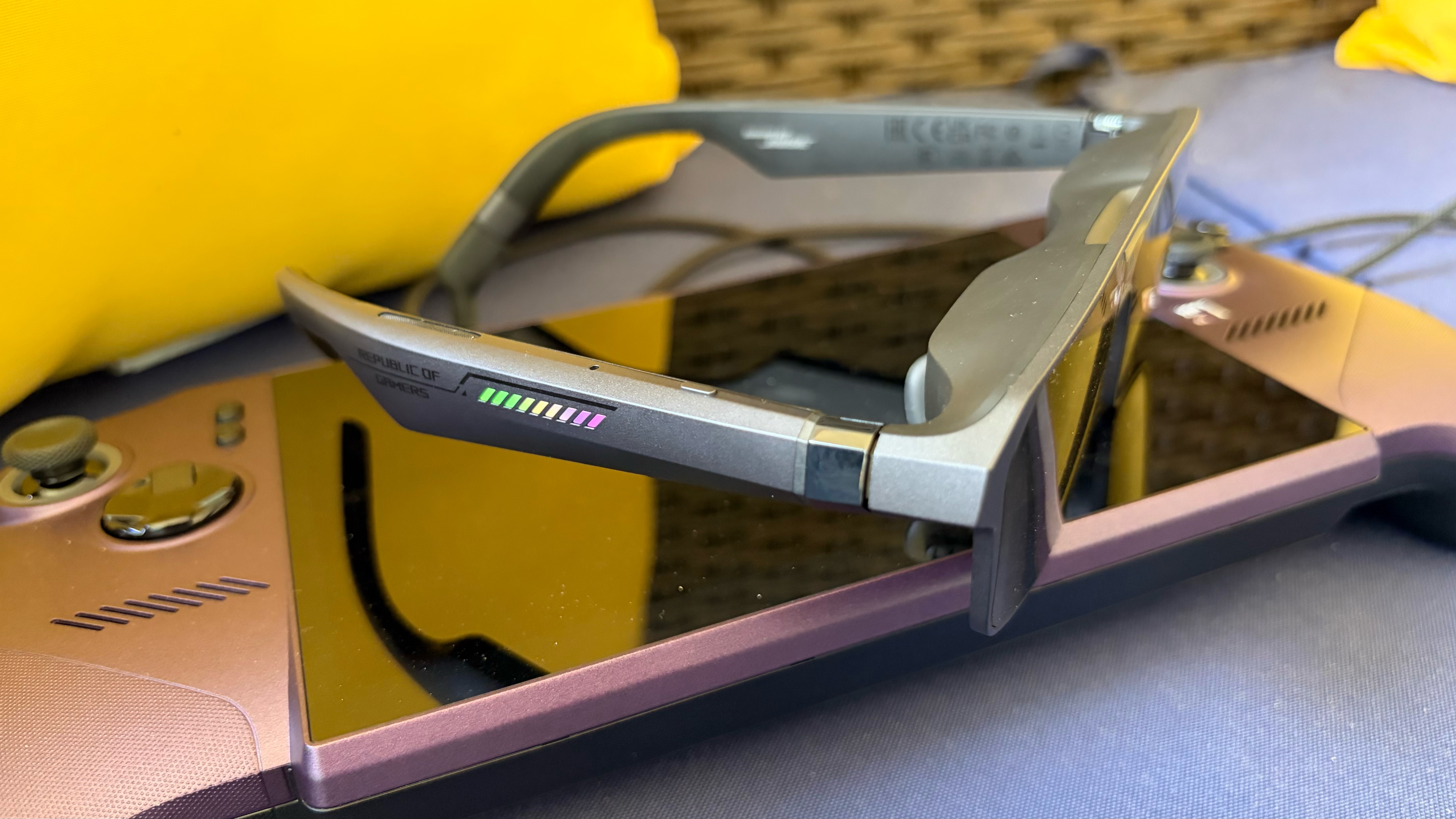
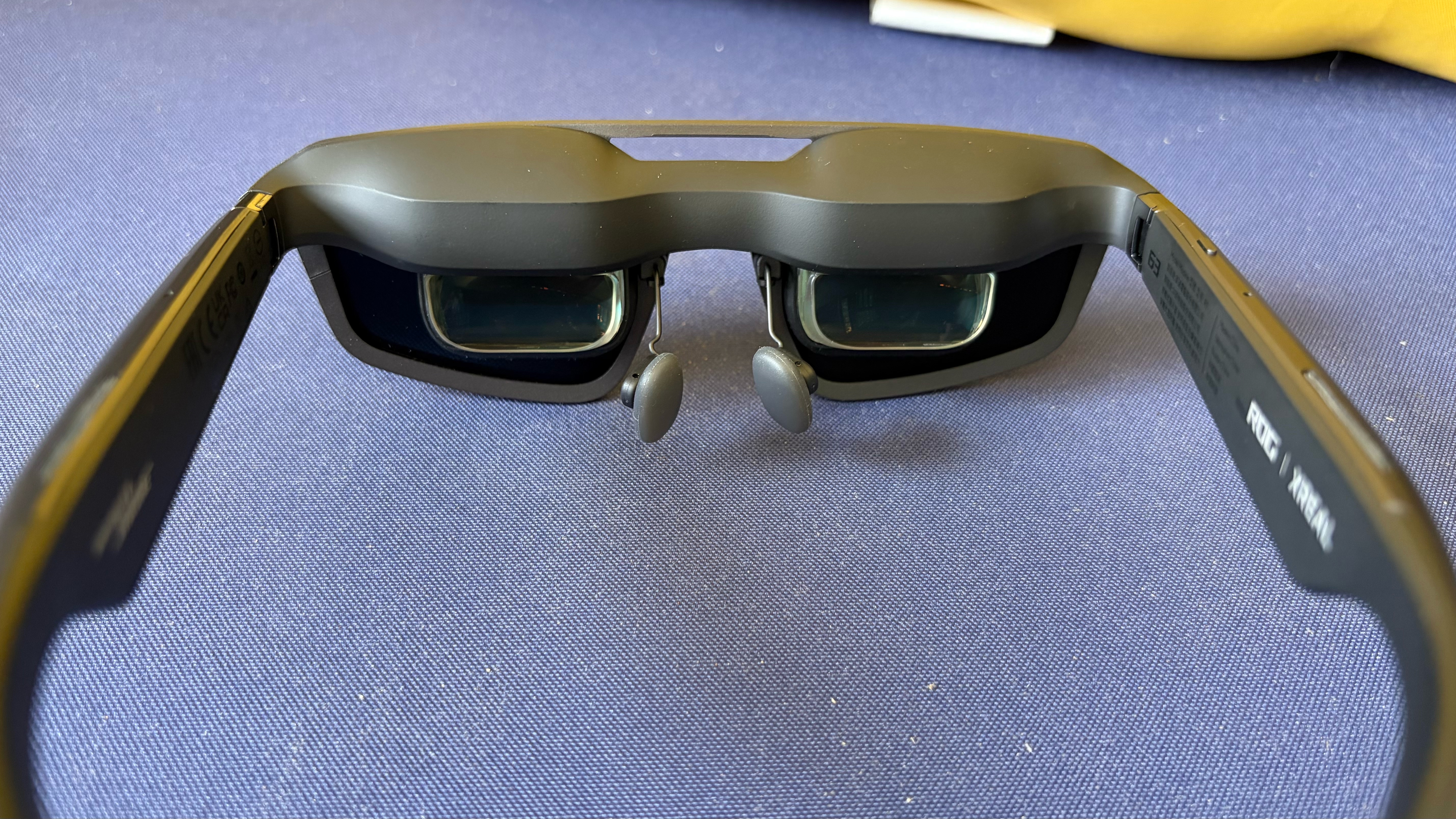
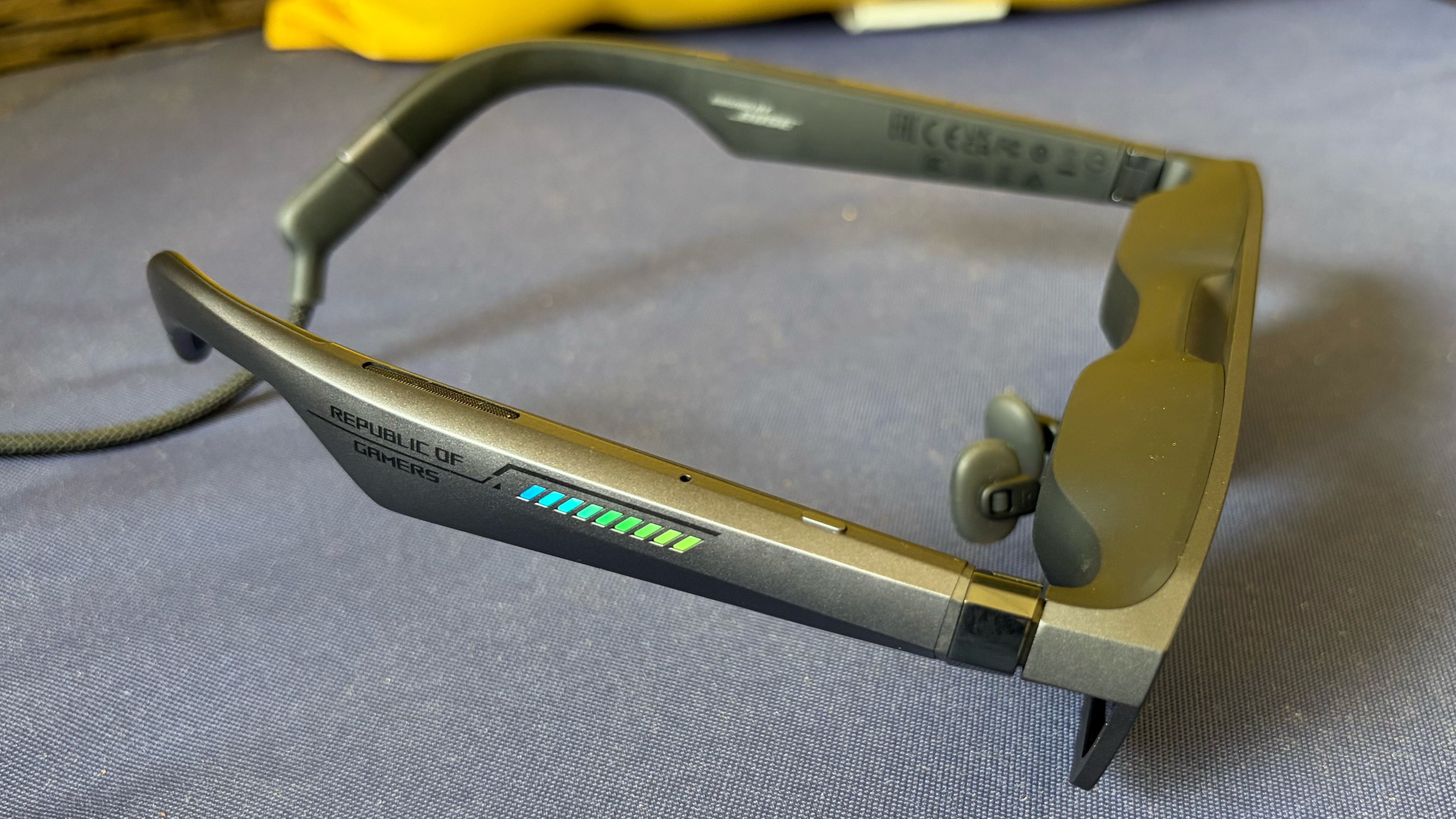
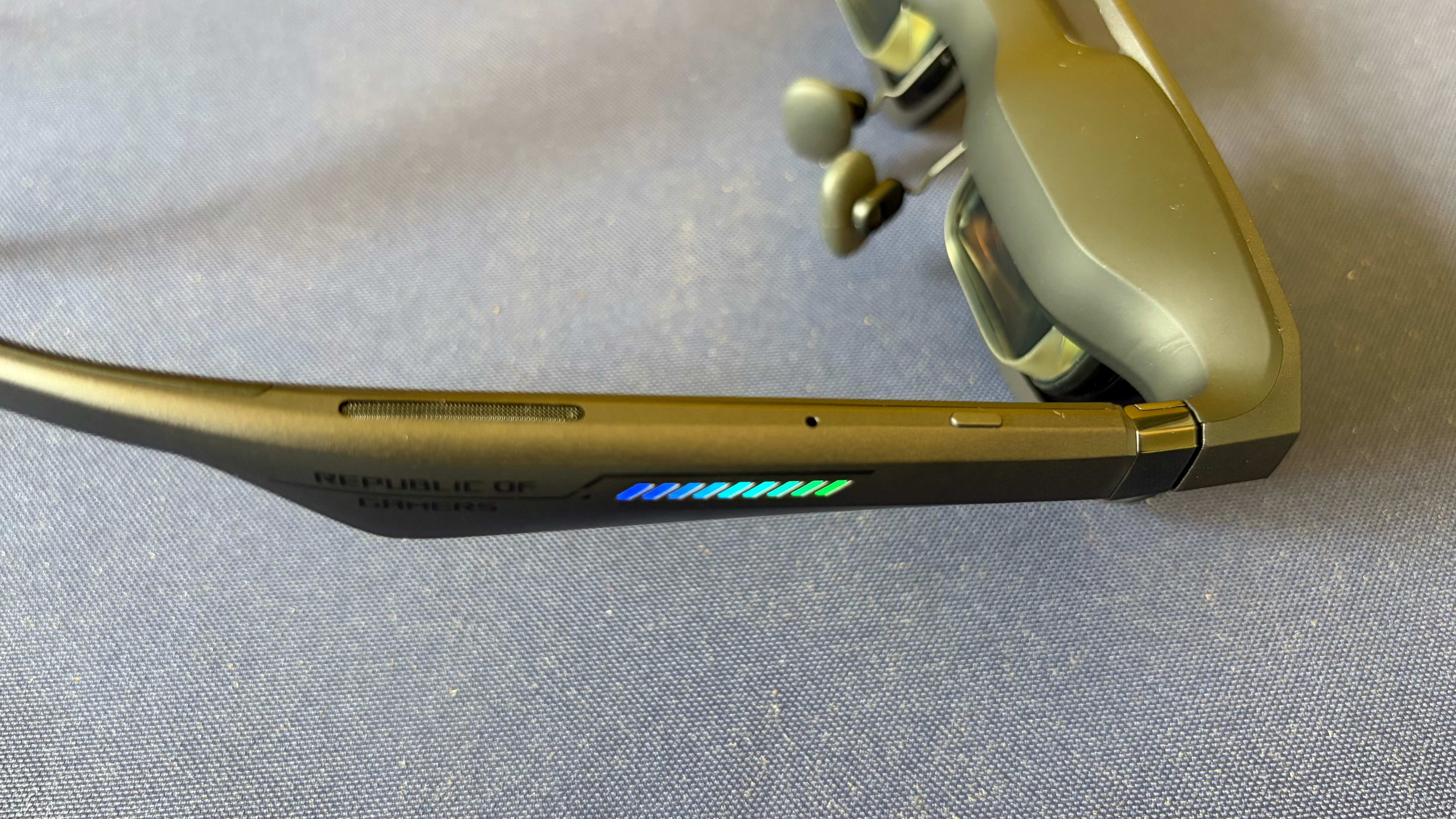
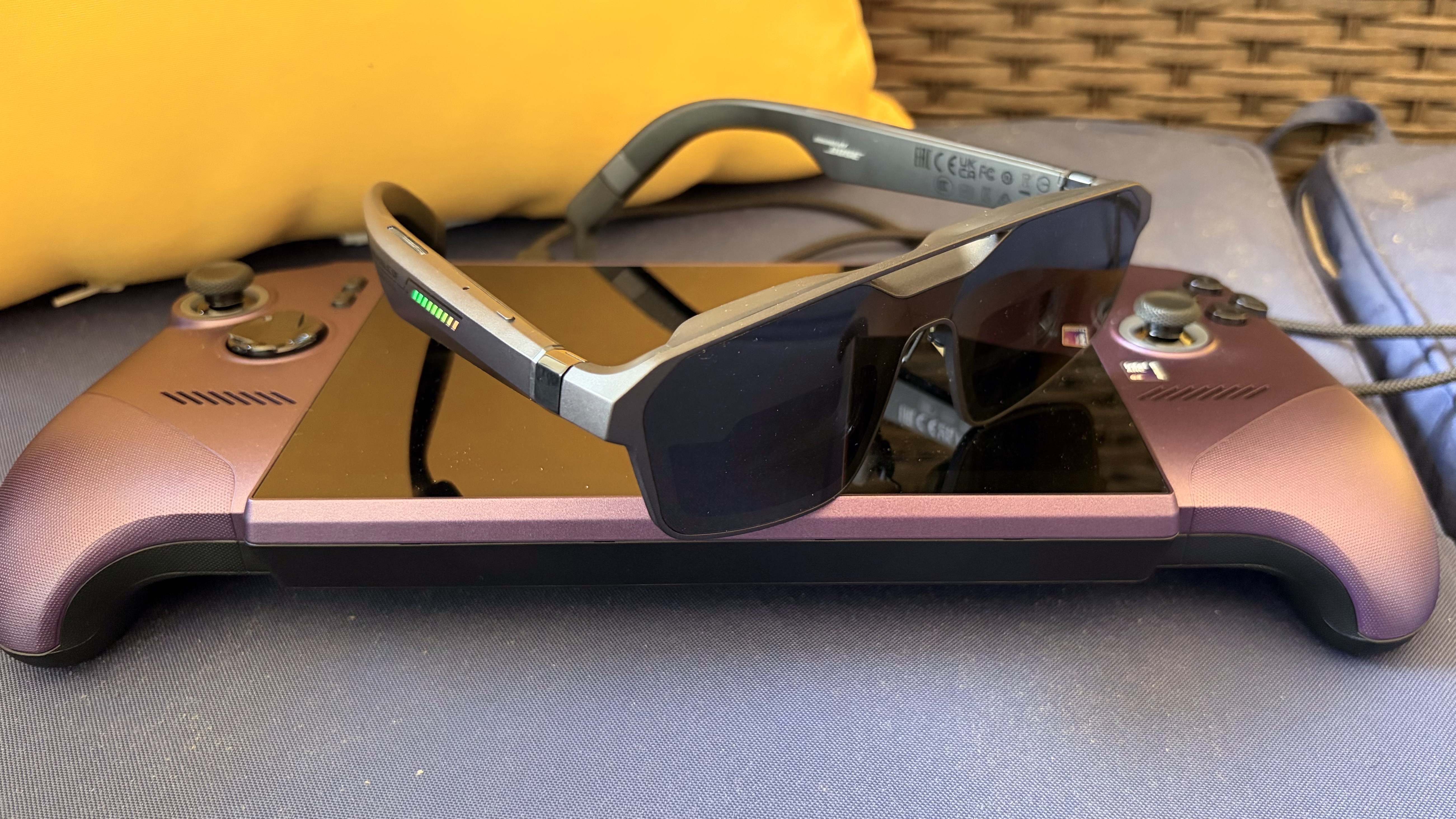
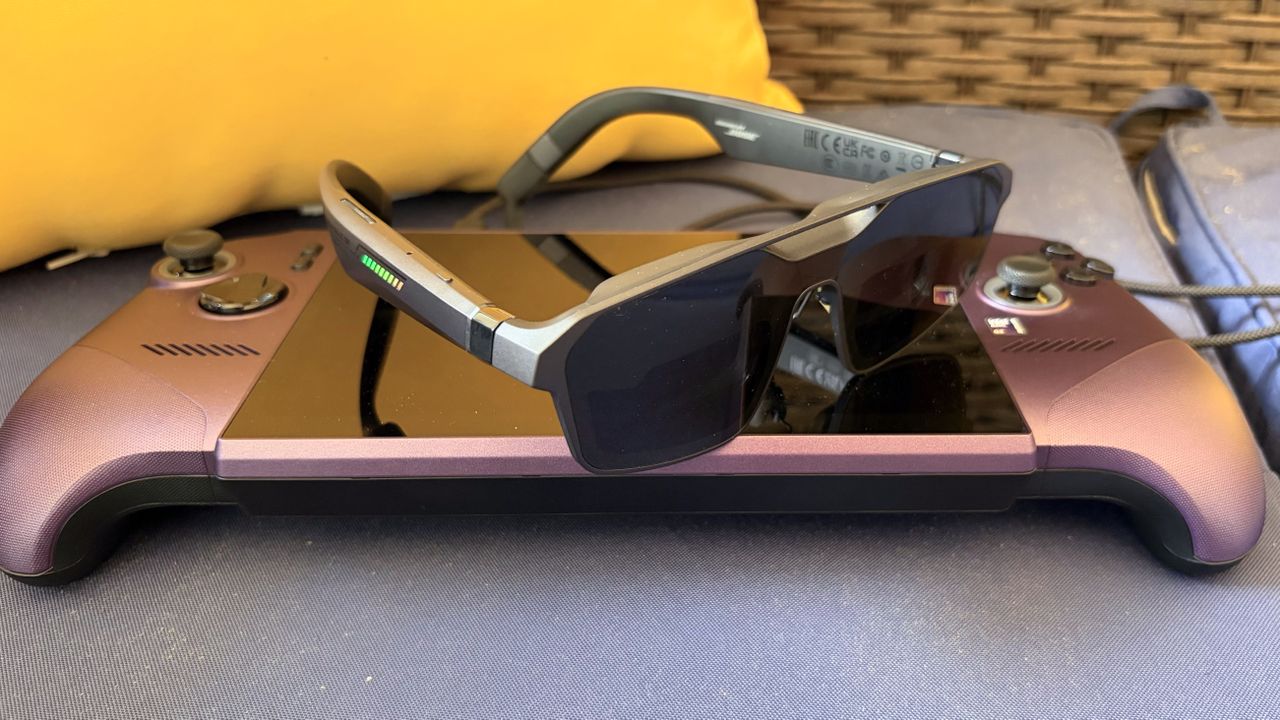
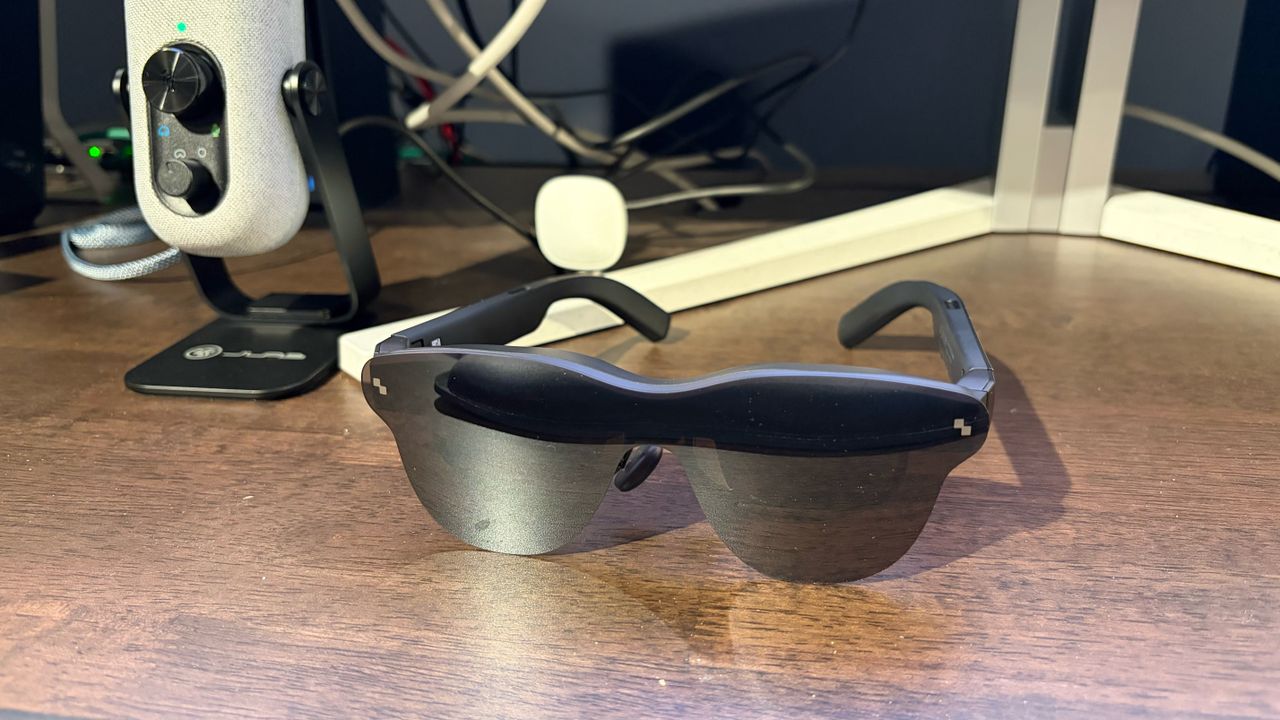
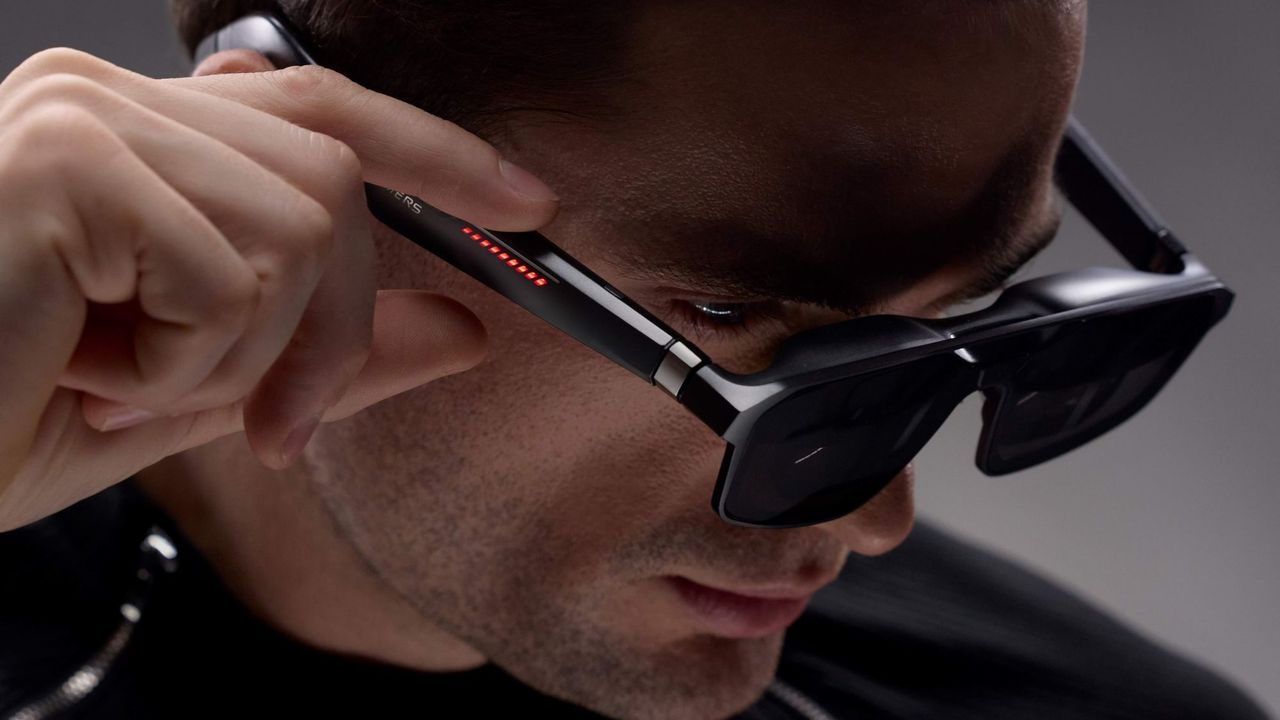
Although it shares many of the same internals as the Xreal One Series AR glasses, the R1 has an unmistakable ROG flair. Whereas the “One” glasses have smooth surfaces and rounded edges, the R1 has a more angular design and chamfers along the temples. And in keeping with ROG design ethos, there is a line of 9 LEDs along both temples, along with Republic of Gamers etchings.
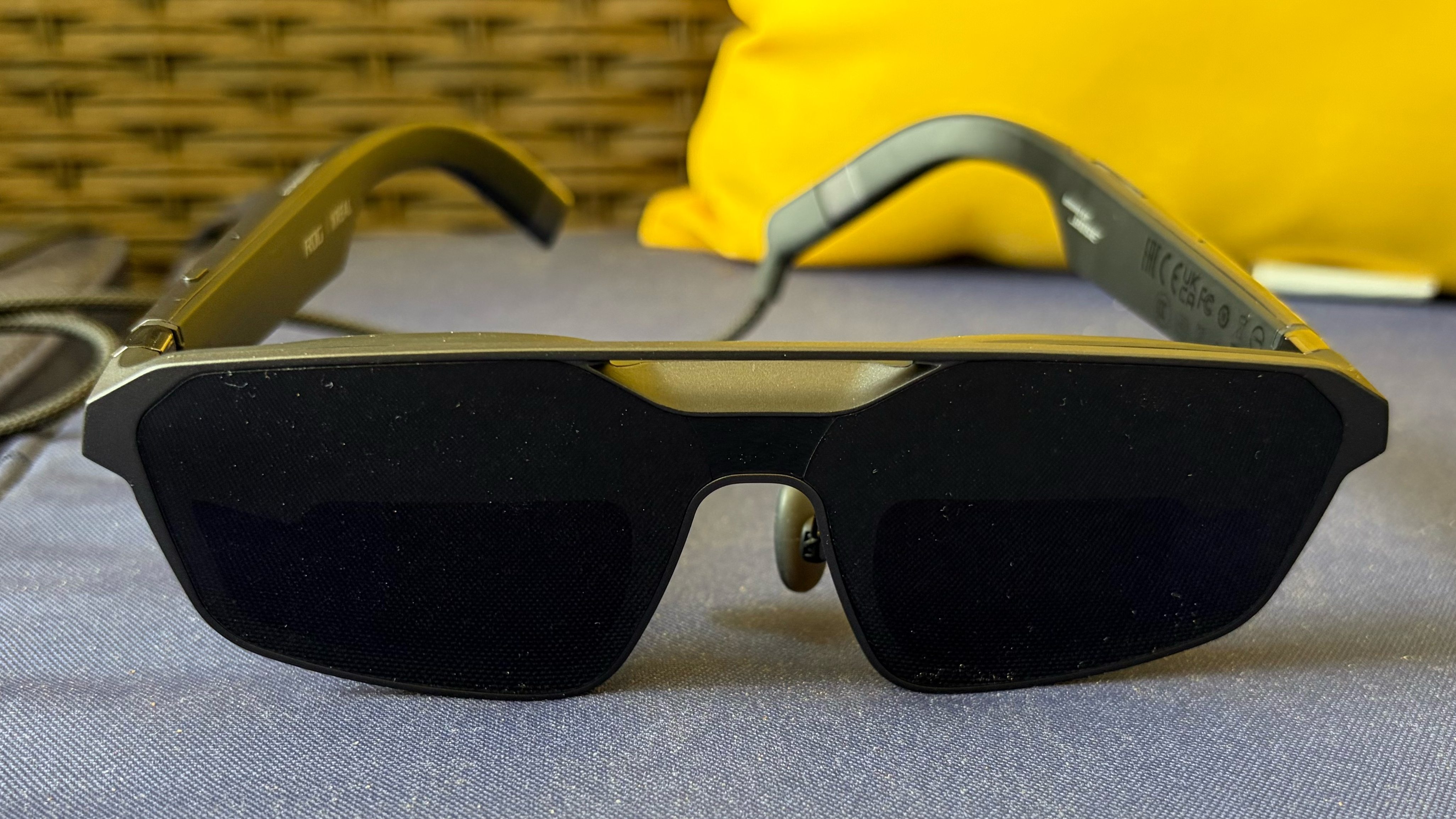
The glasses are constructed from high-quality plastic, which feels similar to that of the Xreal One and One Pro. But whereas the Xreal glasses have a soft, matte finish, the R1 has a shimmering grey finish. Unlike the One glasses, the R1 doesn’t have a detachable front frame, which probably isn’t too much of a hindrance, as the glasses already have a clean, modern aesthetic when viewed from the front.
Tom's HardwareTom's HardwareTom's Hardware
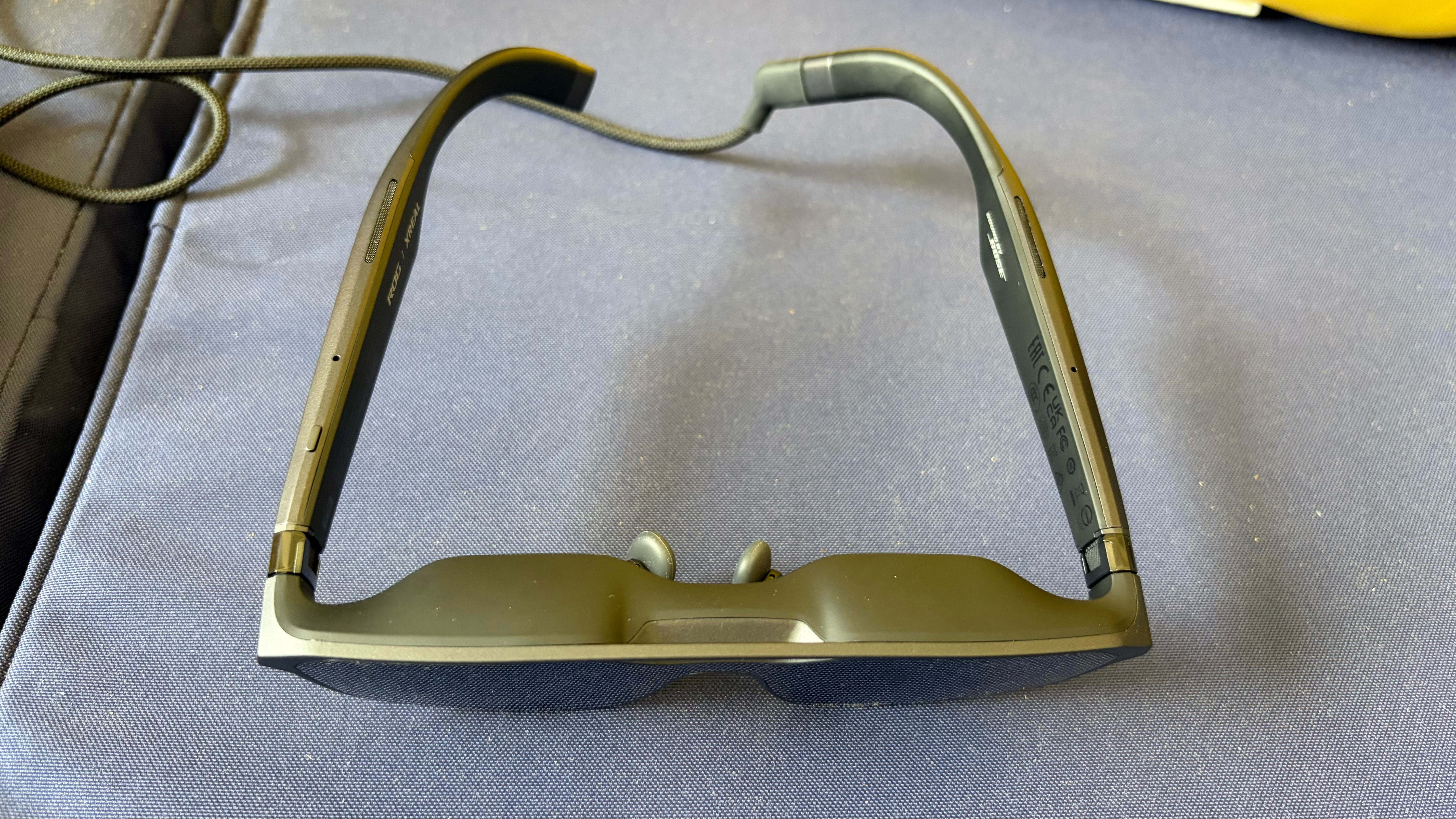
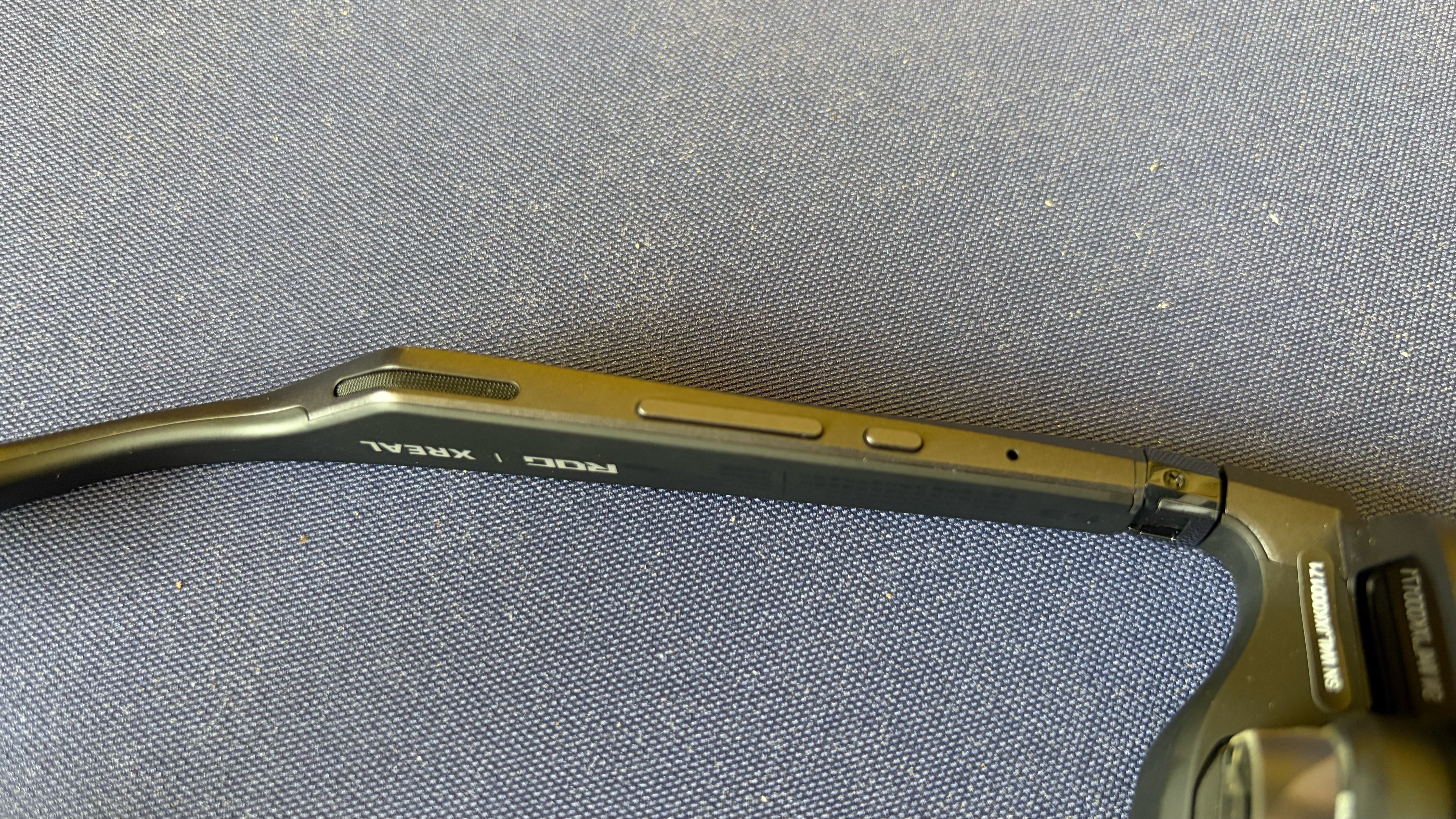
The R1 features open-air speakers along the temples, with a USB-C port at the rear of the left temple. The top of the right temple features a programmable Quick button. On the underside of the right temples, you’ll find a menu button and a rocker switch that navigates through the menu system. When the menu is inactive, that same rocker switch adjusts the display brightness.
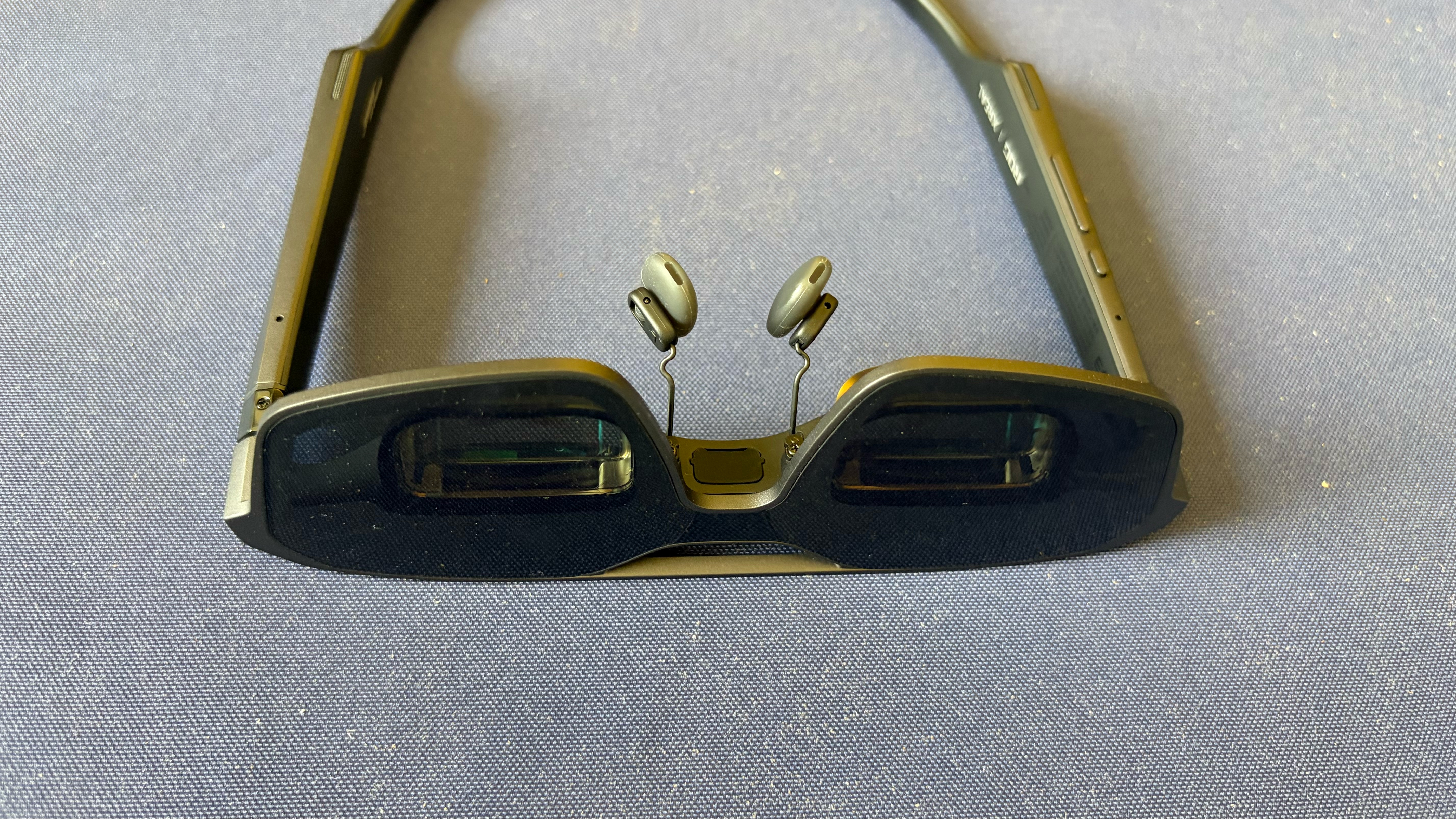
The R1 uses a flat-prism lens design, resulting in much less visual heft near your eyes than traditional bird bath lenses. This design also results in a 57-degree field of view, which is identical to the One Pro. Content is projected using dual 0.55-inch Sony Micro-OLED displays, featuring a 0.01 ms response time and a 240 Hz refresh rate (double that of competing AR glasses) with Frame Rate Boost enabled. The glasses can also project an image equivalent to up to 171 inches across at a distance of 4 meters.
Three levels of electrochromic dimming are offered on the R1. The darkest setting blocks most, but not all, environmental light to heighten the sense of immersion while gaming or viewing media content. Electrochromic dimming is a must at this price point, since less expensive glasses rely on cheap physical plastic light blockers to achieve the same effect. And the physical light blockers are an all-or-nothing affair, with no granularity in their light-blocking abilities.
One other item of note: The R1 features the same accessory port between the nose pads that accepts the Xreal 6 DoF camera module.
In addition to the R1, the retail box includes a hard carrying case, the USB-C-to-USB-C cable, a prescription lens frame, small and large nose pads, a polishing cloth, and the ROG Control Box.
Specifications for the Asus ROG Xreal R1
Display
1920 x 1080 per eye
Display Type
OLED
Refresh Rate
240 Hz
Brightness
700 nits
Field of View
57 degrees
Virtual Screen Size
171 inches
Degrees of Freedom
3 DoF
Audio
Dual open-air speakers
Connectivity
USB-C
Weight
3.06 ounces (87 grams)
Asus Xreal ROG Control Dock and the Asus DisplayWidget Center
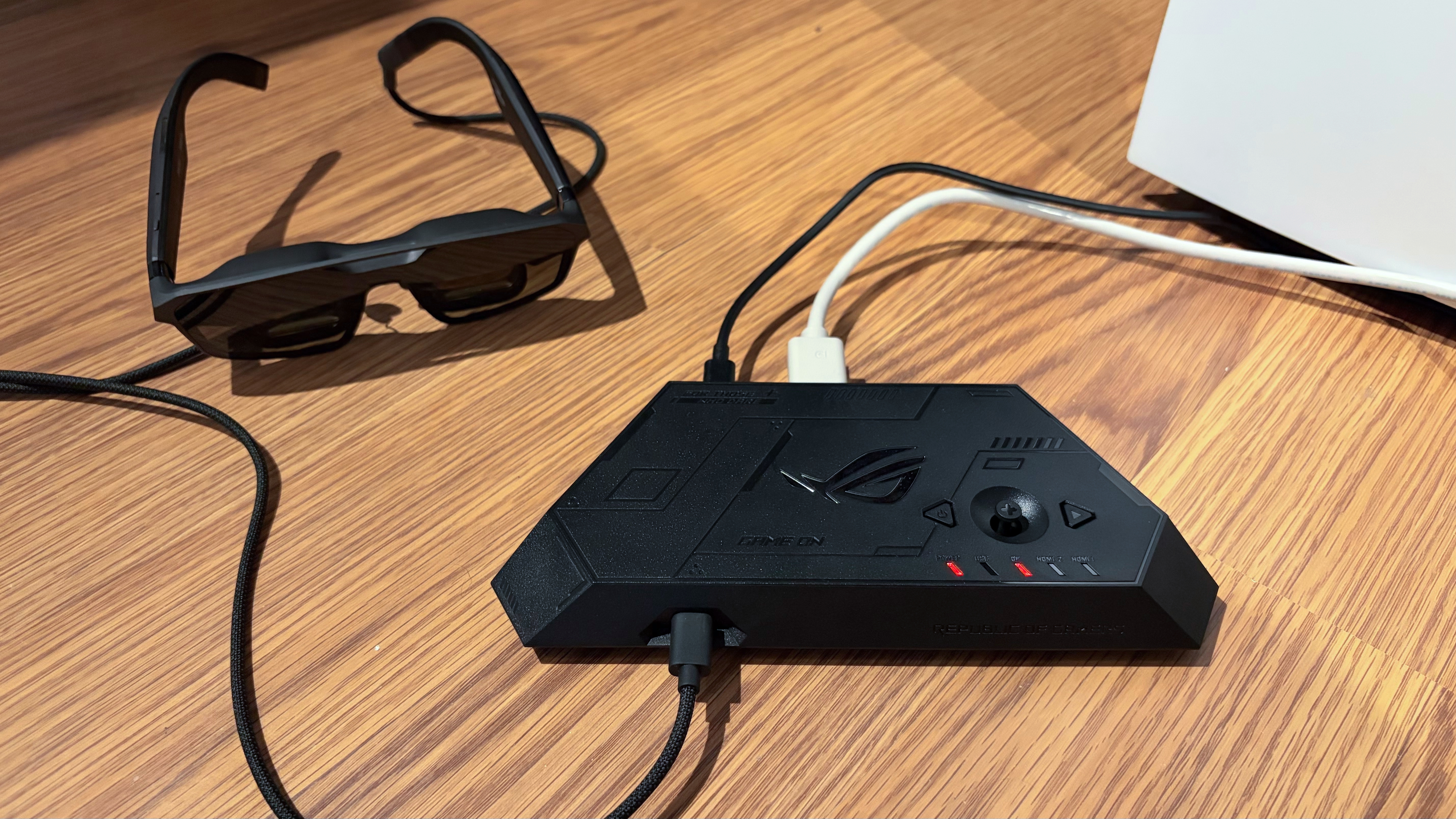
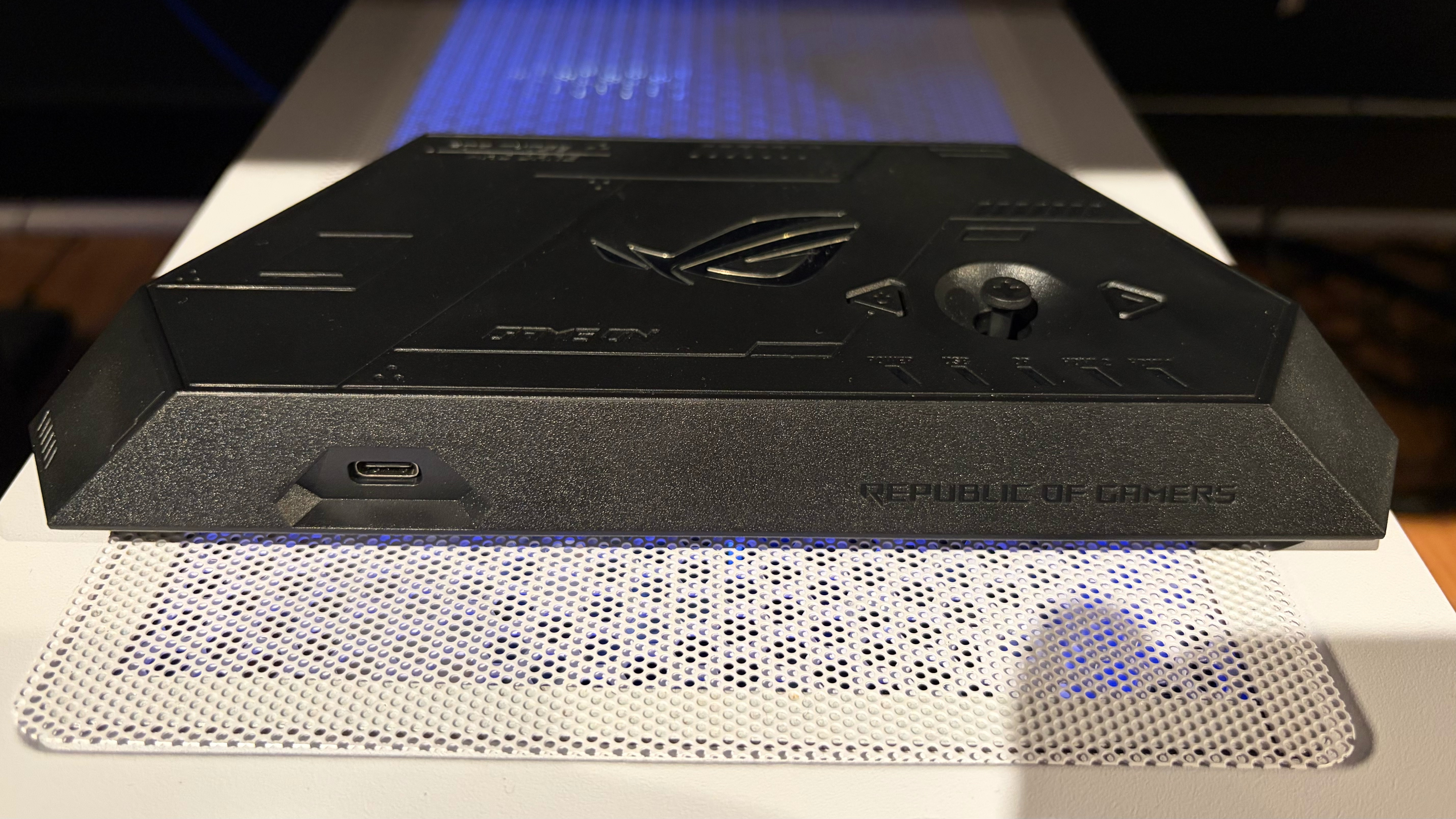
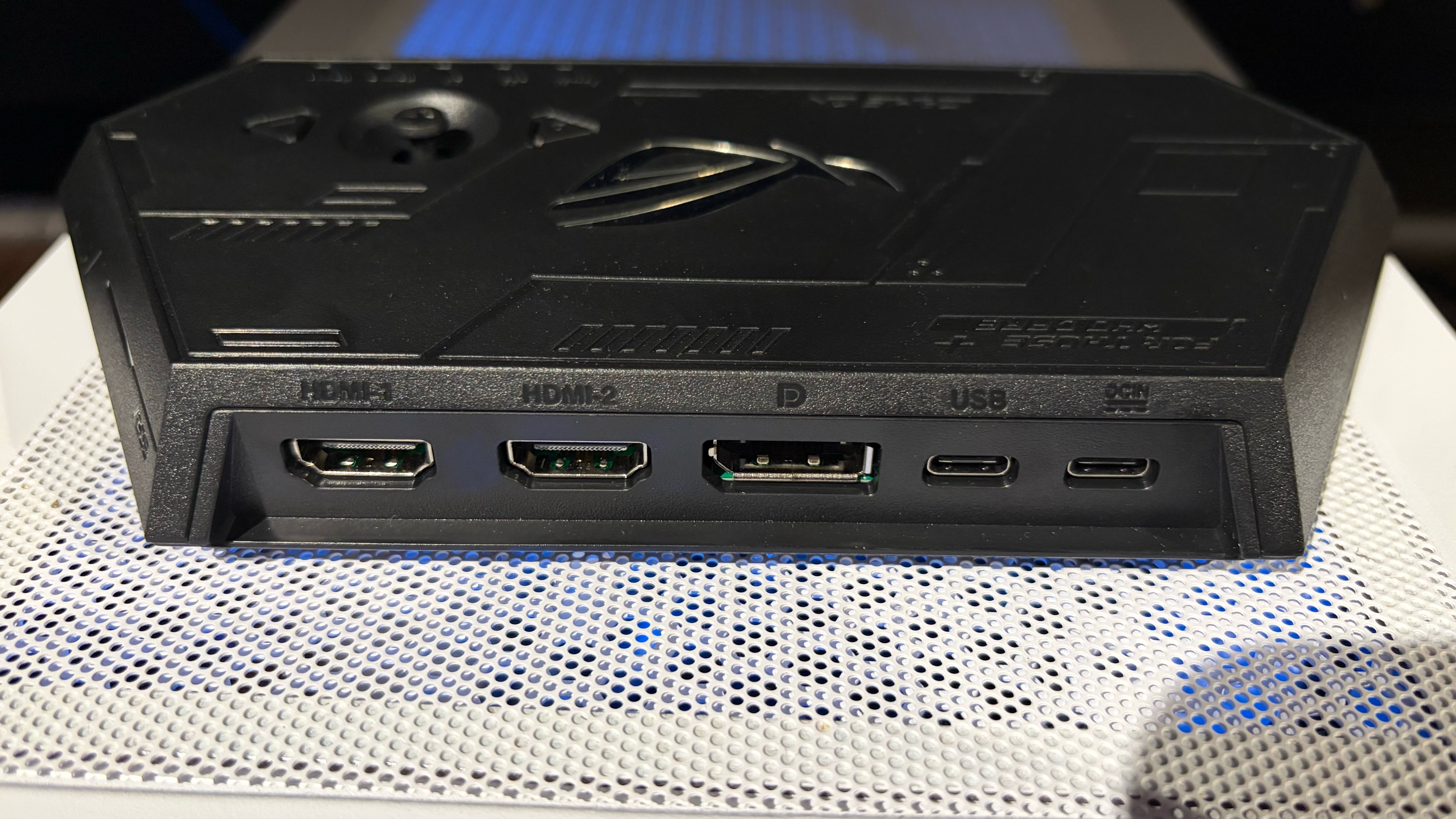
Our R1 review unit shipped with the ROG Control Dock. It’s a lightweight accessory designed to connect your R1 glasses to a PC or gaming console. The front of the unit has a single USB-C port for video out to your glasses. The back panel features two HDMI ports and a DisplayPort for video input. There are also two USB-C ports: one for power-in and one for power-in and data.
The dock ships with two USB-C-to-USB-A cables for connecting power and managing data throughput from your PC.
Tom's HardwareTom's HardwareTom's Hardware
The top of the unit features a power button, an exit button, and a joystick to navigate the glasses' OSD. If you don’t want to install any additional software, you can control all R1 settings (including screen brightness, refresh rate, color modes, tint level, and more) using the joystick and the OSD.
Tom's HardwareTom's HardwareTom's Hardware
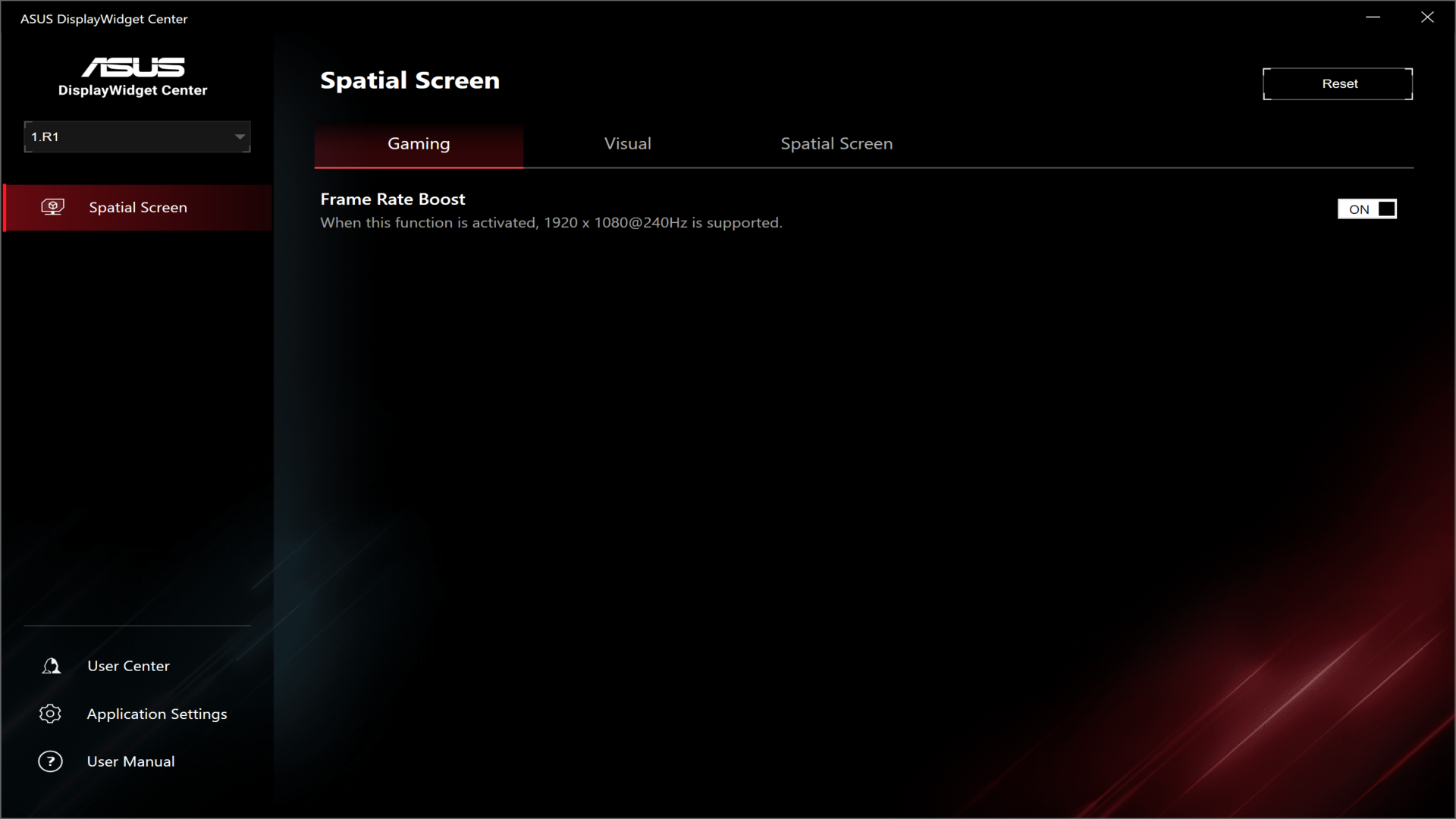
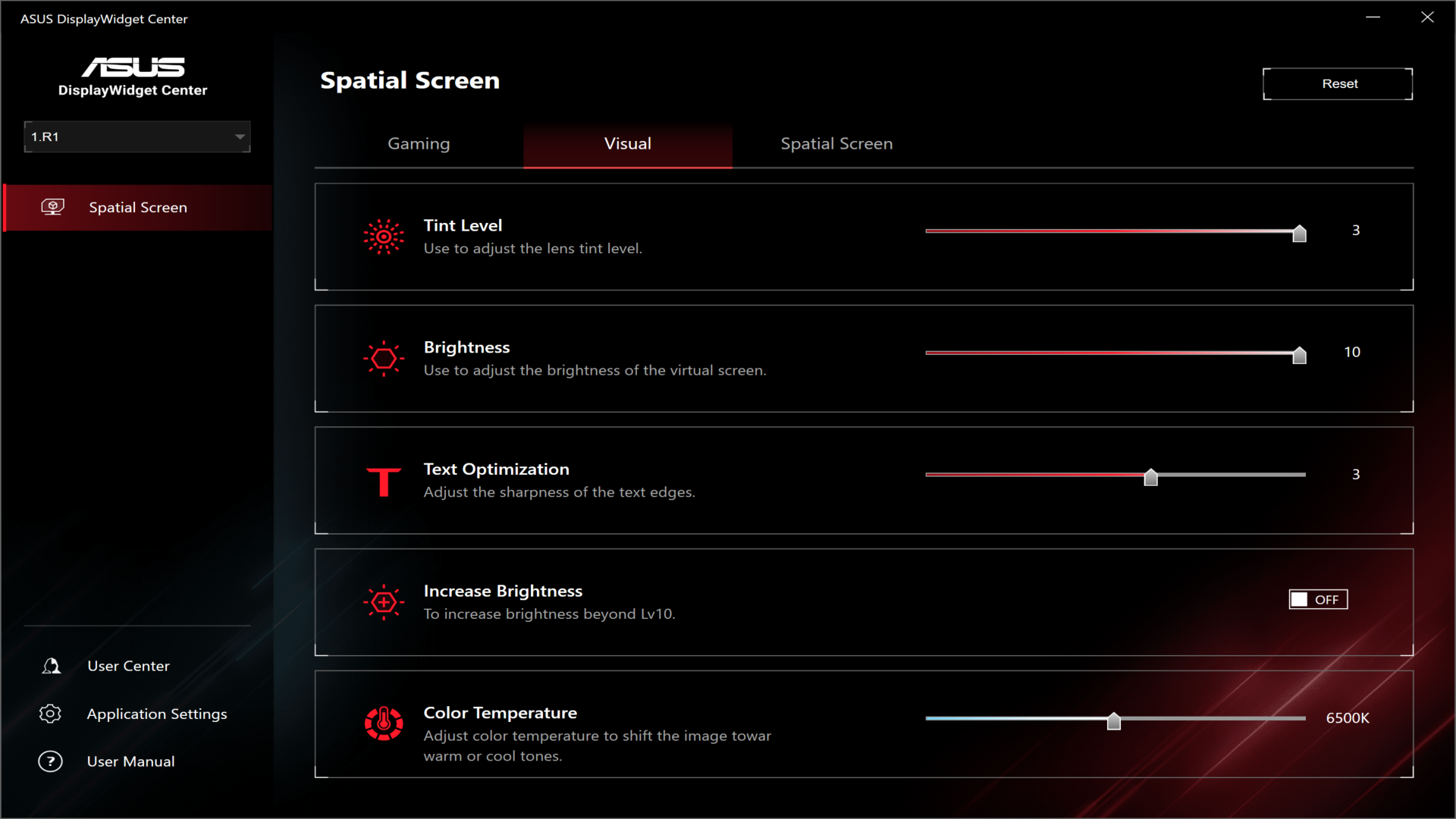
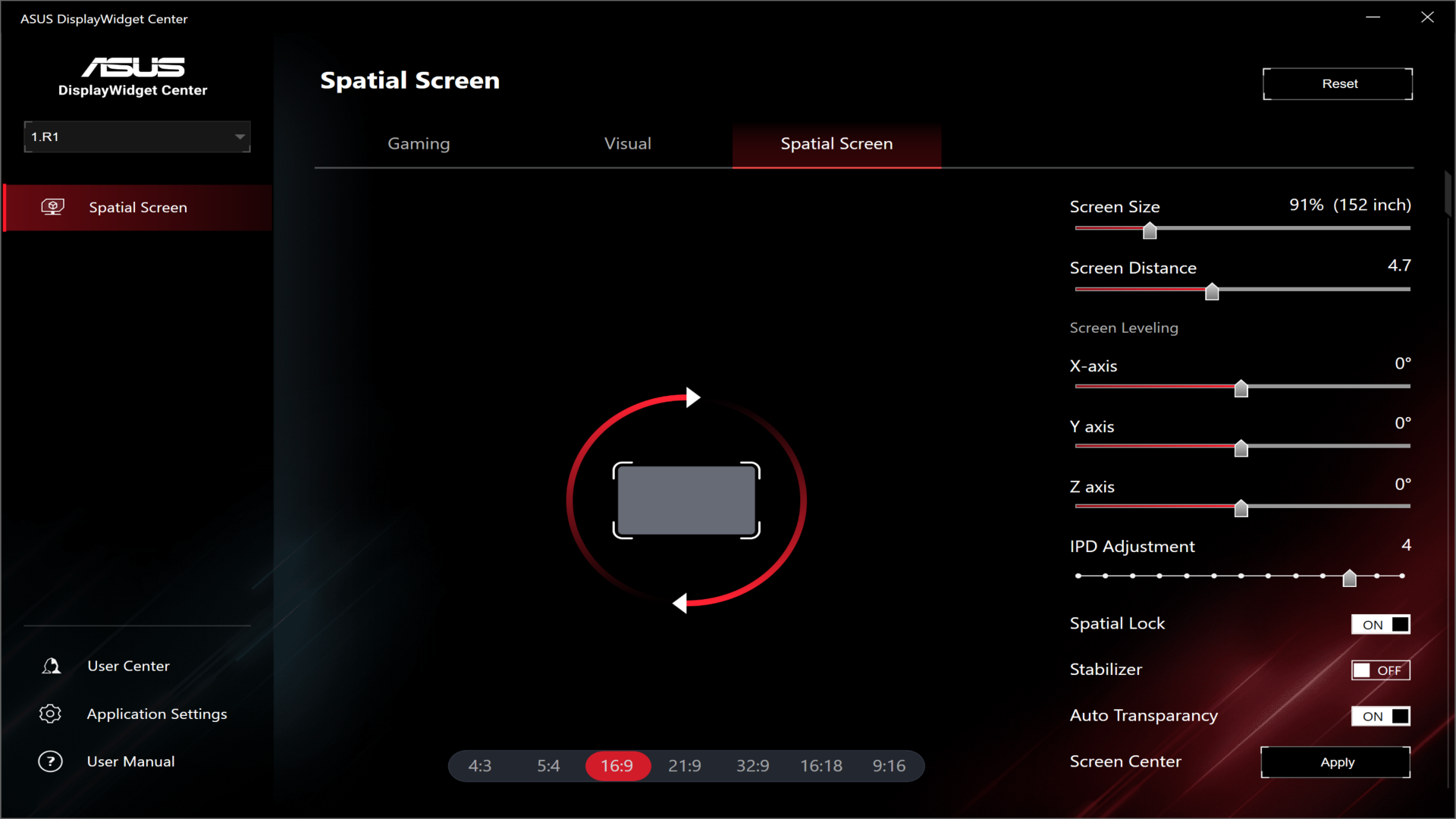
However, I found that the easiest way to control (most of) the R1’s settings is to use the Asus DisplayWidget Center. After installing the app, the R1 appeared as a controllable “display” within it. From there, I could control R1 settings via three menu tabs: Gaming, Visual, and Spatial Screen. The only option under Gaming is to enable Frame Rate Boost, which allows you to set a maximum refresh rate of 240 Hz (up from the default 120 Hz). From the Visual tab, you can control the tint level for the electrochromic lenses, brightness, text sharpness, and color temperature. In the Spatial Screen tab, you can adjust the screen aspect ratio, screen size, screen distance, IPD (57 to 66 mm), and control spatial lock.
Using the Asus Xreal ROG R1
The R1 is designed with gaming in mind, so I dedicated most of my time to testing it in that environment. For my testing, I used two different gaming rigs: a desktop PC with a Core 7 Ultra 265k and an RTX 4060 Ti, and an MSI Claw 8 EX AI+ handheld gaming PC with an Arc G3 Extreme SoC.
Without question, working with the desktop system was the most involved, as it required using the ROG Control Dock with various wires going in and out for video and power. However, using the R1 with the Claw 8 EX AI+ proved to be the simplest, with me only needing to plug the glasses into a free Thunderbolt 4 port.
I’ll take the time here to talk about the much-ballyhooed 240 Hz refresh rate option. This mode is enabled by selecting Frame Rate Boost from the R1’s OSD. However, I found that switching to this mode resulted in worse image quality, with a blurrier image and some jitter (especially at the outer edges of the viewable area), which led to eye strain. The effect was noticeable when using the ROG Control Dock and when plugged directly into a Thunderbolt 4 port. This is the byproduct of Asus and Xreal using a software algorithm to “boost” the frame rate from its native 120 Hz.
(Image credit: Tom's Hardware)
I experienced none of the visual anomalies in the native 120 Hz mode, so the 240 Hz mode was more of a novelty to me than something I’d rely on extensively for gaming. However, your experience may vary in this respect. The R1 supports an IPD range of 57-66 mm, and I’m just outside that range at 71 mm. So it could have been that my eyes were more sensitive to the 240 Hz mode.
While gaming on the desktop, I was able to play Battlefield 6 at 1080p and achieve over 100 FPS with DLSS Balanced enabled at High quality settings. Likewise, I easily hit similar FPS with details maxed out playing Lego Batman: Legacy of the Dark Knight.
The monitor I use for gaming is a 49-inch DQHD 240 Hz OLED, and I love the widescreen gaming aspect ratio. Being limited to 1080p resolution just didn’t seem to do the desktop gaming experience justice for me when using the R1. Yes, the image quality and response times are good, but if I’m sitting at my desk, I’d rather use my monitor.
That whole sentiment changes, however, when gaming on the Claw 8 EX AI+. Going from the 8-inch 1200p display to the simulated 171-inch 1080p display, with no limits on mobility, is an amazing experience. Since there’s only one cable to manage, going from the R1 to the handheld, you have great freedom in where you can game. From gaming on the couch, to the car, to your back porch, to sitting at the airport during a layover – the big-screen sensation that isthe R1 follows you anywhere.
Given the Xreal One Pro starting point, it’s no surprise that the R1 uses similar (or perhaps the same) Bose-tuned open-air speakers. As with the One Pro, the speakers are decent, with a respectable amount of bass and clarity at moderate to high volume levels. If you just want a low-impact, throw-on-and-go experience with the R1 and a gaming handheld, you’ll be more than pleased with the sound output. However, if you want the best mobile gaming experience, nothing is stopping you from also wearing a high-quality pair of wireless earbuds or headphones.
Bottom Line
The Asus ROG Xreal R1 glasses are a real testament to what’s possible when two companies at the top of their game work together on a singular product. Xreal is arguably the leader in modern AR glasses, while Asus is among the leading players in gaming peripherals, laptops, and handhelds. They’ve created an impressive product with a 240 Hz refresh mode, customizable RGB lighting effects, and support for the existing Xreal accessory ecosystem (namely the Xreal Eye camera).
The included ROG Control box lets you connect an HDMI or DisplayPort output from your graphics card to the glasses. It also provides quick access to the R1’s controls using the top-mounted joystick.
But the R1 really comes alive when used with a handheld gaming PC like Asus’ own ROG Ally, or a competing device like the MSI Claw 8 EX AI+. The R1 connects to these devices via a single cable and delivers a fully “mobile” gaming experience projected onto a virtual 171-inch display.
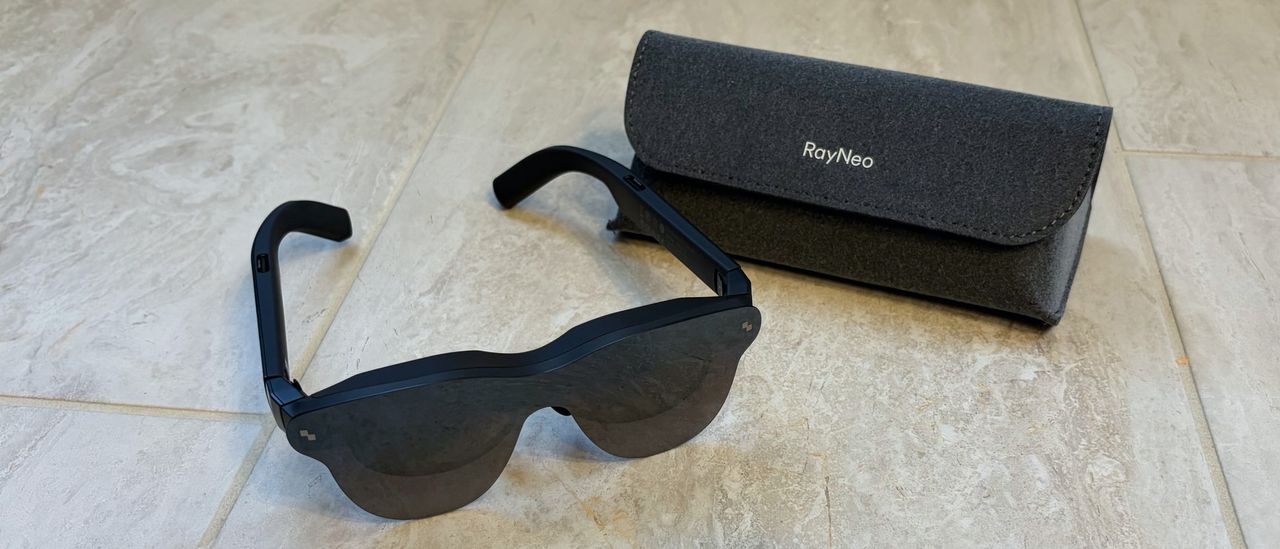
However, the primary sticking point with the R1, like many other high-end AR headsets, is the price tag. $849.99 is a tremendously high price, even with the ROG Control Box included. For example, the Xreal One Pro is $599, the Xreal One S is $449, while the RayNeo Air 4 Pro will set you back just $239. If you look past the 240 Hz mode (which can be hit-or-miss depending on the person), is the R1 really worth $250 more than the One Pro, or over $500 more than the Air 4 Pro? The objective answer is no on both counts.
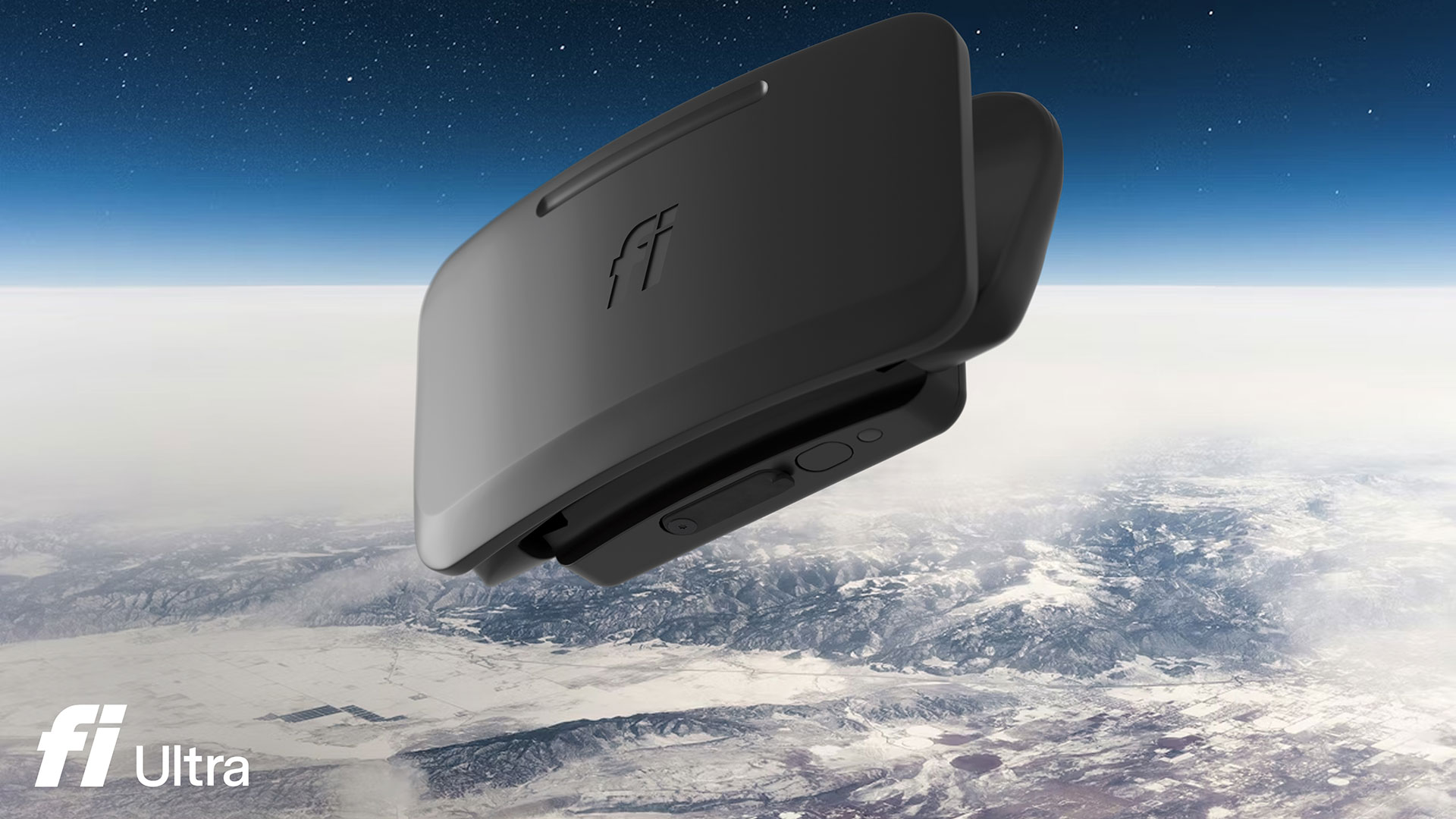
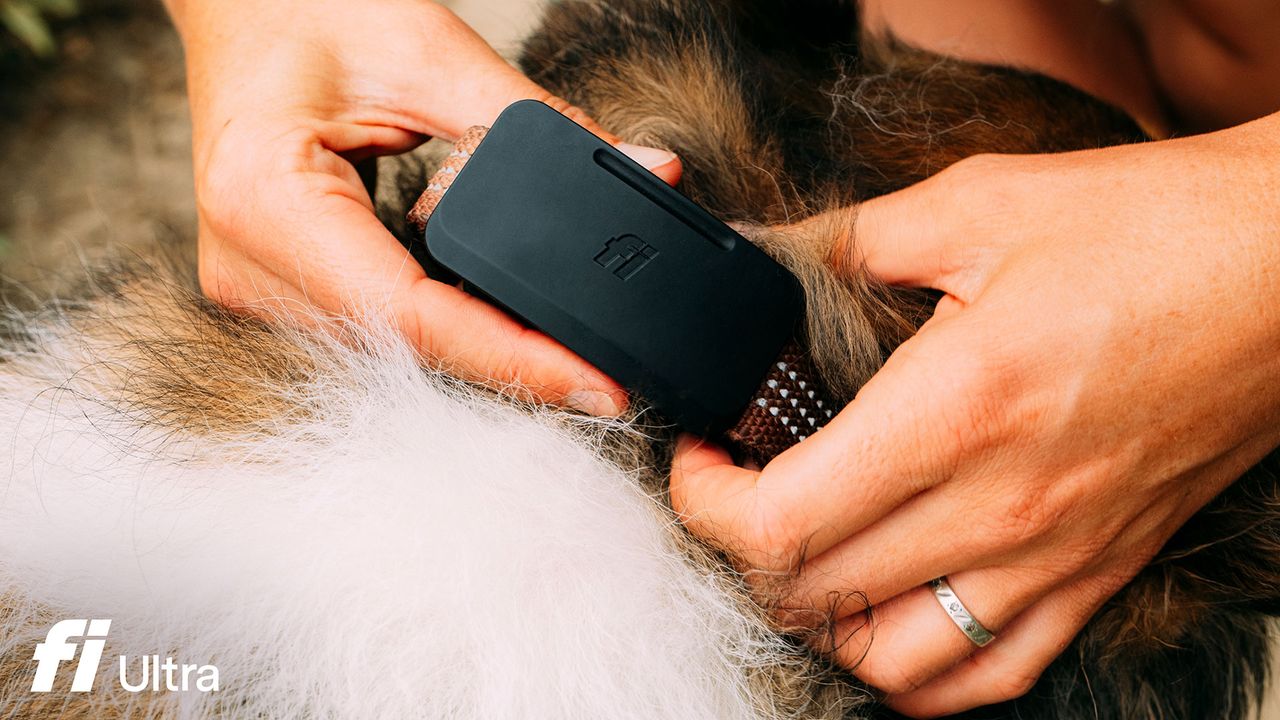
Smart pet technology firm Fi has launched the Fi Ultra Dog Tracker today. This new wearable device is claimed to be “the world’s first consumer wearable powered by T-Satellite with Starlink.” There seem to be a few qualifications in that statement, but they should not be necessary, as, according to our searches, this is indeed the first dog tracking wearable with Starlink integration. To be clear, the dog wears the Fi Ultra, not the owner.
Getting a collar-worn device for your faithful friend, integrating T-Satellite with Starlink, could deliver an important additional layer of security for dog owners. Previous products available in the pet tracker market could be of limited value in areas with spotty or absent LTE or GPS coverage. Satellite-grade dog tracking may therefore be a boon to adventurous dogs and owners who live and explore beyond the reach of traditional networks.
"Fi Ultra has transformed what's possible for dog owners," said Jonathan Bensamoun, co-founder and CEO of Fi. "Our mission has always been to strengthen the human-animal connection via data, to give dogs more freedom while keeping them safe, and with the power of T-Satellite with Starlink behind Fi Ultra, that mission now extends to every corner of the country and soon, every corner of the world."
Fi Ultra key specifications
Satellite tech
T-Satellite with Starlink GPS: Track a dog's location nearly anywhere in the US, including areas entirely without cellular coverage.
Other tracking tech
Dual-band high-accuracy GPS: Deliver precise location data continuously, whether connected via satellite, LTE, Wi-Fi, or Bluetooth.
User interface
Real-time location updates in app: Deliver accurate, continuous location data whether the dog is in a city park or miles from the nearest cell tower. Safe zone alerts when the dog returns to predefined area(s). Visual walk tracking. Haptic motor and piezo speaker.
Come home signal training
Fi Callback: A proprietary training system based on sound and vibration that uses no static electric shock to bring dogs back to their owners on command.
Battery
Fri Ultra lasts two days on a single charge, supporting extended trips and off-grid exploration. USB-C charging.
Physical
Measures 75 x 40 x 25mm, weighs 68g, water resistance IP68 and IP66K rated.
Fi Ultra Dog Tracker Fi Ultra Dog Tracker
Fi Ultra also features automatic switching between LTE and satellite coverage for continuous location tracking in remote areas. This new tracker can work in concert with the previously launched Fi Series 3+ and Fi Mini dog tracker devices.
Now, to what some will feel is a drawback, Fi Ultra is bundled with a subscription service. This might be inevitable due to the use of partner satellite and cellular connectivity, though. The scale of the fees is said to be $199 plus a $189 per year membership for new customers. Established Fi tracker customers can buy in for a flat $299 fee. The bottom line is, with a tracker like this, your dog should never have to face the perilous journey dramatized in Lassie Come Home.
One of Jensen Huang’s used leather jackets is up for auction, posted with an estimate of $40,000 to $60,000. Sotheby’s, better known as a purveyor of blockbuster fine art and historic artifacts, is auctioning this item of worn clothing. The storied auction house asserts this is a genuine article, as worn by the Nvidia CEO at an event in Taipei in 2023. It has also made sure the signature within the garment has been professionally authenticated. Having watched a few tech memorabilia auctions lately, I’d say the official estimate is on the low side.
Sotheby's is auctioning off NVIDIA CEO Jensen Huang's signature black leather jacket.Estimate: $40,000 - $60,000. pic.twitter.com/Tnpl0EXExqJuly 2, 2026
Sotheby’s auction is titled ‘The Jensen Jacket: Jensen Huang's Tom Ford Leather Jacket.’ Its catalog notes that this signature black leather jacket has been Huang’s standard attire for more than a decade and has become “associated with some of the most consequential moments in modern technology.” This jacket, or one like it, has been on stage helping to define the rise of artificial intelligence. It may also have been worn by the Nvidia CEO visiting a humble street food vendor in a Taiwan night market.
So, it is important to understand that this is one of many jackets Huang has sported during keynotes, announcements, and special events over the years. Like any good auction house, Sotheby's has thus certified the provenance of this particular garment.
“The Jacket has been photomatched by PSA [Professional Sports Authenticator] to Jensen Huang, co-founder and chief executive officer of Nvidia Corp., during the Hon Hai [Foxconn] Tech Day in Taipei on October 18, 2023,” writes Sotheby’s in its auction catalog. A very specific array of creases and deformities in the right-breast pocket flap appears to confirm that this jacket was worn by the Nvidia CEO at the Hon Hai [Foxconn] Tech Day in Taipei in October 2023. Sotheby’s also states that “The signature has been authenticated by James Spence Authentication.”
Any readers interested in grabbing this jacket will likely be interested in the condition of the garment. There are a few pictures on the catalog page, including a close-up, which was used to ‘photomatch’ this particular 2023 Tom Ford-made sample. As a Sotheby’s account holder, I also read the condition report, which begins with the assertion that “The Jacket and signature are in pristine condition.” But there follows a lot of legal jargon which can be summed up as – the actual condition and appearance of the jacket might not be perfect, nor look exactly like the photographic representations of it.
If you do splash your cash on this old jacket, you should be pleased to know that your hard-earned money will be going to charity. Sotheby’s says that the sale was organized by Long Journey Ventures to benefit the Edge Institute, described as “a non-profit that convenes people working at the frontiers of tech, science, culture, and society in pop-up villages (Edge Cities) to live together and experiment towards a brighter future.”
A low estimate to attract bidders?
Does the $40,000 to $60,000 estimate take into account the jacket's Jensanity factor, or AI inflation? Also, we are in an AI boom right now, with skyrocketing prices and valuations, yet people might have spent more than the top estimate for a mere NFT of this jacket a few years ago.
On a cautious note, though, we aren’t sure how many of these jackets the Nvidia CEO has in his wardrobe. And if there were another 10 or 20 that may someday be released for sale, then the expected price could slide dramatically.
A brand new Tom Ford SS2023 menswear collection jacket, without a sprinkle of genuine Jensanity, costs around $9,000. In that context, Sotheby’s estimate puts only a modest premium on this verified genuine Jensen Huang-worn and signed artifact.
Elon Musk’s Neuralink, along with several other startups, have been experimenting with brain-computer interfaces (BCIs) for years now, allowing patients who have lost mobility to control computers using their minds alone. However, most of these require invasive surgery to install the sensor needed to detect brain signals. Meta is working to change this with its Brain2Qwerty non-invasive BCI. Instead of relying on implants, this system uses a non-invasive magnetoencephalography (MEG) scanner to read the faint changes in a brain’s magnetic fields due to brain activity and then correlate this to keypresses on a virtual keyboard.
The latest release is actually the second version of the non-invasive BCI, with the first one released last year as proof of concept. This second version has significantly increased accuracy after it was trained on ten times more data for each test subject. The company says that its average accuracy now hits 61%, with the best participant capable of hitting as much as 78% word accuracy. By comparison, the previous version only had an average of 40% accuracy, while the best user only achieved 48%.
While this sounds like a big improvement, Meta concedes that this is still not good enough for clinical testing. The 61% average accuracy still feels hit-and-miss and would be difficult to use in everyday conversation. Nevertheless, the company says that it plans to use more data for training the system, and that it’s continuously getting better results from it so far. Another issue it’s facing is the size of MEG sensors. Current MEG technology requires massive hardware — even larger than the user and the chair they’re sitting in. There are promising advancements in MEG sensors, though, which could result in smaller devices that are more manageable to use in clinical settings.
Meta’s non-invasive BCI alternative to Neuralink and other solutions that require brain surgery is still a long way off from allowing patients to control a webcam and play World of Warcraft. But it is still an important development in neuroprosthetics, and it could eventually result in medical devices that patients could use to restore or improve their quality of life. Meta isn’t the only one working on BCIs that don’t require major surgery — a team from Georgia Tech has also developed a tiny BCI that could be easily slid under the scalp, while Valve founder and superyacht enthusiast Gabe Newell also built a startup intent on creating a BCI that doesn’t require a battery.
China could overtake the US in brain computer interface (BCI) technology leadership thanks to streamlined planning, regulatory approval, and financing.
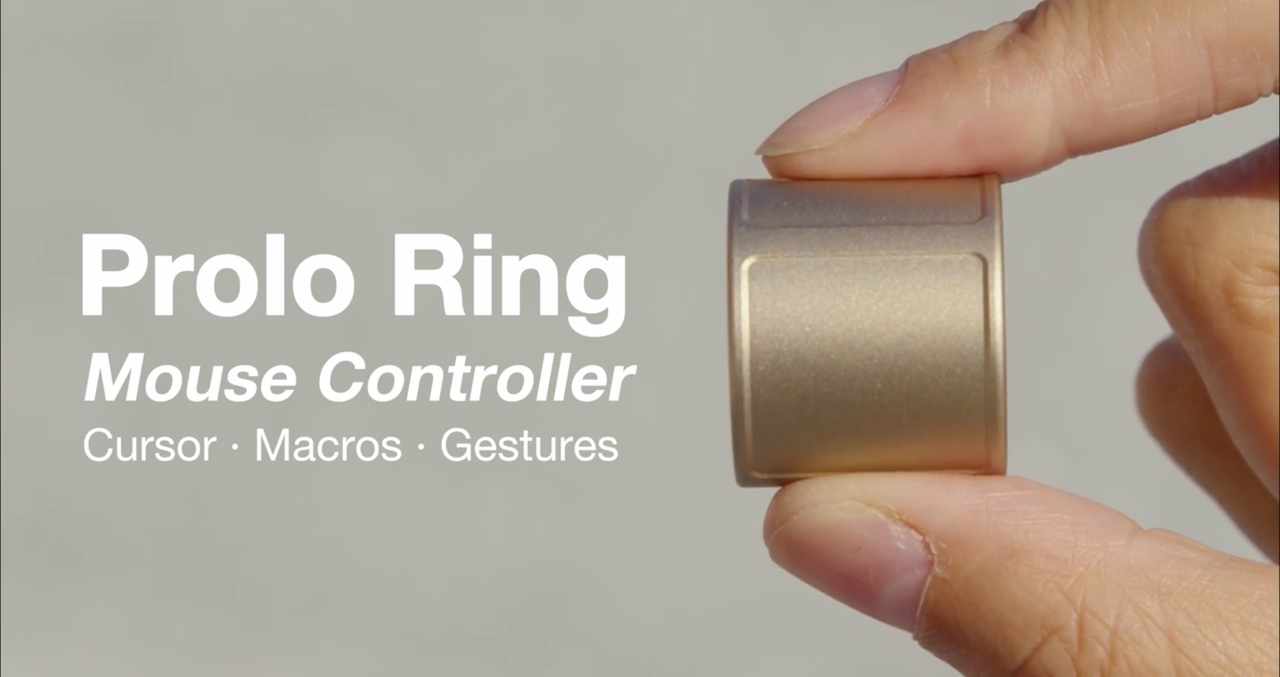
Prolo Ring is the latest in the line of Kickstarters trying to computer inputs. Still, it's pretty cool to see a smart ring that has a trackpad, a modifier button, and a motion sensor — all built into one, aided with customizable software that should make interacting with your PC more fun, if not more seamless.
China appears to be moving fast to establish itself as a brain computer interface (BCI) leader, and officials have just published a new medical industry standard.
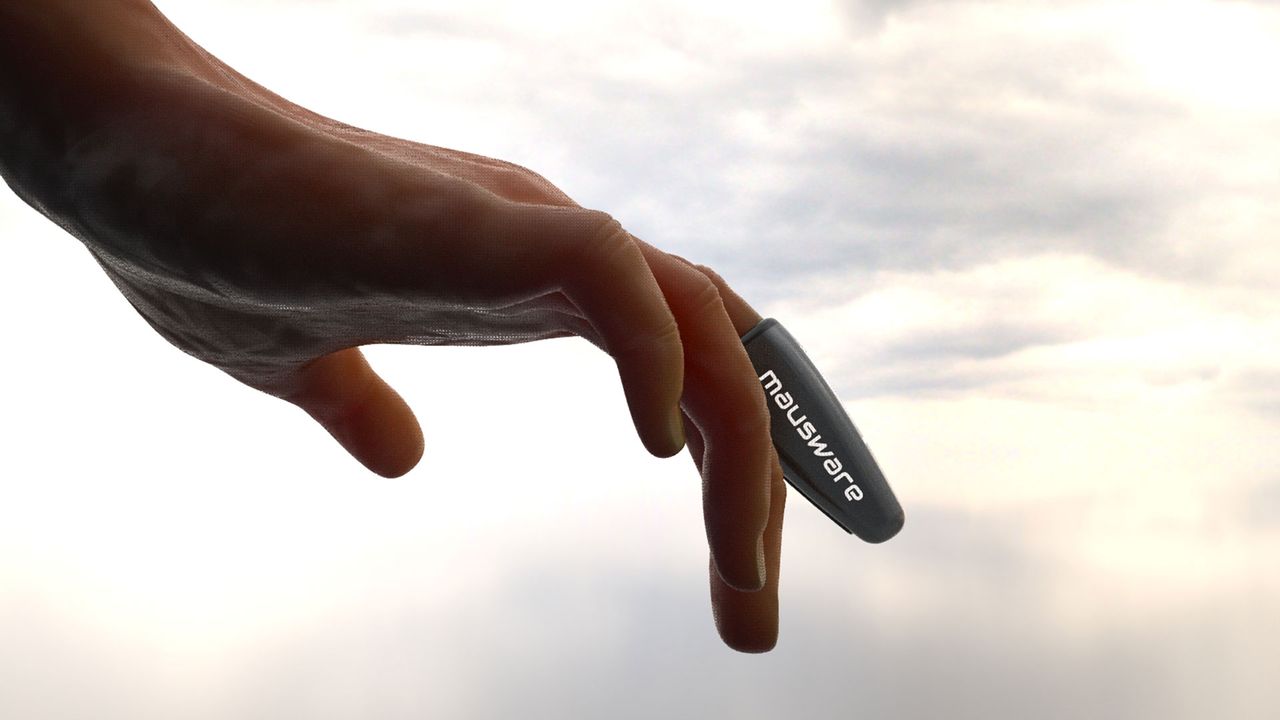
Finger Maus is claimed to improve on your typical deskbound mouse in several ways - as a lightweight, comfortable, accurate and eco-friendly wireless pointing device.
Watch a demonstration of what is claimed to be 'the world’s first near-telepathic wearable that enables people to communicate silently, seamlessly, and at the speed of thought'
 登录
登录