普通视图

发现新文章,点击刷新页面。
昨天以前IT News

Daring coder gets Doom running with regular expressions at 180 seconds per frame, like playing 'correspondence chess with a shotgun' — nearly 14 million substitutions to render a frame at 80,000 substitutions per second

2026年7月28日 18:00

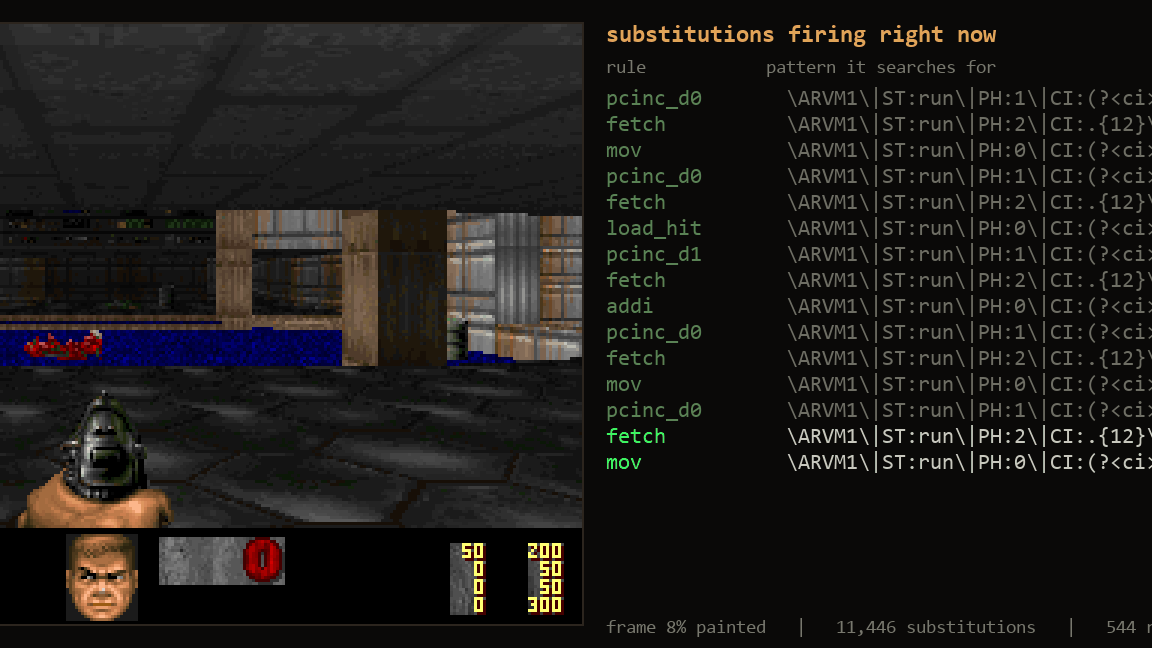
Running the 1992 Doom on the most random piece of hardware around has become probably the most common unofficial programming challenge. We've seen the game running on anything from toasters to an Anker charger, and even a pregnancy test. Enterprising coders also get it running on the weirdest software possible, and just recently Artem Lytkin got it running in regular expressions.

Developers in the audience are probably recoiling in horror, as that sentence is definitely cursed. You see, regular expressions (regexes) are a utility language used in programs for finding and replacing text. They're incredibly powerful, but the syntax is often said to be write-only, as it looks just like gibberish. For example, /.*(\d{4}).*/g would find the "2026" in "Tom's Hardware 2026 articles." They can be exceedingly complicated, as they include conditional statements, elaborate character-jumping, and substitution rules. However, this also means they fulfill all the technical requirements to be a programming language.

Leveraging those capabilities, Lytkin created a 96 MB plain-text string that contains sections for the virtual CPU's registers, some RAM, a video output (framebuffer), the game's WAD data, plus I/O and other bits and bobs. Once it's all started, the regex will start text-matching and substituting characters in the string to pretend they're the numbers in each processor's register, then accessing and writing to the "memory," so on and so forth.

As you can imagine, this is spectacularly slow, and Lytkin says that it takes around 180 seconds to produce a single frame of game output. Each of those needs nearly 14 million substitutions, though (a) it actually works and (b) Lytkin claims it's byte-identical to the actual Doom output running. You can even control the game with the keys, but as the daring coder poignantly illustrates, playing it "is closer to correspondence chess with a shotgun than to a twitch shooter."

Particularly nerdy devs will be happy to know how Lytkin wrote the memory access part: essentially a binary tree, by jumping from "branch" to branch using standard regex character-jump instructions. This avoids having to scan the entire 96 MB of text repeatedly just to find the "#M" marker bookending it. Lytkin notes the challenge was not about whether it could be done, but whether the game would run "before the heat death of the universe," as the engine fires up 80,000 text substitutions per second.

The doom-regex repository is here, and you can download a demo to run it on your own computer. The project's website demonstrates how the regex machine runs in both visual and text format, and it's mesmerizing to watch. It's quite reminiscent of the time we spent watching defragging utilities do their thing when we were young'uns.
Geekbench 7 introduces biggest overhaul yet — real-world CPU testing, new media workloads, AI benchmarks, and CUDA support

2026年7月24日 01:00

Primate Labs has released Geekbench 7, the latest version of its popular cross-platform benchmark. The update introduces new and improved workloads designed to better represent and measure the performance of the latest CPUs and GPUs across major platforms, including Android, iOS, Windows, macOS, and Linux. Like previous versions, Geekbench 7 is available free of charge for personal use. Enthusiasts and IT professionals can also opt for Geekbench 7 Pro, which is available at a 20% discount until August 6.

One of the biggest changes introduced with Geekbench 7 is how the multi-core benchmark behaves. It will now mirror real-world application behavior instead of forcing every workload to use all available CPU cores. For instance, the HTML5 browser test has been excluded from the multi-core suite since web browsers are generally single- or lightly threaded. Geekbench 7 will only run a benchmark in multi-threaded mode if the real application it's modeling also uses multiple threads. As a result, Primate Labs says the new benchmark will deliver a more realistic indication of overall system performance.

Geekbench 7 will also feature a new set of media workloads designed to better evaluate how modern CPUs handle everyday multimedia tasks. These include encoding AV1 video for screen sharing during video calls, compressing audio using the Opus codec for applications such as voice recorders and podcasts, and decoding audio and video while simultaneously generating live captions using OpenAI's Whisper speech recognition model. Essentially, these workloads are claimed to better represent tasks such as video conferencing, content streaming, and media consumption.

A new Game Physics benchmark is also being added, which is based on the Jolt Physics engine used in modern games, to offer a more accurate measurement of CPU performance in physics-heavy gaming scenarios. The update further enhances its Photo Editor workload with more complex editing operations and expands the Photo Library test to include support for newer image formats such as JPEG XL and DNG.

The GPU benchmark has also been revamped to go beyond gaming, with greater emphasis on machine learning and content creation workloads. The new tests will measure tasks such as real-time face tracking and filter effects for social media apps, image upscaling using AI, and background blurring during video conferencing. Additionally, the update adds new GPU workloads for RAW image processing, LUT-based video color grading, path tracing, and fluid simulation.

Geekbench 7 is also set to introduce support for Nvidia's CUDA API in addition to OpenCL, Vulkan, and Metal, allowing users to benchmark Nvidia GPUs using the same API that is used in a variety of professional and AI applications.

Lastly, in order to keep up with demanding modern workloads, the benchmark datasets have been updated to better reflect the larger and more complex files that users work with today. For instance, the File Compression test now includes a broader mix of archives containing source code, object code, and text documents, while the PDF Viewer workload processes a wider range of files, from park maps to technical documentation and academic papers. The update also introduces more assets and additional image formats across its developer and image processing workloads.

Korean outfit hosting 1.44MB game development contest to honor the floppy disk — entrants must confine entire fileset, including resources, engine, and library, to miniscule storage format

2026年7月18日 19:00

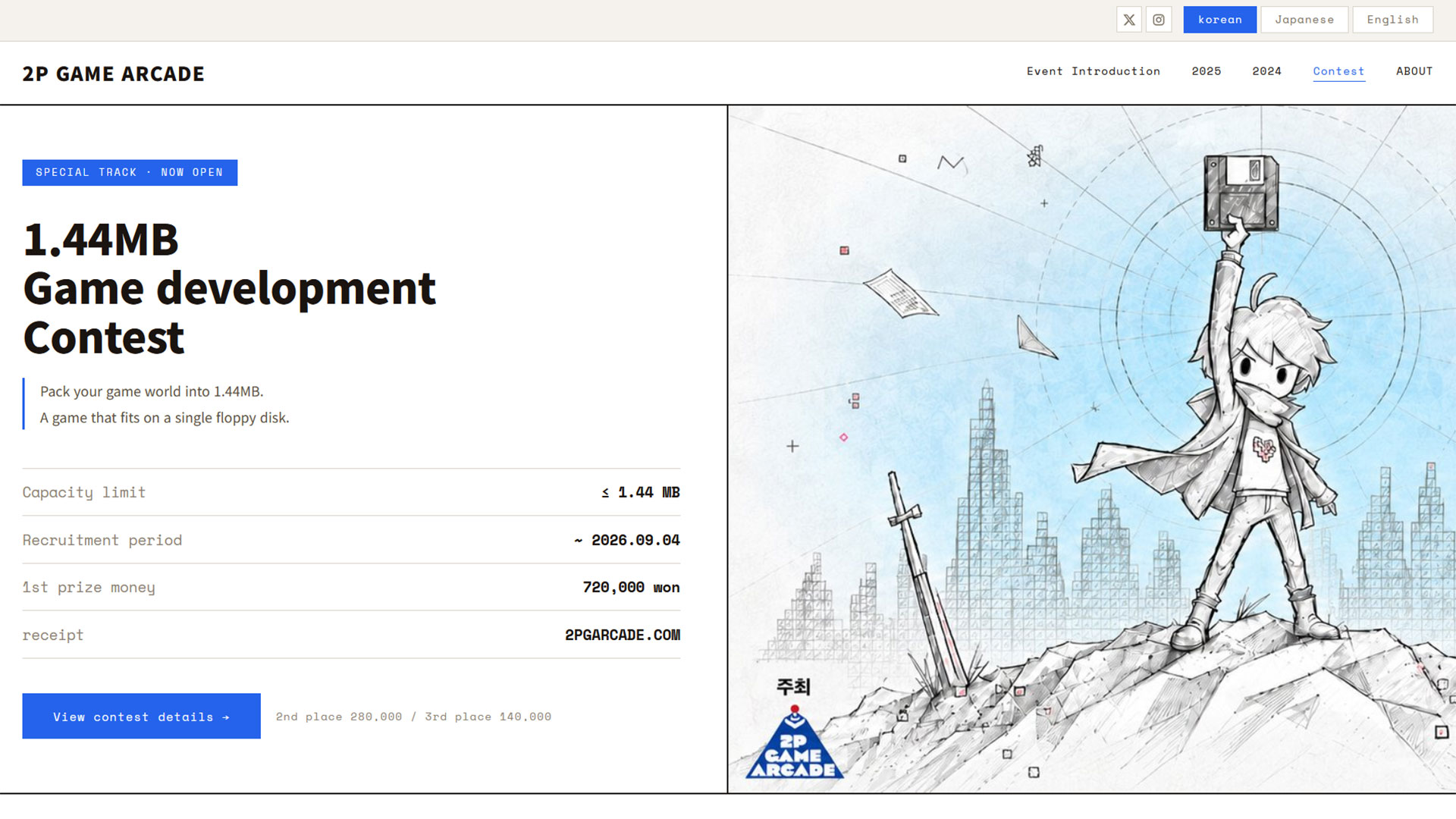
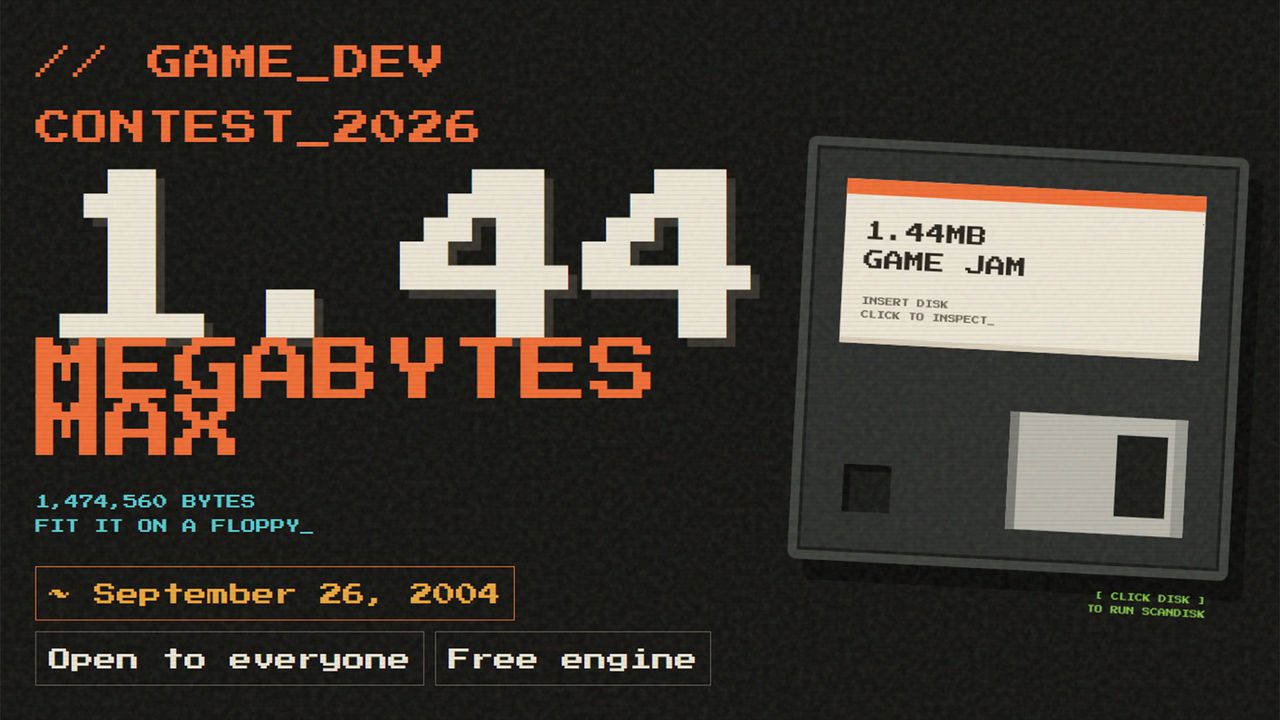
There’s a new “open to everyone” floppy disk-size game development competition with cash prizes for the best three submissions. You’ve read that right: the freshly prepared game must be able to squeeze onto a single HD floppy disk- that’s just 1.44MB. Cash prizes look massive, but as the competition is hosted by the Korean games culture site 2P_Game_Arcade, the currency you see is Korean Won, meaning the ₩1.14 million prize pool is only about $750. Remember, it’s the taking part that counts.

Floppy disk-size game competition

(Image credit: 2P_Game_Arcade)

There are few restrictions on the new, original game that you submit as an entry beyond the defining floppy disk capacity. All participants must ensure that the games and any resource files, such as game engines and libraries, fit within these severe (for 2026) confines. Also, games that rely on a browser or stream any data aren’t eligible. The whole purpose of the contest is for devs to stretch their skills and ideas within the 1.44MB shackles.

However, your choice of technology such as game engines, development tools, programming languages, and so on, is completely open. Of course, all entrants must also be the legal owners or licensors of the images, audio, and other IP resources used in the game.

2P_Game_Arcade reckons its competition is a good chance for participants to rethink the essence of enjoyment in gaming. It is looking forward to a broad range of entrants from pros, indie creators, and students alike. Entries are submitted via the website, and the competition closes on September 4 at 23:39 Korean time.

In 2018, itch.io ran a similar developer competition dubbed the FloppyJam.

Demoscene developer traditions live on

Older readers who cut their teeth on 8- and 16-bit home computers before PCs stole the show will probably be familiar with the long history of “size competitions” at demoscene coder meetings. The 2P_Game_Arcade is just an extension of this kind of coding philosophy with a fun 1.44MB limit and a complete self-contained game as the goal.

In the tradition of these demoscene competitions, with size limits imposed all the way down to a minuscule few bytes, non-interactive demos were usually the most popular entrants. However, in the long history of such competitions, games have sometimes been the fruits of the skilled coders’ labors.

In terms of more traditional demo releases, my mind was recently boggled by “16 bytes of x86 real-mode DOS assembly” released at the Outline Demoparty in May 2026. Then there was the port of Snake that was only 56 bytes and fit in a QR code. For some more practical size-skillz strutting, take a look at Dave W. Plummer’s RetroPad, a “full-feature-parity version of Notepad from XP” in just 2,749 bytes.

Linus Torvalds rebukes anti-AI stances in the Linux kernel code review process, says 'Linux is not one of those anti-AI projects' — creator embraces AI as just a tool and 'clearly a useful one'

2026年7月17日 00:59

AI-generated slop code has been a plague for some open-source projects, namely but not only Gentoo Linux, Curl, and Ghostty, limiting or outright banning LLM-created contributions. And yet, just like both the models themselves get better and the people using them become more considerate, the landscape may be changing. Linus Torvalds, Linux's creator and kernel manager, has seemingly taken an accepting stance of AI-assisted tooling.

In a long comment on the Linux kernel mailing list, Torvalds spelled it out fairly clearly: "I realize that some people really dislike AI, but this is an area where I'm willing to absolutely put my foot down [...] Linux is not one of those anti-AI projects, and if somebody has issues with that, they can do the open-source thing and fork it. Or just walk away."

This discussion came regarding the usage of Sashiko, an opt-in (per-mailing-list) and apparently quite effective multi-stage code review tool that analyzes kernel patches. The project page says the tool can find 53.6% of bugs on proposed patches, and argues that that metric already puts it above human level, as the patches in question already supposedly went through human review. The false positive rate "is harder to measure," being pinned "within 20%." Crucially, Sashiko only comments on patches, and does not take action by itself.

Developer Laurent Pinchart suggested that Sashiko's output be triaged before comments were sent out to patch authors, basing the notion on the Software Freedom Conservancy's guidelines on AI-generated code. Google's Roman Gushchin, one of Sashiko's creators, pointed out that doing that would undermine the utility of the tool, and that Pinchart's position was quite anti-LLM — a sentiment echoed by Linus Torvalds in his reply.

Torvalds put it clearly: "AI is a tool, just like other tools we use. And it's clearly a useful one. It may not have been that 'clearly' even just a year ago, but it's no longer in question today," a statement that reflects his changing stance on the matter since he initially dismissed AI tools as overhyped back in 2024. He also noted that Linux is not a "social warrior" project, and that it's always been about improving technology.

To drive the point home, he remarked that the tool "keeps finding embarrassing bugs," adding that he "will very loudly ignore people who try to argue against other people from using it," while highlighting the software's rapid evolution.

Perhaps quite poignantly, Torvalds remarked that resistant developers could use some self-awareness, as "it's not like natural intelligence is always all that great either," underscoring the fact that while AI tools may not be perfect, they generally only need to be good enough for their respective use cases. The fact that Sashiko seemingly finds errors in code that underwent human review is quite illustrative.

Developer successfully ports Linux to 1994 Sega 32X — Genesis and MegaDrive expansion runs open-source OS on paltry 23MHz processors and 256KB of RAM

2026年7月15日 18:04

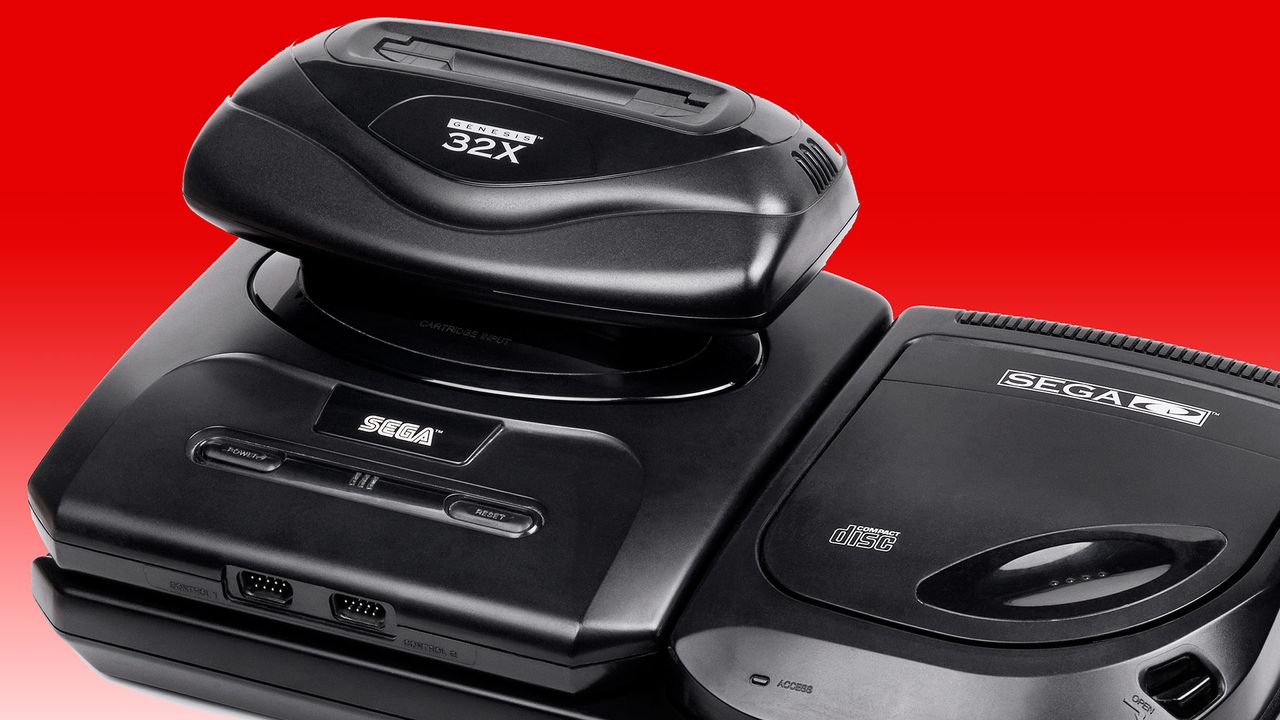
The adventurous developer who recently released Linux for the Atari Jaguar (1993) has brewed up a version of the open-source OS for the Sega 32X (1994). If you can’t remember the 32X, it was Sega’s mid-gen answer to early fifth-generation challengers like the Jaguar, 3DO, and Amiga CD32. Sega’s solution added some potent processing power to a mushroom-like slot in an expansion to its popular Mega Drive/Genesis. Now cakehonolulu has got it running Linux, despite facing several major hurdles.

Compared to its Genesis host, the Sega 32X was incredibly muscular. The Genesis had relied on the capable but long-in-the-tooth Motorola 68000 (7 MHz) for years, but the 32X add-on boosted that with a pair of Hitachi SuperH SH2s (SH7604) CPUs (23 MHz). It also ramped up system RAM from the base 64KB by adding 256KB of its own. Sega’s expansion offered more than just speed; the console’s color palette was ramped up from 64 to 32,000 simultaneous colors on screen, and it was powerful enough to introduce hitherto unachievable 3D graphics elements to mainstream console gaming.

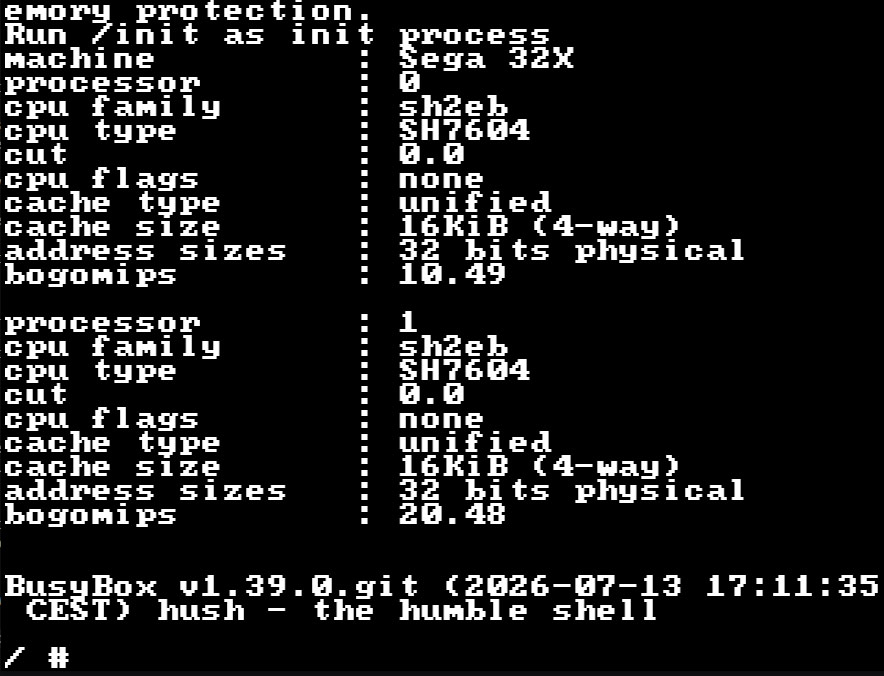
As with cakehonolulu’s tale of Linux wrangling on the old Jag, the above-linked blog talks through a long list of hurdles that needed to be leapt to get the Linux kernel booted and running BusyBox. This time around, particularly steely roadblocks included: the even more constrained RAM situation, the lack of hardware synchronization primitives, the desire to get SMP working across the pair of SH2 CPUs, no direct UART access from the 32X, and scheduler bugs, among other things.

On the positive side, smoothing the development process along were access to Chilly Willy’s 32X devkit, the linuxmd project, the Krikzz FPGA-based flash cart with ROM – RAM mapping tools, and existing SH2 documentation and sample projects. Please check through the linked blog for far more technical details from cakehonolulu.

Linux now available for the Sega 32X

Linux booted with BusyBox prompt on the Sega 32X (Image credit: cakehonolulu)

As you can see, cakehonolulu was successful again. So, what’s the next stop for this adventurous dev – the Sega Saturn? Whatever the project may be, it was interesting to read that works like this are basically forming a portfolio for the Spanish dev, which they hope will help them with job hunting.

Sega Dreamcast driver fixes appear in Linux 7.2-rc3 — fabled console remains in favor while iconic computing architectures like i486 fall by the wayside

2026年7月12日 22:51

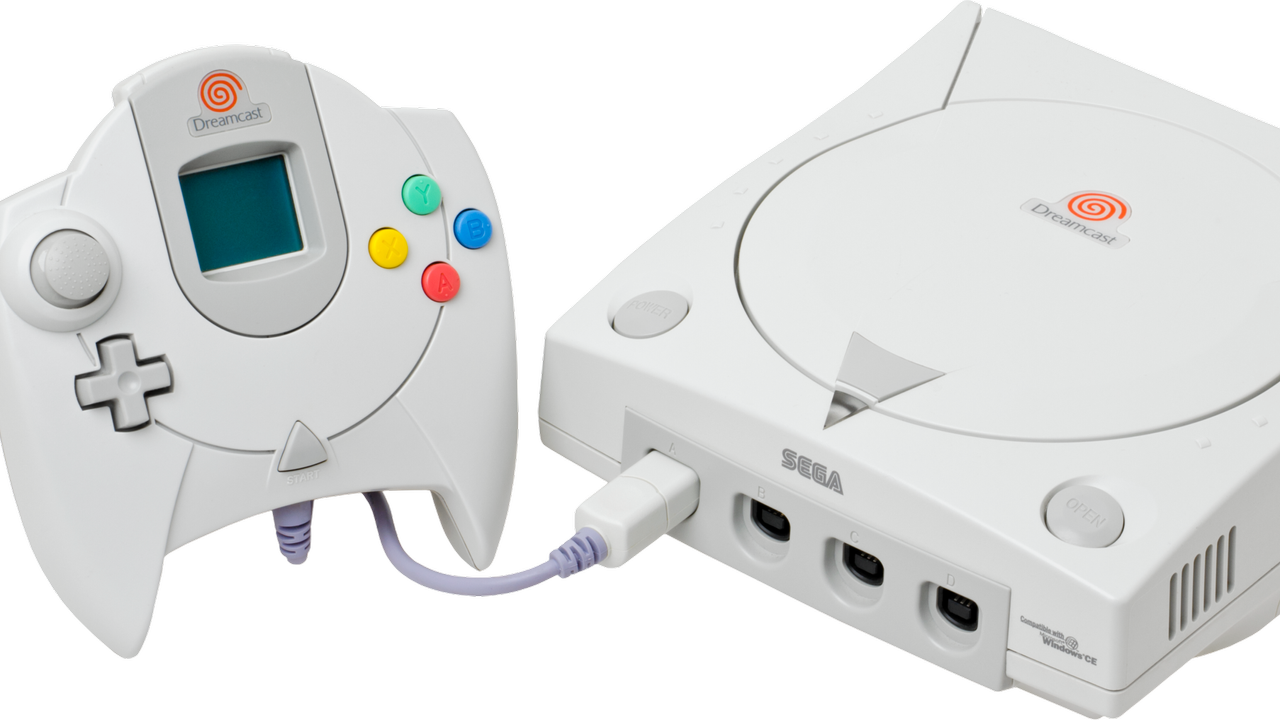
A set of updates for Sega Dreamcast hardware has been merged into the Linux 7.2-rc3 kernel this weekend. Dmitry Torokhov submitted updates addressing the legendary console’s input subsystem and Linus Torvalds merged them on Saturday. The updates even surprised Linux-focused site Phoronix, That’s probably due to context: the Dreamcast continues to enjoy support while admittedly older but real computing hardware like the i486, PowerPC 40x chips, DEC Alpha, and Itanium / IA‑64, have all been sidelined in recent times.

In brief, the updates should mean new versions of Linux will come with more stable mouse, keyboard, and joystick drivers for Dreamcast stalwarts. If you are one of the Dreamcast faithful, still satisfying your computing (and gaming) needs on the final original consumer gaming hardware from Sega, this is good news.

Reading the pull request we can see some details about the new drivers for the Dreamcast’s Maple‑bus peripherals (mouse, keyboard, controller). Specifically, there’s a “fix for a crash in Sega Dreamcast (Maple) mouse driver when opening the device, caused by missing driver data,” as well as “Fixes for Maple drivers (keyboard, mouse, joystick) to properly order setting driver data and device registration to avoid races.” In this context races refers to things happening in the wrong order to result in crashes: it’s a timing bug that’s now been quashed.

Dreamcast hangers-on will now be able to craft specialized Linux builds on CD-R for their machines. The maplemouse driver has had the now-fixed crash-inducing bug since 2017.

Phoronix also comments that Linux kernel fixes for the GD-ROM driver used by the Dreamcast and a proposal for the VMUFAT file-system driver were also seen this year.

The Sega Dreamcast launched at the end of 1998 (in Japan, and the following year in the U.S.). So, in some ways it isn’t that surprising that it is still getting Linux kernel updates when the Intel i486 (1989) has been retired from mainline support. But one might have expected stronger demand for supported Linux distributions among i486 desktop and laptop users.

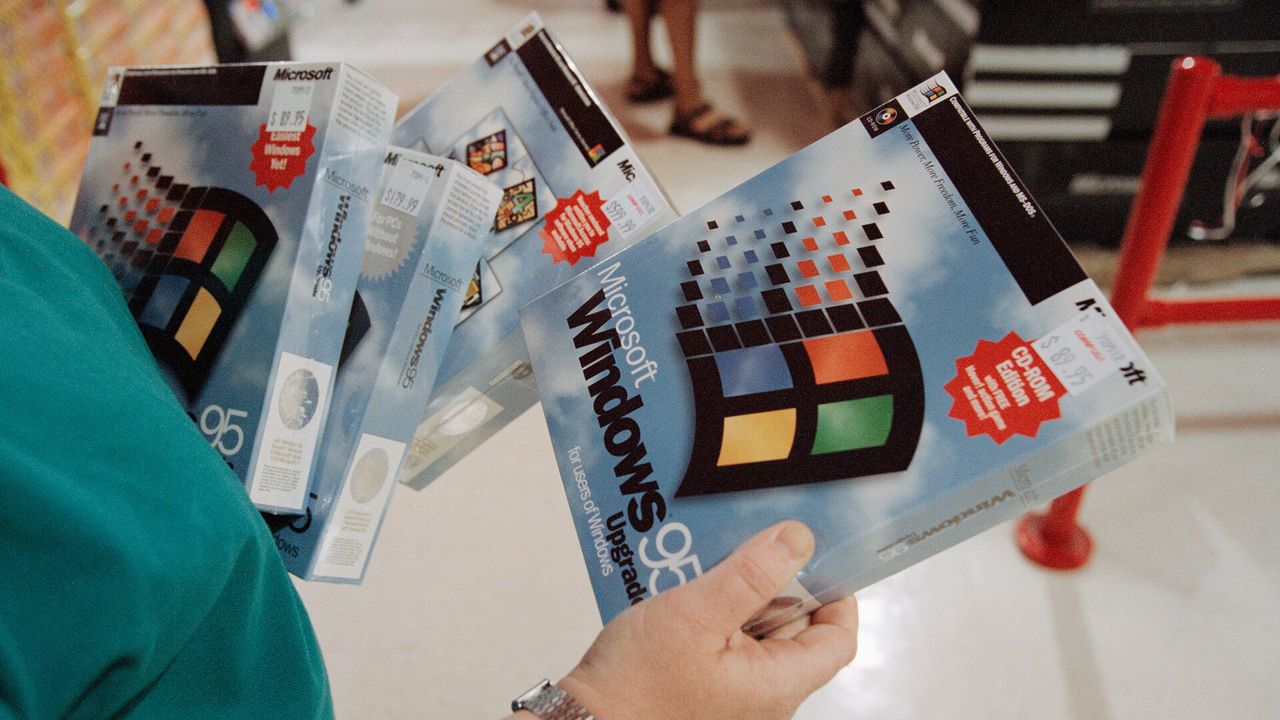
Windows 95 didn’t detect installers, it ‘guessed’ based on the file name, says veteran dev — it simply checked for words like setup, install, inst, or localized equivalents

2026年7月12日 20:48

Windows 95 worked out whether a setup program had run by reading the executable's name and checking it against a short list of hard-coded words, according to Microsoft engineer and semi-official Windows historian Raymond Chen, sharing the details via his Old New Thing blog. A filename containing "setup," "install," or "inst" flagged the program as an installer, which triggered the operating system's routine for repairing system files that installers had damaged. Three non-English entries appeared on the same list, which Chen identified as his own guesses at Italian, Turkish, and Hungarian.

The full match list ran to six terms: setup, install, inst, imposta, ayarla, and felrak. Chen wrote that "install" was redundant, because any name containing it already contains "inst," and speculated that the shorter entry was added later to catch installers named along the lines of "blahinst" without anyone deleting the original. A program whose own name produced no match got a second test, with Windows 95 checking whether the word "Setup" appeared anywhere in the path to the executable. A separate live check ran after any multimedia driver was installed through an INF file, added because those drivers frequently overwrote system DLLs.

This heuristic gated a recovery mechanism Chen described in March. Installers of the period overwrote system files without checking versions, disregarding Microsoft's rule that a file should only ever be replaced by a newer one. An installer carrying Windows 3.1 copies of shared DLLs, for example, would bury the newer Windows 95 versions underneath them, and every program that relied on the current files would break.

Windows 95 kept backup copies of commonly clobbered files in a hidden C:\Windows\SYSBCKUP directory. It would then let each installer finish, check its work, and restore the correct versions where the installer had downgraded them. This safety net depended entirely on correctly guessing that an installer had run, so a setup routine with an unusual name slipped past it, while an ordinary program named something like instant.exe tripped it for nothing.

The file check was often deferred until the next boot rather than run immediately, with Chen explaining that some installers, unable to replace a file already in use, would drop back to MS-DOS, run a batch file to swap the file, and restart Windows, so the cleanup pass had to wait for the reboot to catch anything the batch file had altered.

Windows 2000 debuted a new approach

Microsoft dropped this approach in Windows 2000, which introduced Windows File Protection. That system registers for file-change notifications through Winlogon restores protected files from a cache at %WinDir%\System32\dllcache, with no filename guessing and no waiting for a setup program to complete.

Then, Windows ME shipped a comparable System File Protection, and Vista onward moved to Windows Resource Protection, which guards files using access-control lists instead. The sfc /scannow command that Windows 11 users still run to repair system files descends directly from that work, having replaced a 1995 mechanism that decided when to act by scanning filenames for the word "setup."

Save 84% on a two-year ExpressVPN subscription, offering four additional months for free — upgrade your privacy for under $70 with no-logs access to servers in 105 countries worldwide

2026年7月10日 19:41

If you're browsing the web, a VPN is one of the fastest ways to upgrade your privacy. Luckily, the cost of a two-year subscription to one of the biggest VPN providers, ExpressVPN, is now down to only $69.72 right now. You'll be saving $378 in total if you buy a sub this way, compared to a rolling monthly sub, and you'll get an extra four months added onto your plan for free, too.

Check out this deal at ExpressVPN

VPN pricing is a little unorthodox, and we see deals like these appear all the time, so it's important to point out where the value really lies here. I spent a long time paying month by month for a VPN subscription, not realizing how much money I was actually spending by choosing a rolling, 30-day sub over locking in for a longer period. The $69.72 cost means that you're paying the equivalent of just $2.49 a month for the 28 months of access you're gaining here, compared to $15.99 a month for the 30-day access.

This deal for ExpressVPN's Basic plan unlocks a solution that'll protect 10 devices simultaneously with the same account. You can use it to keep your identity safe while you browsing, but if you're still unsure, new customers can take advantage of ExpressVPN's 30-day money-back guarantee. If you're unhappy, you can ask for a full refund within those first 30 days, giving you enough time to fully test the service to see if it matches up to your expectations.

This massive discount on a 2-year ExpressVPN subscription drops the price by 84%, with an extra four months of subscription thrown in for free. It comes with a 30-day money-back guarantee for new customers.View Deal

ExpressVPN is a no-logs provider, meaning it can't give up your data while you're using it, as it doesn't track or store any data about its users' connections. This is regularly audited, with the last audit in 2025 by KMPG confirming "reasonable assurance" of its systems and policies. This is real peace of mind for users: you're free to use the web how you want.

It also gives you a shield of privacy that your regular ISP just can't. A VPN sub like this means you can shop online or browse the web without trackers monitoring where you're from via your IP address. Your location stays hidden, obfuscated through the 105 different countries that ExpressVPN hosts servers, with 24 different server locations in the U.S. alone.

Don't underestimate how important that privacy is in the modern world. Every page you're visiting leaves a trace, whether it's a ping in a server log or a tracker on-page, giving the site owner data to build a profile on who you are, but using a VPN can stop this data from being useful. Likewise, a VPN connection can help you to connect as if you're from a certain location, which is particularly useful if you're traveling abroad and want to be able to access your home streaming services. It's also a good idea to use a VPN as a way to protect yourself if you're accessing the internet from a public WiFi network, where malicious actors could otherwise be snooping on your connection.

Using ExpressVPN, the encryption between your device and its servers is encrypted using industry-standard AES-256 encryption, as well as post-quantum encryption techniques for the initial handshake process. This can stop your data from being intercepted while you're accessing the web. If you lose your connection, features like ExpressVPN's kill switch will stop the data from leaking out, blocking any access until you reconnect. The Basic plan also includes a private email relay service to give you 10 anonymous email aliases to use for registering online, along with basic ad and malicious site protection for your browser.

This $69.72 price tag for the ExpressVPN Basic plan is a good deal for a 28-month privacy upgrade. Yes, VPN pricing can seem confusing, but by locking in for that period, you're getting online privacy protection for the equivalent of just $2.49 a month. You can always give it a go and, if you don't like it, request a refund using ExpressVPN's 30-day money-back guarantee.

If you're looking for more savings, check out our Best PC Hardware deals for a range of products, or dive deeper into our specialized SSD and Storage Deals, Hard Drive Deals, Gaming Monitor Deals, Graphics Card Deals, Gaming Chair, Best Wi-Fi Routers, Best Motherboard, or CPU Deals pages.

You can also join the Tom's Hardware deals Discord for up-to-the-minute hardware deals.

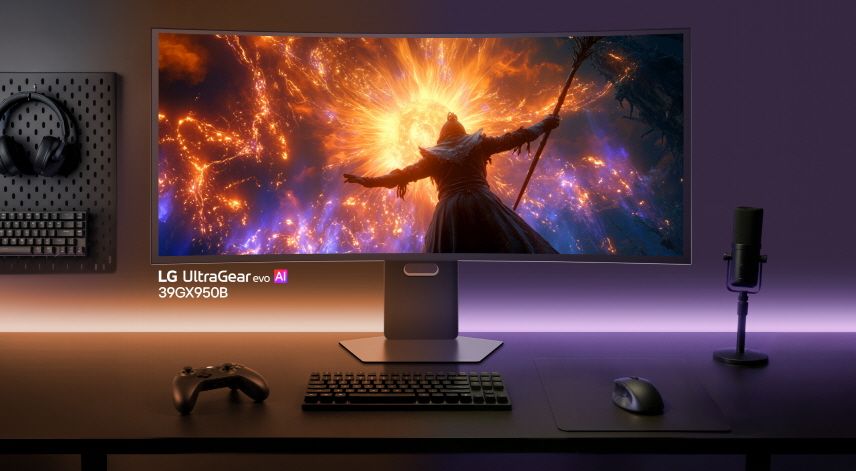
Companies are now using automatic Windows installers to display Adware through the Microsoft Store when you install new hardware — customer immediately gets McAfee ads on their PC after connecting new LG monitor; here's how to block the new ads

2026年7月7日 22:46

Unwanted ads can be one of the most infuriating parts of the modern tech experience, where hardware you already paid for is insistent on advertising even more slop to you. LG has a bit of a reputation in this regard, and it seems like the company is expanding its repertoire to even more invasive promos now. A user on the r/pcmasterrace subreddit shared that their brand-new LG monitor is showing them ads for McAfee.

Now my monitor is sending me paid ads for Mcafee?! from r/pcmasterrace

Most of us are already aware of the euphoric feeling associated with getting McAfee shoved into your face. Usually, though, it's limited to laptops and prebuilt PCs that come with bloatware, freemium software, or just outright premium software that you somehow acquired for free. It would sensibly drive a person insane if a new monitor that has no other job than displaying your GPU's output starts participating in these activities.

In this case, u/t40r just bought this monitor and plugged it into their computer for the first time. That's when they noticed a small pop-up in the corner right away. It was from the "LG Monitor App Installer," and the first thing it showed the OP was an ad for McAfee. That's right — it was something entirely unrelated to the monitor. But how did this app show up on u/t40r's PC when they didn't even set anything up yet?

The answer is apparently the great evil known as the Microsoft Store. Checking the startup apps in Task Manager confirmed that it added the LG Monitor App Installer to the PC automatically. It's similar to how motherboard software magically enters itself into your system when you reinstall Windows. That one makes a bit more sense, though, since it's supposed to help control or manage your computer.

Sure, the LG Monitor app could serve the same purpose for the monitor, but it wasted its precious first impressions on a McAfee ad instead of showing something useful to the customer. Persuasion be damned. Anyhow, we were able to confirm that this was not an isolated incident either, as another Redditor posted about the same issue just a week ago, along with the steps for the removal process via local group policy.

Windows update silently installed LG bloatware, which causes a McAfee pop up from r/pcmasterrace

Scouring through the comments also reveals other instances where users reported Alienware and Samsung engaging in similar ghost installs. It seems like a standard Microsoft policy of auto-downloading related monitor software, but it's then up to the manufacturer what they actually show in said app. Regardless, these apps don't seem to respect your preferences and just show up uninvited, even if you're already running a debloated version of Windows.

With recent discussions on just how granular Microsoft's telemetry can be, this openness starts to feel like an oversight just waiting to be exploited. Even if Microsoft thinks it's "helpful" to install utilities without consent, it should at least try to make sure those tools aren't throwing up ads. LG makes some of the best monitors on the market; otherwise, it's a shame that deeper software integration can sometimes undermine great hardware.

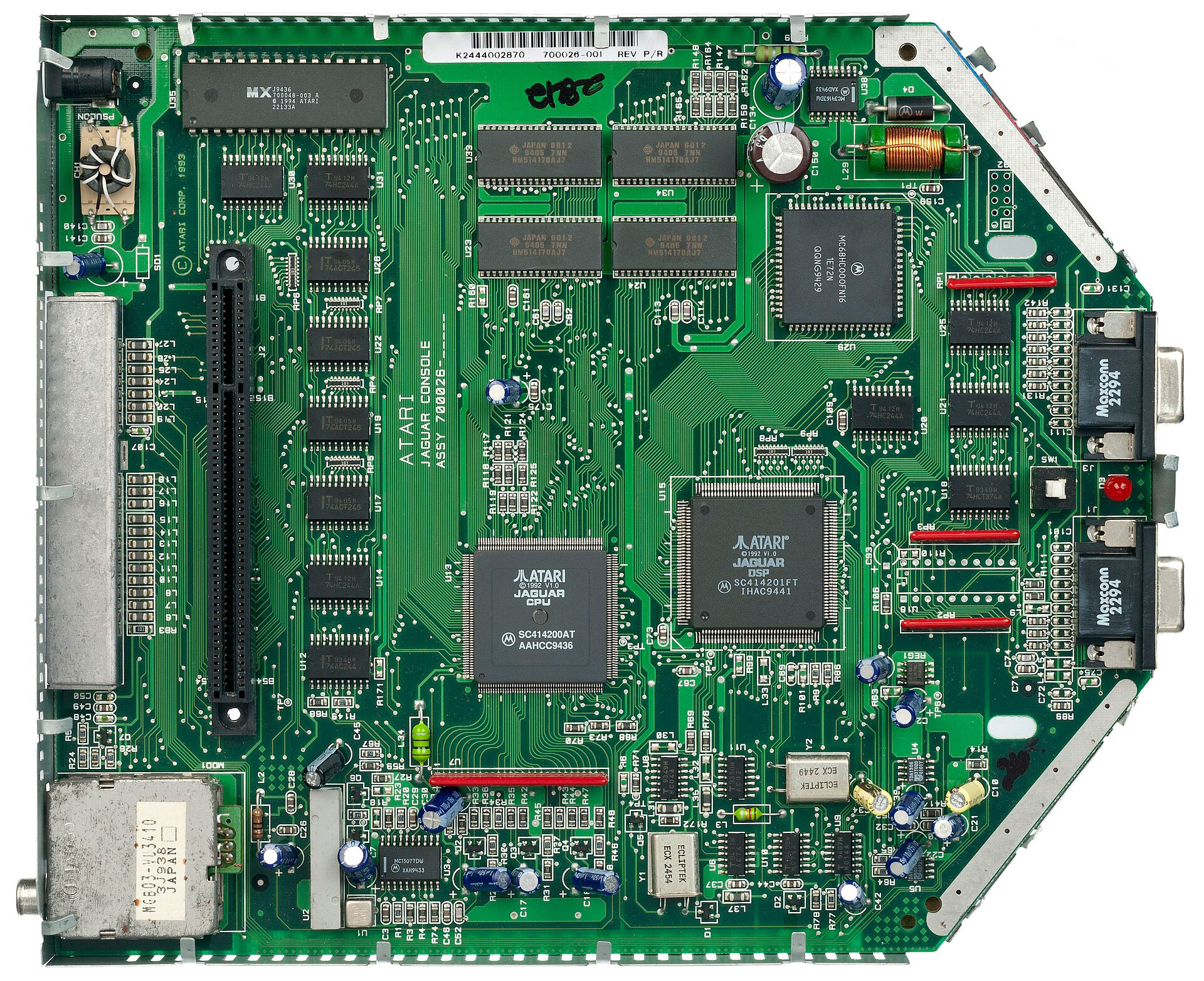
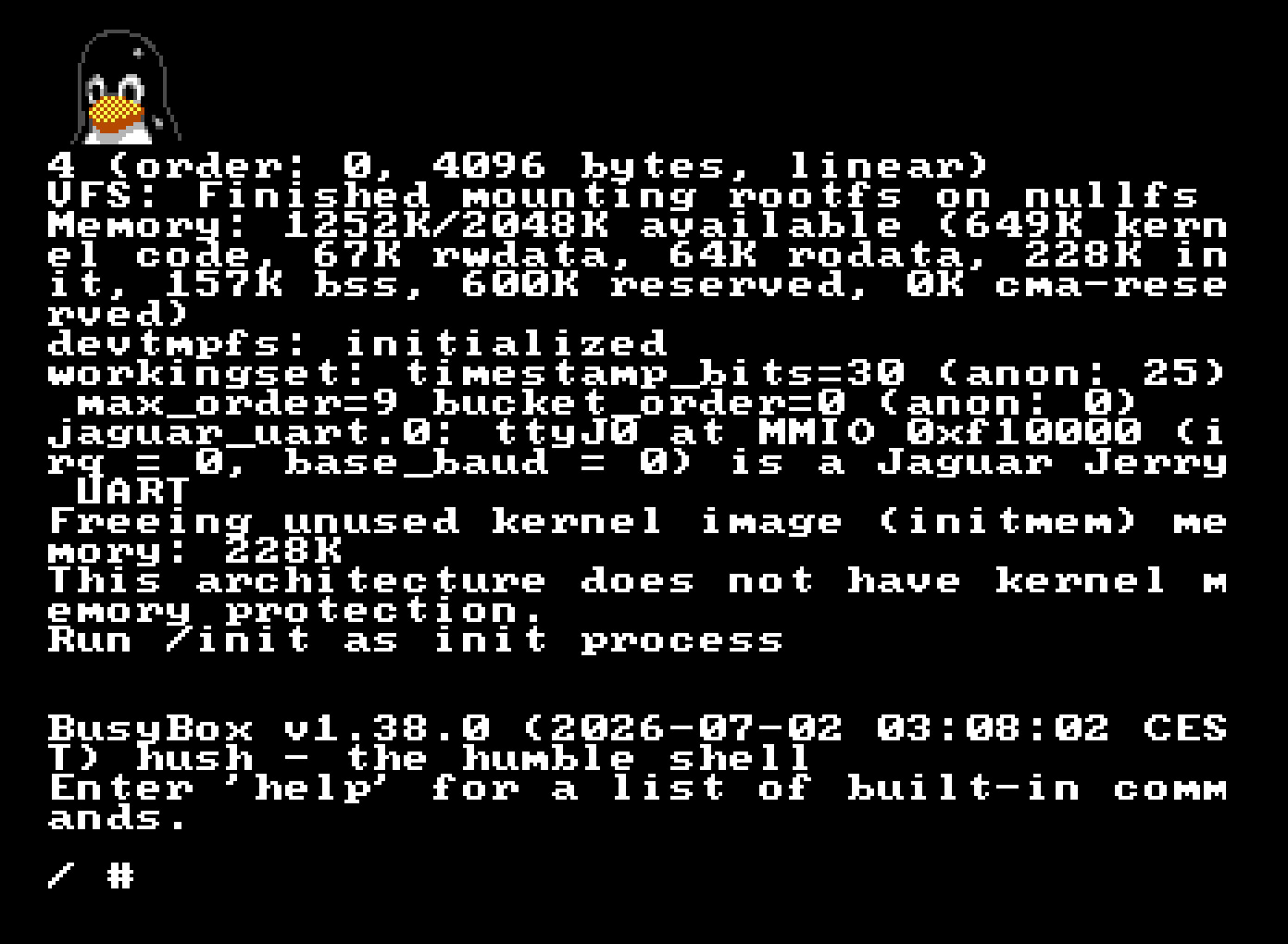
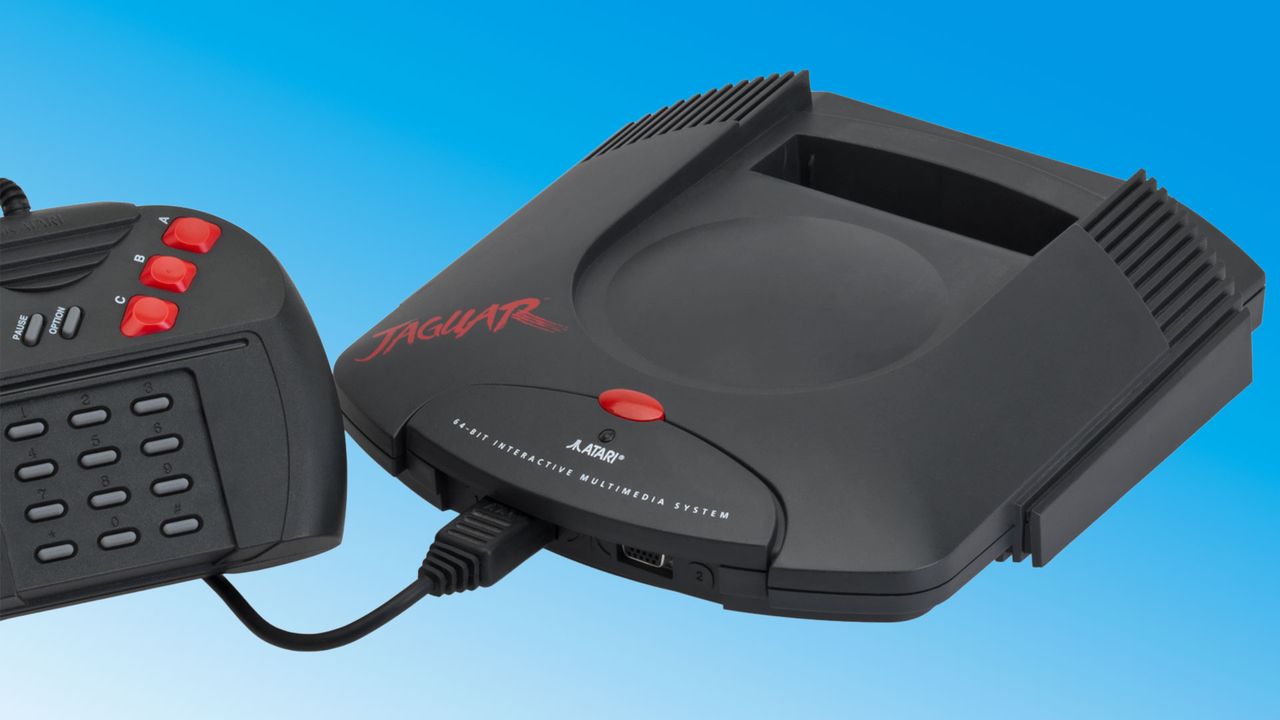
Dev ports Linux to Atari's notorious Jaguar console from 1993 — the first 64-bit console features 2MB of RAM, 13.3 MHz CPU, and Tom and Jerry co-processors; the Jag was notoriously difficult to program and flopped

2026年7月7日 19:53

A Spanish systems software developer has ported Linux to the Atari Jaguar console. To succeed at the task, cakehonolulu had to overcome severe memory limits, the lack of a memory management unit (MMU), and face off against a handful of unusual hardware quirks. A blog post from the dev tells us about the work to port Linux to this ill-fated 1993-launched flop, and happily ends in evidence that a working Linux kernel and BusyBox command line shell can be booted on the old Jag. Now Linux runs on both your cherished real hardware via cartridge, or in a Jaguar emulator.

Atari Jaguar

(Image credit: Evan-Amos)

Anyone wishing to port Linux to the Atari Jaguar would face numerous constraints due to the hardware. One of the first hurdles successfully leaped by cakehonolulu was the CPU used. Atari’s system designers architected the Jag using a Motorola 68000 CPU, which was already pretty old at the time, but a moderately fast 13.3 MHz version was selected. Though the gaming prowess of the console was lifted by custom co-processors dubbed Tom & Jerry, some games didn’t make much use of this graphics and DSP acceleration, as it was notoriously difficult to tap into.

For this Linux port, the general CPU capabilities of the M68000 would also be targeted to run the OS. With that in mind, and knowing that the CPU lacked an MMU, cakehonolulu was lucky to find that classic Motorola 68k processors are still supported by Linux, and also the uClinux project, which allows Linux to run on MMU‑less systems like the Jaguar.

While these prior works were helpful, it wasn’t long until the linux_jag developer needed to battle with other Atari Jaguar constraints. The console comes with just 2MB of RAM and up to 6MB of ROM, which is incredibly miserly compared to even the cheapest microcontrollers and SBCs nowadays. Much RAM and storage optimization later, cakehonolulu tripped over a few issues getting Linux to boot on the Jaguar, and ended up implementing a console driver for Tom so the OS would work on real hardware.

Atari Jaguar Linux

(Image credit: cakehonolulu)

A brief Atari Jaguar history

Atari’s Jaguar was released with great pride by the iconic video game company in 1993. It was controversially claimed to be the world’s first 64-bit console, but it still never managed to push aside incumbent previous-gen machines from Sega (Genesis / Mega Drive) or Nintendo (Super NES).

The mass market had enough patience to largely ignore the first wave of ‘early fifth-generation consoles’ like this, the 3DO, and the Amiga CD32. They were rewarded handsomely with the launch of the true accelerated 3D gaming next-gen wave, led by the Sega Saturn (which also used an M68000 CPU, alongside co-processors), Sony’s first PlayStation, and the Nintendo 64.

History can be a little unfair to the Atari, though, as it did have some eye-popping for the time original games and ports. I owned the original console with Alien vs. Predator (1994), and it was quite a stunning, tense, and scary game. Others thought the Jag’s Tempest 2000 was a killer app. In addition, there were strong Doom and Wolfenstein 3D FPS ports from the PC.

Unix copyright code infringement lawsuit is back from the dead — IBM still under fire from Xinuos over 2003-era bytes

2026年7月7日 18:45

No need to pinch yourself — it is, in fact, 2026, and there was a court hearing last June 22 about IBM allegedly using copyrighted source code in Unix-like products, yet again for the umpteenth time since 2003, a saga that's part of the Unix wars.

For historical context, Xinuos (formerly SCO) and IBM have been embroiled in legal battles for decades, as the companies cooperated between 1998 and 2001 on developing an Itanium variant of Unix. Since then, SCO has repeatedly and dramatically taken IBM to court, claiming the defendant misused SCO-owned source code from the collaborative effort in its AIX and z/OS products, as well as Linux. Many battles have been fought over who owns the "Unix" name, what code IBM put in Linux, and even FreeBSD.

The latest hearing pertains to a 2021 lawsuit by Xinuos, the company that acquired the remnants of Santa Cruz Operations, more commonly known as SCO. Xinuos' CEO reportedly once stated the group didn't purchase SCO just to acquire the right to sue IBM, but the company eventually changed its mind in 2021 and dragged IBM back to court on claims that its conduct and copyright infringement resulted in great damage to Xinuos' market position.

Xinuos picking a fight with a team of lawyers colloquially known as the Nazgûl is questionable on its own — yet, in the aforementioned 2021 lawsuit, Xinuos added bold claims, such as stating that IBM's purchase of Red Hat should be reversed under antitrust law, and that the company's strategy in said acquisition was to destroy FreeBSD — the variant underpinning Xinuos' wares.

How, exactly, an MIT-licensed operating system would be "destroyed" is an interesting matter. Xinuos stated at the time that "IBM and Red Hat have abused their control over the Unix/Linux operating system market for far too long." One wonders if Linux users with hundreds of distributions at their disposal would agree that IBM has been pulling their strings all along.

The lawsuit dragged on until 2025, when Xinuos voluntarily chose to drop the antitrust claim (presumably after finding little purchase from the court). It also found itself disabused of the merits behind the copyright complaint, as the New York judge in question framed the claim as time-barred: too long had passed for Xinuos to file a complaint, and original ownership of the code is murky at best. Darl McBride, the SCO executive who launched the original lawsuit, passed away from ALS in 2024.

Xinuos did, however, press on with the copyright issue and requested a hearing for an appeal. And on June 22, 2026, the firm argued in front of a three-judge Second Circuit panel that the previous judge miscast a copyright infringement claim as an ownership claim.

Hannah Montana Linux gets modern remaster after nearly two decades — ‘Sweet niblets,’ new v26 is built on Debian with a re-skin of KDE Plasma

2026年7月5日 22:23

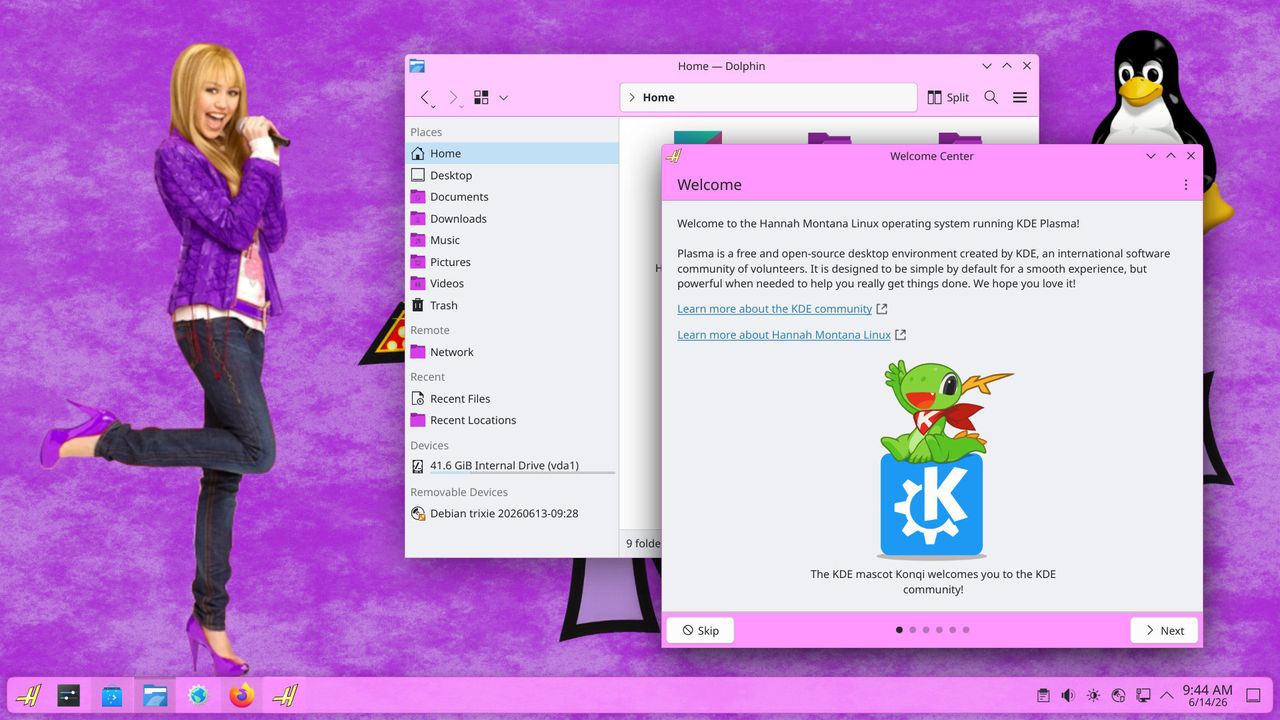
Say whaaaat? Hannah Montana Linux is back. The distro made as a tribute to the noughties Disney Channel sitcom for tweens and teens, featuring the eponymous secret pop star, was basically abandoned in 2009. Now it's back, with a modern kernel and about 18 years of patches, with the release of the Hannah Montana Linux v26.0 remaster by developer Noah Cagle.

Little is known about why the original Hannah Montana Linux was developed, released, and almost immediately abandoned. The version available via Archive.org is the only known release, identified as Hannah Montana Linux x86 basic edition 202201. It is still available if you’d like to test out a frozen-in-time HM-themed version of Kubuntu. You can grab it as a 691.7MB download via the link provided. Be warned that it is now “basically unusable,” though, according to Cagle, due to being insecure and for its poor software support.

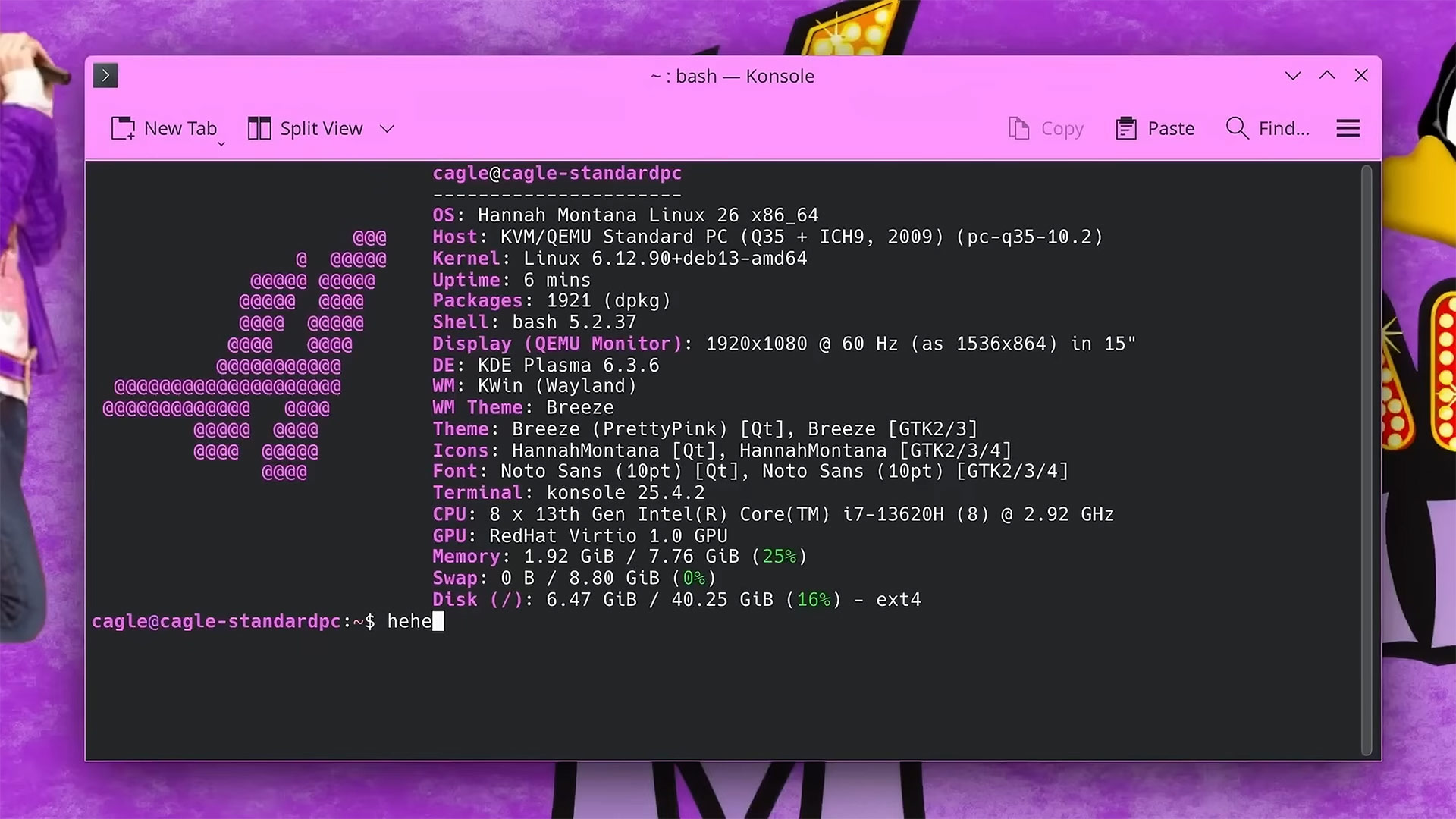
Fast forward to the present day, and Cagle’s HML26 release solves all the issues with the old distro. Browsing the modern web is possible and safe, finding and installing software is easy, and the dev has even made the terminal look pretty.

Hannah Montana Linux v26.0 remaster

Pretty Terminal (Image credit: Noah Cagle on GitLab)

In the video feature about the release of Hannah Montana Linux v26.0, Cagle provides some insight into how this version of the OS was customized, built, and released. After initially considering the Cubic GUI wizard for creating customized live ISO images of Ubuntu and Debian-based platforms, the developer decided to go with Live Build, an official tool for Debian-based distros.

We then get a walkthrough of using this tool to make a Pretty in Pink version of Debian Linux. Briefly, a lot of the work required to make a distro like HML26 is adding various files and references into a set folder structure, and then building the Linux ISO. Most of the custom imagery and iconography sit in an includes.chroot directory.

Hannah Montana Linux v26.0 remaster

Customization (Image credit: Noah Cagle on GitLab)

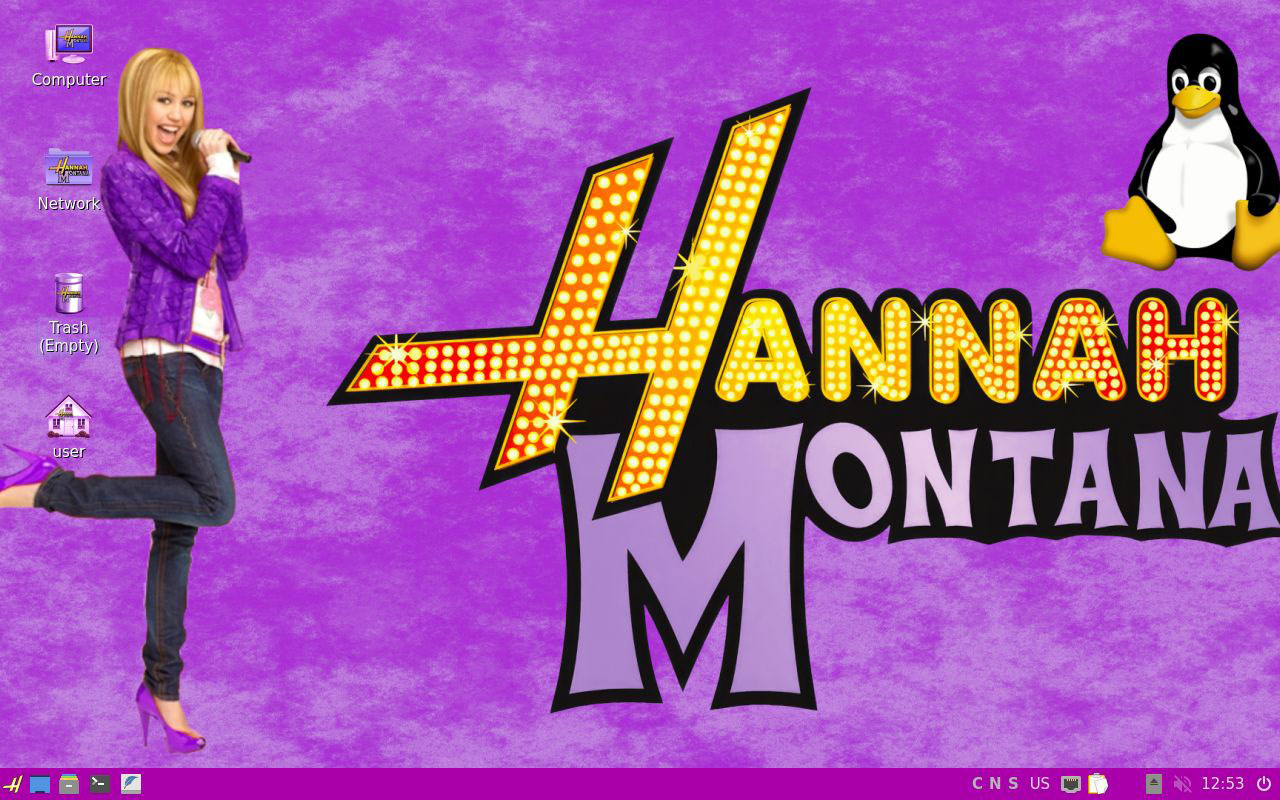
Key customized elements would include an icon pack, color scheme, and wallpapers, and they were largely built by cloning and then editing existing theme resources. The main wallpaper looks a lot like the original, and that’s because it uses the original PNG as a source, updated by Cagle to 16:9. The cherry on the cake, though, might be the stylized ‘H’ start button.

When Cagle was happy with his customizations, he sought out a way to transform the ISO from being a live-CD only so it could offer an install option. This final step in creating HML26 was done with a tool called Calamares. This app is strong in applying branding, so it was a great choice for a professional revival of Hannah Montana Linux.

Hannah Montana Linux v26.0 Lite

Hannah Montana Linux v26.0 Lite (Image credit: Noah Cagle on GitLab)

You can download and try out Hannah Montana Linux v26.0 now, with the ISO available at the above-linked GitLab page under GPL 3.0. You’ll want a system with at least 8GB of RAM to enjoy this OS. Those with older machines might want to look at HML26 Lite, which switches KDE Plasma 6 for the lightweight LXQt.

Windows 11 identifier code used to track Scattered Spider perp after Microsoft shared info with FBI — 19-year-old US-Estonian hacker arrested over alleged ties to infamous extortion group

2026年7月5日 20:55

The Department of Justice, with the help of the FBI and Finland's National Bureau of Investigation, has arrested a teenager it says is part of Scattered Spider. 19-year-old Peter Stokes is a dual U.S.-Estonian citizen who was trying to board a flight to Japan from Helsinki, when law enforcement caught up with him. Microsoft's GDID also played a part in the Stokes being apprehended. The accused is now awaiting trial, having been charged with conspiracy, cyber intrusion, and fraud.

Scattered Spider is one of the biggest cybercrime syndicates on the planet, having extorted over $100 million in ransom payments, according to the DOJ. The group also operates under the names Octo Tempest, UNC3944, and Oktapus, and is renowned for its social engineering tactics. As such, the main criminal complaint against Stokes stems from a May 2025 attack on a luxury jewelry dealer based in the United States.

The attackers apparently called the company's IT helpdesk using Google Voice, posing as employees. They were able to convince the help desk into resetting their credentials, which allowed them to infiltrate three accounts, two of which had admin privileges. From there, the group, allegedly including Stokes, stole important data and held the jeweler at ransom, demanding an $8 million payment in crypto.

The company ultimately regained access to their infrastructure and avoided paying the ransom, but the operational disruption still caused a purported $2 million in losses. This served as the spark that led to Stokes' eventual arrest in Helsinki, as the prosecutors slowly followed the paper and digital trail laid by the attackers. Microsoft played a key role in the process by providing GDID data to the FBI to help them apprehend the alleged criminal.

GDID stands for Global Device Identifier; it's a unique identifier assigned to every Windows install that tracks device-specific telemetry. It's the reason why sometimes changing a major component in your PC can revoke your Windows license. Anyhow, the court documents from the case reveal that Stokes used Windows, from which investigators were able to link his physical hardware to specific internet activity and locations.

> Peter Stokes> Scattered Spider guy> Arrested> Microsoft helps FBI> Read court documents> Page 12> Microsoft tracks Stokes from GDID> Microsoft Global Device Identifier (GDID)> Stokes used Windows> Page 34> GDID assigned to each OS install> GDID unique to each device… pic.twitter.com/f0fuz0uoMaJuly 4, 2026

From what we can tell, GDID pretty much had a comprehensive report on Stokes ready before the prosecution even built its case and it was only a matter of connecting the dots. Stokes' web activity, videogame history, IP addresses, tool usage (including Ngrok), Azure status, and more were logged with timestamps, and were provided to the investigators by Microsoft.

Of course, this raises questions over just how granular and potentially invasive Microsoft's telemetry can be. In this case, it was used to arrest an alleged hacker, but what if someone else, someone with malign intentions, were to get access to all this data instead? Tech-savvy consumers have complained about Windows' excessive telemetry for a long time; the whole debloating culture is a byproduct of this precedent, but GDID is not something you can remove or disable with the click of a button.

Nevertheless, Stokes was carrying two hard drives full of incriminating evidence with him when boarding his flight to Japan, so that helped, too. His real identity has actually been known since 2024, but since he was a minor living across Estonia and the UAE at the time, he could only be monitored until the time was right. Following the arrest, Stokes was extradited to the U.S., where he appeared in front of a federal court in Chicago for the first time on June 30, 2026, and he remains in custody.

Grab a massive $464 saving on a two-year NordVPN subscription with three extra months free — 69% saving unlocks this privacy-first VPN service with scam protection, password manager, 1TB cloud storage, ad blocking and more

2026年7月1日 19:12

NordVPN is one of the biggest and well-known virtual private network providers, and it's gained a reputation for its affordable and privacy-focused service. Right now, you can pick up a two-year deal on NordVPN's top-tier Prime package that drops the price to just $202.23, down from $666.63, and gives you an extra three months on top, too.

Check out this deal at NordVPN

That's a brilliant price for the full privacy toolkit that NordVPN offers. You not only get a VPN provider, but you also get identity and scam call protection, anti-malware and ad blocking, a password manager, and 1TB of cloud storage. You can also try it risk-free thanks to NordVPN's 30-day money-back guarantee. If you're a new customer, you've got 30 days to try the service out, and if you don't like it, you can request a full refund.

Grab a saving on a 2-year NordVPN Prime sub that drops the price by 69%, with an extra three months of subscription thrown in for free. View Deal

The online world has become a thoroughly dangerous place for our data and privacy, but a VPN service like NordVPN's here helps to mitigate some of the risks. The biggest improvement it can make is to shield your location. With over 7,400 servers to choose from across 118 different countries, you can choose to browse the web from anywhere in the world, all without moving a single inch.

In practice, this means that the websites you visit can't track where you're from or build a profile on who you are. This level of privacy is essential for the modern world, as almost every website out there now has tracking and analytics to help learn more about you. It's a must-have if you're browsing the web from insecure locations like malls or hotels, too, where your data security is at greater risk. You can also take advantage of the same protection if you're visiting abroad, letting you access your local streaming services without being blocked.

NordVPN is a no-logs provider, which means that it doesn't track, collect, or store any data about user connections. This has been independently audited on several occasions, too, including most recently by Deloitte in February 2026, giving you additional peace of mind.

Expect all of the goodies with NordVPN. Connections are encrypted, no matter whether you're a mobile or desktop user, with post-quantum encryption a sign that the company is thinking ahead to a world where quantum computing might break modern encryption methods. It has a kill switch mode to block any data leakage if your connection drops, along with double VPN protection (to route through multiple servers) and VPN bypass to help you unlock certain apps.

This is the Prime package, NordVPN's highest, which means you get the full suite unlocked. 10 devices can connect at any one time to Nord's VPN servers, but scam and phishing protection is unlocked here, too. You've also got dark web monitoring protection, which keeps an eye on any data leaks, as well as checking dark web databases for your phone, credit card, and national ID details.

Coveron, NordVPN's credit monitoring and insurance coverage, is also included. This includes access to credit monitoring, along with cyber extortion and identity theft insurance, with up to $1 million dollars in coverage.

The protection doesn't stop there. Scam call filtering, along with anti-malware, ad blocking, tracker blocks, and email protection, is also thrown in. You also get a password manager, which, like with the dark web protection, ensures you get notified if an account is ever compromised. 1TB of cloud storage, encrypted, also ensures that your files are secured.

The $202.23 sale price for this 2-year NordVPN Prime subscription, given the level of protection you get, is an absolute steal, especially compared to the equivalent $666.63 price. If you're worried about your online safety, you'll want to take advantage of this sale while you can.

Best Tech and PC deals | Best gaming PC deals | Best RAM combo deals | Best 3D printer deals | Best RAM deals | Best gaming laptop deals | Best gaming monitor deals | Best Wi-Fi Router deals | Best GPU deals | Best SSD deals | Best hard drive HDD deals | Best CPU deals | Best gaming chair deals | Best PC building tool deals | Best PC peripherals deals | Best filament and resin deals | Best motherboard deals | Best CPU cooler deals | Best PC case deals | Best Dell and Alienware deals | Best USB charger deals | Best gaming and productivity laptop deals under $1,000 | Best laptop PC deals

Also, you can join the Tom's Hardware deals Discord for up-to-the-minute hardware deals.

RAM crisis provokes enthusiast to try Windows 11 on DDR1-era hardware — other key vintage components included the Core 2 Q6600 and ATI Radeon HD 4650 AGP

2026年6月27日 18:00

The RAMpocalypse is hitting enthusiasts hard. We recently reported on the crisis seeping down to affect supplies of the decades-old DDR2 gen RAM. So it comes as no huge surprise that a well-known tech tinkerer has been inspired to look at the viability of Windows 11 on an even more ancient DDR1 platform. Step forward Omores, who demonstrates Microsoft’s newest OS running on a Core 2 Quad Q6600, using a DDR1 motherboard, supported by an ATI Radeon HD 4650 AGP graphics card. “The best part,” says our hacky hero. “It’s completely stable.”

Windows 11 on a DDR1 motherboard, with AGP support enabled from r/windows

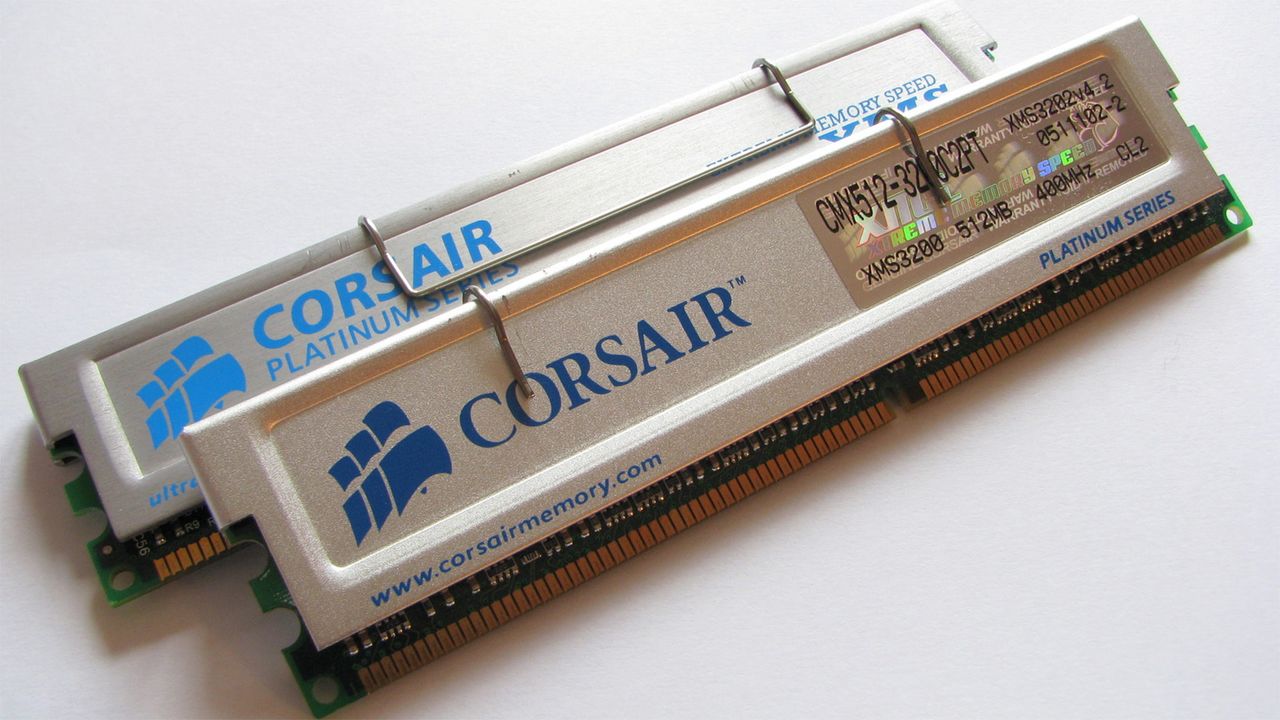
DDR1 first became available to PC builders and DIYers at the turn of the century, replacing the aging SDR SDRAM. The DDR1 rollout began with data rates like DDR-200 and DDR-266, being the preferred choice over older platforms featuring PC100 or PC133 SDRAM. We don’t know the rated speed of the DDR1 sticks Omores used, as it isn’t shown, but DDR-400 was the best official non-overclocked standard (a couple of years later). It would make sense to use the best memory on a cherry-picked older system like this.

Other key components of this age-defying Windows 11 PC build include an ASRock ConRoe 865PE motherboard. This is regarded as something of a legendary board as it bridged generations and allowed folks to use the latest Core 2 Duo and Core 2 Quad chips from Intel while keeping their DDR1 RAM and AGP graphics cards. It isn’t only today that PC DIYers have cared deeply about component longevity.

The last significant component in this DDR1 system that we were told about was the ATI Radeon HD 4650 AGP graphics card. This seems to have required the most wrangling to make it work with Windows 11 / modern software. However, Omores reveals that “With some 'hacking' ... AGP 8X is fully functional and H.264 hardware decoding is active.” The key was finding, then crowbarring, ATI’s Windows 7 64-bit drivers from 2012 onto the system.

Once some details of the setup were confirmed in the video using tools like CPU-Z and GPU-Z, Omores showed the ‘fresh’ Windows 11 DDR1 system running modern browsers, with embedded video and hardware decoding. A handful of games and 3D benchmarks were also shown running without glitches. Last but not least, the system did indeed run Crysis.

In a later comment on the Reddit post, Omores elaborates on how to install the ATi driver on Windows 11 and shares a more detailed video link. “I like that Windows 11 is rock stable on these older systems with no UEFI whatsoever and only ACPI 1.1,” adds the adventurer in older PC tech. “A lesser-known fact is that Windows 11 actually officially supports BIOS systems via Windows 11 IoT, so it's kind of expected to run smoothly.”

Microsoft extends free Windows 10 security updates for a second year — program now ends on October 12, 2027

2026年6月26日 19:31

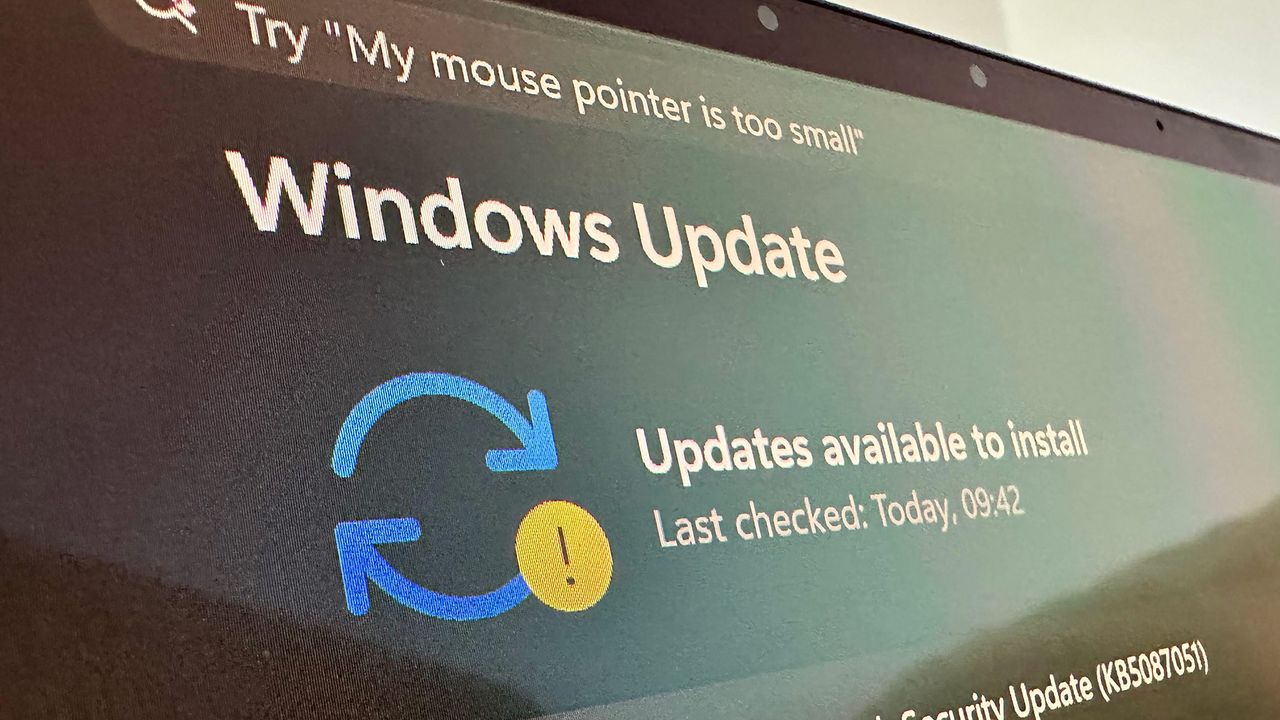
Microsoft has extended its free consumer Windows 10 Extended Security Updates (ESU) program by a year, pushing the cutoff for critical security patches to October 14th, 2027. The change came without any actual announcement, appearing instead in an edit to Microsoft's Windows 10 ESU support page. Devices already enrolled roll over to the new date automatically, with no action required from users. The program was originally set to expire on October 12th, 2026, one year after Windows 10 reached end of support on October 14th, 2025. With the extension, however, users who can’t or won’t move to Windows 11 now have a second free year of patches.

Speaking to BleepingComputer, Microsoft said that the change reflects “our ongoing commitment to helping customers stay secure during the transition,” adding that the extra year gives users “more time and flexibility to find the best PC for their needs while keeping them protected.”

In terms of enrollment, nothing has changed: users can enroll for free by syncing their PC settings to a Microsoft account through Windows Backup, by redeeming 1,000 Microsoft Rewards points, or with a one-time payment of $30. Users in Europe can enroll at no cost simply by signing in with a Microsoft account, a concession Microsoft made after pushback from consumer advocacy groups over its original requirements. A single ESU license covers up to 10 devices tied to the same account.

Microsoft's consumer program is limited to personal devices, however. Systems joined to an Active Directory domain or to Microsoft Entra, or managed through Mobile Device Management, are corporate-controlled and therefore not eligible. Personally owned machines that are only Entra-registered — e.g., a work account added to a personal device, rather than the device itself being organization-owned — still qualify.

Windows 11 has surged to roughly 73% of desktop share against Windows 10’s 26%, so it’s clear that the broader migration is working. Those users still on Windows 10 are increasingly the difficult edge cases, with around 400 million active PCs unable to officially upgrade to Windows 11 because their hardware fails its TPM 2.0, Secure Boot, or supported-processor requirements.

Users of those machines face a choice of remaining on unsupported Windows 10 or upgrading their hardware outright. But thanks to the AI-driven memory shortage, doing so has never been more expensive: DRAM contract prices have roughly doubled since early last year (and are expected to double again) as Samsung, SK Hynix, and Micron divert wafer capacity toward high-bandwidth memory for AI accelerators.

IDC expects PCs, tablets, and smartphone prices to rise 10% to 20% through the end of 2026, with memory now accounting for a far larger share of a system's bill of materials than it did two years ago.

For users unwilling to buy new hardware at current prices, some third-party options remain. The security firm 0patch has pledged to provide unofficial Windows 10 micropatches through 2030, and Linux migration efforts such as the End of 10 initiative continue to court holdouts whose machines can’t run Windows 11.

The best VPN deals during Prime Day 2026, save up to 85% — protect your privacy and be protected whenever you venture online

2026年6月23日 18:15

We use the internet every day for shopping, work, and play. Our personal data is at risk of being stolen or misused on a level never seen before. Having a reputable VPN service can add peace of mind and protection whenever you're exposing your personal information to the internet. Be safer when connecting over a vulnerable open WiFi connection in a mall, hotel, or coffeehouse. Whatever the scenario, you should prioritize your personal data safety and use a VPN to protect against personal data and identity theft. While you won't find any VPN deals at Amazon, Prime Day week is still a great time to secure a discount at other vendors, who often run competing sales.

Check out this deal at Norton VPN
Check out this deal at Express VPN
Check out this deal at Nord VPN
Check out this deal at Surfshark

There are lots of good deals available from multiple VPN providers, all offering very similar services. Firstly, we have Norton VPN. At just $39.99 for the 12-month Norton VPN Plus subscription, you are saving 64% off the usual $109.99 annual fee, making the monthly cost work out as just $3.33. That's less than a cup of coffee, and offers that essential protection while you're connecting your devices online.

Grab a 64% saving on a 12-month Norton VPN subscription. Get protection on up to 5 devices, covering you from ads, scams, and corporate tracking. View Deal

Next up is one of the biggest VPN providers around. ExpressVPN has you covered for browsing and the web on up to 12 simultaneous devices, with a massive 82% discount on this 24-month plan, where the price has been slashed to only $83.72, saving you $392, plus four months of extra VPN coverage added for free. Also, as ExpressVPN is an official sponsor of the FIFA World Cup 2026, you're gifted five raffle entries to win tickets to World Cup matches if you sign up quickly.

This big discount on a 24-month ExpressVPN Advanced subscription drops the price by 82%, with an extra four months of subscription thrown in for free. It comes with a 30-day money-back guarantee for new customers.View Deal

As one of the most well-known VPN services on our list, NordVPN is an easy recommendation for those seeking out an effective and affordable, privacy-focused virtual private network. Currently, you can pick up 24 months, plus 3 extra months of NordVPN Complete for just $121.23, a massive 75% reduction in price from the original $493.83 cost.

Grab a huge saving on a 24-month + 3 extra months, Complete - NordVPN subscription that drops the overall price by a massive 75%. 27-months of full VPN coverage for your personal online safety.View Deal

Lastly, we have Surfshark. The Surfshark One subscription choice is a full suite of tools that you can use to stay protected while you're online. The VPN supports unlimited connections and offers over 4,500 servers to connect to, hosted in 100 different countries; all for only $75.33 for a 27-month subscription.

A two-year Surfshark One subscription, with an extra three months added on top, can be yours with this huge discount. You can try it, risk-free, for 30 days.View Deal

These popular VPNs can be used on multiple devices simultaneously, including your phones, laptops, and tablets. All you need to do is install the apps on your Android or iOS device and sign in. Once you're connected, you can feel secure online when you connect to unfamiliar networks. Fast VPN connections, no-logs privacy promises, kill switches, ad and tracking blocking, plus anti-virus protection are covered by all of these top-tier VPN services.

All offer dedicated server locations across the globe, with varying numbers of physical servers located in multiple countries. This means that you get the best connection speeds possible, with the minimum amount of latency.

We primarily chose the longer two-year subscriptions as this offers the highest discount and the better monthly-average savings overall. Different VPN competitors offer free extra months to the subscription as perks, but some companies also only offer a maximum subscription length of one-year. Take a look at what each package offers you, and choose based on how well the service would fit your personal needs.

More Prime Day Tech Deals

Best Tech and PC deals | Best gaming PC deals | Best RAM combo deals | Best 3D printer deals | Best RAM deals | Best gaming laptop deals | Best monitor deals | Best Wi-Fi Router deals | Best GPU deals | Best SSD deals | Best hard drive HDD deals | Best CPU deals | Best gaming chair deals | Best PC building tool deals | Best PC peripherals deals | Best filament and resin deals | Best motherboard deals | Best CPU cooler deals | Best PC case deals | Best Dell and Alienware deals | Best USB charger deals | Best gaming and productivity laptop deals under $1,000 | Best laptop PC deals

Also, you can join the Tom's Hardware deals Discord for up-to-the-minute hardware deals.

❌
❌