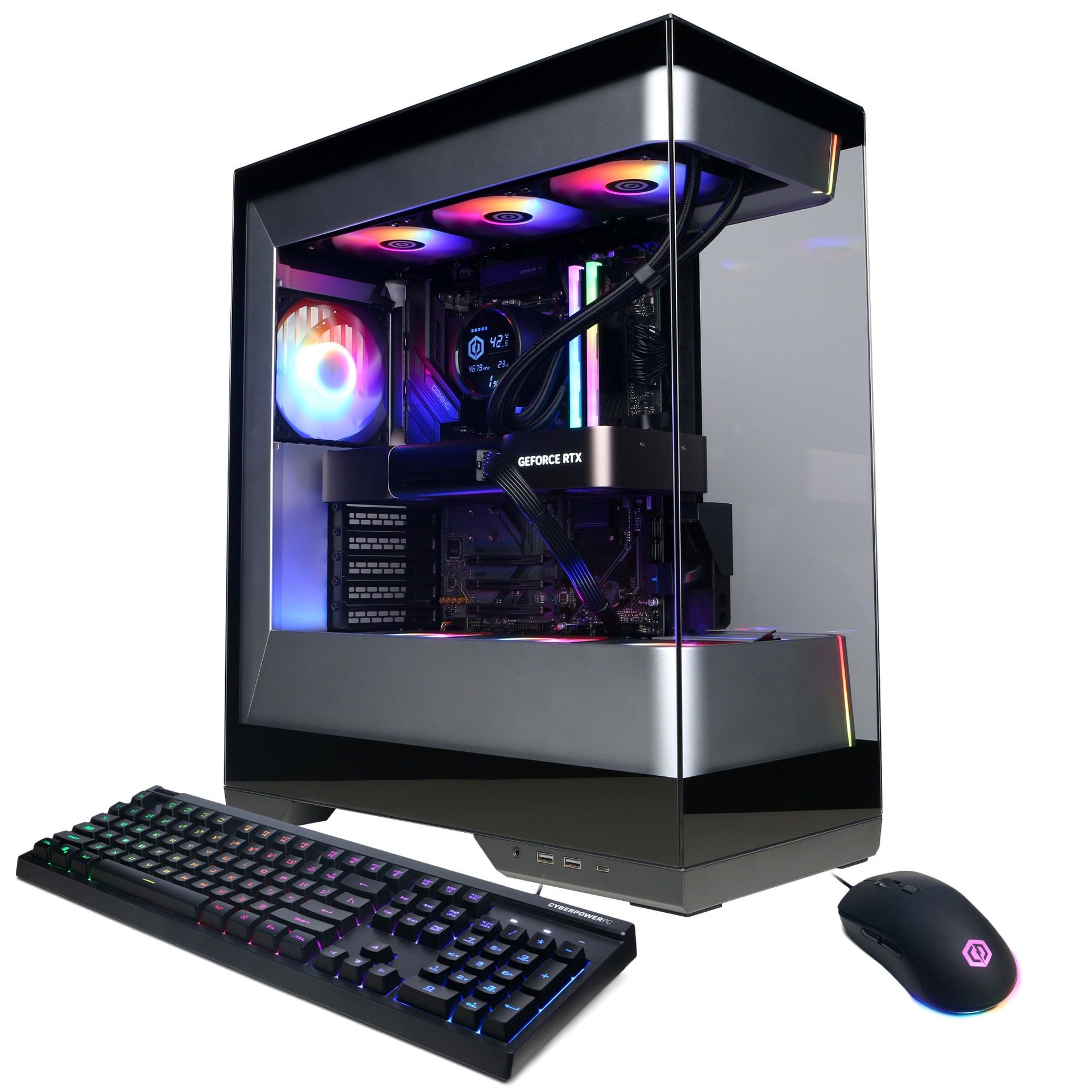
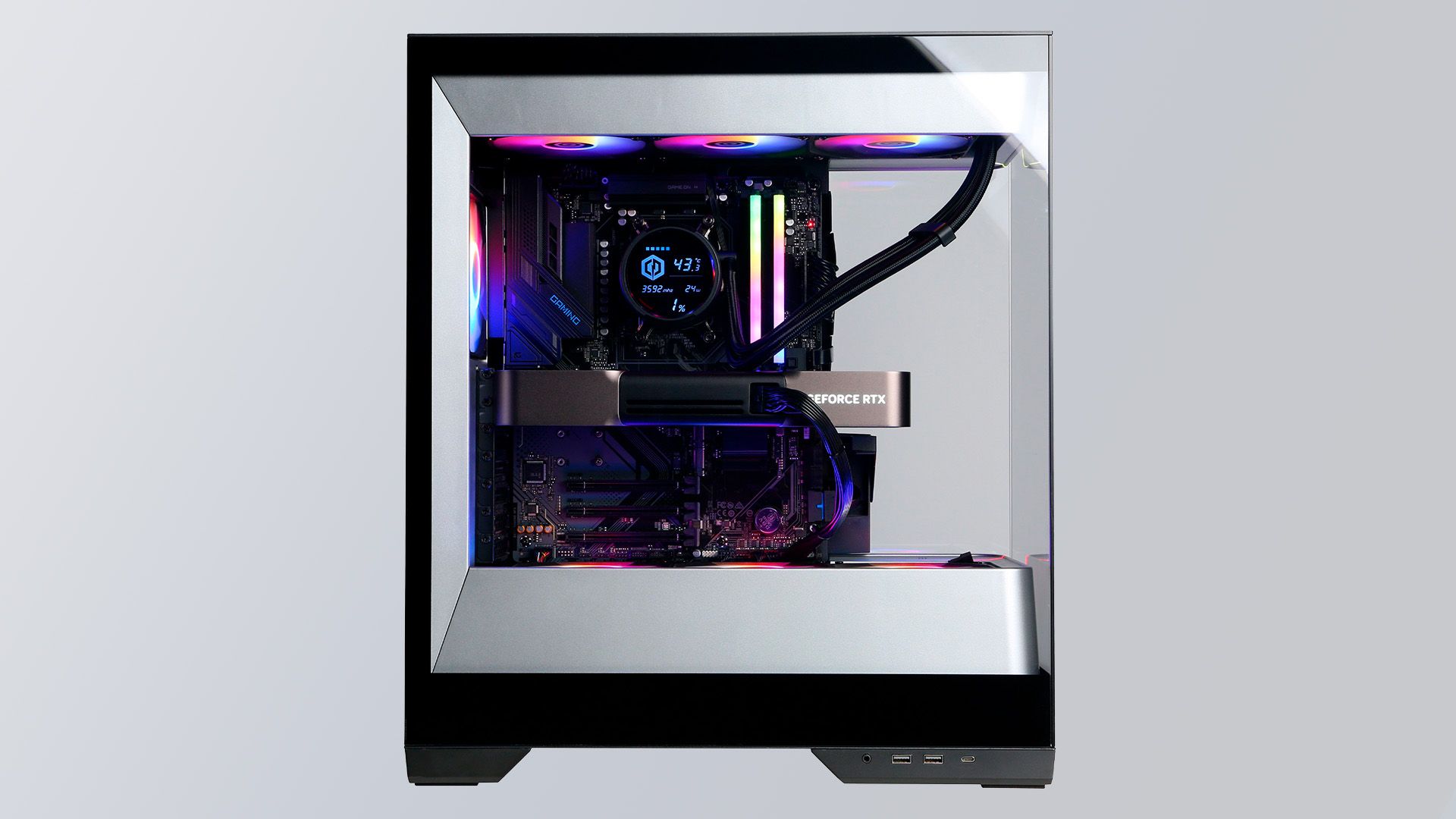
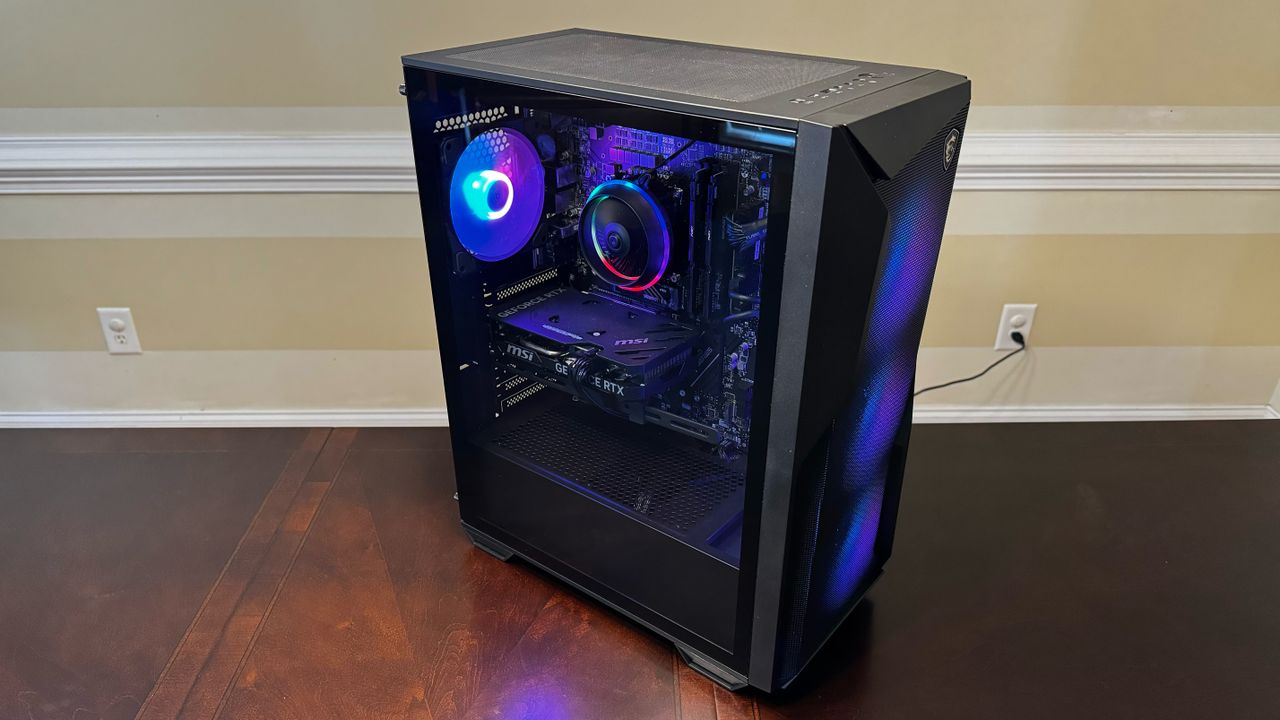
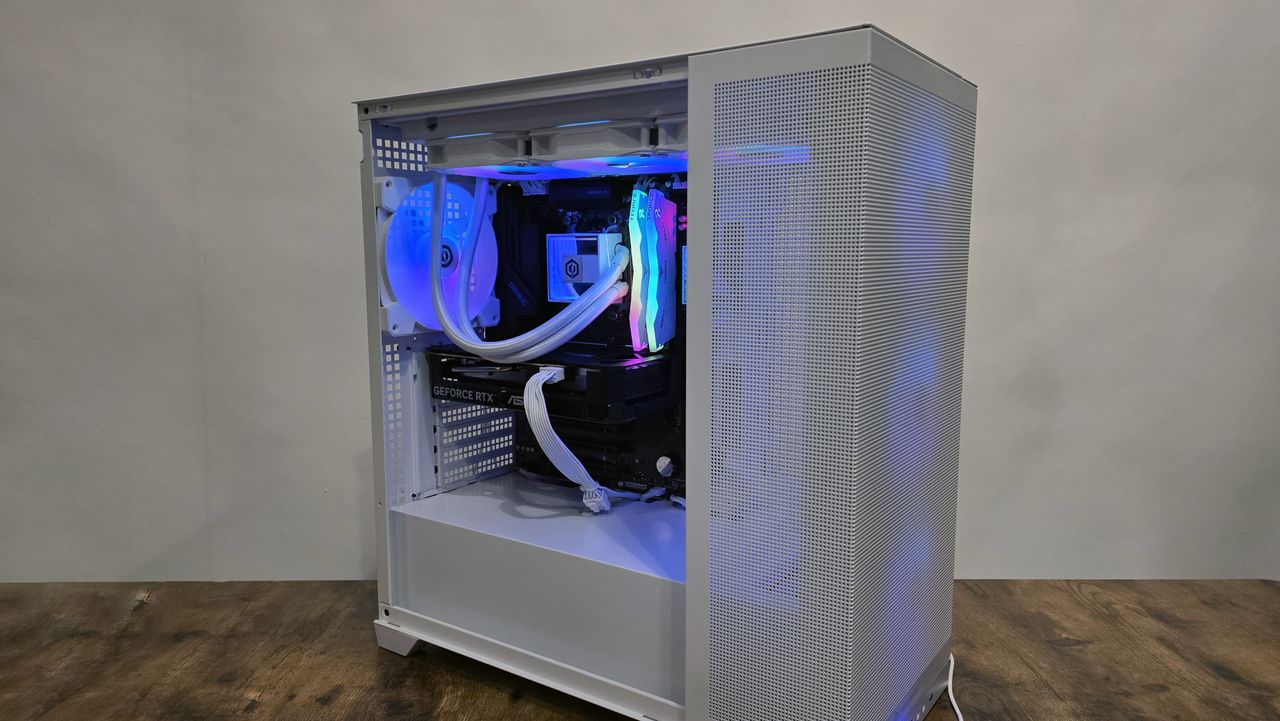
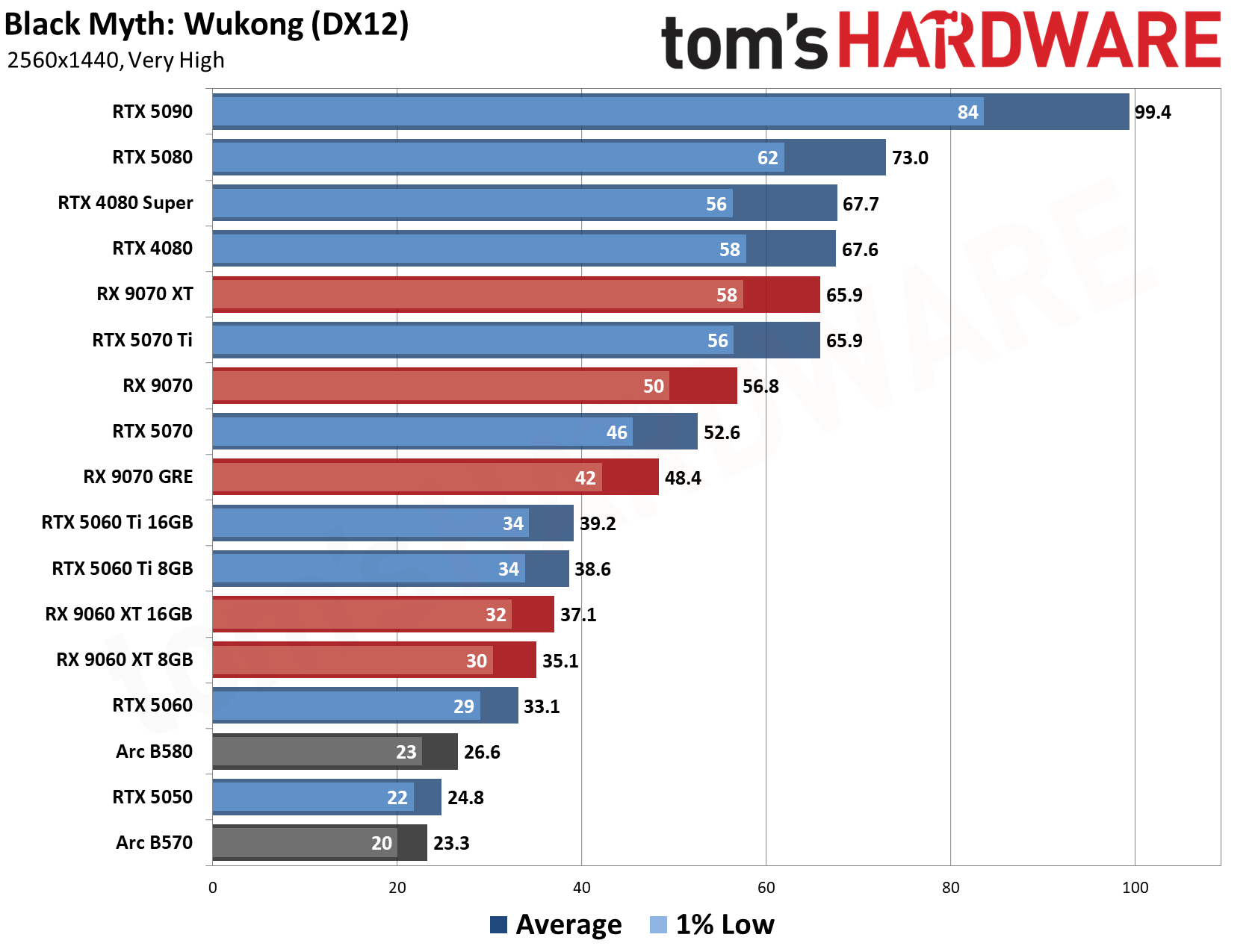
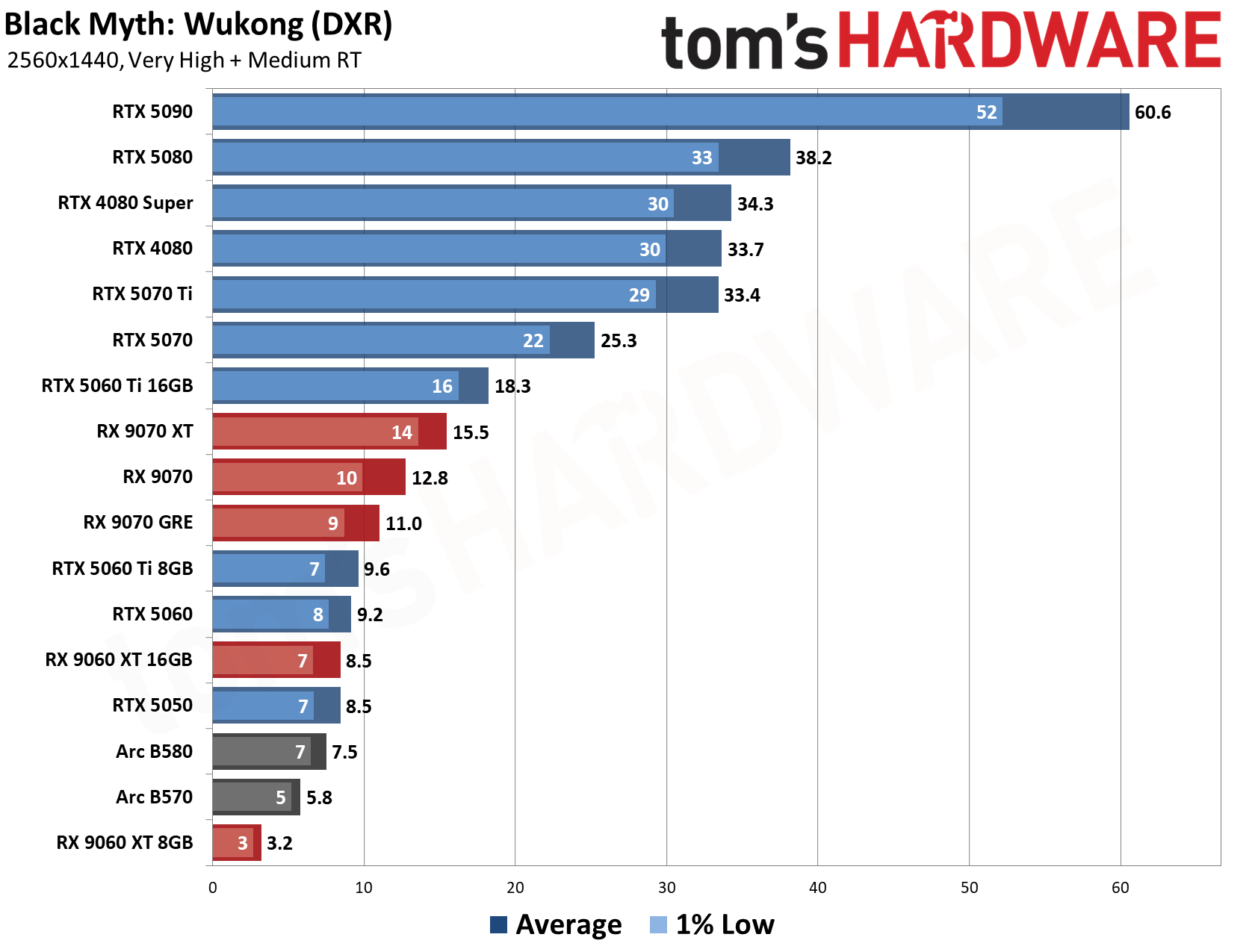
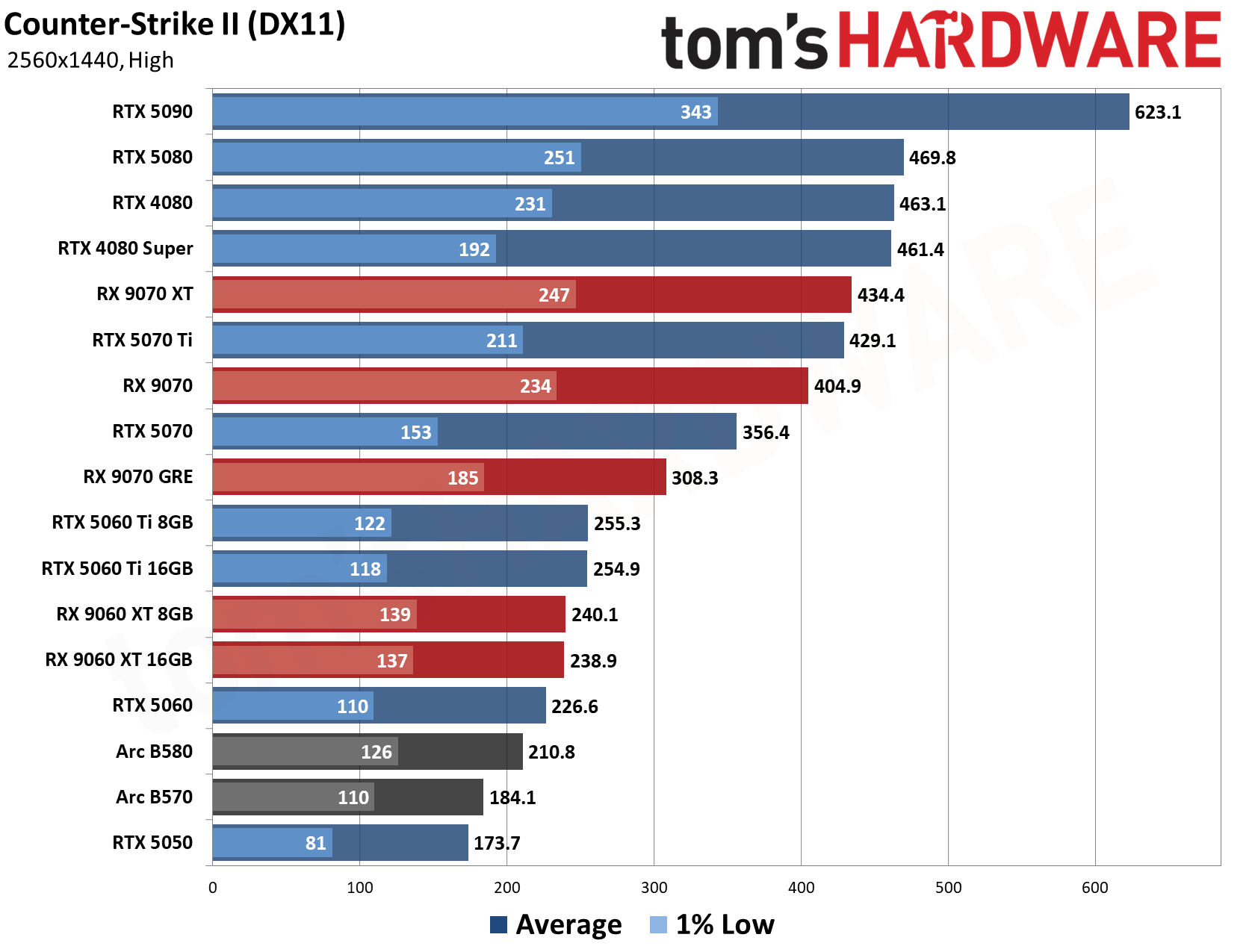
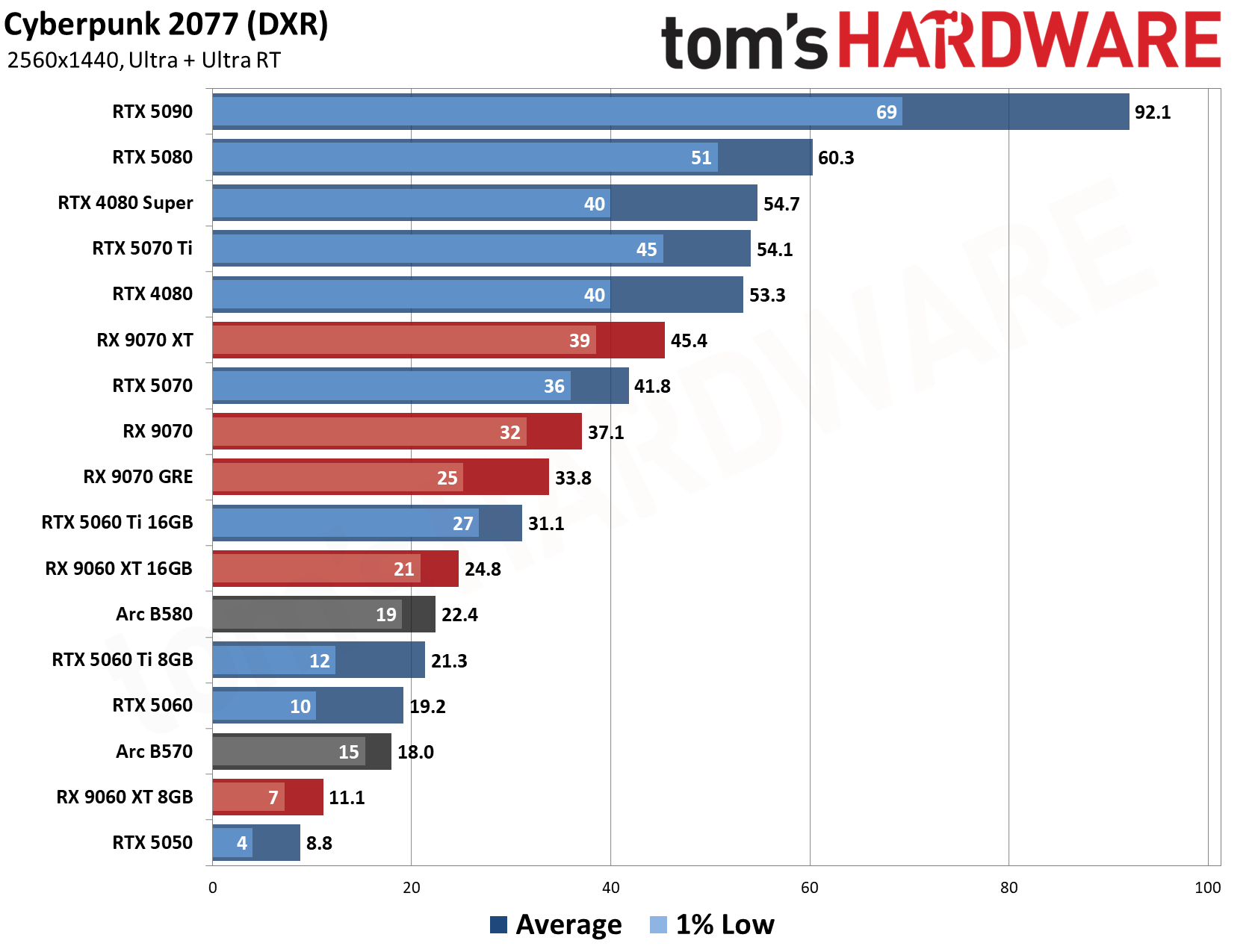
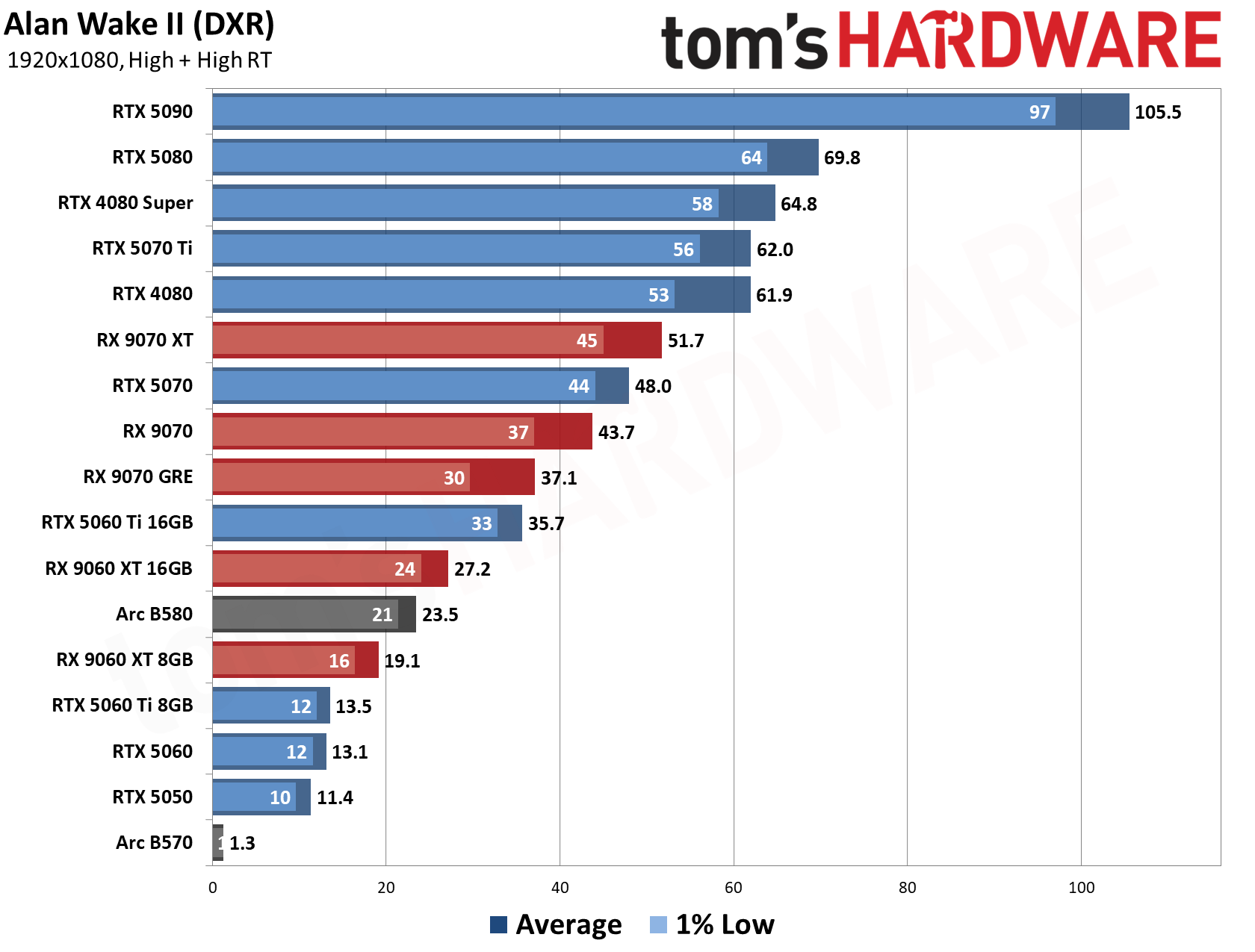
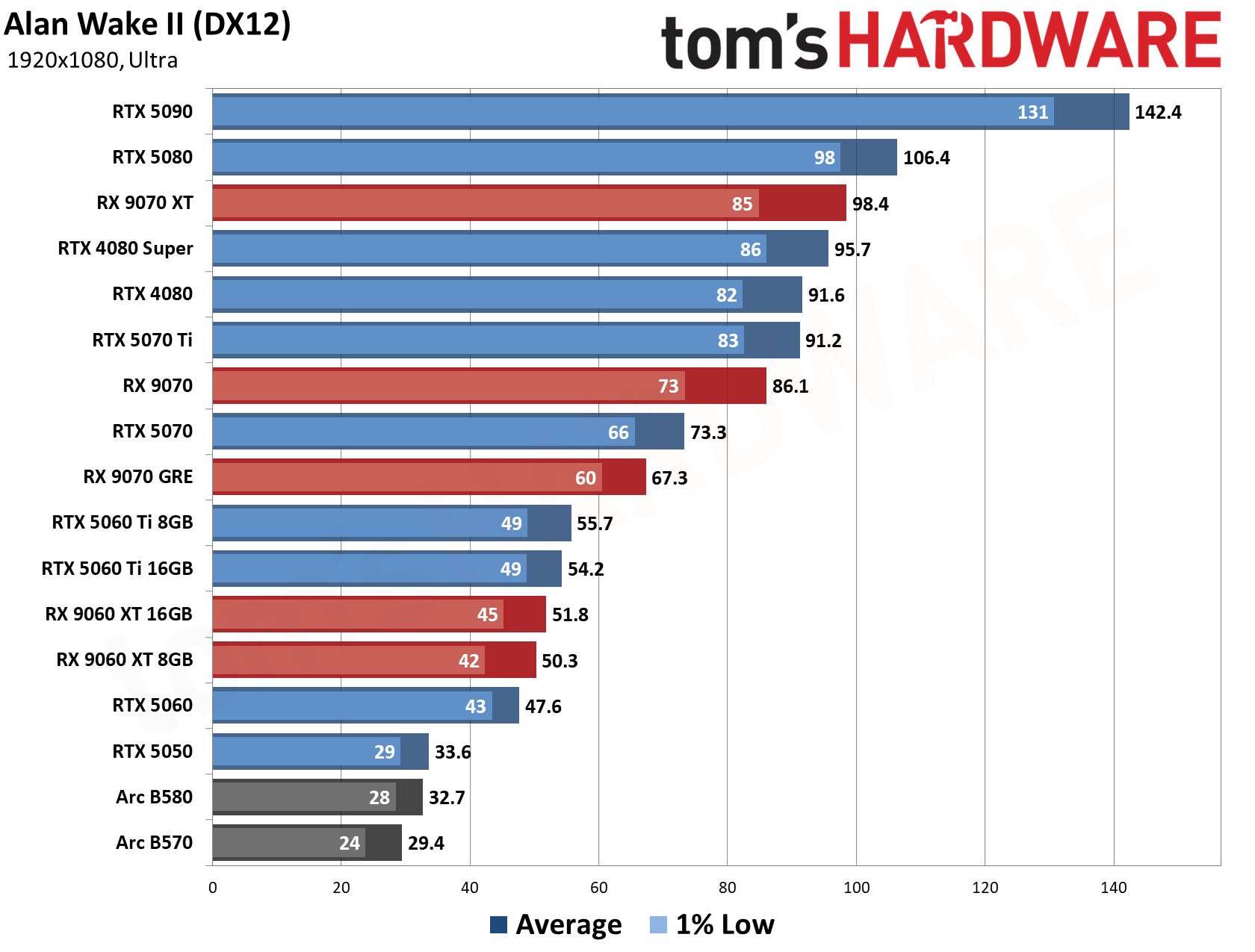
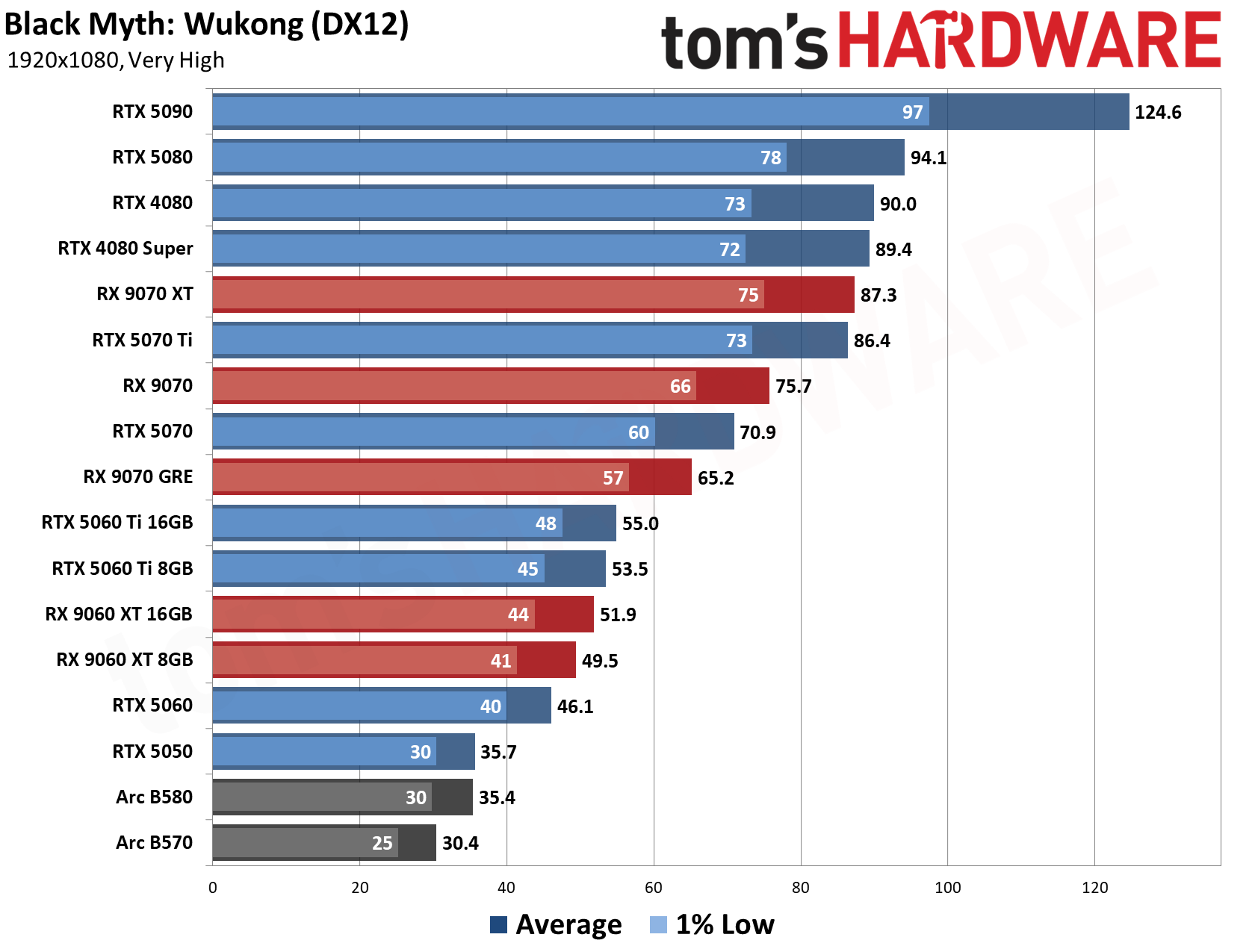
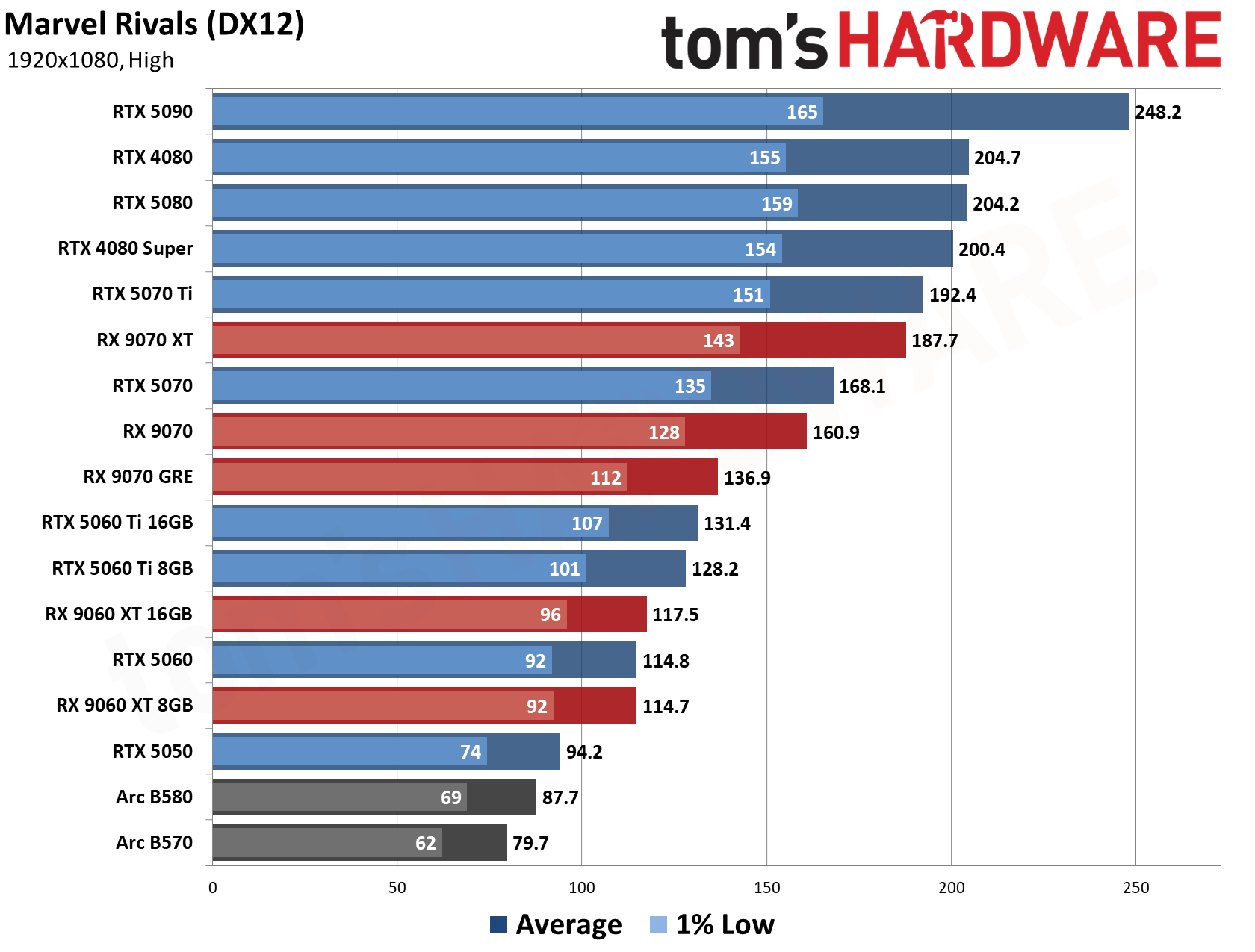
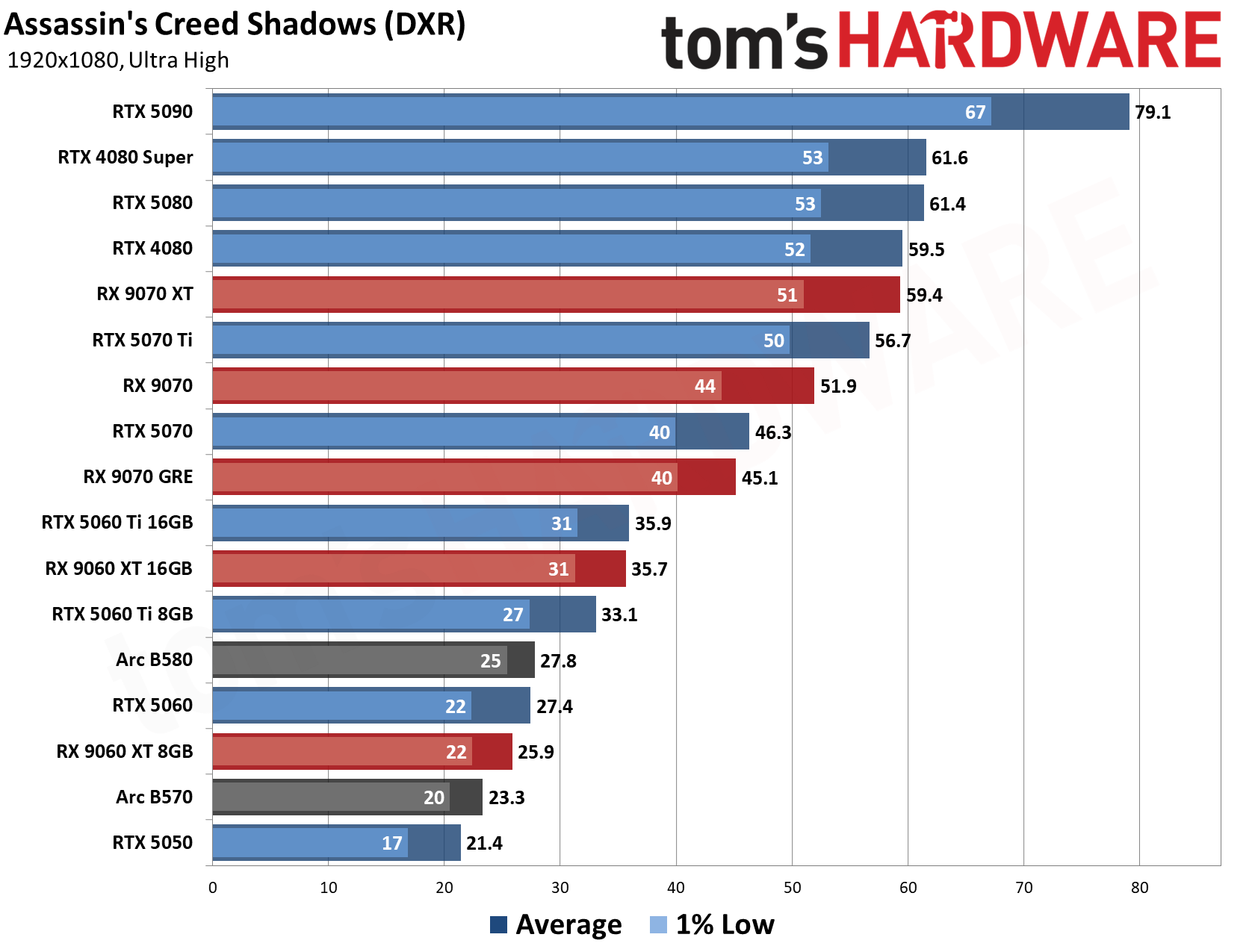
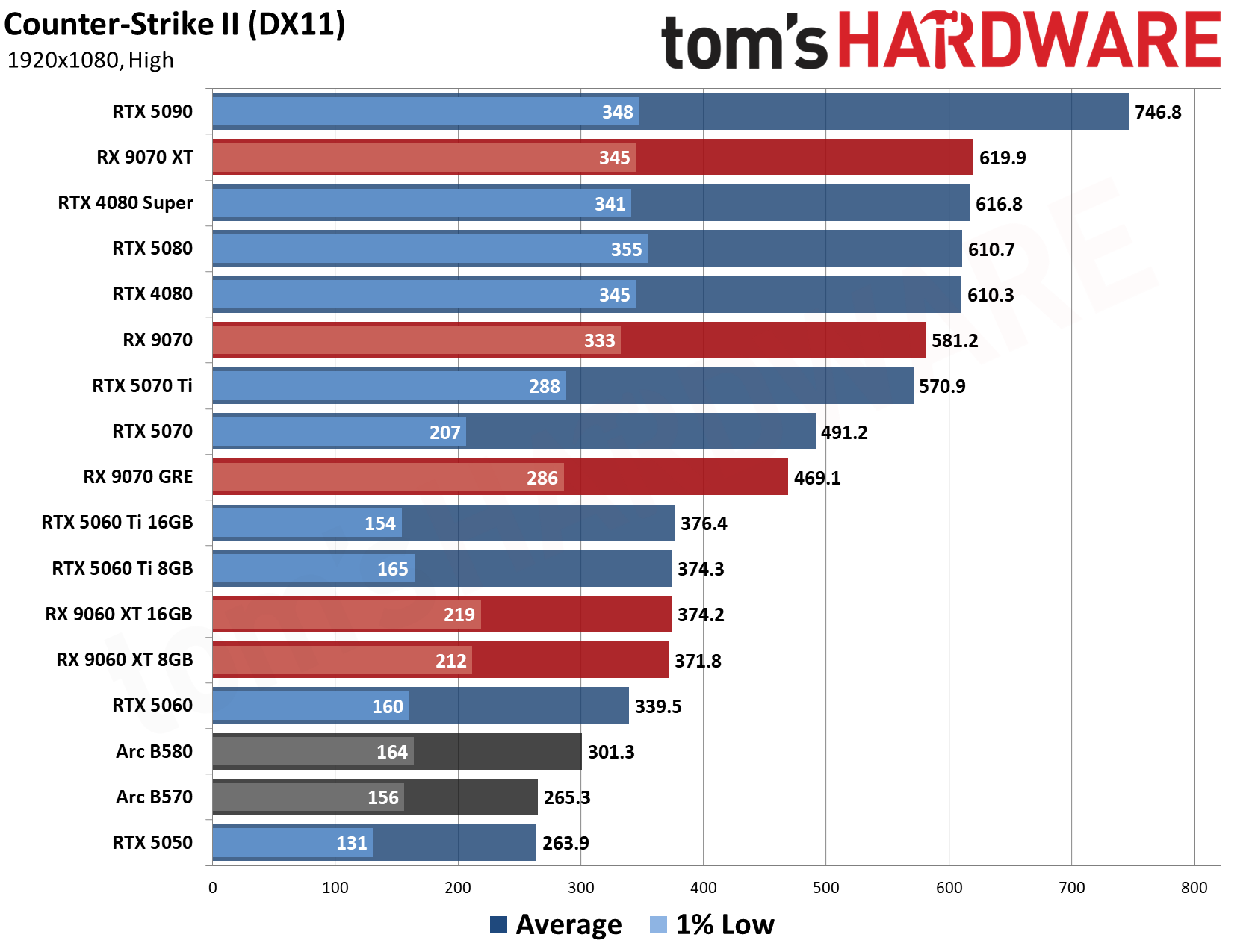
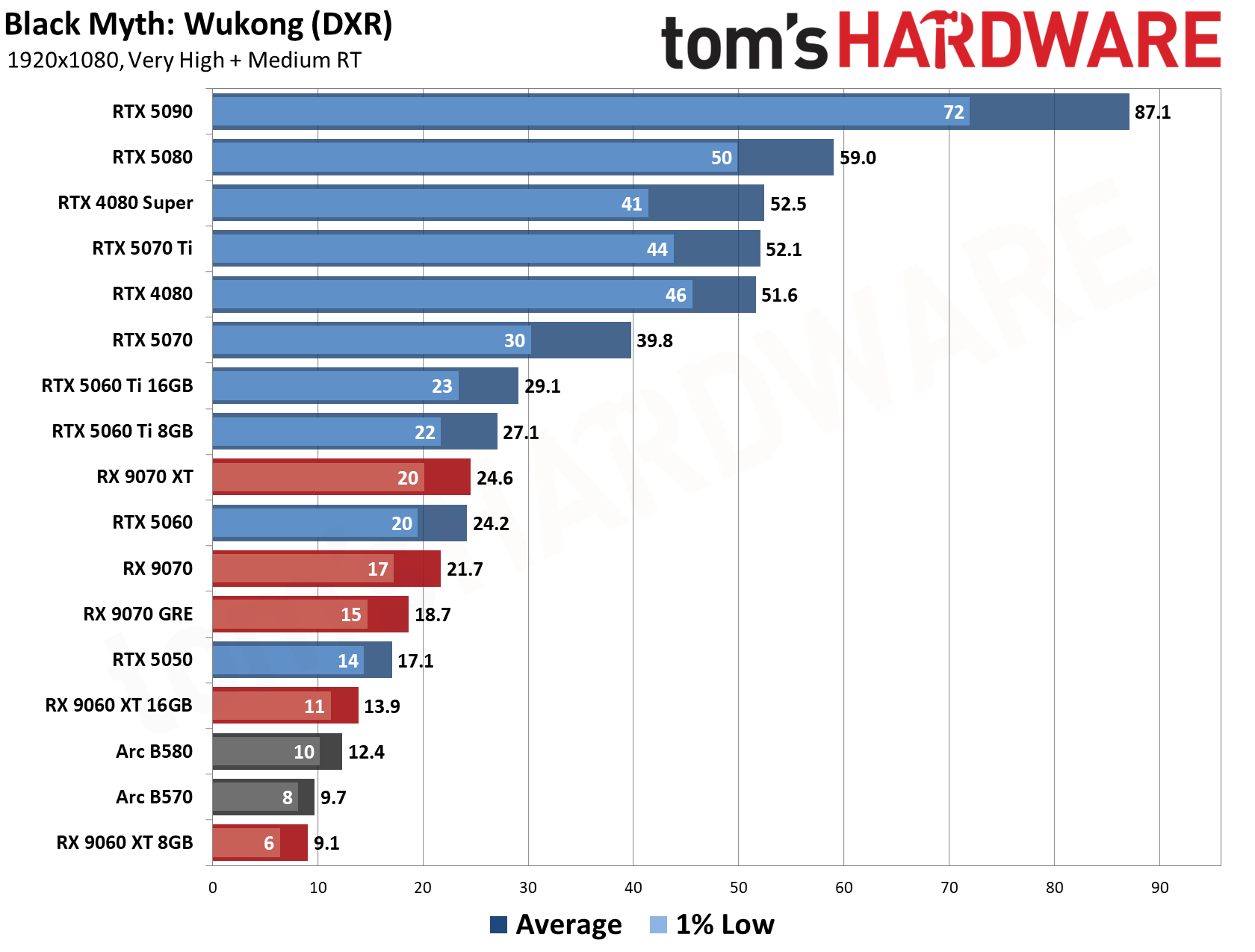
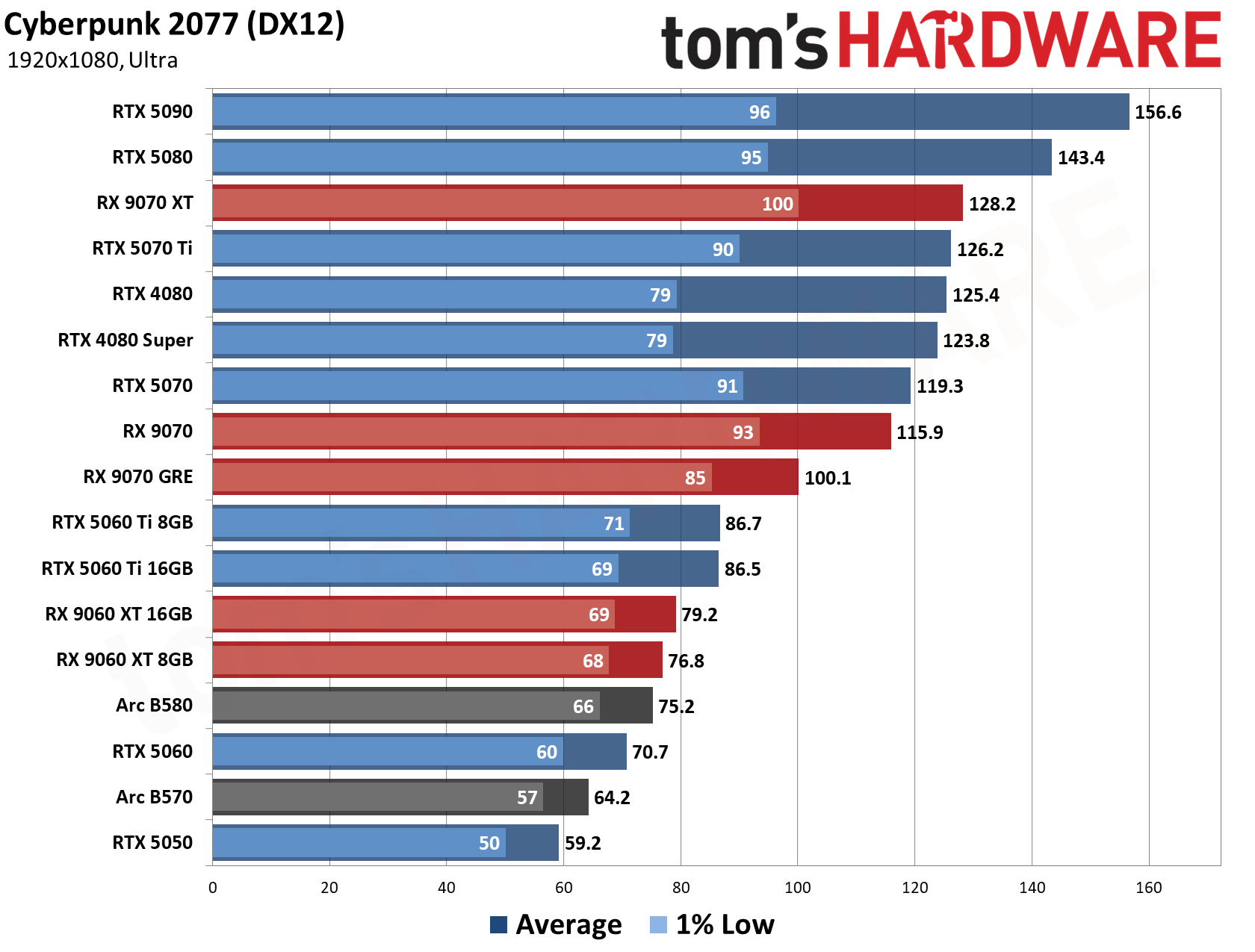
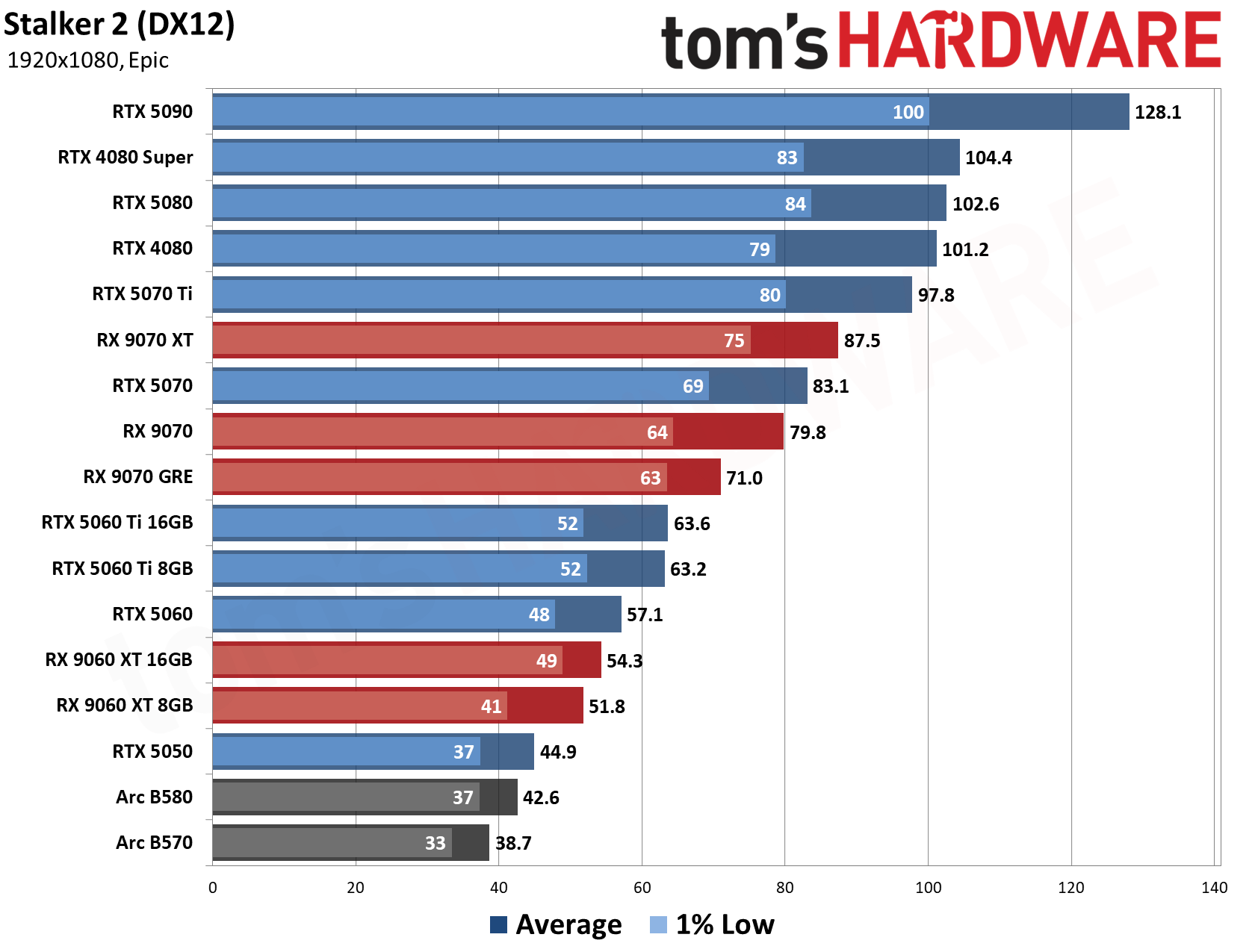
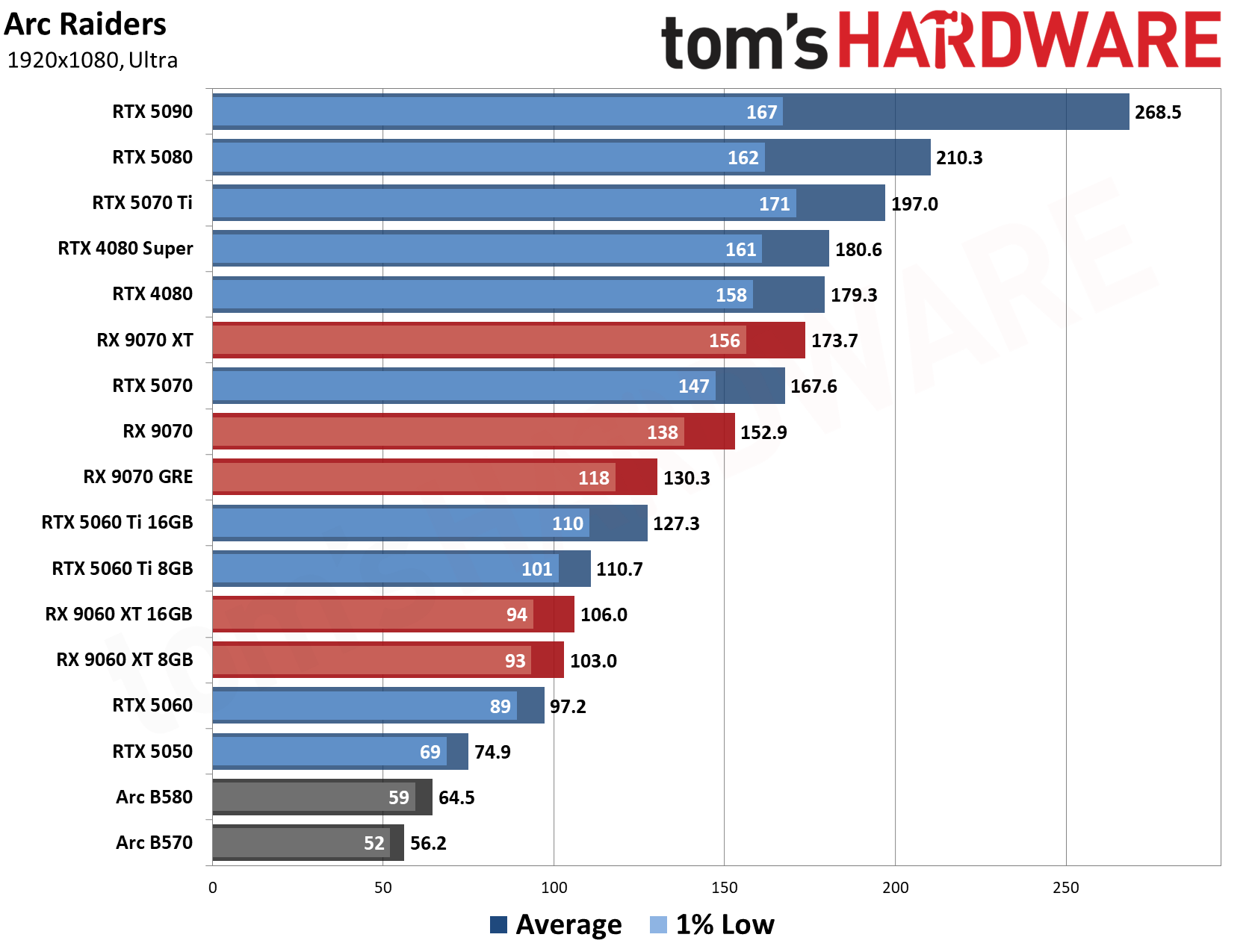
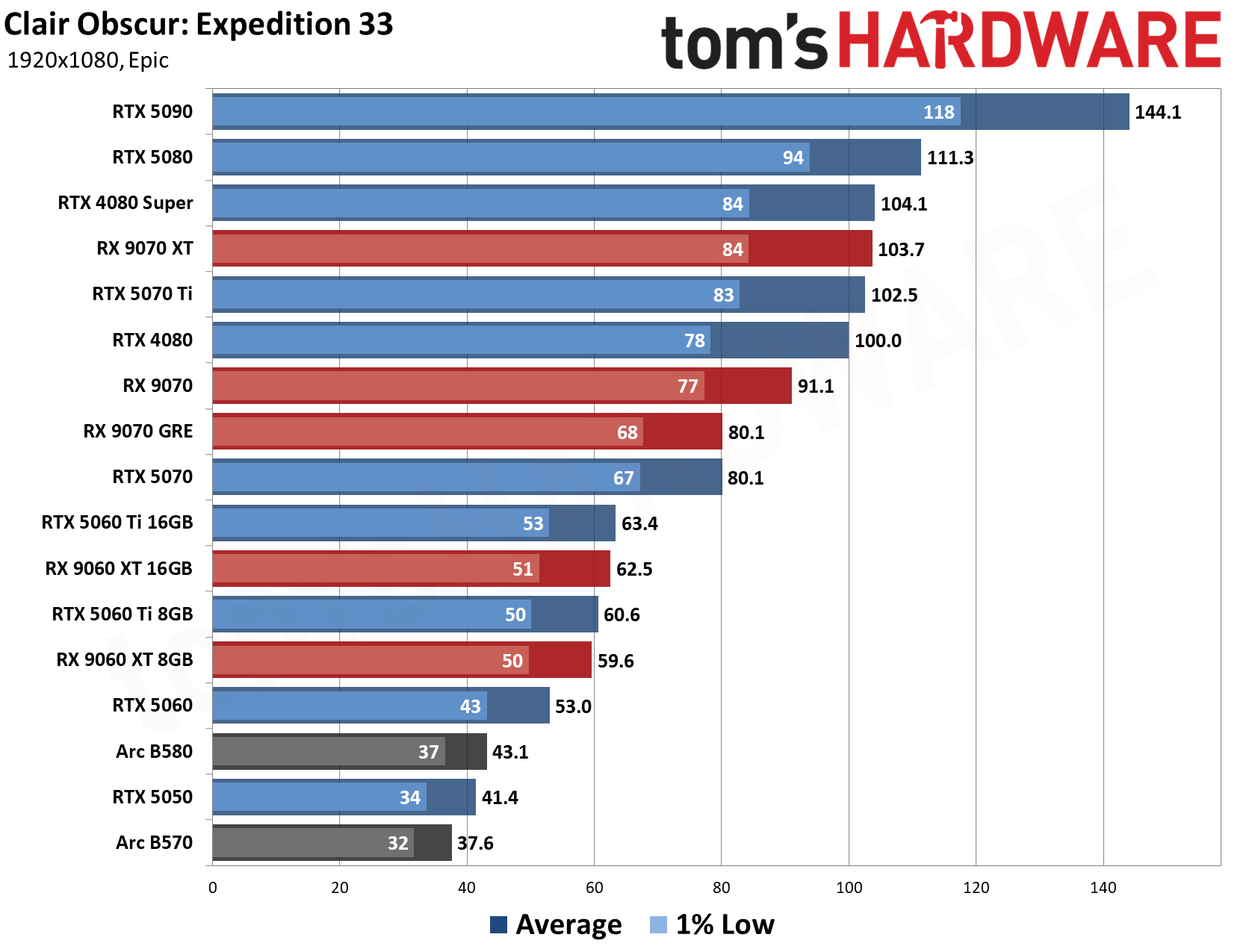
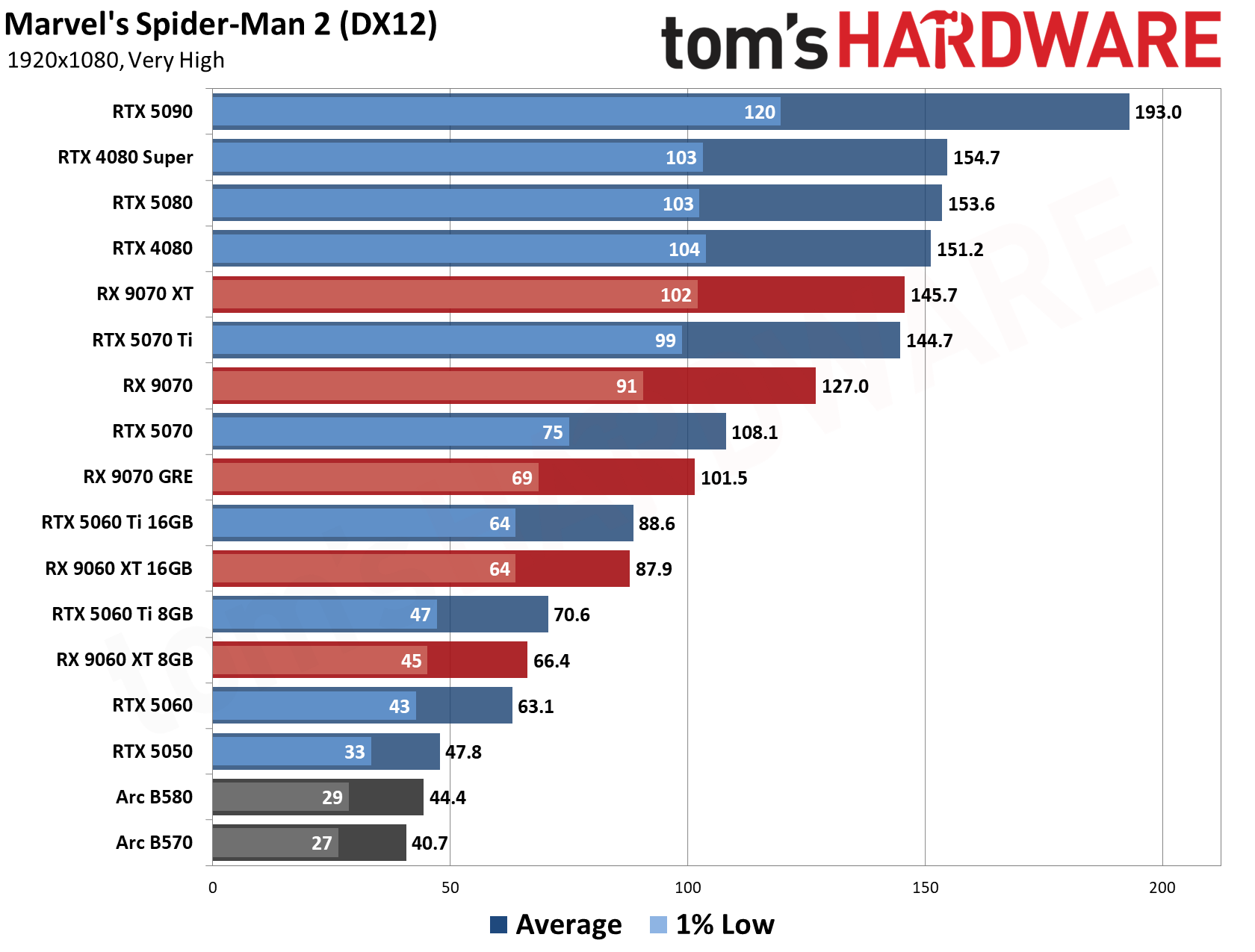
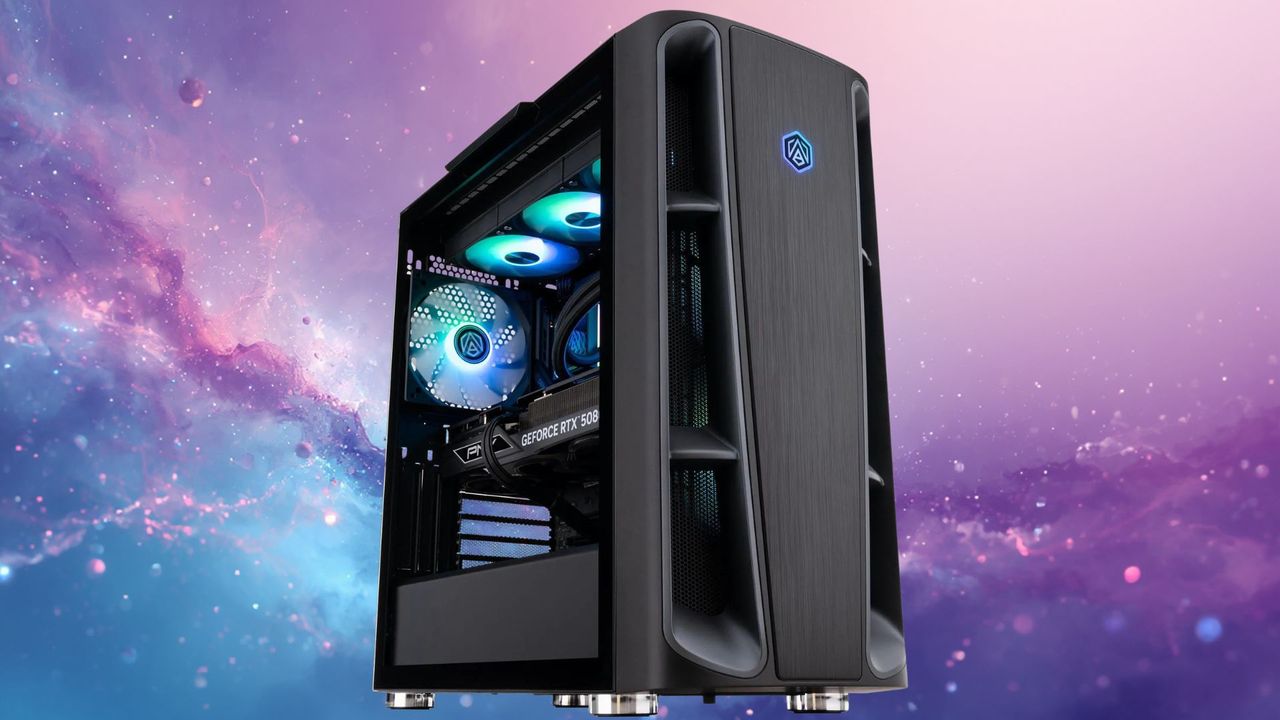
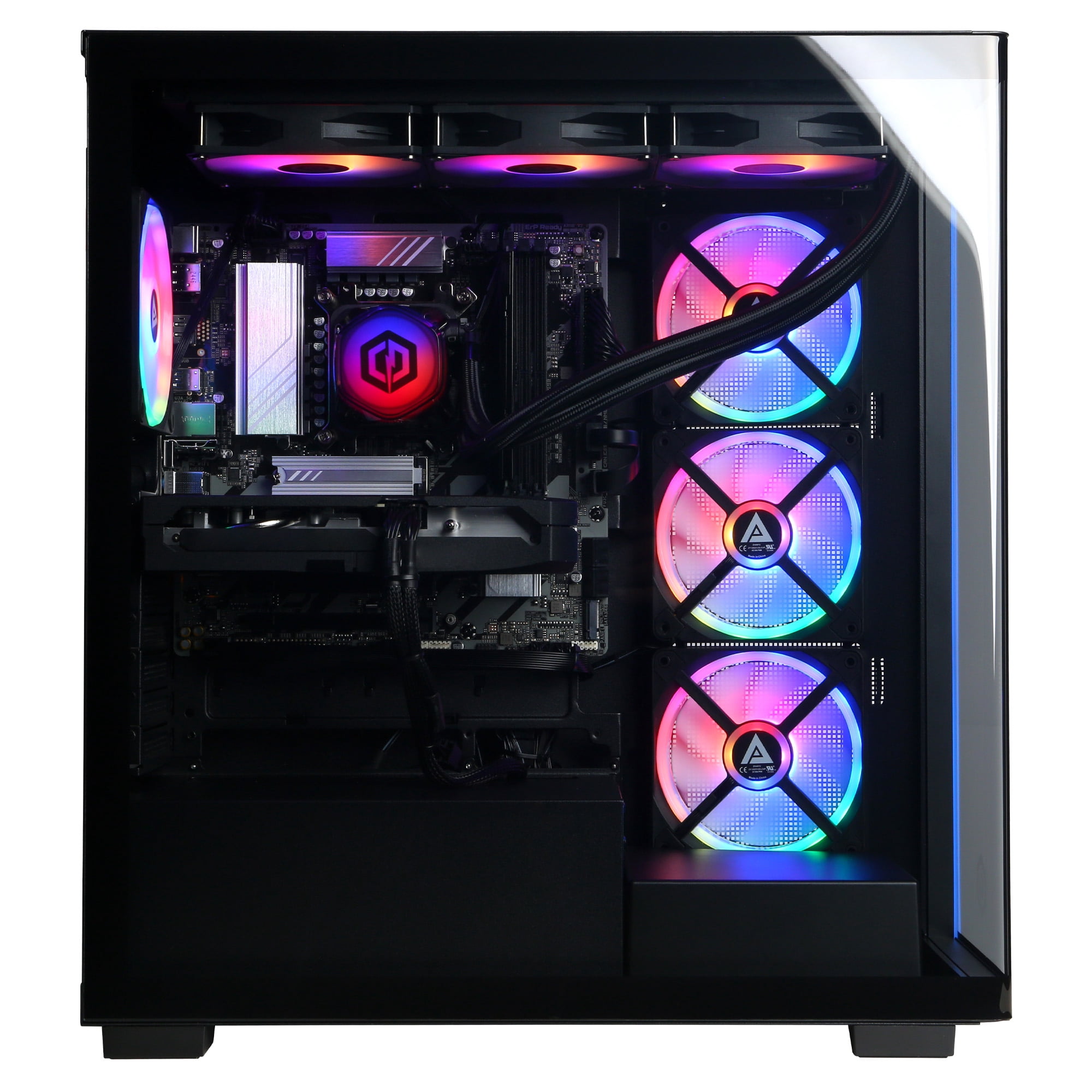
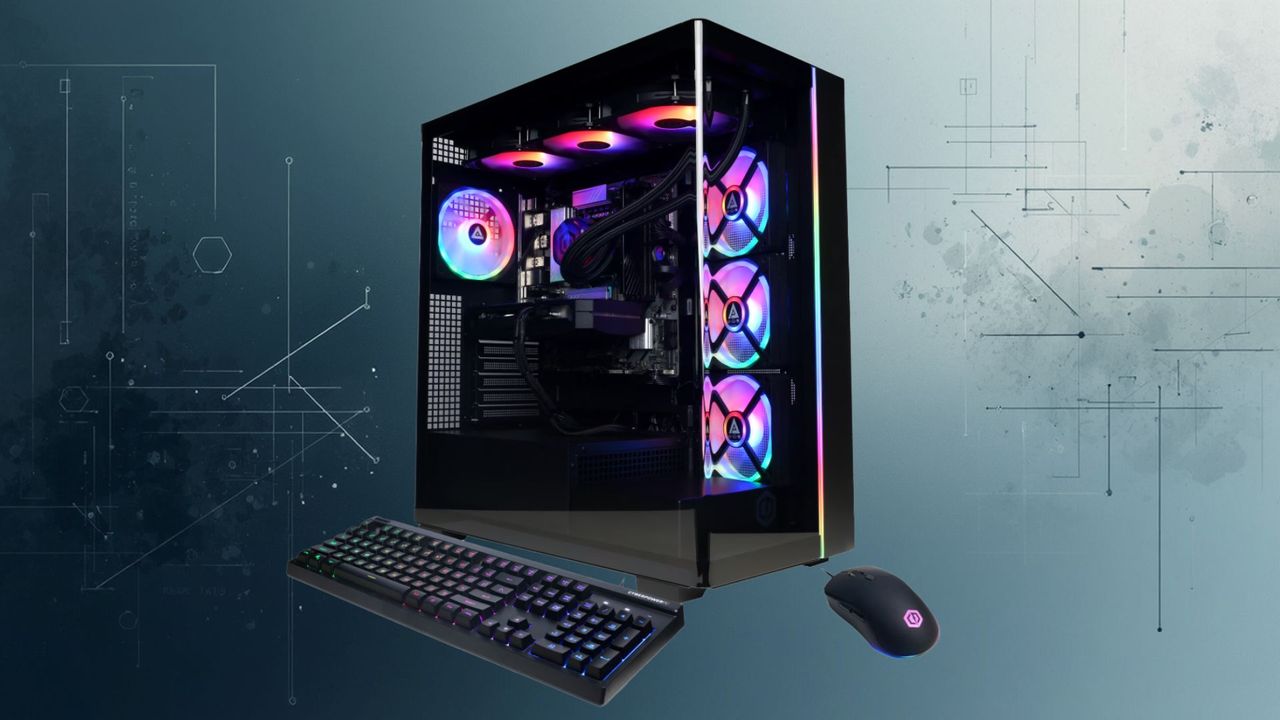
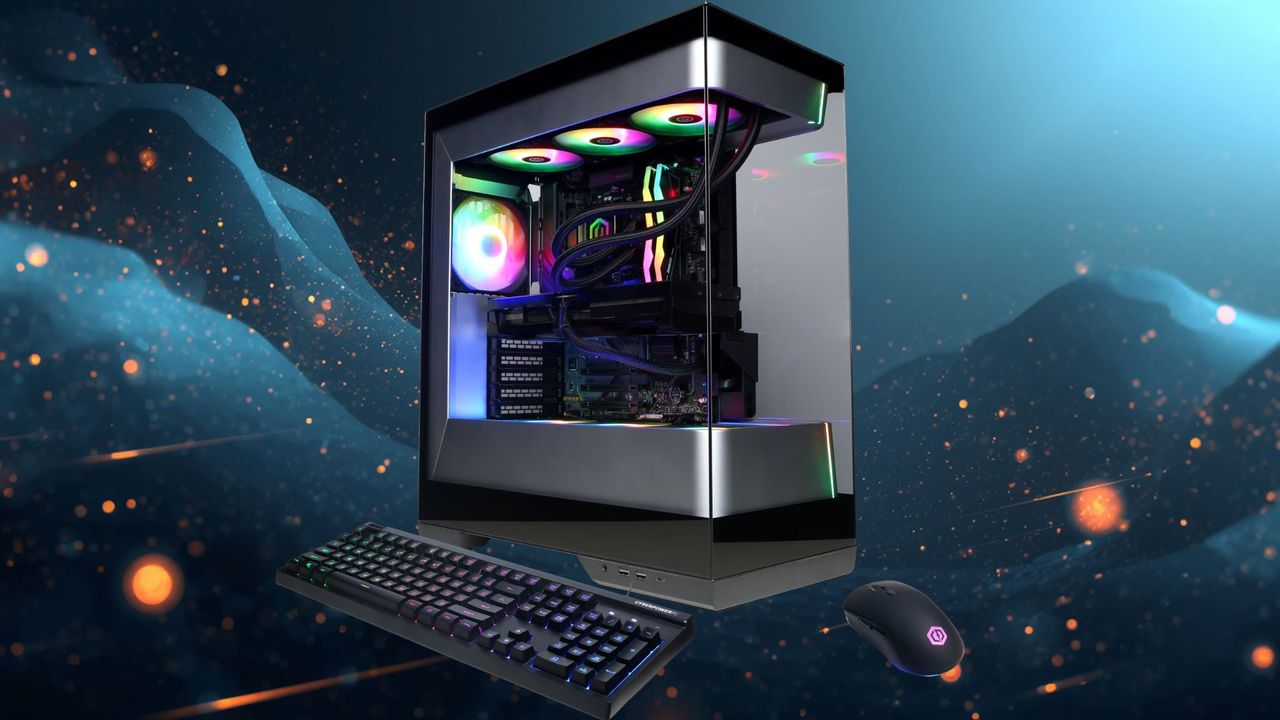
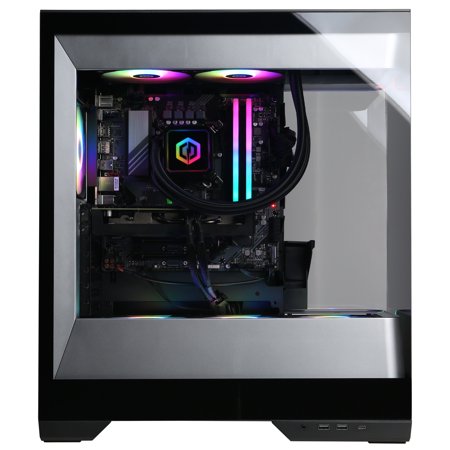
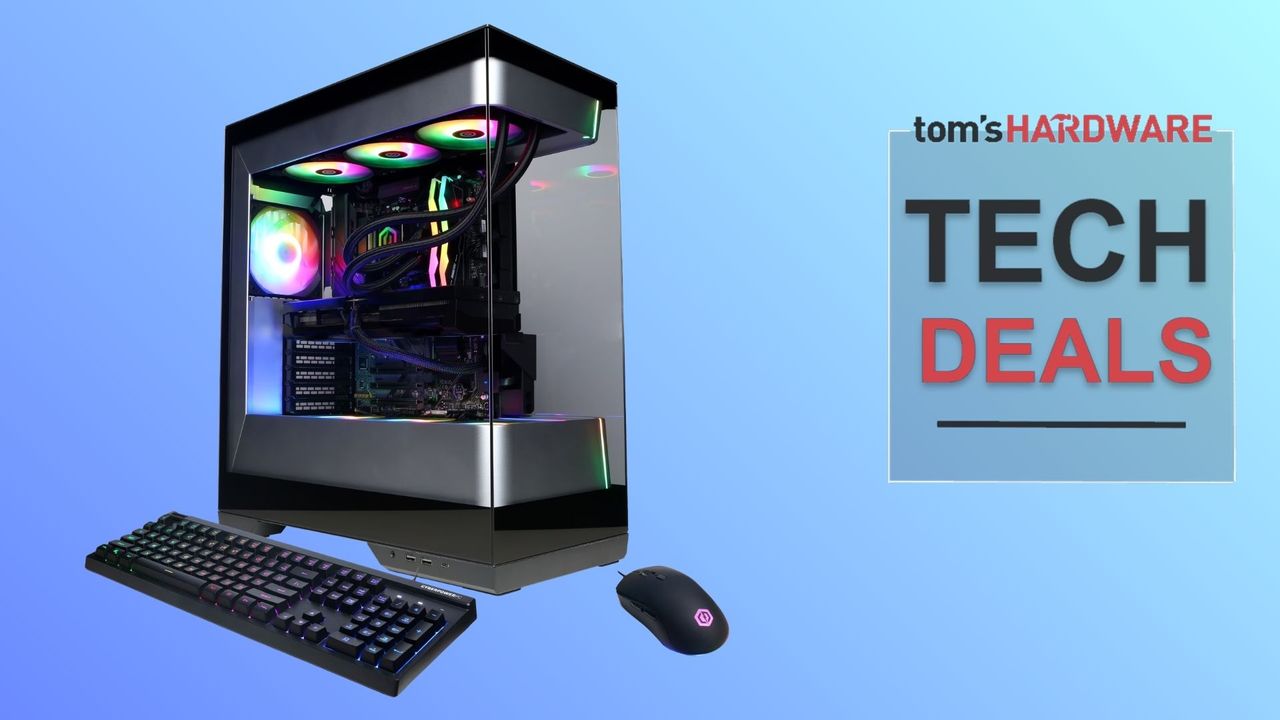
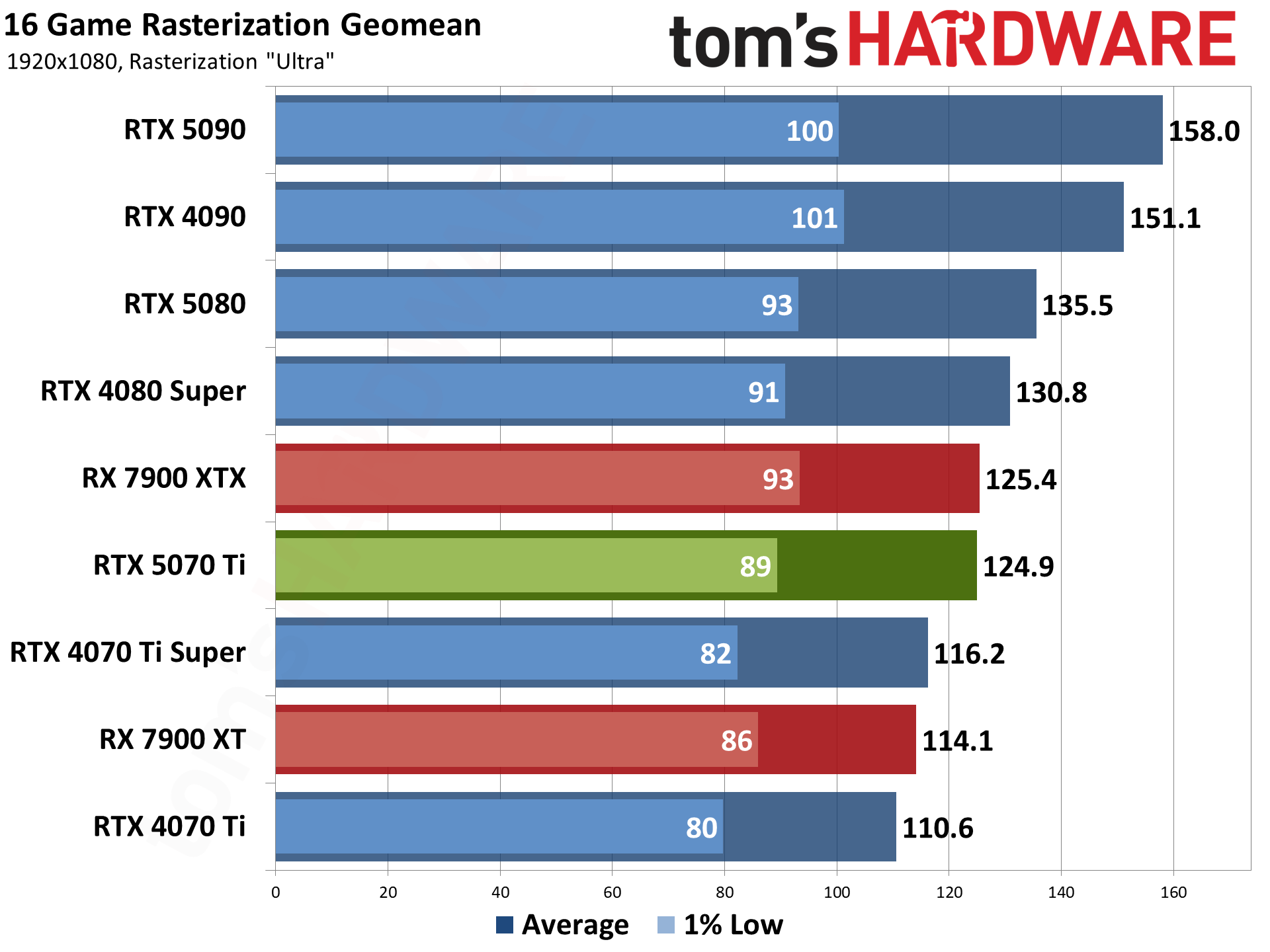
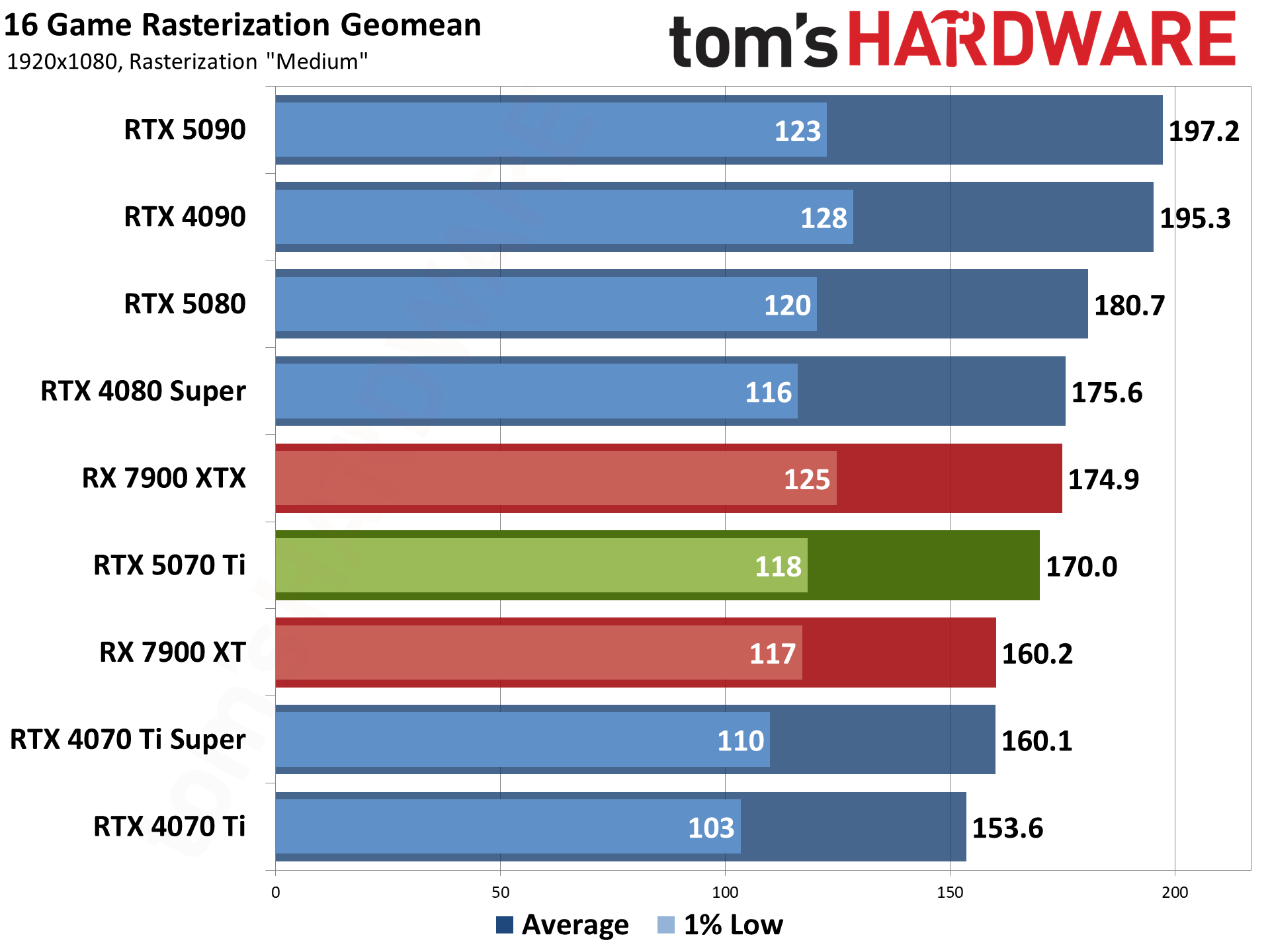
Powered by a Ryzen 7 9800X3D and a GeForce RTX 5080 Founders Edition, the $2,299 CyberPowerPC SLC8500WST is one of the best gaming prebuilt deals on the market right now. A custom GeForce RTX 5080, which starts at $1,579, and the$449 Ryzen 7 9800X3D already add up to $2,028. In today’s market, there is no way you will find 32GB of DDR5 memory and a 1TB PCIe 4.0 SSD for $271, much less put together an entire system.
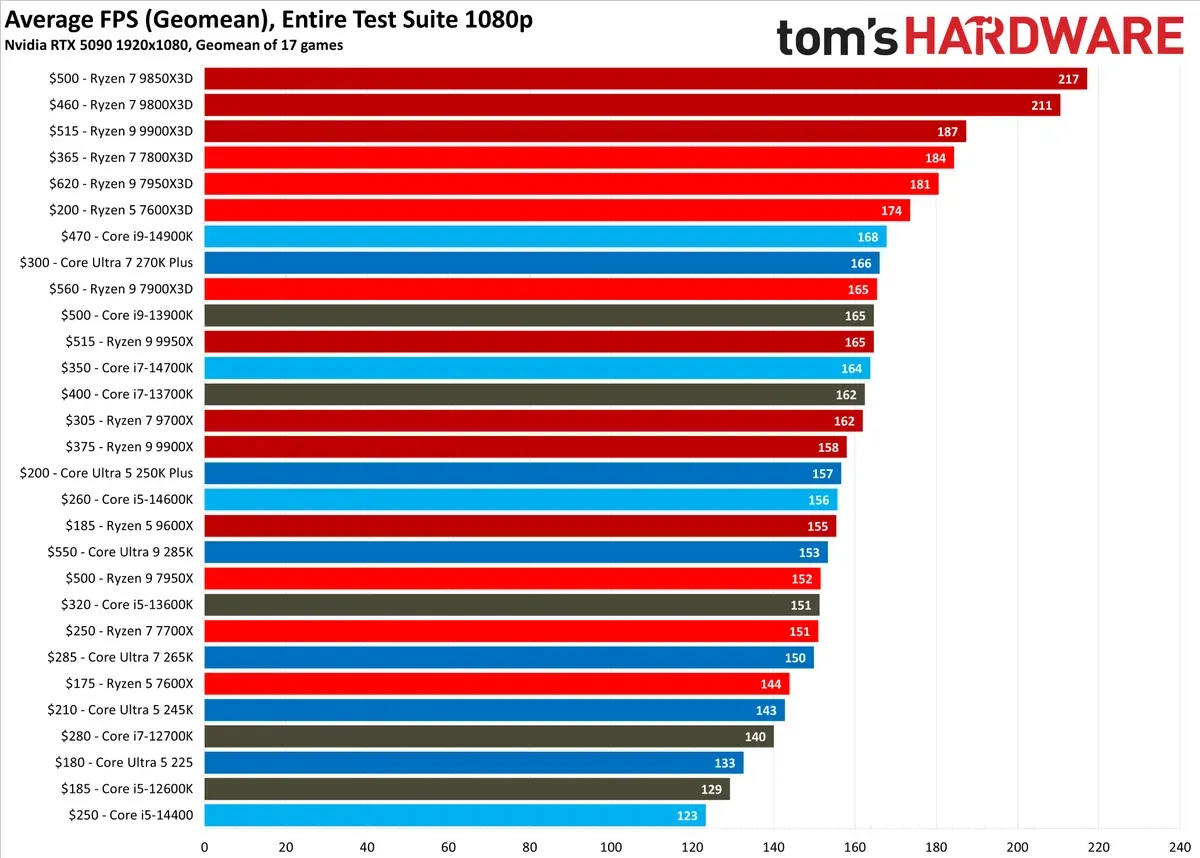
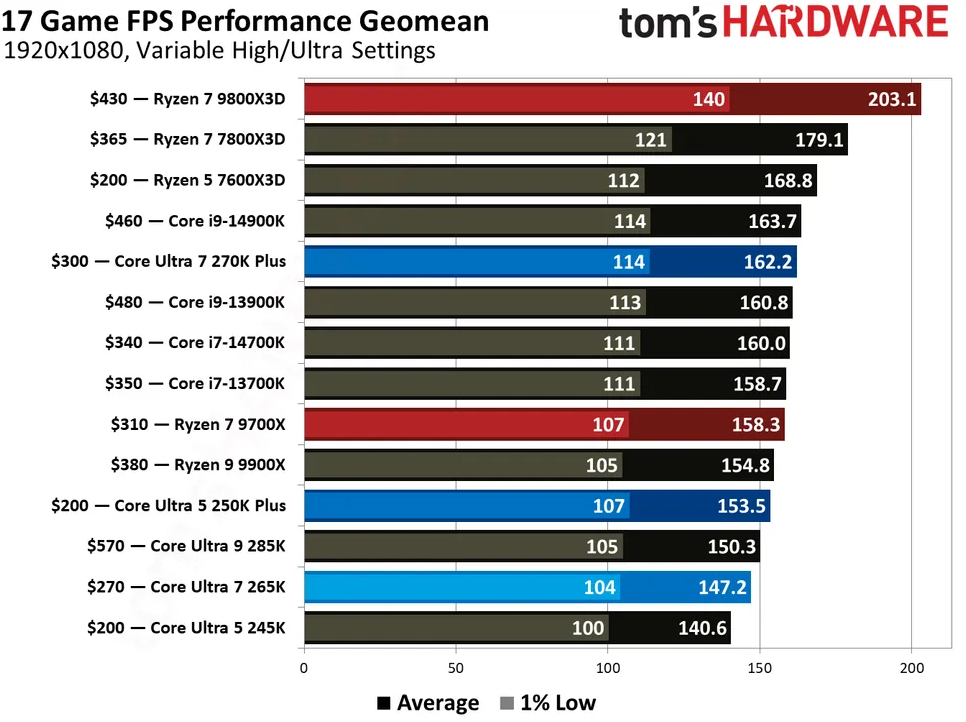
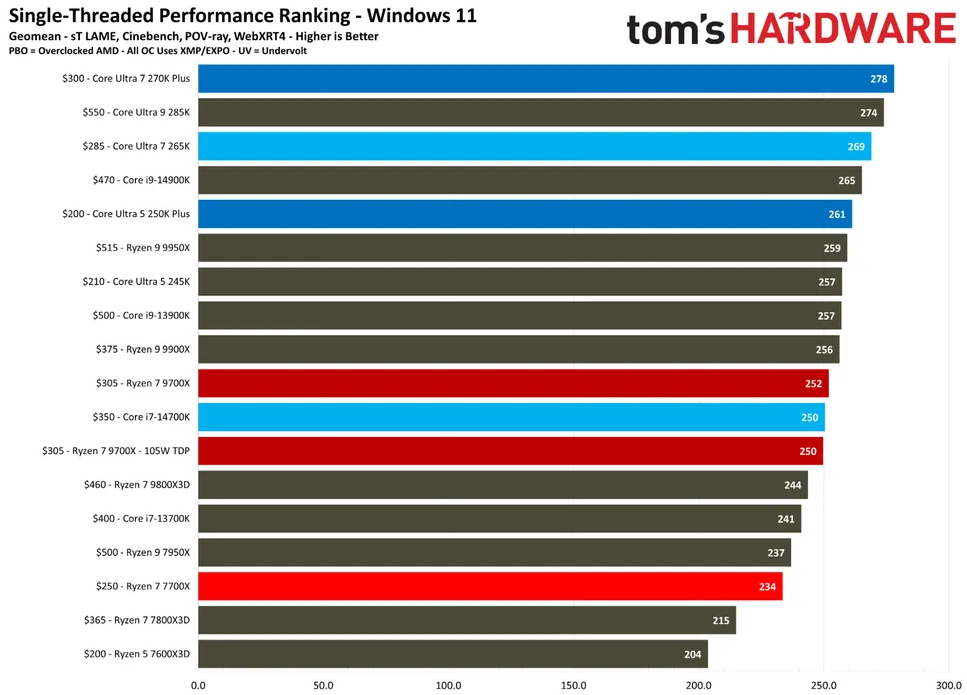
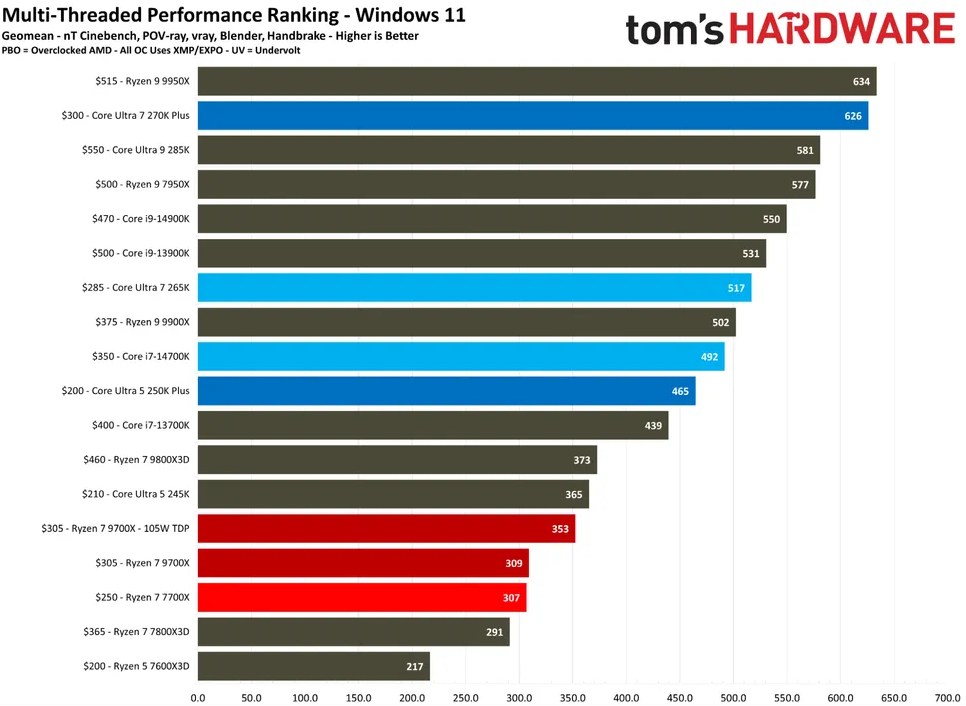
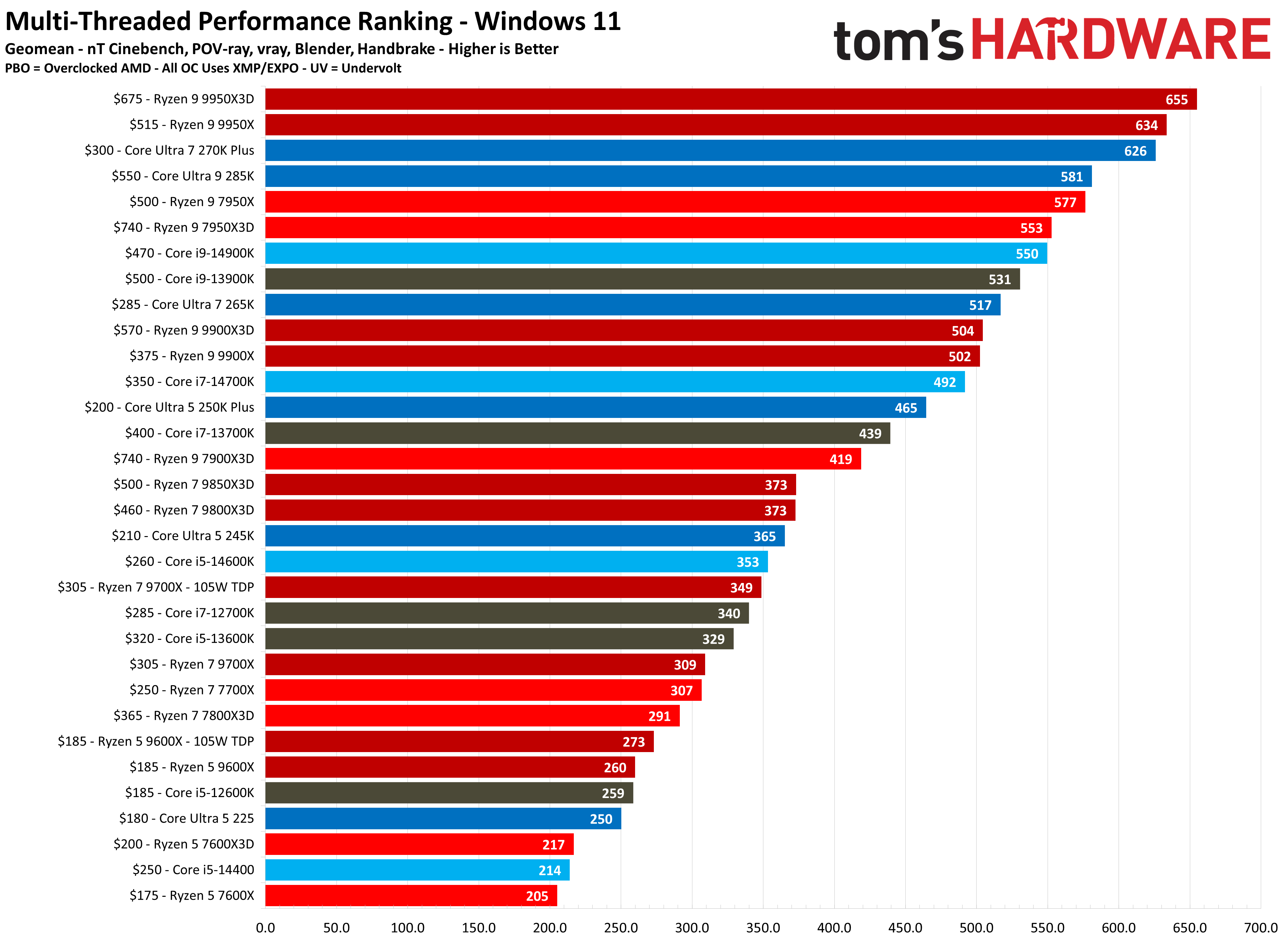
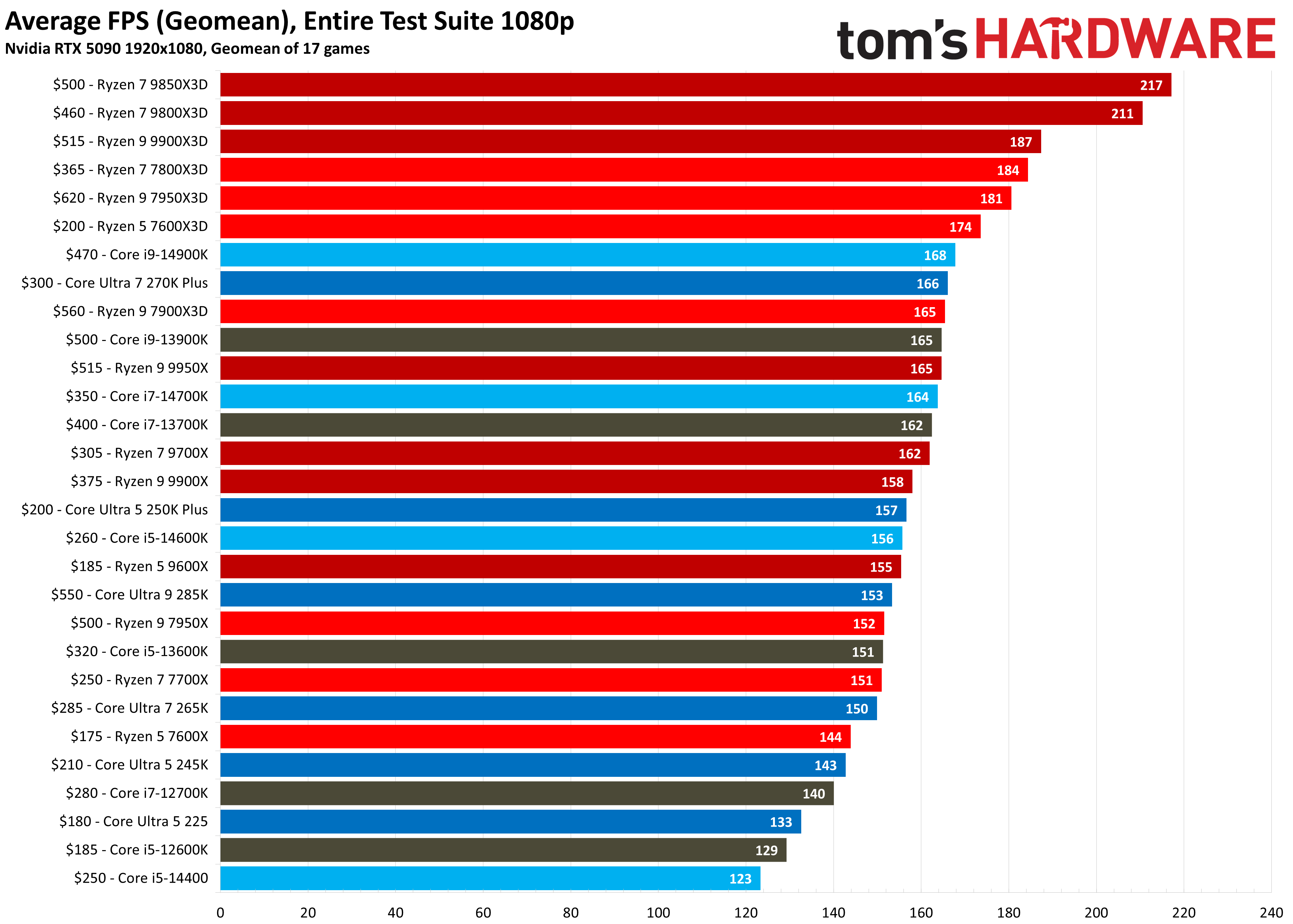
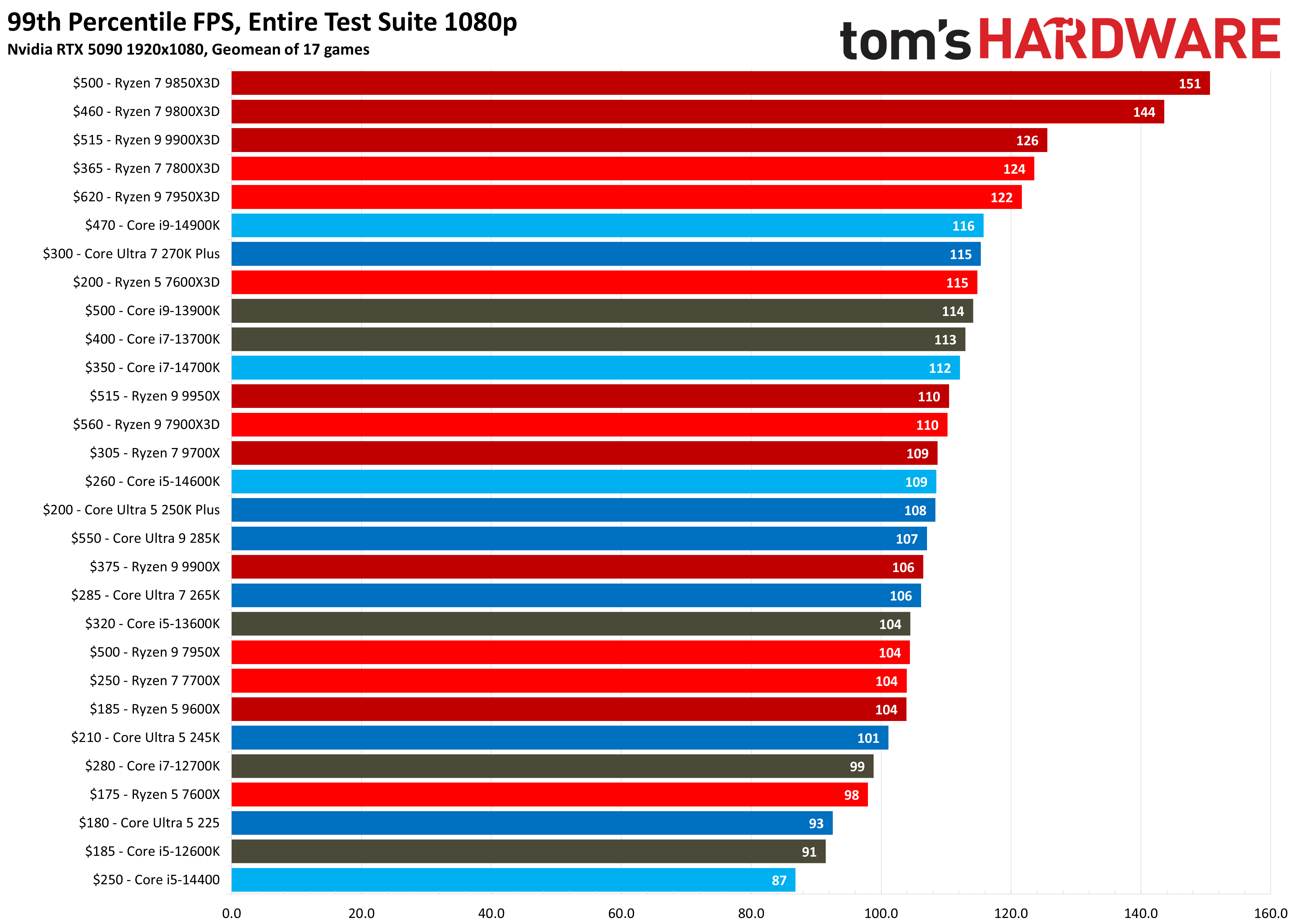
The Ryzen 7 9800X3D needs no introduction. The octa-core Zen 5 chip with 96MB of L3 cache has been on the market for two years now and still reigns as the best CPU for gaming. Although Intel and AMD have released many processors, nothing comes close to the Ryzen 7 9800X3D in terms of performance and gaming value that the Zen 5 processor offers.
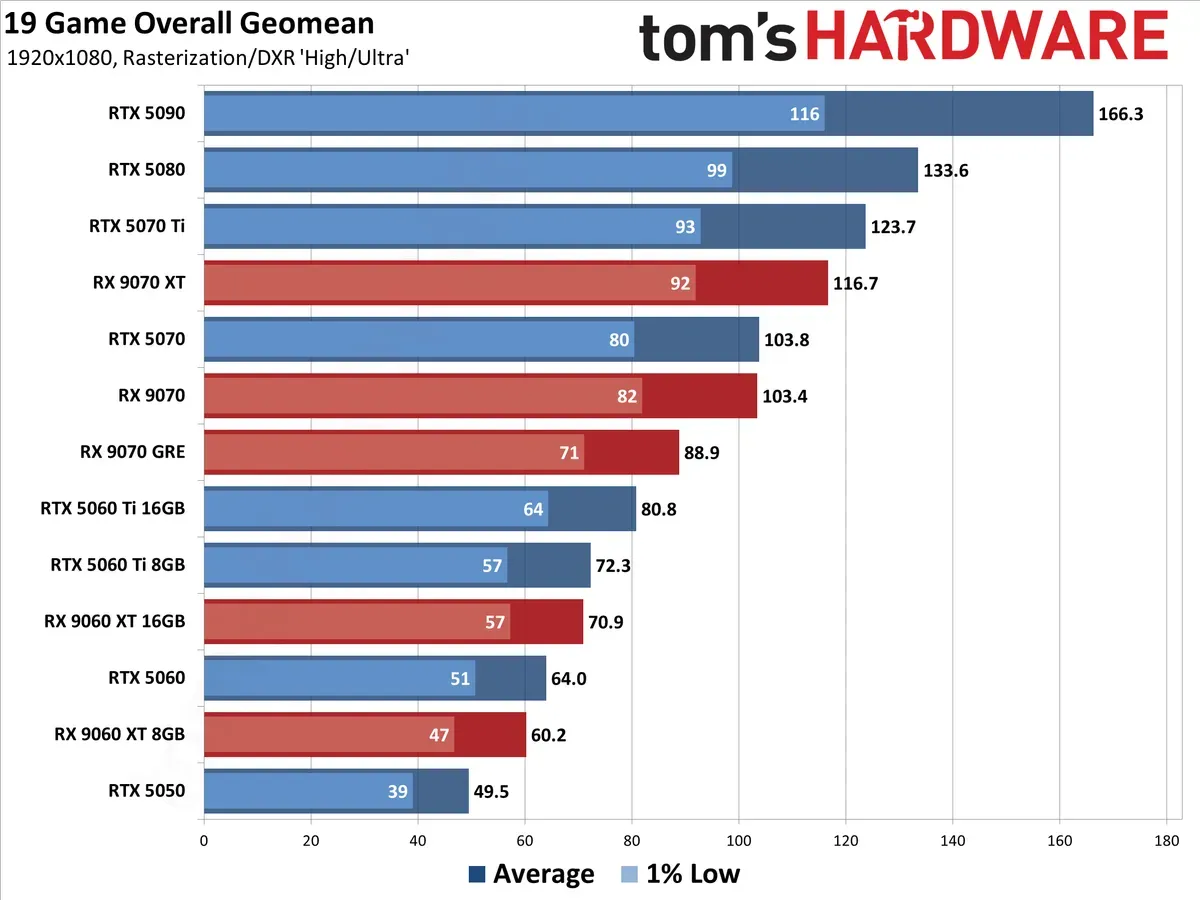
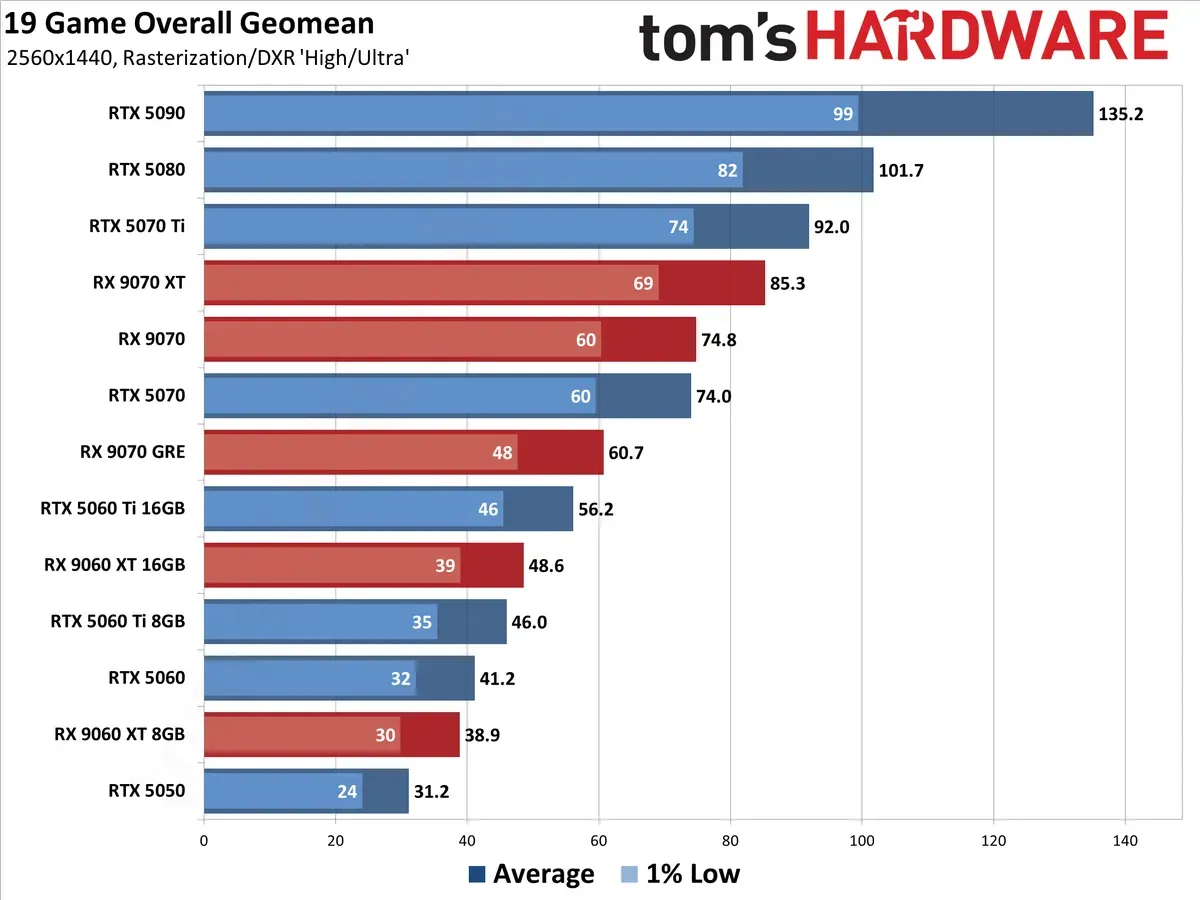
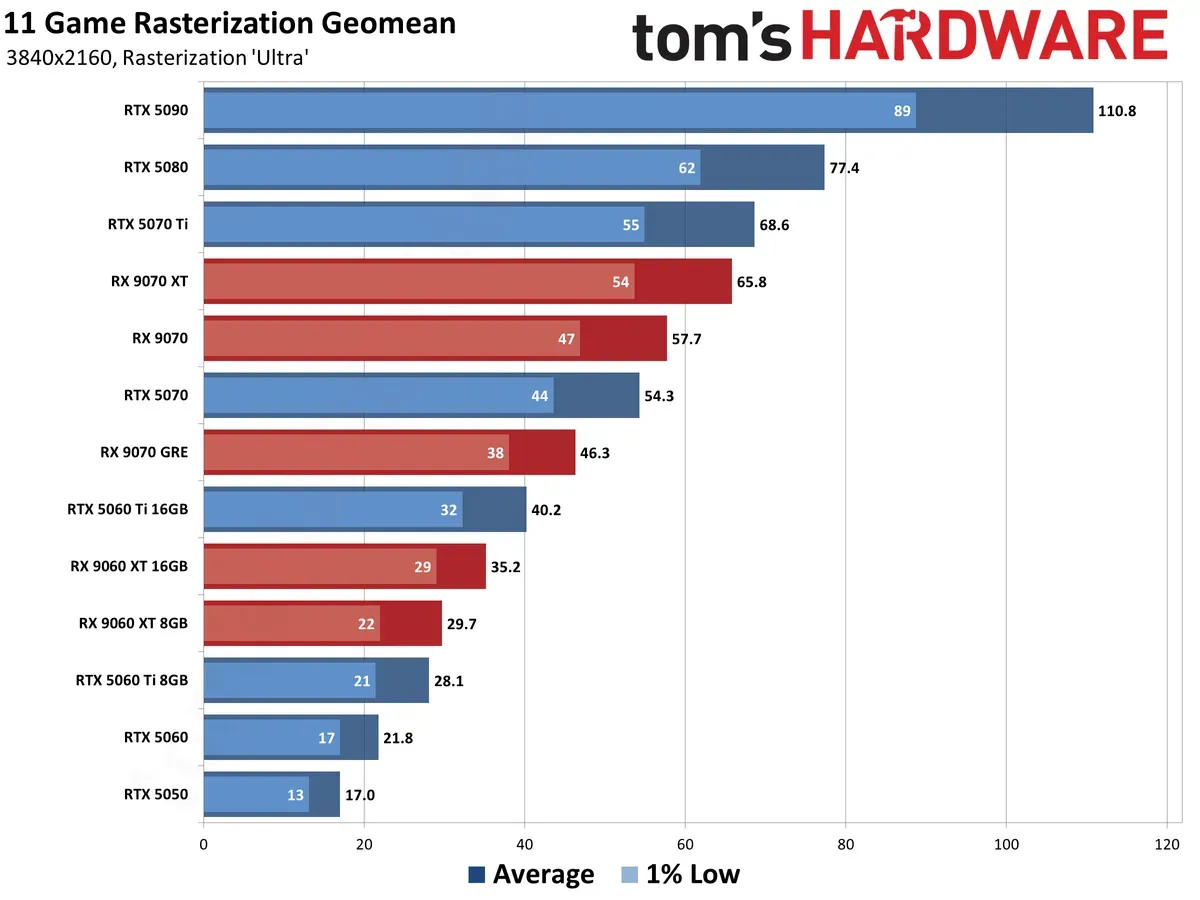
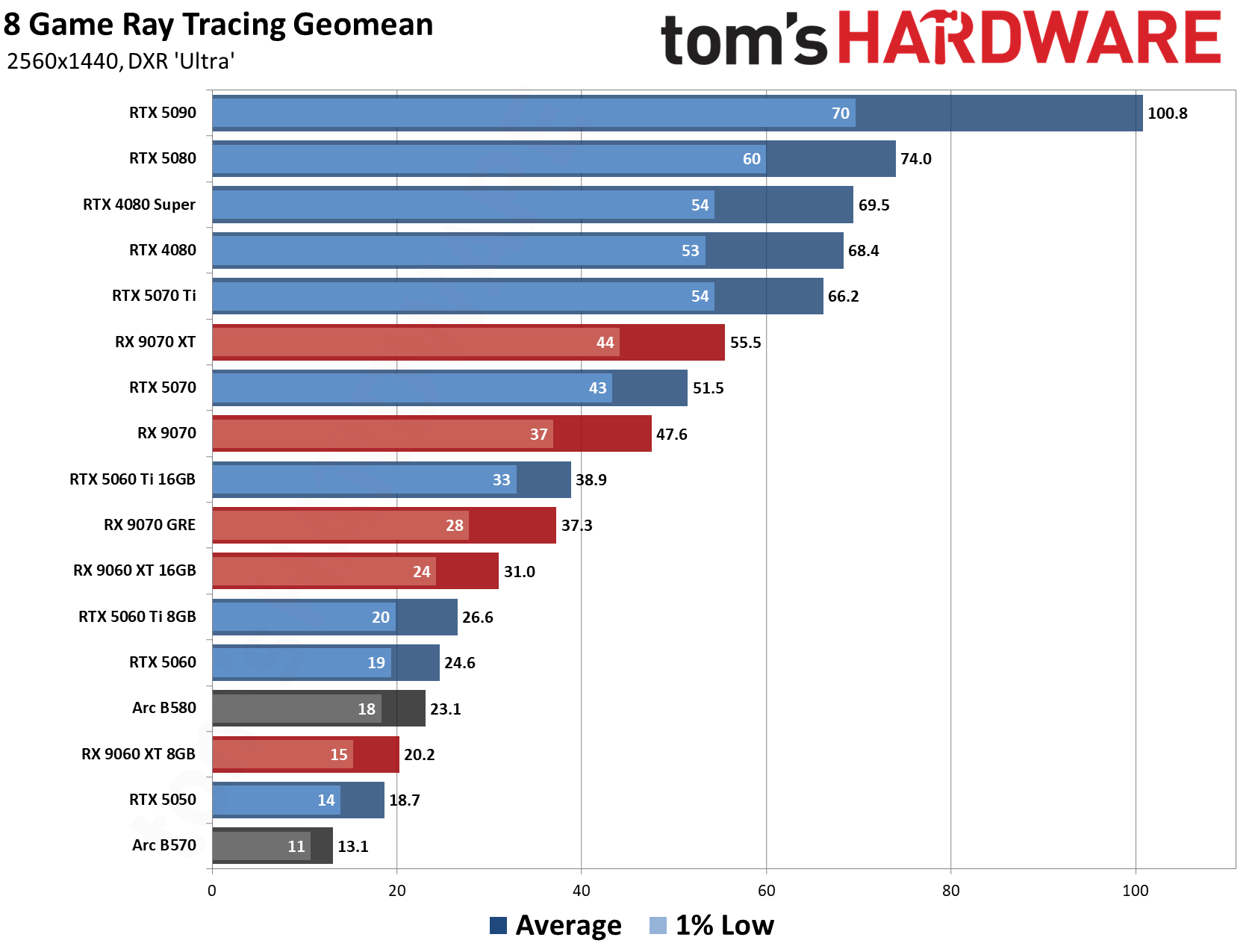
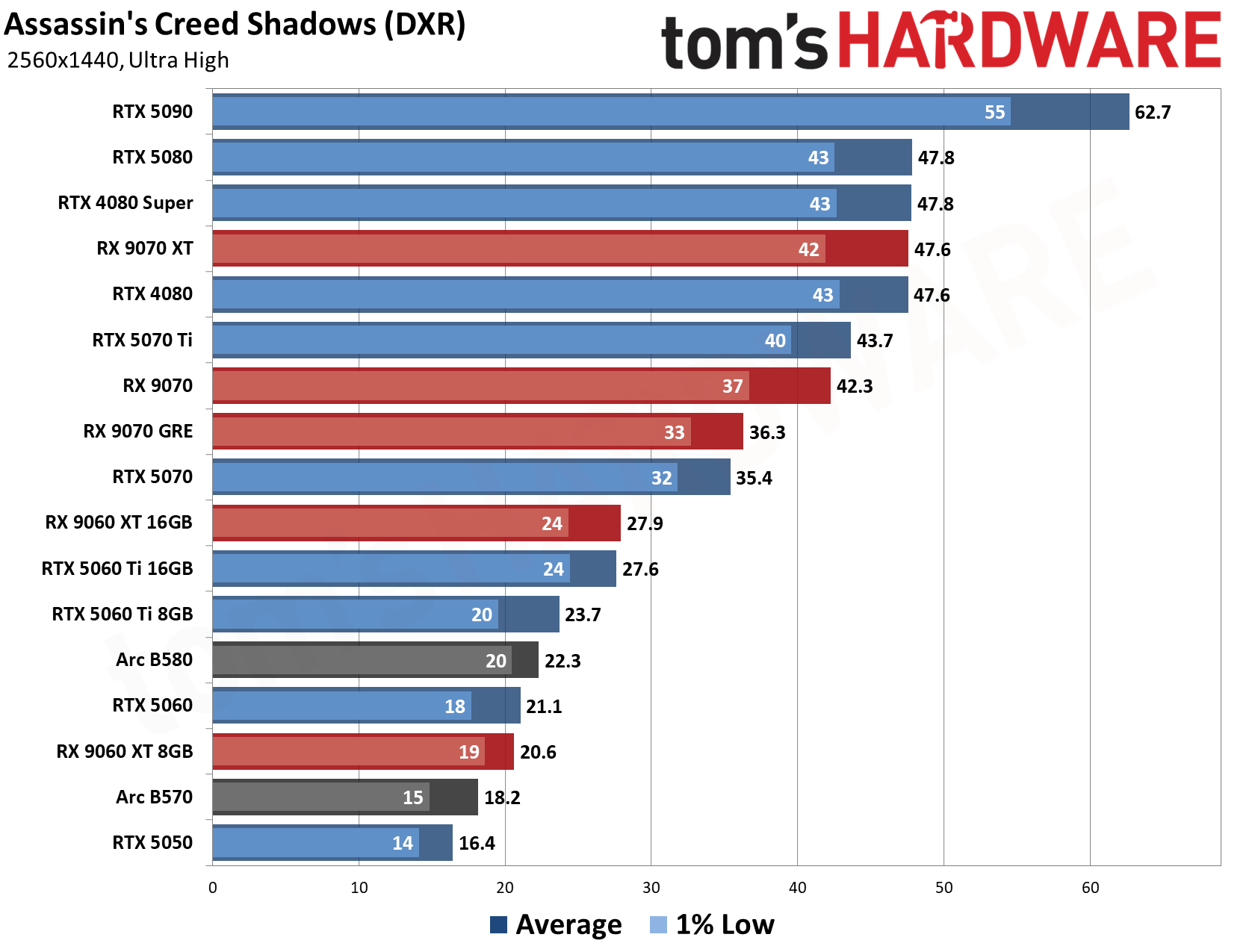
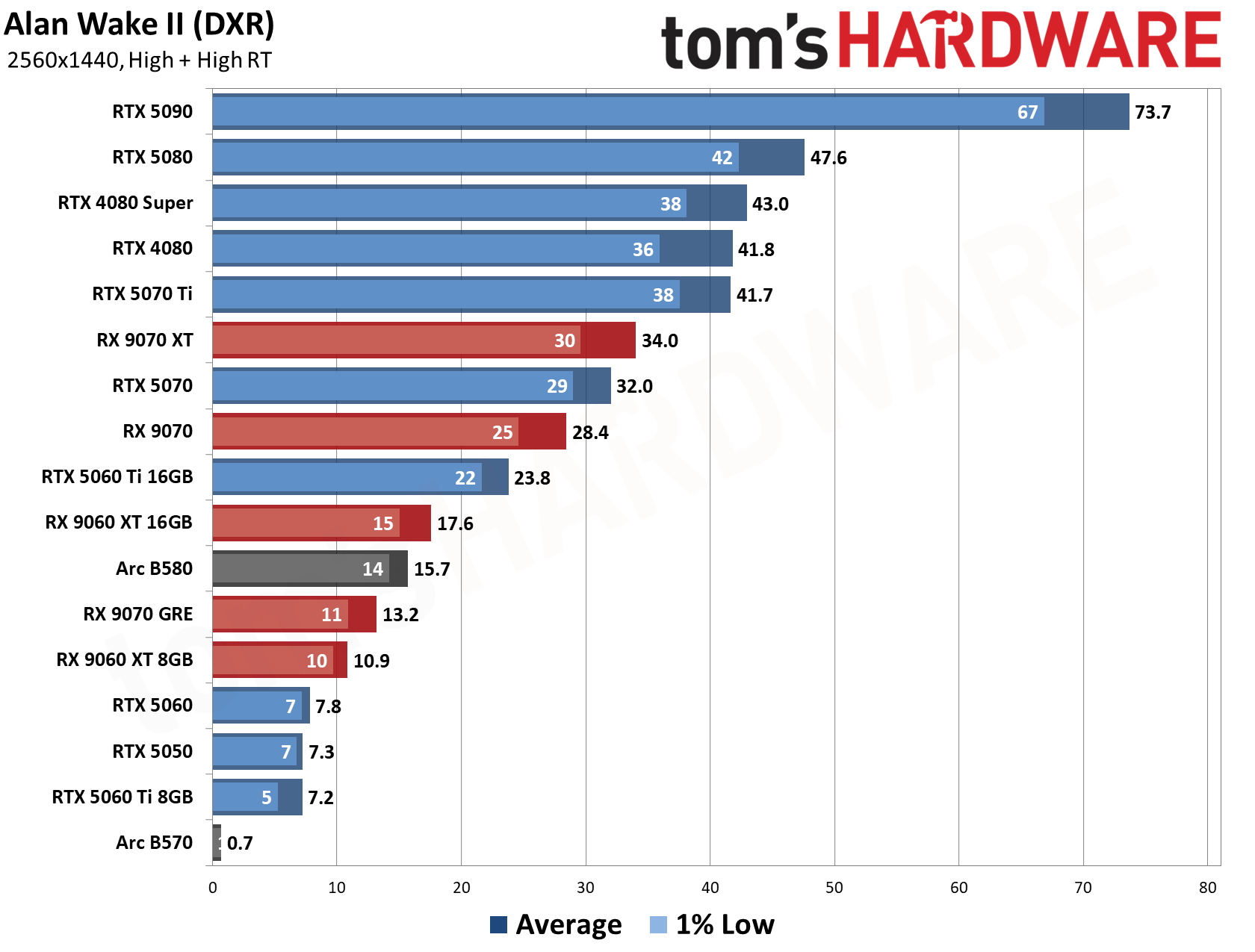
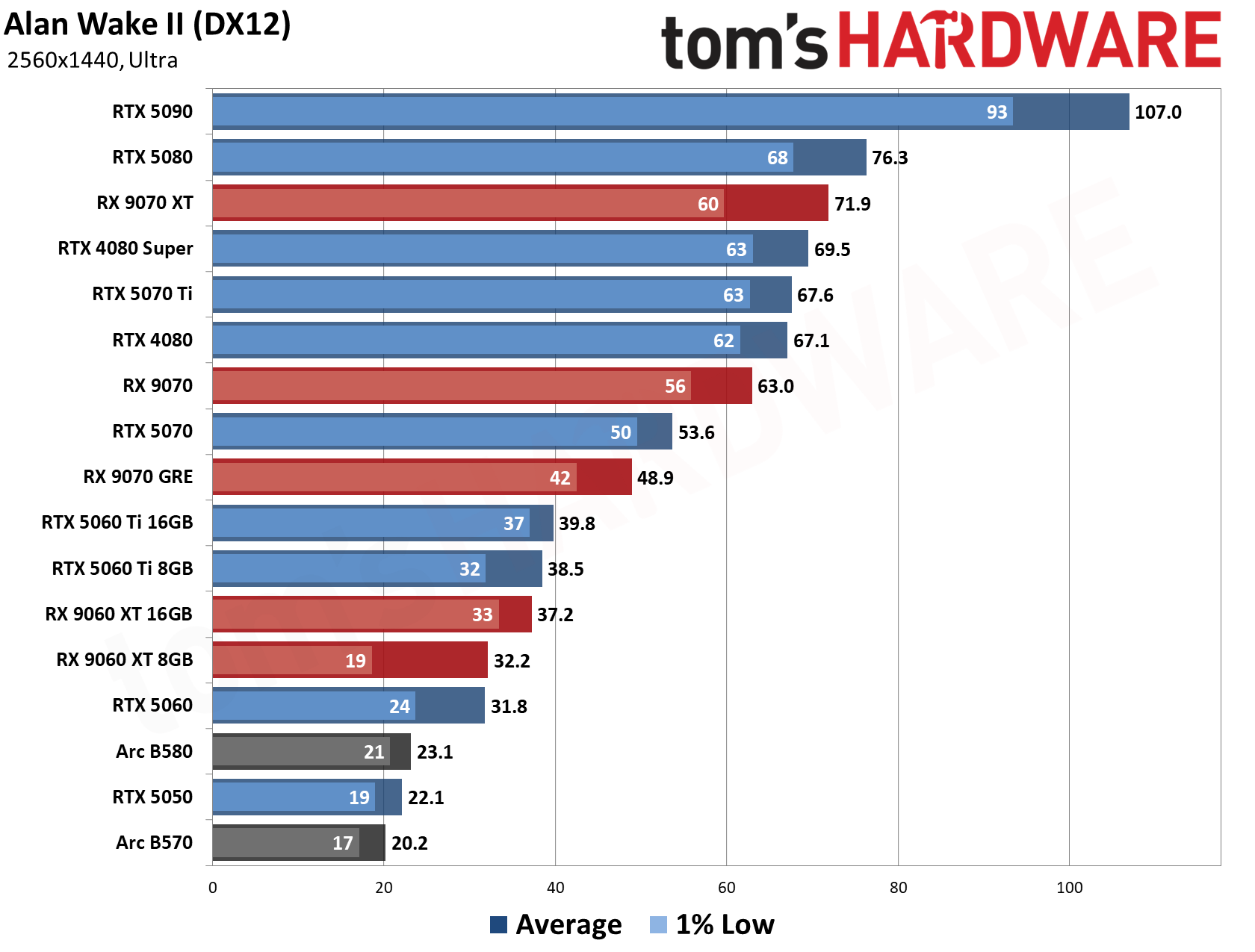
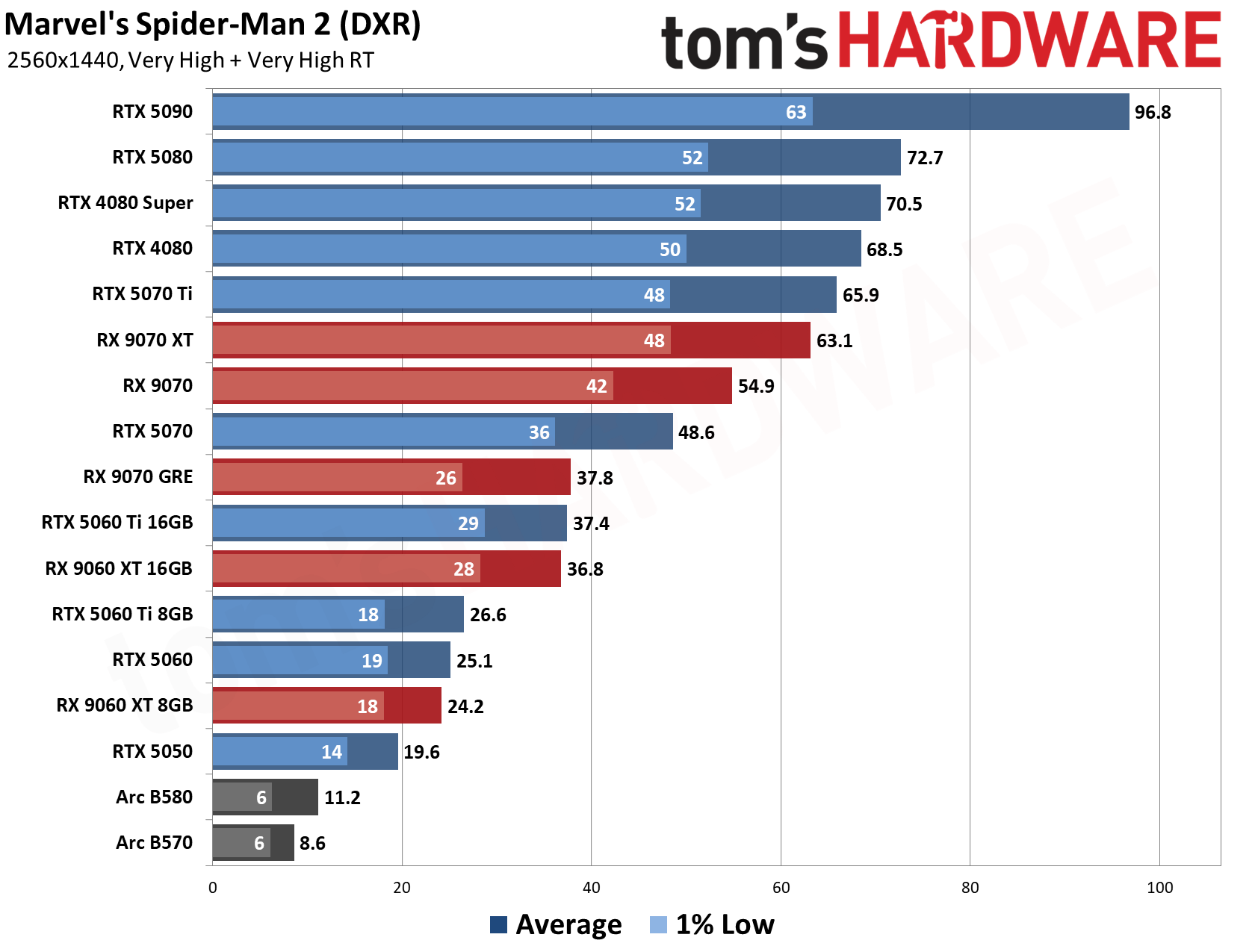
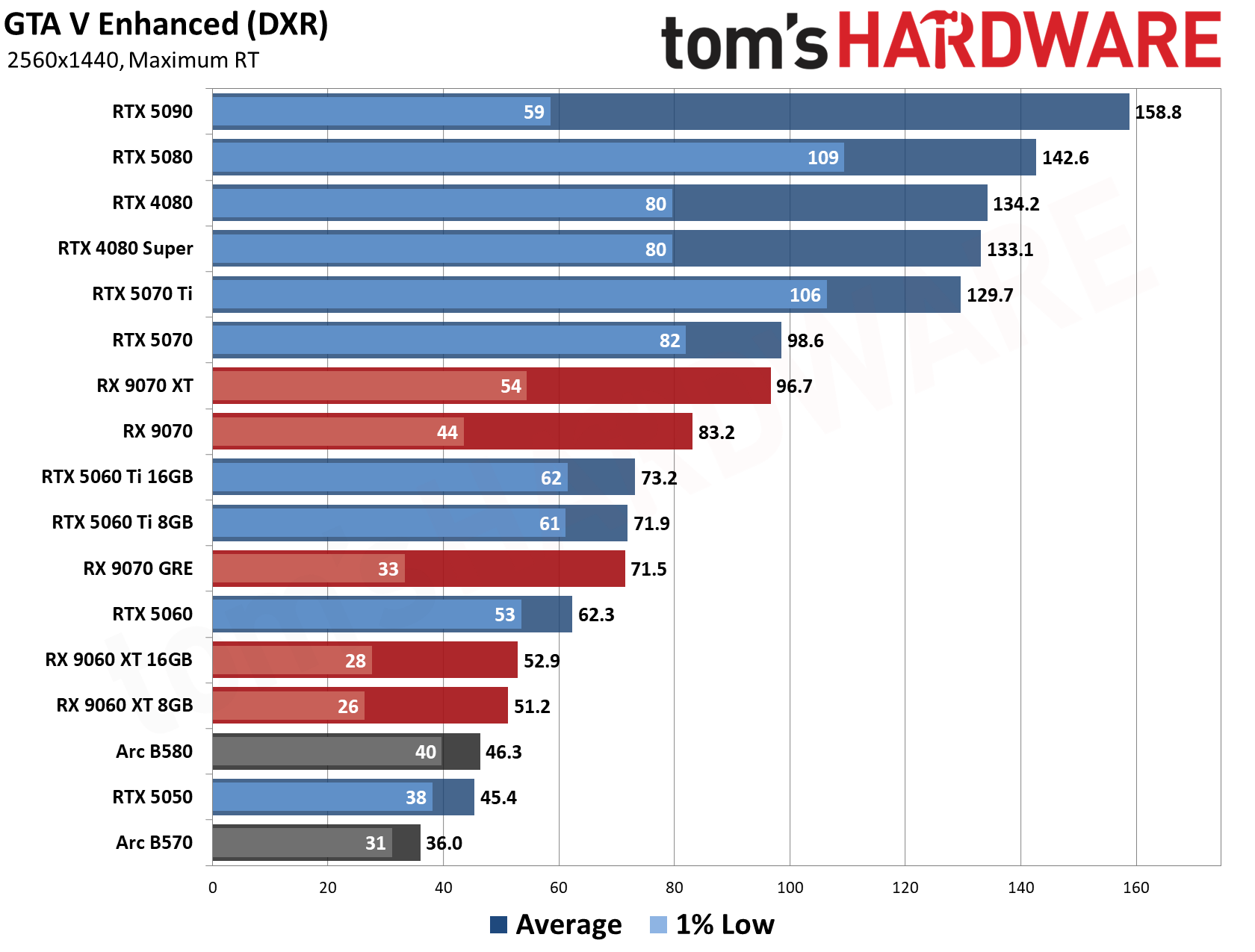
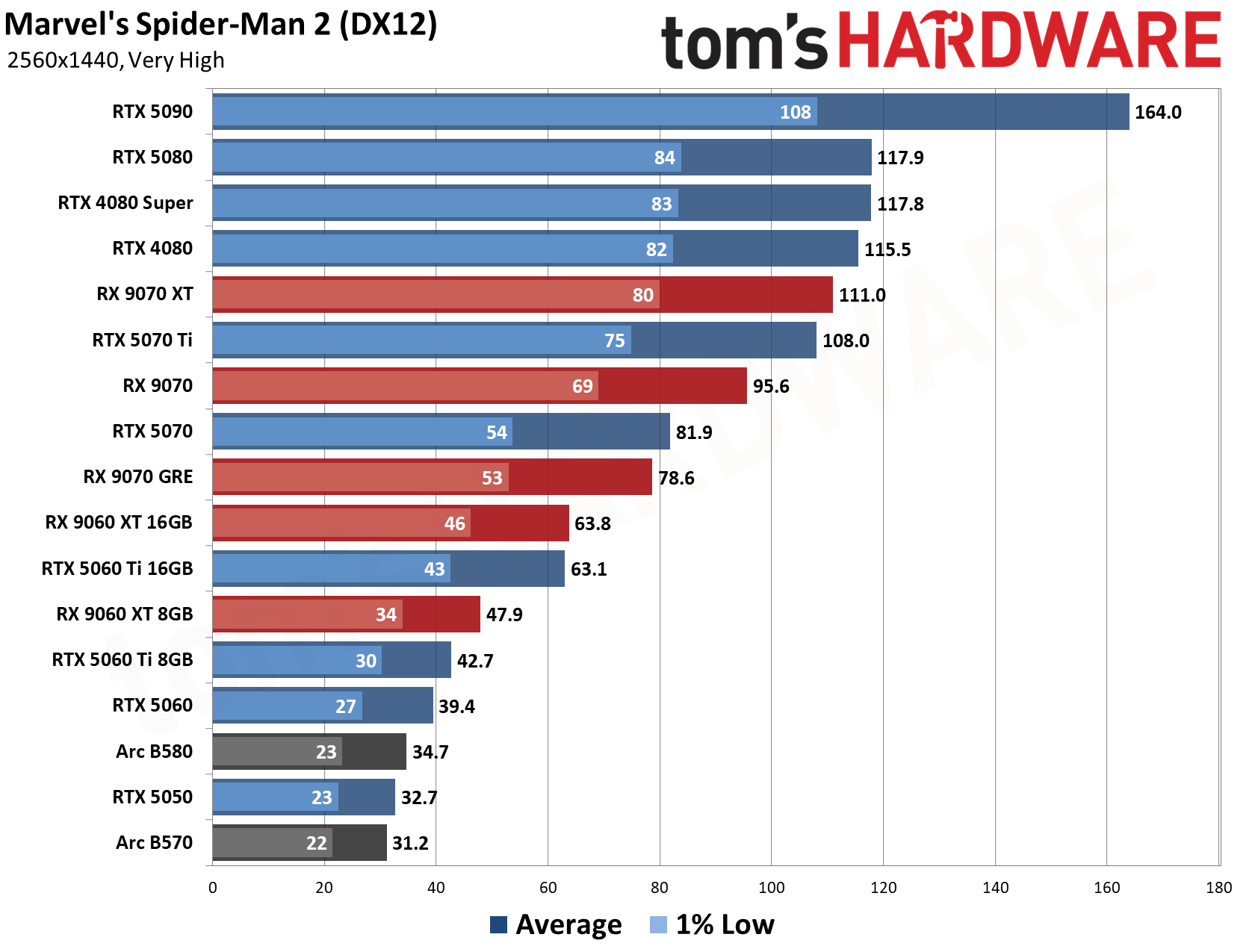
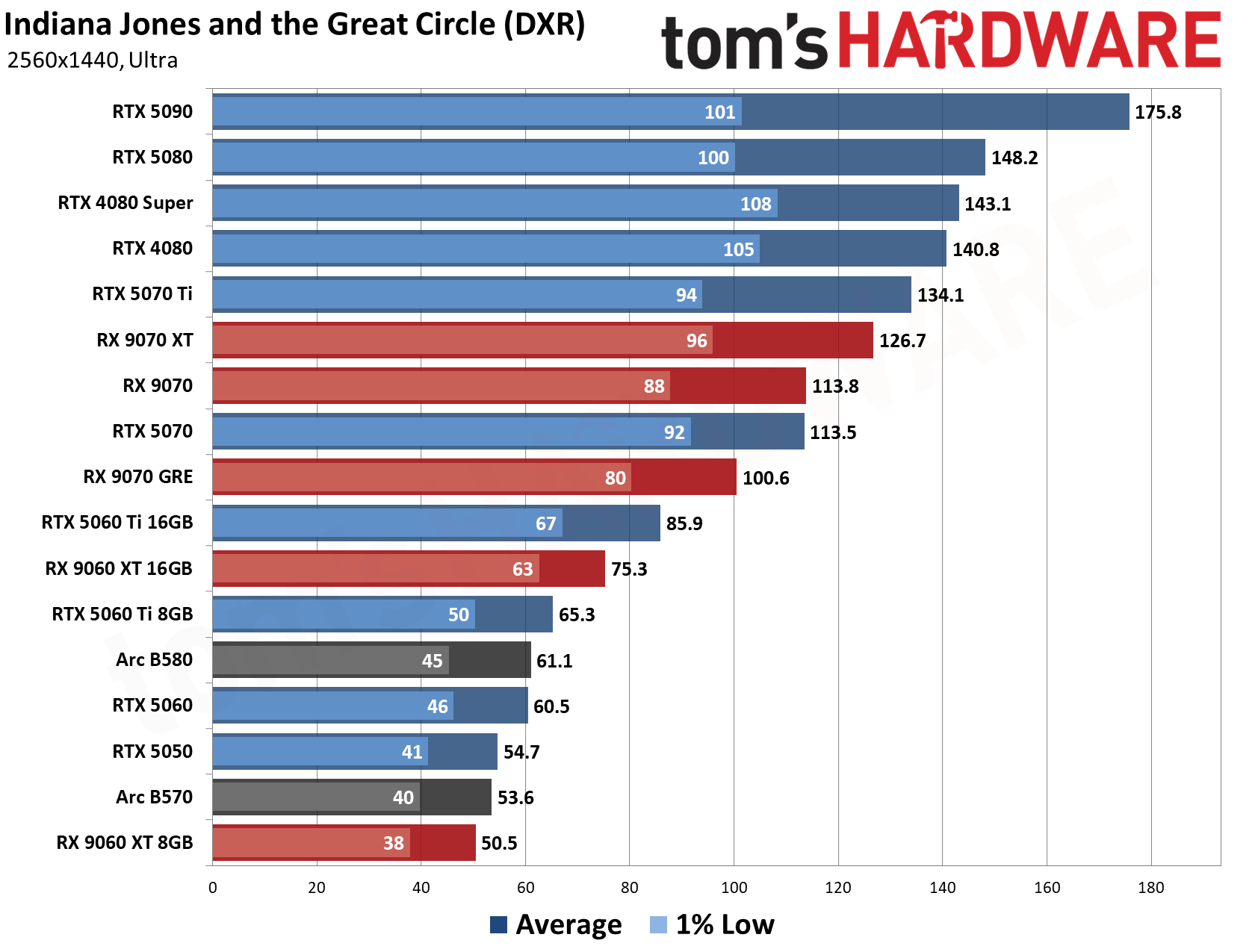
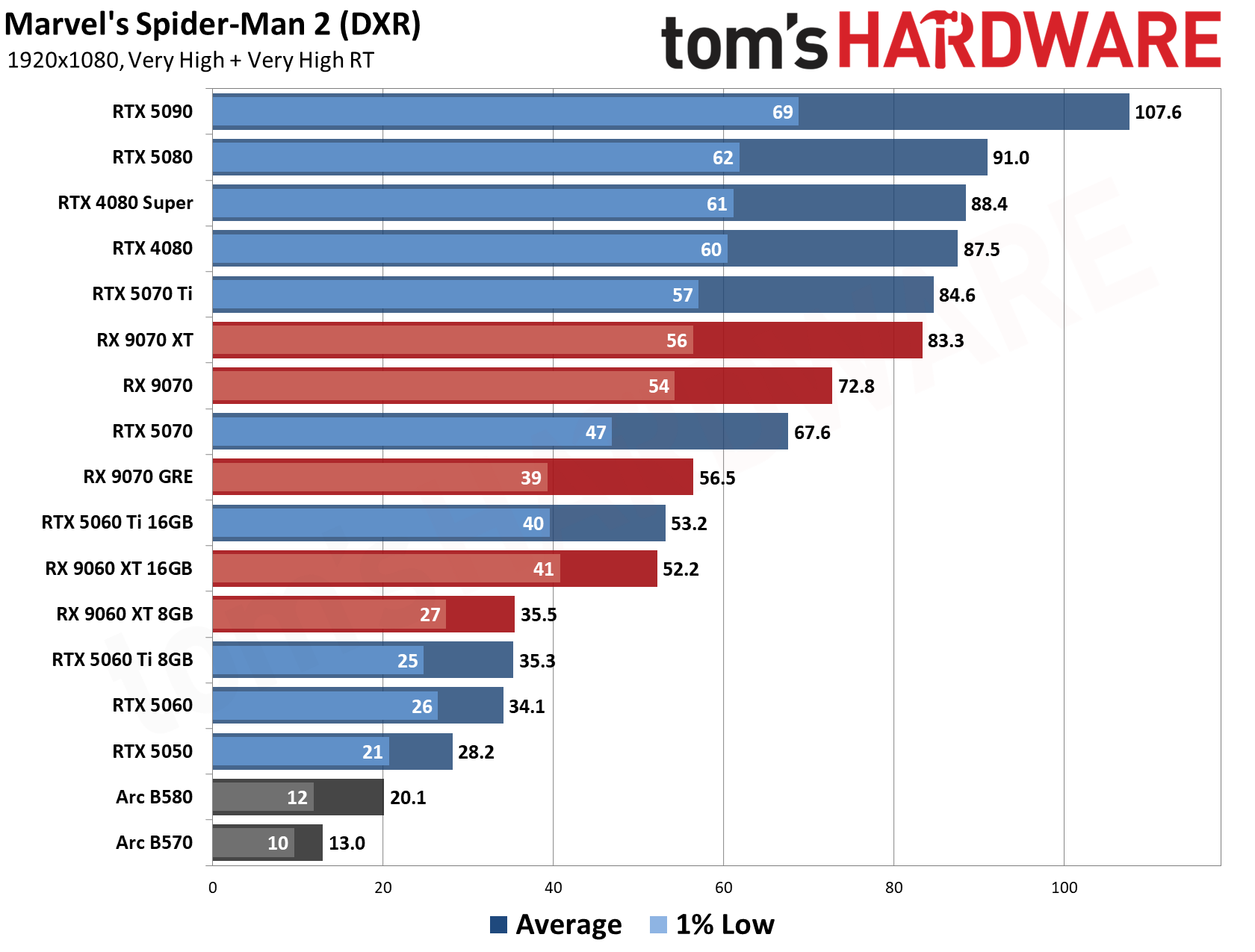
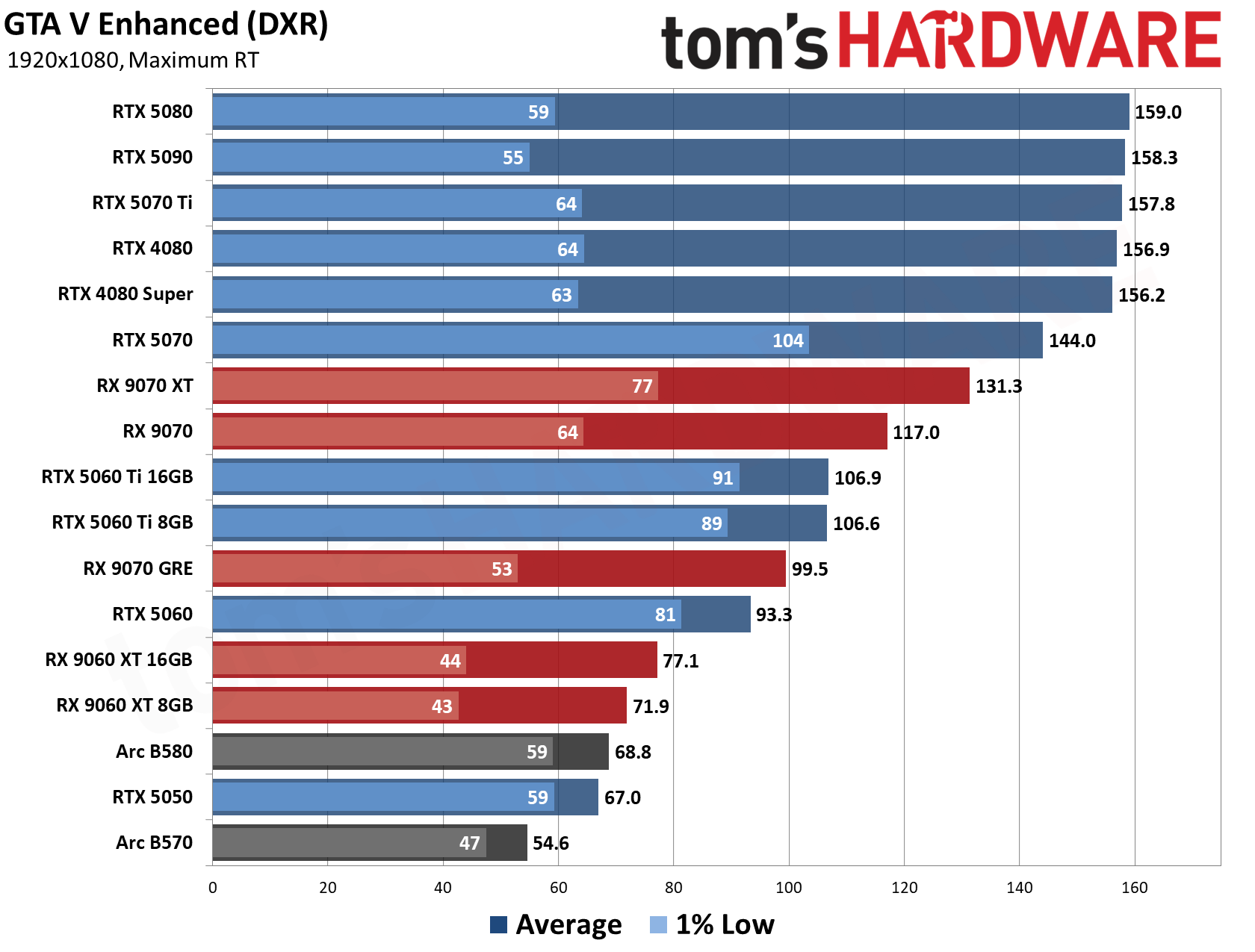
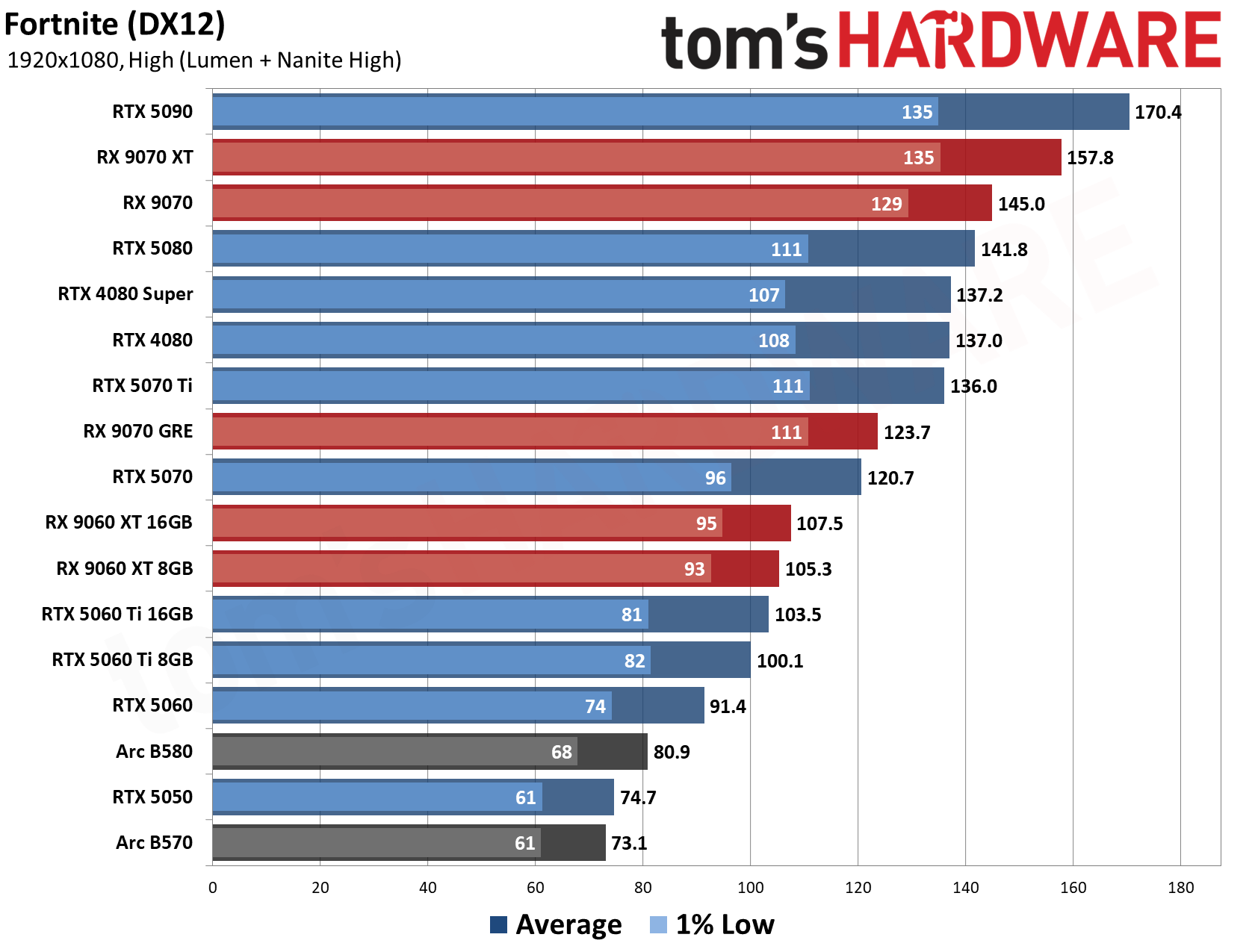
Meanwhile, Nvidia's GeForce RTX 5080 Founders Edition, one of the best graphics cards, joins the Ryzen 7 9800X3D in the SLC8500WST to deliver strong 4K (3840x2160) performance and exceptional frame rates at lower resolutions. It is worth noting that it is the Founders Edition, a coveted model that is rarely available on the market anymore, even if you are willing to overpay for it. It comes with DLSS 5 support, as well, and we've found solid DLSS 5 performance on the RTX 5080 in our testing.
SLC8500WST Gaming PC: $2299 The SLC8500WST is a solid 4K gaming machine with the best gaming processor on the market right now and a formidable GeForce RTX 5080 Founders Edition graphics card.View Deal
Sometimes prebuilt systems are a mixed bag, pairing high-end hardware with weaker components to cut corners. However, the SLC8500WST makes no compromises. The gaming system comes equipped with 32GB of DDR5-6000 memory to ensure seamless gaming and future-proofing of your system.
While the Walmart page does not list the exact specifications of the kit used in the SLC8500WST, it is worth noting that the most affordable 32GB (2x16GB) DDR5-6000 C30 memory kit on the market currently sells for $429.
On the storage side, the SLC8500WST has a spacious 1TB PCIe 4.0 SSD. It provides ample room for your games and loads them instantly. The capacity is a good starting point given current storage prices due to the AI-induced shortage. Again, we do not know the SSD model. However, a budget 1TB PCIe 4.0 SSD typically starts at $149 nowadays.
You do not see offers like the CyberPowerPC SLC8500WST every day, especially at the $2,299 price point. If you have been holding off on upgrading your gaming system or buying a new one, this SLC8500WST deal is definitely one you should consider.
Earlier this year, Apple discontinued the Mac Pro, leaving the Mac Studio as its top-end desktop. With the new M5 Ultra chip, Apple's relatively diminutive system is more than ready to take on the mantle.
While you might not have a ton of PCIe connections and both RAM and storage are set, the Studio offers a ton of ports for accessories, monitors, and peripherals, memory options up to 256GB (with 512GB coming later), and a clean, quiet design.
Starting with an M5 Max at $2,499, the Mac Studio could be poised as a creator system for video editors, photographers, or game designers. At $12,299 as tested with the top-end M5 Ultra, 256GB of unified memory, and 4TB of storage, it effectively becomes an enterprise device, possibly a remote server, that could handle any task with aplomb, including local AI.
Design of the Mac Studio (2026)
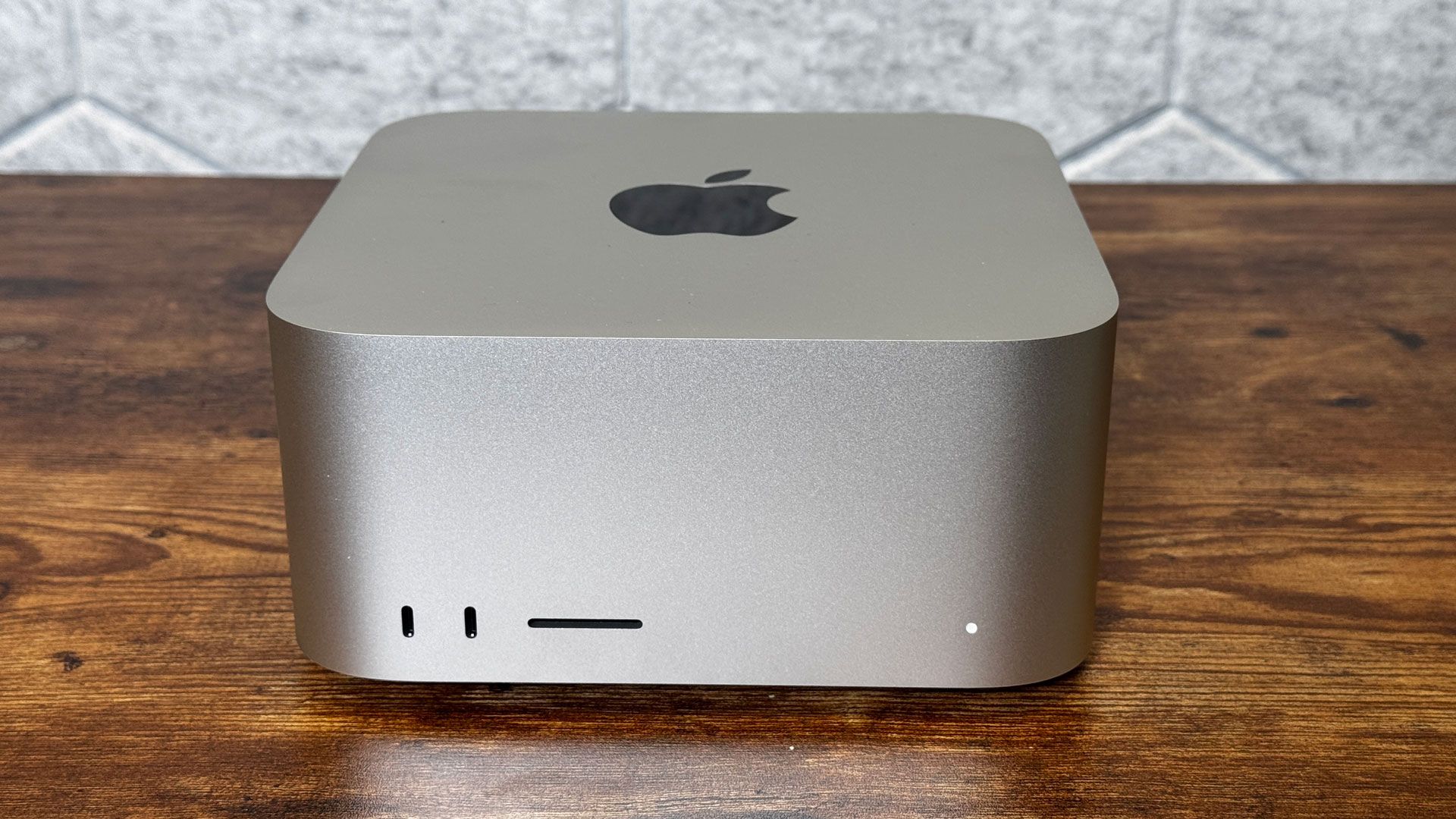
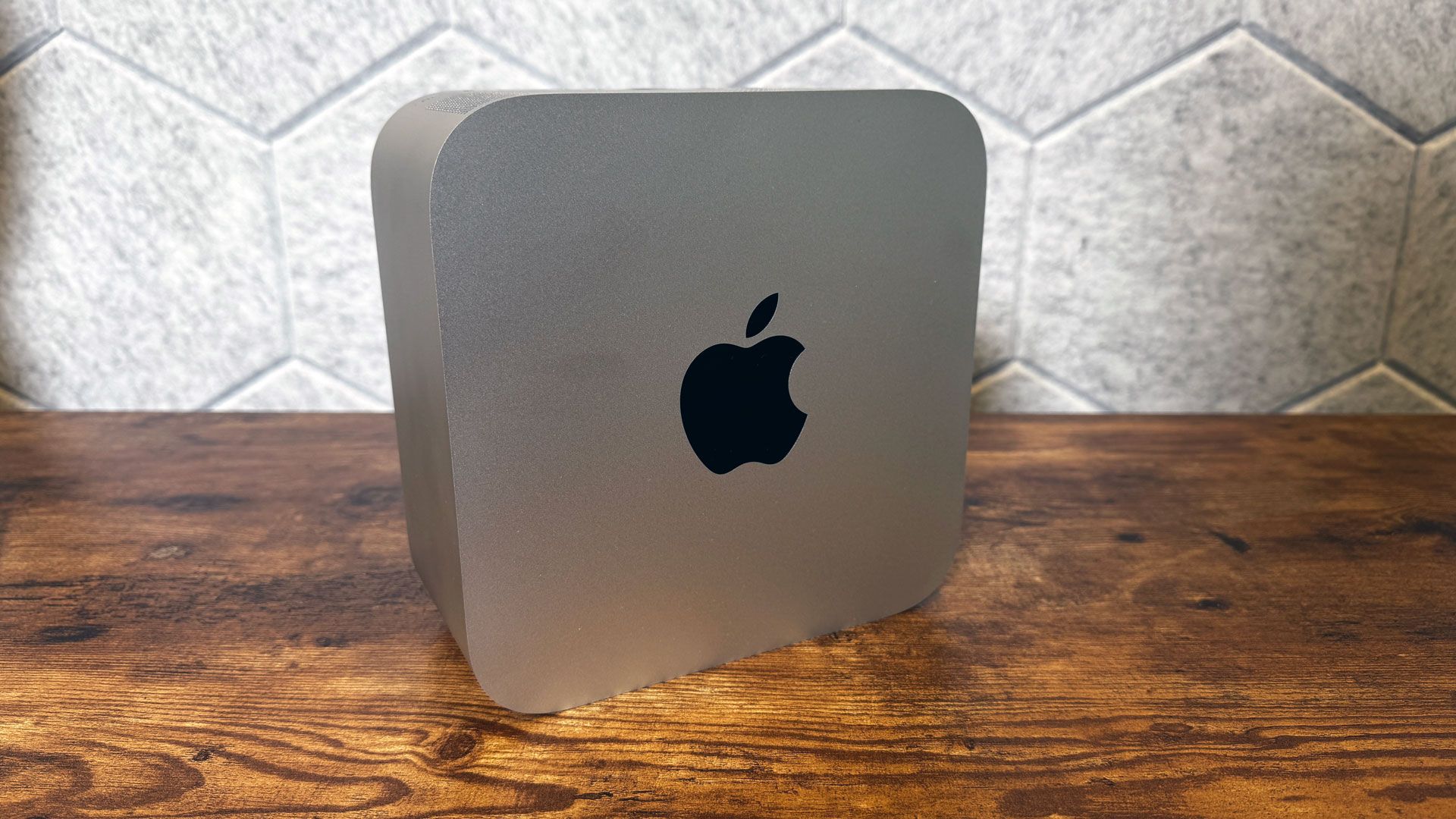
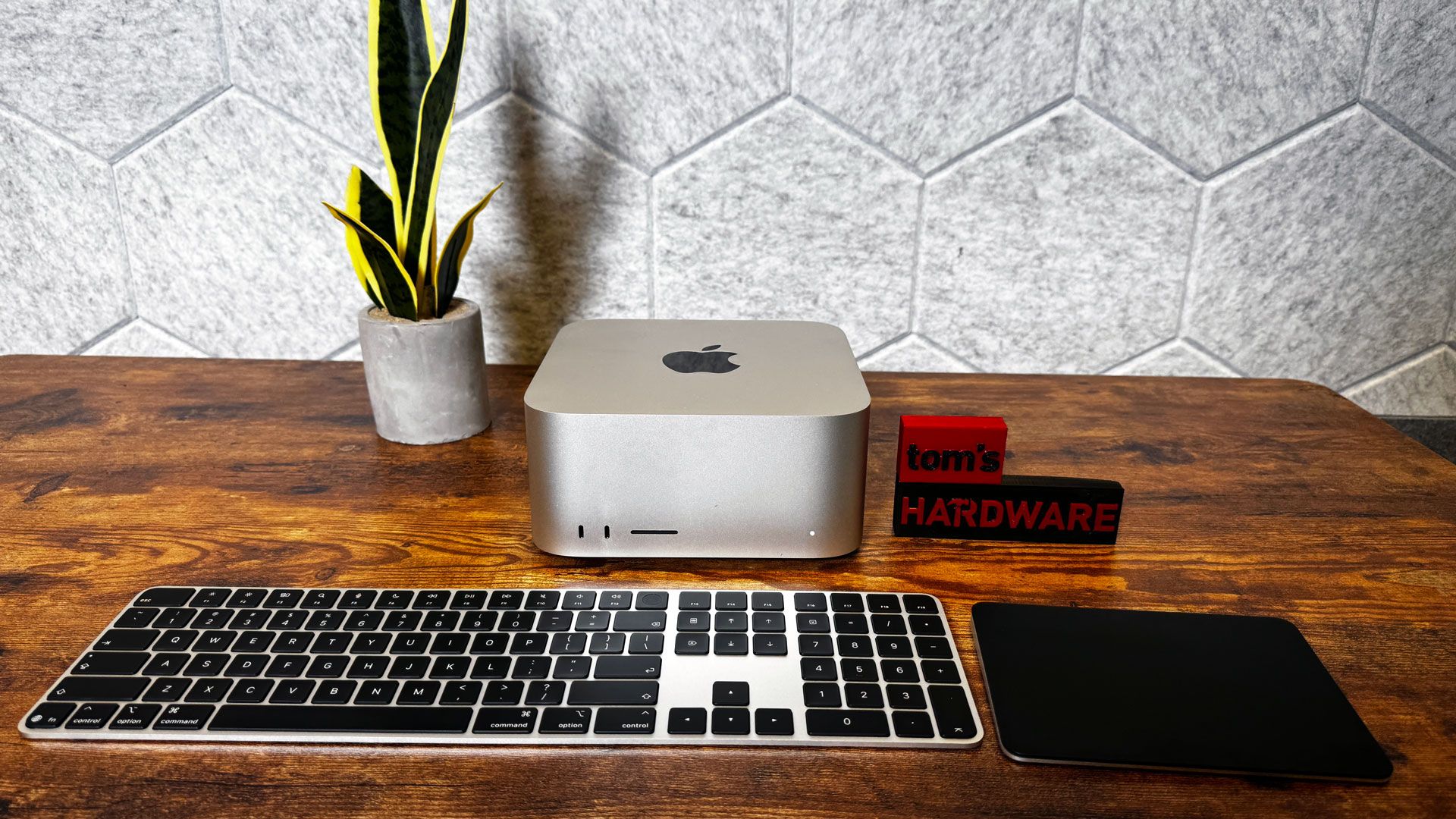
Apple hasn't made any changes to the Mac Studio's design. It's a silver, squared-off block that's 7.7 x 7.7 inches on your desk that stands 3.7 inches tall. The aluminum chassis has a shiny Apple logo on the top. The M5 Ultra version we tested weighs 8 pounds, a 2-pound increase over the M5 Max variant. This is largely because the M5 Max version uses a cooler with a thin aluminum stack and a copper heat pipe, while the M5 Ultra uses a heavier copper fin stack and a copper vapor chamber.
Tom's HardwareTom's Hardware
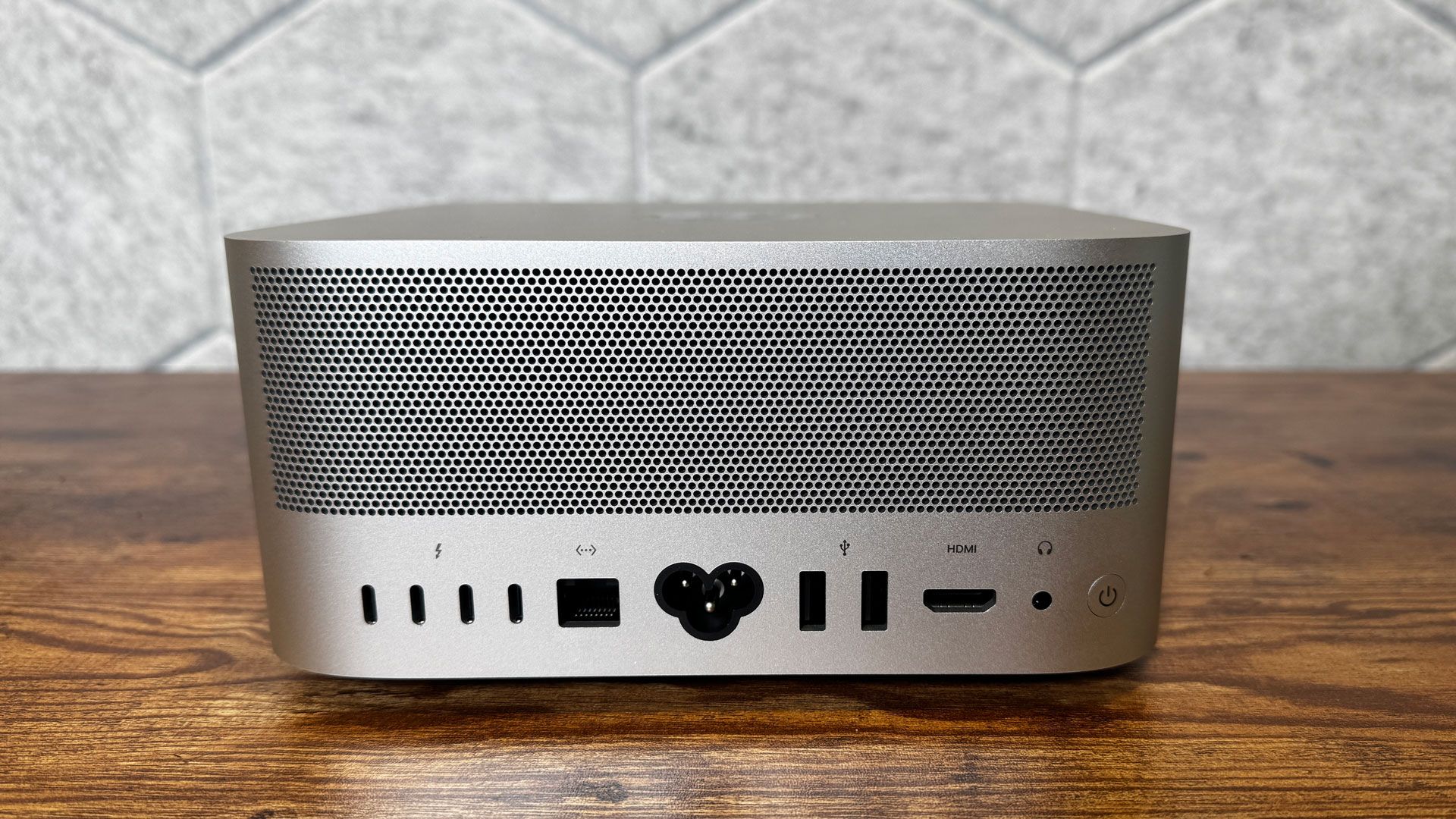
The back of the system is also home to the power button, as well as a bunch of air holes for exhausting heat.
(Image credit: Tom's Hardware)
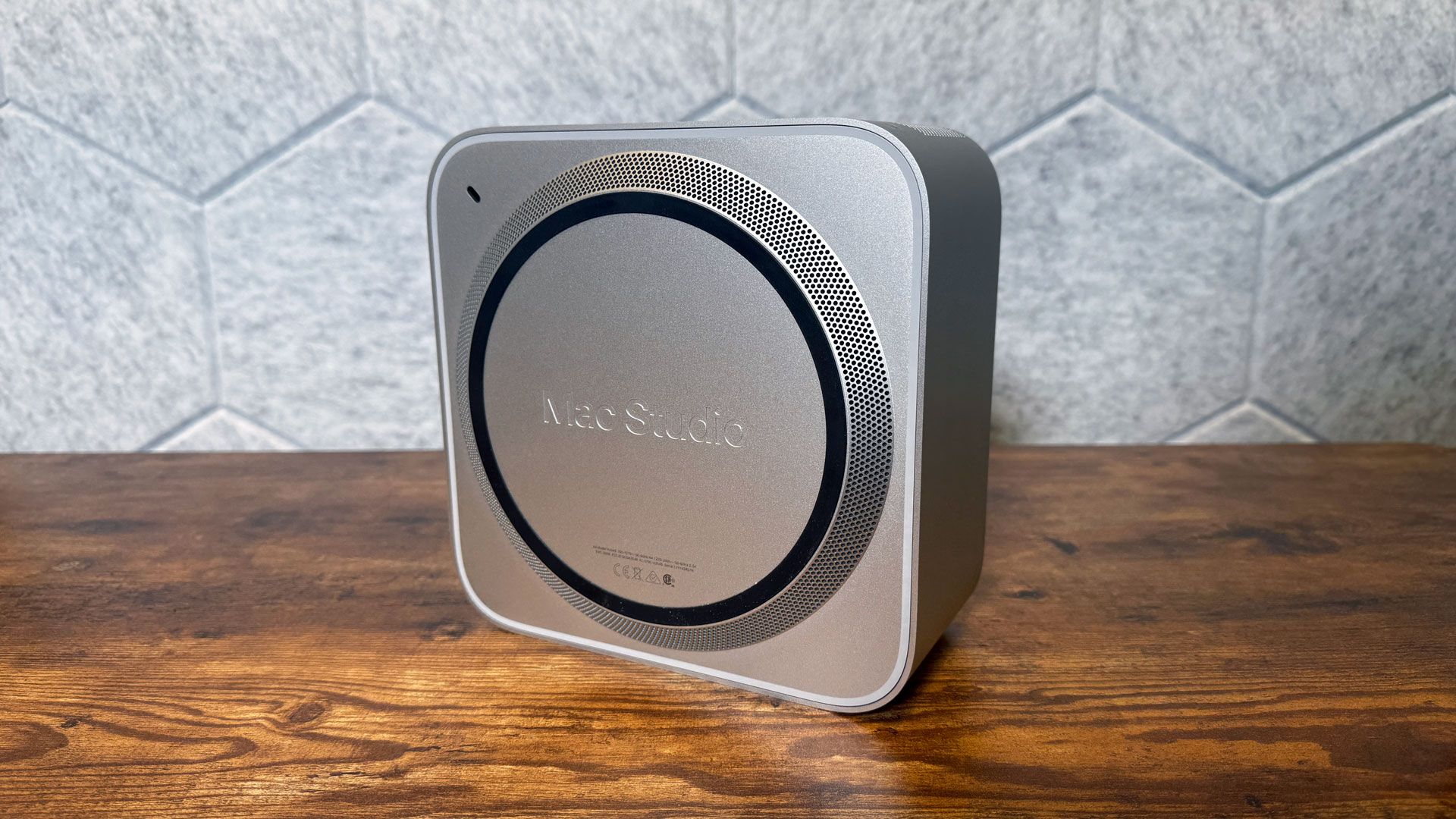
The air comes in through more holes in a small stand built into the bottom of the system. (There's also a Kensington lock slot, though its placement on the bottom necessitates a special adapter.)
(Image credit: Tom's Hardware)
Mac Studio (2026) Specifications
Processor
Apple M5 Ultra (36-core CPU)
Graphics
80-core GPU (integrated)
Memory
256GB LPDDR5 unified memory
Storage
4TB SSD
Networking
Apple N1, Wi-Fi 7, Bluetooth 6, Thread
Front Ports
2x Thunderbolt 5 (USB-C), SD card reader (UHS-II)
Rear Ports
4x Thunderbolt 5 (USB-C), 2x USB-A, HDMI 2.1, 10Gb Ethernet, 3.5 mm headphone jack
Power Supply
480W maximum continuous power
Operating System
macOS 27.0 Golden Gate
Dimensions (WxDxH)
7.7 x 7.7 x 3.7 inches (9.5 x 19.7 x 19.7 mm)
Price as Configured
$12,299.00
Ports and Upgradeability on the Mac Studio (2026)
On the front, there are two Thunderbolt 5 (USB Type-C) ports along with an SDXC card slot. The rest of the ports are on the rear, including another four Thunderbolt 5 ports, two USB Type-A ports, HDMI 2.1, a 10Gb Ethernet jack, and a 3.5 mm headphone jack.
There is no upgrading the Mac Studio. The RAM is soldered to the board, so be sure to get what you need when you're first buying the system, and Apple doesn't sell replacement SSDs (Some third parties may sell reverse-engineered NAND, but it will certainly void your warranty, and Apple doesn't support it. You're best off using external storage)
M5 Ultra
If you pony up for the most expensive Mac Studio configurations, you'll get Apple's most powerful chip. This is the only machine that Apple currently puts that chip inside.
M5 Ultra is Apple's first quad-die chip, connecting a pair of dual-die M5 Max SOCs over its UltraFusion connection. Apple claims that UltraFusion increases bandwidth between the dies to over 4.4 TB/s. Memory bandwidth is up to 1.2TB/s, which lets users store and run huge LLMs entirely on device.
Each of the 80 GPU cores features a neural accelerator, and there's a 32-core neural engine. There's now a media engine with hardware-enabled H.264, HEVC, hardware-accelerated AV1 decode, and four ProRes encode and decode engines.
Cinebench estimates that the M5 Ultra runs single-core at 4.6 GHz and multi-core at 4.3 GHz.
Productivity Performance on the Mac Studio
The Mac Studio is an absolute workhorse. The system stayed largely quiet (though the fan can make itself known) as it powered through our benchmarks. Anything you might want to do on a Mac, you can do on this one.
In fact, while we ran our basic desktop suite on this, we also ran some extra tests, as we don't test many workstations. Instead of pitting this system against other desktops, we pitted it against other workstations to get a better idea of how the M5 Ultra performs. While that's a bit antithetical to the way Apple designs its products (it doesn't sell chips separately; it designs them as part of its computers), it does give us a reference point to the chips powering the Windows and Linux workstations.
(Image credit: Tom's Hardware)
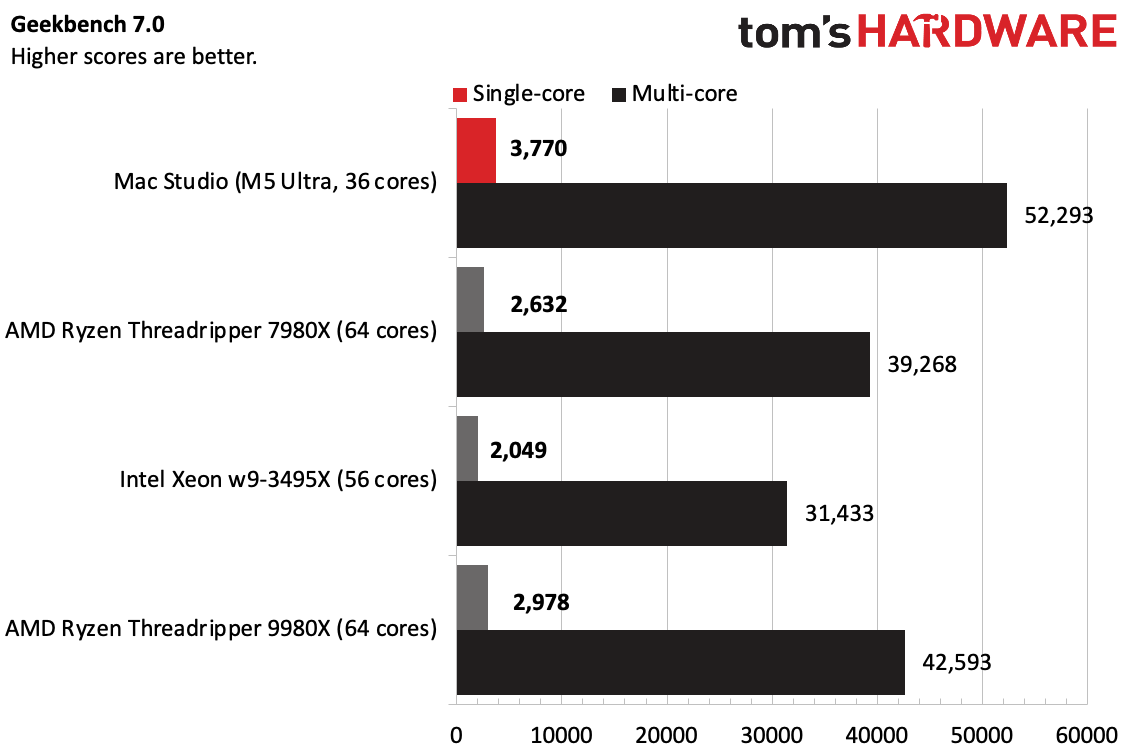
On Geekbench 7, the Mac Studio was the clear winner, with the ARM-based chip leading the pack in the bursty workload with a single-core score of 3,770 and a multi-core score of 52,293, despite having fewer cores than the competitors.
(Image credit: Tom's Hardware)
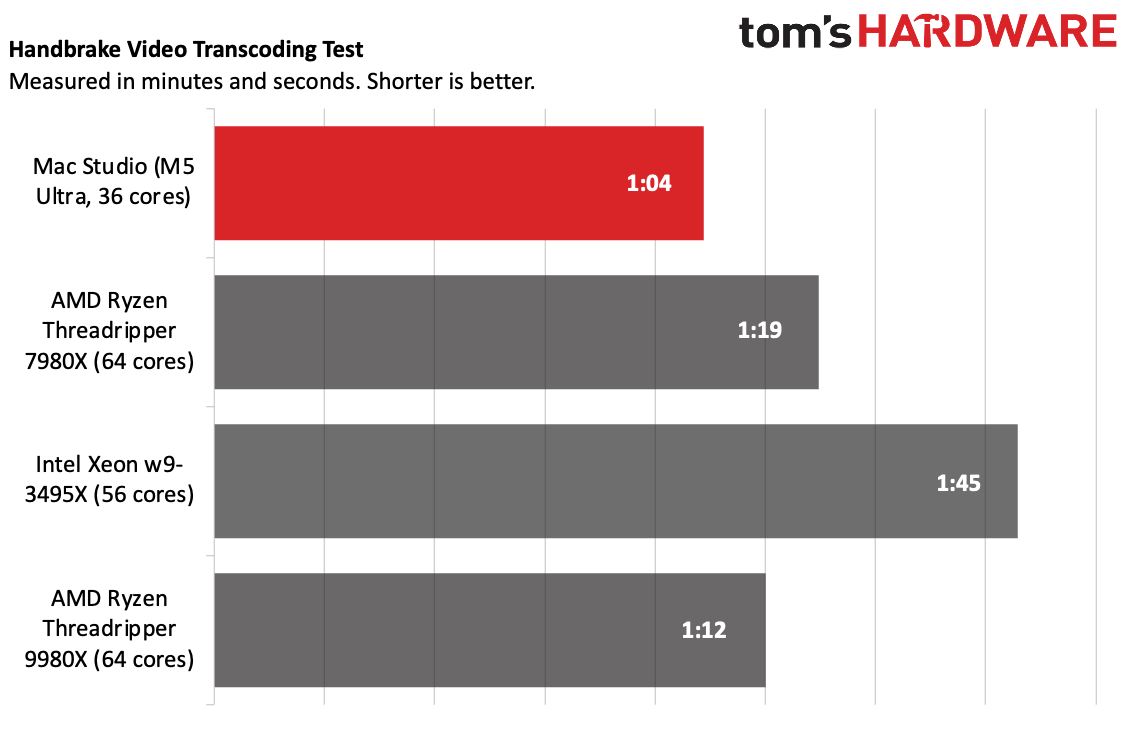
The Mac continued its lead on Handbrake, transcoding a 4K video to 1080p in 1 minute and 4 seconds. The next closest, the AMD Ryzen Threadripper 9980X, took 8 seconds longer.
(Image credit: Tom's Hardware)
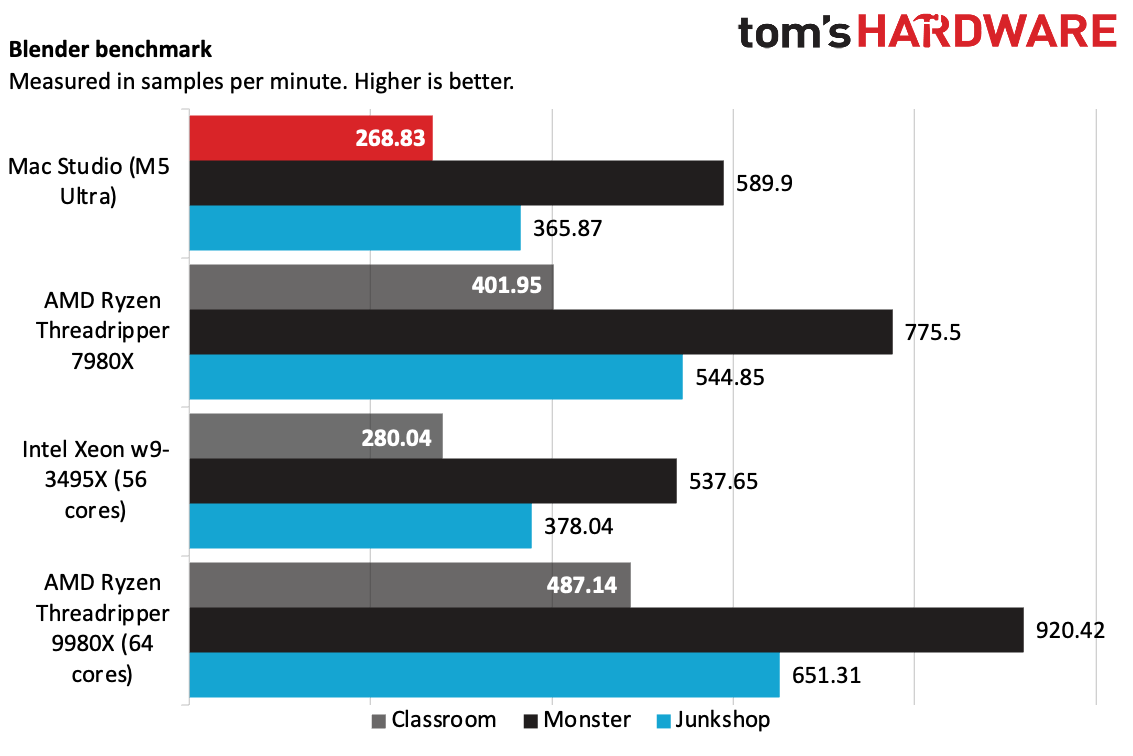
On Blender's benchmark testing CPU-based rendering, the Studio with M5 Ultra fell behind the previous- and current-gen Threadrippers (7980X and 9980X, each with 64-cores), as well as the 56-core Intel Xeon w-3495X.
(Image credit: Tom's Hardware)
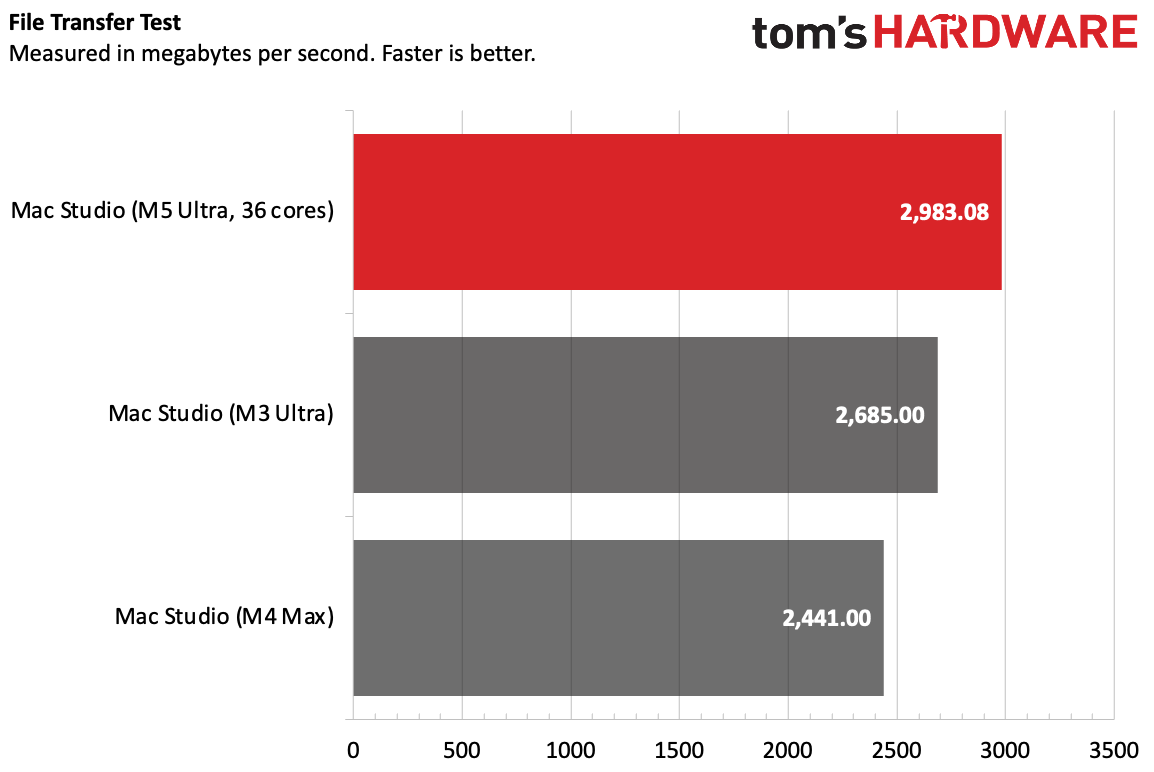
The Mac Studio with M5 Ultra copied 25GB of files at a rate of 2,983.08 MBps, surpassing the speeds of the M3 Ultra and M4 Max from the last generation.
(Image credit: Tom's Hardware)
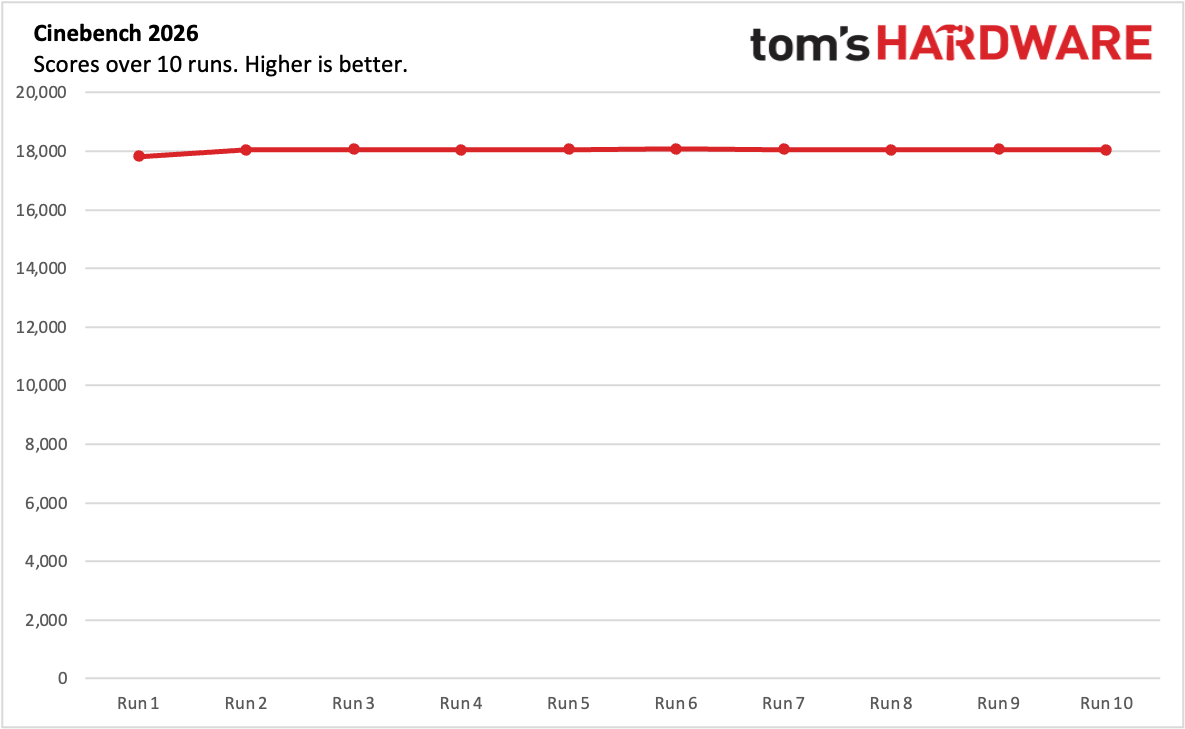
The Mac Studio was consistent over our 10-run Cinebench 2026 stress test. Its lowest score, 17,825, was actually the first run. When the cooling kicked in, the rest of the results were slightly higher. The sixth run was the highest at 18,069, but it was so similar to the other runs that it's within the margin of error.
During the test, the CPU measured an average of 78.29 degrees Celsius.
Local AI on the Mac Studio (2026)
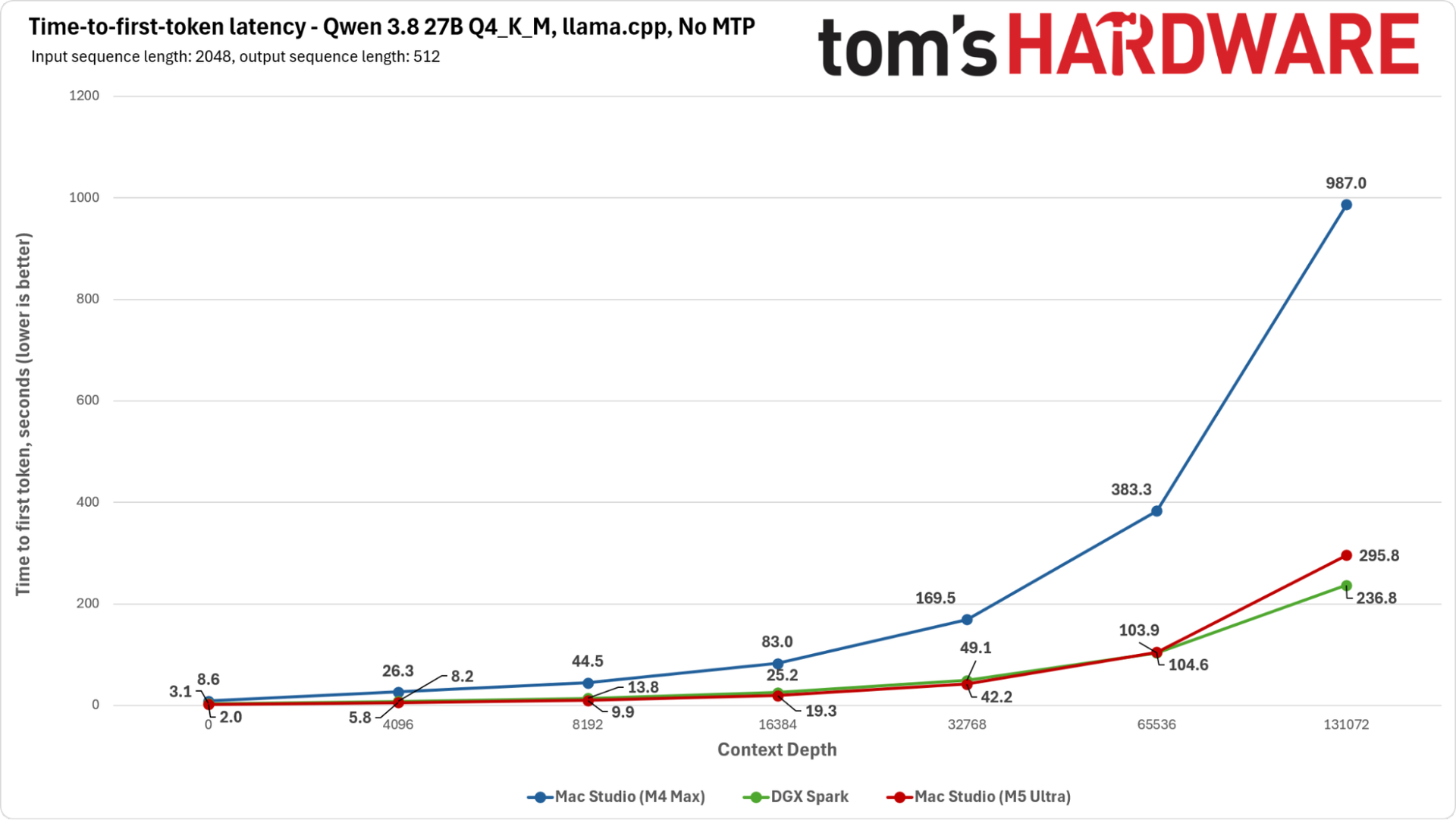
The M5 Ultra's GPU cores feature neural accelerators, granting it some extra matrix math horsepower, and Apple has boosted the chip's memory bandwidth to 1.2 TB/s, double that of the M4 Max we previously tested for AI.
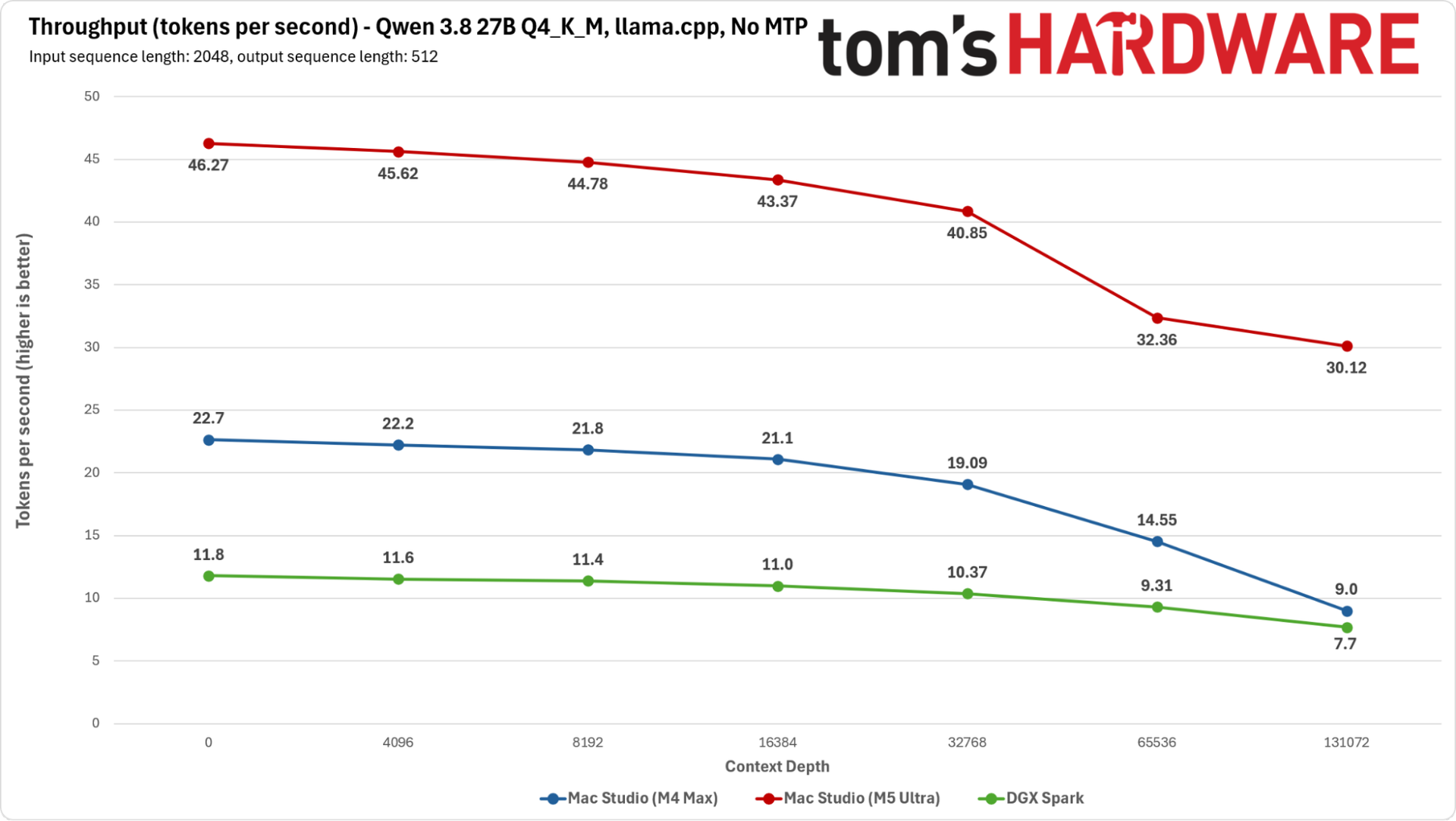
The M5 Ultra's prompt processing speeds are even faster than Nvidia's DGX Spark's, and its tokens-per-second throughput is double that of the M4 Max and almost four times higher than the DGX Spark across the board.
(Image credit: Tom's Hardware)
Our tests, here using Qwen 3.8-27B-Q4_K_M, a dense model that relies heavily on memory bandwidth, are largely aimed at GPU performance in isolation. But combined with the blazing-fast single- and multi-threaded performance of the 36-core CPU, the Mac Studio with M5 Ultra looks to be ready for anything one might want to do with local or agentic AI workloads — and that's before someone tries to put it into an MLX cluster.
(Image credit: Tom's Hardware)
In addition to its raw performance, our M5 Ultra sample's 256GB of memory means you can fit very large, intelligent single models or a range of different models onto a single node. I spent time running models far larger than our tests with Hermes and LM Studio with strong performance. If you are interested in local AI, this will definitely do the job.
Gaming and Graphics on the Mac Studio (2026)
While the M5 Ultra and its 80-core GPU are more than capable of gaming, the Mac Studio isn't a gaming-first rig. For the price, systems with Nvidia's high-end graphics cards are far more competitive.
To stress the Mac Studio, I booted up InZoi, a life simulator that isn't graphically imposing but is hard on the CPU and memory. I set both the simulation performance and graphics to ultra settings, and set the game to 1080p, but allowed for upscaling with MetalFX's Performance mode, which upscaled from 960 x 540. The game ran between 45 and 65 frames per second, dropping to the lower end in outdoor environments with lots of other characters.
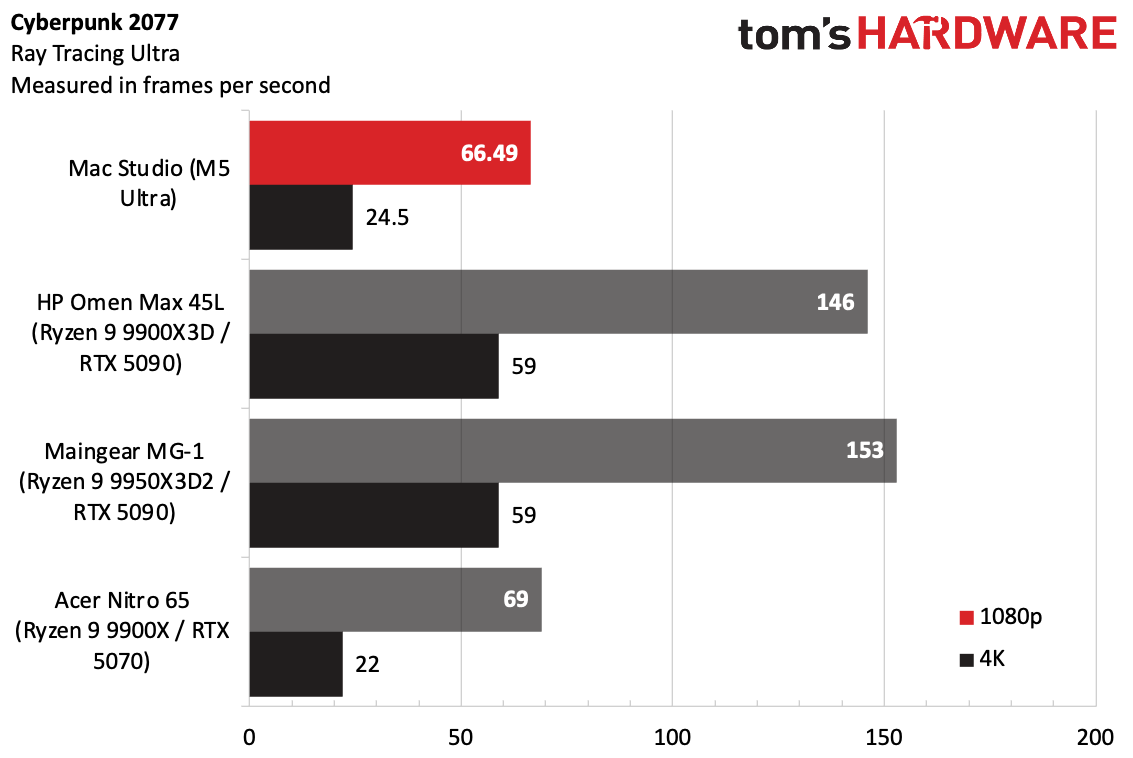
To compare more graphically demanding games, I picked out a few gaming PCs we've tested in the last year and pitted them against each other with the data from the Cyberpunk 2077 benchmark with the Ray Tracing Ultra preset, which we use for those kinds of rigs.
(Image credit: Tom's Hardware)
At 1080p, the Mac Studio ran the game at 66 FPS, falling behind systems like the HP Omen Max 45L and Maingear MG-1 with Nvidia's top-end GeForce RTX 5090. It was much more in line with the Acer Nitro 65, with an RTX 5070. At 4K, the Mac Studio didn't reach playable levels, though the RTX 5090 systems both reached 59 FPS.
Using Cyberpunk's "For This Mac" preset set the resolution to 1440p, turned off ray tracing, and mostly stuck to high settings and effects options.
(Image credit: Tom's Hardware)
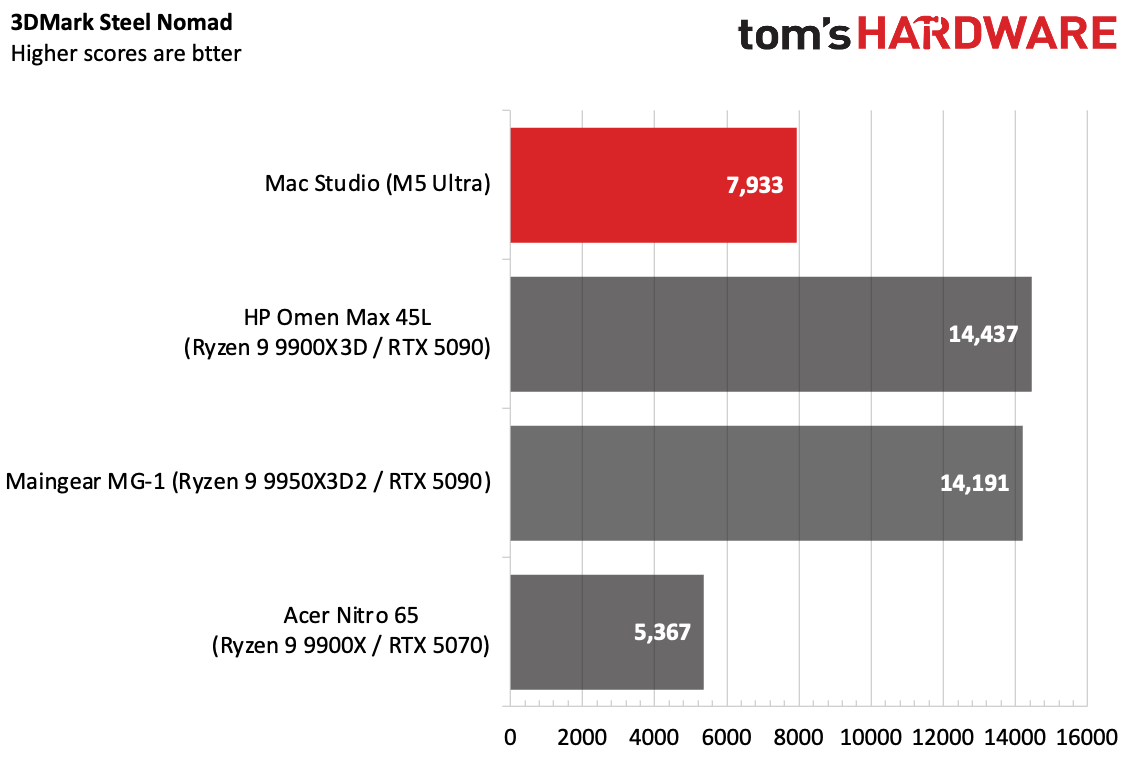
On 3DMark's Steel Nomad graphics test, the Mac Studio still fell far behind the RTX 5090 system, but outperformed the RTX 5070-based Acer desktop.
Software and Warranty on the Mac Studio (2026)
The Mac Studio comes with macOS 27 Golden Gate. This is a great update over macOS 26 Tahoe, refining the Liquid Glass aesthetic and making it more customizable (I actually kind of like it in this iteration), and yes, thank heavens, consistent window shapes. It also adds the new Siri AI (be sure to get on the waitlist). The new Siri is far superior to the one you're used to.
Golden Gate also adds AI throughout apps, including more photo features, including a better Clean up option and spatial reframing, which lets you move a camera after you take a picture (the latter is kind of surreal). Better indexing makes it easier to search messages, emails, and calendar entries, and now you can use natural language to create automations in the Shortcuts app or come up with your own Safari extensions.
There's no bloatware, as usual. Apple's software suite includes Safari, Messages, Photos, Maps, Notes, and Reminders. Its services, including News and Apple TV, also have applications. Pages, Keynote, and Numbers are still in the dock by default, but they're the Creator Studio subscription versions, which require a subscription to get full features, including AI functionality, royalty-free graphics, and additional templates.
People using the Mac Studio as a server running AI models may not need all of those programs. For the first time in a while, I found myself wishing for something akin to macOS Server, but for better remote monitoring. I would also like to see an option for a system of this class to come with pared-down built-in apps, perhaps limiting it to the browser, App Store, Terminal, Activity Monitor, and other essentials and letting system admins decide what else needs or deserves to be there. A video editor might want to use Messages on the side. But you don't need that for a cluster running a huge model.
Apple sells the Mac Studio with a one-year warranty. Further repairs and support can be added as part of AppleCare+ ($6.49 monthly or $64.99 annually), or as part of AppleCare One or AppleCare Family.
Mac Studio (2026) Configurations
Our Mac Studio review configuration is clearly an enterprise machine. With the top-end M5 Ultra (36-core CPU, 80-core GPU), along with 256GB of RAM (currently the top-end option, with a 512GB configuration coming in late October), and a roomy 4TB SSD, it costs $12,299.00, but that's not stopping anyone: As of this writing, it's backordered between 16 and 18 weeks.
But there are a lot of steps below that. The base model is $2,499 with the M5 Max (18-core CPU, 32-core GPU), 36GB of memory, and 512GB of storage. There are two versions of each: the M5 Max and M5 Ultra. Going from a 32-core GPU to a 40-core GPU on the M5 Max costs $300.
The cheapest M5 Ultra system is $5,499 with a 30-core CPU and 64-core GPU, along with 96GB of memory and 1TB of SSD storage. Bumping up to the M5 Ultra we tested increases the price by $1,300. Moving from 96GB of RAM to 256GB adds $4,000. Bumping up from a 1TB SSD to 2TB is $500, while our 4TB SSD is a $1,500 increase.
The M5 Max configurations have slight port differences on the front of the desktop. The USB-C ports on those are 10Gb/s ports, while on the M5 Ultra, you get Thunderbolt 5 for up to 120Gb/s.
Bottom Line
At $12,299, the Mac Studio with M5 Ultra is effectively an enterprise computer, capable of difficult workloads like rendering and running AI models that are as close to frontier-grade as you're going to get right now on edge computing.
(Image credit: Tom's Hardware)
Much of that price also comes from RAM and storage. Given the fact that you can't really upgrade this computer, businesses and people using this for their job may see the extra cost as an investment. Really, its biggest weakness is in gaming, for professionals who may want to do that on the side. Discrete GPUs still win there.
Given the fact that an AMD Ryzen Threadripper 9980X, a 64-core monster that beats this CPU in Blender, is priced around $5,000 on its own before memory, storage, power supplies, or any other components, it may not actually be that crazy in this market, and the Mac Studio can be had in a much smaller case. (For wealthy homelabbers, businesses, and server farms, third-party accessory makers already make rack mounts to fit the Mac Studio; its shape hasn't changed since its last redesign).
For local AI, the M5 Ultra is seriously impressive, though that may still be a niche use case for some. But in a computer that can reach over $12,000, niche is the name of the game.
This all makes the M5 Ultra version of the Mac Studio an impressive package and further proof of the power and performance Apple can draw out of its own silicon in concert with its own software.
It’s been nearly two years since Apple updated the Mac mini. And for better or worse, things have changed a lot during that time. The last Mac mini with an M4 processor went on sale in early November 2024, with a starting price of $599. The latest Mac mini that we’re testing today starts at $899, which we can directly blame on the rising costs of components due to the voracious demand for everything related to artificial intelligence (AI).
A $300 price hike in less than two years is unprecedented, but it’s a sign of the times, and we have to factor those realities when evaluating any product today. So with that context in mind, we’ll take a look at Apple’s newest Mac mini, which looks very familiar on the outside, but has undergone some internal hardware upgrades, to deliver some significant performance improvements over its predecessor.
Design of the Apple Mac mini (M6)
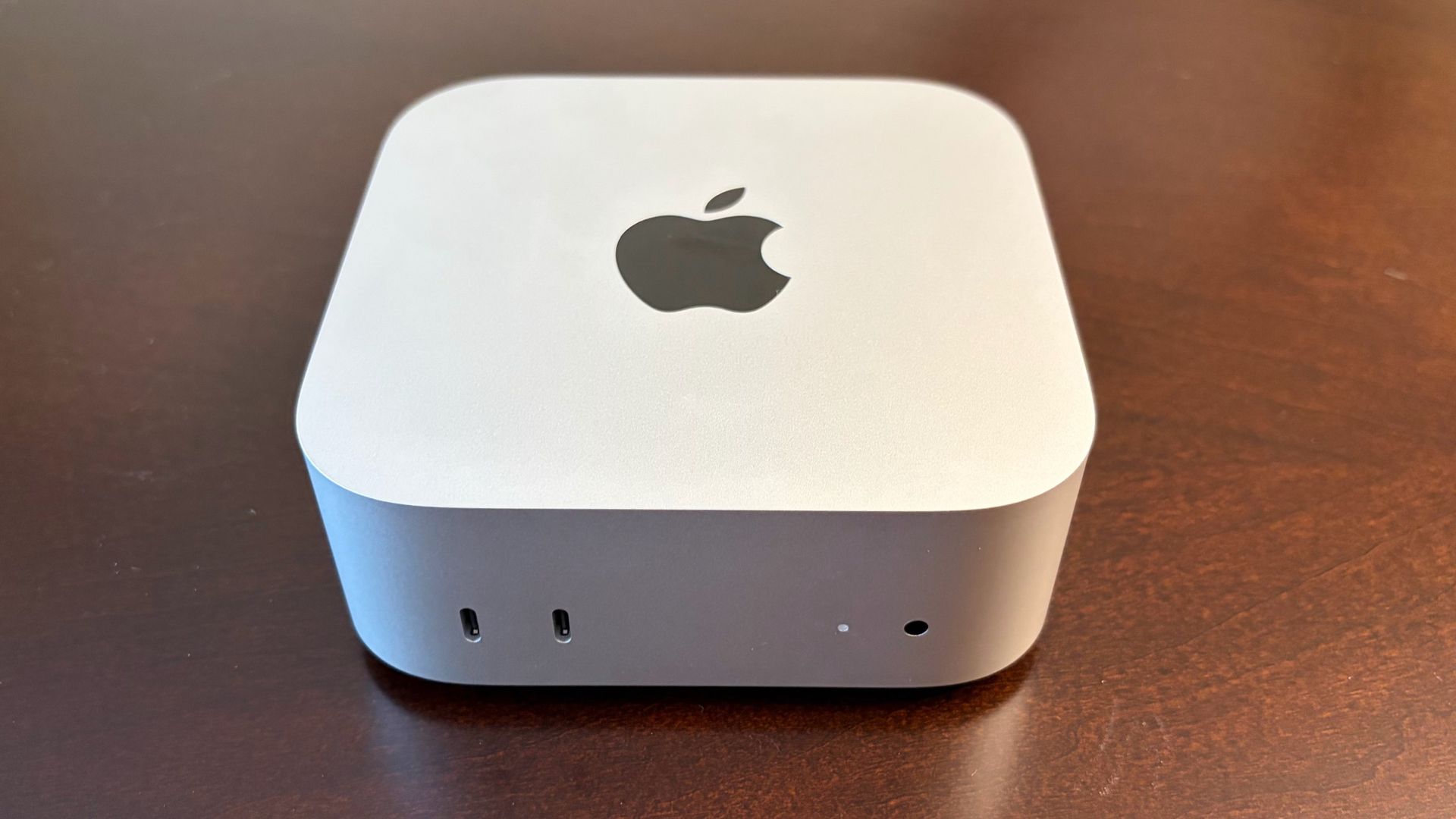
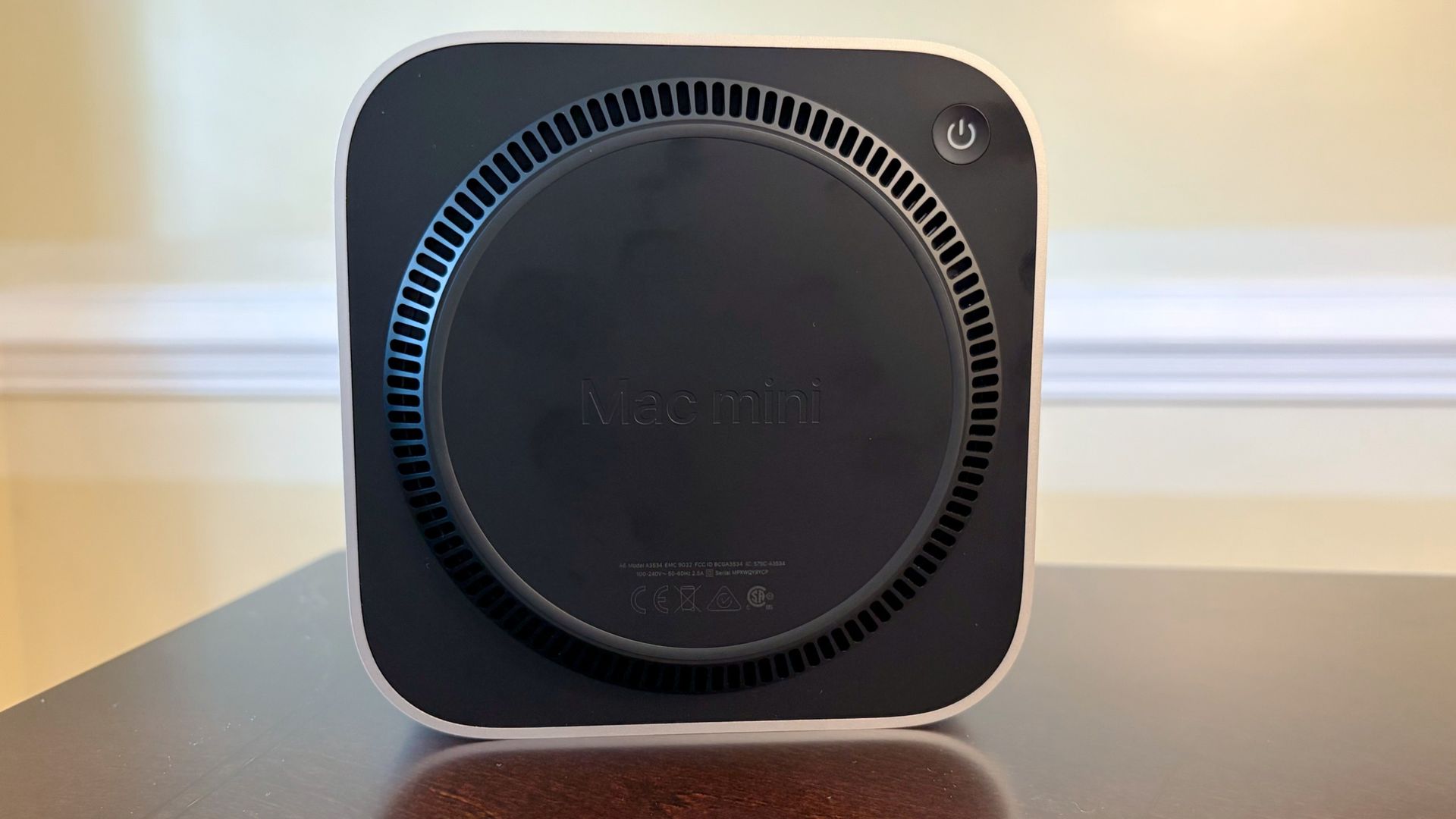
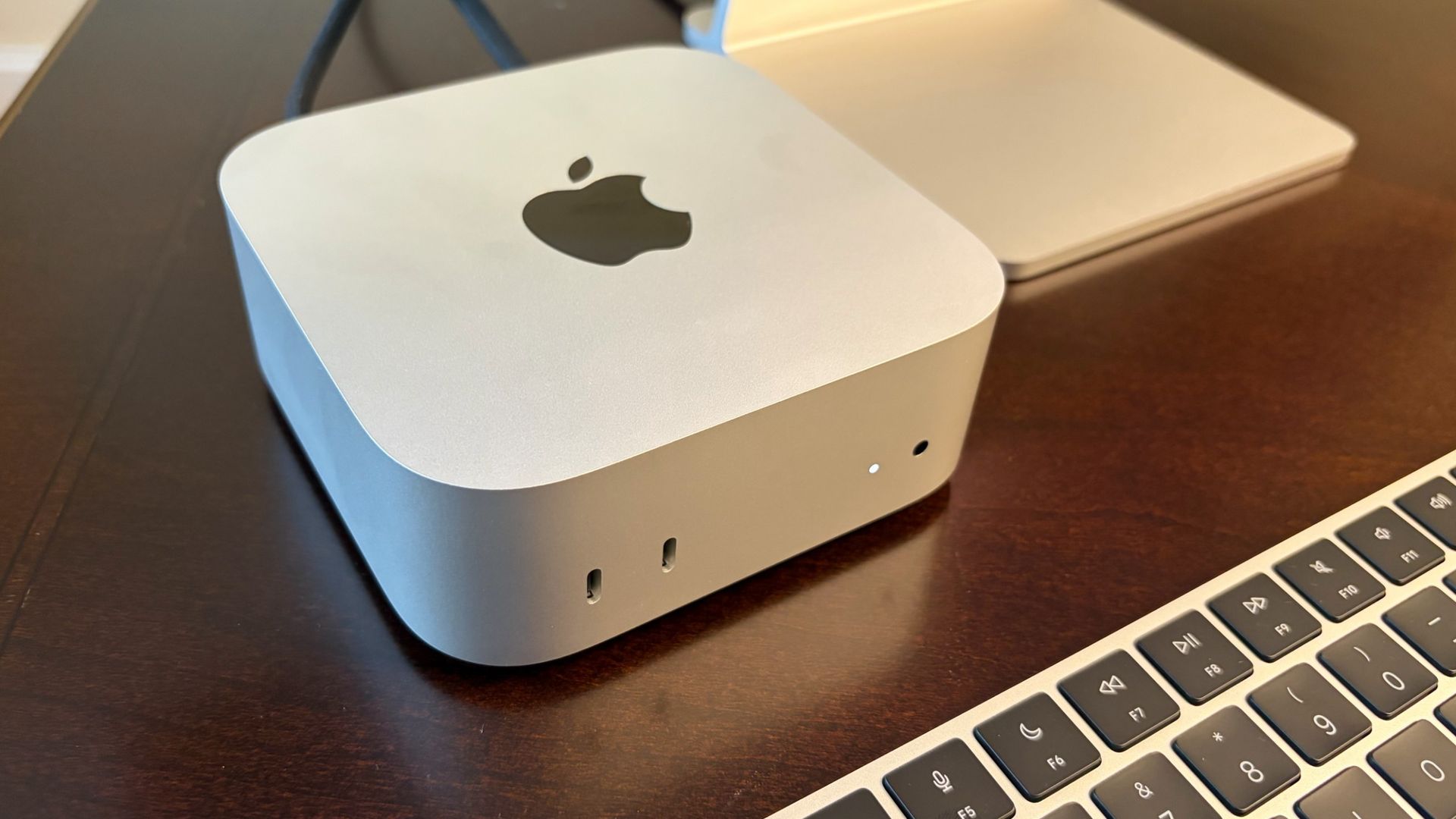
The Mac mini hasn’t changed on the design front, and that’s mostly a good thing. I’m always impressed with not only the minimalist style of this small form-factor computer, but also its tiny size. It has a 5-inch x 5-inch footprint, while standing just 2 inches tall. My only gripe is the power button, which remains stubbornly on the bottom of the system (back left corner). You’ll need to lift the system any time you want to turn it on (or force it to shut down in the event of a crash), and you’ll need to double-tap the power button when setting up Touch ID with an Apple Magic Keyboard for the first time. However, this is just a minor annoyance, as interacting with the power button on a modern Mac is a rarity.
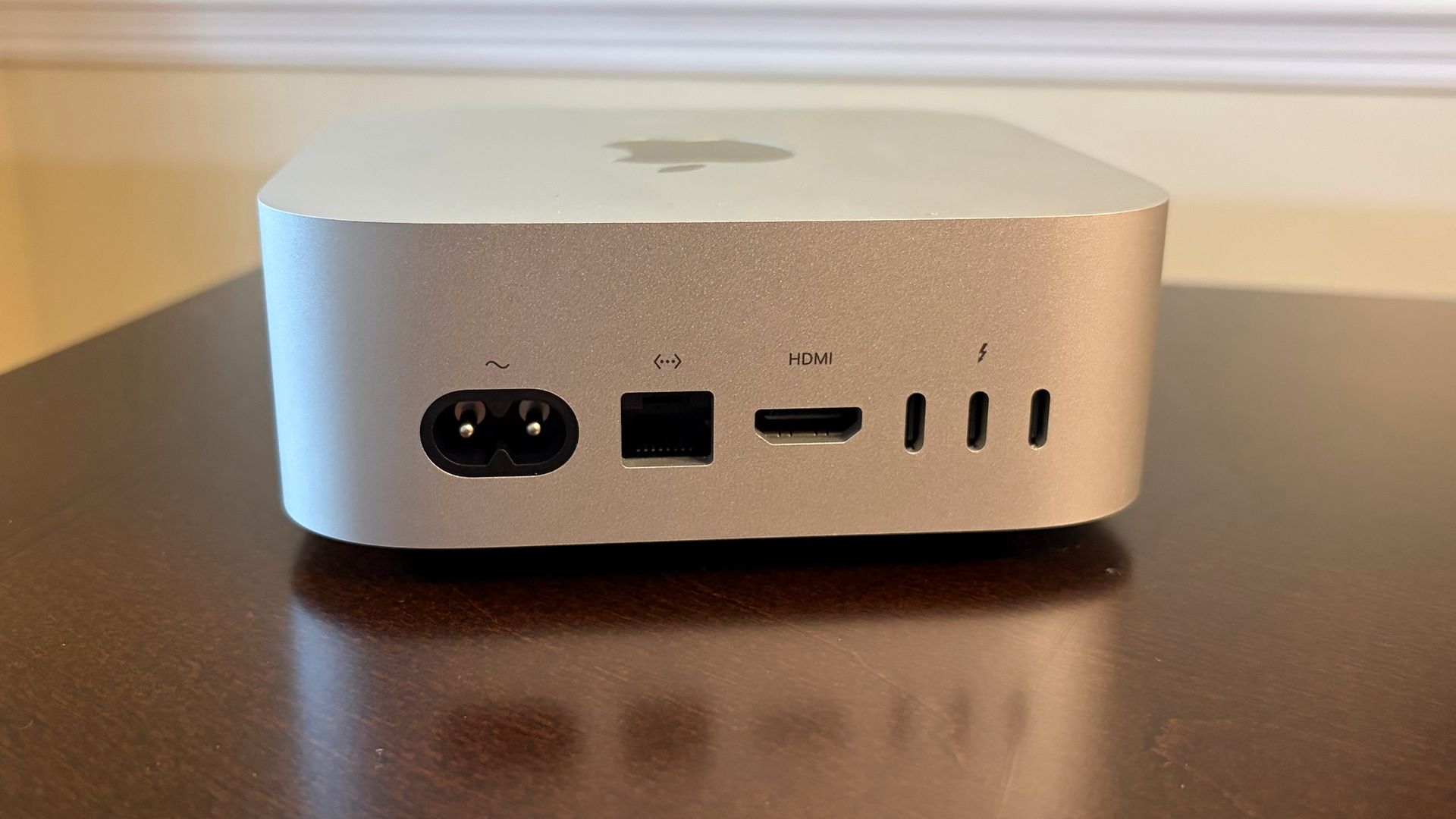
Despite its trim dimensions, you do get a fairly decent number of ports on the exterior of the Mac mini. However, let’s get this out of the way first: Apple doesn’t give you any USB-A ports on the Mac mini, so keep that in mind before purchasing. So, if you have USB-A devices around, you’ll either need to keep some cheap USB-A to USB-C adapters on hand, or invest in a USB-C or Thunderbolt dock for connecting legacy devices.
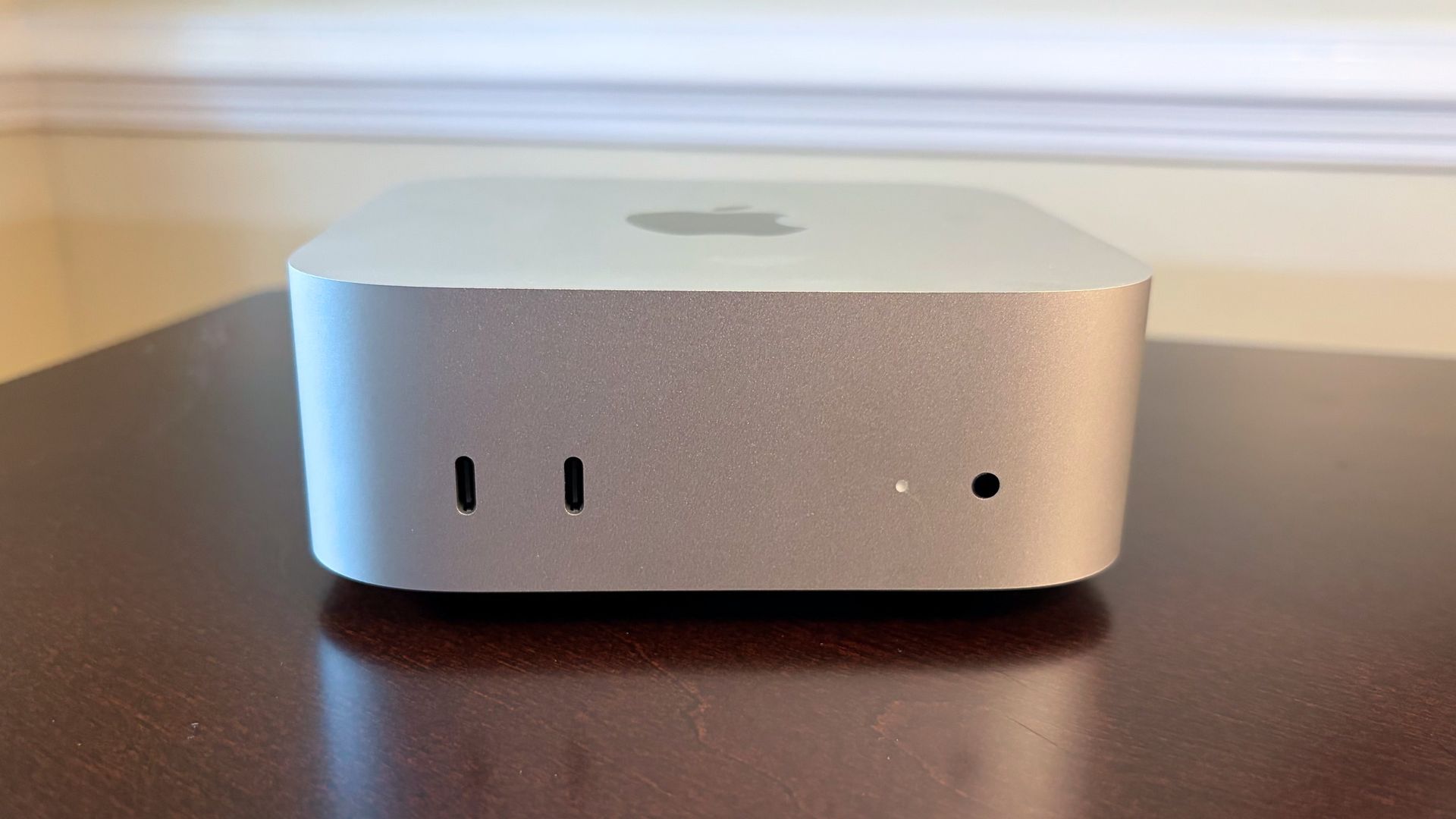
Instead, our Mac mini review unit features two USB-C ports (10 Gbps) and a 3.5 mm headphone jack up front, along with three Thunderbolt 4 ports on the rear (M5 Pro systems swap the Thunderbolt 4 ports for Thunderbolt 5). You’ll also find a 2.5 GbE port (up from 1 GbE), an HDMI port, and the power port on the back. We should note that while our review unit was specced with the 2.5 GbE LAN, you can individually option a 10 GbE port for $100 extra. A 10 GbE USB-C adapter would set you back around $100, so Apple’s upgrade is surprisingly reasonably priced, and you don’t lose a port in the process.
When it comes to wireless connectivity, the Mac mini uses Apple’s new in-house N1 wireless chip instead of relying on a third-party design. It provides tri-band Wi-Fi 7 and Bluetooth 6 support, which is an upgrade from the Wi-Fi 6E and Bluetooth 5.3 on the previous generation.
One thing to keep in mind with the Mac mini is that what you see is what you get when you purchase one. There are no internal upgrades available for the system once you’ve purchased it, so choose wisely before you click the buy button. Base systems come with an M6 chip (12-core CPU, 12-core GPU), 16GB of RAM, and a 256GB SSD. Our review unit features the M6 chip, 24GB of RAM, and a 512GB SSD. If you want to add storage post-purchase, we’d suggest taking a look at one of the best external SSDs.
Apple Mac mini (M6) Specifications
Processor
Apple M6 (2 super cores, 4 performance cores, 6 efficiency cores)
Graphics
12-core GPU
Memory
24GB LPDDR5X unified memory
Storage
512GB SSD
Networking
2.5 Gigabit Ethernet, Wi-Fi 7, Bluetooth 6
Front Ports
2x USB Type-C (10GB/s), 3.5 mm headphone jack
Rear Ports
3x Thunderbolt 4 ports (USB-C), HDMI, Ethernet
Power Supply
Internal, 155W
Operating System
macOS 27 Golden Gate
Dimensions
5 x 5 x 2 inches
Price as Configured
$1,399
Productivity Performance on the Apple Mac mini (M6)
Although the Mac mini is available with a more potent M5 Pro processor, our review unit came with the base M6 processor (12 CPU cores, 12 GPU cores). It also incorporates 24GB of LPDDR5X memory and a 512GB SSD.
This is the first system we’ve tested with the new 2-nanometer M6 processor. So, we were eager to see how it would perform against not only the M4 Pro in the previous Mac mini, but also the M5, which can be found in the current-generation MacBook Air and base MacBook Pro.
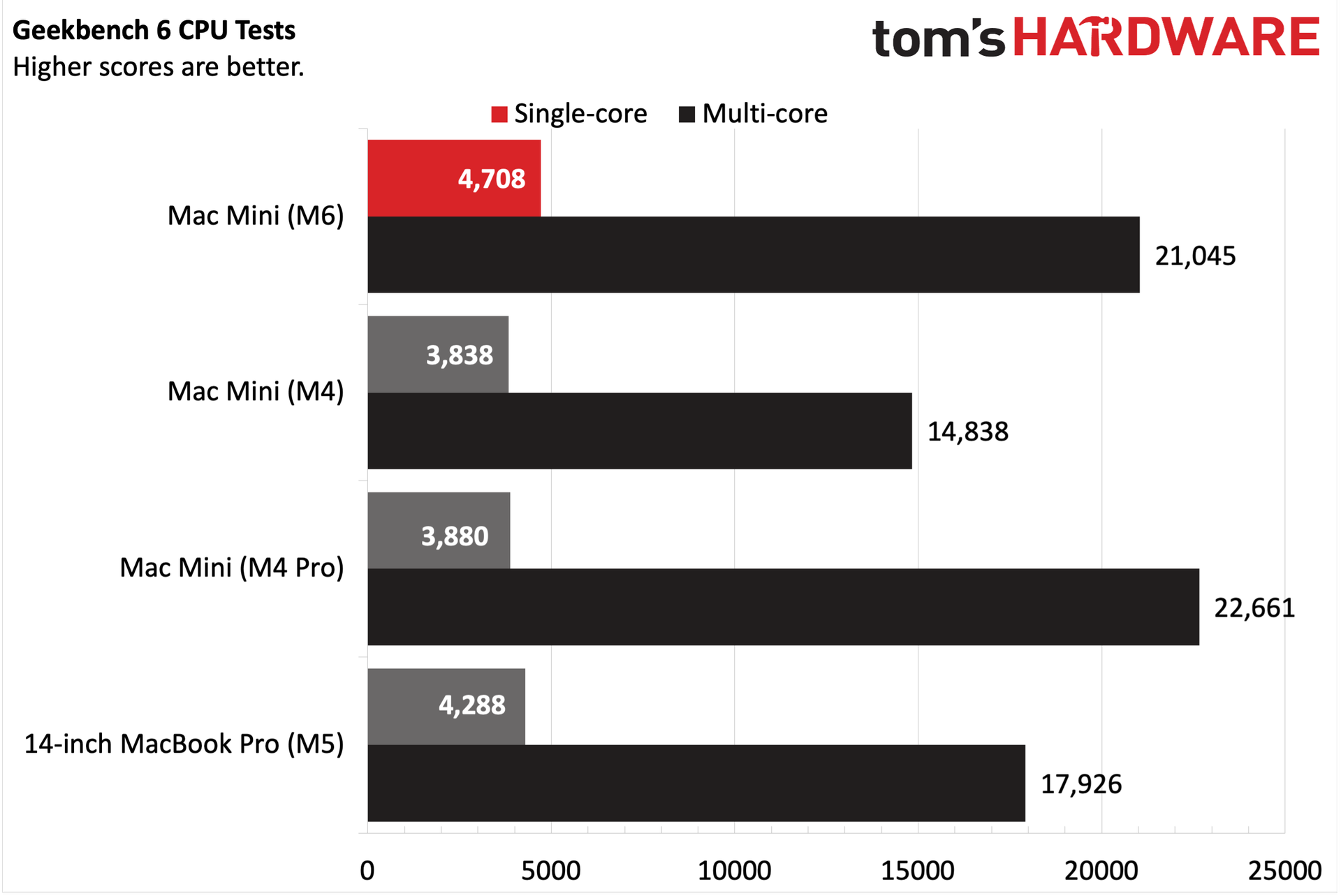
The M6 chip in the Mac mini had no trouble dispatching the M4, M4 Pro, and M5-equipped systems in the Geekbench synthetic CPU benchmark. In fact, it was 21 percent faster than the last M4 Pro Mac Mini in the single-core test. It also completely obliterated the M4 (10-core CPU, 10-core GPU) version of the Mac mini. The advantage versus the M5 system was lessened, but it was still a clear victory for the M6. The M6 actually slightly trailed the M4 Pro Mac mini (21,045 versus 22,661) in the multi-core test, which wasn’t too surprising given that the 12-core M6 was going up against a 16-core M4 Pro. But it was still a strong showing for the M6, given the architectural improvements that allowed it to get that close.
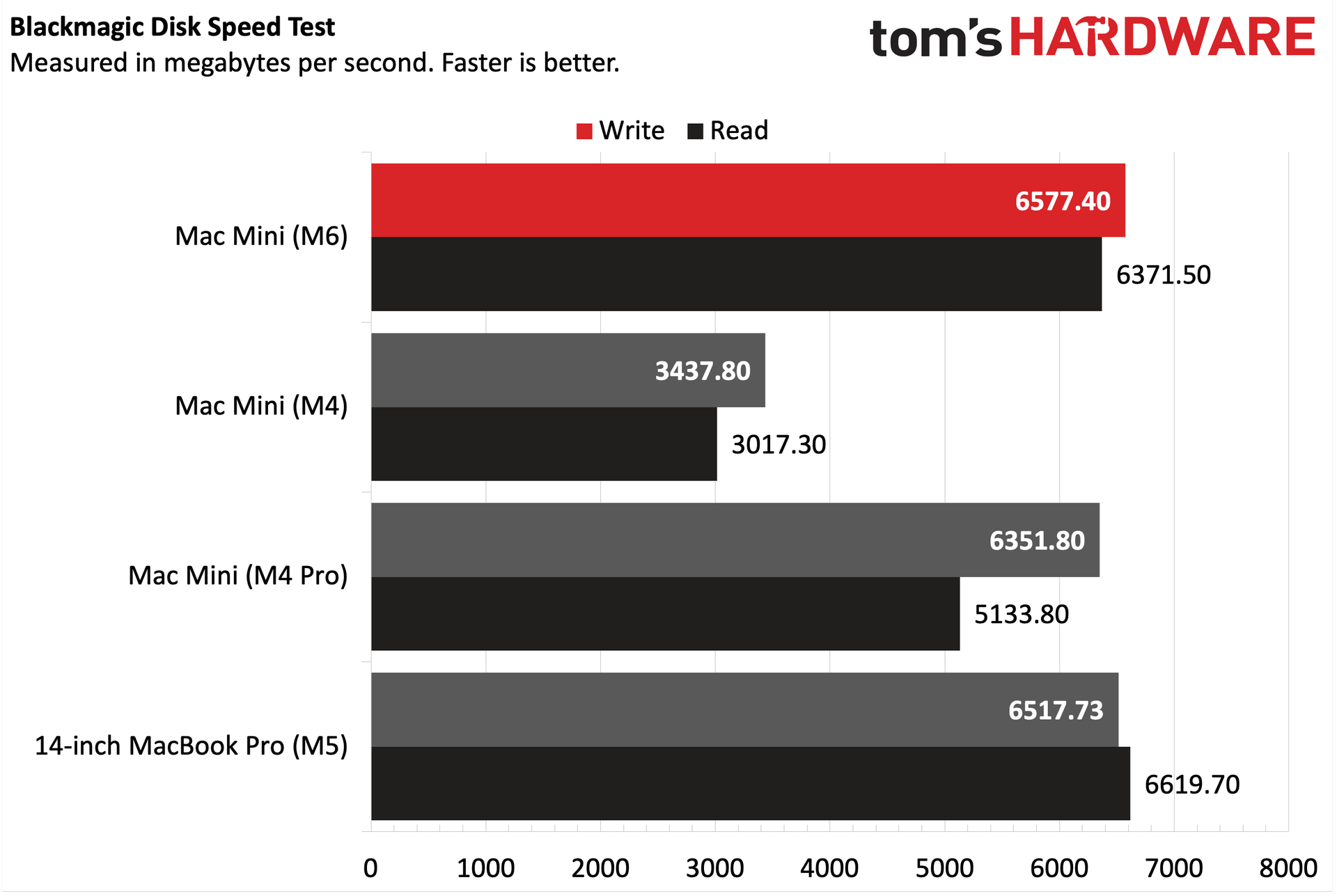
We had some trouble obtaining consistent performance from our usual 25GB file transfer test, so we fell back to the Blackmagic Disk Speed Test for benchmarking the 512GB SSD. Needless to say, it presented a marked improvement over the preceding M4 Mac mini.
Storage performance was comparable to the M5 MacBook Pro on sequential writes, but slightly behind for sequential reads. It also slightly outperformed the M4 Pro Mac mini in writes, but was over 1,000 MBps ahead in reads. However, the M6 Mac Mini nearly doubled the write performance and more than doubled the read performance of the M4 Mac mini.
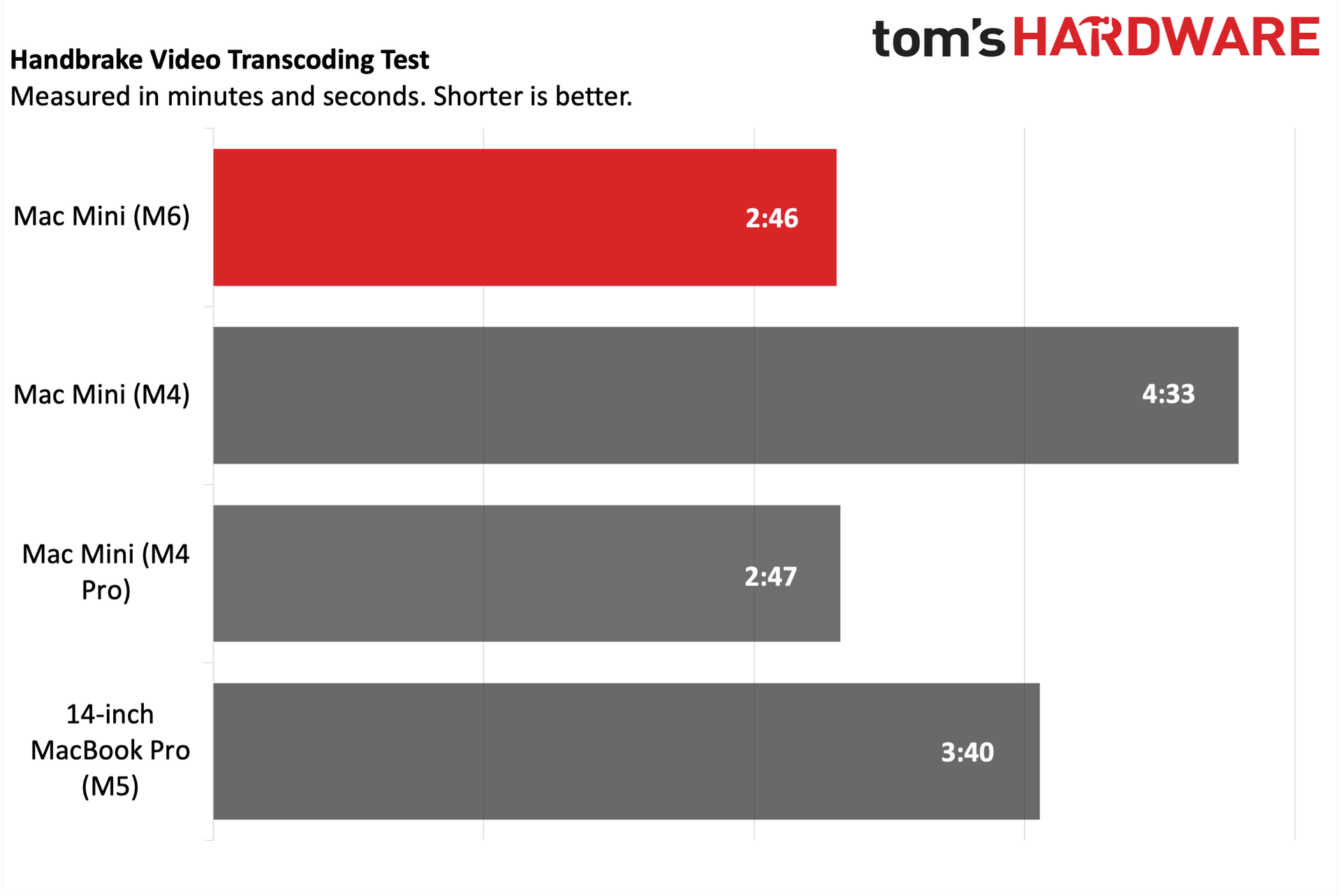
The similar multi-core performance in Geekbench was mirrored in our HandBrake test, during which we transcoded a 4K video file to 1080p. The M6 Mac mini completed the task in 2 minutes and 46 seconds, while the M4 Pro version was just one second behind. The M6 Mac mini was nearly 2 minutes faster than its M4 counterpart.
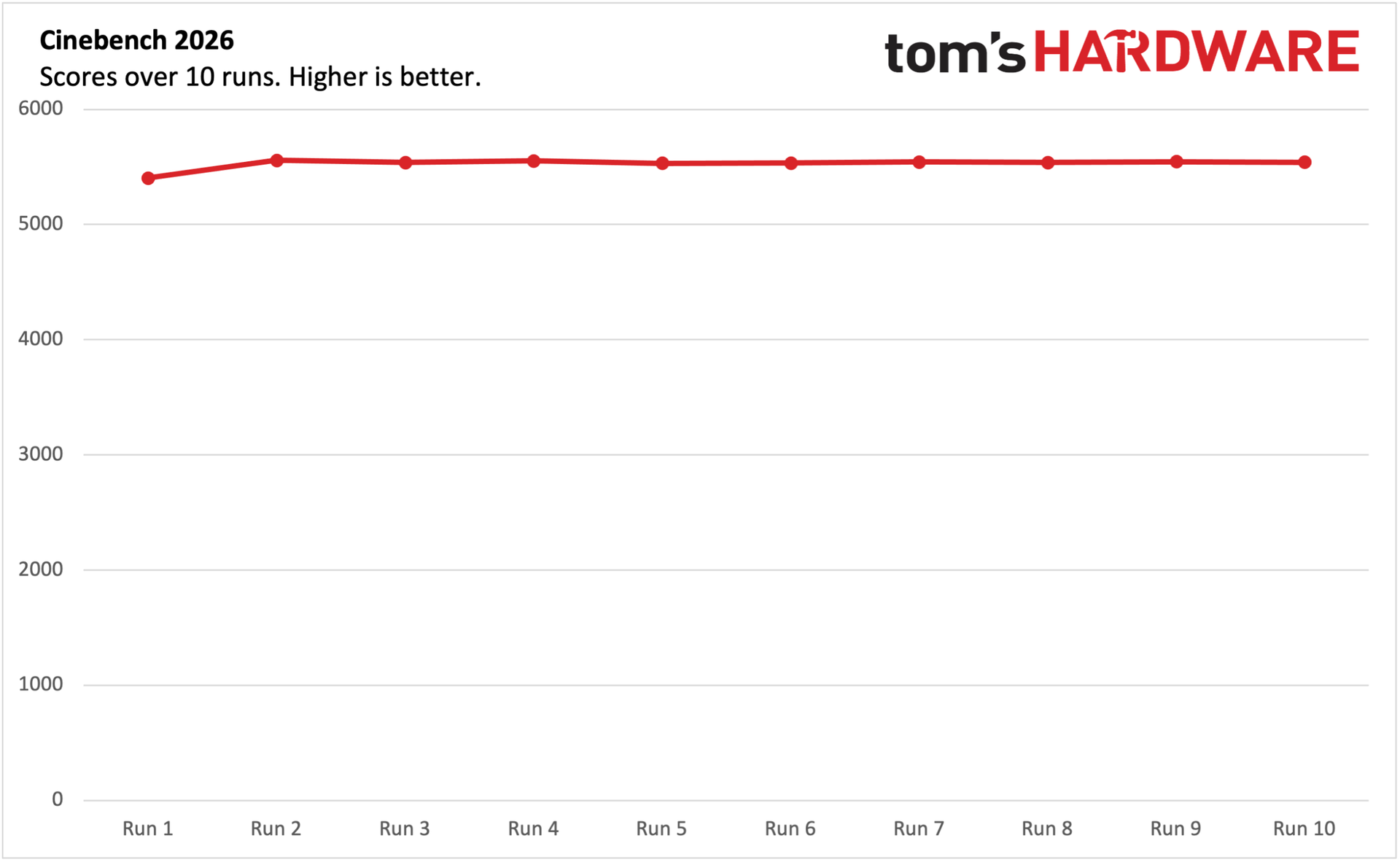
We ran Cinebench 2026 through 10 runs with the Mac mini, keeping track of its scores along the way. The Mac mini started off with a score of 5403, which rose to 5557 for the second run. For the remaining eight runs, the Mac mini was highly consistent, hovering between 5530 and 5554.
The M6 used in the Mac mini isn't yet fully supported by TG Pro, so we could only use the average of the available temperature sensors (power management sensors, power supply, and SSD). At idle, the fan spun at just around 1,000 revolutions per minute (RPM), with an average system temperature of 44 degrees Celsius. However, when running Cinebench 2026, the average system temperature rose to 64 degrees C, while the fan settled at around 2615 RPM.
Gaming and Graphics on the Apple Mac mini (M6)
Gaming shouldn’t be the primary goal with the Mac mini, but it can do some light lifting. I played Cyberpunk 2077 for a bit and benchmarked it. Although I was provided an Apple Studio Display (5K resolution) to test with the Mac mini, I ran benchmarks at 2560 x 1440 and 1920 x 1080, because the native 5K is a bridge too far for this game, given the hardware.
Using the "For this Mac" global setting, the Mac mini achieved 37.33 frames per second (fps) at 1440p and 58.11 fps at 1080p. With frame generation turned on, those numbers jumped to 62.61 fps and 96.24 fps, respectively.
If you don't mind turning the detail settings down a bit, you can achieve playable frame rates with the Mac mini. However, moving the detail slider to Ray Tracing (Medium) dropped frame rates into the 20 fps range even with frame generation turned on at 1440p.
macOS Golden Gate and Apple Intelligence
The Mac mini ships with macOS 27 Golden Gate, which was first made available to the public last week. macOS 27 is not a complete rethink of the desktop operating system formula for Apple, but it does provide a number of quality-of-life improvements for users.
One of the headlining features is new and improved Siri AI. While Siri was one of the first digital assistants to debut on a smartphone, it hasn't exactly been "smart," at least compared to its contemporaries. Siri AI now digs its fingers deeper into the operating system, allowing it to glean contextual data from your photos, mail, messages, and documents. You can access Siri AI from Spotlight (search) or using the dedicated Siri AI app. Siri AI is also vastly more useful, as it will more consistently answer general questions asked, rather than throw up its digital hands and say "Here's what I found on the web."
Apple's Shortcuts app is an incredibly powerful tool that has been available for years across the Mac, iPhone, and iPad product families. However, the granular control and seemingly limitless options can make creating a new shortcut daunting for newbies. So with macOS 27, you can now create a new Shortcut using natural language. For example, you could input, "Create a shortcut that sets the AC to 74 degrees when I leave work, and let my wife know what time I'll arrive at home," and it will take care of the rest.
Liquid Glass was one of the more controversial additions to macOS 26, with some people not liking the translucent makeover. MacOS 27 gives users more control over Liquid Glass, with sliders to adjust the intensity of the transparency effect.
Apple has also introduced plenty of system-level optimizations to improve performance across the board. For example, Apple says that AirDrop is up to 80 percent faster in macOS 27 than macOS 26, and a lot more reliable. Apps also open faster – any lagginess or stuttering that was perceptible in macOS 26 has been eliminated with this newest release. The best comparison I can make for the macOS 26 to macOS 27 upgrade is the fine-tuning that Apple did going from Mac OS X 10.5 Leopard to Mac OS X 10.6 Snow Leopard. There weren’t any major feature additions with that latter release, but there were a plethora of under-the-hood optimizations that made it much faster and more stable.
In addition, macOS 27 doesn’t install the Rosetta x86 translation software by default; you’ll need to download it when you first run a legacy x86 app. However, starting next year with macOS 28, you won’t be able to run apps that aren’t Apple Silicon-native, so Rosetta will be completely off the table.
Apple Mac mini (M6) Configurations and Warranty
The base Mac Mini comes with an M6 processor, 16GB of RAM, and a 256GB SSD for $899. Before Apple's June 2026 price increases, the base Mac mini with M4, 16GB of RAM, and a 256GB SSD cost $599. After the price increases, that $599 jumped to $799. Now, we're looking at another $100 increase for the base Mac Mini. There’s one standalone upgrade option: $100 extra gets you a 10 GbE port instead of the standard 2.5 GbE.
Apple also allows you to upgrade to 24GB or 32GB of RAM, along with 512GB, 1TB, and 2TB SSD options. A fully-loaded M6 Mac mini with 32GB of RAM, a 2TB SSD, and 10 GbE costs $2,399.
For people who require a bit more processing power, perhaps for AI tasks (as Apple seems so inclined to believe), the base M5 Pro Mac Mini (15-core CPU, 16-core GPU), with 24GB of RAM and a 512GB SSD, costs $1,699. However, you can go bonkers with the options, topping out with an M5 Pro (18-core CPU, 20-core GPU), 64GB of RAM, an 8TB SSD, and a 10 GbE adapter for a whopping $6,599. At that price, it’s probably worth looking at the Mac Studio.
All Mac minis come with a 1-year manufacturer warranty.
Bottom Line
The base M6 chip provides better single-core performance and nearly matches the multi-core performance of the optional M4 Pro in the previous-generation Mac mini. Compared ot the standard M4 Mac mini, the new M6 version blows it away in CPU and SSD performance.
These are the kinds of generational improvements we’ve come to expect with Apple Silicon, which seems to be firing on all cylinders these days. The new Mac mini also gets other, less-highlighted improvements, like faster standard wired networking (2.5 GbE versus 1 GbE) and Wi-Fi 7/Bluetooth 6.0 instead of Wi-Fi 6E/Bluetooth 5.4.
However, the elephant in the room is pricing for the Mac mini. Earlier this year, you could grab a base Mac mini for $599 – although availability was spotty after Q1, thanks to OpenClaw and anticipated price hikes. More importantly, over the years, going from one Mac mini generation to the next typically yielded performance benefits with no (or minimal) price increase. The AI revolution has rewritten the hardware rulebook, so we’re now faced with a new generation that is $300 more expensive than the previous model ($200 June price increase + another $100 increase for this new generation).
So in a matter of months, what was for years a screaming bargain for anyone looking for a cheap entry point into the Mac desktop ecosystem has gotten a lot more expensive. 16GB of memory and a 256GB hard drive are easier to justify at $599, but it’s a tougher pill to swallow at $899, and especially so with our review unit’s as-tested price of $1,399.
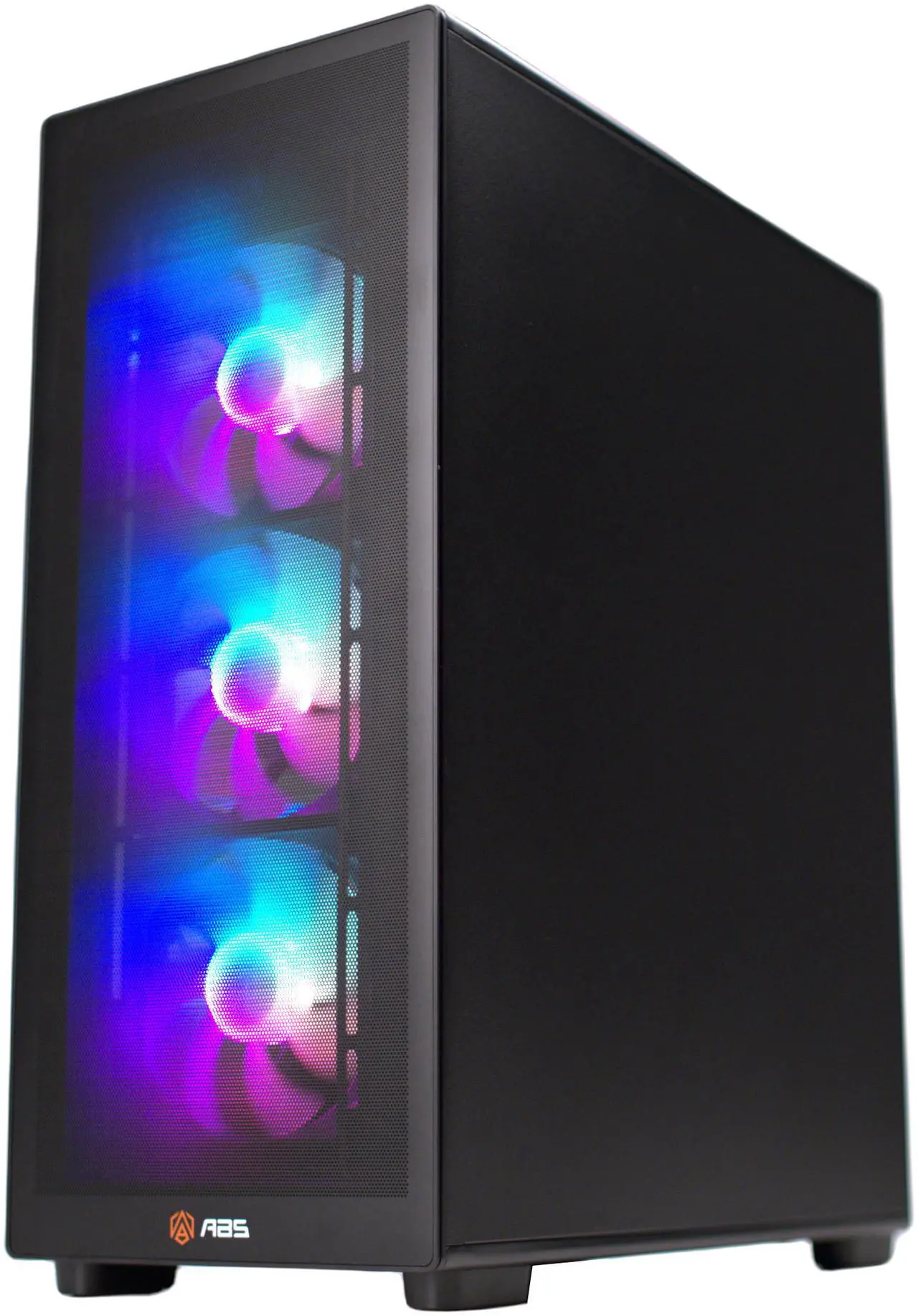
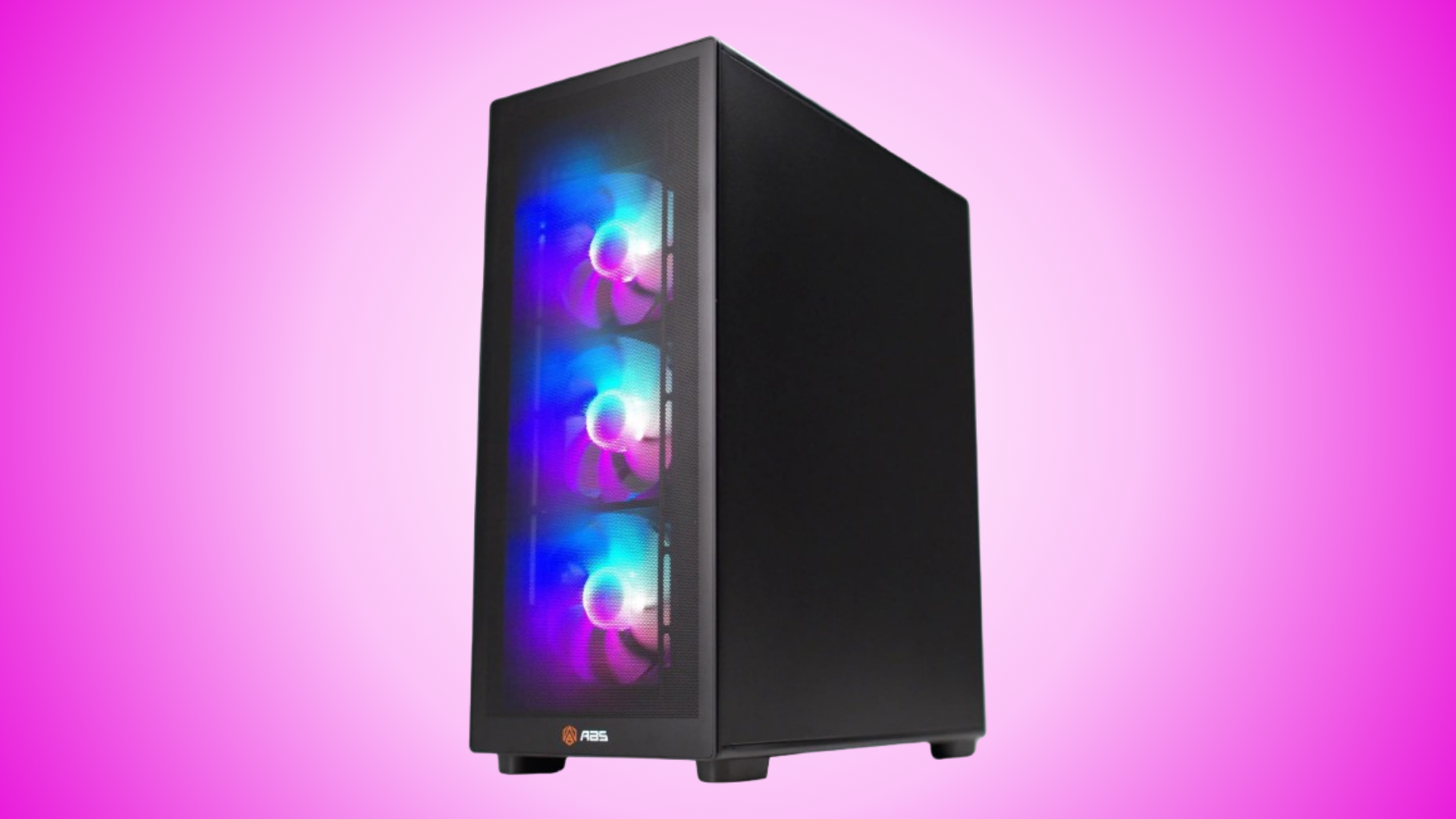
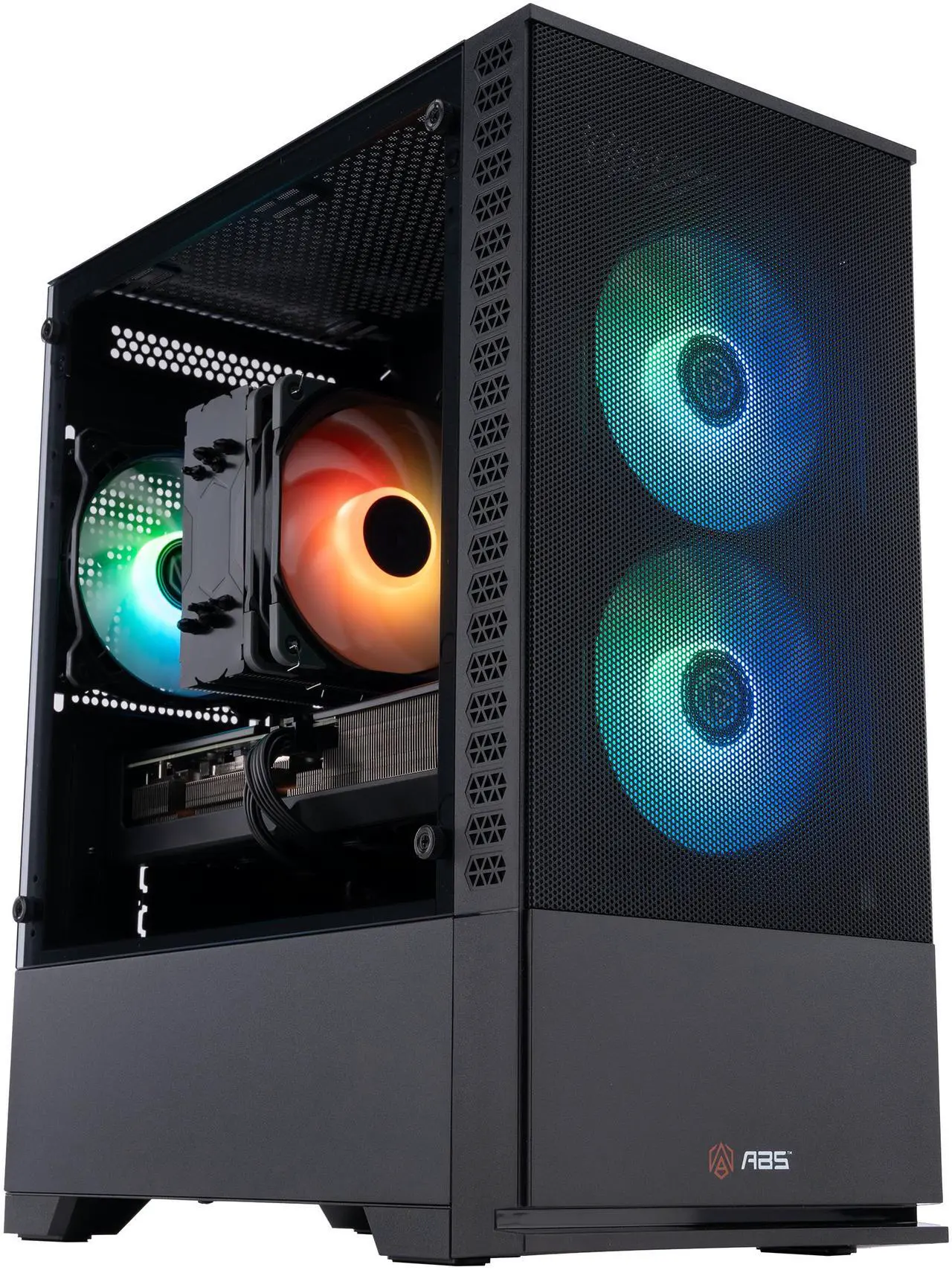
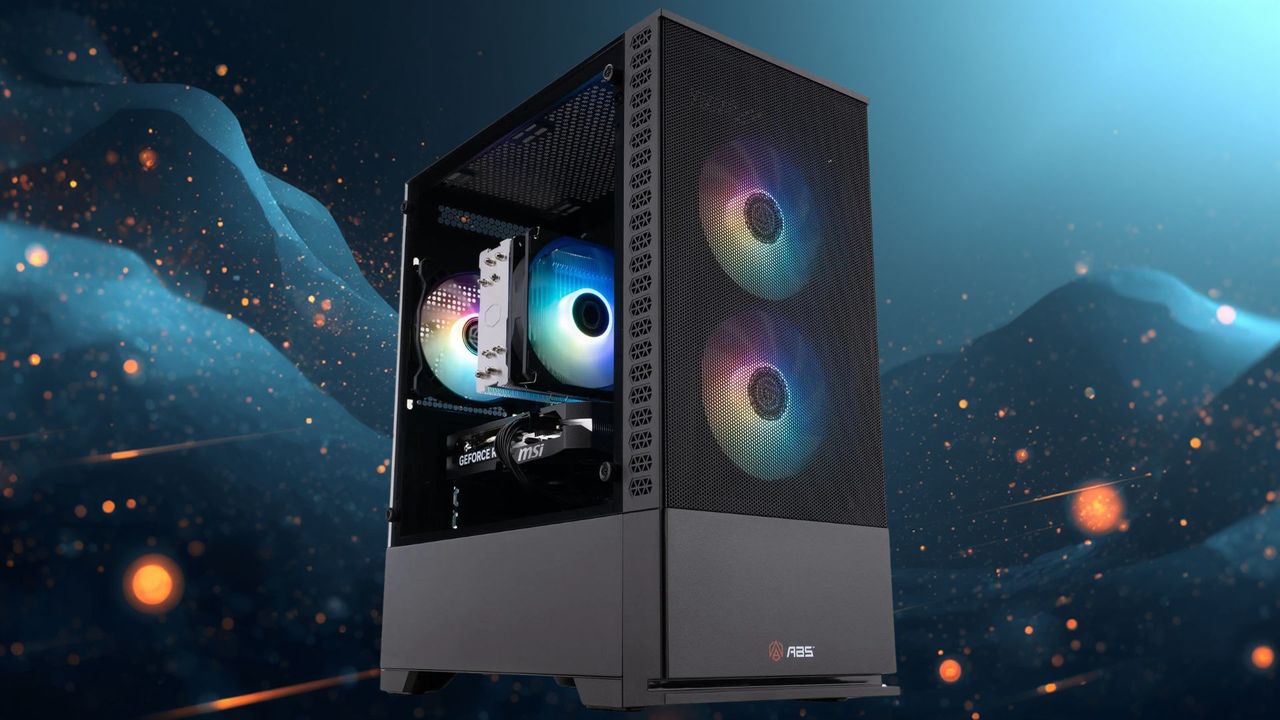
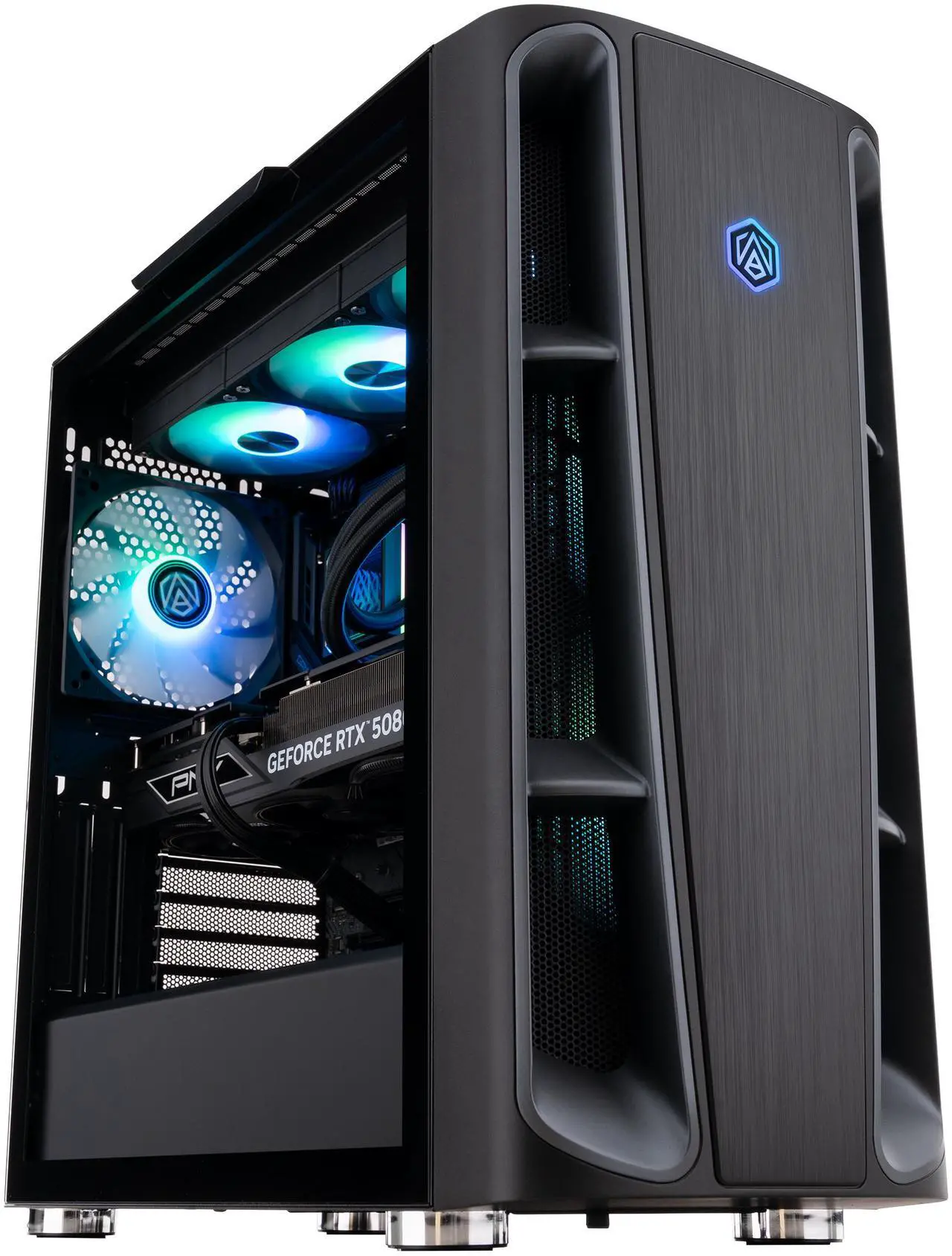
ABS is Newegg's own brand, so you've got the quality and assurance from the big tech retailer to fall back on. This is a rig that sits near the top of the food chain for performance, with the 9800X3D still one of the best CPUs available for gaming right now. Couple that with this current-gen, high-end RTX 5070 Ti and you've got yourself a machine that'll deliver for years to come.
This ABS Stratos II Ruby gaming PC is a 4K powerhouse with an AMD Ryzen 7 9800X3D and Nvidia GeForce RTX 5070 Ti. It has 32GB of DDR5-6000 RAM and a 2TB M.2 NVMe SSD with Gen 4 speeds.View Deal
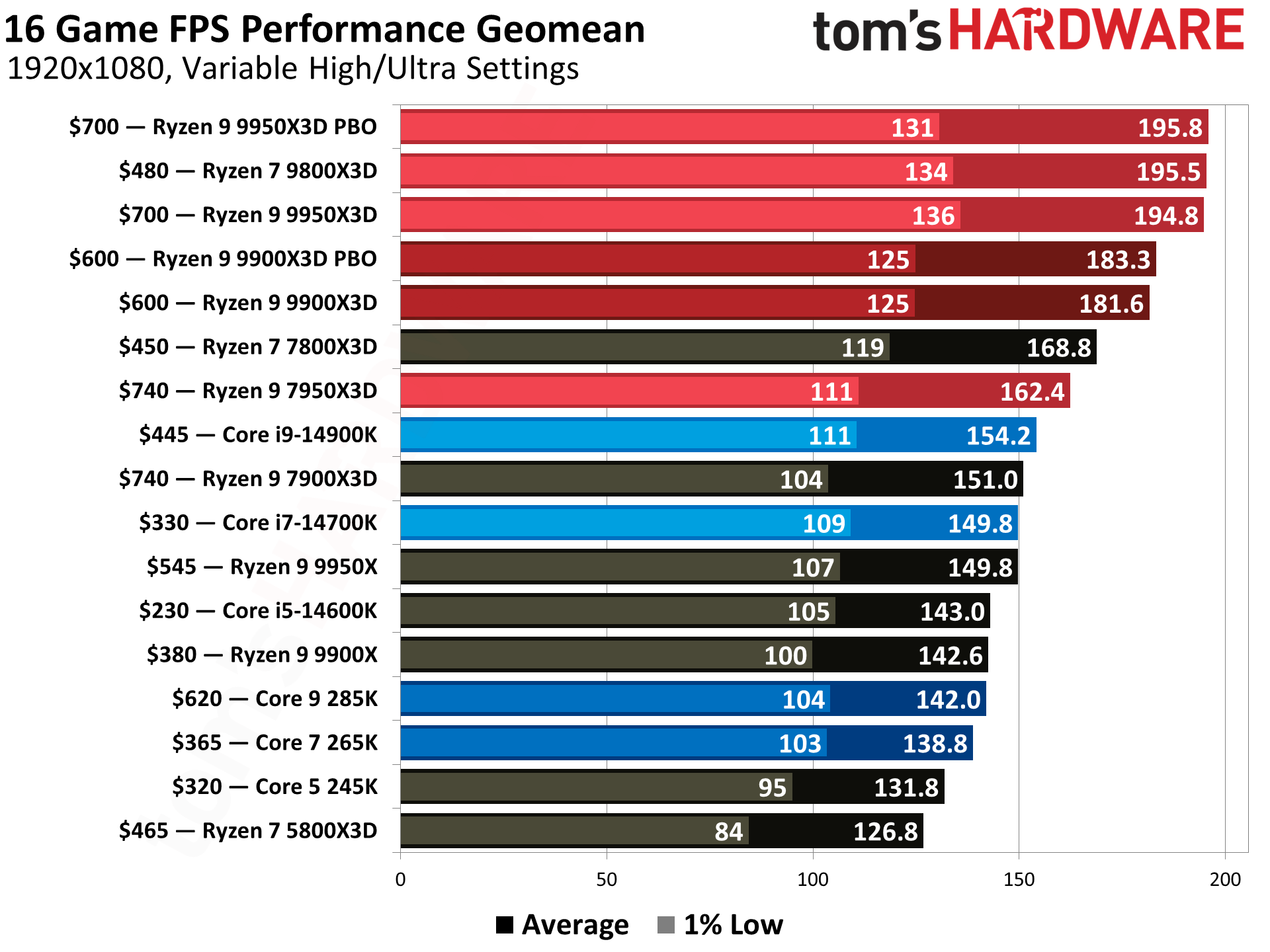
Our 9800X3D review makes clear that this eight-core AMD X3D chip is such a powerhouse for gamers. 3D V-cache is the reason why, as this game-changing tech boosts the amount of L3 cache to 96MB. This means that the CPU doesn't have to fall back on using the slower system RAM as often, which reduces latency, giving you much better and more stable frame rates for gaming.
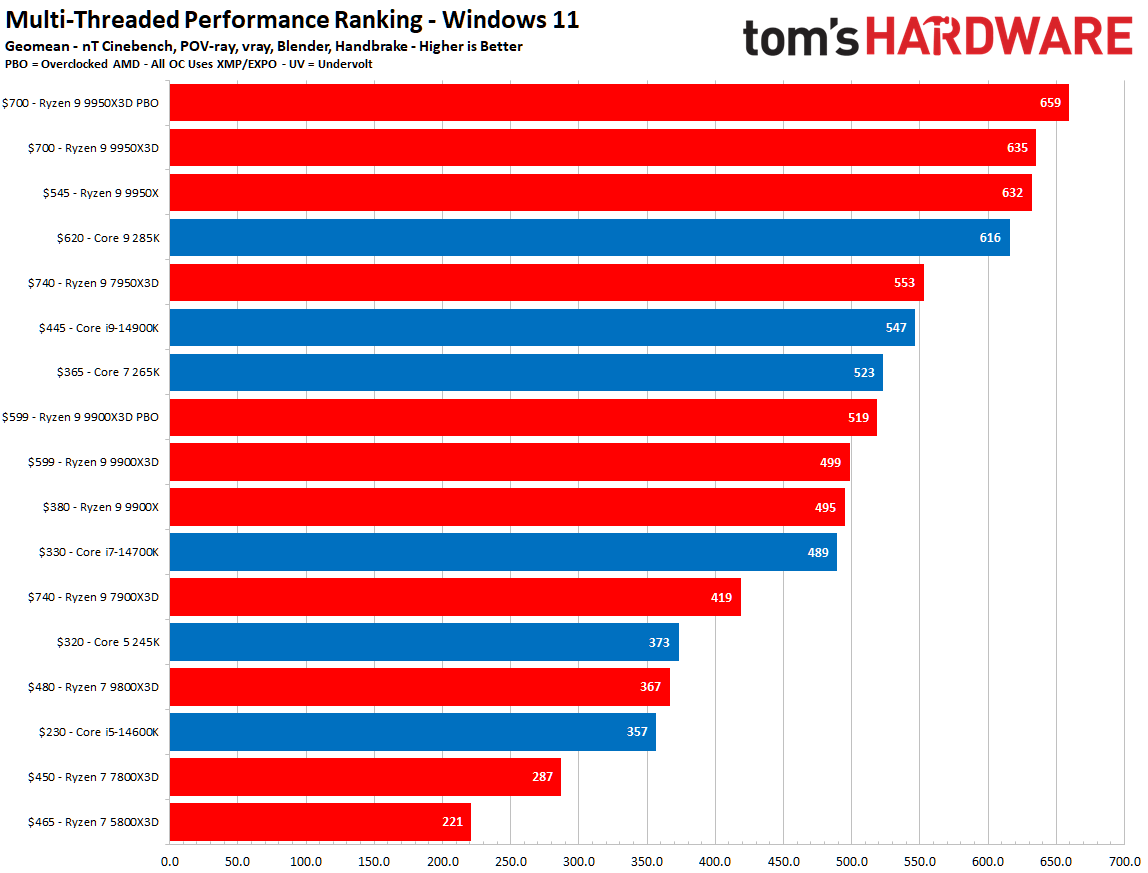
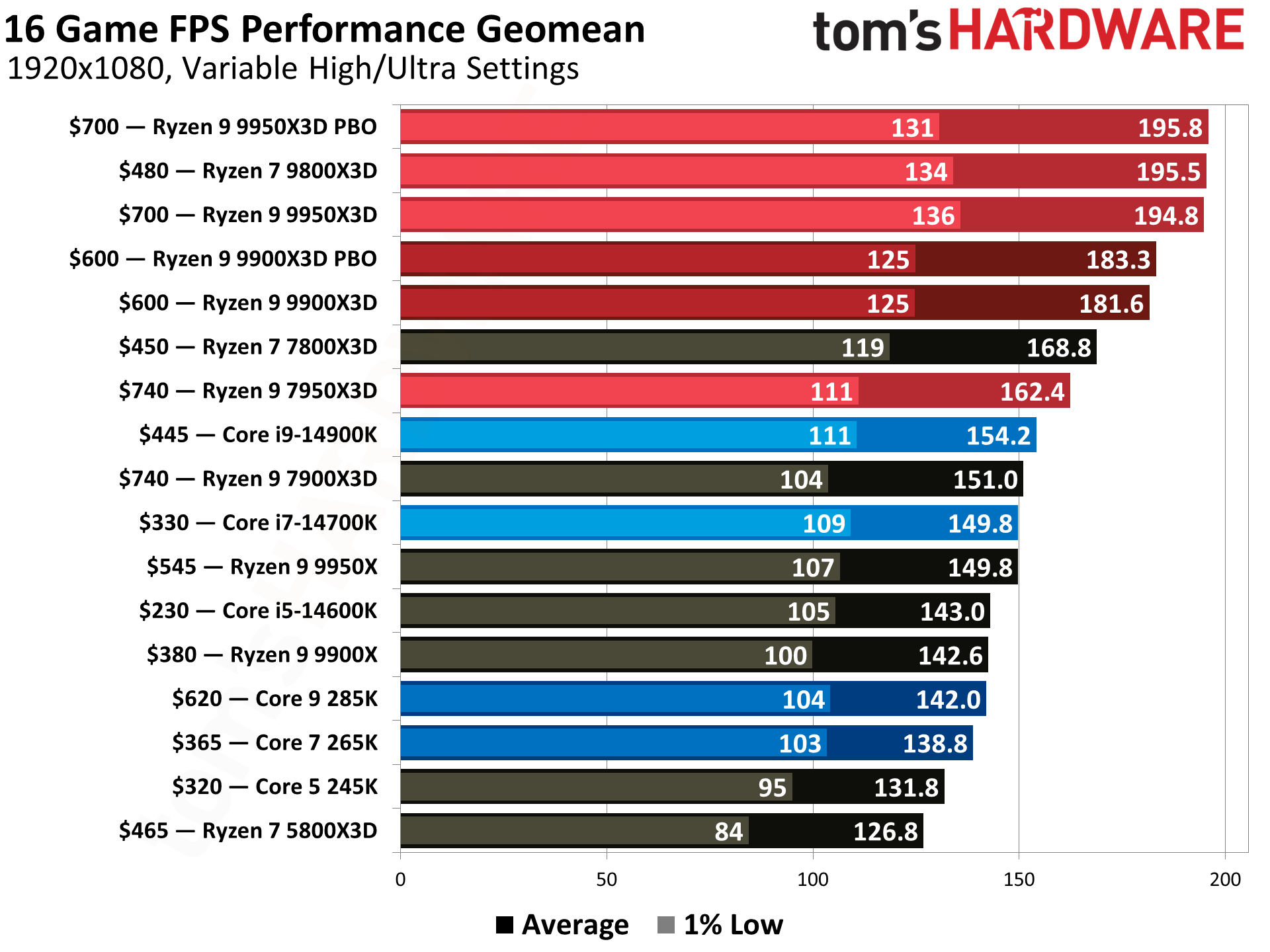
While the 9800X3D isn't the fastest in our CPU benchmarks now, it still sits near the top of the tree, and is still our top recommendation for most gamers. Intel hasn't provided an option that can truly rival these X3D chips, so if you want 4K gaming with stable frame rates, a chip like the 9800X3D will give you the best performance to do so.
Tom's HardwareTom's HardwareTom's Hardware
The 9800X3D is well coupled in this ABS rig with the Nvidia GeForce RTX 5070 Ti. It has 8,960 CUDA cores, as well as 16GB of GDDR7 VRAM. You get to leave 1080p well and truly behind with this GPU, as this is a mid- to high-tier option that can handle 1440p and 4K. You've also got the latest Nvidia tech to take advantage of, including DLSS with multi-frame generation. 4K with all the trimmings, like ray tracing, will be helped by MFG, as it'll ensure you can hit the highest frame rates in the most demanding games.
High and ultra graphics presets will come as standard with the RTX 5070 Ti, especially 1440p, but you'll probably need to adjust your settings for the most intensive games at 4K. 16GB of VRAM leaves you with plenty of breathing room for those higher frame rates, though, especially compared to the budget-grade 8GB models like the RTX 5060.
The 9800X3D and RTX 5070 Ti are a good match, but you're getting a well-rounded rig all round with few compromises. 32GB of DDR5 memory, rated at 6,000 MT/s, is about the standard we'd hope for at this price point, and shouldn't be a bottleneck. A 2TB M.2 NVMe SSD means you aren't compromising on storage, either, and it'll give you enough room for a set of big games alongside Windows.
You'll be saving $300 if you pick up this $2,599.99 ABS Stratos II Ruby gaming PC on paper, but the RAMpocalypse is pushing prices up all of the time. 4K-focused gaming rigs are getting more and more expensive, and you may struggle to find specs this good, this cheap, next year.
These are all the specs you'll want for a machine that will comfortably play games at 1080p. The current-gen Nvidia GeForce RTX 5060 is top of the list, though, with features like DLSS that mean you'll be able to take advantage of both upscaling and multi-frame generation, making games smoother to play if you decide to boost up to higher resolutions or better graphics settings.
The RTX 5060 will be a significant improvement over an older graphics card or integrated GPU, too. It has 3,840 CUDA cores, along with 8GB of GDDR7 VRAM. With DLSS enabled, this'll let you run most games at 1080p with high graphics presets enabled.
You're also getting the best value GPU in our GPU hierarchy when looking at FPS per dollar at 1080p with the RTX 5060. The 8GB of VRAM isn't as limiting as you'd think with a build like this, because you're not going to be hitting 4K here. It has more than enough power for modern games, but you'll need to occasionally optimize for the mos demanding ones. 1440p is possible in some games, too, especially with MFG switched on.
(Image credit: Future)
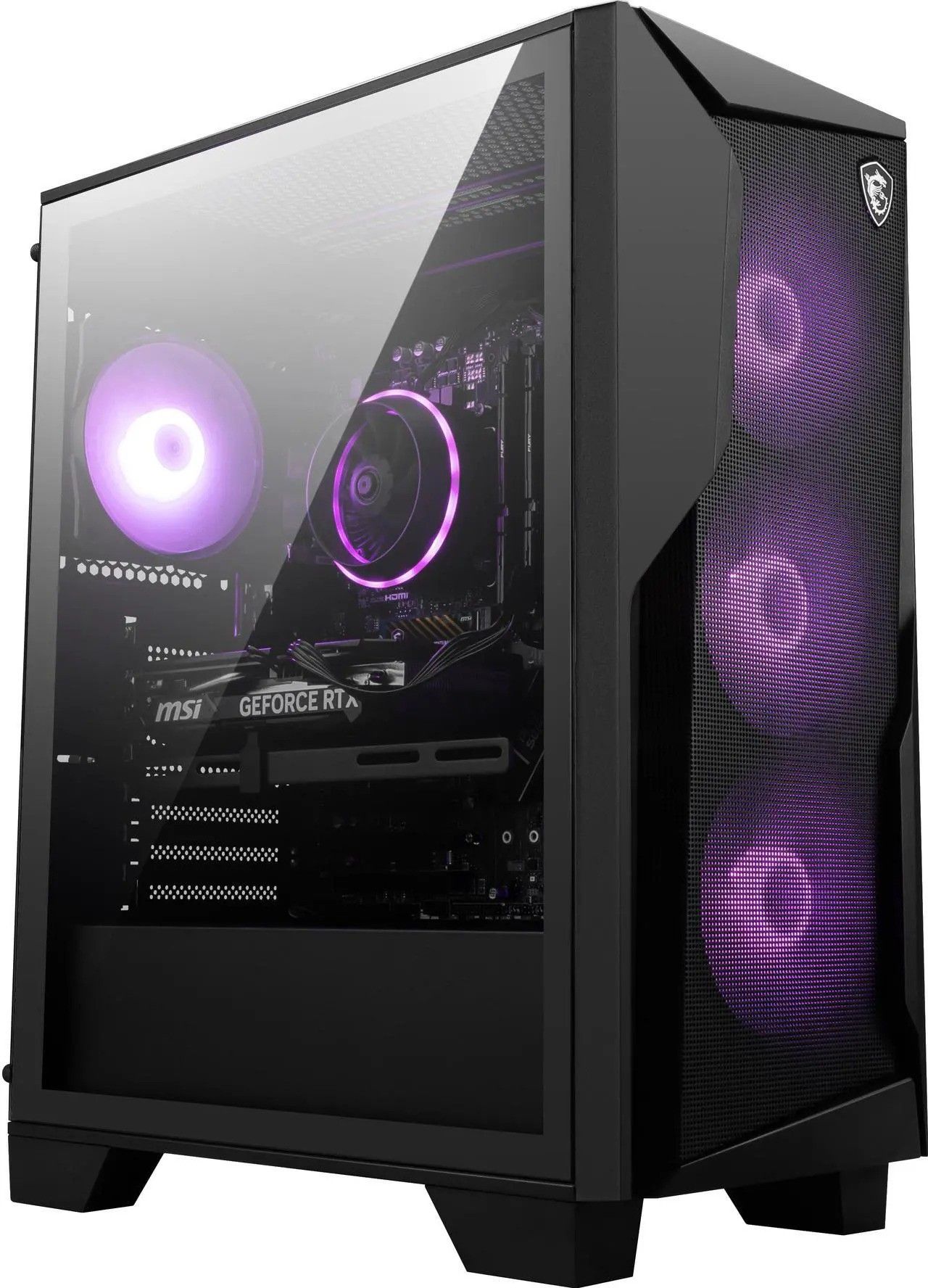
As far as the CPU goes, the Intel Core i5-14400F processor is a little older these days, but still a well-sold and solid option in pre-builts at this price point. You get 10 cores, with six performance cores that offer the best performance for gaming. The other four are efficiency cores for multi-threaded work, with a clock speed that can boost up to 4.7 GHz in total.
You'd expect compromises elsewhere, especially with RAM and SSD prices flying through the roof at the minute, but you don't see that here. 32GB of DDR5 RAM is a good amount for a rig at this price, while a 2TB SSD with Gen 4 speeds leaves plenty of space for a growing games collection. Wi-Fi 6E and Bluetooth 5.3 support gives you good wireless connectivity, with gigabit Ethernet for a faster wired hook-up to your network.
You won't really see many PCs priced as well as this $1,429 MSI Codex R2 gaming PC at the moment. Yes, this spec is pricier than it was a year ago, but you could easily pay more for less in the current market. If 1080p gaming, with DLSS-supported 1440p upscaling, is all you want and need, this is the rig you'll want to buy before the $270 discount disappears.
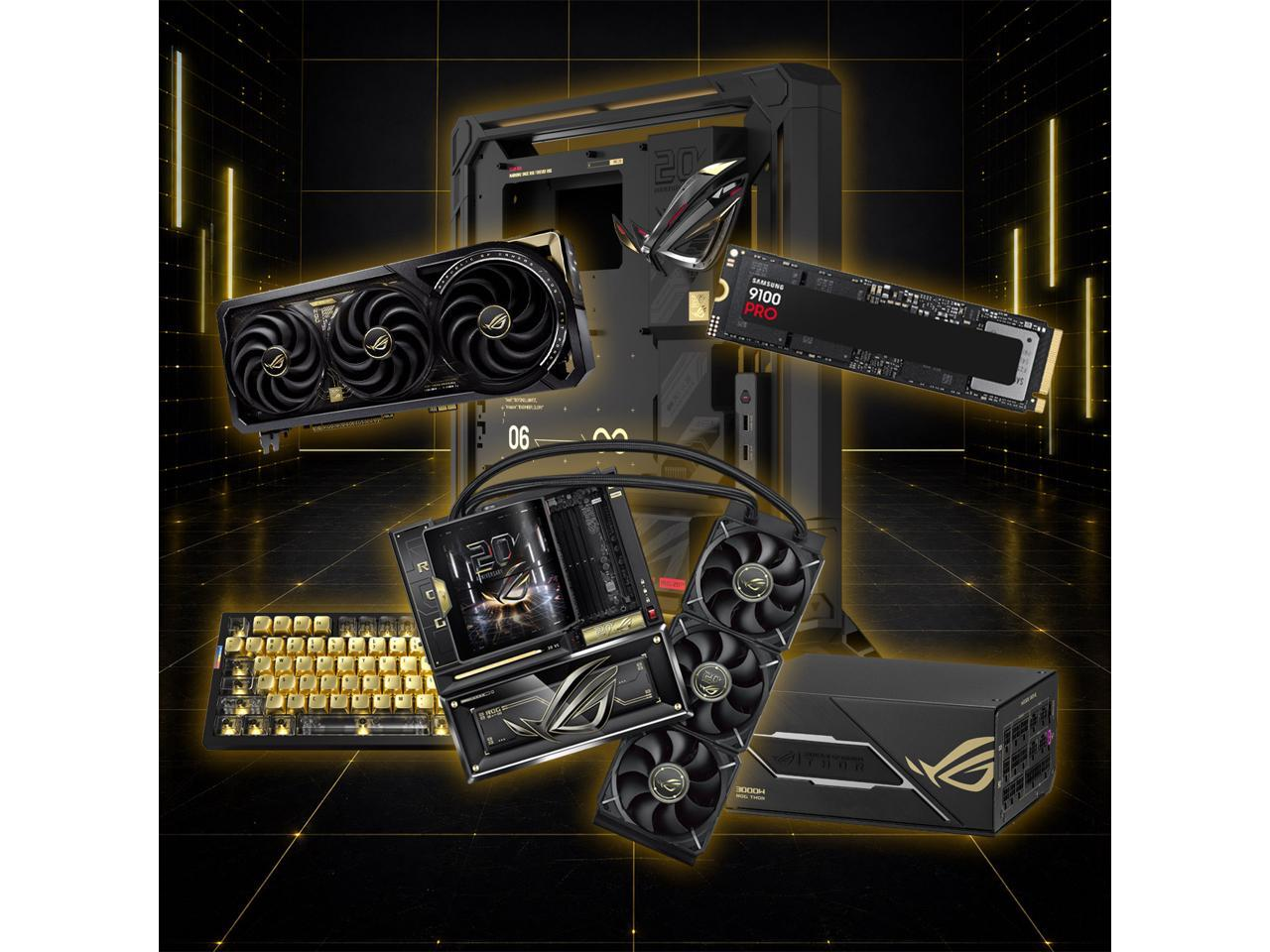
We've reviewed Asus' ROG Edition 20 anniversary kit. We've built a PC with it. It's about as premium as a gaming PC build can get. Right now, you can pick up the same kit for a whopping $10,849.96 on Newegg in a combo deal. To put it mildly, this is one expensive deal, but it's actually hiding a secret gem: it's the cheapest RTX 5090 graphics card on sale right now.
Writing up a near-$11,000 combo set as a deal might seem silly, but one of the core components here is the Asus ROG Astral GeForce RTX 5090 Edition 20 that is priced as part of this deal at $5,999. You can't buy this Astral card on sale individually right now. In fact, you can barely buy an RTX 5090 anywhere. RTX 5090 stock has almost completely disappeared in the United States, with only sketchy third-party sellers offering it at prices approaching $10,000.
This premium GPU is now ultra premium and, for the time being, ultra rare. Does that make this $10,849.96 Newegg combo deal a good option? If money is no object, you're perversely getting some value for your money, as long as you don't think too hard about the RTX 5090's original $1,999 MSRP.
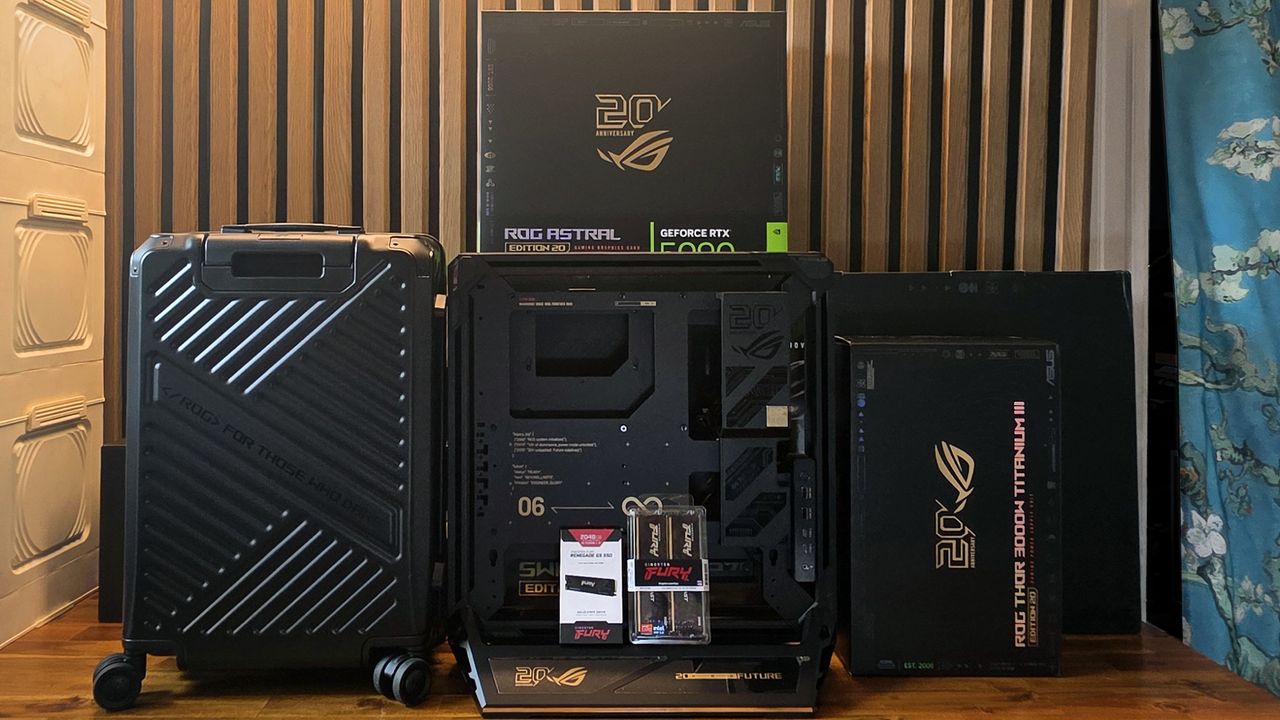
ROG Edition 20 combo: $10849.96 This frankly ridiculous bundle includes all of Asus' ROG Edition 20 kit, including the ROG Astral RTX 5090, ROG Crosshair X870E, ROG Thor Titanium III 3000W PSU, and the ROG GR20 open-frame PC case. No discount, but the RTX 5090 is the cheapest you'll find it, in the oddest way.View Deal
Yes, the GPU is an unstoppable force for any gamer. Our GPU benchmarks make that very clear. The RTX 5090 is the best GPU you can buy, and no other consumer GPU is going to beat it. It has 21,760 CUDA cores and 22GB of GDDR7 VRAM, with a 512-bit memory bus and bandwidth speeds of up to 1,792 GB/s.
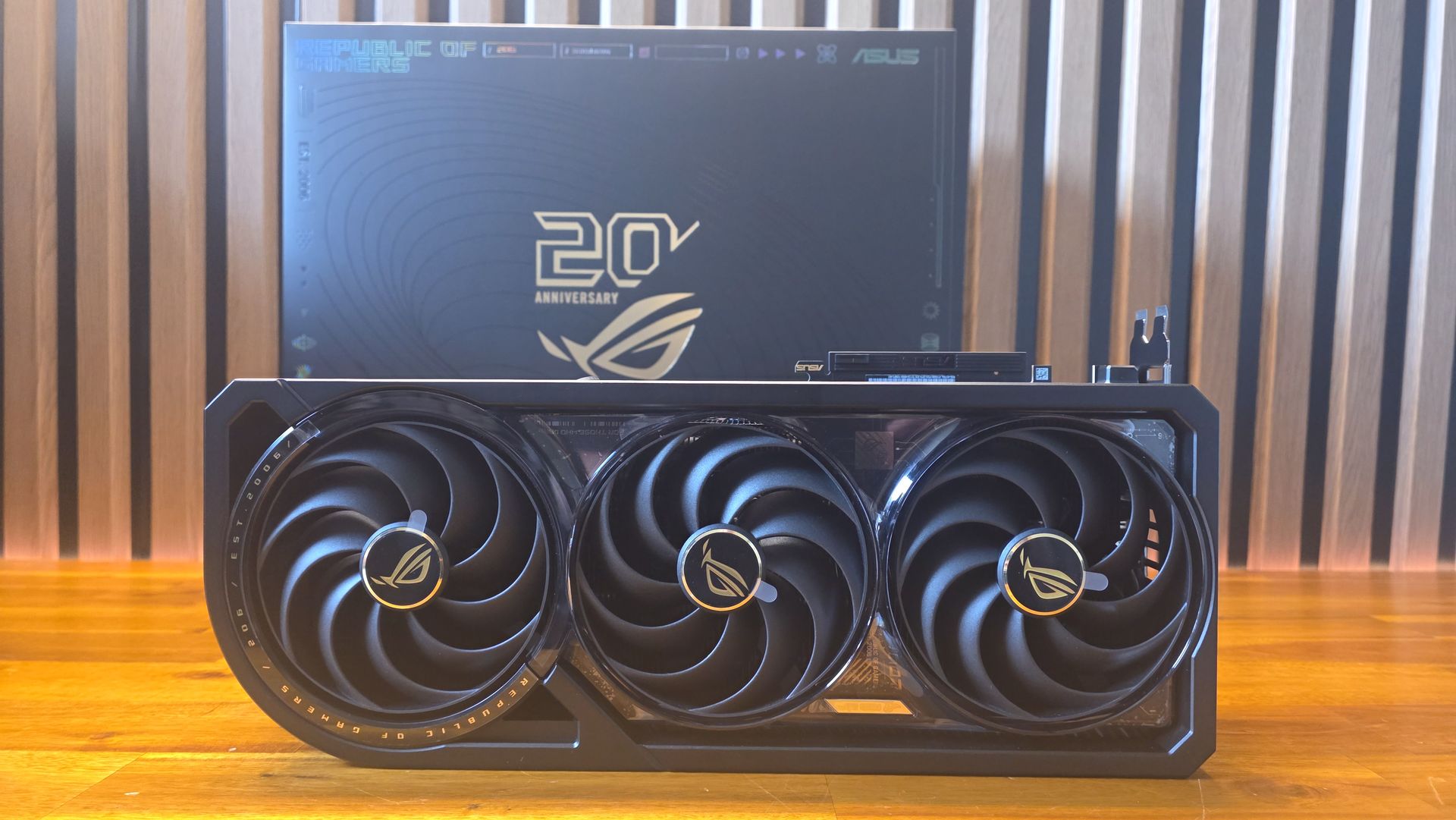
This Astral is a world-beater of its own, though. It features an upgraded design, with a second BTF power connector to pull up to 800 watts, a glass backplate, and a curved OLED screen. It has faster clocks, hitting 2,750 MHz, with a 4.7-slot design. Performance-wise, the OG Astral is beating world records, so this is a card that you can really push to its limits (if you're not scared of charred power cables).
Tom's HardwareTom's HardwareTom's Hardware
The $6,000 GPU aside, you're also getting a $3,299 Asus ROG Crosshair X870E Edition 20 motherboard. Asus has a few variants of this, but the Edition 20 board here has (alongside some beautiful gold accents) supports for up to nine M.2 SSDs, with five slots on the board and more via add-in cards. There are six USB-C ports, plus two 20 Gbps front-panel connectors. Large copper VRM heatsinks work with its integrated AIO cooler, with a curved 6.7-inch AMOLE screen and a huge copper heatsink. Probably overkill, but for $3,299, you want it all.
You're also getting a $899.99 Asus ROG Thor Titanium III 3000W Edition 20 power supply. It's a PSU, but 3000W isn't to be sniffed at, and it'll certainly provide enough power for the monstruous Astral RTX 5090. It’s fully modular, with another OLED display (magnetic, this time) which you can mount either side, or extend with a cable.
(Image credit: Tom's Hardware)
Finally, you get the Asus ROG GR20 open-frame EATX PC case, set at $649.99. This is a totally new design from Asus, supporting large EATX motherboards, and you can stand it vertically or horizontally. There's a crossflow fan to blow cool air onto the GPU, RGB light strips, and several fast USB ports. It's mostly aluminum, with some plastic, magnetically attached cosmetic covers around the sides.
$10,849.96 for this Asus combo kit is so much money for anyone to spend on a gaming PC build, but, unfortunately, we are where we are. As our Asus ROG Edition 20 build write-up mentions, this is a kit that few will buy and own. AI is pushing gaming PCs to new heights, and it's a real shame that we're now seeing current-gen flagship GPUs like the RTX 5090 becoming so rare to buy that combo offers like this are, perversely, almost good value. If you're spending $6K or more on a GPU, though, then it might make sense. You won't find an RTX 5090 cheaper (or, probably, at all, at least for some time) so if you want the best gaming PC build that you can find, this is the kit you'll want. For once, we don't imagine this will sell out soon, but Newegg might pull the deal at any point.
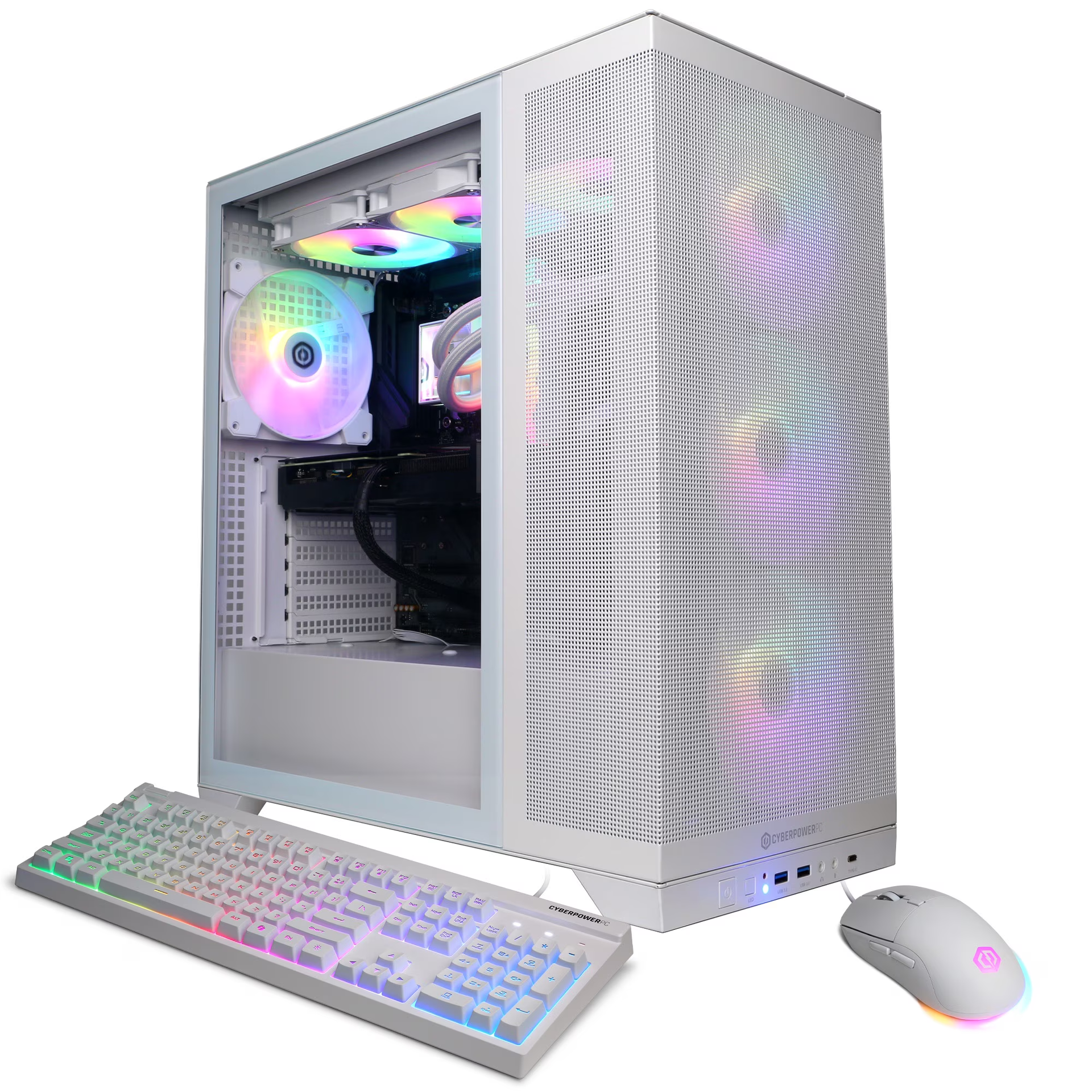
A pre-built gaming PC with one of AMD's top X3D chips inside is always going to be a formidable option, especially if it's coupled with a current-gen Nvidia GeForce GPU. That's exactly what you're getting with this all-white CyberPowerPC machine, down to $1,859.99 thanks to a $560 discount, that ships with a 9800X3D, RTX 5060 Ti, and 32GB of DDR5 RAM.
That's a serious set of specs with few compromises to think about in a market that's seen huge price rises over the last 12 months. Building a new gaming PC has become far more expensive than buying a good pre-built, and the specs you're getting here set you up with a rig that'll let you play games at 1440p at high frame rates and the best graphics presets for years to come. This particular rig scored 4 stars in our CyberPowerPC Gamer Supreme review, with praise for its performance and room for upgrades later.
Featured in this rig is one of Nvidia’s current mid-tier graphics cards in the RTX 5060 Ti. It ships with 4,608 CUDA cores and a boost clock speed of 2,527MHz, along with that all-important 16GB of GDDR7 VRAM. Unlike the RTX 5090, this RTX 5060 Ti only requires a single eight-pin PCIe connector to deliver power, so you won't need a huge amount of electricity to run it.
Our RTX 5060 Ti 16 GB review is clear that this GPU is a very good option for mid-tier builds, with ray tracing performance proving to be much better than its rivals. You've also got the full support of Nvidia DLSS 4, giving you access to functionality like multi-frame generation to give your rig a frame rate boost in the most resource-heavy games, especially if you want to try and push to 4K.
At this price point, though, 16GB of VRAM is the serious winner. You're giving yourself much more headroom for better performance than the budget-friendly 8GB GPUs that you'd otherwise have to switch to. That'll mean that stable gaming at 1440p will be easier to achieve.
Couple that with the eight-core AMD Ryzen 7 9800X3D. This continues to be the best CPU overall for gamers, even if AMD has launched faster models since, because of its price-to-performance value. It continues to offer outstanding gaming performance, as the CPU benchmarks show, with 1% low frame rates that ensure the smoothest possible gameplay. The power of AMD 3D V-Cache, stacking extra L3 cache (96MB in total) so that games don't need to drop down to the slower system RAM, gives you a serious performance boost.
You won't see much compromise elsewhere, either. 32GB of DDR5 RAM means you won't face memory bottlenecks, and a 2TB Gen 4 SSD gives you good storage capacity for several big game installations alongside Windows. You're also getting Wi-Fi 6 and Bluetooth 5.2 wireless connectivity, along with Gigabit Ethernet for a wired setup.
The $1,859.99 sale price for the CyberPowerPC Gamer Supreme rig on sale here is a good price given its performance potential. You're getting a solid 1440p-capable gaming PC, with the best CPU and a formidable GPU to match, with plenty of room to upgrade in the future, and a lot of longevity until then. Don't expect this $560 discount to be around for long.
The DDR5-6000 RAM in this PC is currently worth $400 alone, making this build a good value proposition over buying the parts yourself. Likewise, the GPU is worth $450, meaning that more than half your build cost is covered by just these two parts. This PC would be perfect as a beginner gaming rig or mid-range replacement for a DDR4 gaming PC. With a Raptor Lake refresh CPU and Nvidia's latest GPU technology, it's the perfect stepping stone into modern PC gaming without breaking the bank.
As you can see, without frame generation, the RTX 5060 can put out a respectable 41 frames per second across our 1440p test suite, and easily manages 60 frames per second at 1080p in our other testing. Using Nvidia's DLSS technology, you'll be able to bump that up no problem and enjoy high-fidelity gaming with good frame rates. With just 8GB of VRAM, this card won't be useful for 4K gaming but would make a great upgrade for someone on an older RTX 30-series card or integrated graphics.
The GPU is complemented by the excellent Intel Core i7-14700F CPU, with 20 cores (eight performance and 12 efficiency), perfect for productivity and gaming workloads. The Raptor Lake Refresh CPU offers boost clocks of up to 5.4GHz.
This is a great all-round build at the price point, as evidenced by the strong supporting cast of components. You're getting that all-important 32GB of DDR5-6000 RAM for multitasking and gaming, as well as a 1TB Gen 4 SSD — specifically Kingston's SNV3S — for storage.
The motherboard is an ASRock B760M-CX with room for M.2 expansion should storage prices settle down in the future. You also get a very capable Cooler Master Hyper 212 air cooler, more than enough for this CPU, as well as a 650W 80 PLUS Gold PSU.
It also features Wi-Fi 6E and Bluetooth 5.2, as well as a copy of Windows 11. For the price, this is a really good PC in the current market. You're getting a $300 discount, plus a further $120 off when you use the promo code SSF73457, for a $420 discount total. Thanks to the Intel's Gamer Days sale, you'll also get two free games to enjoy on your new PC: Tomb Raider: Legacy of Atlantis and Star Wars: Galactic Racer, due to be released in February 2027 and October 2026, respectively. That's $120 of free upcoming new releases to enjoy on your new PC.
The individual cost of some of these components makes this a pretty remarkable deal in Fall 2026. The RTX 5080 GPU in this rig alone will set you back more than $1,500 in today's market. The CPU is nearly $500, bringing the cost of just those two components to 2/3 of the build's entire price.
RAM and SSD prices are heavily inflated, which means 32GB of DDR5 would normally set you back $400 right now. Add the storage to the bill of materials, and you've covered nearly the entire cost of this PC before you've added the case, fans, cooler, motherboard, and PSU. With the best CPU for gaming on the market and a huge GPU, this PC is no slouch either.
Grab a huge saving on this ABS Kaze II Aqua gaming PC, made and shipped by Newegg. It comes equipped with an AMD Ryzen 7 9800X3D, Nvidia GeForce RTX 5080, 32GB of DDR5 RAM, and a 2TB SSD.View Deal
While the 9800X3D is not quite the fastest gaming CPU on the market these days, it is still the best all-rounder by some distance thanks to its combination of power efficiency and performance compared to the 9850X3D. This 8-core, 16-thread CPU chews through gaming titles, even at 4K, thanks to its 3D V-cache. Reducing reliance on slower RAM, this industry-leading tech makes AMD's X3D CPUs the best gaming chips on the market, as you can see from our testing data.
Tom's HardwareTom's HardwareTom's Hardware
The RTX 5080 likewise needs no introduction. This behemoth features 16GB of GDDR7 VRAM and 10,752 CUDA cores. As you can see from our GPU hierarchy, that translates into average frames per second of 60 even at 4K, performance eclipsed only by the extremely powerful and expensive 5090. At 1440p, we clocked average fps of over 100. The 5080 will also unlock Nvidia's powerful DLSS 4.5 and new DLSS 5 technology for frame generation and neural rendering.
Headline components aside, this build features 32GB of Kingston Fury DDR5 6400 RAM, a fantastic addition considering it's easy to hide cheap, slow RAM inside a pre-built PC. The SSD is Team Group's NV5000 2TB Gen 4 drive, giving you plenty of storage and gaming performance. The motherboard is a Gigabyte B850 with Wi-Fi 6, giving you plenty of power and performance as well as room for expansion in the future. The build also features a 360mm AIO cooler for the CPU, Windows 11, and a 1000W 80 Plus Gold to keep everything running.
Walmart is currently offering a 21% discount on an impressive all-rounder prebuilt system from CyberPowerPC. The Gamer Supreme desktop gaming PC is now $1,399, a saving of $370.99 from the original listed price of $1,769.99. With this component selection, you get both a gaming PC and an incredible computer for everyday work and productivity applications.
Inside the glistening glass panel case is Intel's Core Ultra 7 270K Plus processor, an Nvidia GeForce RTX 5060 Ti graphics card with 8GB of VRAM, 16GB of DDR5 memory, and a 1TB SSD for storage. This selection of components makes for a complete and competent gaming and productivity PC, with plenty of room for upgrades in the future.
Gamer Supreme Desktop Gaming PC: was $1769.99 now $1399 This CyberPowerPC Gamer Supreme gaming PC sports an Intel Core Ultra 7 270K Plus processor, an Nvidia GeForce RTX 5060 Ti graphics card with 8GB of VRAM, 16GB of DDR5 memory, and a 1TB SSD for storage. View Deal
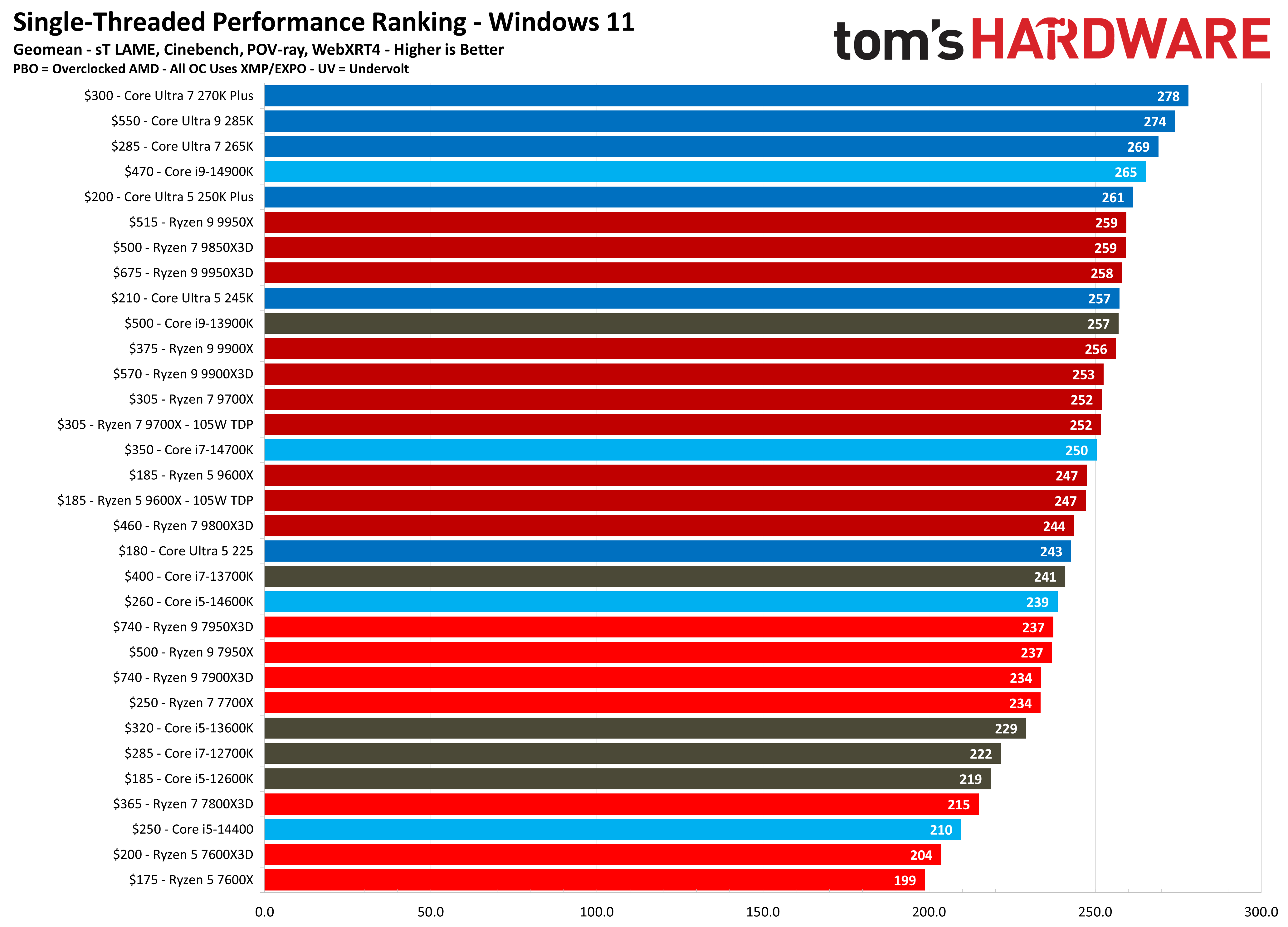
One of the standout component choices in this prebuilt gaming PC is Intel's Core Ultra 7 270K Plus processor. It's currently Intel's best value-for-money CPU on the market with impressive gaming performance, and even more impressive multi-threaded productivity performance. The 270K Plus can go toe-to-toe with AMD's Ryzen 9 9950X in productivity workloads — all while costing half the price.
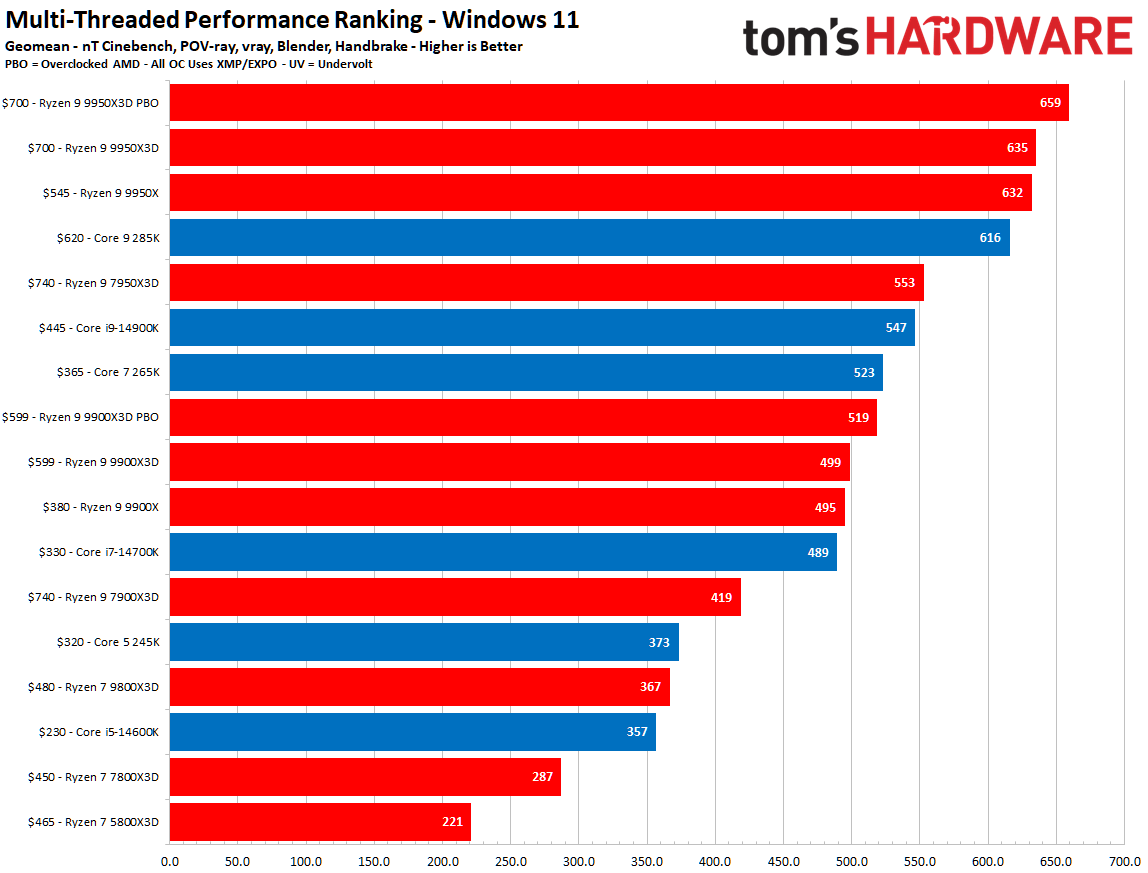
You can see from our benchmarking charts below that the Intel Core Ultra 7 270K Plus isn't as fast as AMD's purely gaming-focused X3D offerings, but when it comes to single-threaded and multi-threaded workloads, it's a monster and is only superseded by a much more expensive chip. Not only that, but the 270K Plus is fully unlocked for overclocking.
FutureFutureFuture
Prebuilt gaming PCs have risen to the forefront when it comes to value these days, thanks to the ever-rising component prices of memory, graphics cards, and storage, which have driven the self-build enthusiast market to the edge. This CyberPowerPC build uses all current parts, including DDR5 memory and the impressive Core Ultra 7 270K Plus, giving you plenty of power and performance for the money you spend on this system.
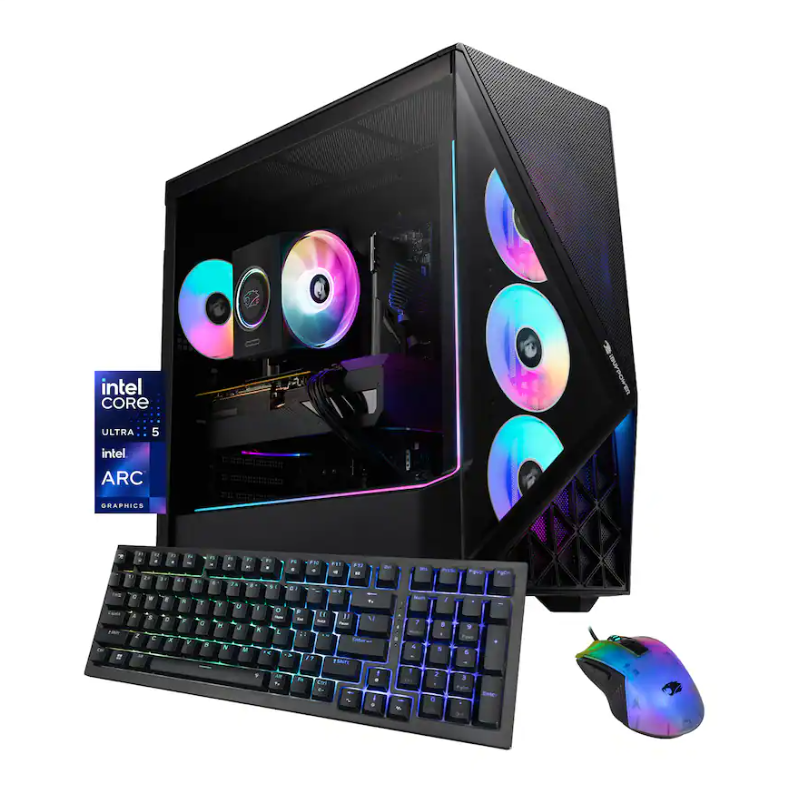
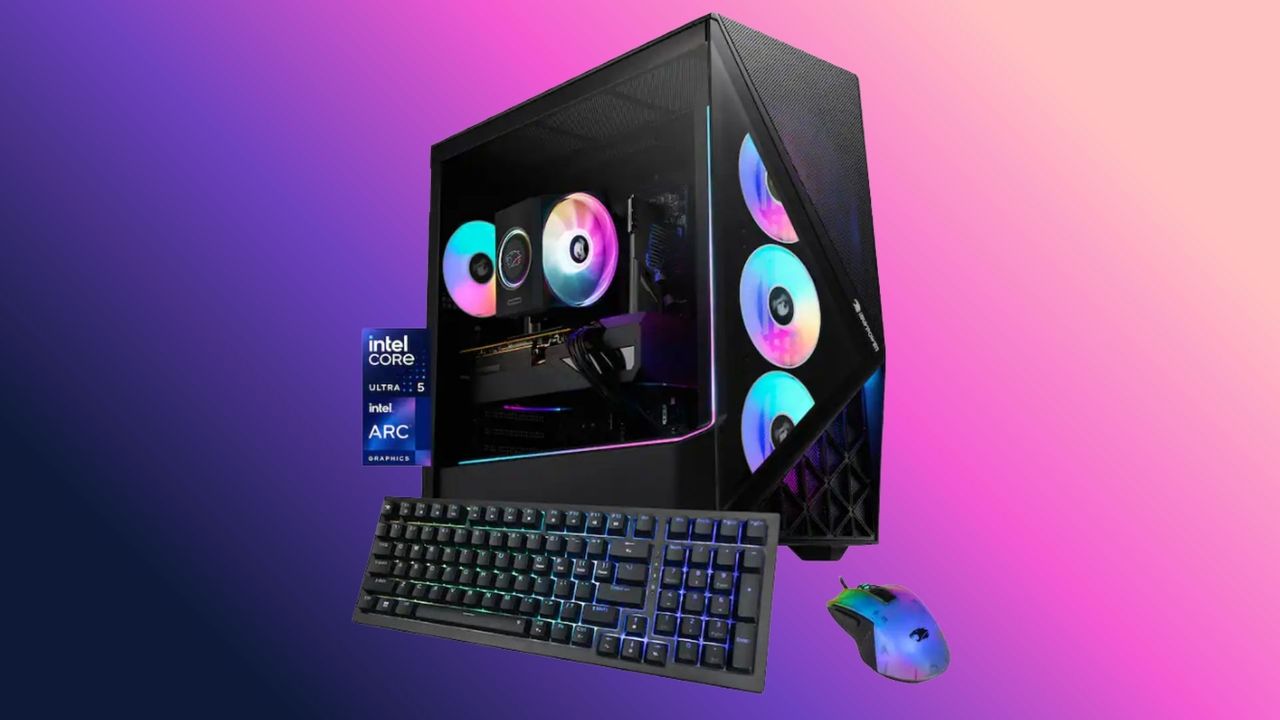
Best Buy has stepped onto the stage with a huge selection of deals in its seasonal Labor Day sales, with decent price cuts on computers and tech. A standout budget-friendly offering is the iBuypower Slate Gaming PC with Intel Arc B570 graphics at just $899. Much cheaper than a Steam Machine and a perfect starter gaming PC for 1080p gaming, this cheap gaming PC deal gives you $300 off its $1,199.99 list price.
iBuypower's Slate gaming PC comes with a 10-core, 10-thread Intel Core Ultra 5 225F processor, an Intel Arc B570 graphics card with 10GB of VRAM, 16GB of DDR5 memory, and a 1TB NVMe SSD for storage. This is a great combination of parts for a 1080p gaming rig, and at just $899, it defies the current economic climate when it comes to PC pricing.
Slate Gaming PC (Arc B570): was $1199.99 now $899 A bargain-budget gaming PC in today's economy. This frugal machine features an Intel Core Ultra 5 225F processor and an Intel Arc B570 graphics card with 10GB of VRAM. There's also 16GB of DDR5 memory and a 1TB NVMe SSD for storage. View Deal
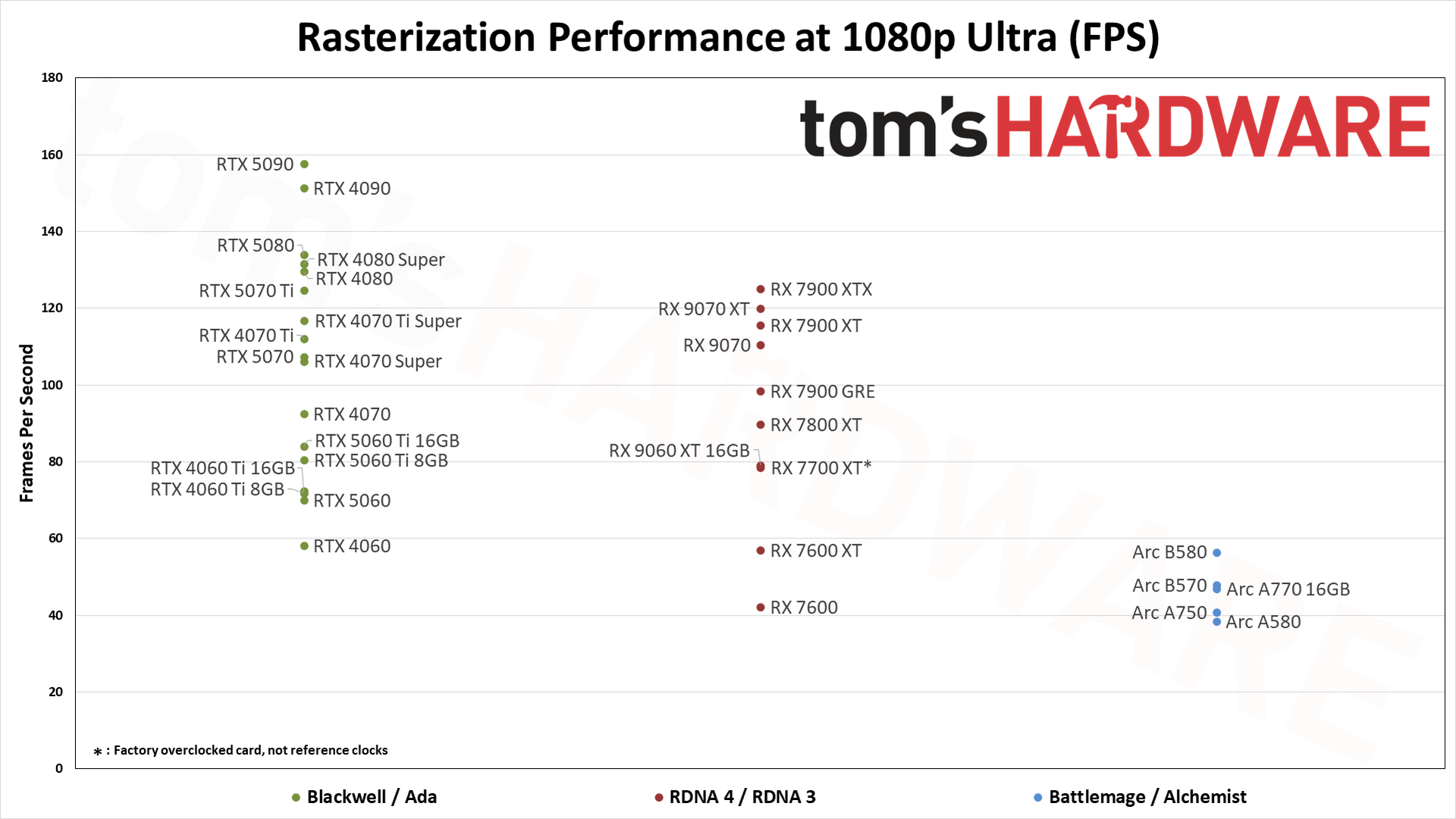
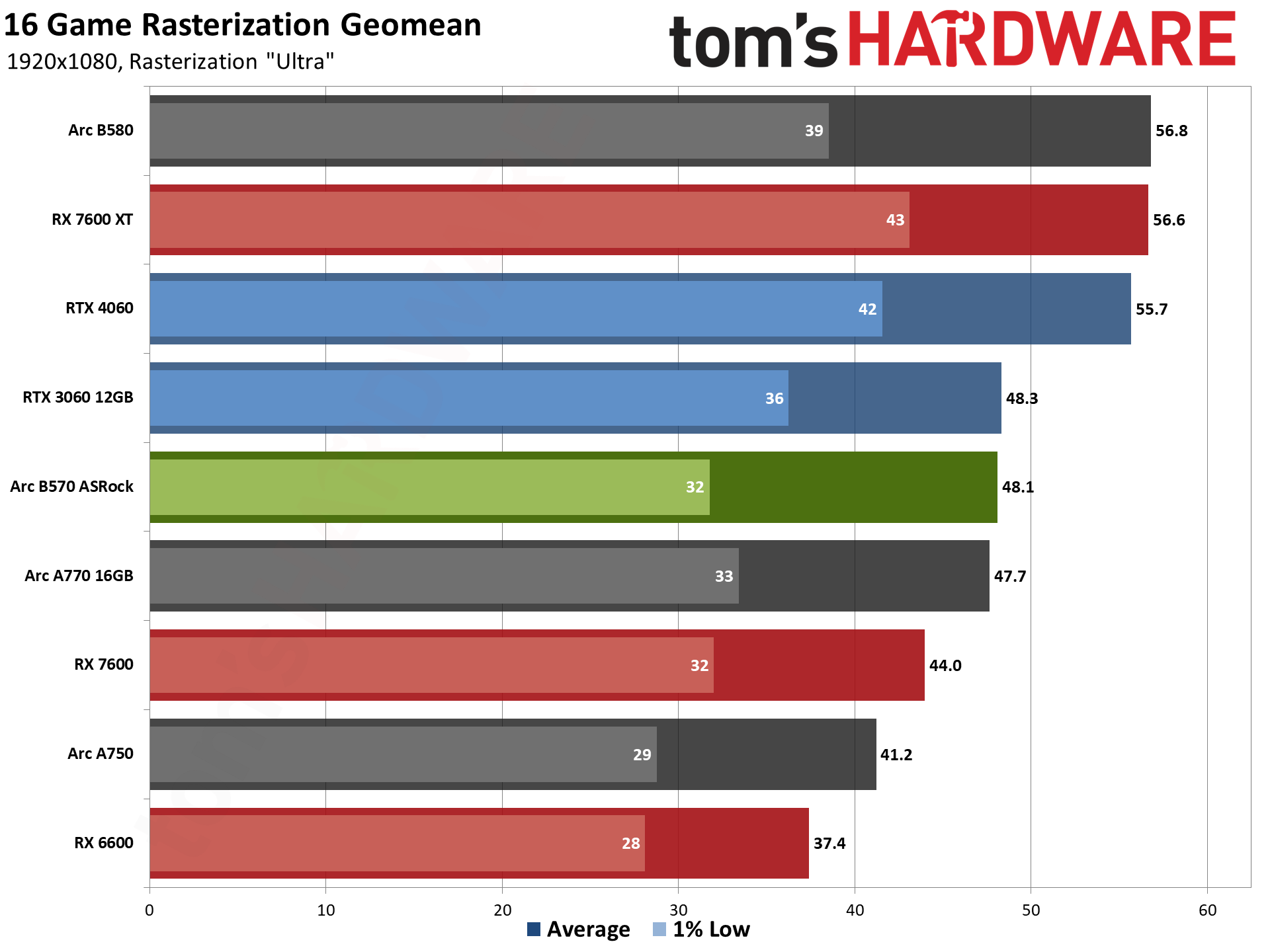
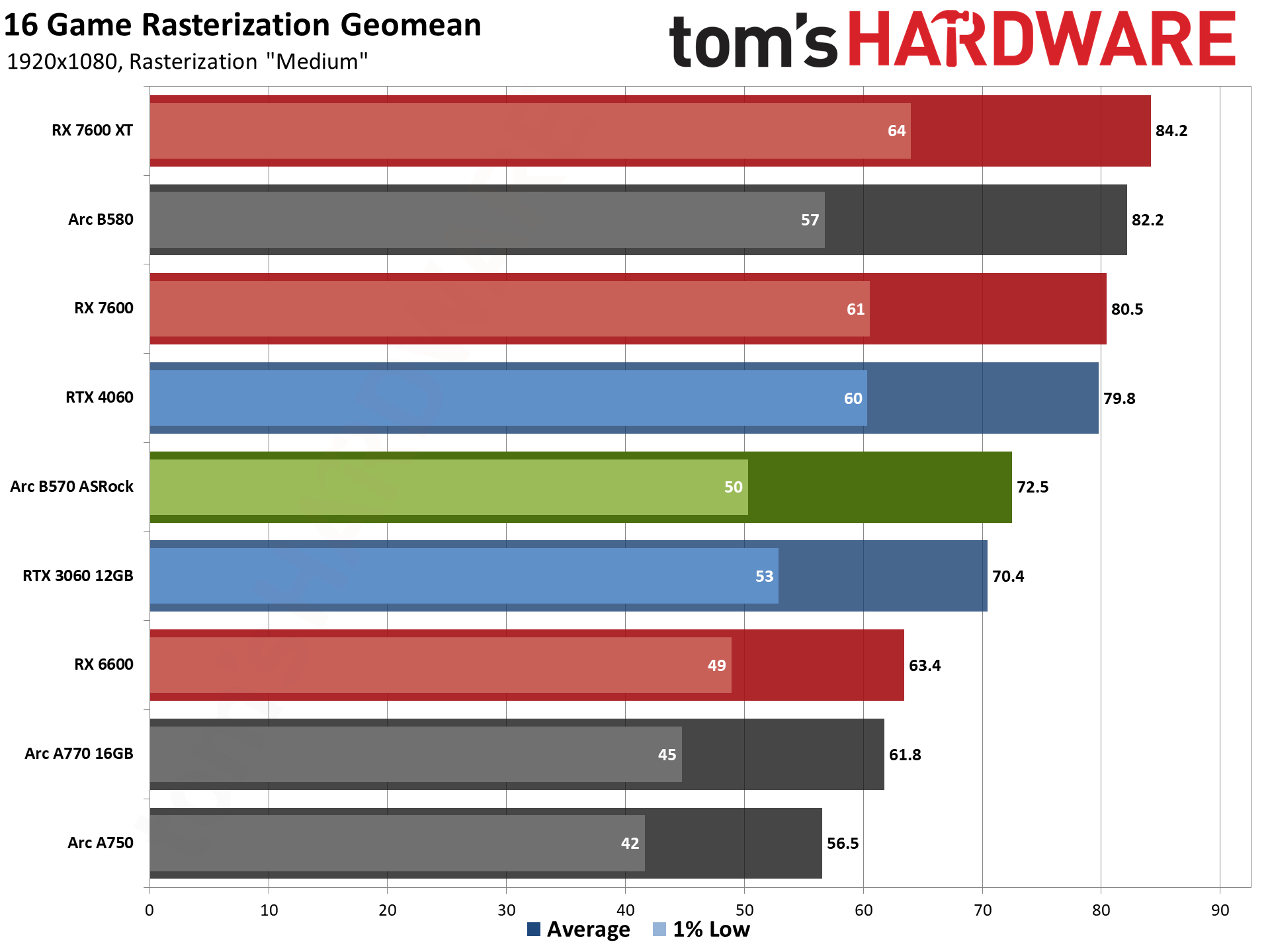
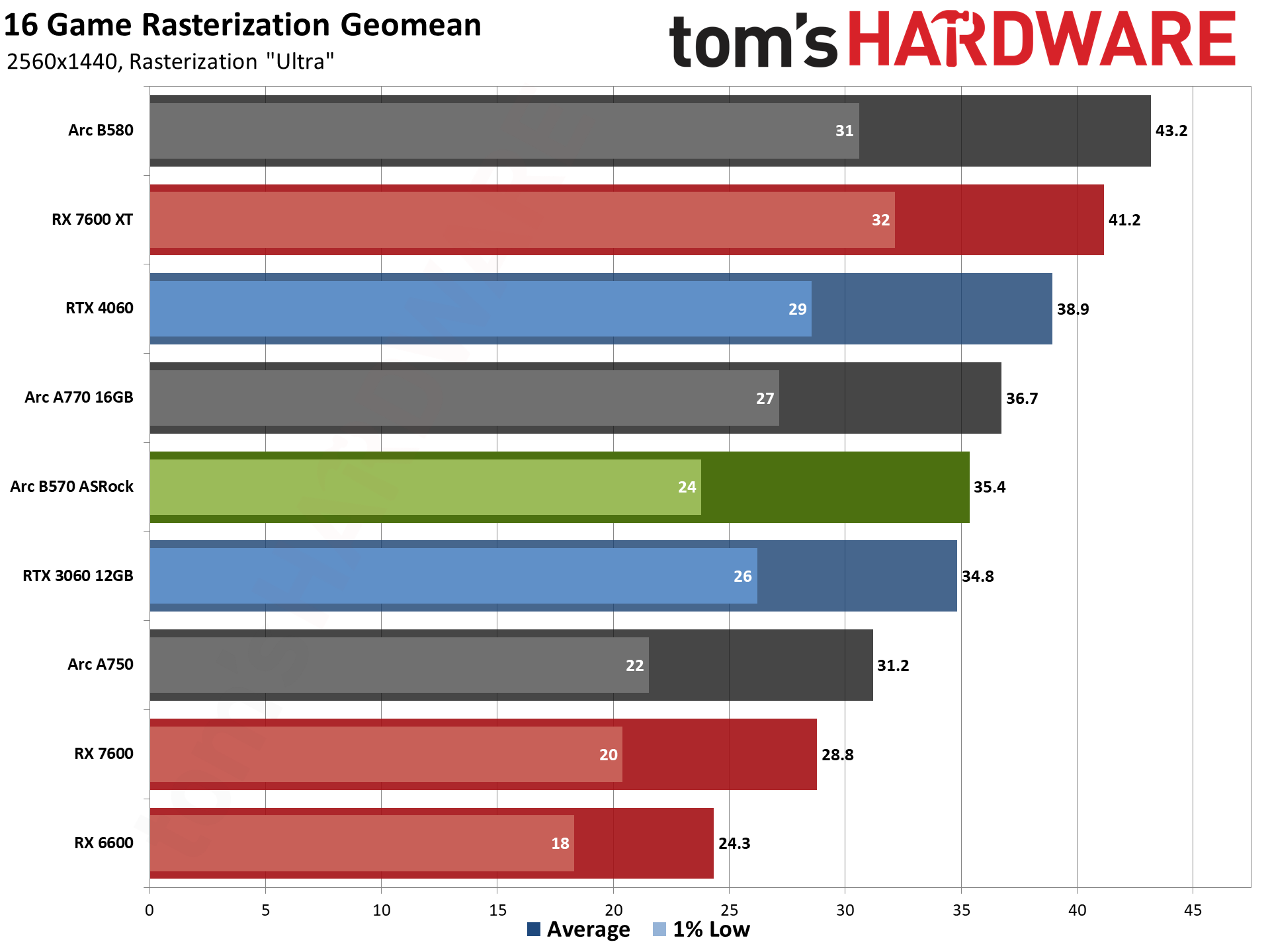
The heart of this PC is the Intel B570 graphics card, which comes with a generous amount of VRAM. For 1080p gaming, 10GB of VRAM is more than ample to handle the textures and shaders on high and ultra settings, but as with any other GPU, it will start to struggle in 1440p gaming when that VRAM gets swallowed up and starts using the CPU to compensate. The B570 is a budget graphics card, but it has come a long way since launching, thanks to driver optimizations and compatibility with more games.
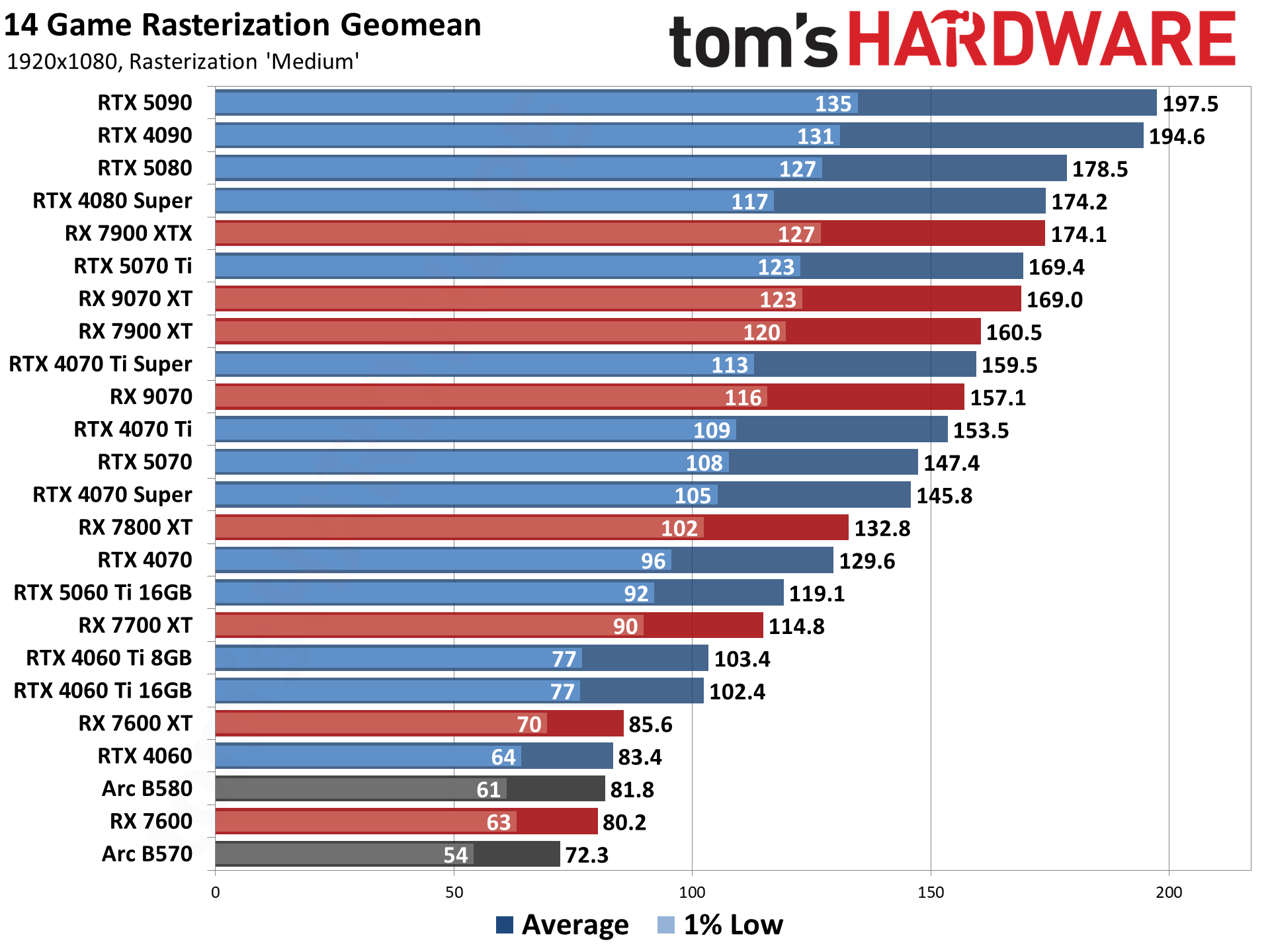
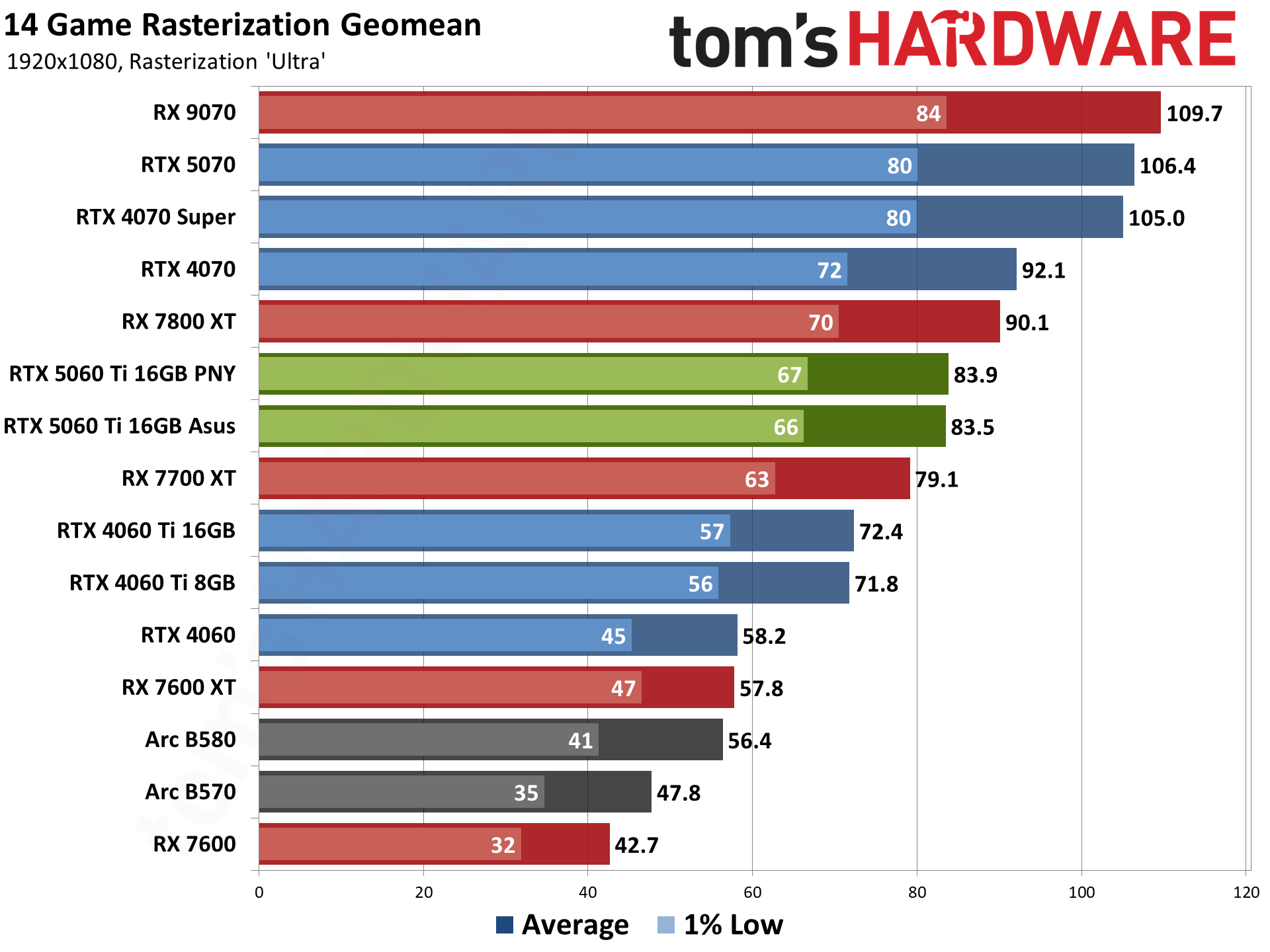
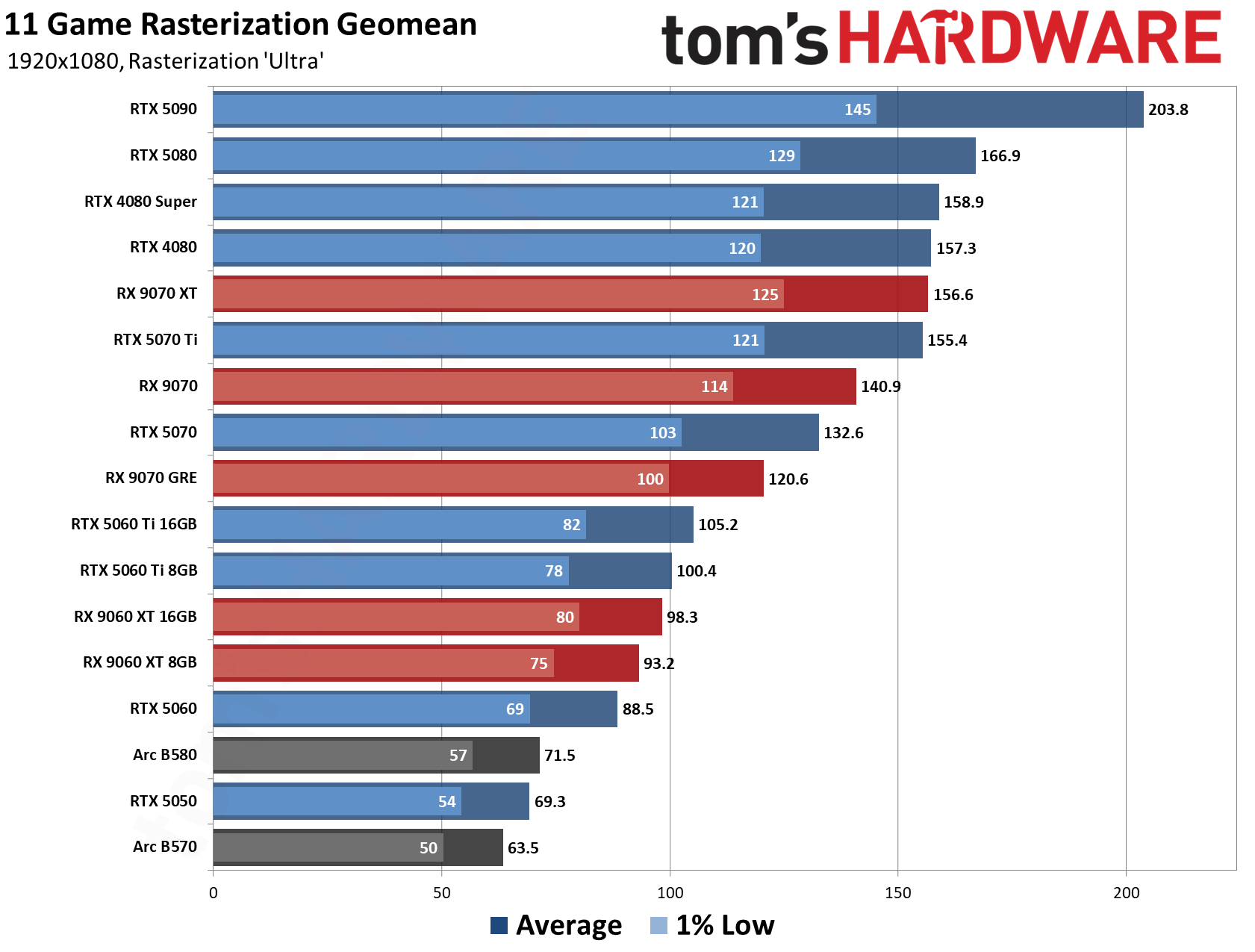
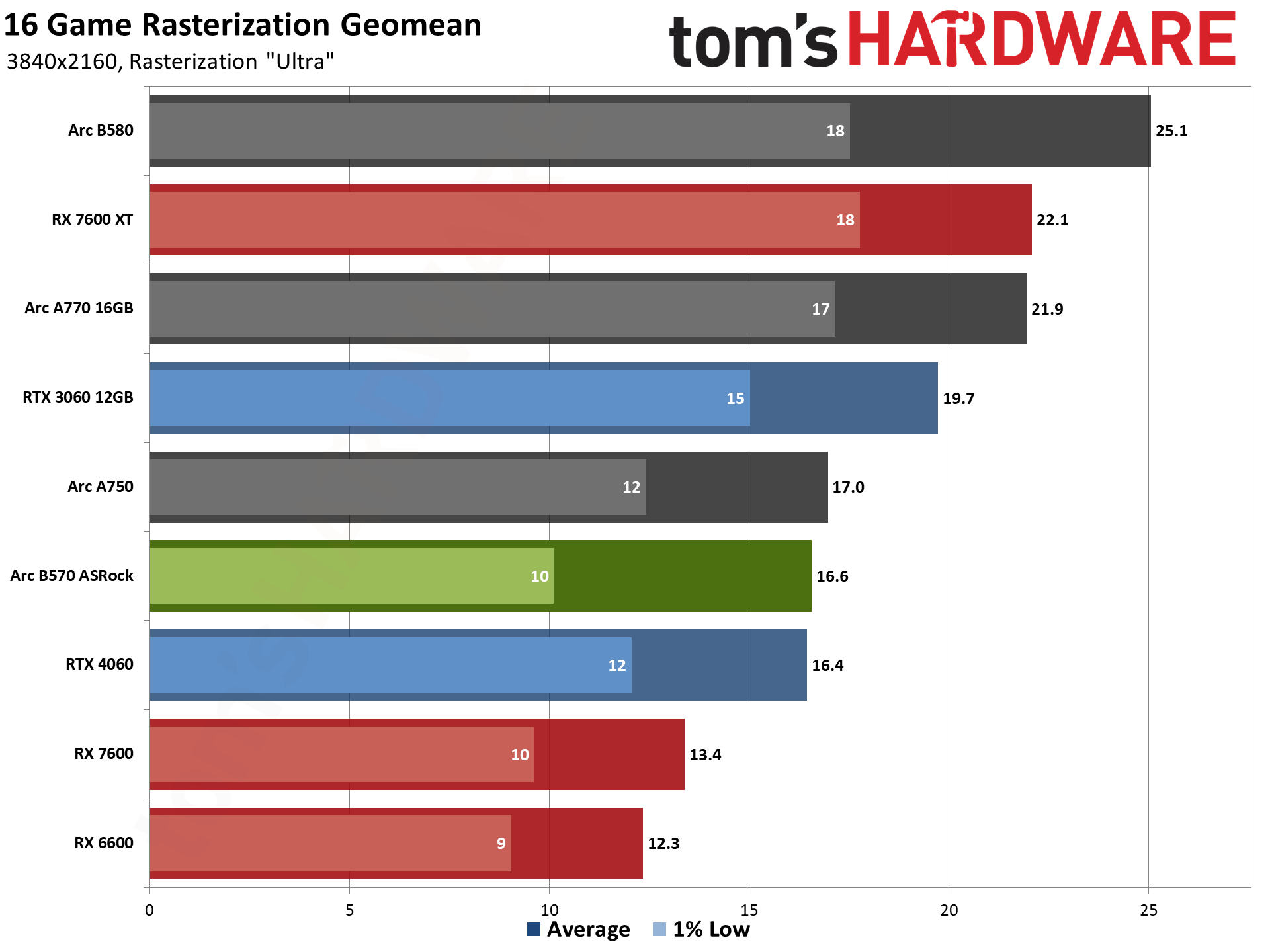
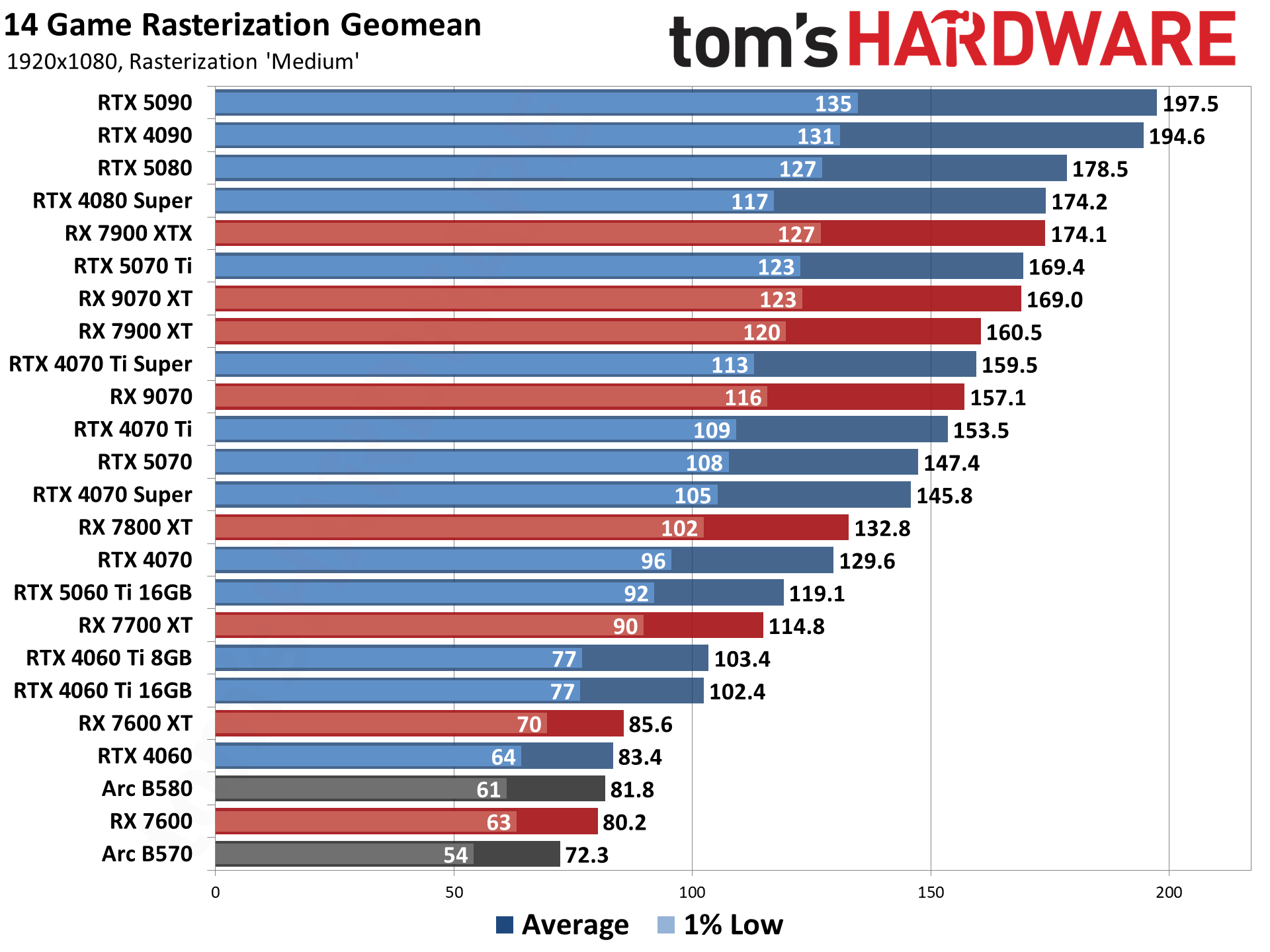
You can see in our below chart from our rasterization benchmarking game suite that the B570 sits in the middle of the pack, competing with the Nvidia RTX 3060 12GB. You can check out our Intel Arc B570 review for more detailed information on this GPU's performance, where we put it through its paces in our suite of benchmarking tests.
Buying a prebuilt gaming PC is currently much cheaper than trying to construct your own gaming PC, thanks to the skyrocketing price of memory and storage. PC builders are able to grab these parts much cheaper than normal consumers can and have managed to offset the price rises with their stocks of components. This, however, cannot last, so you're definitely better off grabbing something soon, before the inevitable increase in prices.
Prebuilt gaming PCs also come with the added bonus of an easier warranty situation. Should anything go wrong with your computer, the whole system is covered, and you don't have to troubleshoot individual parts and manufacturers for an RMA, either.
For just $899, this is a superb deal for a starter gaming PC if you're just getting into PC gaming, or feel like stepping away from the higher prices on game consoles and digital game prices. PC gaming is currently much cheaper for game purchases, too.
This gets you the best gaming CPU on the market, a mid-range GPU perfect for 1440p gaming, and ample RAM and storage in an economy where all of those commodities are increasingly hard to find. The 32GB of DDR5 RAM will cost you $400 alone, while a Gen 4 2TB SSD is around $250 minimum. The GPU in this build is also now $800, which means that on those three components alone, you'd be spending nearly $1,500. That's before you factor in the $464 CPU, accounting for nearly the entire price of this build before you've considered a motherboard, PSU, case, cooling, and the build cost.
The AMD Ryzen 7 9800X3D is the best gaming CPU on the market thanks to its 8-core, 16-thread power with boost clocks of up to 5.2 GHz. The standout feature is its 3D cache technology, which drastically improves fram rates, as you can see from our gaming benchmark data below.
Tom's HardwareTom's HardwareTom's Hardware
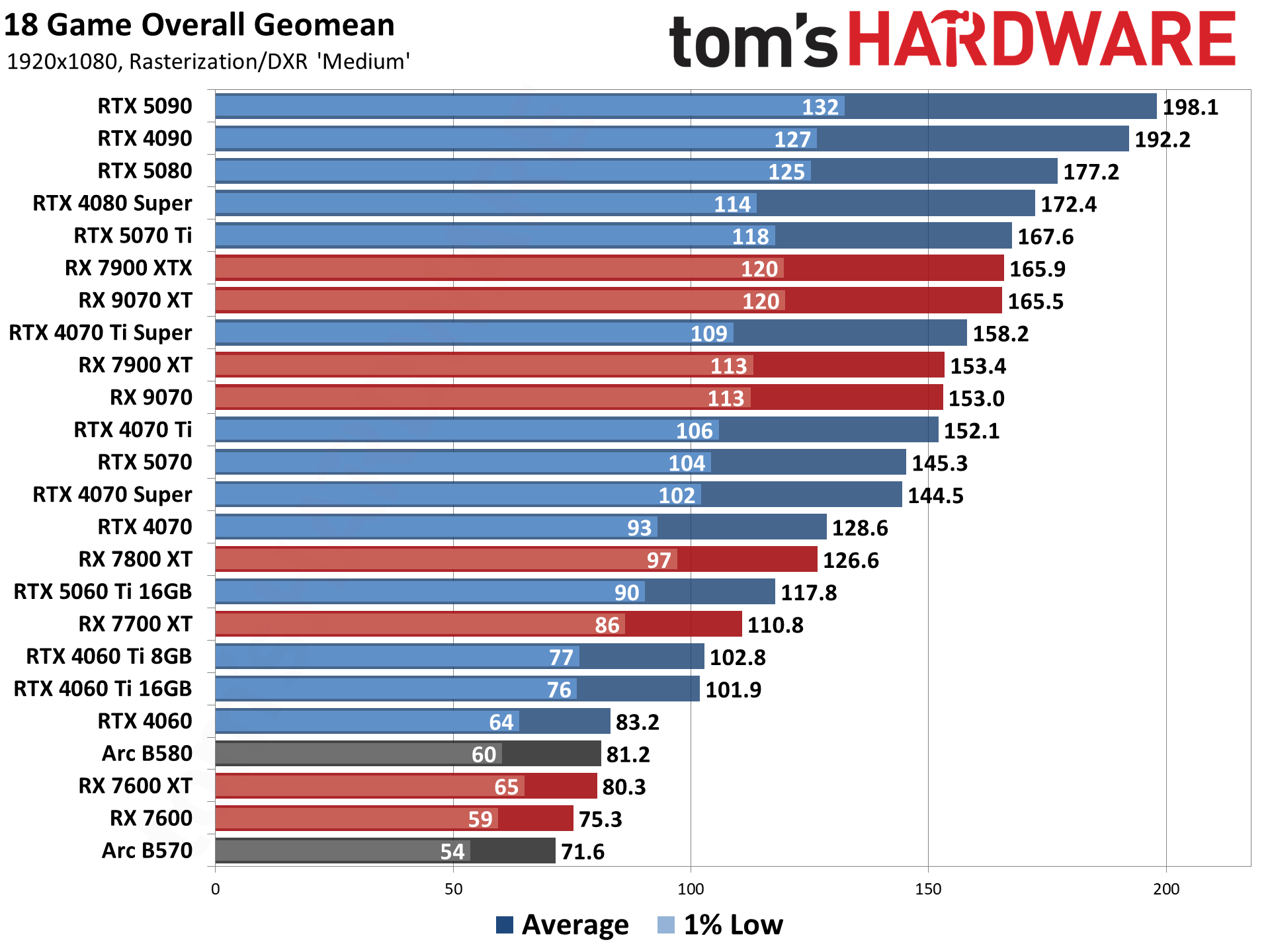
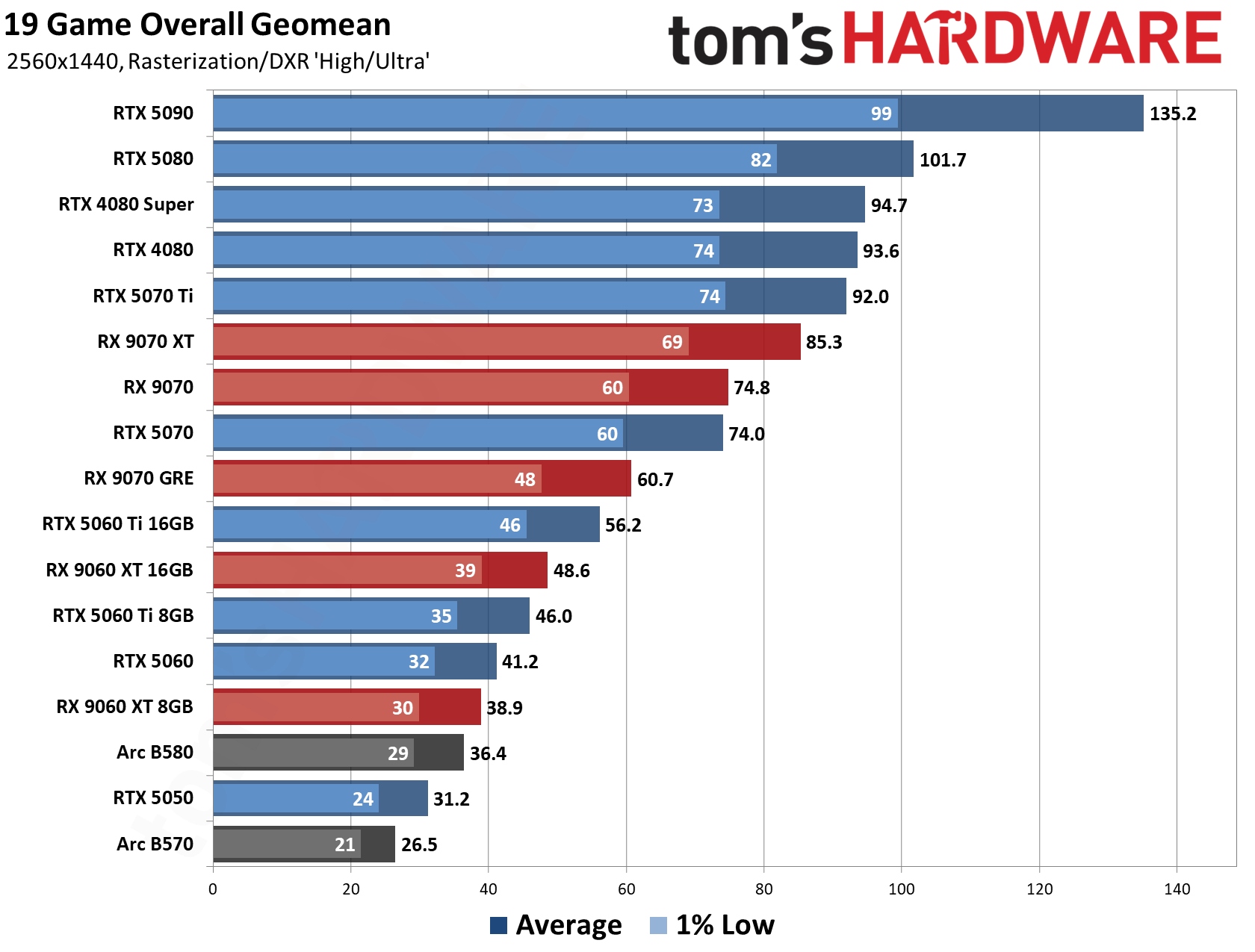
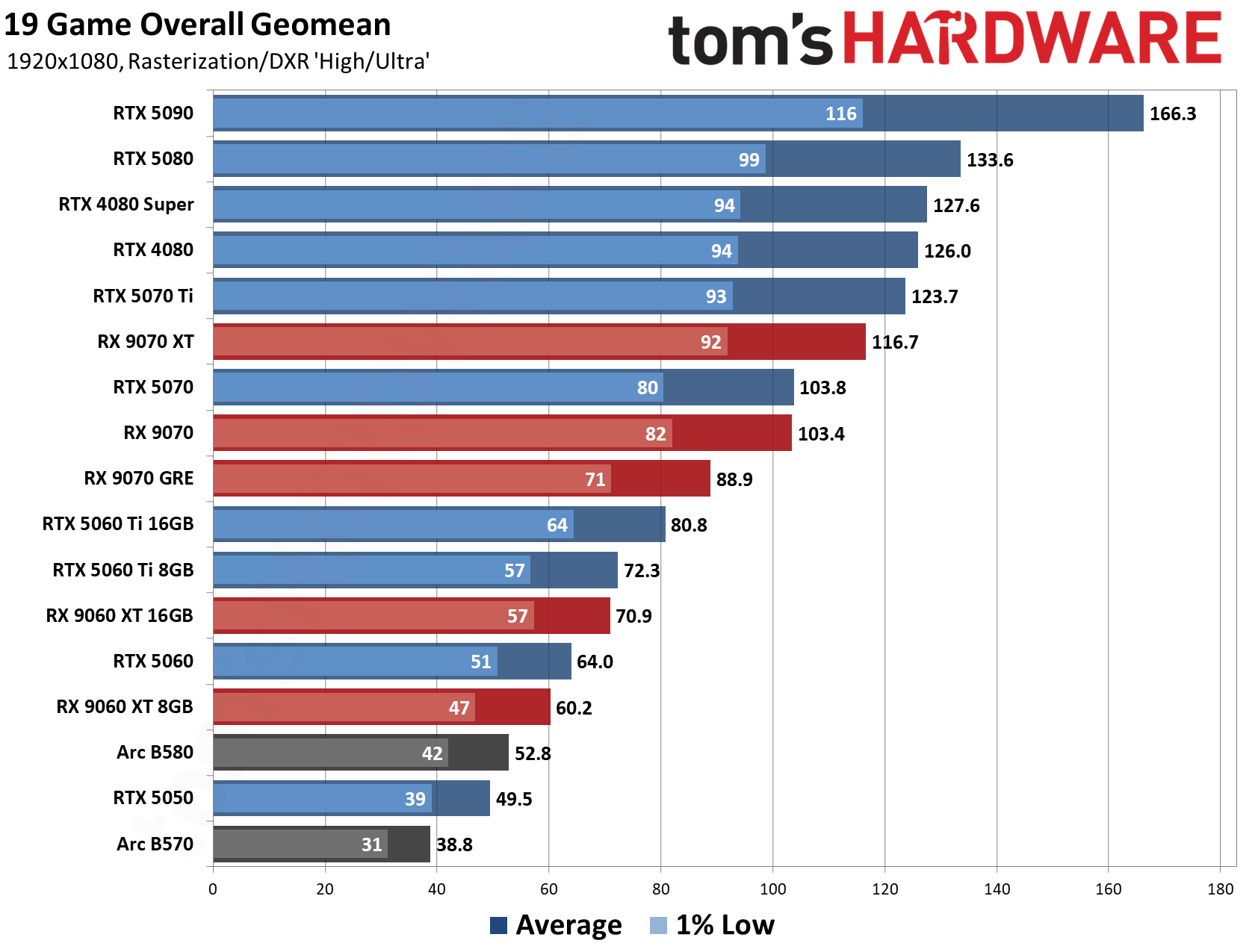
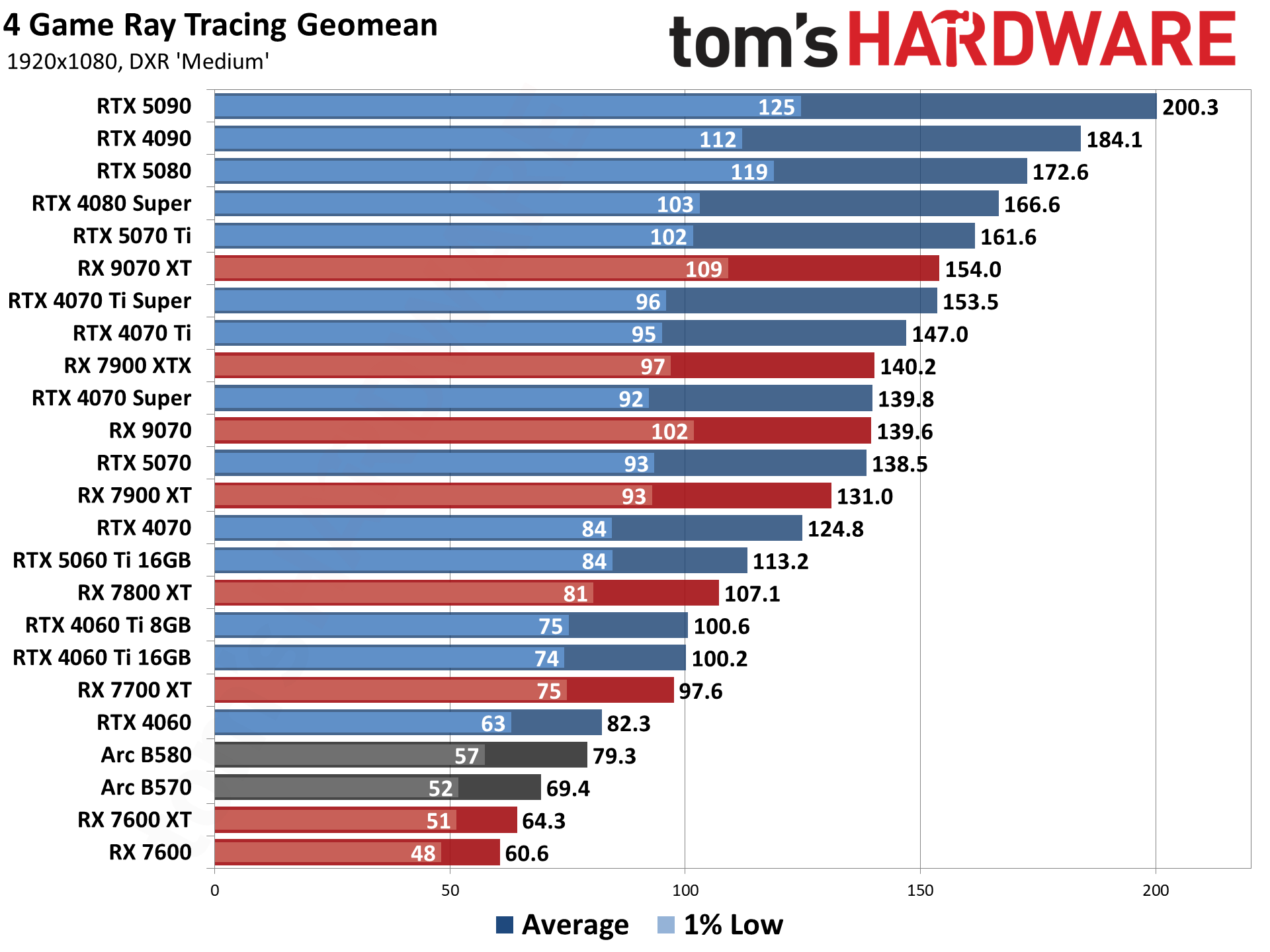
The RTX 5070 is an excellent pairing; with 12GB of VRAM, it's an ample card for 1440p gaming, or 4K at a push if you use Nvidia DLSS. As you can see, the 5070 averages 74 frames per second in our 19-game testing suite at 1440p.
The rest of this PC's specs are also pretty positive. 32GB of DDR5 RAM and 2TB of SSD Gen 4 storage are considered generous in today's market, so you've got enough RAM for multitasking and gaming as well as plenty of storage. Liquid cooling is more than enough for this processor, and the B850 motherboard will provide plenty of ports for connectivity as well as headroom for expansion.
Ultimately, the selling point of this PC is the price; given the current market cost of its components, you're saving a small fortune versus building a PC like this yourself. As mentioned, the $800 GPU, $464 CPU, $400 RAM, and $250 SSD make it a worthwhile purchase.
Thanks to a slightly older but no less capable processor, this is a bit of a sleeper deal that is really good value in the current market. As noted, the GPU alone now costs around $1,500 to buy. 32GB of DDR5 RAM is $400, so you've almost spent $1,900 on just two components, before you factor in the SSD, CPU, motherboard, cooler, PSU, and case.
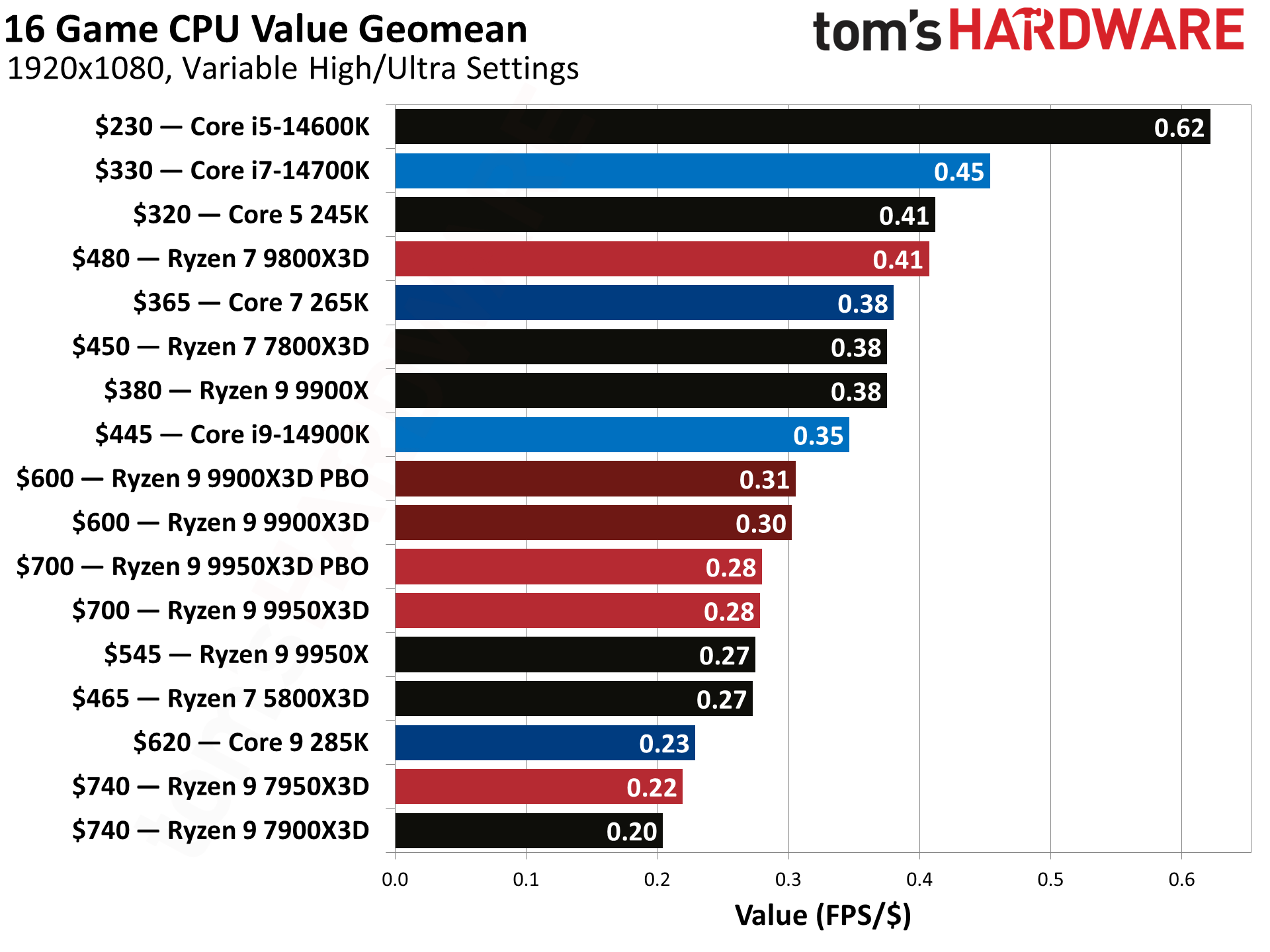
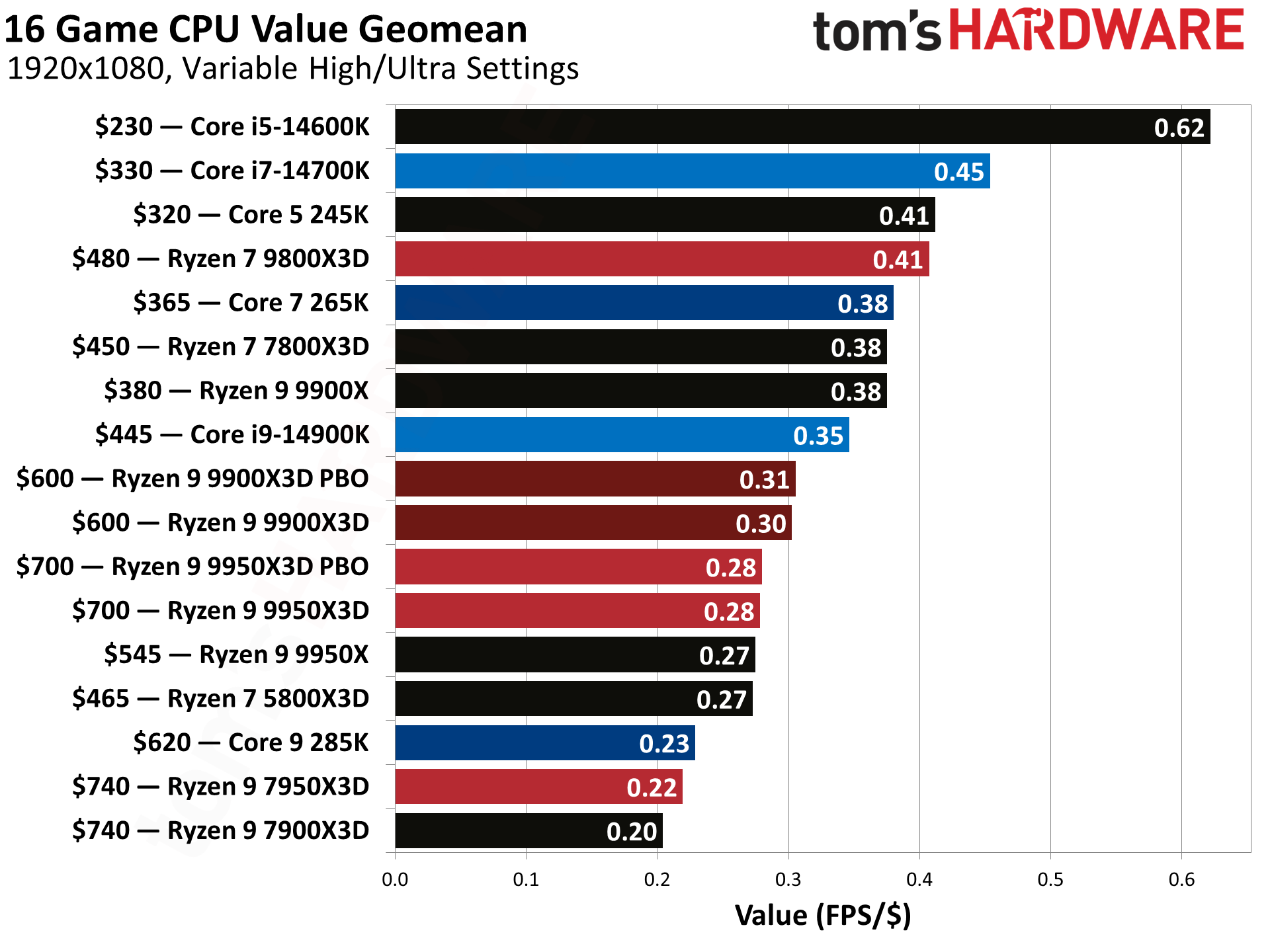
As you can see, this PC doesn't contain a benchmark-busting X3D CPU from AMD; however, the Core i7-14700F is a capable 20-core Raptor Lake Refresh. It features eight performance cores and 12 efficiency cores, with boost speeds of up to 5.4GHz. Despite being a couple of years old, it still averages 150 frames per second in our 16-game testing suite at 1080p, and, thanks to its price, it offers the best value (FPS/$) of any CPU we've tested.
Tom's HardwareTom's HardwareTom's Hardware
The RTX 5080 is the headline component here, as the second-best graphics card on the market, only behind the RTX 5090, which will cost you around $4,800 these days.
With 10,752 CUDA cores and 16GB of VRAM, this will chew through any title, even providing a solid base for 4K gaming, not to mention access to Nvidia's DLSS technology for even more frames.
The RTX 5080 makes the raw power of this gaming PC extremely appealing, and more than makes up for a slightly older CPU, a compromise worth taking in the current economy.
Other specs include a 1TB PCIe 4.0 SSD, 32GB of DDR5 6000 RAM, Wi-Fi 6E, Bluetooth, an 850W PSU, and liquid cooling.
The new M6 Mac mini is now priced at $899, a $100 increase over the already inflated $799 price for the M5 version on June 25th. To put those increases in perspective, the M4 Mac mini had a base price of $599 when it originally launched in October 2024.
The new $799 base price is an even more bitter pill to swallow, given that the headless computer still comes with only 256GB of base SSD storage. One would think that the $300 price increase over the course of two months would at least lead to a doubling of the base storage, but the ongoing memory/storage shortage makes that wish unthinkable; at least in Apple’s eyes.
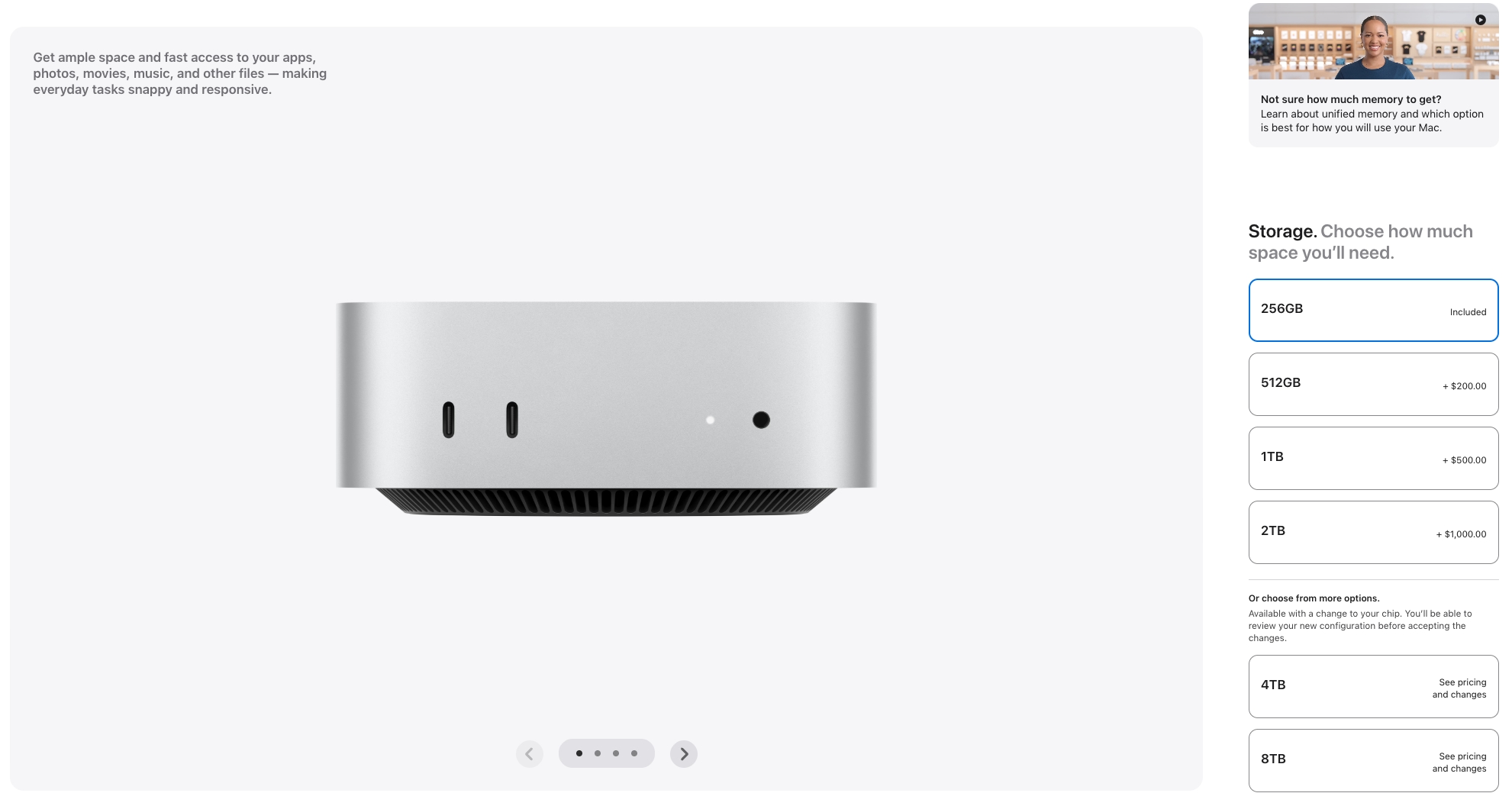
If you want to see more eye-watering pricing, take a look at the hardware upgrade costs for the base Mac mini. The system comes standard with 16GB of unified memory, but an extra 8GB (taking the total to 24GB) costs a whopping $200. If you want 32GB (the maximum allotment for the M6 chip), that’ll cost you an extra $400.
Things don’t look much better on the storage side, with an upgrade from 256GB to 512GB costing $200. The 1TB and 2TB storage options cost $500 and $1,000, respectively. Apple’s value-leader Mac mini is now in uncharted territory. A maxed-out Mac mini (M6, 32GB, 2TB) costs $2,229.
Apple's base Mac mini gets a price hike and more expensive storage upgrades. (Image credit: Apple)
Even the M5 Pro version of the Mac mini couldn’t escape the AI tax, as the base configuration now costs $1,699, up from $1,599 for the M4 Pro version (June 25 pricing) and a far cry from the $1,399 price of the previous generation earlier in the year. That price gets you a 15-core GPU and a 16-core GPU, while stepping up to the uprated 18-core CPU/20-core GPU version adds $200. Memory upgrades are deflating to the psyche, as upgrading from 24GB to 48GB adds $600, while the 64GB option is $1,000.
Storage options are absolutely mind-boggling: a 1TB SSD requires an additional $300 outlay, while the max 8TB SSD configuration is listed at $3,800. The range-topping configuration (M5 Pro, 18-core CPU/20-core GPU, 64GB, 8TB) costs $6,699.
If there’s any consolation, the new Mac Studio holds the line on pricing ($2,499) in its base configuration (18-core CPU/32-core GPU, 36GB, 512GB). The price stasis is somewhat surprising given the hardware upgrades, including a new M5 Max SoC and PCIe Gen 6 SSD. However, upgrades are pricey, with the 18-core GPU/40-core GPU variant of the M5 Max adding $300 to your bill. The upgraded SoC is the only way to unlock additional memory options (48GB, 64GB, 128GB).
Stepping up the Mac Studio with M5 Ultra more than doubles the base, entry price of the M5 Max config at $5,499. This gets you a 30-core CPU and 64-core GPU, while the upgraded 36-core CPU/80-core GPU is a $1,300 option. 96GB of RAM comes standard, while 256GB is a $4,000 upcharge. SSD options are equally expensive: 2TB costs $500, and 16TB costs $7,500.
No matter which way you slice it, those firmly entrenched in the Apple hardware ecosystem are paying a heavy price for memory/storage shortages. Apple customers are doubly affected, as the company’s traditionally outrageously priced memory and storage upgrades have become even more expensive, putting Apple’s previously value-driven models like the Mac mini out of reach of bargain shoppers.
For contrast, the cheapest available RTX 5090 GPU that you can buy, in stock, from a reputable retailer costs $4,829 right now. You're spending $30 less for the entire rig here, including 64GB of DDR5 RAM and a 2TB SSD for a fully spec'd, fully powerful gaming PC that'll handle high-end 4K gaming with good frame rates. Trying to build a comparable PC on your own would set you back thousands of dollars more at current market rates: you simply can't beat this deal right now.
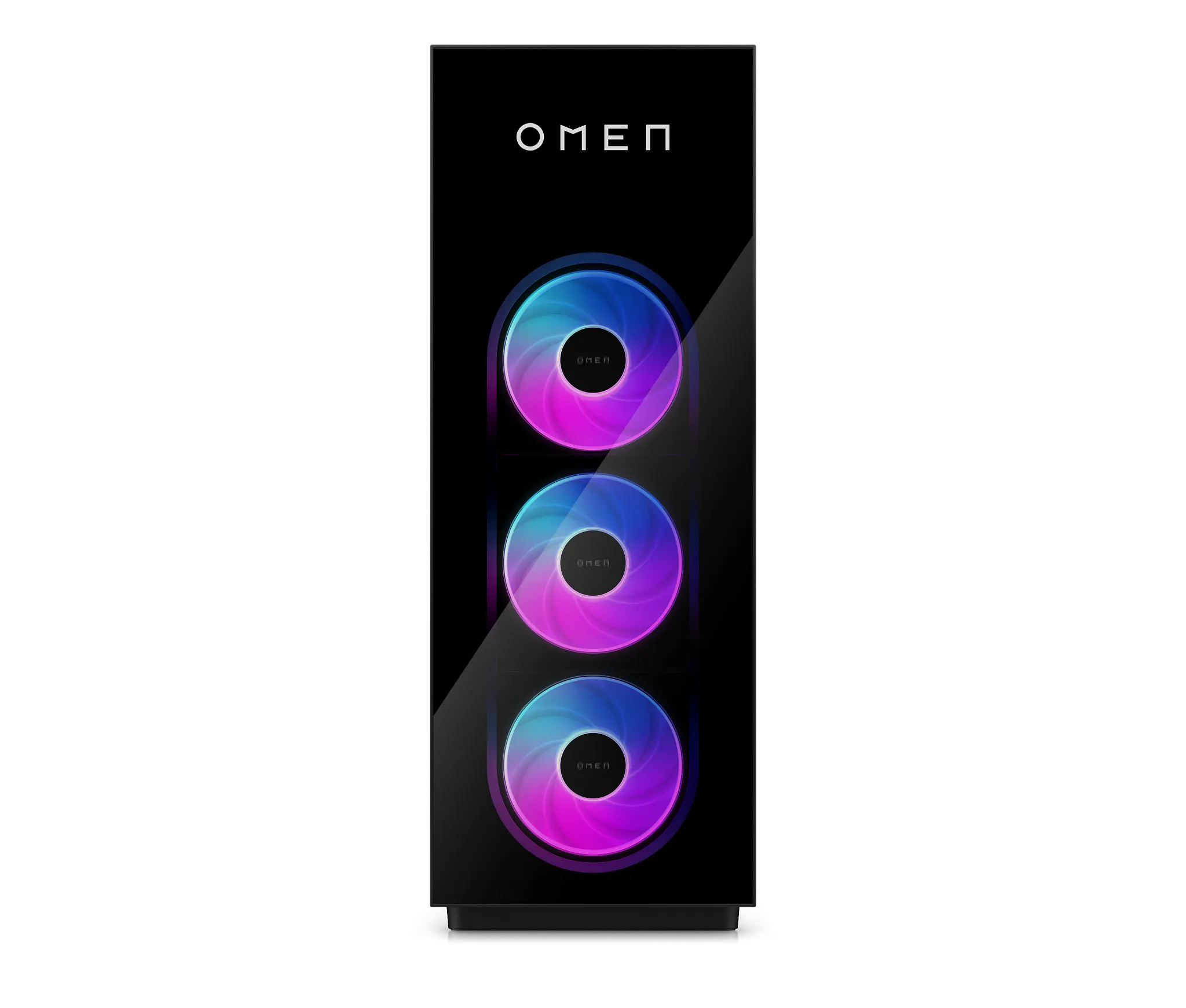
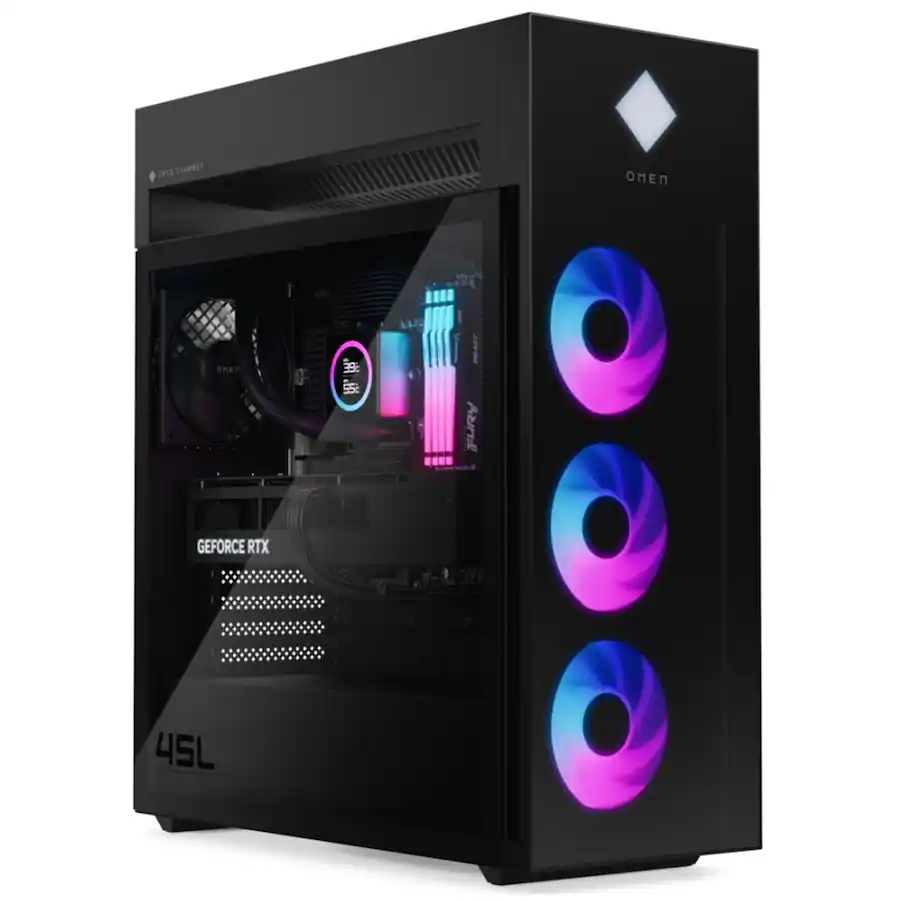
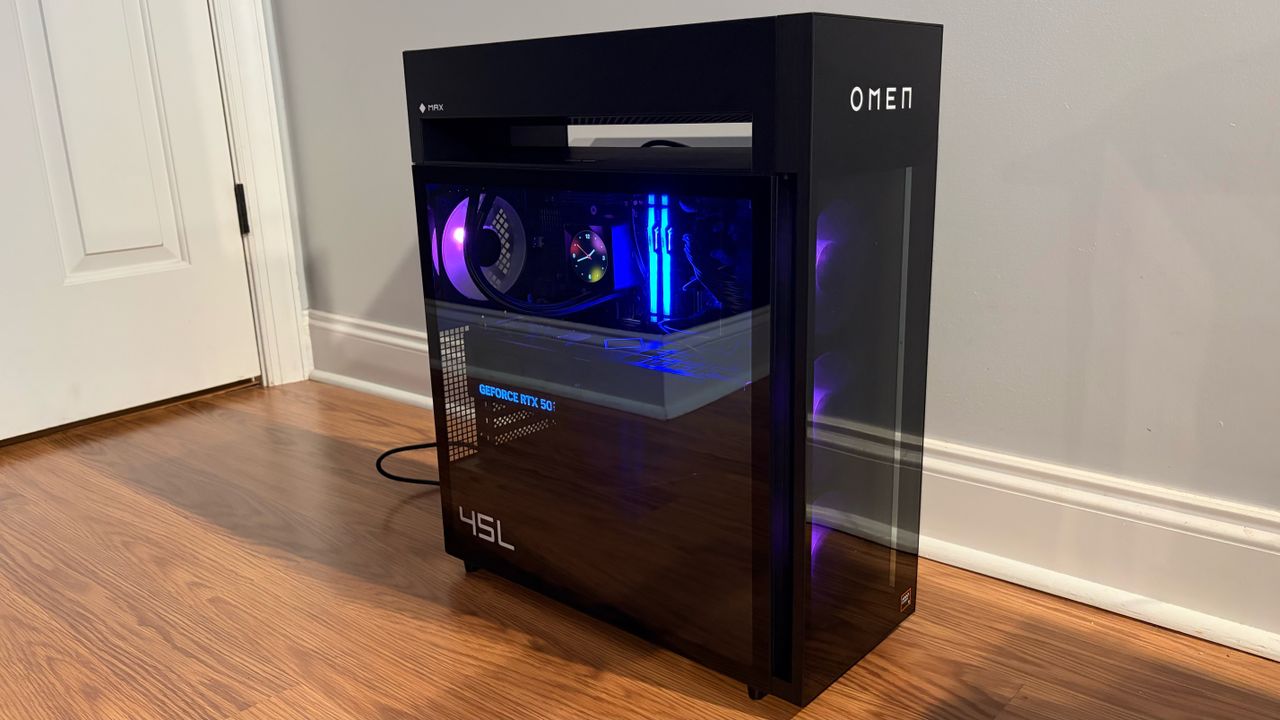
Price aside, this isn't a budget build, but a machine made with serious gaming in mind. The HP Omen Max 45L is one of HP's flagship builds and, as our HP Omen Max 45L review shows, it's a seriously high-quality one. The case it ships with is huge, with three 120mm fans at the front. The model we reviewed had slightly different specs, but the design matches up completely.
A massive $2,200 saving is available right now on this HP Omen Max 45L gaming PC, fitted with an RTX 5090, Core Ultra 9 285K, 64GB of RAM, and 2TB of SSD storage.View Deal
While the hefty RAM and SSD storage are great for gamers, it's the graphics card that you're going to be wowed by. Our GPU benchmark data below confirms that the RTX 5090 is the best consumer graphics card you can buy. No other consumer GPU is able to match it. The RTX 5080 is its next current-gen rival, but the RTX 5090 has more than double its CUDA count (hitting 21,760) and has a massive 32GB of GDDR7 VRAM, using a 512-bit memory bus with bandwidth speeds of up to 1,792 GB/s.
Tom's HardwareTom's HardwareTom's Hardware
The CPU in this machine is the Intel Core 9 Ultra 285K. This is a 24-core CPU, shipping with eight performance cores, which are typically best for the high-performance gaming you'll want to perform on this machine. You also get 16 additional efficient cores for multi-threaded tasks. The 285K is a fully unlocked and overclockable CPU, and the performance cores come with a standard clock speed of 3.7 GHz, which will boost up to 5.7 GHz.
Intel Arrow Lake CPUs like the 285K didn't really excite for gaming when they launched, trailing behind AMD powerhouses like the 9800X3D. That isn't a huge problem here, though, as the raw performance offered by the RTX 5090 is a significant counterweight against any deficiencies in the 285K, and will easily offset and heavily compensate for its shortcomings here. It also helps that updates since launch have improved the 285K's gaming performance to close some of the gap.
For gaming, thanks to the RTX 5090, you can expect to manage high frame rates at 4K and with ray tracing enabled using Ultra graphics presets. Nvidia DLSS 4 support means that, if you ever did hit a performance issue, multi-frame generation can give you a frame rate lift, using AI to boost frame rates in any intensive (or more likely, poorly optimized) games.
The 64GB of Kingston Fury DDR5 RAM is a good uplift to help keep performance high, too, and is worth around $700 in today's market. The RAM offers speeds of 5,600 MT/s and is split across four 16GB modules. You're also getting a 2TB NVMe M.2 SSD with this PC, offering Gen 4 speeds, which should give you a good amount of space to install a couple of big AAA games.
All in all, though, it's the price that makes this HP pre-built a must-buy for gamers. The RTX 5090 itself costs more than this PC does, and that's before you consider that you're getting 64GB of DDR5 RAM and 2TB of SSD storage in a world where AI has forced memory prices to skyrocket.
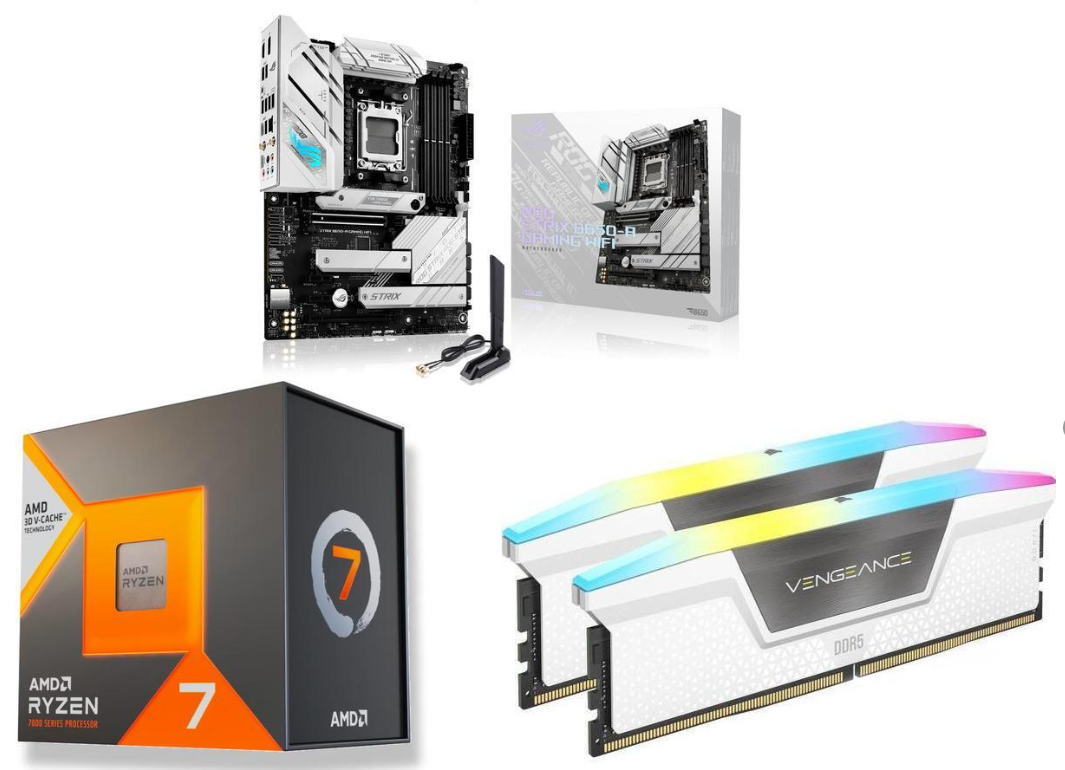
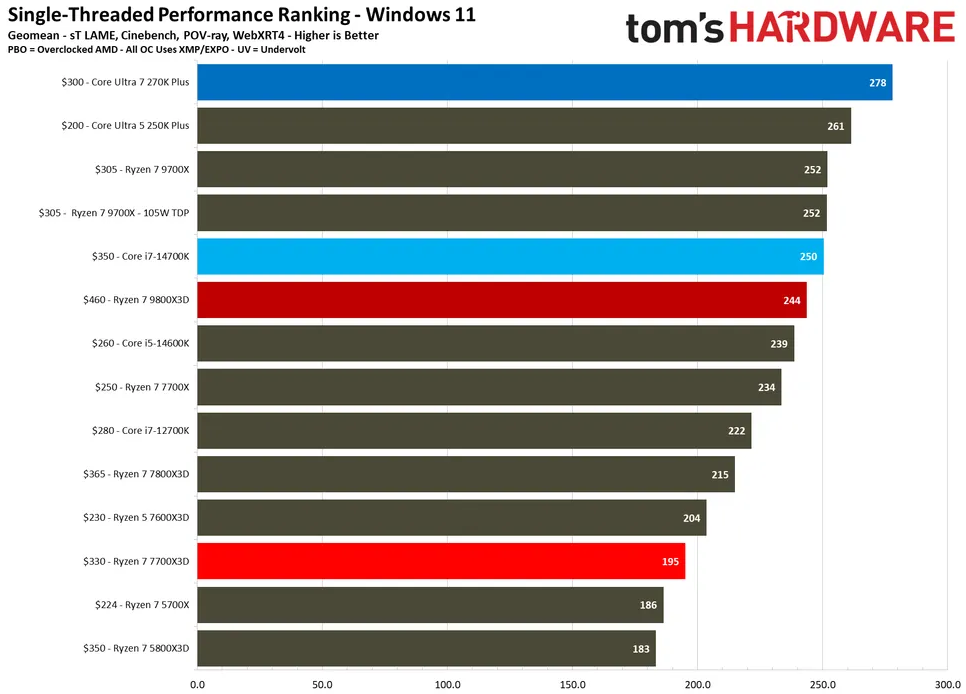
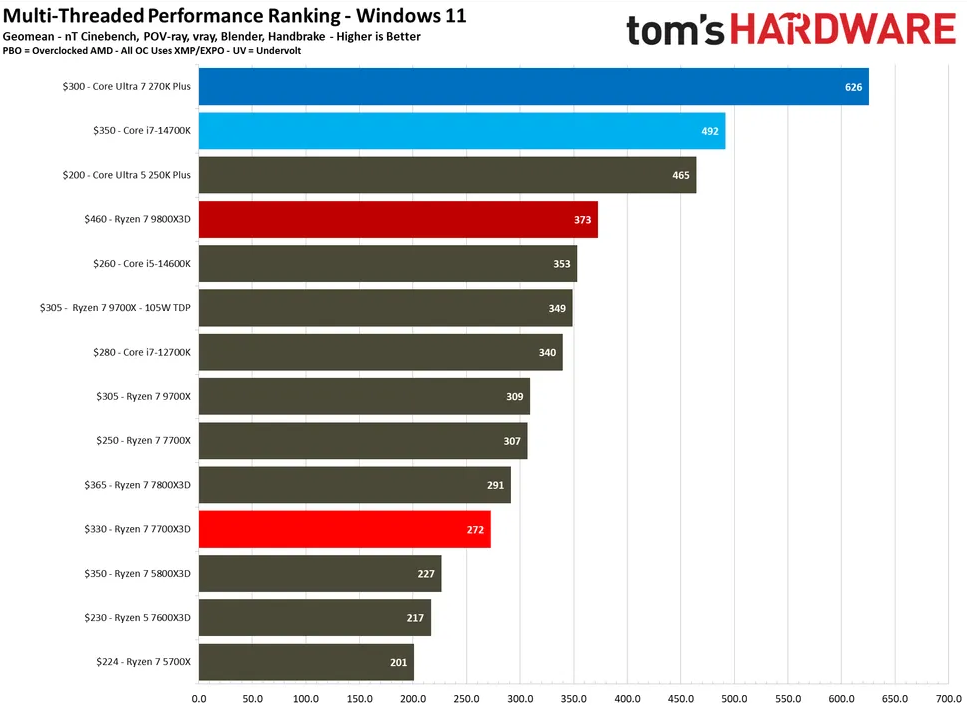
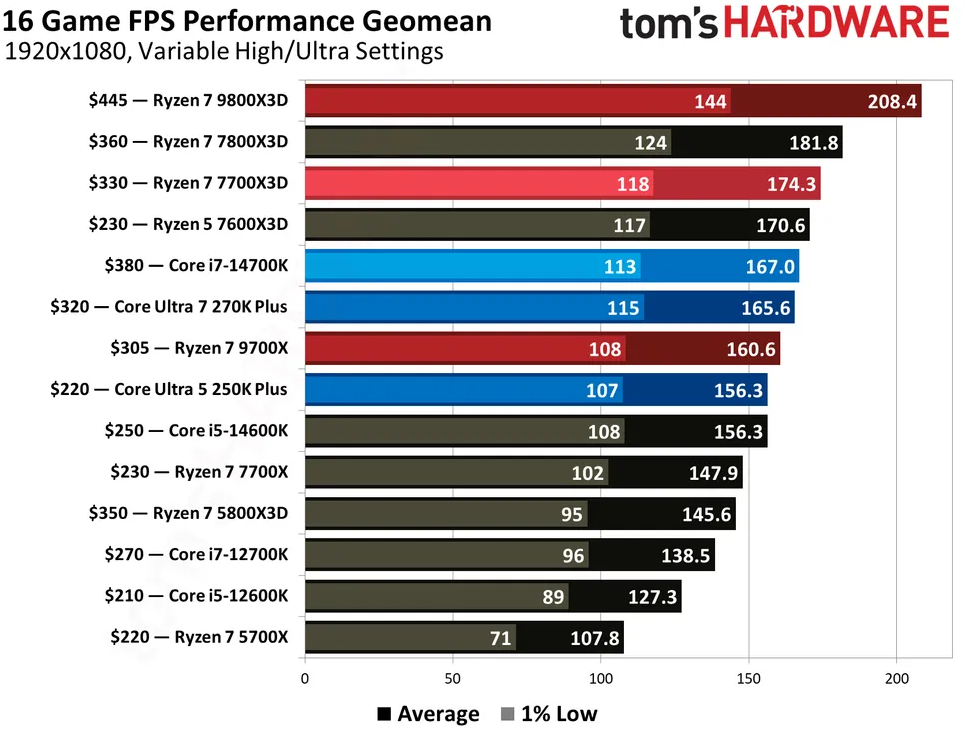
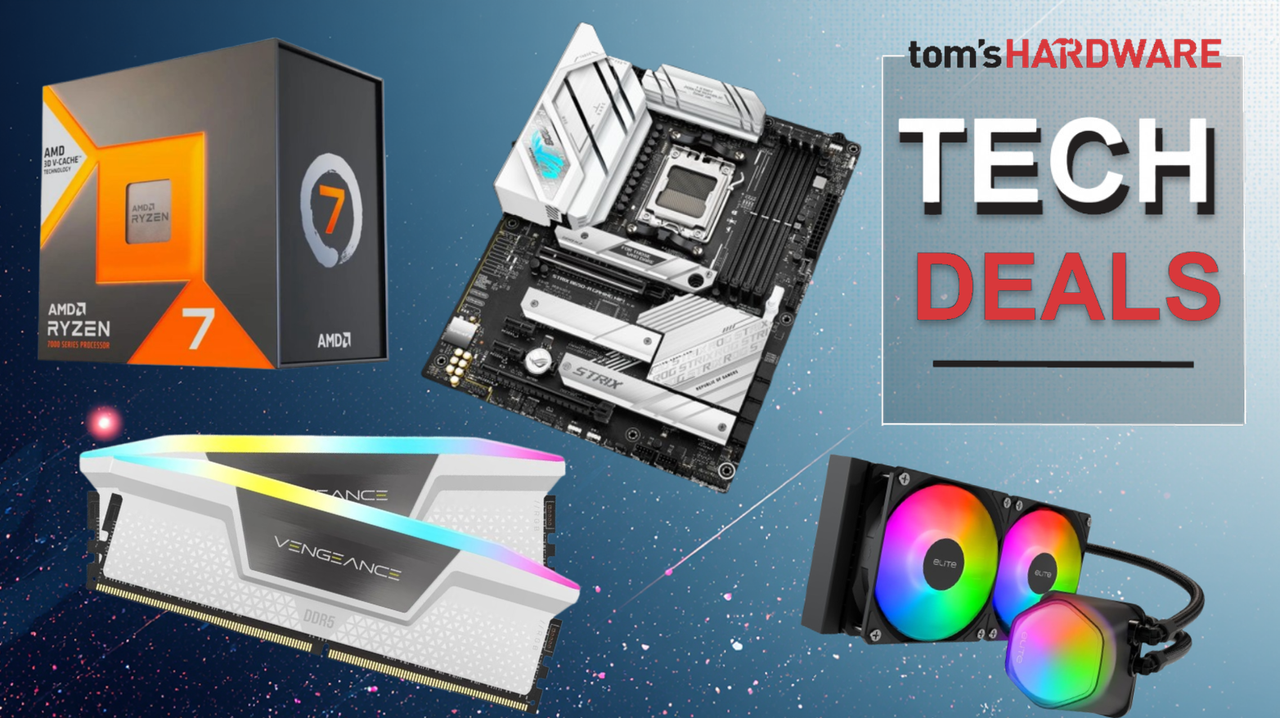
While the Ryzen 7 7700X3D isn’t quite as fast as the 9800X3D, the 8-core 16-thread Zen 4 processor is still one of the top gaming chips and is well ahead of the recently re-released (and expensive, $349.99 at Newegg) Ryzen 7 5800X3D. Performance-wise, the 7700X3D is squarely between the faster 7800X3D and slower 7600X3D, and it clearly holds its own among its peers and is a great 1080p/144 0p gaming chip while not paying for the more expensive 9000 series X3D chips. Newegg also throws in a free Cooler Master Elite Liquid 240 AIO ($80 value), which pairs nicely with the processor.
Along with the processor is a 16GB (2x8GB) kit of Corsair Vengeance DDR5-6000 CL36 RAM in white to match the motherboard. This kit features a frosted RGB light bar that runs the length of the sticks, drawing attention inside your case. Or, if RGB lighting isn’t your thing and you prefer a stealthy appearance, you can turn it off. The DDR5-6000 speed lands in the sweet spot for the AM5 platform and is a worthwhile, good-looking option. The SK Hynix ICs under the heatsink pair nicely with the board and offer plenty of overclocking headroom if you choose.
FutureFutureFuture
Asus’ ROG Strix B650-A Gaming Wifi is a mid-range motherboard with a black PCB, silver/white heatsinks, and ROG RGB, providing a stark contrast of colors inside your chassis. The board offers capable power delivery, three M.2 sockets (one PCIe 5.0) and four SATA ports for storage, fast networking with integrated Wi-Fi 6E and 2.5 GbE, ample USB ports on the rear I/O including 20 Gbps Type-C port on the rear IO (8 other Type-A ports), a quality audio solution with the Realtek ALC4080 chip and Savitech SV3H712 combo, and finally, it offers a DIY-friendly design to help building your PC easier.
Together, this three-item combo can turn your AM5 upgrade dreams into reality without breaking the bank. At only $609.99, it’s a serious option for building or upgrading your gaming PC. And since it’s AM5, you can drop-in-upgrade to a 9000-series processor, AMD’s latest and greatest, like the Ryzen 7 9800X3D in the future.
Building a PC is more expensive and thereby more stressful than ever in 2026. A good old-fashioned pre-built is a great way to save yourself some time and a ton of cash on parts, with exorbitant RAM, SSD, and GPU pricing yet to fully filter down to the pre-built market. As such, you can score this Intel Core Ultra 9 285-powered CyberPowerPC with an AMD Radeon RX 9060 XT 16GB, 32GB of DDR5 RAM, a 2TB SSD, and more for just $1,849, a $500 discount.
Considering 32GB of DDR5 RAM alone costs $400 right now, stacking up the cost of parts in this build reveals its value pretty quickly. The Intel Core Ultra 9 285 is around $700 at the moment, with the 285K retailing at $514. A 2TB M.2 PCIe 4.0 drive will set you back around $250, and the GPU in this build is $460. That's nearly the entire cost before you've factored in a case, motherboard, PSU, and cooler, not to mention the build cost.
The spec of this PC is admittedly a slightly strange combination of GPU and CPU. Intel's 285 Arrow Lake CPU is the company's current-gen 24-core flagship. With eight performance cores and 16 efficiency cores, it performs extremely well in multi-threaded Windows 11 testing. While it can't match AMD's potent X3D Ryzen chips in gaming, it was still more than enough to average 153 frames per second in our 1080p testing suite of 17 games.
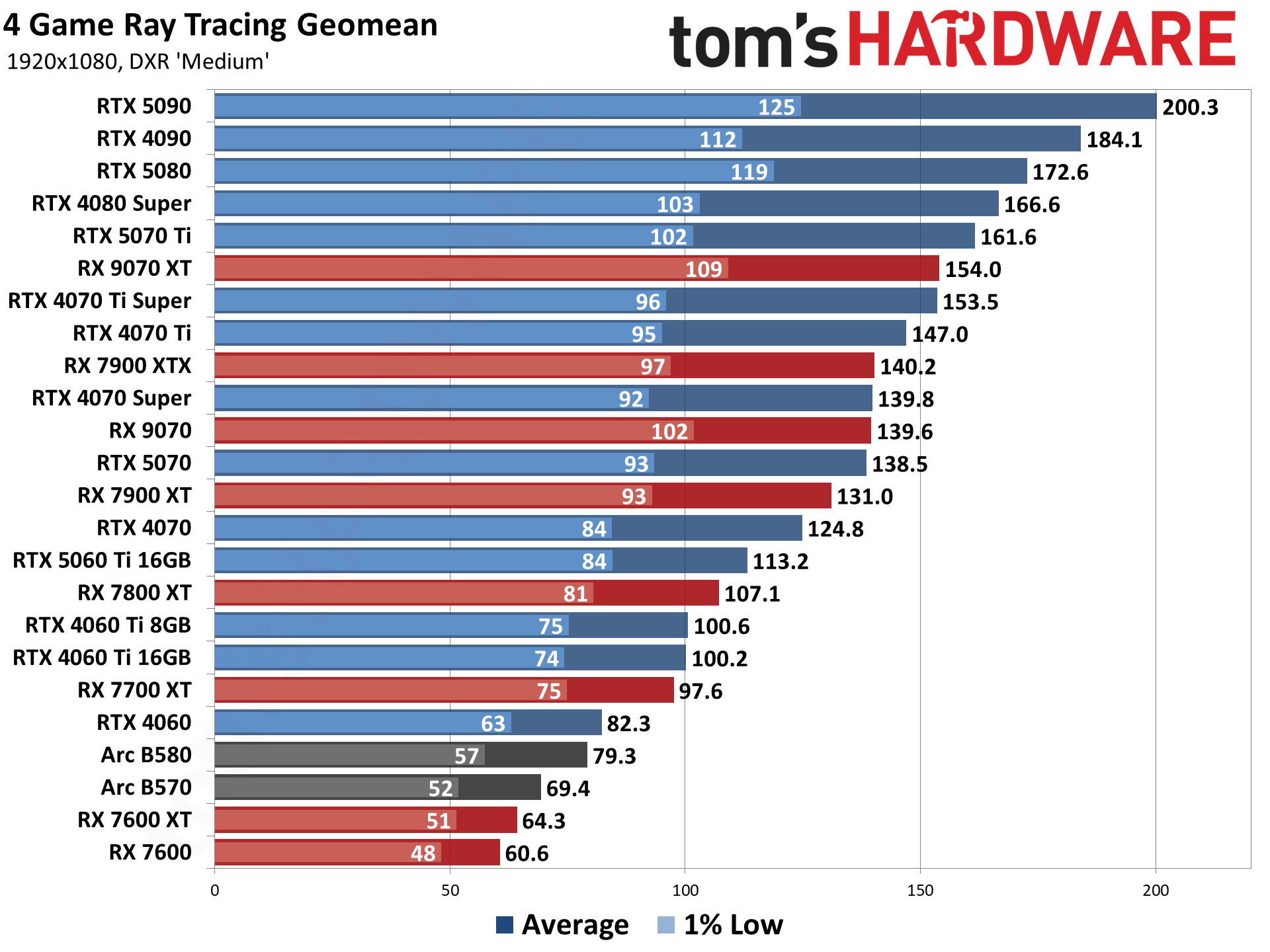
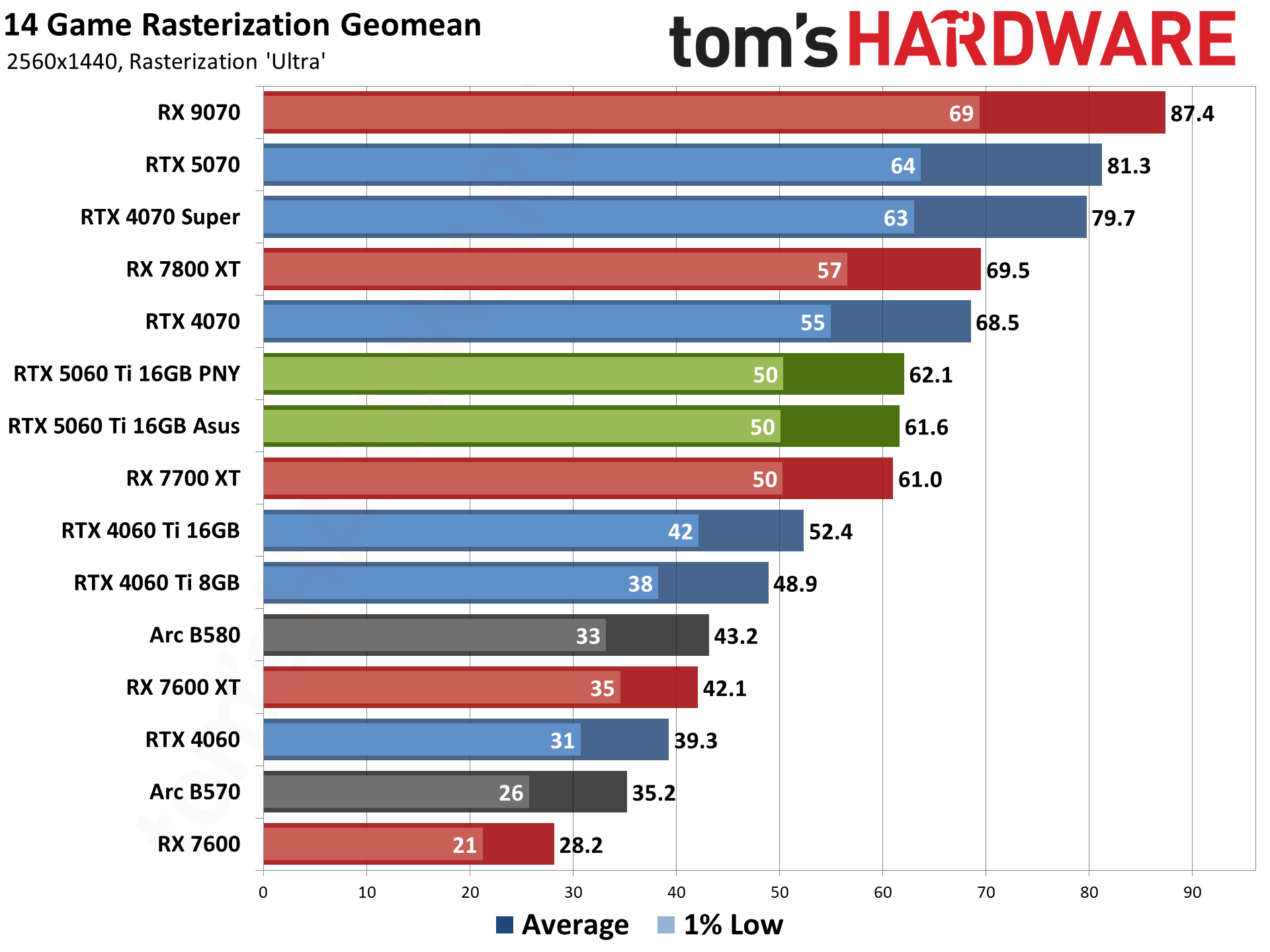
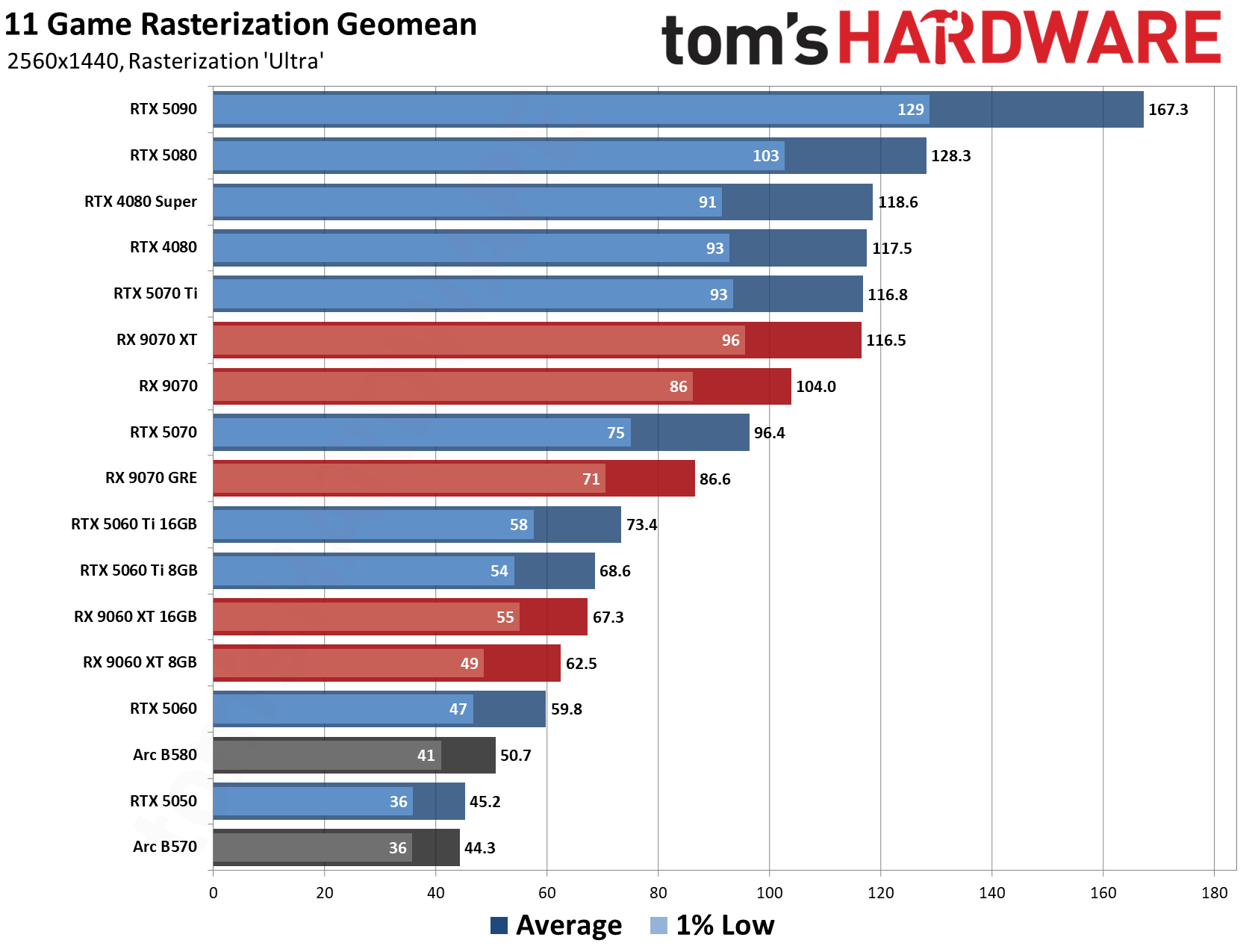
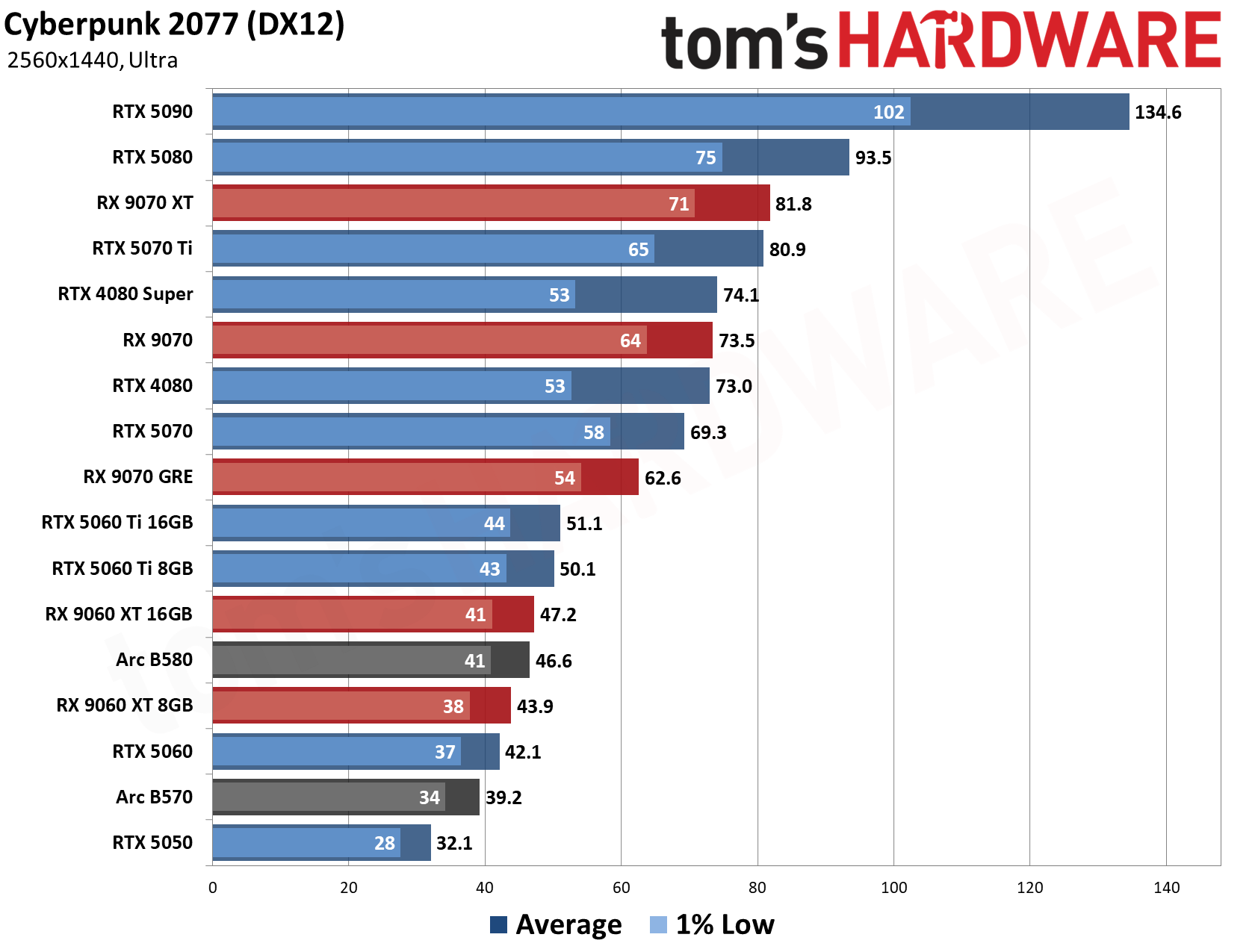
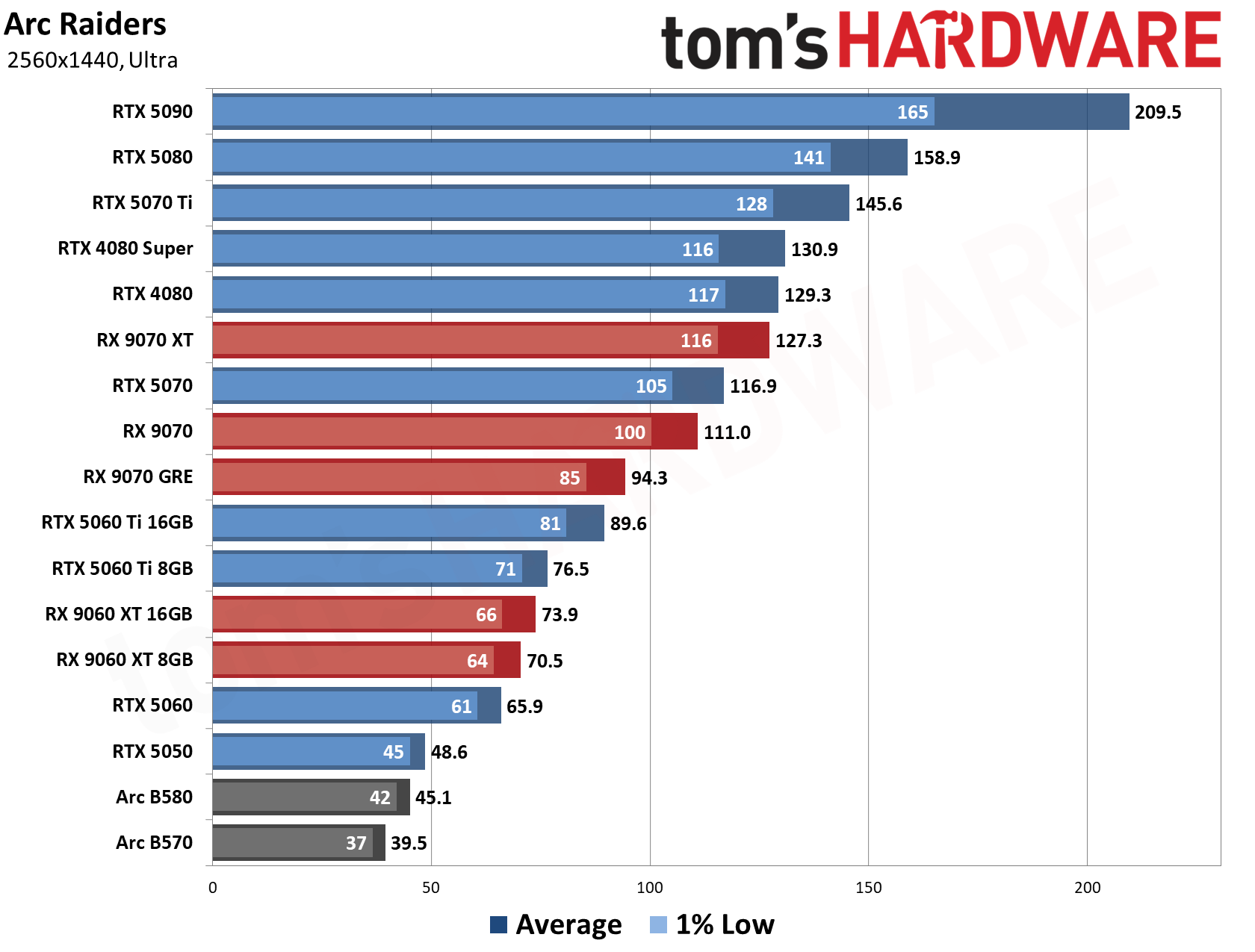
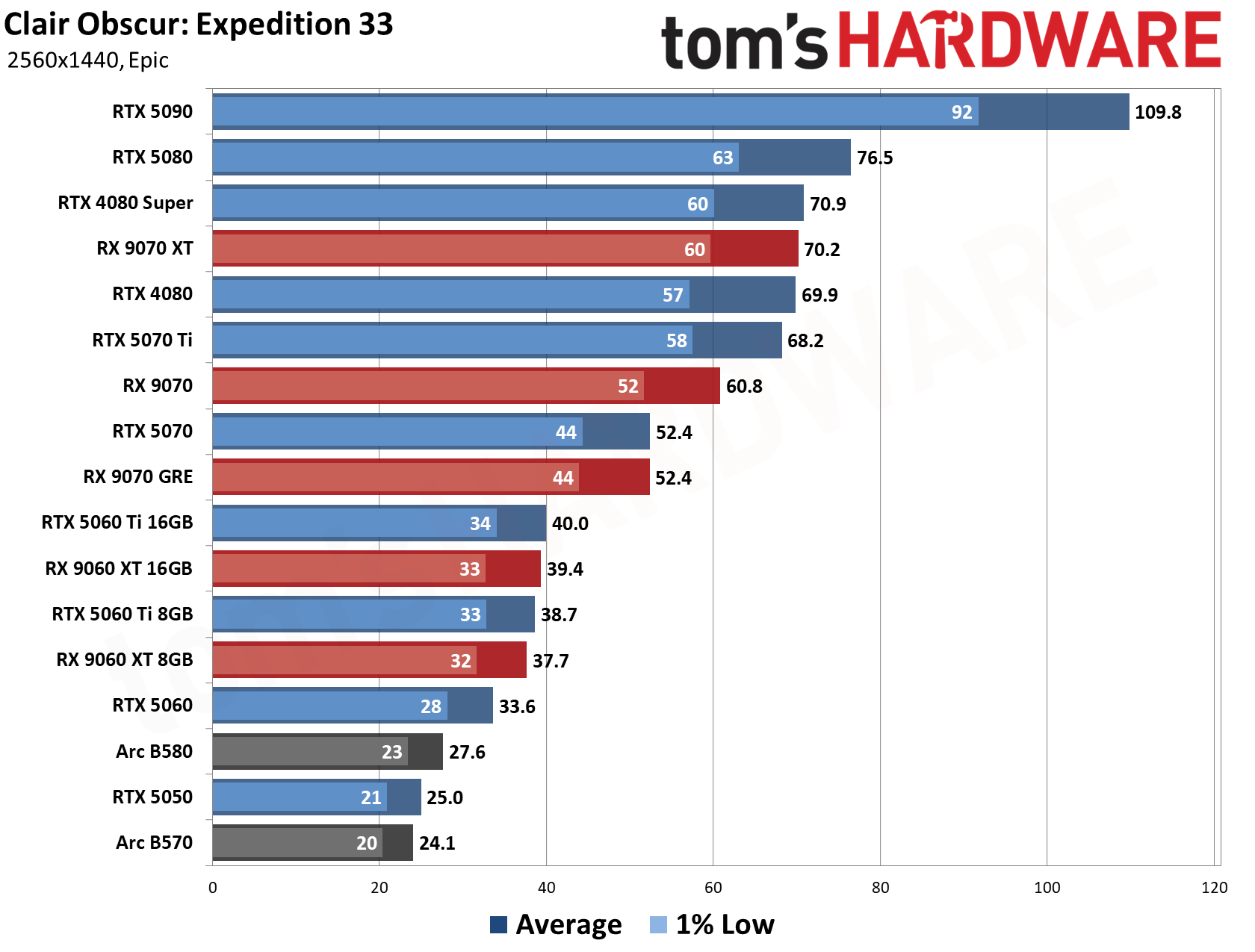
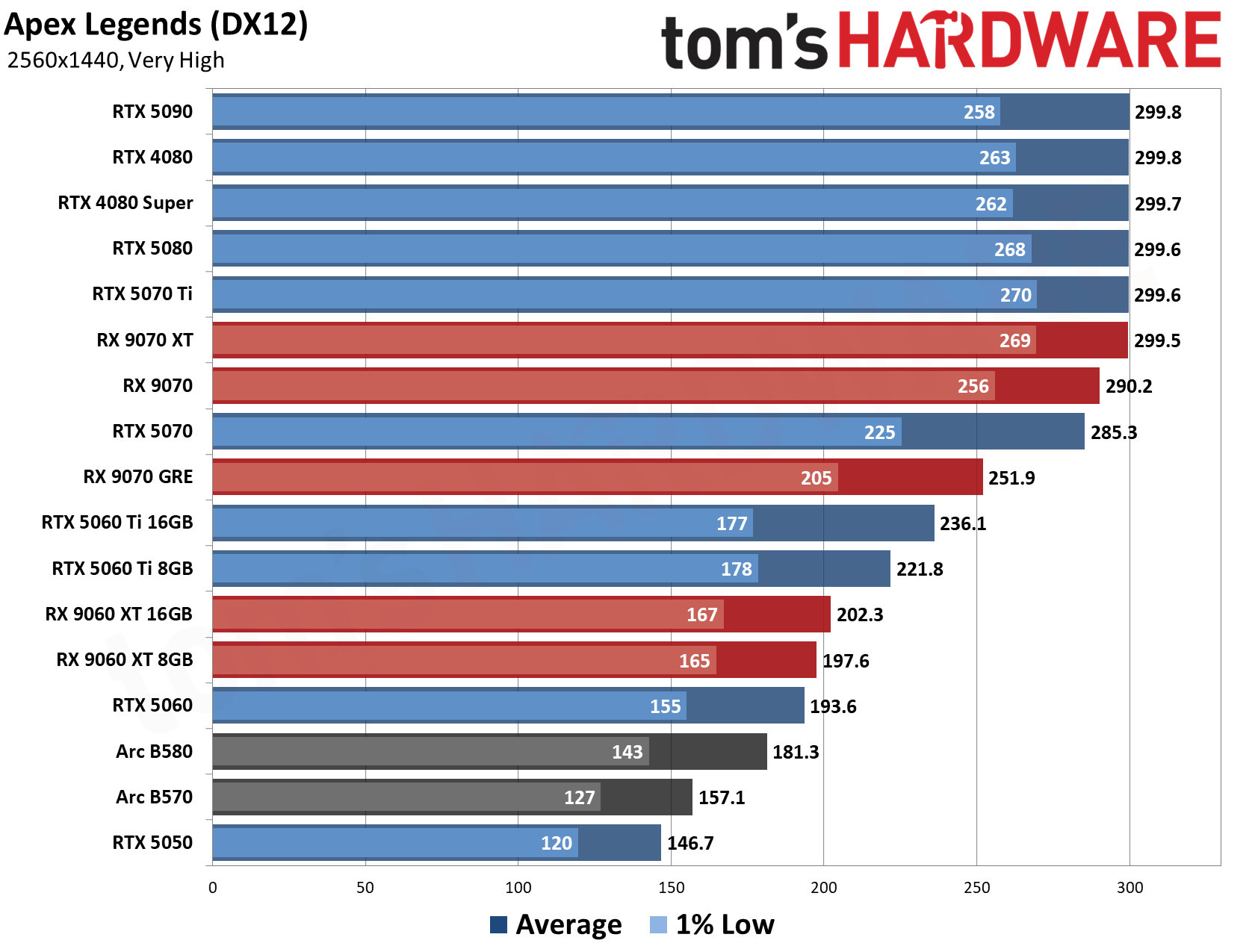
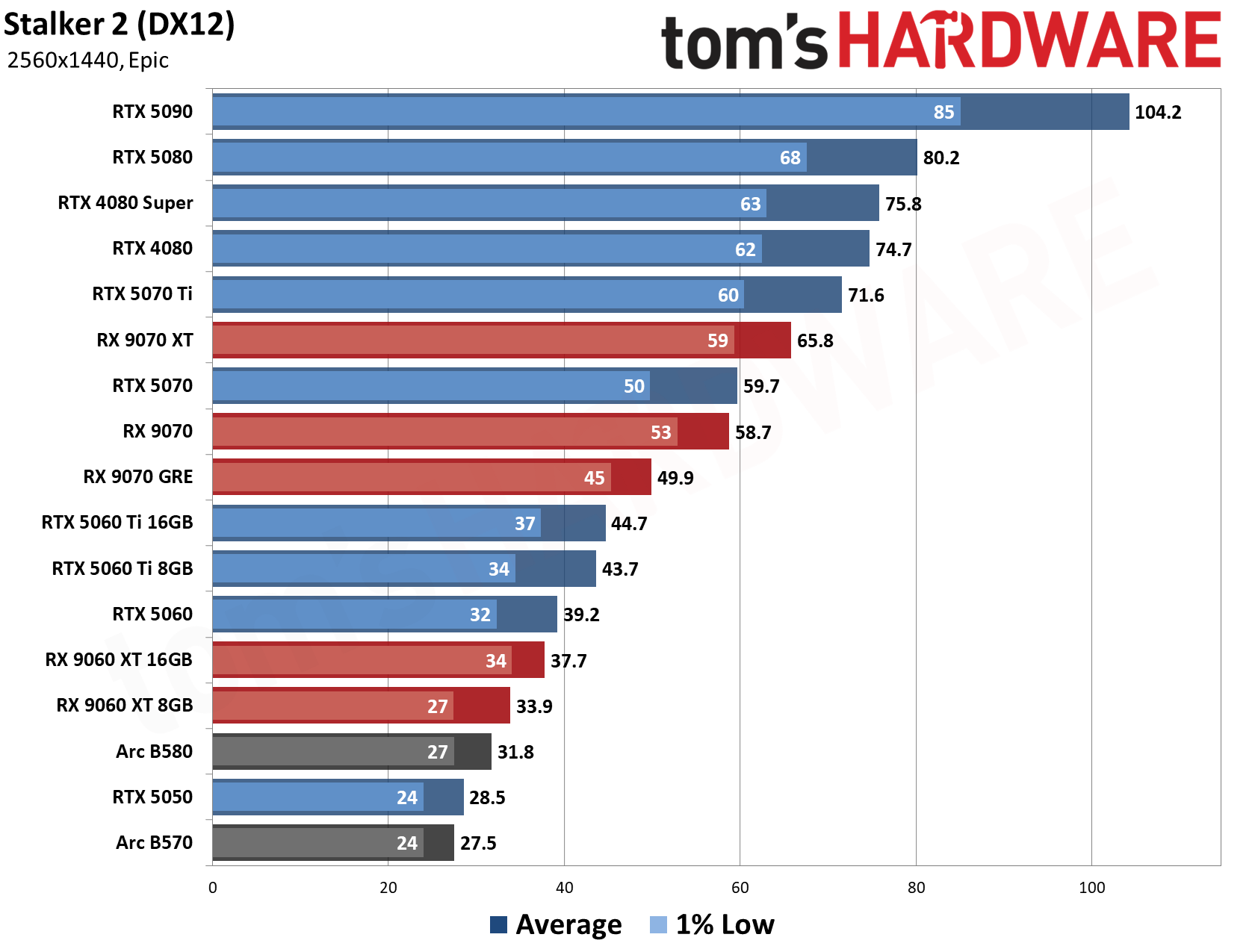
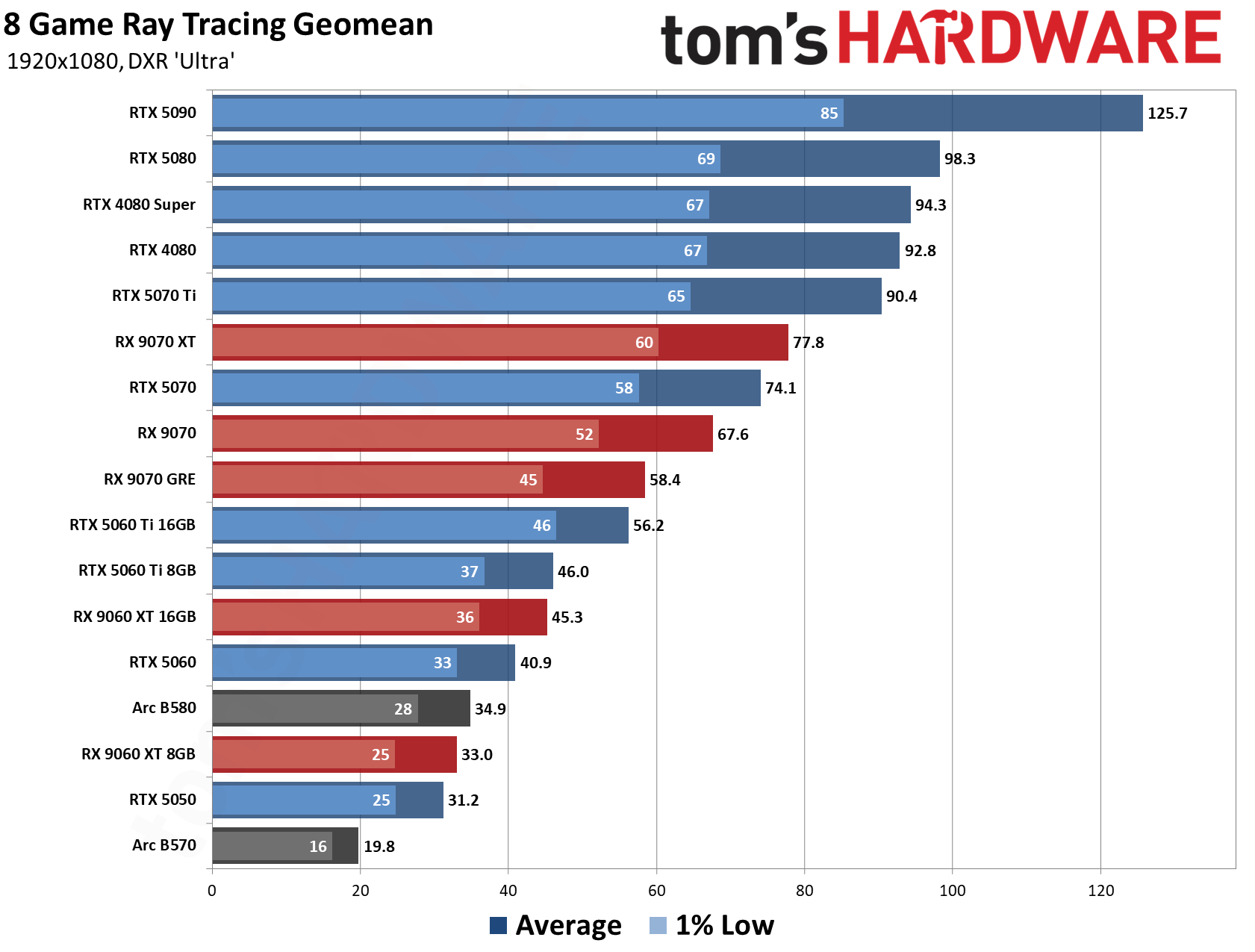
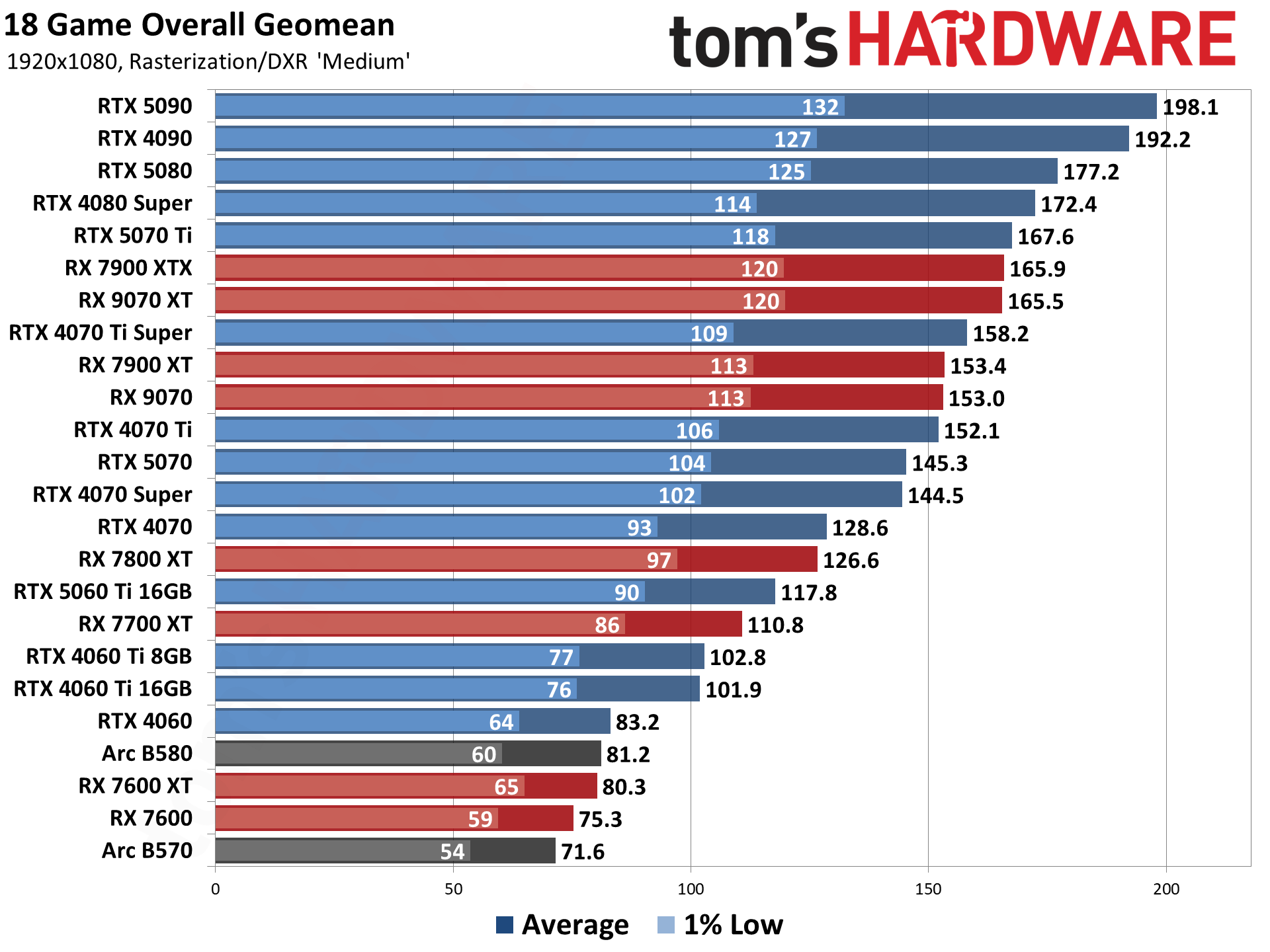
As you can see from our GPU testing data, the Radeon RX 9060 XT 16GB is on par with the RTX 5060 Ti 8GB, but lags behind the RX 9070 and RTX 5070, as is to be expected. With its 2048 shares and 16GB of VRAM, this card sustained averages of nearly 60 frames per second in our 1440p Ultra tests, making it a great mid-range card. You'll likely struggle at 4K without some compromise, but this is a great card for middle-of-the-road performance.
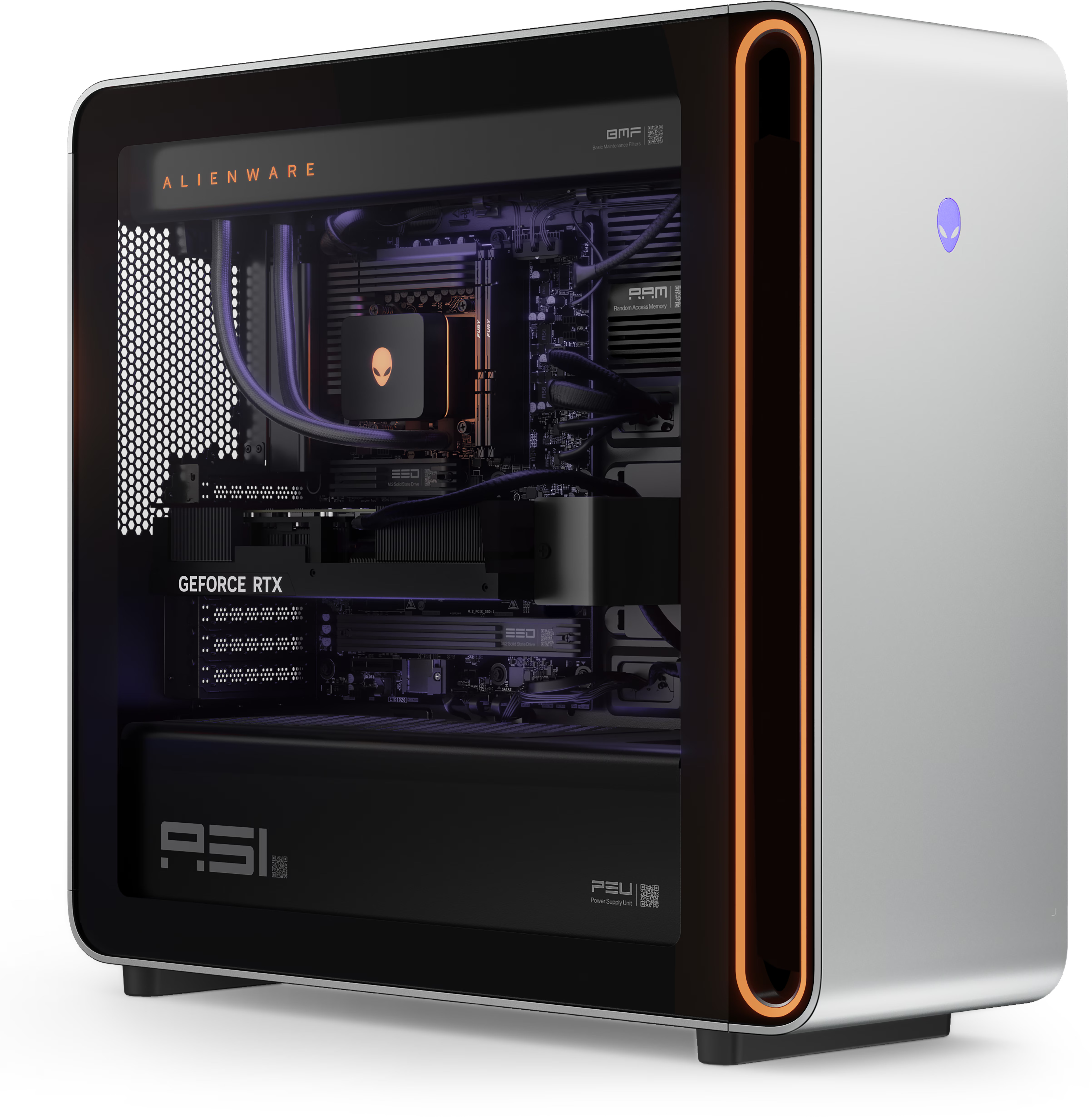
With graphics card prices continuing to rise, the bar for selling a 5090 PC for less than the cost of the card is admittedly a little lower than it used to be, but this is still a crazy deal. For less than the cost of a 5090, you get the card, plus a 20-core Intel Ultra 7 265K processor, 32GB of DDR5 7200 RAM, 1TB M.2 Gen 5 SSD, and a 1500W power supply, all housed inside a sleek Alienware case. Other bonuses include a copy of Windows 11 and a 240mm AIO CPU cooler.
Area-51 Gaming PC with RTX 5090: was $6329.99 now $4779.99 Get an RTX 5090 with an entire gaming PC thrown in, all for less than the cost of the card by itself. Features 20-core Intel Ultra 7 265K processor, 32GB of DDR5 7200 RAM, 1TB M.2 Gen 5 SSD, and a 1500W power supplyView Deal
The standout of this build, as you've probably guessed, is the absolutely monstrous RTX 5090. The best graphics card on the market by some distance, its massive 32GB GDDR7 VRAM pool and 21,760 CUDA cores mean it will chew through any title at 4K, or a local AI workload without breaking a sweat.
Tom's HardwareTom's HardwareTom's Hardware
The rest of this PC, while not the most premium spec, is definitely not to be sniffed at either. The Intel Core Ultra 7 265K is arguably a little underpowered at this level, but the RTX 5090 will more than make up for any shortcomings. The Arrow Lake CPU has excellent single-threaded performance, and when paired with a 5090 in our CPU testing data, can pump out 150 frames per second at 1080p on average across our 17-game test suite. That being said, if you'd like a bit of a CPU boost, you could opt to configure a Core Ultra 9 285, with more cores, cache, and a higher boost clock speed.
While we'd have previously hoped for 64GB of RAM in a build of this magnitude, the AI-induced component crisis means that is no longer a reality. Fortunately, you can upgrade the DDR5 6400 to DDR5 7200 with Intel 200S boost — which our testing shows can boost gaming performance by 7% — for free in this particular deal. You also get a 1TB Gen 5 SSD and a 1500W power supply.
While it might not feature AMD's benchmark-busting X3D CPU range under the hood, buying any PC for less than the going rate of the 5090 is not to be sniffed at in the current PC market. Indeed, CPUs and motherboards remain some of the only PC components with healthy discounts in the current climate, so buying this rig and doing a bit of surgery to the processor isn't out of the question either.
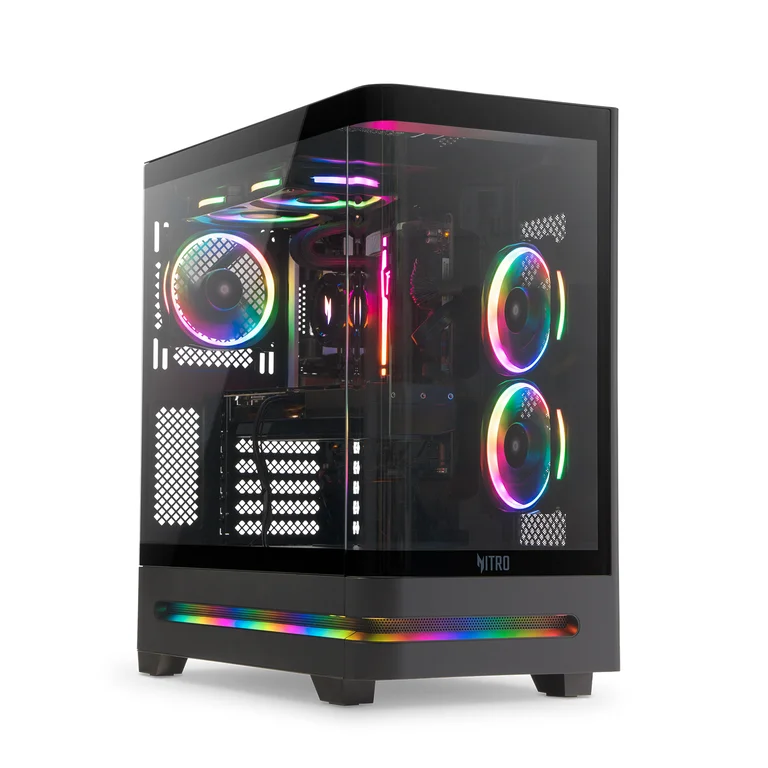
Prebuilt PCs usually get a bad rep but during these difficult times, they're actually a beacon of light as we navigate the component crisis. We've found a great deal on one such system — the Acer Nitro 85. It comes with an RTX 5070 graphics card and a 20-core Core Ultra 7 265F processor for just $1,499 on Walmart right now. That's $600 less than it usually retails for, and you get 16GB of DDR5 RAM along with a 1TB Gen4 SSD on top.
With an RTX 5070 and 20-core Intel Core Ultra 7 processor at its heart, the Nitro 85 is a great midrange system that will handle any workload, while looking good doing so.View Deal
The Acer Nitro 85 is perfect for 1440p gaming at the highest settings, and even a bit of 4K gaming with upscaling tricks thanks to Nvidia's rich software suite. You get features like DLSS, multi-frame gen and RTX HDR which all contribute to a better gaming experience. The RTX 5070 is third on our list of the very best gaming GPUs you can buy because of its exceptional value proposition, and this deal only enhances that. The 12GB of VRAM, while not a lot, is enough for demanding titles today.
Tom's HardwareTom's HardwareTom's Hardware
Alongside the 5070, you also get an Intel Core Ultra 7 265F with 8 P-cores and 12 E-cores and a max clock speed of 5.3 GHz. This is a high-end chip capable of driving even faster GPUs, so you're set for both gaming and professional workloads. It's cooled by a 240mm AIO liquid cooler. Talking to the CPU is 16GB of DDR5 RGB RAM and a 1TB PCIe 4.0 M.2 SSD slotted inside a standard motherboard that supports Wi-Fi 7 and has a 2.5 Gbps ethernet port.
The whole system is powered by a 600W PSU and enclosed inside a sleek-looking panoramic case with RGB accents and three RGB fans. In terms of front panel I/O, you get 1x USB 3.2 5 Gbps Type-C Port, 2x USB 3.2 5 Gbps Type A Ports and 1x 3.5mm audio jack on the top. The entire system is also covered by a 1-year warranty, and you have plenty of room onboard to upgrade the PC beyond that when things normalize.
The Acer Nitro 85 is a powerful prebuilt that can easily cruise through whatever task you throw at it. We kitted out a very similar system on PCPartPicker and the total cost came out to over $2,000 and that's without a Windows 11 license. So, for just $1,499 on Walmart right now, you're really getting your money's worth. With no foreseeable end to the ongoing RAMpocalypse, don't miss out on a stellar deal like this.
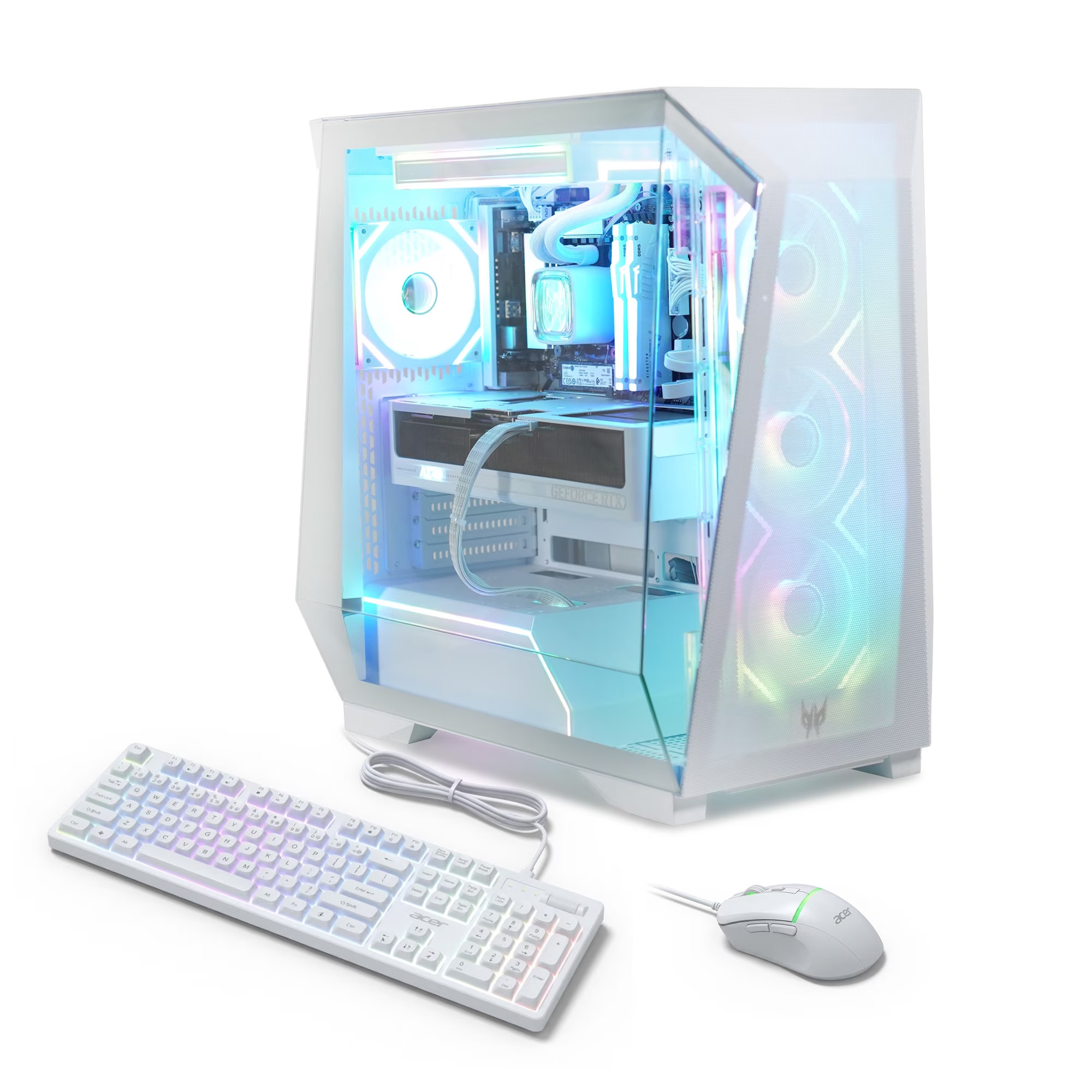
If you need a top-tier gaming system that delivers on performance and aesthetics, the Predator Orion 6000 (PO6-605-UR15W) should do the trick. While Acer's prebuilt gaming beast usually retails for $2,799.99 at U.S. retailers, Walmart is currently offering a massive 25% discount, bringing the price down to $2,099 for a limited time. That is savings of up to $700 that you can put toward a new gaming monitor or other gaming accessories.
The Predator Orion 6000 is an exceptional choice of gaming system for demanding gamers. It features a powerful Core Ultra 7 265KF processor, liquid-cooled by a 240mm AIO cooler. The chip has 20 cores and a boost clock speed of up to 5.5 GHz. Paired with 32GB (2x16GB) of DDR5 memory, the Orion 6000 easily exceeds the requirements of today’s AAA games and is fully prepared for future releases.
The system doesn’t cheap out on storage, either. It comes equipped with a 1TB PCIe 4.0 SSD that delivers lightning-fast load times and ample space to build your gaming library. In today’s market, with memory and SSD prices continuing to surge, a gaming system with 32GB of memory and a 1TB SSD is a rare sight.
The Predator Orion 6000 is a high-end gaming system with a Core Ultra 7 265KF, Nvidia GeForce RTX 5070 Ti, 32GB of DDR5 memory, and a 1TB PCIe 4.0 SSD.View Deal
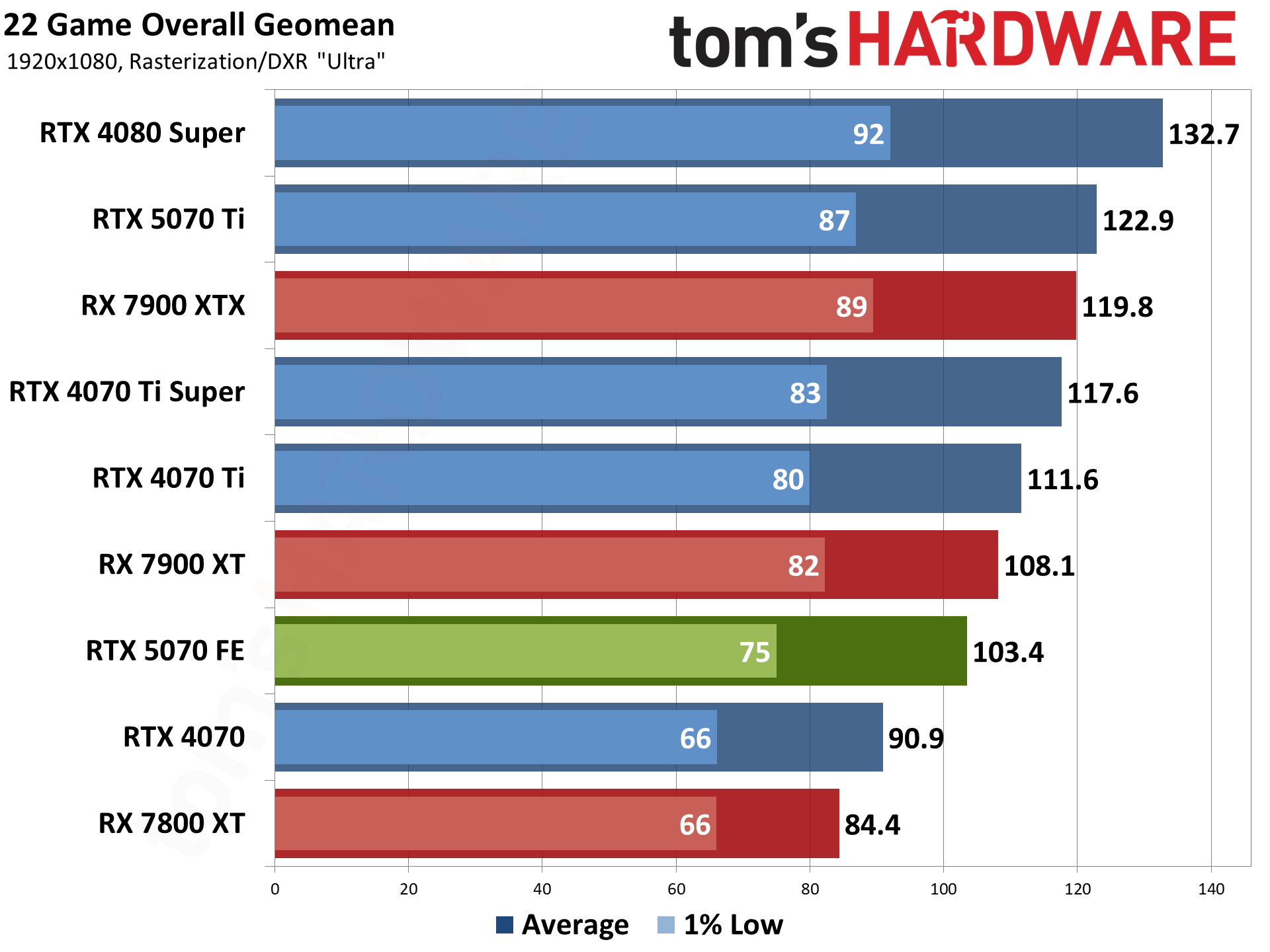
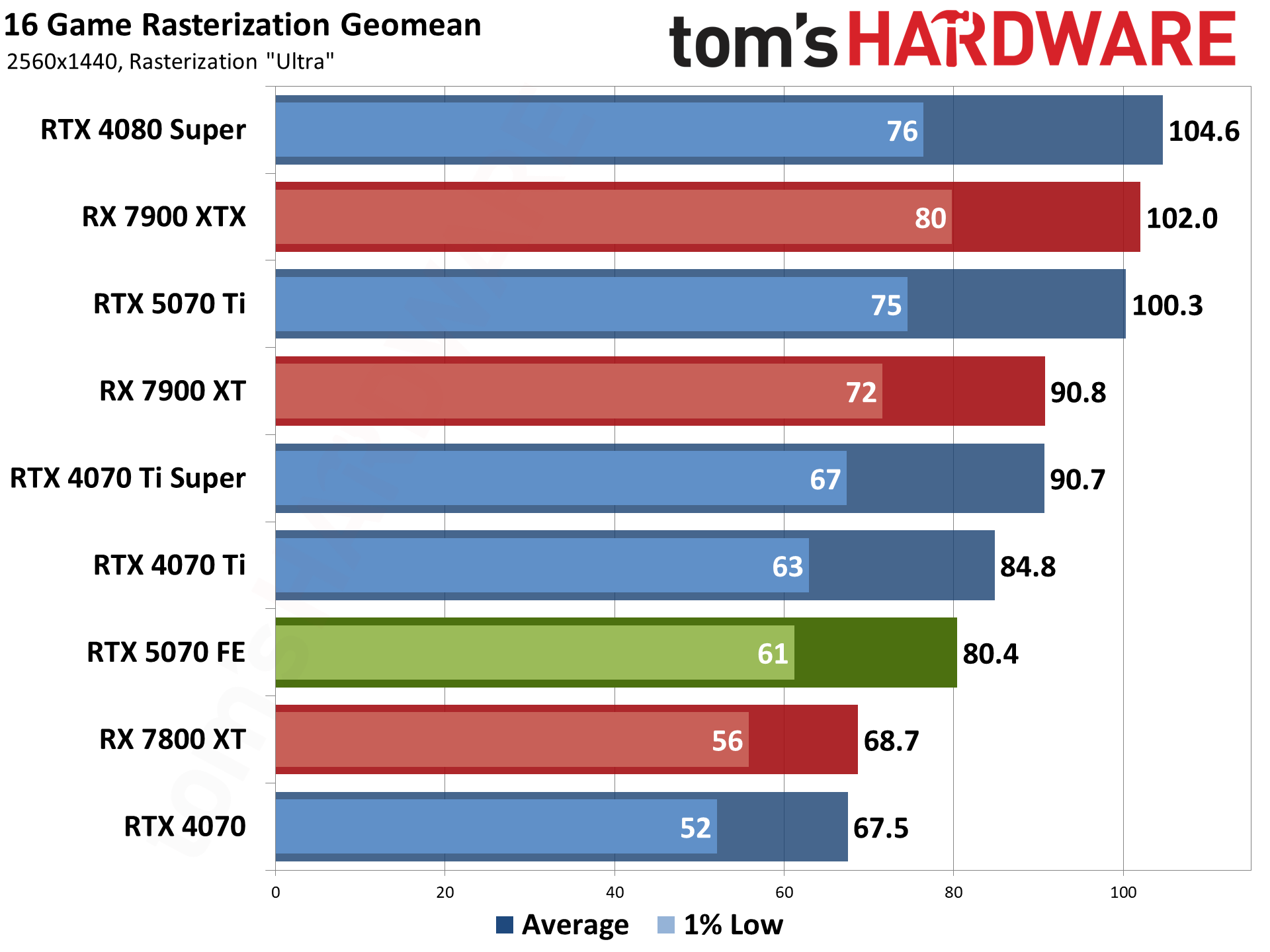
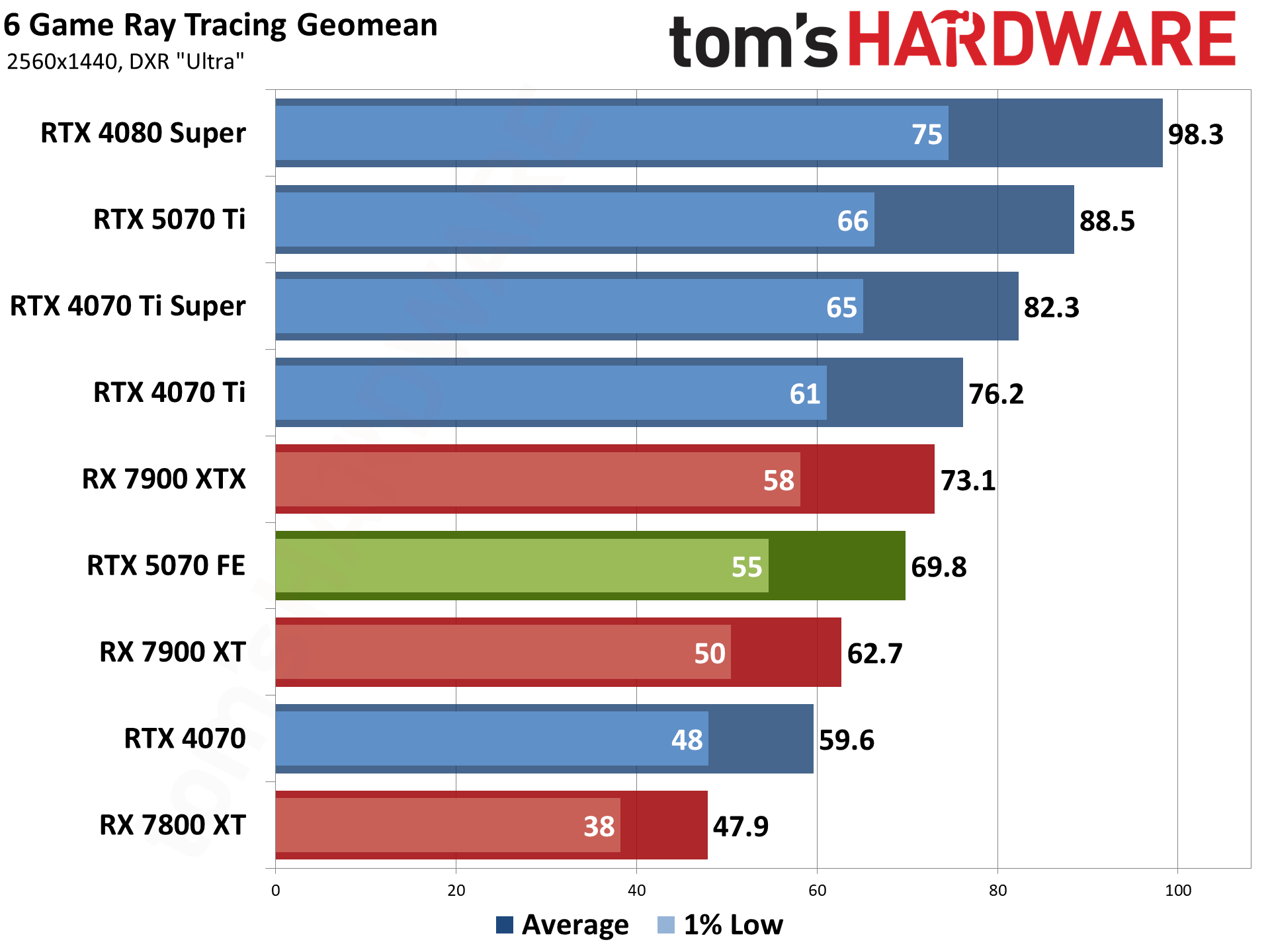
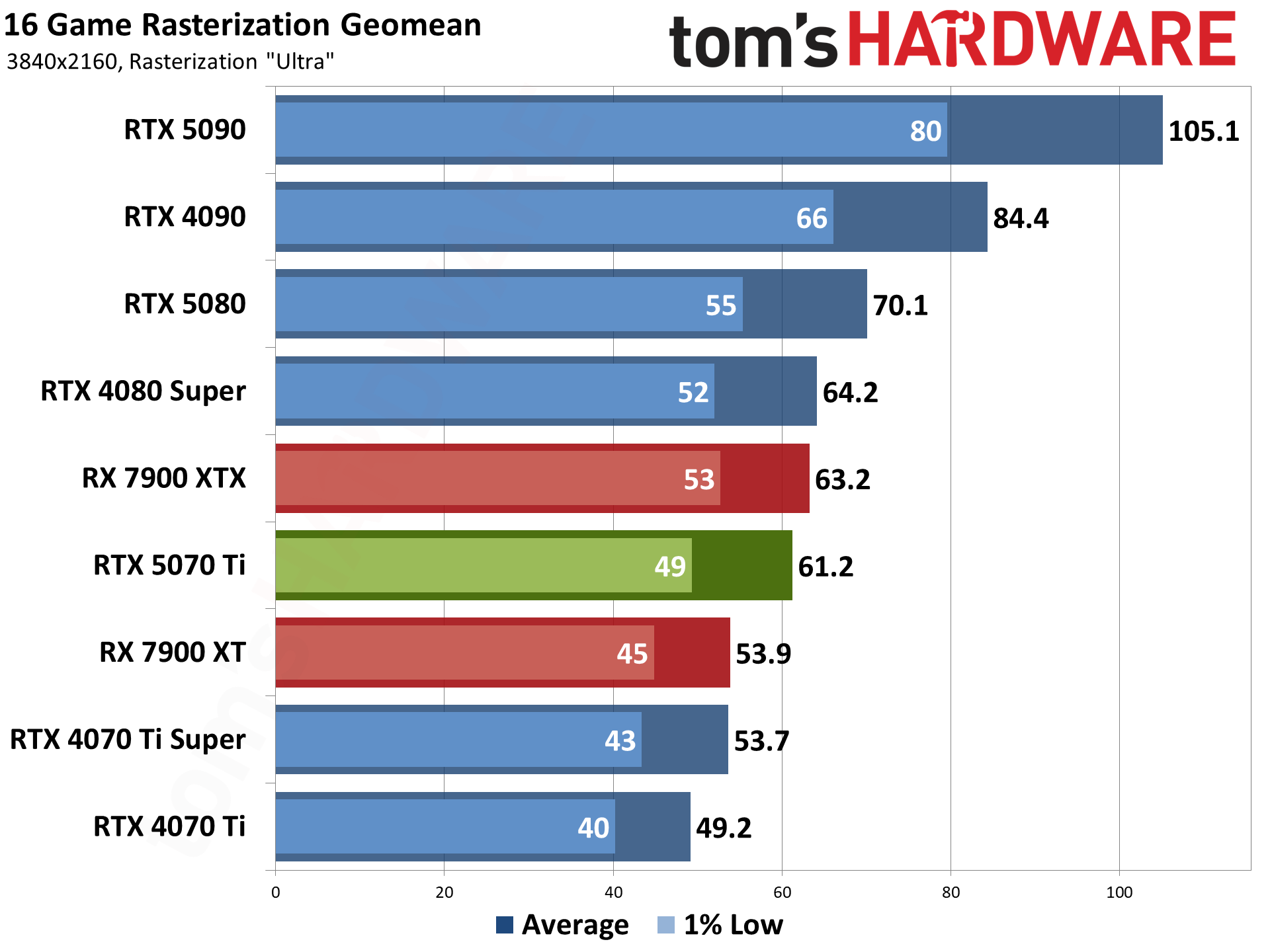
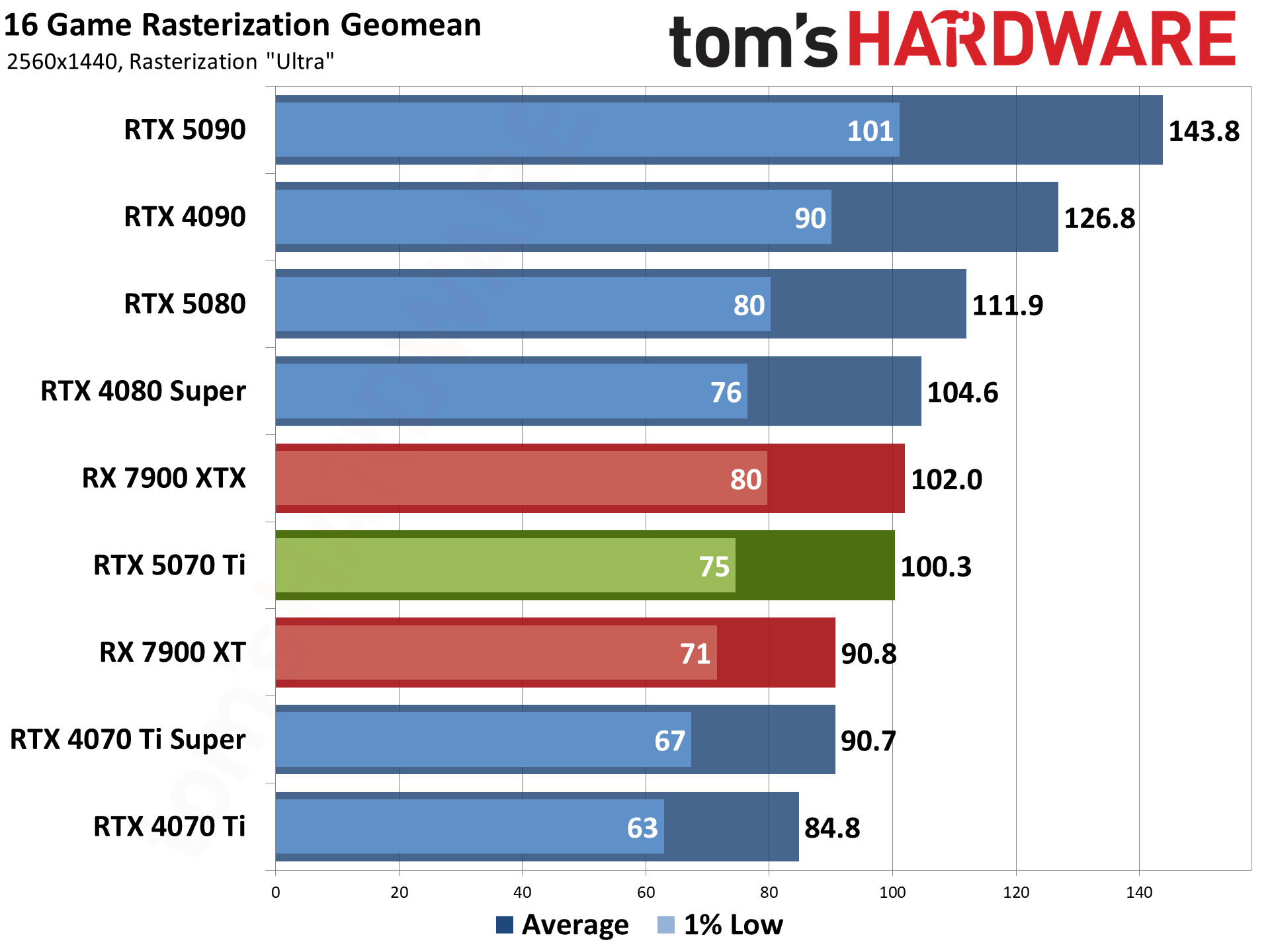
While the Predator Orion 6000 is clearly a powerful gaming system, the GeForce RTX 5070 Ti, one of the best graphics cards, is undoubtedly the component that draws the most attention. Powered by Nvidia’s latest Blackwell architecture, the GeForce RTX 5070 Ti delivers great gaming performance at 1440p (2560x1440) resolution. Not only does it dominate at 1440p, but it is also an extremely competent performer at 4K (3840x2160) resolutions.
The Predator Orion 6000 is eligible for Intel’s Gamer Days campaign, running from August 10 through September 13. When you buy the Orion 6000, you’ll receive free digital copies of Star Wars: Galactic Racer and Tomb Raider: Legacy of Atlantis, launching October 6, 2026, and February 12, 2027, respectively.
With prices for memory, SSDs, and graphics cards always fluctuating, building a custom PC may not always be the best route. Sometimes buying a prebuilt system is not just convenient; it can also offer big savings. When you factor in a significant discount, like the current deal that brings the price down to just $2,099, the Predator Orion 6000 is just hard to ignore.
 登录
登录