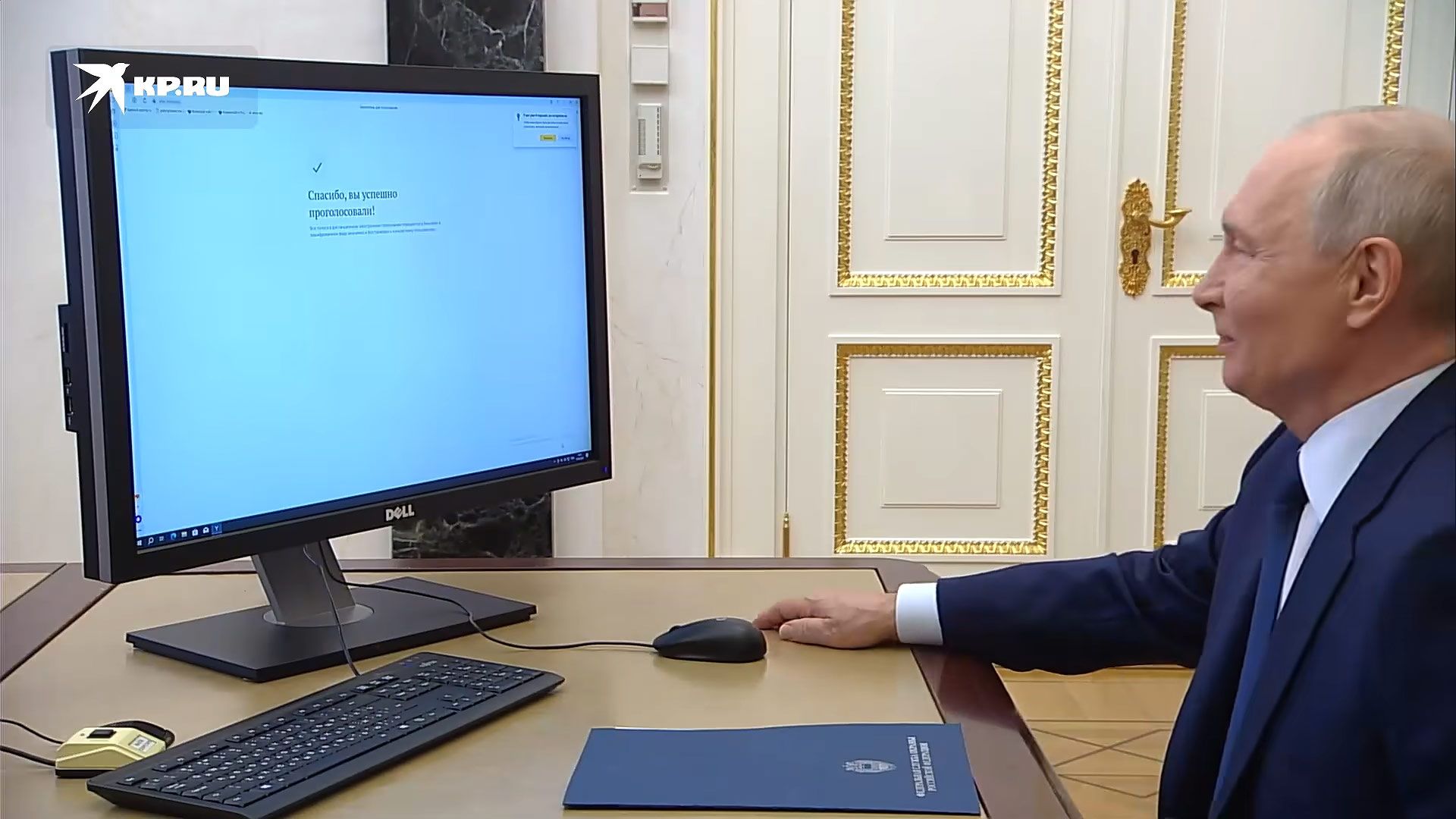
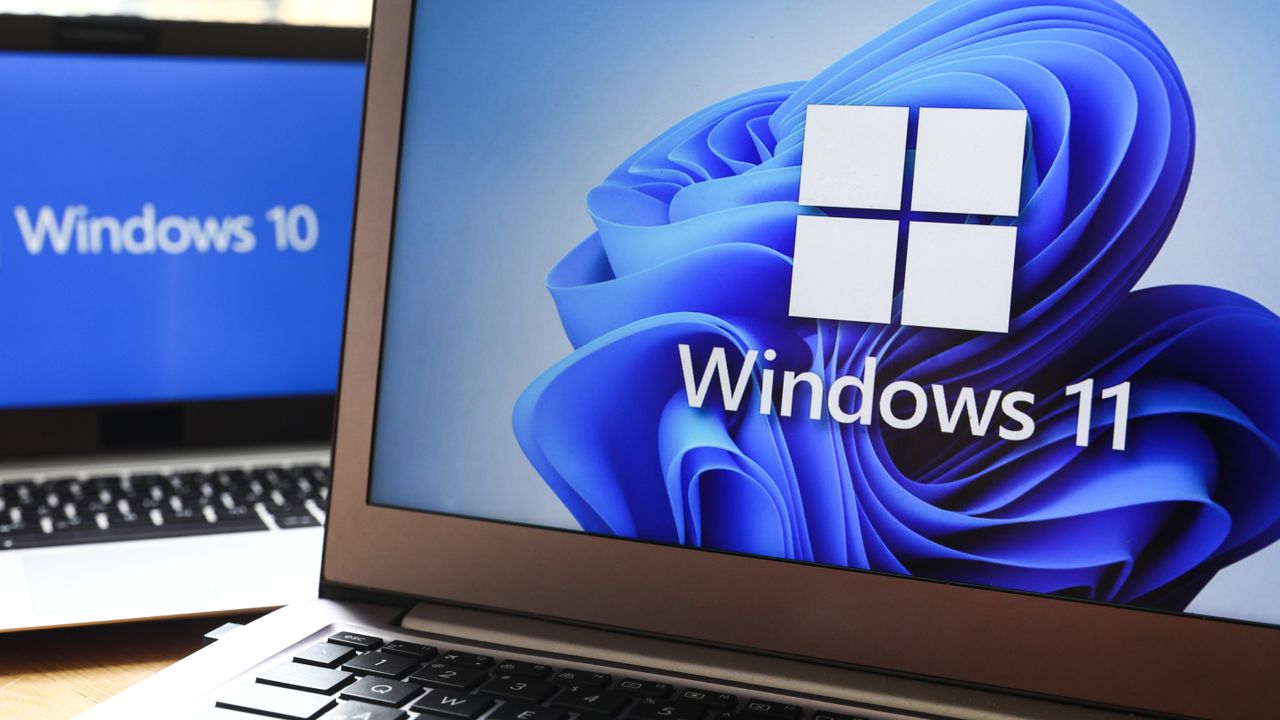
Russian president Vladimir Putin voted online in the State Duma elections on Friday. That’s a pretty ordinary-sounding thing for any president to do, but this filmed-for-the-press event has been widely shared outside of Russia. Why? The official video appears to show Putin voting on a PC using an unlicensed copy of Windows on a Dell PC. The president then comments, “You can’t go wrong,” as he clicks on his choice of candidate. Moreover, folks are throwing scorn at the aging Russian president’s mouse skills. If this were an audition for an eSports team, it would have been a clear fail.
Putin’s computer is running an unlicensed copy of WindowsIn the video of his online vote, the “Activate Windows” watermark is clearly visible.A legal copy of Windows 11 starts at $139. https://t.co/YPsNaIIM3K pic.twitter.com/2ebw3feLKvSeptember 18, 2026
The above embed comes via the nonprofit Central European news aggregator Visegrad24. The magnified section of the video shows a screen effect that looks very similar to the Windows activation reminder watermark. However, the other overlay on the screen is obviously from a different computer, and it’s dated 2018. We found some established Russian media sources with the video recording, like Komsomolskaya Pravda, and there does indeed appear to be a watermark present shown on Putin's computer screen at the end of the voting clip.
Russian state media source TASS explains that the vote was to elect deputies to the 9th State Duma. It says that over recent years “Putin has preferred to cast his vote remotely.” It also reveals that some former Ukrainian territories will get to participate in this vote. “For the first time ever, residents of the recently incorporated Donetsk and Lugansk People’s Republics, as well as the Kherson and Zaporozhye Regions, will participate in legislative elections for the lower house of the Russian parliament,” says the official Russian news agency.
Returning to the social media bubbling up over the Kremlin clip, some valid points seem to be raised. Putin’s comment about “you can’t go wrong” is almost a reverse Vranyo. There is hardly going to be uncertainty about the result of any vote in Russia. Hot tip: We think that United Russia, the ruling pro-Kremlin party backed by Vladimir Putin, is going to do well this year.
We also note that the president seems to be voting on a foreign (Dell brand) computer. By law, Russian officials must use computers with certain levels of localization, so it might be reasonable to assume this machine was set up entirely for Putin’s voting publicity clip. That would also go some way to explain an unactivated, unregistered copy of Windows being used. It’s likely a fresh, clean copy of Microsoft’s OS run separate from any government network.
Visegrad24Visegrad24Russian State Media
As for Putin’s computer skills, it looks like his interactions with the online voting forms are largely being hampered because he can’t see properly, rather than a hand-eye-coordination issue. There are uncomfortably pregnant pauses between the 73-year-old squinting and leaning into the screen and clicking the mouse. Either Putin should wear his glasses, or the Kremlin administrators are going to need to code a Big Picture Mode for his nuclear launch computer.
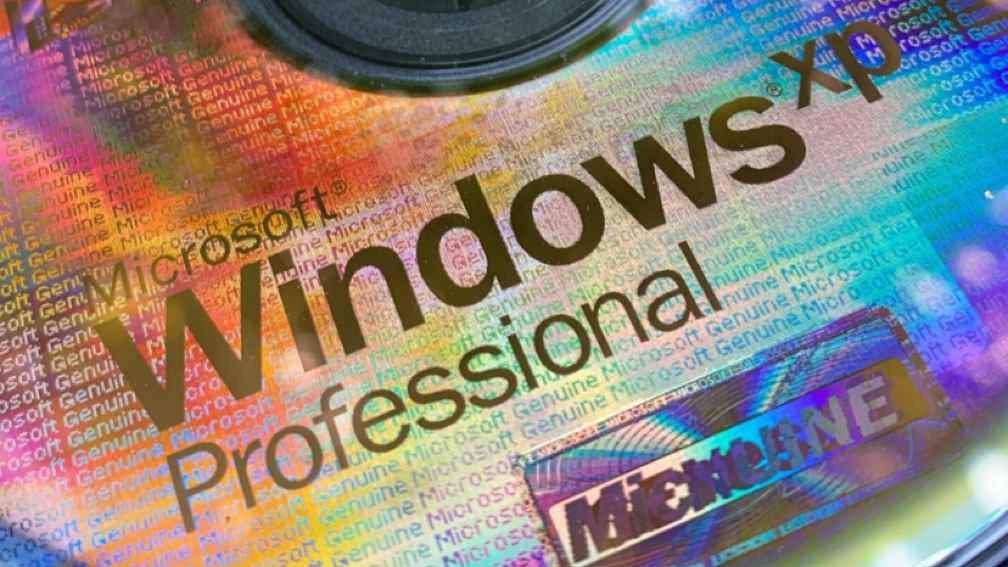
Anyone old enough to be messing with PCs in the early to mid-2000s probably has the following burned into their mind: FCKGW-RHQQ2-YXRKT-8TG6W-2B7Q8. That's neither a magic spell nor a password for a cabal — it's the best-known Windows XP key, letting anyone install and run the operating system with its incantation and just the one CD. Ever wondered how or why Microsoft let such an apparent gaping hole in its copy protection? Former engineer Dave Plummer explained in an X post.
First off, there were actually two versions of the original Windows XP media: Retail and Volume. The former was for anyone who just bought the OS off the shelf, while the latter was reserved for Microsoft partners and OEMs that needed to easily install it on thousands of machines without needing to individually activate every single one at install time.
Retail and Volume media had different keys, too, and the installer would validate the key you input against specific data on the disc, "encrypted so hard that even today it hasn't been decrypted [...]" (Someone will take those words as a challenge). The magical piece of cryptic data was nothing other than the whole 10 MB of... Microsoft Bob. The short-lived assistant was technically the antecessor of the much-maligned and memed-upon Clippy, and did its best in 1995 to introduce newbies to basic computing tasks.
Regular Joes and Janes weren't supposed to be anywhere within a stone's throw of a Volume disc, though, as those were strictly enterprise-only. The final version of the CD, called Release to Manufacturing, or RTM, was complete in August 24, 2001 — two months before the official launch on October 25. The discs were available to OEMs and partners before the release date so those companies could have their wares ready with Windows XP on them.
Plummer notes that "very few" organizations had access to the Volume image and the corresponding Volume License Key (VLK) and believes that someone at a major OEM, potentially Dell or Intel, leaked the Volume media and the key together before the official release. The pirate group Devils0wn then quickly spread it online for everyone to enjoy
Later on, when Service Pack 1 arrived, the FCKGW key was among the 640 blacklisted from the operating system due to leakage. Service Pack 2 and its Windows Genuine Advantage checks went a couple steps further and blocked updates entirely on machines with a blacklisted VLK. Plummer states that Microsoft didn't want to cause unnecessary trouble for customers, hence its laissez-faire attitude and choice to stick to just blacklisting affected keys.
Many theories over the years proposed that the FCKGW key worked because Microsoft's key generation algorithm was very basic, a notion outright dismissed by Plummer. He plainly states that algorithm was written by "ACTUALLY smart guys with heads so big that they bumped the doorjamb on the way into your office."
The truth of the situation was far simpler: as is usual with computing, ultimately the problem was between the keyboard and the chair. It's a good a time as any to reminisce about that compact disc you totally don't have on a bookshelf somewhere with the FCKGW key written on it with a Sharpie.
Microsoft has issued an out-of-band update for its recent Windows 11 patch, which has caused a number of bugs and issues. The September 2026 update was just released last Tuesday, and although it packs a number of new features and fixes nearly 1000 security flaws (commonplace in this day and age), there are also a few unfortunate regressions.
The 25H2 update finally reintroduces a movable taskbar, just like we've had since Windows 95, with an option to make the height smaller for compact displays. Likewise, the Start menu now has multiple configurable layouts, and you can toggle each main section on or off. Microsoft also revamped Windows Search — perhaps to finally be useful — and users can now choose to only have it display local results. Explorer got a handy tweak in the form of using KB, MB, GB size indicators, as well.
The update has also surfaced some serious bugs. First off, PCs with AMD Radeon GPUs are crashing, apparently due to the update provoking driver instability. Reinstalling the driver doesn't appear to help, and the reports unfortunately cover most contemporary AMD graphics cards. Microsoft did not mention AMD GPUs specifically in its latest update.
Microsoft noted that it has fixed an issue with Remote Desktop Services where RDS might become unstable, causing connection and sign-in failures.
Microsoft is also aware of an issue with audio output and microphone input going dead. Additionally, there are seemingly reports of audio devices starting up with a botched configuration, like tweaked 3D audio settings or speaker setups. The apparent workaround seems to be putting audio in a standard 2.0 configuration, but Microsoft has now addressed this issue in the emergency patch.
Explorer may display a black screen after logging in, leaving you with a perfectly functioning operating system but no visible UI. The File History backup feature is reportedly not detecting external drives, effectively making it useless. Of particular concern to enterprises, systems administrators, and homelabs, the Remote Desktop Service is also experiencing issues. Last but not least, Microsoft says it has addressed an issue where Claude Cowork is nonfunctional due to the update breaking HC-managed Linux VMs with Plan9 shared folders
Owners of HP and Lenovo systems are also advised to consider holding off on this update. Ever since the August 2026 patch (and now, cumulatively, with the September update), there are reportedly serious issues on both camps. On the HP side, there are instances of the update triggering BIOS corruption, leading to a failed install with no ability to recover the OS — though seemingly the OEM has published a new BIOS revision, so it's hard to say which side is to blame. Meanwhile, Lenovo users might have their machines black-screen or shut down out of the blue, seemingly due to power mismanagement.
While it's heartening to see that Microsoft has significantly increased its Windows development speed and is seemingly listening to customer feedback, a string of bugs after a major feature update are still common.
Microsoft has finally solved one of the biggest pain points of Windows with the rollout of Cloud Rebuild. The new recovery feature can reinstall Windows 11 even when an existing Windows installation is corrupt or refuses to boot. Available as a beta through the newly released Windows 11 Insider Beta Preview Build 26220.9343, the feature is essentially a hassle-free alternative to creating a Windows installation USB drive when a PC needs to be recovered.
According to Microsoft, Cloud Rebuild is designed to restore a Windows 11 PC to a “clean, known-good state” by downloading a fresh image of Windows along with the required drivers directly through Windows Update. Unlike the existing Reset this PC functionality, it does not depend on the health of your existing Windows installation, nor does it require users to have a USB drive or custom recovery image available.
(Image credit: Microsoft)
Available via the Windows Recovery Environment (WinRE), users can access it by selecting Troubleshoot > Recovery and uninstall > Cloud rebuild from WinRE. Speaking of which, Microsoft has also improved networking support in WinRE. The recovery environment can now reuse eligible Wi-Fi profiles saved within an existing Windows installation, allowing a PC to connect during recovery without requiring administrators to separately configure Wi-Fi credentials in WinRE. Once the PC is connected, Cloud Rebuild checks Windows Update for the target Windows build and downloads the required files. Users can then confirm the Windows edition, language, and build before starting the reinstall.
The only catch here is that Cloud Rebuild completely wipes the system drive, meaning that the process removes all data stored in your main installation or C: drive, including locally stored files, accounts, applications, and settings, before reinstalling Windows. Thus, it is recommended to back up all your important files either locally or using a cloud-based service before starting the process. Once the installation is complete, the PC boots into the Windows out-of-box experience, similar to a fresh installation of Windows. For admin-managed PCs using Windows Autopilot and Microsoft Intune, the system can automatically reconnect to the organization's management infrastructure and restore assigned applications, policies, and backed-up settings.
Cloud Rebuild could particularly be useful when Windows becomes too corrupted to boot normally. Instead of finding another PC, creating installation media, and manually reinstalling Windows, users can potentially perform the entire recovery process directly from WinRE. The feature is still in preview; however, we can expect a wider release later this year.
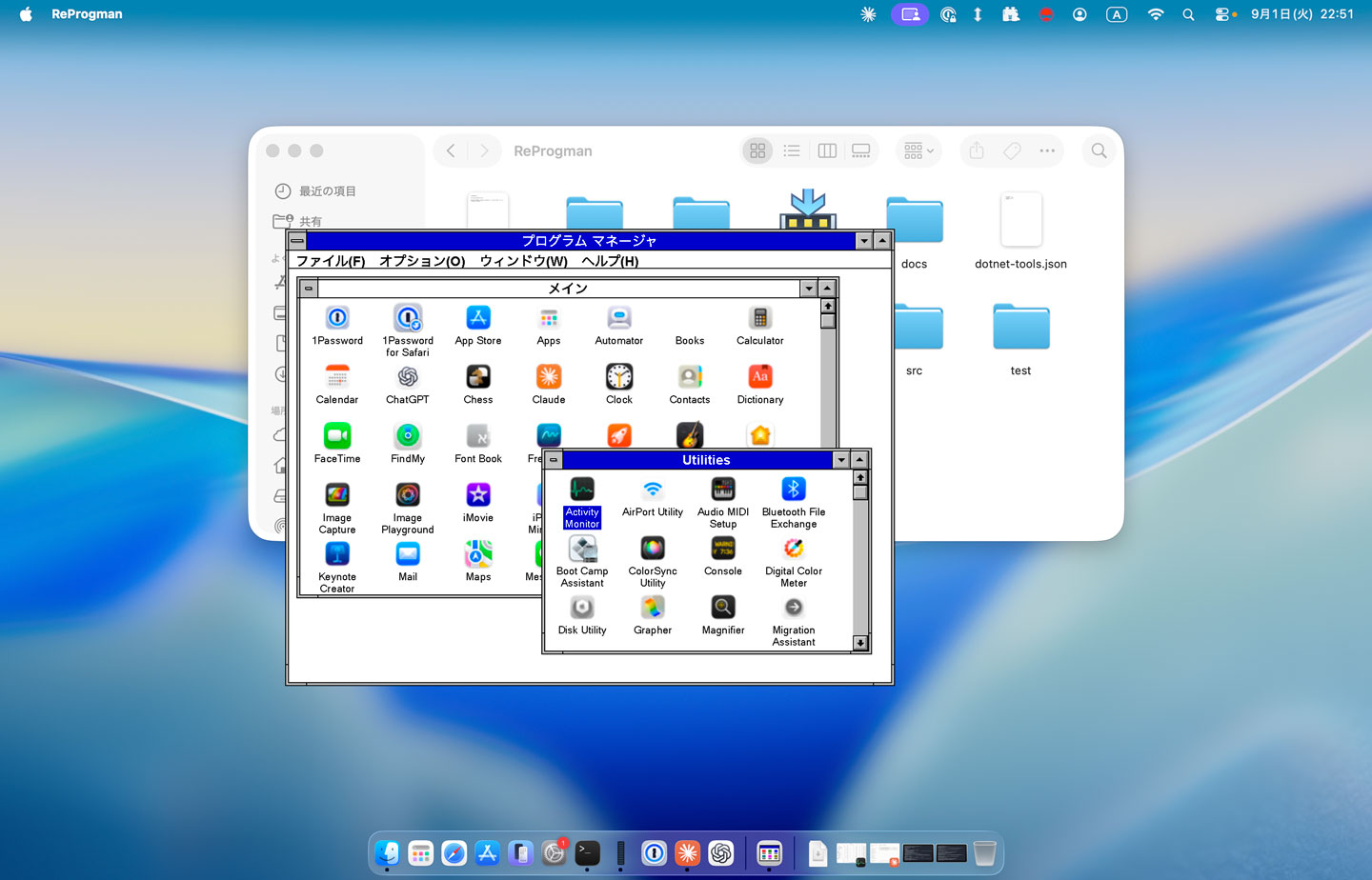
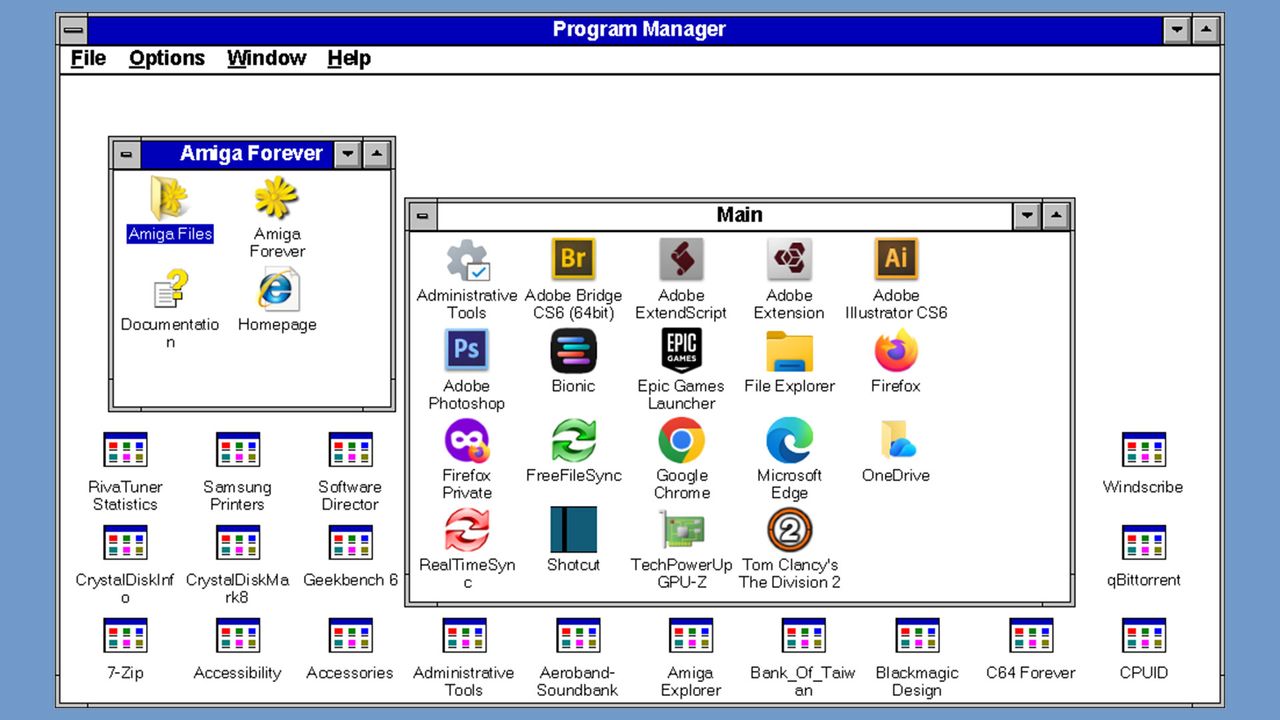
If you are yearning for a quick-shot retro Windows experience on your modern Windows 11 or macOS system, then there’s a new vibe-coded clone of the Windows 3.1 Program Manager that may interest you. Developer Mayuki has released a neat little nostalgia project dubbed ReProgman – named after the ancient Windows 3.1 ‘progman.exe ’, which was the primary shell of the era – until Windows 95 swept it away three decades ago.
ReProgman looks pretty authentic to my eyes, and it brought back memories of why I wasn’t sad to see it shrivel away from Windows machines. In a social media post about the release of ReProgman, Mayuki seems to agree with my sentiments. “I asked Claude to create a clone of the Windows 3.1 Program Manager,” wrote the developer (machine translation). “I think you'll enjoy reminiscing with it for about 30 seconds.”
Claude Code worked pretty swiftly to churn out this clone of the Windows 3.1 shell. The first version that was precipitated in about an hour was “pretty decent” but needed some effort to iron out the wrinkles. Then Mayuki complains again that actually using ReProgman induced boredom after about half a minute of usage.
The end-user-ready releases of ReProgman weigh in at between 12 and 16MB, so they are quite a trivial download and don’t need installing. Thus, it isn’t very taxing to give them a try for a spot of nostalgia-tinted navigation around your present system’s programs and files. Mayuki says that building and running this application needs the .NET SDK 10.0+. The code has been released on GitHub under the MIT license.
In conclusion, Miyuki’s ReProgman provides an easy trip down personal computing's memory lane, specifically to the Windows 3.X era of the early to mid-1990s. However, some will prefer to get their retro computing kicks by running the actual MS-DOS/Windows 3.1 combo on real hardware. As we discovered recently, that doesn’t limit users to dusting off an old i486 or similar. Back in April, an enthusiast demoed Windows 3.1X on ultra-modern bare metal with a system using a Ryzen 9 9900X and RTX 5060 Ti.
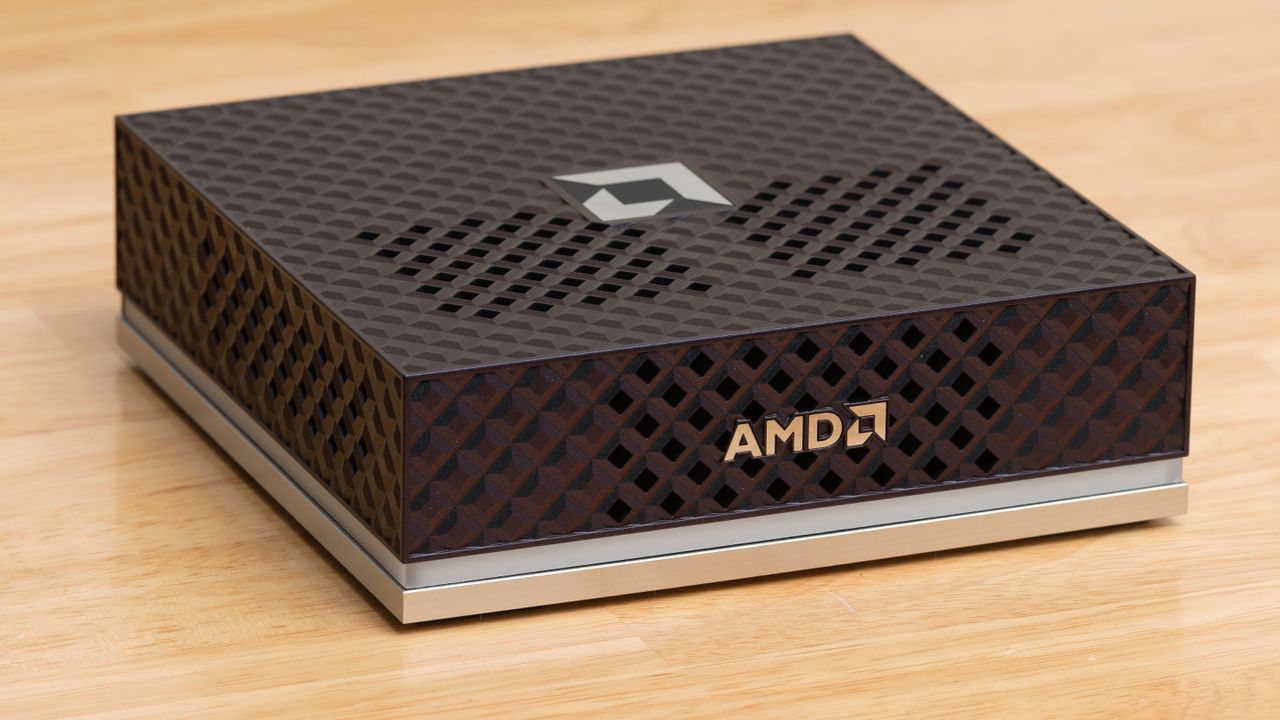
Microsoft just released another version of Windows 11 designed for developers, dubbed Project Zenith. According to the Windows Blogs, this operating system is optimized for developer workflows and will first become available on the AMD Ryzen AI Halo, Team Red’s direct answer to the Nvidia DGX Spark, although it will also arrive on more devices from Microsoft’s OEM and other silicon partners soon. Redmond calls Project Zenith “a ready-to-code distraction-free Windows experience on developer-class devices with 64 GB+ unified memory and 250+ GB/s memory bandwidth,” claiming that “developers can jump right in.”
It comes with pre-installed tools like Visual Studio Code, GitHub Copilot, PowerToys, WinAppCLI, Windows Dev Skills, Intelligent Terminal, PowerShell 7, Git, GitHub CLI, AzureCLI, Core Utils, Oh My Posh, Python 3.14+, uv, NVM, Node 24+, WSL 2+ Ubuntu, and .NET 10. Aside from that, Microsoft said it pre-configures Windows 11 so developers don’t have to dig through the settings menus of various apps to configure them for their needs.
It’s primarily designed for AI developers, especially since the devices it’s installed on are designed to run 30B+ parameter models locally and without meters. The company also made it more secure for developing and running agents, deploying features such as OS-enforced identity, containment through Microsoft Execution Containers (MXC), and enterprise-grade manageability for agents.
Project Zenith is Microsoft’s response to the AI token crisis, which has caused costs to spiral out of control, especially as agents use 1000x more tokens compared to standard AI. While frontier models would still be available on the cloud, AI developers could run everything else locally through devices like this, powered by this version of Windows 11. This should help AI developers keep using their agents without feeling the bite of tokenized billing, which is especially crucial for those working in smaller organizations or experimenting at home.
One big tradeoff with Project Zenith, though, is that it’s only available on expensive devices, at least for the moment. The AMD Ryzen AI Halo, with its AMD Ryzen AI Max+ 395 processor, 128GB LPDDR5x-8000 RAM, 2TB SSD, and integrated Radeon 8060S graphics, costs $3,999.99 on Micro Center. Even if Microsoft eventually makes Project Zenith available for separate purchase and installable on other mini-PCs, the 64 GB+ unified memory requirement will be a major roadblock, especially with skyrocketing RAM prices driven by the AI boom.
Microsoft will begin automatically enabling its Memory Integrity security feature on a broader range of eligible Windows PCs through quality updates starting in October 2026, extending the kernel-level protection to more existing devices by default. In a September 1 blog post, Microsoft said the rollout will provide stronger protection for more devices against attacks targeting the Windows kernel, while PCs that already have Memory Integrity deliberately disabled will retain their existing configuration.
“Windows quality updates will begin enabling memory integrity protection on eligible devices,” Microsoft said. The updates will also enable Virtualization-based Security (VBS) where required, which provides the isolated environment underlying Memory Integrity. Before making the change, Windows will automatically assess each device using what Microsoft describes as readiness signals covering its hardware capabilities, compatibility, and performance.
The October rollout is basically an expansion of Microsoft’s existing default-enablement policy. Memory Integrity is already switched on by default on clean Windows 11 installations that meet Microsoft’s hardware requirements, as well as on Secured-core PCs. Current requirements include an 8th Gen or newer Intel processor for Windows 11 22H2, an AMD Zen 2 or newer processor, at least 8GB of RAM on x64 systems, an SSD of at least 64GB, compatible drivers, and enabled hardware virtualization. Automatic activation under that policy applies to clean installations and not upgrades of existing devices.
Memory Integrity — also known as Hypervisor-Protected Code Integrity (HVCI) — has existed since the Windows 10 era and was originally released as part of Microsoft’s Device Guard security technology. It uses VBS and the Windows hypervisor to move kernel-mode code-integrity checks into an isolated environment, helping prevent malicious or untrusted code and drivers from executing in the Windows kernel. Windows 10 generally left the protection optional outside configurations such as S mode, while Windows 11 made it more of a default security feature on compatible new installations.
The feature comes with a performance wrinkle familiar to PC gamers, leading many gamers to disable it. Microsoft acknowledged in 2022 that Memory Integrity and Virtual Machine Platform could affect gaming performance on some Windows 11 configurations, and advised gamers prioritizing performance that they could temporarily disable these protections while playing, warning that doing so reduces security. The company’s own gaming guidance subsequently continued to recommend temporarily disabling Memory Integrity and VMP where they interfere with gaming performance.
The security feature’s impact on performance depends on the hardware. Microsoft says Memory Integrity performs better on newer processors with hardware features designed to accelerate the required isolation, while older CPUs relying on software emulation can experience a larger performance hit. Driver compatibility can also prevent activation, with Microsoft documenting issues ranging from malfunctioning software to incompatible gaming anti-cheat solutions.
For most users, the October change requires no action. Eligible PCs will be evaluated and updated automatically, while administrator policies and previous user choices remain in place. Microsoft specifically says systems where Memory Integrity has already been disabled “won’t be automatically changed by this rollout,” leaving gamers and other users who previously opted out in control of the setting.
The Linux kernel is approaching a staggering 2,000 CVEs fixed per release, up from roughly 500 through much of the Linux 6.x era, as AI and large language models increasingly scour the operating system’s enormous codebase for vulnerabilities. According to an August 28 Phoronix report, Linux stable maintainer Greg Kroah-Hartman revealed the trend in a slide teasing an upcoming presentation at Kernel Recipes 2026, showing CVE counts jumping above 1,000 with Linux 7.0 and exceeding 1,500 with Linux 7.2. If the current trajectory continues, Linux 7.3 could push the figure beyond 2,000.
Rather than a change in Linux’s security or a rise in vulnerabilities, the spike is mainly due to “detectives” using AI tools to scour the Linux kernel source tree, which has grown to over 40 million lines over 35 years of Linux’s existence. These tools can examine countless obscure sections humans may rarely revisit, occasionally finding genuine defects; Linux CVE records this year already explicitly credit AI-assisted static analysis with finding vulnerabilities subsequently confirmed by Intel Product Security. However, many of the findings have been low-priority vulnerabilities — often within obscure driver code — questionable patches, and outright hallucinations, leaving human maintainers to separate useful work from noise.
This problem already constitutes a nuisance for kernel teams that have to fix these issues. In the Linux 7.3 networking pull request, maintainer Jakub Kicinski estimated that between one-third and one-half of the 648 net-next patches handled during the cycle appeared to be low-priority fixes, clean-ups, or clarifications driven by AI. "We are completely overwhelmed,” Kicinski wrote.
The issue has also led Linux maintainers to question whether decades-old drivers are worth keeping alive. In April, developer Andrew Lunn proposed removing nearly 28,000 lines of legacy networking code covering old ISA and PCMCIA-era hardware. While these drivers historically required little attention because they barely had any users, the AI and fuzzing tools started finding defects that maintainers were obligated to investigate and fix, regardless of whether anyone actually runs the hardware.
Linux 7.3 is removing old SGI and IBM driver code, while other ancient components have also been retired as maintainers reassess whether their compatibility value justifies their new maintenance cost. The FreeVxFS filesystem driver, for example, was removed after its maintainer said the decades-old compatibility code now largely served as fodder for automated bug checkers.
Now, the kernel community is not simply rejecting AI; Kroah-Hartman himself has successfully used locally-running AI-assisted fuzzing tools to uncover kernel bugs. The bone of contention is unverified AI output dumped onto humans for validation. Kroah-Hartman recently barred LLM-generated patches from the kernel’s staging subsystem except for legitimate security fixes, while updated kernel guidance warns that AI-generated reports submitted without human verification can waste maintainer time.
The team has also increasingly had to fight AI with AI. It has now secured access to multiple frontier models to help review patches and filter out hallucinated results, and is considering pushing more routine administrative work onto LLMs in subsequent development cycles. Kroah-Hartman is expected to discuss the trend further at Kernel Recipes, which is slated to run from September 21 to 23 in Paris. Linux 7.3 itself has already entered testing, with Linus Torvalds releasing Linux 7.3-rc1 on August 30 after closing its two-week merge window.
California’s legislature has passed Assembly Bill 1856, exempting open-source operating systems from the State’s Digital Age Assurance Act months before the law is due to take effect on January 1, 2027. The Senate amended the Bill on August 21 before passing it on the 26th in a 39-0 vote, with the Assembly then accepting these changes in a concurrence vote the following day. The amendment ends almost a year of uncertainty surrounding whether Linux distributions and SteamOS would be forced to collect user age data during account setup alongside Windows, macOS, iOS, and Android. AB 1856 has now been sent to Governor Gavin Newsom, who signed the original act into law last October.
These amendments redefine the term “operating system provider” to exclude any person or entity that distributes an OS or application “under license terms that permit a recipient to copy, redistribute, and modify the software.” Any software distributed under the GPL, MIT, BSD, and Apache licenses satisfies that test, which removes the likes of Debian, Fedora, Ubuntu, Arch, and the BSD family from AB 1856’s scope.
A second exclusion removes software components that aren’t “offered to consumers as a stand-alone executable application through a covered application store” from the law’s definition of an application, covering libraries and dependencies distributed through package managers like apt and pacman. AB 1856 doesn’t explicitly say that repos aren’t app stores, but a store’s main obligation under the law is to request an age signal from the user’s OS provider and pass it to developers; an exempt open-source OS produces no signal. A third carve-out excludes storefronts distributing extensions or add-ons that run exclusively inside a host application, which takes browser extension stores out of scope.
The amendments to AB 1856 also remove the original definition of “user,” which read, “a child that is the primary user of a device,” and technically classified every device owner in California as a child. The law’s signaling framework depends on adults declaring their age on account setup, so their devices get flagged as 18 and over, but under that definition nobody could ever be flagged as an adult.
In addition, lawmakers inserted a new provision prohibiting anyone from requesting an age signal from an OS provider or app store unless required by law. That closes off potential abuse of the age API that could have led to it being used as a general-purpose data collection channel even when age verification wasn’t required. Platforms and developers also gain a good-faith safe harbor against erroneous signals, protecting them from liability when age-gating signals are inaccurate.
Windows, macOS, iOS, and Android remain fully in scope, with age collection required at account setup from January 1, 2027. A later July 1, 2027, deadline applies to devices set up before January 1. Whether SteamOS is in scope isn’t yet clear: its Arch-based system components are open source, but Valve distributes the image alongside the proprietary Steam client. GrapheneOS, which in March said it would refuse to comply with age-verification mandates, is distributed under open-source MIT and Apache licenses and now falls outside the law’s scope entirely, though Brazil’s Digital ECA still applies to it.
Assemblymember Buffy Wicks, who wrote both the Digital Age Assurance Act and the AB 1856 amendment, introduced the exemption back in February following criticism from Linux developers and the Electronic Frontier Foundation.
The majority of PCs are sold with Windows 11 licensed, paid-for, and pre-installed. This fact irks many folks, especially Linux aficionados who intend to wipe all traces of Microsoft’s OS while their shiny new machine is box fresh. The Refund4Freedom site was put together by the Italian Linux Society and the Free Software Foundation Europe to help address this unfairness. “Consumers should be able to buy laptops without any specific operating system, and should not have to pay the license price if they don't want to,” asserts the site, and they have information and forms to help you get your cash back.
Refund4Freedom doesn't just help PC buyers in the quest to get Windows refunds; they have three key demands. Prevention is better than cure, right? The first demand is that “Device manufacturers and vendors should not impose an operating system or software on consumers, and should not force them to pay for software that they don't want.” This is central to the site’s message and purpose. However, it also wants to promote the idea that consumers should have the right to buy hardware without pre-installed software and see the price of the product with and without Windows, etc. Refund4Freedom also urges manufacturers and vendors to clearly outline the steps for requesting and obtaining a refund for pre-installed OSes and software. Of course, the process for consumers should be as friction-free as possible.
“Not all manufacturers and vendors are equal.”
“Not all manufacturers and vendors are equal,” notes Refund4Freedom on its website. Some are more helpful than others when it comes to refunds. You can read more on the website about each brand surveyed, but it looks like Acer and Lenovo both operate reimbursement procedures for Windows. Asus has a hidden reimbursement procedure, but we only get told of the Italy-centric way to reach out to Asus about it. Dell and HP don’t have any reimbursement procedure for Windows, according to the site.
Whichever brand of PC you buy, and the above list is far from exhaustive, you should follow a deliberate rejection procedure. If you intend to shun Windows, Refund4Freedom tells users to start up the PC and take pictures showing the contract clauses addressing reimbursement. Do not format or erase the computer at this stage. The next step is to contact the manufacturer's customer service. Do this in a recordable way, and so email/messaging is encouraged for records.
If the above two steps aren’t working out for you, the Refund4Freedom site has a pre-made form you can fill in and forward. However, this is again Italy-centric. For example, towards the end it mentions the Autorità Garante della Concorrenza e del Mercato (AGCM), as well as a ruling by Judge Dr. Mirko Buratti of the Court of Monza… So, perhaps you can swap in some rulings appropriate to your country for this part of the form? Get your favorite LLM to hallucinate some local court rulings for you.
Finally, and whatever the outcome, Refund4Freedom asks its readers to report their experience, good or bad, to the aforementioned AGCM. To inspire you, the site includes several user reports of success, and I note one user getting back as much as €150 from Acer (~$175). That was a combination of Windows license reimbursement and a larger legal fee refund. A more typical reimbursement level is roughly $60.
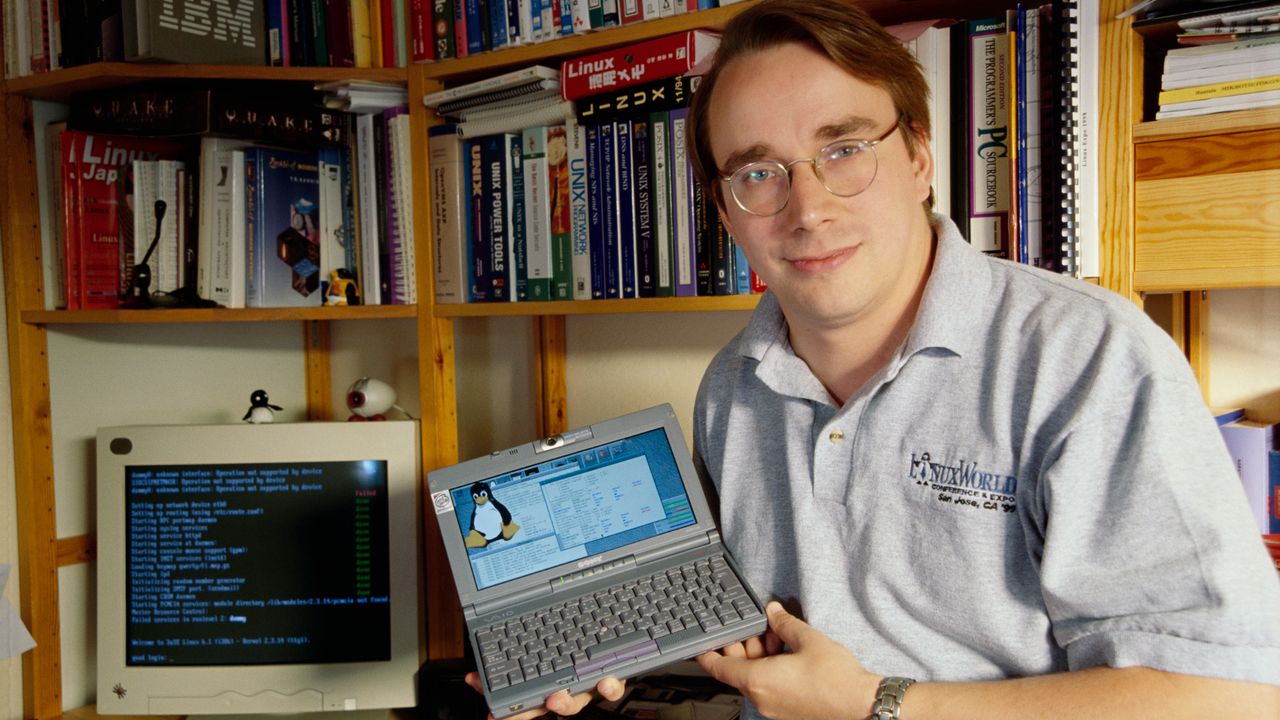
The development of Linux, a free ‘hobby’ operating system, was announced by Linus Torvalds 35 years ago today. On August 25, 1991, the unknown computer science student noted that the budding OS had been “brewing since April, and is starting to get ready.” The first public release of this ‘Minix-like’ OS came the following month, and in a last-minute change by the co-worker who uploaded it, was distributed with the name Linux instead of Freax. In 2026, Linux powers everything from smartphones to supercomputers and oodles of products, like the Steam Deck, in between.
The above commemorative post celebrates Torvalds’ stewardship over the Linux project. However, it is also quick to make clear that “hundreds of maintainers and thousands of contributors” have been instrumental to making this free open source OS a competitive, capable alternative to corporate/paid software, which can “move computing forward for humanity.”
Since 1991, Linux has come a long way on its journey from its humble ‘hobby’ OS beginnings. What started as a kernel with roughly 10,000 lines of code has exploded into 40 million or more lines today. Torvalds was humble about the first release yet proud of features like its multi-threaded filesystem, and the first release being clear of any borrowed Minix code. But the countless contributors over the last 35 years have helped forge an enviable OS, which boasts capabilities and features that must make it a worrying foe for commercial rivals.
There are areas, outside our PC and gaming core, where Linux is actually the biggest fish by far. Industry stats suggest that nearly 80% of web servers, and virtually all of the world’s Top500 supercomputers run a flavor of Linux. It dominates mobile too, with nearly 4 billion Android devices running Linux-derived kernels. Then there are all those embedded systems, encompassing things such as routers to automotive MCUs – so many run Linux.
I feel that Linux has made significant progress towards the fabled ‘year of Linux’ over the last couple of years. Microsoft’s Windows has been its own worst enemy in some respects, pushing people away due to a multitude of concerns. Meanwhile, consumers can see that content creation, productivity, and gaming on Linux PCs are continuously improving.
There was a recent collective sigh of relief in the Linux world, too. Earlier today, we reported on news that the decades-long Linux ownership dispute was effectively killed after Xinuos’ appeal was rejected by the U.S. Court of Appeals. That ruling means much lingering uncertainty over Linux devices facing future licensing claims, maker settlements, audits, and/or forced software rewrites has been banished.
Like clockwork, it's a new month and a new OS-breaking bug has been discovered in Windows 11's latest monthly update, KB5121003. Users reported random system instability, with games freezing or outright crashing, and even BSODs in worst-case scenarios. Microsoft investigated the issue and reached a vindicating conclusion — RGB software installed on affected PCs was interfering with core system components, causing Windows 11 to become unstable.
Online multiplayer titles such as Arc Raiders, Marvel Tokon: Fighting Souls, and The Finals were most affected by this issue. Reports mentioned these games exhibiting a pretty classic crash pattern. They'd suddenly hang and become unresponsive, show an "EXCEPTION_ACCESS_VIOLATION" blue screen, and force your computer to restart automatically.
An official update posted on Microsoft's Windows 11 25H2 health status page says, "this issue is related to peripherals or internal device components which have RGB lighting features." The software governing these devices would install drivers or code components with file names similar to "inpoutx64" to control the RGB. When you'd launch a certain game, inpoutx64 would trigger the issue and cause a crash.
Microsoft didn't explain the underlying cause, but it's likely tied to anti-cheat not appreciating a kernel-mode driver in user space. RGB software, like other apps, should be limited to user space, but the driver it uses to interface with peripheral controllers runs in kernel space. For anti-cheat software, this is essentially an exploit waiting to happen, so it tries to block the driver to make sure it doesn't inject malicious code.
If the driver is blocked upon startup and the RGB software unknowingly tries to push a lighting change or monitor a temp sensor, for instance, it hits a wall, and Windows throws up the EXCEPTION_ACCESS_VIOLATION error. If the driver is terminated mid-use while executing assembly instructions at the Ring 0 level, it causes a critical kernel fault. Kernel space typically can't recover from unhandled errors like these, so Windows triggers a blue screen as a precaution to protect your hardware.
Microsoft says it's "presently working to understand the relationship between these RGB components and the games which trigger this issue." The company will provide more info later, but for now, you can use the Registry Editor to manually disable the driver as a temporary solution. Embark Studios, developers of Arc Raiders and The Finals, also shared this method to fix crashes for now.
This could break some RGB software functionality, but you can use universal programs like SignalRGB or OpenRGB to control your devices as long as they're supported. Their specialized drivers have strictly defined whitelists that don't scare anti-cheat software. Still, if you're facing this issue, Microsoft suggests reporting it via Feedback Hub—that's how issues like this get prioritized in the first place.
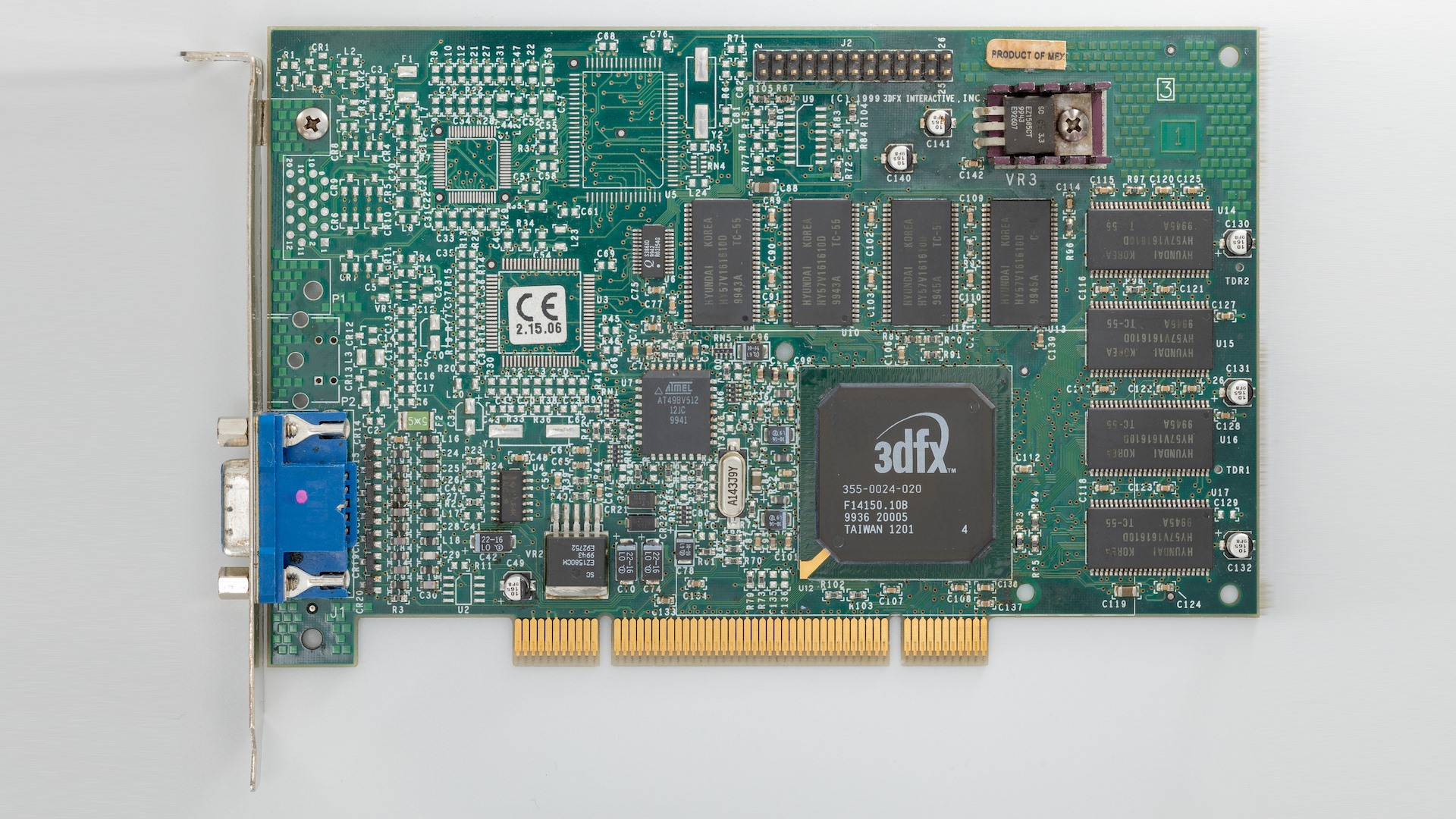
Linux kernel 7.3 is set to bring an oddly nostalgic update for 3dfx's Voodoo 3, one of the most recognizable graphics cards of the late 1990s. Don't get too excited; the venerable PCI-and-AGP accelerator isn't suddenly getting a modern Linux graphics stack, but the kernel's existing tdfxfb framebuffer driver is being updated so that it can initialize a Voodoo 3 itself rather than relying on the system firmware to have already run the card's video BIOS. It's a small change with a surprisingly specific purpose, and one that illustrates why ancient hardware occasionally gets attention in contemporary Linux.
The problem is that the tdfxfb driver historically assumed that the Voodoo card had already been initialized by the PC's firmware. That's because, at the time it was written, that was a reasonable assumption on a conventional x86 PC. The system firmware would execute the card's video BIOS during boot, configure the hardware, and then hand Linux something that is already capable of displaying an image. That assumption breaks down on newer and unusual platforms where the firmware cannot or does not execute the VGABIOS. The creator's patch description specifically calls out non-x86 computers, systems where another graphics card is primary, and newer BIOSes that can't run the old video BIOS.
The developer behind the patches, Daniel Palmer, was using a Voodoo 3 in an Amiga 4000 equipped with a PCI bridge when the problem cropped up. Linux could detect the card, but the Voodoo was still completely uninitialized, leaving him staring at "no signal detected." The new code uses configuration information from the card's own video BIOS to perform the initialization from Linux instead, allowing the driver to bring the VGA core up and establish a working display without depending on the system firmware. For now, the new manual initialization code is specifically aimed at the Voodoo 3; he had initially noted support for the VSA-100-based Voodoo 4 and 5 cards, but their BIOS layouts are different, so that support was removed from the current patch series. The code has been tested on both a modern x86-64 system and an Amiga 4000 with a Mediator PCI bridge.
On a conventional modern-ish x86-64 PC with a Voodoo 3 installed, the practical result is fairly modest. Load tdfxfb and you can get a working Linux framebuffer device, typically exposed as /dev/fb0, with the Voodoo driving a display that can host the Linux virtual console. In other words, this is enough to turn the Voodoo from "a PCI device that Linux can identify" into an actual display adapter capable of putting pixels on the screen even when firmware didn't initialize it first. Applications that know how to use the Linux framebuffer interface can also draw to it, just as they could with other old framebuffer devices.
The thing is, that's also where the limits of this work become apparent. Linux fbdev is a legacy graphics interface and has long been superseded by Linux's DRM/KMS graphics infrastructure, so this ain't a resurrection of the Voodoo 3 as a contemporary Linux GPU. Loading tdfxfb does not give you a Mesa stack, modern OpenGL, Wayland acceleration, or the sort of 3D functionality you would expect. It is essentially a very old-fashioned "squirt pixels at the display" arrangement, but that's useful enough for a Linux console, embedded-style framebuffer applications, and, apparently, people putting exotic PCI graphics cards into even more exotic old computers, but it's not exactly a compelling reason to install a Voodoo 3 in a modern desktop.
The more interesting part is that Palmer is working on a separate 3D path for the Voodoo 3, and that effort is already much further along than the framebuffer work alone might suggest. The experimental interface exposes the Voodoo's register space to userspace through a new /dev/tdfx3d misc device, whose mmap() interface allows software to program the card's 3D hardware directly. On top of that sits smoltdfx, a tiny userspace library for driving the Voodoo 3, and smolminigl, a small OpenGL 1.x implementation built on top of it. Palmer says he has tested the project on real Voodoo 3 hardware and that it can render directly through the card's registers without X, Mesa, or Glide.
GLQuake was the killer app for the original 3dfx Voodoo Graphics cards in 1996. (Image credit: Zak Killian/Future)
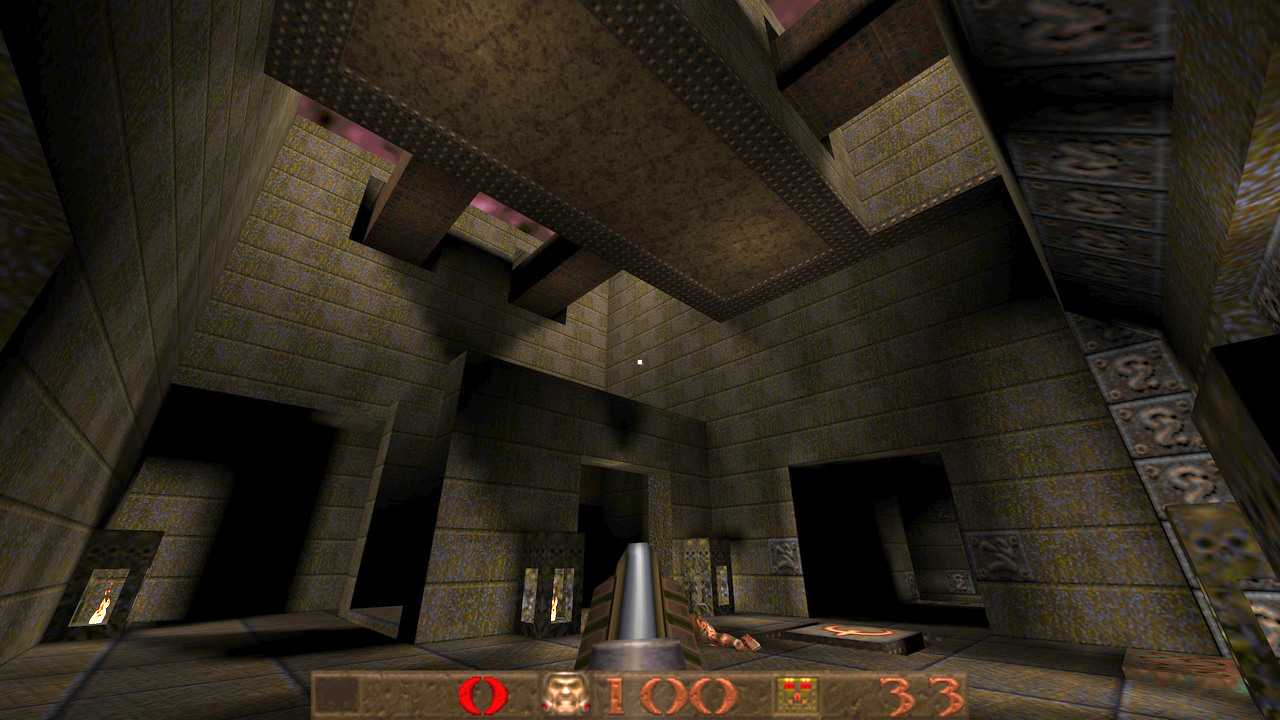
Palmer is developing that work alongside a QEMU emulation of the Voodoo 3. The developer says Claude helped build the emulator in the first place to debug the issue of getting the card working on his Amiga. Now, test programs can be run against both the emulated card and the real hardware, with differences fed back into the emulator until the behavior matches. The smoltdfx project now uses the same rendering tests against QEMU and physical Voodoo 3 hardware, comparing frame digests to catch differences. According to Palmer, the resulting MiniGL implementation can already run Quake on the real card, although performance isn't great, and some issues with the Voodoo 3's multitexturing capabilities remain to be worked out.
Obviously, that's a lot more interesting than simply putting a Linux console on a Voodoo 3. The sum total is a highly experimental 3dfx graphics stack built from the bottom up: Linux provides the framebuffer and low-level device access, userspace programs the Voodoo directly, and a lightweight OpenGL implementation sits above that to provide enough functionality for classic 3D software to command the card.
3dfx's Voodoo 3 3000 was surprisingly competitive upon its release in 1999 considering that it was essentially a third-generation die shrink of the same Voodoo technology. (Image credit: Photo: Circuit Rewind / The Retro Web (CC BY-SA 4.0))
Indeed, things could get particularly fun for retro-computing and virtualization. A PCI Voodoo 3 is the sort of device that, at least conceptually, could be assigned to a virtual machine using PCI passthrough, letting a guest operating system talk directly to the real accelerator with its period-accurate 3dfx driver. In the fantasy version of that setup, you could have a modern Linux host hand an actual Voodoo 3 to a Windows 98 or DOS-era guest and then let the guest use the very same hardware that the old software expected. The engineering details are much nastier than the concept suggests (particularly around resetting and exposing such old hardware cleanly), but the new ability to initialize an otherwise-dormant Voodoo from Linux is at least a useful piece of that puzzle.
For now, though, the headline is more significant than the immediate feature set. Linux 7.3 isn't suddenly turning a 25-year-old Voodoo 3 into a usable GPU; it's making an existing framebuffer driver capable of bringing the card to life on systems where firmware cannot do the job, which is a very small but very real hole in hardware support. More remarkably, the same effort has already spilled into experimental 3D acceleration on real hardware, with a userspace Voodoo 3 library and an OpenGL implementation capable of running Quake. Voodoo 3 may be over 25 years old by now, but somebody is still teaching Linux new tricks with it in 2026.
China's Ministry of State Security has told some state-linked organizations to remove a customized version of Windows 10 from their machines,Bloombergreports, citing people familiar with the matter. The order reportedly accelerates a planned retirement that the software's developer had scheduled for February 2027, and it sent Chinese OS vendors' shares surging, with Hunan Kylinsec and Archermind both hitting Shanghai's 20% daily limit and China National Software climbing 10%. Bloomberg's sources attributed the directive to data security concerns but didn't specify what vulnerabilities Beijing is worried about.
The affected software is the government edition developed by C&M Information Technologies (CMIT), a joint venture set up in 2016 between Microsoft and state-owned China Electronics Technology Group, with the Chinese side holding the majority stake. The build is based on Windows 10 Enterprise but strips out OneDrive and other consumer-facing components, disables certain native functions, keeps updates and activation inside China, and lets government users substitute Chinese encryption algorithms for Microsoft's standard cryptography. China Customs and Shanghai's Commission of Economy and Informatization were among the first pilot customers when the edition launched in 2017.
Microsoft ended mainstream Windows 10 support globally in October 2025, which left CMIT's edition as the only Windows still officially sanctioned for Chinese government use. "Microsoft is not aware of a security incident affecting this product," a company spokesperson told Bloomberg, adding that it continues to receive regular security updates.
StatCounter's traffic data shows how little of that campaign has reached the consumer market. Windows accounted for 87.64% of Chinese desktop web traffic in July 2026, and Windows 10 alone still made up 43.56% of Chinese Windows usage, compared with 50.01% for Windows 11, ten months after mainstream support ended. Roughly two in five Chinese desktops are currently running an unsupported Microsoft OS, the gap that CMIT's edition was meant to close for government users.
It's not clear what the scope of the new directive is, with Bloomberg's reporting covering “some” state-linked entities. CMIT didn't respond to the outlet's request for comment.
Popular open-source media player VLC has run into an unusual issue on Windows 11 that causes it to take as long as 33 seconds to start playing a simple MP3 file, the side effect of a recent unexplained change to Windows. The issue was publicized after game developer Jonathan Blow said he had stopped using VLC in favor of Microsoft's Media Player because of the delay. He also used the incident to criticize the state of open-source software running on Windows.
Responding to Blow's complaint, the developers behind VLC player fired back and claimed that the media player itself was not responsible. According to the VLC team, the bug is primarily due to a Microsoft Defender issue introduced through a Windows 11 update that conflicts with VLC's plugin cache.
This is because of a « bug » from Microsoft Defender in one update of Windows 11, who magically made VLC plugins cache quarantined by Windows.Reinstalling VLC or regeneration of the plugin cache will fix this.Calling open source software embarrassing when it is a Windows… https://t.co/IFLrXFZFsvAugust 12, 2026
"This is because of a « bug » from Microsoft Defender in one update of Windows 11, who magically made VLC plugins cache quarantined by Windows. Reinstalling VLC or regeneration of the plugin cache will fix this. Calling open source software embarrassing when it is a Windows update that broke it is quite disrespectful," the account responded.
The cache is an important part of how the media player works, as it relies on plugins for codecs, demuxers, and input/output modules. Instead of putting everything into a single executable, VLC loads these components as and when required and uses a cache to avoid having to scan the entire plugin directory every time it loads. The issue seems to occur when Microsoft Defender quarantines or blocks VLC's plugins.dat cache file. As a result, VLC can take a noticeable amount of time to process its plugin system before finally beginning playback. We also tried to replicate the issue on a Windows 11 machine; however, VLC launched normally, and we did not experience any noticeable delay when playing an MP3 file.
The easiest way to fix this is to reinstall VLC or regenerate the plugin cache. The VLC Windows installer includes a dedicated executable file to reset the cache files. This can be accessed by either heading to the VLC installation folder and running vlc-cache-gen.exe or its shortcut within the Start menu called "VLC media player - reset preferences and cache files." Do note that this also removes any customized preferences, such as audio settings like equalizers, keyboard shortcuts, subtitles, etc.
A more reliable solution is to add an exception for the VLC installation folder in Microsoft Defender itself. This should prevent Microsoft Defender from interfering with VLC's cache files and avoid the same issue from recurring. While the workaround seems relatively simple, it is still far from being ideal. One should not have to jump through hoops just to play an MP3 file. While Microsoft is yet to comment on the issue, it remains to be seen whether a future Windows Defender update will address the underlying cause.
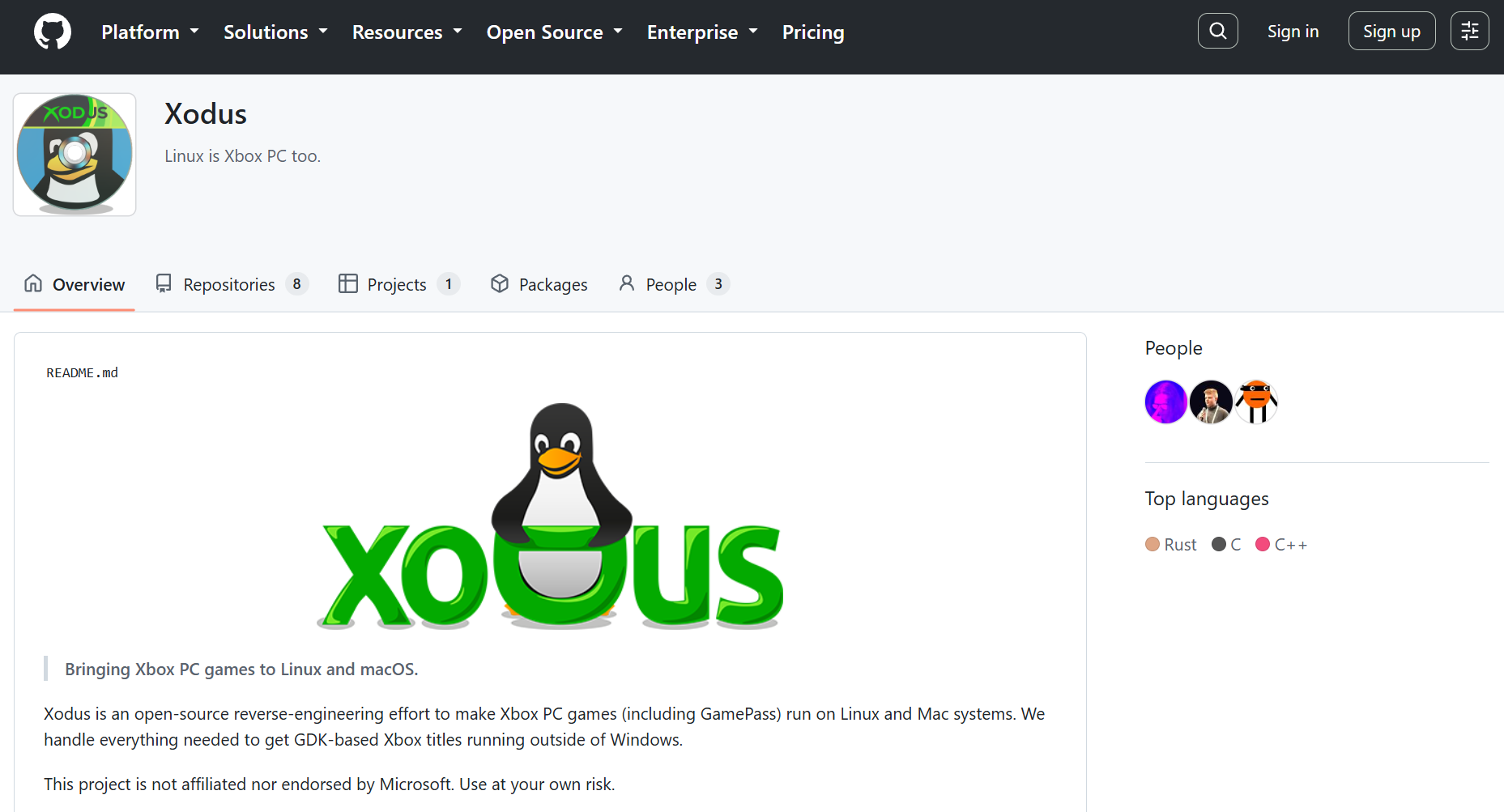
Xbox PC games, distributed through the Xbox app, fail to run on Linux because of Microsoft's proprietary GDK runtime environment. This also breaks Game Pass even though the company supports cloud streaming Game Pass titles. A new open-source project from the developers of Heroic Launcher, called "Xodus," is aiming to fix this by reverse engineering and emulating the necessary components required for Xbox PC games on Linux.
(Image credit: Tom's Hardware)
Xodus primarily targets modern, GDK-based Xbox PC titles and their MSIXVC packages; not older, UWP-based releases like Gears of War 4 and early Forza Horizon games. The problem with those isn't the DirectX API or x86 instructions; Proton and DXVK/VKD3D can already translate those. That's also the reason why you can still run Xbox PC games on Linux if you somehow get your hands on the DRM-free executables.
The real issue is the trifecta of Microsoft's proprietary GDK (Game Development Kit), Xbox identify services, and encrypted MSIXVC packages. This framework is responsible for verifying licenses for the games you own through the Xbox app. Without it running in the background, the games will simply crash right as you try to open them, or not launch at all. This is where Xodus comes into play.
The Xodus team says the project can already log into Xbox services, download game packages and obtain game licenses. It includes its own open-source implementation of the xgameruntime.dll and custom forks of both Wine and Proton, along with xal-rs, which is an Xbox authentication library for Rust. Xodus uses proxy libraries to interface with GDK games and intercepts API calls to transmit valid Xbox Live tokens.
For now, efforts are focused on emulating the Xbox Gaming Runtime from the Xbox GDK through Wine, then the project will move on to actually launching and playing Xbox PC titles locally. Considering they've already solved the Xbox/Microsoft authentication, license check, and package decryption hurdles, it shouldn't be long before we see PC Game Pass running natively on Linux.
BedrockonLinux 2.0, another open-source project that brings Minecraft Bedrock to the platform, already relies on similar reverse-engineering tech to handle these components since Microsoft migrated the game to GDK. This allows the game to talk to Xbox Live in real-time through a secure doorway to authenticate tokens despite the game running in a sandboxed environment like SteamOS (Linux).
Microsoft itself brought four original Xbox titles to PC last month and it says more are coming, along with leaked documents suggesting Xbox 360 titles also releasing on PC next year. These games come with a baked-in Xbox 360 emulator. It's not clear if these games use the same GDK stack as native Xbox PC titles, however.
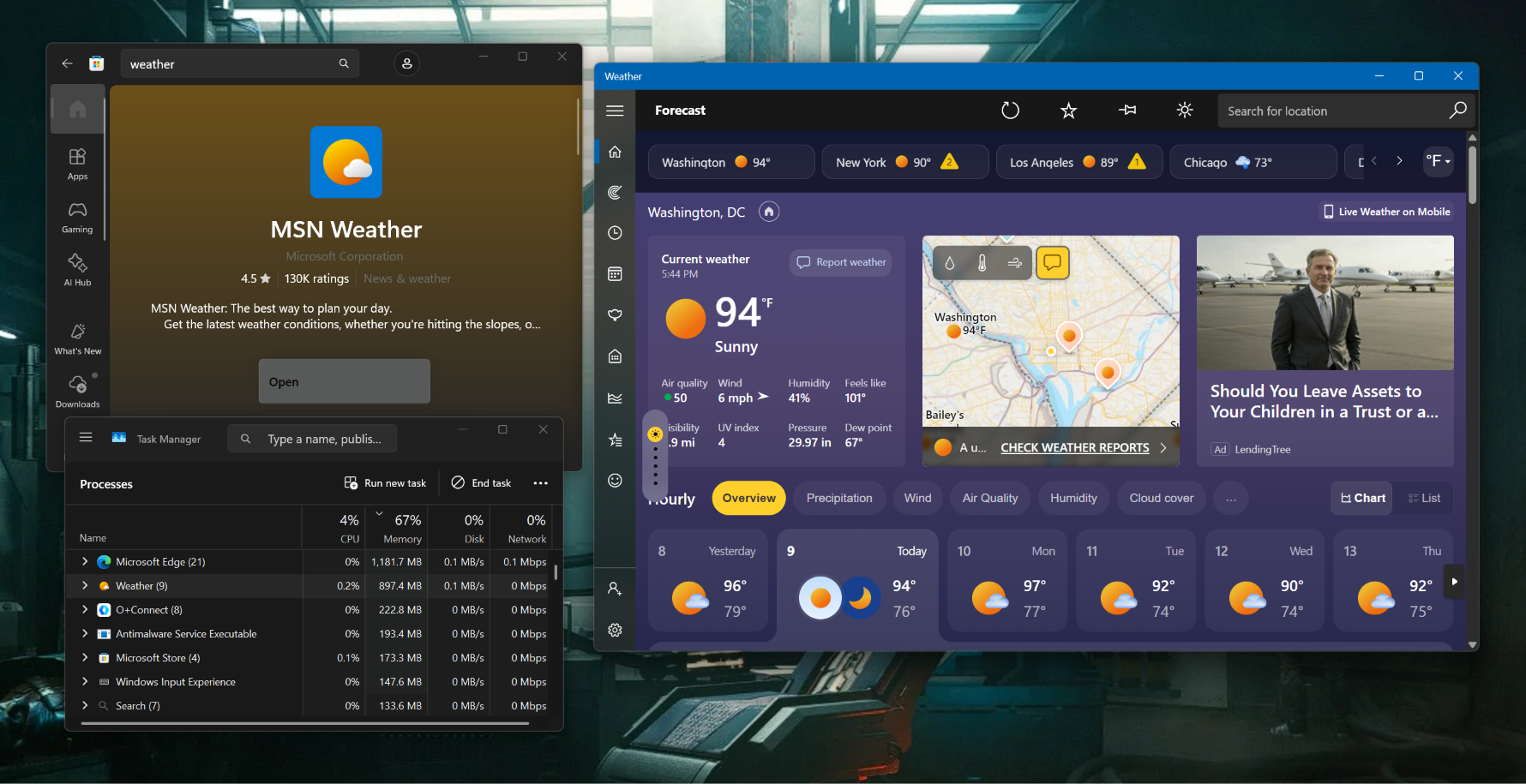
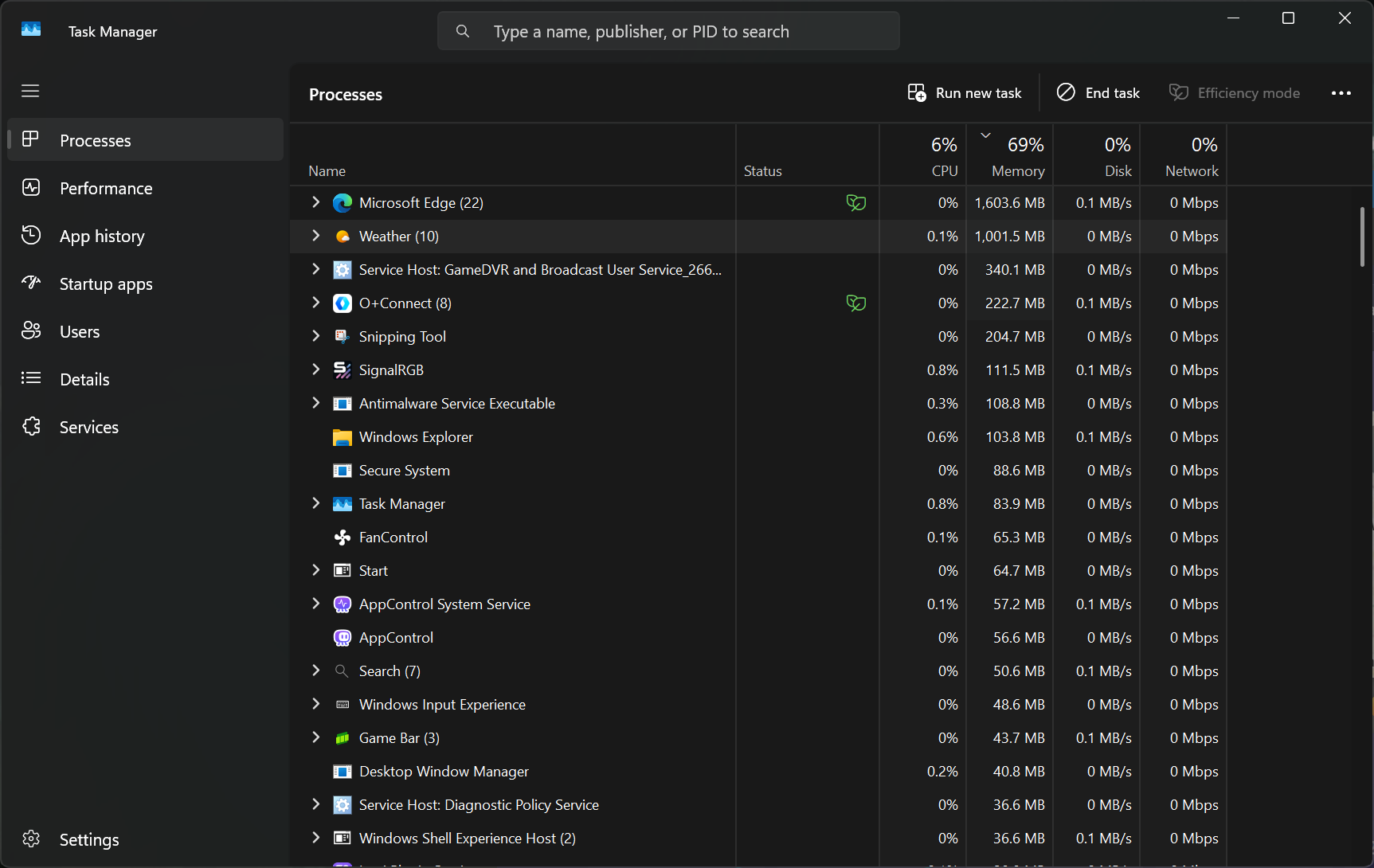
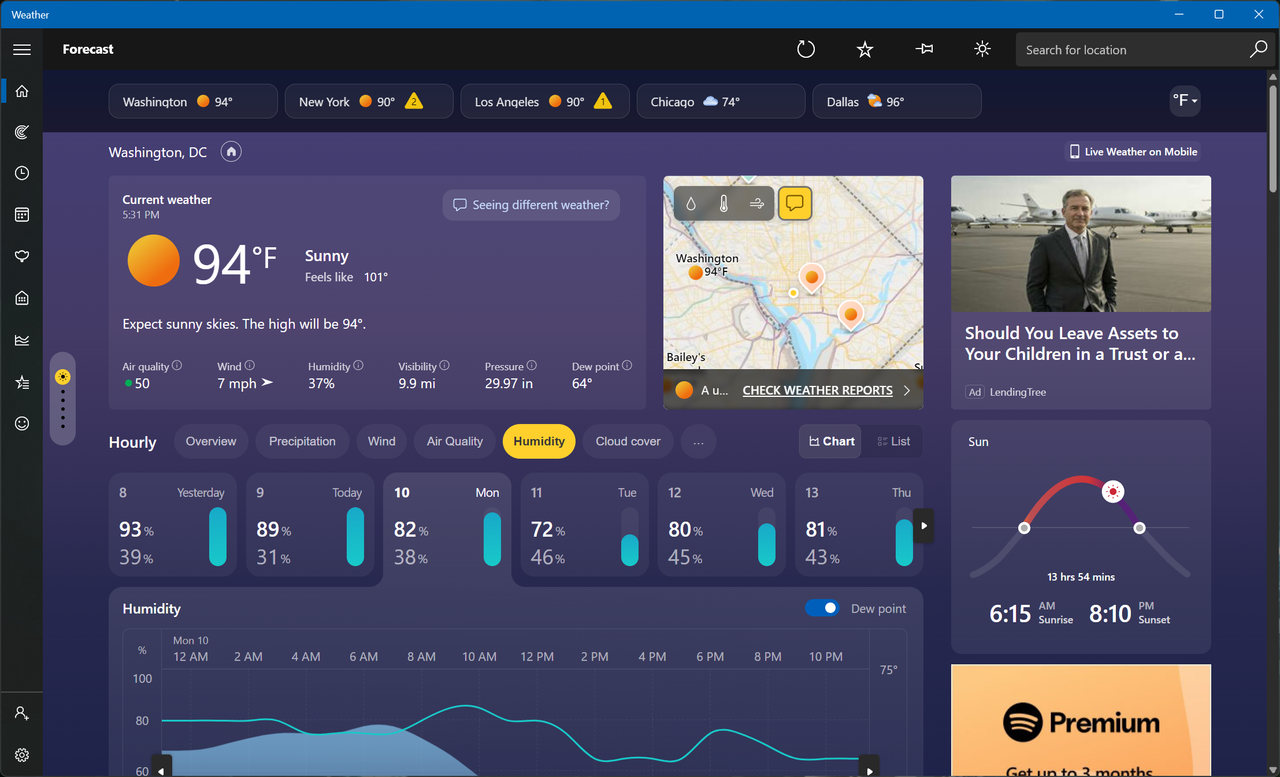
Windows is in a tough spot right now, with years of neglect and stagnation reaching a boiling point with customers. Lack of optimization, bloat, ads, forced AI slop, and persistent tracking have forced Microsoft to admit its missteps and commit to fixing the OS at large. Windows Latest's new testing shows that the built-in weather app is a perfect representation of the state of Windows. The "app" consumes up to 1.2GB of RAM while idling, and it serves up a bunch of ads while you check the temperature.
MSN Weather is the default weather app that ships with Windows, which explains why it's filled with promotions throughout, despite being part of a paid OS. To be clear, the app looks very modern and has all the data you could ask for, such as live radar overlays, hourly wind and precipitation breakdowns, air quality index, and moon phases. It's also accurate because the data is sourced from a bunch of different providers across the world, but mostly Foreca.
(Image credit: Future)
The author explains that getting accurate forecasts is not a cheap endeavor, so it's not like Microsoft is running a charity. But the comparison falls apart when you look at what the competition is offering. Apple's native weather app on macOS is just as beautiful, detailed, and accurate, yet it's free of ads. It also only consumes about 250MB of memory to show all that data, so 5x less than Windows. This is because MSN Weather is technically not even an app to begin with; it's a web wrapper that's pinging a bunch of browser tabs in real-time.
When the author clicked on the Task Manager entry for MSN Weather, they saw 8 Chromium-based subprocesses, confirming that they're just looking at a website being rendered via WebView 2. For context, native Windows apps are supposed to adhere to the WinUI framework, which the company is slowly adopting over Win32 and UWP. Microsoft is committed to updating all the native apps Windows ships with to Win32, which should significantly improve their optimization, but we don't know if the ads will suddenly disappear as well.
For us, it consumed up to 1GB of RAM (Image credit: Future)
The author saw Adobe Acrobat ads while checking the forecast, and we saw two ads — one for LendingTree and another for Spotify. Apart from that, scrolling around the app and clicking on the different menus and boxes was fast enough. We have to emphasize that the app really is granular and well-built from an aesthetic point of view; Microsoft gets full points for that, or is it MSN? That distinction is another issue that makes the weather app conundrum a bit more confusing.
When Microsoft promised to rebuild all native Windows 11 apps, it didn't explicitly say those would include MSN-branded services too, like MSN Weather and MSN News. Seeing as though they're simply called by their utilitarian names in the OS, there's a strong chance that these memory hoggers will also be eventually upgraded. For now, just stick to your phone, especially if you were among those who immediately Googled how to remove the weather widget from your taskbar that fateful day.
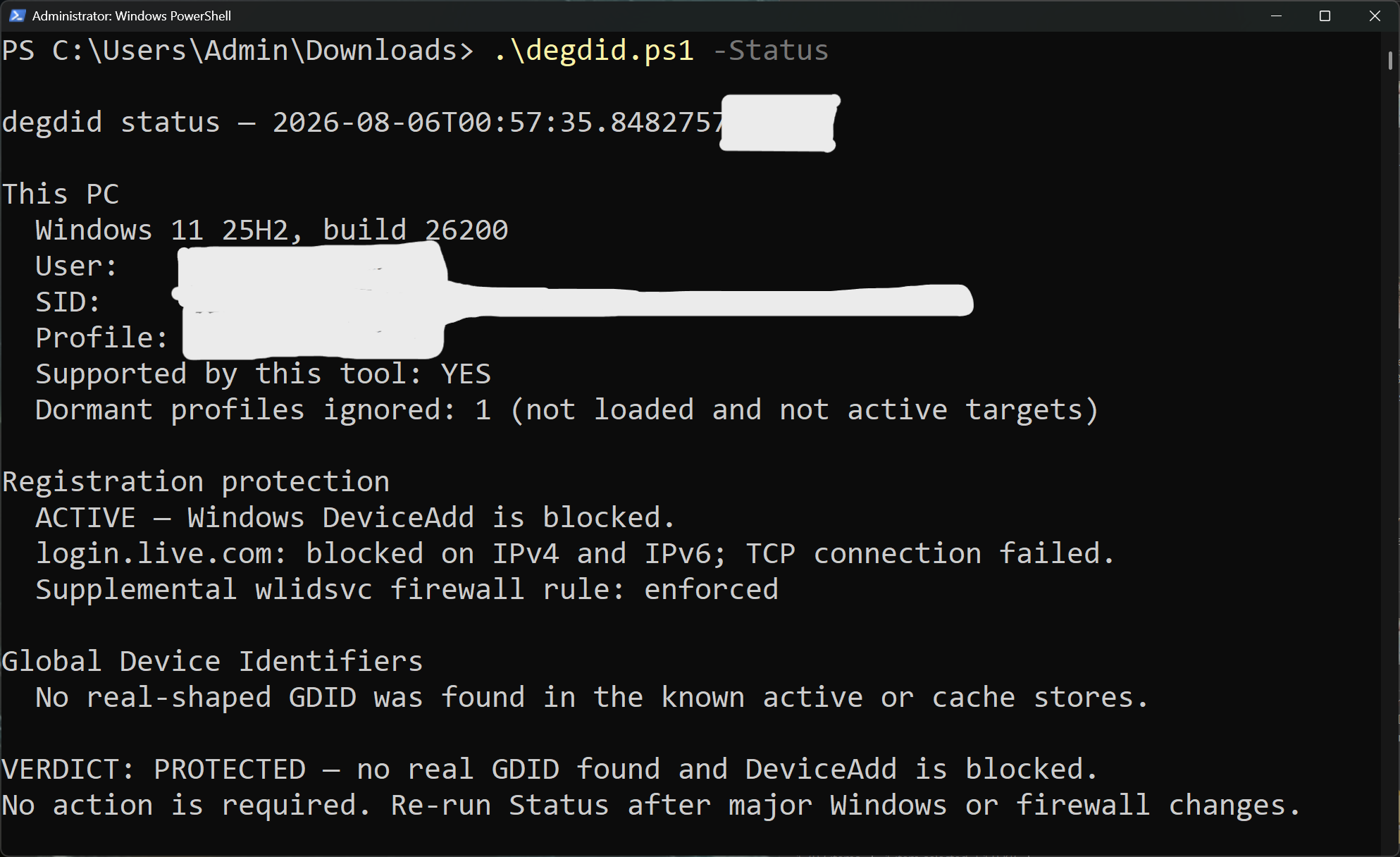
Last month, we covered a federal criminal case in which Microsoft's Global Device Identifier (GDID) helped the FBI catch an alleged hacker. Despite the noble cause, the implications of a persistent tracker built into Windows became difficult to ignore, and it was enough of a tipping point to convince Windscribe to do something about it. The VPN company has created an open-source project and script called "deGDID" that aims to strip GDID off your PC — but does so at the cost of breaking some Microsoft cloud services.
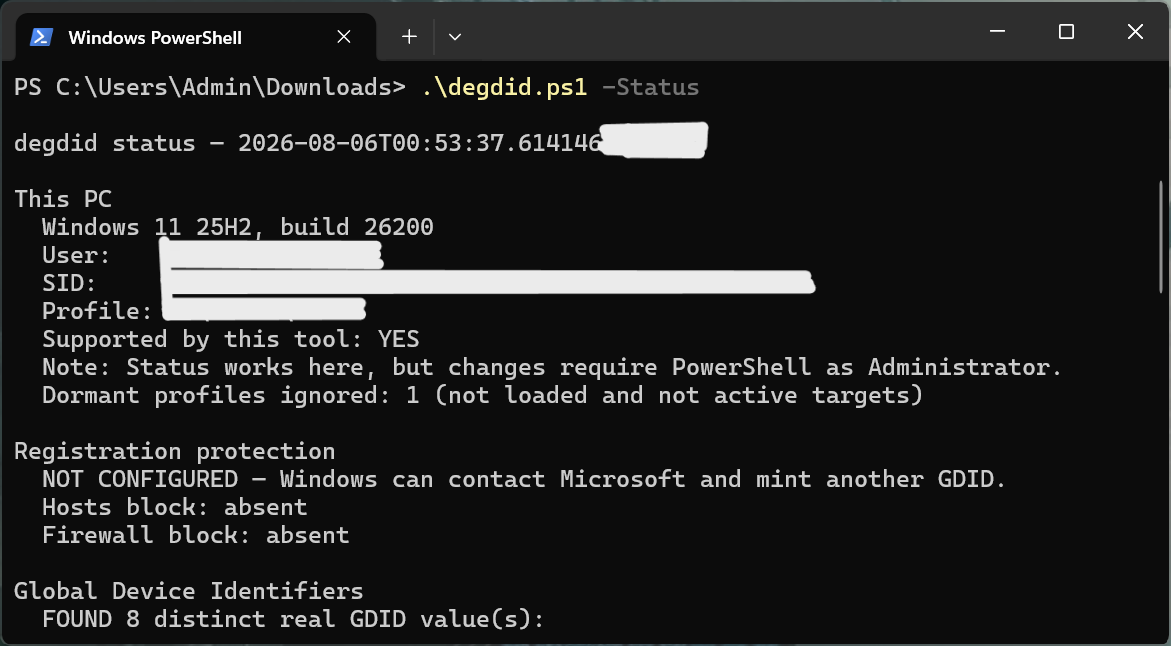
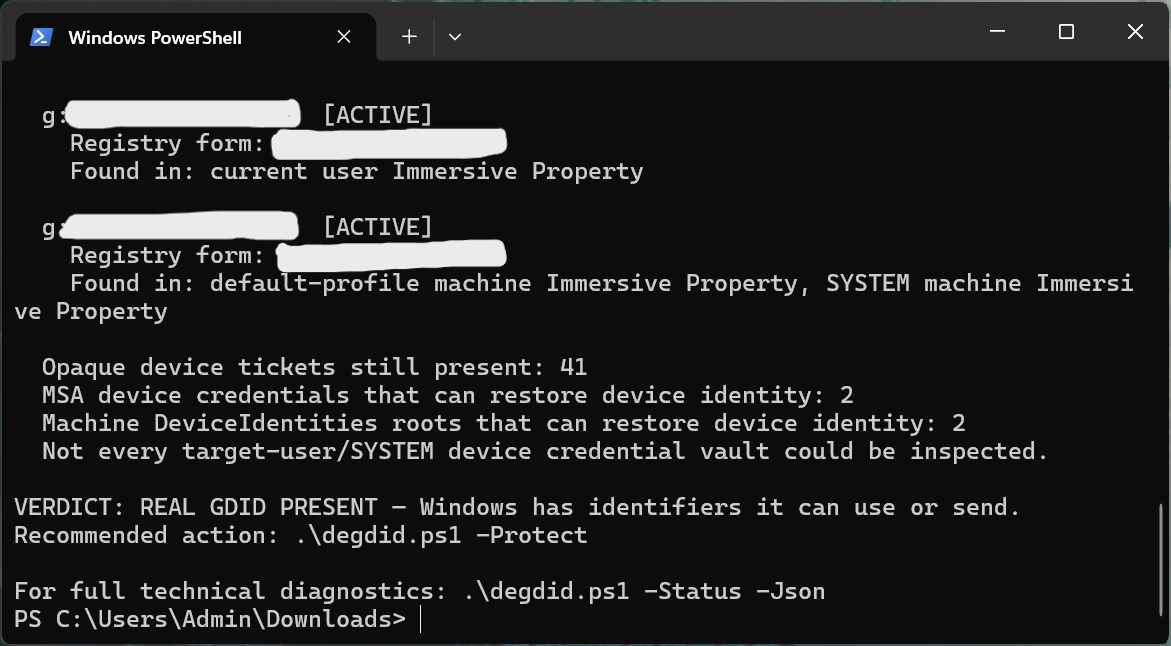
You can find the script on GitHub and run it via PowerShell with admin privileges. It's completely free and works in a very straightforward manner. There are three main execution flags that dictate how deGDID operates: –Status, which is read-only and tells you if a GDID is active on your rig; –Status –Redact, which generates logs with the GDID redacted so users can share diagnostic data more confidently; and –Protect, which completely wipes the GDID and prevents the creation of new ones.
FutureFuture
A fourth flag, –Unprotect, allows you to reverse the script in case you need to revert back to the default state. But –Protect is the one worth discussing. First, the script looks for server-issued GDID keys in the registry, where they remain cached, and purges them all. This is something you can do manually as well. In fact, Windscribe tried it on a virtual machine, but the GDID keys are silently re-minted in the background upon a reboot or whenever Windows contacts Microsoft servers again.
To close this loop, the script then modifies the ACLs (Access Control Lists) and registry permissions to prevent the OS from fetching and subsequently trying to remint the GDID keys. It puts up a firewall against the internal DeviceAdd endpoint, which completely cuts off Microsoft identity services from even seeing this as a registered Windows PC. This one-two punch completes the process, and the existing GDID keys are not only wiped, but the possibility of new ones being created is put to bed as well.
(Image credit: Future)
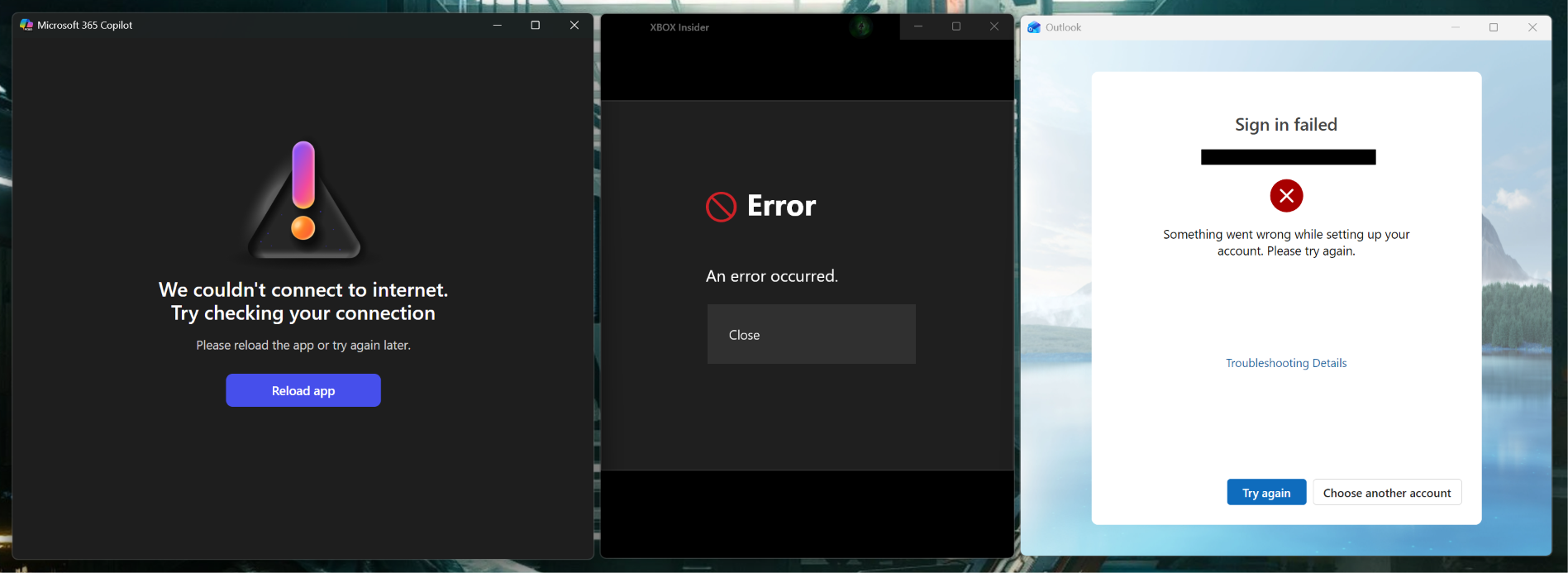
Keep in mind that old keys that are already server-side cannot be removed; Microsoft has access to them indefinitely. This script also only works on unmanaged systems with admin accounts. If you're part of an organization or domain, deGDID will refuse to run. More importantly, though, since it blocks Microsoft's DeviceAdd pipeline, some core Windows services will break because they'll fail to authenticate your Microsoft account.
The reason deGDID is even needed in the first place is that Windows has no native toggle to turn off GDID. It exists as a permanent device ID that can track you without your consent. It works across IP addresses since it sits beneath the layer where VPNs operate, so no amount of network tunneling can obfuscate it. This can explain why Windscribe was compelled to create deGDID — to combat a potentially invasive system that has the power to wreak havoc in the wrong hands.
(Image credit: Future)
We tried the script on a Windows 11 computer, and it worked as intended. Running the –Status flag showed multiple cached GDIDs that were then removed by the –Protect flag, and a new GDID didn't show up even after restarting. As expected, some Microsoft apps freaked out and returned connection errors. Account verification through login.live.com was also blocked across all browsers, though login.microsoftonline.com still worked. Online games and other apps continued to behave normally as well.
Windscribe says deGDID is a research project, and it will continue to evolve as more information about how GDID works is uncovered. For now, the fact that it can make core Microsoft services and features fail might be too much of a tradeoff for some. The script also doesn't promise to kill every GDID instance, and Microsoft already has your previous keys, so this is certainly not an ideal solution — but it's a good start to the fight against hidden trackers.
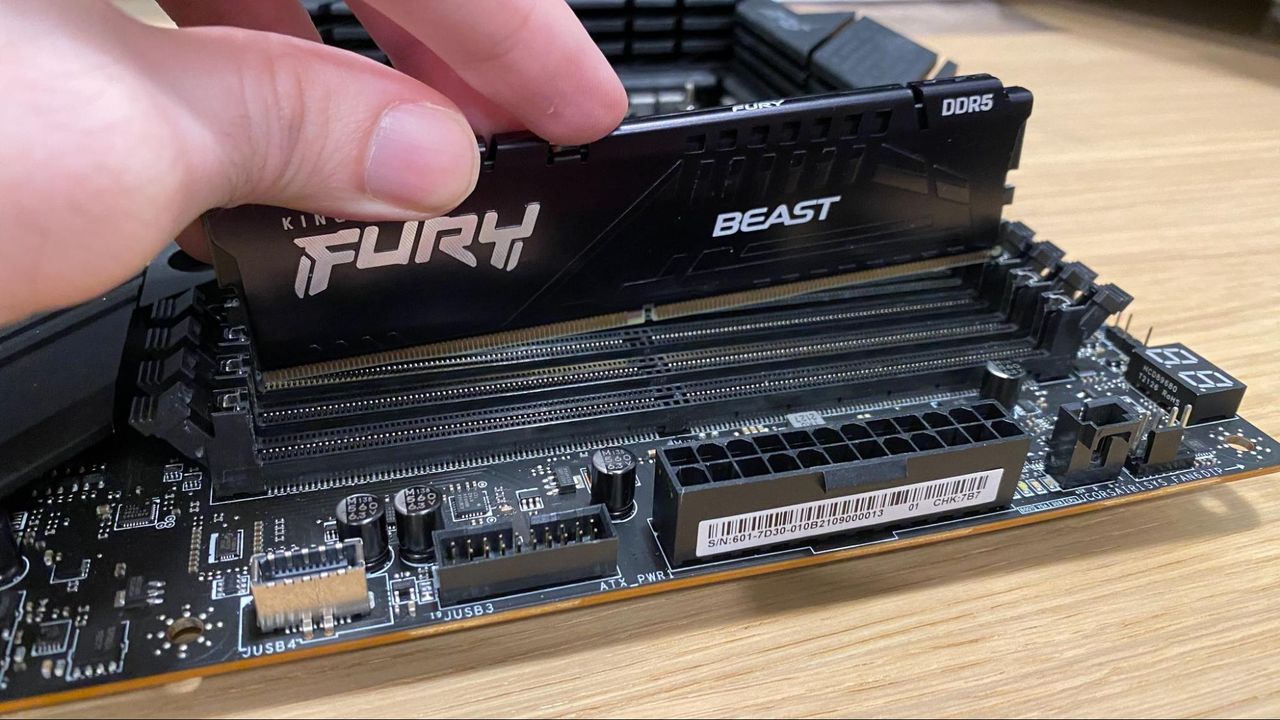
In May of this year, Microsoft said that 32GB of RAM is now the future-proof “no worries” configuration if you’re a gaming enthusiast, and that 16GB of RAM is now the new “practical starting point” if you want to have a smooth experience with Windows 11. However, it seems that the company is backtracking on this announcement as it removes all references to the post on the Windows Learning Center website, according to Windows Latest.
Microsoft previously posted a blog titled “How to optimize your gaming PC setup” in November 2025, where it said that 32GB is the ideal capacity for hardcore gamers who demand the best possible quality for AAA games or use mods a lot. However, this page is no longer available, and people who attempt to visit the link are automatically redirected to the Learning Center Homepage.
Even though Windows 11’s minimum specifications just require 4GB, the prevalence of many web-based apps and interfaces on the OS use up a lot of memory on many systems. While using web-based React and WebView2 is easier for developers, they’re not as efficient as apps that are built to run natively on Windows. This wasn’t a problem when memory was cheap and plentiful, as people could just spend a few dollars to upgrade their Windows PCs. However, now that memory modules are expensive and it’s hard to find the best prices for DDR5 and DDR4 kits, developers are going to be forced to optimize their software to use as little memory as possible.
This was actually what Windows programmers had to do in the 1980s and 1990s, when every Microsoft engineer had a stopwatch to ensure that their work remained fast, even on the limited hardware of the time. Even the original Task Manager, which was built by the same person who integrated ZIP file support into Windows, was only 80KB big so that it could run smoothly on “potato” hardware.
Hopefully, both Microsoft and app developers will rise to the challenge brought about by the memory shortage and make Windows efficient once more. This is especially true as Microsoft is now facing some competition from macOS and Linux (although Windows is, by far, still the most popular operating system today).
Microsoft said that it’s planning to optimize Windows 11 for systems with 8GB of RAM and above as part of its promise to improve Windows 11 in March 2026. The company said in its latest update that the optimization is part of expanding its focus on operating system upgrades, which include a faster out-of-the-box experience, easier parental controls, and improved voice interactions.
While the official minimum specifications for Windows 11 sit at just 4GB of RAM, most PC builders advise getting at least 16GB if you want to have a smooth experience. In fact, Microsoft has previously recommended 32GB of RAM for Windows 11 for gamers, especially if they want a system that can handle games in the near future. Unfortunately, the RAMpocalypse has forced both users and manufacturers to stick with slower DDR4 memory and lower capacities. Some experts predict that the entry-level PC will disappear by 2028, and we’ve even seen some manufacturers, including Apple, reintroduce 8GB laptops just to hit a specific price point.
The resurgence of 8GB systems will likely deliver a bad experience for users who stick with Windows 11, which is the likely reason why Microsoft is pushing for the optimization of its operating system. If Windows 11 performs poorly on these systems, it could draw users towards macOS or Linux alternatives as they blame the operating system for underperforming on limited hardware. In fact, we’ve already seen this happen before — after Microsoft ended support for Windows 10, MacBooks saw an uptick in sales as users migrated towards macOS instead of going for Windows 11. SteamOS is also encouraging some gamers to ditch Windows, and Valve is working on a general release for the OS, which many say contains less bloat and is a bit snappier than what Microsoft offers.
The RAM shortage crisis, alongside increasing competition, is forcing Microsoft to do better with Windows 11. Hopefully, these optimizations arrive sooner and don’t introduce new bugs, allowing both new and existing users to get more out of their systems.
The Windows blog post also gave an update on what improvements the company has made to Windows 11 so far. This includes a better Windows Search experience, more Taskbar and Start customizations, a more responsive and reliable File Explorer, among others. Many of these changes are still in preview, though, so unless you’re part of the Windows Insider Program, you’ll have to wait a few more weeks to months before you can start enjoying these changes.
 登录
登录